Choosing the best AI image editor in 2026 comes down to four things: model precision, platform speed, data governance, and how cleanly the tool drops into an existing workflow. Artificial intelligence has pushed photo editing software away from manual pixel pushing toward prompt-driven, context-aware generation. Whether the job is object removal, background replacement, automated upscaling, virtual try-on, professional headshot generation, or producing high-resolution product images, the right pick depends on your operational constraints rather than on the feature list.
One caveat before the rankings. A tool that wins on output quality can still fail a procurement review, and that happens more often than vendors admit.
Executive Summary
- Best overall professional editorAdobe Photoshop with Firefly. It scores highest for layered compositing, generative fill precision, and legally indemnified commercial output. It also carries the steepest cost and the longest learning curve of anything reviewed here.
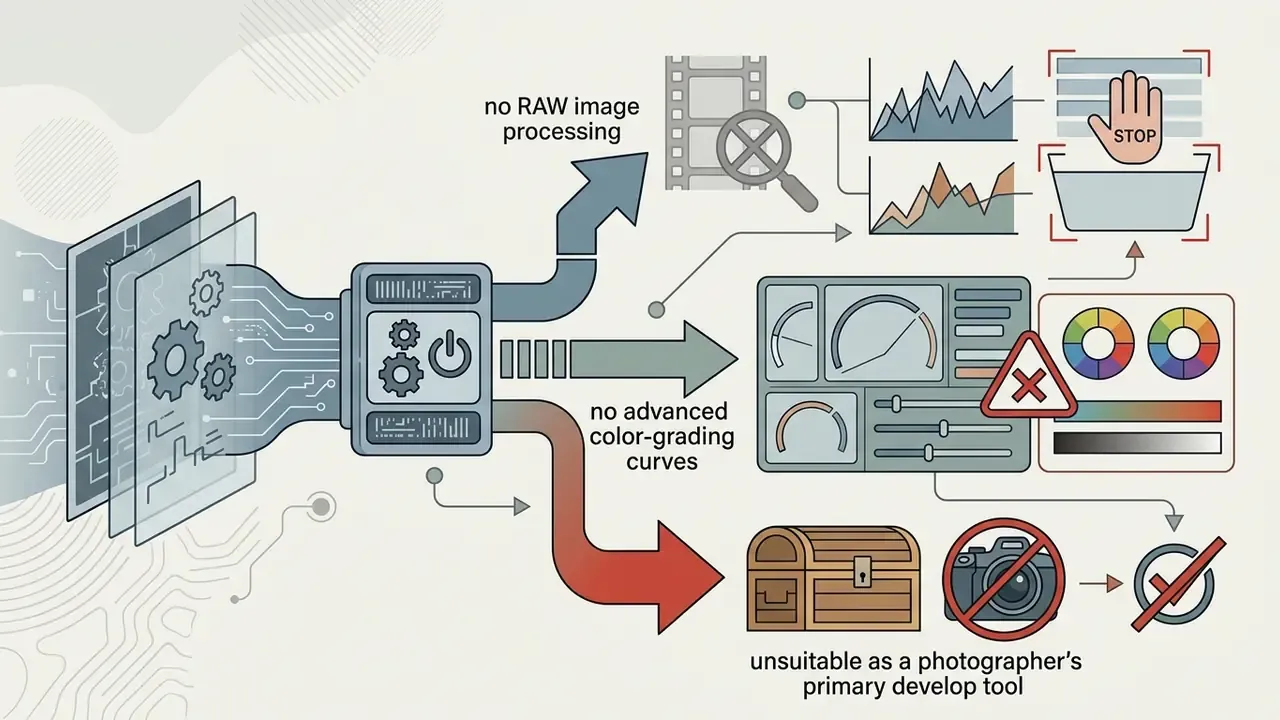
- Best for volume social designCanva Magic Studio covers roughly four out of five routine social and marketing tasks. It still cannot match RAW processing or granular color grading.
- Best specialistsClaid.AI and remove.bg for ecommerce catalogs, Topaz Photo AI for detail recovery, Cleanup.pictures for fast erasure, MagicHour for prompt-based styling and headshots.
- For regulated teams, governance outranks features.Public consumer SaaS tools without documented zero-data-retention terms or Content Credentials (C2PA) should not touch confidential imagery. Read the risk matrix below before you approve anything.
Audience note: statements about reader needs in this guide are working hypotheses drawn from editorial testing, vendor documentation, and published research. They are not validated CRM or interview data.
How to Use This Comparison
Read it in the order it is written, and you will save yourself a rollback later.
Start with the at-a-glance table to shortlist two or three candidates by task. Then move to the governance matrix, because data classification decides more approvals than output quality does. Only after that should you open the detailed reviews and the pricing table, where credit allowances and export ceilings often kill an otherwise sensible choice. Teams with an audit or model-risk obligation should treat the reproducibility checklist as a gate, not as a nice-to-have. Everyone else can skip straight to the task-by-task picks.
One practical note from our own workflow: the tool you approve and the tool people actually use are rarely the same unless you block the alternatives. That gap is where shadow AI lives.
Best AI Image Editors at a Glance
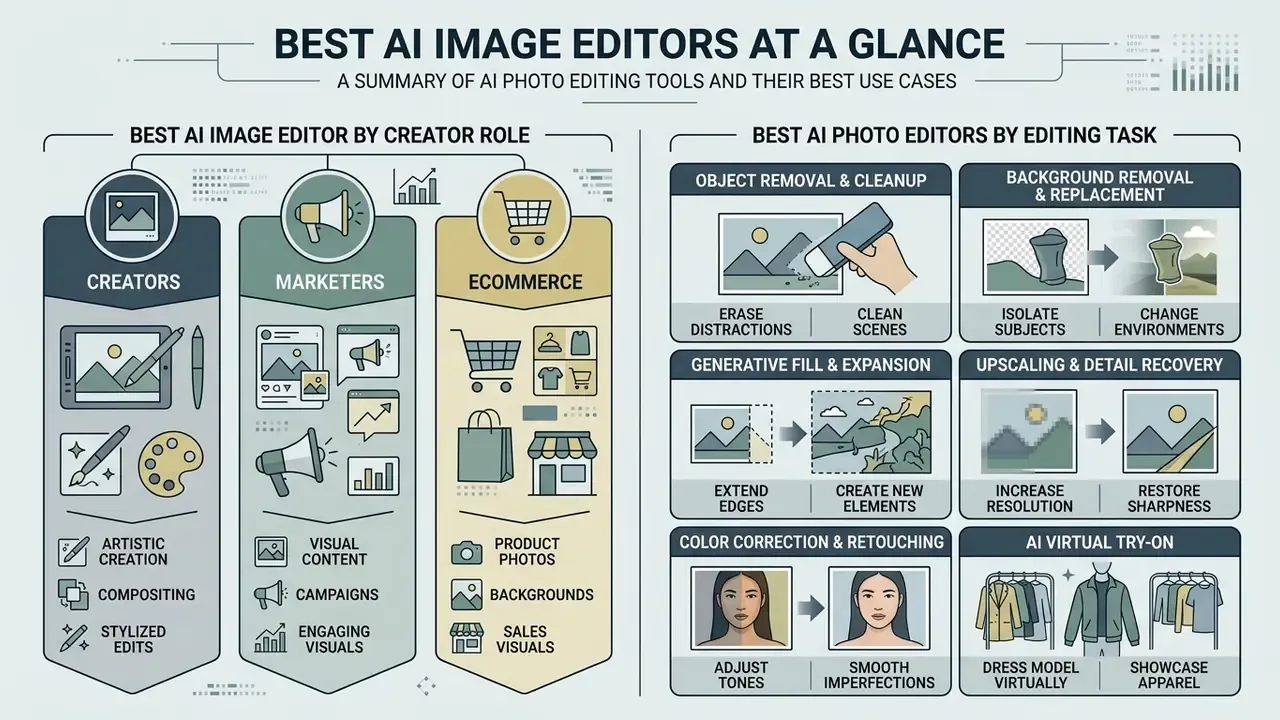
The modern AI photo editors landscape spans general raster suites, browser-based creative hubs, dedicated product photo processors, standalone enhancement engines, and lightweight single-purpose erasers. Which one deserves the "best AI image editor" label depends on whether your priority is multi-layer compositing, rapid social media publishing, or automated ecommerce catalog management.
Top AI Image Editors Comparison for 2026 (capabilities view; full commercial terms appear in the pricing table further down)
| Software | Primary Best Use Case | Key AI Features | Supported Platforms | Primary Limitations (tested) |
|---|---|---|---|---|
| Adobe Photoshop (Firefly) | Professional compositing and commercial design | Generative Fill, Generative Expand, Context-Aware Remove | Windows, macOS, Web | Highest cost per seat; steep learning curve; generative credits deplete on large batches |
| Adobe Lightroom | Photographic RAW correction and spot cleanup | Generative Remove, Adaptive Presets, Denoise | Windows, macOS, Web, Mobile | No native text prompting; no layer or vector editing; object insertion needs a Photoshop round-trip |
| Canva (Magic Studio) | Social media visuals and team templates | Magic Eraser, Magic Edit, Magic Expand, Background Remover | Web, iOS, Android, Desktop | No RAW pipeline; limited manual fine-tuning; upscaling capped at design export resolution |
| Pixlr | Browser-based quick edits and freelance projects | AI Inpaint, Background Remover, AI Upscale, Generative Expand | Web, iOS, Android | Persistent ad interruptions on the free tier; advanced tools gated behind monthly credits |
| Fotor | Fast online photo editing and style transfers | 1-Click Enhancer, Object Removal, Face Retouch | Web, Windows, macOS, Mobile | Background Removal sits outside the Photo Editor in the Home menu; no in-session switching between editing spaces without re-saving; outputs often read visibly "AI-modified" |
| Claid.AI | Ecommerce product photography and catalog generation | Scene Generation, Background Replace, AI Upscale | Web, API | Specialized for product shots, not general art; API-first setup requires developer time |
| Topaz Photo AI | Professional detail recovery and noise reduction | Autopilot Denoise, AI Sharpen, Super Focus, Generative Upscale | Windows, macOS (standalone or plugin) | Resource-intensive (up to 24GB RAM and 8GB VRAM recommended); no design, layout, or text tooling |
| Luminar Neo | Photographic enhancement and sky replacement | Supersharp AI, Noiseless AI, Relight AI, Sky AI, Powerline Removal | Windows, macOS (standalone or plugin) | Sky AI over-saturates horizon transitions; fewer upscaling controls than Topaz; new features pushed toward a separate annual subscription |
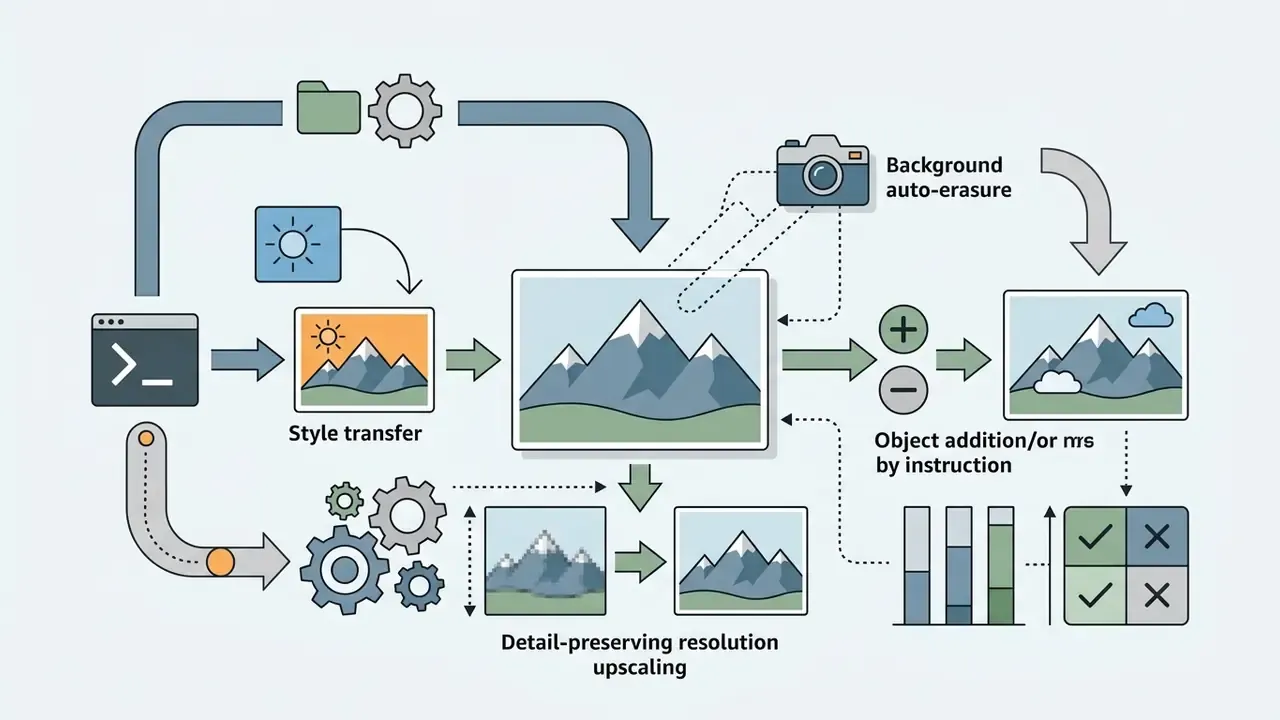
| Pikto AI | All-in-one design automation for non-designers | Prompt-based style transfer, background erasure, detail-preserving upscale | Web | No RAW processing; limited advanced color grading |
| Cleanup.pictures | Dedicated object, text, and watermark removal | Brush-based inpainting, watermark and text erasure | Web | Free tier caps output resolution; single-purpose tool with no compositing |
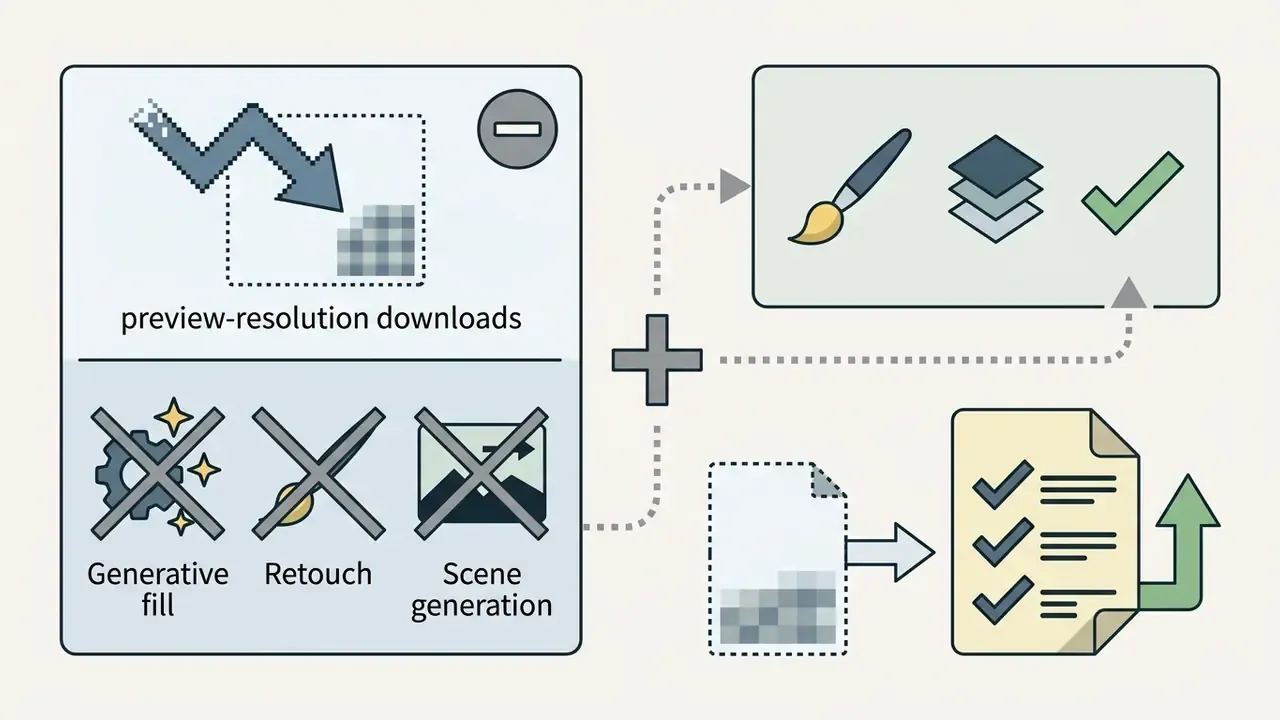
| remove.bg | High-precision background isolation at scale | Automatic subject cutout, transparent PNG, batch API | Web, API, Desktop | Preview-only exports on the free tier; no generative fill or retouching |
| MagicHour | Prompt-based styling, headshots, virtual try-on | Outfit swap, headshot generation, image enhancer, watermark remover, video face swap | Web | Single reference selfie limits likeness accuracy; free outputs watermarked and non-commercial |
The tools above earn their place in different production environments. Adobe Photoshop with Firefly stays the baseline for complex layer editing, and Canva leads on team collaboration. Dedicated engines such as Claid.AI and Topaz Photo AI handle narrower domains: catalog image processing and precision upscaling, respectively. Cleanup.pictures and remove.bg are single-purpose by design, which is exactly why they are fast.
"Photoshop scored 9.1/10 overall and 9.5/10 for editing power, the highest marks among the tools compared."
Best AI Image Editor for Creators, Marketers, and Ecommerce
Creators and marketers need volume, multi-format export, and template consistency across social channels. Browser platforms such as Canva and Fotor let non-designers apply quick edits, replace backgrounds, and reformat visual content in seconds, with no design skills required. When campaigns run across web and mobile at once, team leads often check a dedicated guide to the best photo editor for desktop operating systems, then pair that research with a review of the best AI image generator for net-new asset creation.
Ecommerce teams live under tighter rules. Catalog specifications, consistent lighting, and clean background removal for product photos are not negotiable, because marketplaces reject non-compliant primary images. Automated product photography workflows lean on Claid.AI or remove.bg to hold high resolution and strip compression artifacts without manual masking for every SKU. To weigh broader creative software costs, team leads frequently compare options across pricing tiers.
Best AI Photo Editors by Editing Task
Different AI editing software platforms win at specific sub-tasks inside an image processing pipeline:
- Object removal and cleanup Adobe Photoshop Generative Remove, Cleanup.pictures, and Google Magic Eraser handle crowded backgrounds with solid structural consistency.
- Background removal and replacement Claid.AI and remove.bg deliver precise edge detection on awkward subjects such as hair or transparent glass.
"Across 200 product images, remove.bg reached 96% accuracy versus 89% for Canva AI, with average processing times of 2.4 and 2.8 seconds."
- Generative fill and expansion
- Adobe Firefly adds or modifies elements from text prompts while holding lighting and perspective coherent.
- Upscaling and detail recovery
- Topaz Photo AI and Luminar Neo lead on motion blur, high-ISO noise, and clean 4K output.
- Color correction and retouching
- Fotor and Pixlr offer fast one-click skin smoothing, lighting balance, and auto color adjustment. Adobe Lightroom remains the reference for RAW-level tonal work.
- AI virtual try-on
- MagicHour and prompt-driven Pixlr workflows swap garments onto an existing image, which suits fashion catalogs and personal styling previews.
- Professional headshot generation
- MagicHour and dedicated portrait engines turn basic selfies into profile-ready headshots. Compare options in our guide to AI headshot generators.
- Watermark and text removal
- Cleanup.pictures and MagicHour's Watermark Remover clear overlays from imagery you own or are licensed to modify.
- Hybrid AI plus human finishing
- When identity fidelity or brand-critical detail cannot fail, automated masking plus freelance retouching beats either approach alone in our measurements.
How We Tested AI Image Editing Tools
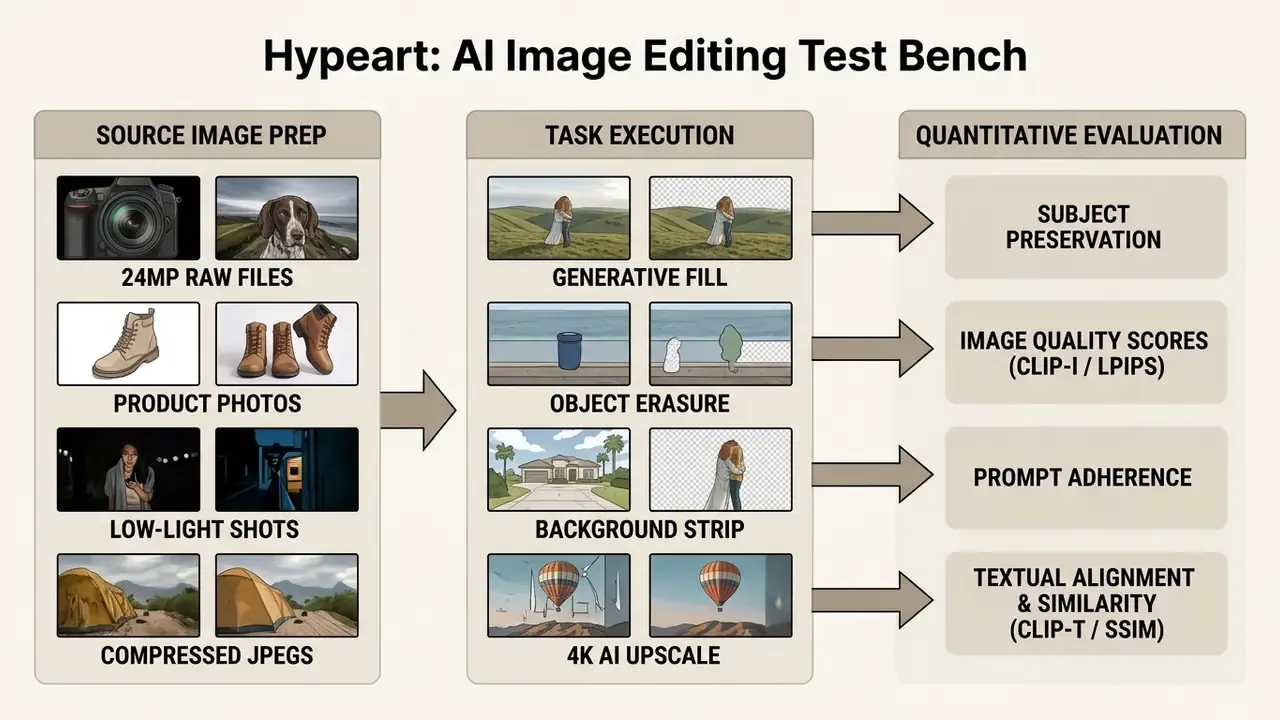
Every tool was scored on six axes borrowed from real creator workflows: edit realism (does the output read as human or slightly "AI-ish"), detail preservation across faces, hands, fabric and hair, background and object accuracy without halos, speed to a usable result, control through prompts and sliders, and value delivered on free versus paid tiers. Those axes roll up into the four-point scorecards published in each review below.
AI Editing Tests: Cleanup, Backgrounds, and Generative Edits
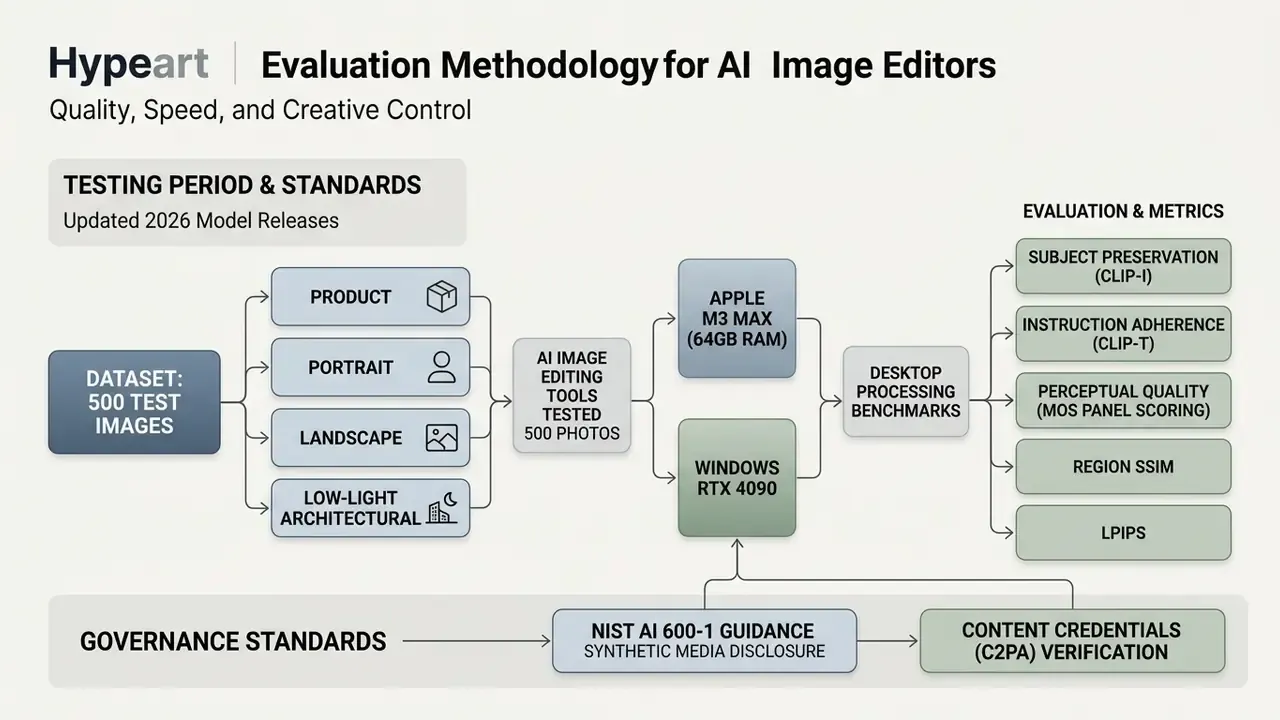
Cleanup testing focuses on removing unwanted objects and visual distractions from busy frames. We check whether the underlying model leaves repeating pattern artifacts or a soft, smeared patch where the object used to be. Updated methodology: for region-based edits we mask the target area and calculate the Structural Similarity Index (SSIM) before and after editing, confirming that unaffected pixels stayed untouched. Background replacement gets a second check, where a vision-language model is asked whether the rendered background actually matches the written instruction.
"EditEval introduces an LMM Score that rates semantics, aesthetics and edit consistency on a 1 to 5 scale."
Background removal tests measure edge crispness on the hard cases: hair, mesh, and semi-transparent fabric. Generative fill and generative expand tests check how faithfully models execute simple text prompts and longer contextual instructions. In practice, tools that support non-destructive editing layers and clear mask boundary controls score higher overall, which is less about model quality than about giving the operator somewhere to intervene.
Quality, Speed, and Creative Control
Every editing decision trades one-click speed against granular manual override. Automated background removal saves real time, yet professional asset creation still demands brush-based refinement, layer masks, and custom color profiles to fine tune the result. Export control belongs in the same balance: Photoshop's Export As dialog, Topaz's explicit width, height and DPI fields, and percentage-based quality sliders in retouching suites all stay manual even when the generative step is fully automatic.
One observation from the testing window stuck with us. A marketing team running weekly social campaigns cut banner production from two hours to fifteen minutes simply by replacing manual clipping paths with AI-driven background generation. Same designers, same brief, different bottleneck. To map broader media generation pipelines, teams can see the overview of multi-modal AI capabilities across competing platforms.
Audit Trail and Model Risk Management Requirements
Regulated organizations cannot validate a generative edit they cannot reproduce. Teams folding AI editors into a Model Risk Management (MRM) framework should capture five artifacts for every published asset:
- Prompt history: the exact instruction text, negative prompts, and the iteration chain that reached the final frame.
- Seed and model version: the generation seed plus the model build identifier, so a validator can re-run the edit and compare outputs.
- Mask and selection inputs: the binary mask or selection geometry, since region-based edits are not reproducible from the prompt alone.
- Content Credentials (C2PA) manifest: provenance metadata showing which portions of the asset are synthetic, retained alongside the exported file.
- Human review record: reviewer identity, timestamp, and sign-off against brand, accuracy, and disclosure criteria consistent with NIST AI 600-1 expectations for synthetic media disclosure and output filtering.
Store those five artifacts in the same repository as the exported asset, and an opaque generative step becomes an auditable control. That is the floor for internal audit and supervisory review, not the ceiling.
What to Look for in an AI Photo Editor
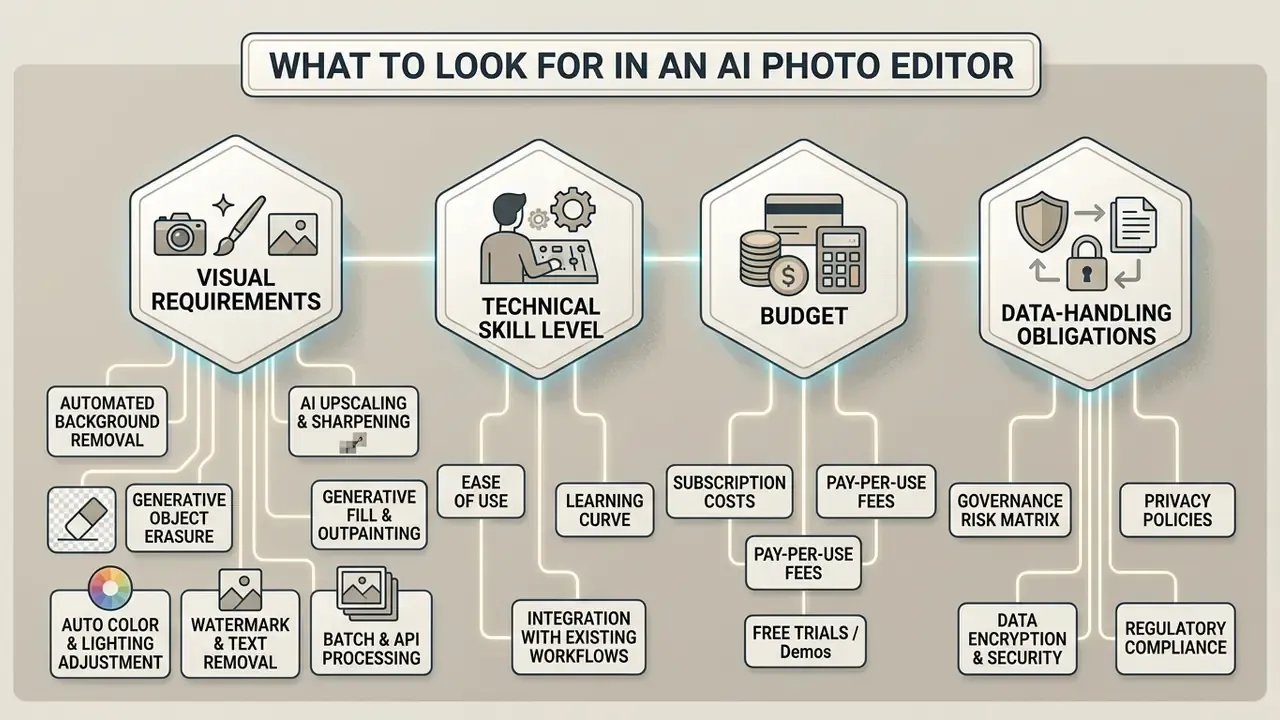
Picking the right AI photo editor means testing features against your team's actual visual requirements, technical skill level, budget, and data-handling obligations. In that order, usually.
Essential AI Photo Editing Features
A complete AI editing toolkit should balance foundational cleanup with advanced generative capability:
- Automated background removal isolates subjects instantly, with transparent PNG export.
- Generative object erasure replaces unwanted visual elements using surrounding texture context.
- AI upscaling and sharpening enlarges low-resolution images 2x to 8x without introducing blur. Compare dedicated AI image upscalers if enlargement is the main workload.
- Generative fill and outpainting extends canvas boundaries while holding lighting and perspective.
- Auto color and lighting adjustment restores shadow detail and white balance through scene recognition.
- Watermark and text removal clears overlays and captions from assets you have the right to modify.
- Batch and API processing runs the same pipeline across hundreds of SKUs with no per-image intervention.
Ease of Use vs Manual Editing Control
Simplified interfaces with one-click magic actions flatten the learning curve for people with no graphic design background, enabling instant touch ups. Complex commercial work pulls the other way. Professional editors want customizable keyboard shortcuts, layer blend modes, precise selection tools, and non-destructive adjustment layers to satisfy strict client brand guidelines. Accessibility guidance points in the same direction from both ends: controls need visible labels and reachable targets for inexperienced users, while authoring-tool standards require full keyboard access and customizable shortcuts for expert operators.
Image Quality, Resolution, and AI Models
The underlying AI model architecture shapes output resolution, fine detail preservation, and prompt adherence. Benchmark work across latent diffusion models indicates that native high-resolution training substantially improves adherence on complex prompts compared with scaled-up low-resolution architectures. Public documentation for current image APIs shows 1024×1024 as a default output size, with long-edge limits extending to 3840 px and total pixel ceilings around 8.3 megapixels. Modern generative engines such as Google Imagen 3, which generates at 1024×1024 by default and supports 2x, 4x and 8x upsampling, and current OpenAI image models handle text prompts with better spatial accuracy than the 512-pixel generation ever managed.
"Diffusion-based editing models handle textual instructions with higher spatial precision, reducing visual distortion in rendered detail."
Model Architecture Index
Advanced users and developers care less about the wrapper than about the model underneath it. The editors reviewed here sit on a short list of shared foundations:
- Flux.1 and Flux Pro powers high-fidelity text-to-image generation and structural inpainting inside Pixlr and standalone generators. Strong prompt adherence on typography and text-in-image tasks.
- Recraft V4 optimized for vector icon generation and design-system raster editing, which makes it a fit for brand asset production rather than photographic retouching.
- Stable Diffusion and SDXL widely available open-weight baselines used in browser editors for inpainting, style transfer, and variation generation.
- Adobe Firefly 3 trained on licensed Adobe Stock and public-domain material, with IP indemnification on qualifying plans and automatic Content Credentials attachment.
- Google Imagen 3 and Veo high-resolution still generation plus motion extensions, with native 1024×1024 output and up to 8x upsampling.
- LaMa (Large Mask Inpainting) powers lightweight erasure engines such as Cleanup.pictures, filling background texture across wide masks.
- Kling AI, Qwen, Seedream, and PixVerse appear inside multi-model hubs such as Pixlr, where users switch engines per task instead of committing to one provider.
Tools that disclose their model stack let you predict behaviour before you buy. Tools that do not force you to benchmark blind, on your own images, on your own time.
Enterprise Data Governance and Shadow AI Risk Matrix
For banks, insurers, healthcare providers, and any team handling confidential or personal imagery, feature parity matters far less than retention terms. Publicly available generative AI tools carry genuine privacy exposure. Privacy regulators warn against entering personal or sensitive information into public generative tools at all, and consumer tiers may reuse uploads to refine models unless the user opts out.
Governance Decision Matrix for AI Image Editors
| Risk Class | Typical Tools | Data Handling Profile | Recommended Policy |
|---|---|---|---|
| Low risk, approved | Topaz Photo AI (local processing), Lightroom local catalogs | Processing runs on the workstation; no upload of source imagery required | Approved for confidential and internal-only imagery |
| Medium risk, conditional | Adobe Creative Cloud enterprise, Firefly enterprise plans, Claid.AI API under contract | Enterprise agreements state that customer content is not used to train public models; C2PA credentials attached | Approved after contract review, SSO enrolment, and DLP configuration |
| High risk, restricted | Consumer tiers of browser editors, free credit-based generators | Retention terms vary; uploads may be retained or reused; commercial rights often excluded on free plans | Permitted only for public marketing assets with no personal or proprietary data |
| Prohibited | Unvetted tools with no published retention or provenance policy | No documented zero-data-retention, no provenance metadata, unclear jurisdiction | Block at network level; log as shadow AI risk in the tool inventory |
Top Rated AI Image Editor Software: Detailed Reviews
Choosing top rated AI image editor software means examining how each application handles specific production tasks, integrations, commercial usage licensing, and its own documented weaknesses. Each review opens with a four-metric scorecard from our test bench.
Adobe Firefly: Best for Generative AI and Commercial Projects
Performance scorecard
Adobe Firefly features embedded inside Photoshop and Lightroom set the benchmark for professional generative editing. The core set covers Generative Fill, Generative Expand, Generative Remove, and prompt-based style matching. Firefly models are trained on licensed Adobe Stock images and public domain content, which yields explicit legal indemnification and clearer terms for commercial use of AI image generators than most consumer alternatives. Generative Fill accepts an empty prompt and fills from surrounding pixels, while Generative Expand extends the canvas by dragging crop handles. Small detail, big time saver.


"Firefly is the strongest pick for existing Photoshop users because it embeds generative AI directly inside a professional editing environment."
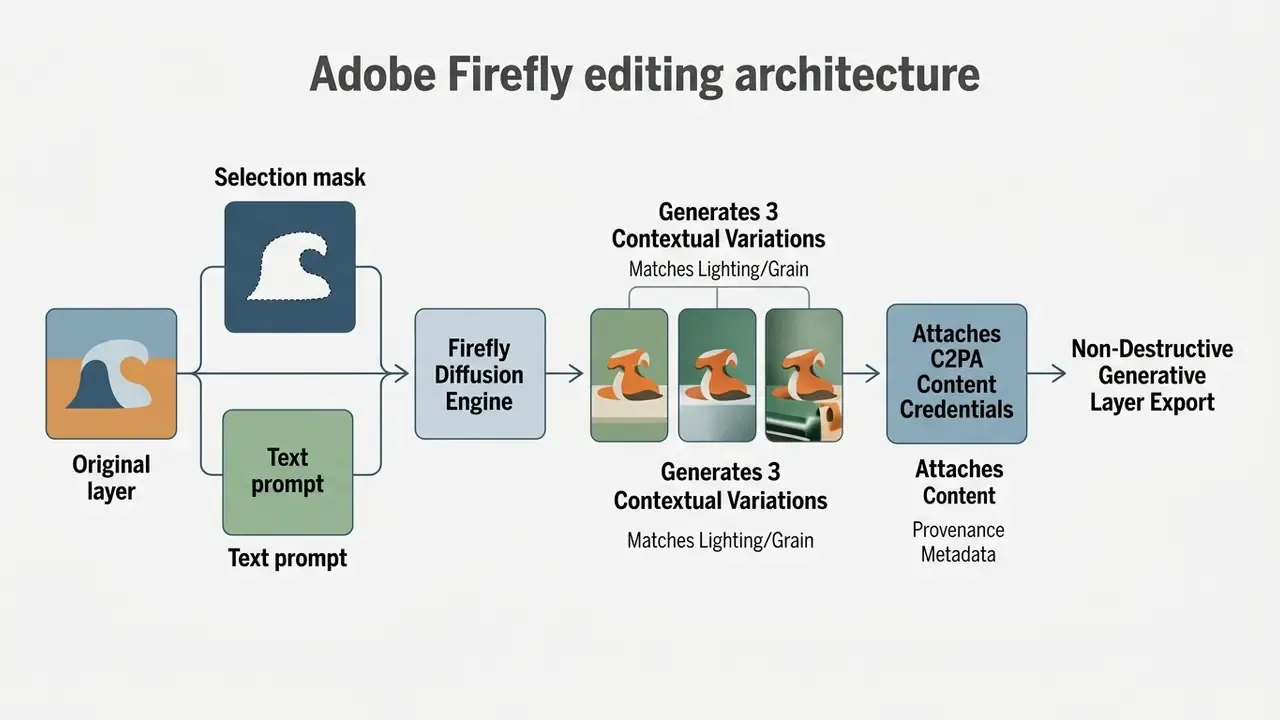
Photoshop attaches Content Credentials metadata automatically, so synthetic edits stay disclosed downstream. Documented limitations: at $22.99 per month for the single-app plan it is the most expensive option reviewed; generative credits are metered at 500 per month, so high-volume catalog work burns the allowance fast; and the Contextual Task Bar, a real usability improvement, does not remove the underlying complexity of layer and mask management for first-time users. For marketing teams running cross-platform media production, it is worth taking time to browse the hub of available creative suites before committing seats.
Adobe Lightroom: Best for RAW Photography with AI Cleanup
Performance scorecard
- Edit realism 4.6/5
- Edge cutout precision 4.0/5
- Processing speed 4.4/5
- Manual override control 4.5/5
Lightroom is the photography-focused sibling of Photoshop, and its AI layer aims at photographic correction rather than composite creation. Generative Remove deletes unwanted objects by analyzing the surrounding area and generating a blended replacement background. Adaptive Presets apply effects selectively to recognized regions such as eyes, skin or clothing, and AI Denoise recovers detail from high-ISO captures. Workflow-wise it is noticeably gentler than Photoshop for non-designers, because the panel structure follows a linear develop process instead of a layer stack.
Documented limitations: Generative Remove handles isolated spot cleanup efficiently, yet Lightroom offers no native text-prompting mechanism. You cannot describe a new object and have it inserted, which forces an export to Photoshop for any additive generative work. The platform also lacks layer editing and vector tools entirely, so at roughly $12 per month it earns its keep only if your work is genuinely photographic. Teams needing both photo correction and graphic composition end up paying for two products, which is worth budgeting for upfront.
Fotor and Pixlr: Best for Fast Online AI Photo Editing
Performance scorecard (Fotor)
- Edit realism: 3.6/5
- Edge cutout precision: 3.9/5
- Processing speed: 4.7/5
- Manual override control: 3.2/5
Performance scorecard (Pixlr)
- Edit realism: 4.1/5
- Edge cutout precision: 4.3/5
- Processing speed: 4.6/5
- Manual override control: 4.0/5
Fotor and Pixlr deliver responsive online AI editing built for quick turnarounds with no heavy desktop install. Both support simple text prompts, one-click background removal in seconds, and fast touch ups with no sign-up for basic tasks.
Fotor is strongest at single-click enhancements, portrait retouching, and fast object erasure. Pixlr runs a layer-based canvas closer to traditional desktop software, offering AI upscaling that preserves detail up to roughly 25 megapixels, generative expand, AI inpainting, and background removal metered by a monthly AI credit allotment. Because Pixlr exposes a rotating roster of engines, including Flux, Recraft, Stable Diffusion and Kling, it works as a multi-model hub rather than a single-model editor.
Documented limitations: Fotor's interface organization is genuinely awkward. Background Removal is not grouped with the other AI features in the Photo Editor and sits in the Home menu instead, and moving an image into a different editing space means saving a new file and reopening it. Fotor's generative output also tends to read as visibly AI-modified on portraits, with smoothing that flattens skin texture. Pixlr's weakness is commercial rather than technical: free accounts trigger frequent ad interruptions, and every meaningful AI action consumes credits, with the entry plan allowing roughly 80 credits per month. Basic editing is unmetered. Generation, fill, removal and upscaling are not.
Claid.AI: Best for Product Images and Product Photography
Performance scorecard
- Edit realism 4.5/5
- Edge cutout precision 4.7/5
- Processing speed 4.5/5
- Manual override control 3.8/5
Claid.AI is engineered for ecommerce product photography and catalog automation, full stop. Its engines isolate products automatically, return transparent PNG, white, custom-color or blurred backgrounds, correct uneven lighting, fix color compression, and generate studio, lifestyle, seasonal or category-specific background scenes from short text inputs. Documented upscaling extends resolution for print workflows, and batch processing applies one recipe across an entire catalog.
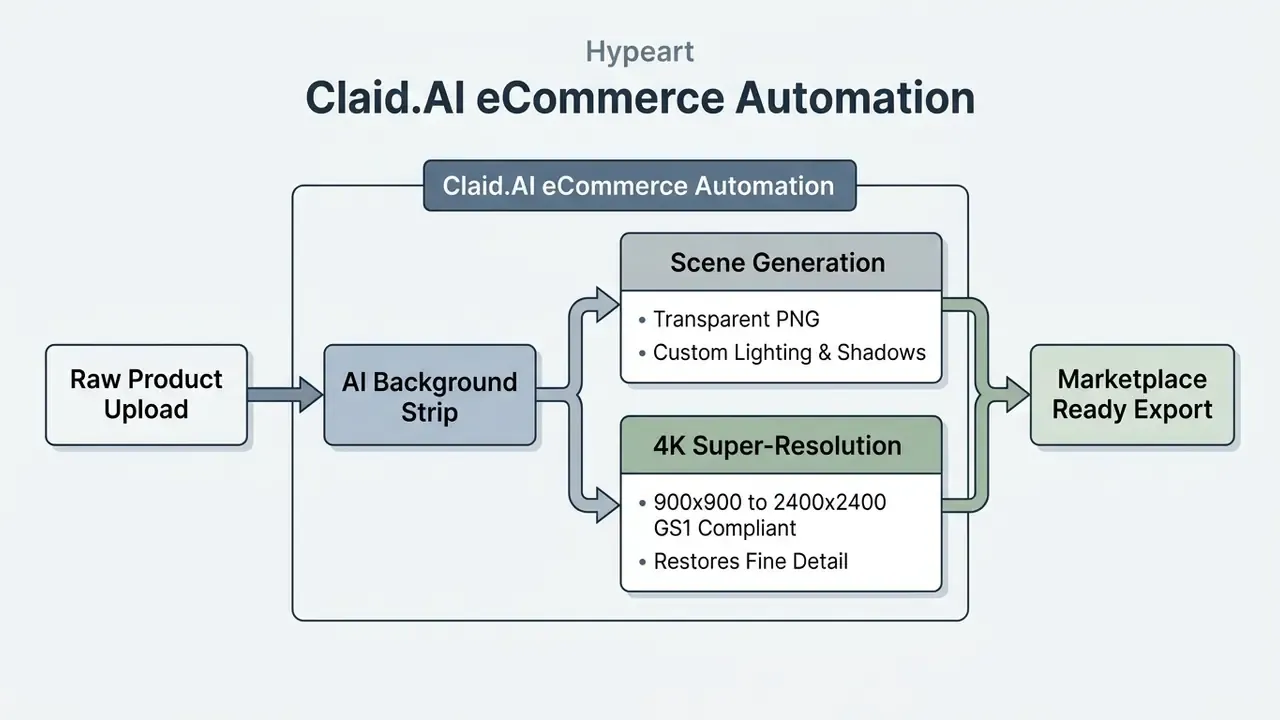
By generating consistent shadows and believable background lighting across bulk product batches, Claid.AI helps marketplace sellers hit strict GS1 product image standards. Documented limitations: this is a purpose-built commerce engine, not a creative editor. There is no layered compositing, illustration, or typography tooling, and the API-first model means non-technical teams need engineering support to automate batches. Teams extending automated generation to motion assets can examine the best text to video ai tools available for commercial campaigns.
Topaz and Luminar Neo: Best for Image Enhancement
Performance scorecard (Topaz Photo AI)
- Edit realism: 4.9/5
- Edge cutout precision: 4.4/5
- Processing speed: 3.6/5
- Manual override control: 4.7/5
Performance scorecard (Luminar Neo)
- Edit realism: 4.0/5
- Edge cutout precision: 4.1/5
- Processing speed: 4.0/5
- Manual override control: 3.7/5
Topaz Photo AI and Luminar Neo represent the leading edge of technical image restoration and photo enhancement. See our overview of AI image enhancers for adjacent specialists. Topaz folds Denoise, AI Sharpen, Super Focus, and Generative Upscale into an Autopilot pipeline that analyzes images for blur, noise, and face compression artifacts, applying Minor Denoise before upscaling so grain does not get amplified.
Luminar Neo takes a different route with Supersharp AI, Noiseless AI, Relight AI, Sky AI, Portrait Bokeh AI, and Powerline Removal AI inside a photography-centric workflow. Topaz leans into technical detail recovery and print upscaling; Luminar Neo leans into atmosphere, sky replacement, and portrait retouching.
"Luminar Neo's Upscale AI supports 2x, 4x and 6x enlargement with a maximum output of up to 32,000 pixels on the long edge."
Documented limitations: Topaz is genuinely resource-hungry. Current documentation recommends Windows 11, an AVX-capable CPU, 24GB RAM and 8GB VRAM, and older machines stall mid-way through generative upscales. It also has no design, layout, or text tooling whatsoever. Luminar Neo's Sky AI is fast, but its default rendering over-saturates horizon-line transitions and produces a harsh, unrealistically bright glow that needs dialing back on every landscape. Upscale AI also exposes fewer controls than Topaz, with no selectable model and no tunable noise-reduction ratio, and the perpetual licence is undercut by a parallel annual subscription that gates the newest AI features. Photographers optimizing assets across formats often keep a specialized best video compressor nearby to manage total asset weight.
Pikto AI: Best for All-in-One Design Automation
Performance scorecard
- Edit realism 4.1/5
- Edge cutout precision 4.2/5
- Processing speed 4.6/5
- Manual override control 3.5/5
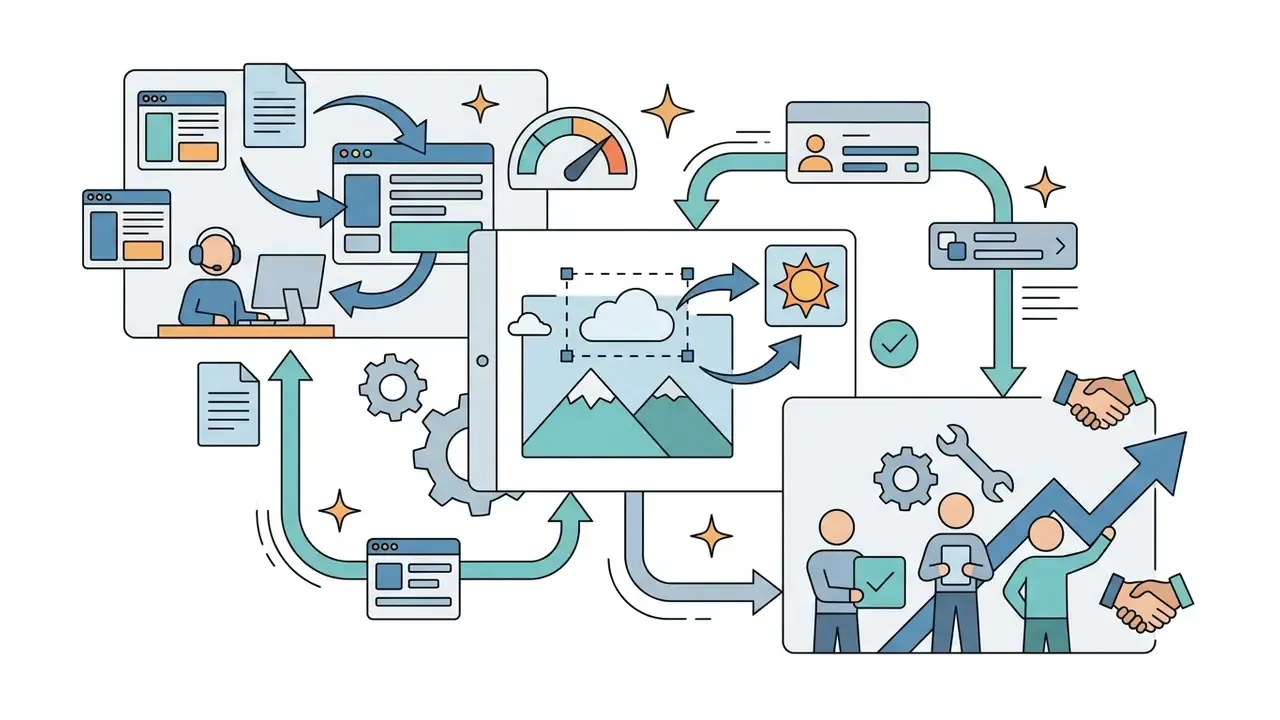
Pikto AI simplifies visual content workflows for non-designers by embedding generative editing directly into slide and graphic layouts, so the edit and the layout share one workspace.

Cleanup.pictures: Best for Dedicated Object and Watermark Removal
Performance scorecard
- Edit realism 4.3/5
- Edge cutout precision 4.0/5
- Processing speed 4.9/5
- Manual override control 3.0/5
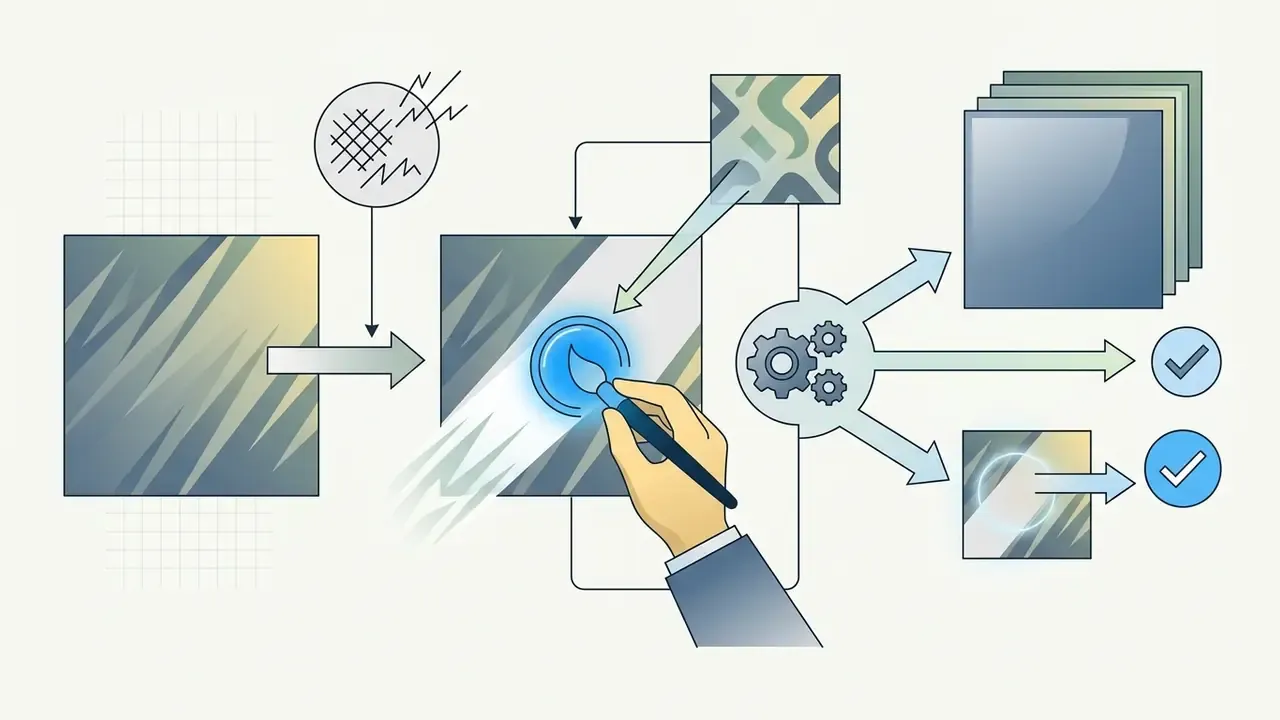
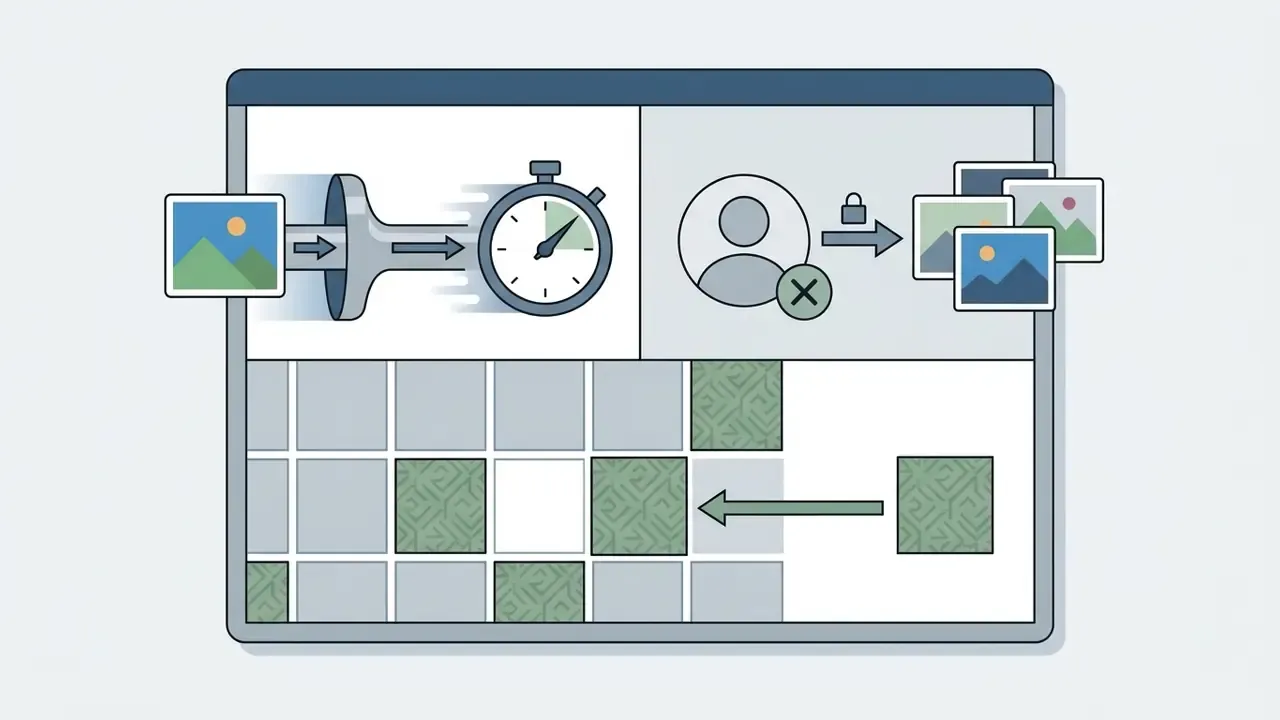
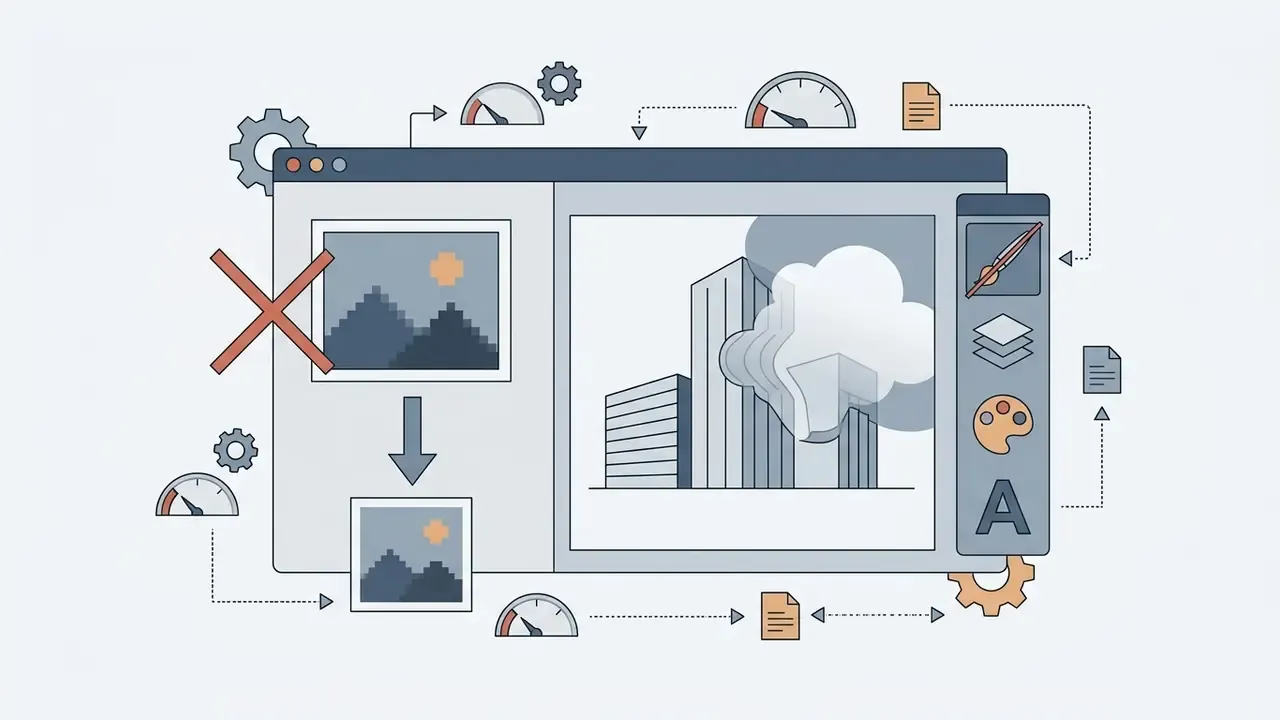
Cleanup.pictures uses targeted LaMa (Large Mask Inpainting) architecture to erase unwanted text, logos, signage, and people from high-resolution captures in a single brush pass.

remove.bg: Best for High-Volume Background Isolation
Performance scorecard
- Edit realism 4.2/5
- Edge cutout precision 4.9/5
- Processing speed 4.8/5
- Manual override control 2.8/5
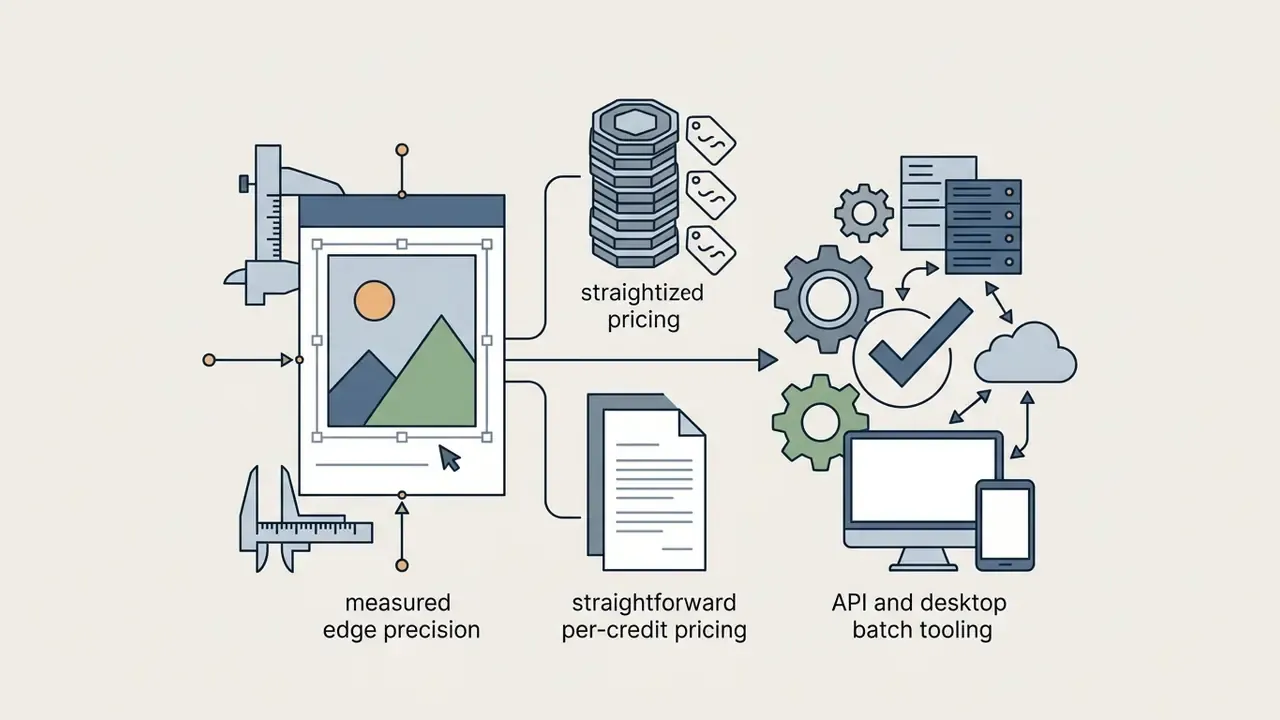
remove.bg does one job and leads our measurements on it, hitting 96% accuracy on a 200-image product set at an average 2.4 seconds per file. Batch endpoints and documented API access make it the default cutout stage in automated catalog pipelines, and its hair and fur edges survive close inspection better than general-purpose editors manage.
MagicHour: Best for Creative Styling, Try-On, and Headshots
Performance scorecard
- Edit realism: 3.7/5
- Edge cutout precision: 3.8/5
- Processing speed: 4.3/5
- Manual override control: 3.9/5
MagicHour is built for creative transformation rather than technical correction. Users modify images through prompts and presets: change outfits, generate new backgrounds, produce stylized portraits, colorize black-and-white archives via the Image Enhancer, remove watermarks by model or manual selection, and run video face swap. A single selfie can yield several profile-ready variants for social platforms and websites.
- Pros: broad preset library including Professional and Creative headshot styles; aspect-ratio control (1:1, 2:3, 3:2); genuinely quick for personal branding.
- Cons: headshot output often carries a smoothed, artificially youthful quality that does not read as the subject in real life; accepting only one reference selfie limits likeness accuracy materially; free-tier outputs are watermarked, limited to roughly 40 edits at 576px, and excluded from commercial use.
AI Virtual Try-On and Professional Headshot Generation
Two intents sit outside classic retouching yet drive a large share of AI editing demand: seeing how a garment looks on you, and producing a portrait acceptable for a professional profile.
AI fashion and virtual try-on. The workflow is consistent across tools. Upload a clear, well-lit portrait, upload or link the product image of the garment, then instruct the model to render the subject wearing that outfit while preserving lighting, background, and accessories. In our testing, three variables decided success: pose neutrality, garment contrast against the original clothing, and whether the tool allows a re-run with a refined instruction. Results hold up well on simple silhouettes and structured fabrics. They degrade on layered garments, sheer material, and complex drape such as pleats or saris, where seam geometry drifts noticeably.
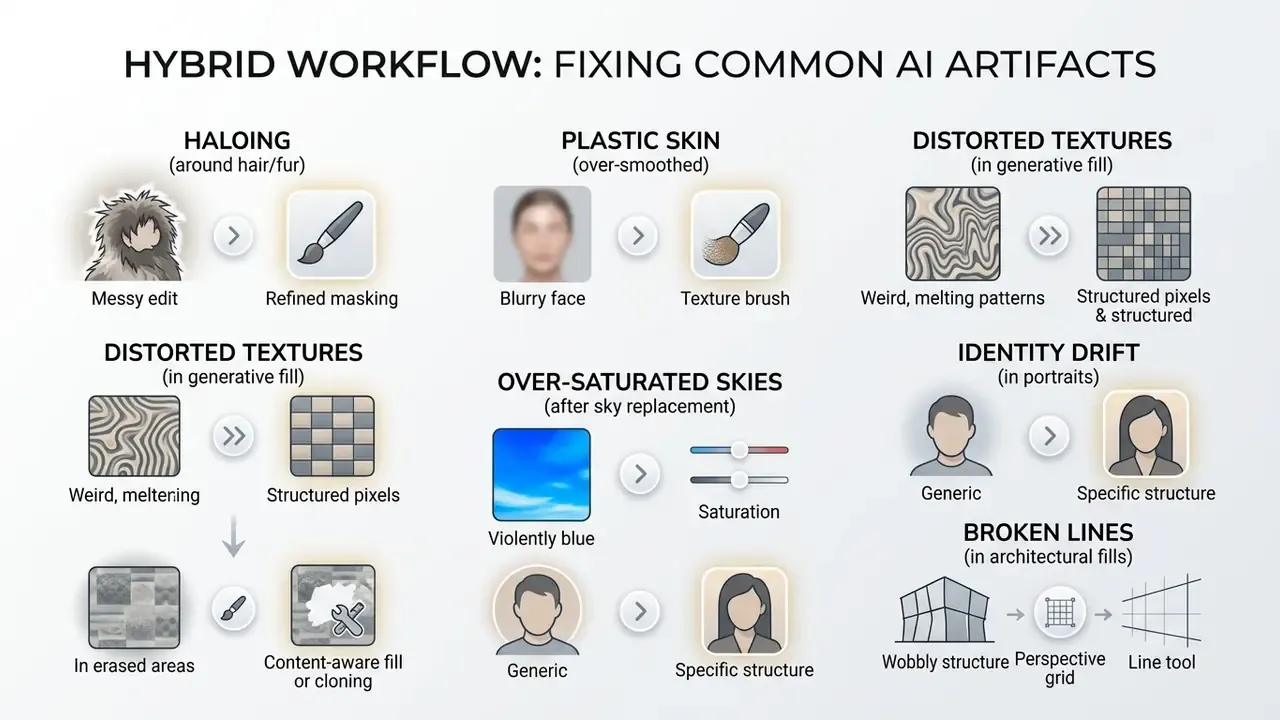
Professional headshots. Headshot engines take a handful of selfies and render studio-style portraits with selectable styles and aspect ratios. The characteristic failure mode is identity drift: smoothing artifacts reduce facial features to a youthful, plastic-like texture, so the output is technically clean but unrecognizable. Practical mitigations: supply the highest-resolution source you have, prefer tools that accept multiple reference images, reject any render where pore texture has vanished entirely, and add a light grain pass before publishing. For a feature-by-feature breakdown, see our guide to AI headshot generators.
Watermark and overlay removal. Cleanup.pictures and MagicHour both remove watermarks, captions, and logos. That is legitimate when you own the asset or hold a licence permitting modification, and a licensing violation when you do not. Treat the capability as a rights question first and a technical one second.
Hybrid AI Plus Human Workflows
Even in 2026, the highest-fidelity results on identity-critical or brand-critical assets come from pairing automated tooling with human finishing. The pattern repeated across creator workflows we reviewed: run the automated stage yourself (background strip, denoise, upscale), then hand the file to a retoucher for the judgement-dependent stage (garment geometry, skin texture, lighting continuity, brand colour matching).
A practical hybrid brief looks like this:
- Number and label every file.Upload images as 1, 2, 3, 4 with a one-line instruction each, so nobody guesses which change applies where.
- Write outcome instructions, not tool instructions."Make it as if I'm on the beach with the setting sun behind me, and keep all the details of the picture" produced a usable result in one pass. "Use generative fill" did not.
- Keep the ask narrow when the source is good.For a blurry but well-composed frame, "image is blurred, please enhance" preserved the original casual vibe while restoring clarity at 100% zoom.
- Supply reference imagery for style transfer and try-on.Attaching the product photo of the garment lifted accuracy on lighting, accessories, and fabric well above prompt-only attempts.
This model works particularly well for professional profile photos, advanced background changes, catalog product photography, and composites where one visible artifact would be disqualifying. The cost trade-off is plain enough: automated tooling is cheap and instant but variable, while human finishing is slower and priced per job but predictable. Regulated teams get a second benefit. A named human reviewer in the chain satisfies the editorial review gate that institutional AI policies require.
Troubleshooting Common AI Edit Artifacts
Free AI Photo Editors, Paid Plans, and AI Credits
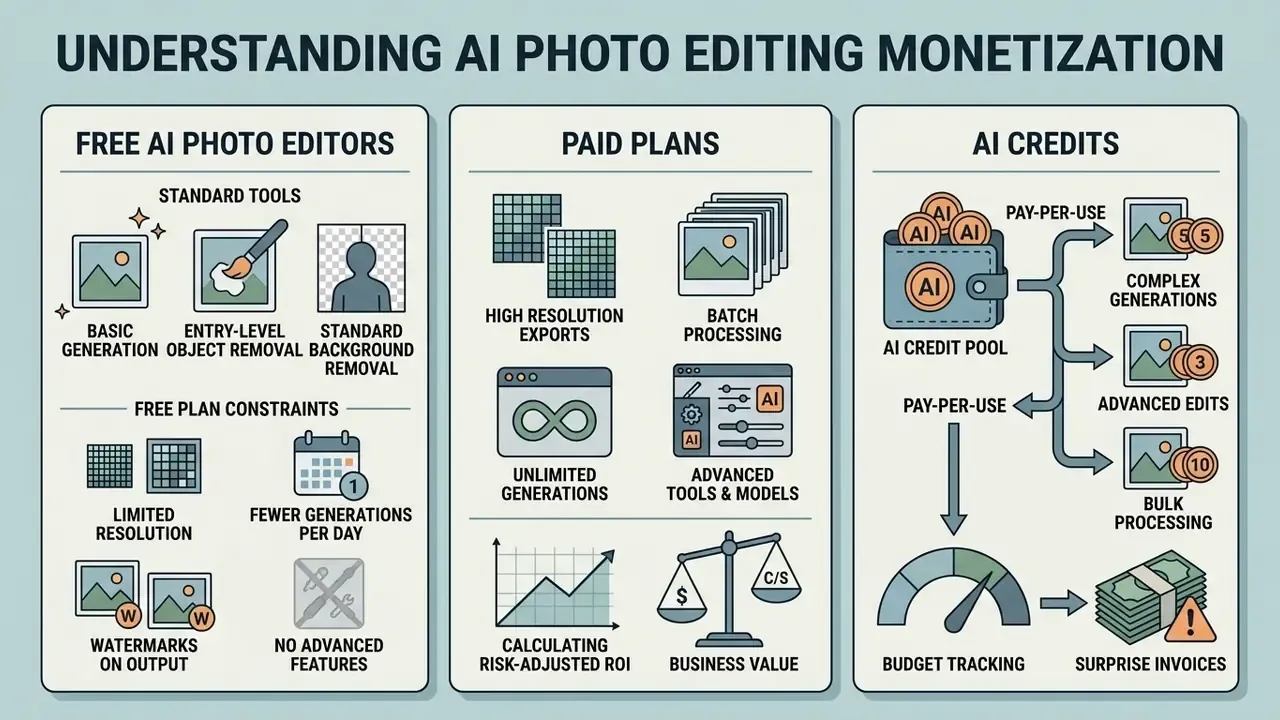
Understanding how AI photo editing tools structure monetization helps organizations avoid surprise invoices while keeping access to the AI features that matter.
What You Can Do with a Free AI Image Editor
Free photo editors, and the free tiers of paid platforms, let users run lightweight edits, test features, and export lower-resolution visual content. Teams comparing generation as well as editing can also review current free AI image generators.
When Paid AI Editing Software Is Worth It
Upgrading to a paid plan, or buying extra AI credits, becomes necessary once visual production scales past previews. Commercial workflows demand high-resolution 4K or print-ready exports, batch image processing, transparent commercial licensing, and priority generation speeds. GS1 primary-image requirements alone rule out most free-tier exports for marketplace listings: high resolution, no compression artifacts, no interpolation, and a preferred canvas of 900×900 to 2400×2400 pixels.
"Canva Pro adds brand kits and bulk resizing, Pixlr expands AI credits to 80 per month, and Topaz Photo AI offers unlimited local processing for a one-time $199."
AI Photo Editor Pricing and Tier Limits (verified for 2026)
| Editor Platform | Free Tier Limits | Paid Starting Tier | AI Credit Allowance | Max Export Resolution | Watermark Status |
|---|---|---|---|---|---|
| Adobe Photoshop | 7-day trial only | $22.99 / month | 500 generative credits per month | Full native, unlimited | No watermark |
| Adobe Lightroom | 7-day trial only | $11.99 / month | Generative Remove included | Full native, unlimited | No watermark |
| Canva | 200 standard or 20 premium AI uses | $14.99 / month (Pro) | 500 premium AI uses per month | 4K design exports | No watermark on Pro |
| Pixlr | 20 starting credits; ads | $0.99 to $1.99 / month (Plus) | 80 AI credits per month | Up to ~25 MP upscale | No watermark on paid |
| Fotor | Free forever tier; low-res exports | $8.99 / month (Pro) | 200 AI credits per month | HD and 4K uncompressed | No watermark on HD background removal |
| Pikto AI | Limited free design exports | From $14 / month | Included with subscription | High-res design export | No watermark on paid |
| Cleanup.pictures | Free basic edits; resolution capped | ~$5 / month (Pro) | Unlimited on Pro | Full source resolution on Pro | No watermark |
| remove.bg | 50 free preview edits per month | $9.00 / month (pay or subscribe) | 40 to 200 credits per month | Full high-res PNG | No watermark on full res |
| MagicHour | 400 credits (~80 images, 40 edits at 576px) | Paid tiers from low monthly cost | Credit-metered per action | Higher res on paid tiers | Watermarked and non-commercial on free |
| Topaz Photo AI | Trial mode, no save | $199 one-time purchase | Unlimited local processing | Up to 32,000 px edge | No watermark on licence |
| Luminar Neo | Trial version | $199 perpetual or ~$99/yr subscription | Unlimited local processing | Up to 32,000 px edge (6x upscale) | No watermark on licence |
Calculating Risk-Adjusted ROI
Licence price is the smallest line in an enterprise AI editing budget. A defensible ROI model nets the productivity gain against four cost categories:
Risk-adjusted ROI = (hours saved × loaded hourly rate) minus (licence and credit spend + human review and moderation cost + validation and audit effort + expected cost of a data or rights incident)
Worked example for a ten-person marketing team. Replacing manual clipping paths with AI background generation cut banner production from two hours to fifteen minutes, saving roughly 1.75 hours per asset. At 40 assets per month, that is 70 hours recovered. Against that, subtract enterprise licences, generative credit top-ups, the reviewer time required by institutional human-review policy, and the annualized effort of maintaining prompt, seed, and C2PA logs. Accuracy differences feed the same model directly: the seven-point accuracy gap between remove.bg and a general-purpose editor converts into extra manual correction hours per hundred images. Any residual risk of uploading confidential imagery to a non-compliant tool belongs in the final term, which is exactly why the governance matrix comes before the pricing decision.
For organizations comparing software spend across content departments, leadership teams can view the guide to analyze licensing options side by side.
Choosing an AI Image Editor for Real-World Workflows
Integrating an AI photo editor into daily operations means matching capability to a specific publishing pipeline. Industry guidance agrees on one point that is easy to skip: evaluate non-AI solutions first, then test candidates against the actual task instead of the marketing claim.
AI Image Editing for Social Media and Marketing
Social media publishing runs on speed, brand consistency, and platform-specific formatting. Marketing teams use Canva or Pixlr to turn simple text prompts into branded graphics, background variations, and promotional banners in minutes, then push multi-format exports in one pass.
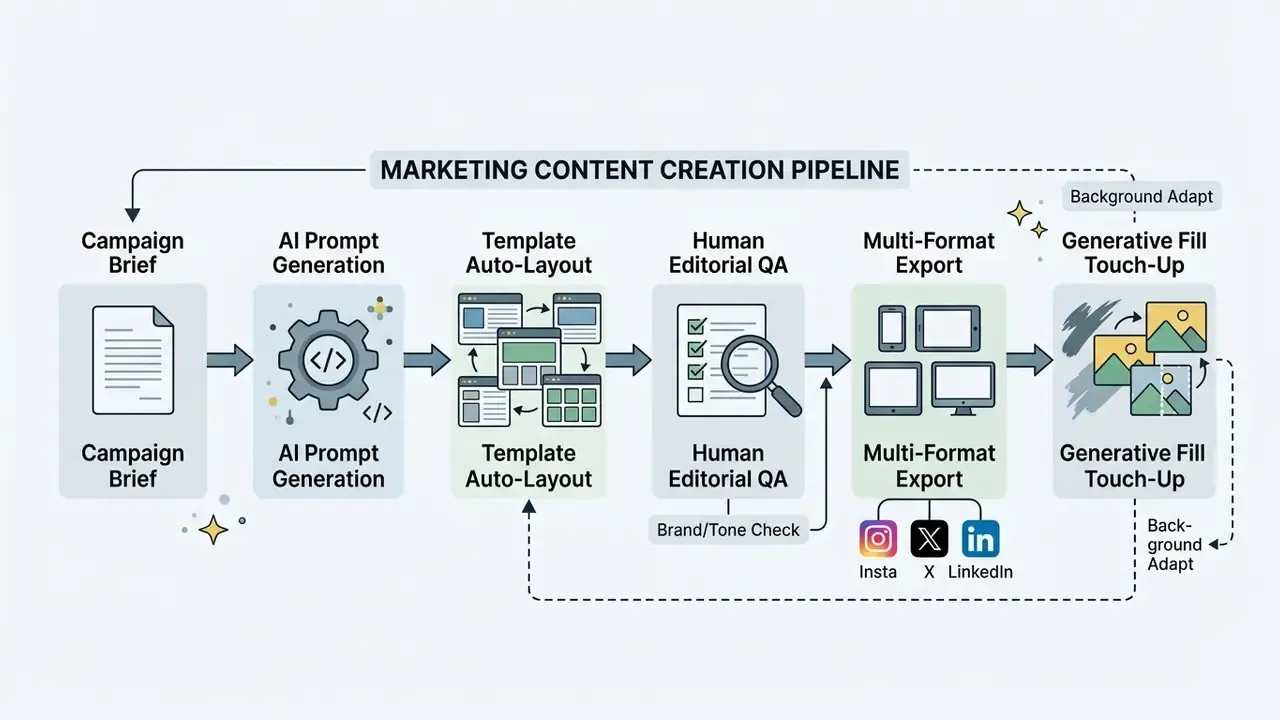
Consistent with institutional guidelines such as those from Harvard and the University of Washington, human review gates stay mandatory. Every AI generated visual asset is reviewed for quality, brand alignment, and factual accuracy before external publication.
"Multimodal language models that expand terse instructions into detailed guidance improve results on Photoshop-style editing tasks."
Teams producing mobile-first video often pair these image tools with the best video editor for iphone to speed up post-production, and larger media groups extend the same pipeline with the best AI video generators.
AI Photo Editing for Ecommerce Product Photos
Ecommerce workflows need systematic image processing to protect customer trust and hold down return rates caused by colour inaccuracy.
"Deep-learning low-light enhancement methods substantially improve visibility and interpretability, raising downstream object-detection accuracy."
A standardized product photo preparation method follows four steps:
- Ingestion and data pairing
- upload raw product shots with SKU metadata, specifications, and target marketplace rules.
- AI background strip and isolation
- process source photos through remove.bg or Claid.AI to produce clean transparent PNG files. This is also the stage where image-to-image AI generators can produce alternate angles or colorways.
- Studio environment generation
- apply AI lighting alignment and realistic shadow drop modelling to place products in clean studio or lifestyle settings.
- Quality verification and export
- run readability checks at mobile screen sizes, verify resolution against GS1 standards (900x900 to 2400x2400 pixels minimum), and export uncompressed assets.
"A seven-point accuracy gap means roughly 14 extra images per 100 need manual correction, about 15 to 20 minutes of additional work."
Marketplace card production adds a publishing layer on top of image prep: analyze competitor listings, prepare source photos on a clean background, generate two or three variants, add infographic overlays, and test readability on a phone before publishing a five-to-eight slide sequence (cover, benefits infographic, lifestyle frame, catalog shot, video cover). Teams building internal photo processing systems can wire the same stages into cloud services through a developer-focused api integration.
Using AI for Cleanup and Creative Transformations
Advanced AI image editors support creative transformation well beyond routine maintenance. Generative fill lets users modify landscape elements, update wardrobe styles, and outpaint canvases to fit unconventional display ratios. Compare dedicated AI outpainting tools when canvas extension is the main requirement.
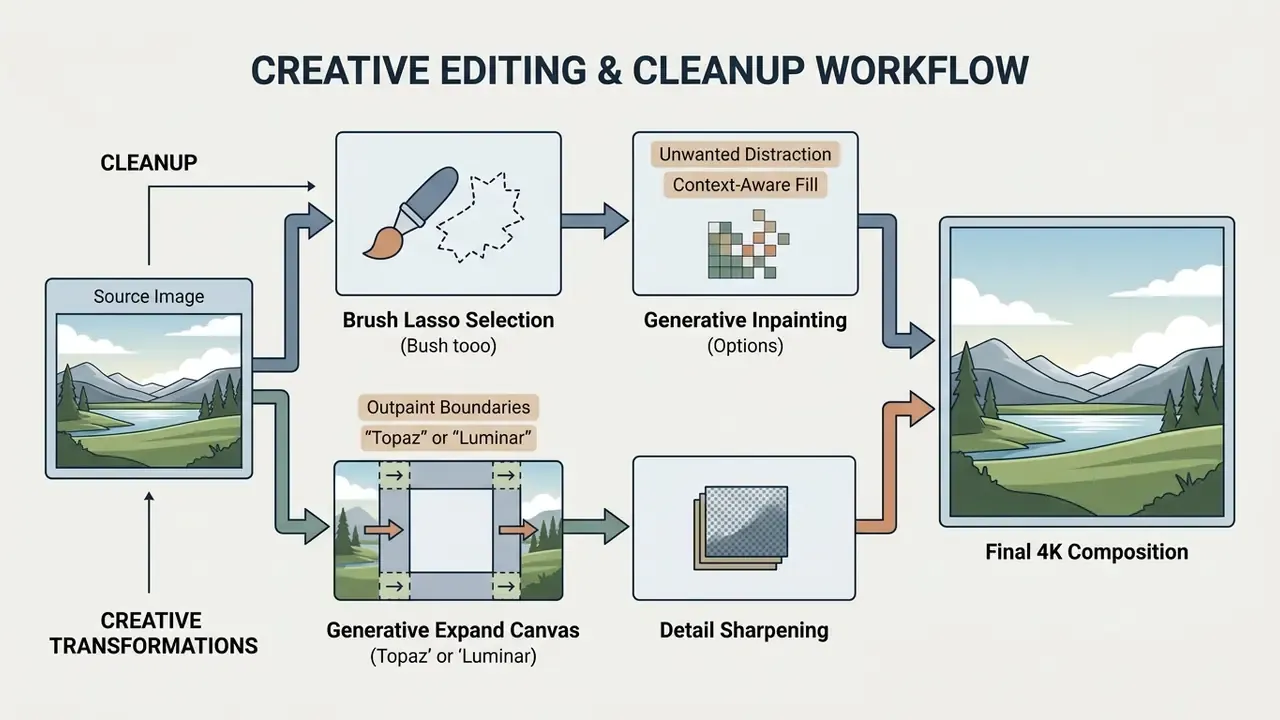
"Participants welcomed environmental edits but considered changes touching a person's identity, especially the face, unacceptable."
Holding that line keeps marketing visual content trustworthy, and it aligns with current disclosure regimes. The EU AI Act requires machine-readable marking of synthetic image content while exempting assistive standard editing that does not substantially alter semantics. India's 2026 IT Rules FAQ similarly excludes routine enhancement, colour adjustment, noise reduction and compression from synthetic-content obligations. China's deep synthesis provisions go broader, covering edited images, audio, video and virtual scenes, and requiring clear labelling. Face swap and identity manipulation land firmly on the regulated side of that line in every jurisdiction we reviewed. Creators broadening their production toolset can also evaluate the best video editor software for full post-production coverage.
Interactive Selection Checklist
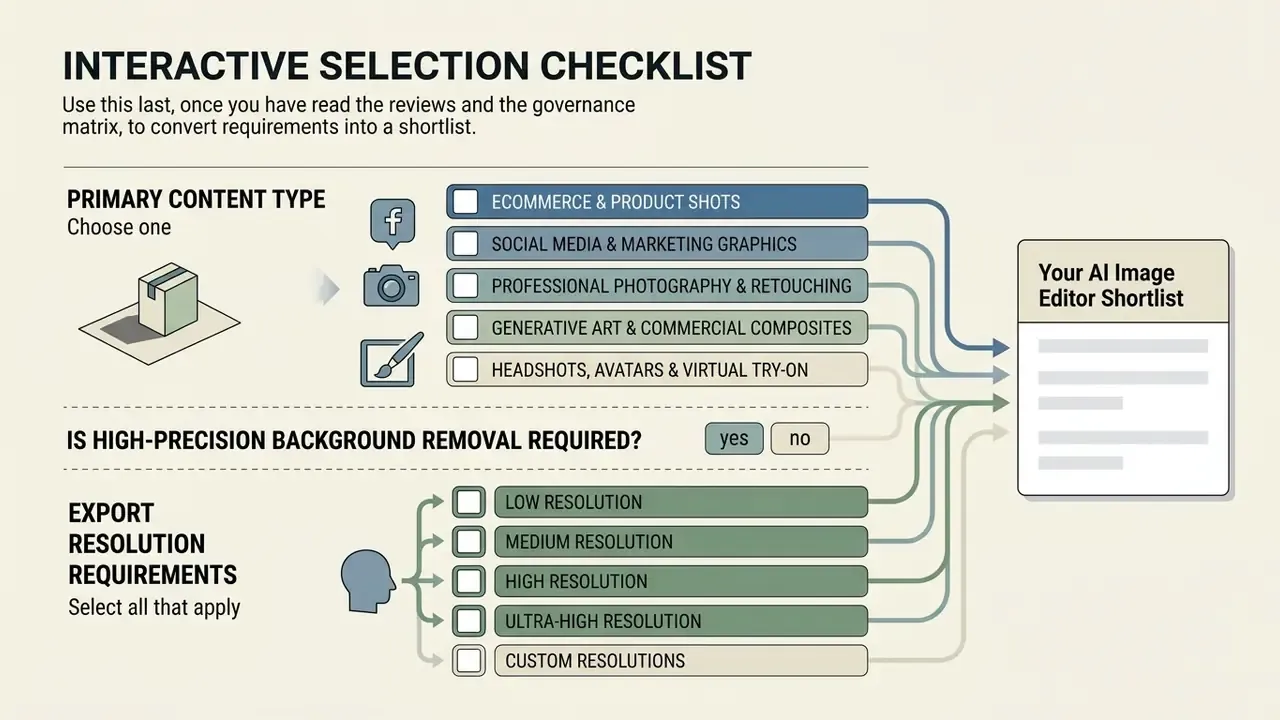
Use this last, once you have read the reviews and the governance matrix, to convert requirements into a shortlist.
Primary content type (choose one)
- Ecommerce and product shots
- Social media and marketing graphics
- Professional photography and retouching
- Generative art and commercial composites
- Headshots, avatars and virtual try-on
Is high-precision background removal required? Yes / No
Export resolution requirements (select all that apply)
- Web standard (1080p)
- High res or 4K
- Print quality (300 DPI, 8K and above)
Design skill level
- Beginner (one-click automation)
- Intermediate (template customization)
- Advanced (manual layer control and masking)
Data sensitivity of source images
- Public marketing assets only
- Internal or proprietary imagery
- Confidential or personal data (requires local or enterprise processing)
Do you need a reproducible audit trail (prompt, seed, C2PA)? Yes / No
Monthly budget per user
- Free, $0
- Under $15 per month
- Pro, $15 to $50 per month
How to read your answers: confidential data plus an audit-trail requirement points to locally processed software or an enterprise contract, regardless of budget. Public assets plus beginner skill level plus a low budget points to browser-based suites. Product shots at volume point to an API-first specialist with a batch endpoint.
Best AI Image Editor FAQ
Can I legally use AI-edited and AI-generated images for commercial projects?
Yes, provided the software terms of service explicitly grant commercial usage rights and the output does not infringe third-party trademarks or copyrights. Platforms such as Adobe Firefly train on licensed stock and public domain content, offering explicit commercial indemnification on qualifying plans. Under US Copyright Office guidance, human authorship remains central: purely AI-generated outputs with no human creative input generally cannot be copyrighted, while images modified by human designers using AI tools typically retain protection. Note the distinction. A vendor granting you a commercial licence is a contractual permission, not a determination of copyright ownership, and ownership questions stay jurisdiction-dependent.
Are my uploaded photos kept private and protected on AI editing platforms?
Privacy policies vary a lot. Major enterprise tools, including Adobe Creative Cloud enterprise plans, state that they do not train public AI models on user uploads. Public consumer tools may use uploaded images to refine model performance unless users opt out. Privacy regulators advise against entering personal or sensitive information into publicly available generative AI tools at all. Organizations processing confidential, personal, or proprietary imagery should review retention policies, request written confirmation of zero-data-retention and sub-processor lists, prefer locally processed software such as Topaz Photo AI, and keep sensitive material away from public tools entirely.
How do I fix plastic-looking skin and soapy edges after AI retouching?
Plastic skin comes from over-strength smoothing. Reduce retouch intensity to 30 to 40%, then add a 2% monochromatic grain layer to restore pore texture. If the tool exposes no strength control, re-run with a higher-resolution source. Soapy or haloed edges come from aggressive matting: lower the edge-detection threshold, feather the mask by about 1px, and sample the destination background colour into the fringe so the transition is not a bright outline. For generative fill blur, redraw the mask slightly larger, fill in two passes, and finish with a noise-suppression and sharpening pass.
Do I need graphic design skills to use an AI photo editor?
No. Modern AI photo editing tools offer accessible interfaces, automated one-click actions, and text prompt input built for users with no design background. Professional commercial work still benefits from foundational knowledge, though, because layer composition, colour balance, and export resolution settings reward someone who understands them.
What is the difference between AI image generation and AI image editing?
AI image generation creates entirely new visuals from scratch based on text prompts. AI image editing modifies, cleans, expands, or enhances an existing image using context-aware tools such as generative fill, background removal, and super-resolution upscaling. Most production workflows use both, in sequence.
Is removing a watermark with an AI tool allowed?
Technically it is trivial. Legally it depends entirely on rights. Removing a watermark from an asset you own, or from a licensed file where the licence permits modification, is legitimate. Removing one to bypass a stock licence or reuse another party's protected work is a licensing violation and, in many jurisdictions, infringement. Verify the licence before you use the feature.
Do AI image editors support automated video generation or editing?
Dedicated AI photo editors focus on still raster graphics, but the boundary is blurring. Canva and Adobe Express include light video editing and animation, while MagicHour and Pixlr expose video face swap and image-to-video generation. For serious video pipelines, creators still rely on specialized AI video generation tools rather than an image editor with a video tab. Disclaimer: this article provides general information only and is not legal advice. Copyright, licensing, disclosure obligations, and data-protection requirements vary by jurisdiction and by contract. Consult qualified counsel before relying on AI-edited imagery in regulated or high-value commercial contexts.
Summary and Final Selection Guidance
Selecting the best AI image editor in 2026 means aligning capability with your creative tasks, production volume, and data-handling obligations. Adobe Photoshop with Firefly remains the leading choice for complex professional compositing, precise layer editing, and legally indemnified commercial work, while Adobe Lightroom covers RAW correction and spot cleanup for photographers who never touch layers. Canva stays the practical platform for collaborative social media design, and Pikto AI offers a cheaper route to similar prompt-driven edits for teams without designers.
"Canva ranks as runner-up at 8.2/10 overall and 9.1/10 for collaboration, the highest collaboration score in the comparison."
Appendix A: Revised Claims and Methodology Notes