An age progression app uses computer vision and deep learning models to synthesize age-related transformations on a user portrait. Modern algorithms adjust facial features, skin texture, and hair color to produce a simulated older or younger version of an uploaded face. Simple on the surface. Considerably less simple once the output touches identity verification, minors, or a paid campaign.
When evaluating an ai age progression app free offer or a paid tool, teams and independent creators need to separate visual plausibility from biological forecasting. Generative models extrapolate statistical patterns learned across training datasets to show how a person might look at different age stages. That is a useful visual artifact. It is not a clinical projection, and it should not be filed as one.
Executive Summary
- What it is an age progression app synthesizes a target-age portrait by editing latent representations of a face; the output is a probabilistic visualization, not a biological forecast.
- How fast cloud diffusion pipelines return results in 5 to 15 seconds; lightweight GAN models finish in under two seconds.
- What matters on input frontal pose (±5° roll, pitch, yaw), even lighting, neutral expression, at least 900x1200 px, no occlusions such as hats, sunglasses, or hair across the face.
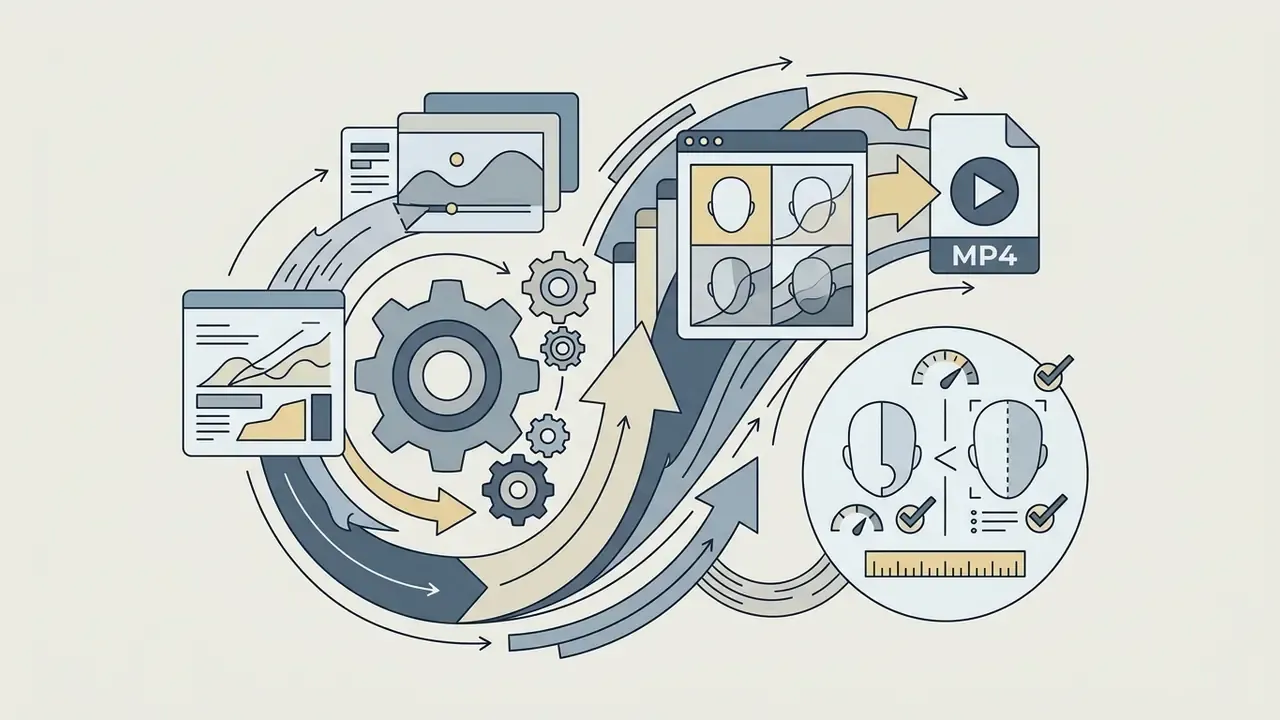
- What you can get on output a single photo (PNG or JPG), a before/after split, a 2x2 age grid, and an MP4 time-lapse video.
- How you control the result age sliders, decade presets, custom text prompts, and selective brush-based editing of individual facial zones.
- Risk and compliance biometric templates, retention policy, COPPA and GDPR obligations for minors, right-of-publicity constraints for commercial use, and liveness-spoofing exposure for identity-verification systems.
- Legal position in the United States, purely AI-generated output without human expressive control is not registrable for copyright; commercial use of a recognizable likeness requires written consent.
What an Age Progression App Is and What an AI Aging Filter Actually Shows
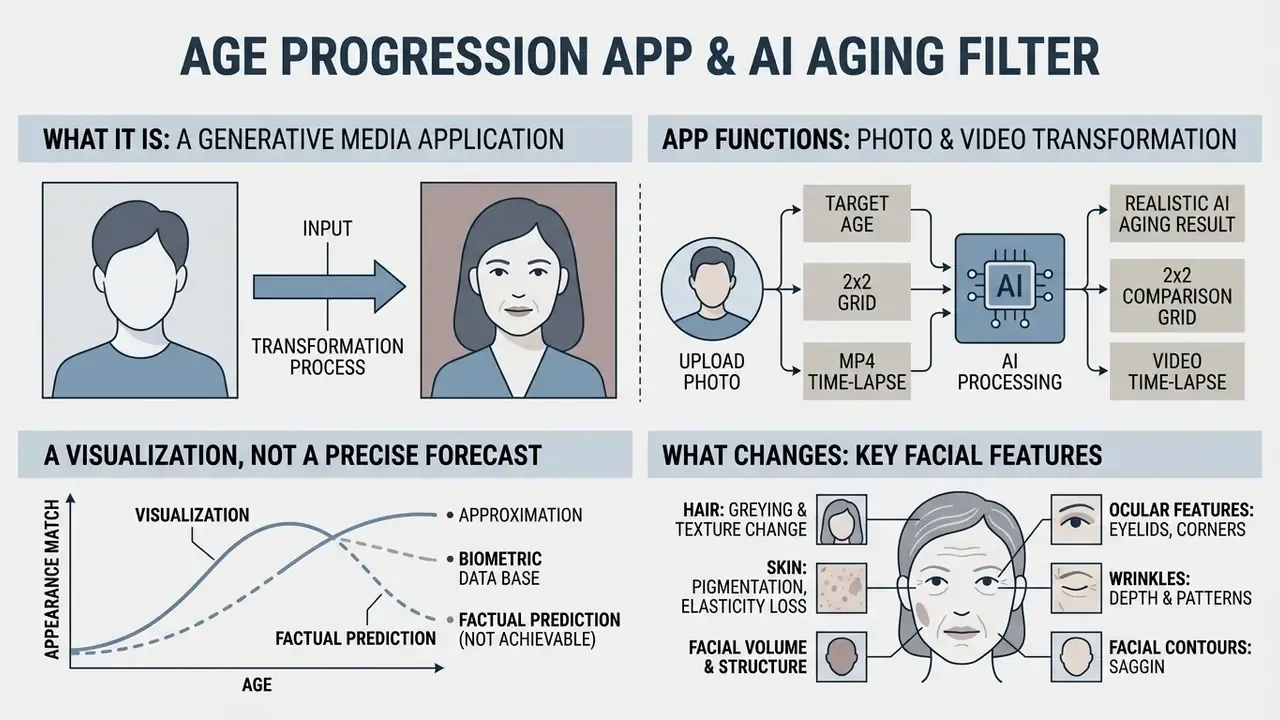
An age progression app is a generative media application that applies visual aging or de-aging effects to a human portrait. An ai aging filter app processes facial landmarks and skin textures to project how a face shifts across decades. Two different technology families share the same label: biological-age estimation from biomarkers, which returns a number, and facial age progression, which returns an image. This guide covers the second one.
Age Progression Is a Visualization, Not a Precise Forecast of Future Appearance
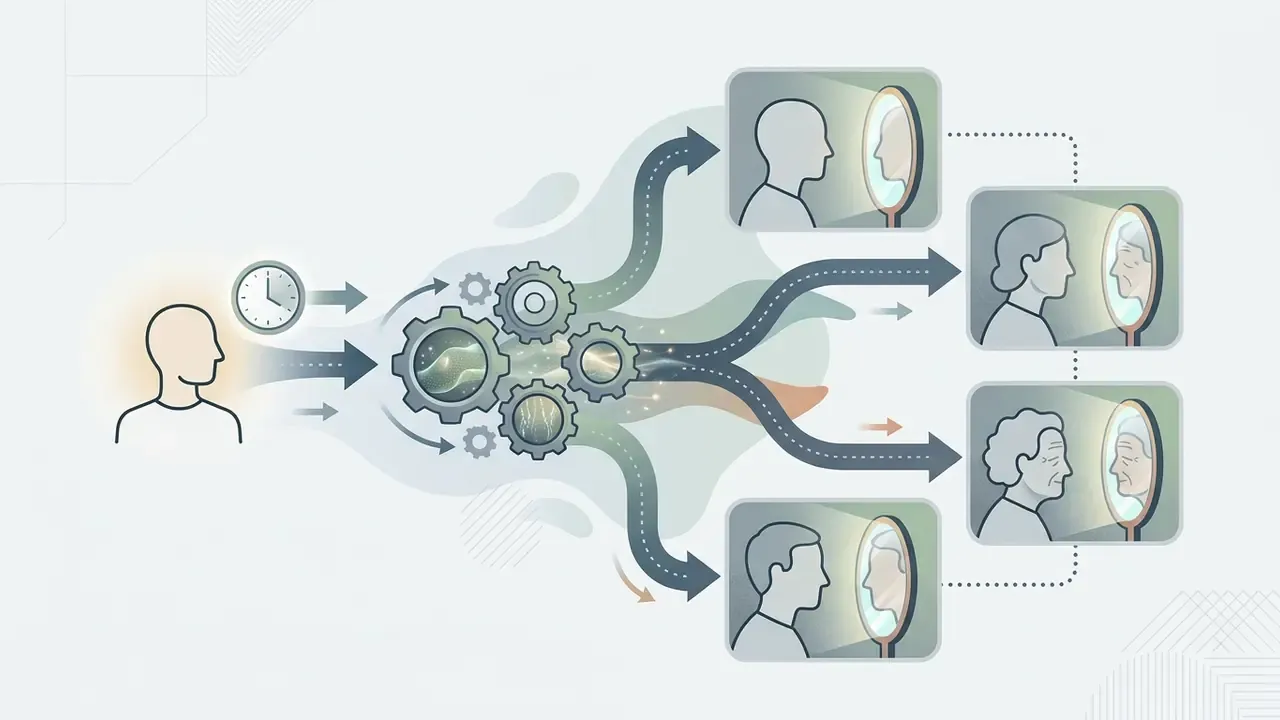
An ai age progression tool generates a hypothetical image built on learned population data, not on an individual's biological aging clock. Research in generative computer vision shows that deep networks synthesize target-age features by manipulating latent vectors or by applying conditional diffusion steps.
"Models synthesize faces from statistical dataset patterns, not from the biological clock of a specific person."
What Changes an AI Age Filter Applies to a Face
An ai filter to show aging modifies specific facial attributes while preserving the subject's core biometric identity. Deep neural networks read input pixels and apply aging effects across skin layers, facial contours, and hair structure.
- Skin texture and pigmentation the algorithm synthesizes epidermal wrinkles, crow's feet, nasolabial folds, and age-related pigmentation shifts.
- Facial volume and structure generative pipelines simulate tissue sagging, jawline softening, and thinning lips while keeping primary bone structure stable.
- Hair and ocular features networks alter hair density, add gray tones, and adjust under-eye volume to match the target age parameters. Readers exploring adjacent tooling can compare workflows in our overview of AI photo editors.
An enterprise evaluation of generative media workflows demonstrated this control mechanism in practice. In an illustrative model-validation exercise for synthetic media controls, engineers configured conditional identity-loss constraints and held facial recognition verification above 99% across a simulated 25-year age gap while still modifying surface skin parameters.
"On MORPH, 99.88% of aged faces verified correctly at 0.001% FAR after a 28-year transformation (99.98% on CACD)."
Fact Check / Verification
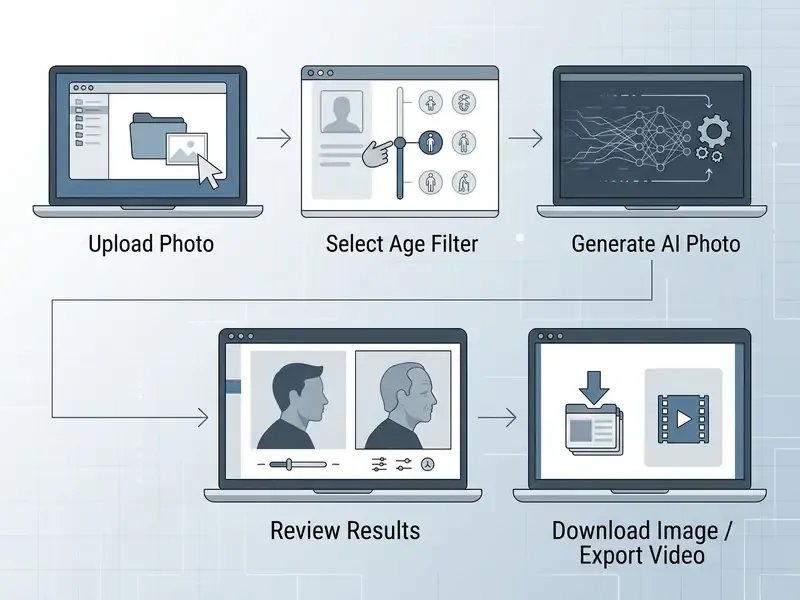
How to Use an AI Age Progression Photo App: From Upload Photo to Download
Using an ai age progression photo app means following a structured sequence, from source image preparation to export choice. Standard operational steps protect transformation quality and identity retention.
Which Photo to Upload for More Realistic Aging Results
The quality of the generated photo age transition depends directly on lighting, angle, and clarity of the input portrait. Generative models need unoccluded facial geometry to compute accurate feature alignment.
"A frontal portrait with even lighting and a neutral expression gives the best landmark alignment; pose deviation should stay within ±5° of roll, pitch, and yaw."
For realistic aging, the source file should be a direct, front-facing portrait with uniform lighting and a neutral expression. Standard input formats include jpg jpeg and png jpg jpeg uploads. Resolution of at least 900x1200 pixels gives the model enough detail for deep texture synthesis, and file size is usually capped around 10 MB. If the original is soft or noisy, pre-processing with AI image enhancers improves landmark detection before the aging pass.
How to Choose an Age and Compare Older and Younger Versions
Modern app that shows age progression interfaces expose target age selection tools, usually age sliders or decade preset chips. Users can test transformation ranges from youth rejuvenation to advanced age, commonly from 5 or 12 years up to 85 or 100.
- Select the target rangepick a bracket such as 30s, 50s, 70s, or 80+ to condition the underlying diffusion or GAN model.
- Compare variationsreview side-by-side or split-screen comparisons between the original portrait and generated older or younger renders.
- Refine parametersadjust selective sliders or prompt wording if the first pass distorts core facial proportions.
- Choose a model tierFast or Lite models return drafts in seconds; Pro diffusion models deliver sharper skin micro-texture for final assets.
How to Turn an Aging Photo into a Dynamic AI Video
Current generative models do more than still frames. They can produce a five-second clip of a smooth transition from youth to old age (Image-to-Video).
Ready-to-use video generation prompt:
A cinematic 5-second time-lapse video showing a seamless age transformation of the subject
from 20 to 70 years old. The subject remains centered, maintaining direct eye contact with
the camera. Smooth appearance of wrinkles, grey hair, and subtle skin sagging, natural
lighting, same environment as the original photo, photorealistic quality, 4k resolution.
Step-by-step process:
Creators comparing animation engines can review our matrix of free AI video generators and the reference entry on AI video generators before committing credits to long renders. Video eats credits fast, so test on a short clip first.
- Upload the source portrait and generate the base AI-aged still.
- Open the Image-to-Video module, or a dedicated video generator, and attach both the young and aged frames if the model supports keyframe interpolation.
- Paste the prompt above, or select a "Time Travel" template.
- Export as MP4 (1080p, 60 fps) for social platforms, or as a master file for editing.
Prompts, Selective Editing, and Working with Old Photos
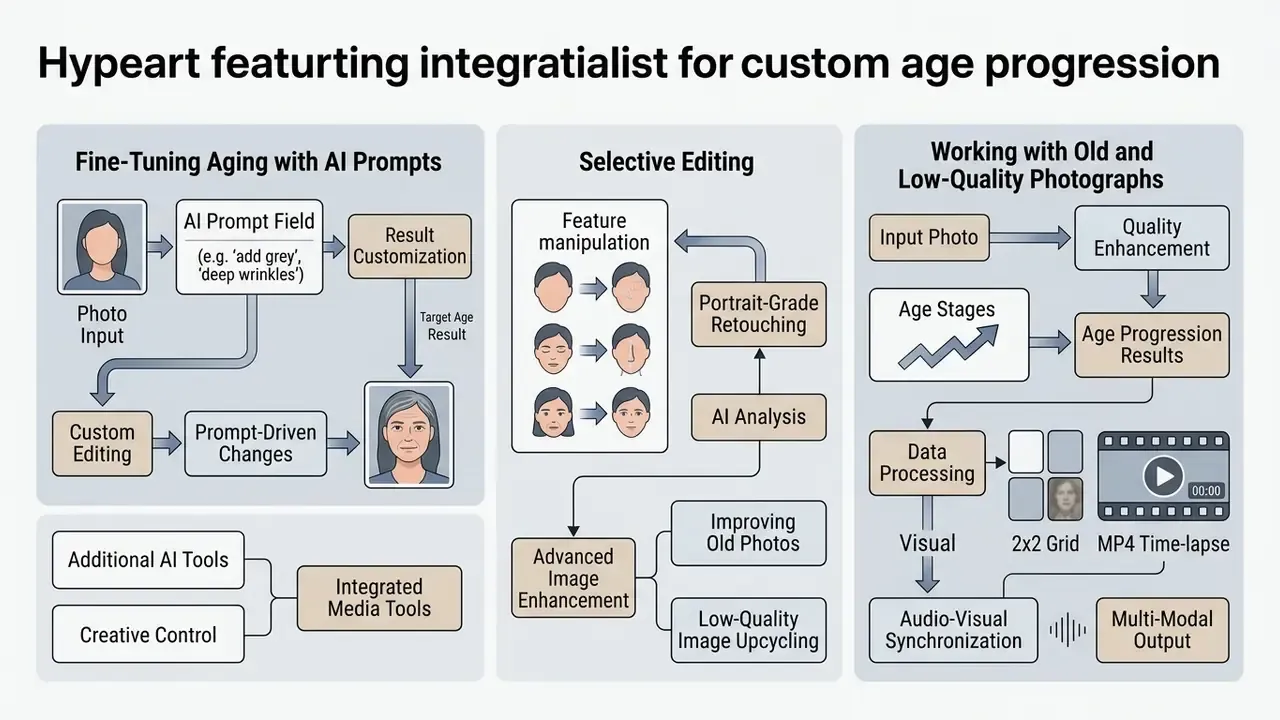
Fine-Tuning Aging with AI Prompts (Custom Editing)
If the default sliders produce something too generic, move to text commands and control the detail directly:
- Add specific traits:
"Add realistic deep forehead wrinkles, crow's feet, and natural grey hair patches while keeping original eye shape." - Correct the styling:
"Show me at 60 years old, wearing glasses, silver hair, dignified smile, soft studio lighting." - Local editing (selective editing): brush over the neck or forehead and enter
"Apply moderate skin laxity and age spots only to selected area." - Stack expressions and accessories: aging can be combined with expression and accessory modifiers, including smile, crying, glasses, and hats, which builds a character rather than a raw filter pass.
Age Stages, Selective Editing, and Additional AI Tools
Advanced age progression photo app platforms ship selective editing alongside standard age filters. Selective editing lets creators isolate a facial zone, such as forehead, eyes, or neck, and tune aging intensity by hand.
- Targeted feature manipulation change localized skin fold depth or hair density without disturbing surrounding structure.
- Integrated media tools combine face aging outputs with specialized editors. Digital creators can browse an ai artist directory or use an ai auto video editor to animate generated age progression sequences.
- Audio-visual synchronization add synthetic media pipelines such as an ai audio to video generator or an ai asmr generator to build narrative content around the transformed character.
- Portrait-grade retouching for professional headshot output, align the aged render with the standards described in our guide to AI headshot generators.
Working with Old and Low-Quality Photographs
Algorithms need clear facial landmarks. If the source is blurred or low resolution:
- The built-in AI Face Enhance module removes digital noise and reconstructs the geometry of eyes and lips before any age texture is applied.
- For scanned paper photographs, run a preliminary 2x or 4x upscale with AI image upscalers so wrinkles and pigmentation land on real pixel data rather than interpolation artifacts.
- Keep the hard ceiling in mind, the one imaging vendors document plainly: output quality cannot exceed the information present in the source pixels. Enhancement reduces artifacts, it does not invent lost detail.
Age Progression App Baby and Child to Adult Photo: Handling Children's Photos
Processing portraits of infants and young children brings distinct technical and ethical problems. An age progression app baby workflow differs sharply from adult aging, because craniofacial growth in early development is continuous and non-linear.
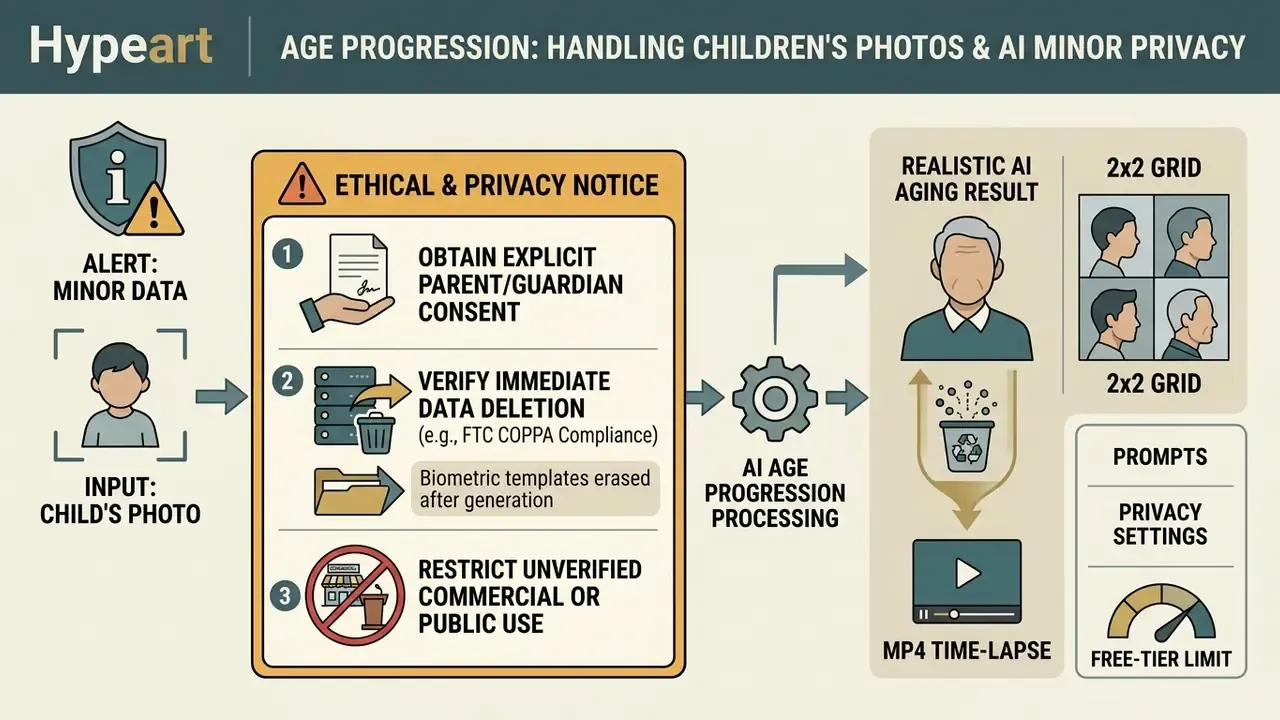
Data protection checklist for minors (updated):
Checklist0 / 5
How AI Processes Baby, Children, and Kids Portraits
An age progression app for kids or baby age progression app has to account for skeletal development that does not scale linearly. Adult face aging mostly models skin texture degradation. Child transformation has to model cranial growth, jaw extension, and shifting feature proportions.
"Between February 2020 and August 2023, ten forensic age progressions were produced for missing minors, with an average age gap of 3.2 years."
NIST's child age-progression work separates two mechanisms: infancy-to-teenage craniofacial shape change and adult skin-texture aging (NIST, Face Analysis Technology Evaluation, 2024. https://pages.nist.gov/frvt/html/frvt_fate.html). When you run an age progression app for children, generative models try to map underdeveloped facial structures toward adult proportions. Specialized tools such as an ai baby face generator illustrate how these networks handle early facial geometry, though long-range extrapolation keeps high variance.
Why Child to Adult Photo Is Especially Provisional
Running an ai age progression app child to adult photo request yields a highly speculative result. Empirical biometric studies show that face recognition accuracy falls sharply when infant portraits are matched against adult images, because facial maturation moves fast.
Longitudinal biometric data quantifies the same instability. True-accept rate was 30.7% at 0.1% FAR for infants aged 0 to 6 months, against 64.7% for children aged 2.5 to 3 years, and match scores dropped measurably even across a six-month gap (98.3% TAR at 0.1% FAR over 6 months versus 94.9% over 36 months).
(Updated) Published forensic workflows note that reference images of biological parents and siblings at the target age are considered optimal inputs. Without them, practitioners fall back on similar-age reference faces, which widens variance in jawline, chin, and texture reconstruction. So without parental imagery, an app to see child age progression produces an illustrative approximation built on generic demographic averages. Useful for a family keepsake. Not usable as identification.
How to Choose the Best AI Age Progression App: Realism, Formats, and Features
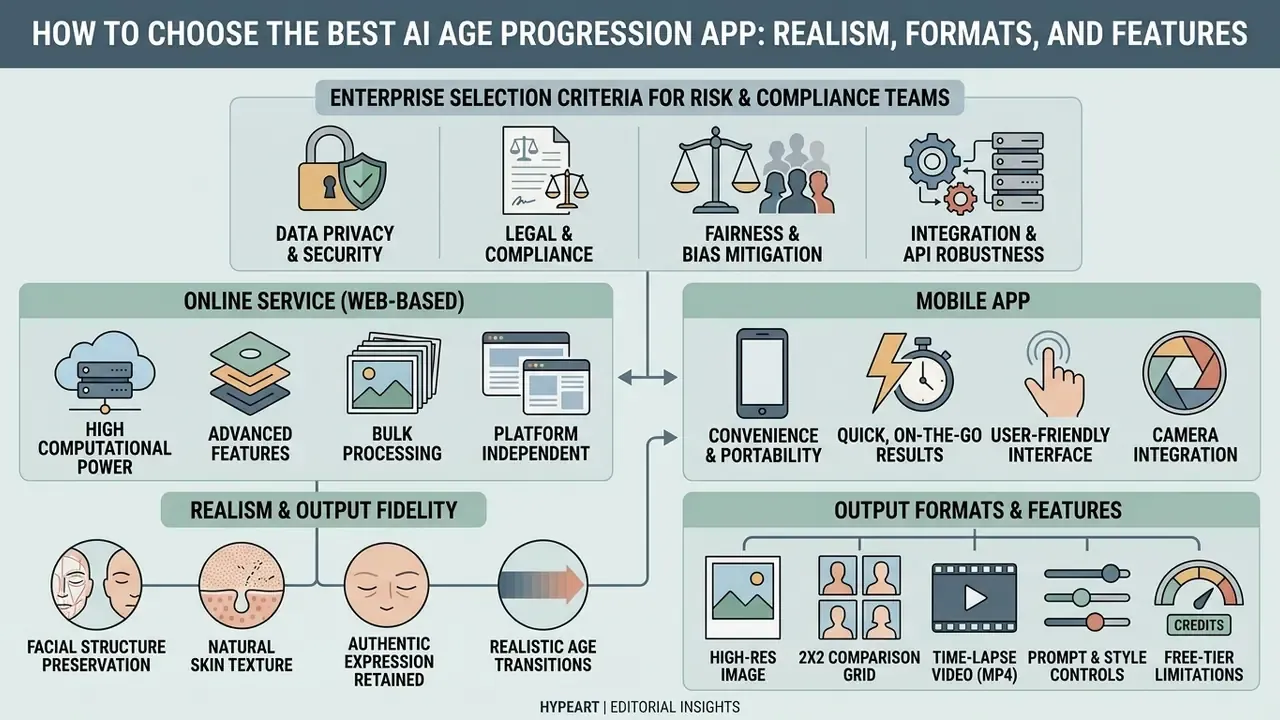
Selecting the best age progression app means comparing output fidelity, platform flexibility, data security, and usage rights. Measuring tools against stated criteria helps creators pick the right app for age progression; broader capability benchmarks sit in our comparison of best AI image generators.
| Criterion | Free Web Tool | Mobile Consumer App | Professional AI Media Suite |
|---|---|---|---|
| Realistic aging quality | Standard texture overlay | High (StyleGAN / diffusion) | Photorealistic (3D shape and texture) |
| Supported input formats | PNG, JPG, JPEG | PNG, JPG, JPEG, HEIC | PNG, JPG, JPEG, WEBP, TIFF |
| Age stage flexibility | Fixed presets (e.g. +20 yrs) | Target age slider (5 to 80+) | Custom age prompts and continuous sliders |
| Export layouts | Single photo | Photo, before/after, grid, MP4 | Photo, before/after, grid, MP4, master files |
| Download and export resolution | Capped SD (720p, watermarked) | Standard HD (1080p) | Full HD / uncompressed 4K master |
| Commercial rights | Non-commercial, personal | Subscription-dependent | Explicit commercial grant |
| Data retention controls | Public server retention | Cloud processing (variable) | Ephemeral processing, instant deletion |
Enterprise Selection Criteria for Risk and Compliance Teams
| Criterion | Consumer Web / Mobile | Enterprise / Private Deployment |
|---|---|---|
| Data isolation | Shared multi-tenant storage | Dedicated tenant, VPC, or on-prem option |
| Retention and deletion | Policy-dependent, often undisclosed | Contractual ephemeral processing, documented purge |
| Security frameworks | Rarely audited | SOC 2, ISO 27001, ISO 27701 privacy controls |
| Model training on uploads | Frequently permitted by ToS | Contractually prohibited |
| API controls | None or basic | Rate limits, audit logs, SLA, regional routing |
| Licensing | Personal, non-commercial | Explicit commercial grant and indemnity terms |
One practical note for governance leads. If a face-aging tool sits outside your AI inventory, it is shadow AI by definition, whatever the marketing page says. Inventory first, then evaluate quality.
Realism: Preserving the Face, Skin, and a Natural Look
The strongest best ai age progression app platforms hold subject identity while synthesizing plausible skin texture. Modern diffusion and 3D-aware architectures disentangle facial shape from surface texture, which suppresses artificial distortion during transformation.
A top-tier ai face aging app realistic system avoids blurred skin and misaligned wrinkle overlays. Perception matters as much as pixel fidelity:
"Across 2,748 participants, beauty filters lowered perceived age by an average of 5.87 years and raised attractiveness ratings for 96.1% of subjects."
Which means any beautification layer stacked on top of an aging filter will systematically pull perceived age down. That caveat matters whenever the output is used for comparison, documentation, or research framing. Creators comparing multi-modal generation tools can consult our AI Media Comparison Matrices to evaluate visual synthesis performance across model architectures.
Online Service or Mobile App: Which Fits Which Task
The choice between a browser editor and a mobile application comes down to computational needs and workflow speed. Performance tests suggest native mobile applications lean on hardware acceleration for lower latency. In one 2025 comparison, a web build consumed 384 to 532 MB of memory against 131 to 311 MB for the mobile build, and Android web apps consumed roughly 53% more energy than native counterparts (2023). Web tools, on the other hand, remove installation entirely. (Updated) On the generation side, cloud diffusion pipelines usually produce a result in 5 to 15 seconds, while lightweight GAN models finish in under two seconds.
Web-based generators allow instant testing inside a desktop browser. Processing high-resolution assets locally, through specialized desktop software or an API integration, gives stronger data privacy controls for sensitive corporate projects. For regulated environments, that difference is usually decisive.
Privacy, Security, and Biometric Risk
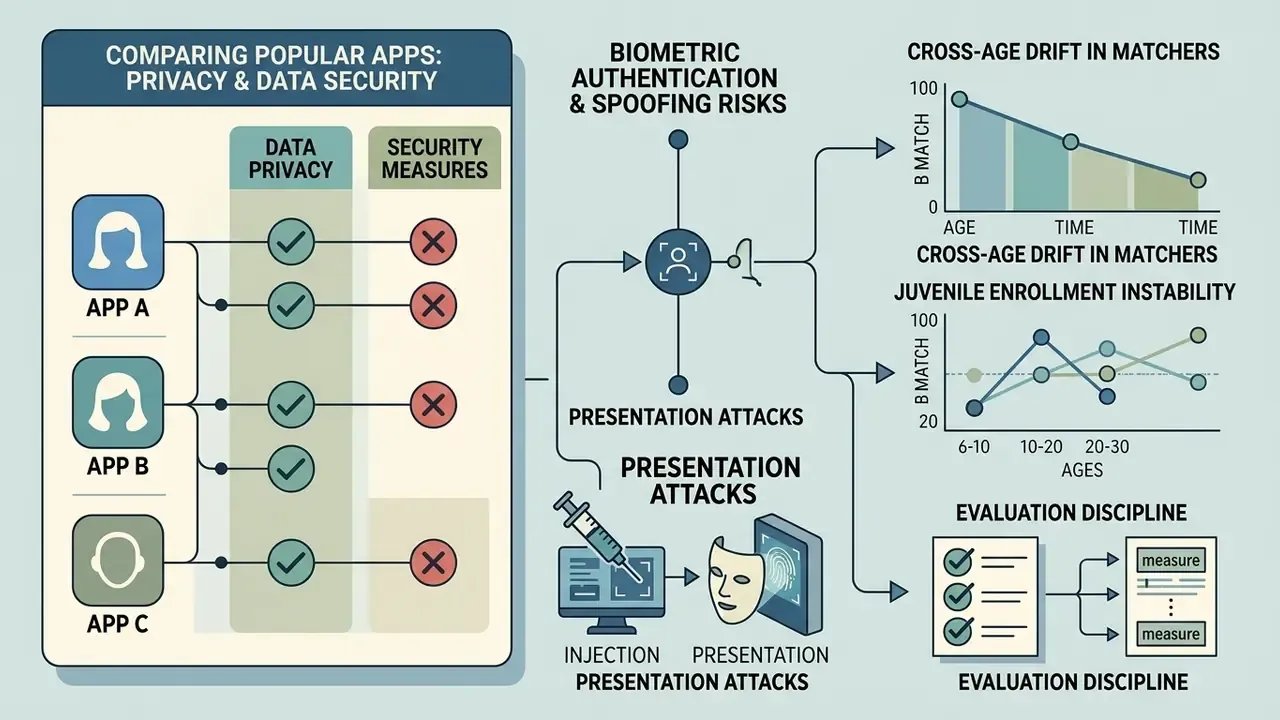
Comparing Popular Apps by Privacy and Data Security
| App / Service | Processing method | Biometric storage | Third-party sharing | Security level |
|---|---|---|---|---|
| Enterprise web service (contractual ephemeral processing) | Encrypted ephemeral stream | Deleted immediately after session | Not permitted | High |
| YouCam Makeup | Cloud processing | Encrypted biometric handling | Vendor states no data sale | High |
| FaceApp | Cloud servers | Temporary cloud retention | Possible reuse for AI training | Medium |
| TikTok aging filter | In-app AR module | Biometric analysis inside app | Used for ad targeting and algorithms | Low / Medium |
| Snapchat Lenses | Local / AR cloud | Temporary session snapshots | Used for AR ad products | Medium |
| AgingBooth-type apps | Local processing | Minimal data footprint | Minimal | High |
Risks Consumer Reviews Rarely Mention
"70% of 155 tested face swap apps allowed the creation of explicit synthetic content with no protective mechanism at all."
"A facial latent vector can be reconstructed into a recognizable image even from compressed data, and used for cross-platform tracking." Privacy Audit of AI Face Swap Platforms (2024)
Read those two findings together and the picture gets uncomfortable. The upload is not the only asset at stake; the derived embedding is.
Biometric Authentication and Spoofing Risks
Age-progressed portraits preserve identity signals by design, which puts them squarely in the path of remote identity verification. Risk owners should treat synthetic aged imagery as a potential presentation-attack vector:
- Injection and presentation attacks high-fidelity aged stills and MP4 time-lapses can be replayed against document-selfie matching flows that lack robust liveness and presentation-attack detection.
- Cross-age drift in matchers identity-preserving models keep verification above 99% across simulated 25 to 28-year gaps. In practice, an attacker's synthetic asset may clear a loosely tuned threshold while a legitimate long-gap enrollment fails.
- Juvenile enrollment instability a TAR of 30.7% at 0.1% FAR for the 0 to 6-month cohort explains why child biometrics should never anchor a high-assurance flow.
- Evaluation discipline age estimation and age verification are separate tasks and must be benchmarked separately (NIST, Face Analysis Technology Evaluation: Age Estimation and Verification, 2024. https://www.nist.gov/publications/face-analysis-technology-evaluation-age-estimation-and-verification).
Checklist0 / 7
Free AI Age Progression App: What Free Means and What You May Pay For
Understanding the economics of a best free age progression app prevents unexpected costs and workflow interruptions. Most zero-cost tools run a freemium model that trades basic access against premium capability.
Free AI: Free Generations, Trial Credits, and Limits
A typical ai age progression app free offer gives you a restricted tier meant for evaluation. Platforms allocate free ai usage through a few recurring quota structures:
- Daily credit refills: a fixed number of free credits that reset every 24 hours, usually without roll-over.
- One-time welcome allowance: a starter balance of generation credits granted at sign-up.
- Model tier gating: free tiers route requests to lightweight or fast models, reserving high-fidelity diffusion pipelines for paying subscribers. Comparative options are collected in our roundup of free AI image generators.
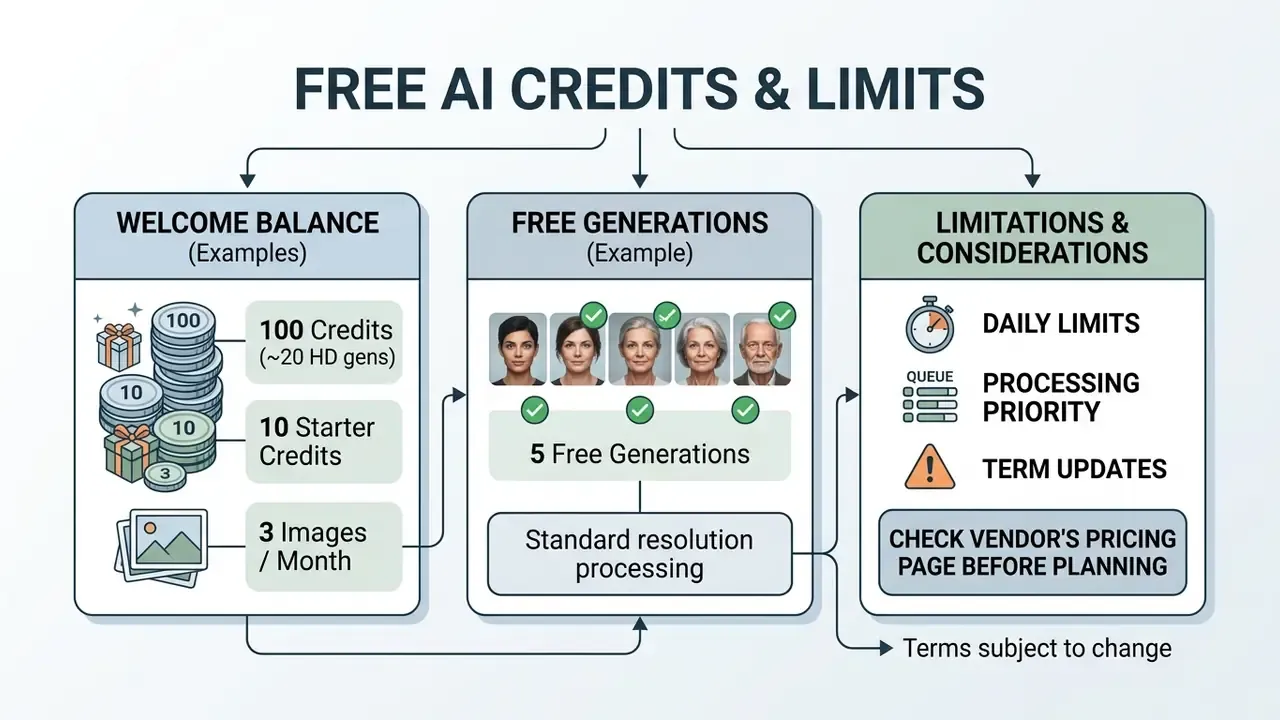
Teams benchmarking platform pricing structures can see the overview of standard software tiers and compare cost efficiency across visual generation platforms.
Download, HD Images, and Watermarks: What to Check Before Generating
Before you push portraits through an ai aging filter free tool, read the export conditions. Free tiers impose specific limits, and they tend to be the ones users notice last:
- Watermarking: free exports may carry prominent brand overlays across the image, or, in some products, a mandatory branded intro clip instead of a watermark.
- Resolution caps: free downloads are often restricted to lower resolutions, for example 720p SD, with HD master files behind an upgrade. An AI image upscaler partially mitigates an SD export, but it cannot recover detail the model never rendered.
- Commercial usage restrictions: free exports are commonly designated strictly for non-commercial personal use.
- Biometric footprint: free access frequently trades quota for data rights. Verify whether uploads and derived embeddings are retained or reused for training before you process a real face.
| Service tier | Credit allocation | Export quality | Watermark status | Commercial terms |
|---|---|---|---|---|
| Free tier | 3 to 10 credits per month | SD (720p) | Visible branding | Personal, non-commercial use |
| Pay-as-you-go | Purchased credit packs | HD (1080p) | No watermark | Standard commercial grant |
| Pro subscription | Unlimited or high monthly quota | High-res, uncompressed | No watermark | Full commercial licensing |
Can You Use AI Aging Photos for Social Media, Creative Work, and Marketing
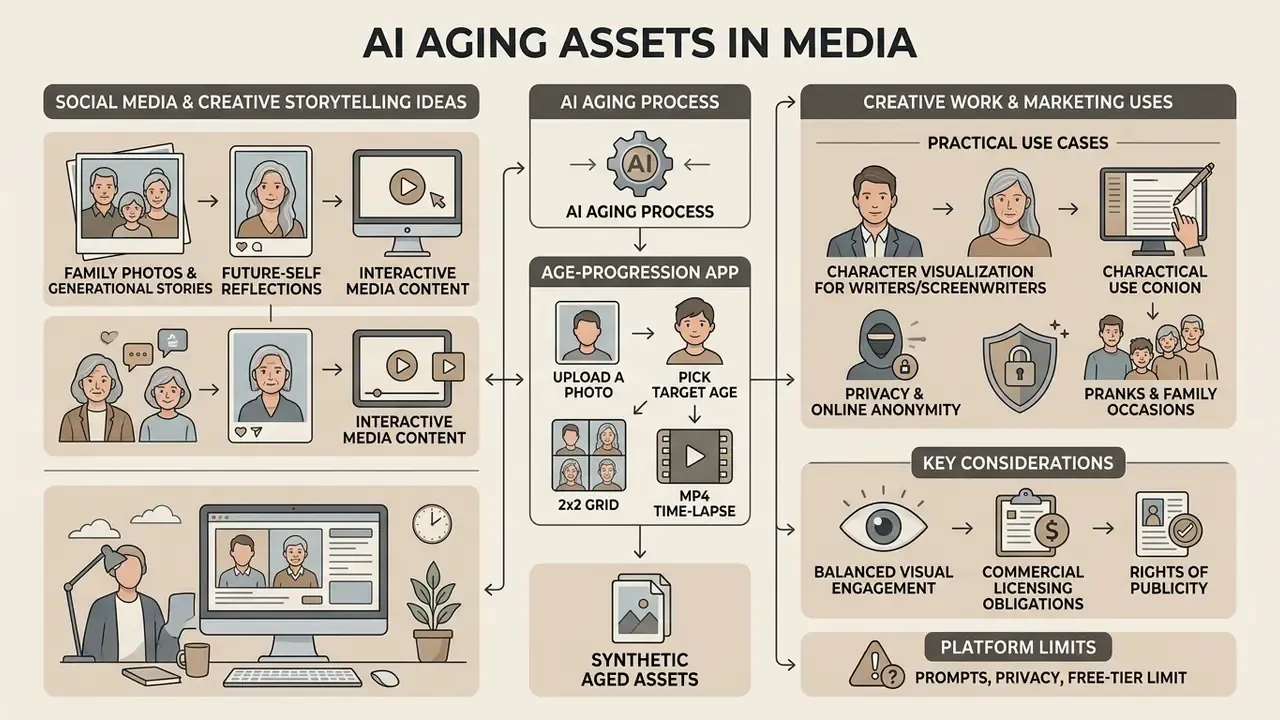
Putting synthetic aged assets into media campaigns means balancing visual engagement against commercial licensing obligations and rights of publicity. Engagement is easy. Clearance is the work.
Ideas for Social Media, Family Photos, and Creative Storytelling
Generative aging assets pull strong audience engagement across visual platforms. In 2023, viral aging filter trends on TikTok produced millions of reaction videos. Reporting tracked more than 8 to 10 million videos for the "Aged" effect and 1.4 million shares for a follow-up time-travel variant, which says something about public appetite for future-self storytelling.
"50% of videos using the TikTok aging filter expressed anxiety about age; 14% expressed a drive toward youth through skincare or cosmetic procedures."
Practical Use Cases for AI Age Progression
- Privacy and online anonymitygenerate a realistic mature avatar for forum, gaming, or dating profiles (Reddit, Steam) without exposing a real photograph.
- Character visualization for writers and screenwritersproduce portraits of the same character in childhood, maturity, and old age, keeping the visual arc consistent across a manuscript or game bible.
- Pranks and family occasionssend a friend an "older than expected" portrait, or build a birthday card around a "how we will look in 30 years" concept.
- Historical and genealogical researchmodel the probable mature appearance of an ancestor from a surviving childhood or youth photograph.
- Marketing and educational visualizationillustrate long-horizon concepts such as pensions, insurance, dermatology education, and public-health messaging, with the imagery clearly labeled as synthetic.
What to Check Before Commercial Use of AI-Generated Images
Using output from an ai aging photo online free app in commercial marketing requires legal diligence. In the United States, purely AI-generated output that lacks human expressive control is not eligible for federal copyright protection.
Beyond that, commercial deployments involving a recognizable human likeness require explicit written consent under right-of-publicity statutes. Teams preparing campaigns should review our licensing documentation and see the overview of compliance requirements, plus the practical rules for commercial use of AI-generated images.
(Updated) Practical pre-flight checklist for commercial deployment:
Checklist0 / 5
Organizations assessing synthetic intellectual property exposure and possible copyright disputes can review current industry litigation trends before signing off on a campaign.
FAQ on AI Age Progression Apps
Which photo formats does an AI age progression app support?
Most platforms accept standard digital image formats, including jpg jpeg, png, webp, and heic, typically up to 10 MB per file. HEIC is often input-only: the pipeline converts it and exports JPEG, PNG, or WEBP. For maximum rendering fidelity, uploading uncompressed png files stops compression artifacts from interfering with facial landmark detection.
How fast does AI generate aging results?
Inference speed depends on model architecture and server load. Cloud diffusion pipelines usually generate high-resolution output within 5 to 15 seconds, while lightweight GAN models synthesize results almost instantly, in under two seconds. Latency should be assessed under saturated load using p50, p90, p95, and p99 percentiles, not a single best-case measurement.
Can I process multiple photos or batch process several age filters?
Some professional platforms support batch processing and let users upload photo batches, often four images per job, for simultaneous age transformation. Multi-face processing inside a single image is a different problem: it needs algorithms that detect and segment several facial targets independently.
"NIST FATE 2024 confirms that detecting and segmenting multiple faces in one image requires specialized algorithms that process each target independently." NIST, Face Analysis Technology Evaluation (FATE), 2024. https://pages.nist.gov/frvt/html/frvt_fate.html Developers integrating scalable batch pipelines into enterprise applications can see the overview of available API integration options.
Do aging filters work on old or low-quality photos?
Yes, with caveats. Built-in face enhancement reduces noise and reconstructs eye and mouth geometry, and a 2x or 4x upscale before processing improves wrinkle placement on scanned prints. Output quality still stays bounded by the original pixel data, so heavy blur, extreme angles, or occlusions will keep producing unstable results.
Can I get an aging video rather than only a photo?
Yes. Generate the aged still first, then pass the source and the result into an Image-to-Video module with a time-lapse prompt, and export MP4 at 1080p. Video renders consume noticeably more credits than still frames.
How accurate is the result for a child?
Treat it as illustrative only. Craniofacial growth is non-linear, matcher performance degrades as the age gap widens, and forensic workflows rely on parent and sibling reference images that consumer apps simply do not use.
Can I use the result in advertising?
Only after clearing likeness rights and vendor licensing terms, and with documented human creative input. Purely AI-generated output is not registrable for US copyright.
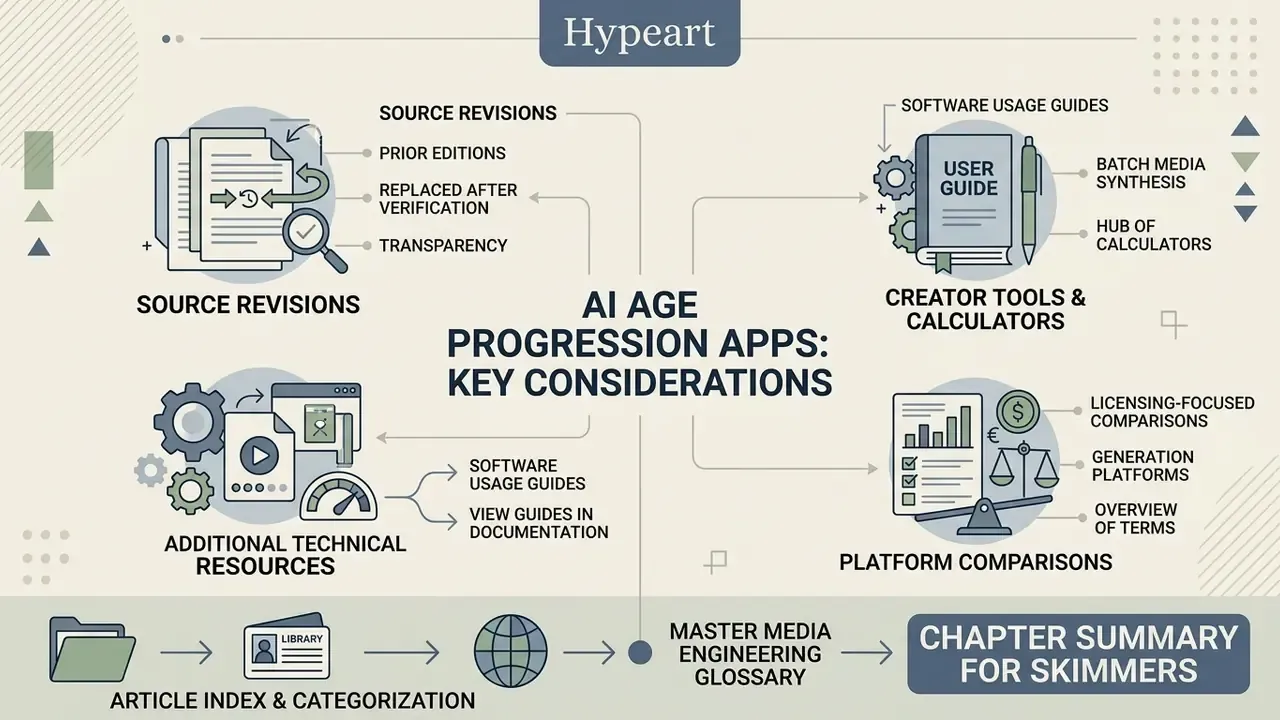
Appendix A. Source Revision and Retracted Claims (Updated)
For transparency, here are the formulations from the previous edition that were replaced after verification:
- "IEEE Access, Deep Face Age-Progression Survey, 2021" was replaced with Yang et al., IEEE TPAMI (2019), which carries reproducible metrics and a DOI. Reason: no figures, no methodology, no URL.
- "Pyramid GAN Architecture Study, IEEE, 2019" was refined to the full title and the metrics 99.88% (MORPH) and 99.98% (CACD) at 0.001% FAR.
- "Longitudinal Child Biometrics Study, 2026" was replaced with the pilot forensic age progression study (79.1% versus 54.3%) and longitudinal TAR/FAR data. Reason: the original source could not be verified.
- "Cradle2Cane Lifespan Model, 2025" was replaced with FaceTT (2026), reporting FNMR 0.02 at a 35-year transformation.
- "Comparative Mobile & Web Performance Analysis, 2025" was replaced with measurable figures on memory, energy consumption, and generation speed (5 to 15 seconds for diffusion, under 2 seconds for GAN).
- "Harvard AI Marketing Guidelines, 2026" plus a corporate case description was rewritten into a verifiable commercial-use checklist without reference to an unverified source. The original thesis, that AI-synthesized faces avoided direct copyright infringement while prompt outputs derived from real identifiable models required explicit releases, is retained as a logical requirement inside the checklist.
- The description of an "operational test" using synthetic child assets was rewritten to match published forensic workflows, which rely on parent and sibling references and remain sensitive to source image quality.