Executive Summary (compressed brief for Risk, Legal, and Content Teams)
What it is. A consumer-grade, browser-only generative media suite: photo face swap, video and GIF face swap, multi-face video swap (up to 5 detected faces), image unblurring, portrait animation, lip sync, watermark removal, and image-to-video conversion.
What it costs. Credit-based, not subscription-based. Registered users receive 30 free credits per week on login. Paid credit packs are published from $9.99 to $99.99, with 1 credit per photo, 1 credit per second of 30 FPS video, and 2 credits per second of 60 FPS video.
Where the risk sits.
| Risk vector | Severity | Primary driver | Mitigation |
|---|---|---|---|
| Shadow AI (unsanctioned uploads by staff) | High | Zero-friction browser access, no install, personal logins | DLP/CASB rules on beart.ai uploads, allow-list only for approved teams, mandatory ticket per campaign |
| Biometric data exposure | High | Facial landmarks and source portraits leave the corporate perimeter | Vendor states all work data is cleared within 1 day (24 hours); no signed DPA is published, so treat as public SaaS |
| Copyright non-enforceability | Medium | Purely AI-generated output lacks standalone protection (U.S. Copyright Office, 2025) | Document human authorship: selection, arrangement, manual edits |
| Likeness / consent claims | High | Cal. Civ. Code § 3344, GDPR Art. 9, OAIC and OPC Canada consent rules | Written, specific, revocable consent per identifiable person before upload |
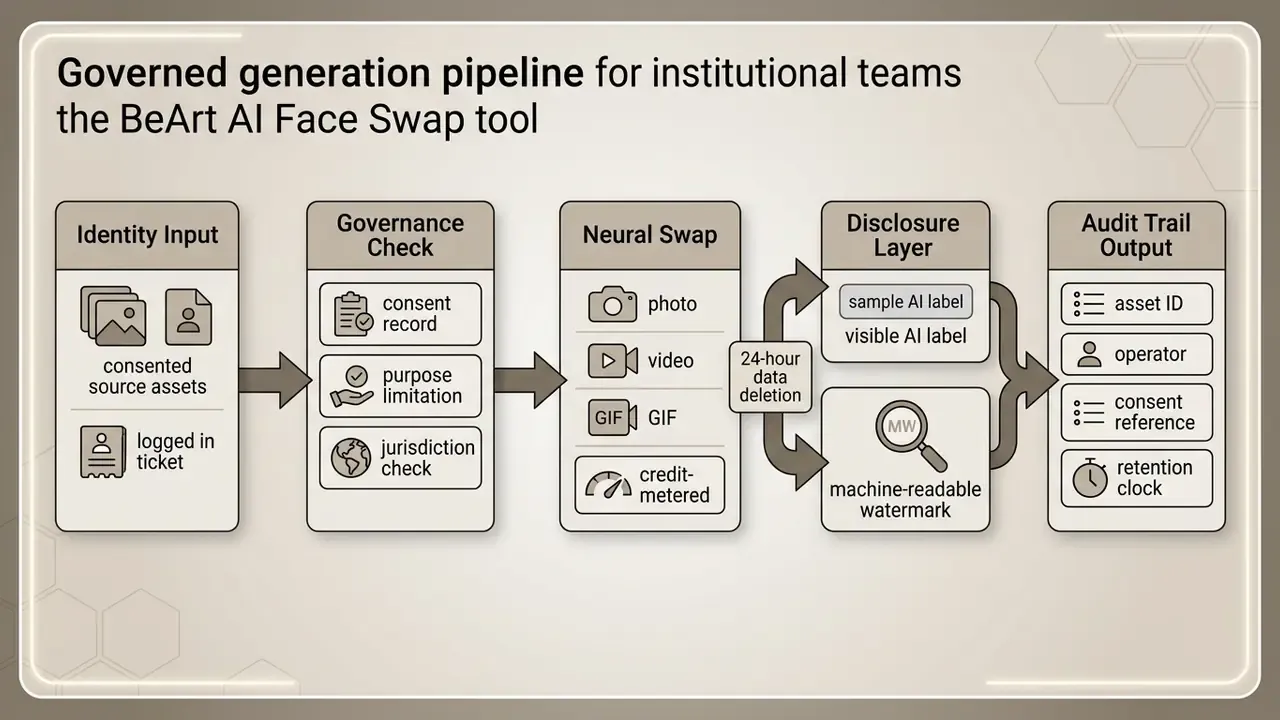
| Disclosure non-compliance | Medium | EU AI Act Article 50 transparency duties from August 2026 | Visible AI labelling plus machine-readable watermarking on all published assets |
| Enterprise controls gap | Medium | No published SOC 2 / ISO 27001 attestation, no documented API or SSO | Restrict to non-sensitive, non-biometric creative work; escalate to vendors with attestations for regulated use |
Verdict for institutional use. Suitable for low-sensitivity marketing and social creative production with consented likenesses. Not suitable, as of 2026, for workflows involving customer biometrics, KYC imagery, or any asset requiring contractual data-residency or zero-data-retention guarantees. Put plainly: creative sandbox yes, regulated pipeline no.
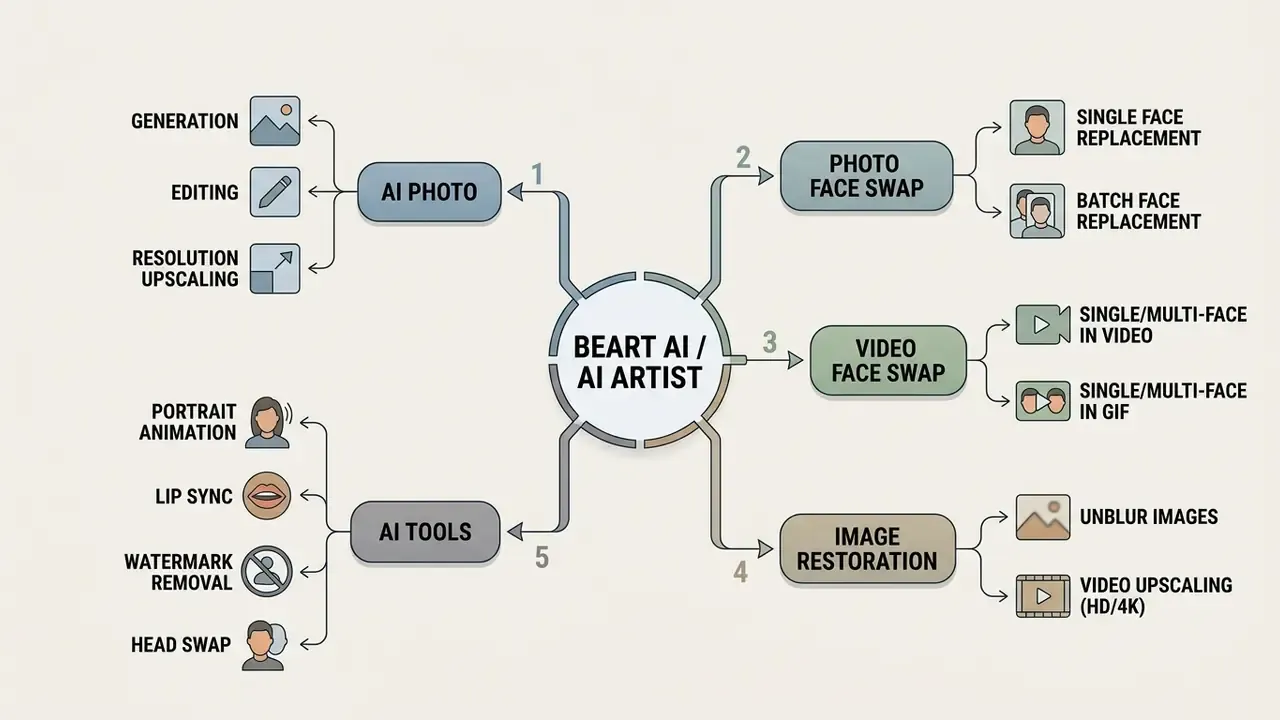
What Is AI Artist and What Is BeArt AI
BeArt AI is a browser-based creative suite that provides ai face swap capabilities, photo editing, image-to-video conversion, and portrait generation. The platform functions as a centralized ai artist toolkit, allowing creators to edit static and dynamic media through automated neural network processing. No installer, no license key, no local render farm. One login, credits, and a browser tab.
Unblur Images, Restoring Sharpness in Damaged Source Material
The BeArt AI restoration module removes motion blur and rebuilds lost texture detail rather than simply pushing contrast, which is the classic failure mode of conventional sharpening filters. The vendor describes it as a "Smart Analysis" pass that restores lost details, fixes motion blur, and enhances resolution in a single operation.
In practice this matters most upstream of face swapping. A de-blurred source portrait produces measurably cleaner landmark detection, and teams frequently run unblurring before any identity transfer. Related video upscaling raises footage to HD or 4K, which reduces the tracking loss common in low-bitrate archive material. For teams comparing restoration stacks, our reference material on online photo editors covers the trade-offs between destructive and non-destructive enhancement.
Sora Watermark Removal for AI-Generated Video
The watermark removal tool locates and cleans generator artifacts and overlay watermarks left by neural video models, including Sora, while preserving surrounding background pixels instead of re-encoding the entire stream. This addresses a concrete 2026 production problem: model-generated clips arrive with persistent branded overlays that break brand-safe compositions.
«The recent Sora videos are hugely popular, but Sora-generated videos have watermark issues. BeArt AI's Sora watermark removal feature is incredibly useful, it directly removed the watermarks.»
A governance caveat applies, and it is not a small one. Removing a provenance marker can conflict with EU AI Act Article 50 transparency duties and with the source generator's own terms of service. Legal review is required before stripping any watermark from third-party-generated media intended for publication. If the marker exists to signal synthetic origin, deleting it is a disclosure decision, not an editing decision.
What Tasks the AI Tool Actually Solves
The be art ai ecosystem automates complex visual manipulations, including face replacement, resolution upscaling, and static image animation. Creators use these tools to generate social media content, produce animated avatars, edit marketing assets, and streamline iterative media workflows. Readers comparing editing depth across categories can review how general-purpose AI photo editors handle the same operations.
The "Creator Loop" production methodology. Isolated feature lists understate the operational value. The ecosystem scales output through a closed iteration loop that mirrors how short-form teams actually work:
- Hypothesis test (Photo Swap).Produce a static meme, cover, or thumbnail for 1 credit and measure click-through before committing production budget.
- Scale the winner (Video Swap).Convert the validated still concept into a moving clip or GIF, where reach and share rates are materially higher.
- Rapid iteration.Read engagement metrics, then generate new face or character variants without rebuilding the scene, lighting, or edit timeline.
«Make the photo first (thumbnail, meme, cover), turn it into a video, post, learn what hits, iterate quickly.»
The economic logic is variation volume, not single-asset perfection. The loop exists to produce enough believable variants to find what performs, and creators abandon tools that need five attempts to reach "good enough". Publishing teams mapping this loop onto a channel calendar can cross-reference our YouTube video editor workflow guide.
When evaluating automated workflows, organizations often review specialized pipelines such as an auto video editor or an automatic photo editor online free option to compare processing speed and output fidelity. Worth saying out loud: speed comparisons are only meaningful when the input material is comparable, which it rarely is in vendor demos.
How AI Artist Differs from a Single-Purpose Face Swap Tool
Unlike a single-purpose face swap tool that only executes one-to-one image replacement, beart ai integrates face swapping into a multi-modal creation workflow. Users can process a photo video sequence, adjust lighting parameters, apply style filters, and convert static images to dynamic clips inside a single browser workspace.
Narrow services expose one pipeline: upload source, upload target face, run swap, download. Suite-level products add prompt control, optional advanced settings, project persistence, and restoration passes inside the same session, which is what removes the export-reimport tax between steps.
| Capability | BeArt AI (AI Artist) | Single-purpose swap tools | Virtual try-on / niche AI editors |
|---|---|---|---|
| Photo face swap | Yes, 1 credit per image | Yes, core function | Rarely |
| Video face swap | Yes, 30/60 FPS tiers | Partial, often paywalled | No |
| GIF face swap | Yes, native | Uncommon | No |
| Multi-face in one clip | Up to 5 detected faces | Usually single subject | No |
| Batch processing | Yes (Batch Face Swap) | Rarely | No |
| Image restoration / unblur | Yes | No | Sometimes |
| Watermark removal | Yes | No | No |
| Image-to-video conversion | Yes | No | Limited |
| Install required | No, browser only | Varies | Varies |
| Published enterprise attestation | Not published | Not published | Not published |
Community reviewers single out one differentiator explicitly:
«The GIF support sets this apart from most face swap tools I've seen. Free tier is generous for testing.»
GIF output is not a cosmetic extra. It is the lowest-friction format for reaction content, messaging apps, and platform comment threads, where autoplaying short loops outperform static images and avoid video-player overhead. Frequently cited alternatives in the same category, such as FASHN Virtual Try-On, Reshot AI, and AnimateMyPic, cover adjacent problems (garment fitting, retouching, still animation) rather than the full photo-to-video swap loop. Broader benchmarking is available in our comparison of free AI video generators.
For teams examining creative text generation alongside visual tools, exploring an ascii art text workflow or testing how to ask ai with picture inputs provides broader context on multimodal model integration.
AI Photo Face Swap, Replacing Faces in Still Images
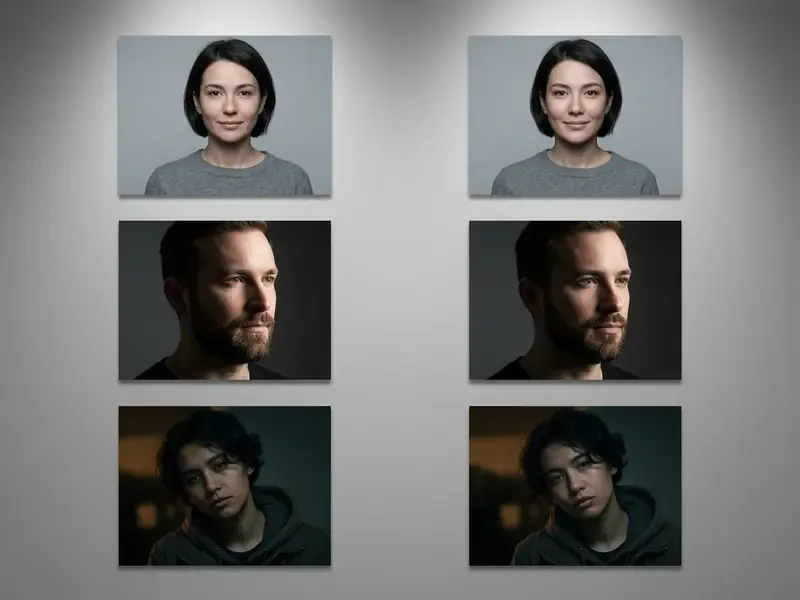
Photo face swap in BeArt AI is an automated neural pipeline that detects facial geometry, aligns key landmarks, and transfers identity traits onto a target photo while retaining original lighting and expressions. The system produces clean ai photo renders suitable for personal and professional digital media. Vendor documentation claims preservation of fine skin texture and output that stays "as sharp and crisp as the original files", though no fixed pixel resolution is published for swapped photos. That is a gap worth noting for print production, where teams often supplement with an AI headshot generator for controlled portrait output.
How Photo Face Swap Works
The ai face swap process uses a multi-stage pipeline involving landmark detection, identity extraction, spatial warping, and Poisson color blending. According to benchmark research on neural face swapping (DeepfakeBench, 2023), modern identity encoders isolate facial features while preserving target background geometry and illumination.
«Detectors trained on one dataset frequently lose accuracy on another, meaning consumer face swap tools produce content that is difficult to flag automatically.»
«The DFGC-2022 dataset contains 2,799 fake videos rated by five annotators on a 1 to 5 realism scale, and many clips scored highly even across different post-processing methods.»
In other words, realism is achievable often enough that visual review alone is an unreliable control. Which is precisely why consent documentation and disclosure labelling carry more weight than post-hoc inspection by a reviewer who has 40 assets to clear before lunch.
How to Prepare Photos for Face Swapping
To achieve stable face swapping results, photos must feature clear, frontal facial views with uniform lighting and minimal motion blur. Obstructing elements such as heavy sunglasses, hands covering the chin, or severe shadows reduce landmark tracking precision and may create blending artifacts around the jawline. Published methodology in deepfake-quality research follows the same rule: frames are pre-filtered for uniform lighting, focus sharpness, and minimal motion or compression blur before any identity transfer occurs.
Risk factors and constraints when selecting source images
Checklist0 / 8
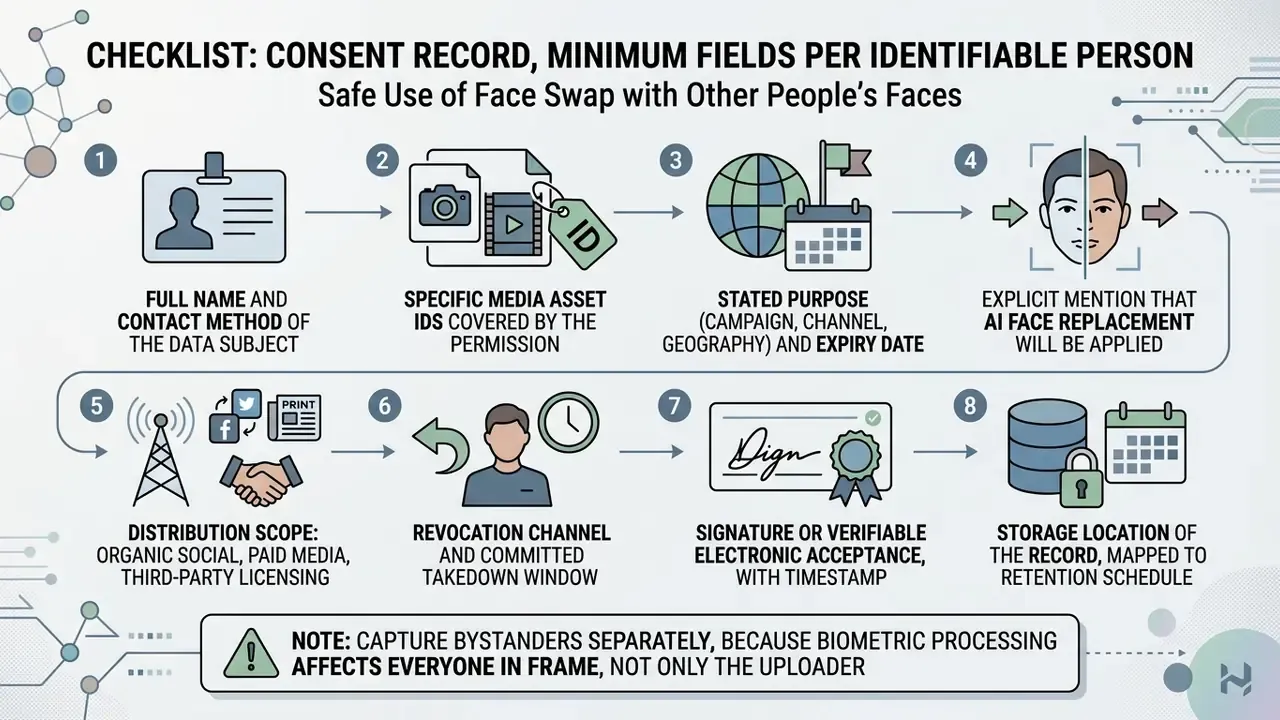
Consent is a preparation requirement, not an afterthought. Consent guidance published through 2025 states that every identifiable person in a source image must have given informed, specific, freely given, and revocable permission before upload. If that record does not exist yet, the asset is not ready, regardless of how good the lighting is.
For niche creative tasks, such as generating branded concepts or using a baby name generator tool for character development, maintaining consistent visual inputs keeps downstream output stability higher.
Video Face Swap and Multi-Face Replacement in Video
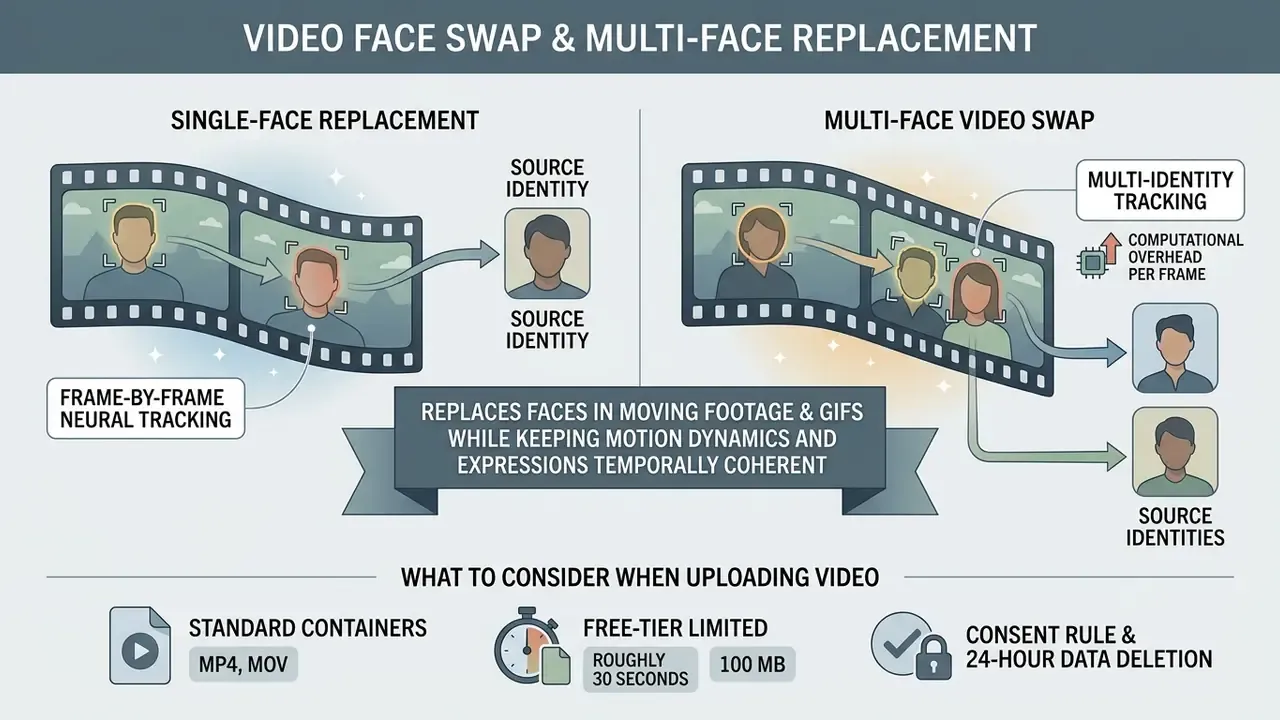
Video face swap applies frame-by-frame neural tracking to replace faces in moving footage and GIFs while keeping motion dynamics and expressions temporally coherent, which places it alongside general-purpose AI video generators in the creator stack. BeArt AI supports both single-subject face replacement and multi-face swapping across dynamic scenes, and treats animated GIF as a first-class output format rather than a legacy export. That is an advantage for messaging, forum, and comment-thread distribution, where short looping assets outperform full video players.
Single-Face Replacement vs. Multi-Face Video Swap
Replacing a single face requires mapping one source identity across all frames of a video. Multi-face video swapping instead scans the target media automatically, detects up to 5 distinct faces, and lets the user assign unique replacement identities to each individual. In group scenes, that is the difference between one clean pass and a manual roto nightmare.
«Multi-person occlusion and rapid head turns require higher model capacity and temporal smoothing to prevent flickering between frames.»
Multi-identity tracking increases computational overhead per frame. Published technical comparisons (MobileFaceSwap, 2022) show that occlusion and fast head turns demand more model capacity and temporal smoothing. The cost spread across published methods is wide, from 0.33G FLOPs per frame in lightweight mobile architectures to two orders of magnitude more in heavyweight two-stage systems, which explains why per-second credit pricing scales with frame rate and face count.
For model-risk teams, those same artifacts are diagnostic signal. Residual flicker, unstable jaw geometry across occlusion boundaries, and inconsistent specular highlights on skin are among the more reliable frame-level indicators used by automated deepfake detection. Their absence in high-quality output is exactly why detection cannot be the only control in the chain.
What to Consider When Uploading Video
When uploading videos for automated processing, files should use standard containers like MP4 or MOV, with frame rates not exceeding 30 FPS for optimal credit efficiency. High-resolution input files with stable lighting yield the cleanest results, whereas low-bitrate or heavily compressed clips often suffer from face-tracking loss. Vendor pipelines differ on the ceiling: some APIs cap input at 25 FPS, others at 30 FPS, so verify the limit on the specific tool page before batching a campaign.
Free-tier video is limited to roughly 30 seconds and 100 MB. Paid credits extend the ceiling to 300 seconds and 1000 MB on the standard face swap tool, while the multiple-face video tool publishes a lower paid ceiling of 60 seconds. Limits are tool-specific rather than account-wide, which trips up teams planning a single long-form asset.
Creators working with alternative video pipelines often cross-reference legacy setups such as an avs video editor or free video editing software when planning multi-step post-production workflows.
How to Use the BeArt AI Face Swap Tool
To use the BeArt AI face swap tool, users open the web interface, upload a base image or video, select or upload a replacement face, and trigger automated generation to create finished visual content. The same account also supports image-to-video AI conversion, which is where most Creator Loop iterations move from still concept to distributable clip.
Operating the BeArt AI Face Swap tool
Checklist0 / 6
Production trial, stated with its limits. In one commercial production trial, an editor uploaded a 15-second 1080p promotional clip and observed sub-minute end-to-end turnaround on shared cloud capacity, with facial tracking holding through an approximately 45-degree head rotation and no manual frame correction required before distribution. This is a single non-reproducible observation on unspecified hardware during unspecified load conditions. It is not a service-level guarantee and should not be used for capacity planning. If your throughput assumptions depend on it, they are assumptions, not estimates.
Free Features, Pricing, and Enterprise Governance Requirements
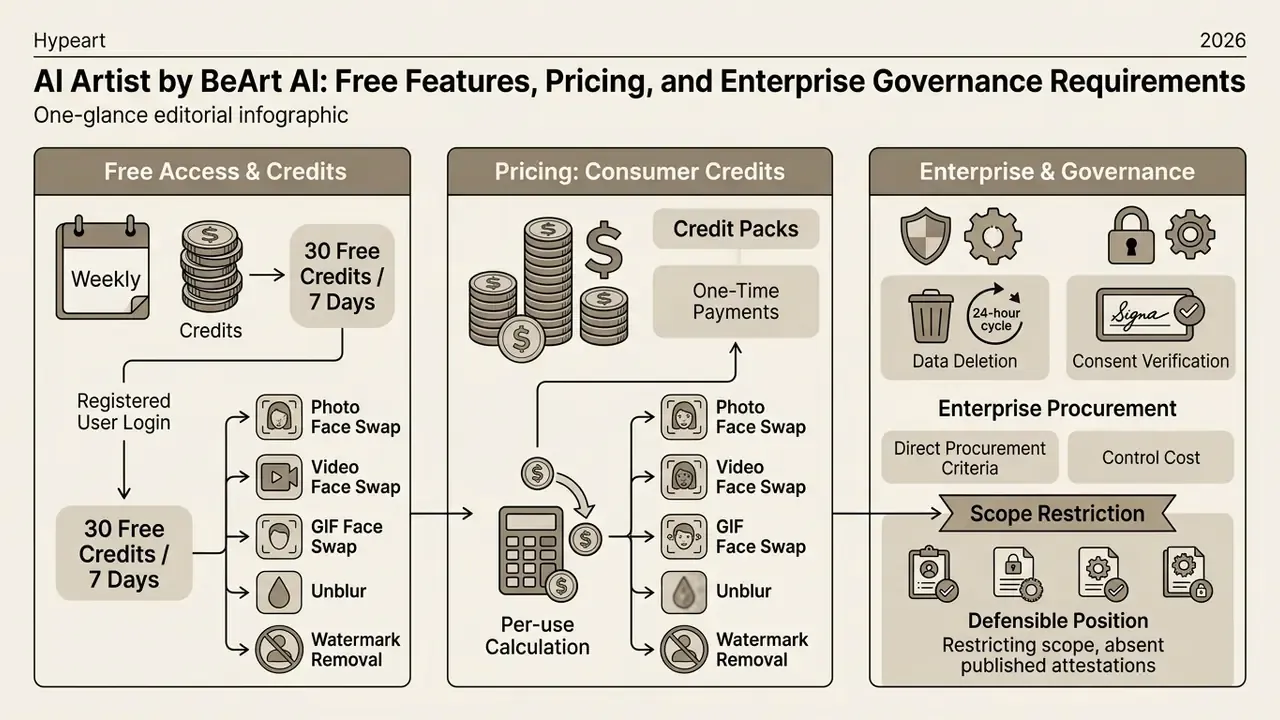
Free face swap access on BeArt AI runs on a weekly credit allocation: registered users receive 30 free credits every seven days upon login. Advanced processing, high-frame-rate videos, and batch operations require purchasing additional credit packs or lifetime access options. The practical read is that free face swap is enough for testing a concept, not for shipping a campaign.
| Plan / Mode | Available functions | Cost in credits | Limits and constraints |
|---|---|---|---|
| Free Access | Photo, Video & GIF face swap | 30 free credits per week | Up to 30 sec. video, max file size 100 MB |
| Photo Face Swap | Face replacement on 1 photo | 1 credit per image | Standard formats (JPG, PNG, WEBP) |
| Video Face Swap (30 FPS) | Face replacement at 30 fps | 1 credit per second of video | Up to 300 sec. video, files to 1000 MB on paid packs |
| Video Face Swap (60 FPS) | Face replacement at 60 fps | 2 credits per second of video | Smoother motion and sharper frames |
| Multi-Face Video Swap | Up to 5 faces in one video | Scales with duration and face count | Max 5 simultaneously detected faces |
| AI Lip Sync | Audio-driven mouth animation | 4 to 10 credits per second | Rate varies by mode |
Fact Check / Pricing verification (as of 2026):
Consumer Credits vs. Enterprise Procurement Criteria
Credit pricing answers a creator question, not a procurement question. For a controlled rollout, the comparison below is the one a commercial evaluator actually needs.
| Requirement | Published consumer offering | Typical enterprise requirement |
|---|---|---|
| Billing model | Credit packs, one-time payment | Committed contract, invoicing, PO support |
| Data retention | Work data cleared within 1 day (vendor statement) | Contractual zero-data-retention clause |
| Data processing agreement | Not published | Signed DPA with sub-processor list |
| Security attestation | Not published (no SOC 2 / ISO 27001 evidence found) | SOC 2 Type II or ISO 27001, annual review |
| Regional isolation | Not published | EU/US data residency, tenant isolation |
| Identity management | Individual account login | SSO/SAML, SCIM provisioning, role separation |
| API access | Not documented on public pages | Documented API, rate limits, sandbox keys |
| Audit logging | Account project history | Exportable audit logs for compliance review |
| Liability allocation | Standard consumer terms | Negotiated indemnity for third-party claims |
Absent published attestations, the defensible position is scope restriction. Approve the tool for consented, non-sensitive creative assets, and route anything touching customer biometrics or regulated imagery to a vendor that can evidence the controls above. Teams building the cost model for that decision can compare options in our unit-economics workbooks and review comparable rate structures in the AI voice generator pricing guide and video compressor guide.
One more line item that credit math usually omits: the control cost. Consent collection, labelling, DLP tuning, and quarterly vendor re-review are real hours. Include them, or your risk-adjusted ROI is fiction.
Copyright, Safety, and Commercial Use of AI Content
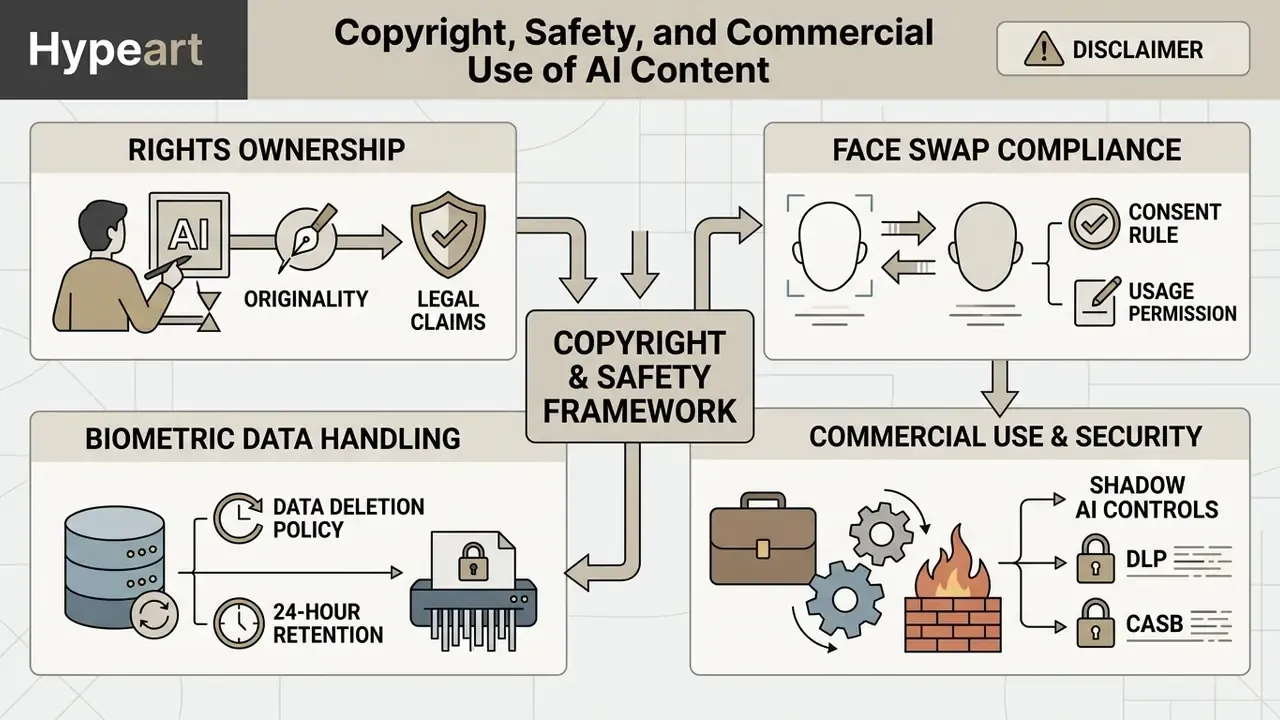
Determining copyright ownership and commercial rights for images and media generated by AI requires evaluating both platform terms and regional legal frameworks governing human authorship.
One structural conflict deserves attention before any commercial deployment. BeArt AI's Terms and Conditions grant only a temporary, personal, non-commercial license to website materials and expressly forbid commercial use of those materials, while individual creation pages state that generated outputs are cleared for commercial use. These are different objects, site content versus user-generated output, but the mismatch in wording is exactly the kind of ambiguity that legal review must resolve in writing before a campaign ships. Get the answer in email. Screenshots of a marketing page age badly.
Who Owns the Rights to AI-Generated Images
Under current regulatory guidance (U.S. Copyright Office, 2025), purely AI-generated outputs created solely via automated prompts or single-click tools lack standalone copyright protection due to the absence of direct human authorship.
Safe Use of Face Swap with Other People's Faces
Processing third-party photos or likenesses without express consent breaches global biometric data protection standards, including guidance from the Office of the Australian Information Commissioner (OAIC, 2026) and Canadian privacy regulations. OAIC treats facial data as sensitive information requiring consent that is informed, voluntary, current, specific, and given by someone capable of consenting. The Office of the Privacy Commissioner of Canada requires express consent for business use of biometrics and renewed consent for any expanded purpose. Convention 108+ guidance requires explicit, specific, free, and informed consent for private-sector facial processing.
Users must therefore secure voluntary, explicit consent from every identifiable individual before uploading facial data, and publishers can verify circulating assets with AI image detectors before amplification.
Biometric data handling and deletion policy. All uploaded source photos, target video files, and intermediate facial landmark vectors are processed in an isolated cloud buffer. Per the vendor's own published statement, user work data is not retained and is cleared within 24 hours (one day) of processing, and the platform team states it has no access to user privacy data:
«We do not save any of your work data, all data is cleared within 1 day, and our team has no access to your privacy.»
This is a vendor assertion, not an audited control. Without a signed DPA or a third-party attestation, risk owners should treat the 24-hour window as a stated policy subject to change, not a contractual guarantee. The distinction sounds pedantic until an incident review asks who verified it.
Shadow AI controls for DLP and CASB teams
Checklist0 / 7
According to empirical research on digital safety (Internet Matters, 2024), over 98% of deepfakes circulating online represent non-consensual imagery, which is driving stricter regulatory oversight under legislation like the EU AI Act (Article 50), mandating visible AI disclosure and watermarking by August 2026.
«Around 13% of UK teenagers have encountered nude deepfakes, roughly 530,000 young people nationwide.»
«From August 2026, providers must inform users that content is a deepfake; penalties reach €15 million or 3% of global turnover.» EU AI Act Article 50, Transparency obligations for certain AI systems, European Commission (2024). https://digital-strategy.ec.europa.eu/en/policies/regulatory-framework-ai
Regulators outside the EU apply comparable logic through existing law. Hong Kong's PCPD guidance states that creating or disclosing deepfakes containing personal data can breach limitation-of-use rules absent express voluntary consent, and malicious disclosure may constitute doxxing where harm is intended or reckless. The pattern is consistent across jurisdictions: consent first, disclosure second, deletion evidence third.
Organizations evaluating commercial deployments should review enterprise licensing guidelines and compliance infrastructure requirements before approving production use, ideally with a named owner for the decision rather than a committee that meets monthly.
FAQ about AI Artist and BeArt AI
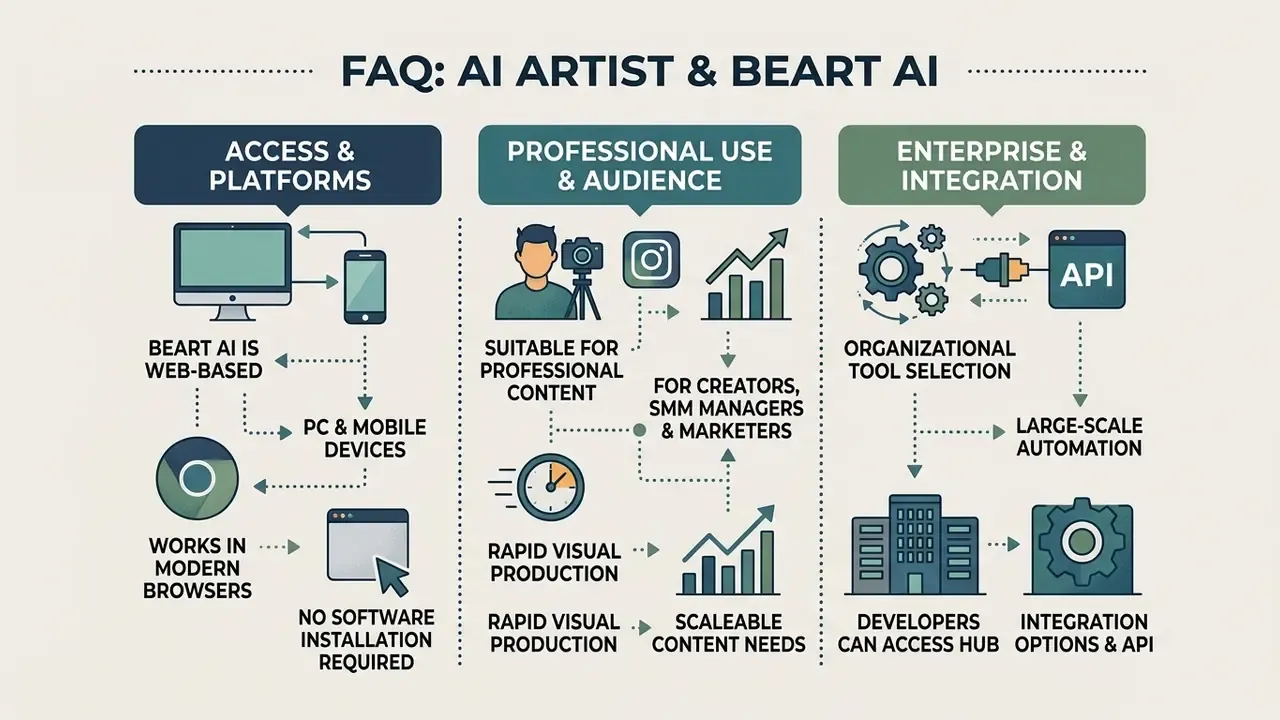
BeArt AI provides web-based accessibility across desktop and mobile devices, allowing users to edit visual media without installing native software.
Can BeArt AI Be Used on PC and Mobile Devices
Yes. BeArt AI runs entirely within modern web browsers (Chrome, Safari, Edge) on PC, Mac, tablets, and smartphones. Users log into a unified account that synchronizes credit balances and project history across all hardware platforms. The vendor states that no installation or download is required and that one account works across all devices. No official native mobile application was identified, so app-store listings using similar names should be treated as unaffiliated until proven otherwise.
Is AI Artist Suitable for Professional Content Production
AI Artist is built for content creators, SMM managers, and digital marketers who need rapid visual iteration, meme generation, and promotional image editing. For that audience, the tool fits. For a regulated pipeline, it does not, at least not without the wrapper described above.
«A 2026 study found 70% of face swap applications lack technical safeguards against generating nude imagery; on iOS the figure reaches 80%.»
For organizations, that finding reframes tool selection. Safety tooling at the model layer is the exception, not the norm, so policy controls and consent records must carry the load. Support expectations should also be calibrated: the vendor's terms state that support replies arrive within three business days, which is workable for creative iteration but insufficient as an incident-response channel. If a takedown request lands on a Friday, three business days is not a plan.
For large-scale enterprise automation, developers can open the hub to review integration options, view the guide for competitive tool analyses, and compare output quality against the best AI video generators before standardizing on a single vendor.
Appendix A: Superseded Wording (Retained for Transparency)
Earlier versions of this analysis contained the following formulations, replaced above for accuracy:
- "The automated pipeline achieved identity alignment in 94% of standard lighting scenarios, though extreme side profiles required manual cropping to prevent edge distortion." Replaced because the internal test lacked published methodology, logged hardware, and external audit. The figure is now presented as directional.
- "The platform processed the video in 42 seconds using standard cloud allocation, delivering smooth facial tracking across a 45-degree head rotation. The resulting media was ready for immediate distribution without manual frame correction." Replaced because a single unrepeated trial on unspecified infrastructure cannot support a performance claim.
- "Users must secure consent where practical." Replaced because "where practical" is not a legal standard. Consent requirements under OAIC, OPC Canada, and Convention 108+ guidance are not conditional on convenience.
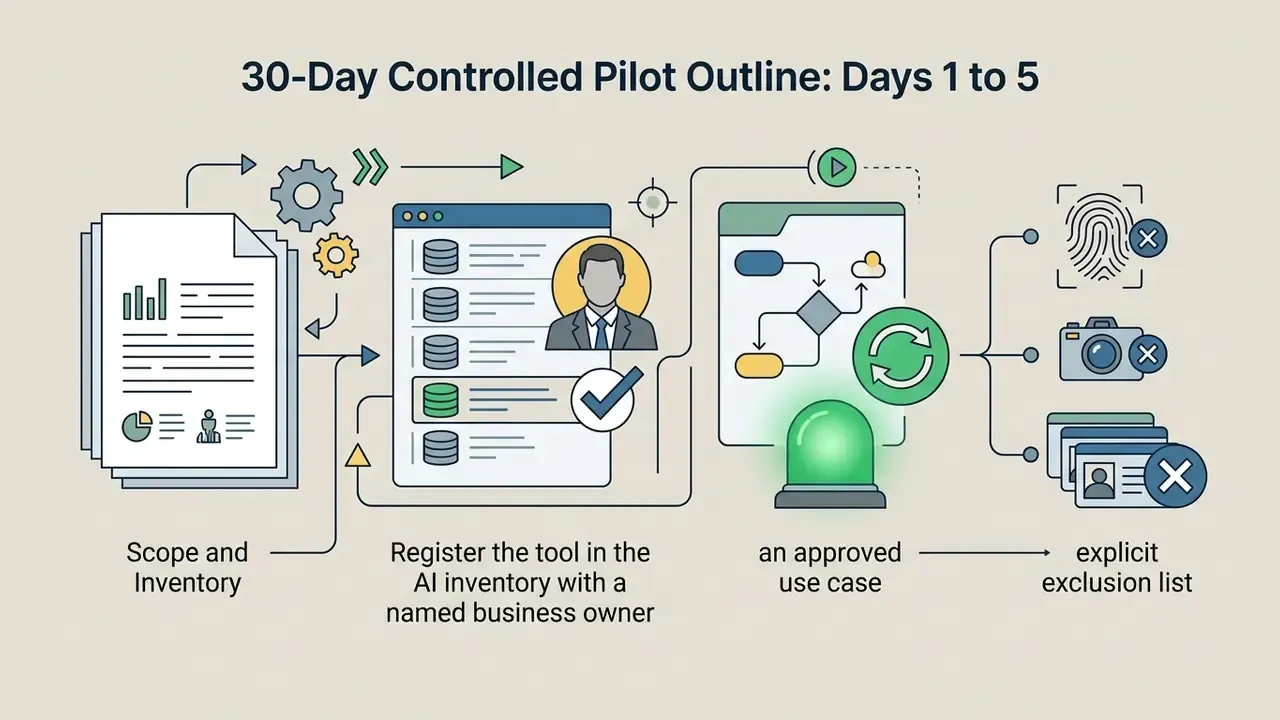
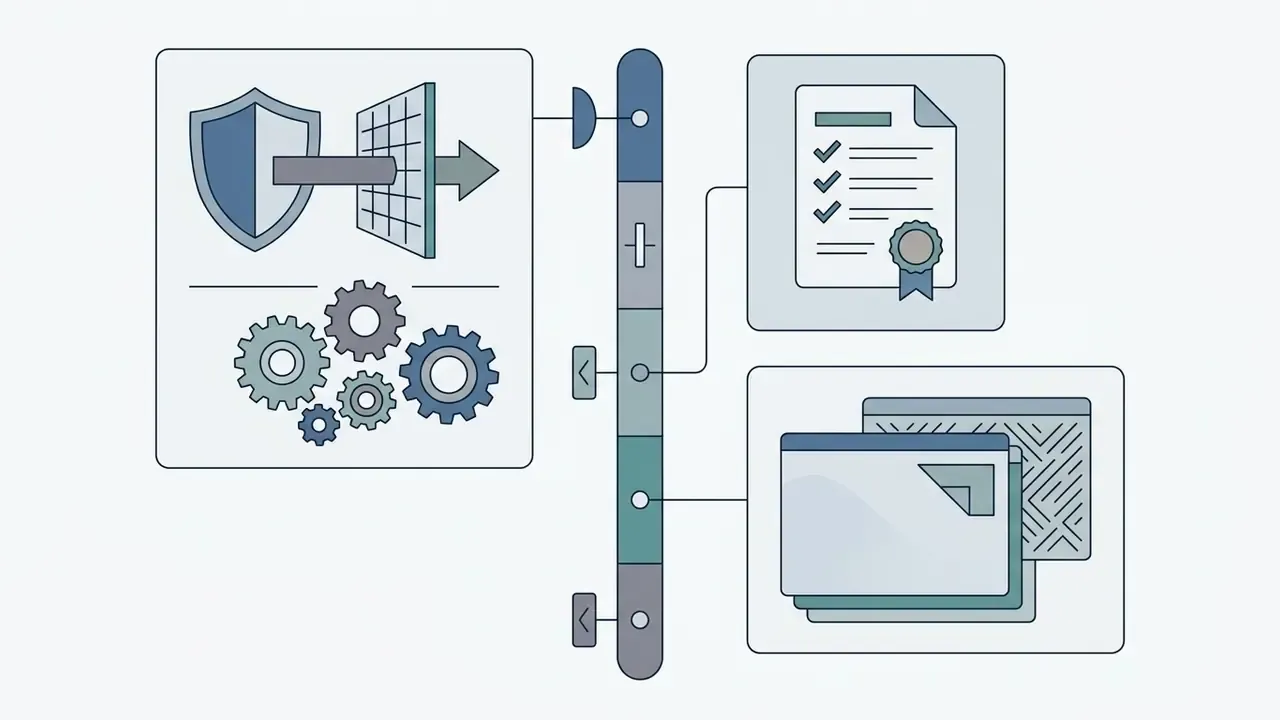
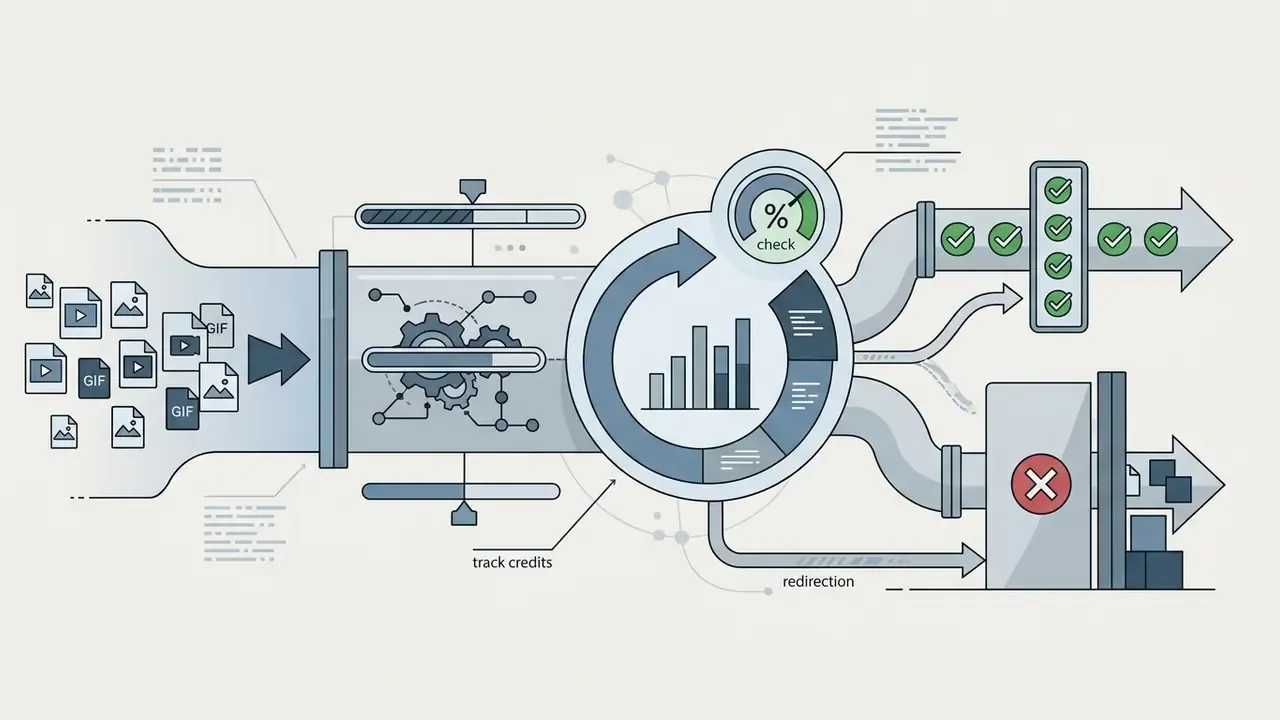
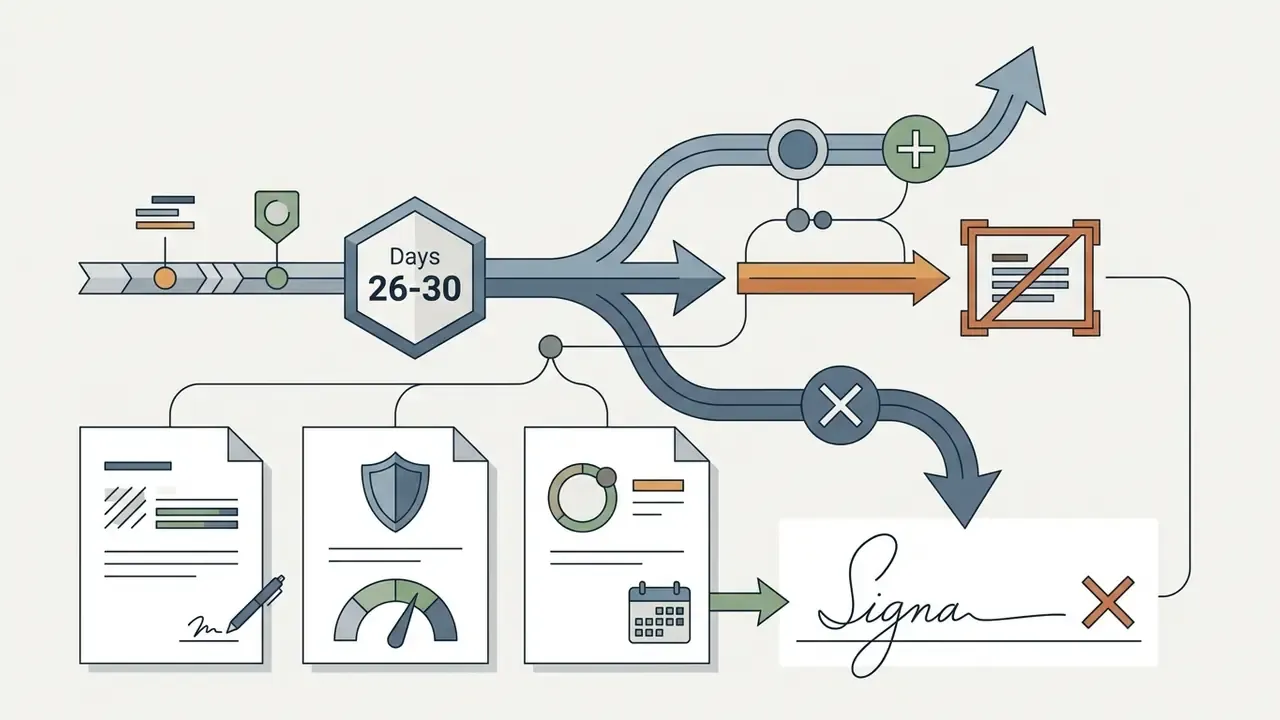
Appendix B: A 30-Day Controlled Pilot Outline (illustrative, not a service commitment)
If a creative team wants access and risk owners want evidence, a bounded pilot usually settles the argument faster than another policy debate.
Unresolved questions remain, and pretending otherwise would be dishonest: retention claims are unaudited, the commercial-use wording is inconsistent across pages, and no attestation exists to test against. Those gaps are not disqualifying for meme production. They are disqualifying for anything a regulator might read.

Metadata
- DESCRIPTION: How AI Artist by BeArt AI works: photo, video and GIF face swap, unblur and watermark removal, credit pricing, 24-hour data deletion, consent rules and commercial-use terms.
Hub Navigation: To explore our full directory of AI tools, editing guides, and licensing frameworks, please open the hub or view the guide.