Why should a risk or compliance leader care about a consumer video toy? Because it is biometric data leaving your perimeter through a browser tab. Marketing uploads a clip, a vendor stores facial geometry, and nobody records who approved it. That is shadow AI in its simplest form, and it usually arrives through a free tier rather than a procurement cycle.
On this page: what the tool does, then the step-by-step workflow and generation controls, quality factors and processing times, single vs. group swaps, creative and commercial use cases, free vs. paid vs. enterprise limits, consent, privacy and governance, and a closing FAQ.
AI Face Swap Video Online Free: What the Tool Does
An ai face swap video online free tool automatically maps facial features from a static target face photo onto a moving subject inside a source video clip. The underlying cloud architecture runs face detection, landmark alignment, and frame-by-frame neural rendering in a web environment. No plugins. No render farm.
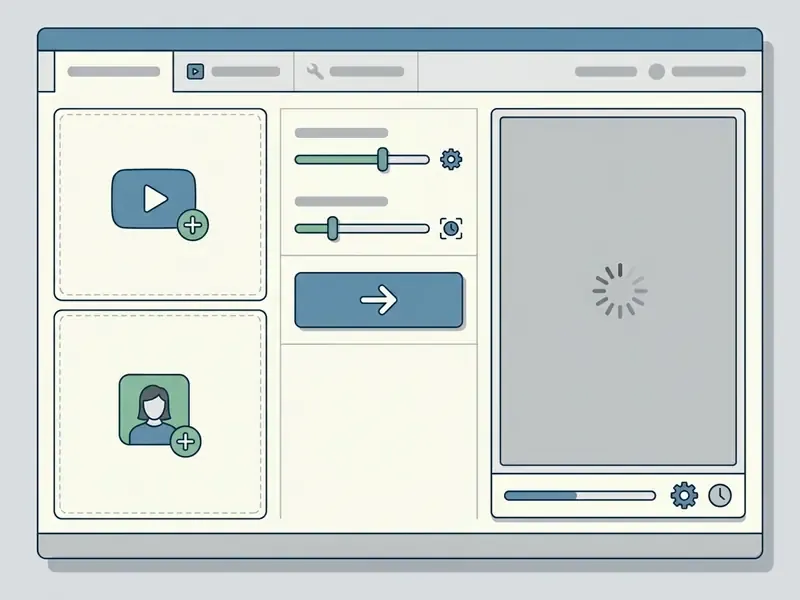
Modern cloud engines use deep neural networks to isolate facial geometry, skin tone, and expression while leaving the surrounding background intact. Contemporary face swap tools combine variational autoencoders, generative adversarial networks (GANs), and diffusion models to hold identity fidelity across complex video sequences. A variational autoencoder, in plain terms, compresses a face into a compact numerical description and then reconstructs it; the compression step is what makes identity transfer possible at all.
«Diffusion-based face swapping frameworks achieve superior identity preservation and temporal consistency with fewer inference steps than GAN-based methods.»
How to Make an AI Face Swap Video Online
Creating an ai face swap video free online project involves selecting a target video clip, providing a high-quality reference portrait, and running server-side rendering. The browser-based workflow automates feature extraction and temporal alignment without manual masking.
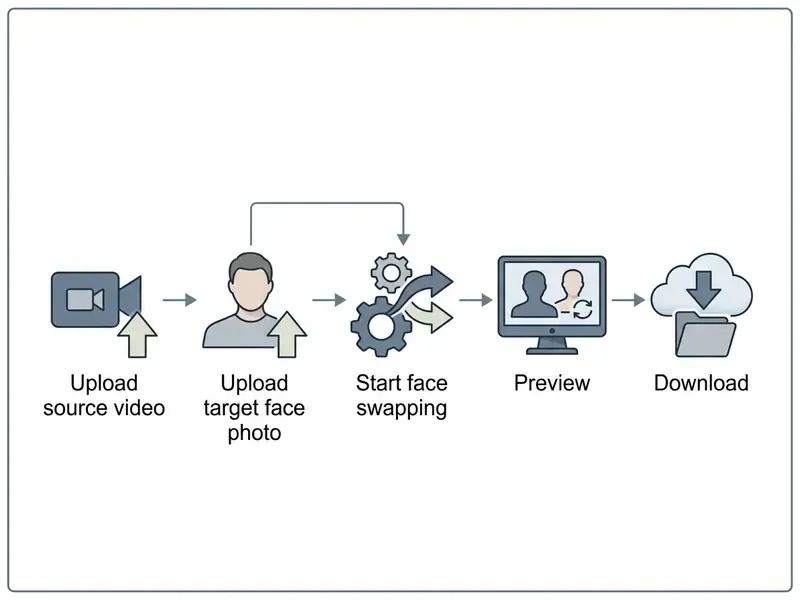
- Upload Source Video: select and import an MP4, MOV, WebM, or AVI clip with a clearly visible primary subject.
- Add Target Face Photo: upload a sharp, well-lit reference portrait in JPG, PNG, or WebP format.
- Execute Face Swapping: trigger the ai face swap video tool online pipeline to align landmarks across video frames.
- Preview Generated Output: review the synchronized player to verify facial expressions and temporal stability.
- Download Exported File: save the finished clip to local storage in MP4 format.
Creators who need to adjust media formats before or after generation can consult our guide on video compression settings to keep file sizes manageable. If a job fails repeatedly, our AI Media Support and Troubleshooting notes cover the usual upload and codec culprits.
Advanced Generation Controls and Fine-Tuning
To reach studio-grade results, a serious ai face swap video editor interface exposes parameter adjustments before the neural pipeline runs:
- Blend Strength Control (0.0 to 1.0): determines the balance between the source face identity and the target geometry. A value of
1.0performs a total identity transfer. Setting the slider to0.5creates a 50% hybrid overlay, useful for subtle double-exposure VFX or for keeping key facial characteristics of the original performer. - Face Enhancement and Restoration: enabling the detail restoration toggle applies a post-processing super-resolution pass on each rendered frame. It sharpens eyes, teeth, and skin pores, and it neutralizes compression blur carried in from a weak target photo.
- Frame Processing Limits (Max Frames): cloud pipelines bill and process per frame, so users configure a frame ceiling that matches their quota:
- 60 to 150 frames (roughly 2 to 5 seconds): fast social reactions and quick preview testing.
- 300 to 600 frames (roughly 10 to 20 seconds): standard length for short-form content on TikTok, Reels, and Shorts.
- 1,440 frames maximum (roughly 60 seconds at 24 fps): extended sequence limit for long-form synthetic media. Longer uploads are truncated at the frame cap, so trim the relevant section before submission.
- Frame Quality Modes (Standard vs. High): standard mode runs detection and blending at native speed. High mode adds per-frame optical flow smoothing and temporal face restoration, which increases compute time by roughly 30 to 45 seconds per 100 frames and removes most micro-flicker.
- Swap All Faces toggle: when enabled, every detected face in every frame receives the same source identity. When disabled, only the primary tracked subject changes.
One practical habit: render a 3-second test at standard quality first, inspect the eyes, then commit to the full clip. It costs 20 seconds and saves a wasted 7-minute job.
Upload a Source Video with a Face
An effective ai video editor face swap workflow needs a source clip with clear, unobstructed facial angles. Algorithms perform face detection by scanning each frame for landmarks, including eye corners, nose tip, and mouth boundaries.
Standard web platforms support the major video containers, including MP4, MOV, WebM, and AVI, with file sizes up to 50 MB on free tiers and clip durations typically between 2 and 300 seconds depending on plan.
«Frames were selected specifically for a clearly visible, well-illuminated face; poor lighting and extreme angles degrade synthesis quality.»
Add a Target Face Photo
The ai swap face video generator extracts facial identity vectors from a user-supplied target photo face. High-resolution frontal portraits with balanced illumination produce the most convincing blends.
Acceptable formats include JPG, PNG, and WebP. NIST SP 500-290e4 guidelines indicate that frontal camera angles within plus or minus 5 degrees of rotation in roll, pitch, and yaw give optimal feature extraction accuracy, with a minimum baseline image size of 480 by 600 pixels. Shadowing across the nose, or heavy occlusion such as dark sunglasses, degrades identity transfer precision. A blurry, low-resolution, or strongly side-lit source photo produces a blurry, poorly lit swap on every frame. The source portrait remains the single largest quality lever the operator controls.
«VividFace conditions generation on 3D face reconstruction to handle large pose variations, confirming how critical capture angle is to output fidelity.»
Operators preparing reference portraits can crop, relight, and denoise assets locally first using standard free photo editing tools or a dedicated AI headshot generator for consistent studio framing. Local preparation has a governance benefit too: fewer biometric variants ever reach a third-party server.
Generate, Preview and Download the Video
Once inputs are uploaded, server-side neural networks process the source frames against the extracted identity embedding. The rendering pipeline blends facial contours, skin texture, and lighting cues frame by frame.
«The diffusion-based video face enhancement variant reaches 7.43 seconds inference per clip, roughly 12 times faster than the prior SVFR baseline.»
Users can inspect the output in an embedded HTML5 player before final export. When processing finishes, the platform issues a high-definition MP4 download link (H.264) for local storage and distribution, playable in every major platform and editor without re-encoding. Post-production teams can continue color grading and cutting inside standard video editing workflows. For teams building custom automation, endpoint documentation sits in the AI Media API Guides, and per-second cost modelling is easier once you browse the hub of calculators.
AI Face Swap Full Video and Long Video: Quality Factors
Processing an ai face swap full video online free or an ai face swap long video online free project introduces cumulative structural challenges: lighting shifts, head rotation, frame jitter. Holding temporal consistency requires robust tracking across extended sequences.
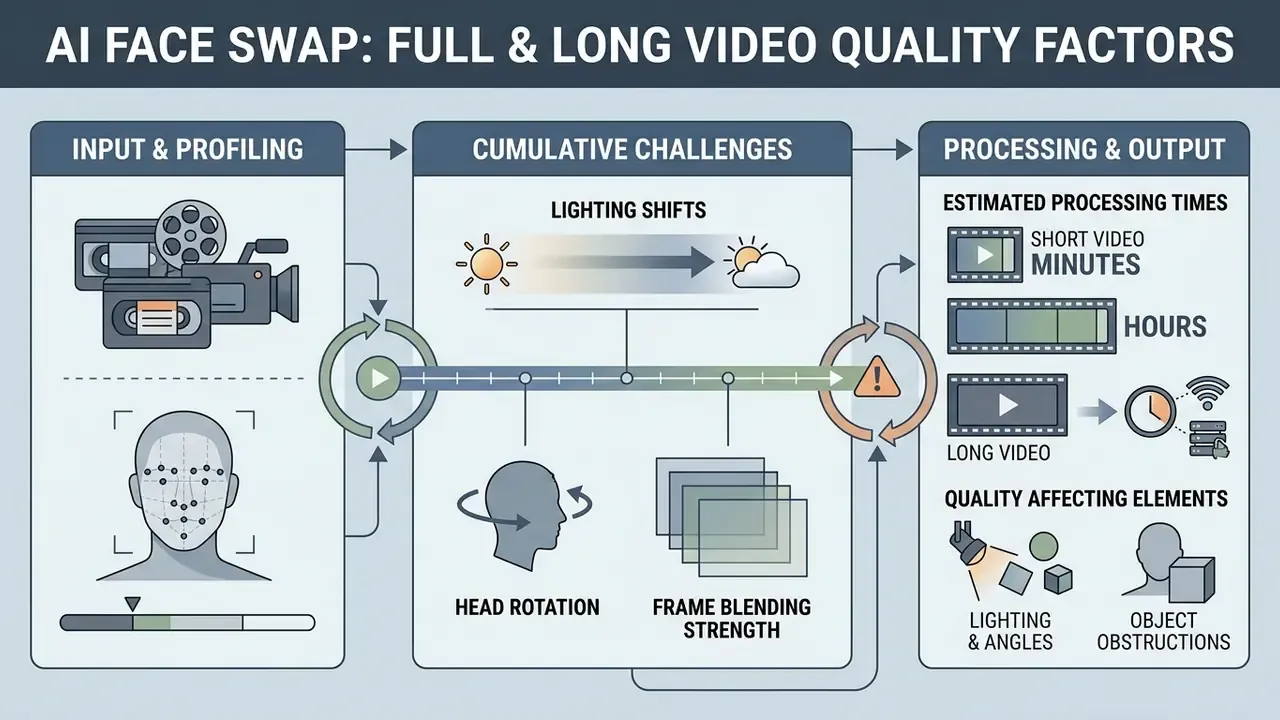
Recent architectural work, such as the VividFace diffusion framework, combines 3D face reconstruction with temporal attention layers to smooth transitions across frames while using fewer inference steps than earlier GAN pipelines.
«A temporal attention module combined with 3D conditioning reduces flicker and identity drift across complex frame sequences.»
Quality degradation in long videos usually comes from compounding alignment drift, that is, abrupt inter-frame motion such as rapid head rotation or a sudden expression change, rather than from isolated single-frame synthesis errors. Correction: not always. Heavy source compression can also break a single frame badly enough to be visible at normal playback speed.
| Quality Determinant | Low-Impact Scenario | High-Impact Scenario | Mitigating Control |
|---|---|---|---|
| Pose Variation | Frontal camera angle (within 15 degrees) | Extreme side profile (45 degrees or more) | 3D landmark anchor conditioning |
| Illumination | Constant diffused studio light | Rapidly changing shadows | Spatial color-matching passes |
| Facial Occlusion | Unobstructed face view | Hands, hair, or glasses blocking the face | Occlusion-aware latent masking |
| Frame Rate and Motion | 30 to 60 fps, smooth motion | Handheld shake, motion blur | Optical flow temporal smoothing |
| Source Photo Fidelity | 480 by 600 px or larger, even lighting | Low-res, side-lit, compressed | Face enhancement and restoration pass |
Estimated Server Processing Timelines
Processing speed varies with clip duration, target frame rate, and quality mode. The reference benchmarks below reflect typical cloud GPU rendering times and help operators set expectations before submitting a job. Queue congestion on a free tier can double any figure in this table.
| Video Duration | Frame Count (24 fps) | Standard Quality Render | High Quality (with Detail Enhancement) |
|---|---|---|---|
| 5 seconds | 120 frames | 15 to 25 seconds | 35 to 50 seconds |
| 10 seconds | 240 frames | 45 to 60 seconds | 90 to 120 seconds |
| 30 seconds | 720 frames | 2.5 to 3.5 minutes | 5 to 7 minutes |
| 60 seconds | 1,440 frames | 5 to 7 minutes | 10 to 15 minutes |
A single still-image swap runs the model once. A 10-second clip at 24 fps runs the full detection, landmark estimation, warp, blend, and seamless-clone chain 240 times. Browser-based queues generally require the page to stay open for the duration of the job, so a laptop that sleeps mid-render loses the output.
Face Tracking and Consistency Across Frames
Temporal stability in face swap video processing depends on continuous landmark tracking across consecutive frames. Discontinuities in tracking generate visible artifacts, usually perceived as flickering or floating facial features.
Computer vision literature emphasizes bi-directional cycle-consistency and temporal attention modules to lock facial identity embeddings across a sequence. LSTM-based approaches layered on top of frame detectors carry detection history forward and smooth the output. Keyframe-anchored propagation reduces inter-frame identity drift in extended clips by treating selected frames as temporal anchors and propagating identity into intermediate frames. Verification note: published keyframe-anchor benchmarks vary by dataset, and no vendor-independent metric currently standardizes drift measurement across long-form clips. Anyone quoting a single "drift score" is quoting a dataset, not a law of nature.
Lighting, Angles and Objects That Affect Results
Environmental parameters drive perceived realism more than model choice does. Mismatched shadow directions between the target photo face and the source video clip create unnatural visual boundaries that viewers notice within a second.
«Face-swap videos were rated significantly more uncanny (4.74 vs 2.30 on a Likert scale), with gaze-motion anomalies as the dominant discomfort source.»
Physical obstructions such as microphones, fingers, or hair crossing the face force generation algorithms to infer geometry they cannot see. Occlusion-aware synthesis research by 3DFaceFill (WACV 2022) showed that localized latent masking improves structural fidelity by up to 4 dB PSNR and roughly 25% LPIPS on large-mask cases in complex occluded scenes.
«The AIDT dataset applies extended occlusion augmentation, training the model to reconstruct faces even under partial covering by hair, hands, or objects.»
Production teams can review technical benchmarks across platforms in our comparison of the best AI video generators, the AI Media Comparison Matrices hub, and the broader best AI art generator matrix for still-image pipelines.
Single Face, Multiple Face and Group Video Swaps
Modern face swapping tools support both single-subject rendering and multi-person group scene editing. System architectures index each detected face, which allows targeted identity assignment per subject.
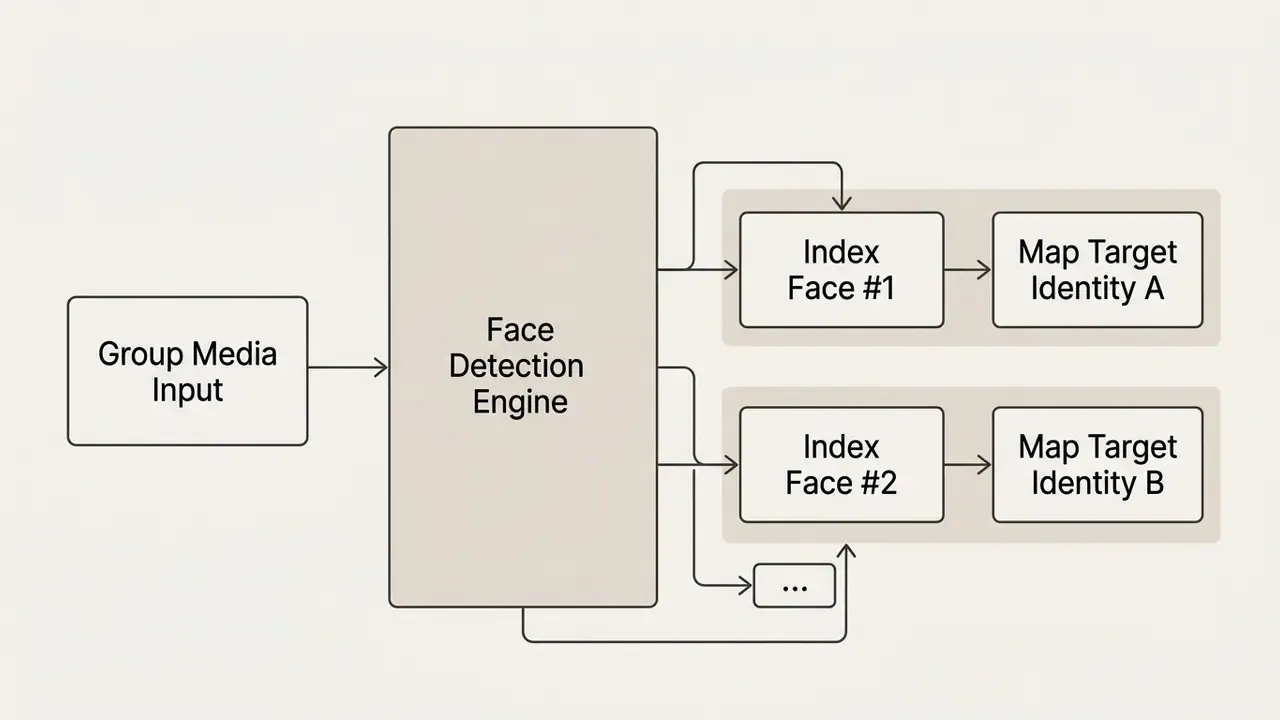
Multi-subject processing needs more server compute and precise indexing to prevent cross-identity bleeding. Published per-job limits differ by vendor: some services cap group swaps at three or four faces, while documented APIs expose one to ten selectable targets. Verify the cap on the vendor's current pricing page rather than in a blog post.
Single Face Swap for One Person in a Clip
Single-subject face swapping isolates one primary individual in a video stream and transfers the chosen target identity. This mode gives the best processing speed and the most stable output on short clips.
Because the system tracks a single bounding box, failure rates stay low. Dynamic camera movement and rapid head turns are handled more reliably when all compute concentrates on one subject. Best practice for short dynamic clips: 1080p input, 30 to 60 fps, 3 to 10 seconds, smooth head motion, simple background, consistent camera distance.
Multiple Face Swap for Group Videos
Multiple face swap workflows scan every frame for all present facial structures. The interface then shows an indexed list of detected faces, commonly rendered as a Face Mapping card with one row per person, letting users bind distinct target photos to specific individuals while leaving unassigned rows untouched.
Advanced APIs allow explicit indexing by target position or attribute, plus single-reference broadcast, where one source face is applied to all detected faces. Concurrent tracking of multiple moving targets does increase latency and the chance of occlusion errors in dense scenes. Crowd footage is where most group jobs quietly fall apart.
«Segmentation models evaluated on Deepfake-Eval-2024 reach only about 24% mIoU when localizing manipulations in real-world multi-face videos.»
That number deserves a second read. If localization is that weak on real-world footage, downstream detection cannot be your only control.
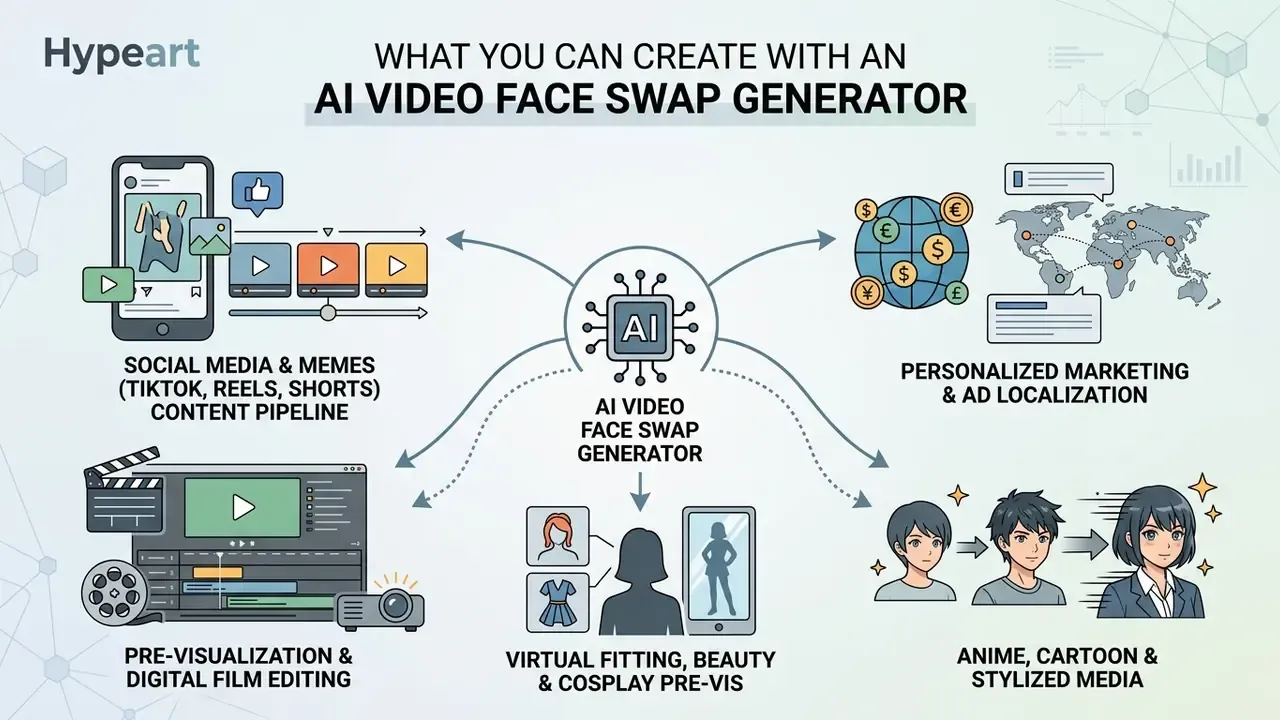
What You Can Create with an AI Video Face Swap Generator
An ai video face swap generator speeds up content modification across creative production, digital marketing, and entertainment workflows. Organizations use synthetic media tools to shorten localization cycles and creative iteration, and adjacent ai video creation workflows usually live in the same production stack. An ai face swap video maker rarely sits alone in the toolchain.
Marketing, Ads and Content Localisation
Enterprise marketing teams apply an ai video generator with face swap engine to tailor advertisements for regional markets. Replacing visual actors enables localized campaigns without reshooting core footage.
In one illustrative agency scenario, a team uploaded a master video asset and swapped facial identities to match local demographic profiles across three regional markets. Turnaround fell from roughly three weeks to two days while brand consistency held. The savings are real, though the control cost is rarely modelled: release forms, retention checks, and disclosure labels all consume hours that do not appear in the media budget. Marketers evaluating broader asset creation options can review commercial AI image generator licensing frameworks alongside video terms.
Anime, Cartoon and Stylized Media Swapping
AI face swapping extends beyond photorealistic humans to stylized content: anime, 3D animated film, digital illustration. Diffusion models map structural landmarks, including eye placement, mouth bounds, and jaw contour, from real human target photos onto animated characters. Creators can insert real identities into anime clips, or exchange facial features between two distinct 2D characters, without redrawing frame by frame.
Practical notes for stylized swaps: choose source portraits with neutral expression and clean edge contrast, reduce blend strength to 0.7 to 0.9 so line art survives, and enable face enhancement only when the animation resolution is high enough to justify sharpening. Push enhancement onto low-res cel art and you get plastic skin on a cartoon. Not a good look.
Virtual Fitting, Beauty and Cosplay Pre-visualization
In fashion, cosmetics, and film, synthetic video modification works as a non-destructive testing tool:
- Hairstyle and makeup testing users swap their face onto video models showing different cuts, colors, or makeup styles to preview appearance before booking a salon appointment or buying a product.
- Movie role cosplay creators swap their likeness into iconic scenes to test costume fit, lighting compatibility, and role-play fidelity before physical production.
- Headshot and profile iteration teams generate several presentation variants of an approved portrait for internal review, then finalize the chosen asset in a standard photo editor.
- Casting pre-visualization independent filmmakers prototype actor choices by swapping candidate faces into an existing test scene before scheduling a shoot.
A caution belongs here. The same pipelines are used for non-consensual imagery, and the ecosystem around terms such as ai undress picture shows how quickly a novelty tool becomes a legal exposure. Policy language should name that boundary explicitly, not imply it.
AI Video Face Swapping vs. Adobe Photoshop and VFX Rotoscoping
Replacing a face in moving footage once required manual rotoscoping in tools like Adobe After Effects, or layer cropping in Adobe Photoshop. Slow, skill-intensive, and prone to ragged edges, because facial contours resist hand masking. The table below shows why automated neural swapping has largely displaced manual editing for short-form work.
| Feature / Workflow | Manual Editing (Photoshop / After Effects) | Automated AI Video Face Swap |
|---|---|---|
| Execution Time | 4 to 8 hours per 10 seconds of video | 45 to 90 seconds of total server render time |
| Skill Requirement | Advanced motion tracking, keyframing, mask editing | No manual editing; single-click server execution |
| Lighting Adaptation | Manual color grading and adjustment layers | Automated neural blend passes for ambient light matching |
| Temporal Consistency | High risk of edge jitter and mask slippage in motion | Automated optical flow smoothing across frames |
| Group Scenes | Separate mask chain per subject | Batch indexing with per-face identity mapping |
| Auditability | Full manual control of every pixel | Model-driven; requires output review and disclosure |
Note the last row. Manual editing leaves a human fingerprint on every pixel and, with it, clear accountability. Automated swapping shifts the burden to logging, review, and labeling. Speed is not free; it moves the control work downstream.
Is AI Face Swap Video Free? Limits, Plans and Commercial Use
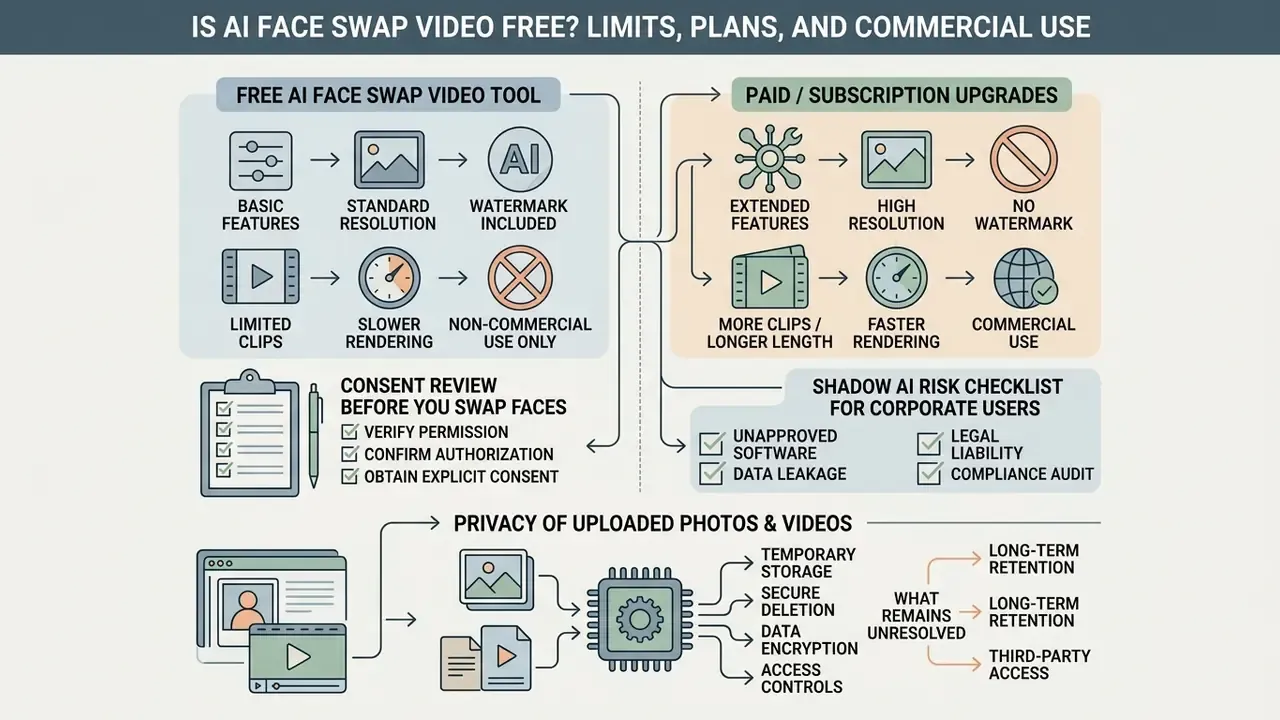
Most online web tools use a freemium model that pairs basic free access with subscription upgrades. Teams can benchmark limits against other free AI video generator options and against current AI Media Pricing tiers. A free plan is enough to judge output quality, and rarely enough to ship anything publicly, since an ai video generator free face swap tier normally restricts clip length, export resolution, and commercial deployment.
| Feature / Limit | Free Access Tier | Paid Subscription Tier | Enterprise API Tier |
|---|---|---|---|
| Daily Swap Quota | 1 to 3 swaps per day | Unlimited or a high credit pool | Custom quota, pay-per-second |
| Max Video Length | 5 to 10 seconds (8 s typical without sign-up) | 60 to 300+ seconds | Unrestricted batch processing |
| Max File Size | About 50 MB | 100 to 500 MB | Contract-defined |
| Export Resolution | 480p to 720p (576p common) | Full HD 1080p up to 4K | Original source resolution |
| Watermark Removal | Watermark applied | Removed | Removed |
| Data Retention Policy | Vendor default, often used for product analytics | Configurable deletion window (24 h typical) | Zero-data-retention option, contractual purge SLAs |
| Security Certifications | Not disclosed | Limited disclosure | SOC 2 or ISO 27001 attestation on request |
| Commercial License | Personal use only | Commercial rights granted | Full commercial indemnification |
| Processing Priority | Shared queue, lowest priority | Faster queue | Dedicated capacity with SLA |
Procurement and risk functions should treat the bottom four rows as the decisive criteria. For a regulated organization, retention guarantees and indemnification matter far more than a resolution ceiling. Litigation exposure around synthetic likeness is still developing; for context on active disputes, see the overview before signing anything that lacks an indemnity clause.
What a Free AI Face Swap Video Tool Usually Includes
A typical ai face swap video generator free service offers introductory access designed to demonstrate baseline capability. Users upload short clips and generate low-resolution draft previews.
Common restrictions on an ai face swap video tool online free plan include fixed watermarks, 5-to-10-second length caps, credit pools as small as two to four generations, and queue delays at peak hours. Multi-face binding is usually locked behind registration or payment. The same pattern shows up on any ai face swap video tool free online landing page: generous headline, narrow fine print.
Guest access without registration reduces data collection but also cuts queue priority and clip length. Account-based access on an ai video face swap free online plan creates a persistent workspace with export history, at the cost of stored identifiers tied to your uploads. Pick deliberately, based on whether traceability or minimization matters more for the specific asset.
When a Paid Plan Is Needed for Commercial Use
Upgrading is necessary once assets move into commercial distribution, monetization, or public marketing. Paid tiers remove output watermarks and grant explicit commercial rights under platform terms, mirroring stock-licensing logic where watermark removal and maximum resolution unlock only after licensing. The same rule applies whether you found the tool as an ai face swap video generator online or as an ai video face swap online free demo.
«Transparency about the provenance of synthetic content, including watermarks and metadata, is a core control for commercial deployment.»
Commercial production environments need 1080p or 4K rendering, priority server capacity, and longer clip support. To compare broader image generation options alongside video tools, teams can consult our overview of the best AI art generator platforms, review commercial-use licensing terms for AI image generators, or explore the hub of licensing breakdowns by vendor.
One more budget note that gets missed: the paid plan is the cheap part. Consent collection, legal review, disclosure labeling, and asset logging typically cost more per campaign than the subscription itself. Model that before you present ROI to a committee.
Consent, Privacy and Governance for Video Face Swap AI
- Regulatory framework compliance: the EU AI Act imposes transparency duties and machine-readable marking for synthetic and manipulated media, with those obligations applying from 2 August 2026. Teams planning campaigns through 2026 should assume labeling is mandatory, not optional.
- Biometric data protection: facial geometry vectors constitute sensitive biometric data under GDPR Article 9 and state statutes such as Illinois BIPA.
- Consent documentation: rights-of-publicity laws require documented, explicit consent from any individual whose likeness appears in commercial assets.
- Advertising transparency: FTC-facing guidance recommends provenance information, labels, or watermarks for altered media used in advertising.
- Never present output as authentic footage: passing a generated clip off as a real recording is the fastest route from creative experiment to enforcement action.
«Partnership on AI, cited by NIST, identifies consent, disclosure, and transparency as core principles for developers, creators, and distributors of synthetic media.»
Consent Review Before You Swap Faces
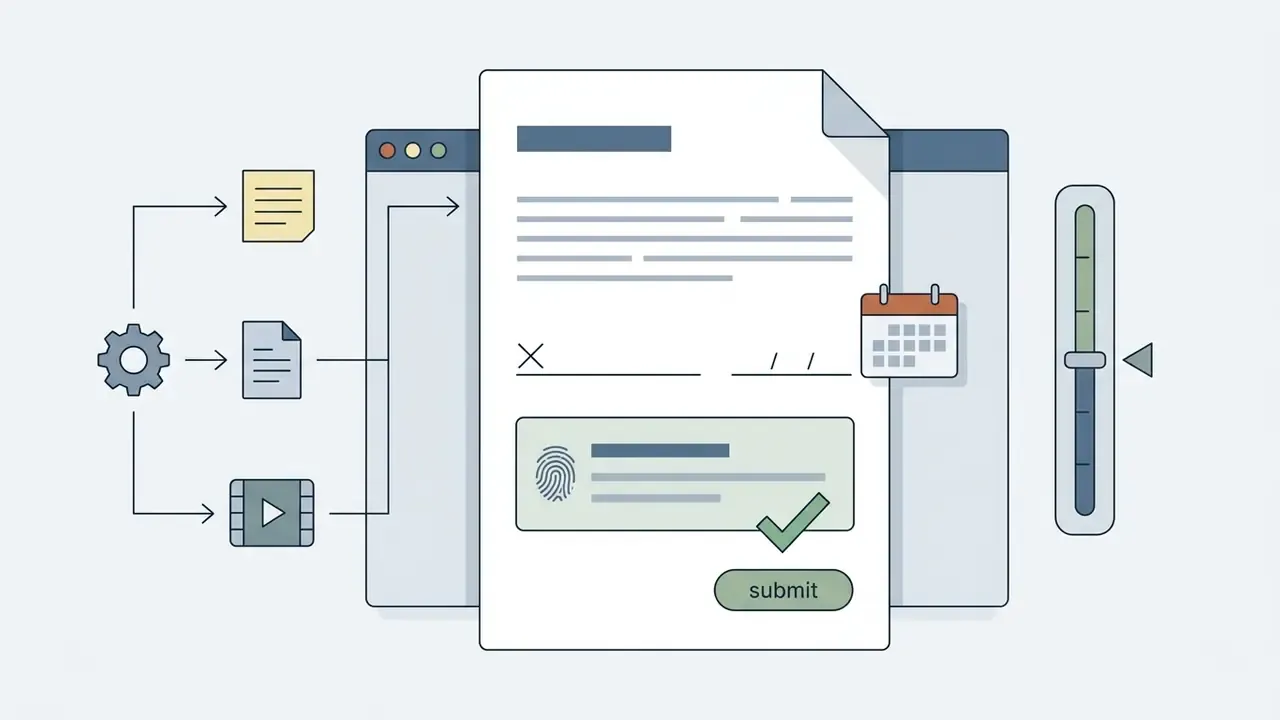
Organizations should run a formal consent review before uploading third-party facial images into any synthetic media generator. Using celebrity likenesses or images of private individuals without permission violates publicity rights and advertising rules.
Federal Trade Commission guidance and state right-of-publicity statutes, including California's protection of name, voice, signature, photograph, and likeness in advertising, protect individuals against non-consensual commercial exploitation. Enterprise risk protocols should require documented release forms for every facial asset before processing begins.

«Detector AUC drops by roughly 50% when moving from academic datasets to real-world face-swap videos circulating on social platforms.»
That accuracy collapse is exactly why documentation cannot lean on downstream detection. Verification teams can supplement release records with AI image detection tools to trace whether an asset already circulates in modified form. Detection supports the record; it does not replace it.
Shadow AI Risk Checklist for Corporate Users
Free browser tools are the most common entry point for unsanctioned synthetic media use inside organizations. Governance leads can work through the checklist below before approving or blocking a tool:
Checklist0 / 8
Any unchecked line should route the request toward a paid or enterprise contract with contractual purge guarantees, rather than a public free tier. Ownership matters as much as the checklist: name one accountable owner per approved tool, define the escalation path, and keep a documented way to switch the tool off. No evidence, no autonomy.
Privacy of Uploaded Photos and Videos
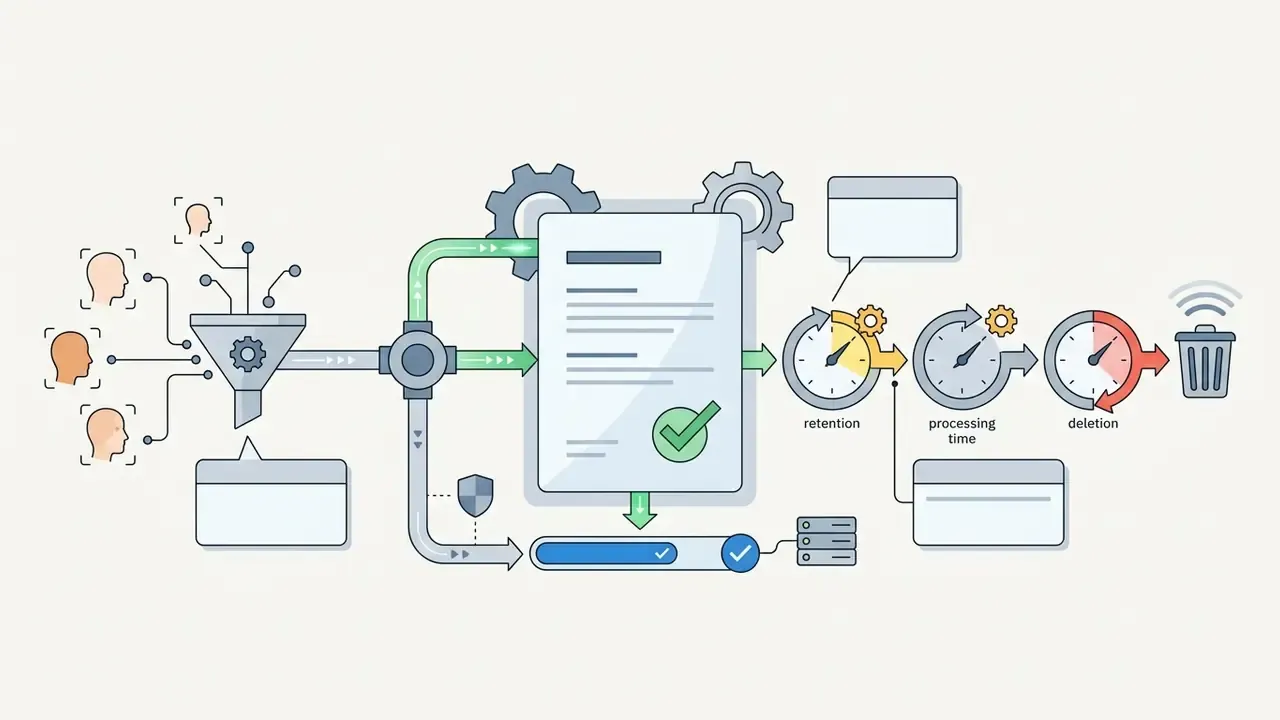
Data privacy practices vary widely across online synthetic media platforms. Review vendor retention schedules to confirm that uploaded facial photos and source videos are purged after processing, and get the window in writing.
Published retention practices in the broader AI-services market range from purge within 60 minutes of processing, to automatic deletion of originals within 24 hours, to 30-day deletion windows after a user request. Several cloud face-swap services delete uploaded source media immediately after delivering the result, which limits unauthorized data aggregation. Platforms that retain user media for internal model training create confidentiality exposure that no marketing benefit offsets.
«Without appropriate safeguards, provenance metadata can reveal sensitive information and infringe privacy rights.»
Technical teams reviewing image utility software can check our guide to free photo editor platforms for local, offline preparation of reference portraits. It is a practical way to keep unnecessary biometric variants off third-party servers.
What remains unresolved. Three questions still lack settled answers. First, no standard metric measures identity drift across long-form clips in a vendor-neutral way. Second, detection accuracy on real-world footage remains far below academic benchmarks, so provenance labeling carries more weight than automated screening. Third, cross-border consent requirements for biometric processing continue to diverge, which makes a single global release template unreliable. Plan for review cycles rather than a one-time policy.
AI Face Swap Video FAQ
Do I Need to Sign Up to Use Video Face Swap?
Many platforms offer guest access with single-clip generation and no mandatory account. Non-registered sessions usually enforce lower queue priority, strict length limits (often around 8 seconds), and watermarked downloads. Creating an account unlocks export history, cloud storage, longer clips, and higher processing caps, while also storing identifiers linked to your uploads.
What Should I Do If No Faces Are Detected?
If an ai video face swap online tool returns a "No Face Detected" error, confirm that both the source video and the target photo show clear, unobstructed facial angles. Check for even lighting without heavy shadows across the eyes or nose, remove hats, sunglasses, and masks, and avoid strong backlighting. Reframe so the head occupies more of the image, make sure the face is not turned away from the lens, and verify the file is not a HEIC image that needs conversion to JPG or PNG.
Which Face Photo Formats Work Best?
Frontal portraits saved as PNG, JPG, or WebP produce the highest synthesis quality. PNG preserves uncompressed facial detail; high-quality JPG offers the broadest compatibility. Keep resolution at 480 by 600 pixels or higher with a straight camera angle, within about 5 degrees of roll, pitch, and yaw. Sharpness beats megapixels: a crisp 1 MP portrait outperforms a soft 12 MP capture every time.
Why Does Video Processing Take Longer Than a Photo Swap?
A still-image swap runs the model once. A 10-second clip at 24 fps runs it 240 times, once per frame, with independent detection, landmark estimation, warping, blending, and seamless cloning at each step. Standard-quality 10-second jobs usually finish in 45 to 90 seconds. High-quality mode with per-frame enhancement can double or triple that.
Can I Swap Different Faces onto Different People in the Same Clip?
Yes, on platforms that expose a Face Mapping panel or an indexed target parameter. Each detected face receives its own reference photo, and unassigned rows stay unmodified. Single-source tools instead apply one identity to every detected face through a "Swap All Faces" toggle, which means separate runs for per-person targeting.
Does a Face Swap Video Keep Its Original Resolution?
Output resolution is capped by the plan, not by the input. Free tiers commonly downscale to 480p or 720p and add a watermark. Paid tiers export 1080p or 4K. Enterprise tiers preserve the original source resolution. Enabling face enhancement restores facial detail but does not raise the container resolution.
Is a Free Tier Ever Acceptable for Corporate Footage?
Rarely, and only with placeholder faces. Without a contractual purge commitment and a training-data exclusion, corporate footage on a free tier should be treated as disclosed to a third party. If the asset contains customer, employee, or client likeness, move the job to a contracted tier before uploading anything.
Recommended Resources and Navigation Hubs
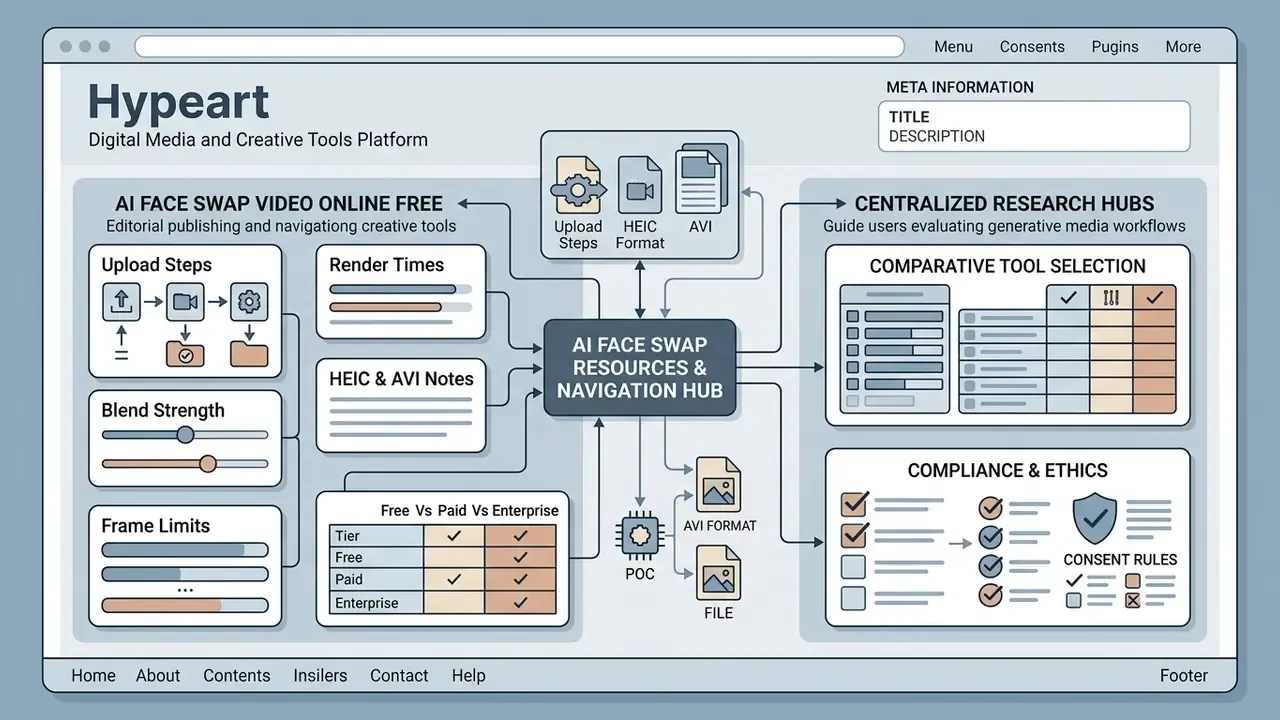
To help media production teams, developers, and compliance officers evaluate generative media workflows, use our centralized research hubs:
- Comparative tool selection: review the best free AI video generators and the best AI art generator comparisons for quality, credit limits, watermarks, and licensing.
- Asset preparation: prepare reference portraits and compress deliverables with our photo editor and video compressor guides.
- Commercial licensing: verify usage rights before publication using our overviews of Canva AI generator licensing and Google AI image generator terms.
- Provenance and verification: trace whether an asset already circulates in altered form with AI reverse image search tools.
- Publishing workflow: finish, caption, and publish swapped clips using our YouTube video editor workflow guide.
- Voice and animation pairing: complement visual swaps with our AI voice generator and animation maker guides for full-stack synthetic production.
A safe next step, if you are evaluating this category for an institution: run one timed test on placeholder faces, record retention terms and render times, and take that evidence to your governance forum. Small test, documented result. That is usually enough to make the decision defensible.
Meta Information
- TITLE: AI Face Swap Video Online Free: Settings, Limits and Consent
- DESCRIPTION: Make an AI face swap video online free: upload steps, blend strength and frame limits, render times, HEIC and AVI notes, free vs enterprise limits, and consent rules.
Social Media, Memes and Creative Video Clips
Digital creators use an ai video generator face swap pipeline to produce meme edits, parodies, and short-form media. TikTok, YouTube Shorts, and Instagram Reels host substantial volumes of user-generated synthetic content, and GIF-length swaps remain a dominant chat and messaging format. Short-form editors often pair a swap with an ai video clip generator to assemble the final cut.
High novelty plus short duration makes social platforms a natural test bed for lightweight face swap experiments, where a 3 to 8 second clip is enough to stop the scroll. Channel branding often gets built alongside the content, which is why creators reach for an ai username generator and stylized assets from an ai vector generator in the same session.