Executive summary
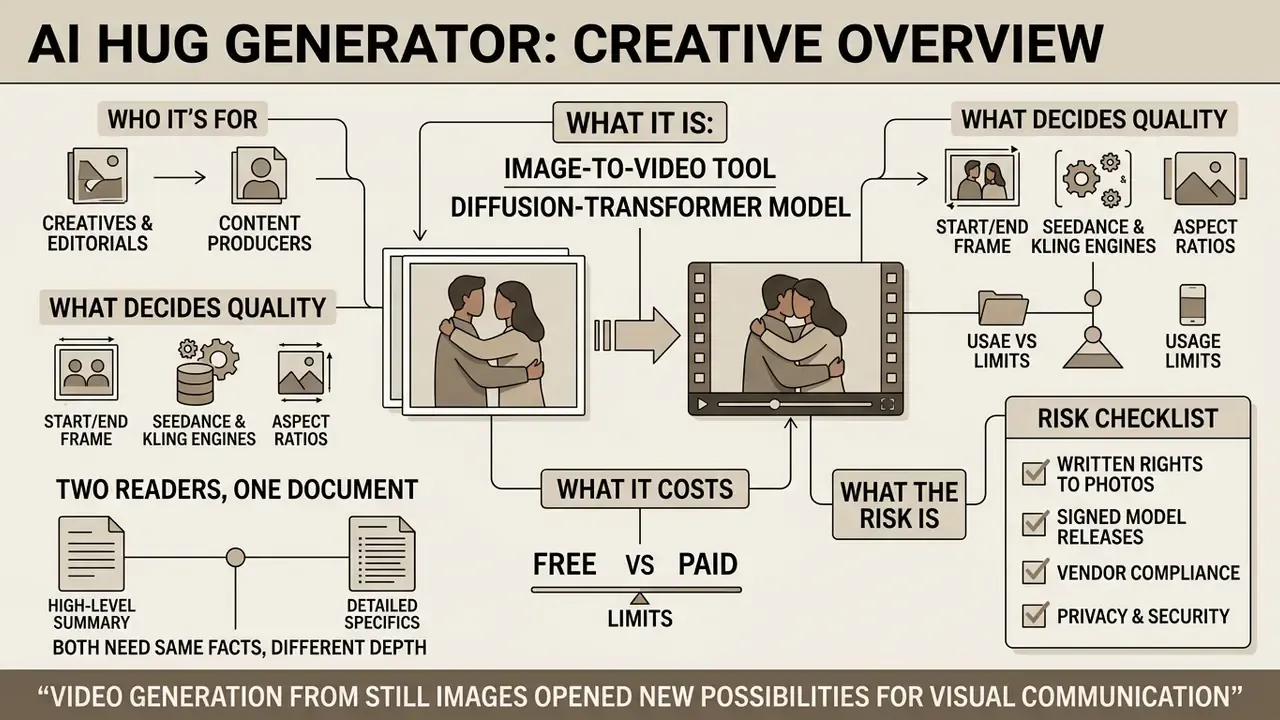
- What it is. An AI hug generator is an image-to-video tool built on diffusion-transformer models. You upload one or two photos, and the system synthesises a 3 to 6 second MP4 clip in which the subjects move toward each other and embrace while keeping their identity intact.
- What decides quality. Frontal faces (deviation within ±5°), at least 64 px between the eyes, even light, visible shoulders and arms, and a small "safety gap" between the subjects so the model has room to animate the arms.
- What it costs. Free tiers are throttled by credits, watermarks, 480p/720p output and a shared render queue. Paid tiers unlock 1080p/4K, private generation and a commercial licence. Enterprise-grade requirements (SOC 2, zero data retention, SSO, IP indemnity) sit in a separate tier that most consumer tools simply do not offer.
- What the risk is. AI hug videos combine biometric data (faces) with synthetic media. Copyright in purely AI-generated elements is not protected in the US, EU rules require machine-readable labelling of synthetic content, and non-consensual digital forgeries are criminalised in both the EU and the US.
Risk checklist before any production use: written rights to the source photos, signed model releases, vendor ToS permitting commercial output, data-retention and no-training guarantees, a "Generated with AI" disclosure with C2PA or watermark labelling, then legal, InfoSec and model-risk sign-off.
Who this guide is written for
Two readers, one document. The first is a person who wants a warm clip for a birthday and needs to know what a free tier really allows. The second is a risk owner in a bank or fintech, who has to explain to a committee why a marketing video built on customer faces is, in substance, a model with an owner.
Both need the same facts, just at different depth. So the practical sections come first, and the governance sections follow. If you only have two minutes, read the pricing table and the pre-flight checklist.
What an AI Hug Generator is and what videos it creates
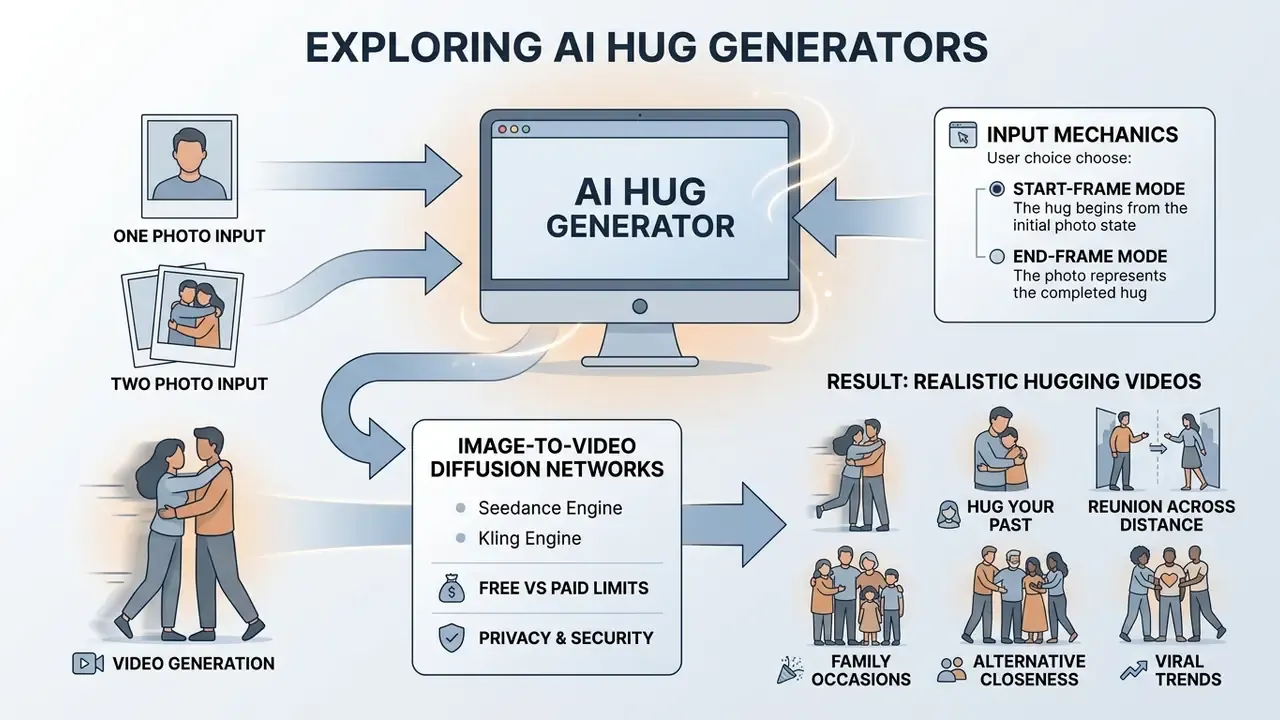
An AI hug generator is an online tool based on image-to-video diffusion networks. It converts one or two static photographs of people into a short animated clip in which the subjects embrace. The algorithm reads face geometry, body position and lighting in the source frames, then synthesises the missing motion frames to build a dynamic hugging scene.
The tool can produce photorealistic clips and stylised animation alike. The usual output is a 3 to 6 second MP4 that preserves the identity of the original subjects and lands one clear emotional beat.
The technical basis is image-conditioned video diffusion. The still photo is encoded as a conditioning frame, a temporal dimension is added in latent space, and a diffusion-transformer (DiT) architecture generates the intermediate frames with temporal coherence. Commercial products layer face detection, body alignment and motion interpolation on top of that generative core. That extra layer is what separates a serious ai hug video maker from a demo toy.
«Modern DiT architectures synthesise video with physical interaction between two subjects, including close contact: hugs, dances, handshakes.»
AI hug animation from one or two photographs
Hug generators support two input scenarios: a single joint frame, or a combination of two separate portraits.
In the first case the network takes an existing group photo, two friends or relatives for example, and animates the static figures, driving the subjects toward each other until they meet. In the second case the algorithm detects facial landmarks and body contours on two unrelated portraits, matches scale and lighting, and builds a shared composition where the characters perform a dynamic image-to-video AI hug. This is the mode people mean when they search for an ai image generator hugging each other, or for an ai photo hugging each other free option.
«X-UniMotion introduces a unified, identity-agnostic motion representation, allowing the same hug scenario to be applied to different people.»
That identity-agnostic layer explains why a single hug template can be reused across couples, families, pets and illustrated characters, with no retraining for every new subject. Useful for scale. Slightly uncomfortable for governance, because reusability also means a stranger's likeness can be dropped into an existing template in seconds.
Start-frame and end-frame mode, plus the AI models behind hug videos
Most hug generators do not run a single proprietary network. They route your request to one of several specialised video-generation models, and the choice of engine directly affects motion smoothness, identity retention and render cost. These are the engines you will most often see exposed in the interface:
| Model | Typical strength | Notes |
|---|---|---|
| Seedance 2.5 / Seedance Pro (Fast) | High-fidelity motion, often the default engine | "Fast" variants are cheap for casual clips; higher tiers for premium quality |
| Kling AI | Smooth human motion and close contact | Motion-intensity control commonly exposed at 0.1 to 1.0 |
| Hailuo AI (MiniMax) | Cinematic lighting, detailed textures, 3D-style rendering | Style presets such as playful, warm, gentle |
| Flux AI | Fast dual-image hug generation, saved video history | Web plus mobile availability |
| Vidu | One-click hug templates, no prompt required | Accepts one joint image or two images of the same aspect ratio |
Alongside "text to video" and "image to video", advanced services expose a third mode: Start-Frame and End-Frame. You upload two boundary frames. Frame A, where the subjects stand apart, and Frame B, where they are already embracing. The network then interpolates the transition, computing arm trajectory, body rotation and cloth movement.
Because both endpoints are anchored to real pixels, this mode sharply reduces the face warping and limb drift typical of single-frame generation. It is the method to pick when identity preservation actually matters: brand work, family archives, memorial videos. It also costs more credits, which is a reasonable trade.
Which hug styles and scenarios are available
Users can choose from a wide spectrum: classic friendly hugs, shy or hesitant embraces, emotional reunions and romantic warm hugs. The algorithm lets you regulate motion intensity and emotional colour through prompts or ready-made templates. Typical presets include "light casual hug", "reunion squeeze", "space embrace", "pet cuddle" and "time-travel hug".
Styling is not limited to photographs of real people. You can generate hug scenes with anime characters, digital avatars, 3D illustrations and even plush toys, adjusting the softness of the lighting and the camera trajectory (ai hugging). An ai hug image generator with template presets is usually enough here; complex prompts add little.
Viral trends: from "hug your past" to memory videos
Four scenarios drive most of the search demand around an ai generator hug:
- Hug Your Younger Self.Upload a childhood photo plus a current portrait to create a symbolic clip about growth and self-acceptance. Popular in life-reflection projects, mental-wellness storytelling and inspirational social posts.
- Reunion across time and distance.Clips with relatives living in other countries, long-distance partners, or in memory of family members who have passed away. Handle these with care. They are emotionally sensitive, and where a real identifiable person is depicted, consent rules still apply.
- Family and calendar occasions.Mother's Day, weddings, anniversaries, birthdays. Parents embracing grown children, digital gifts, memory albums, social tributes.
- Alternative forms of closeness.Not only classic hugs, but soft cheek kisses, back hugs, hand-holding, head pats and high-fives. These "emotional pose" variants often read as more natural than a full embrace when the source photo is tightly cropped.
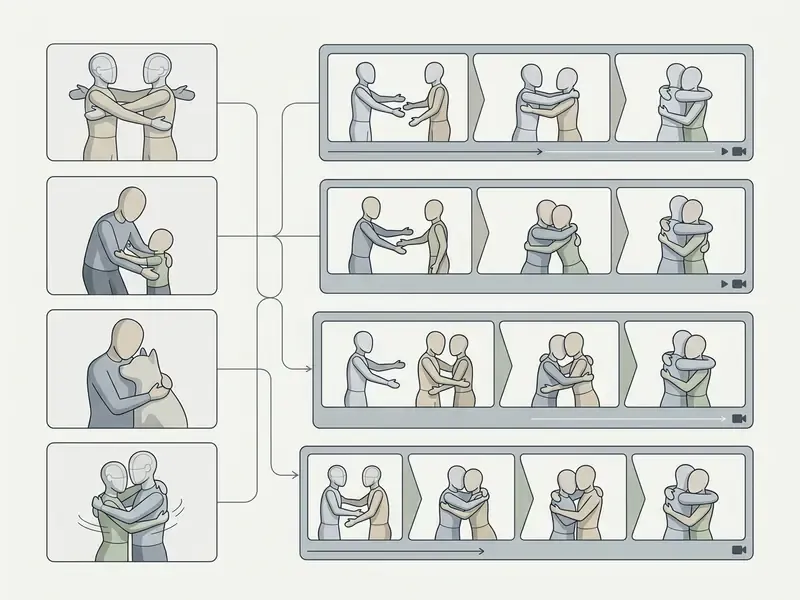
Semantic markup spec: figure element with VideoObject schema, a text description of each example in the DOM, and alt text "ai hug video sample" on the poster image.
How to create an AI hug video from a photo online
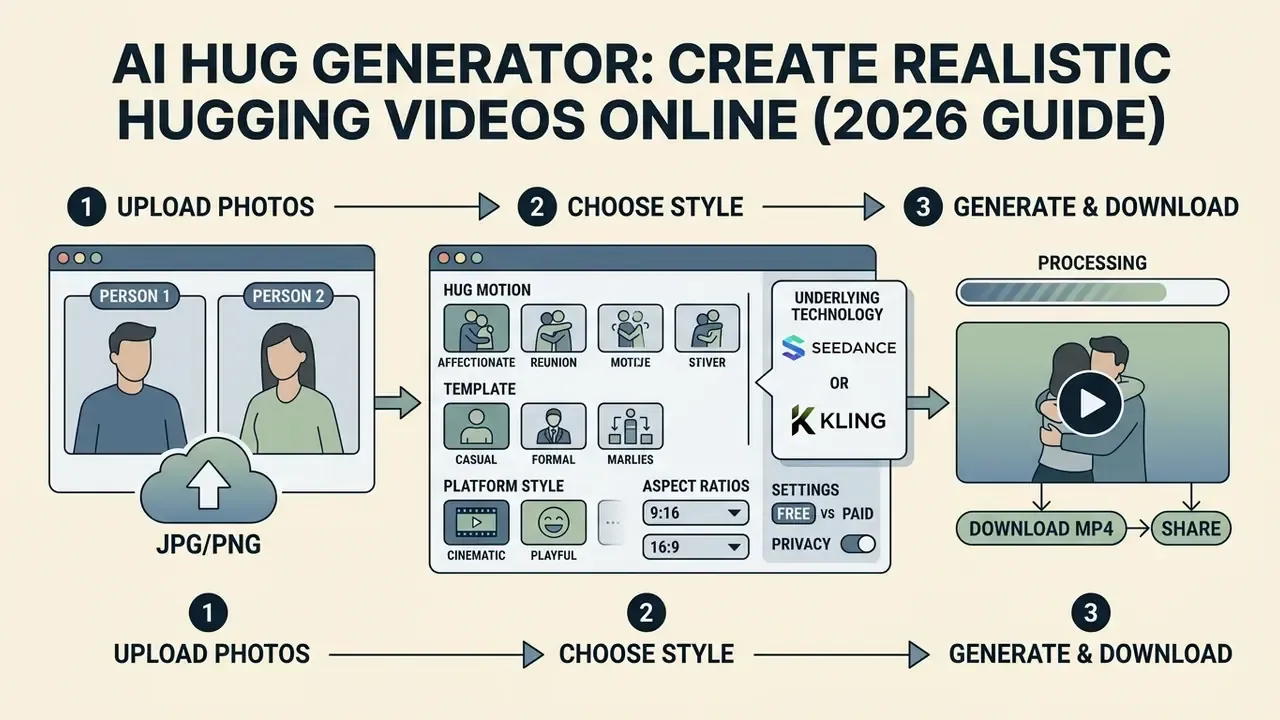
You can create a hug clip in an ai hug video generator online in three steps, with no video-editing skills and no heavy graphics software. Everything happens in a cloud interface and takes from a few seconds to a few minutes, depending on model load. Still choosing a platform? Start with our overview of AI video generators and the comparison of free AI video generators.
Step 1. Upload the photos of the people who should hug
Upload your source files through the web form. You can use one joint photograph of two people or two separate portraits, in JPG, JPEG, PNG, WebP, AVIF or BMP, usually up to 20 MB per file.
For maximum realism, choose frames where the faces are clearly visible, the light is even, and there is enough free space between the subjects and around the frame edges for the motion amplitude. A cropped-to-the-chin selfie is the fastest way to waste credits.
Step 2. Choose the template, style and hug motion
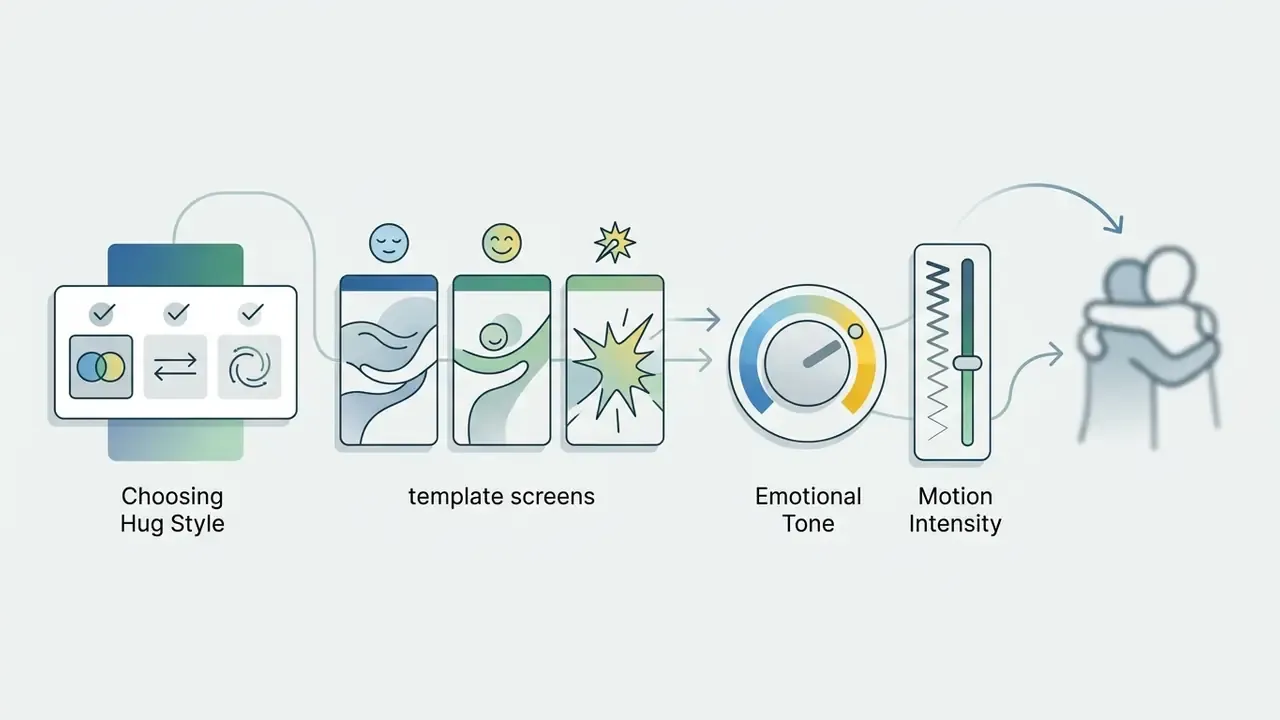
After upload, pick a ready-made motion scenario (pre-made hug video template) or define the behaviour through a text prompt. You can specify the character of the movement, from a light touch on the shoulders to a tight reunion embrace.
Advanced tools let you set a motion-intensity value from 0.1 (barely perceptible, slow drift) to 1.0 (energetic approach). Roughly 0.1 to 0.3 reads as subtle, 0.4 to 0.6 as natural, 0.7 to 1.0 as dynamic. You can also add cinematic camera effects such as panning, push-in or zoom. For specialised tooling, see our image to video ai tool guide and the animation maker overview.
A workable baseline prompt looks like this: "The two people in the photo gently turn toward each other and share a warm, heartfelt hug, soft natural smiles, slow cinematic motion, realistic identity-preserving movement."
Step 3. Generate, download and share the video
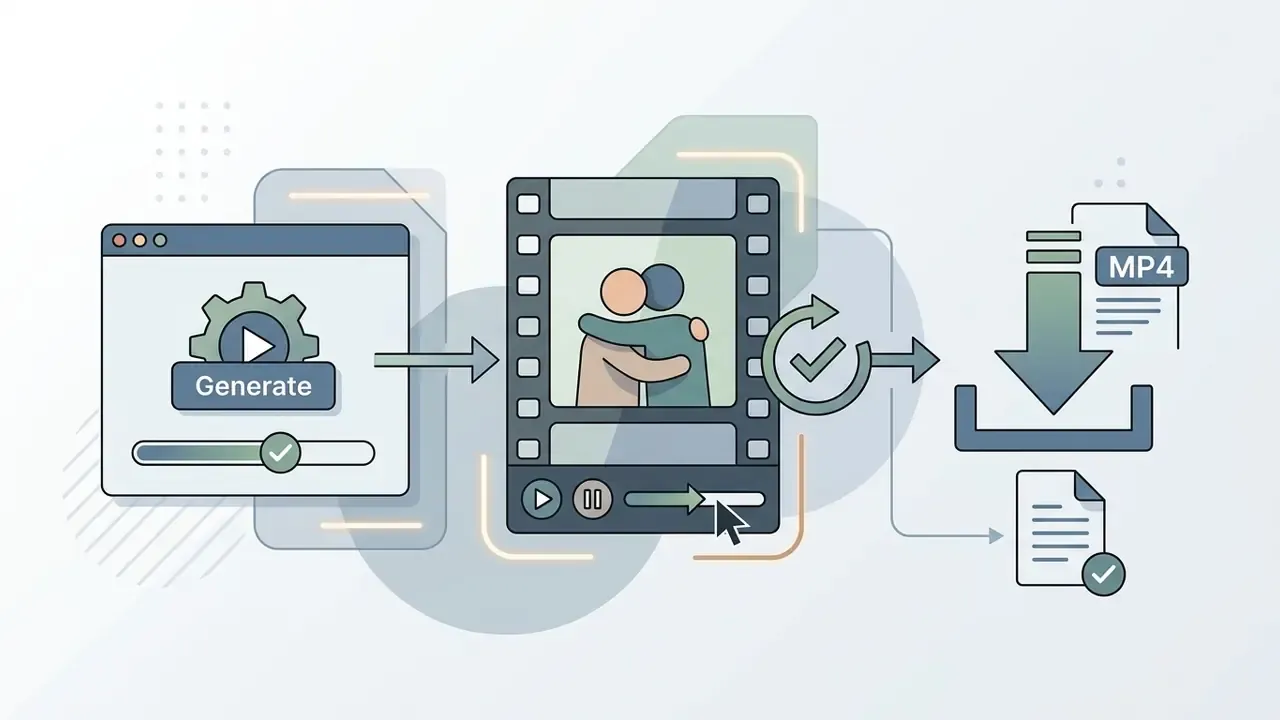
Press generate to send the job to the cloud render queue. When generation finishes you get a preview of the clip.
You can download the ai photo hug generator result to your device as MP4 in high resolution, or publish it straight to social platforms. If details need fixing, re-run the generation with an adjusted prompt or a different engine. Two re-rolls usually beat one long prompt rewrite, in my experience.

Aspect ratios, file formats and export settings
Choosing the right frame ratio before generation saves credits. Re-cropping a finished 16:9 clip into 9:16 usually cuts off the arms exactly where the hug happens.
| Format / parameter | Purpose / platform | Recommended resolution | Preparation notes |
|---|---|---|---|
| 9:16 (vertical) | TikTok, Instagram Reels, YouTube Shorts | 1080×1920 (HD / 4K) | Leave up to 30% headroom above the heads |
| 16:9 (horizontal) | YouTube, presentations, web embeds | 1920×1080 | Best for group shots of 2 to 3 people |
| 1:1 (square) | Feed posts, messengers | 1080×1080 | Keep faces strictly centred in frame |
| 4:3 / 3:4 | Archive photos, print-derived scans | 1440×1080 / 1080×1440 | Matches most scanned family photographs |
| Source photo formats | Upload | JPG, JPEG, PNG, WebP, AVIF, BMP | No compression artefacts, up to 20 MB |
| Output | Download | MP4 (H.264), 480p / 720p / 1080p / 4K | GIF export is not guaranteed by every vendor |
One practical habit: generate the vertical version first, then reframe to 16:9 if needed. Vertical crops forgive less, so the tighter format sets the composition standard. Planning a multi-channel launch? Estimate credit burn per ratio before you brief the agency, and explore the hub of calculators if you need a quick model.
Which photographs produce realistic AI hugging
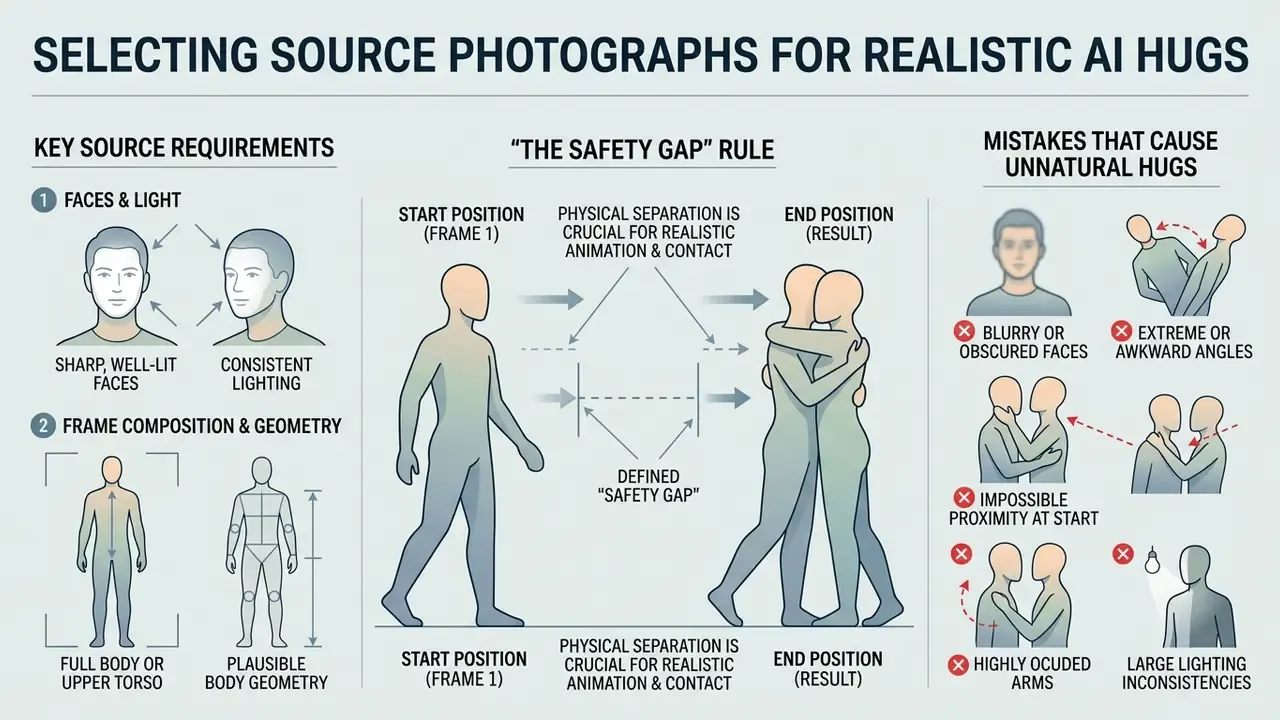
The quality and physical plausibility of the final animation depend directly on the sharpness, angle and geometry of the source frames. Computer-vision algorithms use the original pixels as anchor points for motion interpolation, so any defect in the input propagates into the video as an artefact.
Requirements for faces, light and frame composition
The source image should meet basic portrait-photography standards. Faces should be frontal or three-quarter with minimal gaze-axis deviation, ideally no more than ±5°. The distance between the eyes should be at least 64 pixels; 160 px is the comfortable optimum used in biometric best practice.
«HyperMotion requires reliable skeletal keypoint detection: heavy body occlusion or blending with the background degrades pose accuracy in the generated video.»
Lighting must be even, without hard deep shadows, blown highlights or extreme contrast. Head and shoulder contours should separate clearly from the background, so the network can isolate and move the subjects without smearing the backdrop.
The "safety gap" rule. When you pick a joint photo, check that a small amount of free space remains between the shoulders or torsos, roughly 5 to 15 cm at the scale of the frame. That gap gives the model the spatial depth it needs to plan the arm trajectory during the swing and the wrap-around. If the people are already pressed together, expect fused clothing textures and merged limbs.
Mistakes that make the hug look unnatural
The most common user error is an extreme close-up where only the faces remain in frame, with no shoulder line and no arms. The network then lacks the visual context to construct plausible arm anatomy for an embrace, and it invents one. Badly.
«The Hi4D dataset shows that without detailed contact annotations models generate artefacts: arms passing through the torso, contact points shifting.»
Other critical mistakes: blurred or out-of-focus photos, frames where faces are occluded by objects, and images where the two people were lit from opposing directions, which produces incorrect shadow generation as the subjects converge. Mixed-source composites are also risky, for instance a flash-lit portrait paired with an outdoor golden-hour shot.
If your only available frame is soft or noisy, clean it up first in an AI photo editor. Sharpening and denoising before upload costs far less than burning credits on re-rolls. Similar input requirements apply when you work with a hyper realistic beautiful ai girl or any other synthetic portrait, and the same holds for an ai hug picture built from scanned film prints: fix the dust and the contrast first.
Free AI Hug Generator: limits, quality and cost
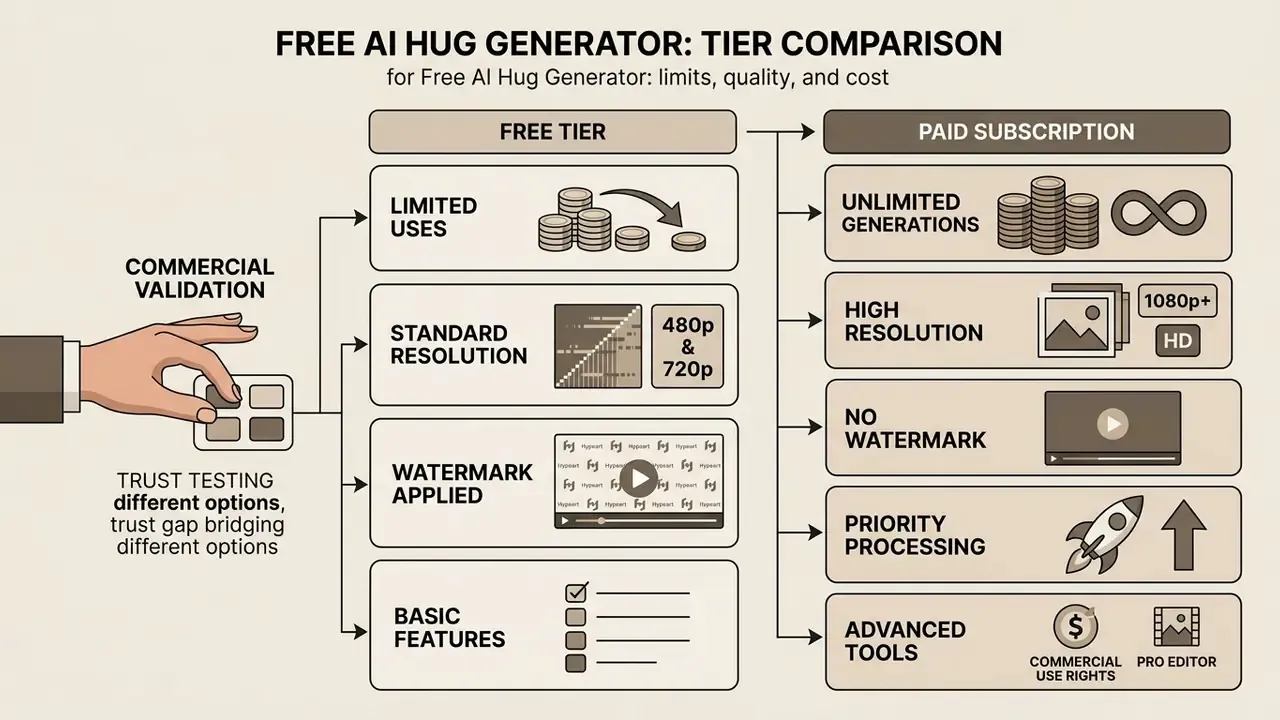
Most hug-video services run a freemium model. Users get starter access for testing, but continuous work and high output quality require a subscription or credit packs.
«66% of people use AI regularly, yet only 46% are willing to trust AI systems.»
That trust gap is precisely why free tiers matter commercially. Users want to validate output quality and data handling before paying, and vendors use throttled free access as the trust-building step.
What the free version gives you
Within free access (ai free hug generator, ai hug generator free online) services typically grant a small starter credit balance on sign-up. Published examples range from a couple of credits to a few dozen, with roughly 4 to 10 credits consumed per video, which in practice means one or two test clips. Exact allowances change often and differ between product instances, so treat any published number as a snapshot rather than a standard. Verify the current balance on the vendor's own pricing page before you plan a campaign.
Free plans commonly restrict output to standard resolution (480p or 720p), stamp a platform watermark on the clip, cap duration at 3 to 5 seconds and place jobs in a shared, slower queue. They may also limit which motion templates you can select and, on some platforms, publish your generations to a public gallery by default. That last setting is the one people miss.
Searches for an ai hug video maker free or an ai image hug generator free usually land on exactly this tier. It is fine for testing motion quality, and unsuitable for anything client-facing. For options that need no account at all, see image to video and our roundup of free AI video generators with their limits and watermark policies.
When you need a paid plan
A paid subscription becomes necessary for commercial use of AI generators, watermark removal and priority rendering on dedicated GPU servers. Published consumer pricing across vendors clusters in the low double digits per month. Commonly cited tiers run from roughly $4.90 to $34.99 monthly, plus one-time credit packs in the $6.99 to $49.90 range.
These figures vary by product instance, region and promotion, and none of them is a market standard. Budget from the vendor's live pricing page, not from third-party lists. Compare current options in our guide to the best AI video generators and in the AI Media Pricing Guides.
Paid plans open Full HD (1080p) and 4K output, extended effect libraries, re-rolls, longer durations and privacy: your uploads and finished clips stay out of a shared gallery.
| Parameter | Free trial | Pro / Unlimited (B2C) | Enterprise / Governance tier |
|---|---|---|---|
| Credit balance | 2 to 10 credits (1 to 2 videos) | 100 to 25,000 credits/month | Contractual volume, pooled across seats |
| Watermark | Present on video | Removed | Removed; optional C2PA provenance label |
| Resolution | 480p / 720p | 1080p / 4K | 1080p / 4K with defined SLA |
| Render speed | Shared queue (minutes) | Priority queue (15 to 30 s) | Dedicated or private GPU capacity |
| Generation privacy | Public gallery possible | Private generation | Zero data retention option, private VPC |
| Training on your data | Often permitted by ToS | Varies by vendor | Contractual "no model training on customer data" |
| Access control | Email sign-up | Account password | SSO / SAML, role-based access, audit logs |
| Certification | None | None declared | SOC 2 Type II / ISO 27001 attestation |
| Commercial licence | Prohibited (personal use) | Included | Included with IP indemnification clause |
| Support | Community / FAQ | Ticketed support | Named contact, DPA, incident response terms |
If a vendor cannot answer the right-hand column in writing, the tool belongs in the "personal use only" bucket, not in a brand campaign. That is the whole test.
Can AI hug videos be used in commercial projects?
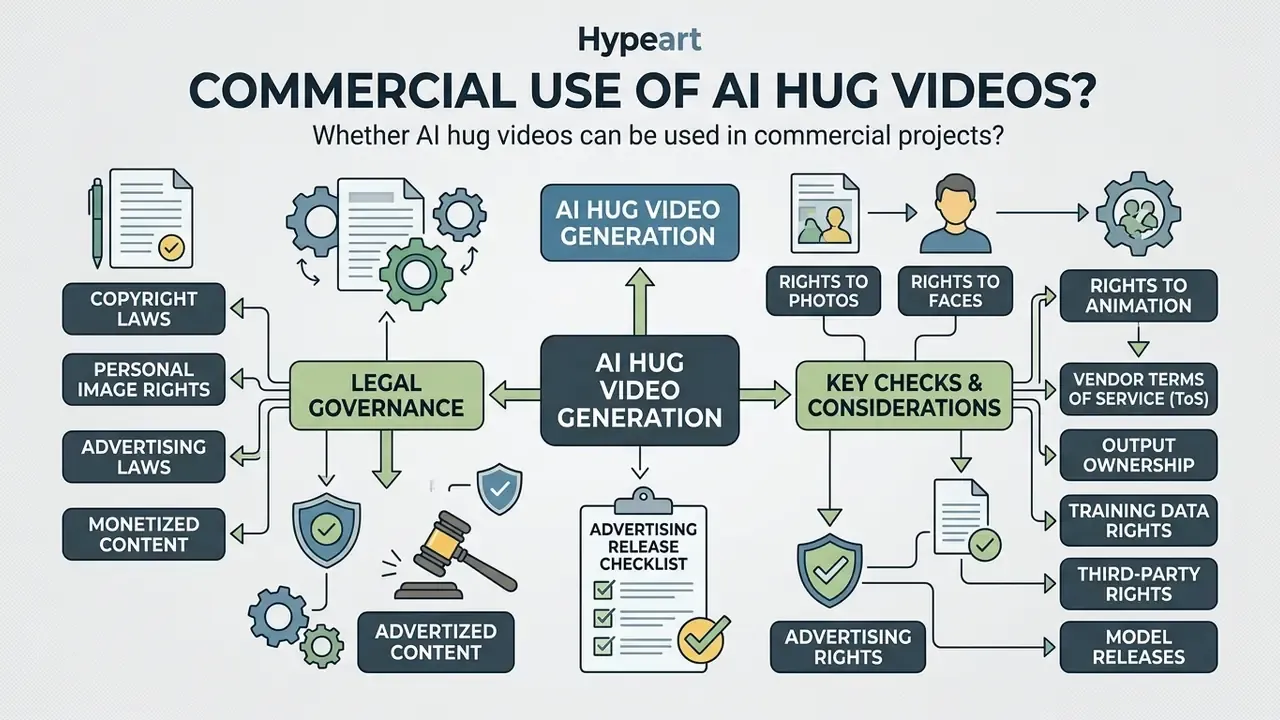
Using generated hug videos in advertising, branding and monetised content is governed by copyright and by laws protecting a person's image rights. Paying for an ai hug video maker does not automatically grant commercial rights. Two separate questions, often confused.
Rights to the photos, the faces and the finished animation
When you upload photographs, you must own the copyright in those images or hold written permission from the photographer. Publishing and commercially exploiting the visual likeness of a real person requires a signed model release.
In practice: the AI-generated motion itself is unprotectable, while the source photograph and your creative selection, arrangement and editing remain protected. Registration applications must identify and disclaim the AI-generated portions. So the asset you paid for may be partly unownable, and that changes how you value it in a brand library.
What to check before an advertising release
Disclosure is now a legal requirement, not a courtesy.
«Providers and deployers must mark synthetic video content in a machine-readable format as artificially generated or manipulated.»
Practical pre-flight checklist for commercial use of AI generators:
- Vendor ToS does it explicitly permit commercial and production use of the output, or is the tool preview-only?
- Output ownership who owns the clip, and what licence do you grant back to the vendor (marketing use, public galleries, sublicensing)?
- Training rights can prompts, uploads and outputs be used to train the vendor's models?
- Third-party rights no trademarks, no protected artwork, no recognisable third parties without release.
- Model releases signed consent from every identifiable person in the source photos, covering AI processing and the specific media channels.
- Disclosure and provenance visible "Generated with AI" label plus machine-readable C2PA metadata or watermark.
- Indemnity does the vendor offer IP indemnification if a rights holder files a claim?
- Retention documented deletion windows for uploads and outputs.
For background on how these disputes actually unfold in court, explore the hub covering AI litigation, and open the hub for licence-by-licence notes.
Financial-sector view: risk model and sign-off workflow
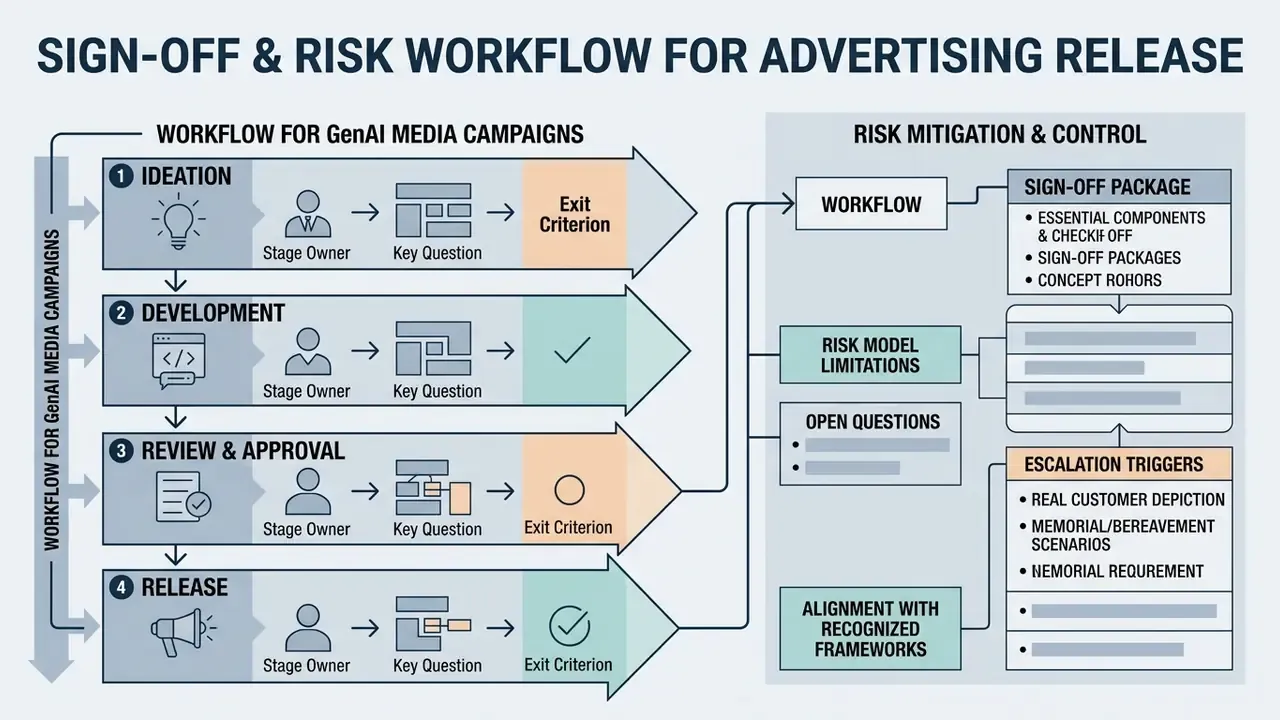
| Stage | Owner | Key question | Exit criterion |
|---|---|---|---|
| 1. Intake | Marketing | What is generated, from whose likeness, for which channel? | Written use-case description |
| 2. Vendor due diligence | InfoSec / Procurement | SOC 2, DPA, retention, training rights, SSO? | Signed vendor questionnaire |
| 3. Data-protection review | Privacy / DPO | Is facial data biometric processing under GDPR or state law? | Lawful basis and DPIA where required |
| 4. Rights clearance | Legal | Copyright in the photos, model releases, third-party marks | Complete rights file |
| 5. Model-risk review | Model Risk | Failure modes, output review, human-in-the-loop control | Documented control set and tolerances |
| 6. Disclosure design | Brand + Legal | Visible label plus machine-readable provenance | Approved label spec |
| 7. Launch and monitoring | Marketing | Complaint channel, takedown route, escalation path | Monitoring plan with named owner |
Align the control set with recognised frameworks instead of inventing one. The NIST AI Risk Management Framework and its Generative AI Profile provide the risk taxonomy: privacy, provenance, harmful content. Existing supervisory expectations for model risk management, the OCC and Federal Reserve guidance familiar to US banks as SR 11-7 and OCC 2011-12, provide the governance vocabulary that risk committees already accept: inventory, validation, ownership, escalation.
Useful escalation triggers: any depiction of a real customer, any memorial or bereavement scenario, any minor in the source photo, and any output that could be mistaken for genuine documentary footage.
Measurable impact and what it actually costs to control
Executives ask one question. What does the control layer add to the unit cost of a clip?
A defensible answer is built from four line items: vendor tier uplift for private generation, review hours from Legal and Privacy, provenance tooling, and the monitoring owner's time. In a lightweight tier, review effort tends to concentrate in the rights file rather than in technical validation, because the model is third-party and the failure modes are reputational rather than financial. Where a campaign reuses one cleared template across many assets, the per-asset control cost falls sharply. Where every asset uses a new face, it does not.
Be honest about the numbers you cannot yet source. Risk-adjusted ROI for generative media is thinly evidenced, and most published figures come from vendors. Treat internal benchmarks as hypotheses until you have your own campaign data. For API-level cost control and batch generation, see the Google Veo implementation guide, or browse the hub for other engines.
Limitations and open questions
Three areas remain genuinely unsettled, and pretending otherwise would be poor advice.
First, provenance durability. C2PA metadata survives some pipelines and is stripped by others, including several social uploaders, so a machine-readable label is not a guarantee of downstream disclosure. Second, biometric classification. Whether a hug generator's internal face representation counts as a biometric identifier depends on implementation detail that vendors rarely publish. Third, cross-border exposure. A US campaign distributed to EU viewers may pull EU labelling duties into scope, and the practical enforcement pattern is still forming.
None of this blocks use. It does argue for narrow, documented pilots rather than open access.
Photo privacy and safe use of an AI Hug Generator
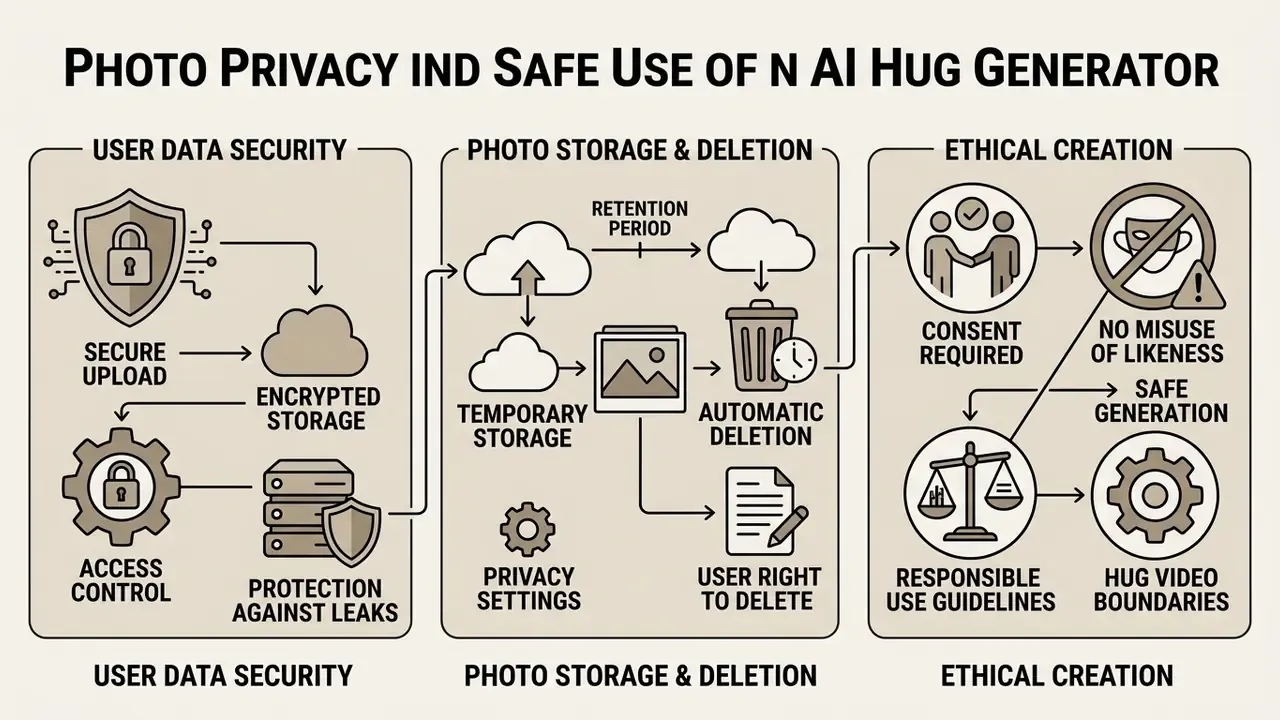
Security of uploaded user data and protection against leaks of biometric information are the key criteria when choosing an online video-generation service. A hug generator ingests exactly the data category regulators treat most strictly: images of identifiable human faces.
Facial images used for identification or categorisation fall under stricter regimes in the EU (GDPR special-category data, plus AI Act high-risk and prohibited-practice rules) and under US state biometric statutes such as Illinois' BIPA, which requires notice and written consent before collecting face templates.
For corporate deployments, ask the vendor three concrete questions in writing. Does the pipeline derive and store face embeddings, or only pixels? Is a zero-data-retention API mode available? Is customer content excluded from model training by contract, not merely by a policy page?
What to learn about storage and deletion of uploaded photos
Before uploading images to an ai hug photo editor free, read the platform's Privacy Policy. Reliable services encrypt data in transit (TLS/SSL) and at rest, and state retention periods explicitly.
Retention windows are set by each vendor, not by an industry standard. Published policies range from deletion within hours of download, through a fixed 30-day window after generation, to retention until the account itself is deleted. Some vendors delete only on request. Do not assume automatic erasure. Locate the specific clause, and confirm that the account area offers manual deletion of generation history and all source media. The same diligence applies to an ai hug photo free tier: free access often carries the loosest retention terms.
Ethical creation of hug videos
Using AI hug generators to create deepfakes that damage a person's honour and dignity, or non-consensual content depicting real people without explicit permission, is categorically prohibited.
«The TAKE IT DOWN Act, signed 19 May 2025, criminalises publication of non-consensual intimate digital forgeries and requires platforms to remove such content within 48 hours of notice.»
Alongside it, the European Union Directive on combating violence against women and domestic violence (2024) makes the production and distribution of non-consensual digital forgeries punishable where serious harm is likely. National guidelines increasingly require explicit written consent before a person's likeness is used in synthetic media.
Treat memorial and bereavement content with particular care. Obtain family agreement, avoid implying documentary authenticity, and label the output clearly. An ai photo hug generator does not know that the person in the frame has died; the operator does.
FAQ about AI Hug Generators
Below are the most common technical, practical and governance questions about online hug-video generators.
How long does it take to create an AI hug video?
Average processing and rendering time for a 3 to 5 second clip is 15 to 60 seconds on a paid tier with dedicated GPUs. On free tiers during peak load, queue time can stretch to several minutes. For context, published model benchmarks show short-clip inference of roughly 14 to 16 seconds on an 80 GB A100 and around 75 seconds on a single consumer RTX 4090. So most of the wall-clock time you experience is queueing, not computation.
Can I make characters, friends or pets hug?
Yes. Modern ai hugging generator algorithms animate photographs of real people, drawn characters, digital avatars, paintings, animals and soft toys, using specialised prompts and templates with adaptive body geometry. An ai hugging generator free tier will usually handle these too, at lower resolution.
«Deepfakes showed lower emotional intensity (M = 2.33 vs 2.86 for originals; p = 0.04), which affects perceived credibility of the video.» Detecting Deepfakes Through Emotion? Facial Expression and Emotional Contagion as Dual Indicators of Deepfake Credibility, Applied Cognitive Psychology / Wiley (2024). https://onlinelibrary.wiley.com/doi/10.1002/acp.70141 Practical notes for non-human subjects. The algorithms handle "human plus pet" (dog, cat) and "animal plus animal" scenarios correctly, but choose frames where the fur does not blend into the background and the animal's face is turned toward the camera. Long-haired pets against a dark sofa are the classic failure case. For anime and 3D avatars, state the style explicitly in the prompt,
cel-shaded animation hugor3D Pixar style warm embrace, otherwise the model drifts toward photorealism and breaks the character design. You can also try tools in the image to video category.
Can I add music or publish the finished video on social media?
Basic AI generators output video without an audio track. Download the MP4 and add the soundtrack in a video editor, or attach licensed audio natively inside the social platform's uploader (TikTok, Instagram Reels, YouTube Shorts) before publishing. Native attachment matters. Shorts audio licensing applies only within Shorts and does not transfer to other uploads, and TikTok's commercial-music library is separate from its general library for business accounts. For montage before publication, compare free video editing software or use a YouTube video editor workflow. For higher-volume needs, see image to video ai free unlimited.
How do I check whether the service trains its models on my photos?
Look for three artefacts, in this order. An explicit clause in the Terms of Service or DPA stating that customer content is excluded from training. A documented zero-data-retention mode for API access. A retention schedule with a concrete deletion window. A marketing claim on the landing page ("we never use your data") is not sufficient evidence for a corporate review; request the contractual language.
Do model-risk requirements apply to marketing AI models?
If the output is customer-facing and could mislead, misrepresent a real person or trigger a regulatory disclosure duty, then yes in substance. The asset needs inventory, ownership, documented controls and an escalation path, even when the model is a third-party creative tool rather than a credit-decision model. The practical compromise most institutions adopt is a lightweight review tier for generative media, mapped to the same governance framework as quantitative models but with proportionate documentation.
Which aspect ratios and formats can I export?
Common output ratios are 16:9, 9:16, 1:1, 4:3 and 3:4. Output is normally MP4 (H.264) at 480p, 720p, 1080p or 4K. Source uploads are usually accepted as JPG, JPEG, PNG, WebP, AVIF or BMP up to 20 MB. GIF export is not guaranteed by every vendor, so verify before you plan a distribution format.
Does a watermark-free download mean I own the video?
No. Watermark removal is a product feature; commercial rights are a licensing question. A clip can be watermark-free and still be unusable in advertising, because the plan excludes commercial use, the source photo belongs to someone else, or you lack a model release from the depicted person.
What is a safe first step for a regulated team?
Run one narrow pilot. Pick a single ai hug photo generator free online tier for quality testing only, with synthetic or employee-consented images, no customer faces, and no publication. Document what you learn about output quality, retention terms and disclosure handling, then decide whether the paid or enterprise tier justifies the control cost. Small scope, real evidence, reversible decision. If you want a walkthrough of vendor questionnaires and review templates, view the guide in the support hub, or explore the hub of comparisons to shortlist engines.
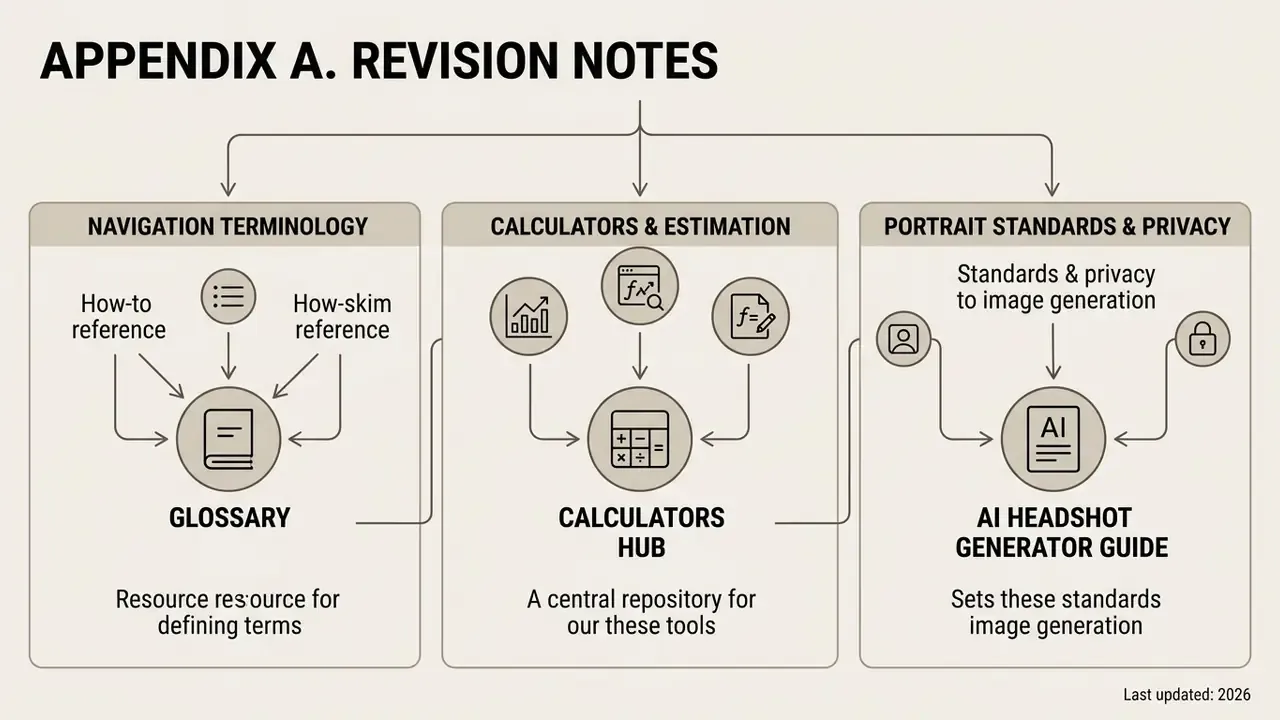
Appendix A. Revision notes
- Superseded wording (technology section) the earlier phrasing "modern diffusion transformer (DiT) architectures are able to accurately recreate physical interaction of two objects in frame, including complex close contacts such as hugs, dances and handshakes" is kept here for reference. The main text now carries the sourced formulation with a link to the arXiv survey, and the typographical error in the original source term has been corrected.
- Superseded wording (ethics section) the earlier general statement that the EU Directive (2024) and the TAKE IT DOWN Act (2025) "qualify the creation and distribution of digital forgeries as a criminal offence" is kept here. The main text now specifies the signature date and the 48-hour platform takedown obligation with a Congressional Research Service citation.
- Claims flagged for verification the retention range for uploaded photographs and the consumer subscription price band are vendor-specific, and were rephrased as ranges pending primary-source confirmation on each vendor's live pricing and privacy pages. The U.S. Copyright Office citation is substantively accurate, but its URL awaits editorial verification.
- Author note Marcus Hale writes the governance commentary. Quotations in this article do not document a specific client engagement, regulatory position, or business result.