Converting static visual assets into moving media lets teams stretch content reach without stretching production budgets. That is the appeal. An image to video ai free workflow uses generative diffusion or transformer architectures to estimate optical flow, infer depth, and synthesize continuous motion frames from a single input photograph.
There is a second reason to read carefully. In regulated environments, a marketing team that quietly uploads unreleased product photography to a consumer free tier has just created an unlogged data-transfer event. No inventory entry, no retention terms, no owner. Speed is easy; evidence is the hard part.
Executive Summary
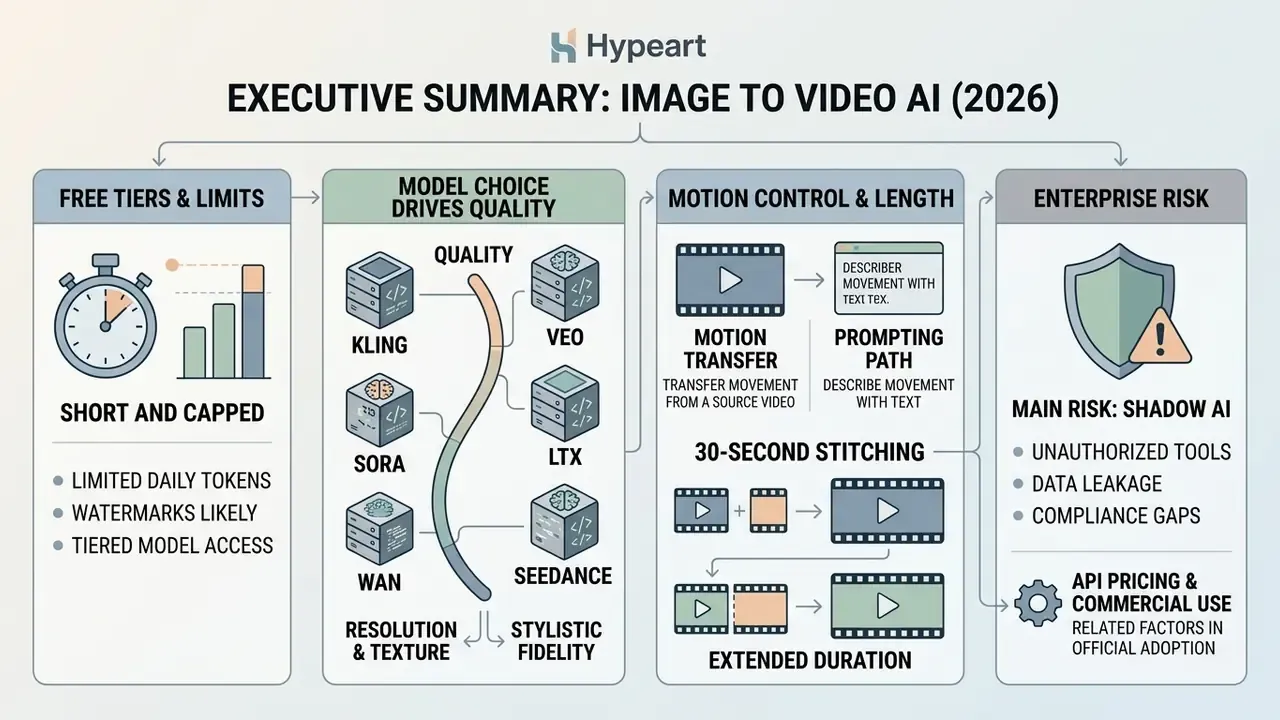
- Free tiers are short and capped. Expect 4-10 second clips, 480p-720p output, 30-125 credits per month (or per day), and a visible watermark on most non-paid exports.
- Model choice drives quality. Kling 3.0 and Veo 3.1 lead on physical plausibility and prompt adherence; Sora 2 leads on photorealism; LTX 2.3 and Wan 2.6 offer open-weight or self-hosted deployment; Seedance 2.0 leads on multi-reference control.
- Motion control has two paths. Text prompts handle simple camera and subject motion. Motion Transfer (video-reference mapping) handles complex physics such as dance, flips, and gymnastics that prompts cannot describe reliably.
- Length is solvable. Single generations cap at 4-15 seconds, but start/end-frame chaining and reference-to-video context locking produce coherent 30-second-plus sequences.
- The main enterprise risk is Shadow AI. Free tiers frequently prohibit commercial monetization, may retain uploads for model training, and provide no Zero Data Retention guarantee. Never upload confidential, PII-bearing, or unreleased visual assets to a free consumer tier.
Who This Guide Is For, and What Changed in 2026
Three groups get value here. Solo creators who want to ai change image to video at zero cost. Marketing and e-commerce teams producing ad variations at volume. And governance functions, model risk, compliance, internal audit, that must decide whether generative media belongs inside a sanctioned toolchain at all.
Two things shifted this year. First, free tiers got shorter but visually better: 480p output from a 2026 model looks cleaner than 720p did in 2024. Second, provenance metadata moved from a nice-to-have to a disclosure requirement on several distribution platforms, which changes how you archive exports.
What Is Image to Video AI Free and What You Can Create at No Cost
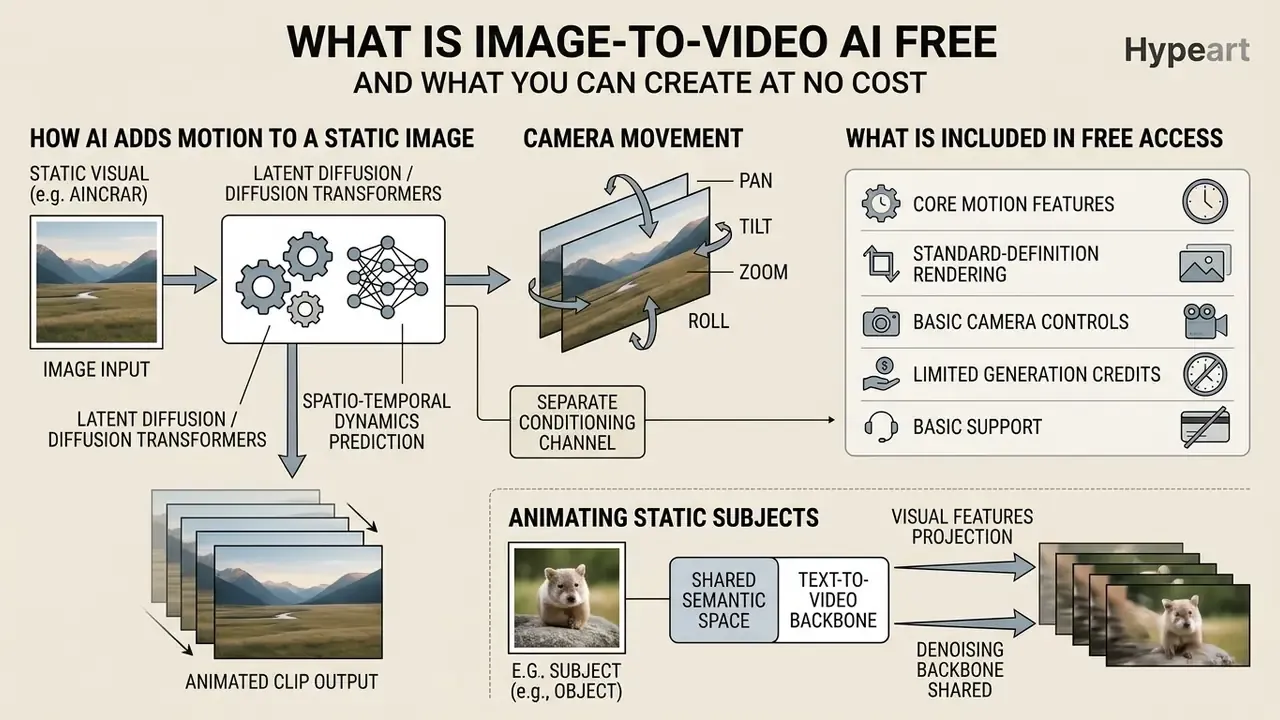
Free image-to-video AI tools synthesize continuous temporal frames from a single static visual anchor using latent diffusion models or diffusion transformers. These platforms let you create ai video from image free of upfront subscription costs by leveraging daily or monthly promotional credits.
«Diffusion-based image-to-video generation is the task of synthesizing video from a learned spatio-temporal distribution, using a reference image to constrain the structure of the first frame.»
Generative platforms convert static input photos into animated clips by predicting spatio-temporal dynamics from learned physical priors and text conditioning. When you ai generate video from photo free, the model evaluates object boundaries, background depth, and semantic context to construct plausible movement. Source inputs vary widely: corporate portraits, product photography, digital illustrations, stock images, even scanned archive prints. Output typically runs 4 to 10 seconds. For a broader taxonomy of tool categories, motion engines, and rendering pipelines, review our overview of AI video generators.
Standard non-paid tiers usually grant core motion features, standard-definition rendering, and basic camera controls. They also impose hard operational boundaries on resolution, monthly generation volume, and commercial usage rights. That trade is the whole story of free access.
How AI Adds Motion, Camera Movement, and Animation to a Static Image
Neural networks add motion to a static image by compressing the source input into a latent representation and predicting frame-by-frame temporal transitions. Modern architectures, including Diffusion Transformers (DiT) and UNet models, propagate information from the initial frame across time using spatio-temporal attention.
«DiT and UNet backbones operate in latent space and use spatio-temporal attention mechanisms to propagate information from the source frame across time.»
To animate static subjects, models project visual features into a shared semantic space alongside text embeddings. Advanced frameworks add 3D ray embeddings (Plücker coordinates, for instance) and epipolar attention to synthesize precise camera paths: panning, tilting, zooming, tracking orbits, without shredding background geometry. Latent diffusion models iteratively denoise random Gaussian fields while anchoring structure to the reference frame, which preserves identity while adding natural motion fields.
Camera motion is often modeled as a separate conditioning channel. That single implementation detail explains why an explicit trajectory instruction beats a generic "make it cinematic" phrase almost every time.
Because image-to-video (I2V) and text-to-video AI share the same denoising backbone, the practical difference is conditioning. I2V locks the first frame to your uploaded pixels. T2V invents the entire scene from language alone.
What Is Usually Included in Free Access to an AI Video Generator
Free access to an ai video generator free with image function usually includes limited generative credits, constrained clip durations, and standard-definition exports.
- Credit allocations: Non-paid tiers offer either a one-time allocation (Runway's 125 credits, for example) or recurring caps (Kling AI's Basic plan with up to 30 elements per month; Google Flow reportedly allocates around 50 daily credits to eligible non-subscribers).
- Clip duration: Free generations are restricted to 4-10 seconds per clip to contain cloud compute cost.
- Resolution caps: Output is generally capped at 480p or 720p, reserving 1080p and native 4K for paid subscribers.
- Watermarks and branding: Free exports frequently carry a visible platform watermark or overlay.
- Feature restrictions: Lip-sync, multi-shot sequencing, ProRes exports, and commercial licensing usually sit behind a paid plan.
- No-signup tiers: Several browser-based generators grant roughly three free generations per day at 480p without account creation. Useful for pipeline evaluation. Unsuitable for production or confidential inputs.
How to Choose a Free AI Tool for Image to Video
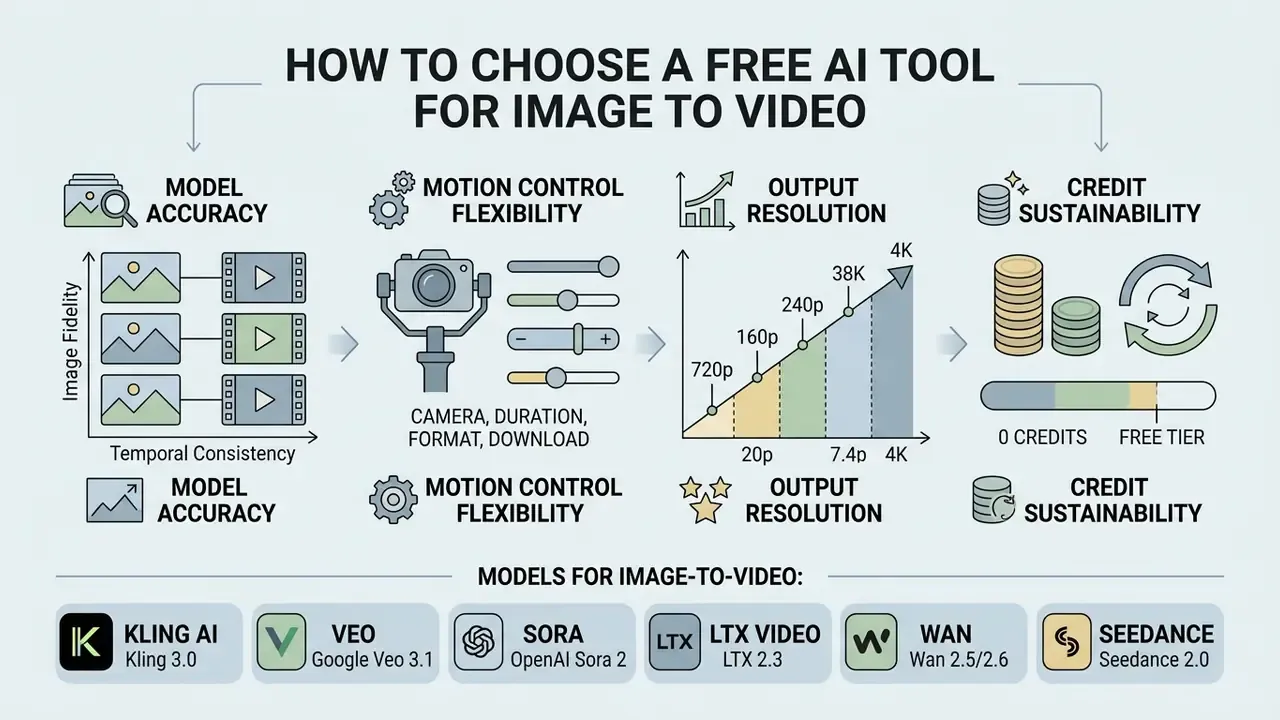
Selecting an ai tool for image to video conversion comes down to four things: model accuracy, motion control flexibility, output resolution, and credit sustainability. Weigh generative fidelity against platform limits, and shortcut the evaluation cycle with our side-by-side comparison of AI video generators.
Evaluating ai tools image to video free options means checking how well each model holds first-frame fidelity while still responding to motion directives. Those two goals pull against each other.
«EvalCrafter evaluates T2V models across 17 objective metrics grouped into four aspects: visual quality, content quality, motion quality, and text-video alignment.»
Finding the best photo to video ai generator free usually means finding a platform with a generous credit refresh cycle and low artifact rate. In practice, benchmark dimensions map onto four business questions. Does the first frame survive intact? Does the motion look physically plausible? Does identity hold across the clip? Does the export format fit the distribution channel? An ai generator photo to video that fails the third question is unusable for brand or spokesperson work, regardless of how pretty the sample reel looks.
Models for Image-to-Video: Kling, Veo, Sora, LTX, Wan, and Seedance
The landscape splits between proprietary commercial platforms and open-weight architectures:
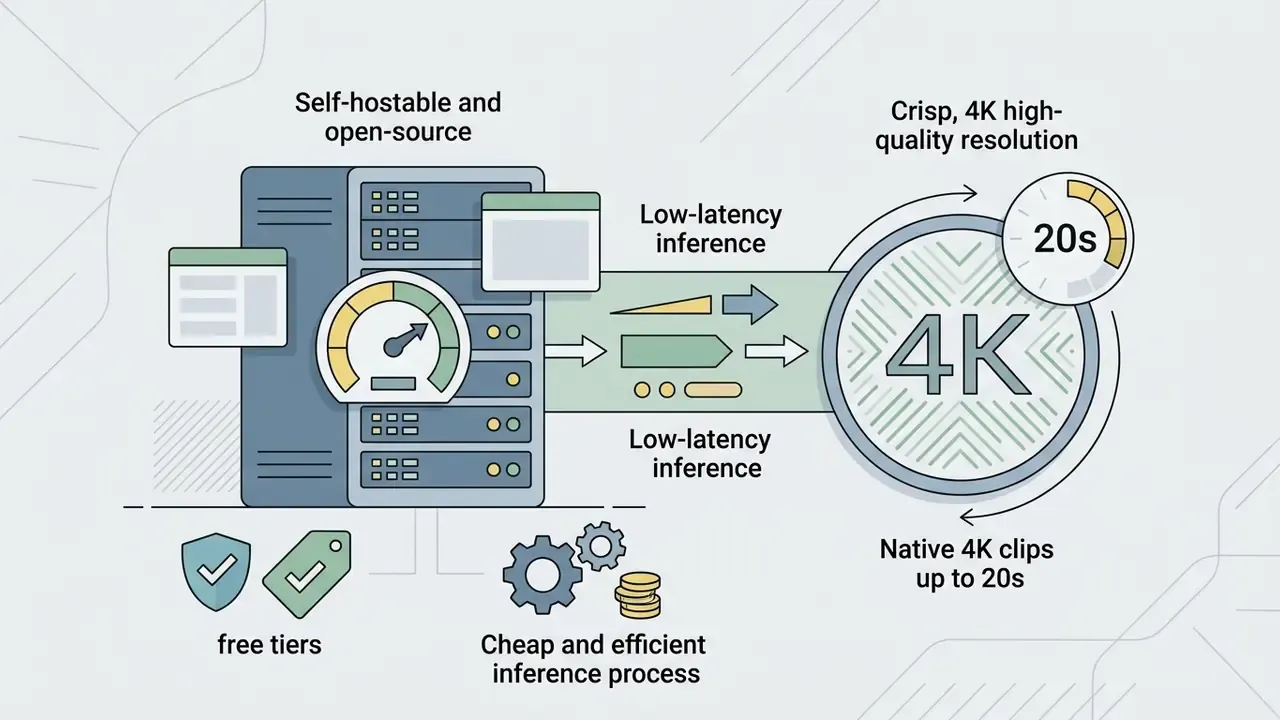
- Kling AI (Kling 3.0) Built by Kuaishou. Strong physical plausibility, complex human motion, optional native 4K up to 15 seconds at up to 60 fps. The Basic plan offers non-commercial generation only.
- Veo (Google Veo 3.1) Integrated with Google Cloud and Vertex AI. Excels at cinematic coherence, prompt comprehension, and multi-frame interpolation at 1080p and 4K. Accepts text and image inputs, and can combine up to five reference photos in one request. Implementation parameters sit in our Google Veo implementation guide and the broader AI Media API Guides.
- Sora (OpenAI Sora 2) Built for high photorealism and complex physics simulation, generating coherent clips up to 60 seconds with strong object permanence and natural secondary motion.
«The 8.7B-parameter STIV model reaches 90.1 on VBench image-to-video at 512×512 resolution, surpassing CogVideoX-5B, Pika, Kling, and Gen-3.»
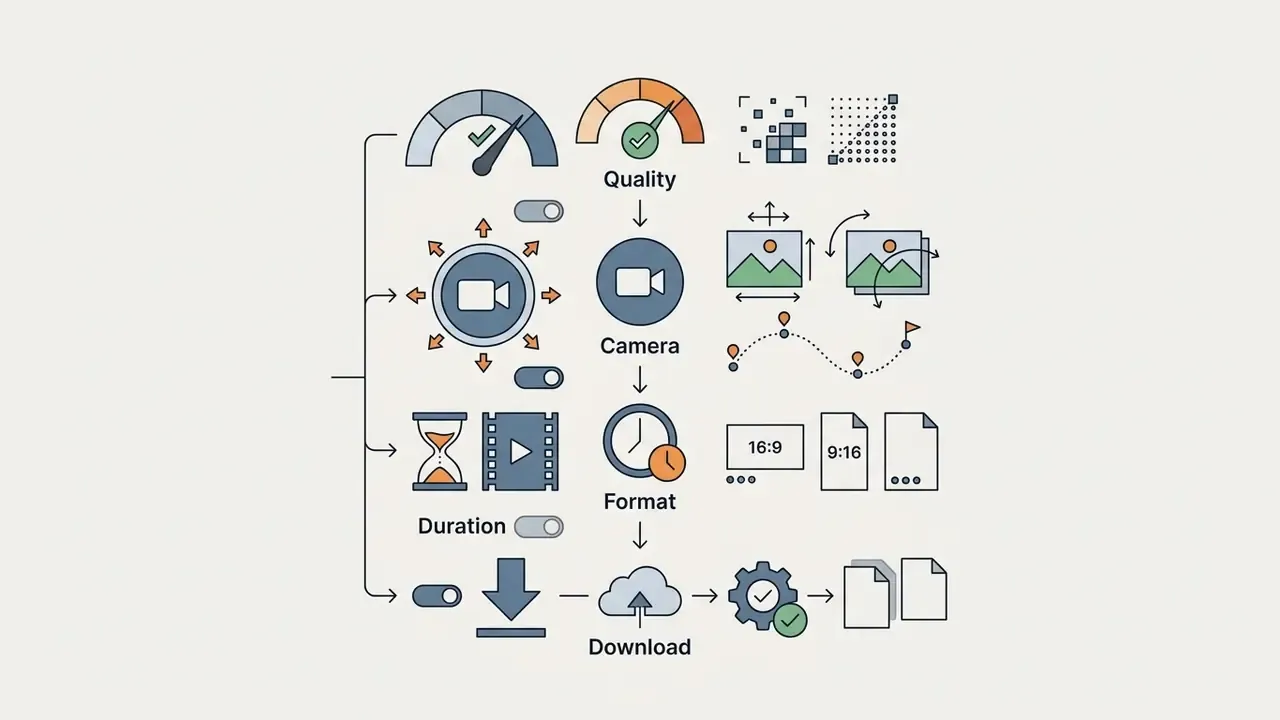
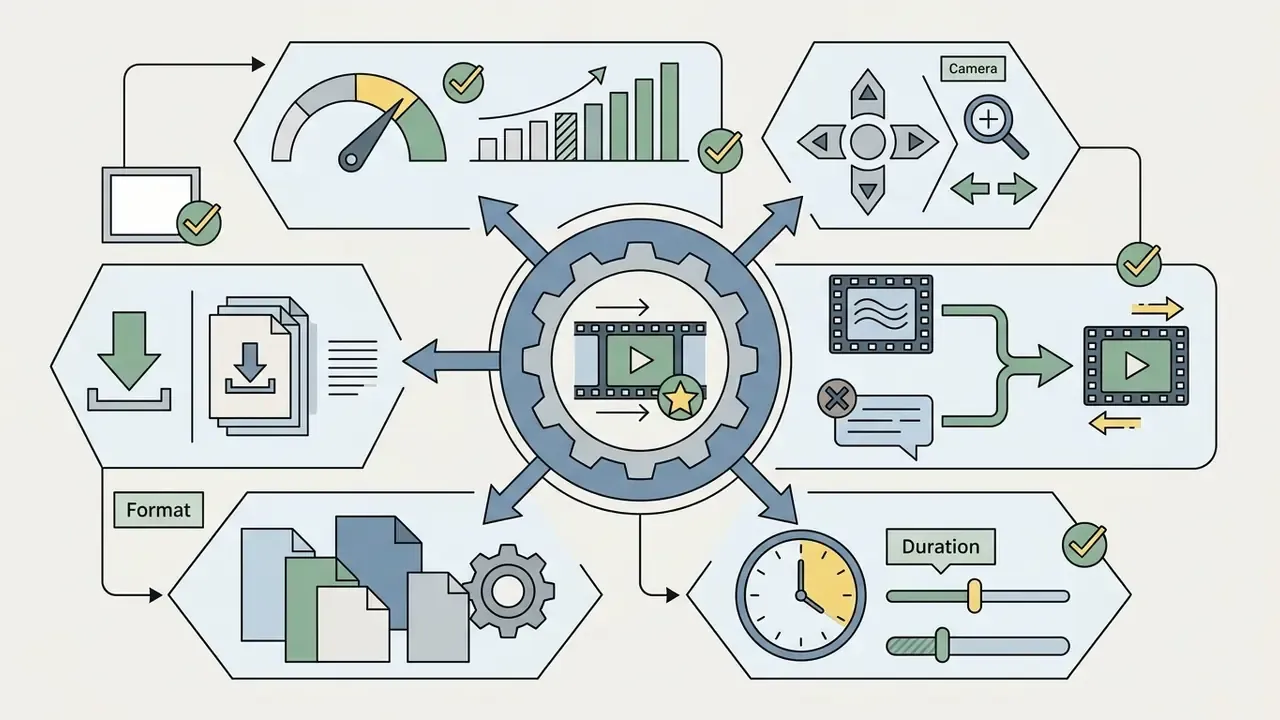
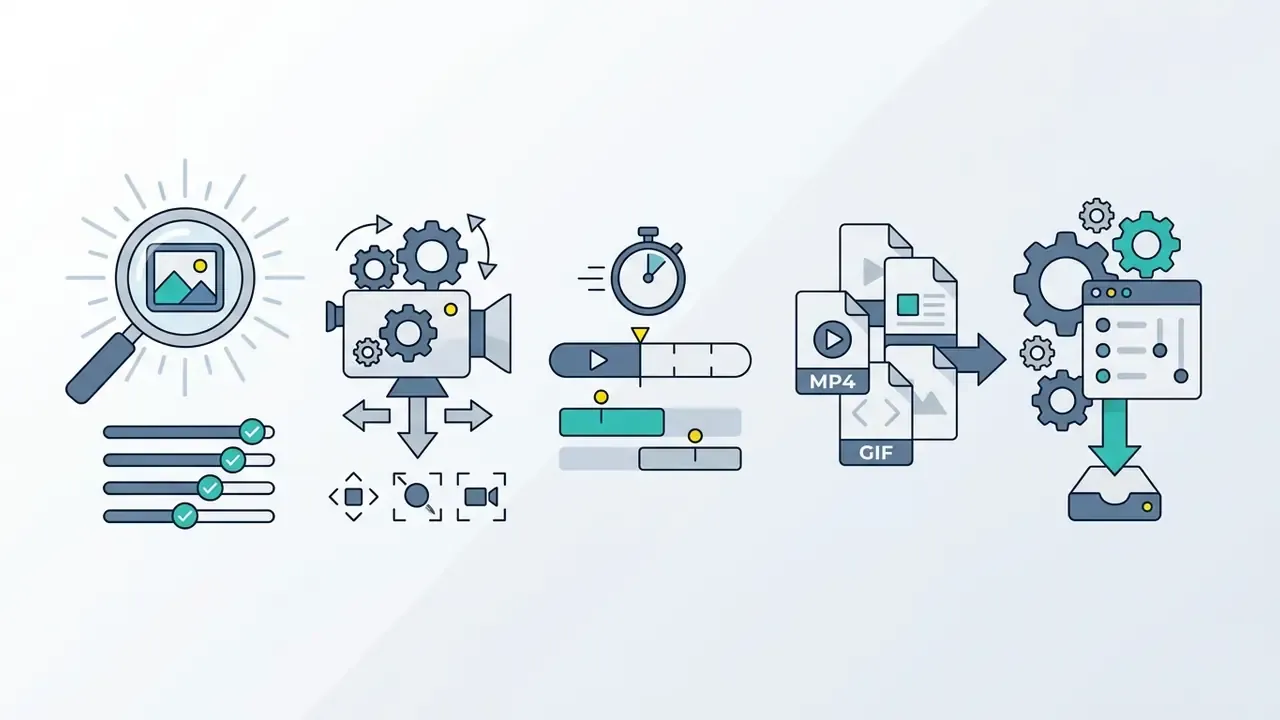
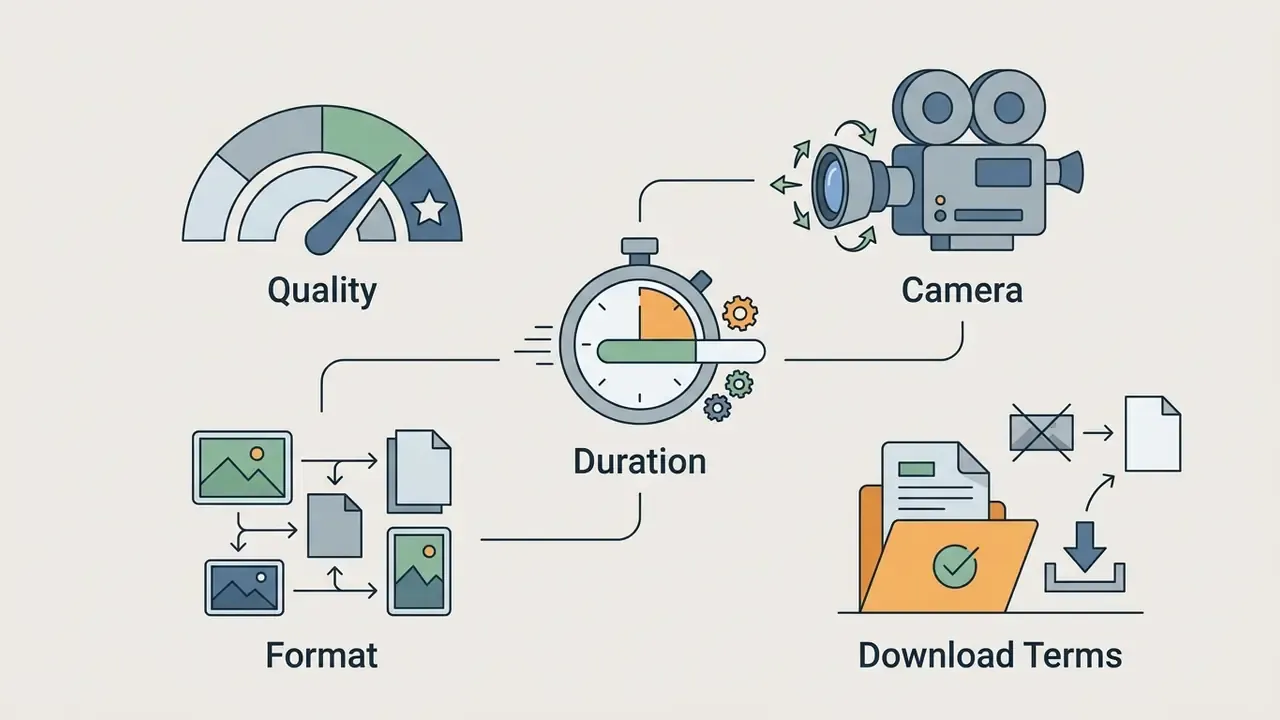
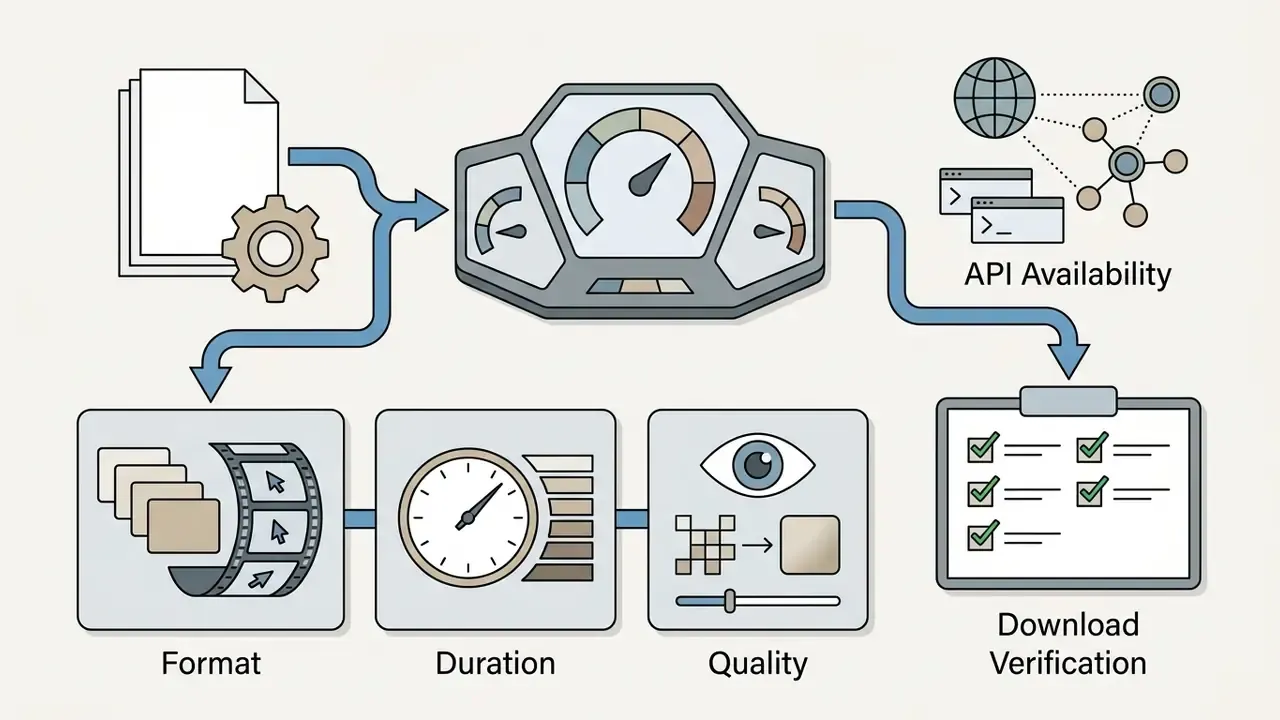
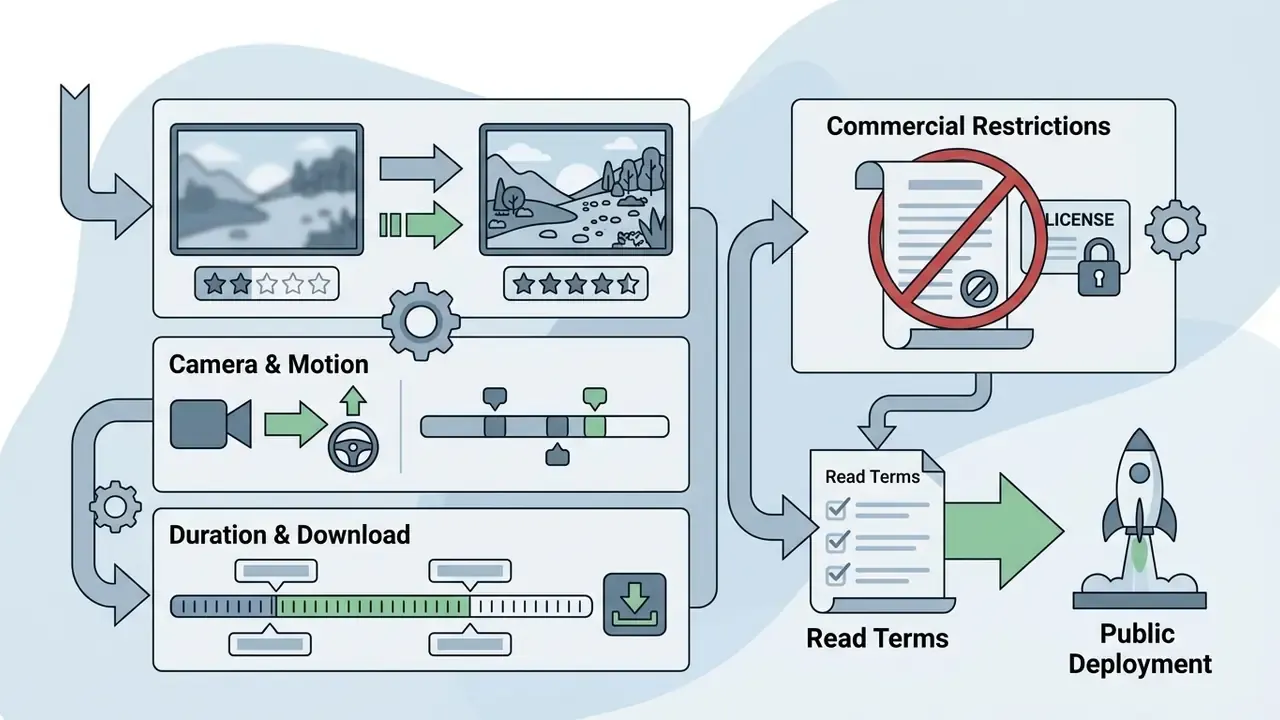
Which Parameters to Compare: Quality, Camera, Duration, Format, and Download
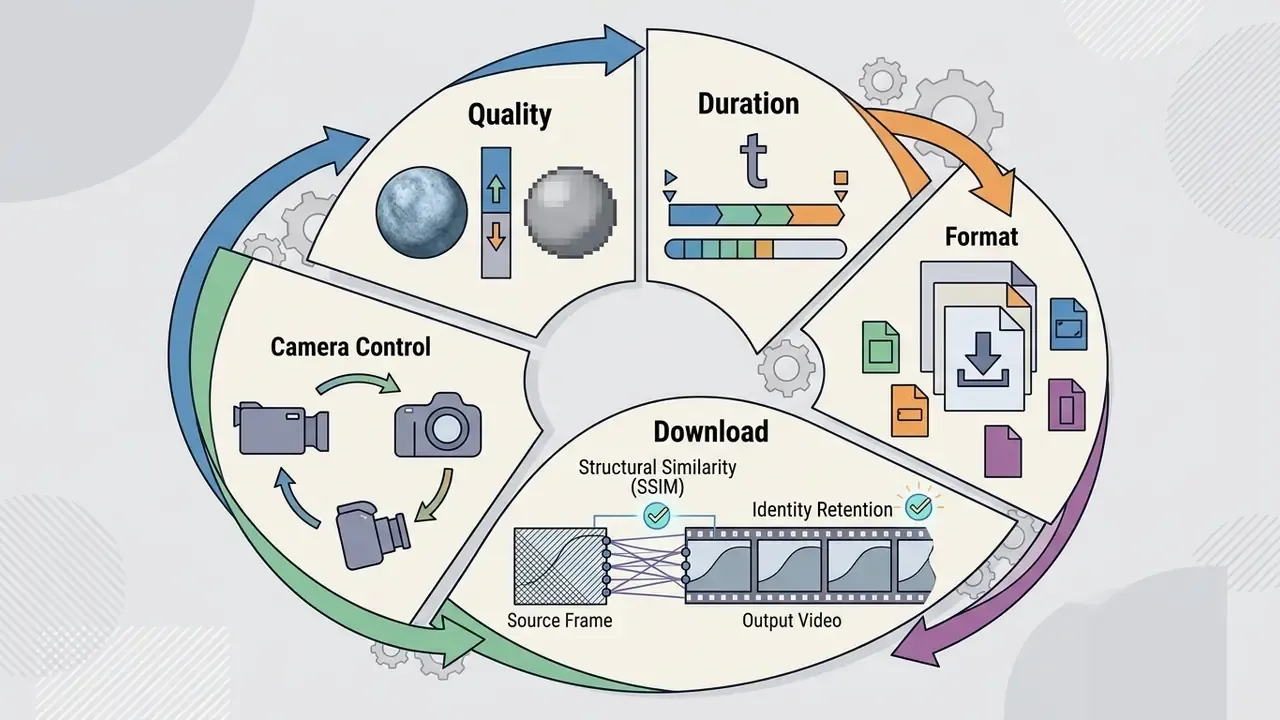
When testing an ai image to video converter free, score these operational metrics:
| AI Platform / Model | Free Credit Policy | Max Free Resolution | Max Free Duration | Clips 15 s+ (Paid) | Motion Transfer / Video Reference | Public API | Watermark Enforced | Commercial Use License | Primary Strengths |
|---|---|---|---|---|---|---|---|---|---|
| Kling AI (Basic / Kling 3.0) | ~30 elements / month | 720p | 5 seconds | Yes (up to ~15 s, 4K) | Partial (motion brush, end frame) | Yes | Yes | No (personal only) | Strong physics, natural human motion |
| Runway Gen-3 / Gen-4.5 | 125 one-time credits | 720p | 5 seconds | No (~10 s cap) | Yes (trajectory and video-to-video) | Yes | Yes | Limited | Cinematic quality, trajectory tools |
| Pika Basic | 80 credits / month | 480p / 720p | 4 seconds | No | Limited | Limited | Plan dependent | No | Fast generation, simple animation |
| Adobe Firefly Video | Daily generative credits | 720p / 1080p | 5 seconds | Multi-clip timeline | No (camera presets instead) | Via Firefly Services | Content Credentials | Yes (tier dependent) | Commercial safety, creative suite integration |
| Google Veo 3.1 (Vertex AI) | Paid API / promo credits | 1080p / 4K | 10 seconds | No (~8-10 s cap) | Reference images (up to 5) | Yes | No (metadata tagged) | Yes | Exceptional prompt alignment, enterprise security |
| LTX 2.3 (open weights) | Free tier on hosted apps | 480p / 720p | 3-5 seconds | Yes (up to ~20 s, 4K) | Yes (self-hosted ControlNets) | Yes / self-host | Host dependent | Yes (self-hosted) | Low-cost iteration, native audio, lip-sync |
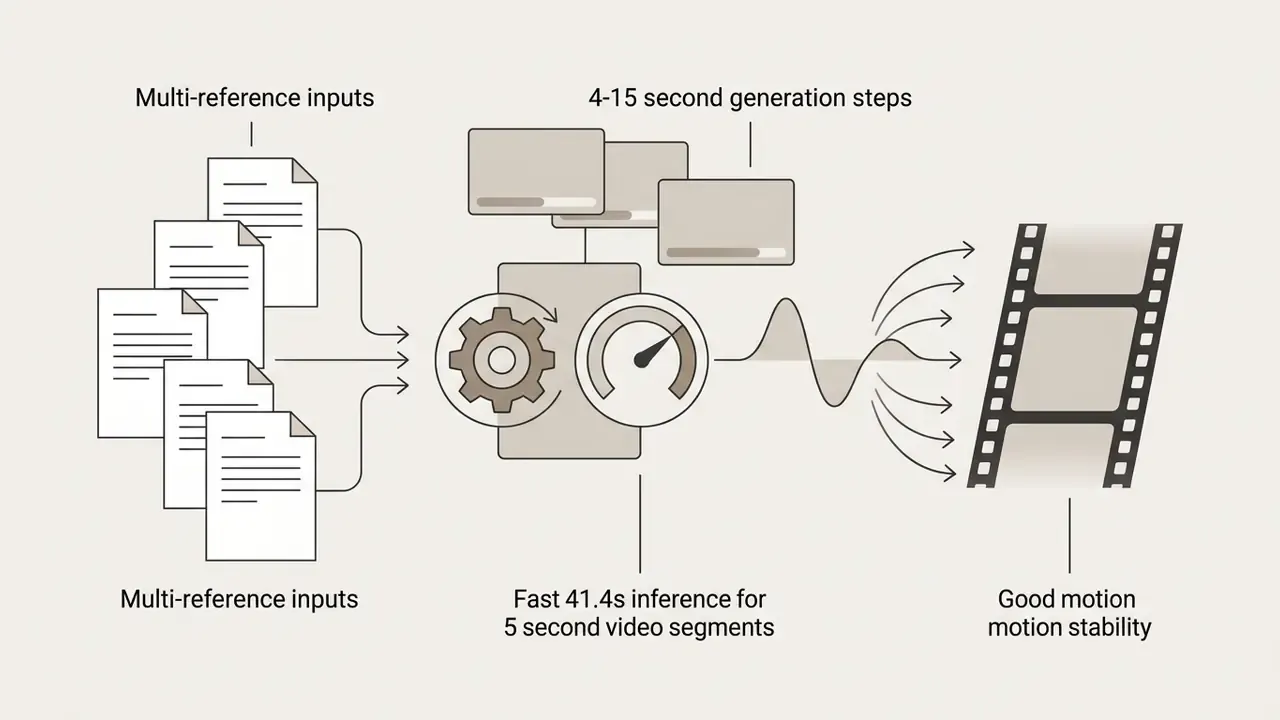
| Seedance 2.0 | Promo credits only | 720p | 5 seconds | Yes (4-15 s steps) | Yes (multi-reference) | Yes | Plan dependent | Paid tiers | Multi-reference control, motion stability |
How to Convert Image to Video AI Free: Step-by-Step Process
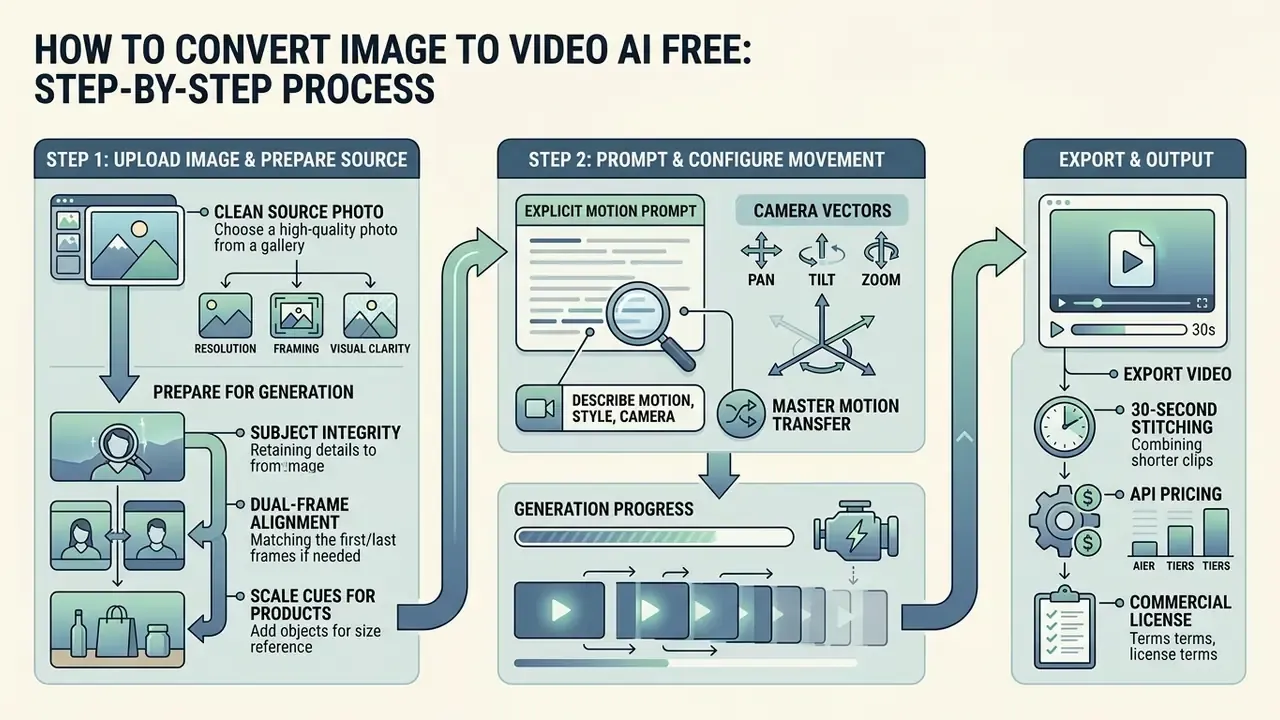
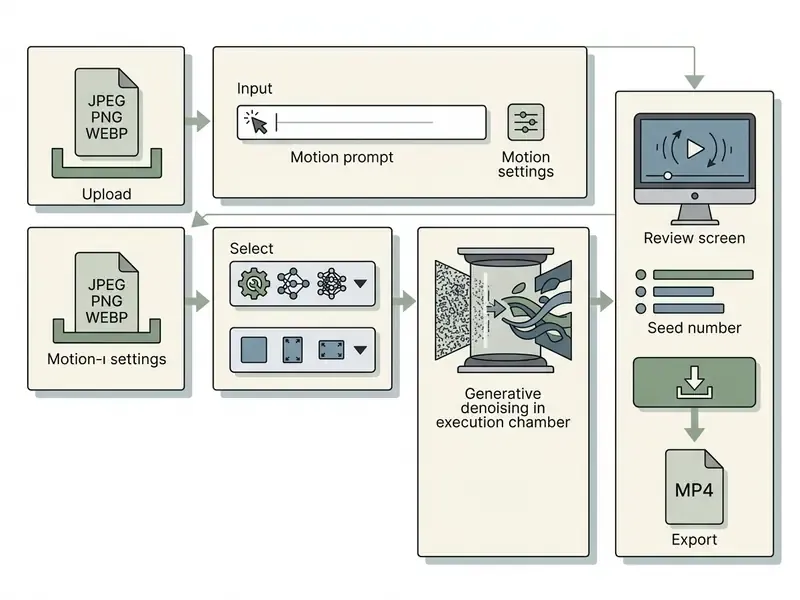
To convert image to video ai free, follow a structured workflow: pick a clean source photo, write an explicit motion prompt, configure camera vectors, then export. The same sequence applies whether you convert still image to video ai for a product page or convert picture to video ai for a social post.
Execution mostly means preparing input files so the model does not distort geometry mid-clip. When you ai turn photo into video free, pre-processing is what suppresses identity drift and background flicker. Preliminary output samples across categories sit in our AI Media Comparison Matrices, which helps set a realistic benchmark before you burn credits.
Step 1: Upload Image and Prepare a Photo or AI Image for Generation
The source frame decides most of the outcome. Everything downstream inherits its flaws.
«ConsistI2V applies spatial-temporal attention over the first frame and initializes noise from the low-frequency band of the input image to preserve scene layout while adding motion.»
Step 2: Prompt, or How to Describe Motion, Style, and Camera Movement
Effective motion prompts specify subject action, environmental movement, camera direction, and lighting style. Skip the ambiguous adjectives. Name observable movement vectors instead.
Use this framework:
[Camera Vector] + [Subject Action] + [Environmental Dynamics] + [Lighting / Aesthetic Style]
- Effective example "Slow tracking push-in shot as the subject turns head toward the camera, background trees gently swaying in soft morning sunlight, 35mm film aesthetic, photorealistic."
- Orbit example "Smooth orbit around standing figure, 180-degree arc at constant radius, eye level, soft studio lighting, neutral background, subject stays centered."
- What to avoid "Make this picture alive and beautiful with amazing effects." Vague descriptors raise sampling variance and visible artifacts.
Vendor prompt guides converge on a stable ordering: shot size, angle, movement, subject action, lens and look, lighting and mood, reveal. Open-weight playbooks formalize the same idea as a Path-Action-Camera sequence: style, setting, camera start, subject action, camera motion, end frame. Different vocabulary, identical logic.
Step 3: Motion Transfer and Mapping Complex Movement from Video onto a Photo
If a prompt cannot reproduce precise physics, a flip, a dance combination, a sports move, switch from prompt-driven motion to Motion Mapping, meaning video-reference driven generation:
- Upload the source photoa clear full-body image of the character (PNG or JPG, at least 512 px on the shortest side).
- Upload the motion sourcea short reference clip, roughly up to 10 seconds, containing the target movement. Film it yourself or pull it from a template library.
- Pose estimation and skeletal mappingthe model (architectures such as JST-1 and comparable controllable-generation systems) reads joint trajectories and facial expression from the video and transfers them onto the subject from the photo, keeping texture, face, and clothing from the original still.
- Consistency refinementgenerate multi-angle reference images of the character before mapping, where the platform supports a character-refine step. This stabilizes face, body type, and wardrobe across repeated generations.
Motion Transfer answers the biggest weakness of prompt-only I2V. Prompts describe intent; a reference clip encodes exact timing, weight transfer, and limb trajectory. It is also the fastest route into trend-driven social formats, where the movement itself, not the scene, is the creative asset.
Step 4: How to Build Long Videos (30+ Seconds) Without Losing Detail
A single generation runs 4-15 seconds depending on the model. Two approaches extend runtime:
- Start/end frame chaining the last frame of one generation becomes the first frame of the next. Fine for simple pans and static scenes. But chaining sees only one still frame, so the model re-derives lighting, camera geometry, and material response from scratch on every pass. Drift usually becomes visible after about three clips.
- Reference-to-video (context locking) load additional reference angles of the subject or product (front, side, back, close-up) into the project. The system reads the full prior clip plus locked references, so a face, product, or set keeps its identity across a sequence of shots. Script-aware platforms then split a script into segments matching each model's duration ceiling and stitch the generations into one timeline. A 30-second video plays as a continuous take even though several generations sit underneath.
Practical rule: chain when you already know the opening and closing frames of one self-contained shot. Use reference-to-video whenever identity must carry across a whole ad, explainer, or scene sequence.
Step 5: Generate, Review, Edit, and Download the Final Video Output
Producing an AI video from an image
Checklist0 / 9
Which Images and Prompts Produce Quality AI-Generated Videos
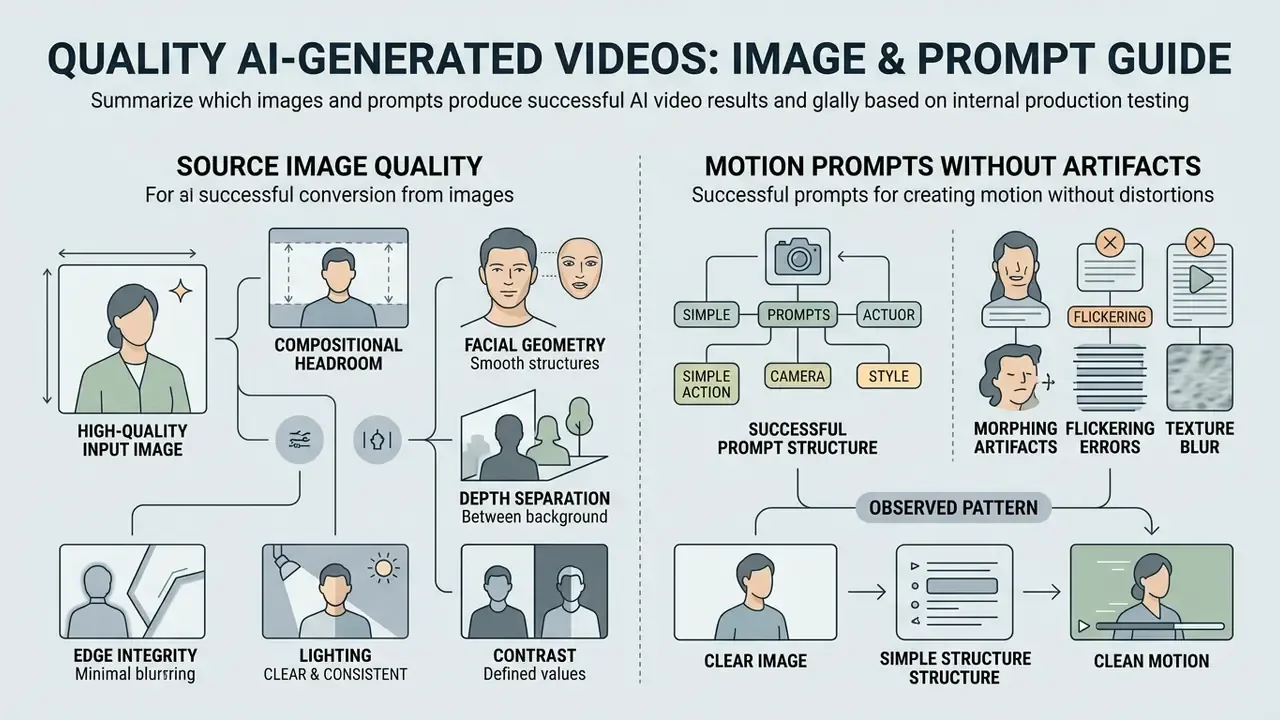
High-quality ai generated images to video conversions depend on clean input data and precise prompt constraints. Garbage in, spatial corruption out. There is no version of this where a blurry 600 px upload becomes a crisp clip.
When you convert images to ai video, temporal diffusion algorithms lean on high-frequency detail inside the input frame to calculate optical flow vectors.
«VideoScore assembles 37,600 synthesized videos from 11 models with multi-aspect human ratings, confirming that source visual quality maps directly onto temporal consistency.»
Recent artifact analyses sort generative failures into four buckets: photorealism gaps, functional implausibility, physics violations, and sociocultural implausibility. Two of the four are content-level rather than pixel-level. So artifact prevention depends on scene plausibility about as much as on input resolution. Resampling and aggressive cropping after generation also strip high-frequency traces and amplify visible distortion, which argues for upscaling once and avoiding repeated re-encodes.
Source Image Quality: Face, Framing, Light, and Detail
- Lighting and contrast
- balanced key lighting keeps shadows from collapsing into visual noise during temporal expansion.
- Facial geometry
- high-detail features let temporal attention blocks hold identity lock through head turns.
- Depth separation
- clear depth-of-field separation between subject and background enables accurate camera parallax.
- Edge integrity
- sharp silhouettes stop background elements bleeding into the primary character mid-motion.
- Compositional headroom
- leave negative space along the intended motion path. A tightly cropped subject forces the model to invent geometry at the frame edge, and it invents badly.
Motion Prompts Without Artifacts: Simple Action, Camera, Style
To suppress motion artifacts, keep prompt commands within plausible physical movement. Specify simple camera trajectories such as "slow pan right" or "gentle zoom in" to anchor background geometry.
«CamI2V, combining epipolar attention with Plücker coordinates, achieves a 25.5% improvement in camera controllability over baseline models on RealEstate10K.»
Observed pattern from internal production testing. In an internal, non-peer-reviewed comparison on an open-weights video model, we saw a consistent qualitative pattern rather than a measured effect size. An unstructured instruction such as "make person dance realistically" tended to produce anatomical warping early in the clip. A bounded instruction such as "slow camera push-in, person smiles gently, soft studio lighting" held facial structure through a full five-second 1080p generation. Directional only, to be clear. There was no documented sample size, no seed control, no blind scoring. Treat it as a prompting heuristic and validate on your own assets before standardizing it in a production playbook.
Free Limitations, Pricing, Commercial Use, and Data Governance
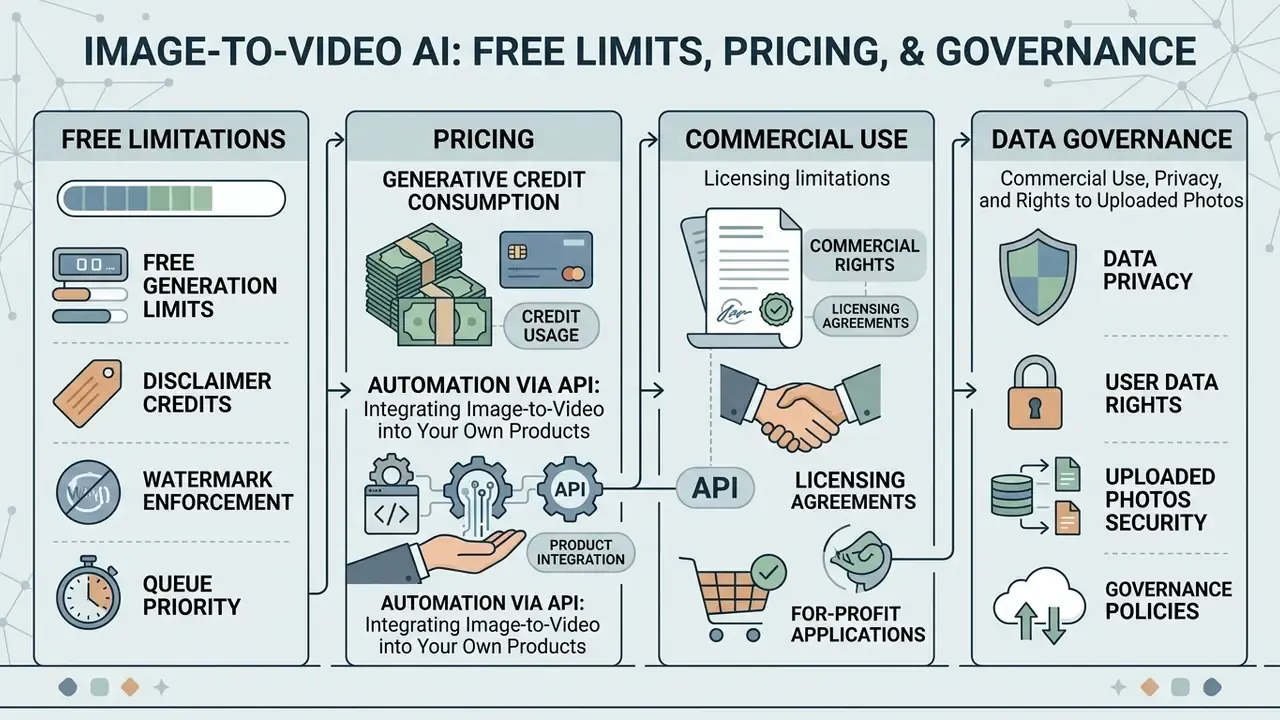
Understanding the legal and operational boundaries of an ai video generator free from photo tool matters before any asset goes public. Most disputes we see in this space are not about quality. They are about rights.
Many platforms advertise an ai image to video for free service, yet non-paid generations are governed by restrictive end-user license agreements.
«Kling AI's Basic plan ($0) allows up to 30 elements per month without commercial rights; commercial use requires the Standard tier or above.»
Organizations evaluating longer-term deployments can cross-reference enterprise tier details in our main pricing directory.
Credits, Watermarks, and Free Generation Limits
Free tiers manage server load by capping compute metrics:
- Generative credit consumption models charge roughly 5 to 30 credits per second depending on target resolution and frame rate. On credit-metered platforms, one frame commonly equals one credit at base rate, so a 5-second 720p clip can burn around 150 credits on a mid-tier model.
- Watermark enforcement non-paid exports frequently embed platform watermarks. Removal requires a paid tier, and removing them by other means breaches most terms.
- Queue priority free generations run on standard queues, which means longer waits during peak hours. Expect minutes, not seconds, in the evening.
«Veo 3.1 on Google Cloud ranges from $0.08 per generation (Fast, 720p, no audio) to $0.60 for 4K video with audio according to the official Agent Platform price list.»
Automation via API: Integrating Image-to-Video into Your Own Products
For batch image processing, or for embedding generation inside an application, use the REST layer rather than the web UI. A minimal Python call looks like this:
import requests
api_url = "https://api.platform.ai/v1/image-to-video"
headers = {"Authorization": "Bearer YOUR_API_KEY"}
payload = {
    "image_url": "https://example.com/input.jpg",
    "prompt": "Slow camera zoom in, cinematic lighting",
    "duration": 5,
    "resolution": "720p",
    "model": "ltx-2.3"
}
response = requests.post(api_url, json=payload, headers=headers)
video_data = response.json()
print(f"Video Generation ID: {video_data['id']}")
Most vendor SDKs wrap the same contract. A typical synchronous client call specifies the asset path, end_seconds, resolution, and a wait-for-completion flag, then downloads the rendered MP4 to a local directory. That makes the API the natural home for nightly catalog refreshes and A/B creative generation, and the natural place to attach logging.
Indicative API economics: per-second billing generally runs from $0.02 to $0.10 depending on model and resolution (roughly $0.023 per second at the low end for lightweight engines, versus fixed per-generation pricing of $0.10 to $0.60 for Veo 3.1 tiers). Budget modeling templates live in our AI Media Calculators.
Commercial Use, Privacy, and Rights to Uploaded Photos
- Licensing limitations
- basic or free accounts, Kling AI Basic among them, explicitly prohibit commercial monetization. Assets generated on free tiers are limited to personal or evaluation use. Some platforms invert the structure: paid tiers grant full commercial rights, free users hold personal-use rights only.
- Data ownership and privacy
- uploaded photos and reference prompts fall under platform privacy terms. Some free platforms retain sub-licensing rights to use uploaded media for internal model training. Several vendors also acquire a broad license to reproduce, distribute, and display any output you publish inside their service.
- Input rights
- you must hold rights to every image you upload. Vendor terms typically define uploaded photos and videos as user "Content" and place the entire rights-clearance burden on the uploader.
- Copyright and compliance
- the U.S. Copyright Office maintains that purely AI-generated elements lacking human authorship cannot be registered.
«Kling AI reports more than 100 million users across 224 countries and approximately 50,000 enterprise clients; Tencent and Alibaba Cloud each invested $1.363 billion at an $18 billion valuation.»
Evaluate intellectual property exposure before dropping unedited AI clips into core commercial campaigns. Rights frameworks that apply to still assets carry over almost unchanged; see our analysis of commercial use of AI image generators. Teams tracking legal developments can follow active matters through our AI Litigation and Case Timelines resource.
Commercial Safety and Content Credentials (C2PA)
When AI video enters advertising or client deliverables, three factors set your legal exposure:
- Dataset provenancemodels such as Adobe Firefly are trained on licensed content and public-domain material where copyright has expired, which materially reduces third-party infringement claims relative to models with undisclosed training corpora.
- Digital provenance marks (Content Credentials / C2PA)compliance-oriented generators embed tamper-evident metadata declaring AI origin, model version, and edit history. That satisfies a growing set of platform disclosure rules and gives auditors a verifiable chain of custody.
- Data retentioncheck the retention policy line by line. Professional services state explicitly that uploads and outputs are not used to train public models, encrypt content in transit and at rest, and purge source files from active storage within a defined window, commonly 24 hours after deletion.
Shadow AI and Corporate Data Governance Warning
Free consumer tiers are the single largest Shadow AI vector in generative media workflows. Three controls, no exceptions:
- Never upload restricted material. Trade secrets, unreleased packaging, customer photographs, personally identifiable information, medical imagery, and internal documents stay off any free tier lacking a signed Zero Data Retention agreement.
- Require contractual retention terms, not marketing copy. A homepage claim that "we don't train on your data" is not a contractual commitment. The enforceable version lives in the DPA or master agreement.
- Route production work through sanctioned accounts. Free evaluations belong in a sandbox with synthetic or already-public imagery. Commercial deliverables belong on a paid tier with logged seeds, named account ownership, and documented commercial licensing.
One more, borrowed from model risk practice: keep an inventory entry per tool, with an owner, an approved use, and a review date. An unlisted generator is an unmanaged one.
Which Tasks to Use AI Photo Video Free Tools For
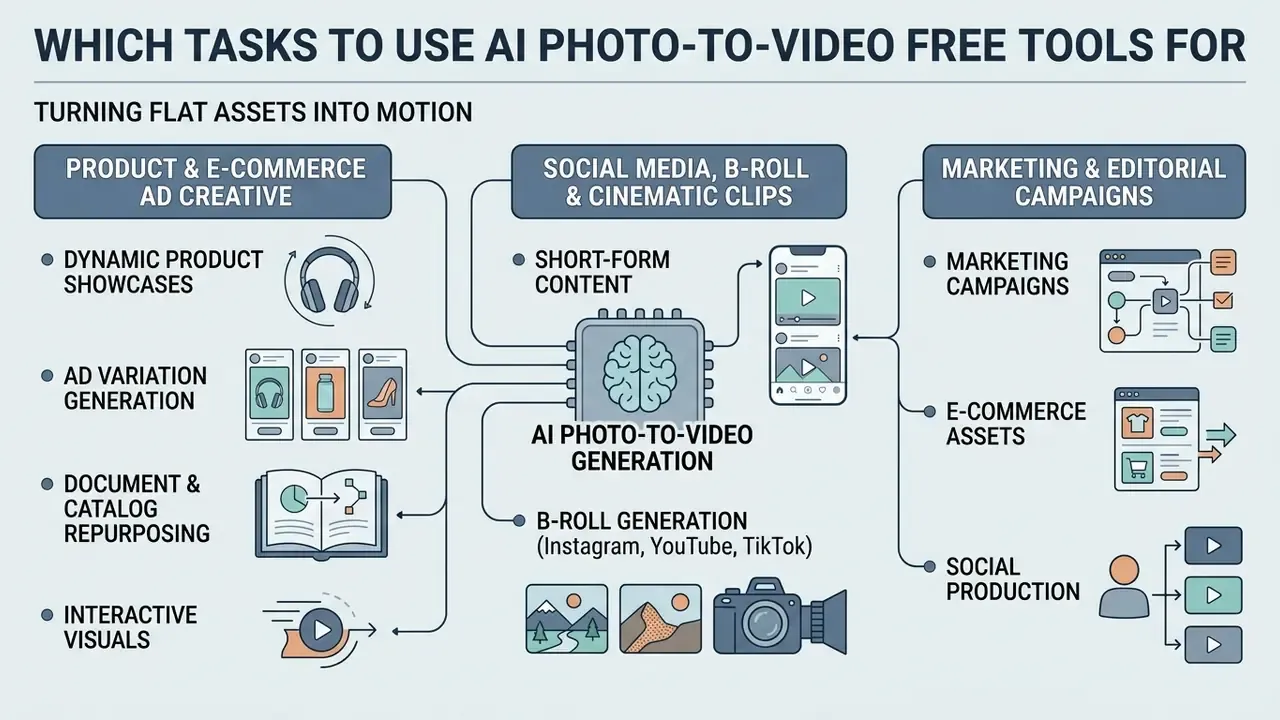
Using ai photo video free generation benefits marketing campaigns, e-commerce assets, and social production by turning flat assets into motion. The economics are simple: you already paid for the photography.
Teams use ai tools photo to video conversion to lift engagement without booking a shoot. Marketing groups convert photo to ai video assets to build ad variations, background B-roll, and landing-page visuals, and a single ai video picture loop can outperform a static hero image on a product page. Start-ups comparing entry-level options can review our directory of free AI video generators.
Product, E-Commerce, and Ad Creative from a Single Image
- Dynamic product showcases turn one Amazon or Shopify product photo into a 360-degree rotation or a subtle motion display. Amazon Ads launched an AI video generator in September 2024 producing video from a single product image in minutes at no extra cost, which set the market expectation for one-image ad creative.
- Ad variation generation spin multiple short-form variants from one master visual for A/B testing, then scale the winner through the API.
- Document and catalog repurposing convert whitepapers, reports, and listing photography into narrated explainers or walkthrough clips, reusing existing static assets instead of commissioning new shoots.
- Interactive visuals animate illustrations, mockups, or infographics produced through an ai draw me workflow into moving marketing assets.
Fast AI Video Creation on Mobile Devices (iOS and Android)
You can produce clips from photos entirely on a phone, with no desktop software involved. An ai video generator from photo free on mobile covers most social formats end to end:
- Browser generation without signup several services grant around three free generations per day with no account, at 480p or 720p. Enough to validate a creative direction on the spot.
- Mobile apps native iOS and Android apps pull images straight from the camera roll, expose trending motion templates, and export vertical 9:16 video directly to TikTok, Reels, or Shorts. Account state usually syncs across phone, tablet, and desktop, so a mobile draft can be finished on a workstation.
- Practical caution mobile convenience is exactly where Shadow AI risk concentrates. Camera-roll uploads often contain client, employee, or unreleased-product imagery. Apply the governance rules above before generating on a personal device.
FAQ: Image to Video AI Free
Is image to video AI genuinely free, and can I use the output commercially?
Generation is free on most platforms within credit limits. Commercial rights usually are not. Free tiers commonly restrict output to personal or evaluation use and embed watermarks, while commercial licensing activates on paid tiers. Adobe Firefly is the notable exception in that commercial safety is a core product claim, though your rights still depend on the tier you are on.
What is the difference between image-to-video and reference-to-video?
Image-to-video animates one photo as the literal first frame, so output stays pixel-faithful to that image and nothing else. Reference-to-video reads the whole prior clip plus locked character or location references, so a face, product, or set keeps the same identity across many shots. Same identity, not the same pixels. That distinction matters more than it sounds.
Why does my photo animate incorrectly or drift from the original?
Most often this happens with illustrations and hand-drawn art, because video models render photorealistically by default. Describe colour palette, texture, and lighting explicitly in the prompt instead of trusting the image alone. Photographic sources rarely show the problem, since the model already works in its native style.
Can I control exactly how a character moves?
Yes, through Motion Transfer. Upload a reference clip of the movement, or pick a template, and the model maps joint trajectories onto your subject. This is how you get high-speed spins, flips, gymnastics, and boxing sequences that text prompts cannot specify reliably.
How long can a free clip be, and what formats are supported?
Duration depends on the model: 4-15 seconds for Seedance-class engines, around 8 seconds for Veo, roughly 10 seconds for Kling and Runway. Free tiers usually cut that to 3-5 seconds. Upload JPG, PNG, or WEBP, and export 16:9 for YouTube, 9:16 for TikTok, Reels and Shorts, or 1:1 for feed placements.
Can I add audio or music?
Several engines support native synchronized audio, including LTX 2.3, Kling 2.5 and 3.0, Sora 2, and Veo 3.1. For silent outputs, download the MP4 and layer music, voiceover, or sound effects in an editor, or generate narration with an AI voice generator.
Is there an API for batch generation?
Yes. Major platforms expose REST endpoints and SDKs for Python, Node.js, Go, cURL, and Rust, billed per second or per generation. See the API example above and our Google Veo implementation guide for parameter detail.
What should a governance team log for every generation?
Seed, model and version, full prompt text, parameter set, source-file hash, generating account, and the licensing tier in force at generation time. Without those fields, outputs are neither reproducible nor auditable, and a later takedown request becomes guesswork.
Limitations, Open Questions, and a Safe Next Step
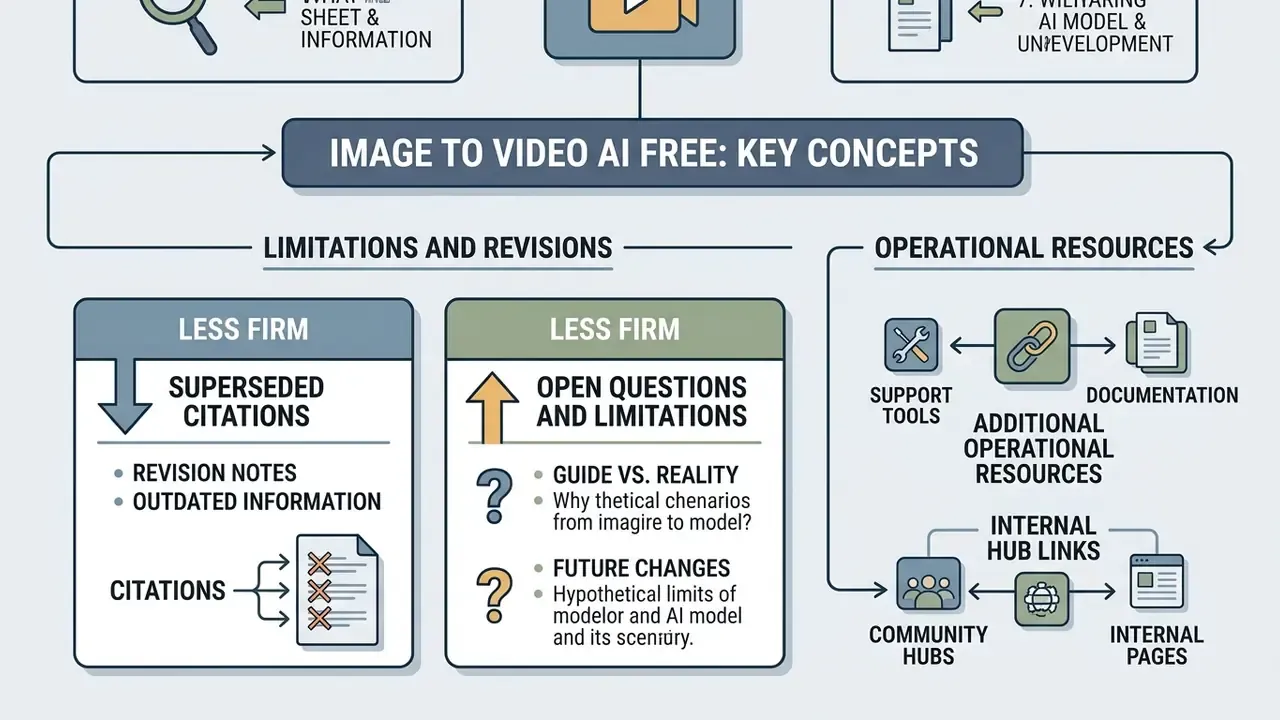
Appendix A: Revision Notes (Superseded Citations)
For transparency, the following citations appeared in earlier versions of this article and were replaced with verifiable, quantified sources. They are kept here as a change record, not as supporting evidence:
- Consistent and Controllable Image Animation with Motion Diffusion Models, CVPR 2025, replaced in the architecture section by Image-to-Video Diffusion: From Foundations to Open Frontiers (2026), which supplies methodology for the DiT/UNet latent-space claim.
- AIGCBench (2024), previously cited for four evaluation dimensions and eleven metrics, replaced by EvalCrafter (CVPR 2024), which publishes a documented 17-metric protocol across four aspects.
- A Perspective on Quality Evaluation for AI-Generated Videos (2025), previously cited for the resolution-to-flicker relationship, replaced by VideoScore (EMNLP 2024), with 37,600 videos from 11 models and human multi-aspect ratings.
- The earlier internal production test claim ("severe anatomical warping within 2 seconds") has been reformulated as a directional, non-quantified observation, because it lacked documented sample size, seed control, and blind scoring.
Additional Operational Resources
For further implementation frameworks, cost calculators, and compliance documentation, start with these hubs:
- Estimate budget allocations for generative production using our AI Media Calculators.
- Resolve integration and workflow issues via AI Media Support and Troubleshooting.
- Review commercial deployment policies in the AI Media Commercial-Use Hub.
- Explore automated outbound visual campaigns built around an ai email generator.
- Compare adjacent still-image tooling in our best AI art generator matrix.
Social Media, B-Roll, and Cinematic Clips for Instagram, YouTube, and TikTok