Author note: Marcus Hale writes about AI governance and model risk for this publication.
Executive Summary
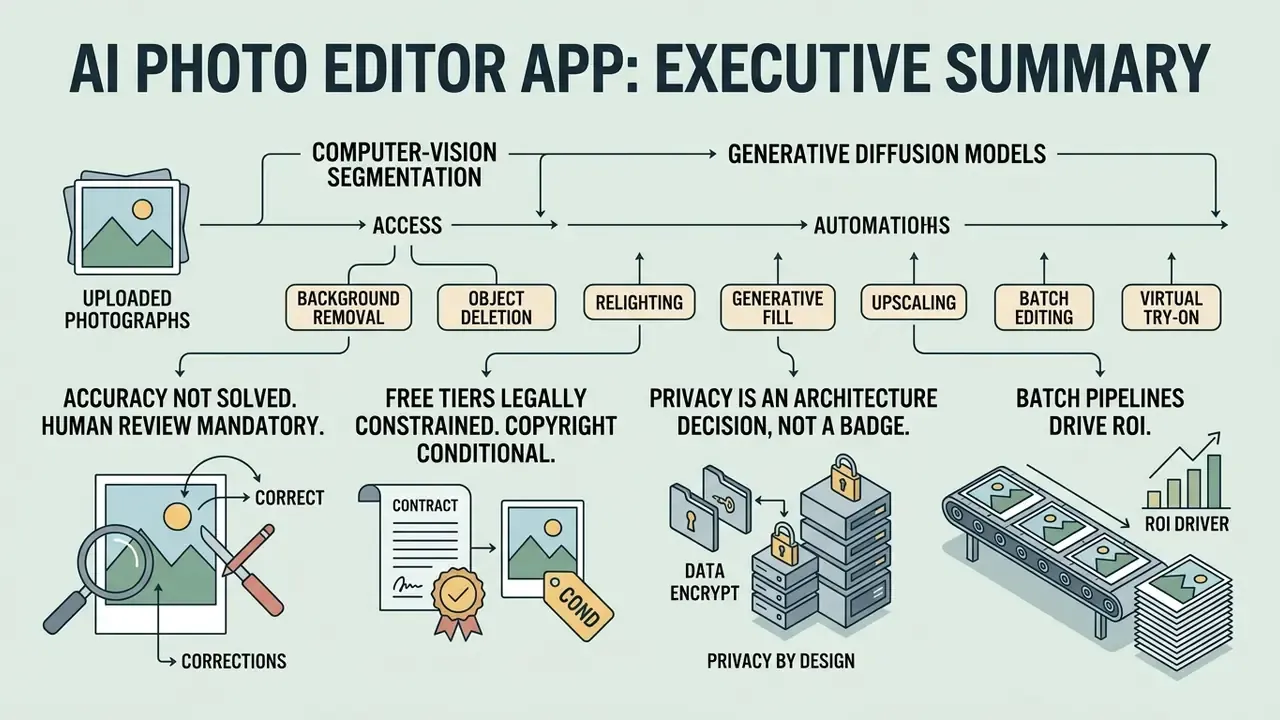
- An ai photo editor app applies computer-vision segmentation and generative diffusion models to uploaded photographs, automating background removal, object deletion, relighting, retouching, and upscaling through one-click actions or natural-language prompts.
- Accuracy is not solved. A benchmark of 83,000 real-world editing requests found leading multimodal models satisfied roughly one third of requests, with the weakest performance on low-creativity, precision-constrained edits.
- Human review remains mandatory. Identity drift, unrequested colour and skin-tone shifts, and edge artifacts on hair and transparent objects require a human-in-the-loop checkpoint before publication.
- Free tiers are legally constrained. Free plans typically bundle watermarks, low-resolution exports, and personal-use-only licences; commercial rights usually begin at the paid tier.
- Copyright is conditional. Purely AI-generated pixels lacking substantial human authorship are not registrable in the United States. Documented, human-directed edits strengthen protection claims.
- Privacy is an architecture decision, not a badge. Demand TLS 1.2+ in transit, AES-256 at rest, explicit training opt-out, defined retention windows (immediate deletion up to 7 days), SSO/SAML, and, for regulated data, private cloud or VPC processing.
- Batch pipelines drive ROI. Bulk background removal and standardized padding across 50-image batches convert per-asset manual retouching into a single parameterized pass. But the 10 to 15 percent manual touch-up rate must be priced into any ROI model.
Who This Guide Is For and How to Read It
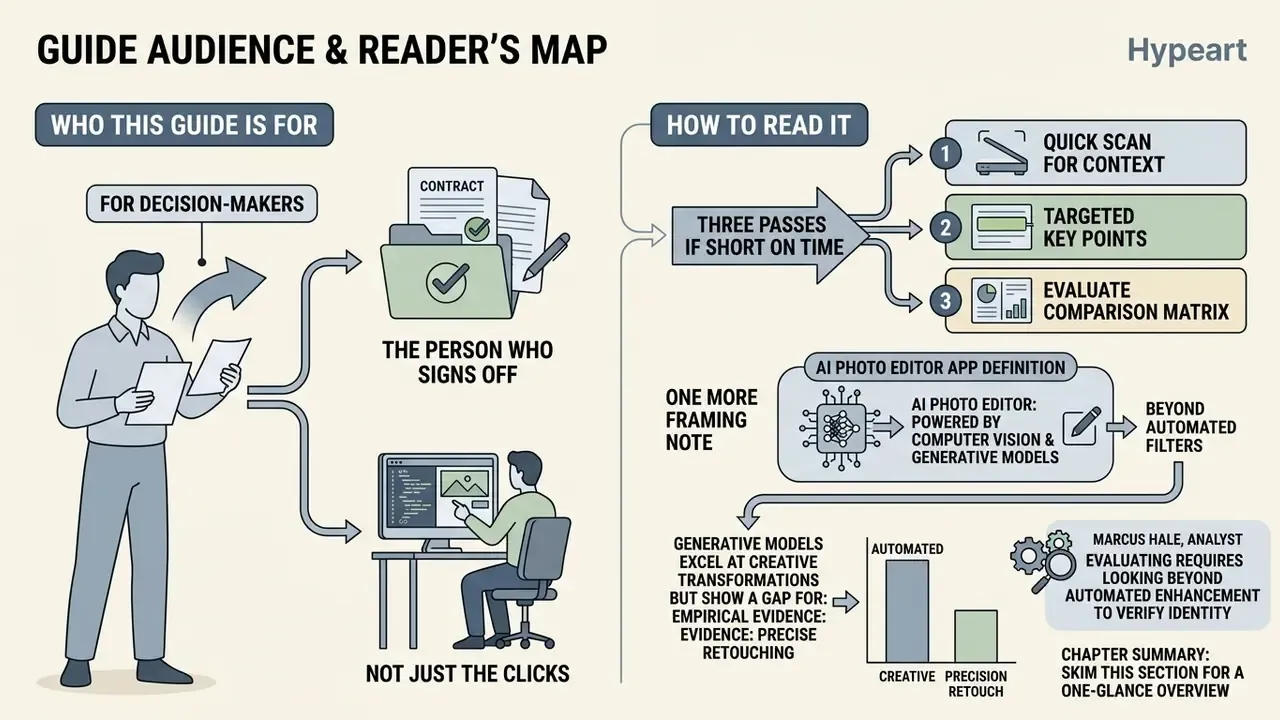
This is written for the person who signs off, not just the person who clicks. Marketing and content operations teams want throughput. Risk, compliance, and security functions want evidence. Both requirements live in the same tool selection, and they collide fastest around three questions: where does the image go, who can reproduce the edit, and who owns the output?
Read it in three passes if you are short on time. Skim the tool tables to map tasks to model capabilities. Read the free-plan and commercial-use sections before anyone publishes a customer-facing asset. Read the privacy, shadow AI, and audit-trail sections before anyone uploads a document photo, an identity scan, or an internal product render into a consumer web editor.
One more framing note. An ai automatic photo editor is a model, and a model in production is a control problem. That framing is what keeps a creative pipeline out of the incident log.
An ai photo editor app is software powered by computer vision and generative machine learning models that analyzes visual inputs, isolates objects, and applies instruction-based edits. Unlike classic raster graphic software that relies on manual pixel manipulation through brushes and selection tools, an ai automatic photo editor interprets visual content before executing edits through automated algorithms or natural language text prompts.
Recent empirical evaluations show a clear gap between automated generation and precise photo retouching. A benchmark study analyzing 83,000 real-world image editing requests found that leading multimodal models, including GPT-4o, Gemini-2.0-Flash, and SeedEdit, satisfactorily fulfilled approximately 33 percent of user requests (Taesiri et al., 2025).
«AI editors perform worse on low-creativity tasks requiring precise edits than on open-ended creative assignments.»
So generative models excel at creative transformations. Precise photo modifications, by contrast, need structured evaluation of model risk, interface controls, and licensing terms. That asymmetry is the whole story of this guide.
What Is an AI Photo Editor App and What Tasks It Solves
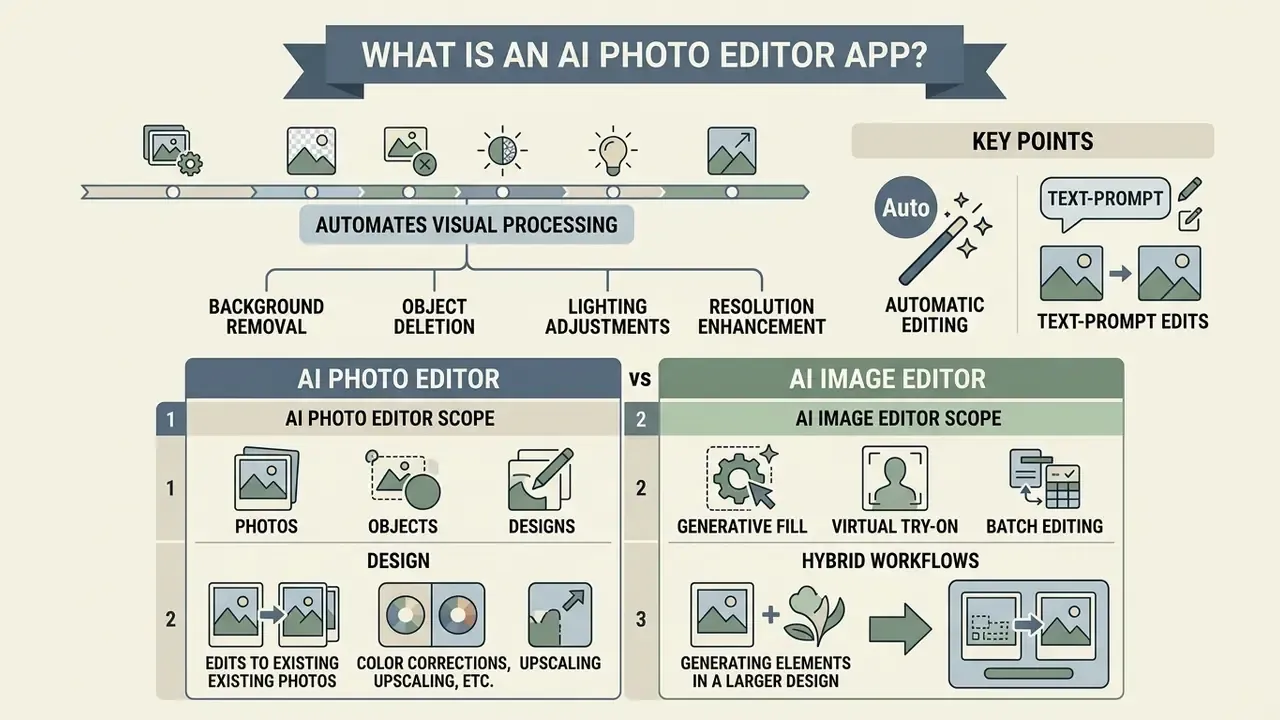
In two sentences: An ai photo editor app automates visual processing tasks including background removal, object deletion, lighting adjustments, and resolution enhancement. It converts low-level editing instructions or automated computer-vision detection into structured image modifications without requiring manual selection masks.
Traditional graphic editors manipulate raw pixels based on direct user input through brushes, layers, and vector paths. In contrast, an ai photo editor automatic system uses deep neural networks to perform semantic segmentation, feature extraction, and context-aware synthesis (Photoroom, 2026; Zhang et al., 2023). This lets users execute complex multi-step retouching workflows through single-click automation or text instructions.
The processing pipeline differs structurally from manual editing: visual input, then feature extraction and analysis, then object detection, matting, or OCR, then the automated edit action. Classic software executes only the final step and delegates every preceding decision to the operator. Worth pausing on that. Every delegated decision the model now makes is a decision someone must be able to review later.
Automatic Editing and Text-Prompt Edits
An ai photo editor online free automatic tool uses instruction-based diffusion and cross-attention architectures to interpret text prompts for image transformations. When a user submits a textual instruction, the underlying neural network maps text tokens to specific cross-attention layers, modifying visual elements while seeking to preserve surrounding spatial structure. Research on instruction-based editing describes the field as shifting from GAN-based methods toward diffusion models with multimodal control for fine-grained edits, where prompt tokens (or learned edit directions inferred from before-and-after image pairs) steer which regions are regenerated.
In commercial environments, an ai photo editor automatic workflow executes transformations such as changing seasonal backgrounds, adjusting ambient lighting, or replacing specific wardrobe items. However, empirical testing shows that text-driven editing systems frequently introduce unrequested modifications or fail to preserve facial identity on constrained tasks (Taesiri et al., 2025).
«AI editors often introduce unrequested changes, altering skin tone or colour balance, even under precise user instructions.»
Organizations deploying an ai photo editor free unlimited web interface must account for these model limitations when building automated graphic pipelines. Treat "unrequested change detection" as an explicit QA step, not an edge case that someone will notice eventually.
AI Photo Editor vs AI Image Editor: Photos, Objects, and Design
An ai photo editor app focuses on correcting, cleaning, and enhancing existing source photographs. An AI image editor or generator, by contrast, synthesizes visual design elements from scratch or fundamentally alters scene composition using prompt instructions (Adobe Firefly, 2026; Microsoft Designer, 2026). Readers comparing the two categories can review our analysis of AI image generators for generation-first workflows.
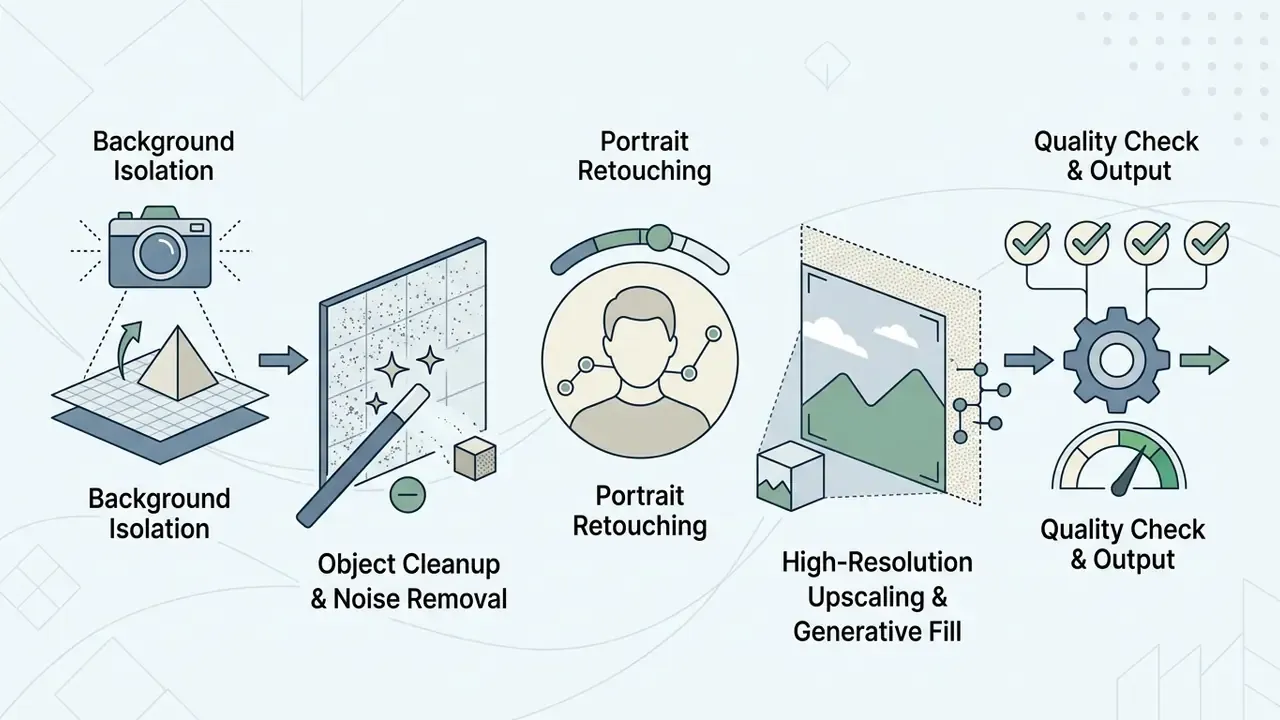
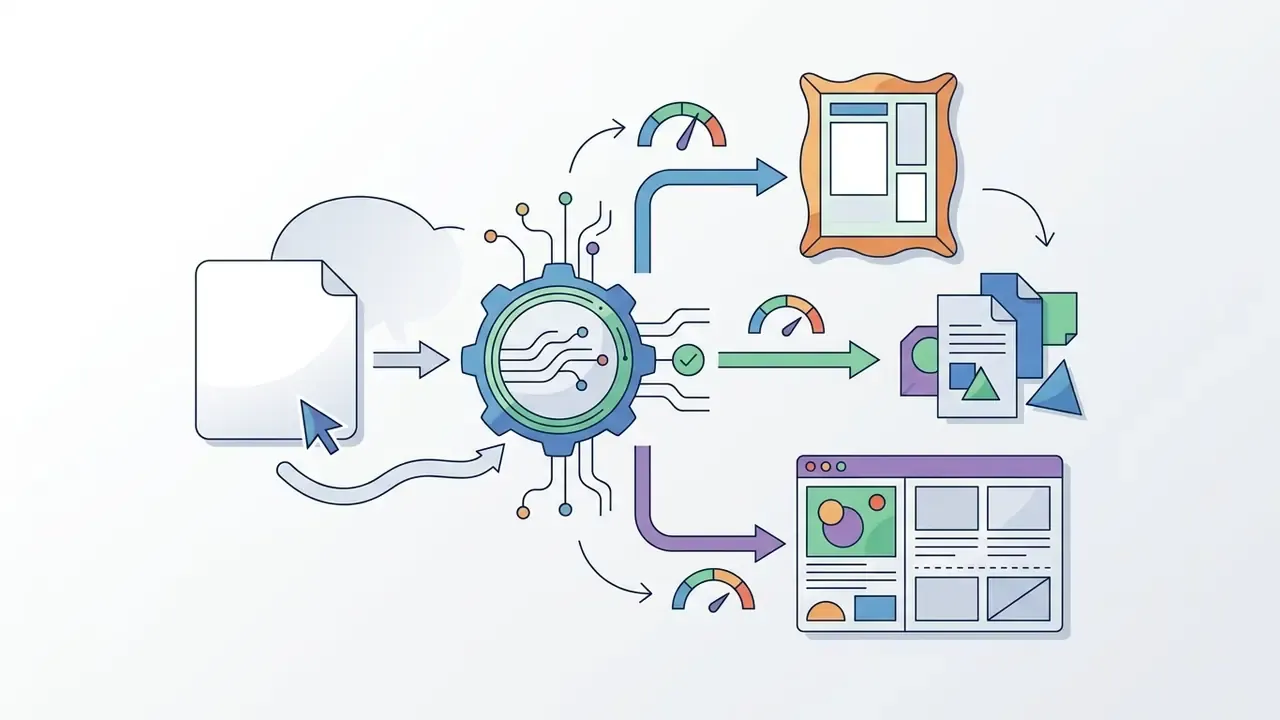
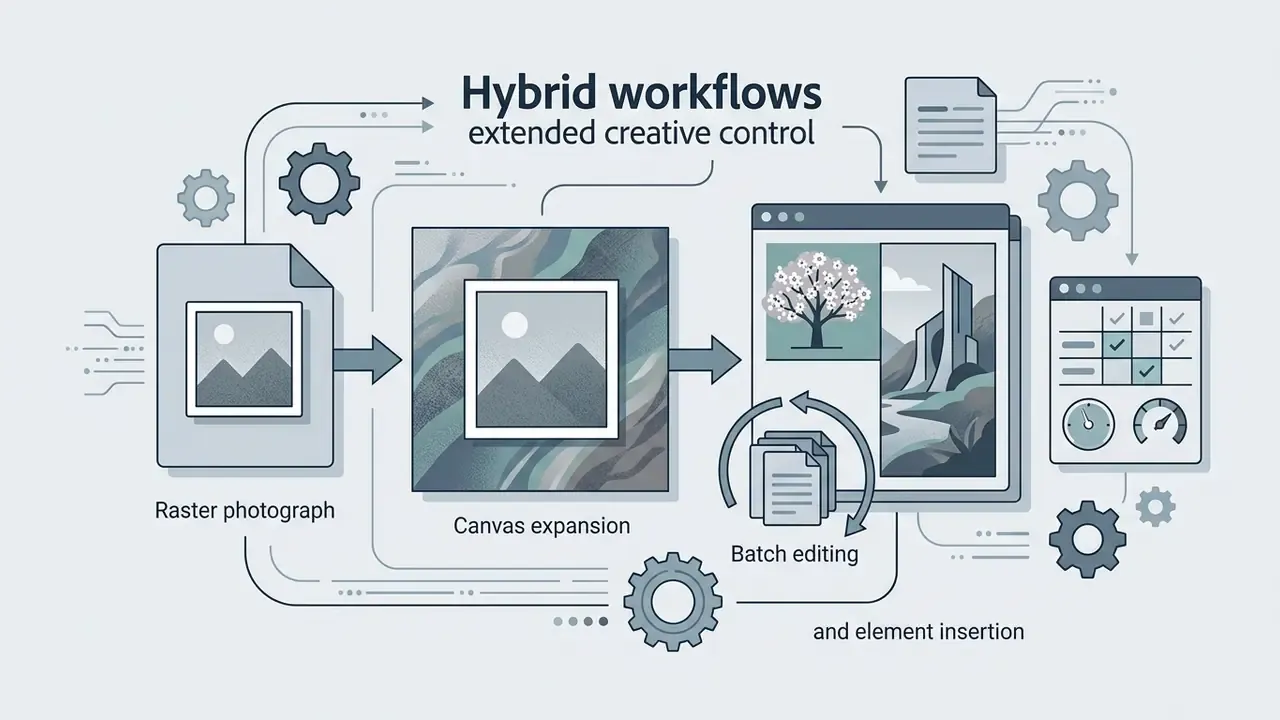
The practical split: a photo editor handles post-shot correction and polishing, while an image editor or generator handles concept creation, brand and ad visuals, layout variants, and object-level scene changes. Tools marketed as an ai generator photoshop free alternative usually sit in the second camp, even when the landing page shows a retouching demo. To evaluate cross-platform asset workflows, teams often review our AI Media Comparison Matrices to align model selection with internal governance standards, or our foundational guide to online photo editors for baseline feature terminology.
Core AI Tools for Photo Editing
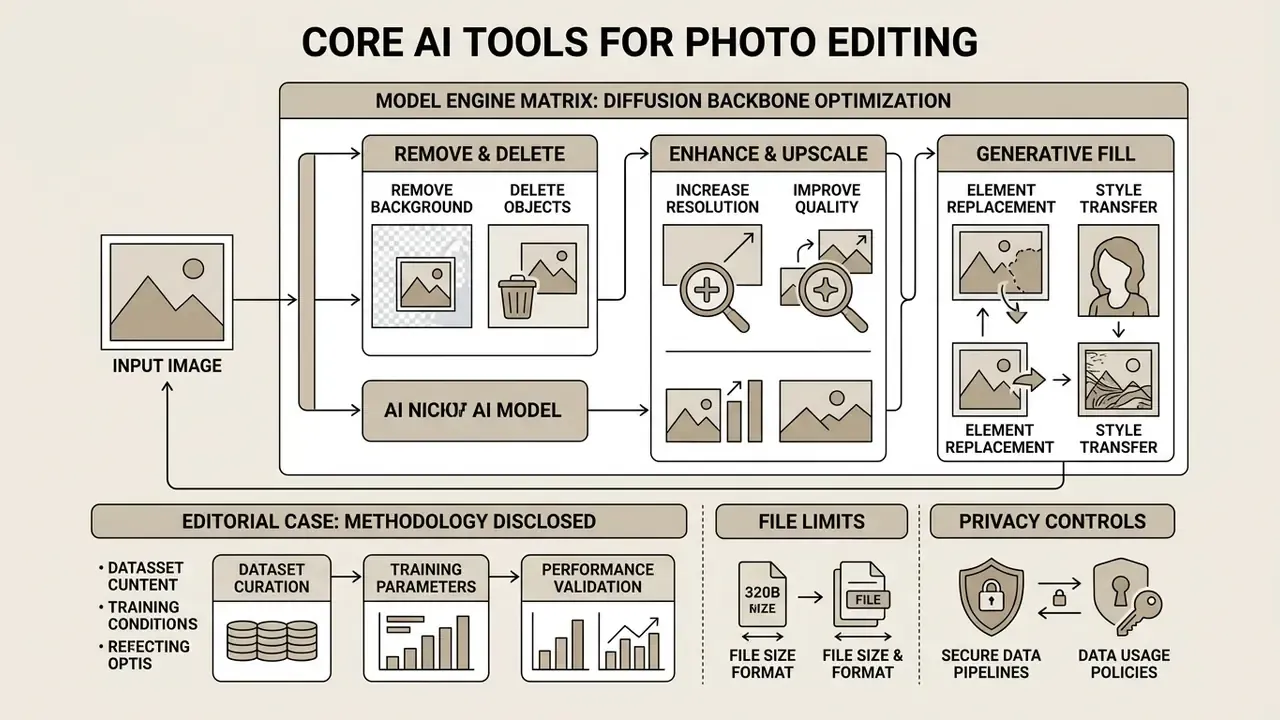
In two sentences: Modern AI image processing relies on dedicated model endpoints optimized for discrete visual manipulation tasks. The table below outlines core ai tools free photo editing capabilities, expected operational outputs, and typical enterprise application scenarios.
Table 1. Enterprise AI photo editing tools, expected outputs, and application scenarios
| AI tool category | Primary technical mechanism | Expected output | Typical application scenario |
|---|---|---|---|
| Remove background | Salient object detection and deep image matting (alpha prediction) | Isolated foreground subject with transparent PNG background | E-commerce product cataloguing, marketplace compliance, marketing collateral |
| Object removal | Mask-conditioned context-aware inpainting | Clean background fill replacing unwanted objects or people | Real-estate photo staging, tourist distraction cleanup, photo polishing |
| Image enhancer and upscaler | Super-resolution GANs and blind restoration (e.g. STUNet, DiffBIR) | 4K or high-DPI output with reduced noise and sharp facial detail | Print prepress, legacy photo restoration, low-resolution thumbnail upscaling |
| Style transfer | CNN feature extraction and feed-forward generator networks | Source image rendered in a target artistic or brand style | Creative marketing campaigns, brand identity experiments, social visuals |
| Generative fill | Diffusion-based mask inpainting with text-prompt conditioning | Synthesized visual elements blended into the selected mask area | Canvas expansion, wardrobe replacement, contextual asset variation |
| Batch AI editing | Queued parameterized pipeline applying one preset across an image set | Uniform background, padding, shadow, and colour output across 10 to 50+ files | Marketplace catalogue standardization, event photography delivery |
| Face swap / virtual try-on | Identity embedding transfer with pose and depth conditioning adapters | Substituted face, hairstyle, or garment fitted to body contours and lighting | Fashion e-commerce previews, salon consultations, entertainment content |
Readers benchmarking cost-free options can also compare free AI image generators before committing to a paid editing stack.
Model Engine Matrix: Which Diffusion Backbone Does What
Most commercial editors are now multi-model front ends. The same interface routes a request to different generation engines, each with distinct strengths, credit costs, and failure modes. Vendors publicly list engines such as Flux and Flux Pro, Kling AI, Recraft V4, Qwen, Stable Diffusion and SDXL, Seedream 4.0/4.5/5.0, Nano Banana and Nano Banana Pro, and GPT Image, with per-generation pricing between roughly 2 and 18 credits.
| Model engine | Strengths and intended use | Constraints and notes |
|---|---|---|
| Flux / Flux Pro | Photorealism, plausible hand anatomy, legible in-image typography | High compute cost per generation; slower on large canvases |
| Seedream 4.5 / 5.0 | Spatial reasoning, precise regional edits, generation and upscaling to 4K with realistic skin texture | Requires exact textual specification; vague prompts under-deliver |
| Recraft V4 | Vector graphics, banners, icon sets, clean object isolation | Weaker for painterly portrait retouching |
| SDXL / Stable Diffusion | Deep customization via LoRA adapters, granular style control, self-hosting option | Needs parameter tuning (guidance scale, seed, sampler) |
| Nano Banana / Nano Banana Pro | Character consistency across poses and multi-image fusion | Higher credit cost on Pro tiers; availability often gated to paid plans |
| GPT Image / multimodal LLM editors | Strong instruction following, conversational iteration | Benchmarked at roughly 33 percent full satisfaction on precise everyday edits |
Enterprise selection criterion: prefer engines that expose a seed value and a model version identifier in the response payload. Without both, an edit cannot be reproduced for audit purposes. No reproducibility, no sign-off.
Remove Background and Delete Unwanted Objects
Background isolation relies on deep image matting networks that compute per-pixel alpha transparency values rather than binary boundary cuts. Matting surveys describe this as the correct approach for soft boundaries and transparent regions, because a hard mask cannot represent partial coverage in hair, fur, glassware, or fine fabric (Deep Image Matting: A Comprehensive Survey, Li et al., 2023, https://arxiv.org/abs/2304.04672). Two-stage designs that combine foreground segmentation with an explicit transparency-prediction head report better results on transparent and opaque objects alike.
«Background removal improves classification accuracy by up to 5 percent for shallow networks trained from scratch, but does not improve segmentation results.»
Object removal systems use mask-conditioned inpainting to replace selected visual distractions with contextually plausible background textures (Adobe Express, 2026). Adobe documents leaving the prompt field blank so the model fills a selection purely from surrounding pixels, which is functionally different from prompt-driven insertion.
«Inpaint Anything combines SAM segmentation with diffusion inpainting, enabling click-based object removal without manually painting masks.»
Internal editorial case (methodology disclosed). In an internal editorial evaluation of media production efficiency conducted by our analysis team, an asset team processed 1,200 product images through automated background isolation models across three vendor endpoints. The pipeline isolated approximately 88 percent of standard opaque products without manual intervention. Transparent glassware and backlit hair required secondary manual touch-ups to correct edge refraction artifacts. These figures reflect a single internal sample, not a peer-reviewed benchmark, and should be validated against your own catalogue before being used in ROI planning. Independent applied evaluations agree directionally: 2024 assessments of background-removal tooling report persistent failures on hair and transparent objects that still need manual post-processing.
Enhance Image Quality, Beautify, and Increase Resolution
To ai beautify image content without introducing unnatural smoothing, advanced restoration models combine super-resolution architectures with face-specific priors. Algorithms like STUNet and DiffBIR perform blind image restoration, removing sensor noise, motion blur, and compression artifacts while restoring realistic skin texture.
«DiffBIR targets blind image restoration, blind super-resolution and blind face restoration, and significantly outperforms baseline methods.»
«STUNet achieves the best performance on face denoising, face artifact removal and face super-resolution.» Deep Face Restoration: A Survey, arXiv (2026). https://arxiv.org/html/2211.02831v3
For personalized portrait pipelines, PFStorer demonstrates identity-anchored face restoration with tiled super-resolution (PFStorer: Personalized Face Restoration and Super-Resolution, CVPR 2024, https://openaccess.thecvf.com/content/CVPR2024/papers/Varanka_PFStorer_Personalized_Face_Restoration_and_Super-Resolution_CVPR_2024_paper.pdf). Portrait-retouching research also warns that naive smoothing produces over-smoothed, plastic results; targeted approaches improve skin while preserving facial micro-detail (StyleRetoucher, 2024).
«ASUKA achieves superior FID, U-IDS and P-IDS scores, delivering visually consistent region filling in inpainting.»
Using an ai realistic photo editor helps ensure that high-resolution upscaling yields sharp detail suitable for print or high-DPI displays without creating synthetic distortions. It does not guarantee it. Skin texture and typography are still where synthetic artifacts show up first.
«The improved ESRGAN architecture shows higher PSNR and SSIM values than the baseline on standard super-resolution datasets.»
Practical ceilings to verify before committing: consumer editors advertise upscaling up to roughly 25 megapixels, or fixed 1K/2K/4K output tiers; segmentation-based pipelines often cap inputs near 36 MP while detection pipelines accept up to 100 MP (LandingAI, Upload Images documentation, 2026). Teams comparing dedicated tooling can consult our benchmarks of AI image upscalers and AI image enhancers. Users seeking specialized portrait capabilities often evaluate an ai photo transform free utility, or consult our guide to AI headshots for dedicated identity-preservation requirements.
Generative Fill, Element Replacement, and Style Transfer
Generative fill integrates mask-conditioned diffusion models with text prompts to insert, extend, or replace elements within an existing photograph (Adobe Firefly, 2024). Rather than rewriting the entire pixel structure, the network generates new visual information strictly within the user-defined selection mask, adjusting lighting and perspective to match the surrounding visual context. Adobe's 2024 release notes state that Advanced Generative Fill is powered by the Firefly Image 3 Foundation Model trained on licensed stock imagery, and that each generation is written to a separate non-destructive generative layer.
«RealFill conditions generative filling on reference photographs of the scene, substantially outperforming existing models on the image-completion benchmark.»
Style transfer algorithms operate on convolutional feature representations that separate semantic content from artistic texture. A content image and a style reference pass through a pretrained convolutional network, and optimization minimizes a combined content loss and style loss derived from texture statistics. Feed-forward generator networks replace per-image optimization with a single trained network for real-time stylization, while photorealistic variants add semantic segmentation and luminance-aware losses so that foreground structure, background blending, and lighting cues survive the transfer. Readers exploring adjacent techniques can review our coverage of image-to-image generators, our notes on sea art ai style pipelines, and our evaluation of Ghibli-style AI image generators to examine style consistency and licensing constraints.
How to Choose an AI Photo Editor: Online Service, App, or Professional Editor
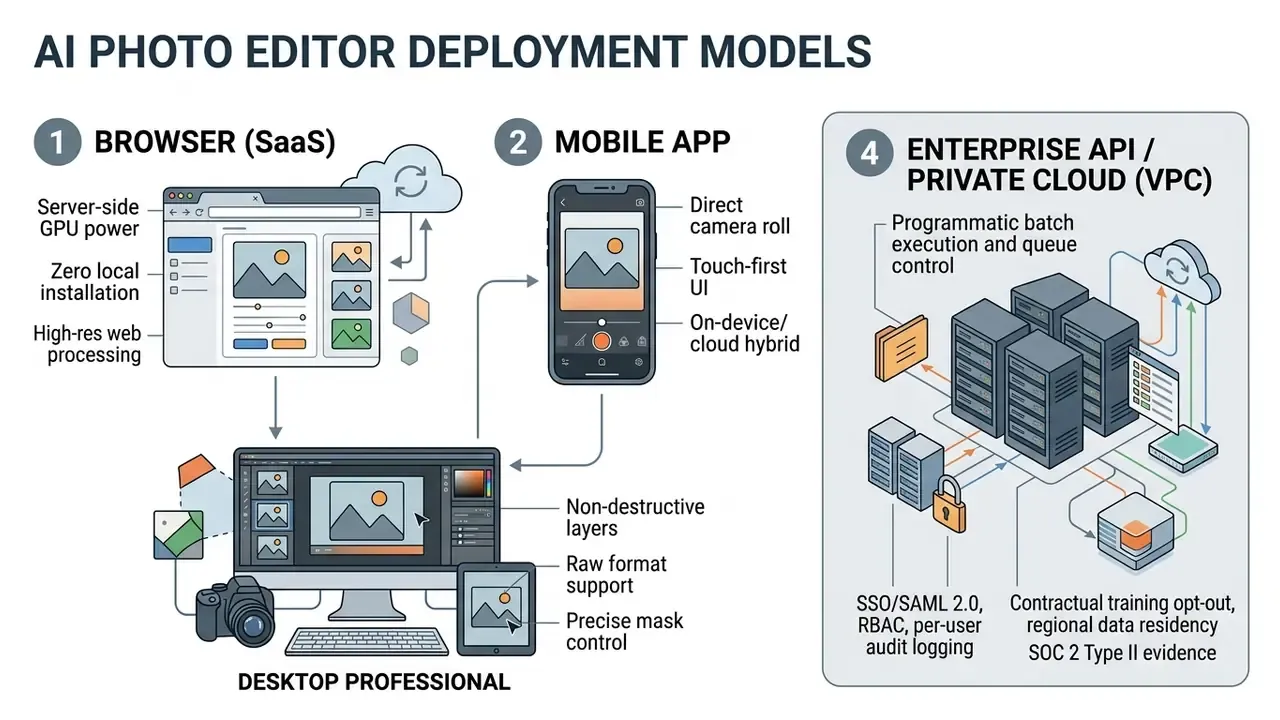
In two sentences: Selecting an ai professional picture editor depends on required processing speed, layer flexibility, hardware constraints, and compliance requirements. Editors fall into four operational deployment models, and only the fourth, API and private deployment, reliably satisfies regulated-industry controls.
«A survey of 380 professionals and non-professionals revealed persistent concerns about image quality, cost, and copyright when using AI tools.»
Developers evaluating programmatic execution limits, per-call pricing, and batch concurrency should start at our developer API hub, which documents integration patterns for image and video endpoints alike.
Online Photo Editor Without Download vs Mobile App
A browser-based online photo editor processes heavy generative workloads on cloud GPU infrastructure, removing local hardware dependency. That enables full-resolution processing directly inside the web browser (VSCO Web Studio, 2026; Pose AI, 2026). Web platforms also avoid consuming local storage and can run larger models server-side. The trade-off is unavoidable: browser tools require continuous connectivity and external image uploads, which is the single most important consideration for confidential material. Search phrases like ai photo editing online free download or ai photo editor online free automatic download usually mean "process in the cloud, then download the export", not "run the model locally".
Mobile apps on iOS and Android prioritize direct camera-roll access, touch-driven interaction, and rapid social export (Picsart, 2026; Google Magic Editor, 2026). Some mobile editors keep images and edits entirely on device, which removes cloud exposure but also removes cross-device portability. Mobile editors excel at rapid, single-subject adjustments; they offer limited layer compositing and reduced manual mask refinement compared with desktop suites. Users comparing lightweight web creation tools can explore our review of free AI art generators to compare web versus desktop feature tiers.
Interface, AI Models, and the Degree of Manual Control
Professional workflows require an ai photo editor interface free of rigid automation barriers, letting users combine automated AI actions with manual layer masks and parameter controls. Modern desktop suites such as Adobe Photoshop and Capture One maintain non-destructive editing by placing AI-generated content on separate generative layers with editable alpha channels (Capture One, 2026; Adobe Photoshop, 2026). Capture One's AI masking creates both a new mask and a new layer from Subject or Background, and supports add, subtract, and intersect mask combination within a single layer. Anyone searching for an ai picture photoshop free substitute should check this specifically: automation without layer access is a dead end for brand-critical work.
Advanced platforms expose fine-grained model controls, including positive and negative prompt weighting, seed selection, mask combination operations, and guidance scale sliders. API-level control is stricter still. OpenAI's image-edit endpoint requires a same-size PNG mask whose transparent regions define exactly what may be regenerated, and supports transparent-background output. Midjourney's editor builds masks from positive and negative points across layers, with the active layer marked by a check.
For extended media production workflows, operators frequently pair image processing with video generation. Technical teams can review our guide to Google Veo API to compare developer controls and batch execution limits.
How to Edit Images with an Online AI Photo Editor
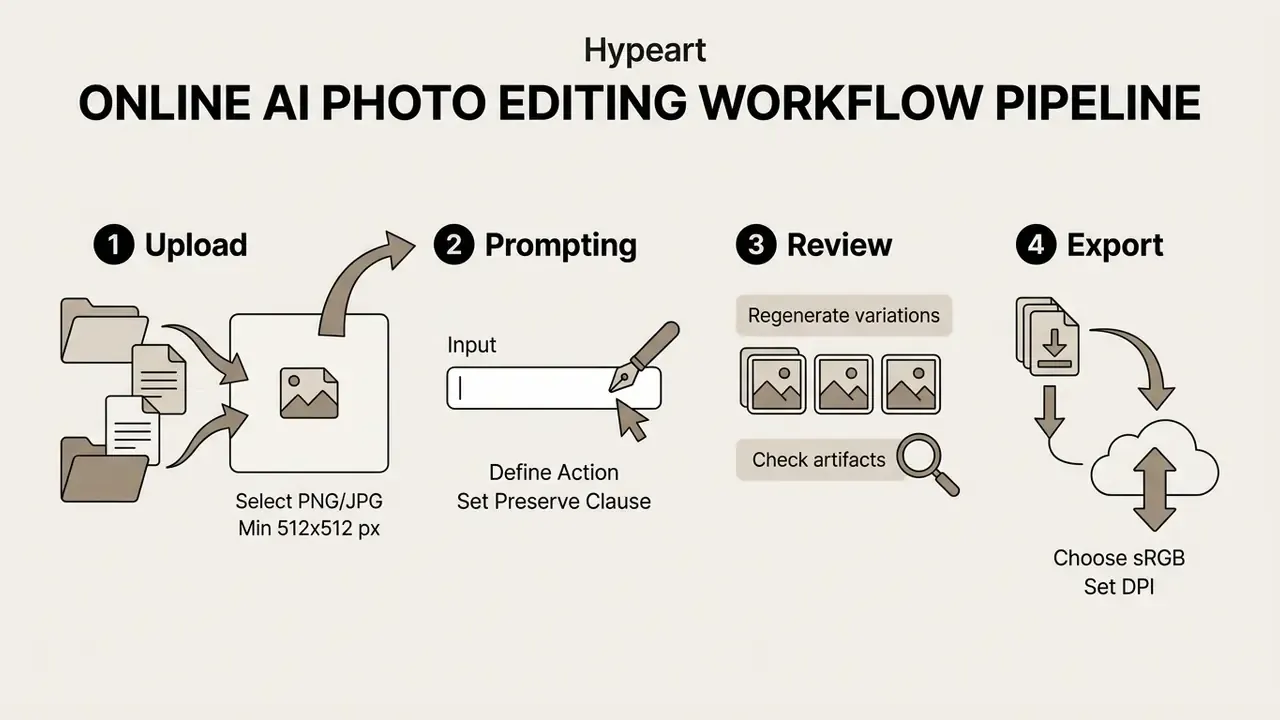
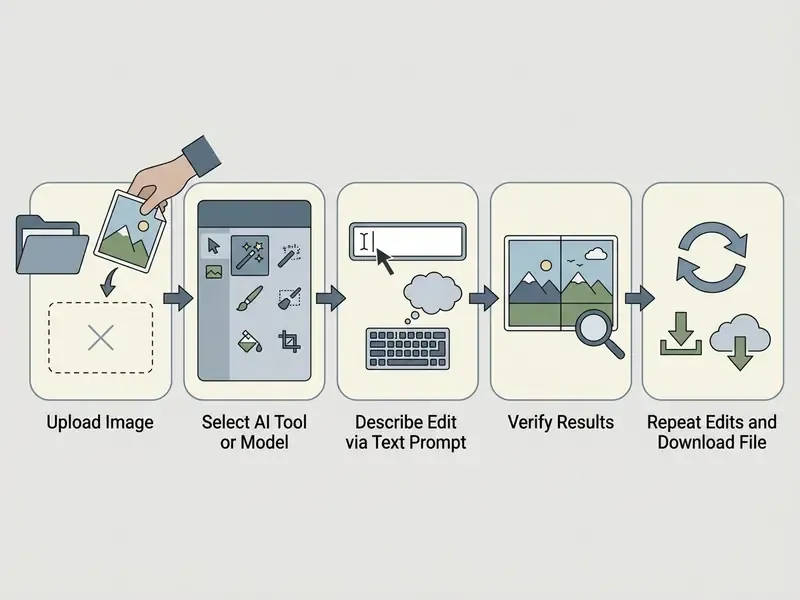
In two sentences: Running an ai photo maker online workflow follows a structured four-stage process designed to balance automated speed with visual quality control. Every stage has a measurable acceptance criterion, and that is what separates a production pipeline from casual experimentation.
Uploading an Image and Selecting the AI Editing Tool
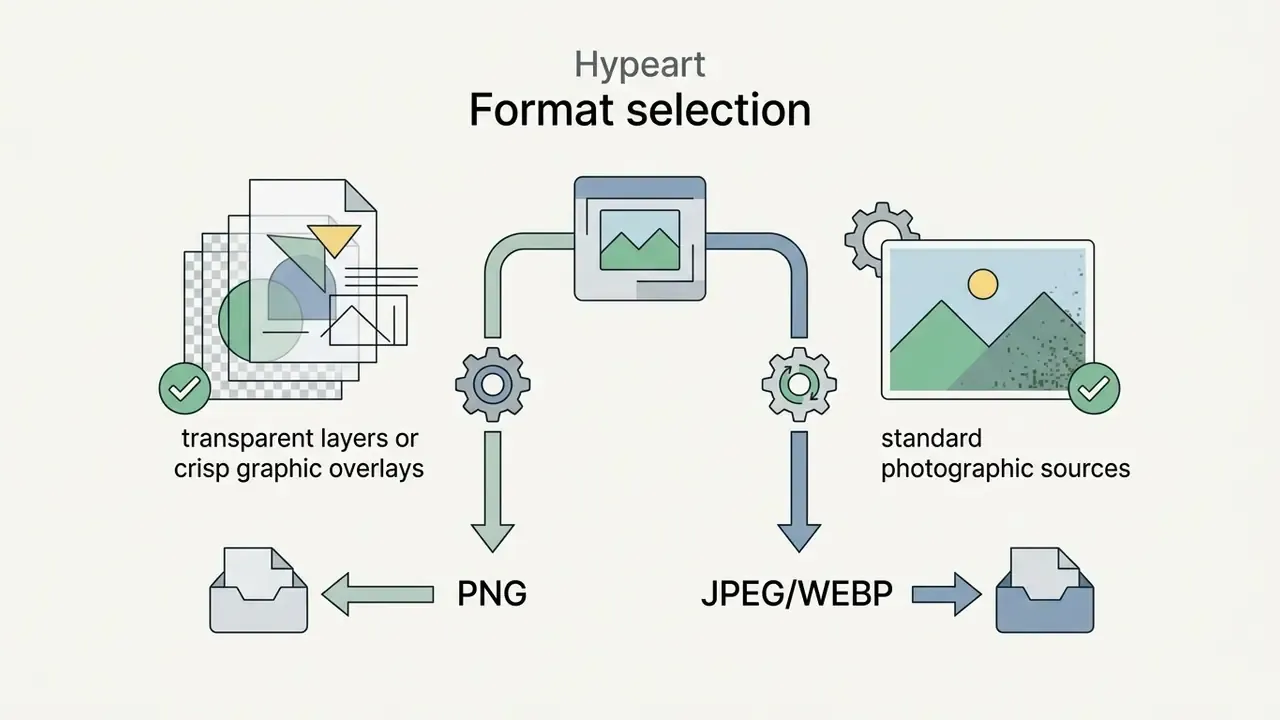
The pipeline begins by uploading a source image to the platform via drag-and-drop, URL import, or device storage. Most enterprise cloud platforms accept standard raster formats including JPEG, PNG, WEBP, and HEIC (Adobe Firefly, 2026; Venice AI, 2026).
Documented technical limits across mainstream services (verify per vendor):
| Constraint | Typical published value |
|---|---|
| Accepted formats | JPEG/JPG, PNG, WEBP; HEIC and SVG on some services |
| File size ceiling | 24 MB (lightweight editors) · 40 MB (mid-tier) · 100 MB (Adobe Firefly) · 25 MB (Venice API) |
| Pixel ceiling | 8192 × 8192 px per side; 25 MP upscale output; 36 MP segmentation; 100 MP detection |
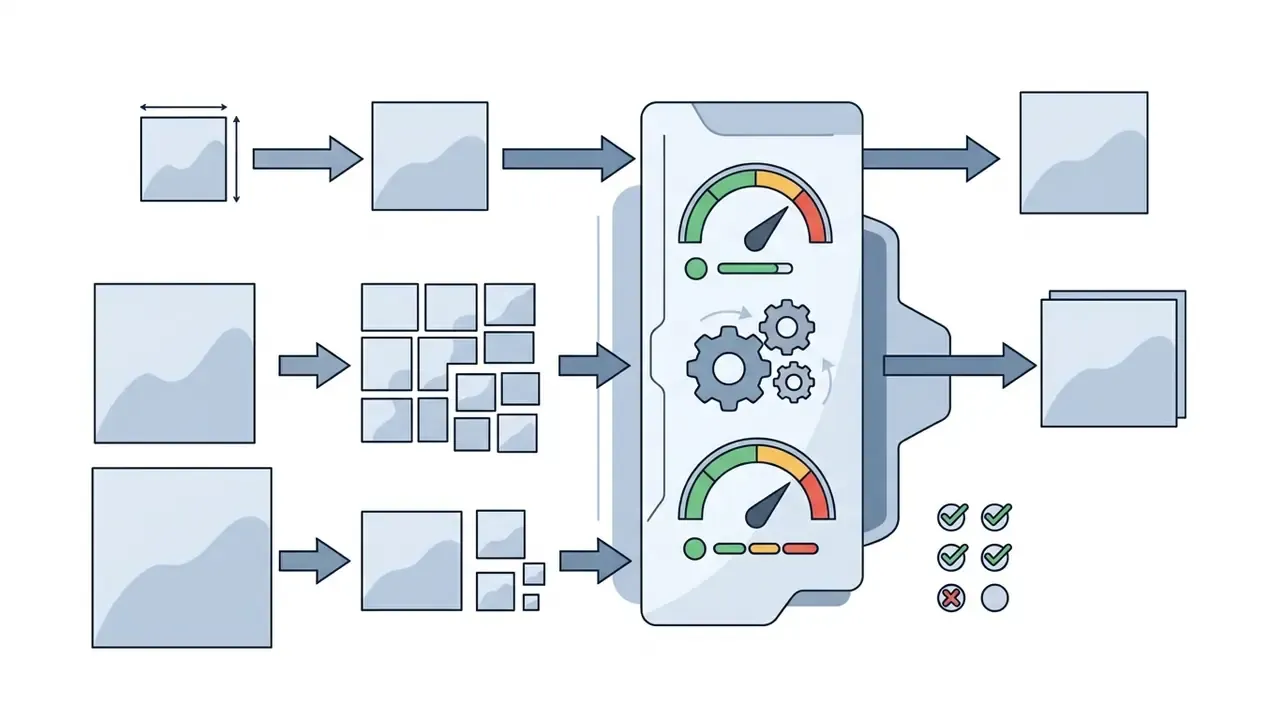
| Minimum input | 512 × 512 px for generative models; Firefly rejects smaller inputs; Venice requires at least 65,536 total pixels |
| Output resolution tiers | 1K / 2K / 4K presets; 300 PPI for print-ready export |
| Batch ceiling | Up to 50 images per run on batch-enabled platforms |
Input Guidelines: Preparing the Source Photo (Pro Tips)
Neural network output quality is bounded by input quality. Failed generations are usually input failures, not model failures. That is the least glamorous finding in this entire guide, and probably the most useful one.
- For hairstyle changes and garment try-on
- use a straight-on, front-facing photo in neutral daylight, with existing hair pulled back or the hairline clearly visible. A full-body frontal shot in simple, uncluttered clothing gives the model the cleanest base for fitting a new outfit.
- For object removal and generative fill
- brush 5 to 10 pixels beyond the object boundary. That margin gives context-aware inpainting enough surrounding texture to reconstruct the fill seamlessly instead of smearing an edge halo.
- For restoration and upscaling
- STUNet- and DiffBIR-class algorithms reconstruct detail lost to motion blur, low resolution, or compression. They cannot recover a subject that was never in focus, nor invent occluded facial features absent from the source.
- For animation or image-to-video handoff
- start from a clear, well-lit frame with the subject facing forward. Motion engines infer depth and pose from the still, so a clean source produces the most natural movement.
- For batch runs
- shoot the entire set under one lighting setup. Mixed colour temperature across a batch defeats single-preset colour correction and forces per-image intervention.
- For long video enhancement
- trim to a short clip and enhance that first as a preview before committing compute to the full timeline.
How to Write a Text Prompt for a Precise AI Edit
Writing an effective editing prompt requires four structured components: the core action, the exact visual target, preservation rules, and stylistic constraints (Pruna Docs, 2026; Meta AI Guide, 2026).
PROMPT STRUCTURE = [Action Verb] + [Exact Target Subject] + [Preservation Clause] + [Style & Lighting Constraints]
- Effective example "Replace the background behind the coffee mug with a clean, sunlit wooden kitchen table, while keeping the coffee mug and brand logo completely unchanged, matching natural morning side-lighting."
- Ineffective example "Make the background look better and hyperrealistic."
Avoid vague aesthetic terms such as "photorealistic", "4K", or "amazing". Provide explicit physical descriptions of lighting direction, surface texture, and exact spatial preservation requirements instead. Vendor guidance converges on the same template across background replacement, object add and remove, and style change: "Replace/Add/Remove [target] with [result], while preserving [details], matching [lighting/shadows/perspective/style]." Adobe additionally recommends prompts of at least five words.
«Experienced users of text-to-image models treat prompting as a skill in its own right: small wording changes drastically alter the result.»
Reviewing Results, Re-Editing, and Refining the Image
When the first variations arrive, evaluate output for common AI artifacts: distorted edges, unnatural shadow direction, unwanted skin smoothing (Getty Images Retouching Standards, 2024). Getty's guidance distinguishes retouching, meaning minor localized adjustments such as removing stray hairs or a distracting element, from modification that changes structure or composition. That distinction matters for editorial and news-adjacent usage policies.
If the output contains minor flaws, use localized brush selection to re-mask the problem area and re-run generative fill with an adjusted prompt. Iterative refinement keeps the final asset inside brand guidelines without a complete regeneration.
Reproducibility and audit trail. For regulated environments, log the following for every accepted asset: source file hash, prompt text, negative prompt, seed, model name and version, mask coordinates or mask file reference, operator identity, timestamp, and reviewer sign-off. Without a persisted seed and model version, an edit cannot be reproduced for a regulator, an auditor, or a litigation hold. Operators needing specialized canvas extensions can consult our benchmark of AI outpainting tools for detailed outpainting controls.
Downloading the Finished Photo for Publication or Work
The final phase exports the processed asset with format and colour profile settings matched to the distribution channel (W3C Image Guidelines, 2026; ISO 15930-7):
- Web and e-commerce export as WEBP or JPEG, tagged with the sRGB colour profile, compressed for fast loading. W3C notes that untagged web images are treated as sRGB by default.
- Social media export as high-bitrate JPEG or PNG at native platform display dimensions to limit automatic server re-compression.
- Print production export as uncompressed PDF/X-4 or TIFF at 300 PPI, with CMYK conversion and embedded ICC profiles. ISO 15930-7:2008 defines PDF/X-4 support for RGB, CMYK, gray, and spot data with ICC profiles; consumer tools mirror this split with "PDF Standard" at 96 dpi versus "PDF Print" at 300 dpi with bleed and crop marks (Canva Help, 2026, https://www.canva.com/help/download-file-types/).
What AI Photo Editing Is Used For
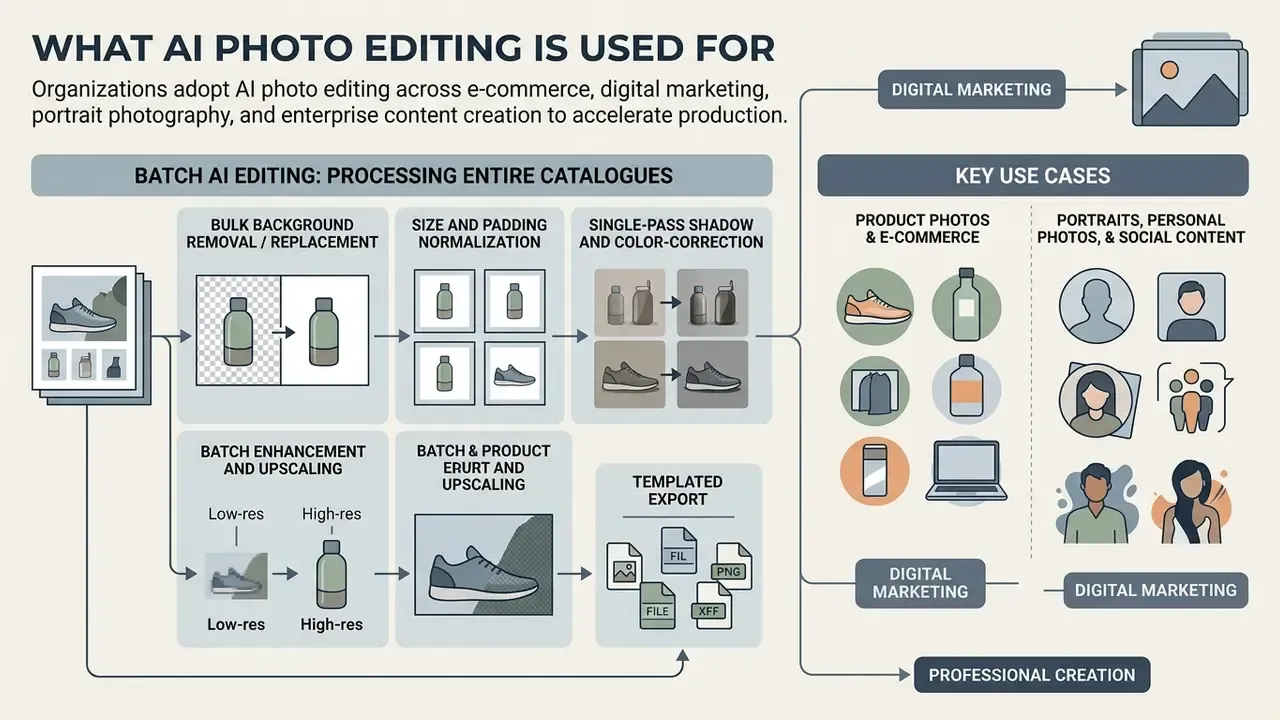
In two sentences: Organizations adopt ai photo editing across e-commerce, digital marketing, portrait photography, and enterprise content creation to accelerate production turnaround. The highest-value deployments are repetitive, specification-driven tasks where output can be validated against a fixed template.
Product Photos, E-Commerce, and Professional Marketing
In e-commerce operations, automated background removal and batch enhancement process large product volumes for marketplace compliance (Photoroom Bulk, 2025; Evoto AI, 2026). Pipelines replace distracting backgrounds with standardized studio white or custom lifestyle settings across 50 or more product shots simultaneously, correct colour and lighting, add cast shadows, and export platform-ready dimensions for Amazon, Shopify, Walmart, and Etsy.
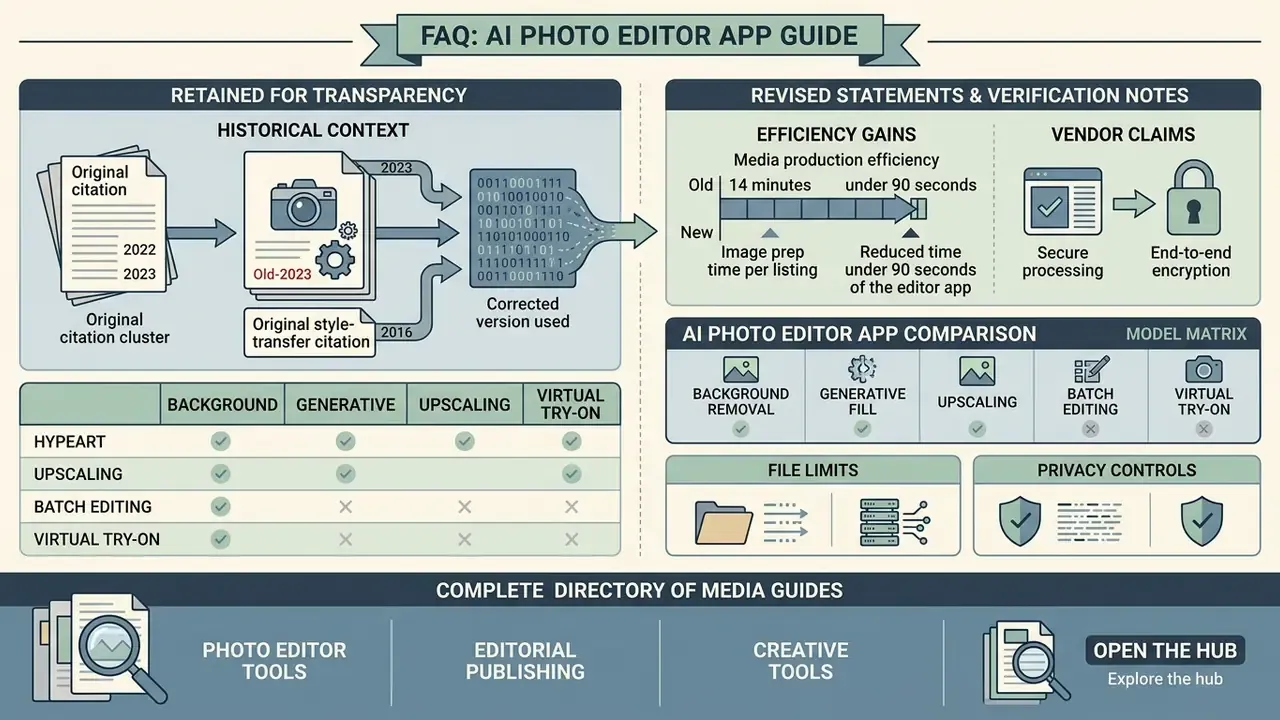
In a commercial retail implementation documented by our editorial team, an online merchant deployed an a1 photo editor workflow to standardize 2,500 catalogue photos. The automated system reduced image prep time per listing from roughly 14 minutes to under 90 seconds while keeping shadow casting consistent across product lines. Methodology note: these figures come from a single vendor-agnostic internal implementation review with a fixed 2,500-image catalogue and one operator. They are not a controlled study and will vary with product transparency, lighting consistency, and marketplace template complexity. Independent published evidence on per-listing time savings at this scale remains limited, so treat the numbers as directional. Marketers evaluating platform capabilities can review our analysis of Canva AI Generator features and its commercial licensing terms.
Batch AI Editing: Processing Entire Catalogues in One Pass
For online stores, event photographers, and marketplace sellers, editing image by image is not economically viable. Batch-enabled platforms accept up to 50 photos per run, with per-file ceilings around 40 MB and 8192 × 8192 pixels, and apply one parameter set to the whole queue.
A production batch pipeline typically executes:
- Bulk background removal or replacementacross the entire product series, with a single consistent backdrop colour so the catalogue reads as one shoot.
- Size and padding normalizationto marketplace specifications (1:1, 4:3, 16:9), including uniform subject-to-frame ratio and safe-margin padding.
- Single-pass shadow and colour-correction styling, auto-adjusting lighting, sharpness, and white balance so tone is uniform across SKUs.
- Batch enhancement and upscaling, with up to 50 images enhanced in one operation on enhancement-capable services.
- Templated export, writing WEBP for listing thumbnails and PNG or TIFF masters for archival and reprocessing.
Governance requirement: batch runs multiply errors as fast as they multiply throughput. Sample at least 10 percent of every batch, and 100 percent of any batch containing people, medical devices, or regulated product claims, before publication.
Virtual Try-On, Hairstyles, and Face Swap
Consumer editors have converted identity-manipulation research into mass-market features, and these categories now account for a large share of editing volume.
- AI hairstyle generators offer 140+ cuts and colours, fitting the selected style to face shape and scene lighting so the preview reads as a photograph rather than an overlay. Typical use: pre-salon consultation and fashion content.
- AI clothes changers and virtual try-on replace an existing outfit with suits, streetwear, or seasonal collections, matching fabric texture, shadow direction, and body contour. Fashion retailers use this to expand on-model coverage without reshoots.
- Face swap transfers an identity embedding onto a target frame; frame-consistent variants extend this to video. Entertainment and social content dominate this use case.
Technically, these features condition a diffusion backbone with pose, depth, and segmentation control signals (ControlNet-style structural conditioning) plus identity or reference-image adapters (IP-Adapter-style embedding injection), so body geometry and lighting survive while the garment, hair, or face region is regenerated.
Compliance caution. Face swap and try-on features process biometric identifiers. In many jurisdictions this triggers heightened consent and retention obligations, and several platform terms prohibit generating likenesses of real people without permission. Route these features through a documented consent workflow, and use AI image detectors to verify provenance of inbound assets.
Free AI Photo Editor: Limits, Free Trial, and Commercial Use
In two sentences: Understanding vendor tier models prevents operational friction over export watermarks, resolution caps, and legal rights. The matrix below compares standard access tiers found across commercial AI editing services.
Table 2. Comparison of free, free trial, and paid AI photo editor plan conditions
| Plan type | Generation and export limits | Watermark policy | Export resolution | Commercial use rights |
|---|---|---|---|---|
| Free plan | 5 to 25 credits per month, daily reset caps, or capped export counts (e.g. 250 exports per month) | Mandatory visible watermark | Restricted to web or standard (72 DPI) | Strictly non-commercial, personal use only |
| Free trial | Time-limited (7 to 14 days) or one-time credit allocation (e.g. 5 to 50 starter credits) | Watermark removed during active trial | Full high-resolution access during the trial window | Conditional; often restricted until upgraded |
| Paid / Pro plan | High volume or unlimited compute priority | No watermarks | Full print-ready export (300 DPI, 4K and above) | Full commercial licence included |
Teams still shortlisting platforms can cross-reference our comparison of the best AI image generators alongside these tier conditions.
What "Free", "Free Trial", "No Cost", and "Unlimited Access" Actually Mean
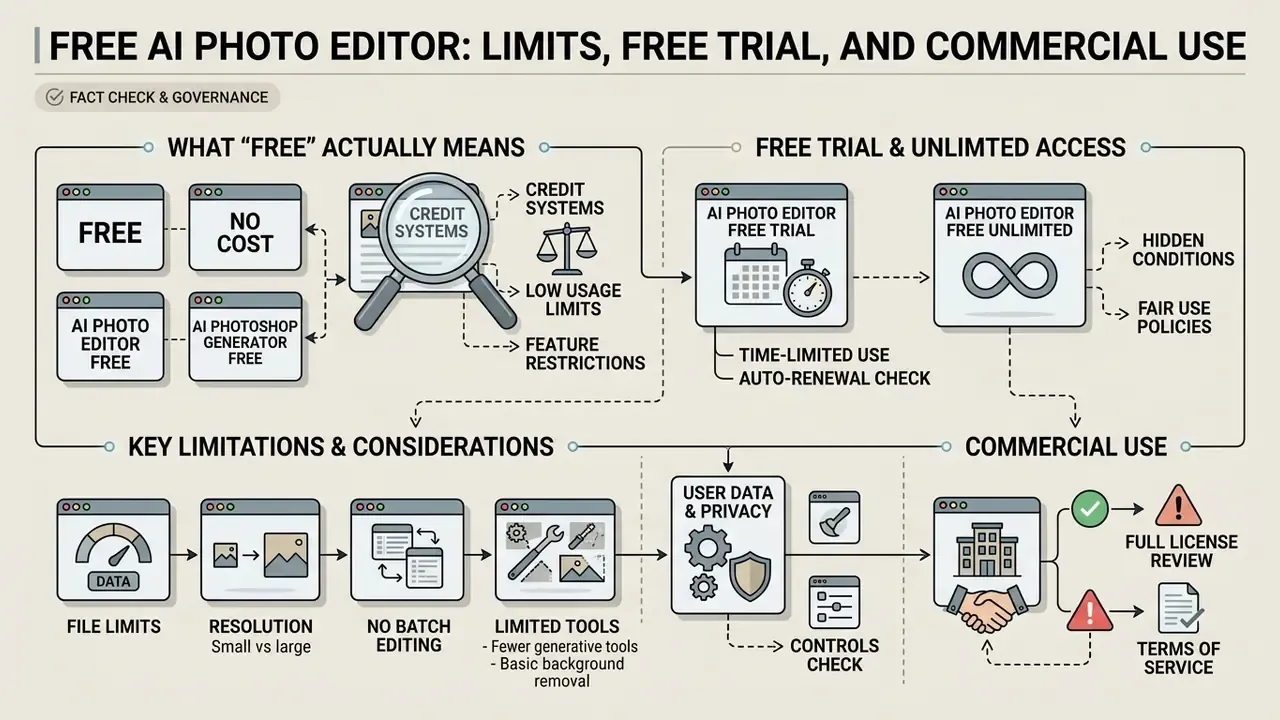
Vendor marketing language often conceals significant operational limits (Google Cloud Free Tier Docs; Oracle Cloud Terms). Google Cloud, for example, separates a credit-based free trial from a free tier whose monthly allowances do not expire but can change. Oracle separates "Always Free" from a 30-day trial.
- a1 photo editor free / ai photo editor no cost permanently accessible without payment, but typically subject to strict monthly credit limits, mandatory watermarks, public image exposure, and lower export resolution.
- ai photo editor free trial time-restricted or credit-capped access to pro features; credits expire when the trial ends.
- ai photo editor free unlimited marketing phrasing that usually applies to basic filters such as cropping and brightness, while gating generative fill, super-resolution, and background removal behind credit meters.
- ai assisted photo editing free / ai photoshop generator free often means a limited daily quota on one engine, with premium engines reserved for paid tiers.
- Credit systems platforms charge 1 to 3 credits per generation, upscale, or object removal, and 4 to 18 credits for premium engines such as Nano Banana Pro or GPT Image at high resolution, requiring top-up purchases once initial balances are consumed.
- Hidden condition to check some services publish free-tier generations publicly by default and keep only paid-tier outputs private.
Typical free-tier limits to expect: request caps, monthly quotas, credit expiry, region restrictions, model restrictions, storage limits, and feature gating. Under the table, in plain language: free access is not the same as unlimited use, and neither is the same as a commercial licence.
Users seeking transparent pricing structures can review our breakdown of platform pricing tiers or consult our specialized guide on free photo editors.
Commercial Use, Watermarks, and Download Rights
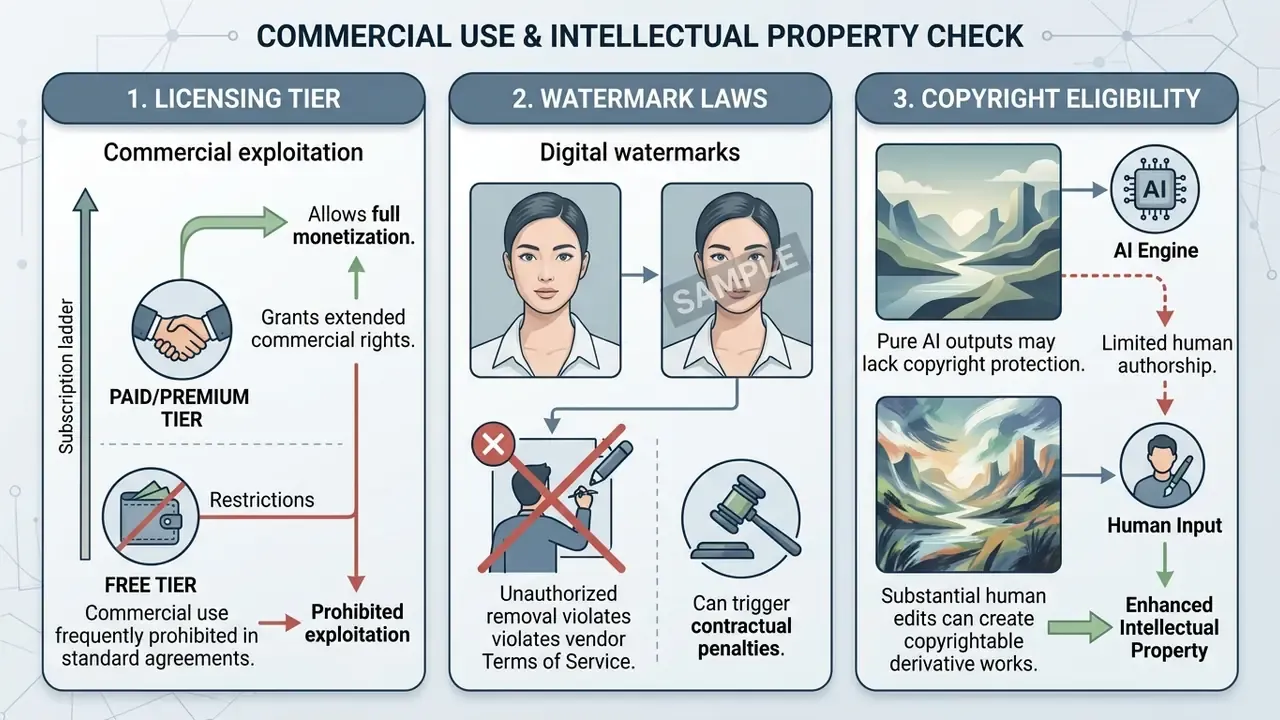
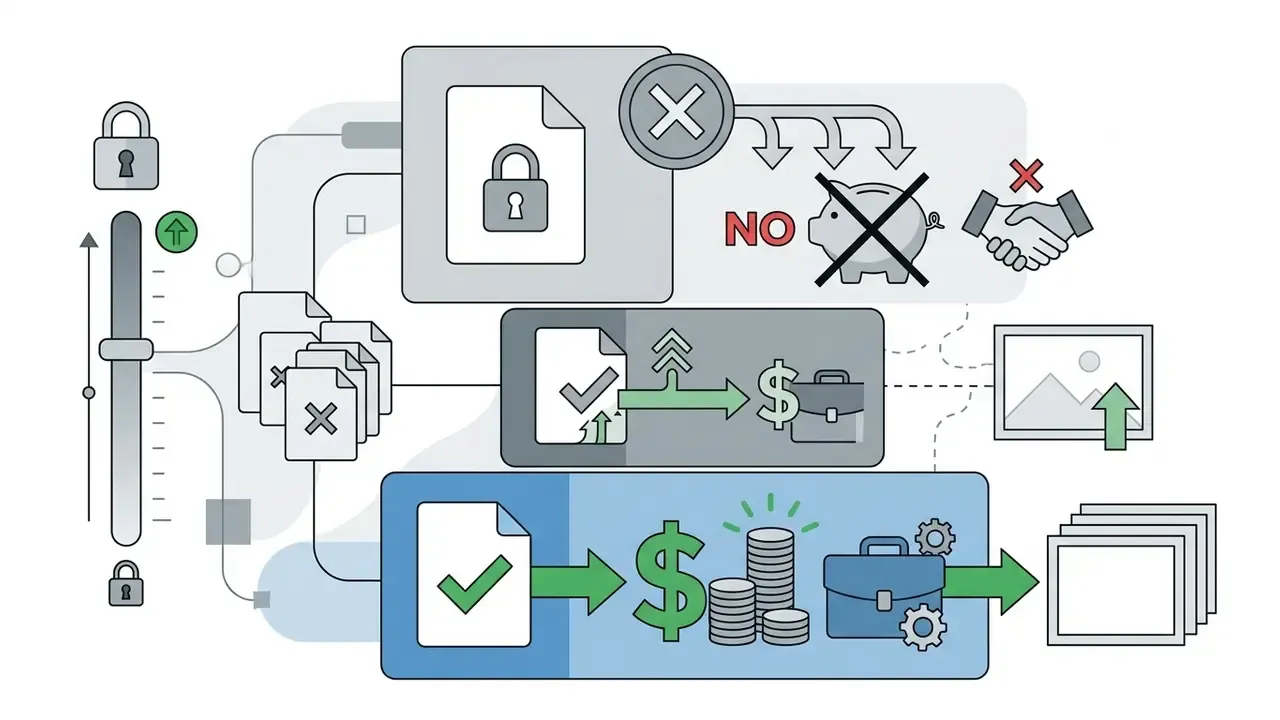
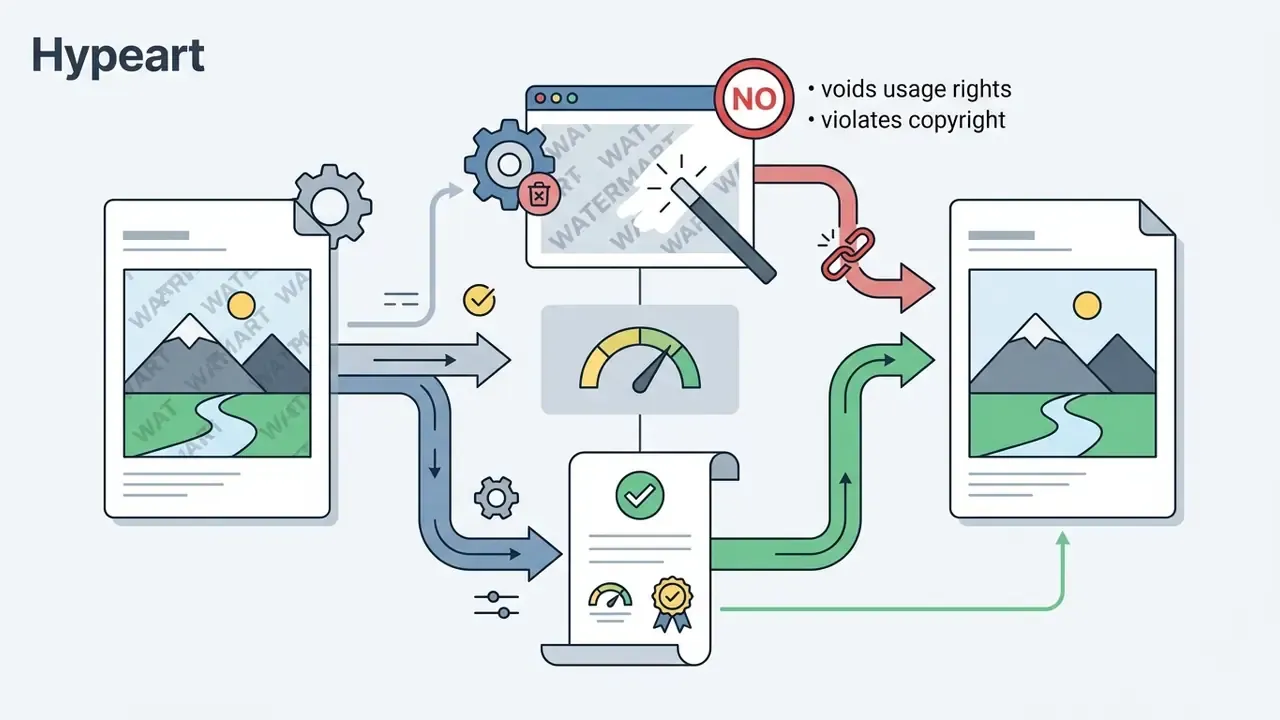
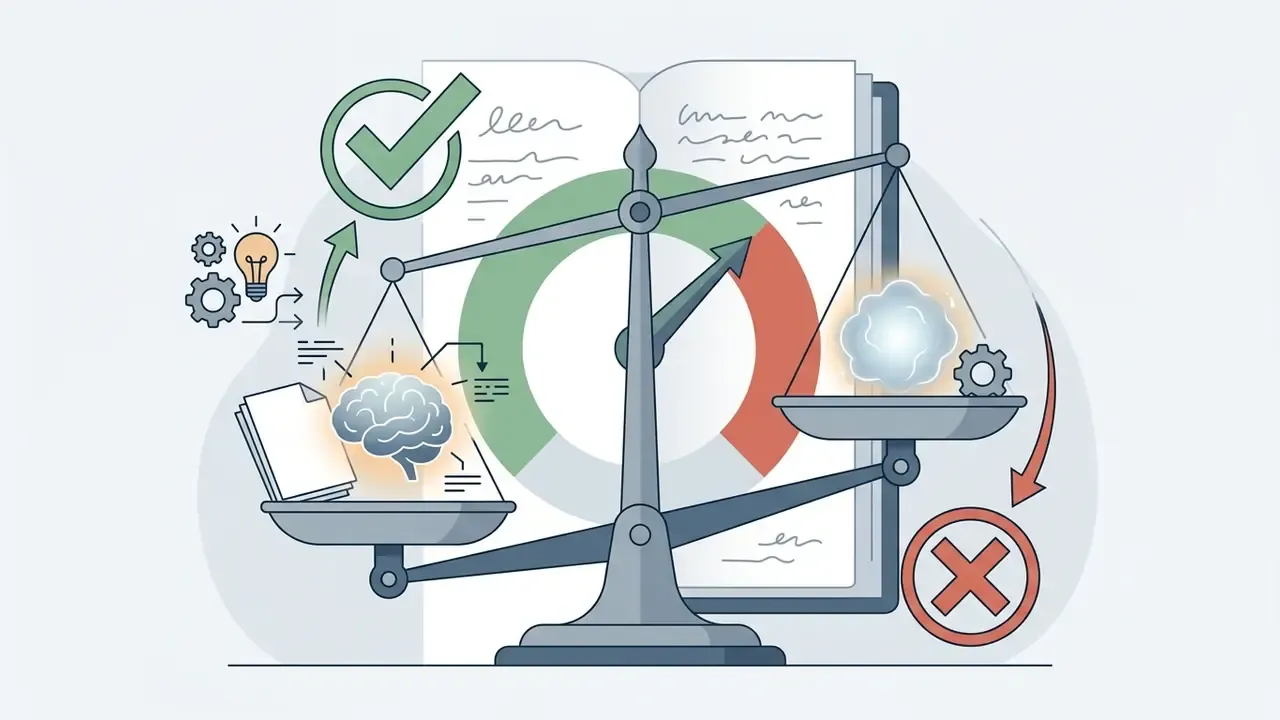
«The U.S. Copyright Office imposes higher requirements of control and intent on AI users than on authors of traditional works.»
IP clearance workflow before publication:
Organizations navigating complex commercial asset deployment can examine our AI Media Commercial-Use Hub for detailed regulatory analysis. For specialized monetization workflows, creators can read our guides on how to sell ai art and how to sell video games online. For general context on software litigation and legal risk frameworks, see the overview of regulatory developments.
Risk-Adjusted ROI: Pricing the Manual Touch-Up Rate
Vendor marketing quotes gross time savings. Finance functions need net savings after quality control. Use the following model, and see the overview of our calculators if you want to run the arithmetic against your own volumes.
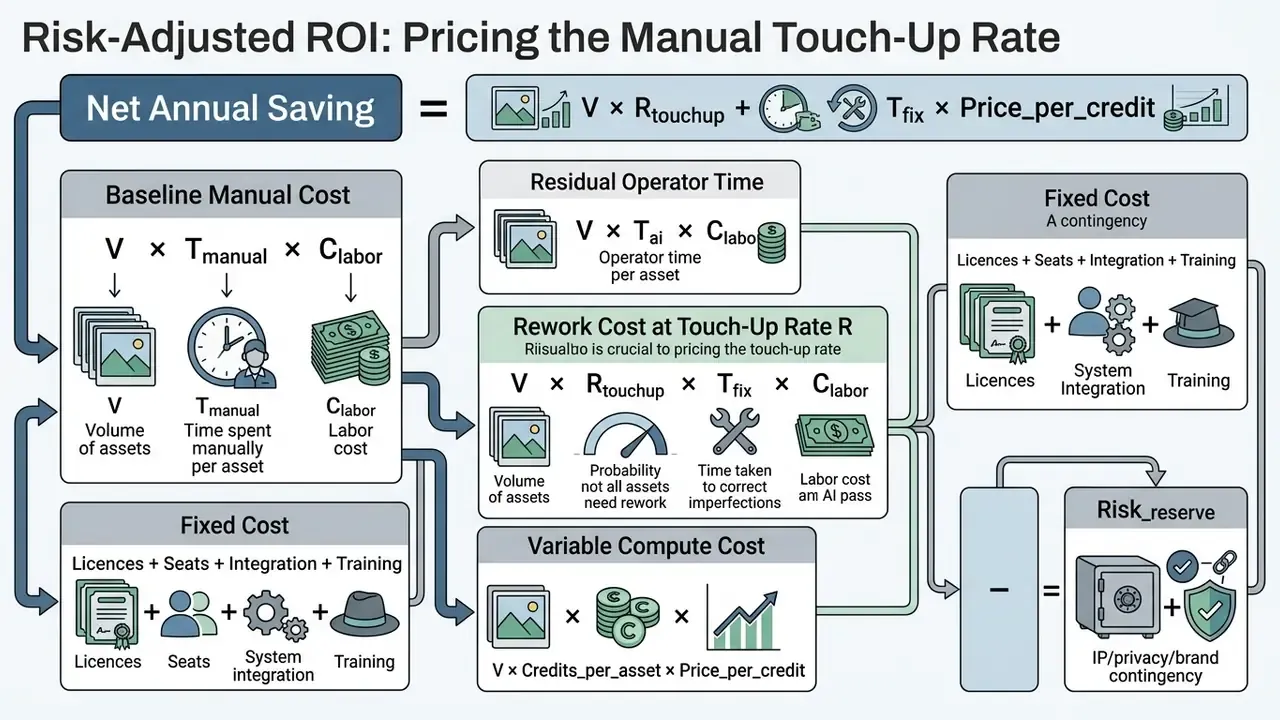
Where V is annual asset volume, T_manual / T_ai / T_fix are hours per asset, C_labor is fully loaded hourly cost, and R_touchup is the share of outputs failing first-pass QA. Our internal editorial sample observed roughly 12 percent requiring manual correction, with transparent, reflective, and backlit subjects dominating the failure set. Model 10 to 20 percent until you have your own measured rate. The Risk_reserve line should be non-zero for any customer-facing or regulated deployment, covering licence re-verification, takedown handling, and re-shoot exposure.
Break-even sanity check: if R_touchup x T_fix approaches T_manual, the pipeline is not saving money. It is relocating the work. That is the most common failure mode in first-year AI imaging programmes, and it usually surfaces in month four, not month one.
Export Quality, File Formats, Privacy, and Enterprise Security
In two sentences: Maintaining export fidelity and protecting corporate image data are critical selection criteria when choosing an ai realistic photo editor. Export settings determine whether your quality gains survive distribution; security settings determine whether your data survives at all.
Resolution, High-Res Export, and Edited-Photo Quality
To prevent re-compression artifacts, cloud-based AI editors must support lossless export options and flexible resolution scaling (LibreOffice Technical Docs; Adobe Export Guidance):
Operators evaluating enterprise options can consult our analysis of Microsoft AI Image Generator and our evaluation of Google AI Image Generator to examine export resolution limits.
Privacy, Storage of Uploaded Images, and AI Model Training
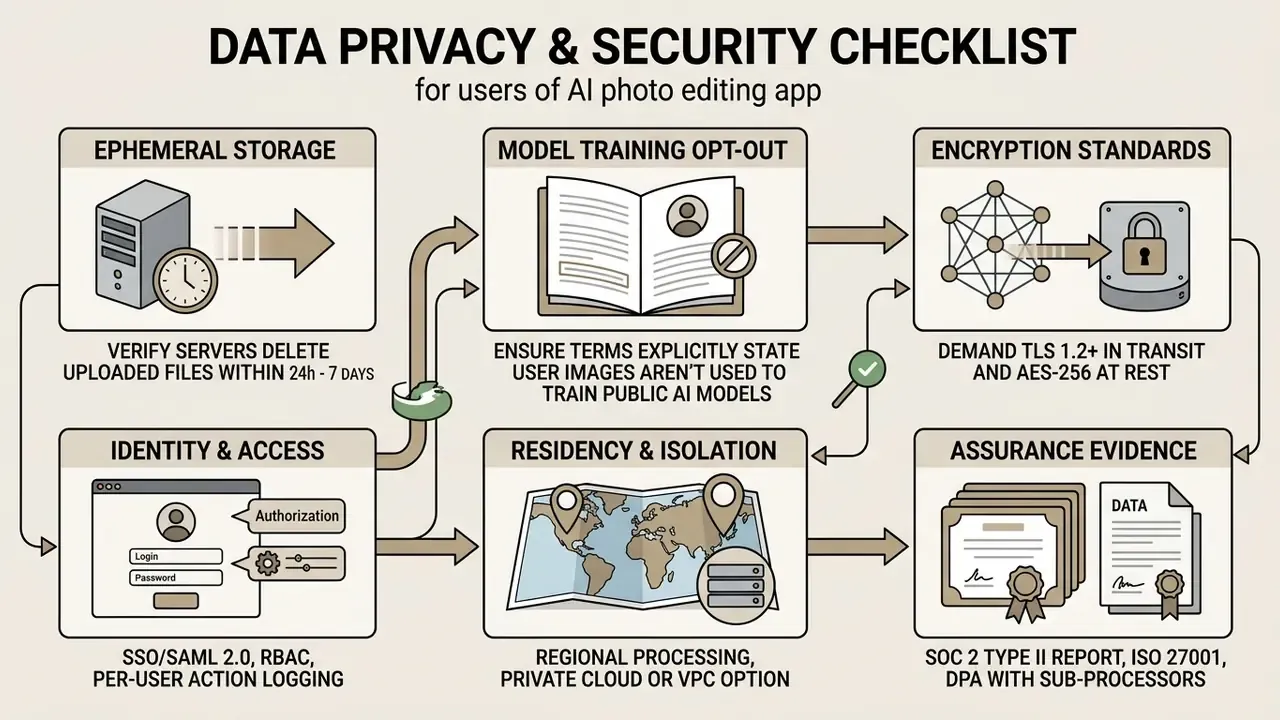
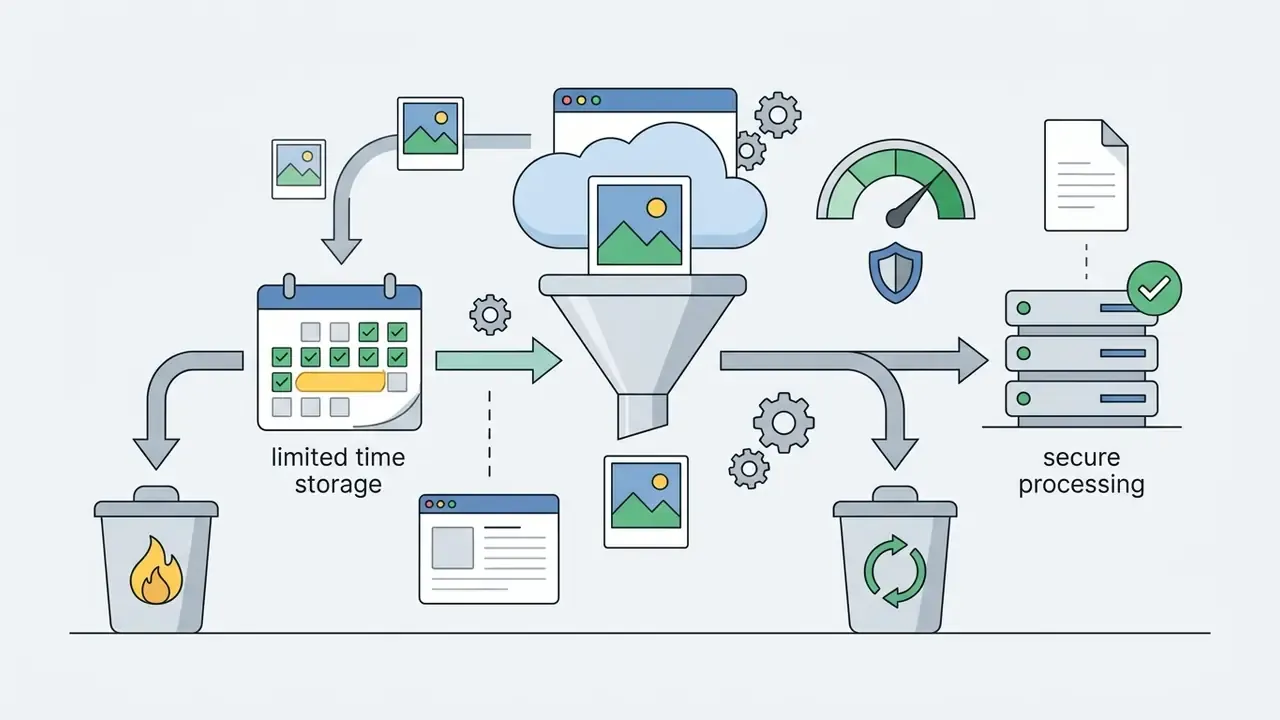
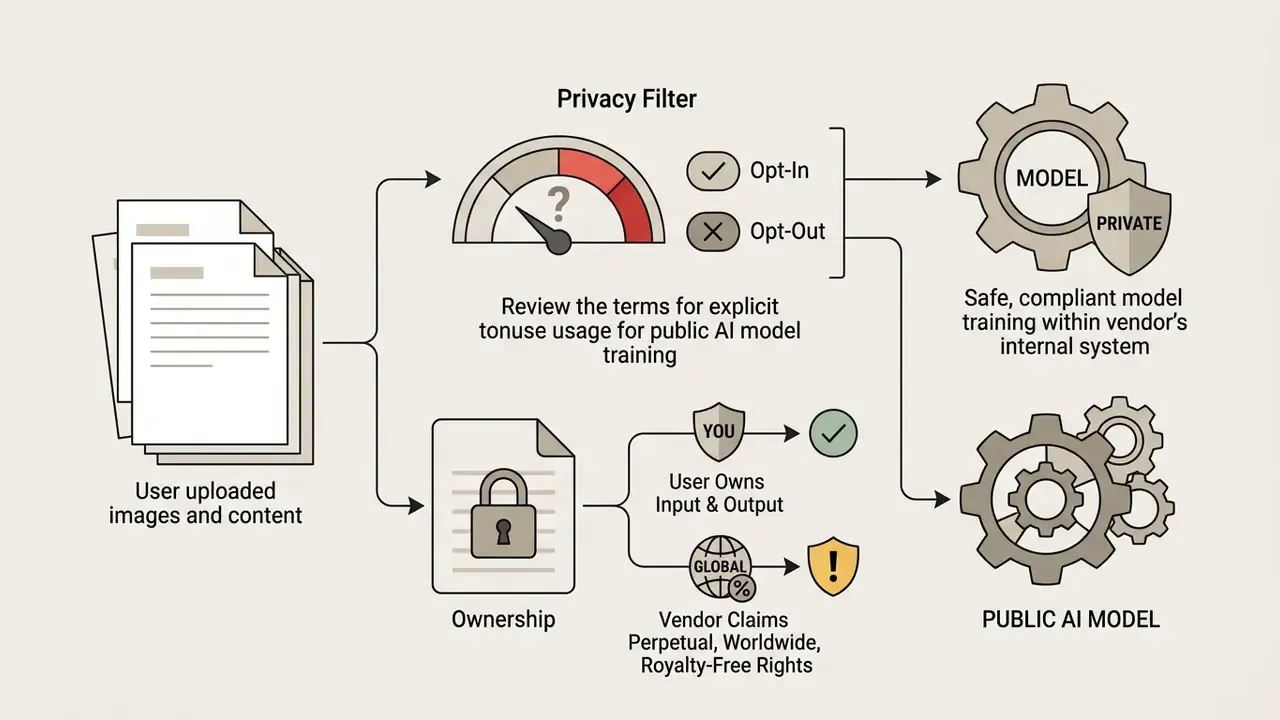
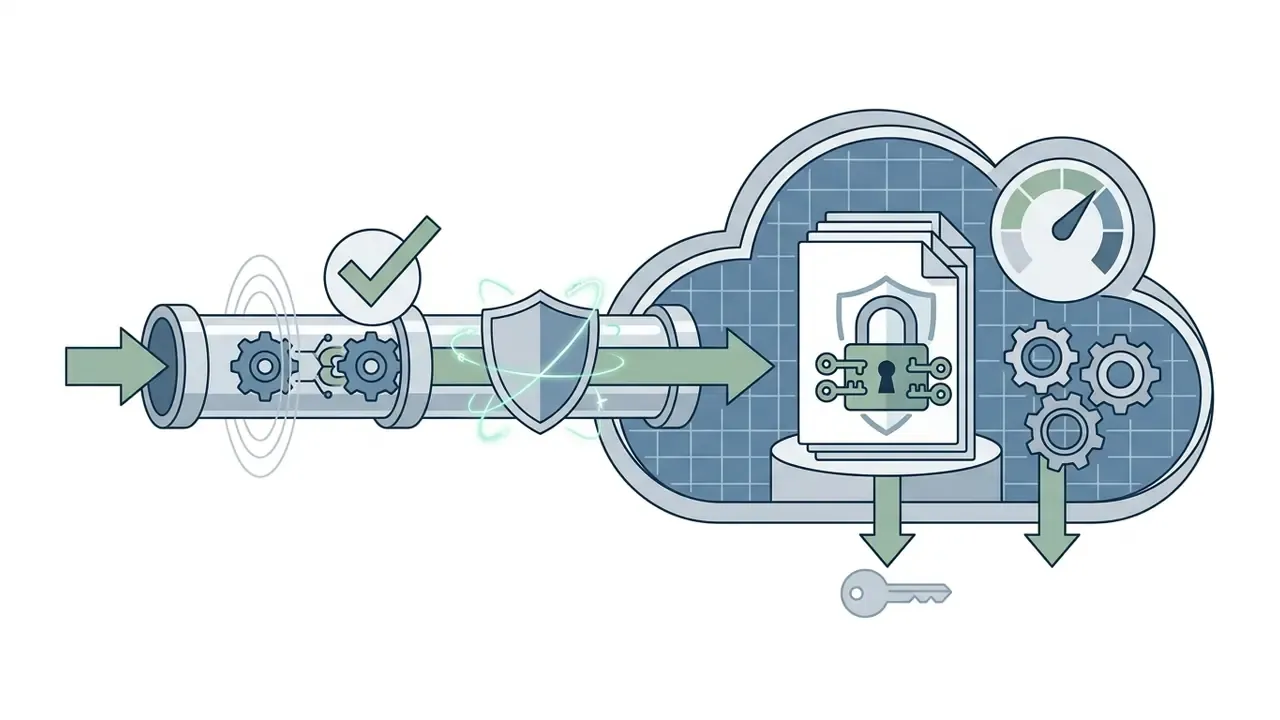
Terminology correction. Some consumer editors advertise "end-to-end encryption" for uploaded photos. That claim is technically incorrect for cloud inference: the server must decrypt the image into GPU memory to run the model. The accurate, verifiable formulation is encryption in transit (TLS 1.2+) and at rest (AES-256) on processing servers, combined with a defined retention window and a contractual training opt-out. Treat "100 percent secure processing" as marketing language, not as an assurance artifact.
«The PrivateEdit pipeline masks sensitive facial regions on-device before cloud transmission, reducing identification accuracy by more than 50 percent.»
Shadow AI, Access Control, and Regulated-Industry Controls
A Safe Next Step
You do not need a programme to start. You need one controlled pilot with a measured touch-up rate.
Pick a single, low-sensitivity asset class, product photography without people is the usual choice. Run 200 images through two candidate engines. Log seed, model version, prompt, operator, and reviewer for every accepted output. Measure R_touchup honestly, including the images someone quietly fixed by hand. Then compare that number against the ROI model above before you buy seats for the whole team.
If the pilot cannot produce a reproducible audit record, the tool is not ready for regulated work, however good the pixels look.
FAQ
What is the best AI photo editor app?
There is no single winner. The correct choice depends on task class. Browser suites with 30+ tools and multi-model routing suit generalist marketing work; desktop suites with layers, masks, and RAW support suit professional retouching; API and VPC deployments suit regulated volume pipelines. Benchmark candidates on your own five hardest source images before committing.
Do I need photo editing skills?
No for one-click actions such as enhance, background removal, and object erase. Yes for production quality: prompt structuring, mask precision, and artifact review are learned skills, and published research treats prompting itself as a distinct competency.
Is an AI photo editor free with no restrictions?
Not in practice. Free tiers gate at least one of the following: watermark, resolution, monthly credits or export counts, model access, or commercial rights. Verify the specific combination on the pricing page as of your generation date.
Can I use AI-edited photos commercially?
Only if your plan grants commercial rights at the time of generation. Many free tiers are explicitly personal-use-only, and some vendors state watermarks cannot be removed retroactively even after an upgrade. See the IP clearance workflow above.
Can AI-edited images be copyrighted?
Purely AI-generated output lacking substantial human authorship is not registrable in the United States. Documented human creative direction, meaning mask decisions, compositing, and iterative prompt authorship, strengthens the claim. Consult counsel for your jurisdiction.
Is my data used to train AI models?
It depends entirely on the vendor. Some state uploads are deleted immediately after processing and never used for training. Others require explicit opt-in. A minority claim broad licences over inputs and outputs. Read the privacy policy and the ToS, not the landing page.
How do I stop employees uploading confidential photos to free editors (shadow AI)?
Deploy a sanctioned SSO-bound editor, apply DLP and CASB egress controls to consumer upload endpoints, restrict biometric and KYC imagery to VPC or on-premise processing, and log every upload with user identity.
What file types and sizes are accepted?
Typically JPEG/JPG, PNG, and WEBP, with HEIC and SVG on some services. Size ceilings commonly range from 24 MB to 100 MB, pixel ceilings sit around 8192 × 8192 per side, and the practical minimum is 512 × 512 for generative models.
Can I edit multiple photos at once?
Yes on batch-enabled platforms, commonly up to 50 images per run, applying background removal, enhancement, retouching, and padding normalization in one pass. Sample-check every batch before publication.
Why did the AI change something I did not ask it to change?
Because instruction-following on precise edits is still unreliable. Benchmark evidence shows unrequested modifications such as skin-tone or colour-balance shifts even with explicit preservation clauses. Add a preservation clause to every prompt and diff the output against the source before accepting it.
Can AI recover a photo that was completely out of focus?
No. Restoration models reconstruct detail degraded by low resolution, compression, or motion blur. They cannot recover a subject that was never resolved in the source, and they will invent plausible but incorrect features if pushed.
Can I edit photos on a phone?
Yes. Mobile apps offer camera-roll access, touch editing, and occasional offline operation, at the cost of layer depth and mask precision relative to desktop suites.
Appendix A: Revised Statements and Verification Notes