An ai music video generator is an automated or semi-automated generative platform that synthesizes sequential visual content from input audio tracks, lyrics, or descriptive text prompts. Modern AI video workflows let musicians, record labels, and video creators turn raw sound files into complete visual productions without camera crews or weeks of manual editing.
One caveat before the details. Speed is the easy part; rights and quality control are where releases actually get stuck.
Executive Summary
- What it is A pipeline that analyzes audio (tempo, onsets, stems, lyrics), converts musical structure into shot-level prompts via an LLM director, and renders clips using diffusion video models (Google Veo 3.1, LTX 2.5, Runway Gen-3/Gen-4, Kling 1.5/2.0, Seedance, Pika, Luma Dream Machine, CogVideoX).
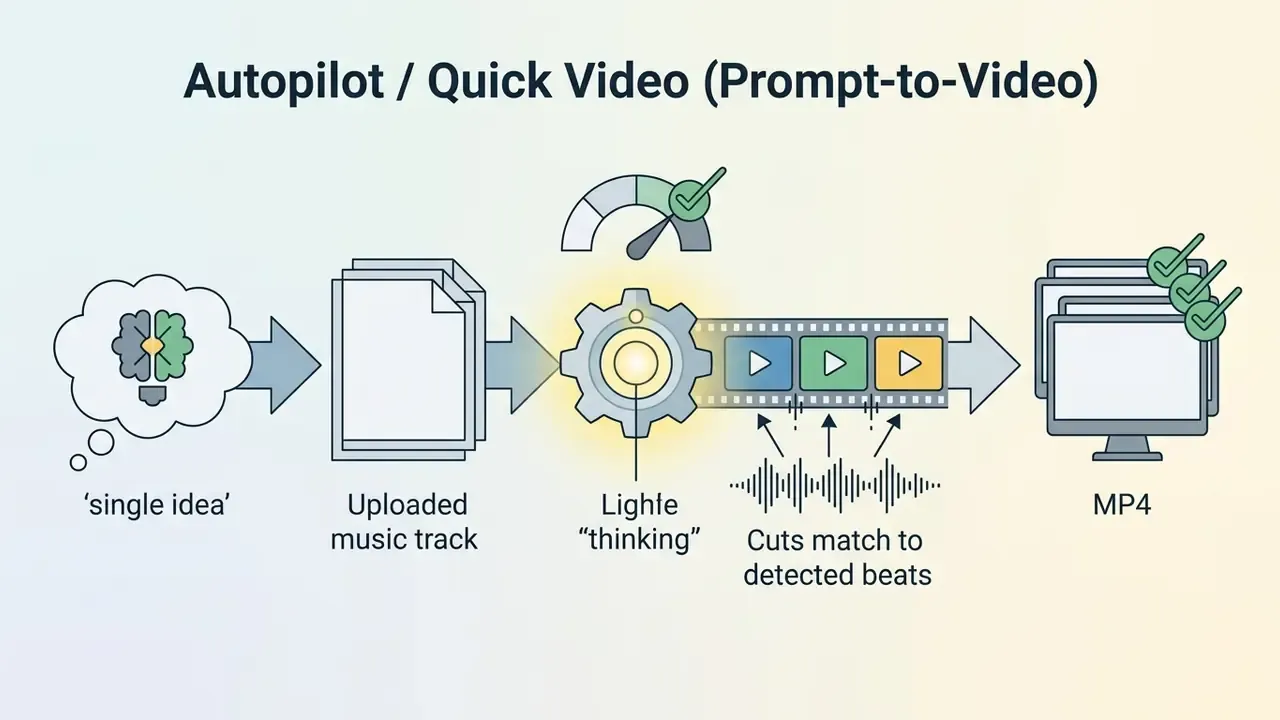
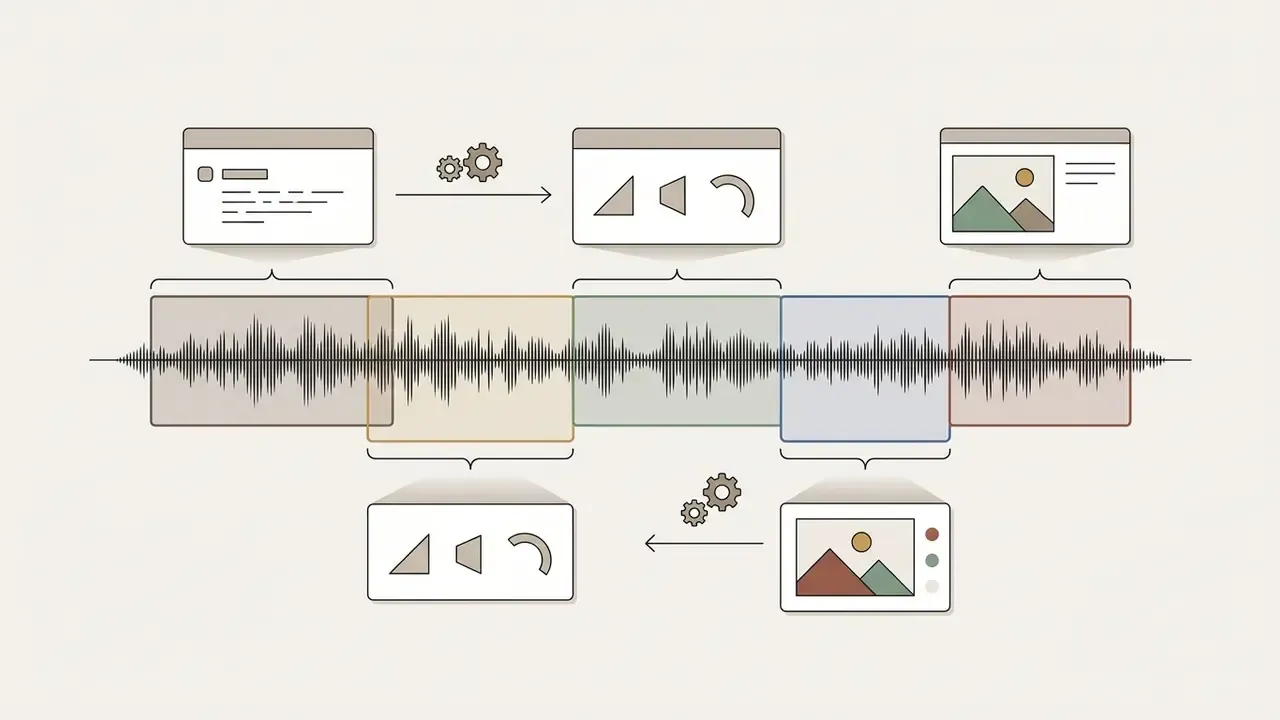
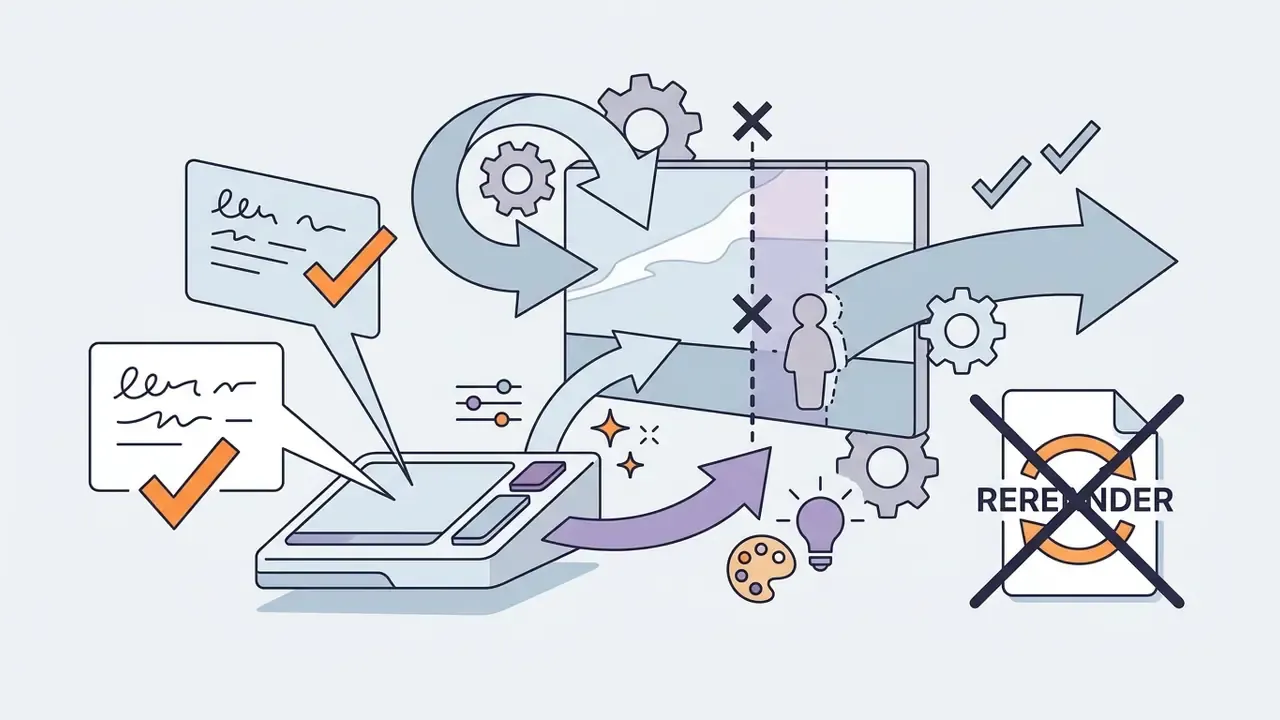
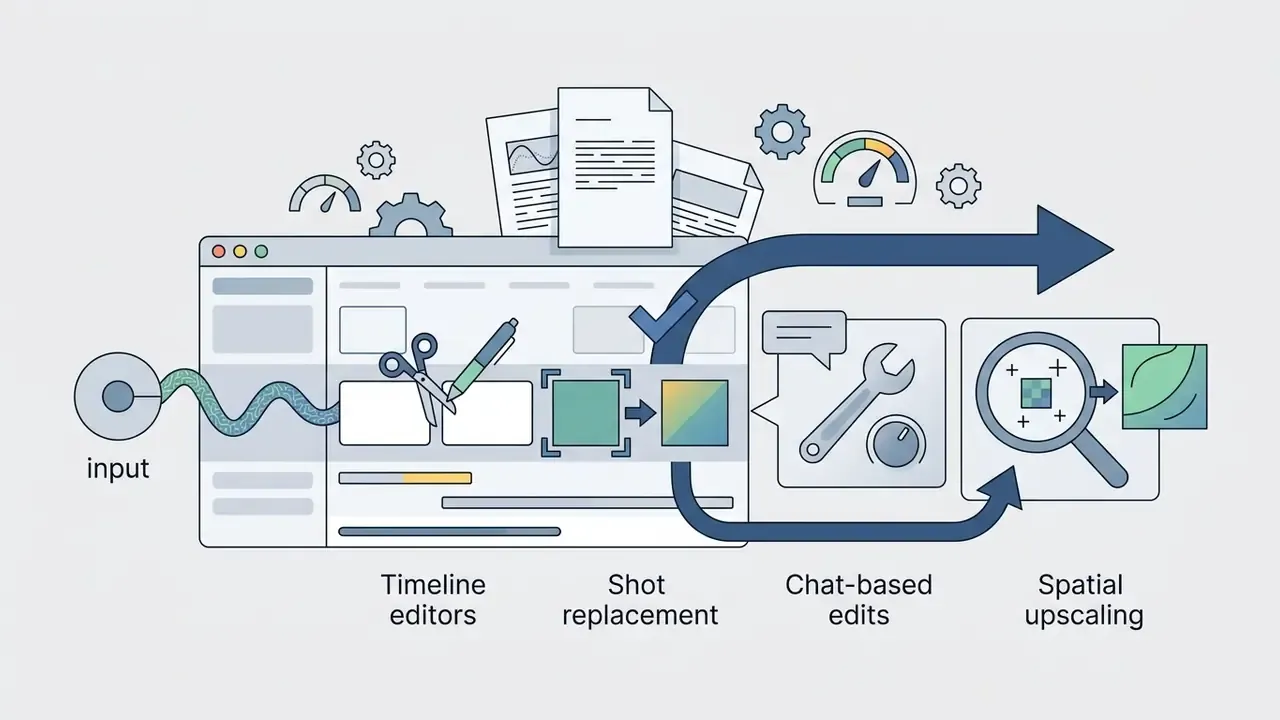
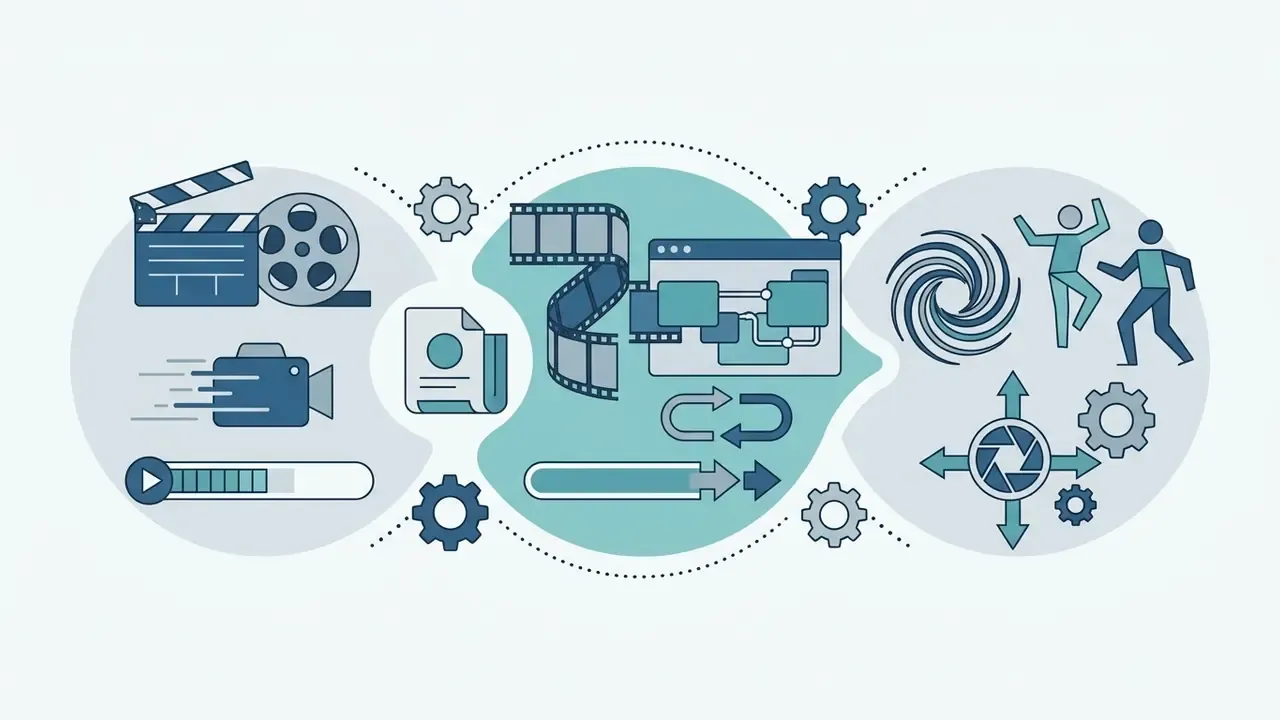
- Three working modes Autopilot (one-click prompt-to-video), Scene Editor (waveform timeline, shot-by-shot control), and Magic Box (chat-based edits on a finished clip).
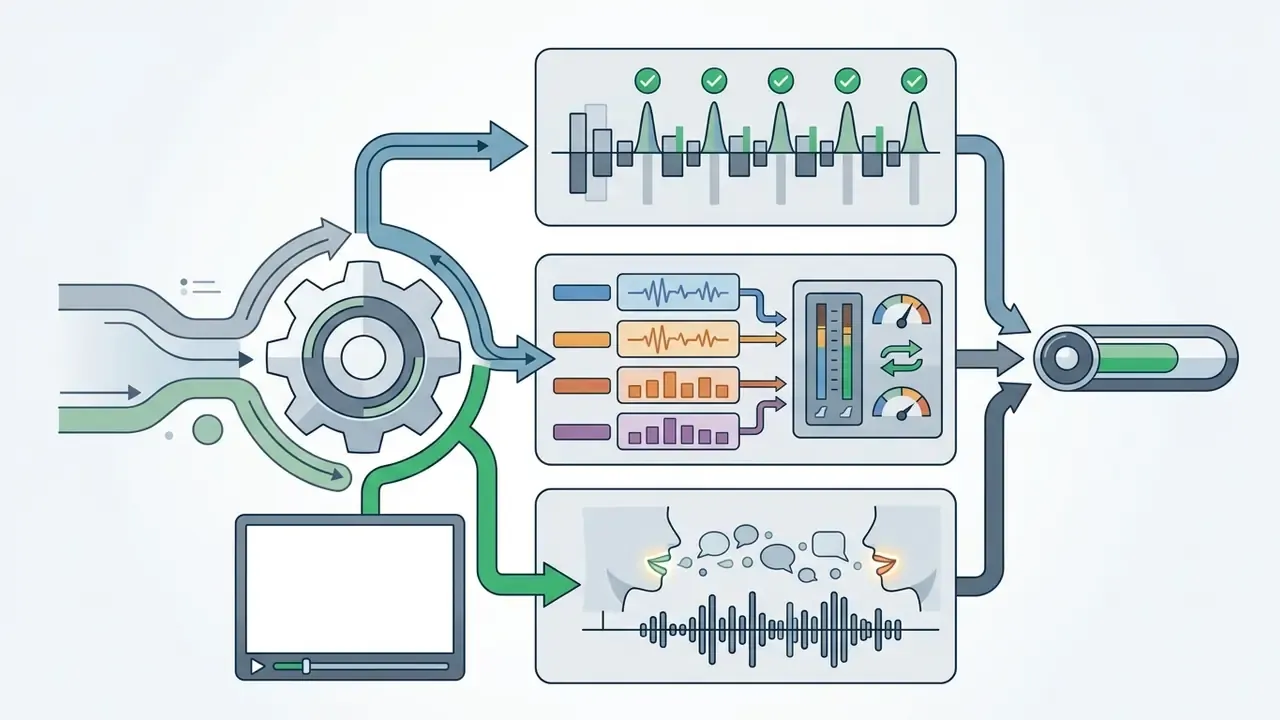
- Sync quality depends on clean 24-bit WAV audio, isolated stems (up to 8-stem analysis), prompt specificity with temporal descriptors, and whether the model is audio-conditioned.
- Rights reality Purely AI-generated output is not copyrightable in the US; hybrid human plus AI work is protected for its human-authored parts. Free tiers are almost always non-commercial. Suno Pro/Premier and paid ElevenLabs tracks are commercially usable; Udio downloads are restricted after the 2025 label settlement.
- Cost and time benchmark A research-grade multi-agent pipeline renders a full song for roughly $10–20 and 25–35 minutes of compute; commercial platforms deliver 2–4 minute renders on subscription credits.
What an AI Music Video Generator Is and What Problems It Solves
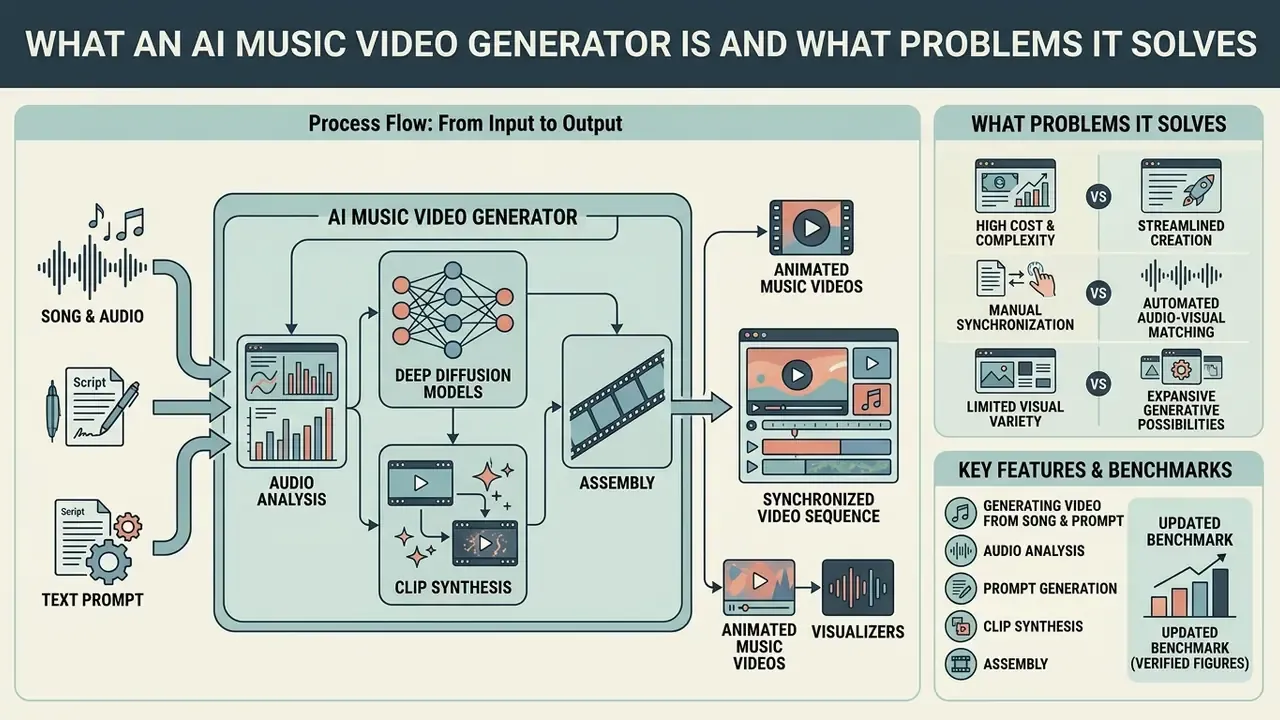
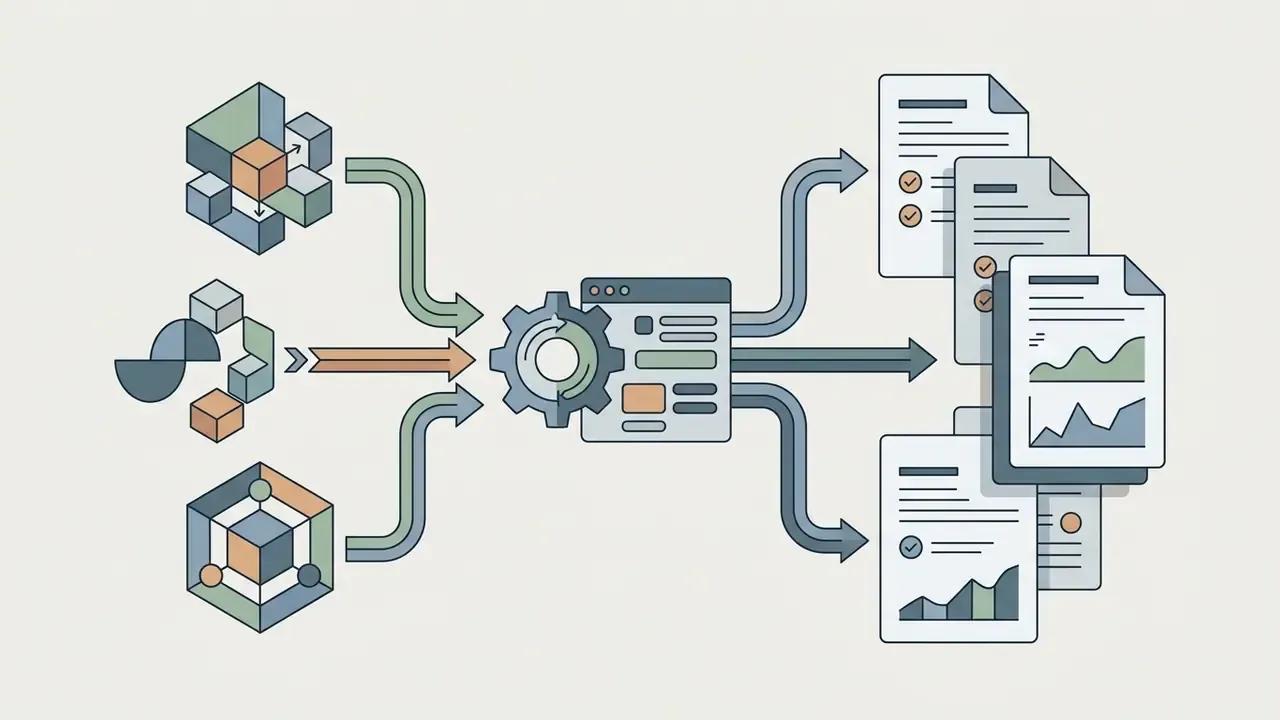
An ai music video generator is a software system that converts acoustic signals and text descriptions into synchronized video sequences using deep diffusion models and multi-agent planning. It attacks three familiar bottlenecks: production cost, turnaround time, and the manual labour of matching visuals to a moving musical structure.
«Automated pipelines can segment full tracks, build time-aligned scripts through LLMs, and render sequential clips with emotional alignment across an entire song.»
Traditional visual production needs physical equipment, location shooting, lighting setups, and frame-by-frame timeline assembly. An ai generate music video tool, by contrast, reads spectral properties, tempo, key transitions, and stem structure, then produces synth clips, stylized animation, or photorealistic narrative sequences on its own.
With ai for music videos, creators scale social output, ship official visualizers, test creative concepts cheaply, and keep audience attention alive between releases. Readers who want the broader category context can review the reference material on AI video generators before narrowing the search to music-specific tooling.
Generating Video from a Song, Audio, and a Text Prompt
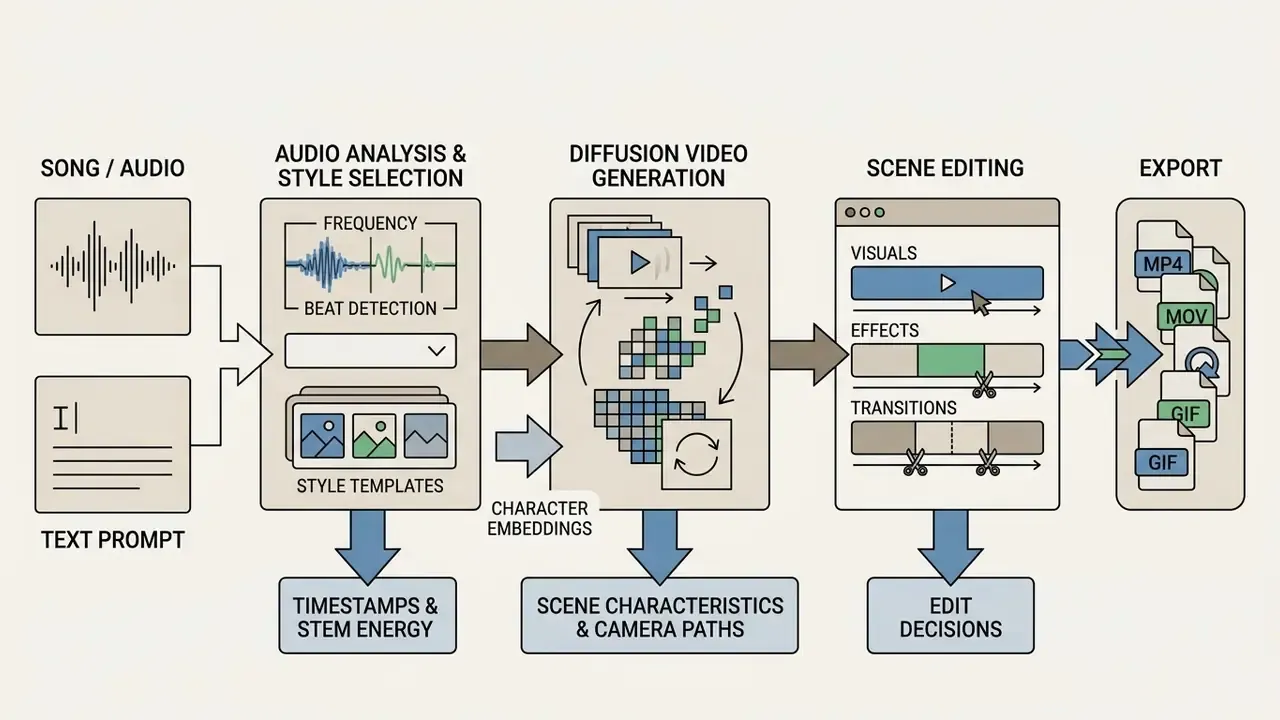
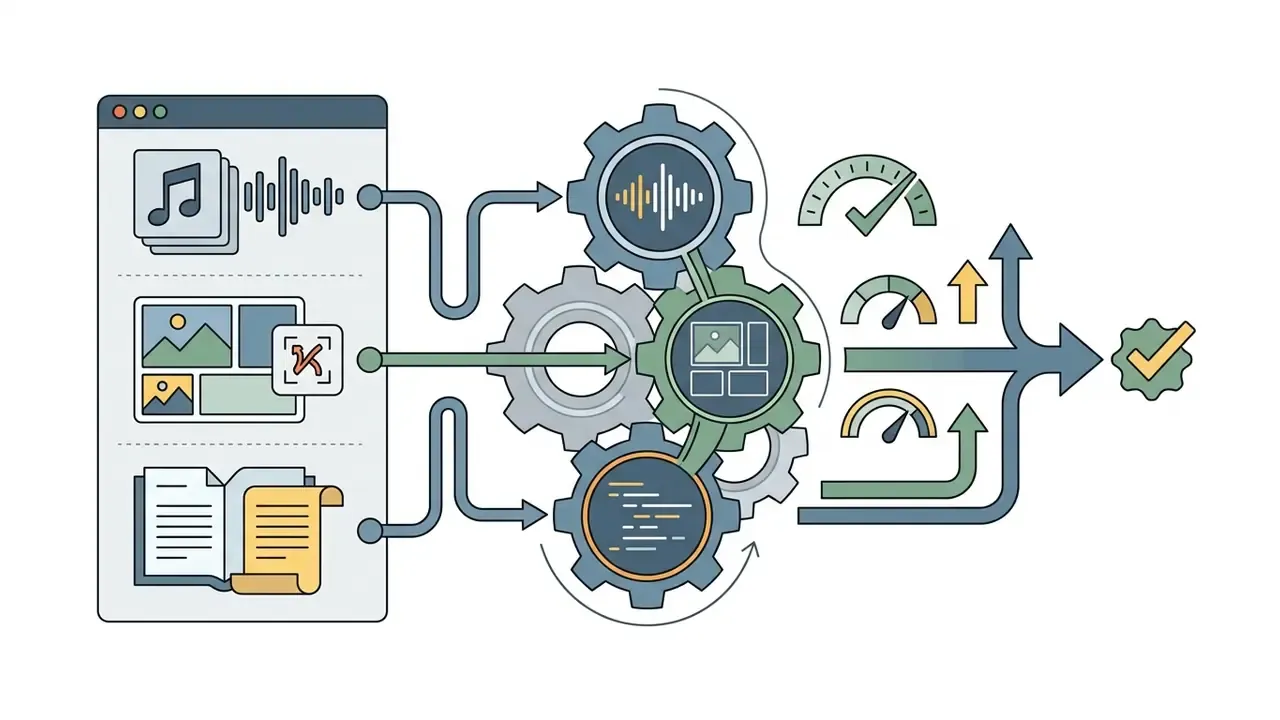
«A four-stage pipeline (preprocessing, Director agent, Renderer, Verifier) produces a complete music video in roughly 30 minutes at a cost of $10–20 per song.»
Users can ai generate music video from audio, combine tracks with descriptive prompts, or use existing images as visual anchors. In production practice the three input paths usually blend: the track drives timing, the prompt drives narrative, reference images lock identity and brand.
Types of AI Music Videos You Can Create
Generative video systems support formats tailored to genre, distribution channel, and budget:
- Animated Music Videos 2D anime, 3D render, claymation, or ink-wash styles, useful for narrative storytelling without live-action constraints.
- Cartoon Music Videos Character-driven stylized clips through an ai cartoon music video generator approach, producing vibrant illustrative aesthetics.
- Stylized Visualizers Abstract or texture-focused clips where elements pulsate, morph, and shift colour with audio reactivity and energy vectors.
- Lyric Videos Text-driven productions with dynamic kinetic typography synchronized to vocal onsets.
- Vocal Performance and Lip-Sync Videos Photorealistic or stylized avatars whose mouth movements and expressions are driven strictly by isolated vocal tracks.
- Full Music Videos Complete multi-scene work combining story arcs, performance shots, and ambient transitions across an entire song. This is what an ai full music video generator is measured on.
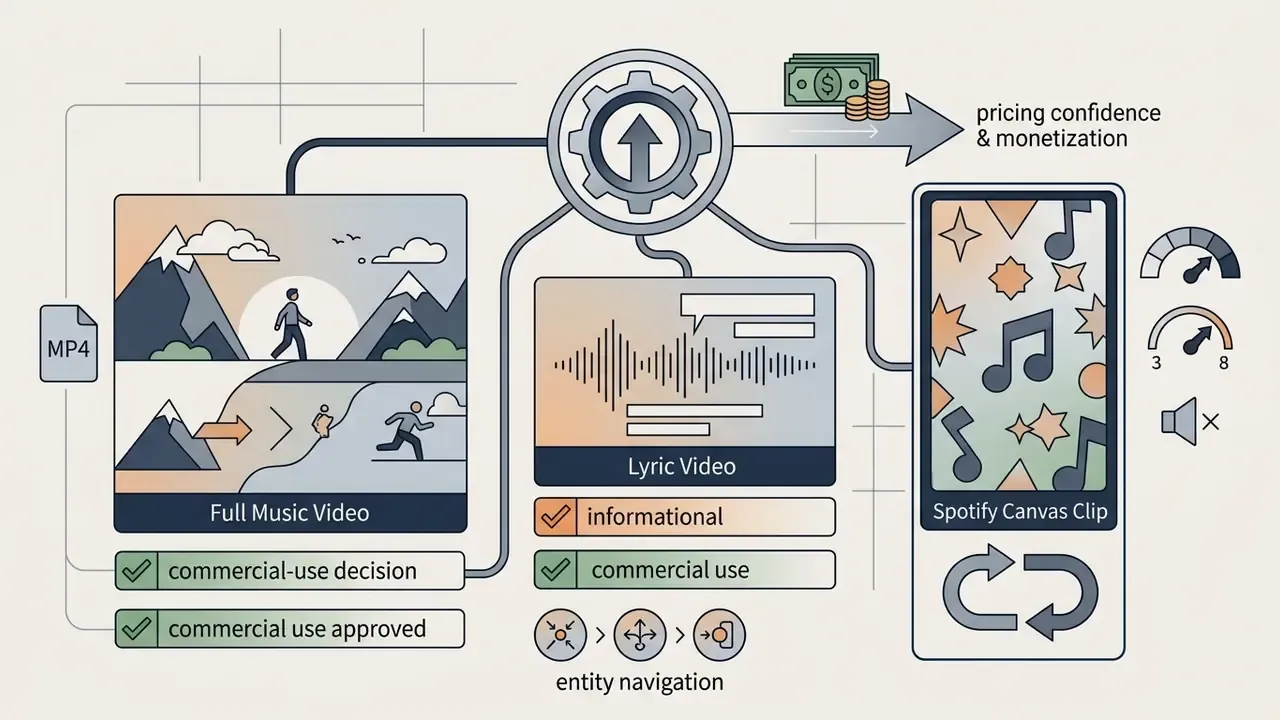
- Spotify Canvas Loops Short vertical seamless loops for streaming artwork slots (technical parameters in the formats section).
How to Choose an AI Music Video Generator for Your Project
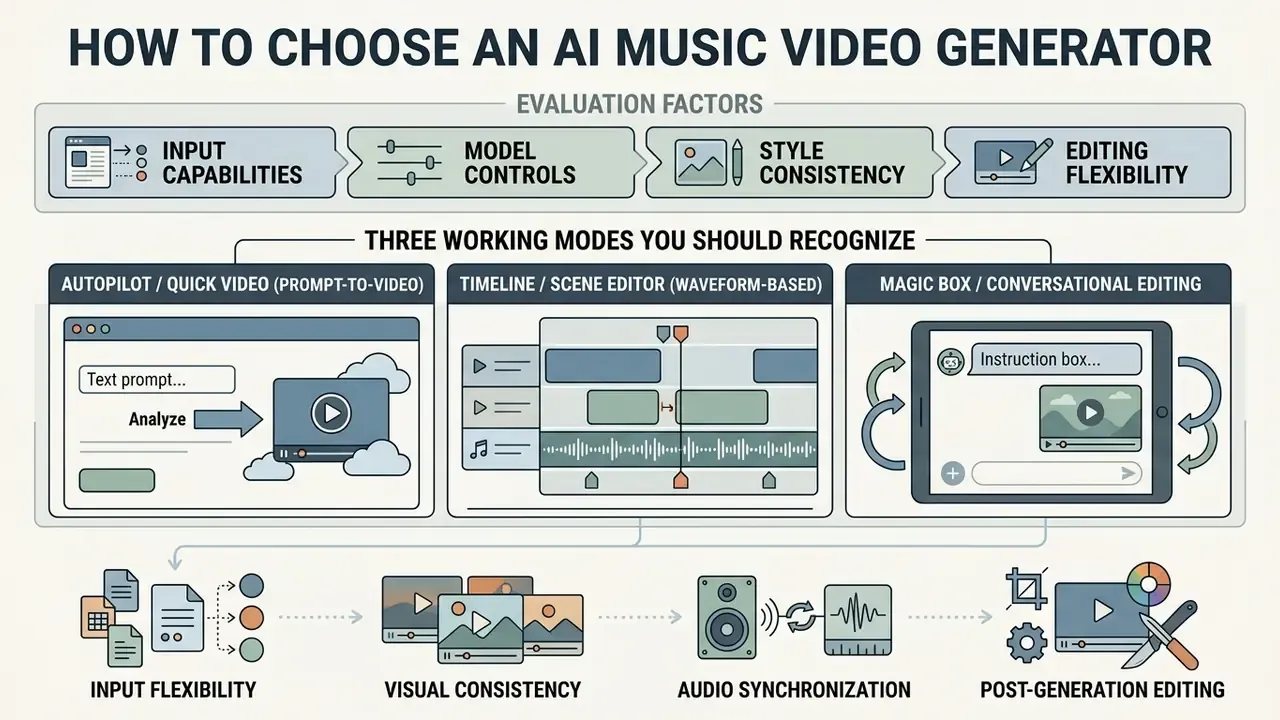
Choosing an ai music video generator means evaluating input capabilities, model controls, style consistency, and editing flexibility. Match the tool to the goal: rapid social clips and an official release are different jobs.
«A cascaded DiT-transformer architecture delivers precise alignment of music, motion, and camera work across long sequences.»
Three Working Modes You Should Recognize Before Subscribing
Modern platforms expose the same underlying models through three very different working environments. Picking the wrong mode is the most common reason creators abandon a tool after one weekend.
Key selection criteria:
Input Methods: Track Upload, Text Prompt, and Ready-Made Assets
Modern platforms support three primary input modes:
- Direct Track Upload (Audio-to-Video): Full songs or isolated stems. The engine analyzes spectral centroid, tempo, and dynamics to build reactive scenes. Most platforms need at least 15 seconds of audio and accept MP3, WAV, or FLAC.
- Text Prompt to Video (Prompt-to-Video): Visual direction through structured text (
Subject + Action + Scene + Lighting + Camera Angle + Style). Clips follow text semantics with optional audio timing. - Reference Assets (Image-to-Video and Multi-Modal): Reference photographs, artist portraits, branding assets. Google Veo 3.1 allows up to three reference images to anchor character appearance, lighting, and art direction; Kling accepts 1–7 reference elements for character consistency.
Brand assets, album art, and logo integration
Release marketing lives or dies on continuity between streaming artwork and video. Generative platforms now treat uploaded brand files as priority visual elements, not decoration:
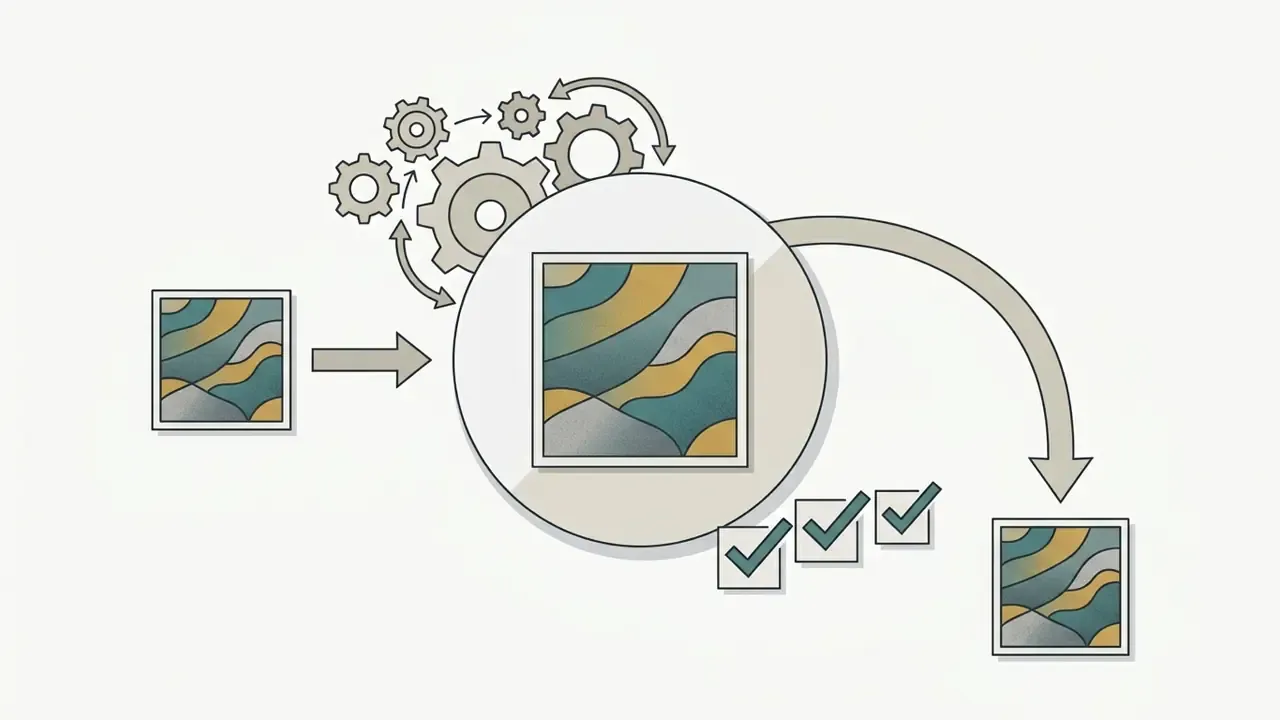
color palette: #0B0C1E, #FF2E63, #F5F5F5) so every scene stays inside the campaign's brand system.Features That Define Visual Quality and Controllability
Control and fidelity in an ai generate music video tool depend on architecture and configuration:
- Diffusion Model Selection Advanced diffusion transformers (CogVideoX with its 3D VAE and Expert Transformer stack, YingVideo-MV, Google Veo 3.1, LTX 2.5, Seedance, Kling 1.5/2.0) hold frames steadier than older frame-interpolation architectures.
- Shot Length Planning Veo 3.1 renders premium clips of 4, 6, or 8 seconds; LTX 2.5 handles 4–24 second coherent scenes at 720p/1080p. Match the model to the musical phrase instead of forcing one generator across every section.
- Camera and Lighting Control Prompt tags or UI controls for dolly-in, pan, crane boom, and for cinematic, volumetric, or neon lighting. Treat camera-angle tags separately from framing tags; they are different control dimensions.
- Character Identity Preservation IP-Adapter-FaceID, ControlNet, and custom LoRA weights stop faces from morphing between consecutive shots.
- Scene Extension and Transitions Veo-class models extend a scene from the last second of the previous clip and build image-based transitions. That is the practical mechanism behind multi-shot continuity in a full-length video.
- Integrated Scene Editors In-editor media placement, timeline trimming, aspect ratio changes, and regional inpainting let creators fix a flawed scene without re-rendering the project.
| Feature / Parameter | Standard / Entry Tiers | Advanced / Professional Platforms |
|---|---|---|
| Audio Processing | Monophonic MP3, basic onset detection | Multi-stem WAV separation (up to 8 stems), CLAP semantic analysis |
| Beat Synchronization | Fixed-interval scene cuts | Audio-reactive energy vectors, dynamic tempo matching, stem-bound triggers |
| Style Consistency | Single prompt guidance; high drift | Multi-image reference, IP-Adapter, LoRA character lock |
| Scene Editing | Global re-generation only | Timeline scene editor, inpainting, chat-based localized re-shot |
| Model Access | One fixed engine | Multi-model routing: Veo 3.1, LTX 2.5, Kling, Seedance, Runway |
| Export Formats | 720p / 1080p MP4 with watermarks | 4K ProRes / H.265, vertical 9:16, square 1:1, 4:3 and 16:9 |
| Commercial Rights | Personal / non-commercial use only | Full commercial clearance and royalty-free licensing |
Platform selection matrix (representative positioning, 2026)
| Platform / Model | Strongest use case | Music-sync depth | Clip length | Notable limitation |
|---|---|---|---|---|
| Google Veo 3.1 | Cinematic photoreal shots, reference-image continuity | Indirect (timing set by editor) | 4 / 6 / 8 s | Short segments require stitching |
| LTX 2.5 | Long coherent scenes for full-length videos | Indirect, editor-driven | 4–24 s, 720p/1080p | Less photoreal than Veo on faces |
| Runway Gen-3 / Gen-4 | Motion control, camera language, VFX-style shots | Manual sync in NLE | ~5–10 s | Credit-heavy iteration |
| Kling 1.5 / 2.0 | Style transfer (anime, cyberpunk, pixel art, claymation), character refs | Manual | ~5–10 s | Free tier watermarked, 720p |
| Seedance | Fast stylized generation, region-level edits | Manual | short to ~30 s | Resolution tiers change credit cost |
| Pika / Luma Dream Machine | Social-first stylized visuals, quick concepting | Manual | ~5 s | Lower resolution on free plans |
| Music-native platforms (audio-reactive specialists) | Beat-synced full songs, Spotify Canvas, lyric burn-in | Native (stems, lyrics, drops) | full track | Fewer cinematic controls than Veo |
Creators weighing subscriptions side by side can read the breakdown of the best AI video generators and the shortlist of free AI video generators before committing credits to a release.
How to Create a Music Video with AI: From Track to Export
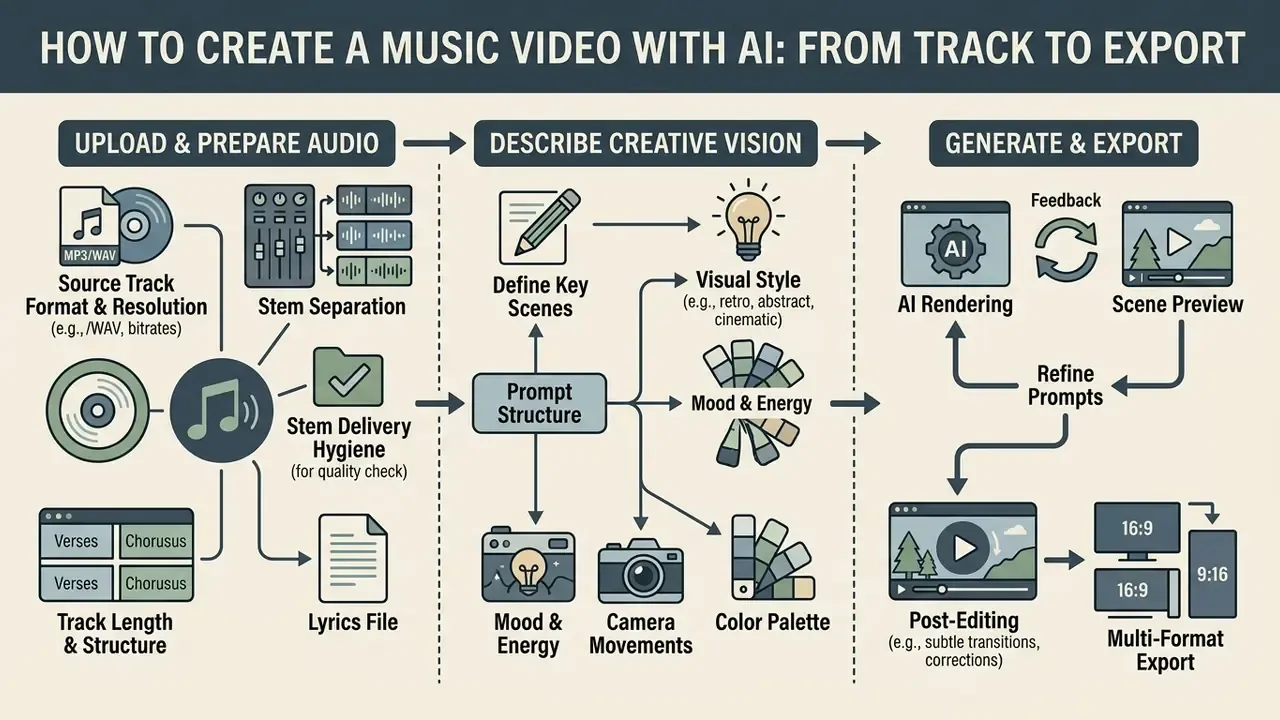
To ai create music video end to end, you move through audio preparation, visual prompting, iterative scene rendering, post-editing, and multi-format export. A fixed pipeline buys you coherence, rhythmic alignment, and fewer wasted renders.
Upload Your Song or Audio and Prepare the Source Track
Clean input audio is the cheapest quality upgrade available. Beat detection has nothing to work with when the file is already smeared.
- Format and Resolution
- Upload uncompressed 24-bit or 32-bit float WAV at 44.1 kHz or 48 kHz, matching the mix session sample rate. Avoid low-bitrate MP3 with spatial artifacts; if lossy is unavoidable, use constant 320 kbps.
- Stem Separation, beyond four channels
- Basic separation splits a mix into vocals, drums, bass, and "other". Professional audio-reactive workflows use 8-stem analysis: Vocals, Drums, Bass, Electric Guitar, Acoustic Guitar, Piano, Synths, FX. Binding reactivity to individual stems is what produces studio-grade editing decisions: light flashes triggered only by the synth stem, camera cuts locked to the kick drum, particle bursts driven by FX risers, colour-grade shifts following the piano's harmonic changes. Reference datasets such as MUSDB18 (150 tracks, ~10 hours, 44.1 kHz stereo) remain the standard benchmark for evaluating separation quality itself; cleaner separation, in turn, gives the video model less ambiguous control signals.
- Stem Delivery Hygiene
- Export every stem at the full track length, from the same start position, including reverb tails, with systematic naming. Mismatched stem lengths shift the entire scene map, and you will not notice until the chorus lands late.
- Track Length and Structure
- Define explicit timestamps for intros, verses, choruses, and bridges to simplify scene planning. Creators working from reference frames can also consult the guide to image-to-video AI before mapping shots.
- Lyrics File
- Provide an LRC or timestamped text file when lyric burn-in or lip sync is planned. Automatic vocal transcription is good, rarely perfect on stylized vocals.
«AutoMV depends on clean vocal tracks and accurate lyric timecodes: poor audio or misaligned stems directly degrade script quality and frame alignment.»
Teams managing multi-channel media pipelines can also review file-weight and delivery constraints in the guides to video compressors and AI voice generators when a project mixes narration with music.
Describe Your Creative Vision and Choose a Visual Style
Turning a musical idea into generative output takes structured prompting and an explicit style declaration.
- Prompt Structure
[Subject] + [Action] + [Environment/Scene] + [Lighting & Color Palette] + [Camera Motion] + [Art Style] + [Quality] + [Constraints]. - Art Direction Selection Name the aesthetic: Cyberpunk, 2D Anime, Photorealistic Cinematic, Oil Painting, Pixel Art, Claymation. Unstated styles default to generic live action, and that drift is the single most common prompt failure.
- Temporal Language Use sequencing words the model can act on: first, then, as the drop hits, slow dolly-in, handheld, crane boom up, static lock-off.
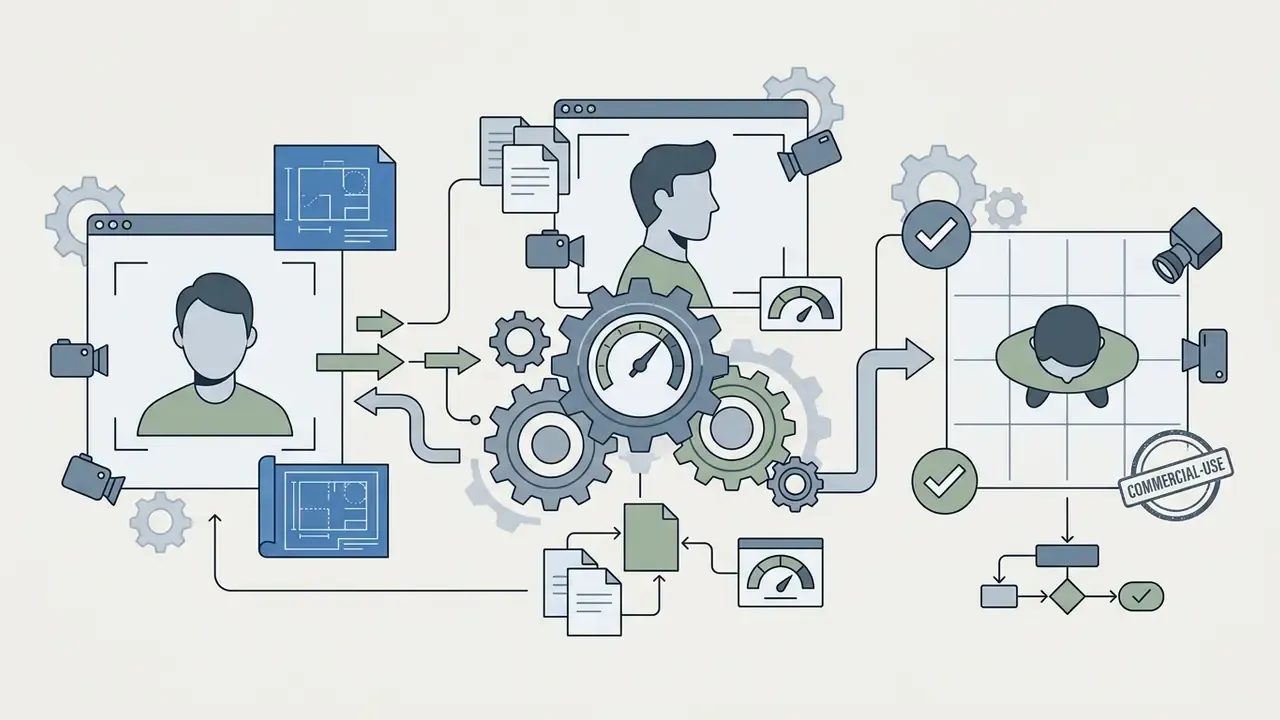
- Artist Persona Anchoring When one artist carries the clip, supply high-resolution close-up and full-body references for baseline facial features, then repeat 2–3 stable descriptors (hair, wardrobe, distinguishing feature) in every scene prompt.
- Magic Enhance / AI Director Short prompts expand automatically into full scene descriptions. Draft the scene map that way, then hand-edit the 5–8 shots that carry the narrative.
In practice, a workable prompt for an ai app to make music videos reads like this: "Cinematic wide shot, digital avatar guitarist playing on a neon-lit cyberpunk rooftop, rain reflections, dramatic rim lighting, camera slow dolly-in, 8k resolution, photorealistic sci-fi aesthetic."
The weak counter-example, "cool video for my song", leaves subject, style, lighting, and camera undefined. The output looks like stock footage and ignores the track's structure entirely.
Review Scenes, Edit the Video, and Export
Once the first batch of clips lands, review each scene for temporal stability, physical plausibility, and timing.
- Scene VerificationInspect shots for artifacts, frame flickering, character distortion, limb duplication, drifting lip sync.
- Targeted Repair Before Re-GenerationRegion-level edits, inpainting, or chat commands fix one element (background, product, face) instead of regenerating the whole clip. Credits survive, and so does the rest of the timeline.
- Timeline AssemblyImport clips into the platform's native editor or an external NLE (DaVinci Resolve, Adobe Premiere Pro). Comparisons of free video editing software help teams standardize finishing, and channels publishing regularly can follow the YouTube video editor workflow for delivery steps.
- Color and FPS MatchingExport frame rates should match source timeline settings, typically 24 fps for cinematic clips or 30/60 fps for digital content. Adobe's export documentation warns that a frame rate different from the source media may create unwanted motion artifacts.
- Artifact Cleanup and UpscalingEnhancement passes (for example ByteDance vCube) remove compression artifacts and noise, upscale toward 4K/8K, and can interpolate frames for higher FPS.
- Final ExportRender the master in H.264 or H.265 at 1080p or 4K, plus a 9:16 cutdown and a Spotify Canvas loop from the same master.
Mini case pattern (illustrative, based on published platform benchmarks): an independent duo replaces a quoted live-action shoot with an AI pipeline. Eight-stem separation, 14 scene prompts on a waveform timeline, Veo 3.1 for six hero shots and LTX 2.5 for the connective scenes, two Magic Box revision rounds, then a 4K upscale. Compute plus subscription lands in the low hundreds of dollars against a five-figure production quote, with delivery measured in days rather than weeks. Figures move with track length and revision count, so validate them against your own credit consumption before quoting a client.
How AI Synchronizes Video with Music, Beat, and Lyrics
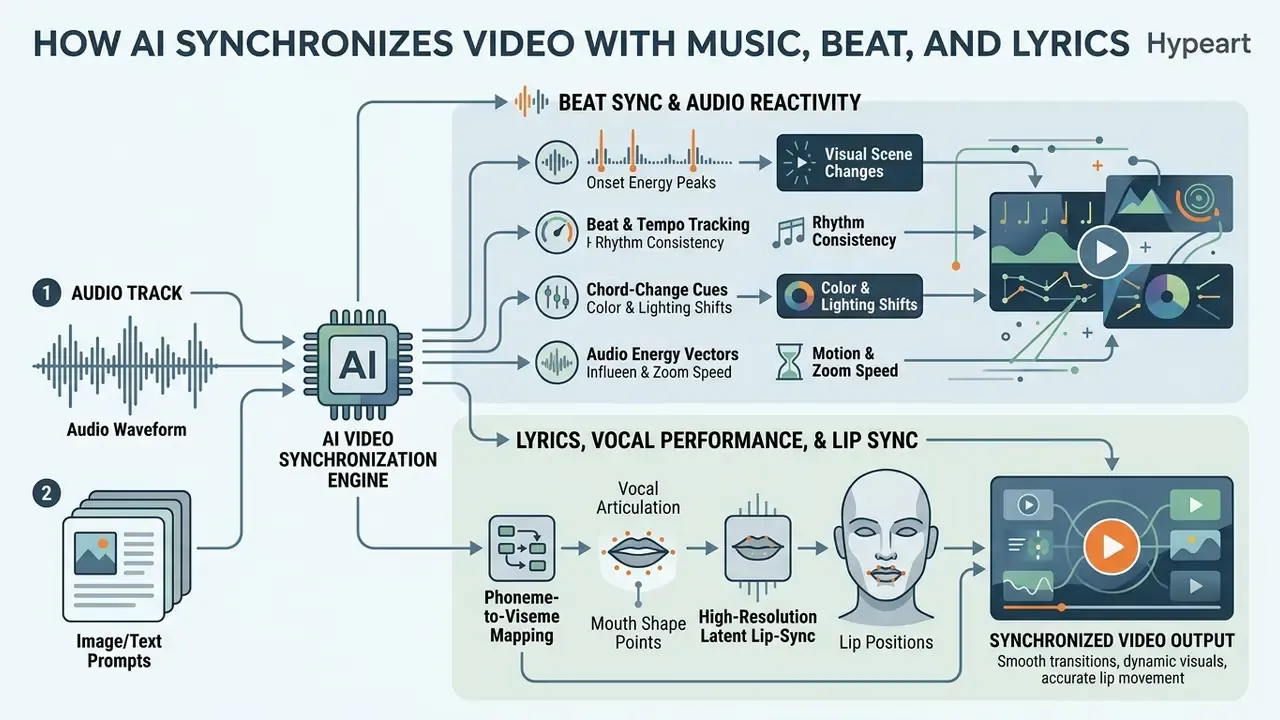
Audio-visual synchronization is the real differentiator among specialized generators. Algorithms read loudness peaks, tempo shifts, and vocal phonemes, then drive scene cuts, camera movement, and avatar mouth motion.
Beat Sync and Audio Reactivity for Visual Scene Changes
Beat synchronization turns acoustic energy into visual control signals:
- Onset Energy Peaks The system computes an onset-strength (novelty) curve from energy and spectral change, then picks peaks as event candidates: snare hits, kick drums, transients. Those become triggers for frame switches, flashes, or cuts.
- Beat and Tempo Tracking Periodic structure comes from the onset curve via autocorrelation, tempo estimation, and dynamic programming, so longer scene changes land on musical bars instead of arbitrary seconds.
- Chord-Change Cues Harmonic transitions act as extra structural boundaries. That is why a colour-grade or environment change bound to a chord change tends to feel "correct" where a drum-bound change feels twitchy.
- Audio Energy Vectors Research by Pina & Li (2024) shows that conditioning latent frame interpolation on percussive and harmonic audio vectors yields higher Audio-Visual Synchrony (AVS) scores than linear frame interpolation.
«An audio-energy-vector method consistently outperforms linear interpolation on the AVS metric across all tested musical genres.»
For creators building dynamic social visualizers, a free ai photo to video tool is an accessible entry point into automated beat-reactive clip synthesis.
Lyrics, Vocal Performance, and Lip Sync in AI Music Videos
Vocal synchronization aligns character speech and typography with the actual lyrics:
- Phoneme-to-Viseme Mapping: Dedicated networks (LatentSync, Hedra Character 3, Sync Labs API) extract phonetic data from vocals and map it to mouth positions (visemes) frame by frame. Sync Labs' v2 API accepts video or image plus audio or text and returns media with lip movements matched to the audio; Hedra's avatar model reports accurate lip sync on clips up to ten minutes, with duration dictated entirely by the audio input.
- High-Resolution Latent Lip-Sync: Frameworks such as HighSync (2026) operate natively at 512x512 using Whisper-based cross-attention to hold photorealistic facial fidelity through sung passages.
«HighSync is the first lip-sync model operating natively at 512×512, achieving leading perceptual quality and synchronization accuracy on the HDTF and VoxCeleb2 datasets.»
- Kinetic Lyric Generation: Dynamic text overlays lock to vocal onset timecodes, producing stylized karaoke or motion-graphic lyric videos. Automatic lyric-to-audio alignment has an academic lineage running back to onset-based systems such as LyricAlly (2008), which established the karaoke display pipeline still in use.
Why Results Depend on the Track, the Prompt, and the Model
Three factors decide sync accuracy and visual fidelity:
- Audio IsolationMuddy mixes degrade beat detection. Clean vocal stems and uncompressed audio give sharper sync. Dense arrangements with layered percussion are measurably harder to align than sparse ones.
- Prompt SpecificityGeneric prompts produce static renders. Prompts with temporal action descriptors (
"fast zoom on drum beat") push diffusion models toward motion. Prompt-enhancement research in text-to-audio generation reports the same pattern: better-formulated prompts raise both quality and cross-modal similarity. - Model ArchitectureStandard text-to-video models make handsome static visuals and lack temporal awareness. Audio-conditioned models (YingVideo-MV, MTV) use multi-stream temporal transformers built to align motion with complex arrangements.
«MTV separates audio into speech, effects, and music, enabling independent control of lip motion, timing events, and visual mood, and leads on six standard metrics.»
AI Animated Music Videos: Styles, Characters, and Artist Visual Identity
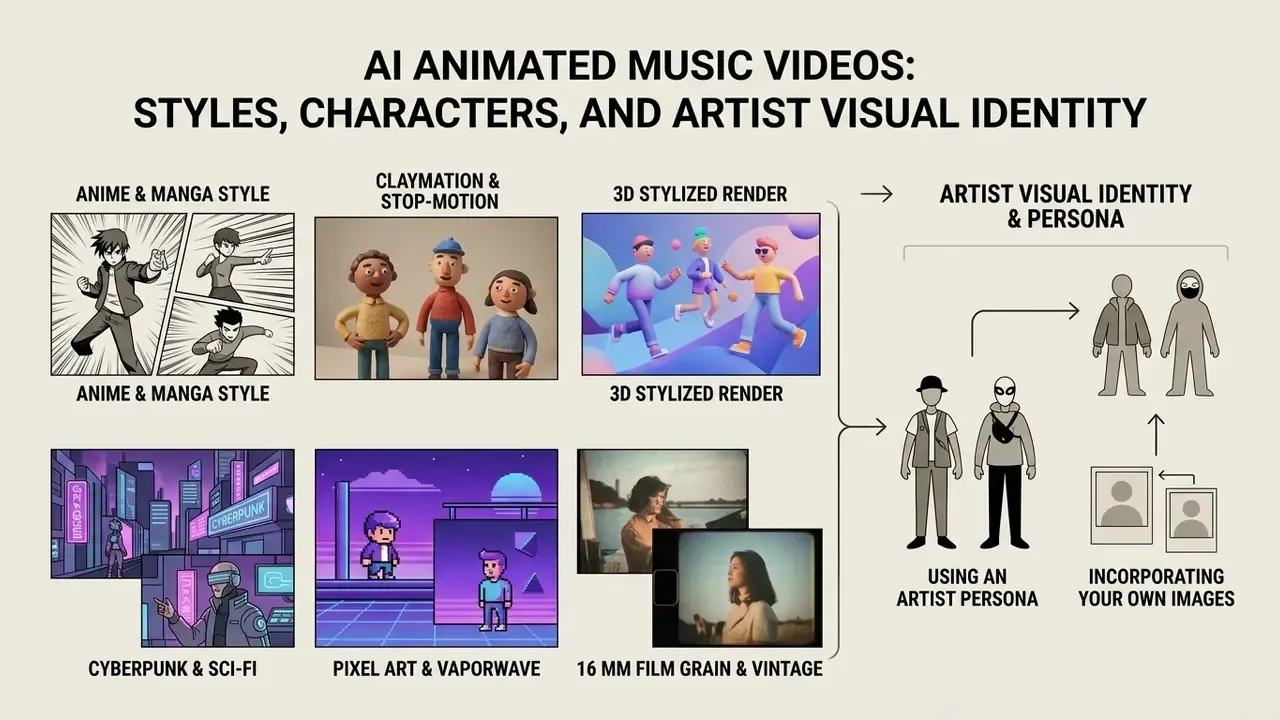
An ai animated music video lets artists build a visual world with no location budget and no geographical limits. Holding character identity and aesthetic coherence across scenes, though, needs specific conditioning techniques.
Animated, Cartoon, and Stylized Music Videos for Different Creative Goals
Each animated aesthetic serves a different promotional job:
Creators testing automated media transformations often start from static images, generating custom avatars or using a free ai selfie generator for early character concepting. Pitch decks for label sign-off follow the same logic; a free ai presentation tool keeps the concept board consistent with the video's palette.
How to Use an Artist Persona and Your Own Images in the Clip
Character consistency across continuous scenes remains one of the hardest problems in generative video.
- Reference Image Injection Kling AI and Google Veo accept multiple reference photos to anchor facial geometry and hair. Veo 3.1 supports up to three reference images, Kling up to seven reference elements.
- LoRA and IP-Adapter Fine-Tuning Train lightweight Low-Rank Adaptation modules on 15–20 photos of a real artist. Facial identity locks while outfits, environments, and poses stay free. Clean source portraits matter here, and AI headshot generators are a common way to build a consistent reference set before training. Note the documented trade-off: appending identity parameters via IP-Adapter and LoRA improves preservation but raises the risk of overfitting to the reference images.
- IP-Adapter-FaceID Swaps the generic CLIP image embedding for a face-identity embedding from a face-recognition model and adds LoRA on top, which measurably strengthens ID consistency across shots.
- 3D Pose and Motion Conditioning StableAnimator and FLAP combine reference images with 3D pose sequences (OpenPose or 3DMM coefficients), decoupling head rotation and eye movement from background generation.
«FLAP integrates 3DMM coefficients into the diffusion process, allowing independent control of head rotation angles and blink rate while preserving character identity.»
E-E-A-T Technical Limitation Warning:
AI Music Video Formats for YouTube, TikTok, and Social Media
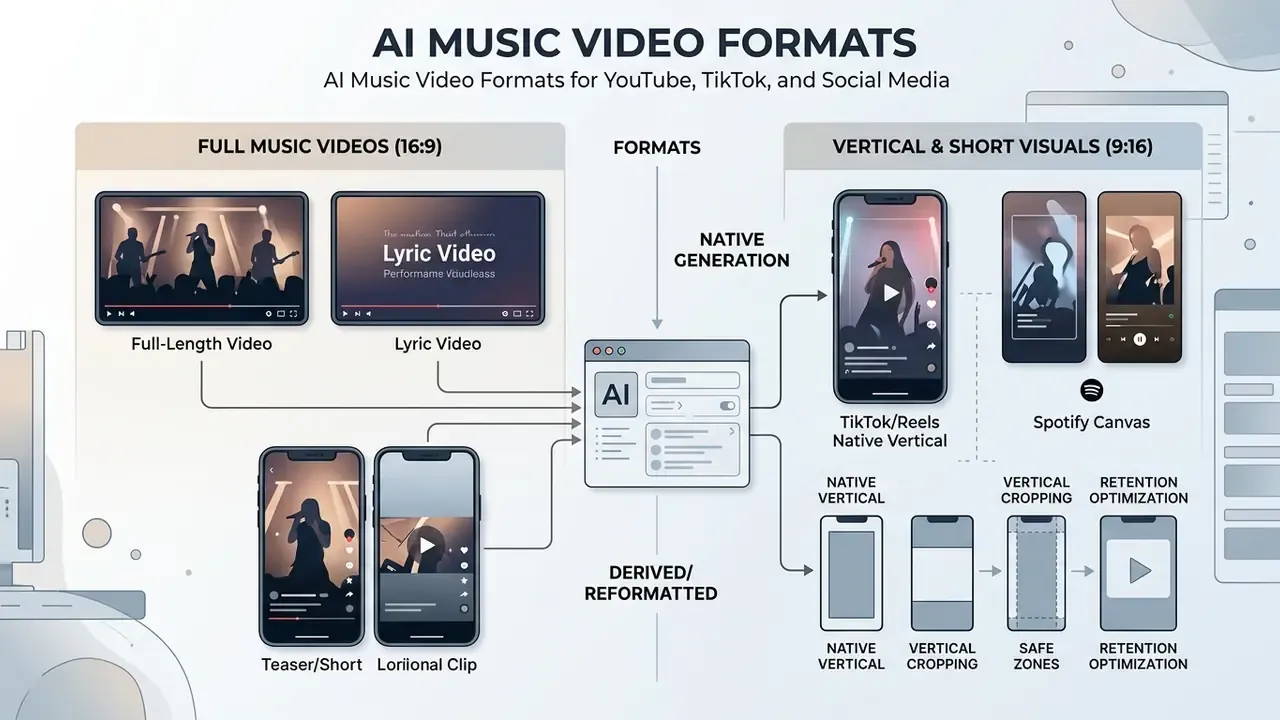
Assets have to be shaped per platform, or retention suffers before the first chorus. Teams testing several tools ahead of a release schedule can compare free AI video generators by duration limits, credits, and export quality.
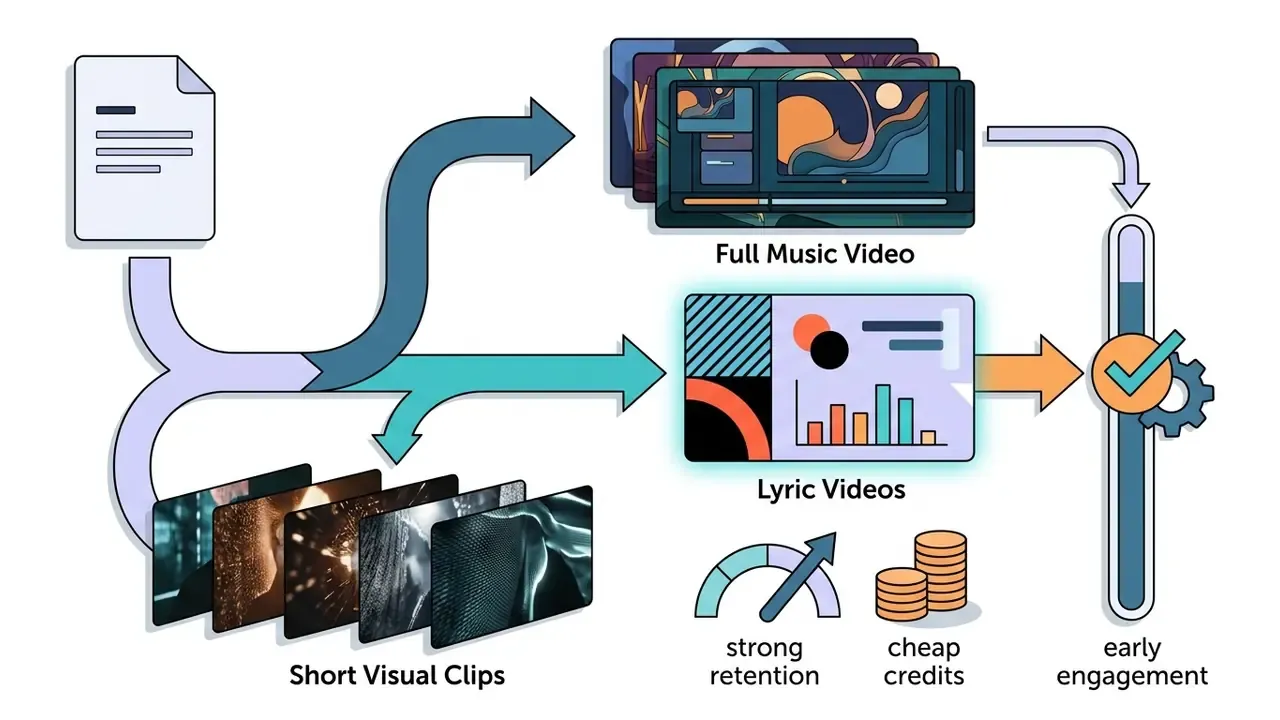
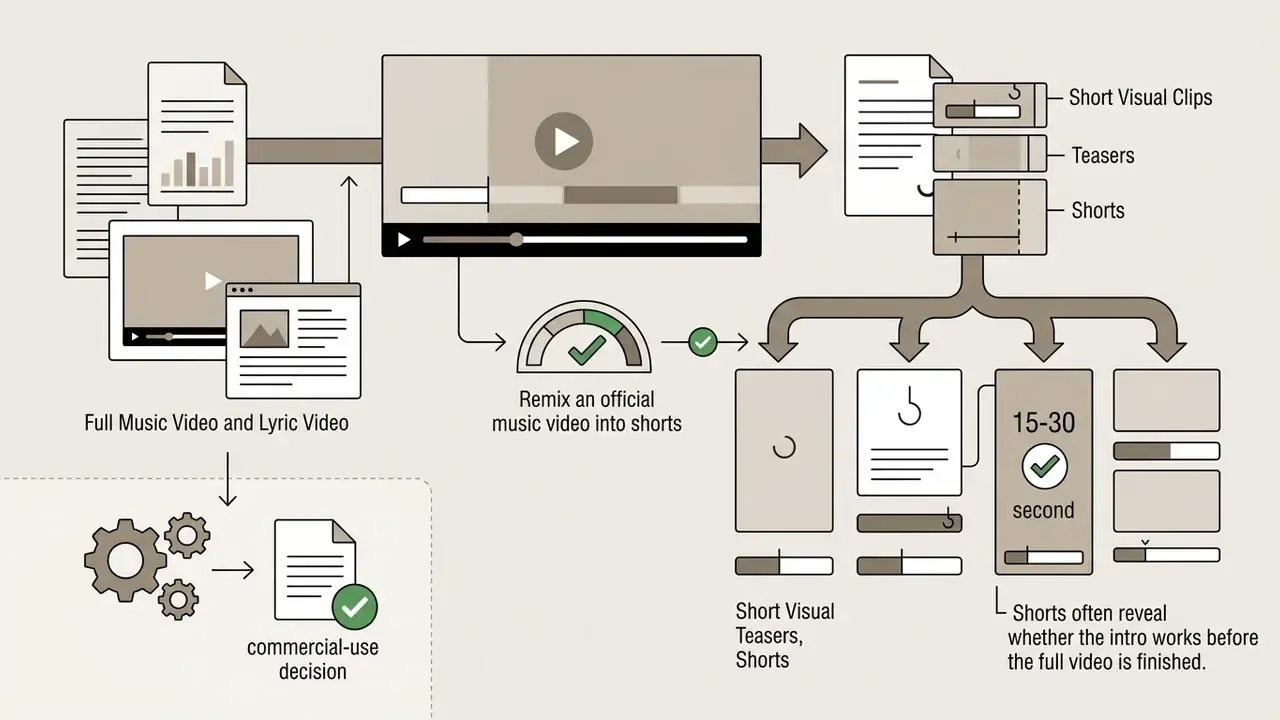
Full Music Video, Lyric Video, and Short Visual Clips
Publishing platforms demand different formats depending on how people watch:
Free AI Music Video Generators, Pricing, and Commercial Use
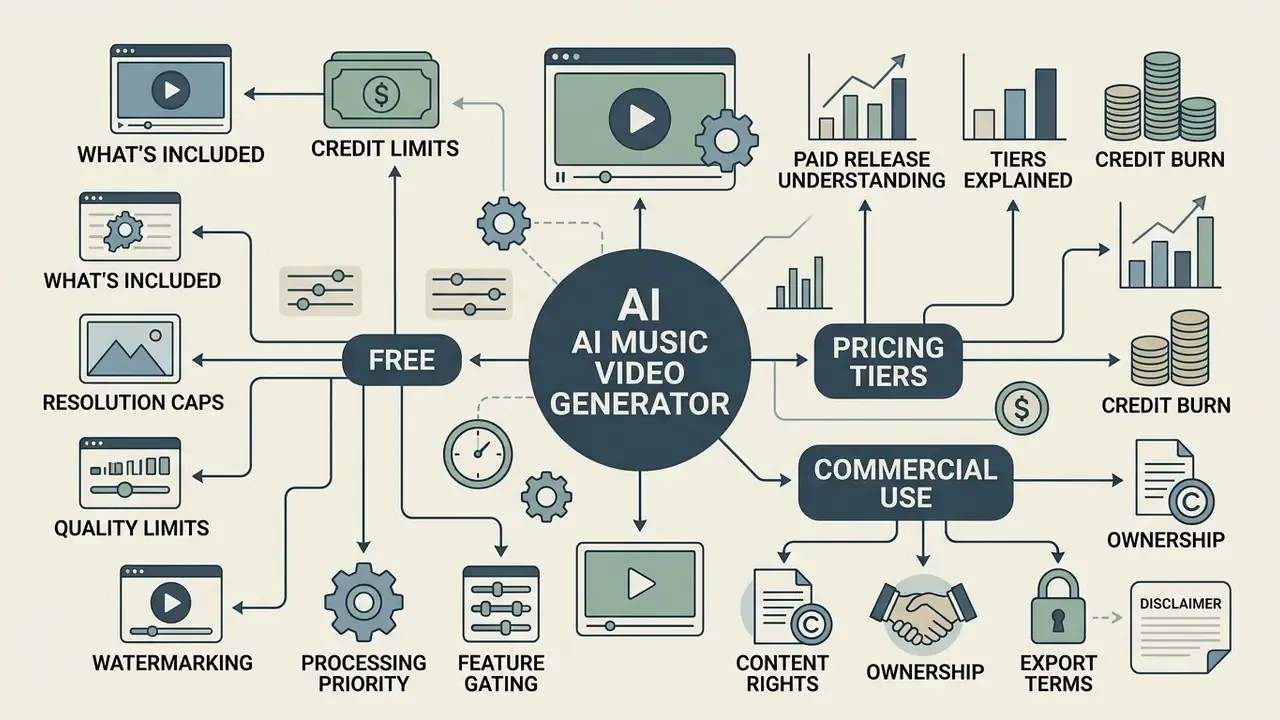
Before generative media goes into a paid release, you need to understand tiers, credit burn, and who owns what. An ai free music video generator is a fine sandbox and a poor distribution plan.
What a Free Music Video Generator Usually Includes
Most tools offer limited free tiers or trial passes. Limit-by-limit breakdowns are collected in the guide to free AI video generators.
- Credit Limits Free plans typically give daily or one-time credits (for example 66 daily credits on Kling AI, 80 monthly on Pika, 125 one-time on Runway), yielding roughly 15 to 30 seconds of finished video. Some lyric-video tools offer a recurring allowance, say 50 credits per month, where a single 8–10 second photoreal clip may eat 28–35 credits.
- Resolution and Quality Caps Free exports are frequently limited to 480p, 540p, or 720p in standard H.264.
- Watermarking Free-tier output usually carries a visible platform watermark; a minority of tools ship watermark-free free plans at reduced resolution. That is why the phrase ai generated music video free rarely means release-ready.
- Processing Priority Free queues render slower than paid tiers, sometimes considerably during peak hours.
- Feature Gating Stem-based reactivity, 4K upscaling, and long-form renders sit behind paid plans, while the free tier still exposes the full editor for iteration.
Users evaluating platform capabilities often work from comparative breakdowns and browse the hub for side-by-side feature matrices; unresolved billing or export questions are usually faster to settle if you open the hub for documented platform answers.
Commercial Use, Content Rights, and Export Terms
Licensing and ownership sit at the intersection of US legal frameworks and platform terms:
- Research Gap (transparency note):
- US Copyright Office Guidelines
- Fully autonomous AI output without human expressive input is not eligible for copyright protection under US law. Hybrid works, where humans write lyrics, produce audio, arrange prompts, and edit the timeline, retain protection over the human-authored components. Registration materials must disclose the AI-generated portions, and the claim covers only the human contribution. Adjacent rights context for generated visuals sits in the reference on commercial use of AI generators and the Canva AI Generator licensing overview.
- Commercial Usage Rights
- Free tiers almost universally restrict use to non-commercial personal projects. Monetizing on YouTube, distributing to Spotify, or running visualizers in paid ads needs an active paid plan. Paid plans on mainstream platforms typically grant full commercial rights, including client work, ad campaigns, and monetized channels.
- Two Rights Layers, Not One
- The video licence and the audio licence are separate. A platform can grant you the video output while you stay solely responsible for the underlying music: your own master, a licensed sample pack, or an AI track from a commercial-tier plan.
- Content Safety Filtering
- Enterprise platforms filter inputs to block copyright infringement and non-consensual content, and refuse illegal generation requests as a condition of service. Adjacent adult-content categories, including a free ai porn video creator and other free ai porn tooling, sit outside mainstream music-video licensing and are typically banned by both platform terms and distributor policy, so keep them out of a commercial release pipeline entirely.
«Academic work from 2023–2026 does not systematically study pricing models, free-tier quotas, or commercial rights for AI video; these questions remain in the domain of industry documentation.»
Compatibility with AI Music Services (Suno, Udio, ElevenLabs)
A large share of AI music videos in 2026 are built on AI-generated audio. The licence attached to that audio, not the video tool, decides whether the release can be monetized.
- Suno, where plan tier decides everything. Tracks generated on Suno Pro or Premier come with commercial rights, so the resulting music video can be released commercially on YouTube, distributed to Spotify, or used in paid promotion. Tracks from the free tier are non-commercial: fine for personal videos, portfolio experiments, internal tests, not for monetized uploads or paid distribution. Export as WAV where available; recompressed MP3 downloads dull onset clarity and weaken beat detection.
- Udio, a walled garden after the 2025 settlement. Following Udio's settlement with major labels (Universal Music Group, announced October 2025), the service moved toward a closed streaming model where paid users can no longer download generated tracks. No exportable file, no upload into a music video generator. Practical workarounds are limited to archived downloads made before the change or an authorized mixer or line recording where terms permit. Do not assume a stream capture is licensed.
- ElevenLabs, perpetual rights on paid plans. Paid-tier output carries perpetual commercial rights, and those rights persist on the generated audio after the subscription lapses. For catalogue releases that must stay monetized for years, that matters.
- Everything else. Any MP3, WAV, or FLAC works: DAW masters, distributor mixdowns, field recordings, stems. The requirement is unchanged, you must hold the rights to the audio.
- Spotify AI disclosure and DDEX credits. When a release is AI-assisted or fully AI-generated, declare it through your distributor's DDEX credits fields. Disclosure does not block monetization; it keeps the release compliant with current AI-transparency rules. YouTube's synthetic-media disclosure in YouTube Studio is a separate, parallel obligation.
| Platform / Plan Tier | Monthly Pricing (Est.) | Generation Credits | Commercial Rights | Export Quality | Watermark |
|---|---|---|---|---|---|
| Free Starter Tier | $0 | 50 – 125 credits (or daily reset) | ❌ Personal use only | 480p – 720p | Yes |
| Entry Paid Tier | $9.90 – $12 / mo | ~280 – 1,000 credits | ✅ Commercial licence included | 1080p | No |
| Creator / Pro Tier | $10 – $35 / mo | 600 – 2,000 credits | ✅ Full commercial rights | 1080p HD | No |
| Unlimited / Enterprise | $95 – $120 / mo | Unlimited / Priority | ✅ Full commercial rights | 4K / ProRes | No |
Credit consumption also scales with model and resolution. Budget engines may cost around 10 credits for a 5-second clip, premium cinematic models can consume 150–200 credits for an 8-second shot, and multi-resolution tiers (480p/720p/1080p/4K) multiply the price of the same scene. Teams modelling a release budget can compare options across credit calculators before locking a plan, then review subscription parameters on the pricing hub.
Organizations tracking regulatory and copyright developments can consult the AI Litigation and Case Timelines database for ongoing precedents in synthetic media, while licensing parameters for generated artwork sit in the AI Media Commercial-Use Hub.
FAQ About AI Music Video Generators
How long does it take to generate a full music video?
Render speed depends on resolution, clip length, and pipeline architecture. Dedicated audio-conditioned pipelines such as AutoMV need roughly 25 to 35 minutes of compute for a full 3-minute video at about $10–20. Commercial one-click modes usually return a finished clip in 2 to 4 minutes. Specialized talking-avatar models on optimized latent diffusion render short performance clips close to real time.
Can I create a music video for a song generated in Suno or Udio?
Yes, if the track came from a paid plan (Suno Pro/Premier or a paid ElevenLabs tier), you hold the rights needed to publish commercially. Free-tier tracks are personal use only. Because of Udio's 2025–2026 restrictions, direct downloads are limited, so use WAV/MP3 files exported earlier, and declare AI-assisted releases through your distributor's DDEX credits.
Can I use my own logos, photos, and brand elements?
Yes. Most professional platforms support multi-modal image inputs. Upload high-resolution logos, artist headshots, album covers, or product assets, then use image-to-video modes, first/last-frame anchoring, or ControlNet-style overlay layers. Keep logos as static composited overlays rather than generated elements, since diffusion models reproduce text and geometric marks inconsistently between frames.
How do I remove flickering and facial distortion from a finished video?
Flickering and facial morphing respond to temporal motion modules, reference image anchors (IP-Adapter, LoRA), shorter individual shots, export FPS matched to source, and post-production upscalers such as ByteDance vCube for localized smoothing. Where only one region fails, use region-level inpainting instead of regenerating the whole clip.
Which working mode should I choose: Autopilot, Scene Editor, or Magic Box?
Autopilot suits teasers, Shorts, and concept validation, where speed beats shot control. The Scene Editor with its waveform timeline fits full-length official videos needing narrative continuity, per-scene prompts, and precise cut placement. Magic Box chat editing is for revision rounds on a rendered clip, since localized commands avoid full re-renders and preserve credits.
Do I need to label AI content when publishing on YouTube?
Yes. YouTube requires disclosure of realistic synthetic or altered media during upload in YouTube Studio, and the rule covers Shorts as well as long-form video. Disclosing keeps you compliant while monetization stays intact. Minor edits and clearly non-realistic stylization fall outside the requirement.
Is commercial use available on free plans?
Generally no. Most platforms reserve commercial rights for paid tiers. Free-plan clips are restricted to personal, non-commercial evaluation and usually carry watermarks at reduced resolution.
How many stems should I prepare for audio-reactive editing?
Four stems (vocals, drums, bass, other) are the minimum for usable beat sync. An 8-stem split, adding electric guitar, acoustic guitar, piano, synths, and FX, lets different visual behaviours bind to different instruments: cuts on the kick, flashes on synths, particle bursts on FX risers, colour shifts on harmonic changes. Export all stems at full track length with matching sample rate and start position.
Technical Appendix and Operational Reference
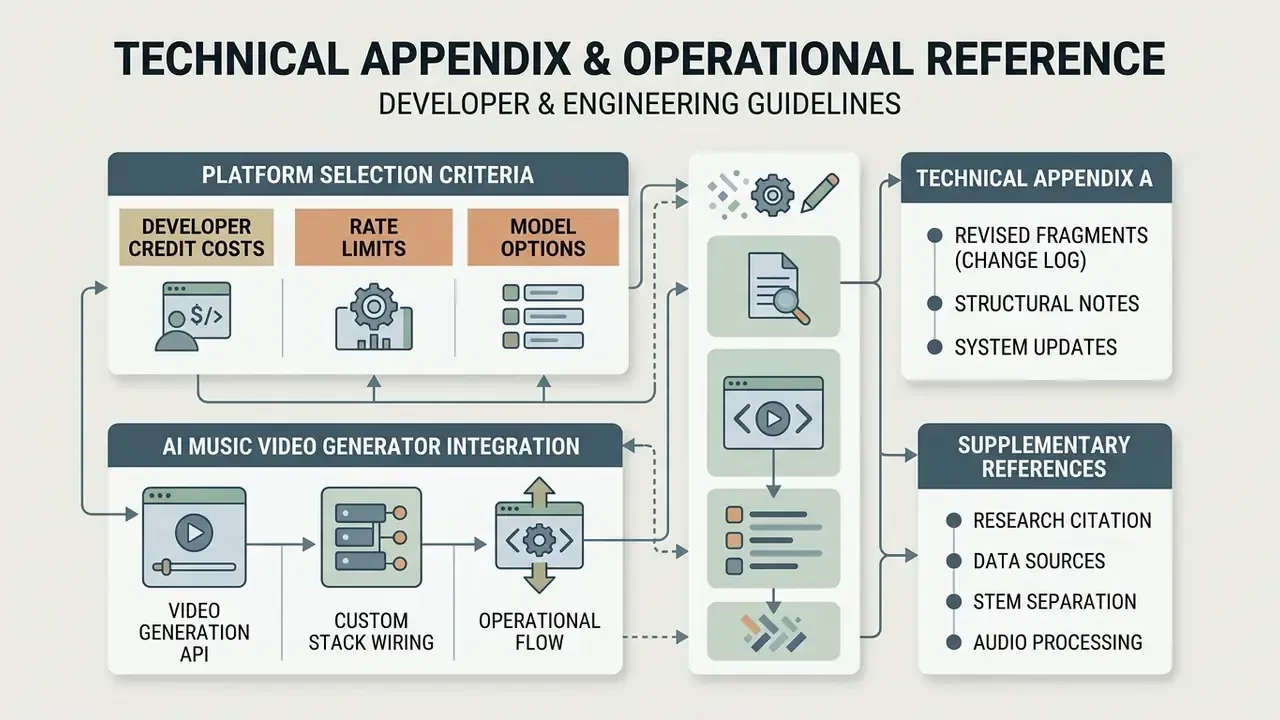
Appendix A: Revised Fragments (Change Log)
- Research citation (section 1) the earlier general reference to From Sound to Sight: Towards AI-authored Music Videos (ICCVW 2025) without figures or URL is retained as context and supplemented with the verifiable AutoMV benchmark (about 30 minutes, $10–20 per song) plus the arXiv URL for the original paper.
- Stem separation the earlier claim that MUSDB18 "demonstrates that isolated stems significantly improve model feature extraction accuracy" has been reformulated. MUSDB18 is a source-separation benchmark, so it is cited for separation-quality evaluation, while the practical dependency on clean vocals and accurate lyric timecodes is sourced from AutoMV.
- Structural notes the anchor-based table of contents was removed in favour of plain heading navigation; Marcus Hale is credited as the author; adult-content references appear only as an excluded category inside the content-safety subsection.