This guide treats the tool honestly: fast at ideation, unreliable at production, and dangerous only when nobody owns the workflow.
Executive Summary
- What it is an ai sign generator converts natural-language prompts into visual design concepts for storefronts, interior wayfinding, promotional banners, and large-format outdoor displays.
- What it is good for rapid ideation, brand-aligned concept boards, stakeholder alignment, and pre-fabrication visual testing. Not final production artwork.
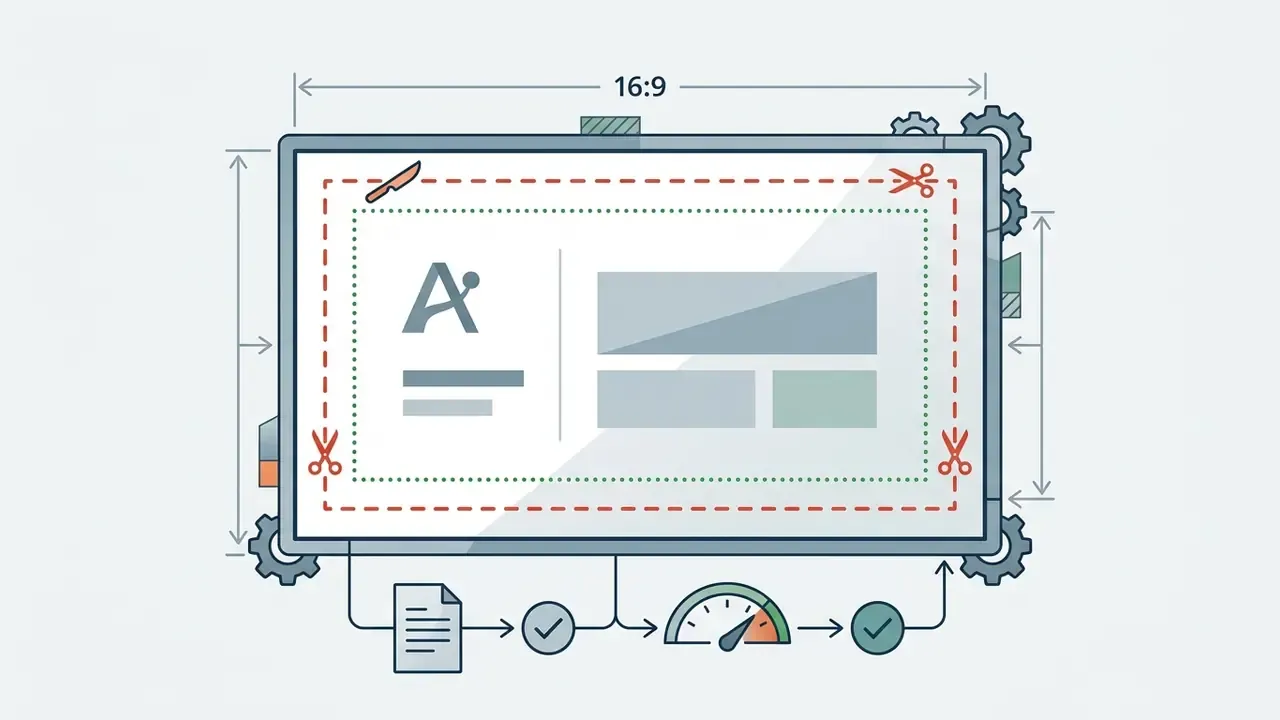
- Hard technical floor physical output requires 300 DPI at 1:1 scale, CMYK conversion, vector delivery (SVG, EPS, PDF/X), and bleed plus safe-zone margins.
- Accessibility floor WCAG 2.2 requires a minimum contrast ratio of 4.5:1 for standard text and 3:1 for large text. Letter height must scale with viewing distance.
- Legal position works generated solely by AI without sufficient human creative control are ineligible for U.S. copyright registration, yet they can still infringe a registered trademark. Figurative clearance searches (USPTO, WIPO, Vienna Classification) are mandatory before installation.
- Governance requirement no AI raster file should reach a press or fabricator without human technical validation, ISO 12647-7 proofing, and engineering review of anchorage, illumination, and permits.
- Procurement note in regulated industries, evaluate vendors on data privacy (no-training guarantees, SOC 2 Type II, ISO 27001) as strictly as on output resolution.
Who This Guide Is Written For, and What It Will Not Promise
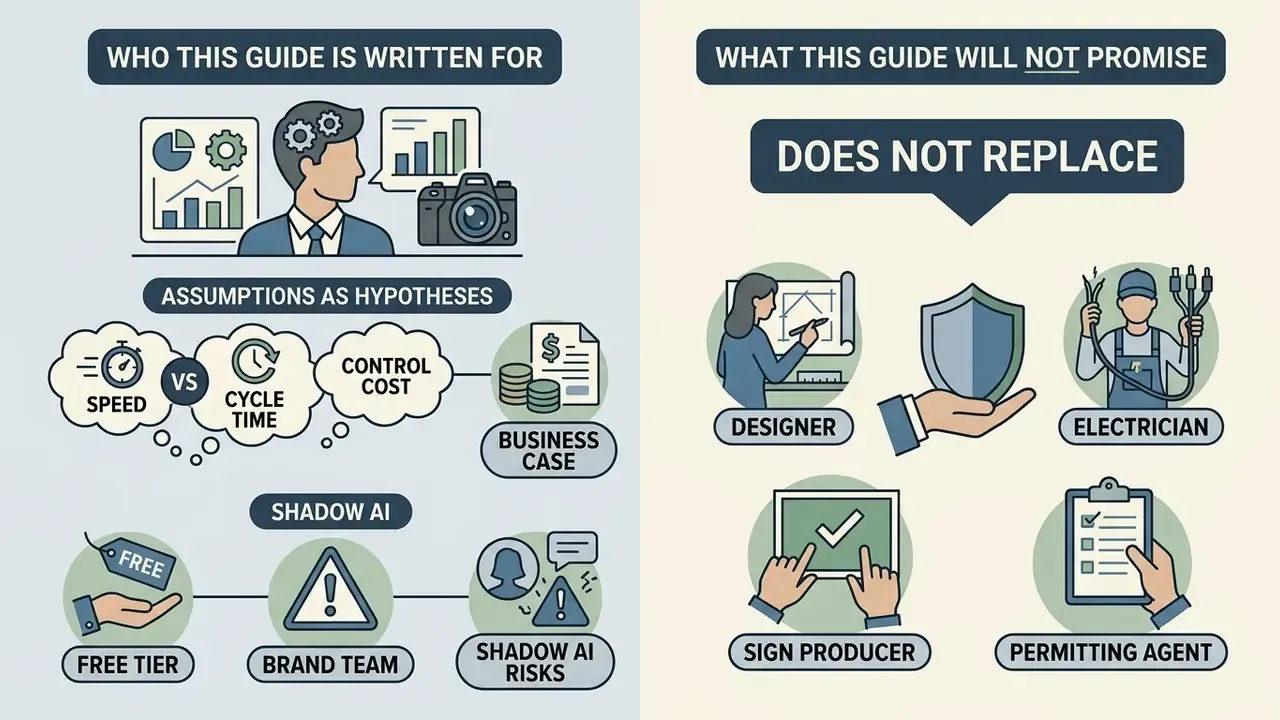
The intended reader is not a hobbyist. It is the person who signs off on the tool: a marketing operations lead answering to a CCO, a procurement analyst reviewing a design subscription, or a model-risk reviewer asked whether image generators belong in the AI inventory at all. Short answer? Usually yes, at least as a logged third-party service handling brand and sometimes site data.
Three assumptions run through the whole text, and each should be treated as a hypothesis until your own analytics or interviews confirm it:
- Speed matters less than cycle time. Generating a facade concept in nine seconds saves nothing if fabricator review takes three weeks.
- Control cost belongs in the business case. Clearance searches, proofing, and legal review are part of total cost, not overhead noise.
- Free tiers are the main source of shadow AI in brand teams, because they require no purchase order and leave no vendor record.
What this guide will not do is claim that an ai signs generator replaces a designer, an electrician, or a trademark attorney. It does not. Reference material across the wider AI Media Comparison Matrices supports the same conclusion: generative tooling compresses the ideation stage and leaves the validation stage almost untouched.
An ai sign generator converts natural language text prompts into visual design concepts for storefronts, interior wayfinding, and promotional displays. Commercial organizations use a sign ai generator to rapidly explore branding ideas, streamline initial graphic layouts, and test visual positioning before committing resources to physical fabrication.
What an AI Sign Generator Can Create
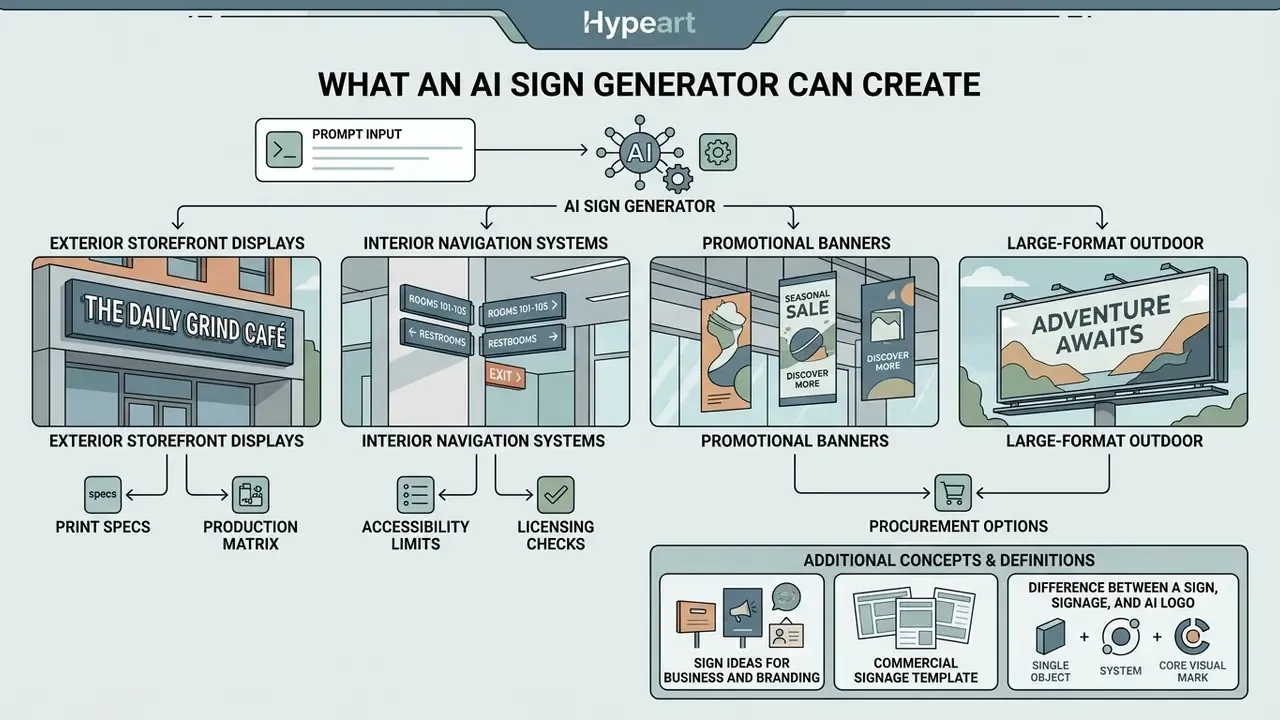
An ai sign generator produces four primary classes of visual assets: exterior storefront displays, interior navigation systems, promotional banners, and large-format outdoor billboards. These tools read prompt parameters and synthesize colors, textures, typography, and graphic layouts tailored to specific physical environments.
AI-Generated Sign Ideas for Business and Branding
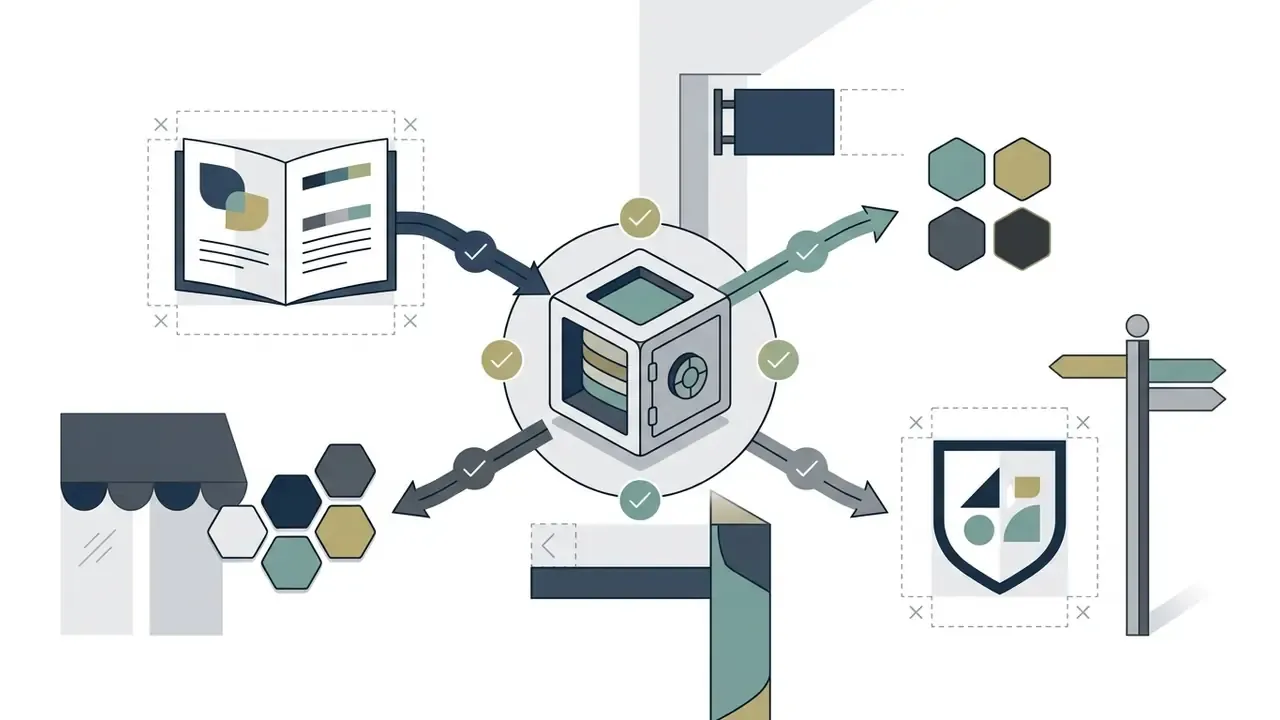
An ai signage generator creates tailored design concepts by translating commercial briefs into cohesive visual themes for retail, hospitality, office, and service environments. Documented brand-system tooling shows that generative models establish baseline consistency across color blocks, typography hierarchies, and logo lockups when the brand rules (palette, type, imagery, voice) are supplied as structured input rather than as a loose description. Feed the model a paragraph of adjectives and you get mood. Feed it tokens and constraints and you get variants you can actually compare.
When evaluated by business operators, ai generated concepts serve as rapid inspiration boards that align physical signage with digital brand identity. The same brand system, meaning color blocks, type hierarchy, logo lockups, and application examples, can then be adapted to storefronts, menu boards, wayfinding panels, reception walls, and service counters. That is exactly why multi-site organizations treat AI concepts as a brand consistency exercise rather than a one-off graphic task. Teams that already maintain a shared asset library, or that compare general-purpose tools such as the best AI art generators, reach usable variants faster because reference material is standardized before the first prompt is written.
Commercial Signage Template & Production Matrix
| Signage Application | Target Physical Substrate | Recommended Contrast Ratio | Primary AI Prompt Parameters |
|---|---|---|---|
| Grand Opening Banners | Heavy-duty vinyl (13 oz), brass grommets | Min 5:1 (high visibility) | high-contrast, bold typography, promotional red/gold, outdoor lighting |
| Office Directory Signs | Acrylic with brushed aluminum standoffs | Min 4.5:1 (ADA-aligned) | architectural wayfinding, minimalist layout, clear sans-serif, interior corporate |
| Storefront Facade Signs | Channel letters, backlit LED acrylic | Min 3:1 (nighttime luminance) | backlit 3D letters, halo illumination, storefront exterior, architectural metal |
| Directional & Door Plaques | Anodized aluminum, tactile engraving | Min 4.5:1 (WCAG 2.2) | iconic symbols, high-contrast pictogram, clear direction arrow, polished finish |
| Event & Trade Show Banners | Tension fabric, roll-up cassette | Min 4.5:1 | event stand graphics, large headline, clear brand lockup, even studio lighting |
| Promotional Posters & Flyers | Coated paper 170–250 gsm | Min 4.5:1 | retail promo poster, price hierarchy, seasonal palette, print layout |
| Menu Boards & Price Panels | Backlit lightbox, printed film | Min 4.5:1 | menu board layout, aligned price columns, warm backlight, legible at 3 m |
| Business Cards & Collateral | 350 gsm card, matte laminate | Min 4.5:1 | minimal corporate card, logo lockup, generous clear space, single accent color |
Difference Between a Sign, Signage and AI Logo
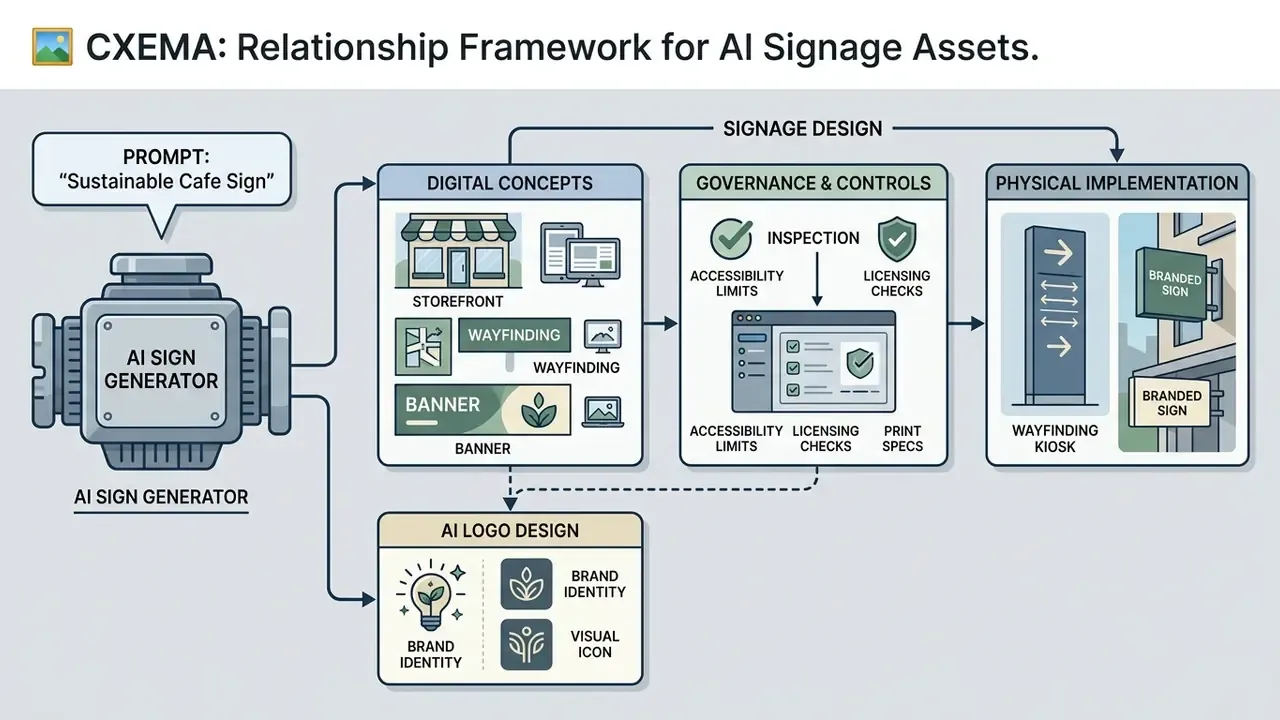
A sign is a single physical display panel. Signage denotes a coordinated network of directional and informational markers across a physical site. An ai logo serves as the central graphic symbol that anchors brand identity across both standalone signs and comprehensive signage systems. A dedicated ai logo generator or logo generator produces the core emblem. An ai signage generator free tier or an enterprise platform then integrates that emblem into environmental contexts where viewing distance, lighting, and spatial hierarchy govern utility.
Public wayfinding guidance consistently separates sign types and requires content to be clear, simple, and positioned at decision points with readable contrast and proportional size. National transport wayfinding guides, for instance, define distinct signs for entrances, exits, and linkages between buildings. In practical terms:
- Logo: supplies identity, with fixed rules against redrawing, recoloring, cropping, or scaling beyond permitted limits.
- Sign: carries that identity on a single physical object at one decision point.
- Signage: distributes identity and instruction across an entire route network, with a hierarchy of gateways, destinations, and routes matching the hierarchy of signs. External signs may carry the full logo, while internal wayfinding signs frequently reduce logo presence to preserve text clarity.
The distinction is not academic. A model that nails a single beautiful facade panel will still produce an incoherent route network if each prompt is written in isolation, because nothing in the tool enforces hierarchy across assets. Humans do that part.
How to Create a Sign with AI
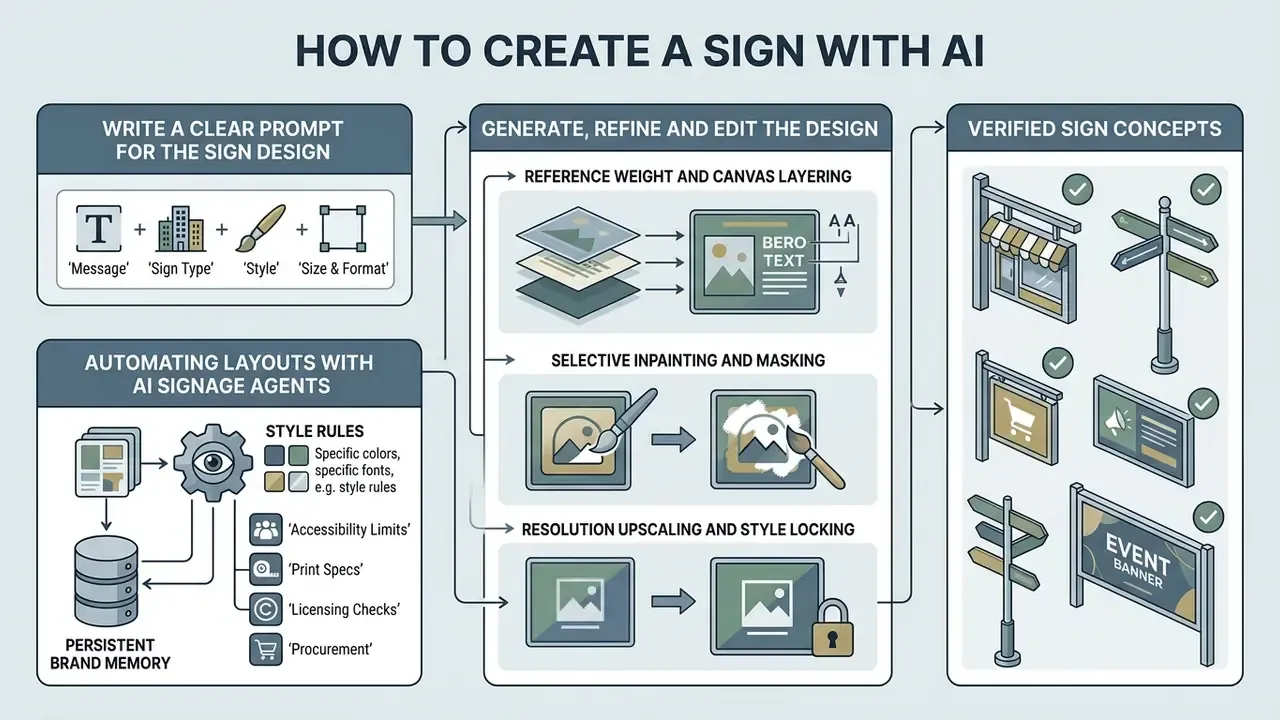
To create a sign with ai, operators define structural prompt parameters, generate multiple visual iterations, refine selected layouts using editing tools, and integrate verified brand assets. A structured creation workflow minimizes spatial distortion and keeps legibility requirements in scope from the first draft.
Write a Clear Prompt for the Sign Design
An effective prompt defines the physical scene, industry context, visual style, material textures, palette constraints, and illumination conditions. Prompt guidance from OpenAI (2026) recommends structuring inputs as scene context, then subject, then key specifications, then negative constraints, and being concrete about materials, shapes, textures, framing, and lighting rather than leaning on adjectives.
Specifying material attributes such as "brushed aluminum" or "backlit acrylic" alongside explicit contrast instructions prevents the ai sign creator from rendering unfeasible graphic effects. Sign-design guidance also recommends that signage color complement the building's existing materials and palette, and that materials be chosen for durability, maintenance load, and compatibility with the facade.
Copy the following structured template and replace the bracketed values:
[Environment Context]: Storefront facade in urban retail district, daylight illumination
[Subject/Type]: Illuminated LED channel letter sign reading "AURORA DENTAL"
[Materials & Texture]: Matte white acrylic letters mounted on dark matte slate tile panel
[Typography & Layout]: Clean modern sans-serif, centered hierarchy, generous clear space
[Palette]: Deep slate grey, warm white illumination, single teal accent
[Lighting]: Halo backlight, dusk ambient light, no harsh specular reflections
[Negative Constraints]: Avoid photorealistic shadows on text, no distorted letters,
no busy background textures, no blurry edges, no watermark, no extra characters
Generate, Refine and Edit the Design
When a generator creates initial concepts, operators review multiple variations to evaluate spatial balance and visual impact. A modern ai sign maker uses targeted inpainting and regional upscaling to modify specific elements without regenerating the whole layout. Empirical evaluation of image services demonstrates that selective masking and 4K upscaling let designers adjust text spacing or replace background textures while preserving core compositional geometry (Amazon Bedrock Stability AI Documentation, 2026). Documented pipelines expose mask and mask-growth controls plus creative, fast, and conservative upscale modes reaching 4K, and some tools upscale the selected region to roughly one megapixel before inpainting, so the repair happens at higher resolution. Teams choosing between platforms with these controls can benchmark them against the best AI image generators before standardizing a workflow.
When an ai sign maker returns initial visual concepts, designers should run a structured three-step technical refinement inside the generation workspace:
- Reference weight and canvas layering upload brand reference images or vector logos into the ai signage generator free canvas. Set the image reference weight (intensity coefficient) between 0.65 and 0.80. A coefficient above 0.85 forces rigid template cloning, while values below 0.50 cause spatial background distortion and loss of brand geometry.
- Selective inpainting and masking use targeted regional masking (brush tool) to isolate text rendering errors or artifacts on background panels. Apply negative prompts such as
blurry lettering, skewed fonts, low contrast, extra characterswhile preserving surrounding substrate textures such as brushed titanium or backlit glass. - Resolution upscaling and style locking lock the compositional seed, then apply a 4K/8K latent upscaler to reach an output grid of at least 3840×2160 pixels. This stabilizes line clarity and stroke weight before the file is converted to prepress vector formats.
Practical control notes: choose the aspect ratio for the physical format before generating (portrait, landscape, square), set the highest available resolution tier for print-bound work, and use canvas text tools rather than the diffusion model for any characters that must be spelled correctly. Generative type rendering remains unreliable for names, phone numbers, and prices. Actually, let me put that more precisely: it is unreliable for anything a customer would sue you over.
If your workflow includes photographed in-situ mock-ups, the cleanup stage borrows from ordinary retouching: remove person from photo online free ai tooling clears passers-by from a facade shot, and a red eye remover handles flash artifacts in staff or launch-event photography used on the same panel.
Automating Layouts with AI Signage Agents
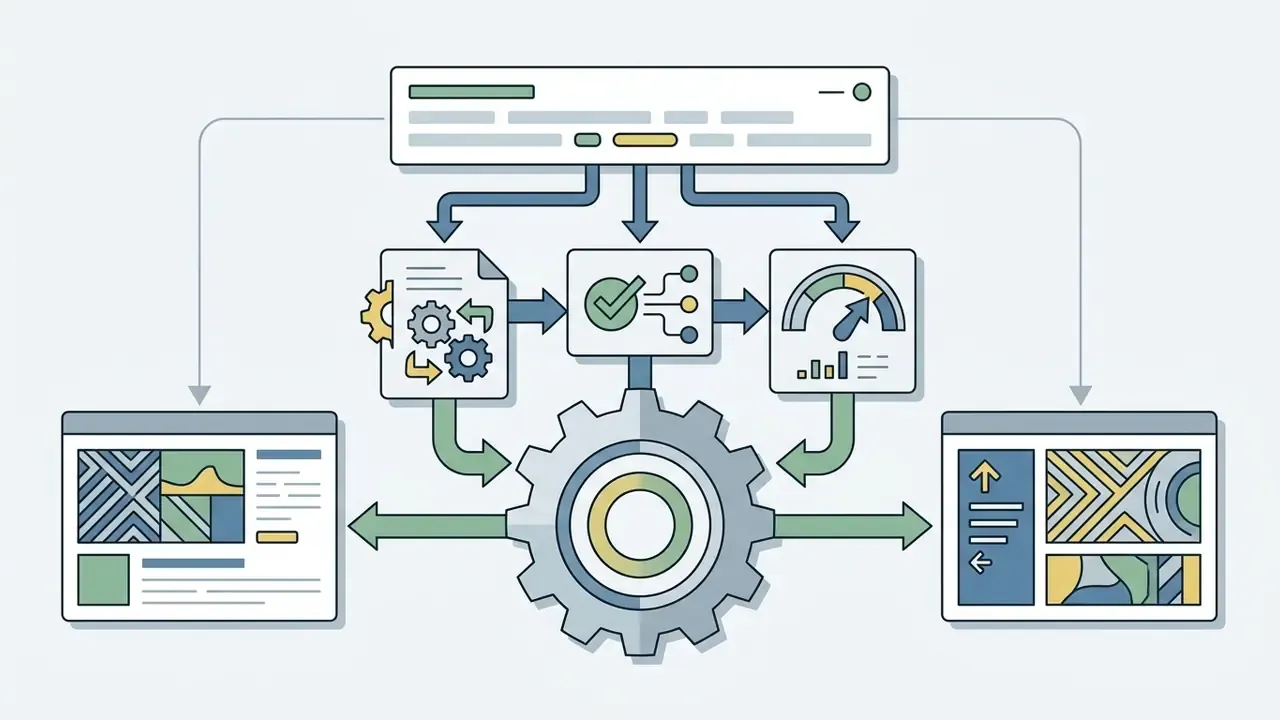
Advanced enterprise workflows use autonomous ai signage design generator agents rather than static prompt windows. An ai sign agent connects a language model directly to dynamic brand asset repositories and vector layout APIs, so brand rules are enforced by the system instead of being re-typed into every prompt. Integration patterns, authentication scopes, and rate limits are documented across the AI Media API Guides.
That last point is where most pilots quietly fail. Not because the output is bad, but because nobody can later reconstruct who approved what.
/generate-signage --type=storefront --lighting=led), operators trigger multi-agent prompts that produce complementary interior and exterior signage layouts at once.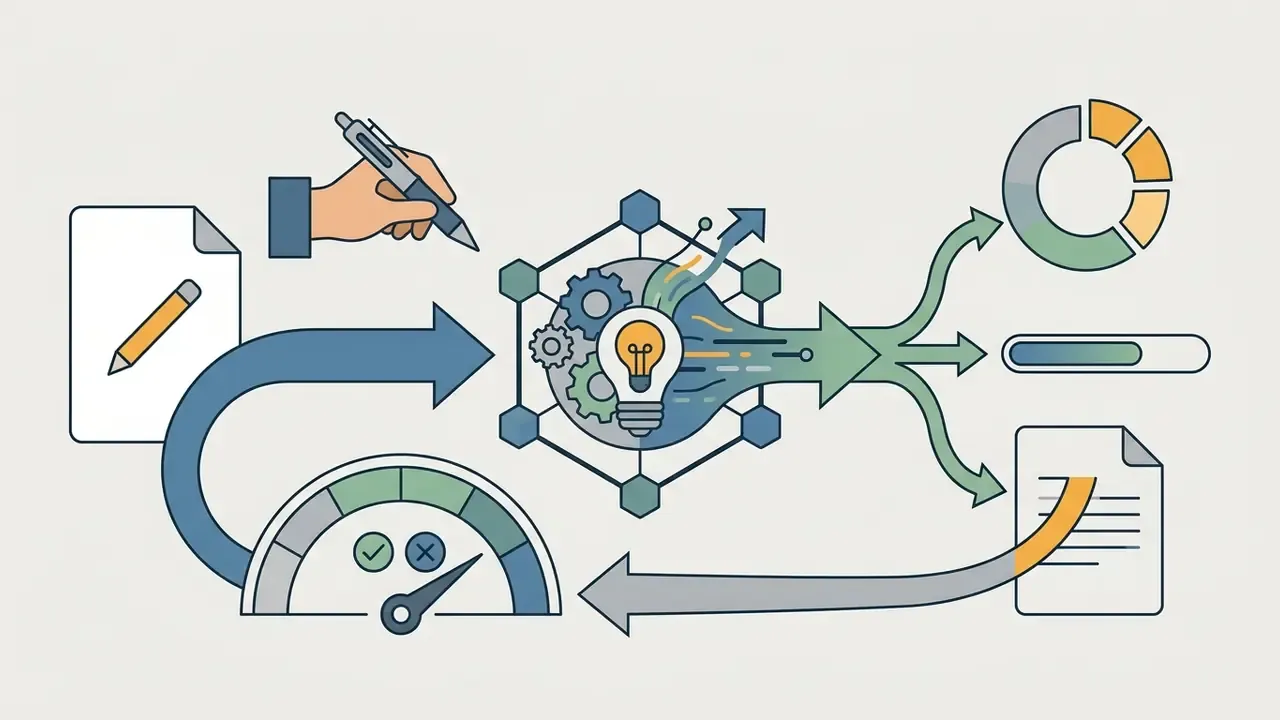
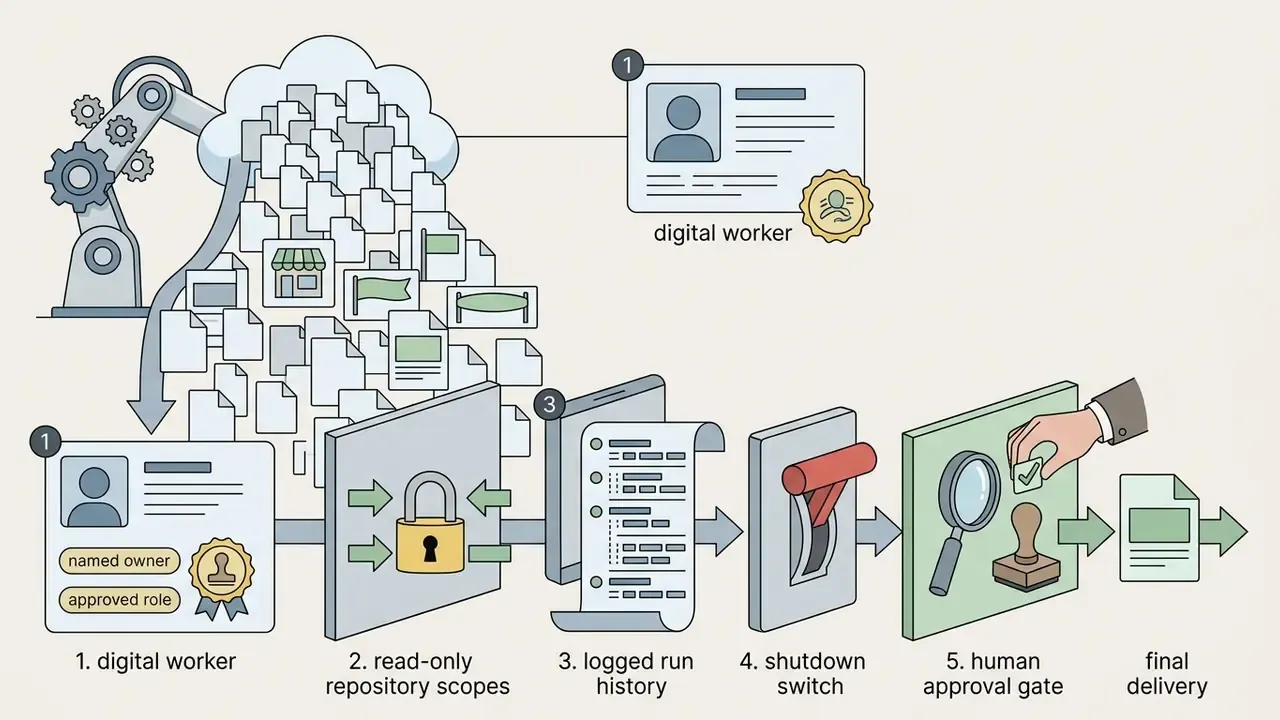
Add Logo, Text and Brand Elements
Integrating corporate identity means embedding high-resolution vector logos into the ai generated logo layout while respecting clear-space rules. Brand governance standards dictate that corporate logos maintain minimum clear margins, such as 0.25 inches (0.635 cm), and undergo zero skewing, stretching, or recoloring during composition (Descartes Brand Standards, 2023). Typography guidelines from enterprise brand systems similarly fix typeface, weight, and default text color, with explicit contrast rules for accessibility. Positioning approved vector assets over AI-rendered background panels keeps typographic contrast within accessibility thresholds while preserving legal brand integrity. For final compositing, cropping, and color correction, teams usually move the file into a conventional editor; see the reference guide to online photo editors for feature and export comparisons.
AI Sign Creation Process
Checklist0 / 6
Illustrative scenario, not a client case. During a commercial storefront redesign, a regional financial services firm's marketing team used an ai sign maker free tool to explore 12 facade layout concepts within two hours. They shortlisted two high-contrast options, imported them into professional editing software to embed verified corporate typography, and exported vector-aligned files for signmaker review. The structured workflow cut initial concept drafting time by roughly 60% while holding to corporate identity guidelines. Note the boundary: drafting time fell, review time did not.
How to Choose an AI-Generated Sign Design
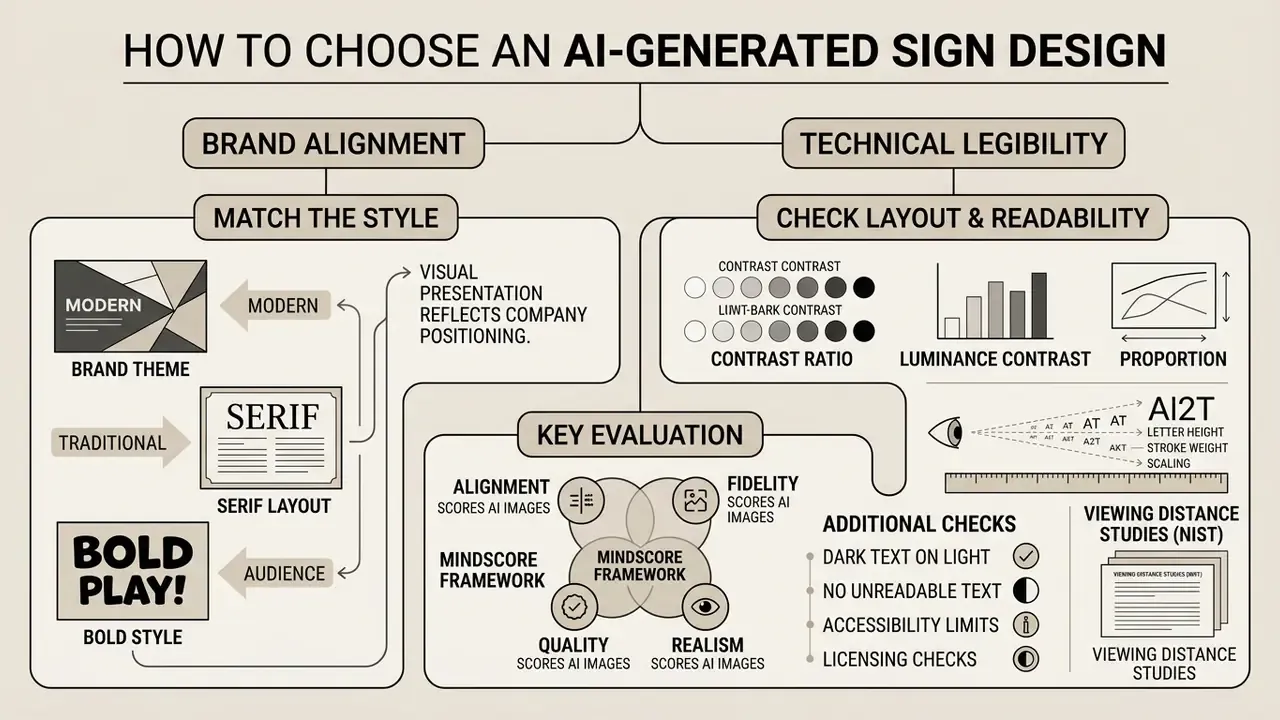
Selecting an optimal sign layout means balancing brand alignment against technical legibility standards. Decision-makers evaluate logos generated by AI against spatial context, target demographic expectations, and viewing distance requirements.
Match the Style to Your Brand and Audience
Visual presentation should reflect company positioning while serving the functional needs of the audience. Institutional brand identity guidance stresses that effective signage requires uncluttered backgrounds, sufficient contrast, and strong visual hierarchy for immediate comprehension across diverse user groups. Audience-first segmentation, grouping viewers by behavior and context rather than demographics alone, is the documented basis for those style decisions. Minimalist, high-contrast designs suit professional financial or legal settings, whereas vibrant, textured layouts align with fast-paced retail or hospitality environments. In fast-pass contexts such as transit corridors or drive-by facades, content guidance for digital signage recommends a three-second comprehension target and a maximum of three visual elements per panel, which naturally pushes designs toward minimal or technological styles.
Check Layout, Readability and Visual Impact
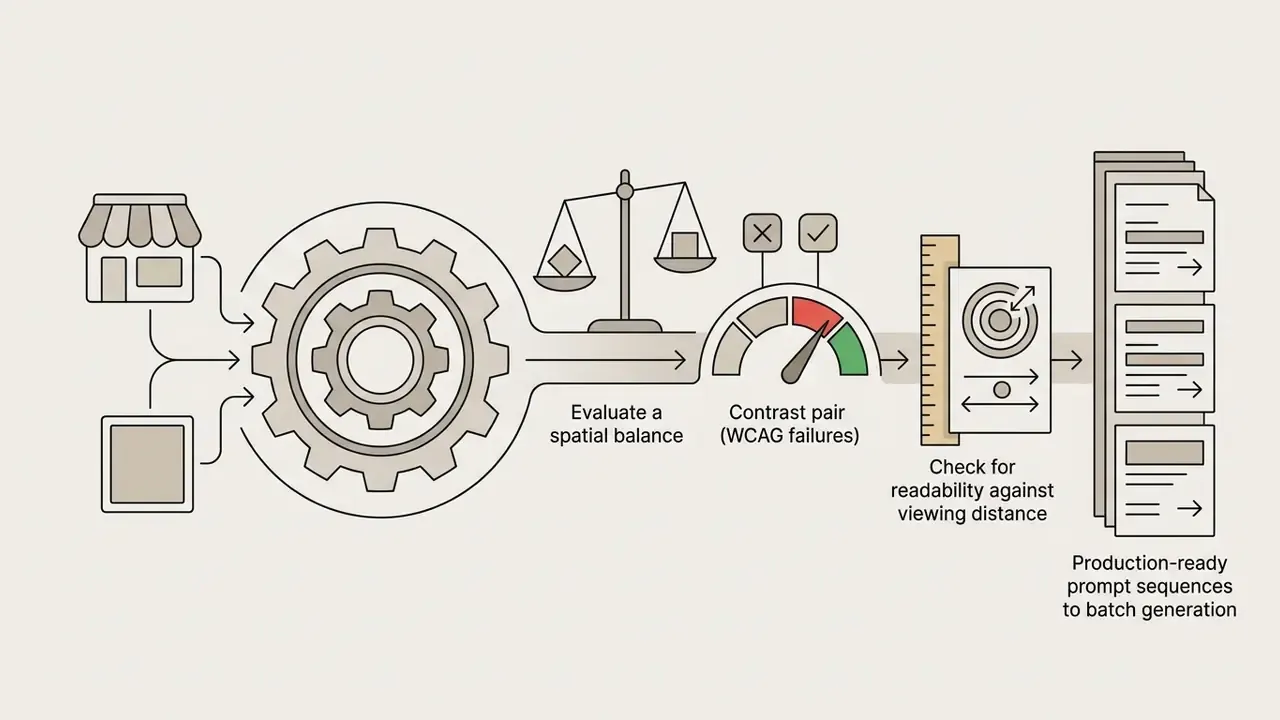
Readability depends on luminance contrast and proportion. Under Web Content Accessibility Guidelines (WCAG 2.2), standard body copy requires a minimum contrast ratio of 4.5:1 against its background, while large sign text must achieve at least 3:1 (W3C WCAG 2.2 Standards). Graphical objects and interface-style elements require at least 3:1, and logos are excluded from the requirement. Draft WCAG 3 guidance adds that genuine readability needs substantially more contrast than bare legibility, plus adequate size and stroke weight.
Viewing distance studies conducted by NIST show that letter height and stroke weight must scale proportionally with observation distance to hold legibility under real-world ambient lighting (NIST Letter Visibility Analysis, 2026).
| Required Reading Distance | Practical Minimum Cap Height | Typical Application |
|---|---|---|
| 3 m (10 ft) | ~25 mm (1 in) | Door plaques, menu panels, counter signs |
| 8 m (25 ft) | ~60 mm (2.5 in) | Interior directory boards, aisle markers |
| 15 m (50 ft) | ~125 mm (5 in) | Reception walls, corridor wayfinding |
| 30 m (100 ft) | ~250 mm (10 in) | Storefront facade lettering |
| 60 m (200 ft) | ~500 mm (20 in) | Building-mounted signs, pylon signs |
| 120 m (400 ft) | ~1000 mm (40 in) | Billboards, highway-adjacent displays |
The table expresses the widely used industry rule of thumb (roughly 25 mm of cap height per 10 m of reading distance) and should be treated as a planning baseline. Final letter heights must be confirmed by the fabricator against jurisdictional sign codes, ambient luminance, viewing angle, and traffic speed.
Additional layout checks for printed and documentary sign artwork: dark text on light backgrounds, no near-identical text and background hues, line spacing of at least 1.5× the word-space value, and sans-serif type at 16–20 pt for low-vision audiences. Headings should differ from body copy by size, weight, typeface, or color while still clearing the 4.5:1 threshold, so hierarchy stays visible to viewers scanning at speed. For cost modelling of variant counts, render tiers, and print runs, the AI Media Calculators provide reusable input templates.
Free AI Sign Generator vs Paid Design Tools
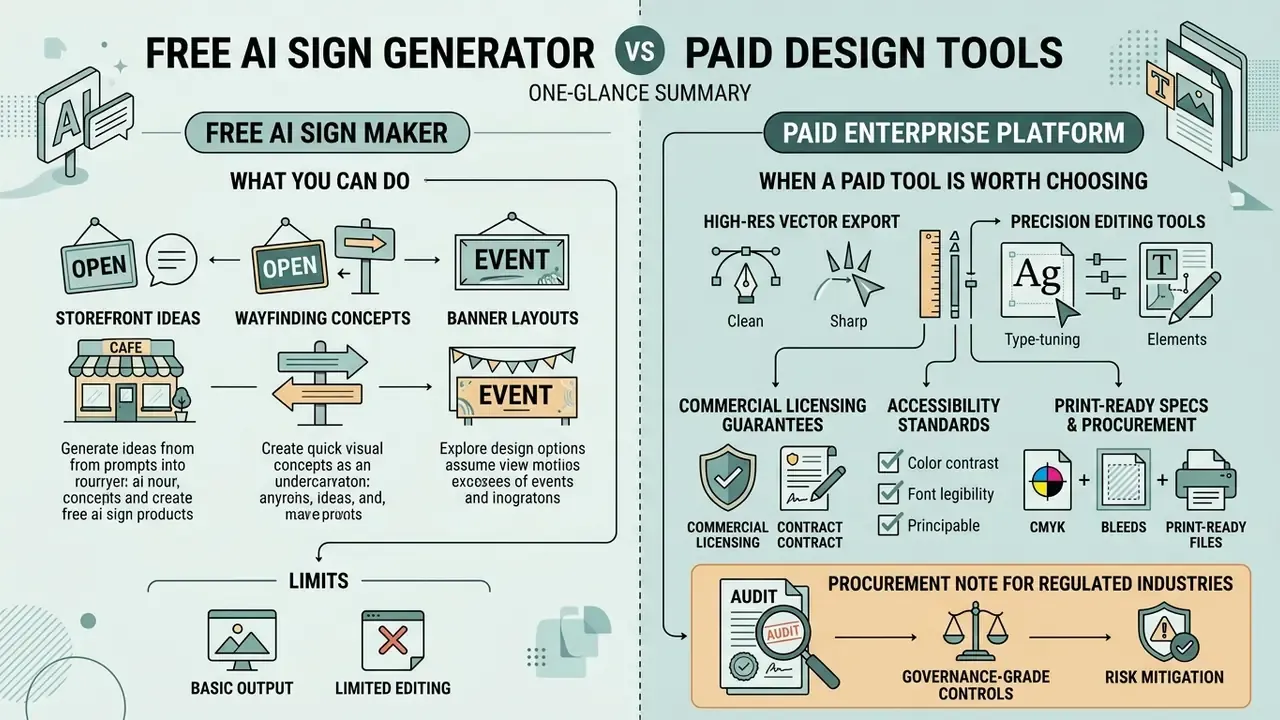
Organizations weigh free ai sign maker options against paid enterprise platforms on output resolution, editing precision, vector export, commercial licensing guarantees, and, in regulated sectors, data handling commitments.
What You Can Do with a Free AI Sign Maker
A free ai sign maker or ai signage generator free tier lets teams generate initial concept drafts, explore basic visual ideas, and test prompt structures. Free tools also routinely restrict exports to low-resolution raster files (72 DPI JPEGs, for instance), embed visible watermarks, and prohibit commercial exploitation in their terms of service (Raphael AI & European Parliament AI Studies, 2026). Research summarized by the European Parliament notes that watermarking techniques remain technically limited, non-standardized, and not reliably readable across systems, which is why some vendors apply visible marks instead of invisible ones. Teams surveying entry-level options can compare limits, watermarks, and licensing across free AI art generators and free photo editors before committing to a paid tier.
When a Paid Tool Is Worth Choosing
Paid design subscriptions provide high-resolution exports (up to 10,800 px at 300 DPI), native SVG and PDF vector outputs, selective inpainting controls, and explicit commercial usage indemnification, with some vendors documenting copy-count caps such as 500,000 units per license (Kittl Pro Documentation, 2026). Enterprise design platforms also integrate with corporate brand libraries, so official palettes and typography apply automatically. Where final files still need sharpening, denoising, or format conversion before hand-off, paid AI image enhancers and prepress utilities complete the chain. Licensing conditions for suite-based tools such as Canva's AI generator should be reviewed alongside output quality, and current tier structures are tracked in the AI Media Pricing Guides.
| Feature / Capability | Free AI Sign Maker | Paid Professional AI Tool |
|---|---|---|
| Concept Generation | Unlimited basic drafts with standard prompts | Advanced multi-panel prompts and style locking |
| Output Resolution | Low-resolution raster (72–150 DPI) | High-resolution print-ready (300 DPI, up to 10k px) |
| Vector Export (SVG/PDF) | Rarely available | Full vector export and automatic tracing |
| Watermark Removal | Requires paid upgrade | Standard feature (no watermarks) |
| Brand Library Integration | Manual upload only | Direct synchronization with corporate style guides |
| Commercial Rights | Restricted to non-commercial evaluation | Explicit commercial usage rights included |
| Model-Training Opt-Out | Frequently absent; uploads may train models | Contractual no-training guarantee on uploaded assets |
| Security Certifications | Rarely documented | SOC 2 Type II / ISO 27001 attestations available |
| Data Residency & Retention | Undisclosed or global by default | Configurable region, retention limits, deletion SLAs |
| Access Control & Audit | Individual account only | SSO/SAML, role-based permissions, audit logs |
Procurement note for regulated industries. Before any employee uploads a vector logo, brand palette, or unreleased campaign asset to a public generator, confirm three contractual points: whether uploaded content is excluded from model training, whether the vendor holds a current SOC 2 Type II or ISO 27001 attestation, and how long prompts and outputs are retained. Public-sector generative AI guidelines require organizations to define permitted tools and internal policies before use. Applied to signage, that means a sanctioned tool list is a prerequisite, not a follow-up. Free tiers used without that list remain the most common source of shadow-AI exposure in brand teams.
One more practical control: log every generator in the same inventory that holds your credit and AML models, even when the tool only draws pictures. A vendor that ingests brand and site imagery is a data flow, and data flows get audited.
Prepare AI Signage for Printing and Real-World Use
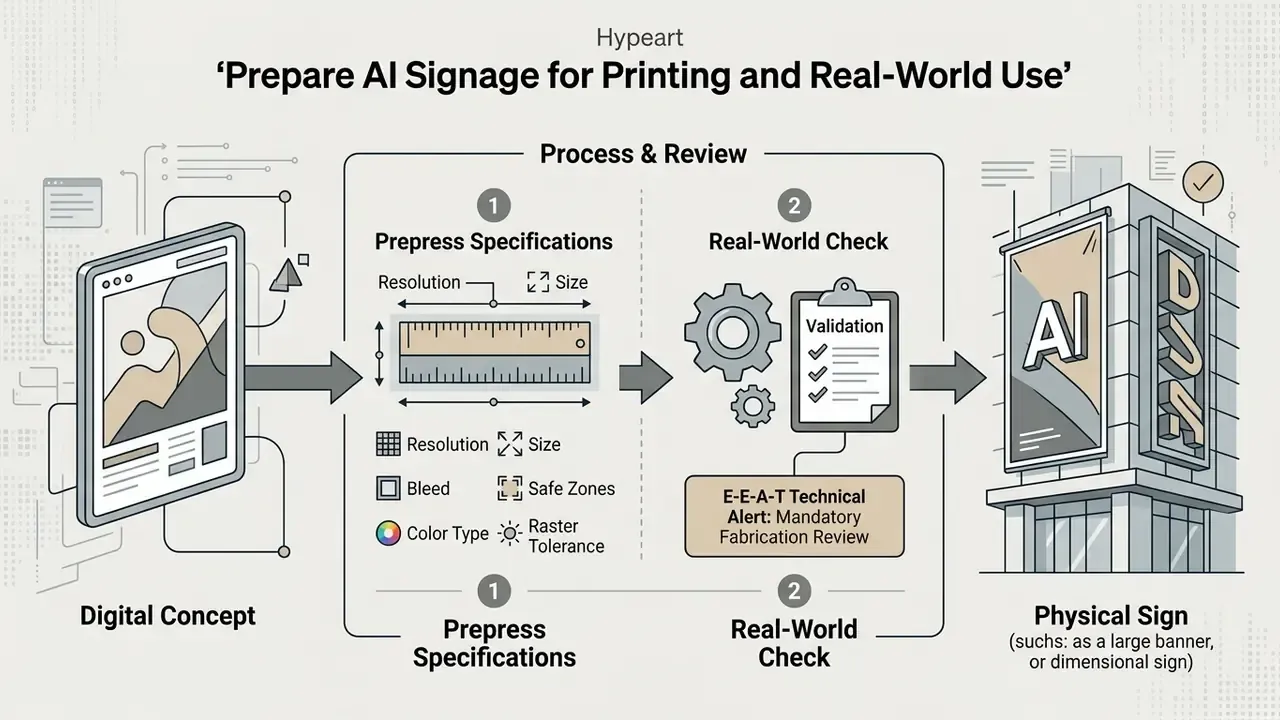
Turning digital concepts into physical assets requires strict adherence to prepress specifications and structural engineering review. An ai signage concept must pass technical validation before it goes to a fabrication facility.
Resolution, Size and Sign Printing Requirements
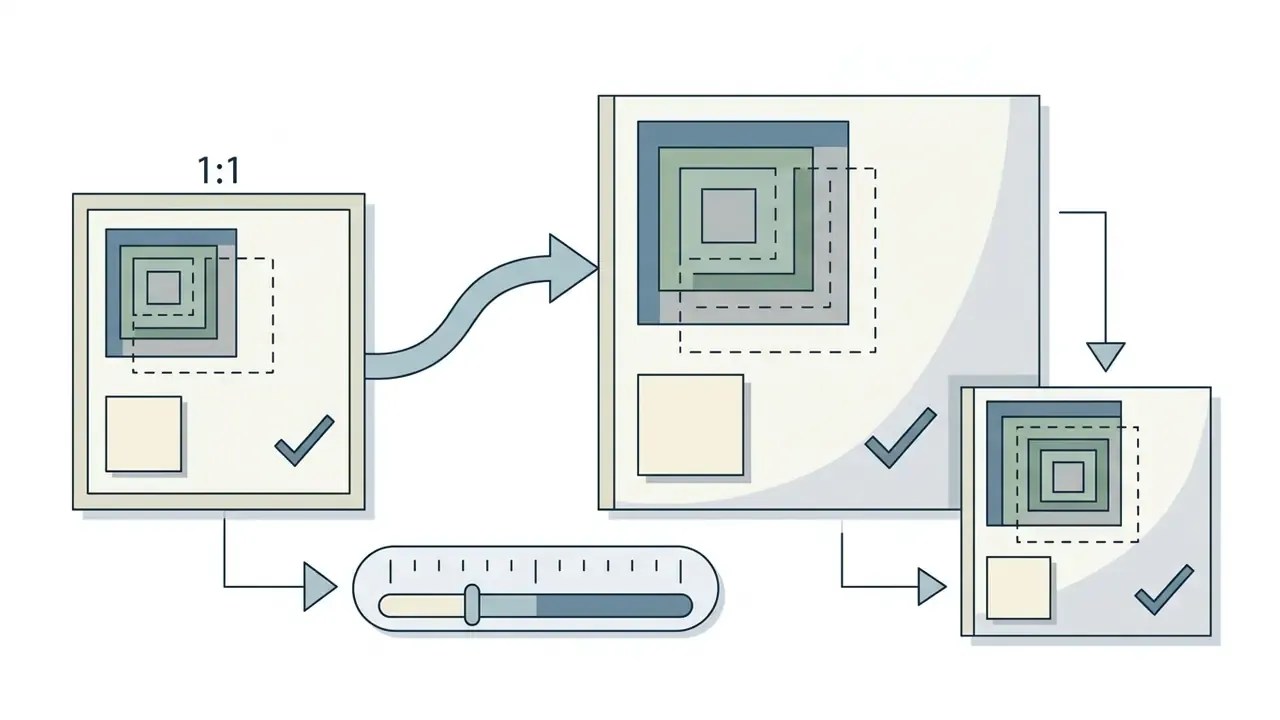
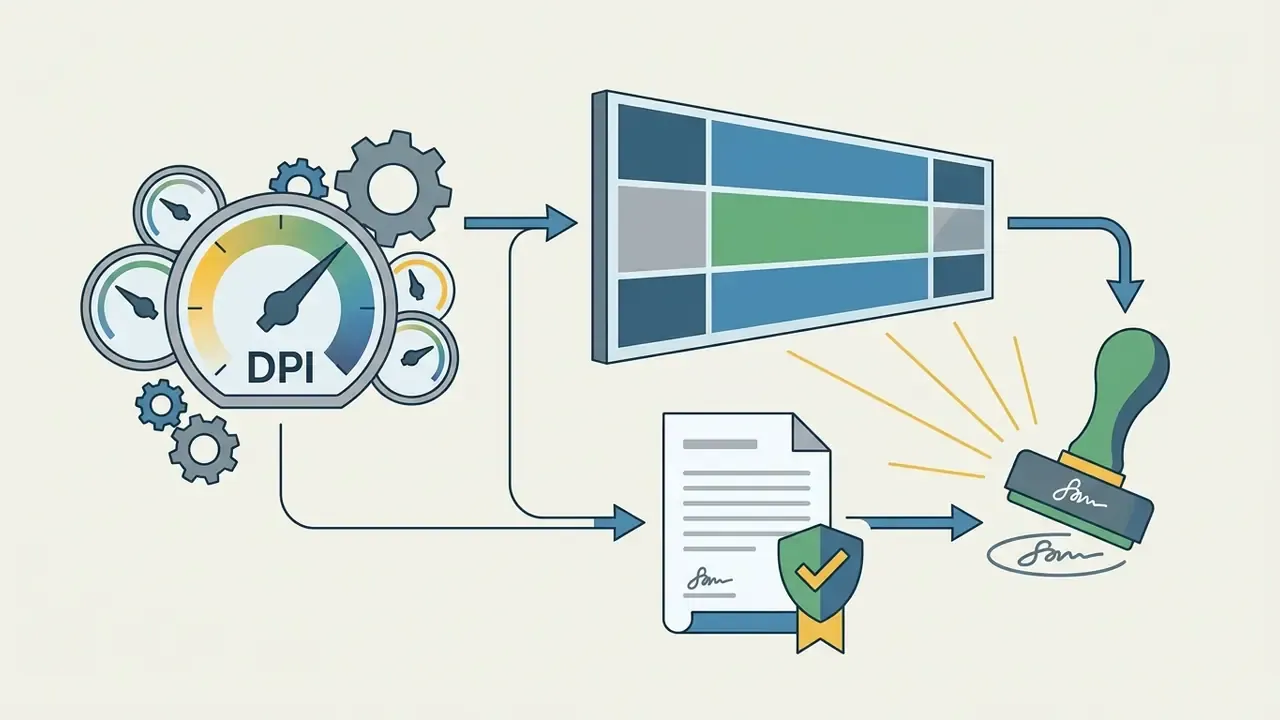
Physical sign production demands high-resolution raster or resolution-independent vector assets. Exterior printed graphics require a minimum resolution of 300 DPI at 1:1 scale plus exterior-grade UV-resistant inks to prevent rapid weathering (Great Rivers Greenway Exterior Signage Specifications, 2026). Where native generation falls short, AI image upscalers can raise effective resolution, but upscaled files still need inspection for interpolation artifacts along letter edges before proofing.
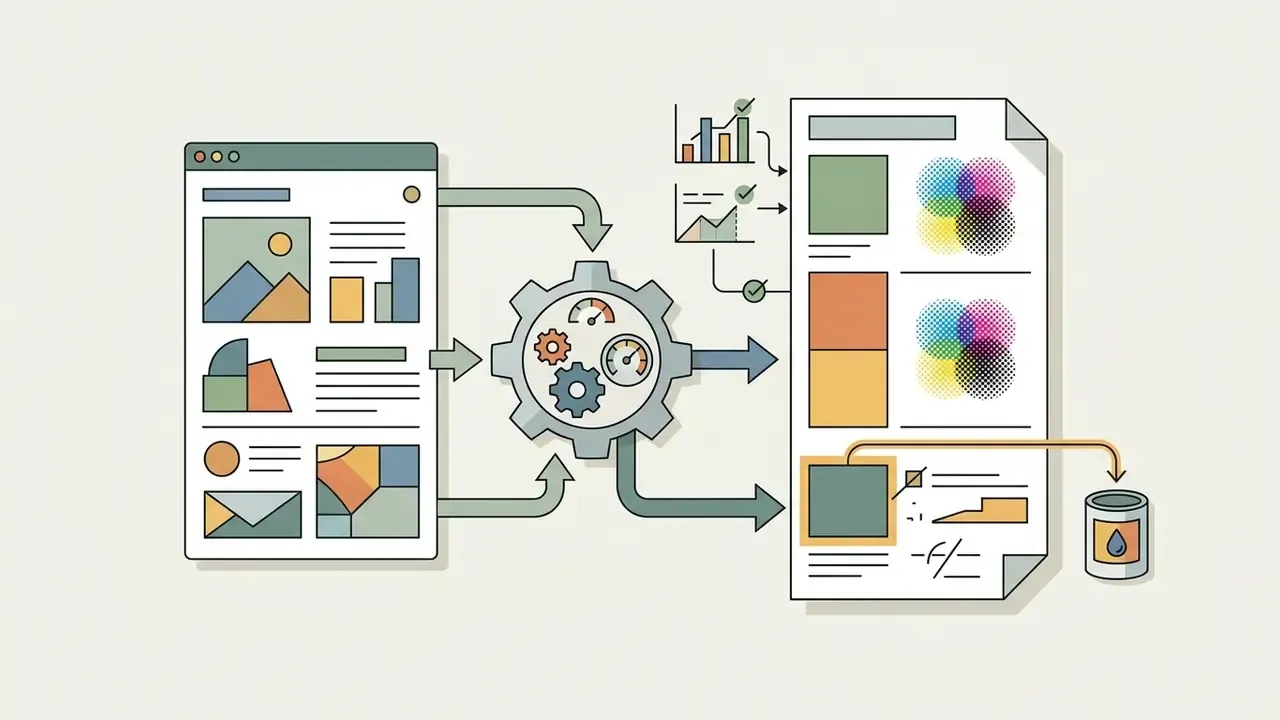
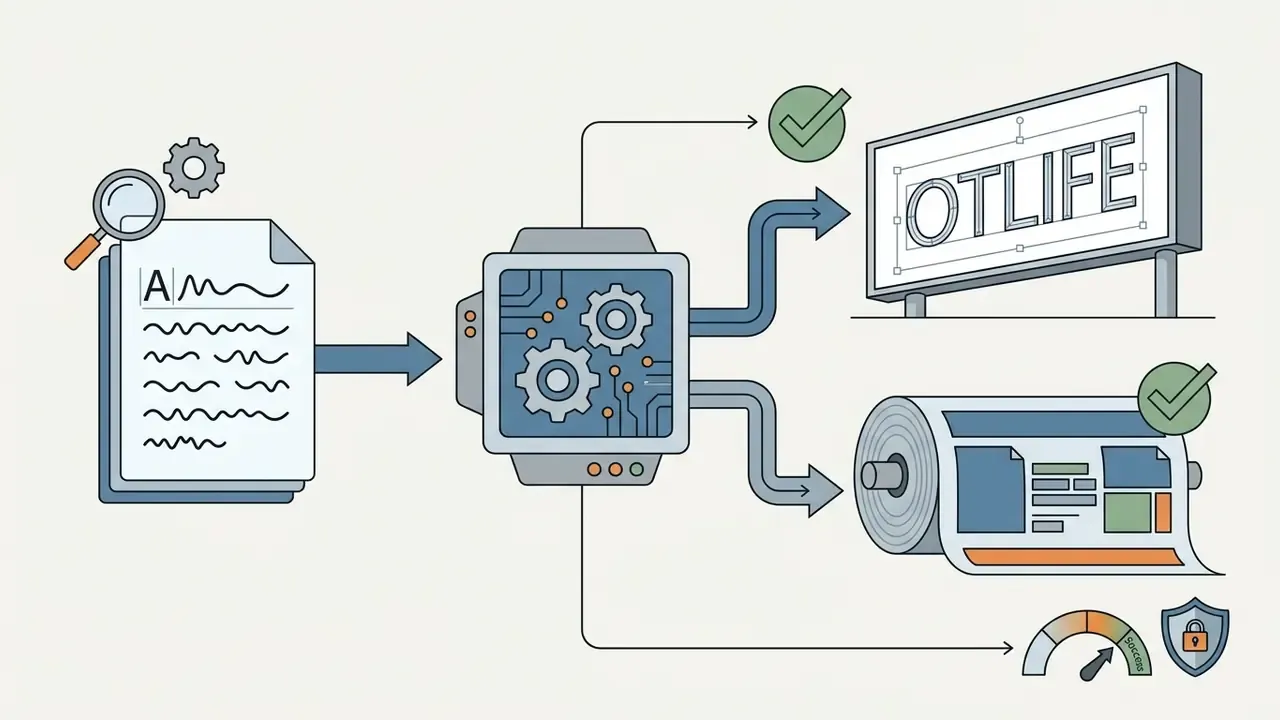
Prepress workflows require converting digital RGB assets into CMYK color space and delivering vector files as SVG, EPS, or PDF/X-compliant formats to hold color fidelity during large-format printing. Additional file-level requirements gathered from print vendors and W3C print specifications:
When exports fail, banding appears, or fonts drop out at the fabricator's end, the diagnostic paths collected in AI Media Support and Troubleshooting usually resolve the file-level cause faster than regenerating the concept.
Validate the Design with a Signmaker
Professional signmakers inspect AI-generated artwork to verify structural feasibility, mounting mechanics, and illumination safety. Documented signage specifications typically require shop drawings showing overall size, component configuration, letter style and heights, assembly method, and anchorage details, plus product data covering fabrication, materials, and finishes. For illuminated signs, specifications commonly call for defined LED sources, an integrated power supply, wet-location compliance, and verification of the existing substrate and electrical service location before installation, for example wiring to a switched service in a junction box near the sign position. Interior signs must be installed level and plumb at specified heights. Exterior work generally requires local code review, permits, and marking of underground utilities before any drilling begins. Fabrication manuals additionally require layouts to be optically centered so multi-panel systems read as one consistent set.
Launch content deserves the same discipline. Storefront reveal videos shot on site frequently need audio cleanup, so teams remove background noise before publishing, and where an older cut still shows a previous slogan they remove text from video online free rather than re-editing the master.
E-E-A-T Technical Alert: Mandatory Fabrication Review
Commercial Use, Originality and Brand Safety
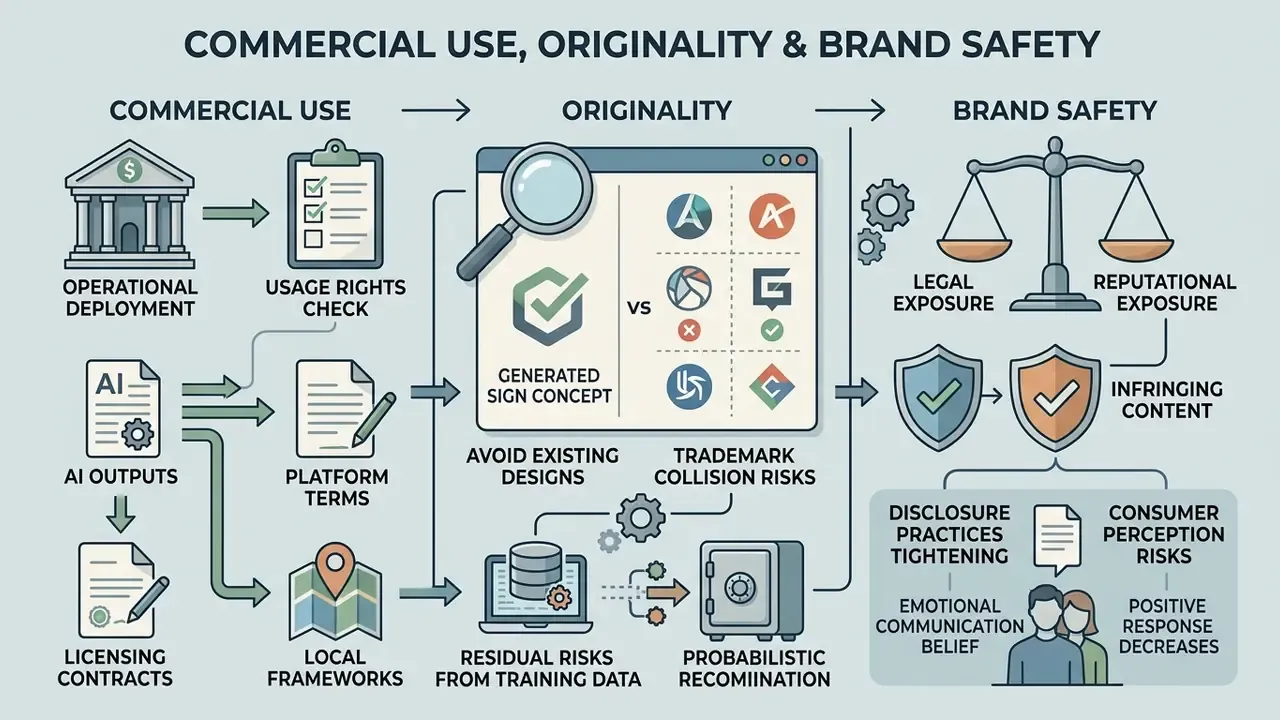
Deploying ai generated signage in commercial operations means examining intellectual property law, licensing contracts, and trademark collision risks. This is the section where speed savings can evaporate in a single letter from opposing counsel.
Check Commercial Usage Rights Before Download
Commercial entitlement depends entirely on platform terms and local copyright frameworks. The U.S. Copyright Office maintains that visual works created solely by generative AI without sufficient human creative control are ineligible for copyright registration (USCO AI Policy Guidance, 2026). AI-generated material must be excluded from a copyright claim unless human selection and arrangement are sufficiently creative. Commercial use, meanwhile, stays contractually regulated by tool terms: platforms such as GigaChat and Luma AI restrict free-tier outputs to personal, non-commercial evaluation while reserving commercial deployment rights for active paid subscribers (Luma AI Terms of Service, 2026). Enterprise API terms may permit business use yet still forbid building competing products or redistributing outputs, so the licence text, not the marketing page, governs deployment. A side-by-side view of commercial use conditions across AI image generators helps procurement teams compare these clauses before onboarding a vendor, and the wider AI Media Commercial-Use Hub tracks changes by vendor.
Reputational exposure is a separate risk from legal exposure:
Disclosure practice is tightening too. Several public-sector policies now require AI-generated media to be clearly labeled, permanently watermarked, and tagged with metadata identifying it as synthetic, and NIST materials emphasize labeling, provenance, and authenticity verification for generative outputs. Organizations deploying AI-derived signage should record which assets were AI-assisted and to what degree. Keep that record where auditors already look.
Avoid Copying Existing Logos and Sign Designs
Because generative models synthesize images from vast training datasets, outputs carry residual risk of mimicking registered trademarks or proprietary designs.
Trademark law evaluates infringement on likelihood of consumer confusion and visual similarity in trade, regardless of whether AI was used during creation (USPTO Patent & Trademark Guidance, 2026). U.S. authorities have also confirmed that AI assistance does not create a separate or relaxed legal standard: the same tests for distinctiveness, novelty, and conflict with earlier rights apply. Operators should run figure-based searches across the USPTO or WIPO databases using Vienna Classification codes before registering or installing an AI-derived commercial sign, and should also screen word elements and the relevant Nice classes for the goods or services concerned. Supporting checks include AI reverse image search for visual near-duplicates and AI image detectors to document the provenance of submitted artwork. For precedent and pending matters that shape these judgements, see AI Litigation and Case Timelines.
Perception research adds a second layer of brand-safety consideration:
Illustrative composite scenario. A fintech institution evaluating storefront designs used an ai sign creator to synthesize 30 entrance concepts. During IP validation, a figurative image search surfaced one generated layout that closely mirrored a registered trademark of a regional competitor in Nice Class 36. The team discarded the conflicting layout, tightened prompt constraints toward custom geometric line art, and obtained formal trademark clearance before physical installation. Worth noting: jurisdictions differ in emphasis. U.S. copyright practice rejects purely AI-generated works, while U.S. and EU trademark systems still allow an AI-made sign to be protected if it functions as a distinctive business identifier in commerce.
FAQ About AI Sign Makers
Can an AI Sign Generator Create Different Types of Signs?
Yes. An ai sign generator produces diverse formats, from interior door plaques and tactile navigation markers to illuminated building facades and outdoor billboards, including grand-opening banners, event banners, directional panels, storefront displays, promotional posters, and menu boards. Public wayfinding standards distinguish door signs with braille and tactile lettering from public amenity, directional, and vehicular guidance signs, while building guidance separates non-illuminated entrance signs from internally illuminated facade and tenant signage. Complex technical signage, such as braille-equipped ADA directional panels or illuminated neon structures, requires post-generation refinement by a professional designer to guarantee code compliance and manufacturability, since minimum letter heights, line limits, border rules, and engineering-sealed drawings come from jurisdictional sign manuals rather than from the model.
How Fast Does an AI Sign Creator Generate Designs?
Cloud-based generation services typically return a first visual concept within seconds, and users consistently report iteration speed as the primary practical advantage.
«Cloud image-generation services usually return results within seconds; user studies identify iteration speed as the key advantage of AI tools.» (Exploring the Impact of AI-generated Image Tools on Professional and Non-professional Users, 2023–2026) Published figures circulating in industry literature, for example roughly 8 to 13 seconds per sketch on consumer GPU hardware, or a first refined iteration in about five minutes with AI support versus thirteen minutes for manual drafting, should be treated as indicative vendor or single-study benchmarks rather than verified norms, because the underlying tests use different tasks, hardware, and metrics. The operationally relevant number is not generation latency but total cycle time: prompt drafting, variant review, inpainting fixes, brand overlay, prepress conversion, and fabricator review together determine the schedule. The human validation stages remain the longest.
Is AI Better Than a Professional Sign Designer?
No. AI accelerates ideation; it does not replace design engineering.
«Creativity support raises intention to use AI, yet perceived risks, bias, loss of control, production constraints, significantly restrain adoption.» (Feng & Wu, Human–AI Co-creation in Graphic Design, 2023–2026) A sign ai generator produces visual options quickly, while professional sign designers handle code compliance, structural integrity, material selection, lighting calculations, permit documentation, and precise installation execution (Washington State DOT Sign Manual, 2026). Municipal submissions frequently require plans, elevations, material schedules, illumination notes, and signed and sealed engineering drawings, none of which an image model produces. A hybrid workflow, AI ideation plus professional human engineering, delivers the better mix of speed and operational reliability.
Does an AI Sign Generator Expose Confidential Brand Assets?
It can, if the tool is unvetted. Uploading vector logos, unreleased campaign artwork, or store layout photographs to a consumer-grade generator may place those assets in the vendor's training or retention pipeline. Mitigation is procedural: maintain an approved tool list, require documented no-training and retention terms, prefer vendors with SOC 2 Type II or ISO 27001 attestations and configurable data residency, restrict uploads to already-public brand assets when using free tiers, and route all confidential material through enterprise instances with SSO and audit logging.
What Is a Safe First Step for a Regulated Organization?
Start narrow and reversible. Pick one low-sensitivity use case, for example internal wayfinding concepts using already-public brand assets, name an owner, log the tool in your AI inventory, and require human sign-off before any file leaves the workspace. Measure two things: cycle time to approved concept, and defect rate at fabricator review. If both improve over a single quarter, widen scope. If neither moves, the constraint was never generation speed.