Executive Summary
- What it is An ai voice maker is a neural text-to-speech (TTS) or codec language model system that converts scripts into controllable synthetic speech: narration, IVR prompts, localized dubbing, accessibility audio, and even sung vocals.
- What changed in 2026 Zero-shot cloning now reproduces an unfamiliar speaker from seconds of audio. Streaming architectures render unlimited-length scripts frame by frame. Prosody can be steered by text prompts instead of hand-tuned sliders.
- Where the risk sits Voice is biometric data. Three control points matter: consent verification, data-retention boundaries (no training on your scripts), and reproducible audit evidence (seed, model version, SSML, approver).
- Regulatory floor FCC 24-17 treats AI-generated voices as "artificial" under TCPA. The EU AI Act (Regulation (EU) 2024/1689) mandates disclosure and machine-readable marking of synthetic audio. WCAG 2.2 governs accessible narration.
- Buying rule Free tiers are evaluation sandboxes. Commercial monetization, uncompressed export, custom cloning, and contractual data protection almost always sit behind paid or enterprise plans.
Why should a CRO or Head of Model Risk care about a narration tool at all? Because a cloned executive voice is a credential, not a media asset. That single reframing changes procurement, access control, and audit expectations.
What Is an AI Voice Maker and What Audio Does It Create?
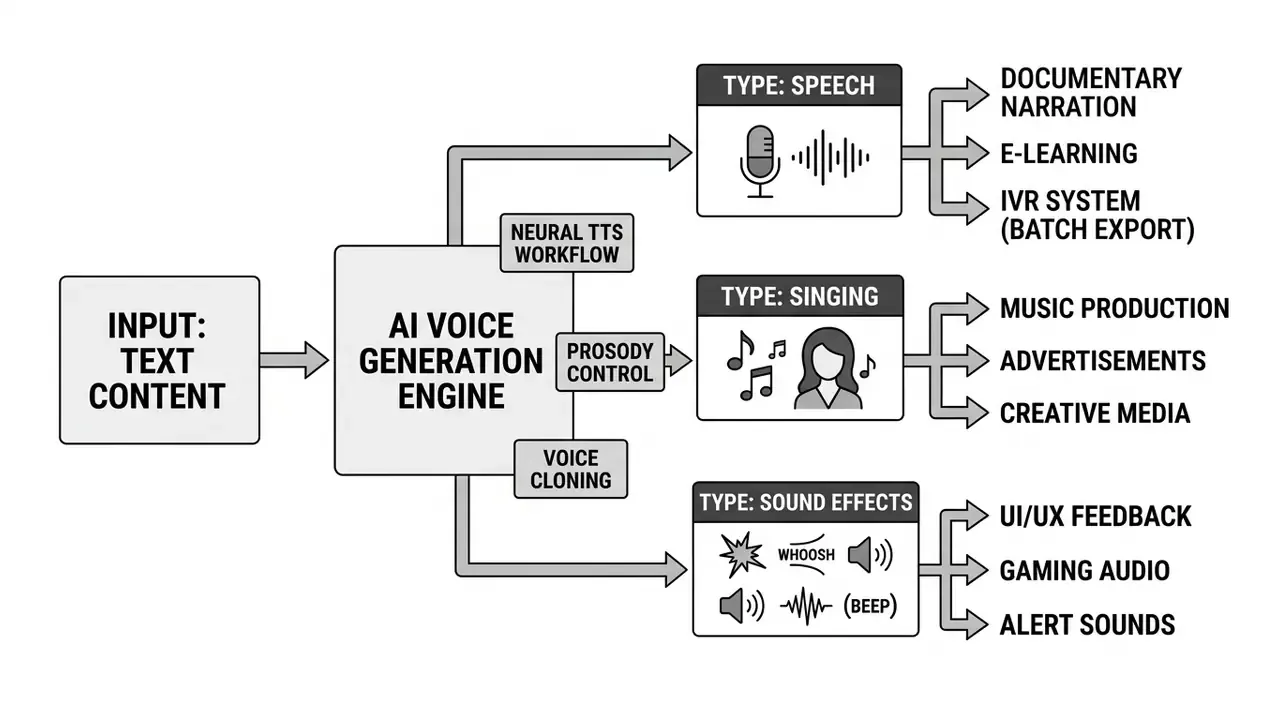
An ai voice maker is a software application driven by neural text-to-speech architectures or codec language models that converts written text into natural human speech. These platforms generate spoken narration, localized voiceovers, synthetic dialogue, call-center prompts, and brand voices across multiple languages and acoustic environments.
Modern systems use deep learning models trained on large multi-speaker datasets. They synthesize intelligible speech with controllable prosody, pitch, rhythm, and emotion. Using an ai maker voice platform or an AI voice generator, teams turn plain text scripts into finished voice tracks without a recording studio or specialized microphone hardware. The same engines are marketed under many labels, from ai audio maker to ai stimme generator in German-language markets, but the underlying pipeline is largely the same.
Text-to-Speech: Converting Text into Natural AI Voiceover
Text-to-speech technology converts raw text into continuous spoken audio through phonological processing, prosody prediction, and acoustic waveform decoding. Modern ai audio creation pipelines parse grammatical structure to predict phrasing, syllable stress, and intonation contours before rendering neural speech.
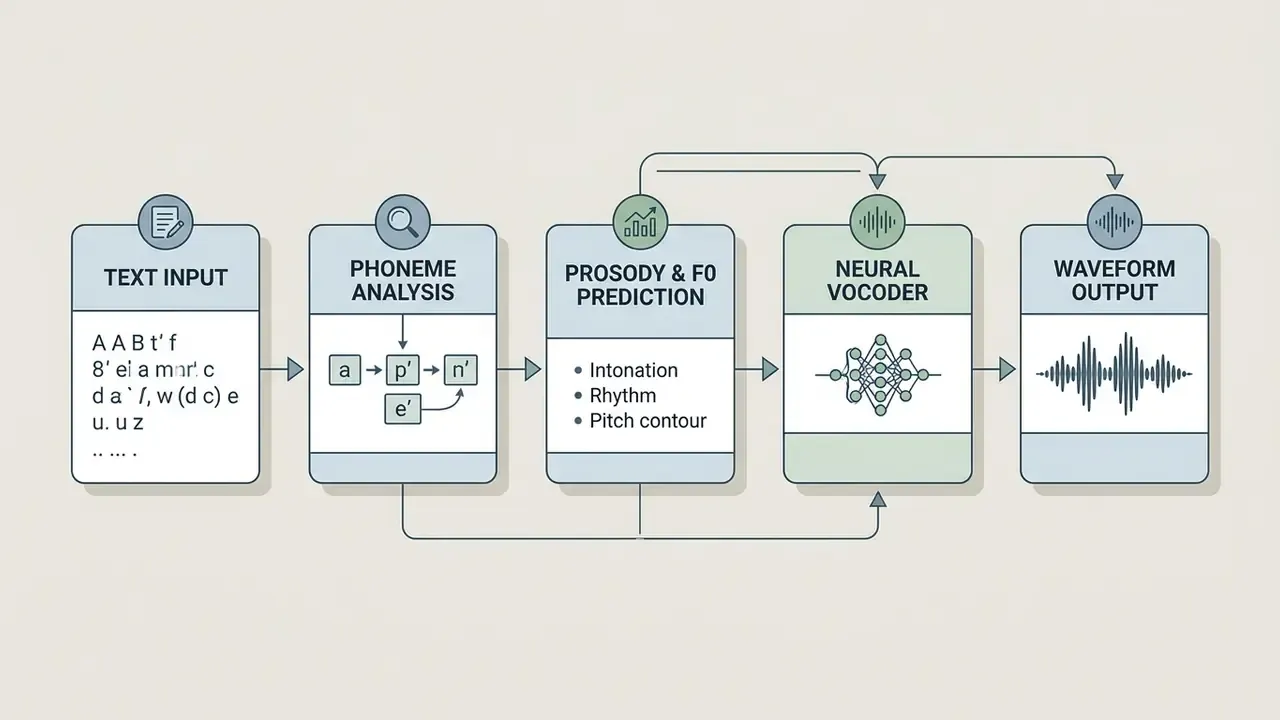
A neural ai voice generator analyzes punctuation, syntax, and word context to produce natural-sounding delivery. The system maps text tokens to phonemes, constructs fundamental frequency () contours, and synthesizes audio frames.
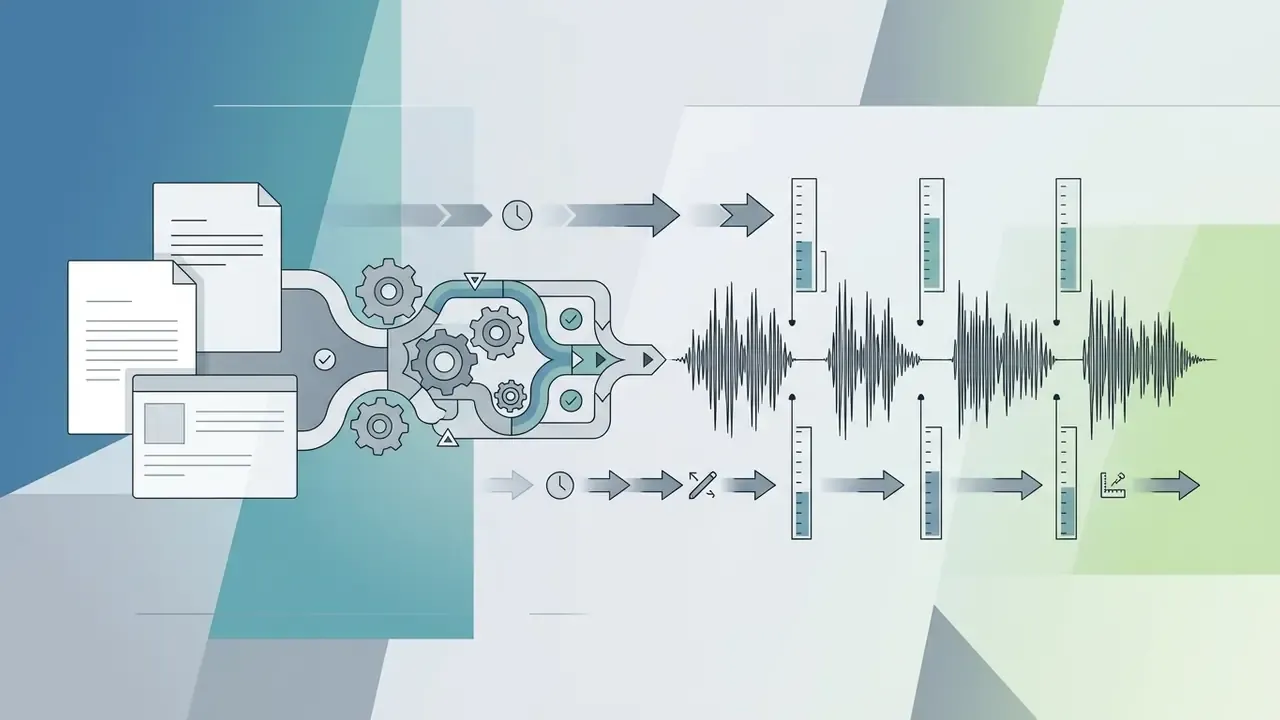
That streaming property is what makes book-length and live-agent scripts practical. There is no hard ceiling imposed by a fixed input window, and audio starts returning before the full script is processed. The result: fluent narration for commercial video, corporate training, and digital media, without the flat monotone of older concatenative systems.
For model risk teams, those two numbers, word error rate (WER) and speaker similarity (SIM-O), are the first objective acceptance thresholds worth writing into a validation standard, alongside subjective Mean Opinion Score (MOS) listening tests. Actually, one refinement: WER alone will pass audio that listeners still describe as "off". Pair it with a small human panel.
AI Voice, Audio, and Sound: Choosing the Right Output for Your Project
Understanding the boundaries between an ai voice, an ai audio maker, and an ai sound generator app keeps tool selection honest. Synthetic speech generates structured human language. General audio generation covers voice, music, and background ambience. Different models, different licensing questions.
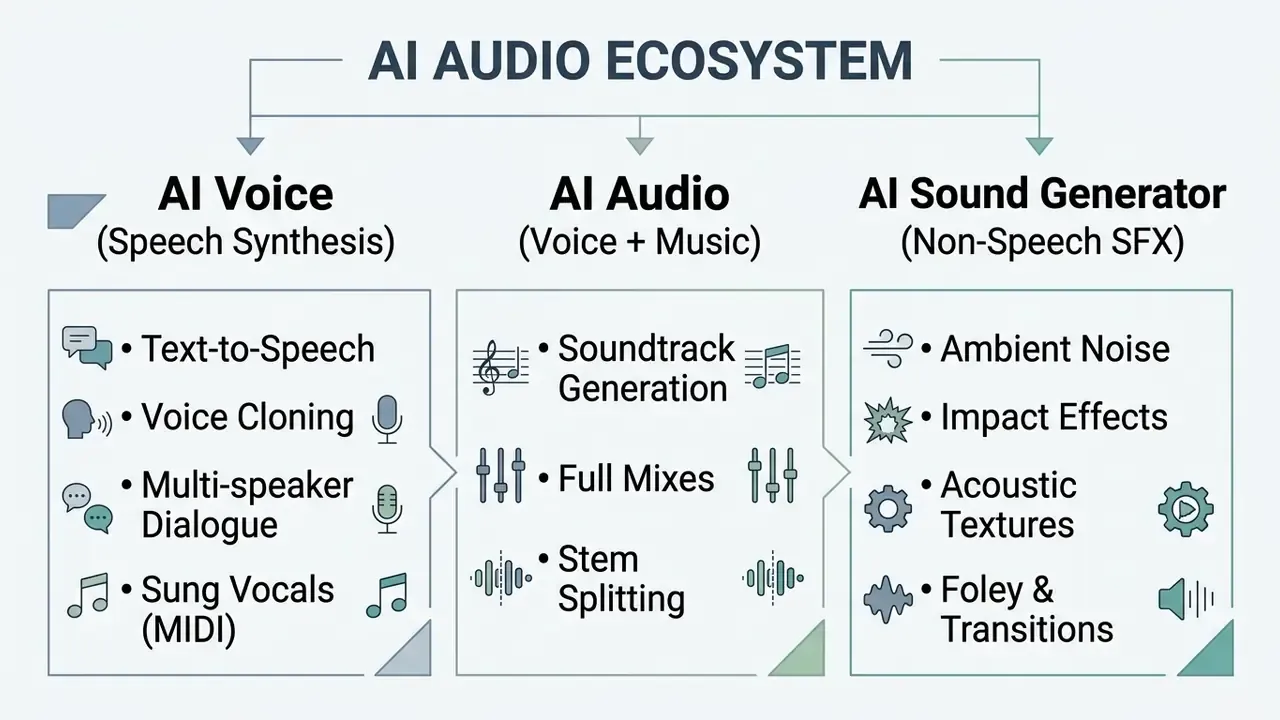
An ai sound generator app produces non-speech audio events, environmental acoustics, and effects rather than linguistic utterances. If your brief says "we need an ai that can create audio", clarify which layer is meant before you buy: narration, music bed, or sound design.
When building complete media projects, teams combine an ai studio voice generator for narration with specialized utilities to remove background noise or clean up room tone, and increasingly pair voice tracks with AI video generators inside a single production queue. Reviewing realistic ai capabilities across media types helps select the correct model for each production layer.
How to Choose an AI Voice: Language, Style, Tone, and Emotionality
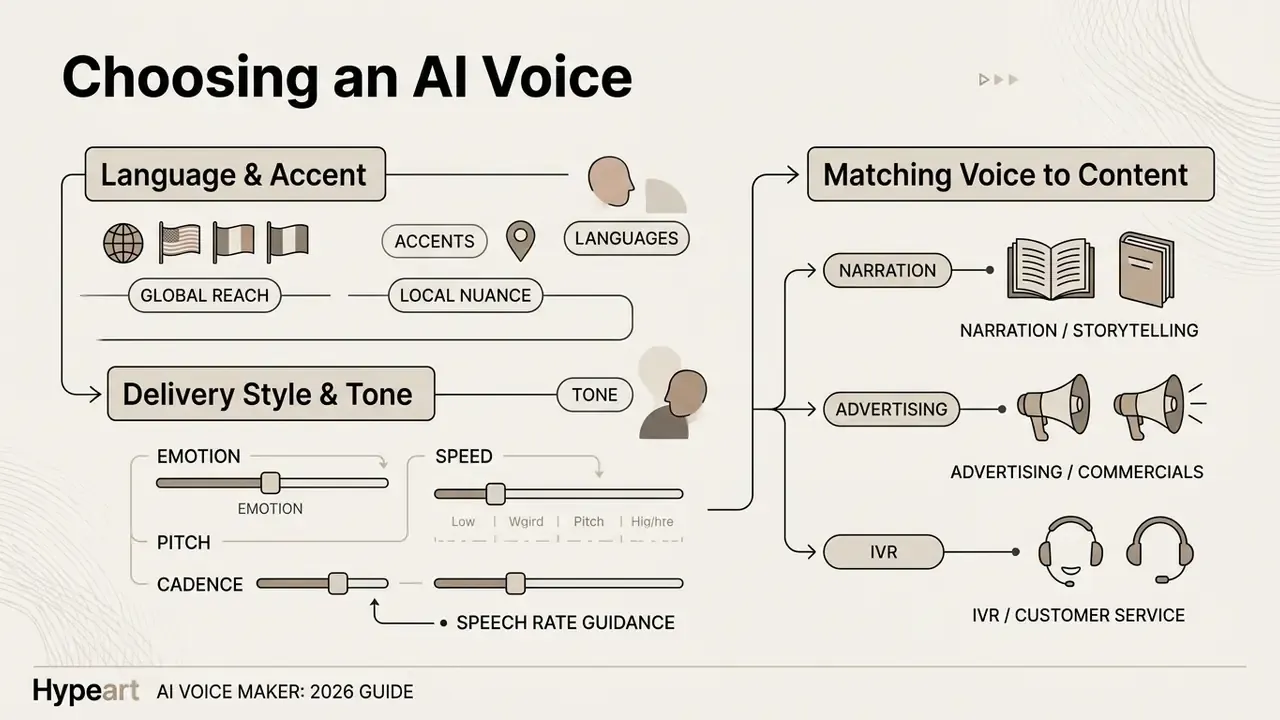
Selecting the right ai voice means evaluating language support, regional accents, delivery styles, and emotional range against the project objective. Matching acoustic properties such as speech rate, pitch, and energy to audience expectations keeps engagement and clarity intact.
Languages, Accents, and Multiple Voices in One Project
Multilingual TTS models allow a single ai create voice engine to speak dozens of languages while preserving voice identity. Contemporary platforms support polyglot models and multi-speaker configurations, so multi-character dialogue can live inside one script file.
- Global reach: Generate native-sounding voiceovers for international markets without hiring local voice talent in every region.
- Accent control: Select localized regional accents to align delivery with target demographics. Some engines expose up to ten accent variants mapped onto one voice identity.
- Multi-speaker scripting: Assign distinct voice profiles to characters or dialogue tags using multi-speaker configuration objects, or one SSML file containing several
Polyglot voice models cut production friction in international distribution. Localization managers can run multi-language campaigns from a single dashboard instead of coordinating six recording schedules.
One practical caveat for global rollouts: expressive controls are not uniformly multilingual. Several vendors document emotion tags supported for English only, while pace and volume controls apply across the full language list. Validate expressive delivery per language before signing off on a localized campaign. This bites hardest in compliance narration, where tone changes perceived certainty.
Delivery Settings: Tone, Emotion, Speed, and Pitch
Prosodic controls let you fine-tune pitch, speech rate, loudness, and emotional inflection to match the content goal. Adjusting range and pacing prevents flat delivery and reinforces textual meaning.
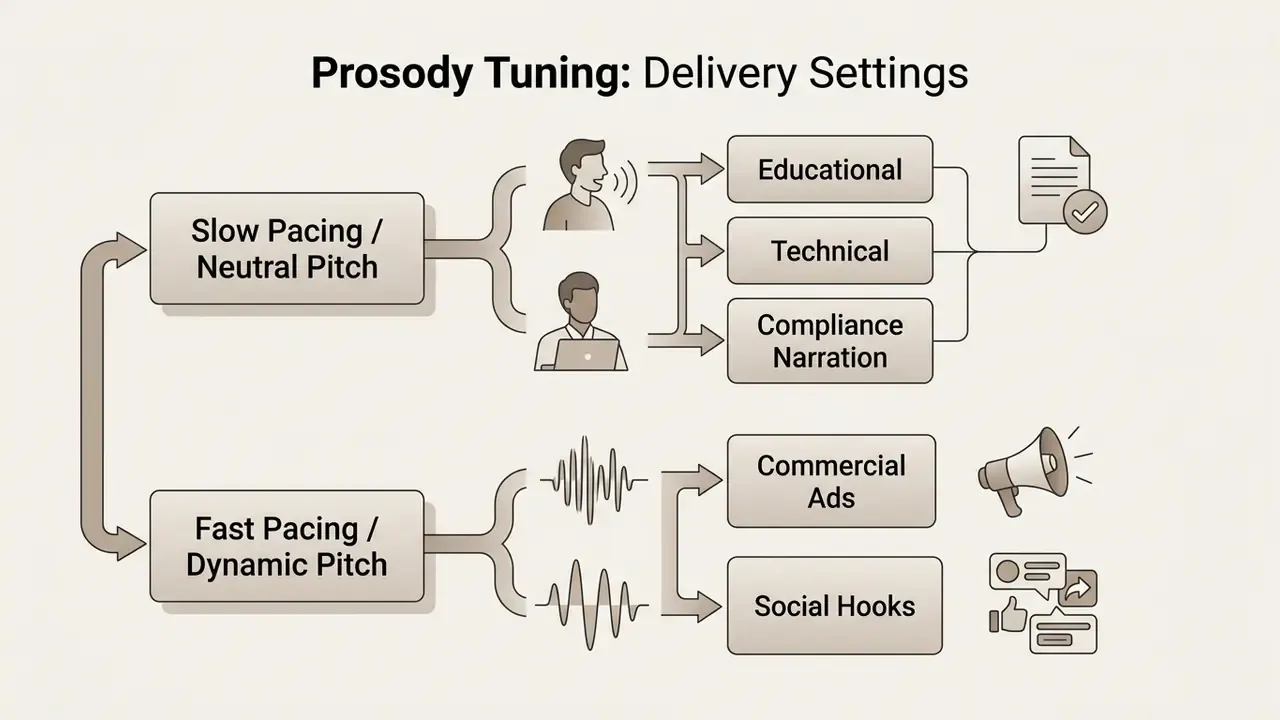
Together, those two mechanisms explain why modern platforms accept plain-language direction ("read this calmly, like a compliance briefing") and still produce reproducible acoustic results. The instruction is converted into internal activation adjustments rather than into a fixed preset. Worth logging that prompt text, by the way. It is part of your reproducibility evidence.
Matching Voice Profiles to Content Formats
Different formats demand different vocal profiles. Regulated and long-form instructional material needs stable, low-fatigue narration. Short-form promotional video needs a rapid hook.
| Content Format | Recommended Tone | Emotion | Pacing (WPM) | Multiplier | Primary Objective |
|---|---|---|---|---|---|
| Corporate E-Learning & Compliance Training | Professional, Clear | Neutral / Calm | Maximize information retention | ||
| Banking IVR & Customer Prompts | Calm, Institutional | Neutral | $1.0x$ | Reduce misroutes and repeat calls | |
| Internal Comms & Policy Briefings | Measured, Authoritative | Low-arousal | Ensure unambiguous instruction | ||
| Audiobooks & Novels | Storytelling, Warm | Expressive | $1.0x$ | Minimize listener fatigue | |
| YouTube Explainers | Informative, Engaging | Upbeat | Retain viewer attention | ||
| Social Media Ads | Dynamic, Energetic | High Energy | Drive immediate conversion |
Matching voice profile to content intent lowers drop-off and improves comprehension. A voice with strong personality that works in a two-minute intro becomes fatiguing across a 45-minute instructional module. Audition the same four-part script (hook, explanation, difficult terminology, call to action) across candidate voices before you standardize on one. Teams planning larger campaigns can review dedicated options in the AI Media Pricing Guides and compare rendering stacks among the best AI video generators to budget for advanced voice tuning features.
How to Create an AI Voiceover from Text: A Step-by-Step Workflow
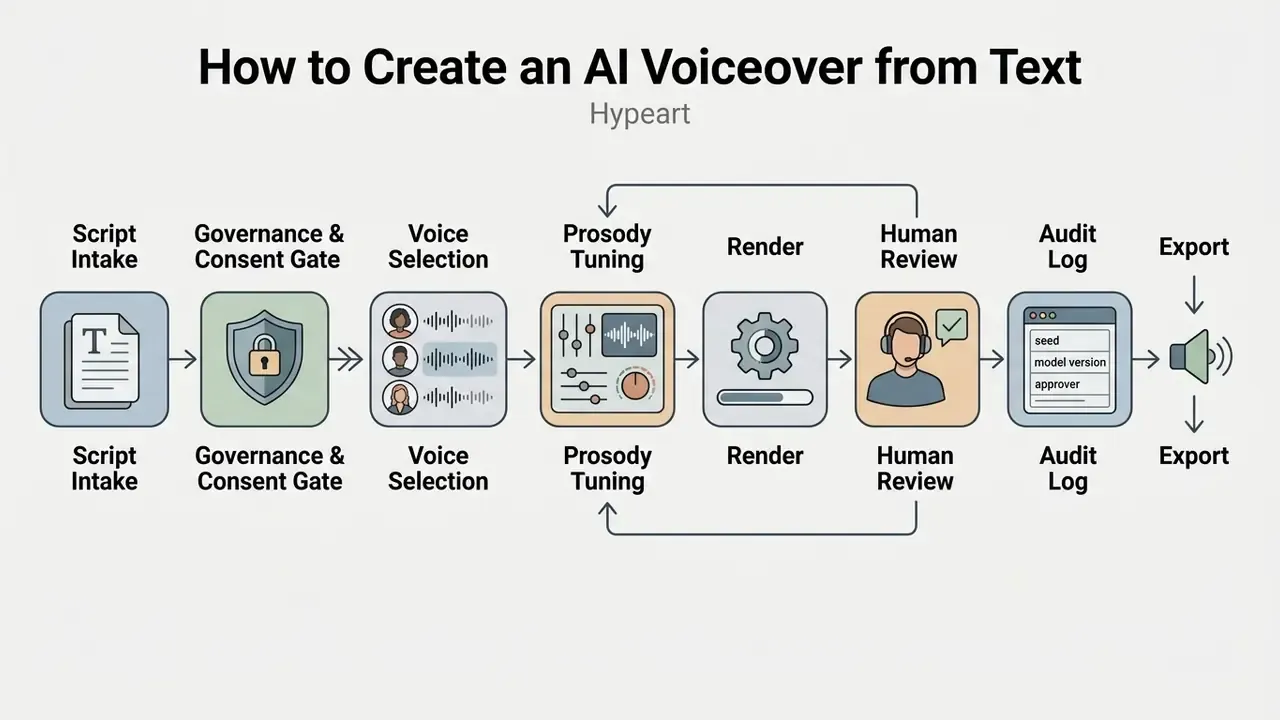
Generating synthetic narration involves entering a script, clearing governance and consent gates, configuring voice profiles, tuning delivery, rendering audio, and exporting synchronized assets with an audit record. A standardized workflow keeps acoustic quality consistent and evidence reproducible across production runs.
Enter or Upload Your Script for Voice Synthesis
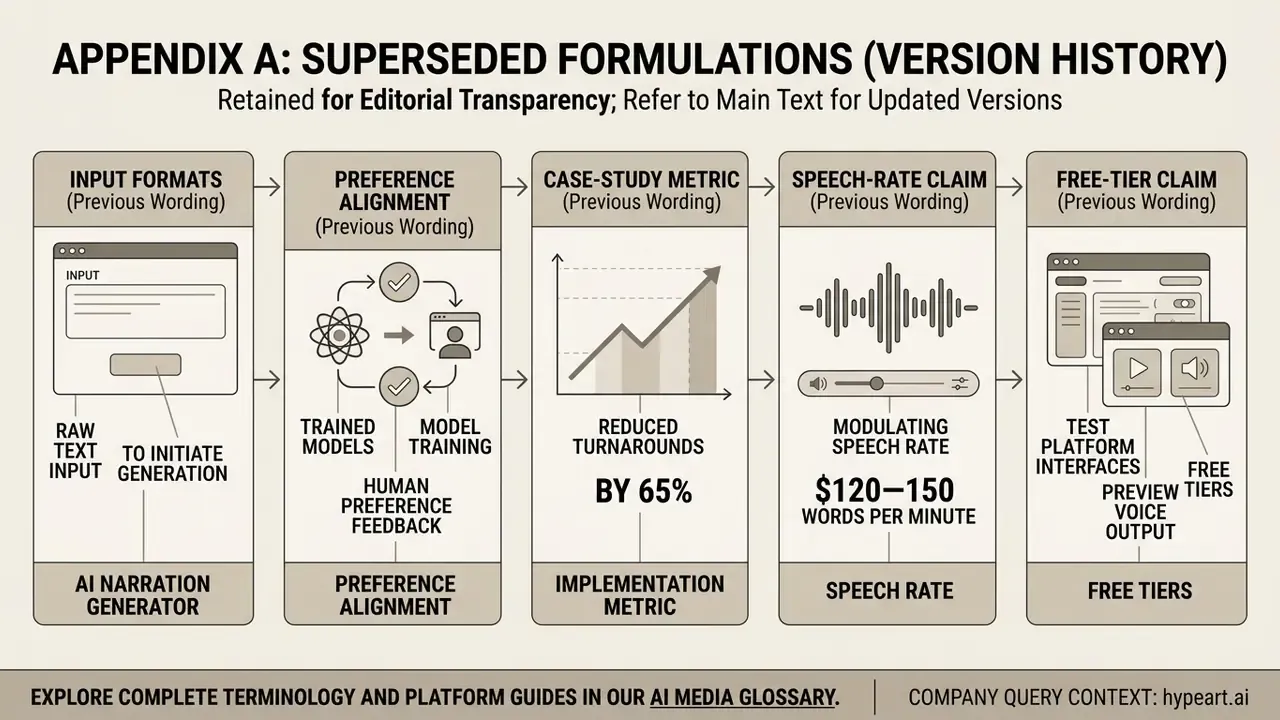
Updated (input formats). To start generation in an ai narration generator, type raw text, paste a formatted script, or upload files directly. Enterprise platforms support multi-format batch ingestion:
- Document formats: Plain text (
.txt), Microsoft Word (.docx), PDF (.pdf), and Rich Text (.rtf). - Presentation slides: Microsoft PowerPoint (
.pptx) with automatic slide-note extraction. - Ebook and long-form: EPUB and chaptered manuscripts with automatic chapter detection.
- Image and OCR uploads: Text extraction from visual assets (
.png,.jpg, typically max ) using integrated Optical Character Recognition. - Subtitle and timing tracks: SubRip (
.srt), WebVTT (.vtt), and.subfiles for voice-to-video alignment and translated dubbing. - Spreadsheets:
.csvand.xlsxfor bulk prompt libraries (see the IVR workflow below).
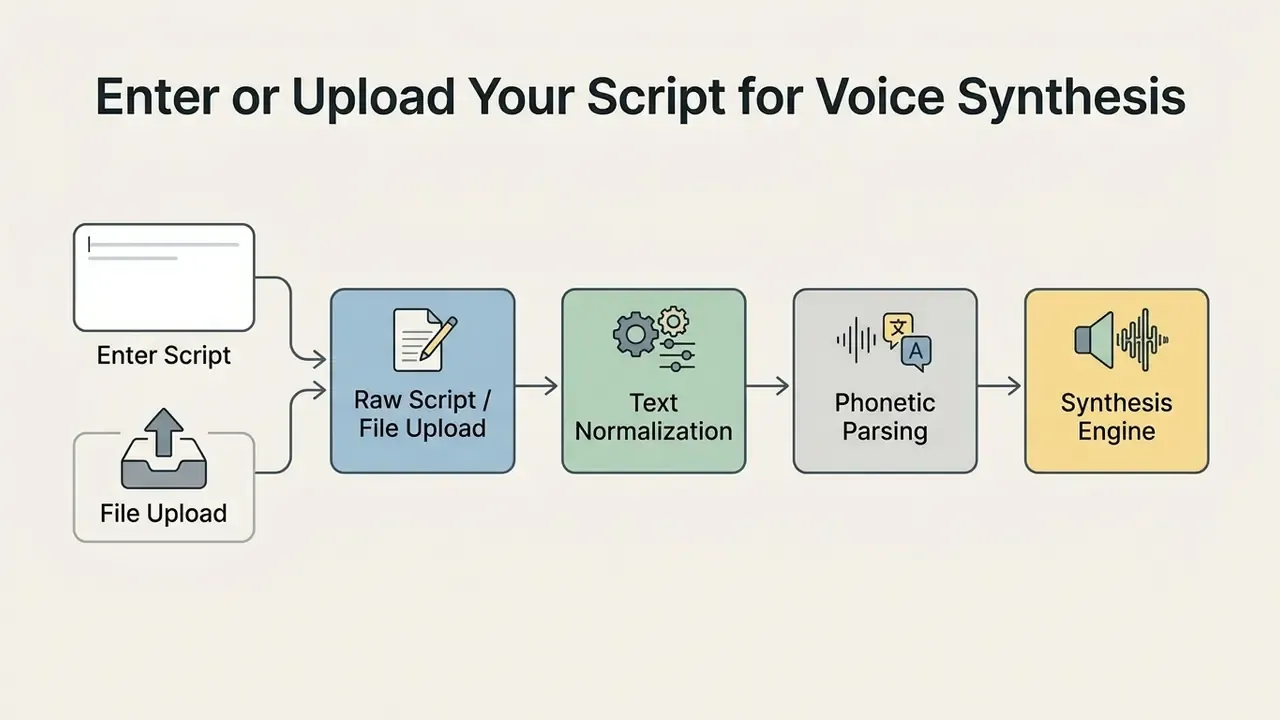
Before rendering, clean the script formatting and insert explicit break markers. Standardized syntax prevents unexpected pauses and helps the grapheme-to-phoneme converter handle specialized terminology. Note that upload ceilings differ sharply by vendor and API generation: documented limits range from roughly 25 MiB to 50 MB per file, and longer audio inputs frequently have to sit in object storage rather than a direct upload.
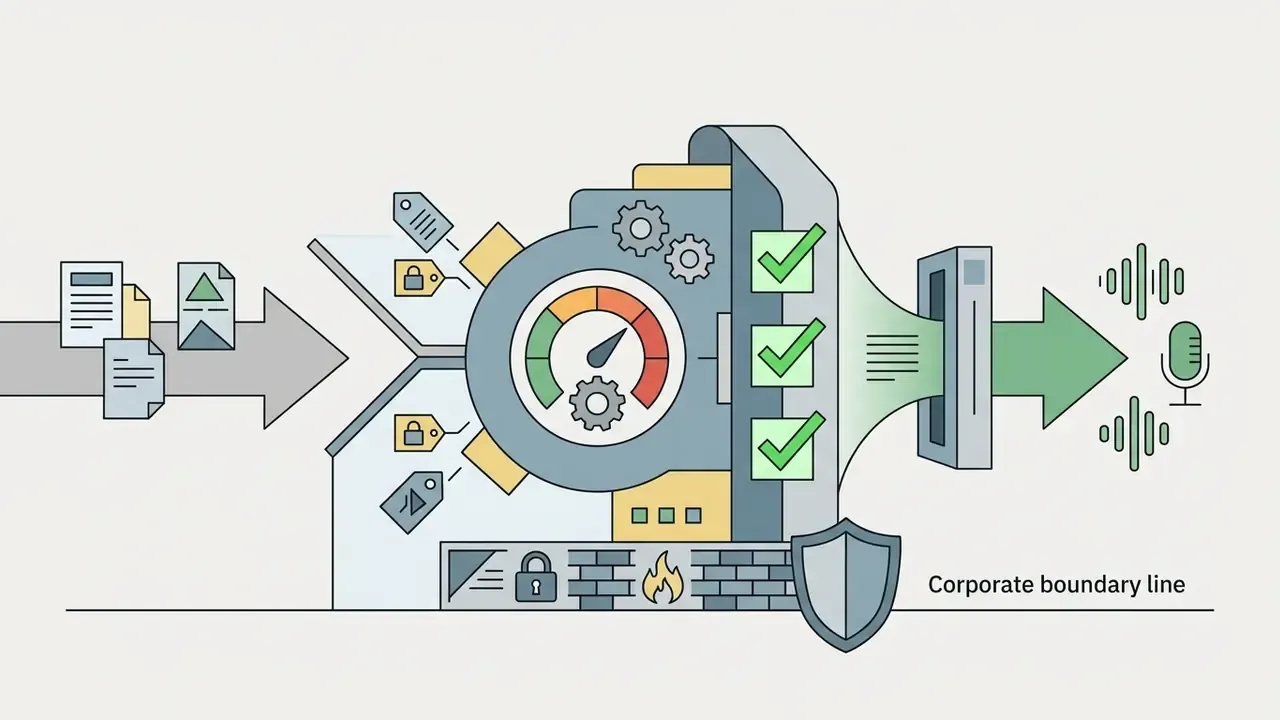
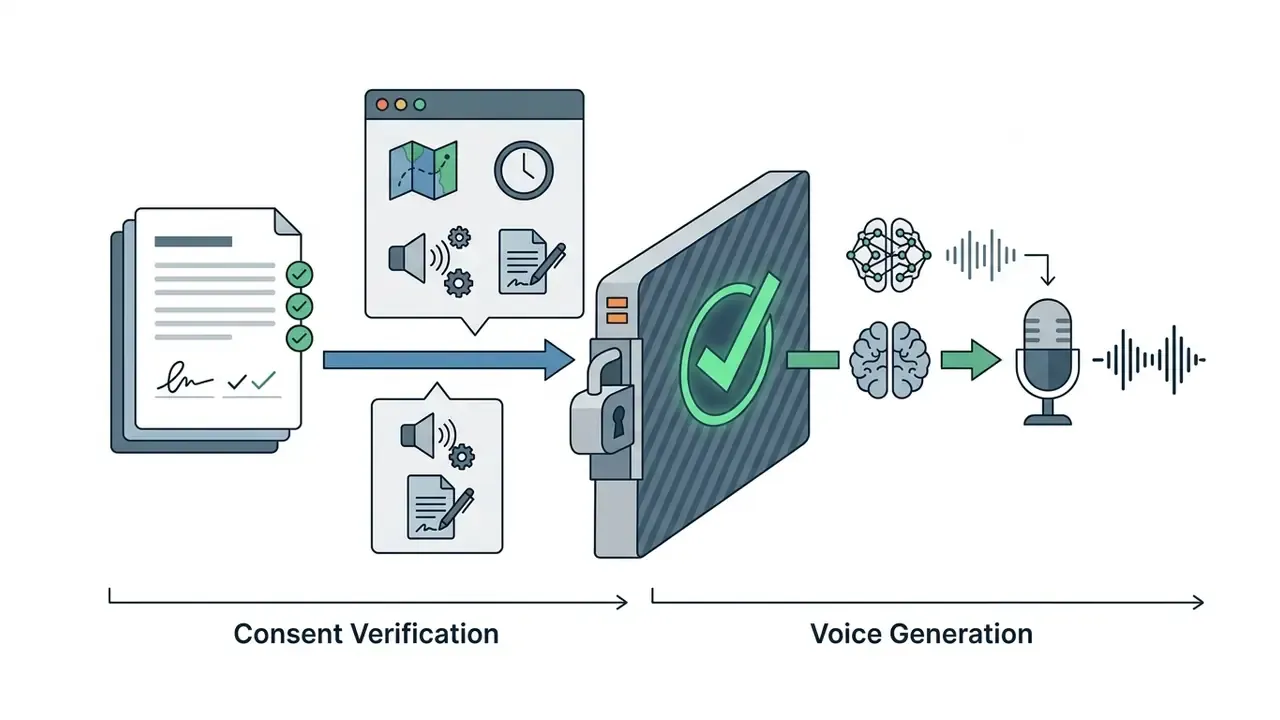
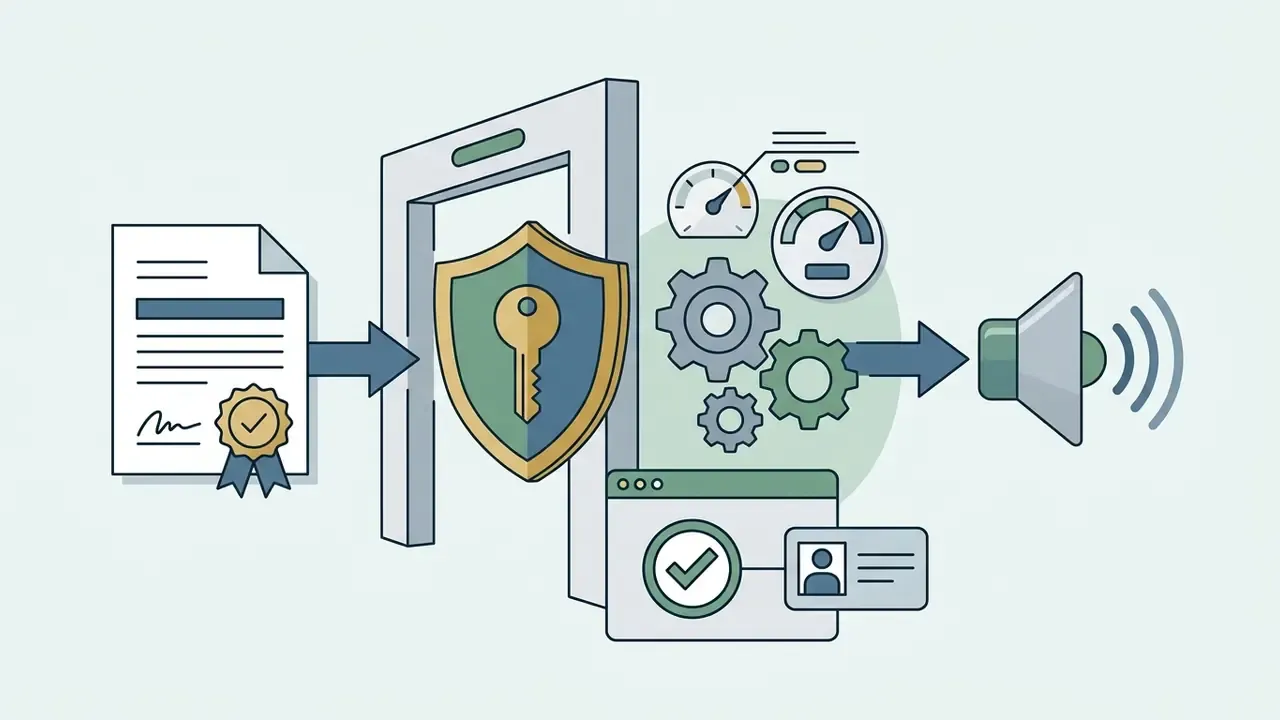
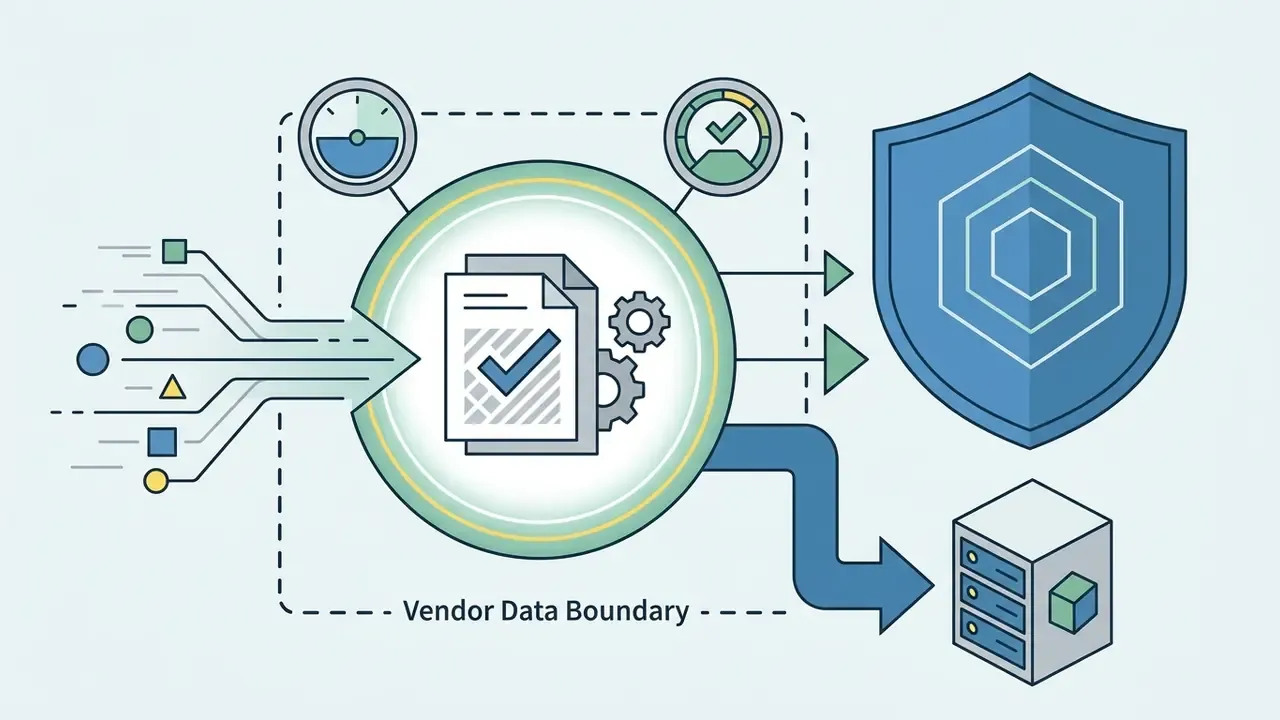
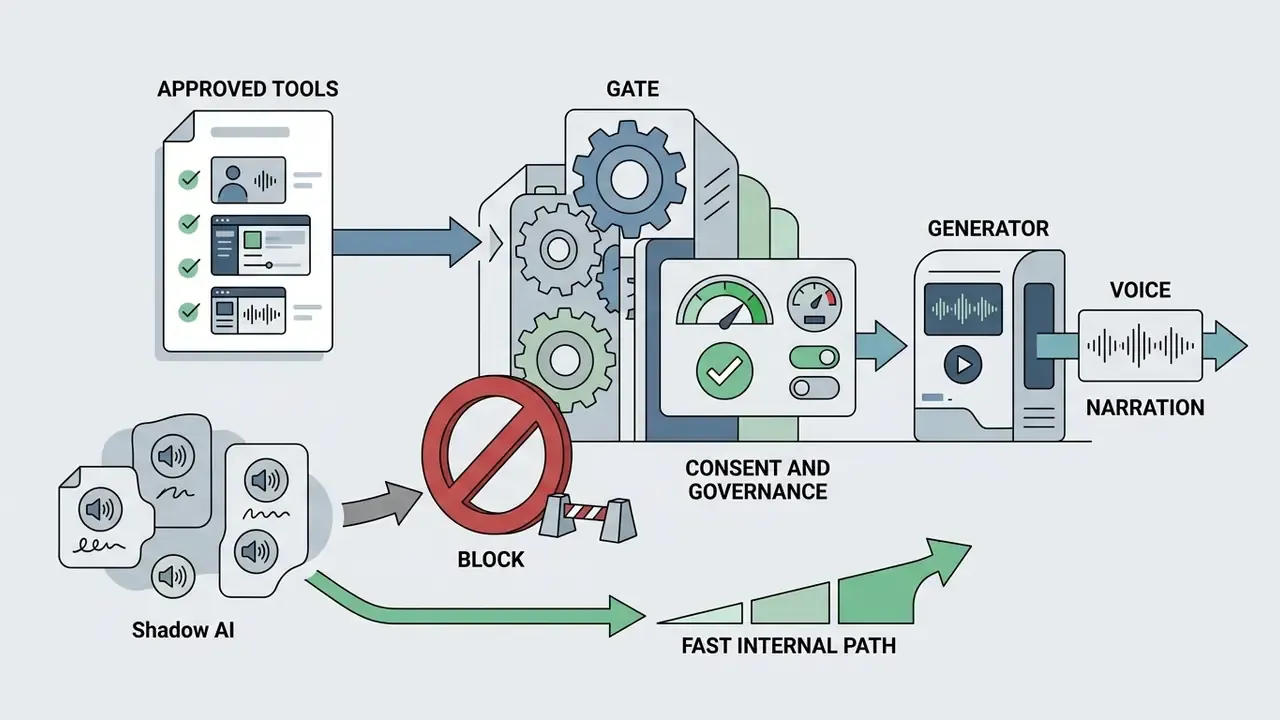
Governance and Consent Gate Before Generation
For regulated organizations, the highest-value control goes in before the first render, not after publication. A minimum viable gate has five checks:
Five checks. Roughly ten minutes per script once the workflow is templated, which is the point: a gate nobody can clear quickly is a gate everybody routes around.
Select a Voice Profile and Adjust Audio Settings
Choose a voice profile from the catalog that matches the gender, age, language, and accent requirements of the project. Configure audio parameters such as overall volume, baseline speed, pitch offset, playback multiplier, and inter-paragraph pause duration before full rendering.
Pause durations of between major headings create a natural cadence. Adjusting pitch prevents the thin, strained quality that appears in high-register synthetic voices. Record the final parameter set as configuration rather than tribal knowledge: pitch offset, rate, pause policy, emotion tag, and voice ID should be storable as a reusable project preset.
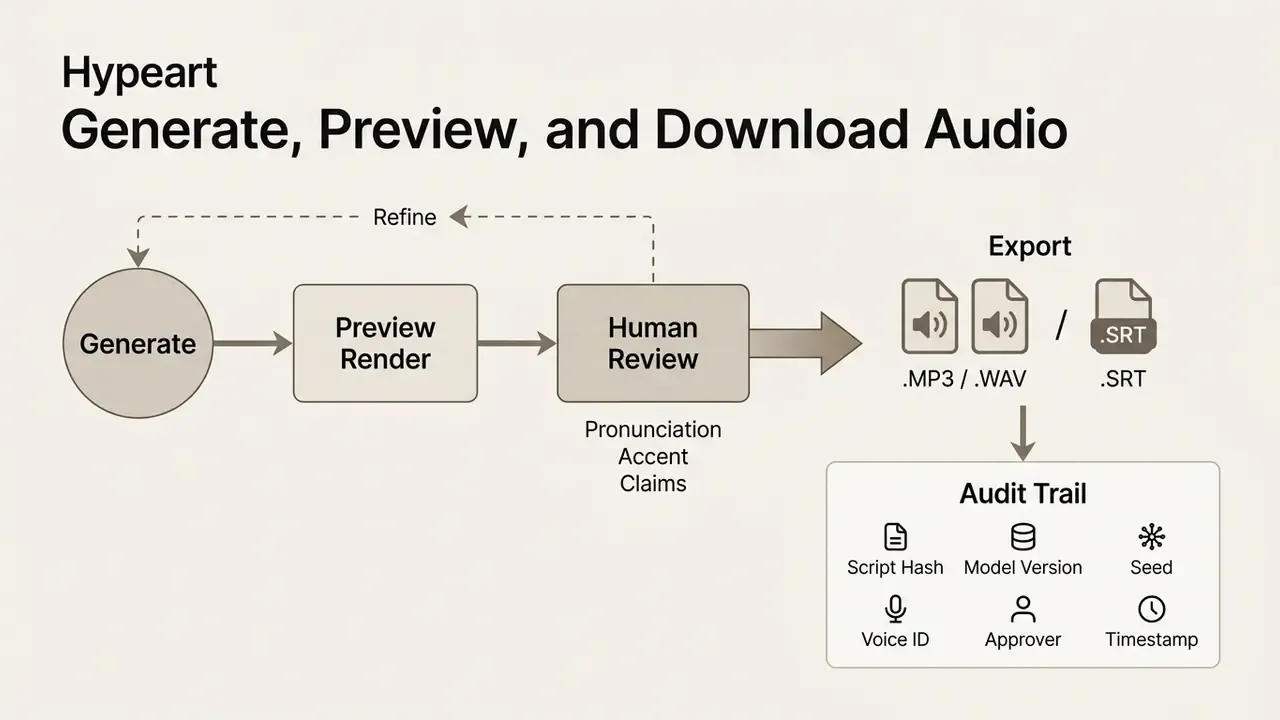
Generate, Preview, and Download Audio
Run generation to process the script through the neural synthesis engine, which returns an interactive preview track. Review that preview to verify pronunciation, timing, and emotional delivery before committing to final export. Preview is also the natural point for a documented human-in-the-loop sign-off, especially where claims or disclosures are read aloud.
Capabilities of AI Voice Generators for Realistic Speech Synthesis
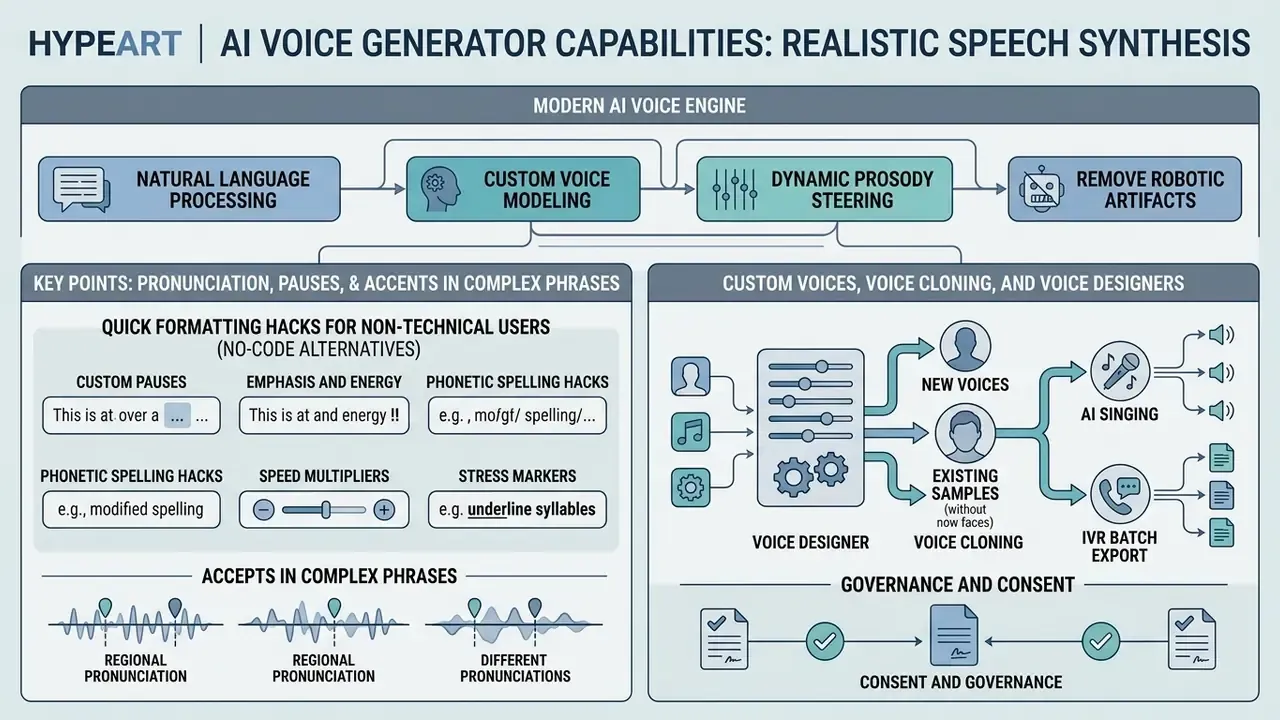
Modern ai voice generator engines combine natural language processing, custom voice modeling, and dynamic prosody steering to remove robotic artifacts. These capabilities push output close to professional studio recordings, though "close" still leaves audible gaps in emotionally exposed passages.
Pronunciation, Pauses, and Accents in Complex Phrases
Pronunciation editors and SSML (Speech Synthesis Markup Language) tags resolve articulation errors in corporate names, acronyms, and technical terminology. Explicit phoneme definitions keep pronunciation consistent across long scripts.
<speak>
  Welcome to <phoneme alphabet="ipa" ph="ˈhaɪp.ɑːrt">Hypeart</phoneme>.
  <break time="500ms"/>
  Please review the audit findings.
</speak>
Exact break tags (<break time="250ms"/>) prevent unnatural phrasing across complex clauses. Adjusting secondary stress stabilizes pronunciation of foreign brand names and legal terms. Two SSML constraints trip teams up repeatedly: IPA content inside <phoneme> must not contain whitespace, and a token cannot span markup, so cup<break/>board is parsed as two words rather than one word with a pause inside it.
Custom Voices, Voice Cloning, and Voice Designers
Voice cloning builds custom neural voice models from target audio using speaker encoders and acoustic feature extraction. Teams upload reference recordings to generate an ai voice create profile that mirrors a specific timbre and articulation pattern. Marketing copy sometimes calls this an ai voice acting generator; functionally it is the same speaker-conditioning mechanism.
Data requirements differ by objective, and conflating them causes procurement mistakes. Instant cloning at inference time can operate on seconds to a few minutes of reference audio. Fine-tuning a high-quality custom voice typically benefits from roughly 30 minutes of clean speech, which published transfer-learning work found comparable to training from scratch on more than 27 hours. Collection quality guidance is stricter than most teams expect: uncompressed PCM, at least 16-bit, 16 kHz minimum sample rate, with higher depth and rate preferred.
Illustrative scenario (composite, not a verified client case): in a controlled governance evaluation for financial compliance training, a team needed consistent narration across 12 modules without locking into one speaker's calendar. The configuration used a permissioned custom voice workflow with explicit consent verification and auditable access controls. Updated: internal project measurement showed narration turnaround falling by roughly 65% against the prior human-recording baseline, with model risk documentation remaining complete across internal audit reviews. That figure is a single-project internal metric, not an independently verified benchmark, and it should be re-measured in your own environment.
Organizations managing multi-modal AI production should review the AI Media Commercial-Use Hub to confirm cloned assets meet licensing and disclosure standards.
Biometric Risk, Voice Spoofing, and Model Validation Evidence
| Validation Dimension | Metric | Method |
|---|---|---|
| Intelligibility | Word Error Rate (WER) on held-out scripts | ASR round-trip against source text |
| Perceived naturalness | MOS / SMOS listening scores | Structured listening test (ITU-T P.808-style protocol) |
| Voice identity stability | Speaker similarity (SIM-O) | Embedding comparison against reference |
| Long-form acoustic drift | Timbre and energy deviation across chapters | Segment-level comparison, first vs. last 10% |
| Pronunciation compliance | Term-level error count | Fixed glossary of brand, legal, and product terms |
| Reproducibility | Re-render match | Same script, seed, and model version produce comparable output |
Reducing Robotic Tone in AI Narration
Removing robotic cadence takes preference alignment, activation steering, and natural prosodic variation across extended passages. Micro-variation in pitch, duration, and energy is what listeners register as "human".
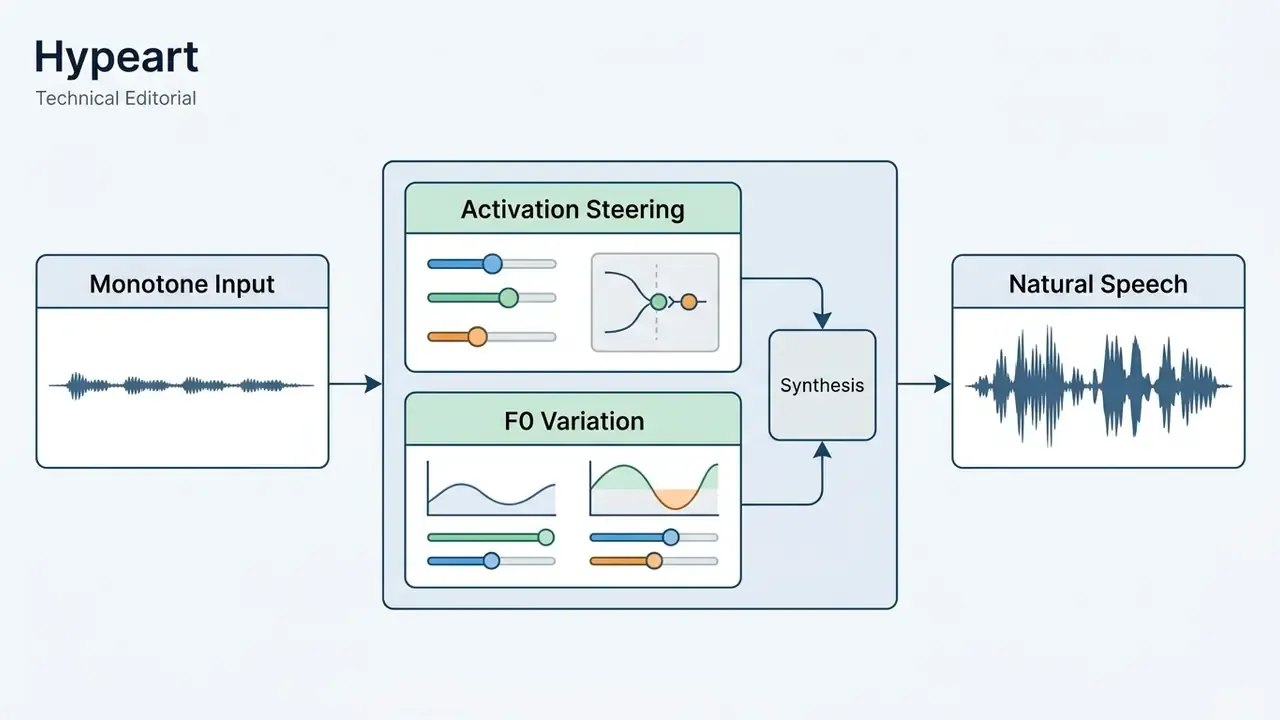
- Preference alignment (updated):
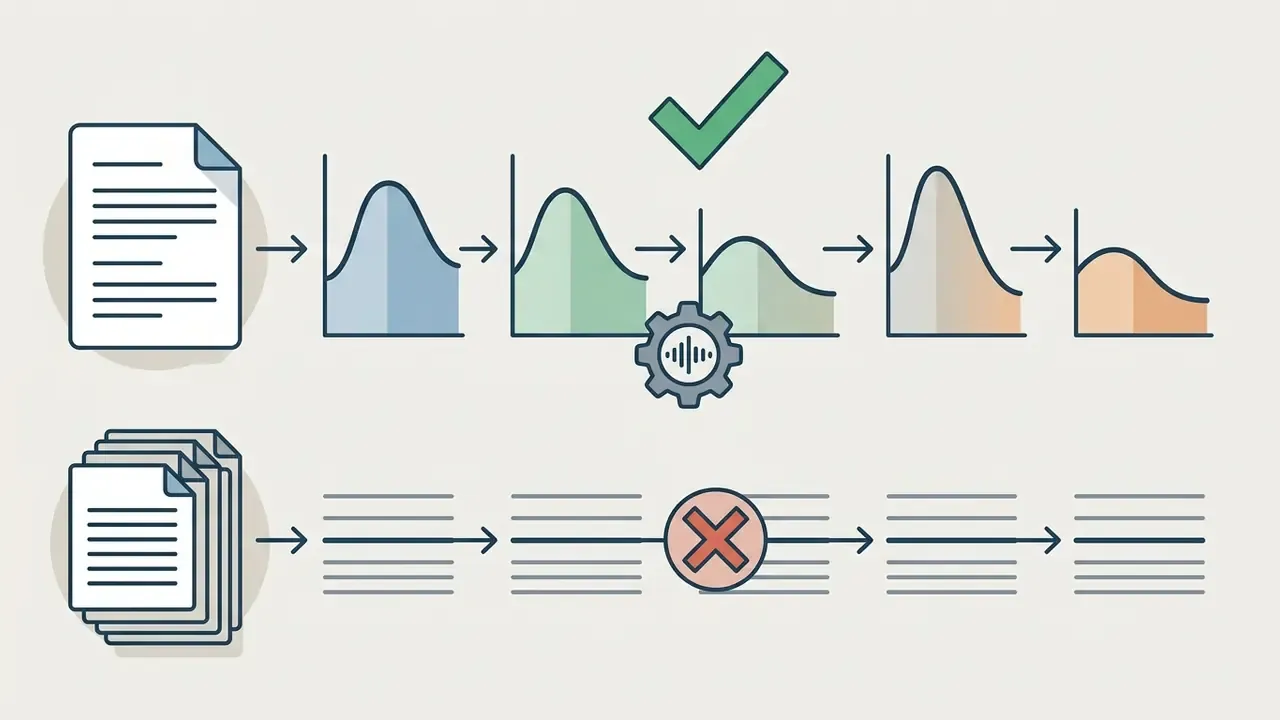
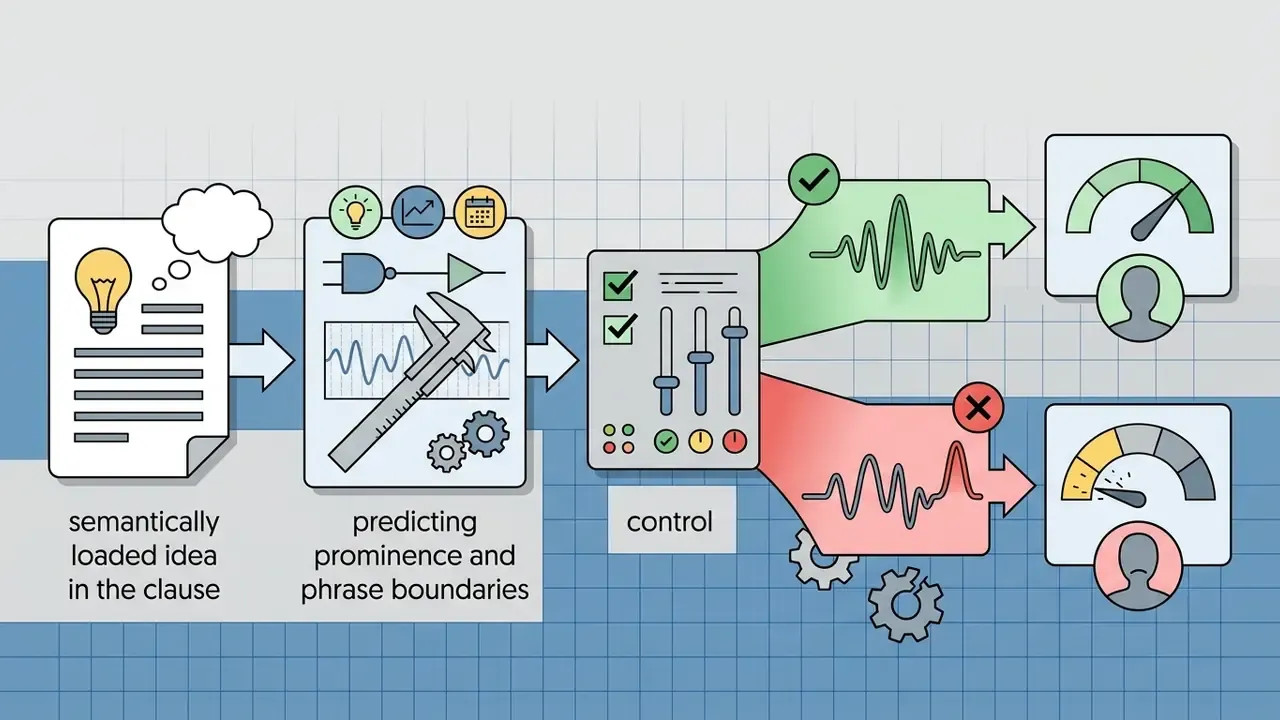
That gap is the whole argument for keeping a small human listening panel in the release process. A high automated naturalness score is necessary evidence. It is not sufficient evidence that the narration will land with your audience.
AI Singing Voice Generation and MIDI-Driven Vocal Synthesis
Beyond narrative speech, modern neural engines generate expressive singing vocals, harmonies, and multi-track choral arrangements. Unlike standard TTS, an ai vocal generator processes pitch-bend dynamics, vibrato rate, breath, tension, and note duration mapped from Musical Instrument Digital Interface (MIDI) files. Anyone searching for an ai vocal maker or an ai vocal demo generator free online is really searching for this class of model.
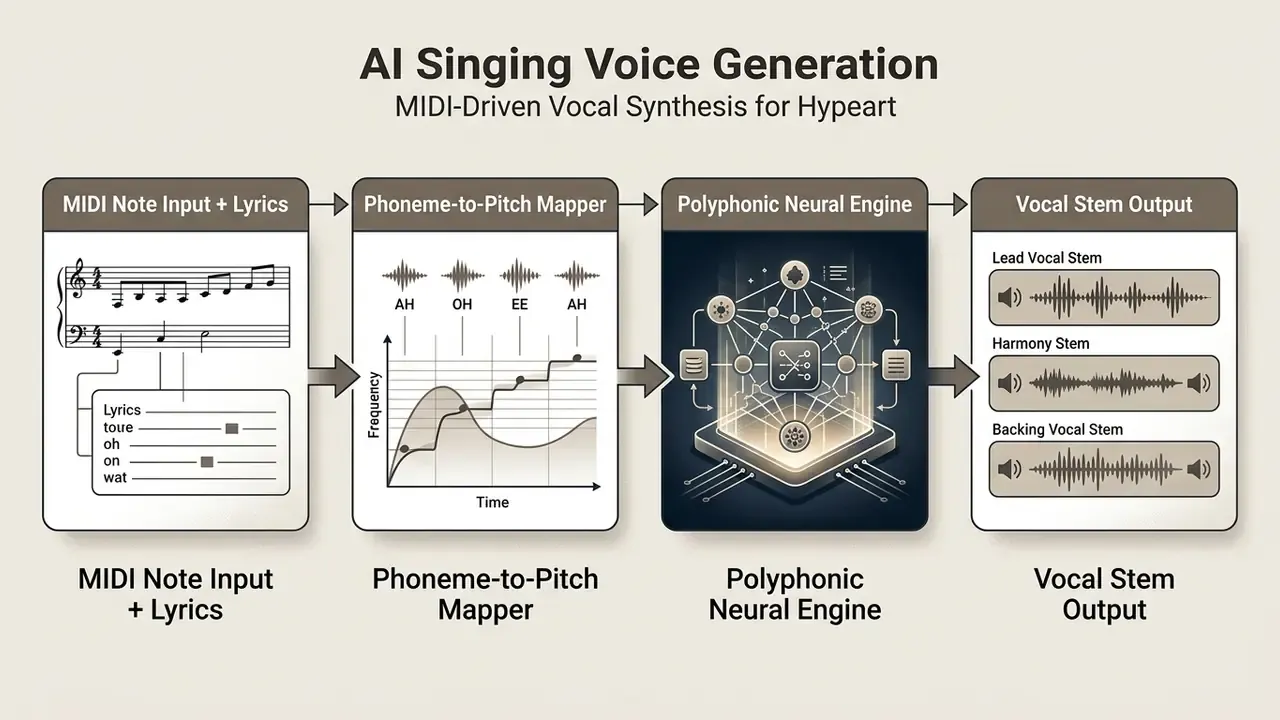
- MIDI-to-vocal conversion
- Upload
.midor.miditracks alongside lyrics to control exact pitch, legato transitions, and phrasing. Hybrid waveform-MIDI editors let you drag individual notes and reshape articulation after the first render. - Polyphonic choir and harmony modes
- Turn a single vocal line into a multi-voice arrangement (soprano, alto, tenor, bass) with one-click choir expansion, building stacks without recording multiple takes.
- Vocal morphing and timbre transfer
- Apply real-time morphing plugins (Vocoflex-class architectures) using reference clips as short as 10 seconds to alter timbre, or convert a voice into an entirely different instrument, without shifting the underlying melody.
- Custom singer training
- Voice-to-voice platforms typically accept up to roughly 30 minutes of clean a cappella stems from one singer to train a bespoke model. Multilingual singing engines commonly cover eight or more languages.
- Expressive humanization
- Adjust breathing, vibrato depth, energy, and tension per note to remove the mechanical feel that gives synthetic vocals away in exposed passages.
- Royalty-free commercial co-releases
- Before releasing synthetic singing in commercial music, confirm that base voice models were ethically trained, that artist consent is documented, and that royalty distribution is explicit in writing.
Where to Use an AI Voice Maker: IVR, E-Learning, Audiobooks, and Video
An ai voice maker supports workflows across corporate telephony, regulated training, screen-reader accessibility, long-form publishing, and marketing. Synthetic narration accelerates content production while keeping vocal presentation consistent across hundreds of assets.
Enterprise Batch Generation: Spreadsheet-to-Speech for IVR Systems
For contact centers, Interactive Voice Response platforms, and international radio localization, manual text entry is inefficient and unauditable. Enterprise engines support bulk processing through .csv or .xlsx uploads, which is exactly what an ai voice announcement generator workflow needs.
- Data structuringOrganize prompts in columns assigned to filenames, target languages, voice profiles, and prompt IDs that match your IVR call-flow tree.
- Automated batch processingRender hundreds of isolated, localized snippets in one execution queue, then re-render only changed rows when policy language is updated.
- Format standardizationExport telephony-compliant assets directly (
WAV 8 kHz / 16-bit PCMoru-Law) for deployment to Twilio, Asterisk, or Genesys. - Change controlKeep the source spreadsheet under version control. The row-level diff becomes your audit evidence for which prompt changed, when, and on whose approval.
- Dubbing reuseThe same batch pipeline converts translated
.srtor.vttfiles into synchronized alternate-language tracks for marketing and instructional video.
This pattern also serves voicemail trees, outage notifications, and audio customer-service content, including the free ai announcer voice generator free trials teams use to prototype announcement styles before procurement. Standing caveat: automated outbound calls using artificial or prerecorded voices require prior express consent under TCPA rules.
AI Narration for E-Learning, Courses, and Accessibility
Education providers and corporate training departments deploy text-to-speech to deliver accessible modules under WCAG 2.2. Clear articulation and adjustable playback speed improve comprehension across diverse audiences.
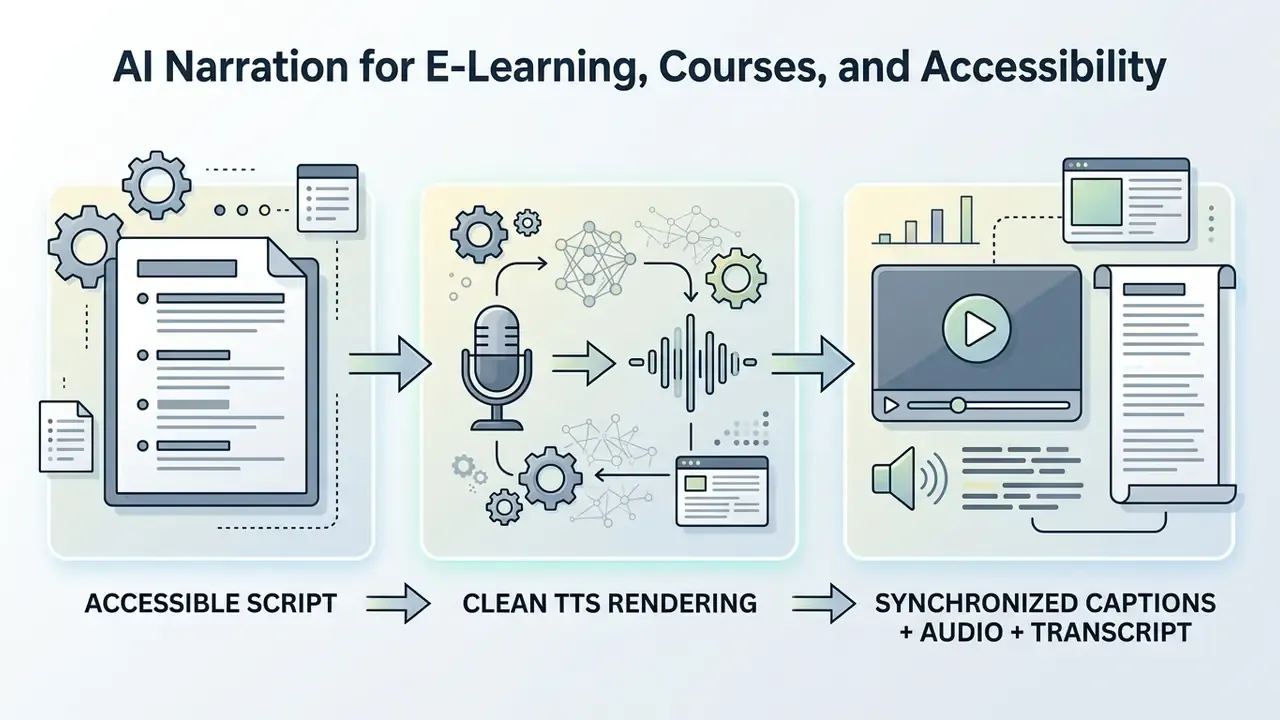
Providing clear synthetic narration alongside text transcripts supports accessibility requirements for vision-impaired and neurodivergent learners. WCAG requires non-text content to be convertible into forms people need, including speech, and EPUB Accessibility 1.1 requires synchronized audio playback for visible textual content in ebooks.
Neutral, highly articulate voice profiles reduce cognitive fatigue during multi-hour courses. Screen-reader compatibility still depends on structural work the voice engine cannot do for you: proper headings, alt text for images, graphs and formulas, and captions on every video asset. Course teams pairing narration with visuals can compare options in our guide to free video editing software.
Audiobooks, Podcasts, and Long-Form Content
Producing audiobooks and long podcasts depends on streaming neural architectures that hold acoustic stability over extended passages. This is where an ai voice generator for long form content differs materially from a short-clip tool: automated chapter segmentation and seamless stitching allow continuous multi-hour exports.
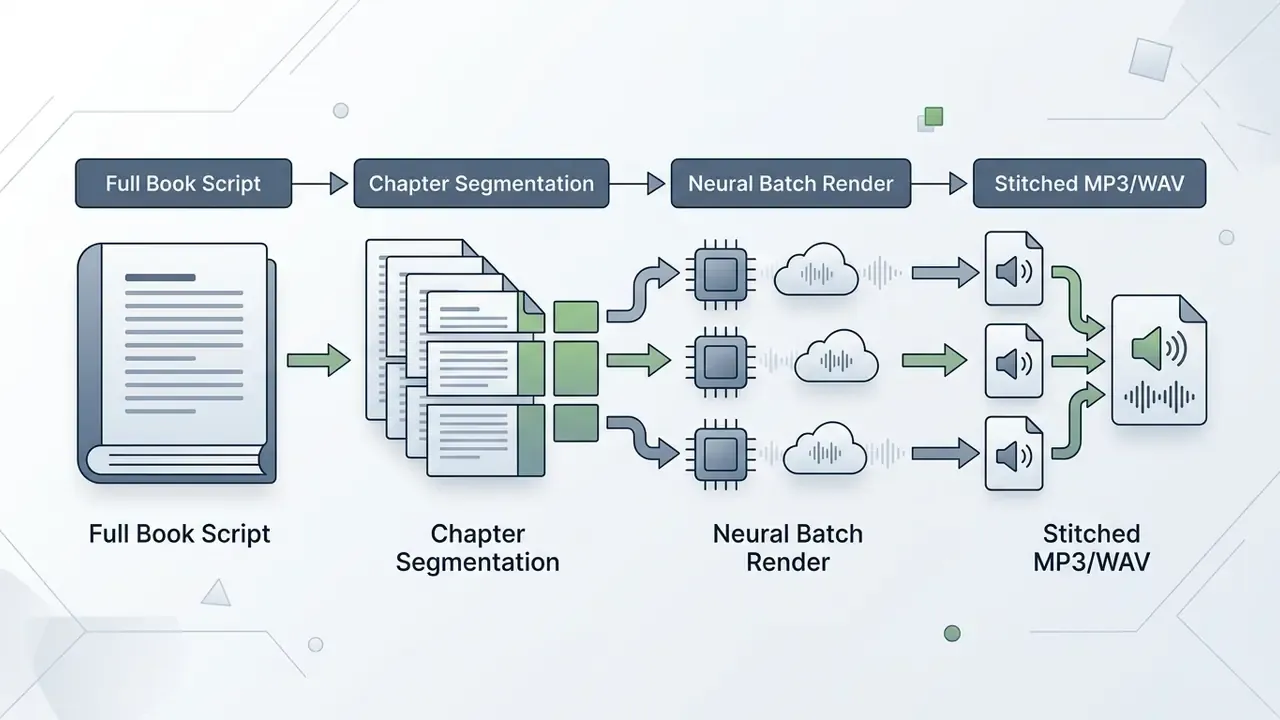
Long-form pipelines manage speaker consistency across chapters without drift or timbre degradation. Production platforms increasingly import PDF, DOCX, and EPUB manuscripts, auto-detect chapters, perform sentence-level segmentation, stitch segments with a short controlled silence gap, and export either a single file or per-chapter retail-ready assets. Multi-speaker models allow distinct profiles for narrative text and character dialogue.
"Synthetic voices lower barriers to entry for small publishers, yet listeners still prefer human narration because of greater emotional engagement."
The practical implication is a tiering decision, not a binary one. Use synthetic narration for backlist, technical, and reference titles where coverage economics dominate. Reserve human narration for emotionally driven frontlist releases. Creators layering visuals over long-form audio often add an animation maker to the same pipeline.
Free AI Voice Generators and Commercial Use: What to Verify Before Selection
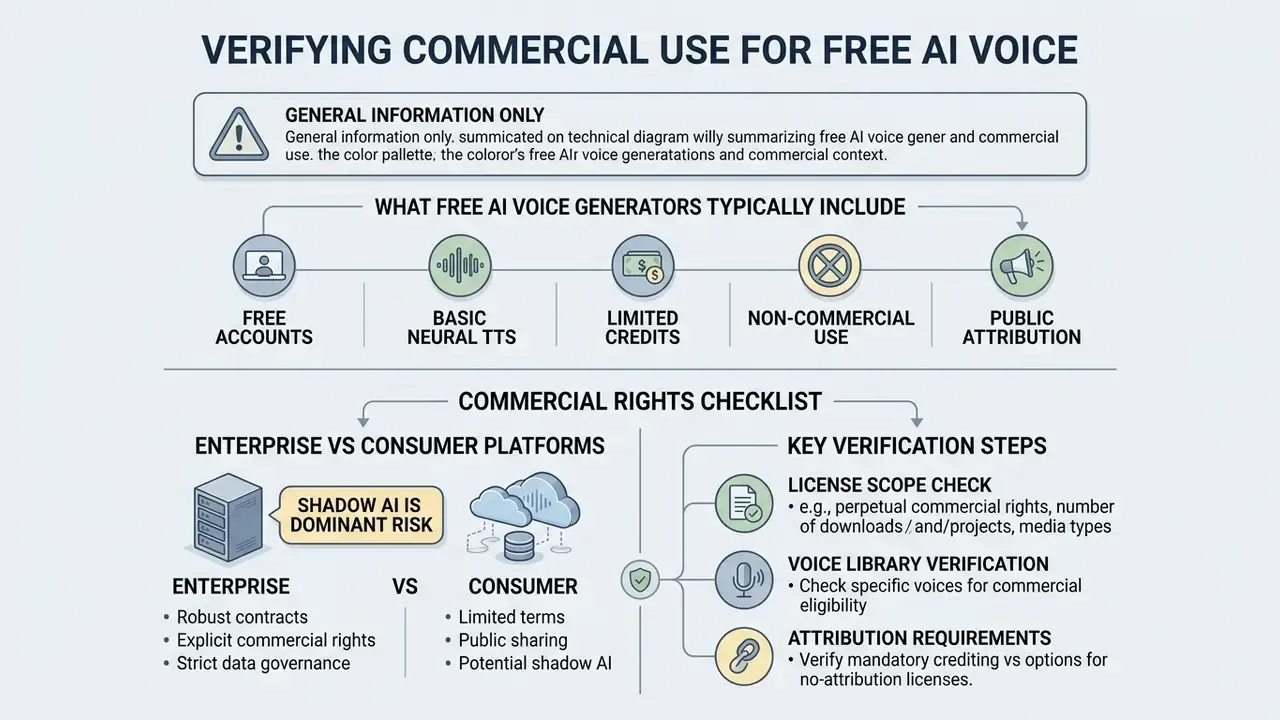
Evaluating an ai voice generator free unlimited offer means inspecting monthly character limits, watermark rules, output bitrate caps, data-retention terms, and explicit commercial usage rights. Free evaluation tiers frequently prohibit commercial monetization outright. The phrase "unlimited" rarely survives contact with the terms page.
"The EU AI Act (Regulation (EU) 2024/1689) obliges providers of generative AI to make AI content identifiable and to label deepfakes clearly, with obligations phasing in from August 2026."
What Free AI Voice Generators Typically Include
A free tier or ai voice generator demo usually provides basic text-to-speech conversion for evaluation, a capped character allowance, and a restricted voice library.
Free Tier Limits (typical, vendor-reported):
• Monthly Character Cap ($1,000\text{--}10,000\text{ characters}$)
• Watermarked Audio Output / Mandatory Attribution
• Download or Export Disabled on Some Trials
• Non-Commercial Personal License Only
Free access lets teams test interfaces and preview voices. That claim rests on published vendor pricing pages rather than independent methodology, so verify current terms for your shortlisted tools directly (independent comparative data required). Observed patterns across major vendors include a 10,000-character monthly ceiling with attribution requirements on one platform, blocked exports on a studio trial elsewhere, no commercial rights on a third ai audio maker free tier, and video watermarks plus per-clip character caps on a fourth. Exporting uncompressed WAV, cloning custom voices, or shipping generated tracks in commercial projects generally requires a paid subscription.
Enterprise vs Consumer Platforms: Data Privacy and Shadow AI
The difference between a consumer generator and an enterprise deployment is rarely voice quality. It is contract structure and data handling.
| Dimension | Consumer / Free Tier | Enterprise Tier |
|---|---|---|
| Input data reuse | Inputs may be used to improve models | Contractual zero data retention; no training on customer inputs |
| Confidentiality | Standard consumer terms of service | NDA, DPA, and security schedule |
| Access control | Single shared login | SSO, RBAC, per-voice permissions |
| Voice model ownership | Platform-owned library voices | Customer-owned custom voice with documented consent chain |
| Audit evidence | Download history only | API logs, model and voice versioning, exportable audit trail |
| Output rights | Personal, non-commercial | Commercial grant, sometimes with resale or sublicensing carve-outs |
| Residency and deletion | Unspecified | Defined regions, retention windows, deletion SLAs |
Shadow AI is the dominant practical exposure. When the approved internal path is slow, employees paste confidential scripts (product roadmaps, incident notices, customer names) into public web forms. Mitigations that actually work: a short approved-tool list published where staff already look, proxy-level blocking of unsanctioned generators, a self-service internal endpoint with reasonable turnaround, and periodic discovery scans of expense reports and browser telemetry for unmanaged subscriptions.
How to Verify Commercial Use Rights
Confirming commercial rights means reading the end-user license agreement for copyright assignment or an explicit commercial grant covering output audio.
- License scope check Ensure grants cover digital advertising, broadcast, and resale where relevant.
- Voice library verification Check whether all library voices share commercial clearance, or whether specific profiles require third-party licensing.
- Attribution requirements Confirm whether free or paid tiers mandate public attribution in published video descriptions.
- Prohibited uses Look for bans on renting, reselling, sublicensing, redistribution, or using generated audio to train other AI models.
- Two legal layers A platform can license the synthetic recording while the underlying voice identity stays protected separately. Copyright typically attaches to the fixed recording, whereas right-of-publicity and personality rights can cover the voice itself.
Verifying plan terms and commercial rights
For licensing frameworks and dispute history, consult our resource on AI Litigation and Case Timelines. You can also review adjacent rights questions in our guide to AI image generators for commercial use, evaluate specialized tool matchups in the compare section, or explore developer integration options through the AI Media API Guides.
Checklist0 / 9
Limitations and Open Questions
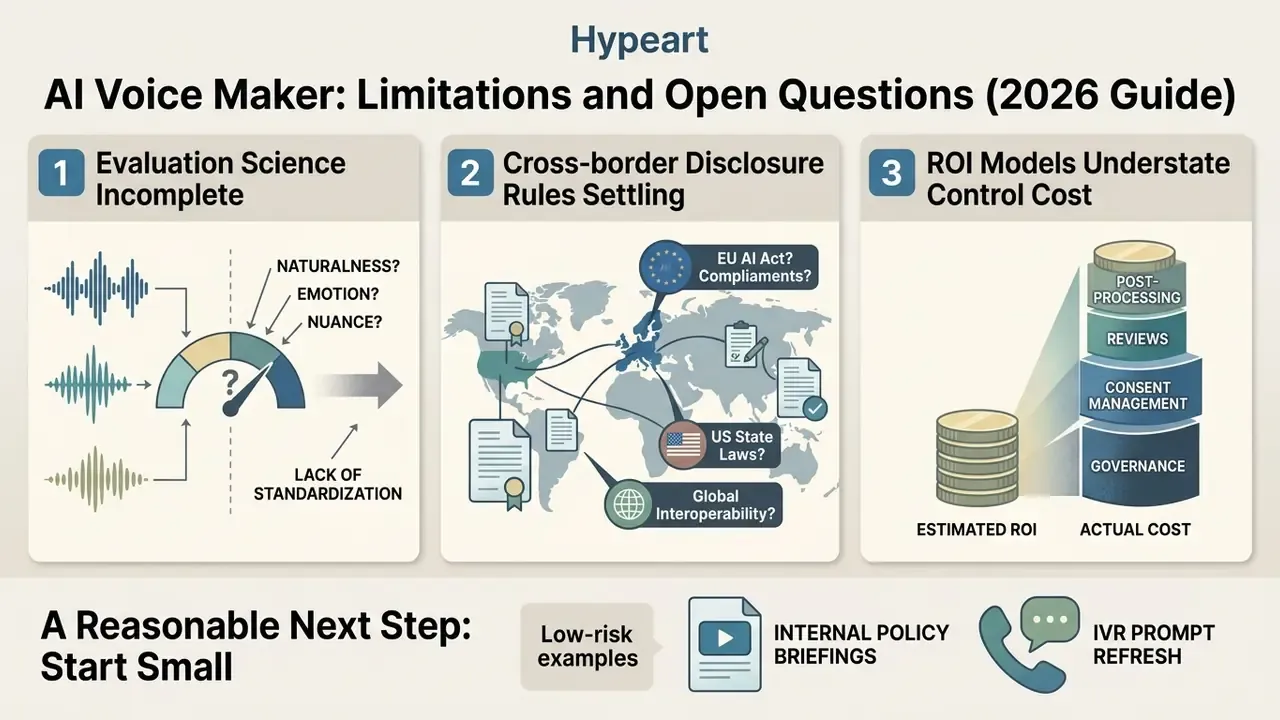
Three honest gaps, stated plainly, because pretending otherwise weakens the case for adoption.
- Evaluation science is incomplete. Automated naturalness predictors miss prosody and discourse errors. Until better metrics exist, human listening panels remain part of the control, and that has a cost line.
- Cross-border disclosure rules are still settling. EU transparency duties phase in from August 2026; US requirements differ by channel and by state. A single global disclosure template may not satisfy every regulator.
- ROI models usually understate control cost. Consent administration, audit-log retention, listening panels, and periodic revalidation belong in the denominator. Risk-adjusted ROI without them is optimistic arithmetic.
A reasonable next step is small: pick one low-risk internal use case (policy briefings, IVR prompt refresh), run it through the governance gate, and measure both turnaround and evidence completeness before expanding scope.
Who Uses an AI Voice Maker: Role-Based Workflows
| User Persona | Primary Workflow | Key AI Voice Feature | Measurable Output |
|---|---|---|---|
| Corporate Trainer | Multilingual HR and compliance onboarding | Polyglot models (80+ languages) | Unified global training assets |
| Contact Center Operations Lead | IVR prompt libraries and outage notices | Spreadsheet-to-speech batch export | Hundreds of localized prompts per queue run |
| Online Educator | Course module narration | Accessibility captions plus clear tone | Around 70% reduction in recording time |
| Podcast Producer | Dynamic ad insertion and intros | Custom voice cloning | Consistent brand voice without mic sessions |
| Digital Marketer | Social ad A/B testing | Multi-voice plus high-energy style | $3x$ faster ad creative iteration |
| Author / Publisher | Backlist audiobook conversion | Chapter detection and long-form stability | Retail-ready per-chapter exports |
| Model Risk Officer | Pre-deployment validation | Versioned SSML, seeds, and audit logs | Reproducible evidence pack per release |
Treat every figure in that table as a working hypothesis until your own analytics, interviews, or CRM data confirm it.
FAQ About AI Voice Makers
Operational questions come up repeatedly around hardware requirements, file uploads, audio-to-audio conversion, and cloud storage management.
Do You Need Special Software or Hardware to Create AI Voices?
No special hardware or local software is required for cloud-based tools; they run inside standard web browsers on desktop, tablet, or mobile. A practical cloud baseline is a quad-core CPU, 8 GB RAM, a current browser, and a stable connection. Self-hosted TTS is a different story: it needs GPU acceleration, roughly 16 GB RAM, 10 to 20 GB of SSD storage, a current Python runtime, and local model storage. A 6 GB-class NVIDIA GPU is a common documented minimum for responsive inference, while basic non-real-time synthesis can run CPU-only.
Can You Upload Existing Audio Files for Voice Conversion (Audio-to-Audio)?
Yes. Modern platforms accept MP3, WAV, M4A, AAC, FLAC, and OGG uploads for speech-to-speech conversion or express cloning, which is what most people mean by an ai voice generator from audio. Rights and a documented speaker consent record must be in place first.
In Which Formats Can You Download the Generated Voiceover and Subtitles?
Final audio usually exports as MP3 (up to 320 kbps) or WAV (44.1 or 48 kHz, 16-bit). For telephony, use WAV 8 kHz or u-Law. Synchronized subtitles download as SRT or VTT, and the transcript is typically available as a separate text file.
Where Is Generated Audio Stored, and Are There Volume Limits?
In cloud services, generated audio sits in the user account or in a connected storage bucket (for example, a Google Cloud Storage URI in gs://bucket/object form). Upload limits vary by vendor, from roughly 25 MiB to 50 MB per file, and some APIs require audio longer than 60 seconds to be placed in object storage. Free tiers may delete stored files after 30 days.
What Audio Quality Is Needed for Clean Voice Cloning?
Accurate cloning needs a clean studio-quality recording with no background noise, from 30 seconds up to several minutes, in uncompressed PCM WAV (minimum 16-bit, 16 kHz). For fine-tuning a high-quality custom model, practice suggests a clear gain at around 30 minutes of clean speech.
How Do You Fix a Mispronounced Brand or Technical Term Without SSML?
Write the word the way it sounds ("Nay-Bur" instead of "Neighbour"), expand numbers into words ("nineteen ninety-eight" instead of "1998"), add an ellipsis for a pause, and an exclamation mark for emphasis. If the platform has a pronunciation editor, lock the accepted variant into a project glossary so it applies to every future render.
Can You Generate Singing, Not Only Speech?
Yes. Vocal synthesis is driven by MIDI notes plus lyric text: you set pitch, duration, and legato, and the engine adds vibrato, breath, and tension. Choir mode expands one vocal line into a multi-voice arrangement, and timbre-transfer plugins recolor a voice from a reference clip as short as 10 seconds.
What Exactly Should You Retain for an Audit of Generated Narration?
A minimum reproducible evidence pack: the source SSML or script (or its hash), voice and model identifiers with versions, the generation seed where available, delivery parameters, the speaker consent record, the approver's name, and a timestamp. That set answers most internal audit and external examination questions without a scramble.
Additional Technical Resources
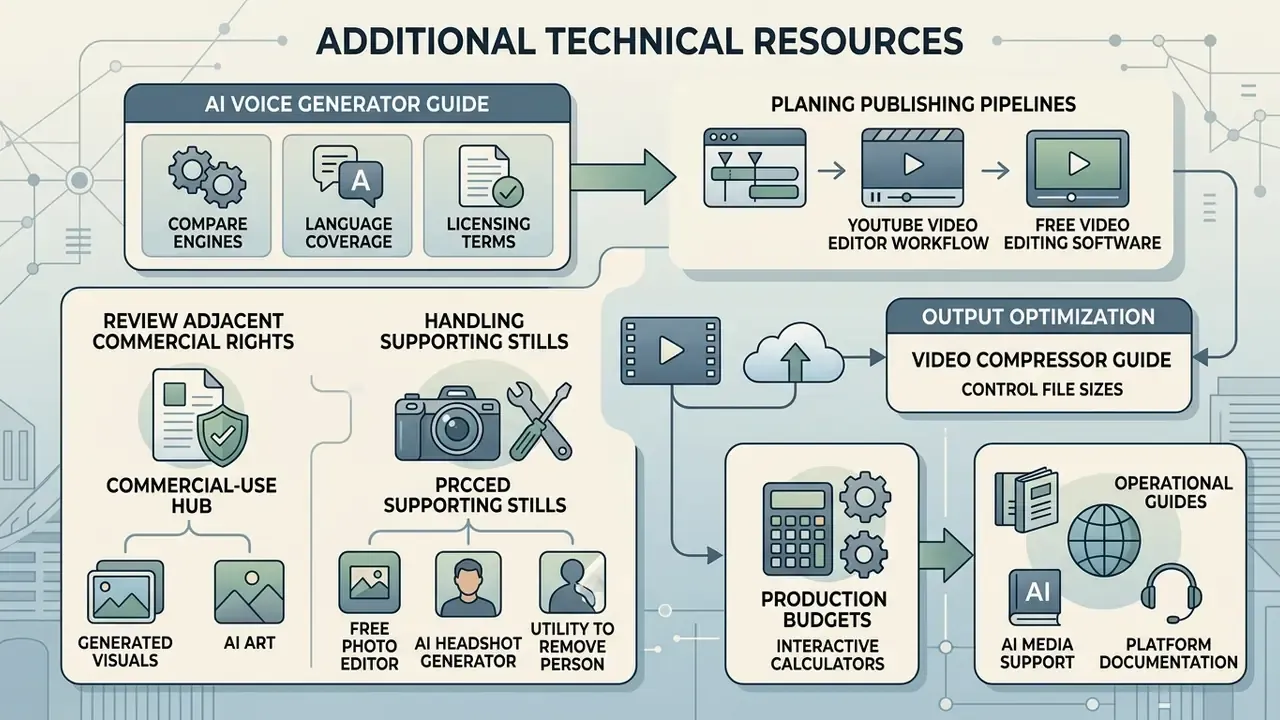
To support media production and governance workflows, explore our specialized tools and reference guides:
- Compare voice engines, language coverage, and licensing terms in the AI voice generator guide.
- Plan publishing pipelines with the YouTube video editor workflow guide and the free video editing software comparison.
- Review adjacent commercial-rights questions for generated visuals in the commercial-use hub and the AI art generator comparison.
- Handle supporting stills with a free photo editor, an AI headshot generator, or a utility to remove person from photo online free ai when a campaign needs clean presenter imagery alongside narration.
- Evaluate delivery optimization with the video compressor guide to control output file sizes.
- Estimate content production budgets using our interactive calculators.
- Access platform documentation, operational guides, and service options at AI Media Support and Troubleshooting.
Appendix A: Superseded Formulations (Version History)