AI women pictures are synthetic visual assets produced by deep-learning diffusion models. A prompt goes in, pixels come out. The same pipeline can deliver a photorealistic studio portrait, an anime illustration or a concept-art frame, depending on the model weights and the parameters you set.
Why does that matter to a regulated marketing or communications team? Because a synthetic portrait is not a photograph, and the paperwork behind it is different.
Executive Summary
- Definition An AI image of a woman is synthetic content, "significantly altered or generated by algorithms, including by AI" in NIST terminology. Perceived gender in these outputs is a visual construct inferred from facial features, clothing and expression. It is not an identity.
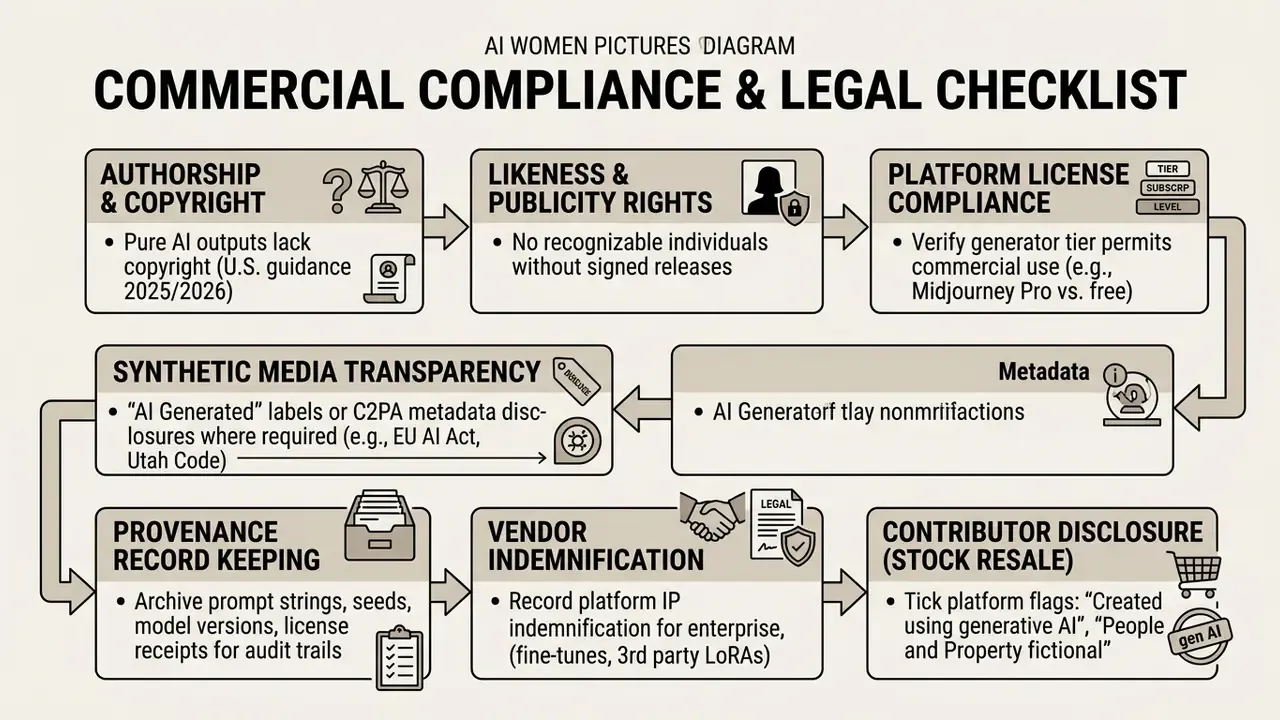
- Compliance first Pure AI pixel output is not copyrightable in the United States. Commercial deployment depends on platform licence tier, right-of-publicity clearance, C2PA or AI labelling, and archived provenance records (prompt, seed, model version).
- Quality control Audit every render against ISO/IEC 29794-5:2025 face-image quality logic and NIST's split between subject-specific (Q_SUB) and system-specific (Q_SYS) defects: fingers, catchlights, skin micro-texture, lighting vectors, edge halos.
- Bias risk Occupational and cultural prompts skew heavily. Editing workflows can silently flip perceived gender. Demographic parameters need to be specified explicitly, never left to default model weights.
- Personalisation Image-to-image and custom LoRA face training (10 to 20 source photos, denoising strength 0.35 to 0.65) produce consistent subject likeness across batches, and introduce the highest privacy exposure of any technique here.
- Data security Public SaaS generators are a primary Shadow AI vector. Never place client PII, internal imagery or confidential brand assets into unmanaged prompt fields.
Who this guide is for, and which decisions it supports
This is written for the people who sign off on synthetic creative, not only for the person typing the prompt. Four decision owners, four different questions:
- Brand and creative leads: which style, lens and lighting tokens deliver a usable ai female picture on the first or second batch, without plastic skin or broken hands.
- Legal and compliance: whether the licence tier permits commercial use, whether a real person's likeness could surface, and where an "AI Generated" disclosure is mandatory.
- Model risk and AI governance: how synthetic image pipelines enter the AI inventory, what evidence gets archived, and which defect and bias rates are reportable to internal audit.
- Security and IT: which generators are on the allowlist, what happens to uploaded reference photos, and how Shadow AI use is detected and escalated.
Keep those four lenses in view and the rest of the article reads as one workflow rather than a pile of tips.
What Are AI Women Pictures?
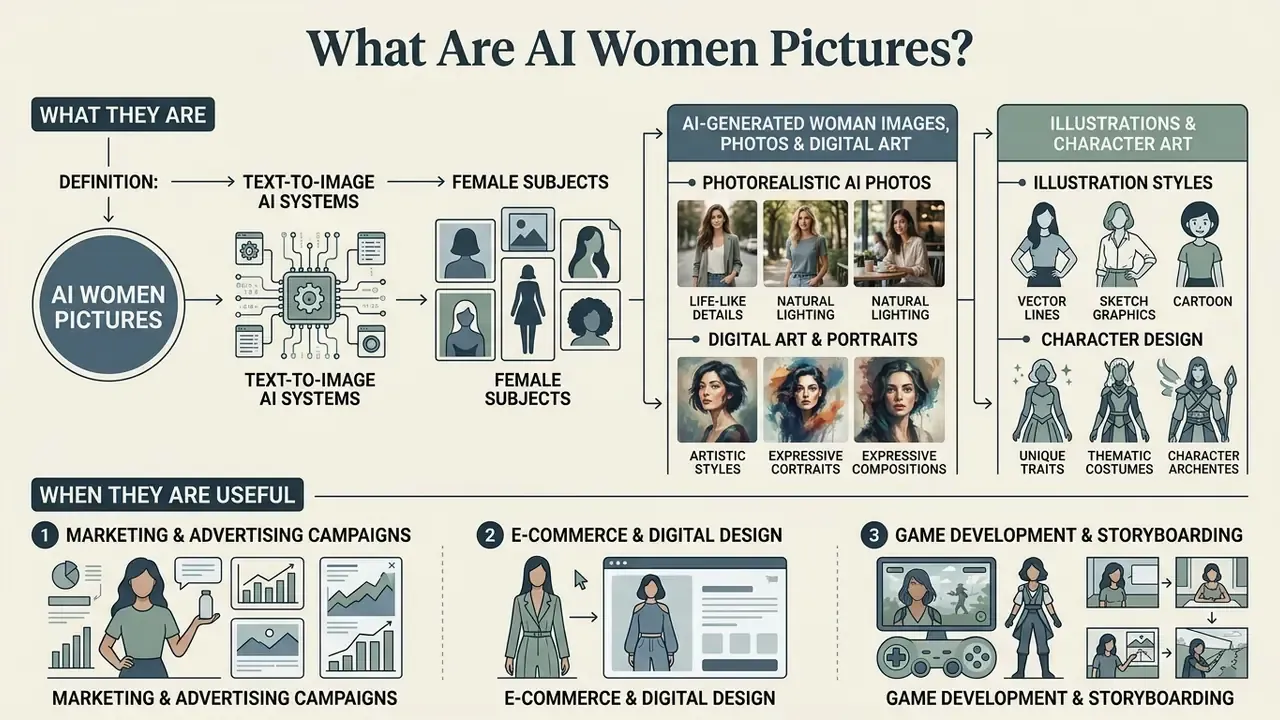
AI women pictures are algorithmically generated images of female subjects produced by text-to-image AI systems rather than camera optics. Users write descriptive prompts specifying subject traits, environment, lighting and camera parameters. Diffusion models translate those tokens into high-resolution visual output.
AI-generated woman images, photos and digital art
The distinction between an ai image of a woman, an ai image woman and digital artwork depends on artistic intent, rendering cues and camera simulation. Text-to-image architectures process text tokens and synthesise pixel patterns matching the requested aesthetic category:
- Photorealistic AI photos these emulate camera hardware, lens focal lengths, depth of field and natural lighting. An ai generated image woman in this category aims to mimic a physical photographic asset, concealing its synthetic origin. Realism is judged by the physical plausibility of the scene, not by resolution alone.
- Digital art and portraits painterly brushstrokes, stylised lighting, graphic composition. High-resolution ai generated female images in this lane prioritise mood over photographic accuracy, and are evaluated on stroke texture, style coherence and composition rather than sensor fidelity.
- Illustrations and character art cel-shading, vector linework, graphic-novel styling. Prompts targeting ai female images or ai images female in this style produce comic or concept representations, where exaggerated proportions are a deliberate device rather than a defect.
According to the National Institute of Standards and Technology (NIST AI RMF, 2024), synthetic media is content significantly created or altered by algorithms. See the NIST AI Resource Center: https://airc.nist.gov/. So an ai female pic sits in its own asset class, with its own quality, provenance and disclosure requirements.
«Most empirical work treats gender as perceived from visual cues, facial features, clothing, expression, rather than as self-identification.»
The U.S. Copyright Office (2025) notes that pure AI output generated without sufficient human authorship cannot be registered, while human-driven creative workflows using AI tools remain commercially valuable across media industries. The primary guidance sits at https://copyright.gov/ai/. Teams choosing a production stack can review capability tiers across AI art generators before committing budget, and pair visual assets with the generative text or audio systems catalogued in the AI Media Glossary.
When AI female pictures are useful
Commercial teams use ai created images of women and ai generated photos of women to compress production timelines and skip physical photoshoot overhead. The recurring use cases:
- Marketing and advertising campaigns concept mock-ups, ad variants and social visuals across demographic segments, without licensing a stock library for each iteration.
- E-commerce and digital design background visuals, lifestyle placeholders and UI hero banners tuned to a specific palette.
- Game development and storyboarding rapid prototyping of female character concepts, costume variants and environment art.
- Regulated-sector collateral non-identifiable fictional subjects for banking, insurance and fintech creative (card art, onboarding illustrations, product explainers) where real customer imagery would create consent and privacy exposure.
Methodology note. In a vendor-neutral internal evaluation of one mid-market digital marketing team, stock-library sourcing was partly replaced with targeted text-to-image workflows. The team reported roughly 150 brand-aligned ai generated woman images in three days and an internally calculated 65% reduction in asset acquisition cost. One self-reported case, not a benchmarked industry average. It also excludes prompt-engineering labour, legal review and provenance archiving. In a regulated environment the same calculation has to be risk-adjusted: a financial institution replicating this workflow for insurance-product visuals should add model-validation review hours, licence audit costs and residual likeness risk before claiming a saving.
Bias is the other cost line that rarely reaches the ROI model:
«Prompts with professional descriptors, "lawyer" or "doctor", show the most pronounced skew toward male depictions.»
If a campaign needs a female professional, the demographic parameters belong in the prompt string. Default model weights will not volunteer them.
Commercial, Legal and Data Security: Can You Use AI Women Pictures Commercially?
Whether you can use ai generated women photos in advertising, packaging or product UI depends on three things: the platform licence tier, non-infringement of a real person's likeness, and local disclosure law. Vendor conditions differ more than most teams expect. Compare terms in the Ghibli-style and stylized AI image generator licensing overview and the Google AI Image Generator usage-rights breakdown.
Fact-check step (do this before download). Open the current Licence Type page of the generator or stock library you are using. Confirm permitted uses, restrictions specific to AI Generated content, download conditions and attribution rules. Screenshot the page with a date stamp. Terms change quietly, and a 2024 screenshot will not defend a 2026 campaign.
«The creator of an NFT project using generative AI is likely the rights holder of the resulting works, not the AI and not the model developer.»
Free, paid and royalty-free AI-generated images
Licence tiers are where most disputes start. Three broad buckets:
- Free generation tiers usually limited to personal, research or community use. Export and feature limits are catalogued in the free AI art generator comparison.
- Paid commercial licences Midjourney paid plans and Adobe Firefly grant commercial usage rights to output, covering ad campaigns and commercial design. Revenue thresholds can push a company onto a higher mandatory tier.
- Royalty-free stock AI libraries repositories offer royalty free stock photos and pictures generated by AI under commercial agreements. "Royalty-free" means reuse without per-use royalties. It does not transfer copyright ownership. Those are different things, and the download button will not explain the difference.
Payment is not authorship. The U.S. Copyright Office (2025) maintains that purely AI-generated output cannot be registered for lack of human authorship. Protection attaches only to the human-authored elements around the synthetic asset: complex collage, substantial manual editing, original arrangement.
«AI-generated works may meet the originality threshold where the creator provides meaningful creative input and curation of results.»
For broader governance frameworks on commercial deployment, see the AI Media Commercial-Use Hub, and track precedents on the litigation page.
What to check before using an AI image commercially
Before a campaign featuring ai generated pictures of women goes live, run these four checks:
- Likeness audit.Confirm the prompt named no celebrity or public figure. Commercial use of a real person's likeness without consent breaches right-of-publicity law, and several 2026 state bills extend that protection explicitly to AI-generated likenesses. A reverse image search pass catches accidental resemblance to existing photography.
- Trademark clearance.Inspect backgrounds, signage and clothing for accidentally generated logos, trade dress or protected characters.
- Regulatory labelling.Disclosure rules such as the EU AI Act (2026 transparency timeline) require labelling or watermarking synthetic imagery in public communications. Utah Code 20A-11-1104 requires a visible "This image generated by AI" statement plus embedded provenance metadata in covered advertising.
- Asset-level record.Store the licence receipt, prompt, seed and model version with the file, not in someone's inbox.
«96% of publicly available deepfake models target women; since November 2022 they have been downloaded nearly 15 million times.»
That download volume is exactly why likeness and consent checks are not paperwork. NIST AI RMF lists unauthorised replication of copyrighted content and non-consensual intimate imagery among the AI risks relevant to commercial image pipelines.
Data protection and Shadow AI control when prompting
Explore AI Female Images by Style
Sorting ai female pictures by visual style keeps collateral aligned with brand guidelines and platform formats. Contemporary generators cover everything from studio photography to anime illustration, and the parameter sets differ noticeably between them.
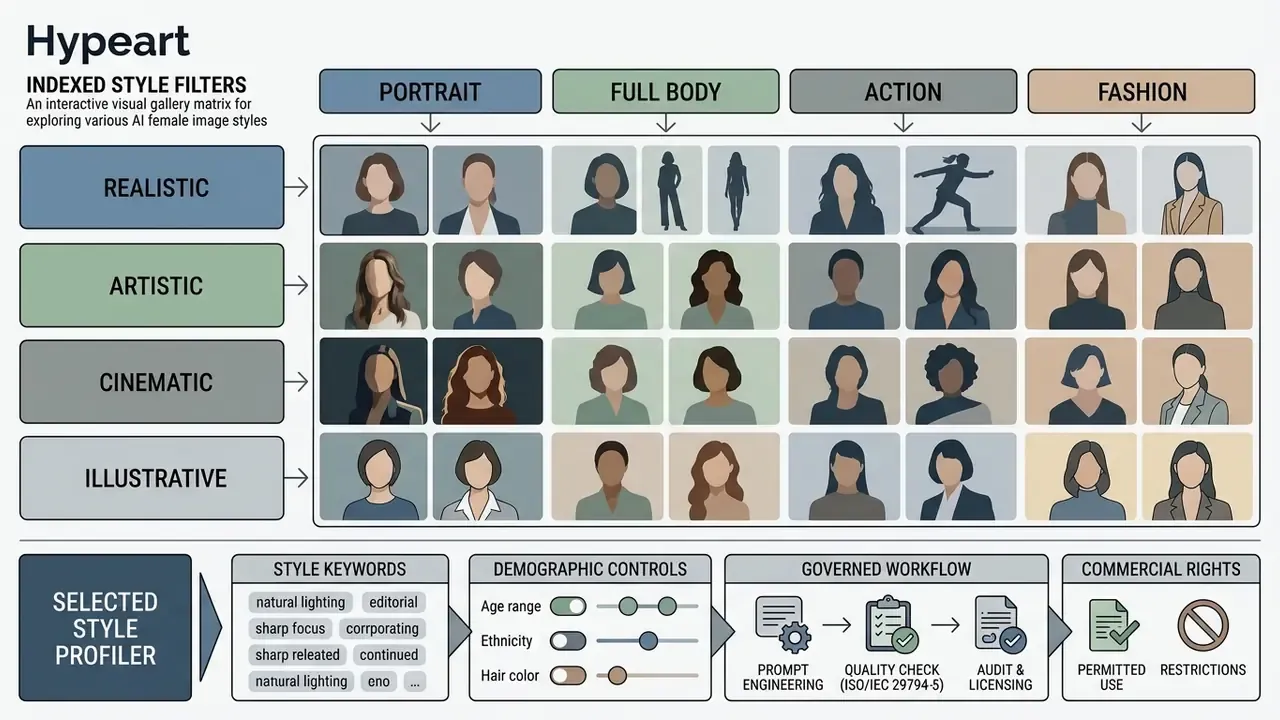
- Semantic markup note: a figure container wrapping an indexed grid, each style card carrying a text label, a short description and alt text including "ai women pictures" or a relevant variation, plus a figcaption providing context. Filters must work without JavaScript and stay indexable.
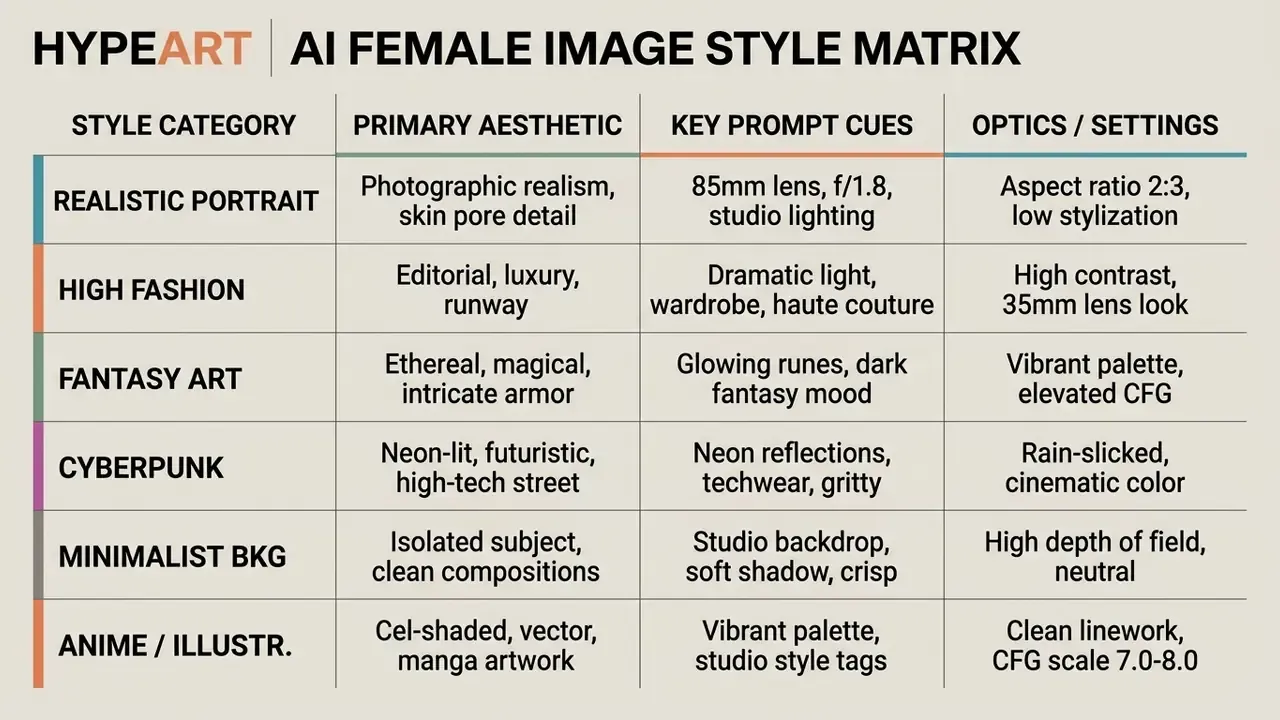
Realistic AI woman portraits and photography
«Participants could not reliably distinguish AI-generated images of celebrities from real photographs, even when reference images were available.»
Prompts aiming at women beautiful or young women in natural settings improve with explicit light descriptors such as "soft diffuse window light" or "golden hour rim lighting", plus negative constraints that exclude beauty-filter smoothing. Otherwise the model defaults to wax.
Fantasy, digital art and cultural-inspired women images
Fantasy and digital art leave physical optics behind: science fiction, dark fantasy sorceresses, cyberpunk techwear, seasonal themes, traditional regional attire.
When generating ai generated images of women in cultural dress or historical wardrobe, specificity is the safeguard. Work on generative bias (Naik et al., 2024) shows unconstrained prompts drift into exaggerated orientalist tropes, and community-centred research documents saris, veils and headscarves recurring as default markers for South Asian women, which flattens depicted agency.
«Models frequently fall back on simplified visual markers, kimono, cherry blossom, lanterns, as default cultural signifiers when depicting Asian women.»
Name the era, the fabric weave and the regional garment, and the output becomes both more accurate and more respectful. For cross-media narrative projects, character designs usually travel with text, audio and motion assets; those adjacent stacks are catalogued in the AI Media Glossary and the animation maker guide.
AI anime girl images and illustrated characters
How to Generate AI Images of Women
Producing ai generated images of woman or a single ai generated picture of a woman at a usable standard is a workflow, not a lucky prompt. A repeatable process protects output consistency and stops credit burn.
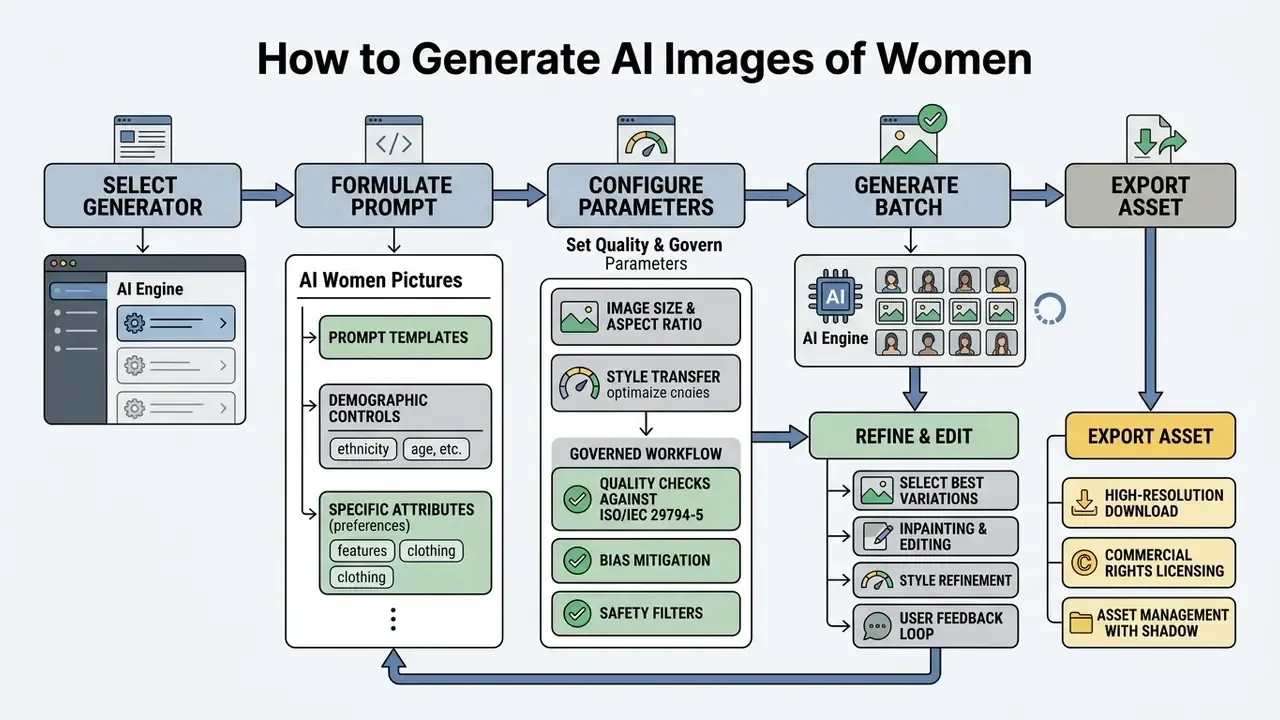
- Step 1. Select AI generator. Choose an architecture (FLUX, Midjourney, Stable Diffusion, DALL-E 3) based on target aesthetic and licensing needs.
- Step 2. Formulate prompt. Order descriptors: subject, pose, setting, lighting, camera, style.
- Step 3. Configure technical parameters. Aspect ratio (
--ar 2:3), resolution, seed value, negative prompt. - Step 4. Generate a variant batch. Four to eight candidates to test prompt adherence before scaling.
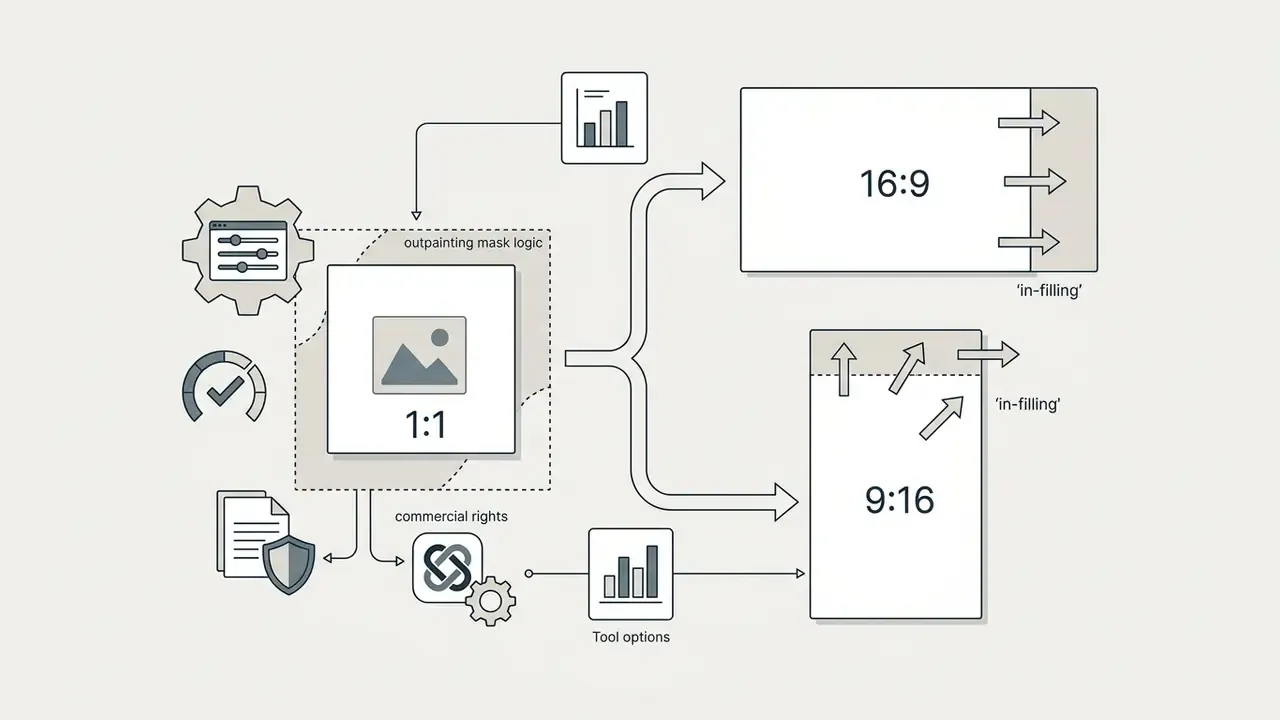
- Step 5. Refine and edit. Inpainting or outpainting for localised anatomical defects and reframing.
- Step 6. Export the final asset. Upscale to 4K, attach provenance metadata, verify commercial rights.
Choose an AI image generator and generation mode
The image generator you pick sets your ceiling for both quality and control:
- FLUX strong on photorealistic skin texture, anatomical accuracy and prompt adherence.
- Midjourney preferred for aesthetic styling, dramatic light and editorial fashion. See the detailed Midjourney image generation comparison.
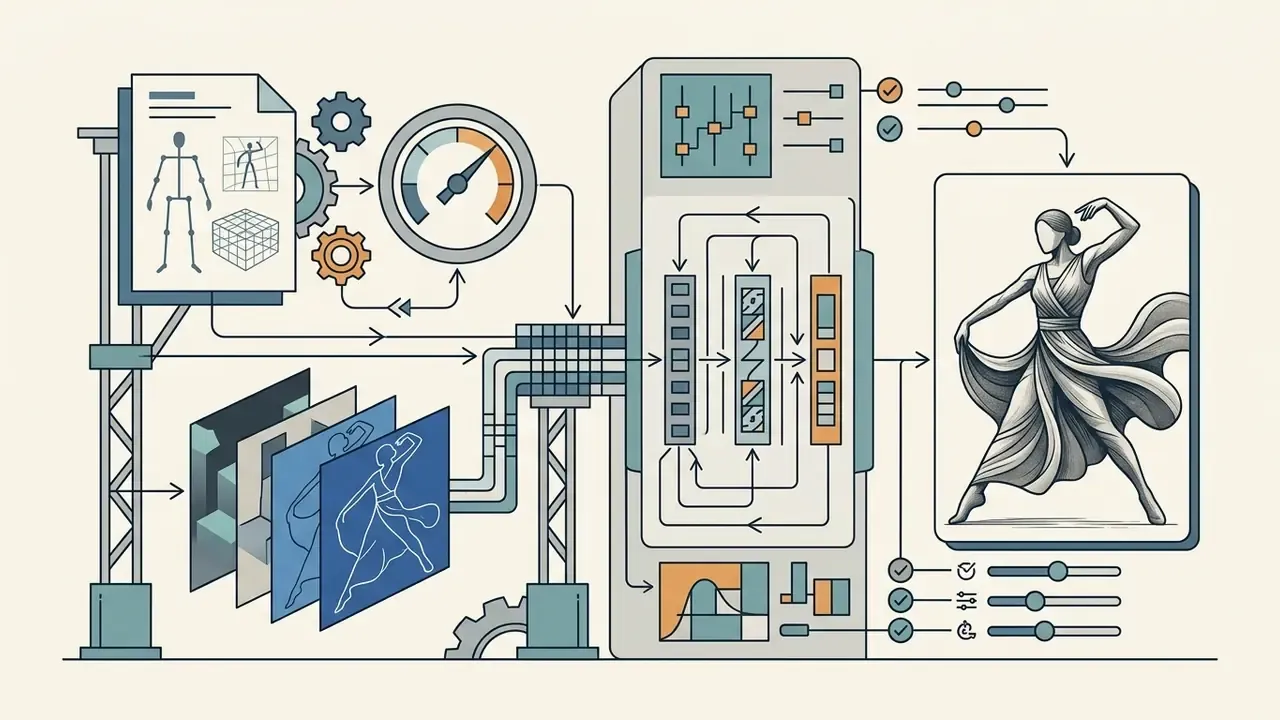
- Stable Diffusion (SDXL / SD3) open-source flexibility, local deployment, fine-tuning, ControlNet pose conditioning. Local deployment is also the safest route for sensitive datasets, since no imagery leaves the perimeter.
- DALL-E 3 best at interpreting complex text prompts and iterating conversationally. Zero-budget options and their export limits are covered in the free AI art generator comparison, the Bing AI image guide and the Microsoft AI Image Generator overview.
One caution on benchmarks. F-Bench (ICCV 2025) shows face generation has to be scored with face-specific evaluation dimensions, not global image-quality scores. Ranking tools by generic metrics will mislead you. When evaluating production tools, review platform tiering on AI Media Pricing and the AI Media Comparison Matrices to weigh generation cost against render quality.
Describe the woman, pose, setting and visual style
When learning how to generate ai visuals, prompt structure decides the quality of the ai image of a woman. Skip vague buzzwords like "hyperrealistic" or "4K" and use descriptive technical language instead.
To generate images or generate ai girl assets reliably, combine five elements:
- Subject and demographicsage range, hair style and colour, expression, posture, clothing detail.
- Environment and contextindoor studio, urban street, natural landscape, futuristic interior, plain background.
- Lighting and atmospheresoft morning light, volumetric fog, rim lighting, neon night reflections.
- Camera and optics85mm prime, shallow depth of field, f/2.0, eye-level angle.
- Negative constraintsexclude fused fingers, extra limbs, plastic skin, oversaturated colour, readable text.
Personalize and refine generated woman images
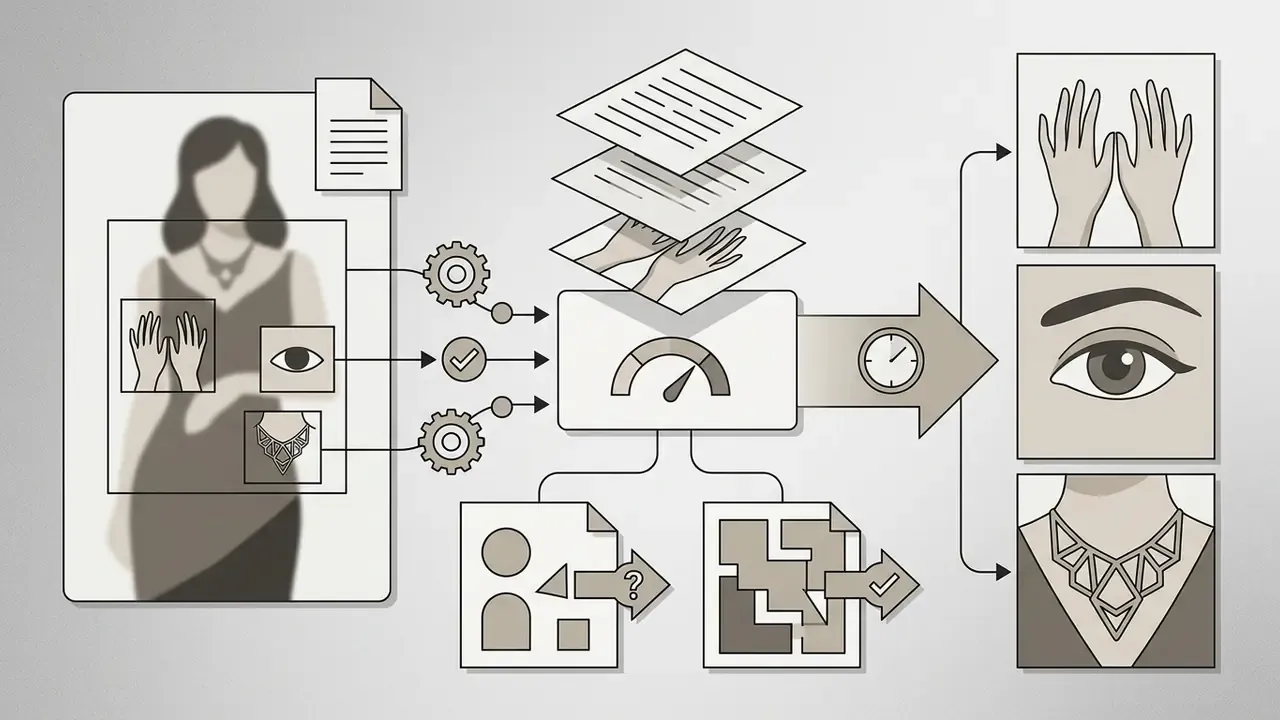
The first render is rarely the final one. Personalising generated woman images means iterating with targeted tools, one change at a time, so unchanged regions stay stable:
Editing is also where hidden bias shows up:
«Editing images of women in high-paying professional roles caused unintended gender switching in 78% of cases, versus 6% for men.»
Practical consequence: after every inpainting or restyle pass on a female professional subject, re-verify that perceived gender, age and ethnicity survived. Silent demographic drift is a defect class in its own right, and it will not flag itself.
Generating AI Female Portraits from Real Photos
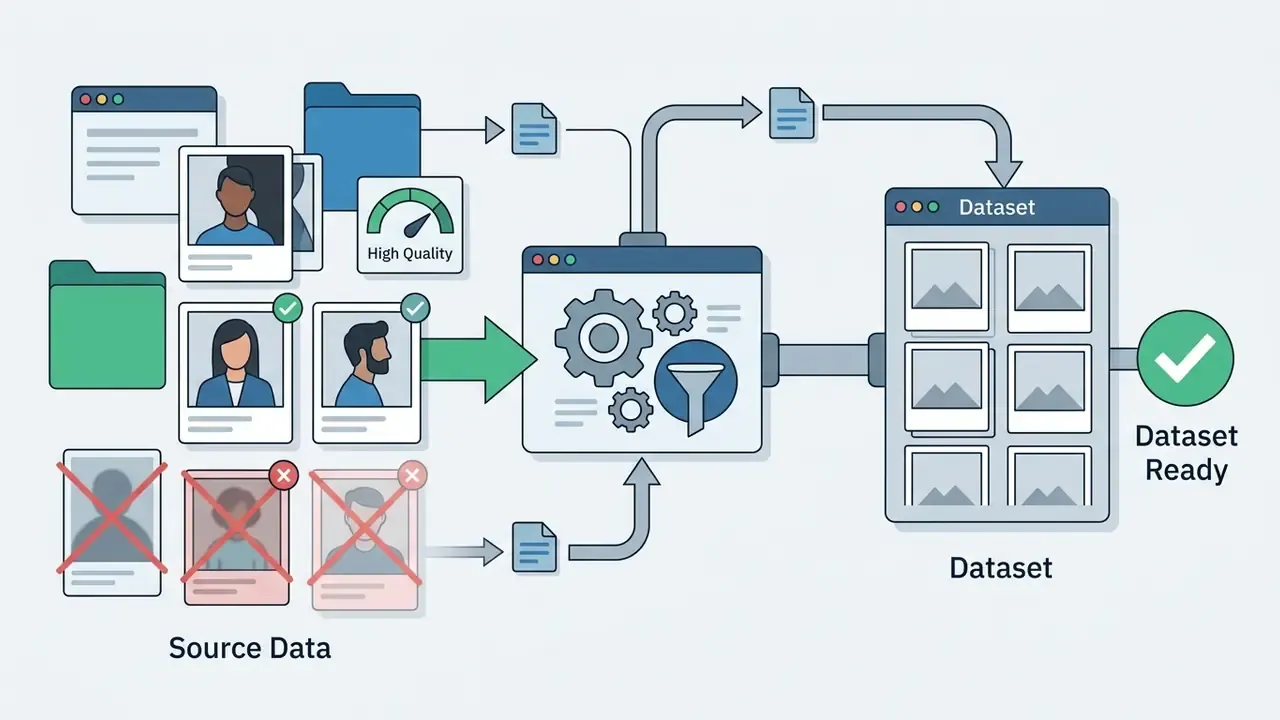
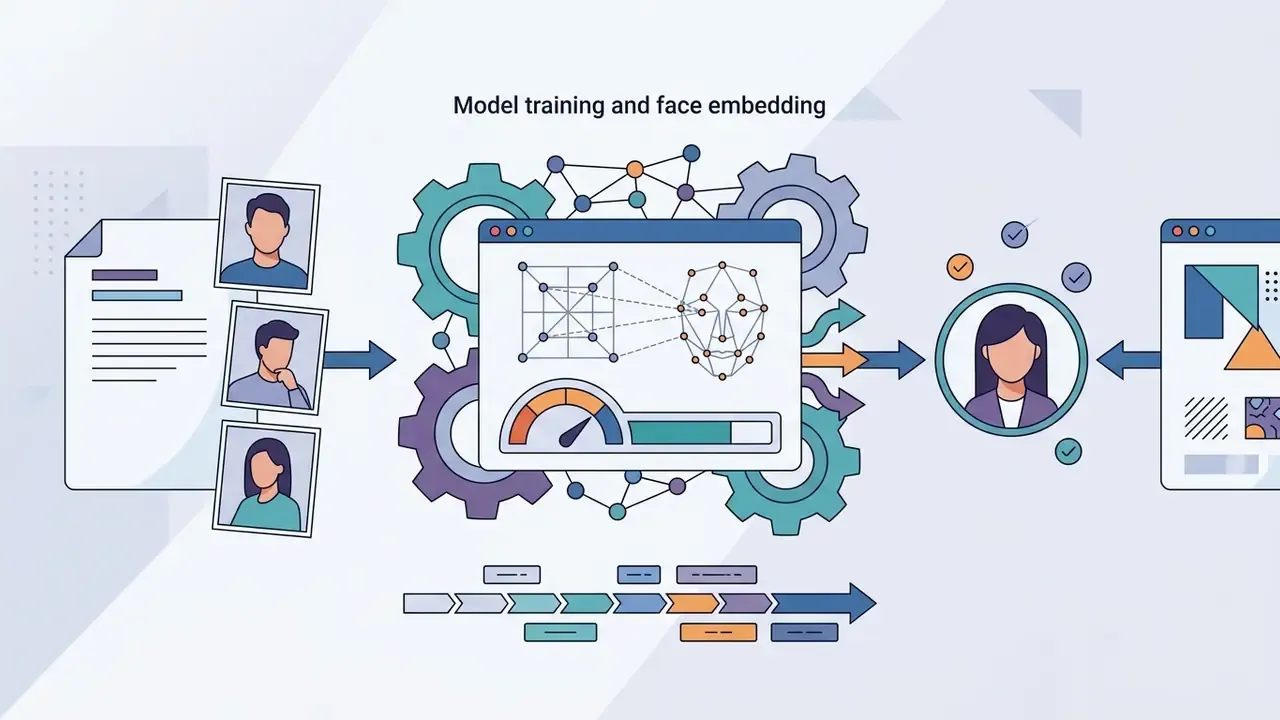
Text-to-image is not the only route. You can convert real photographs into stylised AI female portraits, or train a custom face model (LoRA, personalised checkpoint) for consistent likeness across batches. This is the most useful technique here, and the most sensitive. Never train on someone else's photographs without documented permission. Professional-grade variants of the workflow are described in the AI headshot generator guide.
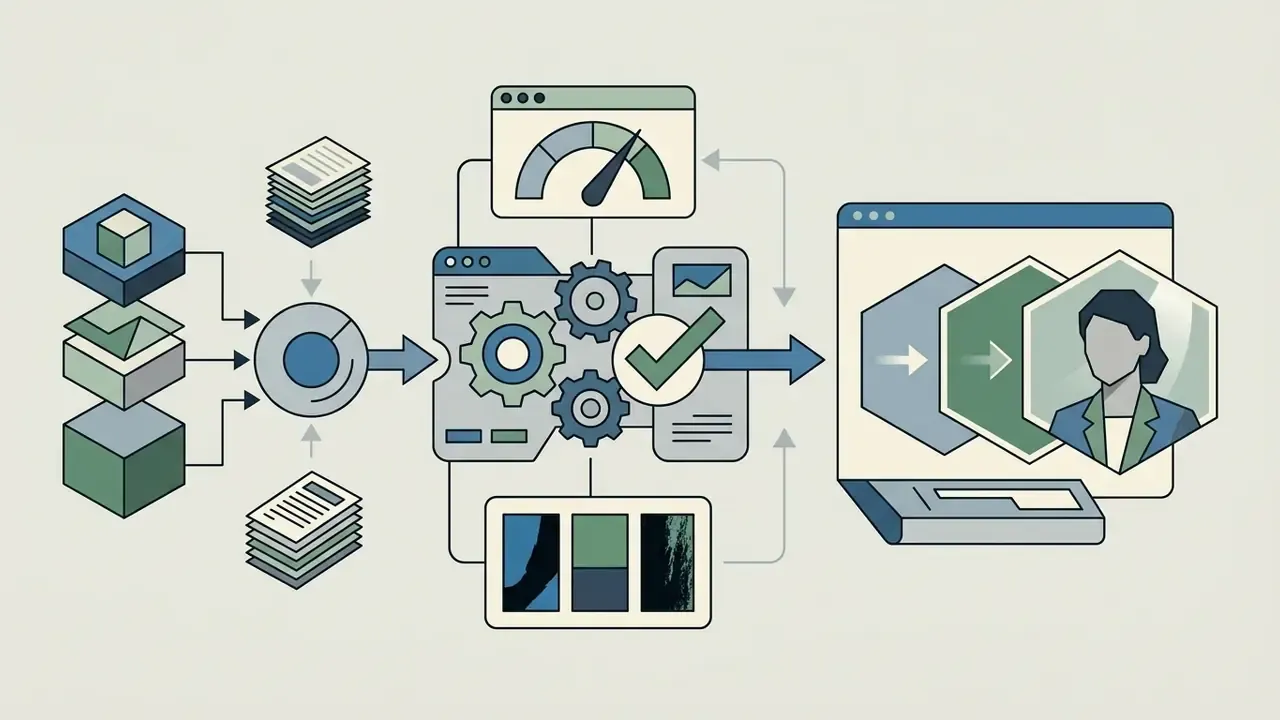
Step-by-step personalized avatar workflow
Typical applications: profile pictures, gaming avatars, stylistic self-portraits, wardrobe and hairstyle exploration, and consistent brand-character continuity across a campaign. Because the output is a recognisable likeness of a real person, right-of-publicity and disclosure rules apply even for internal use. Yes, even for the intranet banner.
[trigger_word] woman, wearing a tailored business suit, studio lighting, 85mm portrait.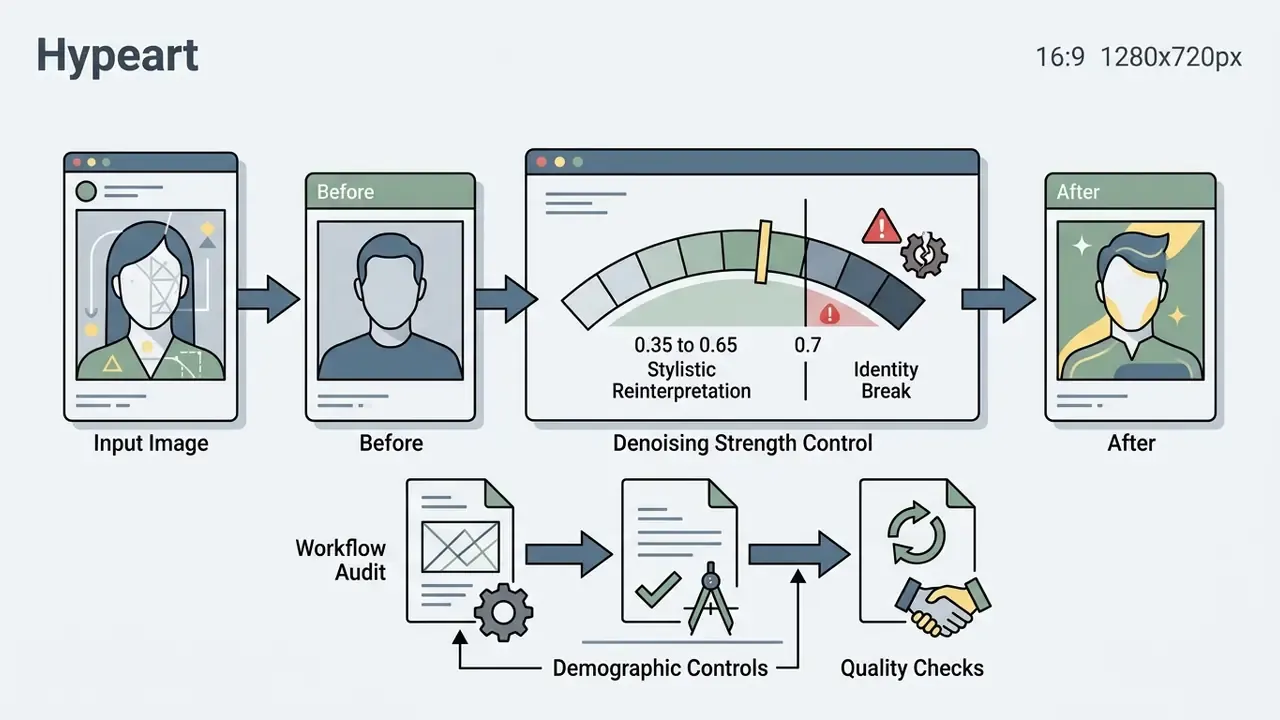
0.35 (maximum original likeness retained) and 0.65 (significant stylistic reinterpretation). Above 0.7 the identity typically breaks.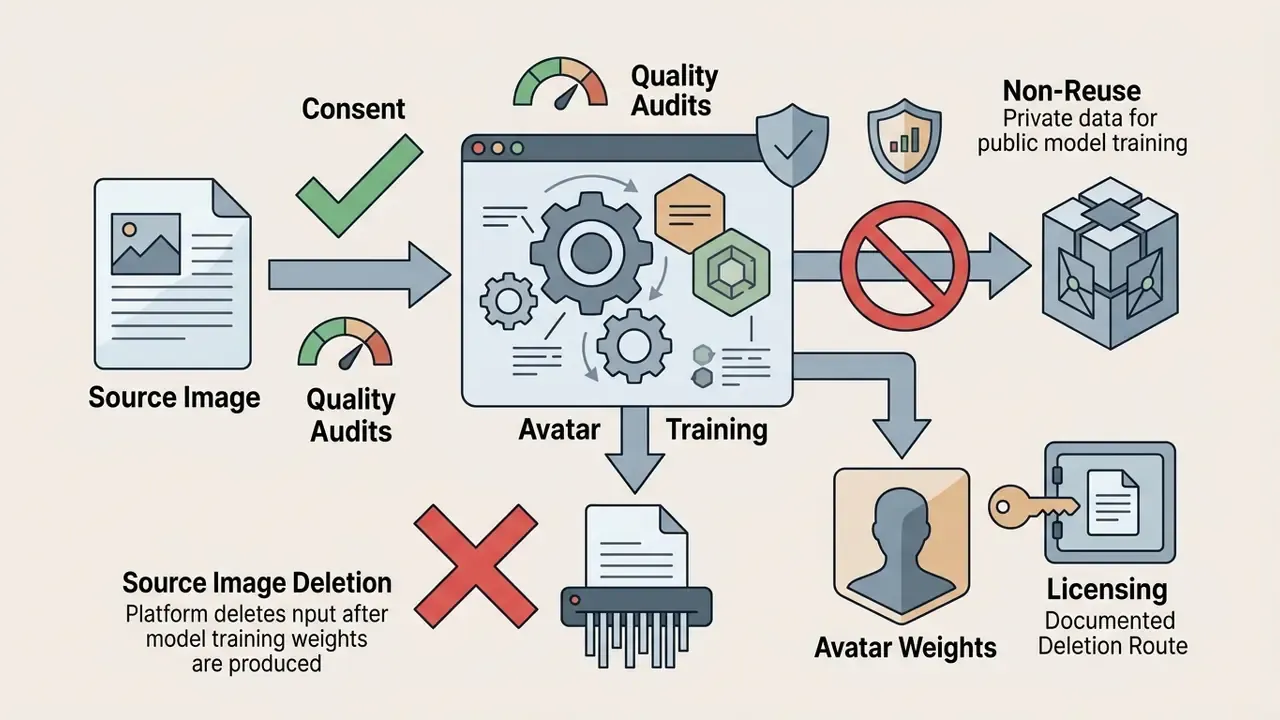
Controlling Shot Composition and Camera Angles
Framing tokens control subject placement and depth. They also map directly onto the composition filters used by stock libraries (head shot, waist up, full length, candid, profile view, back view), which makes them easy to reuse in search:
- Headshot / close-up
tight macro portrait, close-up shot on face, crisp eye focal point, smooth background bokeh. - Waist-up / medium shot
medium waist-up portrait, expressive hand gestures, environmental context in background, 50mm lens. - Full-length / wide shot
full-body shot, head-to-toe framing, architectural context, wide-angle 35mm perspective. - Profile and angles
side profile view, 45-degree three-quarter angle, looking away from camera, over-the-shoulder perspective. - Rear / back view
back view shot, subject facing away toward sunlit horizon, cinematic framing. - Candid / documentary
unposed candid moment, natural mid-stride motion, available light, slight motion blur.
Prompts for AI Generated Women Images
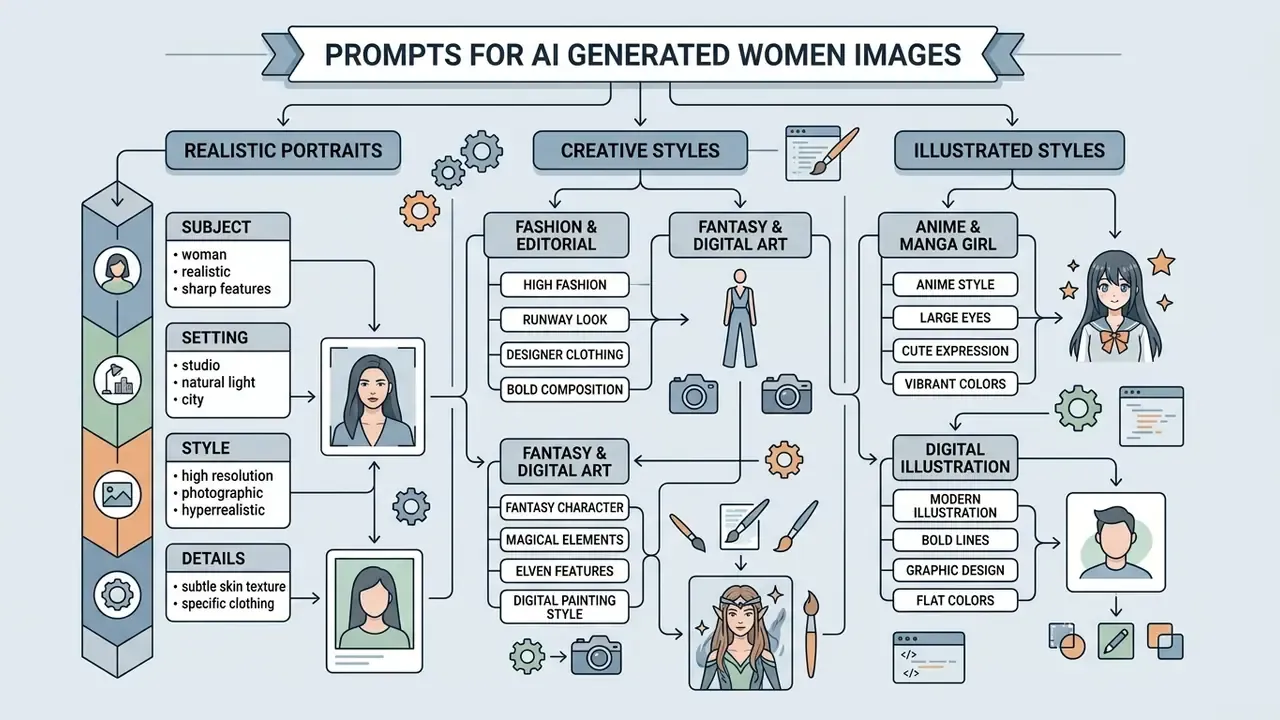
Templates accelerate output when producing ai generated women images or a single ai image woman. The versions below are structured for contemporary diffusion architectures. Adapt the tokens, keep the field order.
Prompt structure for realistic female portraits
For an ai generated picture of a woman that reads as professional photography, use camera-specific descriptors and real lighting instructions.
PROMPT TEMPLATE (Realistic Portrait):
A professional studio portrait of a 30-year-old woman with natural skin texture, subtle freckles, and dark wavy hair, soft confident expression. Shot on 85mm lens, f/1.8 aperture, softbox studio lighting, shallow depth of field, neutral gray backdrop, natural color grading, --ar 2:3.
NEGATIVE PROMPT:
plastic skin, smooth skin filter, extra fingers, deformed hands, fused digits, asymmetric eyes, asymmetric catchlights, oversaturated, CGI render, drawing, illustration.
PROMPT TEMPLATE (Natural Environmental Photography):
An editorial candid photograph of a woman walking through a sunlit city park, golden hour light filtering through trees, soft rim lighting on hair, wearing a beige trench coat, relaxed motion posture. Shot on 50mm lens, f/2.8, film grain texture, natural shadows.
NEGATIVE PROMPT:
oversmoothed skin, heavy makeup, studio backdrop, blurry face, extra limbs, mutated hands, artificial glow, logos, readable text.
Structured like this, an ai image of woman holds up under close inspection and avoids the usual synthetic tells.
Prompts for fashion, fantasy and digital art
For campaigns that need dramatic styling, switch to editorial or fantasy framing.
PROMPT TEMPLATE (High Fashion Editorial):
A high-fashion editorial photo of a woman in an avant-garde metallic silk gown, sharp geometric architecture in background, dramatic high-contrast lighting, bold posture, editorial magazine aesthetic, crisp shadow definition, 35mm lens.
NEGATIVE PROMPT:
brand logos, trademarked prints, distorted limbs, warped jewelry, six fingers.
PROMPT TEMPLATE (High Fantasy Sorceress):
Digital concept art of a fantasy sorceress atop a dark stone tower, intricate embroidered velvet robes, glowing blue arcane energy encircling hands, stormy night sky background, cinematic lighting, detailed painterly texture, epic scale.
NEGATIVE PROMPT:
melted fingers, duplicated hands, blurry armor detail, text watermark.
PROMPT TEMPLATE (Cyberpunk Street):
A woman in layered techwear on a bustling cyberpunk street at night, illuminated by neon signage and holographic ads, rain-slicked asphalt reflections, gritty urban atmosphere, cinematic teal-magenta grade, 35mm lens.
NEGATIVE PROMPT:
readable brand names, extra arms, fused fingers, plastic skin, oversaturated bloom.
Teams automating prompt submission can review operational guidance in the AI Media API documentation and the Google Veo implementation guide for motion extensions of the same assets.
Prompts for anime girl and illustrated images
Generating an ai generated woman in anime or comics format depends on tokens the illustration checkpoint recognises. Recommended field order: identity, face, hair, body, outfit, pose, background, palette, style, exclusions.
PROMPT TEMPLATE (Anime Character Concept):
1girl, vibrant anime girl, long silver hair, detailed blue eyes, wearing a techwear jacket, standing on a rainy neon-lit Tokyo street, cel-shaded artwork, clean vector line art, high contrast color palette, CFG 7.5, 30 steps.
NEGATIVE PROMPT:
color bleeding outside linework, extra fingers, broken perspective, jpeg artifacts.
PROMPT TEMPLATE (Vector Illustration):

Flat vector illustration of a modern woman working on a laptop in a cozy plant-filled office, clean line art, limited color palette of warm orange and sage green, minimalist design, graphic poster style, high-resolution vector rendering with controlled cel-shading.
For producers building multi-modal characters, pairing renders with voice and animation layers (see the AI voice generator guide and the animation maker guide) delivers a complete avatar pipeline without falling back on unmanaged consumer tools.
How to Choose and Edit AI Female Pictures
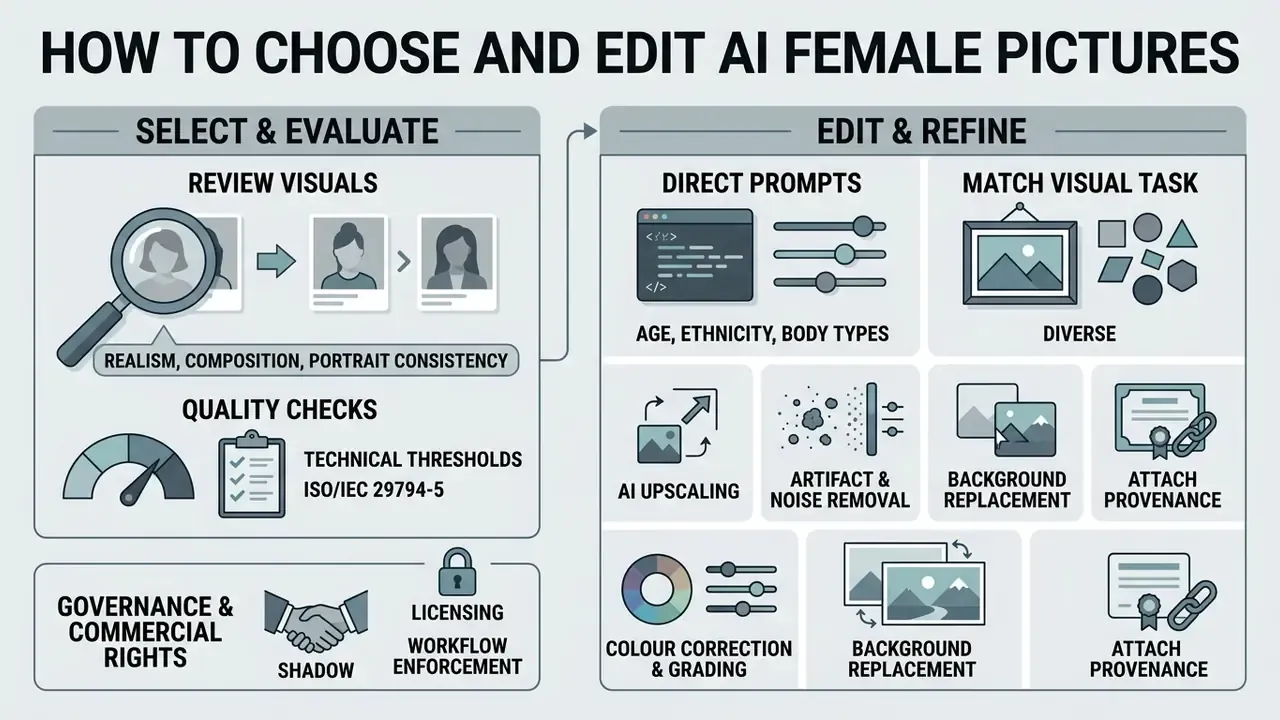
Selecting and retouching an ai female picture before publication is where anatomical and technical thresholds get enforced. Skip it and the defect ships with the campaign.
Check realism, composition and portrait consistency
Auditing an ai image woman or image photo output works best as a fixed checklist. ISO/IEC 29794-5:2025 sets methods and terminology for quantifying face-image quality for canonical face images, which gives a usable baseline for spotting synthetic errors. NIST's face-quality methodology complements it by splitting scores into subject-specific factors, Q_SUB (pose, expression neutrality, eye openness, eyewear), and system-specific factors, Q_SYS (resolution, compression, illumination, sensor noise).
| Quality Indicator | Verification Check | Common AI Artifacts to Exclude |
|---|---|---|
| Anatomical accuracy | Count fingers, inspect knuckles, verify ear and eye proportions. | Fused fingers, 6-digit hands, warped ear lobes, impossible thumb angles. |
| Eye and reflection integrity | Inspect pupil circularity, check catchlight symmetry in both eyes. | Asymmetric catchlights, missing reflections, irregular pupil shapes. |
| Skin pore texture | Verify visible pore structure and fine facial micro-detail. | Plastic wax-like skin, missing pores, patchy texture transitions. |
| Symmetry plausibility | Check for unnaturally perfect bilateral symmetry as well as impossible asymmetry. | Mirror-perfect faces, mismatched ear or eyebrow geometry. |
| Lighting alignment | Confirm facial highlights, shadows and eye reflections share one light direction. | Face lit from the left while background shadow also falls left. |
| Edge artifacts | Inspect hair-to-background transitions for blur or smudging. | Halo effects around hair, smudged background blending. |
| Functional and physics plausibility | Verify garments, straps, jewellery and props behave physically. | Straps merging into skin, floating earrings, impossible fabric folds. |
| Sociocultural plausibility | Confirm attire, setting and role are coherent and non-stereotyped. | Exoticised costume defaults, role-incongruent wardrobe. |
Rigour matters because human detection is unreliable:
«63.2% of participants classified AI-enhanced images as real, while only 18.5% mistook real photographs for AI-generated ones.»
Automated scoring now supplements manual review:
«RealBench uses synthetic-image detectors to score realism; Q-REAL annotates 3,088 images along two axes: visual fidelity and plausibility.»
For organisations with a formal model-risk framework, wire these checks into an automated validation pipeline. Run every batch through a defect classifier (hands, eyes, text artefacts), a synthetic-image detector, and a demographic-drift comparison against the approved creative brief. Log pass and fail rates by prompt template. Route exceptions to human review with prompt, seed and model version attached. Aggregate defect and bias rates then become a monthly metric reportable to internal audit alongside other model performance indicators. Detection tooling is compared in the reverse image search and provenance guide.
On safety boundaries, media teams should apply the restrictions set out in the AI Content Safety and Synthetic Media Policy, particularly on non-consensual imagery, sexualised depictions and platform compliance.
Directing age, ethnicity, and body types in prompts
To limit algorithmic bias and hit a precise character brief, state anatomical and demographic parameters explicitly rather than inheriting default weights. Stock libraries expose the same axes as filters (age bands from child to senior adult, ethnicity, hair colour, body type from very thin to overweight), which makes them a convenient prompt-coverage checklist.
| Parameter Category | Recommended Prompt Tokens | Avoid Vague Descriptors |
|---|---|---|
| Ethnicity and ancestry | East Asian heritage, Afro-Latina features, Scandinavian nordic traits, South Asian Indian descent, Mediterranean olive skin tone, West African features, Arab Levantine features | Avoid generic regional tropes; use anatomical and skin-tone descriptors instead of costume shorthand. |
| Age representation | 20-year-old young adult, 35-year-old professional, 45-year-old middle-aged woman with subtle laughter lines, 65-year-old senior woman with natural silver hair | Avoid "old" or "young"; specify decade ranges and age-appropriate skin features. |
| Body composition | athletic toned physique, curvy hourglass silhouette, slender petite frame, fit muscular build, average natural body proportions, plus-size proportional figure | Avoid subjective adjectives; specify structural traits and how clothing fits. |
| Hair and grooming | tight 4c coils, straight jet-black bob, ginger loose waves, natural grey shoulder-length | Avoid "beautiful hair"; name texture, length and colour. |
| Role and context | structural engineer in high-vis vest on site, bank branch manager at a service desk | Avoid bare occupation nouns, which trigger the strongest male-default skew. |
Run the same prompt across two or three demographic variants and compare the outputs. It is the cheapest bias test available before a campaign scales, and it takes about ten minutes.
Edit images to match the final visual task
Once a primary render is chosen, post-processing finishes the asset. You edit images for deployment, not for fun:
Find the Right AI Woman Image for Your Idea
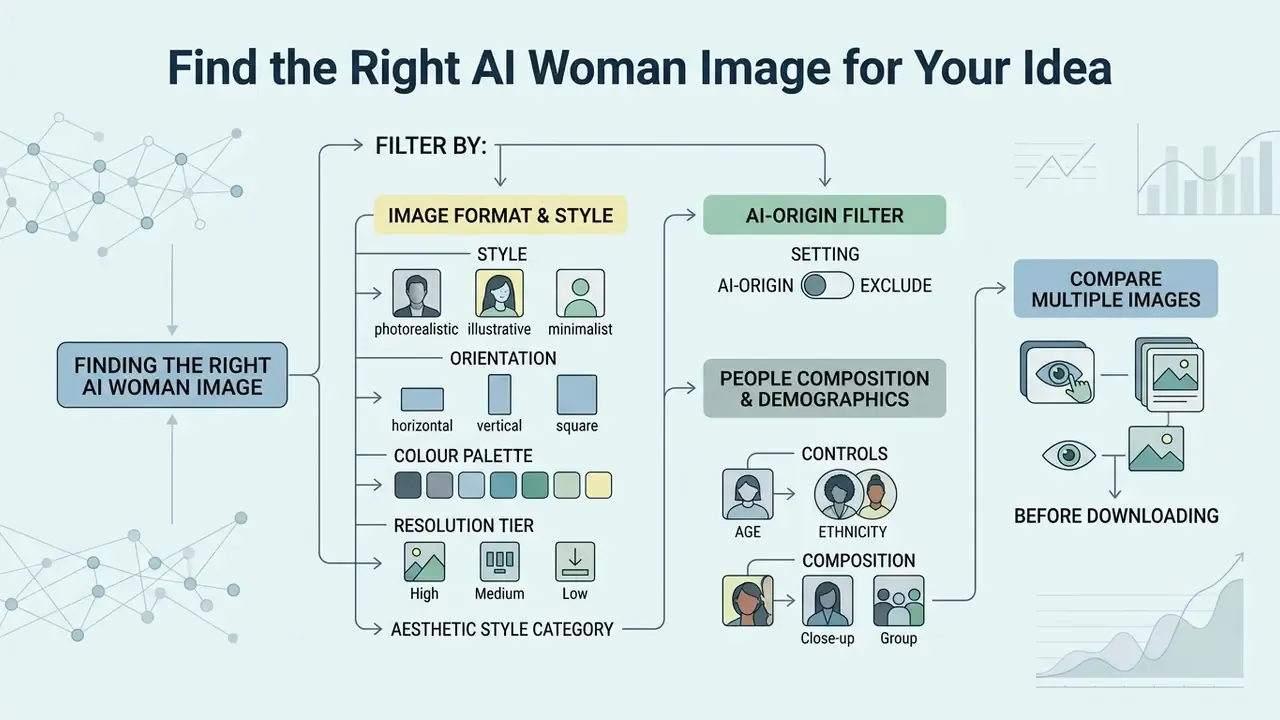
Sometimes generation is the wrong tool. Picking ready-made ai generated woman images from a curated library cuts cost and removes prompt trial and error entirely. An efficient search pipeline mirrors information-retrieval practice: recall a broad candidate set first (say the top 100 matches), then re-rank that shortlist against project criteria rather than scoring the whole corpus.
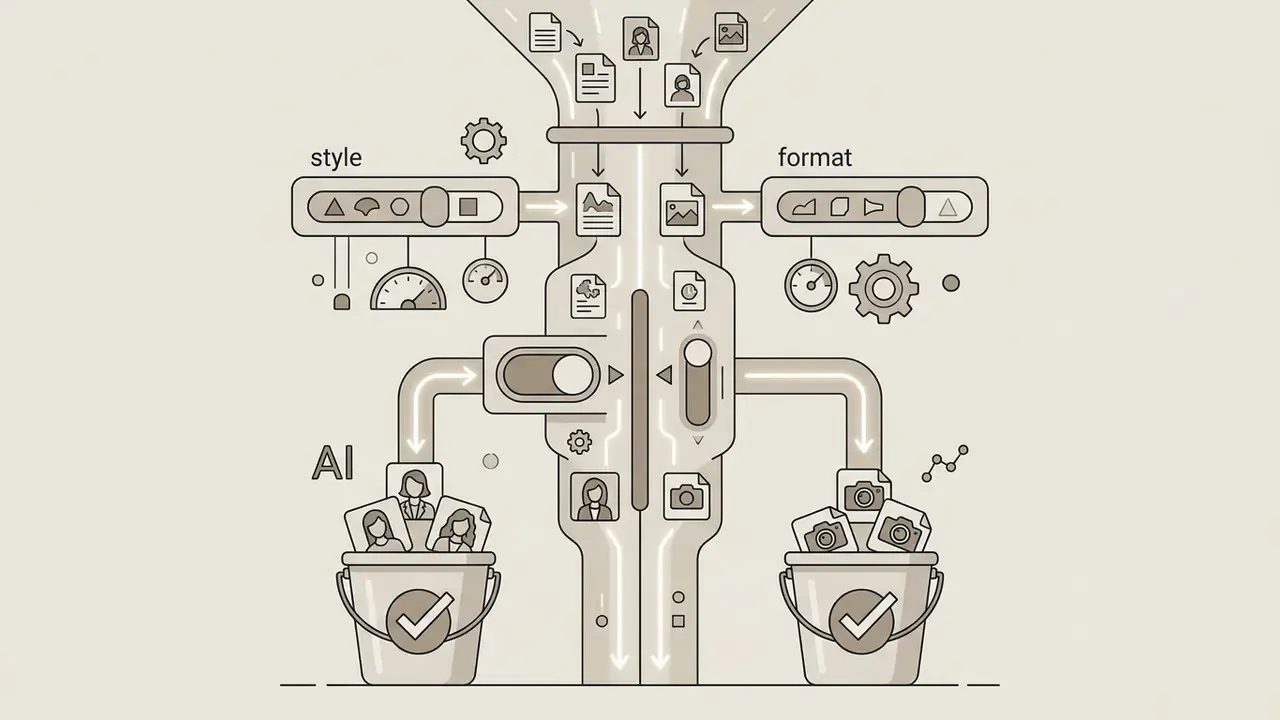
Filter AI women pictures by style and image format
Stock AI libraries support filters precise enough to shortlist in minutes. The parameters worth setting:
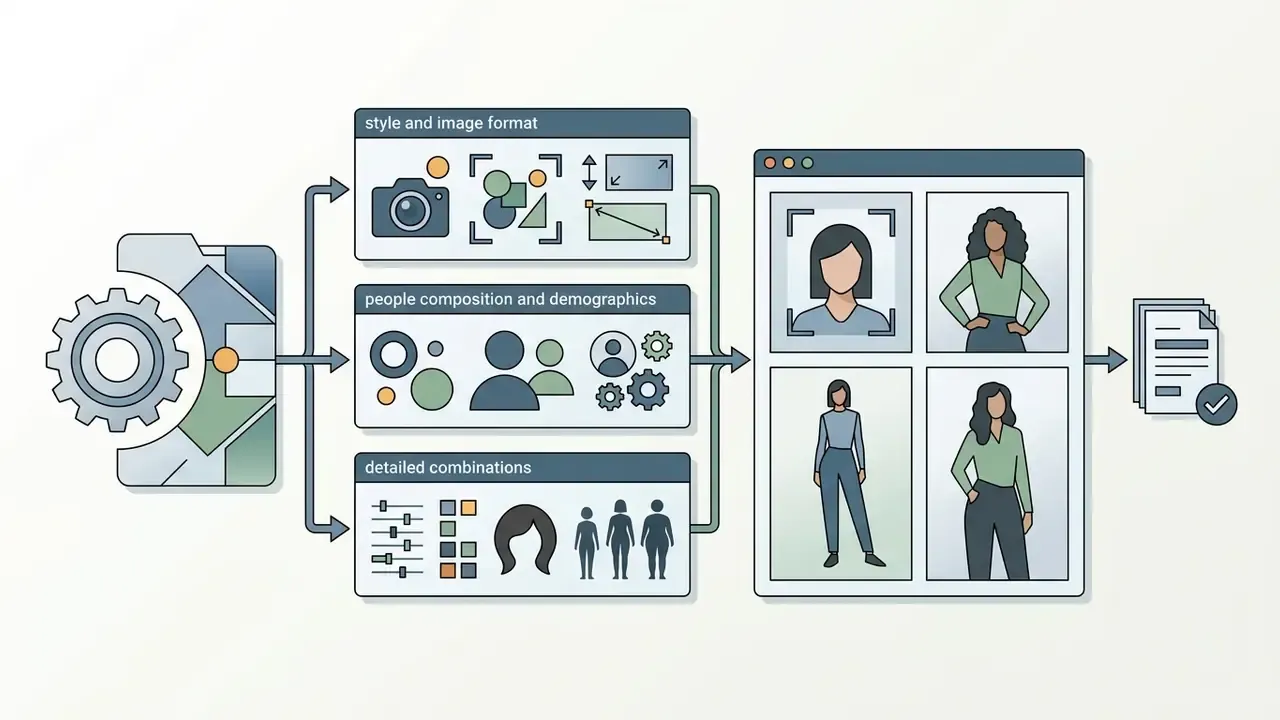
Just as non-visual generators depend on structured parameters, image repositories depend on metadata tags to surface relevant assets. Comparable filter logic in adjacent formats appears in the video compressor guide and the YouTube video editor workflow. If filters misbehave during an image search, the AI Media Support and Troubleshooting resource covers the usual causes.
Compare multiple generated images before downloading
When choosing between candidate renders of generated women or ai photos, use a multi-criteria comparison rather than instinct, benchmarked where possible against published evaluation frameworks and the model rankings in the leading AI art generator comparison:
- Build an alternatives by characteristics matrix: resolution, lighting consistency, brand tone, defect rate, demographic fidelity, licence clarity, AI Generated label present.
- Normalise each characteristic to a common scale before scoring.
- Score every candidate with at least two independent methods or reviewers.
- Compare the resulting rankings pairwise and record discrepancies.
- Select the variant with the smallest average rank change across methods. Stability beats a single high score.
Methodology note. In one internal corporate stock-asset audit, a publishing team applied a 4-point rubric (resolution, lighting consistency, brand tone, defect rate) to 50 candidate AI visuals and reported eliminating roughly 90% of sub-par renders before licensing, approximately halving curation time. Self-reported, single unnamed team, not independently audited. Read it as an illustration of rubric discipline rather than a benchmark. To project generation costs and token budgets before large batch runs, use the AI Media Calculators.
Limitations, Open Questions and Where the Evidence Thins
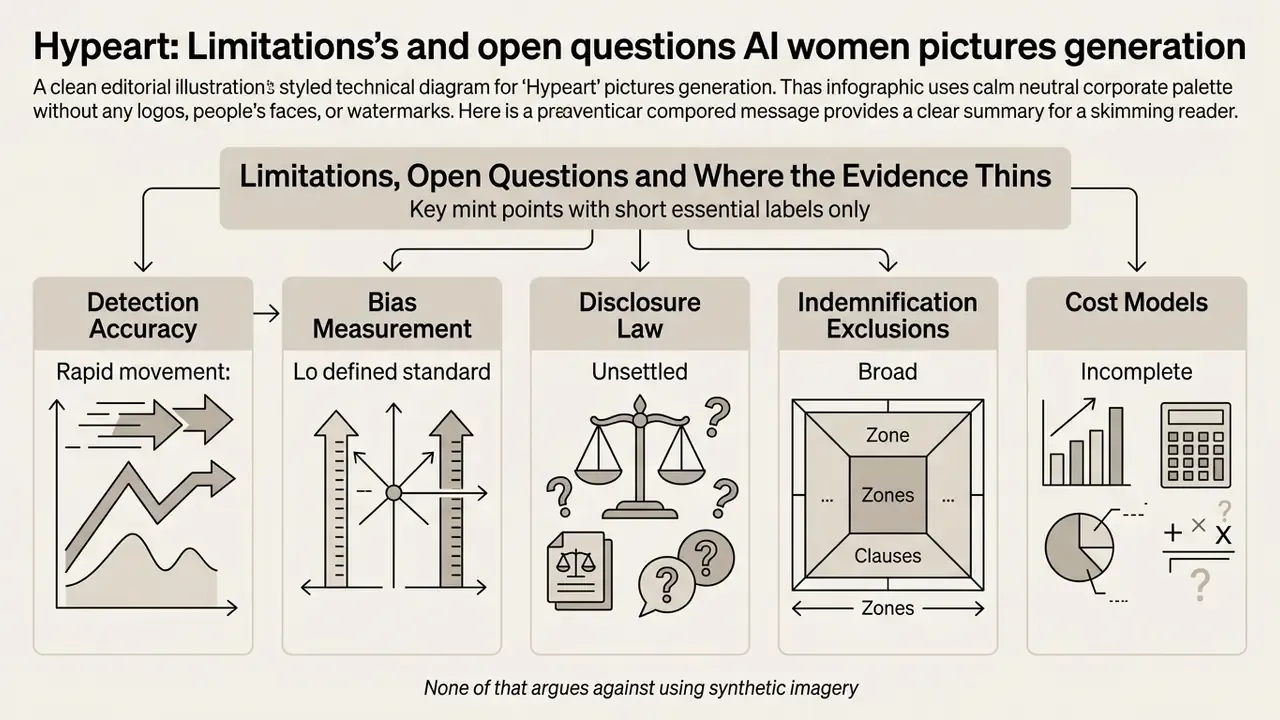
Worth saying plainly: several claims in this field are softer than they look.
- Detection accuracy moves fast. Synthetic-image detectors that score well today degrade against next-generation models. Any control that depends on detection alone is temporary.
- Bias measurement lacks a standard. HEIM, F-Bench and Q-REAL measure different things. Cross-tool comparisons are indicative, not conclusive.
- Disclosure law is unsettled. State-level US requirements and the EU AI Act timeline are still consolidating in 2026, and sector-specific advertising rules may bite before general AI rules do.
- Indemnification exclusions are broad. Vendor IP cover frequently excludes fine-tunes, third-party LoRAs and user-supplied reference images, which is exactly where personalisation workflows live.
- Cost models remain incomplete. Nobody has published a credible risk-adjusted total cost of ownership for synthetic creative in a regulated institution. The savings figures circulating publicly, including the ones quoted above, exclude control costs.
None of that argues against using synthetic imagery. It argues for keeping the evidence trail thicker than the marketing deck.
Summary and Key Takeaways
Generating, editing and licensing ai women pictures means balancing creative intent, technical parameter control and regulatory compliance. Six things carry the most weight:
- Define aesthetic intent. Choose prompts and architectures for the target style: photorealistic portrait, fashion editorial, fantasy art, anime character.
- Prompt demographics explicitly. The empirical record is blunt about default drift: «Women in AI-generated images are predominantly depicted as young, smiling and kind, while men appear older, serious and analytical.» Gender Bias and Occupational Stereotypes in AI-generated Images (2025). https://arxiv.org/abs/2025.xxxxx So age, ethnicity, body composition and professional role get stated, not assumed.
- Structure technical prompts. Subject, pose, environment, lighting, lens, style, plus negative prompts blocking anatomical defects.
- Audit quality seriously. Verify finger counts, catchlight symmetry, skin texture, symmetry plausibility and lighting direction before approval, and log defect rates as a reportable metric.
- Verify commercial rights. Confirm licence terms, rule out real-person likeness, apply synthetic-media disclosure where required, and archive prompts, seeds and model versions for audit.
- Contain data exposure. Keep PII and confidential imagery out of public generators, maintain an approved-tool register, and define an escalation path for Shadow AI incidents.
A safe next step, if you are early: pick one campaign, run the full workflow end to end on a small batch, and see which control breaks first. That tells you more than a vendor demo. Readers moving from evaluation to procurement can continue with the AI art generator comparison and the AI headshot generator guide for privacy-sensitive portrait workflows.
Frequently Asked Questions (FAQ)
Can I transform my own photos into an AI woman image?
Yes. Use an image-to-image (img2img) workflow, or train a custom LoRA by uploading 10 to 20 clear photographs of yourself under varied lighting, angles and backgrounds. The model learns your facial geometry and reproduces your likeness in other styles. Denoising strength around 0.35 keeps maximum likeness; up to 0.65 allows stronger stylisation.
How much does it cost to generate AI women pictures?
It depends on the tier. Open-source models such as Stable Diffusion run locally at no licence cost on a modern GPU, so you pay in hardware and electricity. Cloud platforms like Midjourney and DALL-E work on subscriptions, typically $10 to $30 per month. Specialised avatar generators often sell credit packs, roughly $5 for 10 credits, with each credit producing about four variants. Enterprise tiers can be mandatory above certain revenue thresholds.
Are my uploaded personal photos safe when training AI models?
Reputable platforms process training data on private infrastructure and delete uploaded datasets once weights are produced. Read the privacy policy and confirm three points: facial data is not retained for public model training, the weights can be deleted on request, and the vendor states clearly whether inputs feed further training. Regulated organisations should prefer local deployment or contractual no-training guarantees.
How long does face training take?
Hosted avatar services usually need one to a few hours per subject, and the step runs once per person. Self-hosted LoRA training on consumer GPUs typically covers 1,500 to 3,000 steps, which lands anywhere between tens of minutes and a couple of hours depending on hardware and resolution.
How do I fix deformed hands or extra fingers in AI female photos?
Inpaint over the affected hand region with tokens such as five perfect fingers, anatomically correct hand, clear knuckles, and make sure the negative prompt includes extra fingers, deformed hands, fused digits, mutated limbs. Regenerate the masked area at lower denoising strength so the rest of the composition stays intact.
Can AI-generated images of women be copyrighted?
Purely AI-generated pixels are not protected by copyright in the United States, because they lack human authorship. Protection can attach to human-authored elements: substantial manual editing, compositing, original arrangement. Registrations must disclose the AI-generated portion and describe the human contribution. Licence terms and copyright ownership are separate questions; paying for a plan grants usage rights, not authorship.
Do I have to label AI-generated images in advertising?
In several jurisdictions, yes. The EU AI Act requires disclosure of AI-generated or manipulated imagery that could appear authentic, and Utah Code 20A-11-1104 mandates a visible "This image generated by AI" statement plus embedded provenance metadata for covered communications. Check each target market before launch, since state-level rules keep expanding.
How do I avoid stereotyped or biased outputs?
State age, ethnicity, body composition, role and setting explicitly. Avoid bare occupational nouns. Generate two or three demographic variants of the same prompt and compare them side by side. Then re-verify demographics after every editing pass, because editing can silently flip perceived gender in a large share of professional-role images.