A brainrot video generator is an automated AI tool that turns raw text, scripts, or study notes into short, high-velocity vertical videos. The output carries synthetic narration, word-by-word animated captions, layered sound effects, and high-stimulation background media such as mobile game footage. In 2026, text-to-video pipelines have moved past simple script turners. They now behave like multi-layered content engines built to maximize retention on TikTok, YouTube Shorts, and Instagram Reels.
Why should a risk or finance leader care about a meme format? Because the same pipeline that produces a Subway Surfers explainer also ingests your policy PDF. That is the part nobody markets.
Executive Summary: What Matters Before You Decide
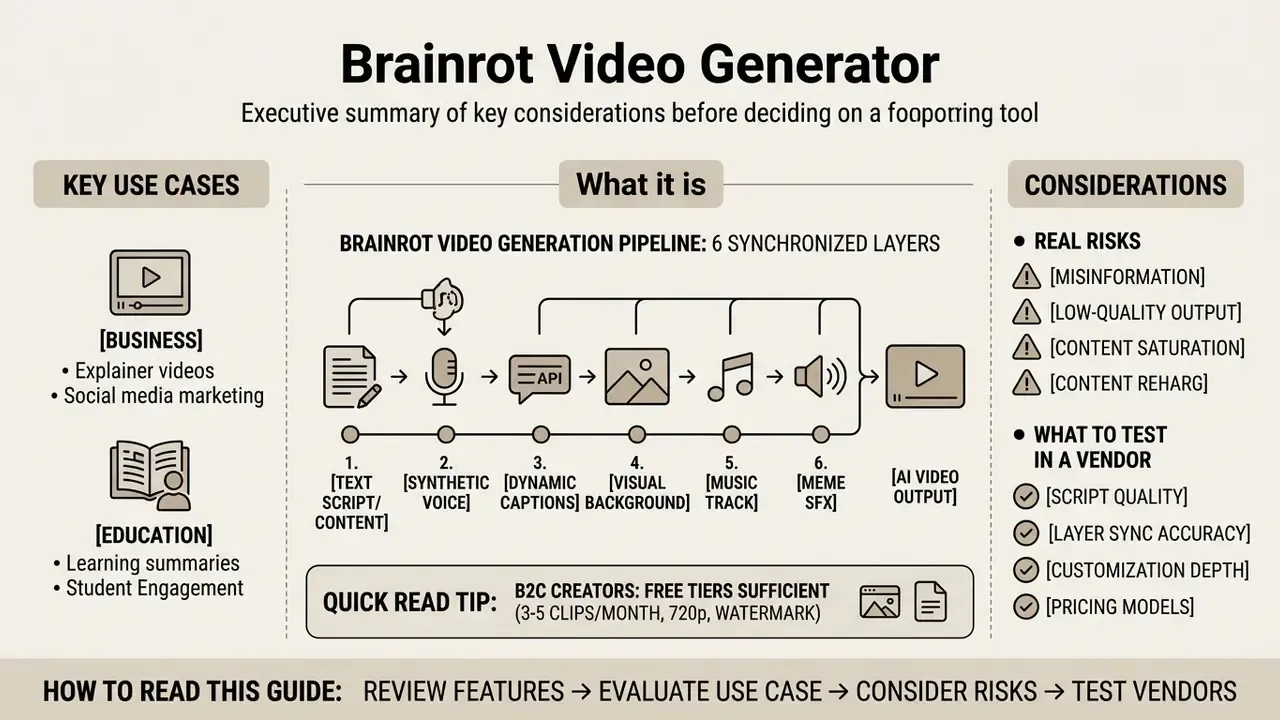
- What it is. A brainrot video generator is a pipeline of six synchronized layers (text, synthetic voice, dynamic captions, visual background, music, meme SFX) that assembles a 9:16 vertical clip in 46 to 180 seconds with no manual timeline work.
- Why business and education use it. The format solves two jobs: micro-learning from dense text (policies, lecture notes, PDFs) and organic growth across short-form networks. Academic data suggests AI-narrated video performs close to human-presented video on comprehension tests.
- The three real risks. First, purely AI-generated output carries no copyright protection (U.S. Copyright Office). Second, gameplay backgrounds and music need real licensing once you monetize. Third, and most underrated, Shadow AI: staff uploading confidential documents into public SaaS generators.
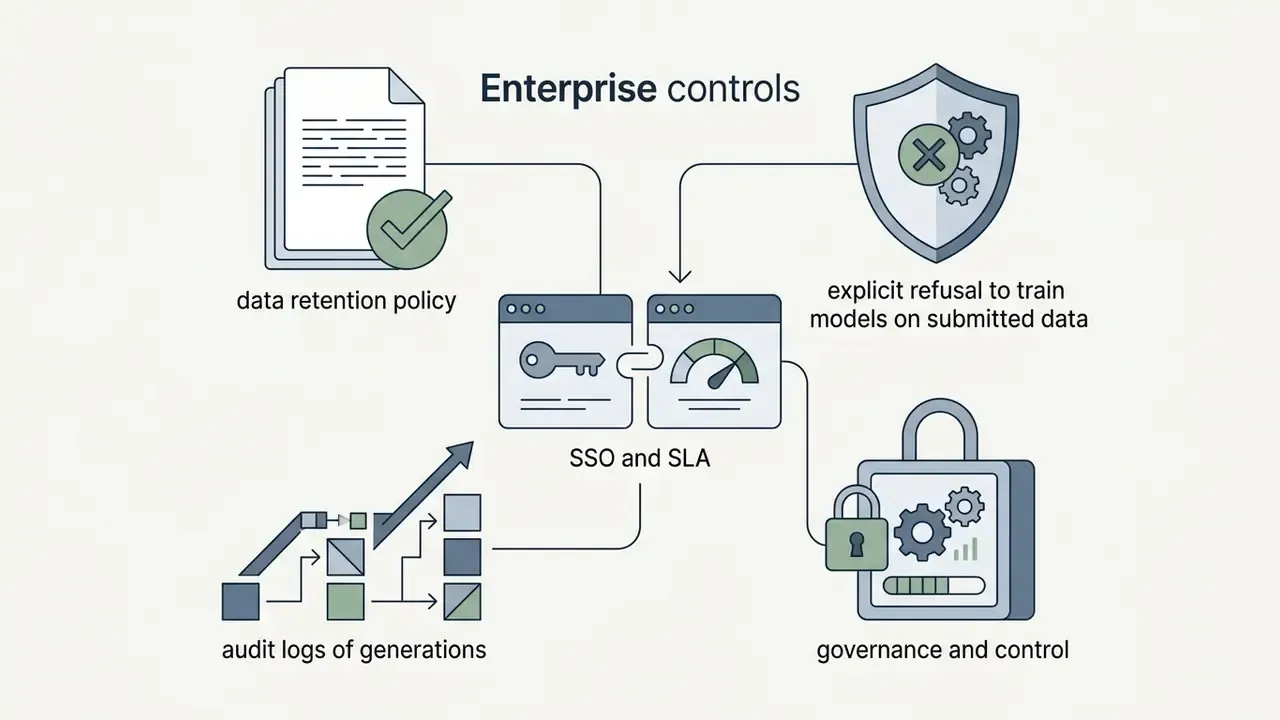
- What to test in a vendor. Render speed, TTS quality, background library depth, PDF and URL parsing, watermark policy, commercial license grant. For a regulated environment add data retention terms, an explicit no-training clause, enterprise SSO, and exportable audit logs.
- Quick read. For B2C creators, free tiers are enough (three to five clips per month, 720p, watermark). For regulated industries the format is viable only through a whitelisted vendor with human-in-the-loop script review before distribution.
How to read this guide. Sections one to four explain the mechanics and the output. Sections five and six are operational: script preparation, export settings, vendor selection. Section seven covers pricing, rights, and the control framework a bank would actually need. The FAQ and the source-correction log close the material.
What a Brainrot Video Generator Is and What It Produces
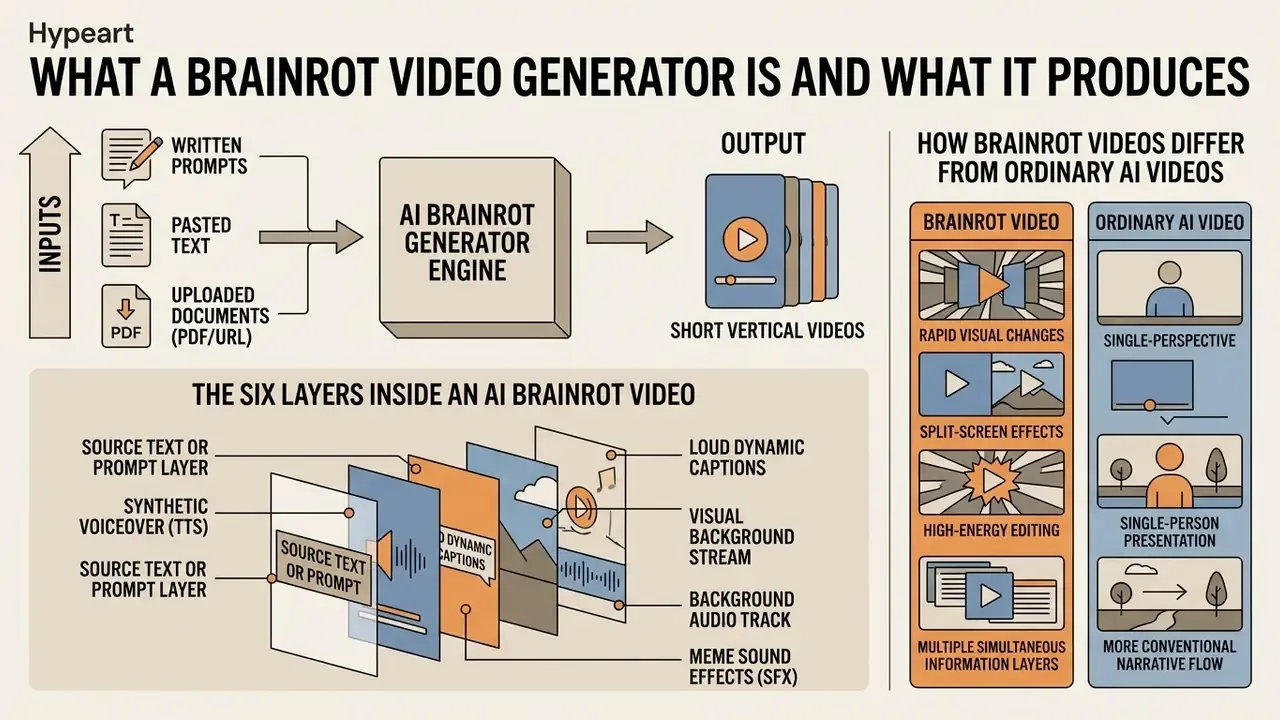
An AI brainrot generator is a specialized software engine that converts written prompts, pasted text, or uploaded documents into short vertical videos. The signature traits: rapid visual transitions, high-contrast captions, and multi-stream audio. "Brainrot" started as internet slang. In commercial operations it now names a precise short-form architecture designed to hold continuous attention inside a mobile feed.
One clarification for the corporate reader. "Brainrot" is not a regulatory term. No supervisor and no standard defines this category. It is vendor product labeling that hides a concrete technical configuration: short duration, high cut frequency, mandatory captions, vertical frame.
The Six Layers Inside an AI Brainrot Video
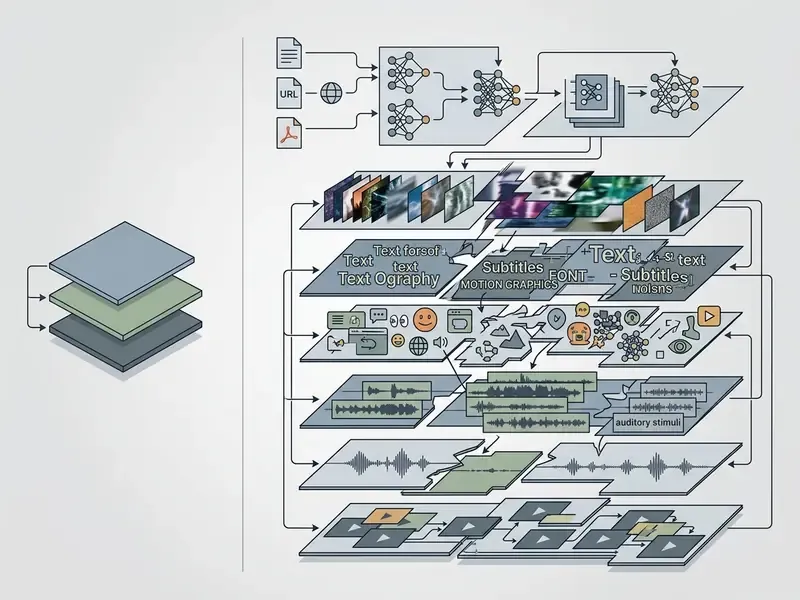
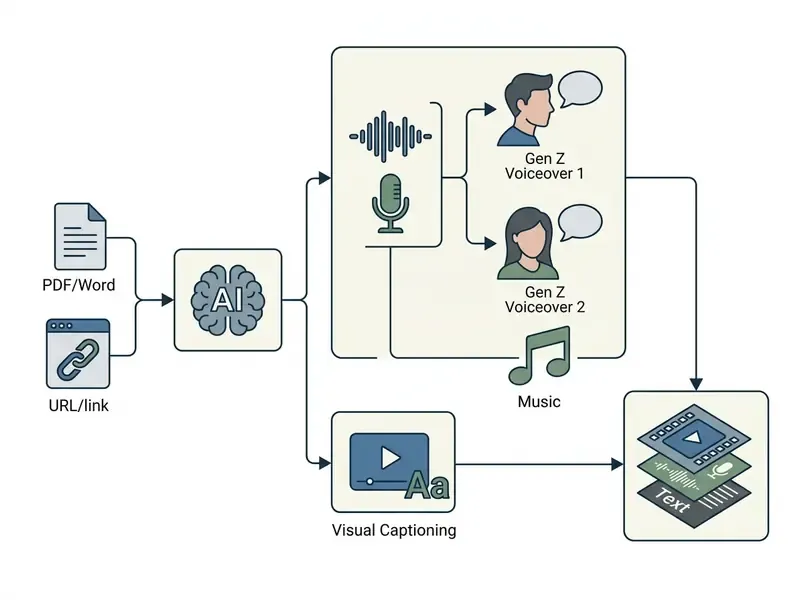
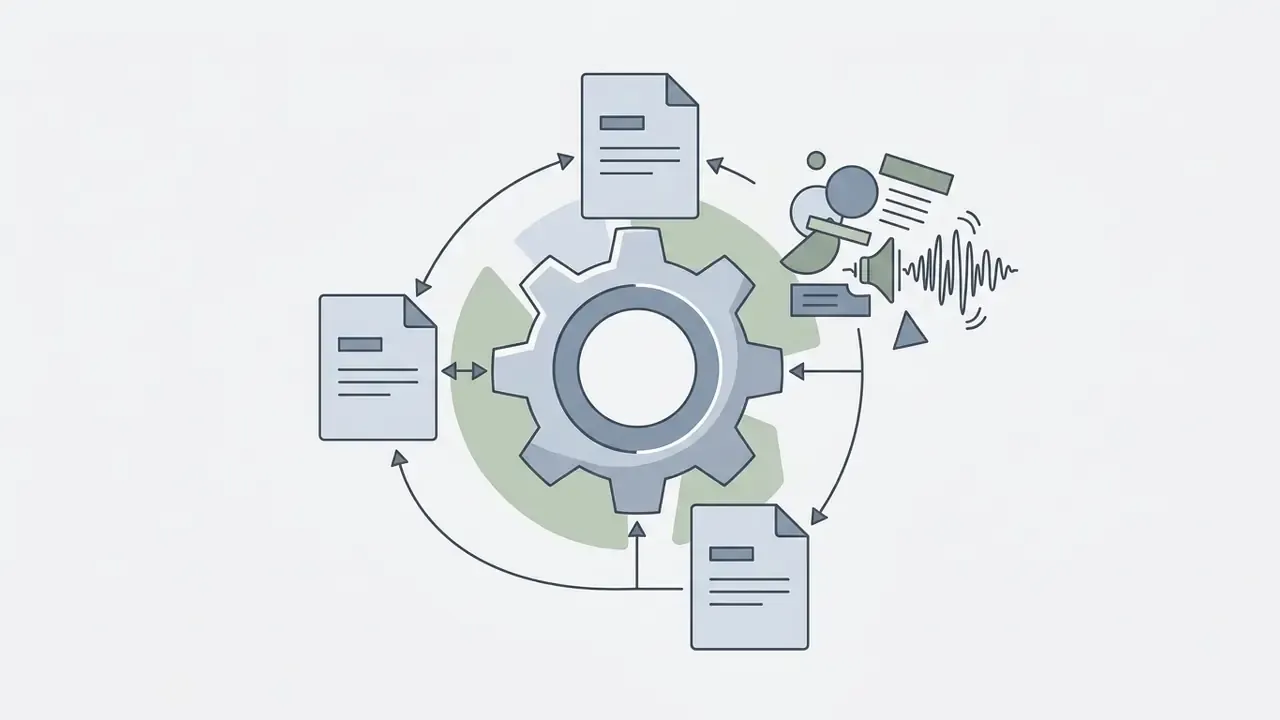
An AI brainrot video consists of six synchronized visual and auditory layers, generated or assembled during a single processing pass:
- Source text or prompt layer.The core narrative, study note, or script that drives the primary message.
- Synthetic voiceover (TTS).An AI-generated voice track reading the script with controlled cadence and pitch adjustment.
- Loud dynamic captions.High-contrast, word-by-word animated subtitles locked to the speech track to enforce reading focus.
- Visual background stream.Continuous loops: mobile gameplay footage, 3D animation, or generative AI visuals.
- Background audio track.Layered music, trending audio loops, or meme-core beds.
- Meme sound effects (SFX).Accent cues timed to script transitions and dramatic hooks.
According to technical specifications in synchronized media accessibility standards (Section 508 and W3C WAI Guidelines, 2024), dynamic caption tracks must align tightly with synthesized dialogue to keep cognitive coherence across multi-stream presentations. Professional subtitling references (Netflix Timed Text Style Guide; Microsoft Xbox Accessibility Guideline 104) further separate "subtitles" (speech only) from "captions" (speech plus meaningful sound effects in square brackets). For the brainrot format that means one practical thing: if the clip is used for training, label the meme SFX in text.
How Brainrot Videos Differ From Ordinary AI Videos
Brainrot videos differ from traditional AI explainers through high transition frequency, layered visual distraction, and TikTok-native pacing instead of linear single-presenter delivery. Standard generative video tools usually produce one horizontal or vertical frame around a calm virtual presenter or realistic stock footage.
«Students who watched the AI video scored an average of 16.9 out of 20, nearly identical to the human-video group at 17.1.»
In a controlled cognitive experiment on split-screen "sludge" content, the second visual stream turned out statistically neutral rather than helpful:
«The average effect of the additional video on comprehension was minus 3 percent, with a confidence interval including zero, a statistically insignificant result.»
The immediate-recall numbers deserve separate attribution. They come from a different study, run on dual-content video:
«Viewers of dual-content video recalled 75 to 85 percent of the information immediately after watching, against 55 to 65 percent in the text group.»
Practical takeaway: the second visual stream does not "improve the brain," but it does not wreck comprehension either, provided the audio-text hierarchy (voice plus captions) stays dominant. The extreme pacing of brainrot video clips prioritizes rapid pattern interrupts over static scene composition. Creators evaluating advanced visual synthesis engines often lean on benchmarking frameworks; consolidated reviews sit in the roundup of best AI video generators and in the AI Media Comparison Matrices.
Why Use Brain Rot AI Videos: Study Material and Viral Content
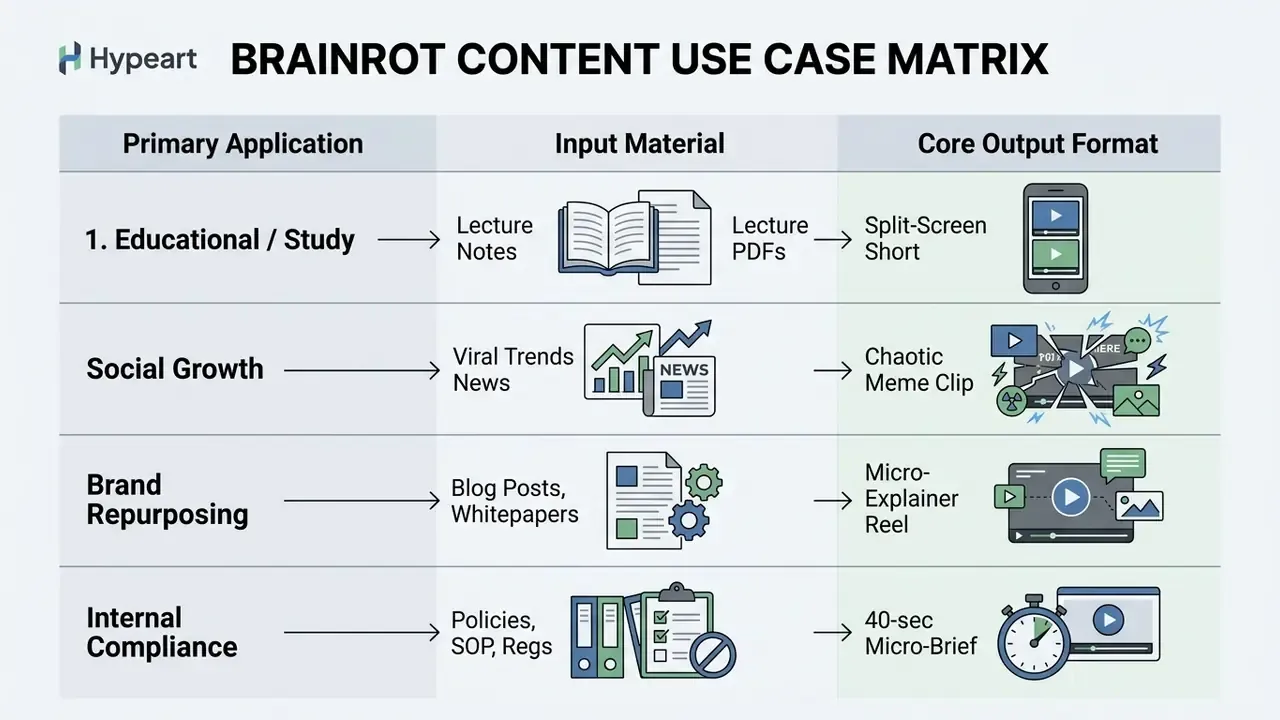
Organizations and individual creators deploy brain rot ai videos to fix short-form retention problems, repurpose text documents into digestible micro-learning units, and speed up organic distribution across the major video networks.
Brainrot Study Video for Notes and Course Text
The ai brainrot study generator pattern applies micro-learning principles to formal educational notes. Students and instructors convert dense textual summaries into 30-second vertical videos with narration and dynamic captions. A brain rot study video maker does the same job for exam revision decks.
In quasi-experimental academic evaluations the dual-content format produced immediate factual recall of 75 to 85 percent, against 55 to 65 percent for static reading (Cognizance Journal, 2025). A separate study on vertical TikTok video as supporting course media points the same way:
Do not oversell the effect, though. A 2025 systematic review (71 studies, 98,299 participants) links heavy short-video consumption with weaker attention and inhibitory control. So an ai study video maker brainrot workflow is best treated as a first-contact hook into the material, not a replacement for structured repetition.
Brainrot Videos for TikTok, YouTube Shorts, and Reels
Social algorithms reward early watch retention and completion rate. Tools in the AI video generator family, including any ai brainrot video generator free tier, let you test hook variants fast across all three networks:
- TikTok highly sensitive to two-second visual hooks and dynamic captions.
- YouTube Shorts benefits from clean 1080 x 1920 px vertical resolution and loopable audio design; discovery runs on recommendation, not search.
- Instagram Reels favors visual clarity and clear narration over engaging media streams; recommendation surfaces content up to three minutes.
Creators who mix hyper-realistic synthetic media with chaotic meme channels often compare technical benchmarks in the ai videos that look real directory. For publishing optimization on YouTube, see the guide to YouTube video editor workflows.
Minecraft and Gaming Backgrounds as Attention Anchors
Background gameplay, whether through a brain rot minecraft video maker module or Subway Surfers footage, works as a visual anchor that discourages the scroll. Experimental data shows the secondary game stream does not damage comprehension of the main message, yet it delivers no statistically significant attention gain either:
«Self-reported attention difficulty was 2.51 in the split-screen condition against 2.32 in the standard one, a statistically insignificant difference (p=0.20).»
Vendor pages claim far bolder numbers: average watch time up 40 to 80 percent, completion rate up 423 percent. Those are marketing metrics with undisclosed methodology. Do not build a budget case on them.
Corporate Micro-Learning and Compliance Briefs
The format transfers to internal communication. A 15-page policy becomes a series of 40-second clips, one requirement per clip. The condition is human-in-the-loop review: the generated script gets checked line by line against the source before render, because the LLM layer likes to paraphrase regulatory wording. The verification checklist sits in the Shadow AI section below.
One small observation from practice. Compliance teams usually accept the format faster when the clip ends with a link to the official document. It reads as a pointer, not as a substitute.
How an AI Brainrot Video Generator Works: From Text to Finished Clip
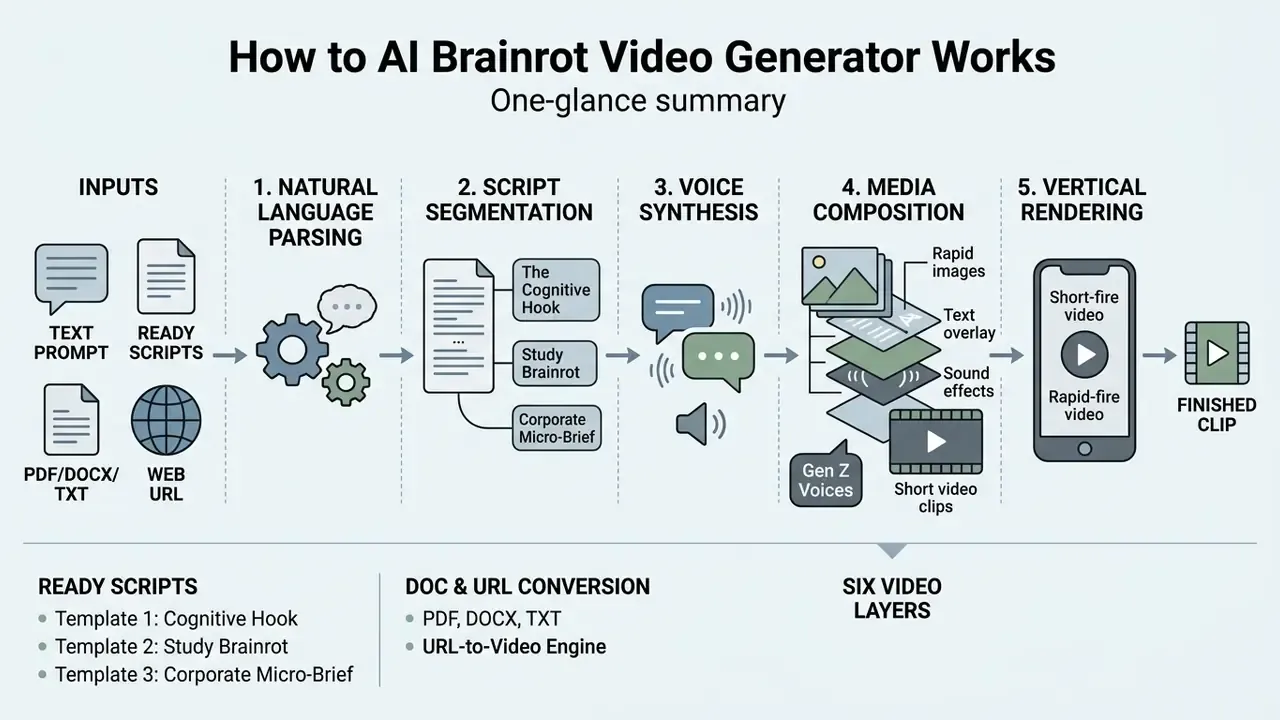
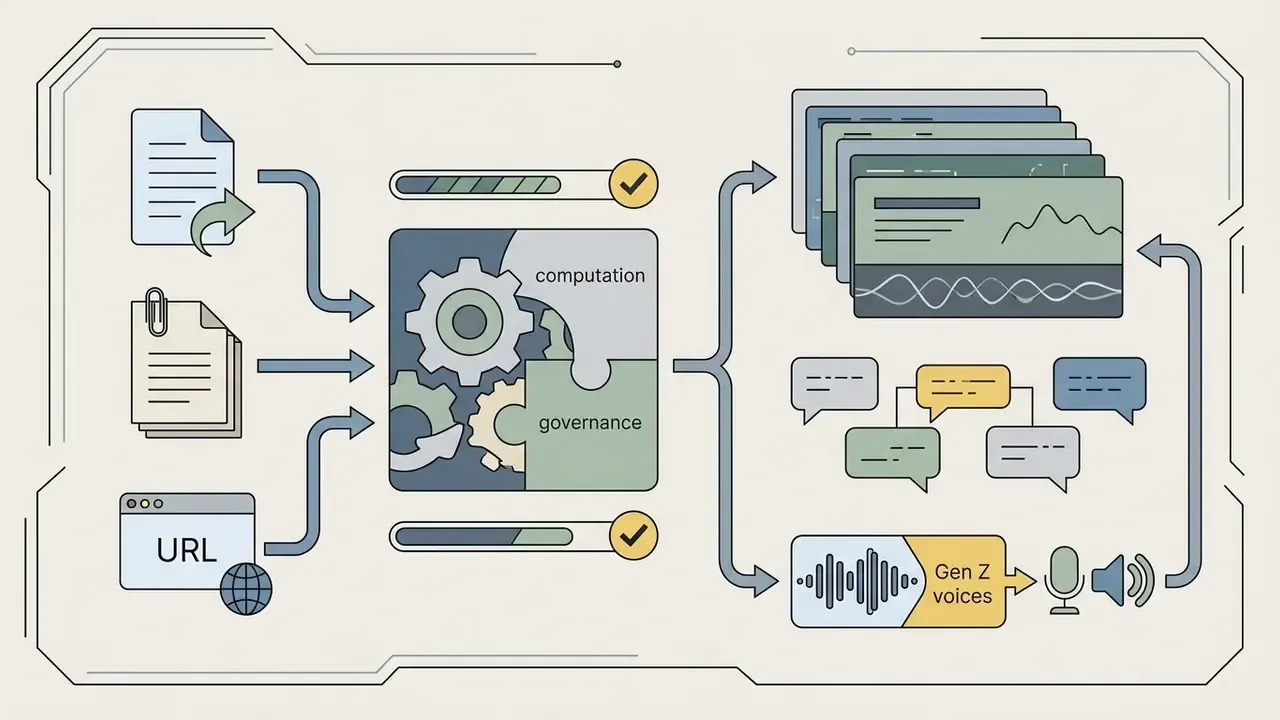
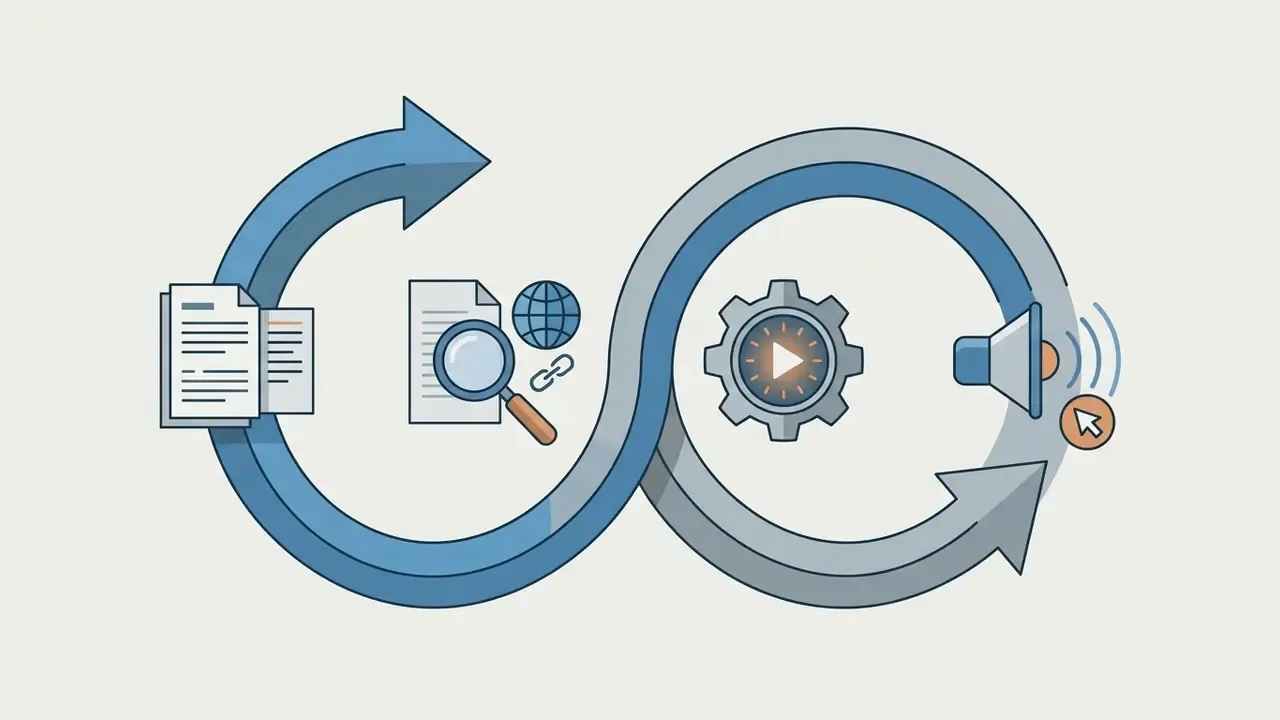
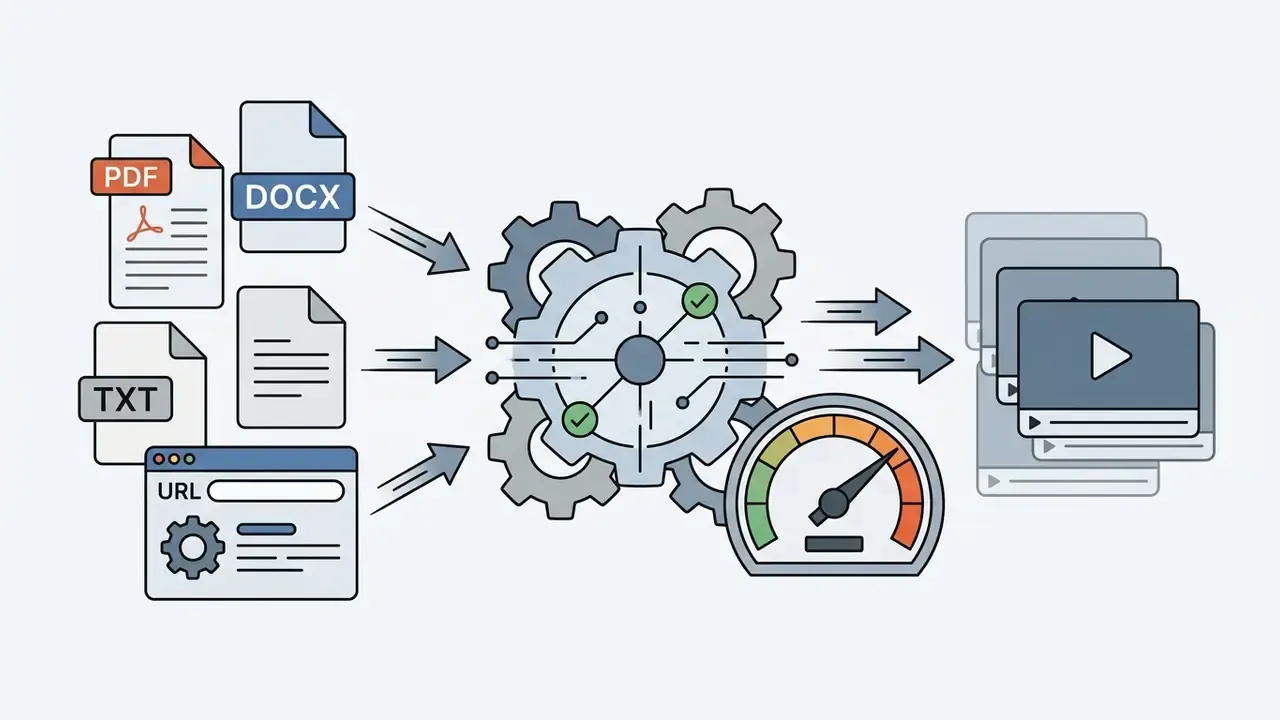
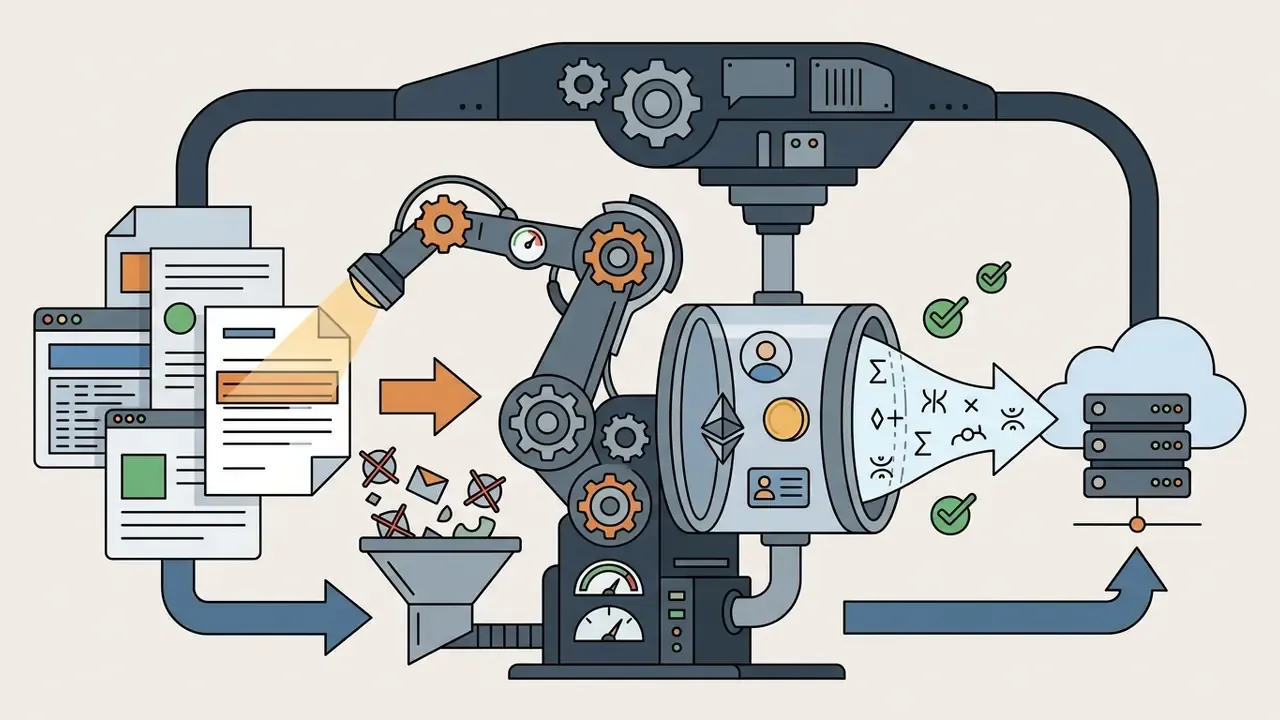
An ai brainrot video generator runs an automated five-stage pipeline: natural language parsing, script segmentation, voice synthesis, media composition, and vertical rendering. Commercial platforms complete the whole multi-layer pass in 46 to 180 seconds, with no manual timeline assembly.
Text, Prompt, and Script Generation
For broader media automation patterns, technical architectures are outlined in the AI Media API Guides.
Ready-Made Brainrot Script Templates
Direct Document Conversion: PDF, TXT, and Web URL to Brainrot
Manual typing is not the main time saver. Automated source parsing is.
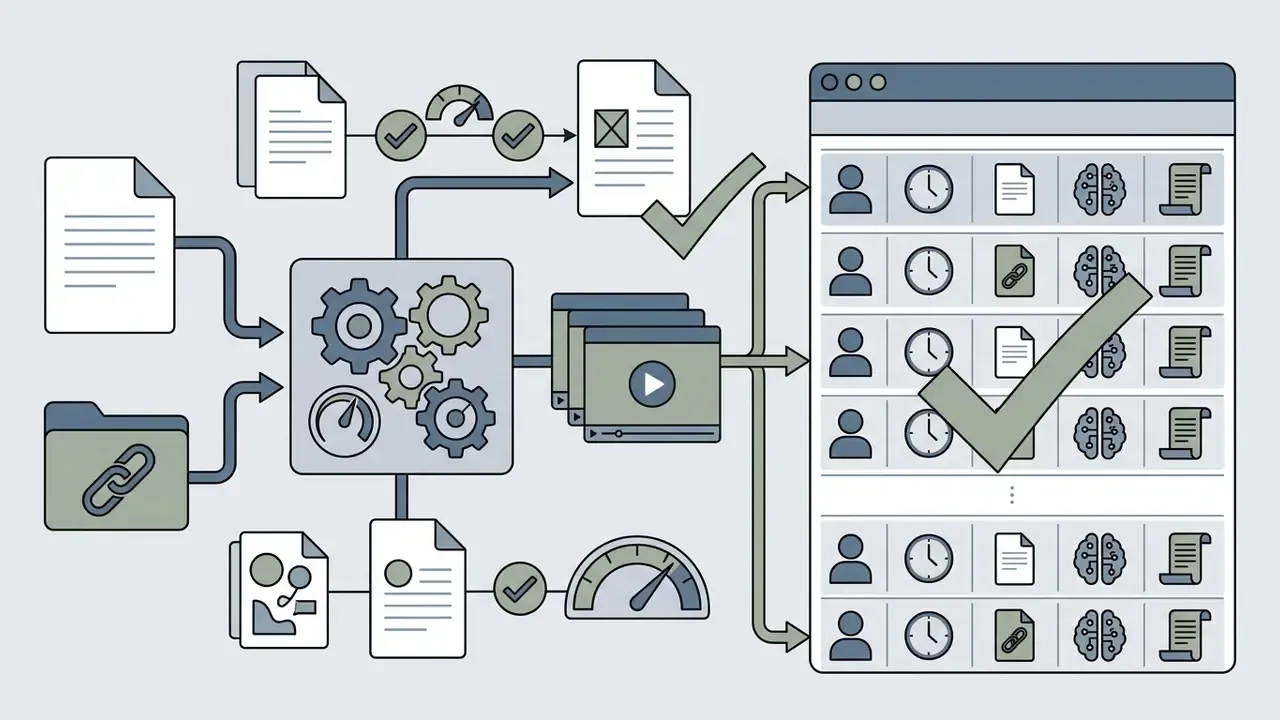
- PDF, DOCX, and TXT import.The system extracts text, strips formatting, drops headers and footers, and summarizes chapters into 40-second thesis blocks. Text-dense PDFs without complex layout or image tables give the cleanest result.
- URL-to-video engine.You paste a link to a news article, a Reddit thread, a blog post, or a landing page. The LLM module parses the page, isolates the central conflict or claim, and writes the voiceover.
- Media set upload.Some platforms, Canva-class AI editors among them, accept 3 to 10 clips and images at once and assemble a rough vertical cut.
The limitation vendor pages stay quiet about: PDF parsing means uploading a document into someone else's infrastructure. For internal policies, personal data, and client materials, see the Shadow AI and data confidentiality section.
Choosing Background, Visuals, and Character
Once the script structure is locked, the generator assigns visual beds to fill the vertical 9:16 frame. Users pick from pre-integrated gameplay libraries, such as a brain rot minecraft video maker module or looping Subway Surfers footage, or call generative visual models for custom surreal backdrops.
Google Vids and the Sora API (2026 documentation) show that AI asset management now lets creators import up to seven reference images, brand watermarks, or avatar assets to keep visual continuity across multi-scene generations. Safety policies constrain characters hard, though: the Sora API rejects images with human faces and copyrighted characters, and "Characters" are permitted only for non-human subjects.
Voiceover, Music, and Automatic Captions
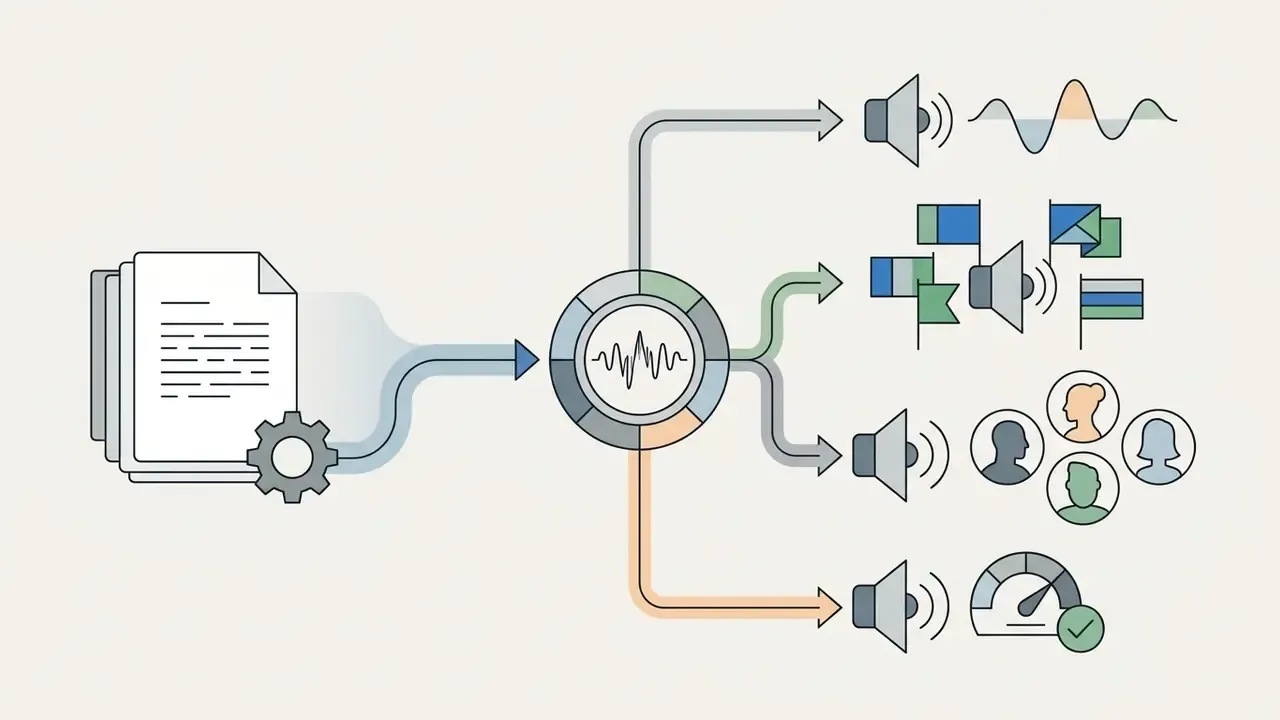
The audio engine synthesizes speech with neural text-to-speech models, surveyed in the AI voice generator reference, and produces word-level timestamp alignment. As Fraunhofer's SyncTS research (2025) demonstrated, dynamic time warping algorithms align transcripts to acoustic feature sequences, which yields frame-accurate dynamic captions.
«DTW algorithms deliver frame-accurate captions, which is critical for cognitive coherence in multi-stream playback.»
An alternative timing approach anchors on transcript points (patent publication EP3839953A1, 2021): instead of continuous signal alignment, the system sets reference marks and distributes time between them.
At the same time, background music and distorted effects are mixed under the primary voiceover. The platform balances loudness so the voice stays clear while high-frequency background cues keep running.
Standard viral audio beds. Genre recognition rests on a small set of royalty-free tracks that platforms keep in built-in libraries:
- "Monkeys Spinning Monkeys", the classic comedy bed for rapid-fire facts;
- "Fluffing a Duck", neutral absurdist backing for study cuts;
- "Wii Music Background", nostalgic bed under a calm voiceover;
- "Future Bass" and lo-fi loops, for storytelling and POV formats;
- "Travel" and similar instrumental loops, for neutral corporate briefs.
Accent SFX. Effects are placed automatically on cuts and on caption keywords: Vine boom, metal pipe drop, Roblox "oof", the "bruh" sound, whoosh transitions. AutoSFX research (2026) reports that automatically generated and mixed effects scored above 4.9 out of 5 on "professional sound" ratings. In other words, the SFX layer can genuinely be handed to an algorithm now.
Creators expanding voice asset workflows can review options in the ai voice generator resource library, and character presets in the ai voice generator characters index.
AI Brainrot Creator Capabilities: Styles, Backgrounds, Voice, and Media
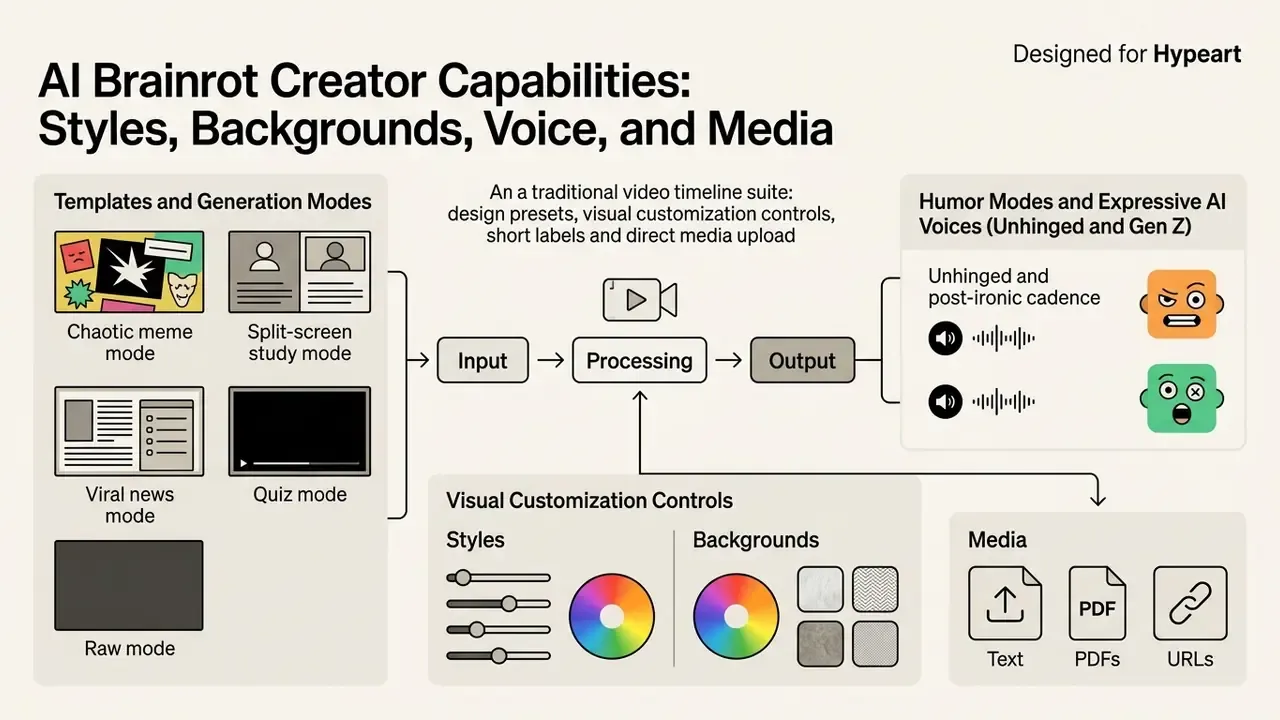
An ai brainrot creator ships design presets, visual customization controls, and direct media upload instead of a traditional timeline suite. Compared with classic video editing tools, the generator removes the timeline as an object entirely. That is the whole point: content teams can run high-volume short channels while holding a stable stylistic identity.
Templates and Generation Modes
Commercial brainrot platforms package generation modes that combine script structure, fonts, and background assets in one click:
- Chaotic meme mode high-contrast flashing captions, distorted SFX, fast-cut gaming backgrounds.
- Split-screen study mode upper-frame text or avatar delivery with relaxed gameplay below (Subway Surfers, Minecraft).
- Viral news mode bold headline overlays, dramatic TTS narration, rapid stock image transitions.
- Quiz mode the script becomes a series of questions with a pause and an answer, a format in separate demand in education niches.
- Raw mode minimal styling, just voice, captions, and a static background, for corporate briefs where meme aesthetics are unacceptable.
Humor Modes and Expressive AI Voices (Unhinged and Gen Z)
Beyond standard announcer tones, current generators support specific textual and sonic presets for surreal content. Organic reach in meme niches largely runs on these:
- Unhinged and post-ironic cadence. Deliberately halting, monotone, or hyper-dramatic voice models: robotic narrator, panicked speed-talking, a "breaking" AI voice, pointedly calm delivery of absurd text. Libraries of this kind hold 100-plus expressive voices with meme cadence and global accents.
- Script tone presets. Register control for absurdism, Gen Z irony, or post-irony; the LLM returns several versions of one script at different levels of textual instability.
- Weirdcore and meme-glitch visuals. Automatic overlays of visual noise, compression filters (that 360p aesthetic), trash stock, and abstract 3D models instead of standard gameplay. Large catalogs expose millions of weirdcore and meme clips synced to beat drops and captions.
- Loud caption presets. Heavy meme fonts with thick outlines, per-word highlighting, free positioning of the subtitle block.
For regulated industries these modes are contraindicated. Post-ironic delivery of a regulatory requirement creates reputational and compliance risk at the same time. Use Raw mode and a neutral voice.
Custom Images, Clips, and Media Assets
Advanced platforms accept user-uploaded media alongside stock libraries. Teams can push brand logos, custom meme graphics, product screenshots, or tailored character templates. When building multi-asset social channels, they often evaluate complementary design utilities such as the Canva AI Generator or the portrait engines detailed in the ai visual generator overview. For animated inserts instead of gameplay, the options in the animation maker review usually fit better.
Setting Brainrot Style Without Video Editing Skills
Styling algorithms apply color themes, stroke weights, font animation, and audio mastering automatically. Systems like Adobe AutoSFX (2026) synthesize transition cues matched to visual cuts, so non-technical operators can output broadcast-quality shorts immediately. Style presets (neon, glitchcore, sticker-bomb, pastel kawaii) act as a guided entry point: a coherent visual system without prompt engineering.
During a digital transformation campaign, an online publishing house set out to convert written archives into vertical clips. Deploying an ai brainrot maker with built-in voice selection and caption presets, non-editing staff turned 100 historical articles into a vertical series in three days, reaching an average watch completion rate of 64 percent without hiring external editors. Treat this as an illustrative composite scenario rather than an audited case study.
How to Create a Brainrot Video: Step-by-Step Setup
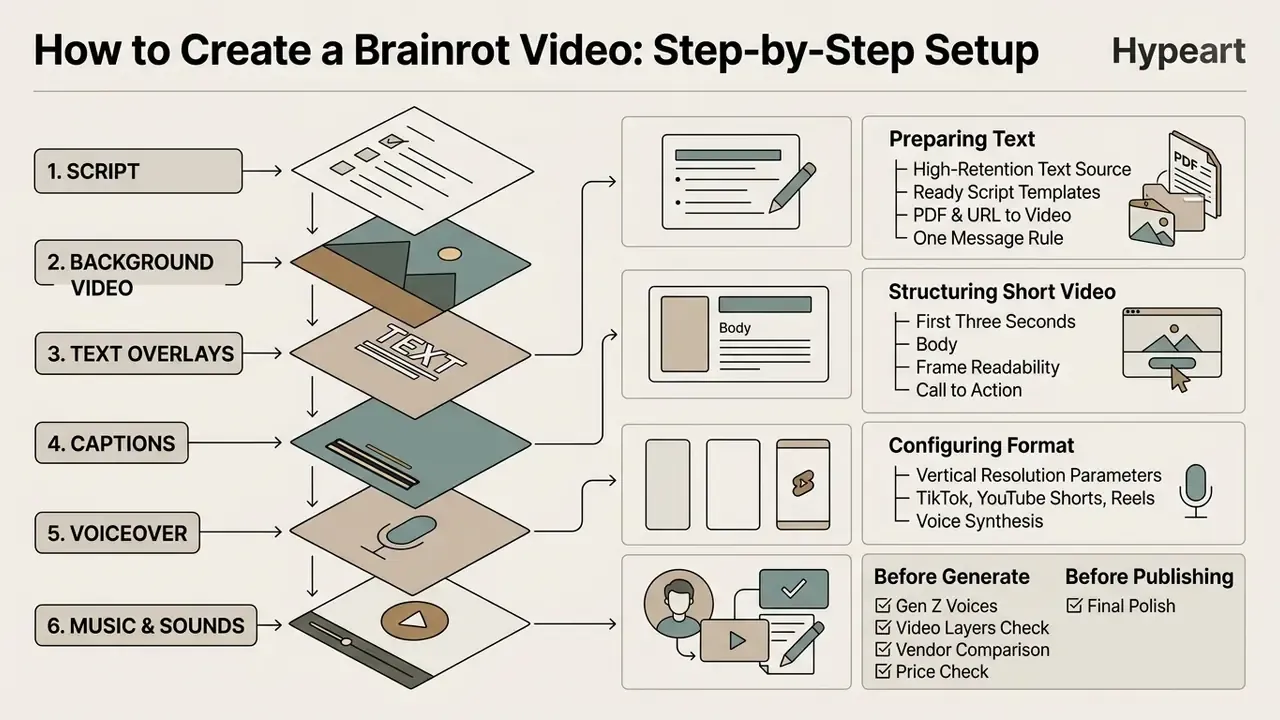
To create a polished brainrot video with an ai brainrot maker, pick a high-retention text source, set vertical resolution parameters, configure voice synthesis, and run a pre-export quality pass. Operating a brain rot video creator requires zero traditional editing experience. It does require discipline about the script.
Preparing Text for a Short Brainrot Video
Adapting raw text for a short brainrot video means isolating one core thesis and deleting the structural preamble. Speech pacing guidance from technical communications research (HSE, 2026) keeps narration scripts at 100 to 150 words per minute for auditory intelligibility.
«Limiting narration pace to 100 to 150 words per minute matches audio accessibility standards for preserving speech intelligibility.»

Configuring Format for TikTok, YouTube Shorts, and Reels
Vertical export alignment across the major short-form channels means respecting strict aspect ratio standards:
| Social Platform | Target Aspect Ratio | Recommended Resolution | Max Length Allowed | Optimal Duration |
|---|---|---|---|---|
| TikTok | 9:16 vertical (1:1 and 16:9 with bars) | 1080 x 1920 px (practical minimum 540 x 960) | up to 60 minutes on upload | 15 to 45 seconds |
| YouTube Shorts | 9:16 vertical (or 1:1) | 1080 x 1920 px | 3 minutes | 30 to 60 seconds |
| Instagram Reels | 1.91:1 through 9:16 | 1080 x 1920 px, 30 fps or higher, 720 px or wider | 15 minutes (up to 3 minutes for recommendation) | 15 to 30 seconds |
Standardizing export profiles to 1080 x 1920 px at 9:16 keeps rendering uniform across algorithms without letterboxing or quality loss. A selection of tools with the right export profiles sits in the review of free AI video generators. If the final file exceeds a platform upload limit, run it through a video compressor without breaking the vertical frame.
What to Check Before Generate and Before Publishing
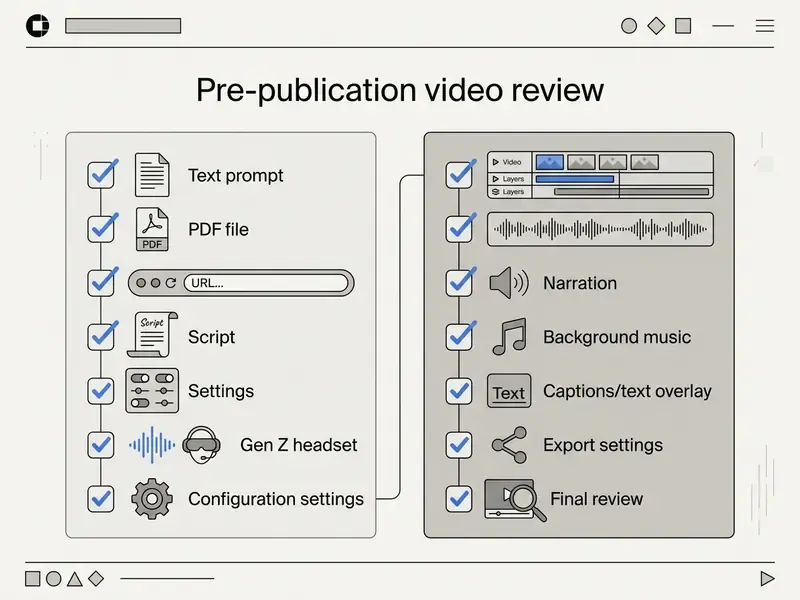
Before authorizing the final render, review the critical audio, text, and visual parameters. Delivery defects are cheap to prevent and expensive to explain.
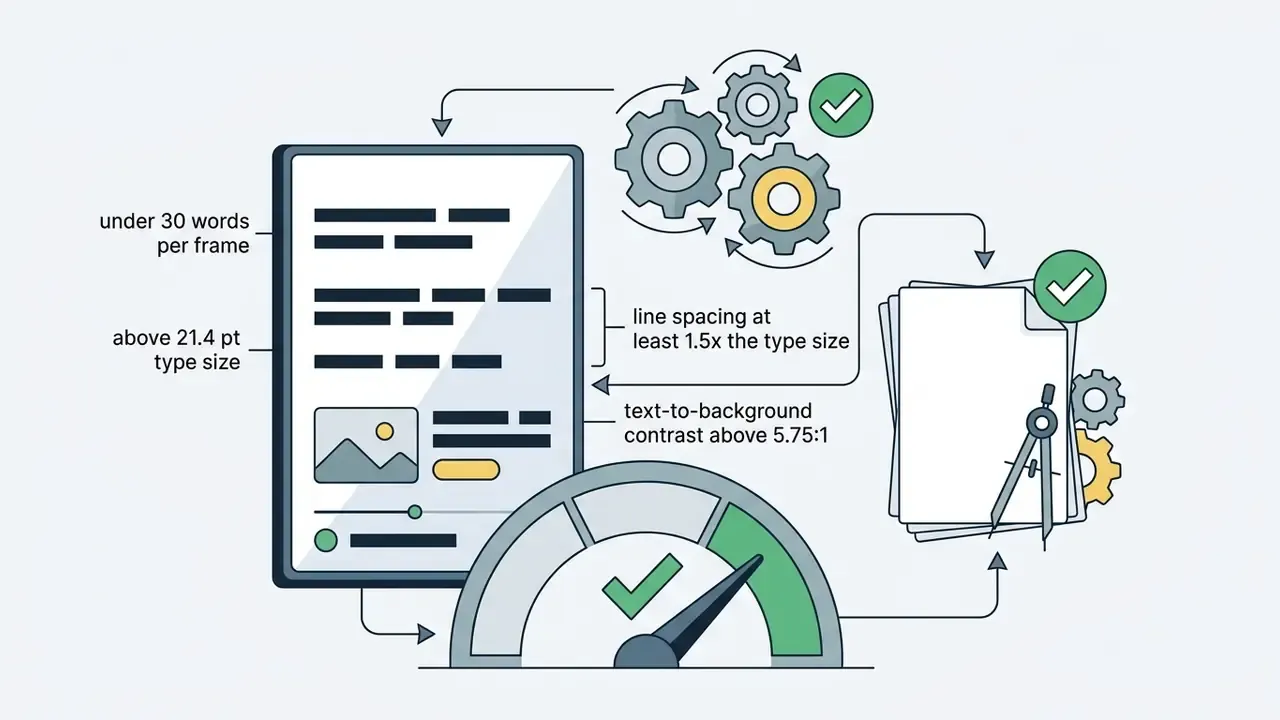
- Caption positioningon-screen text must not collide with platform UI overlays (TikTok right-side icons, Instagram lower captions) and must not sit flush against frame edges.
- Audio balanceverify background music peaks stay at least 12 dB below the narration track; check for clipping, clicks, and overload, the standard file-based QC items.
- Visual frame boundsconfirm gameplay streams or custom visuals hold crisp 1080p without stretch artifacts.
- Voice cadenceinspect automated pronunciation of industry terms and specialized jargon.
- Caption sync and completenesscaptions match speech, include meaningful non-speech sounds, and export to WebVTT, SRT, or TTML when required.
- Source fidelity (for work material)reconcile every claim in the script against the source document, because the LLM layer may have paraphrased a rule.
How to Choose an AI Brainrot Generator: Free Tiers, Features, Limits
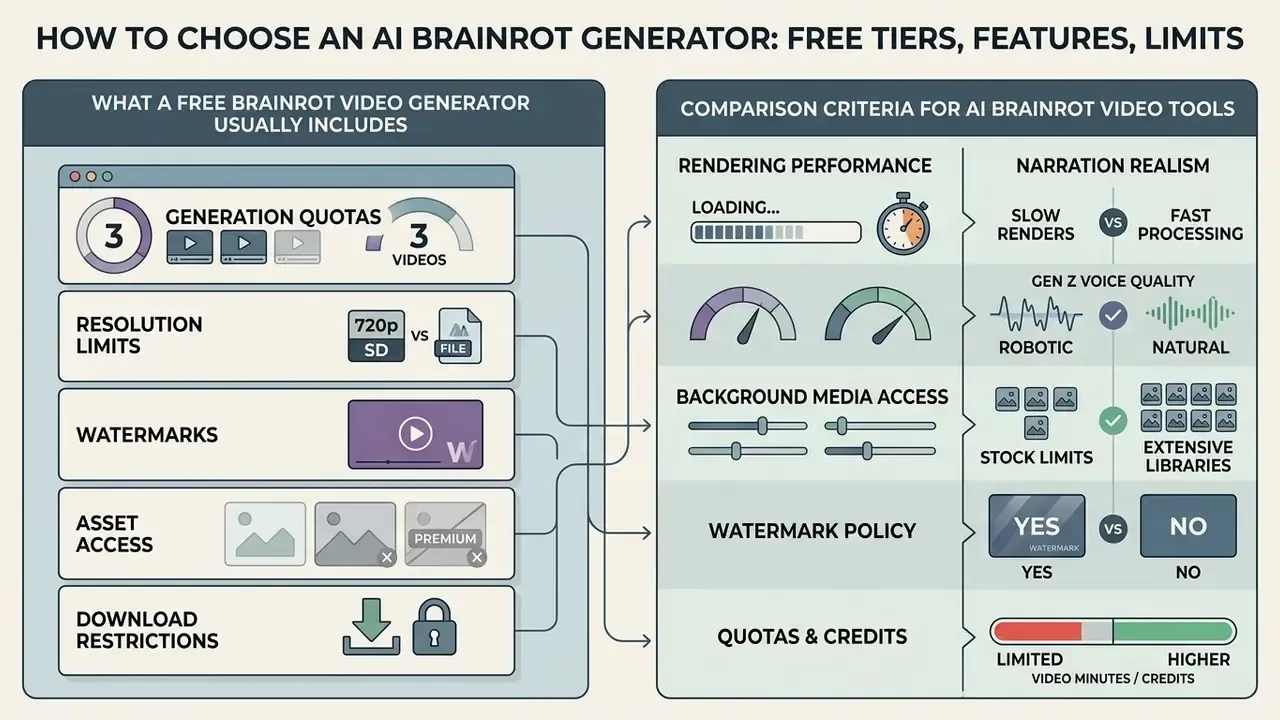
Selecting the right ai brainrot video generator free plan or paid tier means evaluating render speed, narration realism, background media access, watermark policy, and quota limits. For an enterprise buyer, add data handling terms to that list. They usually decide the outcome.
What a Free Brainrot Video Generator Usually Includes
Free tiers from generative video tools, compared in detail in the roundup of best free AI video generators, give entry-level functionality under operational restrictions:
- Generation quotas three to five video exports per month (Brainrot.mov, HeyGen free tier), or up to five daily credits on community platforms such as Viggle; some template services grant 50 one-time credits.
- Resolution limits exports capped at 480p or 720p.
- Watermarks mandatory platform branding over the vertical output.
- Asset access limited access to premium voices and stock gameplay libraries.
- Download restrictions a few free services let you preview the clip but not download the file.
Comparison Criteria for AI Brainrot Video Tools
To choose the optimal ai generator brainrot platform for ongoing production, compare capabilities across eight dimensions:
- Rendering performance: average generation speed between 30 and 180 seconds per minute of output (public pages cite roughly 46 seconds for 1080p).


Comparison Table: AI Brainrot Video Generators
The matrix below compares primary technical parameters across commercial and open generative platforms operating in 2026:
| Platform / Tool | Input Formats | Voice Synthesis Quality | Built-in Backgrounds | User Media Upload | Free Tier Allowance | Social Export Formats | Data Retention / Enterprise Controls |
|---|---|---|---|---|---|---|---|
| Brainrot.mov | Text, script prompts | Standard neural TTS (4 voices on free) | Gaming, meme loops | Restricted | 3 videos / month | 9:16 MP4 (TikTok, Shorts) | Personal non-commercial use per ToS; no enterprise controls stated |
| Viggle AI | Image, text, prompts | Custom audio / upload | Community presets | Full upload supported | 5 videos / day | 9:16 vertical export | Community platform; verify retention policy in ToS |
| CapCut AI Brainrot | Text scripts, prompts | Multi-voice AI library | Stock and gameplay clips | Full upload supported | Free with watermark options | Direct TikTok / Reels share | Consumer account; SSO and SLA not stated |
| Opus Clip / Workflow | Web URLs, scripts, text, blog URL | Advanced cloned voices | Multi-layer visual beds | Logos, images, video clips | Limited trial credits | Multi-platform 9:16 and 1:1 | Business tiers exist; processing terms sit in the corporate agreement |
| Google Veo 3.1 (API) | Text, image prompts (1,024 token cap) | Synchronized audio | Generative AI visuals | API image reference | Pay-per-token / developer tier | High-res custom render | Cloud environment with enterprise data processing terms |
| Brainrot-Studio (self-hosted) | Text, script | Depends on the connected TTS API | Custom loops | Full control | Free (self-hosted) | 9:16 MP4 | Data never leaves your infrastructure; requires FFmpeg and an external TTS |
Note: feature sets and credit allowances reflect vendor documentation as of early 2026. Enterprise parameters (SOC 2, SSO, no-training clause) must be confirmed in the vendor's current DPA.
Brand-Level Benchmark of Popular Brainrot Services
A second view of the market, by product rather than by category:
| Platform | Headline Feature | Credits / Price | PDF or URL Support | Best Fit |
|---|---|---|---|---|
| StoryShort | Italian voice mode, voice cloning, Subway Surfers and Minecraft parkour backgrounds, consistent characters | around 10 credits per video, trial credits | Yes (PDF) | Serial faceless channels |
| Revid AI | Viral trend search, URL-to-video, split-screen gameplay, 42-plus adjacent tools | Free start without a card | Yes (PDF and URL) | Creators working from trends |
| AI StudyFree | Brainrot, quiz, and raw modes, 200 to 2,000 character input, built-in meme track library | Free (download limited) | Yes (TXT, PDF planned) | Students and instructors |
| Imagine Shorts | Unhinged scripts, 100-plus absurd voices, 3M-plus weirdcore stock, 8 background tracks | Paid plans | No (own clip upload unavailable) | Meme pages and Gen Z niches |
| CapCut AI Brainrot | AI clip brief, style, narrator, and ratio controls, watermark-free export | Free plus paid features | Partial (prompt and assets) | Solo creators finishing in an editor |
Data drawn from public vendor pages in early 2026 and subject to re-verification before purchase.
Pricing, Commercial Use, and Rights to AI Brainrot Videos
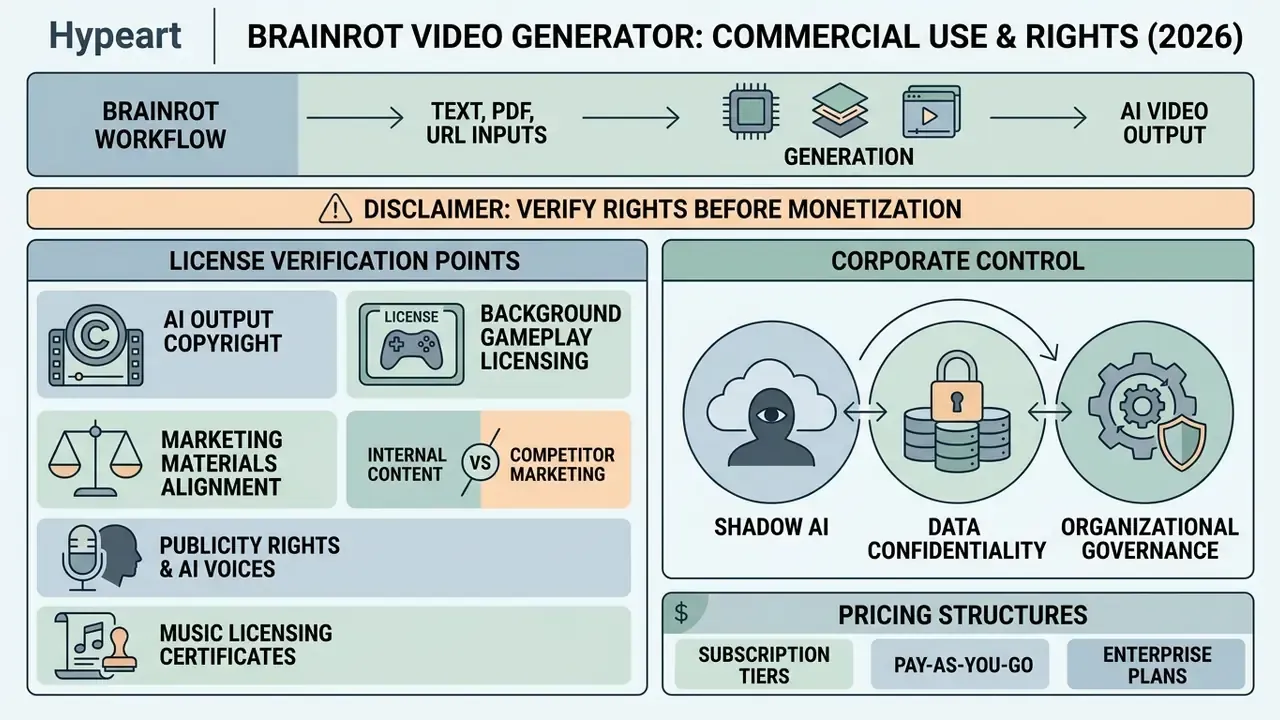
Running an ai video generator brainrot workflow for commercial monetization, brand marketing, or agency client deliverables requires verifying intellectual property rights for every asset layer inside the rendered file. Every layer. Not just the voice.
License Points to Verify Before Commercial Publication
Before putting generated clips into ad campaigns or monetized channels, audit platform agreements against four legal considerations:
- Copyright in AI outputs. Per U.S. Copyright Office guidance (2024 to 2026), purely AI-generated video and image streams that lack human creative authorship cannot claim copyright protection.
A related nuance: some platforms "assign" ownership of generated content to the user in their ToS, but a contract clause cannot create copyright where the law recognizes none.
- Background gameplay licensing. Sourcing gameplay streams such as Minecraft or Subway Surfers for monetized channels means checking publisher guidelines. Publishers like SCS Software explicitly grant video sharing and monetization rights; unverified commercial use of third-party game IP does not carry that comfort.
- Right of publicity and AI voices.Commercial exploitation of identifiable human voices or likenesses without explicit written consent is restricted under digital replica and publicity laws (U.S. Congressional Research Service, 2024). Characters built on a real person's identity count as commercial use of that persona.
- Music licensing certificates.Confirm that audio beds carry valid commercial licenses rather than personal-use grants. Some services issue license certificates for music and SFX only, not for the generated video, which matters on client deliverables.
To model projected software spend across commercial subscriptions, content teams use the specialized AI Media Calculators to estimate monthly output cost.
Shadow AI, Data Confidentiality, and Corporate Control
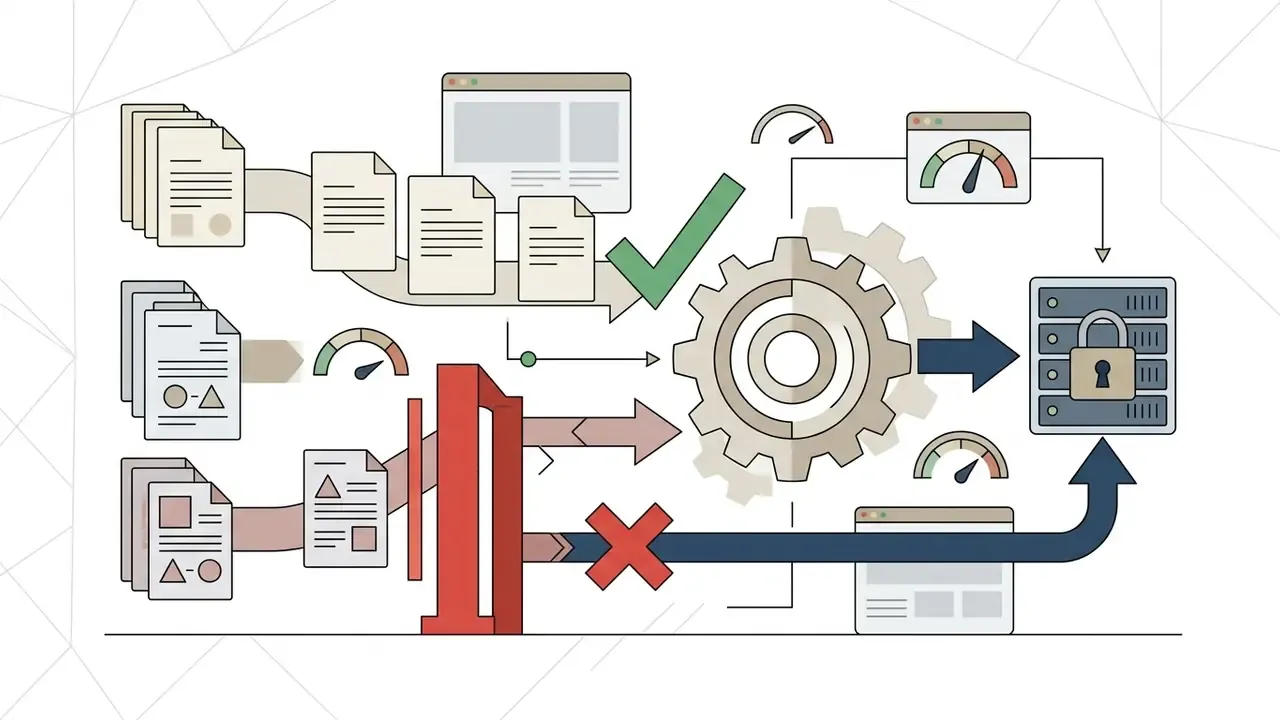
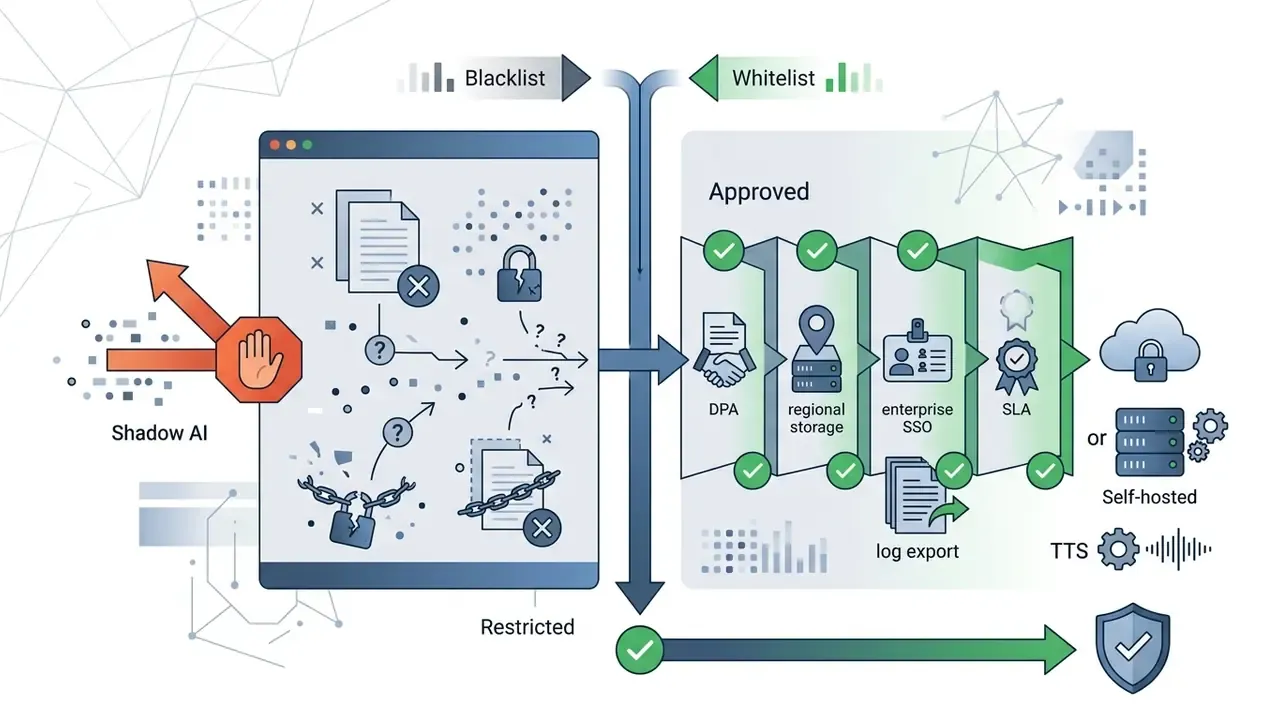
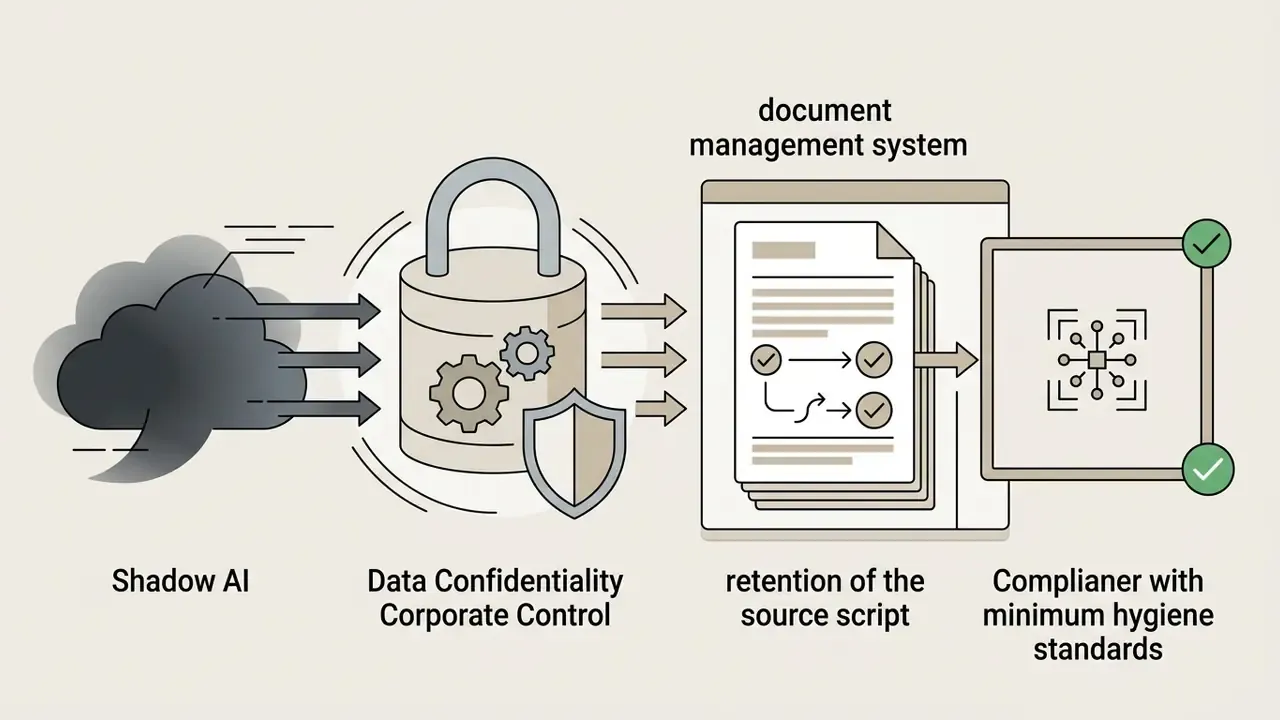
The most underrated risk in brainrot generators is not copyright. It is the leakage channel. "Upload a PDF, get a video" means an internal policy, a draft report, or a client document travels into public SaaS through the prompt layer.
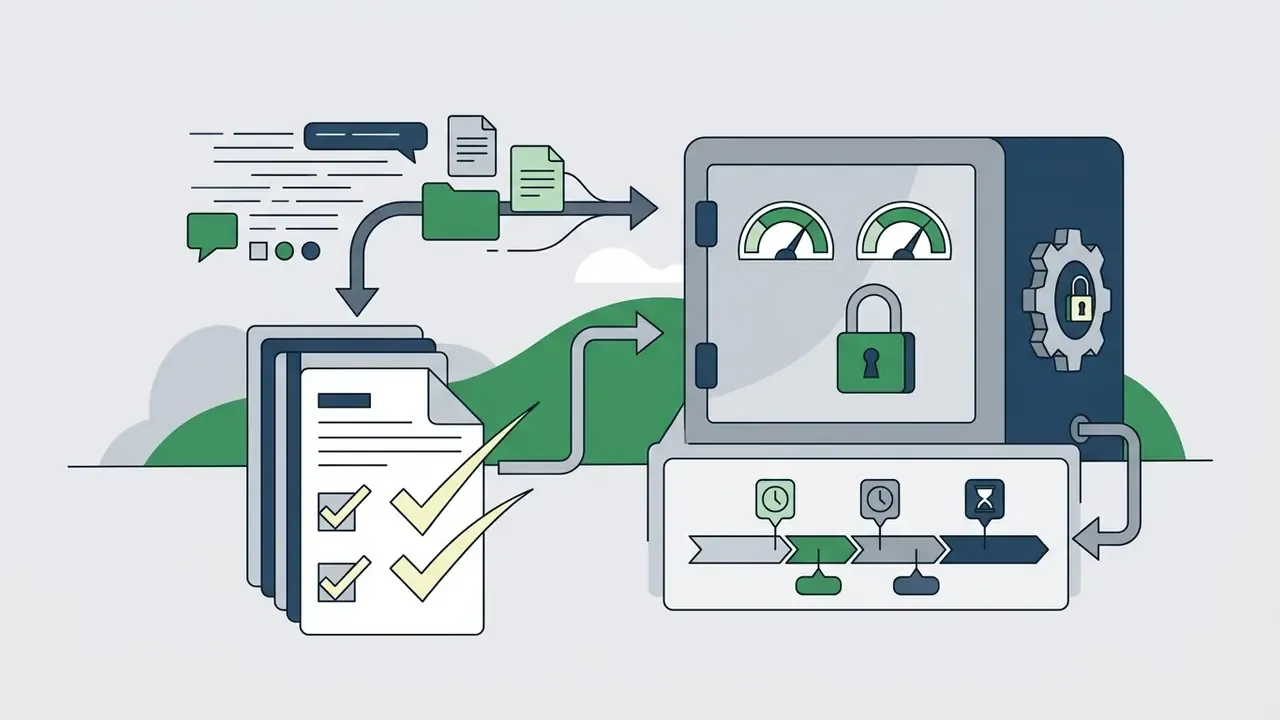
Controls worth fixing in policy:
Is this heavy for a 35-second clip? Slightly, yes. But the same seven controls scale to every other generative workflow in the institution, which is exactly why they are worth writing once.

Pricing Tiers and Usage Rights
The table below outlines licensing privileges across common AI video generation tiers:
| Plan Tier | Typical Cost Range | Export Quality | Watermark Status | Commercial Use Rights | Media and Audio Usage Scope |
|---|---|---|---|---|---|
| Free tier | $0 / month | 480p to 720p | Watermark included | Non-commercial, personal use only | Restricted stock audio access |
| Creator / Basic | $9 to $15 / month | 1080p HD | Watermark-free | Standard monetization allowed | Standard royalty-free music library |
| Pro / Agency | $30 to $90 / month | 1080p to 4K | Watermark-free | Full commercial use and client resale | Commercial audio license certificates |
| Enterprise / API | By agreement | Up to 4K, custom render | Watermark-free | Full commercial rights plus DPA | Corporate licenses, SSO, audit logs |
For detailed plan structures across tools, see the official service details in the pricing directory. Teams tracking corporate technology moves can also review broader video infrastructure in the Google Veo AI Video Generator Guide.
Fact Check and Verification of Rights
Commercial usage policies, music licensing agreements, voice synthesis permissions, and video asset usage rights vary by vendor and change often. Review the latest Terms of Service and License Agreements directly on the official platform sites before publishing monetized or commercial assets. Legal precedents on AI media usage rights are documented in the AI Litigation and Case Timelines database. Setup and access issues are covered in AI Media Support and Troubleshooting.
FAQ: Common Questions About Brainrot Video Generators
Can I make brainrot videos completely free?
Yes. Many platforms offer free tiers with daily or monthly allowances, such as five videos per day or three exports per month. Free exports usually carry a platform watermark and cap resolution at 720p, and some services do not allow a file download at all on the free plan. Alternatives with looser export limits sit in the roundup of free video editing software.
Is it safe to use Minecraft or Subway Surfers gameplay as a background?
For non-commercial social posts, background gameplay is widely tolerated under publisher video-sharing policies. For monetized corporate advertising, secure explicit media permission or switch to royalty-free AI-generated visual streams. There is no automatic fair use for commercially monetizing someone else's gameplay.
What is the ideal length for a viral brainrot video?
For retention algorithms on TikTok, YouTube Shorts, and Instagram Reels, the sweet spot is 15 to 35 seconds, driven by a sharp hook in the first three seconds. Vendor data more often calls 45 seconds the golden middle for storytelling.
«A systematic review of TikTok in higher education confirms that short vertical videos increase motivation and academic performance across several disciplines.» - Interactive Learning Environments (2025), systematic review of TikTok use in higher education.
Can I build a brainrot video straight from a PDF or a link?
Yes. Three inputs are supported: PDF, DOCX, or TXT upload with automatic text extraction; a pasted URL of an article or Reddit thread, which the LLM parses into a voiceover; and an upload of your own clips and images. PDF parsing performs best on text-dense documents without complex layout.
How do I get unhinged, Gen Z delivery instead of a corporate tone?
Use script tone presets (absurdism, post-irony), expressive voice models (robotic, hyper-dramatic, "breaking" AI voice), and weirdcore visuals with compression filters instead of standard gameplay. Generate several script variants and keep the sharpest hook.
Are there ready script templates?
Yes, three working structures appear above: the cognitive pattern interrupt (Door-in-the-Face), the contrast study note, and the corporate micro-brief, each broken into 0 to 3, 3 to 20, and 20 to 35 second blocks.
Can a bank or another regulated firm use these generators?
Technically yes, organizationally only through a whitelisted vendor with a DPA, a no-training commitment, an audit log, and mandatory human-in-the-loop reconciliation of the script against the source. Uploading confidential documents into a public free generator falls under Shadow AI and should be blocked by policy.
Who owns the rights to the finished clip?
Purely AI-generated output without human creative contribution is not protected by copyright (U.S. Copyright Office). Usage rights follow the platform license: free tiers are usually limited to personal non-commercial use, while commercial rights appear on paid plans.
Appendix A: Source Correction Log (Updated)
For E-E-A-T transparency, here are the attribution corrections made during this update:
- Previously
- "researchers at Cognitive Research: Principles and Implications (2026) observed that viewers watching split-screen sludge formats demonstrated immediate recall rates of 75 to 85 percent". Updated: the 75 to 85 percent figures belong to a quasi-experimental study of dual-content video (Cognizance Journal, 2025). The 2026 sludge experiments returned a neutral result: a minus 3 percent effect on comprehension with a confidence interval including zero, and no significant difference in attention difficulty (2.51 versus 2.32; p=0.20).
- Previously
- "experimental findings published in Frontiers in Psychology (2026)" in the gameplay background section. Updated: split-screen data on Minecraft and Subway Surfers is cited from Cognitive Research: Principles and Implications (2026).
- Previously
- "in controlled academic evaluations (UC Merced, 2026; Cognizance Journal, 2025)". Updated: immediate recall figures are attributed to Cognizance Journal (2025); the UC Merced material is treated as a separate study of split-screen formats and is not used as a source of recall values.
- General caveat
- engagement figures from vendor pages (watch time up 40 to 80 percent, completion rate up 423 percent) are industry marketing claims with undisclosed methodology and are not academic data.
Hub and Glossary Navigation
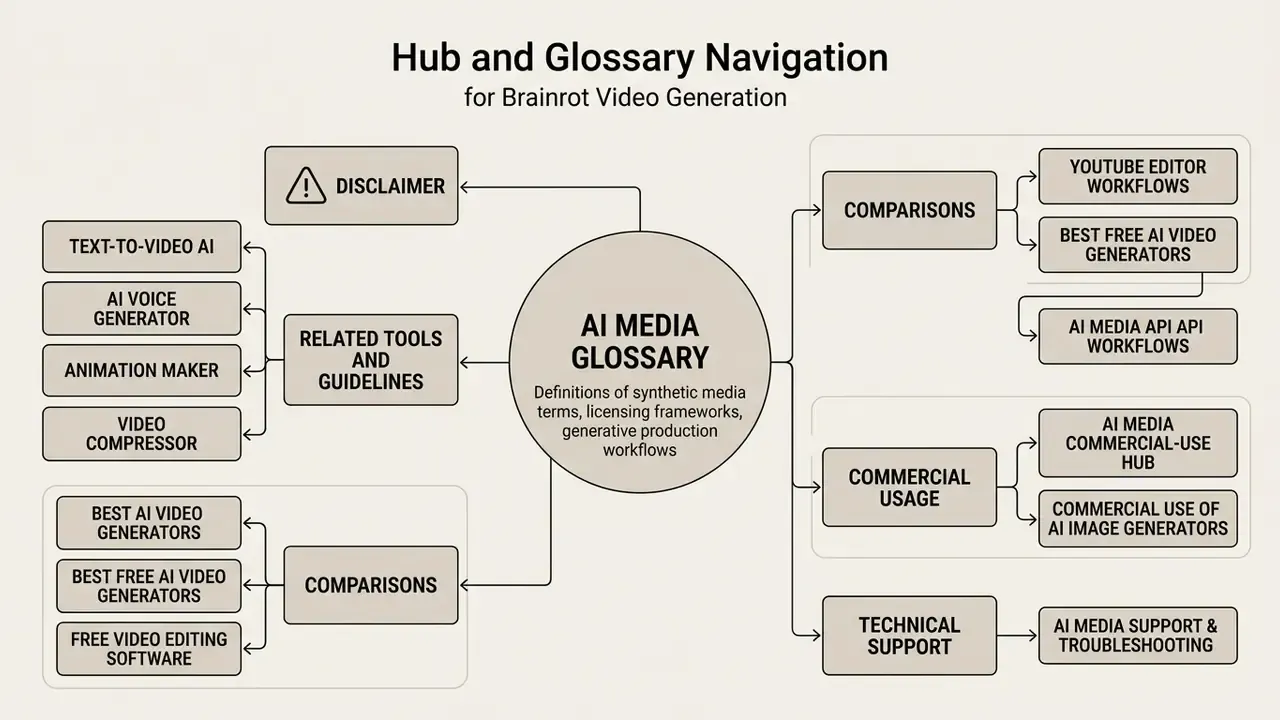
For definitions of synthetic media terms, licensing frameworks, and generative production workflows, start with the central AI Media Glossary.
Related tools and guidelines:
- Production tools: text-to-video AI, AI voice generator, animation maker, video compressor.
- Workflows: YouTube video editor workflows, AI Media API Guides.
- Comparisons: best AI video generators, best free AI video generators, free video editing software.
- Commercial usage: AI Media Commercial-Use Hub, commercial use of AI image generators.
- Technical support: AI Media Support and Troubleshooting.