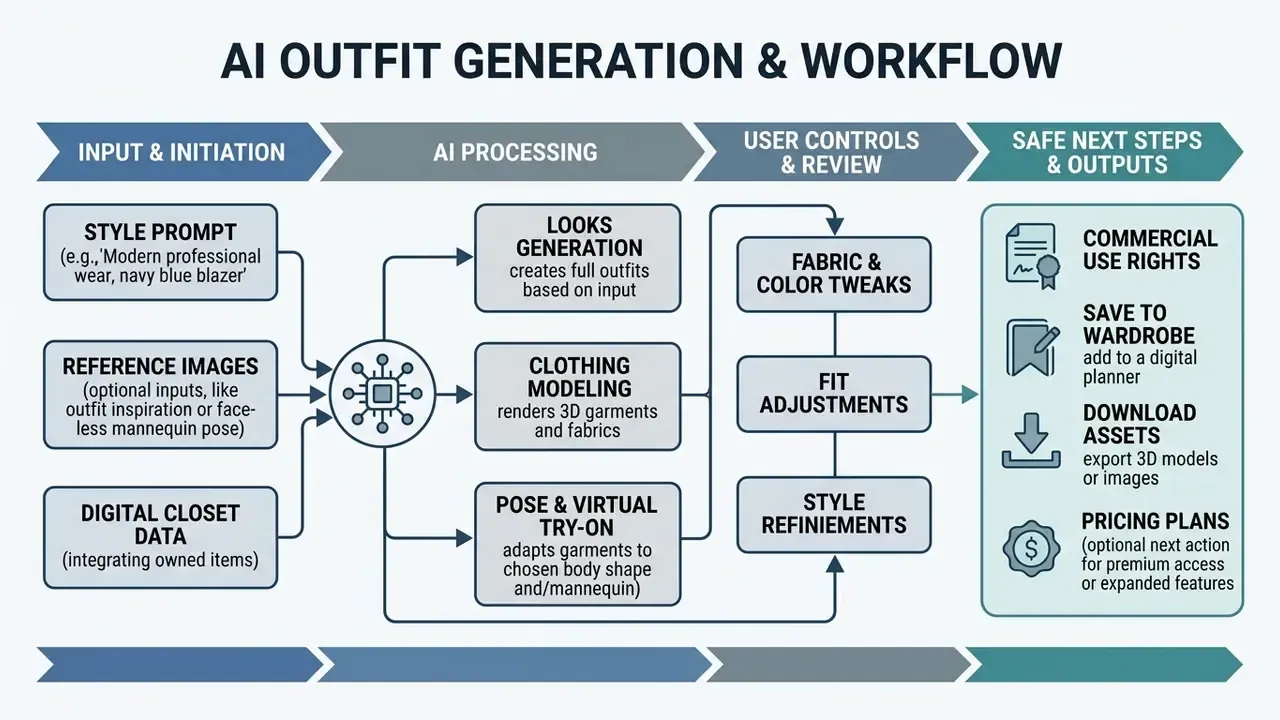
An ai outfit generator uses machine learning, latent diffusion models, and computer vision to synthesize visual outfits, provide virtual try-on previews, and organize digital wardrobes. Modern generative platforms let users produce custom clothing styles from text prompts, test virtual garments on personal photos, and curate outfit combinations from items they already own.
Decision summary: what to settle before you buy
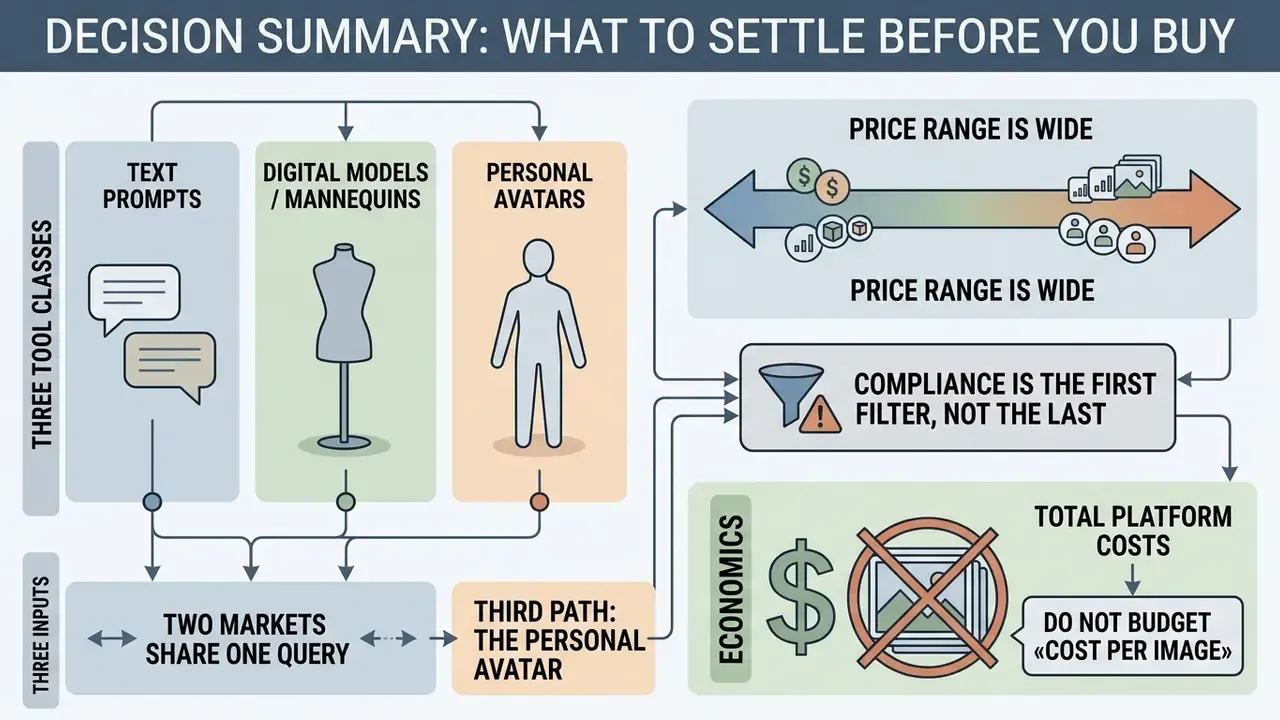
- Three tool classes, three inputs. Prompt-to-image generation, virtual try-on (VTON), and digital wardrobe apps solve different jobs. They need different inputs: a text prompt, a pair of «person photo plus garment photo», or a catalogue of your own clothes.
- Two markets share one query. The phrase «ai outfit generator» serves a B2B segment (commercial model imagery for e-commerce) and a B2C segment (personal wardrobe management and daily styling) at the same time.
- A third generation path: the personal avatar. Fine-tuning on 10–20 photos (LoRA or Dreambooth) locks facial identity across every generated look, which single-shot VTON cannot do.
- Price range is wide. From free apps (Whering) and a one-time purchase ($4.99, Stylebook) to commercial platforms from $24/mo (WearView) and credit models ($5 per 10 credits, ImagineMe).
- Compliance is the first filter, not the last. Purely AI-generated images without human creative contribution are not protected by copyright in the US. Facial biometrics and photo retention need a separate look at vendor policy.
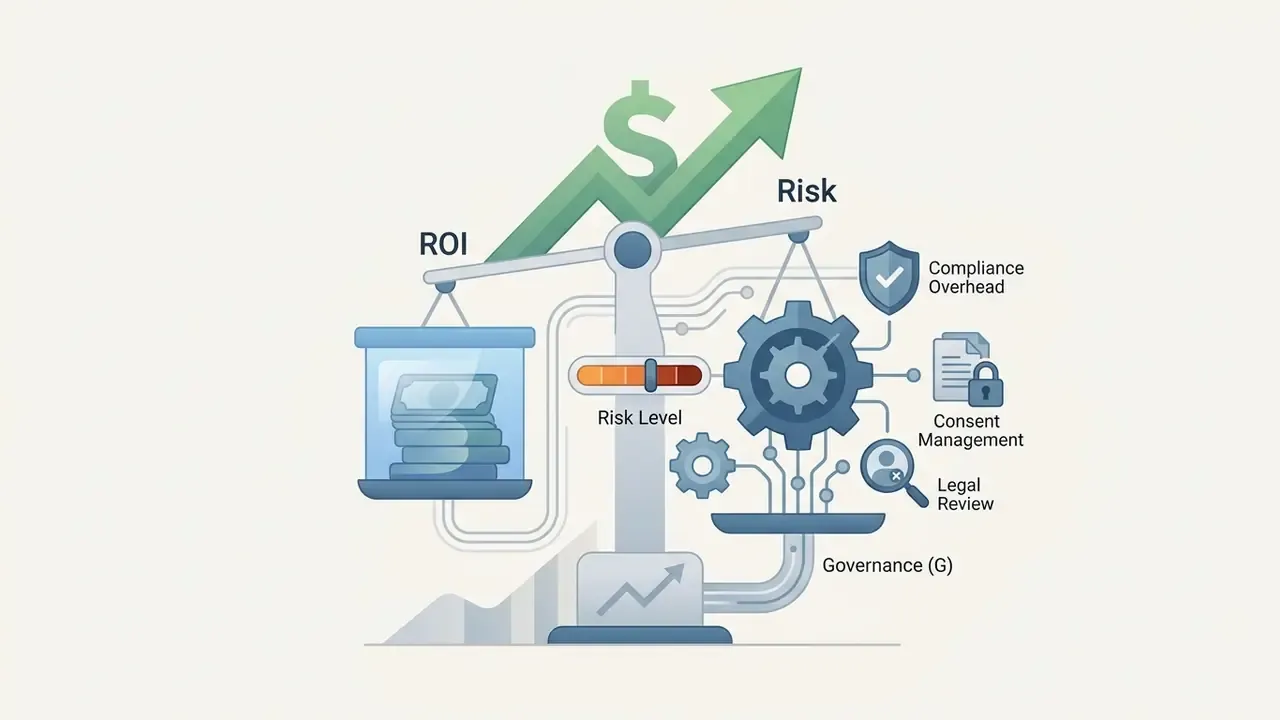
- Economics. Do not budget «cost per image». Budget risk-adjusted ROI: licences, tokens, validation, and compliance controls against saved shoot days and fewer returns.
What an AI Outfit Generator is and which jobs it does
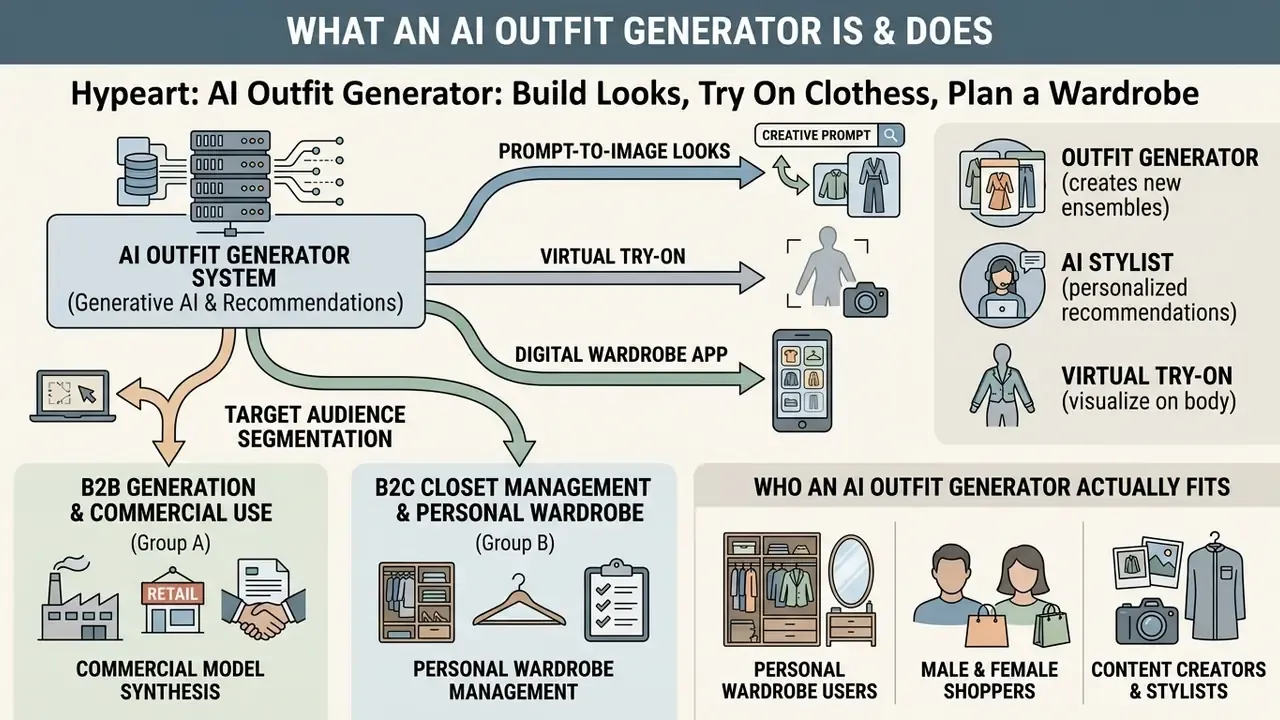
An ai outfit generator is an automated software system that creates, recommends, or visualizes clothing ensembles using generative artificial intelligence and recommendation algorithms. These tools address core challenges in personal styling, e-commerce visualization, and fashion design by replacing manual outfit coordination with algorithmic style matching and image synthesis.
Research in computational fashion distinguishes three primary functional pipelines: prompt-driven image generation, recommendation-based styling, and conditional image-to-image virtual try-on.
«Modern outfit generation systems combine recommendation, virtual try-on, and image synthesis into a single user-centred pipeline.»
Traditional search engines return static web photos. An outfit generator ai does something else: it dynamically constructs personalized outfit ideas, fits virtual garments onto target body shapes, and evaluates colour harmony across individual closet items.
For individuals, these systems shorten the daily wardrobe decision and give visual confirmation before a purchase. For commercial enterprises, fashion creators, and online retailers, an ai fashion outfit generator reduces photoshoot costs, improves product page conversion, and lowers merchandise return rates driven by sizing uncertainty.
Target audience segmentation: B2B generation vs B2C closet management
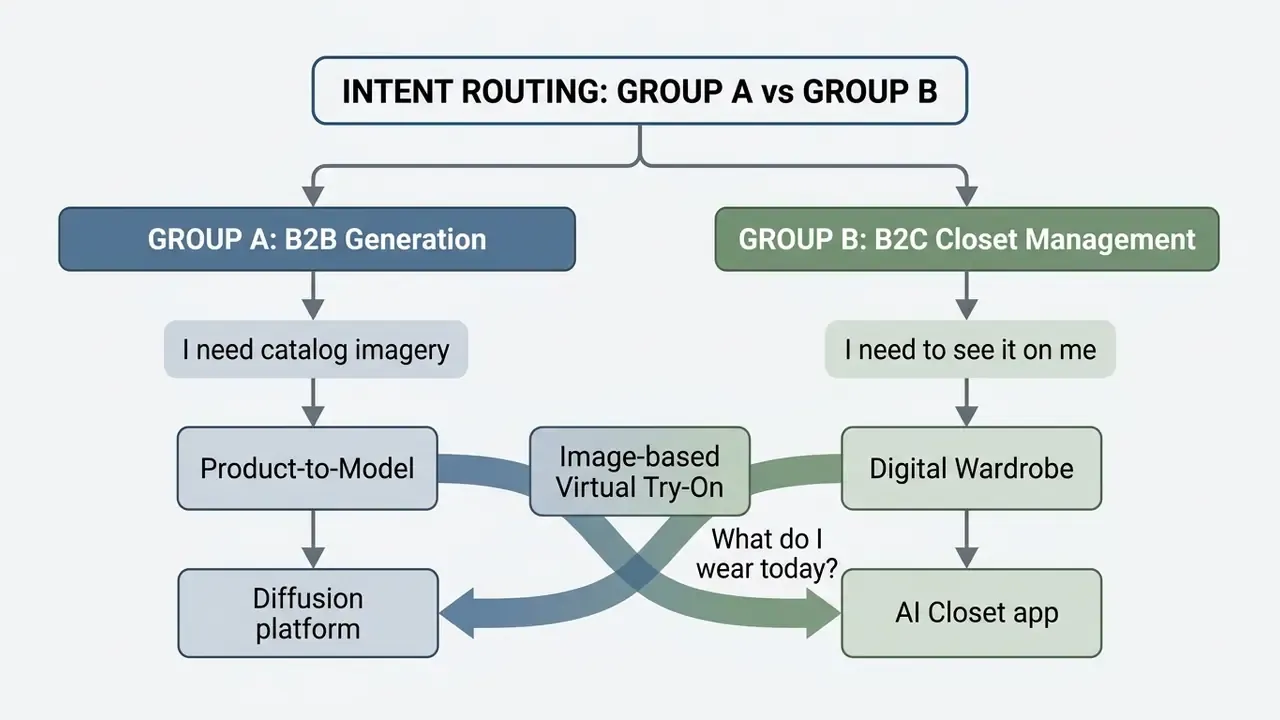
Search intent for "ai outfit generator" splits into two operational domains. Choosing the wrong domain is the single most common evaluation error I see in vendor shortlists.
- Commercial model synthesis (Group A)e-commerce brands, agencies, and creators generating synthetic humans to display commercial apparel catalogues without physical shoots. Key requirements: locked model identity across a lookbook, 2K/4K exports, an explicit commercial licence, API access, and audit logs.
- Personal wardrobe management (Group B)consumers digitizing owned items to receive daily algorithmic styling, weather-based outfits, packing lists, and cost-per-wear analytics. Key requirements: fast item ingestion, accurate auto-tagging, offline-friendly mobile apps, and consumer-grade privacy controls.
Outfit generator, AI stylist, and virtual try-on: where the difference sits
The difference lies in the underlying algorithms, input requirements, and primary outputs. An ai outfit creator builds theoretical look combinations. An AI stylist optimizes choices against user preferences. Virtual try-on synthesizes a photo-realistic image of one specific person wearing one specific garment.
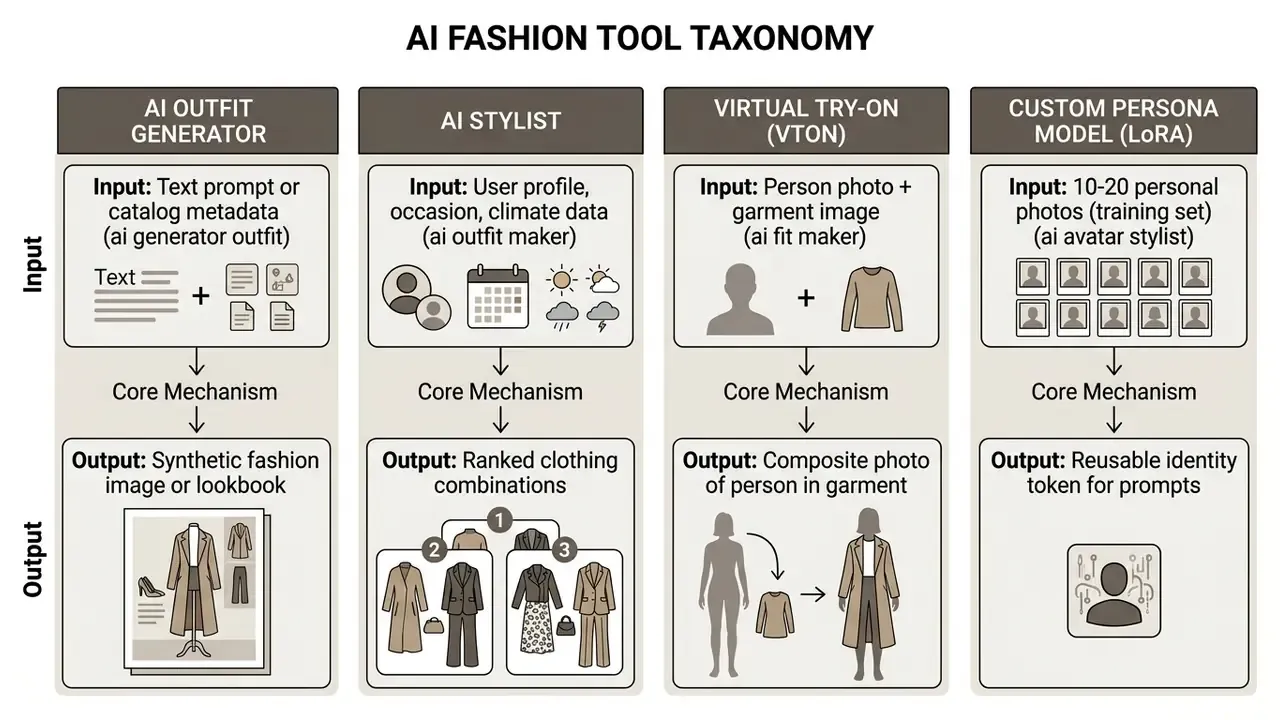
An ai outfit maker running as a generative recommender scores item compatibility using visual embeddings and collaborative filtering signals.
«CFALR uses a language model as the recommender backbone, augmented with visual and collaborative signals for personalized outfits.»
Virtual try-on engines work differently. They use pose estimation, body segmentation, and deformation warps to render clothing onto an uploaded photograph, following the VITON-HD framework and its 2024 spatial-alignment derivatives (https://arxiv.org). Teams assessing wider creative tooling often browse the hub to compare adjacent visual generation software and benchmark outputs against the best AI image generators.
Who an AI outfit generator actually fits
An ai outfit generator tool serves six distinct user groups: personal closet owners, online shoppers, digital content creators, e-commerce retailers, commercial photographers, and fashion designers.
- Personal wardrobe users people who want to catalogue their clothes, automate daily outfit planning, and test new combinations without physically changing outfits.
- Male and female shoppers consumers checking how casual wear or formal attire reads on their body type before buying online.
- Content creators and stylists influencers building fast lookbooks, testing aesthetic concepts, and curating social fashion content.
- E-commerce retailers apparel stores replacing flat-lay product photos with diverse on-model imagery to lift engagement.
- Commercial photographers creative teams generating virtual model shots and background environments to keep production budgets sane.
- Fashion designers apparel creators iterating silhouettes, patterns, and fabric swatches before physical samples exist.
Selection scenario matrix
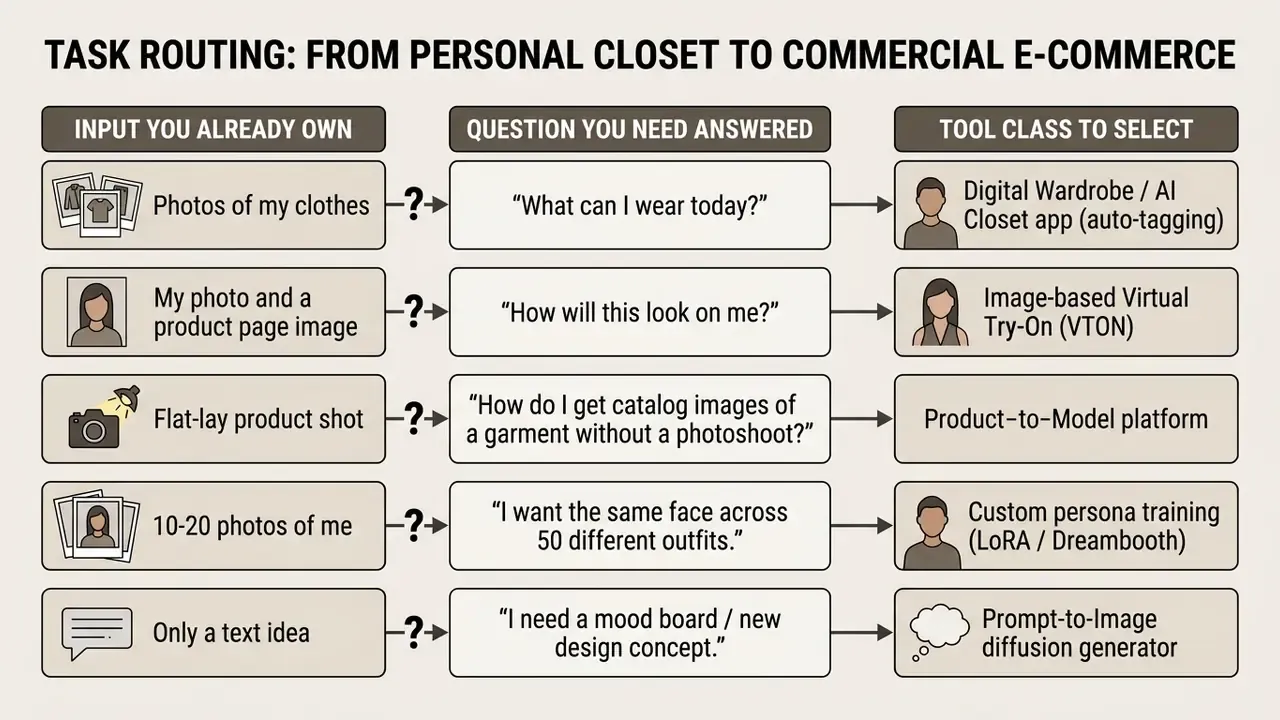
- Scenario A: personal closet management → digital wardrobe / AI closet app with auto-tagging.
- Scenario B: testing specific garments on a personal photo → image-based virtual try-on (VTON).
- Scenario C: commercial fashion asset generation → product-to-model or generative diffusion platform.
- Scenario D: persistent personal avatar → a platform offering custom subject fine-tuning.
How an AI generator outfit works: from idea to finished look
An ai generator outfit system turns user inputs, such as text descriptions or reference photos, into finished visual assets through deep learning diffusion pipelines. The system extracts features, conditions latent-space denoising, and produces high-resolution clothing images in seconds.
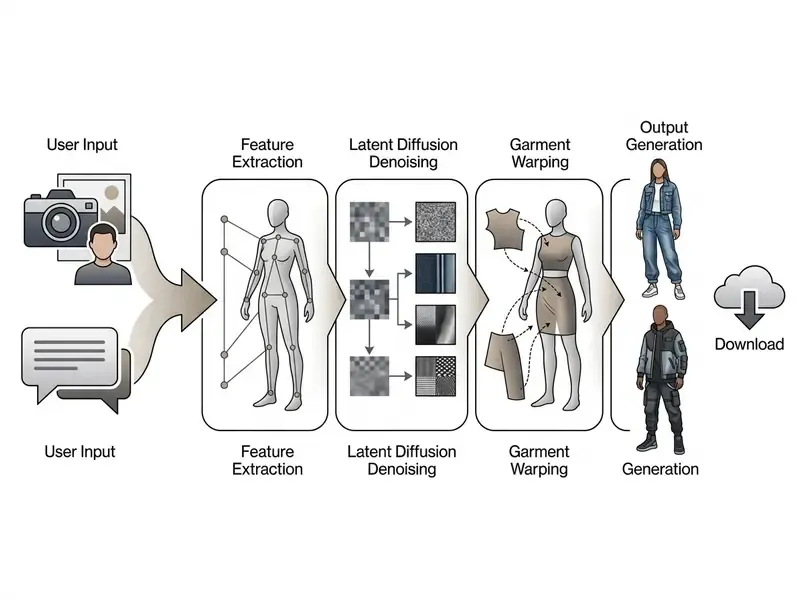
Modern pipelines rely on multimodal latent diffusion models that align text embeddings with visual feature maps.
«GarDiff strengthens the diffusion model with CLIP and VAE priors to preserve high-frequency fabric textures during try-on synthesis.»
When a user runs an ai create outfit request, the network computes structural geometry, lighting parameters, and fabric texture to output a coherent image.
Custom persona training (LoRA / Dreambooth workflow)
For persistent identity across many outfits, platforms use custom subject fine-tuning rather than single-shot VTON:
- Dataset uploadthe user submits 10–20 high-resolution portraits from varied angles, expressions, and lighting conditions. Blurry, pixelated, or heavily compressed images degrade likeness accuracy.
- Model trainingthe backend runs fine-tuning (for example, LoRA weight generation) for 1–5 hours, encoding facial geometry and body features into a dedicated trigger token. It is a one-time operation; the trained model persists on the account.
- Prompt executionthe trained model renders the user's exact likeness inside any synthesized ensemble via standard prompts, for example
[trigger word] wearing a burgundy silk turtleneck, long sleeves, high neck, portrait lighting.
When persona training beats VTON. Single-shot VTON preserves the garment exactly, including prints, labels, and seams, but re-renders the person inside one photo only. Persona training preserves the person across unlimited scenes, poses, hairstyles, and body-build variations, yet the garment is described rather than photographically transferred. So commercial catalogues prefer VTON for real SKUs, while creators and stylists prefer persona training for lookbooks and concept exploration.
Building an outfit from a text description and a style prompt
To create an outfit ai asset from text, users write structured prompts naming clothing type, fabric, colour palette, garment fit, model pose, and background.
Prompt-driven systems lean on contrastive language-image pre-training (CLIP) to translate descriptive adjectives into visual features. A complete prompt follows a defined sequence:
For example, entering "A minimal smart casual outfit featuring a dark navy wool blazer, tailored charcoal chinos, white leather sneakers, studio lighting, neutral background" lets the ai clothes style generator build a precise, high-fidelity fashion image. Users chasing broader creative range can also explore a dream ai generator for conceptual background styling, or a drawing animation maker when the concept needs motion rather than a still.
Supported fashion aesthetics and preset style vectors
When writing prompts or picking platform presets, use high-density style tokens. Trend-specific vocabulary conditions the model far more sharply than generic labels like "stylish" or "fashionable":
- Y3K / cyberpunk metallic fabrics, iridescent synthetics, futuristic techwear silhouettes, chrome accessories.
- Mob wife aesthetic faux fur overcoats, bold animal prints, chunky gold accessories, vintage luxury cuts, oversized sunglasses.
- Eclectic grandpa layered vintage knitwear, retro loafers, tweed blazers, mismatched pattern pairings, wool trousers.
- Coastal grandma / alpine modern preppy cable-knit cashmere, neutral linen trousers, structured tailored vests, muted sand and off-white palettes.
- Boho chic flowing tiered skirts, crochet textures, suede fringe, earthy terracotta and ochre tones.
- 90s grunge oversized flannel overshirts, distressed denim, band tees, combat boots.
- Barbiecore saturated hot-pink monochrome, glossy synthetics, exaggerated retro silhouettes.
- Urban nomad utility cargo pockets, technical nylon shells, adjustable straps, muted olive and graphite bases.
One practical technique: combine one aesthetic token, one fabric token, and one lighting token. "Mob wife aesthetic, leopard-print faux fur coat, black satin slip dress, evening street lighting, cinematic still" gives far more controlled output than "glamorous outfit".
Building a look from a photo, a garment, or a product image
An ai to create outfits pipeline built on image-to-image or product-to-model technology maps a flat-lay product photograph onto a target human photograph while preserving pose, skin tone, and body contours.
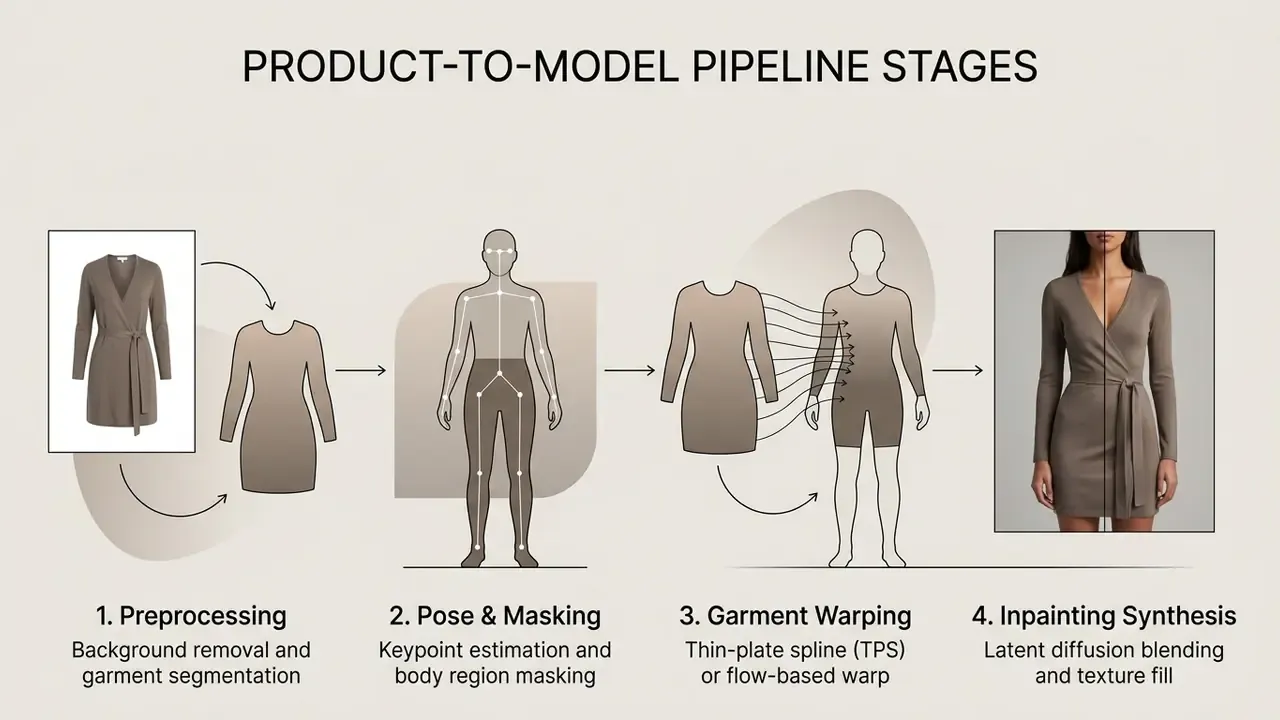
Advanced models apply misalignment-aware normalization to suppress artifacts where clothing edges meet skin.
«MV-VTON uses front and back garment views to reconstruct try-on results from multiple angles, removing artifacts in unseen regions.»
That lets online retailers convert basic product photographs into catalogue-ready model assets at low marginal cost. Teams scaling this workflow usually shortlist image-to-image generators for product photo transformation before they commit to a vendor.
What drives the quality of a generated outfit
The realism of an outfit generator ai output depends on five technical factors: input resolution, lighting consistency, prompt detail, model architecture, and generation quality settings.
- Source resolutioninput photographs need clear subject contours and minimal compression artifacts.
- Lighting specificitynaming light direction and intensity prevents flat, plastic-looking textures.
- Prompt precisionspecific fabrics (heavy denim, brushed cotton) render better than generic style labels.
- Model selectiondedicated fashion diffusion models beat general-purpose image generators on garment geometry retention.
- Sampling steps and resolution limitshigher inference steps plus native 1024x768 or 4K export parameters reduce edge distortion.
Quality optimization checklist
- Pick the operational scenario: text generation, photo try-on, or persona model.
- Prepare high-resolution source images with neutral lighting and clean backgrounds.
- Write a single-sentence prompt naming garment cut, material, and colour; describe only what is visible in the reference image.
- Set generation parameters to maximum quality steps (
quality="high"). - Compare several variants side by side before you export the final image.
Automated quality metrics for production QA
Eyeballing results does not scale past a few dozen assets. For repeatable acceptance testing, pair the human check with quantitative metrics:
- FID (Fréchet Inception Distance) distributional realism of a generated batch against a reference set of real on-model photography. Track FID per collection, not per image.
- SSIM / PSNR structural similarity between the source person photo and the try-on output in unchanged regions such as face, hands, and background. Falling SSIM outside the garment mask signals identity or background drift.
- LPIPS perceptual distance, handy for spotting texture smoothing on printed fabrics.
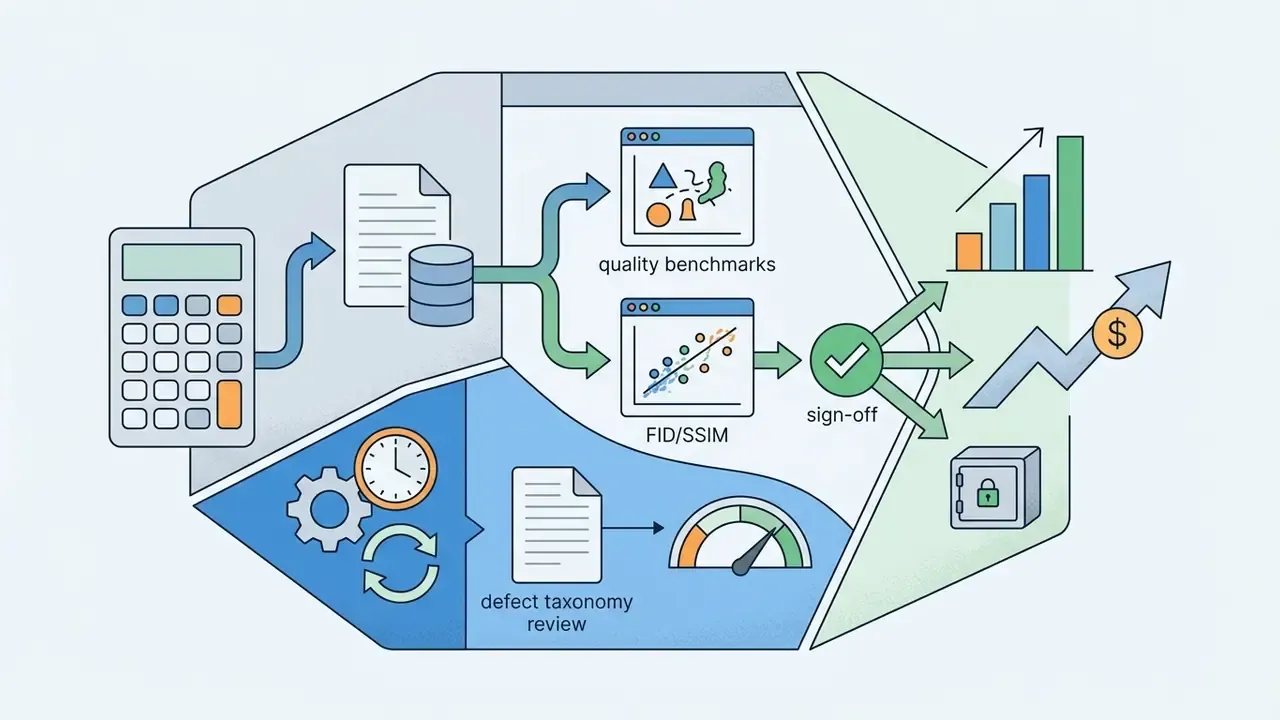
- Manual defect taxonomy count artifacts by class (hand deformation, logo distortion, seam bleed, neckline collapse) and set a hard rejection threshold per class before publication.
AI outfit generator with my clothes: building a digital wardrobe
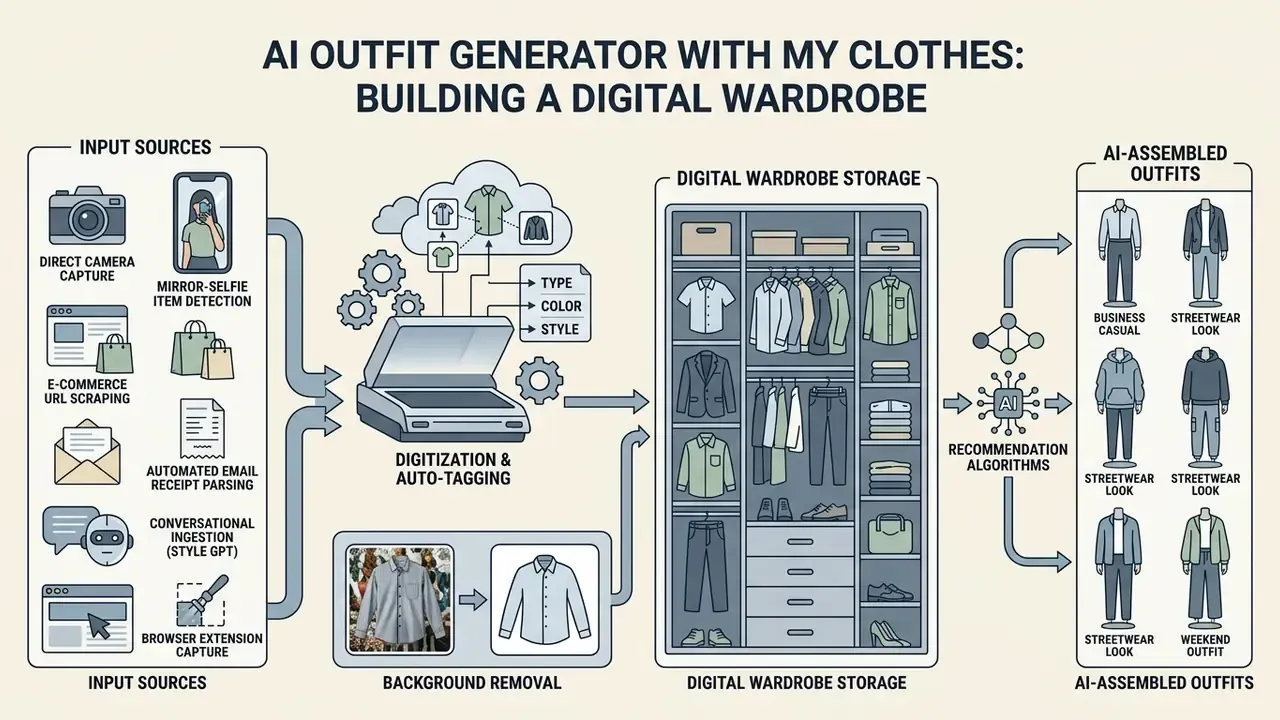
An ai outfit generator with my clothes digitizes personal clothing items from user photos, tags visual attributes automatically, and uses recommendation algorithms to assemble daily outfits from existing wardrobe inventory.
Unlike general fashion generators, an ai wardrobe generator operates on one person's actual closet data. The system builds a structured database of owned garments, so users can work out how to create outfit combinations with ai without buying anything new.
How to upload and organize clothes from your closet
Building a digital closet no longer depends on one manual upload path.
Modern wardrobe ingestion methods:
- Automated email receipt parsing connecting inbox APIs to pull product images, brand tags, and sizing metadata straight from order confirmations. The fastest way to backfill months of purchases.
- E-commerce URL scraping importing product page links to grab studio-quality flat-lay photos, skipping home photography entirely.
- Direct camera capture photographing garments flat against a contrasting background, shot from above, for instant background removal. One item per upload gives the cleanest auto-tagging.
- Mirror-selfie item detection uploading a full-look photo and letting instance segmentation split visible garments into separate records.
- Conversational ingestion (Style GPT) uploading multi-item outfit photos so an LLM vision model separates and classifies each garment at once, then refining categories in chat.
- Browser extension capture saving items from retailer sites while shopping, keeping wishlist and closet in one database.
The digitization pipeline then applies four automated steps:
Users cleaning up photo contrast before cataloguing often reach for an AI photo editor for lighting normalization or a general-purpose photo editor to even out exposure and crop garment edges.
How AI proposes outfit combinations for different occasions
An outfit creator ai scores item compatibility by combining colour wheel rules, formality ratings, weather API feeds, and calendar context.
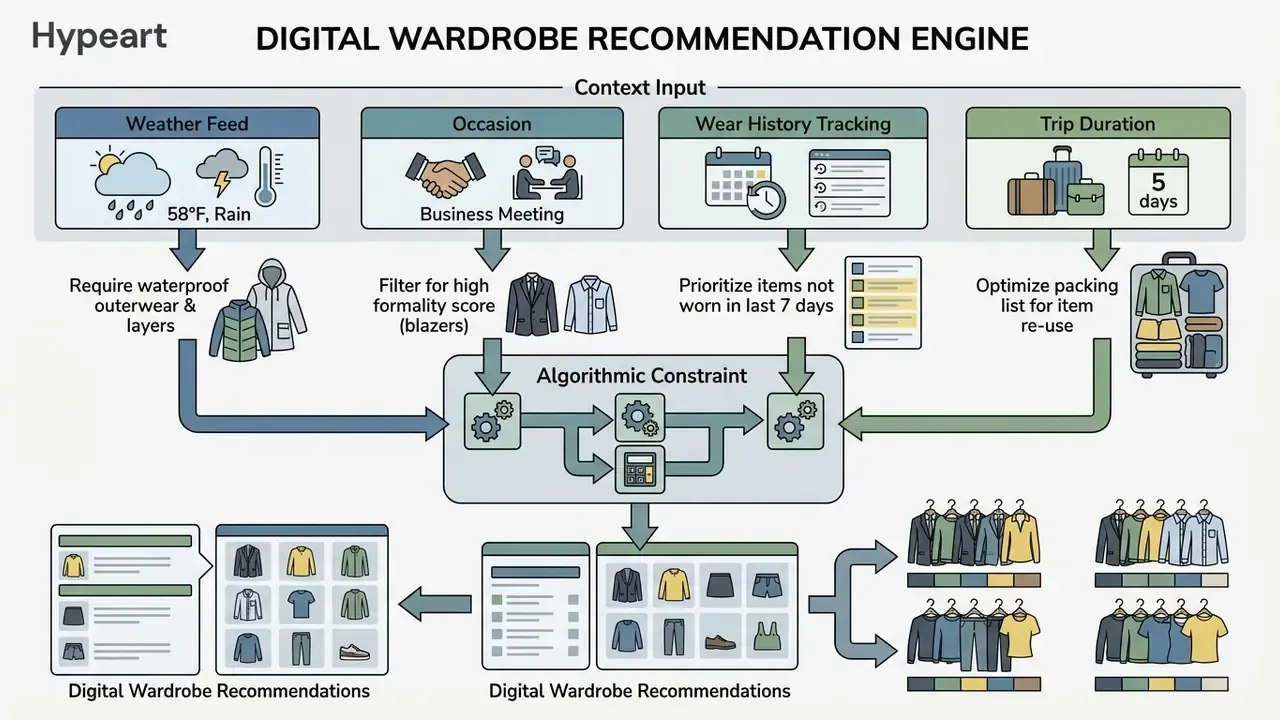
Evidence suggests that combining content-based filtering with usage tracking raises wardrobe utilization and cuts redundant purchases.
«A history-aware transformer (HAT) improved AUC by 15.7-19.4% on outfit compatibility prediction conditioned on purchase history.»
The recommendation engine produces balanced outfit sets with seasonal sanity checks, and usage tracking flags rarely worn items so reuse wins over another impulse buy. Weekly planning is where this pays off: a Sunday-evening pass over the next five days removes the morning decision entirely.
When a digital wardrobe beats generating a fashion image
A digital wardrobe delivers more operational value when the goal is daily outfit planning, travel packing, or squeezing more use out of the closet you own. Synthetic fashion image generation suits creative ideation, mood boards, and marketing campaigns instead.
Image generators invent novel aesthetics, yet they track no physical inventory and cannot confirm whether a generated garment exists in your home. Wardrobe apps manage physical constraints, so every suggested combination is wearable tonight. The split is simple. Wardrobe tools act on items you already own and on future purchase behaviour; image tools create concepts, hold no inventory, and will not stop you buying a fourth grey sweater.
AI men outfit generator and casual wear selection
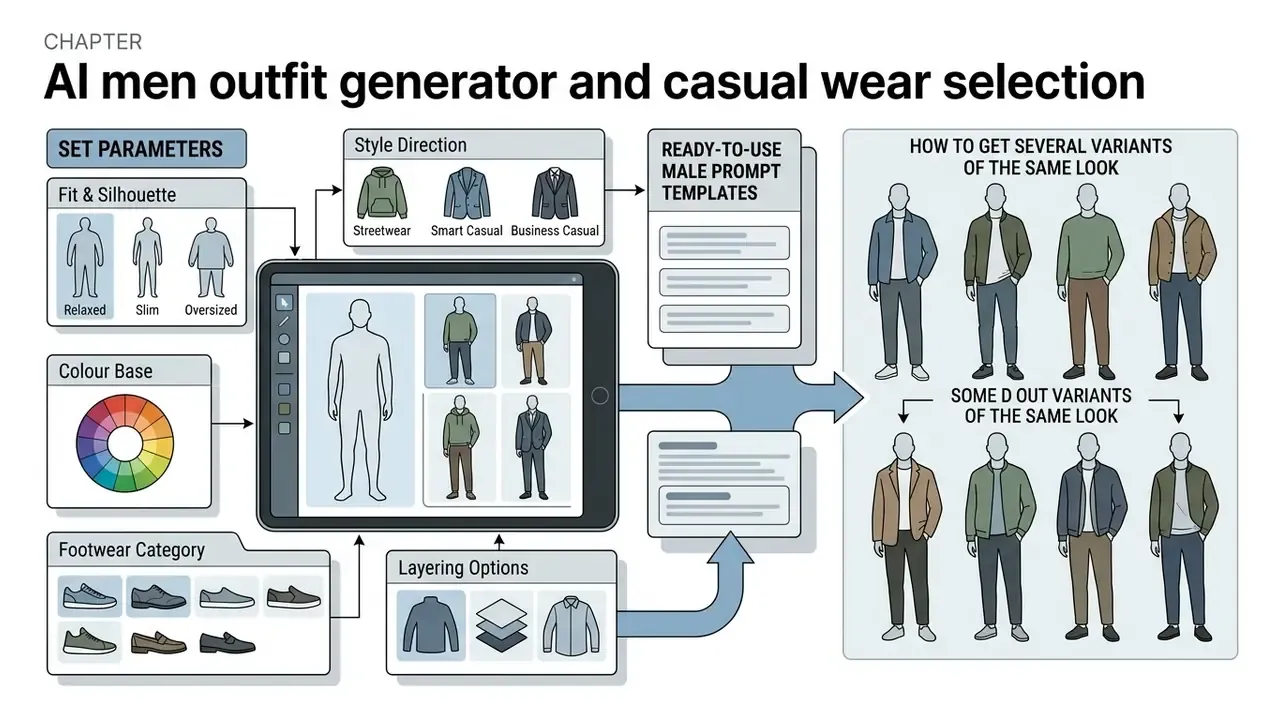
An ai men outfit generator tunes styling parameters for male silhouettes, garment proportions, and casual dress codes such as smart casual, streetwear, and business casual.
Menswear workflows prioritize precise fit, functional colour bases, and context-driven shoe pairings. A modern ai outfit generator men setup lets users adjust body frame parameters, skin undertones, and formality levels to get tailored recommendations.
«HAT stacks two transformers, one for outfits and one for purchase history, gaining 6.5-9.7% Fill-in-the-Blank accuracy on IQON3000 and Polyvore.»
Which parameters to set for a men's outfit
To configure the best ai outfit generator for casual wear for male styling, specify five parameter groups:
- Fit and silhouette tailored, regular, relaxed, or oversized cuts.
- Style direction smart casual, streetwear, athleisure, or minimalist business casual.
- Colour base neutral palettes (navy, grey, olive, charcoal, beige) with contrast accents.
- Footwear category clean leather sneakers, loafers, Chelsea boots, or derbies.
- Layering options structure pieces such as overshirts, bomber jackets, or tailored blazers.
An ai clothing style generator turns these inputs into balanced looks for the office, the weekend, or travel.
Ready-to-use male prompt templates:
- Smart casual (office-adjacent):
"Man in a tailored fit, light blue oxford shirt untucked, stone chinos, brown suede loafers, camel overshirt, soft daylight, city street background" - Streetwear:
"Man in relaxed fit, oversized charcoal hoodie, wide-leg black cargo pants, chunky white sneakers, overcast urban lighting, concrete backdrop" - Business:
"Man in navy tailored trousers, crisp white shirt, charcoal wool blazer, black leather oxfords, studio lighting, neutral gray background" - Athleisure:
"Man in technical olive track jacket, black tapered joggers, low-profile running sneakers, morning natural light, park setting"
Tell the model the styling rules explicitly. Darker trousers read more formal with black leather shoes. Brown and tan leather pair best with navy, grey, khaki, and earthy tones. White leather sneakers only survive a smart casual look when they are visibly clean and minimal in design.
How to get several variants of the same look
Users produce design variations by applying localized editing constraints that change one garment and leave the rest of the scene intact.
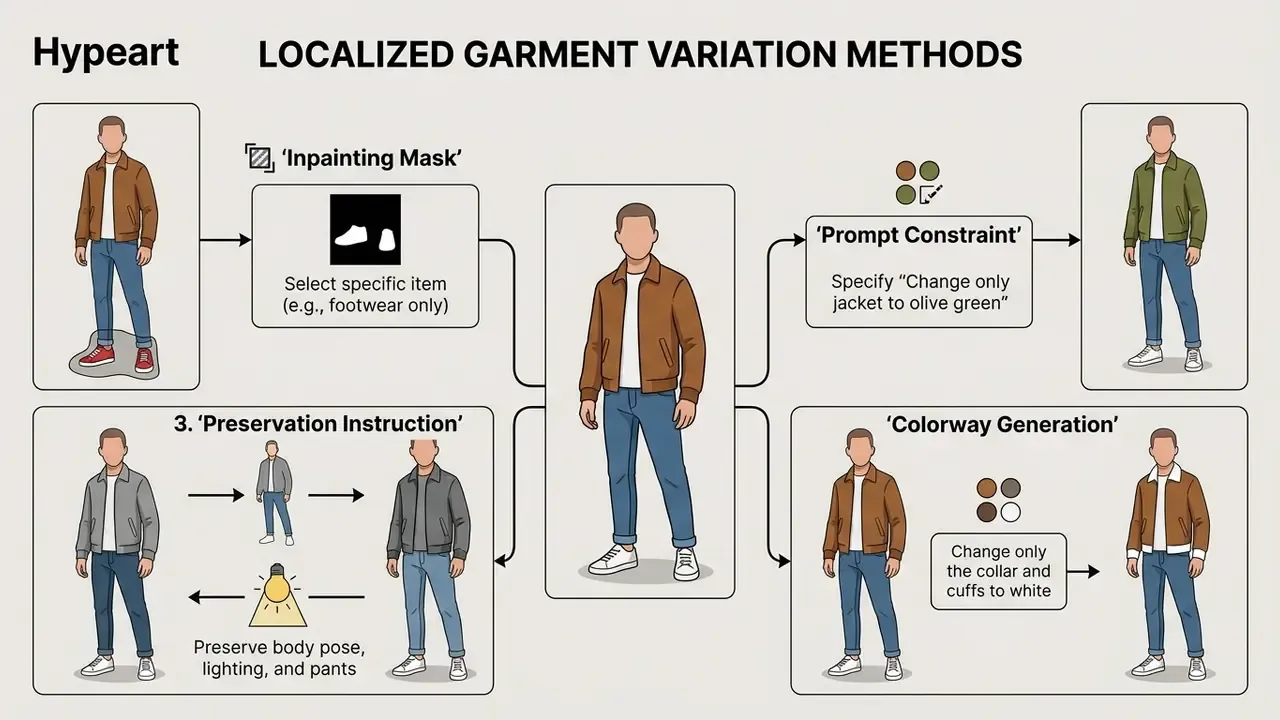
Leading generative platforms enforce strict edit constraints, so you can compare footwear options or outerwear colours across an otherwise identical base outfit.
«DiffusionTrend performs try-on without model retraining, using a lightweight CNN to predict the garment mask and guide denoising.»
In practice the reliable formula for surgical edits is short: name the single element to change, then instruct the model to keep camera angle, lighting, shadows, identity, and every remaining garment unchanged.
How to choose the best AI outfit generator online
Choosing the best ai outfit generator means matching software capability, whether virtual try-on, closet digitization, or commercial model synthesis, to your requirements and technical constraints.
Anyone shopping for an ai outfit generator online should evaluate platform specialization across three categories: consumer wardrobe planners, consumer try-on web apps, and enterprise fashion platforms. A structured comparison of AI image generators helps benchmark generic diffusion quality before you narrow down to a fashion-specific vendor or a particular ai outfit generator website.
Two filters come before functionality in any enterprise context: licensing (does the plan grant commercial rights?) and data handling (where are photos processed, and how long are they kept?). The verification matrix later in this article sits deliberately as a pre-selection gate, not an afterthought.
Two more procurement criteria get skipped routinely:
- Vendor lock-in platforms exposing only a proprietary UI without API access make model identities, trained personas, and asset libraries non-portable.
- Deployment model for regulated organizations, the availability of private cloud or on-premise inference decides whether biometric-adjacent imagery can be processed at all.
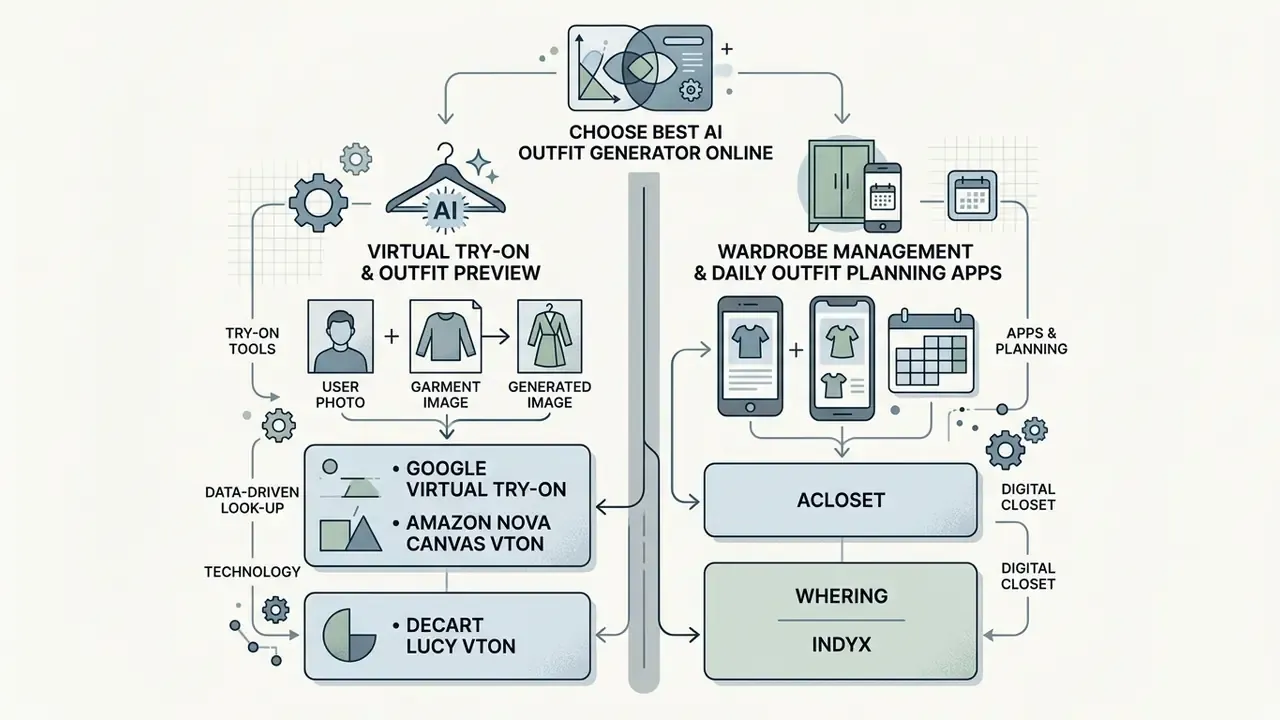
Tools for virtual try-on and outfit preview
Virtual try-on platforms specialize in photo-realistic garment previews on user photographs.
- Google Virtual Try-On high-fidelity still-image try-on rendering products on diverse body models; endpoint-level access via
virtual-try-on-001(Google Cloud, 2026). - Amazon Nova Canvas VTON mask-guided garment inpainting for product visualization; requires source image, reference image, and mask, and can return up to five variants per request.
- Decart Lucy VTON real-time video try-on supporting dynamic garment previews with garment-image or text conditioning.
For broader graphic adjustment work alongside try-on previews, creators often test free AI photo editors first.
Apps for wardrobe management and daily outfit planning
Mobile applications centre on closet organization, daily styling, and wardrobe tracking.
- Acloset digital closet with automated item classification, mirror-selfie detection, and AI styling by weather, schedule, and mood.
- Whering closet digitization with outfit combination generators, cost-per-wear tracking, resale integrations, and sustainability metrics.
- Indyx wardrobe management pairing algorithmic recommendations with access to professional stylists.
- Stylebook deep cataloguing and statistics with an outfit calendar and packing lists, sold as a one-time purchase rather than a subscription; a separate men's edition exists.
- Pureple planner-first organizer with outfit calendar, trip packing lists, and a usable free tier.
- Cladwell capsule-wardrobe logic with weather-aware daily recommendations, built around owning fewer, better pieces.
- Style DNA seasonal colour analysis driving daily suggestions matched to palette and body shape.
- Pronti multi-path ingestion (photos, web images, email receipts) plus a conversational Style GPT that learns from saved, worn, and rejected outfits.
Tools for fashion design, e-commerce, and AI models
Enterprise platforms produce commercial-grade model shoots, lookbooks, and design concepts.
- The New Black AI fashion design platform generating full catalogue lookbooks from sketches and prompts.
- Botika and Uwear.ai on-model image generators turning flat-lay garment photos into commercial e-commerce assets.
- LOOK AI real-time apparel design tool with sketch-to-image conversion and fabric rendering.
- WearView outfit styling on reusable AI models with locked identity across a full collection, plus product-to-model, pose control from reference images, ghost-mannequin generation, and HD/2K/4K exports.
- Alovia converts flat-lay photography into on-model imagery and composes lookbooks, e-catalogues, and wholesale line sheets.
«Fashion-VDM generates 64-frame try-on videos at 512-pixel resolution in a single pass using 3D convolutions and temporal attention.»
Video try-on matters commercially because motion reveals drape, stretch, and fit behaviour that a still frame hides. Those are exactly the attributes behind fit-related returns.
Comprehensive AI outfit generator comparison
| Platform Category | Primary Input | Main Output | Personal Closet Support | Commercial Rights | Target User |
|---|---|---|---|---|---|
| Prompt-to-Image | Text prompt / Sketch | Synthetic model image | No | Varies by tier | Creators & Designers |
| Virtual Try-On (VTON) | Person photo + Garment photo | Composite try-on image | Partial | Common on paid plans | Shoppers & E-commerce |
| Digital Wardrobe | Closet photos | Outfit schedule & combos | Core feature | Consumer use only | Personal users |
| E-commerce Generator | Flat-lay product photo | Catalog model imagery | No | Full commercial license | Brands & Retailers |
| Custom Persona (LoRA) | 10-20 personal photos | Reusable identity model | No | Varies by tier | Creators & Individuals |
Pricing and platform matrix
| Platform | Primary Use Case | Pricing Model | Key Advantage | Supported Platforms |
|---|---|---|---|---|
| WearView | Commercial AI models & outfit styling | Paid, from $24/mo (Lite, 50 credits); Pro $40/mo; Advanced $82/mo | Locked model identity across lookbooks; HD/2K/4K with commercial rights | Web |
| Whering | Personal closet | 100% free | Unlimited items, cost-per-wear stats, background removal | iOS, Android |
| Stylebook | Personal closet | One-time $4.99 | Deep analytics and calendar, no subscription | iOS (iPhone, iPad) |
| Acloset | Closet & styling | Freemium, paid from $3.99/mo (free up to ~100 items) | High-accuracy automated tagging | iOS, Android |
| Pureple | Outfit planning & packing | Free; Premium $14.99/mo or $89.99/yr | Calendar-first planner with packing lists | iOS, Android |
| Style DNA | Color-analysis styling | $9.99/mo or $19.99/yr | Seasonal color type matching | iOS, Android |
| Cladwell | Capsule wardrobe | Free tier; Plus $7.99/mo | Weather-aware minimal wardrobe logic | iOS, Android |
| ImagineMe | Personal avatar generation | Credit-based, $5 / 10 credits (4 images per credit) | High facial fidelity via custom model training | Web |
Teams extending digital media capability past static imagery often consult guides on animation maker tools, a doodle video creator for explainer content, portrait workflows such as an ai headshot generator, and comparative reviews of the best ai art generator landscape.
Free tiers, pricing, and commercial use of AI outfits
AI outfit platforms run mostly on freemium subscriptions: limited daily generation credits, with high-resolution exports and commercial licences reserved for paid tiers. Teams that want zero-friction evaluation often begin with free AI image generators without sign-up before opening a procurement process.
Organizations assessing software investment can review standard structures in the AI Media Pricing Guides and use the AI Media Calculators to estimate credit volume.
What free plans and paid plans usually include
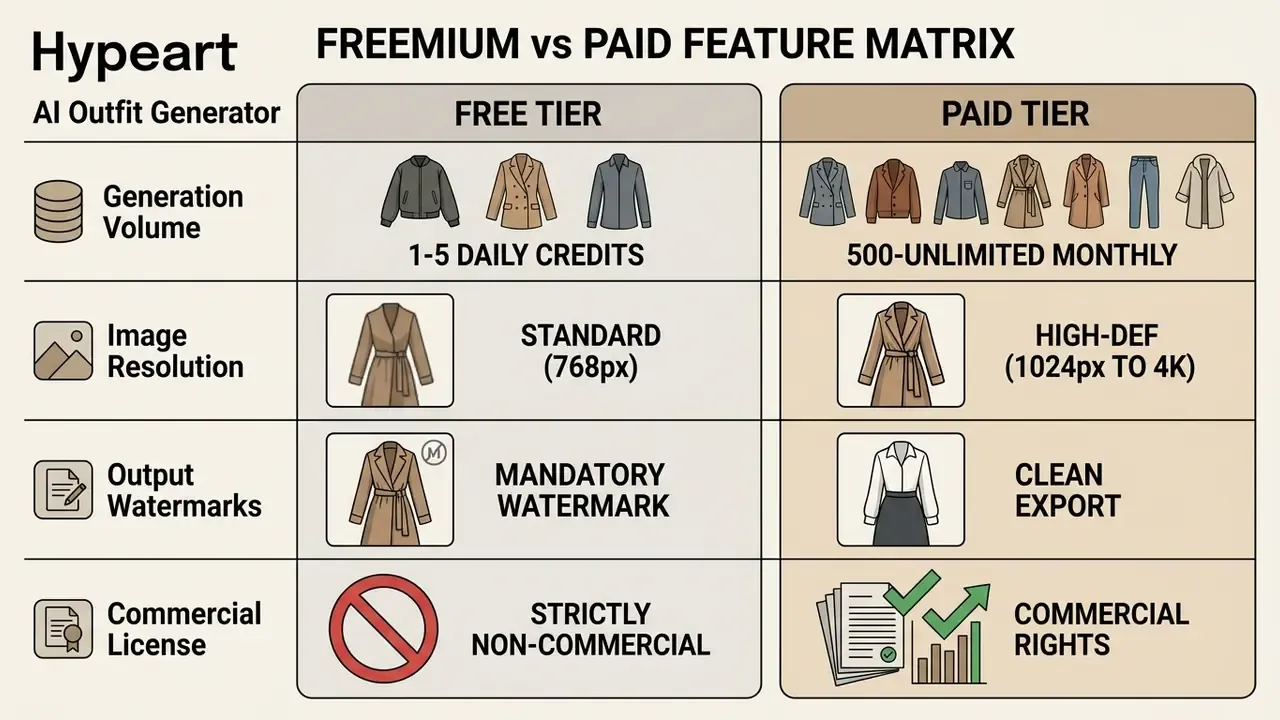
Based on published vendor terms rather than generalization, free tiers differ sharply by product model. Some grant a fixed number of lifetime generations (Outfit Swap Studio: 10 credits with preview-quality compressed downloads). Some give a single trial credit after sign-in (Snapwear, watermarked). Some refresh credits daily with watermark-free 1K exports (MyEdit). And some offer no free tier at all (WearView). The practical implication: a free tier is usually enough to test interface usability and rough try-on accuracy on a handful of images, but it says almost nothing about production fidelity, batch throughput, or licensing scope. Professional creators who need watermark-free assets for a retail site have to subscribe.
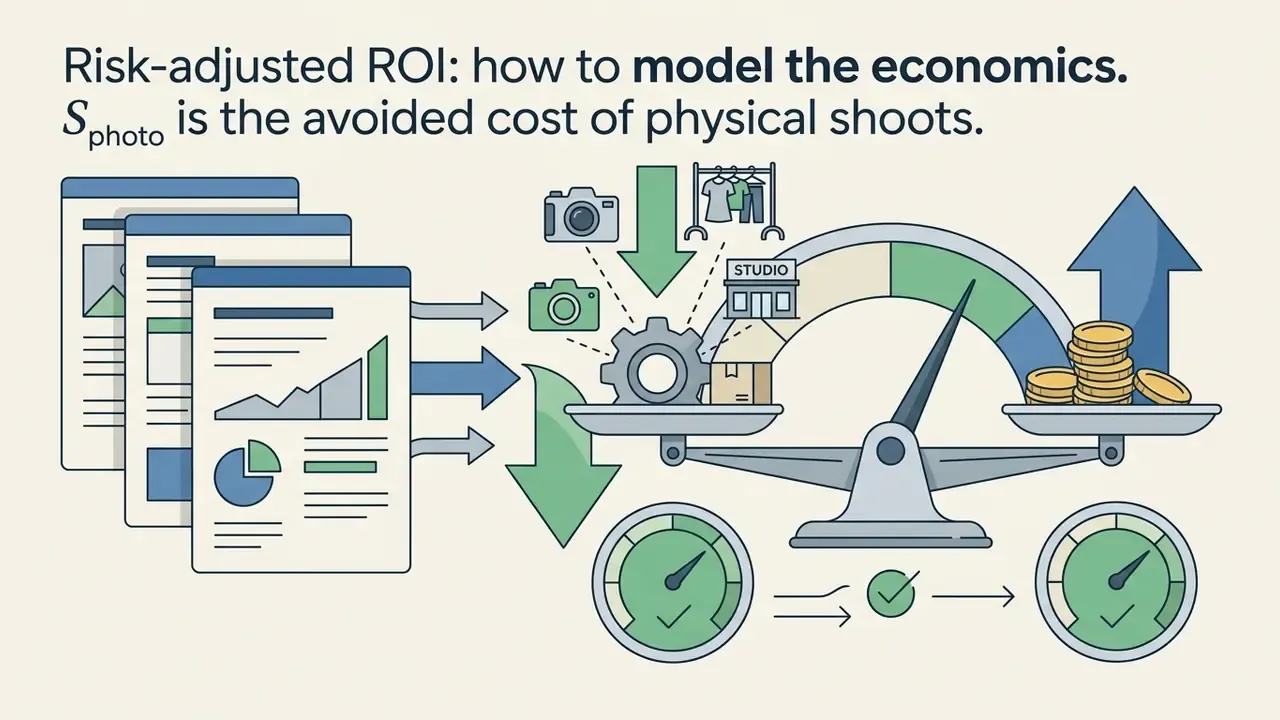
Risk-adjusted ROI: how to model the economics
Vendor pricing is the smallest line item in an enterprise deployment. A defensible business case models the full cost of controls next to production savings:
Where:
- is margin recovered from fewer fit-related returns, measured per category rather than globally.
- is incremental gross margin from PDP engagement and conversion lift, validated by A/B test.
- is subscription and seat cost; watch credit-weighted export tiers (HD 2 credits, 2K 3, 4K 5 in WearView-style pricing).
- is variable inference or credit consumption at forecast asset volume, including re-generations after QA rejection.
Two modelling cautions. First, re-generation rates of 20–40% are common in early deployments, so token forecasts built on final asset counts understate spend, sometimes badly. Second, photography savings only land when the AI pipeline fully replaces a shoot; hybrid workflows that still book a studio day capture only a slice of .
Enterprise risk and governance controls
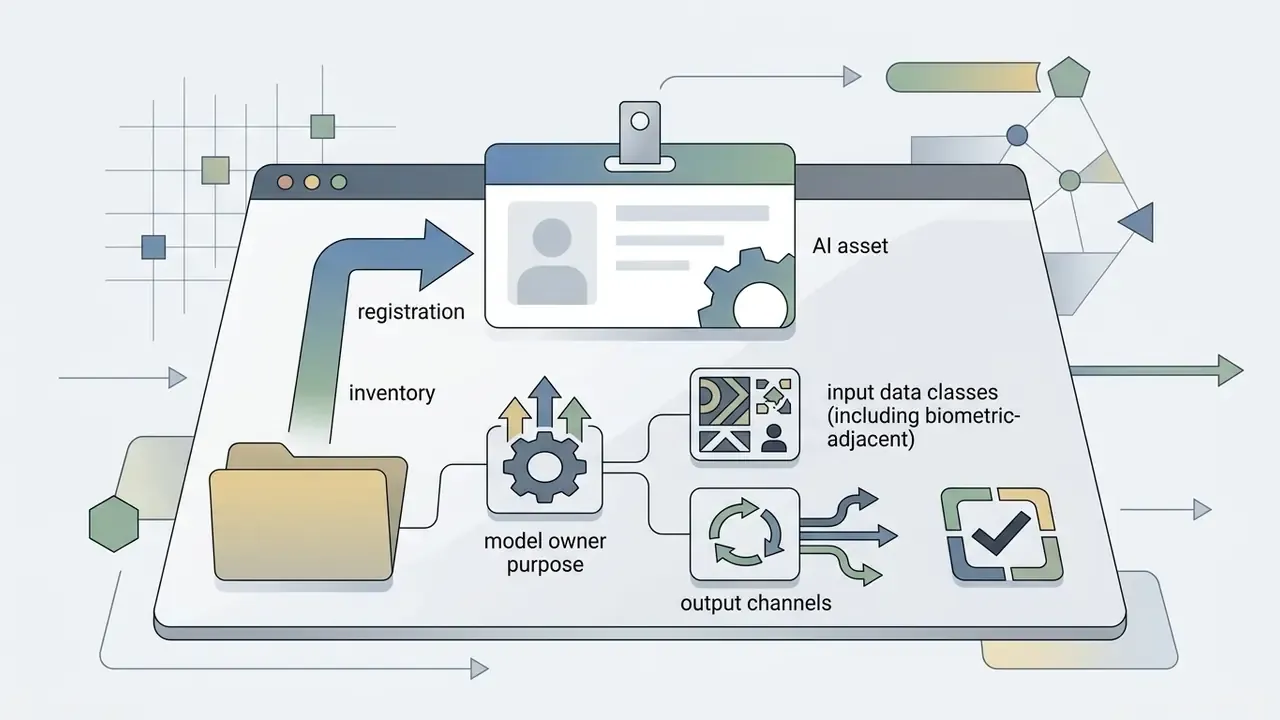
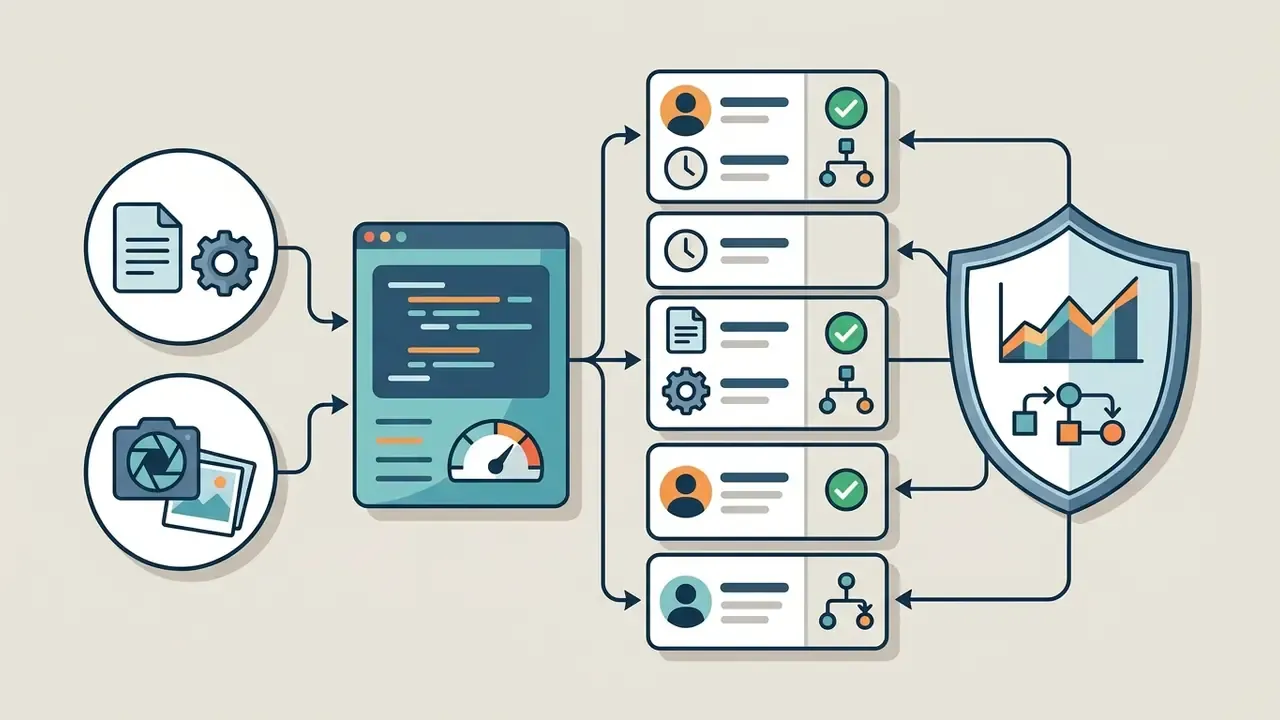
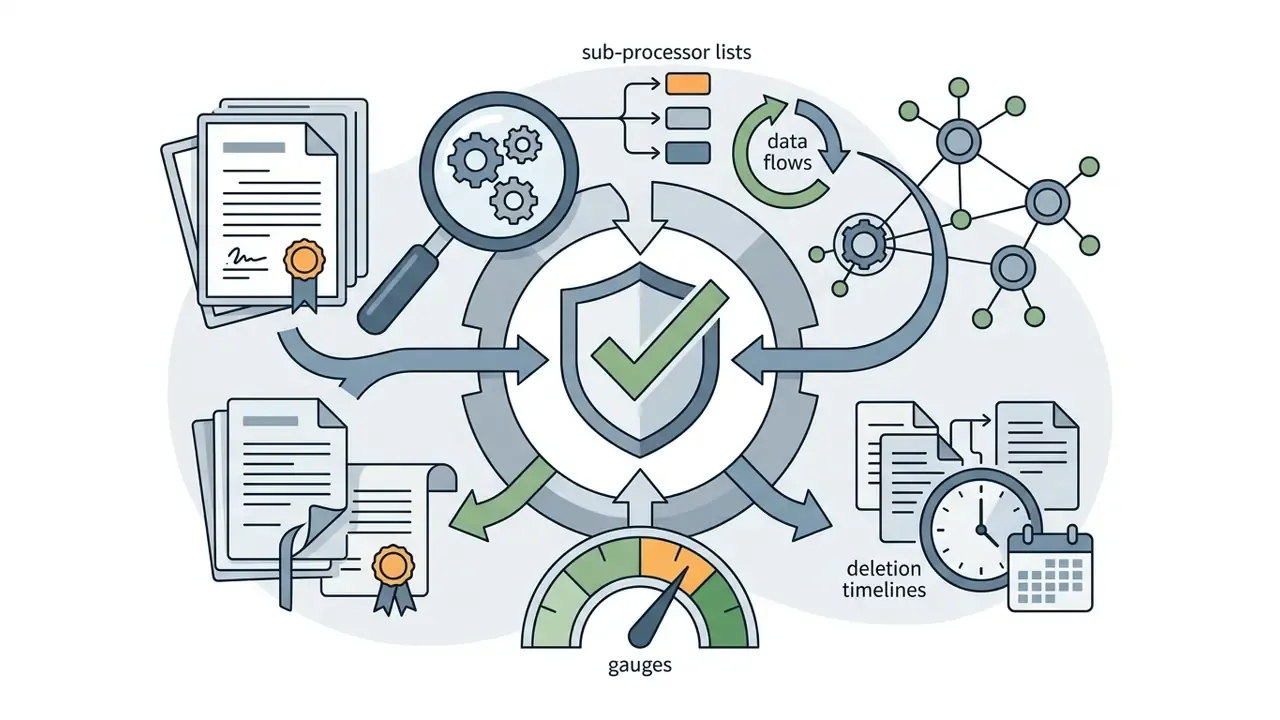
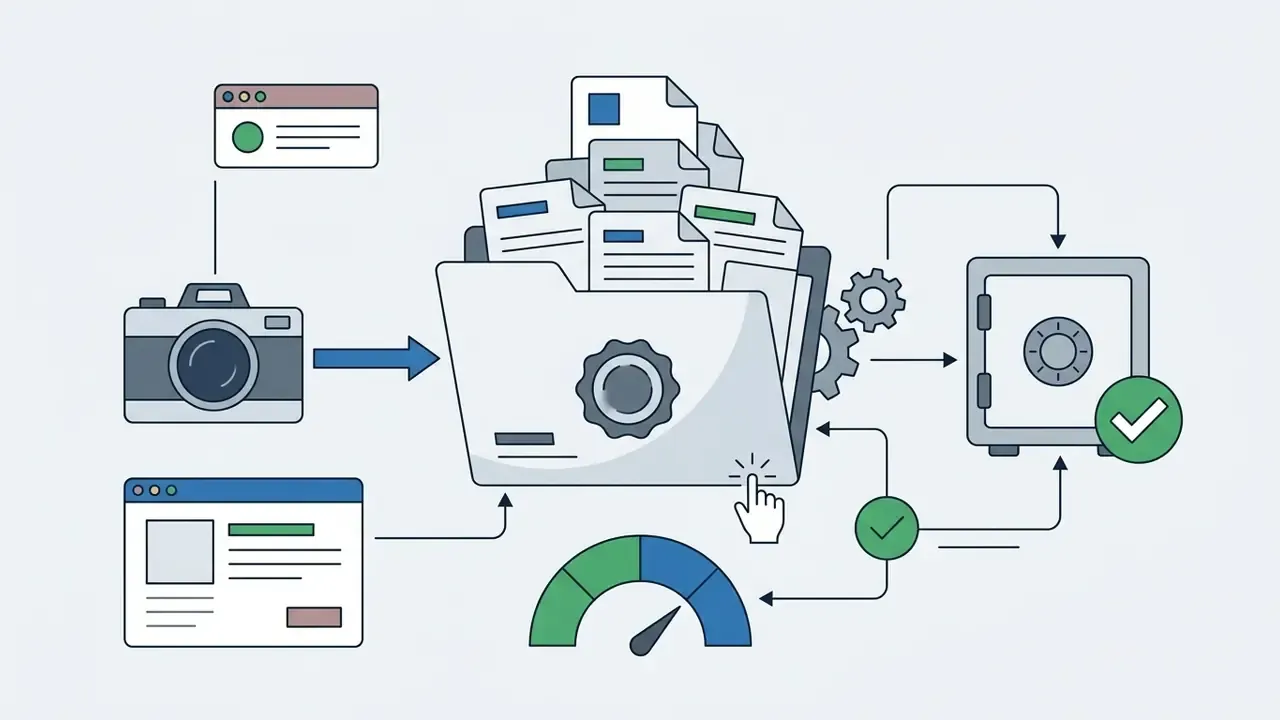
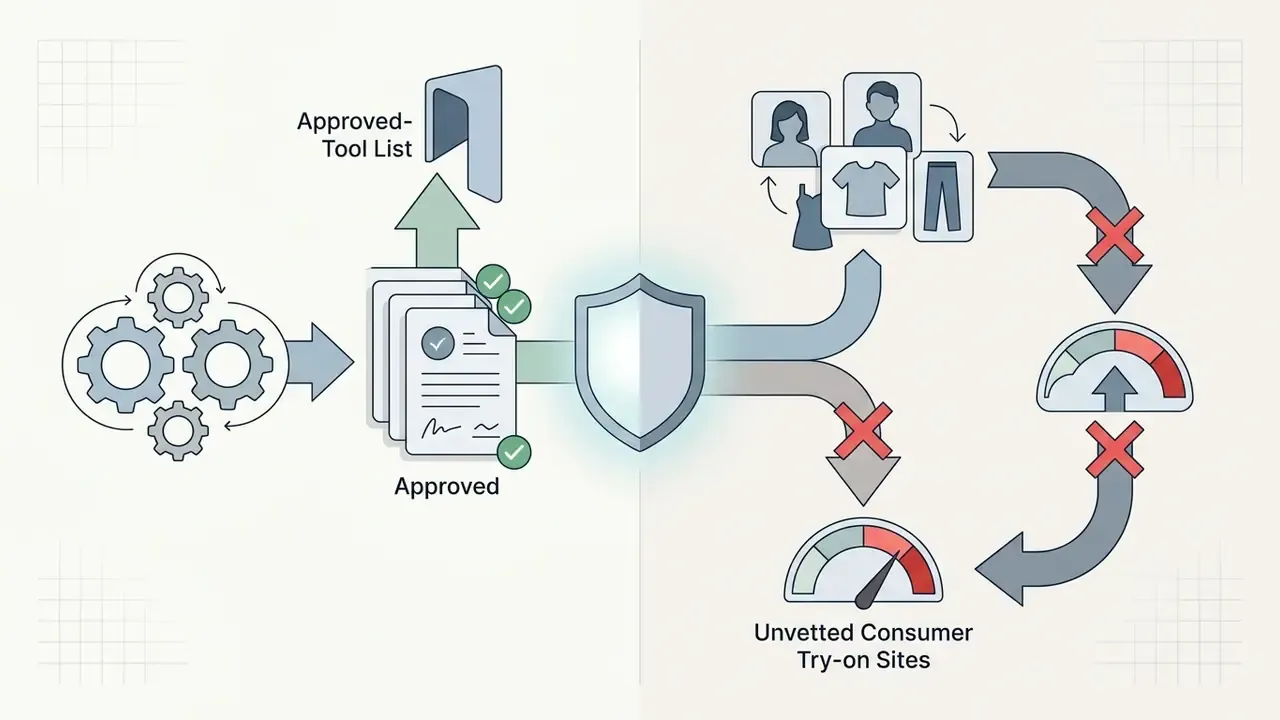
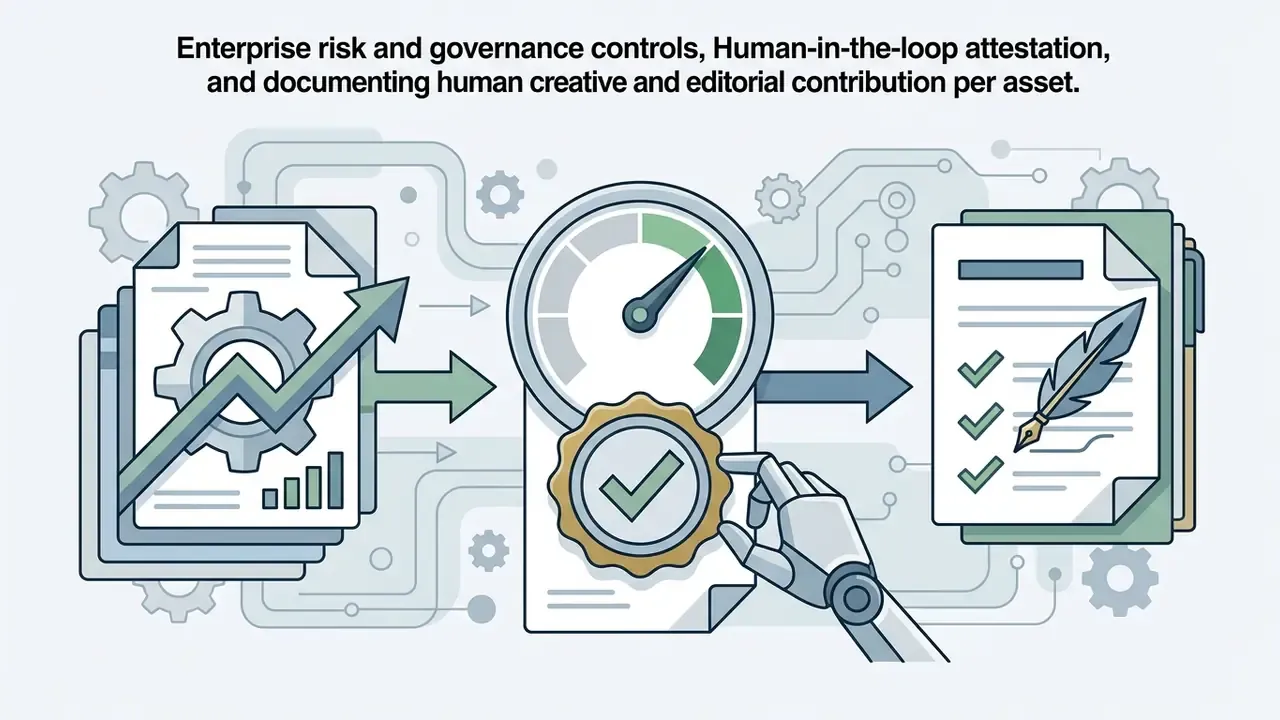
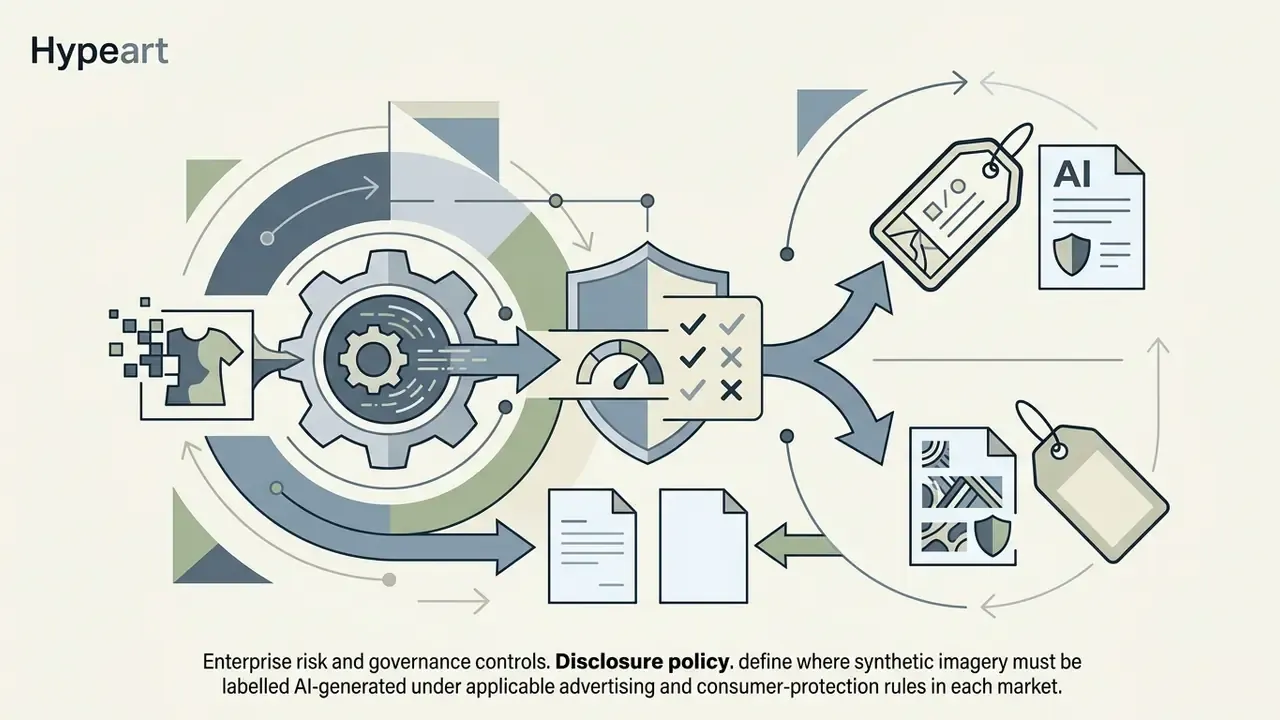
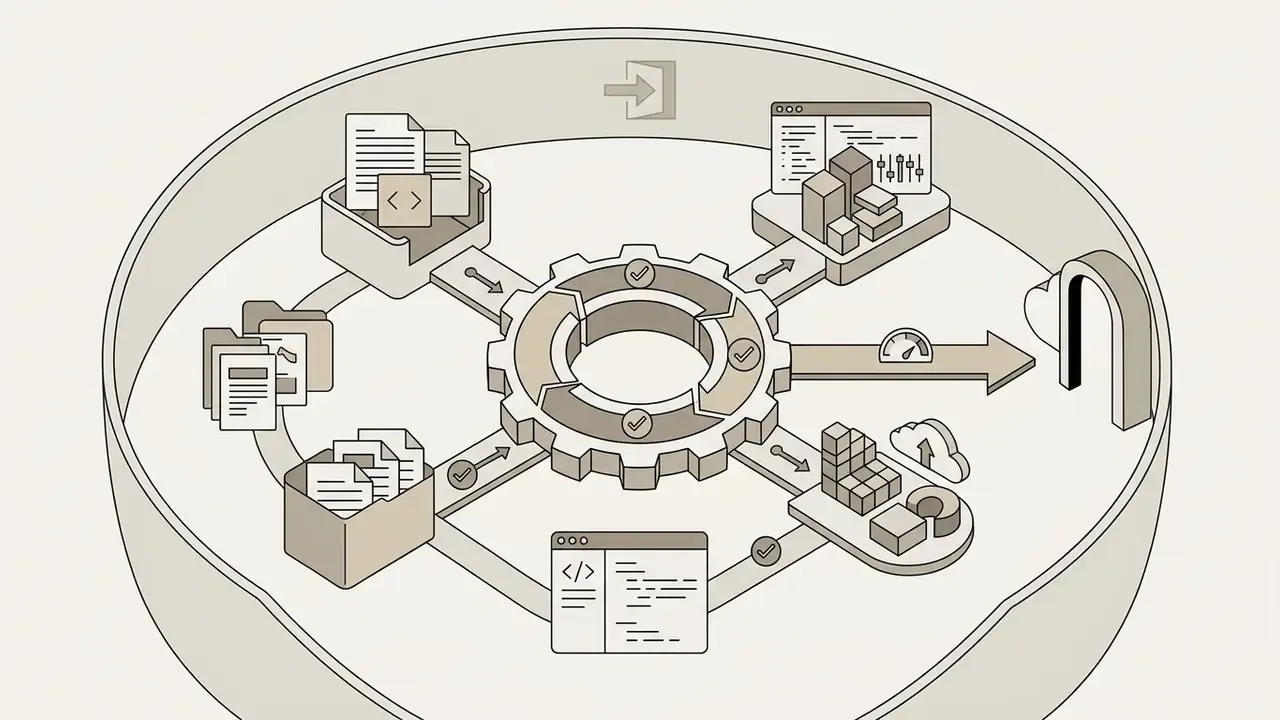
For organizations pushing generative fashion imagery into regulated or brand-critical channels, this control set should exist before the first production publication:
No evidence, no autonomy. That principle applies to a fashion pipeline as much as to a credit model.
What to verify before commercial use of generated images
Before putting generated fashion images into advertising, storefronts, or print, verify four legal and regulatory conditions:
- Copyright registration limits: US Copyright Office guidance states that purely AI-generated visual output lacking human creative intervention cannot claim copyright protection, and material that is more than de minimis AI-generated must be excluded from registration (US Copyright Office, 2024). Practical scope notes are collected in our overview of commercial use of AI images.
- Platform licence terms: confirm the terms explicitly grant commercial rights for marketing collateral. Terms diverge sharply. Some vendors ban commercial use on free plans and retain ownership of free-tier output; others grant a non-exclusive, worldwide, perpetual commercial licence covering PDPs, ads, lookbooks, email, and social.
- Model likeness and biometric rights: using recognizable human facial features in synthetic try-ons requires explicit model consent, plus rights to the underlying source photographs.
- Trademark non-infringement: synthetic garments must not reproduce proprietary logos or protected patterns, and the imagery must not imply endorsement by a brand.
Organizations auditing media licensing frameworks can review our commercial use policy resources, see the overview of relevant litigation guidelines, and compare platform-level terms such as those in the Canva AI generator breakdown.
Fact check and service verification matrix
| Platform | Verified Free Tier Limits | Commercial Use Rights | Data Privacy & Retention Policy | Official Terms Source |
|---|---|---|---|---|
| Wear AI | Up to 5 free try-ons | Personal use on free; Commercial on paid | Photos not stored permanently unless consent given | Verified Terms 2026 |
| Recraft | Free public generations | Prohibited on Free plan | Publicly accessible outputs; Recraft retains ownership on Free | Recraft Rights Policy |
| Uwear.ai | 7-day trial access | Full commercial license on paid | Access, correction, and marketing opt-out rights supported | Uwear Privacy Policy |
| Snapwear | 1 credit upon sign-in | Watermarked preview only | Temporary server processing | Snapwear Terms |
| Botika | 8 free credits | Commercial licence on paid plans | Vendor-hosted processing | Botika Terms |
| i-TryOn | Trial generations | Personal, educational, or commercial; commercial may require extra licensing/fees | Vendor-hosted processing | i-TryOn Terms |
| Chloe | App-store trial | Personal, non-commercial only | Retention and user rights documented; billing via Apple/Google | Chloe Privacy Policy |
FAQ about AI outfit generators
Does an AI outfit generator store uploaded photos and personal data?
Retention practice varies materially by vendor and cannot be generalized. Published policies in the sampled set describe several distinct patterns: source uploads eligible for automatic deletion after 24 hours with immediate manual deletion of gallery results; inference providers that auto-delete inputs and outputs within 60 minutes while service-side copies persist until account deletion; wardrobe photos held in private cloud storage indefinitely for app functionality; and try-on images rendered through a third-party cloud model endpoint. Do not assume deletion by default. An empirical security study covering 138 virtual try-on websites and 28 apps found real exposure:
«65% of virtual try-on sites transmit user photos to servers, and 37% rely on providers that extract facial geometry.» «Privacy and Security of Virtual Try-On Websites and Apps», VTO Privacy Study (2023-2024). https://arxiv.org The same body of work found that a substantial share of services retain uploaded photographs instead of discarding them after generation, which contradicts marketing language about ephemeral processing. Prefer platforms with explicit privacy controls, no storage of biometric identifiers, a named sub-processor list, and guaranteed automated photo deletion inside a stated window. Regulatory context matters here too. Guidance from the Australian OAIC (2024) treats images in which a person is identifiable as personal information, and notes that many photographs of individuals can constitute sensitive information requiring consent, which web scraping generally cannot satisfy. Guidance from the NPC Philippines (2024) requires controllers to inform data subjects of purpose, extent, risks, outputs, and dispute mechanisms when personal data is used in AI training or testing. Secondary use of customer photographs you already hold is therefore not a free action. Disclaimer. This information is general and does not replace advice from a data protection specialist. Photo processing terms differ by service; check the current vendor policy before you upload images.
Can AI learn my personal style, or does it just produce a random look?
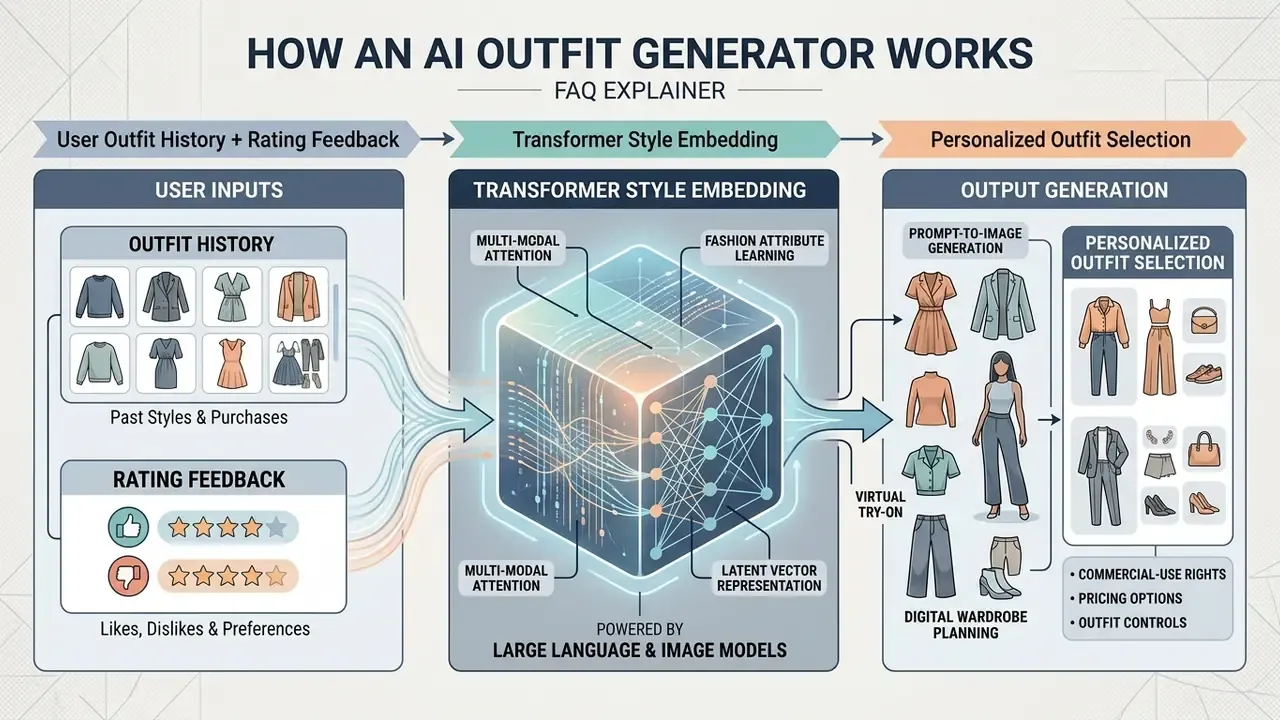
It can learn. Modern generative recommenders build style profiles from purchase histories, past outfit ratings, and explicit wardrobe constraints.
«CFALR outperforms traditional CF models and LLM recommenders on personalized Fill-in-the-Blank and outfit generation tasks on Polyvore and IQON.» CFALR, «Collaborative Filtering-Augmented LLM for Fashion Recommendation» (2024). https://arxiv.org By encoding preferences into history-aware embeddings, the system moves past generic trends toward combinations aligned with your established colours, silhouettes, and brand tendencies. Diffusion-based outfit generators add explicit conditioning channels, including category prompt, mutual compatibility condition, and history condition, so generated looks stay internally coherent and consistent with prior behaviour. Consumer products layer persistent memory of sizes, disliked items, and rejected combinations on top; that memory is what stops an assistant from proposing the same unwanted look again next week.
How many photos does AI need to learn my face?
For persona-based generation, 10–20 photographs is the commonly documented minimum viable dataset. Quality requirements: varied angles, several expressions, different lighting, and diverse backgrounds. Training usually finishes in 1–5 hours and is a one-time step per model. Blurry, pixelated, or heavily compressed sources are the leading cause of weak likeness. Image-based VTON needs far less: one clear front-facing full-body photo with visible body contours and a simple background.
Is an AI outfit generator suitable for shoots and published content?
Yes for pre-production planning. It removes physical wardrobe changes and lets a creator test which outfit ai generator result fits the theme before booking a studio. For published commercial content the constraint is licensing, not capability: confirm that the plan grants watermark-free export and commercial rights, and that any recognizable person in frame has consented to synthetic derivative use.
Can I use a free plan for my online store?
Generally no. Several vendors explicitly ban commercial use on free plans and keep ownership of free-tier output; others watermark preview-quality downloads. Free tiers fit interface evaluation and accuracy spot-checks. They do not fit catalogue publication.
A safe next step
Start narrow. Pick one merchandising category or one personal use case, register the tool in your AI inventory, log every generation, and measure two metrics only: defect rejection rate and the business metric you actually care about, whether that is PDP engagement or morning decision time. Then decide whether to widen scope. Piloting inside a documented control set costs less than unwinding an uncontrolled rollout later.
For adjacent media workflows, creators can consult guides on edit videos online, review the video compressor guide before publishing large try-on clips, compare narration options in the AI voice generator overview and the elevenlabs ai voice breakdown, and use an email address generator when spinning up isolated test accounts for vendor trials.
Appendix A: replaced and clarified statements
https://arxiv.org