Executive Summary
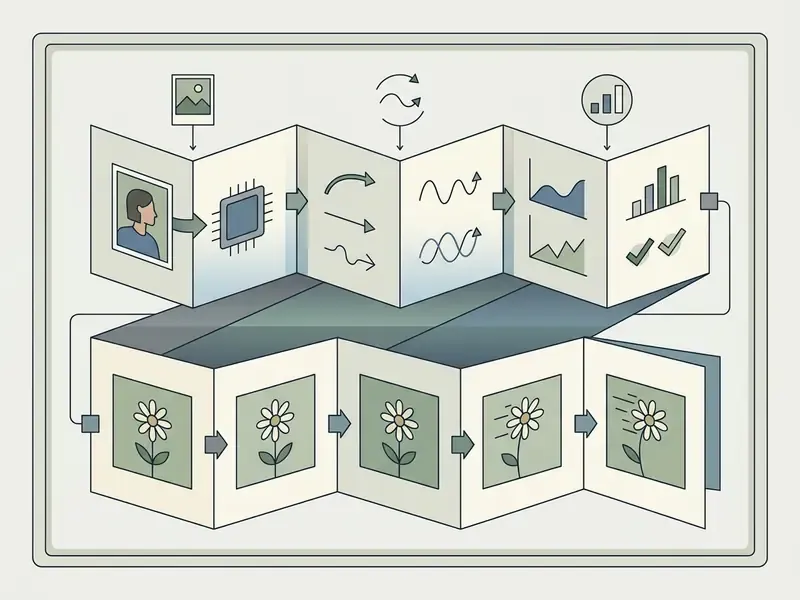
- What it is AI photo animation turns a single still image into a short video clip (typically 3 to 10 seconds, MP4/H.264) by generating synthetic motion frame by frame while keeping the subject's identity intact.
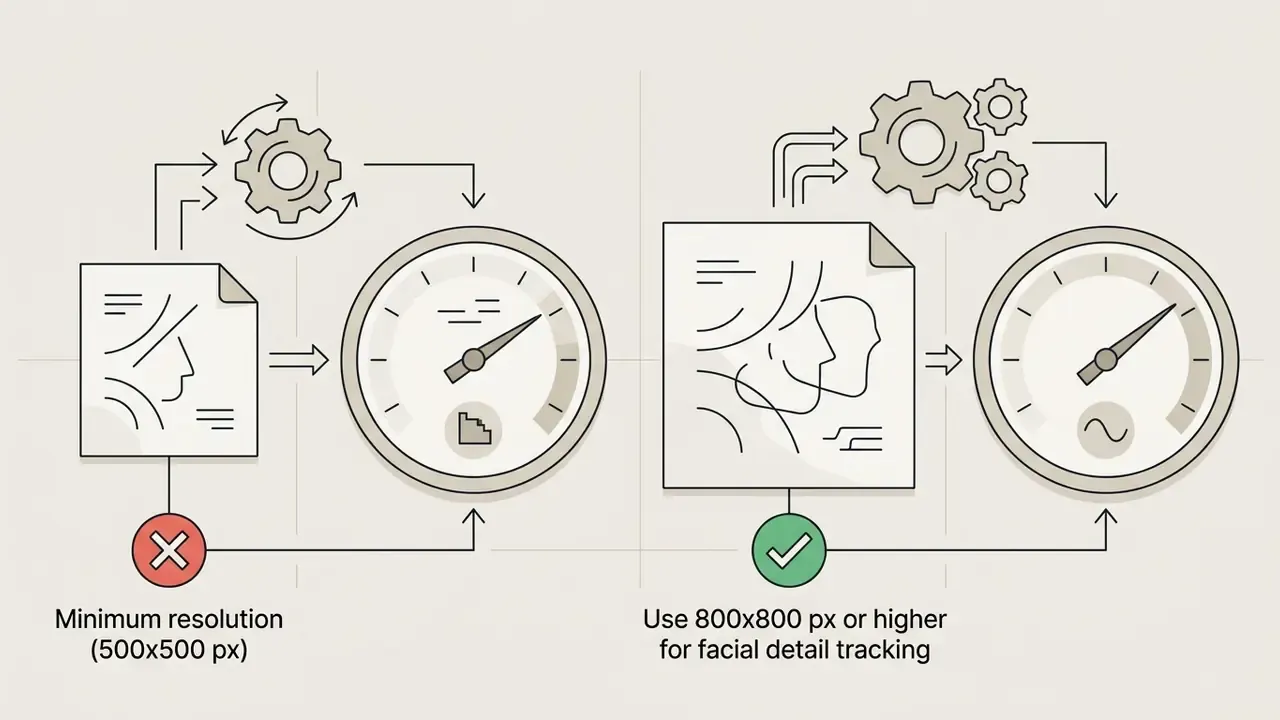
- What works best Sharp, front-facing, evenly lit single-subject photos at 500×500 px minimum, 800×800 px preferred. Old scans should be denoised or upscaled first.
- How to control motion Use motion templates for predictable results, text prompts for custom direction, and start/last-frame keyframing plus multi-angle reference uploads for precise control.
- Which engines matter in 2026 Kling 3.0, Seedance 2.5, Veo 3.1 / Veo 3.1 Lite, and Sora 2 dominate browser-based animation backends, each with different speed and fidelity trade-offs.
- Free vs. paid Free tiers are credit-metered. Vidu grants 40 monthly credits, Runway issues a one-time 125-credit pool, Adobe Firefly offers free daily generations. Watermarks, resolution caps, and non-commercial restrictions are common.
- Biggest risk Likeness consent and synthetic-media labeling. EU AI Act transparency obligations applying from August 2026 and US Copyright Office human-authorship guidance both affect commercial deployment.
Who This Guide Is For, and the Vocabulary You Need
Three groups usually land on this page for very different reasons, and they need different answers.
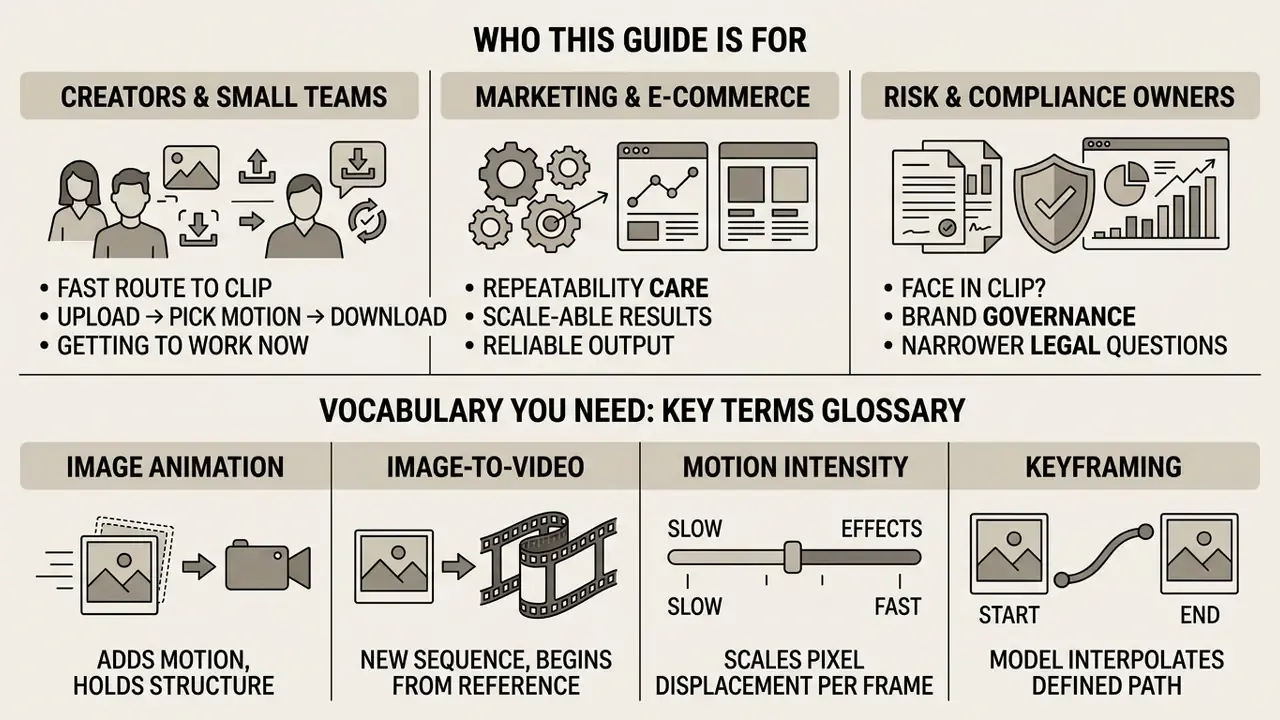
Creators and small teams want the fastest route to a working clip: upload, pick motion, download. For them the practical question is which photo animates cleanly and how many free credits it costs to find out.
Marketing and e-commerce operators care about repeatability. One good clip is luck. Forty-eight usable clips from forty-eight product shots is a process, and that process depends on locked motion parameters rather than inspired prompting.
Risk, compliance, and brand-governance owners care about a narrower set of questions: whose face is in the file, who approved it, what evidence exists that a human directed the output, and whether the export carries a watermark or a licence restriction that will surface after publication. That is not paranoia. It is the same control logic applied to any automated pipeline.
A short glossary, because these terms get used interchangeably and shouldn't be:
- Image animation adds motion to an existing frame while holding structure. Identity and geometry stay put.
- Image to video generates a new sequence that merely begins from your reference frame. Camera, background, and lighting may all evolve.
- Motion intensity is a scalar control that scales how far the model may displace pixels per frame. Low values buy stability.
- Keyframing means supplying a first and last frame so the model interpolates a defined path instead of improvising one.
- Provenance metadata covers invisible marks such as SynthID or C2PA manifests that travel with the file even when no visible watermark appears.
Keep those five distinctions straight and roughly half of the usual frustration disappears.
AI photo animation technology allows users to turn a static photograph into a dynamic video clip using browser-based deep learning models. By analyzing structural keypoints, facial landmarks, and background geometry, modern generative architectures synthesize realistic motion vectors directly from a single input file. Understanding how these tools function helps organizations and creators evaluate visual performance, operational limits, and risk controls before deploying synthetic media across public channels.
What AI Photo Animation Can Do with a Still Image
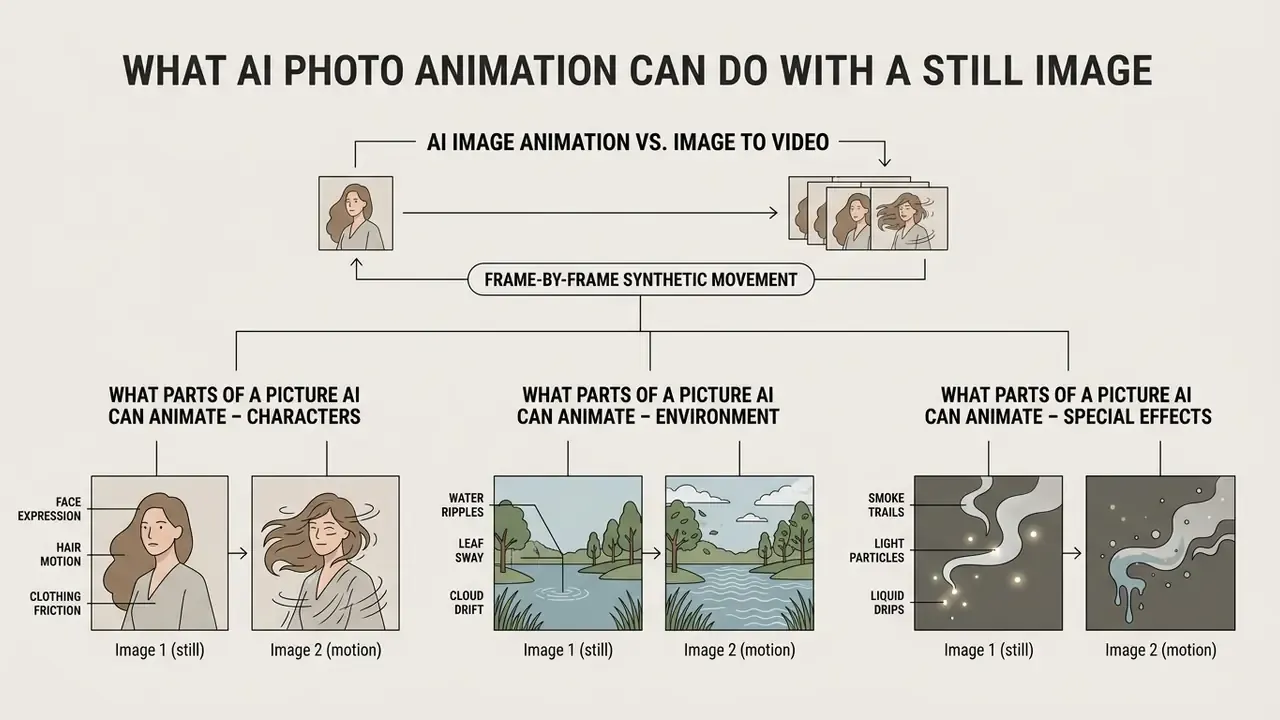
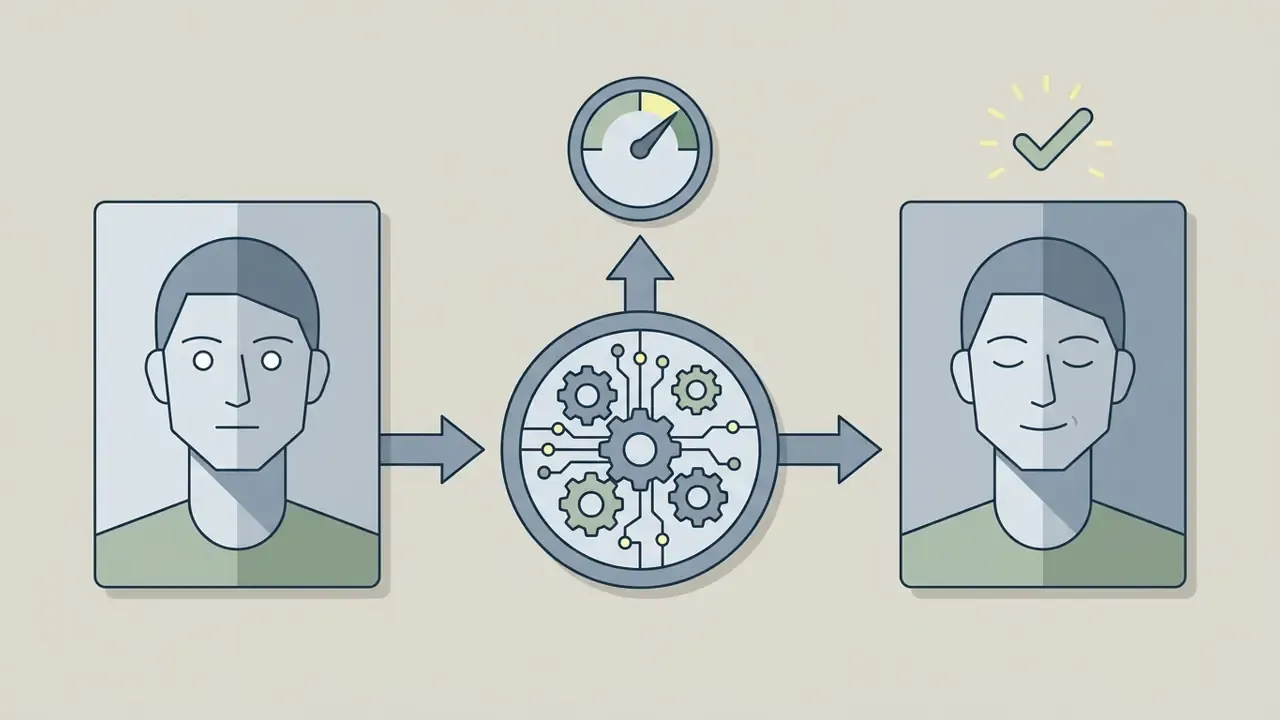
AI photo animation converts a still image into a short video sequence by generating synthetic movement frame by frame. Using advanced neural pipelines, an ai image animator online free tool evaluates pixel structures to project natural facial expressions, physical gestures, camera pans, and environmental movement without altering the subject's baseline identity.
AI image animation vs. image to video
AI image animation preserves the exact structural composition of a source photograph while injecting localized, temporally coherent movement. Broader image-to-video diffusion models do something else: they synthesize entirely new visual sequences, where camera motion, background evolution, and lighting can drift well away from the initial frame (Cinemo, arXiv:2407.15642).
«Cinemo learns the distribution of motion residuals rather than predicting frames directly, preserving the style and identity of the subject.»
General image-to-video tools excel at creative storytelling. Dedicated image animation tools focus on identity retention. Research on motion residual learning demonstrates that preserving structural similarity (SSIM) between consecutive frames prevents character warping (Cinemo, arXiv:2407.15642). Teams evaluating generative tools through an AI Media Comparison can test how different architectures maintain subject consistency across multi-second renders, and readers who want a broader survey of image-to-video generation tools can compare template-driven animation makers against prompt-driven diffusion pipelines.
The distinction matters commercially, too. If a brand needs a product photo to stay dimensionally accurate, image animation is the correct category. If a creative team wants a cinematic scene that merely starts from a reference frame, image-to-video generation fits better. Mixing the two intents is the single most common cause of unusable output and wasted credits. I've seen a whole afternoon of credits burned on exactly that confusion.
What parts of a picture AI can animate
Modern AI models can animate human facial micro-expressions, body posture, clothing folds, discrete product features, and background elements such as drifting clouds or moving water. Deep learning frameworks apply regional supervision to distinct image segments so movement stays plausible across varied photo types, and the same architectures underpin most commercial AI video generators available in the browser today.
- Facial micro-expressions: Eye blinks, mouth movements, smiles, and head tilts are driven by facial landmark mapping (GANimation; High Quality Human Image Animation, arXiv:2409.19580).
«Regional supervision of face and hands improves reconstruction precision by 21% and reduces FVD by 57.4% versus the strongest baseline.» High Quality Human Image Animation with Regional Supervision and Motion Blur Condition (2024). https://arxiv.org/abs/2409.19580
- Body posture and gestures: Limb shifts, walking motions, and shoulder turns are controlled using 3D parametric models like SMPL (Champ, arXiv:2403.14781).
«Champ integrates the SMPL model into a latent diffusion pipeline to improve body-shape alignment and motion guidance.» Champ: Controllable and Consistent Human Image Animation with 3D Parametric Guidance (2024). https://arxiv.org/html/2403.14781v1
- Clothing and fabric: Fabric folds, sleeves, and loose garments react dynamically to simulated wind or torso movement. Worth stressing: garment motion is not simulated by a physics engine, it is inferred from body-motion priors. That is why loose layers stay believable while garment structure (buttons, prints, logos) can drift. Recent human-animation research addresses this indirectly through regional supervision and motion-blur conditioning rather than explicit cloth simulation (High Quality Human Image Animation, arXiv:2409.19580). Independent cloth-specific benchmarks remain limited, so fabric fidelity should be verified visually per render.
- Environmental and product elements: Background water streams, light shifts, and 360-degree object spins can be generated while keeping main product boundaries stable. Boundary stability, though, is a function of edge contrast and motion intensity, not a guaranteed model property. Control-video alignment benchmarks (AIGCBench) measure how closely generated motion follows the intended trajectory, but no public benchmark certifies product-edge preservation. E-commerce teams should treat spin renders as drafts awaiting visual QA.
Which Photos Work Best for AI Image Animation
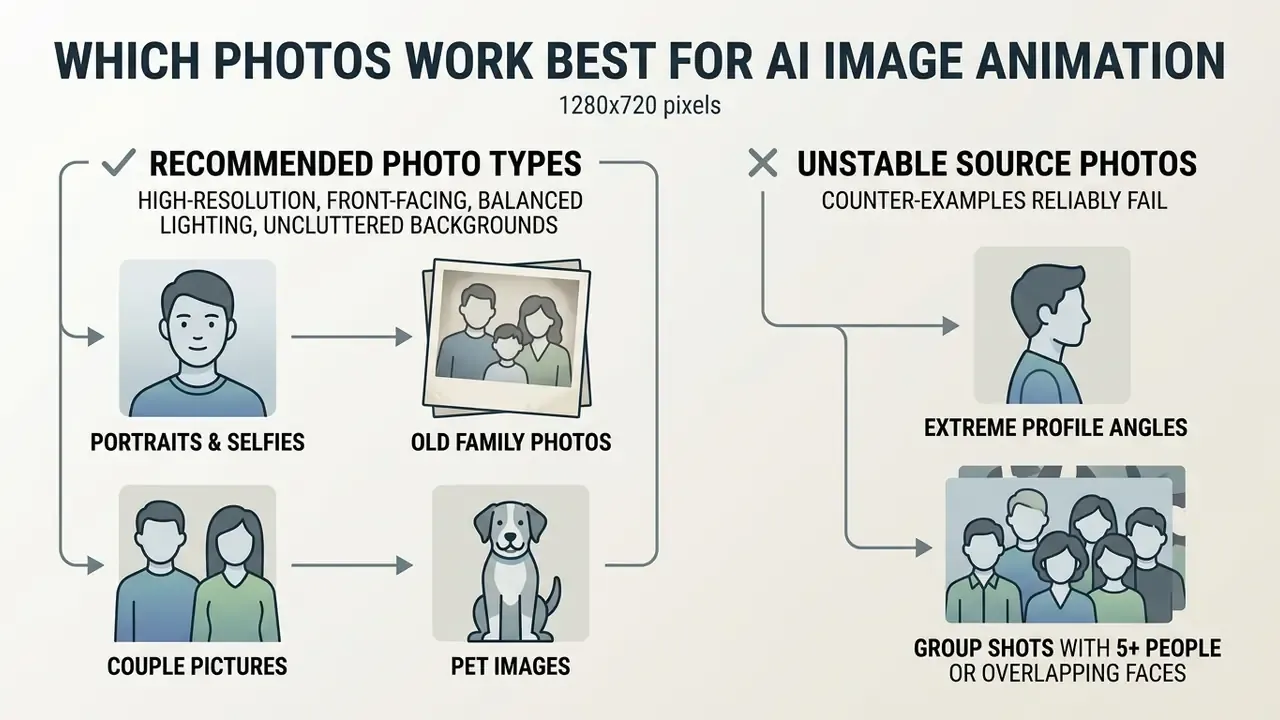
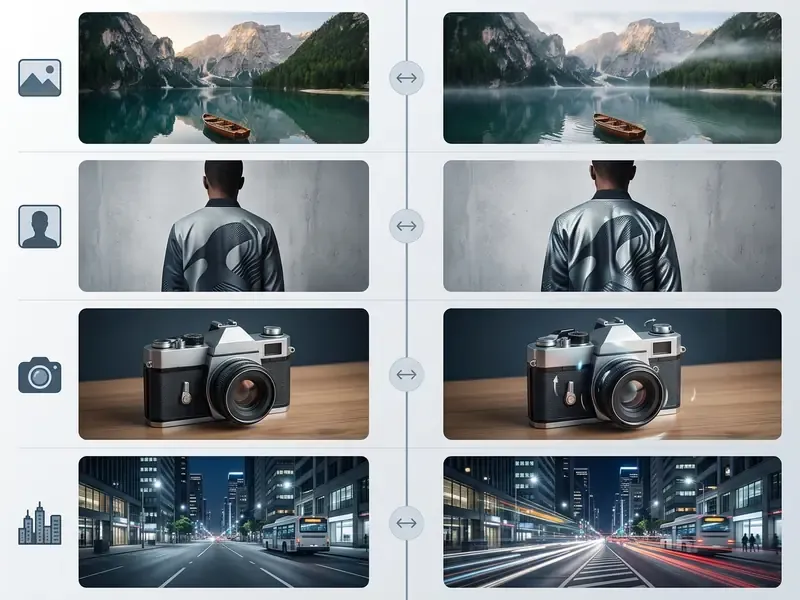
High-resolution photographs with front-facing subjects, balanced lighting, and uncluttered backgrounds produce the most stable AI photo animations. Image clarity directly affects how accurately keypoint detection networks model underlying geometry. Because motion is inferred from structure, every defect in the source (clipping, colour error, motion blur, sensor noise) gets amplified across every generated frame.
Portraits, old photos, couples, and pet images
Human portraits and pet photos yield superior motion stability when primary facial landmarks such as eyes, nose, and mouth are fully visible and unoccluded. Clear subject boundaries stop the background from bleeding into the subject during motion processing.
«HumanVid contains roughly 20,000 human-centric 1080p videos, enabling training of camera-controllable human image animation models.»
When producing promotional media or digital covers, creators frequently pair portrait animation workflows with an ai book cover generator or an ai book title generator to build consistent visual campaigns across digital storefronts.
Counter-examples: source photos that reliably fail
Knowing what not to upload saves more credits than any prompt trick. The following inputs break motion estimation for structural reasons:
- Extreme profile angles near 90 degrees. Only half the facial landmark set is visible, so the model hallucinates the occluded eye and cheek. That is the classic "melting face" drift on rotation.
- Group shots with five or more people, or overlapping faces. Feature leakage occurs when identity embeddings of adjacent subjects blend. Occlusion also makes depth ordering ambiguous, and the model resolves ambiguity by warping limbs.
- Heavy noise, JPEG blocking, or aggressive smartphone beautification. Compression artifacts get misread as facial keypoints, so flicker appears exactly where the noise sits.
- Subjects occupying less than roughly 15% of the frame. Too few pixels describe the face or product, so upscaling inside the diffusion loop invents detail that changes between frames.
- Motion-blurred or backlit originals. Blur removes the edge gradients the motion estimator depends on. Backlighting collapses contrast between subject and background, which is what causes background bleed into hair and shoulders.
- Busy, high-frequency backgrounds such as foliage, crowds, or patterned wallpaper. These regions warp first because they contain many competing edges with no stable structure.
Before animating any of the above, upscale or repair the file. An AI image upscaler or a free photo editor pass usually converts a failing input into a usable one.
Product images, illustrations, and anime art
Commercial product photography and stylized artwork require high edge contrast and defined geometry to prevent structural warping during movement. In e-commerce, motion models must keep product dimensions intact for visual accuracy, otherwise the clip misrepresents the item. Public-sector imaging rules are a useful proxy for input hygiene: US General Services Administration product-photo requirements specify JPEG/JPG or non-animated GIF files at a minimum of 500×500 px showing only the represented product, which is close to what animation pipelines need for stable edges.
For 2D illustrations and anime art, platforms evaluate motion adherence against core animation principles, such as squash and stretch, to retain artistic style without degrading character lines (AnimationBench, arXiv:2604.15299).
«AnimationBench operationalises the twelve fundamental animation principles and IP preservation into measurable metrics for character animation evaluation.»
Creators building interactive digital assistants or automated conversational characters often evaluate an ai bot maker to pair moving visual avatars with automated chat logic, while artists benchmarking source-art quality can start from the best AI art generators.
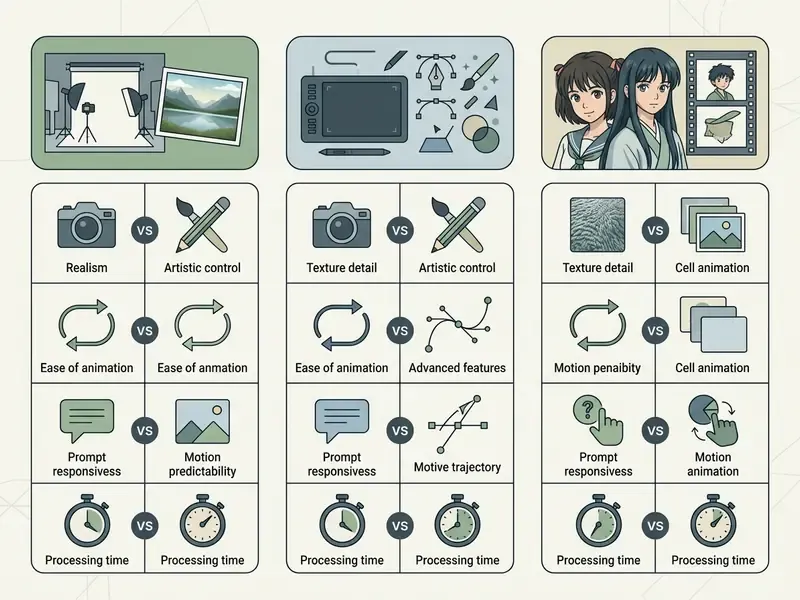
| Image Type | Recommended Motion Style | Key Supporting Evidence | Expected Limitations |
|---|---|---|---|
| Portrait photos | Subtle expressions, eye blinks, gentle head turns | HumanVid (20K 1080p video benchmark); High Quality Human Image Animation (57.4% FVD improvement) | Extreme rotation angles may cause facial feature drift. |
| Old family photos | Slight smile, subtle eye movement, gentle tilt | Regional supervision reduces noise artifacts in facial regions (arXiv:2409.19580) | High noise and grain in source scans reduce temporal stability. |
| Product photos | Controlled 360 spin, linear pan, subtle zoom | AIGCBench control-video alignment benchmarks | Complex multi-stage scene evolution achieves under 20% prompt accuracy (TC-Bench). |
| Illustrations and anime | Style-preserving animation, expressive motion | AnimationBench IP preservation and animation principle metrics | Aggressive motion intensity can distort line art. |
How to Make Photo Animation Online Free
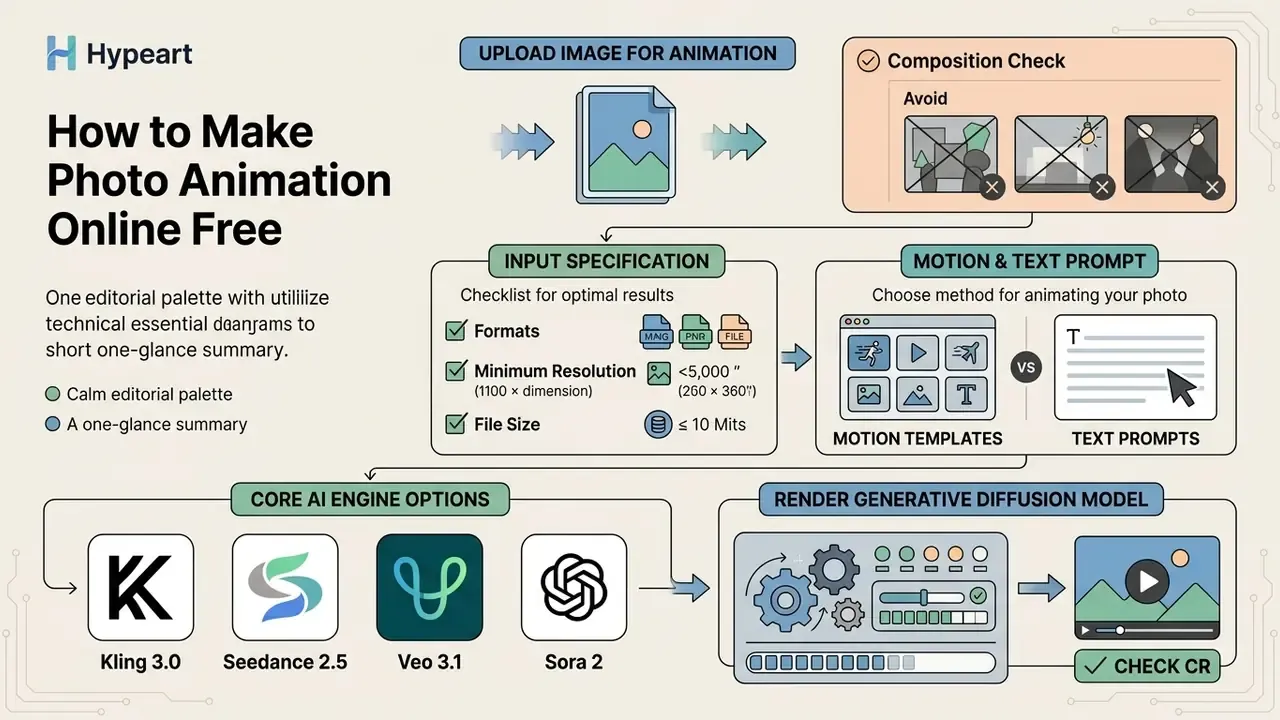
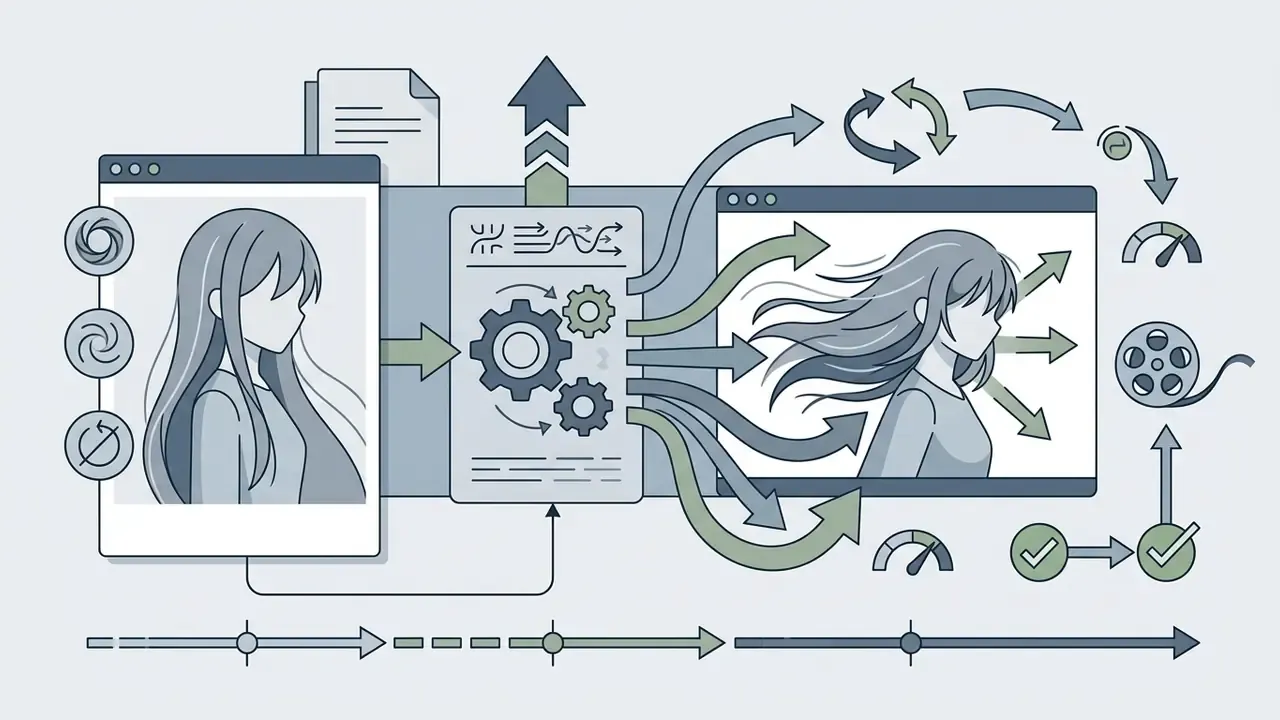
Creating an animated video online means four things: upload a source image, choose an automated motion template or write a text prompt, render the generative diffusion model, and download the output file. Browser-based platforms compress that into a structured, code-free workflow. No timeline, no keyframe editor, no plugins.
Core AI engine options
Browser-based animation tools rely on specialized video diffusion backends. Engine choice affects rendering speed, motion fidelity, and credit consumption:
| AI Engine | Primary Strengths | Recommended Use Cases | Rendering Throughput |
|---|---|---|---|
| Kling 3.0 | High cinematic stability, complex camera moves | E-commerce product spins, dramatic panners | Standard (30 to 60s) |
| Seedance 2.5 | Ultra-smooth micro-expressions, low artifact rate | Single and couple portraits, historical photo restoration | Fast (15 to 30s) |
| Veo 3.1 / Veo 3.1 Lite | Photorealistic lighting shifts, high prompt accuracy | Storyboarding, branded commercial assets | Heavy (60 to 120s) |
| Sora 2 | Complex physics simulation, multi-object interactions | Narrative scenes, environmental transformations | Heavy (90 to 150s) |
| Nano Banana 2 (image pre-stage) | Portrait and product image generation before animation | Creating or cleaning the source frame | Fast (image only) |
Engine choice is also a cost decision, since heavier backbones consume more credits per second of output. Developer teams planning programmatic access can review the Google Veo implementation guide for API costs, rate limits, and endpoint behaviour before committing to a backend.
Upload an image for animation
First, select a supported image file from your device and upload it to the browser workspace. The underlying motion estimation algorithm performs best when the photograph features a centered subject, strong contrast, and clear lighting. Preparing the file in an AI photo editor first, by cropping to the subject, fixing white balance, and removing noise, is the cheapest quality upgrade available.
Input specification at a glance:
Supported inputs typically include portrait photos, historical family pictures, pet photographs, and commercial product images. For teams integrating automated image asset generation into broader publishing pipelines, an ai book illustration workflow shows how static character art becomes a promotional video asset.



Choose a motion template or write a text prompt
You control generated movement either by selecting a preset motion template or by entering a descriptive text prompt. Templates apply standardized keypoint trajectories for common actions like blinking or turning. Custom prompts offer granular direction for complex character motion, at the price of variance.
«An SSIM-based strategy enables precise control of motion intensity, while DCT-based noise refinement reduces abrupt transitions between frames.»
When you write prompts, specifying small-scale physical actions yields the most natural motion. A prompt such as "a subtle smile and slow eye blink" lets the model isolate facial regions without introducing erratic camera shifts. Creators designing digital characters or narrative visual assets often combine motion prompts with an ai book generator or an ai boyfriend generator to maintain visual continuity across multi-media projects.
Advanced control: keyframing and multi-angle consistency
Modern browser animators offer precise control beyond a single upload:
- Start and last frame alignment (keyframing) Upload both an initial frame and a target closing frame, and the diffusion model follows a deterministic motion path. The AI interpolates intermediate frames, which prevents directional drift during complex action sequences. This is the most reliable way to force a specific ending pose, expression, or product orientation instead of accepting whatever the model improvises.
- Reference-to-video consistency To animate characters or objects across variable angles without aesthetic degradation, advanced workflows accept multi-angle reference uploads. Front, profile, and three-quarter views let spatial attention layers lock physical proportions and clothing details across the whole loop.
- Practical pairing combine keyframing with low motion intensity for portraits, and reference-to-video with a locked background for product spins. Push both to maximum strength at once and you over-constrain the solver, which usually shows up as stutter at the midpoint of the clip.
Generate, preview, and download the animated video
Once motion parameters are configured, start generation and let server-side diffusion models process the frames. When processing completes, the platform serves an interactive preview player inside the browser.
Review the preview loop to inspect temporal smoothness and check for visual artifacts before confirming the final render. Standard exports arrive as MP4 files encoded with the H.264 codec at 1080p, which keeps them compatible with web platforms, social media, and digital asset management systems. Recommended delivery settings follow standard editorial practice: H.264 in an MP4 container, frame rate matched to the render (24 to 30 fps), progressive scan, AAC audio at 48 kHz where sound is present, and roughly 8 Mbps for HD or 45 Mbps for 4K masters. Teams distributing clips at scale often add a video compression pass to cut delivery weight without visible quality loss, and publishers finishing social cuts can route assets through a YouTube video editing workflow.
Compare with free AI video generators to see how export ceilings and watermark policies differ between tiers. Technical teams planning high-volume automated exports can review AI Media API Guides to assess server render throughput and endpoint integration options.
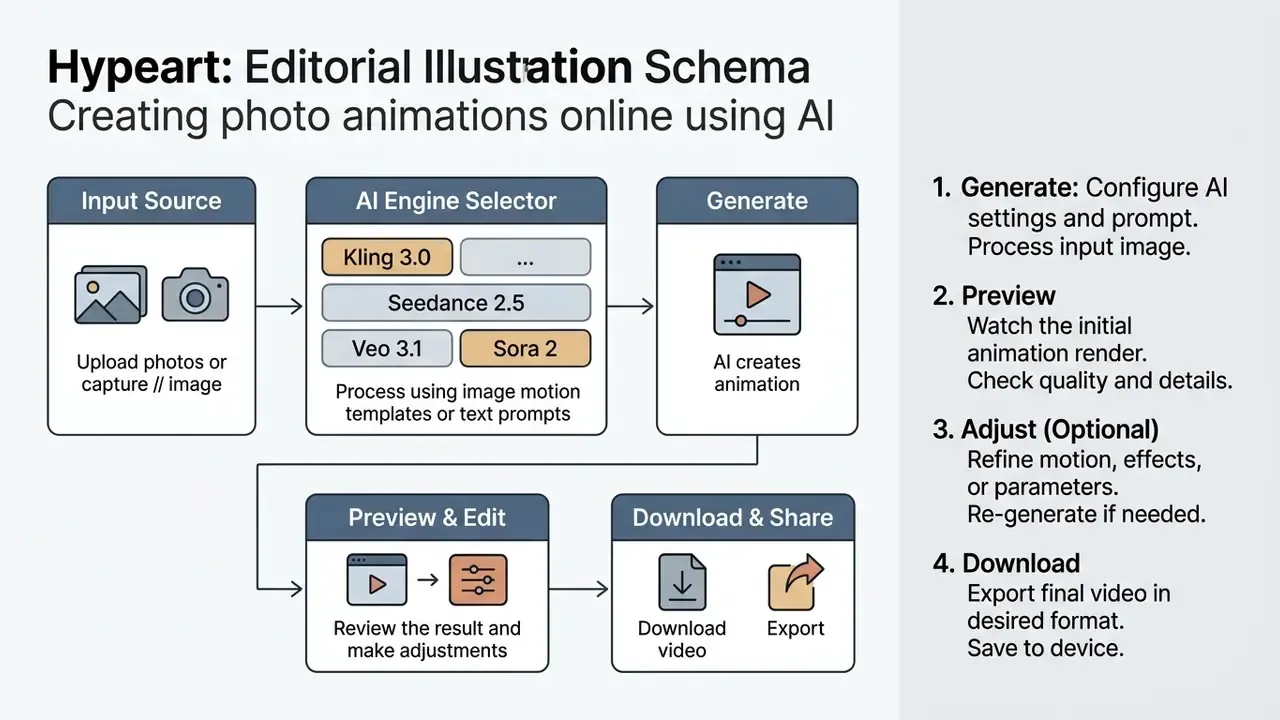
- Upload image.Select a JPG/PNG source that meets the minimum 500×500 px requirement.
- Choose motion template or engine.Pick a preset trajectory (blink, hug, spin) or select a backend such as Seedance 2.5 or Kling 3.0.
- Add text prompt and optional last frame.Describe one localized action, attach a closing keyframe for deterministic motion.
- Set duration, aspect ratio, and motion intensity.Lower intensity for portraits, moderate for product spins.
- Generate.The diffusion backend renders frames server-side.
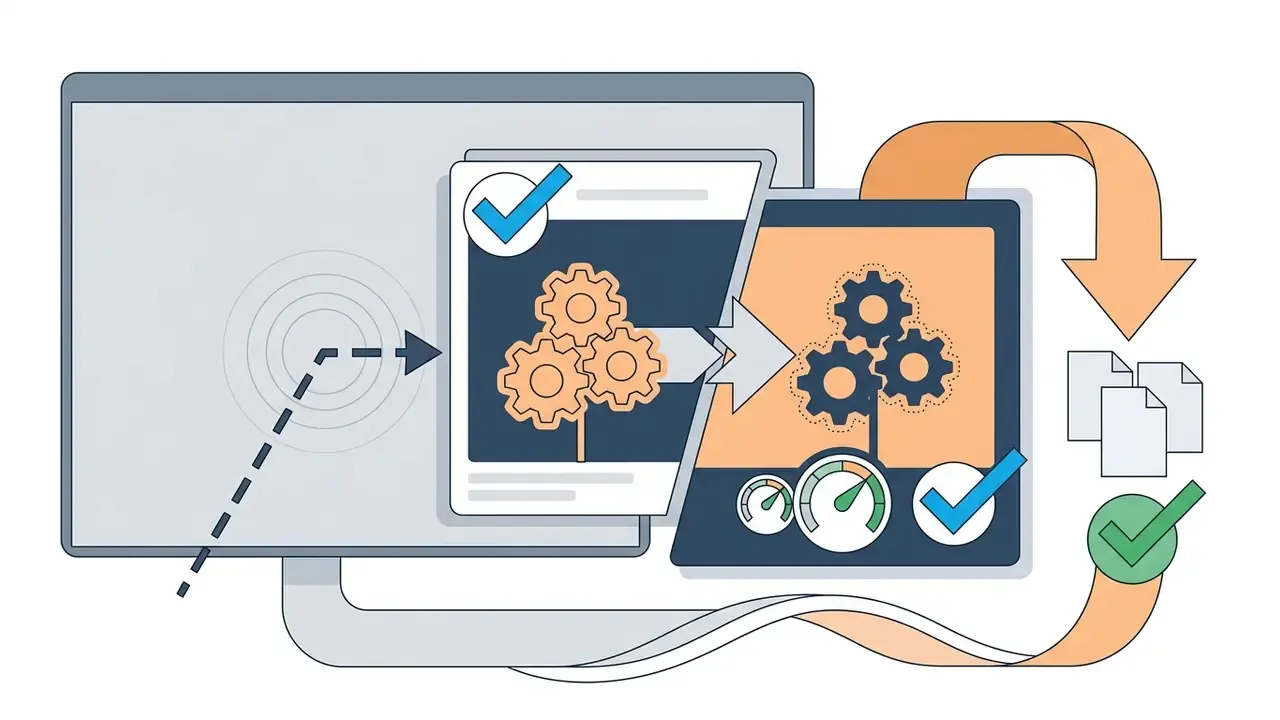
- Preview.Inspect the loop for face drift, flicker, and background warping before spending an export credit.
- Download.Export MP4 (H.264, 1080p) and archive the source image plus prompt for auditability.
Free Online AI Photo Animators Compared (2026)
The word "free" hides at least three monetisation models: renewable monthly credits, non-renewing one-time trial pools, and daily free generations. The table below summarises how the main publicly available browser animators structure access. Terms change often, so verify the current dashboard before you commit a campaign.
| Platform | Free access model | Watermark on free tier | Commercial use on free output | Notable strength |
|---|---|---|---|---|
| Adobe Firefly (image-to-video) | Free daily generations on a free account | Depends on plan and surface | Marketed as commercially safe, trained on licensed and public-domain content | Start-frame plus end-frame control in the browser |
| Vidu AI | 40 free credits per month | Typically applied on free tier | Verify current terms before commercial release | Start/last-frame keyframing and reference-to-video multi-angle consistency |
| Runway | One-time 125-credit grant (does not renew) | Yes on free exports | Permitted under its terms across plans | Strong motion-brush and camera-control tooling |
| Pika | Limited free generations | Yes | Restricted to personal, non-commercial use on the free tier | Fast turnaround for short social loops |
| Template-driven animators (OCMaker, AnimateMyPic-class tools) | Signup credits, then credit packs or subscription | Removed on paid plans | Usually paid-tier only | Large libraries of preset effects (hug, kiss, dance, old-photo revival) |
| Open-source portrait models (LivePortrait-class) | Free to self-host | None | Depends on model licence and source-image rights | Full local control, no upload of sensitive photos |
How to read this table in practice. If the deliverable is a paid advertisement, budget for a paid tier from the start, because watermarks and non-commercial clauses are the two failure points that force a re-render. If the deliverable is an internal test, a one-time credit pool is enough to learn whether a given photo type animates cleanly at all. For a wider cost model across visual tooling, run the numbers with AI Media Calculators.
How to Get Realistic and Natural Motion
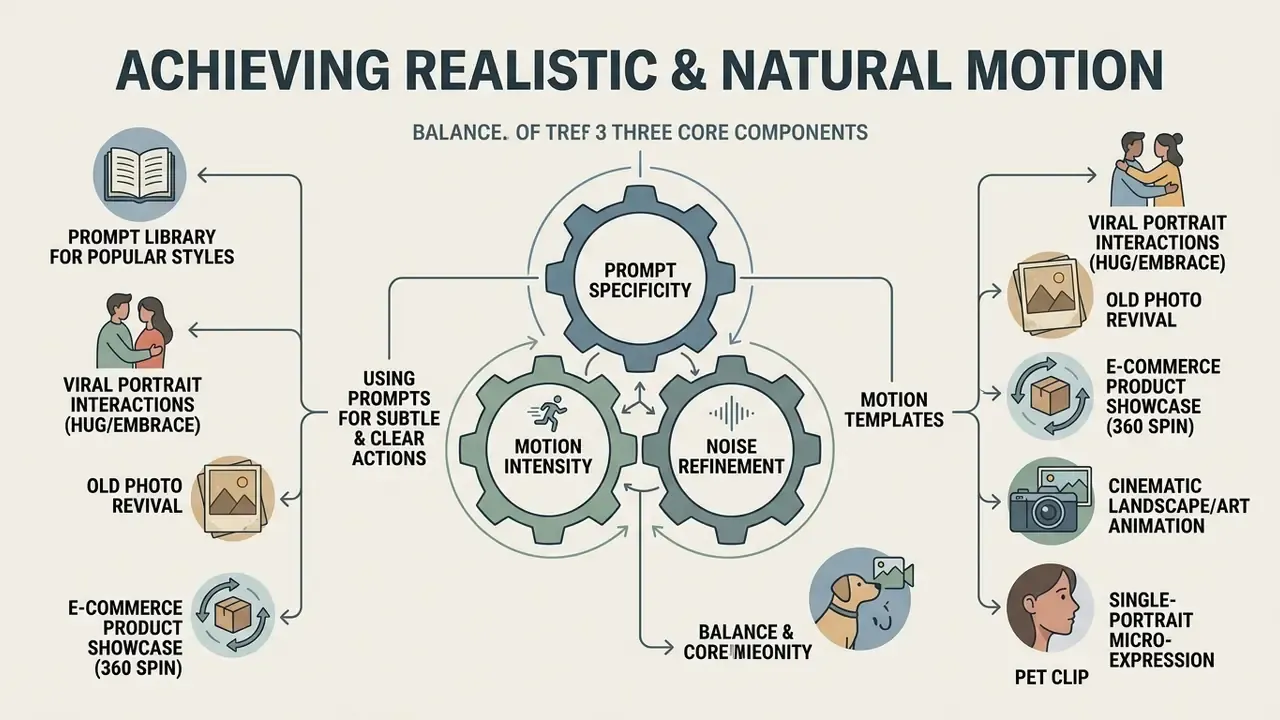
Natural motion in AI video generation comes from balancing prompt specificity, motion intensity, and noise refinement. Restrain the scope of movement and most generative artifacts, flickering and face warping in particular, simply stop appearing.
Prompts for subtle movement and clear actions
Effective prompts specify single, localized actions using clear descriptive verbs, not abstract narrative. Models interpret concrete motion terms far more reliably than multi-step instructions.
In practice, prompting for "a slow, natural smile with an eye blink, static background" produces stable output. Ask instead for "a person turns around, walks to a window, and waves" and it usually fails, because current video diffusion models realize less than 20% of complex multi-stage compositional transitions (TC-Bench, arXiv:2406.08656).
«TC-Bench shows that most video generators realise fewer than 20% of the specified compositional changes in complex multi-stage scenes.»
A workable prompt skeleton has four slots: subject, one localized action, background constraint, render quality tag. Anything past that adds variance rather than control.
Copy-paste prompt library for popular motion styles
To cut trial-and-error credit consumption, start from these structured templates, tuned for motion stability:
Viral portrait interactions (hug or embrace):
"Two people turn slightly toward each other, gentle warm smile, subtle step closer into a soft hug, static background, photorealistic lighting, 4k"Old photo revival:
"Subtle eye blink, soft natural smile, smooth head tilt, zero background deformation, high detail facial features, historical ambiance preserved"E-commerce product showcase (360 spin):
"Controlled 180-degree slow horizontal turntable rotation of the product, stable studio lighting, locked background, crisp edge retention"Cinematic landscape or art animation:
"Slow forward camera zoom, gentle drifting clouds in the upper third, subtle water ripples, static foreground subject, 24fps smooth motion"Single-portrait micro-expression:
"One slow blink, faint lip curl into a smile, two-degree head tilt to the left, shoulders still, background completely static, natural window light"Pet clip:
"Ears twitch once, single slow blink, gentle fur movement, camera locked, fur texture preserved, no body rotation"Anime or illustration:
"Hair drifts gently in light wind, eyes blink once, line art and colour palette unchanged, slow camera push-in, style preserved"Couple portrait (safe variant):
"Both subjects look at camera and smile softly, no head rotation, no contact between subjects, static background, even lighting"
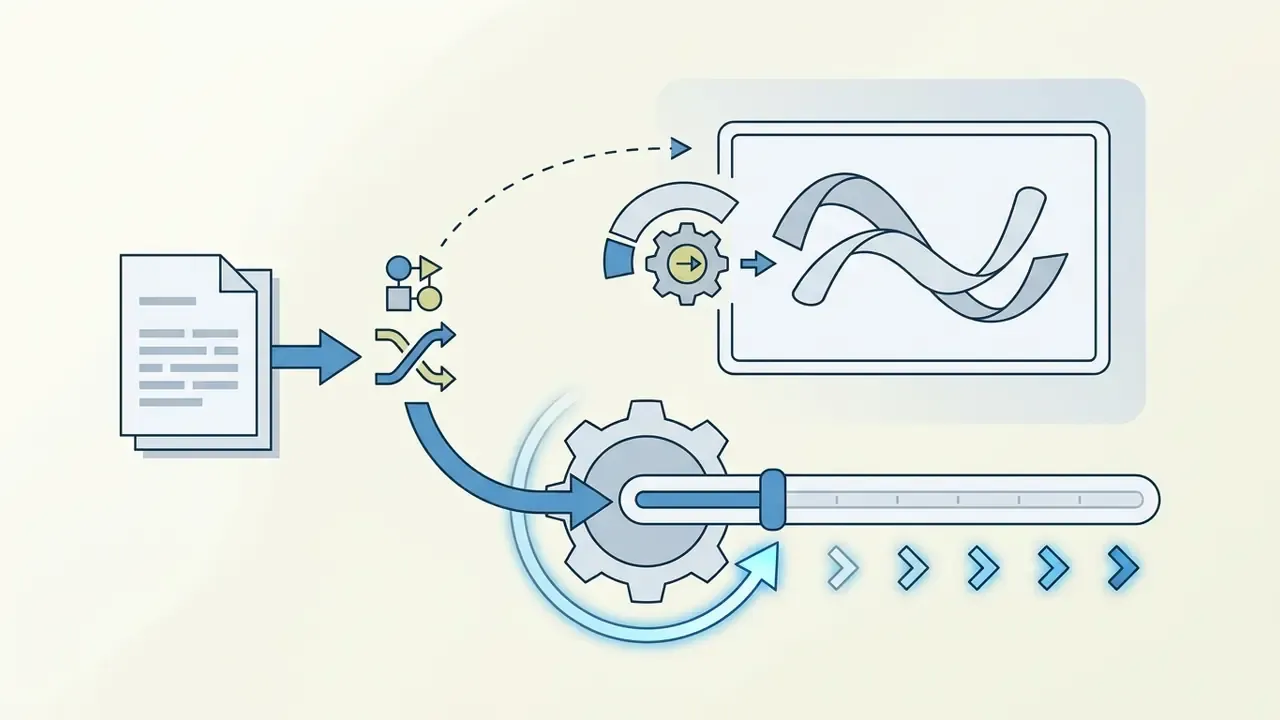
Save the templates that work as reusable house presets. Structured templates behave more predictably than free-text prompts for a simple reason: they lock scene order, camera behaviour, duration, and constraints into fixed fields. That is the same reason motion presets beat improvised prompts on the first attempt.
Common AI animation glitches and how to prevent them
The frequent defects in AI image animation are facial feature drift, temporal flickering, warped background elements, and limb distortion. All four trace back to noise instability during diffusion denoising (VBench, arXiv:2311.17982).
«VBench decomposes video quality into 16 dimensions, including subject identity inconsistency, motion smoothness, and temporal flickering.»
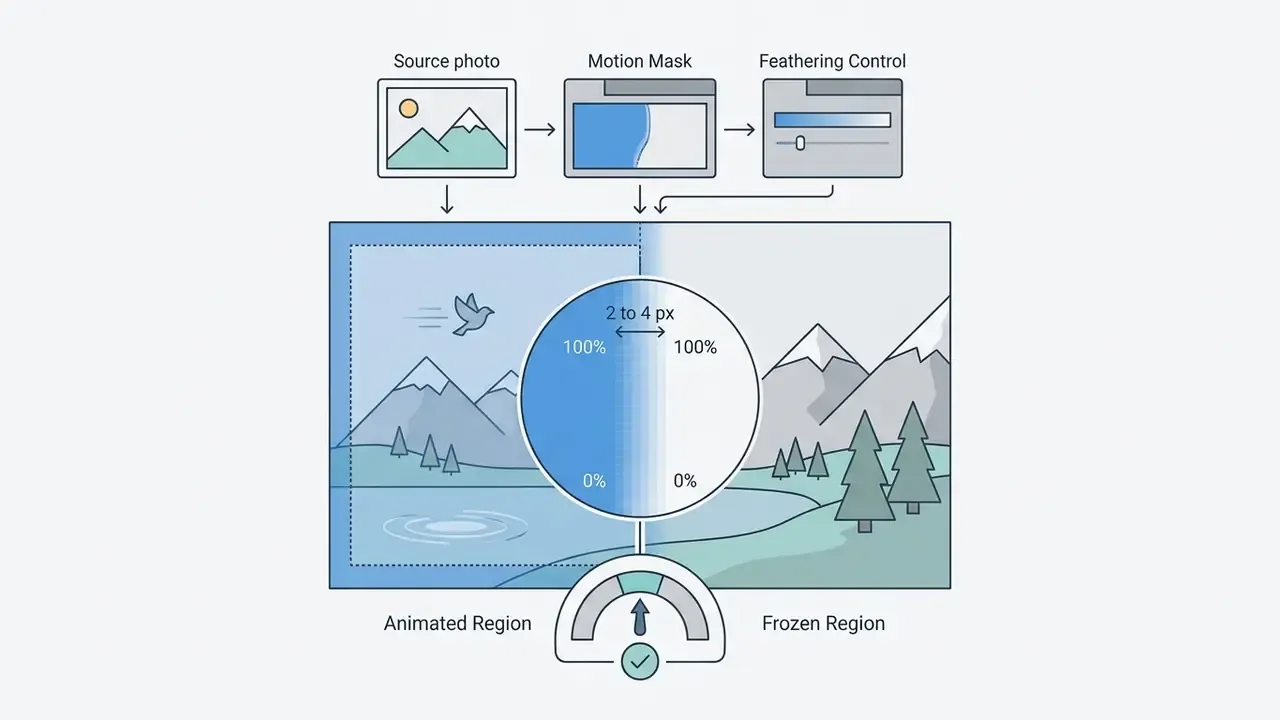
To suppress glitches, platforms apply regional supervision for facial keypoints and discrete cosine transform (DCT) noise refinement (Cinemo, arXiv:2407.15642). On your side, three levers do most of the work: upload high-resolution source photos (an AI image upscaler helps when the original is small), lower motion intensity, and mask background regions so they freeze during rendering.
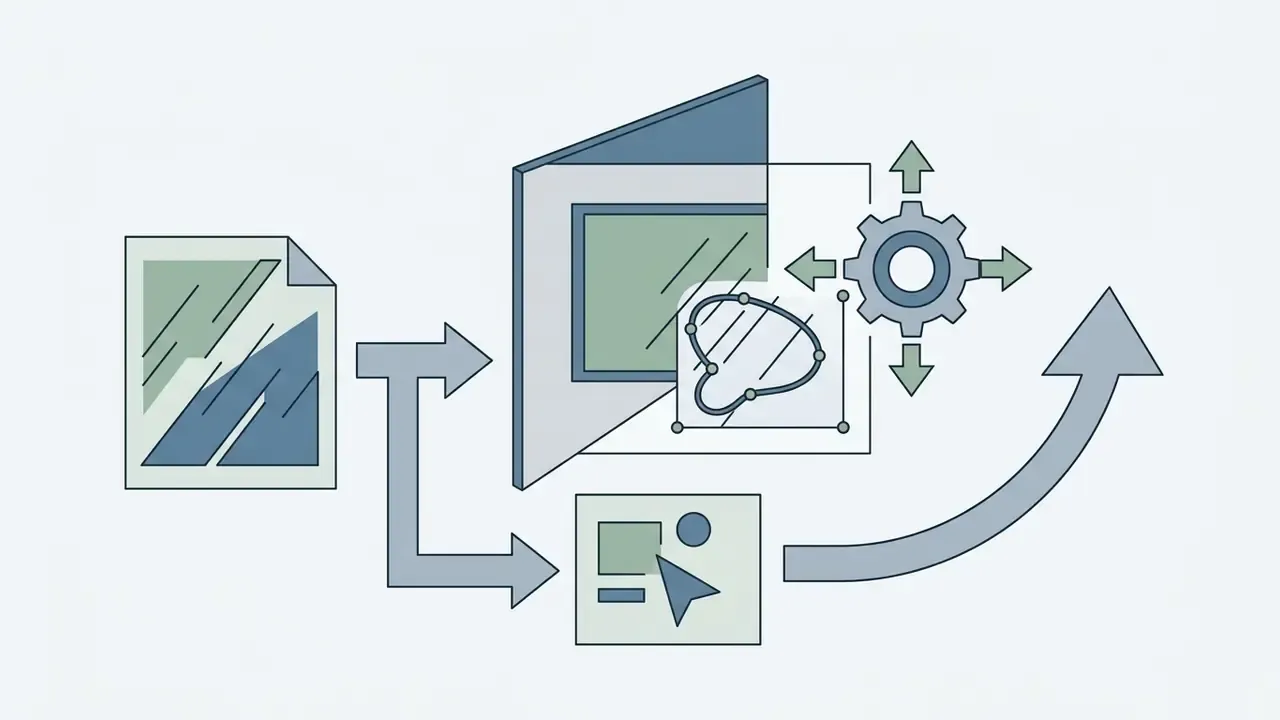
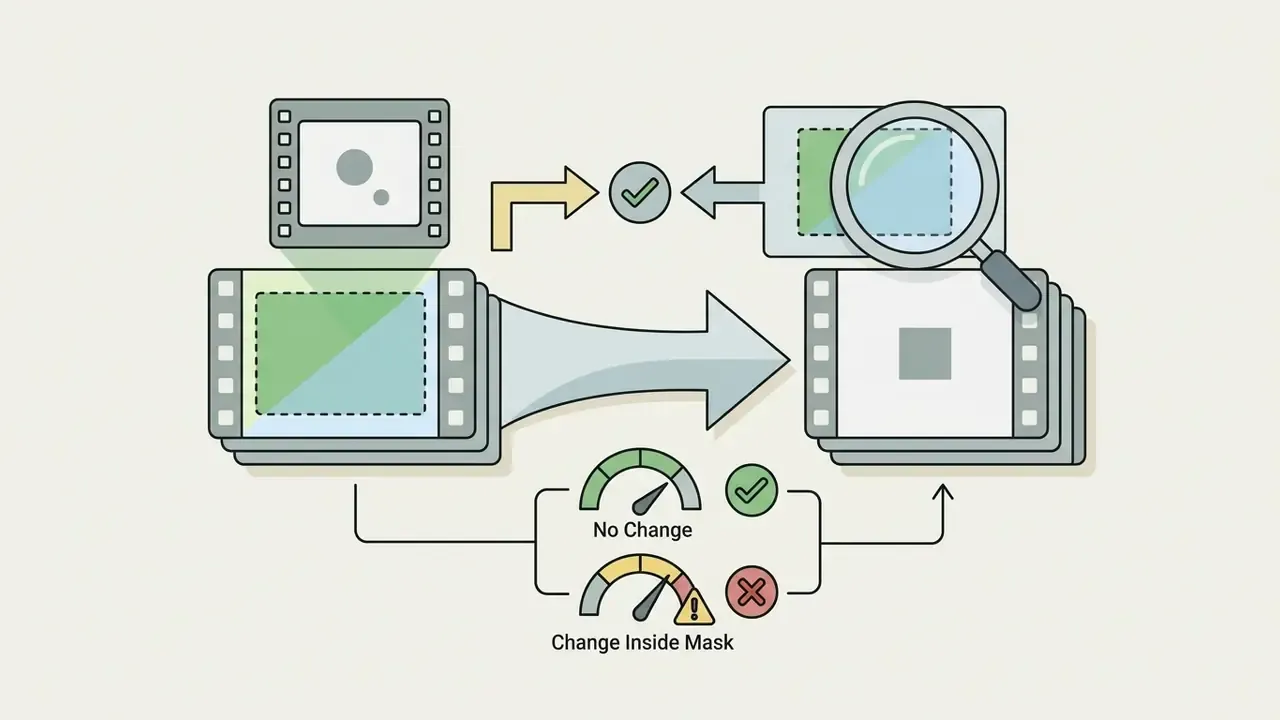
Micro-workflow: masking to freeze the background before rendering
Case study, e-commerce portrait campaign (illustrative, composite). During a digital media audit, a mid-market apparel retailer animated 48 static model shots for paid social. The first batch used broad narrative prompts ("model walks toward camera and smiles") at default motion intensity. Result: 31 of 48 clips showed background warping, and the chest-area brand logo deformed in 19 of them, which made the assets unusable for paid placement. The team then switched to a locked framework, meaning localized facial prompts only, background frozen with a feathered mask, motion intensity reduced to the lowest visible setting, and a fixed last-frame keyframe. In the second batch, 44 of 48 clips passed QA on the first render, logo deformation dropped to zero, and average credits per approved asset fell by roughly two-thirds because re-renders nearly disappeared. Engagement on the animated variants beat the static originals across the same placements, though the retailer credited motion novelty rather than any single model choice.

⚠️ Legal and ethical compliance: important governance and safety requirement
Is AI Photo Animation Really Free and Available for Commercial Use?
Free access, trial credits, and paid generation limits
Most free AI image animators grant either a daily allowance of renewable credits or a one-time trial allocation at registration. Free tiers let you test core motion models, but they restrict duration, resolution, and queue priority.
Common free-tier limitations:
Organizations evaluating total deployment costs across visual tools can use AI Media Calculators to estimate operational expenses, then review upgrade structures on the AI Media Pricing overview page.
FAQ About Making Pictures Move with AI
Can AI animate group photos and multiple characters?
Yes, AI can animate group photos with several people, but holding character consistency is far harder than with single-subject portraits. In multi-character scenes, feature leakage occurs, where facial characteristics or motion vectors from one person bleed into an adjacent individual (FantasyPortrait, 2025). Complex physical interaction between characters frequently produces occlusion errors and spatial misalignment (TC-Bench, arXiv:2406.08656). Recent multi-identity diffusion research notes that naive extension of single-subject methods to multi-character scenes causes identity confusion and implausible occlusions, which is why explicit per-person identity conditioning is required. For group photos, choose low motion intensity and use high-resolution sources where every face is clearly defined.
How do I animate couple photos or duo portraits without face warping?
Couple photos need models that support dual-subject pose tracking, such as Champ or Seedance 2.5. To prevent feature leakage, where facial traits blend between subjects, give both faces equal lighting and at least 100 pixels of spatial separation in the source. Use prompts that specify isolated actions, for example "both subjects look at camera and smile softly", rather than intersecting movements. If the brief requires contact, a hug or a lean, use a template built for that interaction instead of a free-text prompt, keep the clip under five seconds, and add a last-frame keyframe so the model interpolates toward a defined pose rather than improvising the embrace.
What image and video formats should I use?
For source uploads, use uncompressed PNG or high-quality JPEG at a minimum of 500×500 pixels, with 800×800 preferred for detailed facial tracking. PNG is recommended because lossless raster compression stops compression artifacts from being misread as facial keypoints by the motion estimator. WebP is a valid alternative where supported, with smaller files and native animation frames. For output, standard MP4 encoded with H.264 video and AAC audio remains the industry default: high visual fidelity, small file size, and universal playback across browsers, editing software, and social platforms. Animated GIF is still fine for very short, simple loops, but it is an inefficient delivery format for photorealistic motion.
How are uploaded photographs processed and protected?
Data handling varies by platform terms. Most commercial web animators process uploads on cloud servers, holding files temporarily in render caches while frames are generated. Some free platforms, however, reserve the right to use uploaded content for model re-training, or they require publicly accessible URLs to process image tensors. In other words, uploads are not private by default on those services. Never upload confidential enterprise assets or sensitive personal photographs without verifying end-to-end encryption, automated cache deletion, and an explicit opt-out from model training. Where source photos are sensitive, a self-hosted open-source portrait model avoids third-party upload entirely. It is also worth noting how audiences actually respond to synthetic media:
«Across 500 adult learners, recall and recognition performance was equivalent for AI-generated synthetic video and real video, with participants favouring video formats.» Adult learners' recall and recognition performance and affective feedback when learning from an AI-generated synthetic video (2024). https://arxiv.org/abs/2412.10384
What is the main difference between motion templates and text prompts?
Motion templates use pre-engineered keypoint trajectories and facial action unit mappings to execute specific, pre-tested movements: smiling, blinking, a 360-degree object rotation. High predictability, low artifact rate. Text prompts rely on natural language interpretation of free-form instructions. They allow custom creative direction, but carry higher risk of temporal instability or unexpected glitches when the requested motion sits outside the model's training distribution. In production, the pragmatic pattern is template first, prompt second: start from a preset, then add one prompt clause to adjust mood or camera behaviour.
How long does an animation take to generate, and can I re-render?
Rendering time depends on the backbone and queue priority. Fast portrait engines typically return a short clip in roughly 15 to 30 seconds, mid-tier cinematic engines in 30 to 60 seconds, and heavy photorealistic or physics-oriented models in 60 to 150 seconds. Free-tier queues add waiting time under peak load. Most platforms allow re-generation, but each attempt spends credits, which is exactly why previewing before export and locking motion parameters with masks and keyframes reduces cost per approved asset.