For a regulated organization, that speed is the easy part. The harder part is proving, months later, who authored an asset, what data went into the prompt, and under which licence the file was published. This guide covers both sides.
Executive Summary
- What these assets are Prompt-generated visuals produced by diffusion models and GANs, not licensed photographs. They can look photographic without ever passing through a camera sensor.
- Quality reality check Photorealism is now good enough to fool casual viewers under time pressure, yet fine details (hands, reflections, in-image text, fur boundaries) remain the most reliable failure points.
- Tool selection Google Nano Banana Pro leads on realism and in-image text, Adobe Firefly leads on commercial safety, Canva leads on beginner speed and data privacy, Midjourney leads on stylized art, Stable Diffusion leads on local control.
- Legal position Wholly machine-generated images are not registrable for copyright in the United States. "Free download" and "royalty-free" never equal "cleared for commercial deployment."
- Governance priority Before any campaign launch, control three things: prompt-side data leakage (Shadow AI), platform data-retention terms, and provenance metadata (C2PA) on published files.
- Practical assets in this guide A copy-ready prompt pack, an engine flag cheat sheet, an upscaling pipeline, a five-step license verification checklist, CC0 download sources, and a four-case visual artifact trainer.
Three Decisions This Guide Is Built to Support
Most readers arrive with one of three open questions. Naming them early saves time.
- Sourcing.Which engine or repository produces the visual class you actually need, and at what resolution? Search behaviour here is messy: people type "ai images cool", "ai images images", "ai pictures of" a subject, or simply "ai stock picture", and land on wildly different asset types. The category label matters less than the output spec you can export.
- Cost confidence.What does a production-ready file cost once credits, upscaling passes, and human review time are included? Free tiers rarely survive contact with a 4K print deliverable. Budget owners can cross-check unit economics with our calculators and the current AI Media Pricing Guides.
- Commercial clearance.Can the asset be published on a client website, in paid media, or in an investor deck without inheriting third-party rights? This is where most programmes stall, and it is the section worth reading twice.
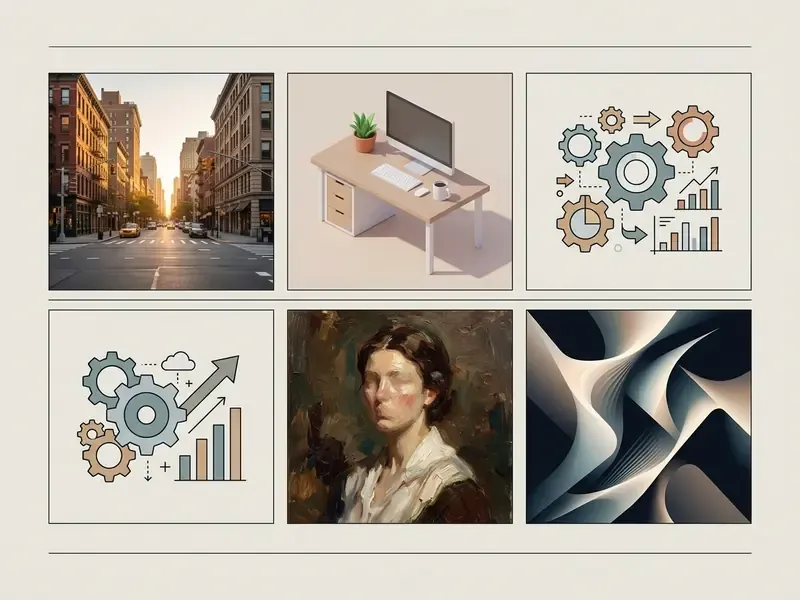
Read this guide in governance order. Browsing for inspiration? Start with the style sections below. Approving synthetic visuals for a regulated organization? Jump to the licensing and commercial-use section and the prompt-side data safety block, then come back to tool comparison. The risk frame should be set before the tool shortlist, not after procurement has already picked a favourite.
Cool AI Images: What Visual Content Synthesizes
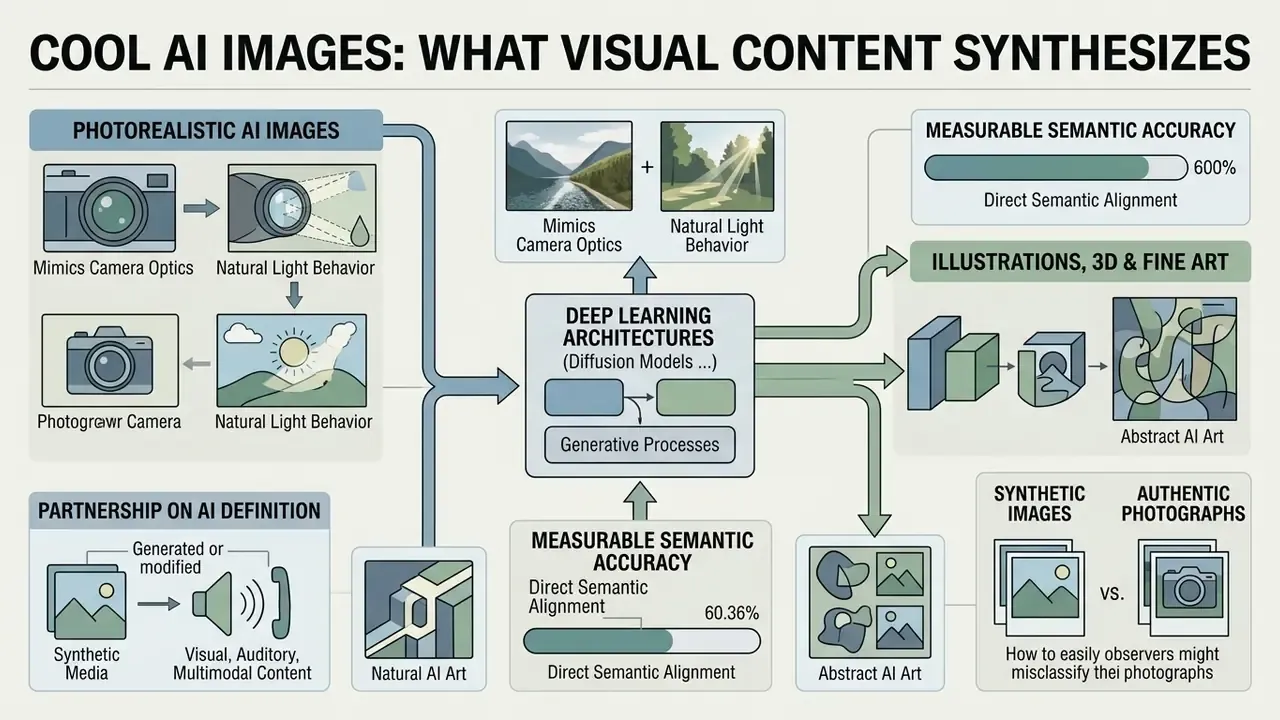
Cool AI images represent visual media generated or modified by artificial intelligence algorithms using deep learning architectures such as diffusion models and generative adversarial networks (GANs). Traditional stock photography licenses a pre-shot physical photograph. A generated image is synthesized on demand from prompt instructions, rendering unique visual assets with customizable composition, style, and lighting.
Generative image banks now reach measurable semantic accuracy against complex text queries. That is the structural reason prompt-based sourcing outperforms keyword-indexed stock search on niche briefs: the index no longer limits what you can find.
Partnership on AI defines synthetic media as visual, auditory, or multimodal content generated or modified by AI, noting that such outputs are frequently realistic enough that an average viewer cannot identify them as synthetic. Modern neural networks produce diverse outputs, from camera-like portraiture to complex vector illustrations and 3D product renders. Evaluating these visual assets requires understanding both technical rendering capability and the structural differences between synthetic media and human-captured imagery.
| Dimension | Synthetic AI Image | Traditional Stock Photograph |
|---|---|---|
| Origin | Sampled from latent space via prompt conditioning | Captured by a physical camera sensor |
| Uniqueness | Unique per seed and parameter set | Shared across all licensees of the asset |
| Prompt/brief fit | High semantic alignment with long, specific briefs | Limited by existing keyword indexes and shoot inventory |
| Copyright status | No copyright for wholly machine-generated output (US) | Copyright held by photographer or agency |
| Release documentation | No model or property releases exist by default | Model/property releases typically archived by the agency |
| Primary risk | Third-party IP resemblance, provenance, disclosure duty | License scope, territory, and usage-term breaches |
Photorealistic AI Images and AI Generated Photo Examples
Photorealistic synthetic images mimic camera optics, natural light behavior, sensor depth of field, and physical surface textures without using a physical sensor at all. An ai generated photo examples free collection demonstrates how models synthesize facial features, skin pore structure, atmospheric fog, and focal blur to replicate authentic photography.
Technical analysis still reveals microscopic lighting inconsistencies, localized specular reflections, or subtle anatomical misalignment on closer inspection. Peer-reviewed rendering research documents the same limits from the model side: Paint3D (CVPR 2024) reports that 2D diffusion models produce incomplete regions and illumination artifacts during UV texture generation, and face-relighting studies note unrealistic shading on teeth and nasal geometry. High-fidelity engines such as Flux 2, Midjourney v7, and Google Imagen 3 minimize these artifacts by applying advanced light transport modeling during diffusion. Readers weighing engines side by side can consult our comparison of leading image generators before committing to a subscription, or browse the full compare hub.
Illustrations, 3D, Fine Art, and Abstract AI Art
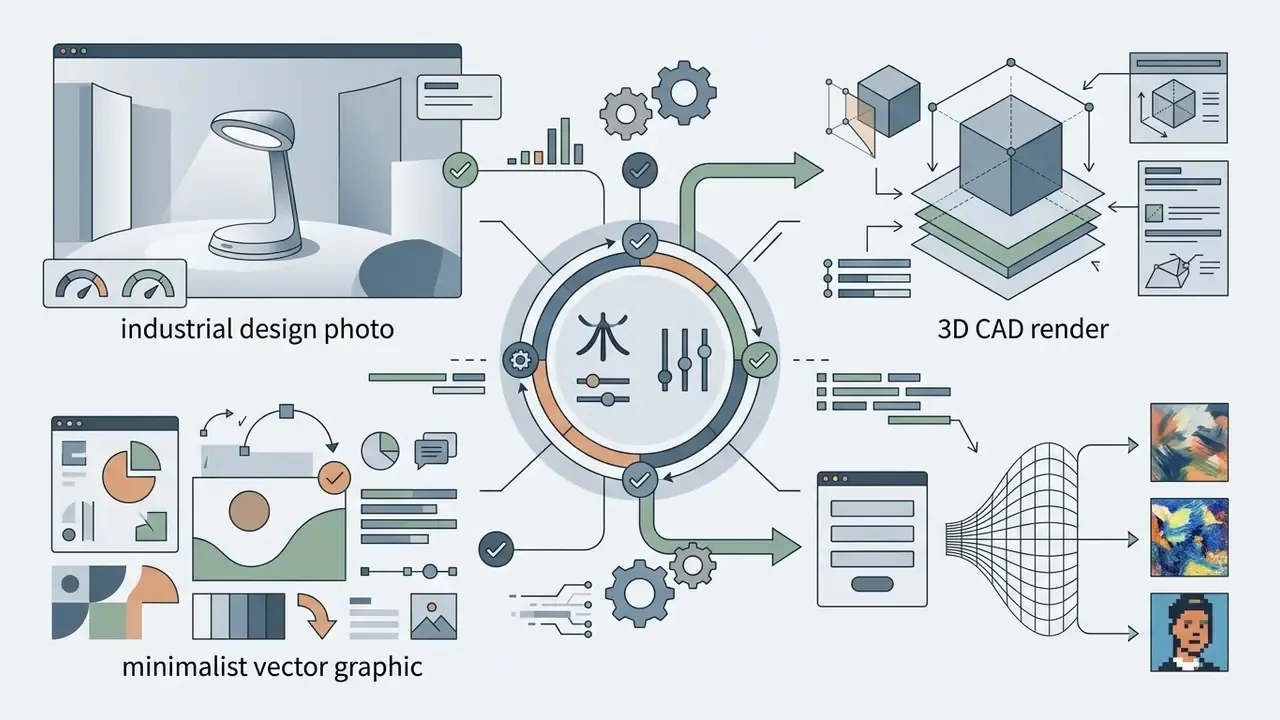
Non-photorealistic synthetic assets cover vector illustrations, 3D renders, fine art paintings, and abstract compositions built on neural style transfer and latent feature conditioning. Generative models interpret creative prompt cues such as "impasto oil paint," "isometric 3D Blender render," or "minimalist geometric vector" to synthesize complex textures and spatial arrangements.
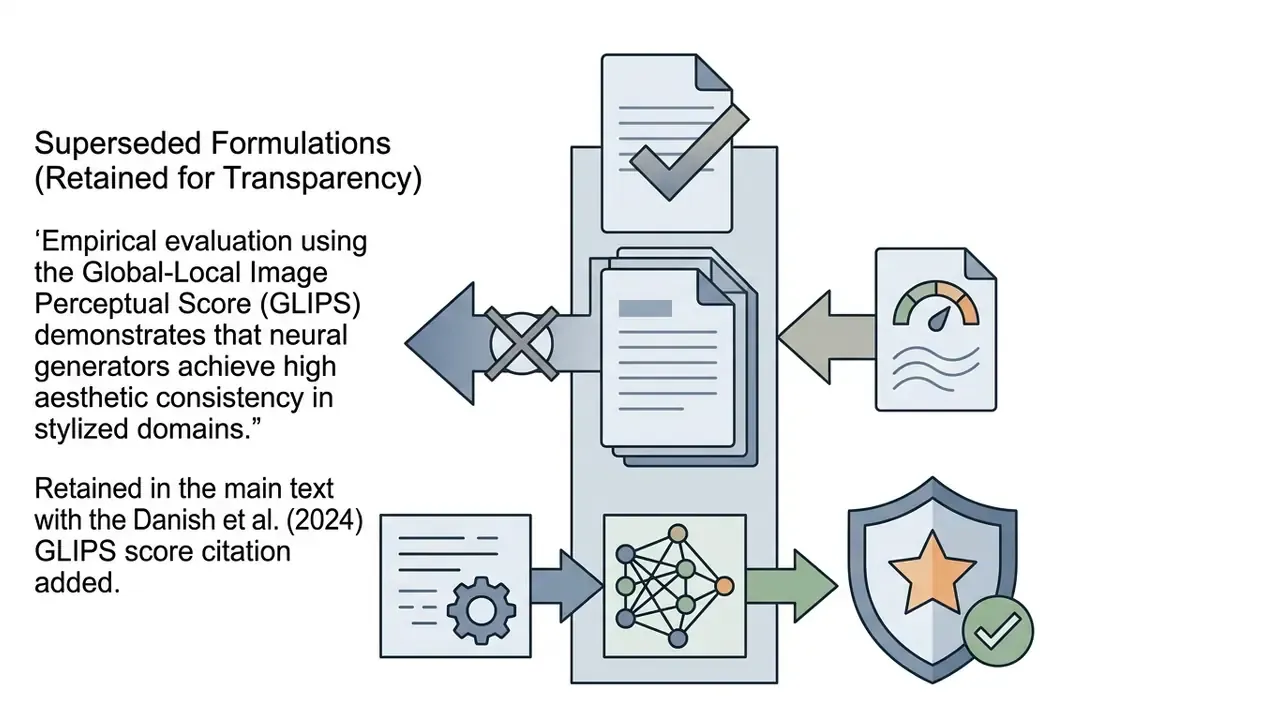
Empirical evaluation using the Global-Local Image Perceptual Score (GLIPS) shows that neural generators achieve high aesthetic consistency in stylized domains, largely because abstract and artistic outputs do not have to obey physical optics or human anatomy.
Method families differ by output space. Reviews of generative synthesis classify 2D artistic and abstract generation under GAN, diffusion, and neural style transfer pipelines, while 3D artistic reconstruction relies on hybrid VAE plus signed-distance-function plus CycleGAN stacks. One 2024 study reports PSNR 31.35, MSE 65.32, and SSIM 0.772 on COCO evaluation for generated 3D artistic imagery. Creative media teams routinely use an ai picture example in vector or 3D form for campaign mood boards, digital hero banners, and UI asset creation, free of the physical constraints of a traditional photoshoot. For stylized formats specifically, our reference list of AI art generators maps each engine to its strongest aesthetic domain.
Cool AI Pictures Examples for Inspiration and Visual Tasks
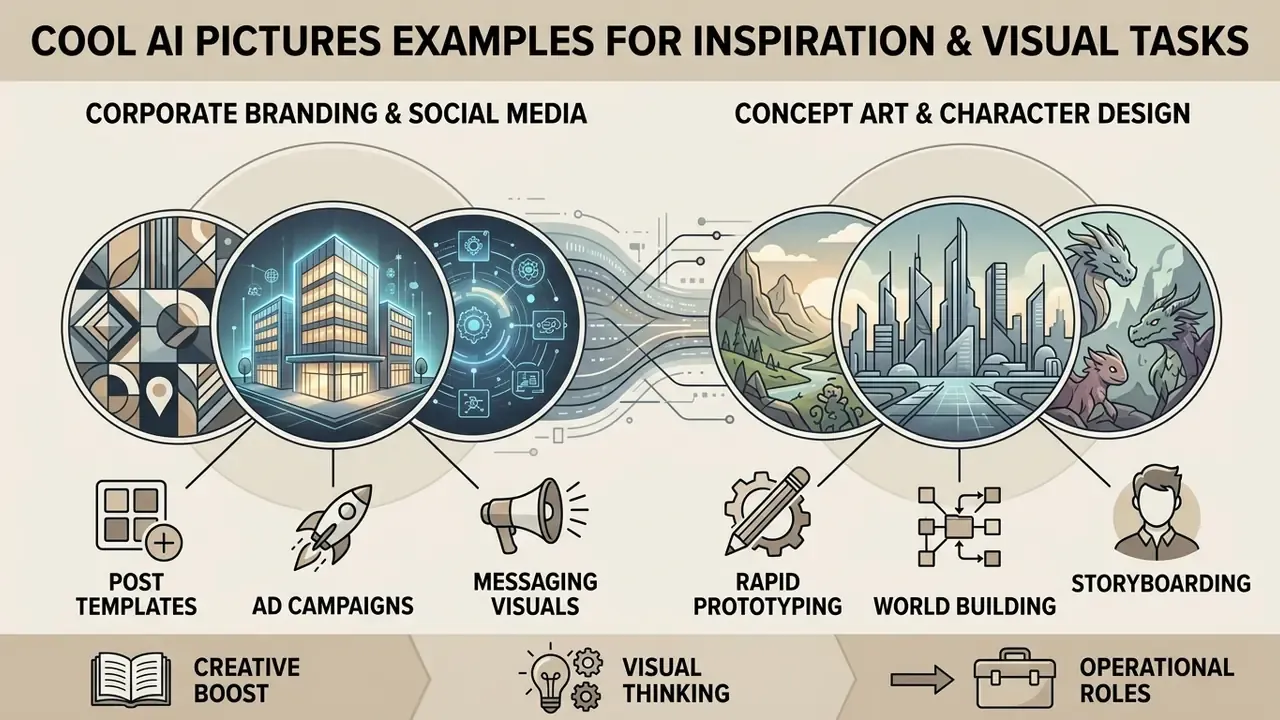
Cool AI pictures serve clear operational roles across corporate branding, social media production, concept art, and rapid digital prototyping. Visual communications teams use an ai cool picture as a functional asset: to evaluate visual direction, lower early-stage design costs, and generate scalable variations across multi-channel campaigns. Collections of amazing ai pictures are useful as calibration material, not just eye candy, because they show where a given engine stops being reliable.
In commercial creative workflows, teams combine prompt-based generation with downstream tooling, using a video presentation maker, a video maker, or a dedicated photo editor to integrate logos, brand typography, and localized messaging.
AI Images for Concept Art and Character Design
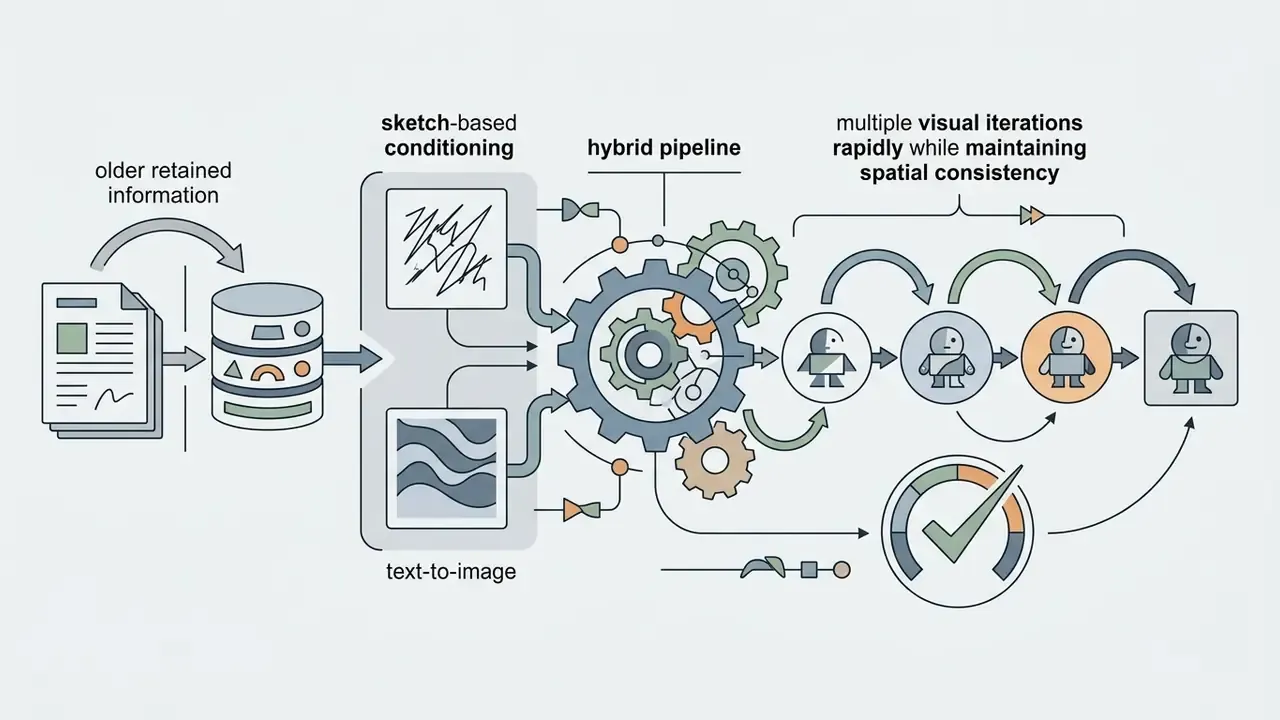
Concept artists, game developers, and narrative designers use synthetic generation for rapid character design, environment sketching, and storyboarding. By combining natural language prompts with edge-map control networks such as ControlNet and Canny edge filters, creators hold a consistent visual direction across a set.
Research attribution: Published game-design methodology studies document the hybrid pipeline explicitly. A 2025 study combined Stable Diffusion 1.5, a VGG-based CNN, and GPT-3.5 to generate game-character imagery and narrative storyboards from text-plus-sketch prompts, using Canny edge maps for refinement. A 2023 arXiv study used GANs to expand designers' candidate character outcomes, and 2019 and 2023 storyboard frameworks preserved character consistency through retrieval-plus-rendering and spatial-mask merging respectively.
"Professionals apply AI tools to accelerate ideation and rough drafts, while non-professionals value accessibility and generation speed."
These workflows serve as ideation stages, letting creative directors validate a thematic direction before committing full production budgets to 3D modeling and manual asset creation. Cheap to explore, expensive to skip.
Top AI Image Generator Tools to Create Visual Assets
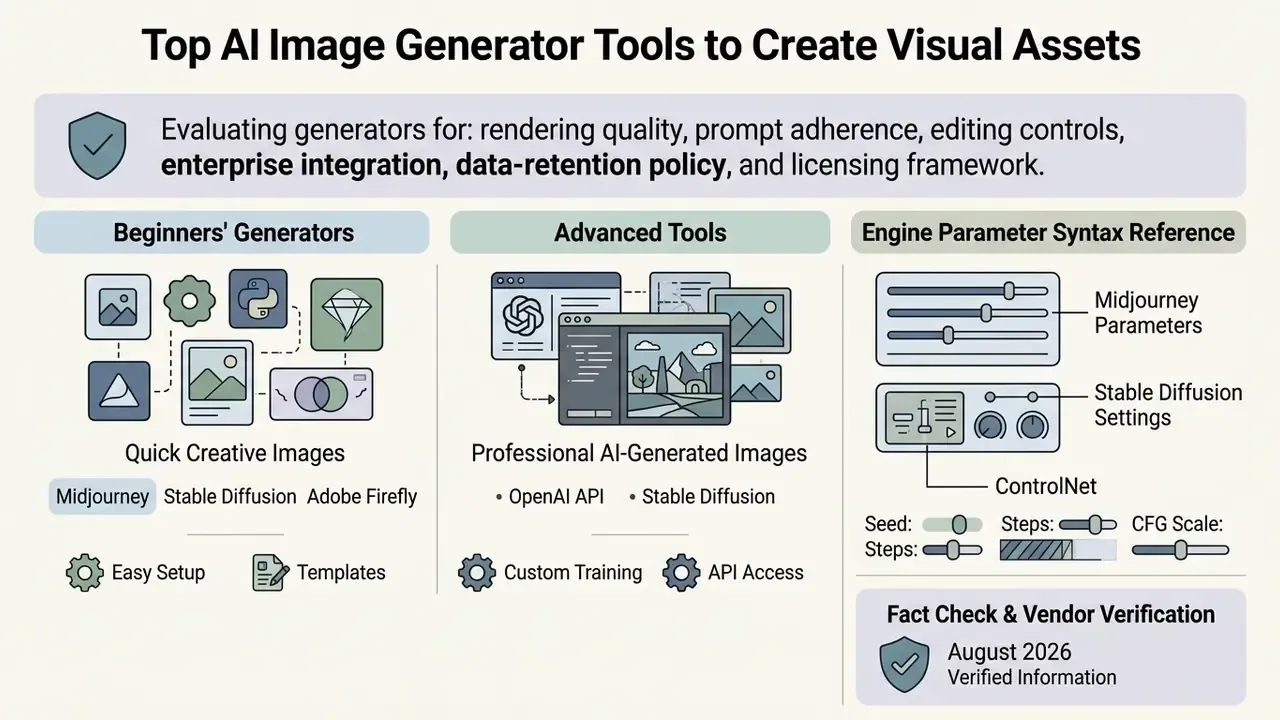
Choosing an ai image generator means evaluating rendering quality, prompt adherence, editing controls, enterprise integration, data-retention policy, and licensing framework. Leading platforms balance easy access against granular parameter control, which is why the "best" tool depends on who is holding the mouse. Scores below reflect weighted evaluation of output fidelity, prompt adherence, editing depth, licensing clarity, and privacy terms as verified in August 2026.
| Generator | Score | Key Pros | Key Cons | Trains on Your Content? | Commercial Terms |
|---|---|---|---|---|---|
| Google Nano Banana Pro (Gemini 3) | 8.5/10 | Best-in-class legible text in images, excellent character consistency and realism, edits existing images | Longer generation time; factual errors possible in generated infographics | Yes, Gemini may use inputs to improve products (can be limited in settings) | Free tier with limits; upgrade from $20/mo |
| Adobe Firefly Model 5 | 8.0/10 | Commercially safe outputs, native Photoshop/Illustrator/Express handoff, Generative Fill, Expand, Upscale | Less expressive than Midjourney on stylized art; historically weaker photorealism than Nano Banana | No, trained on licensed Adobe Stock and public-domain content | Free daily generative credits; paid plans from $9.99/mo |
| Midjourney v7 | 8.0/10 | Most creative and stylistically versatile results, deep parameter control, active community | No free trial; generations public unless stealth mode; realistic renders of protected characters | Yes, prompt data may be used to improve services | From $10/mo; Pro/Mega required above $1M annual revenue (stealth from ~$60/mo) |
| Canva AI (Magic Media) | 7.5/10 | Extremely easy generation and editing, wide aesthetic range, ready-made social templates | Hard generation limit on free plan; shallow advanced editing | No, does not train on your content; generated images stay private | Free tier; upgrade from $13/mo; commercial use permitted under AI Product Terms |
| OpenAI ChatGPT Images 2 | 7.5/10 | Available on all ChatGPT tiers, strong instruction following, conversational editing, up to 4K via API | No advanced post-generation editing tools; in-image text hit-or-miss | Optional, model training can be switched off | Included in free tier limits; from $20/mo; usage rights granted under OpenAI Terms |
| Stable Diffusion (SDXL / SD3.5) | 7.0/10 | Full local control, open weights, ControlNet and LoRA ecosystem, fast generation | Steep learning curve, GPU requirements, fragmented licensing across checkpoints | No, nothing leaves the machine when run locally | Free community license under $1M annual revenue; check per-checkpoint terms |
Scoring methodology: each platform received an identical brief set (photorealistic portrait, product render, vector brand graphic, in-image typography) and was evaluated on fidelity, prompt adherence, editing depth, licensing transparency, and enterprise data handling.
Beginners' Generators for Quick Creative Images
Low-barrier platforms such as Canva and web-integrated interfaces simplify generation by removing parameter syntax and local hardware setup. Users type plain-language descriptions into a text box and get immediate options inside the design canvas. Canva's documented flow is four actions: sign in, open Canva AI or Magic Media, type a prompt, generate. Voice input and prompt refinement live in the same workspace.
These beginner-focused tools prioritize speed and workflow integration over deep technical control. Template-based platforms let creators generate, crop, and reframe an ai generated sample images collection alongside typography and layout elements, which cuts context switching on casual design tasks. Users comparing feature sets, watermark policies, and credit limits can consult our best free AI art generator comparison, or check the access requirements of no-account options such as Bing AI image creation.
Advanced Tools for Professional AI-Generated Images
Professional platforms, including Midjourney, Adobe Firefly, Stable Diffusion, and OpenAI ChatGPT Images, provide precise control over composition, aspect ratio, lighting parameters, and regional editing. Adobe Firefly integrates natively into Photoshop and Illustrator via Generative Fill, which keeps enterprise editing inside an already-approved toolchain.
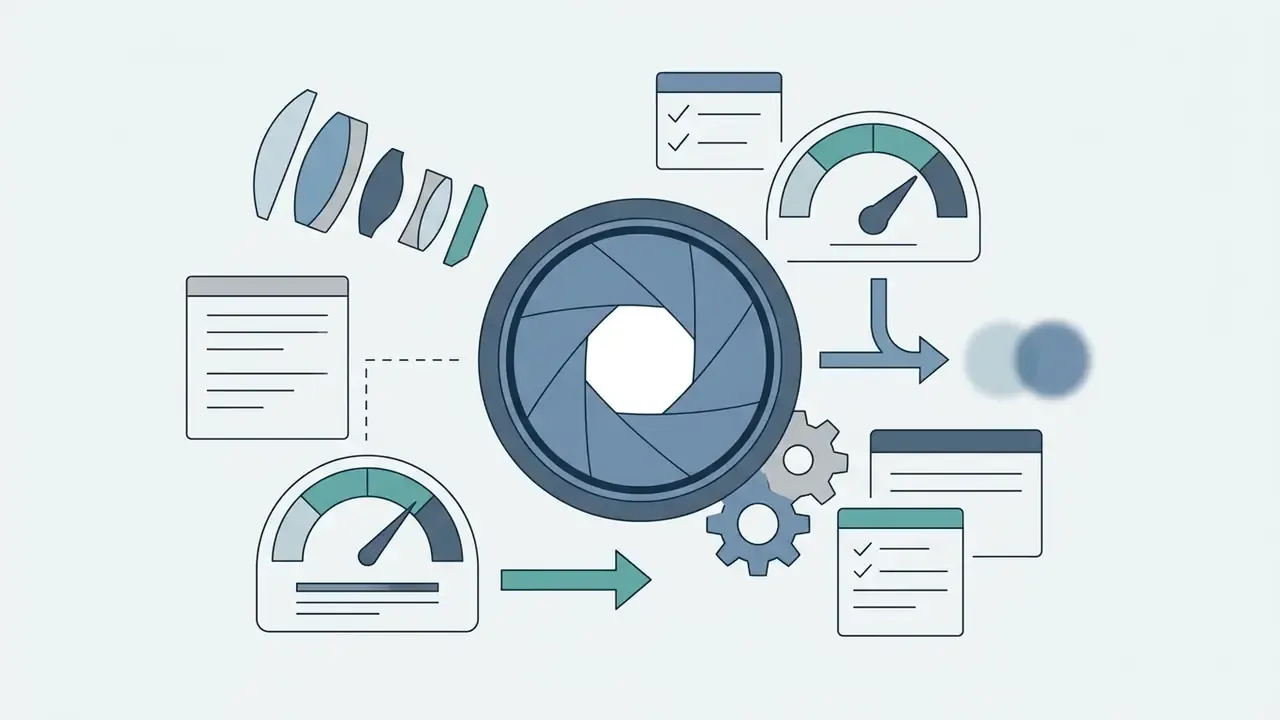
Midjourney uses parameter flags (--stylize, --chaos, --raw, --sref for style references) to enforce fine-grained artistic direction. Open-weight frameworks like Stable Diffusion let developers run local control via ControlNet, LoRA fine-tuning, and node-based ComfyUI workflows. Technical decision-makers can review our detailed Midjourney evaluation against alternative generators or compare ChatGPT image generation with competing tools.
Engine Parameter Syntax Reference
- Midjourney
--stylize [0–1000]controls how far the render drifts from the literal prompt toward house aesthetics;--chaos [0–100]widens variation across the initial grid;--seed [int]fixes the noise start for reproducibility;--repeat [n]batches identical jobs;--no [element]excludes content;--rawreduces aesthetic bias;--sref [URL]transfers style from a reference;--iw [value]weights an attached image against the text prompt. Parameters are appended at the end of the prompt (official documentation: https://docs.midjourney.com/).- Stable Diffusion
- keep
CFG Scaleat 7–9 for balanced prompt adherence, setDenoising strengthto 0.3–0.5 for inpainting that preserves surrounding structure, load LoRA modules with explicit weights such as(style:0.75), and use negative prompts,BREAKseparation,ANDcomposition, and regional prompting for spatial control. - Adobe Firefly
- control is prompt-quality driven rather than flag driven. Adobe's help guidance recommends descriptive, specific, original prompts plus structural controls (aspect ratio, Fast mode, reference-image composition matching, Generative Fill/Expand, Upscale).
- OpenAI API
gpt-image-2accepts explicitsizevalues including1024×1024,2048×2048, and3840×2160/2160×3840, plus aqualityparameter. Matchingseed, parameters, andsystem_fingerprintyields only mostly identical outputs, because model inference remains non-deterministic.
Fact Check & Vendor Verification (Verified August 2026)
Vendor terms move faster than editorial calendars. If a clause matters to your approval decision, verify it on the vendor page and, when a term is ambiguous, ask support for written confirmation before purchase.
Where to Find AI Images Free Download and HD Options
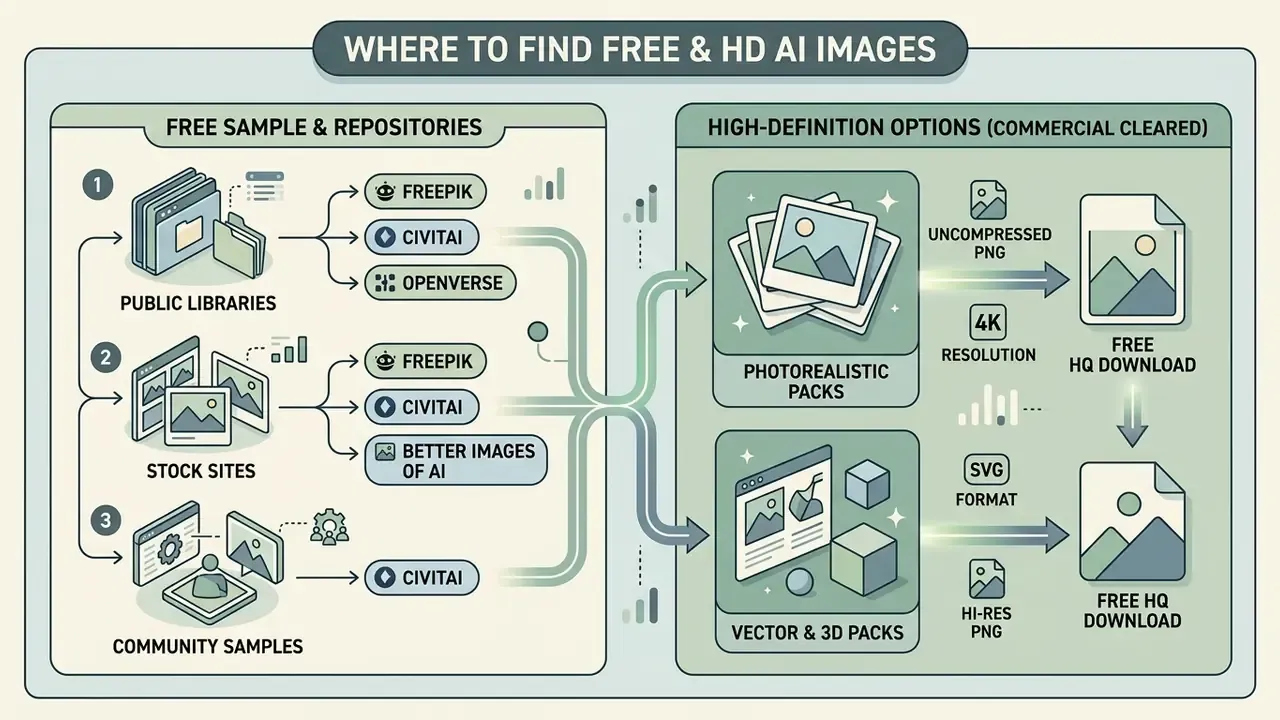
Finding a reliable source for an ai images free download means separating low-resolution web previews from public stock repositories and true high-definition export options. Plenty of repositories offer free access to synthetic visuals; exporting a production-ready HD file usually involves credits or an upscaling pass.
Creators searching for high-resolution graphics should read the technical specifications of the source. Web previews typically render at 512×512 or 1024×1024 pixels with lossy compression, whereas production deployment needs uncompressed HD or 4K. Google AI Studio exposes explicit 0.5K / 1K / 2K / 4K output selectors and OpenAI's API documents 4K generation, but consumer front ends frequently gate those resolutions behind paid credits. Users who want to test output before creating an account can start with generators that require no sign-up.
Free AI Stock Images and Sample Image Repositories
Public platforms and community repositories host curated collections of an ai stock images free library for creative and commercial projects. Freepik, Civitai, and Openverse each index synthetic assets across diverse categories, with very different licence models.
- Freepik Offers dedicated synthetic media sections with a clear distinction between free community assets and premium vector downloads. Review the separate licensing page before reuse.
- Civitai A community-driven repository hosting open-source visual assets, model checkpoints, and prompt parameters. Current and user-generated, not a curated stock agency.
- Openverse An open library indexing Creative Commons and public-domain visual content for public reuse. Openly licensed, not AI-specific.
- Better Images of AI A specialized non-profit repository offering open-licensed illustrative visuals (each image carries its own Creative Commons licence, commonly CC BY 4.0) designed to depict artificial intelligence concepts accurately. It exists precisely because humanoid robots, glowing brains, outstretched robot hands, and Terminator stills misrepresent the technology's real societal and environmental impact. Useful when you need honest ai images of ai rather than sci-fi clichés.
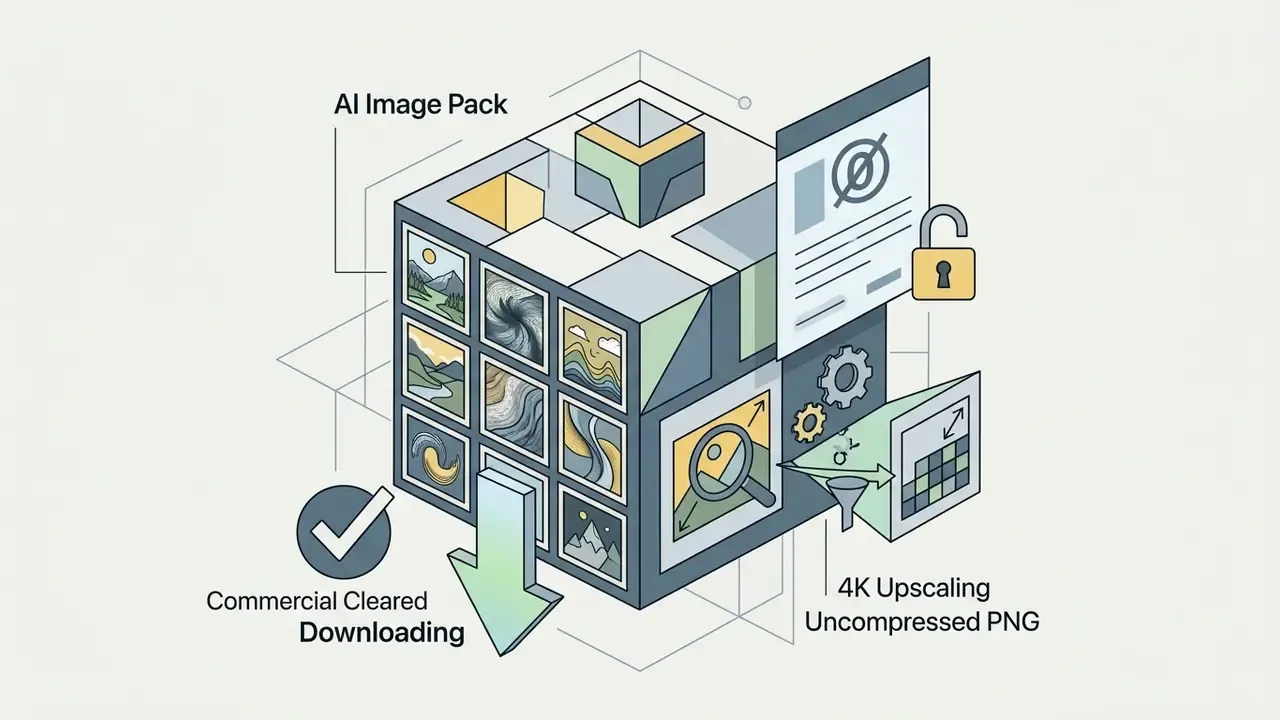
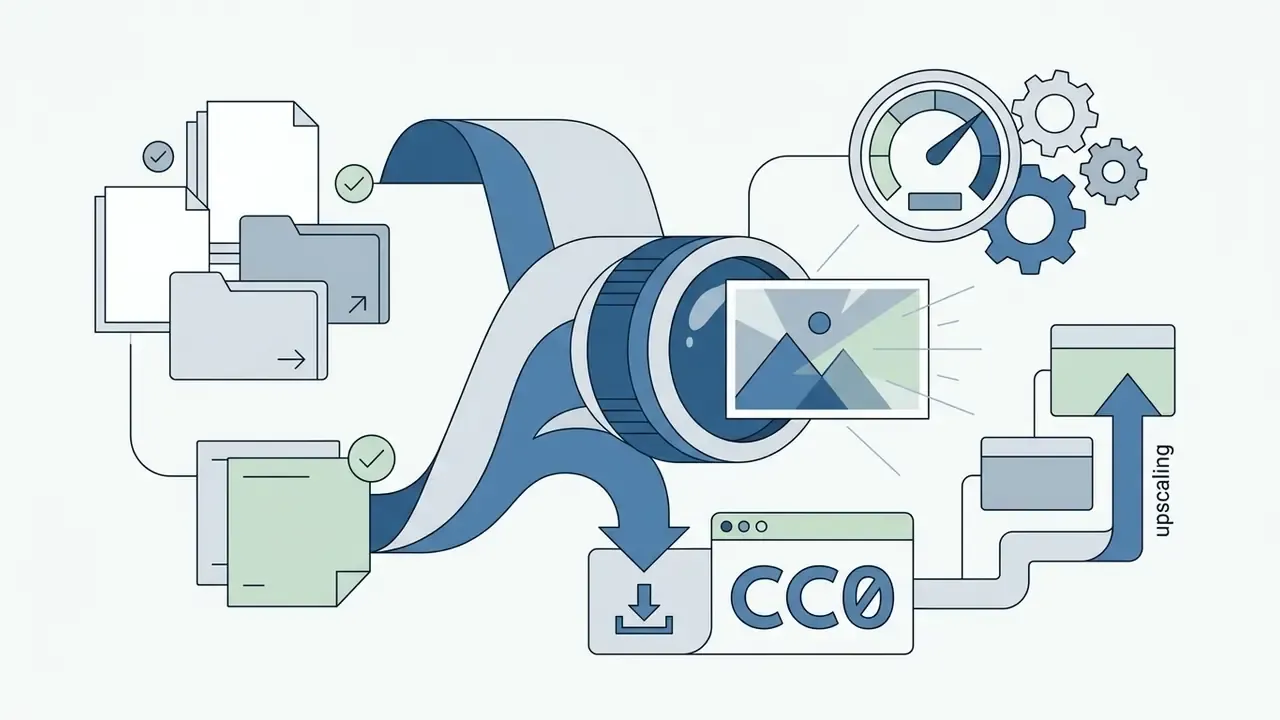
Download a Free HQ AI Image Pack (Commercial Cleared)
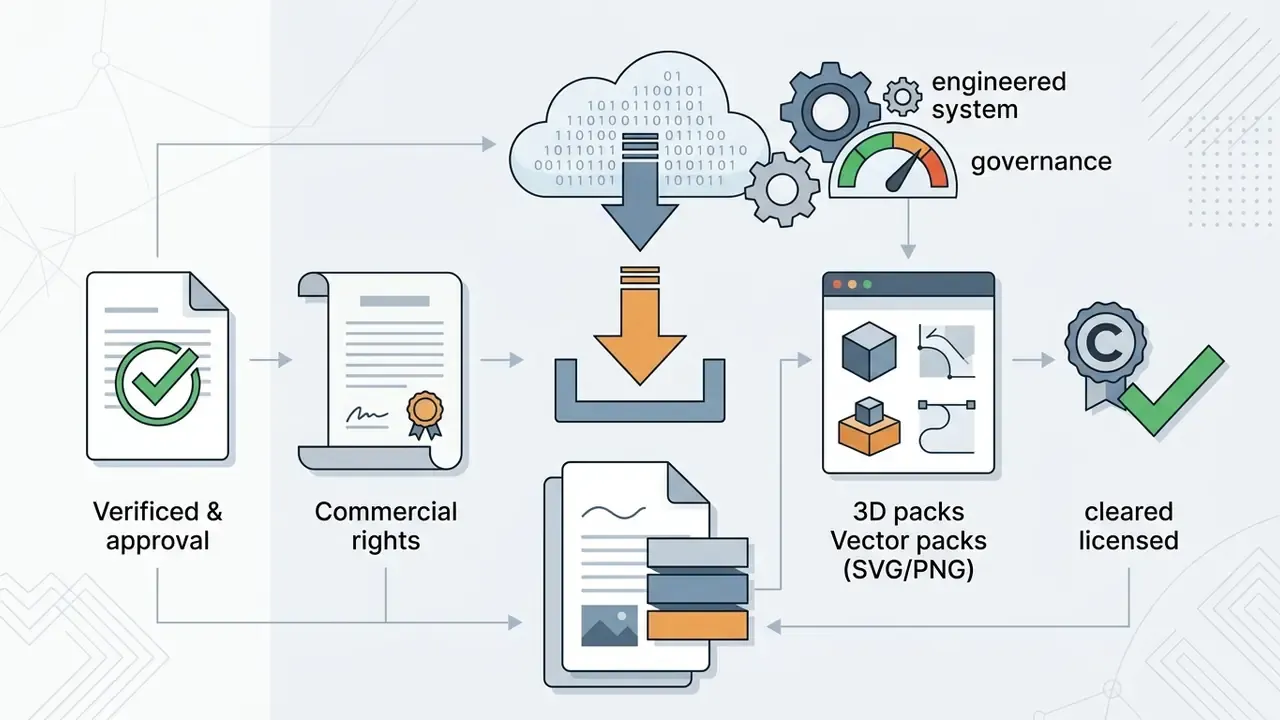
For safe use in commercial projects without third-party rights exposure, start from asset sets whose licence status is documented at file level rather than assumed from a landing page.
Practical rule: archive the licence page as a PDF at download time. Terms on free platforms change without notice, and an archived copy is the only defensible record during an audit. I have seen a "royalty-free" page silently gain a redistribution clause between download and launch; the archived PDF settled the argument in about a minute.
When sourcing stock visuals for digital production, teams frequently consult our guide to free photo editors for format conversion and asset preparation, and use AI reverse image search tools to confirm that a "free" asset is not a re-upload of protected material.
How to Select and Upscale HD Versions of an AI Generated Image
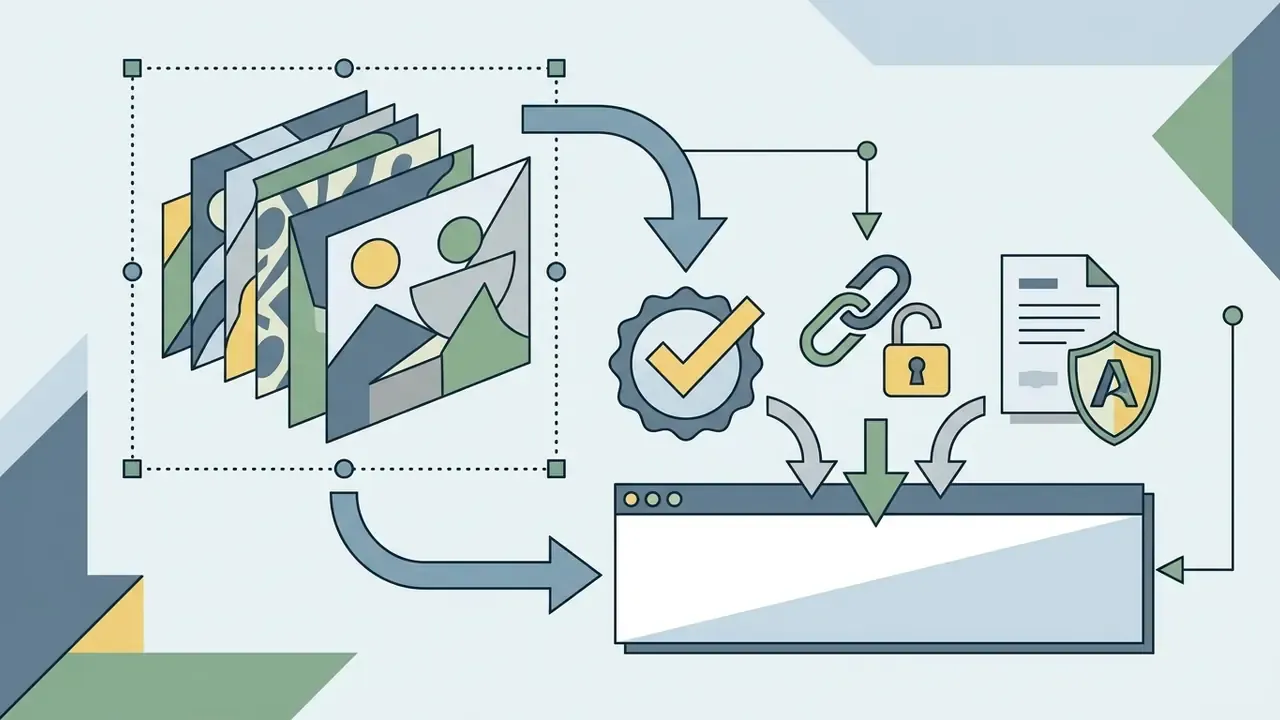
Turning standard outputs into production-grade ai hd images requires neural upscaling or a multi-stage generation pipeline. Standard scaling stretches pixels and creates blur; AI upscaling reconstructs high-frequency detail, sharp edges, and skin texture. One caveat worth stating plainly: no documented upscaler performs true lossless enlargement. Every pass is a reconstruction, so artifacts introduced at base resolution get amplified rather than repaired.
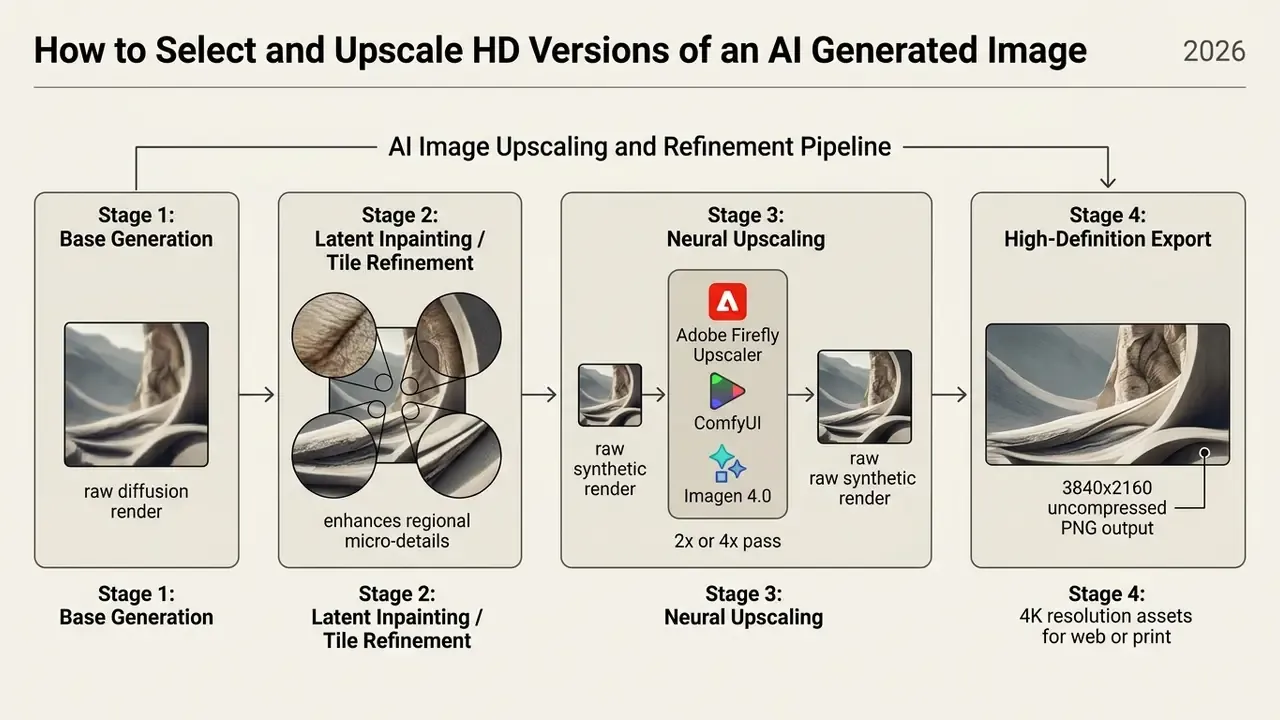
Enterprise platforms offer dedicated upscaling and enhancement tools to prepare assets for high-resolution displays:
Teams preparing portrait assets at print resolution can also compare dedicated pipelines in our guide to AI headshot generators, which covers portrait quality, privacy handling, and professional-use terms.
- Adobe Firefly Image Upscaler
- Generates a high-resolution secondary document with 2x or 4x pixel density expansion (official feature page).
- Google Vertex AI Imagen 4.0
- Features native
imagen-4.0-upscale-previewendpoints to expand resolution up to 4K while preserving edge sharpness (Vertex AI documentation). - ByteDance Dreamina Creative Upscale
- Supports targeted 2K and 4K output choices for web deployment via a
resolutionsetting with JPEG/PNG input. - ComfyUI Multi-Stage Upscaling
- Chains neural upscaling models (2x to 4x node chains with dedicated upscale checkpoints) with tile-based diffusion passes to render ultra-high-definition detail (ComfyUI docs).
Licensing and Commercial Use: AI Images for Website and Business
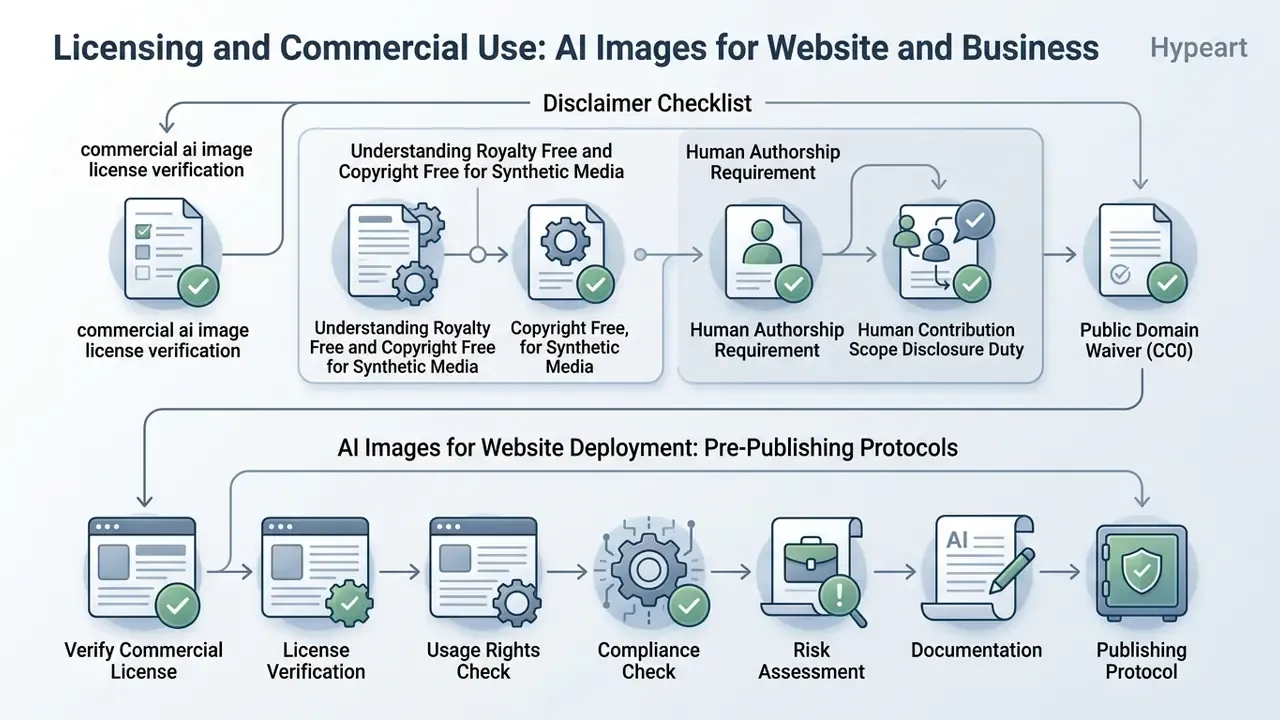
Deploying synthetic media on commercial websites, in advertising, or in client deliverables means navigating evolving copyright rules, platform licence terms, and third-party IP risk. Organizations must separate "free to download" from "legally cleared for commercial deployment." They are not the same question, and they rarely have the same answer.
Checklist: commercial AI image license verification
- Source Verification: Confirm generator platform licensing terms (e.g., Stability AI $1M revenue threshold, Midjourney Pro/Mega requirement above $1M, Canva AI Product Terms).
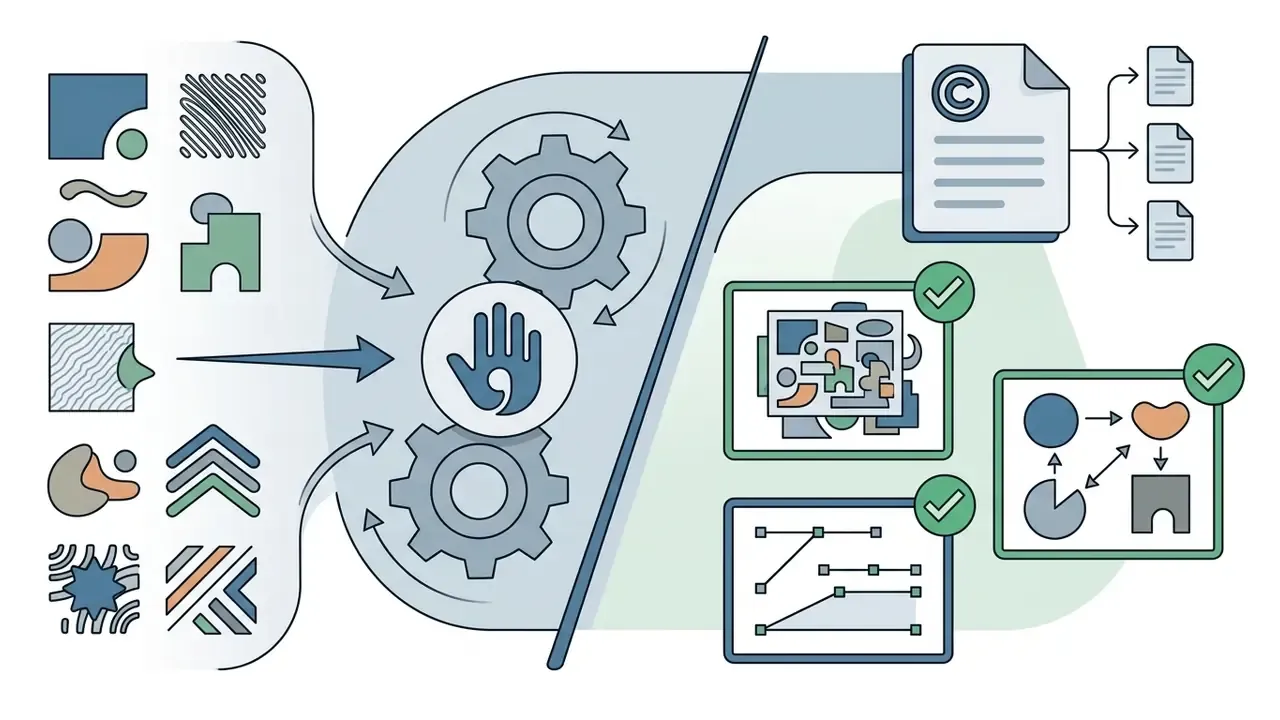
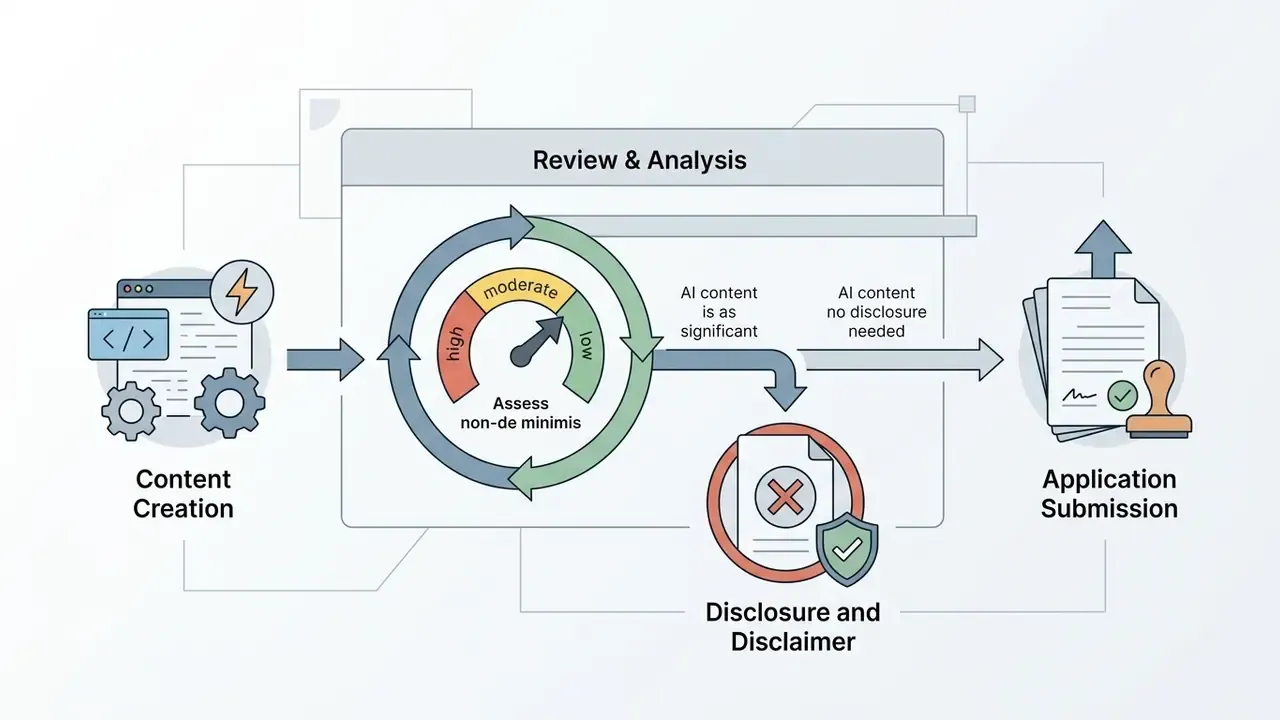
- Copyright Status Check: Verify human authorship contribution under U.S. Copyright Office guidelines (wholly machine-generated work is uncopyrightable and must be disclaimed in registration).
- Third-Party IP Audit: Inspect image for trademarked logos, recognizable celebrity likenesses, protected characters, or proprietary product designs.
- Dataset & Model Compliance: Ensure training dataset complies with commercial safety standards (e.g., licensed stock vs. web-scraped open datasets).
- Output Metadata & Alt Tagging: Confirm inclusion of WCAG 2.2-compliant alt text and required C2PA provenance metadata. Structured 5-step operational checklist for compliance officers and digital marketers prior to publishing synthetic visuals. Reference: U.S. Copyright Office policy guidance — https://www.copyright.gov/ai/ai_policy_guidance.pdf
Understanding Royalty Free and Copyright Free for Synthetic Media
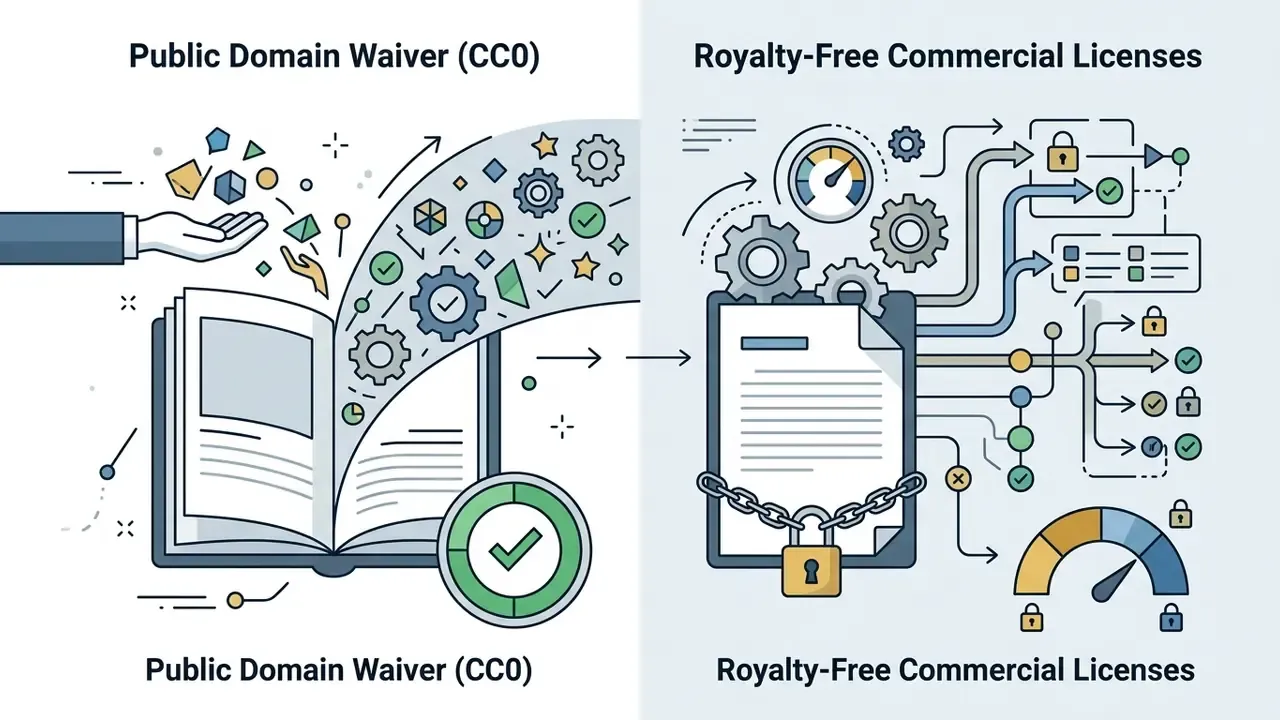
The terms "royalty-free" and "copyright-free" carry distinct legal meanings when applied to synthetic visuals. Ai royalty free images mean the user pays no ongoing per-use royalty to the platform provider. That is all it means. It does not guarantee the underlying image is free of third-party trademark or copyright claims. A commercial licence is a contract granting limited rights under stated terms. Public domain dedication (CC0) removes copyright restrictions entirely and permits copying, modification, distribution, and commercial use worldwide without permission.
According to official policy guidance from the U.S. Copyright Office (policy guidance PDF, updated 2023 to 2025, reaffirmed in the Part 2 Copyrightability Report):
European practice adds a second layer. 2025 European Parliament and EUIPO materials call for clearer licensing, opt-out mechanisms, and transparency for generative AI, signalling unresolved friction around both training data and downstream commercial use. Organizations comparing licensing frameworks across tools can review our guides on commercial use, including Google's AI image generator terms and Microsoft's usage conditions, track style-imitation risk in cases such as Ghibli-style generators, and follow active disputes through our AI Litigation and Case Timelines.
AI Images for Website Deployment: Pre-Publishing Protocols
Before publishing an ai images for website banner or marketing landing page, web managers must run strict technical and accessibility verification. Compliance protocols keep synthetic assets aligned with web standards, accessibility requirements, and search engine guidelines.
- Accessibility Alt Text: Under W3C WCAG 2.2 guidelines (Technique H37), informative synthetic images must include descriptive
alttext conveying essential visual context, while purely decorative visuals use emptyalt=""attributes. Tagged PDFs require/Altentries per W3C technique PDF1. - Provenance Disclosure: Regulatory frameworks, including the EU AI Act and Utah's 2024 synthetic-media law (which requires legible disclosure plus tamper-evident provenance identifying the initial creator, later editors, and generative AI use), increasingly require watermarking or C2PA metadata tags embedded in synthetic media files. The ITU's 2024 report describes Content Credentials as tamperproof metadata recording origin, history, modification, and AI involvement.
- Asset Optimization: Convert high-definition PNG files to WebP or AVIF to keep page load speed without degrading visual quality. See also our reference on video compression trade-offs for mixed-media pages and video presentation formats.
- License Documentation: Archive generation prompt logs, platform terms of service, and export timestamps to establish an audit trail. Pre-publication verification can include reverse image search checks to detect resemblance to protected third-party assets.
The practical implication is that labeling works in both directions. It lowers misinformation spread, and it also dampens engagement on legitimate brand content. Disclosure design therefore belongs in the campaign brief, not in the post-publication checklist.
Model Risk Management Framing for Synthetic Visuals
A corporate media publishing team (illustrative composite) ran a licence audit before deploying 50 synthetic hero banners across client websites. Twelve visuals generated on a free community plan lacked commercial clearance, because the generating account exceeded the platform's revenue threshold. The team replaced the non-compliant assets with outputs generated under Adobe Firefly terms, established a central prompt registry, and integrated C2PA metadata tagging before site launch. Cost of the fix: two days. Cost of discovering it after launch: unquantified, and nobody wanted to find out.
How to Generate Cool AI Images: From Concept to Final File
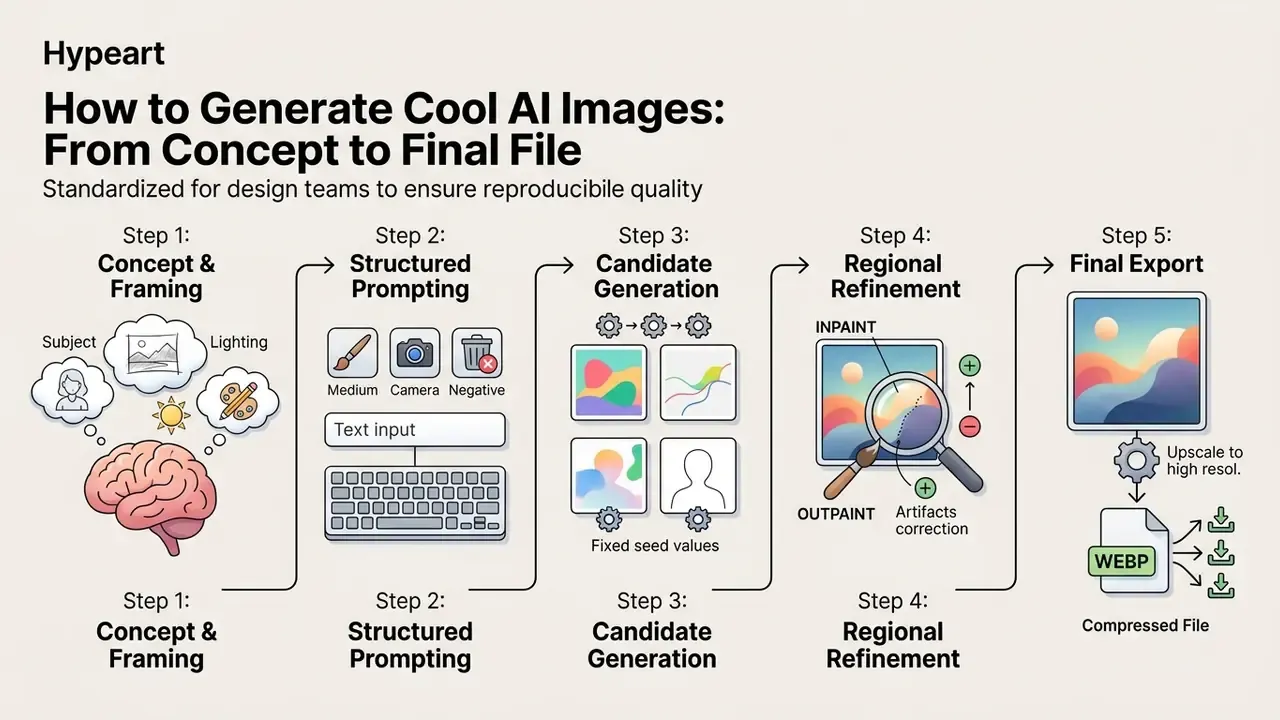
Synthesizing high-quality visual assets requires a structured workflow: creative ideation, precise prompt engineering, iterative editing, and downstream post-processing. Moving from concept to a refined production file is a matter of systematic parameter adjustment, not luck.
Engineering Prompts for an AI Image Generator
Prompt engineering is the practice of structuring natural language instructions to guide a model's latent space toward a specific visual outcome. Effective prompts set clear parameters for subject matter, visual medium, lighting, camera angle, and stylistic framing.
That finding has a governance consequence. Maximum prompt detail improves aesthetic control while increasing detectability. Campaigns that disclose synthetic origin lose nothing by prompting richly. Assets intended to read as documentary photography should not be produced at all.
Leading prompt engineering frameworks, including OpenAI's six documented practices (clear instructions, reference text, task decomposition, reasoning time, external tools, systematic testing) and the Singapore Government's 2026 Prompt Engineering Playbook, recommend modular input structure:
Ready-to-Use Prompt Pack: 5 Tested Templates
Prompt-Side Data Safety and Shadow AI Controls
Prompt engineering is also a data-egress surface. Every prompt, reference upload, and inpainting mask is a payload sent to a third-party service, and several major generators reserve the right to use that payload to improve their models.
- Never paste confidential inputs. Client names, account numbers, unreleased product specifications, internal financial figures, employee photographs, and customer imagery must not enter a public generator. Anonymize the brief before prompting.
- Prefer no-retention paths. Canva states it does not train on user content and keeps generated images private. OpenAI allows training to be switched off. Stable Diffusion run locally sends nothing at all. Midjourney and Gemini may use prompt data to improve services, and Midjourney generations are public unless stealth mode is enabled on a paid plan.
- Close the Shadow AI gap. Unmanaged consumer accounts are the primary leakage route. Publish an approved-tool list, block unapproved endpoints where feasible, and route requests through a single owned workspace with retention terms in writing.
- Log, don't guess. Maintain a central prompt registry recording prompt text, model version, operator, and date. Without it, neither authorship claims nor incident response is defensible.
- Watch the reference-image trap. Uploading a competitor's asset, a licensed photograph, or a protected character as a style reference imports third-party rights into your pipeline, no matter what the output looks like.
Designers building automation or API integrations can explore implementation parameters in our AI Media API Guides and the specific notes on video and image generation endpoints, where retention and cost terms differ from consumer interfaces.
Selecting Styles, Inpainting, and Refining the Generated Image
Rarely does an initial prompt render an execution-ready file on the first attempt. Professional workflows use iterative editing (inpainting, outpainting, style guidance, variation generation) to modify localized regions of a generated output.
- Inpainting (Masked Editing) Re-renders a selected sub-region while preserving surrounding pixel structure. Used to correct hands, replace backgrounds, or alter localized objects. Post-processing methods such as ASUKA (CVPR 2025) exist specifically to mitigate hue inconsistency between inpainted and original regions.
- Outpainting (Canvas Expansion) Extends content beyond original frame boundaries while maintaining stylistic continuity. Teams seeking outpainting solutions can consult our guide on AI image expansion tools.
- Variations Re-render a new image close to an existing one without an explicit mask. A separate operation from masked inpainting, useful for generating campaign alternates from an approved hero asset.
- Style Guidance and Reference Images Feeds reference assets into the pipeline (Midjourney
--srefor ControlNet) to enforce consistent brand palettes and line art across a set. Arbitrary style guidance research shows a reference image can steer diffusion toward a target aesthetic without retraining.
Final compositing (logo placement, brand typography, localized copy, export presets) usually happens outside the generator. Our references on photo editors and animation makers cover the downstream toolchain.
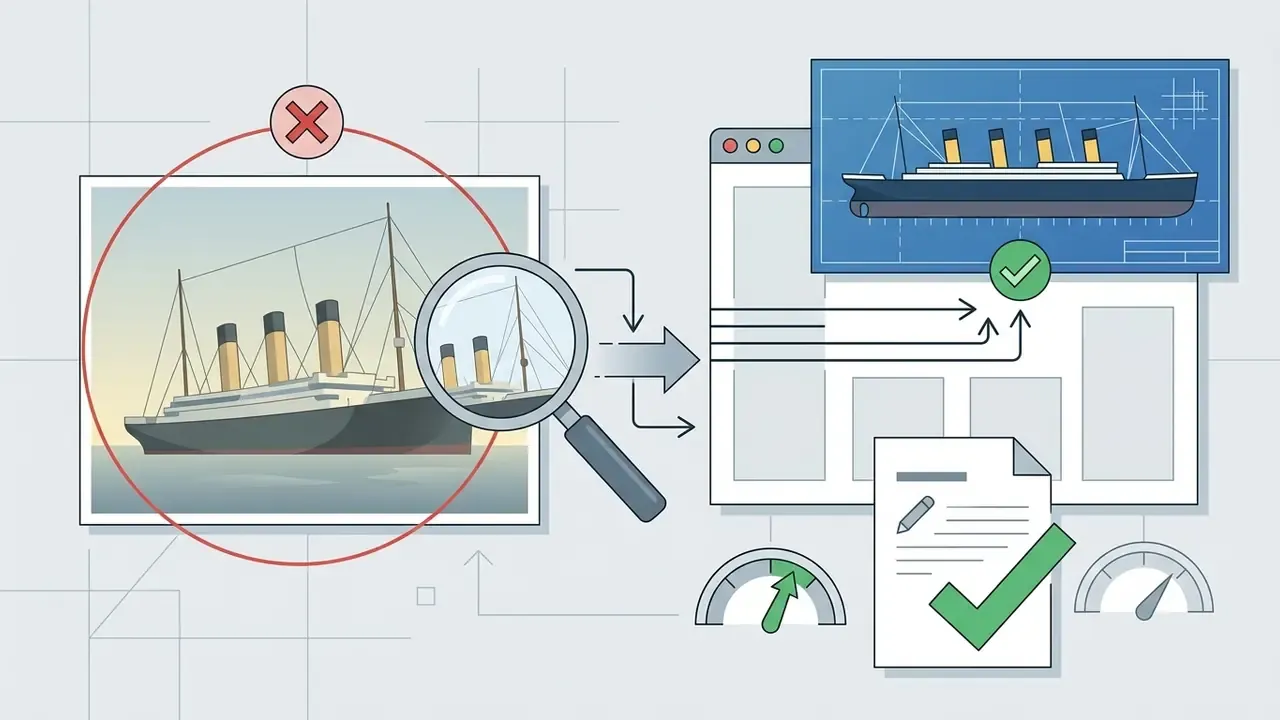
Practical Trainer: Four Visual Cases, AI or Photograph?
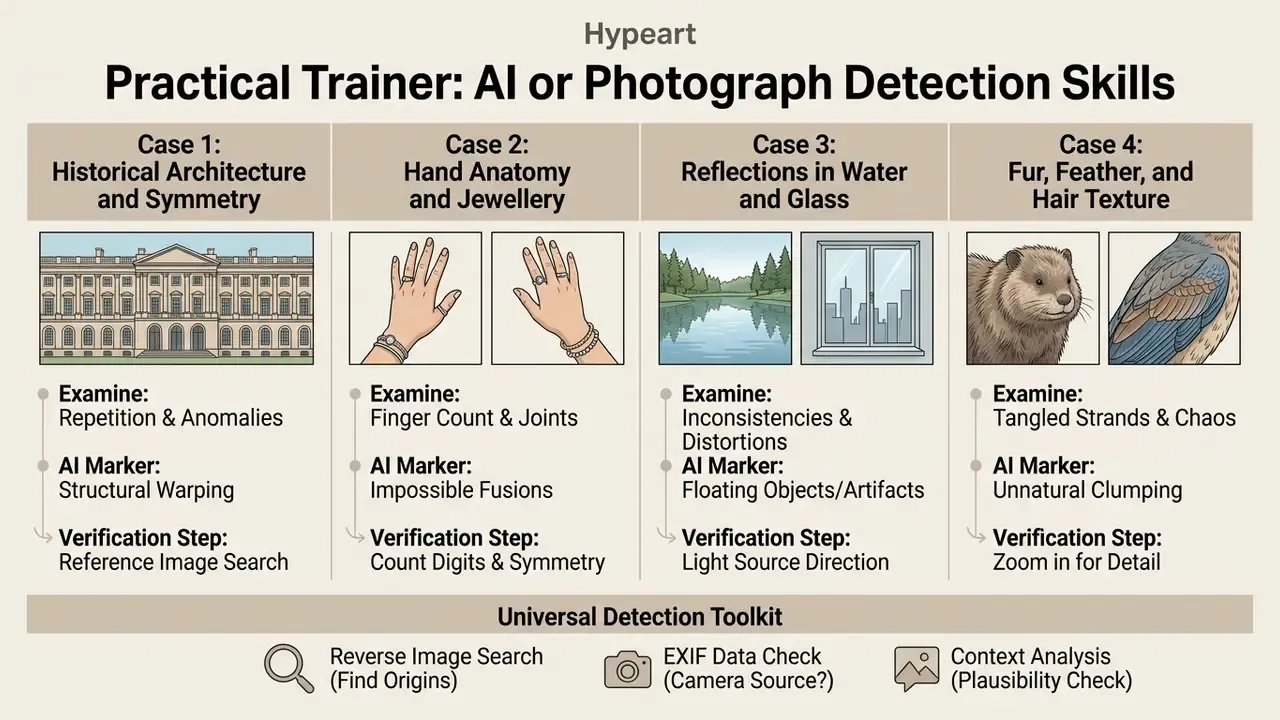
Detection skill is trainable, and it degrades fast without practice. Work through the four cases below on any suspect image. Each one names what to look at, the marker that indicates synthesis, and the verification step that confirms it.
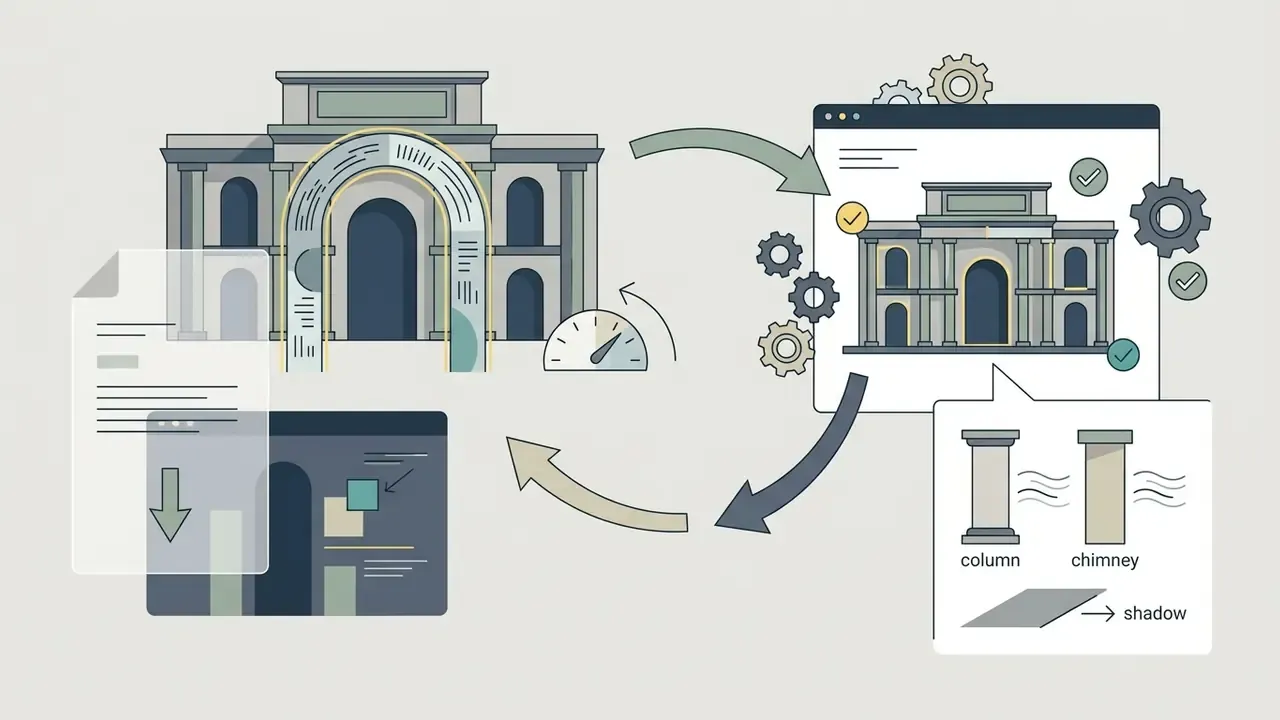
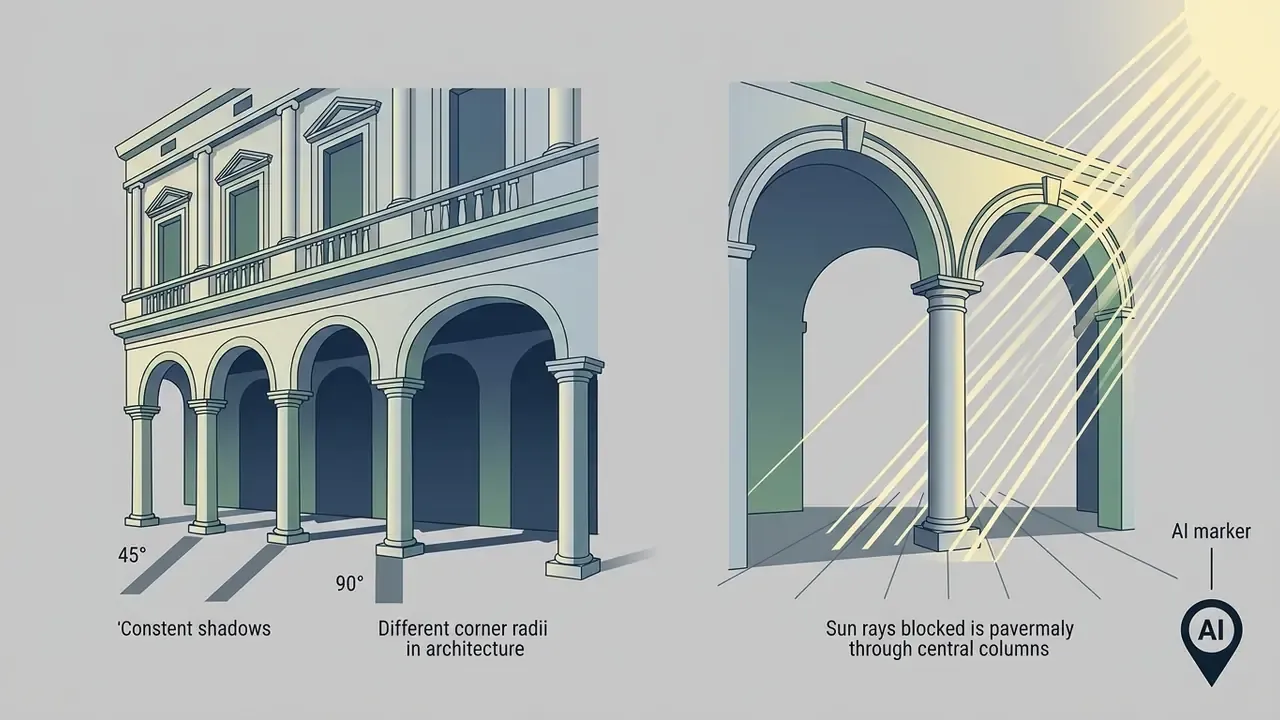
Case 1: Historical Architecture and Symmetry
Case 2: Hand Anatomy and Jewellery
- What to examine finger joint closure, ring geometry, and how hands map to the bodies they belong to.
- AI marker ring metal fuses into the skin of the finger, knuckle creases disappear, and in group scenes hands appear misplaced, duplicated, or attached to no visible arm.
- Verification step zoom to 200% or 400% on each hand individually rather than judging the composition as a whole. Extremities remain the most consistent failure mode in people-heavy scenes.
Case 3: Reflections in Water and Glass
- What to examine physical correspondence between an object and its reflection.
- AI marker a building's reflection contains extra floors or windows absent from the object itself; aurora or neon reflections add colour channels (extra pink and green) that do not exist in the source lights.
- Verification step trace three matching points between object and reflection. Shape, direction, and colour must correspond. If two of three fail, treat the image as synthetic.
Case 4: Fur, Feather, and Hair Texture
FAQ: Nature, Quality, and Attribution of Cool AI Images
How do I distinguish an AI generated image from an authentic photograph?
Distinguishing synthetic imagery from authentic photography involves inspecting physical artifacts, analyzing EXIF metadata, and verifying cryptographic C2PA content credentials. Advanced models render convincing skin texture and lighting, yet synthetic media still exhibits microscopic inconsistencies in complex structures.
"Across 287,000 image judgements in a gamified experiment, participants correctly identified AI-generated images in only 63% of cases."
Source: Real or Not quiz study, arXiv (2025). DOI verification pending.
Key visual inspection criteria include:
- Anatomical Consistency: inspect eye reflections, teeth alignment, finger geometry, and ear symmetry.
- Physics Violations: examine shadow angles, background reflections in glass or water, and light falloff across complex textures.
- Structural Artifacts: look for blurred text characters, background crowd distortion, repeated texture patterns, or unnatural material transitions.
- Sociocultural Implausibility: check whether clothing, signage, historical detail, or geography match the claimed context. This is one of five artifact classes catalogued in How to Distinguish AI-Generated Images from Authentic Images, arXiv (2024), https://arxiv.org/abs/2406.08651.
- Cryptographic Provenance: check metadata for C2PA (Coalition for Content Provenance and Authenticity) manifest tags or missing camera EXIF data. The C2PA specification defines a
c2pa.metadataassertion in JSON-LD covering creator, capture device, edits, and software used (C2PA specifications). Forensic comparisons note that authentic photos show complete EXIF and stochastic sensor noise, while synthetic files may lack EXIF entirely and show smoother, more structured noise.
Why do generator demo examples differ from real user results?
Demo assets on platform landing pages routinely outperform average user outputs, thanks to seed selection, heavy prompt optimization, manual post-processing, and selective filtering. Demo galleries display curated results produced under optimal settings.
Primary causes of divergence:
- Prompt Engineering Depth: platform examples use highly descriptive, tested prompts with exact parameter flags and negative constraints.
- Seed Randomization: neural generation is inherently stochastic. Reproducing a specific demo visual can require hundreds of seed variations, and changing the seed alone yields a different image for an identical prompt.
- Model Non-Determinism: OpenAI states that matching
seed, request parameters, andsystem_fingerprintproduces only "mostly" identical outputs. Hugging Face documents that fully reproducible results are not guaranteed across PyTorch releases, individual commits, or platforms. - Post-Processing Refinement: demo assets often receive manual colour grading, localized inpainting, and neural upscaling before publication, and published research describes post-processing as a filtering stage that discards samples failing quality checks.
Practical takeaway: benchmark tools on your own briefs, not on their galleries. Our comparison of leading AI art generators is built on identical prompts run across platforms for exactly this reason.
Can I use free AI images commercially without legal review?
No. Free access and commercial clearance are separate questions. Verify four things per asset: the platform's licence and revenue thresholds, whether human authorship exists for any copyright you intend to claim, whether third-party IP (logos, likenesses, protected characters, product designs) appears in the output, and whether disclosure or provenance metadata is legally required in your jurisdiction. Archive the evidence at download time.
What data must never be entered into an AI image generator?
Confidential client information, account or transaction data, unreleased product designs, internal financial figures, identifiable customer or employee photographs, and licensed third-party assets used as style references. Several major generators may use prompt content to improve their models, so treat every prompt as an external disclosure. Route work through an approved workspace with documented retention terms, and log prompts centrally.
Does labeling an image as AI-generated hurt engagement?
Often, yes, and it is still the right call. Experimental evidence shows labels reduce both belief and resharing, while netnographic brand data shows human-shot imagery outperforming synthetic visuals on Facebook likes and shares. Plan for it. Use synthetic visuals where the value is speed, variation, and abstraction, and reserve documentary or trust-critical imagery for real photography.
What does an AI image programme cost once controls are included?
Licence fees are the smallest line. Budget also for upscaling credits, human review time per published asset, provenance tagging, prompt-registry maintenance, and periodic licence re-verification. A rough planning ratio from illustrative internal modelling: for every dollar of generator subscription, expect two to four dollars of review and control cost in a regulated environment. Treat that as a hypothesis to test against your own timesheets, then refine with the AI Media Pricing Guides.
Appendix A: Superseded Formulations (Retained for Transparency)
The following statements from earlier revisions of this guide are preserved for audit continuity and have been superseded by the sourced versions in the main text: