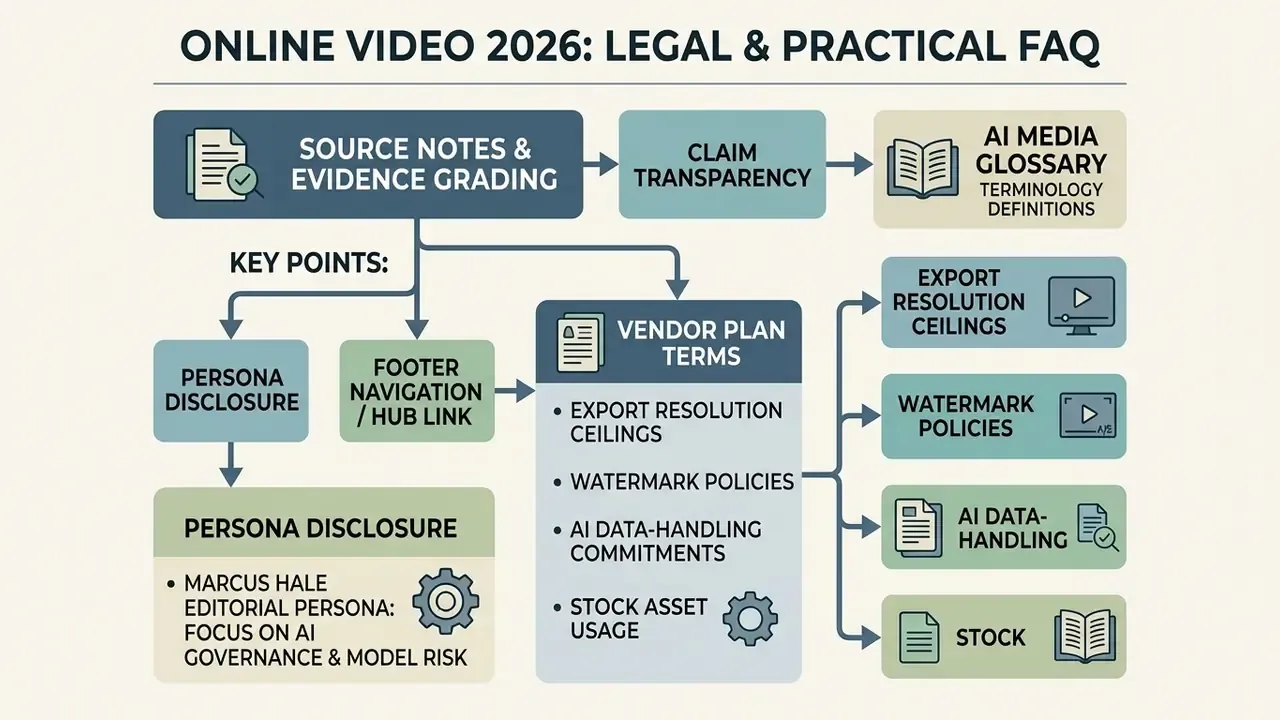
Executive Summary for Risk, Communications, and Finance Leads
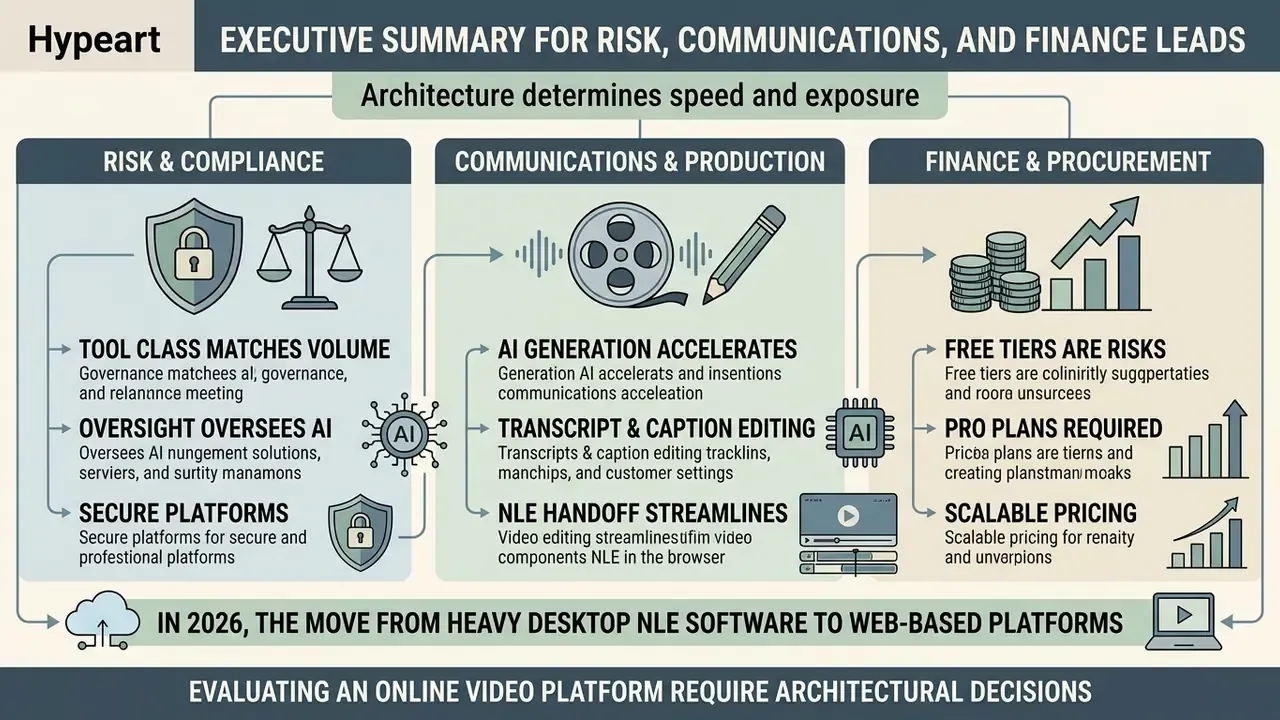
- Architecture determines both speed and exposure. Browser video platforms built on WebAssembly and WebGPU can process frames locally on the client GPU, while cloud-render platforms transmit source media to third-party infrastructure. That single architectural distinction defines where confidential footage physically resides and which data-processing agreements apply.
- Tool class must match production volume. An online video editor delivers timeline control, a video maker delivers template speed, and a comprehensive video solution delivers RBAC, SSO, audit trails, hosting, and analytics. Buying below your governance requirement creates Shadow AI. Buying above it wastes licence spend.
- AI cuts production labour by roughly half, but not oversight. Peer-reviewed subtitling workflows fell from 19 to 8 labour hours per language (AMTA 2024), yet compositional editing benchmarks still document edit omissions and physical inconsistencies. Human sign-off remains mandatory for regulated communications.
- Free tiers are procurement traps, not pilots. Watermarks, 480p–720p ceilings, 1–10 minute export caps, and non-commercial stock licences make most free plans unusable for external distribution. Verify commercial rights, retention policy, and export ceilings before a single frame is edited.
In 2026, the move from heavy desktop non-linear editing (NLE) software to web-based platforms is a structural shift in how institutions produce, govern, and distribute video content. Enterprise operations now need fast media asset creation without giving up regulatory compliance, data protection, or brand governance. Browser-native platforms lean on modern web standards to deliver real-time editing, automated closed-captioning, and collaborative review inside a secure tab.
For risk officers, executive producers, and corporate communications leads, evaluating an online video ecosystem means auditing three layers at once: technical architecture, licensing terms, and generative AI behaviour. A controlled online video workflow balances deployment speed with explicit decision boundaries, verifiable audit trails, and predictable cost. In practice, migrating from a desktop NLE to a cloud editor is a model-risk event. Media ingest paths change. Third-party model providers enter the processing chain. Rendering that once happened on a local workstation becomes a vendor-managed service. Each of those changes carries residual risk, and it should be measured before rollout rather than after the first incident.
What Online Video Is and Which Business Tasks Require a Video Platform
Online video covers web-accessible software and cloud infrastructure used to capture, edit, process, manage, and publish video content without a local desktop client. These systems provide centralized asset repositories, timeline editors, and automated distribution pipelines reachable through a standard browser.
Institutions deploy video online platforms across three primary operational domains: external marketing, internal communications, and compliance training. Instead of treating video as isolated files scattered across workstations, mature organizations run an online video solution as an integrated cloud layer that connects raw asset ingest directly to audience delivery networks.
- External marketing and social engagement rapid production of short-form, high-impact video content optimized for multi-platform distribution.
- Corporate communications and training secure delivery of executive announcements, policy updates, and onboarding modules with restricted viewing permissions.
- Customer support and product demonstration scalable creation of feature walkthroughs, troubleshooting clips, and automated screen recordings.
One concrete illustration. When an enterprise financial firm needed to refresh annual compliance modules across 12 regional offices, local teams had previously spent weeks rendering localized desktop project files. After migrating to a unified web video application, regional editors updated core messaging templates online, generated localized subtitles automatically, and republished the modules within 48 hours.
Online Video Editor, Video Maker, and Video Platform: What Is the Difference
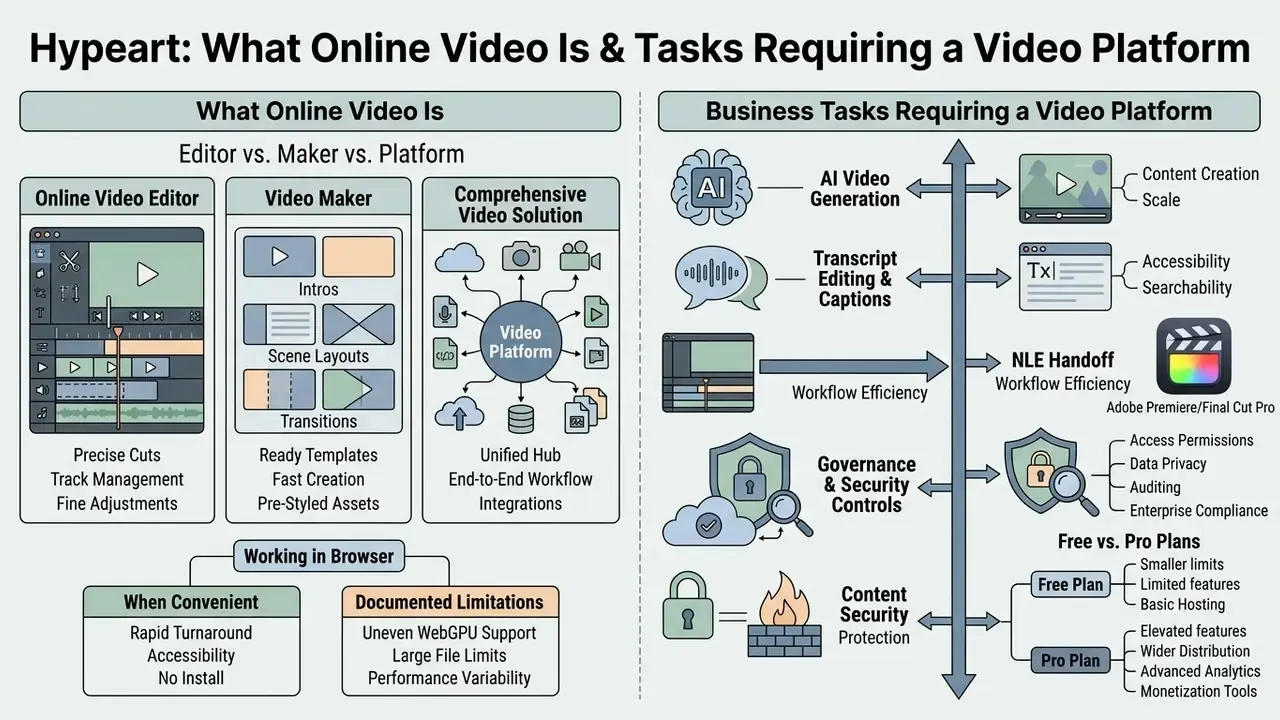
An online video editor provides timeline-based cutting, multi-track audio-visual manipulation, and direct asset editing. A video maker offers guided, template-driven creation flows for fast assembly. A comprehensive video solution integrates authoring, hosting, permissioning, and analytics end to end. Readers who want a functional breakdown of interface layers, track models, and tool palettes can consult our reference on video editors and their capabilities.
Understanding these distinctions stops organizations from buying tools that do not match their operational complexity:
- Online video editor software such as Microsoft Clipchamp or Adobe Express provides traditional multi-track timeline editing inside a browser. Users manually edit video tracks, apply transitions, balance audio channels, and export finished containers. Microsoft documents Clipchamp as both a built-in Windows 11 application and a browser tool, which makes it a useful reference point for feature parity between desktop and web.
- Video maker tools like Canva focus on low-friction asset generation. Users create videos by dragging brand elements into pre-configured layouts, guided by wizards rather than frame-level timeline work. Vendor documentation frames this category around template libraries, drag-and-drop assembly, and one-click publishing.
- Comprehensive video solution systems like Google Vids or Vimeo behave as enterprise-wide media infrastructure. They combine authoring with role-based access control (RBAC), SSO authentication, cloud storage, live streaming ingest, and viewer analytics.
The category labels overlap in vendor marketing, so the boundary is functional rather than strict. The same product can be positioned as an editor, a maker, or a platform depending on whether its landing page emphasizes timeline precision, template speed, or governed end-to-end workflow. Generative-first tools such as Runway sit closer to draft creation, Canva sits between maker and editor, and Vimeo behaves most like a platform layer. For adjacent creative categories with the same taxonomy problem, see our guides to animation makers and online photo editors.
When It Is More Convenient to Work with Video in the Browser
Working with video directly in a browser is optimal when teams need multi-device access, zero-installation deployment, real-time remote collaboration, and cloud-accelerated rendering.
Before the technical detail, the governance rationale. Browser architecture is not merely an ergonomic preference. Where computation happens decides whether unreleased financial footage, customer PII, or pre-announcement executive recordings ever leave the endpoint. That is why a risk function should read the rendering architecture as carefully as the feature list.
Browser-based media workflows rely on modern web standards such as WebAssembly (Wasm) and WebGPU, a W3C standard API that gives browsers direct GPU access. As documented in technical studies from Google Chrome and the W3C, WebGPU removes the CPU-to-GPU copy overheads that were inherent in client-side JavaScript, letting browser applications run hardware-accelerated rendering and spatial transforms on the user's graphics card. Local GPU processing is the privacy-preferable path: colour work, masking, and frame analysis complete on the client, and only the finished render, or nothing at all, travels upstream.
Enterprise broadcast deployments show that cloud-native pipelines are viable at scale too. In the AWS NAB Show Live case study, production teams ran a broadcast live stream using cloud-hosted switching, softGear streaming gateways, and browser-accessible control planes. Remote operators handled real-time graphic overlays and camera switching entirely through web interfaces, which proves that browser control layers can support broadcast-grade operations without local hardware constraints.
«Production teams delivered the NAB Show Live broadcast entirely in the cloud, managing graphics and camera switching through web interfaces.»
Documented browser limitations. Parity with desktop NLEs is still incomplete, and buyers should plan around four constraints confirmed in vendor and engine documentation:
- Uneven WebGPU support. Availability differs across browsers and devices, and Chrome requires device limits to be requested explicitly rather than assumed.
- Missing GPU features. Engine documentation (Unity's WebGPU notes) lists gaps such as async compute, synchronous GPU-to-CPU readback, certain texture formats, and browser-specific extension differences.
- Playback and payload weight. Embedding clips directly into web builds inflates initial download size and degrades streaming, which is why production players stream from URLs and object storage instead.
- Session fragility. Long browser sessions depend on tab lifecycle, memory ceilings, and network stability. Autosave and cloud project state are mitigations, not guarantees.
How to Choose an Online Video Solution for Your Task
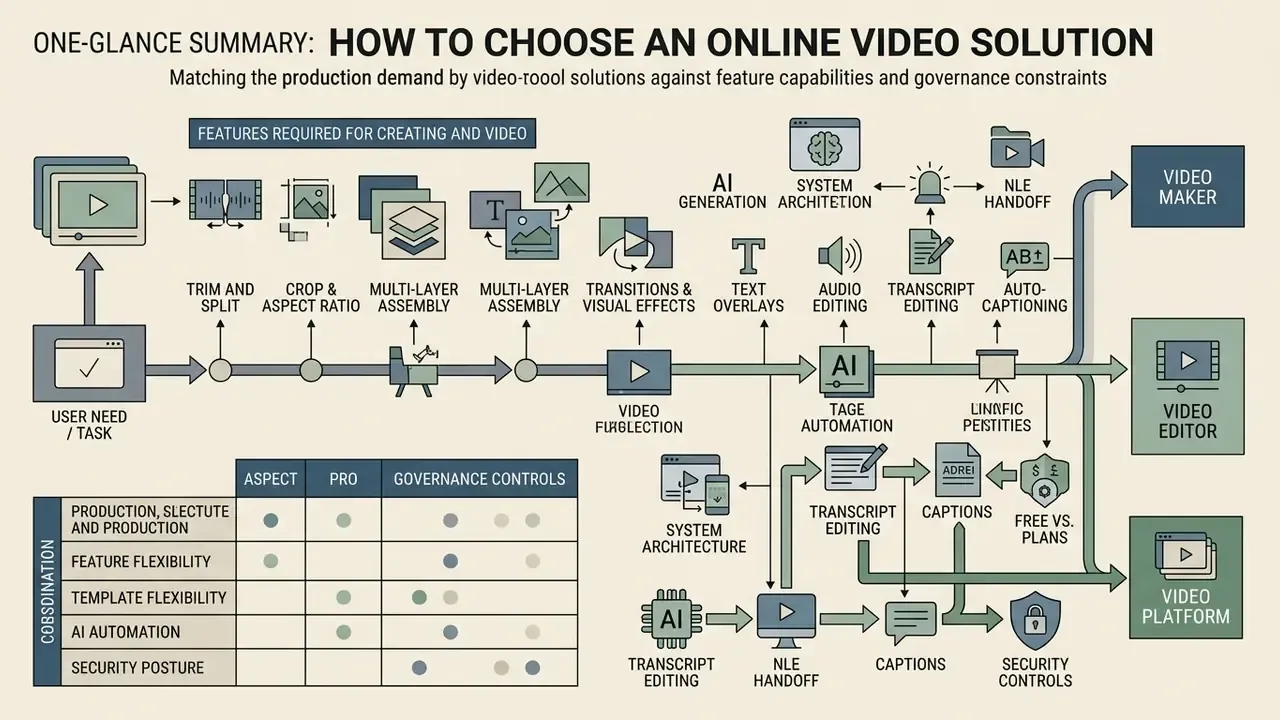
Selecting an online video solution means matching production demand against system architecture, administrative governance, template flexibility, AI automation, security posture, and export parameters.
Decision-makers must decide whether a lightweight online video app, a dedicated online video editor, or an automated video maker fits their operational volume. Teams comparing generative engines as part of that shortlist can review our roundup of the best AI video generators for model-level differences in duration, resolution, and licensing. A basic tool is enough for ad-hoc social posts. Enterprise operations need a pro video platform with reproducible audit logs, single sign-on (SSO), and commercial media licensing.
The table shows that alignment depends on workflow complexity, not brand preference. Teams producing quick marketing collateral do fine with template-driven video makers. Cross-functional enterprise departments need comprehensive platforms with robust RBAC, auditable approval pipelines, certification evidence, and flexible export parameters.
Features Required for Creating and Editing Video
A functional baseline for professional web-based editing includes non-destructive trimming, cropping, multi-layer sequencing, transitions, colour adjustment, text overlays, automated subtitles, and transcript-driven cutting.
Judging by baseline feature specifications across platforms such as Adobe Express and Microsoft Clipchamp, browser editing rests on the following capabilities:
- Trim and splitprecise razor tools to isolate, cut, and remove unwanted frames.
- Crop and aspect ratio adjustmentinstant reframing between 16:9 landscape, 9:16 vertical, and 1:1 square.
- Multi-layer assemblystacking video, graphic, and text layers with opacity control.
- Transitions and visual effectsdissolves, wipes, colour filters, and speed adjustments.
- Text and typography overlayslower-thirds, animated titles, brand-compliant fonts.
- Audio editing and duckingbalancing voiceover, background music, and sound effects.
- Auto-captioningautomated speech-to-text for silent auto-play social feeds.
- Text-based editing (transcript editing)automatic speech recognition turns the audio track into an editable document bound to the timeline. Delete a sentence, a word, or a pause, including filler sounds such as "umm" and "uh", and the matching footage disappears with it. No manual frame trimming. Searching the transcript is also the fastest way to find one specific moment inside a two-hour recording.
- Frame-accurate precision toolskeyframes, speed ramps, and multicam sync, which preserve desktop-editor muscle memory inside the browser.
AI Tools, Templates, and Stock Media
Integrated generative ai video features, pre-built templates, and licensed stock libraries compress production timelines by removing manual shooting and graphics construction.
Empirical work supports the efficiency claim. Research on lecture video summarization (FastPerson, Li et al., 2024) showed that automated content analysis and chapter structuring cut total viewing time by 53% while comprehension scores held steady across 40 study participants. Evaluations of podcast teaser generation reached a similar conclusion: embedding structured narrative patterns into AI recommendation engines reduced creators' cognitive load and raised editing velocity.
«PodReels significantly reduces creators' cognitive load and improves the production efficiency of video podcast teasers.»
Generative acceleration also depends on asset supply. Adobe Stock documents its video templates as pre-built After Effects and Premiere Pro project files intended for customization rather than construction from scratch, and Adobe's generative-AI submission guidelines confirm that AI-generated video passes through the same technical and legal review pipeline as camera-shot footage, with labelling required. Google's Gemini API documentation positions text- and image-prompted generation and editing as a first-class production step, which shortens the ideation-to-render cycle.
For specialized automation, creative teams often use a dedicated web utility such as an ai intro generator to streamline motion graphics at project initialization.
Governance takeaway for practitioners: treat these findings as a rule, not trivia. Where research shows AI compressing viewing or editing time, the corresponding internal policy should specify which stage AI may automate, who signs off on the output, and how the source of every generated asset is logged for licensing review. Three lines in a procedure document, and the audit conversation changes completely.
Working Across Devices, with Files and Formats
Enterprise browser video applications must keep projects synchronized across desktop, tablet, and mobile while supporting common ingest and export standards.
Cloud workflows need a backend that accepts diverse containers, including MP4, MOV, WebM, MKV, and animated GIF, via multipart upload directly to object storage such as Amazon S3 or Google Cloud Storage. Google Cloud documents the JSON API multipart upload method, which sends object data and metadata in a single request, as the standard direct-ingest path. Vendor limits still bite: Canva, for example, accepts MOV, GIF, MP4, MPEG, MKV, and WEBM with a 1 GB per-file ceiling, so large camera masters usually need pre-compression first. Teams handling oversized masters can review practical size-reduction trade-offs in our guide to video compressors.
Modern platforms keep non-destructive project files in cloud databases, so a user can start timeline edits in a desktop browser and later preview or approve the same project in a mobile video app. Cross-device continuity depends on three mechanisms: server-side project state, autosave on tab closure, and proxy media generation, so mobile clients preview lightweight renditions instead of full-resolution masters. To check technical specifications across creative tools, teams can consult an AI Media Comparison and verify cross-device capabilities and file support.
How to Create Video Online: From Idea to Export
Creating a video online without prior non-linear editing experience follows a six-stage pipeline: media ingestion, project initialization, timeline editing, audio and text placement, preview verification, and cloud export.
When users need to create videos or manage ongoing making videos tasks, a standardized algorithm keeps technical output consistent, prevents render errors, and protects delivery quality. Beginners can reliably produce professional free video assets or commercial projects by following this sequence.
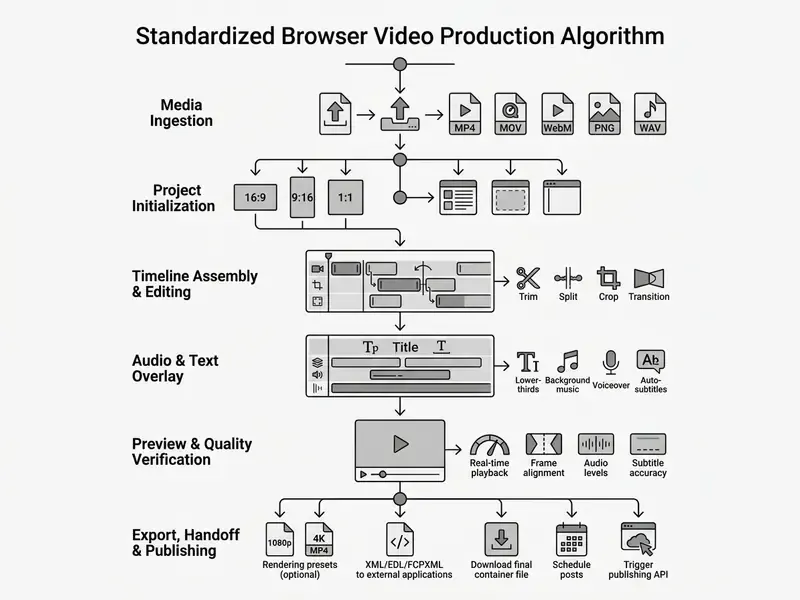
Uploading Media and Selecting a Template for a New Video
Production starts by uploading raw assets into the cloud workspace or choosing a template built for a specific channel.
Direct cloud ingestion lets users drag local files into the browser or import assets from enterprise storage. Beyond local uploads, mature platforms support direct cloud ingest from Google Drive, Dropbox, Box, and corporate S3 buckets without routing the file through the user's local disk. That avoids consuming endpoint storage and bandwidth, and it keeps master media inside governed storage boundaries. Before downloading a template, verify software and version compatibility, whether the file is a project file, plugin dependencies, included assets, and the skill level the template assumes.
When starting from scratch, pre-structured templates set sequence framing and composition rules. In academic research on scientific video authoring (Pub2Vid, Wünsche et al., ACM IMX 2023), structured project templates derived from analyzing 40 publication videos measurably lowered production barriers for non-expert creators.
«Pub2Vid was well received; users highlighted the simplicity of the design and the recommendations grounded in real example videos.»
For supplementary visual planning, teams often use an ai infographic generator to prepare static assets before timeline assembly begins.
Basic Editing: Trim, Text, Transitions, and Effects
Timeline editing means arranging clips in order, trimming dead frames, applying transitions between scenes, and layering text.
Editors build a rough cut by dropping clips onto the primary track and using razor tools to strip out pauses. The canonical sequence documented in editing workflows runs like this: cut clips, assemble the sequence, add titles and overlays, then apply transitions and colour work. Once ordering is fixed, secondary elements go on top:

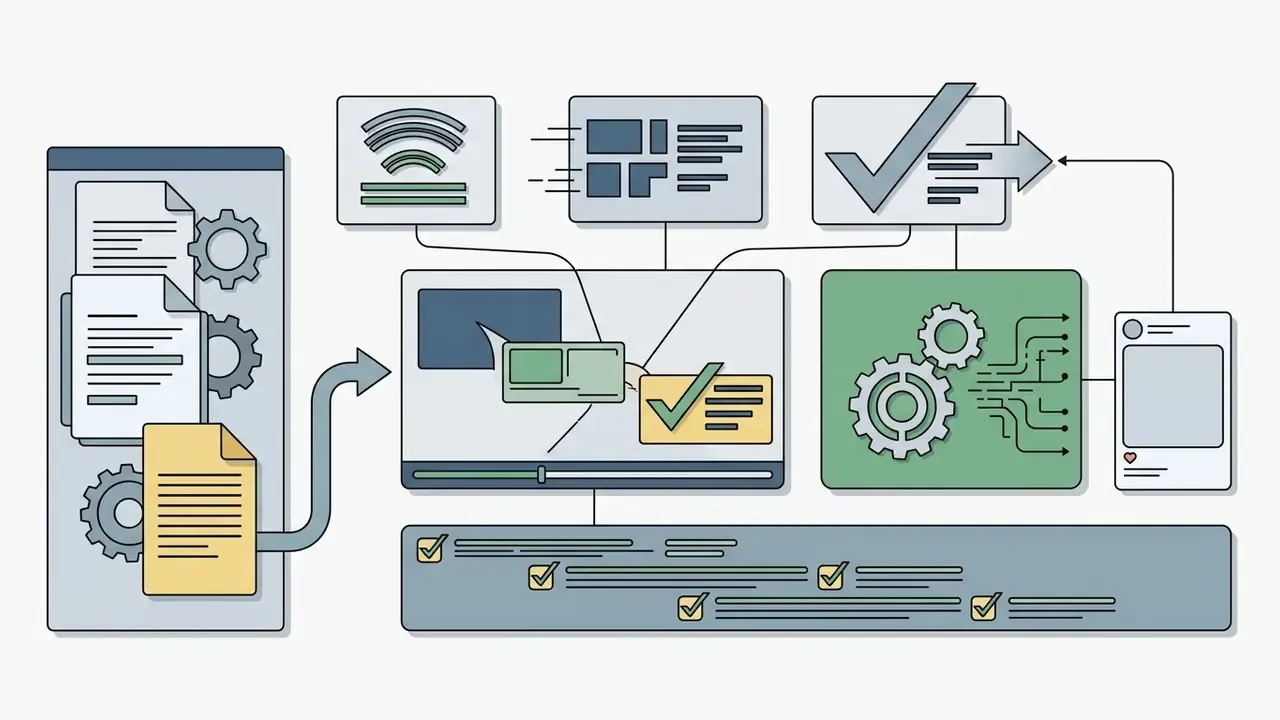

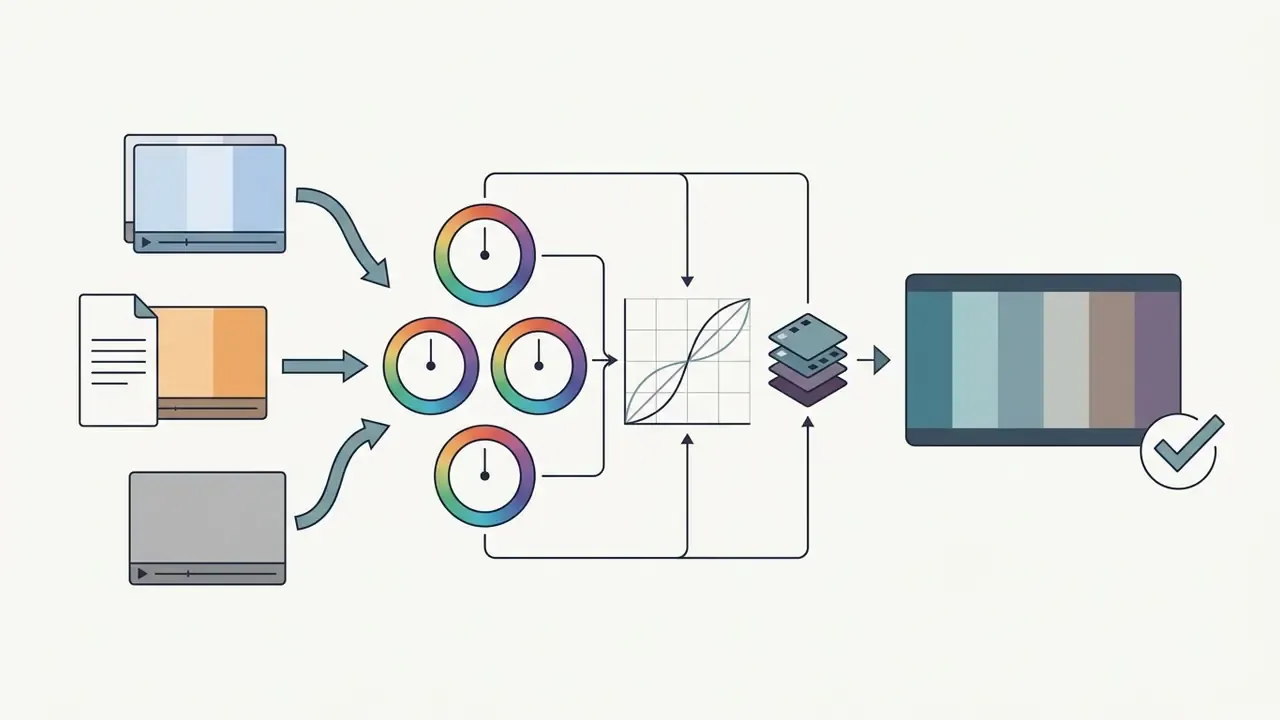
Automatic match colour (shot matching). AI grading modules analyse a reference frame from the first clip, then align white balance, exposure, and colour tone across the following segments. This removes the manual reconciliation of footage shot on different cameras, phones, or lighting setups, historically one of the slowest steps in multi-source corporate video. Professional browser graders now expose shot match next to wheels and curves, so consistency work no longer demands a second application or an intermediate export.
Complex compositions and watermarks:
This structured approach lines up with findings in human-computer interaction (VideoDiff, Huh et al., CHI 2025), where giving creators side-by-side alternatives for rough cuts and text overlays produced significantly higher editing satisfaction.
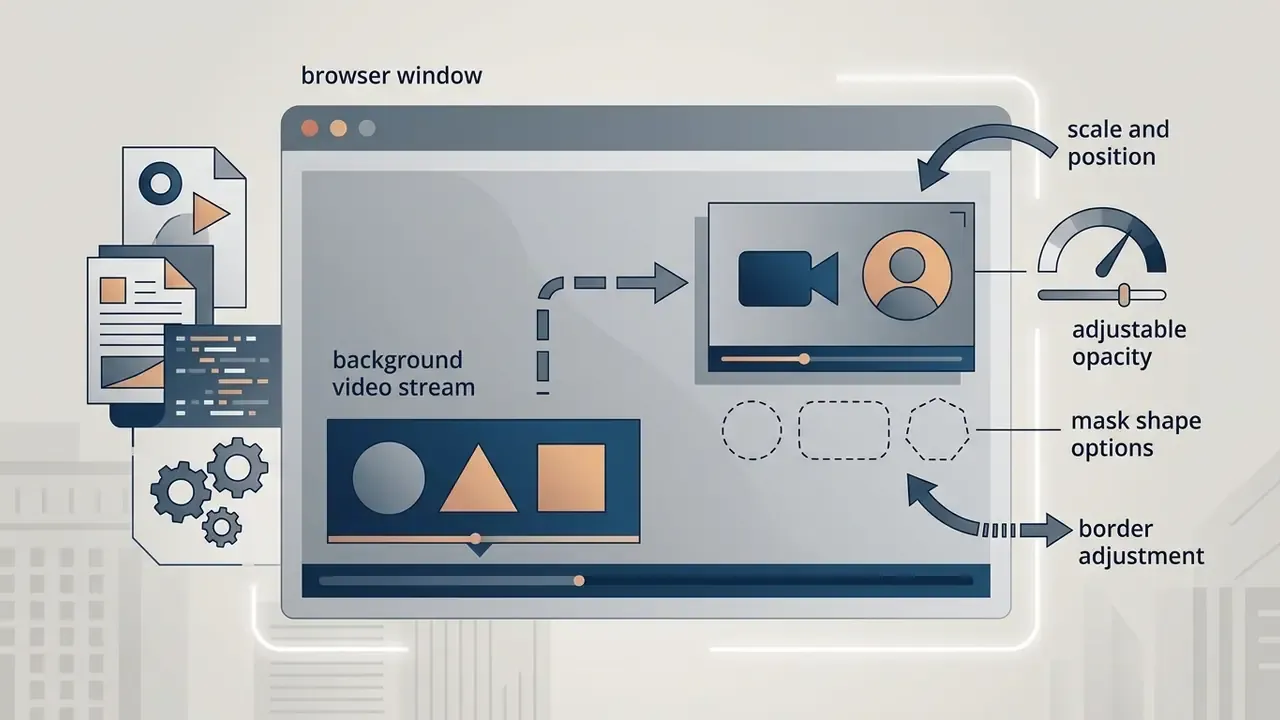
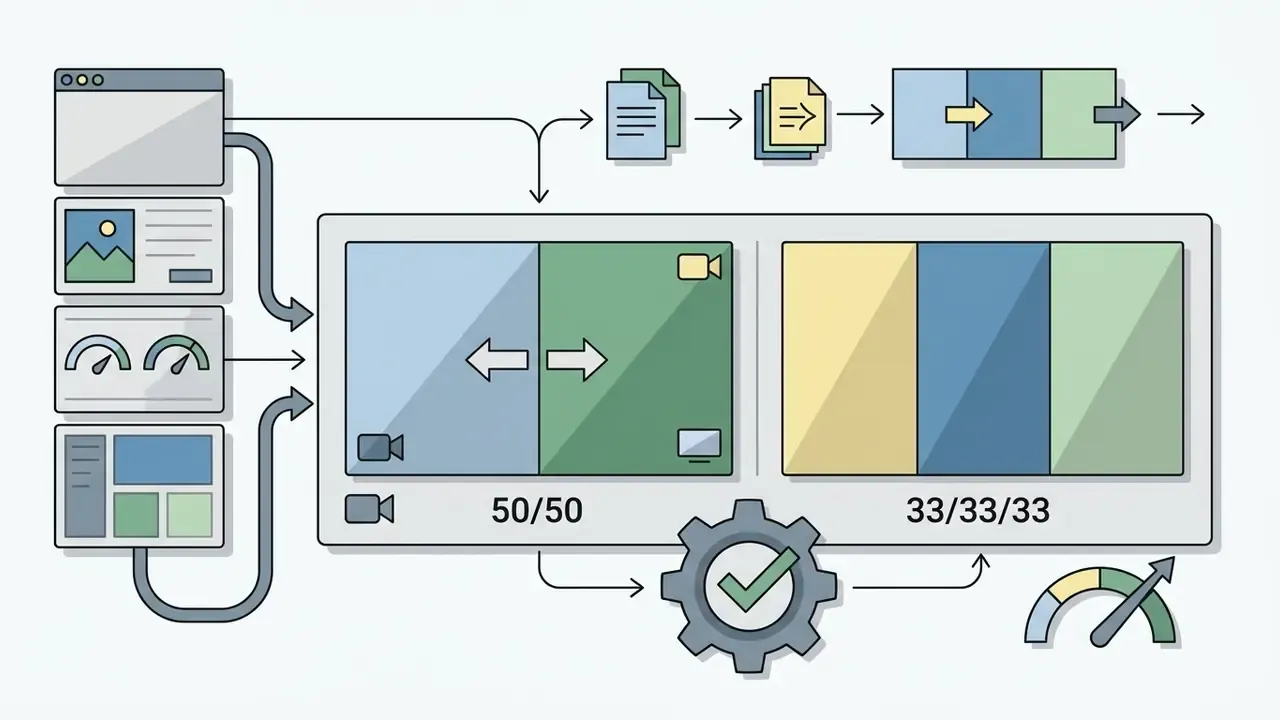
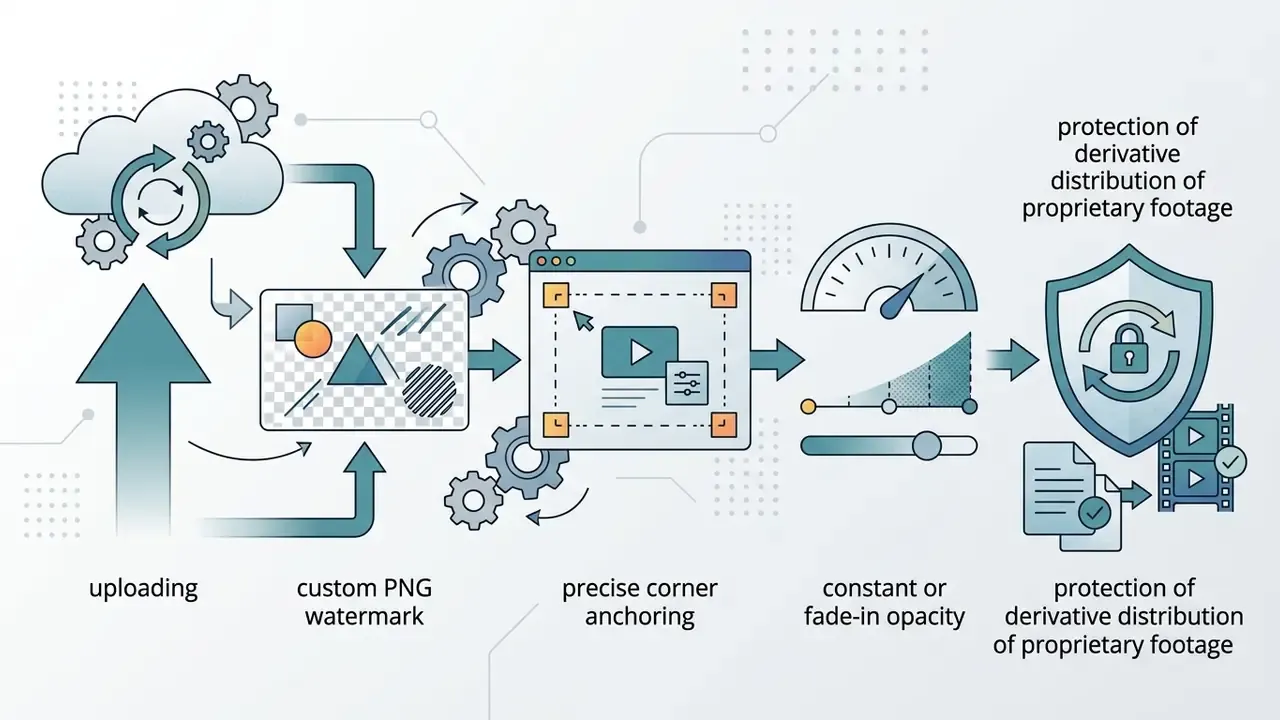
«VideoDiff lets creators easily compare and adjust alternatives, achieving more satisfying editing outcomes.»
How AI Video Accelerates Creation and Editing
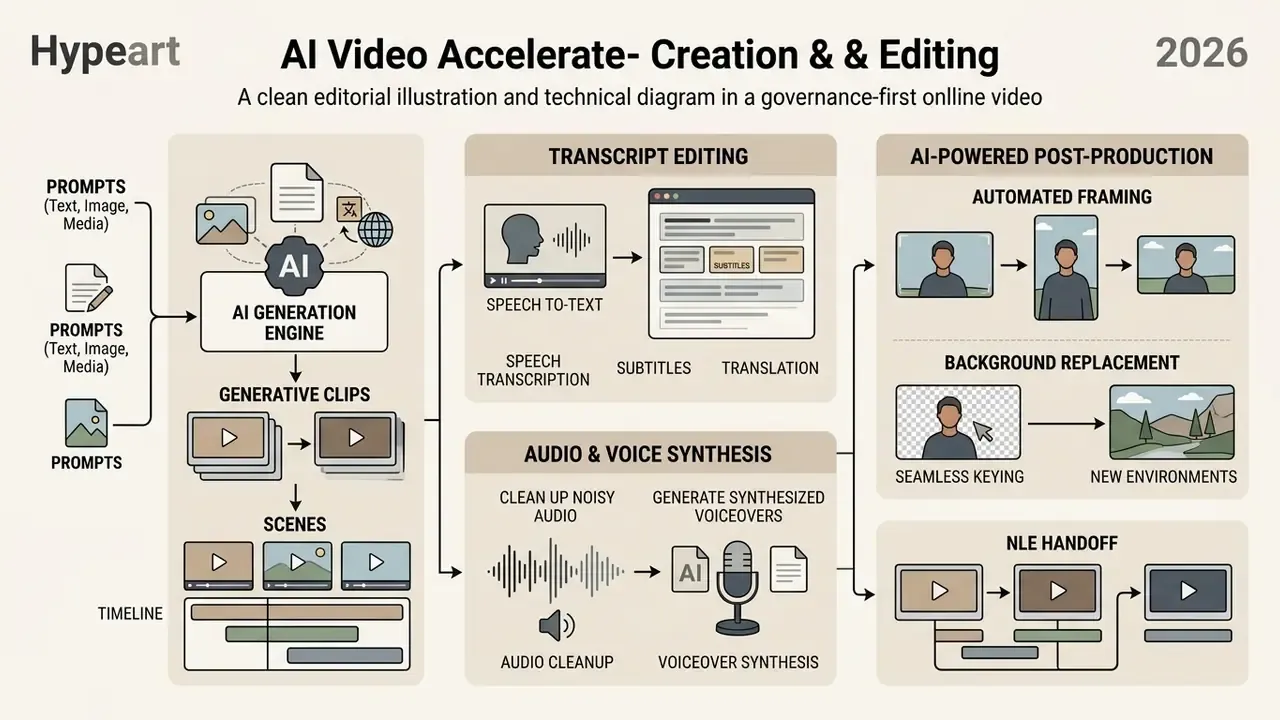
Artificial intelligence speeds up production by automating the tedious parts: speech transcription, voiceover synthesis, automated framing, and generative clip creation. Readers who need a broader map of model families and commercial applications can start with our overview of AI video generators.
Bringing ai video routines into a standard editing stack yields measurable gains. A 2024 paper presented at the Association for Machine Translation in the Americas (AMTA 2024) documented that AI-assisted translation and subtitling cut manual labour for an 11-minute video from 19 hours to 8 hours per language, while voice-over work fell from 24 hours to 12 hours per language. Both workflows improved by more than half.
A 2025 study of multimodal AIGC short-video production reported a 59.6% efficiency gain for a single AI tool versus traditional production, and over 100% improvement when multiple multimodal AIGC tools were combined in one pipeline. A 2026 review of AI automation in video editing describes pipelines compressing tasks from days to hours and from hours to minutes, but its numeric 60–85% claim cites older 2022 work rather than new primary measurement, so treat it as directional, not as an audited benchmark. Broad market claims such as "13 days to 27 minutes" originate in vendor marketing summaries and have no peer-reviewed basis.
«Empirical evaluations of multimodal AI short-video tools reported efficiency gains above 50% compared with traditional manual editing.»
Generating Video from Text, Images, and Media
Generative text-to-video and image-to-video models synthesize footage from natural language prompts or static reference imagery. For prompt engineering patterns and duration limits, see our reference on text-to-video AI tools.
Modern web platforms integrate multimodal APIs from a new generation of neural networks. Text-to-video generation and image-to-video animation are commonly served by diffusion and transformer models including Veo 3.1, Kling 3.0, Seedance 2.5, and Sora, while commercial editors increasingly expose 200 or more models behind a single credit balance. Voice-over and sound-effect synthesis rely on specialized audio models such as ElevenLabs Music and Whisper v3, which enable narration in 50 or more languages. Vendor documentation for models like MiniMax H3 also confirms a third mode alongside the familiar two, reference-to-video, which conditions generation on supplied reference material and outputs 2K multimodal video with native stereo audio. Teams converting still assets into motion should review our guide to image-to-video AI, and developers budgeting per-second generation costs can consult the Google Veo implementation guide.
Commercial systems use diffusion architectures to translate prompts or stills into dynamic clips. Frameworks such as Ground-A-Video (Jeong & Ye, 2023) demonstrate zero-shot video-to-video editing using Cross-Frame Gated Attention to change visual attributes while preserving temporal consistency across frames. Enterprise platforms also use generative tools to build supporting assets: design teams may run an ai interior design generator to render static spatial concepts before turning them into animated walkthroughs.
Risk leaders still have to account for model limitations. As benchmarked in CoVEBench (2026) across 10 prominent compositional editing models, generative systems frequently produce edit omissions, physical inconsistencies, and unintended background shifts. Human oversight therefore stays mandatory for commercial releases.
«CoVEBench exposed reasoning and compositional bottlenecks in ten popular editing models: edit omissions, physical violations, and unintended background changes.»
AI for Subtitles, Speech, Audio, and Background
Specialized neural networks automate timecoded subtitle generation, speech translation, voice synthesis, noise suppression, and background isolation.
- Automated subtitles and translation: ASR engines generate time-aligned captions with strong multilingual accuracy. Systems built on OpenAI's Whisper model (Pawar et al., IEEE 2024) perform real-time transcription and translation inside browser application frames. VEED's documentation shows the same workflow end to end: automatic transcription, language selection, and export of translated subtitle files as SRT or TXT.
«The Whisper-based system delivers high multilingual accuracy and renders subtitles in real time, improving video accessibility.»
AI Risk, Data Governance, and Security Controls for Online Video
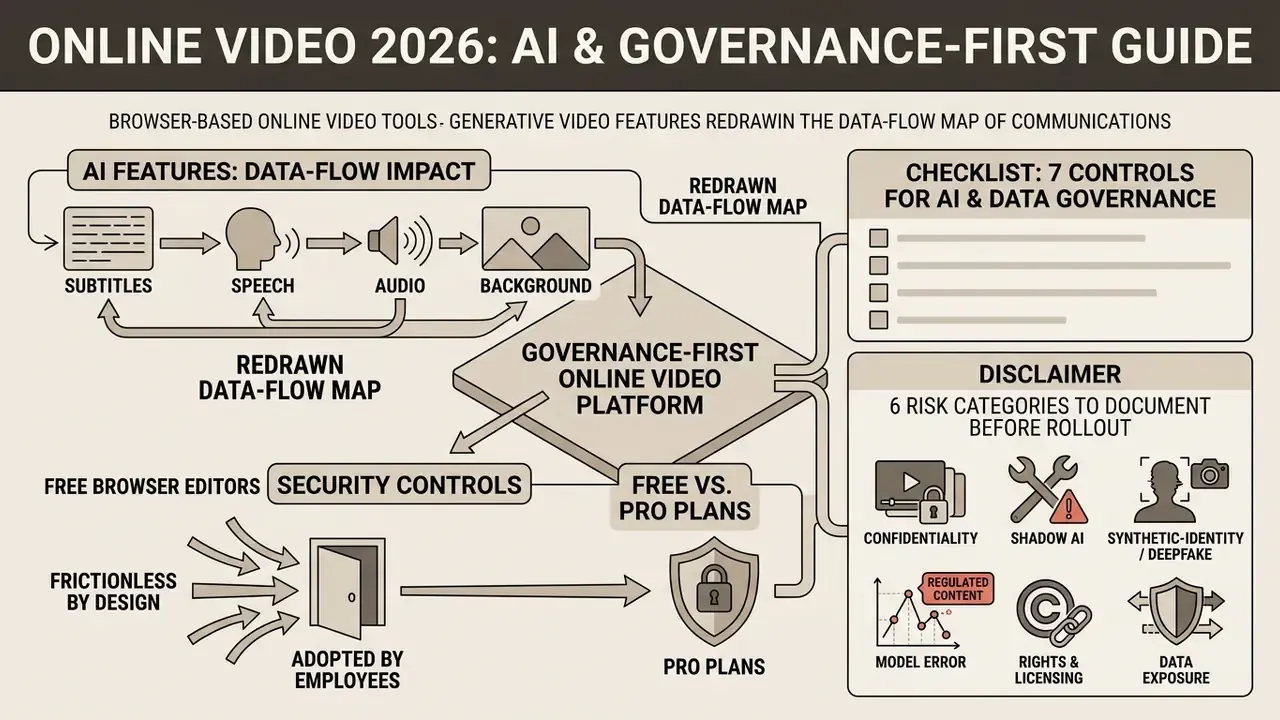
One caveat worth stating plainly: none of this eliminates residual risk. It makes the residual risk visible, owned, and reviewable, which is the difference between a controlled deployment and an unmeasured one. Organizations tracking how courts and regulators treat generated media should monitor AI litigation and case timelines as part of periodic control review.
Collaboration and a Unified Style for Video Content
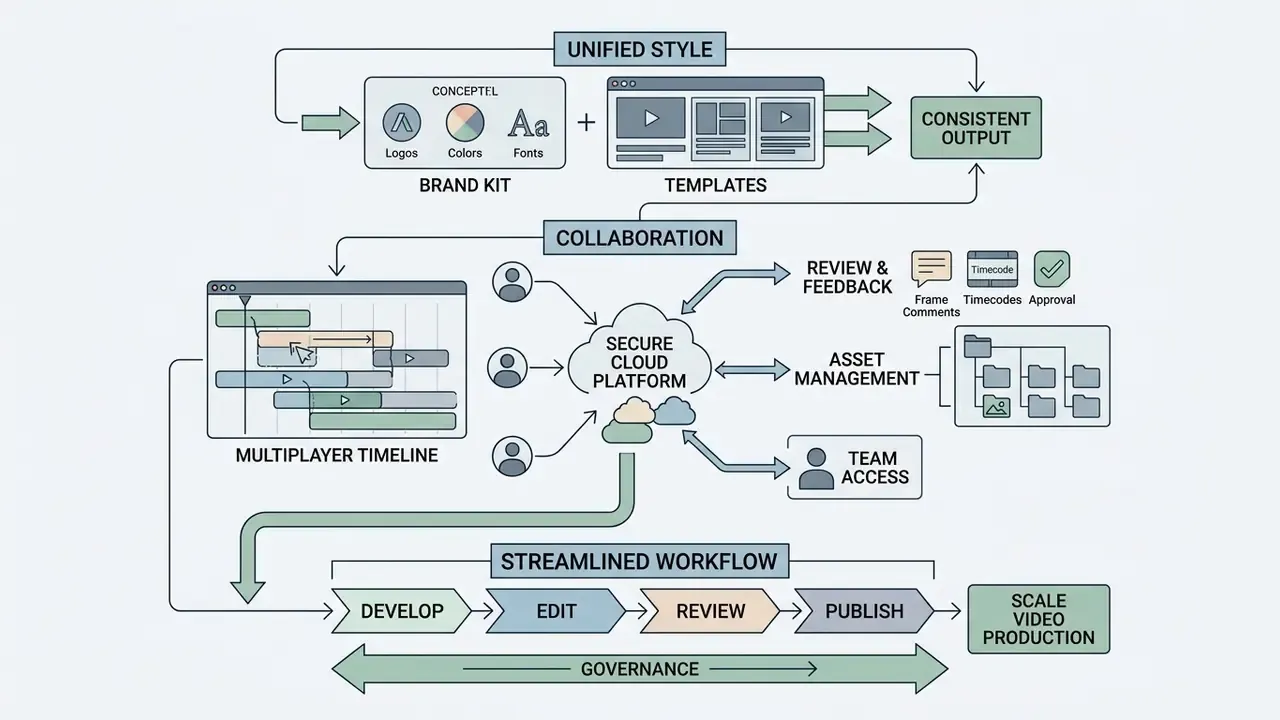
Enterprise video operations need multi-user collaboration tools, structured review environments, and centralized asset management to hold brand governance in place.
Scaling video content across distributed teams means abandoning informal file sharing for secure cloud workspaces. When team members are videos using an online video app, clear administrative permissions keep raw media, working drafts, and approved masters protected and organized through the whole production lifecycle.
Templates, Brand, and Media Reuse
Centralized Brand Kits lock corporate visual identity by restricting project spaces to approved logos, colour palettes, motion graphic templates, and typography.
Institutional brand management standards, such as those enforced by Penn State and Georgia Tech brand guidelines, rely on centralized digital asset management (DAM) libraries wired into editing software. Georgia Tech publishes distinct video-template and social-video-template downloads inside its brand asset area. Penn State groups palettes and design toolkits into Adobe CC Libraries linked to video templates and guidelines. The University of Iowa distributes packaged motion-graphic files with Photoshop guides that demonstrate correct use of brand fonts and graphic elements.
Enforcement mechanisms matter as much as the assets. Set a default Brand Kit for the workspace, apply it at project creation, and re-validate before publishing. Vendor implementations impose concrete limits, and one platform caps a Brand Kit at 2 fonts, 120 brand colours, and 6 avatars, so brand teams should design inside those constraints rather than discover them at rollout. By storing pre-approved lower-thirds, intro bumpers, and corporate colour swatches in restricted workspace folders, enterprises prevent unauthorized design drift. Teams that need help with brand deployment can reference AI Media Support documentation for integration standards.
Publishing, Hosting, and Distributing Video Online
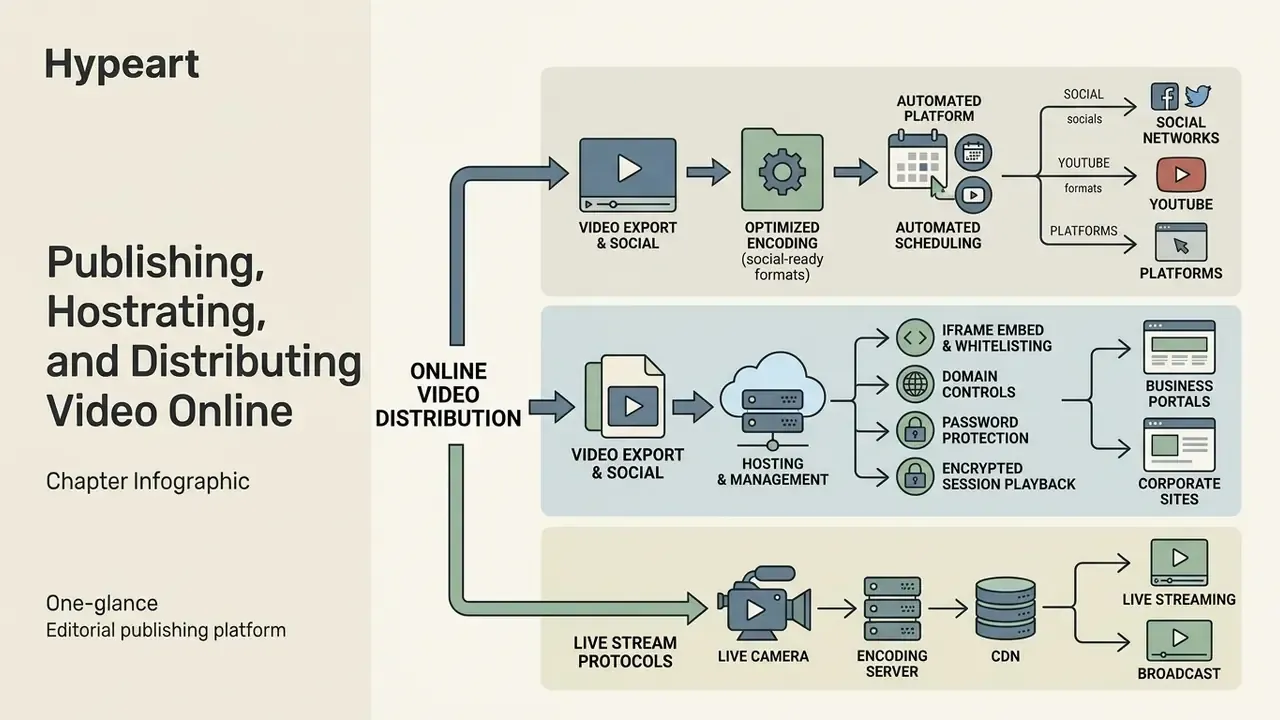
Publishing online video requires configuring export encodings for social networks, hosting media on secure business platforms, or managing live streaming protocols.
Once a project is finalized, the asset moves from the creation environment into audience delivery networks. Distributing video content well means matching container parameters to destination requirements, whether you publish into social feeds, stream via YouTube, or embed players directly on corporate pages.
Hosting, Embedding, and Managing Access to Video
Business video hosting platforms provide iframe embed generation, domain whitelisting, password protection, hotlink protection, and Digital Rights Management (DRM).
Unlike public consumer platforms, enterprise hosting services such as Vimeo Enterprise or VdoCipher protect proprietary content through layered controls:
- Iframe embedding and whitelistingrestricting playback to authorized corporate domains via HTTP referrer checks. Vimeo documents iframe embedding alongside public, whitelist, and private privacy modes, while Cloudflare's hotlink protection blocks third-party sites from embedding or hot-linking media without permission.
- Encrypted session playbackissuing dynamic one-time passwords (OTP) and signed playback tokens to prevent direct media URL extraction. VdoCipher documents backend-issued OTP and playbackInfo values in the player URL, which binds playback to a controlled session.
- Domain and password controlsrequiring viewer authentication or password entry before granting stream access. Vimeo exposes stream passwords for live events and password privacy for individual videos, removable only by switching privacy mode.
Companies managing legal disclosure compliance or IP protection should align hosting frameworks with evolving digital distribution regulations and internal retention schedules. Access control is where video governance either holds or quietly fails.
When Video Requires a Live Stream
Live streaming fits real-time interactive broadcasts, high-profile corporate announcements, and synchronous webinars. Video on demand (VOD) fits asynchronous, reusable training content.
The choice between live and VOD rests on interactivity and latency:
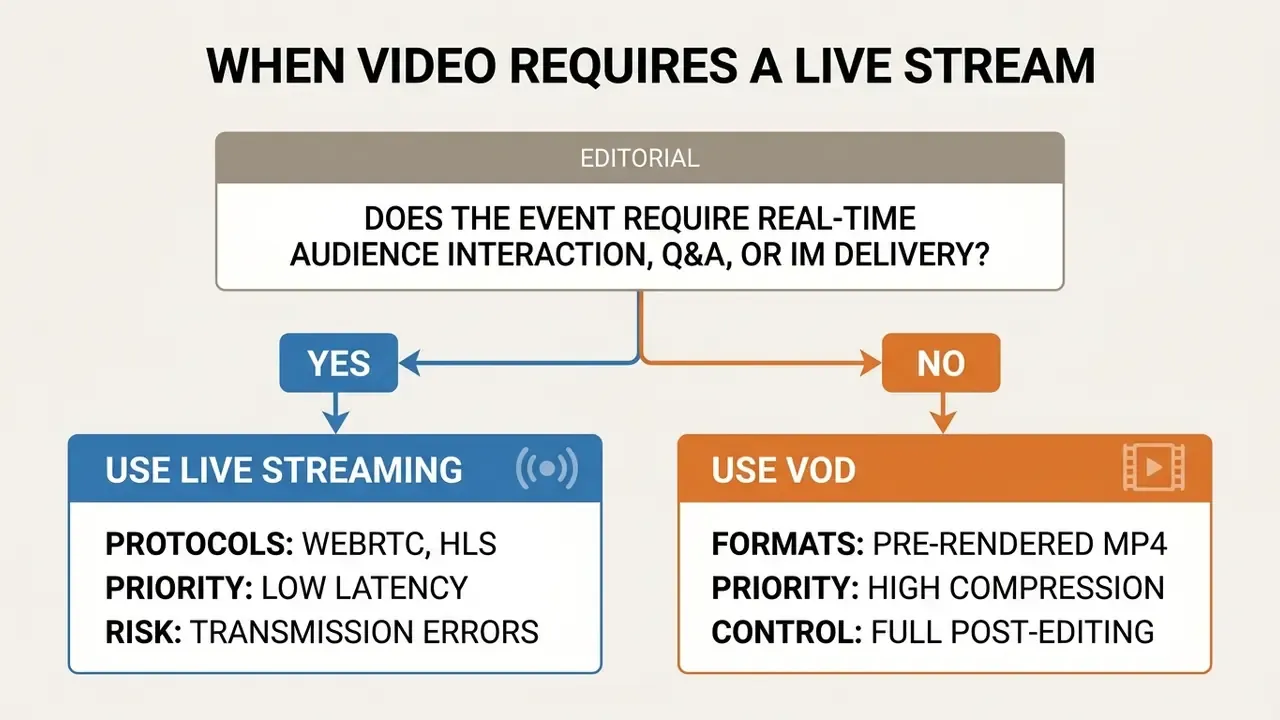
Browser transport standards underpin the live path. RFC 8825 defines browser-based real-time protocols for audio, video, and data in the web browser, and it remains the base technical reference for plugin-free capture and ingest. On the distribution side, Twitch documents embedding of live streams, VODs, and clips with SSL required, while Owncast exposes a dedicated embed URL for live streams. Both live and on-demand assets can therefore terminate inside a corporate web page rather than a public feed.
Operationally, business events split predictably. Live suits keynote announcements and moderated Q&A. VOD suits breakout sessions, interviews, and reusable post-event content. In education, live supports scheduled sessions with interaction and assessment, while VOD supports self-paced study without a broadcast schedule. There is a technical corollary too: VOD assets are static after publication, whereas live playlists must stay current during playback, which is why caching rules differ between them.
Live broadcasts deliver immediate engagement, but pre-produced VOD allows thorough compliance review, precise editing, caption verification, and non-destructive reuse. The cost profile differs as well: live delivery bills against concurrent viewers and bandwidth peaks, while VOD bills against storage and cumulative egress. Which is precisely why the next question is commercial. What does the plan actually include?
Free Online Video Editors and Pro Plans: How to Assess Cost
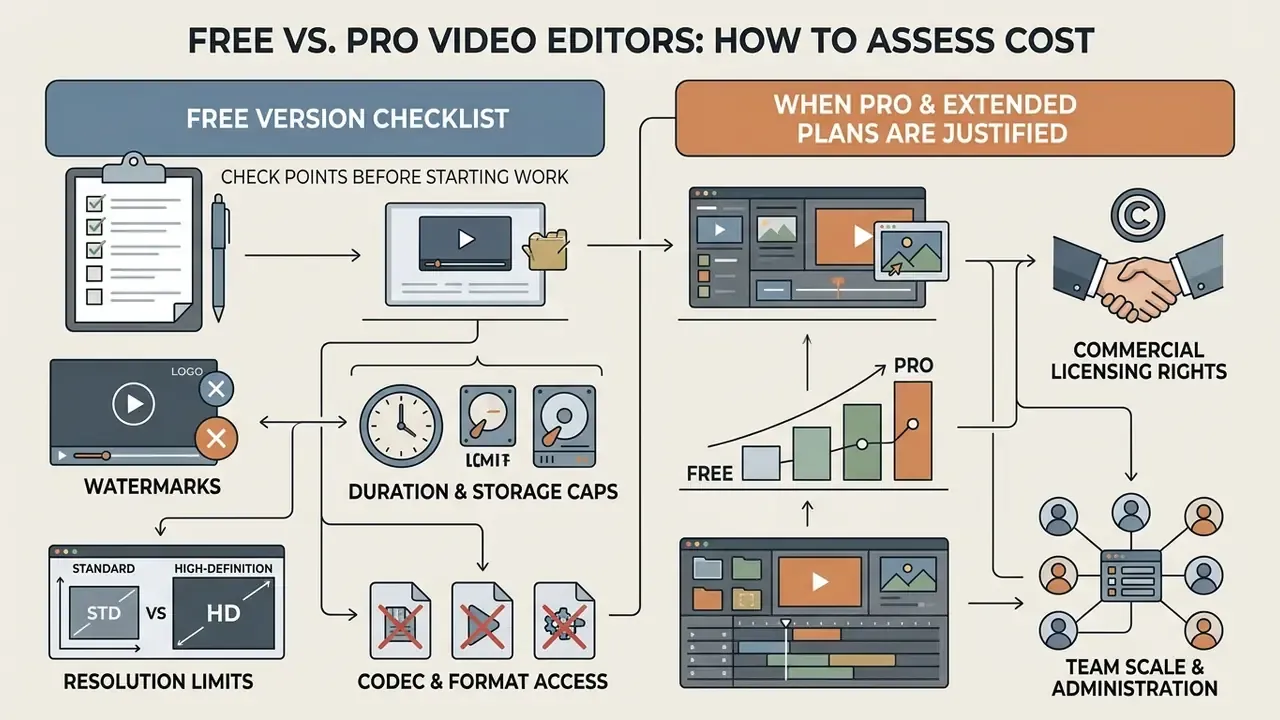
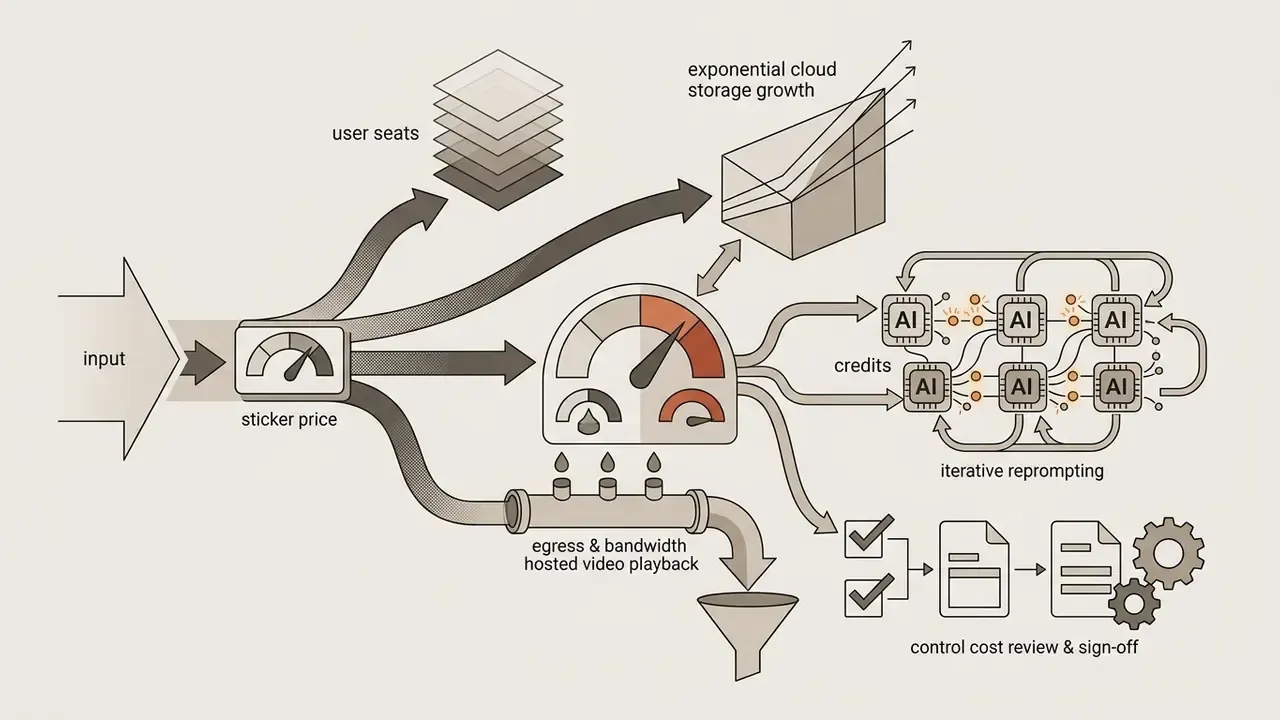
Evaluating free versus professional tiers means auditing feature limits, including export resolution caps, watermark enforcement, AI generation credits, and commercial asset licensing, against subscription cost.
Organizations buying software must separate casual consumer tools from commercial pro video software. A free video tier is fine for basic evaluation. Enterprise production needs paid plans that remove watermarks, unlock 4K export, provide team administration, and grant legal commercial usage rights. Teams mapping the no-cost landscape first can review our overview of free AI video generators.
Monetization models fall into three patterns. Freemium drives acquisition; Clipchamp's free tier exports up to 1080p without watermarks, while Premium adds 4K UHD. Subscription secures recurring access and capacity; Elevate.io states that users upgrade once they hit storage limits, with its Starter tier providing 5 GB of cloud storage, 5 projects, and two 720p exports per month. Pay-as-you-grow bills by seats or usage; Canva Teams changes billing when invited members accept, charging additional seats monthly or pro-rated against the annual renewal. The upgrade trigger therefore differs by metric: features, capacity, or headcount.
What to Check in the Free Video Version Before Starting Work
Before committing production resources to a free browser editor, audit four restrictions: mandatory watermarks, export resolution ceilings, length caps, and constrained codec options. A side-by-side view of those limits is available in our comparison of free video editing software.
Product documentation across major web editors confirms the common patterns:
- Watermarks
- Kapwing, VEED, and FlexClip apply visual watermarks on free exports. Kapwing's official documentation pairs its free plan with a watermark, 720p output, 4-minute projects, and 1 GB storage, with Pro removing the watermark and raising limits to 4K. Clipchamp allows watermark-free standard exports but blocks export when paid stock media or out-of-plan features are used.
- Duration and storage caps
- free plans often limit exports to between 1 and 10 minutes and cap cloud storage between 1 GB and 5 GB.
- Resolution limits
- free output is frequently capped at 480p–720p, with 1080p or 4K behind a paid plan.
- Codec and format access
- paid tiers unlock higher-resolution export and broader format support. Some vendors expose advanced codec controls only in desktop or paid editions, never in the free browser plan.
To model financial trade-offs and estimate software ROI, teams can use specialized AI Media Calculators for cost-per-video metrics across deployment scales.
When Pro Video and Extended Plans Are Justified
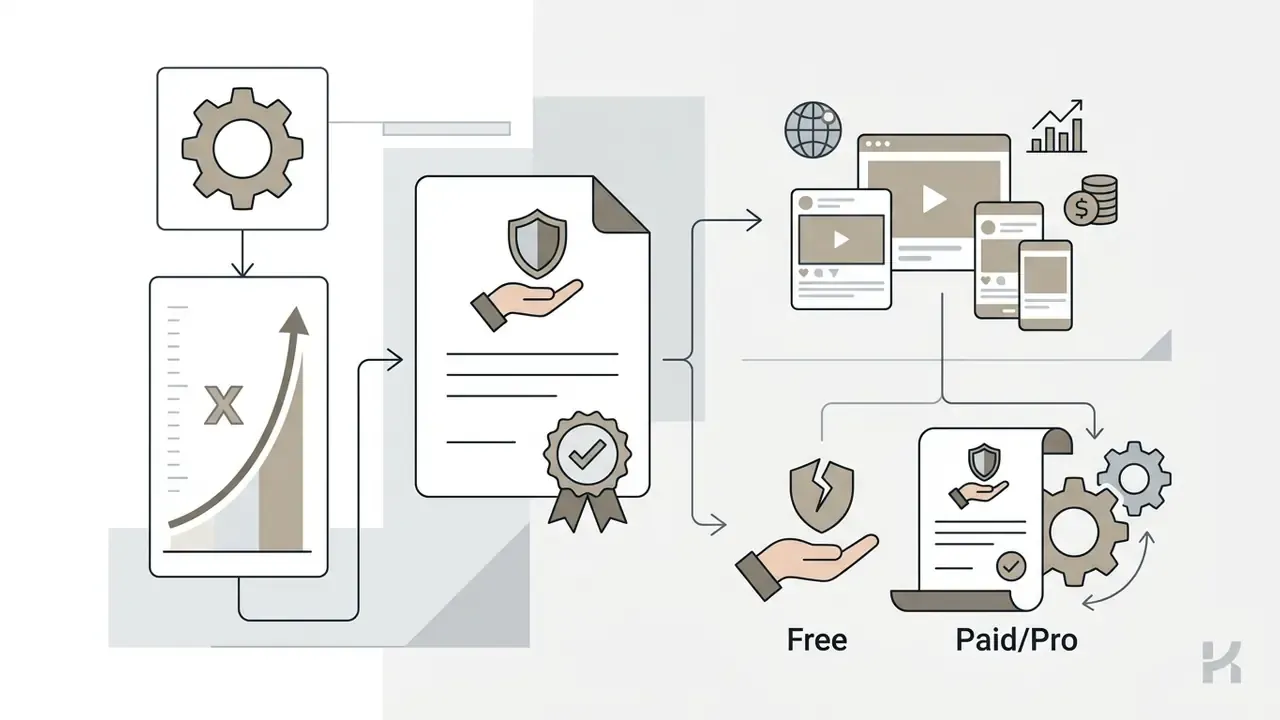
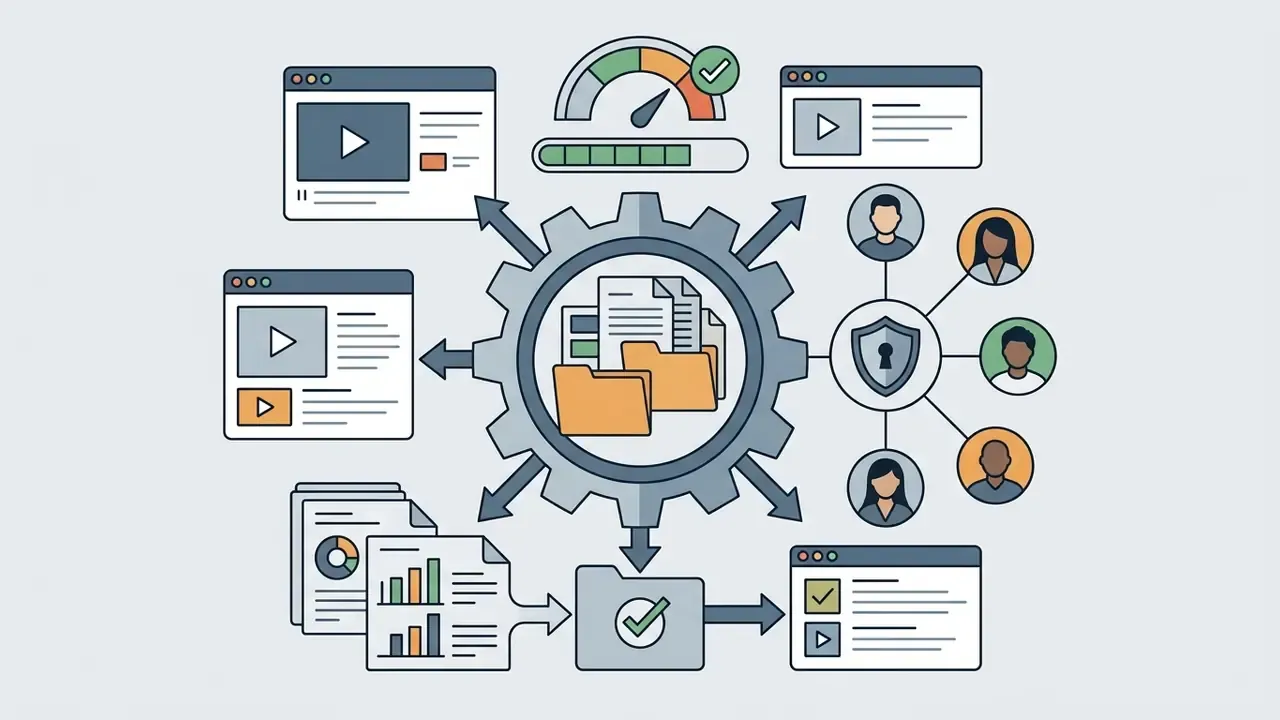
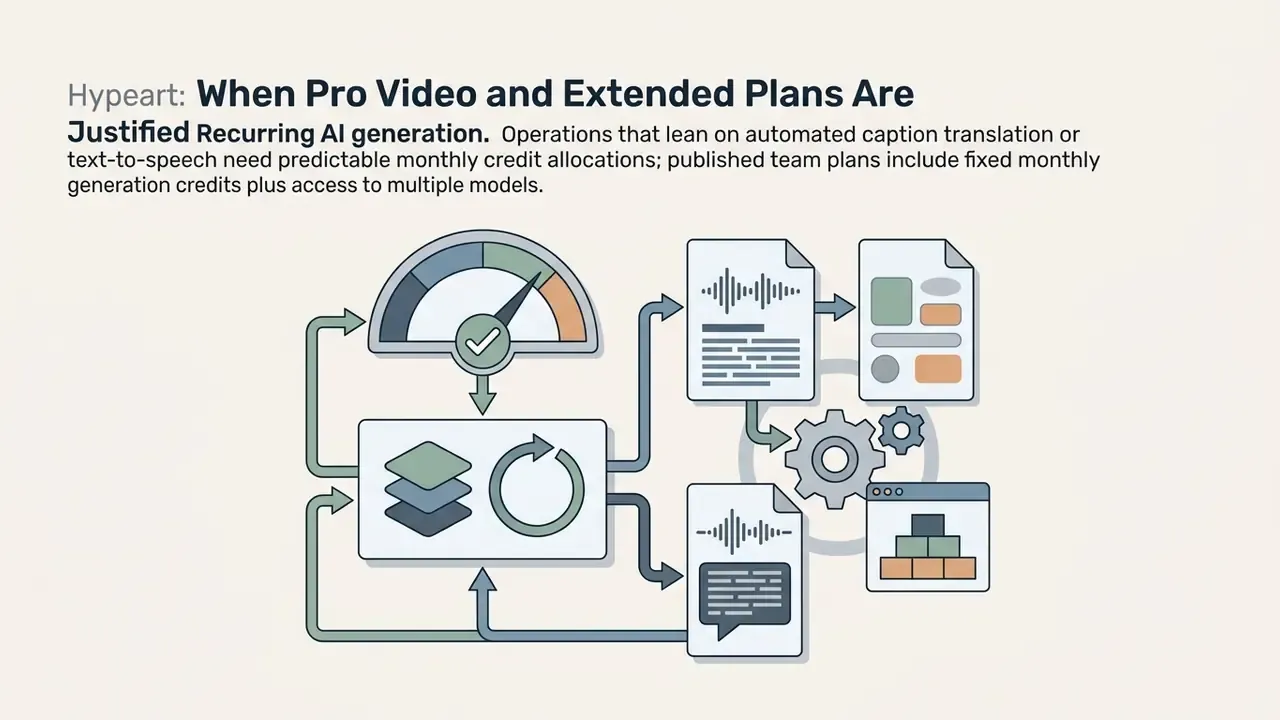
Upgrading to a paid plan is justified when production demands multi-user collaboration, high-volume AI automation, commercial asset licensing, and unwatermarked high-resolution output. Before purchasing, benchmark the shortlist against the current crop of free AI video generators to confirm the paid delta is real and not just marketing.
Upgrades become financially defensible under four operational triggers:
For detailed plan breakdowns and tier benchmarking, decision-makers can consult AI Media Pricing Guides when selecting an enterprise tier.
FAQ: Legal, Licensing, and Practical Questions
Can I edit video online without installing software?
Yes. Browser editors run inside the tab, with heavy processing either accelerated on the local GPU via WebGPU or offloaded to vendor cloud renderers. Many vendors also ship desktop and mobile apps that share the same cloud project state.
Is a browser tool a real timeline editor or just a template filler?
Both categories exist. Template-driven makers constrain you to predefined layouts. Genuine browser NLEs place every clip, caption, and audio element on a rearrangeable multi-track timeline with keyframes, speed ramps, and multicam sync.
Do I own the rights to AI-generated video?
Rights depend on the platform's terms and the jurisdiction, not on the fact of generation. Verify three things per tool: whether output may be used commercially, whether the provider claims any licence over your output, and whether generated assets must be labelled. Stock platforms apply the same technical and legal review to AI-generated submissions as to camera footage.
Are stock assets included in a free plan safe for commercial campaigns?
Frequently not. Free tiers often exclude commercial rights or expose only watermarked premium items. Confirm that the commercial licence extends to every seat on your plan before distribution.
Can I move a browser project into Premiere Pro, Final Cut Pro, or DaVinci Resolve?
Yes, on platforms that export editable project interchange (XML/EDL, FCPXML, AAF) together with media. The timeline, timecodes, and cuts transfer, though effects fidelity varies by application.
Can several editors work on the same video simultaneously?
On multiplayer platforms, yes. Edits propagate live, comments anchor to exact timecodes, and version history preserves every earlier cut.
How do I add subtitles and confirm they are accurate?
ASR generates a time-aligned track on upload, then you correct terminology, numbers, and names manually. Export as burned-in captions for silent auto-play feeds, or as an SRT sidecar for YouTube.
Can I publish once and distribute everywhere?
Yes, with smart reframing plus a content scheduler. One master edit produces 9:16, 1:1, and 16:9 renditions, which the scheduler queues for TikTok, Reels, Shorts, and VK Clips.
Which limitation surprises enterprise buyers most often?
Upload and storage ceilings, for example 1 GB per file on some platforms. They force pre-compression of camera masters and quietly change the whole ingest workflow.
Appendix A: Source Notes and Evidence Grading
For transparency, the following adjustments and gradings apply to the claims in this guide:
- "65% production overhead reduction"
- (section 1): the claim lacked a published methodology and has been replaced in the main text with a qualitative description plus the verifiable AMTA 2024 labour-hour reductions.
- "2025 AIGC Production Study"
- (section 12): the original citation named no authors, venue, or URL. It has been replaced with the peer-reviewed 2025 multimodal AIGC short-video findings (59.6% single-tool gain, more than 100% multi-tool gain).
- FastPerson and PodReels
- (section 6): participant counts and author attributions were added. PodReels' abstract does not state a participant count, and that gap is now disclosed rather than implied.
- "60–85% reduction" claims in 2026 review literature
- flagged as directional, because the figure derives from older 2022 work rather than new primary measurement.
- TikTok and VK Clips export tables
- marked as unverified against primary vendor documentation at time of writing. Readers are directed to official creator specifications.
- Vendor plan limits
- (sections 22 and 23): quoted from official help centres and vendor pricing pages; storage, duration, and credit allocations change without notice, so re-verify before procurement sign-off.