For a bank or a mature fintech, that retirement is not a creative inconvenience. It is a vendor event with an audit trail attached.
Executive summary: what decision-makers need to take away
Updated: verified as of July 2026, after the official retirement of the Gen-3 line.
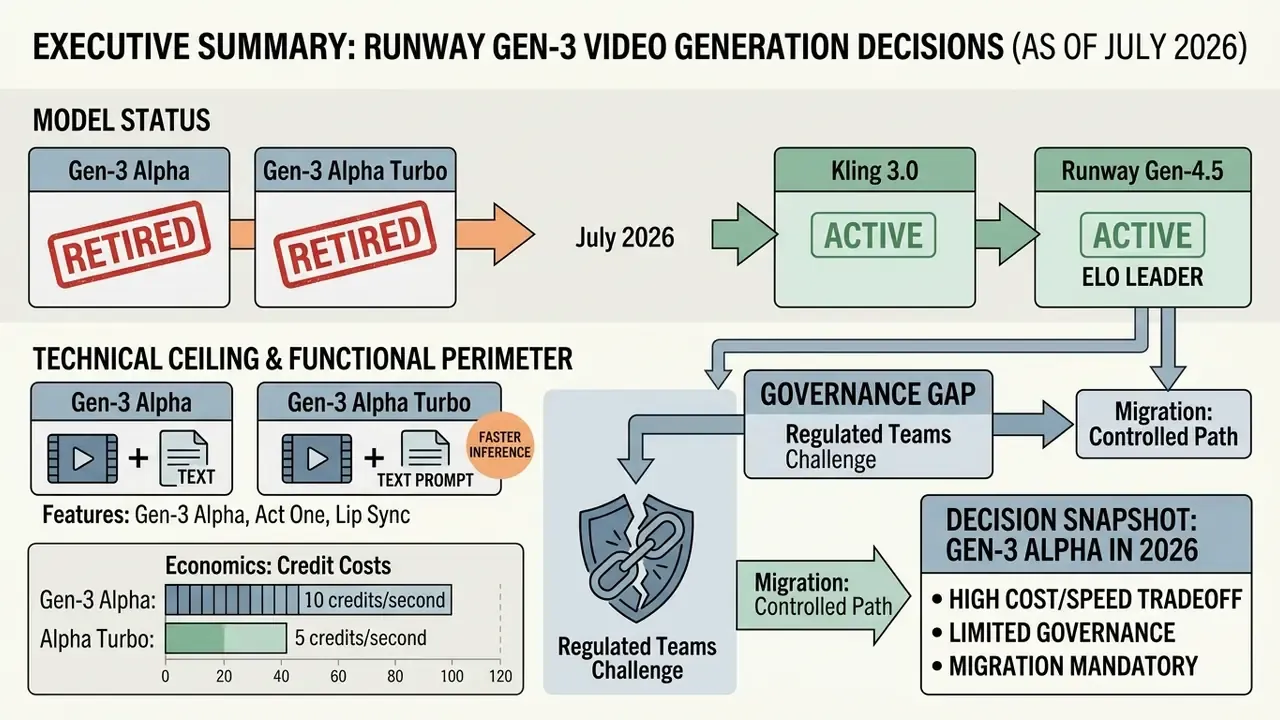
- Model status. Gen-3 Alpha and Gen-3 Alpha Turbo were retired on July 8 and July 30, 2026, and removed from active API endpoints. Any pipeline still bound to those model identifiers is technical debt [Runway Help Center, Runway, 2026].
- Technical ceiling. 1280×768 or 768×1280 at 24 fps, base clips of 5 or 10 seconds, extension up to 40 seconds, no native audio, documented physics failures in multi-subject scenes [Runway Help Center, Runway, 2026].
- Functional perimeter. Beyond text-to-video and image-to-video, the platform shipped Act One (performance transfer), Lip Sync (articulation from audio or script), Video-to-Video, Video Inpainting, Motion Brush, Director Mode and first/last frame control.
- Economics. 10 credits per second on Gen-3 Alpha and 5 credits per second on Alpha Turbo. At roughly $0.01 per credit, that is about $0.10 and $0.05 per generated second. True cost of ownership sits above the sticker price by the share of rejected takes.
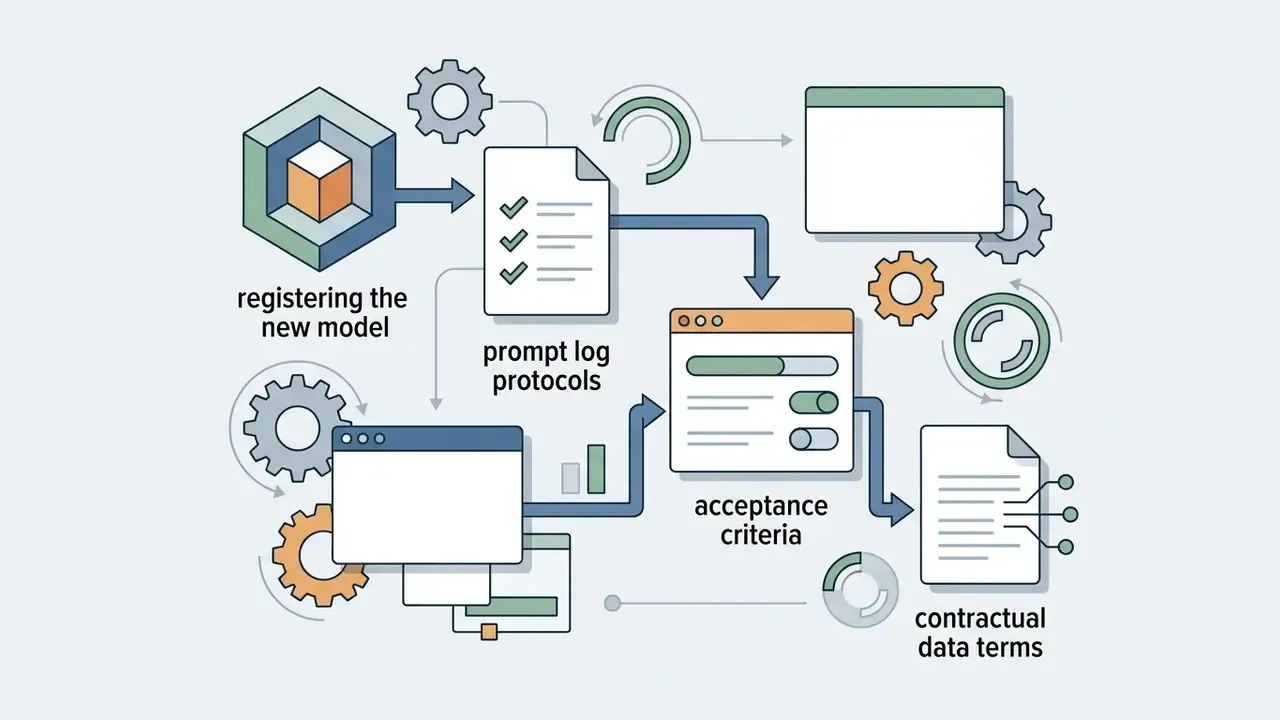
- Governance gap. Generative video belongs in the same control perimeter as any production model: prompt logging, human-in-the-loop acceptance, rights checks on the output, and a Shadow AI risk assessment.
- Migration. Current replacements: Runway Gen-4.5 (Elo leader), Kling 3.0 (native audio and lip sync), Seedance 2.5 (up to 30 seconds per pass), MiniMax H3 (faster-than-real-time generation). For US financial institutions, vendor choice is further constrained by data residency requirements.
Decision snapshot: Gen-3 Alpha in 2026
| Question | Short answer |
|---|---|
| Can I still call the model? | No, retired in July 2026, no API endpoint |
| Does it produce audio? | No native audio; Lip Sync is a separate module |
| Maximum seamless clip length? | 10 s (5 s with first and last frame control) |
| Cost per finished second? | ~$0.10 (Alpha) / ~$0.05 (Turbo) before rework |
| Recommended migration target? | Gen-4.5, Kling 3.0, Seedance 2.5, MiniMax H3 |
Keep that table next to your model inventory. It answers most of what an internal auditor will ask in the first ten minutes.
What Runway Gen-3 Alpha is, and whether the model still matters in 2026
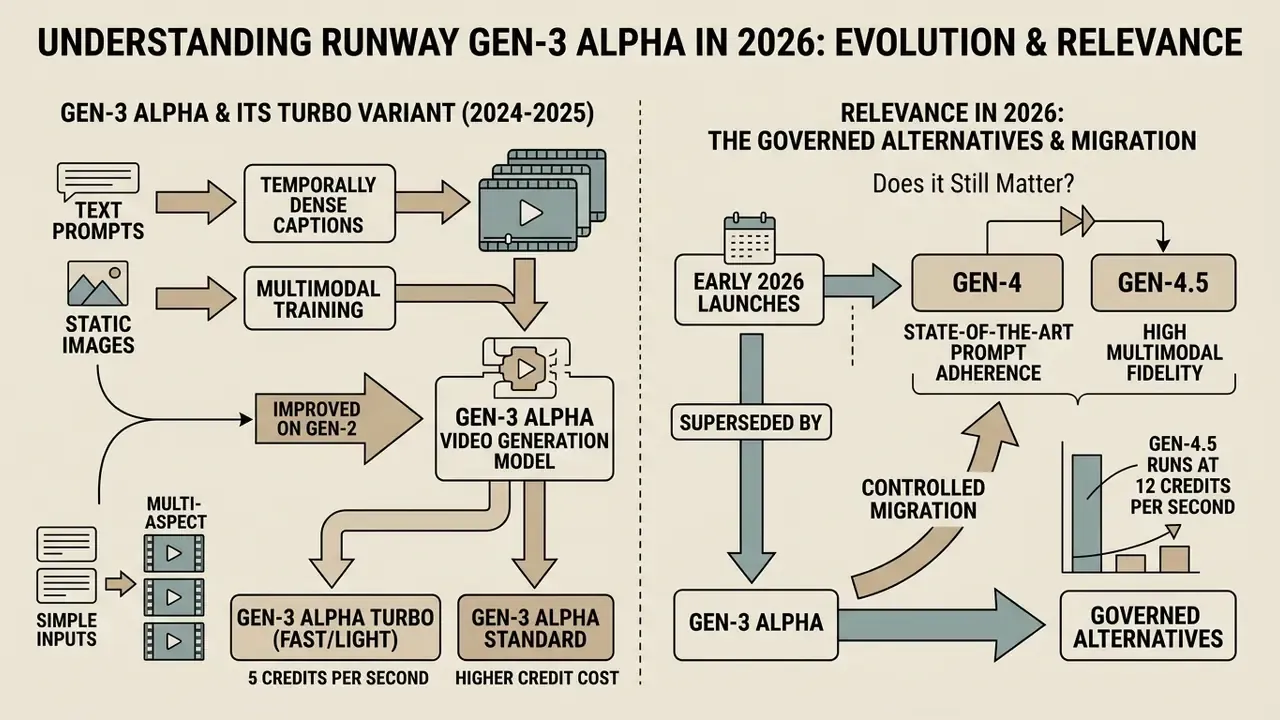
Runway Gen-3 Alpha is a multimodal video generation model launched in June 2024 to convert text prompts and static images into dynamic video clips [Runway Gen-3 Alpha Research, Runway, 2024]. Through 2025 it was a default reference point for runway ai video generation gen 3 workflows. By July 2026 it had been formally retired, which makes it a benchmark in the rear-view mirror rather than an active production tool [Runway Help Center, Runway, 2026].
"Gen-3 Alpha was trained jointly on videos and images with temporally dense captions, enabling precise key-frame control of scene elements."
Organizations evaluating video models now have to accept a plain fact: Gen-3 Alpha has been superseded by systems with higher temporal fidelity, integrated audio and better prompt adherence. Reviewing modern AI video generators as a class helps teams separate marketing claims from operational specifications. Model risk managers should score operational metrics, not historical market position. For terminology and architectural context across the category, see the reference material on AI video generators.
One practical note before the specifications. Most governance failures we see discussed in this space are not about picking the wrong model. They are about nobody recording which model produced which asset.
Gen-3 Alpha, Gen-3 Alpha Turbo and the newer Runway models
Gen-3 Alpha Turbo arrived as a lighter, faster variant, consuming 5 credits per second against the standard model's 10 [Runway Help Center, Runway, 2025]. Where Gen-3 Alpha prioritized fine visual detail and expressive human mechanics, alpha turbo optimized throughput for rapid image-to-video iterations [Runway Help Center, Runway, 2025].
"Gen-3 Alpha Turbo is roughly seven times faster than the base model for image-to-video, at half the credits per second."
Runway then launched Gen-4 and Gen-4.5 in early 2026, resetting the benchmark for multimodal fidelity [Runway API Changelog, Runway, 2026].
"Gen-4.5 ranks first on the Artificial Analysis Text-to-Video leaderboard with 1,247 Elo, ahead of Google Veo 3 (1,226) and Kling 2.5 (1,225)."
Gen-4.5 runs at 12 credits per second and delivers state-of-the-art prompt adherence with multi-aspect rendering at 720p, 24 fps [Creating with Gen-4.5, Runway Help, 2026]. Both Gen-3 Alpha and Turbo left the dashboards and API endpoints in July 2026 [Runway Help Center, Runway, 2026]. Teams selecting a replacement can benchmark candidates against the current field of best AI video generators before rewriting production pipelines, and compare options on a cost-per-finished-second basis rather than by subscription tier.
How Gen-3 Alpha differed from its predecessors
Gen-3 Alpha improved on Gen-2 by training on temporally dense captions and large-scale multimodal infrastructure [Runway Gen-3 Alpha Research, Runway, 2024]. Those structural changes produced smoother camera movement, more consistent characters and more predictable motion dynamics than Gen-2's shorter, looser outputs [Runway Changelog, Runway, 2026].
"Temporally dense captioning allowed Gen-3 Alpha to perform imaginative transitions and precise key-framing of scene elements."
Updated: extended generation matrix covering Turbo, resolution, speed and functional modules.
| Parameter / feature | Gen-2 (2023) | Gen-3 Alpha (2024-2026) | Gen-3 Alpha Turbo |
|---|---|---|---|
| Base resolution | 1408×768 (upscale off) | 1280×768 / 768×1280 | 1280×768 / 768×1280 |
| Full-frame upscale | Up to 2816×1536 px | None (fixed HD) | None (fixed HD) |
| Generation speed | Baseline (1x) | ~2x faster than Gen-2 | ~7x faster than Gen-2 |
| Credit consumption | 5 credits/sec | 10 credits/sec | 5 credits/sec |
| Duration per iteration | Up to 4 seconds | 5-10 seconds | 5-10 seconds |
| Maximum with extension | Not supported | Up to 40 seconds | Up to 34 seconds |
| First/last frame control | Absent | Supported (up to 5 s) | Supported |
| Act One | No | Full support | Full support |
| Lip Sync module | No | Yes (audio or script) | Yes |
| Video-to-Video / inpainting | Basic restyling | Yes (input up to 20 s) | Yes |
| Status (2026) | Retired | Retired July 8, 2026 | Retired July 30, 2026 |
During an internal evaluation for a commercial risk assessment, an engineering team compared Gen-2 and Gen-3 Alpha output logs on identical 5-second test sequences. Reviewers recorded a consistent reduction in frame-to-frame character deformation and fewer identity breaks on Gen-3 Alpha, matching Runway's own description of the release as "a major improvement in fidelity, consistency and motion over Gen-2" [Runway Changelog, Runway, 2026]. The evaluation was qualitative and human-scored, so we report it as a directional improvement rather than a fixed percentage. Dense temporal captioning stabilizes visual subjects across frames, though the magnitude depends on prompt complexity and subject count [Runway Gen-3 Alpha Research, Runway, 2024].
Capabilities of Runway Gen-3 for AI video generation
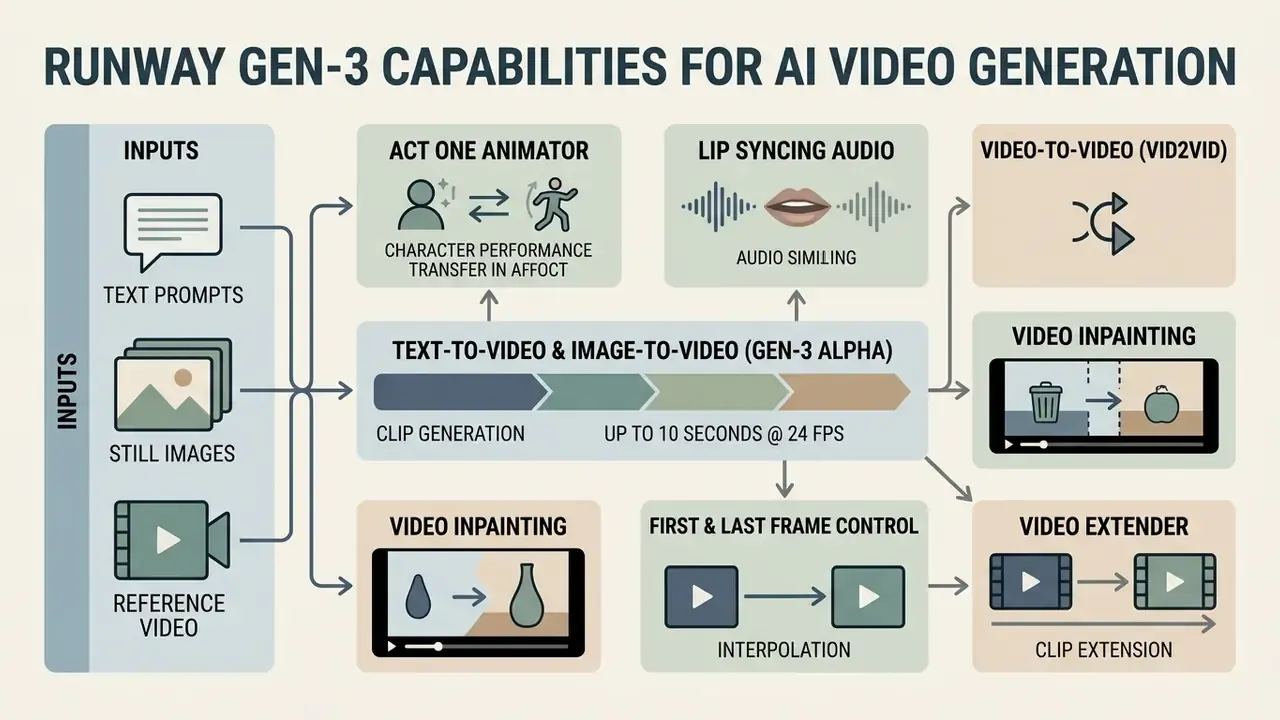
Runway Gen-3 Alpha generates synthetic video clips up to 10 seconds long at 24 fps from text prompts, still images and reference video [Runway Help Center, Runway, 2026]. Its core capability was translating descriptive language into coordinated spatial movement and cinematic camera paths, a mechanism explained in more depth in the reference on text-to-video AI [Runway Gen-3 Alpha Research, Runway, 2024].
Teams generating visual assets at volume should review the rules governing commercial use of AI image and video generators before anything enters paid media, and the broader AI Media Commercial-Use Hub for licensing patterns across asset classes.
Text-to-video and image-to-video in Gen-3 Alpha
The text-to-video mode generated complete scenes from prompts of up to 1,000 characters, with no input image required [Creating with Gen-3 Alpha, Runway Help, 2026]. In image-to-video mode, the uploaded video image anchors composition, lighting and style, while the text prompt dictates motion and environmental progression. That control split is described in detail in the guide to image-to-video AI [Runway Gen-3 Alpha Prompting Guide, Runway, 2024].
"In image-to-video mode the uploaded image sets composition, lighting and style, while the text prompt drives motion and scene progression."
To test prompt responsiveness across creative modalities without spending budget, teams can run a baseline set through free AI video generators or a free ai text to video generator no watermark before committing paid credits to a production batch.
Specialized generation and frame-control modes
Beyond the two base modes, the Gen-3 Alpha ecosystem shipped several narrow tools aimed at professional production:
- Act One Animator.A performance-capture module trained on motion-capture and facial-animation data. It animates a static character portrait from a video reference of a live actor, carrying across emotion, eye movement and micro-expression. It works in photorealistic and stylized registers alike. Official documentation warns about intermittent artifacts and a "boomerang effect" when the source performance runs longer than the character video [Act One Docs, Runway Help, 2025].
- Lip Syncing Audio.An articulation tool. You bind a generated character's mouth movement to a text script (text-to-speech with voice selection), a direct microphone recording, or an uploaded MP3 or WAV file. For projects with heavy narration, it is worth comparing synthesis quality against dedicated AI voice generators.
- Video-to-Video (Vid2Vid) and Video Inpainting.A transformation mode for existing footage. Upload a source clip and restyle it with a prompt (for example, "3D halftone CMYK style, halftone print dot, comic book, vibrant layers of cyan, yellow, magenta and black dots"), or inpaint selectively to remove and replace objects without a reshoot. Documentation caps input video at 20 seconds; longer files are trimmed automatically to the first 20 seconds, and the Structure parameter balances original geometry against abstraction [Creating with Video to Video, Runway Help, 2026].
- First and Last Frame Control.Fixing the opening and closing key frames guarantees a precise transition between two images. That matters for brand storyboards where the final frame has to match the packshot.
- Video Extender.Extension in 5 or 10 second steps, up to three times, with a separate prompt per segment. Total length reaches 40 seconds on Gen-3 Alpha and 34 seconds on Turbo [Runway Help Center, Runway, 2026].
Camera movement, characters and temporal consistency
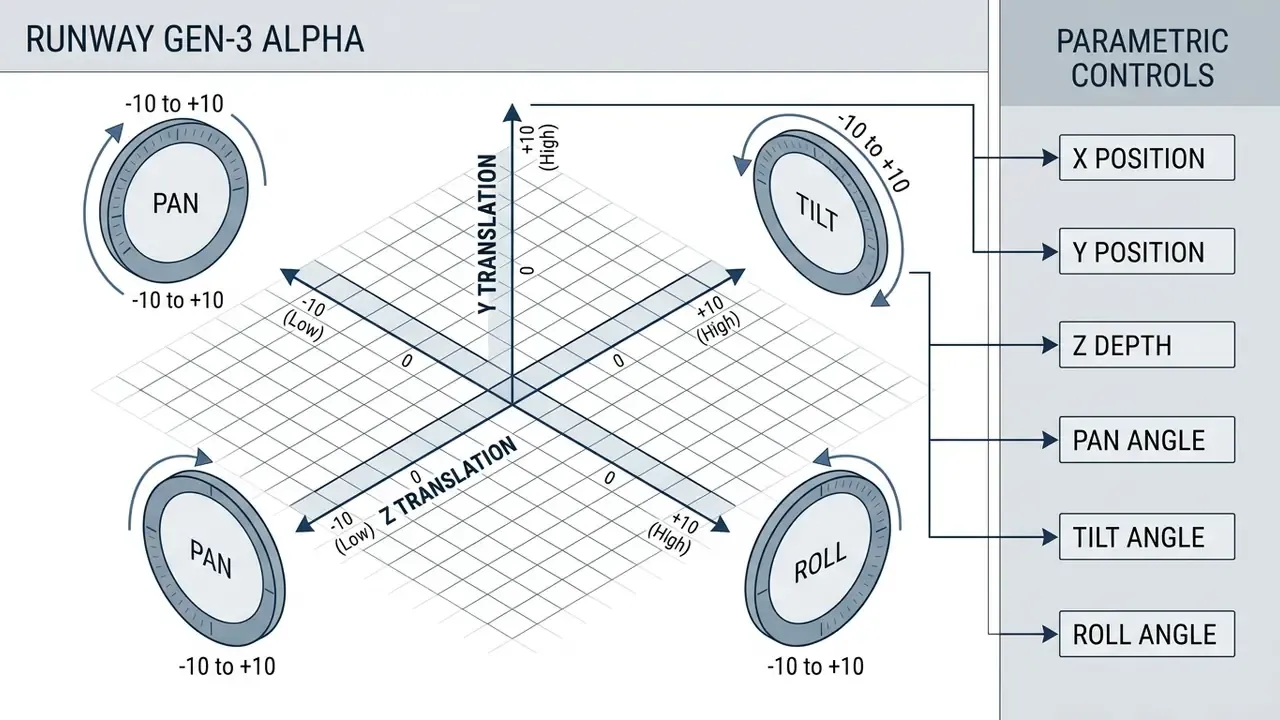
Gen-3 Alpha supported explicit camera controls: horizontal movement, vertical movement, pan, tilt, zoom and roll, with intensity values from -10 to +10, plus a Static Camera option that suppresses movement entirely [Creating with Camera Control, Runway Help, 2025]. The model held character consistency across short clips, rendering photorealistic human features and reasonably natural bodily movement [Runway Gen-3 Alpha Research, Runway, 2024].
"Values from 7 to 10 are characterized as intense and create extreme camera movement, for example a camera flying at hyperspeed on zoom."
Local motion control: Motion Brush and Director Mode
Two professional tools handled the dynamics of individual objects:
- Motion Brush. Mask up to five independent regions on a still image and assign each its own motion vector (X, Y, Z, rotation, scaling). This prevents the background from drifting while a subject moves, and holds static frame elements such as logos, packaging and text plates free of deformation.
- Director Mode. Precise panning and zooming with speed and easing settings (smooth in, smooth out) configured before rendering. Fewer iterations, less credit burn. Simple, and quietly the most cost-relevant feature on the list.
How to use Runway Gen-3 Alpha to create videos
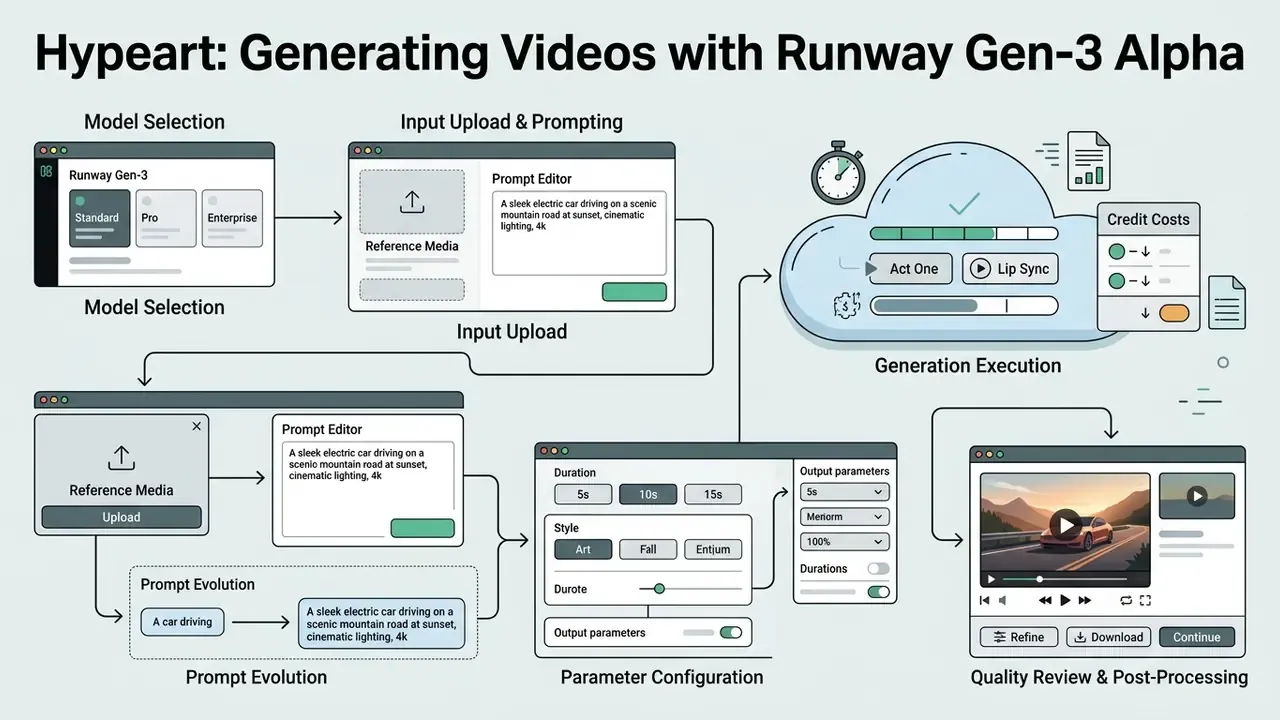
To use Runway Gen-3 you selected a model tier, entered structured prompts or reference media, configured duration and rendered the output [Creating with Gen-3 Alpha, Runway Help, 2026]. The standard creation loop leaned on iterative prompt adjustment to control camera speed and subject motion [Runway Gen-3 Alpha Prompting Guide, Runway, 2024].
Process flow for video generation in Runway Gen-3
- Model selection.Open the creation portal and select Gen-3 Alpha or Gen-3 Alpha Turbo (historical interface).
- Input upload.Enter a text prompt of up to 1,000 characters or upload a reference frame (JPEG or PNG). Optionally attach a last frame, or a source video for Vid2Vid.
- Parameter configuration.Choose duration (5 s or 10 s), aspect ratio (16:9 or 9:16), then set camera movement vectors or Motion Brush regions.
- Generation execution.Submit the job to the compute queue. Typical latency: around 45 seconds for 5-second clips, around 90 seconds for 10-second clips.
- Quality review and post-processing.Assess temporal consistency, log the prompt and seed as audit evidence, then export MP4 or extend the sequence up to 40 seconds.
Step five is the one creative teams skip and auditors ask about. Teams evaluating production automation can study a comparable video generation API implementation for structured endpoints, quota handling and batch deployment, or view the guide to the wider API layer.
How to write a text prompt that produces usable video
An effective text prompt for Gen-3 Alpha specifies the visual environment, primary subject detail, lighting conditions and explicit camera motion [Runway Gen-3 Alpha Prompting Guide, Runway, 2024]. Avoid vague adjectives. Use concrete terms for direction, speed and atmosphere [Creating with Gen-3 Alpha, Runway Help, 2026]. Runway's own guide publishes controlled vocabularies on two axes: lighting (diffused lighting, silhouette, lens flare, back lit, side lit, gel lighting, Venetian lighting) and dynamics (dynamic motion, slow motion, fast motion, timelapse) [Runway Gen-3 Alpha Prompting Guide, Runway, 2024].
| Component | Purpose | Example keywords |
|---|---|---|
| Camera motion | Defines lens movement and velocity | "Slow tracking pan right" |
| Primary subject | Describes person, action or object | "An executive in a suit" |
| Environment | Sets spatial background and depth | "Glass conference room" |
| Lighting and style | Controls shadow and color palette | "Diffused soft lighting" |
| Temporal beat | Defines what changes during the clip | "Then rain begins" |
A practical prompt evolution: from draft to production grade
Predictable physics comes from layering detail, not from adding adjectives.
Basic prompt (weak control):
"Slow horizontal pan, a young woman walks through the desert, it then begins to rain."
Problem: the model picks age, wardrobe, lighting character and pan speed on its own. The result is artifact-prone and not reproducible between iterations.
Advanced prompt (tight framing):
"The camera pans slowly from left to right across a desert of golden sand. A woman in her mid-20s wearing a vintage floral dress walks slowly across the frame. Continuous medium shot, soft diffused lighting from grey rain clouds above, photorealistic texture, cinematic 24fps."
Result: shot size, camera path, subject and atmospheric lighting are pinned down, so repeat runs drift less.
Three more rules that cut rework on corporate pipelines. Keep the prompt in the middle range, neither primitive nor overloaded. Reuse one style block across related scenes. And store shot and camera terminology in an organizational template, not in one designer's head.
How to set duration, aspect ratio and camera movement
Base generations supported fixed durations of 5 or 10 seconds at 24 fps [Creating with Gen-3 Alpha, Runway Help, 2026]. Aspect ratio was selectable between landscape (1280×768) and portrait (768×1280), which optimized output for cinematic displays or vertical channels [Creating with Gen-3 Alpha, Runway Help, 2026]. Platform practice remains stable: 9:16 for vertical feeds and Stories, 1:1 and 4:5 for in-feed placements, 16:9 for horizontal production (1920×1080, 1080×1080 and 1080×1920 respectively).
Setting camera movement means picking directional vectors. Combining complementary moves, such as a horizontal glide with a pan tilt, produces natural cinematic paths [Creating with Camera Control, Runway Help, 2025]. Two technical corrections belong in your timing plan: with last-frame control on, an iteration is capped at 5 seconds, and in Video-to-Video the input file is trimmed to the first 20 seconds.
How to improve output after the first generation
Iterative refinement means analyzing initial artifacts and updating prompt parameters systematically [Improving Video Generation with Human Feedback, arXiv, 2026]. If motion looks jerky, lower camera intensity. If character identity drifts, tighten subject descriptors [Runway Gen-3 Alpha Prompting Guide, Runway, 2024].
"Iterative improvement of video generation with human feedback systematically addresses motion artifacts and subject instability."
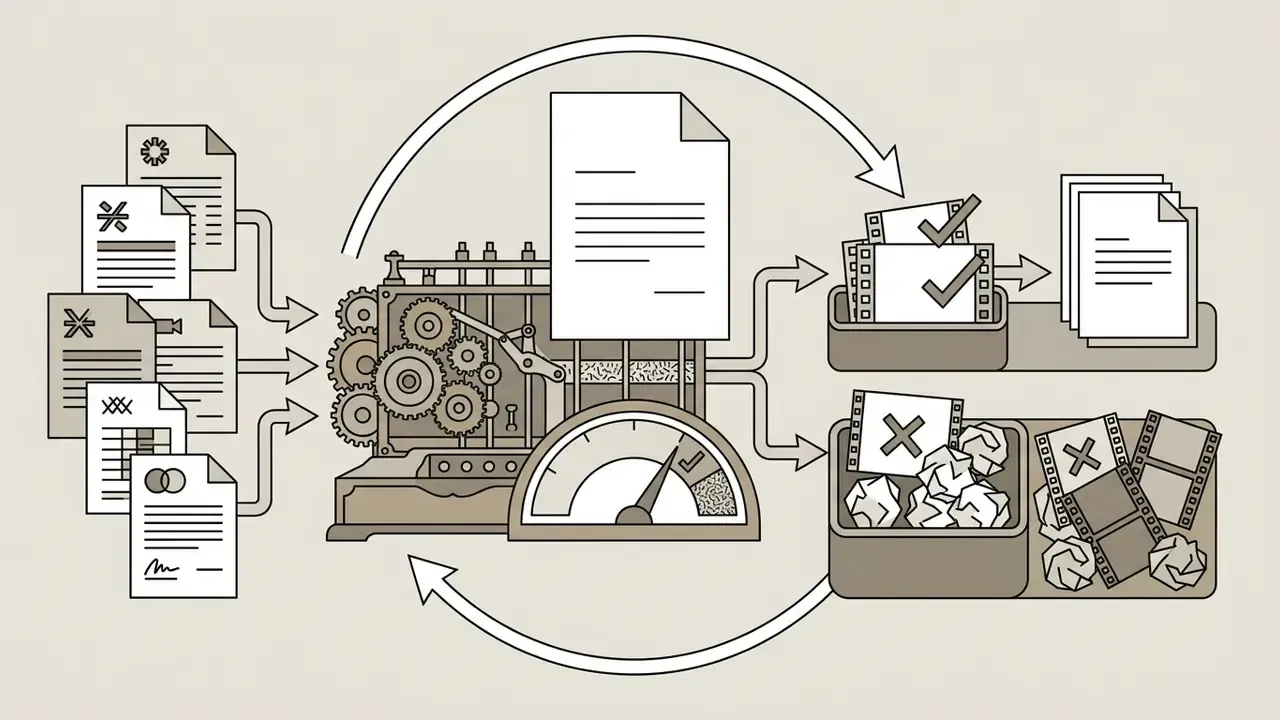
A refinement loop that reproduces well inside an enterprise runs in four steps. First, generate a draft. Second, score motion quality on four signals: subject stability, object merging, motion legibility, amplitude. Third, adjust the prompt or Motion Brush mask for the failing signal only. Fourth, regenerate the single problem segment rather than the whole clip. Research describes both branches of this loop: test-time prompt optimization scored by a vision-language model, and a two-stage "coarse generation then refinement" scheme for better motion consistency [Improving Video Generation with Human Feedback, arXiv, 2026].
When finalizing campaign assets, teams can route output through free video editing software, a free online video editor for quick trims, or an established YouTube publishing workflow for channel-ready delivery.
Runway Gen-3 video quality: strengths and hard limits
Gen-3 Alpha showed strong visual fidelity and human expression, while remaining exposed to physics anomalies and multi-object interaction failures.
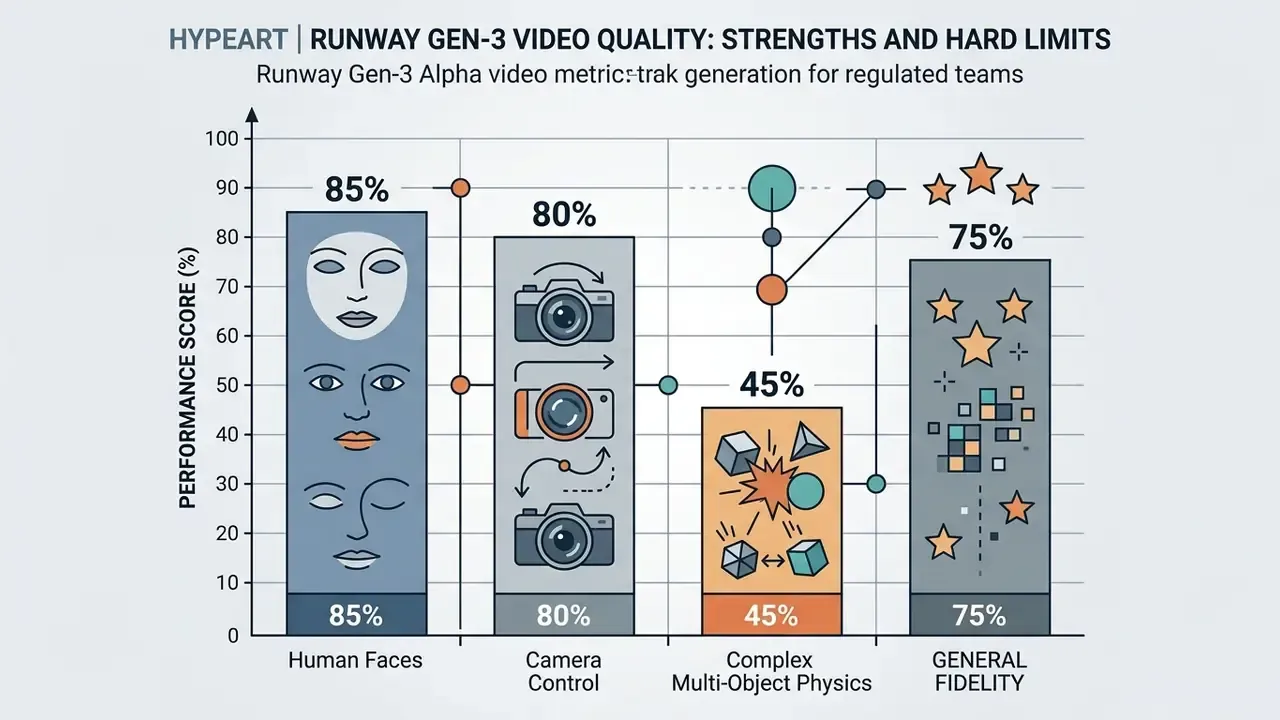
Qualitative assessment of Runway Gen-3 Alpha capabilities and boundaries
| Evaluation criteria | Demonstrated strengths | Documented limitations |
|---|---|---|
| Human realism | Photorealistic facial expression and gesture rendering [Runway, 2024]. | Anatomy distortion during rapid limb rotation [BrokenVideos Benchmark, 2026]. |
| Motion physics | Smooth single-subject movement, linear trajectories [Runway, 2024]. | Struggles with fluid dynamics, collisions and gravity [TechCrunch, 2024]. |
| Camera control | Six-axis parametric direction plus Static Camera mode [Runway Help, 2025]. | Extreme speed settings (±10) cause severe distortion [Runway Help, 2025]. |
| Performance capture | Act One transfers actor micro-expression onto still characters [Runway Help, 2025]. | Intermittent artifacts and boomerang effect on mismatched clip lengths [Runway Help, 2025]. |
| Audio | Lip Sync aligns mouth movement to script or uploaded audio [Runway Help, 2025]. | No native audio generation in the base video model [Runway Gen-3 Alpha FAQ, 2025]. |
| Sequence duration | Extendable to 40 seconds total [Runway Help, 2026]. | Base clips capped at 10 s (5 s with last-frame control); seam artifacts on extension [Runway Help, 2026]. |
Read that table as a fit test, not a scorecard. Single-subject, camera-led scenes were production ready. Crowded physical interaction was not.
Where Gen-3 Alpha performed best
Gen-3 Alpha delivered the most value in short-form creative production: video ads, social media promos, music video concepting and pre-visualization storyboards [Runway Gen-3 Alpha Research, Runway, 2024]. Tasks needing expressive faces and direct camera tracking produced predictable, high quality visuals [TechCrunch, 2024].
"Gen-3 Alpha was trained to be highly expressive with human characters across a wide range of actions, gestures and emotions."
In an enterprise context the applicability profile splits into three groups. Internal training and communication material, where light stylization is acceptable and external brand risk is low. External advertising and social formats, which require full rights clearance and brand-book review. And pre-visualization or concept validation, where the output is never published and serves only as an approval artifact. For broader tool evaluation, creative teams can compare the current field of best AI video generators on operational parameters, check the AI Media Versus library for head-to-head reads, and use dedicated AI image generators for static visuals.
What goes wrong during generation
Typical failures in Gen-3 Alpha include object morphing, background detail loss and anatomical distortion during complex movement [BrokenVideos Benchmark, 2026].
A visual design agency tested Gen-3 Alpha across 120 commercial storyboards. Reviewers logged artifacts by class, covering morphing, anatomy breaks and background degradation. Scenes with multi-person physical contact accounted for most rejected takes, while single-subject actions on stationary backgrounds were the most stable. The resulting guideline was structural, not statistical: one primary subject per generation, no hand-offs or collisions inside a single clip, complex interaction assembled in post. Artifact localization research supports the approach, showing that generative video defects are measurable at pixel level and cluster in regions of rapid, overlapping motion [BrokenVideos Benchmark, arXiv, 2026]. Inference-time trajectory correction has also been reported as a way to reduce morphing without retraining, which matters if you are building your own post-processing layer [arXiv, 2026].
Risk management, data privacy and compliance for generative video
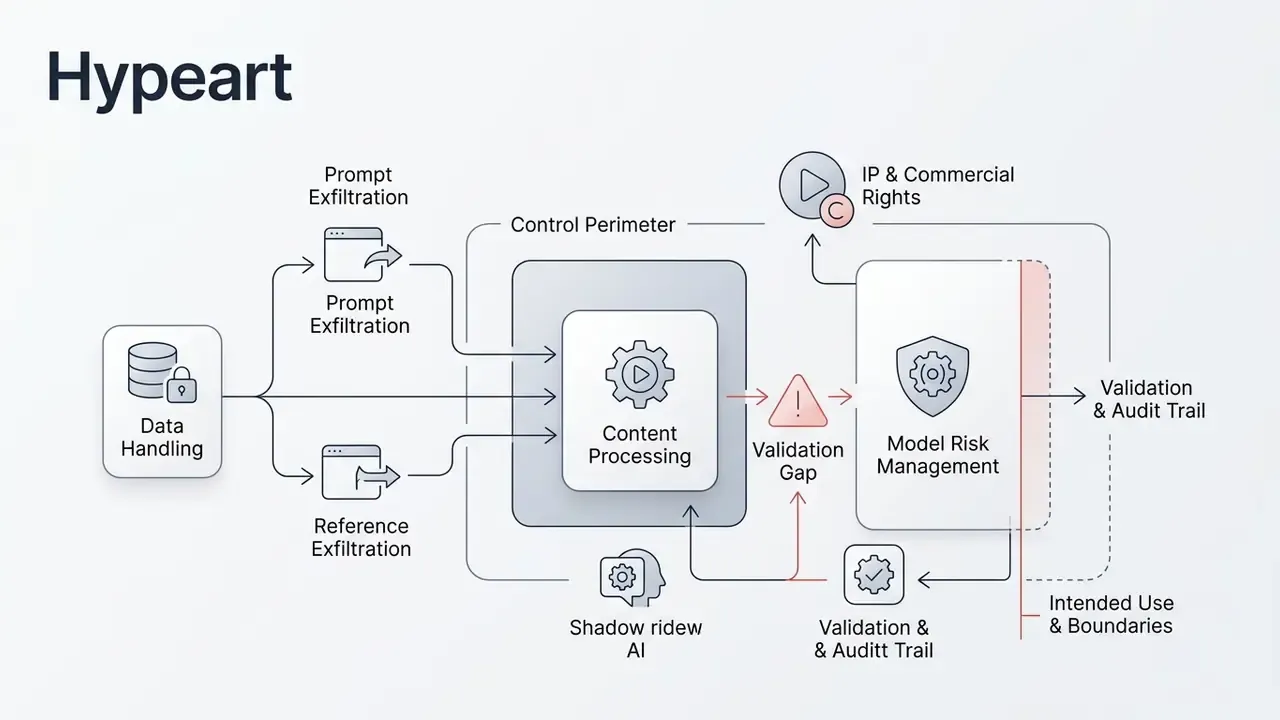
Data handling and Shadow AI
- Prompts and references as an exfiltration channel. Every uploaded image or clip is a potential carrier of PII, trade secrets or non-public financial data. Acceptable-use policy should explicitly forbid uploading client data, internal system screenshots or un-anonymized material into consumer web interfaces.
- Content processing terms. Runway's terms grant the platform a broad license to host, use, modify, distribute and display user content in order to operate the service, and API usage requires purchased access plus attribution in end-user applications [Runway Terms of Service, Runway, 2026]. For confidential material, that implies a separately negotiated enterprise arrangement rather than a standard subscription.
- Shadow AI. The bigger exposure is rarely the corporate account. It is the personal one: an employee renders a clip in a free web service, receives a watermark and ambiguous rights, then publishes it under the brand. Minimum control set: a register of approved services, SSO access through the corporate tenant, and domain blocking at the perimeter for the rest.
IP and commercial rights
- Runway's content-use documentation states that paid users retain ownership and commercial rights to their creations and generations, with no non-commercial restriction on user-created content [Runway Terms of Service, Runway, 2026]. Output rights, however, do not extinguish training-data claims and do not remove the need for a similarity check against protected works.
- Synthetic depictions of people are their own risk class. Those assets deserve a separate approval track, similar to the one applied to AI headshot generators.
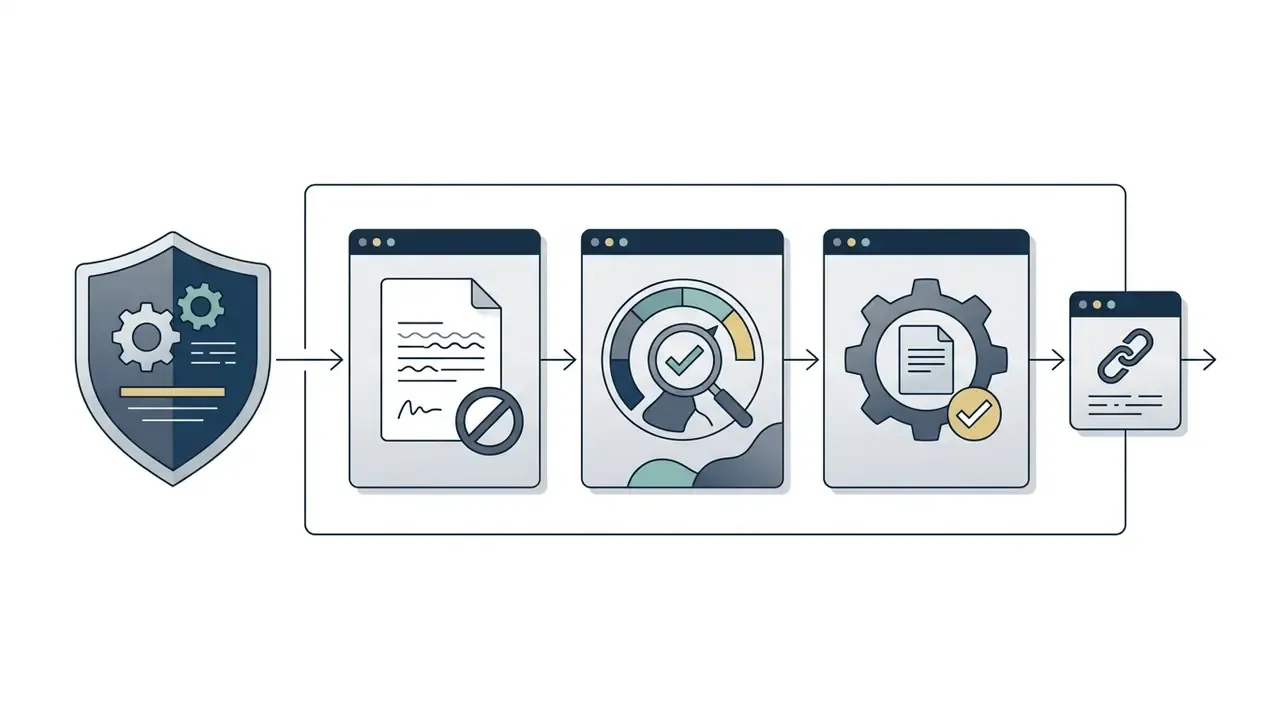
Validation and audit trail for model risk management
Validation for generative video follows the same logic as model risk management in regulated industries: documented intended use, reproducibility, independent review and logging. The frameworks organizations usually lean on are the NIST AI Risk Management Framework, ISO/IEC 42001, and for US banking, supervisory expectations on model risk management (SR 11-7). None of these documents addresses generative video explicitly, so requirements are transferred by analogy. That gap is worth naming openly rather than papering over.
Readiness checklist: is the video model fit for an enterprise pipeline?
- Intended use and boundaries.Documented material types where the model is permitted, and where it is not.
- Prompt register.Templates held in a versioned repository, not in personal chat threads.
- Audit trail.For each published asset: prompt, model, version, date, generation ID and source references.
- Human-in-the-loop acceptance.A named reviewer scoring artifacts, physics, anatomy and brand-book conformance on one scale.
- Quality metrics.Thresholds for subject stability, motion smoothness and prompt adherence, benchmarked with VBench or an internal equivalent.
- Drift control.On any model version change, rerun the reference prompt set and compare outputs.
- Rights and provenance.Commercial rights confirmed, provenance metadata retained, absence of recognizable third parties and brands recorded.
- Data.Confirmation that prompts and references contain no PII or restricted material.
- Vendor risk.Jurisdiction, data residency, SLA and notification procedure for model retirement assessed.
- Exit plan.A documented migration path to an alternative model on retirement or terms change.
Disclaimer. This information is general and does not replace professional advice. Requirements for model risk management, data protection and content rights depend on jurisdiction, industry and the specific vendor contract.
Pricing, credits and free access to Runway Gen-3
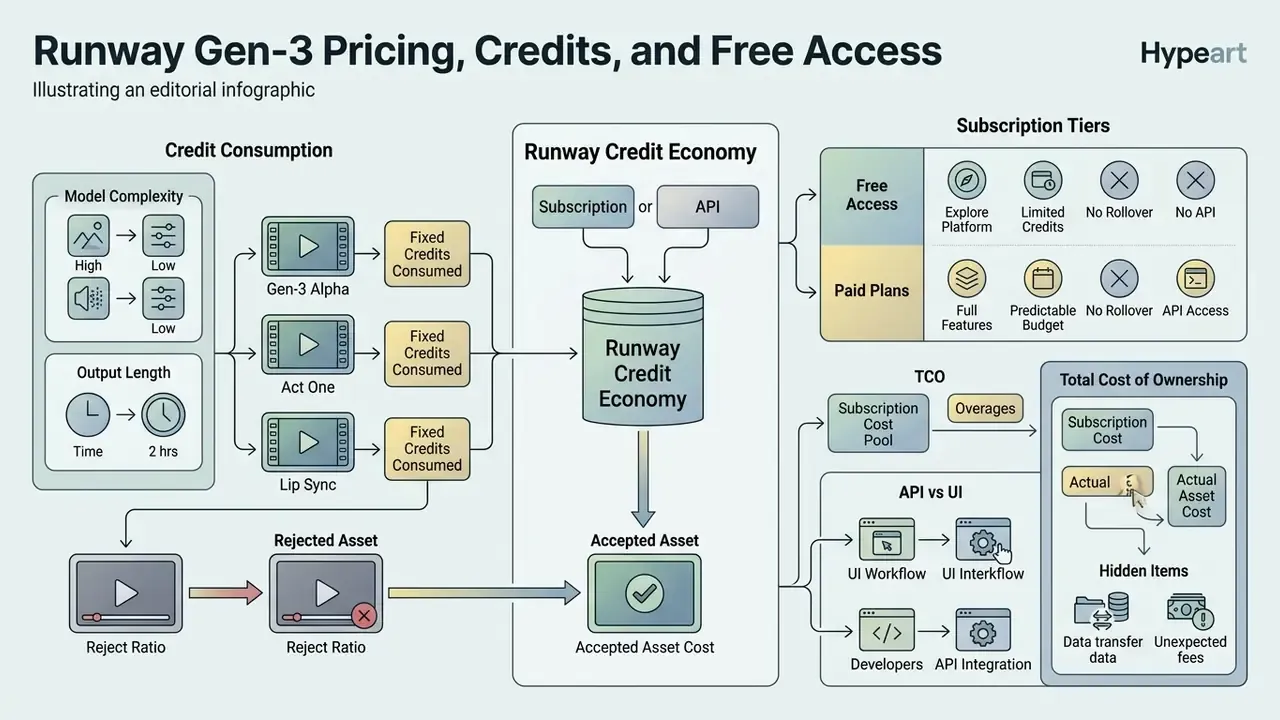
Runway runs a credit-based subscription economy, where platform actions consume fixed credits according to model complexity and output length [Runway Pricing Page, Runway, 2026]. The scheme is typical for the whole class of AI video generators, which is why tariffs should be compared on cost per finished second, not on headline subscription price.
Disclaimer. This information is general and does not replace professional advice. Tariffs and credit rates change; verify current terms on Runway's official site before budgeting.
Runway tier comparison and credit consumption structure (2026)
| Plan tier | Monthly cost (annual) | Included monthly credits | Gen-3 Alpha output capacity | Target usage profile |
|---|---|---|---|---|
| Free | $0 | 125 (one-time) | 12.5 seconds total (10 credits/sec) | Exploratory evaluation; watermarked output |
| Standard | $12 / month | 625 credits | 62.5 seconds of Gen-3 Alpha video | Routine content creators; up to 5 users |
| Pro | $28 / month | 2,250 credits | 225 seconds of Gen-3 Alpha video | Professional designers; faster queue priority |
| Max | $76 / month | 9,500 credits + Explore Mode | 950 seconds plus unlimited relaxed mode | High-volume production teams |
| Enterprise | Custom contract | Custom allocation | Contractual capacity and queue priority | SSO, org and team spaces, priority support, advanced security and compliance terms |
"Credits purchased in addition to a subscription do not expire; on Standard and Pro plans, subscription credits reset each cycle without rollover."
Organizations planning media spend should compare credit economics across platforms in the review of best AI video generators rather than optimizing a single vendor's tier list.
How credits are consumed during video generation
Gen-3 Alpha consumed 10 credits per generated second: 50 credits for a 5-second clip, 100 for a 10-second clip [Runway Help Center, Runway, 2026]. Gen-3 Alpha Turbo consumed 5 credits per second, cutting a 5-second clip to 25 credits [Runway Help Center, Runway, 2026].
"At the standard rate of $0.01 per credit, one second of Gen-3 Alpha costs roughly $0.10, and Gen-3 Alpha Turbo about $0.05."
| Model generation mode | Per-second rate | 5-second clip | 10-second clip |
|---|---|---|---|
| Gen-3 Alpha | 10 credits/sec | 50 credits | 100 credits |
| Gen-3 Alpha Turbo | 5 credits/sec | 25 credits | 50 credits |
| Gen-4 Turbo | 5 credits/sec | 25 credits | 50 credits |
| Gen-4.5 (current flagship) | 12 credits/sec | 60 credits | 120 credits |
Total cost of ownership: the price of one accepted asset
The nominal per-second price describes compute, not results. For budgeting, calculate the cost of one accepted asset, including rejects and reviewer time:
Cost of an accepted asset =
      (price per second x duration x iterations until acceptance)
    + (reviewer hourly rate / 60 x review minutes)
    + (post-production: voiceover, assembly, captions)
What follows for the financial model:
- Reject ratio. In scenes with complex physics and several subjects, the share of discarded generations is materially higher than in single-subject shots. That ratio, not the tariff, sets the real cost per finished minute. Organizations that keep an acceptance log end up with their own empirical multiplier and can plan against it.
- No credit rollover. On Standard and Pro, unused balance resets at cycle end, so uneven production load quietly leaks budget [Runway Pricing Page, Runway, 2026].
- Hidden line items. With no native audio, you add voiceover, sound design and lip sync passes. At publishing scale, add compression and format preparation, where a separate video compression step earns its keep.
- API versus UI. Automated pipelines pay the same credit rates but return reproducibility, logging and quota control. Manual work in the interface returns none of those.
Put plainly: the tariff is the least interesting number in your model.
Who should use free access, and who needs paid plans
The Free plan suits basic interface evaluation, with 125 non-renewing credits and watermarked output [Runway Pricing Page, Runway, 2026]. Anyone surveying the category more broadly can benchmark it against other free AI video generators, a free ai video generator no watermark, or a free ai video editing option before subscribing. Standard and Pro plans fit regular marketing asset production. The Max tier adds Explore Mode for unlimited relaxed-rate generation without per-clip credit drain [Runway Pricing Page, Runway, 2026]. Enterprise contracts add SSO, organization-level workspaces, priority support and negotiated security and confidentiality terms, which is the minimum baseline for regulated environments.
When to move from Runway Gen-3 to an alternative AI video generator
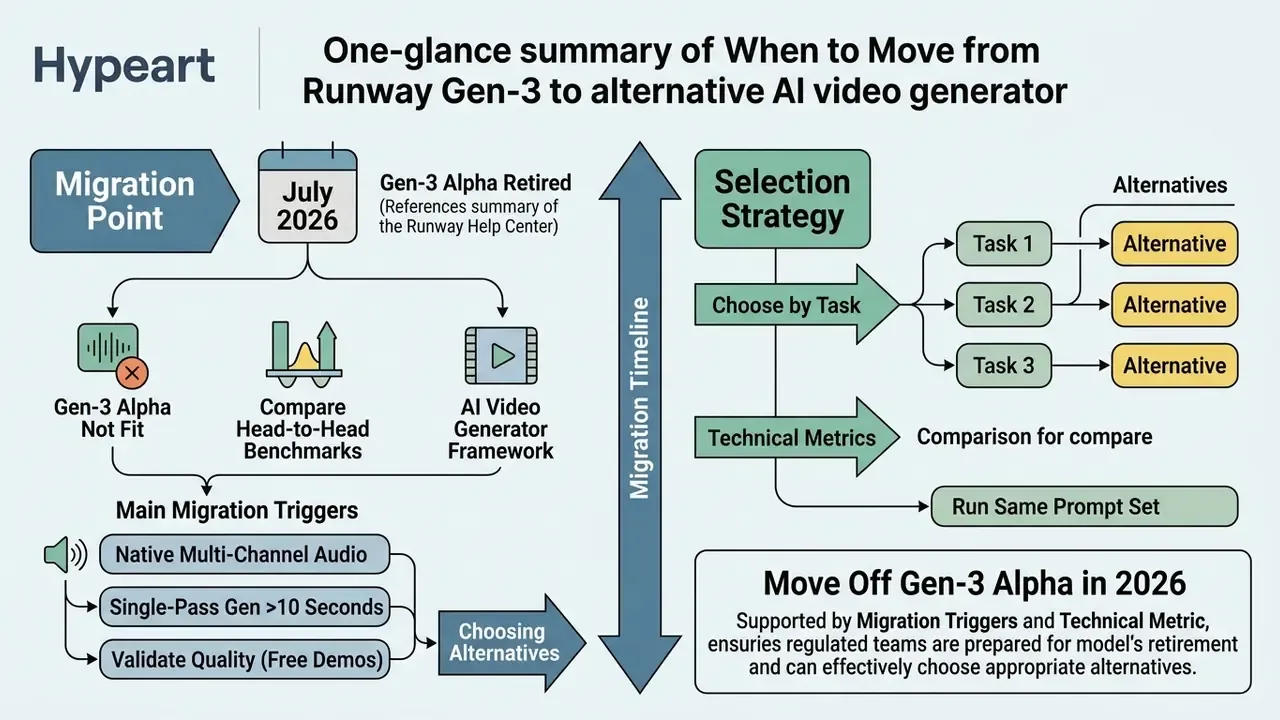
Moving off Gen-3 Alpha is no longer optional, because the model was retired in July 2026 [Runway Help Center, Runway, 2026]. Projects needing native audio synchronization, lip sync or longer continuous shots require an active model stack [MiniMax H3 Docs, MiniMax, 2026].
"Gen-3 Alpha does not support native audio generation; sound must be added separately in post-production."
When comparing head-to-head benchmarks, reviewers can borrow the framework behind the AI video generator comparison to align criteria before testing, or explore the hub for category-level reads.
Signs that Gen-3 Alpha does not fit the project
The main migration triggers are native multi-channel audio, single-pass generation beyond 10 seconds, and lower per-second credit cost [Runway Help Center, Runway, 2026]. Applications needing integrated lip sync cannot rely on the base Gen-3 Alpha video stream without a secondary Lip Sync pass or external post-production tooling [Runway Gen-3 Alpha FAQ, Runway, 2025]. Two further triggers matter specifically to enterprise buyers: no contractual guarantee on model retirement notice, and no way to fix data residency inside a standard subscription.
To validate quality without paid commitments, teams can run the same prompt set through free AI video generators and finish assets in free video editing software or free video editing apps in the CapCut mold.
How to choose an alternative by task, not by model name
Selection should follow technical metrics. Speed-bound tasks need optimized diffusion architectures. Physical realism needs dedicated motion benchmarks such as VBench. Audiovisual tools need native stereo generation [VBench Benchmark, 2025].
"VBench evaluates video generation quality across 16 dimensions, including subject consistency, motion smoothness and prompt adherence."
| Business requirement | Primary performance metric | Recommended model tier |
|---|---|---|
| Near real-time generation | Latency and SSIM score | MiniMax H3 / FastH3 |
| Integrated audio and speech | Audio-video sync and AAC | MiniMax H3 / Kling 3.0 |
| Top text-to-video Elo quality | Benchmark Elo rating | Runway Gen-4.5 |
| Multi-reference cinematic work | Multi-asset guidance | Seedance 2.5 |
| On-screen text accuracy | Text-video alignment | EvalCrafter-tested models |
| Regulated data environment | Residency and contract terms | Enterprise agreements |
Best alternatives to Runway Gen-3 Alpha: Kling AI, Hailuo AI and other models
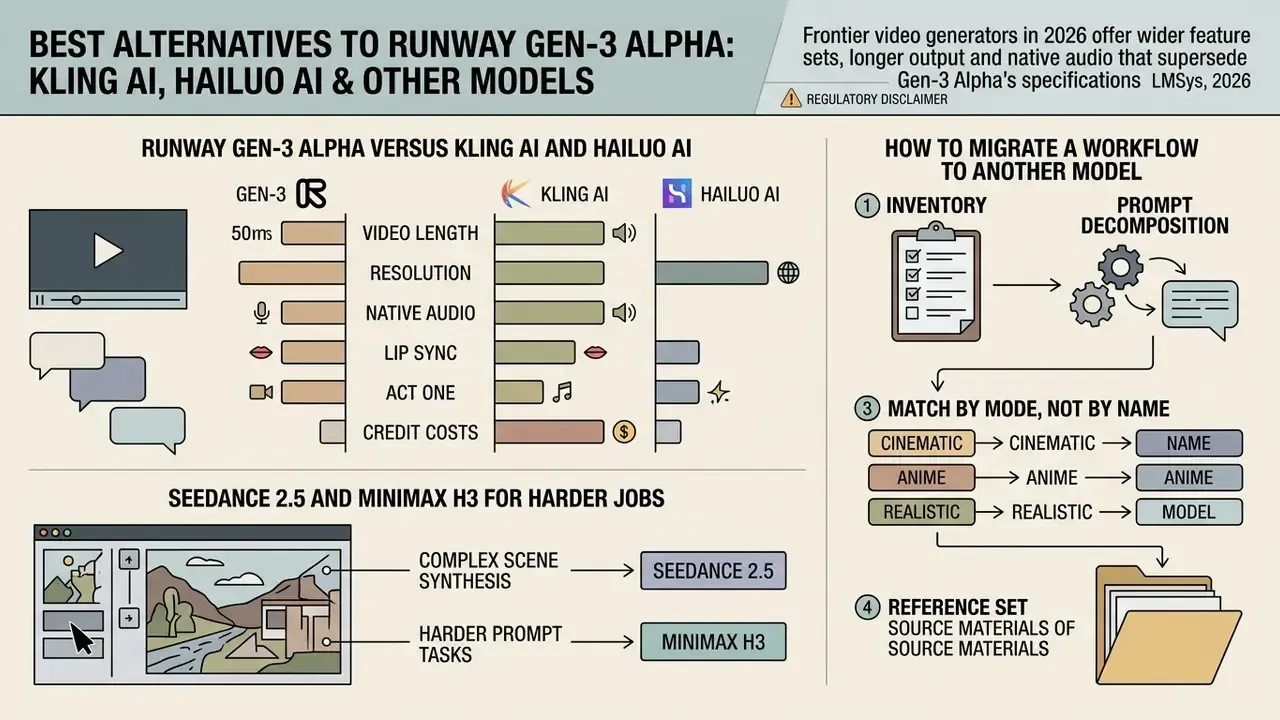
Frontier video generators in 2026 offer wider feature sets, longer output and native audio that supersede Gen-3 Alpha's specifications [LMSys, 2026]. A structured side-by-side review of the best AI video generators helps map those features onto specific production tasks.
Competitive landscape of AI video generation models (2026)
| Model | Developer | Vendor jurisdiction | Max clip duration | Audio capability | Pricing benchmark |
|---|---|---|---|---|---|
| Runway Gen-4.5 | Runway | United States | 10 seconds | None (video only) | 12 credits/sec (~$0.12/s) [Runway, 2026] |
| Kling 3.0 / Omni | Kuaishou | China (PRC) | 15 seconds | Native audio and multi-language lip sync | Pay-per-second tier [Kling AI, 2026] |
| Hailuo 2.3 / H3 | MiniMax | China (PRC) | 10-15 seconds | Native stereo sound (32 kHz) | 10 credits/sec at 768p [Runway Dev, 2026] |
| Seedance 2.5 | ByteDance Seed | China (PRC) | 30 seconds | Integrated audio-video pass | 20-40 credits/sec [Runway Dev, 2026] |
| MiniMax H3 / FastH3 | MiniMax | China (PRC), open weights | 15 seconds (2K) | Native stereo 32 kHz AAC | 5-8 credits/sec [Runway Dev, 2026] |
| Gemini Omni / Veo | United States | Model-dependent | Native audio on selected models | API metered [Google AI for Developers, 2026] |
Regulatory disclaimer. Kling (Kuaishou), Hailuo and MiniMax H3, along with Seedance 2.5 (ByteDance), are developed by companies incorporated in the PRC. For financial institutions and other regulated organizations, that means additional review of data residency, cross-border transfer terms and applicable restrictions on foreign suppliers. This information is general and does not replace legal or compliance advice.
Runway Gen-3 Alpha versus Kling AI and Hailuo AI
Kling 3.0 supports single-pass generation up to 15 seconds with integrated multi-language lip sync and more sophisticated physics modeling for gravity, inertia and collision [Kling AI Guide, Kuaishou, 2026].
"Kling 2.5 scored 1,225 Elo on the Artificial Analysis Text-to-Video leaderboard, behind only Runway Gen-4.5 (1,247) and ahead of OpenAI Sora 2 Pro (1,206)."
Hailuo AI (MiniMax) is strong on realistic motion and cinematic lighting at 1080p, with documented presets at 6 or 10 seconds and 24 fps, and faster generation than legacy Gen-3 systems [MiniMax API Docs, MiniMax, 2026]. Comparative tests through 2026 distribute the strengths roughly like this: Kling for the most convincing human movement, Runway for the most controllable camera movement, Hailuo for cinematic image quality. Reported generation times diverge between independent reviewers, so measure latency on your own prompt set rather than trusting a chart.
To assess post-production tooling, creative managers can compare free video editing software against enterprise suites and free ai video generator options released through 2025 and 2026.
Seedance 2.5 and MiniMax H3 for harder jobs
Seedance 2.5 generates up to 30 seconds of synchronized audio-video content in a single inference pass, supporting up to 50 multimodal reference assets, with region-level editing and lighting that follows physical laws for direction, color temperature, intensity and shadow projection [Seedance 2.5 Launch Blog, ByteDance, 2026].
"Seedance 2.5 generates up to 30 seconds of synchronized audio-video content in one inference pass, supporting up to 50 multimodal reference assets."
MiniMax H3 achieves faster-than-real-time generation, rendering 10-second 1344×768 clips with stereo audio in 8.67 seconds on Blackwell GPU infrastructure [RuntimeWire, 2026].
"In the NVIDIA Sol-H3 benchmark, a five-second 1344×768 clip with synchronized stereo audio was generated in 1.653 seconds, faster than playback."
How to migrate a workflow to another model
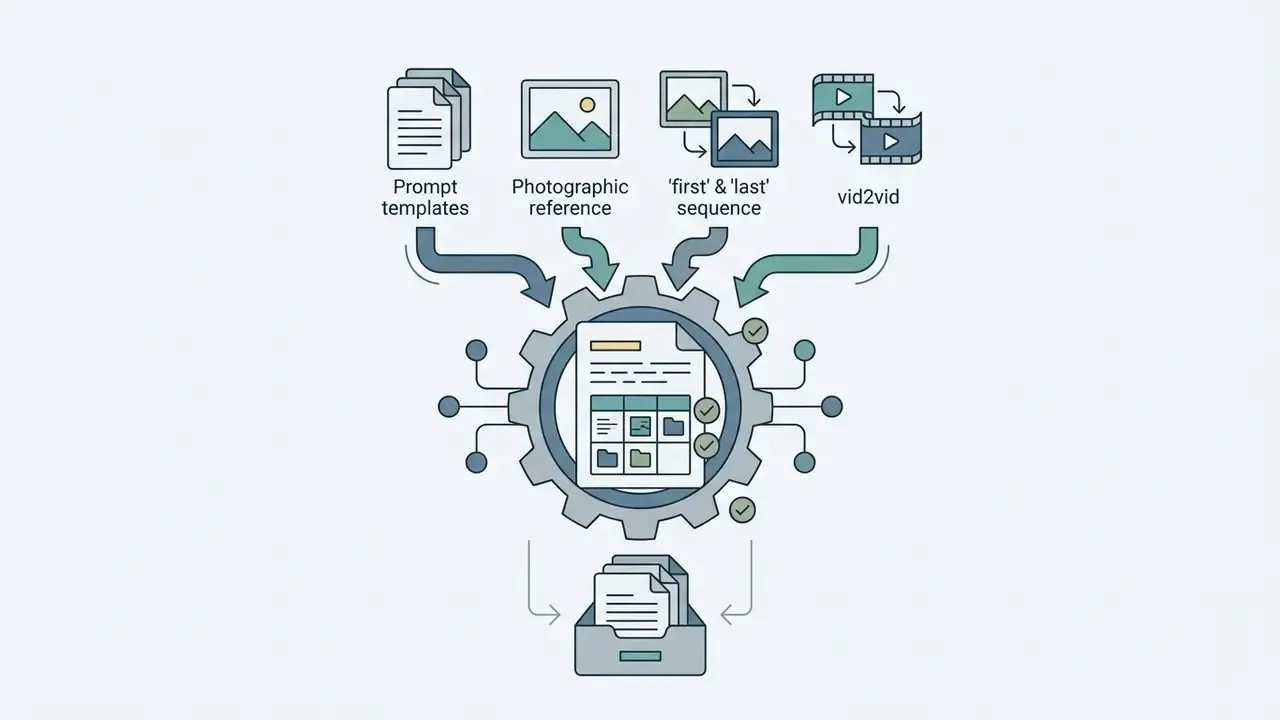
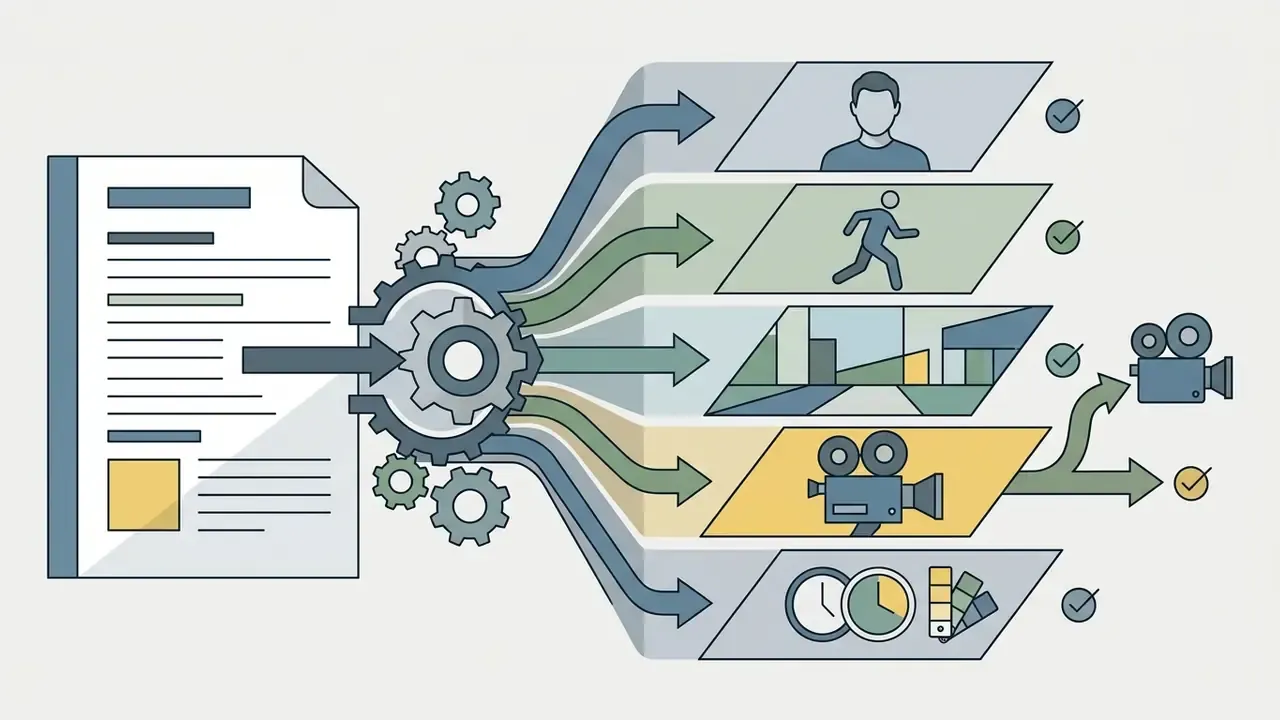
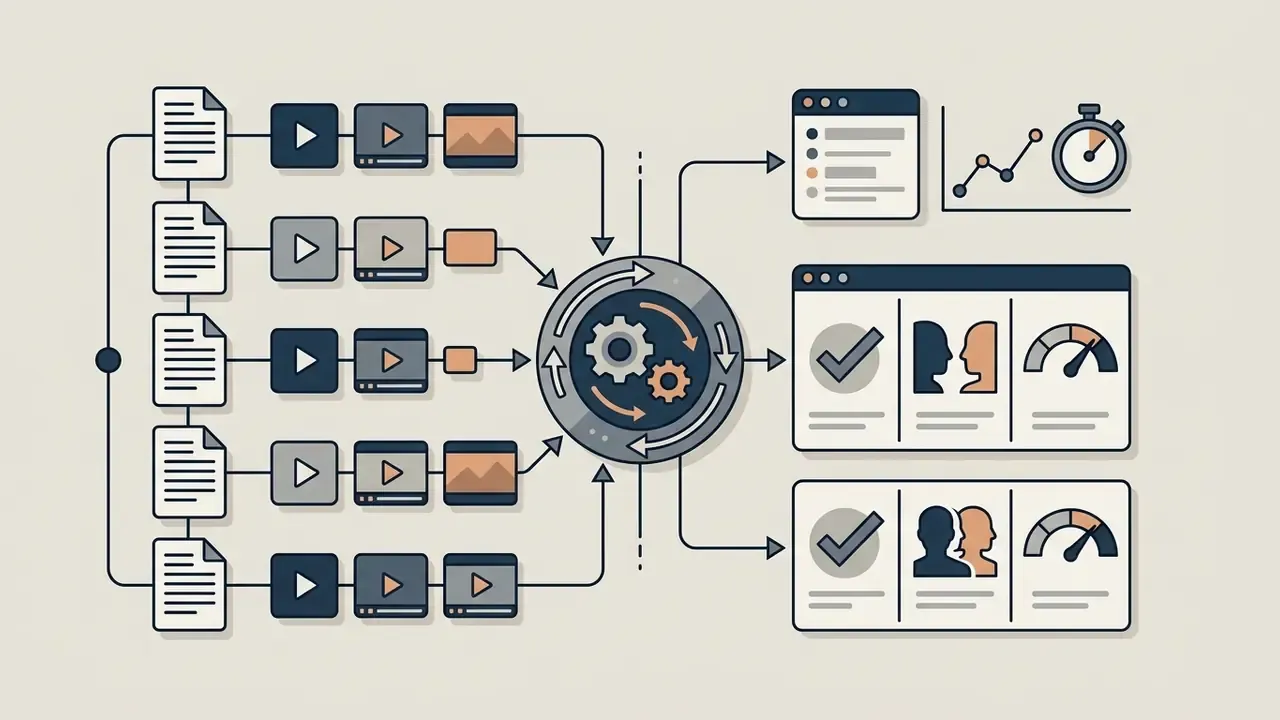
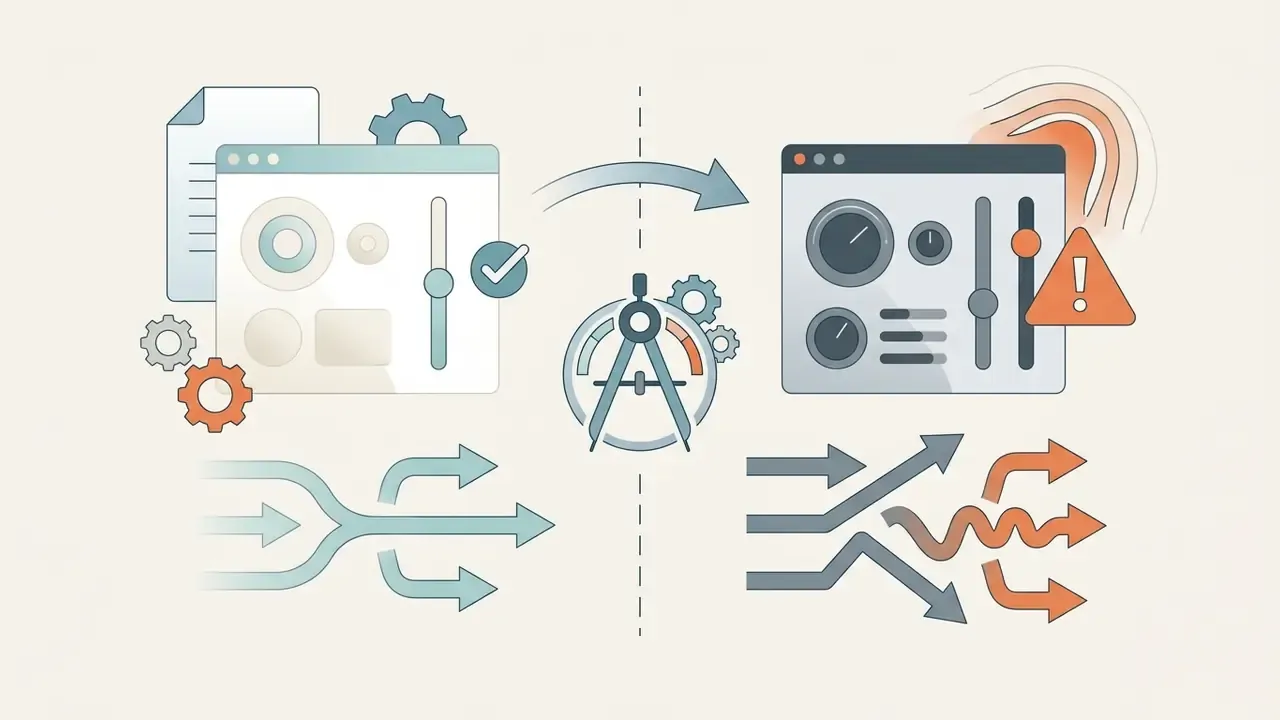
Migrating off Gen-3 Alpha means auditing existing prompts, extracting reference style images and mapping control parameters onto the target platform [Runway Migration Guide, 2026].
"Different models interpret camera vectors differently, so motion response has to be re-tested during migration."
A sequence you can run without stopping production:

Security checklist for choosing a replacement vendor
FAQ about Runway Gen-3 Alpha
Is Runway Gen-3 Alpha available in 2026?
No. Runway officially retired Gen-3 Alpha on July 8, 2026, and Gen-3 Alpha Turbo on July 30, 2026. Users are directed to Gen-4.5 or third-party alternatives [Runway Help Center, Runway, 2026].
Does Gen-3 Alpha support native audio and speech generation?
Updated. The base video generator has no audio module and returns a silent video stream. The platform does provide a separate Lip Sync tool for post-dubbing: character articulation can be matched to a typed script (text-to-speech), a microphone recording, or an uploaded audio file. Music, sound design and dubbing are still added in post-production [Runway Gen-3 Alpha FAQ, Runway, 2025].
What is the maximum duration of a single generation?
Base generation is 5 or 10 seconds at 24 fps. With first and last frame control enabled, a single iteration is capped at 5 seconds. Using Extend, a clip reaches 40 seconds on Gen-3 Alpha and 34 seconds on Turbo [Runway Help Center, Runway, 2026].
What is Act One, and how does it differ from ordinary image-to-video generation?
Act One is a performance-transfer module. Instead of a text description of movement, it takes a video reference of a live performer and maps facial expression, eye movement and speech patterns onto a static character image. Documentation notes possible artifacts and a boomerang effect when the performance runs longer than the character video [Act One Docs, Runway Help, 2025].
Can I edit existing footage instead of generating something new?
Yes, through Video-to-Video and Video Inpainting: the source clip is restyled by prompt, or individual objects are removed and replaced in frame. Input video is limited to 20 seconds, and longer files are trimmed automatically [Creating with Video to Video, Runway Help, 2026].
What commercial rights apply to videos created in Runway?
Paid-plan users retain commercial rights to generated video under Runway's Terms of Service. API use requires "Powered by Runway" attribution in end-user application interfaces [Runway Terms of Service, Runway, 2026]. Final assembly and localization run through conventional post-production video editors.
Is Gen-3 Alpha accessible through an API?
API access previously covered Gen-3 Alpha Turbo. After the line closed in July 2026, the API moved to Gen-4.5 and partner models such as Hailuo3 and MiniMax H3 [Runway API Changelog, Runway, 2026]. Broader context on this technology class and endpoint logic sits in the material on text-to-video AI.
How can alternative models be evaluated objectively?
Through public benchmarks plus your own reference prompt set. VBench scores 16 dimensions, including subject consistency, motion smoothness and prompt adherence. Arena.ai and Artificial Analysis publish text-to-video Elo ratings. EvalCrafter measures on-screen text accuracy specifically [VBench Benchmark, 2025].
What should a financial institution consider before using foreign video models?
Supplier jurisdiction, data residency, cross-border transfer terms, and whether the contract guarantees exclusion of customer content from training. Kling, Hailuo, MiniMax H3 and Seedance 2.5 are developed by PRC-based companies, which warrants a separate compliance review.
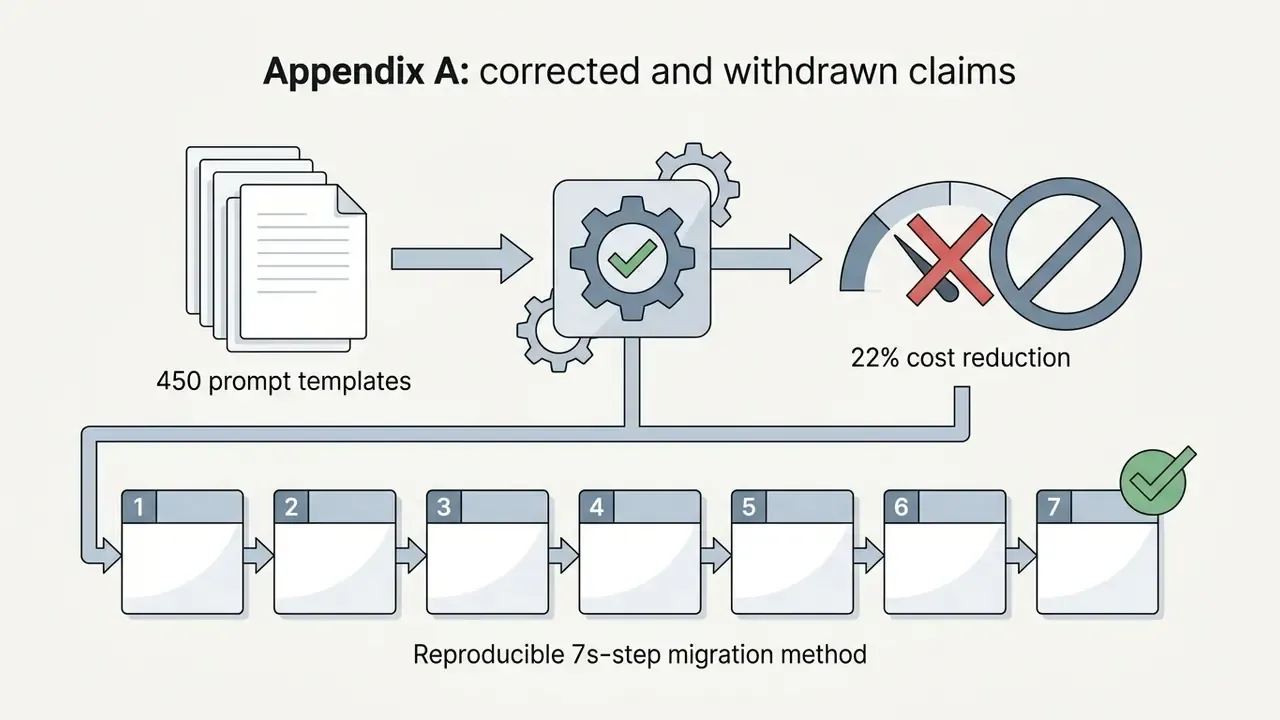
Appendix A: corrected and withdrawn claims
For transparency, here are statements that appeared in earlier versions of this material and were changed after fact-checking:
General disclaimer. This material is informational, reflects publicly available data as of July 2026, and is not legal, financial or compliance advice. Tariffs, model line-ups and vendor contract terms change. Before deploying generative video into regulated processes, verify current vendor documentation and clear the decision with the relevant internal functions.