In two sentences: This guide benchmarks eight production-grade AI video platforms (Kling AI, Runway, Adobe Firefly, VEED, InVideo AI, Google Veo/Flow, Synthesia and Descript) against standardized quality, control, licensing and data-governance criteria. It then gives you exact pricing, ready-to-use prompts, an automation blueprint and a vendor security checklist, so you can choose once and deploy without rework.
Generative video platforms in 2026 have moved from experimental novelties into core components of enterprise media infrastructure and digital marketing workflows. Anyone evaluating these systems has to look past vendor marketing claims and score tools on repeatable metrics: visual fidelity, temporal consistency, camera control and commercial licensing. That last one gets skipped most often, and it is the one that lands on a legal desk.
The sections below run in a deliberate order: first the evaluation framework, then the eight-tool comparison, then tool picks by use case, then the features that actually decide procurement (including data security and C2PA provenance), then pricing with exact credit limits, then workflow selection with automation and API patterns, and finally an FAQ plus a revision log that keeps superseded claims visible.
How We Evaluate the Best AI Video Creation Tools in 2026
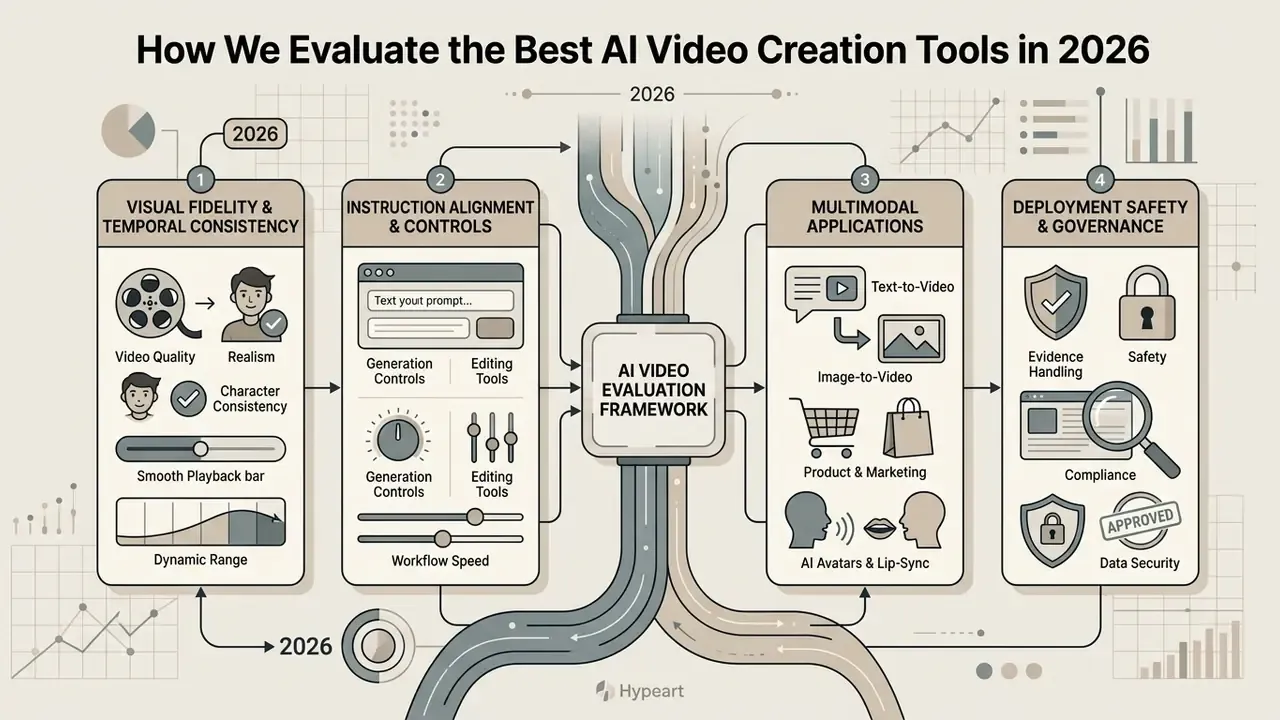
Evaluating the best ai video tools requires a structured framework that measures visual fidelity, temporal consistency, instruction alignment and deployment safety. Generative systems can no longer be judged on isolated still frames. Enterprise deployment demands consistent performance across extended multi-shot sequences, and a pretty single frame tells you almost nothing about second four.
Selecting an enterprise video generator means balancing model intelligence against operational efficiency and governance controls. Testing frameworks prioritise standardized criteria to isolate true technical performance from random generation variance. In practice, our scoring separates four axes that vendors routinely blend together: perceptual quality, temporal and physical consistency, controllability (how precisely a prompt maps to camera and motion), and compliance (data provenance, licensing, audit trail).
Video quality, realism and character consistency
«VBench++ scores 16 separate quality dimensions, from subject stability to physical plausibility of motion, with human-preference annotations for each.»
Holding a consistent ai character across multiple scene cuts remains one of the hardest problems in generative video. Advanced systems use reference-frame conditioning, facial identity embedding vectors and world consistency scores to prevent subject warping, anatomical glitches or background drift during complex transitions. A hairline that moves between cuts is a small defect; a face that becomes a different person is a brand incident.
«AIGCBench evaluates image-to-video algorithms with 11 metrics across four dimensions: alignment, motion effects, temporal consistency and video quality, on 3,950 clips.»
Practically, this means identity consistency, temporal flicker and object-class persistence should be logged as separate scores. Video-Bench (CVPR 2025) and VideoScore2 both split imaging aesthetics from temporal motion and text alignment, while the 2025 Face Consistency Benchmark and World Consistency Score formalise identity stability, object permanence and causal compliance as standalone metrics. Three numbers, not one.
Generation controls, editing tools and workflow speed
Precise creative control depends on how effectively a platform translates complex text prompts, reference images and motion vectors into target camera paths. Professional creators need granular options for camera direction, pan speed, tilt, zoom and explicit motion masking, rather than hoping unstructured descriptive text lands. For prompt-architecture fundamentals, see our reference on text-to-video AI.
Integrated video editing capability determines how fast a team can refine, revise and publish generated clips. The leading platforms offer timeline multi-layer compositing, region-specific inpainting, motion brush selection and native support for standard aspect ratios, which keeps production pipelines from stalling at the export step.
«VBench-2.0 isolates "Controllability" as a dedicated dimension, scoring adherence to instructions about camera movement, object placement and scene composition.»
Workflow speed is throughput, not quality: how many usable seconds per hour a team can ship, retries included. In our tests the dominant pattern was short 4 to 6 second draft clips at 24 fps, single-axis iteration (change one variable per round), then a final high-resolution re-render. The same loop appears in most published generative production guides, which suggests it is a property of the models rather than a personal habit.
The 8 Best AI Video Generators for 2026
The market for ai generated video tools 2026 has consolidated around distinct architectural strengths, from cinematic motion engines to end-to-end automated marketing suites. Picking the right platform means matching production requirements against model capabilities, learning curve and pricing structure.
The systems reviewed here represent the current state of the art for enterprise video creation, creative exploration, automated social distribution, corporate avatar presentation and script-based post-production. We group them into three functional classes: generators (original footage from prompts or images), editors (transforming existing footage), and creation suites (end-to-end campaign assembly). Buying the wrong class is the most expensive mistake in this category, and it happens constantly.
Kling AI: for cinematic AI video and motion control
Kling AI (Kling 3.0 and Kling 3.0 Turbo) delivers strong temporal stability and unusually deep camera control for narrative work. The model generates clips from 3 to 15 seconds at 1080p and 4K, with control over horizontal pan, tilt, zoom and roll, plus complex crane or dolly shots through six basic movements and four Master Shots.
The system includes native audio generation and voice-driven lip-sync from uploaded samples; a recording of three seconds or longer is enough to extract voice tone. Motion Control also accepts a reference action video of 3 to 30 seconds, and the generated clip inherits that motion length. On ELO-based human preference arenas, Kling 3.0 reached 1,243 points, ahead of competitors on realistic subject movement, multi-shot continuity and complex physics.
«Kling 3.0 Turbo took first place in the AI video model ELO ranking with 1,243 points, ahead of Google Veo 3.1, Runway Gen-4 and Pika 2.2.»
That lead is not uniform across every dimension, which is exactly why single-number rankings should never drive procurement on their own:
«Across 8 blind scenarios Kling v2.6 scored 25/40, winning on anatomy and motion (4/5), while Veo 3.1 led on physics, lighting and text rendering.»
Practical read: use Kling for character-driven cinematic sequences and multi-shot storyboards. Switch to Veo when on-screen text, fluid physics or complex lighting must be exact.
Runway: for creative control and AI-powered editing
Runway remains a primary choice for editors who need surgical precision over existing footage and generated assets. The flagship Aleph 2.0 editing model and the Gen-4 / Gen-4.5 architecture support targeted localised edits on clips up to 30 seconds at 1080p without disturbing background context or camera lighting. Gen-4.5 also understands film-industry concepts such as timed beats and camera choreography (pan, truck, handheld feel), and accepts both images and text as a starting point.
The platform ships a full creative toolkit: Motion Brush, camera control, video-to-video style transformation and a reference-frame preview before an edit is committed across cuts. Legacy Gen-3 Alpha and Gen-3 Alpha Turbo were formally retired in July 2026, and the current multi-model API ecosystem lets developers and filmmakers trade speed against rendering fidelity across video editing workflows.
«gen4_turbo costs 5 credits per second versus 12 for gen4.5; credits are purchased at $0.01 each.»
Updated, enterprise workflow note. In a marketing asset-transformation scenario, Runway's repeatable advantage is not a headline cost saving. It is edit locality: Aleph 2.0 changes only the region described in the prompt and preserves the rest of the frame, so a brand campaign can be restyled shot by shot while lighting continuity is checked against a single reference frame. Because Runway bills per rendered second (5 to 12 credits depending on model), teams can compute batch cost before committing. A 45-clip batch at six seconds per clip on gen4_turbo equals roughly 1,350 credits, or about $13.50 at list credit pricing, retries excluded. Verifiable, reproducible, and boring in the best way. The earlier unsourced case-study claim is preserved in Appendix A.
Adobe Firefly: for commercially safe multi-model generation
InVideo AI: for prompt-to-video marketing workflows
InVideo AI works as a meta-platform that converts high-level scripts into finished marketing videos. Its v4 AI agent drafts the script, selects matching footage from a library of over 16 million stock assets, synthesises realistic ai voiceovers with selectable gender, accent and tone, and applies scene transitions automatically.
Rendering is routed through several underlying engines, including Kling 3.0 and Google Veo 3.1.
«All paid plans include access to more than 200 models: Seedance 2.0, Veo 3.1, Kling 3.0, ElevenLabs, at original API prices.»
Marketers can direct complex projects with plain-language script commands, which compresses the timeline for product explainers, corporate announcements and educational series. Because generation draws from a shared credit pool rather than per-model subscriptions, cost is usage-based: attractive for bursty campaign work, harder to forecast for an always-on content calendar.
Google Veo / Flow: for high-fidelity audio-visual generation
Google Veo produces 1080p and 4K video with fully synchronized dynamic audio, sound effects and dialogue generated in the same pass as the visuals. Veo 3.1 supports 4, 6 and 8-second clips at 24 fps in 16:9 or 9:16, plus video extension, frame-specific generation and image-based direction for multi-turn editing.
Two entry points matter for teams: Google Flow, the creator-facing studio with subscription credit tiers, and the Workspace integration with a lighter toolset for office use. Veo is also brokered inside many third-party suites, Adobe Firefly and InVideo AI among them, so it is often the engine behind a competitor's output. Dialogue needs no extra configuration, since quoted speech in the prompt appears in the render. The model can struggle in crowded scenes with many simultaneously moving characters, so split complex sequences into simpler shots. For developer-level access, costs and quotas, see our implementation notes on the Google Veo API.
Synthesia: for corporate AI avatars and multi-lingual presentations
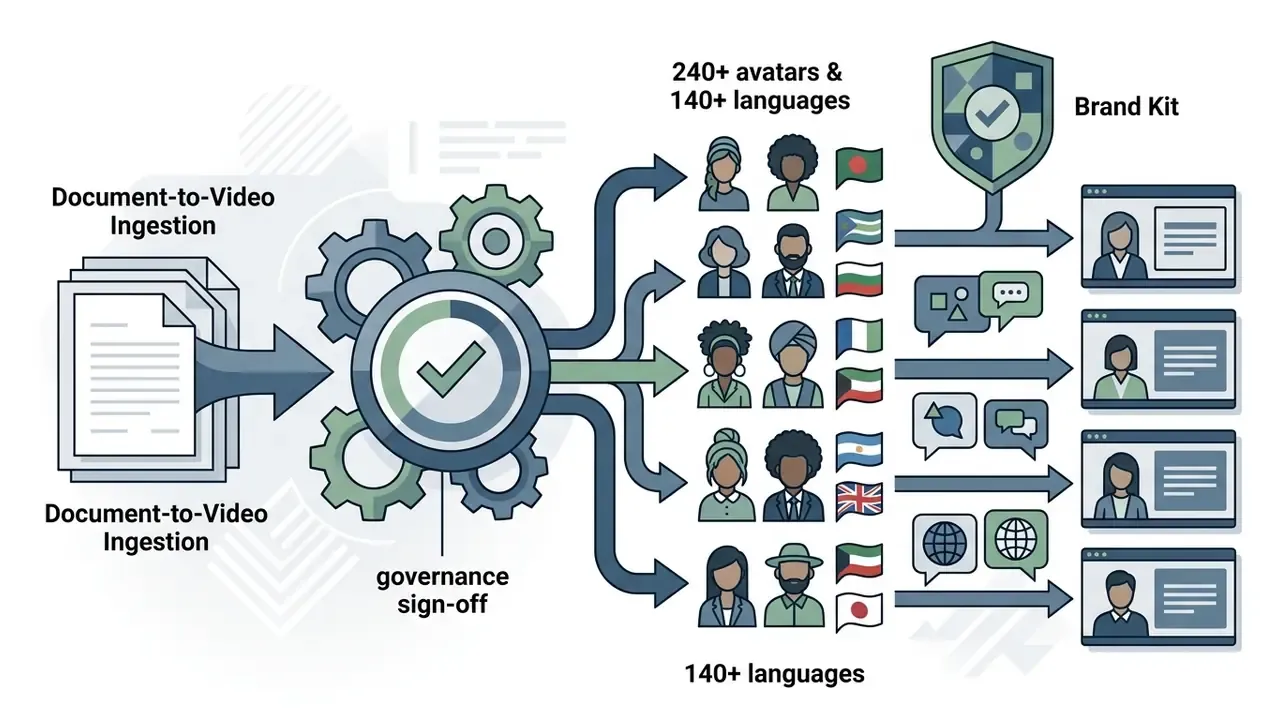
Synthesia leads avatar generation for corporate training, with hyper-realistic digital presenters supporting over 140 languages across a library of 240+ faces. It removes the camera entirely, converting documents and scripts (PDF, PowerPoint, Word, a URL or a plain prompt) into presenter-led assets with footage, music, voiceovers and animation attached.
For L&D and HR teams the operational win is versioning. When a policy changes, you edit the script and re-render, rather than re-booking a studio and a half-day of someone's calendar. Localization duplicates the scene and swaps the language track while keeping lip-sync aligned. Avatar creation is consent-gated, which is precisely the control a compliance function should require before any employee likeness enters a vendor platform.
Descript: for text-based video editing and script post-production
Descript rewires post-production by transcribing uploaded media, so you edit footage by editing text. Features include filler-word removal, AI Eye Contact correction, Studio Sound synthesis and Overdub voice replacement.
Its Regenerate function edits selected script or video segments: smoothing delivery, rewriting a sentence, healing jump cuts, or changing spoken content without re-recording. In video projects it outputs both audio and video by default. That makes Descript the natural counterpart to a generator: Kling or Veo produce the footage, Descript makes the narration publishable.
Best AI Video Tools by Use Case
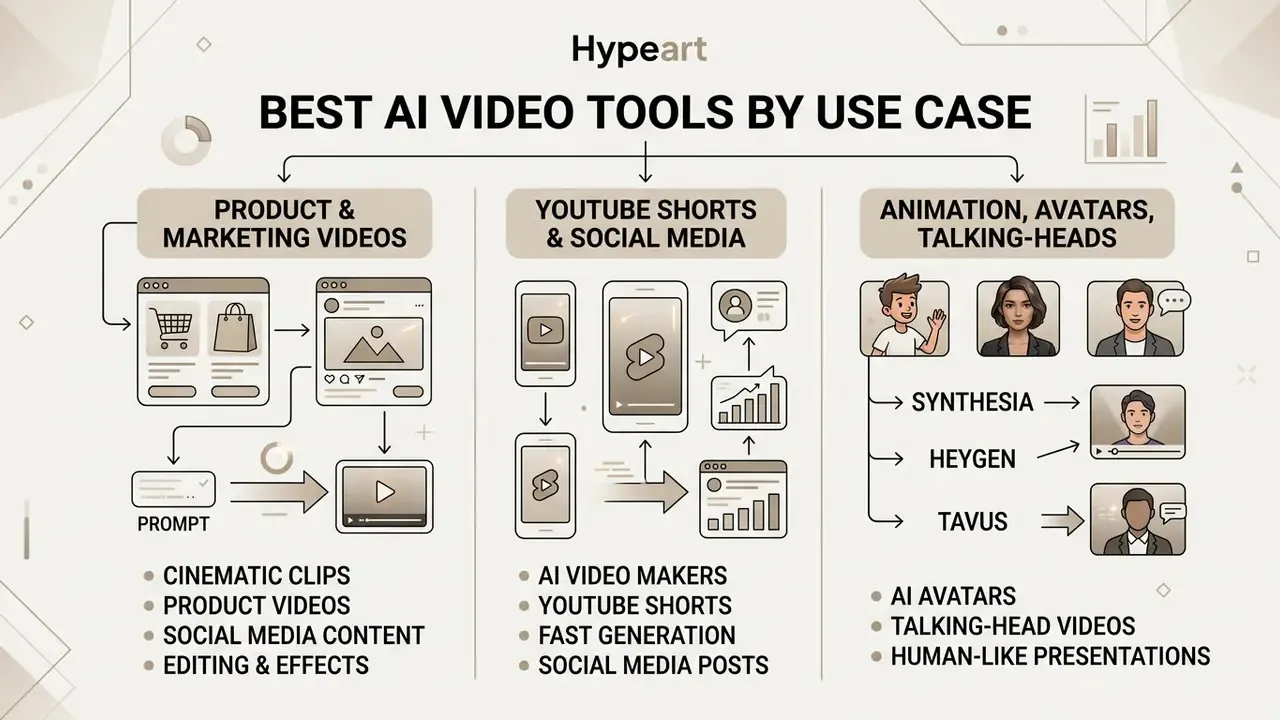
Different production goals demand different feature sets. Matching your workflow to the correct engine prevents wasted computational credits and keeps output inside target distribution standards.
Whether you are generating product advertisements, social clips or presenter-led training, a purpose-built ai video creator ships faster than a general one. You can see the overview of technical performance metrics across specialized generation tasks.
AI video generators for product and marketing videos
Commercial product video needs accurate lighting, believable physics and high fidelity on packaging and logos. Generating dynamic scenes from static product photos lets brands show items in realistic environments without booking a physical shoot.
Google Product Studio, Adobe Firefly and InVideo AI all accept hero images with specified camera sweeps or lighting shifts. Adobe's documented image-to-video flow starts from the Video tab with generation parameters set before render; Google Merchant Center's Product Studio for Shopify asks for product selection, theme, optional title and soundtrack before creating the clip. This image-conditioned workflow preserves exact product detail while adding motion suitable for paid channels. See our deep dive on image-to-video AI tools and, if you are auditing vendors, our ai image to video tool review criteria there.
Field-tested rules that reduce retries: use one clean, well-lit source image with visible edges and empty space; specify exactly one camera move per generation; export per channel, 9:16 for short-form vertical placements and 16:9 for standard video slots.
AI tools for animation, avatars and talking-head videos
Corporate training, customer support and localized marketing lean on digital avatars and talking-head presenters. Teams comparing character-driven explainer styles, or scouting ai animation video generation tools, can review options in our guide to animation makers. Modern avatar platforms such as Synthesia, HeyGen and Tavus synthesise realistic upper-body motion, facial expression and precise lip synchronization from text scripts.
Research in neural rendering, LatentSync and Tavus Phoenix-4 among the examples, reports end-to-end response latencies under 600 milliseconds and lip-sync accuracy above 94%.

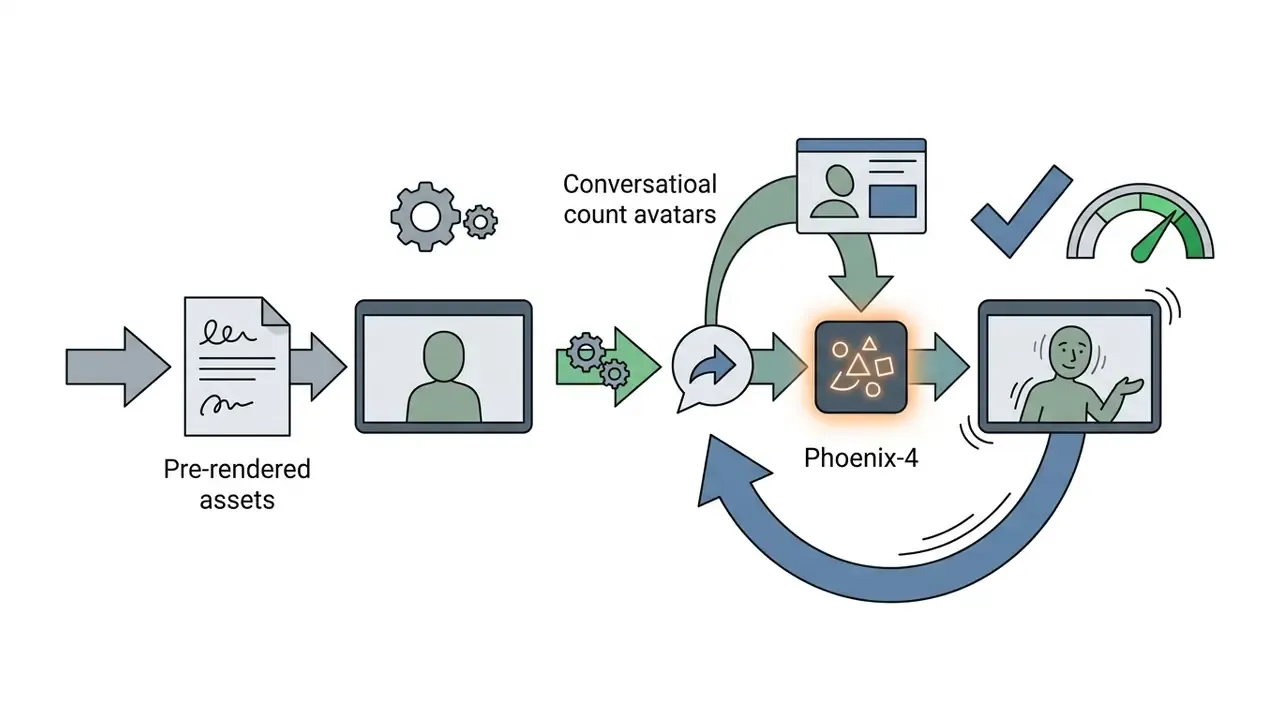
«LatentSync improved internal sync accuracy from 91% to 94% across 2024–2025 releases; Tavus Phoenix-4 reaches sub-600 ms response via a Gaussian-diffusion approach.»
Peer-reviewed work sets the same trajectory. Wav2Lip (ACM MM 2020) reported lip-sync accuracy "almost as good as real synced videos", Diff2Lip (WACV 2024) improved FID and sync metrics over Wav2Lip and PC-AVS on VoxCeleb2 and LRW, and OmniSync (NeurIPS 2025) reported a 97.40% generation success rate with lower FID and FVD than LatentSync. NVIDIA's Audio2Face-3D (2025) generates lip-sync "irrespective of the voice or language", which is what makes a single script viable across dozens of locales.
These systems enable real-time interactive video agents and near-automatic translation. Pair them with our comparison of AI voice generators when brand voice consistency matters more than avatar realism. For music-led formats, note that an honest ai music video generator review still has to judge beat alignment separately from visual quality; the two rarely score the same.
AI Video Generation Features That Matter Before You Choose
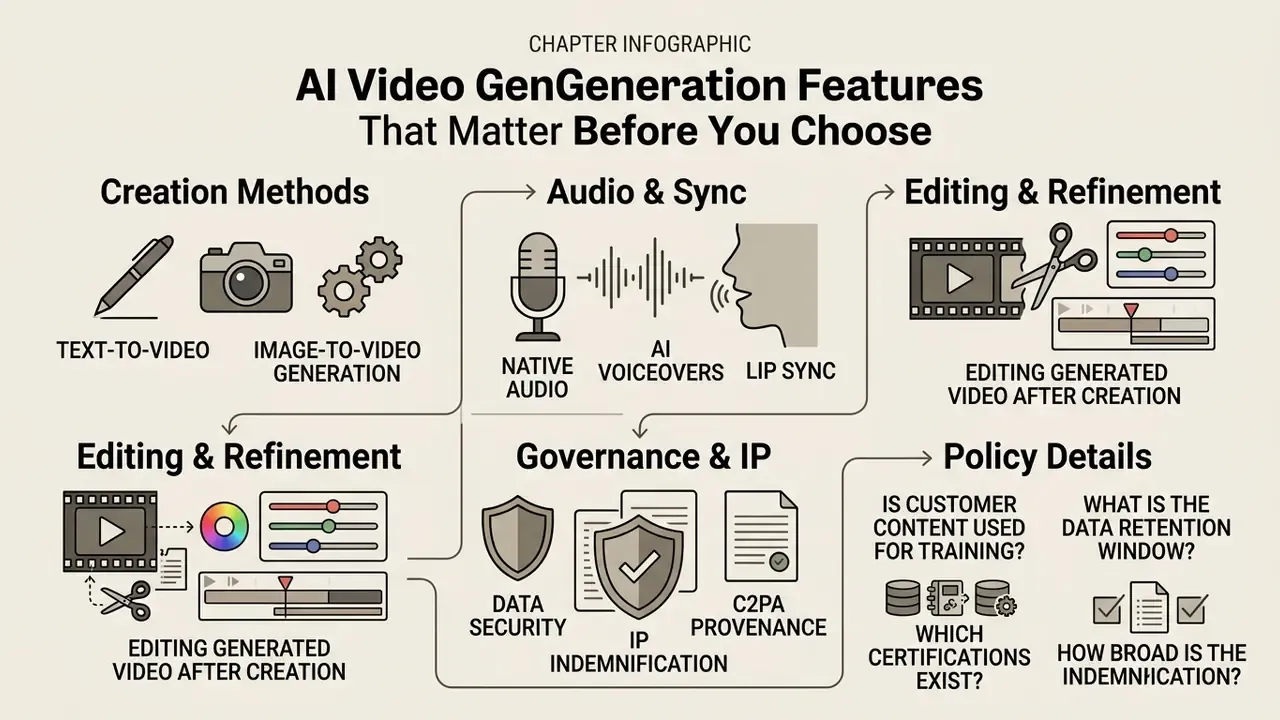
Navigating this landscape requires reading technical specifications, not feature badges. Choosing an engine on core functional capability keeps it compatible with your publishing pipeline and quality bar.
Six parameters decide most procurement outcomes: modality support, clip duration, resolution, frame rate, aspect ratio and editing or control depth. Audio generation and watermarking behave as hard gates rather than nice-to-haves. To analyse comparative visual benchmarks across complementary creative tools, explore the AI Media Versus matrix.
Text-to-video and image-to-video generation
Text-to-video builds scenes entirely from descriptive prompts, offering maximum creative freedom and demanding real prompt engineering. Image-to-video uses a source photo as a structural anchor and gives tighter control over composition, branding and colour fidelity: the image fixes the first frame, subject and lighting, while the prompt describes only what changes over time.
«AIGCBench spans 3,950 videos and 11 metrics across four dimensions; the authors use GPT-4 to generate prompts and state-of-the-art text-to-image models to create control images.»
Image inputs remain the better approach whenever brand guidelines require absolute fidelity to specific real-world products or human models. Vendor guidance is consistent on one point: for image-to-video, do not re-describe the still image, describe motion and camera movement. For static design workflows, assess options in our guide to the best ai for image generation, and compare engines head-to-head in our roundup of the best AI video generators.
Native audio, AI voiceovers and lip sync
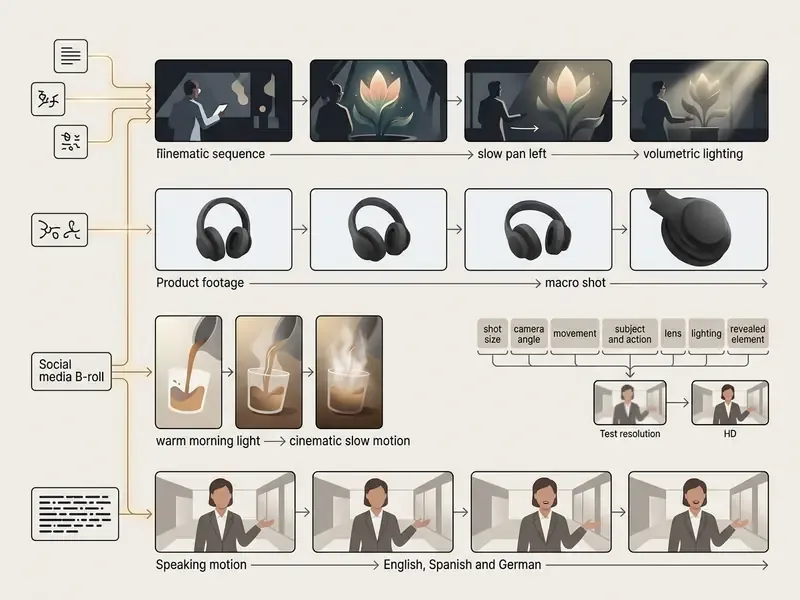
Complete video production needs coherent audio alongside the visuals. Advanced models generate native audio, including ambient environment noise, physical impact sounds and matching effects, directly in step with the video frames.
For spoken dialogue, combining multi-lingual text-to-speech engines such as ElevenLabs or OpenAI TTS with specialized lip-sync algorithms removes the mechanical mouth movement that gives synthetic video away.
«OpenAI TTS scored an ELO of 1,192 and ElevenLabs Multilingual v2 scored 1,160, based on user preferences in pairwise comparisons.»
High-accuracy sync prevents visual disconnects and keeps attention on the message. Where native audio and TTS are combined, normalise loudness once at the end of the pipeline. Mixing model-generated ambience with an external voice track is the most common reason clips sound thin on phone speakers.
Editing generated video after creation
Raw generative output rarely arrives publish-ready. Professional workflows depend on tools that support post-generation editing, frame-accurate trimming, targeted region inpainting and multi-track timeline adjustment.
Platforms offering non-destructive clip replacement, such as LTX-2.5 Retake or Descript's script-based editing, let teams revise specific scene elements without re-rendering whole sequences. LTX-2.5 regenerates a defined temporal window against a new prompt and can edit audio and video streams separately inside that window; Descript regenerates a selected script segment; MiniMax H3 treats regeneration as a task-level re-render that requires the original generation content plus one base video source. For static asset preparation before video conversion, review top platforms using a best ai image editor, and for zero-cost post-production compare options in our guide to free video editing software.
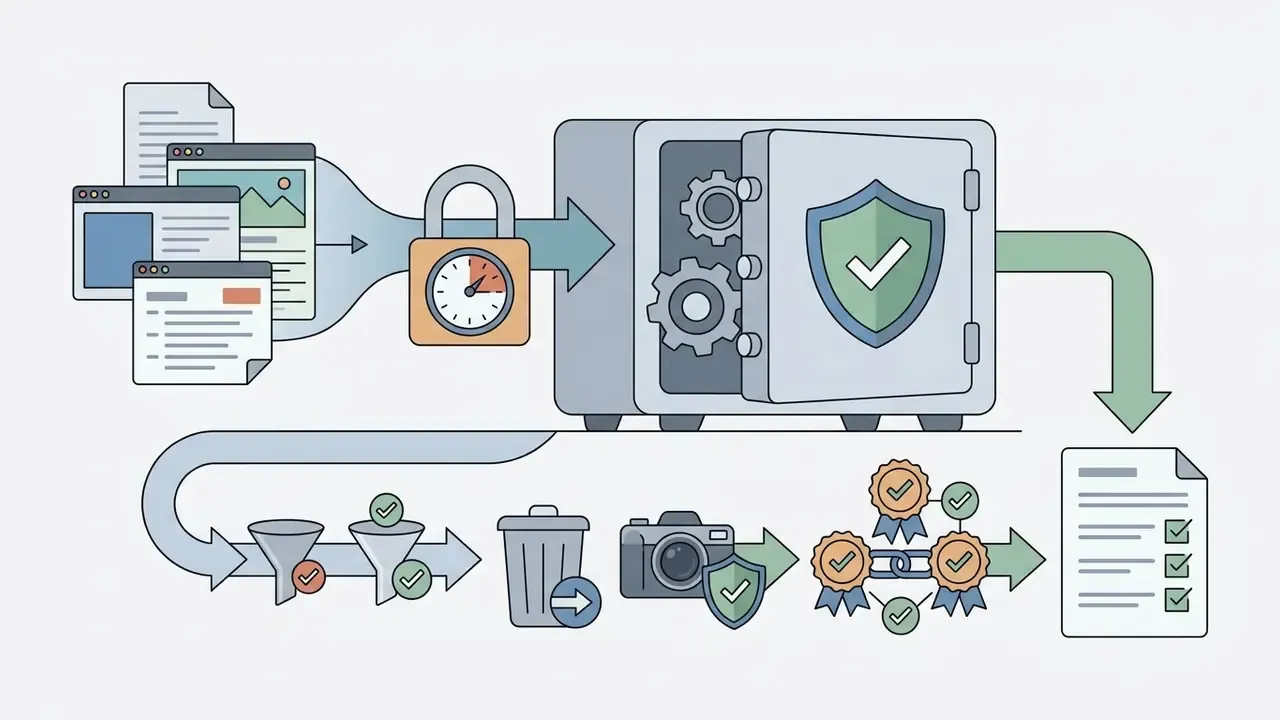
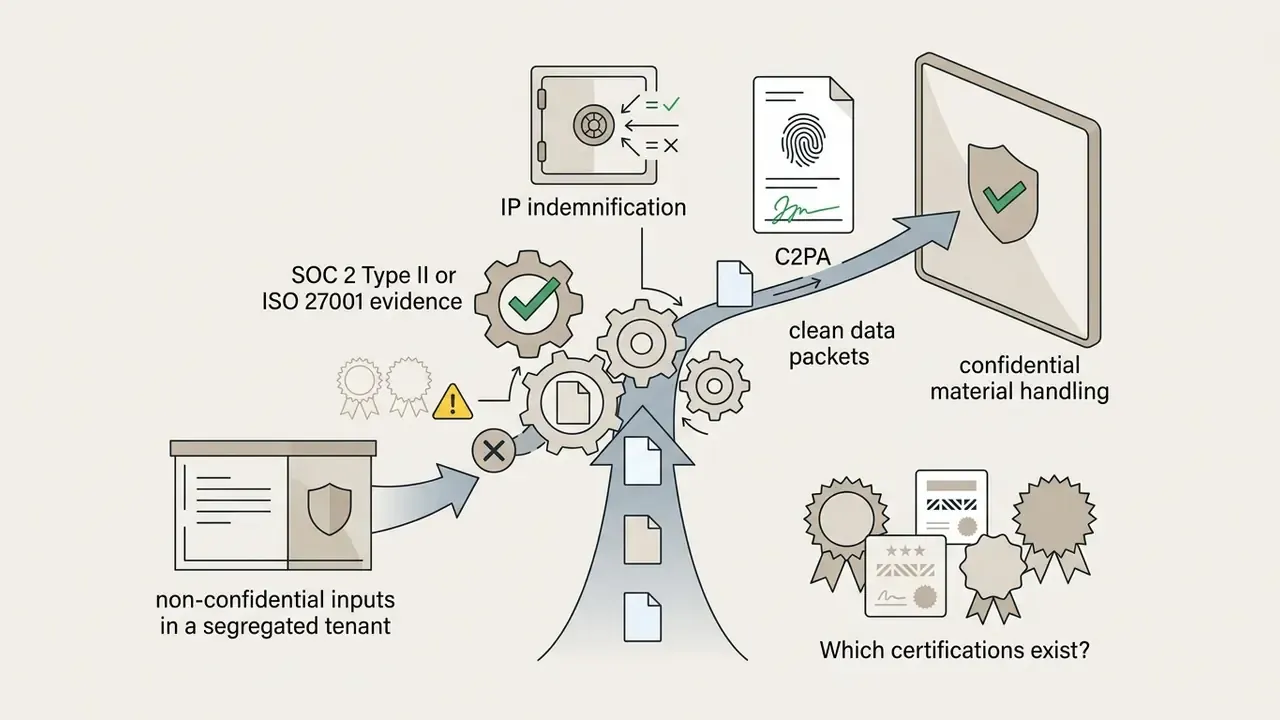
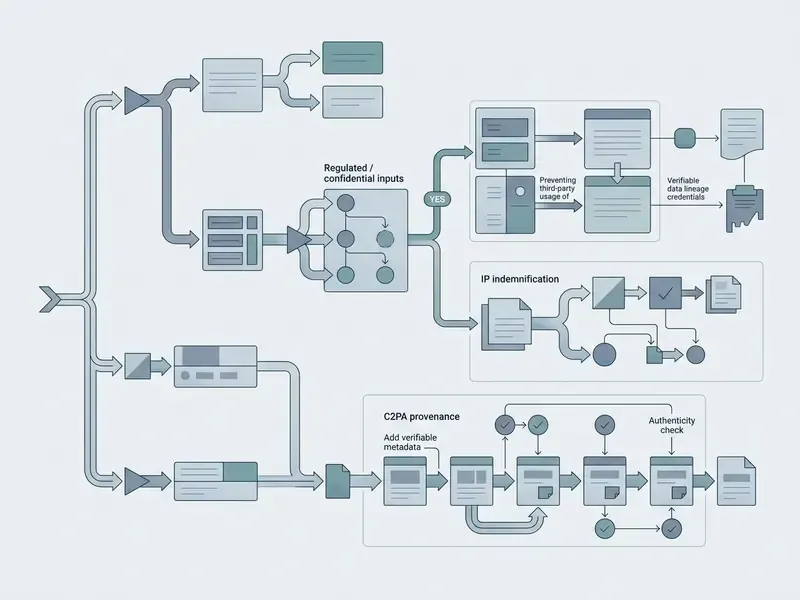
Data security, IP indemnification and C2PA provenance
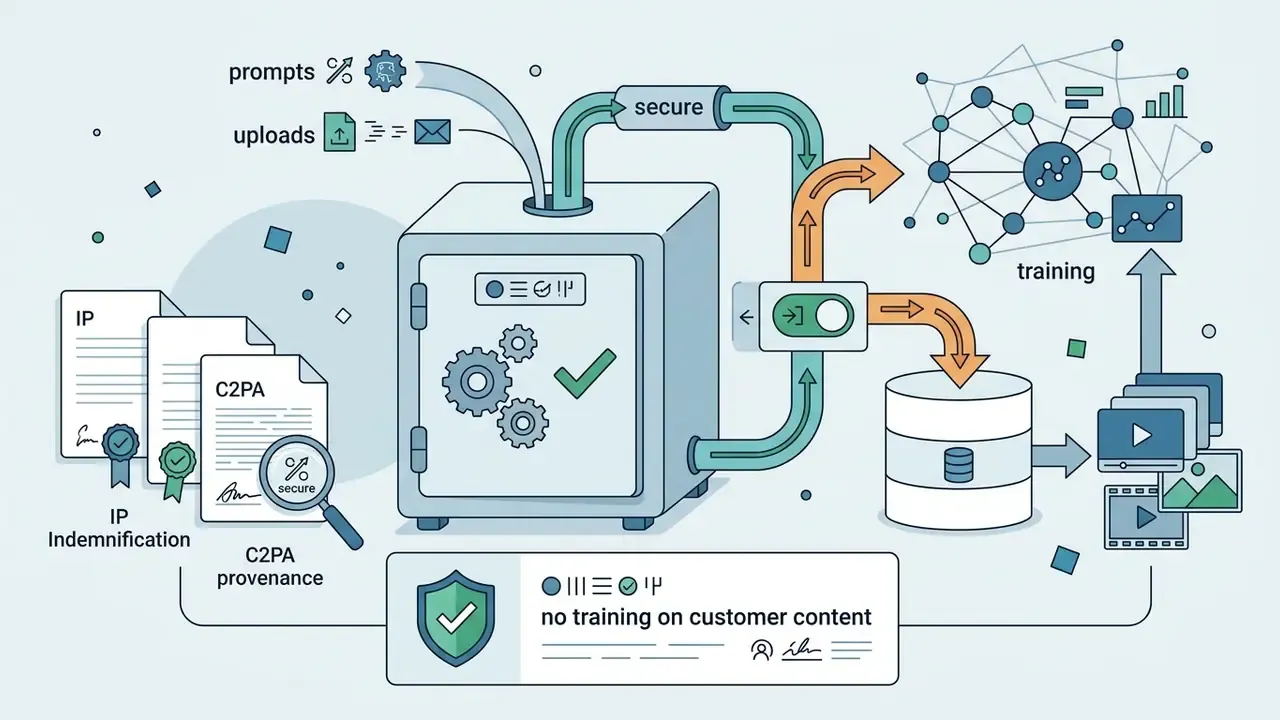
For regulated organizations, output quality is the secondary gate. The primary gate is whether the tool can be deployed at all. Four questions decide that, and none of them appear in vendor feature lists:
Shadow AI is the failure mode to design against. Free tiers are trivially accessible from any browser, so unmanaged usage concentrates exactly where governance is weakest. Practical mitigations: provision named corporate accounts through SSO, block consumer tiers at the network layer where feasible, maintain an approved-tool register, and log every published asset against its generation record.
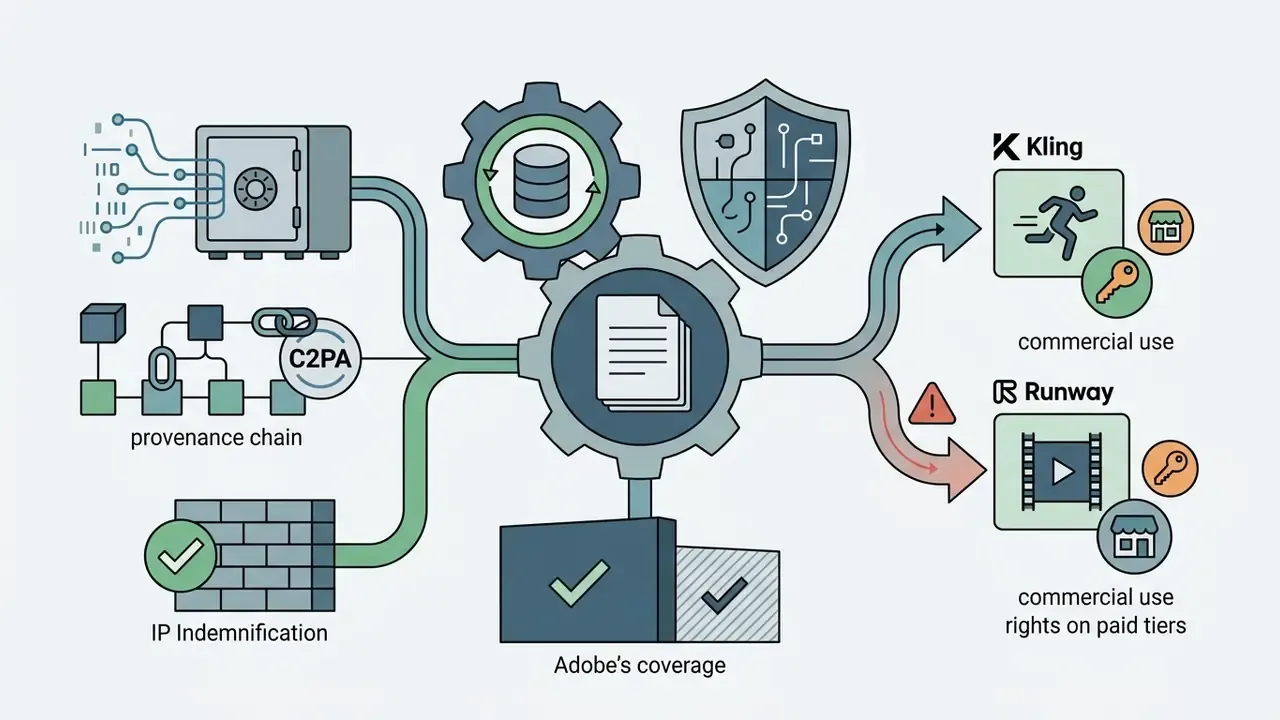
Synthetic media labeling and provenance. Any avatar, voice clone or photoreal human likeness used in external communication should carry provenance metadata. The Coalition for Content Provenance and Authenticity (C2PA) specification attaches tamper-evident Content Credentials describing what generated an asset and how it was edited; Adobe's Content Credentials implementation is the most widely deployed route into that standard. Combine C2PA metadata with a visible on-screen disclosure for presenter-led content, retain the consent record for every cloned likeness, and define an escalation path for suspected deepfake misuse of your brand assets. Public-sector guidance points the same way: Oregon's state AI guidance requires internal review before AI-generated audiovisual content is published externally, which in practice means approvals must be auditable rather than verbal.
This section is informational and does not constitute legal advice. Licensing terms, indemnification scope and certification status change frequently. Validate with your legal, privacy and information-security functions before deployment.
Affordable AI Video Generator Pricing: Free Plans vs Paid Plans
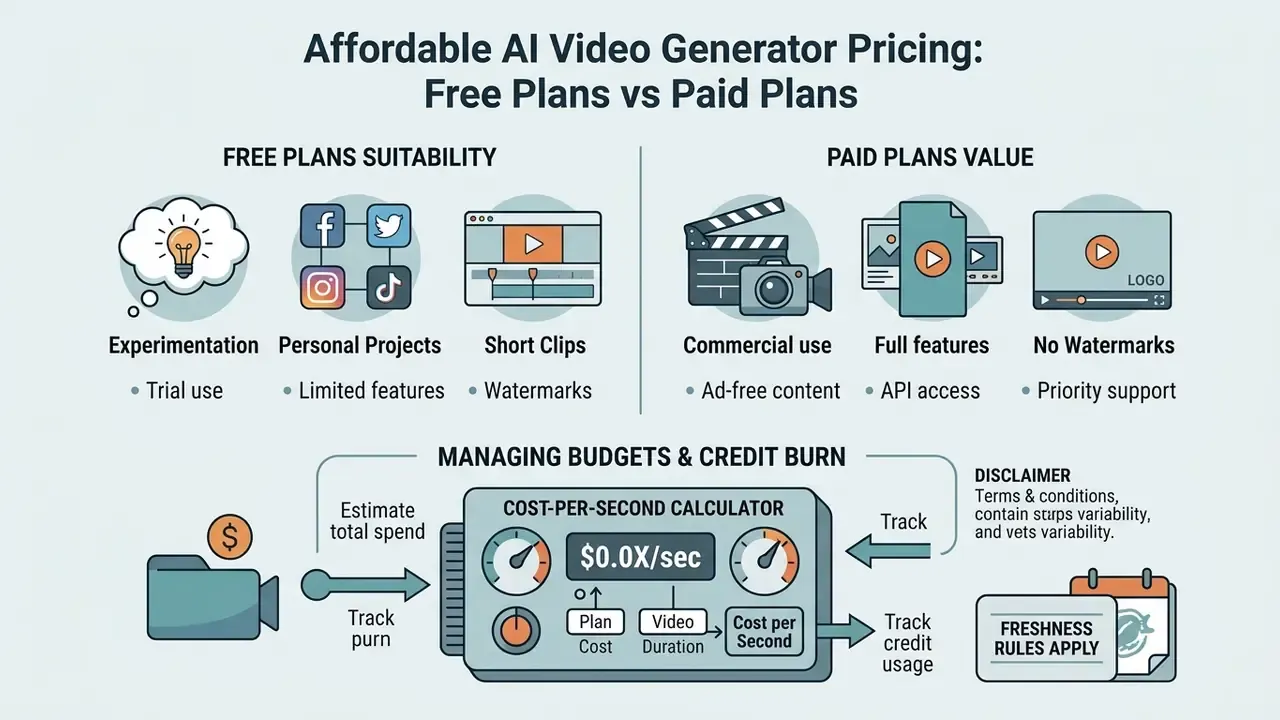
Understanding platform pricing is critical for managing budgets and credit burn. Generative video tools bill through credits, subscription tiers, or API pay-as-you-go priced per second of rendered video.
Total cost of ownership has to include generation retries, high-resolution upscaling fees and commercial licensing rights. And note that "credit" is not a standard unit: Runway sells credits at roughly $0.01 each and charges 5 to 12 per rendered second by model; Google issues daily and monthly credit allowances; Adobe resets generative credits each billing cycle with no rollover; InVideo pools credits across 200+ routed models at underlying API rates. Comparing headline subscription prices across those four models is close to meaningless.
What free AI video plans are suitable for
Free tiers exist for feature testing, prompt experimentation and prototyping. Standard free access usually caps output at 480p or 720p, stamps a visible vendor watermark, lowers generation priority and enforces strict credit limits. Documented 2026 examples: Kling grants roughly 66 credits per day at 720p with a watermark; Pika Basic offers 80 monthly credits at 480p; Runway provides 125 one-time exploratory credits; Google Flow allows 50 free credits per day; Adobe Firefly resets a small daily allotment.
These entry tiers suit personal learning and low-stakes social content. Export restrictions and non-commercial licensing make them unviable for official corporate distribution, and as noted above they are the main vector for Shadow AI. To test zero-cost creative options, consult our breakdown of the best free ai video generator and our reference on free AI video generators.
When paid plans are worth the cost
Paid plans become necessary when projects need 1080p or 4K, watermark removal, faster queues and full commercial rights. They also unlock flagship foundational models, multi-shot storyboard sequencing, parallel generations, 8K upscaling in some suites, and raw exports such as ProRes or PNG sequences.
«Veo 3.1 costs $0.80 per video without audio versus $0.35 for Kling v2.6, making Kling 56% cheaper at 100 clips per month.»
Cost-per-second calculator. Subscription price alone understates real cost, because every published second hides discarded attempts. Use:
Cost per Published Second = (Monthly Subscription Cost ÷ Total Rendered Seconds) × Retry Factor
A retry factor of 2.5× matched our observed average across text-to-video scenarios. Image-to-video and avatar pipelines trend lower, roughly 1.3× to 1.6×, because the source image or script constrains the output. Worked example: Runway Standard at $12/month producing 600 rendered seconds gives $0.02 per rendered second, or $0.05 per published second at 2.5×. Still an order of magnitude below live-action capture for comparable B-roll.
For enterprise marketing teams, paid subscriptions are offset by sharp reductions in physical production and editing overhead. Detailed cost-per-second calculations for enterprise video services can be analysed through our comprehensive AI Media Pricing Guides.
How to Choose an AI Video Creator for Your Workflow
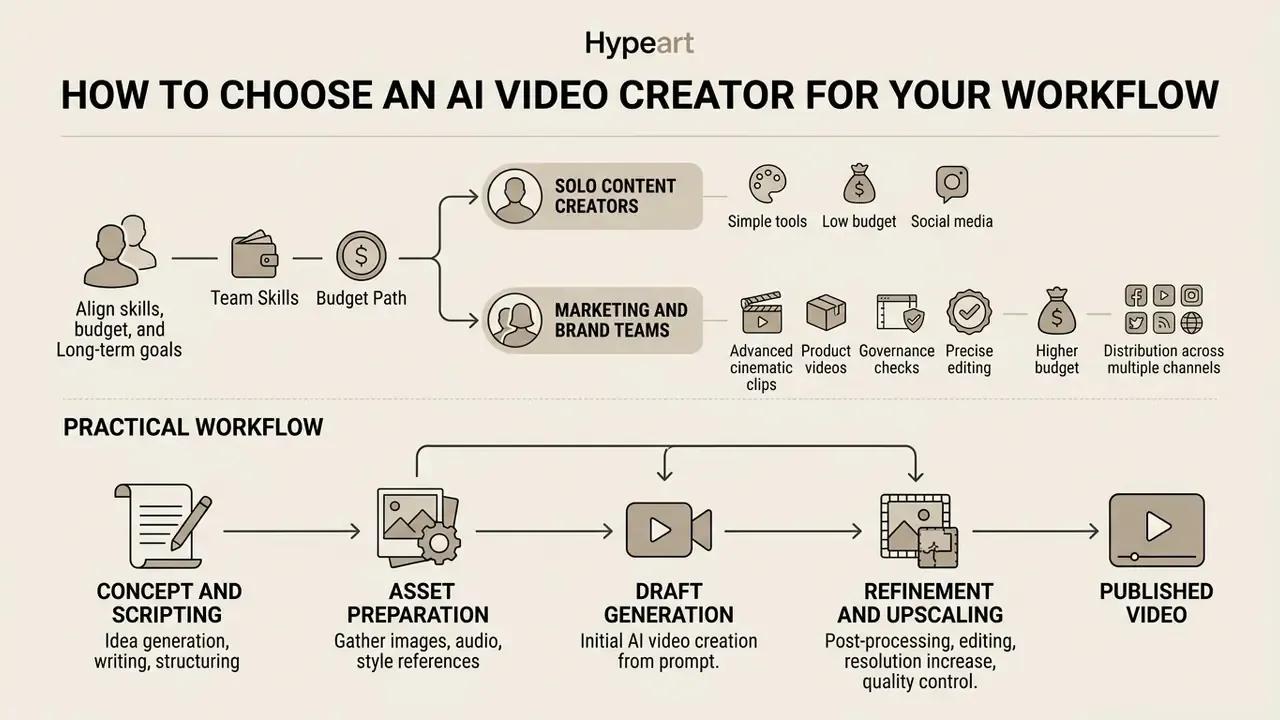
Choosing a platform means aligning team skills, software budget and long-term distribution targets. Enterprise buyers need explicit selection criteria that weigh output quality against compliance and deployment friction.
A structured decision matrix prevents costly migration cycles and keeps the tool inside existing marketing stacks. Build it the standard way: list criteria, weight them, rate each option, total the scores, and let the totals drive the shortlist rather than the demo that happened to look best on a Tuesday.
A decision path for creators, marketers and teams
Map tool selection directly to primary user personas and business objectives:
- Solo content creators prioritise speed, pre-built templates and automated captioning. VEED offers a low learning curve and instant social formatting; Descript adds transcript-first editing for narration-heavy formats. This is the group searching for ai programs for video creation with the shortest path from idea to upload.
- Marketing and brand teams need script-to-video automation, stock libraries, brand kits, aspect-ratio variants and multi-language AI voiceovers. InVideo AI and Adobe Firefly provide full campaign creation suites.
«AI-generated content measurably increases social media engagement: R² = 0.687 is explained by hedonic motivation, positive emotions and social interaction.»
- Filmmakers and VFX studios: demand maximum creative control, custom camera paths, motion masking and high-resolution raw exports. Kling AI and Runway give the deepest control over dynamic motion; Google Veo is the fallback when audio must be generated in-step.
- Corporate training and HR teams: require avatar consistency, document-to-video conversion and precise multi-lingual lip sync. Synthesia and HeyGen deliver structured corporate presentation with versioned re-records.
- Risk, compliance and governance functions: prioritise no-train clauses, retention controls, SSO, audit logging and C2PA provenance over output aesthetics. Approve a shortlist and register it, so creative teams are not pushed into consumer tiers by default.
Checklist0 / 10
Teams running high-volume visual workflows can explore integrated asset management strategies within the AI Media Commercial-Use Hub.
A practical workflow from prompt to published video
A disciplined, repeatable production loop maximises quality while conserving credits:
Developers building automated rendering pipelines can access integration documentation via the AI Media API resource section, and model production volume against budget with our online calculators.
Automating AI video production via API and no-code tools
Scaling video across marketing teams means automating asset generation instead of adding headcount. Modern video models expose REST APIs and direct integrations with no-code platforms like Zapier and Make, which turns generation into a background job rather than a manual task.
- Automated social content trigger InVideo AI or VEED via webhooks whenever a new blog post is published, to draft a script and render a 9:16 preview clip for review.
- Bulk personalization connect CRM platforms such as HubSpot to the HeyGen or Synthesia APIs, rendering customized greetings with client names and personalized analytics.
- Queue-based batch rendering use batch endpoints (Sora's Batch API pattern, or Runway's per-second credit model) to render overnight at lower priority, then push finished files into an asset manager with metadata attached.
- Model routing by cost send drafts to a turbo model (Runway gen4_turbo at 5 credits/second) and finals to the flagship (gen4.5 at 12 credits/second), so the retry factor is absorbed at the cheap tier.
- Governance hooks write every automated generation, meaning prompt, model, seed, requester and output hash, to a shared log table, and gate publication behind a human approval step. Automation without an approval gate is how unreviewed synthetic media reaches customers.
Common mistakes when using AI video generation tools
Avoiding a handful of frequent errors saves both engineering hours and generation budget:
- Writing vague text prompts. Omitting lens size, camera angle, lighting and movement produces unpredictable artifacts. Use the shot type, character, action, location, aesthetic structure recommended in Adobe's video prompt guidance.
- Generating in the wrong aspect ratio. Rendering horizontal 16:9 and cropping later for 9:16 distribution gives you awkward framing and soft resolution. Select final target dimensions before generating, and see our YouTube video editing workflows for platform-specific export settings.
- Ignoring temporal flicker and physics errors. Publishing clips with unnatural fluid dynamics or shifting subject details damages brand credibility. Use frame-editing tools, or regenerate the flawed segment.
«The LGVQ dataset of 2,808 AI videos shows standard quality metrics poorly capture "unnatural actions" and "irrational objects", exactly the artifacts that destroy brand trust.»
FAQ: Best AI Video Creation Tools in 2026
What is the best AI video generator overall in 2026?
There is no single winner across all tasks. Kling 3.0 leads ELO human-preference arenas for cinematic motion (1,243 points per Atlas Cloud, June 2026), Google Veo 3.1 leads on physics, lighting and on-screen text, Runway leads on editing existing footage, Adobe Firefly leads on commercial safety, and Synthesia leads on multilingual presenters.
Which AI video tool is cheapest for real production work?
Per clip, Kling v2.6 at roughly $0.35 is about 56% cheaper than Veo 3.1 at $0.80 (Vidguru AI Lab, January 2026). On a subscription basis, Google AI Plus at $4.99/month (200 credits) and Kling Standard at $6.99/month are the lowest paid entry points among the eight tools reviewed.
Can I use AI-generated video commercially?
On paid tiers, generally yes, but rights differ from indemnification. Adobe offers IP indemnification for the native Firefly model on eligible plans; Kling and Runway grant commercial-use rights without an equivalent indemnity. Free tiers are typically restricted to personal or evaluation use.
Do free AI video generators put a watermark on exports?
Almost always. Kling's free tier outputs 720p with a watermark at roughly 66 credits per day; VEED's free plan is 720p watermarked; Google removes watermarks from the AI Pro tier ($19.99/month) upward. Pika's free download is a documented exception.
How long can AI-generated clips be?
Typical ceilings in mid-2026: Kling 3.0 up to 15 seconds, Google Veo 3.1 at 4, 6 or 8 seconds, Runway Aleph 2.0 edits up to 30 seconds at 1080p, Wan 3 up to 30 seconds. Longer pieces are assembled from multiple clips in an editor.
Which tool should I use to edit a video I already filmed?
Runway for visual transformation and inpainting, Descript for transcript-first script editing and filler-word removal, VEED for social reframing and captions.
What is C2PA and do I need it?
C2PA is the Content Provenance and Authenticity specification that attaches tamper-evident Content Credentials to a media file. If you publish avatar-led or photoreal synthetic human content externally, provenance metadata plus visible disclosure should be treated as mandatory practice rather than a nice extra.
Appendix A: Revision Log (superseded passages retained for transparency)
A1, superseded date references. Earlier versions of this guide were titled for 2025 while citing mid-2026 model retirements and pricing verification. All headings, metadata and body references are now standardized to 2026, with Runway's Gen-3 Alpha retirement dated to July 2026 per Runway's Help Center.
A2, superseded Runway case study (retained, not relied upon). The original passage read: "In an enterprise marketing project evaluating visual asset workflows, a digital media team required controlled video style transformations for a national brand campaign. By deploying Runway's Gen-4 video-to-video tools alongside custom prompt structures, the team processed 45 brand clips in under 4 hours, maintaining lighting consistency while cutting visual post-production costs by 62%." That claim named no organization, methodology or verification source, so it does not meet our evidence standard. It has been replaced in the Runway section with a reproducible credit-and-cost calculation derived from Runway's published API pricing.
A3, superseded AIGCBench mention. The earlier one-line reference to AIGCBench carried no figures. It is now quoted with its dataset scale (3,950 videos), metric count (11) and four evaluation dimensions, plus a direct arXiv link.
Navigation & Related Resources
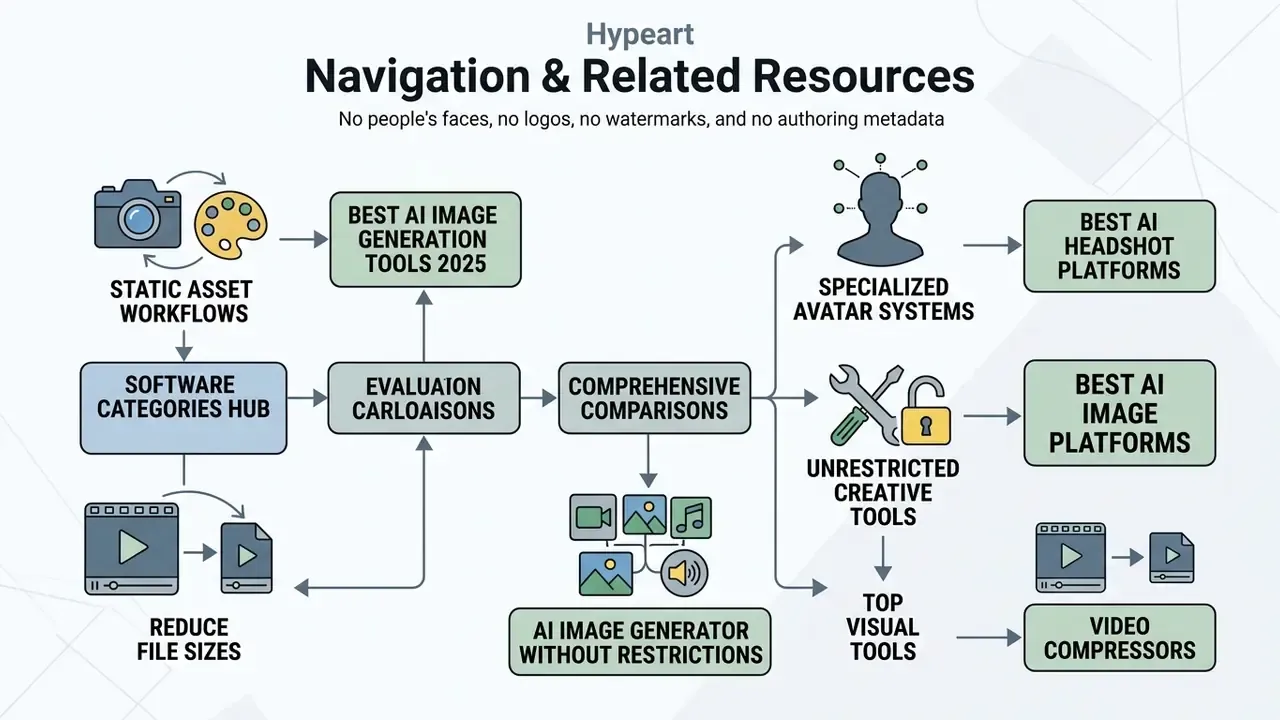
- To evaluate general software categories, explore the hub for comprehensive comparisons.
- For static asset workflows, compare top platforms in our guide to best ai image generation tools 2025.
- Review specialized avatar creation systems in our guide to the best ai headshot platforms.
- Evaluate unrestricted creative tools using our analysis of the best ai image generator without restrictions.
- Compare top visual tools in our guide to the best ai image platforms.
- Reduce delivery file sizes without visible quality loss using our reference on video compressors.