A note on search intent before we start. Many readers still arrive here through legacy queries such as "best ai video generator 2024" or "ai video generation tools comparison 2024". Those queries matter historically, because the 2024 cohort of models set the benchmark baselines quoted below. The buying advice, however, is current: model versions, credit rates, and retention clauses have all moved since then.
How We Test and Benchmark AI Video Generation Tools
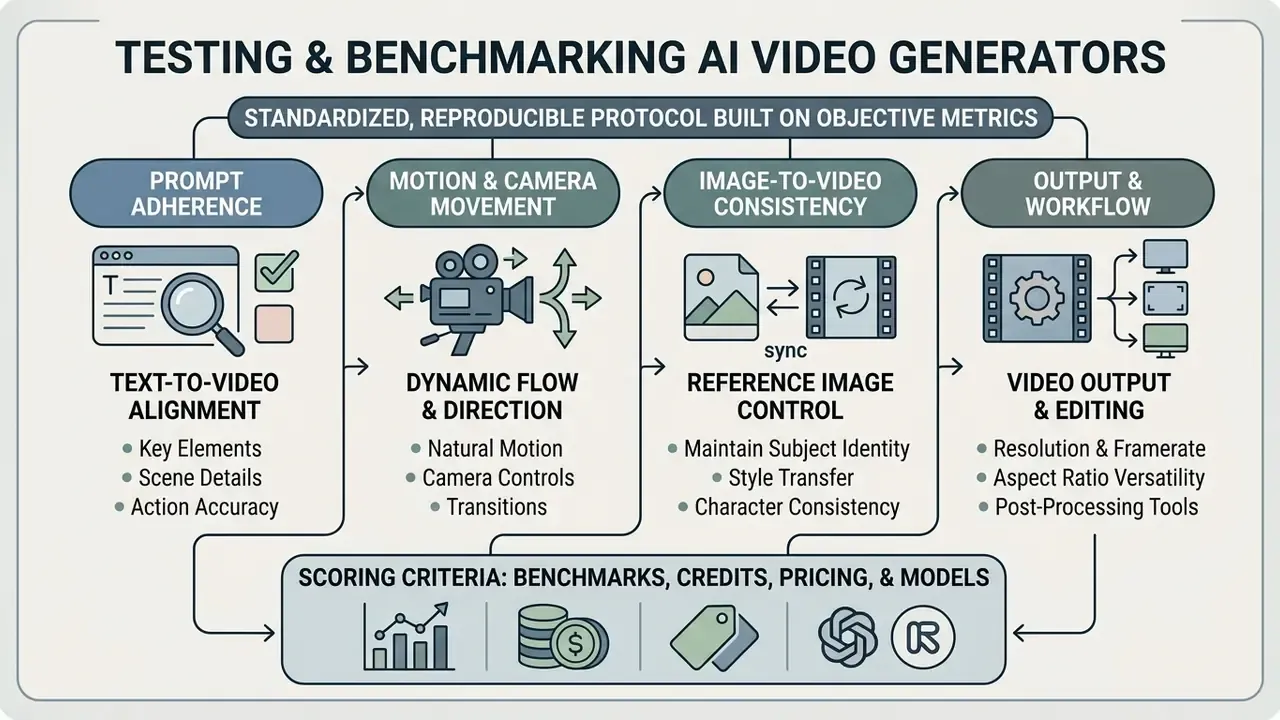
Any credible ai video generator benchmark needs a standardized, reproducible protocol built on objective metrics rather than a pleasant first impression. Our evaluation combines automated frame-level quality scoring with structured human preference reviews, so model reliability is measured across varied prompt conditions instead of cherry-picked demos. The methodology sits before the rankings on purpose: every Elo point, physics score, and credit rate cited later can be traced back to a defined procedure.
One practical warning from the desk. Two tools can score within a point of each other and still behave completely differently on your footage. Benchmarks narrow the shortlist; they do not replace a pilot.
Prompt adherence, motion and camera movement
Prompt adherence measures how accurately a model renders complex semantic instructions, spatial relationships, and temporal actions from text prompts. Legacy automatic metrics on their own are not enough:
«FVD, IS and CLIP Score provide incomplete analysis, especially for temporal evaluation, and correlate weakly with human judgments of video quality.»
Research from the VBench framework splits video evaluation into sixteen distinct dimensions, separating visual quality from prompt alignment.
«VBench defines 16 dimensions across two axes, video quality and condition consistency, and collects human preference annotations for each dimension.»
Motion quality is evaluated using optical flow vectors and dynamics scores via the DEVIL benchmark, which measures motion range, controllability, and physical plausibility across static, mild, and intense movement scenarios.
«The DEVIL protocol achieves Pearson correlation above 90% with human ratings, confirming the reliability of dynamics metrics for motion quality.»
Image-to-video consistency and reference image control
Image-to-video evaluation measures whether a model can animate a static reference image without losing identity, fine textures, or structural integrity. Benchmarks such as AIGCBench use Mean Squared Error (MSE) and Structural Similarity (SSIM) on initial frames, plus CLIP feature similarity across temporal frames, to quantify how well the source image survives generation.
«AIGCBench evaluates control-signal consistency, motion effects, temporal consistency and video quality across 11 metrics in four dimensions.»
Models built on specialized reference architectures, such as ReferenceNet (Animate Anyone), hold subject consistency better across multi-frame sequences. This is where an ai image to video generator software choice becomes consequential: product photos and AI character shots tolerate very little drift. Teams working primarily from still assets should review our overview of image-to-video AI tools before standardizing a reference-image pipeline, and compare upscaling steps against the best ai image enhancement options, since input resolution drives output fidelity more than most prompt tricks do.
Video output, aspect ratio and editing workflow
Technical export specifications decide whether generated video clips can enter a professional post-production pipeline at all. Key parameters: native resolution support (720p, 1080p, 4K), frame rate stability (24 FPS, 30 FPS), aspect ratio flexibility (16:9, 9:16, 1:1), and container compatibility (MP4, ProRes, H.264/HEVC, DPX). Adobe's own export documentation confirms that HD, 4K UHD and 8K workflows typically use square pixels, while legacy NTSC/PAL sources use rectangular pixels, a mismatch that visibly distorts AI-generated inserts dropped onto a broadcast timeline. Advanced workflows also check whether the platform supports built-in sequence editing, inpainting, object removal, or frame extension before final export. Teams delivering to social platforms can cross-check export presets against our YouTube video editor workflow guide.
Best AI Video Generator 2026: Quick Picks by Use Case
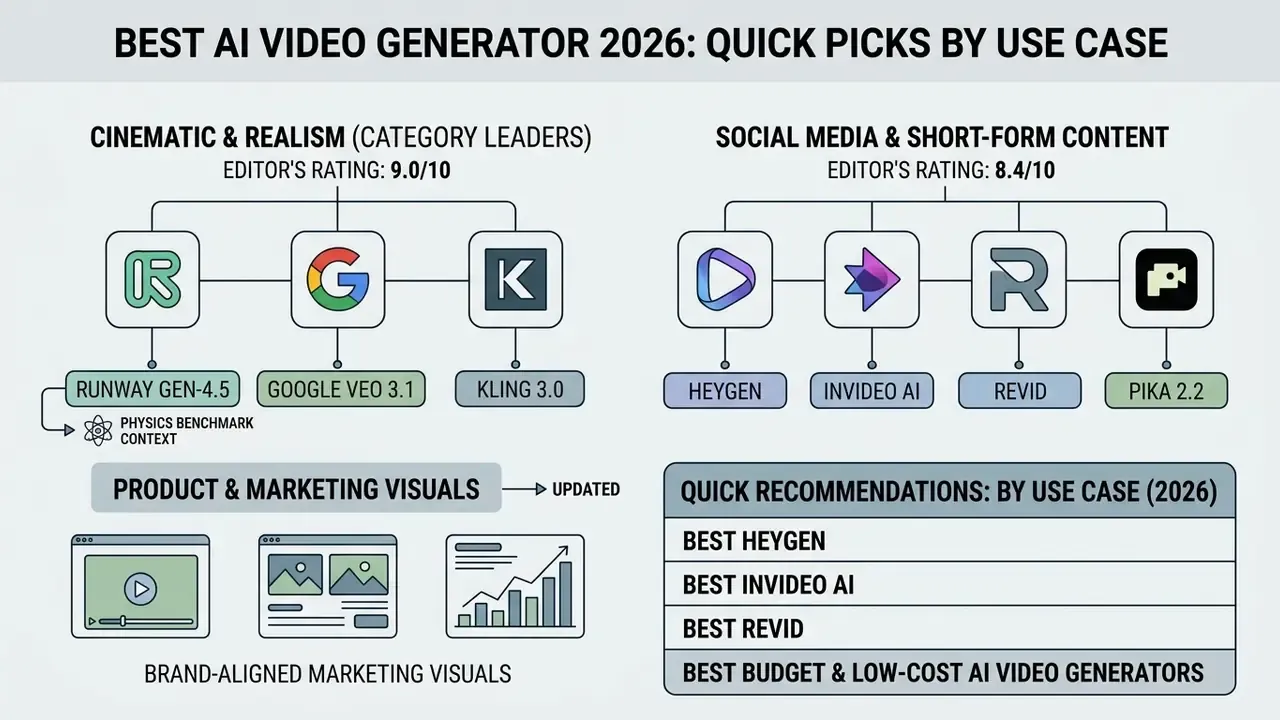
The right tool depends on one question: are you optimizing for cinematic realism, rapid social media production, brand-aligned marketing visuals, or minimum cost per second? Different neural video architectures specialize in different output attributes, so tool capability has to match the distribution channel. Every score below follows the protocol described in our testing methodology above.
Best AI video generator for cinematic video clips
«Sora-Turbo achieves overall performance scores of approximately 0.384, outperforming Gen-3 (0.280) across fundamental and composite physics metrics, with anti-physics metrics near 0.13.»
Because the model family behind the 0.384 figure has been discontinued, treat it as a historical ceiling rather than a purchasable capability. Current procurement decisions should rest on Gen-4.5, Veo 3.1 and Kling 3.0 scores. Readers new to the category can start with our primer on text-to-video AI tools before comparing cinematic tiers.
Best AI video generator for product and marketing visuals
Editor's rating: 8.2/10 (category leaders: Bria AI, Google Ads image-to-animation, Adobe Firefly)
Product marketing visuals demand strict object consistency, controlled lighting, and frame preservation. Platforms such as Bria AI and Google Ads image-to-animation tools let enterprise teams convert a single static product photo into a motion asset while keeping object-level control. Bria's enterprise positioning explicitly advertises the ability to specify lighting, camera, composition and every object, and Google Ads documents animated clip creation from one static image in the Asset Library. When integrating marketing visual tools, teams can compare options for workflow automation to balance asset volume against licensing requirements, and validate usage rights against our breakdown of commercial use of AI image generators. Brand systems built alongside video often need matching identity assets, so a shortlist of the best ai logo generator options and the best ai photo editors keeps the visual language consistent across channels.
Quick recommendations: AI video generators by use case (2026)
| Model / Platform | Rating | Primary use case | Generation mode | Key advantage | Key limitation |
|---|---|---|---|---|---|
| Google Veo 3.1 | 9.2/10 | High-fidelity production | Text-to-video, image-to-video, first/last frame | Native 4K output with synchronized dialogue, SFX and ambience | Requires Vertex AI or Gemini API enterprise integration |
| Runway Gen-4.5 / Aleph | 8.9/10 | Cinematic staging and generative editing | Text-to-video, image-to-video, video-to-video | Motion Brush (up to 5 regions) and Director-mode camera control | Native clip duration limited to 5-10 seconds without extension |
| Adobe Firefly Video | 8.5/10 | Commercially safe production | Text-to-video, image-to-video, Generative Extend | Trained on licensed Adobe Stock and public-domain media; IP indemnification on eligible plans | No natively synchronized audio; 1080p ceiling |
| Kling 3.0 | 8.4/10 | Long-form cinematic continuity | Text-to-video, image-to-video, editing | Multi-scene character consistency and physics-grounded motion at 1080p/4K | Longer render times on complex sequences |
| Luma Dream Machine | 8.1/10 | Smooth camera motion on a budget | Text-to-video, image-to-video | Strong depth perception and perspective shifts without distortion | Short maximum clip duration; slower queues at peak demand |
| Hailuo AI (MiniMax) | 8.0/10 | High-volume dynamic shorts | Text-to-video, image-to-video | Expressive character rendering and stable backgrounds in fast motion | Limited advanced post-production controls |
| HeyGen / Revid | 8.3/10 | Social media and shorts | Document-to-video, script-to-video, avatars | Automated translation, lip-sync, and vertical templates | Limited physical motion simulation for complex scenes |
| Bria AI | 8.0/10 | Product and ad visuals | Image-to-video, object animation | Explicit lighting, background, and object-level controls | Requires clean high-resolution source product imagery |
Best budget and low-cost AI video generators
For solo creators and freelancers who need volume without enterprise overhead, Hailuo AI (MiniMax), Luma Dream Machine, and Kling AI deliver competitive rendering at a fraction of the cost per second. Hailuo AI handles expressive character rendering and holds backgrounds stable during fast motion. Luma Dream Machine produces natural motion transitions with strong depth perception and manages camera perspective shifts without unnatural object distortion. Kling AI offers multi-scene physics simulation and character-identity continuity on accessible daily credit quotas. Template-driven suites such as MagicLight AI and Frameo.ai push cost per finished minute lower still, at the price of resolution ceilings (no 4K) and limited cinematic control.
The economics of the budget tier are simple. Premium models bill 12 to 40 credits per second, while daily check-in quotas and cheap entry plans shift the constraint from money to patience. Queue priority, watermarks, and clip length become the limiting factors instead of budget.
| Tool | Free tier quotas | Entry paid plan | Best for |
|---|---|---|---|
| Hailuo AI (MiniMax) | Free daily generations | Pay-as-you-go / low tier | High-speed dynamic physics, character expression |
| Luma Dream Machine | Free trial credits | ~$12/mo (Lite) | Smooth camera motion and depth |
| Kling AI | Daily check-in credits (watermarked, ~720p) | Scalable credit tiers | Extended scene consistency, multi-shot narratives |
| Pika 2.2 | ~80 credits/mo, 480p, watermark | Entry creator tier | Stylized short-form clips |
| MagicLight AI / Frameo.ai | Limited free generations | Low-cost monthly plans | Long-form story automation, template marketing clips |
Budget-tier caveat: low-cost platforms usually monetize through watermarks, resolution caps (480p to 720p), and restricted commercial rights. Verify that the entry plan you buy actually grants commercial usage before you publish client work. We have seen two vendors change that clause mid-quarter without notifying subscribers.
Tool Categories: Generators, Editors and Creation Suites
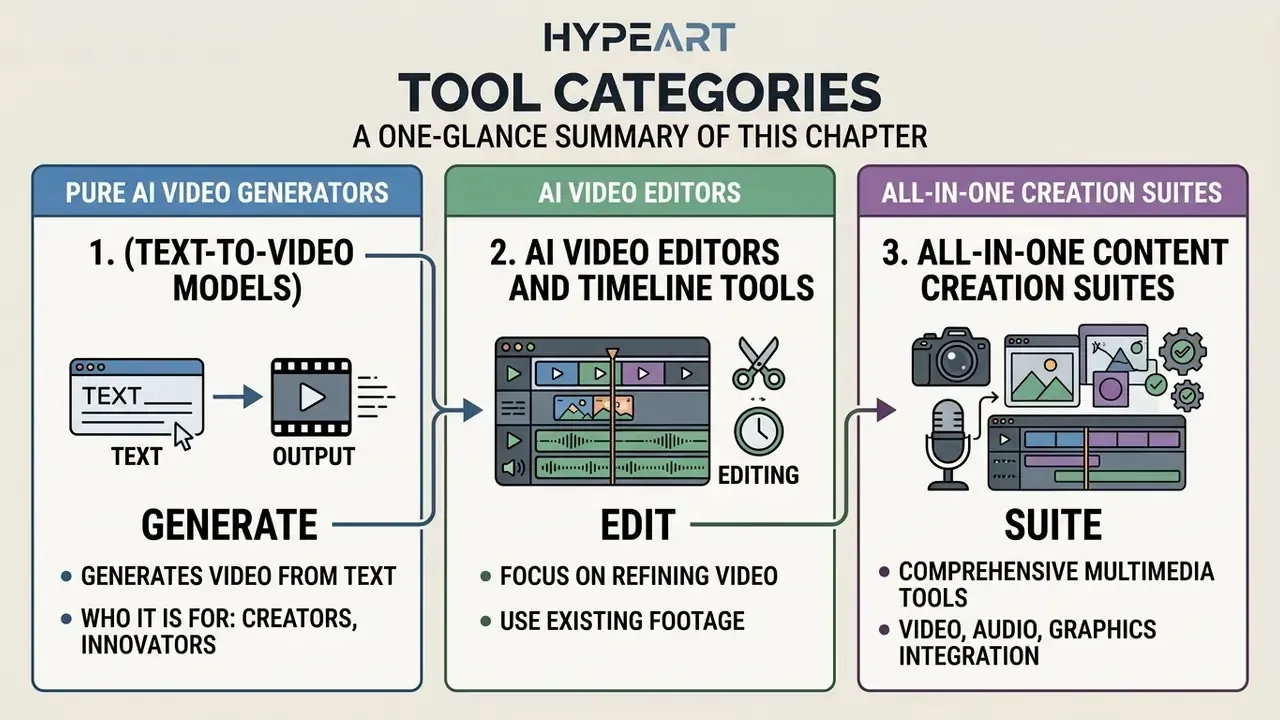
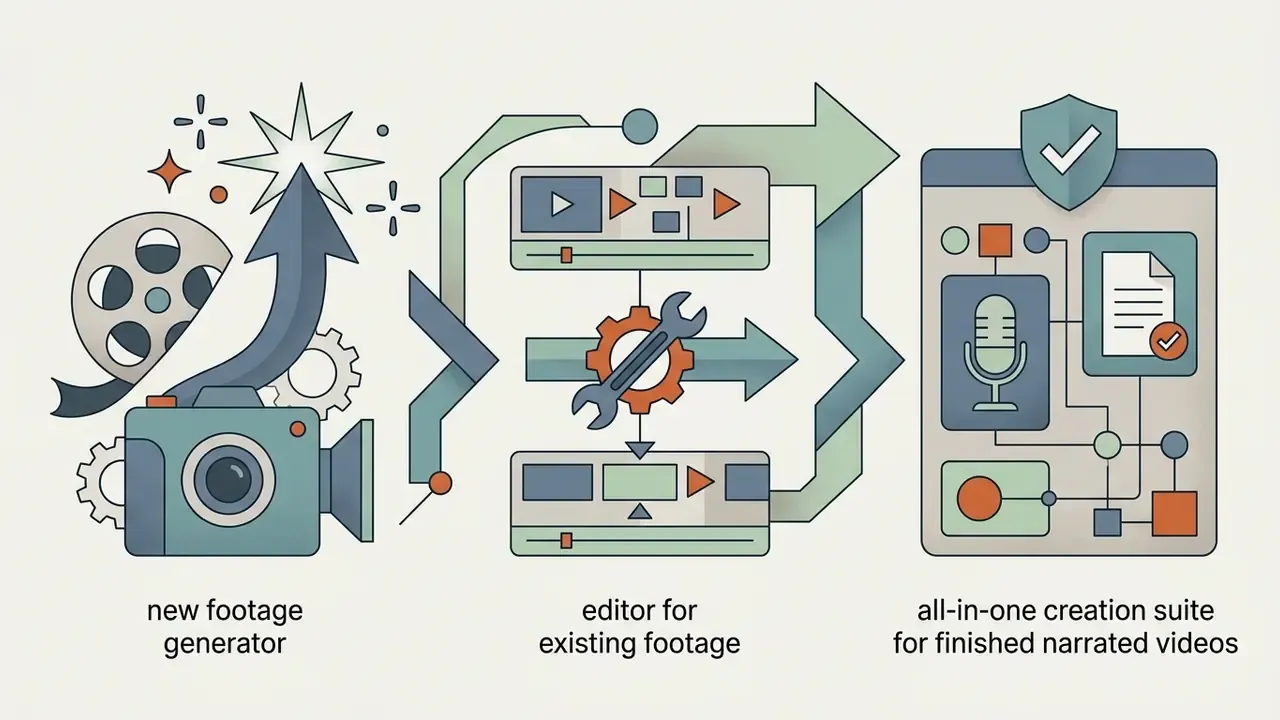
Buyers frequently compare products that solve different problems. Splitting the market into three functional layers prevents mismatched purchases: a generator will not cut your podcast, and an editor will not invent a shot that was never filmed.
1. Pure AI video generators (text-to-video models)
Who it is for: teams that need footage which does not exist. Representative tools: Google Veo 3.1, Runway Gen-4.5, Kling 3.0, Luma Dream Machine, Hailuo AI, Adobe Firefly Video. These platforms expose model-level parameters (resolution, duration, seed, camera path, reference frames) and bill per second or per credit. Output is short by design, roughly 4 to 10 seconds native, so production plans must budget for extension, stitching, and continuity passes.
2. AI video editors and timeline tools
Who it is for: teams that already have footage and need speed. Representative tools: Descript (edit video by editing the transcript), Adobe Premiere Pro with Generative Extend, Runway Aleph for prompt-based transformation of existing shots, plus repurposing tools that pull vertical clips out of long-form recordings. An ai video editor of this type solves object removal, background replacement, relighting, silence trimming, captioning and format conversion. Their risk profile is lower than a generator's, because the underlying footage is yours.
3. All-in-one content creation suites
Who it is for: marketing and enablement teams that need finished videos, not raw clips. Representative tools: InVideo AI (prompt to script to stock visuals to voiceover to subtitles), HeyGen and Synthesia (avatar presenters with lip-sync in 40+ languages), Fliki (text and document to narrated video). Suites bundle script generation, stock libraries, AI voices and templates. InVideo, for example, markets script generation across a 16-million-asset stock library plus voiceovers in 50+ languages, and now routes prompts to third-party models such as Veo. The trade-off is ceiling: suites rarely expose model-level camera or physics controls. Sound design has the same layered market, which is why a separate look at the best ai music generator 2025 releases and the current best ai music engines is worth a few minutes before you license stock audio.
A quick note on nomenclature, since "ai video generator app names" is one of the most common research queries we see. The short answer: Veo, Runway, Firefly, Kling, Luma, Hailuo, Pika and Vidu are models or model-led platforms; HeyGen, Synthesia, InVideo, Fliki, Revid and Descript are applications built on top of them. Your ai video maker app list should always note which layer you are buying, because support, pricing and data terms differ sharply between the two.
AI Video Generation Models Comparison: Veo, Runway, Firefly and More
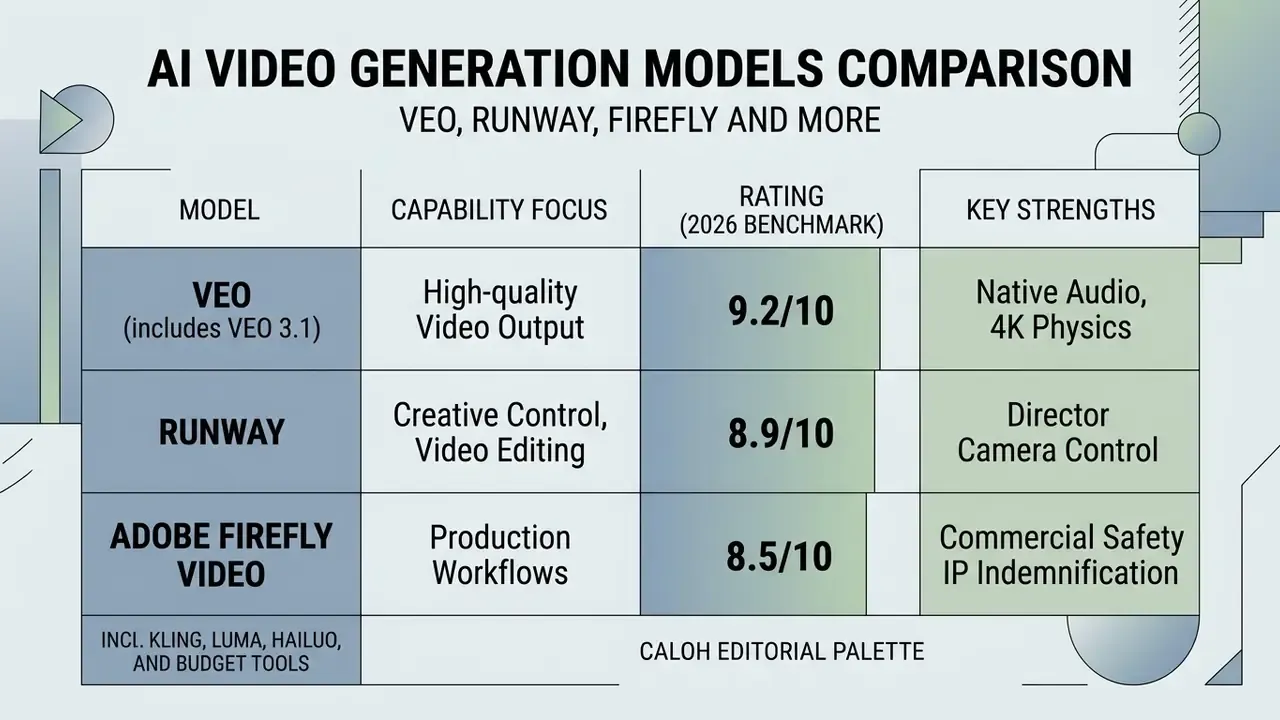
Leading AI models that generate video differ significantly in architecture, training-data composition, and technical capability. Comparing Google Veo, Runway, and Adobe Firefly exposes the real trade-off triangle: physical realism, interactive creative control, and enterprise commercial safety. Very few teams get all three.
Google Veo and Veo 3.1 for high-quality video output. Rating: 9.2/10, best for native audio and 4K physics
Google Veo 3.1 is engineered for enterprise video production, generating 4, 6, or 8-second clips at 720p, 1080p, and 4K resolution at 24 frames per second. The 1080p and 4K modes are limited to 8-second durations, while 720p supports all three lengths. A core capability is native synchronous audio generation, which produces contextual dialogue, sound effects, and ambient audio alongside the visual frames.
Accessible via Vertex AI and the Gemini API, Veo 3.1 supports prompt-controlled camera movement (POV, aerial, tracking drone, wide, close-up, low angle), first-and-last frame conditioning, video extension, reference images, and embedded C2PA Content Credentials. Google states the model is generally available for production on Vertex AI, with 4K listed as preview on some surfaces. Developers evaluating per-second economics can review the Google Veo API implementation guide for cost, quota and limit details.
Runway for creative control and video editing. Rating: 8.9/10, best for director camera control
Runway's ecosystem, spanning Gen-3 Alpha, Gen-4, Gen-4.5 and the Aleph editing model, emphasizes director-level control over motion staging and video transformation.
«Gen-3 Alpha was trained on large-scale multimodal infrastructure and generates 5-10 second clips at 720p with substantially improved motion fidelity and prompt adherence versus Gen-2.»
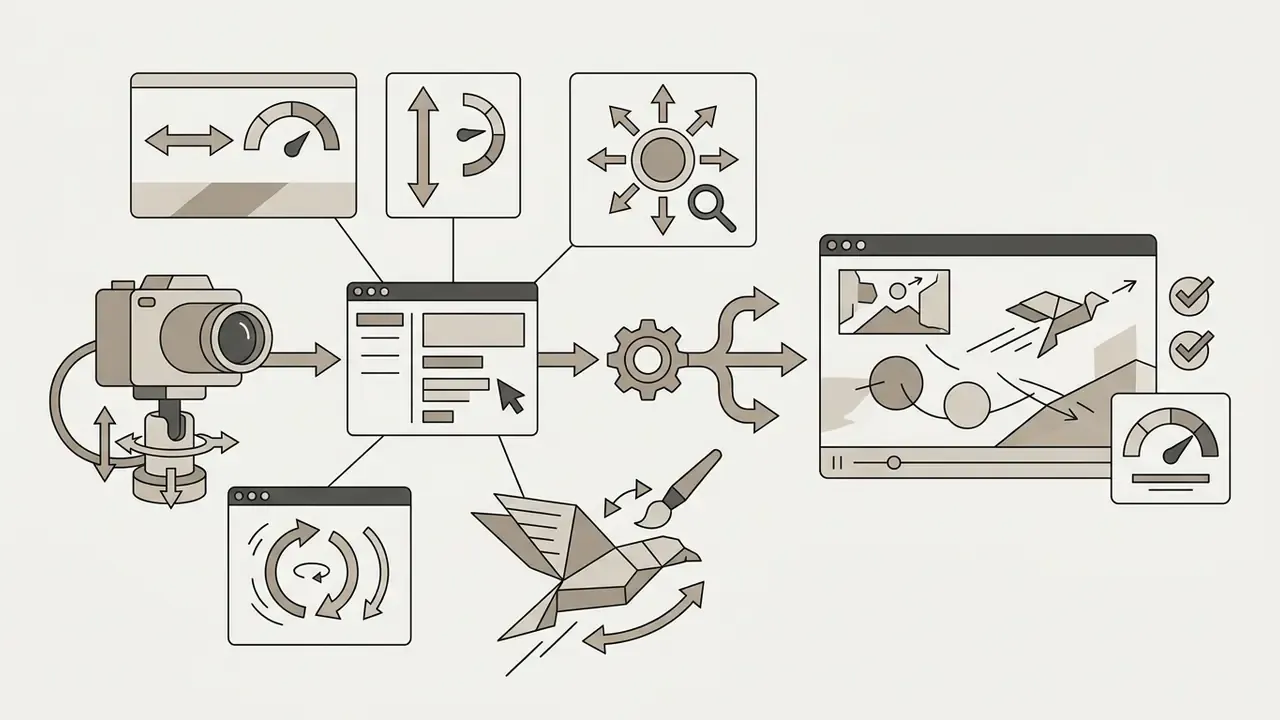
The platform provides interactive tools such as Motion Brush, which lets you paint up to five distinct motion regions with independent horizontal, vertical and proximity vectors, plus Advanced Camera Control with horizontal, vertical, pan, tilt, zoom and roll modes and a static-camera option with speed and intensity sliders. Runway Gen-2 and Gen-4 models also support video-to-video style transfer and natural language object replacement across existing footage, while Gen-4.5 accepts both images and text and understands film concepts such as timed beats and camera choreography. Note the feature lifecycle caveat: Runway's help center records that legacy Gen-3 Alpha Turbo camera control was retired in 2026 as models were deprecated, so pipeline documentation should always reference the active model version. Version pinning is not pedantry here; it is the difference between a reproducible render and an unexplained visual regression.
Adobe Firefly Video for production workflows. Rating: 8.5/10, best for commercial safety and IP indemnification
The Adobe Firefly Video Model is explicitly architected for commercial safety, trained on licensed content from Adobe Stock and public-domain media, and never on customer content. Integrated directly into Adobe Premiere Pro as Generative Extend, the model generates up to 2 seconds of additional video frames and 10 seconds of matching audio to cover timeline gaps and smooth transitions; generated frames are labeled and can be regenerated or reverted to the original media. The Firefly web platform adds resolution selection (540p to 1080p), style and camera-motion presets, and reference-video upload for composition and motion matching. Its main limitation is audio: Firefly does not natively synchronize generated sound to video, so SFX and dialogue still get added in post.
To verify cross-modal performance and licensing parameters before deploying commercial assets, production teams can browse the hub or review the Canva AI Generator commercial licensing overview for adjacent design workflows.
AI video model technical comparison matrix (2026)
| Feature / Parameter | Google Veo 3.1 | Runway Gen-4.5 / Aleph | Adobe Firefly Video Model | Luma Dream Machine | Kling 3.0 |
|---|---|---|---|---|---|
| Editor's rating | 9.2/10 | 8.9/10 | 8.5/10 | 8.1/10 | 8.4/10 |
| Maximum output resolution | 4K UHD (3840x2160) | 1080p Full HD | 1080p Full HD | 1080p Full HD | 1080p / 4K (vendor-stated) |
| Native clip duration | 4, 6 or 8 seconds (24 FPS) | 5 or 10 seconds plus extension | ~5 seconds plus Generative Extend (2s) | Short clips (5-10s typical) | Extended multi-shot sequences |
| Native audio generation | Yes (dialogue, SFX, ambient) | Lip-sync / audio overlay tools | Generative Extend audio (up to 10s) | No native synchronized audio | Limited, model-dependent |
| Primary control tools | First/last frame, prompt-based shots, reference images | Motion Brush, director camera controls, video-to-video | Generative Extend, style and camera presets, reference video | Prompt plus image conditioning, camera motion | Multi-scene continuity, physics-grounded motion |
| Commercial training guarantee | Google enterprise licensing terms | Runway Terms of Service | Licensed Adobe Stock and public domain; indemnification on eligible plans | Vendor ToS; verify per plan | Vendor ToS; verify per plan |
| Provenance / C2PA | Content Credentials embedded | Platform-level metadata | Content Credentials embedded | Not consistently documented | Not consistently documented |
| Data privacy and prompt retention | Enterprise Vertex AI terms; verify no-training and retention settings per project | Business/Enterprise terms define content use; verify opt-out | Adobe states it does not train on customer content | Consumer-tier terms; assume prompt retention unless stated otherwise | Consumer-tier terms; verify regional data handling |
| Integration points | Vertex AI, Gemini API, AI Studio, Workspace/Vids | Runway web platform, API, iOS | Premiere Pro, Firefly web app, Express | Web app, API | Web app, API, partner suites |
Data-privacy note: retention and training terms change frequently and differ between consumer and enterprise tiers. Before uploading confidential reference material, request written confirmation of zero-data-retention or no-training clauses from the vendor's enterprise team. A screenshot of a marketing page is not a contract.
Text-to-Video, Image-to-Video and AI Video Editing Workflows
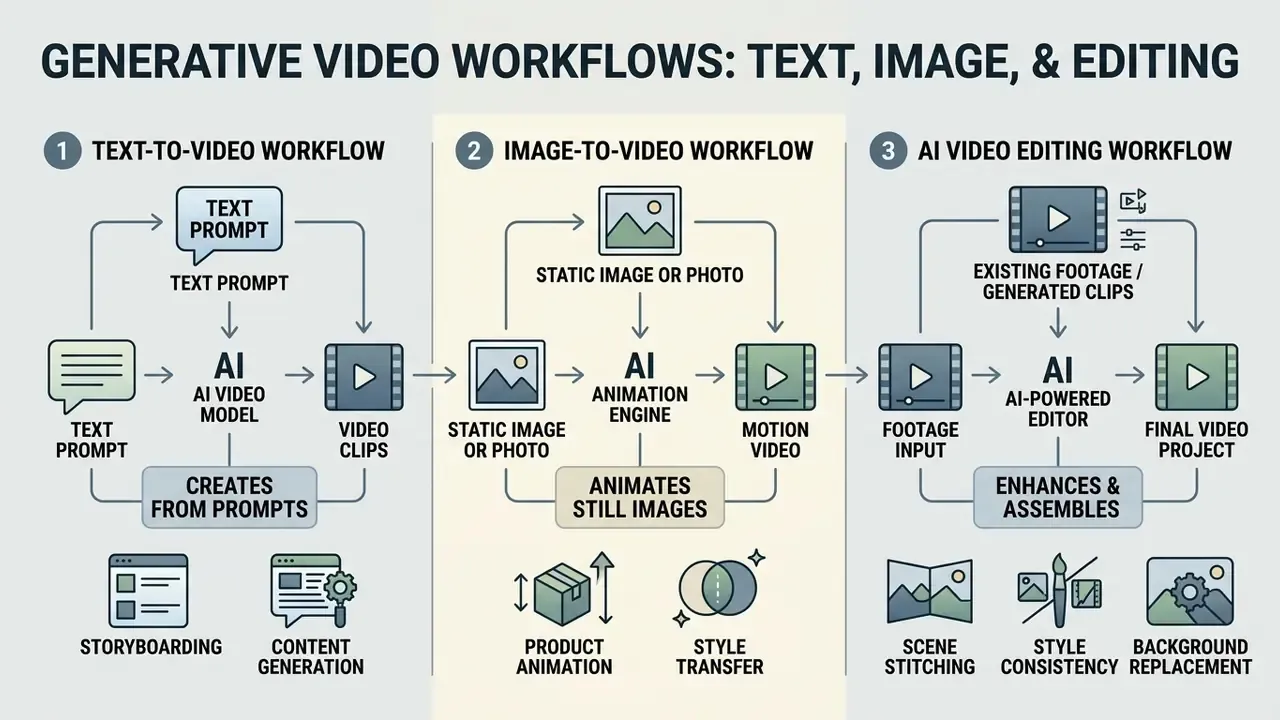
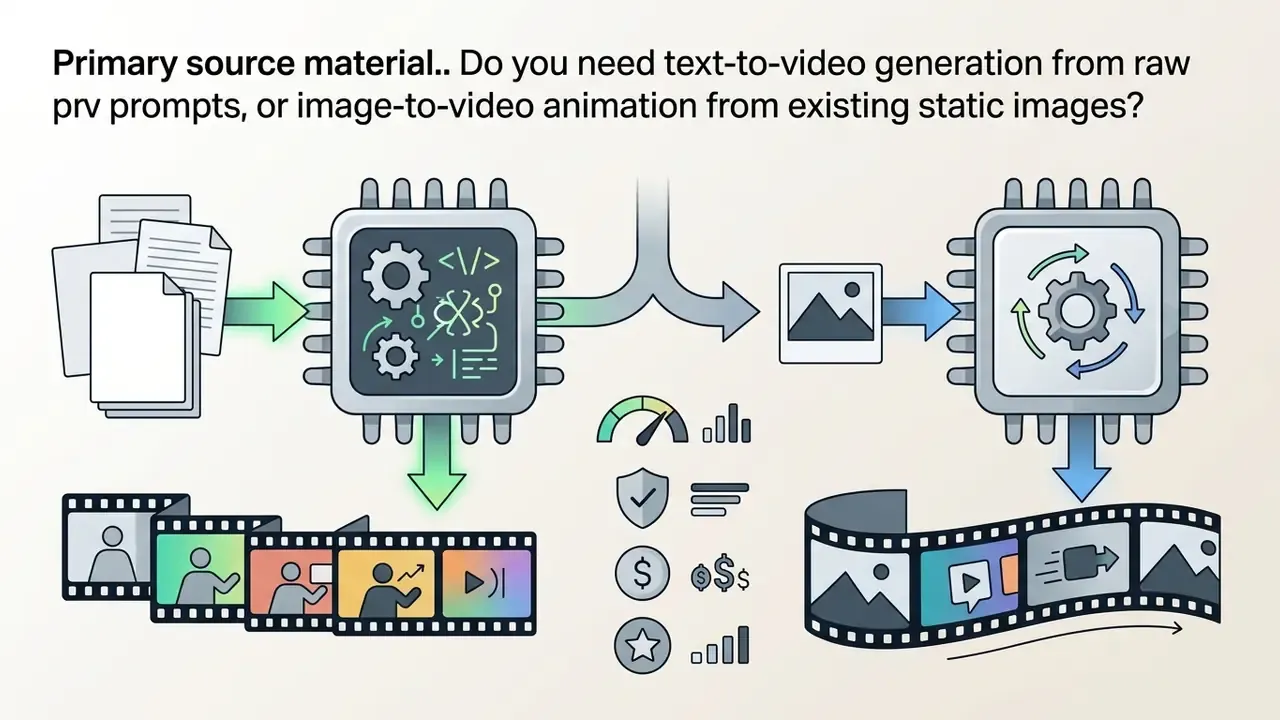
Generative video workflows are defined by their input modality: text prompts, static images, or existing footage. Each solves a specific creative problem and imposes its own constraints.
Text-to-video tools for generating videos from prompts
Text-to-video tools synthesize complete motion clips from written descriptions. Temporal stability and detailed scene rendering depend on structuring prompts with explicit subject description, environment lighting, camera perspective, and motion velocity. Evaluation data from T2V-CompBench shows that advanced models handle multi-attribute binding reasonably well, for example colour, texture and spatial placement together, while complex causal chains remain hard for every platform on the market.
«Current text-to-video models score below 0.70 on world knowledge overall, with the weakest results in the causality category.»
Practical consequence: split causal narratives ("the glass falls, then shatters, then the water spreads") into separate shots rather than demanding one continuous generation. You will spend fewer credits and get a cleaner cut. This is also where any ai text to video tools comparison should stop at raw fidelity and start measuring retries per usable clip.
Image-to-video software for animating images and product photos
Image-to-video software takes a static reference image, such as a portrait, concept illustration, or product photo, and applies motion dynamics guided by text prompts. To preserve source fidelity, operators must supply uncompressed, high-resolution imagery. Forensic and archival guidance (ENFSI, U.S. National Archives) converges on keeping read-only lossless masters and working 1:1 copies with hash verification, which is exactly the discipline needed to avoid recompression artifacts before generation. Research using AIGCBench metrics confirms that models employing first-frame MSE loss and temporal CLIP tracking preserve character features and product boundaries more effectively than standard text-to-video generation, since AIGCBench measures control-signal consistency and temporal consistency across 11 metrics in four dimensions.
AI video editors for refining generated and existing footage
AI Video Generator Pricing List: Free Plans, Credits and Paid Plans
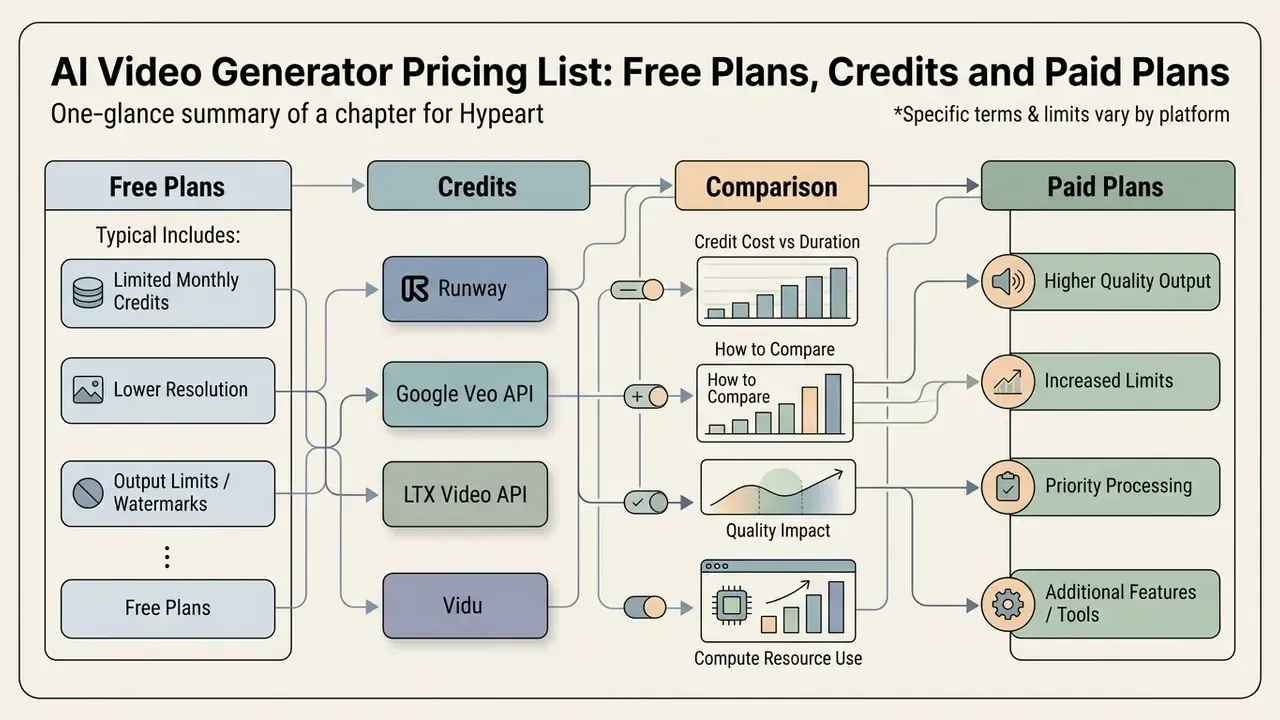
Commercial AI video generators use several pricing structures at once: credit-based monthly subscriptions, daily free quotas, and pay-as-you-go API consumption. Assessing cost efficiency means normalizing everything to cost per second of rendered output. Readers arriving from queries like "ai video generation tools pricing comparison 2025" should note that several vendors repriced again in 2026, so any list older than a quarter is a historical artifact.
What a free AI video generator plan includes
A free ai video generator plan usually provides non-replenishing or low-volume daily credit allotments intended for evaluation. Free tiers impose technical restrictions: watermarked exports, capped resolution (480p or 720p), short clip lengths (3 to 5 seconds), and lower queue priority. Runway offers 125 one-time credits on its free plan, Kling AI provides daily generation quotas subject to watermarks, Pika's free tier allots roughly 80 credits per month at 480p, and HeyGen's trial starts from a single starter credit with watermarked 720p output. Per-platform limits are tracked in our comparison of free AI video generator plans.
Free tiers also carry a distinct safety profile, because guardrail strength varies by model and by tier:
«T2VSafetyBench found no model outperforms others across all safety aspects, and a trade-off exists between usability and safety.»
How paid plans affect video quality and output limits
Paid tiers unlock full commercial usage rights, priority queues, higher rendering resolutions (1080p and 4K), and advanced controls such as Motion Brush and camera tools. Premium subscriptions also remove watermarks, raise concurrent generation limits, and in several products enable private generation, so outputs never land in a public gallery. That last point is a governance feature disguised as a convenience feature. Teams sourcing multi-modal assets can review AI Media Pricing Guides to compare subscription costs across image, video, and audio synthesis platforms, or start at the lower-cost end with free video editing options for post-processing.
How to compare credits across AI video tools
Comparing credit value means calculating credit consumption per second of finished output. Rates vary by model tier, resolution, and audio settings:
- Runway 5 credits per second for Gen-4 Video Turbo, 12 credits per second for standard Gen-4/4.5, 20 credits per second for Veo 3 without audio, and up to 40 credits per second for Veo 3 with native audio.
- Google Veo API billed at approximately $0.75 per second of generated video on Vertex AI.
- LTX Video API billed dynamically by output resolution, from $0.09 per second at 720x1280 to $0.19 at 1440x2560 and $0.30 per second at 4K.
- Vidu 9 to 24 credits per second on Q3-pro depending on resolution, 13 credits per second on Q3-turbo at 1080p, with documented off-peak discounts.
- Budget tier (Hailuo, Kling, Luma) effective cost per second is frequently zero on daily quotas, then scales through low-tier credit packs. Factor in watermark removal and commercial-rights gates when calculating true cost per publishable second.
Hidden infrastructure costs (API deployments): per-second model pricing is not total cost of ownership. API pipelines add object storage for masters and renders, egress charges, transcoding or upscaling compute, moderation passes, and retry cost on failed or rejected generations. A realistic enterprise model adds 15% to 30% on top of raw generation spend for storage, delivery and post-processing on GCP or AWS-class infrastructure. Verify against your own cloud billing data before locking a per-asset budget.
To compare full tool ecosystems, creators can explore the hub for structured breakdowns of video, graphic, and media platform plans.
AI video generator pricing and subscription comparison (2026)
| Platform / Tool | Free tier conditions | Paid subscription tiers | Credit system / API pricing | Export limits |
|---|---|---|---|---|
| Runway | 125 one-time credits; 720p; watermark | Standard ( | 5-12 credits/sec (Gen-4/4.5); 20-40 credits/sec (Veo 3) | Free: watermarked 720p; paid: 1080p / ProRes options |
| Google Veo (Vertex AI / Flow) | Limited daily credits via AI Studio and Gemini surfaces | Consumer AI plans from ~$4.99-$19.99/mo; Ultra tiers from ~$99.99/mo; enterprise Vertex AI consumption | ~$0.75 per second generated video (API) | Up to 4K; 4, 6 or 8-second clips at 24 FPS |
| Adobe Firefly Video | Limited daily generative credits, refreshed daily | Firefly Standard from ~$9.99/mo; Creative Cloud plans | Generative credits per generation; unused free credits expire monthly | 540p-1080p; commercially safe outputs on eligible plans |
| Kling AI | Daily check-in credits; watermark; ~720p | Scalable credit tiers | Credit deduction per generation, resolution-dependent | Free: watermarked 720p; paid: 1080p/4K unwatermarked |
| Luma Dream Machine | Free trial credits | Lite from ~$12/mo and higher tiers | Credit-per-generation model | Short clips; paid tiers raise resolution and remove watermark |
| HeyGen | 1 starter credit; 720p export; watermark; ~3 videos/mo on free access | Creator ( | Credit per video minute based on processing complexity | Free: watermarked 720p; paid: unwatermarked 1080p/4K |
| Fliki | 3 credits/mo; 5 minutes of content; watermarked | Standard ( | 180 minutes of content credits per month on Standard | Free: 720p with watermark; paid: 1080p commercial export |
| Media.io | 3 daily check-in credits; 1 active task; 720p | Monthly or annual paid subscription plans | Task-based credit deductions per execution | Free: watermarked 720p; paid: 1080p unwatermarked |
Commercial Safety, Copyright, and Content Provenance Risks
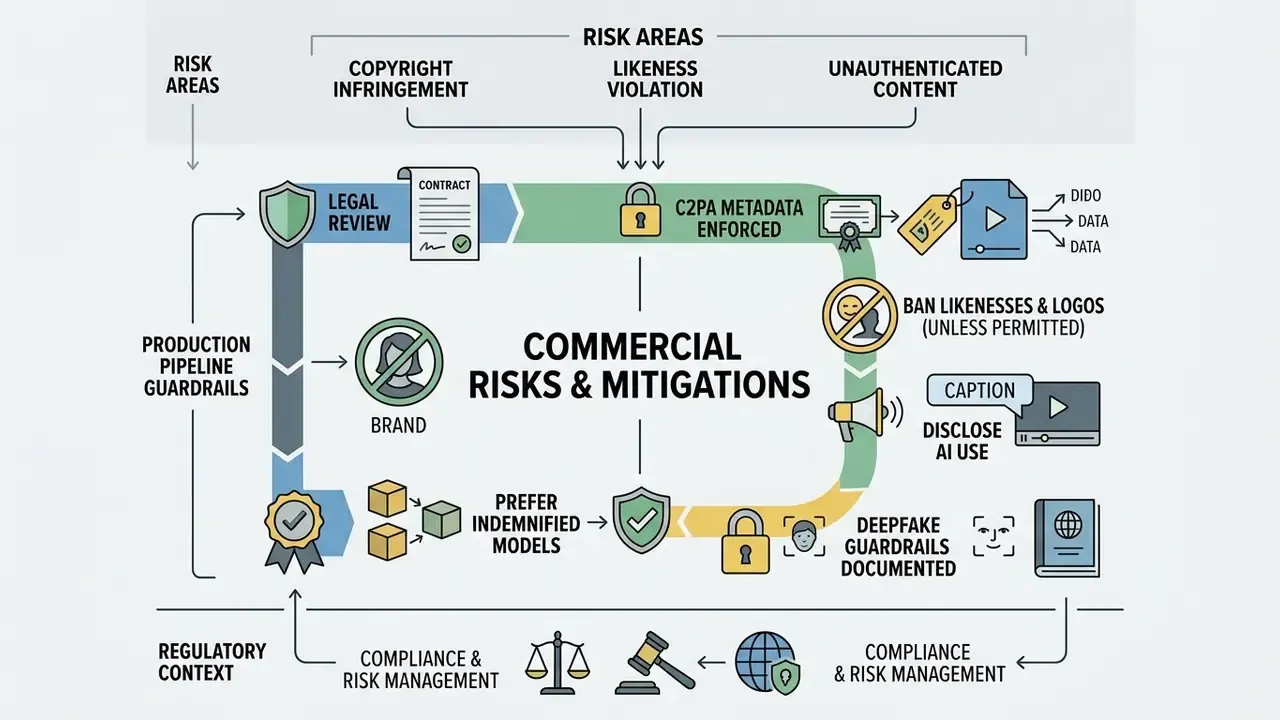
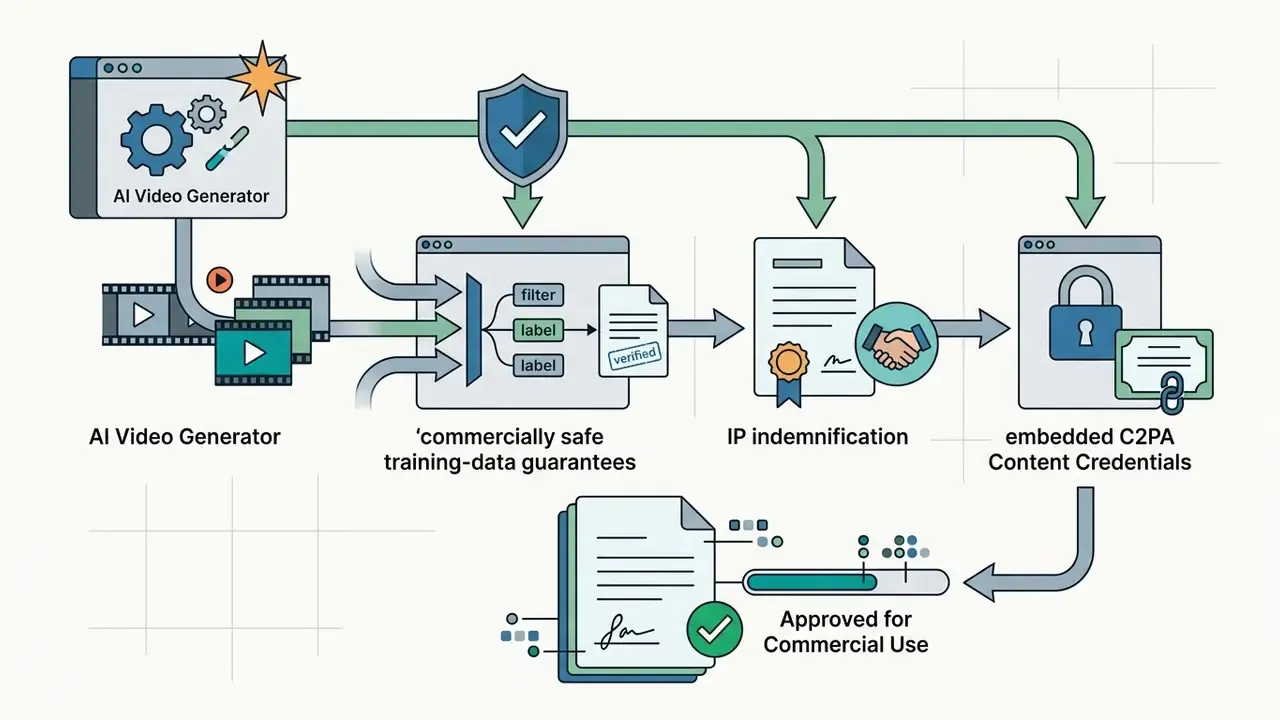
Deploying AI video commercially requires real discipline on training-dataset transparency and rights management. Adobe Firefly provides explicit IP indemnification on eligible plans, with outputs trained on licensed Adobe Stock and public-domain footage rather than scraped customer content. Conversely, uploading unlicensed reference images, using third-party brand marks, or reproducing another person's likeness creates copyright and publicity-rights exposure, plus platform-level demotion risk for low-quality mass-produced AI content, the thing everyone now calls "AI slop".
Practical mitigations that survive legal review:
- Enforce C2PA Content Credentials on every exported asset, so provenance metadata travels with the file through corporate workflows and partner handoffs.
- Ban third-party likeness and brand logos in prompts and reference uploads unless you hold written permission or a license.
- Disclose AI use in published captions and internal asset metadata. Regulatory frameworks increasingly require it, and a 2025 study found disclosure can improve, not harm, engagement intention when quality holds.
- Prefer indemnified models for paid media. Organic experiments tolerate more risk than a broadcast or paid-social campaign.
- Document deepfake guardrails. Verify that the platform blocks generation of public figures and executives, and log every rejected prompt for audit purposes.
Regulatory context matters here too. The EU AI Act's transparency annex requires documentation of modality, distribution, release date and training, testing and validation data, while the U.S. FCC has ruled that AI-generated human-like voices fall under existing "artificial or prerecorded voice" rules and require prior express consent in call scenarios. Microsoft's Azure text-to-speech transparency note additionally requires customers to disclose to users that voices are synthetic. Teams evaluating adjacent generative assets can cross-check terms in our reviews of commercial-use rights for Google AI image generation and Microsoft's image generator terms.
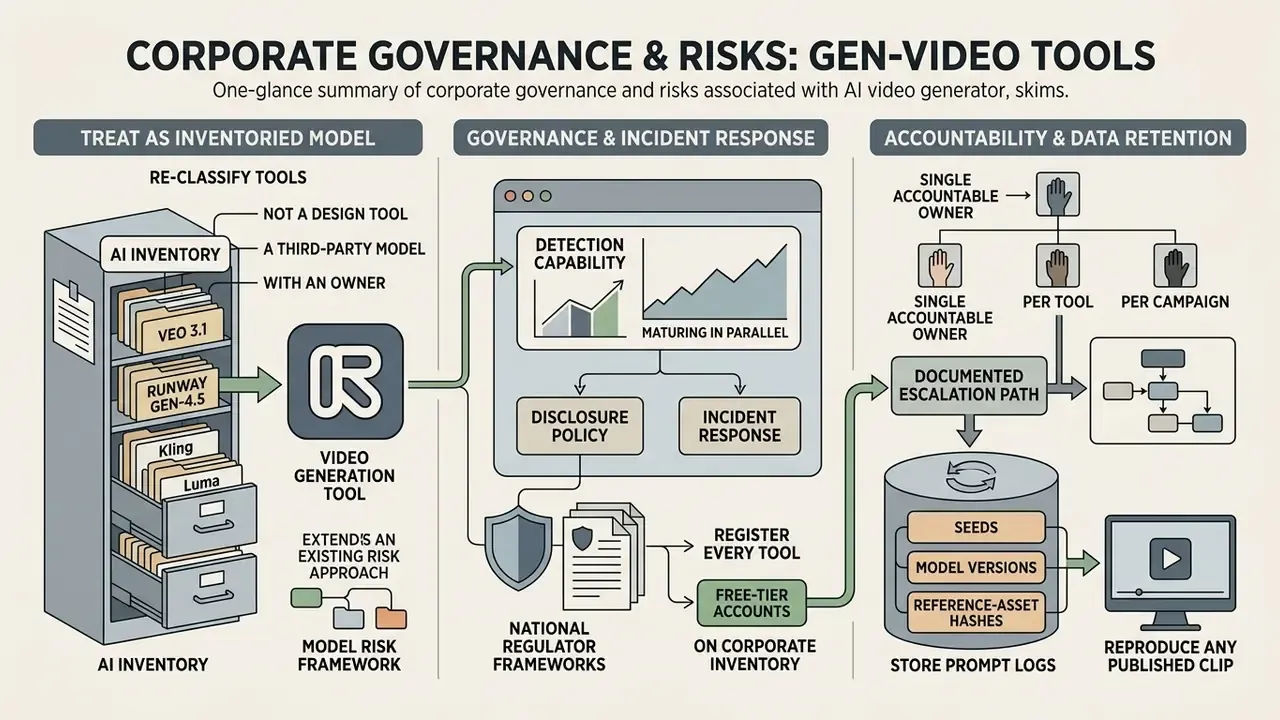
Corporate Governance, Data Retention and Shadow AI Risks
The fastest-growing risk in 2026 is not model quality. It is unmanaged adoption. When employees upload unreleased product renders, customer footage, or confidential slide decks into consumer video tools, the organization inherits third-party retention terms nobody reviewed.
A defensible governance baseline covers five controls:
- Zero data retention and no-training clauses.Confirm in writing whether prompts, reference images and outputs are retained, and whether they may be used for model improvement. Consumer tiers frequently permit retention; enterprise contracts frequently do not.
- Security certifications.Require SOC 2 Type II or ISO/IEC 27001 attestation, plus documented sub-processor lists and data-residency options for regulated jurisdictions.
- Brand-safety and deepfake filters.Validate that the vendor blocks generation of named executives and protected likenesses, and that abuse reports carry a defined SLA.
- Provenance enforcement.Make C2PA Content Credentials mandatory on export and preserve them through your DAM and CDN pipeline.
- An approved-tool register.Publish a short allow-list with the approved use case per tool. Shadow AI thrives wherever policy is silent.
Safety benchmarking gives these controls empirical grounding:
«T2VSafetyBench defines 12 critical safety aspects of video generation and shows that correlation between GPT-4 evaluations and manual review is generally high.»
Detection capability is maturing in parallel, which matters for both disclosure policy and incident response:
«A detector trained on Pika videos reaches 96.93% top-1 accuracy on the training subset and 95.14% on the test subset, per GenVidBench (6.78M videos).»
Governance frameworks published by national regulators reinforce the same structure. Singapore's Model AI Governance Framework for Generative AI requires disclosure of data used, evaluation results, safety measures, risks, limitations, intended use and user data protection. NIST's AI Risk Management Framework GenAI Profile calls for documenting system cards, model cards and validation information as transparency artifacts.
Treating generative video as an inventoried model, not a design tool
How to Choose the Right AI Video Generator for Your Workflow
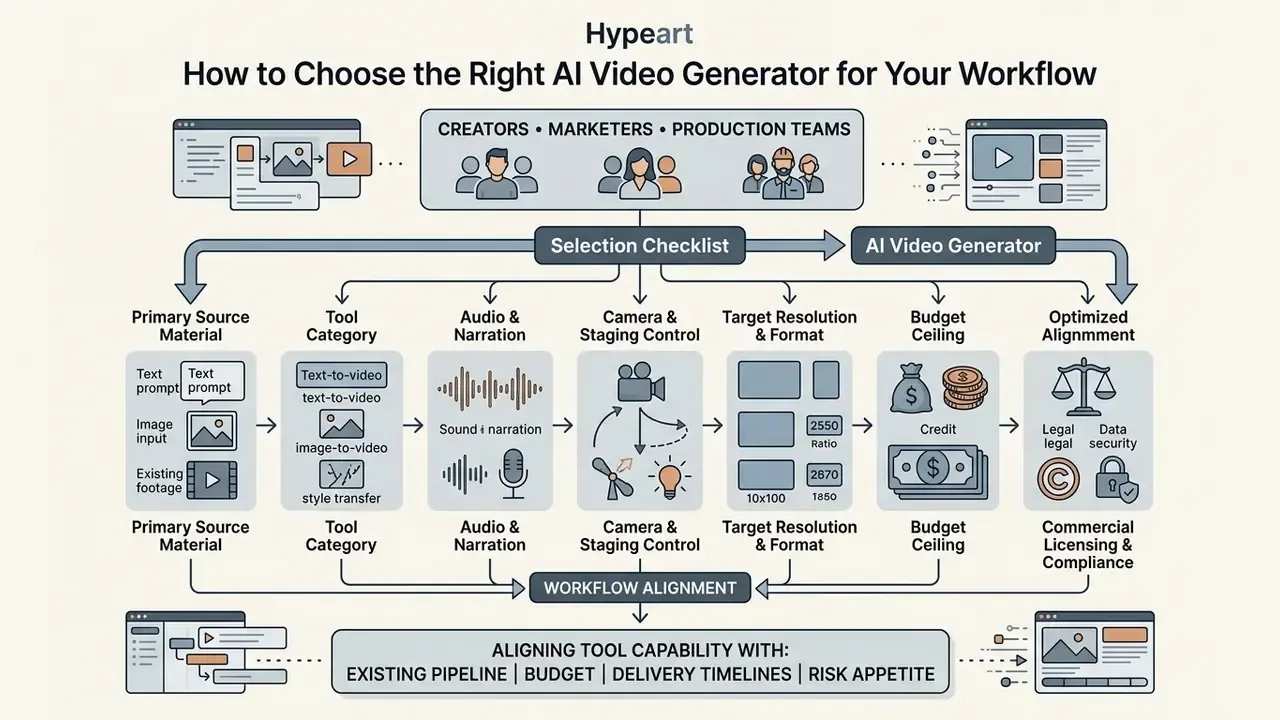
Choosing well means aligning tool capability with your existing editing pipeline, budget, delivery timelines, and risk appetite. Decision-makers should weigh learning curve, integrations, data-handling terms, and licensing before committing to an enterprise platform. Our overview of AI video generator fundamentals is a useful primer for stakeholders outside the production team.
Selection checklist for creators, marketers and video production teams
Production managers can evaluate tools on five axes: learning curve, creative control, total operational cost, pipeline integration, and compliance posture. A structured checklist matters because automated scores diverge from human perception:
«Traditional action-quality assessment methods reach a mean SRCC of only 0.454 on AI-generated video, indicating a significant gap between automatic metrics and human perception.»
AI video generator selection checklist (2026). Answer these operational questions to identify the right tool category for your requirements:
Score each item yes, partial, or no. Any "no" in items 7 through 9 should block enterprise rollout regardless of how good the footage looks.


Validation case: enterprise compliance audit
FAQ About AI Video Generators
Can AI video generators create videos with audio, voices and avatars?
Yes. Contemporary AI video generators increasingly integrate native audio generation, synthetic AI voiceovers, and lip-synced digital avatars. Google Veo 3.1 natively synthesizes contextual sound effects, ambient audio, and matching dialogue during visual rendering. Avatar platforms such as HeyGen and Synthesia generate photorealistic digital presenters with automated lip-sync driven by text scripts in over 40 languages, and standalone AI voice generators can supply narration for models that lack native audio. Voice cloning is regulated: the FCC has ruled that AI-generated human-like voices fall under existing artificial-voice rules requiring prior express consent, and major providers require disclosure that voices are synthetic.
What are the main AI video generator app names to shortlist in 2026?
Model-led platforms: Google Veo 3.1, Runway Gen-4.5 and Aleph, Adobe Firefly Video, Kling 3.0, Luma Dream Machine, Hailuo AI (MiniMax), Pika 2.2 and Vidu. Application-layer suites and editors: HeyGen, Synthesia, InVideo AI, Fliki, Revid, Descript, Media.io, MagicLight AI and Frameo.ai. Keep the two groups separate on your ai video maker app list, because the model layer determines quality and data terms while the app layer determines speed and templates.
Can AI-generated video be detected?
Increasingly, yes. Detection research trained on large multi-model corpora reports accuracy above 95% on held-out test splits for specific generators (GenVidBench, 6.78M videos), and provenance standards such as C2PA embed cryptographic credentials directly into exported files. Practical implication: assume undisclosed AI video can be identified, and disclose proactively.
What is the cheapest AI video generator in 2026?
For zero-cost experimentation, daily-quota platforms such as Kling AI, Hailuo AI (MiniMax) and Pika deliver the most generations per month, typically at 480p to 720p with watermarks. For paid but low-cost production, Luma Dream Machine's entry tier (~$12/mo) and low-tier credit packs on Hailuo give the lowest effective cost per publishable second. Full limits are tracked in our free AI video generator comparison.
Are free AI video generators safe for commercial work?
Not automatically. Free tiers often exclude commercial rights, apply watermarks, and may retain prompts and uploads for model improvement. Verify the commercial-use clause and retention policy for the exact tier you are using, and prefer indemnified models such as Adobe Firefly for paid media.
How long can AI-generated videos be?
Native clip lengths remain short. Veo 3.1 generates 4, 6 or 8-second clips, Runway Gen-4 produces 5 or 10-second outputs, and Firefly's Generative Extend adds up to 2 seconds of video per operation. Longer pieces are assembled from multiple generations plus extension and stitching, which is why multi-scene character consistency (Kling, Runway references) becomes a decisive procurement criterion for narrative work.
What are the main technical limitations that remain in 2026?
Long-range temporal consistency, complex multi-actor motion, and fine-grained controllability. VBench explicitly catalogues subject-identity inconsistency, temporal flickering, motion smoothness failures and spatial-relationship errors as core failure modes, and causality remains the weakest world-knowledge category across text-to-video models. Honest caveat: none of the public benchmarks predict brand-specific failure well, so run a pilot on your own assets before signing an annual contract.
Important usage warning: Quality standards, voice synthesis accuracy, dynamic pricing tariffs, and free plan terms vary across AI video generators and change frequently. Providers reserve the right to modify credit consumption rates, quality thresholds, model availability, and watermark policies. Vendor terms commonly state that prices and quality modes may change simply by publishing a new price list or updating the in-product interface. Verify current terms, dynamic token tariffs, retention policies, and commercial usage licenses directly on official vendor pages before commercial deployment.
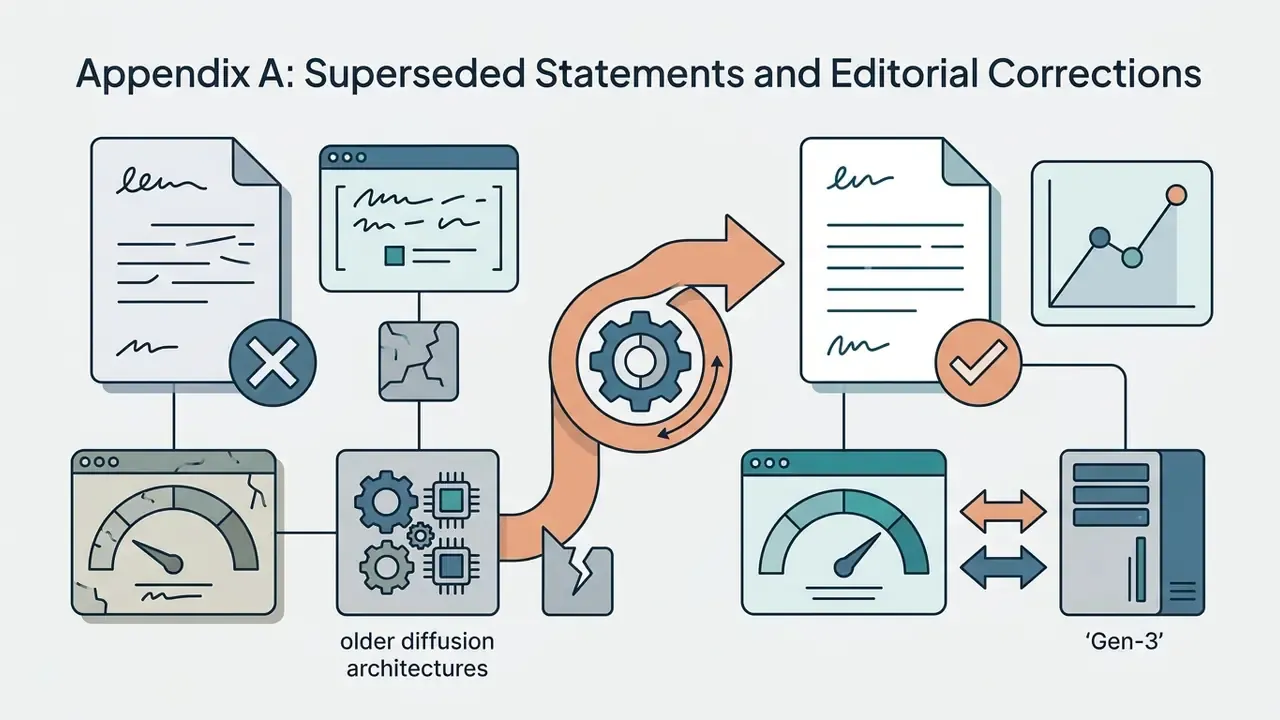
Appendix A: Superseded Statements and Editorial Corrections
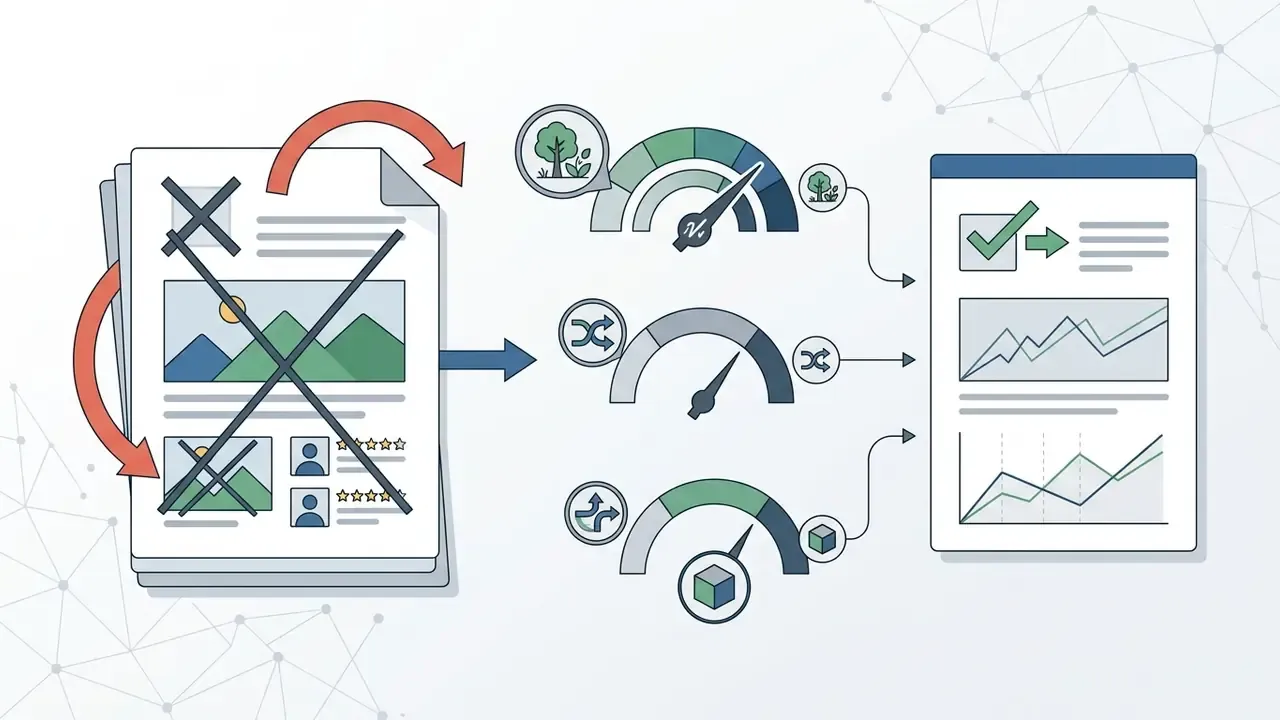
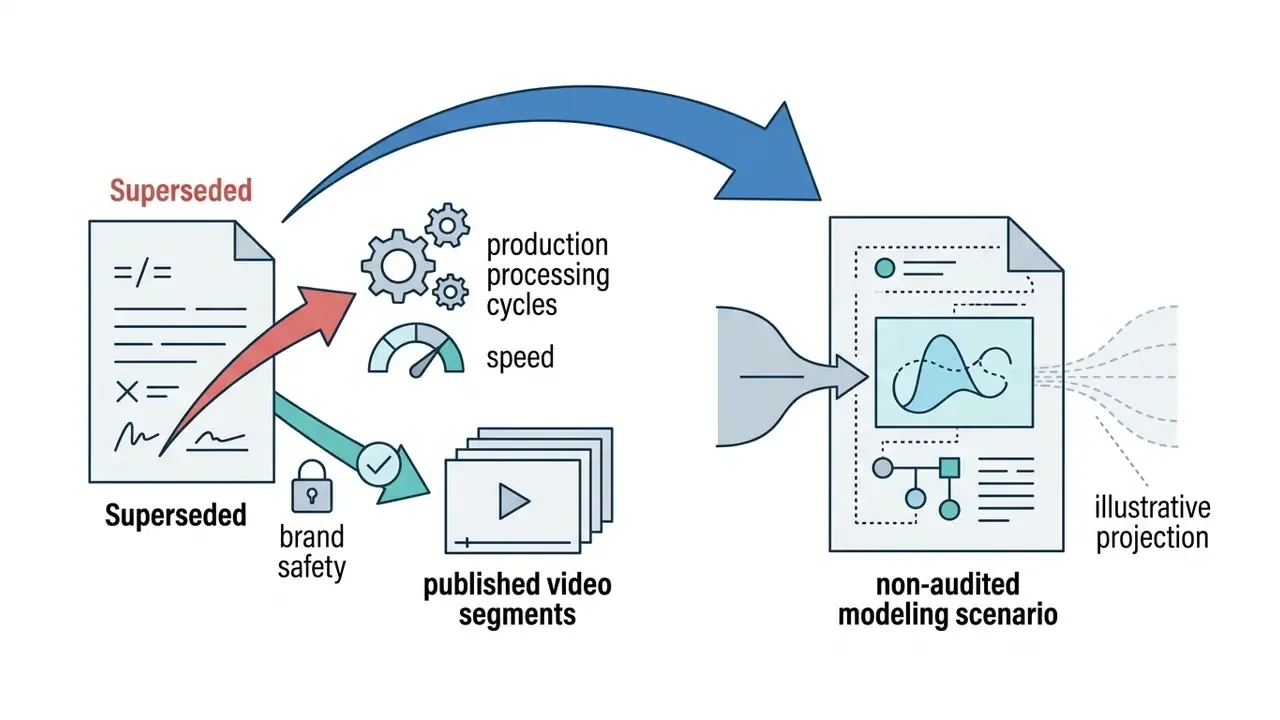
Retained for transparency and methodological continuity. These statements appeared in earlier versions of this guide and are no longer current guidance:
Update Log
Last updated: 2026. Benchmark data, pricing and availability verified against vendor documentation at the time of publication. Ratings reflect our own testing protocol and are editorially independent.