"In enterprise media workflows, scaling visual assets without auditability or quality controls introduces brand and compliance risk. The primary rule remains straightforward: no evidence, no autonomy."
Last updated: February 2026 · Technical review: Marcus Hale · Testing basis: hands-on evaluation of 11 upscaling platforms across portraits, product catalogs, archival scans, anime artwork, and print prepress files.
Executive Summary: What Matters Before You Choose
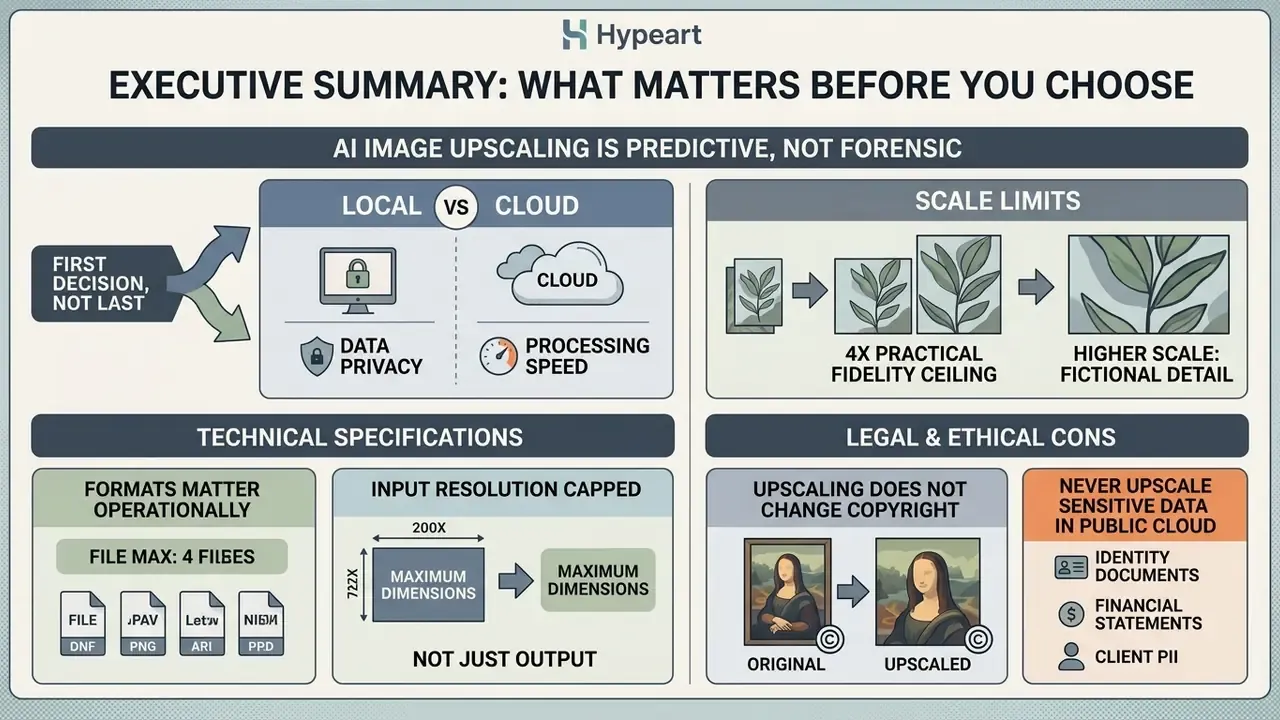
- AI image upscaling is predictive, not forensic. Super-resolution models infer plausible pixels from learned priors. They never recover sensor data that compression destroyed. Treat every output as an estimate requiring visual verification.
- Local vs cloud is the first decision, not the last. Desktop engines (Topaz Gigapixel AI, Upscayl, HitPaw offline mode) keep files on your hardware. Cloud APIs (Pixelbin, Upscale.media, Let's Enhance) deliver throughput but introduce data-transfer and retention questions.
- 4x is the practical fidelity ceiling. Academic benchmarks treat ×4 as the balance point between resolution gain and structural accuracy. 8x and 16x require heavy synthesis and suit only small-source-to-large-print jobs.
- Formats matter operationally. Production-grade upscalers accept JPG, PNG, WebP, AVIF, HEIC, and TIFF, and the best batch tools ingest folders or ZIP archives (commonly up to 50 assets per job).
- Input resolution is capped, not just output. Guest tiers often stop at 2,500 × 2,500 px, while enterprise accounts accept inputs up to 20,000 × 20,000 px.
- Upscaling does not change copyright. Rights in the enlarged file mirror rights in the source asset. Licensing risk sits with the input, not the algorithm.
- Never upscale identity documents, financial statements, or client PII in a public cloud tool without a signed data processing agreement. And never trust reconstructed digits or micro-typography without human verification.
How We Evaluated the Tools in This Guide
A quick word on method, because "best AI image upscaler" means nothing without a test protocol.
Each of the 11 platforms received the same five source sets: 40 portraits at 640 px on the short edge, 60 e-commerce product shots with visible logos and stitching, 30 archival scans with heavy JPEG blocking, 25 anime and vector-style illustrations, and 15 prepress files destined for 300 DPI output. Every asset was processed at 2x and 4x, then inspected at 100% zoom on a calibrated display.
Scoring covered five dimensions:
- Structural fidelity.Do straight lines stay straight? Does typography survive?
- Artifact behaviour.Halos, ringing, plastic skin, invented grain.
- Throughput.Time per image, batch ceiling, concurrency on API tiers.
- Data path.Where the file goes, how long it stays, who can train on it.
- Licensing clarity.Whether commercial rights are documented or merely implied.
Two caveats, stated up front. Published PSNR and SSIM figures come from cited third-party research, not from our workstations, so treat them as directional. And vendor terms change quickly. Verify before you sign anything.
What Is AI Image Upscaling and How Does It Work?
AI image upscaling is a deep learning process that reconstructs high-resolution images from low-resolution inputs by predicting missing pixels. Unlike static geometric scaling, it analyzes structural patterns using trained neural networks to synthesize realistic fine details.
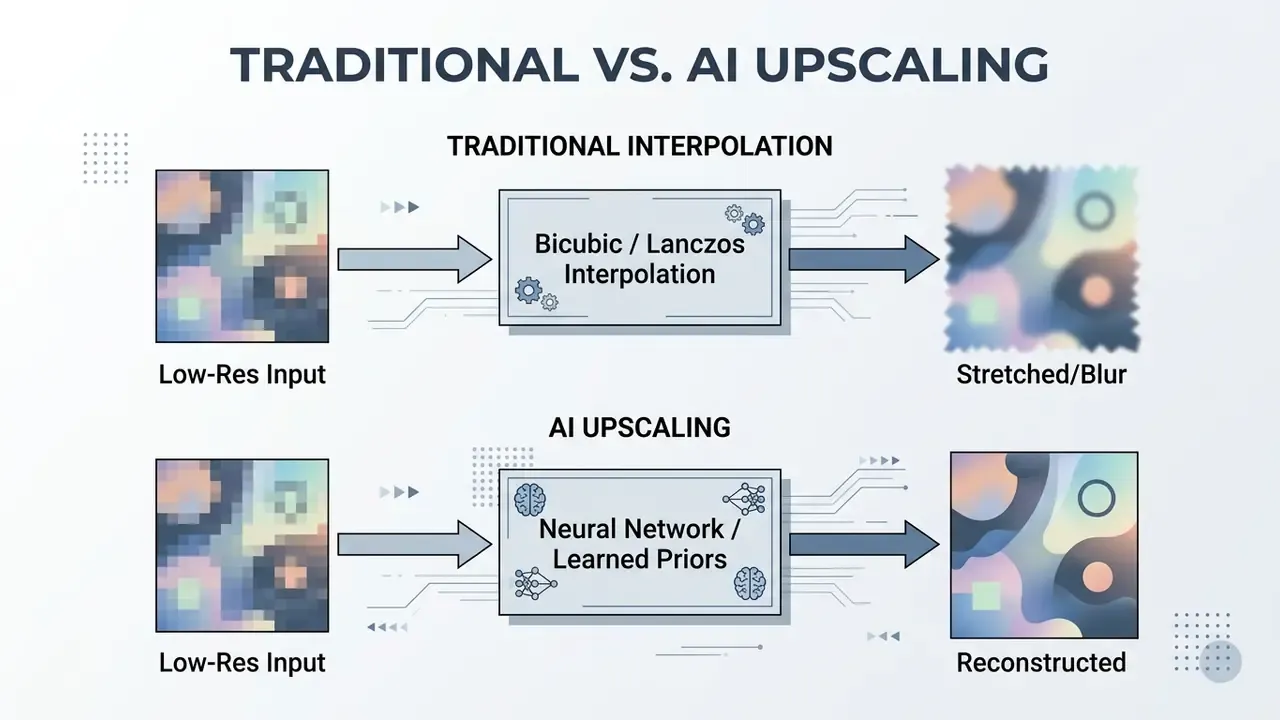
In academic literature, AI upscaling is formally categorized as single-image super-resolution (SISR). SISR models evaluate degraded input files to predict missing high-frequency spatial information. Traditional interpolation treats upscaling as a geometric pixel-stretching task. Modern artificial intelligence models analyze contextual features across surrounding pixels to generate new content.
"SISR models are trained on DIV2K and LSDIR, with low-resolution versions generated by bicubic downsampling at factor 4; entries must maintain at least 29 dB PSNR on DIV2K validation."
Neural upscaling models are trained on extensive datasets, such as DIV2K and LSDIR. During training, networks process paired low-resolution and high-resolution images. The system learns complex mappings from synthetic degradations (blur, sensor noise, JPEG artifacts) to clean target outputs. So when you use AI to upscale images, the software infers missing structural edges, text geometry, and natural surface textures.
Turnkey software and cloud services wrap these deep learning frameworks into practical workflows. Users upload an image in a standard format, select a target scale factor, and process files for web, e-commerce, or print deployment. Modern AI image upscaling services do not merely enlarge file dimensions. They apply probabilistic pattern analysis to reconstruct visual clarity that matches the statistical distribution of natural images.
Operationally, the market now splits into two technical buckets. Super-resolution engines prioritize reconstructing detail that is statistically implied by the source signal, which keeps fidelity high for documentation and catalog work. Generative refinement engines synthesize detail that was never present, which produces striking results for creative artwork but increases the risk of invented texture. Adobe's Lightroom Super Resolution, for example, doubles width and height for a 4× pixel increase, while newer generative enlargement modes deliberately reconstruct content the sensor never captured.
That distinction is the whole governance story in one sentence. One bucket estimates. The other invents.
How AI Reconstructs Missing Details Instead of Stretching Pixels
Neural networks reconstruct missing details by extracting deep feature maps from low-resolution inputs and mapping them against learned texture priors. Instead of duplicating adjacent pixel values, the network generates new pixels that fit recognized structural patterns.
Traditional scaling algorithms rely on fixed mathematical formulas. Bicubic and Lanczos interpolation average surrounding values, which acts as a low-pass filter that smooths noise but blurs sharp boundaries. Advanced AI models use feature modulation blocks, convolutional layers, or self-attention mechanisms to separate noise from true structural signal.
"Transformer models such as SwinIR reach roughly 35.34 dB PSNR and 0.943 SSIM, demonstrating superior high-frequency reconstruction under the FSDS metric."
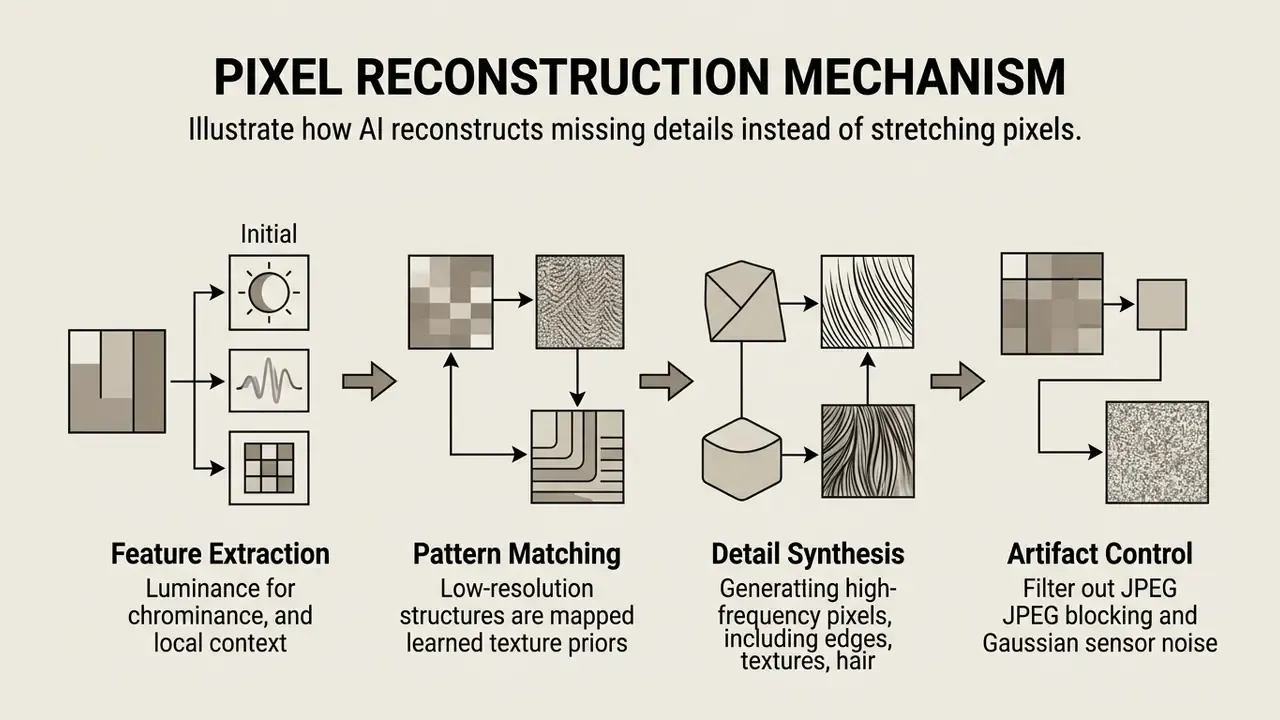
Modern architectures use specialized generative frameworks to execute detail reconstruction:
- Generative Adversarial Networks (GANs) GAN-based upscalers use a generator network to construct high-resolution estimates and a discriminator network to judge visual realism. This approach generates sharp textures, though it can introduce periodic grid artifacts if transposed convolutions are uncalibrated.
- Diffusion Models Denoising diffusion restoration models apply iterative denoising to reconstruct missing details from low-resolution inputs. Research indicates diffusion models excel at removing severe JPEG artifacts and motion blur without introducing artificial sharpening halos.
"Real-SRGD outperforms competitors on NIQE, CLIP-IQA and MUSIQ, scoring roughly 1751 Elo versus 1703 for reference images in user studies."
Denoising Diffusion Restoration Models also extend pretrained unconditional diffusion models to JPEG artifact correction, performing on par with methods trained specifically for JPEG restoration. That matters in practice because most legacy business assets (supplier photos, scanned catalogs, screenshots) arrive already compressed. Artifact suppression is often worth more than raw enlargement.
AI Upscaling vs Traditional Image Scaling
Traditional image scaling uses fixed interpolation formulas to stretch existing pixels, whereas AI super resolution uses trained neural models to infer missing high-frequency details. This structural difference determines whether an enlarged image retains visual sharpness or simply becomes a bigger blur.
Interpolation methods like bicubic (a 16-pixel neighborhood) and Lanczos (a 36-pixel neighborhood) perform predictable geometric calculations. They maintain overall color balance but cannot create new visual information. Enlarge an image fourfold via bicubic scaling and the mathematical averaging produces soft edges plus noticeable pixelation.
AI super-resolution models evaluate high-frequency image spectrums to predict structural boundaries. Benchmark evaluations on standard datasets show that deep learning models consistently achieve higher Peak Signal-to-Noise Ratio (PSNR) and Structural Similarity Index (SSIM) scores than traditional interpolation.
"All submitted methods outperformed Lanczos interpolation in PSNR when upscaling compressed AVIF images from 540p to 4K in real time."
| Scaling Method | Mathematical Principle | High-Frequency Detail Creation | Primary Visual Risk | Computational Overhead |
|---|---|---|---|---|
| Bicubic | 16-pixel local polynomial averaging | No (Low-pass filter) | Edge blur, soft textures | Extremely low |
| Lanczos | 36-pixel sinc windowed filtering | No (Edge preservation only) | Ringing halos, staircasing | Low |
| AI Super Resolution | Neural feature extraction & prior prediction | Yes (Predictive synthesis) | Hallucinated textures | High (Requires GPU) |
Teams building a full pre-processing chain usually combine upscaling with exposure, crop, and color correction stages available in mainstream online photo editors, because clean geometry and neutral white balance measurably improve super-resolution output. If your stack is entirely cost-free, the same corrections are available in tools we cover under best free photo editing software.
Fact Check: The Technical Limits of AI Reconstruction
Academically, super-resolution is an ill-posed inverse problem. Many high-resolution images could map to the same degraded input, so the model selects the most statistically likely candidate rather than the true one. Faces, small text, logos, and thin geometric edges fail first, precisely because they carry the highest information density per pixel.
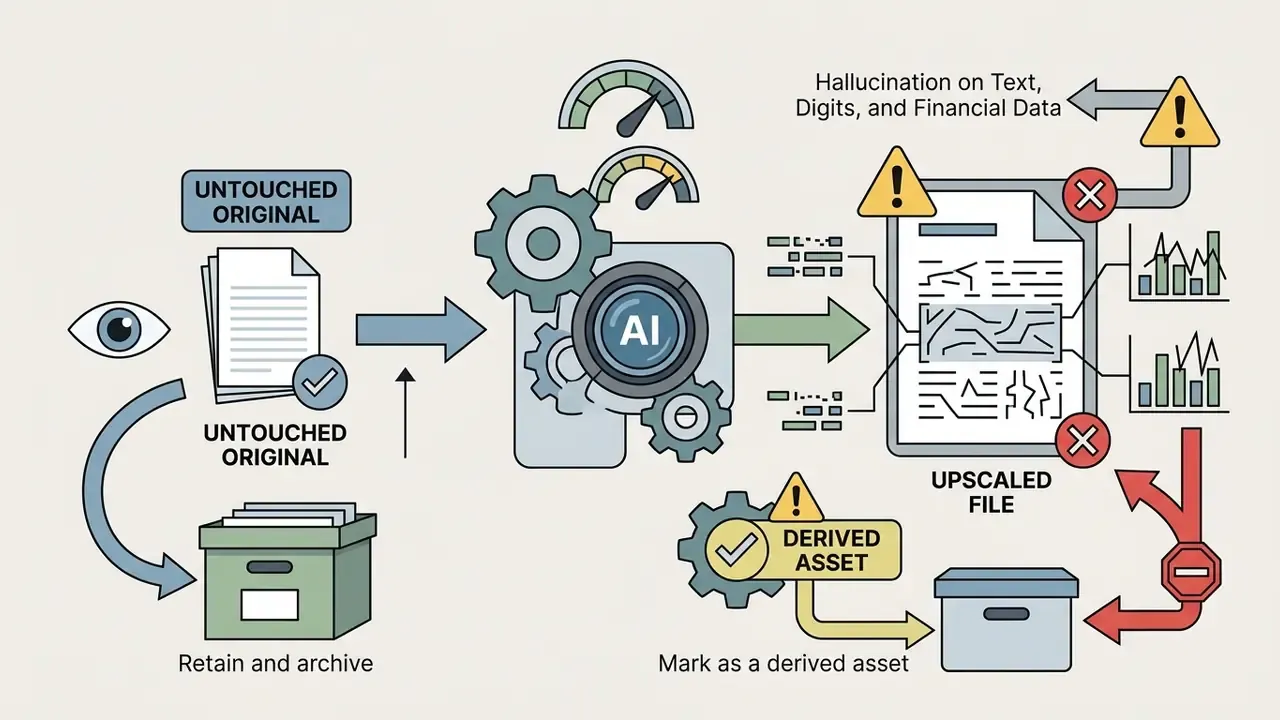
Risk Warning: Hallucination on Text, Digits, and Financial Data
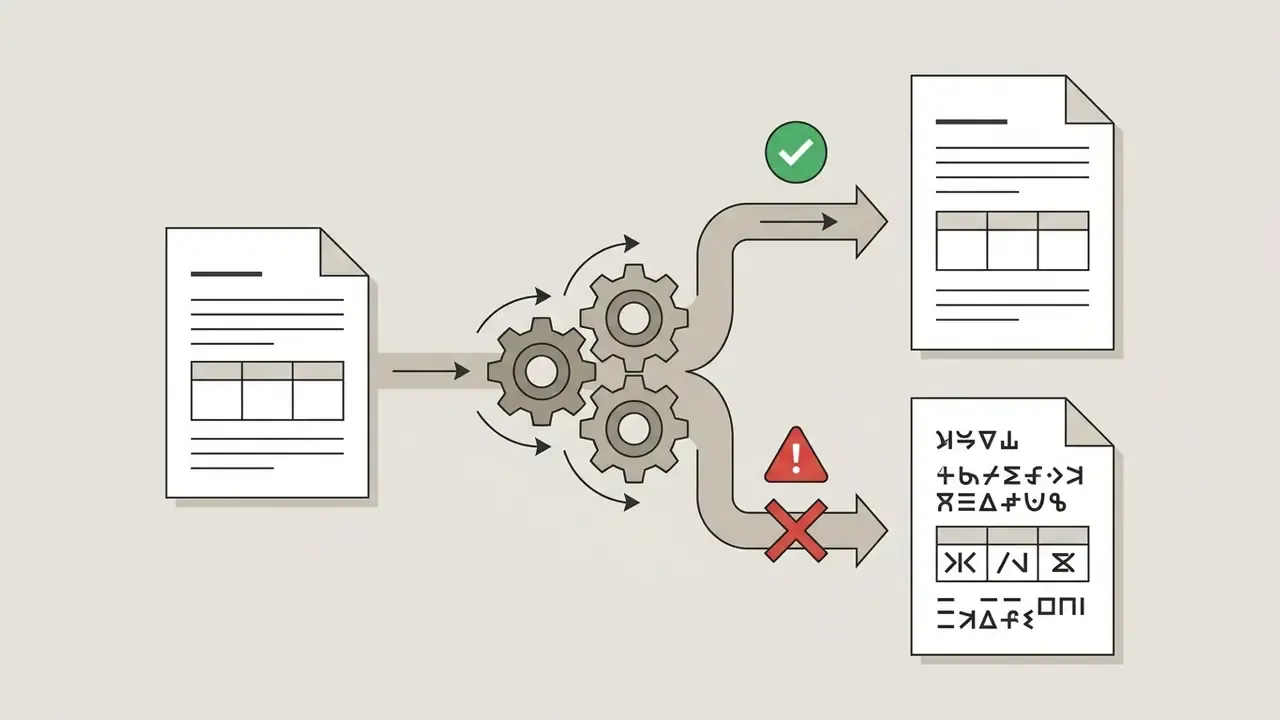
Upscaling documents is the single highest-risk application of this technology. When a model reconstructs a 6-pixel-tall digit, it is choosing between visually similar glyph hypotheses. An "8" can be rendered from a degraded "3", a "1" from a degraded "7", a decimal separator can vanish entirely. The same failure mode distorts IBANs, invoice totals, serial numbers, expiry dates, meter readings, and micro-print on identity documents.
Ask yourself one question before any document run: would you accept this output as evidence in front of an examiner?
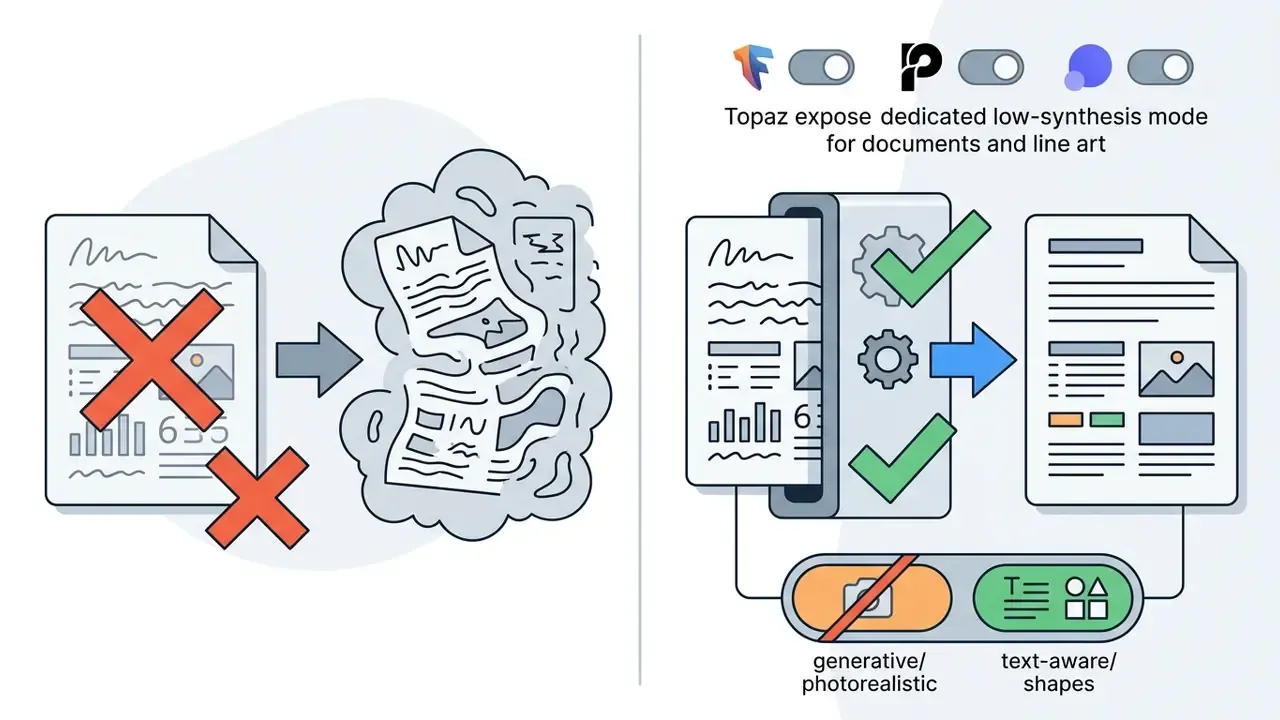
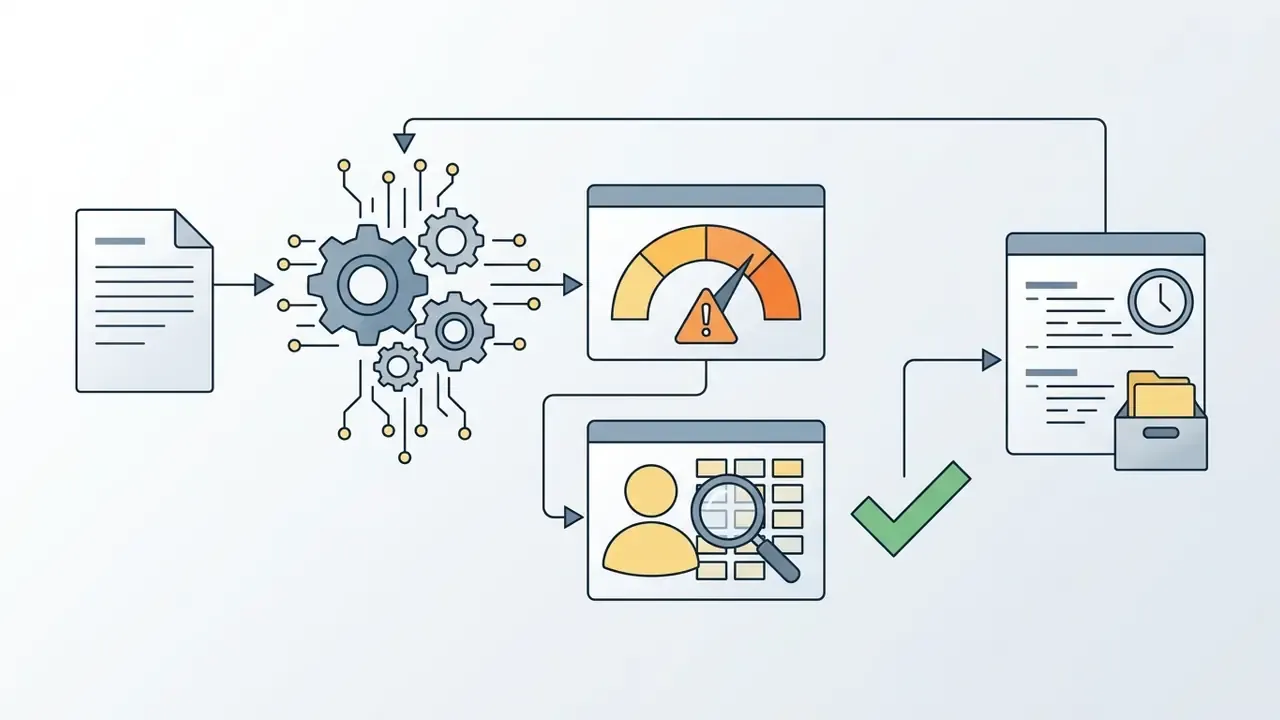
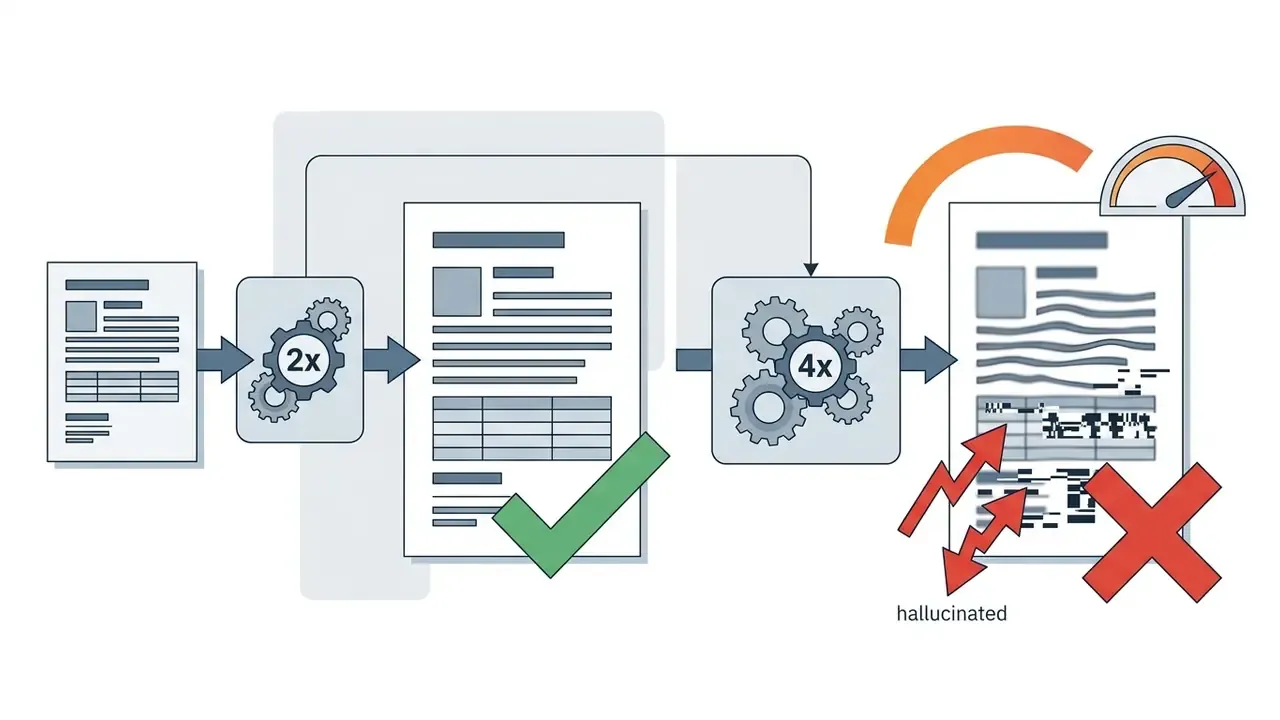
Controls for regulated environments:

Best AI Image Upscaler Tools Compared
Evaluating the best AI image upscaler software means comparing detail recovery, artifact suppression, batch processing support, privacy models, and commercial licensing terms. The table below outlines key capabilities across leading image upscaling tools.
| Tool / Platform | Primary Focus | Supported Formats | Scale Factors | Batch Processing | Free Access / Trial | Pricing Structure | Commercial License | Data Handling |
|---|---|---|---|---|---|---|---|---|
| Pixelbin | E-commerce & SaaS catalog integration | JPG, PNG, WebP | 2x, 4x, 8x | Yes (API & Bulk) | Free tier credits | Pay-as-you-go / Subscription | Business tier required | Cloud (SaaS processing) |
| Upscale.media | Automated online photo enhancement | JPG, PNG, WebP, HEIC | 2x, 4x, 8x | Yes (Paid tiers) | Free forever (2/mo) | Subscription / Annual | Terms restrict free tier | Cloud (7-day retention on free tier) |
| Topaz Gigapixel AI | High-fidelity desktop photography & print | JPG, PNG, TIFF | Up to 6x (custom, 16x max) | Yes (Local GPU) | Paid application | One-time purchase / Sub | Professional tier split | Local GPU (no upload) |
| Let's Enhance | Cloud-based creative art & print prep | JPG, PNG, WebP | 2x, 4x, 8x, 16x | Yes (Web queue) | 10 free credits | Subscription / Credits | Commercial on paid plans | Cloud (contractual terms) |
| Upscayl | Local open-source desktop processing | PNG, JPG, WebP | 2x, 4x | Yes (Local folder) | Free open-source | Completely free | Open source (GPLv3) | 100% local, zero transfer |
| Pixelcut | Mobile & web product image editing | JPG, PNG, HEIC | 2x, 4x | Yes (Pro plan) | Limited free trial | Subscription | Paid plan required | Cloud (mobile/web) |
| Photoroom | Product catalog creation & background edits | JPG, PNG, WebP | 2x, 4x | Yes (Batch Mode) | Free starter tier | Subscription | Business plan required | Cloud (API available) |
| Bigjpg | Anime artwork & digital illustration | JPG, PNG | 2x, 4x, 8x, 16x | Yes (Paid tier) | Free basic access | Monthly / Annual | Allowed on paid plans | Cloud queue |
| Leonardo AI | Generative AI art & creative asset scaling | JPG, PNG, WebP | 2x, 4x, 8x | Yes (API & UI) | Free daily tokens | Subscription / Tokens | Paid plan required | Cloud (token-metered) |
| HitPaw Photo Enhancer | Desktop/Cloud multi-model restoration | JPG, PNG, WebP, TIFF, BMP, JFIF | Up to 8K (200%/400%) | Yes (Local/Cloud) | Free trial (watermarked) | Subscription / Lifetime | Commercial tier required | Hybrid (local app or cloud) |
| AVCLabs Photo Enhancer | Deep noise reduction & portrait fix | JPG, PNG, RAW, HEIC | Up to 400% | Yes (Batch queue) | Free trial (capped) | Subscription / Lifetime | Paid plan required | Desktop-first processing |
HitPaw ships distinct model heads (General, Denoise, Colorize, Face), which lets operators route document scans away from photorealistic synthesis. AVCLabs focuses on aggressive noise reduction and portrait reconstruction, making it a fit for grainy archival negatives and low-light interiors. If you want to see how these upscalers sit alongside adjacent categories in the wider stack, browse the hub of head-to-head software comparisons.
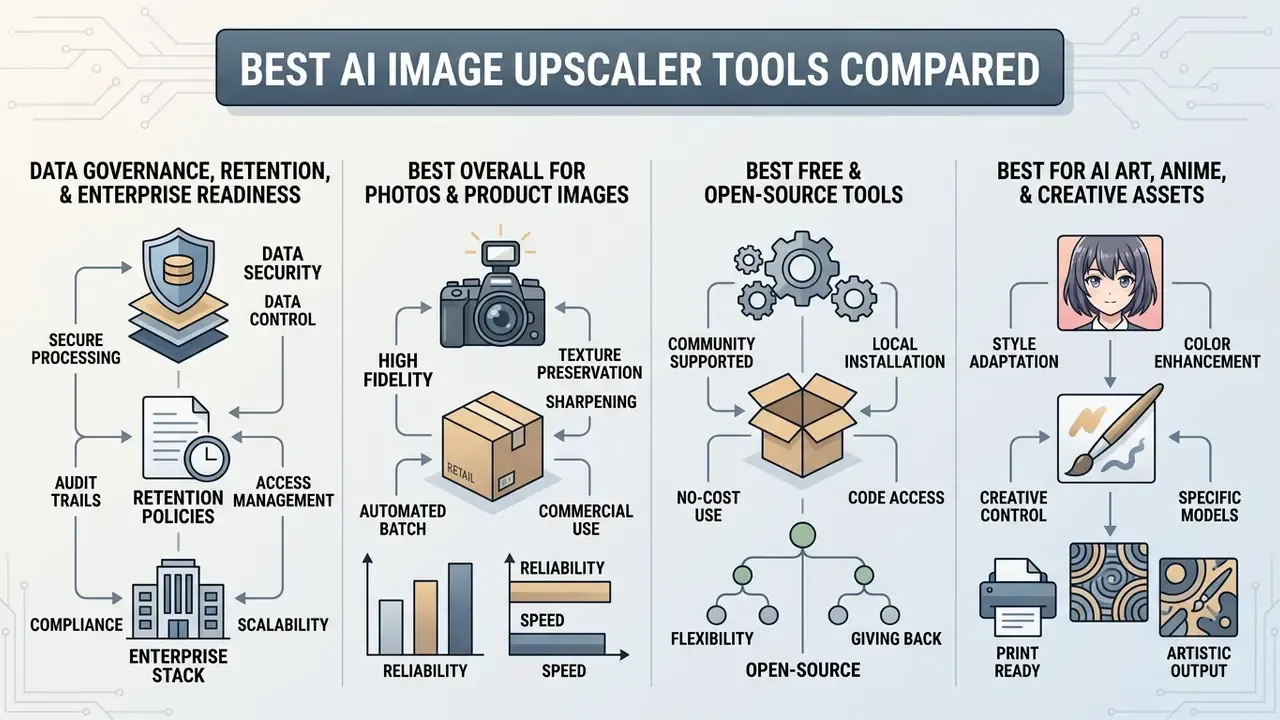
Data Governance, Retention, and Enterprise Readiness
For regulated industries, the model architecture matters less than the data path. The matrix below summarizes the governance questions procurement and model-risk teams should resolve before onboarding any upscaling vendor.
| Deployment Archetype | Typical Retention Window | Training on Customer Data | Audit & Compliance Posture | Recommended Use |
|---|---|---|---|---|
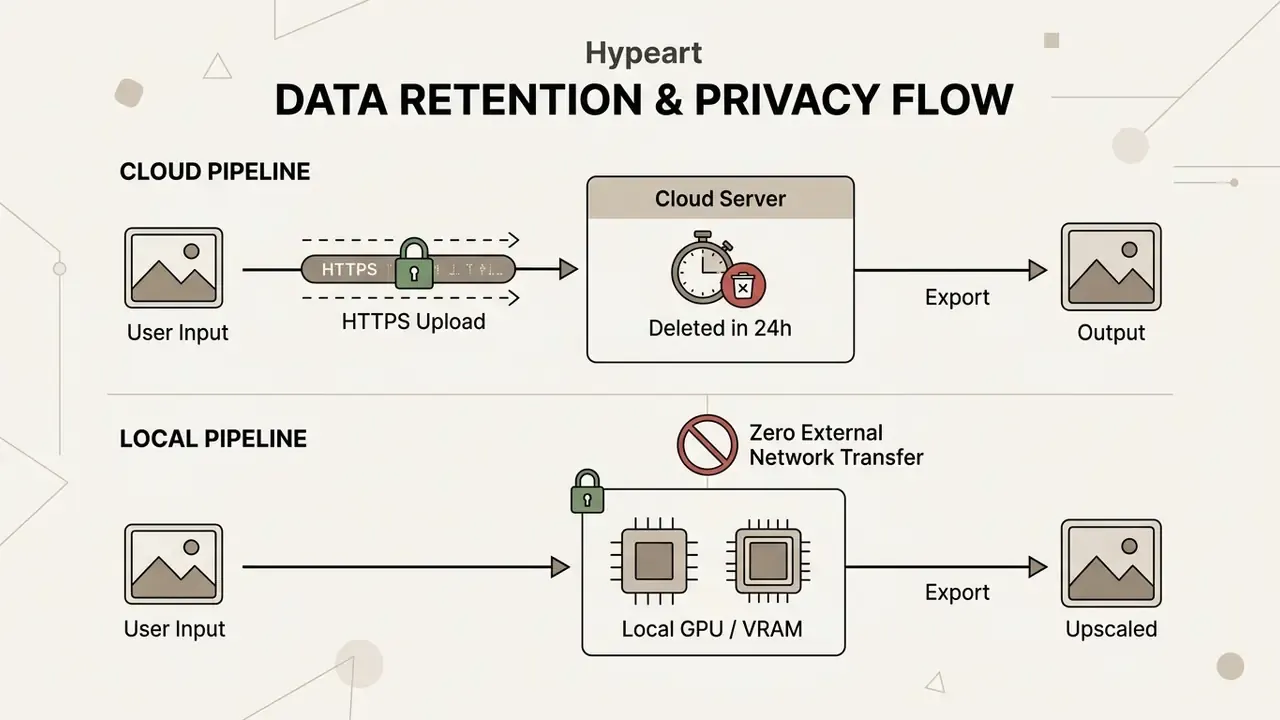
| Local desktop (Upscayl, Topaz, HitPaw offline) | None, files never leave the workstation | Not applicable | Fully auditable; artifacts stay inside the corporate perimeter | Confidential documents, PII, internal legal/financial imagery |
| Consumer cloud SaaS (free tiers) | 1 to 24 hours automated deletion; some free tiers retain 7 days | Often unspecified in free-tier terms | Weakest posture; usually no DPA on free plans | Public marketing assets only |
| Enterprise cloud / API (Pixelbin, Let's Enhance business tiers) | Configurable; zero-retention options on contract | Contractually excluded on enterprise agreements | DPA, SLA, rate limits, access logging | High-volume catalog and campaign production |
Best Overall AI Image Upscalers for Photos and Product Images
Topaz Gigapixel AI, Pixelbin, Upscale.media, and Let's Enhance represent the leading options for high-fidelity photo and product photo processing. Topaz Gigapixel AI runs as a desktop application, using local GPU hardware to process large image archives without cloud data transmission. Independent testing reports Gigapixel at 35 to 38 dB PSNR on portrait benchmarks, an accepted industry baseline for detail restoration.
"Topaz Gigapixel AI consistently scores 35–38 dB PSNR on portrait benchmarks at roughly 0.95 SSIM, an accepted industry baseline."
Hardware planning matters for local deployment. Topaz documents a minimum of 16 GB system RAM and 6 GB VRAM for standard models, 8 GB or more VRAM for generative models, and notes that generative modes are unsupported on integrated graphics. Very large outputs can demand substantially more system memory, which is why local pipelines should be benchmarked on the actual production workstation rather than a developer laptop. We learned that the hard way on a 2015 office desktop that simply refused to load the generative head.
Cloud platforms like Pixelbin and Upscale.media provide API-driven infrastructure for e-commerce catalog management. Pixelbin integrates bulk processing designed for high-volume store administration. Let's Enhance offers specialized processing modes, such as "Prime" for photorealistic portraits and "Gentle" for technical typography, supporting output targets up to 512 megapixels.
Licensing deserves as much scrutiny as image quality. Topaz permits limited commercial use under a Personal License only for organizations below roughly USD 1 million in annual revenue, with a Professional license required above that threshold. Upscale.media's marketing highlights professional use, yet its Terms of Use restrict the platform to personal, non-commercial use. Where marketing and legal terms diverge, the terms govern. Teams producing headshots at scale should also review the licensing model of dedicated AI headshot generators, since portrait rights and model releases add a second layer of obligation.
Before submitting images to automated upscaling pipelines, operators often perform baseline color and lighting corrections using a free photo editor to ensure clean input data. To model the cost side of a rollout across seats and monthly volume, view the guide to our media pipeline calculators.
Best Free and Open-Source Image Upscaling Tools
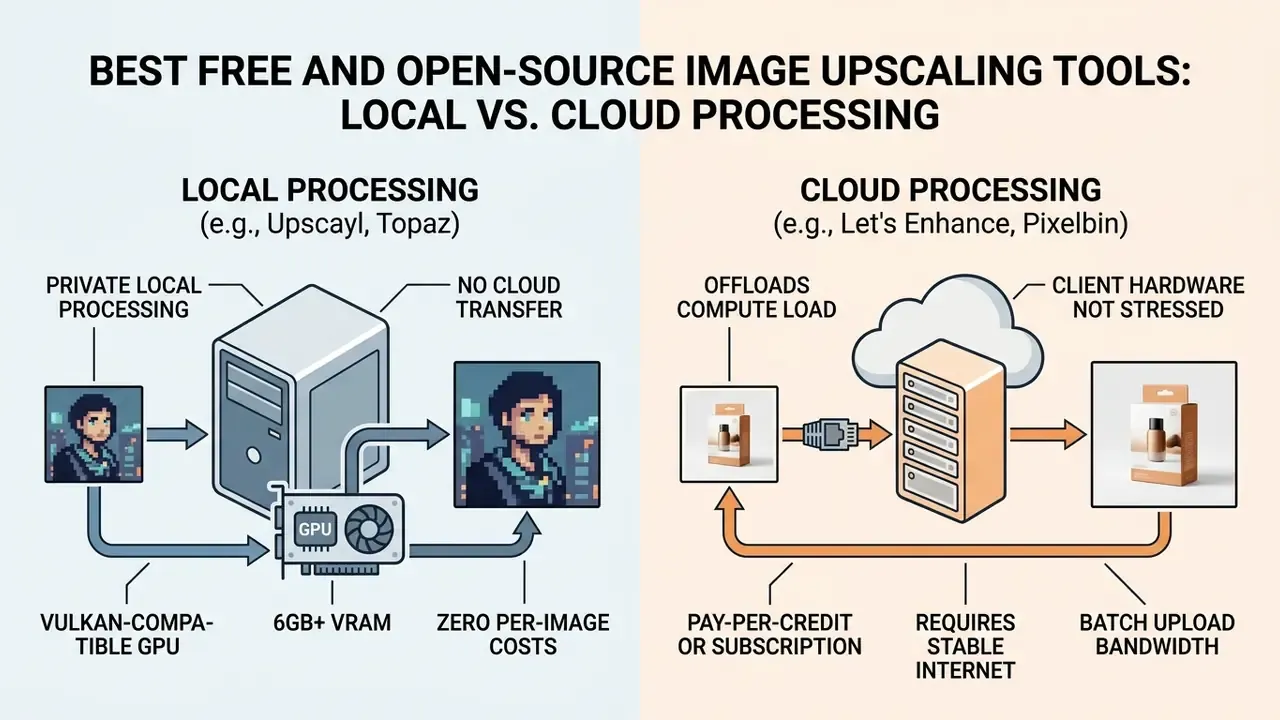
Upscayl is the leading open-source desktop AI image upscaler. It runs entirely on local hardware using Vulkan-compatible graphics processors, ensuring full data privacy by avoiding cloud file transfers. Upscayl places no watermarks on output files and supports custom local AI model imports.
Best AI Upscalers for AI Art, Anime, and Creative Assets
Bigjpg, Leonardo Pro Upscaler, and Krea specialize in scaling non-photorealistic visual assets, including digital art, vector illustrations, and anime imagery. Standard photorealistic upscaling models often introduce unwanted noise or unnatural textures when applied to flat graphics. Specialized engines preserve sharp linework, flat color gradients, and vector boundaries.
Bigjpg uses neural networks optimized for line art and anime graphics, supporting 4x, 8x, and 16x enlargement while suppressing ringing artifacts along high-contrast edges. Leonardo Pro Upscaler and Krea integrate generative refinement algorithms, letting creators scale digital artwork up to 105 megapixels while controlling detail denoise thresholds. Krea exposes 1x, 2x, 4x, 8x, and 16x levels and separates pure enlargement from additional denoise and cleanup passes, which is the correct division of labor for stylized art.
"SMFANet+ and SwinIR deliver high PSNR and strong perceptual quality on the Manga109 dataset, confirming transformer efficiency for anime content."
Most upscaling demand in this category originates upstream, in generation. Creators comparing output resolution ceilings across the best AI art generators should check native render size first, because a 1024 px native render upscaled 4x will always look cleaner than a 512 px render pushed to 8x. When evaluating creative platform subscriptions, compare options across feature sets and commercial-rights tiers side by side, so software capability aligns with internal content production policy. Free-tier outputs from several generative platforms are explicitly not licensed for commercial deployment, even when the upscaler itself is paid.
How to Choose the Best AI Image Upscaler for Your Needs
Selecting the optimal AI image upscaling tool requires evaluating source image characteristics, required target dimensions, volume demands, data privacy constraints, and legal licensing terms.
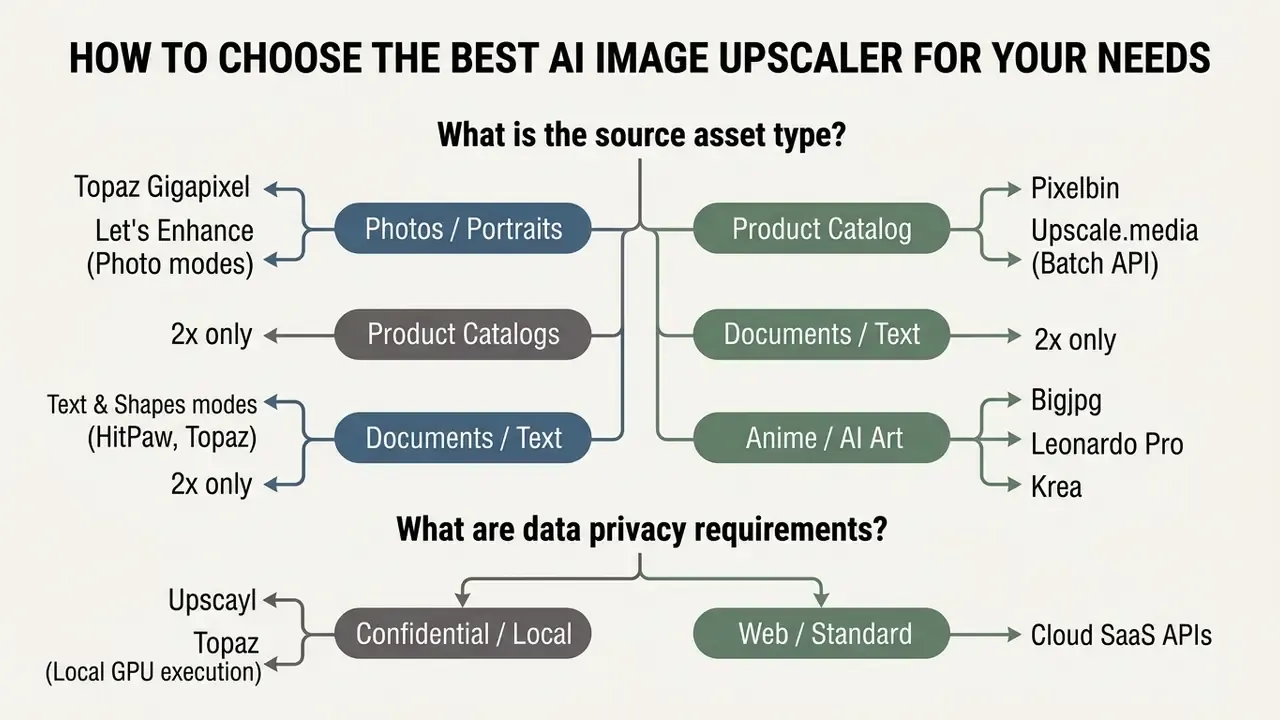
If a shortlisted vendor fails your security review, our catalogue of AI Media Alternatives by Reason groups substitutes by the specific blocker, whether that is privacy, price, or licensing.
Match the AI Model to Photos, Product Images, and Illustrations
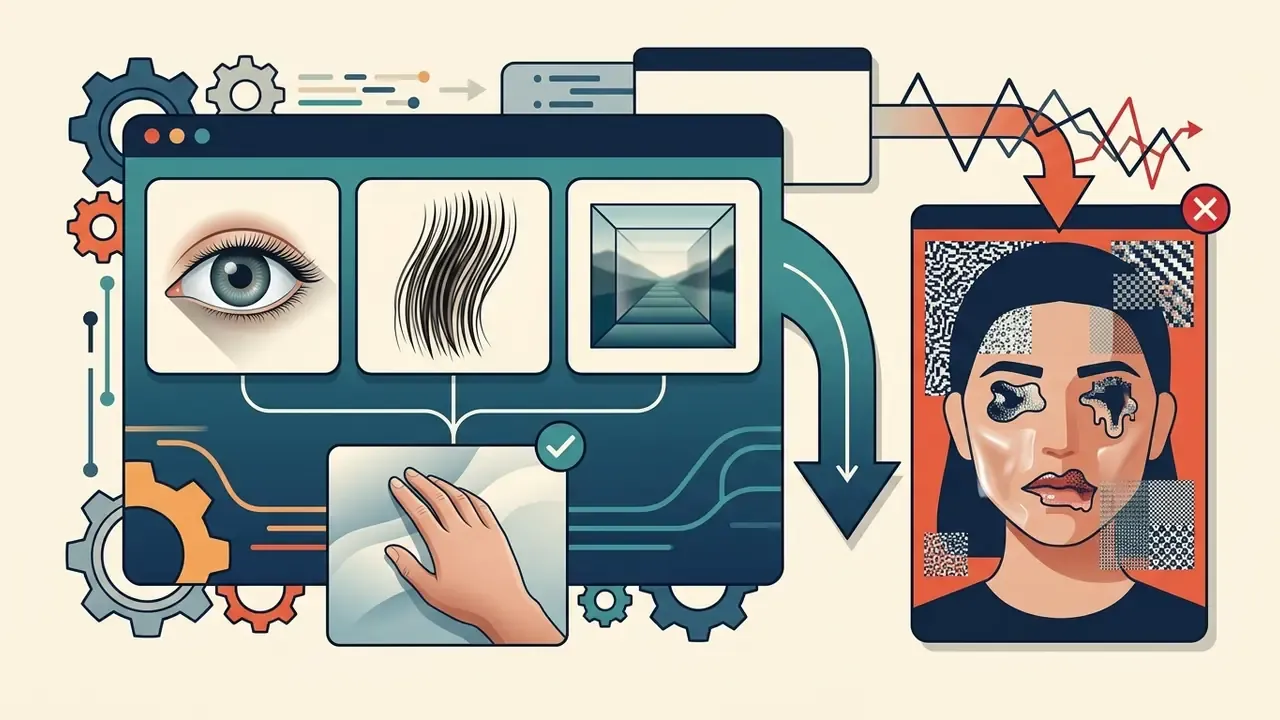
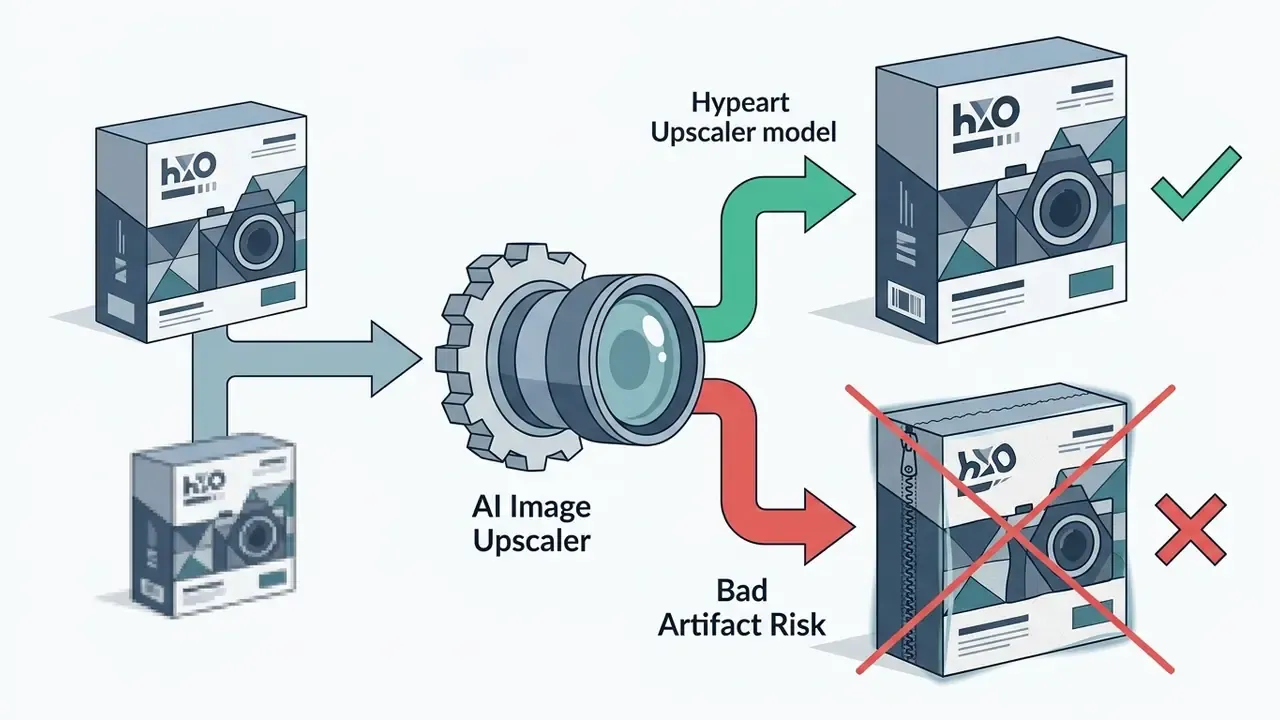
Different neural network architectures are trained on distinct dataset distributions. Applying the wrong model type increases the risk of visual artifacts.
"Test 100–300 images per domain — portraits, product shots, anime, archival scans — measuring SSIM, PSNR, LPIPS and MOS separately for each domain."
Because enhancement and enlargement are adjacent operations, catalog teams frequently chain an upscaler with generative canvas tools such as AI image expansion and outpainting platforms to meet marketplace aspect-ratio requirements without re-shooting the product.

Enterprise & Compliance Audit Checklist
Use this list before signing a vendor contract or approving a tool for internal use:
- Processing location Does the vendor offer local, on-premise, or region-pinned cloud execution?
- Retention What is the documented deletion window (1 h / 24 h / 7 days / zero-retention)? Is it contractual or best-effort?
- Training use Are customer uploads excluded from model training in writing?
- Certifications Are SOC 2 Type II, ISO 27001, or equivalent reports available under NDA, and what is their scope?
- DPA and sub-processors Is a data processing agreement available, and is the sub-processor list disclosed?
- Access control Does the platform support SSO, role-based permissions, and per-user access logs?
- API governance What are the documented rate limits, concurrency ceilings, and failure-retry semantics?
- Model versioning Can you pin a model version so historical outputs stay reproducible for audit?
- Provenance and logging Can your pipeline persist source hash, model ID, scale factor, and timestamp for every generated asset?
- Licensing Do commercial rights apply on your specific plan, and are there revenue thresholds (as with Topaz's personal vs professional split)?
- Human-in-the-loop Is there a documented review step for text, faces, and numeric content?
- Exit plan Can assets and configuration be exported if the vendor is deprecated?
Twelve questions. Most vendors answer eight comfortably and get evasive on the rest, which is itself useful signal.
Input Resolution Restrictions and Scaling Boundaries
Cloud processing engines impose strict input constraints to manage server memory allocation. The table below illustrates standard maximum input dimensions and processing allowances by authentication tier and scale multiplier:
| User Tier | Scale Factor | Maximum Input Resolution | Output Limit (Megapixels) | Max File Size |
|---|---|---|---|---|
| Guest / Anonymous | 2x / 4x | 2,500 × 2,500 px | 16 MP | 15 MB |
| Free Registered | 2x / 4x | 5,000 × 5,000 px | 36 MP | 30 MB |
| Enterprise / Paid | Up to 8x | 20,000 × 20,000 px | 512 MP | 300 MB (or ZIP batch) |
| Local Desktop (GPU) | Custom | Uncapped (hardware VRAM limited) | Uncapped | Hardware bound |
Note the inverse relationship built into most public grids: the higher the multiplier, the smaller the permitted input. A platform that accepts a 20,000 × 20,000 px file at 1x may cap 4x jobs at 5,000 × 5,000 px and 8x jobs at 2,500 × 2,500 px, simply because output memory scales with the square of the factor. Plan batch jobs around the tightest constraint in your queue, not the headline number.
Choose the Right Scale Factor: 2x, 4x, or 8x Upscaling
The scale factor directly dictates how much you rely on predictive AI pixel generation. Higher multipliers force the neural network to synthesize a larger proportion of the output image.
- 2x Upscaling: Quadruples total pixel count (2 × 2). Preserves the original input signal with minimal generative prediction. Ideal for subtle clarity gains and for any file containing text.
- 4x Upscaling: Increases total pixel count sixteenfold (4 × 4). Academic benchmarks evaluate 4x as the practical threshold for balancing higher resolution with high structural fidelity.
- 8x to 16x Upscaling: Multiplies pixel count by 64 or more. Requires substantial detail synthesis, making it suitable mainly for small source files headed to large-format print.
"Top teams reached 31.94 dB PSNR and 0.8778 SSIM on DIV2K at ×4 upscaling, exceeding results from previous years."
The benchmark literature has treated ×4 as the ceiling of reliable single-image super-resolution since Yang et al. framed it as the limit of state-of-the-art SISR in their ECCV benchmark. Everything beyond it is extrapolation. Resolution rises, but the ratio of measured signal to invented signal falls. For published quality scores by model family, explore the hub of media benchmark summaries.
Check Formats, Output Resolution, and Processing Limits
Free vs Paid AI Image Upscalers: Is a Free Trial Enough?
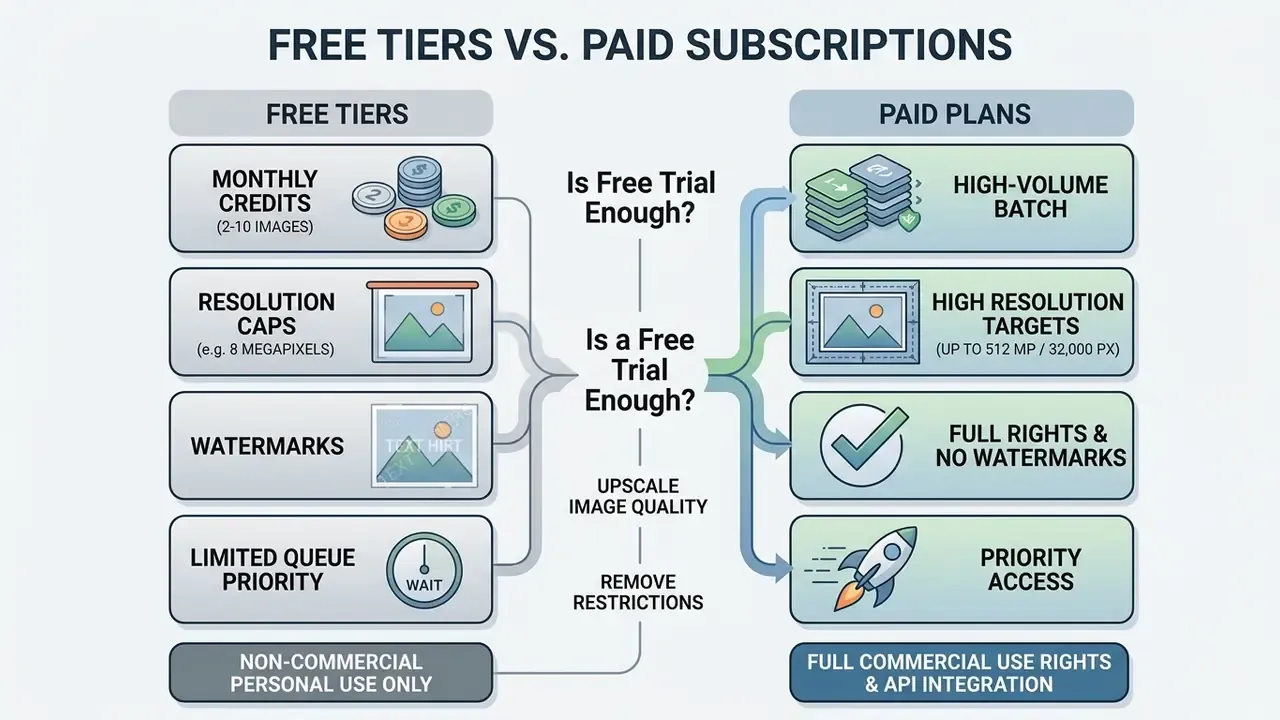
Understanding the functional boundaries between free trial tiers and paid plans prevents production delays when asset volumes scale.
What Free AI Image Upscaling Tools Usually Include
Free AI upscaling tiers are a decent environment for evaluating basic engine quality, but they impose operational constraints:
- Strict QuotasProcessing is limited to 2 to 10 initial trial credits or a small daily allowance. Typical published caps include 2 upscales per month, 5 images per batch, and 12 MP inputs.
- Resolution CeilingsOutput files are limited to roughly 8 megapixels or 4K display dimensions.
- Export WatermarkingVisual brand watermarks are embedded across output files on standard free tiers.
- License RestrictionsTerms of service generally restrict free output files to non-commercial personal use.
- Data Retention PoliciesCloud upscalers typically retain uploaded assets on temporary processing servers for 1 to 24 hours before automated deletion. Enterprise platforms offer zero-retention guarantees, while open-source desktop software such as Upscayl keeps 100% of data locally on the client system.
"Free accounts are limited to 64 MP output; paid plans unlock up to 512 MP and 300 DPI print-ready export."
Organizations running multi-modal media pilots usually evaluate adjacent trial tiers in parallel, comparing image upscaling credits against the quotas documented for AI voice generators so procurement can negotiate one consolidated agreement instead of five separate ones. Mobile-first teams doing the same exercise for motion assets tend to review the best free mobile editing apps alongside the upscaler shortlist.
When Paid Plans Make Sense for Professional Use
Upgrading to a paid tier becomes necessary when asset pipelines need high processing volumes, uncompressed exports, or commercial deployment rights. E-commerce sites refreshing extensive product catalogs depend on paid plans for batch processing and high-concurrency API connections.
Print marketing campaigns, similarly, require 300 DPI output without visual watermarks. Paid subscription tiers provide documented service level agreements (SLAs), priority processing queues, and clear commercial usage rights.
Paid tiers are also the only place where governance guarantees exist. Zero-retention processing, DPAs, sub-processor disclosure, SSO, and audit logging are enterprise-plan features across effectively every vendor reviewed here. Teams reviewing commercial deployment rights across design and generation platforms can compare options in our usage-rights library, including the breakdown of the Canva AI generator, and reuse that structure when interrogating upscaler contracts against enterprise copyright policy.
Best AI Image Upscaling Tools by Use Case
Different operational objectives require distinct upscaling configurations, model parameters, and export specifications.
| Use-Case Scenario | Recommended Tool Archetype | Optimal Scale Factor | Primary Quality Control Check |
|---|---|---|---|
| E-Commerce Catalogs | Cloud API (e.g., Pixelbin, Upscale.media) | 2x or 4x | Inspect product edges & text at 100% zoom for edge halos |
| Large-Format Print | Desktop GPU (e.g., Topaz Gigapixel AI) | 4x or 6x | Confirm 300 DPI setting & verify no noise amplification |
| Social Media Visuals | Web SaaS (e.g., Let's Enhance) | 2x | Verify file size limits & check for over-sharpening |
| Archival Restoration | Real-SR Model / Face Prior Engine | 2x or 4x | Inspect facial features to ensure natural skin texture |
| Digital Art & Anime | Vector-Aware Engine (e.g., Bigjpg, Krea) | 4x or 8x | Ensure linework remains sharp with no color bleeding |
| Real Estate & Property Listings | Geometric-preserving engine (e.g., HitPaw, Topaz) | 2x or 4x | Inspect straight interior architectural lines & window exposure balance for distortion |
| Documents & Compliance Scans | Text & Shapes / low-synthesis mode, local execution | 2x only | Verify every digit and glyph against the retained original |
Architectural and Real Estate Image Enhancement
Real estate photography requires preserving vertical alignment, crisp window framing, and interior shadow detail without creating artificial HDR halos. Multi-model upscalers like HitPaw and Topaz let agents sharpen low-light indoor shots to 4K or 8K resolution for MLS listings while preserving structural integrity. Practitioners report the same priority in vendor testimonials: "As a real estate agent, high-quality images are crucial." In production terms that means door frames must stay straight, blinds must not turn into moiré, and exterior brickwork must not acquire invented texture. Run a 2x pass first and escalate to 4x only when the listing platform demands a larger pixel count.
Upscaling Product Photos for E-Commerce and Online Stores
E-commerce product photos must conform to strict platform specifications without distorting product details. Industry catalog standards, such as GS1, specify high-resolution targets between 2,401 × 2,401 and 4,800 × 4,800 pixels using a square 1:1 aspect ratio. GS1 also explicitly instructs that image processing "should not over-sharpen the digital image," which rules out aggressive generative modes for compliant catalog work.
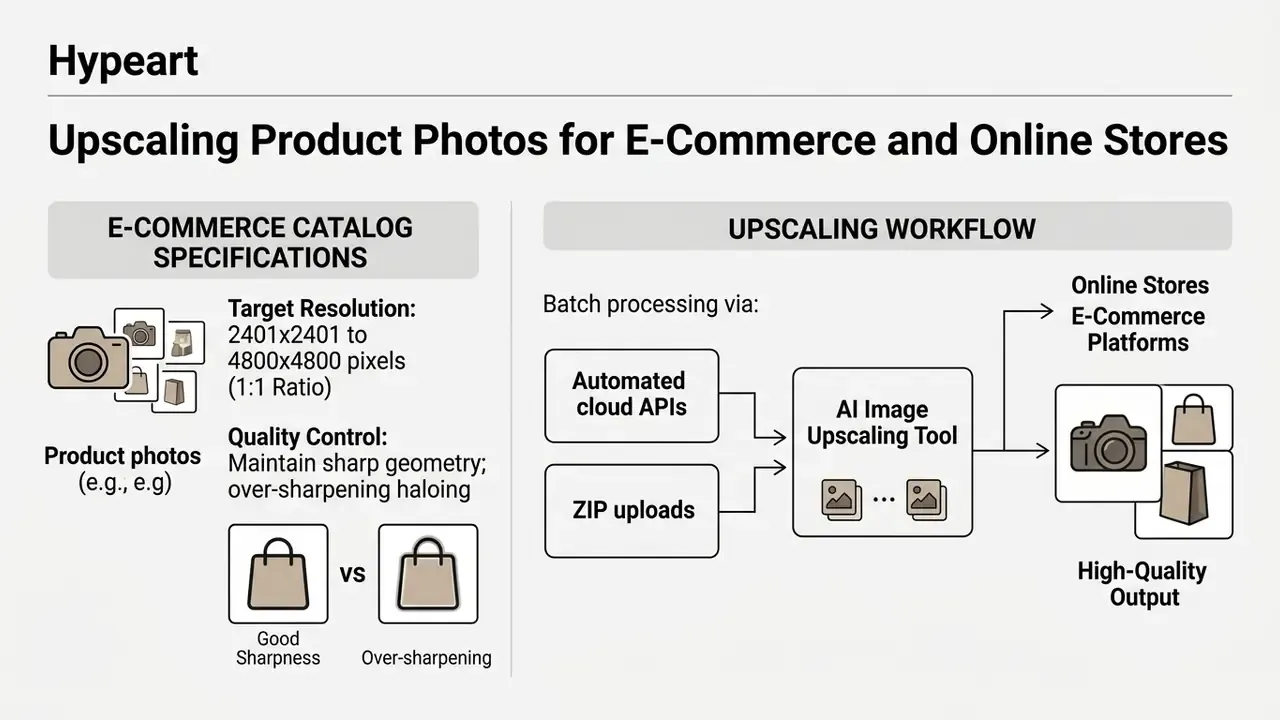
AI upscaling models must maintain geometric line accuracy, preserve true material texture, and prevent edge haloing around product boundaries. Automated batch processing lets operations teams process thousands of stock keeping units (SKUs) consistently. In practice, the fastest ingestion path is a folder or ZIP upload. Leading batch tools accept multiple files or a full folder up to 50 images per job and preserve directory structure on export, which keeps SKU-to-filename mapping intact.
Catalog teams frequently combine upscaling with adjacent transformations such as background replacement and aspect-ratio extension using image-to-image and outpainting tools, and use AI reverse-image search to confirm that supplier-provided source photos are not licensed stock belonging to a third party.
Updated (example rephrased). In a catalog modernization initiative, an online retailer upgraded roughly 8,500 legacy supplier images to meet platform zoom requirements. Running an automated 4x upscaling script with strict halo-suppression controls, the retailer met catalog submission standards and substantially reduced the volume of manual retouching required. The team reported that only a minority of SKUs still needed hand correction. Exact savings depend on source-file quality and platform specification, so benchmark your own sample before extrapolating cost reductions.
Preparing High-Resolution Images for Print Campaigns
Print media production demands strict resolution standards, typically 300 Dots Per Inch (DPI) at final physical dimensions. Converting web graphics into print-ready files means expanding total pixel counts with a 4x or 8x scale factor.
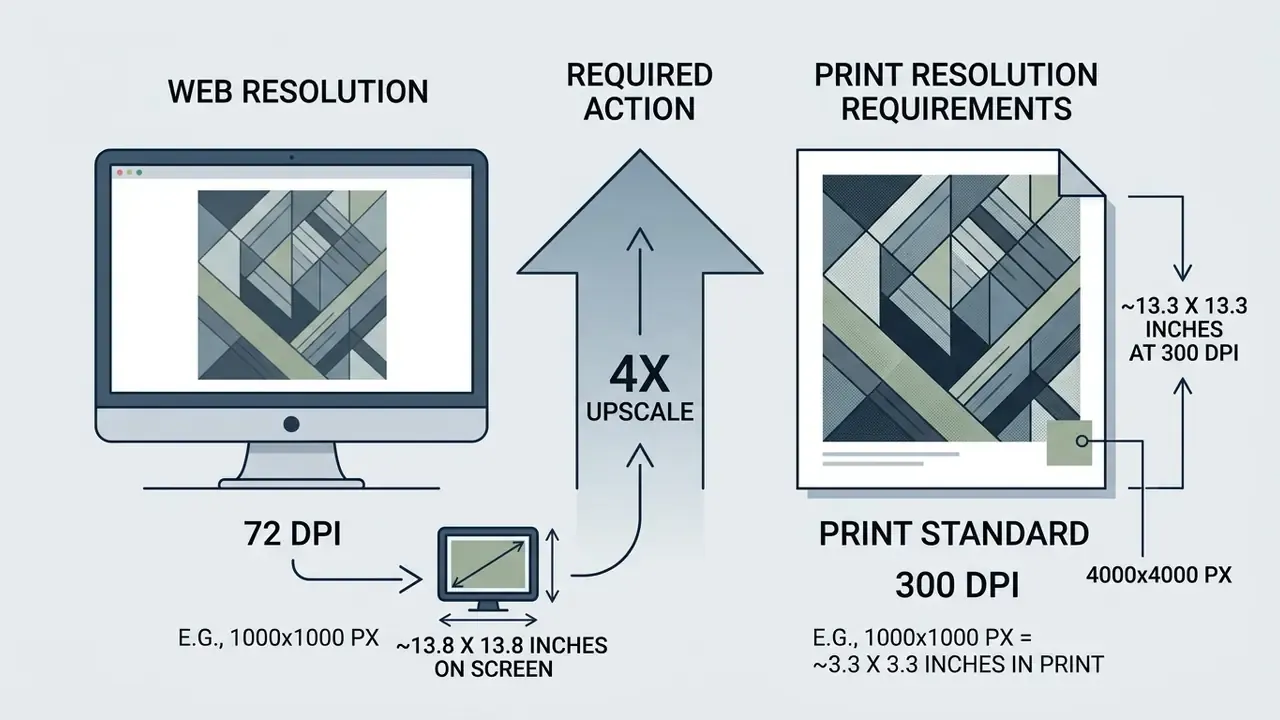
The DPI math is deterministic. Physical size in inches equals pixel dimension divided by output DPI. A 1,000 px file prints cleanly at only 3.3 inches at 300 DPI. Multiply both dimensions by four and the same asset covers 13.3 inches. For a 24-inch poster edge at 300 DPI you need 7,200 px, meaning a 1,200 px source requires a 6x pass, beyond the reliable-fidelity band. Either re-shoot or accept a viewing-distance-appropriate DPI. Press-side guidance from Adobe frames resolution relative to the raster screen ruling (1.5 to 2 times the LPI), so large-format work viewed from a distance can legitimately ship at lower effective DPI than close-viewed brochures.
When preparing assets for large-format print, production teams must review exported files at 100% display zoom. This inspection confirms that pre-existing compression artifacts or sensor noise have not been amplified during upscaling.
Production directors sizing hardware for local upscaling should budget from the documented minimums upward, 16 GB system RAM and 6 GB VRAM for standard models, 8 GB or more VRAM for generative modes, and test throughput on the largest realistic file in the campaign rather than an average one.
Restoring Old Photos, Portraits, and Blurry Images
Restoring degraded historical photographs requires models capable of simultaneous de-noising, de-blurring, and face restoration. Specialized restoration architectures incorporate identity-decoupling models that rebuild facial features while maintaining subject identity.
"IDFSR masks the face in the low-resolution input to remove unreliable identity cues, achieving roughly 20% improvement over baselines in reconstruction quality and identity preservation."
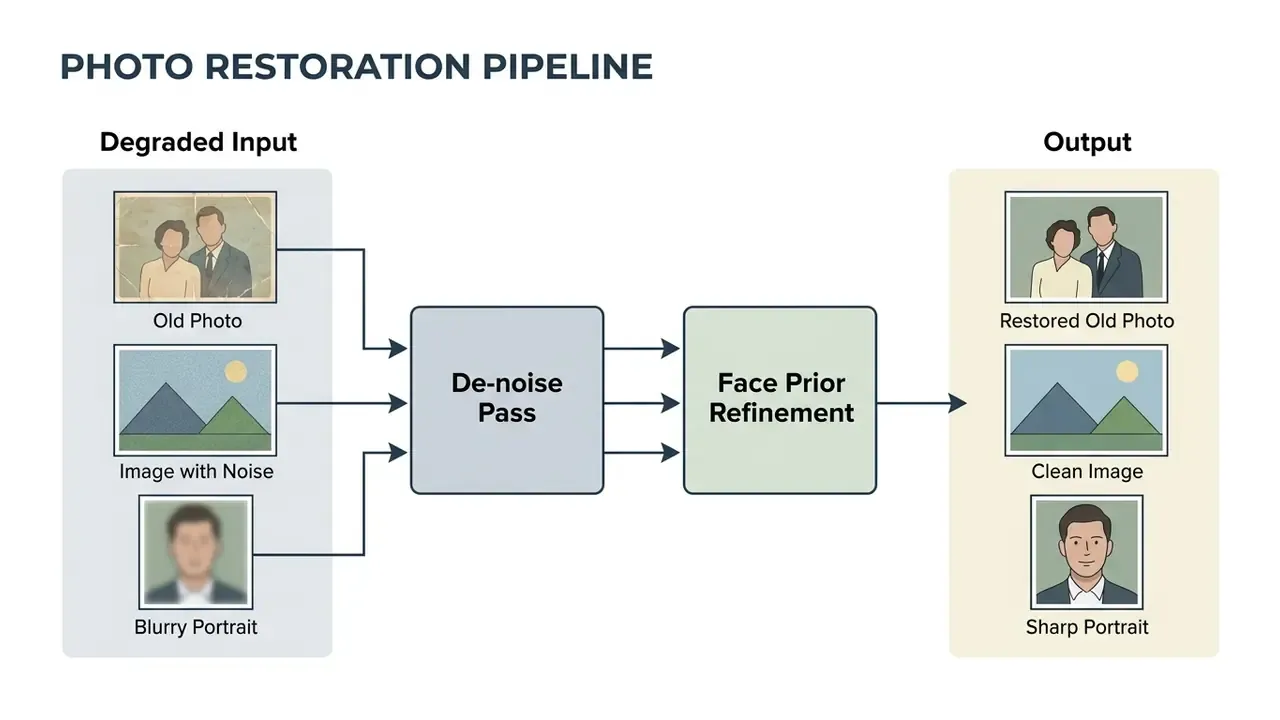
These models remove additive Gaussian noise and repair JPEG block structures. Blind face restoration research treats down-sampling, blur, noise, and compression as a single joint degradation, which is exactly why single-purpose sharpening filters underperform on genuine archival material.
"TGJAR achieves the best scores across four perceptual indices — LPIPS, FID, PI and NIQE — at all JPEG quality factors."
How to Upscale an Image with AI Without Losing Quality
Achieving high-quality AI upscaling output means following a structured workflow from source file selection through final export.
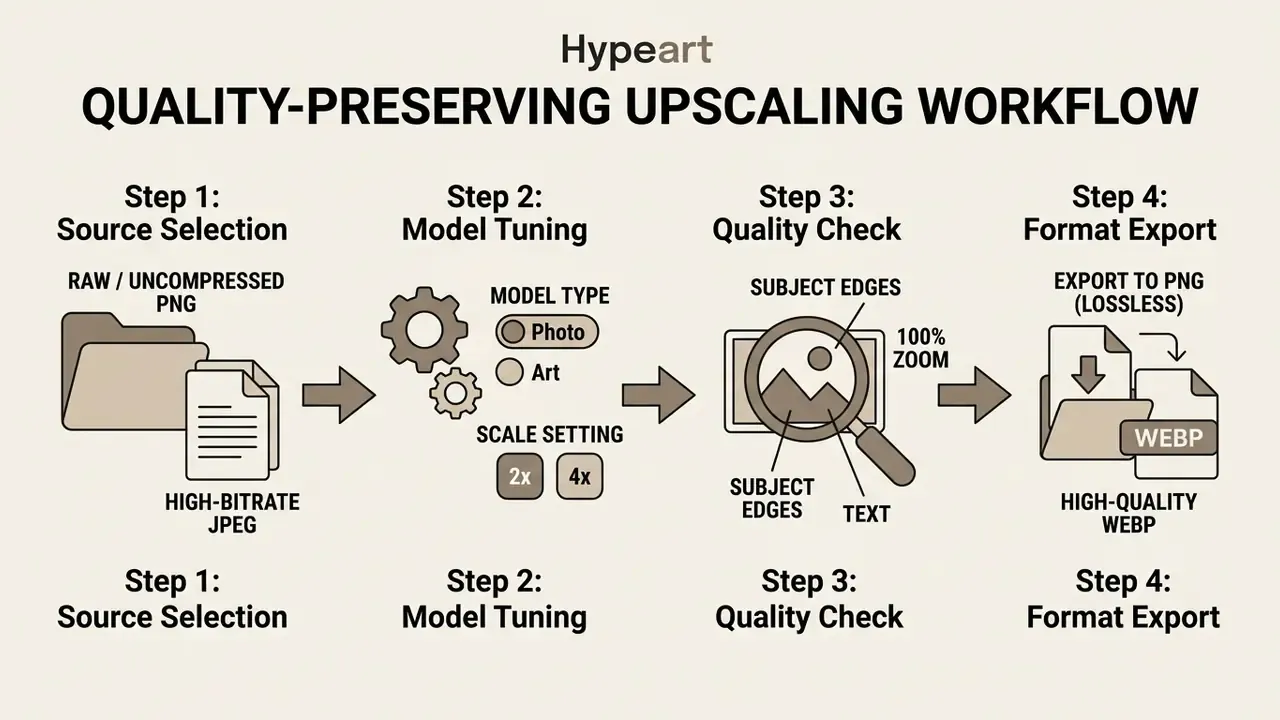
Order of operations matters. Finish global edits, meaning exposure, color grading, cropping, and sharpening, before the upscale pass, as documented in the darktable manual's enlargement workflow. Running sharpening after a generative pass compounds halos the model already introduced.
Upload the Best Available Original Image
The final quality of an upscaled file depends heavily on the input file's structural integrity. Neural networks amplify existing visual signals, so pre-existing compression artifacts or heavy blur will be magnified during processing.
Always supply uncompressed source files, such as camera RAW, high-bitrate JPEG, or PNG graphics. Avoid low-resolution social media screenshots, since re-compressed files force the model to predict details from corrupted data. Vendor documentation converges on a practical floor of roughly 256 to 512 px on the shortest edge. Below that, there is not enough structure for the model to anchor its predictions. PNG is preferred for graphics, logos, and screenshots containing text.
Media analysts evaluating processing performance across model architectures should benchmark on their own domain samples rather than published leaderboards, since public benchmarks use bicubic-degraded inputs that rarely match real-world degradation. Mixed-media teams that also produce cut-downs often standardize on one best free app for video editing so source handling stays consistent across formats.
Preview the Result and Export in the Right Format
Before exporting high-resolution files, evaluate previews at 100% display zoom to inspect high-frequency detail, such as hair strands, text edges, and surface texture.
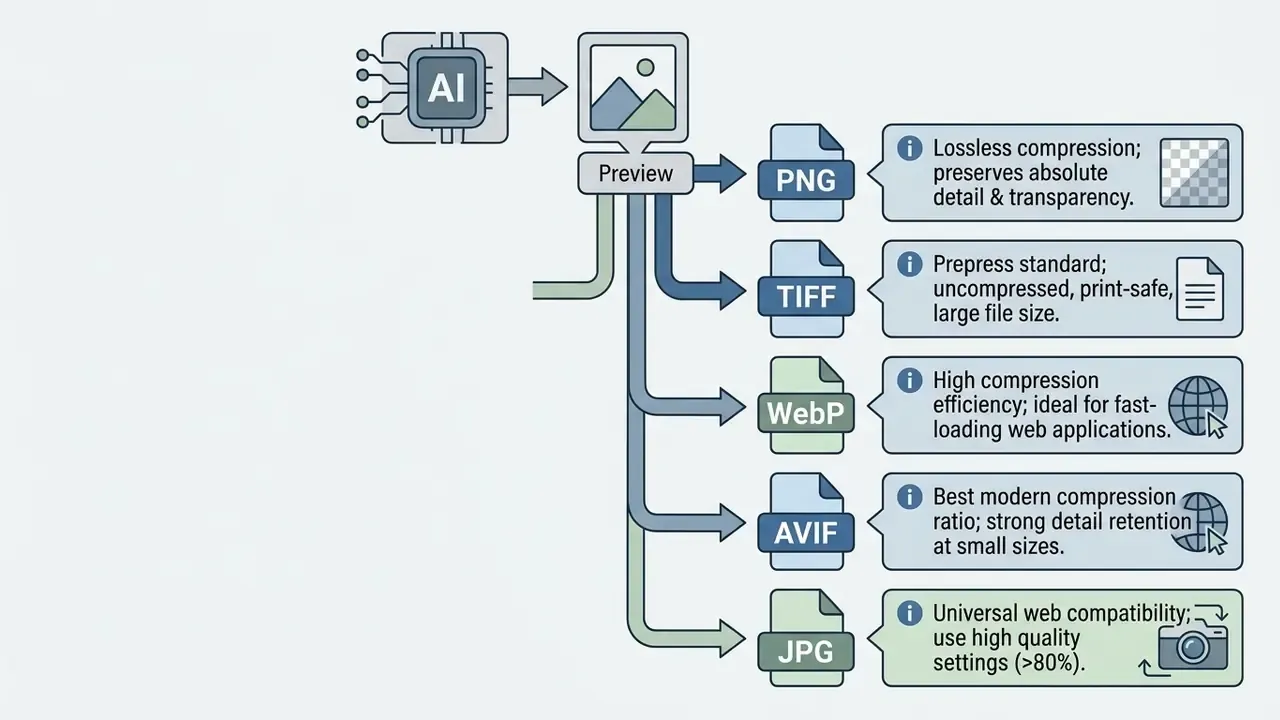
Google's WebP tooling exposes a sharpness parameter from 0 (sharpest) to 7 (least sharp), and MDN recommends PNG when precise reproduction or transparency is required, WebP or AVIF when compression efficiency matters more. Choose the encoder setting after the 100% inspection, not before.
Production specialists building broader marketing pipelines can pair upscaled stills with compressed delivery assets by standardizing on a documented video compression workflow, keeping page-weight budgets intact across mixed media.
- Select Source File
- Locate the highest-quality original image file available, avoiding compressed social media copies.
- Configure Model Settings
- Choose the neural network model matching your asset type (Photo, Product, Text & Shapes, or Art) and select a 2x or 4x scale factor.
- Inspect at 100% Zoom
- Pan across high-contrast edges, facial features, and typography to check for hallucinated artifacts or halos.
- Log the Run
- Record model version, scale factor, source hash, and timestamp so the output is reproducible during review or audit.
- Export in Target Format
- Save print files as uncompressed PNG or TIFF, and web assets as WebP, AVIF, or high-quality JPEG.
AI Image Upscaler FAQ
Will Image File Size Increase After Upscaling?
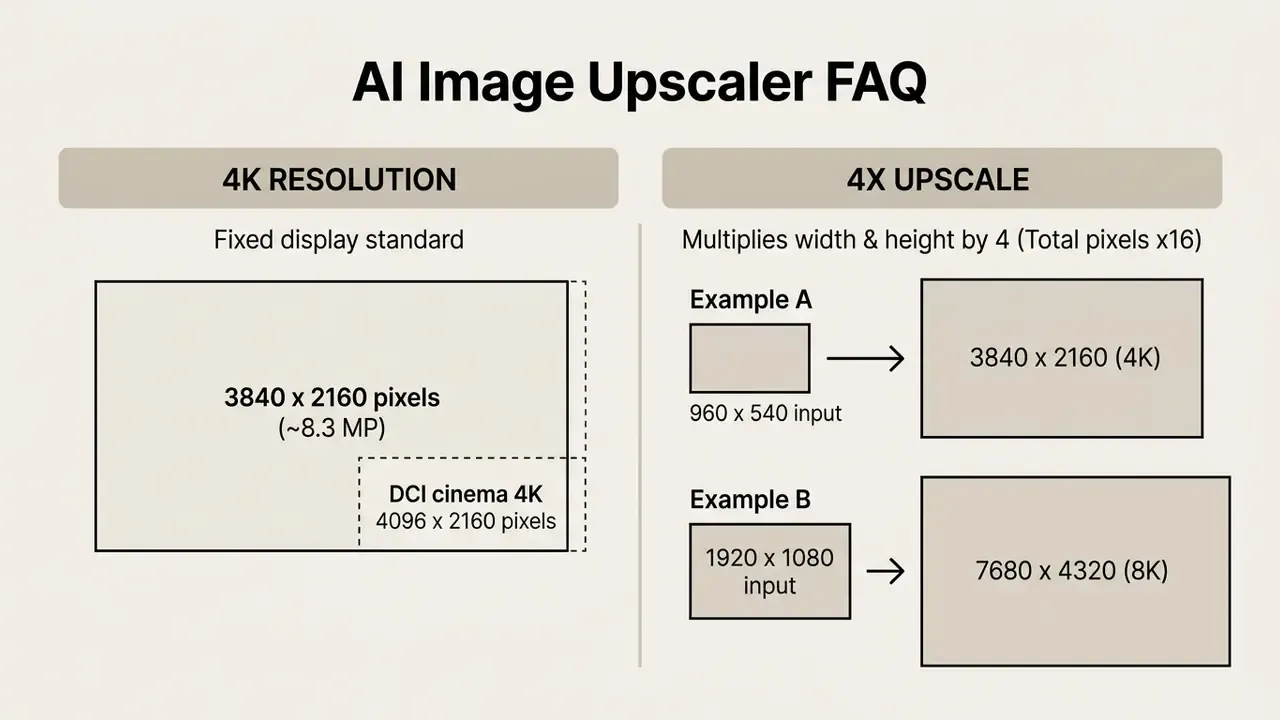
Yes. Upscaling increases file size in bytes because the operation expands the total number of pixels on the canvas. File size is determined by pixel dimensions, bit depth, and compression settings. When an image is upscaled 2x, both width and height double, which quadruples (2 × 2 = 4) the total pixel count. A 4x factor multiplies width and height by four, producing sixteen times (4 × 4 = 16) more pixels. Uncompressed formats like PNG retain all that extra pixel data, producing larger files. Format choice then modulates the result: Google documents WebP as roughly 26% smaller than PNG in lossless mode and 25 to 34% smaller than comparable JPEGs in lossy mode, so the same upscaled canvas can vary dramatically in bytes depending on the encoder.
What Is the Difference Between 4K and 4x Upscaling?
"4K" refers to a specific display resolution target. "4x upscaling" defines a relative multiplication factor applied to an image's existing dimensions. Creators who generate source assets before enlargement should check the native render resolution of their preferred AI image generation platform first, since reaching 4K from a 1024 px native render requires a far gentler pass than reaching it from 512 px.
Does AI Upscaling Change Image Copyright Ownership?
No. Processing an image through an AI upscaler does not transfer, alter, or grant new copyright ownership. Legal rights in the upscaled file remain identical to rights in the original input asset. If you own the copyright or hold a commercial license for the source image, you keep full commercial deployment rights for the generated high-resolution output. Conversely, upscaling a third party's copyrighted image does not make it fair use or legal for commercial deployment. Always confirm that your original media complies with your project's commercial licensing terms. Two additional constraints frequently catch teams out. First, the platform license may restrict commercial use independently of copyright. Several free tiers explicitly limit output to personal, non-commercial use, and some desktop licenses (Topaz's personal tier) apply revenue thresholds. Second, algorithmic enlargement of an existing work is generally not treated as creating a new protectable work, so you cannot acquire rights in someone else's photograph by upscaling it. Comparable usage-terms breakdowns for generation platforms, such as the analysis of Google's AI image generator commercial terms, illustrate how plan tier and source rights interact. Disclaimer: this section is general information, not legal advice. Consult qualified counsel for jurisdiction-specific copyright, licensing, and data-protection questions.
Are Uploaded Images Private, and How Long Are They Stored?
It depends entirely on deployment. Local desktop tools such as Upscayl and Topaz Gigapixel AI process files on your own GPU with no network transfer, the only architecture that guarantees zero third-party exposure. Cloud services typically delete uploads and generated results automatically within 1 to 24 hours, and some free tiers retain files for up to 7 days. Enterprise agreements can add zero-retention processing, region pinning, and contractual exclusion from model training. For confidential, personal, or regulated imagery, use local processing or a cloud vendor operating under a signed DPA.
Can I Upscale Multiple Images or a ZIP Archive at Once?
Yes, on most paid tiers. Batch-capable platforms accept multi-file selections, whole folders, or compressed ZIP archives, commonly capped around 50 images per job on web interfaces, and preserve the original directory and filename structure in the export. Free tiers usually restrict batches to 4 to 10 files per day or disable batching entirely. For catalog-scale volumes, API integration with documented concurrency limits is more reliable than browser-based batch queues.
Does AI Upscaling Fix Blurry or Out-of-Focus Images?
Partially. Models trained with deblurring objectives can meaningfully recover mild motion blur and moderate softness, and diffusion-based restoration performs well on combined blur-plus-compression degradation. But focus errors that destroyed the underlying edge signal cannot be recovered. The model will invent a plausible edge instead. Faces, text, and fine repeating patterns fail first, so inspect those regions before accepting any deblurred output.
Which AI Image Upscaler Is Safest for Regulated Workflows?
Local execution wins on this criterion, not brand reputation. Upscayl and Topaz Gigapixel AI process on-device with no upload, which means no sub-processor, no retention window, and no training exposure to negotiate. HitPaw's offline desktop mode offers the same property with additional model heads. If cloud throughput is unavoidable, insist on an enterprise agreement with zero-retention configuration, documented sub-processors, SSO, access logs, and model-version pinning. And log every run. Reproducibility is the difference between a control and a hope. Summary & Next Steps Choosing the right AI image upscaler comes down to source material, target resolution, volume, and governance constraints. For private, high-fidelity desktop work, local tools like Topaz Gigapixel AI and the open-source Upscayl provide deep model control without uploading files anywhere. For multi-model restoration across portraits, archives, and interiors, HitPaw and AVCLabs add domain-specific model heads. When managing e-commerce catalogs or web workflows at scale, cloud platforms like Pixelbin and Let's Enhance offer automated API integration for high-throughput processing, provided the commercial-rights tier and retention policy match your compliance requirements. To build an efficient media workflow:
- Audit your source files so you upload the highest-quality uncompressed inputs available, in their native format (HEIC, RAW, PNG, or high-bitrate JPEG) rather than re-encoded copies.
- Choose a scale factor, typically 2x or 4x, that balances higher resolution against structural accuracy, and drop to 2x whenever text or numeric data is present.
- Confirm deployment model, retention window, and licensing tier before processing any client, personal, or regulated asset.
- Review upscaled previews at 100% zoom to verify edge sharpness and prevent artificial noise amplification before final export, and log model version and parameters for reproducibility. A safe first move, if you are still deciding: run one 40-image pilot on a non-sensitive asset set, score it against the five dimensions in our test protocol, and only then open a procurement conversation.
Hub Navigation
To compare additional creative media tools, feature sets, and pricing models, open the hub or review our evaluations of the best AI art generators, free AI art generators, and free AI video generators. Entity guides for online photo editors and animation makers cover adjacent categories in the same pipeline.
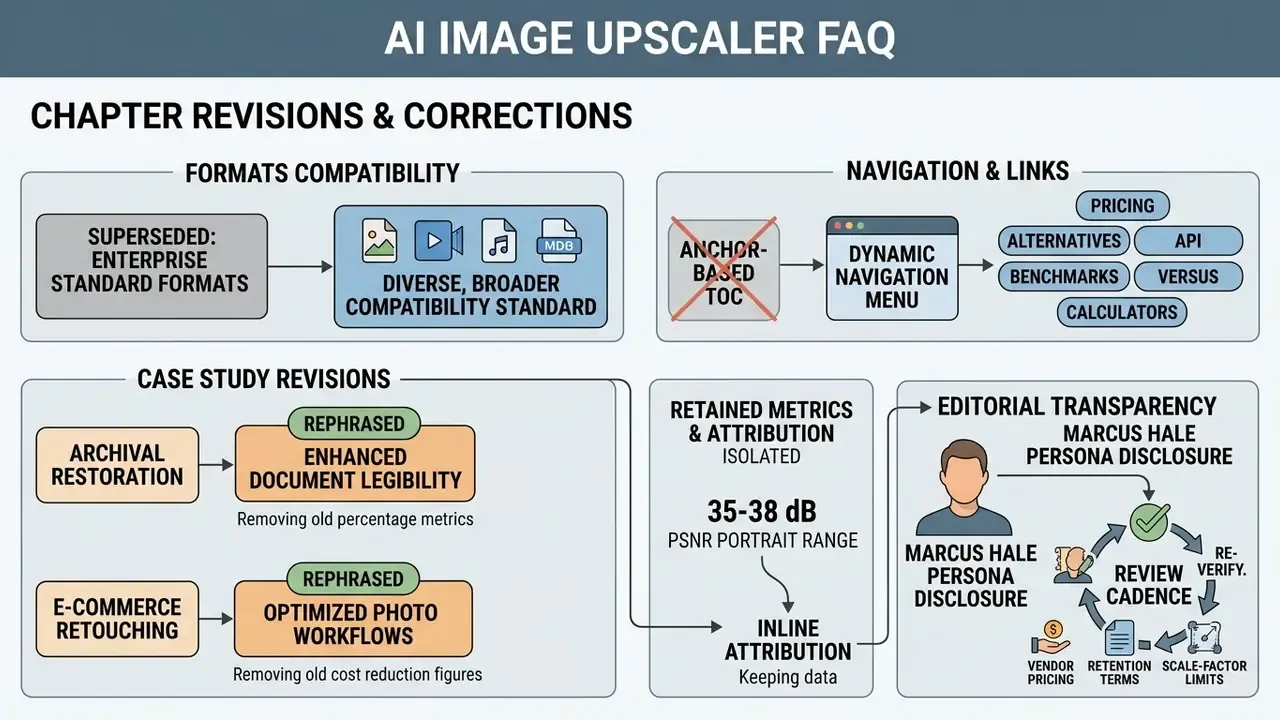
Appendix A: Revisions and Corrections