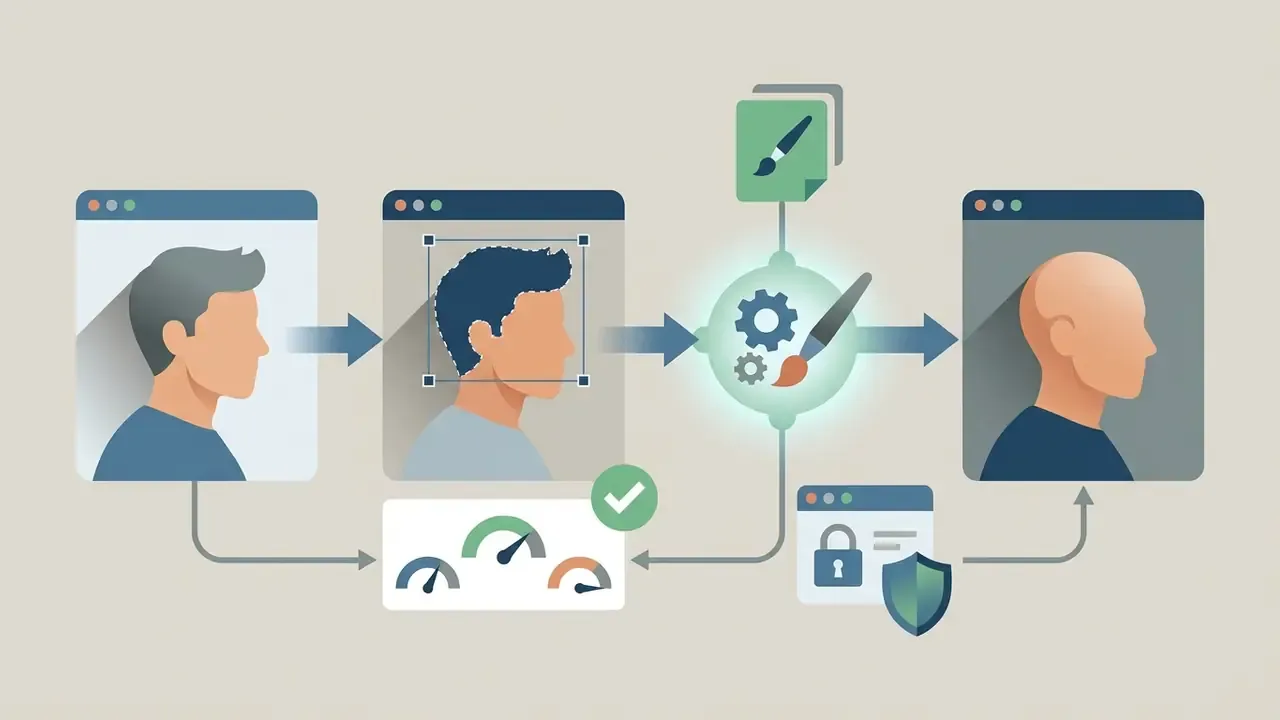
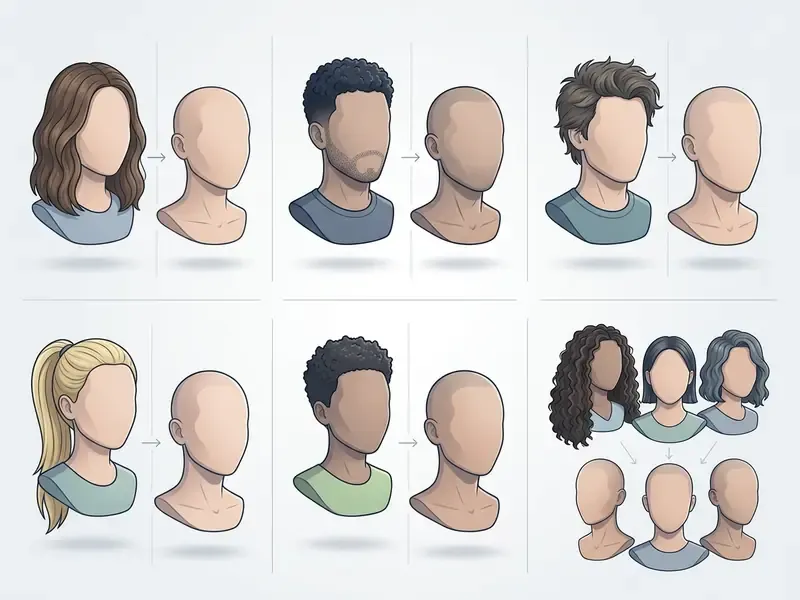
An ai bald filter online free tool turns a normal portrait into a realistic shaved head image in seconds. Browser-based versions run deep learning networks that find the hair boundary, strip the visible strands, and paint in believable scalp texture without rewriting the face underneath. Simple idea. Surprisingly hard engineering.
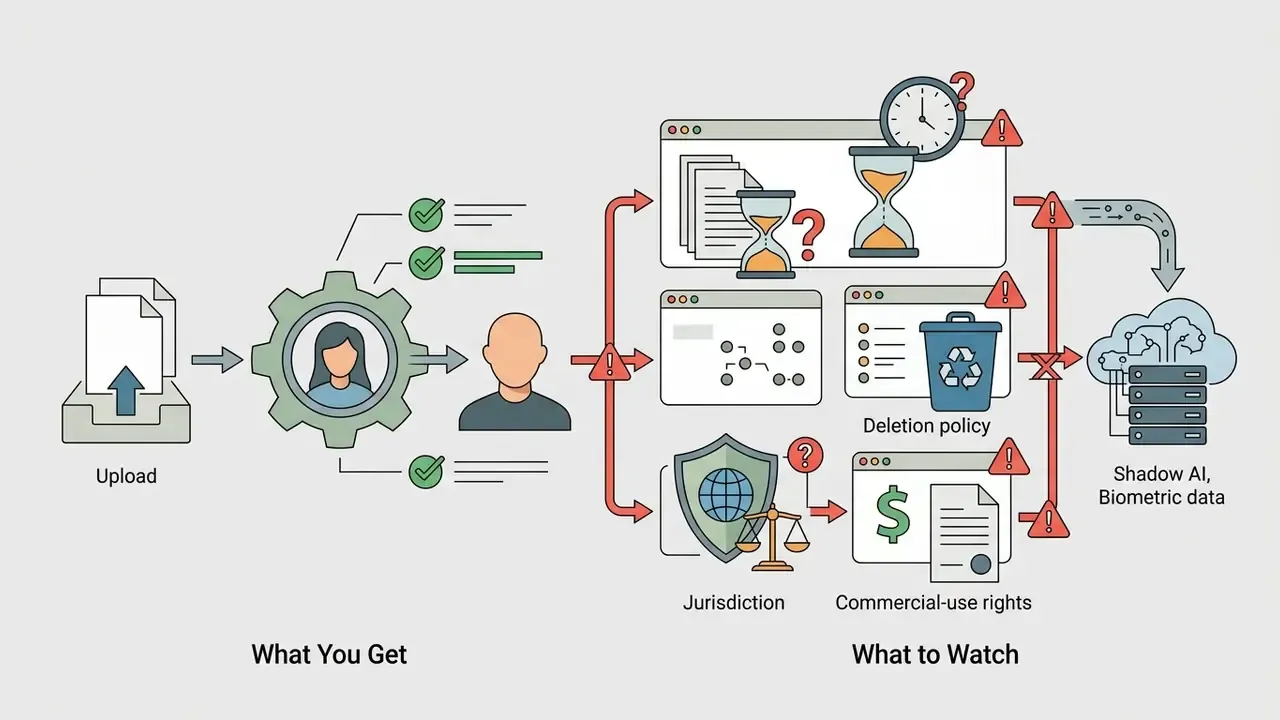
There is a second reason this page exists. A facial photo is biometric data, and a "fun filter" quietly becomes a data-processing decision the moment it happens on a work laptop. So this guide covers both sides: how to get a good bald look, and how to judge the tool before you upload anything.
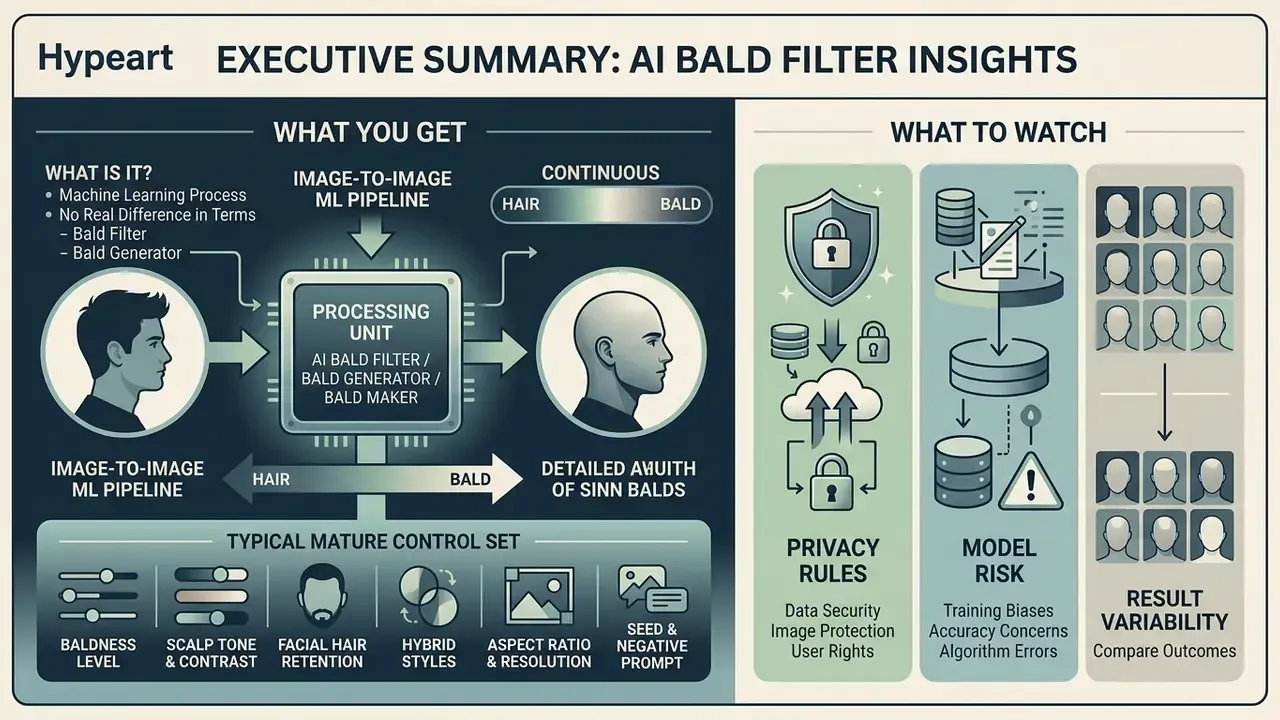
Executive Summary: What You Get and What to Watch


What Is an AI Bald Filter and What Does It Create?
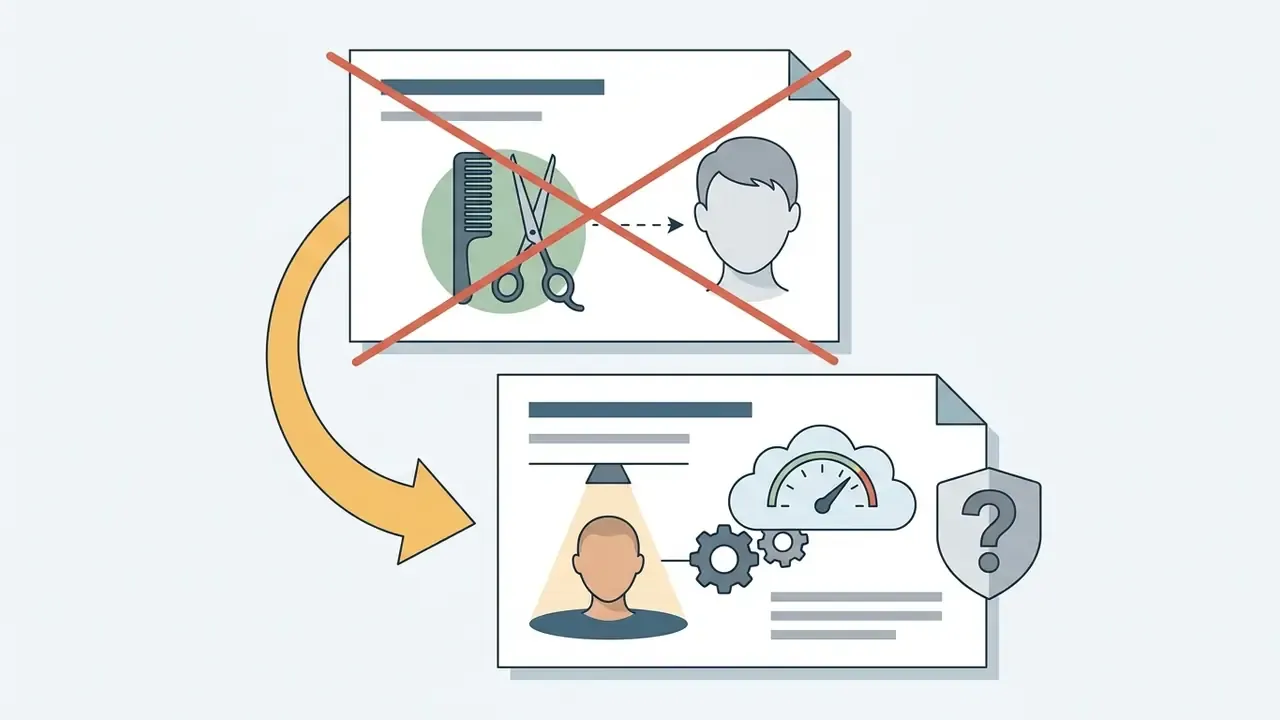
«Hair removal ("baldification") precedes hairstyle transfer, because the target scalp region must be reconstructed before new strands are synthesized.»
Newer work pushes the idea into full 3D. HairFree (NeurIPS 2025) generates consistent 360° bald textures using 2D diffusion priors, with no bald-head training data and no synthetic texture library. That matters when a render has to survive rotation or animation instead of sitting still in a single frame.
AI Bald Filter, Bald Generator, and Bald Maker: What Is the Difference?
An ai bald filter edits an uploaded photo in place: hair out, face, pose, and background preserved. An ai bald generator or bald ai generator builds a new bald image from latent noise or a text prompt, so nothing is preserved because nothing was there. This "neutral base" behaviour is well documented in 3D avatar research.
«StrandHead builds a FLAME-aligned bald head as a neutral base, then synthesizes strand-level hair geometry from text prompts.»
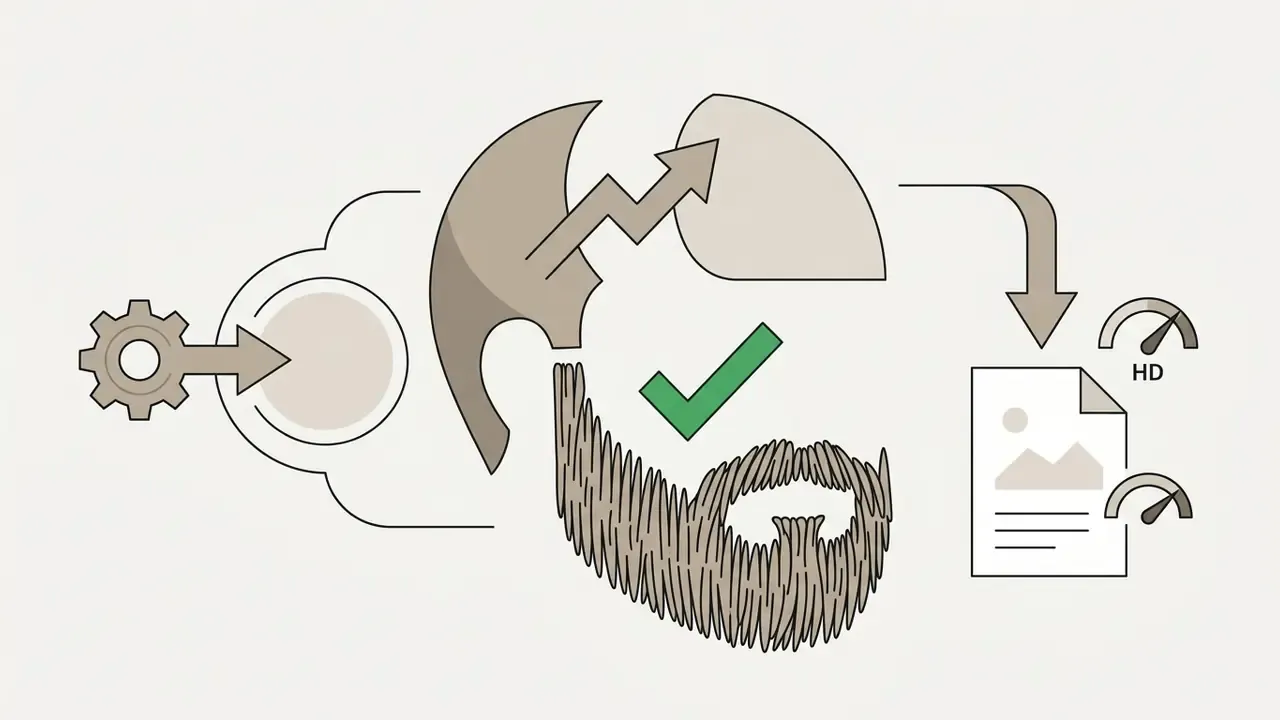
An ai bald maker or bald maker ai usually means an editing surface with multiple attribute controls: scalp stubble length, skin tone, facial hair retention. Platforms such as openart show how generative models expose those distinct behaviours, and the same logic carries over to broader image-to-image generators that transform an existing photo instead of inventing one.
One caveat worth saying plainly: the naming split is functional, not standardized. Several vendor pages labelled "filter" run diffusion models internally. Classify a bald ai maker by processing behaviour, edit-in-place versus reconstruction, and ignore the marketing noun.
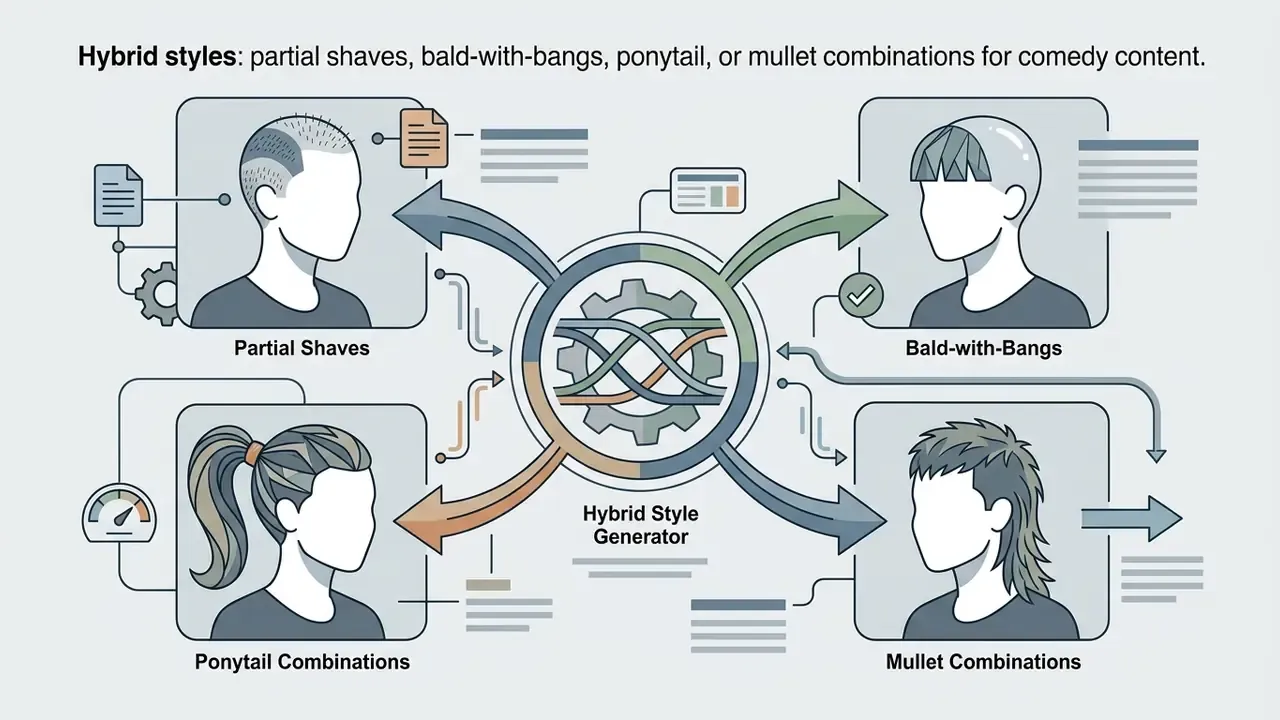
Modern platforms also support reverse bald-to-hair transformation. Bald or short-haired users can try on long, curly, straight, or textured styles, which is a genuine pre-haircut reference rather than a joke. Professional engines add AI upscaling (2X, 4X, 8X) at export to clear compression artifacts and deliver watermark-free HD suitable for print portfolios or paid campaigns.
Typical control set exposed by mature bald makers:


How AI Removes Hair While Preserving Facial Features
Hair removal is a multi-stage computer vision problem: pixel-wise semantic segmentation, parametric 3D head modeling, then deep generative inpainting. Segmentation models isolate strands with soft alpha masks. Structural priors such as FLAME guide the reconstruction of scalp geometry so the skull keeps a human shape.
A detail most product pages skip: in published pipelines the segmentation stage uses fully convolutional networks (FCN-8s) plus a fully-connected CRF, followed by matting that converts binary masks into soft alpha masks for hair and skin. Binary masks alone lose fine strands and leave a hard, plasticky skin-to-hair edge. Matting quality, not model size, is often what decides perceived realism. Readers comparing broader portrait workflows can review our AI photo editor overview.
Academic evaluation quantifies how much identity actually survives the edit:
«48.37% of hair-removal results were judged "untouched" by human evaluators, indicating partial but incomplete realism in identity preservation.»
Explicit geometric masks and FLAME-aligned head priors are what stop skull distortion. They constrain the generator so inpainting fills only the removed hair region instead of drifting into the forehead, ears, or jawline. GAN de-identification reviews report the same pattern: identity difference and attribute difference are penalized as separate loss terms, so head shape can hold while hair changes.
How to Use an AI Bald Filter Online
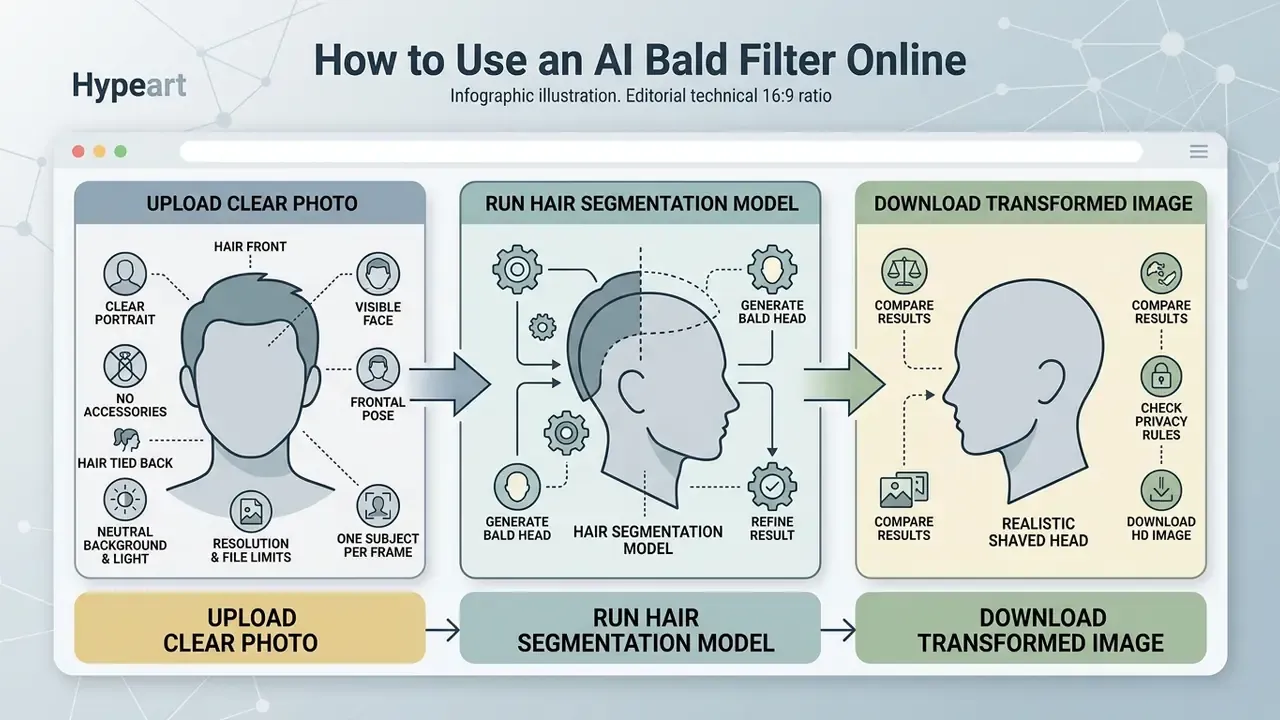
Using an ai bald filter online comes down to three moves: upload a clear portrait, run the hair segmentation model, download the transformed image. Modern bald filter online tools handle masking automatically, so no manual brush work and no editing background required.
Upload a Clear Photo With a Visible Face and Hair
Start by uploading a high-resolution portrait that shows the face, forehead, and hairline. Even lighting and a direct camera angle do most of the work. Hats, headbands, and hard shadows do most of the damage. Front-facing portraits produce lower pose-estimation error than sharp side profiles; model-based head-pose methods report best-case errors near 2.1° in yaw, pitch, and roll on benchmark data, and error climbs quickly as the head rotates away from the lens.
Perfect-source-image checklist:
- Frontal poselook straight into the camera. Side profiles raise 3D mesh reconstruction error and make scalp edges drift.
- No accessoriesremove hats, caps, headbands, sunglasses, and bulky jewellery covering the forehead or temples.
- Hair tied backlong, thick, or messy hair should sit behind the shoulders so the model can read the neck and shoulder line cleanly.
- Neutral background and lightplain single-tone backdrop, soft even light, no hard shadow crossing the skull.
- Resolution and file limitsskip blurry or pixelated files. Common vendor limits are a 500×500 px minimum and a 10–20 MB maximum.
- One subject per framefor the cleanest output. Group photos work, but per-face quality varies by tool.
Generate a Bald Head and Refine the Result
Once the photo lands, the bald ai filter algorithms make an image bald in seconds. The system finds the hairline, isolates existing hair, and synthesizes natural skin texture across the exposed scalp. Then you check the preview: does the scalp tone match the neck, and does the face shape still look like yours?
Refinement is where most people win or lose realism. If the scalp reads too bright, drop the scalp-tone value one step. If the crown looks flat, switch from a fully shaved preset to a short buzz-cut preset so residual stubble restores the volume cue your eye expects. And if the render still looks like a swim cap, the fix is usually the photo, not the slider: re-shoot under softer, more diffuse light.
How to Get a Realistic Bald Look From Your Photo
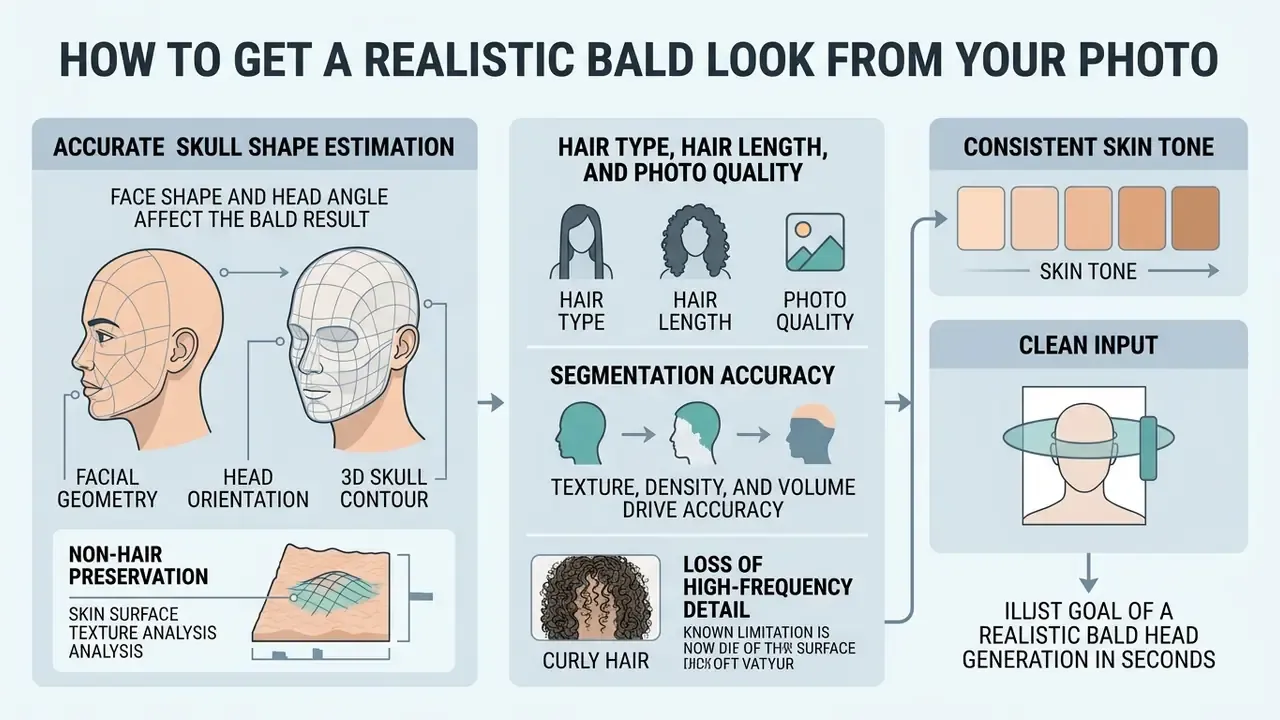
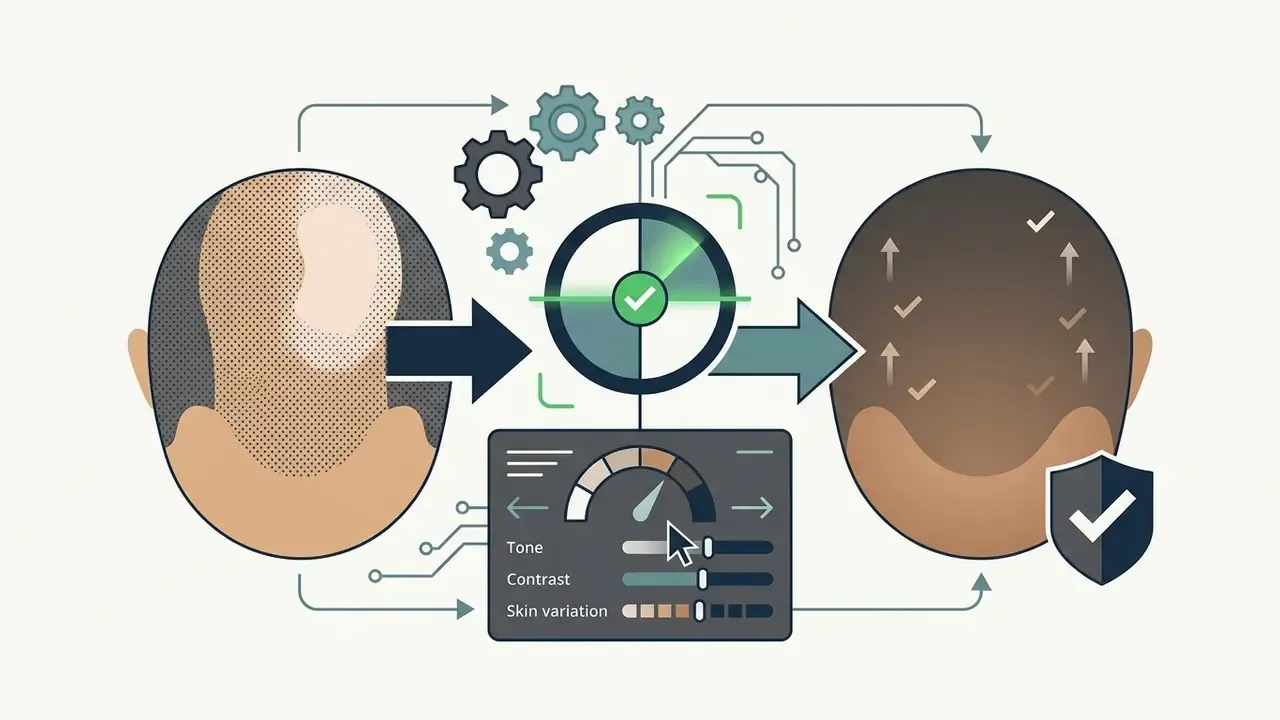
A realistic bald transformation depends on three things: accurate skull shape estimation, consistent skin tone, and clean input. Advanced generative models also read specular highlights across the scalp, which is what removes the flat "cap" effect you see in basic photo editors. If you need studio-grade portrait output, compare workflows in our AI headshot generator guide.
Why Face Shape and Head Angle Affect the Bald Result
Facial geometry and head orientation decide how well the network models the 3D skull contour. Frontal and three-quarter angles let parametric head models estimate anatomical curvature with low error; skull-to-face prediction research reports a mean absolute error near 1.24 mm when subject attributes are specified correctly. Extreme pitch or yaw hides the skull boundary and produces small alignment slips along the scalp edge. Robust 3D head-pose frameworks cut mean pose error to roughly 2.1–2.2°, against about 6.8° for older baselines on the same benchmark.
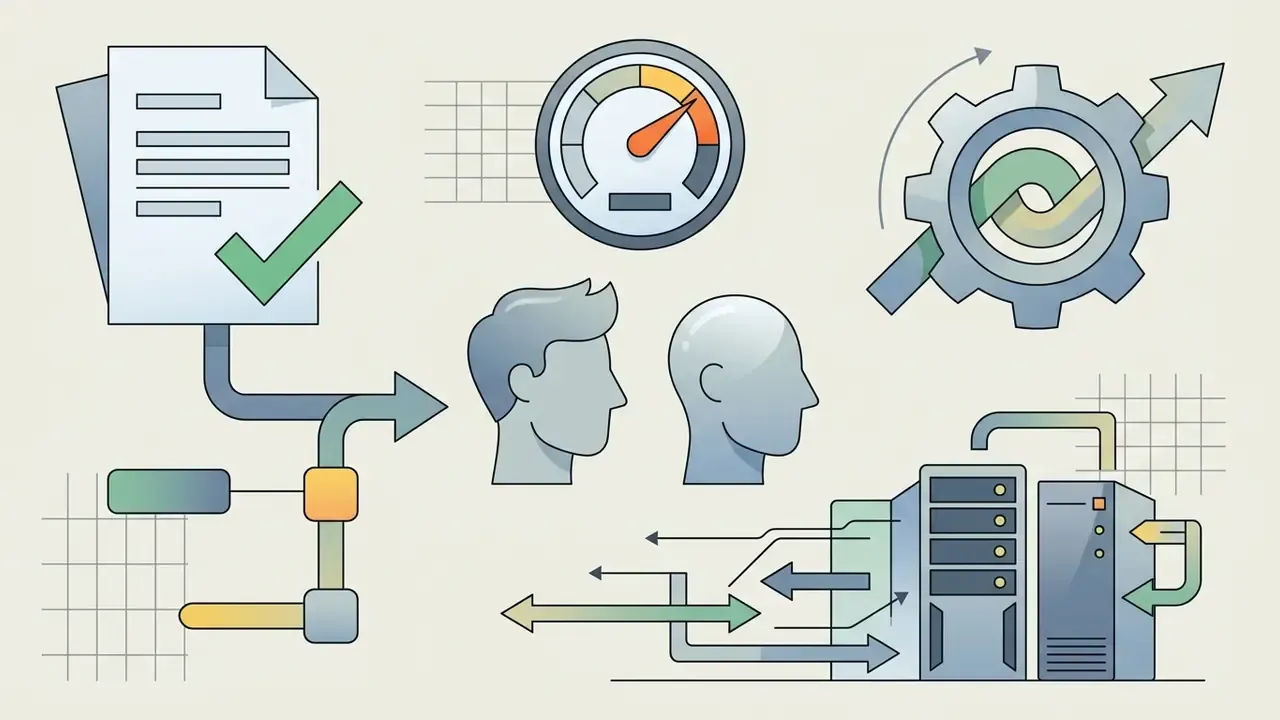
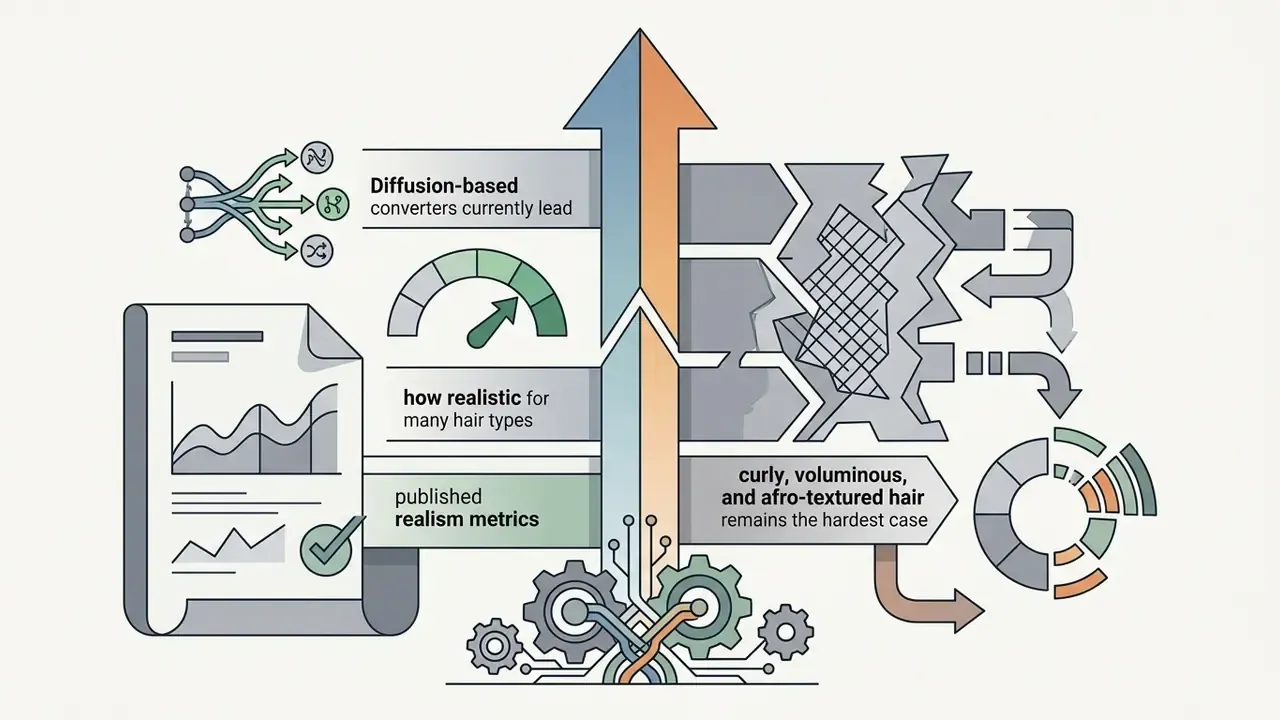
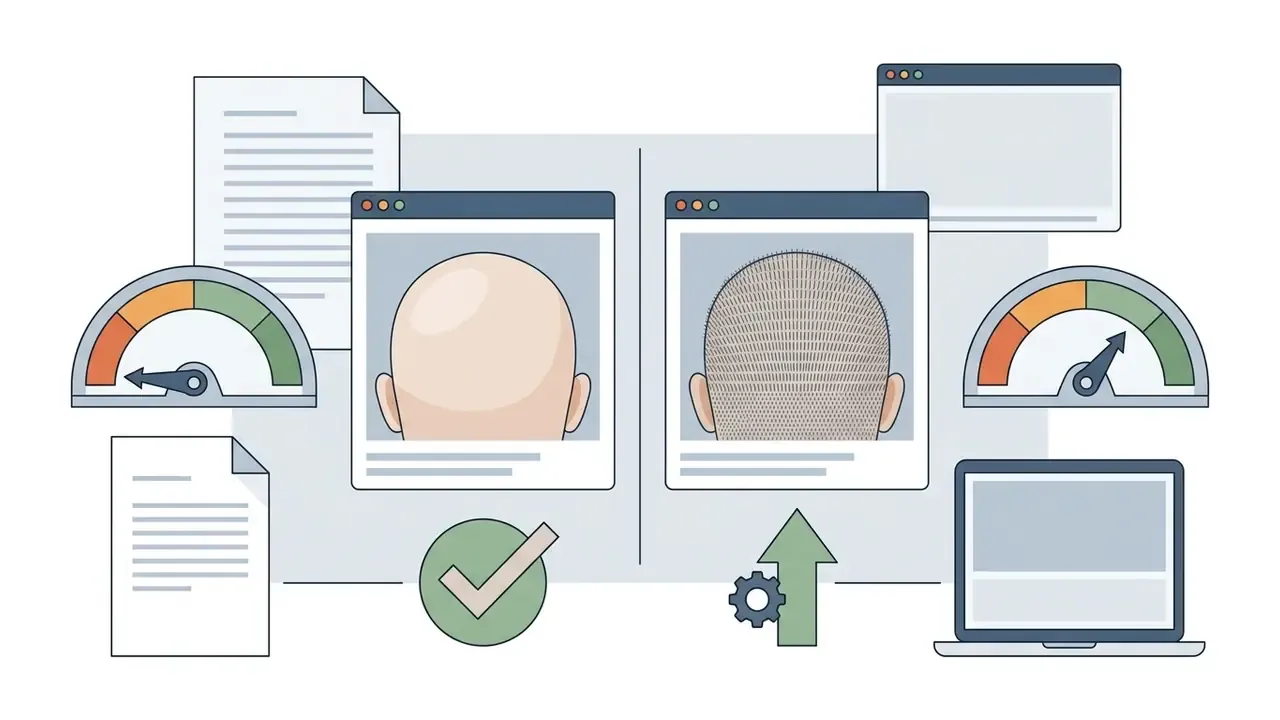
Published realism benchmarks now separate non-hair preservation (SSIM on untouched regions) from overall distributional realism (FID). Diffusion converters lead:
«Stable-Hair reaches FID 33.653 versus 36.205 for HairFastGAN and 37.456 for HairCLIPv2, confirming the realism advantage of diffusion-based converters.»
Hair Type, Hair Length, and Photo Quality
Texture, density, and volume drive segmentation accuracy. Short hair with a defined hairline lets the model map scalp boundaries fast. Long, curly, or voluminous styles occlude the background behind the head, so the model has to invent that region too. High-resolution input gives the pixel detail needed for soft alpha-masking, which reduces edge blur during inpainting.
Peer-reviewed hair-reconstruction work is refreshingly blunt about failure modes:
«Our method struggles to represent highly curly hair and depends on the accuracy of hair and body segmentation masks.»
Single-view reconstruction research (ECCV 2018) reports loss of high-frequency detail on curly hair and outright failure on "exotic" hairstyles such as kinky and afro textures, blaming their scarcity in training databases. Later 3D Gaussian-splatting work (2026) lists buns and ponytails as hard cases where naive application yields disconnected, uncontrollable primitives. Practical takeaway: dense curls, buns, and ponytails demand the cleanest input you can produce, because the model has to remove volume and reconstruct what was hidden behind it.
When to Use a Bald Head Generator
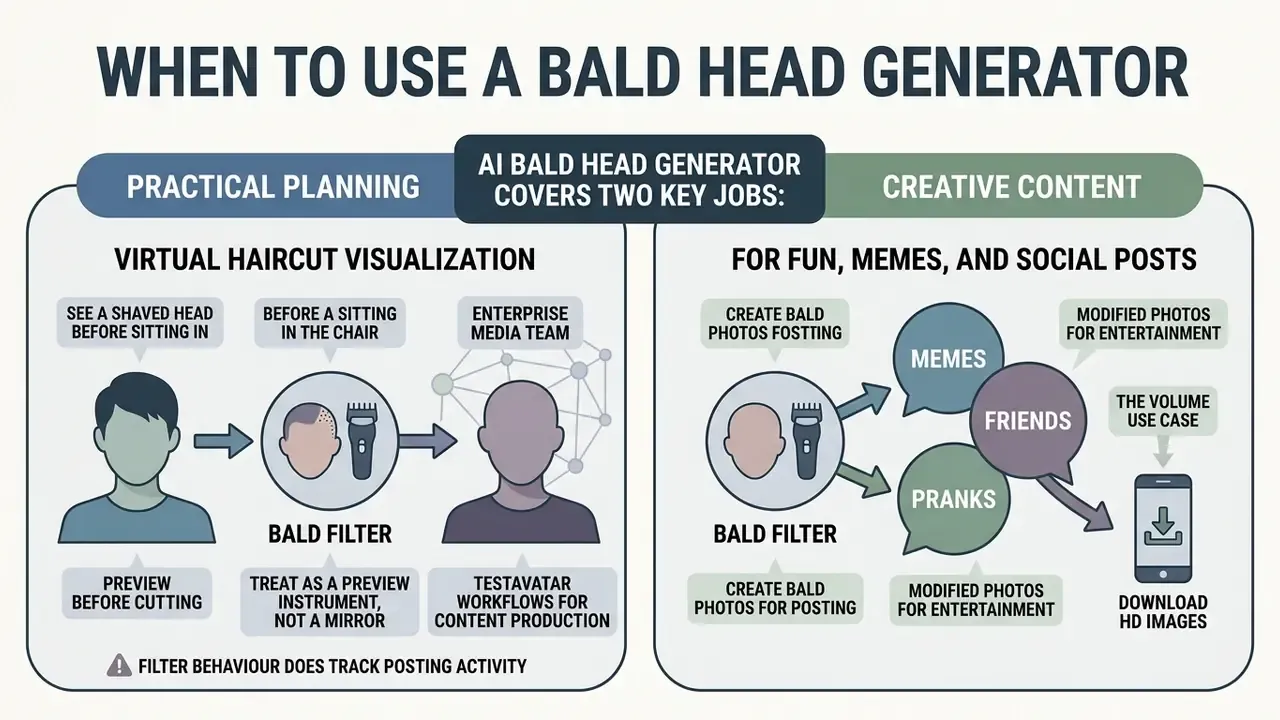
An ai bald head generator covers two very different jobs: practical planning and creative content. Most people reach for a bald head picture generator or bald picture generator to preview an irreversible grooming decision before the clippers come out.
An enterprise media team we reviewed tested avatar workflows for content production. Running a perchance ai character generator next to a perchance ai story generator, they found that pre-rendered bald base meshes improved structural consistency across downstream character edits. Small pipeline choice, noticeable stability gain.
Preview a Shaved Head Before Cutting Your Hair
Virtual haircut visualization lets you see a shaved head before you sit in the chair. Head shape, scalp contrast, facial balance: all three are hard to imagine and easy to render. Consumer hairstyle try-on products position themselves openly as pre-visit decision aids. Vendor documentation describes generating a 3D head model, browsing thousands of haircut and beard variants, then saving the chosen look so the barber sees the preference before the appointment. Worth flagging: those are product claims about intended use, not measured outcome studies. No peer-reviewed evidence of improved decision quality was located.
Create Bald Photos for Memes, Friends, and Social Posts
Making modified photos for fun, memes, and pranks is the volume use case for an ai shaved head generator. Renders travel instantly across TikTok, Instagram, Snapchat, and messaging apps: "how would I look bald" challenges, contrast reveals for hair-growth ads, birthday cards built on a shiny-scalp punchline.
Filter behaviour does track posting activity. A 2024 study found filter use positively correlated with posting frequency (r = 0.36), and filtered images scored significantly higher than originals on every measured attribute (p < 0.001). The psychological side reads less cheerfully:
«Across 468 social-media users, applying AI beauty filters significantly reduced body-image satisfaction and appearance self-esteem.»
Treat the tool as a preview instrument, not a mirror. If a bald render triggers real distress about hair loss, that is a reason to talk to a dermatologist, not a verdict on your face. Worth knowing too: a 2025 systematic review of hair-loss information on social media scored content quality at just 1.47–2.66 on the DISCERN scale, with dermatologist-authored posts making up only 0 to 18.9% of samples.
Practical and Medical Applications of AI Bald Filters
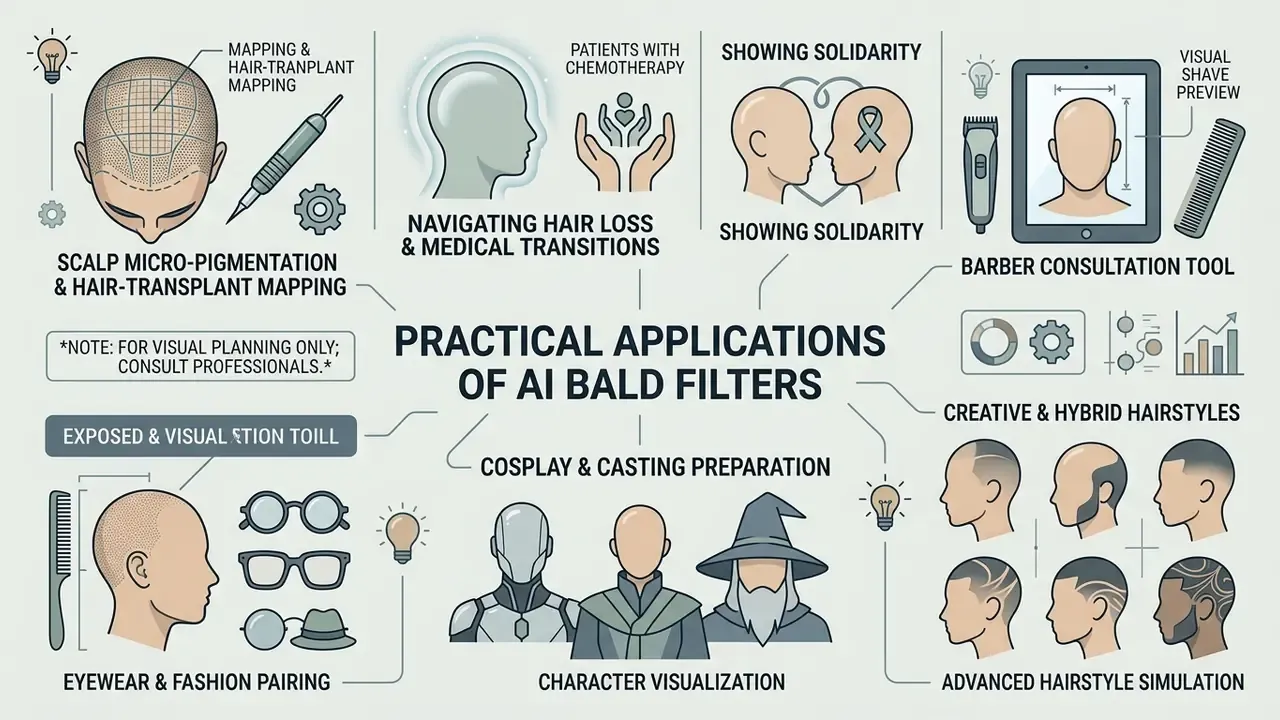
Medical disclaimer: this section describes visualization tools only. AI bald previews are not diagnostic. Published assessments note that frontal photo analysis cannot resolve structures smaller than roughly 200 μm, so follicular miniaturization and density need trichoscopy or a phototrichogram. A 2026 review also flags that many AI hair-disorder studies are small, retrospective, and heterogeneous, which weakens external validation. Consult a dermatologist or licensed clinician for diagnosis and treatment of hair loss.
Is an AI Bald Filter Free to Use?
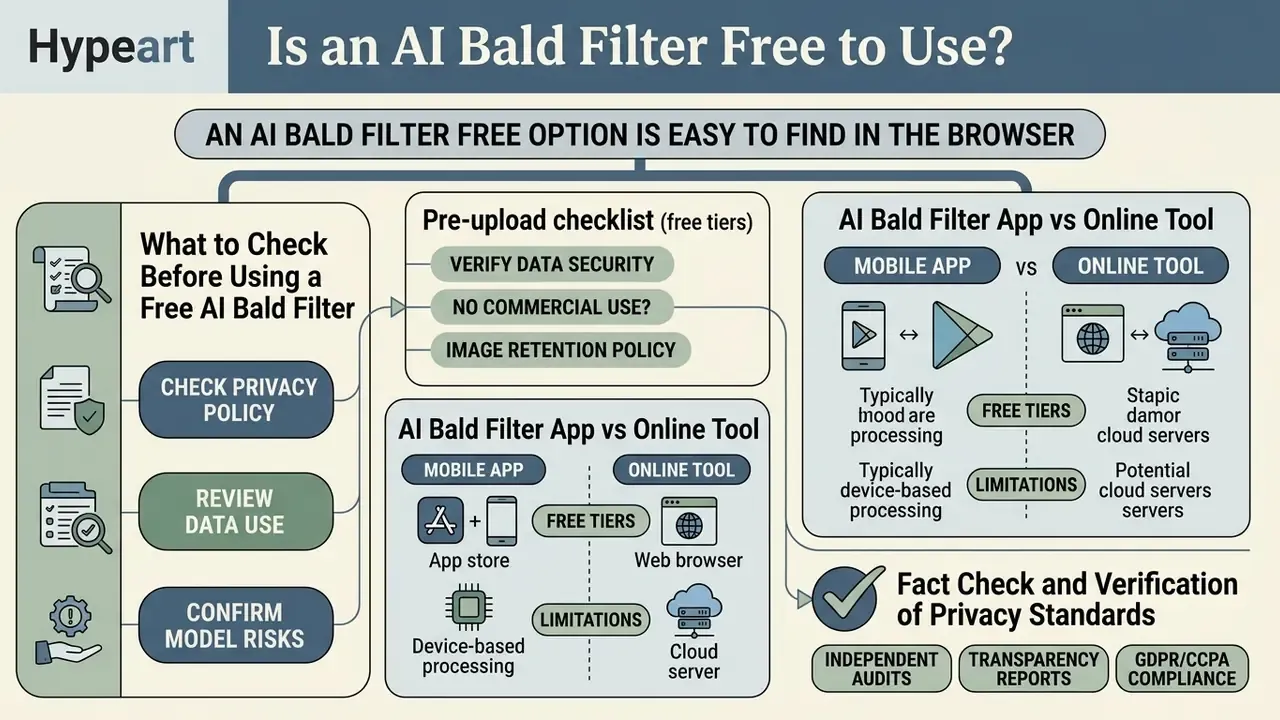
An ai bald filter free option is easy to find in the browser. The operational limits are where services diverge, and reading them first saves a wasted upload.
In the observed sample, "100% free" almost always means a quota-limited trial rather than unlimited access. Documented patterns include roughly 4 free uses per day on one editor, up to 5 per day on another, 1 free edit per week on a third, and 3 free credits before pay-as-you-go pricing on a fourth. One dedicated bald tool sells 20 generations for $4.99. Upload ceilings of 10 MB and 20 MB are common. So monetization differs less by feature lock and more by when the quota runs out. Comparing zero-cost options? See free AI generators without sign-up and our free photo editor breakdown.
What to Check Before Using a Free AI Bald Filter
Before uploading to a bald filter ai free tool, read the rules on usage limits, output resolution, and watermarks. Many free tiers cap downloads at standard definition or brand exports. Documented examples include 720p watermarked output on one video-AI free plan, a 540p ceiling with a logo on another, and watermark removal plus 4K only on the paid tier of a third. For adjacent tooling, see our guide to the passport photo editor free and review plan structures to see the overview.
Pre-upload checklist (free tiers):
| Question | Why it matters | Red flag |
|---|---|---|
| Is there a watermark on export? | Blocks commercial or portfolio use | Watermark cannot be removed at any tier |
| What is the maximum resolution? | 540p/720p output is unusable for print | No resolution stated anywhere |
| How many free generations? | Determines whether you can iterate | Quota revealed only after upload |
| Are source photos deleted, and when? | Facial images are biometric data | No retention window published |
| Is sign-up or ID required? | More data collected than the task needs | Requests contacts, camera roll, or location |
| Who owns the output? | Decides commercial reuse | Terms silent on output ownership |
| Is upscaling available? | Fixes compression artifacts on export | Paid-only upscale on already-low-res output |
One psychological caveat belongs on this list as well. Augmented-reality mirrors widen the gap between the ideal and the actual self, especially for users with high appearance self-esteem, which can undercut confidence in the very decision the preview was meant to support (analysis of AR filters in social media, cited in Journal of Consumer Behaviour, 2026, https://onlinelibrary.wiley.com/journal/14791838).
AI Bald Filter App vs Online Tool
Choosing between an ai bald filter app and a browser tool depends on accessibility, hardware, and, for organizations, data governance. Mobile apps bring deep camera integration and touch controls. Web tools need no install and run anywhere. Usability research measures the trade-off through speed of performance, error rate, learnability, and satisfaction; comparative performance studies report that native apps can beat browser tools on latency under variable network conditions, while browser tools stay far less device-dependent. For downstream video work, the openshot video editor covers desktop editing, and an animation maker can push a static render into motion.
| Feature / Parameter | Web Browser Tool | Mobile Application (iOS/Android) |
|---|---|---|
| Installation requirement | None, runs in the browser | Required, app store download |
| Processing location | Cloud GPU servers | Hybrid, on-device or cloud API |
| Latency profile | Network-bound; edge caching helps | Lower local latency for on-device models |
| Resolution support | Standard HD free; 4K and 2X–8X upscale on paid tiers | Device-dependent export limits |
| Encryption in transit / at rest | TLS in transit; at-rest encryption varies by vendor | TLS in transit; OS keychain and sandbox at rest |
| Enterprise compliance signals | SOC 2 / ISO 27001 attestations published by some vendors | Store privacy labels plus vendor attestations |
| Audit trail / logging | Server-side logs, exportable on business plans | Limited unless MDM-managed |
| Data residency control | Region selection on business tiers only | Depends on backend region |
| Permission surface | Browser file picker only | Camera, photo library, notifications |
| Privacy disclosures | Terms presented on the website | Store permissions and privacy nutrition labels |
| Cross-platform access | Universal across Windows, Mac, mobile | Tied to one operating system ecosystem |
In plain terms: the browser wins on reach and on auditability for business plans, the app wins on capture convenience and offline-ish latency, and the permission surface is the sharpest governance difference. No verified comparative measurement of output quality between web and mobile builds of the same tool was located in official documentation. Anecdotal quality gaps usually trace back to input resolution and compression, not the delivery channel.
Photo Privacy and Commercial Use of AI Bald Images
Fact Check and Verification of Privacy Standards
- Biometric privacy and consent: the European Data Protection Supervisor (EDPS, 2026) joint statement, backed by 61 authorities, stresses that generating realistic AI imagery of identifiable individuals without their knowledge and consent creates fundamental privacy concerns. Prefer platforms that process images ephemerally and delete source uploads after transformation. https://www.edps.europa.eu/
- Regulatory direction for appearance-modifying filters:
«The study proposes mandatory disclosure labels for AR beauty filters and notes that the EU AI Act applies to appearance-modification tools.» — Pixels of Perfection and Self-Perception: Deconstructing AR Beauty Filters, ACM IMX (2024). https://dl.acm.org/doi/proceedings/10.1145/3639701
- Data retention policies: Adobe General Terms (Adobe, 2025) state that at the end of a 30-day transition period the provider reserves the right to delete customer content, that users retain all rights and ownership of their content, and that Adobe claims no ownership of it; Adobe's generative-AI documentation adds that users own and control Firefly outputs. https://www.adobe.com/legal/terms.html OpenAI's privacy documentation (2026) similarly commits to removing deleted personal data within 30 days unless longer retention is legally required. https://openai.com/policies/privacy-policy
- Copyright and commercial use: per the U.S. Copyright Office Report on AI and Copyright (USCO, 2025), purely automated AI outputs created without substantial human creative control lack copyright protection, and prompting alone is not enough. https://www.copyright.gov/ai/ The EU IP Helpdesk (2024) adds that commercial exploitation is permissible only when the user owns the output under national law and the tool's terms grant it, warning of infringement where outputs reproduce protected works. The European Parliament (2026) further calls for rights-holder control over licensing and action against non-consensual manipulated imagery. For usage terms, review commercial use of AI images, compare options, and examine legal frameworks to see the overview.
- Third-party likeness: consent obligations attach to every identifiable person in the frame, not only to the face you meant to edit. That single rule makes group-photo processing the highest-risk scenario in casual use.
Enterprise Risk, Shadow AI, and Model Validation
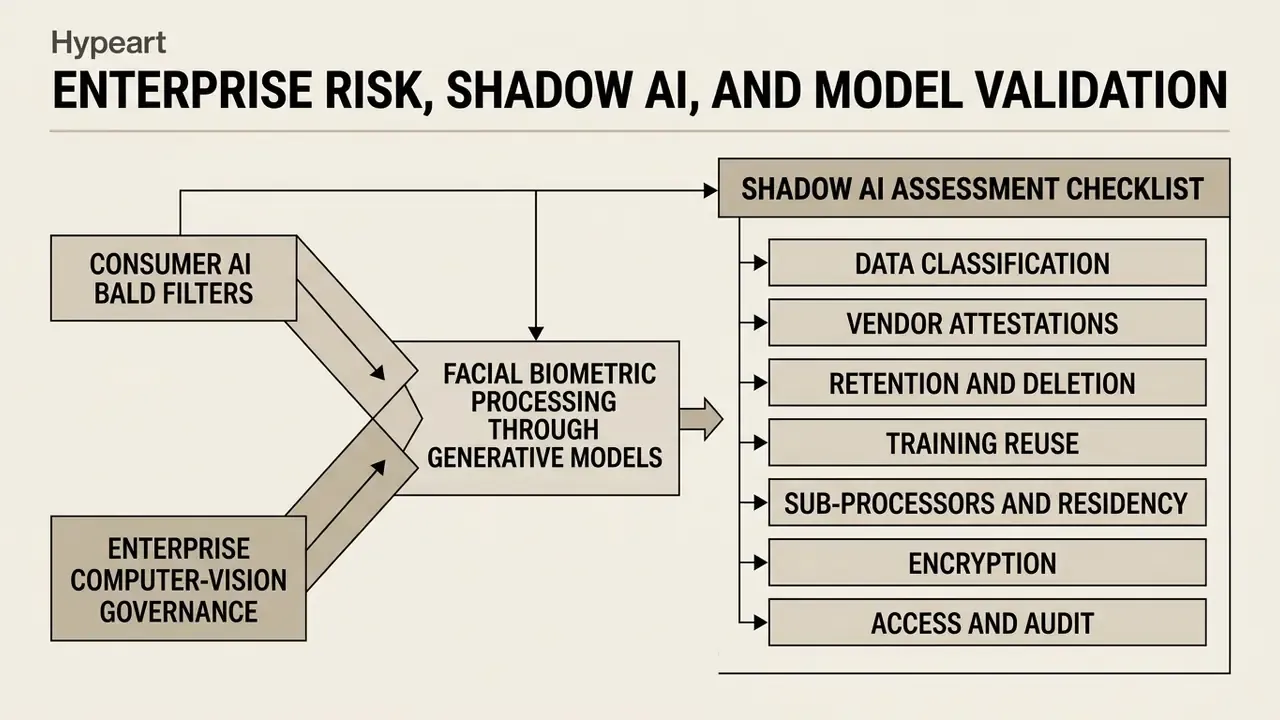
Consumer bald filters and enterprise computer-vision governance intersect at one point: both process facial biometrics through generative models. Teams that treat a "fun filter" as out of scope usually discover the exposure during an audit rather than during design. Ask the boring question early. Who owns this pipeline, and what evidence would we show a regulator?
Shadow AI Assessment Checklist
Run this before any employee-uploaded portrait leaves the corporate perimeter:
- Data classificationis the image biometric or special-category personal data under the applicable regime?
- Vendor attestationsare SOC 2 Type II or ISO/IEC 27001 reports available on request, and current?
- Retention and deletionis there a published, contractual deletion window (for example, 30 days) with confirmation of GPU-node cache purging?
- Training reusedo the terms explicitly forbid using uploaded content to train models?
- Sub-processors and residencywhich regions and sub-processors touch the file, and is residency selectable?
- EncryptionTLS in transit plus documented at-rest encryption, with key management described.
- Access and auditrole-based access, exportable audit logs, named administrative accountability.
- Consent artefactsdocumented consent for every identifiable person, retained with the asset.
- Egress controlsare public image-editing endpoints blocked or brokered through an approved gateway?
- Incident pathcontractual breach-notification timelines that match your own reporting obligations.
Biometric Spoofing and Identity-Verification Exposure
Hair removal changes visible attributes while deliberately preserving facial geometry and landmarks. That is the design goal of identity-preserving editors, and it is exactly why such tools belong in KYC and liveness risk discussions. Two consequences follow.
First, appearance-change tolerance has to be tested. A customer who genuinely shaves their head should still match, which means hair must not be a load-bearing feature in the embedding. Second, generative editing lowers the cost of producing plausible altered portraits, which argues for liveness detection, provenance signals, and challenge-response steps instead of static photo matching.
Boundary condition, stated honestly: published hair-removal work is evaluated on realism and identity preservation, not on attack success rates against commercial verification vendors. Treat spoofing capability as a risk to test internally, not a quantified published finding.
Validation Metrics for Generative Hair-Removal Models
| Dimension | Metric | Reference point |
|---|---|---|
| Distributional realism | FID (lower is better) | 33.653 (Stable-Hair) vs 36.205 / 37.456 for GAN baselines |
| Non-hair preservation | SSIM on unedited regions | Region-restricted SSIM isolates unwanted drift |
| Identity retention | Identity / CSIM score, human "untouched" rate | 48.37% judged untouched in HairMapper (CVPR 2022) |
| Geometry fidelity | Head-pose angular error; skull MAE | ~2.1° pose error; ~1.24 mm skull MAE |
| Throughput | Seconds per image; images per minute | 0.629 s (SD 1.5) to 7.584 s (SDXL); 17–22 img/min on cloud GPUs |
| Robustness | Stress slices by pose, hair texture, skin tone | Curly, kinky, afro, buns, ponytails documented as failure cases |
Stress-test protocol: build a fixed evaluation set stratified by head yaw (0°, ±15°, ±45°), hair texture (straight, wavy, curly, coily), hair length (short, shoulder, long), skin tone across the full Fitzpatrick range, and lighting (soft, harsh, backlit). Score every slice separately. A single aggregate FID hides precisely the disparities that later surface as fairness findings. The literature says openly that afro and kinky textures are under-represented in training databases, and that is a bias signal, not random error.
Risk-Adjusted Cost of Ownership
Three components dominate total cost. Compute: per-image GPU seconds multiplied by volume, benchmarked between 0.6 and 7.6 seconds per image depending on model. Validation and monitoring: evaluation-set construction, periodic re-testing, human review of edge slices. Compliance overhead: consent capture, retention enforcement, DPIA, vendor due diligence.
Price residual risk as expected loss: probability of a biometric-privacy finding multiplied by estimated penalty and remediation cost. Where the visual outcome is decorative rather than operational, the honest conclusion is usually that a managed vendor with published attestations beats an in-house pipeline. Developers modelling per-call costs for adjacent generative media can review our API implementation guide and browse the hub.
Safe next step: run one low-stakes pilot on synthetic or consented portraits, log every generation, and require a named owner plus an escalation path before any customer or employee image enters the flow. No evidence, no autonomy.
AI Bald Filter FAQ
Does a Bald AI Filter Work With Group Photos?
Yes, if the software includes multi-face detection. The platform identifies individual facial bounding boxes, lets you pick a target face, and several tools apply the effect to every detected face at once. Consumer gallery apps already document per-face selection in multi-person images, so technically the workflow is routine. The harder constraint is consent: every identifiable person in a group photo should agree before the file reaches cloud servers, and that bar sits well above the technical one.
How Long Does It Take to Generate a Bald Photo?
Typically 0.6 to 2.5 seconds per image on modern cloud platforms. Standardized benchmark data supports that band. UL Solutions' Procyon suite reports 0.629 s and 1.043 s per image for Stable Diffusion 1.5 on RTX 4090-class hardware, and 1.494 s to 7.584 s for Stable Diffusion XL depending on configuration, while cloud throughput testing reports 17 images per minute on T4 instances and 22 on A10g-class instances. Research pipelines run faster still:
«HairFastGAN transfers hairstyle shape and colour in less than one second on an NVIDIA V100 GPU.» — HairFastGAN (2024). https://arxiv.org/abs/2404.01094 Wall-clock time on a free consumer tier usually exceeds the model's inference time because of queueing, upload bandwidth, and post-processing. Almost instantly, then, but with an asterisk.
Can You Create a Video From a Bald Photo?
Yes. A static bald render can drive a short animated clip through image-to-video tools. Upload the bald portrait as a reference frame, add a motion prompt, and get 5 to 10 seconds of video. Vendor documentation describes this flow directly: Kling produces 5- or 10-second clips, Veo 3.1 generates 8-second videos from a single photo, and Firefly animates an uploaded image as the first frame. See our image-to-video AI explainer and the free AI video generator comparison for selection. For cost modelling, browse the hub and check platform documentation to compare options.
Can I Turn a Bald Photo Back Into a Hairstyle Preview?
Yes. Reverse bald-to-hair generation treats the bald render as a neutral base and synthesizes short, long, straight, or curly hair on top. It is the same principle 3D avatar research uses when it builds a FLAME-aligned bald head before generating strands. Practically, one clean scalp render becomes a reusable canvas for dozens of hairstyle previews before a salon visit.
Does the Filter Work on Side Profiles?
It works best on front-facing photos and tolerates a slight three-quarter turn. Very sharp profiles reduce accuracy because the model sees less skull surface to constrain reconstruction, and head-pose error rises with rotation. If a profile shot is all you have, expect softer scalp edges on the occluded side.
How Does It Handle Curly, Thick, or Textured Hair?
Consumer tools remove all hair types, curly, thick, and textured included, replacing them with a smooth scalp while keeping facial expression intact. Academic work is more cautious. Highly curly, kinky, and afro textures, plus buns and ponytails, are documented failure cases where fine detail disappears or reconstruction destabilises. Tie hair back, shoot against a plain background, and use the highest resolution available.
Is the Free Version Watermark-Free?
It varies, and this is worth checking before the upload rather than after. Documented free tiers include watermarked 720p exports, 540p logo-branded output, and watermark-free HD limited by a credit quota. Read the export terms first, especially if the image is destined for a portfolio.
Can I Upscale the Bald Image After Export?
Yes. Professional editing engines offer 2X, 4X, or 8X AI upscaling at export to clear compression artifacts while preserving facial features. Note the ordering trap: upscaling a low-resolution generation recovers less detail than generating at higher resolution in the first place.
Is a Bald Filter Safe to Use With Corporate Photos?
Only through an approved vendor with published retention, deletion, and no-training-reuse terms. Uploading employee or customer portraits to a public tool is Shadow AI processing of biometric data, whatever the intent behind it. If your organization has no approved path yet, the safe answer is to wait for one.
Can I Use the Result Commercially?
Only when two conditions hold together: the platform's terms grant you rights to the output, and applicable national law recognises your ownership. Purely automated outputs without substantial human creative input are not protected by copyright under current U.S. Copyright Office guidance. Separately, using a recognisable person's likeness in advertising raises publicity and consent issues that sit on top of copyright.
Appendix A: Superseded Statements and Corrections
Kept for transparency. The main text above carries the corrected versions.



About the reviewer. Marcus Hale, author. Commentary here reflects a review of the technical and regulatory sources cited above and is informational only. It does not imply real employment, clients, or regulatory authority.
Explore our platform glossary for guides on artificial intelligence tools, image processing frameworks, and digital media standards, or review adjacent editing workflows such as AI image expansion.