Executive Summary
- An ai collage maker ingests multiple photos, or a text prompt, detects subjects and saliency, then computes layout geometry automatically instead of forcing images into fixed template slots.
- Free tiers typically restrict photo counts (roughly 4 to 30 source images, depending on the vendor), cap resolution, apply watermarks, and limit commercial rights.
- Legal exposure is the primary enterprise risk. Under U.S. Copyright Office guidance, purely machine-generated output without human creative expression is not protectable. Human selection, arrangement, and substantive editing establish authorship.

Who This Guide Is For
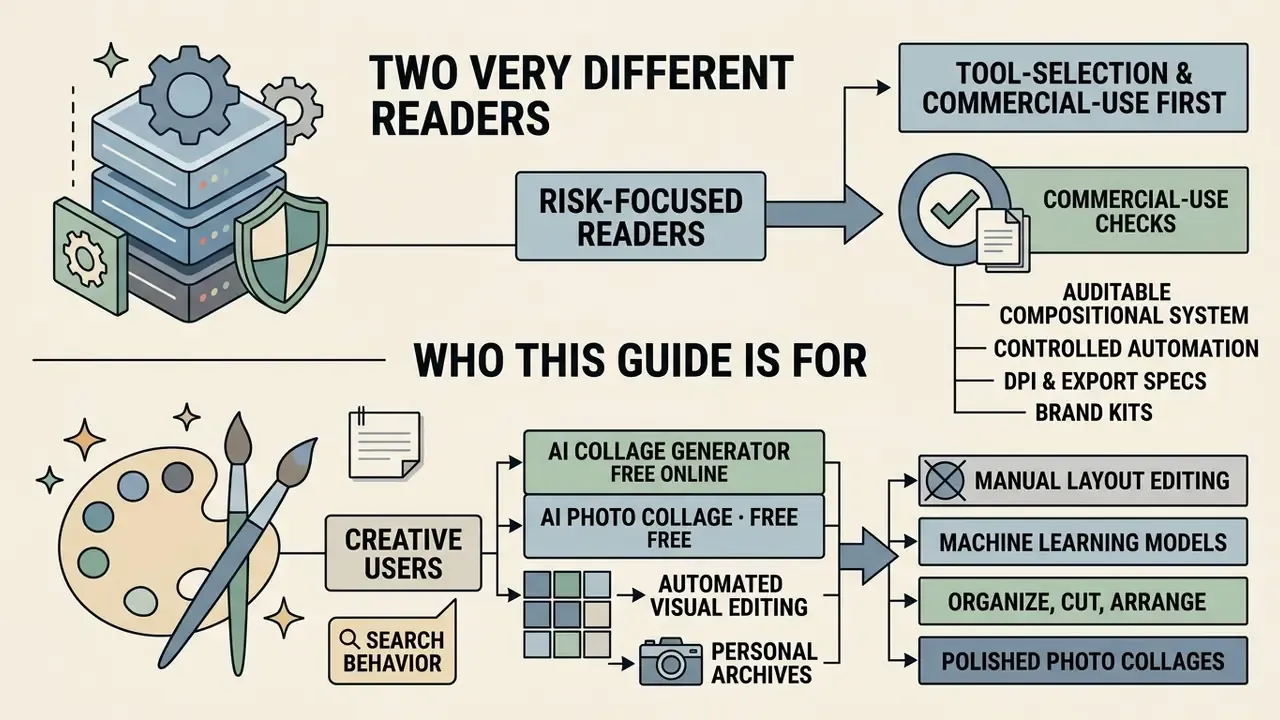
Two very different readers land on this page. One wants a fast, free way to turn twenty holiday photos into a single clean grid. The other signs off on tooling for a bank or a mature fintech and has to explain, later, why staff uploaded corporate imagery to a consumer web service.
Both jobs are covered here. The creative sections explain what the layout engine actually does. The governance sections explain what to write into the contract before anyone clicks "upload".
If you sit on the risk side, read the tool-selection and commercial-use sections first. Collage tools look harmless. They are still third-party image processors with retention policies, training-rights clauses, and licence tiers that quietly change what you may publish.
An ai collage maker is an automated visual editing system that uses machine learning models to organize, cut out, align, and balance multiple photos into unified visual layouts. Traditional manual editors ask you to place every image by hand into static slots. These platforms instead analyze subject saliency, colors, visual weight, and aspect ratios, then construct balanced composite images within seconds.
«Controlled automation in visual asset assembly turns manual layout editing into an auditable compositional decision process. The focus shifts from moving image boundaries by hand to setting governance rules for visual coherence, subject preservation, and distribution safety.» — Marcus Hale, author.
Whether you need an ai photo collage free for personal archives or an ai collage generator free online for enterprise marketing, evaluating modern collage software means understanding three things at once: automated layout mechanics, data privacy policy, and intellectual property limits. Technical integration standards are covered separately in our AI Media API Guides.
One small note on search behavior. Many people type "ai college maker" when they mean a collage tool, so vendor pages and comparison lists often rank for both spellings. Same product category, different keyboard slip.
What Is an AI Collage Maker and What Does It Create?
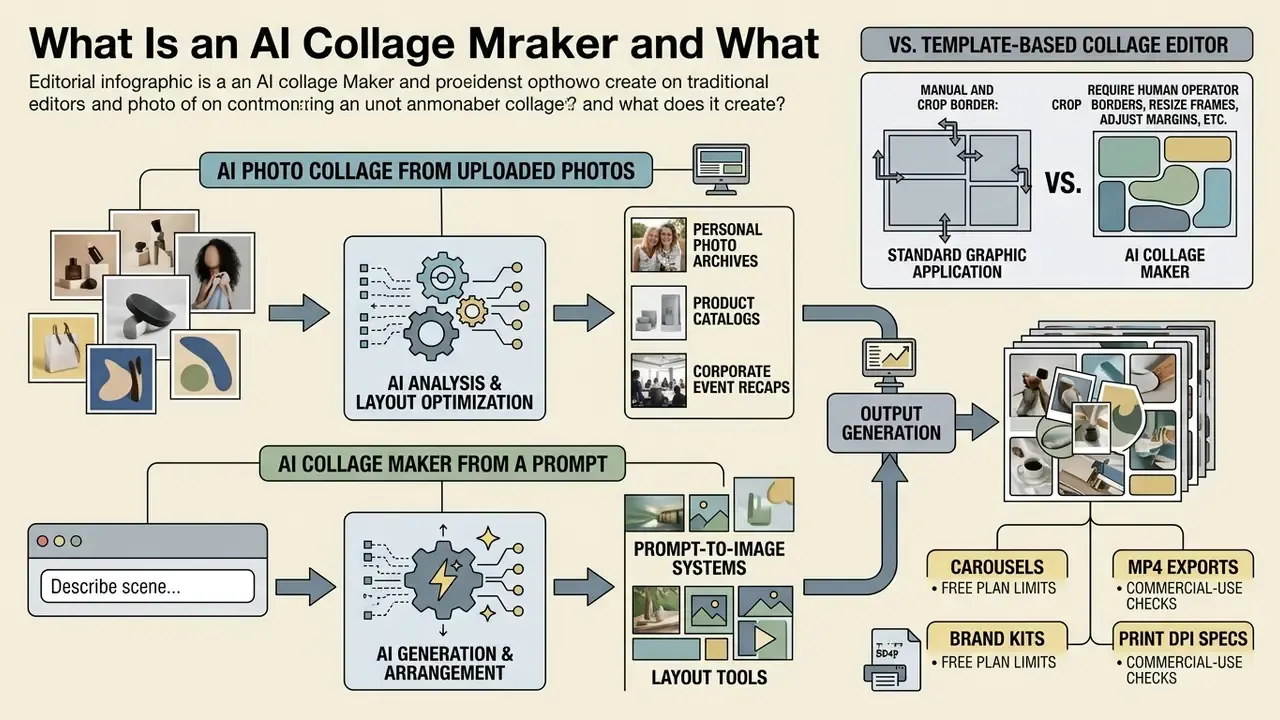
An ai collage maker is an intelligent software tool that ingests multiple input images or text descriptions, analyzes their visual components, and arranges them into optimized photo compositions. It creates structured multi-image assets: grid layouts, dynamic mood boards, product display boards, multi-slide social carousels, and longer visual stories.
Standard graphic applications require a human operator to crop every border, resize individual frames, and adjust canvas whitespace by eye. An ai collage creator or ai collage generator instead uses computer vision models to calculate object boundaries, facial positions, and focal points. The resulting ai image collage keeps visual harmony without truncating essential subjects.
«Automated layout algorithms compute visual saliency maps and Gestalt energy functions to optimize patch arrangement inside the collage canvas.»
The pipeline is remarkably consistent across vendors: upload, then content analysis (EXIF, dimensions, faces, subjects, aspect ratios), then layout generation, then export. Because visual weight and balance are scored numerically rather than judged by eye, non-designers can produce presentable ai collage images and ai collage pictures on the first attempt. Not always the second. Regeneration still shuffles cells in ways that surprise people.
AI Photo Collage from Uploaded Photos or a Prompt
An ai photo collage can be produced in two ways. You upload existing photo files into an ai collage maker from photos, or you submit a descriptive text prompt to a generative model. Upload-based workflows preserve the exact pixels of your assets while the algorithm optimizes layout geometry. Prompt-based workflows synthesize entirely new image components from text instructions to form an ai generated photo collage.
In practice, upload workflows serve personal photo archives, product catalogs, and corporate event recaps, where input fidelity is mandatory. Prompt-first generation suits mood boards, concept visuals, and reusable layout scaffolds. Hybrid systems let you upload source photos while using text prompts to dictate thematic style, border aesthetics, or mood. That model is formalized in diffusion-based collage research, where the input is a text prompt plus an ordered sequence of image layers.
When comparing prompt-to-image systems against layout tools, operators usually test how well the model reads asset context. Enterprise teams frequently examine how an ai that can read images classifies visual inputs to automate tagging and categorization across large asset repositories.
AI Collage Maker vs. Template-Based Collage Editor
An ai collage maker online differs from a template-based editor in one structural way: it computes custom layout geometry dynamically instead of pouring photos into rigid, pre-defined grid slots. Template editors depend on drag-and-drop actions, manual focal adjustment, and fixed frame boundaries.
Generative layout systems evaluate the medial axis of the target canvas shape, then slice geometry to match the visual weight of the input photos.
«ICAS combines image content analysis, shape decomposition, and slicing optimization to build balanced collages on arbitrary shapes.»
What AI Can Do in a Photo Collage Generator
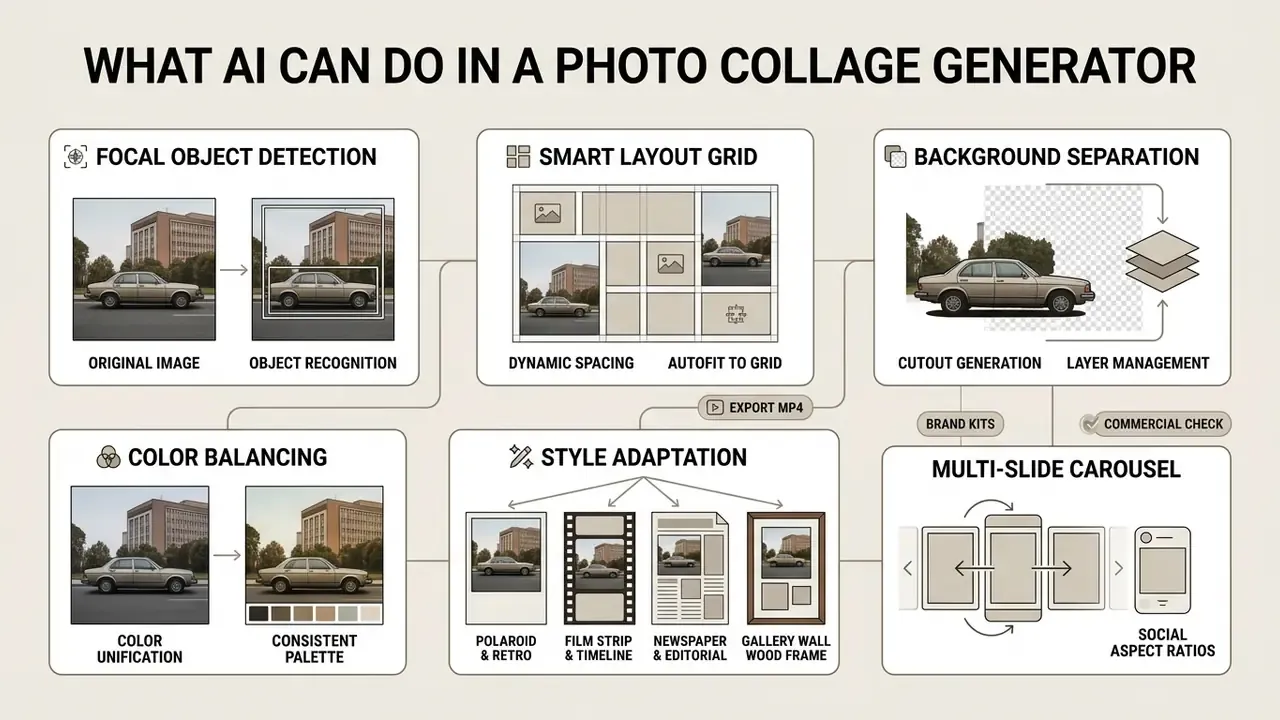
Modern ai image collage generator tools automate five core technical tasks: focal object detection, smart layout grid calculation, background separation, color balancing, and format-specific rendering. Together they prevent subject clipping and keep spatial padding uniform across the canvas.
An ai image collage maker applies machine learning to remove repetitive manual adjustments. The system balances composition across mixed aspect ratios, then supports downstream customization: typography overlay, vector sticker insertion, carousel slicing, animated export.
Table: technical capabilities of modern AI collage generators
| Feature category | AI automation mechanism | Operational benefit | Primary output format |
|---|---|---|---|
| Smart layout and grid | Calculates visual saliency and medial axis partitioning automatically | Eliminates manual alignment and uneven border spacing | Dynamic grids, masonry layouts |
| Auto crop and align | Detects facial keypoints and primary subjects in uploaded photos | Prevents focal subjects from being cut at frame edges | Centered subject cells |
| Background removal | Runs on-device or cloud semantic object segmentation | Isolates subjects for multi-layered composition | Transparent PNG, layered vector |
| Color and tone balancing | Adjusts exposure, white balance, and saturation across sources | Unifies style across photos shot in different lighting | Color-corrected composite |
| Carousel slicing | Splits continuous canvas geometry across sequential slides | Produces swipeable posts without manual cutting | 1:1 and 9:16 slide sets |
| Motion generation | Applies keyframe interpolation and pan or zoom transitions | Converts static layouts into short-form video assets | MP4, animated GIF |
| Brand enforcement | Extracts HEX palettes, typography, and logo vectors from guidelines | Maintains identity consistency across every generated cell | On-brand composite, branded PDF |
| Export and rendering | Applies lossy or lossless compression based on the end target | Delivers files tuned for web loading or high-DPI print | JPG, PNG, WebP, PDF at 300 DPI |
In plain prose: the engine finds the subject, builds the grid, cuts out backgrounds when asked, harmonizes color, splits canvases into carousel slides, animates layers, enforces brand rules, and renders to the format your channel needs. Everything else is taste.
Smart Layout, Crop, Align, and Grid Arrangement
Smart layout algorithms analyze uploaded photos to identify subject boundaries before assigning frame positions inside dynamic grids. Traditional editors crop from the geometric center, which routinely slices heads and lateral details.
Automated cropping models scan facial keypoints and high-saliency regions, preserving primary content when fitting images into irregular cell dimensions. Recent work on image-space packing with differentiable rendering confirms that spatial packing optimization on pixel grids prevents object overlap while holding tight alignment tolerances.
«The method moves geometric optimization into image space and uses a hierarchical resolution strategy for fast layout convergence.»
Anchoring behavior matters as much as packing. Professional layout engines expose a "key selection object" that other cells align against, plus separate soft-crop and hard-crop modes. That lets an operator lock a hero product frame while the algorithm reflows secondary assets around it. Small feature, large time saving.
Styles, Templates, Backgrounds, and Frames
An ai generator collage platform offers adaptive design presets, so you can change the aesthetic without re-uploading assets. Background patterns, frame thickness, and corner radius adjust dynamically with the selected theme.
Presets reach well beyond plain geometric grids, from minimalist white borders and pastel matte backgrounds to dense masonry configurations, into procedural aesthetic frameworks:
Research on digital mood board systems suggests generative style suggestion speeds up visual exploration during early ideation.

Customization controls then handle frame transparency, drop shadows, background textures, and spacing. Those options are what make an ai create collage workflow fit an actual brand book rather than a generic look.
Text, Stickers, and Image Editing Tools
Built-in editing layers in an ai collage maker tool let you place typography, graphics, and vector stickers over the compiled arrangement. Retouching filters adjust brightness, contrast, and color balance across disparate sources to establish one coherent look. Teams standardizing this stage across projects usually benchmark capabilities against dedicated AI photo editors.
Integrated text engines support custom fonts, kerning, line and character spacing, plus automated placement that avoids covering faces. Sticker libraries add decorative icons and contextual shapes for social posts or event flyers. Mature editors ship hundreds of fonts alongside blemish-removal and smoothing tools for portrait cells.
In high-volume content operations, text tooling rarely lives alone. Teams handling audience queries pair an ai text reply generator with visual collage builders to standardize outbound communication, and research communications groups sometimes route figure captions through an ai thesis generator before assembling multi-panel visuals. Every generated line still needs a human check.
Dynamic Motion and Video Collage Generation
Advanced platforms turn static layouts into motion graphics. Keyframe interpolation, camera pan and zoom (the Ken Burns effect), and animated entrance transitions applied to text and isolated subject layers convert a multi-photo composition into a short-form video asset. Finished motion collages export as MP4 or animated GIF optimized for feeds.
Motion presets usually operate per layer, not per canvas. A headline can slide in while individual photo cells fade or scale, and cell reveal order can follow the narrative. Some platforms also generate transitions between two or more stills to build a continuous clip from a static grid.
For governance, treat animated exports as a separate asset class. Frame rate, duration caps, and audio licensing rules differ from image licensing terms. Free tiers often watermark video output even when static exports come out clean.
How to Choose the Best AI Collage Maker Tool
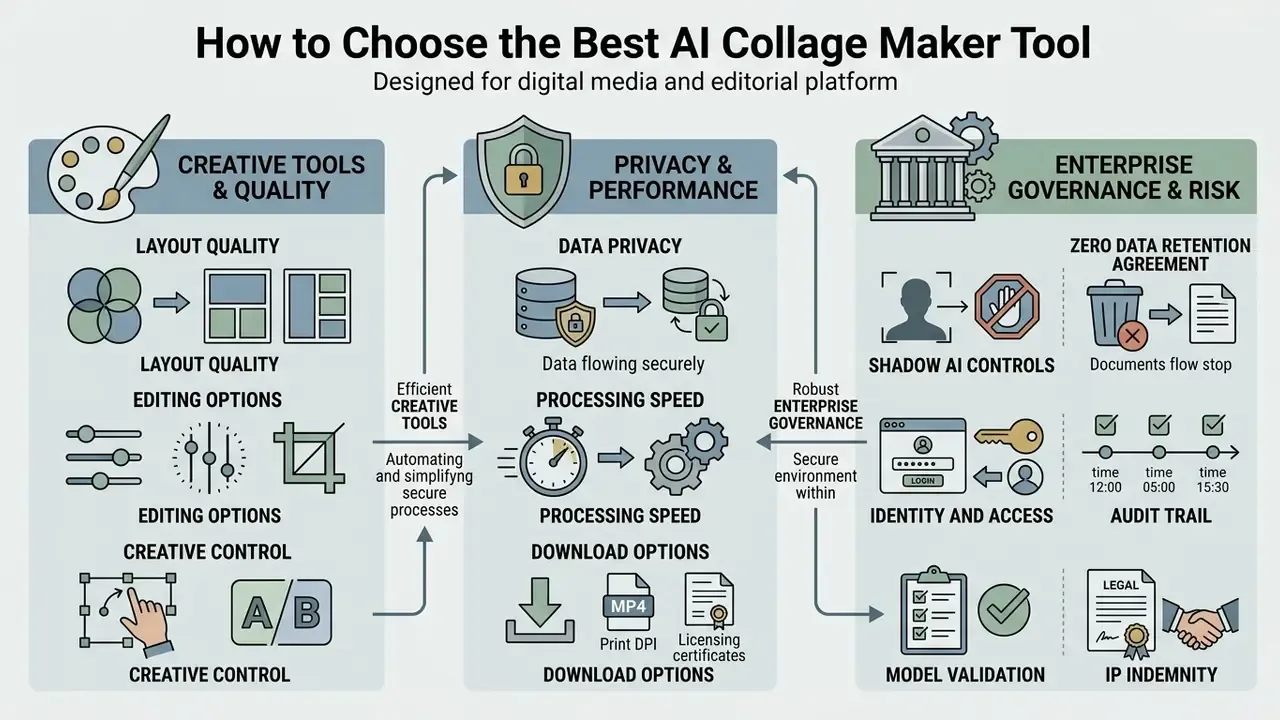
Selecting the best ai collage maker means evaluating layout quality, manual customization flexibility, data privacy safeguards, enterprise security posture, and export licensing clarity. Speed against control, in other words. Choose the tool before learning the workflow, because a governance-compliant platform is what makes every later step reproducible.
Usability standards in ISO 9241-11 define effectiveness by how accurately and completely users reach specified goals in a real context.
«ISO 9241-11 defines system effectiveness by the accuracy and completeness with which users achieve specified goals in a defined context of use.»
Good tools automate repetitive alignment without locking the operator out of manual adjustment. Vendor claims about speed or layout quality should be tested against your own representative tasks, not accepted from a landing page.
Layout Quality, Editing Options, and Creative Control
Assessing an ai collage maker online starts with one question: how intelligently does the algorithm handle variable aspect ratios? Weak layout engines force awkward crops that sever human subjects or leave ragged whitespace along canvas edges.
Look for granular post-generation controls: drag-and-drop cell swapping, adjustable margins, background transparency, multi-layer text insertion. Capacity claims vary widely. Some editors accept 2 to 10 photos with explicit positional instructions, while others handle up to 30 source images with caption, border, and spacing overrides before export.
«Collaposer automates tagging, segmentation, and semantic clustering of objects so users can focus on storytelling rather than asset preparation.»
Academic work on digital collage creation reports the same pattern repeatedly: automation accelerates layout generation but does not remove human compositional judgment. Useful framing when a vendor promises "full creative freedom" and the observed reality is shared control between system and operator.
When building specialized visual collections, teams cross-reference adjacent tooling. Groups producing digital character portraits or executive profile sets often combine collage engines with the options documented in our AI Headshot Generator Guide.
Privacy, Processing Speed, and Download Options
Enterprise Governance, Shadow AI Controls, and Model Risk Management
In a regulated environment, tool selection is a control decision, not a design preference. Evaluate candidates against these criteria before authorizing use:
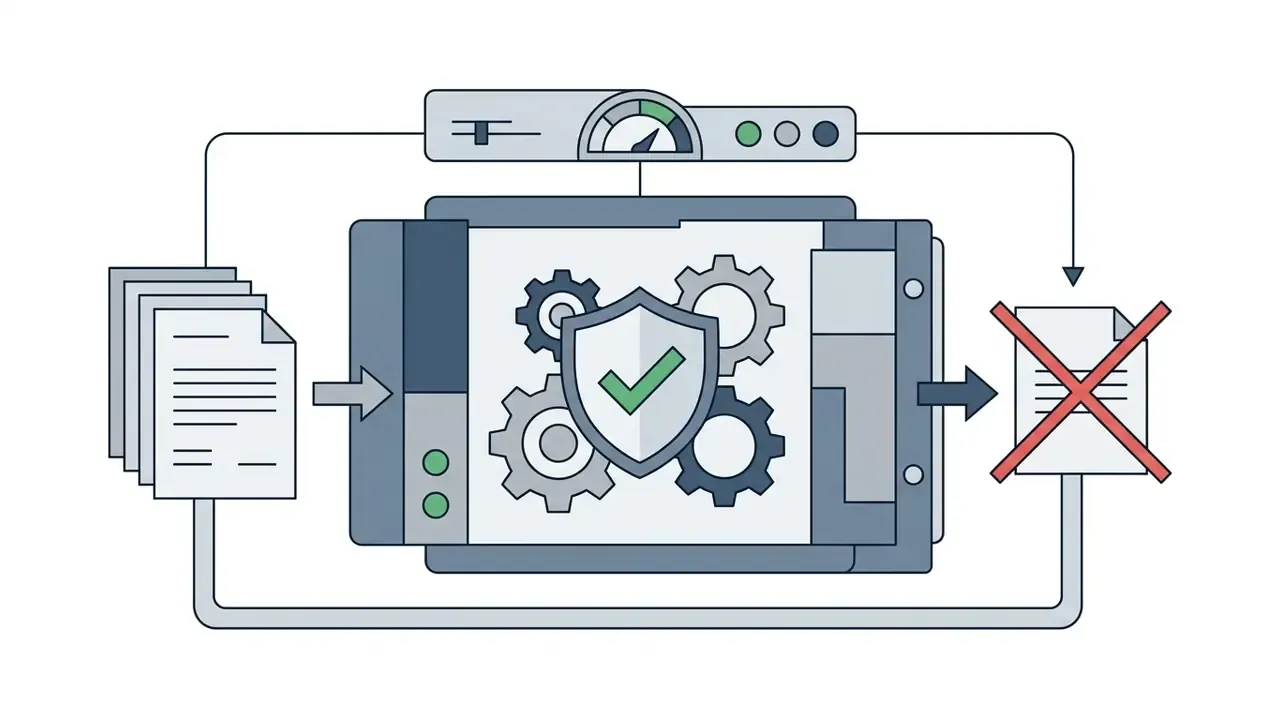
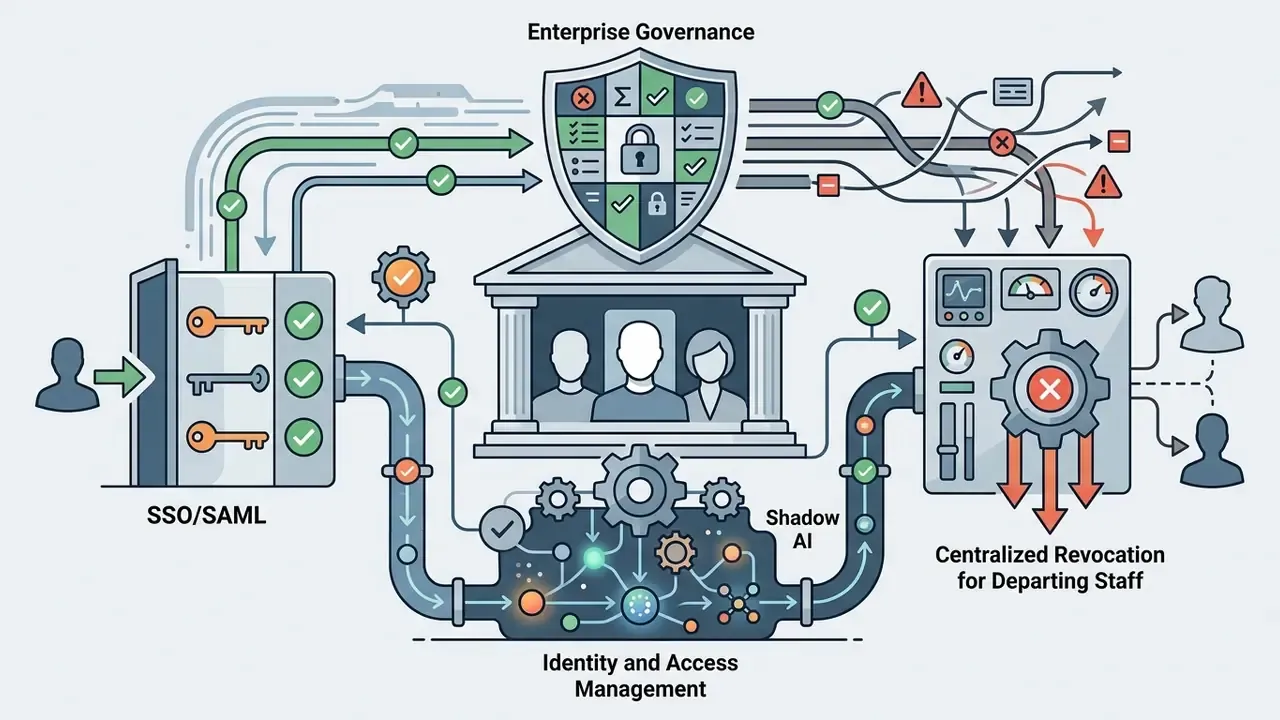
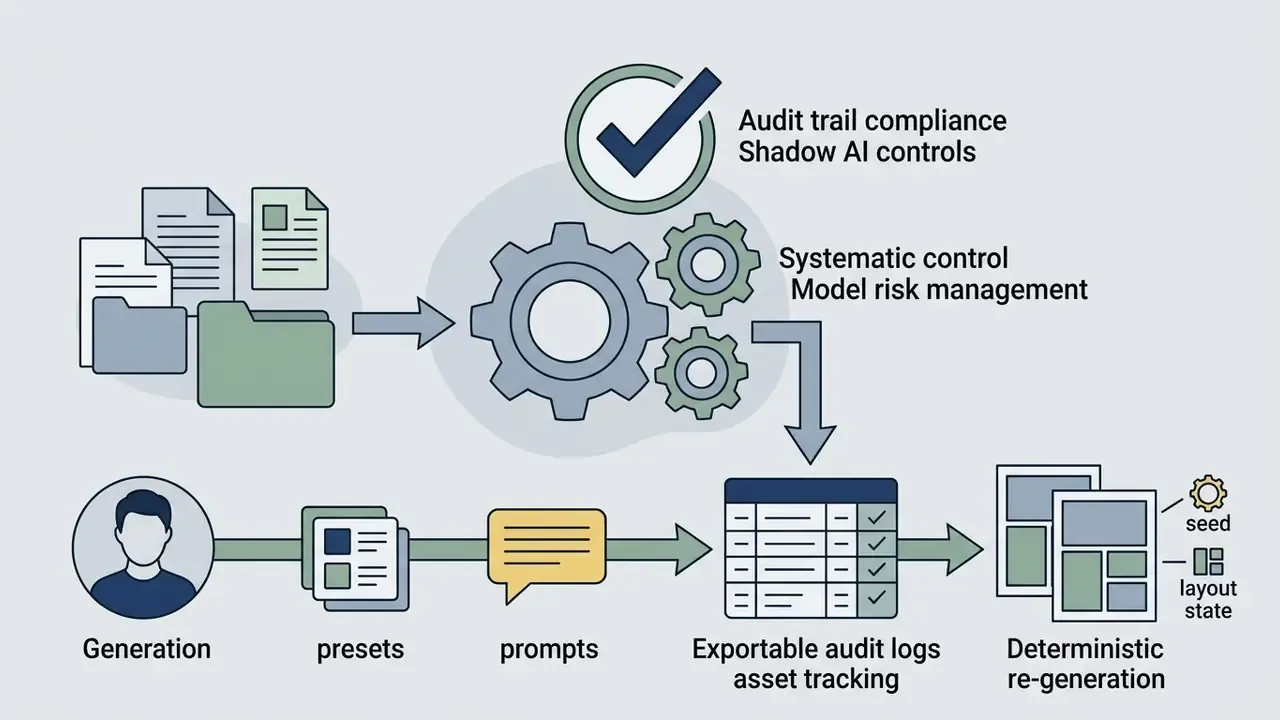
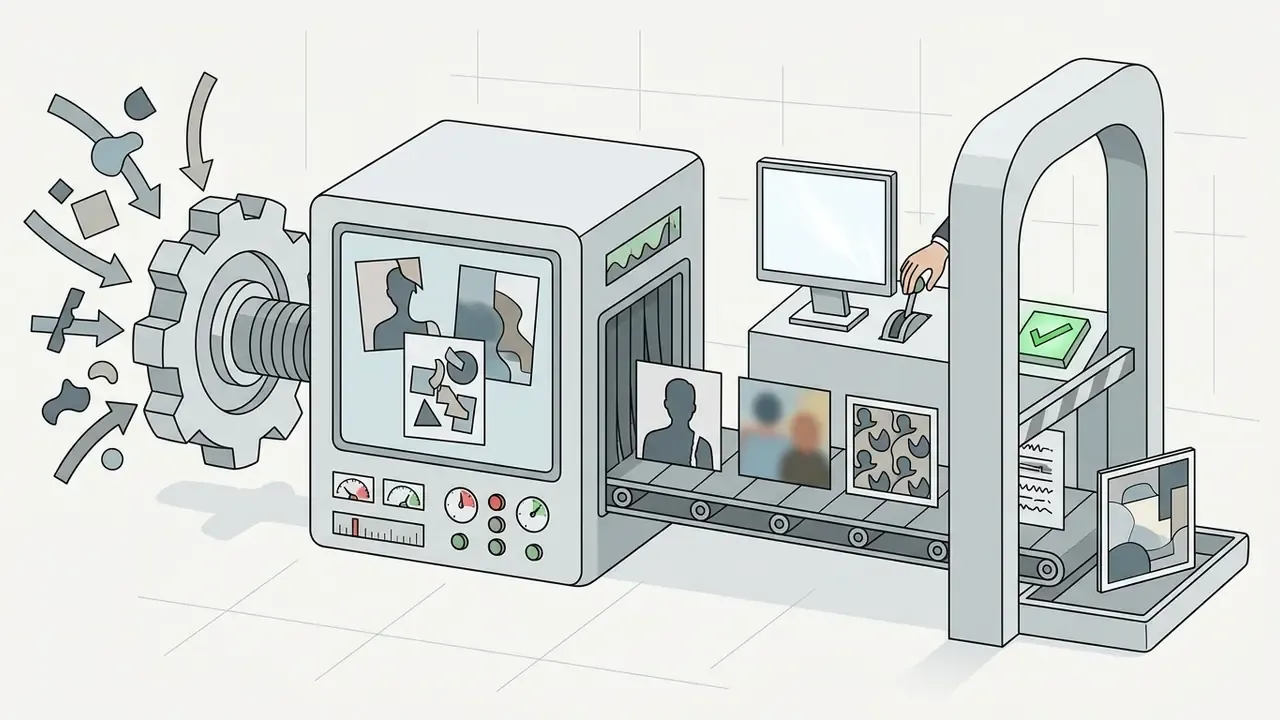

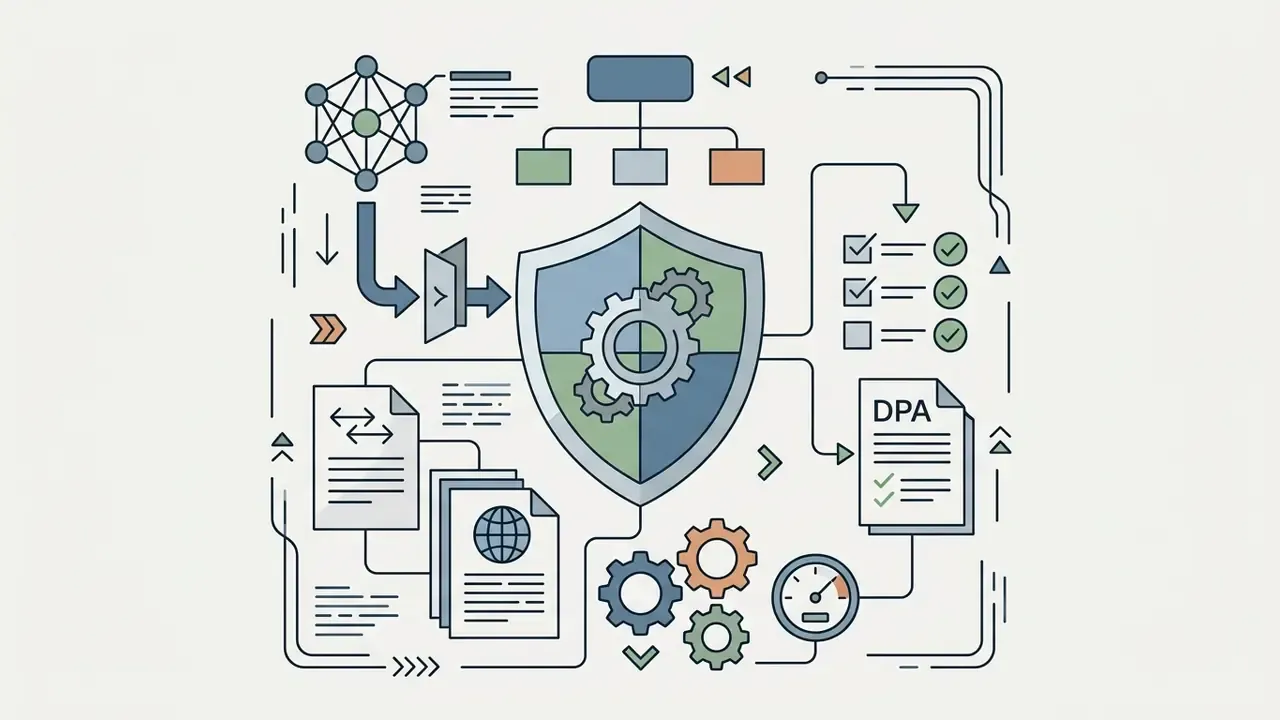
Shadow AI checklist for staff. Distribute a short rule set and keep it to one page. Never upload PII, NDA-covered material, unreleased product photography, customer imagery, or identifiable employee photos to unapproved consumer tools. Verify processing region and retention policy before first use. Prefer on-device segmentation for sensitive assets. Log every externally generated asset in the shared media register so distribution can be traced later.
One more line worth adding to that page: name an owner. An unapproved collage tool is a small thing until a product photo leaks a launch date.
How to Create a Photo Collage Using AI
Creating an ai generated photo collage follows a five-step workflow that turns raw uploads into a distribution-ready asset. The process minimizes manual positioning while leaving final styling under human control.
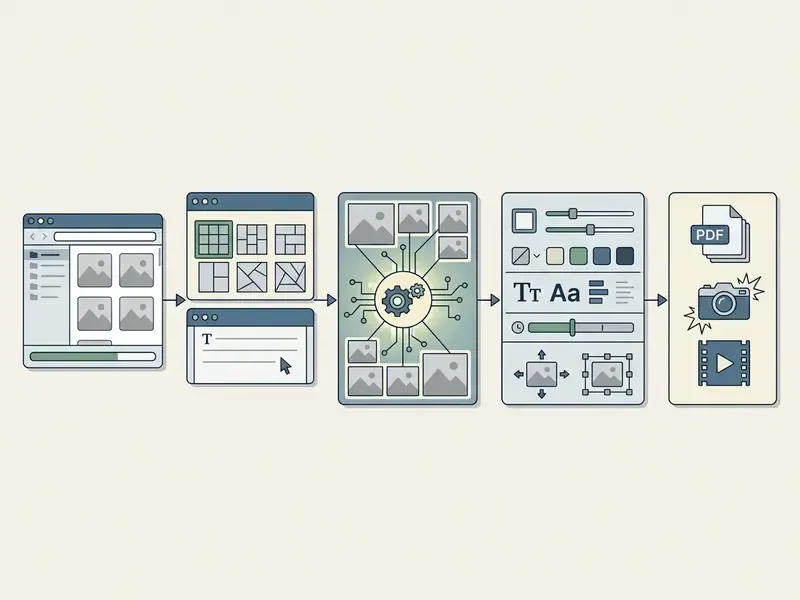
- Upload source photos: import your image files into the staging area.
- Select template or input prompt: choose a layout framework, or describe the composition you want.
- Execute AI layout generation: the algorithm evaluates subject boundaries, computes grid spacing, and places images.
- Customize visual parameters: fine-tune background colors, spacing, typography, and individual crops.
- Export and distribute: download at the resolution your channel or printer requires.
Upload Your Photos and Choose the Source Material
Start by selecting multiple photos in JPEG, PNG, or WebP. Most browser-based free tools accept between 4 and 30 photos per session for grid compilation, and paid business tiers usually drop the cap entirely.
Automated cropping performs best on clean lighting and clearly visible subjects. Institutional upload guidance commonly recommends scanning or exporting inputs at 200 to 300 DPI and cropping tightly to the subject edge before submission, so dynamic resizing does not introduce softness. Those figures come from academic and administrative upload instructions rather than one verified industry standard, and further benchmarking would strengthen the recommendation. Publication-grade figure specifications go further still: 300 DPI for halftone imagery, 600 to 800 DPI for line art or combination graphics.
Specialized media workflows tend to chain several utilities. Video creators building storyboards often complement static image collages with an ai tiktok video generator to produce synchronized social packages from the same shoot.
Choose a Template or Describe the Collage Style
Pick a structural template from the library, or write a descriptive prompt that steers composition. Prompt input lets you specify artistic theme, palette, and mood directly.
Established prompt-engineering practice recommends separating explicit style instructions from spatial layout parameters, naming the desired output structure plainly, and treating prompts as reusable patterns rather than throwaway text. That guidance reflects published prompt-pattern literature and draft government quick-start material; the specific draft referenced in earlier revisions could not be independently verified and still needs confirmation. Accessibility design guidance adds a complementary point: layout structure should be expressed through logical sections, headings, whitespace, and clear visual cues. Collage cells are no exception.
A workable prompt looks like this: "modern travel collage, pastel background, polaroid frames, clean spacing, 1080x1350 portrait". Set aspect ratio and slide count at this stage too if the output is destined for a carousel.
Teams modelling setup and per-seat costs can open the hub and review structures side by side before committing to a plan.
Generate, Inspect, and Customize the Collage
With assets and constraints set, the ai collage maker compiles the first composition within seconds. The engine pushes primary subjects into prominent cells and arranges supporting assets around those focal points.
Inspect the result at 100% zoom. Check subject alignment, border consistency, crop accuracy, character-level text accuracy, and margin behavior at canvas edges. From there you can swap photo positions, move spacing sliders, change background colors, or add text headers. Edit one element at a time, and state explicitly what must change and what must stay fixed, otherwise regeneration disturbs cells you already approved.
A short illustrative example. A financial media marketing team needed weekly asset recaps from roughly 15 event photos. They uploaded the batch into an automated grid generator, set explicit 12px padding boundaries, and applied uniform color balancing across mixed camera inputs. Assembly time dropped from about 45 minutes to under two minutes per layout, with branding rules intact. Composite scenario, illustrative only.
Free AI Collage Maker Plans, Downloads, and Commercial Use
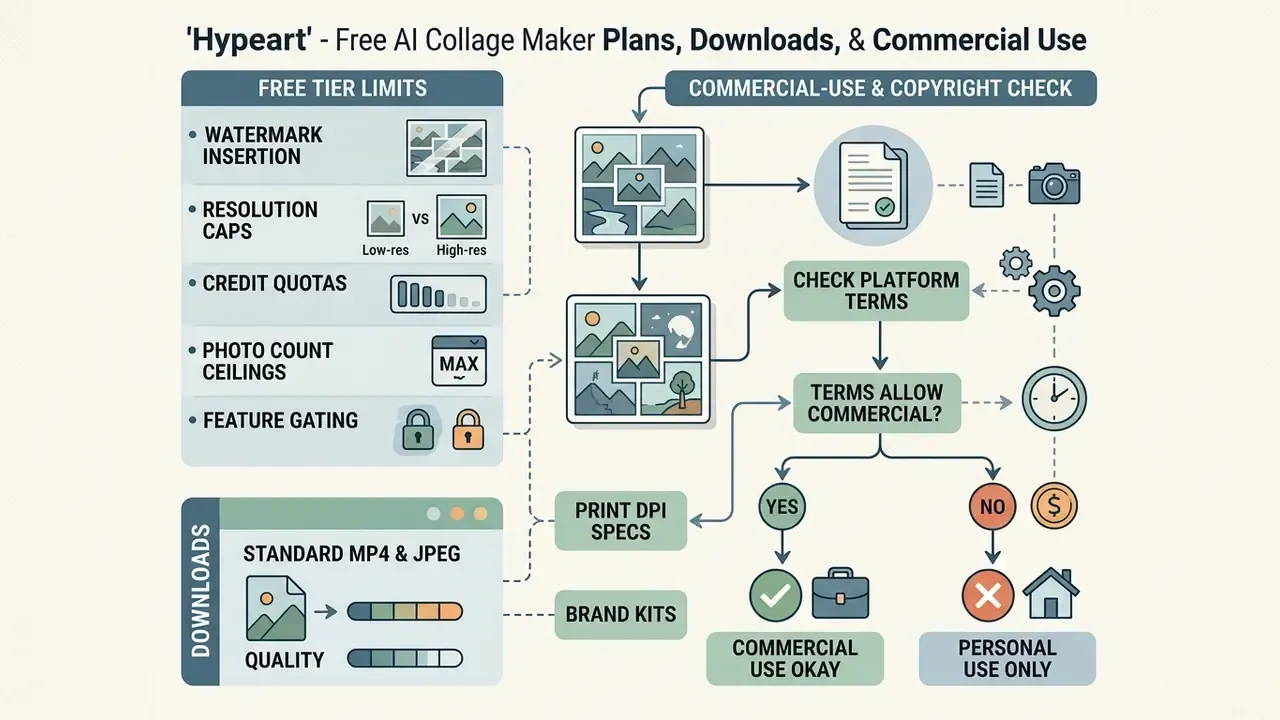
Free tier structure decides whether an ai collage maker free or ai collage generator free platform is usable at work. Most vendors run freemium models that trade basic functionality against a paid upgrade. Teams weighing output rights should also read our overview of AI image generators for commercial use.
Typical free plan limits: resolution caps, mandatory watermarks, restricted premium templates, source-photo count ceilings, and daily generation quotas.
Table: comparison of AI collage maker service tiers and terms
| Service model | Watermark policy | Source photo limit | Max export resolution | Commercial usage licence | Typical access restrictions |
|---|---|---|---|---|---|
| Free, no registration | Often applied | Approx. 4 to 6 photos | Standard web (72 DPI / HD) | Personal use only | IP rate limits, basic grids |
| Free, account created | Template dependent | Approx. 6 to 10 photos | High web (1080p) | Limited or non-commercial | Daily credit caps, often 5 to 10 per day |
| Paid subscription | Watermark-free | Up to 30 or unlimited photos | Print-ready (300 DPI / 4K+) | Full commercial rights | Unrestricted access and exports |
| Business or enterprise | Watermark-free | Unlimited photos | Print plus vector and HTML exports | Full commercial rights, indemnity options | SSO, brand kit, zero retention terms |
Read as prose: no-signup tools are fine for a quick personal grid, account-based free tiers suit drafts, and only paid or enterprise tiers deliver print resolution, clean exports, commercial rights, and the contractual terms a risk function will accept. Values shift often, so verify each row against the vendor's current terms page.
What "Free" Means for an AI Collage Generator
An ai image collage generator free service usually opens up core auto-layout features and then constrains the export. Distinguish genuine free tools from trials that lock the download behind a paywall. Several platforms let you create and share a link at no cost, then charge for the PNG or PDF file.
Common free tier constraints:
- Watermark insertion small vendor logos in canvas corners, or a translucent stamp across the center.
- Resolution caps output limited to lower pixel dimensions, for example 1024x1024, acceptable on mobile and unusable in print.
- Credit quotas daily or monthly generation limits, such as five renders per day, or per-IP rate limits on no-signup tools.
- Photo count ceilings free tiers commonly accept 4 to 6 uploads per collage; business plans lift the limit.
- Feature gating brand kits, private sharing, motion export, and interactive HTML or PowerPoint outputs are usually paid-only.
A useful habit for anyone hunting an ai collage maker online free: generate a test asset at the exact final dimensions before you invest an hour in styling. If the free export cannot hit your target size, the styling was wasted work.
Creators comparing adjacent free generative tools can review our analysis of the Best Free AI Art Generators and our roundup of free AI image generators to see how export constraints differ across a free collage maker landscape.
How to Check Commercial Use and Copyright Terms
Using an ai photo collage generator for commercial assets, whether marketing flyers, client presentations, or print merchandise, requires verifying ownership on two separate axes: rights to the uploaded input photos, and copyright eligibility of the AI-generated output elements.
Under U.S. Copyright Office guidance, purely machine-generated output lacking human creative expression is not eligible for protection. Human-directed selection, creative arrangement, and substantial manual editing can establish copyrightable authorship in a composite work (U.S. Copyright Office guidance, 2023 to 2025). Copying protected source works into a collage raises a separate fair-use question, where commerciality, amount used, and market effect all weigh in.
Commercial-use decision path:
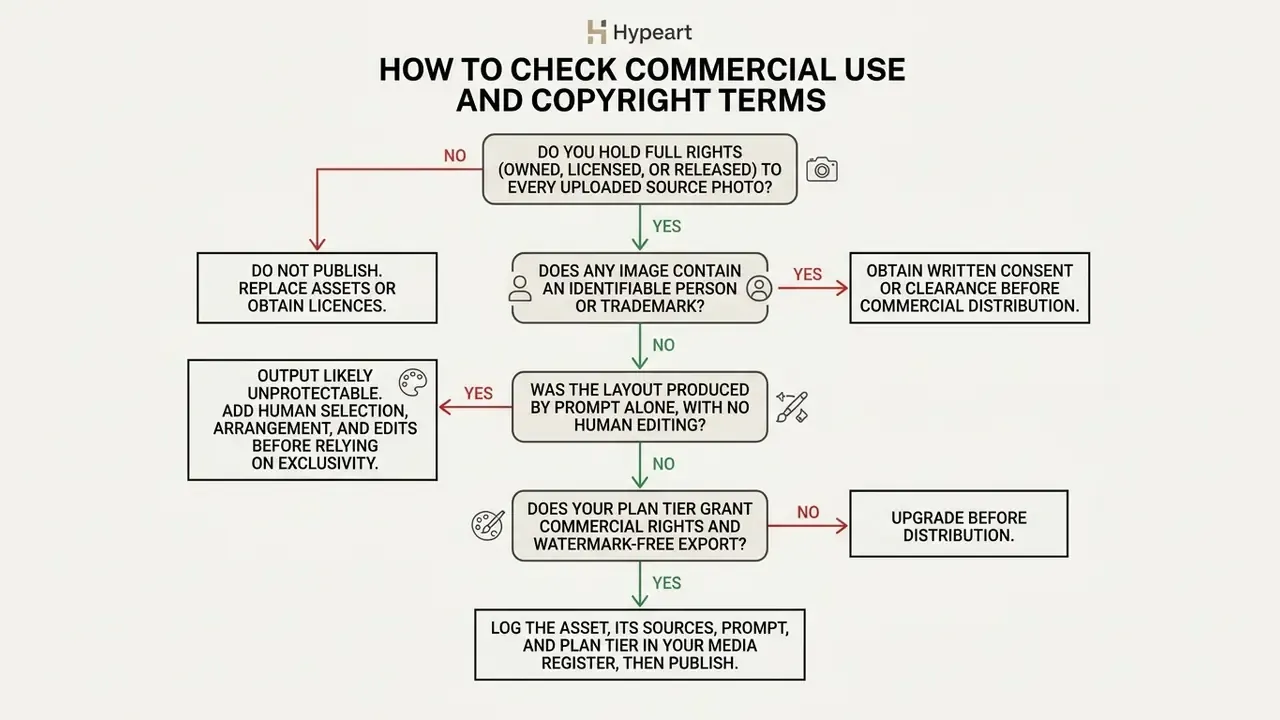
Platform terms differ materially, so read them per vendor. Some image-generation providers explicitly grant users ownership of outputs, including the right to reprint, sell, and merchandise, subject to content policy compliance, while prohibiting reproduction of a person's likeness without consent. Others restrict competitive use and impose acceptable-use conditions. Free tiers frequently cap output at personal use even when the same engine grants commercial rights on a paid plan.
WARNING: commercial licensing and rights verification
Ideas and Use Cases for AI Photo Collages
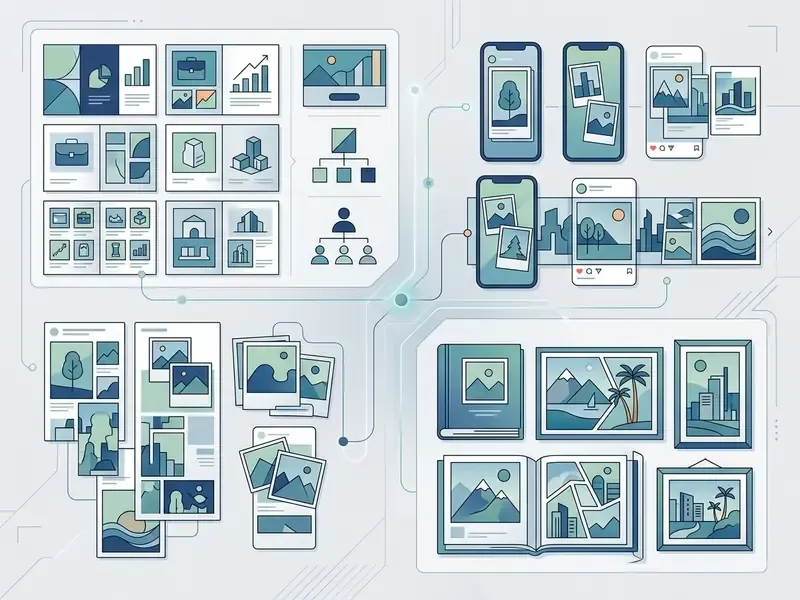
An ai photo collage creator supports very different workflows: enterprise marketing communications, social publishing, personal archives. The composition engine is the same; the risk profile is not. The sections below move from commercial deployment to social and personal use.
Business Collages for Product, Marketing, and Team Showcases
In enterprise settings, photo collages serve as product showcase displays, promotional banners, client case study boards, and team pages. E-commerce merchants combine multi-angle product photography into one composite that shows material detail, color options, and real-world context at a glance. Merchants automating variant visuals often pair collage engines with image-to-image generation for e-commerce.
Marketing teams also use automated layout engines to build mood boards during campaign development, which speeds up creative consensus before production spend.
Corporate design workflows increasingly rely on AI brand kits that parse uploaded guidelines to extract HEX codes, typography hierarchies, and vector logos. The collage engine then enforces those constraints across every generated cell. Accessibility-focused models add descriptive alt text for compiled visuals, check contrast ratios and font readability, and help exported HTML and PDF collages conform to WCAG 2.1 AA.
Another illustrative composite: a retail brand needed composite display banners across 50 e-commerce categories. An automated image collage tool standardized product positioning, removed distracting original backgrounds, and inserted uniform color fills behind featured merchandise. Reported banner creation cost fell by roughly 70%, with visual consistency across all store categories. Hypothetical figures, useful mainly as a modelling starting point.
Adjacent business formats come from the same asset pool under one brand profile: hero product images, promotional banners, detail-page headers, email headers, and print collateral exported as branded PDF.
Organizations evaluating background extension and canvas expansion can read our operational review of AI image expansion tools.
Personal Photo Collages for Family, Travel, and Gifts
Personal archives benefit most, honestly. Travel recaps, wedding galleries, and holiday cards involve dozens of raw photos that need grouping, and nobody enjoys that part.
An ai photo collage free tool aggregates vacation captures into structured masonry arrangements suitable for digital sharing or framing. Exporting to 300 DPI PDF keeps printed albums sharp with accurate saturation, and holiday card templates usually export as printable PDFs with bleed margins for a commercial print shop. Keep the originals. Reprints later will need them.
Readers who want animated keepsakes or slideshows from static collections can review the editing techniques in our guide to creating animation from photos.
FAQ: Shadow AI, Privacy, Copyright, and Formats
Can employees use a free online AI collage maker on corporate photos?
Only with approval. Free consumer tools may retain cached uploads, may reserve training rights, and typically grant personal-use licences only. Prohibit uploads of PII, NDA material, unreleased product imagery, and identifiable customer photos to unapproved services, and route sensitive assets to on-device or contracted enterprise tools.
What should a GDPR or CCPA review cover for collage tools?
Processing location and sub-processors, retention period for uploads and generated files, availability of a data processing agreement, deletion-on-request mechanics, and whether the vendor treats photos of identifiable individuals as personal data.
Do I own the copyright to an AI-generated collage?
You own the human-authored contribution. Purely machine-generated output without human creative expression is not eligible for U.S. copyright protection, while your selection, arrangement, and substantive edits can be. Platform terms set your commercial licence separately from copyright ownership. General information, not legal advice.
Can I animate a photo collage?
Yes. Motion-capable platforms apply animation presets to text and photo layers, then export MP4 or GIF. Check duration limits and whether animated export sits behind a paid plan.
How do I split one collage across an Instagram carousel?
Enable carousel mode before generation, choose 1:1 or 9:16, set the slide count, and let the engine slice continuous canvas geometry across frames. Review each seam so faces and headlines survive, then download slides individually or as a set.
How many photos can I add?
Free tiers commonly accept 4 to 6 images. Mid-tier plans accept about 6 to 10. Paid and business plans support up to 30 or unlimited uploads, with layout selected automatically based on image count.
Which export settings should I use for print?
Uncompressed PDF or TIFF at 300 DPI, with source assets captured at sufficient native resolution. For framed gifts, target 2400x3600 or 3600x5400 pixels. Web and social exports use JPG or WebP at 72 to 96 DPI.
Can the tool produce accessible output?
Accessibility-oriented platforms generate alt text, check contrast and font readability, and export WCAG-conformant PDFs. Always human-review generated alt text before publication.
Social Media Collages for Instagram and Visual Content
Social media managers use collage tools to turn many event captures into one engaging frame, or into a sequential carousel. Instagram rewards visual variety, which makes multi-photo arrangements a reliable engagement format. Teams building campaign visuals alongside collages often evaluate the best AI art generators for supporting illustration.
Publishing rules matter here. Platform distribution policy updates indicate that unoriginal reposted photos or carousels, which the account did not materially edit, may be excluded from recommendation surfaces. Low-effort changes such as an added watermark do not count as material editing. These statements come from platform communications rather than audited documentation, so verify current terms directly before building distribution assumptions on them.
Practical carousel guidance, kept short: build at 1080x1350 portrait, one idea per slide, hook on slide one, consistent border and palette so the set reads as a single narrative when swiped.
Producers running multi-format video and static pipelines can compare options for rendering and delivery in our centralized platform guide.