Browser-based artificial intelligence tools turn a single source photo into photorealistic portraits, stylized avatars, and commercial headshots. These systems rely on personalized diffusion architectures that balance a text prompt against the original facial geometry. Nothing is downloaded, nothing is compiled, and no local graphics card is involved.
Modern web-based AI selfie generators deliver that transformation instantly because the heavy lifting happens elsewhere. Cloud image-to-image diffusion re-renders facial identity across business, artistic, and social formats in seconds, from a laptop browser, a tablet, or a phone, with no installation step. Convenient? Yes. Consequence-free? Not quite, and the licensing section below explains why.
Quick Summary
- What it is A free AI selfie generator accepts one clear face photo, extracts a facial identity embedding, and re-renders it with a new background, wardrobe, lighting, and art style based on your text prompt or a preset.
- What you need One single-person, front-facing photo, evenly lit, at least 512×512 px (1024 px preferred), with the face covering roughly 33-50% of the frame.
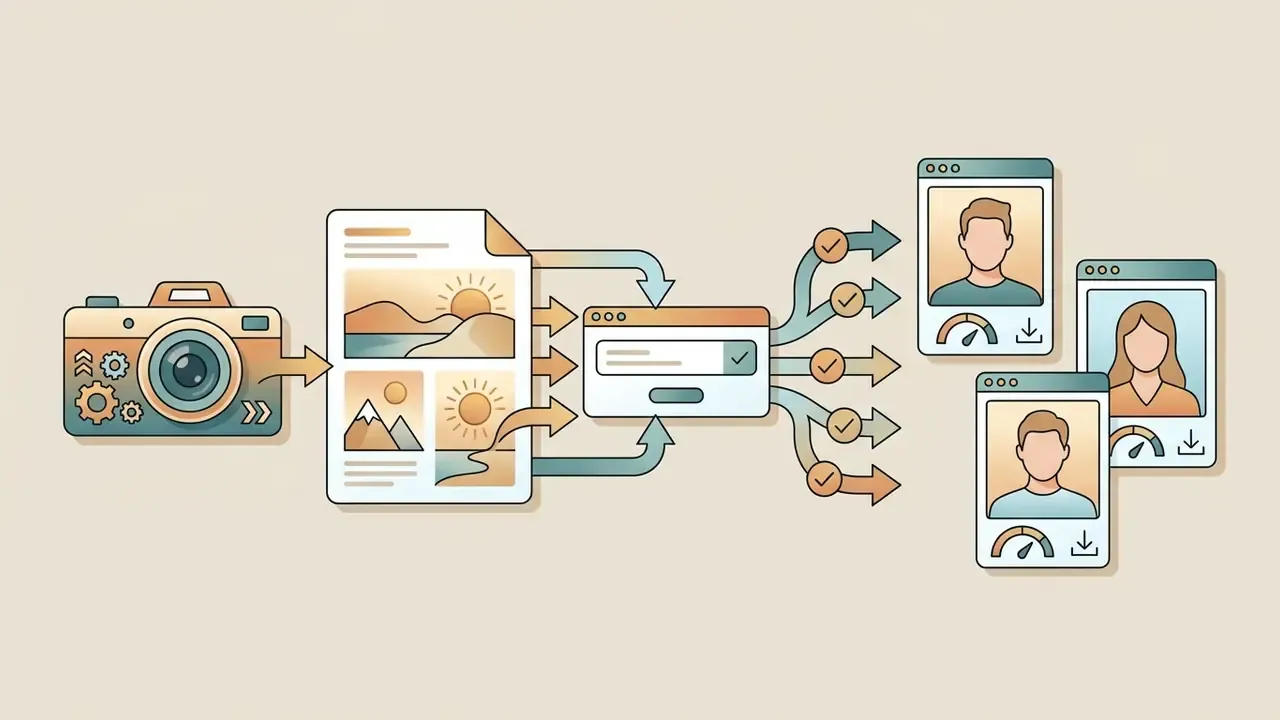
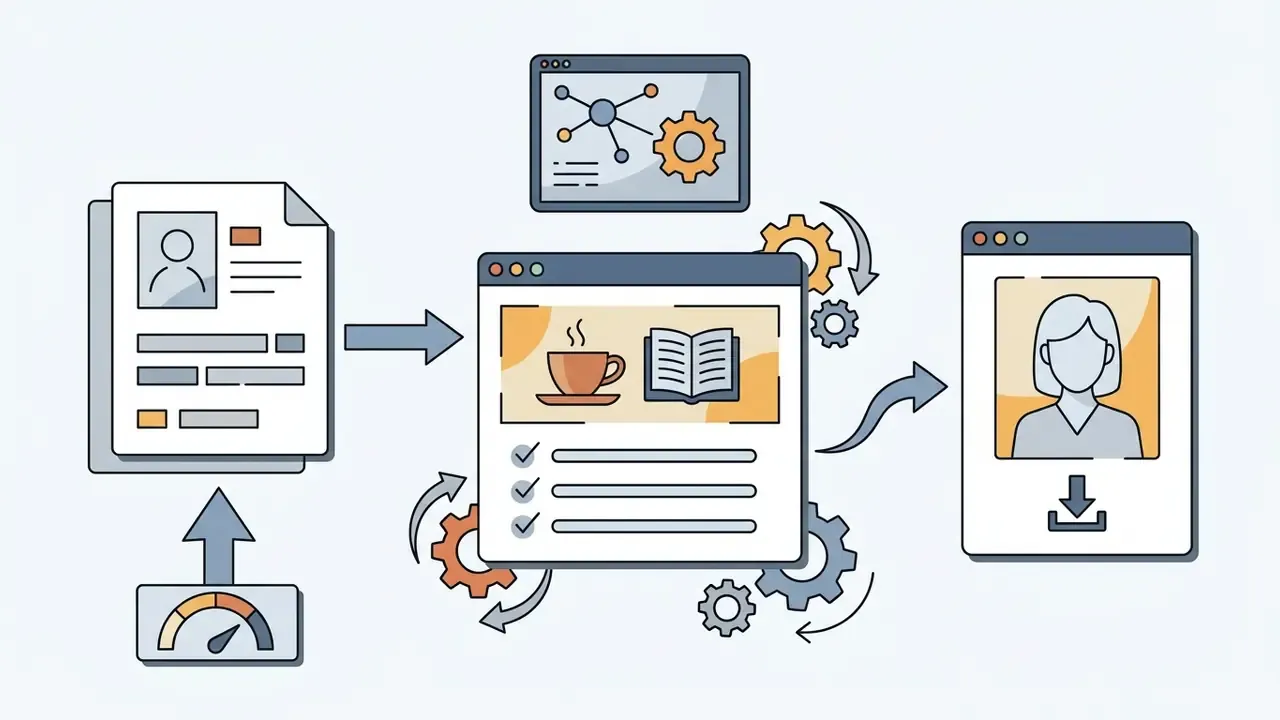
- How long it takes Four steps, namely upload, configure style and aspect ratio, generate, download. Typically under a minute per batch on cloud GPUs.
- What "free" means Freemium. Expect daily credit caps (often 2-3 per day), standard-resolution exports, watermarks, and personal-use-only licensing. Paid tiers unlock 4K, watermark removal, priority queues, and commercial rights.
- What to watch Identity retention is probabilistic, not absolute; commercial use depends on vendor Terms of Service and right-of-publicity law; never upload another person's photo without documented consent.
- Fastest win Copy one of the ten ready-to-use prompt templates below and pair it with a clean frontal source photo.
Before You Start: Five Things Worth Verifying
Most disappointment with a free selfie AI generator traces back to five unchecked assumptions. Run through them once, and the rest of this guide becomes a lot faster to apply.
- Daily quota and reset window.Two credits per 24 hours behaves very differently from a one-time pool of ten.
- Watermark policy on export.Some tools watermark previews only; others brand the downloadable file.
- Licensing scope.Personal use, commercial use, or a broad platform-side reuse license? The clause matters more than the price.
- Retention of uploaded faces.Immediate deletion, a fixed retention window, or silence in the policy text.
- Maximum export resolution.A 512 px file looks fine on a phone and falls apart on a printed business card.
Keep those five answers in a note. They are the same criteria a procurement reviewer would apply, just compressed into a consumer-sized checklist. For pricing comparisons across tools, our AI Media Pricing Guides and AI Media Calculators keep per-credit math in one place.
What Is a Free AI Selfie Generator?
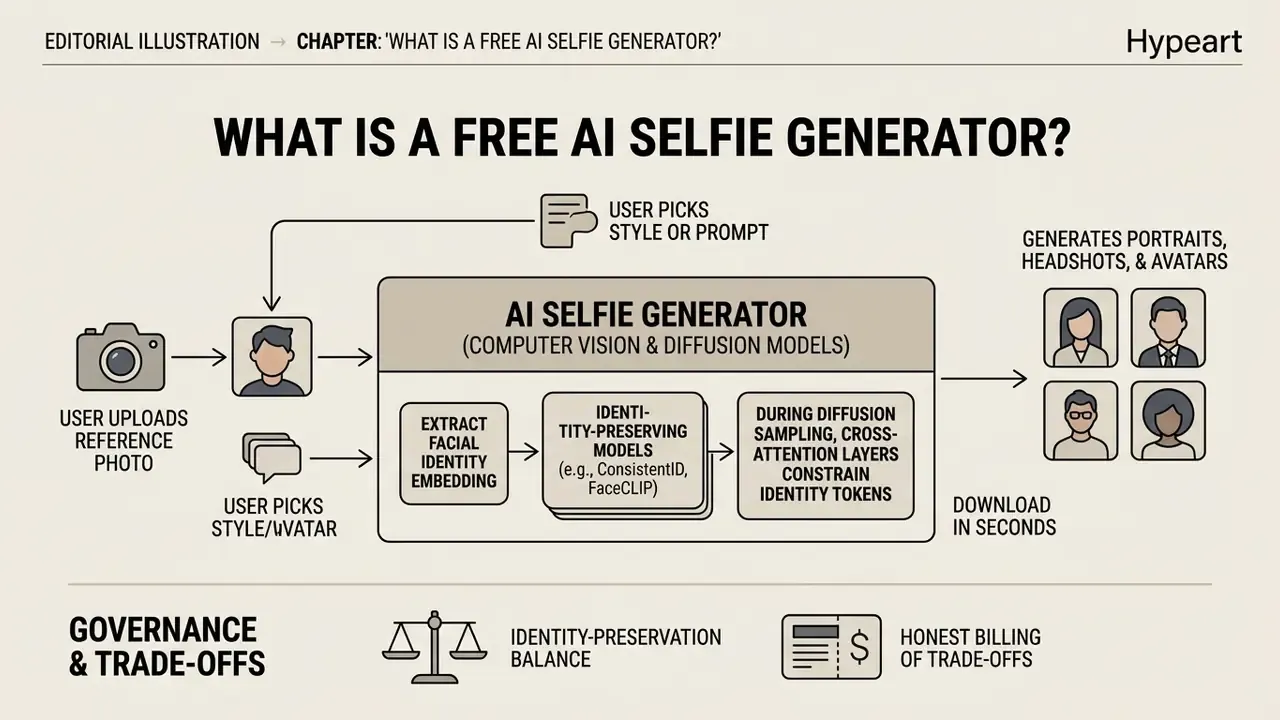
A free AI selfie generator is an online or app-based system that uses computer vision and diffusion models to transform an uploaded photo into new portraits, headshots, or artistic images driven by text prompts or preset styles. The software extracts facial features from your source image and recombines them with generated backgrounds, lighting, and wardrobe while attempting to hold identity consistent.
«Personalized diffusion models, given four to six reference photographs, generate portraits with high identity-preservation accuracy across changing style and background.»
Modern image-to-image and text-to-image workflows depend on personalized conditional diffusion. Technical documentation for the Google AI Edge MediaPipe Image Generator describes how text prompts combined with image guidance condition the network during inference, letting the system edit external visual elements without destroying core facial structure. Users interact through a browser, with no local model execution and no software install, which puts these tools in the same accessibility class as browser-based online photo editors.
There is a governance angle too, and it is worth one paragraph. When evaluating automated media tools for corporate communication, risk teams should verify whether an image platform preserves underlying biometrics accurately. In an illustrative, hypothetical operational review, a fintech risk team assessed synthetic image generators for internal employee directory updates. The team set a control baseline: every vendor platform had to preserve face embedding vectors within a pre-defined cosine similarity threshold before production testing was approved. For ordinary consumer use, the same principle scales down to a plain rule. If the generated face no longer passes your own recognition test, the source photo or the prompt, not the model, is usually the first variable to change.
How an AI Selfie Generator Uses Your Photo and Prompt
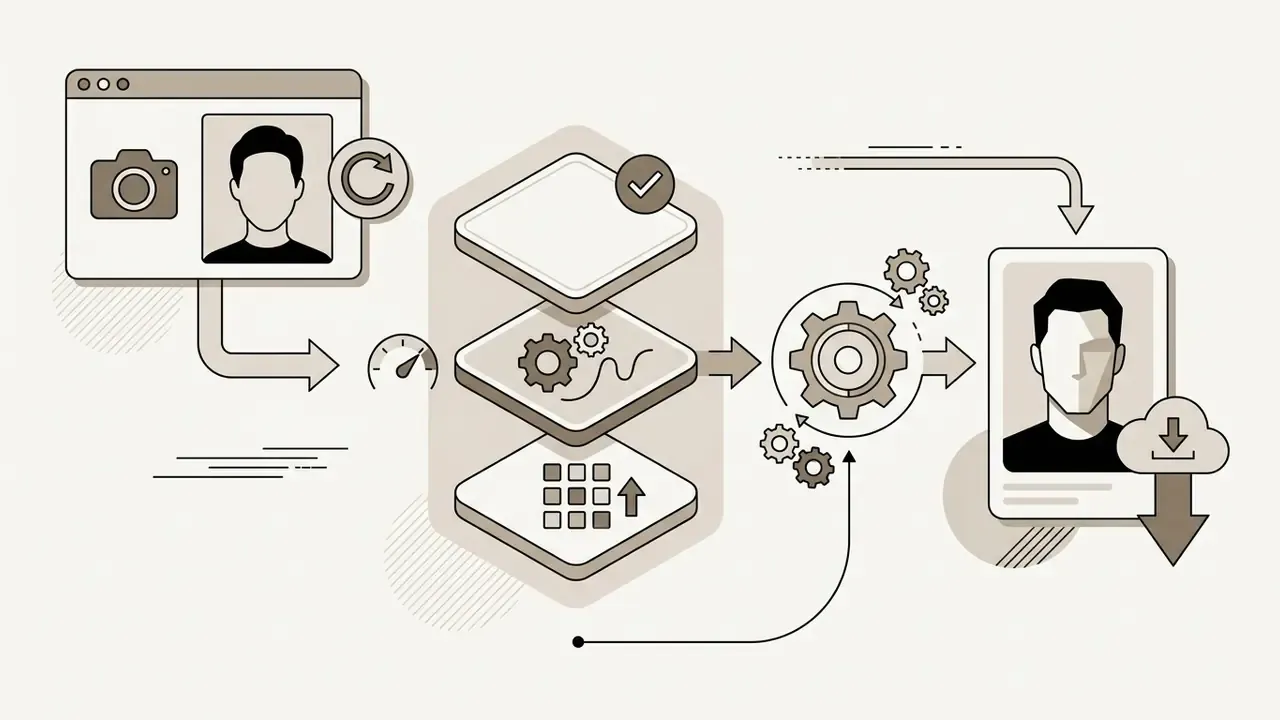
An AI selfie generator processes an uploaded reference image by extracting a facial identity embedding, then blends that embedding with text prompt conditioning inside the network's cross-attention layers. This dual-input workflow lets the model keep core facial geometry while altering lighting, clothing, background, and rendering style.
Research on identity-preserving models such as ConsistentID (2024) and FaceCLIP (2025) shows that specialized encoders convert facial descriptions and reference images into unified embeddings.
«ConsistentID combines a multimodal facial prompt generator with an ID-preservation network trained on more than 500,000 facial images.»
During diffusion sampling, cross-attention layers constrain identity tokens so character features stay stable, while text tokens steer parameters such as key-light direction, lens character, and color temperature, much the way a physical lighting rig controls a studio shoot. Techniques documented in One-Prompt-One-Story (2025), namely singular-value reweighting plus identity-preserving cross-attention, and ID³ (2024), which applies an explicit ID-preserving loss, show how the architecture avoids generating an entirely different person while still following prompt instructions. Readers comparing broader transformation pipelines can review adjacent image-to-image AI generators that expand or re-render existing frames instead of faces.
One trade-off deserves honest billing. A 2024-2025 prompt-consistency study found that strong identity embeddings can suppress other prompt tokens, meaning aggressive identity locking sometimes weakens obedience to style or wardrobe instructions. Balanced reference-strength sliders, exposed in tools like Adobe Firefly's portrait workflow as reference intensity, exist precisely to manage that tension. Set it too high and you get your old photo in a new shirt. Too low and you get a stranger.
AI Selfies, AI Portraits and AI Headshots: What Is the Difference?
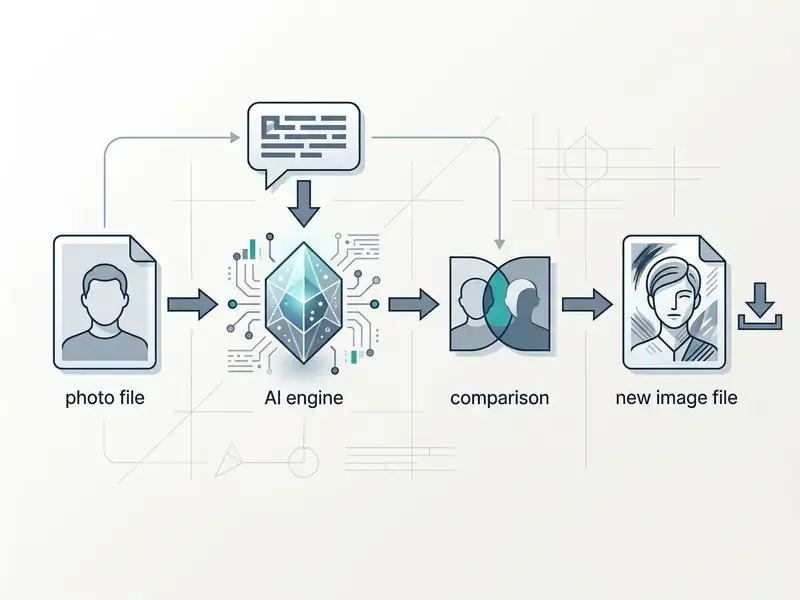
AI selfies, AI portraits, and professional AI headshots differ in composition, visual formality, and intended placement. A casual AI selfie favors relaxed angles and quick social sharing. Professional AI headshots demand strict framing, frontal lighting, and business attire suitable for corporate profiles.
| Attribute | Casual AI Selfie | AI Portrait | Professional AI Headshot |
|---|---|---|---|
| Primary framing | Frontal or angled phone composition | Variable (chest-up or full-body) | Head-and-shoulders, centered |
| Typical lighting | Ambient or natural light | Stylized or dramatic studio | Soft, uniform frontal studio |
| Background environment | Casual, indoor, or outdoor | Artistic, fantasy, or contextual | Neutral gray, office, or blurred |
| Primary intent | Social media, casual profiles | Creative branding, digital art | LinkedIn, resumes, corporate web |
Guidance from Canva and from university profile standards converges on the same point: professional headshots need centered head-and-shoulders framing, direct eye contact, and neutral backgrounds.
«Professional headshots require centered head-and-shoulders framing, direct eye contact, and a neutral background.»
Artistic portraits, by contrast, lean on broader style edits and dramatic lighting, often replacing the subject's scene or artistic medium entirely. Note that terminology is largely vendor-defined. "AI selfie" and "AI portrait" overlap heavily in marketing copy, while "professional AI headshot" is consistently pinned to business-context quality and framing. Career-services documentation from Northwestern University (EPICS Photo and Headshots guidance, 2025) and Missouri Southern State University's Professional Profile Pictures handout both specify a clearly visible, centered face, clean lighting, and no blurry or glamour-style treatments. That is the practical benchmark any generated headshot should match.
How to Use an AI Selfie Generator Free Online
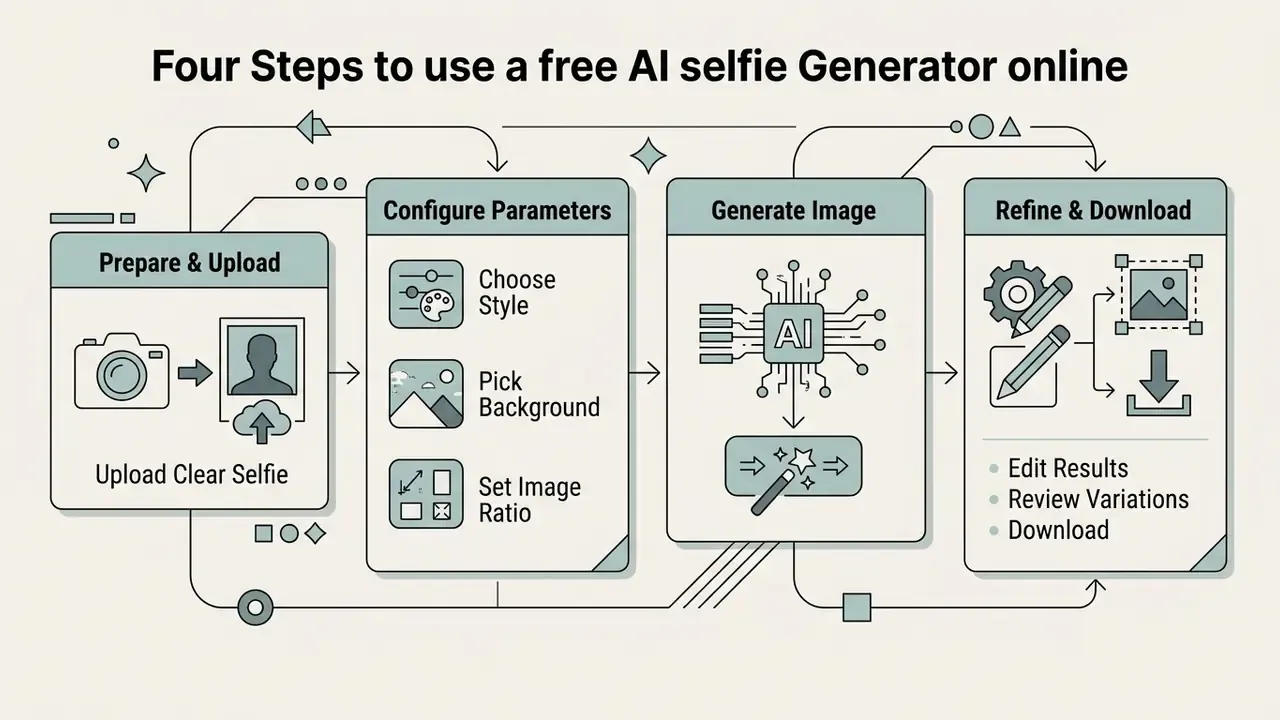
To create an AI selfie online for free, upload a clear front-facing photo to a browser-based tool, choose a visual style or type a text prompt, run the generation, and download the result. Most tools operate entirely inside a standard browser without installation or specialized hardware, which is why they compete with the best AI art generators on convenience rather than raw model size.
The browser delivery model rests on cloud rendering. Following W3C standards and Michigan digital application specifications, web tools run on major modern browsers including Chrome, Edge, Safari, and Firefox. The State of Michigan Digital Standards specifically require online applications to function in the two most recent major versions of each, without plugins. Server-side GPUs handle the diffusion work and return compressed image outputs to the client interface within seconds.
Upload a Clear Selfie for More Realistic Results
High-quality output depends directly on the source. Soft frontal lighting, centered framing, and a minimum resolution of 512×512 to 1024×1024 pixels do more for realism than any preset. Obscured faces, harsh shadows, and low-resolution inputs introduce artifacts and degrade identity preservation accuracy. If your only usable photo is soft, noisy, or underexposed, run it through a free photo editor for exposure and sharpness correction before uploading.
| Parameter | Recommended source specification | Poor quality input to avoid |
|---|---|---|
| Frame coverage | Face takes 33% to 50% of frame | Distant full-body or heavy crop |
| Lighting conditions | Even, diffused frontal light | High-contrast side or overhead shadow |
| Facial pose | Direct frontal or 3/4 angle | Profile view, turned head |
| Resolution floor | 512×512 px minimum (1024 px ideal) | Low-resolution pixelated source |
Official biometrics guidance from NIST and passport photo standards indicates that uniform lighting without harsh facial shadows prevents loss of structural detail.
«Facial images must be well exposed, directly facing the camera, and minimally occluded, with diffuse light preferred.»
When a source image carries heavy grain or hidden eyes, diffusion models fail to map key facial landmarks, and distortion becomes likely. Practical source-image checklists for AI photography converge on the same numbers: soft diffused light, a front-facing or 45-degree key angle, matching head angle between source and target, and at least 1024 px on the short side for the cleanest reconstruction. One more small thing worth mentioning, since it trips up plenty of first-time users: avoid photos already processed by a beauty filter. Smoothed skin removes the texture cues the model needs.
Choose a Style, Background and Image Ratio
Generator settings let you pick preset styles, swap background environments, and set aspect ratios tuned to specific platforms, such as LinkedIn (1:1 profile or 1.91:1 post) or Instagram (1:1 square or 4:5 portrait). Choosing the right ratio and style preset keeps the output clean across digital profile channels.
LinkedIn Pages documentation lists profile and logo images at 400×400 pixels, cover images at 1512×256, and page post images at 1200×627 (1.91:1). The Instagram Help Center confirms that feed photos support square, landscape, and portrait ratios, with important content kept centered so it survives cropping. Preset controls apply these constraints automatically before model sampling begins, and pricing pages such as the Canva AI generator overview document which export sizes stay accessible on unpaid plans.
Generate, Edit and Download Your AI Selfie
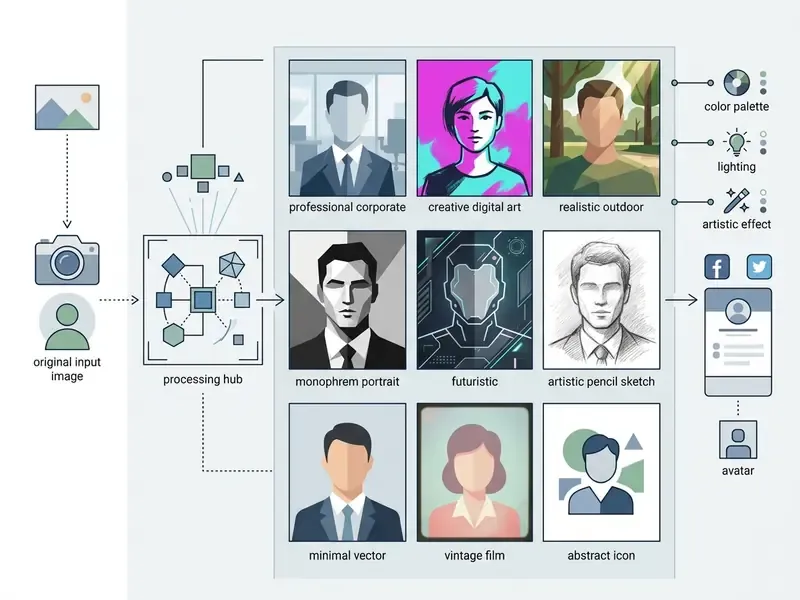
AI Selfie Styles and Images You Can Create
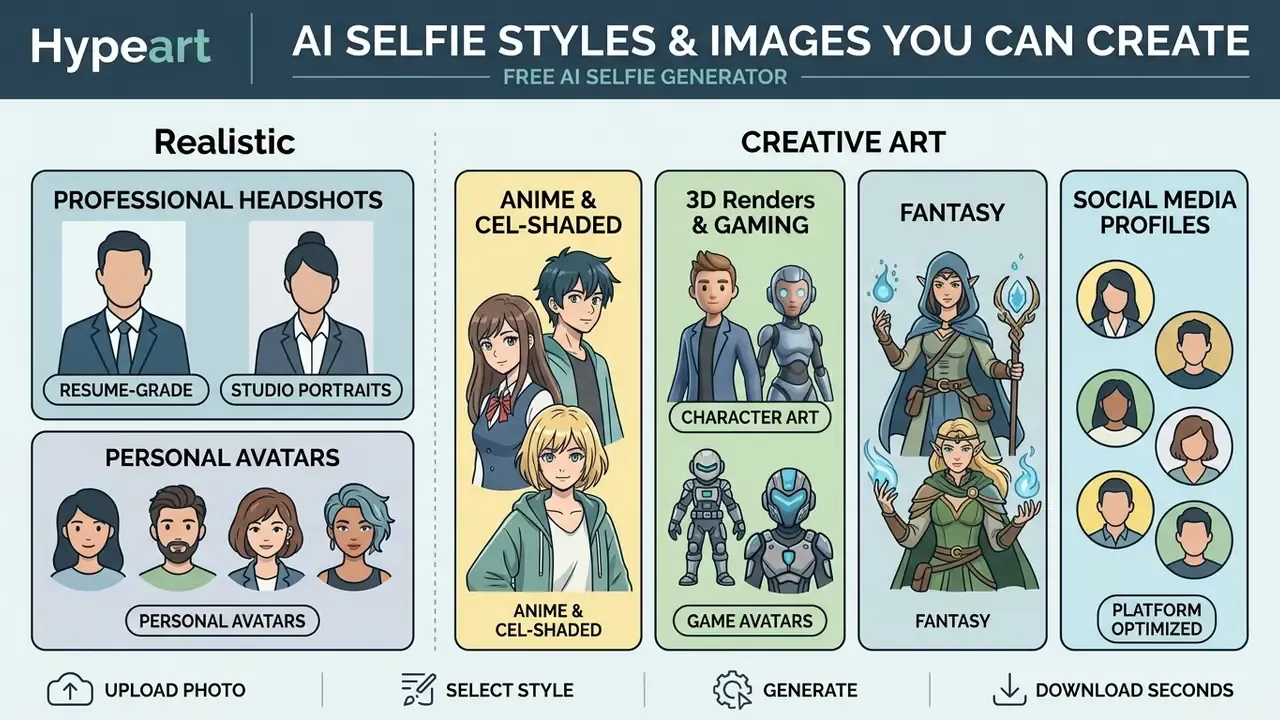
Free AI selfie generators cover a wide spectrum, from photorealistic studio portraits to cel-shaded anime artwork, 3D renders, and fantasy game avatars. These looks come from style transfer algorithms and pre-trained diffusion weights tuned to particular aesthetics.
System prompts and user keywords steer the latent space toward a specific rendering medium.
«Style prompts function as dense parameter packages, translating broad keywords into specific lighting, lens and texture settings.»
Use the matrix below to match a style category with the right source photo and the prompt keywords that actually move the model.
| Style category | Recommended input photo | Core prompt keywords |
|---|---|---|
| Realistic business | Frontal lighting, neutral expression | "85mm lens, corporate studio" |
| Anime / art | High-contrast clear eyes | "Cel-shaded, vibrant line art" |
| Fantasy avatar | 3/4 face turn, unoccluded forehead | "Cinematic armor, neon ambient" |
| 3D / doll render | Even light, hair away from face | "Stylized 3D render, subsurface" |
| Social portrait | Chest-up crop, catchlights in eyes | "Soft bokeh, natural daylight" |
Realistic Portraits and Professional AI Headshots
Realistic AI portraits and professional headshots use controlled studio lighting, subtle depth of field, and formal attire options to produce corporate-ready images for business profiles and resumes. The emphasis falls on neutral expression, sharp focus, and a polished finish that meets corporate communication standards.
«In a user study with 63 participants, Diff-PC consistently outperformed baseline methods on identity fidelity, controllability and aesthetics.»
Academic career guidance from Northwestern University and MSSU stresses that business profile images need non-distracting backgrounds and formal head-and-shoulders framing. Models fine-tuned for corporate headshots insert blazer wardrobe elements and clean office backgrounds behind the extracted facial identity embedding. Readers comparing dedicated business tools can review specialized AI headshot generators, which usually expose wardrobe libraries, background sets, and identity-lock sliders that general-purpose selfie tools omit.
Benchmark for resume-grade output: the face centered and sharply focused, the expression natural rather than staged, the crop head-and-shoulders (or chest-up for CV documents), the background neutral or softly blurred, and the final file at least 400×400 px for LinkedIn display, with 1024 px or larger preferred for print and multi-platform reuse.
Anime, Character and Creative AI Selfie Art
Creative styles apply neural style transfer and anime-specific latent embeddings to turn everyday face photos into cel-shaded illustrations, fantasy concept art, or 3D avatars. Tools like Adobe Firefly Generative Match and specialized anime checkpoints preserve underlying facial structure while replacing photographic texture with line work. It is the same family of techniques catalogued in the Ghibli-style AI image generator comparison and across broader AI art generators, where a free AI art generator selfie preset is often the first thing new users try.
Research on style transfer frameworks confirms that neural networks separate content features (facial geometry) from style features (brushwork, line weight, color palette). The 2025 review Style Transfer: A Decade Survey identifies style transfer as the core technique behind artistic image transformation, and vendor documentation for Firefly's Generative Match shows how a reference style image can be applied without discarding subject structure. Fantasy-oriented libraries push this further, producing RPG character sheets, party-portrait covers, and quest-scene art from a single selfie, which is useful for Twitch, Discord, and gaming profile identities.
Selfies for Social Media, Profiles and Avatars
Social AI selfies optimize composition, color grading, and background blur to create profile pictures and avatars for platforms like Instagram and TikTok. Major platforms now require creators to comply with synthetic media disclosure policies when publishing realistic AI-generated faces.
«TikTok requires on-screen disclosures, watermarks, stickers or the platform's AI-generated content toggle when publishing synthetic human faces.»
Updated guidelines from Meta and TikTok across 2024-2026 enforce mandatory labeling. Meta stated in 2024 that Instagram content identified as AI-generated may receive a "Made with AI" label, while C2PA metadata standards (Technical Specification 2.4, 2024) record provenance through a c2pa.created action that travels with the file across distribution networks. For profile pictures specifically, practical guidance favors centered portrait framing, soft bokeh backgrounds, natural lighting, and sharp facial detail over full-body or action poses. Before running AI selfies in paid campaigns, verify licensing under commercial use rules and the platform-specific notes on commercial use rights for AI-generated images. If your campaign extends into motion assets, the same disclosure logic applies to a video maker or a video maker with music workflow.
How to Get Better AI Selfie Results
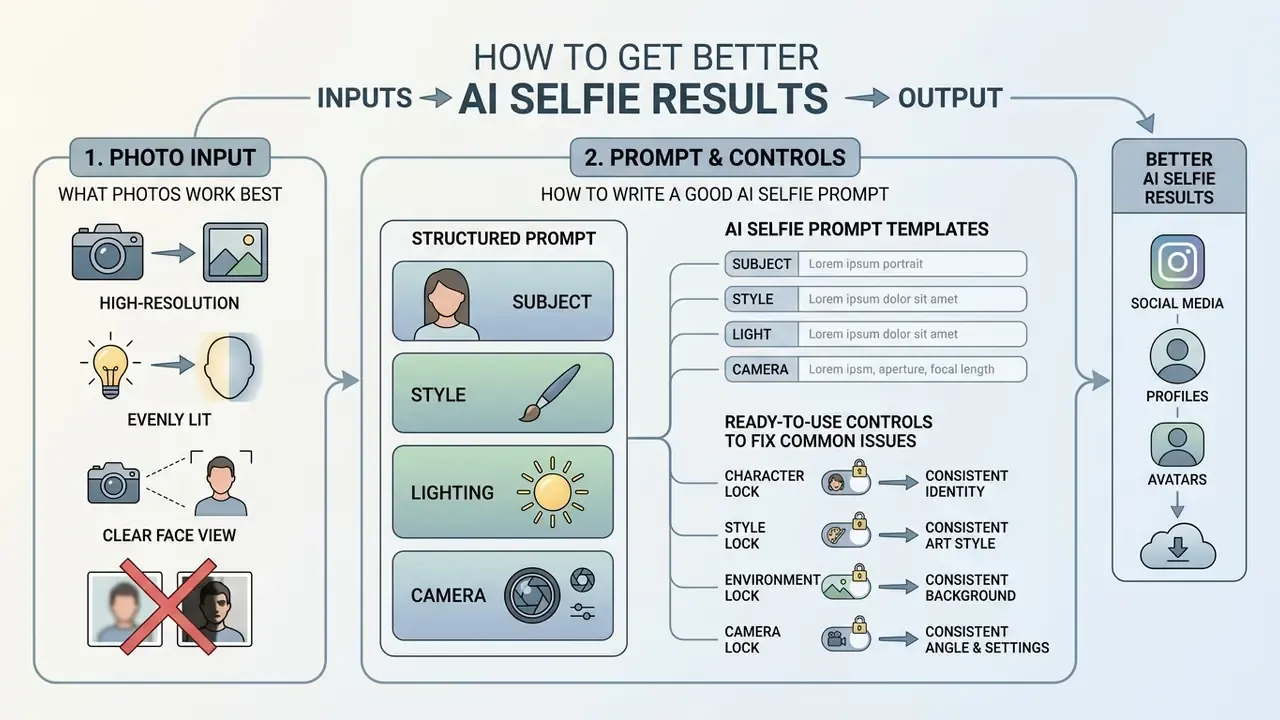
What Photos Work Best for AI-Generated Selfies
The best inputs are single-person shots with soft, diffused frontal lighting, eyes open, and no obstructions such as sunglasses or heavy hair coverage. Harsh side lighting, group photos, and heavy compression introduce noise that impairs identity-preserving networks.
| Feature requirement | Optimal source photo condition | Sub-optimal condition to avoid |
|---|---|---|
| Subject count | Single individual | Group photos, multiple faces |
| Facial obstructions | None (eyes and jaw clear) | Sunglasses, hats, hands covering face |
| Lighting uniformity | Diffused frontal illumination | Harsh shadows, backlighting |
| Head angle | Direct front or slight 3/4 turn | Extreme tilt, overhead, or profile |
Guidelines from the U.S. Department of State for facial recognition standards specify that direct eye contact, even exposure, and unoccluded facial perimeters maximize biometric clarity.
«Photos must be clear, close-up and front-facing with the full face visible; shadows, overexposure and coverings are rejected.»
When several people appear in one reference photo, identity extraction modules may blur features or mix characteristics across subjects, producing a composite face that resembles neither person. It is the single most reliable way to waste a daily credit.
How to Write a Good Selfie AI Prompt
An effective prompt uses a four-layer format: subject definition, stylistic direction, explicit lighting parameters, and camera specification, kept between 15 and 50 words. Naming specific lighting types such as "soft studio key light" and real lens focal lengths produces far more predictable output than generic adjectives like "beautiful" or "high quality".
«Prompts specifying lighting type, lens focal length and camera parameters yield significantly more predictable visual results than generic adjectives.»
Prompt construction rules recommended by Runway and by fashion photography guides follow a deterministic syntax:
Prompt = Subject + Environment/Style + Lighting Details + Camera Parameters
For example, "Professional corporate headshot of a woman, neutral office background, soft 85mm portrait lens focus, diffused studio key lighting" gives explicit constraints that reduce model randomness. Runway's AI Image Prompting Guide (2025) confirms the four-layer order, namely subject, context, style, technical detail, and recommends a 15-50 word ceiling. Fashion-photography prompt guides add one refinement: lighting should name type, direction, color, and interaction with the subject.
Ready-to-Use AI Selfie Prompt Templates
Copy and adapt these optimized four-layer prompts for your target platform. Each already contains a subject, an environment, a lighting instruction, and a rendering or camera directive, which is exactly what the formula above requires.
Professional corporate selfie of a business person, modern office interior background, neutral framing, soft 85mm studio key lighting, sharp focus, natural skin texture, formal blazer attire
Stylized gaming selfie avatar, neon-lit cyberpunk city room background, dramatic blue and purple rim lighting, futuristic headset, detailed digital painting style
Outdoor casual selfie at coastal beach cliff, vibrant golden hour sunlight, natural lens flare, wind-blown hair, relaxed expression, highly detailed shot
Warm aesthetic selfie in a rustic coffee shop, soft ambient light, shallow depth of field, blurred espresso machine background, casual sweater outfit
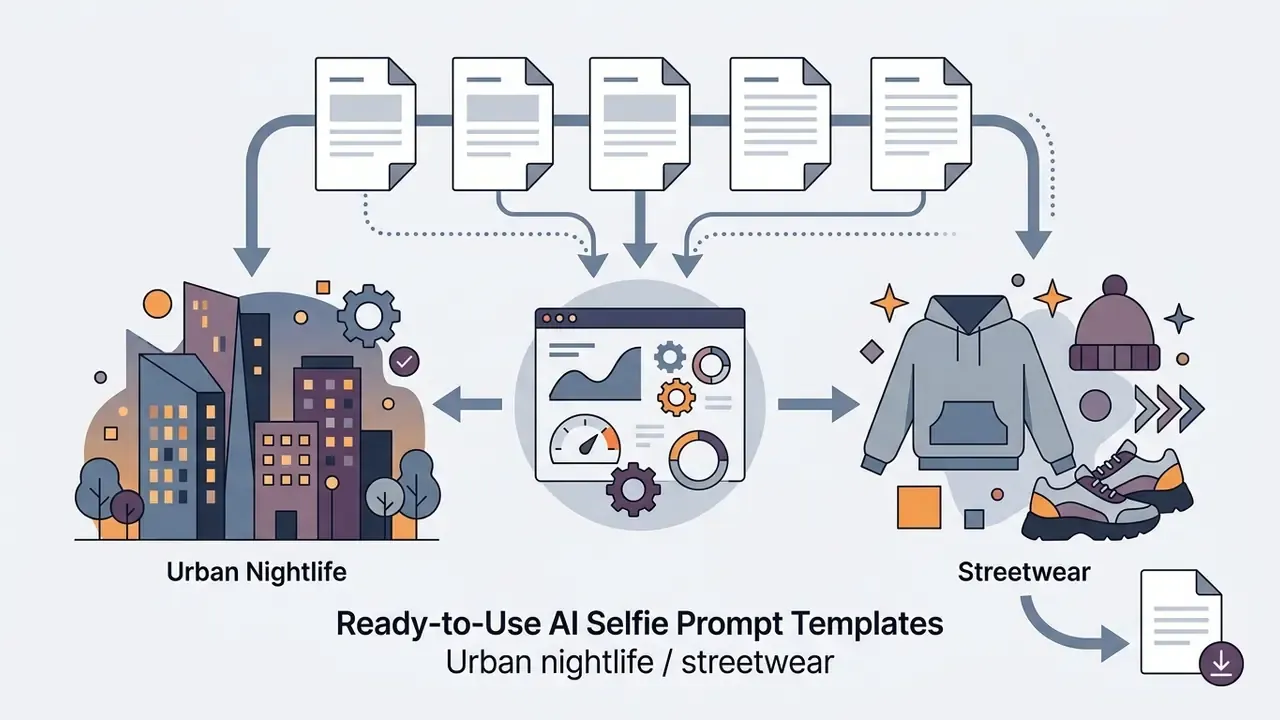
Nighttime city selfie, glowing neon signs backdrop, cinematic bokeh, street style hoodie, realistic skin reflections, soft flash illumination
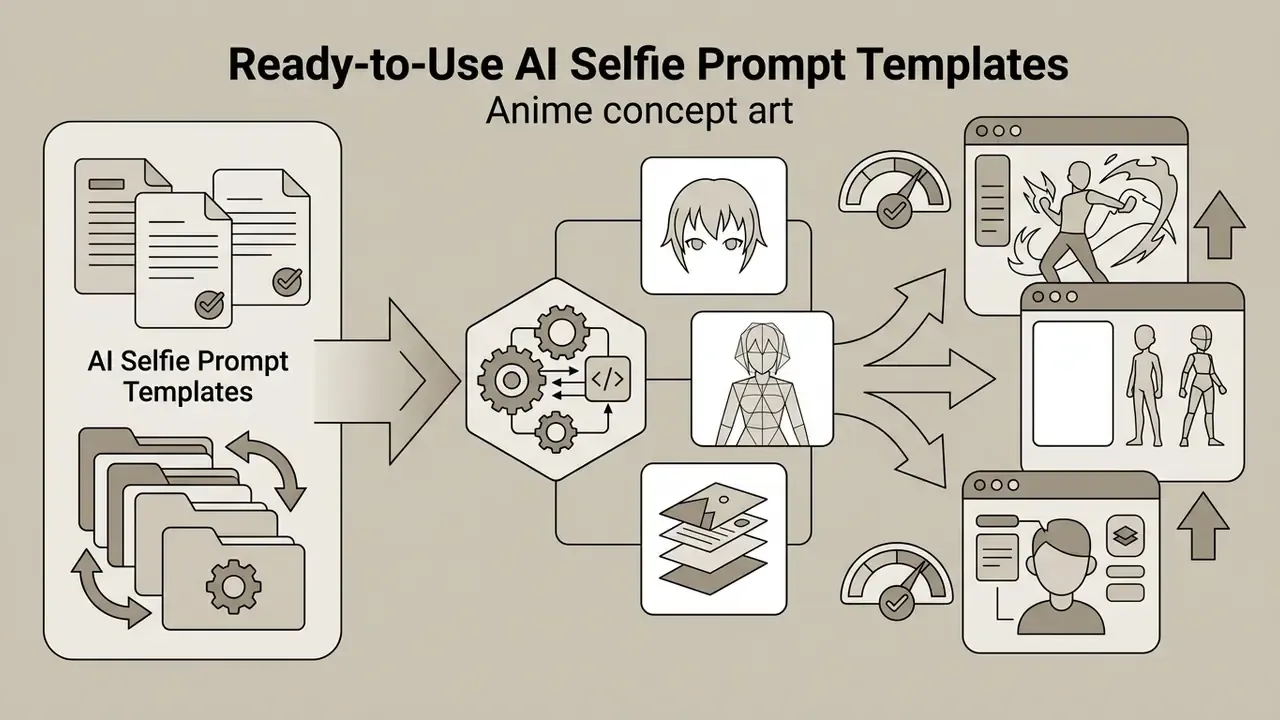
Vibrant anime visual novel style selfie, cel-shaded details, soft pastel gradient background, expressive eyes, crisp line art, hand-painted animation aesthetic
Playful retro 50s doll style selfie, bright pastel pink background, glamorous studio lighting, sleek polished hair, high-fashion makeup aesthetic
Athletic selfie in a modern fitness studio, subtle gym background blur, direct frontal lighting, wearing sporty workout attire, high energy look
High-fantasy RPG portrait selfie, intricate leather armor, glowing magic ambient background, dramatic Rembrandt lighting, ultra-detailed textures
Clean minimalist headshot, seamless light gray background, diffused softbox lighting, natural smile, crisp studio portrait setup
Bonus micro-prompts for quick style tests: travel vibes, sun-kissed skin, natural daylight, professional selfie, sleek hair, neutral gray backdrop, hiking trail selfie, panoramic mountain background, backpack and outdoor gear, live concert selfie, stage lights and crowd bokeh behind subject, home kitchen selfie holding a freshly cooked meal, warm tungsten light.
Fix Common Issues with Face, Style and Background
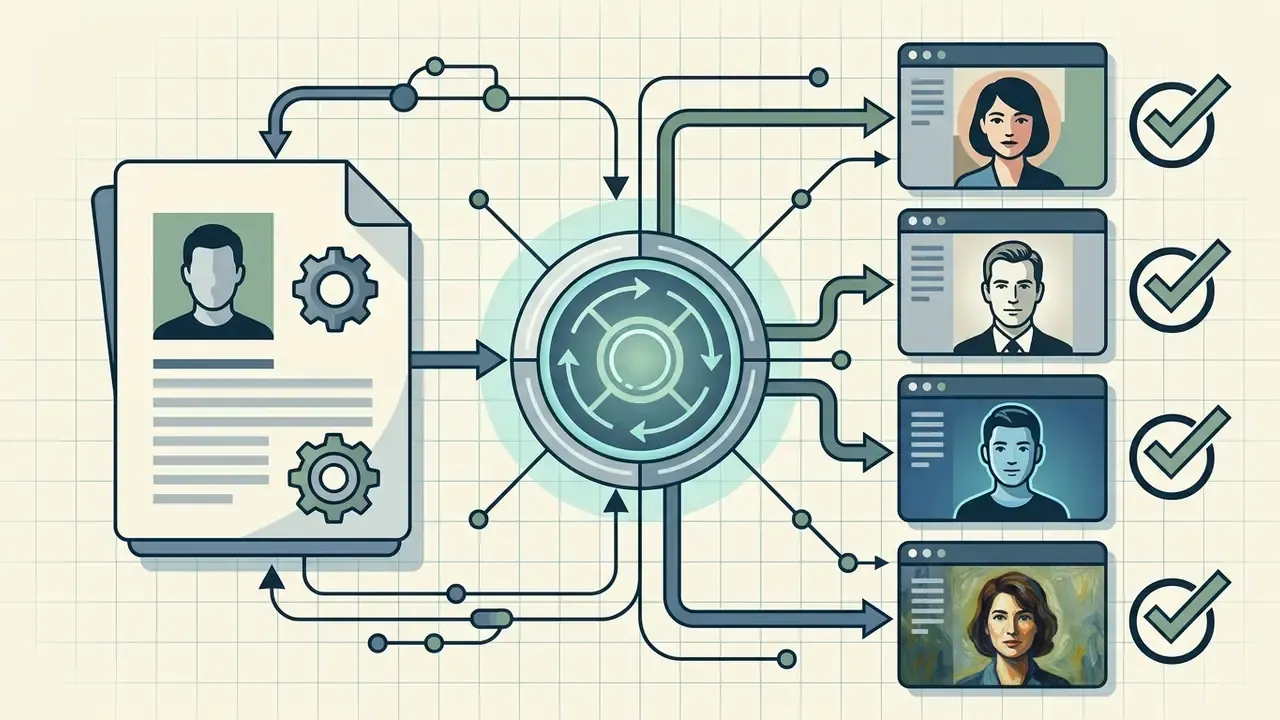
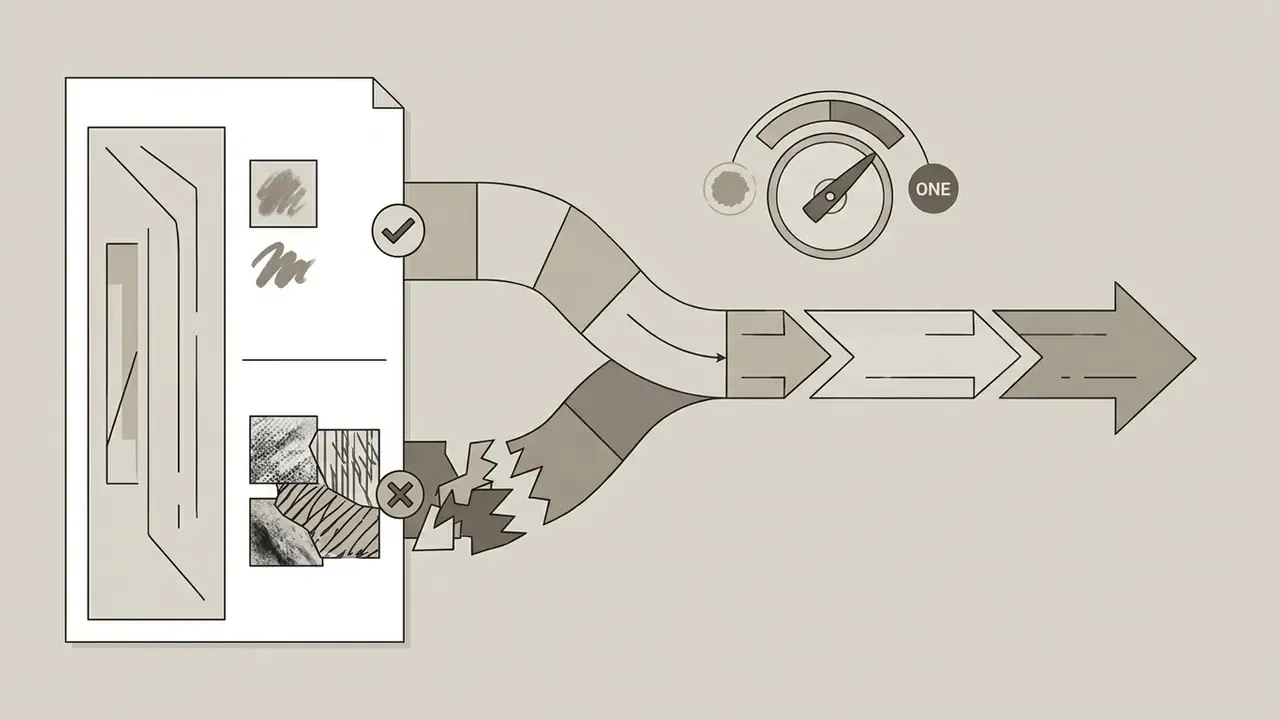
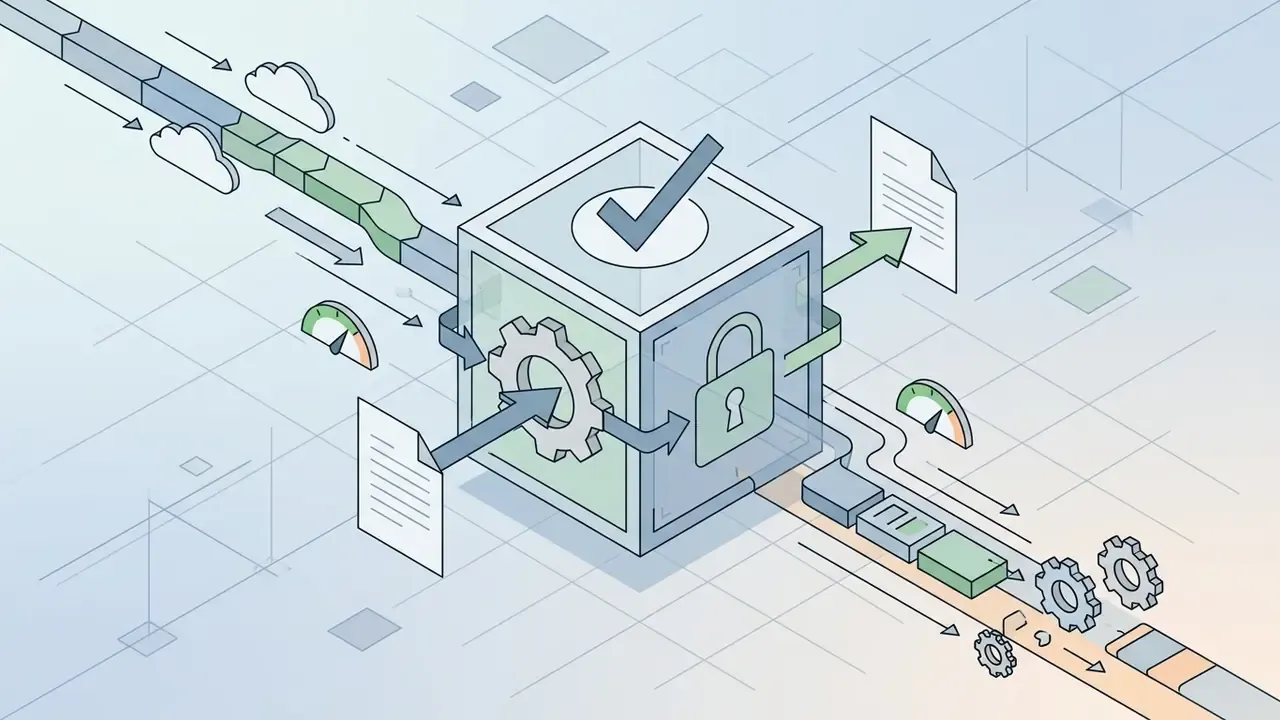
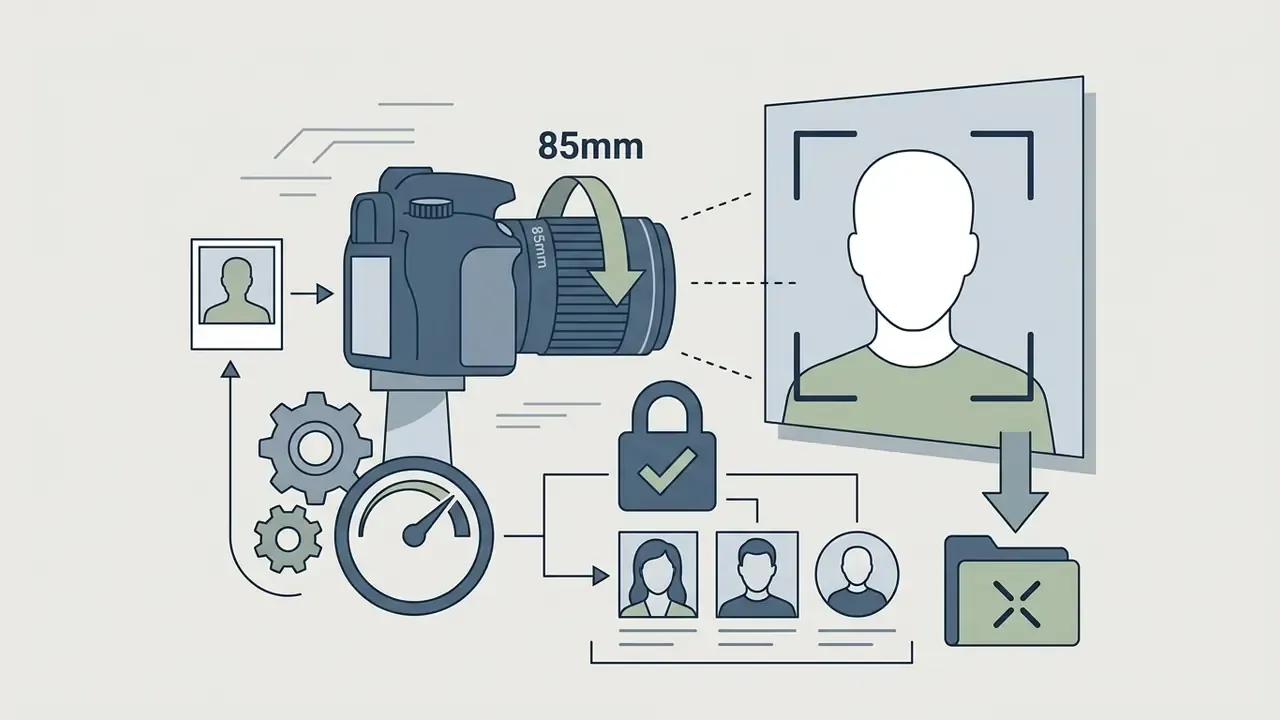
Common errors such as facial drift, unnatural hair-to-background blending, or distorted limbs respond well to composition locks, localized inpainting, or negative prompting. Separating the background description from subject instructions helps the model resolve spatial boundaries.
OpenAI prompting guides recommend splitting instructions into distinct blocks: subject attributes, scene environment, and composition bounds, plus explicit viewpoint, angle, and lighting to control framing and avoid unwanted crops. A practical control set looks like this:
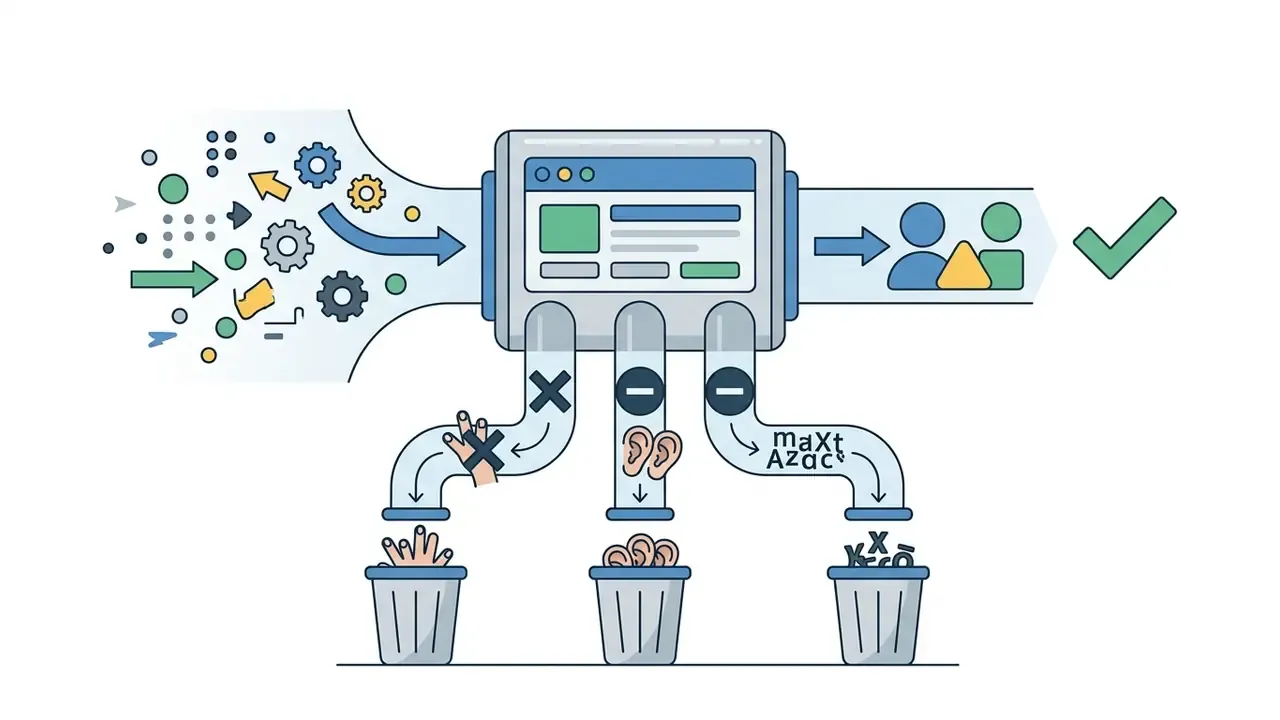
Research on artifact suppression supports the layered approach. Region-adaptive diffusion for identity-preserving blind face restoration (WACV 2024) and artifact-purification networks (2024) both target the artifact classes users actually see: shadows, ghosting, double edges, blur. If blending artifacts persist near subject edges, edge-contrast and digital lighting adjustments in a standard editor, or a masked inpainting brush, restore definition faster than another full regeneration. The same reasoning applies to motion assets, where a video lighting editor fixes what a re-render will not.
Customizing Facial Attributes, Hair, and Makeup
Advanced tools allow targeted text-guided modification without altering core face geometry. Pass explicit secondary directives in your prompt, or use inpainting brushes, to adjust:
- Hairstyles and hair color: turn long hair into a sleek bob, adjust volume, add fringe or braids, or apply realistic highlights and root shadows.
- Makeup and facial expression: apply natural studio makeup, change lip and eye-shadow colors, refine brow shape, or shift a neutral expression to a warm smile or open laughter.
- Wardrobe swaps: replace casual shirts with tailored business suits, jackets, bodysuits, or themed costumes while keeping neck and shoulder positioning intact.
- Accessories and grooming: add or remove glasses, earrings, headsets, and facial hair. Request each item in its own clause so the model does not blend it into skin texture.
- Skin and tone retouching: ask for "natural skin texture, visible pores" to avoid the over-smoothed plastic look most default presets introduce.
Workflow tip, and this one saves credits: change one attribute per generation pass. Batch requests such as "bob haircut, red lipstick, business suit, laughing expression" force the sampler to redistribute attention across four regions at once, which is the most common cause of identity drift in otherwise clean output.
Is a Free AI Selfie Generator Really Free?
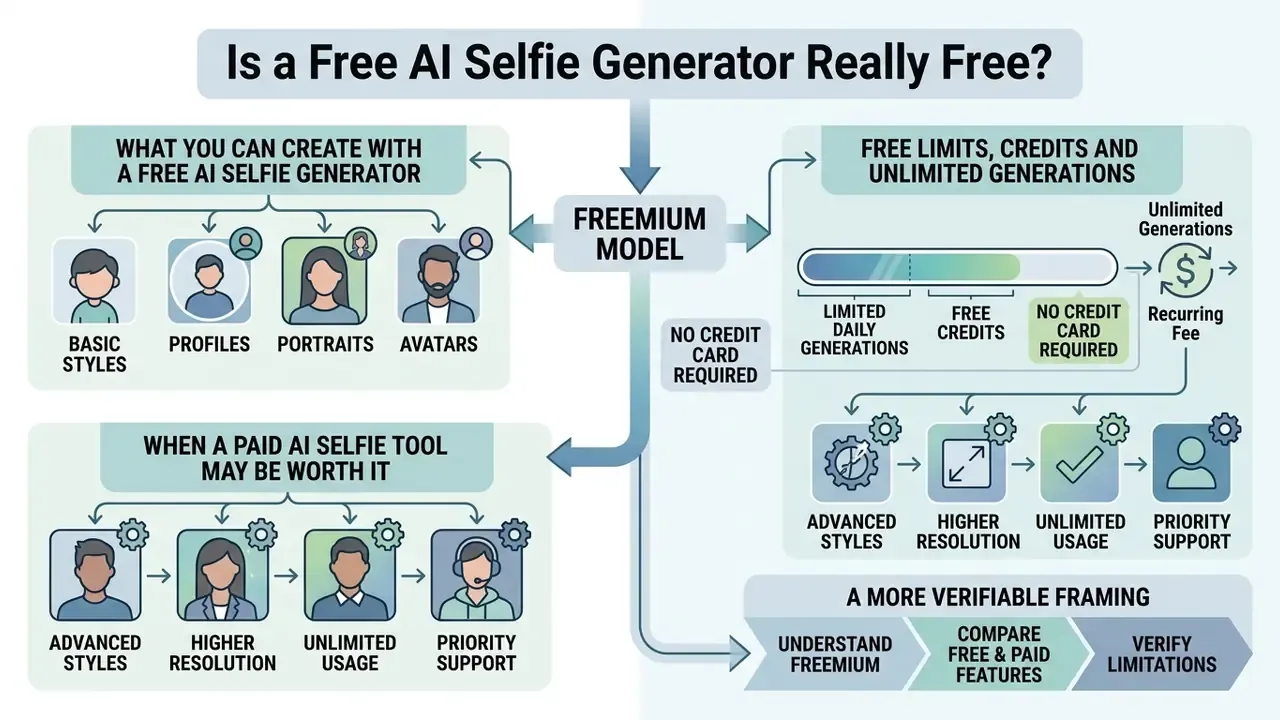
Free AI selfie generators run on freemium models: basic styles plus a limited number of daily generations or free credits, usually with no credit card required. Unlimited generations, 4K exports, watermark removal, and full commercial rights typically require a paid subscription or a credit bundle. So the honest answer is "free to try, priced to scale".
Vendors keep free tiers alive to attract traffic while containing compute cost. Cloud GPU infrastructure is capital-intensive, which is why platforms wrap strict boundaries around unpaid access.
«Canva and Adobe demonstrate different quota mechanisms: some grant 2-3 credits per day, others a fixed pool at sign-up.»
What You Can Create with a Free AI Selfie Generator
A free tier normally covers standard-resolution generation, basic style presets such as standard portrait or anime, and a small pool of starter credits. That is enough to test identity preservation and evaluate profile picture concepts before paying for anything. The same evaluation logic applies to free AI image and art generators without sign-up requirements, where a free AI selfie art generator preset is often the headline feature.
On unpaid plans, platforms tend to limit editing controls and cap export dimensions at standard web resolutions, for example 720p or 1024×1024 pixels. Free plans also withhold advanced modes: documented examples include restricted style libraries, basic-only configuration, and disabled batch processing. Users exploring adjacent zero-cost tooling can cross-reference feature caps in guides to free photo editors and the Microsoft AI image generator overview.
Free Limits, Credits and Unlimited Generations
Restrictions on free tiers frequently include daily generation caps, watermarked exports, queue throttling, and single-credit resets every 24 hours. Rate limits exist to control GPU load and block automated scraping. Adobe's generative AI policy pages state plainly that requests are limited by minute, hour, and day to manage system load and fair use.
| Metric | Unpaid free tier | Paid / premium tier |
|---|---|---|
| Generation volume | 2 to 3 credits per day, or one-time pool | High capacity or unlimited pool |
| Output resolution | Standard (512 px to 1024 px) | High definition / 4K export |
| Watermark enforcement | Visible vendor watermark | Watermark removal included |
| Render queue priority | Standard or throttled queue | Priority GPU execution |
| Commercial licensing | Personal, non-commercial only | Full commercial usage rights |
Commercial documentation from Canva, Adobe, and PixelPanda shows how varied these quota mechanisms are. Canva's AI Headshot Generator grants two free credits before pausing free use for 24 hours. PixelPanda documents three free generations per day with no account or card required, with credit bundles starting around $7.99 per week. HeadshotPro pairs a free generator with a paid unlock for HD output and extra credits. Once the allocation is spent, generation pauses until the next refresh cycle. Cost-per-image estimates are easiest to build by comparing per-credit pricing across the best free AI generators and their paid equivalents.
When a Paid AI Selfie Tool May Be Worth It
Upgrading pays off when you need commercial licensing, high-resolution 4K downloads, priority GPU rendering, and advanced face-consistency controls for business or marketing work. Paid plans remove watermarks and clarify the legal footing of published assets.
A more verifiable framing: rather than assuming universal indemnification, check three concrete clauses in the plan you are about to buy. Adobe Stock's subscription documentation states that paid plans deliver royalty-free high-resolution assets, with unlimited-tier plans removing credit counting entirely. Midjourney's pricing page states that paid plans unlock more generations, higher resolution, and a commercial license for outputs. Enterprise plans frequently, though not always, add indemnification language and explicit copyright assignment, so those terms require verification per vendor and per jurisdiction rather than assumption. For organizations distributing media across public channels, paid plans reliably remove watermark restrictions and guarantee high-priority cloud rendering. Teams wiring generation into their own products should also review endpoint economics on our api resources before committing to volume.
Commercial Use, Privacy and Safe Use of AI Selfies
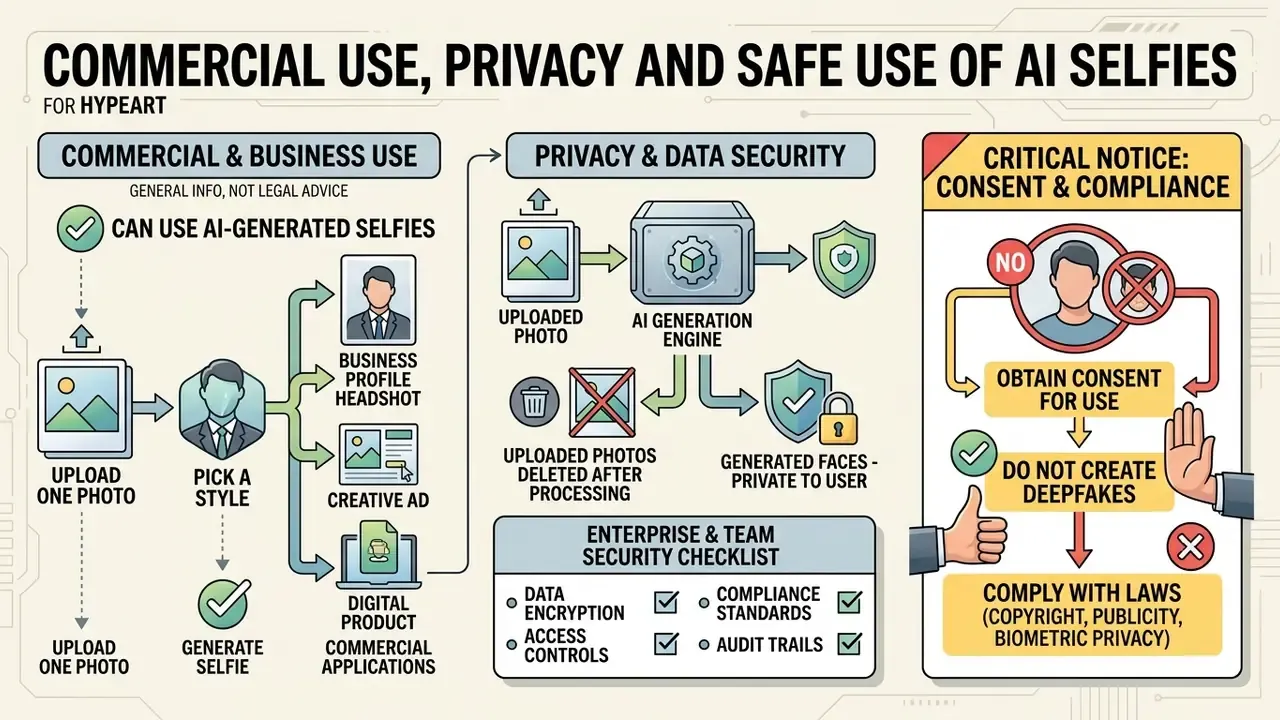
This section provides general information and does not substitute for legal advice on copyright, right of publicity, or biometric privacy. Consult qualified counsel for your jurisdiction and use case.
Commercial use of AI-generated selfies depends on platform Terms of Service, state right-of-publicity law, and verified consent when a real human likeness is involved. Privacy compliance adds a second obligation: review vendor data retention practices to confirm uploaded face photos and biometric embeddings are not retained or used for unauthorized model training.
Legal frameworks around synthetic assets keep moving, and enforcement attention follows documented misuse rather than hypotheticals:
«Analysis of 14.9 million Twitter profile photos identified 7,723 AI-generated images (about 0.052%), disproportionately linked to spam and coordinated campaigns.»
Organizations tracking ongoing copyright and privacy disputes should monitor regulator publications directly, follow our AI Litigation and Case Timelines, and keep verification tooling such as AI reverse image search in the workflow for provenance checks on inbound media.
What Happens to Uploaded Photos and Generated Faces?
This subsection provides general information and does not replace consultation with a data-protection specialist.
Vendor privacy policies dictate how uploaded photos and biometric embeddings are processed, stored, and deleted. Retention windows range from immediate deletion after generation to a three-year maximum. Regulated entities and security-conscious individuals should verify compliance with biometric privacy frameworks such as GDPR or state biometric data privacy acts.
| Organization / rule | Documented retention standard | Biometric handling requirement |
|---|---|---|
| EU AI Act (2024/1689) | Article 5(1)(e): bans untargeted scraping for facial recognition databases | Explicit consent required for biometric vector generation |
| Incode biometric policy | Retained until purpose met, or a maximum 3-year inactivity limit | Deleted automatically after the retention window expires |
| Microsoft Face API | Stored until client deletion or a short grace period ends | Purpose-bound storage with strict privacy risk controls |
«Article 5(1)(e) prohibits untargeted scraping of facial images from the internet to build facial recognition databases.»
EU AI Act provisions ban untargeted scraping of facial images from the web to build recognition databases. Comparable guidance from Australia's OAIC states that non-matching facial images should generally be deleted immediately, while OpenAI's privacy policy limits retention to what is necessary for service delivery or legal obligations. When integrating capture or real-time media modules into products, developers must implement explicit consent toggles before any face vector is captured or processed.
Enterprise and team-use security checklist. Before approving a selfie or headshot generator for internal directories, employer branding, or client-facing assets, confirm the following in writing:
- Vendor contractually excludes uploaded photos and derived embeddings from model training.
- Documented retention window with an automated deletion mechanism and a self-service delete endpoint.
- Independent security attestation available (SOC 2 Type II or ISO/IEC 27001, for example) plus encryption in transit and at rest.
- Data residency and sub-processor list disclosed; a DPA is available for GDPR-covered data subjects.
- Explicit written employee consent captured before any biometric upload, with an opt-out path that carries no employment consequence.
- Commercial license and indemnification clauses cover the intended distribution channels, paid advertising included.
- Provenance metadata (C2PA) preserved on export, with an internal disclosure policy defined for published synthetic imagery.
Critical Notice: Consent and Deepfake Compliance
FAQ About Free AI Selfie Generators
Frequent questions about free AI selfie generators cluster around accessibility, browser and hardware requirements, face privacy, and how to pick the best free AI selfie generator for professional headshots versus creative avatars. Standard browser access removes the need to download a dedicated mobile app or own a local GPU.
«Across 287,000 image judgements, participants correctly identified AI-generated images only 63% of the time, barely above chance.» Source: How Good Are Humans at Detecting AI-Generated Images?, arXiv (2025).
That detection gap is exactly why disclosure labels, C2PA provenance metadata, and AI reverse image search tooling matter more than visual intuition once synthetic faces start circulating publicly.
Do You Need Special Software to Create AI Selfies?
No special software and no dedicated graphics card are needed. Web-based generators run diffusion algorithms on cloud servers reachable through standard browsers such as Chrome, Safari, Edge, or Firefox. Mobile browsers provide the same core generation functionality without forcing an app store install, which is why "free AI selfie generator app" and "online tool" increasingly describe the same product. Browser delivery is also less restrictive than app delivery. Canvas-style mobile app requirements, for instance, mandate Android 9.0+ or iOS 18.0+, while browser access depends only on a supported major browser version and connectivity. Developers integrating automated generation pipelines into custom applications can review model-endpoint economics in implementation guides such as the Google Veo API cost and limits breakdown. Standard cloud architectures process model weights remotely, so low-power client devices still render output smoothly.
Is a free AI selfie generator safe to use with my personal photos?
Safety depends on the vendor's privacy policy, not on the tool's interface. Legitimate services process images over encrypted HTTPS connections and delete source files after processing. Verify that the platform explicitly promises not to store or sell your biometric facial data to third parties, and use provenance verification such as AI reverse image search if you later need to confirm where an image has appeared.
What are the top-rated free AI selfie generators according to Reddit communities?
Users on subreddits such as r/StableDiffusion and r/AIWarriors frequently recommend open-weights web platforms and freemium diffusion tools that offer non-watermarked trial credits, strong identity preservation, and direct browser execution without upfront card entry. Treat those threads as directional, not authoritative. Recommendations rotate quickly as free quotas change, so verify the current daily credit limit, watermark policy, and licensing clause on the vendor's own pricing page before uploading a face photo.
Can I generate AI selfies online for free without creating an account?
Yes. Selected basic AI portrait tools allow single-image generations without account creation, and some document a fixed number of no-signup generations per day. Saving high-resolution output, applying identity-locking models, or removing watermarks usually requires a free profile, and commercial licensing almost always requires a paid plan.
Can I use free AI-generated selfies for my LinkedIn profile?
Yes, provided the image accurately represents your professional appearance and the tool's Terms of Service allow profile or commercial use. Check that the output has clear frontal lighting, a head-and-shoulders crop, a neutral background, and at least 400×400 pixels, which LinkedIn documents as the profile image specification.
Why does my AI selfie look like a different person?
Identity drift shows up when the source photo is blurry, low-resolution, heavily shadowed, or turned at an extreme angle. It also appears when the prompt contains conflicting physical descriptions that override the reference face embedding, or when reference-strength sliders sit too low. Re-upload a sharper frontal photo, raise reference intensity, and change only one attribute per generation pass.
Are AI selfie generators completely free without hidden fees?
Most run on a freemium model. Basic generation and daily free credits are genuinely free, but exports carry watermarks or resolution caps. High-definition exports, unlimited rendering, and commercial licenses generally require a subscription or credit purchase.
How do AI selfie generators keep my face consistent across styles?
They use identity-preservation networks such as ConsistentID or FaceCLIP, which extract a numerical identity vector from your original photo. That vector is injected into the diffusion model alongside your text prompt, keeping core facial geometry stable while background and style change. Retention remains probabilistic, so expect close structural similarity rather than a pixel-exact match.
Which style should I choose for a resume versus a gaming avatar?
For resumes and business profiles, use realistic headshot presets with soft frontal lighting, neutral backgrounds, and formal wardrobe, the framing standard documented by university career-services guidance. For Twitch, Discord, or social avatars, stylized presets such as anime, cyberpunk, or fantasy character read better at small display sizes, because bold line work and high-contrast rim lighting survive downscaling.
Appendix A: Superseded and Updated Passages
For transparency, the following earlier formulations have been revised in this version:
- The previous introduction referenced unverified vendor and domain operational details. Updated: replaced with a description of how cloud-based image-to-image diffusion enables browser-only selfie transformation.
- The previous opening epigraph attributed an assessment of identity preservation as an "audit boundary" to a non-verifiable persona. Updated: the same operational principle now appears as a clearly labeled illustrative control practice in the section on evaluating generators for corporate use, and identity-preservation limits are supported by WACV 2024 and ICASSP 2025 findings.
- The previous claim that paid tiers universally "bundle indemnification clauses and explicit copyright assignments" has been updated to a verifiable, vendor-specific framing based on Adobe Stock and Midjourney published terms.
- Placeholder anchors referencing unrelated video tooling have been replaced with topically relevant internal resources and plain-language descriptions of the underlying adjustments.