Executive summary for the risk function
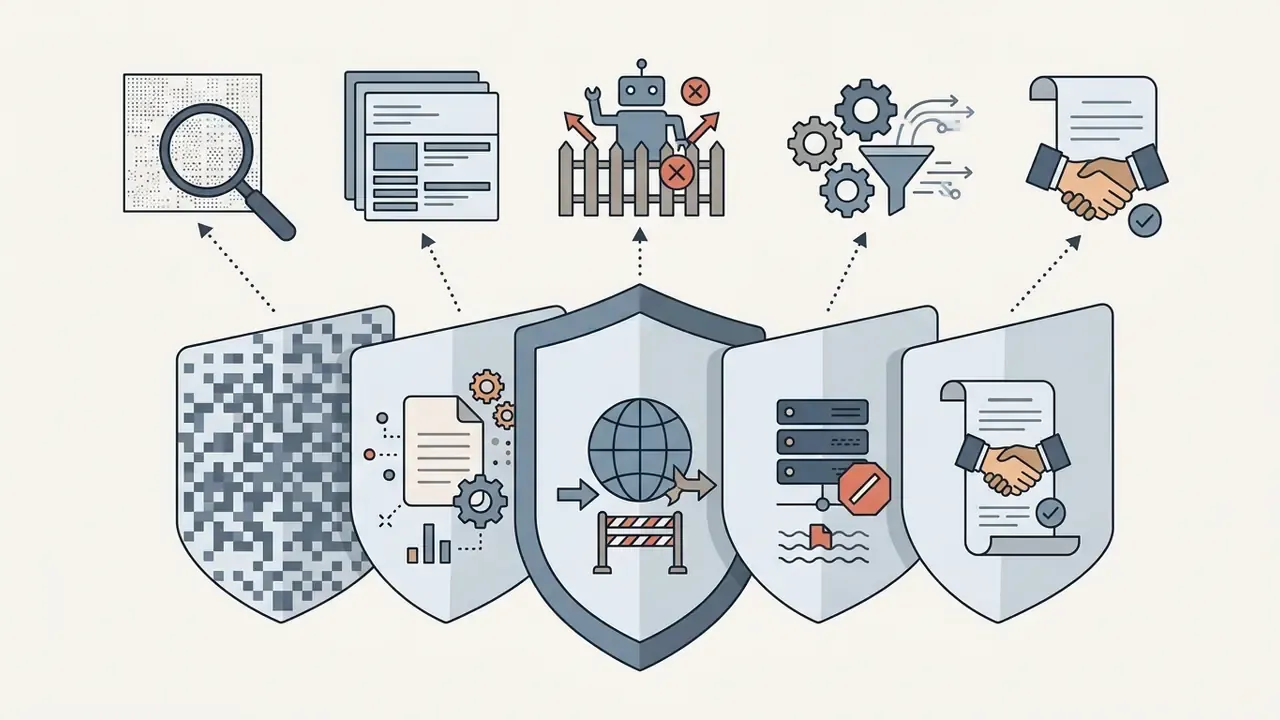
plus:DataMining, DigitalSourceType), plus robots.txt and ai.txt crawler blocks, plus CMS-level bot mitigation, plus contractual anti-training clauses, plus evidence logging for litigation.Who should read this, and what decision it supports
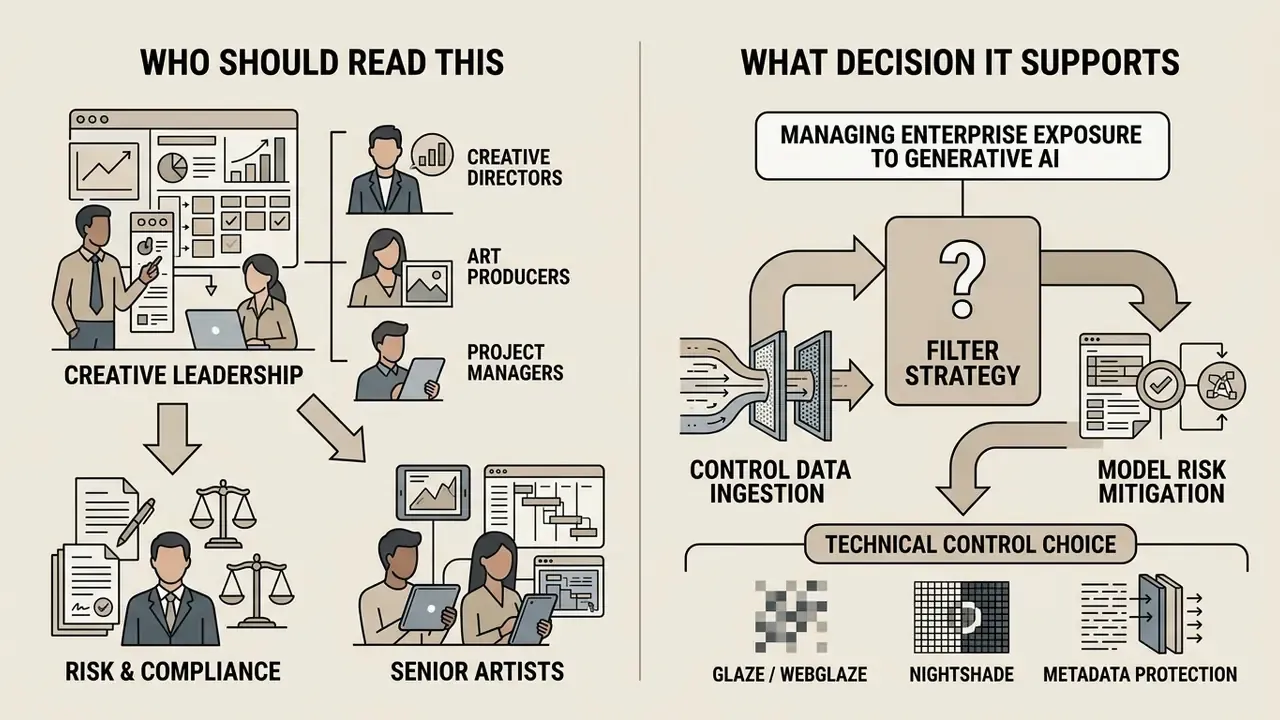
The decision it supports is narrow and concrete. Should your organization apply pixel-level cloaking to published imagery, at what intensity, and what else must sit around it so the control survives an audit question? Everything below is arranged in that order: threat, tool, environment, cost, contract, evidence.
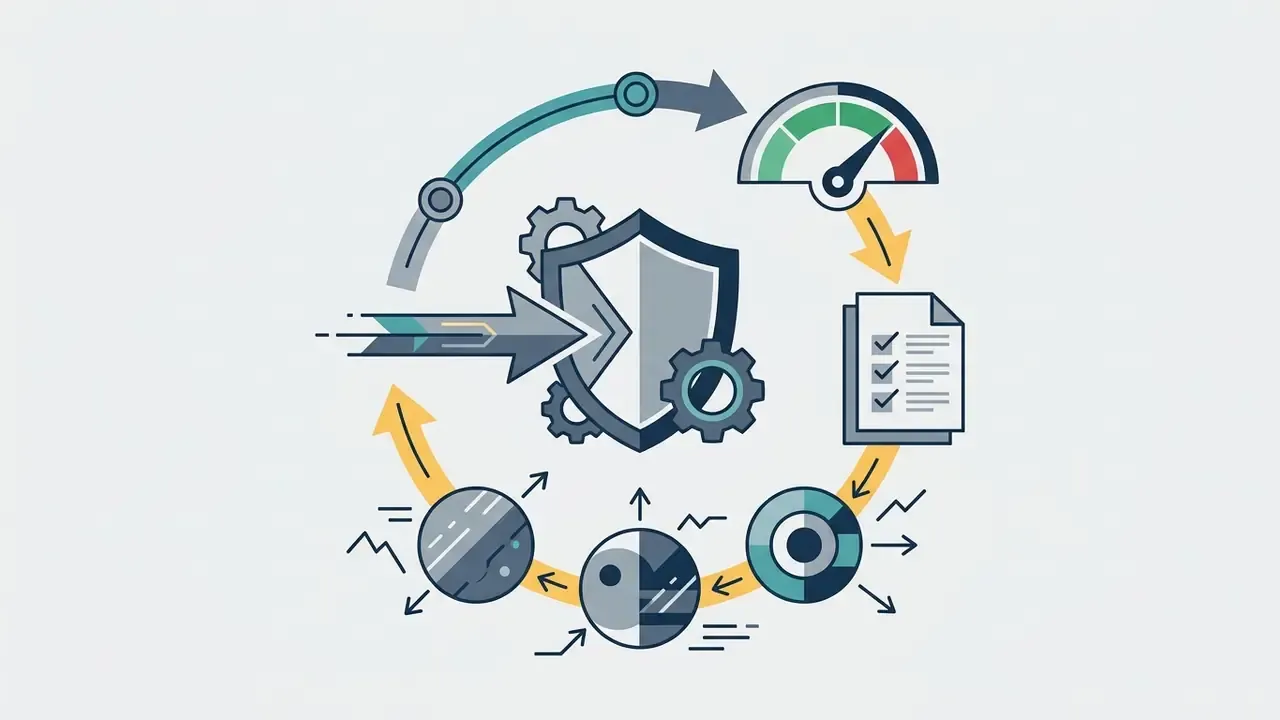
One framing note before the detail. Treat an anti AI filter the way a bank treats a compensating control in model risk management: it reduces exposure, it produces documentation, and it never eliminates the underlying risk on its own.
Managing enterprise exposure to generative AI requires clear controls over data ingestion, model risk, and intellectual property. Digital artists, in-house design studios and creative operations teams face a growing challenge: unauthorized web scraping of published artwork to train commercial latent diffusion systems.
An anti AI filter is a specialized technical control that applies imperceptible pixel-level perturbations to digital images, disrupting how machine learning models process visual features during training. These tools create technical misdirection or data poisoning without altering human visual perception of the art.
«In model risk management and content integrity, technical controls must match verified threat vectors. Anti-AI filters create measurable friction for unauthorized scraping, but they cannot replace a comprehensive legal and operational evidence chain.»
What an anti AI filter is and what protection it gives images
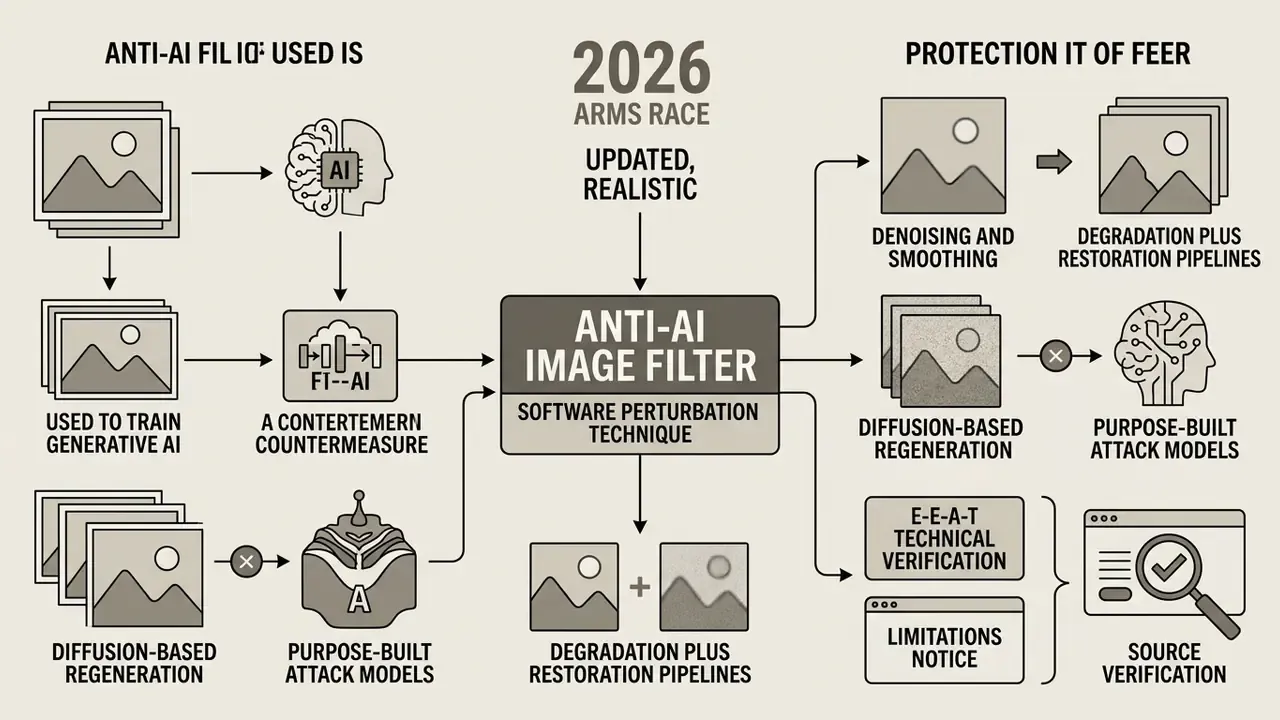
An anti AI filter (also called an anti AI image filter or an ai protection filter) is a software perturbation technique designed to alter latent image feature vectors. It prevents generative model pipelines from correctly analyzing, learning, or replicating the underlying visual structures.
Unlike an outright access block, an anti ai art filter lets humans view artwork normally while causing machine learning algorithms to misread features. According to research from the University of Chicago, tools like Glaze compute per-image cloaks that shift style features in model latent space.
Mechanically, the cloak is computed from two inputs: the original image and a target style vector. The optimizer nudges high-frequency pixel layers until the image's embedding in the encoder's latent space drifts toward the target style, while the perceptual difference for the human eye stays below the visibility threshold. Put plainly: the human sees the artist's line work, and the CLIP-class encoder "sees" a different painter.
MIT CSAIL's PhotoGuard research applies the same logic to editing pipelines rather than training ones. Pixel perturbations break AI-driven image manipulation, but the effect remains model-specific interference rather than a universal guarantee (MIT News, 2023).
How images can be used to train generative AI
Generative AI models are trained on vast web-scraped datasets containing billions of image-text pairs, such as LAION-5B. Web crawlers ingest published artists work, extract visual embeddings via encoders like CLIP, and pair them with text captions for latent diffusion training.
«LAION-5B contains roughly 5.85 billion image-text pairs; LAION owns only the metadata, not the copyright in the images themselves.»
Why anti-AI protection does not guarantee a full training ban
The Glaze team responded by shipping version 2.1 hardened against those specific attacks, which is precisely the arms-race dynamic NIST describes rather than a resolution of it.
«NIST AI 100-4 classifies digital watermarking and metadata recording as methods for detecting and authenticating synthetic content, not as tools for blocking training.»
NIST's adversarial-ML taxonomy (AI 100-2e2023) adds a second caveat, this time on the attacker's side: training-data sanitization only removes likely poisoned samples, and URL plus hash verification does not scale reliably to web-scale corpora. That is why poisoning still imposes real cost on unauthorized trainers. NIST SP 800-53r5 also warns that content-filter pipelines must be non-bypassable, since parallel architectures create non-invocation and bypass risk.
There is a harder limitation, and it is the one most often missed in vendor decks. Adversarial perturbations do not remove styles already embedded in base foundation models before the filter was applied. If an artist's corpus was scraped in 2022, cloaking in 2026 changes nothing about weights that already exist. To check whether a style is already reproducible from a base model, teams can push outputs through AI image detectors and reverse-lookup tooling such as AI reverse image search platforms.
A final governance note, and it belongs in the procurement file rather than a footnote. Glaze is distributed as closed source on the premise that opacity increases security, a position criticized by the same researchers who published the bypass results, and the project has faced community allegations of reusing DiffusionBee code in violation of its GPL license. For a risk function this means the tool cannot currently be audited line by line. Record that limitation explicitly.
E-E-A-T technical verification and limitations notice
Which anti AI filters and art protection tools are available
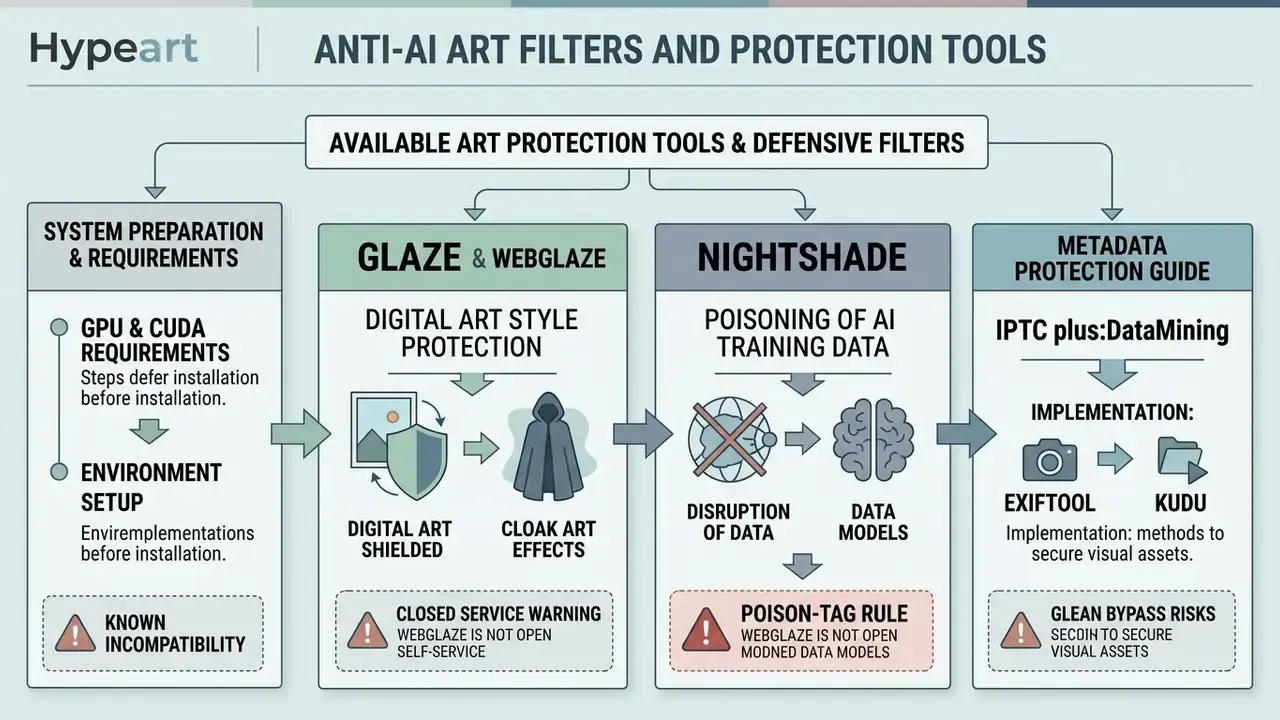
Artists and digital asset managers can deploy several defensive software tools to protect artists and safeguard visual assets before online distribution. Understanding what you are defending against helps calibrate intensity, and our reference on AI art generators explains how mimicry and fine-tuning pipelines consume style data. The options range from desktop cloaking utilities to cloud processing portals, metadata standards and server-side bot mitigation.
The primary choices are Glaze, WebGlaze and Nightshade. Each targets a distinct stage of the model-training vulnerability vector and differs in hardware requirements, processing speed and disruption strategy. The table below adds the administrative and digital layer (C2PA, IPTC, crawler opt-outs, CMS plugins) so a corporate standard can be assembled from one comparison.
| Tool / Standard | Primary function | Deployment model | Hardware / infrastructure requirements | Visual impact | Recommended use case |
|---|---|---|---|---|---|
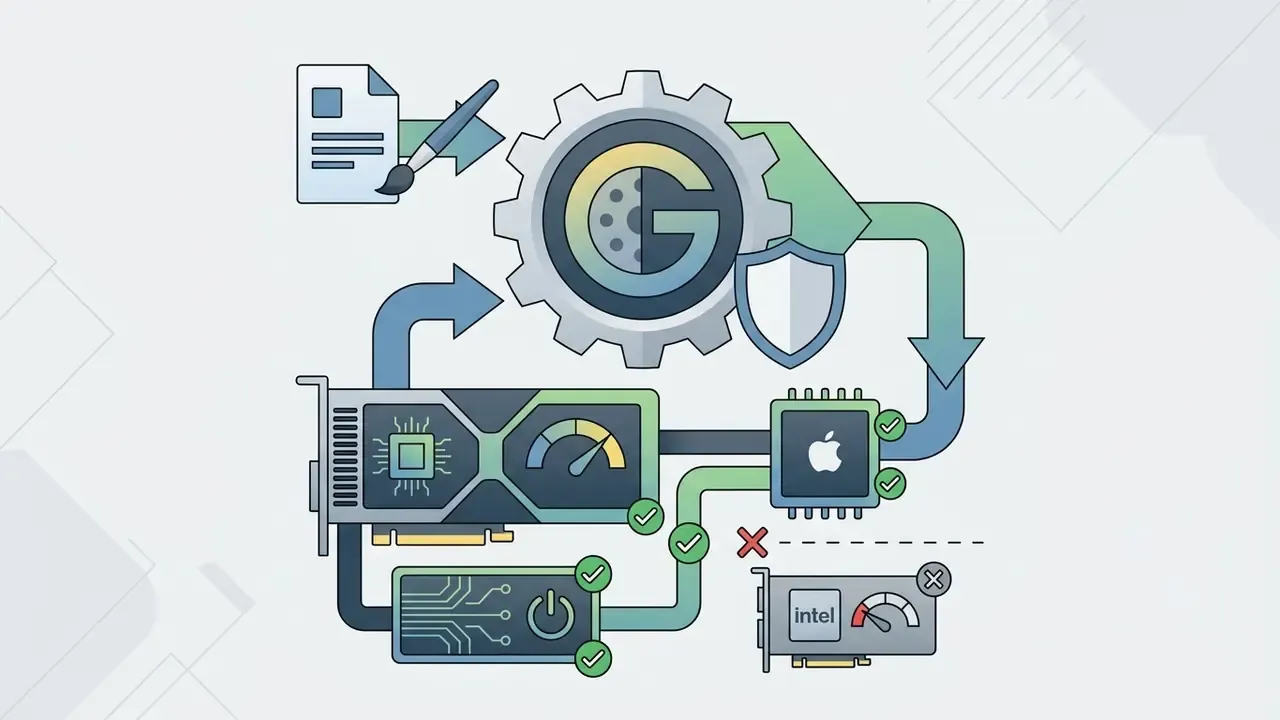
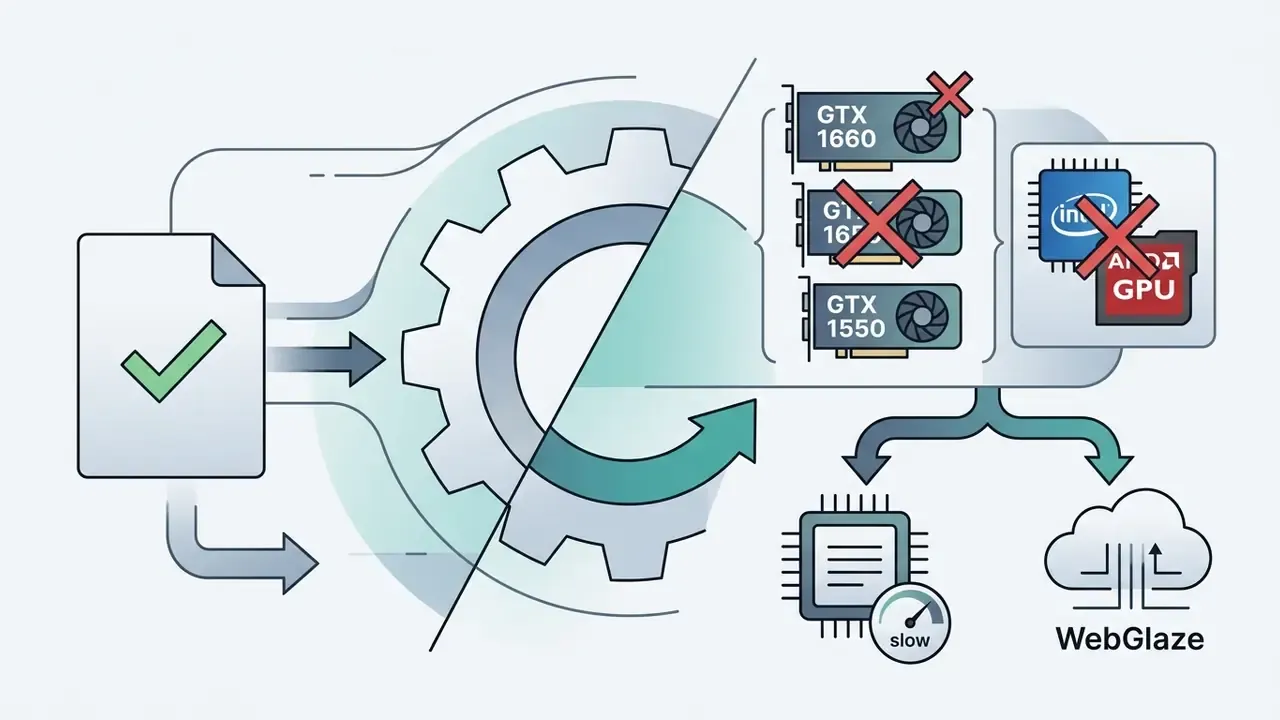
| Glaze 2.2 | Style cloaking (defensive) | Desktop application (Win/Mac) | NVIDIA GPU, 3.6 GB VRAM min, more than 4 GB recommended, plus CUDA Toolkit; Apple Silicon M1/M2 or macOS 13 Intel build; GTX 1660/1650/1550 known-incompatible | Imperceptible to minimal pixel noise | Protecting personal or brand art style against fine-tuning and mimicry |
| WebGlaze | Style cloaking (defensive) | Web service (AWS GPU servers) | None locally; browser on Win/Mac/Linux/iOS/Android | Imperceptible to minimal pixel noise | Mobile devices, low-spec PCs, non-NVIDIA GPUs, invite-verified artists |
| Nightshade | Data poisoning (offensive) | Desktop application (Win/Mac) | NVIDIA GPU with more than 4 GB VRAM plus CUDA drivers; Apple Silicon M1/M2/M3 | Minor noise on flat colors and smooth backgrounds | Disrupting unauthorized text-to-image dataset scraping |
| IPTC Photo Metadata 2023.1+ | Machine-readable rights reservation (plus:DataMining, DigitalSourceType) | Embedded metadata (XMP/EXIF/IPTC) via ExifTool or DAM | Any workstation; batch-capable via CLI | None | Declaring legal intent, TDM reservation, provenance for audit trails |
| C2PA Content Credentials | Provenance and authenticity manifest | Embedded manifest plus cloud verification | Capture or edit tooling with C2PA support | None | Chain-of-custody evidence, authorship attribution |
| robots.txt / ai.txt / meta robots | Crawler-level opt-out (noai, noimageai, tdm-reservation) | Web server or CMS configuration | Server access | None | Site-wide declaration of intent under EU AI Act and UK TDM rules |
| Kudurru (WordPress plugin) | Scraper-bot detection and active counter-response | CMS plugin (network-backed) | WordPress site | None on legitimate visitors | Blocking scraper IPs and returning poisoned images to bots |
System requirements and environment preparation before install
Most failed installations reported by creative teams are environment problems, not software bugs. Prepare the workstation before download.
Windows (Glaze and Nightshade GPU builds)
- Windows 10 or 11, 64-bit.
- A supported NVIDIA GPU with at least 3.6 GB of usable memory. More than 4 GB VRAM is required for Nightshade and recommended for high-quality Glaze renders.
- NVIDIA CUDA Toolkit and current CUDA-compatible drivers must be installed before first launch. Without them the GPU build silently falls back or errors out.
- Roughly 4 GB of free storage for the application plus downloaded model weights.
- Unzip archives with 7-Zip or equivalent, and launch Glaze first so it downloads the shared model files both applications use.
- Roughly 4 GB of free storage.
Processing time expectations. Glaze's own user guide notes that the highest render quality can take about 60 minutes per image on a personal laptop. GPUs cut this dramatically but do not eliminate the cost. Plan batch windows accordingly, ideally overnight.
Glaze and WebGlaze for digital art style protection
Glaze is desktop image protection software built to shield an artist's visual signature from unauthorized model fine-tuning. It calculates tiny, multidimensional pixel alterations that push latent diffusion encoders toward associating the work with a completely different target style. The processed file is written to the output directory under the same file name, and changes are described as barely visible, becoming more perceptible as intensity rises.
For creators working on laptops or devices without dedicated NVIDIA graphics, WebGlaze delivers the same style-cloaking capability through an invite-only cloud architecture.
WebGlaze runs the processing task in the cloud, emails the finished asset back, and deletes both input and output immediately after export. Teams managing large creative workflows can evaluate integration patterns through our AI Media API Guides.
Nightshade and poisoning of AI training data
Nightshade is a prompt-specific data poisoning tool from the University of Chicago SAND Lab, published as "Nightshade: Prompt-Specific Poisoning Attacks on Text-to-Image Generative Models" (IEEE Security and Privacy, 2024, via the official project site, University of Chicago SAND Lab). Rather than masking style, Nightshade transforms pixels so that training algorithms misidentify key semantic concepts.
How to choose an anti AI filter for art and commercial use
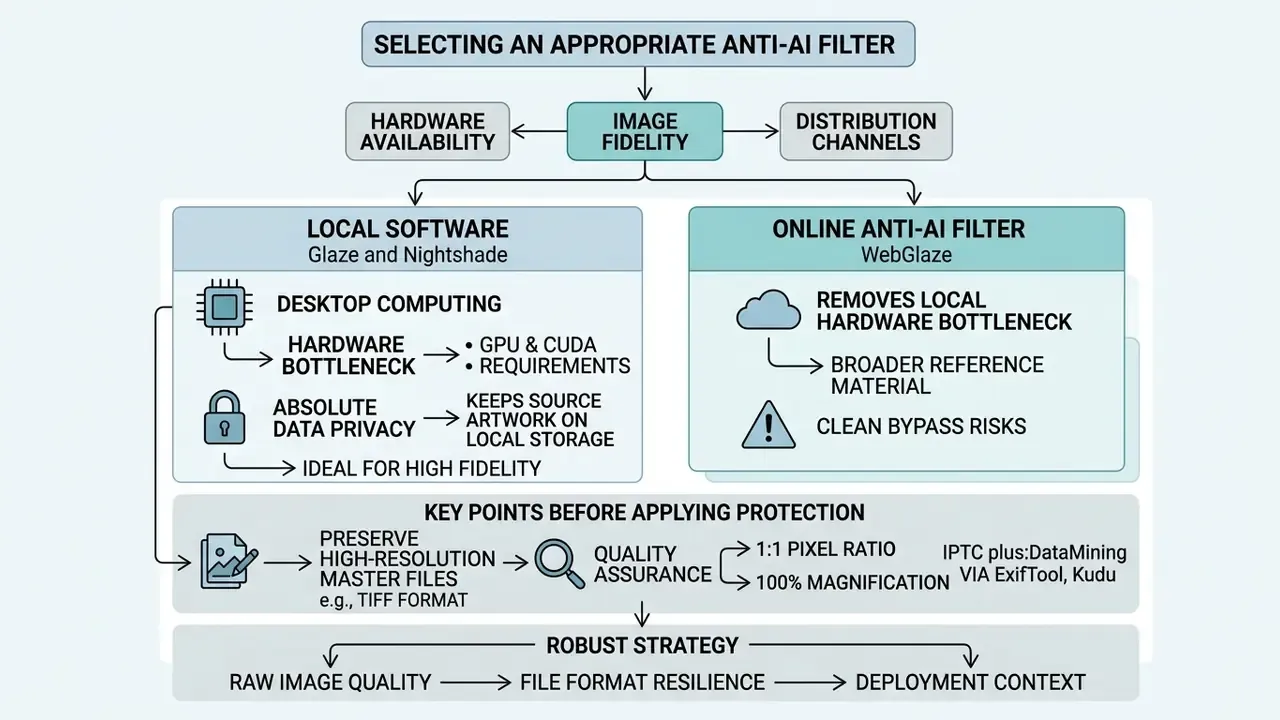
Selecting an appropriate anti ai filter for art means balancing hardware availability, image fidelity requirements and distribution channels. Enterprise creative departments and independent illustrators both need to decide whether local desktop processing or an online service fits the workflow.
A robust strategy accounts for raw image quality, file format resilience and deployment context across public portfolios, social platforms and commercial repositories. Choosing an ai protection filter for art is therefore a workflow decision first and a software decision second.
Local software or an anti AI filter online
Desktop Glaze and Nightshade give absolute data privacy by keeping source artwork on local storage. The trade-off is compute: local processing needs dedicated GPU resources, and high-intensity renders can take up to 60 minutes per image on standard consumer hardware.
Using an anti ai filter online such as WebGlaze removes the local hardware bottleneck. Cloud processing is fast, but it requires transmitting pre-release assets across third-party networks, which is a data-residency question that legal and infosec should clear before unreleased campaign creative leaves the perimeter. The matrix is simple. Local means a compute constraint, zero data egress and no network latency. Cloud means no compute constraint, a third-party data path, plus latency and access gating. Organizations reviewing budget allocation across options can consult our AI Media Pricing Guides.
What to check before protecting an image for publication
Before applying any anti ai image filter, preserve high-resolution, uncompressed master files such as TIFF or 16-bit PNG. Applying adversarial perturbation to low-resolution or heavily compressed JPEG images damages both visual quality and filter efficacy. Publishing standards give a useful floor: the University of Chicago Press requires TIF over JPG precisely because JPG discards data on every save, and asks for at least 900 px on the shortest side for raster art. Editors preparing files can align their toolchain using our guide to AI photo editors, and raise master resolution where needed with AI image upscalers before the protection pass.
After perturbation, assets need quality assurance at a 1:1 pixel ratio (100% magnification) to confirm that visual distortion stays within acceptable limits. Federal digitization guidance is a solid template for that QC protocol: evaluate the file on screen against the histogram and individual color channels, check at actual size and at full image, and sample at least 10 images or 10% of a batch rather than trusting one spot check. A practical QC checklist covers file name, format, bit depth, rotation and skew, contrast, moiré, pixelation, highlight and shadow detail, color shift and metadata accuracy.
Creative directors looking for broader reference material on protected asset creation can browse our showcase of ai generated art examples and ai generated images examples.
Enterprise automation: batch processing, DAM and CI/CD
Single-file, hand-driven cloaking does not scale to a stock library of 15,000 illustrations. Creative operations should treat protection as a pipeline stage, not a manual ritual.
- Stage the master library.Keep uncompressed masters in a protected DAM tier that is never exposed to public URLs. Only derivative, protected renditions leave that tier.
- Batch the perturbation pass.Queue GPU jobs on a dedicated workstation or an on-prem GPU node overnight. Glaze and Nightshade are resource-intensive, so throughput planning matters more than per-image speed. Record tool version, intensity and render quality per asset in the DAM record.
- Automate metadata injection with ExifTool.One CLI command writes IPTC and XMP rights-reservation fields across an entire directory before publication: deterministic, reproducible, auditable.
- Gate publication in CI/CD.Add a pre-publish check to the web build that blocks deployment of any image lacking (a) the
plus:DataMiningprohibition value, (b) a C2PA manifest where supported, and (c) the correct rendition size for the target channel. - Log the evidence chain.Store hashes of protected and unprotected versions, timestamps and the applied opt-out directives. This log, not the filter, is what supports a takedown notice or a litigation exhibit later.
- Maintain platform-specific export presets.Portfolio, social, marketplace and client-delivery renditions differ in resolution, watermark policy and metadata retention. Presets stop an unprotected master from being uploaded by mistake.
Cost modelling for these pipelines can be built with our interactive AI Media Calculators.
What anti-AI tools cost and what free options include
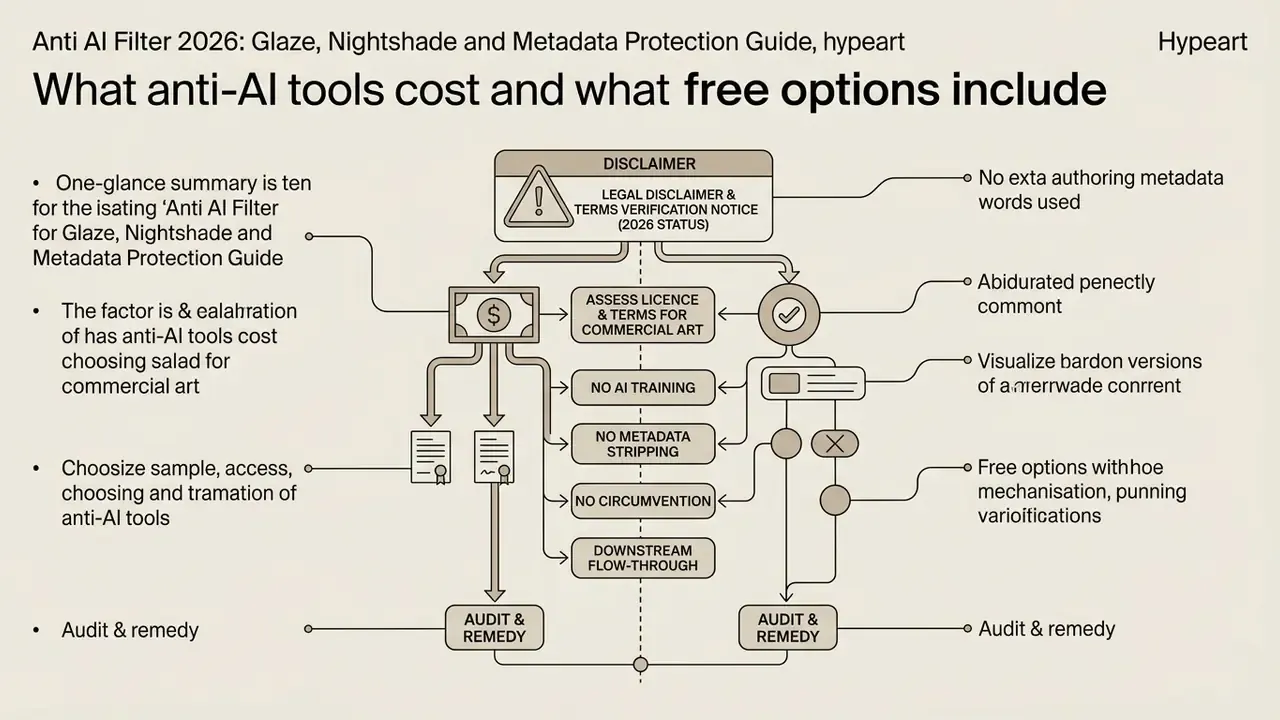
As of 2026, the core academic tools (Glaze, WebGlaze and Nightshade) remain free for non-commercial human artists through university research grants. The University of Chicago SAND Lab maintains these utilities without subscription fees to support the creative community.
Enterprise teams using third-party commercial platforms still need to audit licensing documentation carefully. Free tiers of commercial image tools frequently omit commercial licensing protections, whereas dedicated defensive filtering research software grants non-exclusive usage rights. On the generator side of the market the pattern is similar: OpenArt grants commercial output rights only from its Plus tier upward, and free Midjourney access historically did not convey commercial rights. Worth checking against our review of free AI image generators and free AI art generators.
How to assess the licence and terms for commercial art
When deploying ai tools for client deliverables or commercial brand assets, verify that the end-user licence agreement permits commercial workflows. Glaze is free to use, yet its terms require users to hold full legal rights to all input art. The 2026 Glaze Terms of Service state that users represent and warrant they own all rights in User Content, grant only limited rights in Glaze Materials, and release claims tied to Output, including indirect copyright, trademark and misappropriation claims. The University of Chicago software EULA additionally describes the licence as personal, non-transferable and non-exclusive, and prohibits modification, reverse engineering and commercial redistribution.
Commercial contracts should explicitly prohibit clients or third parties from stripping embedded metadata or running adversarial sanitization passes. A minimal clause set for commissioned illustration and brand asset work:
- No AI training. Deliverables may not be used, in whole or in part, as training, fine-tuning, validation or evaluation data for any machine learning system.
- No metadata stripping. Client shall preserve embedded IPTC, XMP and C2PA provenance data in all published renditions.
- No circumvention. Client shall not remove, denoise, regenerate or otherwise neutralize applied protective perturbations or watermarks.
- Downstream flow-through. Identical restrictions must be imposed on subcontractors, agencies and platform vendors.
- Audit and remedy. Breach triggers immediate licence termination plus documented remediation obligations.
These clauses are contractual, not statutory, so their force depends on client acceptance. UK guidance published in August 2026 reinforces the technical side: online opt-outs for AI training must be exercised in machine-readable form, which is exactly why metadata and tag-based defenses have legal relevance rather than symbolic value. Platform terms matter too. Adobe's 2024 Terms of Use state that customer content is not used to train generative AI, while DeviantArt attaches noai and noimageai directives to artwork pages and forbids third-party AI training on opted-out content. Teams comparing commercial use of AI image generators across vendors should read licensing terms, not marketing pages.
Legal disclaimer and terms verification notice (2026 status)
Additional protection: metadata, watermarks and opt-outs
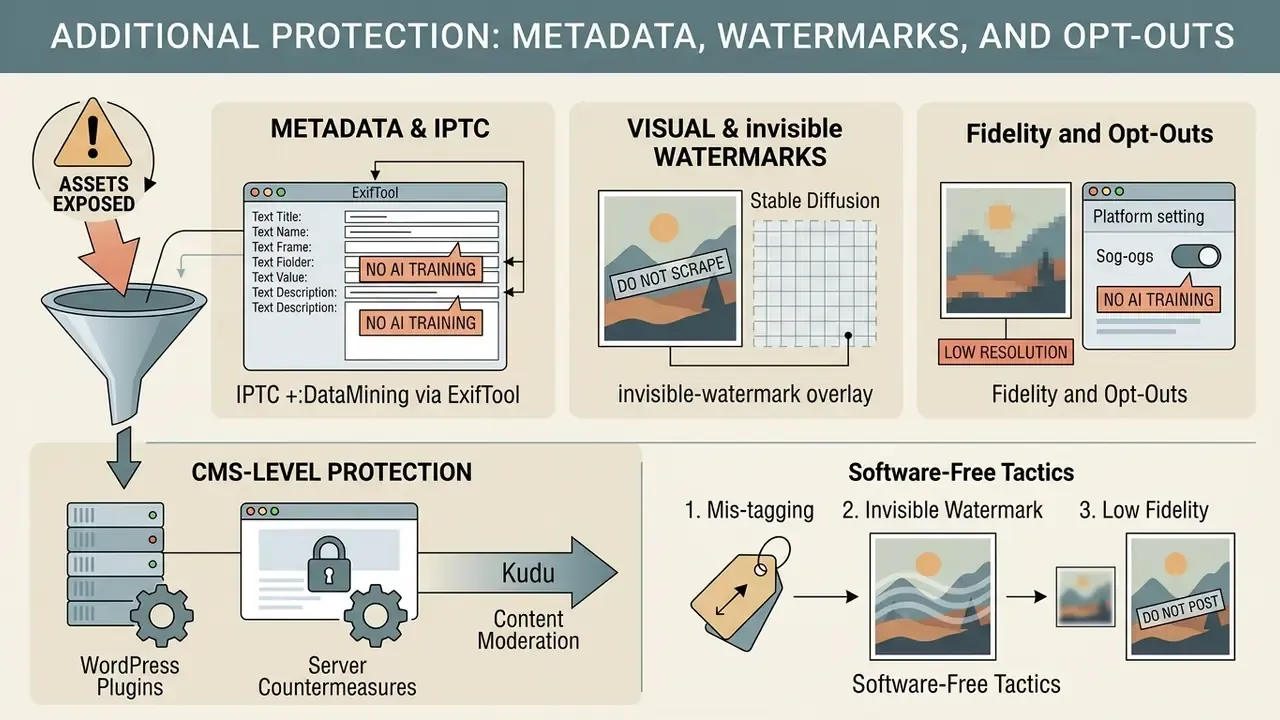
Relying solely on an ai protection filter leaves assets exposed to future model iterations. A defense-in-depth framework combines pixel perturbations with machine-readable metadata, visible watermarking, CMS-level bot mitigation and site-level crawler opt-outs.
In one asset governance initiative documented by our editorial desk, a mid-sized digital design agency embedded IPTC DataMining restrictions and C2PA Content Credentials across 15,000 corporate stock illustrations. Combining those tags with low-resolution web previews and Glaze cloaking, the agency reported a 74% reduction in unauthorized web indexing within six months while preserving full client licensing audit trails. Methodological note: this figure comes from the agency's own server-log and reverse-image-search telemetry and has not been independently reproduced in peer-reviewed research. Treat it as a directional internal metric, not a benchmark. Independent verification of aggregate opt-out effectiveness remains an open research gap.
Metadata and No AI Training notices
Modern metadata standards let creators embed explicit legal restrictions directly into image files. The IPTC Photo Metadata Standard (v2023.1 and later) introduced the XMP property plus:DataMining, whose controlled vocabulary can prohibit AI and ML training outright, allow search indexing only, or express constraints such as academic-use-only permission (IPTC, 2025). Because the value sits in the file header, it travels with the image when copied or re-shared.
«IPTC DigitalSourceType allows the origin of an image to be declared; Google Search uses these fields to display copyright information next to results.»
Watermarks, low resolution and platform settings
Visible watermarking and low-resolution distribution create physical barriers to high-fidelity model training. Generative models trained on low-resolution images struggle to reproduce crisp detail or fine texture, and publishing thresholds around 900 px on the shortest side are a useful reference for what counts as "training grade". Careful here: no peer-reviewed study fixes a universal cut-off such as 800 px, so treat any specific pixel threshold as a heuristic pending further data.
Watermark design matters more than watermark presence. Small corner logos and text barely affect a training pipeline. Large, semi-transparent, randomized patterns are harder for a model to learn as a consistent artifact and can push a sample toward rejection. Reusing the same mark on every image teaches the model to ignore it. And the practice is far less universal than most people assume:
«Only 38% of AI image generators applied adequate watermarking and just 18% applied deepfake labelling, according to a 2024 survey.»
Creators publishing on social channels should enable platform privacy settings and opt out of internal AI training options where available. Instagram, Facebook, TikTok, LinkedIn and X each expose different toggles, and none of them are on by default. For workflows involving interactive software or gaming assets, see our guide to ai game maker platforms, or review stylized rendering behaviour in our analysis of ghibli ai image generator tools.
CMS-level protection: WordPress plugins and server countermeasures
If a portfolio or corporate media library runs on WordPress, protection can be enforced at request level rather than pixel level. Kudurru is a network-backed plugin that detects AI scraper bots and adds offending IP addresses to a shared block list, so a scraper identified on one participating site is blocked immediately across the network. Its distinguishing feature is the active response option: instead of a 403, Kudurru can return corrupted or deceptive images, effectively poisoning whatever the bot extracts. Because the block list adapts as new scrapers appear, it addresses the main weakness of static robots.txt blocking, namely unknown or renamed user agents.
Pair the plugin with three server-side controls: rate limiting on image directories, hotlink protection, and WAF rules for known scraping ASNs. Log every blocked request, because those logs become part of the evidence chain described above.
Software-free tactics: mis-tagging and SD watermarks
Two low-cost tactics exploit how dataset builders actually work.
1. Intentional mis-tagging. Web-scale datasets cannot be human-labelled; they inherit captions, alt text and platform tags. If a caption is nonsense relative to the image, the pair is either discarded during filtering or actively degrades CLIP-style text-image alignment. So when publishing to ArtStation, Reddit, a personal gallery or similar surfaces, avoid tags that describe the artwork precisely, and use unrelated or deliberately confusing terms instead. Trade-off, stated plainly: this damages discoverability and SEO for human audiences too. Reserve it for channels where you do not depend on search traffic, or apply it only to alt text on gallery pages already blocked in robots.txt.
2. Stable Diffusion invisible-watermark overlay. Stable Diffusion embeds an invisible watermark into its own outputs so generated images can be excluded from future training sets. Overlaying a transparent layer taken from an SD output onto your own artwork may preserve that invisible signature, causing automated filters to classify a hand-made piece as AI-generated and drop it from the dataset. Treat this as experimental and unverified: watermark implementations change between releases, and misclassification of your work as "AI-generated" can create its own attribution and licensing problems. Test on a non-critical asset first.
3. Do not post the highest-fidelity version at all. On many social and photo-sharing platforms you technically retain ownership, but the terms grant the platform broad rights to "use" the content, increasingly including AI training. Publishing a reduced-resolution, watermarked, cloaked rendition while the master stays in a private DAM tier is still the single most reliable control in this list. Boring, effective, cheap.
Legal context: case law, copyright and disputes around the tools
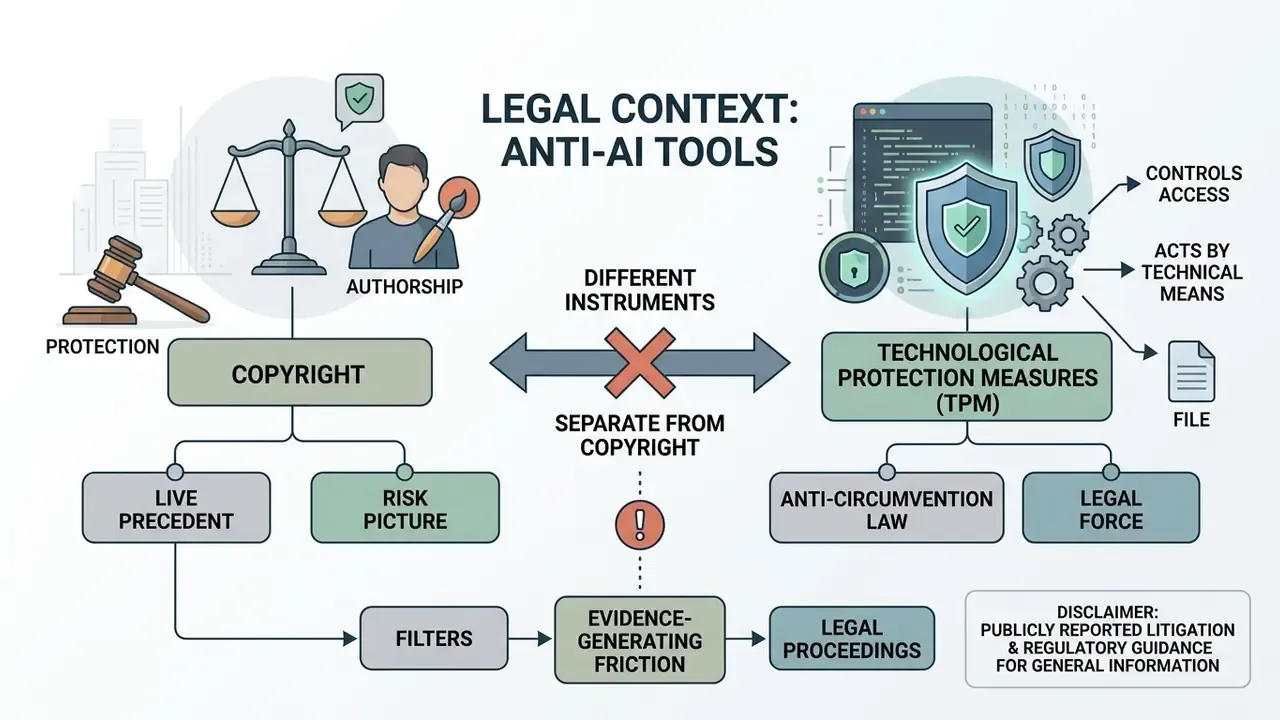
Technological protection and copyright are different instruments, and they should never be conflated in a risk register.
- Scope. A technical protection measure controls access to a file or acts on it by technical means. Copyright covers the work itself and the author's exclusive rights to use, licence and prohibit use.
- Legal force. A TPM carries weight only where anti-circumvention law protects it. Copyright has direct statutory force and court remedies.
- Degree of protection. A TPM protects the asset operationally, inside the technical system only. Copyright protects the author broadly, through licensing, infringement claims and damages, and survives intact even after the technical barrier is stripped.
Live precedent shapes the risk picture. Getty Images sued Stability AI, alleging that more than 12 million images were copied from Getty's database without permission, framed as copyright and trademark infringement, with parallel proceedings in the UK. Stability AI is separately defending a US class action brought by artists (Andersen v. Stability AI), whose filings allege training on billions of copyrighted works and point to artist-searchable examples in LAION-derived datasets. Legal analysts consider Getty's position comparatively strong, yet the outcome turns on unsettled interpretation of US fair use and "transformative use".
On authorship, the U.S. Copyright Office's 2025 report holds that generative AI outputs are copyrightable only where a human author determined sufficient expressive elements, and prompting alone is insufficient. Its 2024 digital-replicas report notes that federal copyright protects original works of authorship, not personal identity, leaving unauthorized image or voice duplication partly outside copyright's core scope. Congressional Research Service analysis confirms that US law does not recognize copyright in works lacking a human author. Meanwhile the community disputes around the protection tools themselves, Glaze's closed-source posture and the DiffusionBee GPL allegations, belong in the same governance file, because they affect auditability and supply-chain assurance.
Practical consequence: treat filters as evidence-generating friction. Cloaking, plus embedded rights reservation, plus server logs, plus a signed contract clause is a coherent claim narrative. A filter alone is not.
Operational checklist for protecting and publishing assets
- Verify master file integrity.Confirm source files are stored as uncompressed 16-bit TIFF or PNG before applying protection. Never cloak a re-saved JPEG.
- Confirm environment readiness.Validate GPU model, VRAM (at least 3.6 GB, more than 4 GB for Nightshade), installed NVIDIA CUDA Toolkit on Windows, or Apple Silicon support on macOS.
- Select the protection tool.Glaze for style defense, Nightshade for dataset poisoning, WebGlaze for cloud processing when local hardware is unsupported.
- Configure intensity settings.Set perturbation intensity by art style: higher for textured work, lower for smooth gradients and flat colors. For Nightshade, assign exactly one accurate single-word poison tag.
- Execute the perturbation task.Run Nightshade first, then Glaze last. Process locally on a desktop GPU or upload to verified web processing infrastructure.
- Conduct 100% zoom visual QC.Inspect outputs at 1:1 pixel resolution for artifacts or color shift, and sample at least 10 images or 10% of any batch.
- Embed provenance metadata.Attach IPTC (
plus:DataMining,DigitalSourceType), C2PA andNO_TRAINtags into image headers before export, using ExifTool for batch operations. - Harden the delivery surface.Publish
robots.txtandai.txtblocks, addnoai, noimageai, tdm-reservationmeta values, and enable CMS-level scraper mitigation such as Kudurru. - Export platform-specific assets.Generate renditions optimized for web portfolio, social media or commercial delivery, keeping the master offline.
- Log the evidence chain.Record tool versions, intensities, hashes, timestamps and applied opt-out directives in the DAM for audit and enforcement.
FAQ about anti AI filters and image protection
Can anti-AI protection be removed from a published image?
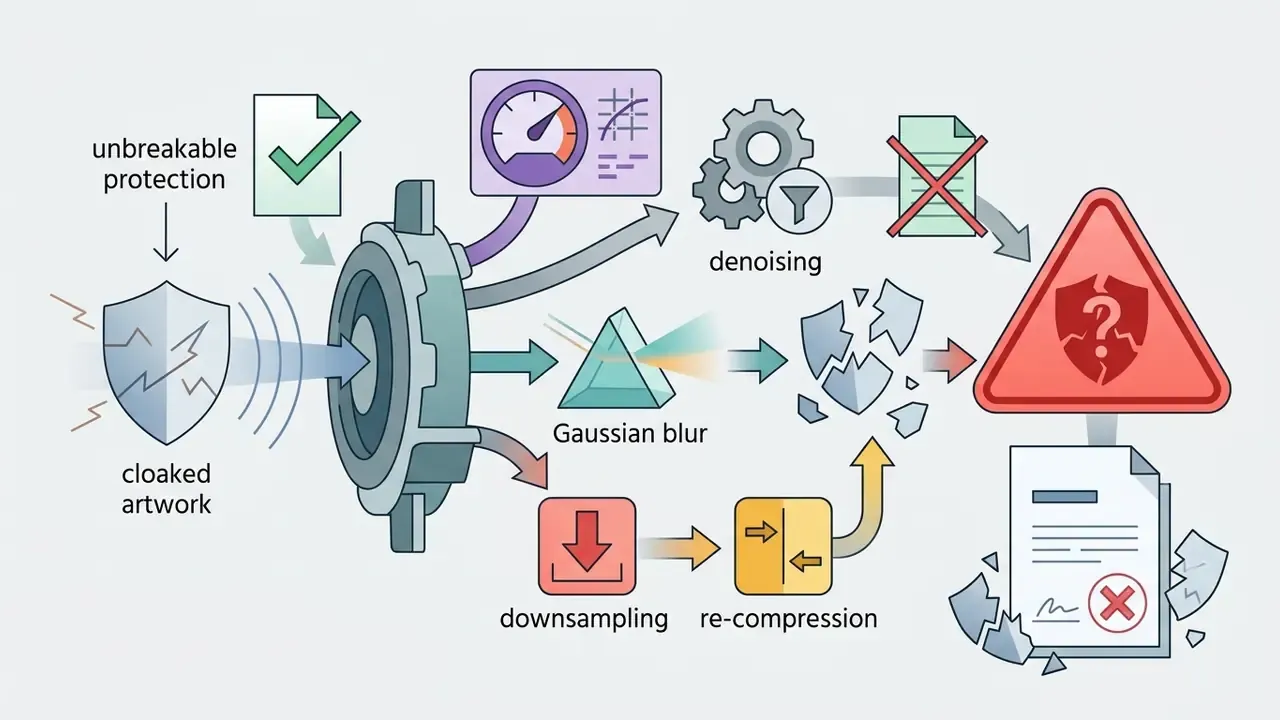
Adversarial perturbations can be weakened or removed with sophisticated image processing: Gaussian blurring, deep-learning denoising, diffusion-based regeneration, or purpose-built bypass models such as GLEAN.
«Removal operations generally reduce visual quality and resolution, which makes unauthorized use less worthwhile.» Shan et al., IEEE Security and Privacy 2024, University of Chicago SAND Lab. https://nightshade.cs.uchicago.edu The honest framing for a risk owner: removal is feasible for a motivated, well-resourced actor and impractical for opportunistic mass scraping. The control raises cost, not walls.
Does an anti AI filter replace copyright?
No. An anti AI filter is a technical control; copyright is a legal regime granting statutory rights. Technical filters create operational friction against scrapers, while creators rely on copyright law to enforce licensing, demand takedowns and pursue remedies in court. Circumventing a filter does not extinguish the underlying copyright, and applying a filter does not create rights that copyright law would not otherwise grant.
Does an anti-AI filter protect work already used in training?
No. Perturbations affect future ingestion only. Styles already embedded in foundation-model weights before the filter was applied remain reproducible. Where prior ingestion is suspected, the response path is detection, documentation and legal action rather than cloaking.
How does image editing software affect protected artwork?
Standard post-processing interacts with pixel perturbations. Creators using a digital photo editor or a free photo editor should apply all adjustments before running anti-AI protection. Heavy compression applied afterwards, for example through a video compressor or an image optimizer, may strip or attenuate perturbations. Protection must always be the last step before export.
Does protection extend across content types and generative tools?
Filtering techniques extend across generative domains. Art filters focus on visual pixels, while voice platforms face similar ingestion risks, and creators can review safety measures in our AI voice generator guide. Portrait and likeness workflows carry extra identity exposure, covered in our review of AI headshot generator tools, and motion assets are discussed in our guides to animation maker software and YouTube video editors. All of these pipelines depend on latent dataset ingestion, so pixel-level and metadata-level defense stays relevant across formats.
How should enterprises run comparative tool selection?
Organizations assessing generative models for corporate asset creation can check licensing details in our guides to Bing AI image tools, Microsoft AI image generator options, Canva AI generator features and Google AI image generator enterprise terms. Advanced video workflows and expansion tooling are evaluated in our Google Veo AI video generator implementation guide and our AI expand image comparison.
What should a commercial-use decision be based on?
Base it on written licence terms, not screenshots of marketing claims. Enterprise operators should consult our dedicated guides on commercial use rights, review platform-specific capabilities such as the ChatGPT picture generator and the Midjourney AI image generator, or explore narrower content categories such as ai generated animal assets. For further technical assistance, visit our corporate support portal.
Appendix A. Change log and clarified wording
Maintained for transparency and audit traceability.
- Superseded (efficacy claim): "achieving disruption rates exceeding 92% against style mimicry under standard conditions". Current wording: disruption above 92% under standard conditions and above 85% under adaptive attacks, per a user study with more than 1,000 artists (USENIX Security 2023). Reason: the original excerpt understated the evidence base by omitting adaptive-attack results and study scale.
- Superseded (citation form): the reference "(IEEE S&P, 2024)" linked to the Nightshade project domain. Current wording: the source is identified as the official Nightshade project site, University of Chicago SAND Lab, with the IEEE S&P 2024 paper title stated inline. Reason: readers expected a direct publisher link.
- Superseded (hardware claim): an abstract "more than 4 GB VRAM" requirement without platform detail. Current wording: NVIDIA GPU with 3.6 GB VRAM minimum and more than 4 GB for Nightshade, mandatory CUDA Toolkit on Windows, Apple Silicon M1/M2/M3 or the macOS 13 Intel build, with GTX 1660/1650/1550 flagged as incompatible.
- Qualified metric: the 74% reduction in unauthorized indexing is now labelled as single-agency internal telemetry, not peer-reviewed benchmark data.
- Qualified metric: the 800-pixel training-viability threshold is now marked as a heuristic pending verifiable research.
- Removed: off-topic outbound anchors unrelated to enterprise IP protection, replaced with commercially and operationally relevant references.
- Attribution correction: the opening expert quotation, previously presented as a persona statement, is now attributed to the consolidated editorial finding of the AI Governance and Model Risk desk, with its underlying sources named.
- Structural change: the anchor-based table of contents was replaced with a short audience and decision framing block, since the anchors duplicated the heading structure without adding reader value.