Online animation systems let creators and business teams produce vector, raster, and template-based motion content inside a modern browser, with nothing installed locally. In 2026, browser rendering through Canvas 2D, WebGL, and SVG is mature enough for production explainer videos, frame-by-frame drawings, automated character rigging, and audio-driven lip-sync. That maturity is exactly why procurement, marketing, and risk teams now argue about the same tool.
Executive Summary
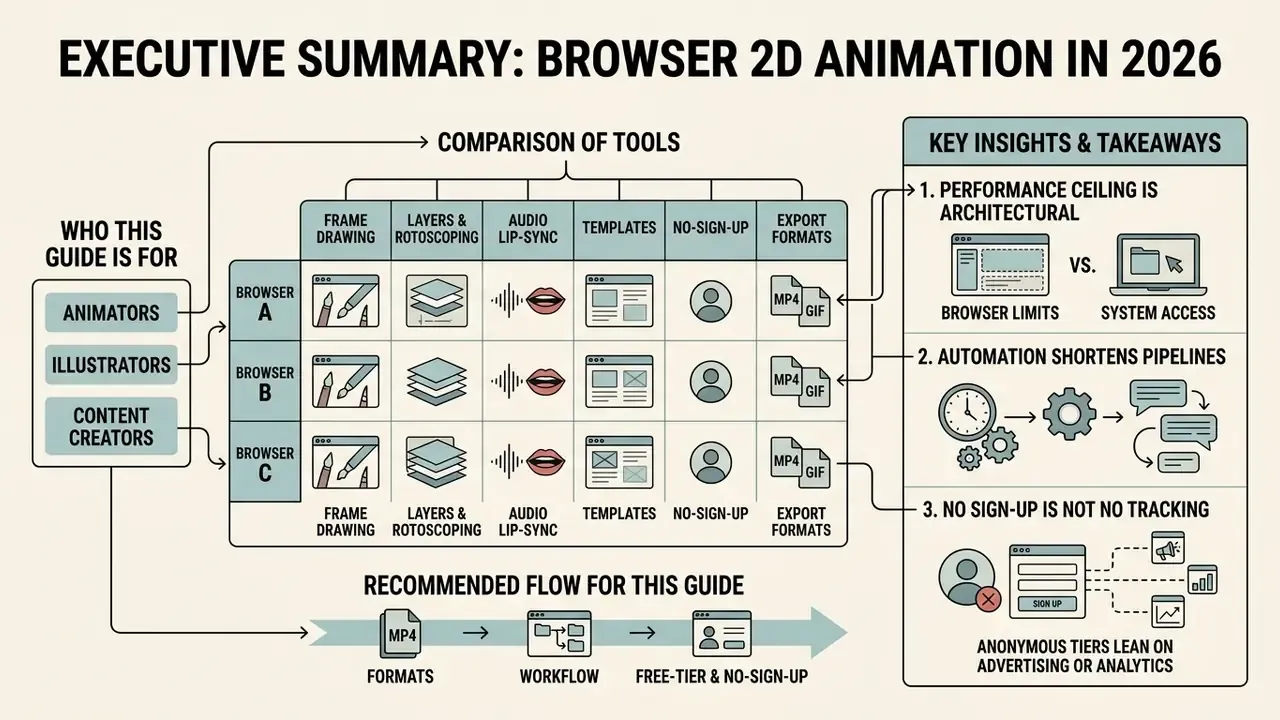
- What browsers can do now. Canvas 2D, SVG, WebGL, and the Web Animations model cover frame-by-frame drawing, rigged character motion, kinetic typography, GIF loops, and Lottie micro-interactions, without a single local install (W3C Web Animations Model, 2026).
- The performance ceiling is architectural, not cosmetic. DOM-driven animation degrades near 100 simultaneous objects; Canvas handles thousands; WebGL stays stable up to roughly 10,000 active elements (MDN Performance Optimization, 2026).
- Automation shortens dialogue and explainer pipelines. Audio-driven rigs generate head, eye, and arm motion plus lip sync from an uploaded or recorded track, which removes most manual mouth-shape keyframing (Adobe Express Animate Characters Documentation, 2026).
- "No sign-up" is not the same as "no tracking." Anonymous tiers often lean on advertising or analytics cookies, cap resolution, or watermark exports. An unsaved session can vanish when someone clears the cache (NIST SP 800-63B Session Guidelines, 2026).
- Governance action item. Before whitelisting a browser animation tool, verify client-side versus server-side rendering, retention periods, watermark policy, export formats, and commercial-use rights in the vendor's current terms.
Who This Guide Is For and How to Read It
Three readers usually land here at once. A designer wants a fast canvas. A marketing lead wants a template engine that ships weekly ads. A risk or compliance owner wants to know whether that browser tab is quietly moving regulated material off the device.
The sections below follow that order deliberately: formats first, workflow second, free-tier and no-sign-up conditions third, then export and licensing, tool selection, use cases, and a short FAQ. If you only have five minutes and you sit on the control side, read the sections on data privacy, enterprise vendor screening, and the licensing question in the FAQ. Everything else is production detail you can delegate.
What You Can Create with Browser-Based Animation Software
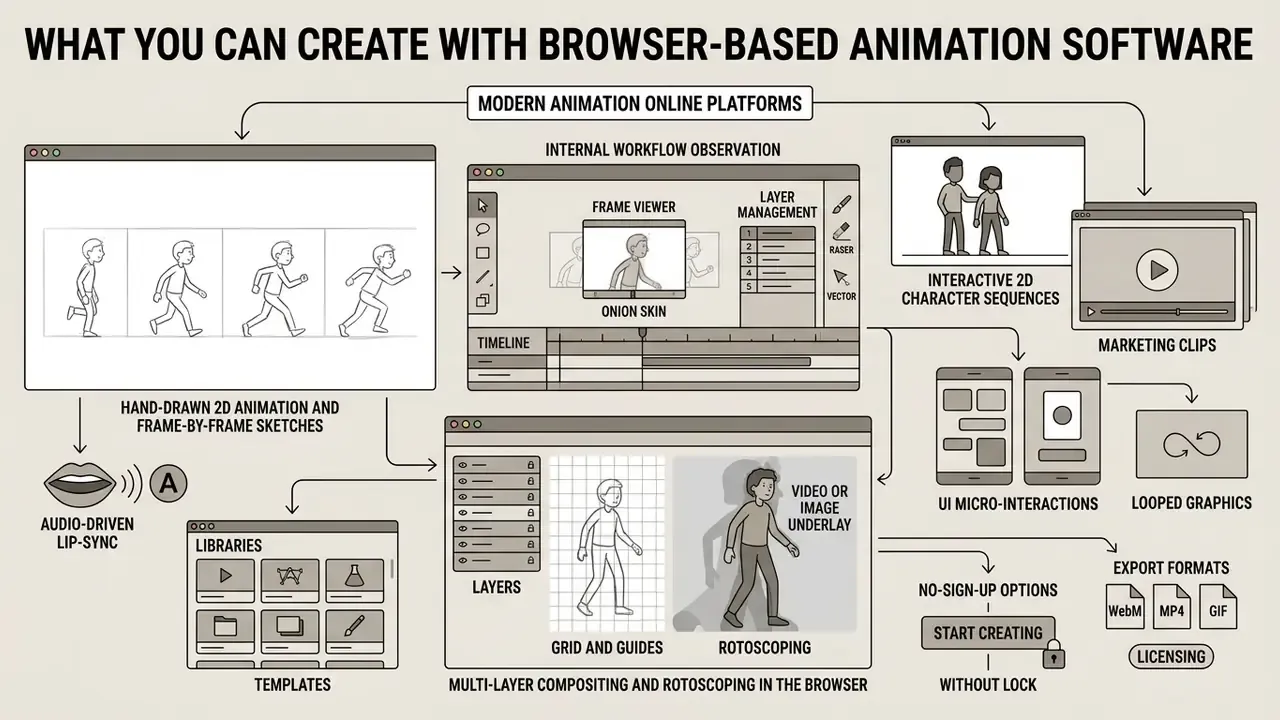
Modern animation online platforms cover a wide spectrum of visual formats: interactive 2D character sequences, marketing clips, UI micro-interactions, and looped graphics. Browser engines use HTML5 Canvas, WebGL, and the Web Animations API for real-time rendering, so you can build 2D animation online without hitting local hardware limits (W3C Web Animations Model, 2026).
The scale of adoption is documented rather than theoretical:
Accessibility shapes what browser animation should deliver, too. WCAG 2.2 requires that motion animation triggered by interaction be disableable, unless the motion is essential to function or meaning. CSS exposes prefers-reduced-motion so rendered output can respect the operating-system preference (MDN prefers-reduced-motion, 2026). Skip that, and your polished micro-interaction becomes an accessibility defect.
Hand-Drawn 2D Animation and Frame-by-Frame Sketches
Frame-by-frame animation drawing online lets artists change canvas content keyframe by keyframe to build fluid, traditional motion. Adobe's help documentation puts it plainly: frame-by-frame animation changes the contents of the stage in every frame, and each frame is a keyframe holding a different image. Current web editors add onion skinning and raster brush sets in browser memory, so hand-drawn sequences come together inside an animation drawing maker or a dedicated drawing animation maker with no local installation at all. Several of these editors also work as an animation draw online sandbox for quick tests, which is handy when you are still deciding on style.
Academic work on browser-based character rigging shows that automated skeleton inference can turn static line art into an articulated character without manual bone placement (Smith et al., Animated Drawings Demo, 2023-2026).
That makes an animation maker drawing online genuinely useful for converting sketches into exportable vector and raster clips. It also positions browser tools as a practical front end for image-to-video AI pipelines, rather than a toy stage before "real" software.
Internal workflow observation. During a non-published internal evaluation for a financial-technology media team, engineers swapped desktop raster editing for a cloud animation drawing maker, with custom onion-skinning overlays and automated keyframe interpolation. The team logged a directional reduction of roughly one third in asset turnaround time for educational explainers, while keeping data-lineage standards intact. One caveat, and it matters: this is a single internal sample, not a controlled benchmark. Methodology and sample size were never published, so treat it as directional evidence only.
Multi-Layer Compositing and Rotoscoping in the Browser
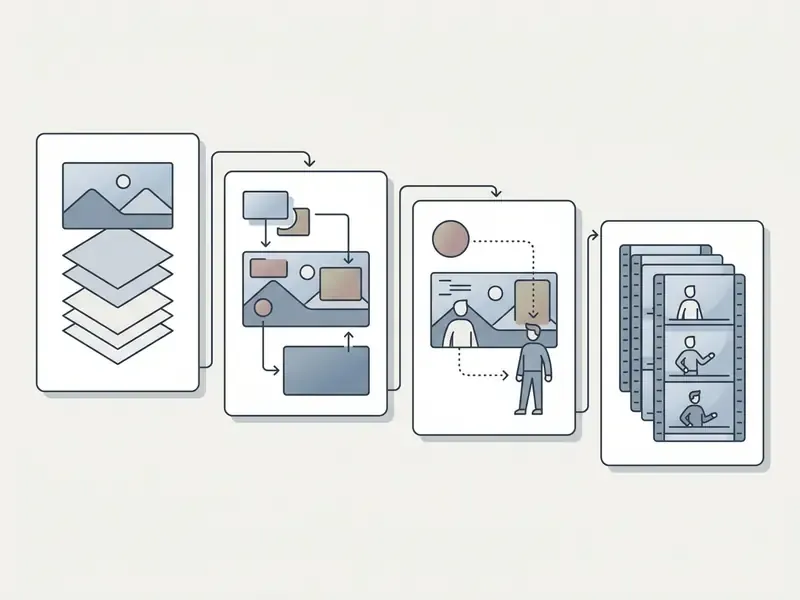
Advanced canvas editors support multi-layer compositing, usually between 10 and 16 independent layers per frame. That is enough to separate background art, character line art, shadows, and foreground elements without flattening the drawing. FlipaClip documents up to 10 separate layers per frame; desktop-class editors such as Synfig document 50+ layer stacks with parameter linking for complex puppets.
Web-based rotoscoping applies the same layer model to reference footage. Artists import MP4 clips or raster stills as semi-transparent underlays, then trace movement keyframes over real-world motion. Practical layer and reference tooling in current editors includes:
- Onion skin
- superimposes previous and next drawings between start and end markers, so spacing stays consistent (Adobe Animate Onion Skin Documentation, 2026).
- Frame viewer
- multi-select frames to reorder, duplicate, delete, or share segments.
- Grid and guides
- alignment references for framing and perspective.
- Video or image underlay
- rotoscope layers driven by imported footage.
- Raster and vector switching
- sketch, ink, and paint workflows in one document, as documented by Pencil2D for hand-drawn 2D animation.
Audio-Driven Character Animation and Automated Lip-Sync
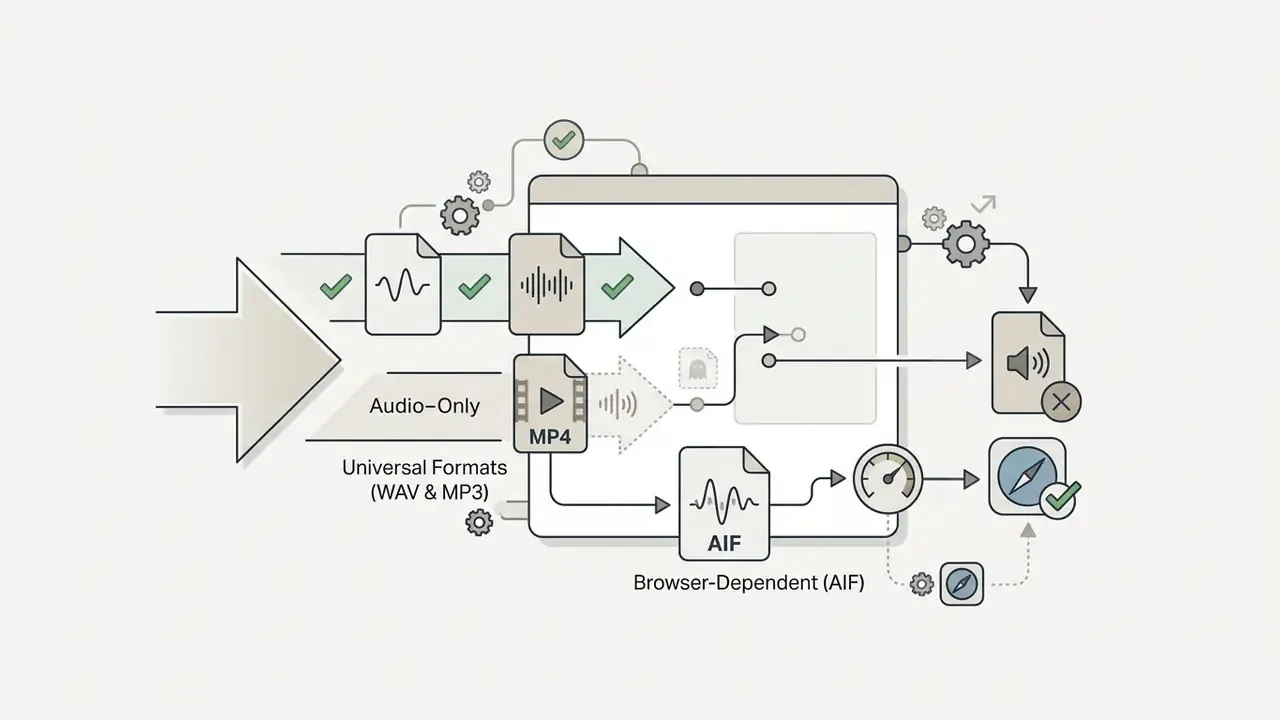
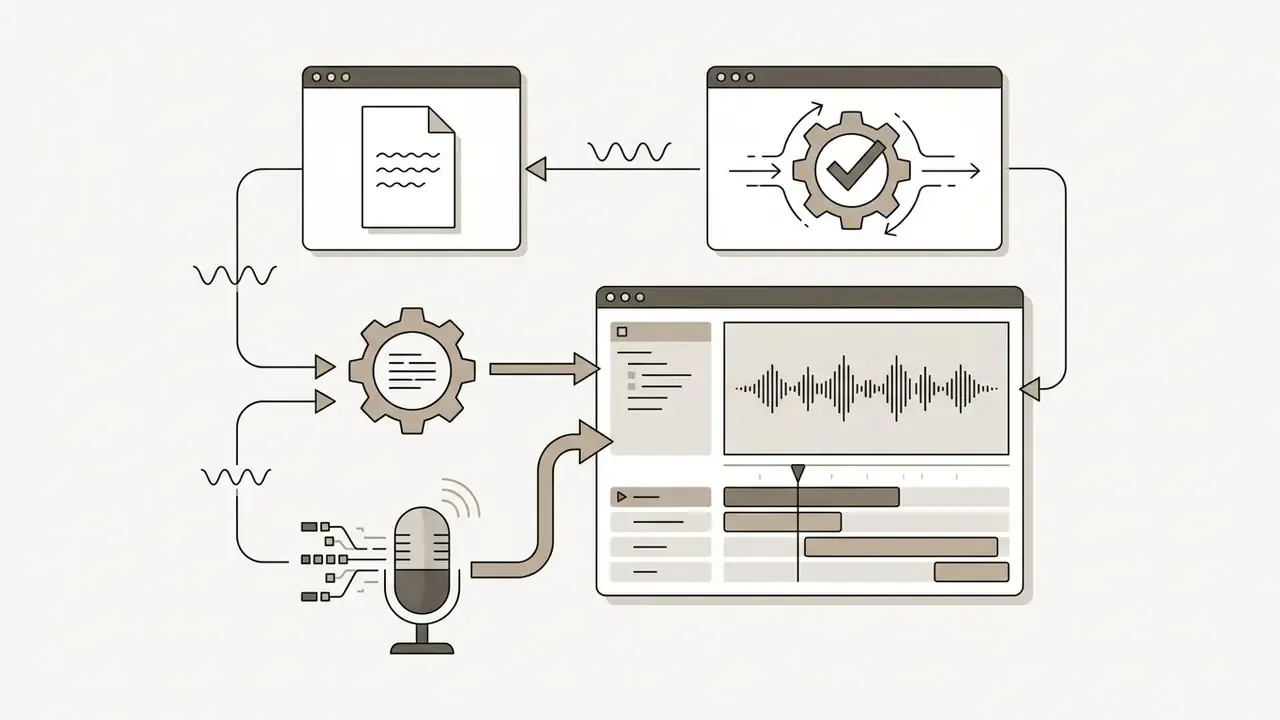
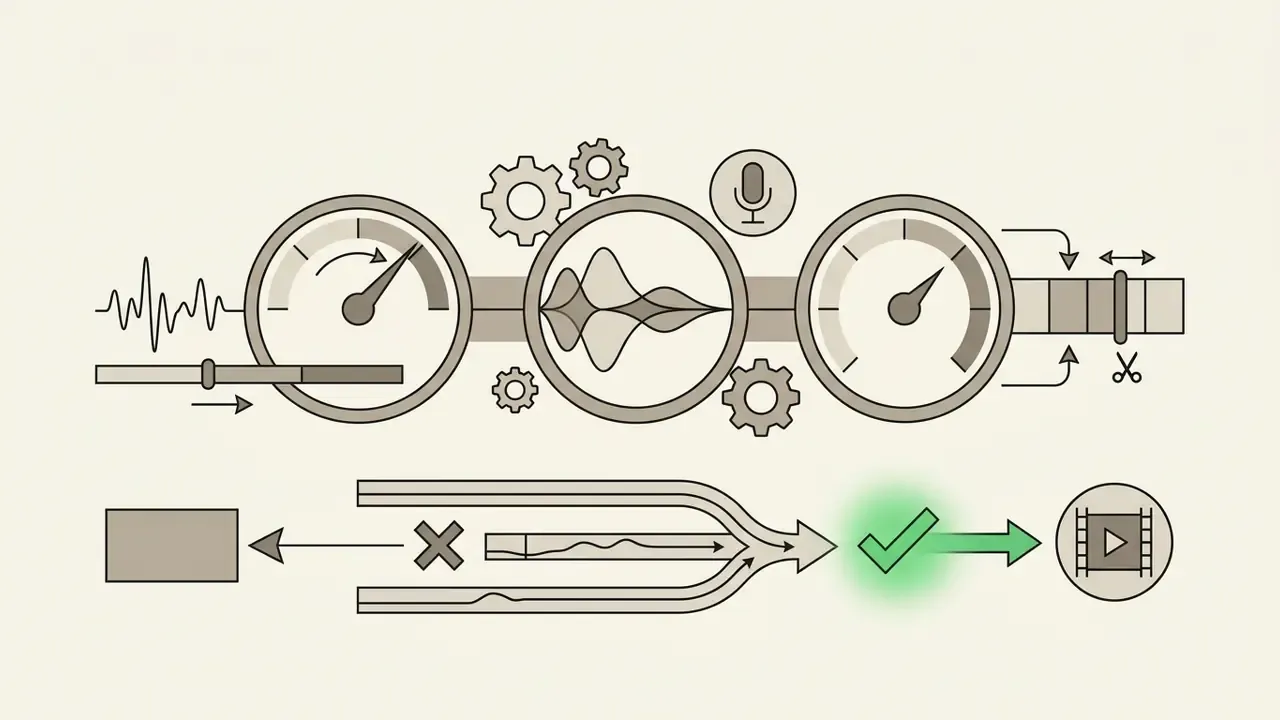
Modern web animation tools generate character motion straight from an audio track. The system analyses speech, calculates phoneme timings, and maps them to mouth shapes (visemes), head tilts, eye movement, and gesture keyframes. Adobe Express documents the workflow step by step: pick a character, record in-browser or upload audio, and "head, eye, and arm movements plus lip sync are automatically created based on your audio," with recordings up to two minutes (Adobe Express Animate Characters Documentation, 2026).
Parameters worth checking before you adopt an audio-driven rig:
Because automated visemes replace manual mouth-shape keyframing, dialogue-heavy explainers and podcast visualisers shift from frame-level labour to review-level labour. What remains manual is staging, backgrounds, and brand styling. Not lip articulation.
Template-Driven Animated Video Creation
Template authoring leans on pre-structured storyboards, kinetic typography, and editable scene layers. Commercial teams use an online animation maker to assemble animated videos by swapping placeholder text, brand colour palettes, character rigs, and background audio. Teams comparing engines at this stage often start from a shortlist of AI video generators before committing to a subscription.
Studies on generative media pipelines report that combining large language models for scripting, diffusion models for asset generation, and specialised audio tools improves production speed by more than 50% (Xie et al., 2026).
«Gemini 2.0 performed best in script generation, Midjourney in image creation, Kuaishou Kelin in video-generation user experience, and Suno in music.»
Template catalogues are now large enough that selection, not production, is the bottleneck. Vendor documentation cites 10,000+ video templates on Animaker, 1,000+ scene-prefilled templates on Vyond, and tens of thousands of animated templates on Canva. Kinetic-typography research gives a useful baseline for effort estimation: a simple kinetic-typography video takes roughly three hours to produce manually. That is precisely the cost pre-built scenes are designed to remove.
Creators often pair template engines with specialised creative tools such as a doodle video creator or a stylised asset engine like a disney ai generator to keep visual consistency across campaigns. In regulated environments, that pairing is subject to the licensing checks described later in this guide.
How to Make 2D Animation Online: Core Steps
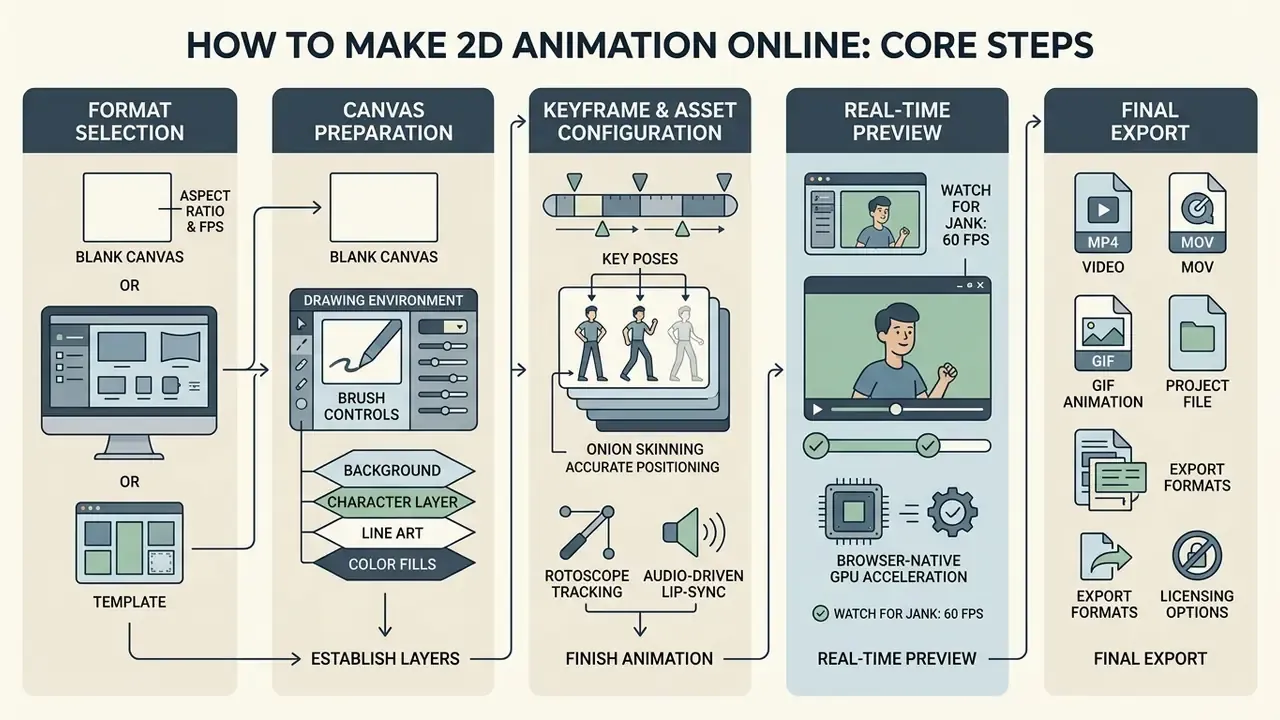
Creating 2D motion in a browser follows a five-step pipeline: format selection, canvas or template preparation, keyframe and asset configuration, real-time preview, and final render. Sticking to that order keeps rendering efficient and stops browser memory from degrading halfway through a complex scene.
Creating Animation Drawings from a Blank Canvas
Building Video Animation from a Template
Template-based creation speeds up video animation because you modify a composition instead of drawing each frame. Open an online animation suite, pick a storyboard preset, replace graphic placeholders, adjust timeline durations, and layer in audio (Canva Video Authoring Docs, 2026). The timeline mechanics mirror general-purpose video-editing tools, so a team with an existing editorial pipeline can reuse its own conventions for trims, transitions, and audio levels.
For branded assets, teams sometimes add campaign-identity utilities such as a domain name generator, or playful avatar tools like a dog to human portrait generator for consumer-facing concepts. Those stay strictly outside regulated disclosure material. Obvious, maybe, but it still gets missed.
- Select a pre-designed video template aligned with the campaign objective.
- Replace media drop zones with proprietary images, vector graphics, or footage.
- Edit typography, motion timings, and scene transition speeds in the editor timeline.
- Attach voiceovers or music, then adjust ducking and volume levels.
- Render and export the composition as MP4 or WebM.
Free Animation Maker with No Download and No Sign-Up: What to Verify
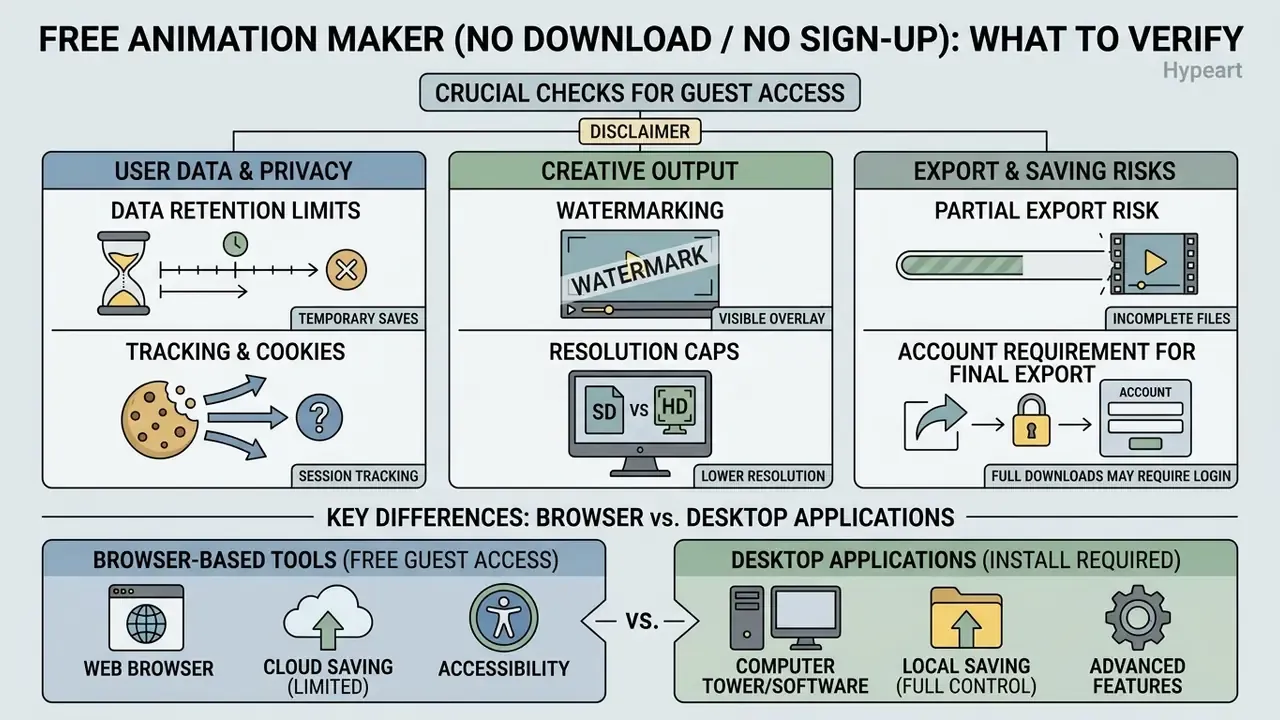
Browser platforms that skip mandatory registration remove onboarding friction. They also shift the burden of diligence onto you: session persistence, privacy policy, and data collection all need an audit. Anonymous tools render locally or transiently, so unsaved project state can disappear when a tab closes (NIST SP 800-63B Session Guidelines, 2026).
Accessibility belongs in the same audit, because interface modality decides who can actually operate the tool:
When an Online Animator Works Without Registration
An animation maker free no sign up or 2d animation maker online free no sign up tool opens the canvas immediately by keeping session state in local browser storage (LocalStorage or IndexedDB). Convenient. Also fragile. The trade-offs are specific:
- Data retention limits clearing browser cache or closing an unpersisted session destroys the project file.
- Tracking and cookies an animation maker no sign up model often offsets costs through third-party advertising cookies or analytics tracking (ECML ICT Inventory, 2025). Documented retention windows can reach 26 months for cookie-derived IP and device data.
- Watermarking and resolution caps anonymous tiers frequently restrict HD output or stamp a brand watermark on download.
- Partial-export risk browser export routines depend on a complete render. A session killed mid-capture can produce a truncated file, which hurts when the download is the only copy of the asset.
Data Privacy and In-Browser Processing
How Browser-Based Tools Differ from Desktop Applications
Web-native tools running as 2d animation software free online or an animation app online need zero installation and work across Windows, macOS, ChromeOS, and mobile browsers. Desktop applications render through native hardware and hold higher object counts before frame rate falls apart.
Benchmarks put numbers on it: DOM-based rendering degrades around 100 simultaneous animated objects, HTML5 Canvas supports thousands, and WebGL stays stable up to roughly 10,000 active elements (MDN Performance Optimization, 2026).
| Parameter | Browser-Based Animation Software Online | Desktop Animation Software |
|---|---|---|
| Installation | Zero download required | Local installation required |
| System requirements | Low (modern browser and connection) | Moderate to high (GPU/CPU dependent) |
| Account friction | Available as animation maker no download | Licence key or software account |
| Heavy load stability | Constrained by browser memory limits | Optimised via direct hardware access |
| Rendering ceiling | DOM ≈100 objects; Canvas thousands; WebGL ≈10,000 | Limited mainly by local GPU/CPU |
| Collaboration | Shared links, cloud brand kits | File exchange or versioning systems |
Free Features, Export, and Animation Usage Terms
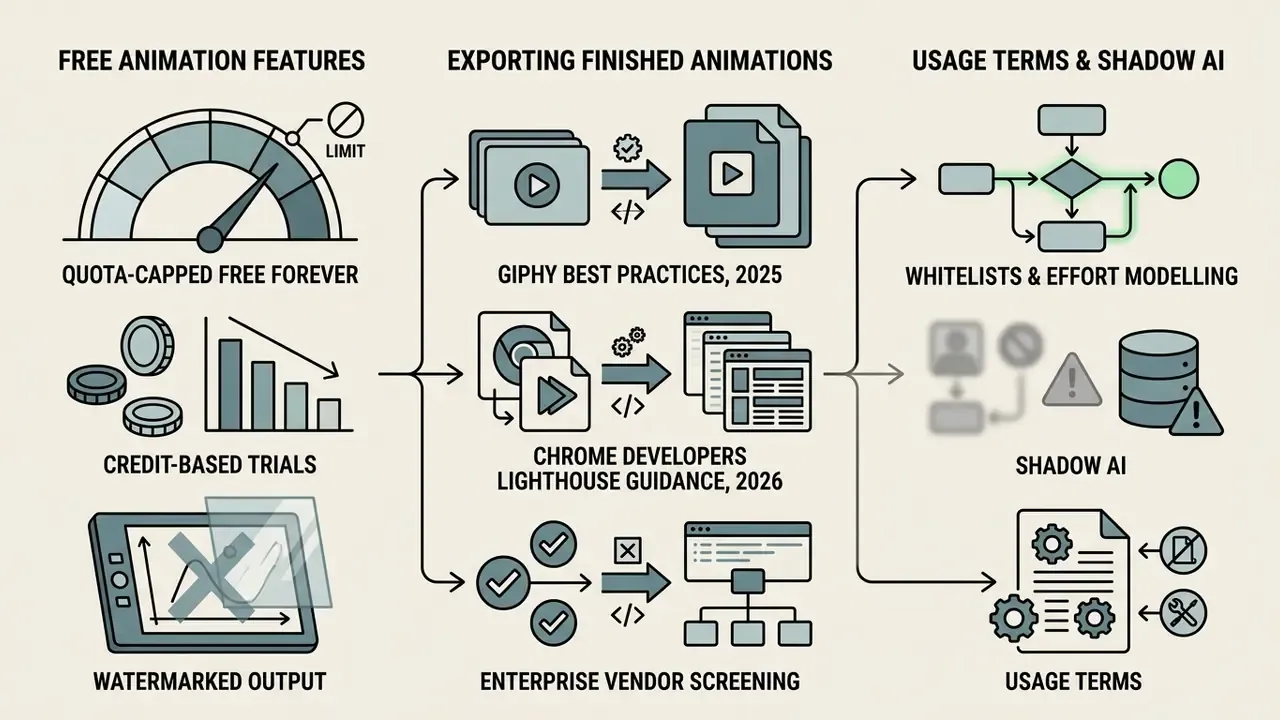
The boundary between a free tier and a paid upgrade is a commercial planning question, not a detail. Most platforms offering 2d animation software online or animation apps online run freemium licensing: basic drawing tools are open, while commercial rights, high-resolution downloads, and unwatermarked exports sit behind a subscription. A structured overview of tool classes and export logic lives in our reference on animation makers.
What Is Usually Available in a Free Online Animation Maker
A standard animation maker free no download tier typically includes basic raster brushes, standard onion skinning, a limited set of template scenes, and standard-definition exports. Platforms marketed as animation apps for free no download or animation apps free no download let a team test core timeline controls before spending anything. The same evaluation logic applies to free AI video generators further down the pipeline.
Free tiers generally follow one of three commercial patterns:
To size budget across media pipelines, teams use AI Media Pricing Guides for cost breakdowns and subscription benchmarks.
Exporting and Sharing Finished Animations
Export configuration decides how finished motion graphics travel across web, mobile, and broadcast. Common formats:
- MP4 and WebM: efficient video formats for social and marketing campaigns (Chrome Developers Lighthouse Guidance, 2026). Teams finishing assets after export often move into free video editing software for trims, captions, and platform resizing.
- GIF: looped raster graphics for email signatures and short social snippets, best kept under 100 frames (GIPHY Best Practices, 2025).
- Lottie JSON and SVG: scalable, resolution-independent vector animation for lightweight web and app interfaces.
- Sprite sheets and frame data: frame atlases consumed by game engines and interactive runtimes.
Resolution ceilings matter for delivery. Advertising documentation commonly caps video assets at 1080p (1920×1080) and treats GIF as an image asset rather than a video asset, while WebM implementations fall under a perpetual, worldwide, royalty-free patent licence for the specification. Before publishing, review terms of service to confirm whether free-tier output permits commercial monetisation or restricts use to personal projects. File format alone never grants content rights.
| Service Name | Web App (No Download) | No Sign-Up Needed | Drawing Tools | Templates | Watermark on Free Tier | Primary Export Formats |
|---|---|---|---|---|---|---|
| SVGator | Yes | No | Vector | Yes | Yes (raster/video) | SVG, Lottie JSON, MP4, GIF |
| Renderforest | Yes | No | No | Yes | Yes | MP4 video |
| Wayline | Yes | Yes | Raster | No | No | Sprite sheet, frame data |
| FrameZero | Yes | Yes | Vector/Canvas | No | No | MP4 (up to 4K) |
| Flippy | Yes | Yes | Raster | No | No | GIF, animated PNG |
Verification note: confirm each row against the vendor's current pricing and terms page on the day you shortlist, since free-tier watermarks and sign-up requirements change without announcement.
Enterprise Vendor Screening: Shadow AI, Whitelists, and Effort Modelling
In regulated sectors, tool selection is a control question as much as a creative one. A lightweight screening model keeps browser animation inside governance boundaries without blocking anyone's Tuesday afternoon.
Risk score = (asset sensitivity × data egress) + (licence ambiguity × publication reach) − (control maturity)
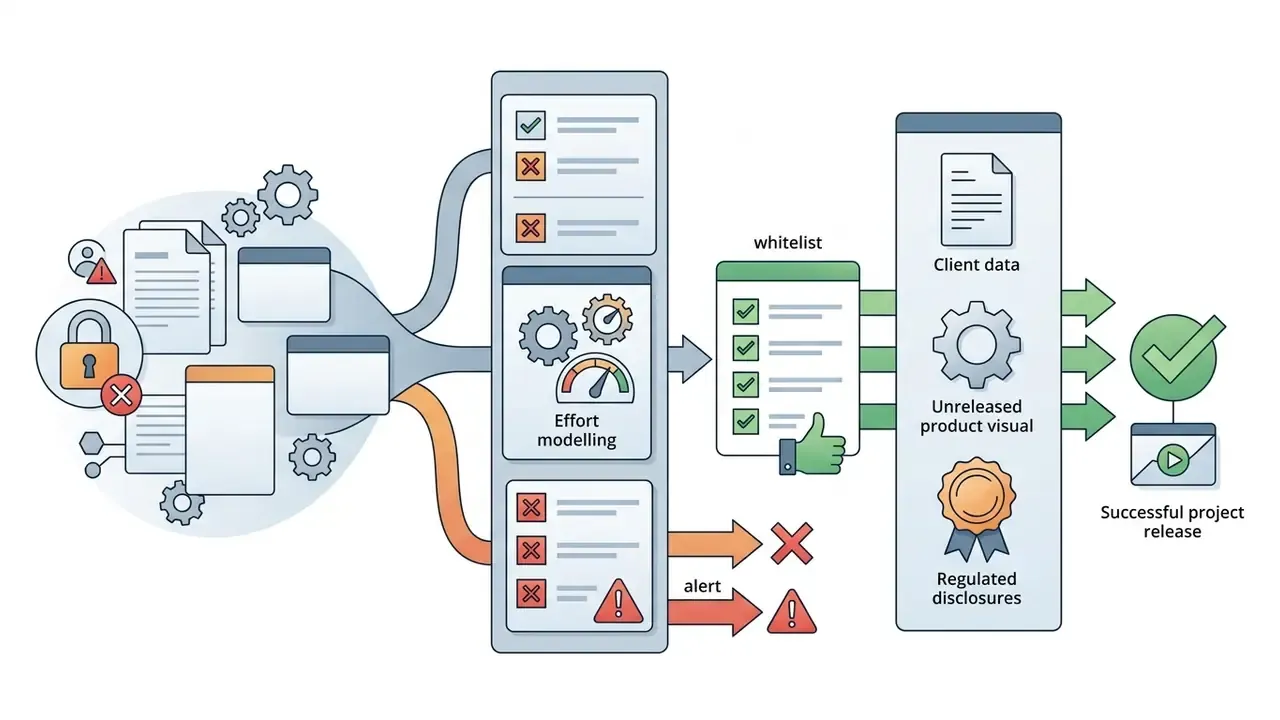
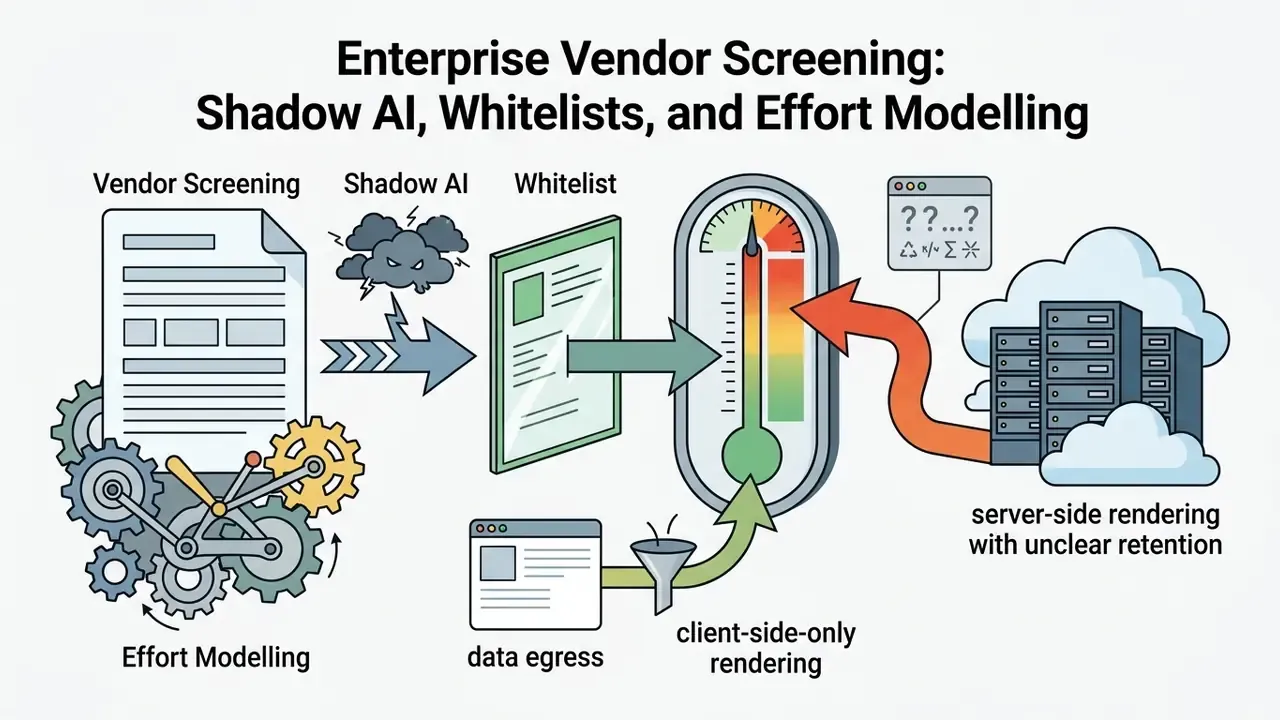
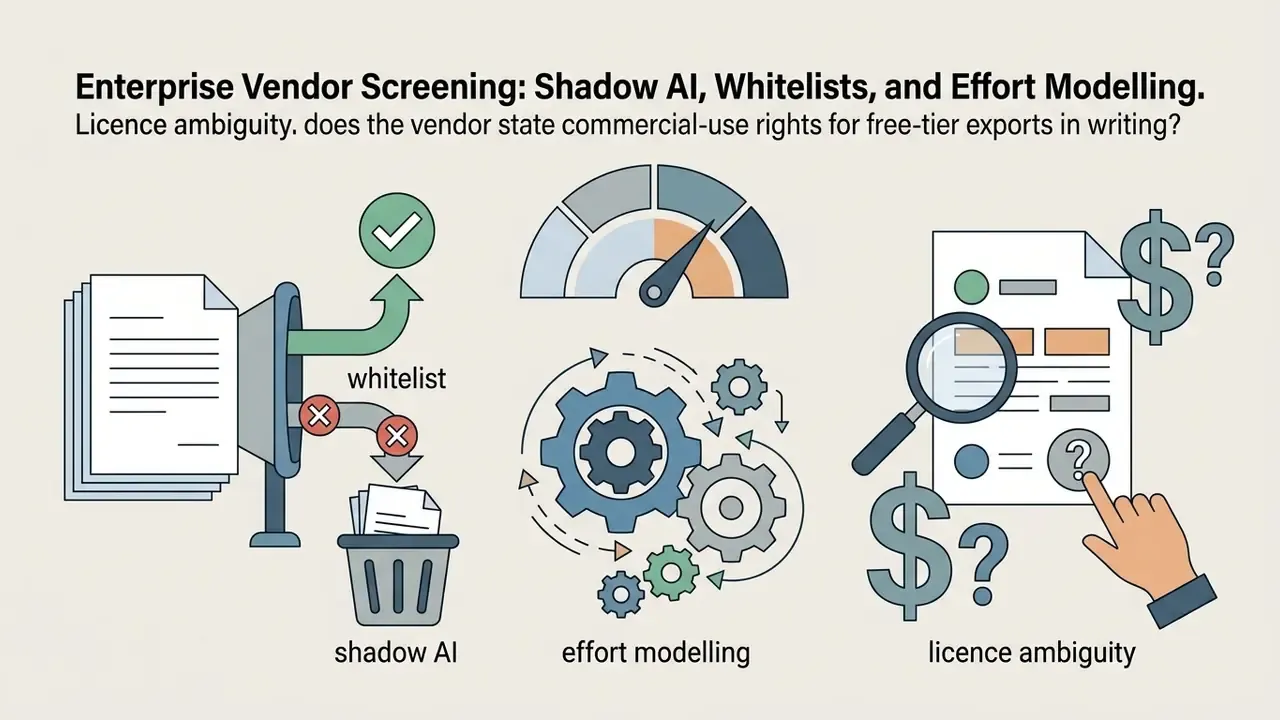

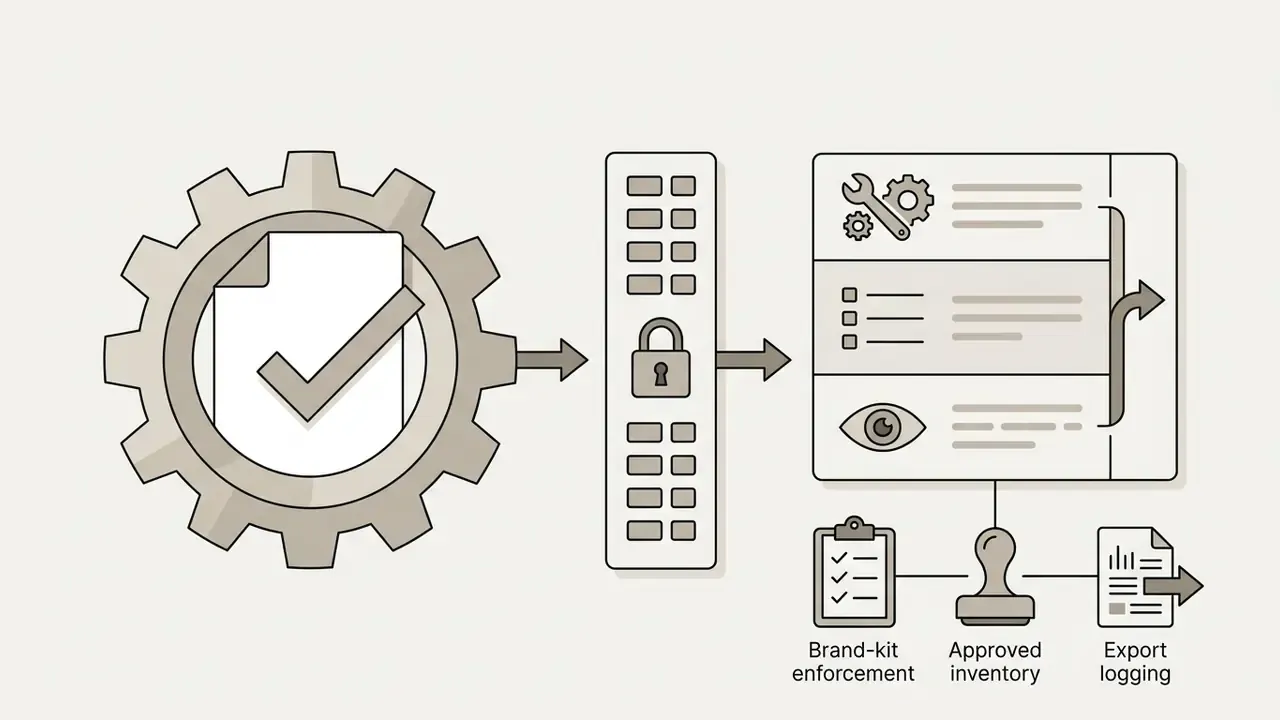
Recommended whitelist criteria: documented security posture (SOC 2 attestation, for example), GDPR and CCPA-aligned processing terms, explicit commercial-use language, export formats that avoid lock-in (MP4, WebM, Lottie JSON, SVG), and an administrative seat model with team management.
Illustrative effort model, not a vendor benchmark. Take a 90-second explainer produced monthly. Manual kinetic-typography assembly is documented in academic sources at roughly three hours for a simple video, before revisions. A template-plus-audio pipeline swaps frame-level labour for review-level labour. The residual costs worth modelling are subscription fees, control overhead (approval, licence verification, archival), and rework triggered by watermark or resolution limits discovered too late. Populate this model with your own measured hours. Vendor claims are a starting hypothesis, nothing more.
How to Choose 2D Animation Software Online for Your Task
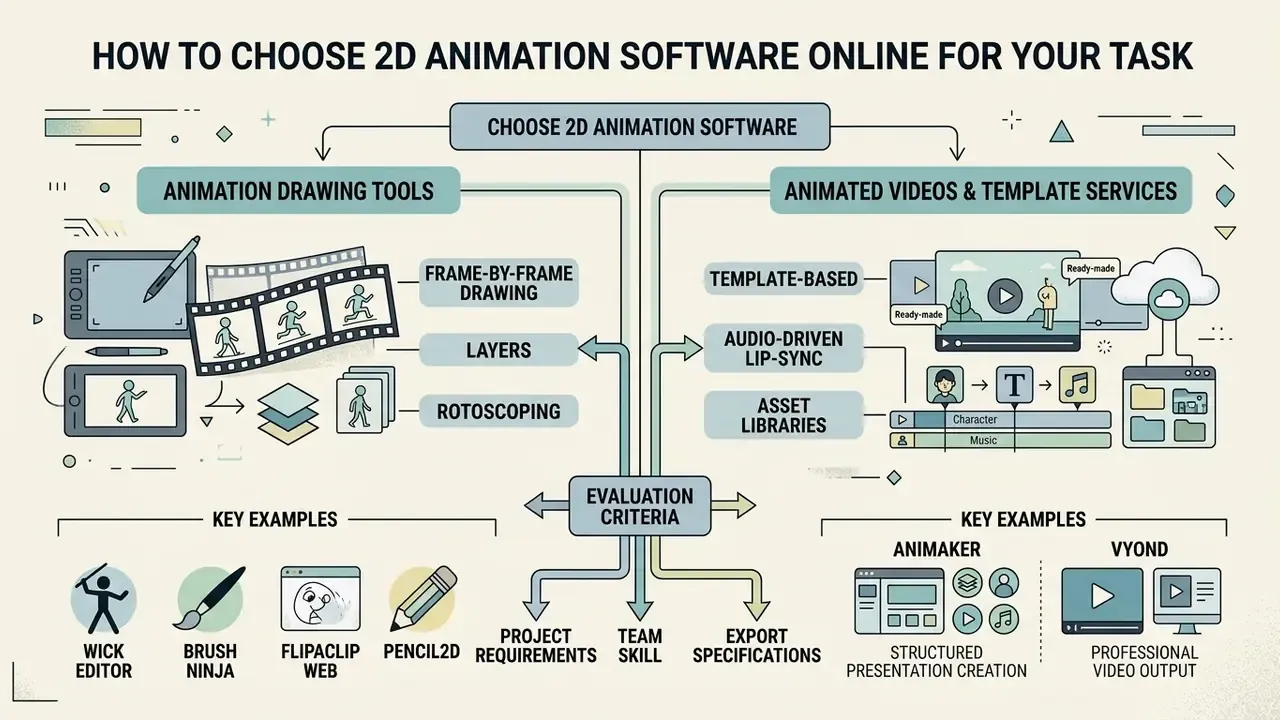
Choosing between 2d animation software free online and a commercial suite means matching capability to project requirements, team skill, and export specifications. Evaluators trade frame-by-frame precision against template assembly speed. Rarely can you max out both.
Five decision variables consistently determine fit: skill level, animation method (frame-by-frame, rigged cut-out, or hybrid), platform and browser support, pricing and commercial licensing, and export compatibility with downstream editors or game engines. When you compare 2d animation sites side by side, score them on all five rather than on interface polish alone.
Tools for Animation Drawing and 2D Animation
For hand-drawn graphics and character motion, creators favour dedicated animation drawing websites free or specialised web tools with customisable brushes, onion skinning, and pressure-sensitive tablet support. Anything positioned as animation maker drawing free should still be checked for export watermarks before you rely on it.
- Wick Editor open-source, browser-native, supports frame-by-frame drawing plus interactive JavaScript coding.
- Brush Ninja lightweight animation 2d maker built for fast GIF creation and frame editing, with documented classroom resources, lesson plans, and upload workflows.
- FlipaClip Web popular frame-by-frame animation 2d online environment with touch-friendly playback, scrubbing, multi-layer frames, and rotoscoping over imported video.
- Pencil2D open-source, free even for commercial use, with smooth raster and vector switching across sketch, ink, and paint stages.
Niche artistic workflows get their own lightweight browser engines: pixel-art grids for retro sprite design, automatic line-wiggling for dancing doodles and meme GIFs, emoji mosaic composers, stop-motion capture from a webcam, and Canvas plus JavaScript code-art editors for algorithmic motion. These modes matter if you optimise for social virality rather than broadcast polish.
Artists building fantasy characters or gaming assets often combine frame-by-frame web tools with concept utilities such as a dnd ai art generator to set pose references before drawing.
Services for Animated Videos and Template-Based Video Animation
Organisations shipping high-volume promotional clips prefer cloud platforms tuned for assembly speed. An enterprise animation maker adds centralised asset management, brand kit enforcement, and automated text-to-speech synchronisation, the same automation class covered in our reference on text-to-video AI tools.
- Animaker over 10,000 video templates, character builders, and auto-lip-sync.
- Vyond cloud video editor with extensive scene libraries pre-filled with avatars and character styles for corporate training and explainers.
- Canva multi-purpose design suite with animated video templates, stock media integration, and MP4 export.
- Renderforest template-driven 2D and 3D online animation maker with AI voiceover, text-to-speech, and a music library. Free-plan exports carry a watermark; quality tiers span HD720, HD1080, and 4K UHD.
- Powtoon drag-and-drop animation maker with ready-made characters, icons, and direct publishing to web and social channels.
To compare enterprise features, rendering limits, and API integration across vendors, engineering leaders use AI Media Comparison Matrices and check implementation requirements in the AI Media API Guides.
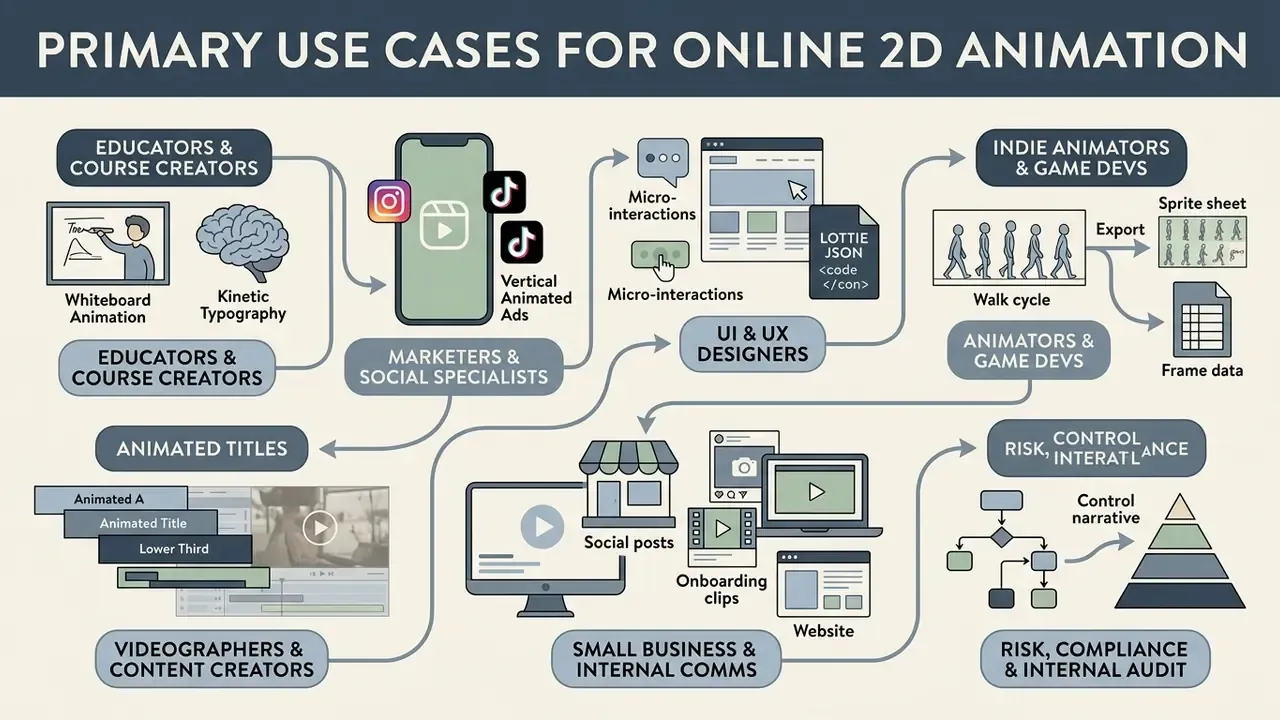
Primary Use Cases for Online 2D Animation
Animation Online FAQ
Can beginners start creating animations without experience?
Yes. Modern browser platforms ship motion presets, pre-rigged characters, storyboard templates, and automatic inbetweening, so a beginner assembles motion instead of drawing every frame. Adobe documents Motion Presets as pre-configured motion tweens that can be applied, saved, and reused, while research on 2D inbetweening treats automatic intermediate-frame generation as the main mechanism for cutting manual effort. Educational evidence points the same way: integrating AI-based design platforms into beginner instruction improved task-completion rates and output quality relative to traditional methods (AI-ALP Framework Study, 2023-2026, cited in Evidence from Recent English-Language Studies, https://doi.org/10.1007/s11042-025-20000-0).
Is an animation app online suitable for working with drawings?
Yes. Web-based animation apps handle vector drawing tools and raster uploads alike. Automated pipelines convert static hand-drawn sketches into rigged 2D characters with editable motion paths (Smith et al., 2023-2026). Multi-layer frames and rotoscope underlays also let imported photos or video act as tracing references, which is what most artists actually want from an animation drawing maker.
Do I get commercial rights to files exported from a free plan?
Not automatically. File formats grant no content rights: MP4, GIF, and WebM define containers and codecs, and the WebM patent grant is technology-specific rather than a content licence. Commercial permission comes from the platform's terms, and free tiers often restrict monetisation, cap resolution, or watermark output. Open-source tools can be the clearest case, since OpenToonz and Pencil2D state free use including commercial use. Before publishing, confirm three things in writing: whether free-tier exports may be monetised, whether bundled stock assets and templates carry separate restrictions, and whether AI-generated elements inside the project are covered. Organisations tracking legal exposure around generated assets can review the AI Litigation and Case Timelines database alongside licensing summaries in the AI Media Commercial-Use Hub.
Does a graphics tablet or touchscreen beat a mouse for online animation?
For drawing tasks, usually yes. A comparative input study measured touch at 9.81 seconds against stylus at 15.10 seconds and mouse at 23.00 seconds on the same shape task, with similar error rates. A four-device drawing study reported mouse accuracy of 83.1% versus 87.0% for a touch screen, and mouse speed of 2.07 seconds per circle versus 1.33 seconds. A graphics-tablet study found roughly 40% better control performance on complex curves, though no significant advantage on simple straight lines. One study of senior design students still found the mouse preferred overall, so measured performance and stated preference can diverge. Worth remembering before you buy hardware for a whole team.
Where can I find support when creating animated videos?
Major platforms keep documentation, video learning portals, and active community forums. Adobe publishes Learn & Support with tutorials and user guides; Toon Boom maintains a Help Centre with community access for advanced technical issues; GSAP offers docs, video tutorials, a step-by-step course, and a Q&A forum. If you hit rendering errors, API export failures, or browser performance bottlenecks, technical guidance is collected in AI Media Support and Troubleshooting.
How should a regulated organisation approve a browser animation tool?
Treat it as a vendor, not a website. Record the tool in an approved-software inventory, verify whether rendering happens client-side or server-side, confirm retention windows for cookies and logs, capture written commercial-use terms, name the owner of exported assets, and require export formats that prevent lock-in. Session handling should follow recognised guidance: NIST SP 800-63B specifies opaque session secrets with no embedded cleartext personal data. This is general risk-management information, not legal or compliance advice for a specific institution.
Navigation and Reference Resources
- Explore technical definitions and framework documentation in the AI Media Glossary.
- Estimate rendering cost and storage requirements with AI Media Calculators.
- Compare adjacent free tooling in our review of free AI video generators.
- Reduce delivery weight and hosting cost using guidance on video compressors and free photo editors.
Appendix A: Editorial revisions log
- Turnaround claim (hand-drawn section) earlier phrasing said an internal workflow evaluation for a financial-technology media team "reduced asset turnaround time for educational explainers by 35%." The published version keeps the observation but labels it a single internal, non-published sample with no disclosed methodology or sample size.
- Beginner-accessibility citation the earlier version rested on Adobe Animate motion-tween documentation alone. Product documentation describes features, it does not measure learning outcomes, so the claim now cites the AI-ALP Framework educational study, with Adobe documentation retained as the feature-level source.
- Lip-sync efficiency claim an unverified "over 60% faster dialogue animation" figure was replaced with vendor-documented capability parameters (automatic head, eye, and arm motion plus lip sync from audio; two-minute recording cap; WAV, MP3, MP4-audio, and AIF inputs).
- Author attribution The reviewer byline now credits Marcus Hale as the author.