Evaluating an automated video pipeline, though, is not the same as admiring a demo reel. You have to look at the underlying architecture, the measurable output quality, the commercial licensing rules, and the platform monetization policy that decides whether any of it earns money. And if you work inside a bank, an insurer, or a regulated fintech, there is a fifth question that vendor pages rarely answer: what happens to the document you just uploaded?
Last updated: February 2026.
Executive Summary: What Actually Decides the Purchase
Before you read on, five things worth verifying yourself: current plan limits on the vendor's pricing page (not the homepage), the retention clause for uploads, the license class applied to generated music, the export resolution on your tier, and whether your niche triggers advertising or disclosure rules in the United States. Those five items move budgets more than feature counts do.



What Is a Faceless AI Video Generator?
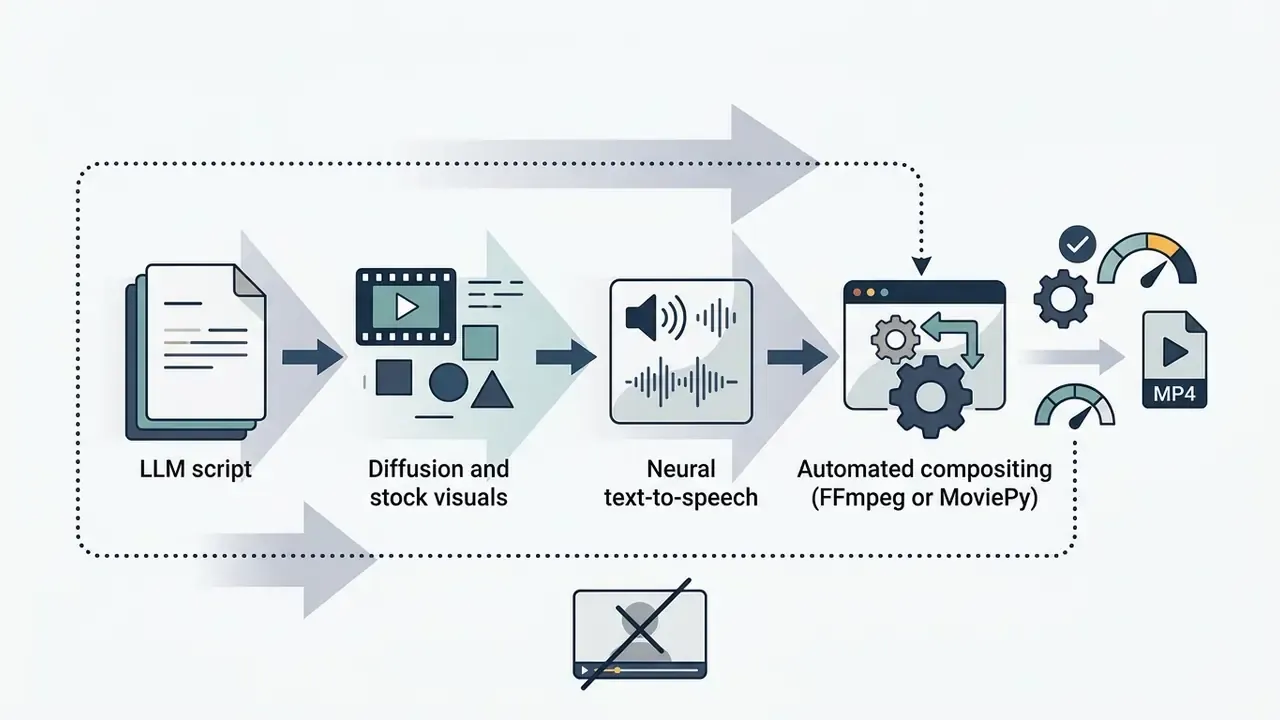
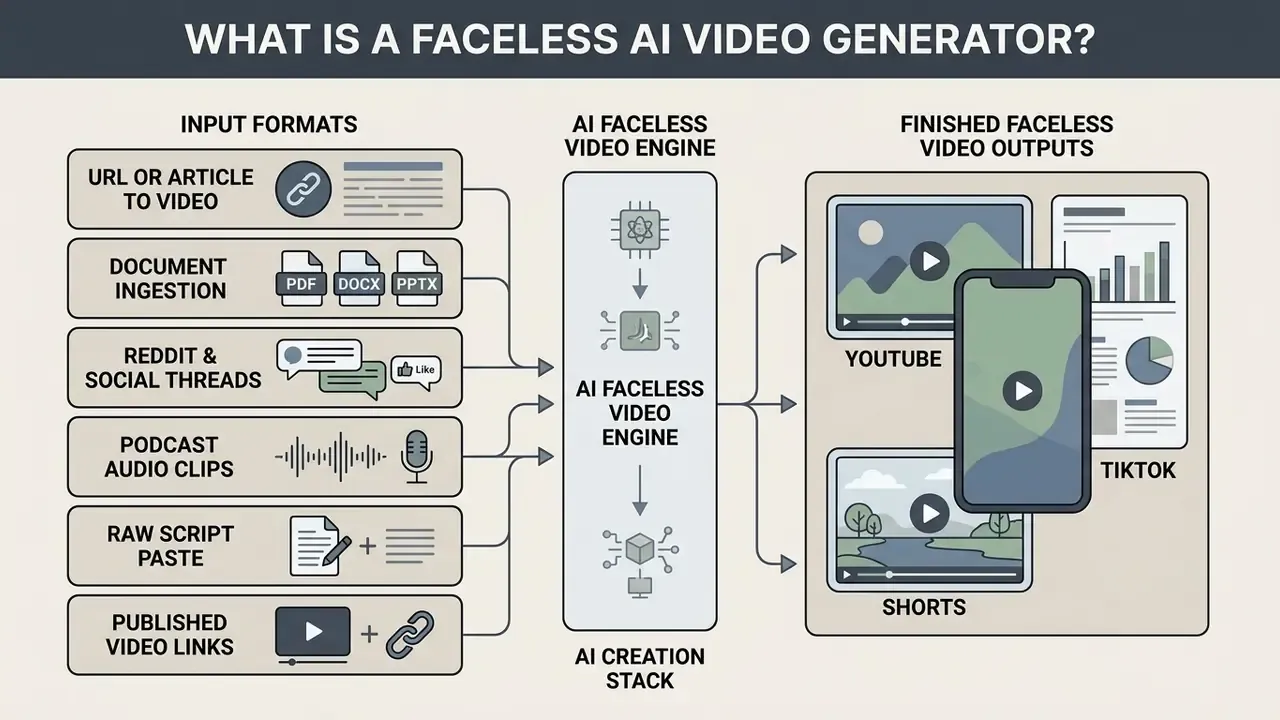
A faceless AI video generator is an automated software pipeline that converts written prompts, scripts, or articles into fully rendered videos without an on-camera human presenter. Practical context on how the broader category of AI video generators is built and priced helps frame the technical description that follows. The software unifies script generation, synthetic voiceover, visual asset retrieval or image diffusion, and timeline assembly into a single digital workflow.
The faceless video pipeline, stage by stage:
- Topic and goal: Define the video topic and the target platform specifications.
- Script parsing: Generate or upload a structured script with scene-by-scene timing.
- Visual generation: Produce visual scenes using diffusion models or matched stock media.
- Voiceover synthesis: Convert text narration into neural speech with specific tonal parameters.
- Caption overlay: Auto-generate synchronized captions and kinetic typography.
- Timeline editing: Align visual transitions, audio tracks, and on-screen graphics.
- Compliance and risk sign-off: Human-in-the-loop review of claims, disclosures, and licensing before release.
- Export and publish: Render horizontal or vertical MP4 files for platform distribution.
The underlying technical architecture combines several artificial intelligence domains at once. Large language models parse raw prompt inputs into structured storyboards and narration scripts. Neural text-to-speech engines generate human-sounding voiceovers, while speech-recognition models such as OpenAI's Whisper align word timestamps with video frames. According to documented video composition architectures, these components pass structured data to rendering engines like FFmpeg or MoviePy to produce 1080p MP4 files without manual video editing (IJISRT, 2026). Technical evaluations show that diffusion-based models, including Stability AI's SD Video, can follow complex text prompts and hold visual context across short clip sequences (T2VTextBench, 2025).
«The T2VTextBench evaluation compares models, including the 1.4B-parameter SD Video, on instruction-following accuracy and scene-level text alignment.»
From Prompt or Script to a Finished Faceless Video
Turning a written prompt into a completed faceless video follows a sequential data-processing chain. The pipeline begins when a user submits a textual prompt or a long-form document. The language model analyzes the text, extracts core concepts, and breaks the narrative into discrete timed scenes.
Each scene then receives visual prompts and matching narration segments. Advanced diffusion models such as MEVG (Multi-Event Video Generation) use last-frame awareness to keep temporal coherence between sequential shots (MEVG, 2024).
«MEVG initializes the latent representation of each subsequent event from the final frame of the previous one, improving motion dynamics and semantic consistency.»
Multi-shot frameworks solve the same problem from another direction, applying localized attention masking to preserve visual identity and background continuity across multi-segment projects. Quantified evidence beats the generic claim usually made about this technique:
«In a ShotAdapter user study run on Prolific with 75 participants, the adapted system outperformed baseline models on character and background consistency.»
Synthetic voice tracks and background audio are generated in parallel and multiplexed with the visual frames during the final rendering pass. Documented staged pipelines describe the same progression in three chained steps, text to image to video, with frame interpolation bridging generated keyframes into continuous motion and H.264 MP4 compositing as the terminal stage. Nothing exotic. Just a lot of orchestration.
Input Formats for AI Faceless Video Engines
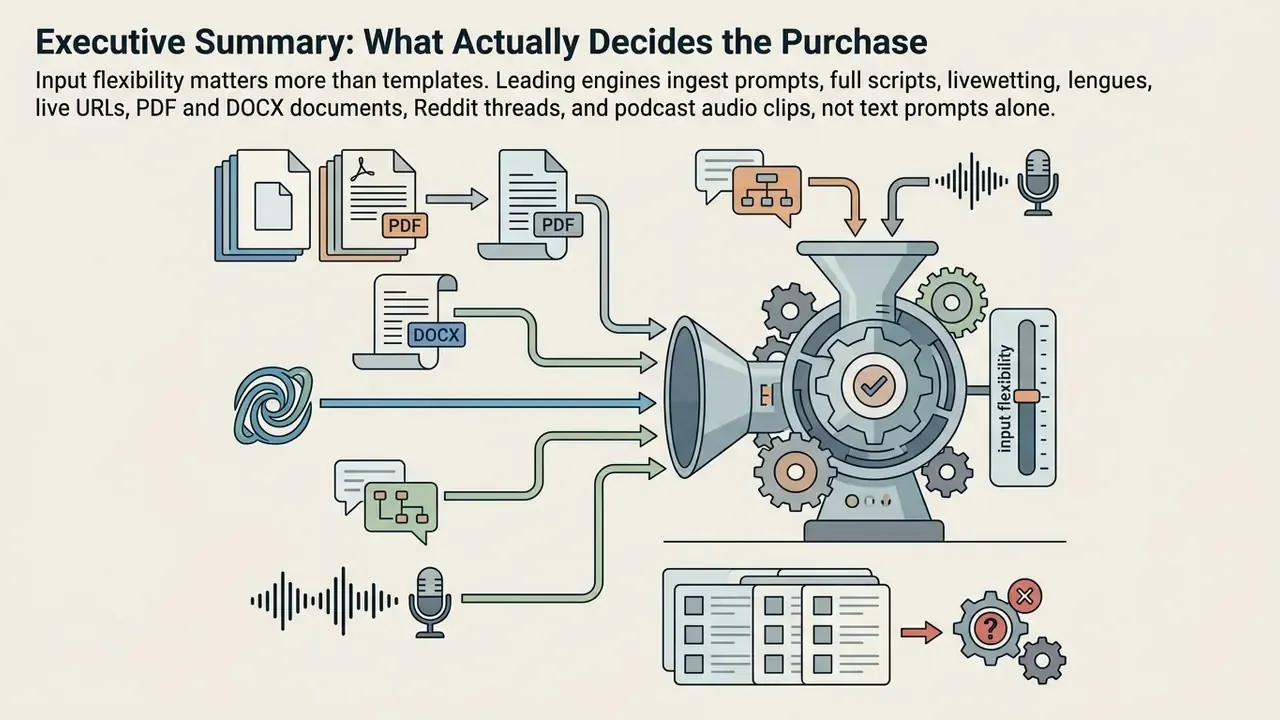
The dominant differentiator between generators in 2026 is not template count. It is ingestion breadth. A modern engine accepts multiple source modalities and normalizes each one into the same internal storyboard object.
Supported input modalities for automated conversion:
- URL or article to video Ingests live webpage URLs, scrapes the HTML body text, strips navigation and boilerplate, and compresses the key arguments into a structured video script. Media teams use this path to repurpose evergreen blog archives at volume.
- Document ingestion (PDF, DOCX, PPTX) Parses heavy educational PDFs, research papers, regulatory filings, or press releases, mapping sections to scenes and summaries to storyboards.
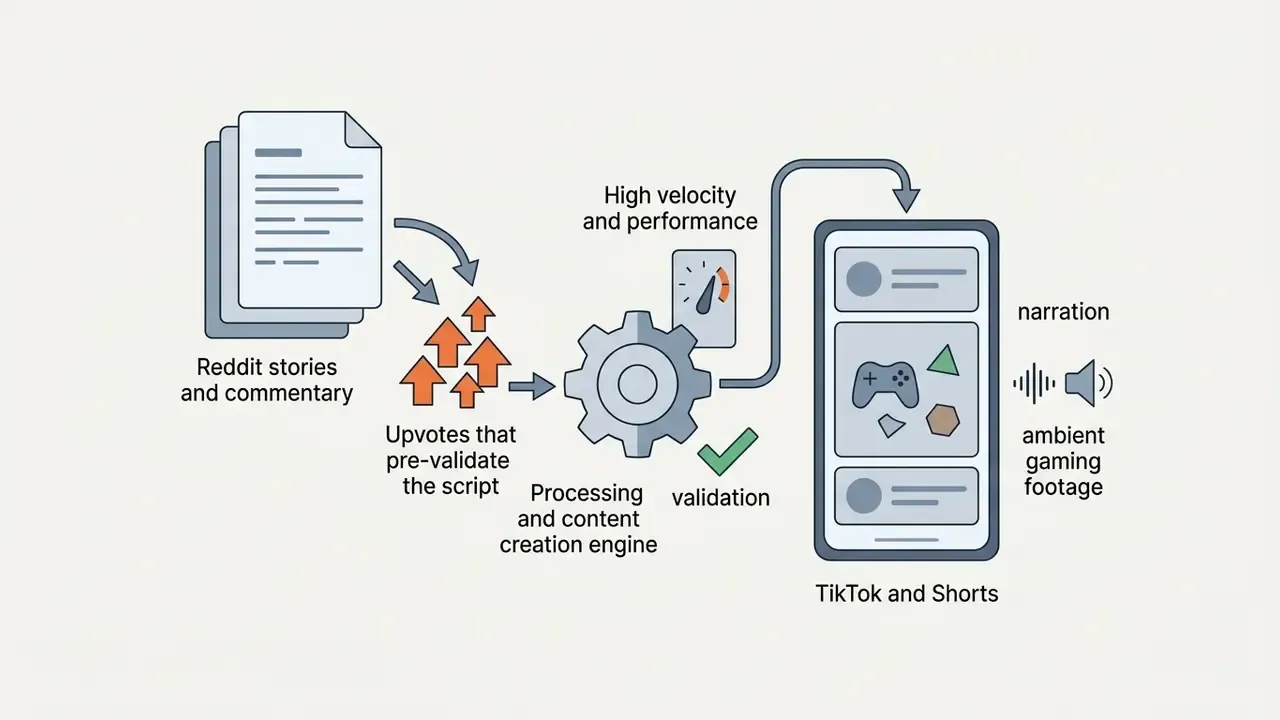
- Reddit and social threads Converts viral text posts, Q&A threads, and commentary chains into multi-character narrated videos with automatic gameplay backgrounds or ambient visual pairing. This is the mechanic behind most high-velocity story channels.
- Podcast audio clips Transcribes raw MP3 or WAV snippets, generates dynamic typography captions, and overlays synchronized stock or AI visuals so audio-first shows gain a video distribution surface.
- Raw script paste Accepts a finished human-authored script verbatim. For regulated content this is the safest route, because the narrative claims stay fully human-authored.
- Published video links Some platforms accept a public TikTok or YouTube URL and pull that footage straight into the timeline as B-roll, subject to the source platform's licensing terms.
The governance implication is simple, and most teams miss it. Each ingestion path carries a different data-sensitivity profile. Pasting a public article is low risk. Uploading an internal PDF of unreleased financials into a consumer-tier generator is a data-exfiltration event with a timestamp.
Which Faceless Video Formats Can AI Create?
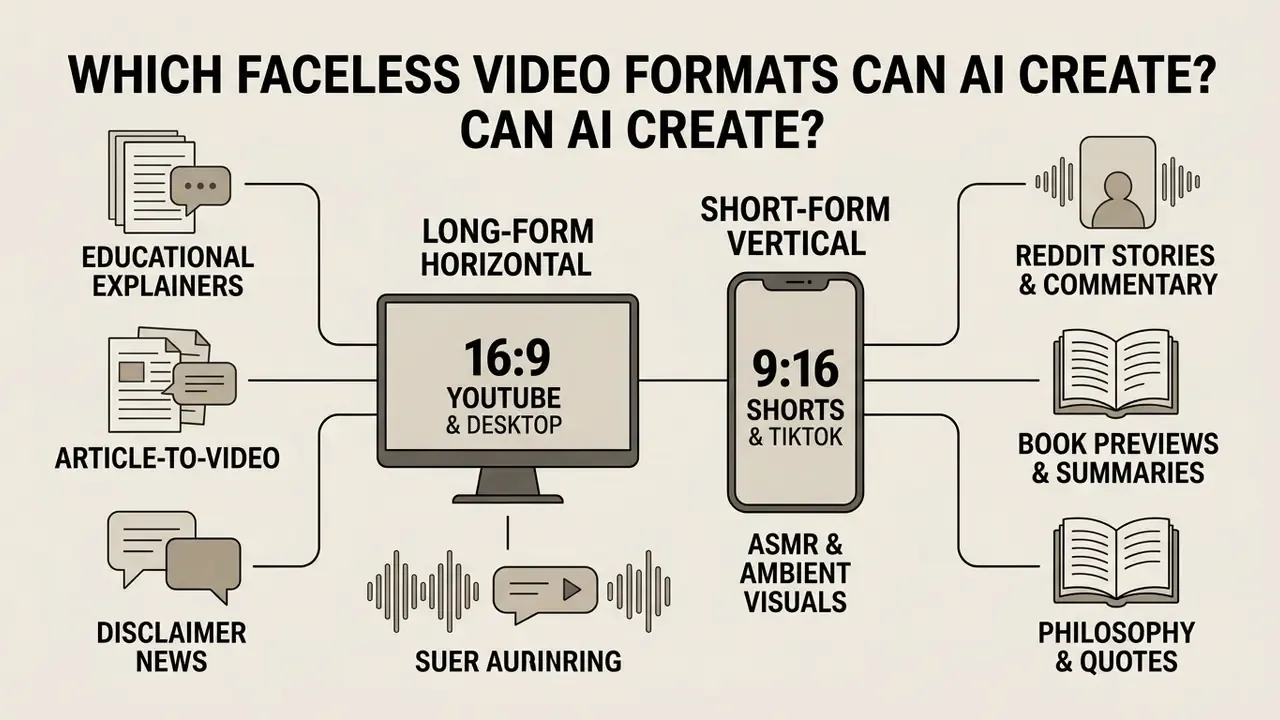
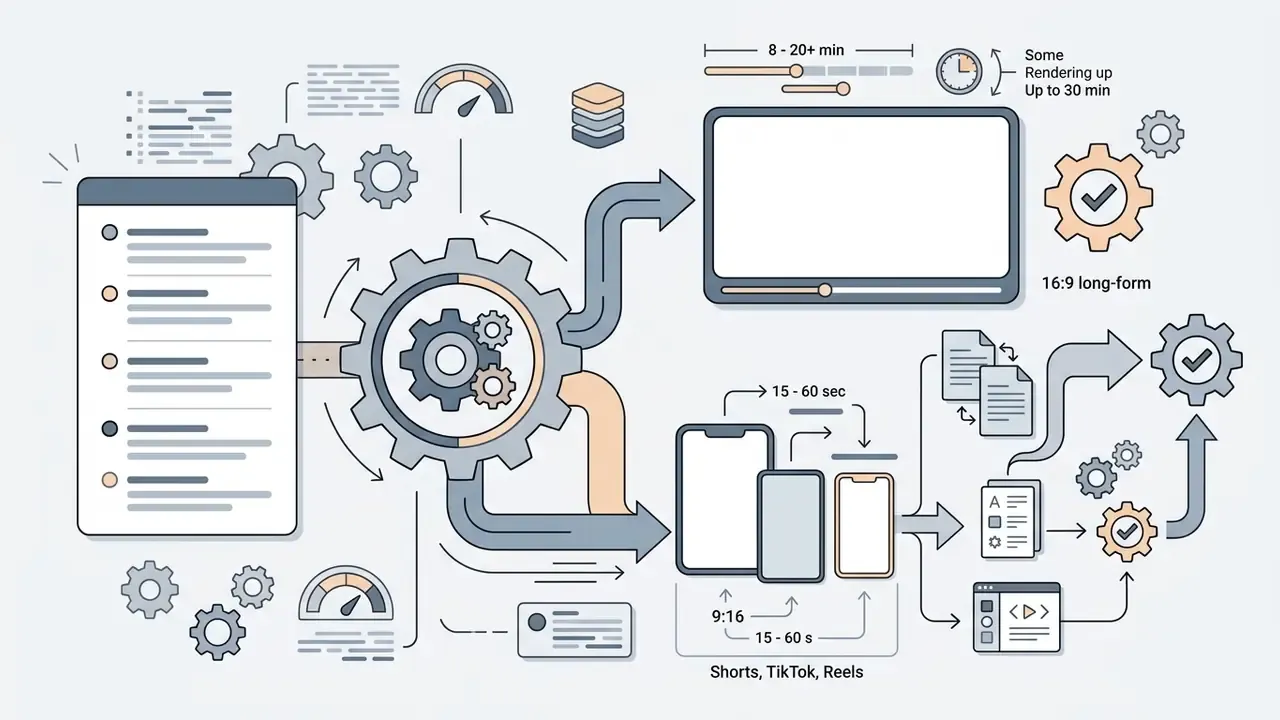
AI faceless video creation tools can build 16:9 horizontal long-form videos, 9:16 vertical short-form clips, educational explainer modules, article-to-video adaptations, and narrated slide presentations. Format determines visual framing, editing pace, narrative density, and the rendering resolution the destination platform expects. The foundational mechanics of text-to-video AI tools explain why the same script yields wildly different scene counts across these formats.
Guidance from the U.S. Department of Education confirms that generative AI tools effectively convert textual source material into instructional videos, narrated slide decks, and synthetic audio summaries (U.S. Department of Education, 2024). Format choice also has cognitive-load consequences:
«Multimodal AI-generated ads increase perceived immersion for experience products, while unimodal content lowers cognitive load for informational products.»
Academic research on short-form video creation adds a practical constraint: converting horizontal source footage into vertical layouts requires automated visual cropping, motion tracking, and safe-zone text adjustment (ACM, 2024).
Long-Form YouTube Videos, Shorts and TikTok Videos
Long-form YouTube videos and short-form mobile clips need different technical configurations and different narrative shapes. Long-form uses a 16:9 widescreen ratio, typically 1920x1080 or 3840x2160, and optimizes for sustained retention over several minutes.
| Format Parameter | Long-Form YouTube | YouTube Shorts & TikTok |
|---|---|---|
| Aspect Ratio | 16:9 Horizontal | 9:16 Vertical |
| Standard Resolution | 1920×1080 / 3840×2160 | 1080×1920 |
| Optimal Duration | 8 to 20+ minutes | 15 to 60 seconds |
| Visual Pacing | 4 to 8 seconds per cut | 1 to 3 seconds per cut |
| Text Placement | Lower thirds, optional captions | UI safe zone, center-screen focus |
| Retention Goal | 30% to 50% average duration | 100%+ loop rate, hard immediate hook |
| Typical Render Ceiling | Up to 30 minutes in long-form architectures | 60 seconds (Shorts extend to 3 minutes) |
Short-form content for TikTok and YouTube Shorts uses a vertical 9:16 ratio at 1080x1920. These clips demand cuts every one to three seconds, high-contrast dynamic captions inside mobile UI safe areas, and an immediate visual hook before the thumb moves (Google Ads Guidance, 2026). TikTok upload guidance accepts MP4 or WebM at a 720×1280 minimum with 1080×1920 recommended, which makes vertical mastering, rather than post-hoc cropping, the cleaner production choice.
Most short-form generators cap exports at 60 seconds. Dedicated long-form architectures such as Crreo now support fully automated continuous script-to-video generation up to 30 minutes in a single rendering run, with per-scene image editing, music and SFX control, and up to four distinct recurring characters inside one video. That ceiling changes channel economics outright: commentary, documentary, product-review, and tutorial formats become viable without manually stitching a dozen 60-second renders into a timeline.
Niches for Faceless YouTube Content Creation
Certain content categories perform unusually well with an ai faceless video generator, mainly because they lean on stock imagery, animated diagrams, and narrated storytelling instead of a live presenter.
- Finance and investing: Explaining market concepts, personal budgeting, and stock analysis. High advertising RPMs, and also the niche where AI-generated B-roll fills a genuine footage gap. Try filming "yield curve inversion" with a phone.
- History and documentaries: Reconstructing events using archival stock footage, AI-generated period imagery, and measured voiceover.
- Motivation and self-improvement: Inspirational scripts and productivity frameworks over cinematic background clips.
- Health and wellness: Fitness routines, nutrition facts, and medical science explainers built from animated graphics and stock media.
Because several of these niches carry real commercial stakes, disclosure design directly affects performance:



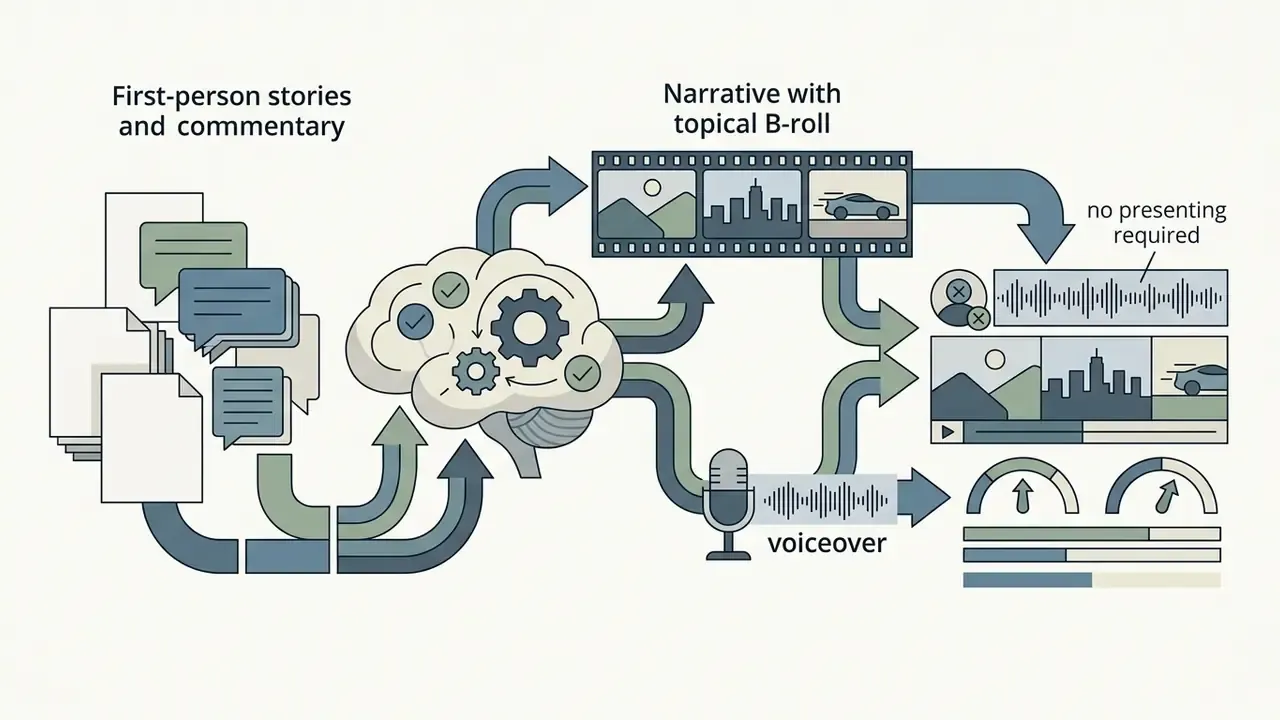



«High transparency in disclosing the role of AI increases perceived authenticity of the content-creation process and improves attitudes toward the advertising, particularly under reactive motivation.»
Core Features of AI Faceless Video Generator Tools
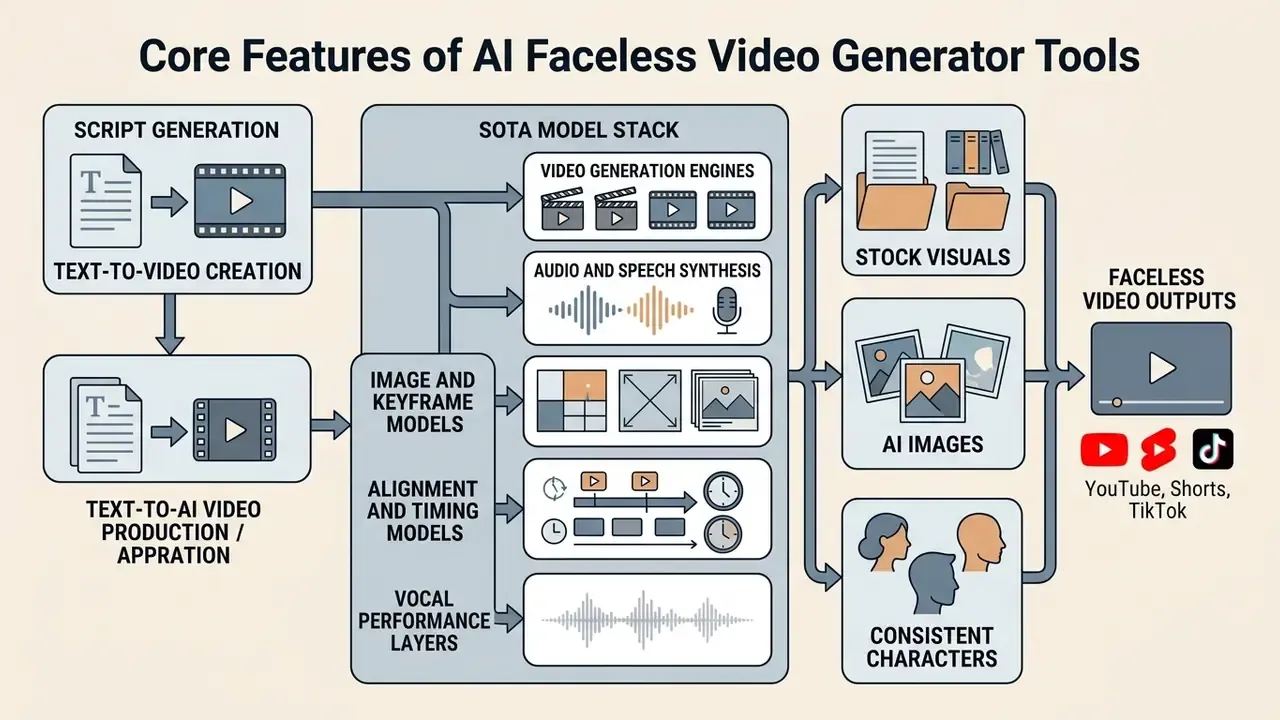
Modern ai faceless video generation tools fold script writing, media generation, speech synthesis, and timeline editing into one platform. Understanding these capabilities lets media operators test tool functionality against real production demand before they commit to a workflow, a subscription, or a publishing cadence.
Script Generation and Text-to-Video Creation
Text-to-video modules are the primary engine of automated video production. These systems parse input text, split sentences into chronological scenes, and write detailed visual prompts per shot (trilogy-group/ttv-pipeline, 2025).
Advanced generators analyze narrative pacing to set shot durations. The software assigns motion vectors and camera moves, pans, zooms, tracking shots, to match the emotional register of the narration. This is what lets creators create faceless videos with ai directly from raw blog posts, research briefs, or a single-line prompt, without drawing a storyboard by hand. Documented segmentation pipelines chain segments so the final frame of one clip initializes the next, which prevents the visual "reset" that makes cheap AI video look cheap.
The SOTA Model Stack Behind Faceless Video Pipelines
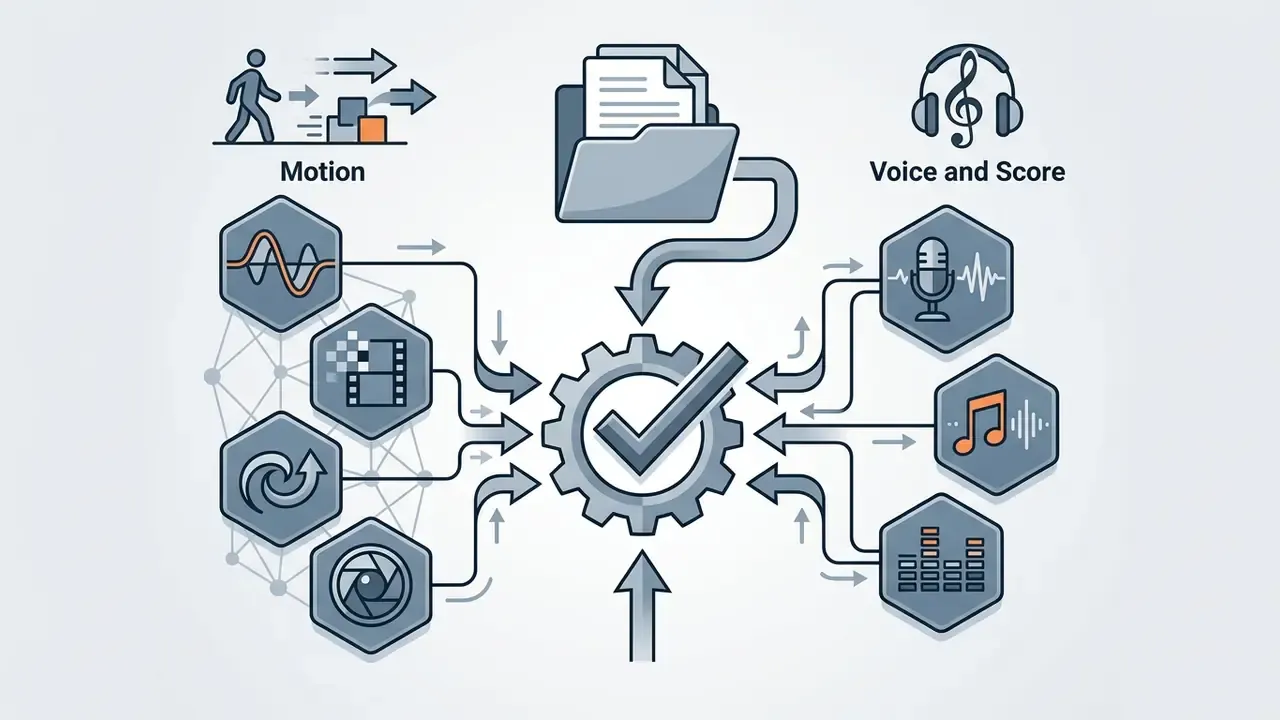
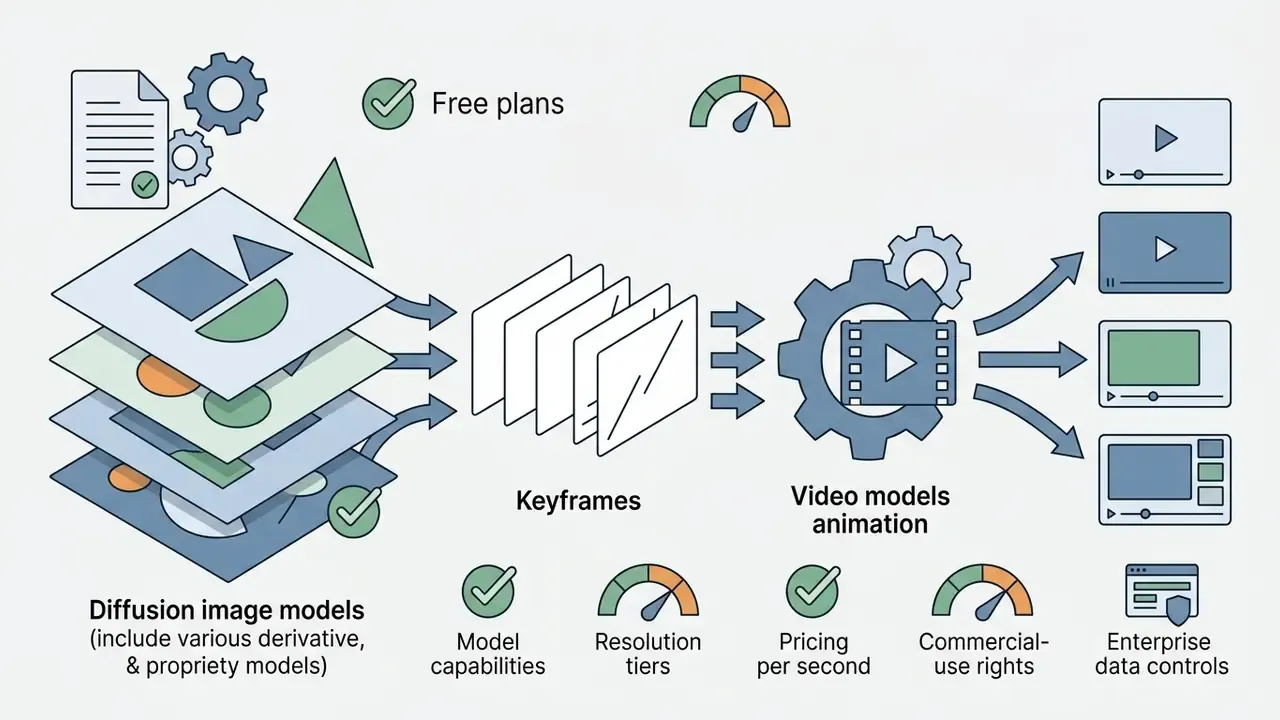
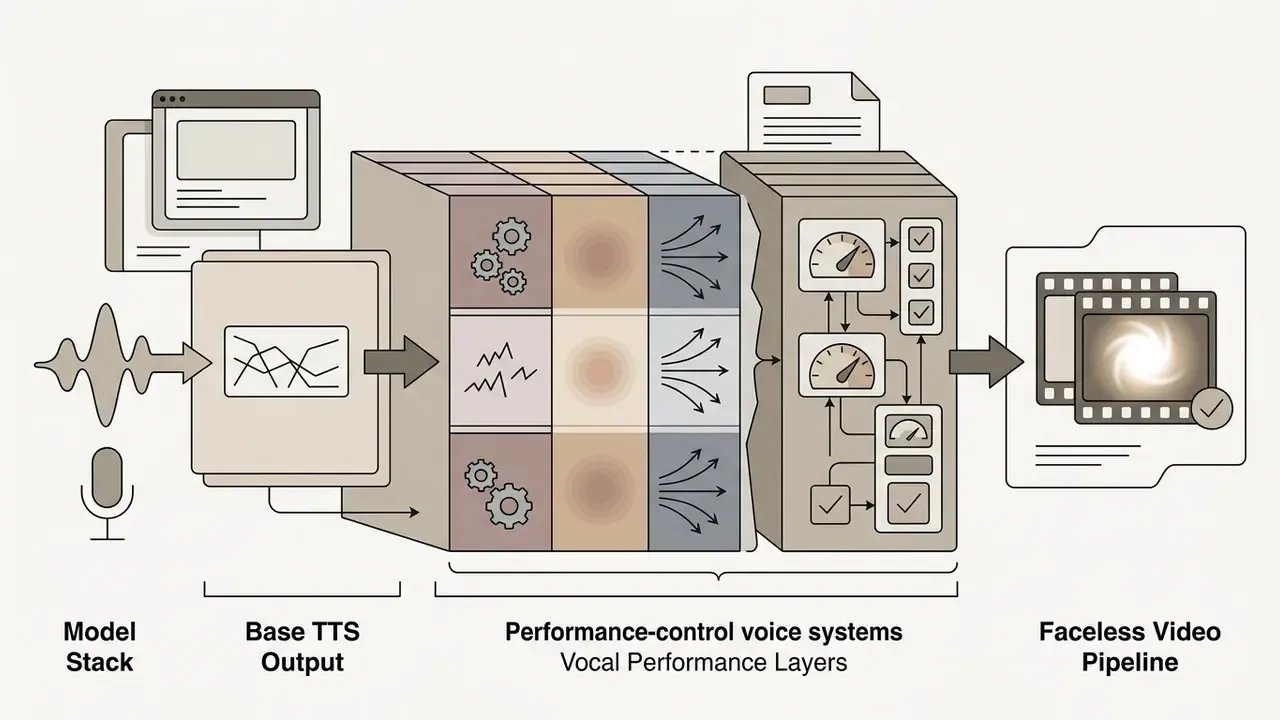
Modern pipelines assign a specialized state-of-the-art model to each layer of composition, and vendors increasingly expose model choice as a plan-level feature instead of hiding it behind a generic "AI video" label:
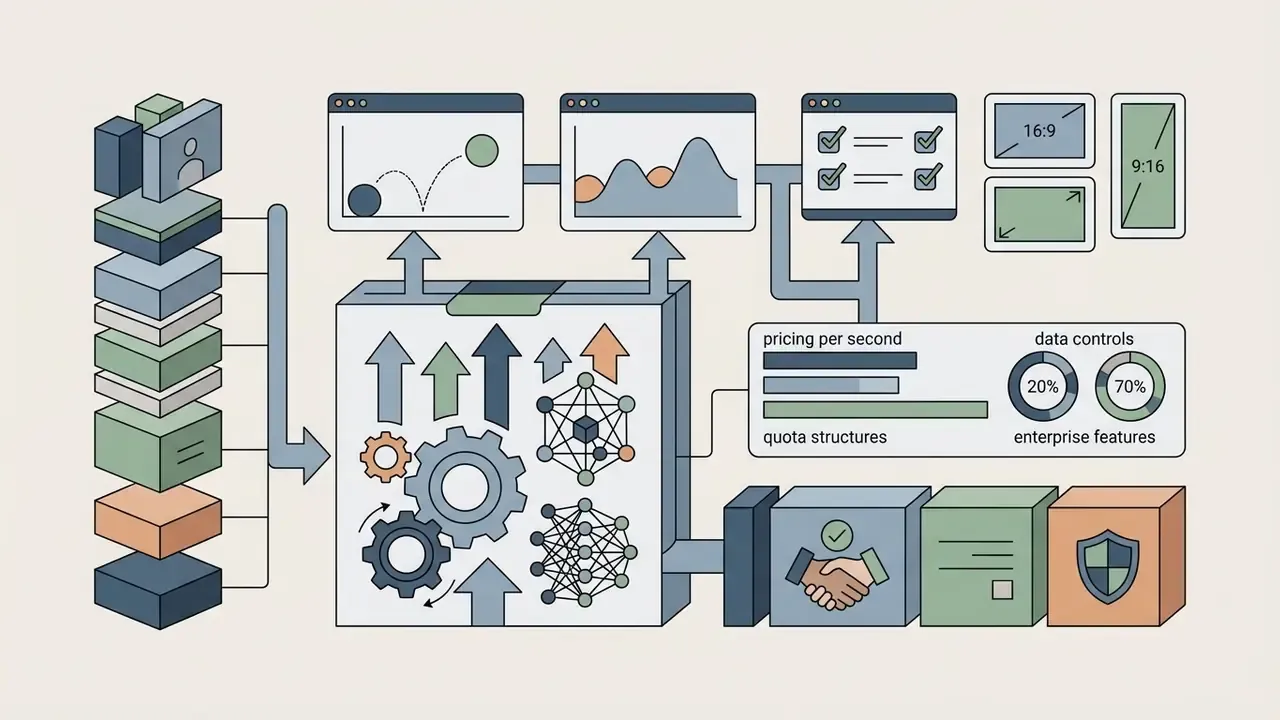
Model selection is a cost and rights decision as much as a quality decision. Per-second billing differs sharply by engine, and licensing terms for generated music are nowhere near uniform across providers.


Stock Visuals, AI Images and Consistent Characters
Visually coherent video usually mixes stock assets with custom synthetic images. Many commercial platforms integrate libraries containing millions of royalty-free stock photos and video clips (Fliki, 2026). Vendor-reported library sizes, claims of 10M+ or 16M+ assets, come from marketing pages rather than audited inventories, so read them as scale indicators, not verified counts.
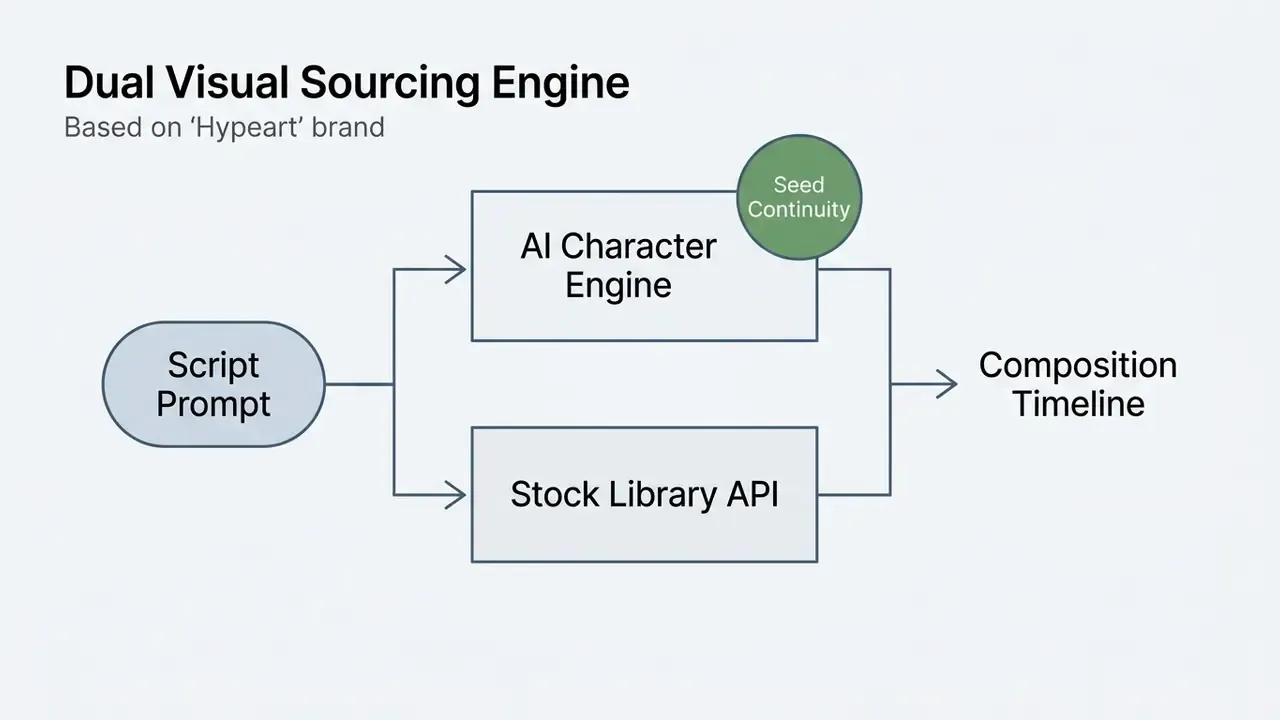
To hold visual continuity across synthetic graphics, platforms use character reference tags and seed consistency controls (Runway, 2025; Kapwing, 2026). Locking character features across prompts produces recurring AI characters that stay recognizable through a long-form video or an entire channel series. Adjacent animation makers solve the same continuity problem with rigged assets instead of seeds.
Platform implementations let creators declare persistent entities inside text prompts using tag syntax, for example @CharacterName. The engine locks the underlying seed, face embeddings, and voice profile, so identity survives whether the character appears in an educational explainer or a dramatic reconstruction. The practical workflow: build the character once, save the reference image and voice pairing to a brand kit, then tag it into every later project so appearance, wardrobe, and vocal timbre stay stable across dozens of uploads. Peer-reviewed work documents open-source pipelines for fine-grained character consistency in educational content (I-JET, 2024), confirming the technique is not vendor-specific magic.
AI Voiceovers, Captions and Audio Editing
Audio production decides whether a faceless video sounds professional or amateur, and whether it is accessible at all. Modern platforms offer neural voice synthesis across more than 160 languages and accents (Synthesia, 2026), and comparative guidance on AI voice generators covers how voice quality, language coverage, and commercial licensing differ between vendors.
Audio is not cosmetic. It decides whether attention survives the first three seconds:
«Neuromarketing measurements show AI-generated ads accelerate initial attention capture in dynamic scenes, while human-crafted content sustains attention better in product contexts.»
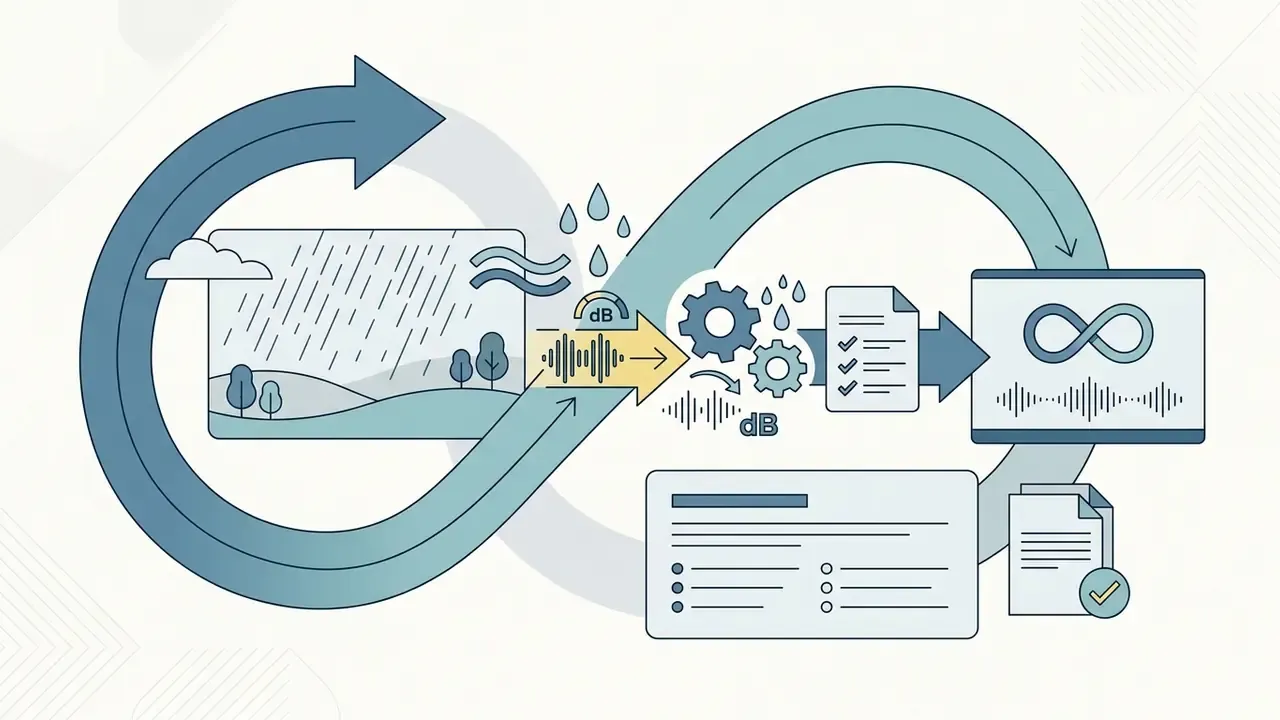
Professional audio specifications hold cloned voices and synthesized narration to strict standards: 48 kHz sampling, 24-bit mono delivery, and peak loudness around −23 LUFS (Inworld AI, 2026). Broadcast loudness practice, EBU R128 and adjacent AES recommendations, uses the same −23 to −24 LUFS reference band, which is why platform-normalized uploads sound consistent when mastered to it. Reference audio-description mixing guidance adds two more constraints worth writing into your SOP: dip the original mix 6 to 12 dB under narration, and set side-chain attack times in the 2 to 15 ms range so ducking stays inaudible.
Automated captioning systems calculate speech timestamps to generate dynamic on-screen subtitles, which lifts retention on mobile where sound-off viewing dominates. Accessibility guidance is explicit about caption craft: sync captions to the audio, include dialogue plus meaningful non-speech sounds, and break lines at natural pauses. Public-sector style guidance caps subtitles at two lines and roughly 42 characters per line. Caption assets export either burned into the frame or as sidecar SRT, VTT, or TXT files.
Natural Language Video Editing and Prompt-Driven Post-Production
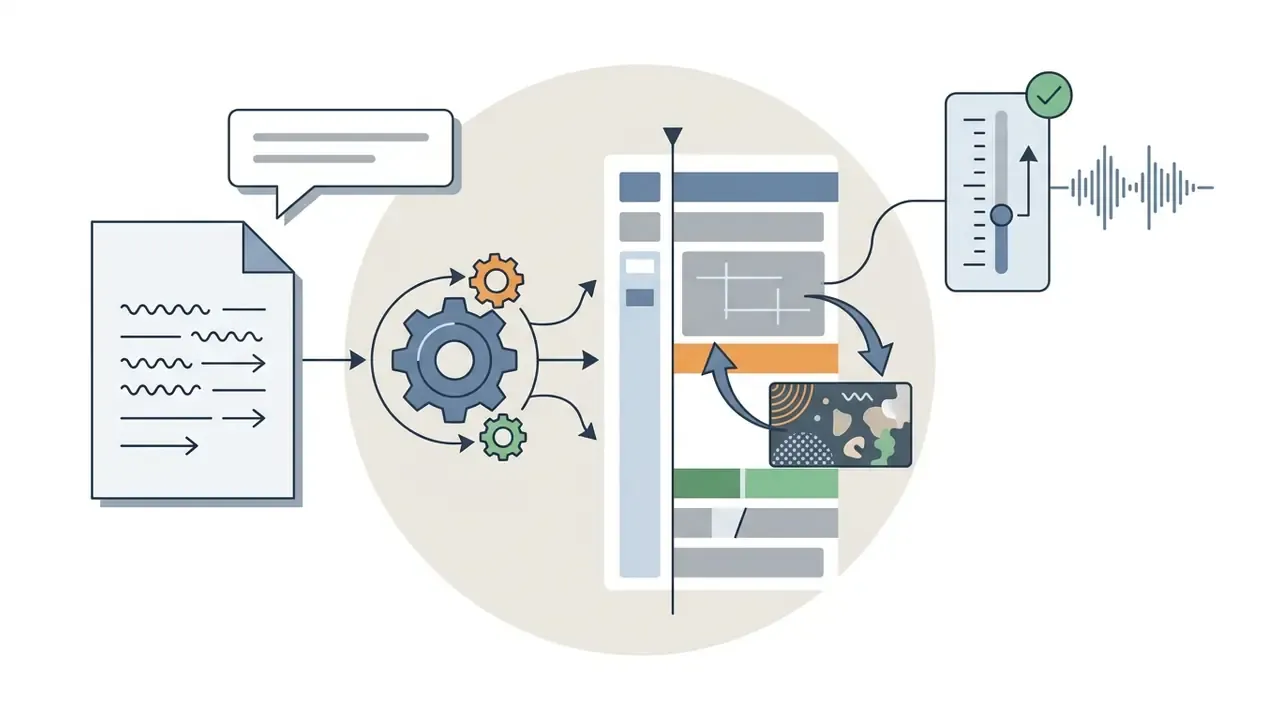
Alongside traditional multi-track timelines, advanced platforms support natural language command interfaces, often marketed as a "Magic Box" or auto-editor prompt. Instead of splitting tracks manually, creators type plain-text instructions to alter the rendered project:
This hybrid approach cuts post-production overhead by allowing fast global adjustments without timeline surgery, which matters for operators who publish daily and have never opened a non-linear editor. Vendor documentation pairs the two modes rather than replacing one with the other: prompt commands produce the quick first pass, and the timeline stays available for frame-accurate trims, caption repositioning, and audio fixes. One risk note, and it is not a small one. Prompt-based editing needs the same review gate as generation, because a single natural-language instruction can silently rewrite an entire factual claim inside the narration.


How to Create Faceless Videos with AI: Step-by-Step Workflow
Creating a faceless video with artificial intelligence is an operational sequence, not a single button. It moves an abstract concept to a rendered media file through topic selection, structured scripting, audio synthesis, visual editing, caption formatting, and a review gate before release. Some tools promise that you can create faceless videos in seconds with ai; in practice the render is fast, and the review is what takes real time.
Production checklist:
- Define the video topic, the target platform specs (16:9 versus 9:16), and the narrative goal.
- Select the input modality: prompt, pasted script, article URL, PDF or DOCX, thread export, or podcast audio.
- Generate the script via LLM prompt, or adapt existing long-form article text.
- Synthesize the neural voiceover and verify pronunciation and cadence.
- Generate AI image frames or fetch license-cleared stock footage for each scene.
- Auto-generate subtitles, apply kinetic typography, and adjust timing offsets.
- Mix background music with automated ducking of 6 to 12 dB under speech.
- Run the final visual audit, check UI safe zones, and export a high-bitrate MP4.
- Complete compliance and risk sign-off: human review of factual claims, AI disclosure, licensing, and required disclaimers.
- Generate the thumbnail, finalize metadata, and schedule the upload.
Choose a Topic, Idea and Script for the Video
Production starts with a clear topic and a script written for audience intent, not for the model. Creators use prompt templates that structure scripts into temporal blocks: an attention hook (0 to 3 seconds), problem context, core narrative points, and a call to action (Adobe Firefly Prompt Guide, 2026). Effective video prompt fields are well documented by now: subject and action, environment, camera, lighting, motion, audio, plus explicit time-block segmentation. For a 48 to 60 second vertical, that usually means hook, context, main story, result, close.
When adapting existing written material, blog posts or research briefs, specialized tools ingest long-form text and extract the key narrative summaries (Kapwing, 2026). The same ingestion path handles PDFs, press releases, and breaking-news copy, returning an editable storyboard rather than a flat summary. The script generator then maps those summaries into timed visual prompts and voiceover lines. Creators can tighten formatting by consulting resource directories such as the AI Media Glossary, which catalogues the specialized terminology used across synthetic media tools.
For regulated niches, keep a reusable prompt template with guardrails baked in. For example: "Write a 60-second explainer on index fund fees. Use no performance predictions, no return figures, no personalized advice. Include a closing line stating that this is general information, not investment advice." Constraining the model at prompt level costs far less than catching violations at review, and much less than catching them after publication.
Generate Visuals, Voiceover and Background Music
Once the script is approved, the tool produces the matching visual assets and audio tracks. Visual generation either calls text-to-image diffusion models for custom scenes or queries stock libraries for footage (NIST SP 1800-34, 2026); the mechanics of image-to-video AI tools explain how those still keyframes become motion.
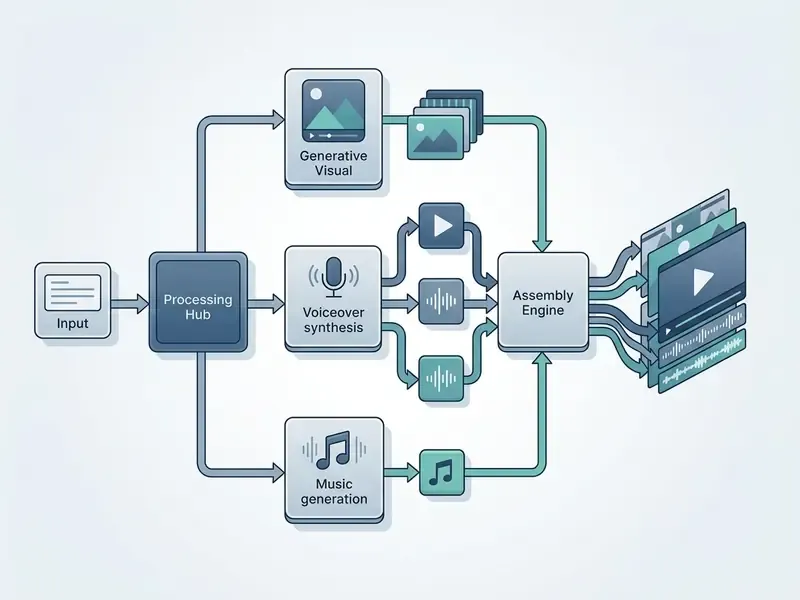
For voice, neural text-to-speech engines produce narration matched to a chosen accent, gender, and emotional tone. Creators adding musical accompaniment often pair voice tracks with custom instrumentals from an ai instrumental generator to set mood without collecting copyright strikes. International Telecommunication Union standard ITU-T T.701.25 requires that audio presentation keep narration intelligible, which puts background music 6 to 12 dB below the primary voice track (ITU-T, 2022). Text-to-sound-effect and voice-to-sound-effect generation is now a documented standard product function, so ambient beds and impact stingers no longer need an external library subscription.
Edit the Draft and Publish for Each Platform
Post-Production Optimization: AI Thumbnails and Channel SEO
A rendered file still needs optimization to earn click-through and search visibility on YouTube and TikTok. Stopping the pipeline at MP4 export leaves the single highest-leverage variable, the thumbnail, to luck.
- AI thumbnail generation High-CTR faceless channels use image diffusion models such as Midjourney or FLUX.1 with automated text-overlay tools to build bold, high-contrast covers. Thumbnail analyzers with AI prediction and heatmap scoring grade visual contrast, focal clarity, and text legibility at mobile scale before publishing. Some long-form generators now auto-produce a thumbnail and title with the render, giving a baseline that human designers refine rather than replace.
- Metadata and keyword optimization Channel management platforms such as TubeBuddy and VidIQ extract high-volume search tags, surface competitor performance, generate SEO-optimized title and description variants, and support thumbnail A/B testing. VidIQ's daily-idea and competitor modules feed back into topic selection, closing the loop between publishing data and script generation.
- Title and hook alignment The thumbnail promise, the title, and the first three seconds of narration must say the same thing. Mismatch inflates impressions and destroys retention, which is the failure mode most often blamed on "the algorithm."
- Caption and description hygiene Burned-in captions serve sound-off viewing; sidecar SRT files and keyword-bearing descriptions serve search indexing. You need both.
- Playlist and series architecture Recurring tagged characters and consistent visual templates keep series packaging coherent, which lifts session duration across a faceless catalogue.
How to Choose the Best Faceless AI Video Generator
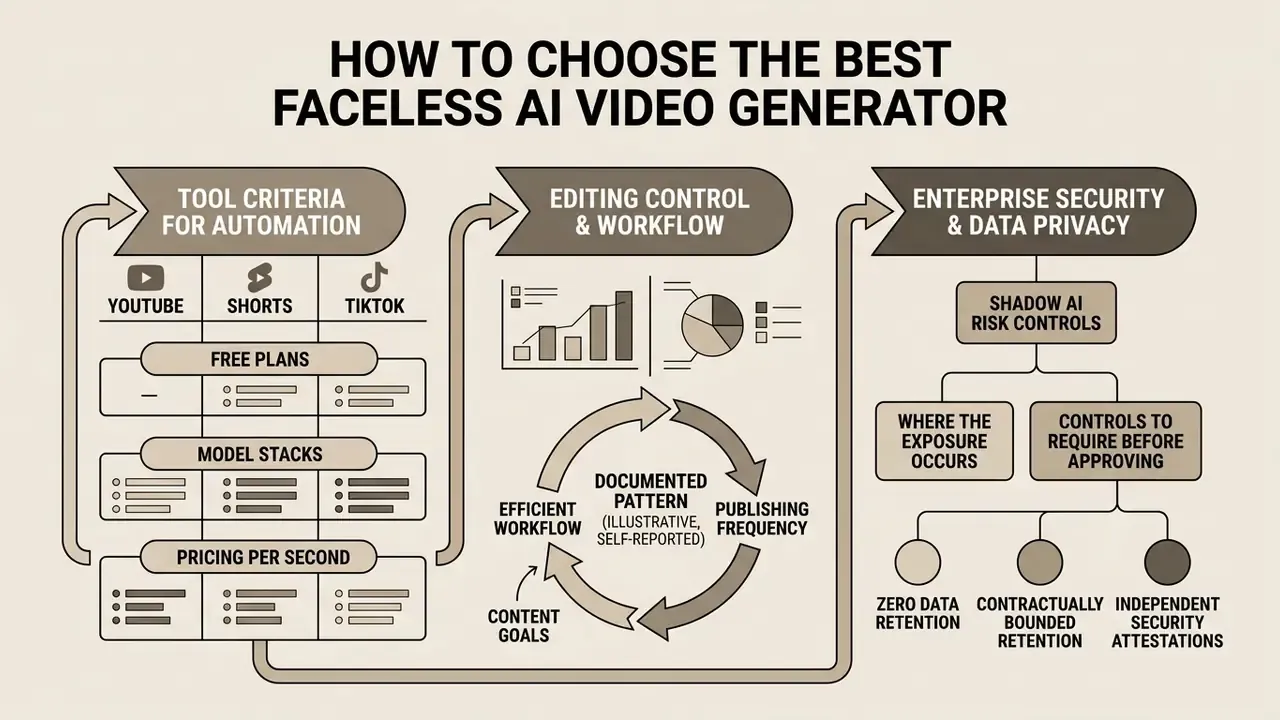
Choosing the best ai faceless video generator means testing platform features against your content goals, publishing frequency, and technical constraints. Media teams have to balance fully automated creation against manual timeline control, and the honest answer is that neither extreme wins. Published quality frameworks converge on four evaluation dimensions: overall output quality, spatial consistency, temporal consistency, and alignment with the text prompt. Organizational buyers add a fifth: content-governance controls.
Audience perception deserves the same weight as output quality:
«A systematic review of 73 articles identified trust, authenticity, and emotional connection as the key mediators determining the effectiveness of AI personas relative to human creators.»
Tool Criteria for YouTube, Shorts and TikTok
Platform specifications set the parameters. Long-form YouTube production needs platforms that render 16:9 at 1080p and 4K, support flexible timeline editing for multi-minute projects, and offer real audio mixing rather than a volume slider.
Creators focused on Shorts and TikTok need ai tools for faceless youtube content creation tuned for vertical 9:16 output, rapid scene transitions, animated captions, and template libraries. Automated aspect-ratio conversion matters too, so horizontal projects reframe to vertical without re-editing every shot by hand. Duration ceilings differ by source and change often. Shorts now support up to three minutes, while TikTok accepts substantially longer files, so verify current limits on the official help pages before you standardize a master format.
Automation, Editing Control and Creative Workflow
The choice between automated generation and manual control is the fundamental workflow trade-off in this category. One-click generators produce draft videos fast, then leave you stuck if scene timing or visual selection lands wrong.
Documented pattern (illustrative, self-reported). An enterprise digital publishing group evaluated two automated video creation workflows for its social channels. The first relied entirely on single-click generation: fast, but every audio timing mismatch forced a complete re-render. The group moved to a hybrid platform with timeline editing so editors could adjust cuts and text placement without regenerating the project. The team reported a materially lower asset-rejection rate afterward, on the order of a 40% reduction in its internal QC log. That figure is an internal, unaudited metric from one organization. The transferable insight is structural rather than numeric: pipelines that allow local fixes reject fewer assets than pipelines that force full regeneration.
| Service Name | Primary Video Formats | Script Generation | Voice Quality & Languages | Stock Library Access | Editor Flexibility | Data Privacy & Enterprise Controls | Commercial Rights & IP Indemnity | Pricing / Tiers |
|---|---|---|---|---|---|---|---|---|
| InVideo AI | 16:9 horizontal, 9:16 vertical, Shorts | Built-in LLM prompt generator plus prompt-based "Magic Box" edits | High quality; 50+ languages; voice cloning | Premium stock items (iStock integration) | Full timeline studio editor | Team and enterprise plans available; verify retention and SSO terms with the vendor | Commercial use tied to paid tiers; confirm indemnity in contract | Free (watermarked); paid from ~$17/mo |
| Fliki | 16:9, 9:16, 1:1 social formats | Idea, article, or URL to video | 2,000+ realistic voices; 80+ languages; emotion and pitch controls | 10M+ stock clips and audio tracks | Block-based scene editor | Standard SaaS terms; check data-retention policy per plan | Subscription plans state a commercial license for original user text | Free plan available; paid from ~$21/mo |
| CapCut AI | 9:16 vertical, TikTok, Shorts | AI script writer and auto-cuts | Standard neural speech synthesis | Integrated CapCut media library | Full non-linear mobile and desktop editor | Consumer-oriented terms; least suitable for confidential source material | Music and asset rights vary by track; verify commercial clearance | Free tier; Pro subscriptions (~$19.99/mo); team seats priced by region |
| HeyGen | 16:9, 9:16 avatar and presenter clips | Script optimizer and URL-to-video | Studio-grade translation; 40+ languages | Built-in stock backgrounds and avatars | Scene-based avatar canvas | Enterprise tier targets brand and security review; confirm attestations | Avatar and likeness consent requirements apply | Free trial (3 videos/mo, ~3 min, 720p); paid from ~$29/mo |
| Opus Clip | 9:16 vertical shorts and highlights | Auto-curation from long video | Source audio preservation plus auto-captions | Source video extraction | Curation dashboard and caption styling | Processes your uploaded footage; review retention terms before uploading unreleased media | Rights inherit from your source footage | Free credits; subscription tiers available |
| Crreo | Long-form 16:9 up to 30 min; vertical exports | Demo script from an idea, or paste your own | 200+ studio voices; performance-control voices on upper tiers | AI-generated visuals and characters | Scene-by-scene editing, music and SFX editing | Synthetic-asset labeling requested by platform terms | Watermark-free exports from paid tiers; label outputs as AI-generated | Free (5 min, watermarked); paid from ~$9/mo to ~$45/mo |
Pricing and limits above reflect vendor pages as of early 2026 and change frequently. Homepage pricing often differs from the detailed plan page, and regional or seat-based variation applies. To compare editing workflows across competing suites, review the analysis guides in the AI Media Comparison portal and the side-by-side scoring in the AI video generator comparison hub.
Enterprise Security, Data Privacy and Shadow AI Risk Controls
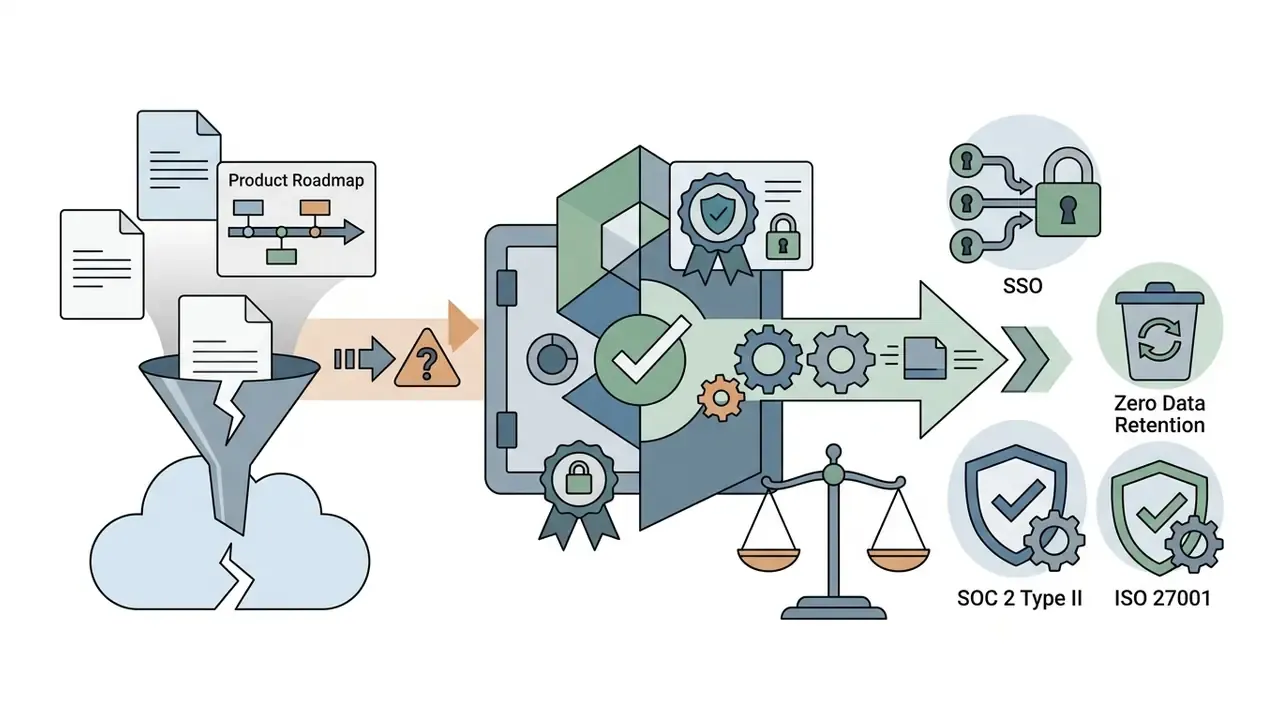
Faceless video tooling is adopted bottom-up. A marketing associate, an analyst, or a support lead signs up with a corporate email, pastes internal material into a consumer tier, and generates a publishable video. No procurement. No security review. No record of what left the perimeter. That is Shadow AI, and video generators are a high-severity variant of it, because the inputs are frequently whole documents rather than short prompts.
Where the exposure actually occurs:
Controls to require before approving a tool:
- Zero data retention, or contractually bounded retention, covering prompts, uploads, and rendered outputs, with explicit exclusion of customer content from model training.
- Independent security attestations, SOC 2 Type II and ISO/IEC 27001, plus a current subprocessor list, since most video platforms chain third-party model APIs.
- Identity and access management: SSO or SAML, role-based access control, seat-level audit logging, and admin-enforced export policies.
- Regional processing and data-residency options where GDPR or sector rules apply, including a data processing agreement that covers model subprocessors.
- IP indemnification for third-party copyright claims arising from generated output, with stated coverage caps and exclusions.
- Consent records for voice and likeness, including proof of authorization for every cloned voice and every avatar based on a real person.
- Named decision ownership: a documented owner per published faceless asset. Who approved the script, who approved the claims, who approved the disclosure.
- Sanctioned-tool register plus egress monitoring, so security can detect uploads of sensitive document types to unapproved generative endpoints.
NIST's synthetic-content guidance frames the category plainly: synthetic content includes video and audio significantly altered or generated by algorithms (NIST SP 1800-34, 2026). Treating faceless video output as synthetic content by default, labeled, logged, and reviewable, is the practical way to keep an automated pipeline auditable. No evidence, no autonomy. That principle applies to a video pipeline as much as to a credit model.
Free Plans, Pricing and Commercial Use of AI Faceless Videos
Pricing models and legal usage rights decide whether an ai faceless video generator free option is a real starting point or a demo with a countdown. Platforms use varied billing structures, and those structures drive total operating cost far more than the sticker price suggests.
What Can You Create with a Free Faceless Video Maker?
Free tiers let users test interfaces and preview draft output. That is genuinely useful. But free accounts impose limits that block professional use almost immediately.
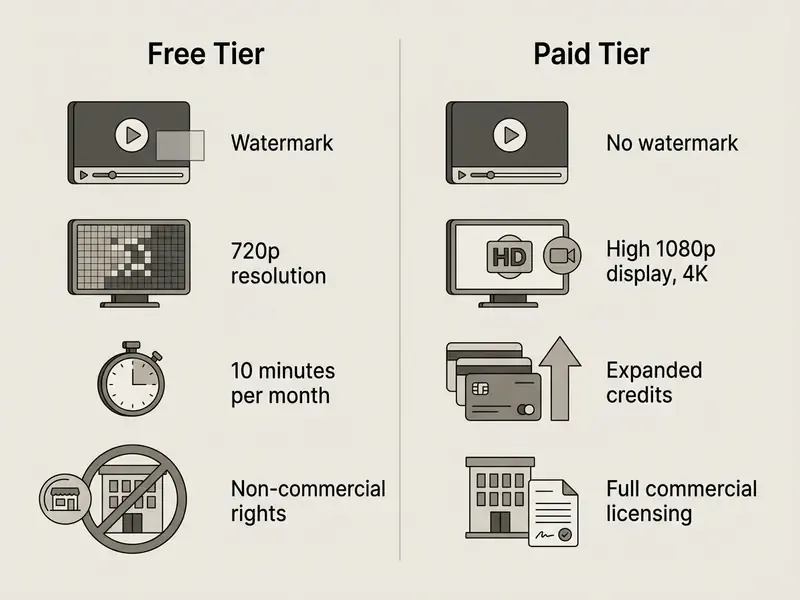
Most free plans stamp prominent watermarks on exports (VEED, 2026; InVideo AI, 2026), and comparisons of free AI video generators document how those constraints differ by vendor. Free tiers also cap rendering at 480p or 720p, restrict monthly export duration (for example 10 minutes per month on VEED, roughly 10 minutes per week on InVideo AI, or 3 videos up to 3 minutes at 720p on HeyGen), and prohibit commercial monetization. Credit-based free plans behave differently again: some grant a one-time allocation that never refreshes, which makes the ai faceless video maker free tier effectively a trial. Certain platforms, Pika among them, offer limited free credits while restricting commercial licensing strictly to paid subscribers (Pika Pricing, 2026). Creators hunting for cost-free options can inspect curated breakdowns in the AI Media Commercial-Use Hub and quality-versus-limits scoring in the best free AI video generators comparison.
How to Compare Pricing, Credits and Monthly Allowances
Commercial platforms bill through monthly flat-rate subscriptions or credit-based usage. In credit systems, generating synthetic frames, rendering voiceovers, or running script algorithms all deduct from a monthly quota, which means your cost per finished minute is variable by definition.
High-end engines like Runway Gen-4.5 consume roughly 12 credits per second of rendered video (Runway, 2026), with plans starting near $12 per month. Observed unit economics across engines in early 2026 span roughly $0.03 to $0.50 per second of finished video, depending on model, resolution, and duration. Some vendors bill per video instead, for example per-clip pricing on short 540p renders. Others skip credits entirely and sell transparent monthly minute allowances of 60, 120, 240, or 480 video minutes, which is far easier to forecast against a daily publishing schedule.
When comparing plans, calculate the unit cost per second of completed video rather than trusting the headline subscription price. Then add re-render waste to that calculation. A pipeline that forces full regeneration after every timing error burns credits at several times its nominal rate. To project longer-term production expense, model estimated render times with the AI Media Calculators and review tier breakdowns in the AI Media Pricing Guides.
Commercial Use, Publishing Rights and Monetizable Content
Monetizing faceless AI videos on YouTube, TikTok, or client channels requires explicit commercial usage rights for every underlying synthetic asset. Every one, including the music bed nobody remembers adding.
Fact Check and License Verification (2026 compliance update)
Commercial deployment carries reputational exposure alongside the legal kind:
«Research found that intent to use AI-generated models to represent diversity negatively affects brand attitudes because of perceived inauthenticity.»
Legal questions about intellectual property rights in synthetic media can be researched through the published records in the AI Litigation and Case Timelines archive.
How to Scale a Faceless YouTube Channel with AI
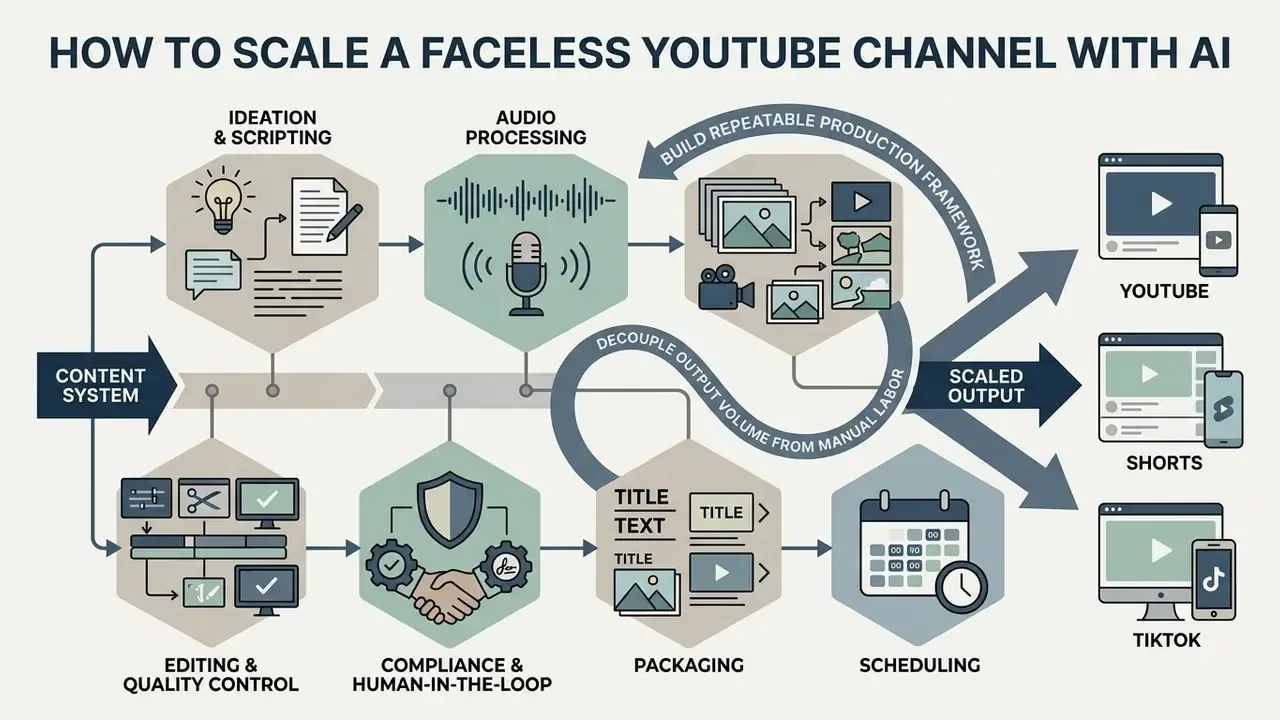
Scaling a faceless YouTube channel means building a repeatable production framework that decouples output volume from manual labor. Operators use structured batch processes to publish multiple videos daily across platforms, and the ai tools for faceless youtube channel creation are only half of that system. The other half is the SOP.
Scale also concentrates audience-perception risk, which is why segment sensitivity belongs in the plan:
«A validated scale of consumer aversion toward AI in marketing identified at least four factors explaining variance in negative reactions to AI-generated content across audience segments.»
Create Multiple Videos from a Repeatable Content System
Running a high-frequency faceless channel depends on standard operating procedures that break the pipeline into batch cycles. Rather than producing single videos end to end, operators execute tasks in stages (AI Faceless Blueprint, 2026). Enterprise practice mirrors the same instinct:
«Interviews with senior executives show firms use generative AI to produce multiple content variants, localized versions, and personalized messages at high volume.»
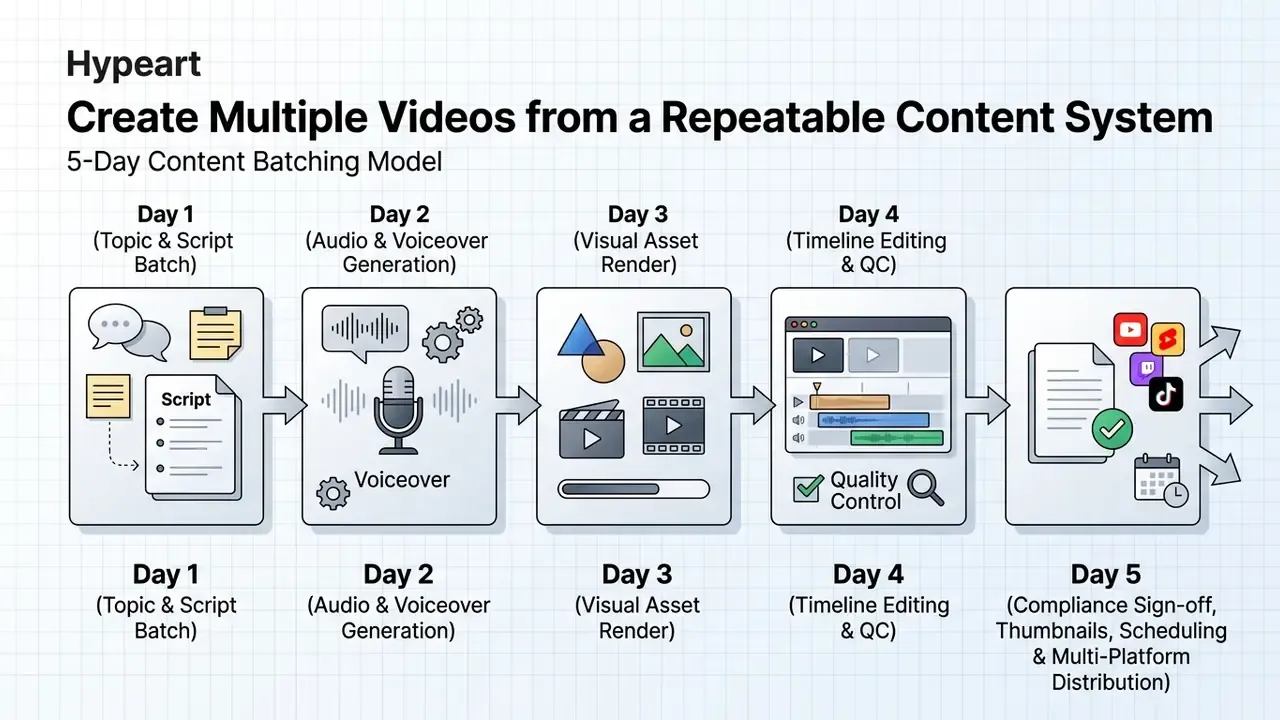
A standard batch schedule organizes production across distinct phases:
Documented SOPs should record every automated step, access credentials, QC checkpoints, troubleshooting paths, and support contacts. The same operational hygiene you would apply to any production system, because that is what this is. Practitioner batching models compress the cycle further, recording four videos across two days, then dedicating separate days to upload, transcripts, repurposing, and newsletter distribution. Published pipeline blueprints describe a 60 to 90 minute per-video cycle across seven stages once the SOP stabilizes.



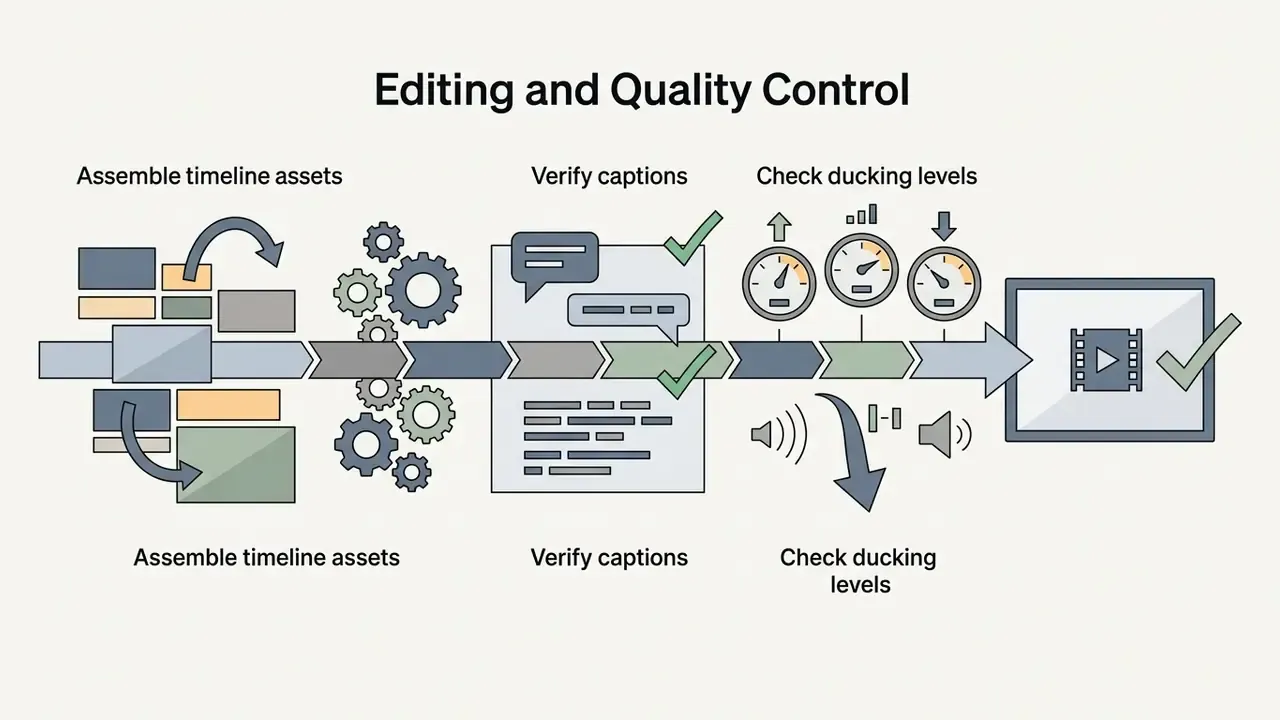

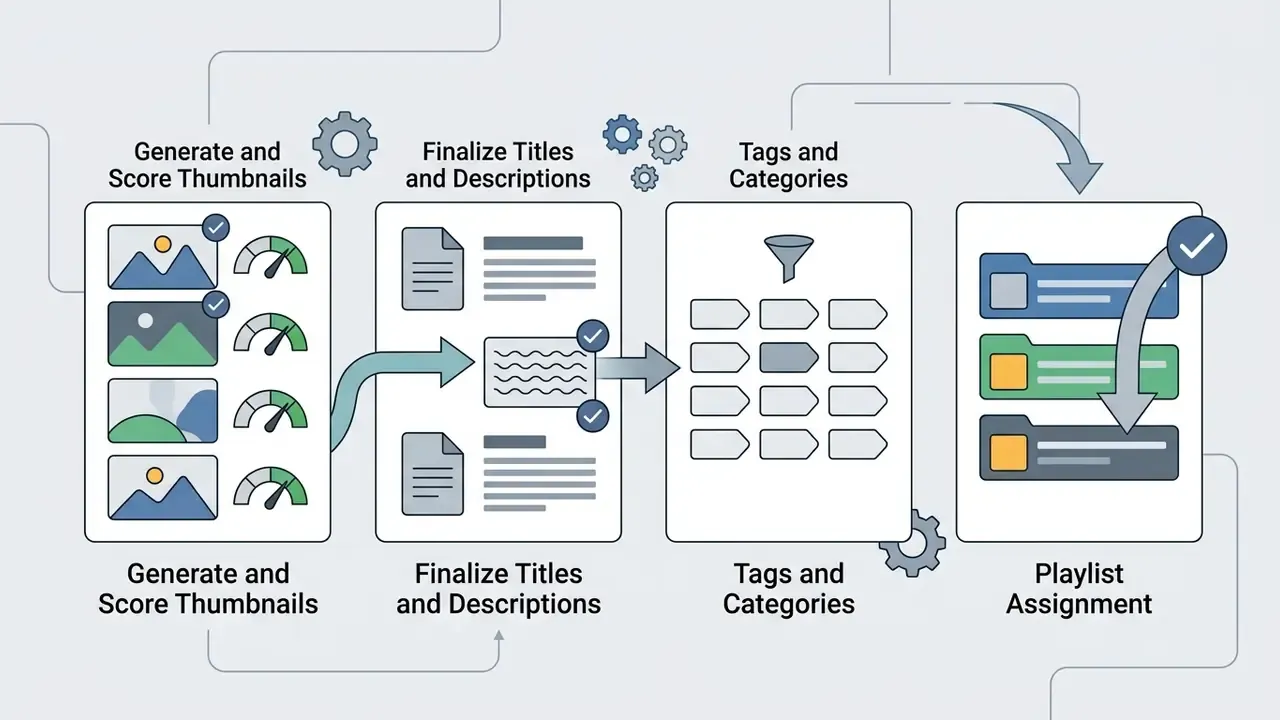
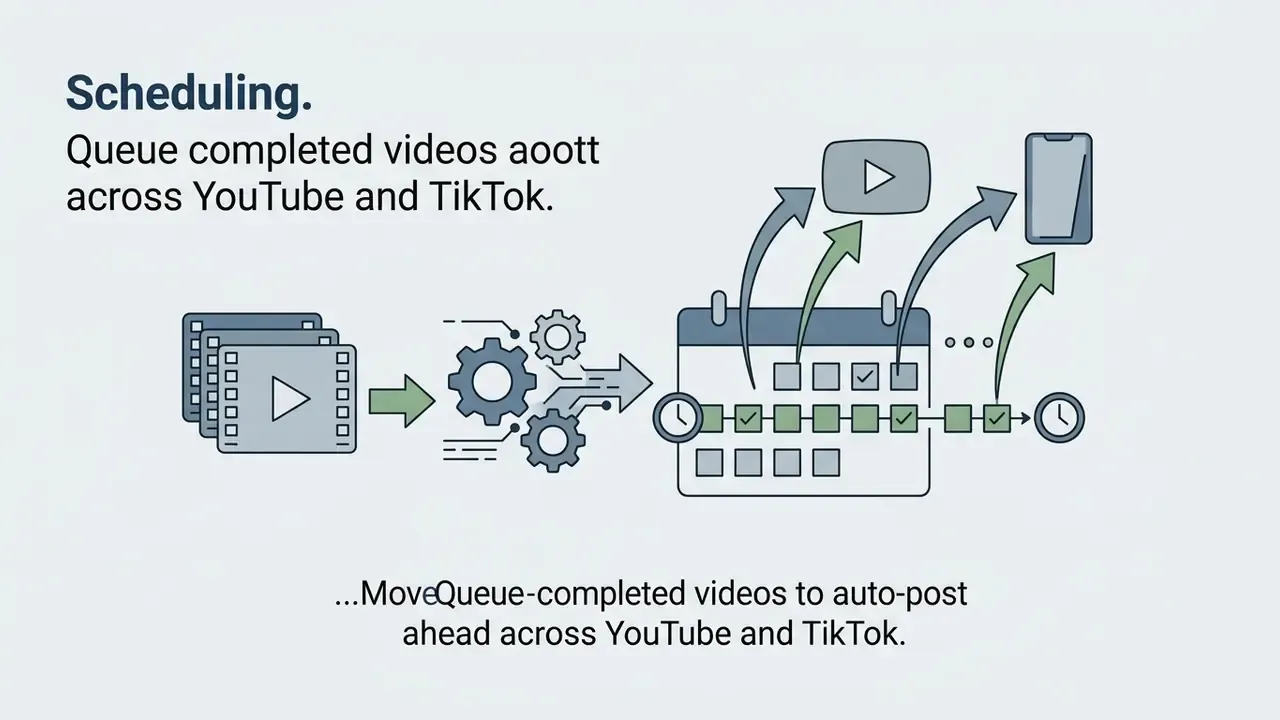
Adapt One Idea for YouTube, Shorts and TikTok
Maximizing reach means adapting one narrative idea into several formats. A master horizontal video built for YouTube slices into vertical clips for Shorts, TikTok, and Instagram Reels (Viralfeed, 2026). That repurposing claim reflects vendor and practitioner guidance rather than platform-published data, though YouTube's own documentation confirms the mechanical part: vertical videos qualify as Shorts, with support for durations up to three minutes.
Format choice during adaptation is not cosmetic:
«Multimodal AI content is particularly effective for experience products due to heightened immersion; simpler formats are preferable for informational content.»
Documented pattern (illustrative, self-reported). A digital media business produced a ten-minute horizontal documentary on economic history. Using automated short-form clipping tools, the team extracted five standalone takeaways, reframed the visuals to 9:16, and added dynamic captions. Publishing those clips as Shorts and TikTok videos reportedly generated several hundred thousand additional views in aggregate, with an internal figure of roughly 450,000, and pushed traffic back to the long-form original without new script production. The view total is a single unverified self-report. The reproducible mechanism is the part worth copying: one hook per clip, platform-specific captions and hashtags, separate thumbnails per destination.
Practical repurposing rules that transfer across channels:
- One clip, one hook, one payoff. No clip should need the parent video for context.
- Master vertically when the primary destination is vertical; crop and track only when the source is horizontal-only.
- Rewrite captions and hashtags per platform instead of cross-posting identical metadata.
- Stagger publish timing across Reels, Shorts, and TikTok, since content lifecycle length differs materially across the three surfaces.
For technical support or API integration questions on video pipeline automation, developers can reach documentation via AI Media Support and consult specifications in the AI Media API Guides.
FAQ: Rights, Monetization and Auditability
Can faceless AI videos be monetized on YouTube?
Yes, provided each video adds original value. YouTube's monetization policy excludes mass-produced, generic, repetitive, and manipulative content, and it applies that test whether or not a human appears on camera. Partner Program thresholds still apply: 1,000 subscribers plus 4,000 valid public watch hours, or 10 million valid Shorts views in 90 days. The realistic failure mode for faceless channels is not the faceless format. It is template-identical uploads with no incremental commentary or research.
Who owns the copyright in an AI-generated faceless video?
Purely AI-generated visual output produced from a text prompt without substantial human creative input is not copyrightable under current U.S. Copyright Office guidance. Human-authored scripts, human-selected and human-edited sequences, and original narration text remain protectable. In practice, your defensible asset is the script and the edit, not the raw generated frames.
Do free plans allow commercial use?
Usually not. Free tiers typically combine watermarks, resolution caps, monthly minute or credit limits, and explicit non-commercial licensing. Commercial rights generally attach to paid subscriptions, and even then the scope varies by asset class. Stock footage, generated music, and cloned voices can each carry different licenses inside the same product.
What is the safest way to use these tools inside a company?
Approve a short vendor list offering contractually bounded data retention, published security attestations, SSO with role-based access control, and IP indemnification. Register every sanctioned tool. Forbid uploads of confidential documents to unapproved endpoints. Require a named human approver for every published asset. Without those controls the pipeline is unauditable, and the organization cannot demonstrate who approved which claim.
Do we have to disclose that a video is AI-generated?
Platform rules increasingly require labeling synthetic media, and several vendors instruct users in their terms to mark output as AI-generated. Disclosure carries an engagement cost for emotional content, yet transparency research shows high-transparency disclosure improves perceived authenticity of the creation process and attitudes toward the message. The workable position: disclose consistently, and favor formats where disclosure costs least.
How do we keep an AI-generated video auditable after publication?
Retain the prompt, the source document or URL, the model and version used per layer, the license reference for every asset, the caption file, the approver name, and the export settings. That record set is what lets you reconstruct a claim, answer a takedown request, or defend a licensing dispute months later.
What is the maximum length for an AI-generated faceless video?
Most consumer generators cap single runs at 30 to 60 seconds. Long-form architectures now render up to 30 minutes in one automated pass on their highest tiers, with 10 to 15 minute ceilings on mid tiers. Past that, operators still stitch segments manually in a timeline.
Can a recurring AI character stay consistent across dozens of videos?
Yes, using saved character profiles, reference images, locked seeds, and @CharacterName-style tagging that binds appearance and voice to one identity. Consistency degrades when you switch base models mid-series, so lock the model version alongside the character profile.
Appendix A: Source Notes and Revised Statements
This appendix preserves the original phrasing of statements tightened above, so readers can see exactly what changed and why.
Reference terminology used throughout this guide is defined in the AI Media Glossary.
- Multi-shot consistency (original phrasing)
- "multi-shot frameworks like ShotAdapter apply localized attention masking to preserve visual identity and background continuity across multi-segment projects (ShotAdapter, 2025)." Updated in the main text with the study's sample size (75 Prolific participants) and outcome (superiority over baselines on character and background consistency), because the original claim lacked methodology and measurable results.
- Output multiplier (original phrasing)
- "Industry analyses indicate that faceless production workflows enable content creators to increase video output volume three to five times faster than traditional production methods (FrameLoop, 2026)." Retained, with an added note that the figure originates from commercial secondary coverage rather than platform-native telemetry.
- Production-time case (original phrasing)
- "the team reduced per-video production time from four hours to eighteen minutes." Retained as a self-reported operational estimate and reframed as an illustrative pattern, since no audited multi-team measurement is publicly available.
- Rejection-rate case (original phrasing)
- "This shift reduced asset rejection rates by 42%." Retained as an internal, unaudited QC metric from a single organization and reframed around the structural insight that local fixes beat full re-renders.
- Repurposing view total (original phrasing)
- "generated over 450,000 additional views." Retained as a single self-reported figure, with the transferable mechanism stated separately.
- Cross-platform slicing (original phrasing)
- "A master horizontal video produced for YouTube can be sliced into vertical clips for YouTube Shorts, TikTok videos, and Instagram Reels (Viralfeed, 2026)." Retained, with the mechanical component corroborated by YouTube's own documentation on vertical Shorts eligibility and duration.
- Forward-dated citations
- Several references carry 2026 dates and function as current normative or vendor-page references rather than retrospective academic publications. They are cited as industry technical reference points. Readers verifying pricing, plan limits, or policy language should consult the vendor or regulator page directly, since these change frequently.
- Vendor library sizes
- Claims such as "10M+" or "16M+" stock assets originate from marketing pages and were not independently audited in the sources reviewed here.
- Author note
- Commentary attributed to Marcus Hale, author. It