Synthetic media has quietly walked out of the marketing sandbox and into regulated workflows. Compliance training, branch onboarding, product explainers, KYC customer education: all of it can now be rendered by an AI video generator instead of a film crew. For a CRO or a head of model risk, that raises a narrower question than "is the output good?" The real question is who owns the avatar, who approved the script, and what evidence survives an audit.
Key takeaways for content, risk and governance leaders
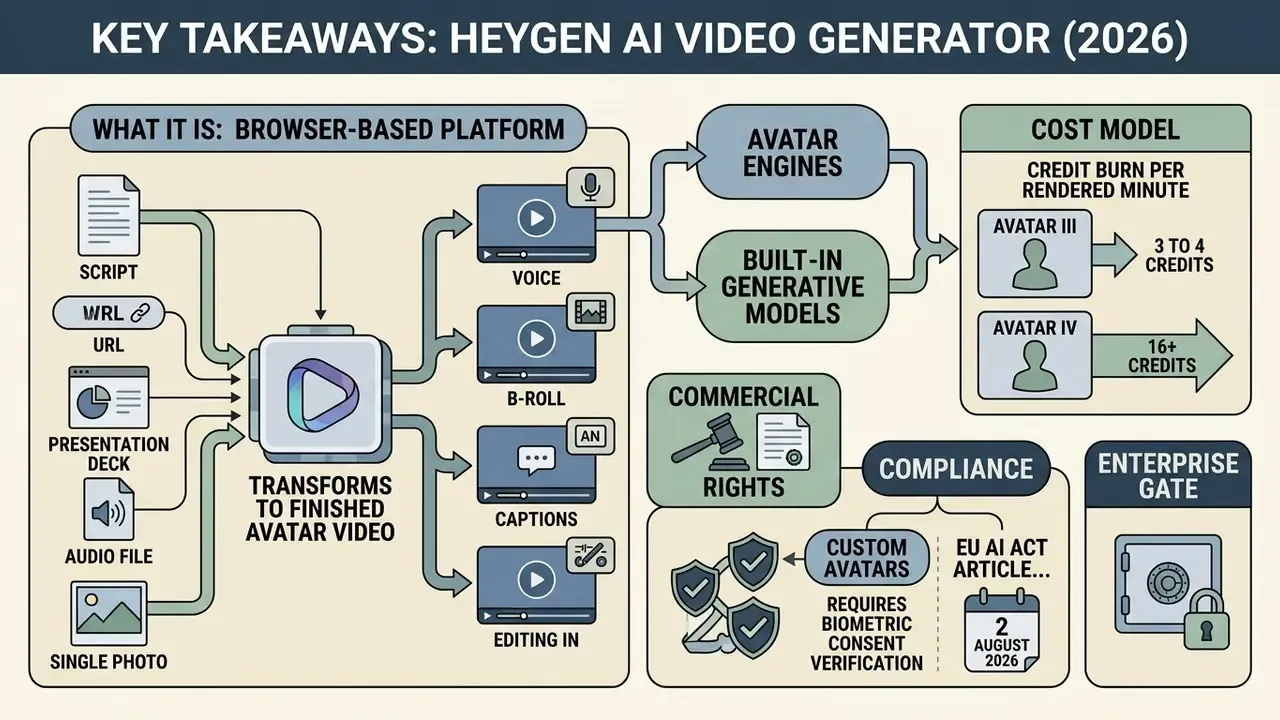
- What it is. A browser-based platform that turns a script, a URL, a deck, an audio file or a single photo into a finished avatar video, with voice, B-roll, captions and editing in one workspace.
- Avatar engines. Avatar III powers the photo-to-video pipeline, Avatar IV animates stills (tilted heads, profiles, anime, animal characters), and Avatar V builds a digital twin from a 15-second webcam recording with phoneme-level lip sync in 175+ languages.
- Built-in generative models. Sora 2, Google Veo 3.1, Kling 3.0, Seedance 2.0 for B-roll and Flux for image generation are wired straight into the editor. No second subscription, no export-and-re-upload loop.
- Cost model. Credit burn per rendered minute depends on the engine: Avatar III 3 to 4 credits, Avatar IV 16 to 31 credits, Avatar V 48 credits, Precision translation 10 credits.
- Commercial rights. Paid plans (Creator $29, Pro $49, Business $149 plus $20 per seat) grant commercial use. Free-plan output may not be sold, monetized, advertised or used in client work.
- Compliance. Custom avatars require biometric consent verification, and from 2 August 2026 EU AI Act Article 50 transparency duties apply to synthetic and manipulated video.
- Enterprise gate. Before procurement, confirm the DPA, model-training exclusions, retention windows, SSO and RBAC coverage plus security attestations directly with the vendor. The risk checklist is below.
Scope, sources and how to read this review
What HeyGen AI Video Generator is and what it is for
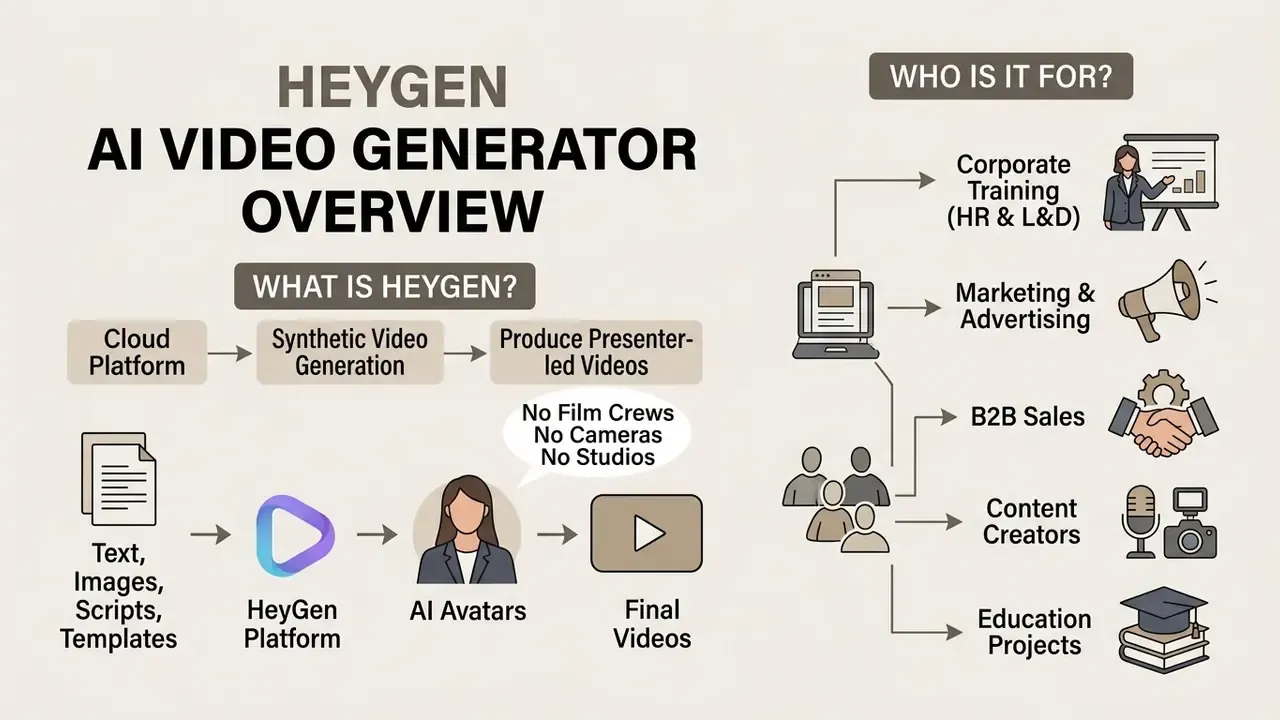
HeyGen AI Video Generator is a cloud platform for synthetic video generation that lets teams produce presenter-led videos with AI avatars without film crews, cameras or studios. It converts text scripts, presentations and audio files into finished video assets in minutes.
«HeyGen generates roughly 1 million videos daily, serving millions of users and supporting the workloads of 80% of Fortune 100 companies.»
Attribution note. Those figures come from a vendor-supplied cloud case study, not from independently audited reporting. Read them as vendor-reported scale metrics rather than verified market statistics.
The platform attacks the two structural weaknesses of traditional video production: high unit cost and long release cycles. Instead of multi-day shoots and heavy post-production, the user gets an automated pipeline in which the generative ai video generator heygen engine manages the presenter, the audio and the visual layer. For a category-level primer on how this class of tools works, see our overview of AI video generators.
Market context supports the shift. Industry research estimates the AI avatar segment at roughly USD 6.3B in 2025 and USD 8.4B in 2026, with a projected USD 93.4B by 2035 at a 30.6% CAGR, and interactive digital human avatars accounting for about 62% of 2025 revenue. Estimates diverge across research houses because segment boundaries and methodologies differ, so treat them as directional, not bankable.
From a process-management standpoint, adopting a heygen ai generator moves the effort from physical production to script control and regulatory conformity. Vendor customer stories report 80% to 90% reductions in production time and up to 10x faster course assembly. Self-reported, no control groups, worth testing on your own backlog first. For broader context on generative media deployment, see the AI Media Commercial-Use Hub.
How AI avatar video generation works
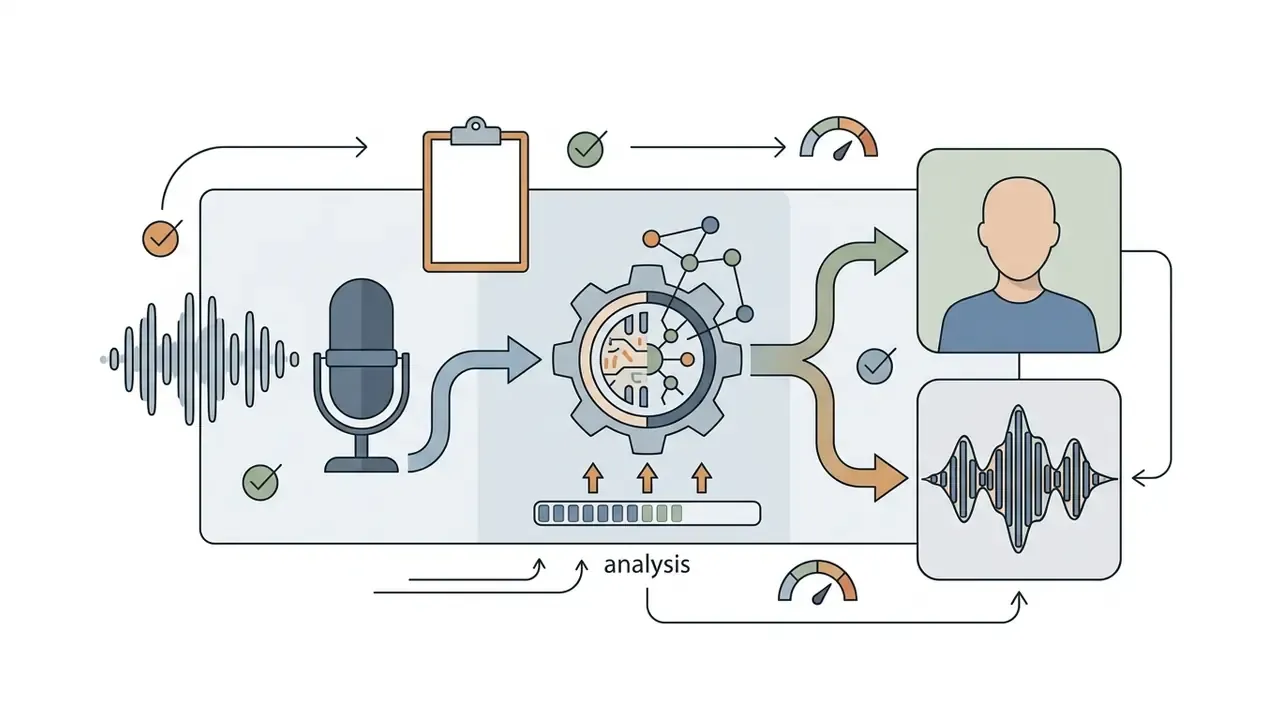
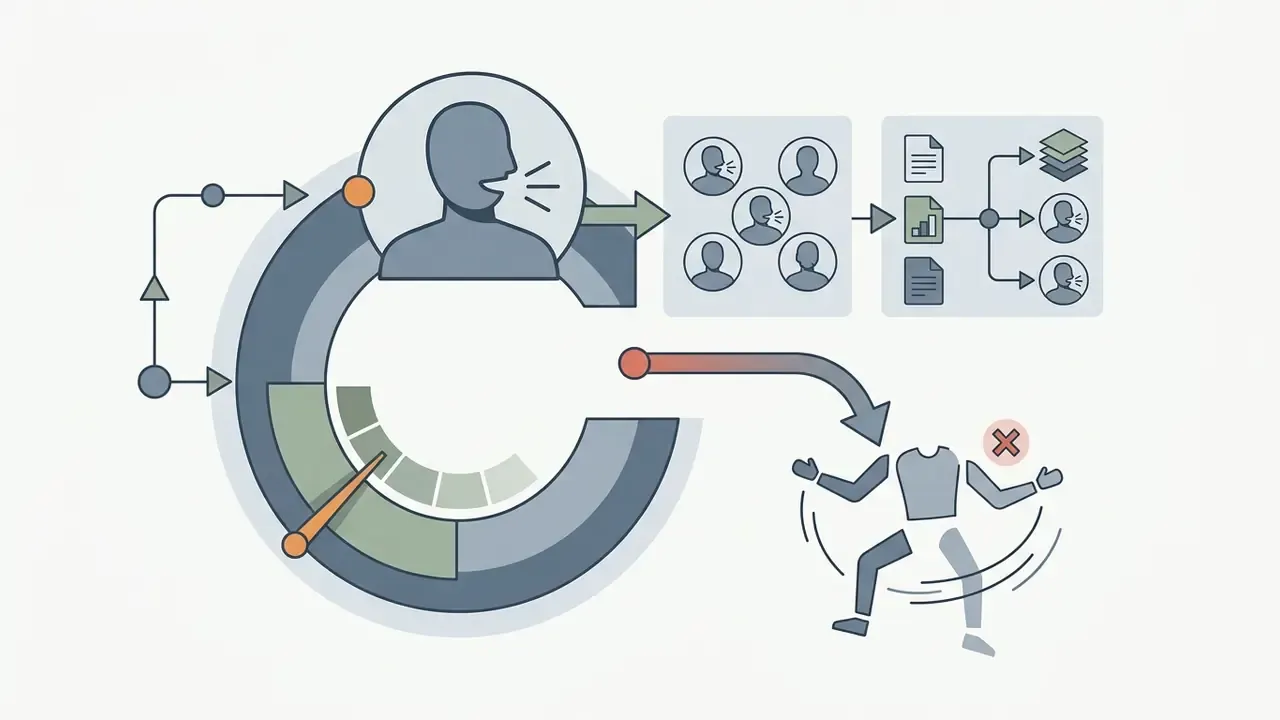
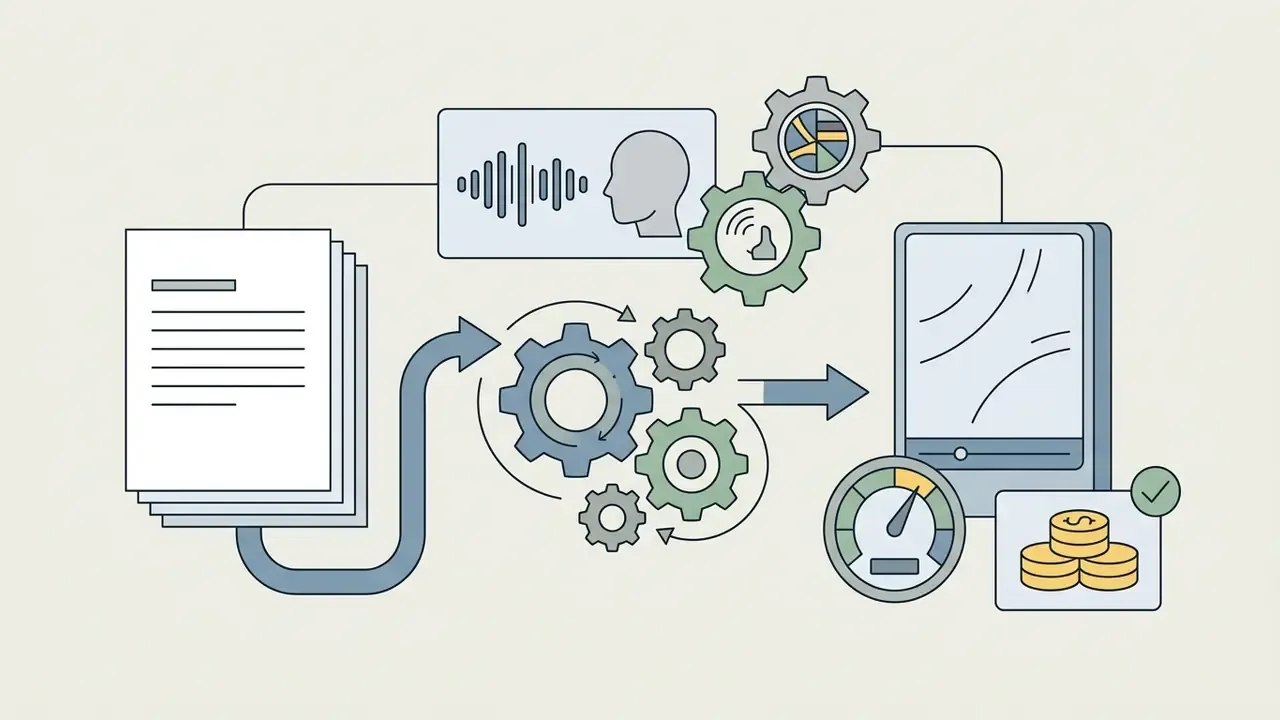
Avatar video generation rests on conditional video synthesis: a neural model maps a text script or an audio recording onto the facial motion and articulation of a digital character. The pipeline combines a text-to-speech module, phonetic feature tracking and an image generator for accurate lip sync.
A peer-reviewed review of talking-head generation notes that modern architectures rely on deep embedders that extract phonetic and prosodic features from the audio signal and translate them into lip and facial motion trajectories. The Visual Computer (2025). https://link.springer.com/journal/371
HeyGen's architecture (Avatar III, IV and V) applies video-reference conditioning: the model attends to the full token sequence of a reference clip at every transformer layer, rather than to a single still frame.
«A 48-frame video reference raises identity similarity to 0.83 and delivers lip-sync accuracy (Sync-C) of 7.64.»
Those metrics come from a 158-pair experimental set and clearly exceed single-frame algorithms. Readers who want the engineering detail rather than the business framing can skip ahead to the digital twin section.
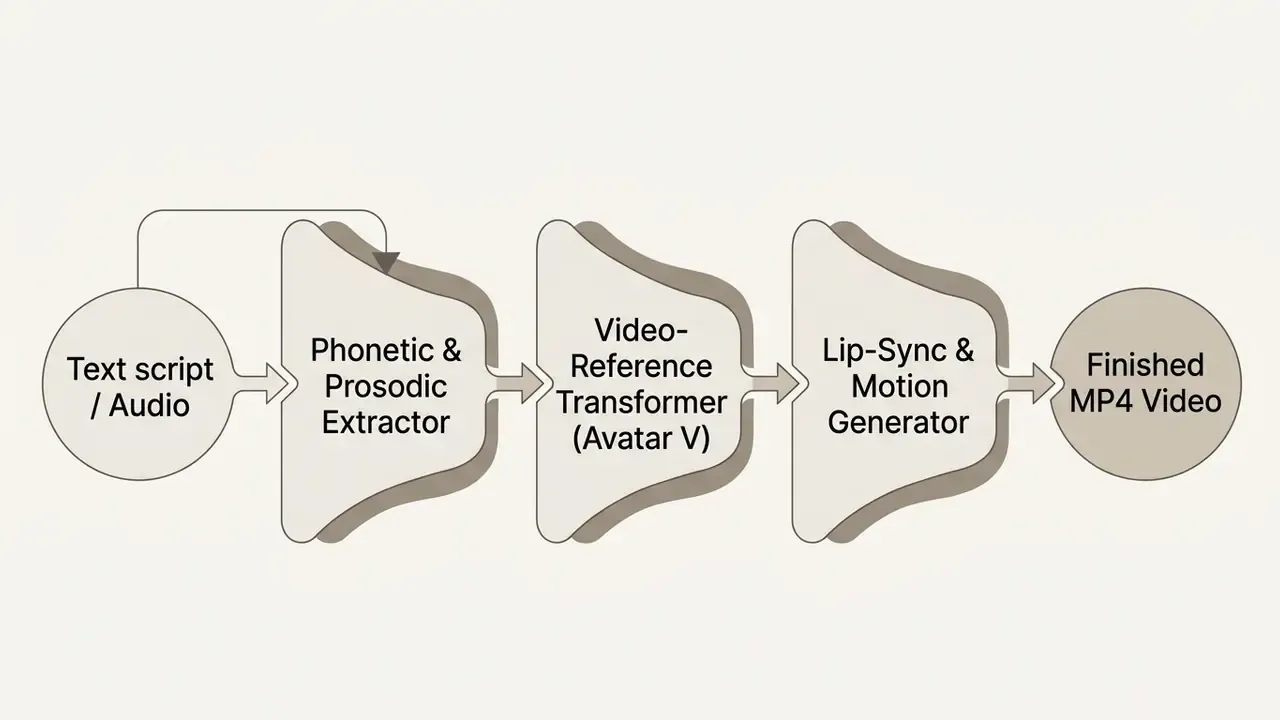
When the input is a script, the system synthesizes speech with the selected TTS voice. When a ready audio file is supplied (audio_url or audio_asset_id), the duration and rhythm of the avatar's performance are locked to the audio timeline. The two inputs are mutually exclusive in the API, which matters when you automate: pick one contract and validate it upstream.
Who the HeyGen AI video creation platform is for
The HeyGen AI video creation platform serves five primary segments: corporate learning and development, marketing teams, sales organizations, content creators and education projects.
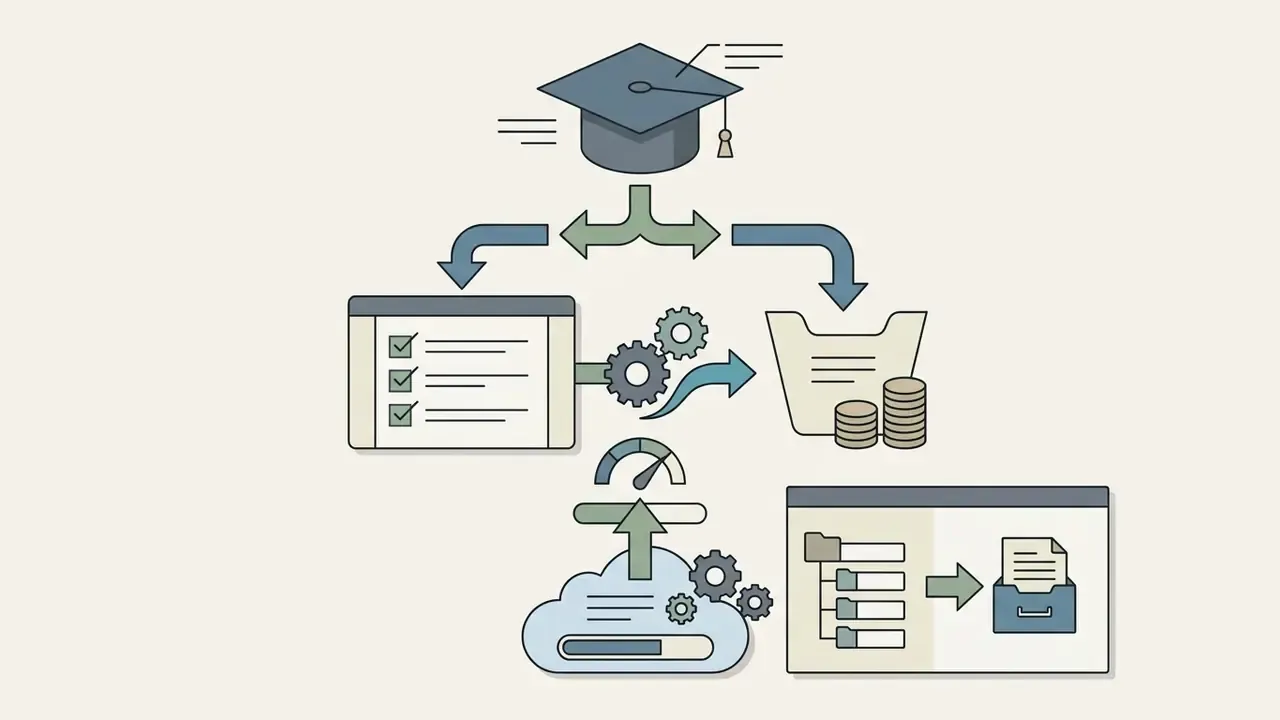
- Corporate training (HR and L&D) automated production of compliance courses, safety briefings and internal knowledge bases. SCORM and xAPI export drops avatar videos straight into corporate LMS environments.
- Marketing and advertising rapid generation of A/B creative variants for social channels, geo-localized adaptations and UGC-style ad spots.
- B2B sales mass personalization of video outreach. Paired with a CRM such as HubSpot, the platform injects dynamic variables (contact name, company, industry) and renders a unique clip per lead.
- Content creators launching multilingual YouTube channels and adapting assets for Shorts and TikTok without appearing on camera every day.
- Education projects converting lectures and study materials into interactive video, translated into dozens of languages.
In regulated firms, the practical buyer is usually internal communications or L&D, with risk and compliance holding veto rights. That split is exactly where governance gaps appear. To model the economics of such deployments, use the specialized AI Media Calculators.
Core features of HeyGen AI for creating video
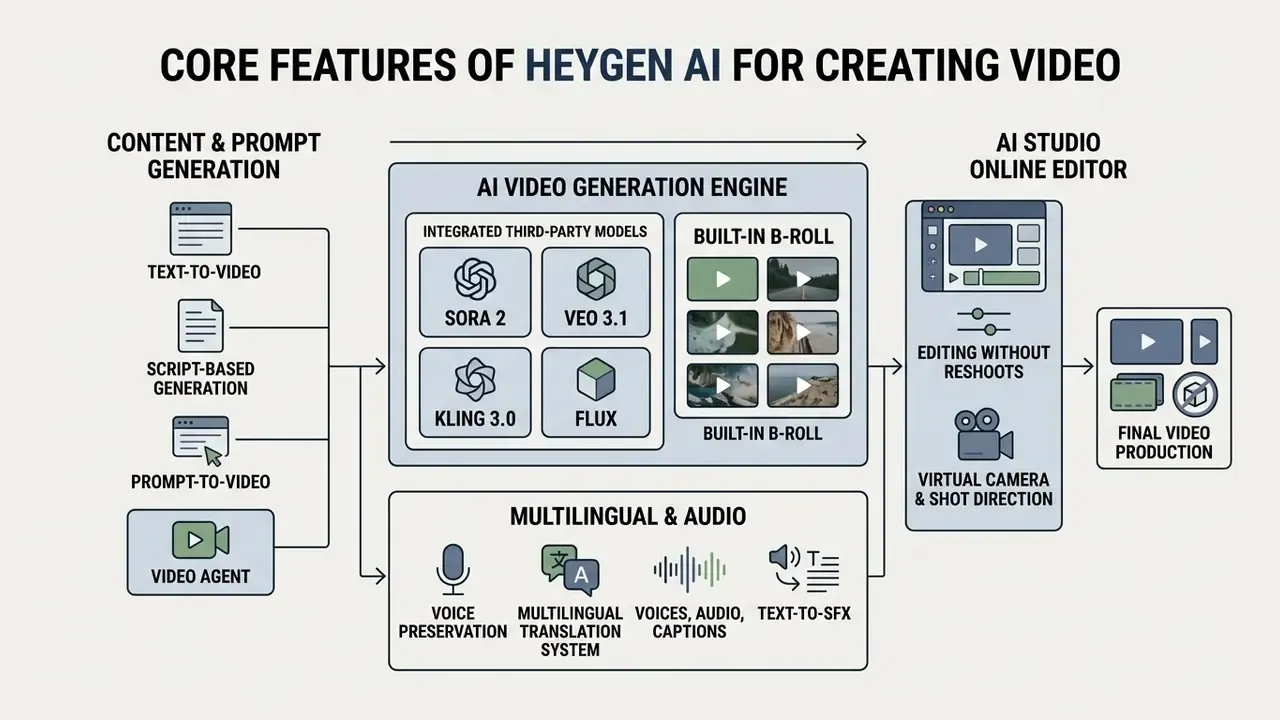
The platform combines base generation mechanics (text-to-video, prompt-to-video), a multilingual translation system with voice preservation, the AI Studio online editor, integrated third-party generative models and API tooling for automated content production.
The central capability of the ecosystem is the ability to generate videos without physical shooting equipment. The feature set spans the full production cycle, from writing the script to adding captions and adapting output to mobile aspect ratios. Compared with the 2025 feature set, the biggest change is not realism. It is consolidation: fewer tools, fewer handoffs, fewer places where an unapproved asset can slip through.
Generating video from text, scripts and prompts
Video generation in HeyGen follows three main paths: one-shot generation from a text prompt via Video Agent, assembly from a prepared script (script-to-video), and prompt-driven cinematic avatar generation. If you are still choosing an approach, our reference material on text-to-video tools explains the trade-offs between prompt-native and script-first pipelines.
Video Agent runs on Gemini models (Google Cloud Case Study, 2025). The user types a request, say "create a 30-second training clip on information security rules", and the agent writes the script, selects a matching avatar and voice, sources background visuals, applies transitions and lays out the finished project. Generation runs asynchronously with an assigned session_id and a resulting video_id. More than 100 templates cover ads, social posts, demos and explainers, and a slide deck can be converted into a finished cut.
In classic script-to-video mode, the user pastes prepared text and selects the avatar, framing and branding (colors, fonts, logos). In the Cinematic Avatar variant of /v3/videos, the prompt itself is the creative brief and avatar_id is passed as an array of one to three looks, with no script or voice required. Note the governance angle: an agent that writes its own script needs a human approver before publication, exactly as a digital worker needs a named owner. To build precise instructions for these engines, use a professional ai prompt generator.
Built-in B-roll and AI video generation (Sora 2, Veo 3.1, Kling 3.0, Flux)
To build dynamic footage without external stock libraries, the HeyGen AI Studio editor embeds leading generative video models: Sora 2, Google Veo 3.1, Kling 3.0, Seedance 2.0, plus the Flux image generator.
Users can generate cinematic B-roll inserts from a text prompt inside the project interface, apply first- and last-frame locks for seamless cuts between generated shots, and animate static images without exporting and re-uploading files. Flux images can serve as scene backgrounds or thumbnails and then be animated with image-to-video in the same project. Practically, that removes the second subscription and the second login most avatar platforms still require, which is a meaningful difference for teams comparing per-seat costs against a stack of separate model providers. It also shrinks the number of vendors your DPA has to cover. Developers building similar pipelines externally can compare implementation paths in the Google Veo implementation guide.
Voices, audio, captions and video translation
HeyGen supports more than 175 languages and dialects for automatic video translation with full lip sync and voice cloning of the original speaker.
The AI Voice Generator library exceeds 300 voices. The Voice Director module tunes emotional delivery through presets: Calm, Casual, Serious, Excited, Cool, Funny, Angry, Sarcastic, Laughing. Voice prompts also accept descriptions of accent, pace, gender and personality.
During automatic translation the system re-renders the avatar's articulation to match the phonetic structure of the target language. Two synchronization modes exist: Speed (fast rendering) and Precision (frame-accurate articulation, 10 credits per minute). An Audio Only mode disables lip sync entirely. If an accent or a sync artifact appears, HeyGen's own guidance is to extract the audio, build a Custom Voice through Voice Clone and reapply it to the project. The platform also generates captions from the script and exports them as a standalone .srt file, which is handy when accessibility review is a separate sign-off. A detailed analysis of voice quality and commercial licensing sits in our guide to AI voice generators.
Sound-effect generation (Text-to-SFX) and audio track work
The HeyGen ecosystem includes a prompt-based sound-effect generator. Users type descriptions of ambience, such as "applause in a hall", "surf noise" or "keyboard clicks", and receive original audio layers without the copyright exposure that stock libraries sometimes carry. Licensed music can be dropped in from the built-in Music library or uploaded through Assets, and any character can be synced to any audio track with one click.
Editing in AI Studio without reshoots
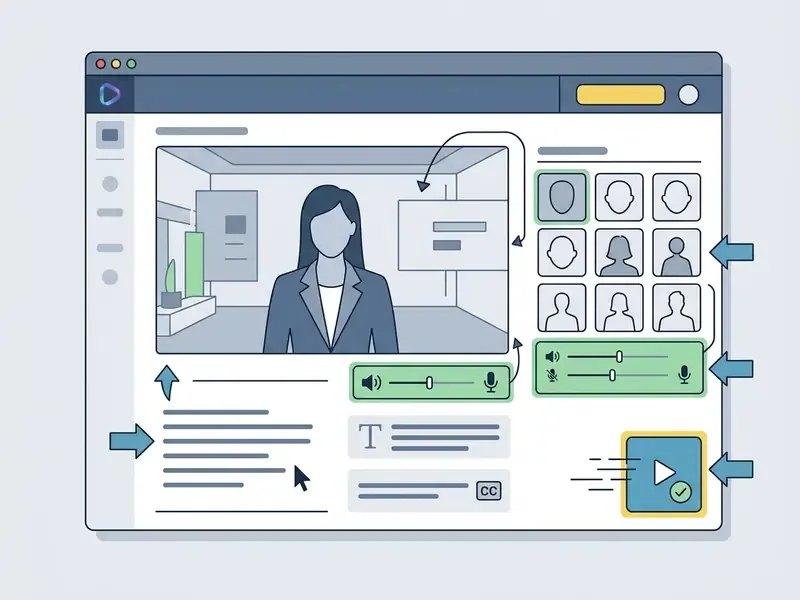
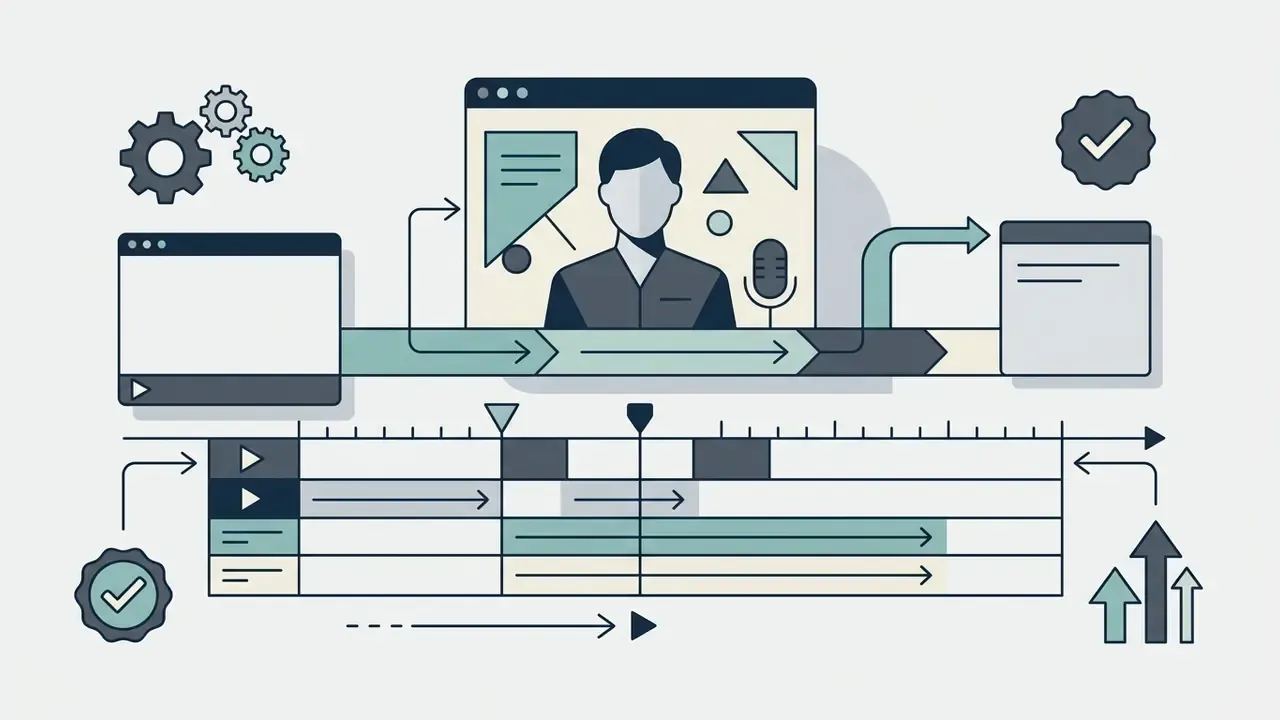
The HeyGen AI Studio online editor lets you change the script, swap the avatar, refresh the background and correct the audio track inside the project interface, without a reshoot and without a full re-render of the whole asset.
AI Studio is organized scene by scene. A user can reopen an existing project at any time, edit a single line of the script, change the presenter, or replace a static background with footage from the built-in stock or generative library. Existing footage can also be uploaded into AI Studio and restyled from a text prompt: change visual style, swap an object, re-light a scene, refine details, with frame-level control available when needed. For compliance content, this is the feature that actually saves money, because a regulatory wording change no longer means a new shoot.
Virtual camera and shot direction
Cinematic camera movement without a physical shoot. The editor exposes lens choices and stackable movement presets:
- Dolly / Push: smooth approach to or retreat from the avatar;
- Orbit: arc-shaped panning around the subject;
- Crane / Handheld: simulation of a camera crane or hand-held shooting with natural parallax and adjustable depth of field;
- Advanced transitions: seamless cuts between stacked shots inside one scene;
- Reference matching: upload a reference clip and the model copies its pacing, gestures and choreography;
- Mood description: tailor the visual look from a short description instead of a 200-word prompt.
HeyGen AI avatars: stock models, photos and custom characters
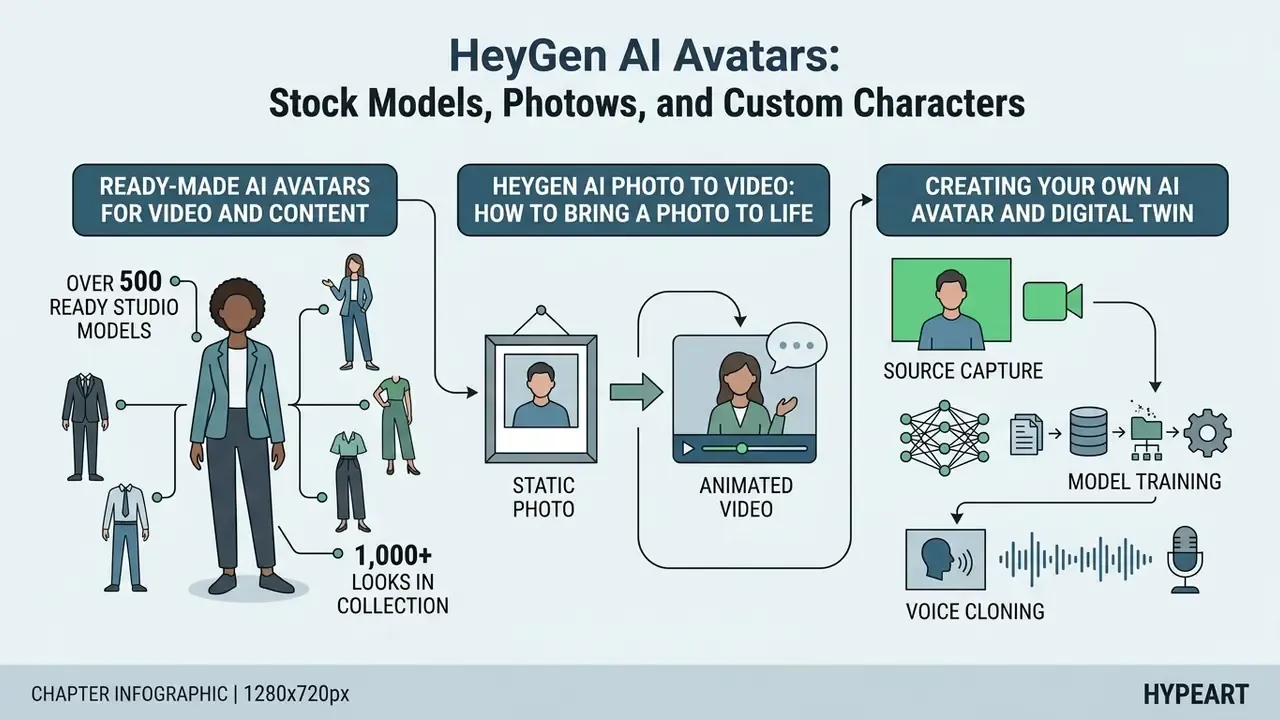
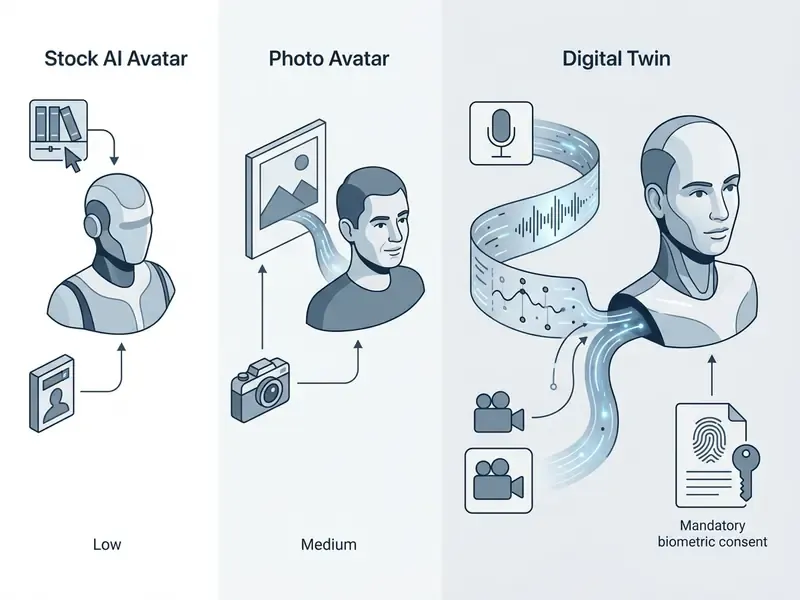
The avatar library includes more than 500 ready studio models (stock avatars, with over 1,000 looks marketed across the collection), a photo-animation tool and digital twin technology built from a user recording.
Structurally, avatars split into groups (the character) and looks (outfit, pose, background), so you can switch wardrobe and framing for the same persona inside one project. For an avatar inventory, that structure is useful: one owner per group, approved looks listed underneath.
Ready-made AI avatars for video and content
Stock AI avatars are pre-trained digital character models spanning ethnicities, ages, wardrobe styles and professional roles. Think of the library less as a casting sheet and more as an avatar video maker app with a fixed, pre-cleared talent pool.
Business presentations typically use studio_avatar models with fixed poses and backgrounds, which suits training courses and corporate announcements. Social-first campaigns lean on dynamic UGC-style presenters. Choosing a stock avatar requires no model-training spend and is available on every plan, including Free. It is also the lowest-risk starting point, since no employee likeness is involved.
HeyGen AI photo to video: how to bring a photo to life
The heygen ai photo to video function turns a static portrait (PNG or JPEG headshot up to 32 MB) into a talking avatar with narration and articulation. For the category context of animating stills, see our reference on image-to-video tools.
Baseline image quality still matters. Even lighting without harsh shadows, a clean subject and a neutral closed-mouth expression produce the most stable renders. Specification correction: unlike earlier algorithms, the current Avatar IV engine drops the strict front-facing requirement. The system generates animation from photos with tilted heads, side profiles and angled poses, which frees up your source material. The engine also handles stylized characters: anime, 3D graphics, sketches, hand-drawn portraits and non-human characters (animals, fantasy creatures) with adaptive gesture dynamics, in portrait or full-body format. Avatar IV additionally reacts to script tone and emotion, layering expressive hand gestures onto synchronized speech.
API documentation notes that Avatar III drives the dedicated photo-to-video pipeline, Avatar IV provides the broadest coverage for still-image animation, and Avatar V delivers the highest-fidelity motion and lip sync (HeyGen Documentation, 2026). To prepare portrait source material, review our guide to AI headshot generators.
Creating your own AI avatar and Digital Twin
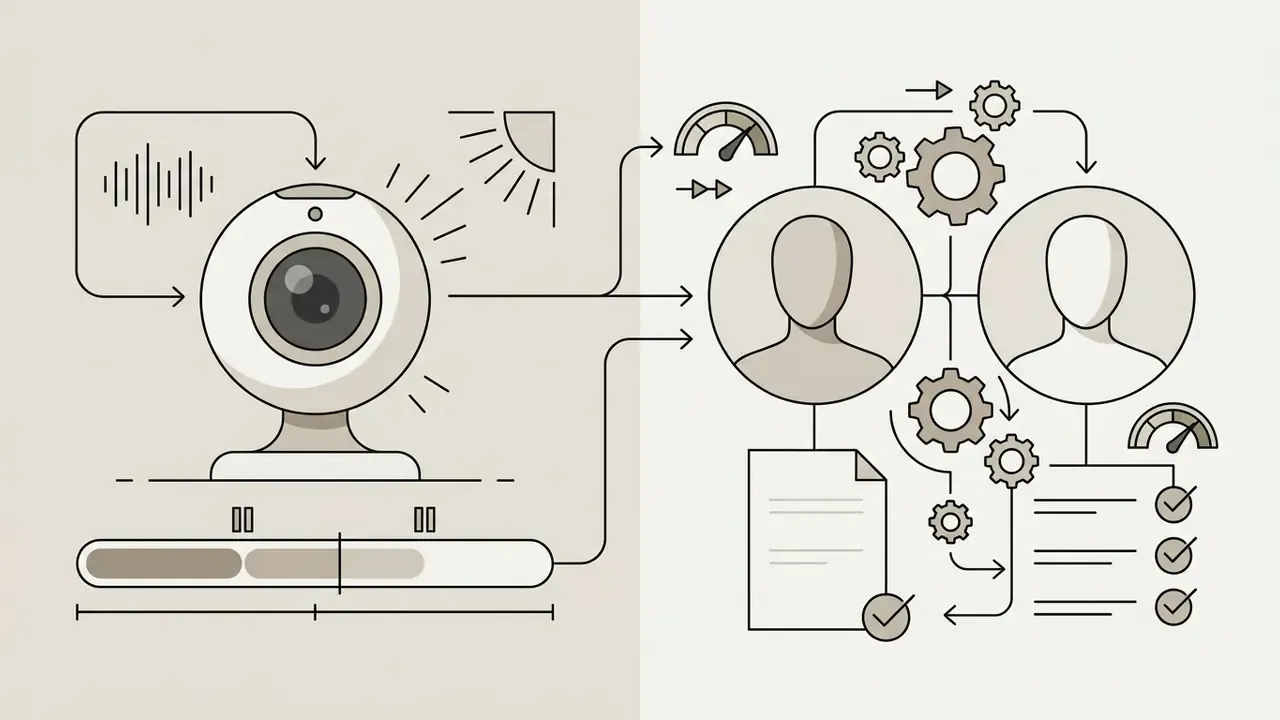
Specification correction: creating a personal digital twin on the Avatar V engine now takes as little as 15 seconds of webcam recording. The model learns how the speaker moves, gestures and articulates, then performs in any outfit, setting or look with phoneme-level lip sync across 175+ languages and dialects. The legacy path, a continuous 2 to 3 minute 1080p or 4K recording, remains the higher-fidelity option for flagship executive twins and still appears in HeyGen's filming-tips guidance. It is no longer the minimum.
The custom-character workflow has three stages:
For scale context on what underpins this class of model, high-quality talking-avatar systems train on very large annotated corpora:
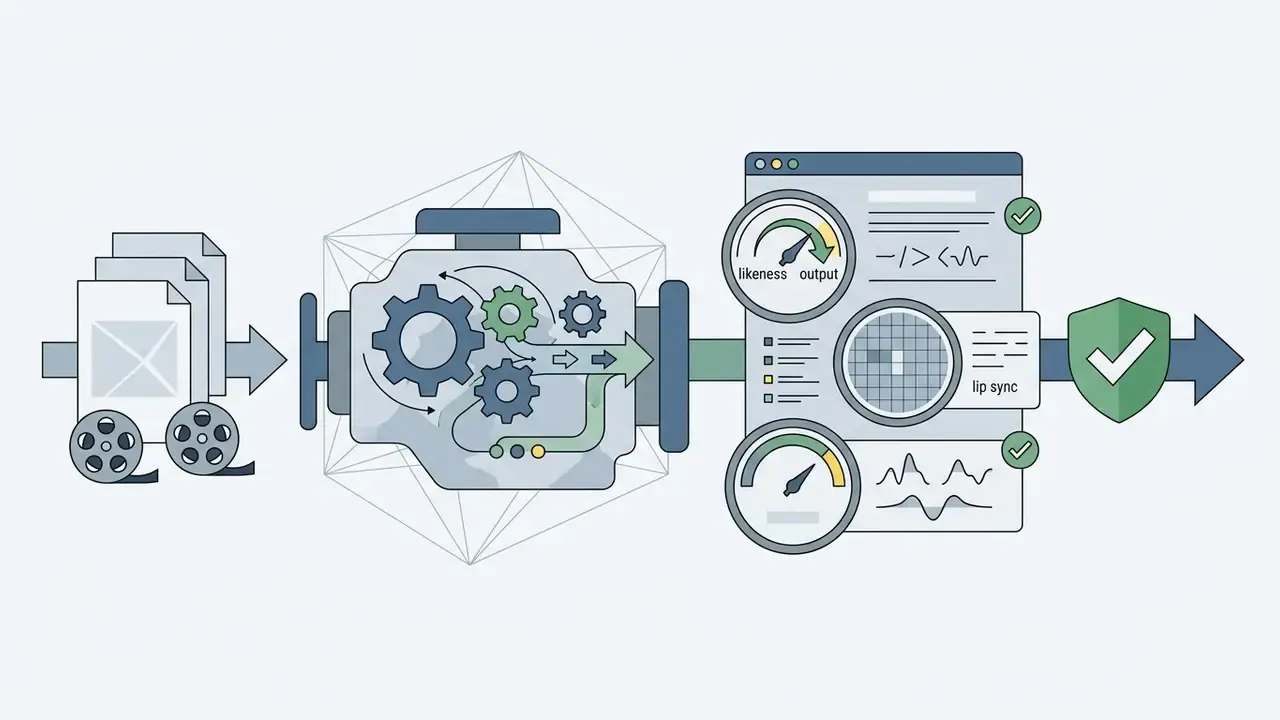
«DIVA-3D contains 73 hours of multi-domain 3D talking-head recordings.»
Photo Avatars follow a separate path. HeyGen's help documentation describes creating them by uploading 10 to 15 high-quality images, after which the avatar is validated before use. A CFO twin used in quarterly all-hands is a different risk object from a stock presenter reading a fire-safety script, and it should be logged that way.
Commercial use, compliance and security of AI video
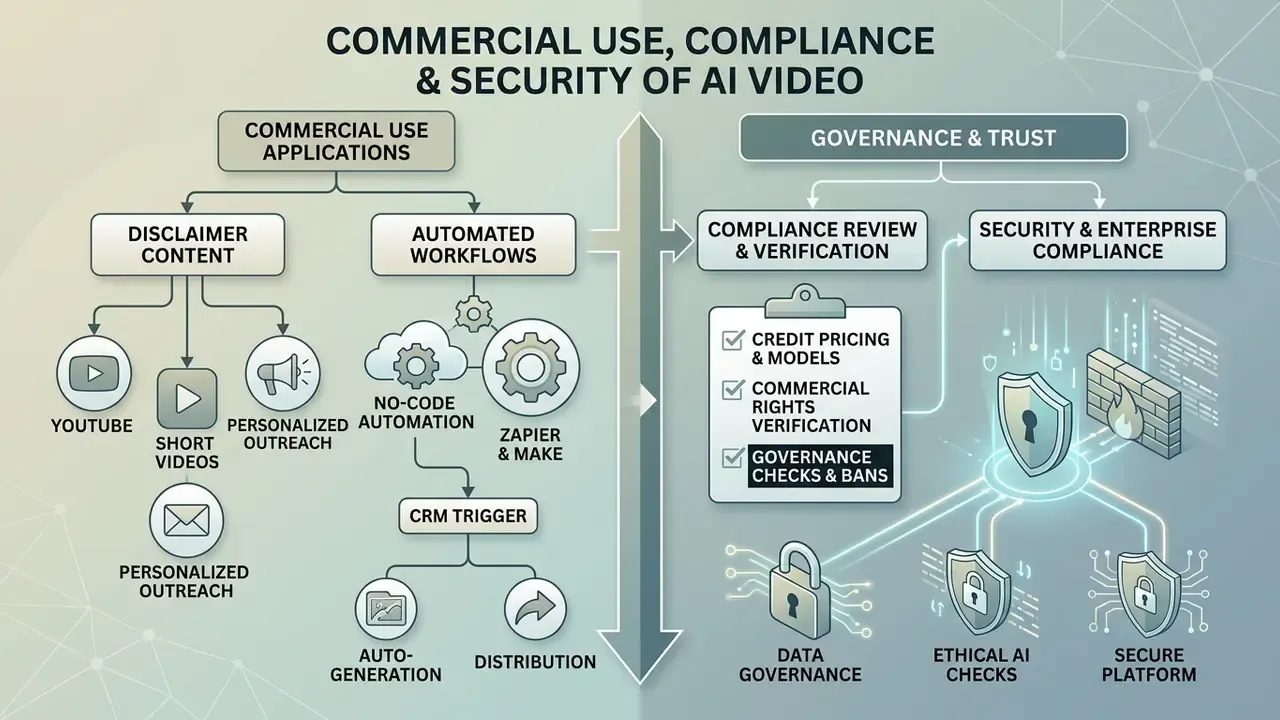
Commercial use of HeyGen output is gated by subscription status. The free tier prohibits any monetization; paid tiers (Creator, Pro, Business) grant full commercial rights.
The legal regime for generated content is set by the user agreement (HeyGen Terms and Conditions, 2026). On paid plans the user owns User Input and User Output, but the same user carries responsibility for third-party rights when uploading external images, logos and audio. Free-plan output is limited to personal, non-commercial internal evaluation. Adjacent rights questions for generated media are covered in our material on commercial use of AI media, and precedent is tracked in AI Litigation and Case Timelines.
Content for YouTube, short videos and personalized outreach
The platform exports one project in 16:9 (YouTube) and 9:16 (Shorts, TikTok, Reels), and can generate thousands of personalized clips through CRM integration.
For short vertical formats, HeyGen's own playbook guidance recommends keeping runtime inside 15 to 30 seconds to protect retention. In B2B sales the platform connects via API to CRM platforms such as HubSpot, injecting contact name, company, industry and custom fields into the avatar's lines, then writing the finished video link back to the CRM record.
Evidence note. One frequently cited deployment pattern involves a SaaS sales team wiring the HeyGen API to its CRM so that each new qualified lead triggers a 15-second personalized message from the assigned account executive. Self-reported outcomes include roughly 3x higher click-through on cold email and a 42% lift in demo conversion. No disclosed sample size, no control group, no published methodology. Treat them as directional signals and validate with your own A/B test before budgeting against them. For production workflows around video hosting, see our guide to YouTube video editors.
No-code automation through Zapier and Make
What to verify before commercial use of AI video
Before launching a commercial campaign, confirm rights to every uploaded asset, complete biometric consent verification (Consent Form) for custom avatars, and align the asset with the platform's moderation policy.
«Article 50 of the EU AI Act obliges providers of AI systems generating synthetic content to mark outputs in a machine-readable format as artificially created.»
Under EU AI Act Article 50, which applies to synthetic media from 2 August 2026, generated or manipulated video (deepfakes) must carry clear machine-readable marking plus disclosure at first exposure that the content was created by artificial intelligence. Consolidated transparency rules: https://artificialintelligenceact.eu/transparency-rules-article-50/
«Watermark AI-generated content, increase transparency of training data, and implement processes to detect and mitigate deepfake risks.»
US institutions should not read Article 50 as a European-only problem. Cross-border marketing, multilingual investor material and global intranets all travel, and state-level deepfake and biometric statutes add a second layer at home.
Enterprise security, data privacy and vendor due diligence
For banks, insurers and other regulated buyers, feature parity matters less than the data-handling contract. Publicly documented enterprise controls: the Business tier adds self-serve SSO, centralized billing, five custom avatar slots, 5x generation capacity and videos or translations up to 60 minutes (HeyGen release notes, January 2026). Enterprise adds private or controlled avatars, dedicated infrastructure, priority rendering, advanced security controls, a named manager and an SLA.
Items that are not resolvable from public marketing pages and must be obtained in writing before procurement:
- Security attestations. Request the current SOC 2 Type II report, ISO 27001 certificate scope and, where relevant, HIPAA posture. Do not infer coverage from a marketing claim. Requires vendor confirmation.
- Model-training exclusion. Ask explicitly whether customer scripts, uploads and avatar footage are used to train or fine-tune foundation models, and require a contractual opt-out. Requires vendor confirmation.
- DPA and retention. Obtain a signed Data Processing Addendum, sub-processor list, storage region and deletion timelines, including zero-retention options for API traffic. Requires vendor confirmation.
- Identity and access. Confirm SSO and SAML coverage, role-based access control, avatar-level permissions and audit logging. These are the practical controls against unauthorized avatar creation.
- Biometric law exposure. Map custom-avatar workflows against biometric statutes such as Illinois BIPA and equivalent regional regimes, since face geometry is processed during consent verification.
Where does synthetic video sit in a model risk framework? Honestly, the answer is still contested. It is not a credit model and it produces no scores, so classic SR 11-7 style validation fits awkwardly. A workable position, and it remains a hypothesis until your own second line signs off, is to treat the platform as a content-generation system inside the operational and reputational risk taxonomy, with model-risk style controls applied to two things only: the identity assets (avatars, cloned voices) and the automated agent that drafts scripts.
Pre-deployment risk checklist for banks and fintech
- Signed DPA in place, with sub-processors and data regions documented.
- Written confirmation that customer content is excluded from model training.
- Retention and deletion windows defined for source footage, voice samples and rendered assets.
- Consent Video archived for every employee digital twin, with a documented revocation and offboarding procedure, including twin deactivation on employee exit or role change.
- Avatar inventory maintained: owner, consent record, approved use cases, expiry date.
- Article 50 disclosure and machine-readable marking applied to every externally published synthetic asset.
- SSO and RBAC enforced; personal-email signups blocked to prevent shadow AI.
- Compliance sign-off workflow inserted between rendering and publication.
- SLA, rendering priority and incident-notification terms agreed for Enterprise workloads.
- Credit budget and per-engine cost ceiling approved by finance, using the cost model below.
How to create a video in HeyGen: the step-by-step process
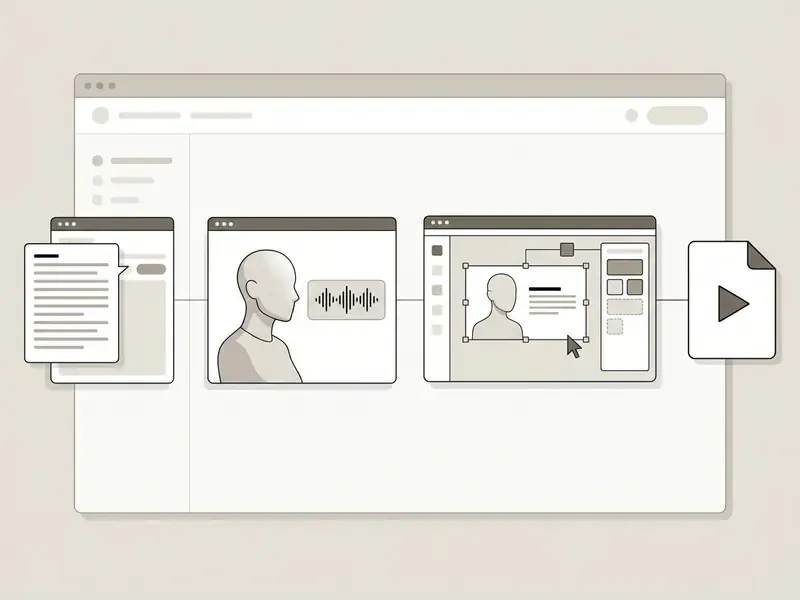
The workflow covers six sequential stages: framing the concept, loading the script, selecting the presenter, tuning audio, editing visuals and exporting the finished MP4.
Prepare the goal and the script
For natural delivery, split the script into meaning blocks of up to 2,000 characters and use punctuation and pauses to control pace.
Punctuation steers the speech engine directly:
- Commas create short, natural breaks;
- Periods produce longer semantic stops, and hyphens can correct pronunciation;
- Explicit pauses are inserted with tags such as
<break time="1s"/>.
Preview each scene before final rendering and refine tone line by line in the text editor. Small thing that saves rework: fix numerals and product names first, since those are where synthetic narration most often stumbles. When preparing corporate scripts and offers, the ai proposal generator speeds up drafting.
Choose the avatar, voice and language
Pairing avatar and voice means assigning a Primary Voice to the avatar group slot, then selecting an intonation preset in Voice Director that matches the message context.
For international audiences, select the target language (Spanish or German, for example) and the platform applies the matching voice and re-renders articulation. To stress-test a script before recording, the ai question generator helps surface the questions your audience will actually ask.
Configure, generate and export
The final stage covers export resolution (720p, 1080p or 4K), captions with SRT generation, background music and rendering.
Key parameters live in Advanced Settings:
- Resolution1080p is available on all paid plans; 4K export requires Pro, Business or Enterprise;
- Captionsthe Enable Captions toggle produces two versions of the video, burned-in and clean, plus a downloadable
.srtfile; - Noise handlingRemove Background Sound cleans uploaded audio tracks of ambient noise, separately from background-music controls.
Pressing Submit starts generation. The finished file is downloaded from the Projects tab in MP4 format, and audio or caption files can be pulled separately from the same menu. One more step for regulated teams: archive the script version, the avatar ID and the approver name alongside the render. That is your audit evidence, and it costs almost nothing to capture at export time.
HeyGen AI avatar video generator pricing: plans and selection
The HeyGen AI avatar video generator pricing grid has five options: Free ($0), Creator ($29/mo), Pro ($49/mo), Business ($149/mo plus $20/seat) and a custom Enterprise plan. Creator drops to $24/mo on annual billing.
On paid plans, balance is consumed in credits, and credit burn per minute of finished video depends on the engine used (HeyGen API Docs, 2026):
- Avatar III 3 to 4 credits per minute;
- Avatar IV 16 to 31 credits per minute;
- Avatar V (maximum realism) 48 credits per minute;
- Precision Video Translation 10 credits per minute.
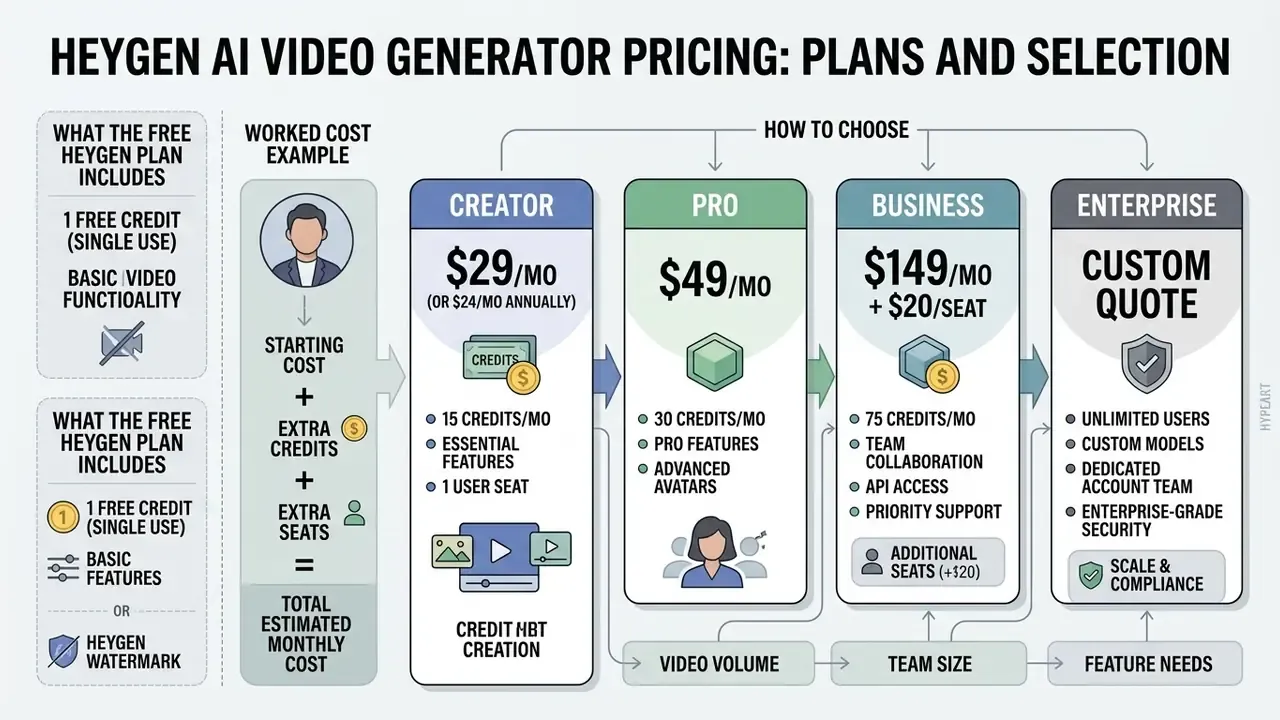
Worked cost example. A 2-minute onboarding module rendered on Avatar III consumes roughly 6 to 8 credits. The same script on Avatar V consumes about 96. On a Creator plan with 600 monthly credits, that is the difference between roughly 75 Avatar III minutes and about 12 Avatar V minutes per month. The governance implication is blunt: reserve Avatar V for externally facing, brand-critical assets, and route high-volume internal compliance content to Avatar III or IV. Add Precision translation at 10 credits per minute per target language when localizing, and budget API traffic on its own line. Comparative pricing analysis across generative services is collected in the AI Media Pricing Guides.
What the free HeyGen plan includes
Creator, Pro, Business and Enterprise: how to choose
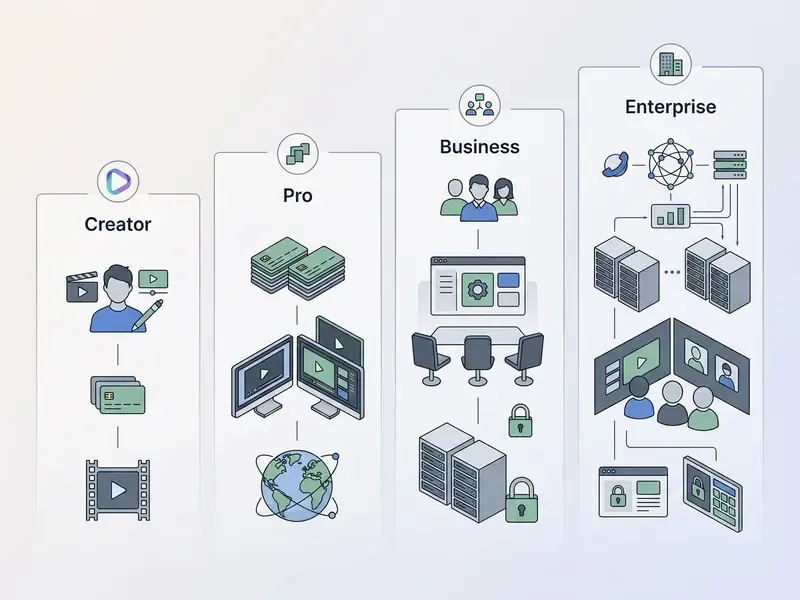
The choice depends on required clip length, 4K export, credit volume and team collaboration needs. Creator suits solo authors, Pro suits advanced 4K production, Business suits departments with seats, and Enterprise suits large-scale integrations.
- Creator ($29/mo, or $24/mo annually)600 credits per month, up to 30 minutes per clip, 1080p export without watermark, voice cloning, unlimited photo avatars, credit rollovers, 175+ languages.
- Pro ($49/mo)1,000 credits per month, 4K export, faster processing, translation-script editing, access to all advanced AI models, customizable monthly usage (help documentation shows Pro scaling up to 100,000 credits per month).
- Business ($149/mo plus $20/seat)1,500 credits per month, videos up to 60 minutes, 5 custom avatar slots, 5x generation capacity, self-serve SSO, centralized billing and team collaboration.
- Enterprise (custom quote)unlimited video length, private or controlled avatars, dedicated infrastructure, priority rendering, advanced security, dedicated support and SLA.
For a bank, the practical floor is Business, purely because SSO and centralized billing are the two controls that stop unmanaged accounts spreading. Additional tool-comparison matrices are available in AI Media Comparison Matrices.
HeyGen AI alternatives: when to compare other AI video generators
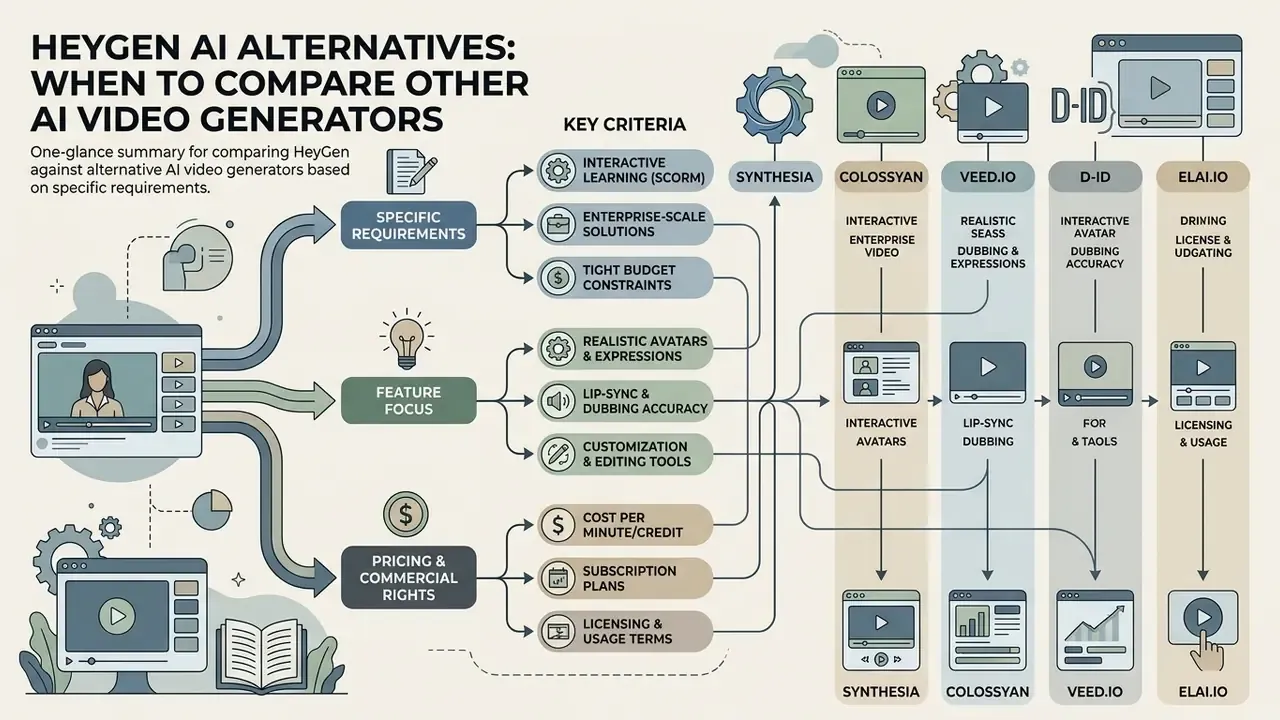
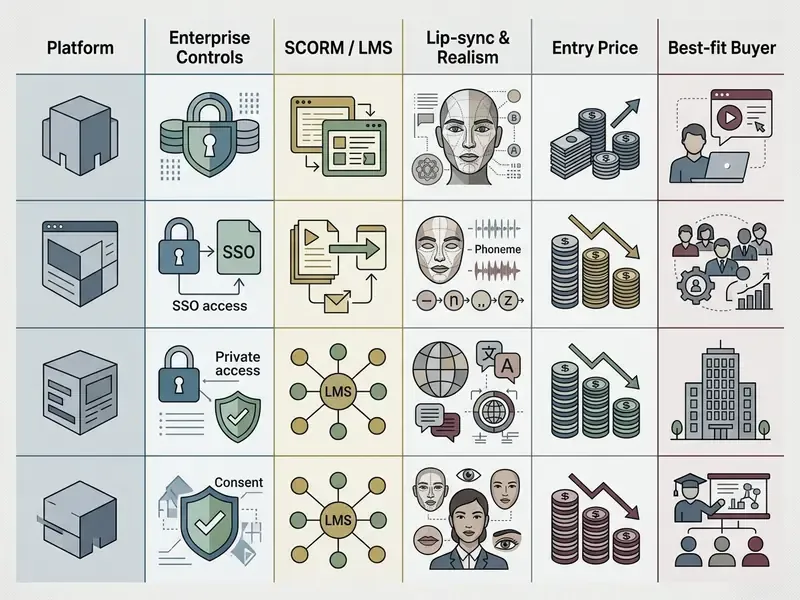
Compare HeyGen against alternative AI video generators when you have specific requirements for interactive learning (SCORM), tight budget constraints, or enterprise-scale governance needs.
The generative video market offers niche solutions for different jobs. A broader side-by-side of leading AI video generators is a useful starting point before shortlisting.
Criteria for comparing HeyGen with alternatives
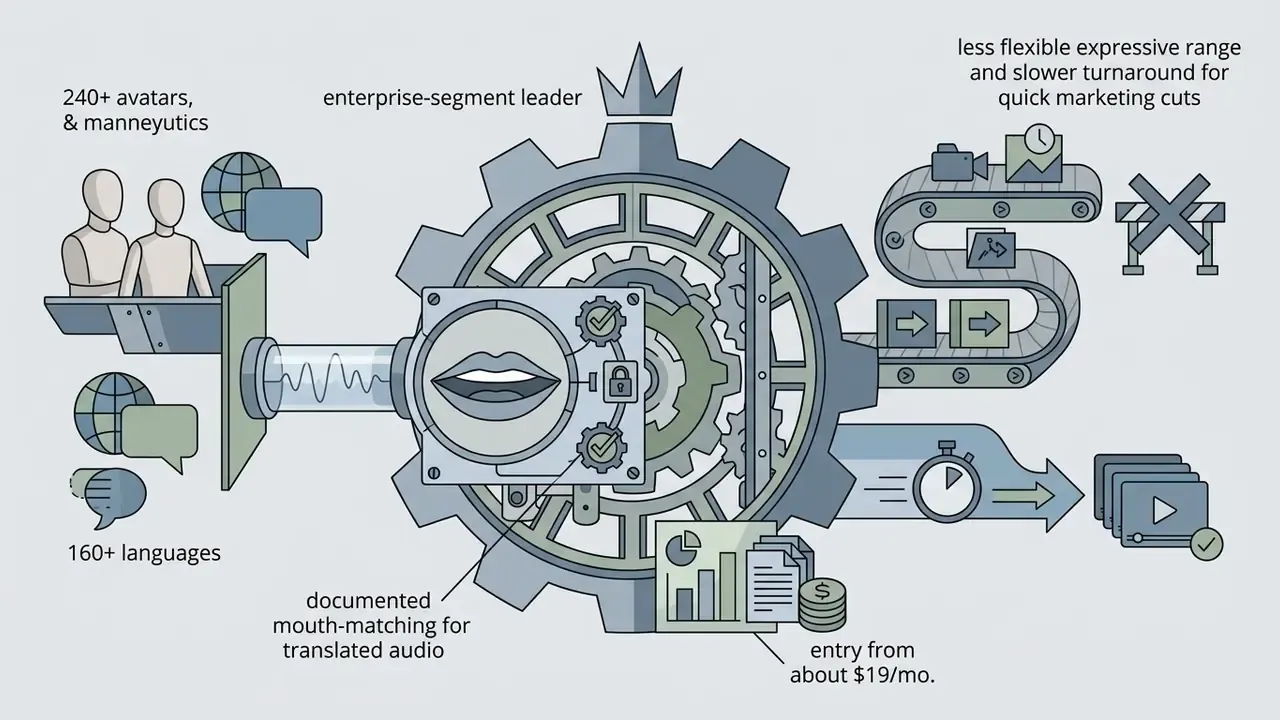
Decisive criteria: avatar realism, lip-sync accuracy, supported language count, editing depth, LMS and SCORM compatibility, API access, security posture and pricing structure.
«Multilingual avatars that preserve voice and appearance identity are technically feasible within a single pipeline for digital marketing.»
For teams planning code-level integration of any of these engines, start with the AI Media API section and the Google Veo implementation guide.
FAQ about the HeyGen AI video generator
What are the photo requirements for HeyGen photo to video?
Photo-to-video accepts a PNG or JPEG headshot up to 32 MB. Even lighting without harsh shadows matters, glasses or hair should not cover the eyes and lips, and a neutral closed-mouth expression renders most reliably. With the Avatar IV engine, a strictly front-facing shot is no longer required: tilted heads, side profiles and angled poses are supported.
Can HeyGen animate non-human characters?
Yes. Avatar IV explicitly supports human, anime and animal avatars in portrait and full-body formats, and official showcases include hand-drawn portraits, sketches, cartoon characters and fantasy creatures presenting scripted content. Lip-sync accuracy is still highest on photoreal human faces, so test stylized characters before you scale a campaign around them.
Can I generate B-roll and background footage inside HeyGen?
Yes. Sora 2, Google Veo 3.1, Kling 3.0 and Seedance 2.0 are integrated into the editor for cinematic B-roll, and Flux generates still images for backgrounds or thumbnails that can then be animated with image-to-video, all inside the same project and subscription.
What determines lip-sync quality in HeyGen?
Lip-sync quality depends on the selected engine (Avatar V delivers phoneme-level accuracy), the clarity of the audio track and the translation mode, since Precision provides frame-accurate mouth movement. Punctuation in the script also affects articulation and pacing more than most first-time users expect.
How many languages does the heygen ai talking avatar video generator support?
More than 175 languages and dialects. When translating an existing video, the system dubs the audio while preserving the speaker's timbre through voice cloning, then re-renders the avatar's articulation for the phonetics of the new language. Lip sync is controlled by mode: Audio Only disables it, Speed and Precision enable it.
What is the maximum length of a single video?
It depends on the plan: Free up to 1 minute, Creator and Pro up to 30 minutes, Business up to 60 minutes per clip. Enterprise has no stated duration limit.
Can I use HeyGen videos in commercial projects?
Yes, on paid plans, from advertising through to client deliverables. Free-plan output is restricted to personal, non-commercial internal evaluation and may not be sold, sublicensed, monetized or used in client work.
How are API costs billed compared with the web plan?
Web-plan credits and the API dashboard balance are separate. API consumption is topped up independently, starting from small increments, so finance teams should budget the two channels as distinct lines.
What does a regulated team need beyond the subscription?
Three things, at minimum: a signed DPA with documented data regions, archived consent records for every employee twin, and an approval step between rendering and publication. Without those, the tool is fast but the evidence trail is thin.
Appendix A: superseded specifications and verification log
Retained for transparency, since earlier guidance (including earlier versions of this page) circulated the following requirements:
| Superseded statement | Current status | Correct specification |
|---|---|---|
| «Creating a Digital Twin requires uploading 2 to 3 minutes of continuous 1080p/4K video.» | Outdated as a minimum requirement | Avatar V builds a twin from a 15-second webcam recording; longer continuous footage remains an optional higher-fidelity path. |
| «Photo-to-video requires a strictly front-facing portrait.» | Outdated | Avatar IV generates avatars from tilted heads, profiles and angled poses. |
| «Quality for non-human characters is lower.» | Partially outdated | Avatar IV officially supports anime, animal and hand-drawn characters; verify per asset rather than assuming degradation. |
| «Business plan at $89 per month» (third-party reviews) | Outdated pricing | Business is $149 per month plus $20 per additional seat, with 1,500 credits. |
Claim-verification notes. Vendor-reported scale metrics (1 million videos per day, 80% of Fortune 100) are supported by the Google Cloud customer case study but are not independently audited. TAVR metrics (ID 0.83, Sync-C 7.64) are academic experimental results retained as technical context. EU AI Act Article 50 obligations for synthetic media applying from 2 August 2026 are supported by the regulation and the JRC transparency report. Security attestations (SOC 2 Type II, ISO 27001) and model-training exclusions require direct written confirmation from the vendor and are not asserted here. Audience assumptions about buyer roles and pain points remain hypotheses until confirmed by interviews, analytics or CRM data.
Knowledge base navigation
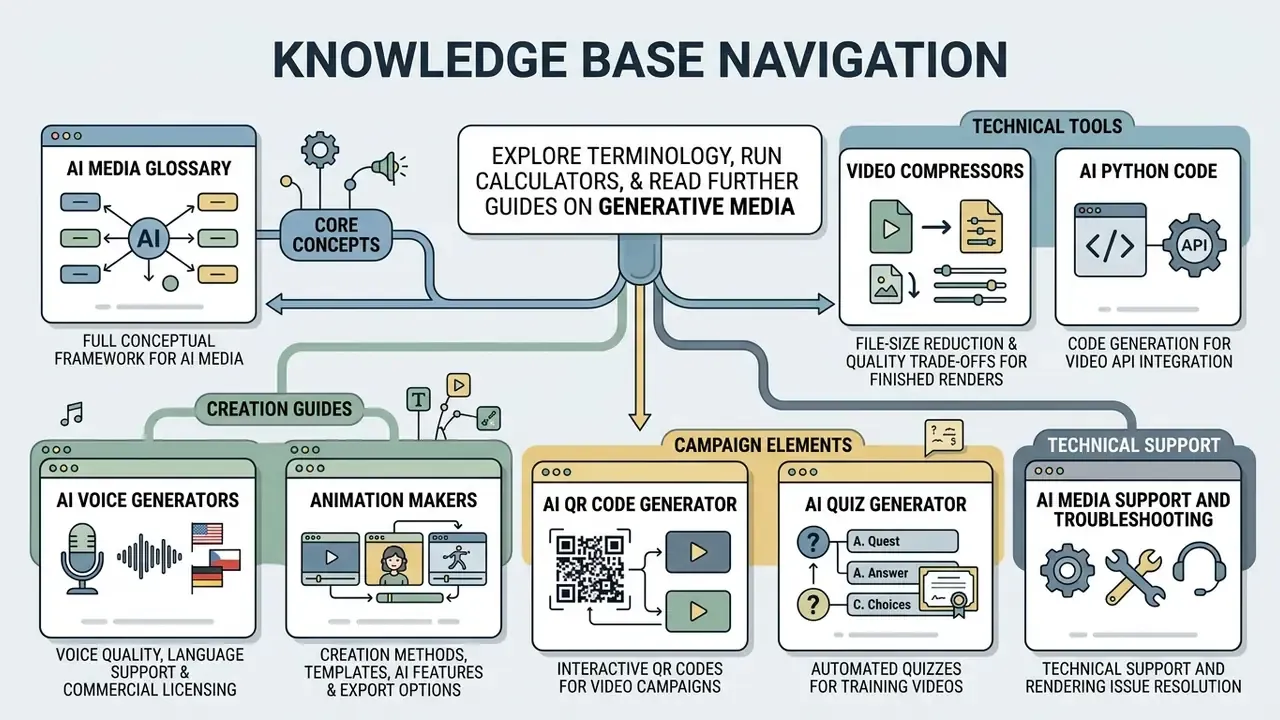
To explore terminology, run calculators and read further guides on generative media, use the following sections:
- AI Media Glossary, the full conceptual framework for AI media;
- Guide to AI voice generators, voice quality, language support and commercial licensing;
- Guide to animation makers, creation methods, templates, AI features and export options;
- Guide to video compressors, file-size reduction and quality trade-offs for finished renders;
- ai python code, code generation for video API integration;
- ai qr code generator, interactive QR codes for video campaigns;
- ai quiz generator, automated quizzes for training videos;
- AI Media Support and Troubleshooting, technical support and rendering issue resolution.