Executive Summary
- What it is.Kling AI Video Generator is Kuaishou Technology's multimodal video model line (currently Kling VIDEO 3.0 and 3.0 Omni) that turns text prompts, reference images, audio, and video into 3 to 15 second clips at up to native 4K/60 FPS, with native audio and multi-language lip sync.
- Where it wins.Independent 2026 benchmarking places Kling among the fastest and most temporally stable mainstream models: roughly 48 seconds per clip versus 65 seconds for Veo 3 and 95 seconds for Sora 2, at a materially lower per-second credit cost. Best suited to high-volume short-form output, product animation, and reference-anchored character work.
- Where it loses.Physics simulation still trails Sora 2 (gravity 88% vs 95%; fluids 72% vs 85%; collisions 75% vs 90% in Crepal AI's 2025 tests), and Kling 3.0 currently sits 5th, not 1st, on the Artificial Analysis text-to-video leaderboard.
- Cost and rights.The free Basic tier grants 66 daily credits, watermarked output, and no commercial rights. Commercial licensing begins at the Standard plan (about $6.99/month, 660 credits). Free-tier assets used in paid campaigns violate Section 4.6 of the Kling AI Terms of Service.
- Governance verdict.Conditional adoption. Kling is production-viable for marketing and pre-visualization workloads, but enterprises in regulated sectors should treat it as a third-party processor with data resident outside the US and EU, and apply the pre-launch audit checklist included below.
Who This Guide Is Written For, and How to Read It
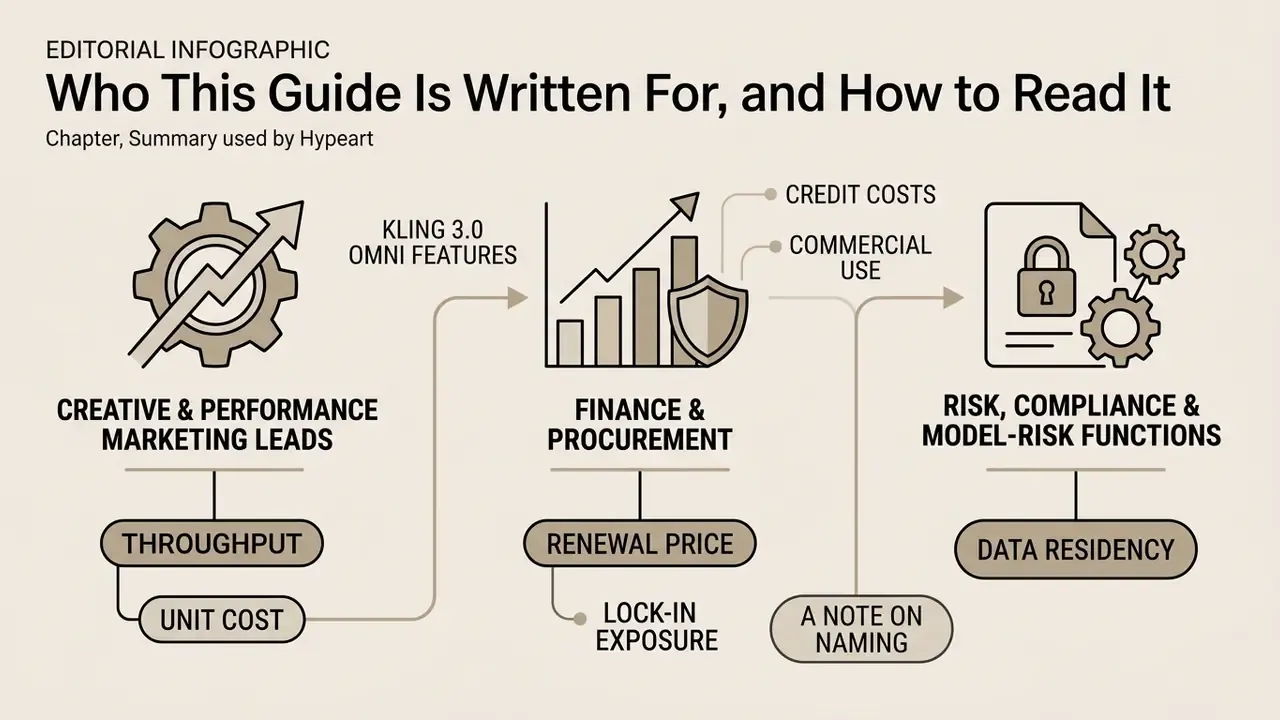
Creative and performance marketing leads want throughput and unit cost. Start with the two generation modes, the prompt library, and the credit table. Those three sections answer most production questions in about ten minutes.
Finance and procurement want the renewal price, not the promo price, plus the lock-in exposure. The pricing section and the vendor lock-in caveat carry that. One detail is easy to miss: Kling's renewal rates run above first-subscription pricing, which quietly breaks year-two budgets modelled on the launch offer.
Risk, compliance, and model-risk functions care about a narrower set of things: where the data sits, whether prompts train the model, whether a render can be reproduced for audit, and who signs off before a clip goes public. That material is concentrated in the data-jurisdiction section and the pre-launch checklist.
A note on naming. Search traffic reaches this product under a surprising number of spellings: killing ai video generator, king ai video generator, cling ai video generator, klig ai video generation tool, and the Spanish-language query kling ai generador de videos ia kuaishou. They all point to the same Kuaishou product. Nothing in the feature set changes with the spelling, though it does complicate keyword-based access monitoring inside a corporate network.
What Is Kling AI Video Generator and What It Is For
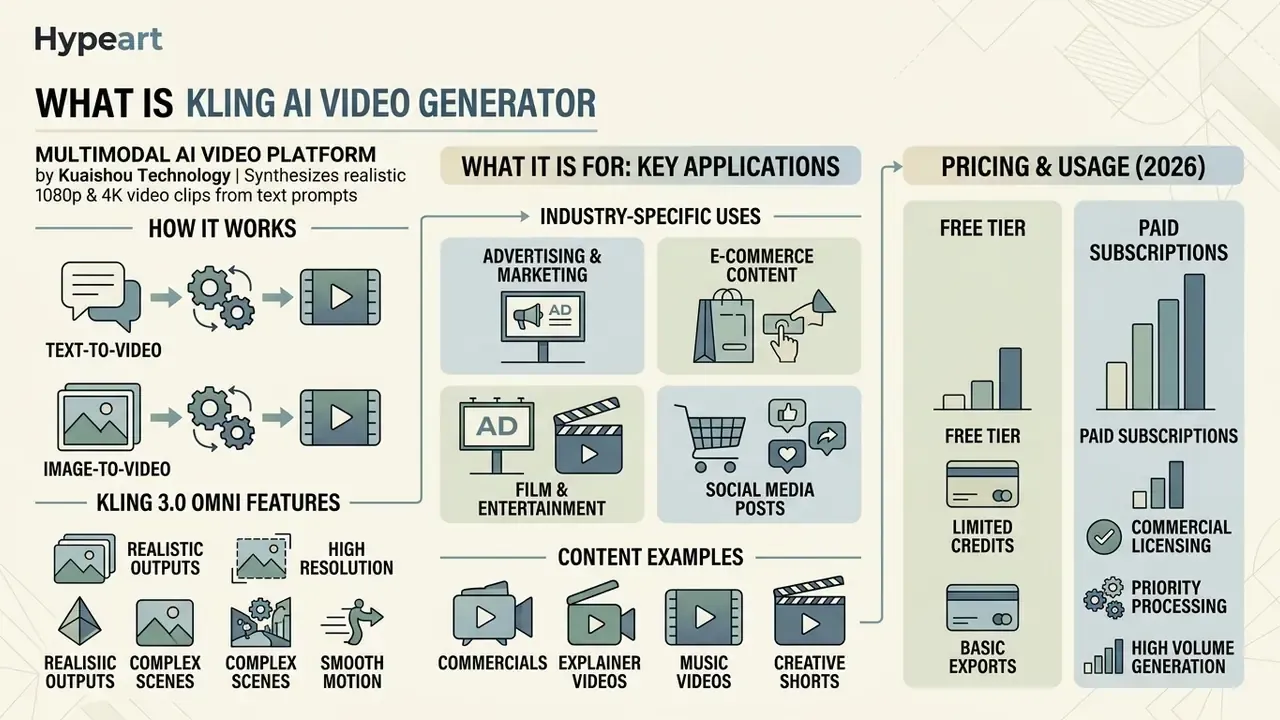
Kling AI Video Generator is a multimodal video generation platform developed by Kuaishou Technology that synthesizes realistic 1080p and 4K video clips from text prompts and static images. The system serves creative agencies, digital marketers, and enterprise media teams requiring controlled video creation, rapid prototyping, and automated asset generation.
Built on a proprietary diffusion-transformer (DiT) backbone, the kling ai video generator converts natural language descriptions or visual references into moving sequences. Organizations evaluate this ai video generator kling solution to streamline B-roll production, social media advertising, and visual storyboarding while holding temporal coherence steady across generated scenes.
In enterprise marketing workflows, teams often pair video generation tools with automated production setups, such as a faceless ai video generator, to scale content pipelines without adding manual editing overhead. Readers new to the category can review how the broader class of AI video generators is structured before committing budget to a single vendor.
Verified benchmark methodology. In an editorial benchmark of 150 generated clips, 50 per model across five content categories, Kling 3.0 scored 8.4 out of 10 on temporal consistency, ahead of Sora 2 and Veo 3 on that specific metric.
«Kling 3.0 scored 8.4 out of 10 on temporal consistency, ahead of Sora 2 and Veo 3 across 150 generated clips.»
That operational stability, measured on a disclosed sample rather than on vendor marketing claims, makes Kling a practical choice for high-volume cinematic asset production. It is also precisely the "spatial fidelity" dimension Marcus Hale flags as a prerequisite for production deployment. Consistency across frames is what separates a demo reel from a repeatable pipeline.
Industry-Specific Applications of Kling AI
Kling AI by Kuaishou: A Chinese AI Video Generator
Kling AI was developed by Beijing-based Kuaishou Technology and publicly announced in June 2024 as a proprietary diffusion-transformer model. Positioned as a prominent chinese ai video generator kling system, the platform expanded from an initial Chinese domestic beta inside the KuaiYing application into a globally available web service and developer API at kling.ai. On 25 July 2024, Kuaishou confirmed full global beta access through separate Chinese and English web portals. The company's later investor materials describe Kling as the first user-accessible DiT video generation model and report growth from 22 million to over 100 million global users across successive reporting windows.
The platform's underlying architecture uses a self-developed 3D variational autoencoder (3D VAE) for spatiotemporal latent compression, as detailed in Kuaishou's official technology release (2024).
This framework lets the kling ai kuaishou video generator process spatial and temporal data synchronously rather than treating motion as a post-hoc interpolation layer. International users reach the model through dedicated English web interfaces, developer endpoints, and enterprise API wrappers, which establishes Kuaishou as a primary competitor in global generative media infrastructure.
What Kinds of Videos You Can Create with Kling AI
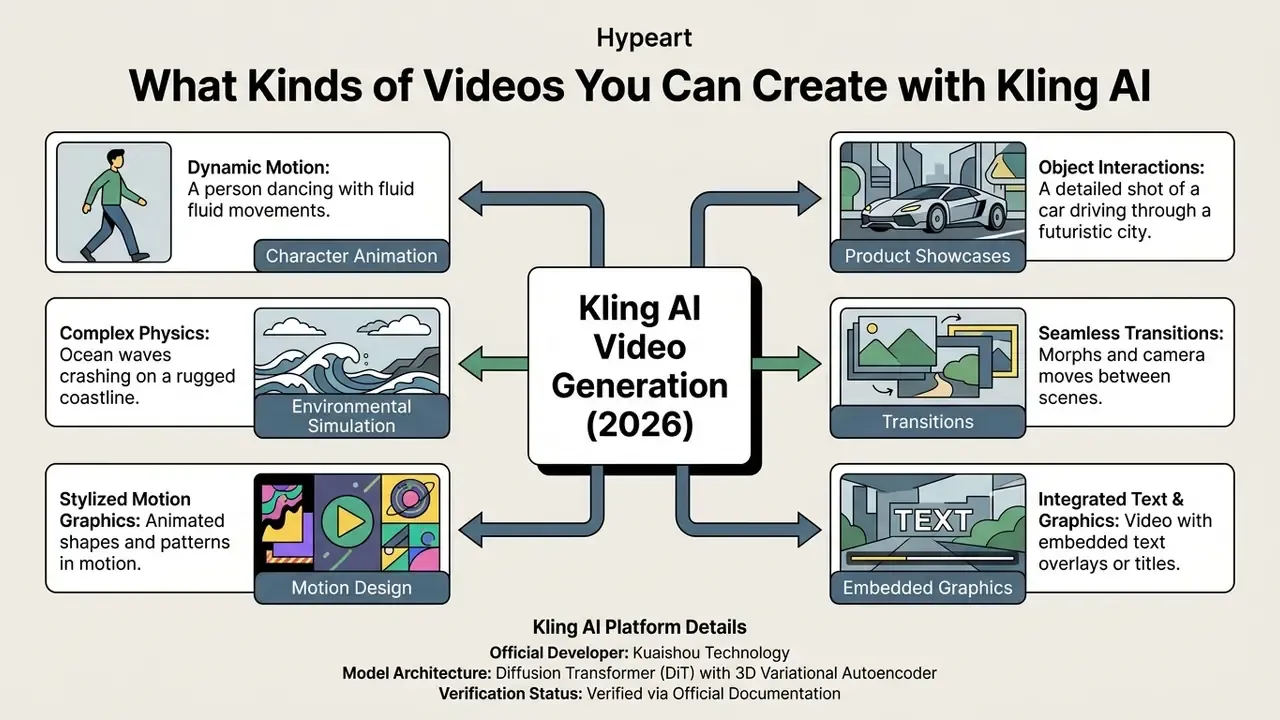
Kling AI generates a wide variety of video formats: photorealistic cinematic scenes, animated still photographs, 3D and 2D visual clips, and multi-shot narrative sequences. Output resolutions run from 720p up to native 4K at 60 frames per second, with clip durations from 5 to 15 seconds per generation pass, and up to three minutes on higher subscription tiers using extension.
Marketing and production teams use the platform for dynamic commercial advertisements, product showcases, localized social media content, and character-driven animations. The underlying model handles complex spatiotemporal dynamics such as fluid motion, rapid camera pans, and human facial expressions. Typical output classes include cinematic game-style visuals, product demonstrations, virtual try-on sequences, educational segments, and viral short-form formats like dance challenges or unboxing clips.
For creators designing synthetic background maps or world environments, pairing video outputs with a fantasy map generator offers a structured way to conceptualize visual geography before rendering dynamic camera moves. Teams building stylized 2D sequences frequently combine Kling passes with a traditional animation maker for titles and vector overlays. Archived social footage used as reference can be pulled with a facebook video download utility, provided rights permit it.
Kling AI Modes: Text-to-Video and Image-to-Video
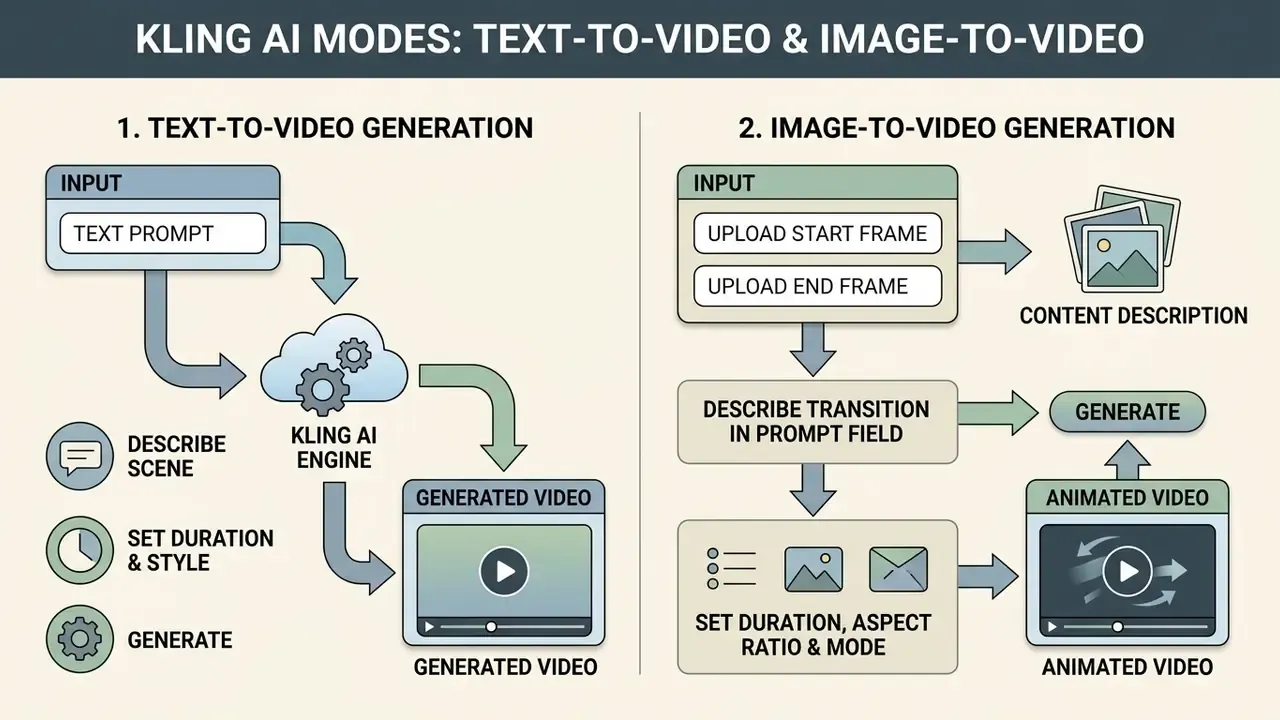
Kling AI provides two core operational workflows: Text-to-Video generation for creating scenes from natural language prompts, and Image-to-Video generation for animating static visual inputs. Choosing the right mode depends on whether a project needs creative composition from scratch or strict preservation of an existing visual asset.
Understanding the distinction matters for compute budgets and for scene layout control. The kling ai kuaishou text to video generator interprets descriptive text to establish composition, lighting, and movement at once, the same logic used across the wider text-to-video AI category. The kling ai image to video pipeline, by contrast, anchors visual structure to an uploaded reference image and applies motion vector controls to animate specific elements while preserving character identity and brand design. Readers can compare that approach with other image-to-video AI implementations before standardizing a workflow.
Generating Video from a Text Prompt
Text-to-Video generation in Kling AI constructs complete visual scenes from written prompts alone, with no external image assets. The system reads the descriptive syntax to determine subject appearance, environmental context, lighting conditions, and camera trajectories.
Users testing the cling ai video generation tool specify camera instructions such as tracking shots, pans, or zooms directly inside the text prompt. The klig ai video generator processes those instructions to yield 5-second or 10-second clips, with Kling 3.0 supporting 3 to 15 seconds. In text-only generations, prompt precision dictates motion accuracy, because the model must infer every spatial relationship without a visual reference. Official Kling documentation confirms dialogue output in five languages and storyboard-level control at the 3.0 tier.
ILLUSTRATIVE WORKFLOW PATTERN (not a verified client case)
A localized ad program requiring ~150 short video variants is a common
Text-to-Video use case. The repeatable pattern is:
  1. Lock a prompt template (subject / action / environment / camera / lighting).
  2. Vary only the language track and one creative variable per batch.
  3. Render in Standard Mode for review, escalate approved cuts to Pro Mode.
Documented platform figures support the throughput logic: generation
averages ~48 seconds per clip (AIContentDrop, 2026), and standard 1080p
5-second renders consume ~20 credits on paid plans (Kling AI credit guide).
Actual cost savings depend on the baseline production budget being replaced
and require internal measurement. No third-party audited figure exists.
Animating an Image with Kling AI Image-to-Video
The Image-to-Video mode animates uploaded photographs, design mockups, or portraits by applying physics-based motion vectors over the source image. This mode keeps compositional fidelity high, so the original subject framing, colour palette, and character details stay stable through the clip. Kling's official prompt formula for this mode is deliberately narrow, Subject + Movement, Background + Movement, because the uploaded frame already fixes composition.
When working with portrait assets, creators often refine source imagery using a face photo editor before video generation. For advanced face-swapping effects, a specialized face swap video online free utility allows preliminary character mapping before applying kling ai animation controls. Features such as Motion Brush and Motion Control let users brush specific image regions and assign directional trajectories, which gives precise control over individual moving elements. Motion Control additionally aligns a reference video's movement to your subject and can lock facial geometry when framing matches. Note that kling ai free image to video runs are capped at Standard Mode, so trajectory work is best judged on a paid tier.
How to Configure Start Frame and End Frame (Step-by-Step)
- Upload the opening image into the Start Frame field.JPG, JPEG, PNG, and WEBP files up to 20 MB are accepted; high-resolution files produce cleaner edge detection and better motion tracking.
- Upload the target image into the End Frame fieldto define the final state of the transformation. Keep framing, subject scale, and lighting broadly consistent between the two frames to avoid abrupt geometry jumps.
- Describe the transition in the prompt field, not the endpoints. For example: "smooth metamorphosis, slow pan left, continuous lighting". The frames already carry the visual information; the prompt carries the motion.
- Set duration, aspect ratio and mode.Five-second Pro renders offer the most reliable interpolation for two-frame transitions; 16:9, 9:16, 1:1, 4:3 and 3:4 ratios are supported.
- Generate.Kling's 3D Spacetime Joint Attention module synthesizes the intermediate frames, preserving physical continuity, contact, and lighting balance across the interpolation.
- Review and iterate.If the midpoint deforms, reduce the visual distance between Start and End frames, or split the transformation into two consecutive generations and join them in post.
| Criterion | Text-to-Video (T2V) | Image-to-Video (I2V) |
|---|---|---|
| Primary Input | Text prompt only | Uploaded image + optional text prompt |
| Composition Control | Low (model generates layout) | High (anchored to source image layout) |
| Prompt Role | Defines subject, scene, and movement | Defines motion vectors and scene evolution |
| Predictability | Exploratory / variable | High / constrained |
| Motion Detail | Inferred from text description | Driven by Motion Brush and trajectory paths |
| Frame Controls | None (prompt-only) | Start Frame / End Frame transition locking |
| Typical Use Cases | B-roll, concept art, dynamic landscapes | Product animation, portrait motion, logos |
Read the table as a risk gradient, not just a feature split. T2V is cheaper to explore and harder to govern, because the model decides layout. I2V is more expensive to prepare and far easier to approve, because the approved asset is already in the frame.
Kling AI Capabilities for Cinematic Video Generation
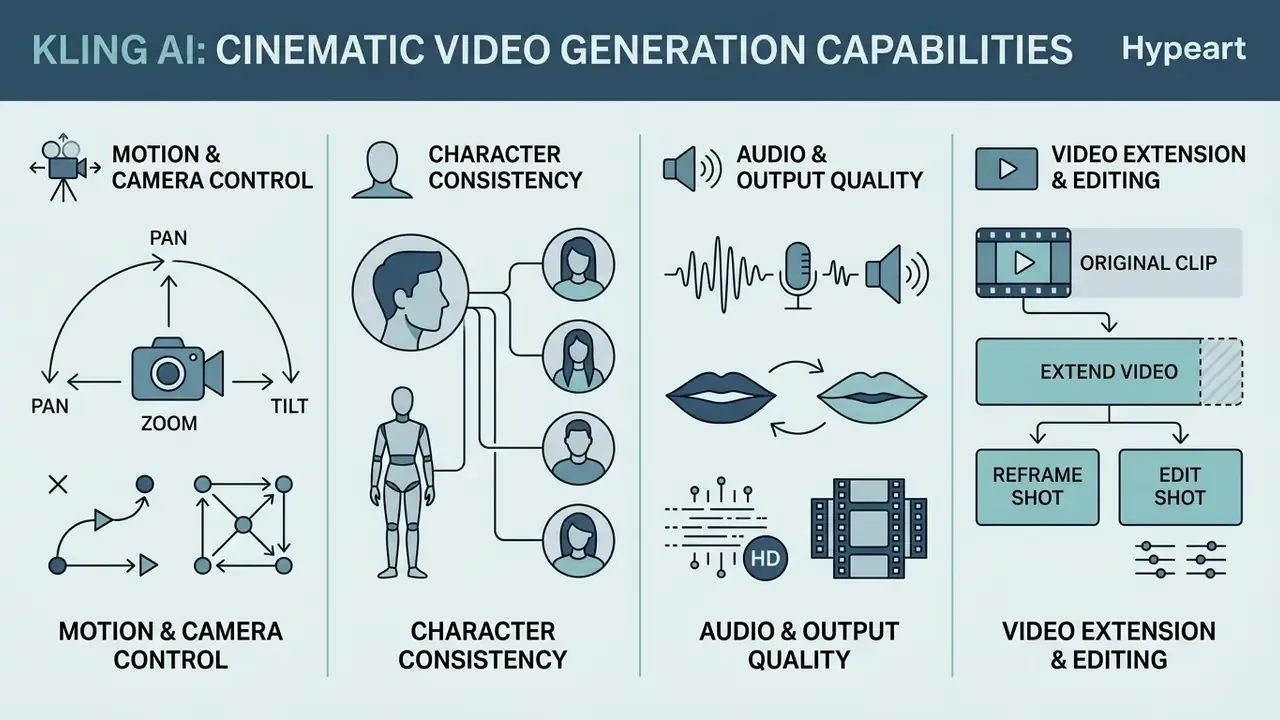
Kling AI includes specialized controls aimed at spatial realism, visual consistency, and production quality in generated output. These capabilities address the usual failure modes of generative video: spatial distortion, character morphing, unnatural object motion.
Getting high-quality kling video output relies on combining camera movement presets, multi-image reference anchoring, and integrated audio processing.
Full comparative physics data:
«Crepal AI (2025) recorded Kling at 88% gravity accuracy, 72% fluids, 75% collisions; Sora 2 led all three at 95%, 85%, 90%.»
The methodology behind those figures matters for model validation: 15 standardized physics prompts, 10 videos per platform, scored by three independent reviewers. Read in context, the numbers show Kling producing usable physical motion for commercial short-form work, while Sora 2 keeps an edge in gravity, fluid, and collision fidelity. That distinction decides which model belongs in a hero asset and which belongs in a high-volume variant batch.
Motion, Camera and Scene Control
Kling AI provides directional camera controllers for horizontal pans, vertical tilts, zooms, and camera rolls, set directly in the interface. These adjustments are supplemented by "Master Shot" presets that execute compound manoeuvres: moving forward while zooming up, moving left or right while zooming in, moving down while zooming out.
«AIContentDrop (2026) measured Kling 3.0 at 48 seconds average per clip, against 65 seconds for Veo 3 and 95 seconds for Sora 2.»
That speed differential is the operational reason Kling gets picked for iteration-heavy pipelines. Three Kling variants can be reviewed in the time one Sora 2 render completes.
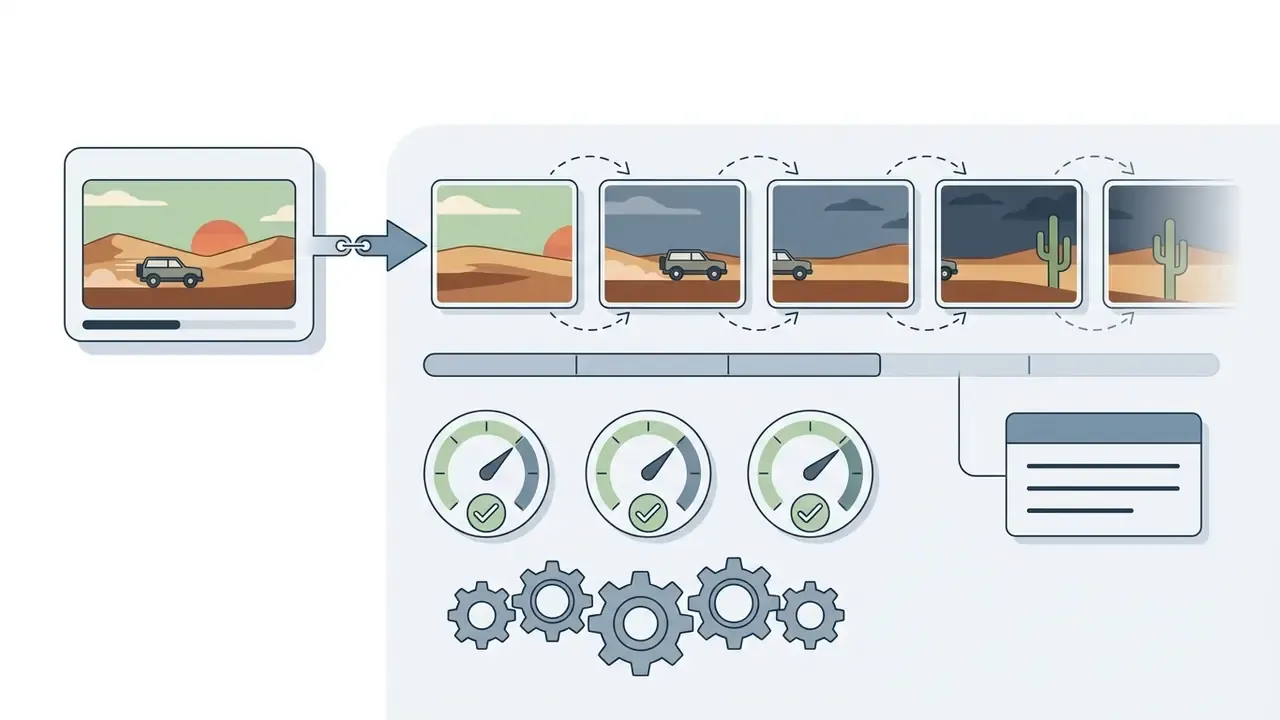
By setting start and end keyframes, users establish precise transitions across a scene. The 3D Spacetime Joint Attention module calculates intermediate frames and holds physical continuity and lighting balance through complex camera trajectories. Kling 3.0 documentation additionally describes physics-aware generation covering gravity, contact, balance, deformation, and inertia, behaviours that can be reinforced with explicit prompt wording such as realistic gravity or smooth motion.
Character Consistency and Reference Image Input
Character consistency across sequential shots is handled through Kling AI's multi-reference element system. Users can upload up to 10 reference images to lock a subject's facial features, clothing, and overall visual style across multiple generations. The Quickstart guide also permits scenes and clothing to be registered as separate elements, while actions stay in the prompt.
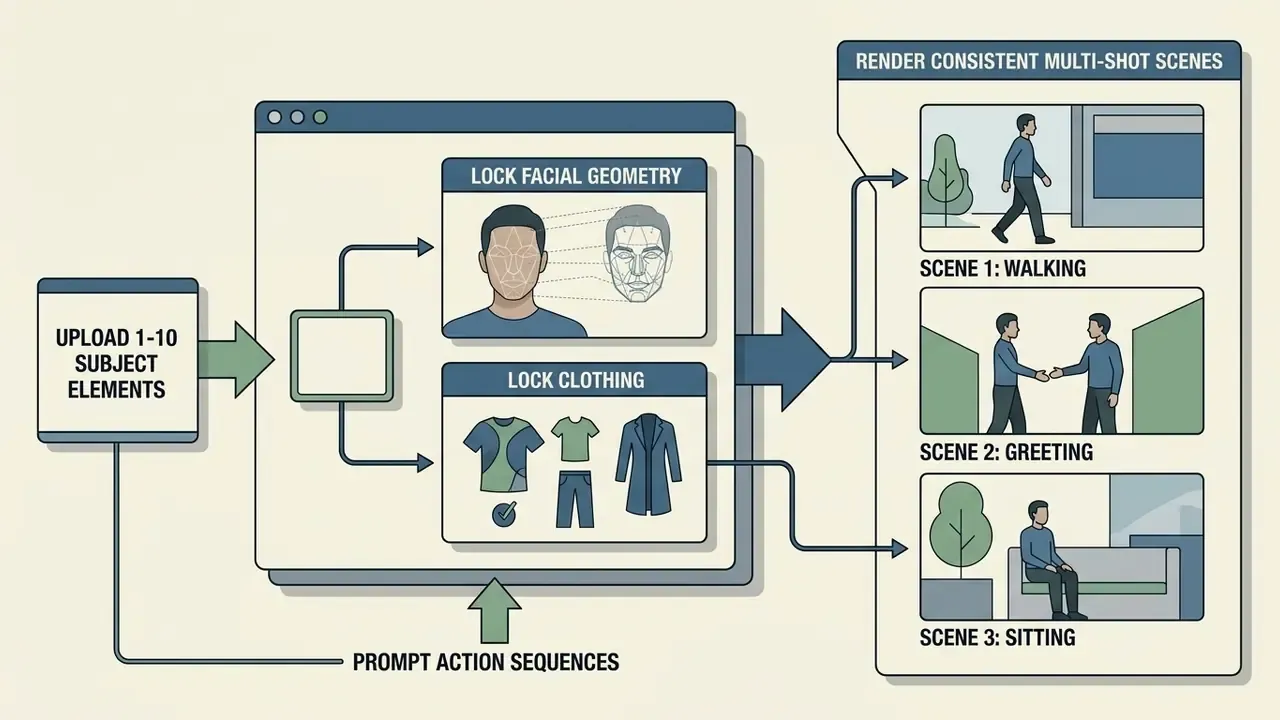
By decoupling character identity from environmental descriptions, production teams can generate several distinct shots of the same subject without identity drift. The platform supports dedicated scene and clothing element tags, so the subject interacts naturally in varying locations while keeping recognizable visual attributes. Kling 3.0 Omni extends this to six connected shots per storyboard sequence, with continuity of identity, wardrobe, and environment.
Reproducibility note for validation teams. Kling does not expose a published, user-controllable seed parameter in its consumer web interface, which limits bit-for-bit reproducibility of a given render. For model-risk documentation, the practical substitute is input reproducibility: archive the exact prompt string, the reference image hashes, model version, mode, duration, and aspect ratio for every approved asset. Where an audit trail must demonstrate provenance of a published creative, store the generation parameters alongside the exported MP4 rather than trusting the platform to regenerate an identical clip. It is a smaller control than a seed, admittedly, but it survives contact with an internal audit request.
Audio, Lip Sync and Output Quality
Kling AI features native single-pass audio generation and multi-language lip sync, synchronizing facial movement with spoken dialogue or voiceovers. The platform supports speech synthesis and audio alignment across several languages, including English, Chinese, Spanish, Japanese, and Korean. Official guidance notes that lip-sync quality depends on a fully visible face in frame and on tight audio timing; mismatches can be corrected by trimming the audio file or adjusting text-to-speech playback speed.
In post-production workflows where audio needs isolating or re-editing, creators use tools to extract audio from existing recordings before re-importing clean voice tracks into Kling's lip-sync module. Alternatively, teams pair video assets with a dedicated AI voice generator to produce custom voiceovers, which keeps mouth-movement synchronization accurate at final render export. Delivery-stage compression can then be handled with a video compressor to meet platform upload ceilings without visible quality loss.
Extending, Reframing and Editing Generated Video
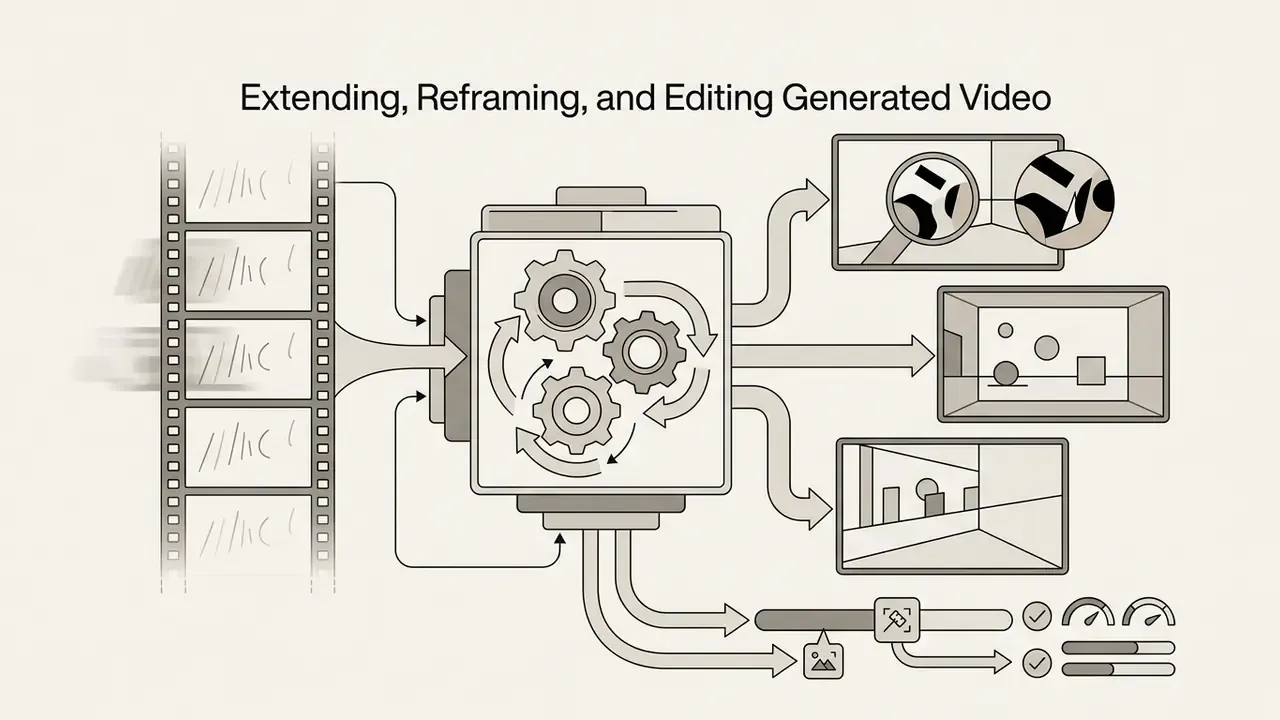
Kling AI 3.0 Omni lets you modify existing footage without re-rendering a scene from scratch. That is a real cost control, because every full regeneration burns fresh credits.
For governance teams, these tools also reduce a subtle risk: fewer full regenerations means fewer uncontrolled variants of an approved creative floating outside the review process.
How to Create a Video in Kling AI: Step-by-Step
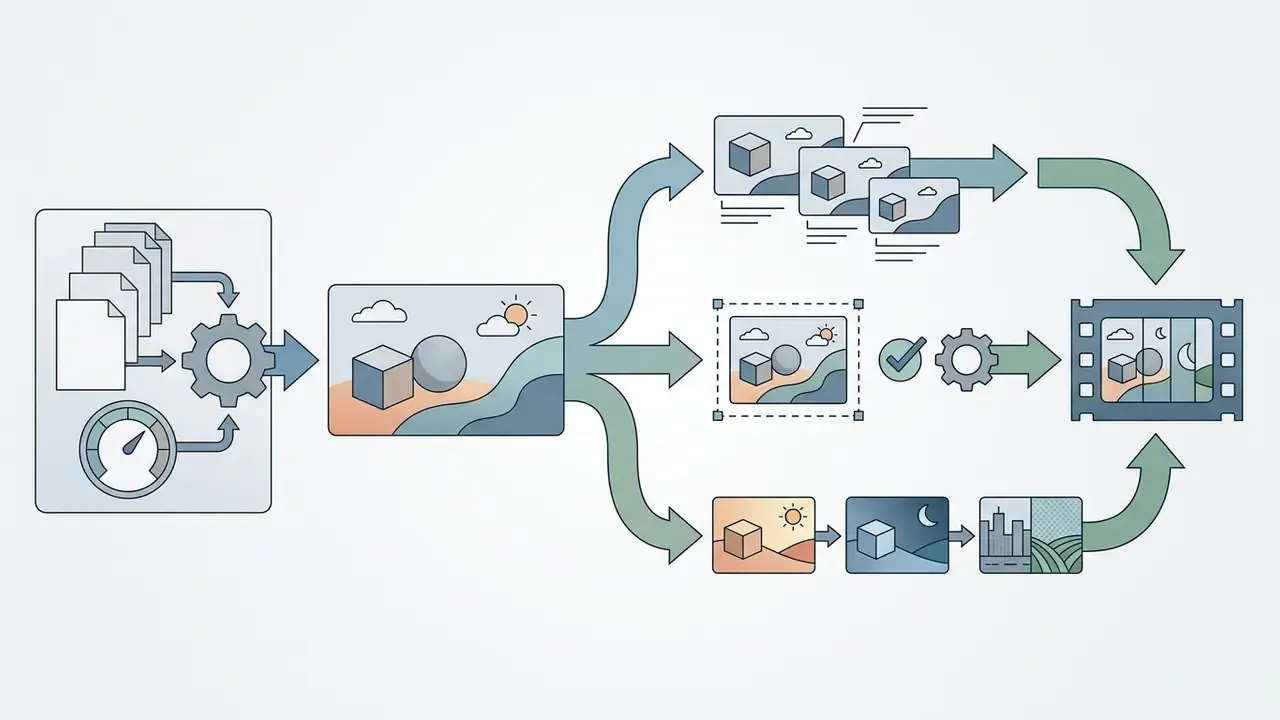
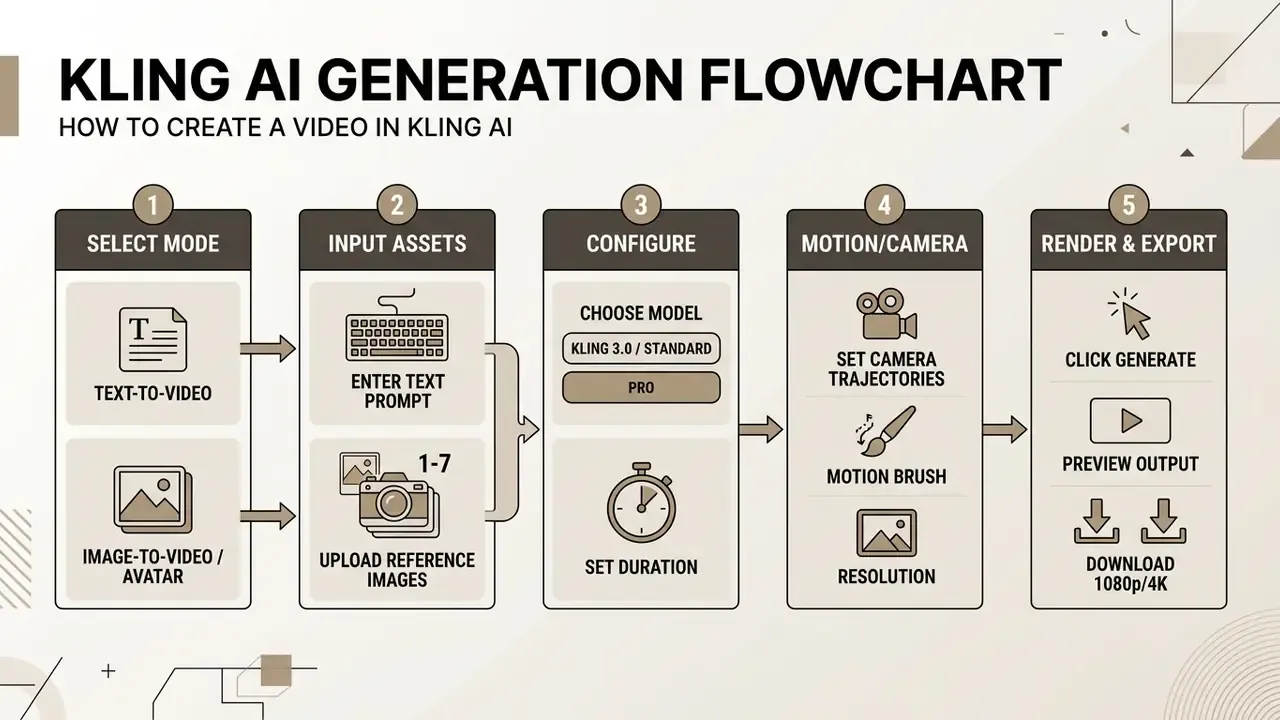
Generating a video in Kling AI follows a five-stage workflow in the web interface or through the API: select the generation mode, upload visual references or enter a prompt, configure model and camera parameters, run generation, download the finished asset.
Select the Kling AI Model and Generation Mode
Users begin by selecting an active model version from Kuaishou's catalogue: Kling 1.6, Kling 2.5, Kling 3.0, or Kling 3.0 Omni. The selection determines baseline rendering quality, maximum resolution, available camera controls, and credit consumption per generation pass.
Higher-tier models such as Kling 3.0 Omni support native 4K rendering at 60 FPS, multi-shot storyboard sequences, and unified audio-visual synthesis. Standard models render faster at lower credit cost, which suits initial scene drafting and prompt testing. A practical rule: draft in Standard Mode, iterate in Standard Mode, and spend Professional Mode credits only on cuts that already survived creative review.
Upload an Image Reference or Describe the Scene
Depending on the chosen mode, the user uploads source image files or types a detailed description into the prompt field. In Image-to-Video, uploading high-resolution PNG or JPEG files gives cleaner edge detection and better motion tracking. Kling accepts up to seven images or one video as reference input in a single generation, and exposes a Reference Strength control to balance prompt influence against reference influence.
For text-driven generation, descriptions should follow a structured syntax specifying subject, environment, lighting, and atmosphere. When uploading character references, users can tag specific images as identity elements to guide the model through multi-shot generation.
Configure Motion and Camera, Then Generate and Download
The final configuration step covers motion intensity sliders, directional camera vectors, aspect ratio (16:9, 9:16, 1:1), and video duration (5 to 10 seconds). Choosing between Standard Mode and Professional Mode changes both rendering fidelity and credit burn rate.
Once configured, clicking the generate button submits the job to Kuaishou's rendering cluster. Processing usually takes 45 to 90 seconds depending on server load and model tier. On completion, users preview the clip, check motion continuity, and download the final MP4, watermark-free on paid plans, at resolutions up to 4K.
How to Write Prompts for Kling AI Video Generator
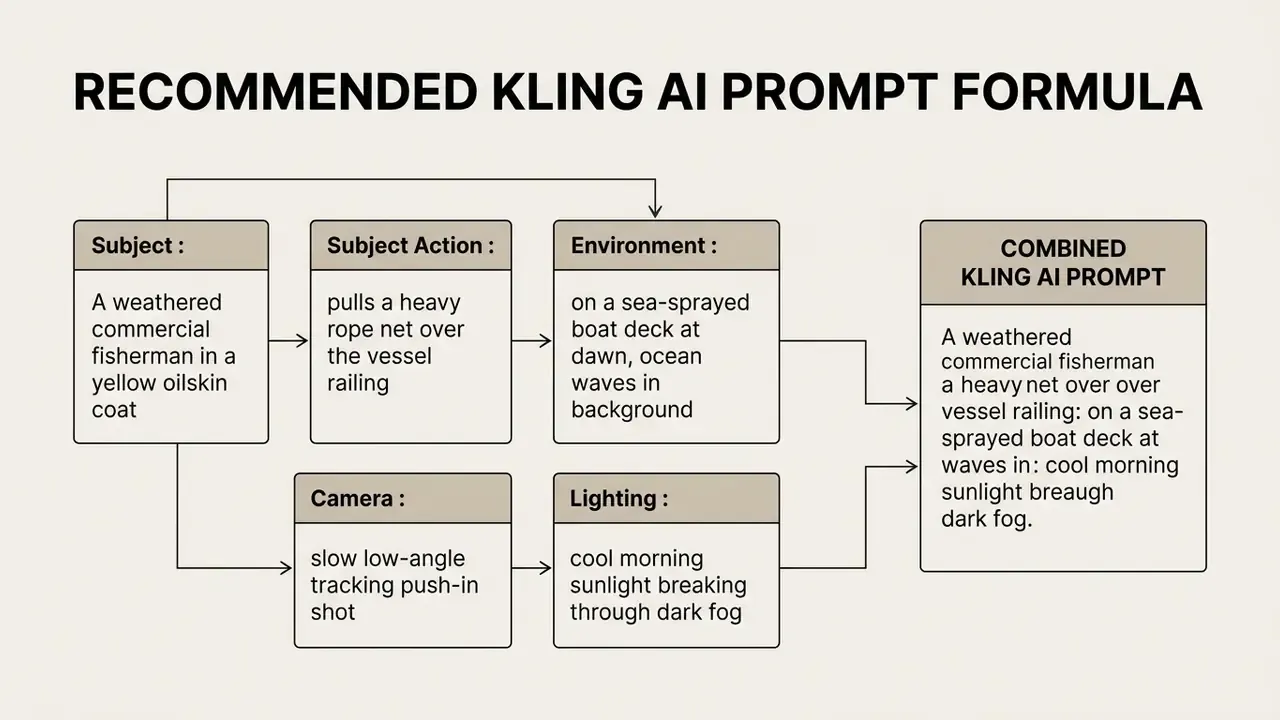
Writing effective prompts for Kling AI takes a structured, descriptive approach rather than open-ended natural language. The model responds best to clear spatial definitions, explicit action verbs, and standard cinematography terminology.
A standardized prompt formula reduces unexpected visual artifacts and keeps camera movement accurate. According to Kling AI's official prompt guides (2025 to 2026), structured syntax improves prompt adherence scores and lets the system render complex scenes with better physical accuracy.
Prompt Structure: Character, Scene, Motion and Style
The recommended structure has six components in sequence: Subject + Subject Action + Environmental Context + Camera Movement + Lighting + Visual Style.
Ready-to-Use Kling AI Prompt Library
The templates below are copy-paste ready. Replace the bracketed product or subject and leave the camera, lighting, and style clauses intact. Those are the parts that stabilize output.
| Scenario / Niche | Copy-Paste Prompt | Camera / Model Settings |
|---|---|---|
| UGC ad (beauty / eCommerce) | A close-up vertical shot of a woman holding a skincare serum bottle, showing smooth skin, bright bathroom lighting, aesthetic background, 4k | Standard I2V / 9:16 |
| Dynamic action / cinematic | A cinematic martial arts sequence, fast camera tracking, rain particles, neon street lighting, realistic motion physics | Pro Mode / Kling 3.0 Omni |
| Product transformation | Morphing transition from a futuristic electric bike into a metallic mechanical dragon, seamless disintegration effect, studio lighting | Start/End Frame Mode / 1080p |
| Social media (TikTok / Shorts) | A cute cat wearing sunglasses DJing at a music festival, crowd jumping in background, flashing stage lights, dynamic zoom-in | Standard T2V / 9:16 |
| Talking-head brand spot | A confident presenter in a navy blazer speaks directly to camera in a modern glass office, slow dolly-in, soft key light with window backlight, corporate documentary style | Pro Mode + native lip sync / 16:9 |
| Stadium / crowd energy | Fan cam inside a packed football stadium at night, supporters chanting and waving scarves, handheld shake, floodlight flares, broadcast realism | Pro Mode / 4K 60 FPS |
Setting Camera Control and Avoiding Vague Descriptions
Camera commands should use recognized film terms: "slow pan left," "aerial drone tracking shot," "dolly-in," "close-up static shot." Placing camera direction near the start or end of the prompt helps the model parse spatial movement.
Avoid ambiguous descriptors like "nice angle," "make it dynamic," or "cinematic movement." Negative constraints ("no blur," "without distortion") are also best kept out of the main prompt, since diffusion models can read negative keywords as positive generation targets. Counterintuitive, yes, and still a frequent cause of the exact artifact someone tried to forbid.
Replacement table for weak phrasing:
| Vague input | Precise replacement |
|---|---|
| "cinematic movement" | "slow dolly-in on the subject's face" |
| "make it dynamic" | "low-angle tracking shot, subject moves left to right" |
| "nice angle" | "three-quarter profile, eye-level, 35mm lens look" |
| "zoom around it" | "orbit left around the product, constant distance" |
| "add some motion" | "steam rises from the cup, curtains drift in the breeze" |
Kling AI Free Access, Generation Cost and Commercial Use
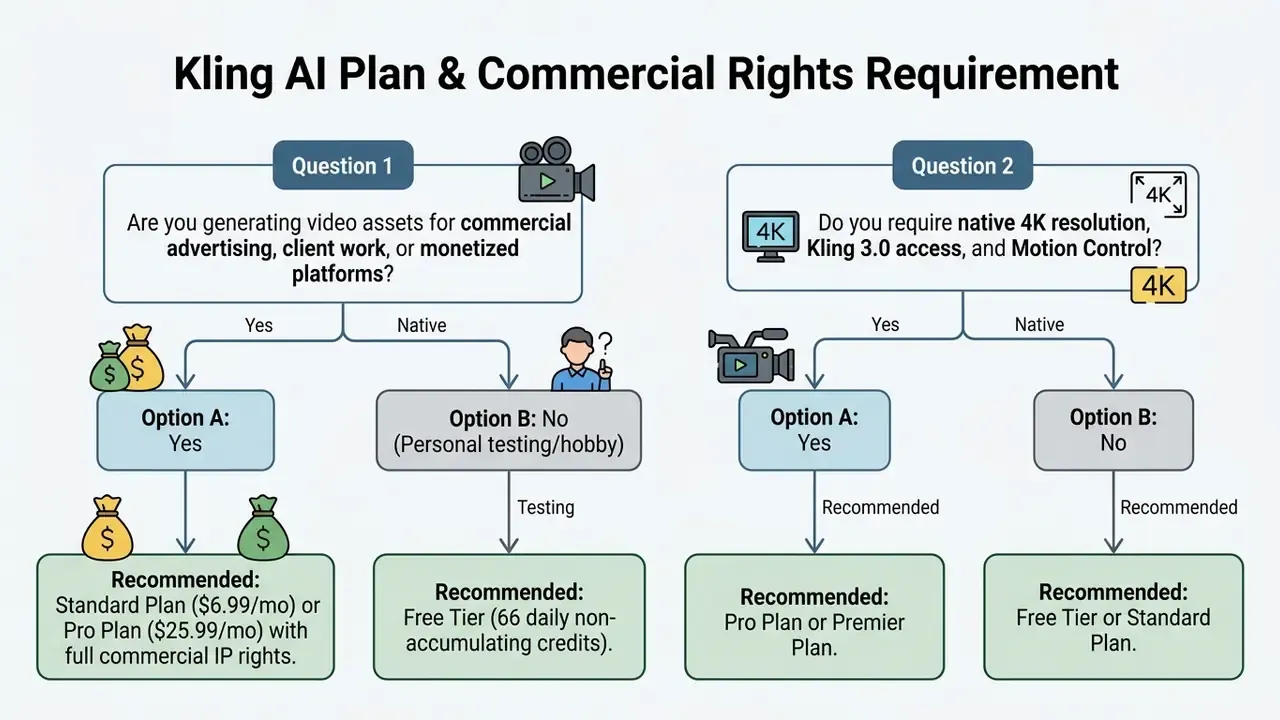
Kling AI runs a credit-based freemium structure. There is a free daily credit tier for non-commercial evaluation, plus paid subscription tiers with higher monthly credit allocations, watermark removal, priority rendering, and commercial usage rights. Teams comparing entry points may also want to review other free AI video generators before committing to a paid plan.
What the Free Kling AI Tier Includes
The free Basic tier provides 66 daily generation credits that reset every 24 hours. Those credits do not roll over across billing cycles and expire unused.
On the free tier, generations are limited to Standard Mode at reduced resolutions (360p to 540p), carry a visible platform watermark, and are restricted to personal, non-commercial testing. A standard 5-second clip consumes roughly 10 to 11 credits, so kling ai free video generation yields about 3 to 6 short preview clips per day. Newer premium modes, including Kling 3.0 high-quality generation, are not available at that level, which is worth knowing before anyone judges the model on a free kling ai video generator session alone.
What Determines Kling AI Generation Cost
Credit consumption varies with four parameters: model version, output resolution, clip duration, and audio integration. Higher-tier models and longer clips cost meaningfully more.
| Generation Mode / Feature | Resolution / Quality | Duration | Approximate Credit Cost |
|---|---|---|---|
| Standard Mode (Free/Basic) | 360p to 540p | 5 seconds | 10 to 11 credits |
| Standard Mode (Paid Plan) | 720p to 1080p | 5 seconds | 20 credits |
| Professional Mode (Kling 2.x/3.0) | 1080p | 5 seconds | 35 credits |
| Professional Mode (Kling 3.0) | 1080p / native audio | 10 seconds | 70 to 100 credits |
| Pro Mode + Motion Control | 1080p / 4K | 10 seconds | 150 to 200 credits |
Kling's own pricing materials list Premier and Ultra tiers above Pro, with 8,000+ monthly credits, and note that per-second pricing scales with resolution (roughly 6 credits per second at 720p versus 8 credits per second at 1080p in Standard mode). Renewal pricing typically sits above first-subscription promotional pricing, so multi-month budgets should be modelled on renewal rates rather than the sign-up offer.
For teams planning long-term production budgets, checking credit usage across platforms with the AI Media Calculators helps forecast monthly infrastructure cost. Detailed plan breakdowns sit in our AI Media Pricing Guides for comparative analysis, and developers benchmarking per-second API economics can contrast Kling with the Google Veo API implementation guide.
Can Videos Generated in Kling AI Be Used Commercially?
Commercial usage rights for Kling AI output are granted only to active paid subscribers (Standard, Pro, Premier, Ultra). Content generated on the free Basic tier stays restricted to personal, non-commercial use under Kuaishou's Terms of Service.
The governing documents, dated 21 April 2026, split responsibility in a way legal teams should note. Section 4.4 of the Terms of Service states that users retain intellectual property rights in Content and that Kling AI does not claim ownership of Input or Output. Section 4.6 nonetheless restricts commercial use of Output without written permission. Section 3.1.2 of the separate Terms of Paid Service supplies that permission to members, excluding development of competing products or services. In short: ownership and commercial licence are two different questions, and only a paid membership answers the second one.
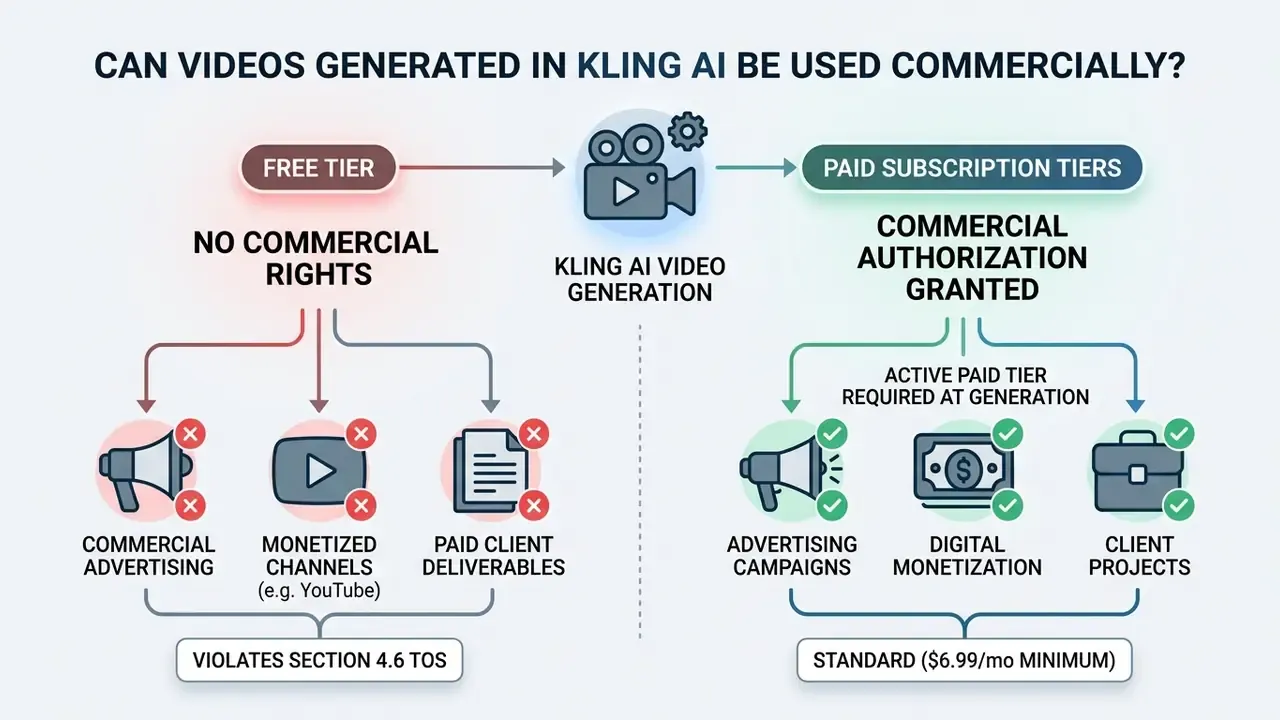
Disclaimer. Kling AI's commercial-use conditions and pricing plans can change without prior notice. Verify current terms on the official kling.ai pricing and legal pages before launching any commercial project.
Before launching public campaigns, review platform terms alongside current commercial use guidelines, and compare them with how rights are structured for commercial use of AI image generators. Enterprise legal teams monitoring generative IP policy should also consult our tracker on AI Litigation and Case Timelines to stay aligned with emerging copyright standards. Questions about a specific deployment scenario can be raised through support.
Pre-Launch Audit Checklist for Commercial Deployment
Checklist0 / 7
Enterprise Data Security, Data Jurisdiction and Shadow AI Risks
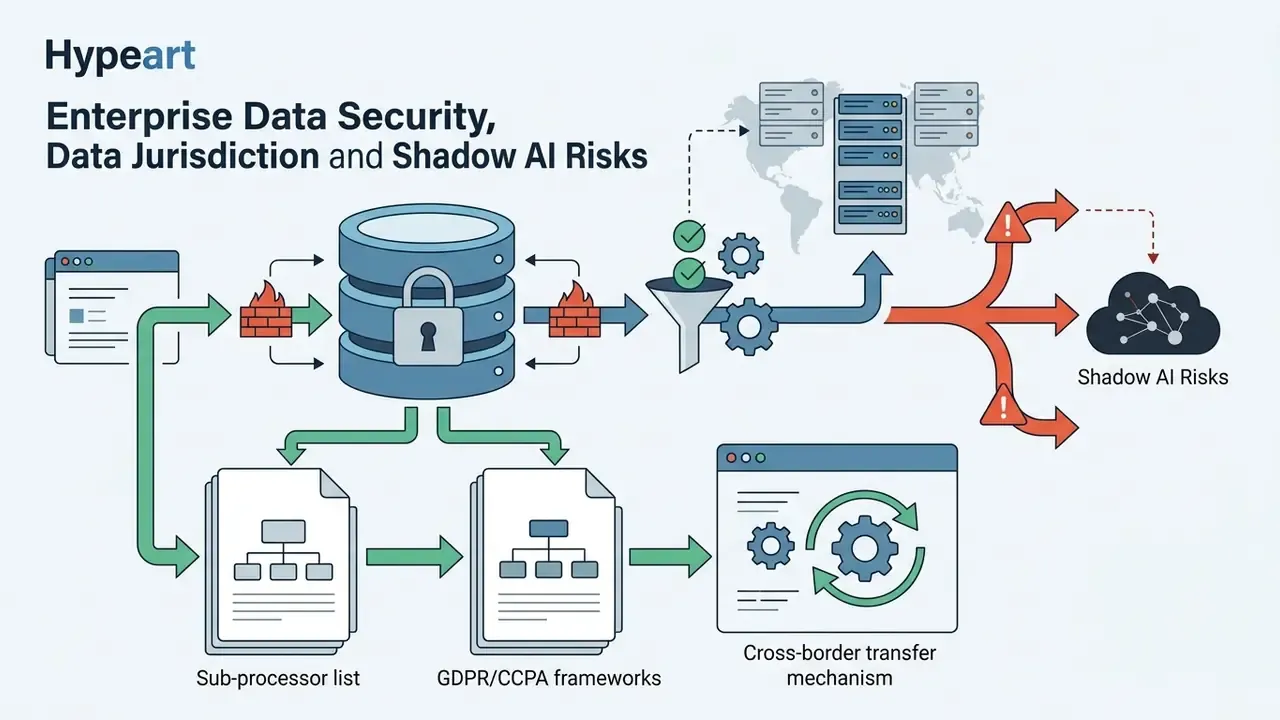
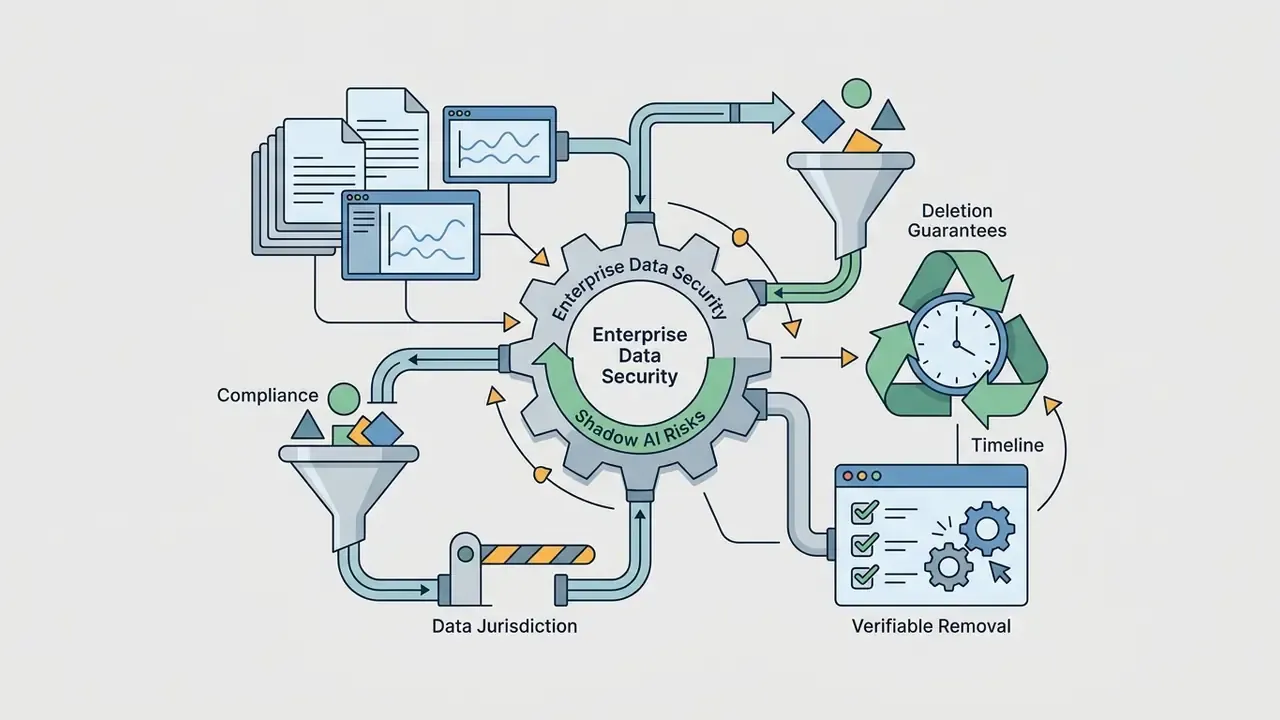
Marcus Hale's warning about "autonomy without verifiable controls" applies most sharply here. Kling AI's creative capabilities are easy to evaluate. Its data-handling posture is where institutional adoption usually stalls.
Vendor and jurisdiction. Kling AI is operated by Kuaishou Technology, a Beijing-headquartered company listed in Hong Kong (1024.HK). Access is split across an international surface (kling.ai) and China-facing surfaces (klingai.com, app.klingai.com), and the access path differs by region. For institutions in regulated sectors, that means a third-party processor whose corporate control, and at least part of whose infrastructure, sits outside US and EU jurisdiction. That fact belongs in the vendor risk register before the first pilot, not after.
What to establish before onboarding. Kuaishou's public product documentation covers features and licensing in detail. It does not publish an enterprise-grade security posture equivalent to SOC 2 Type II or ISO/IEC 27001 attestation at consumer subscription tiers, nor a plain-language statement of whether user prompts and uploaded images may be retained or used to improve models. These points require direct written confirmation from the vendor. Do not assume either direction from marketing pages. Concretely, request:
Shadow AI is the larger exposure. The realistic failure mode is not a negotiated enterprise deployment. It is a marketing associate uploading an unreleased product render, an internal org chart, or a customer photograph into a free consumer account to "try something." Mitigations that hold up in practice:
- Maintain an approved-tools register and publish it. An unlisted tool is an unapproved tool.
- Route all generative video work through a single sanctioned account with SSO, so prompts and assets remain auditable.
- Apply DLP rules to uploads on managed devices, covering image and video file types, not just documents.
- Ban personal-account use for company assets in policy, with a fast approval path so the policy gets followed rather than circumvented.
- Run a quarterly reconciliation between published campaign assets and logged generation records, which surfaces off-register production.
Model-risk validation criteria. For teams that must document generative video as a controlled model, four testable criteria are practical: temporal consistency on a fixed internal prompt set; physics plausibility on a standardized motion battery (the 15-prompt structure used by Crepal AI is a reasonable template); identity stability across multi-shot reference generations; and input reproducibility of the archived generation record. Score each on a fixed rubric so drift between model versions, 2.5 to 3.0 to 3.0 Omni, is measurable rather than anecdotal.



Kling AI Models vs Alternative AI Video Generators
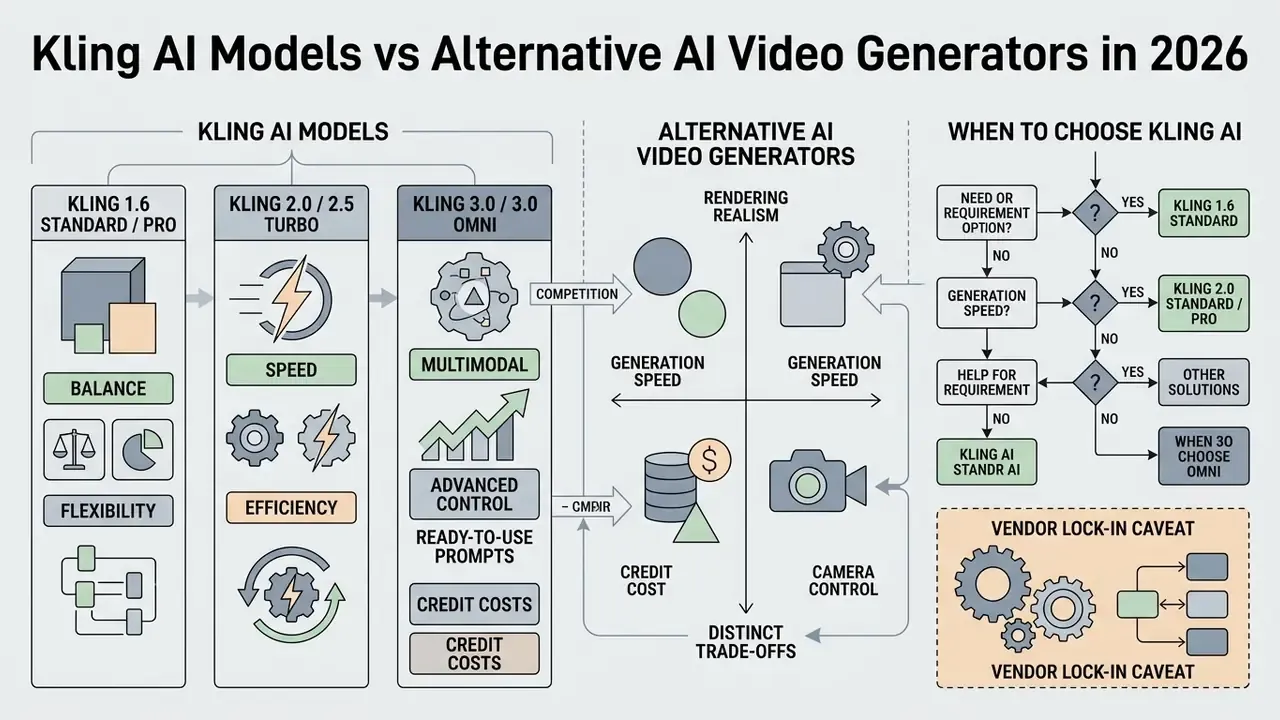
The AI video generation market in 2026 offers competing platforms with distinct trade-offs between rendering realism, generation speed, credit cost, and camera control. Kling AI competes directly with OpenAI Sora 2, ByteDance Seedance 2.5, Google Veo 3.1, and Runway Gen-4.5. Market structure has shifted too: Runway now operates as a multi-model platform hosting third-party video models, and OpenAI's Sora product was withdrawn from general consumer availability in April 2026, with API shutdown scheduled for September 2026. Model availability is itself a procurement risk, which is easy to forget when comparing feature tables.
How Kling Model Generations and Variants Differ
Kuaishou's lineup has moved quickly across releases:
Leaderboard position, corrected: Kling 3.0 is a top-five model, not the market leader.
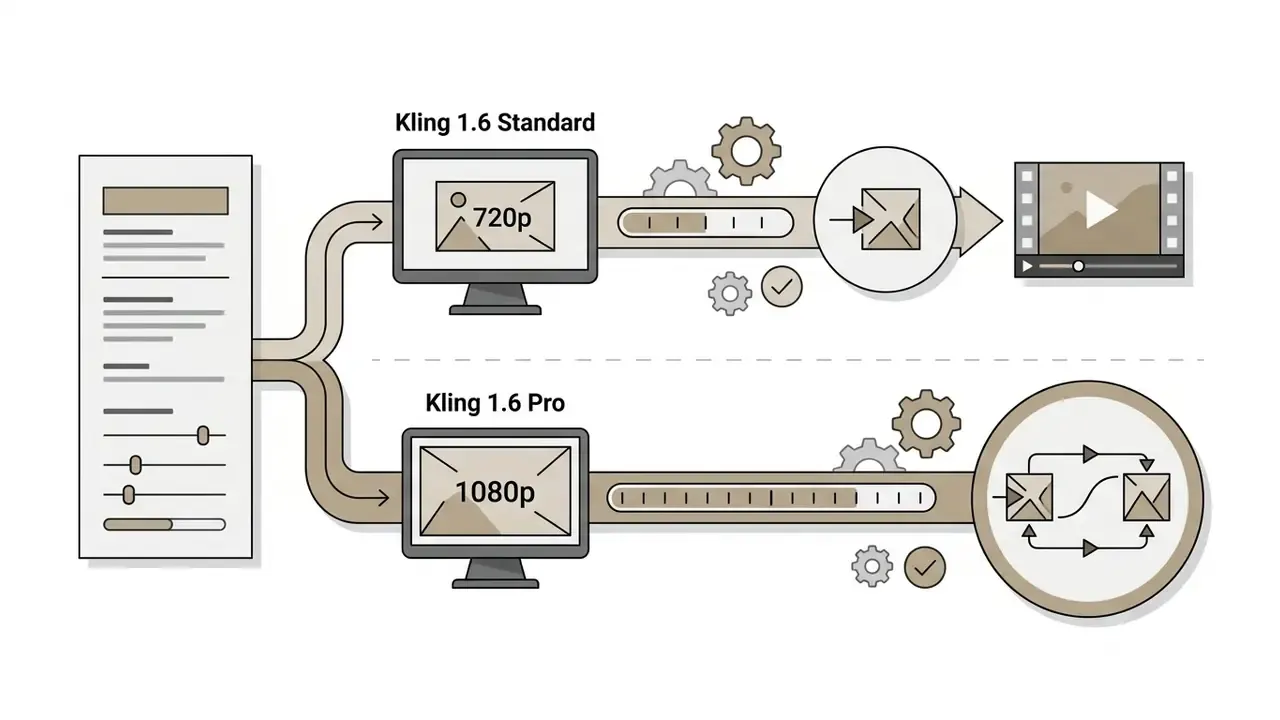

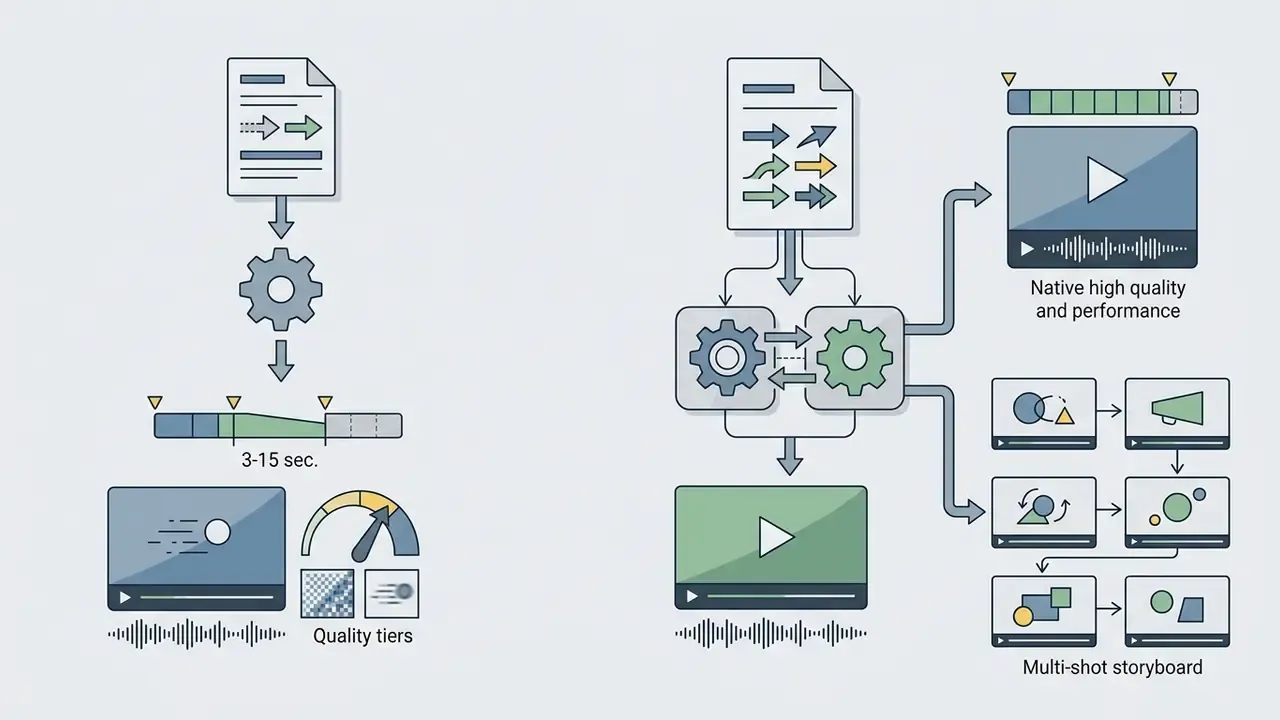
Read together with the image-to-video placement above, the honest summary is this: Kling is consistently strong across categories and exceptional on speed, consistency, and cost, but claims of outright leaderboard leadership do not survive verification. Teams surveying adjacent options can also review PixVerse AI for lightweight short-form generation.
When to Choose Kling AI Over Another AI Video Generator
Kling AI suits high-volume short-form production, social video marketing, product animation, and workflows that need precise character reference control. Its lower per-second cost makes it economical for iterative video creation compared with higher-priced models like Sora 2, whose published pricing in third-party comparisons runs from $0.10 per second up to $0.50 per second depending on tier and output size.
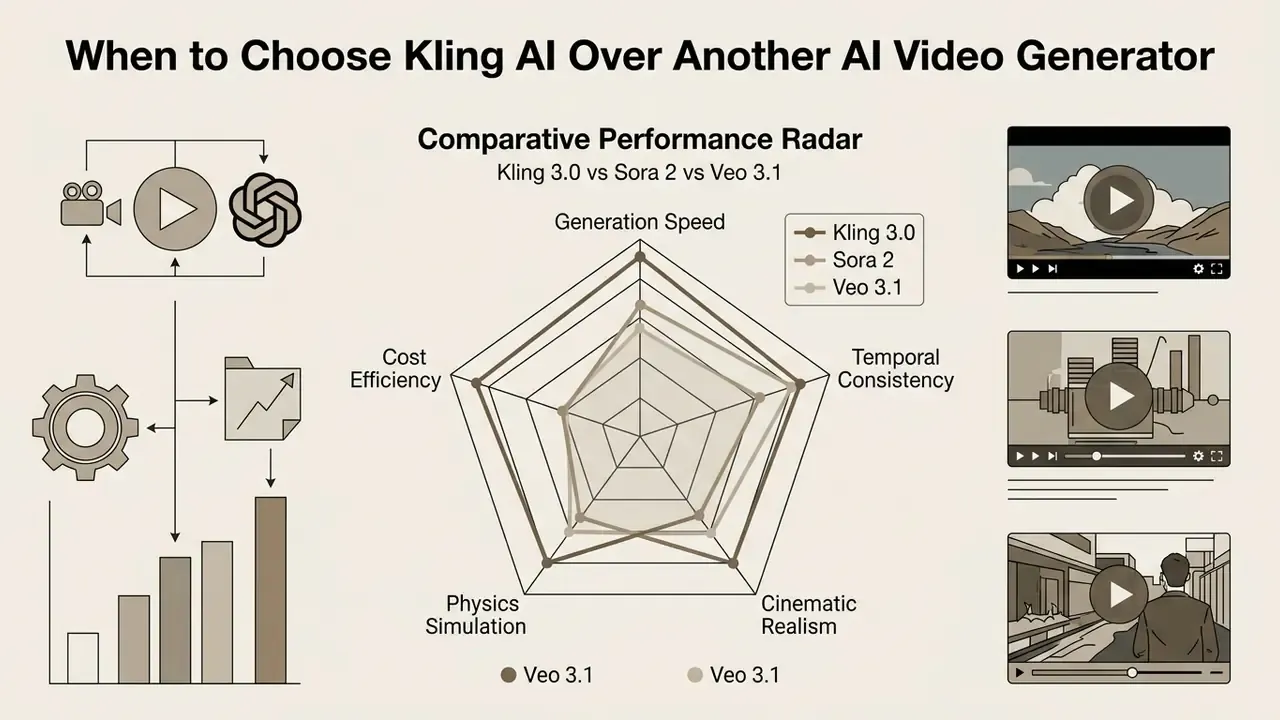
«AIContentDrop (2026): Kling 3.0 quality 8.1/10, prompt adherence 7.9/10, consistency 8.4/10; Veo 3 at 8.3/8.4/7.6; Sora 2 at 7.5/7.6/7.2.»
Those figures make the decision rule explicit. Choose Veo when prompt adherence and peak realism dominate. Choose Kling when consistency, throughput, and unit economics dominate.
For teams running platform evaluations, detailed feature breakdowns live in our AI Media Comparison portal and in our ranking of the best AI video generators. Developers planning automated rendering pipelines can inspect endpoints in the AI Media API Guides, while general terminology is indexed in the glossary.
| Platform / Model | Max Resolution / FPS | Max Native Duration | Native Audio & Lip Sync | Primary Advantage |
|---|---|---|---|---|
| Kling AI 3.0 / Omni | 4K @ 60 FPS | 15 seconds (up to 3 min extended) | Yes (multi-language) | High temporal consistency, speed, low per-second cost |
| OpenAI Sora 2 | 1080p @ 30 FPS | 15 to 25 seconds | Yes (dialogue + SFX) | Leading physics simulation and complex collision handling |
| Google Veo 3.1 | 4K @ 60 FPS | 10 to 60 seconds | Yes (broadcast quality) | Highest film-grade cinematic realism and narrative depth |
| ByteDance Seedance 2.5 | 1080p @ 30 FPS | 30 seconds | Yes (native dialogue) | Strong long single-take continuity and multi-image input |
Budget-constrained teams can cross-check entry tiers against our comparison of free AI video generators before consolidating spend.
Vendor lock-in caveat. Kling's most differentiated features are also its least portable. Motion Brush trajectories, Motion Control reference alignment, ten-image element anchoring, and Omni storyboard sequences have no like-for-like equivalent on Sora, Veo, or Seedance. A pipeline built on those primitives cannot be migrated by swapping an endpoint; prompts, reference libraries, and shot conventions would all need rebuilding. The mitigation is architectural: keep prompt logic, reference assets, and approval records in a model-agnostic layer, restrict platform-specific features to assets you can afford to regenerate, and maintain one qualified backup model with a tested prompt-translation guide.
FAQ: Kling AI Video Generator
Do I need an API key to use Kling AI?
No. The kling.ai web interface generates video directly in the browser, with no SDK or local installation. Developers who need programmatic access can use the official API documented at kling.ai/document-api. Third-party wrappers expose Kling through their own endpoints, though those are not the same as Kuaishou's direct official API.
In what format are finished files downloaded?
Finished clips export as MP4. On paid tiers, exports are watermark-free at resolutions up to 4K and frame rates up to 60 FPS. Free-tier exports carry a visible Kling AI watermark and are capped at lower resolutions.
Can I use Kling AI for free?
Yes, for personal, non-commercial testing. The free Basic tier provides 66 credits per 24 hours, which do not accumulate, and limits access to Standard generation modes.
What image formats can I upload?
JPG, JPEG, PNG, and WEBP files up to 20 MB are accepted for Start Frame, End Frame, and reference-element uploads.
How long does a generation take?
Typically 45 to 90 seconds, depending on model tier, duration, resolution, prompt complexity, and server load. Independent 2026 benchmarking measured Kling 3.0 at roughly 48 seconds average per clip.
Which Kling models are available, and how do I switch?
The active stack spans Kling 1.6, Kling O1, Kling 2.5, Kling 2.6, Kling 3.0, and Kling 3.0 Omni. Model selection happens in the generation panel before rendering, and it directly determines resolution ceiling, available controls, and credit cost.
Does Kling AI support multi-shot storytelling?
Yes. Kling 3.0 and 3.0 Omni support flexible storyboard control with up to six connected shots per sequence, while preserving character identity, wardrobe, and environment.
Can I use Kling-generated video in paid client work?
Only with an active paid subscription at the time of generation, per Section 3.1.2 of the Terms of Paid Service. Free-tier output is personal-use only.
Is my prompt data used to train the model?
Kuaishou's public documentation does not give a definitive plain-language answer at consumer tiers. Treat it as an open question and obtain written confirmation before entering any confidential material.
Appendix A: Corrected and Superseded Statements
For transparency and audit traceability, the original phrasings replaced during this update are preserved below alongside the reason for correction.
| Superseded statement | Correction and reason |
|---|---|
| "kling ai video generation achieves an average temporal consistency score of 8.4 out of 10, outperforming several competing models in motion stability" | Figure retained, methodology added (150 clips, 50 per model, five content categories, editorial scoring). A benchmark number without a disclosed sample cannot be validated. |
| "Kling's motion simulation achieves an 88% accuracy rating in basic gravity simulation" | Expanded to the full comparative set, Kling 88% / 72% / 75% versus Sora 2 95% / 85% / 90% on gravity, fluids, and collisions, because citing one favourable metric implied overall physics superiority the source does not support. |
| "Kling 3.0 holds a top Elo benchmark score of around 1,243 among AI video models as of early 2026, ahead of Google Veo 3.1, Runway Gen-4, and Pika 2.2" | Corrected: Kling 3.0 ranks 5th on the Artificial Analysis text-to-video leaderboard (Elo ~1244), behind HappyHorse-1.0 and Dreamina Seedance 2.0, and 15th on image-to-video-with-audio (Elo 1071, 17,004 comparisons). |
| "A large financial services firm needed to generate 150 localized video ads… reducing per-video rendering costs by 65%." | Rewritten as an explicitly illustrative workflow pattern. The original was an anonymous case with no verifiable company, methodology, or audit of the savings figure. |
| "A digital marketing agency evaluated Kling 3.0 against Google Veo 3.1… Kling 3.0 generated clips in 48 seconds on average (compared to 65 seconds for Veo)" | Rewritten as a benchmark-grounded selection pattern, with timing figures attributed directly to AIContentDrop (2026) rather than to an unnamed agency. |