Generative AI now replaces a face inside a video clip in a browser tab. No local render farm, no manual frame-by-frame rotoscoping, no plugin stack. Evaluating a face swap video online free platform still takes work: you need to read the model capabilities, the file limits, the pricing tiers, and the compliance rules that sit underneath the marketing page.
This guide addresses two readers at once, and it says so up front.
If you create content, you get the practical browser workflow: what to upload, what breaks, what a free tier actually delivers, and how to publish without a watermark. If you own risk, compliance, or model governance, you get the control layer: input specifications, artifact taxonomy, retention and sanitization baselines, disclosure duties under the EU AI Act, vendor due-diligence questions, and an audit-evidence checklist. Sections are labeled, so skip to the layer you need.
Key Takeaways
- You can start without an account.Basic browser-based face swapping usually runs anonymously against a temporary session ID, with no credit card and nothing to install. Uploads and outputs are auto-deleted within roughly 1 to 24 hours on free tiers, and up to 90 days on retention-based plans.
- Free means limited, not fake.Expect 5 to 15 daily credits, 15 to 30 seconds of video per render (some vendors document 30 s, 5 min, or even 600 s ceilings), 720p exports, and a watermark on free video and GIF output. Photo output is often watermark-free.
- Quality is an input problem.Keep head pose within ±5° of frontal, use diffuse shadow-free lighting, and supply a reference face with at least 90 px eye-to-eye distance. Edge flicker and Facial Feature Drift come from frame-independent processing, occlusion, and extreme yaw.
- Commercial use is a contract plus a consent problem.Paid plans grant software licensing. They do not grant likeness rights. EU AI Act Article 50(4) requires deepfake content to be disclosed as artificially generated, and New York's 2025 synthetic performer statute requires conspicuous ad disclosure.
- Face swapping is not anonymization.Peer-reviewed privacy work reports re-identification of a large share of "protected" subjects, so never treat a swap as a privacy control.
How to Read This Guide: Quick Reference Before You Upload
Most readers arrive with one of three questions: can I do this free, will it look real, and can I publish it. The table below answers all three in compressed form, so you can decide whether the deeper sections are worth your time.
| Decision point | Short answer | Where the detail sits |
|---|---|---|
| Do I need an account? | Not for the base flow; credits and multi-face mode usually are gated | Free tier and watermark sections |
| How long can my clip be? | 15 to 30 s on most free tiers; 600 s on some API plans | Formats and clip length |
| Will there be a watermark? | Usually on free video and GIF, often not on free photo output | Watermark behavior |
| Why does my result look wrong? | Pose, lighting, occlusion, compression, in that order | Quality and artifacts |
| Can I run this in an ad? | Only with a commercial license and written consent and a disclosure label | Commercial use |
| Is this safe for regulated data? | Not without a DPA, retention terms, and a no-training clause | Security and privacy |
One nuance worth flagging early. Queries for face morph video online and face morph video online free land on the same family of tools, but morphing gradually blends two faces, while swapping transfers one identity onto another. Different output, similar upload requirements.
What Is Face Swap Video Online Free and What Tasks Does the AI Tool Solve
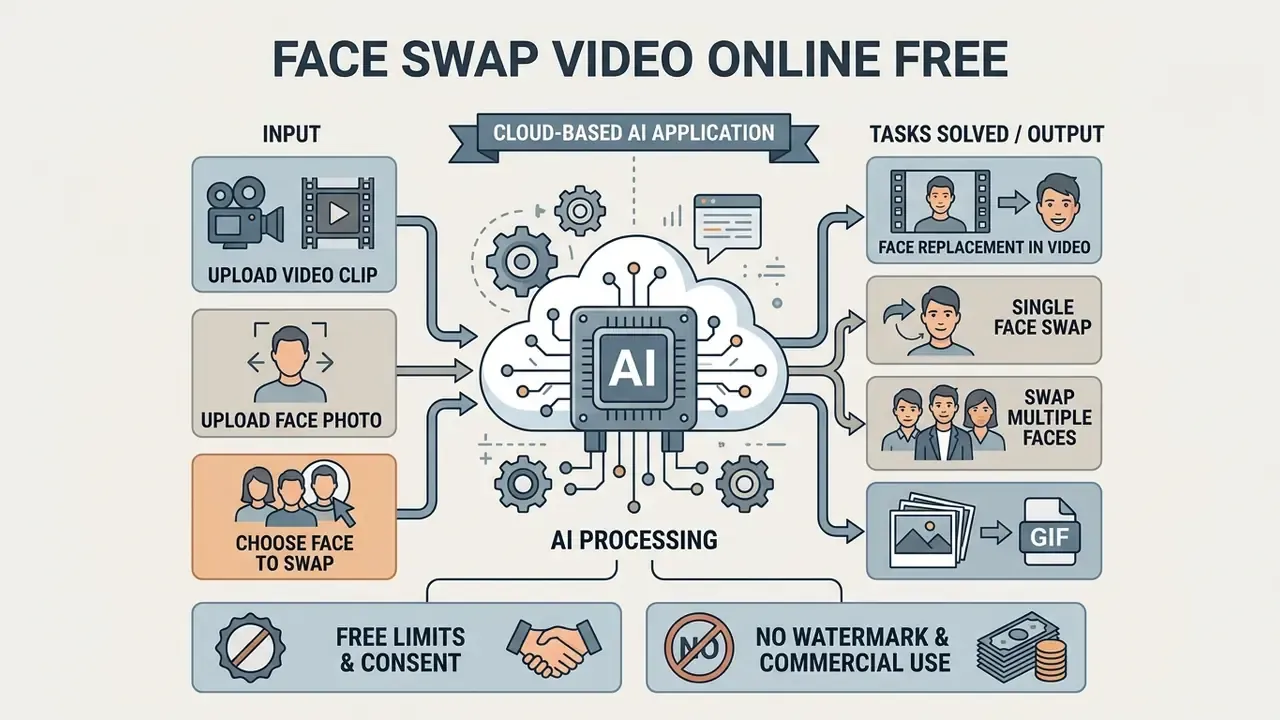
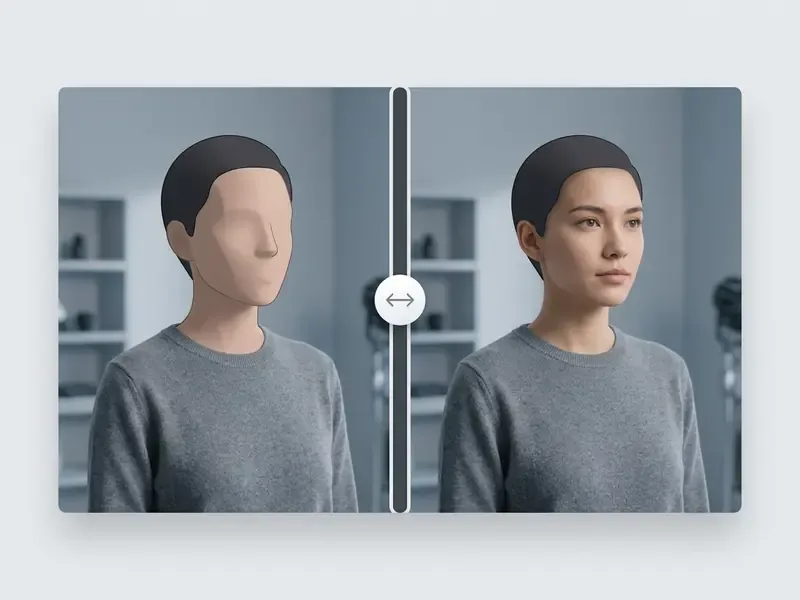
A face swap video online free tool is a cloud application that replaces a target face in a video clip with a source identity taken from a still photograph or a secondary media file. The system automates feature detection, landmark alignment, expression mapping, and lighting blending frame by frame, entirely inside a web browser.
Modern identity-swapping pipelines use generative adversarial networks (GANs) or diffusion models. They isolate facial geometry while preserving non-identity attributes such as head movement, gaze direction, and background context.
Creators and organizations evaluate an ai face swap video online tool for three jobs: personalizing video at scale, localizing marketing content for regional audiences, and prototyping creative concepts before a real shoot. Non-English searches such as ai face swap video online gratis point to the same free entry point, which tells you something about how global this intent has become.
The underlying face swap ai engine reads facial landmarks across sequential frames to hold identity consistent during motion. Unlike full synthetic video generation, an ai face swap video keeps the original camera movement, pacing, and environment of the target clip, and alters only the detected facial track. That makes video face replacement a high-throughput way to produce multi-version assets. It pairs naturally with free AI video generators when you need net-new footage rather than an edit of existing footage.
For foundational terminology and broader generative media concepts, our free ai content generator reference covers the adjacent vocabulary.
Face Replacement in Video, Photo and GIF
Photo, video, and GIF swaps differ in one dimension: time. The pipeline moves from single-frame static compositing to dynamic frame-sequence tracking. Photo face swapping runs landmark extraction, feature substitution, and edge blending on a single still, with no temporal smoothing required at all.
| Media type | Processing pipeline | Temporal constraints | Typical vendor ceiling |
|---|---|---|---|
| Photo face swap | Single-frame landmark edit | None (static frame) | 10 to 15 MB per image |
| GIF face swap | Short frame-sequence loop | Loop consistency (1 to 5 s) | 30 MB / 30 s |
| Video face swap | Multi-frame tracking and render | Temporal smoothing, FPS sync | 100 MB; 30 s to 600 s by plan |
Dynamic media, whether video replacement or GIF morphing, needs continuous tracking across consecutive frames to prevent identity drift. A face swap video free online tool has to hold alignment through rapid head rotations, lighting shifts, and changing expressions. That is where cheap engines fall apart.
For static adjustments before video synthesis, the fotor photo editor overview is a reasonable start; mainstream suites are compared in our online photo editor guide, and stylized outputs are documented in the free ai cartoon generator reference.
Single Face Swap and Swap Multiple Faces in One Video
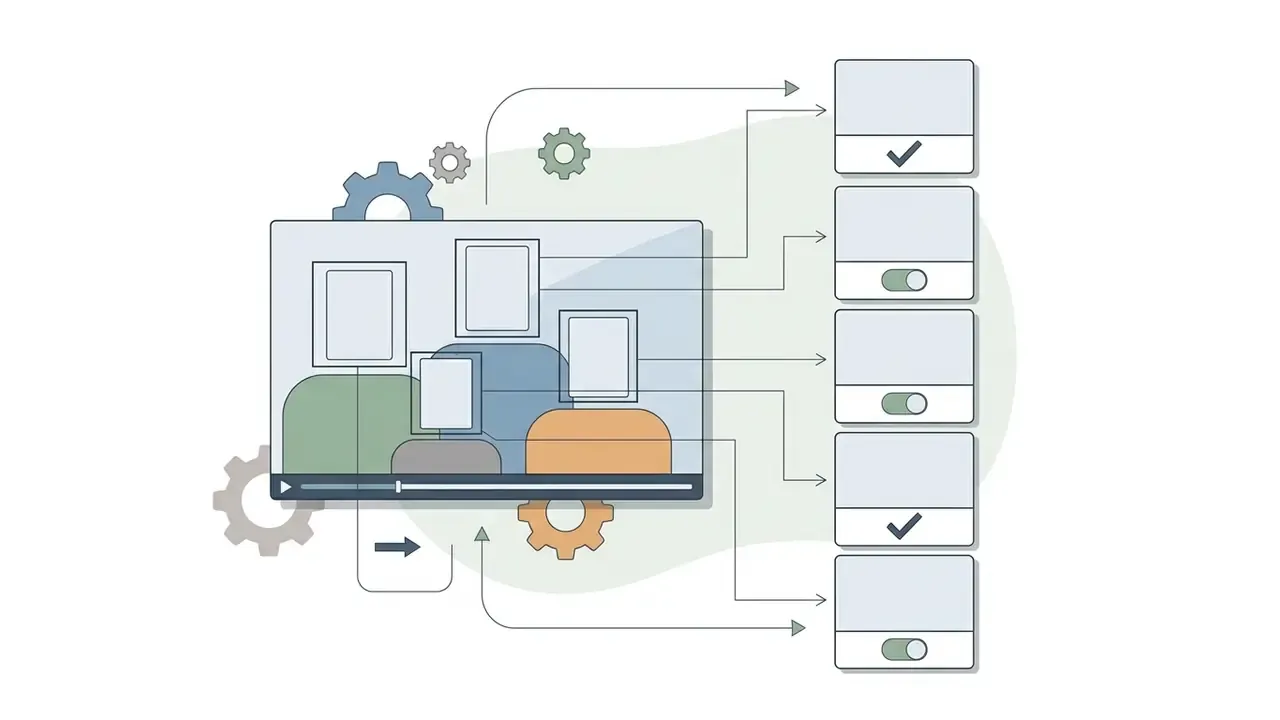
Single face swap targets one detected identity in a frame and maps one source photo onto that person. Functionality to swap multiple faces identifies several distinct facial tracks in a scene, then applies a separate reference photo to each detected bounding box in the same pass.
Multi-face processing costs more compute because detection, normalization, and identity transfer run per bounding box, per frame. Academic work on neural face swapping shows that multi-identity pipelines isolate each track precisely to stop identity bleeding between adjacent performers.
«Detect the face, localize landmarks, normalize to 1024×1024, run identity transfer, reverse the normalization, then blend the result back into the target frame.»
For stylized animation pipelines, see our guide to free ai anime generation.
AI face swap workflow, end to end
target_index in API terms).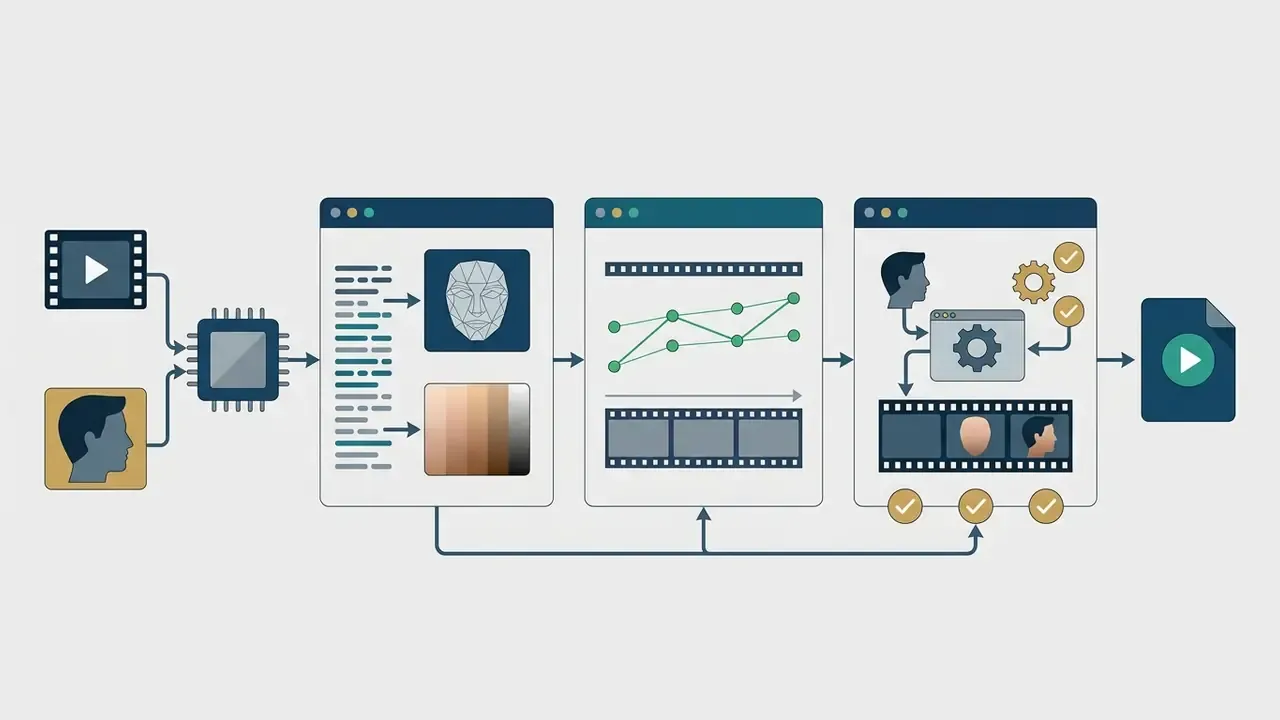
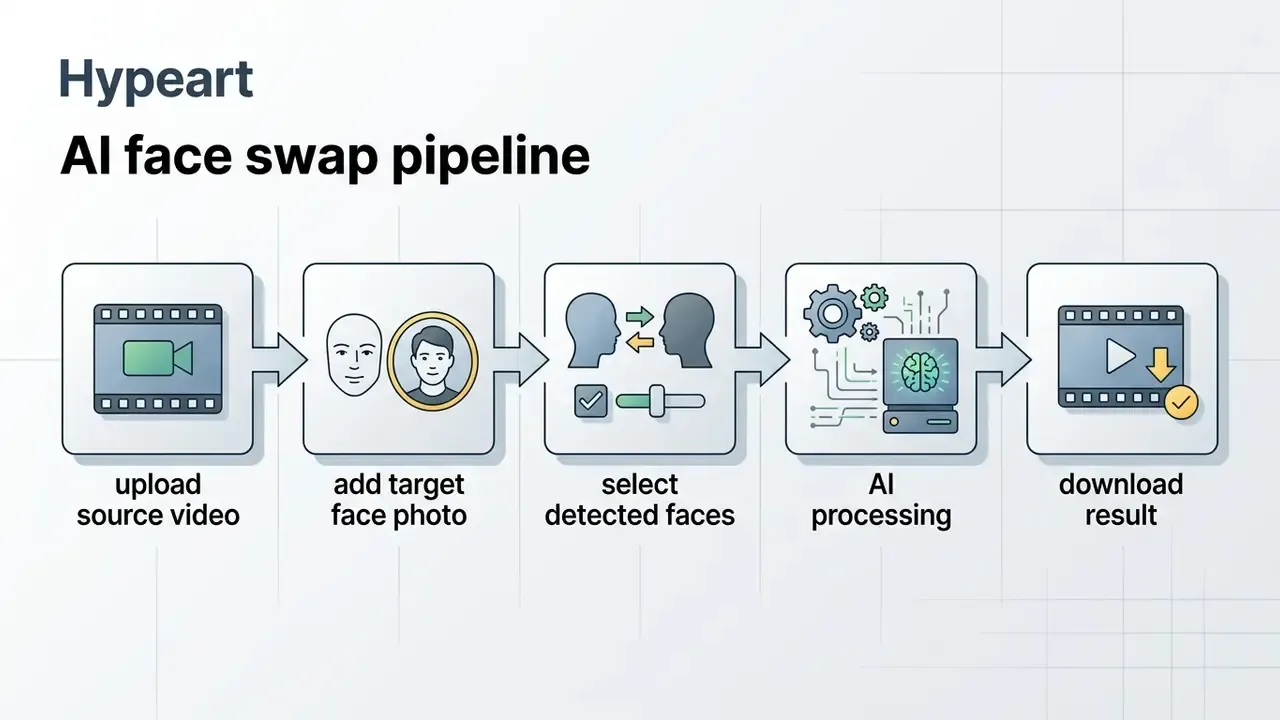
How to Do a Face Swap in Video Free Online in 3 Steps
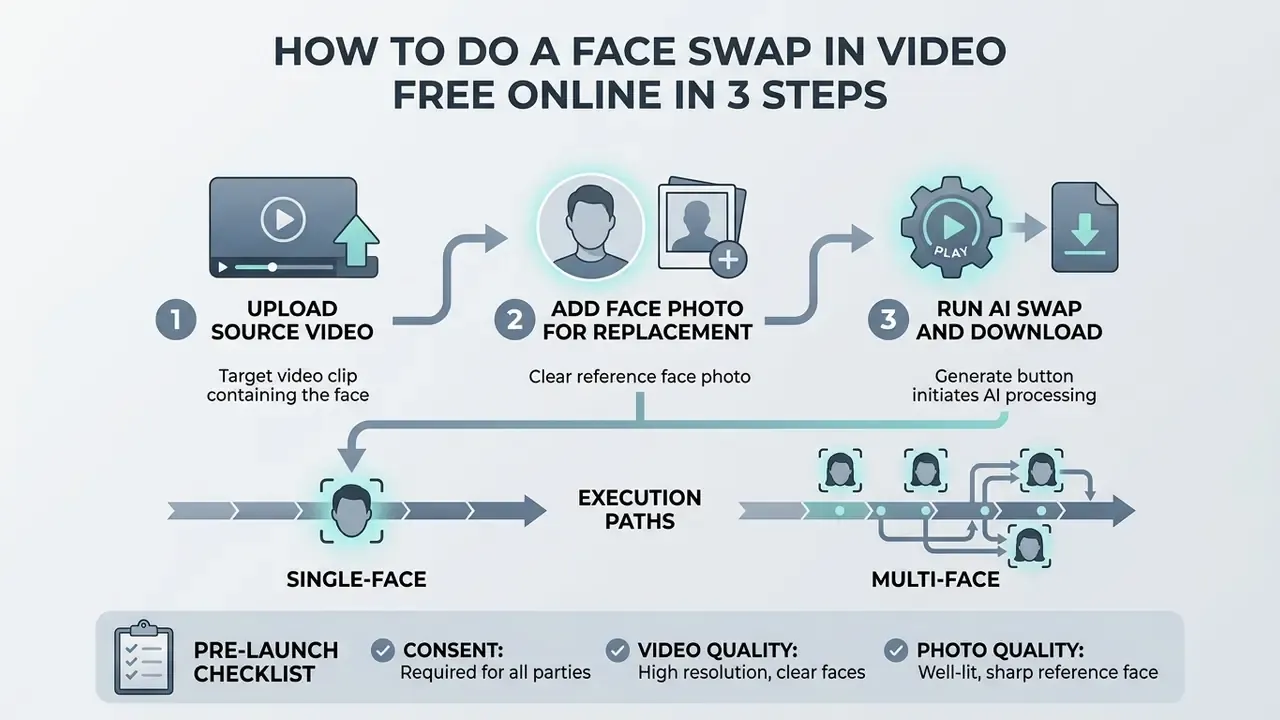
Running a face swap in video free online takes three inputs and one click: a target video clip, a clear reference face photo, and the generate button. The cloud handles face matching, lighting adjustment, and frame blending. No local GPU, no timeline editing experience.
No sign-up required for the base flow. A basic face swap video free online render usually works directly in the browser without mandatory registration and without a card. The session is created anonymously against a temporary ID, and uploaded media is purged from the servers within roughly 2 to 24 hours. A free account is optional; it typically unlocks saved projects, extra daily credits, and multi-face mode. Paid plans add priority GPU queues, higher resolutions, and watermark-free video export.
One illustrative example, and it is hypothetical rather than a client case. In a financial-services compliance project, an internal communications team evaluated cloud video synthesis to localize training modules across regional branches. By standardizing high-resolution frontal source photographs and using the browser pipeline, the team cut production from three weeks to under two hours per module, while keeping audit logs of every modified asset. The saving came from removing reshoots, not from the model itself.
Users who want to add face photo to video online free follow this sequence.
Step 1: Upload the Source Video Containing the Face
Start by uploading the clip that contains the performer whose face will be replaced. The footage needs clear facial visibility, a stable frame rate, and consistent lighting for reliable landmark tracking.
Optimal source clips keep the camera angle within ±5 degrees of frontal alignment and avoid extreme motion blur or dense obstructions.
Performance-capture guidance adds one more control. The camera must stay stable relative to the face for the whole take, with flat, uniform, shadow-free, predominantly frontal light and no blown-out patches (MetaHuman Facial Performance Capture Guidelines, Epic Games, 2025). Clean inputs directly improve mapping accuracy when you add face to video online free.
Step 2: Add the Face Photo for Replacement
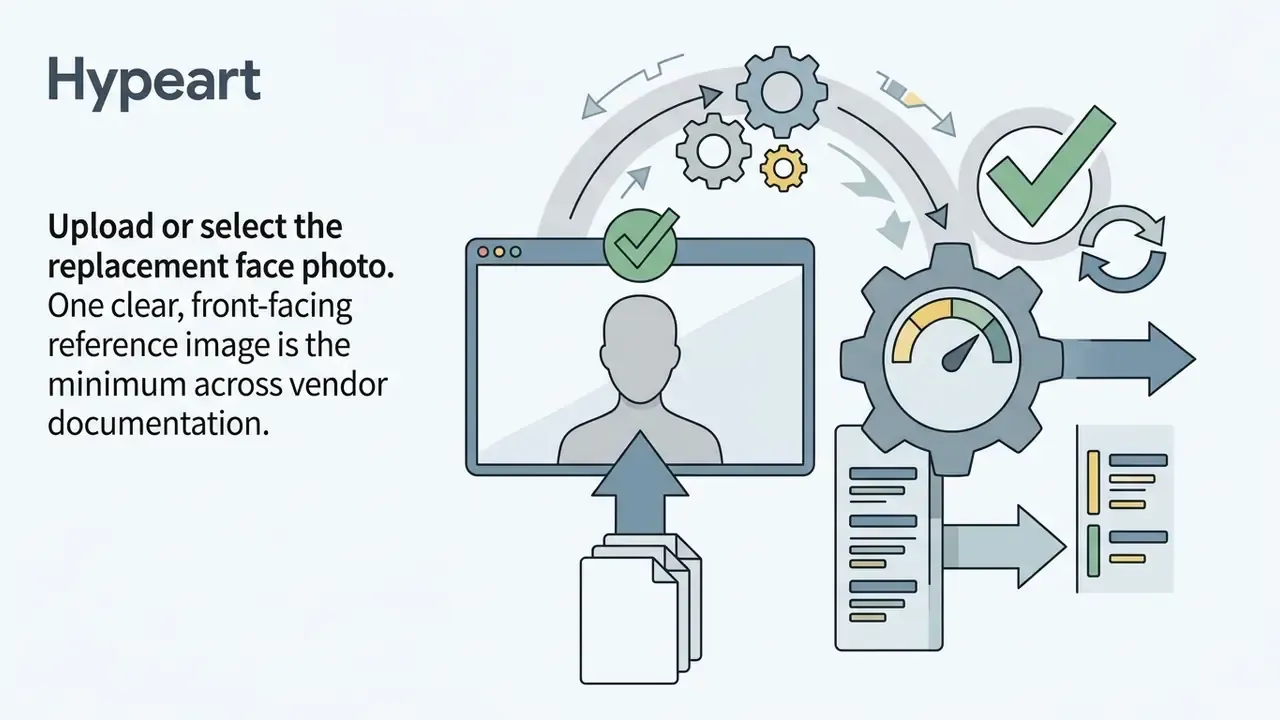
Next, upload the reference photo carrying the identity you want to transfer. The system extracts facial geometry and visual features from this image to build the identity embedding.
Good reference images need even lighting, a neutral expression, open eyes, and zero occlusion from hair, clothing, glasses, or a phone. A clean swap photo face image is what lets the network render believable skin texture and natural feature contours. A blurry selfie will not survive the process, no matter which vendor you pick.
Step 3: Run the AI Swap and Download the Result
After selecting the detected face tracks, press generate to start server-side processing. The engine runs identity transfer, color matching, and edge blending across the whole timeline.
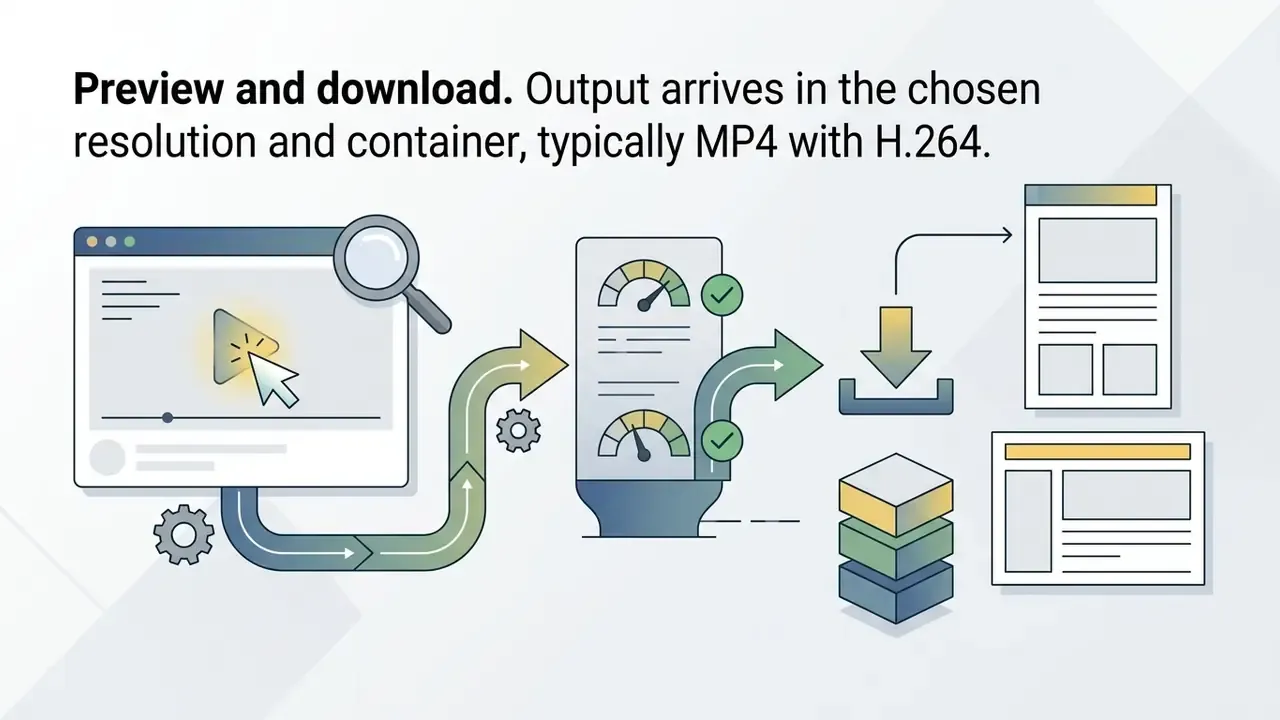
Processing runs from about 30 seconds for short clips to several minutes for high-resolution files. Vendor dashboards report a median near 1 minute 36 seconds for short renders, 1 to 3 minutes for clips up to 30 seconds, and 5 to 15 minutes for a full 60-second 1080p clip. When rendering finishes, preview the result and download it as MP4 (H.264) or MOV. That is the whole loop for anyone searching change face in video online free.
Single-face vs. multi-face execution paths
| Step | Single face swap | Multiple face swap |
|---|---|---|
| 1. Upload | Source video plus one reference face | Source video plus one reference face per identity |
| 2. Detection | Engine auto-selects the dominant face track | Engine returns all detected faces as cards or target_index values |
| 3. Mapping | Implicit 1:1 mapping | Explicit pairs: original_face → new_face per slot |
| 4. Cost | Base credits per second of video | Extra credits per selected target face (commonly 3 credits per face) |
| 5. Availability | Usually available with no sign-up | Often requires a free account or a paid plan |
| 6. QA focus | Edge blending and flicker | Identity bleed between adjacent performers |
Pre-launch checklist before running an AI face swap
- Consent.Obtain and store explicit, documented permission from every identifiable person involved, both the source identity and anyone visible in the target clip.
- Source video quality.Verify sharpness, exposure, stable FPS, and an unobscured face across the whole selected range.
- Reference photo quality.Front-facing, eyes open, neutral expression, no glasses, hair, hands, or phone in the way, at least 90 px eye-to-eye.
- Alignment.Match lighting direction, color temperature, and head angle between source and target; keep the angle gap under roughly 30°.
- Limits.Confirm the plan's duration, file-size, resolution, and format ceilings before uploading anything.
- Run the swapand, when using a time range, double-check the range boundaries.
- Review at 200 % zoom.Inspect face edges, skin texture, eye reflections, teeth, and hairline seams on at least three keyframes plus one fast-motion frame.
- Provenance record.Log the tool name, model version, generation date, input file hashes, consent reference, and the disclosure label applied to the output.
What Determines the Quality and Realism of Face Swap Videos
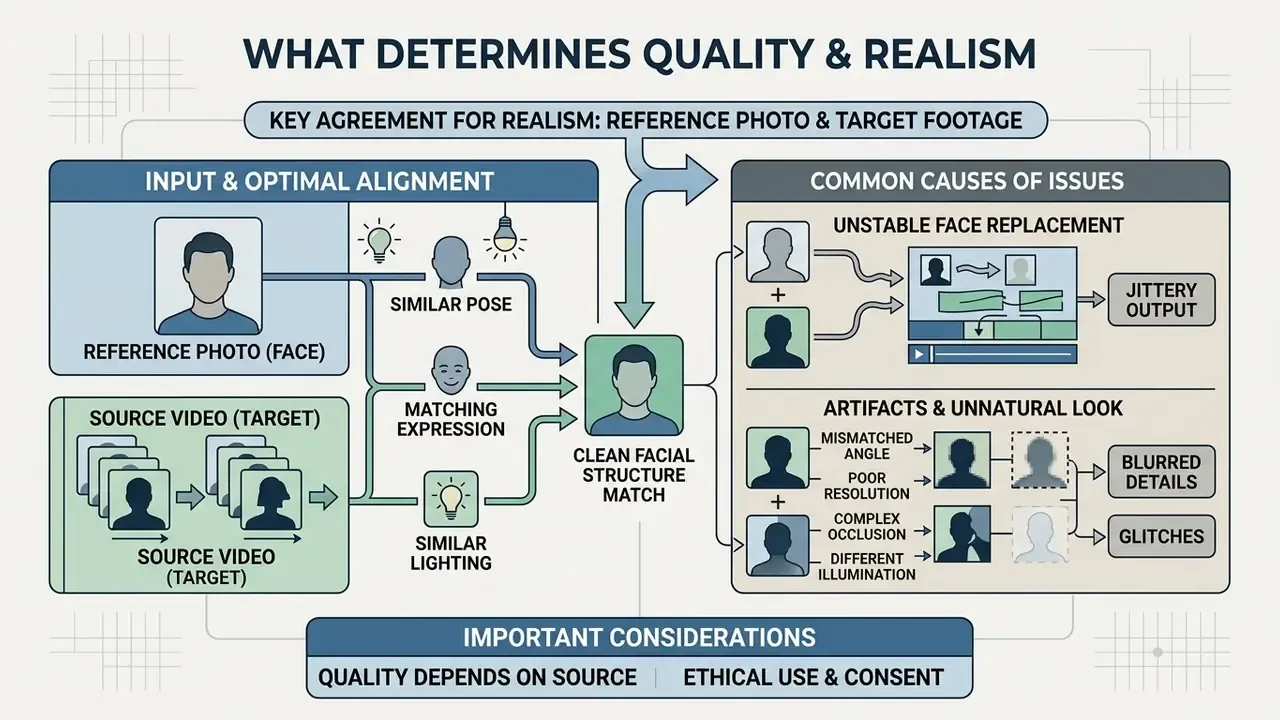
Realism in ai face swap videos depends on structural agreement between the reference photo and the target footage. Head pose, ambient light, resolution gaps, and expression range decide whether the render looks natural or plastic.
Empirical work on deepfake photorealism confirms that human judgment shifts with scene complexity, motion stability, and lighting coherence.
Two boundary conditions come from independent research. First, large-pose scenarios remain unsolved: pose accuracy, identity preservation, and overall video quality all degrade as pose deviation grows (Navigating Large-Pose Challenge for High-Fidelity Face Replacement, 2025). Second, compression changes both artifact visibility and detector performance across datasets (Low-Quality Deepfake Detection via Unseen Artifacts, IEEE, 2024). Match source and target parameters closely, and modern faceswap ai videos reach high perceptual authenticity in both human and automated evaluation.
| Factor | Optimal range / specification | Impact on output |
|---|---|---|
| Head pose angle | Within ±5° pitch, roll, and yaw | Prevents facial warping |
| Lighting match | Diffuse, uniform, shadow-free | Ensures natural blending |
| Pixel resolution | Minimum 90 px eye-to-eye distance | Preserves facial detail |
| Motion velocity | Moderate, steady head movement | Eliminates temporal jitter |
| Compression level | Lossless or high-bitrate source | Retains landmark fidelity |
| Occlusion | None across the selected time range | Prevents tracking breaks |
To benchmark tools and output metrics side by side, use our AI Media Comparison Matrices, the ranking of the best AI video generators, and the shortlist of free AI video generators with duration, credit, and watermark limits. That last page is the fastest way to sanity-check any claim about the best face swap video online.
What the Face Photo and Source Video Should Look Like
Good inputs are high-resolution, lightly compressed, evenly lit, and unobstructed. Biometric image guidance specifies full-frontal orientation, open eyes, and uniform lighting without strong directional shadows (NIST face image guidance; ISO/IEC 19794-5:2011).
Dataset construction shows how brittle this gets in practice:
Ideal vs. rejected inputs
| Parameter | Accept ✅ | Reject ❌ |
|---|---|---|
| Head angle | Frontal, within ±5° | Profile, tilted, looking away |
| Lighting | Diffuse, even, shadow-free | Single hard source, backlight, hot spots |
| Eyes | Open, both visible | Closed, blink frame, sunglasses |
| Face coverage | Crown to chin, ear to ear visible | Hair, mask, scarf, hand, microphone, phone |
| Resolution | At least 90 px eye-to-eye; 1024×1024 source preferred | Heavily downscaled or upscaled crops |
| Compression | Lossless PNG or high-quality JPEG | Screenshot of a screenshot, low-Q JPEG, heavy filters |
| Expression | Neutral, mouth closed | Extreme grimace, wide-open mouth |
The reference photo should carry at least 90 pixels between the eyes so the encoder can capture fine identity features. If your only available image is soft, noisy, or badly lit, clean it first with an AI photo editor or a free photo editor. Better still, generate a controlled portrait with an AI headshot generator instead of forcing a bad crop through the pipeline. The target video, meanwhile, wants a stable camera and moderate head motion to keep tracking errors low.
Why Artifacts and Unstable Face Replacement Appear in Video
Artifacts, jitter, and edge flicker appear when the engine processes frames independently, without multi-frame smoothing. Boundary jumps show up most during fast head turns and abrupt expression changes.
| Artifact type | Technical root cause | Mitigation strategy |
|---|---|---|
| Edge flickering | No temporal modeling; frames processed independently | Enable multi-frame smoothing or temporal consistency mode |
| Facial Feature Drift | Imperfect inter-frame alignment during synthesis | Reduce motion speed; shorten the processed time range |
| Identity bleed | Overlapping bounding boxes in multi-person scenes | Isolate face tracks; map each identity explicitly |
| Texture warping | Extreme yaw or pitch angles, profile views | Keep pose within ±15°; avoid full-profile segments |
| Seam discoloration | Mismatched illumination and color temperature | Apply color normalization; re-light or re-shoot the reference |
| Boundary breakage | Occlusion by hands, microphones, hair | Trim occluded frames; select a clean time range |
| Detail loss | Aggressive compression before upload | Upload the highest-bitrate master available |
Physical occlusions do the most damage. A hand, a microphone, or a strand of hair crossing the face disrupts landmark detection outright. When the bounding box breaks, alignment fails, and you get momentary distortion or identity leakage. Occlusion awareness is an explicit design goal in modern swap models precisely because earlier methods collapsed whenever part of the face disappeared.
Supported Formats, Clip Length and AI Video Face Swap Capabilities
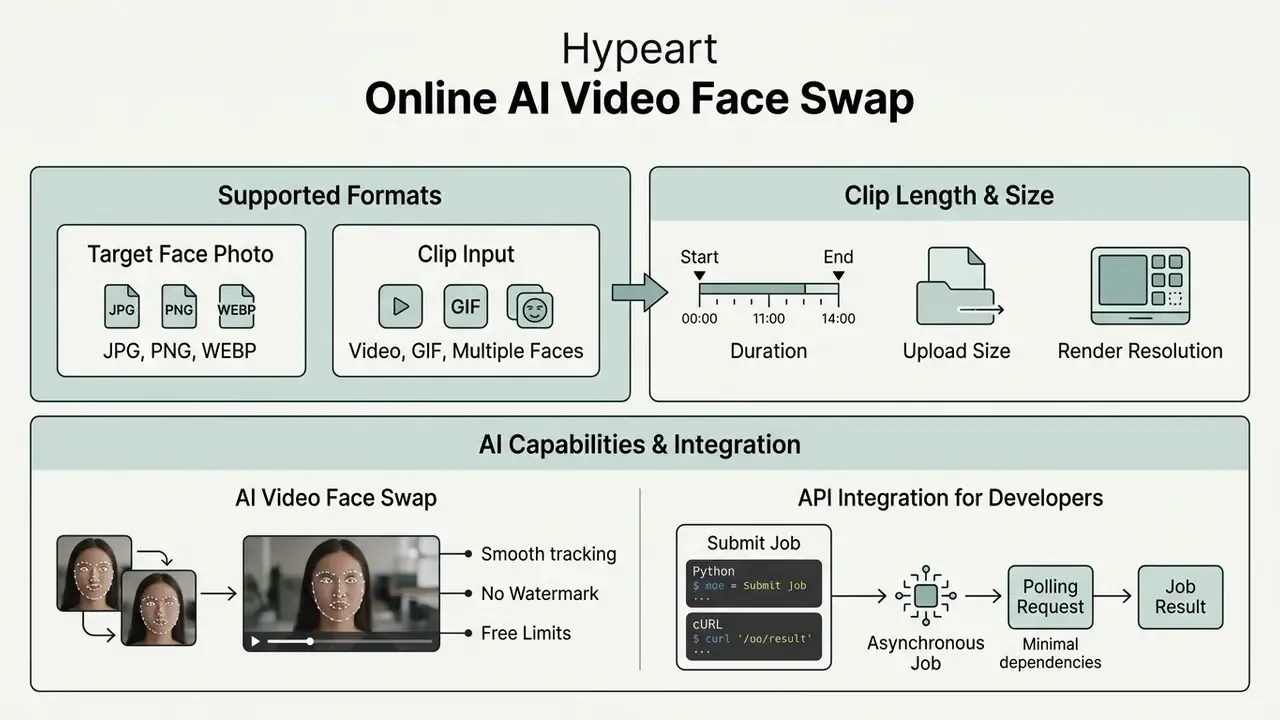
Cloud tools enforce hard boundaries on file types, clip duration, upload size, and render resolution. Knowing them before you upload saves a failed job and a wasted credit. If you are weighing browser tools against desktop pipelines, our overview of free video editing software is the better comparison base.
Integration parameters and enterprise media limits sit in our AI Media API Guides, with a worked cost model in the Google Veo API implementation guide.
Photo Formats for the Target Face: JPG, PNG and WEBP
Web platforms accept the standard raster formats for reference faces: JPG, PNG, and WEBP. PNG offers lossless quality and full alpha support, which makes it the safest choice for crisp facial detail.
| Format | Compression type | Alpha channel | Neural suitability |
|---|---|---|---|
| PNG | Lossless | Supported | Highest (optimal) |
| JPG / JPEG | Lossy | Not supported | High (standard) |
| WEBP | Lossy or lossless | Supported | High (web native) |
| HEIC | Lossy | Limited | Convert before upload |
JPG is universally compatible, but at low quality settings it introduces artifacts that degrade landmark extraction. NIST face-compression studies treat compression quality as a direct face-recognition variable, not a cosmetic detail. Google reports WebP lossless images at roughly 26 % smaller than PNG, and lossy WebP 25 to 34 % smaller than comparable JPEG, which makes it a solid web-native upload format.
Practical implication: the container matters less than the quality setting used to encode it. A high-quality JPEG at 1024 px beats a PNG exported from a low-resolution screenshot every time. And if your file exceeds the upload cap, cut bitrate deliberately rather than resolution. Our video compressor guide walks through the trade-offs.
Video, GIF and Multiple Face Swap
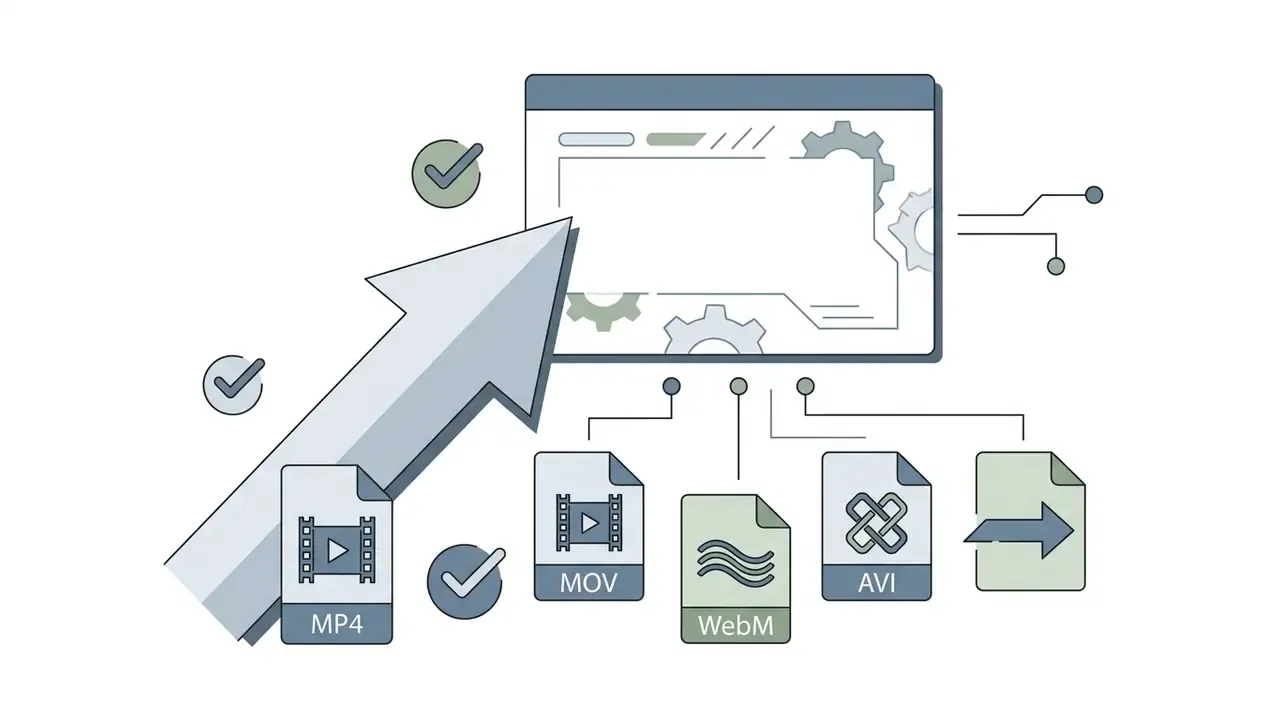
Target video processing supports MP4, MOV, WebM, AVI, and animated GIF. Public platforms typically cap free uploads under 100 MB, and documented duration ceilings differ sharply: 30 seconds at 30 FPS with a 4096 px long side on one commercial engine, 600 seconds on an API-first service, 10 minutes on another, and GIF inputs near 30 MB or 30 seconds. Advertised maximums often conflict with upload caps. A page promising 50-minute videos while enforcing a 100 MB limit is bounded by file size, not by minutes.
Multi-face pipelines handle several identities in one pass, at higher server cost. Vendors either charge extra credits per selected target face or cap the number of simultaneously detectable identities. Published limits range from 4 faces per image or video up to 10 selected faces, so verify the ceiling in current documentation rather than assuming it.
| Media type | Role in the face swap | Supported formats | Check before upload |
|---|---|---|---|
| Face photo | Target identity source | JPG, PNG, WEBP | No heavy compression, eyes open, neutral expression |
| Video clip | Target motion and background | MP4, MOV, WebM, AVI | Face sharpness, no motion blur, stable FPS |
| GIF animation | Short loop target | GIF, animated WebP | Loop length, no corrupted frames, up to 30 s |
| Output video | Final rendered media | MP4 (H.264), MOV | Resolution, absence of artifacts on face boundaries |
AI Face Swap API Integration for Developers (Python and cURL)
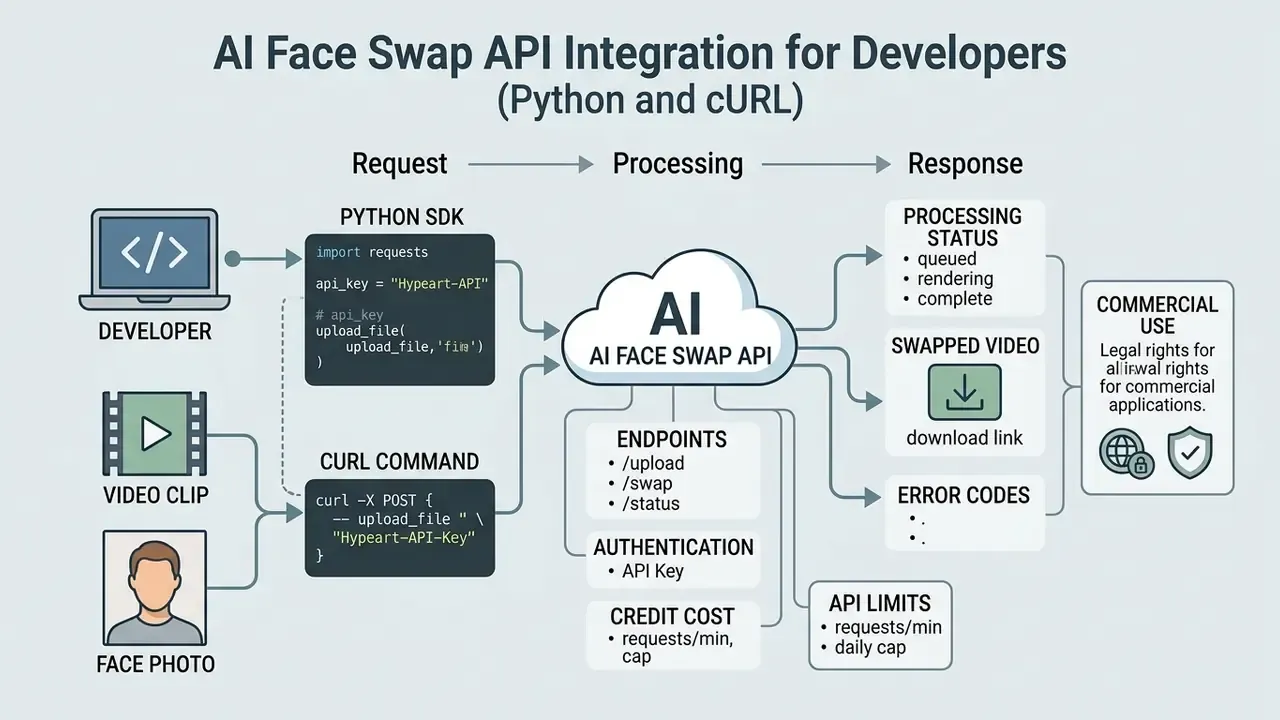
For automation inside a product pipeline, the same engine is exposed through a REST API, billed per rendered image or per second of video. Published entry points sit near $0.009 per image and from $0.05 per second of video, with a first successful call achievable in roughly five minutes. API access lifts the browser limits: batch jobs, explicit face mapping, watermark-free rendering, and resolution selection become request parameters rather than UI toggles.
Python: submit a video face swap job
import requests
API_URL = "https://api.yourplatform.com/v1/video-face-swap"
HEADERS = {"Authorization": "Bearer YOUR_API_KEY"}
payload = {
    "source_video_url": "https://assets.domain.com/target_video.mp4",
    "target_face_url": "https://assets.domain.com/source_face.png",
    "face_mapping": [{"original_face_index": 0, "new_face_index": 0}],
    "start_seconds": 0,
    "end_seconds": 15,
    "watermark": False,
    "resolution": "1080p"
}
response = requests.post(API_URL, json=payload, headers=HEADERS, timeout=60)
response.raise_for_status()
print("Task ID:", response.json().get("task_id"))
cURL: same request, minimal dependencies
curl -X POST "https://api.yourplatform.com/v1/video-face-swap" \
  -H "Authorization: Bearer $API_KEY" \
  -H "Content-Type: application/json" \
  -d '{
        "source_video_url": "https://assets.domain.com/target_video.mp4",
        "target_face_url": "https://assets.domain.com/source_face.png",
        "face_mapping": [{"original_face_index": 0, "new_face_index": 0}],
        "watermark": false,
        "resolution": "1080p"
      }'
Polling the asynchronous job
import time, requests
STATUS_URL = "https://api.yourplatform.com/v1/tasks/{task_id}"
while True:
    state = requests.get(STATUS_URL.format(task_id=task_id), headers=HEADERS).json()
    if state["status"] in ("completed", "failed"):
        print(state.get("output_url") or state.get("error"))
        break
    time.sleep(5)
Video swaps are asynchronous by design, because rendering is compute-bound. One vendor documents processing time at roughly 60 times the clip duration on constrained tiers, so a webhook or polling loop is mandatory, not optional. Standardize these request parameters across any production integration:
| Parameter | Purpose | Governance note |
|---|---|---|
face_mapping | Explicit original_face → new_face pairs | Prevents identity bleed in multi-person scenes |
target_index / target_gender | Face selection filters in multi-face clips | Log the selected index for reproducibility |
start_seconds / end_seconds | Time-range processing | Limits credits spent and narrows the consent scope |
watermark | Disables the platform badge on paid tiers | Removing a badge does not remove your disclosure duty |
resolution | 720p, 1080p, or 4K output | Higher resolution raises both cost and artifact visibility |
webhook_url | Async completion callback | Store the callback payload as audit evidence |
For model-risk owners, three controls belong in the integration itself rather than in a policy PDF. One: reject uploads without a linked consent record ID. Two: persist the model and endpoint version with every generated asset. Three: write the disclosure label into output metadata automatically, so no human step can skip it. Policy that depends on memory is not a control.
Free Face Swap Video Online: Watermark, Limits and Terms of Use
What "Free" Means for AI Face Swap Video Online
Freemium models grant non-paying users daily credits, entry-level export resolution, and standard queue priority. Free tiers let you test the core system while constraining video duration, batch uploads, and multi-face mapping. Caps vary widely by vendor and by media type, and some services advertise unlimited photo swapping in exchange for a preview watermark.
Documented examples of published free allowances include: 5 photo swaps per day with watermark-free photo output; 15 image swaps plus 20 seconds of video and 2 GIFs per day; unlimited swaps with a watermark on previews; and credit-metered models charging roughly 1 credit per second of video with a 40-credit job minimum. Search phrasings differ (free face swap video maker online, free face swap video & photo online, ai face swap videos free), but the underlying economics do not.
| Metric | Free tier typical limit | Premium tier standard |
|---|---|---|
| Daily credits | 5 to 15 credits per day | Unlimited or 1,000+ per month |
| Max video length | 15 to 30 seconds (some vendors 5 min or more) | 10 to 60 minutes |
| Export resolution | 720p (HD) | 1080p to 4K (Ultra HD) |
| Queue priority | Standard, queue-bound | Priority GPU allocation |
| Multi-face mode | Often account-gated | Included |
| Auto-deletion of uploads | Roughly 1 to 24 hours | 24 hours to 90 days (retention window) |
Free allocations usually refresh every 24 hours or on account registration. High-volume rendering, HD exports, and commercial rights push you onto a paid plan sooner or later. That is the design.
When the Result May Contain a Watermark
A watermark is a brand badge burned into the exported file during server-side rendering. Platforms use it to mark trial output, protect commercial licensing, and earn attribution.
| Service state | Watermark behavior | Removal requirement |
|---|---|---|
| Free rendering (video / GIF) | Embedded permanently into the exported file | Upgrade to a paid tier |
| Free rendering (photo) | Frequently omitted even without sign-up | None |
| Paid subscription | Omitted automatically on export | Native watermark-free render |
| Historical media | Remains on files exported before the upgrade | Re-render the source project |
| Editing preview | May display a temporary badge | Removed automatically at export |
Upgrading disables watermark embedding on newly rendered clips. Files exported before the upgrade need a fresh render pass, though, because the badge is written into pixels during the original job. There is no post-hoc removal that preserves quality.
| Parameter | Free plan | Paid plan |
|---|---|---|
| Daily limits | 5 to 15 generations or 15 to 30 s of video | Extended limits or unlimited |
| Watermark | Present on video and GIF output | Watermark-free across formats |
| Output resolution | 720p HD | 1080p Full HD or 4K |
| Commercial rights | Personal use only | Full commercial use |
| Multiple face swap | Restricted, typically 1 face | Multi-face mapping, commonly 4 to 10 identities |
| File auto-deletion | Automatic within roughly 1 to 24 hours, sanitized per NIST SP 800-88 Rev. 2 | Configurable retention up to 90 days |
| Sign-up | Not required for the base flow | Account required |
Can AI Face Swap Videos Be Used in Advertising, Social Media and Commercial Content
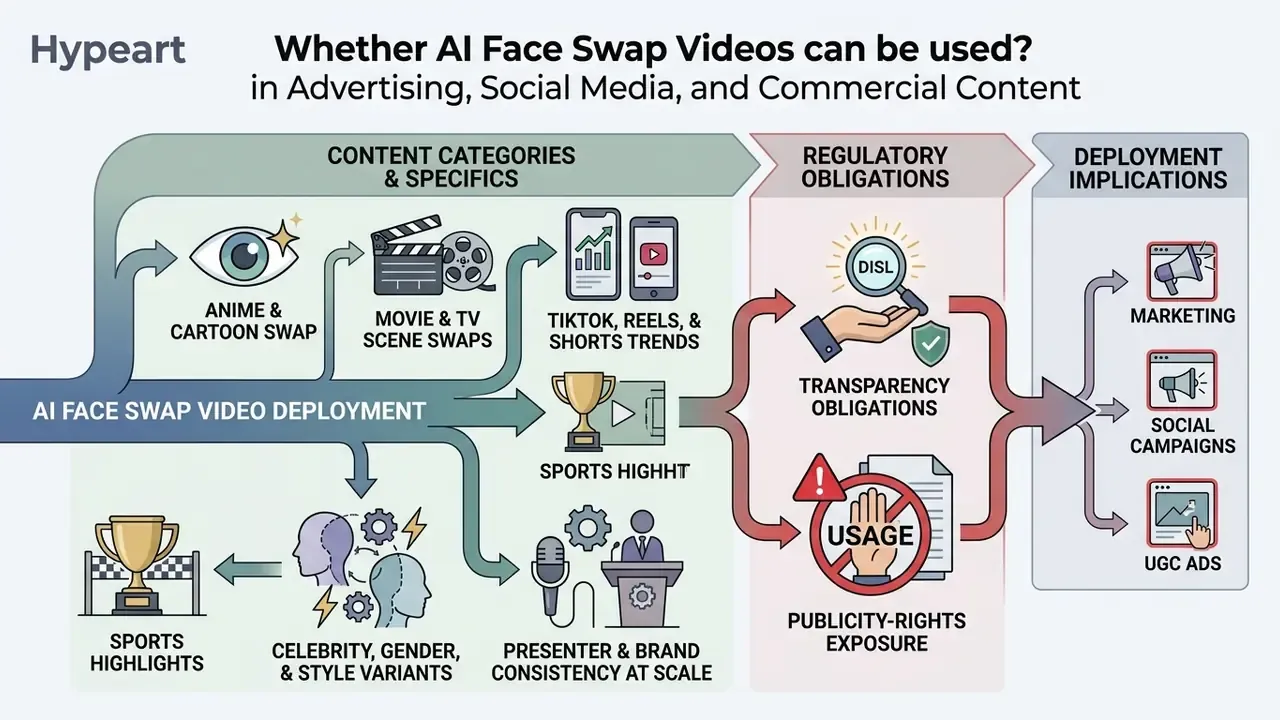
Deploying faceswap ai videos in marketing, social campaigns, or user-generated-content (UGC) ads triggers transparency obligations and publicity-rights exposure. Commercial viability rests on two separate things: the software license you bought, and the consent you documented. Confusing them is the single most common mistake we see in review.
Another illustrative scenario, again hypothetical. A fintech platform tested generative video to adapt educational social clips for localized US consumer audiences. It signed explicit performer releases and placed clear AI disclosure badges on every promotional asset, then measured engagement against the non-synthetic control. Compliance held; the creative learning was the actual deliverable.
Licensing frameworks and asset-rights details live in our AI Media Commercial-Use resources.
Commercial Use: Advertising, UGC Ads and Brand Content
Commercial deployment of synthetic video in UGC advertising or corporate branding requires explicit written consent from every individual whose likeness appears. A vendor's commercial license does not override statutory publicity rights or consumer-protection rules (FTC proposed impersonation rule, 2024; FTC final rule on consumer reviews and testimonials, 2024).
That duty applies whether the purpose is commercial or purely entertainment. The EU Code of Practice on Transparency of AI-generated Content adds the operational detail: disclose at first exposure, repeat or persist the label on longer video and audio, and use visible icons or audio notices for multimodal content.
| Compliance area | Requirement | Regulatory framework |
|---|---|---|
| Likeness rights | Documented written consent, revocable | State publicity rights laws |
| AI disclosure | Conspicuous synthetic label at first exposure | EU AI Act Art. 50(4); NY synthetic performer law (2025) |
| Ad claims | Non-deceptive endorsement; no fake testimonials | FTC Consumer Reviews and Testimonials Rule (2024) |
| Impersonation | No implied affiliation or endorsement | FTC impersonation rulemaking (2024) |
| Asset licensing | Paid commercial plan; check ad-specific carve-outs | Platform Terms of Service |
| Data collection | No untargeted scraping of facial images | EC Guidelines on prohibited AI practices (2025) |
| Platform labeling | AI-content labels on TikTok, YouTube, Meta | Platform policy |
Read the vendor contract before scaling paid media. Commercial reviews of avatar and swap providers document cases where library assets are barred from promoted, boosted, or paid social placements, even though generation itself is allowed. Some terms also license user-submitted outputs back to the platform for gallery display, which quietly affects exclusivity in client work. Broader licensing patterns are analyzed in our piece on commercial use of AI image generators.
State law adds its own layer. New York's synthetic performer disclosure statute, enacted in December 2025, requires conspicuous labels when synthetic performers appear in commercial advertisements, and more states are drafting. For litigation and regulatory timelines, follow our tracker on AI Litigation and Case Timelines.
Reproducible audit evidence: what to keep for every commercial asset
| Evidence item | Why regulators and auditors ask for it |
|---|---|
| Signed opt-in release (scope, audience, channels, expiry, revocation path) | Proves consent covered the actual use |
| Source file hashes for the target video and reference photo | Establishes provenance of inputs |
| Tool name, model or endpoint version, timestamp, job ID | Makes the output reproducible |
Parameter log (face_mapping, time range, resolution, watermark flag) | Shows what changed and where |
| Disclosure artifact (screenshot of the visible label plus metadata dump) | Demonstrates Article 50 compliance |
| Human review sign-off (reviewer, date, 200 % zoom QA notes) | Documents the control, not just the intent |
| Retention and deletion record from the vendor | Closes the data-lifecycle loop |
Legal notice
Security, Privacy and Responsible Use of Deepfake Video Face Swap
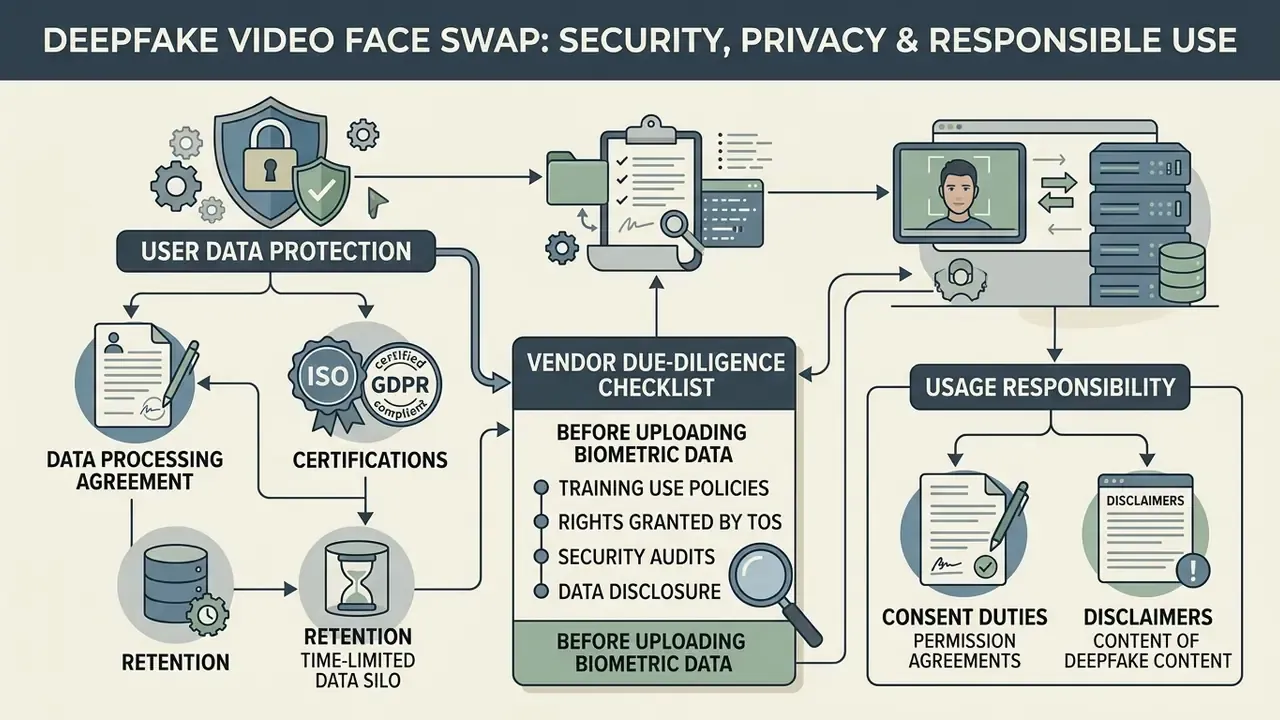
Before uploading personal photos or proprietary footage to a cloud tool, read the privacy policy properly. Check encryption in transit and at rest, server retention schedules, and access controls. Search intent around deepfake video face swap online free rarely includes these questions, which is exactly why they belong here.
Research also shows that a single-pass swap does not erase the underlying identity signal.
Put differently: specialized recognition models can still re-identify a large share of subjects from swapped images, depending on occlusion. So a swap must never be treated as a primary anonymization technique. Human perception runs the other way:
«Humans discriminate deepfake images at near chance level, while showing moderate accuracy on video by exploiting temporal inconsistencies as cues.»
The governance consequence is uncomfortable but clear. Machines can still identify the person your swap was supposed to hide, and your audience often cannot tell the media was manipulated at all. Both failure modes point to explicit labeling rather than reliance on visual plausibility. If your job is verifying inbound media rather than generating it, see our overview of AI image detectors.
For technical security questions or data-removal guidance, use our support portal.
How Uploaded Photos and Videos Are Protected
Credible platforms protect media in transit with TLS and store files in isolated buckets. Retention windows typically run from 24 hours to 90 days, covering processing and download access before deletion. Policies observed in 2025 and 2026 range from 12 to 24 hours (download window only) up to 90 days for saved creations, and some vendors state explicitly that uploads are never used for model training.
| Phase | Operational window | Security standard |
|---|---|---|
| Active processing | Temporary session memory | TLS 1.3 / AES-256 |
| User access window | 24 hours to 90 days | Encrypted cloud bucket, restricted access |
| Free-tier auto-purge | Roughly 1 to 24 hours after generation | Automated deletion job |
| Data sanitization | Permanent server erasure | NIST SP 800-88 Rev. 2 |
| Log and analytics retention | Up to 90 days | Pseudonymized telemetry |
Secure environments follow recognized media sanitization baselines such as NIST SP 800-88 Rev. 2, the current standard after Rev. 1 was withdrawn in September 2025. For comparison, hosted enterprise platforms document deletion ceilings up to 30 days for active deletion and 180 days for passive deletion. So "deleted" rarely means "instantly gone" in either consumer or enterprise contexts. Worth knowing before you promise a regulator otherwise.
Vendor due-diligence checklist before uploading biometric data
- Certifications.Does the provider hold SOC 2 Type II or ISO/IEC 27001, and will they share the report under NDA?
- Data processing agreement.Is a DPA available, with a sub-processor list, transfer mechanism, and breach-notification SLA?
- Training use.Do the terms state explicitly that uploads and outputs are not used to train models?
- Retention.Are deletion windows quantified in hours or days, and is deletion on request supported?
- Rights granted by the ToS.Do you grant a perpetual, worldwide, royalty-free license over your uploads or outputs? Free consumer tiers frequently do.
- Jurisdiction.Where are the servers, and does that trigger cross-border transfer or biometric-data statutes?
- Access control.Is access limited to operations and support, with logging?
- Encryption.TLS in transit and AES-256 at rest, confirmed in writing.
- Moderation and abuse controls.Rate limits, content filters, non-consensual-content blocking.
- Shadow-AI exposure.Are employees uploading customer or executive faces to unvetted free tools? If yes, that is an incident waiting for a date.
Consent for Using a Face and Labeling AI Content
Ethical governance starts with informed, revocable opt-in consent from any living person before you generate a synthetic depiction of their face. Unauthorized synthetic media of real individuals breaches platform terms and privacy law simultaneously.
Several published frameworks converge here, and the strongest ones are verifiable. The American Medical Association's 2026 guidance requires affirmative, informed opt-in consent plus plain-language labeling and a digital watermark for manipulated depictions. Saudi Arabia's SDAIA Deepfakes Guidelines publish a sample consent form and state that consent is withdrawable and purpose-bound. Russian ethical recommendations on digital imitations permit imitating a living person only with clearly expressed consent covering purpose, audience, and broadcast conditions. And vendor policies for consumer swap tools require documented consent for every identifiable person in a group image, not just the main subject.
| Framework | Transparency requirement | Disclosure mechanism |
|---|---|---|
| EU AI Act, Art. 50(4) | Mandatory disclosure of deepfakes | Visible badge or machine-readable metadata |
| EU Code of Practice on Transparency | Label at first exposure; persist on long media | On-screen icon, audio notice |
| NY synthetic performer law (2025) | Conspicuous ad disclosure | On-screen text in the advertisement |
| AMA guidance (2026) | Informed opt-in consent required | Plain-language label plus digital watermark |
| SDAIA Deepfakes Guidelines | Visible disclosure in credits or description | On-screen indicator at start or end |
| Platform policies (TikTok, YouTube, Meta) | Ban on non-consensual media; AI labels | Account suspension, audit, auto-label |
Transparency guidance under EU AI Act Article 50 requires deployers to add visible labels or machine-readable watermarks to manipulated media, so viewers can tell what they are looking at.
Sample disclosure wording you can adapt
- Social post or short-form video "This video contains an AI-generated face swap. Created with the consent of the person depicted."
- Paid advertisement "AI-generated content. The performer's likeness was digitally altered with written consent."
- Internal training asset "Synthetic media notice: this presenter's face was replaced using AI. Model version and consent record on file (ref. ####)."
Abuse prevention closes the loop. Official guidance centers on blocking harassment, fraud, defamation, and sexualized content, backed by technical controls: rate limits, identity checks, allow-lists, content filters. A program that documents consent but ships no guardrails is half a control at best.
FAQ About Face Swap Video Online Free
Browser-based AI face swap applications run inference on distributed cloud infrastructure, so you can generate synthetic clips without specialist software or a high-end editing machine. If you are also evaluating text-to-video tooling, our reference on AI video generators covers the adjacent cloud workflows.
To estimate compute requirements and compare cloud rendering costs, use our AI Media Calculators.
Do You Need a Video Editor or an App for AI Face Swap Videos?
No. Neither local editing software nor a mobile app install is required. Processing happens inside a standard web browser through cloud rendering engines, and vendor documentation says it plainly: no editing skills, no editing software, nothing to install. Typical browser-side prerequisites are a modern browser, a stable upload connection, and, for live capture modes, webcam access with WebRTC enabled. Queries such as face swap video online site and free face swap video app online point to the same browser-first reality.
| Component | Traditional local video editor | Cloud AI browser tool |
|---|---|---|
| GPU requirement | High-end dedicated VRAM (8 GB or more) | None (cloud GPU rendering) |
| Local software | Required, heavy installation | None, standard web browser |
| User skill level | Advanced timeline editing | Basic: upload and click |
| Processing load | Heavy local CPU and GPU utilization | Minimal local web load |
Cloud tool vs. local pipeline (Roop, ReActor, ComfyUI)
| Comparison parameter | Cloud AI tool (online, free tier) | Local software (ComfyUI / Stable Diffusion stacks) |
|---|---|---|
| GPU requirements | None, rendering runs server-side | Nvidia RTX 3080 or better, 8 to 12 GB VRAM minimum |
| Render speed (10 s clip) | Roughly 30 to 90 seconds | Roughly 5 to 15 minutes depending on iterations |
| Setup complexity | Three clicks: upload, swap, download | Python, CUDA, Git, model weights, node graphs |
| No sign-up support | Yes, in base mode | Full offline autonomy, no account at all |
| Data location | Vendor servers, retention policy applies | Entirely on your machine |
| Cost model | Free credits, then subscription or per-second API | Hardware capex plus electricity |
| Governance trade-off | Vendor DPA and certifications required | You own the whole control surface, and the whole risk |
| Server-side stacks have matured alongside the generators. Benchmark results report roughly 0.822 AUC on the video track of Deepfake-Eval-2024 at about 73 % accuracy, which suggests cloud video models are now evaluated with the same rigor as image models (Continuously Evolving Deepfake Detection, arXiv, 2025). | ||
| In practice you upload files, select detected faces, and start generation. The platform handles landmark tracking, feature substitution, and export. Once your clip is rendered, publishing workflows are covered in our guide to YouTube video editors. For conversational AI tooling, browse the free ai chatbot no filter directory. |
Do I Need to Sign Up or Pay to Try a Face Swap Video?
No account is needed for the base browser flow. You can upload a clip and a reference photo, run the swap, and download the result anonymously, with no card. Free daily credits apply, photo output is often watermark-free, and free video or GIF output usually carries a platform badge. Registering a free account typically unlocks saved projects, extra credits, and multi-face mode. A paid plan removes watermarks across formats and raises duration and resolution ceilings. That is the honest answer behind searches for free ai face swap video online free.
How Long Can a Free Face Swap Video Be, and How Fast Is Processing?
Published free-tier ceilings differ dramatically. Fifteen to 30 seconds is the most common cap, one commercial engine documents a hard 30-second, 30 FPS, sub-100 MB input limit, and API-first services document up to 600 seconds. Treat advertised maximum durations with suspicion when the same page enforces a 100 MB upload cap, because file size is usually the real bottleneck. Processing generally takes 1 to 3 minutes for clips up to 30 seconds, and 5 to 15 minutes for a 60-second 1080p render. Some constrained tiers document roughly 60 times the clip duration.
What Happens to My Uploaded Video and Face Photo?
Published policies range from 12 to 24 hours (download window only) up to 90 days for saved creations, after which files are purged. Log and analytics data may be kept up to 90 days separately. In credible implementations, transit is protected by TLS 1.3 and storage by AES-256, with permanent erasure aligned to NIST SP 800-88 Rev. 2. Before uploading anyone's biometric data, confirm in writing that uploads are not used for model training, request the DPA, and check whether the terms grant the platform a perpetual license to your content. Free consumer services often do.
Can I Use a Face Swap Video in a Commercial Ad or UGC Campaign?
Only with two separate permissions in place. First, a paid commercial plan or an explicit commercial license from the vendor, and check for carve-outs, because some providers bar library assets from promoted or paid social placements. Second, written, revocable consent from every identifiable person whose likeness appears, documented with scope, channels, and expiry. On top of that, EU AI Act Article 50(4) requires the output to be disclosed as artificially generated, New York's 2025 statute requires conspicuous disclosure of synthetic performers in advertisements, and FTC rules prohibit deceptive endorsements or fake testimonials. Keep the audit-evidence set described above for every published asset.
Does a Face Swap Anonymize the Person in the Original Video?
No. Peer-reviewed evaluations of popular swap tools report membership-inference AUC between 0.73 and 0.95, and re-identification of up to 61 % of "protected" subjects at a 1 % false-positive rate. Face swapping changes what humans see. It does not reliably remove the biometric signal machines read. When privacy is the objective, use purpose-built anonymization: blurring, masking, or synthetic replacement with documented guarantees.
Can I Swap Faces in Anime, Movie Scenes or Sports Clips?
Yes, with category-specific caveats. Anime and cartoon targets rely on segmentation masks rather than 3D landmarks, so results are stylistic rather than photorealistic. Movie footage should be split at hard cuts, so the tracker does not carry identity across shots. Sports clips work best on celebrations and walk-outs rather than blurred mid-action frames. GIF targets run through the video pipeline, usually capped near 30 seconds and 30 MB.
Does Multi-Face Swap Cost More Than Single-Face Swap?
Generally yes. A multi-face pass runs detection, normalization, and identity transfer per bounding box per frame, so vendors either charge extra credits per selected target face (3 credits per face is a published example) or cap simultaneous identities. Observed limits range from 4 to 10 faces. Explicit face_mapping pairs are also your main defence against identity bleed between adjacent performers.
How Should I Read Branded Queries Like "Deepfake Face Swap Video Maker Free Vidq"?
Carefully. A query such as deepfake face swap video maker free vidq blends a generic intent with a specific brand string, and the brand may not document the limits the query implies. Check three things on the vendor's own pages before uploading: the published free-tier ceiling, the watermark rule per media type, and the retention window. If any of the three is missing from the documentation, treat that as a finding rather than an oversight.
Appendix A: Revision Log and Source Corrections
This article was revised for citation verifiability. The references below were previously stated in vague form and have been replaced with named, dated, locatable sources. The original phrasing is preserved here for transparency.
| Previous reference in text | Replacement source used above |
|---|---|
| "Deepfake Media Generation and Detection, 2026" (no URL) | Deepfake Media Generation and Detection in the Generative AI Era, arXiv preprint (2024) |
| "IEEE, 2024" for boundary jumps | Generalizing Deepfake Video Detection via Plug-and-Play: Facial Feature Drift, arXiv (2024) |
| "DREAM Benchmark, 2026" (no methodology) | DREAM: Deepfake Photorealism Assessment, arXiv preprint (2025): 140,000 ratings, 3,500 annotators |
| "NIST Compression Studies" (unnamed document) | NIST/ANSI face-compression study on JPEG and JPEG 2000 for face recognition; DeepSpeak (2024) and DF40 (NeurIPS 2024) dataset documentation |
| "Journal of Privacy Engineering, 2026" | Toward Interpretable Privacy Guarantees in Face-Swapping, arXiv preprint (2025) |
| "SDAIA Deepfakes Guidelines, 2026" (unverified date) | SDAIA Deepfakes Guidelines: Mitigating Risks While Fostering Innovation, cited with EU AI Act Art. 50(4) and AMA (2026) guidance |
| "RWDF-23 Dataset Study" (no publication data) | Image Meme Virality Analysis, ACM (2021), for measurable virality drivers |