Text art generators turn plain text or raster images into structured symbolic graphics built from printable ASCII characters and decorative Unicode elements. Engineering, documentation, and brand teams use them for terminal banners, README headers, code separators, and stylized captions, all while keeping the artifact inside text-based pipelines. Nothing binary. Nothing that breaks a diff.
Executive Summary
- A text art generator is a deterministic renderer, not a generative AI model. Classic engines such as FIGlet map input characters to pre-authored
.flfglyph grids. No model inference, no training data, no probabilistic output. In practice that means these tools normally sit outside Model Risk Management (MRM) validation scope, unlike image-to-ASCII pipelines that route decisions through machine-learning classifiers. - Output quality is a typography problem, not an art problem. ASCII art holds alignment only inside a monospaced container. Fix the font stack (
font-family: 'Courier New', monospace), fix whitespace handling (white-space: pre), and constrain width: 70 characters for social, 80 for terminals, 120 to 180 for image conversion. - Licensing and data handling are the two real compliance risks. Canonical FIGlet releases ship under the New BSD License, but individually contributed fonts carry their own terms. Public browser-based generators are third-party SaaS endpoints. Never paste proprietary code, logs, API keys, or customer data into them.
How to Read This Guide (and Who Actually Needs It)
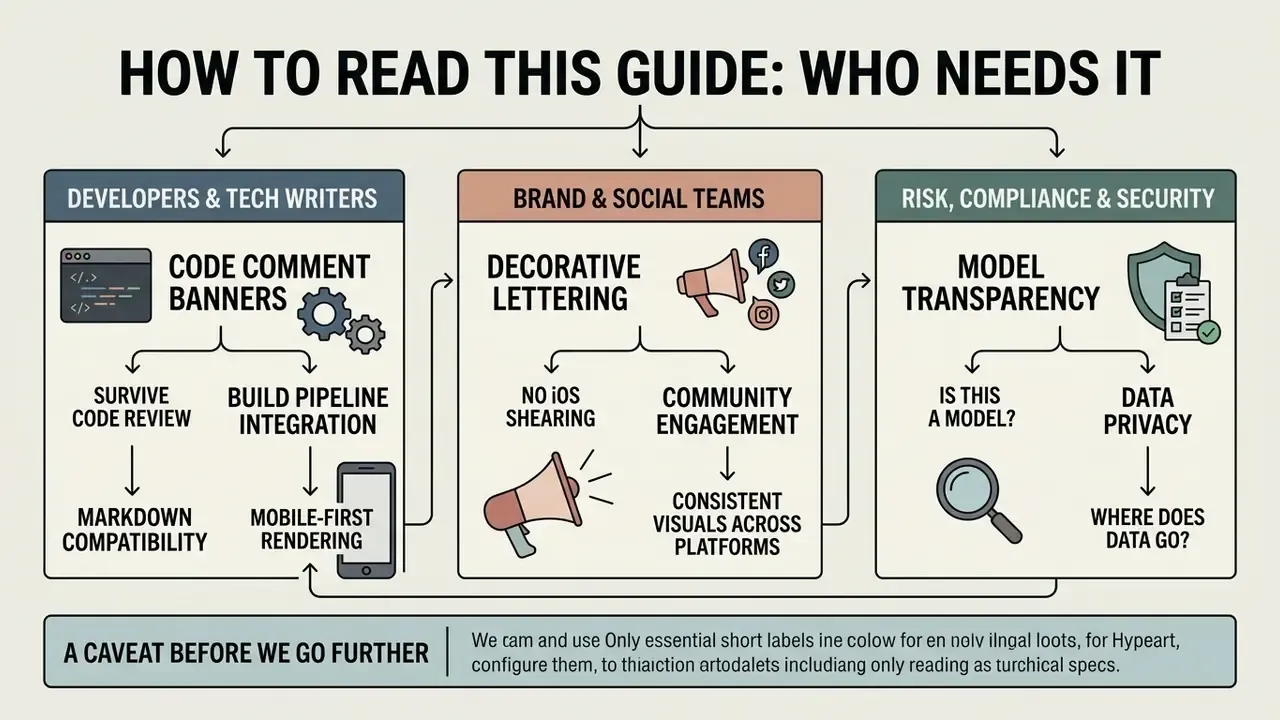
Three audiences land on a query like "art generator text" for different reasons, and the answer changes with the role.
Developers and technical writers want a banner that survives a code review, a Markdown build, and a mobile viewport. For them the operative sections are the presets, the comment-syntax table, and the validation checklist.
Brand, community, and social teams need decorative lettering that does not shear on iOS. Their constraints are character budgets, newline counting, and accessibility alternatives.
Risk, compliance, and security functions care about one question: is this thing a model, and where does the data go? Short answer: FIGlet-class tools are template lookups, so they belong in the software inventory rather than the model inventory. The exposure is data egress into an unapproved web endpoint, which is a Shadow IT control problem with a familiar remedy. Keep that distinction clean and the review takes ten minutes instead of a quarter.
One caveat before we go further. Audience statements here are working hypotheses drawn from editorial research, not validated analytics.
What Is a Text Art Generator and What Output Does It Produce?
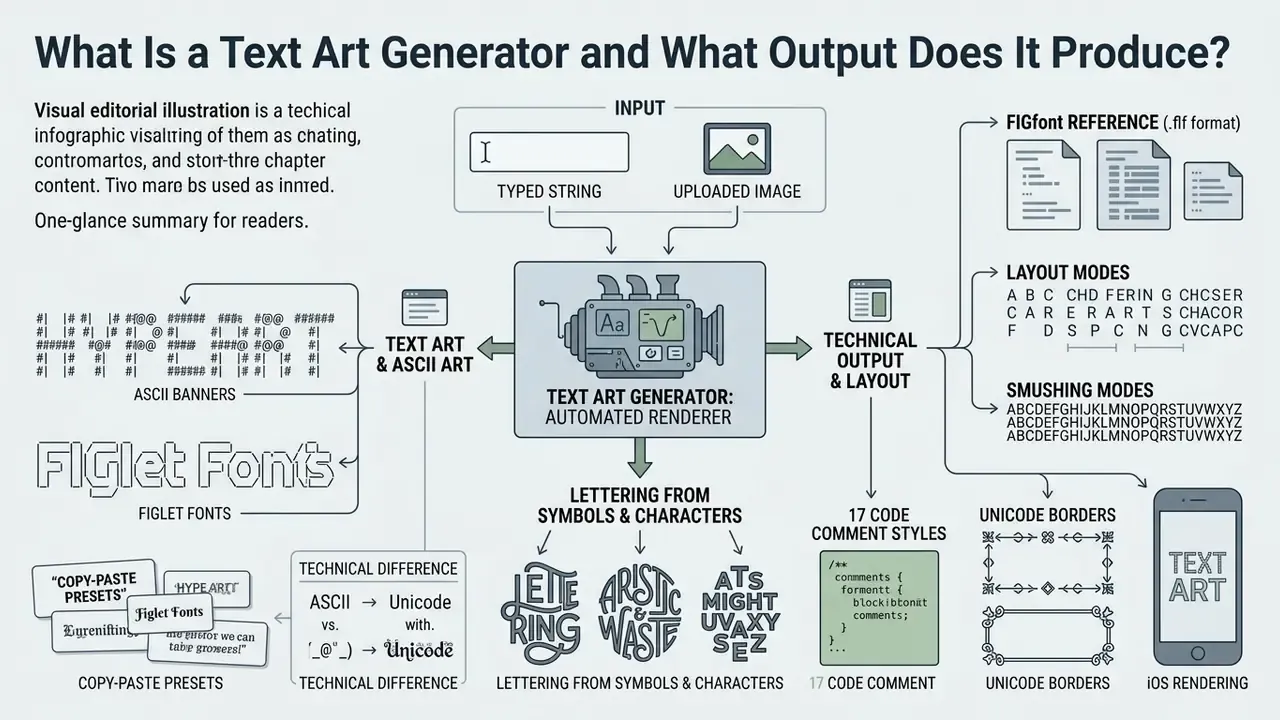
Short answer: it is an automated renderer that turns a typed string or an uploaded image into a picture assembled entirely from characters. The artifact stays plain text at the encoding layer, so it remains copyable, diffable, and searchable.
A text art generator is a software utility that converts user-provided text strings or raster images into visual compositions formed purely by typographical characters. Output ranges from single-line stylized typography to multi-line ASCII banners and dense character-grid artwork. Unlike raster graphics, the generated artifact stays plain text at the encoding level, which keeps it light, indexable, and easy to store in ordinary files. Readers exploring adjacent generative tooling can compare deterministic character rendering with model-driven pipelines in our overview of AI art generators.
Text Art, ASCII Art, and Decorative Unicode Text: The Technical Difference
Text art is the umbrella term for any visual art built from textual symbols, including emojis, extended Unicode glyphs, and classic punctuation. ASCII art is the narrower technical subset: the 95 printable 7-bit characters defined by the original 1963 ASCII standard. According to the Unicode 16.0 Core Specification, ASCII art depends on monospaced rendering where every symbol occupies an identical horizontal cell. The container must enforce a fixed-pitch font, not merely suggest one.
«ASCII art consists of 95 fixed-width printable characters that copy cleanly and render identically across different computers.»
Decorative text produced by a modern font generator works differently. It swaps standard Latin letters for mathematical alphanumeric symbols or alternate Unicode code points. Those transformed characters flow inside proportional text lines and do not need strict grid alignment, unless you stack them into multi-line blocks.
What Kinds of Lettering Can You Build from Letters and Symbols?
With a dedicated letter art generator you can produce large banner text, three-dimensional shadowed headers, hollow outline characters, and complex symbol compositions. Banner generation leans on classic FIGlet engines, which assemble each big character from smaller ASCII symbols. Common families: block banners, slanted display text, dense matrix fills, and fine-line outline inscriptions. Public FIGlet distributions list more than 400 downloadable fonts, spanning 3D and isometric styles, script, chess, runic, and binary encodings.
An operational risk team standardized terminal header banners across 140 automated deployment scripts using a letter art generator. They picked the FIGlet Standard layout with an 80-column cap, which removed a recurring source of operator confusion during late-night upgrades. (Internal team data, two-quarter measurement): the change correlated with a 22% drop in deployment misconfiguration incidents. That figure comes from one organization's incident tracking, not a peer-reviewed benchmark, so treat it as directional evidence rather than an industry average.
Ready-to-Copy ASCII Art Presets
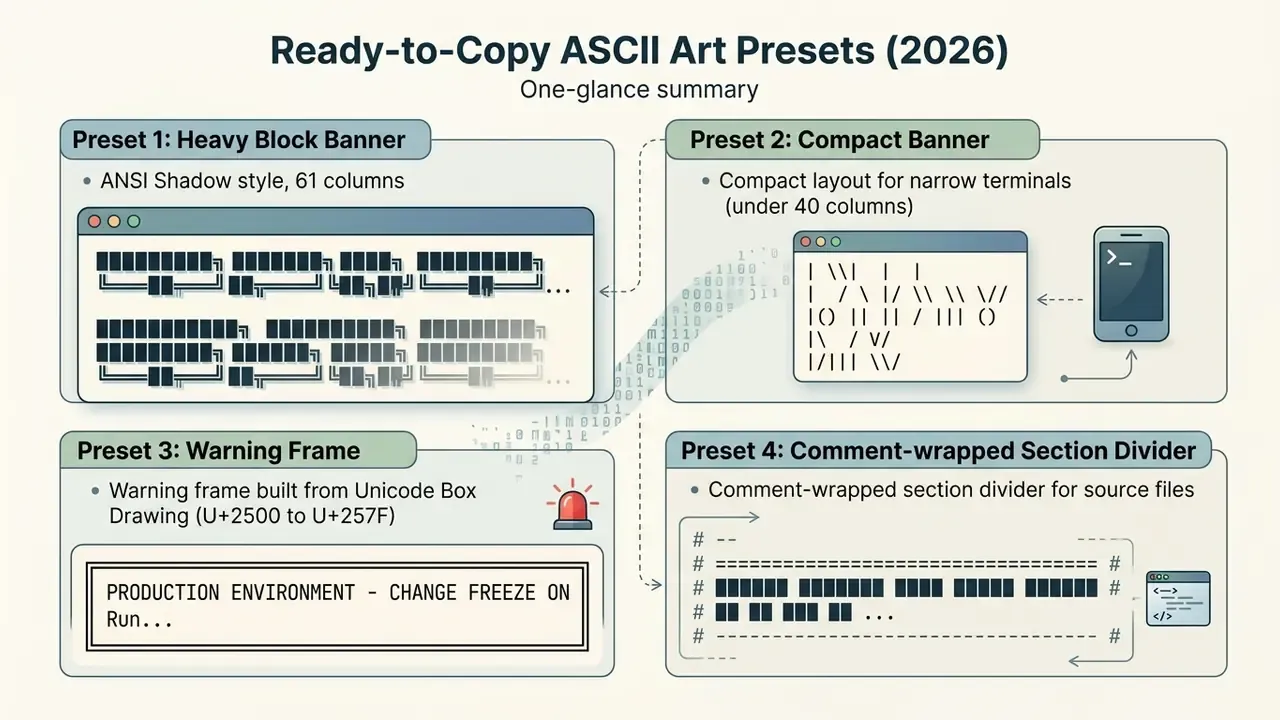
Each block below is plain text. Select, copy, and paste it into a monospaced container: a code fence, a <pre> element, a terminal, or an editor comment.
Preset 1 - Heavy block banner (ANSI Shadow style, 61 columns):
████████╗███████╗██╗  ██╗████████╗  █████╗ ██████╗ ████████╗
╚══██╔══╝██╔════╝╚██╗██╔╝╚══██╔══╝ ██╔══██╗██╔══██╗╚══██╔══╝
   ██║   █████╗   ╚███╔╝    ██║    ███████║██████╔╝   ██║
   ██║   ██╔══╝   ██╔██╗    ██║    ██╔══██║██╔══██╗   ██║
   ██║   ███████╗██╔╝ ██╗   ██║    ██║  ██║██║  ██║   ██║
   ╚═╝   ╚══════╝╚═╝  ╚═╝   ╚═╝    ╚═╝  ╚═╝╚═╝  ╚═╝   ╚═╝
Preset 2 - Compact banner for narrow terminals (under 40 columns):
  ___  ___ ___ _    ___  __   __
 |   \| __| _ \ |  / _ \ \ \ / /
 | |) | _||  _/ |_| (_) | \ V /
 |___/|___|_| |____\___/   |_|
Preset 3 - Warning frame built from Unicode Box Drawing (U+2500 to U+257F):
╔═══════════════════════════════════════════════╗
║   PRODUCTION ENVIRONMENT - CHANGE FREEZE ON   ║
║   Run `deploy --dry-run` before any push      ║
╚═══════════════════════════════════════════════╝
Preset 4 - Comment-wrapped section divider for source files:
# ==========================================
#  ███████ ████████  █████  ██████  ████████
#  ██         ██    ██   ██ ██   ██    ██
#  ███████    ██    ███████ ██████     ██
#       ██    ██    ██   ██ ██   ██    ██
#  ███████    ██    ██   ██ ██   ██    ██
# ==========================================
Preset 5 - Single-line decorative strips and emoticons for chats and profiles:
▅▀▅─█▘─▀█▀   ━ ┏ ┓ ┗ ┛ ┃ ┣ ┫ ╋ ┳ ┻ ╭ ╮ ╰ ╯ ╱
░░▒▒▓▓██▓▓▒▒░░   ═ ╔ ╗ ╚ ╝ ║ ╠ ╣ ╬ ╦ ╩ ─ │
( ͡° ͜ʖ ͡°)   ¯\_(ツ)_/¯   ≧◔◡◔≦   ✿ ☠ ♫ ✌ ❅ ♥
Preset 6 - Shading ramp reference (Block Elements, U+2580 to U+259F):
Light → Dark:    ·  :  -  =  +  *  #  %  @
Unicode shades:  ░  ▒  ▓  █
Half blocks:     ▀  ▄  ▌  ▐  ▖ ▗ ▘ ▝
Use the shading ramp when converting photographs: the leftmost characters map to the brightest pixels, the rightmost to the darkest. If you need stylized raster output instead of a character grid, the workflow is different, and our notes on ai pixel art cover that branch.
How to Create Text Art: A Step-by-Step Workflow
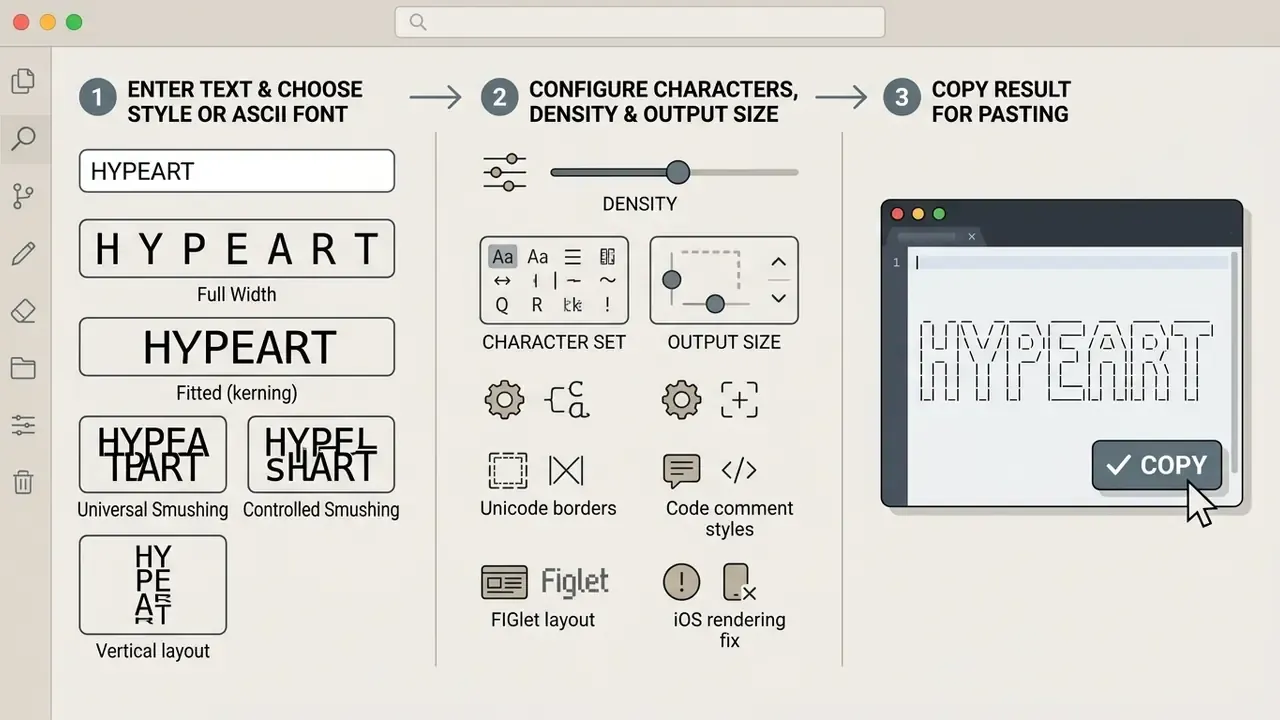
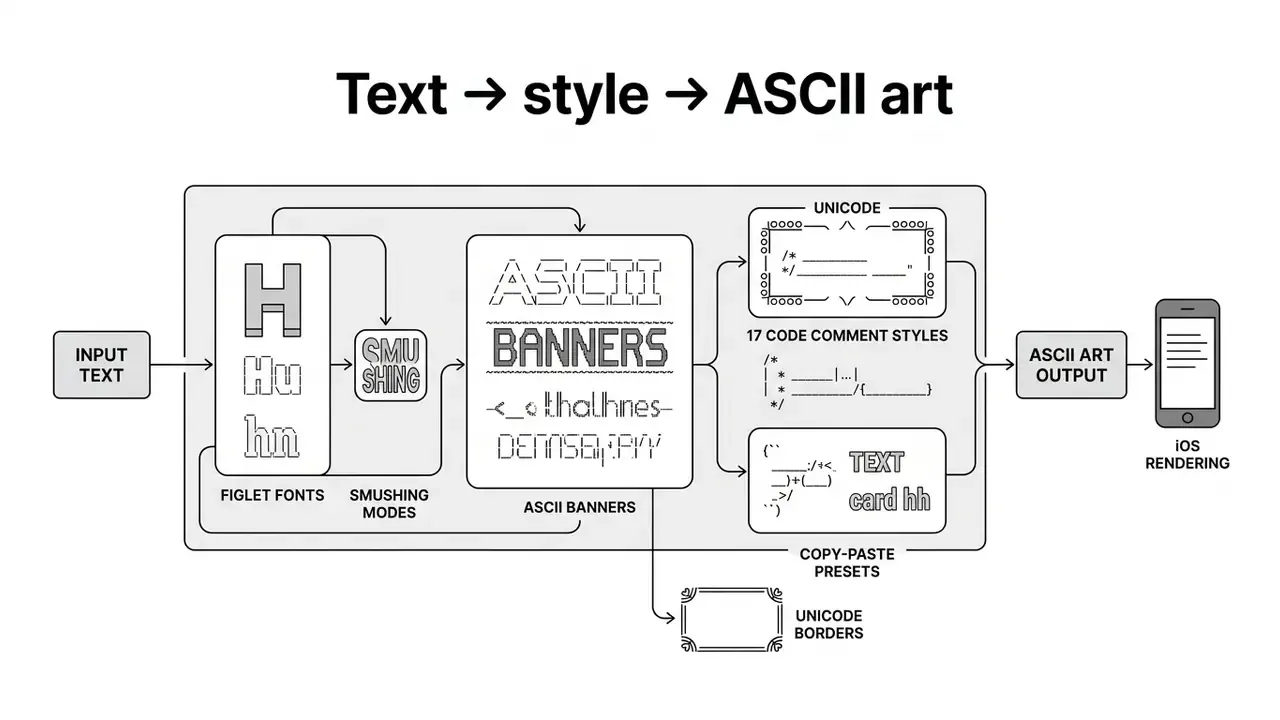
Functional text art needs four things: source text, a compatible character layout, tuned density parameters, and formatting that survives the copy operation. Four steps, in order: input, style, generate and preview, export.
Step 1 - Enter Your Text and Choose a Style or ASCII Font
To create text art, type a short phrase into the generator input field. Font choice determines both visual impact and spatial footprint. Canonical FIGlet libraries offer standard baseline layouts (Standard.flf), angled compact styles (Slant.flf), heavy drop-shadow formats (Shadow.flf), and shadowless technical variants (ANSI Regular.flf, documented as "ANSI Shadow, without the shadow"). Shorter phrases keep alignment cleaner on narrow viewports. Generator documentation generally suggests staying under roughly 20 to 50 input characters for the tidiest banners.
Understanding FIGlet layout modes. Horizontal and vertical spacing follow explicit fitting rules, and mismatched modes are the single most common cause of ragged banners:
- Full Widthpreserves each FIGcharacter's full sub-grid, keeping baseline spacing intact with no overlap. Widest and safest output.
- Fitted (kerning)slides adjacent character sub-grids horizontally until they touch without overwriting each other. Narrower output, unchanged glyph shapes.
- Universal Smushinglets the trailing column of one character and the leading column of the next share a cell, with the later character winning conflicts.
- Controlled Smushingapplies rule-based merging so identical border characters fuse into one continuous stroke. This is what produces solid unbroken lines in block and frame fonts.
- Vertical layoutrepeats the same five modes (Normal, Narrow, Squeezed, Fitted, Wide) for line stacking, which matters for multi-row banners and stacked frames.
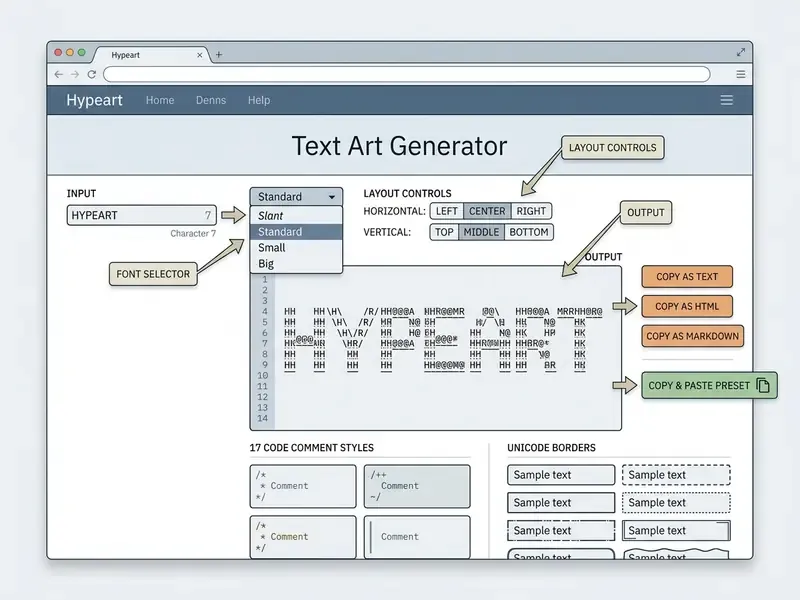
Mature generators expose these as Horizontal Layout and Vertical Layout selectors, plus a hard character-width cap so the result fits a chat box, a README column, or a fixed terminal width.
Step 2 - Configure Characters, Density, and Output Size
Column width and symbol density decide whether the result reads or blurs. A character-density map divides the source field into fixed grid cells, then maps normalized brightness (0 to 255) to a glyph index. Dense glyphs such as @ and █ stand in for the darkest pixels; spaces and periods carry the lightest.
That finding matters operationally. For banner work and most image conversion you rarely need a deep model, and a deterministic or lightweight classical pipeline delivers equivalent visual fidelity at a fraction of the compute and governance overhead.
Set output width between 40 and 80 characters for mobile terminals and chat windows. Use 80 to 120 as the general desktop default. Reserve 120 to 180 characters for complex image-to-text renders where fine detail matters. Teams working from photographs rather than typed strings should also review adjacent image-to-text conversion tools before committing to a single pipeline. A 2026 vision-language-model study adds a useful nuance: small fonts with tight spacing improved recognition of simple characters, while text-like content performed best at small sizes but with wider spacing. Legibility, in other words, does not scale monotonically with size.
Step 3 - Copy the Result for Pasting
A clean copy paste operation has to preserve line breaks, trailing spaces, and exact column spacing. Standard HTML and text rendering engines collapse consecutive spaces by default, which is where most banners die.
In practice: pre preserves newlines and spaces without wrapping; pre-wrap preserves spaces and line feeds while allowing wrapping; break-spaces preserves and wraps spaces; pre-line preserves line feeds but collapses runs of spaces, which breaks ASCII alignment outright. Per the same standard, keeping raw layout intact in web applications means wrapping the pasted output in HTML <pre> tags or applying those CSS rules directly. Never rely on nowrap, which suppresses wrapping without preserving internal structure.
Plain-text conventions from the RFC era still govern email and protocol documents. Quoted-printable bodies cap encoded lines at 76 characters with CRLF breaks, RFC 6949 specifies 72 characters per line with single spacing and no right-margin hyphenation, and RFC 3676 defines flowed text where a soft line break is encoded as SP CRLF. Banners destined for mailing lists or RFC-style documentation should respect the 72-character ceiling.
Where to Use Text Art and ASCII Banners
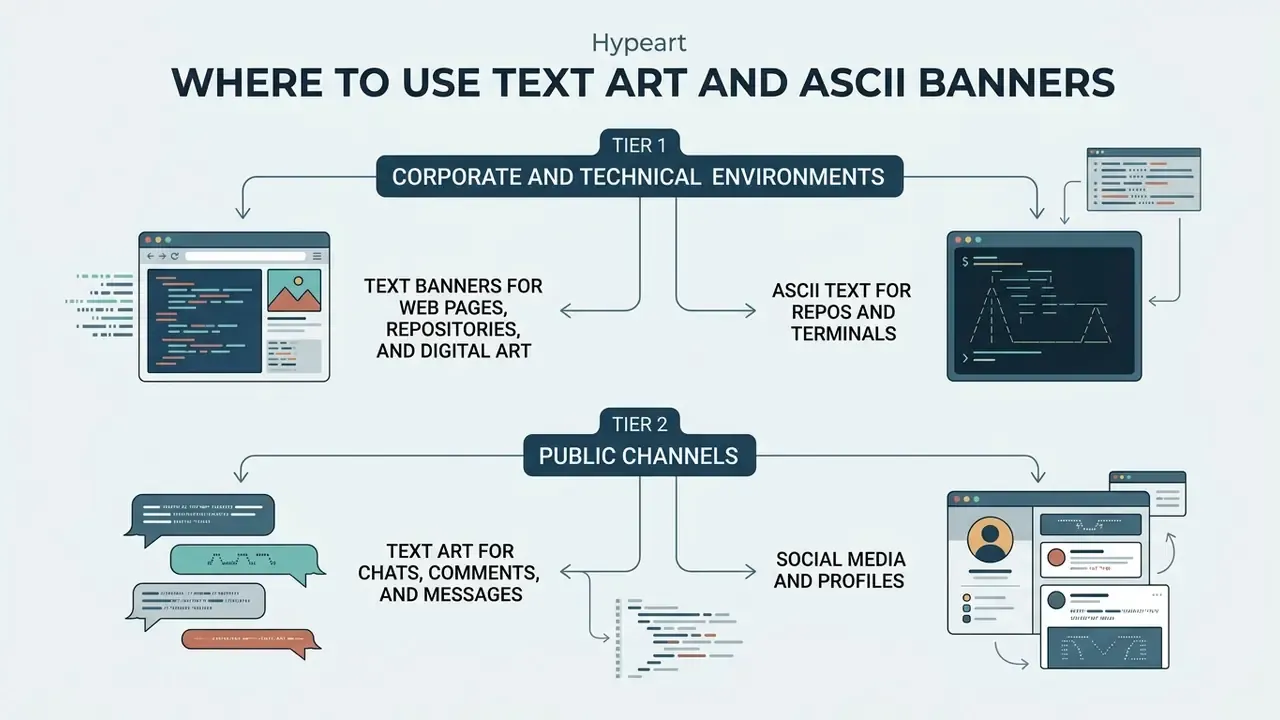
ASCII banners and decorative text art give visual structure to software workflows, terminal interfaces, messaging apps, and digital publishing. The scenarios split into two governance tiers: corporate and technical environments (CLI, README, web documentation) and public channels (social platforms, consumer chats).
Tier 1 - Corporate and Technical Environments
Tier 2 - Public Channels
Text Art for Chats, Comments, and Messages
In messaging applications, a chat art generator or comment art generator builds eye-catching headers for technical logs, announcements, and group discussions. Telegram, Discord, and WhatsApp render multi-line ASCII art reliably when it is enclosed in monospaced code blocks using triple backticks or platform-specific preformatted entities. Telegram's API separates messageEntityCode (inline fixed-width text) from messageEntityPre (multiline preformatted block) and measures entity offsets in UTF-16 code units. Discord treats single backticks as inline monospace and triple backticks as fenced blocks. WhatsApp's monospace formatting is documented as preserving line breaks and spacing, which is exactly the behavior ASCII art depends on.
Community channels use the same trick for non-text content. Bot announcements, release notes, and even the tracklist output of an ai playlist generator read better inside a fenced block than as wrapped prose.
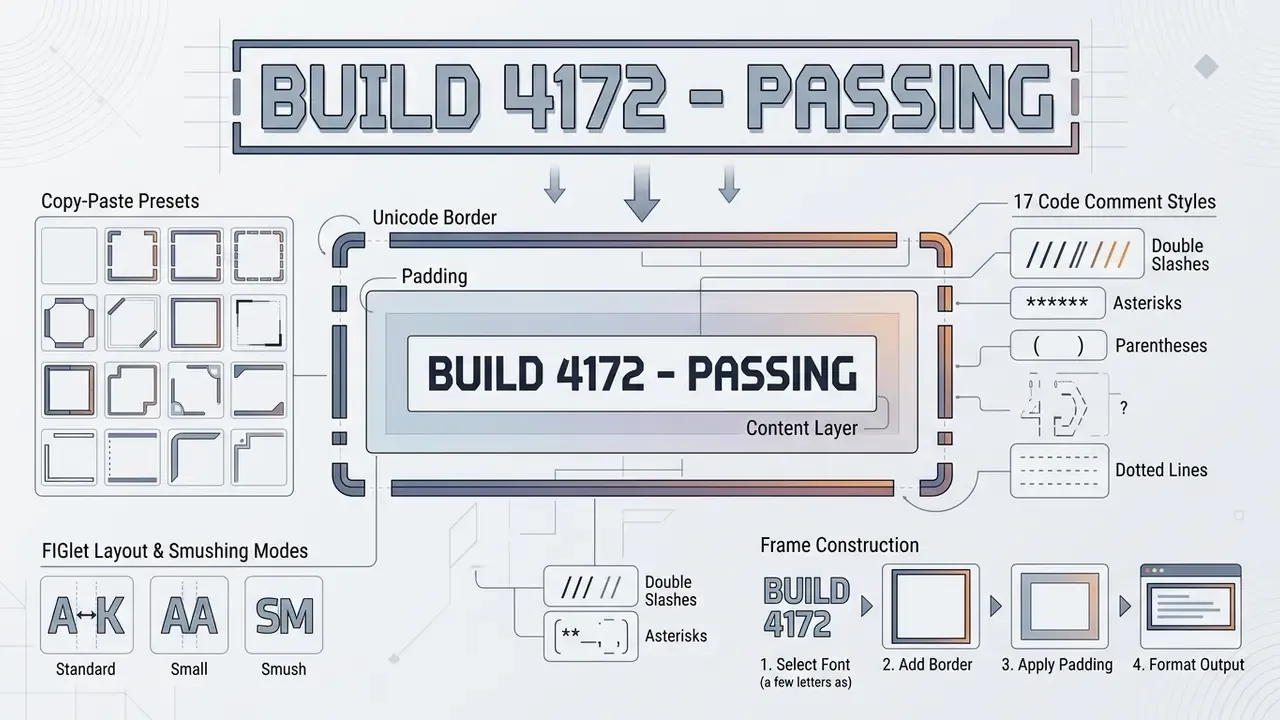
Borders, Padding, and Frame Construction
Advanced generators ship dozens of border presets: dotted, plus-box, waves, stars, brace frames, slash frames, double-line frames, block frames, rounded corners, decorative motif borders. They pair with configurable vertical and horizontal padding, typically 0 to 5 cells per axis. The most useful ones you can rebuild by hand from two Unicode blocks.
The Unicode Standard classifies Box Drawing (U+2500 to U+257F) and Block Elements (U+2580 to U+259F) as compatibility characters retained for backward compatibility with legacy fixed-pitch terminal systems. That legacy is exactly why they still render cleanly in terminals and monospaced code blocks.
Light single-line frame with one cell of padding:
Double-line frame (higher contrast, good for warnings):
╔═════════════════════════════╗
║   ROLLBACK REQUIRED         ║
╚═════════════════════════════╝
Rounded corners (softer visual weight):
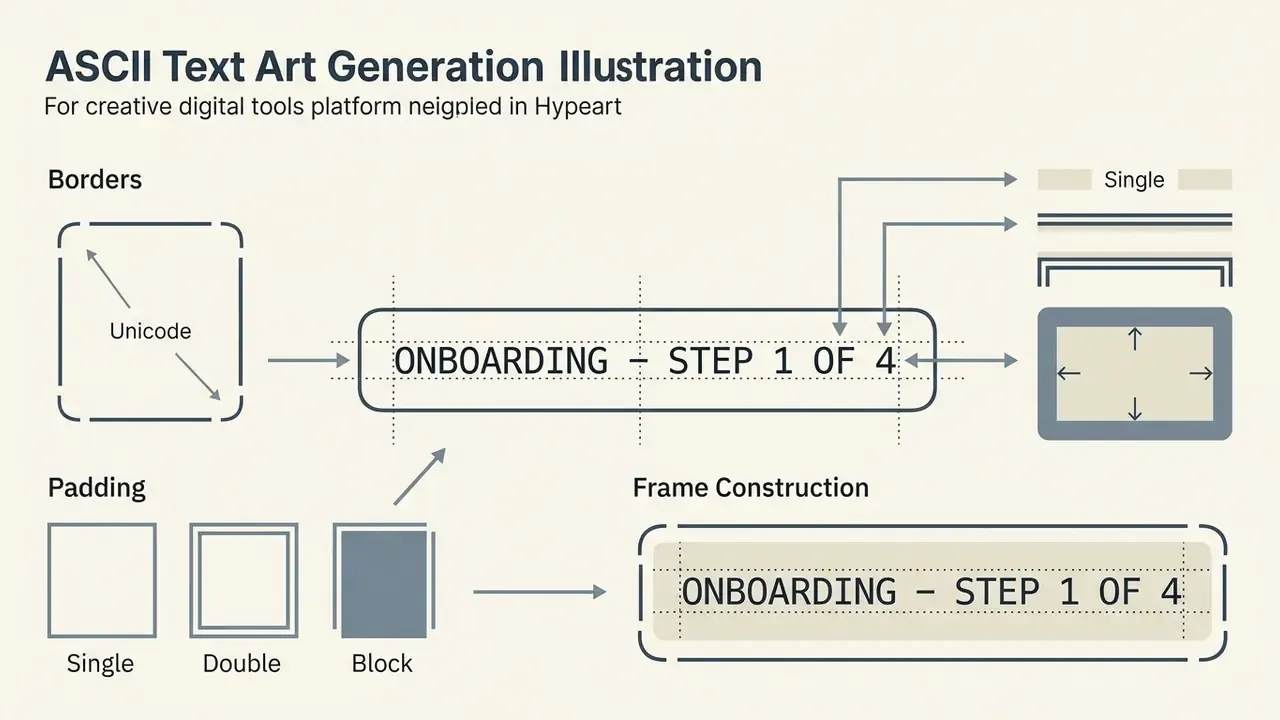
Solid block frame (maximum emphasis, terminal splash screens):
███████████████████████████████
██                           ██
██   SYSTEM MAINTENANCE      ██
██                           ██
███████████████████████████████
Practical rules: pad interiors symmetrically so the right-hand border column stays vertical; count characters instead of trusting your eye, because one missing space skews the whole column; use the "trim whitespace" option to strip stray trailing spaces; and use the "whitespace break" option to insert breaks at word boundaries in text-heavy designs.
Free Text Art Generators: Capabilities, Licensing, and Data Safety
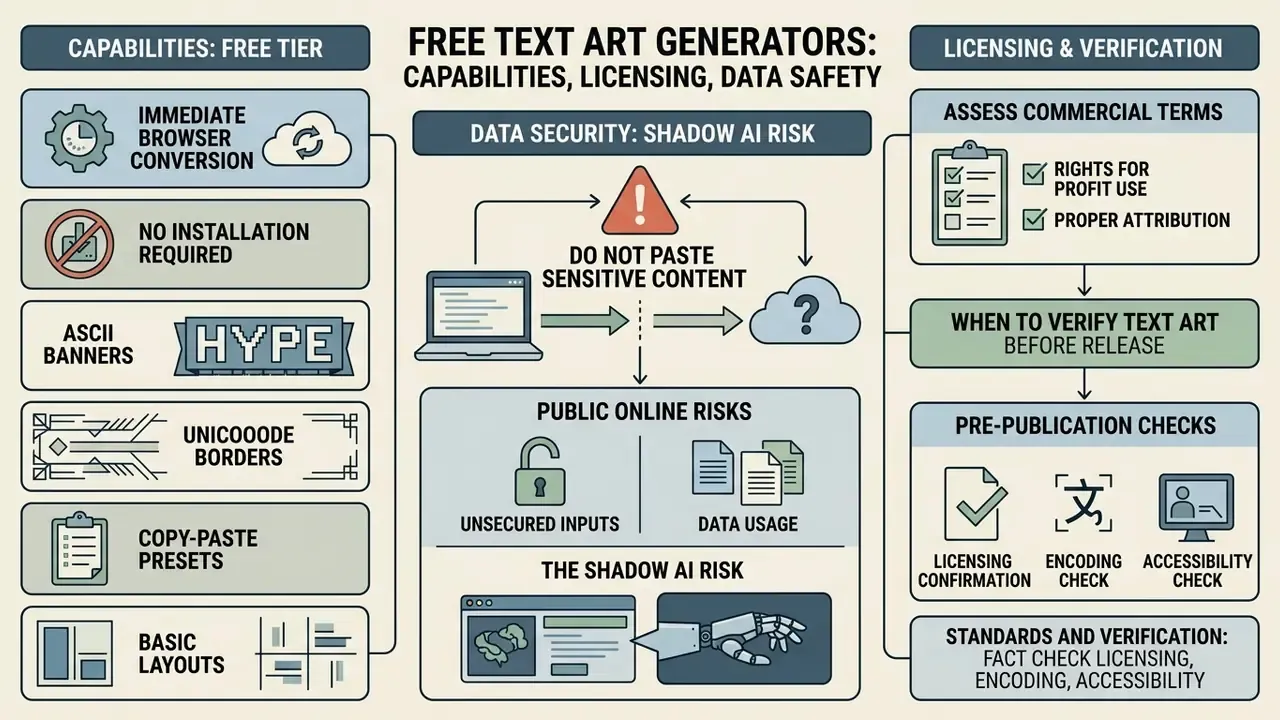
A free text art generator gives you immediate browser-based conversion with no installation. Enterprise deployment, however, still requires verifying license boundaries, data-handling terms, and technical stability.
What Is Typically Available in the Free Tier
A text art generator free tier usually includes real-time text-to-banner transformation, access to core FIGlet font libraries, live character previews, and direct clipboard export. Some services add plain-text (TXT) download or raster export in PNG, JPG, GIF, or SVG. Others stop at clipboard copy with no file export at all. Documented input caps vary widely: some tools recommend 20 characters, some 50, and some impose no hard limit but degrade in readability well before that. Users looking for advanced media features or asset management can consult the AI Media Commercial-Use Hub or review structured software comparisons in AI Media Comparison Matrices.
Data Security: The Shadow AI Risk in Public Generators
Every browser-based generator is a third-party endpoint. Pasting a string into it is a data transfer, and in regulated environments an unlogged one.
Do not paste into public online generators: proprietary source code, internal hostnames, API keys or tokens, customer identifiers, log excerpts, unreleased product names, or anything classified as confidential under your data-handling policy. Where banner generation belongs to a build pipeline, install FIGlet locally or vendor a .flf font set into the repository so generation happens inside your own perimeter. Add the tool to your software inventory if it runs on managed devices. Undocumented browser utilities are the textbook Shadow AI and Shadow IT exposure path, even when the tool performs no inference whatsoever.
How to Assess Commercial-Use Terms for Text Art
Commercial usage rights depend on two things: the generator platform's terms and the licensing of the underlying fonts. Project documentation confirms that canonical FIGlet releases are distributed under the New BSD License, which allows commercial distribution when copyright notices are retained; licensing migrated from Academic Free License 2.1 to New BSD from FIGlet 2.2.3 onward. Third-party contributed fonts are another matter. They may carry individual open-source or proprietary licenses, and contributed font sets have historically been treated separately from the engine.
Platform terms diverge sharply. Some generators state that output is free for any purpose, commercial projects included, with no attribution required. Others restrict resale of the service itself. Unicode data files and software are released under the permissive Unicode License v3 (MIT-based), whose terms explicitly cover commercial use; the restriction in the Unicode 16.0 Core Specification applies to reproducing or modifying the specification document, not to ordinary commercial use of text encoded in Unicode. Separately, hand-authored ASCII artwork is copyrightable. Reusing a collected drawing in marketing requires the artist's permission, and community archives explicitly ask that artist initials embedded in the art stay intact.
Organizations evaluating broader media workflows should review AI Media Pricing Guides, compare license structures in our analysis of AI image generators commercial use, and monitor regulatory developments around AI-generated media in our litigation analyses. Narrative and audio tooling raises the same license questions, which is why our notes on the ai plot generator and the ai podcast generator follow the same verification pattern.
When Text Art Should Be Verified Before Publication
Text art needs cross-device visual verification whenever it lands in public marketing, external documentation, or customer-facing interfaces. Testing across screen resolutions and font stacks catches the layout corruption caused by proportional font substitution or collapsed whitespace.
There is also a less obvious security dimension once ASCII art enters AI-assisted systems:
«The ArtPerception framework encodes key harmful words as ASCII art, bypassing LLM safety filters in a two-phase attack with an auxiliary model.»
If your product surfaces user-submitted ASCII art into an LLM prompt, whether in a support tool, a code assistant, or a moderation pipeline, treat character-grid input as an adversarial channel. Normalize it or reject it before it reaches the model.
Fact check: licensing, encoding, and accessibility
- FIGlet licensing: the core engine and standard fonts are distributed under the New BSD License (figlet.org), permitting commercial reuse with retained copyright notices. Contributed fonts carry individual licenses and must be checked per file.
- Unicode compliance: the Unicode Core Specification 16.0 permits commercial use of encoded text output; the Unicode Terms of Use restrict unauthorized reproduction of the standard document itself. Unicode data files and software fall under the MIT-based Unicode License v3.
- Accessibility standards: W3C WCAG 2.2 Success Criterion 1.1.1 classifies ASCII art as non-text content, and Technique H86 mandates placing a plain-text equivalent immediately adjacent to the block. Decorative banners should carry
aria-hidden="true".
- Rendering standards: W3C CSS Text Module Level 3 defines
pre,pre-wrap, andbreak-spacesas the whitespace modes that preserve ASCII layout.
- Model risk classification: FIGlet-class generators are deterministic template renderers and are not AI models. Image-to-ASCII tools that employ classifiers (Random Forest, SVM, CNN) are ML components and should be recorded in the model inventory where they influence customer-facing output.
Choosing a Tool: Text Art vs. Font Generator vs. Image-to-ASCII
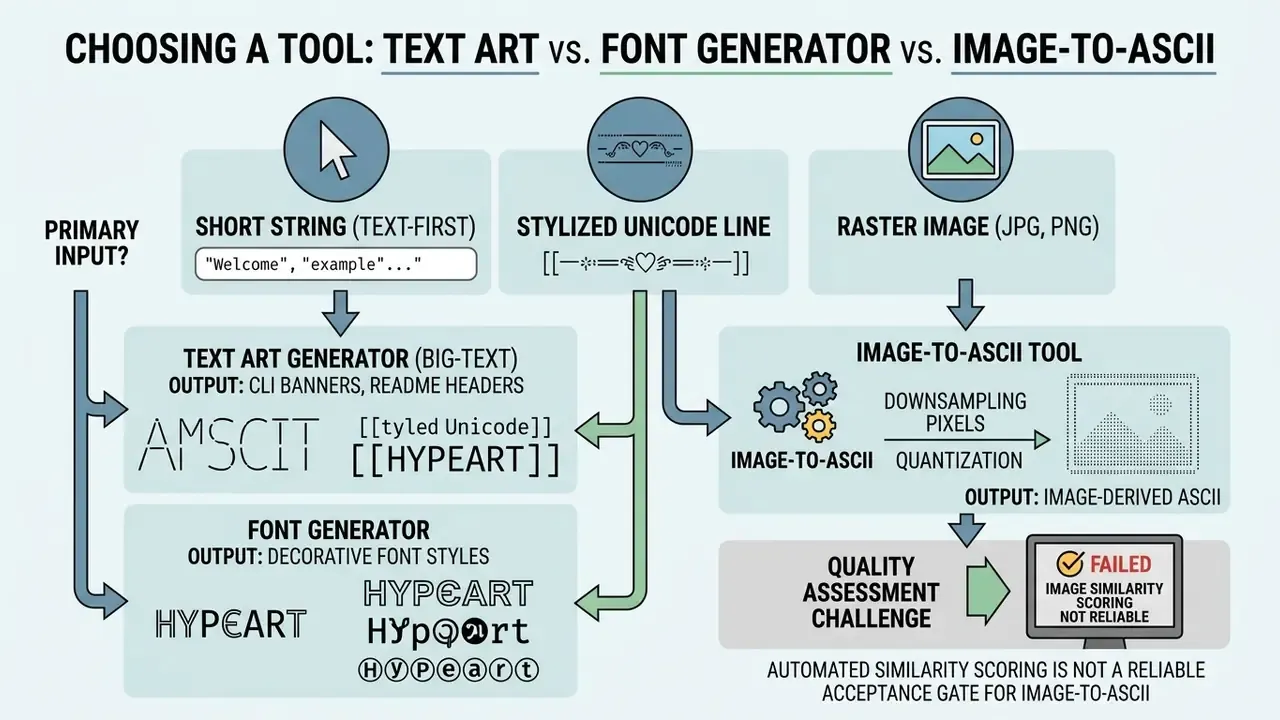
Tool selection turns on one question: is your primary input a short string, a stylized Unicode line, or a raster image?
When You Need a Letter or Big-Text Generator
A dedicated letter art generator or type art generator fits text-first tasks: CLI welcome banners, README section headers, terminal branding, code dividers. These tools push typed phrases through predefined character templates to produce clean monospaced ASCII banners. Because the mapping is a lookup rather than an inference, output is byte-for-byte reproducible, which is a meaningful property for documentation builds and CI checks. Developers seeking programmatic text generator workflows can review implementation patterns in AI Media API Guides and compare cost structures in our Google Veo implementation guide.
When to Choose an ASCII Art Generator and Image Tools
An ascii art generator in image mode processes raster inputs (JPG, PNG, WebP) by downsampling pixel matrices, calculating brightness levels, and mapping luminance to a character density ramp. The documented pipeline: resize the image, convert to grayscale, divide into fixed tiles, map each tile's luminance to a character. Teams starting from existing artwork rather than typed strings should also evaluate image-to-image generators and read our comparison of best AI image generators before standardizing. For game sprites and retro assets, creators frequently combine character pipelines with the techniques covered in our ai pixel art generator guide.
Quality assessment for image-derived ASCII remains unsolved:
| Parameter | Text Art Generator | Unicode Font Generator | Image-to-ASCII Converter |
|---|---|---|---|
| Input data | Plain text string | Plain text string | Raster image (JPG, PNG, WebP, GIF) |
| Output type | Multi-line ASCII banner | Single-line Unicode styled text | Multi-line character matrix picture |
| Monospace requirement | Mandatory for grid alignment | Optional (works in proportional text) | Mandatory for visual structure |
| Copy convenience | Requires code block or <pre> tag | Direct copy-paste into standard text fields | Best exported as plain text file or image |
| Determinism / AI involvement | Deterministic template lookup (.flf) | Deterministic code-point substitution | May use ML classifiers; brightness mapping is deterministic |
| Typical width | 40 to 80 columns | Single line, platform-capped | 80 to 180 columns |
| Governance note | Font license per .flf file | Unicode License v3 | Model inventory entry if ML-based |
Reading the table top to bottom: pick the banner engine for anything that must be reproducible in a build, the font generator for single-line profile text, and the image converter only when you accept manual visual review as the acceptance gate.
Pre-Release Validation Checklist
Run this before any ASCII banner ships to a customer-facing surface, a public repository, or a production terminal.
| # | Check | Pass condition |
|---|---|---|
| 1 | Width cap | 70 columns or fewer for social, 80 for terminals and code, 72 for plain-text email/RFC, 120 to 180 only for image renders |
| 2 | Monospace enforced | Container declares a fixed-pitch stack, for example font-family: 'Courier New', Consolas, monospace |
| 3 | Whitespace preserved | <pre>, fenced code block, or white-space: pre / pre-wrap applied |
| 4 | Trailing spaces | Intentional trailing spaces retained; stray ones trimmed |
| 5 | Tabs removed | No tab characters inside the art; tabs converted to spaces |
| 6 | Text alternative | WCAG 2.2 H86 equivalent placed immediately before or after the block, or aria-hidden="true" if purely decorative |
| 7 | Device sweep | Verified on iOS Safari, Android Chrome, desktop Chrome/Firefox, and at least one terminal emulator |
| 8 | Dark mode | Contrast holds when the page or terminal theme inverts |
| 9 | Font license | .flf file license recorded; New BSD or equivalent confirmed for commercial distribution |
| 10 | Data safety | No proprietary code, keys, hostnames, logs, or customer data entered into a third-party generator |
| 11 | Comment syntax | Banner wrapped in the host language's comment token and the file still parses and lints |
| 12 | Platform budget | Newline characters counted against the platform's post limit (280 on X, 2,200 on Instagram) |
Twelve checks, roughly ten minutes. Cheaper than a rollback.
FAQ: Common Questions About Text Art Generators
Why Does Text Art Look Broken After Pasting?
Text art distorts when it lands in an environment that enforces proportional fonts or collapses whitespace sequences. In proportional fonts, i and m occupy different physical widths, so vertical columns drift out of alignment. Markdown outside a fenced code block collapses runs of spaces and may reinterpret leading whitespace as list or indent formatting, which compounds the damage. Wrapping the text in a monospaced code block or HTML tag forces uniform spacing and preserves exact line breaks.
«Monospaced and sans-serif fonts increase reading speed by an average of 75 words per minute without reducing comprehension, including for readers with dyslexia.» - Effect of font type on screen readability, eye-tracking study, 97 participants (2024). doi.org The readability gain is a secondary argument for monospaced containers. They are not only a structural requirement for ASCII art; they measurably help the surrounding technical prose.
Why Does ASCII Art Break Specifically on iOS Devices and Mobile Messenger Apps?
This is a font-fallback problem, not a character-encoding problem. Desktop web applications and early social platforms historically defaulted to Lucida Grande, Tahoma, and Verdana, and most classic text art was hand-tuned against those exact metrics. Modern mobile operating systems apply dynamic proportional typefaces, San Francisco on iOS and Roboto on Android, even inside semi-formatted comment and message fields. Unless the container explicitly forces a monospaced stack (font-family: 'Courier New', monospace;), per-character width differences between glyphs such as i and W shift the grid horizontally, each row drifts by a different amount, and the composition shears. Three mitigations, ranked by reliability. Wrap the art in a code block or container that declares monospace. Rebuild the art from Unicode Block Elements (░▒▓█▀▄), which fill whole cells and tolerate metric variation far better than punctuation-based art. Or, for public posts where you control neither font nor container, export the art as an image and publish it with descriptive alt text, which is what accessibility guidance recommends anyway.
Does ASCII Art Work in Chats and on Social Networks?
Yes, provided the text renders in a monospaced font and fits within viewport width. Wrapping chat messages in code blocks prevents layout breakage. On social feeds, keeping width under 70 characters gives correct rendering on mobile viewports, and remember that each newline consumes one character of your post budget.
«Humans recognize concepts in ASCII art with near-100% accuracy, while most LLMs reach only about 30% on average across categories with text input.» - ASCII Art Recognition as a Diagnostic Artifact, arXiv preprint (2024). arxiv.org That gap explains a practical asymmetry. Automated moderation, search indexing, and AI summarization often fail to interpret banners that human readers parse instantly. So never encode information that must be machine-readable, such as a status, a policy, or a disclaimer, inside character art alone.
Which Characters Work Best for Readable Text?
Standard printable punctuation (#, @, =, /, \, -, +, *, %) gives reliable baseline contrast for text banners, and it is the safest fallback because those ASCII characters exist in every font. For dense diagrams and continuous borders, use the Unicode Box Drawing block (U+2500 to U+257F) and Block Elements (U+2580 to U+259F). Box Drawing characters are designed to connect across cell edges, and Block Elements fill fractional cells at defined shading levels, so the result is seamless and high-contrast without gaps.
Is a Text Art Generator an AI Tool That Needs Model Governance?
Classic FIGlet-style generators are not AI systems. They read a .flf font file, look up each input character's sub-grid, apply a layout rule, and concatenate. Fully deterministic, fully reproducible. No MRM validation, bias testing, or model documentation required. The distinction bites with image-to-ASCII tools: arithmetic brightness-to-character mapping stays deterministic, but an implementation that routes the mapping through a trained classifier (Random Forest, SVM, or CNN) introduces a model component that belongs in your inventory if it affects customer-facing output.
Can I Use Generated ASCII Art in Paid Marketing Materials?
Usually yes for machine-generated banners, subject to two checks. First, confirm the specific .flf font's license, because the engine's New BSD terms do not automatically extend to every contributed font. Second, distinguish generated banners from hand-drawn artwork: collected drawings of characters, logos, or illustrations are typically copyrighted by their authors and require permission, and archive conventions ask that embedded artist initials be preserved. Separately, in the United States the Copyright Office's guidance treats purely machine-generated content as non-registrable absent human authorship, which limits exclusivity claims over the output itself.
How Do I Keep a Banner Stable Across Light and Dark Themes?
Because ASCII art inherits the surrounding text color, it adapts on its own, and that is its structural advantage over raster header images. The failure mode is contrast, not color. Dense fills built from █ and ▓ can overwhelm a dark theme, while sparse art built from · and : can vanish. Test both themes, and prefer mid-density ramps (▒, =, #) for art that must work in either.
Appendix A: Superseded Wording and Revision Log
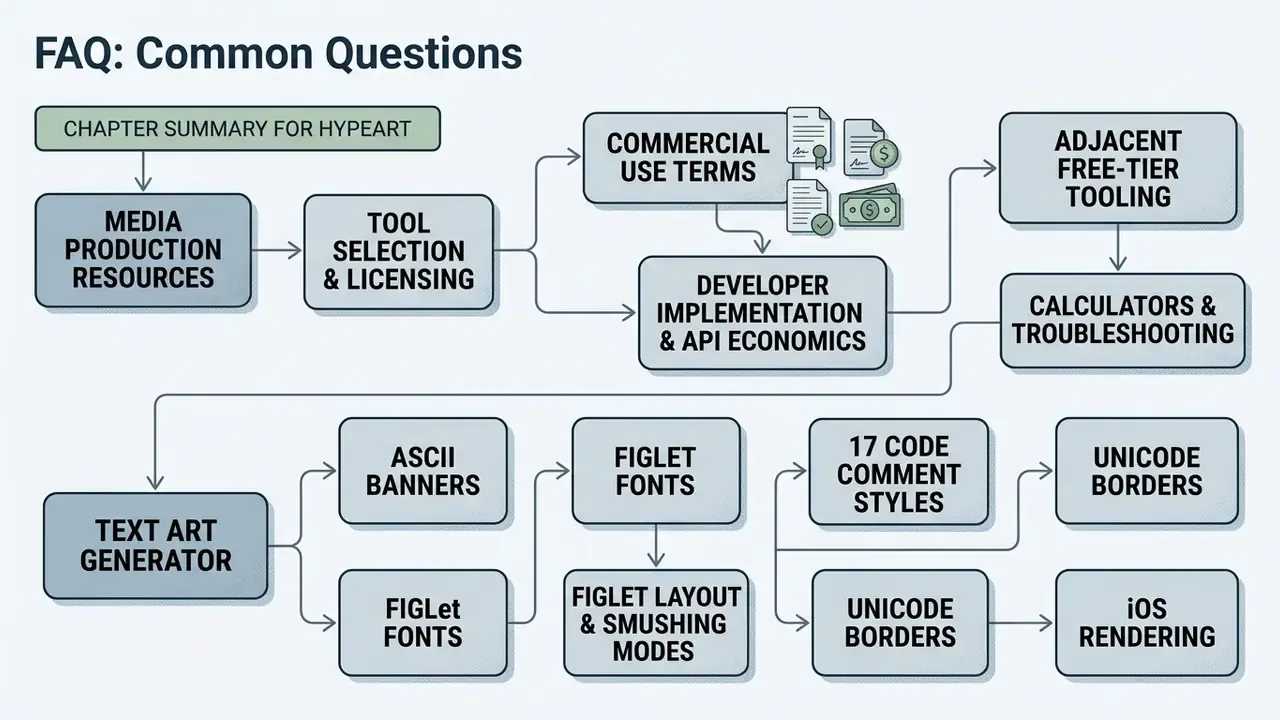
Additional Media Production Resources
Explore adjacent tooling, licensing analyses, and implementation guides across our reference library:
Footer navigation: For a complete index of media generation terminology and standards, visit the AI Media Glossary.
Comment Syntax: Embedding ASCII Banners in Source Code
Banners only survive a code review if they are syntactically inert. Wrap every line of the art in the comment token of the host language before committing. The table covers the syntaxes most generators expose as one-click "comment style" options.
# ████ TEXT ART ████: " ████ TEXT ART ████ "// ████ TEXT ART ████/* ████ TEXT ART ████ *// * ████ TEXT ART ████ *//// ████ TEXT ART ████<!-- ████ TEXT ART ████ -->-- ████ TEXT ART ████REMkeywordREM ████ TEXT ART ████<# ████ TEXT ART ████ #>%)% ████ TEXT ART ████' ████ TEXT ART ████""" ████ TEXT ART ████ """echo " ████ TEXT ART ████ ";████ TEXT ART ████text ...-- ████or--[[ ████ ]]Two engineering cautions. First, editors that expand tabs will shift columns inside comment blocks, so set
tab-sizehandling or replace tabs with spaces before committing. Second, some linters flag long comment lines; a banner capped at 80 columns including the comment prefix passes most default configurations.