Executive Summary
For readers who need the decision-grade version before the operational detail:
- What it is: PixAI (pixai.art) is an anime-first generative image and short-video platform published by Mewtant Inc., built on Diffusion Transformer (DiT) and Stable Diffusion XL (SDXL) base models plus more than one million community models and LoRA layers.
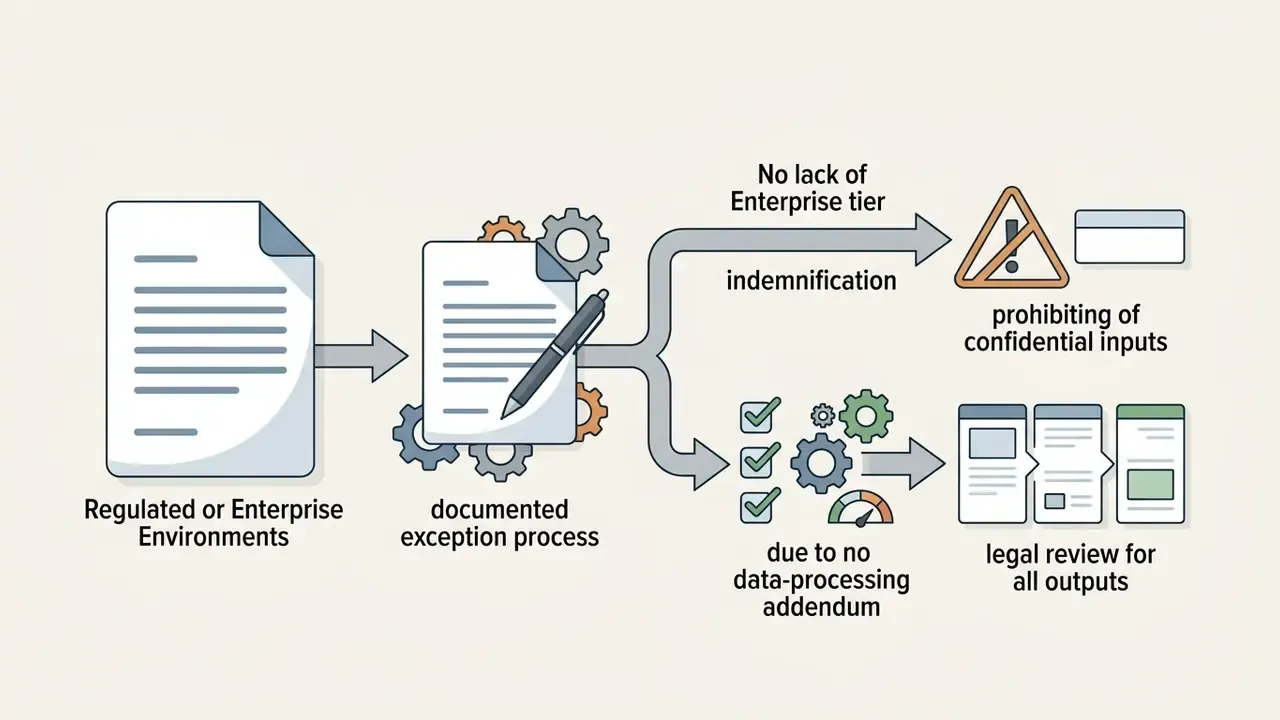
- Positioning: It is a specialised creative studio, not an enterprise-grade governed AI platform. There is no publicly documented Enterprise tier, dedicated GPU instance offering, SOC 2 attestation, or contractual indemnification programme in official materials as of early 2026. For regulated organisations, that single gap outweighs every feature comparison below.
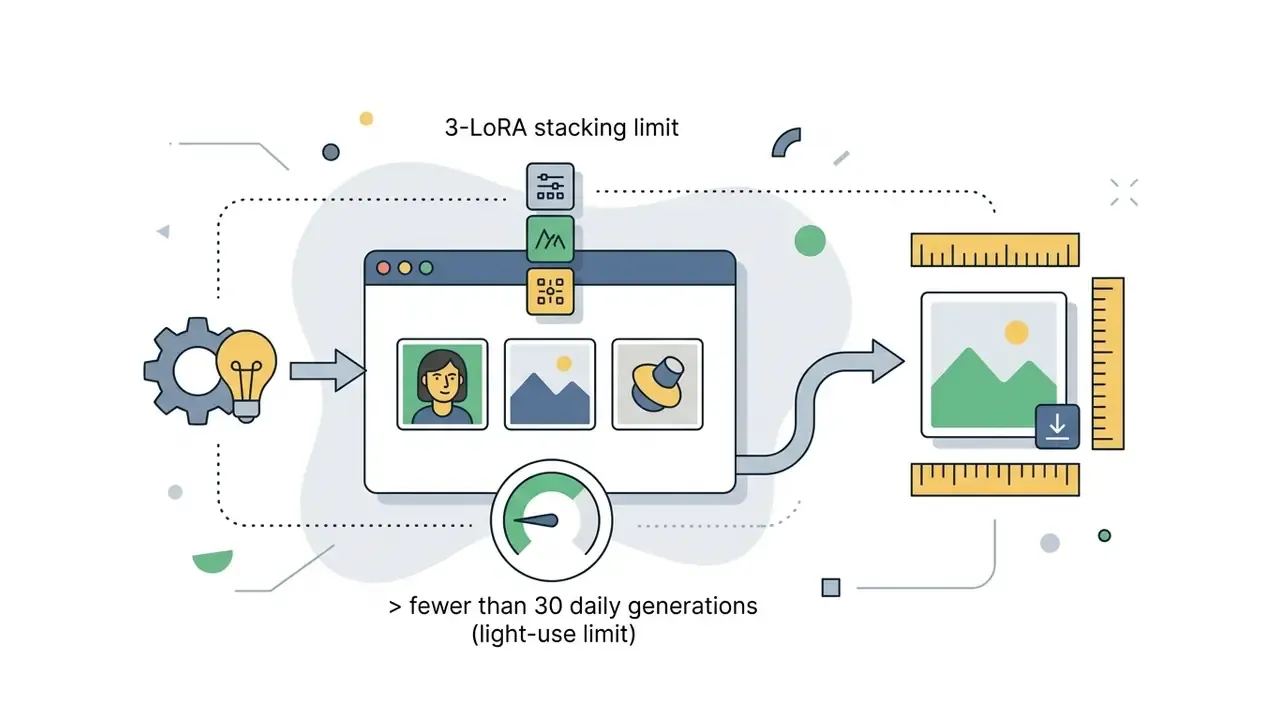
- Cost model: Free accounts receive 10,000 daily credits that reset every 24 hours; paid memberships (Starter $9.99, Plus $29.99, Premium $49.99 per month, cheaper annually) add 300,000 / 1,000,000 / 2,000,000 monthly credits, unlimited Turbo Mode, and higher LoRA stacking limits (5 / 10 / 15 versus 3 on Free).
- Commercial rights: Output images may be used commercially under the Terms of Service, but model files themselves may not be resold or redistributed, community LoRAs may carry their own restrictions, and purely AI-generated works may not qualify for U.S. copyright registration without demonstrable human authorship.
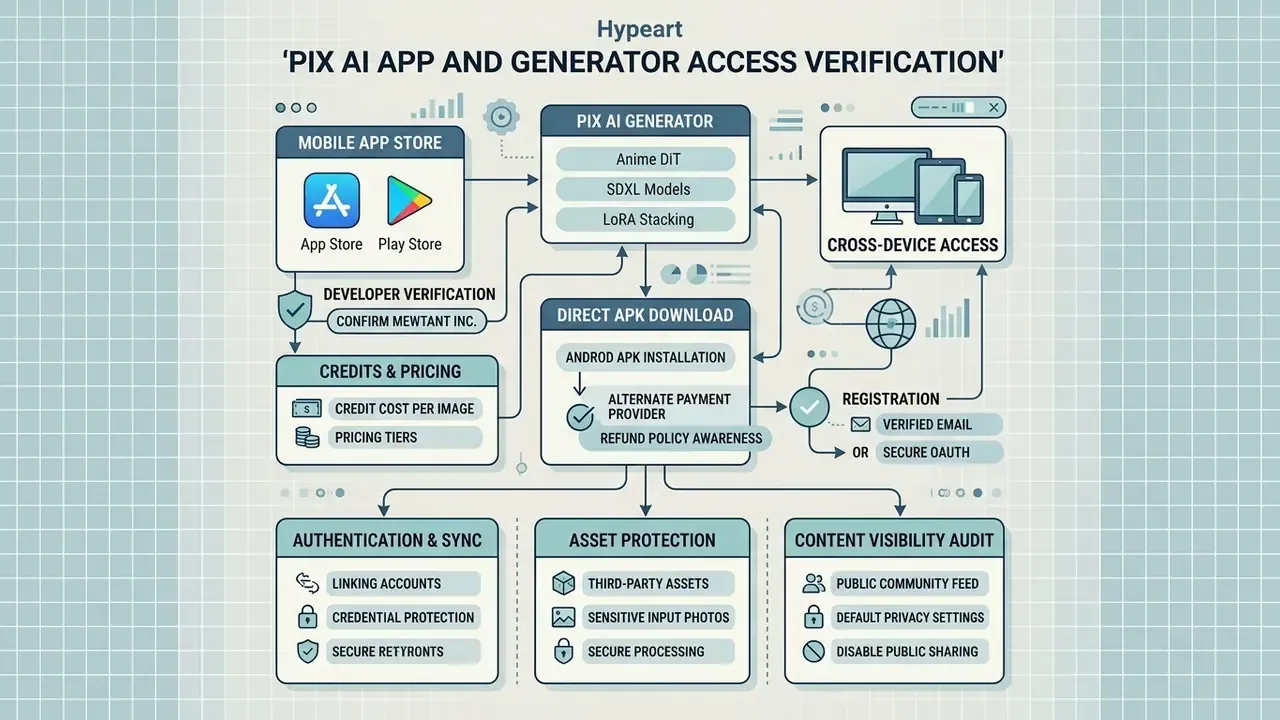
- Android specifics: Because of Google Play policy limits on generative media, PixAI distributes an official direct-download Android APK that permits sensitive prompts, the "show sensitive content" toggle, and an alternate payment provider. That has direct acceptable-use-policy implications for corporate devices.
- Risk verdict: Suitable for creative studios, freelancers, and marketing teams with a documented review step before publication. Not recommended for unmanaged deployment inside regulated environments without an approved Shadow AI policy.
How We Verified This Review
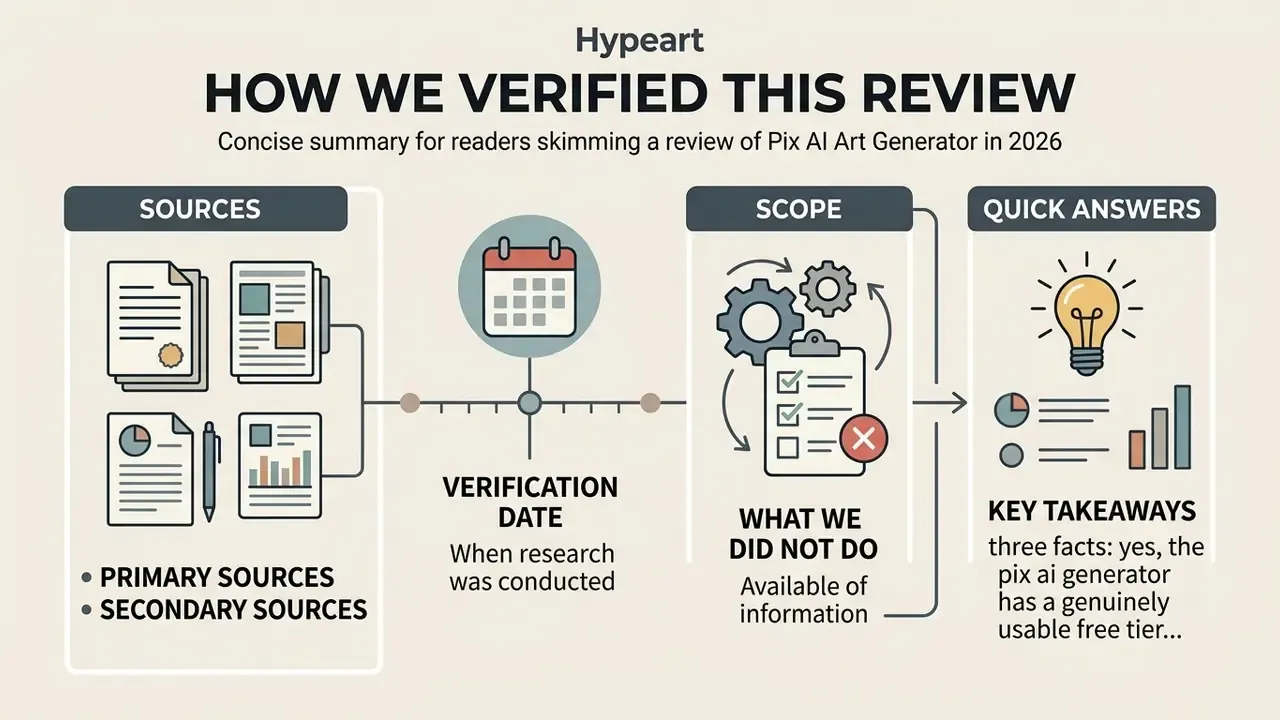
Short version: everything here comes from public sources, and where the public record stops, we say so.
- Primary sources. PixAI's own pricing page, help-centre articles, model documentation, prompt guides, developer API reference, product announcements, and the live Terms of Service and copyright pages.
- Secondary sources. App Store and Google Play listings for publisher verification, plus peer-reviewed and preprint research and U.S. Copyright Office guidance for the legal sections.
- Verification date. Prices, credit volumes, LoRA limits, and store availability were checked in early 2026. Consumer AI platforms change pricing quietly, so treat the numbers as a snapshot and re-check the live page before purchase approval.
- What we did not do. No paid access review, no vendor briefing, no non-public documentation. Where a control (training-on-inputs policy, deletion SLA, certification status) is not published, we mark it unattested rather than guessing.
Quick answers, for readers who only need three facts: yes, the pix ai generator has a genuinely usable free tier; yes, output images can be used commercially with per-model checks; no, there is no enterprise contract path on the shelf.
What Is Pix AI and What Is the Generator Used For
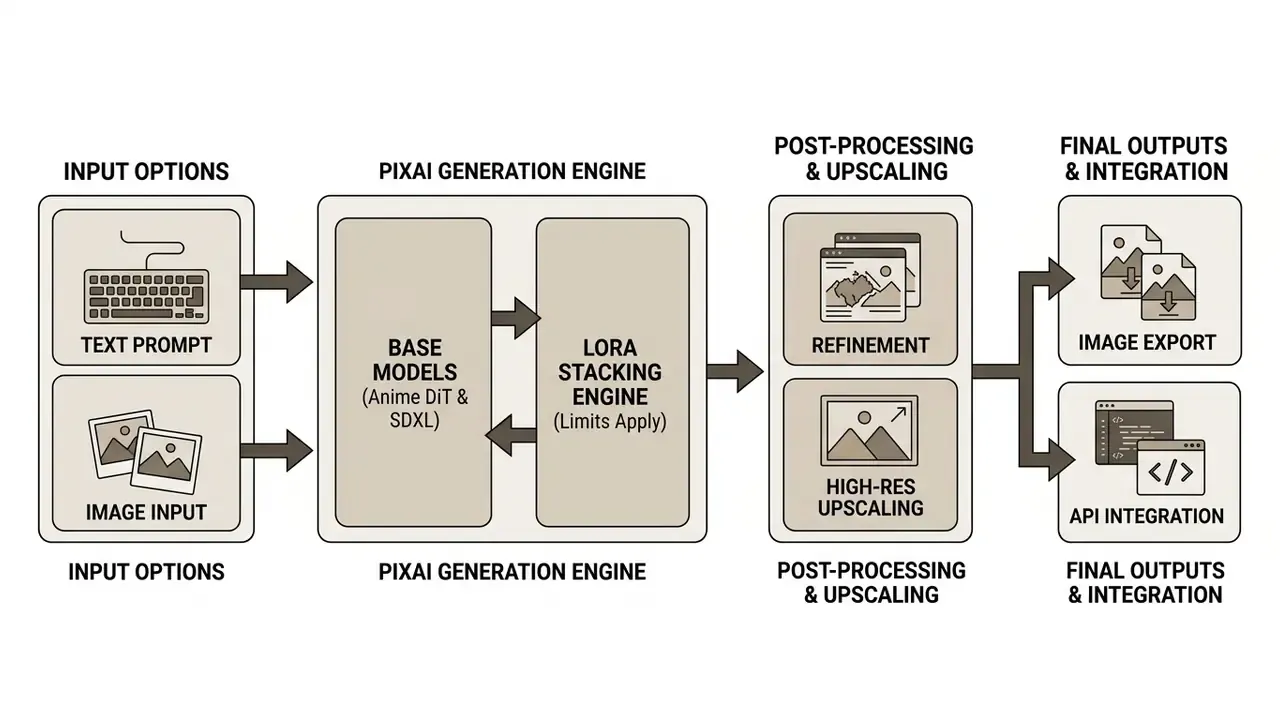
Pix AI (accessible via pixai.art) is an AI-powered creative platform engineered primarily for anime, manga, and illustrative image generation using text-to-image and image-to-image neural network architectures. Organizations and independent creators use the platform to generate character concepts, marketing graphics, digital illustrations, and animated video sequences through customizable base models and fine-tuned community weights.
- Character and Asset Concepting
- Generating multi-angle character sheets, costume variations, and environment backgrounds for digital media. PixAI ships a dedicated Character Sheet Generator that layers character detail into a reference-style grid layout (PixAI Creative Tools, 2026).
- Marketing and Graphic Design
- Creating illustrative banners, social media assets, and promotional art with consistent artistic direction.
- Prototyping Workflows
- Testing visual concepts quickly prior to manual production, which trims preliminary asset drafting costs. Product teams that pair visual concepting with layout drafts often run this next to an AI wireframe generator so the illustration and the interface evolve together.
- Prompt-to-Panel Sequential Art
- The platform's agent experience (Mio.2) converts a single text prompt into finished anime art, manga panels, and original character designs on demand (PixAI Agent, 2026).
- Short Motion Clips
- The Video tool converts still frames into 5 to 10 second animated clips with start/end frame control and optional voiceover (PixAI Documentation, 2026).
When integrating specialized generators into creative pipelines, risk managers must evaluate input privacy, prompt data retention, and potential model output drift before deployment. Because PixAI is consumer-first, most of that control has to be implemented on the customer side through workspace policy rather than through platform-native governance features. Put bluntly: the guardrails are yours to build.
PixAI, Pix AI Art, and Pixie AI Art: Disambiguating Similar Names
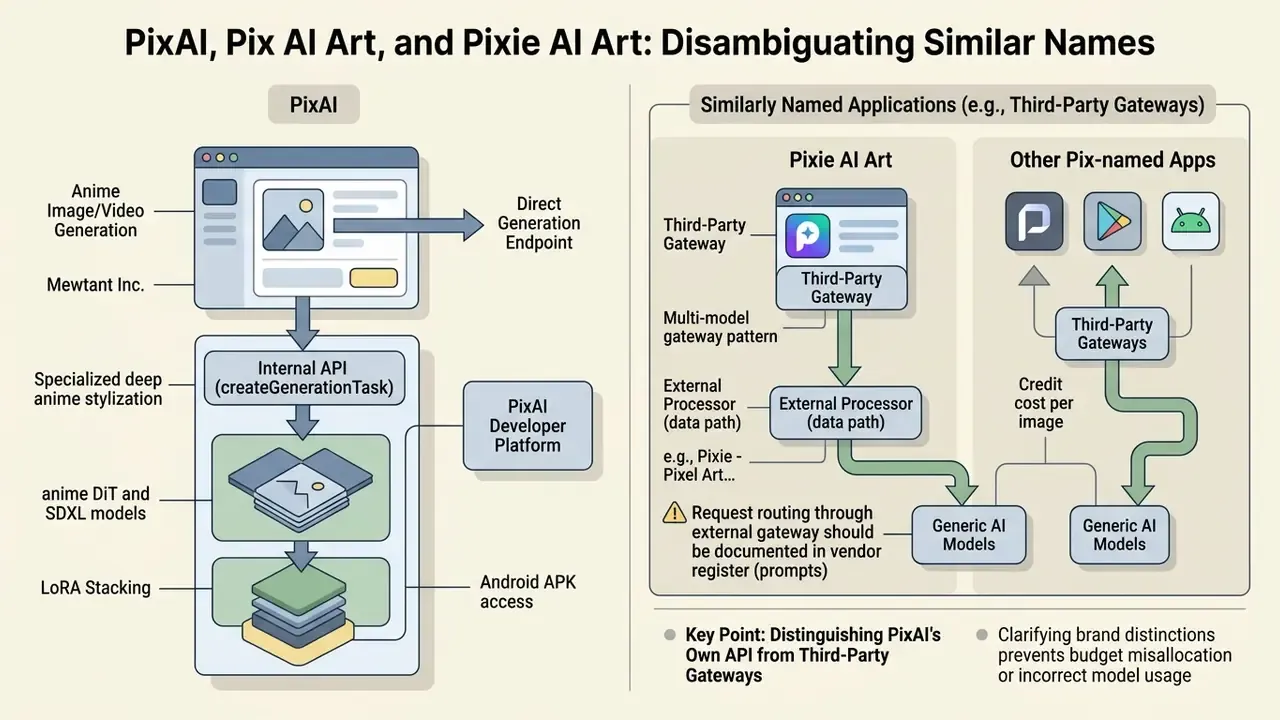
PixAI is a dedicated anime-focused image and video generation platform developed by Mewtant Inc., whereas similarly named applications such as Pixie AI Art or Pixie - Pixel Art Creator are distinct third-party products built on separate technical frameworks. Confusion arises because search demand splits across near-identical spellings, including pix ai art, pixi ai art, pixie ai art, pix art ai, pixie art ai, and queries for a pixie ai generator that has nothing to do with pixai.art.
While pix ai provides specialized tools for deep anime stylization, LoRA stacking, and prompt-driven video generation, external applications carrying "Pixie" or "Pixi" branding usually focus on general photo retouching, pixel art sprite generation, or portrait filters. For example, "Pixie・AI Portrait・Avatar Maker" is listed on the App Store as an AI photo generator for avatars and stylised portraits, while "Pixie - Pixel Art Creator" is a raster sprite and animation editor with no diffusion pipeline at all. Software evaluators should also separate consumer generative platforms from technical developer tooling. Developers managing multi-model API deployments can consult our AI Media API Guides to examine programmatic model routing.
| Platform / Brand | Primary Focus | Technical Architecture | Output Types |
|---|---|---|---|
| PixAI (pixai.art) | Anime & Illustration AI Generation | Diffusion & DiT Base Models + Custom LoRAs | Static Digital Art, ControlNet Edits, 5-10s Video Clips |
| Pixie AI / Pixie Art | General Photo Editing & Avatars | Third-Party Mobile API / Portrait Filters | Filtered Photos, AI Avatars |
| Pixie - Pixel Art Creator | Manual & Assisted Pixel Art | Sprite Grid & Raster Tools | Pixel Sprites, Animations |
| Pixapi Gateway | Developer Model Routing | Multi-Model API (GPT Image, Gemini) | Programmatic Images & Videos |
Clarifying these brand distinctions prevents teams from misallocating software budgets or applying incorrect licensing terms to creative assets. One procurement pattern we keep seeing: a designer requests "Pixie", finance approves a subscription to something else entirely, and the licence review then covers the wrong product. Teams whose brief is stylised animation rather than anime specifically should also review adjacent tooling such as Ghibli-style AI image generators, which follow different licensing and style-transfer constraints. Studios building stylised female character libraries can compare approaches in our overview of AI women pictures tooling, where likeness and consent considerations differ again.
Developer Note: Distinguishing PixAI's Own API from Third-Party Gateways
PixAI exposes its own generation endpoint (createGenerationTask) through its developer platform, which accepts model IDs, prompt strings, sampling steps, CFG scale, and upscale-denoising parameters. Third-party "Pixapi"-style gateways instead route requests to multiple external vendors. The practical difference matters for procurement, because a gateway introduces a second processor into the data flow:
// Illustrative pattern only. Confirm current field names in the official API reference.
const task = await client.createGenerationTask({
  prompts: "1girl, silver plate armor, gothic cathedral, cinematic lighting",
  negativePrompts: "lowres, bad hands, watermark",
  modelId: "<dit_base_model_id>",
  loras: { "<lora_id>": 0.7 },
  samplingSteps: 28,
  cfgScale: 5,
  width: 768,
  height: 1152,
  batchSize: 4
});
# Multi-model gateway pattern: note the additional third-party processor in the data path
response = gateway.images.generate(
    provider="pixai",          # or "gpt-image", "gemini-image"
    prompt="female knight, dutch angle, volumetric lighting",
    n=4,
    size="768x1152"
)
Any request routed through an external gateway should be documented in the vendor register, because prompts and reference uploads then transit a processor that is not covered by PixAI's own terms. That is the kind of detail that surfaces during an audit rather than during a demo.
PixAI Capabilities for Creating AI Art
PixAI enables precision digital art creation by offering a multi-model processing environment that combines specialized base models, user-trained LoRA layers, and advanced canvas composition controls. The platform acts as a flexible art generator, giving users granular control over visual parameters rather than relying on black-box prompt processing.
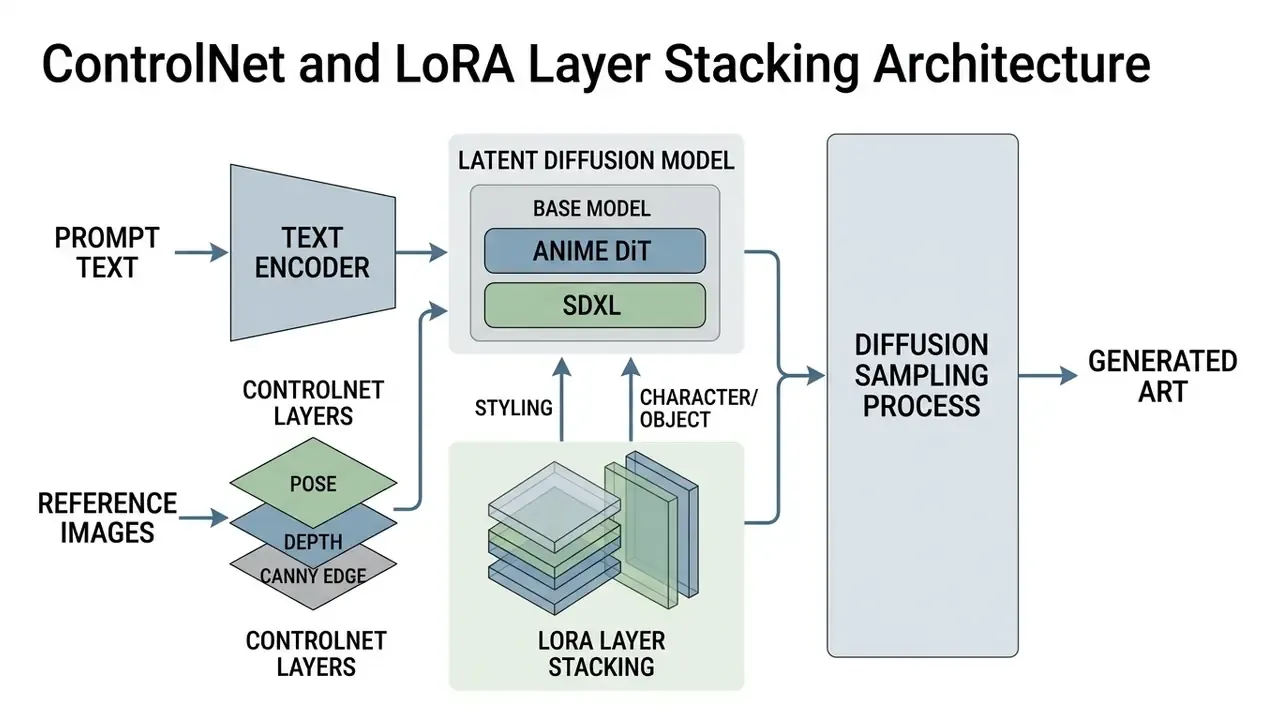
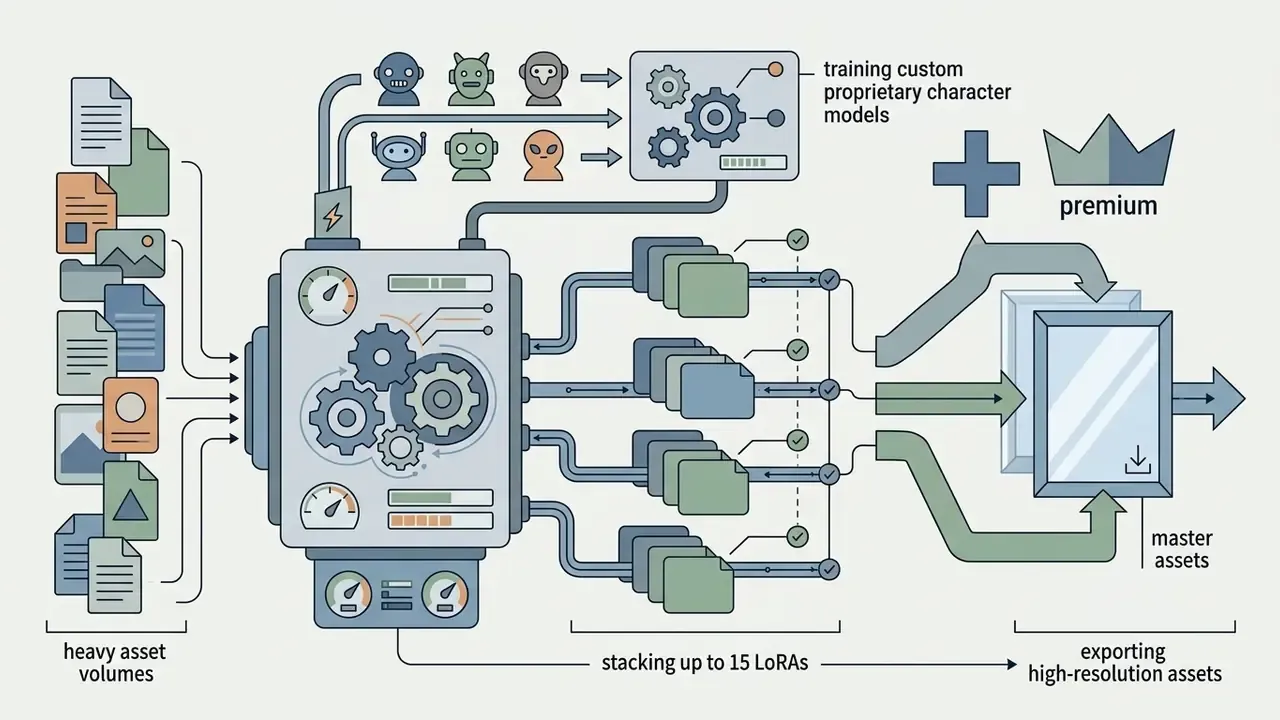
To achieve precise visual results, users lean on specialized artistic styles and community-trained weights. The core generation panel allows creators to adjust aspect ratios, set negative prompt boundaries, apply ControlNet pose structural guides, and layer up to 15 distinct LoRA models simultaneously on paid tiers (PixAI Help Center, 2025). This modular approach provides the visual control needed to keep character consistency across dozens of iterations.
Documented capability groups include:
- LoRA mixing and custom LoRA training. Users upload their own image sets, declare the concept type (character, style, pose, outfit), and generate a reusable model.
- Inpainting, outpainting, and localized mask edits. Partial redraws that preserve surrounding pixels and overall composition.
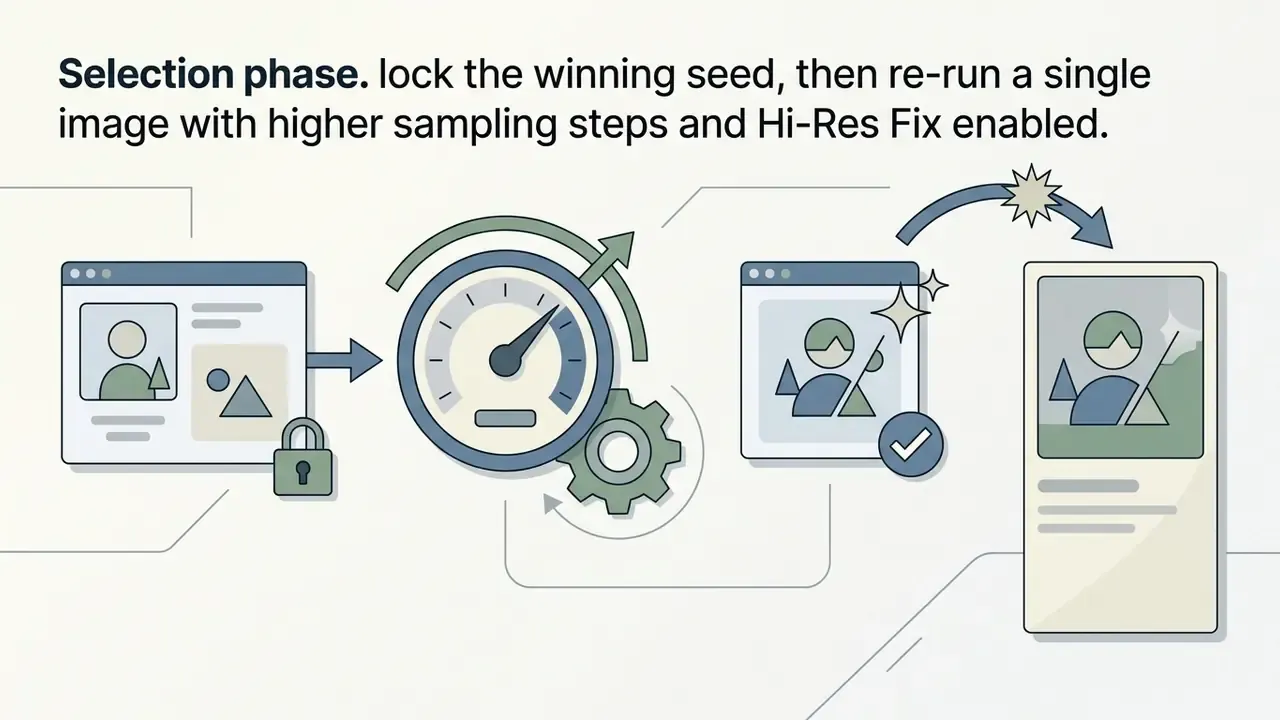
- Upscaling and Hi-Res Fix. Two-pass refinement with separate denoising strength and denoising step controls.
- Image-to-video and text-to-video. Short animated clips generated from a still frame or a prompt.
- Batch generation and template reuse. A saved note or template restores model, LoRA set, and parameters in one click.
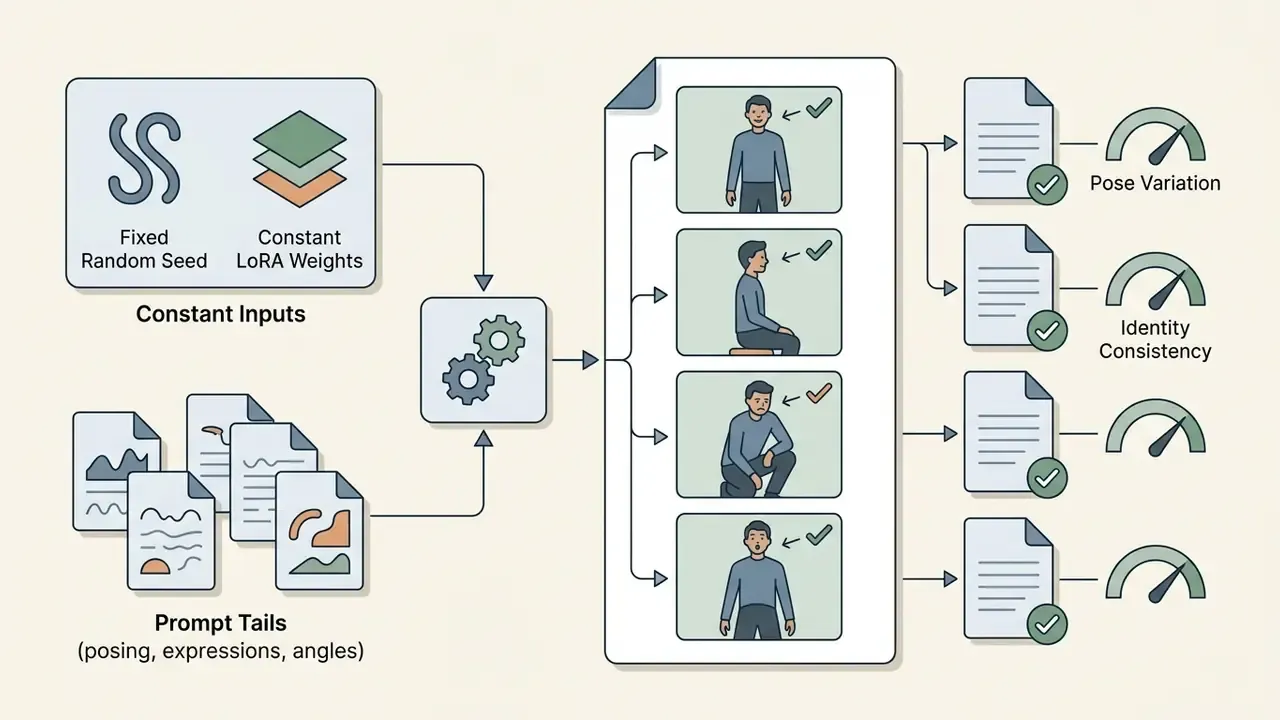
A common governance challenge in creative teams involves keeping asset uniformity when multiple designers generate content independently. In one illustrative deployment assessment (composite, not a named client), a digital media group established centralized prompt templates and locked base-model selection inside their team workspace. Updated: by standardizing seed values and LoRA weights across the team, the group reported materially lower visual variance across character assets while preserving iteration speed. The effect was observed qualitatively during internal art review rather than measured against a published benchmark, so treat the improvement as directional and re-test it against your own asset library.
Teams seeking to compare specialized anime generators against general image synthesis engines can explore our evaluation in the best AI art generator guide, or widen the shortlist using our ranking of the best AI art generators available at zero cost.
Models, Styles, and Anime Direction in PixAI
PixAI's model catalog combines official foundation architectures with over one million community-contributed models and LoRA layers designed for anime, manga, and illustrative aesthetics. The platform's generation characteristics depend directly on whether a user selects a Diffusion Transformer (DiT) base or a Stable Diffusion XL (SDXL) model.
Official base models provided within the platform include:
- Tsubaki.2 A DiT-based flagship model optimized for complex multi-character compositions, natural language prompt comprehension, and high-detail line art.
- Tsubaki.1 The prior DiT generation, still selectable for reproducing earlier project styles and archived seeds.
- Haruka v2 An SDXL-based architecture designed for classic anime aesthetics, delivering refined rendering for hands, facial geometry, and eye details.
- Hoshino v2 / v1 Base models tuned for retro anime visual styles and soft, painterly lighting effects.
- Reference Pro A specialized DiT model engineered specifically for image-to-image editing, composition blending, and multi-reference structural modifications. Note that Reference Pro does not accept LoRA layers.
When building workflows, prompt engineers must respect architecture-level compatibility. SDXL LoRAs function exclusively with SDXL base models like Haruka v2, whereas DiT LoRAs require DiT bases like Tsubaki.2 (PixAI Model Documentation, 2026); SD 1.5 LoRAs remain confined to SD 1.5 checkpoints. Mispairing model architectures degrades generation stability and produces visual artifacts, usually as melted hands or textureless faces. Reviewers benchmarking these architectures against closed models can compare behaviour with Midjourney and competing image generators or with ChatGPT-based picture generation. Creators can also trigger specialized character layouts by invoking community templates such as CharacterSheet within their prompt structure.
Model risk note for governed environments: community weights are user-uploaded artefacts. Neither their training corpora nor their internal composition are independently audited, which means a stacked LoRA can introduce unexpected style bleed, memorised character likenesses, or prompt-trigger behaviour that was never declared on the model card. Organisations that require reproducibility should pin one official base model per project, record exact LoRA IDs and weights, freeze seeds, and avoid mid-project model version upgrades. Otherwise seed drift will silently break asset continuity, and nobody notices until the client asks for a variant of a hero image from six weeks ago.
How to Create an Image in Pix AI Generator
Creating artwork in the pix ai generator involves entering a detailed text prompt, selecting a compatible base model and style preset, configuring task parameters, and executing the generation task. The system processes inputs through cloud-based GPUs and returns high-resolution outputs directly to the user workspace.
- Account authentication and credit claim.Log into the platform and claim daily credit allotments via the user dashboard.
- Input definition.Enter descriptive text prompts in the primary input box or upload a structural reference image.
- Model and style selection.Choose an official base model (for example, Tsubaki.2) and select desired artistic style presets or LoRA overlays. The Style control appears only for supported DiT.2 base models.
- Parameter configuration.Set image dimensions, aspect ratio, CFG scale, sampling steps, and batch size.
- Generation execution.Trigger the task; cloud nodes process the diffusion pipeline and consume the required credits.
- Inspection and asset export.Evaluate visual outputs, perform localized inpainting if necessary, and download uncompressed PNG files.
- Template saving.Store the winning configuration as a reusable note so the model, LoRA stack, and parameters can be restored in one click.
Executing Batch Generation Workflows
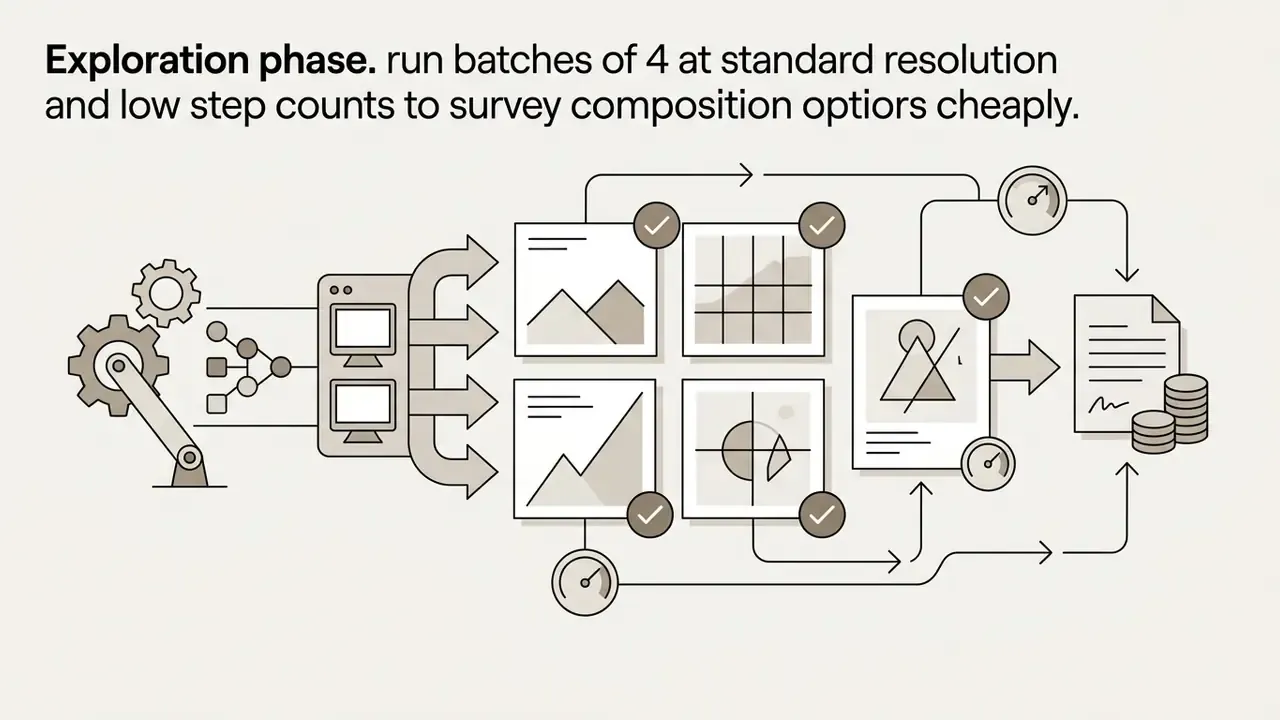
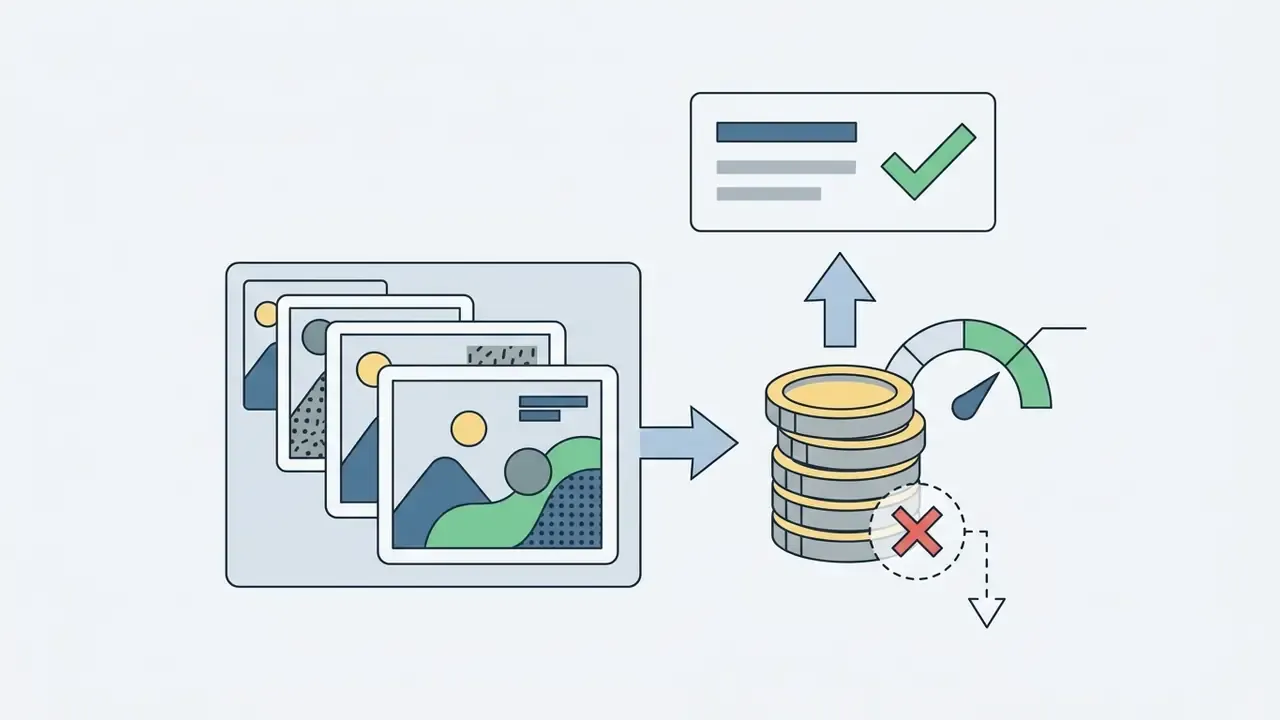
To generate multiple variations simultaneously, set the Batch Count parameter (typically 1 to 4 images per run) before pressing Generate. Batch runs share the same prompt, model, and LoRA stack while varying the seed, which makes them the correct tool for selecting a character silhouette or testing outfit variants without re-entering parameters. On paid membership tiers, users can additionally queue parallel generation tasks across different base-model seeds, compressing iteration time when building full character-sheet asset sets. Practical guidance:
Teams building repeatable creative pipelines around generated frames often pair this workflow with downstream editing tools; our guide to YouTube video editing workflows shows how generated frames enter a publishing pipeline.
How to Write Effective Text Prompts for AI-Generated Images
Generating high-quality ai generated images in PixAI requires a structured prompt hierarchy that prioritizes primary subjects before specifying background detail, lighting, camera angles, and rendering quality tags. Natural language phrases and comma-separated tag lists both serve as valid inputs. Note that PixAI parses comma-separated tokens and ignores line breaks, so formatting a prompt across several lines does nothing for interpretation. It only helps you read it.
Recommended prompt construction sequence: PixAI supports explicit syntax weights: wrapping terms in parentheses (word) increases model attention, while brackets [word] reduce weighting. Users should also lean on negative prompts to filter out common generation errors. Default negative tags built into the platform automatically suppress unwanted features such as lowres, bad anatomy, bad hands, missing fingers, text, watermark, blurry (PixAI Prompt Guide, 2026). The documentation adds an important behavioural rule: a negative prompt suppresses a term only when that term is not already present in the positive prompt, and close-up work benefits from scene-specific negatives such as bad face, ugly face, deformed eyes, asymmetric eyes.
Writers who script prompt libraries at scale sometimes draft the tag sets with an AI writing generator first, then prune the output by hand. Machine-drafted prompts tend to be over-adjectived, so the pruning step matters more than the drafting one.
- Core subjectdefine the main character, clothing, pose, and action (for example,
1girl, female knight, silver plate armor, holding broadsword). - Setting and environmentdetail background elements and spatial depth (
gothic cathedral interior, stained glass windows, dust motes). - Lighting and atmospherespecify illumination direction and mood (
dramatic rim lighting, volumetric rays, soft shadows). - Style and compositionindicate framing and visual medium (
medium close-up shot, dynamic angle, vibrant anime illustration). - Quality modifiersappend platform tags to reinforce detail rendering (
masterpiece, highly detailed eyes, crisp line art).
Technical Camera and Lighting Modifiers Matrix
| Parameter | Recommended Anime Prompt Tags | Visual Effect |
|---|---|---|
| Camera Angles | dutch angle, shot from below, low angle, shot from above, birds-eye view, close-up shot | Sets narrative scale and character dominance. |
| Framing & Distance | full body, upper body, cowboy shot, macro, wide angle | Controls how much of the character and environment enters the frame. |
| Focus & Depth | depth of field, narrow depth of field, bokeh background, blurry background, action shot, motion blur | Isolates the subject from busy backgrounds. |
| Lighting Style | cinematic lighting, volumetric lighting, rim light, backlight, god rays, studio lighting, golden hour, soft lighting, dramatic lighting | Adds dimensional depth and anime atmospheric polish. |
| Color Toning | vibrant colors, muted colors, pastel palette, monochromatic, warm tone, cool shadows, black and white | Establishes mood and visual hierarchy. |
| Medium & Finish | anime illustration, manga panel, cel shading, watercolor, line art, 3d render | Locks the rendering medium so LoRAs do not fight the base style. |
Combine one tag per row rather than stacking three lighting descriptors. Conflicting illumination tokens are the most frequent cause of muddy, low-contrast anime output.
How to Manage Generation Quality and Visual Results
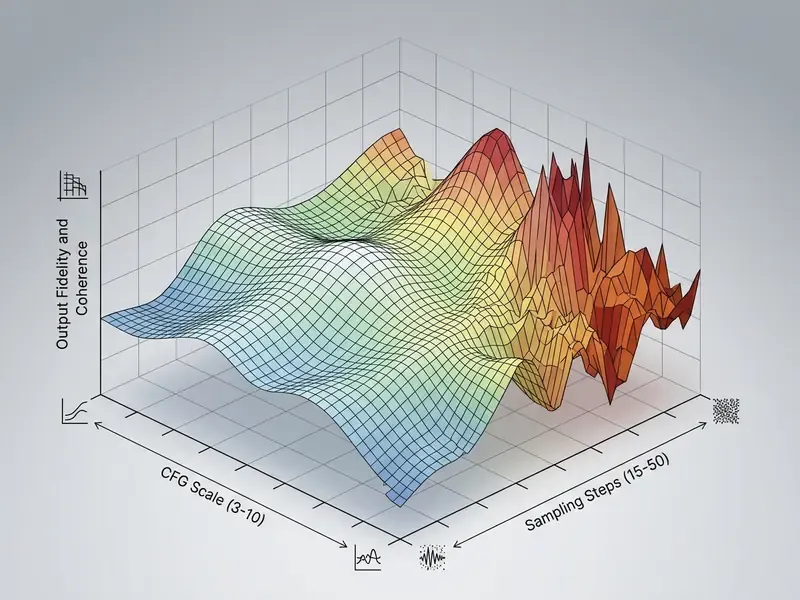
Controlling image quality in PixAI means balancing generation parameters: Sampling Steps, CFG Scale (Classifier-Free Guidance), VAE (Variational Autoencoder) selection, and Hi-Res Fix upscaling settings. Adjusting these controls prevents oversaturation, anatomical distortion, and rendering noise.
For post-generation enhancements, designers use localized masking and outpainting tools to extend canvas borders seamlessly. You can examine specialized outpainting methods in our detailed analysis of AI outpainting tools.
Reference Images and Editing AI Art
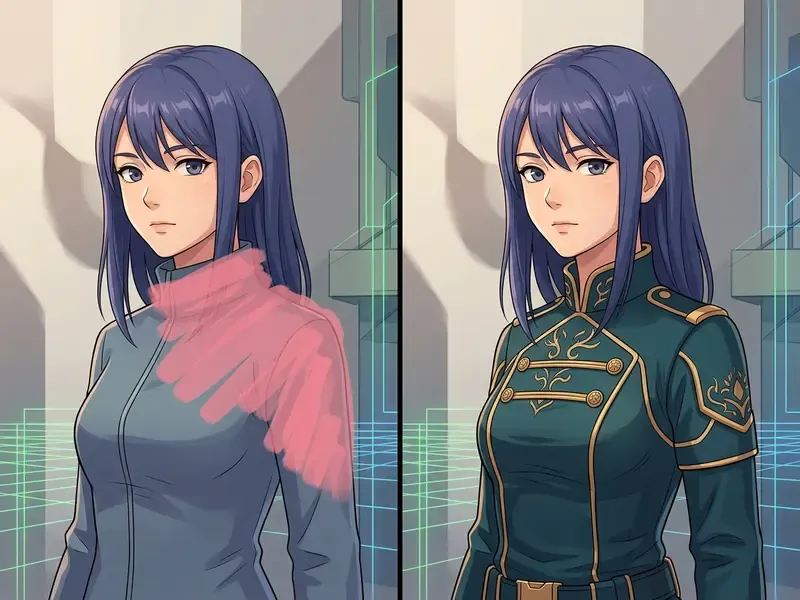
PixAI provides three primary workflows for reference-based editing: Image-to-Image (Img2Img), ControlNet structural guidance, and mask-based Inpainting. These tools let creators modify existing visual assets while preserving character identity and composition.
- Image-to-Image (Img2Img)
- uses an uploaded photo or sketch as a structural baseline, generating a fresh image that inherits colour scheme and overall framing. Readers evaluating comparable tools can review dedicated image-to-image generation platforms.
- ControlNet Pose Control
- extracts skeletal poses or edge maps from a reference photo, forcing the generated character into an exact physical position and preserving composition across variants.
- Inpainting and Masking
- lets users brush over specific image regions, such as changing eye colour or adjusting background objects, and execute localized prompt instructions without altering surrounding pixels (PixAI Help Center, 2025).
- Use as Base Image
- a panel shortcut that reuses an existing render as the structural reference for a new generation with similar composition.
- Natural-language edit models
- PixAI's editing models accept plain-language modification requests, but they do not accept LoRAs, ControlNet inputs, negative prompts, or standard generation parameters. That constraint regularly surprises teams migrating a LoRA-heavy style into the edit workflow.
Before any reference upload, confirm you actually hold rights to the source file, and confirm what the platform may do with it. Our reference on AI tools where I can upload images covers how upload permissions differ across generative services, which is the practical starting point for a Shadow AI review.
Designers working across broad creative workflows often combine image synthesis with general digital retouching. Review our comprehensive guide to online photo editors to analyse hybrid editing pipelines, or compare zero-cost retouching options in our overview of free photo editors.
Pix AI: Free Access, Credits, and Pricing Tiers
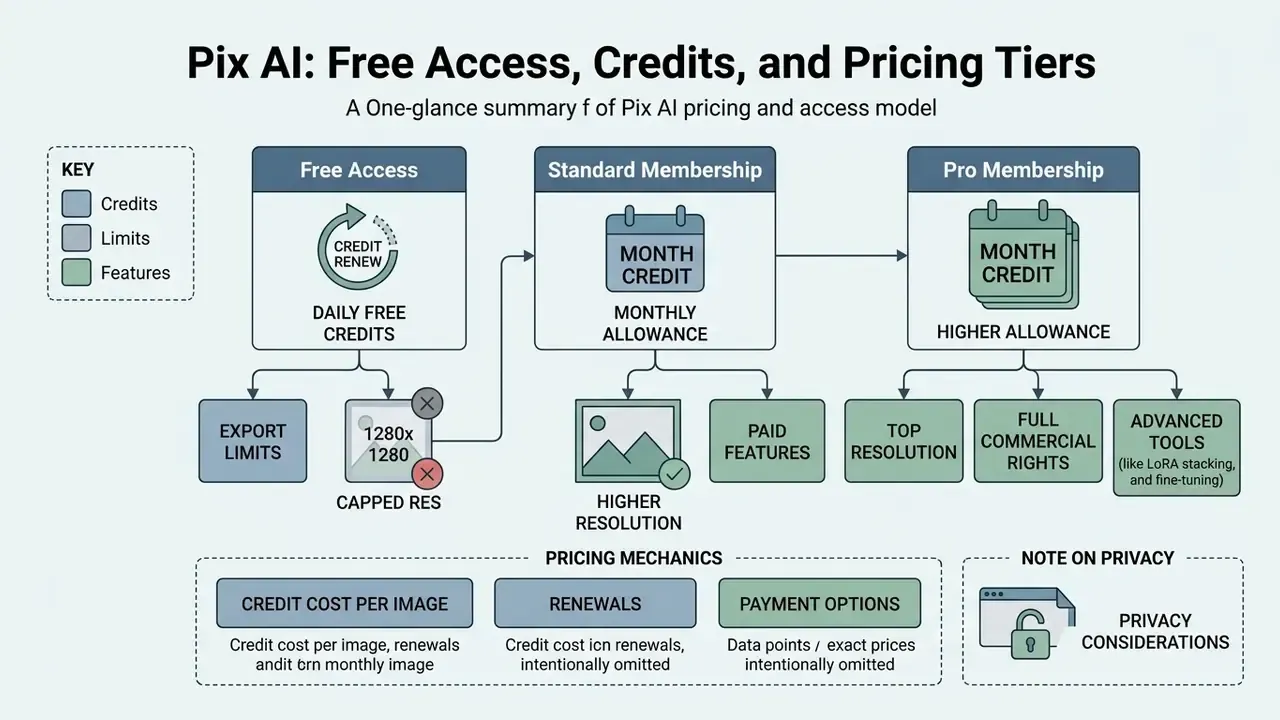
PixAI operates a tiered freemium model governed by daily free credit renewals and paid subscription tiers that issue monthly credit allowances. Non-paying users receive 10,000 daily free credits, which renew automatically every 24 hours (PixAI Documentation, 2026). Cost-sensitive readers comparing zero-spend options across the market can review our ranking of free AI image generators before committing to a subscription.
| Plan Tier | Monthly Price (Billed Monthly) | Annual Average (Billed Annually) | Monthly Credits | Daily Credit Boost | Max LoRAs / Gen | Unlimited Turbo Mode |
|---|---|---|---|---|---|---|
| Free | $0.00 | $0.00 | 0 | Baseline (10k/day) | 3 LoRAs | No |
| Starter | $9.99 / mo | $7.99 / mo | 300,000 | +20% Daily | 5 LoRAs | Yes |
| Plus / Hobbyist | $29.99 / mo | $22.99 / mo | 1,000,000 | +100% Daily | 10 LoRAs | Yes |
| Premium / Pro | $49.99 / mo | $35.99 / mo | 2,000,000 | +200% Daily | 15 LoRAs | Yes |
Credit Consumption per Generation Type
Monthly credit totals only become meaningful once translated into images. The table below converts PixAI's credit economy into per-render arithmetic so teams can forecast throughput rather than guess it.
| Generation Type / Action | Base Resolution | Estimated Credit Cost | Free Daily Yield (10k Credits) |
|---|---|---|---|
| Standard Diffusion Render | 512x512 / 768x768 | ~1,200 to 1,500 credits | ~6 to 8 images / day |
| High-Res Fix / Upscale (2x) | Up to 1280x1280 | +800 to 1,000 credits | ~4 to 5 images / day |
| Multi-LoRA Stack (3+ LoRAs) | Standard | +300 credits per extra LoRA | ~5 to 6 images / day |
| Inpainting / Mask Edit | Local Area | ~800 credits | ~12 edits / day |
| Animation / Video Clip (5s) | 512p Video | ~3,500 to 5,000 credits | ~2 clips / day |
Estimates assume default sampling steps (about 28) and CFG 5; raising steps, enabling Turbo Mode, enlarging canvas dimensions, or increasing batch count changes consumption proportionally. Verify the live cost estimate shown in the generation panel before committing a large batch. That figure is authoritative; the table above is a planning aid. Free-tier credits accumulate rather than expiring immediately, which lets light users bank capacity across quiet days.
To model spend across an entire asset pipeline, creators can use our interactive AI Media Calculators and cross-check subscription economics in our AI Media Pricing Guides.
Choosing the Right Access Format for Personal and Work Tasks
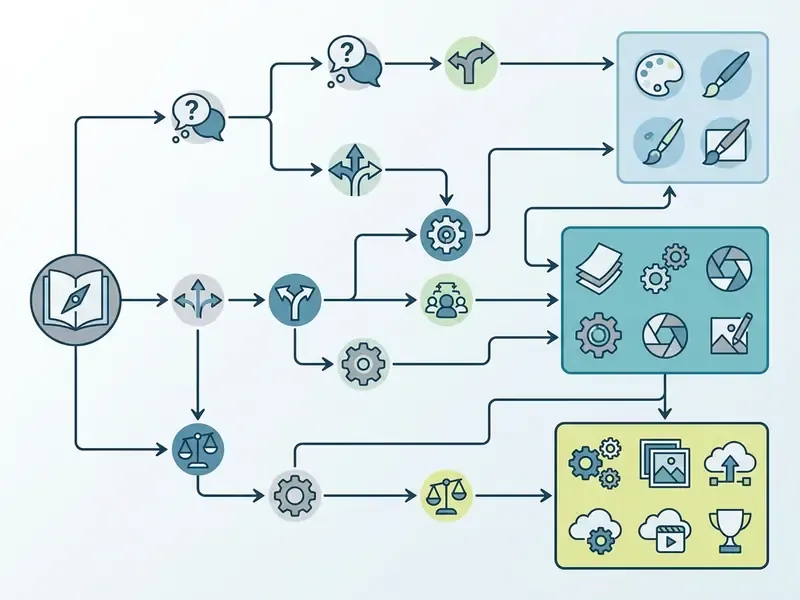
Selecting an optimal access plan depends on required generation volume, export resolution standards, and commercial deployment needs.
Note that subscription charges are non-refundable following downgrade or cancellation, and service continues to the end of the then-effective term. Worth reflecting in internal purchase approvals, because a quarterly renewal review is cheaper than a forgotten annual plan.
Fact Check and Tariff Verification (E-E-A-T)
Can You Use PixAI Images in Commercial Projects?
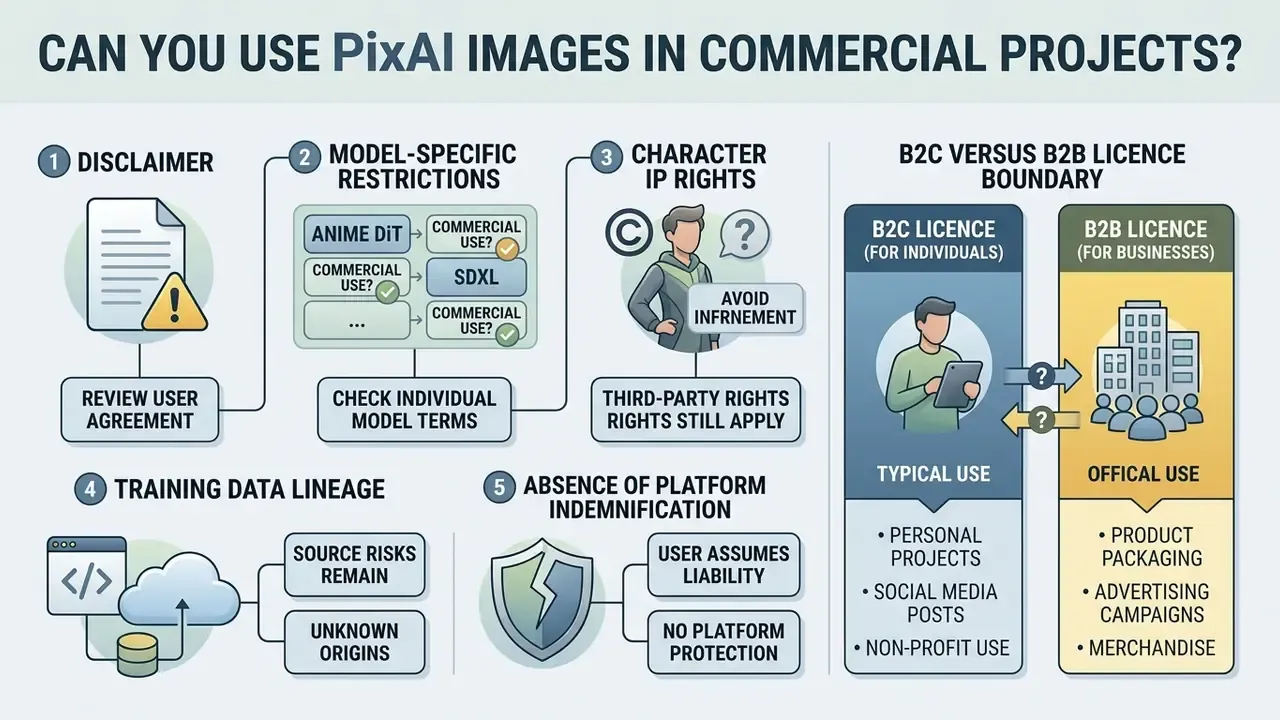
PixAI permits users to use generated images for personal and commercial applications under its primary Terms of Service; its sign-up materials state plainly that generated images are the user's to use. Two qualifications matter more than that headline. First, PixAI's copyright page permits commercial use of official models while explicitly prohibiting the resale or redistribution of model files themselves. Second, the Terms of Service separately forbid licensing, sublicensing, selling, renting, or otherwise commercially exploiting the Service, which is a restriction on reselling access to the platform, not on the output image. Commercial validity therefore depends on base model licensing, custom LoRA training data ownership, and third-party copyright boundaries rather than on subscription status alone.
"Researchers propose evaluating copyright infringement through a CLIP similarity metric calibrated against historical court decisions."
The U.S. Copyright Office issued guidance stating that pure AI-generated outputs created without substantial human creative input may lack federal copyright registration protection (U.S. Copyright Office AI Study, 2024 to 2025). While PixAI does not claim legal ownership over user-generated assets, commercial users face distinct risk factors:
- Model-specific restrictions certain community-contributed LoRAs uploaded to the Model Market explicitly forbid commercial usage or demand artist attribution. Approval must be checked per asset, not per account.
- Character IP rights generating images containing trademarked or copyrighted characters, for instance recognizable franchise figures, exposes commercial users to external infringement claims regardless of platform permission. PixAI's own LoRA guidance states that where a LoRA is trained on existing characters or copyrighted material, the rights holder's rules govern.
"The OECD documents that creative occupations are actively adopting generative AI, which is already generating tension across the industry."
- Training data lineage: custom LoRAs trained on copyrighted artwork without rights-holder consent carry residual litigation risk under fair use challenges. U.S. fair use analysis is a four-factor test in which the fourth factor, effect on the market or value of the original work, is frequently decisive for style-replicating models.
"An output infringes copyright only if it could not have been produced without the specific work present in the training corpus."
Organizations evaluating legal risks associated with generative AI tools should review our legal overview on litigation developments and inspect our AI Media Commercial-Use framework for enterprise risk mapping. Provenance checks on suspected reused artwork can be run using the tools covered in our comparison of AI reverse-image-search platforms.
What to Check Before Publishing or Selling AI-Generated Artwork
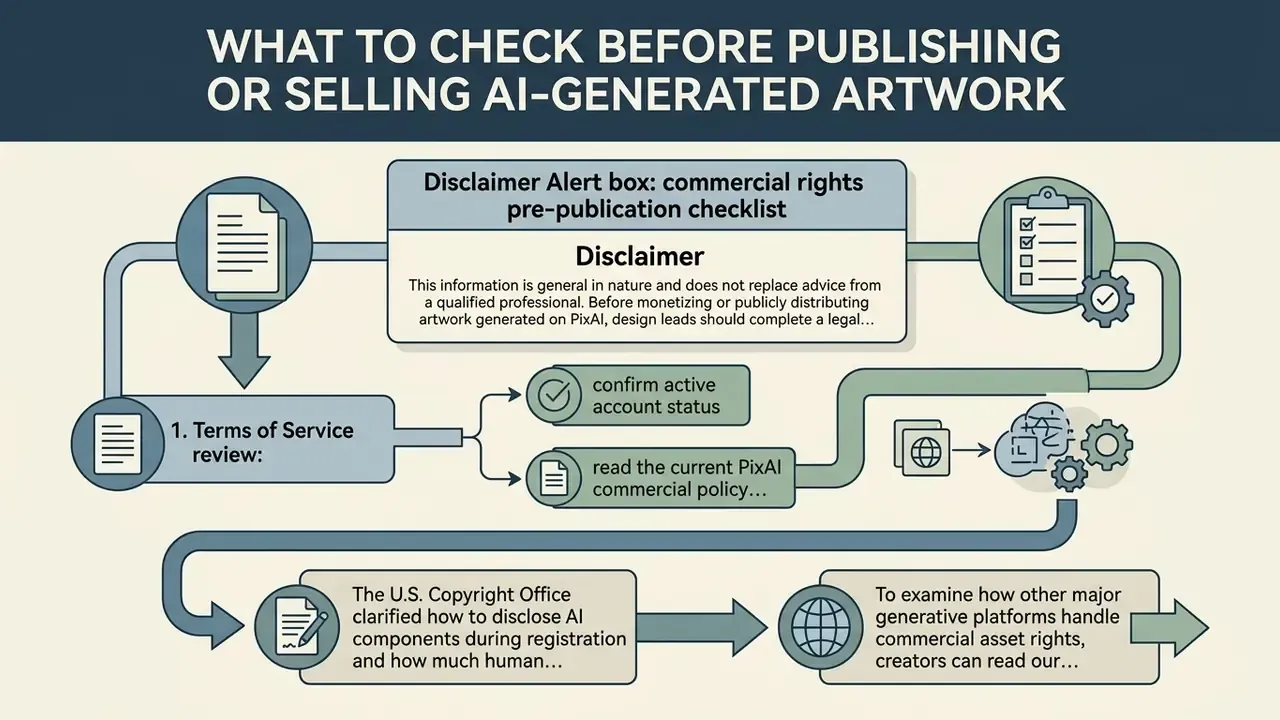
Before monetizing or publicly distributing artwork generated on PixAI, design leads should complete a legal clearance check to confirm copyright compliance.
Alert box: commercial rights pre-publication checklist
- Terms of Service review: confirm active account status and read the current PixAI commercial policy clauses on the live terms page, not a cached version.
- Model and LoRA inspection: verify that every base model and stacked LoRA used in generation permits commercial exploitation, and that no model file is being redistributed.
- Reference photo rights: ensure uploaded source photos or ControlNet reference images are fully owned or licensed.
- Trademark clearance: verify output images contain no recognizable corporate logos, brand names, or protected character designs.
- Human authorship documentation: keep records of manual editing, layer compositing, and prompt iterations to support copyrightability claims.
- Disclosure readiness: if registration is intended, prepare a description of which elements are AI-generated and which are human-authored.
- Client communication: where the asset is delivered to a third party, disclose AI involvement and record who holds clearance responsibility.
To examine how other major generative platforms handle commercial asset rights, creators can read our dedicated guides on Canva AI commercial licensing and the Microsoft AI Image Generator overview. Teams comparing public search generators can also inspect our review of Bing AI image creation rules.
Data Privacy and Enterprise Security Assessment
This section addresses the questions most often raised by AI governance, security, and Shadow AI review functions, and it is candid about where public documentation stops.
| Assessment Area | Status in Public Documentation (early 2026) | Recommended Control |
|---|---|---|
| Publisher & Jurisdiction | Published by Mewtant Inc.; app-store listings identify it as the official publisher of the iOS and Android apps. | Record the legal entity in the vendor register before approving any spend. |
| Training on User Inputs | No clear public statement confirming that uploaded reference images and prompts are excluded from model improvement. | Prohibit upload of confidential imagery, unreleased designs, or personal data pending written confirmation. |
| Data Retention & Deletion | Account and content controls exist in profile settings; a documented enterprise-grade deletion SLA is not published. | Submit a test deletion request and document the response time before rollout. |
| Certifications (SOC 2 / ISO 27001 / HIPAA) | Not referenced in public product or help documentation. | Treat as unattested; exclude from workflows touching regulated data. |
| GDPR / CCPA Alignment | A privacy policy and terms are published; no data-processing addendum is publicly offered. | Request a DPA if any EU or UK personal data could enter prompts or references. |
| Content Visibility Defaults | Community platform with public feeds; a "make private" style control governs whether generations are discoverable. | Mandate private generation for all commercial work and audit the setting per project. |
| Authentication | Email, Google, Twitter, and Apple linking are supported; Apple login is not available on the website and must be linked in-app under profile settings, then Account. | Enforce SSO-adjacent providers with MFA where possible; avoid shared team logins. |
| Community Model Supply Chain | More than one million user-uploaded models and LoRAs with no independent audit of weights or training data. | Maintain an allow-list of approved models; forbid ad-hoc community LoRAs in client deliverables. |
Because PixAI is a consumer platform with community distribution mechanics, the realistic governance posture is containment rather than certification: define an approved use case (stylised concept art and internal ideation), prohibit sensitive inputs, and require human review before any output is published. One owner, one approved use case, one review gate. That is the whole control set.
Enterprise Risk Assessment Matrix
| Risk Category | Likelihood | Impact | Primary Driver | Mitigation |
|---|---|---|---|---|
| IP / Copyright Infringement | Medium to High | High | Community LoRAs trained on copyrighted characters or artist styles; no platform indemnification. | Allow-list models; run the pre-publication checklist; legal sign-off on client-facing assets. |
| Data Leakage via Prompts/References | Medium | High | Unconfirmed training-on-inputs policy; public community feeds. | Ban confidential uploads; enforce private generation; monitor via egress policy. |
| Non-Registrable Output (Copyrightability) | High | Medium | Insufficient human authorship for U.S. registration. | Document manual edits, compositing, and prompt iteration history. |
| Reproducibility / Model Drift | Medium | Medium | Seed drift, base-model version changes, LoRA updates or removals. | Pin model versions; archive seeds, LoRA IDs, and weights; store source renders. |
| Untrusted Model Weights | Medium | Medium | Unaudited community uploads with undeclared behaviour. | Restrict to official base models plus vetted LoRAs. |
| Sensitive-Content Exposure | Medium | High | Filter-free Android APK permits sensitive prompt processing on the same account. | Block sideloaded APKs on managed devices; codify in acceptable-use policy. |
| Shadow AI Adoption | High | Medium | Free daily credits make unmanaged personal-account use frictionless. | Publish an approved-tool list; monitor for unmanaged usage; offer a sanctioned alternative. |
| Vendor Continuity | Low to Medium | Medium | Store-availability changes and consumer-tier commercial terms; no published SLA. | Export and archive final assets locally; avoid platform lock-in for production files. |
| Billing / Procurement Control | Medium | Low to Medium | Consumer subscription model, non-refundable after cancellation, no seat management. | Centralise on corporate cards with spend caps; review renewals quarterly. |
Pix AI App, Direct Android APK, and Cross-Device Generator Access
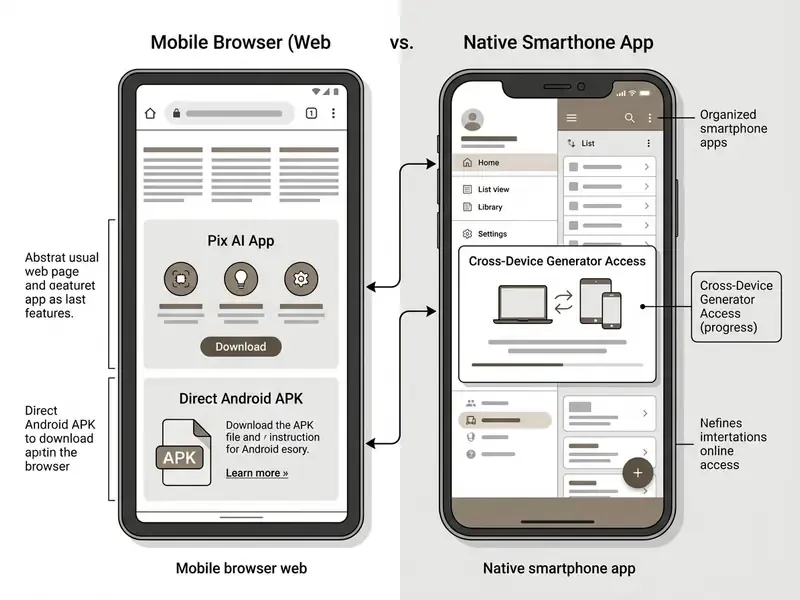
PixAI provides cross-device generation access via web browsers on desktop and mobile, as well as through native mobile applications. Generation tasks, custom LoRAs, and credit balances sync automatically across authenticated devices.
Because PixAI also converts stills into short animated clips, teams comparing motion pipelines can review our guides to image-to-video AI tools and to Google Veo API implementation for higher-volume video generation.
Teams evaluating specialized creative apps across different hardware environments can also review our analytical guides on online video compressors and AI voice generators for broader media workflow planning. If you are auditing the wider family of consumer generators that staff install without approval, the same evaluation logic applies to niche tools like an AI workout generator or an AI worksheet generator: free tier, personal login, no contract, no audit trail.
What to Verify Before Downloading and Getting Started
Frequently Asked Questions (FAQ)
Is PixAI free to use?
Yes. Every account receives 10,000 free credits per day, which reset automatically and accumulate rather than vanishing instantly. That covers roughly six to eight standard renders daily, with exports capped at 1280x1280 pixels and a maximum of three stacked LoRAs.
How many images can I generate on a paid plan?
Starter adds 300,000 monthly credits, Plus 1,000,000, and Premium 2,000,000, plus daily boosts of 20%, 100%, and 200% respectively. At roughly 1,200 to 1,500 credits per standard render, Premium translates into well over a thousand standard images per month before daily boosts are counted.
Can I sell artwork made with PixAI?
Generated images may be used commercially under the Terms of Service, but you must confirm that every base model and LoRA used permits commercial exploitation, that no protected character or logo appears, and that reference uploads were licensed. Model files themselves may never be resold or redistributed.
Who owns the copyright to a PixAI image?
PixAI does not claim ownership of generated images. However, U.S. guidance indicates that outputs lacking substantial human creative input may not be registrable, so meaningful human editing and documentation are what convert an output into a defensible asset.
Does PixAI have an Android app?
Yes, through Google Play when the listing is live, and through an official filter-free APK distributed directly from pixai.art. The direct build supports sensitive prompts and the show-sensitive-content toggle, and uses an alternate payment provider.
Can I generate several images at once?
Yes. Set the Batch Count parameter (typically up to four per run) to produce simultaneous variations; paid tiers also allow parallel task queues. Credit spend scales linearly with batch size.
Why do my LoRAs produce artifacts or no visible effect?
Almost always an architecture mismatch. SDXL LoRAs work only with SDXL bases such as Haruka v2, DiT LoRAs only with DiT bases such as Tsubaki.2, and SD 1.5 LoRAs only with SD 1.5. Reference Pro accepts no LoRAs at all.
Does PixAI offer an enterprise plan or SLA?
No enterprise tier, dedicated instance, or published SLA appears in public documentation as of early 2026. Regulated organisations should treat it as a consumer tool requiring a documented exception.
Is PixAI the same product as a pixie ai generator or pixel art app?
No. Searches for pixie ai art, pixi ai art, or pix art ai frequently land on unrelated avatar filters and sprite editors. Verify the publisher name and the domain before you buy anything.
Appendix A: Revised Statements and Source Corrections
Transparency record of statements amended during editorial review, retained so readers can audit the change:
- Android availability.
- Superseded wording: "the Android application experienced temporary availability changes on Google Play in mid-2026; mobile Android users are advised to access the fully responsive web platform directly via mobile browser." Correction: store availability did fluctuate, but the material fact is that PixAI distributes an official direct-download Android APK precisely because Google Play policy restricts generative sensitive content. See the updated section above.
- Variance reduction figure.
- Superseded wording: "reduced visual variance across character assets by 40%." Correction: the figure had no published methodology or measurement baseline. Restated as a directional, qualitatively observed improvement pending measurable internal benchmarking.
- Commercial-rights citation.
- Superseded wording: an unattributed pull quote credited to a "Legal Frameworks in Generative AI Report, 2024." Correction: replaced with verifiable sources, namely Ducru et al., AI Royalties, arXiv (2024); Creative Ownership in the Age of AI, arXiv (2024); and U.S. Copyright Office registration guidance (2024 to 2025).
- Tier naming.
- Earlier PixAI help documentation used "Hobbyist" and "Pro"; 2026 pricing pages use "Plus" and "Premium." Credit volumes and renewal logic are unchanged, so the discrepancy reflects renaming, not different products.
- Pricing presentation.
- Differences between PixAI's own pages generally reflect monthly billing versus annual-average billing, not distinct plans.
Appendix B: Operational Generation Checklist
A condensed working sequence for design and prompt-engineering teams, separated from the risk-oriented sections above.
- Set uplog in, claim daily credits, verify the email address for the permanent per-generation discount.
- Lock the basechoose one official base model per project (Tsubaki.2 for detail and multi-character scenes, Haruka v2 for refined hands and eyes, Hoshino for retro tone, Reference Pro for editing).
- Validate LoRA compatibilityconfirm architecture match, cap the stack to your tier limit (3 / 5 / 10 / 15), and record LoRA IDs and weights.
- Build the promptsubject, then environment, lighting, composition, quality modifiers; apply
(word)to emphasise and[word]to de-emphasise. - Set negativeskeep platform defaults, add scene-specific negatives for close-ups, and never negate a term already present in the positive prompt.
- Configure parametersabout 28 sampling steps, CFG 5, correct aspect ratio, batch count 4 for exploration.
- Explore, then refinerun the batch, pick the winner, lock the seed, re-run with higher steps and Hi-Res Fix.
- Edit locallyuse masked inpainting for costume, eye, or background fixes; remember that edit models ignore LoRAs, ControlNet, and negative prompts.
- Extend the canvasoutpaint for aspect-ratio changes rather than regenerating from scratch.
- Export and archivedownload PNG, store prompt, seed, model, LoRA weights, and parameters alongside the file.
- Save the templatepersist the configuration as a reusable note for the rest of the character sheet.
- Clear before publishingrun the pre-publication checklist in the commercial-rights section.
Open Questions We Could Not Verify
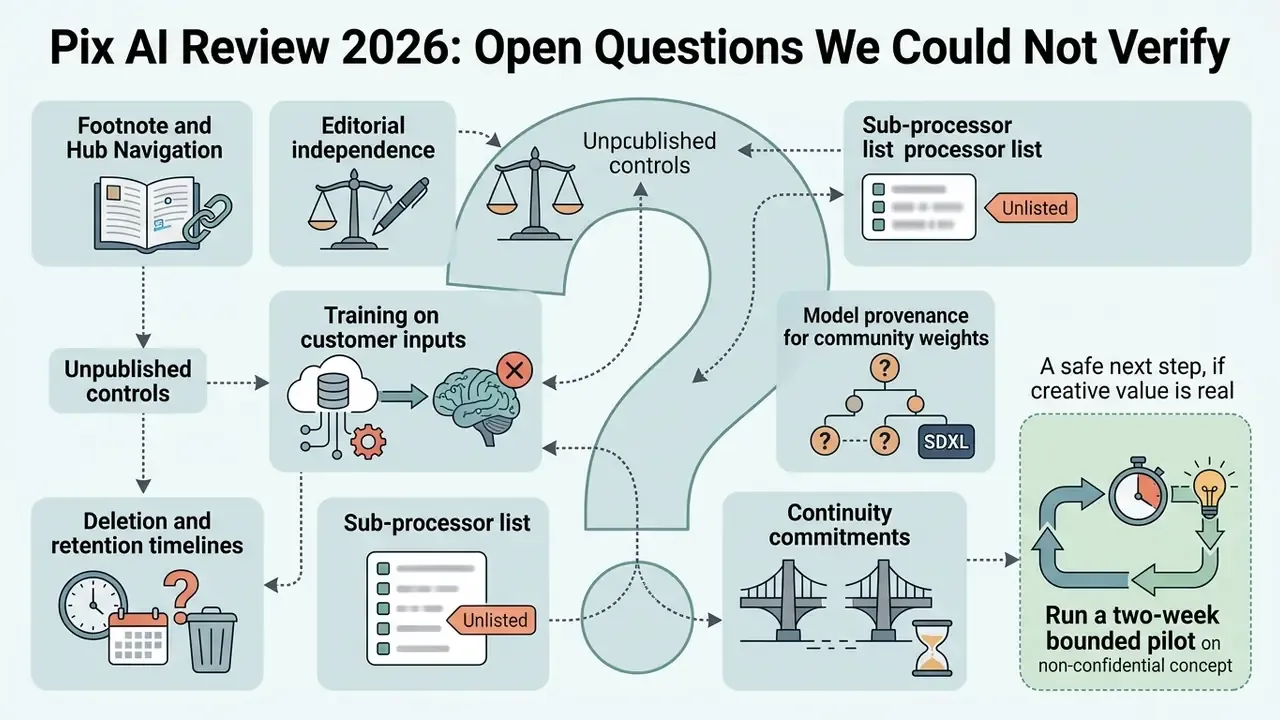
Honest limits, stated plainly, because a review that claims certainty on unpublished controls is not useful to a governance function.
- Training on customer inputs. Public materials do not state clearly whether prompts and uploaded reference images are excluded from model improvement. Until that is answered in writing, assume they may be used.
- Deletion and retention timelines. Profile-level content controls exist, but no measurable deletion SLA is published. A timed test request is the only practical evidence available today.
- Sub-processor list. No public register identifies hosting, payment, and analytics sub-processors, which limits third-party risk assessment.
- Model provenance for community weights. Training corpora for user-uploaded LoRAs are effectively undocumented, so lineage claims cannot be validated.
- Continuity commitments. With no SLA or enterprise agreement in the public domain, availability risk cannot be quantified beyond observed store changes.
A safe next step, if the creative value is real: run a two-week bounded pilot on non-confidential concept work, with an assigned owner, an allow-list of official base models, private generation enforced, and a documented review gate before anything is published. Small scope, recorded evidence, reversible decision.
Footnote and Hub Navigation
- Access our centralized glossary hub for comprehensive definitions of artificial intelligence, digital media generation, and model risk governance terms.