Why should a compliance or model risk leader care about a short-form video tool? Because marketing teams adopt it first, procurement hears about it last, and the licensing terms are not as clean as the pricing page suggests. Enterprise adoption of this platform demands verification of four things: platform authenticity, usage limits and credit mechanics, data-handling practices, and commercial licensing rights.
Executive Summary: Key Takeaways for Model Risk, Compliance, and Governance Leaders
Table: Verified findings for reviewers (checked August 2026)
| Decision Area | What Reviewers Must Know (Verified August 2026) |
|---|---|
| Official access surface | Only pika.art (web app, pricing, FAQ, Terms), the official mobile apps, the official Discord beta channel, and authenticated developer API routes. All other domains are aggregators or affiliate layers. |
| Free tier economics | Basic plan: 80 monthly video credits (some promotional pages display 150), Pika 2.5 restricted to 480p, image-to-video Pikaffects only, lower queue priority. |
| Paid entry point | Standard: $8/month billed yearly, 700 credits, all resolutions (480p/720p/1080p), Pikaframes access, watermark-free downloads, and commercial use, per the official pricing page. |
| Licensing risk | The pricing page and the FAQ/Terms are not fully consistent on commercial rights for Basic and Standard. Obtain written confirmation from [email protected] before any paid-media deployment. |
| Data governance gap | Pika publishes no public SOC 2 or ISO 27001 attestation in the sources reviewed. Treat all uploads (brand assets, headshots, product imagery) as data leaving the enterprise perimeter. |
| Shadow-AI exposure | Three uncontrolled channels exist: personal web accounts, Discord, and third-party API gateways (Fal.ai, Pollo.ai, Wavespeed.ai, API Glue). Centralize procurement and monitor egress. |
| Model behavior | Independent benchmarking shows semantic correctness below 0.70 for leading text-to-video engines, including Pika 2.2. Treat outputs as creative assets requiring human review, never as evidentiary or factual artifacts. |
| Output ceiling | 5s and 10s clips in Pika 2.5; up to 25 seconds via Pikaframes; 720p/1080p export on paid tiers. |
One line summary for the board: the tool is cheap, capable, and governable only if you control the access path.
What the Pika Labs AI Video Generator Is and Where to Find the Official Site
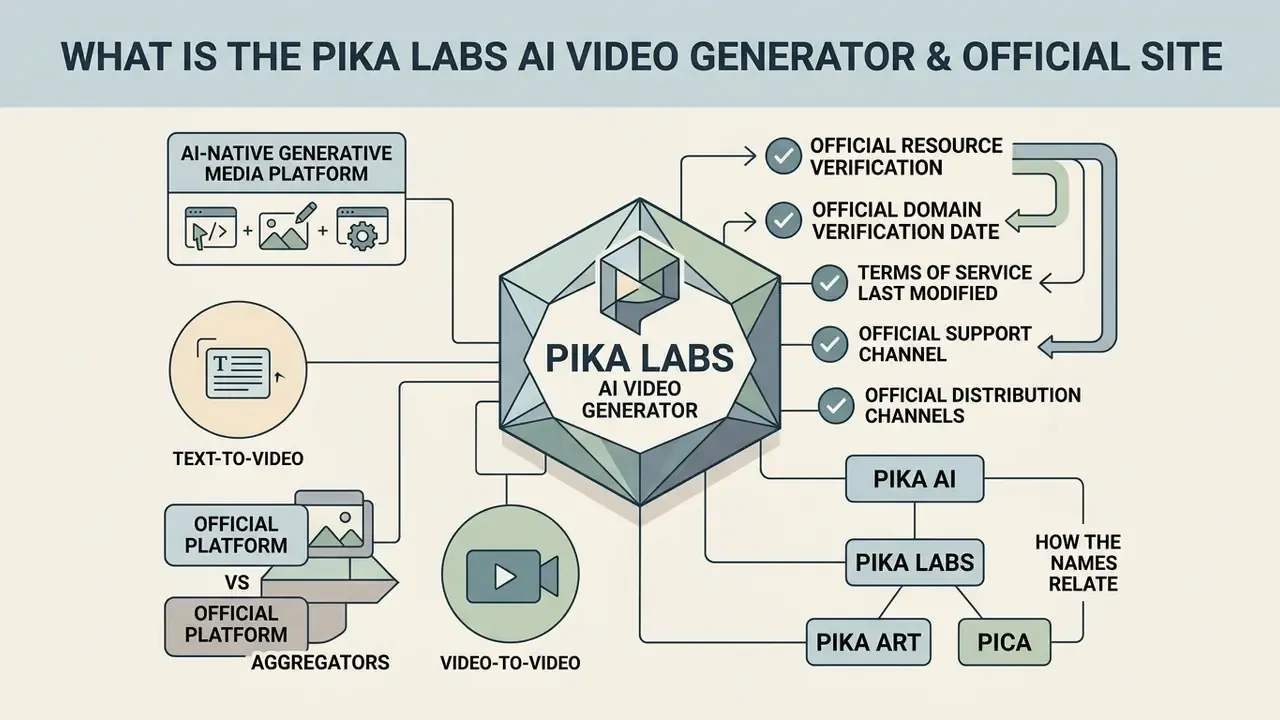
The pika labs ai video generator is an AI-native generative media platform. It converts natural language text prompts, still images, audio tracks, and existing footage into short dynamic clips. Within the broader category of AI-based video generators, Pika positions itself as an "idea-to-video" platform tuned for short-form, effects-driven output.
The canonical web portal is pika.art, which hosts the web interface (pika.art/home) and documentation for its generative models, including Pika 2.5.
Pika Labs itself is a US-based company founded in 2023 that specializes in AI-powered video generation. By 2024 its product had become one of the most widely adopted AI video tools among individual creators and small studios, which is precisely why it appears inside enterprises without a purchase order.
E-E-A-T Fact Check: Official Resource Verification
Pika AI, Pika Labs, Pika Art, and Pica: How the Names Relate
Pika Labs is the research and technology organization behind the generative video engine. Pika and Pika Art are the product branding and the web application domain (pika.art). The phrase pika ai video generator shows up constantly in reviews and search queries as an informal label for the web tool. The official FAQ keeps it simple: "Pika is a video generation platform and App."
Then there are the near-misses. Terms like pica ai video generator, pica video generator, or pica art ai come from phonetic misspellings, or from confusion with unrelated software such as Pica AI photo tools. Small detail, real consequence: near-homophone brands are a recurring vector for credential-harvesting pages in the generative-AI category. Risk managers should tell teams to reach the verified domain by bookmark, not by search result.
What Kinds of Videos You Can Create in Pika AI
The platform lets users generate videos across a wide stylistic range: photorealistic motion, cinematic sequences, 3D animation, anime, and stylized digital art. Through its multi-modal architecture, the pica video generator (as many users mistype it) converts static inputs into short, high-frame-rate clips suitable for social production, storyboarding, and rapid marketing prototyping. Typical outputs run 5 or 10 seconds in Pika 2.5, extend to 25 seconds through Pikaframes, and export at 720p or 1080p on paid plans.
Empirical findings from the VidProM dataset (Wang & Yang, NeurIPS 2024), which analyzed 1.67 million real user prompts from official Pika channels, show that generative video models are queried mainly for motion synthesis, complex scene composition, and dynamic camera movement.
Across 2026 coverage, the recurring deployment patterns are short-form social video (TikTok, Instagram Reels, YouTube Shorts), advertising concept tests, product demos, animated explainers for education, previsualization and VFX mockups, and API-driven bulk content pipelines. Nothing exotic. Mostly assets that used to take a week and now take an afternoon.
Generation Modes in Pika AI: Text-to-Video, Image-to-Video, and Video-to-Video
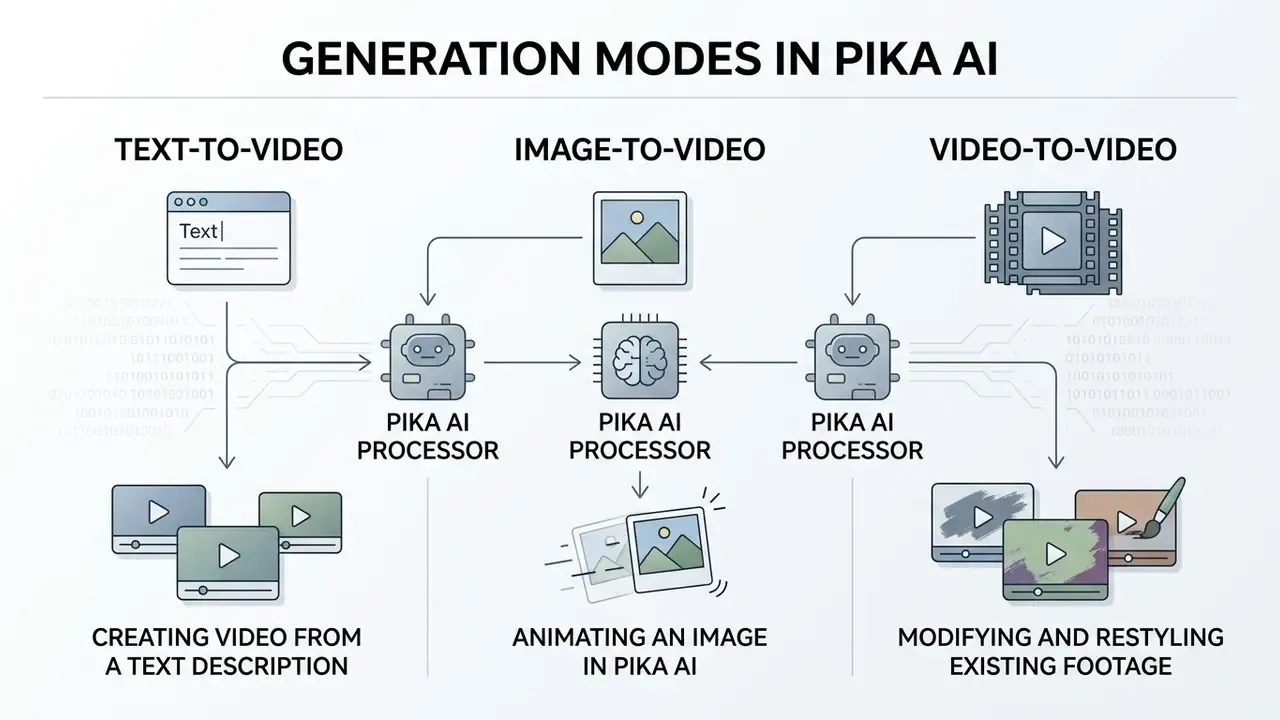
Pika AI works through three core workflows: text to video, image to video, and video to video. The mode you pick sets the level of visual control, temporal predictability, and prompt dependency during video generation. It also sets your rights exposure, which is the part most teams skip.
Table: Comparison of Text-to-Video and Image-to-Video Modes in Pika AI (data verified as of August 2026)
| Parameter | Text-to-Video Mode | Image-to-Video Mode |
|---|---|---|
| Primary input data | Natural-language text prompt describing subject, motion, background, and camera angle. | Uploaded static image (JPG, PNG, WebP) plus an optional motion guiding prompt. |
| Expected output | Novel 5 to 10 second clip synthesized entirely from model training weights. | Animated 5 to 10 second clip retaining original image composition and subject identity. |
| Degree of visual control | Indirect: visual details, character features, and frame arrangement are inferred by the model. | High: character design, lighting, color palette, and initial frame structure are explicitly fixed. |
| Predictability and consistency | Lower consistency across generations due to unconstrained visual synthesis. | Higher consistency, so it suits brand continuity and recurrent character animation. |
| Setup speed and workflow | Faster initial setup, since only text input in the prompt bar is required. | Requires prepared visual assets and aspect ratio alignment. |
| Typical use cases | Concept exploration, rapid storyboarding, abstract motion backgrounds, initial scene design. | Animating marketing banners, bringing photo headshots to life, product feature reveals. |
In plain text, for readers and crawlers alike: text-to-video takes only a prompt and returns an unconstrained 5 to 10 second clip with lower consistency; image-to-video anchors composition and identity to an uploaded video image and returns a far more predictable animation. The third mode, video-to-video, takes existing footage plus a prompt and is used for object swaps, character replacement, added elements, and style restyling while preserving original motion and lighting (Pikaswaps, Pikadditions, and video-to-video Pikaffects).
Text-to-Video: Creating Video from a Text Description
The pika ai text to video generator synthesizes complete motion sequences straight from written instructions. Users enter scene parameters into the pika ai text to video official site control bar, defining subject movement, environment, lighting, and camera behavior. For teams comparing platforms in this category, our overview of text-to-video tools explains how prompt-driven synthesis differs from template-based animation.
Academic evaluation in the T2VWorldBench benchmark (2025) indicates that across ten leading text-to-video engines, Pika 2.2 included, semantic correctness scores average below 0.70. Visually compelling, yes. Physically reliable, not yet. Complex interactions still demand iterative prompt engineering.
«T2VWorldBench (2025) showed that the average semantic-correctness score of ten leading text-to-video systems, including Pika 2.2, does not exceed 0.70.»
«VidProM is the first large-scale dataset of 1.67 million real user prompts, covering model evaluation, prompt engineering, and deepfake detection tasks.» Wang & Yang, VidProM dataset, NeurIPS 2024. https://arxiv.org/abs/2403.09893
For model-risk documentation, those two datasets give you the empirical baseline. VidProM describes how the model is actually used in the wild; T2VWorldBench quantifies the ceiling of semantic reliability that validation teams should assume. Cite both in the validation file and you have defensible boundaries instead of opinion.
Image-to-Video: Animating an Image in Pika AI
The pika ai image to video workflow uses an uploaded static video image as the anchor frame, then applies temporal motion algorithms to animate static elements. Readers evaluating substitutes can consult our reference on image animation tools to compare motion-control depth. By preserving character likeness, brand logos, and spatial composition, pika ai image to video delivers noticeably higher predictability than text-only prompts.
Developer API parameters for Pika 2.5 specify that image-to-video endpoints accept source image URLs alongside a guiding motion prompt string, which makes structured integration into automated media pipelines straightforward. Official documentation notes that media inputs accept any public URL; local files must be uploaded first, and the returned URL is then passed to the endpoint. The prompt field is documented explicitly as the "text prompt guiding the motion," and several API wrappers additionally expose negative_prompt and multi-image (imageUrls) inputs. Teams standing up server-side integrations will find comparable patterns in our AI Media API Guides.
Video-to-Video: Modifying and Restyling Existing Footage
Video-to-Video lets you upload existing footage and change its style, replace an object, or add new characters while the original motion trajectory and lighting survive intact. With the Pikaswaps module you can substitute an object inside a shot, turning a parked car into a futuristic hovercraft, for example, with lighting and motion continuity retained. Pikadditions inserts new elements into the scene (rain, explosions, 3D characters, cartoon figures) while background detail stays put. Video-to-Video Pikaffects push further with restyling passes: anime, claymation, cinematic, watercolor.
Academic literature confirms the localized-editing capability. Research on motion and content control notes that Pika can regenerate a selected area inside a video under text guidance, which is the technical foundation of region-level modification rather than full-frame regeneration.
For governance, this is the highest-risk mode in the suite. It operates on real footage, it can alter the identity of depicted persons or objects, and it therefore requires explicit rights clearance for the source clip plus documented consent wherever individuals are recognizable. Treat it the way you treat any tool that can put words in someone's mouth.
Pika AI Features for Video Creation and Editing
Beyond clip synthesis, Pika behaves as a full pika ai video creation tool and pika ai video editor: localized editing, canvas expansion, frame manipulation, and facial lip-sync all sit in the same interface. Teams migrating from a conventional timeline app such as a capcut video editor will notice the trade immediately, since prompt control replaces keyframe control, and the two skills are not interchangeable. Our breakdown of capcut video editor features is a useful side-by-side reference for that comparison.
Animation, Effects, and Video Transformation
The platform bundles specialized modules branded Pikaffects, Pikaswaps, Pikadditions, and Pikatwists. These allow one-click physics-bending transformations (melting, exploding, inflating, squishing, turning objects into cake-like forms) and targeted inpainting on specific regions. Adjacent modules include Pikascenes (full scene generation from a single text or image input), Pikaframes (transition sequences built from 2 to 5 input frames), and Pikaformance (audio-driven performance and lip-sync). If your team is used to preset-driven workflows like a capcut template video, Pikaffects will feel familiar in spirit and much less predictable in output.
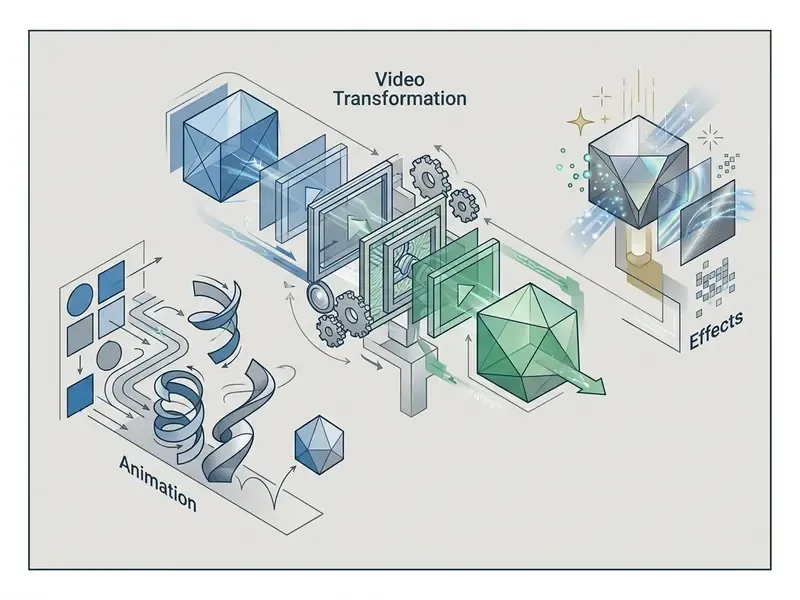
Using the /adjust and /lipSync web service endpoints, editors can replace background elements or synchronize facial movements with uploaded audio directly inside the pika ai video animation tool. In the documented API surface, /adjust covers both inpainting and outpainting: area is a required parameter with coordinates capped at 100% of video width and height, mode must be set to inpainting for region modification (Modify Region), and outpainting (Expand Canvas) requires options.aspectRatio, which may match or differ from the source ratio. Public documentation also states that some elements, including Pikaffects, Pika lip-syncing, and sound effects, are not exposed through the API. That matters a lot for anyone planning a fully automated pipeline.
Innovative Modules: PikaStream 1.0, the Mobile Stack, and 90s Dreams Transformations
The ecosystem now includes PikaStream 1.0, a real-time model that gives an AI agent a face, a synthesized or cloned voice, and live presence in video meetings. Powered by the pikastream-video-meeting skill, agents can join Google Meet calls with a rendered avatar, preserved memory, and the ability to execute tasks mid-call.
Pause on that. A synthetic participant in a business meeting is a materially different risk class from asset generation. Before any pilot, you need a disclosure policy, meeting-recording controls, and identity-impersonation safeguards. In a regulated institution, "an avatar attended the client call" is not a sentence you want in an audit finding.
For work on the move, official mobile applications exist for iOS (App Store, iOS 17+) and Android (Google Play), with all major tools, downloads, and cloud sync supported. Pika has also opened early access to an AI-only social video app built on a highly expressive human video model, distributed through the iOS waitlist and invite codes.
Viral-content teams can reach for the Transformations Pikaffects (90s Dreams) pack, a set of 27 creative styles that restyle footage into VHS-era 90s aesthetics, cartoon-princess looks, heroic-warrior scenes, fashion-icon presentations, comics, or anime, with no manual grading or compositing.
Input Flexibility for Generation
Pricing, Licensing, and Legal Risk: Free Pika AI and Paid Plans
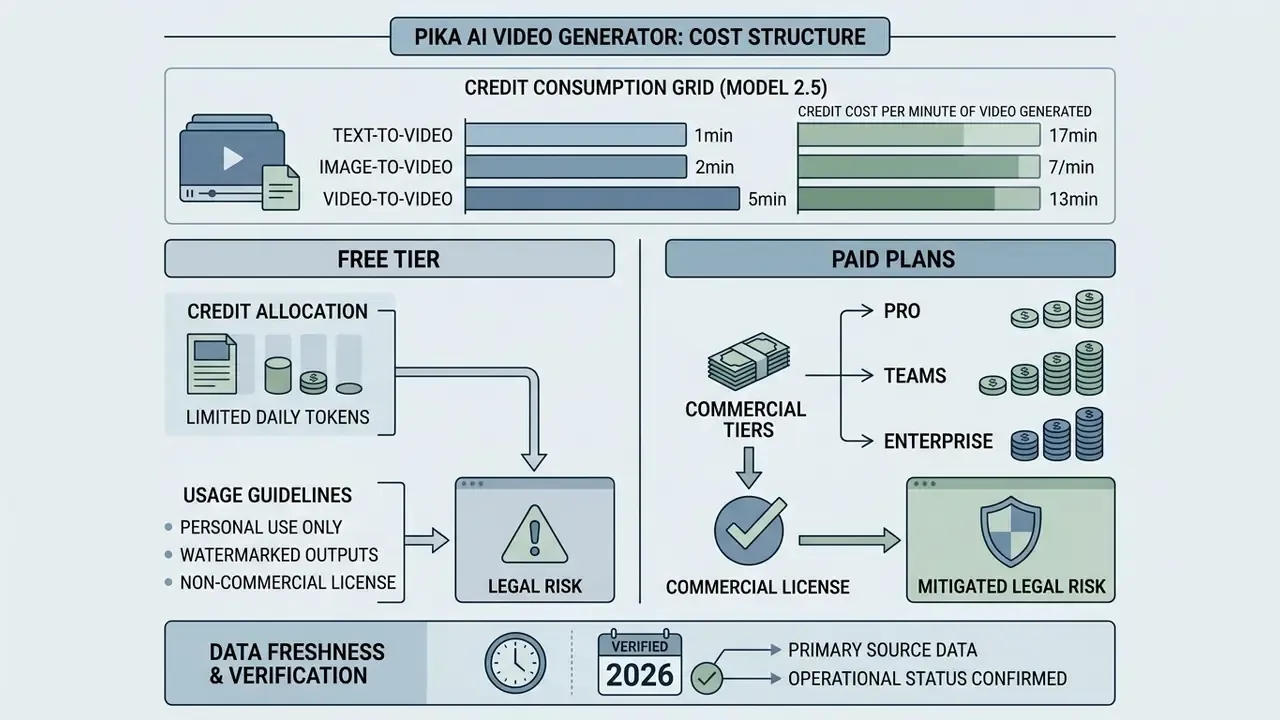
Evaluating the cost structure of the pika labs ai video generator means separating free credit allocations from paid commercial tiers. It also means internalizing one rule that trips up most buyers: watermarking and commercial rights attach to the plan active at the moment of generation, not to the plan on the account today.
E-E-A-T Data Freshness and Verification Notice
Table: Pika AI Official Subscription Tiers and Feature Matrix (verified August 2026, yearly billing)
| Plan Name | Monthly Cost (Billed Yearly) | Monthly Credit Allowance | Export Resolution | Watermark Status | Commercial Use Rights |
|---|---|---|---|---|---|
| Free / Basic | $0 / month | 80 credits / month (some promotional pages display 150 credits) | Pika 2.5 at 480p only; Pikaffects limited to image-to-video | Pricing page lists watermark-free download; third-party 2026 reviews report watermarked free exports | Conflicting sources: pricing page lists "Commercial use"; FAQ and Terms restrict commercial use to plans that expressly permit it. Verify in writing. |
| Standard | ~$8 / month | 700 credits / month | 480p / 720p / 1080p (all resolutions), plus Pikaframes access | Watermark-Free | Yes (commercial use listed on the official pricing page) |
| Pro | ~$28 / month | 2,300 credits / month | 480p / 720p / 1080p, faster generations | Watermark-Free | Yes (commercial license included) |
| Fancy | ~$76 / month | 6,000 credits / month | 480p / 720p / 1080p, fastest generations | Watermark-Free | Yes (commercial license included) |
All paid tiers allow purchasing additional roll-over video credits, and plans can be upgraded, switched, or cancelled at any time. VAT may apply depending on country of residence. Credits reset monthly on the free tier and do not accumulate, so unused allowance simply disappears. Buyers weighing alternatives before committing budget can review our comparison of AI video generators for feature-per-dollar context, or scan the wider AI Media Comparison Matrices if several tools are on the shortlist. Vendor-neutral rate cards for adjacent services sit on our pricing page.
What the Pika Labs Free Tier Includes
Search demand for this tier is enormous, and queries like "free ai video generator 2025 pika labs free tier" still drive traffic even though the numbers have since moved. Here is the 2026 position. The free ai video generator pika labs plan provides entry-level access with 80 monthly video credits as the documented baseline, while 150 credits appears on some promotional page versions. Videos produced under the free ai video generator pika labs free plan are limited to Pika 2.5 at 480p, restrict Pikaffects to image-to-video only, and sit at lower queue priority than paid tiers. Multiple 2026 reviews additionally report visible watermarks on free exports, which contradicts current pricing-page copy. Teams benchmarking entry-level limits across vendors can compare allowances in our guide to free AI video generators.
Published per-video costs on the free ai video generator pika labs free tier: 10 credits for the Turbo model with Pikascenes, Pikadditions, or Pikaswaps; 60 credits for Turbo with Pikatwists; 20 credits for the Pro model with Pikadditions or Pikaswaps; and 80 credits for the Pro model with Pikatwists. At 80 monthly credits, that is roughly six to eight Turbo-model generations per month. Enough for evaluation. Nowhere near production.
Anyone treating the pika ai free video generator as a sanctioned production channel is, in effect, running an unbudgeted vendor relationship on a personal login.
Credit Consumption Grid in Pika 2.5
Enterprise users should model usage volume against credit costs before committing to a tier. A standard 5-second 480p clip consumes about 12 credits, while 1080p exports and advanced features (Pikaframes, Pikaformance lip-sync) cost several times more per generation. The published grid:
Text-to-Video / Image-to-Video (Model 2.5):
- 480p: 12 credits (5s) | 24 credits (10s)
- 720p: 20 credits (5s) | 40 credits (10s)
- 1080p: 40 credits (5s) | 80 credits (10s)
Pikaframes (duration extension, Model 2.5):
- 480p: 12 credits (5s), 24 (10s), 36 (10 to 15s), 48 (15 to 20s), 60 (20 to 25s)
- 720p: 20 credits (5s), 40 (10s), 60 (10 to 15s), 80 (15 to 20s), 100 (20 to 25s)
- 1080p: 40 credits (5s), 80 (10s), 120 (10 to 15s), 160 (15 to 20s), 200 credits (20 to 25s)
Pikaformance (lip sync / audio-driven performance): 3 credits per second of audio at 720p, for audio up to 10s or up to 30s.
Pikaffects (visual effects, image-to-video and video-to-video, 5s): 15 credits (Free) / 18 credits (Paid).
Pikascenes, Pikaswaps, and Pikadditions (5s): 20 credits (480p), 35 credits (720p), 65 credits (1080p).
Pikatwists (5s, 720p/1080p): 60 credits (Turbo) / 80 credits (Pro).
A budgeting example that survives contact with reality: a 25-second 1080p Pikaframes sequence plus a 20-second lip-sync pass costs roughly 200 + 60 = 260 credits. So the Standard plan's 700 monthly credits supports about two flagship assets per month, and Pro's 2,300 credits supports roughly eight. Model your own volume with our AI Media Calculators before signing anything annual.
How to Evaluate a Paid Plan Before Subscribing
Selection criteria shift sharply by role. Independent creators usually need the 700-credit Standard tier plus watermark-free export. Marketing teams need an explicitly documented commercial-use grant. Professional studios need the largest credit pool and the fastest queue, which means Fancy. Three questions decide the tier:
- Monthly asset volume multiplied by credit cost per asset.Apply the grid above to your target resolution and duration, then add a 30 to 40% buffer for failed generations and re-prompts. That buffer is unavoidable given sub-0.70 semantic-correctness benchmarks.
- Required resolution.If 1080p is mandatory for brand or broadcast standards, the free tier is disqualified outright by its 480p ceiling.
- Required feature depth.Pikaframes, the full Pikaffects set, and full-resolution Pikascenes start at Standard. Free access covers a reduced subset only.
Can You Use Pika AI Videos in Commercial Projects?
Commercial rights for clips produced by ai video generator pika labs are governed strictly by the subscription tier active at the moment of generation. Since the licensing logic echoes other generative tools, teams drafting policy can also review how commercial-use rights for AI content are structured across image platforms, and use our AI Media Commercial-Use Hub as the cross-vendor reference point.
E-E-A-T Alert Box: Commercial Use and Licensing Compliance (Updated August 2026)
What to Check in the Terms of Service Before a Commercial Launch
Data Security, PII Handling, and Enterprise Controls
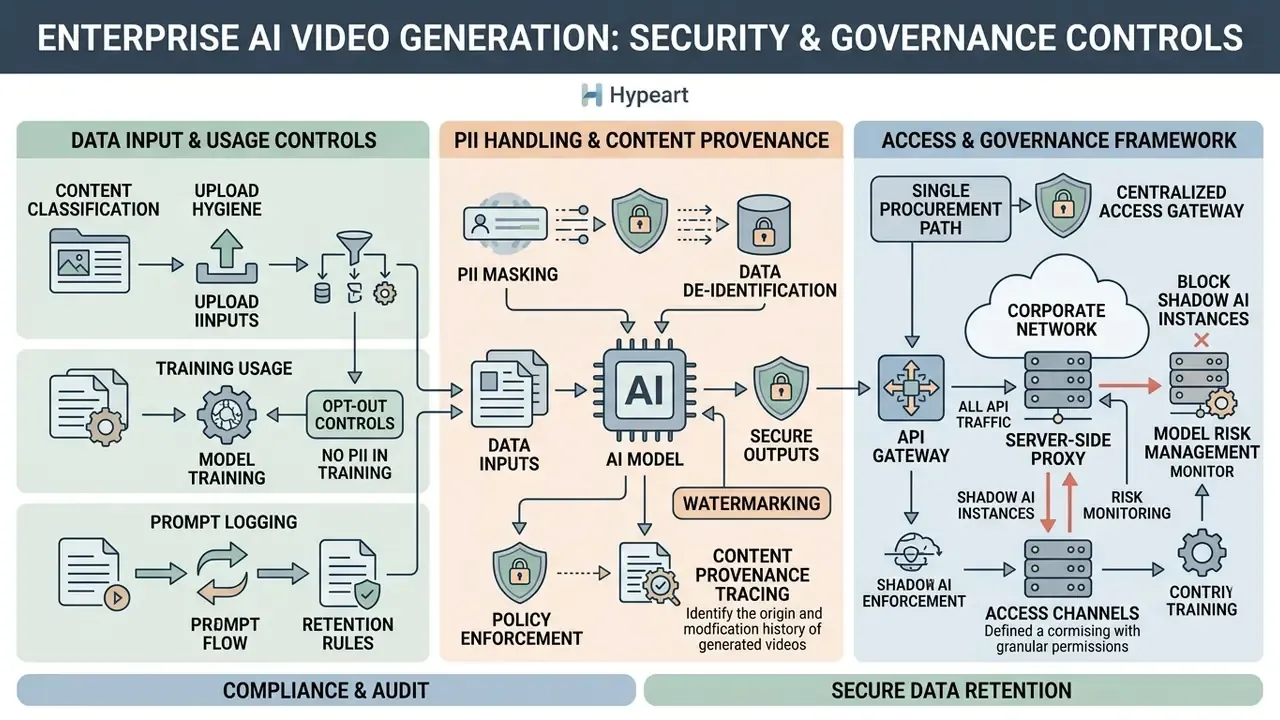
This section answers the questions AI governance leaders and heads of model risk raise first, and that vendor marketing pages usually leave blank.
Data Retention, Training Use, and Upload Hygiene
Access Channels, Shadow AI, and API Governance
Pika is reachable through four channels, each with a different control profile:
| Channel | Enterprise Controllability | Primary Risk |
|---|---|---|
Web app (pika.art) | Medium, controllable via SSO/IdP policy and network allow-listing where supported | Personal-account sign-ups outside procurement |
| Official iOS / Android apps | Low on BYOD devices, medium under MDM | Uploads from unmanaged personal photo libraries |
| Official Discord beta channel | Low, community platform with prompts visible in shared channels | Prompt and asset disclosure in public channels |
Developer API (dev.pika.art) | High, key-based, server-side, loggable | Key leakage; unlogged shadow integrations |
Developers can also obtain programmatic access through gateway providers: Fal.ai, Pollo.ai, Wavespeed.ai, and API Glue. Convenient and hazardous at the same time, because each gateway inserts a processor into the data path that your vendor register probably does not cover. Official developer documentation is explicit that a browser application must call Pika through its own authenticated server route using X-API-Key or Authorization: Bearer, which rules out embedding keys in client-side code.
Minimum enterprise control set:
Escalation paths matter as much as the controls. Name an owner for the subscription, a second-line reviewer for licensing questions, and a documented shutdown route for keys. No evidence, no autonomy.
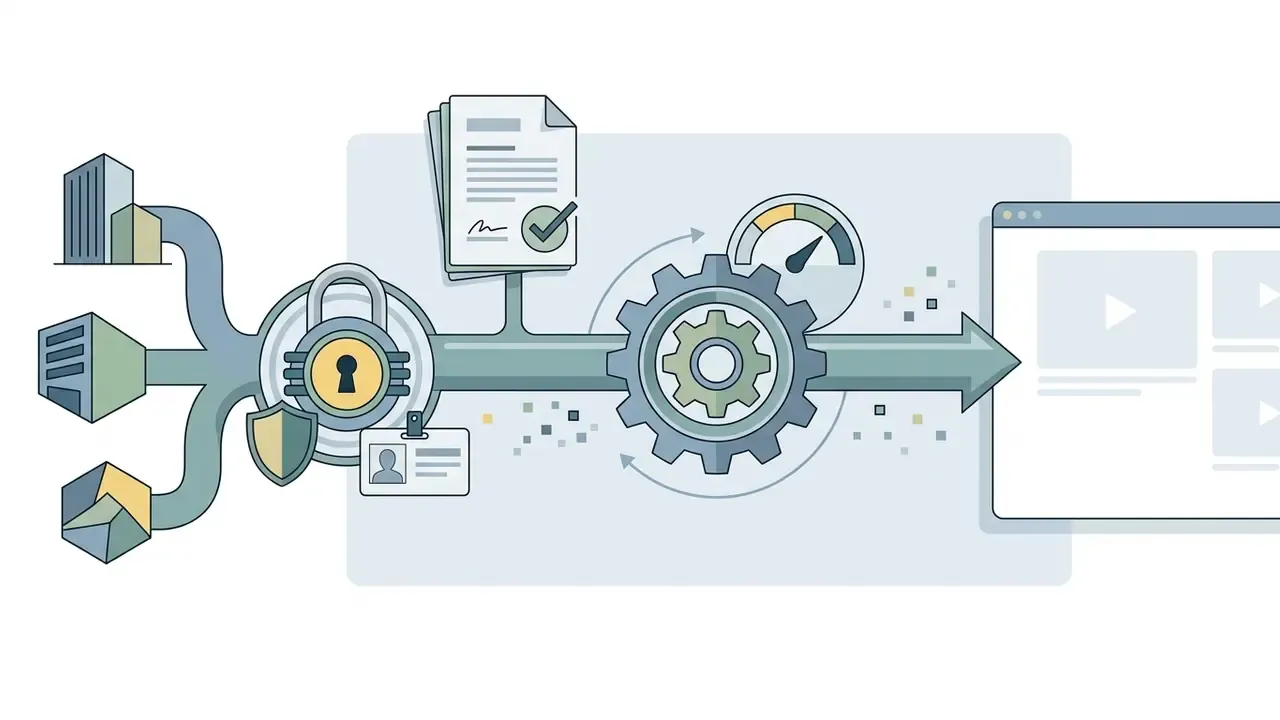
pikalabs.org, pikaai.net, and pikaslabs.com.
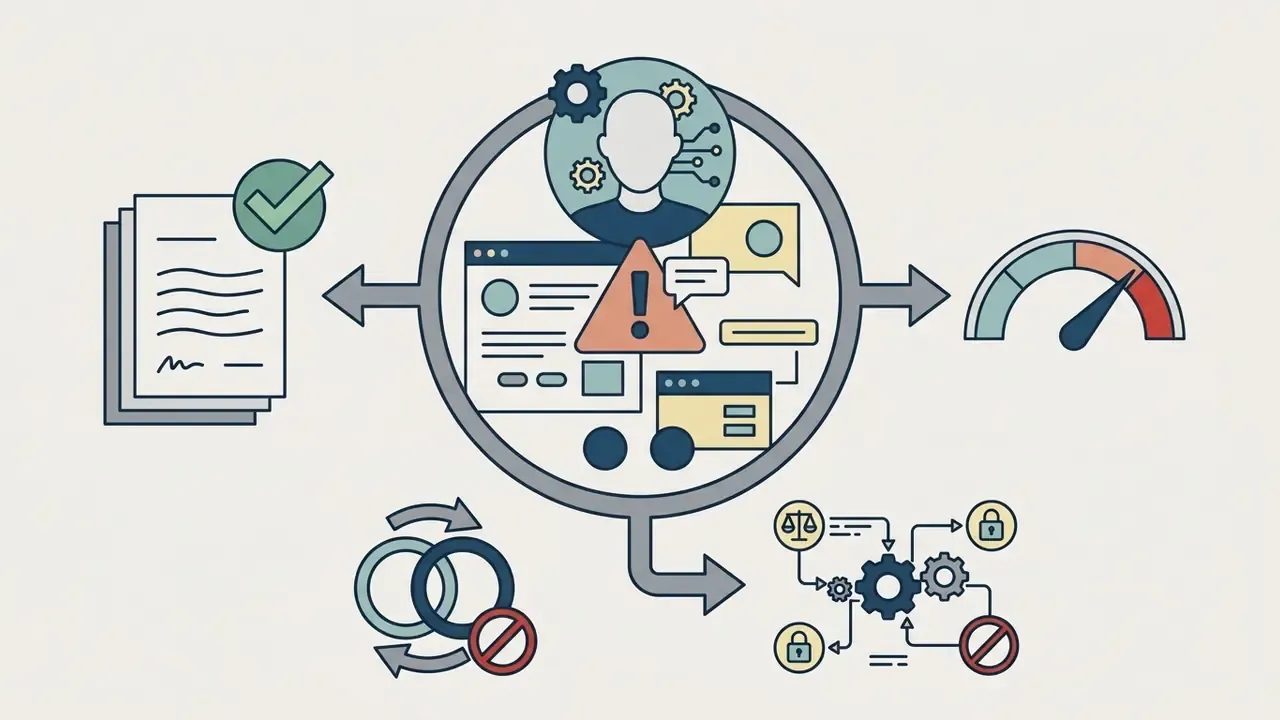
Model Risk Management: A Validation Checklist for Generative Video
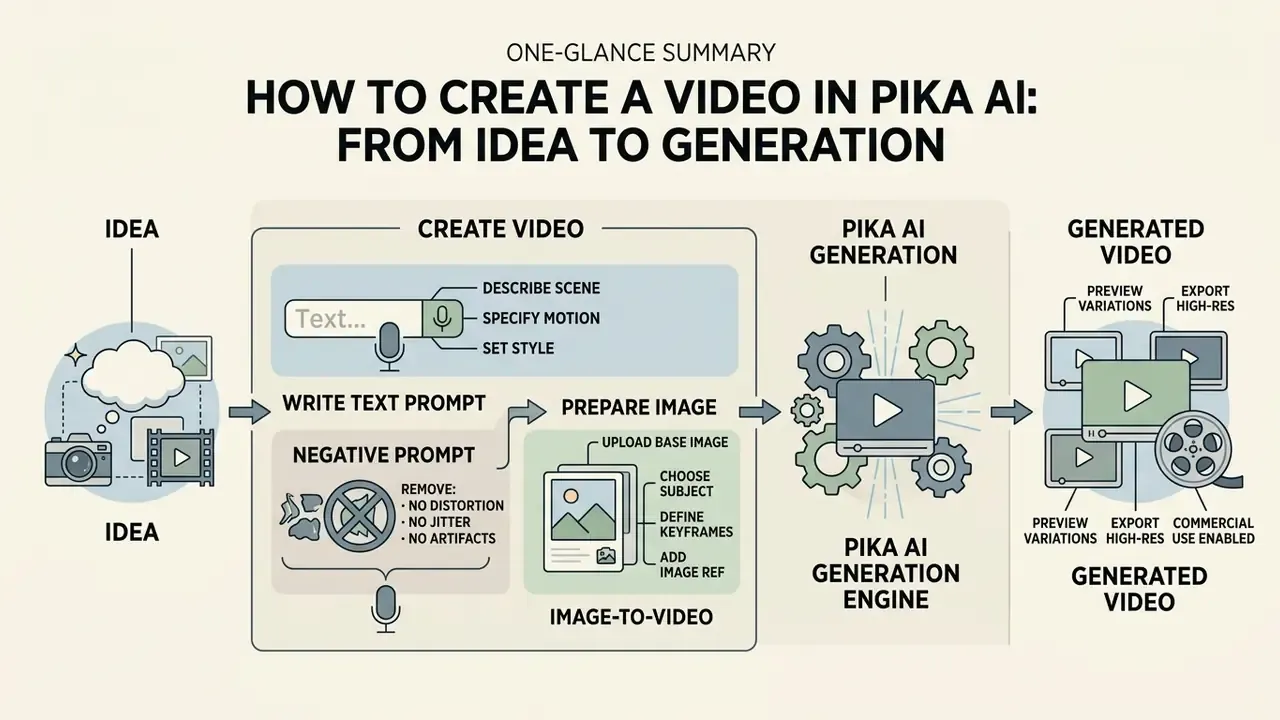
How to Create a Video in Pika AI: From Idea to Generation
To get consistent results from the ai video generator pika, work through a fixed sequence from asset preparation to export. Improvisation is where credits go to die.
- Access the interface.Open the verified portal at pika.art, sign in, and go to the creation dashboard, or launch the official iOS/Android app.
- Select generation mode.Choose text to video (pure prompt), image to video (upload a source visual), or video to video (upload footage for Pikaswaps, Pikadditions, or restyling).
- Configure generation parameters.Pick the frame format:
16:9(landscape),9:16(Shorts, Reels, TikTok),1:1(square), plus extended options21:9(cinematic),4:3,3:4, oradaptive(auto-matched to the source image). Set duration (5s or 10s in Pika 2.5, extendable to 25s via Pikaframes), resolution (480p / 720p / 1080p), frame rate (-fps 24, with 8 to 24 available in prompt-based flows), and motion intensity (-motion 1to4, where 1 is default and 4 is strongest). Enable the Generate Audio toggle to synthesize matching background sound and ambience. - Specify camera controls.Enter explicit directives such as
-camera zoom in,-camera pan left,-camera rotate clockwise,-camera tilt up. Use one camera axis at a time, since combining several axes in one prompt degrades stability. - Execute and review.Submit the request, check the credit cost displayed before generation, evaluate the draft, then refine parameters or re-prompt.
- Export media.Download the MP4 at 480p, 720p, or 1080p, then log the asset with its model version, prompt, and plan tier. Skipping that last step is how licensing files end up empty.
How to Write a Text Prompt for Pika AI
Prompt engineering for the pika ai text to video generator rewards a structured sequence: Subject + Action + Setting + Lighting/Style + Camera Command. Extended patterns add time of day, mood, and technical parameters, all on a single line.
For instance, "A corporate executive reviewing digital financial charts, sleek modern glass office, soft ambient morning light, cinematic 8k, -camera pan right -motion 2" produces far clearer spatial coherence than a vague instruction. Other working formulations: "car driving through a city street, cinematic lighting, realistic style, camera zoom in" and "cat drinking milk, indoor kitchen, soft light, animation style, pan left".
Negative prompts are the main quality-control lever for branded work. Excluding elements, for example no people, no text overlays, no distorted logos, no blurry numerals, no extra limbs, measurably reduces rework, especially on frames carrying typography or figures, still the weakest area of current text-to-video models. Describe the subject's action and the environmental motion explicitly instead of restating a static scene. Motion strength and camera movement are separate controls, so treat them separately.
How to Prepare an Image for Image-to-Video
When animating stills through pika ai art and pika ai animation workflows, match the source image to the target aspect ratio to avoid surprise cropping, or use the adaptive setting so the ratio is inherited from the source. Upload at 1080p where possible (JPEG, PNG, or WebP), keep file size under 30 MB, and make sure foreground subjects separate cleanly from the background.
Extra preparation guidance drawn from comparable image-to-video pipelines: keep each side of the image between roughly 300 and 6000 pixels, keep the width-to-height ratio within about 0.4 to 2.5, avoid heavy pre-existing motion blur, and leave the subject enough headroom, since animation often expands the implied frame. Where a face will be lip-synced, use a front-facing, evenly lit portrait. Oblique or heavily shadowed faces are the single most common source of Pikaformance artifacts.
FAQ about the Pika AI Video Generator
Do You Need to Install Software to Use Pika AI?
No desktop installation is required. The pika labs ai video generator runs inside modern browsers via pika.art, through the official iOS and Android apps, through authenticated developer API endpoints, and through the official Discord bot channel running the free beta build. Public documentation does not publish browser OS, CPU, or RAM minimums; only mobile-app device compatibility (iOS 17+) is stated explicitly. Users coming from installable editors, where a capcut video editor download is the first step, will find the browser-only model simpler to govern on managed devices.
Is Pika AI Suitable for Users Without Video Editing Experience?
Yes. Is Pika beginner-friendly in the way a template app is? Broadly, yes. The web interface removes the learning curve tied to timeline editors and 3D software: users produce complete animated clips by filling structured text fields and adjusting basic motion sliders. The first task chain is short, roughly sign up, type a prompt, select aspect ratio and duration, click Generate, preview, export. That is closer to filling a form than to editing a timeline, though prompt literacy and basic visual judgment still separate good output from mediocre output. Anyone already comfortable editing capcut online video projects will adapt in an afternoon; our capcut video editor overview shows where the two approaches diverge. Beginners choosing an entry tool may also want our comparison of free AI video generators.
How Long Can a Pika AI Video Be, and at What Resolution?
Pika 2.5 text-to-video, image-to-video, and Pikascenes produce 5-second or 10-second clips; most other features generate 5 seconds. Pikaframes extends sequences up to 25 seconds. Export resolutions are 480p, 720p, and 1080p, with 480p the only option on the free tier. Pikaformance handles audio-driven performance of up to 10 or 30 seconds at 720p.
Is There an Official Pika API, and Which Gateways Provide Access?
Pika maintains developer documentation at dev.pika.art with named model routes (Pika 2.5 image-to-video and Turbo image-to-video, for example), key-based authentication via X-API-Key or Authorization: Bearer, and support for bulk generation, custom aspect ratios, and server-to-server integration. Some features, namely Pikaffects, lip-syncing, and sound effects, are documented as unavailable through the API. Beyond direct access, third-party gateways including Fal.ai, Pollo.ai, Wavespeed.ai, and API Glue offer programmatic access to Pika generation. Each gateway is an additional data processor and belongs in your third-party risk register.
Does Pika Support SSO, Role-Based Access, and Audit Log Export?
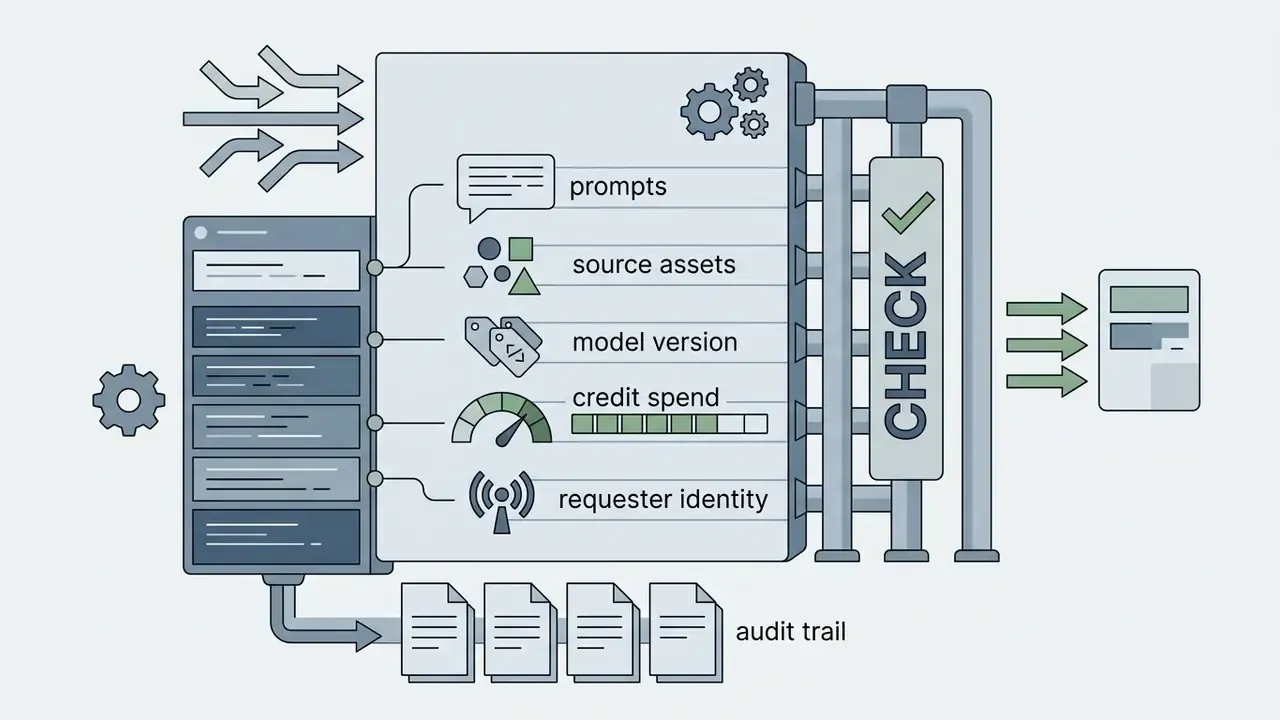
No public documentation reviewed as of August 2026 advertises enterprise SSO, RBAC, or native audit-log export for the consumer web tiers. So the audit trail has to be built on your side: route all automated generation through a server-side proxy that logs requester identity, prompt, source asset hash, model version, resolution, and credit spend, and enforce access at the identity-provider layer. Confirm current enterprise capabilities directly with [email protected] before you rely on them in a control design. Implementation patterns and common failure points are collected in our AI Media Support and Troubleshooting hub.
Can Free-Tier Output Be Used in Paid Advertising?
Treat it as prohibited until confirmed in writing. The pricing page lists commercial use across tiers, while the FAQ and Terms restrict commercial purposes, advertising and marketing included, to plans that expressly authorize them and name Pro/Fancy. Given that conflict, the defensible position for a regulated organization is to generate all commercial assets on a tier whose documentation unambiguously grants commercial use, and to keep the vendor's written confirmation on file.
What Are Pikaffects, Pikaswaps, Pikadditions, and Pikatwists?
They are named modules inside the suite. Pikaffects apply visual effects and transformations, including the 27-style 90s Dreams pack. Pikaswaps replace an object or character inside existing footage while preserving lighting and motion. Pikadditions insert new elements (dragons, cartoon characters, weather, surreal objects) into a scene. Pikatwists produce narrative twist variations at a higher credit cost (60 Turbo / 80 Pro). Pikascenes generates a full scene from a single text or image input, Pikaframes builds transitions from 2 to 5 input frames, and Pikaformance handles lip-sync at 3 credits per second of audio.
What Is PikaStream 1.0 Used For?
PikaStream 1.0 gives an AI agent a rendered avatar, a cloned or synthesized voice, preserved memory, and live presence in video meetings, joining Google Meet calls through the pikastream-video-meeting skill and executing tasks during the call. Typical use cases are routine meeting automation, AI representatives, and extending a personal assistant into live conversation. For regulated organizations, deployment requires participant disclosure, recording-policy alignment, and an explicit ban on synthetic representation in customer-facing interactions.
How Should Generative Video Output Be Reviewed Before Publication?
Apply a three-gate review. First, the technical gate: check on-screen text, numerals, logos, hands, and object continuity frame by frame. Second, the brand gate: confirm palette, typography, and tone against brand standards. Third, the legal gate: confirm plan-tier licensing at render time, third-party input rights, consent for identifiable persons, and any applicable AI-disclosure requirement. Record sign-off against the asset ID, not against a person's inbox.
What Should a First Controlled Pilot Look Like?
Keep it small and reversible. Pick one non-customer-facing use case, such as internal training explainers or concept boards for an agency brief. Fund a single Standard or Pro subscription through procurement, route API traffic through your own proxy, and cap monthly credit spend. Run four to six weeks, then review three metrics: assets published, rework rate, and time from brief to approved asset. If the rework rate stays above roughly a third of generations, the bottleneck is prompt discipline rather than the model, and no upgrade will fix it.
Editorial Corrections and Version Log
- Correction (August 26, 2026)
- An earlier version of this review stated that the Standard ($8/month) plan applied a watermark and did not permit commercial use. That characterization was inaccurate. The official Pika subscription pricing page lists watermark-free downloads and commercial use for the Standard tier and above; the table and licensing alert in this article have been updated accordingly. The earlier statement is retained here for transparency and should not be relied upon.
- Correction (August 26, 2026)
- The free-tier allowance has been restated as 80 monthly video credits as the documented baseline, with 150 credits noted as a figure appearing on some promotional page versions rather than the standing allowance.
- Clarification (August 26, 2026)
- Two previously stated performance figures, a 40% reduction in asset-production cycles and a 30% share of non-compliant free-tier ads, are illustrative composites rather than audited measurements, and have been reframed as such.
- Addition (August 26, 2026)
- Sections on Video-to-Video, the full credit-consumption grid, PikaStream 1.0, mobile applications, 90s Dreams transformations, extended aspect ratios and audio generation, data security and enterprise controls, generative-video validation, and controlled pilot design were added.
Additional Resources and Reference Guides
For further technical specifications, pricing comparisons, and editing tools, consult our documentation hubs:
- Media and creation guides
- Explore detailed tools in our Guide to online photo editors and our Guide to animation makers.
- Video processing and editing
- Learn about optimization via our Guide to video compressors and review workflows in the Guide to YouTube video editors.
- Audio and voice tools
- Review licensing and audio synthesis details in the Guide to AI voice generators.
- Commercial investigations and comparisons
- Compare market alternatives using our Comparison of free AI video generators, evaluate outpainting models in our Comparison of AI outpainting tools, or inspect developer economics in the Google Veo implementation guide.
- AI image and art alternatives
- Examine competing generative image suites via the Evaluation of Midjourney image generation and the Guide to Bing AI image creation.
- Footer hub
- For complete terminology and platform definitions, visit the AI Media Glossary.