Last updated: August 19, 2026. Reviewed against official YouTube Help documentation, W3C accessibility standards, and peer-reviewed research on profile imagery.
Everything You Need in 60 Seconds
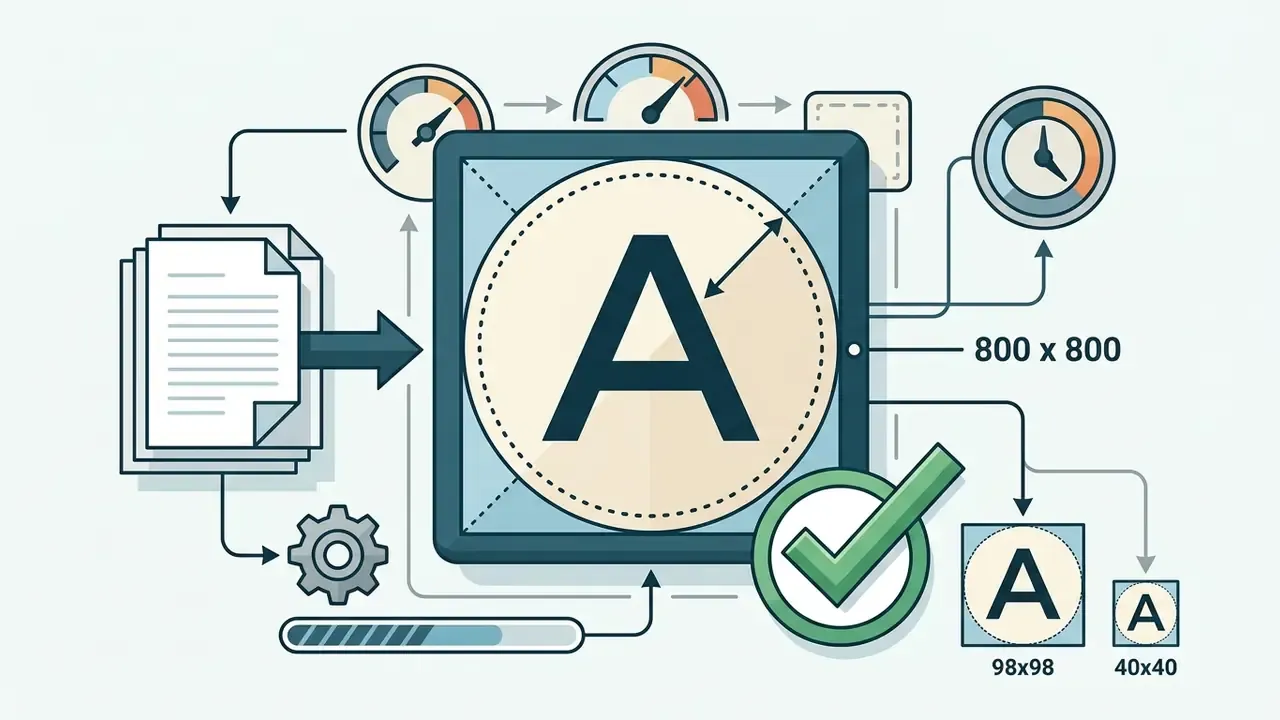
- Upload geometry 800 × 800 pixels, 1:1 square, PNG or high-bitrate JPG.
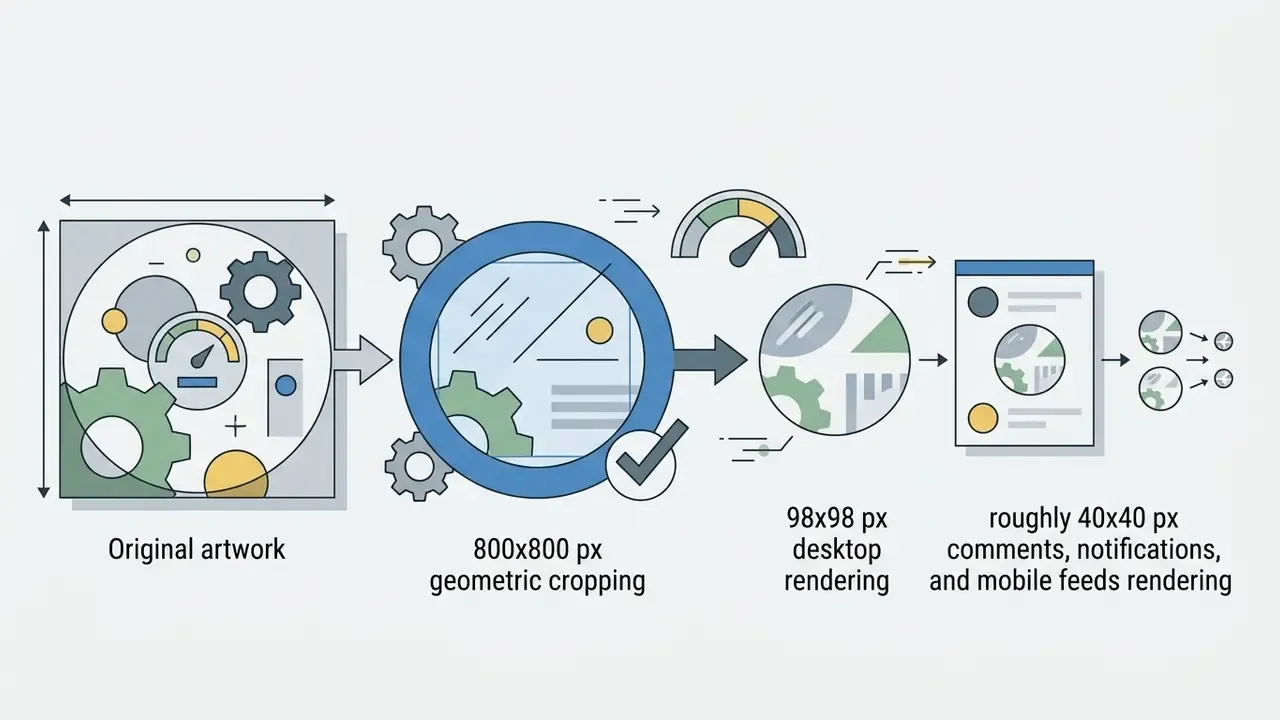
- Render geometry 98 × 98 pixels circular on desktop; roughly 40 × 40 pixels in comments, notifications, and mobile feeds.
- File size 15 MB platform cap; 2 MB to 4 MB recommended for fast CDN propagation.
- Format rules JPG, PNG, BMP, and static GIF accepted. Animated GIFs are unsupported, and only the first frame survives.
- Safe zone Keep faces, logos, and any typography inside the central 75% inscribed circle.
- Typography rule Maximum 1 to 3 characters (monogram or lettermark). Slogans and URLs become unreadable at 40 × 40 pixels.
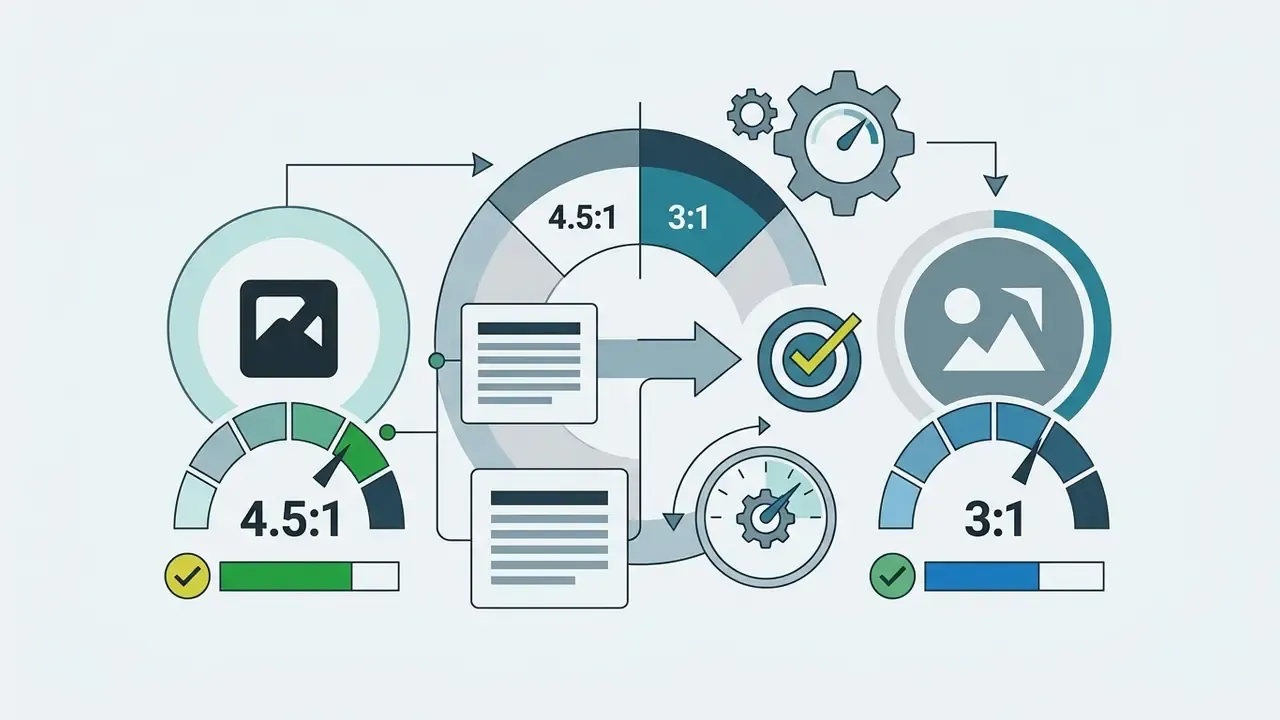
- Accessibility Minimum 4.5:1 contrast ratio between subject and background (WCAG 2.2).
- Account safety If your channel sits on a personal Google profile, changing the avatar also changes your Gmail and Google Drive photo. Migrate to a Brand Account first.
- Competitive research Strip the size parameter (for example
=s100) from any channel avatar URL to inspect it at full resolution. - Governance Never upload unreleased corporate logos or employee headshots into unvetted AI avatar generators. Treat that as a Shadow AI exposure.
The Constraint Nobody Designs For: The 40 × 40 Render
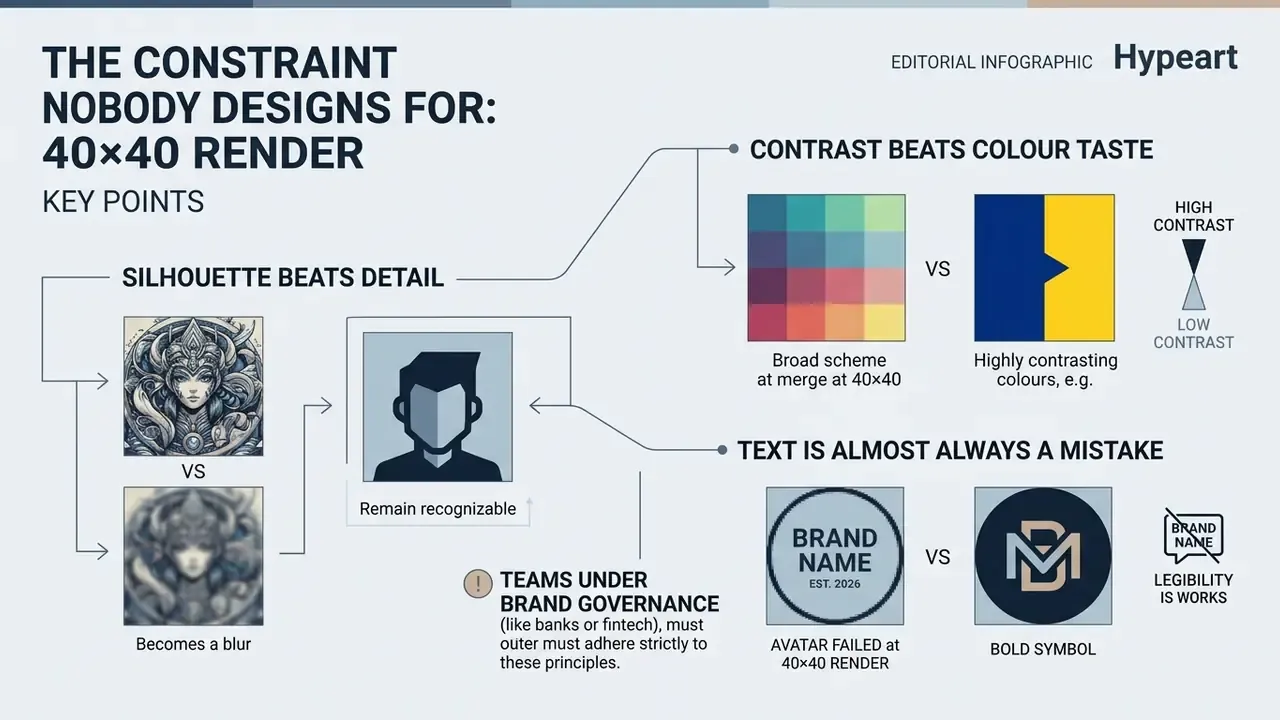
Here is the uncomfortable part. You design at 800 × 800 on a bright 27-inch monitor, and your audience meets the result at roughly 40 × 40 pixels inside a comment thread. That is a 400-fold reduction in pixel area. Detail does not shrink gracefully; it collapses.
Three consequences follow, and they shape every decision later in this guide.
First, silhouette beats detail. At 40 × 40, a viewer perceives a shape and a dominant hue. Facial expression, texture, and fine linework are gone. Design the silhouette first, then decorate inside it.
Second, contrast beats colour taste. A charcoal jacket on a dark-grey field reads as a smudge in dark mode. Measured contrast is the only reliable defence.
Third, text is almost always a mistake. One character survives. Three can survive. A channel name cannot.
For teams operating under documented brand governance (banks, fintech marketing groups, regulated media desks), there is a fourth consequence worth flagging. The avatar is a small file with a large approval surface: brand review, licensing review, and increasingly AI-tool review. Treat it as a registered asset with an owner, a source master, and a change log. That habit costs an hour once and saves a rebrand later.
What a YouTube PFP Is and Why Your Channel Needs One
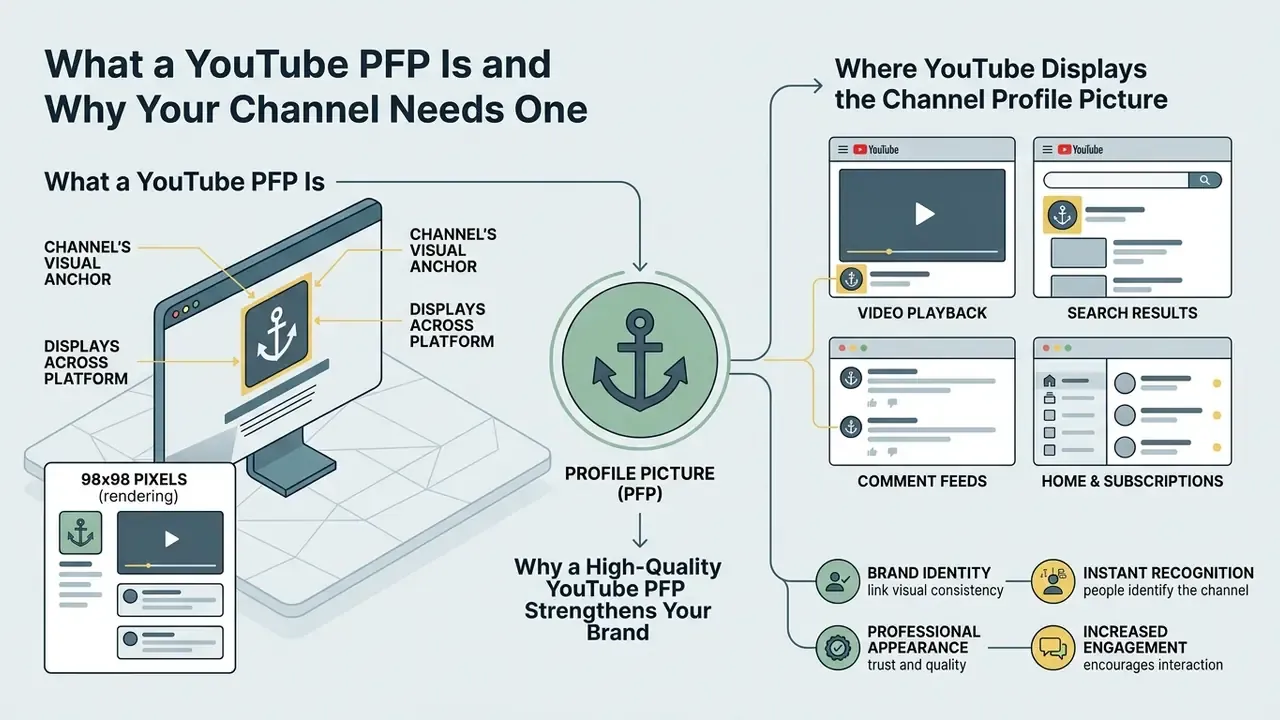
A YouTube PFP (profile picture) is a channel's primary visual anchor that displays at 98 × 98 pixels across playback, search, and comment feeds to establish brand identity. It works as an immediate visual signature, governing creator credibility and audience recognition before a viewer evaluates a single second of video content.
In digital platform environments, interface elements act as trust heuristics. A well-built youtube pfp signals channel maintenance, operational consistency, and professional intent.
«Across three experiments (n = 380), consumers reported lower trust in and were less likely to choose sellers who displayed no profile photo.»
So the absence of a deliberate avatar is not neutral. It is a measurable negative signal. When selecting a pfp for youtube, creators set the visual tone for their entire media ecosystem.
A structured pfp youtube strategy keeps a channel recognizable across fragmented digital touchpoints. The youtube channel pfp appears in notification centers, subscription drawers, and algorithmic recommendation feeds. Maintaining a high-contrast, scalable profile picture preserves visual continuity regardless of screen resolution or device context.
One operational review illustrates the mechanics. A financial analysis media group replaced a low-contrast, text-heavy avatar with a centered, high-contrast vector icon. The team adjusted the central safe zone so the mark survived YouTube's circular mask on both mobile and desktop feeds. Over a 90-day monitoring window, the editorial team reported qualitatively stronger channel recognition inside public comment threads and a rise in subscription conversions originating from comment interactions. Note (updated): that observation comes from a single internal channel review with no control group, no sample disclosure, and no third-party verification. Read it as an operational anecdote, not a benchmark. Controlled A/B measurement across comparable channels would be required to generalize the effect.
Where YouTube Displays the Channel Profile Picture
YouTube displays the channel profile picture on the primary channel homepage, next to video titles in watch feeds, inside public comment threads, and in search result listings across desktop and mobile devices.
On desktop, the avatar is managed in YouTube Studio under Customization → Profile. On mobile clients, it lives in the YouTube Android and iOS applications under channel settings. Official platform documentation confirms that the profile picture renders at 98 × 98 pixels in standard browser views and downscales to roughly 40 × 40 pixels in notification lists and comment feeds (Google Help, 2026, https://support.google.com/youtube/answer/10456525).
«Industry branding reports estimate that roughly 80% of a viewer's first contacts with a channel occur through miniature icons in feeds and notification stacks.»
Why a High-Quality YouTube PFP Strengthens Your Brand
A high-quality profile picture reinforces brand equity by signaling operational maturity, establishing consistent visual hierarchy, and driving split-second recognition in crowded algorithmic recommendation feeds.
An unpolished or badly cropped avatar communicates low production effort. Peer-reviewed work on consumer-to-consumer platforms shows that image realism shifts how a counterparty is judged before any content is consumed:
«Realistic profile images increase perceived warmth and competence, particularly when information about content value is limited.»
A cohesive profile picture supports a professional youtube profile by harmonizing with the overarching channel look. It reassures prospective subscribers that the content creator works to consistent quality standards. Creators refining brightness, crop, and skin-tone balance before upload typically work through general-purpose photo editors for channel assets, which expose the exposure, sharpening, and contrast controls required by the accessibility thresholds discussed below.
Size and Quality Requirements for a YouTube Profile Picture
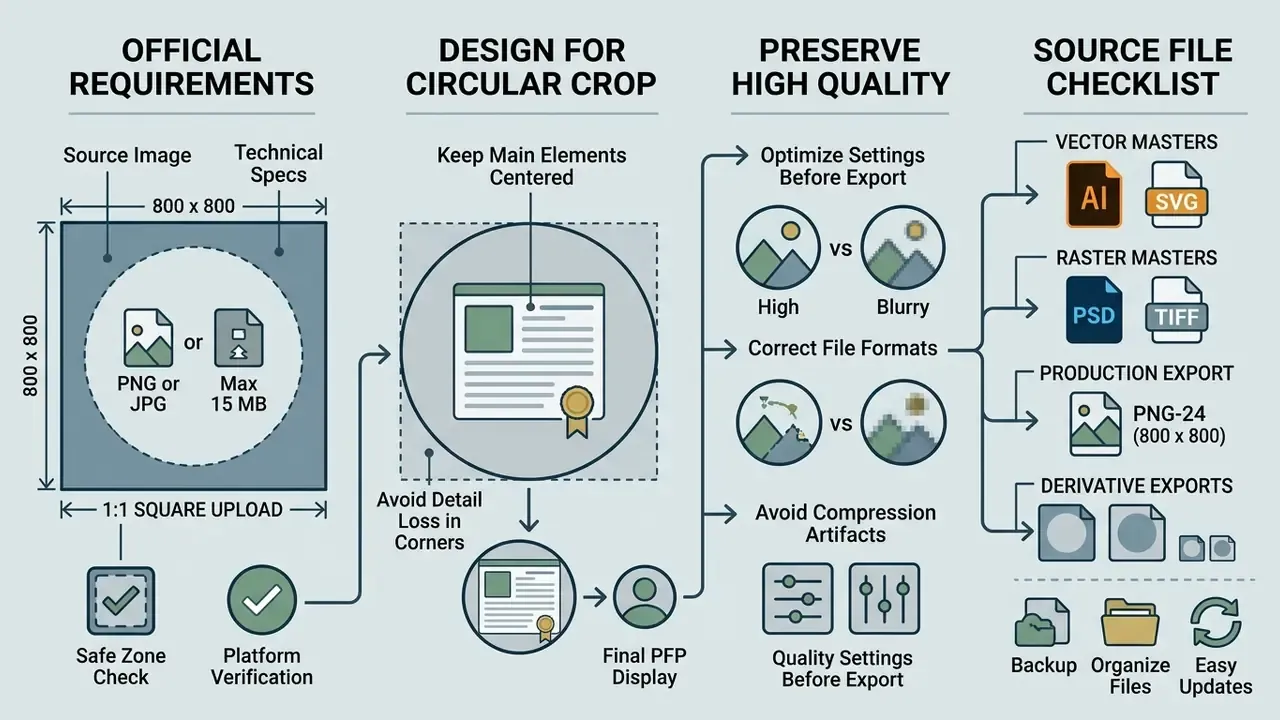
Official YouTube technical guidelines require a 1:1 square profile picture upload, ideally 800 × 800 pixels in PNG or JPG format, with a maximum file size of 15 MB. Although uploaded as a square, the platform renders the asset as a 98 × 98 pixel circle across desktop interfaces.
Sticking to exact parameters prevents compression artifacts, unexpected edge clipping, and blurriness on high-density displays. The youtube profile picture has to hold its structural integrity when downscaled to miniature mobile views. Preparing a high quality source file keeps the rendered youtube profile sharp across every client device.
| Technical Parameter | Standard Specification | Operational Notes |
|---|---|---|
| Recommended Upload Dimensions | 800 × 800 pixels | 1:1 square aspect ratio; prevents blurring on retina displays. |
| Display Render Dimensions | 98 × 98 pixels | Standard desktop rendering; downscales to ~40 × 40 px in comments. |
| Maximum File Size Limit | 15 MB (platform cap) | 2 MB to 4 MB recommended for optimal upload performance. |
| Supported File Formats | PNG, JPG, BMP, GIF | Animated GIFs are strictly prohibited by platform rules. |
| Display Geometry | Circular crop mask | Outer corners of the square canvas are permanently hidden. |
| Safe Central Zone | Inner 75% circle | Keeps key visual elements centered to avoid edge clipping. |
| Accessibility Threshold | ≥ 4.5:1 contrast ratio | Subject versus background fill, per WCAG 2.2. |
Table 1: Technical parameters for YouTube profile picture assets based on platform specifications.
Fact check and platform verification
How to Design for the Circular Crop
Accounting for YouTube's circular crop mask means keeping every essential focal element (human eyes, central logos, core typography) inside the inscribed central 75% safe zone of the square canvas.
Because YouTube automatically clips the four corners of any uploaded square image, graphics near the outer perimeter get truncated. Design for the circle by building generous margins around the primary subject. An active central focus prevents logo elements or facial features from being severed during server-side processing.
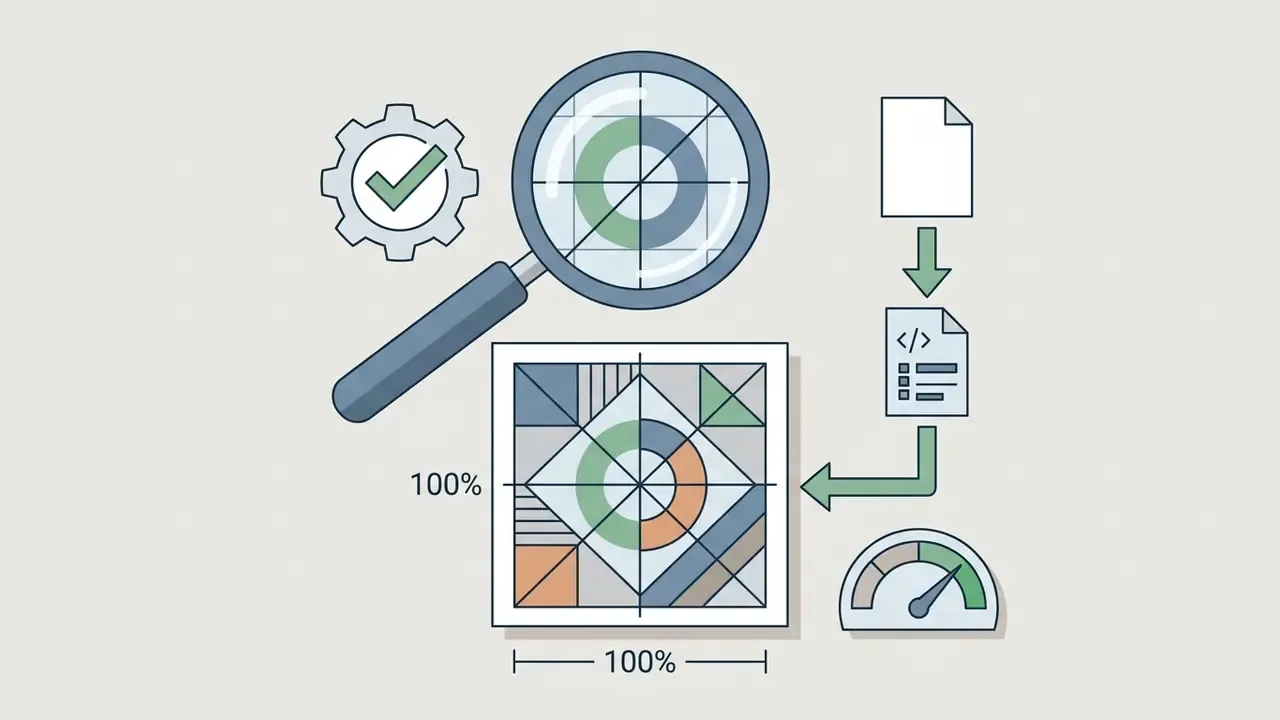
A practical validation method: place a circular mask layer over the 800 × 800 canvas at 100% width, then hide the corners. If any part of the mark, wordmark, or facial feature disappears, scale the subject down by 10% to 15% and re-check. Repeat the test at 40 × 40 pixels, the comment-thread rendering size, before exporting. It takes two minutes and catches most clipping errors.
How to Preserve High Quality After Export
Maintaining high visual quality after YouTube's server compression means exporting a lossless PNG or high-bitrate JPG at 800 × 800 resolution, with edge sharpness and colour contrast still distinct in a 40 × 40 pixel downsampled preview.
Server-side re-encoding often compresses image assets, producing macroblocking or colour bleeding when the source file lacks edge definition. Image quality standards published by the National Institute of Standards and Technology (NIST) point in the same direction: edge contrast and focus sharpness dictate legibility under severe downsampling.
«NIST FATE standards confirm that edge definition and subject-to-background contrast are the dominant predictors of image legibility under aggressive downscaling.»
Testing the asset in a 40 × 40 pixel preview window before publishing confirms that fine detail stays legible. Or, more bluntly: if you cannot identify the image at arm's length, neither can your audience.
Source File Format Checklist: PSD, AI, SVG, and PNG
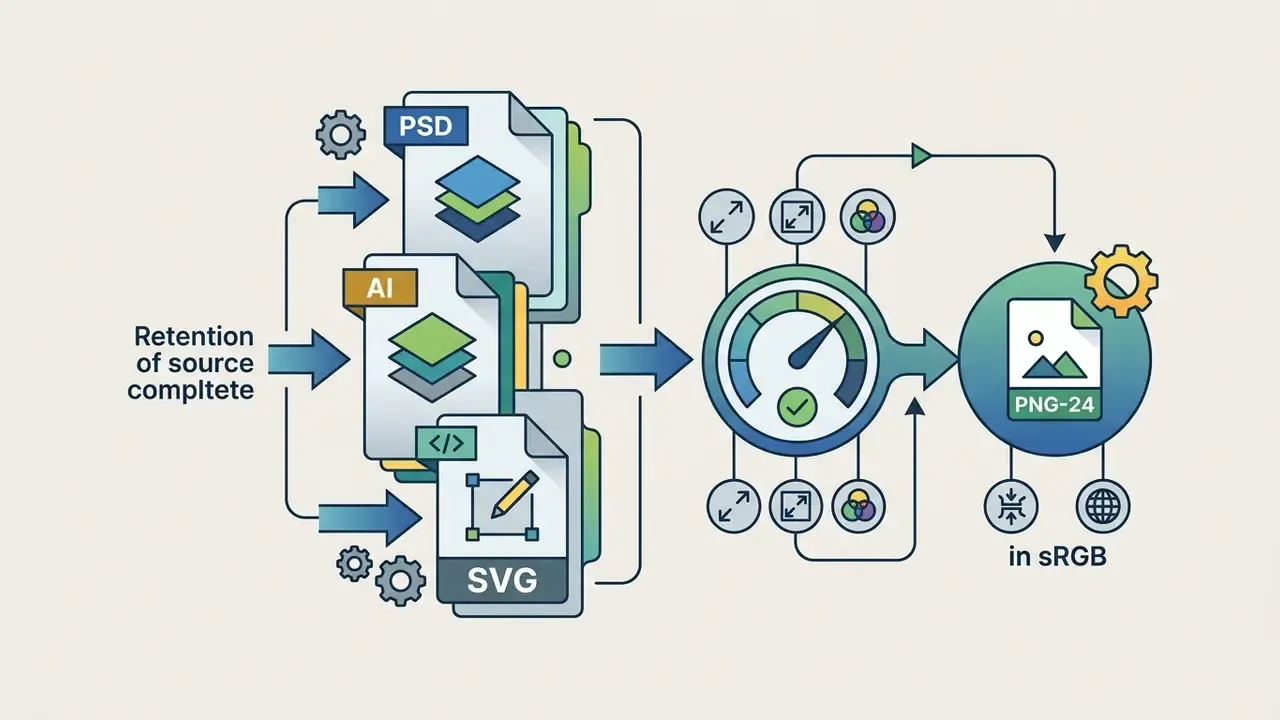
When designing a PFP, always preserve a layered vector master in PSD, AI, or SVG before rasterization. Export the production PNG-24 file only after colour, crop, and contrast are final. Avoid heavily compressed JPG exports, since the codec introduces ringing artifacts around the high-contrast edges that define an avatar at small sizes.
A durable source-file hierarchy looks like this:
- Master vector (AI / SVG)logo marks, monograms, and geometric shapes with live paths and editable type.
- Master raster (PSD / TIFF)photographic headshots with intact cutout masks, adjustment layers, and stroke layers.
- Production export (PNG-24, 800 × 800)the file actually uploaded to YouTube Studio, flattened, sRGB, with no embedded colour profiles that shift hue.
- Derivative exports400 × 400 and 180 × 180 variants for podcast platforms, community tabs, and social cross-posting, generated from the same master rather than re-scaled from the upload.
Keeping layered originals means a rebrand, a seasonal variant, or a platform-specific recrop takes minutes instead of a full redraw. Teams that need to extend a square headshot into wider banner geometry without distortion commonly rely on AI outpainting tools for background expansion rather than stretching the raster master.
How to Choose the Best YouTube PFP Style
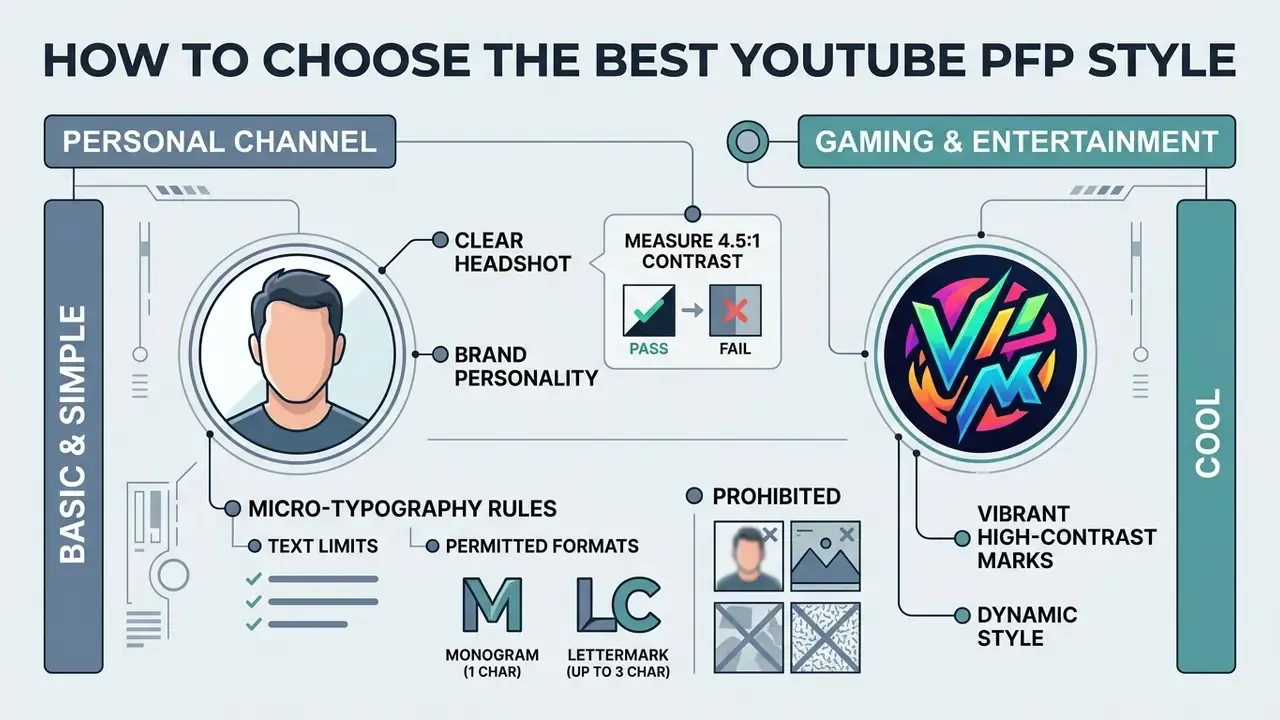
Choosing the best YouTube PFP style depends on channel category: personal vlogs need clear human headshots, gaming channels benefit from vibrant high-contrast marks, and institutional brands need simplified vector logos.
The optimal framework balances audience expectation against brand positioning. Deciding on the best pfp for youtube is less a matter of taste than of matching visual complexity to the channel's core subject. Whether you are after the best youtube pfp for a corporate channel or simply a good pfp for youtube for a hobby feed, prioritize high contrast and simple geometry. A good youtube pfp survives three renders: desktop, comment thread, and mobile notification.
Basic and Simple YouTube PFP for a Personal Channel
A basic or simple YouTube PFP uses a centered human headshot on a plain, high-contrast background to maximize personal connection and legibility at minimal pixel dimensions.
For personality-driven channels, human faces are powerful visual drivers. That said, not every creator is comfortable publishing a personal photograph, and the reluctance is well documented:
«Appearance anxiety and privacy concerns significantly reduce users' willingness to disclose personal images on short-video platforms.»
Creators in that position should default to a monogram, mascot, or illustrated mark rather than forcing an uncomfortable headshot. Inconsistent or reluctantly changed avatars damage recognition far more than a well-built symbol does. Those who do want a polished portrait without booking a studio session often start from AI headshot generators, then finish contrast and cropping by hand.
A basic youtube pfp or simple youtube pfp should show a shoulder-up headshot under clean, direct lighting. Web Content Accessibility Guidelines (WCAG 2.2) recommend a minimum contrast ratio of 4.5:1 between foreground subjects and background fills.
«WCAG 2.2 establishes a minimum contrast ratio of 4.5:1 to guarantee readability across devices and display conditions.»
How to actually measure 4.5:1 before upload: sample the dominant subject colour and the dominant background colour with an eyedropper, convert both to hex, then run them through any WCAG contrast checker. For non-text graphics such as a logo silhouette, 3:1 is the accessibility floor. For any character glyph on the avatar, hold the full 4.5:1. Test the ratio against light-mode white and dark-mode near-black surrounds, because YouTube renders the same avatar on both.
Cool YouTube PFP for Gaming and Entertainment Channels
A cool YouTube PFP for gaming and entertainment channels leans on dynamic character avatars, bold neon contrasts, or high-expression vector art to hold attention in dark-mode recommendation feeds.
A gaming channel needs high-impact identity markers that communicate energy and genre focus at a glance. Experimental work on game avatars suggests that moderately stylized cartoon designs (enlarged eyes, alert brow geometry, non-droopy eyelids) generate the strongest positive arousal among viewers, while high-intensity facial expression and dynamic posing improve character identification across international audiences.
Searches for cool pfp youtube designs usually end in stylized illustrations, bold outlines, and saturated palettes, and a cool youtube pfp does tend to outperform a neutral one in entertainment niches. Creators building illustrated assets frequently use dedicated tools such as a cartoon avatar maker to generate scalable, circular-ready vector assets that stay sharp on mobile interfaces, and they compare output fidelity across the best AI art generators before committing to one rendering style. For streaming overlays and cross-platform profile art, a square 1:1 source of at least 500 × 500 pixels is the practical minimum, with a circle-safe variant exported alongside it.
Professional YouTube Profile for Creators and Brands
A professional YouTube profile for corporate entities or subject-matter experts uses an unadorned executive headshot or a centered corporate mark, with no heavy filters, text clutter, or complex patterns.
Corporate organizations and educational channels need an authoritative visual footprint. Institutional brand guidelines converge on a narrow set of rules: use the full logo, keep it centered and uncropped, preserve clear margin, and never place the mark over a patterned or textured background. For individual experts, the accepted standard is a current, in-focus, shoulders-up headshot in full colour, with no sunglasses, hats, filters, watermarks, or additional people in frame.
Managing the avatar as a governed brand asset has a measurable payoff:
«Changing a profile picture in support of a social cause increased perceived brand authenticity to 7.20 versus 6.71 for the control condition (p = 0.026).»
A professional youtube profile relies on simplified logo marks or pristine headshots. When deploying enterprise assets, teams should consult AI Media Commercial-Use licensing frameworks to verify that all graphic elements, custom fonts, and underlying icon sets are cleared for commercial distribution, and review platform-specific terms such as those documented for commercial use of Canva's AI generator and Microsoft's AI image generator.
Engineering Hack: Analyzing Competitor PFPs at Full Resolution
Before designing your own avatar, audit the visual field you are entering. To study competitor decisions in your niche at native quality, without third-party downloader services:
- Open the competitor's channel page in a desktop browser.
- Right-click the avatar and choose Open image in new tab.
- In the address bar, locate the size-limiting fragment of the URL (for example
=s176-c-k-c0x00ffffff-no-rjor=s100). - Delete that parameter or replace the value with
=s800and press Enter. The browser loads the source asset at up to 800 × 800 pixels.
What to record during the audit: dominant hue family, subject type (face, mascot, monogram, or abstract mark), stroke weight of any outline, background treatment (flat fill, gradient, or photographic), and measured contrast ratio. Then build a simple grid of 8 to 12 competitor avatars at 40 × 40 pixels, side by side. The gaps in that grid are your differentiation opportunity.
Use responsibly. Inspecting a public avatar for competitive research is standard practice. Republishing, remixing, or imitating a protected logo is not. Verify the originality of your own mark with AI reverse-image-search tools before committing a design to production, and keep the audit as reference material rather than source material.
How to Choose a YouTube PFP Maker: Templates, AI, and Editing Tools
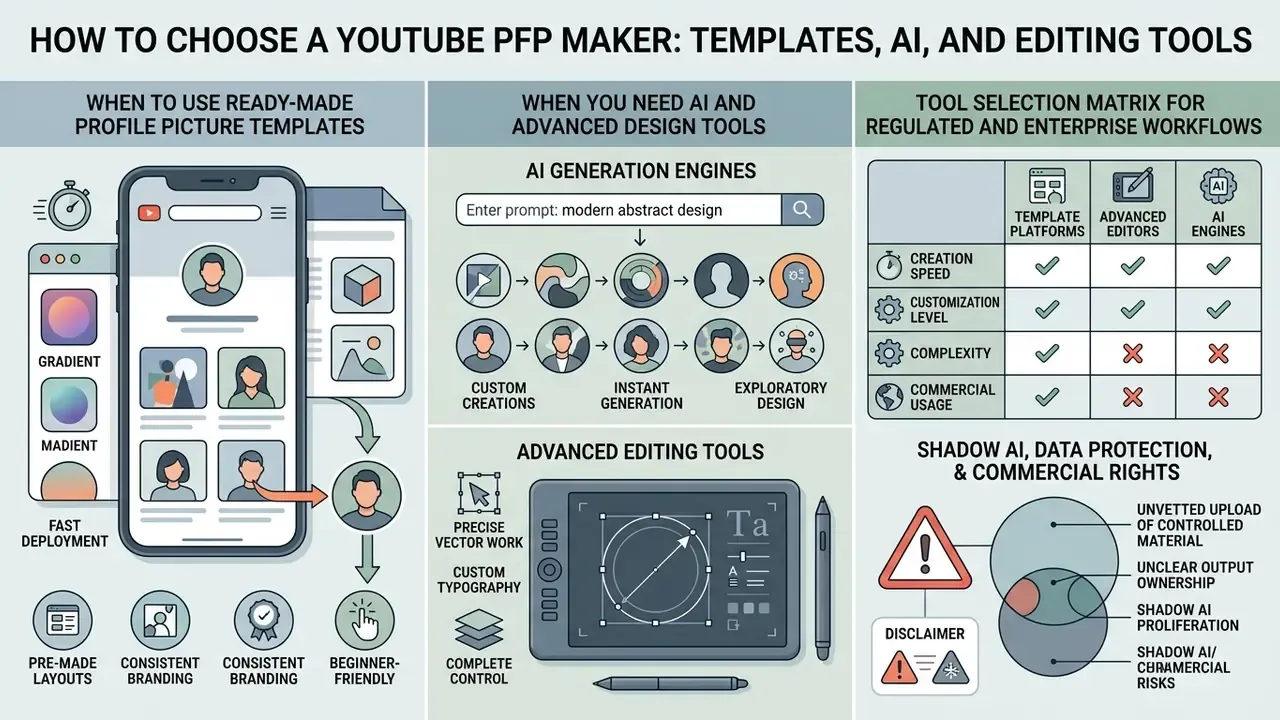
Selecting a YouTube PFP maker means weighing template-based graphic platforms for fast deployment, advanced editors for precise vector work, or AI generation engines for custom avatar synthesis.
The current software landscape is crowded. A dedicated profile picture maker or general picture maker streamlines layout assembly, while professional design tools, editing tools, and pre-formatted picture templates let creators produce platform-compliant graphics without advanced illustration skills. Plenty of free youtube branding kits circulate as well, though their licence terms deserve a closer read than most teams give them. Channels whose identity rests on a symbol rather than a face often begin with AI logo generators for channel marks, then hand the result to a vector editor for stroke and margin corrections.
When to Use Ready-Made Profile Picture Templates
When You Need AI and Advanced Design Tools
Advanced design software and generative AI become necessary when channels require custom background removal, 3D character consistency, vector scaling, or multi-platform brand synchronization.
Complex brand identities demand precise control over background separation and asset resolution. Research presented at CVPR 2024 shows that single-image diffusion models can now synthesize 3D-consistent, high-resolution human avatars from one source image.
«Morphable Diffusion synthesizes 3D-consistent, animatable, high-resolution human avatars from a single source image of an unseen subject.»
Teams evaluating cutting-edge asset generation systems should review the AI Media Benchmarks and Review Proof index to verify tool performance, rendering speed, and output fidelity. Animated derivative assets (community-tab GIFs, channel intros, motion variants of the mark) sit outside PFP rules entirely and are better handled through dedicated animation makers, since YouTube strips animation from avatars.
There is, however, a reputational dimension to synthetic faces that most tool reviews omit:
«An analysis of nearly 15 million Twitter profile images found that accounts using AI-generated faces exhibited patterns of coordinated inauthentic behavior, including spam and political campaigning.»
The operational implication is direct. A fully synthetic human face as a channel avatar now carries a discoverable association with inauthentic account clusters. Illustrated, abstract, or clearly stylized AI output avoids that association. A photorealistic AI "person" who does not exist does not.
Tool Selection Matrix for Regulated and Enterprise Workflows
For media departments operating under documented governance, tool choice is a control decision rather than a taste decision. The matrix below compares the three tool classes against the criteria that matter in a reviewed workflow.
| Criterion | Template Platforms | Professional Editors (Vector/Raster) | Generative AI Avatar Engines |
|---|---|---|---|
| Speed to first asset | Highest (minutes) | Low (hours) | High (minutes) |
| Output reproducibility | High, fixed layouts | Highest, layered master files | Low to medium, prompt and seed dependent |
| Commercial licensing clarity | Usually plan-dependent; check template and stock terms | Highest, you own the artwork you draw | Variable; verify output ownership and training-data terms |
| Data handling and privacy posture | Cloud upload by default | Can run fully offline or on-premises | Cloud upload of faces and logos; review retention policy |
| Brand-guideline enforcement | Medium, via locked brand kits | Highest, full typographic and colour control | Lowest, stylistic drift between generations |
| Suitability for regulated sectors | Conditional | Preferred | Requires formal vendor review |
| Audit trail | Version history in platform | File-level versioning under your control | Prompt logs only, often non-exportable |
Table 2: Tool-class comparison for selecting a compliant YouTube PFP production path.
Shadow AI, Data Protection, and Commercial Rights
Avatar creation looks like a low-risk design task. That is precisely why it turns into an unmanaged data pathway. Three exposures recur in media departments:
Minimum control checklist before a tool touches brand material:
- Written confirmation of commercial-use rights for generated output, at your specific plan tier.
- Vendor data-retention and training-opt-out terms reviewed and recorded.
- No upload of identifiable employee or customer faces without documented consent.
- Final asset re-rendered from a layered master you control, so the brand does not depend on continued vendor access.
- Tool, plan, date, and reviewer logged in the asset register alongside the exported file.
- Unvetted upload of controlled material.Uploading an unreleased logo, a pre-announcement brand mark, or an employee headshot into a consumer AI generator can amount to an unapproved disclosure to a third-party processor. Facial imagery may additionally fall under biometric-data rules in some jurisdictions, and employee likeness use usually requires documented consent.
- Unclear output ownership.Generative platforms differ on whether outputs are assignable, exclusive, or usable in trademarked contexts. An avatar you cannot register or defend is not a brand asset.
- Shadow AI proliferation.When the official toolchain is slow, teams route around it. The fix is a short allowlist of reviewed tools plus a documented fallback, not a blanket prohibition.
How to Create a YouTube PFP: Step-by-Step Workflow
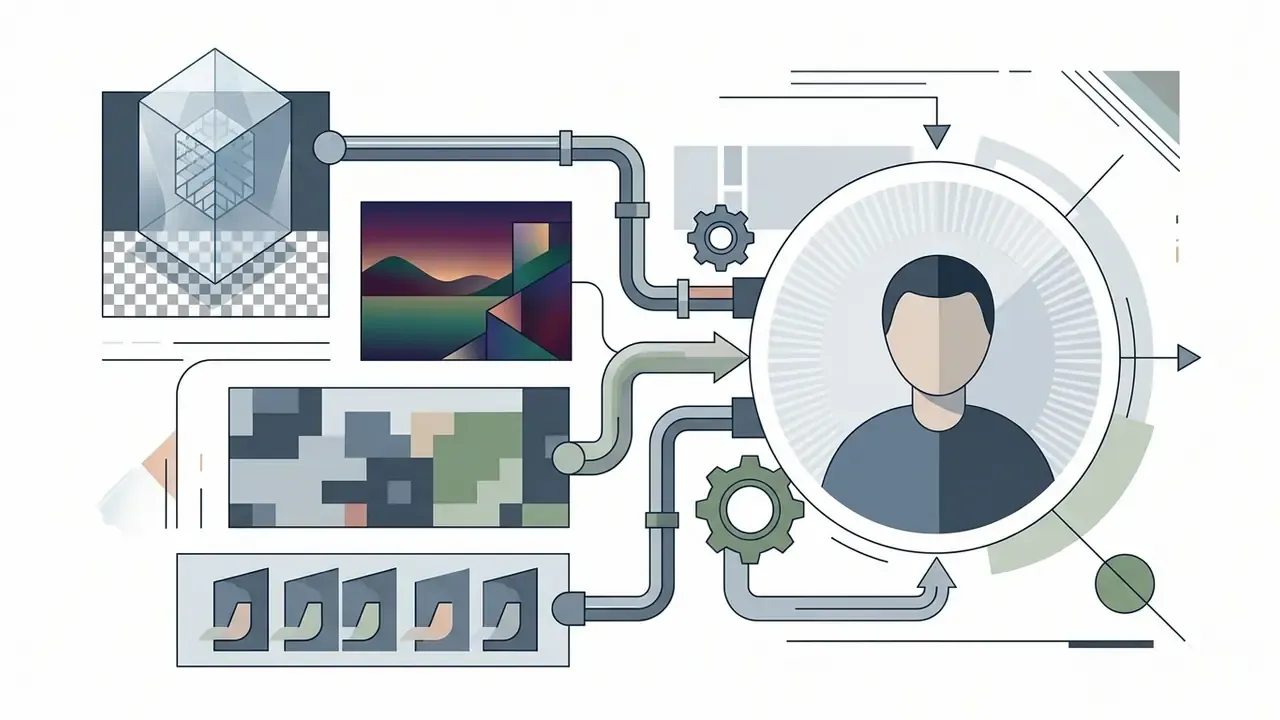
Creating a YouTube PFP follows a structured five-step workflow: define the core visual concept, upload source assets, apply branding adjustments, verify circular safe-zone bounds, and export a 1:1 high-resolution file.
A disciplined asset creation workflow eliminates technical errors and protects rendering quality. When you create a new profile picture, a methodical sequence keeps colour choices, cropping limits, and file formats inside platform standards.
- Concept selection: Decide whether the channel needs a human headshot, vector logo mark, or stylized avatar, and set up a 1:1 square canvas at 800 × 800 pixels.
- Asset import: Bring the primary image file into your editing tool, making sure the source photo or vector asset has high native resolution.
- Design adjustment: Center the subject, apply corporate colour palettes, and strip distracting background elements.
- Safe zone audit: Overlay a circular crop mask to confirm that essential elements sit fully inside the visible zone.
- High-quality export: Save the finished graphic as an uncompressed PNG or maximum-quality JPG under 4 MB, after the 40 × 40 pixel legibility check described below.
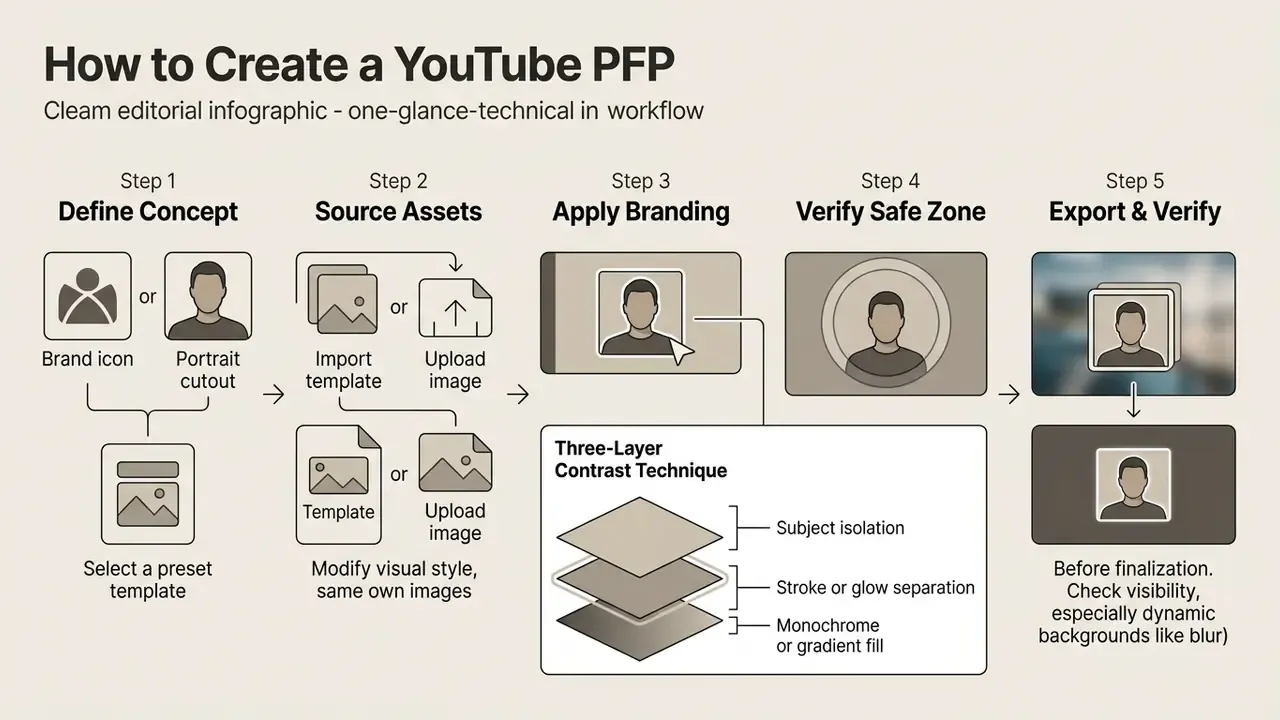
Choose a Template or Upload Your Own Content
The initial creation phase means selecting a circular-ready canvas template or uploading a high-resolution raw photograph or vector logo file into your chosen design interface.
Starting from high-grade source material is non-negotiable. Logos must arrive as clean vector paths (EPS, AI, PDF, or SVG, with type converted to outlines) or transparent PNG files. Photographs should be shot in sharp focus under balanced lighting, and owned or properly licensed. For any raster element intended to survive scaling, work at native resolution instead of upscaling a small crop. Creators calculating asset dimensions and aspect ratio scales can use dedicated online calculators to verify exact pixel densities before starting the design phase.
Adjust the Design to Your Channel and Brand
Customizing the design means locking in approved primary brand colours, positioning core subjects strictly inside the central safe area, and eliminating distracting edge detail.
Visual harmony across video assets builds brand recognition. The colour scheme chosen for the profile picture should match the secondary accents used in video graphics and channel banners, and the typographic system (weight, case, and outline treatment) should mirror the one used in thumbnails. When producing associated video media, creators often source royalty-free assets such as free music for video editing to keep audio-visual cohesion across the content catalog.
Three-Layer Contrast Technique for Background Cutout
Generic advice to "remove distracting background elements" is not actionable at 40 × 40 pixels. Use this repeatable three-layer construction instead:
- Subject isolation.Cut the subject out of its original noisy background with a neural background-removal tool or a manual path selection, then refine the edge. Hair and shoulder lines matter most; halo fringing is the usual failure.
- Stroke or glow separation.Add an outer light stroke of 4 px to 6 px at 800 × 800 scale around the head or logo silhouette. This is what stops the subject from fusing into YouTube's dark-mode interface, where a dark jacket against a dark feed simply disappears.
- Monochrome or gradient fill.Fill the background plane with a dense monochrome colour or a two-stop gradient chosen to contrast with the subject's clothing and hair, holding a WCAG 2.2 ratio of at least 4.5:1 between subject and field.
Validate the result in both interface themes. Export a light-mode and a dark-mode mockup at 40 × 40 pixels, then confirm the silhouette reads in each. If the stroke looks heavy at full size but the silhouette reads at thumbnail size, keep the stroke. The small rendering is the one viewers actually see.
Verify the Image Before Export
Pre-export verification means evaluating the asset in a downscaled 40 × 40 pixel preview to confirm edge sharpness, subject focus, and contrast before final file generation.
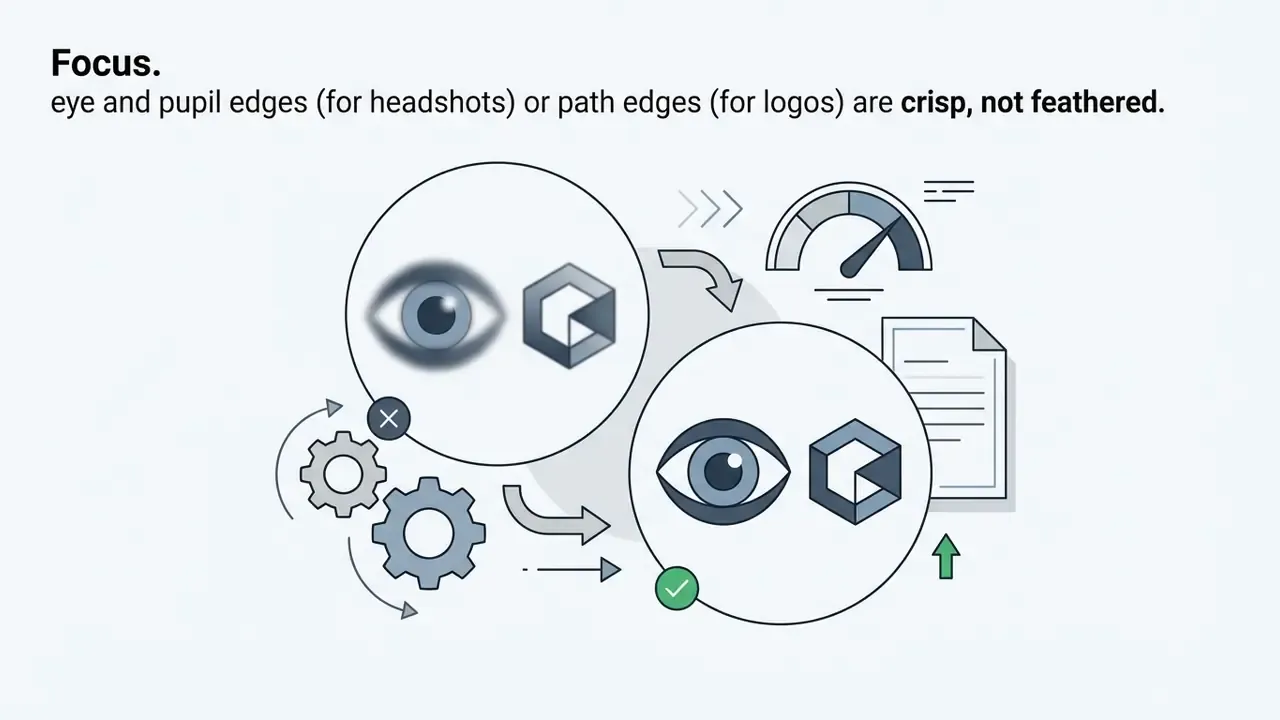
Before committing the file to production, run a rigorous focus and contrast check. NIST quality metrics identify pupil edge definition and high subject-to-background contrast as primary indicators of focus quality under downsampling (NIST FATE, 2024, https://www.nist.gov/programs-projects/face-analysis-technology-evaluation-fate). NIST's capture guidance is blunt about the failure modes: the image must not be blurry, and blur must be assessed separately as motion blur and focus blur.
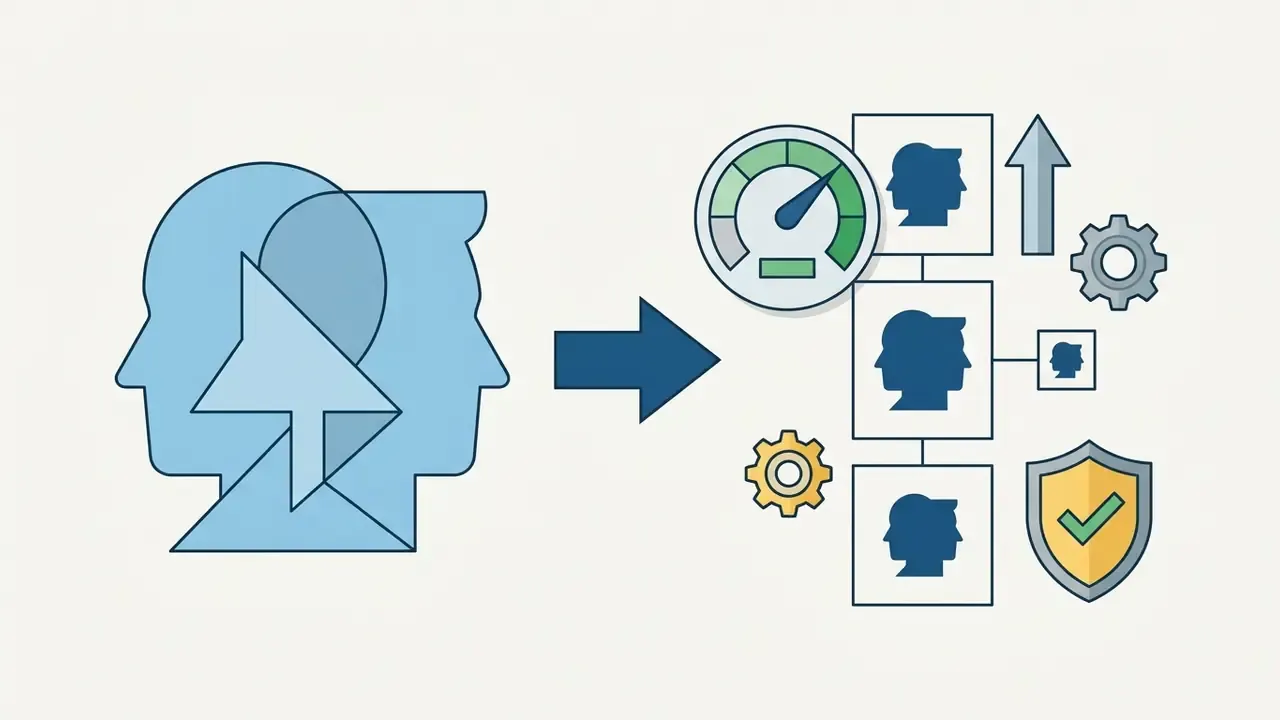
Run this five-point gate before export:

Where a source photograph fails the sharpness gate, AI image enhancers for pre-upload cleanup can recover usable edge definition, although a re-shoot always outperforms reconstruction. Developers integrating automated asset processing can reference the AI Media API documentation for programmatic image validation pipelines, including batch contrast and downsample checks.
How to Change Your YouTube PFP on Desktop and Mobile
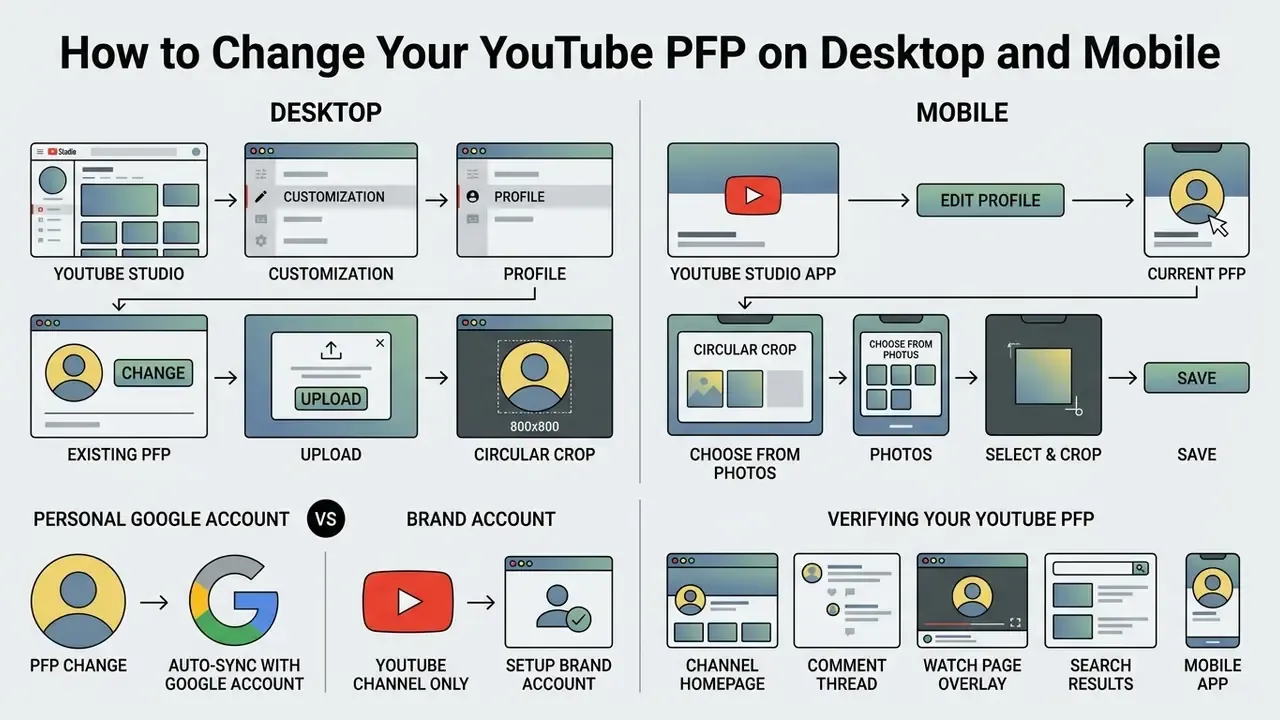
Updating a YouTube profile picture happens in YouTube Studio on desktop under Customization → Profile, or through the mobile YouTube Studio app via Edit Profile, followed by selecting and publishing the new image asset.
Managing your youtube profile means executing the platform update procedure correctly. Whether you are replacing a legacy youtube profile picture on a computer or updating channel settings from a phone, changes propagate across platform feeds within a few minutes.
Important: Personal Google Account Versus Brand Account
Updating the Profile Picture in YouTube Channel Settings
To update a profile picture on desktop, sign in to YouTube Studio, select Customization from the navigation drawer, open the Profile tab, upload the new image under Picture, and select Publish.
The full desktop sequence: sign in to YouTube Studio → open the left menu → Customization → Profile → click Change → select the image or illustration from your computer → adjust crop and size → click Done → click Publish. YouTube notes that the new picture may take several minutes to propagate across all surfaces.
On Android or iOS, open the YouTube Studio application, tap the account profile icon, select Edit Profile, tap the avatar camera overlay, choose the replacement image file (you may take a photo, upload one, or select a provided illustration), then save changes (Google Help, 2026, https://support.google.com/youtube/answer/10456525). Creators who repurposed channel media using tools to convert youtube video assets should make sure primary channel branding stays aligned during technical site updates.
Verifying Your YouTube PFP After the Change
Verifying a newly published profile picture means refreshing the main channel page, inspecting a posted comment thread, and checking a watch page overlay on both desktop and mobile.
Because global content delivery networks take time to flush cached image assets, updates may take several minutes to appear everywhere. Clear browser caches and inspect the avatar across multiple surfaces in this order:
- Channel homepagethe 98 × 98 px render, in light and dark mode.
- Comment threadpost or refresh a comment to confirm the ~40 × 40 px render.
- Watch page overlaybottom-right of the player in most playback modes.
- Search results and subscription drawerthe feed-level recognition test.
- Mobile appforce-close and relaunch to bypass the local image cache.
Reviewing tool performance metrics on the AI Media Comparison hub gives further insight into managing multi-channel digital publishing workflows.
How to Unify Your YouTube PFP, Banner, and Thumbnails
Building a unified channel visual ecosystem means synchronizing the profile picture, channel banner, and video thumbnails through a shared colour palette, identical typography rules, and consistent framing.
Isolated channel graphics create visual friction. A cohesive youtube banner, a high-impact youtube thumbnail, and a sharp profile picture work together to establish a recognizable channel look. Aligning those three assets strengthens brand equity across the entire youtube channel.
A specialized tech publication ran exactly this rebrand. The team aligned the hex colour codes of the profile picture background with the safe zone of their 2560 × 1440 pixel channel banner, then standardized thumbnail title typography. After the synchronized rollout, the editorial team reported deeper user navigation on the channel homepage. Note (updated): the improvement was measured internally over a single rollout window, with no control cohort and no published methodology. It indicates direction, not a reproducible effect size. Verified panel data would be required to quantify it.
A second example, from a regulated sector, shows the governance angle. A mid-sized fintech's investor-education channel migrated from a founder's personal Google profile to a Brand Account. It replaced a photographic founder headshot with the registered corporate mark, centered, uncropped, with a 6% clear margin. The background was locked to a single approved brand hex at a measured 5.1:1 contrast ratio, and that hex was mirrored in the banner safe zone and the thumbnail label bar. Every asset was exported from a layered AI master held in the company's own asset register, and no brand file passed through an unreviewed AI service. The result satisfied both brand-guideline review and internal AI-governance review. That dual pass is the practical target for any regulated channel.
External evidence supports the broader point that profile imagery moves economic behavior, not just aesthetics:
«Across 1,020 Airbnb listings, hosts with more attractive profile photos set higher prices, and broader smiles correlated with higher rates.»
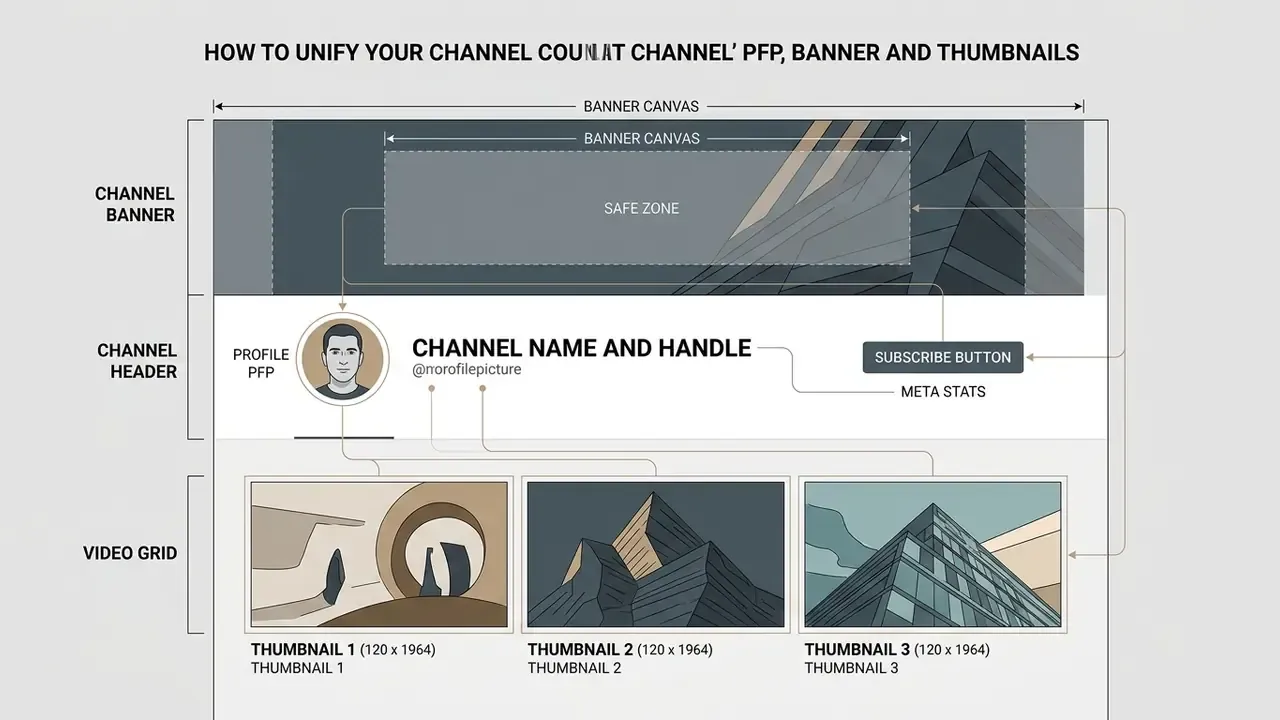
Figure 1: Conceptual layout architecture illustrating visual synchronization between YouTube PFP, banner safe zones, and video thumbnails.
How the PFP Supports YouTube Thumbnail Style
The profile picture supports thumbnail performance by anchoring the creator's face or brand mark as a recurring visual signature that viewers recognize instantly across recommendation feeds.
Thumbnails drive initial viewer interest in search feeds. Re-using key visual elements from the profile picture (signature lighting, colour accents, presenter framing) inside video thumbnails reinforces instant recognition. In practice, three elements should repeat verbatim between the avatar and every thumbnail: the same face or mark, one shared palette, and one fixed typographic treatment covering weight, case, outline colour, and position. Thumbnail text should stay at or below four to five words. The avatar should stay at or below three characters.
When scaling avatar elements up into the 1280 × 720 pixel thumbnail frame, use AI image upscalers rather than naive interpolation, which softens exactly the edges that make a mark recognizable. Channels deploying presentational assets can integrate a free ai avatar video generator to keep character consistency between channel avatars and automated video hosts.
Brand Guideline to Asset Size Mapping
| Brand Element | Profile Picture (800 × 800 upload) | Channel Banner (2560 × 1440) | Thumbnail (1280 × 720) |
|---|---|---|---|
| Primary logo or mark | Centered, inside 75% circle | Inside 1235 × 338 safe area | Corner lockup, ≤ 10% of frame width |
| Palette | 1 background hex plus 1 accent | Same hex family, extended gradient permitted | Same accent hex for label bars |
| Typography | 0 to 3 characters, sans-serif, ≥ 3 px stroke | Channel name plus schedule line | 4 to 5 words maximum, same weight as banner |
| Contrast target | ≥ 4.5:1 subject-to-background | ≥ 4.5:1 for text, ≥ 3:1 for graphics | ≥ 4.5:1 for text over imagery |
| Prohibited | Slogans, URLs, animation | Shadows, borders, frames | Paragraph text, low-contrast overlays |
Table 3: Mapping brand-guideline elements onto YouTube's three core asset geometries.
Technical Specifications Summary
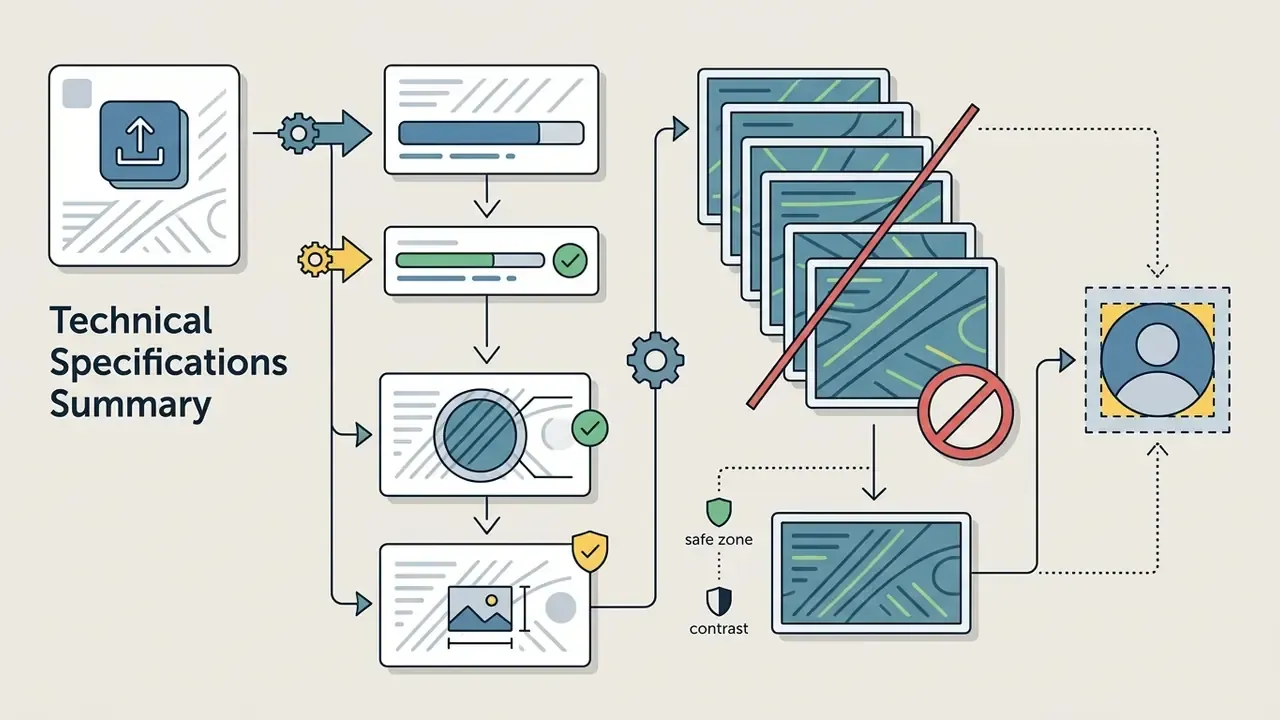
To confirm compliance across every platform surface, audit the finished graphics against official platform rules:
Treat the YouTube profile picture as a technical branding asset rather than decoration, and it becomes a durable visual foundation supporting channel authority, viewer trust, and long-term audience growth.




Pre-Publish Checklist
Checklist0 / 13
FAQ: Frequently Asked Questions About YouTube PFP
What size should a YouTube PFP be?
Upload a square image at 800 × 800 pixels. YouTube renders it at 98 × 98 pixels on desktop and around 40 × 40 pixels in comments and notifications, so design for the smallest size, not the largest.
Why does my new profile picture still show the old image?
Content delivery networks cache avatar assets. Allow several minutes, hard-refresh the page, clear the browser cache, and force-close the mobile app. If the old image persists beyond an hour on a single surface, re-publish from YouTube Studio rather than re-uploading a new file.
Why does my avatar look blurry on a Retina or high-DPI display?
Usually because the source was smaller than 800 × 800 pixels, or it was exported as a heavily compressed JPG. Re-export from the layered master as PNG-24 at 800 × 800, and avoid upscaling a small crop.
Can I use a PNG with a transparent background?
Yes, PNG transparency is accepted. But YouTube composites the avatar over interface backgrounds that change between light and dark mode, so a transparent mark can vanish against one of them. Add an opaque background fill or a contrasting stroke instead of relying on transparency.
Can I use an animated GIF as my YouTube PFP?
No. Animated GIFs are not supported for profile pictures, and the platform keeps only the first static frame. Use an animation maker for community posts or video intros, not for the avatar.
How do I change my YouTube PFP without changing my Gmail photo?
Move the channel to a Brand Account via YouTube Studio → Settings → Channel → Advanced settings. A Brand Account holds its own name and picture independently of your personal Google profile.
How can I see another channel's profile picture in full resolution?
Open the avatar image in a new tab, then delete the size parameter from the URL (for example =s100 or =s176-c-k-c0x00ffffff-no-rj) or replace it with =s800. Use the result for competitive analysis only, not for reuse.
Why does my logo get cut off after upload?
YouTube applies a circular mask to the square canvas and clips all four corners. Anything outside the inscribed circle is permanently hidden. Scale the mark down and re-check with a circular overlay before export.
Is a photographic AI-generated face safe to use as an avatar?
It carries reputational risk. Large-scale platform analysis has associated AI-generated human faces in profile images with coordinated inauthentic account behavior. Clearly stylized or illustrated AI output avoids that association; photorealistic synthetic people do not.
What is the real file-size limit, 4 MB or 15 MB?
YouTube Help specifies 15 MB as the platform cap. The commonly cited 4 MB figure is a design-tool recommendation for faster upload and delivery, not a platform restriction.
Appendix A: Revision Notes
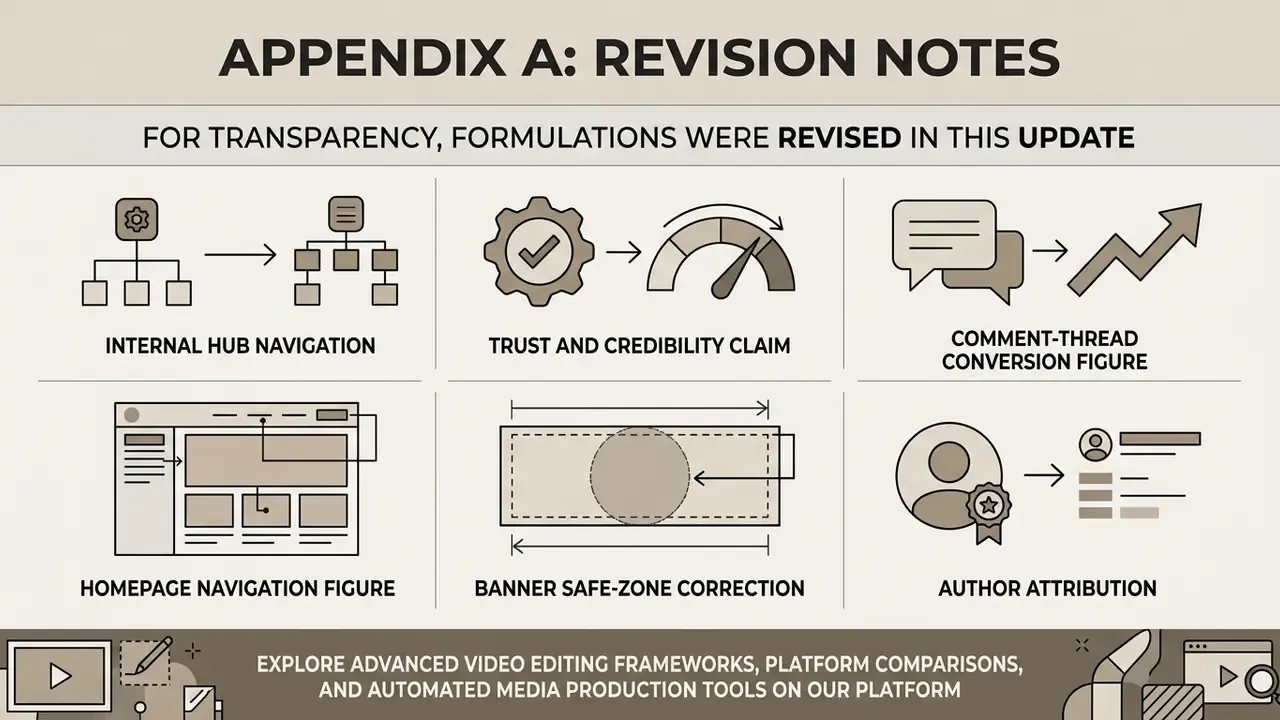
For transparency, the following original formulations were revised in this update:
- Trust and credibility claim. Earlier wording: "Empirical research on digital interfaces demonstrates that visual clarity and realism in profile assets directly enhance perceived credibility and user trust (DFKI, 2025)." Replaced because the reference carried no effect size or methodology in the cited form. The current text substitutes peer-reviewed findings on profile-image realism, warmth, and competence, and notes that avatar-trust research is mixed: some experimental work found no trust gain from avatar stylization, while later studies found credibility and professionalism gains for hyper-realistic avatars in professional contexts.
- Comment-thread conversion figure. Earlier wording asserted "a 14% increase in subscription conversion from comment interactions." Retained as an internal operational observation with an explicit caveat that no control group, sample size, or third-party verification was available.
- Homepage navigation figure. Earlier wording asserted "user navigation depth on the channel homepage increased by 19%." Retained as a directional internal result with the same methodological caveat.
- Banner safe-zone correction. Third-party guidance describing 1024 × 576 pixels as the banner safe zone was corrected: that region corresponds to the television crop, while the cross-device text and logo safe area is 1235 × 338 pixels within a 2560 × 1440 upload.
- Author attribution. Marcus Hale, author.