An ai image generator app is a software application that uses machine learning architectures, primarily latent diffusion models, autoregressive transformers, or generative adversarial networks (GANs), to turn text descriptions or visual inputs into new high-resolution digital images. These applications interpret textual semantics through specialized language encoders, then progressively denoise a visual representation inside a compressed mathematical space before rendering the final output.
Search demand for this category is messy, and that matters when you brief a procurement team. People type ai app for creating images, ai app for images, ai app photo generator, ai app picture generator, ai app that makes pictures, ai app to create photos, and ai app to make pictures. All of those phrases resolve to the same two product families described below.
Author note: Marcus Hale writes about AI governance and model risk for this publication.
Executive Summary for Decision-Makers
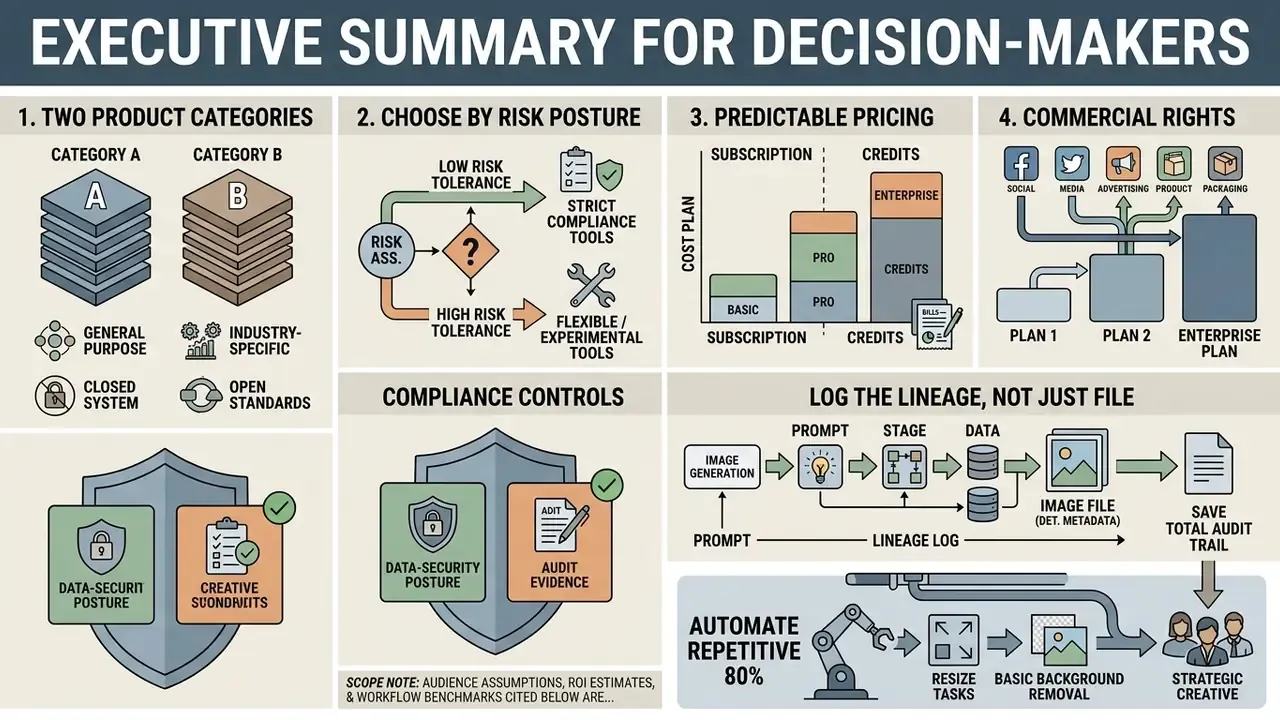
If you have five minutes, read this section only.
- Two distinct product categories exist. A text-to-image generator synthesizes new pixels from a written prompt. An AI photo editor modifies pixels that already exist: background removal, generative fill, unblur, de-noise, upscaling, face swap. Most 2026 platforms bundle both. Licensing, data-retention, and audit requirements differ sharply between the two modes, which is exactly where procurement reviews go wrong.
- Choose by risk posture, not by demo quality. For brand-safe, indemnified output inside regulated marketing, Adobe Firefly is the default (licensed training data, enterprise IP indemnification). For maximum control, reproducibility, and data isolation, Stable Diffusion (SDXL/SD3) run locally or in a private VPC is the default. ChatGPT (gpt-image-2), Google Gemini / Nano Banana, Flux Pro, Recraft V4, and Grok Imagine sit between those poles.
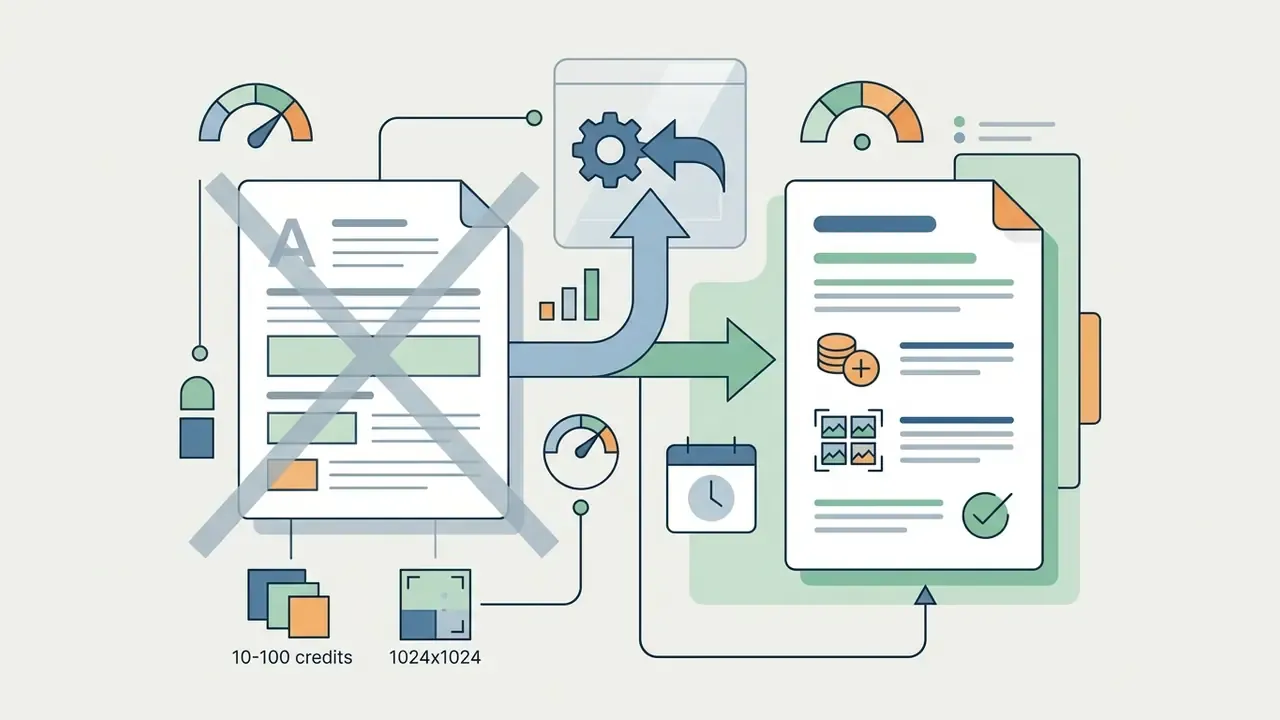
- Pricing is now predictable. Entry paid tiers run from $8/month (ChatGPT Go) to $20/month (ChatGPT Plus, Gemini/Claude Advanced). Professional tiers run $30 to $60 per month, with Midjourney Pro at $60/month. Adobe Firefly runs $9.99 / $19.99 / $49.99 / $199.99 per month by credit bundle. Direct API generation costs roughly $0.04 to $0.08 per standard 1024×1024 image and $0.003 to $0.01 per turbo-model image.
- Commercial rights are plan-dependent, not tool-dependent. Midjourney requires Pro or Mega tiers for companies above $1,000,000 in annual revenue. Adobe covers commercial use for non-beta Firefly features. Free tiers frequently restrict output to personal use and add watermarks.
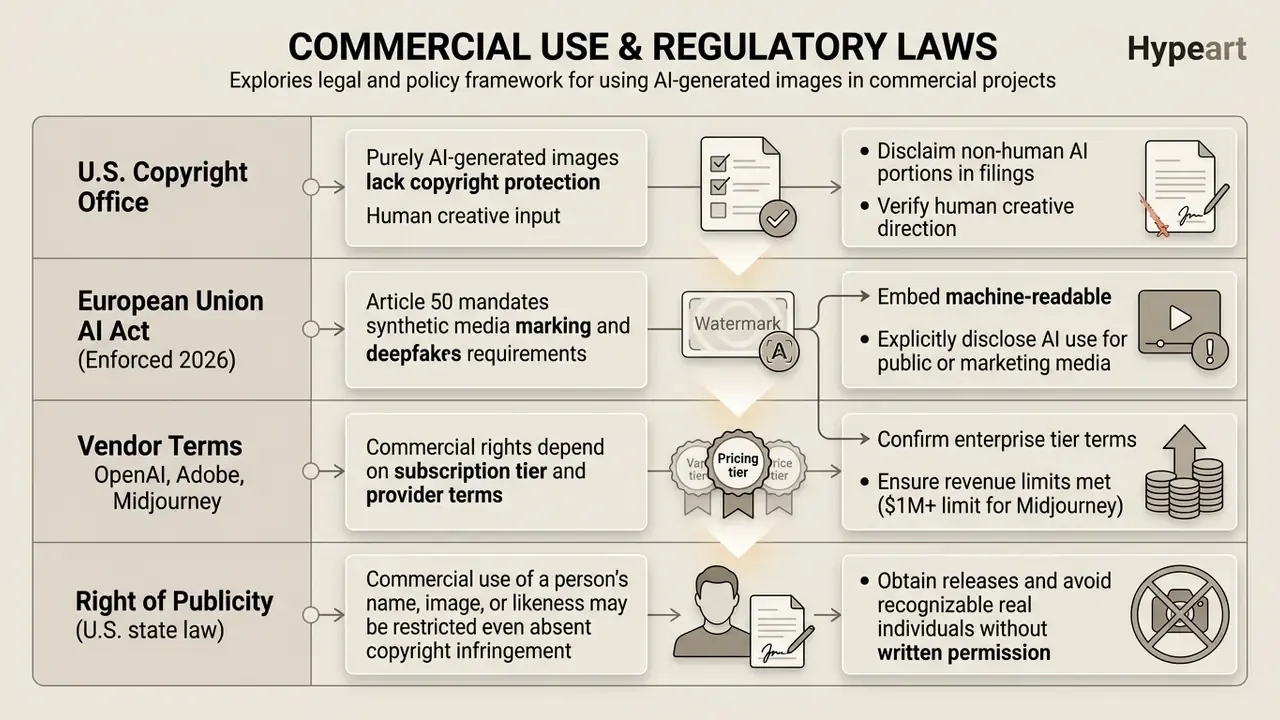
- Two compliance controls are non-negotiable in 2026. Under Article 50 of the EU AI Act, synthetic media requires machine-readable marking and deepfake disclosure. Under U.S. Copyright Office guidance (2024 to 2025), purely AI-generated output cannot be registered; only human-authored contributions can.
- Log the lineage, not just the file. For model risk management and audit defensibility, capture prompt text, negative prompt, model version, seed, guidance scale, reference-image hash, operator identity, and provenance metadata (C2PA Content Credentials or SynthID) for every published asset.
- Automate the repetitive 80 percent. API and webhook pipelines connect generators straight into Shopify, HubSpot, form tools, and social schedulers, which removes manual browser prompting from high-volume asset production.
Note on scope: audience assumptions, ROI estimates, and internal workflow benchmarks cited below are hypotheses. Validate them against your own analytics, CRM data, and procurement records before budget approval.
What Is an AI Image Generator App and How Does It Work?
An ai image generator app converts user inputs into synthetic visual assets by leveraging generative ai models trained on large-scale datasets. Modern ai technology processes incoming text prompts or visual references to synthesize new images rather than retrieving existing graphics from a database. Teams comparing tool categories can start with a structured overview of AI art generators before narrowing to a single vendor.
"Latent diffusion models have become the dominant architecture for high-resolution consumer image generation."
The underlying pipeline relies on specialized ai models, such as latent diffusion networks, which split the task into semantic text interpretation, noise reduction in a latent space, and final pixel decoding. Survey literature identifies diffusion models, GANs, and VAEs as the three principal generative families, with diffusion dominating deployments released after 2023. Autoregressive systems work differently. Rather than denoising a full canvas, they predict image regions in sequence, which usually yields stronger text rendering and instruction following at the cost of slower single-image throughput.
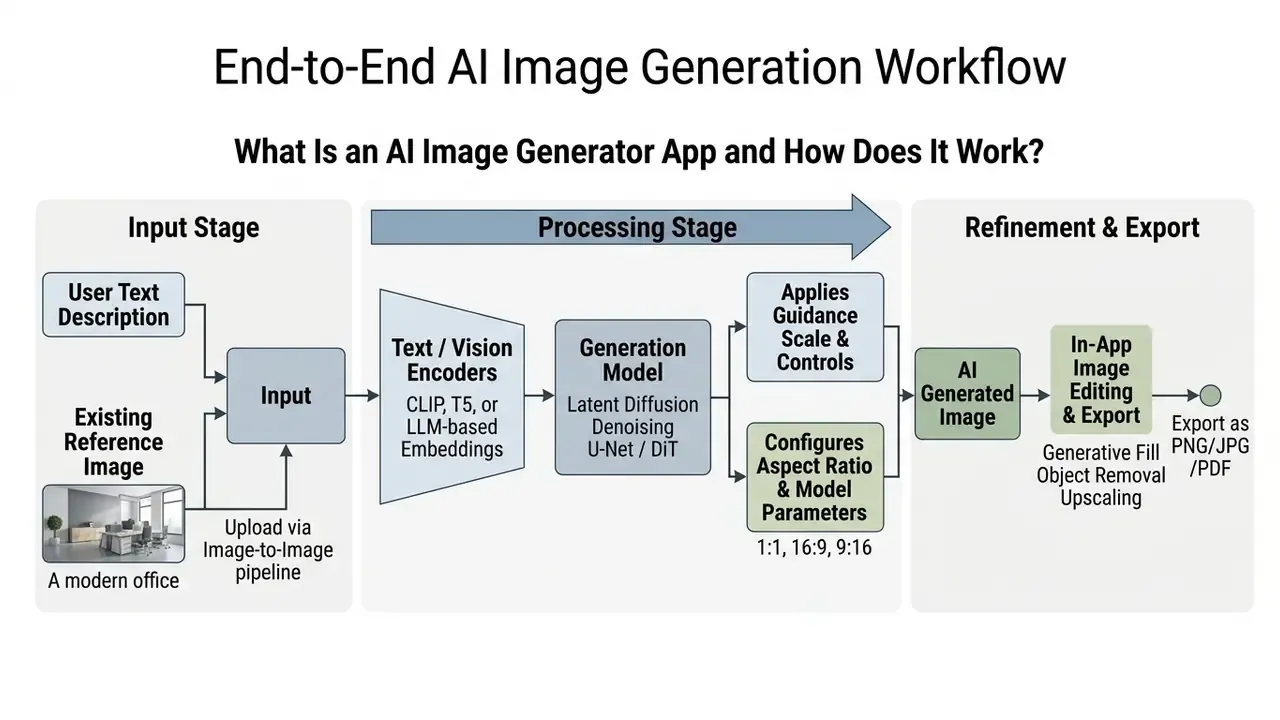
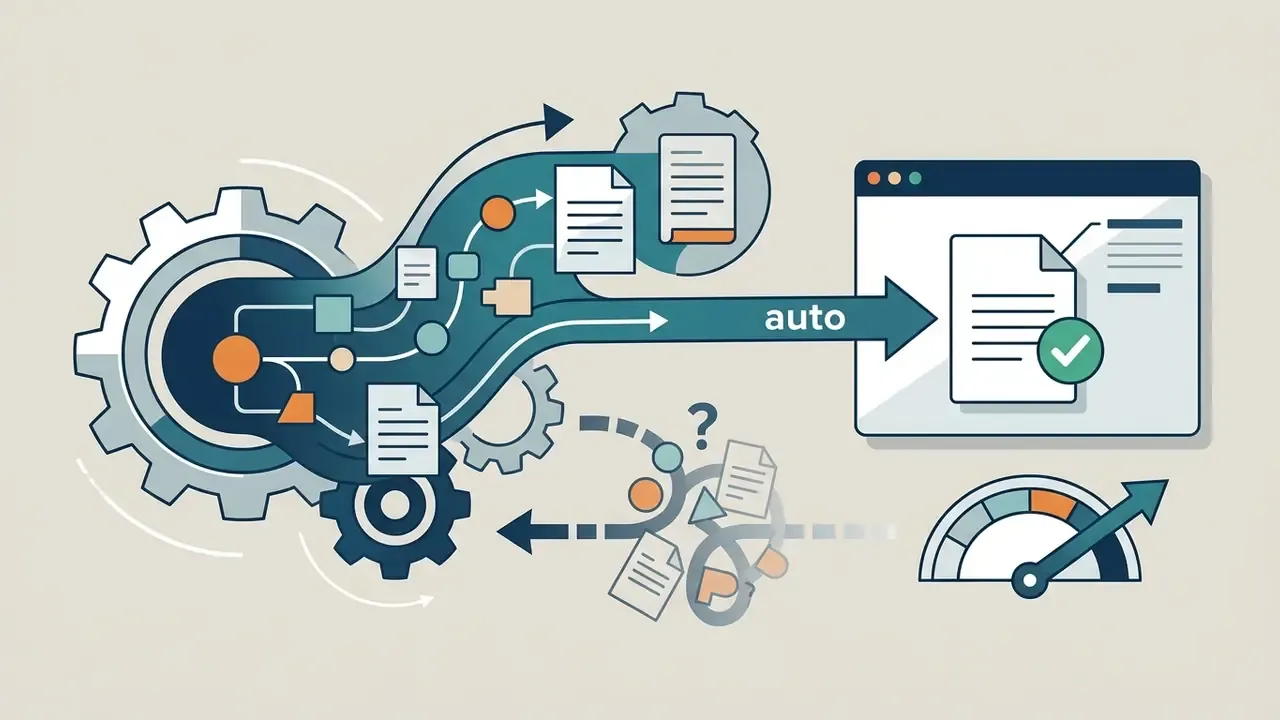
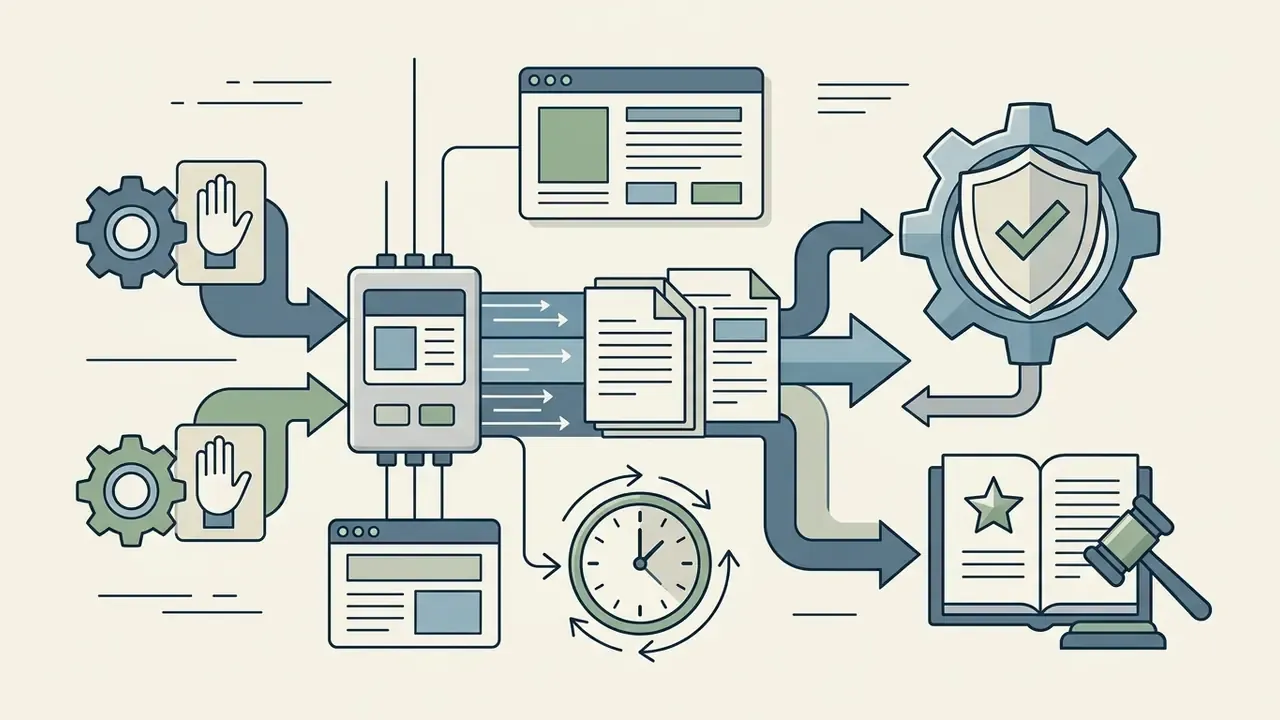
Process Workflow: the multi-step sequence shows how raw user parameters or input files move through neural encoding, latent denoising, user parameterization, and post-generation refinement before final export.
Mobile-friendly summary of the same pipeline:
| Stage | What happens | Governance artifact to capture |
|---|---|---|
| 1. Input | Text prompt and/or reference image upload | Prompt text, file hash, operator ID |
| 2. Encoding | CLIP / T5 / LLM converts semantics to embeddings | Encoder and model version |
| 3. Generation | Latent diffusion U-Net or DiT denoises to an image | Seed, guidance scale, step count |
| 4. Refinement | Inpainting, fill, upscaling, retouching | Edit log, mask regions |
| 5. Export | PNG / JPG / WebP / PDF delivery | Provenance metadata (C2PA, SynthID) |
One practical note before the mechanics. Whether you call it an ai app image generator or an ai app to generate images, the governance question stays identical: who owns the output, and can you reproduce it on request?
Text-to-Image Generation from Text Prompts
Text-to-image generation converts a written text description into a novel visual asset using a conditioning network. When a user submits text prompts, the application uses an encoder (CLIP, T5-XXL, or a large language model) to map the words into numerical embeddings. Those embeddings steer the latent diffusion model as it cleans random Gaussian noise, step by step, into a structured image.
"CLIP handles at most 77 tokens in English only; LLM-based encoders support longer multilingual requests and improve generation accuracy."
That token ceiling explains a constraint many teams hit without noticing. Long, clause-heavy prompts get silently truncated on CLIP-conditioned models, while LLM-conditioned and long-context systems keep the full instruction set intact.
Output fidelity depends directly on the structure and precision of the text prompt. Structured prompt taxonomies treat the subject as the required element, and treat style, lighting, camera framing, and quality modifiers as optional controls that measurably shift fidelity and variation. Specifying subject, lighting, camera angle, and artistic medium reduces model ambiguity and lifts prompt adherence. Vendor prompting guidance published by OpenAI recommends a fixed ordering (scene and background, then subject, then key details, then constraints) and notes that photorealism responds better to lens, aperture feel, and lighting cues than to generic quality adjectives.
"A controlled study with 132 participants found that prompt coaching leads users to add more detail, which improves trust calibration with the system."
When prompts rely on generic terms, the model falls back on probabilistic averages from its training data, which produces unpredictable visual elements or unwanted artifacts. Prompt-optimization research from 2024 shows that iterative rewriting measurably increases prompt-image consistency. That is why the refinement loop described later in this guide beats single-shot prompting almost every time.
Image-to-Image Generation and Reference Images
Image-to-image generation uses existing images as structural or stylistic guides for a new image. Instead of starting from pure noise, the system encodes a reference image into latent space and modifies it according to additional instructions. This approach supports targeted ai image editing while preserving the composition, subject layout, or spatial geometry of the original photo. Readers evaluating this mode can also review dedicated image-to-image and outpainting tools for canvas-extension scenarios.
Control frameworks such as ControlNet and guidance masks let models preserve structural elements (edge maps, depth boundaries) while changing surface textures, backgrounds, or artistic styles.
"Self-attention maps are responsible for preserving the geometry and shape of the source image while textures and styles change."
Research from 2024 to 2025 extends this control stack in three directions. Guidance masks with inverted latents preserve background structure. Attention-modulation methods perform zero-shot style transfer while retaining content. Multi-channel ControlNet variants keep object size, placement, color, shadow, and background layout under explicit user control. For teams evaluating automated design tools, structured documentation on an image to prompt converter helps reverse-engineer reference visuals into precise text instructions, and a broader image to ai prompt guide covers the same ground for mixed text-and-image inputs.
Data-security caution for image-to-image: uploading a reference file moves proprietary material into a third-party inference pipeline. Reference images containing customer records, internal screenshots, unreleased packaging, or personally identifiable information should only be processed through endpoints covered by a zero-data-retention agreement or a private deployment, as described in the security section below.
How to Choose the Best AI Image Generator App
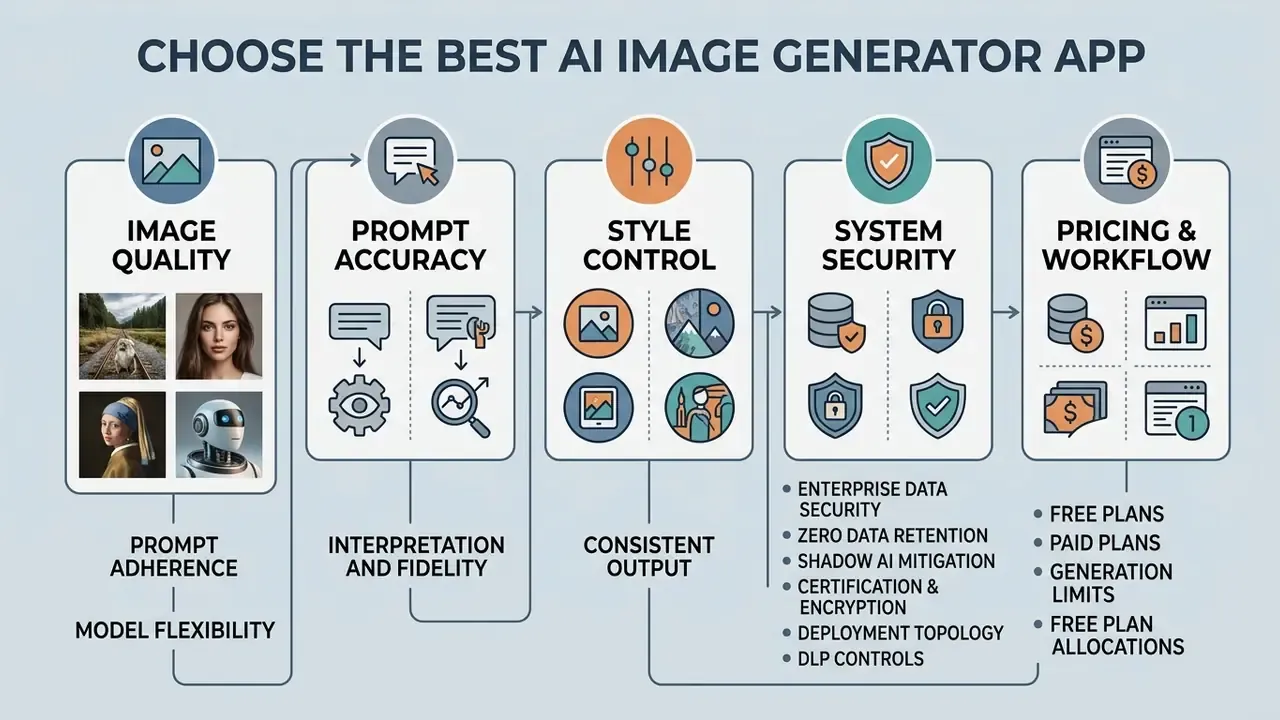
Selecting the best ai image generator app means evaluating five performance factors: prompt adherence, model flexibility, system security, pricing structure, and workflow integration. Enterprise buyers have to weigh operating cost and technical limits against output quality and copyright protection. Demo screenshots tell you almost nothing about the second half of that list.
A workable selection system scores four blocks. Task fit covers prompt adherence, quality, style range, consistency, and text rendering. Cost covers the price model, cost per image, and total cost of ownership including moderation, storage, egress, and QA labor. Usability covers the time a non-expert needs to reach a publishable result, plus template and export support. Customization covers tuning availability, seed reproducibility, reference guidance, and inpainting or outpainting pipelines. Fine-tuning availability is often bounded by hard input limits: some managed tuning services cap example sets at 30 images per example and 20 MB per image, so training-data volume becomes a genuine procurement constraint rather than a nice-to-have. A user friendly interface still matters, but it is a tiebreaker, not a primary criterion.
Image Quality, Prompt Accuracy, and Style Control
Evaluating an ai app for image generation starts with measuring quality images across diverse visual styles and spatial layouts. Prompt accuracy reflects how reliably a model renders every element requested in a text description, including multi-object relationships and embedded text.
"TokenCompose introduces token-level consistency supervision through segmentation maps, substantially improving photorealism and multi-category instance accuracy."
High-performing applications expose direct control over guidance scale, seed numbers, and aspect ratios. Current platforms surface these as concrete API parameters. Guidance scale typically spans a 0 to 20 range, with higher values tracking the prompt more literally. Aspect ratio is an explicit generation field with presets such as 1:1, 3:4, 4:3, 16:9, and 9:16. Some providers accept custom WIDTH×HEIGHT values where both edges must be multiples of 16 and the ratio is capped around 3:1.
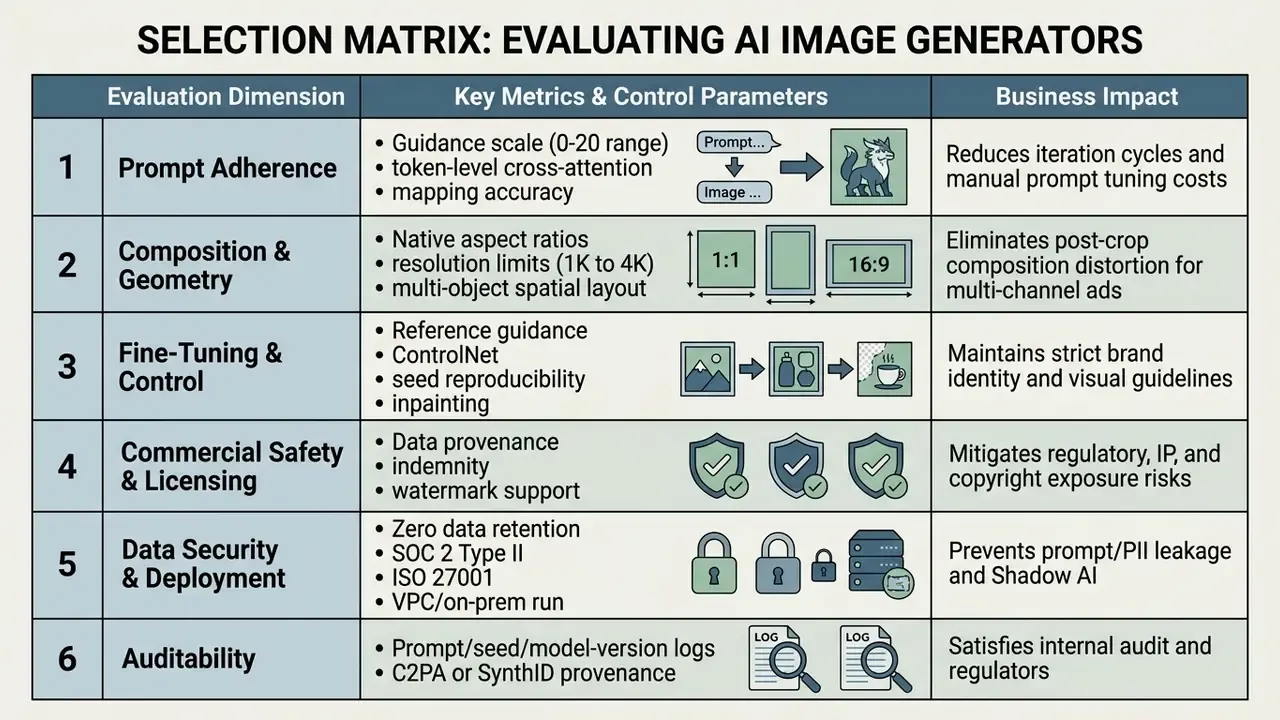
Advanced apps provide native resolution options, from 1024x1024 pixels up to 4K, without forcing a post-generation crop. They also support multiple preset aspect ratios (1:1, 16:9, 9:16) so compositions stay balanced across print, web, and social media formats.
"SDXL uses a UNet backbone three times larger than prior Stable Diffusion versions and is trained across multiple aspect ratios, enabling native generation without cropping."
To compare available options across platforms, team leads can review structured breakdowns of leading AI image and art generators or explore the hub of generation and editing tool comparisons.
Enterprise Data Security, Zero Data Retention, and Shadow AI Mitigation
Free Plans, Paid Plans, and Generation Limits
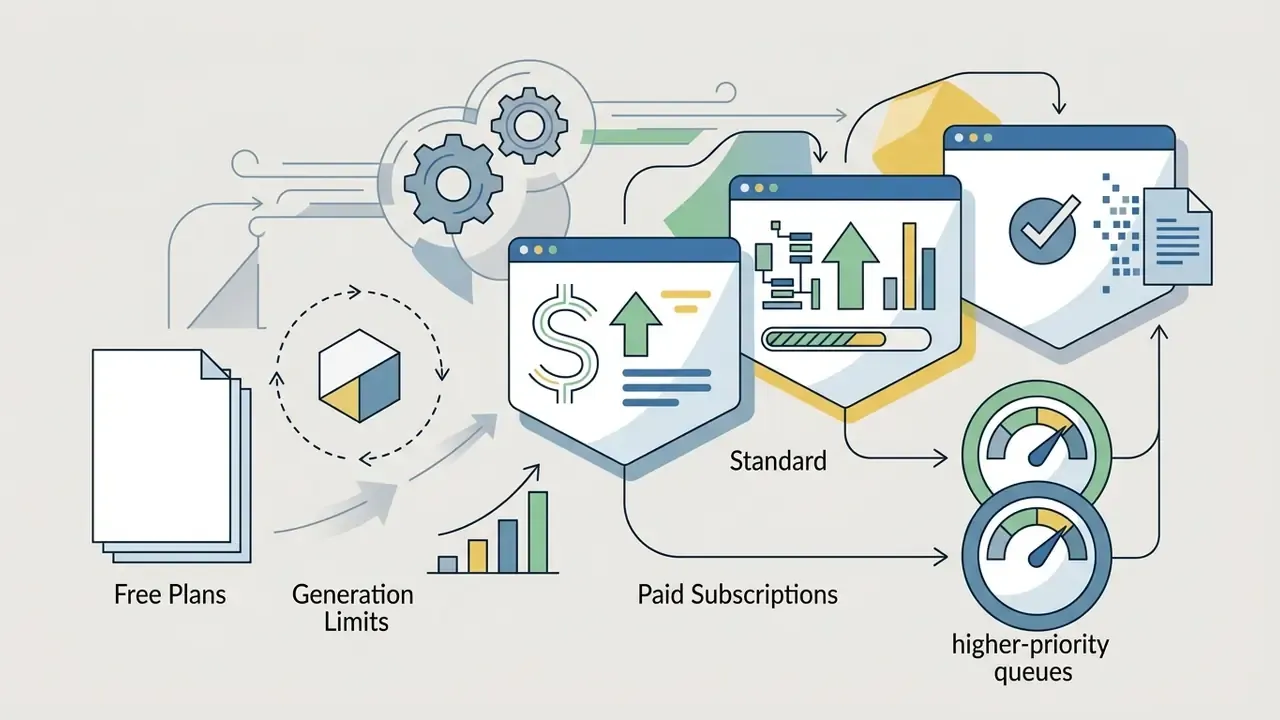
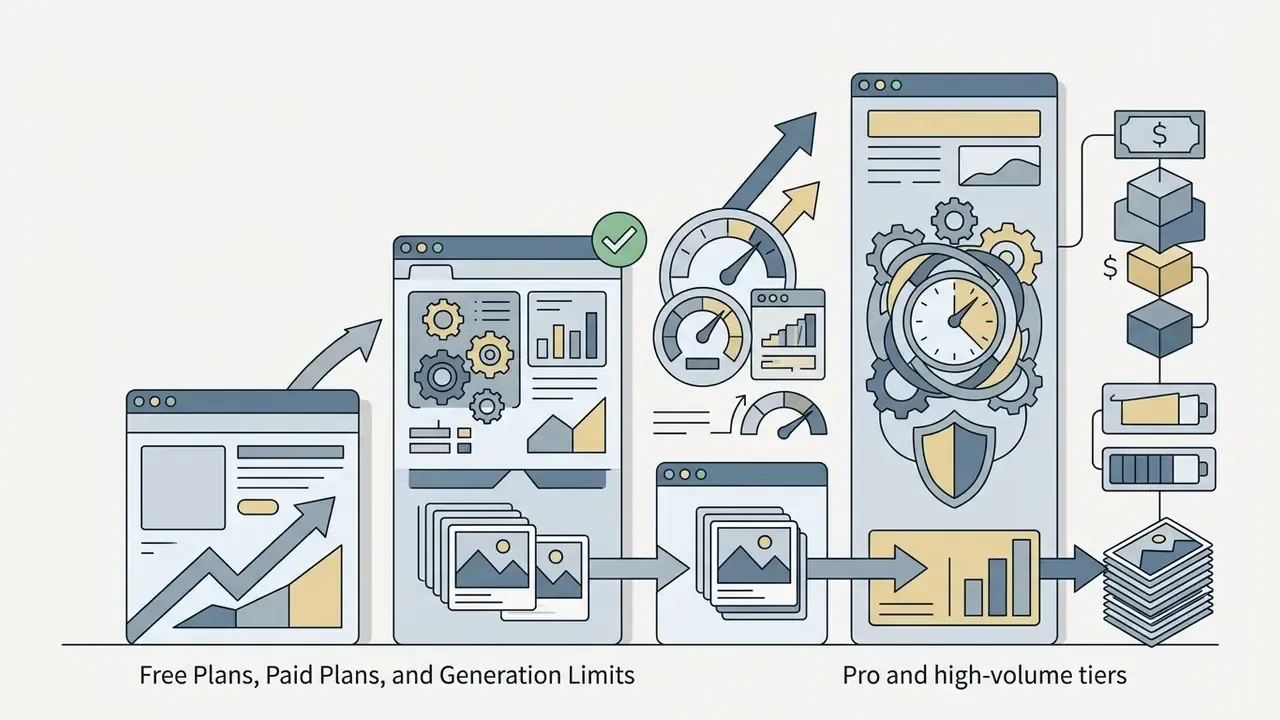
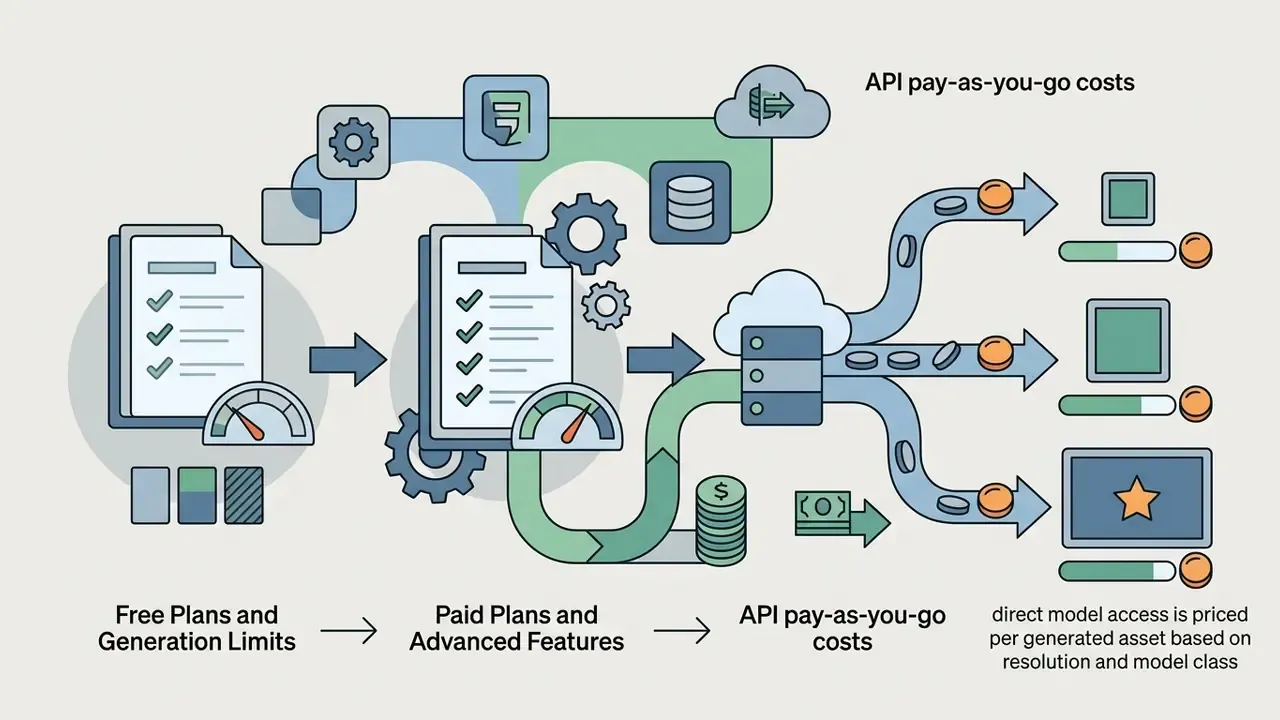
Cost structures for an ai app image generator fall into three models: freemium access with daily credits, recurring monthly subscriptions, or usage-based API pricing. Evaluating them requires looking past the headline subscription fee to credit reset rules, resolution caps, and feature paywalls. Teams working strictly inside no-cost tooling can compare constraints across free photo editors and free AI art generators.
- Standard 1024×1024 (gpt-image-2 or Flux Pro class): roughly $0.04 to $0.08 per image.
- Fast or turbo models (SDXL Turbo or Flux Schnell class): roughly $0.003 to $0.01 per image.
- Google Imagen-class models are distributed through Vertex AI and Google AI plans on pay-per-use terms rather than a flat creator subscription.
Risk-adjusted TCO, not sticker price. License fees are usually the smallest line item in a governed deployment. A defensible budget model looks like this:
TCO per published asset =
   (subscription or API cost per generation × average generations per accepted asset)
 + human prompt/review time × blended hourly rate
 + compliance review time (legal/brand/regulatory sign-off)
 + provenance & archival storage cost (prompt logs, seeds, versioned assets)
 + detection/verification tooling subscription
 + amortized vendor due-diligence and validation effort
In practice, the iteration multiplier (generations per accepted asset) and the compliance sign-off step dominate the calculation far more than per-image API pricing. Organizations that skip those two lines routinely underestimate real cost by an order of magnitude relative to the raw subscription figure.
In one internal evaluation of marketing workflows, a financial services communications team needed to produce hundreds of compliant digital assets each month. Replacing ad-hoc individual subscriptions with a centralized enterprise tier offering audit logs and indemnification, the team reported roughly a 28 percent reduction in overall generation costs, while every visual asset still cleared internal compliance review. That figure reflects a single engagement and is not a benchmark. Treat it as a directional hypothesis and re-validate against your own spend data, seat utilization, and rework rates before it enters a business case.
Best AI Image Generator Apps for Different Creative Tasks
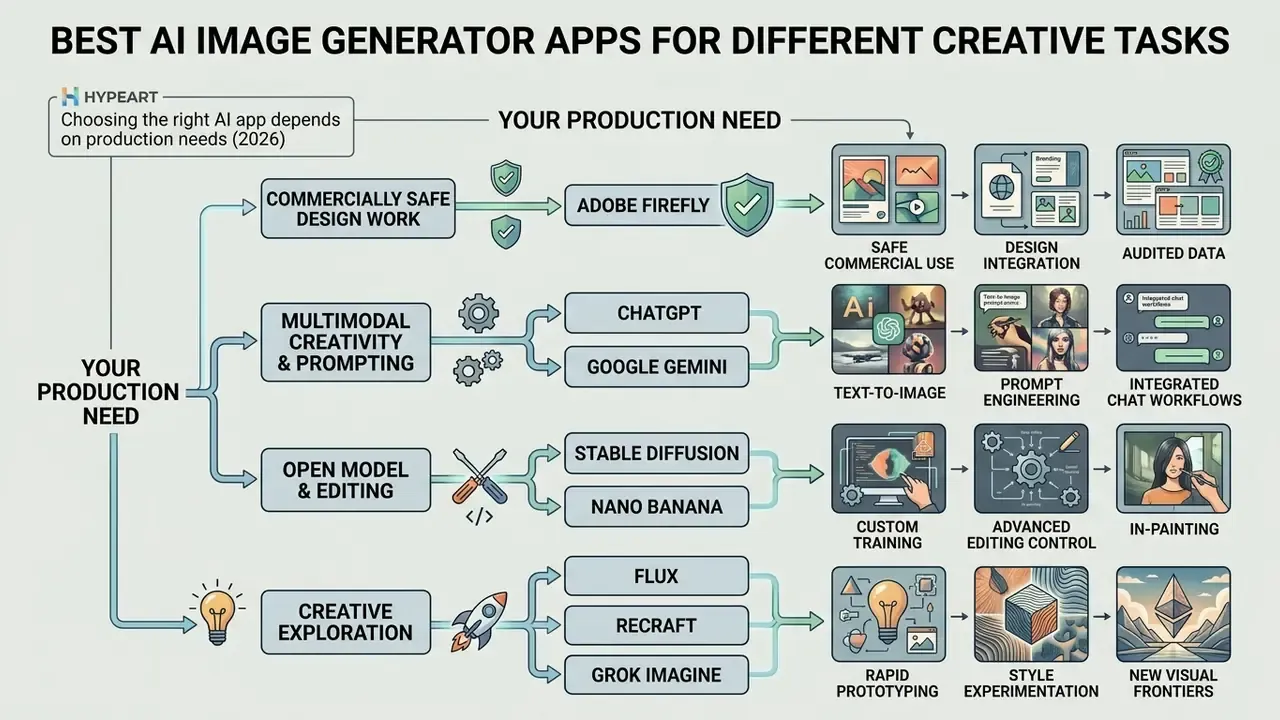
The right ai app for image generation depends on your production needs. Platforms vary widely in graphic design features, commercial safety, prompt flexibility, fine-tuning options, and system integration. Side-by-side evaluations are available for ChatGPT image generation, Midjourney, Google's image tools, Microsoft's generator, Bing AI image creation, and Canva's AI generator.
| Platform | Text Prompt Adherence | Image Editing Capabilities | Reference Image Support | Max Native Resolution | Free Tier / Trial | Commercial Use Rights |
|---|---|---|---|---|---|---|
| Adobe Firefly | High (design-focused) | Advanced (inpainting, generative fill) | Yes (style and composition) | 2K / 4K (via CC integration) | Free daily credits | Yes (commercially safe, licensed dataset) |
| ChatGPT (OpenAI gpt-image-2) | Very high (conversational LLM) | Intermediate (mask-based edits) | Yes (image inputs) | 1024x1024 (standard) | Limited free access | Yes (paid tiers allow broad commercial use) |
| Google Gemini (Imagen 4 / Nano Banana) | Very high (large multimodal context) | Advanced (background replace, edit) | Yes (multimodal input) | Up to 4K (Nano Banana 2) | Free tiers available | Yes (subject to platform terms) |
| Stable Diffusion (SDXL / SD3) | High (requires precise parameters) | Advanced (outpainting, ControlNet) | Yes (depth, canny, pose) | 1024x1024+ (scalable) | Open-weights / free local run | Yes (depends on tier and local deployment) |
| Nano Banana (Gemini 3 series) | High (web-grounded option) | Intermediate (search-assisted edits) | Yes (text + image) | 4K | Free tier access | Yes (includes SynthID watermarking) |
| Flux Pro (Black Forest Labs) | Ultra high (state-of-the-art precision) | Intermediate (inpainting via API) | Yes (ControlNet / Redux) | 2K / scalable | Paid / API credits | Yes (commercial license per tier) |
| Recraft V4 | High (design and vector focus) | Advanced (vector export, SVG edit) | Yes (style reference) | Native vector / 4K | Free daily allowance | Yes (clean commercial ownership) |
| Grok Imagine (xAI) | High (photorealistic, minimally filtered) | Basic (prompt modifications) | Yes (image conditioning) | 1024x1024 | Tier-dependent | Subject to platform terms |
| Midjourney | Very high (artistic direction) | Intermediate (vary region, pan/zoom) | Yes (style and character reference) | 2K+ (with upscalers) | No standing free tier | Paid tiers; Pro/Mega required above $1M revenue |
Security and deployment view of the same platforms:
| Platform | Deployment Options | Data Retention / Training Posture | Provenance Marking |
|---|---|---|---|
| Adobe Firefly | SaaS; enterprise tenancy | Licensed training data; states it does not train on subscriber content | Content Credentials (C2PA) |
| ChatGPT / gpt-image-2 | SaaS + API; enterprise ZDR options | No training on business data by default; ZDR available on request | Metadata; policy-dependent |
| Gemini / Nano Banana | SaaS + Vertex AI (project-scoped) | Enterprise controls via Google Cloud project boundary | Invisible SynthID watermark |
| Stable Diffusion (SDXL/SD3) | Local, on-prem, private VPC, or hosted | Fully controllable when self-hosted; no external inference | Operator-configured |
| Flux Pro | API / partner platforms | Per-provider terms; verify retention clause | Provider-dependent |
| Recraft V4 | SaaS | Verify retention clause per plan | Provider-dependent |
| Grok Imagine | SaaS (platform-bound) | Platform terms; consumer-oriented | Platform-dependent |
| Midjourney | SaaS (Discord/web) | Public gallery by default; stealth mode on Pro/Mega | None native |
Adobe Firefly for Commercially Safe Design Work
Adobe Firefly is built for enterprise graphic design and marketing teams that need brand safety first. Adobe states that Firefly models are trained on licensed content from Adobe Stock and public domain material where copyright has expired, and that it does not train on Creative Cloud subscribers' personal content. That posture lowers legal risk on commercial projects.
Firefly integrates directly into Creative Cloud applications such as Photoshop and Illustrator. Designers can use adobe generative fill, remove backgrounds, and adjust vector elements inside the editing software they already know. Current feature coverage includes text-to-image generation, prompt enhancement, Generative Fill and Generative Expand, Generative Recolor, vector graphics, video, and audio generation. Firefly also applies safeguards before training, during generation, at prompt time, and at output, and attaches Content Credentials to generated assets for provenance tracking.
For enterprise clients, Adobe offers IP indemnification on assets created with non-beta Firefly features. Adobe's enterprise documentation describes coverage for claims that an output directly infringes patent, copyright, trademark, publicity, or privacy rights, with exclusions for customer modifications and misuse. That protection makes Firefly a common default for corporate communications and client-facing campaigns. Note the catch: indemnification typically attaches to enterprise entitlements, not to standard consumer Pro plans. It is the single most frequent licensing misreading we see in procurement reviews.
ChatGPT, Gemini, Stable Diffusion, and Nano Banana
Other major ai models serve distinct creative and technical needs:
- ChatGPT and Google Gemini both combine conversational large language models with native image generation. ChatGPT is strong at turning complex, conversational requests into detailed visual concepts, supports personalization through custom instructions and memory, and handles mask-based edits on uploaded images. Google Gemini uses its large multimodal context window to process complex, multi-page document context before generating visual assets, and offers web-grounded visual generation. One caveat worth reading twice: the Imagen text-to-image endpoint itself accepts a much smaller prompt budget, documented at 480 text tokens for Imagen 4 models, than the chat model's context ceiling.
- Stable Diffusion an open-weights architecture with extensive customization. Users can run models locally, fine tune custom adapters (LoRAs), and apply precise control frameworks such as ControlNet to manage composition, lighting, and character poses. Stable Diffusion 3 Medium is documented as optimized for image quality, typography, and complex prompt understanding at lower resource cost, which makes it viable for air-gapped and on-premise deployments.
- Nano Banana part of Google's Gemini 3 series, the nano banana models (including Nano Banana 2 and Nano Banana Pro) support output resolutions from roughly 0.5K up to 4K across 14 aspect ratios, and the Flash-class model accepts very large input contexts, documented at 131,072 input tokens. Every image produced by the series carries an invisible SynthID digital watermark for AI-origin identification (Nano Banana model documentation, 2025). Some consumer surfaces additionally apply a visible watermark, which matters for ad placements with strict creative specs.
- Flux, Recraft, and Grok Imagine Flux and Flux Pro are widely embedded in third-party editors for high-precision prompt following. Recraft V4 is oriented toward design systems and native vector output, which makes it unusually strong for logos, icons, and scalable brand assets. Grok Imagine emphasizes photorealistic output with lighter content filtering, an attribute that raises brand-safety review requirements rather than lowering them.
To see how prompt-based workflows connect with other creative systems, creators can review the tools on Hypeart AI Media for workflow compatibility, or examine adjacent categories such as AI headshot generators and Ghibli-style generators for style-specific licensing nuances.
Can You Use AI-Generated Images for Commercial Projects?
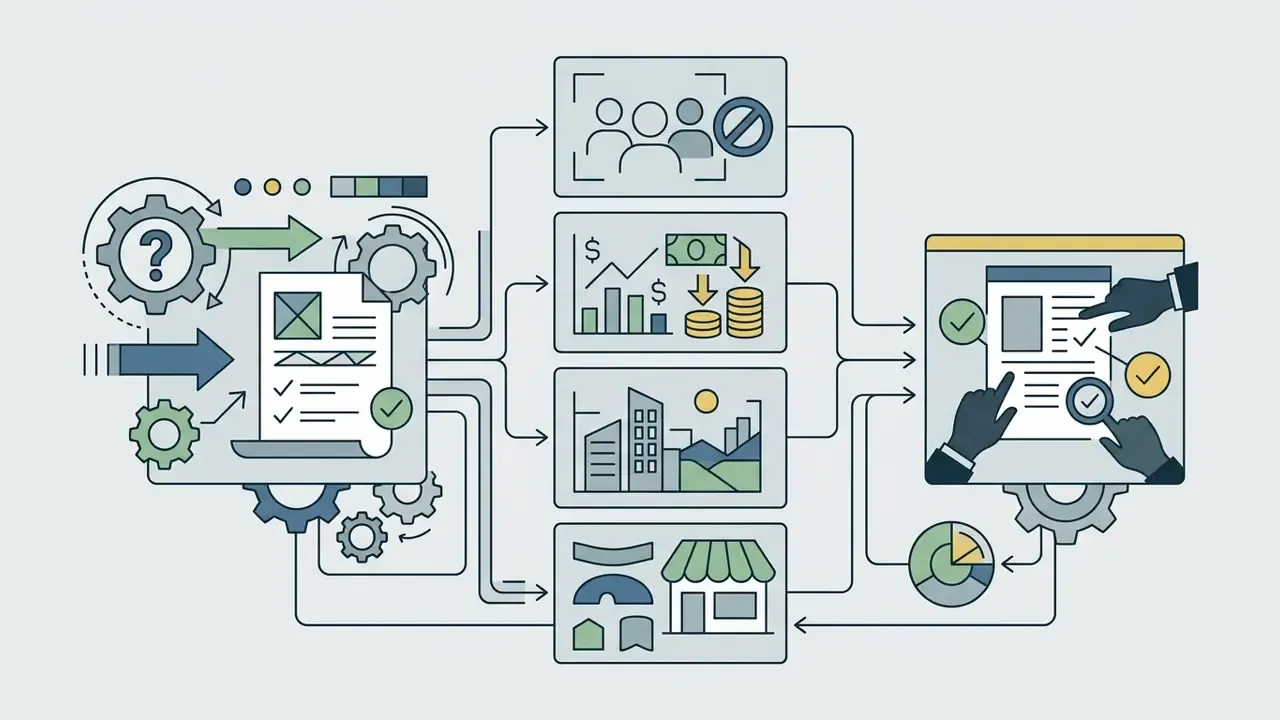
Using synthetic assets in commercial marketing, advertising, and branding depends on individual software terms, copyright regulations, and regional compliance rules. Organizations must verify that their generation workflows comply with intellectual property law before publishing anything commercially. This section sits before the production guide on purpose. In regulated environments, licensing and disclosure requirements gate tool selection; they are not a post-production cleanup task.
What to Check Before Using AI Images in Marketing
Model Training, Public Domain, and Copyright Questions
"An emerging consensus holds that AI may serve as a tool, but the author must be the human whose intellect determined the creative result."
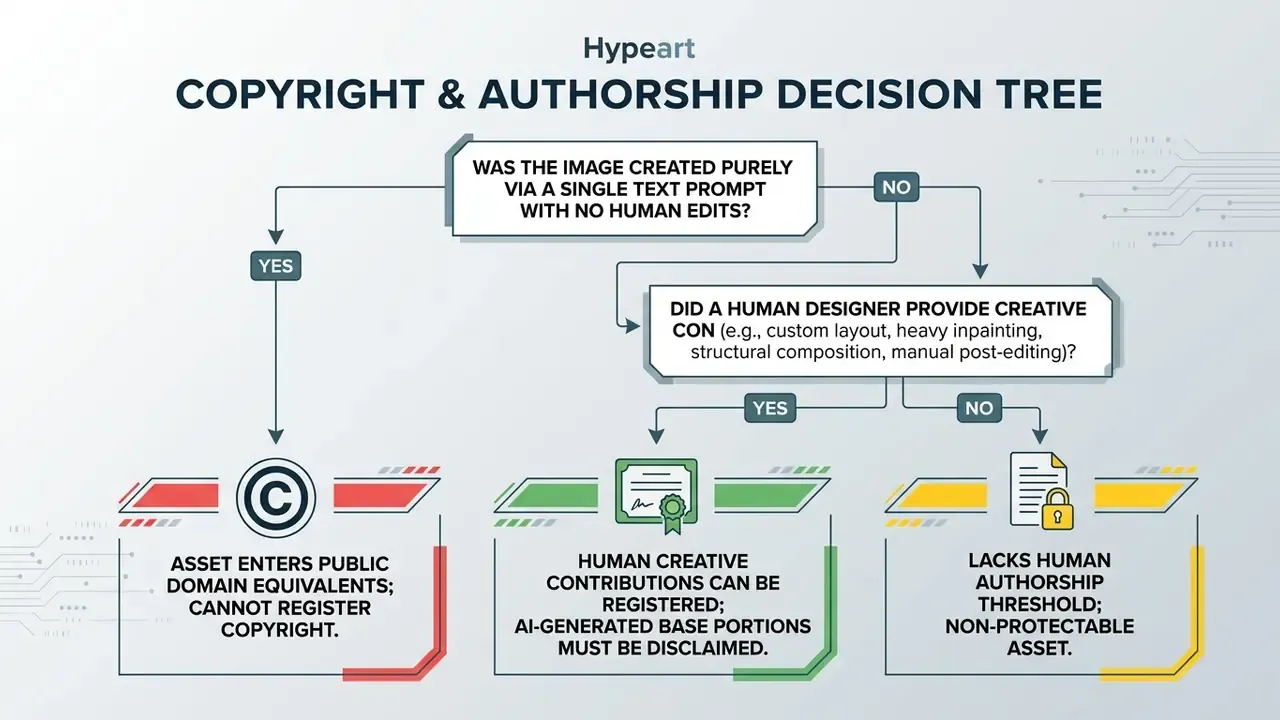
Training models on public domain data avoids copyright issues. Using copyrighted web data relies on fair use arguments that courts are still actively evaluating (SMU Science & Technology Law Review, 2023). The U.S. Copyright Office has stated it cannot prejudge litigation outcomes, and that some generative-AI training uses will qualify as fair use while others will not.
"Doctrinal analysis identifies substantial support in U.S. case law for treating the development and use of generative machine-learning models as fair use."
To reduce liability, enterprise platforms such as Adobe train models on licensed stock libraries, while other providers offer opt-out controls that keep customer data out of future model training. Vendor terms diverge here. OpenAI's terms state that users retain rights to inputs and own outputs, with training on some consumer data unless opted out and no training on enterprise data by default. Anthropic's commercial terms state that it may not train models on Customer Content. Teams that need to verify whether a specific visual has appeared elsewhere online can use AI reverse-image-search tools as part of pre-publication diligence.
Model Risk Management, Prompt Lineage, and Audit Trails
For banks, insurers, and other supervised institutions, a generative image tool is a model-adjacent system whose outputs reach customers. Even where a text-to-image generator is not a "model" in the narrow quantitative sense, examiners increasingly expect the governance hygiene that SR 11-7 established for model risk management: documented purpose, an identified owner, validated controls, and reproducible evidence.
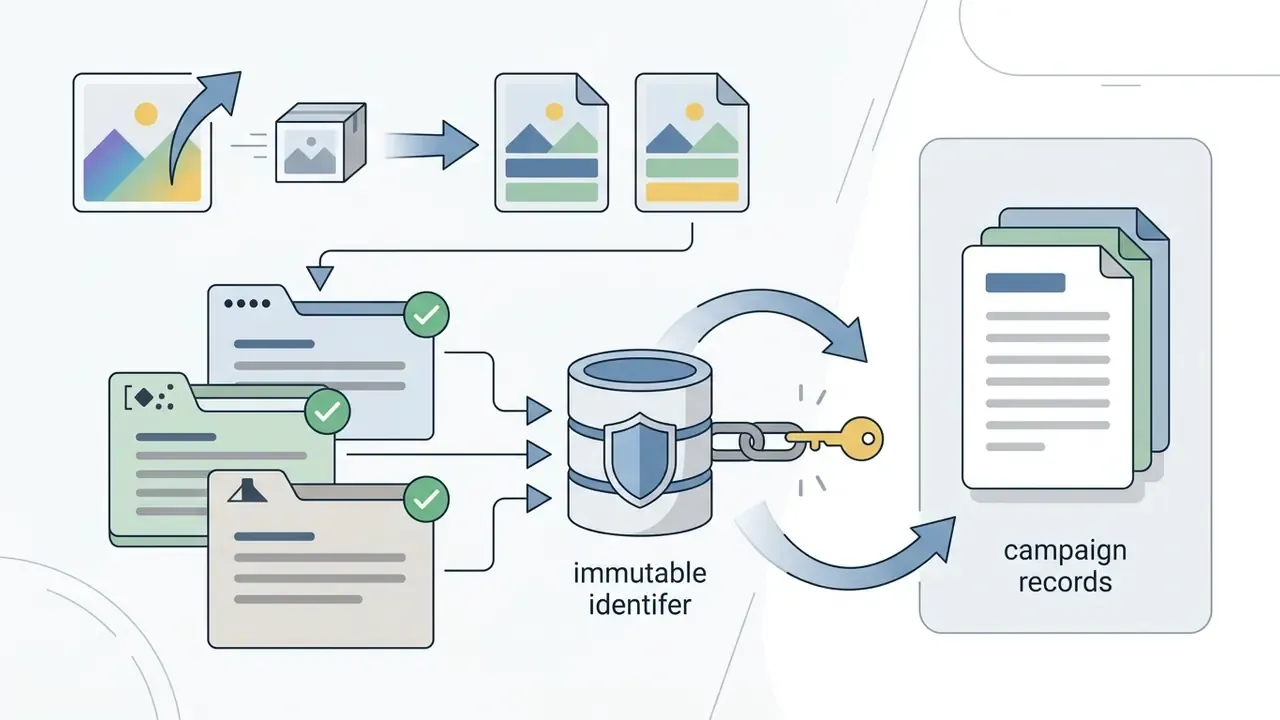
Minimum lineage record per published asset:
| Field | Example value | Why auditors want it |
|---|---|---|
| Operator identity | [email protected] | Accountability for content decisions |
| Timestamp (UTC) | 2026-03-11T14:22:07Z | Reconstructs the sequence of events |
| Platform and model version | Firefly Image 4 / build 2026.02 | Determines applicable license and terms |
| Prompt text (verbatim) | full string, unedited | Demonstrates intent and human direction |
| Negative prompt / constraints | no logos, no real persons | Evidence of brand-safety controls |
| Seed | 1187432901 | Enables exact regeneration |
| Guidance scale / steps | 7.5 / 30 | Reproducibility of parameters |
| Reference image hash | sha256:… | Proves which inputs were used |
| Edit log | generative fill: region A; upscale 2x | Documents human creative contribution |
| Provenance marker | C2PA Content Credentials / SynthID | Supports EU AI Act marking duties |
| Review approvals | brand ✓ / legal ✓ / compliance ✓ | Shows effective challenge and sign-off |
How to Create Images with an AI Image Generator App
Producing high-quality visual assets with an ai app to create images takes a structured workflow. A repeatable sequence turns rough ideas into polished, platform-ready graphics, and it also produces the audit record you will want later.
Write a Clear Text Description for Better Results
An effective text description skips vague adjectives and commits to concrete detail. Current model guidance recommends a consistent order: scene context, primary subject, framing, lighting, visual style, treating framing/viewpoint/angle and lighting/mood as distinct prompt fields (OpenAI image generation prompting guidance, 2026).
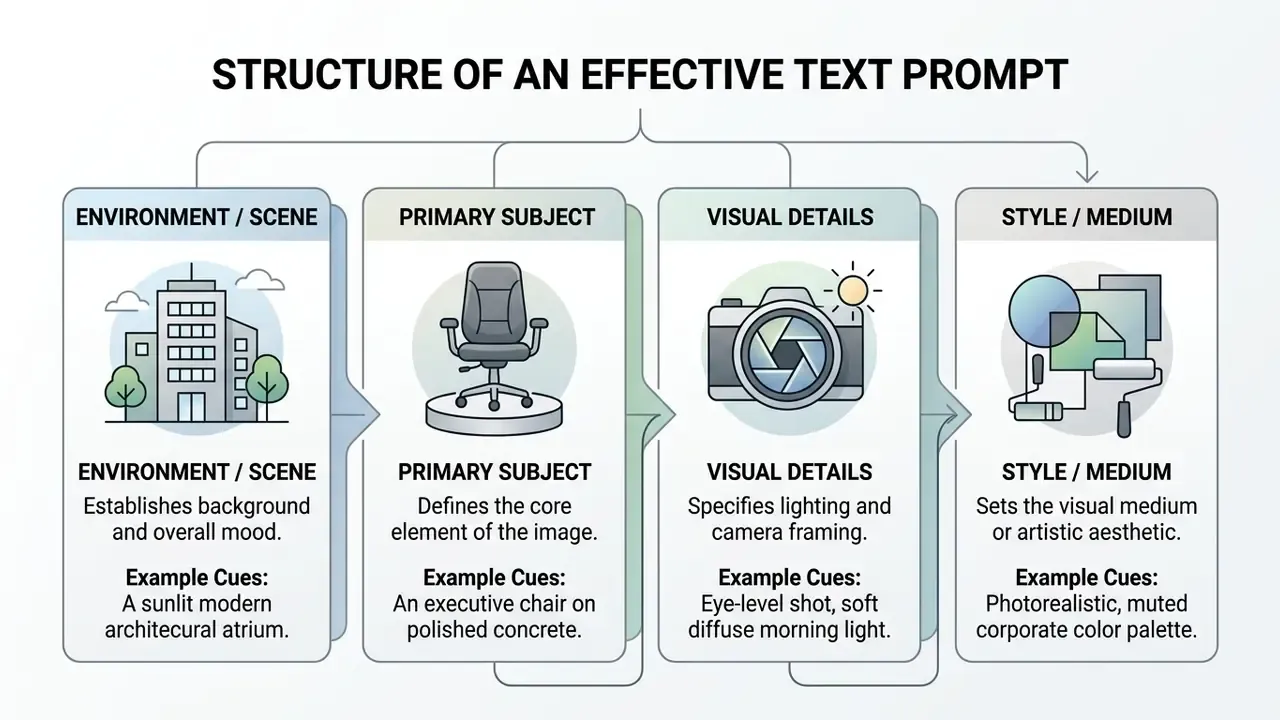
Prompt parameter audit checklist (use alongside the table above):
Checklist0 / 7
Avoid quality buzzwords such as "hyperrealistic" or "ultra HD." They add noise without structural guidance. Specify concrete visual elements instead: "f/2.8 depth of field," "soft natural side lighting," "minimalist vector illustration." Human-factors research presented at CHI 2022 reached the same conclusion from a usability angle. Subject and style keywords carry the signal, connective words do not, and sampling three to nine seeds is a reliable way to gauge prompt variability before committing to a direction.
Choose a Model, Style, and Aspect Ratio
Before generating, set parameters that match your publishing channel:
- Aspect ratiochoose
1:1for square social media posts,9:16for mobile stories or video covers,16:9for website banners,4:5for print and portrait social layouts. Platform documentation treats aspect ratio as an explicit generation parameter with presets such as 1:1, 3:4, 4:3, 16:9, and 9:16, and SDXL's multi-aspect training makes those ratios native rather than cropped (Podell et al., 2023). Website hero sections typically use16:9or21:9, LinkedIn link previews use1.91:1, and print destinations map to fixed ratios:2:3for 4×6,4:5for 8×10, roughly5:7for A4 at 300 DPI. - Model presetselect a generation model tuned for your output type, whether photorealism, digital illustration, vector design (Recraft-class), or maximum prompt precision (Flux Pro-class).
- Style controlsapply consistent style parameters (color palettes, camera angles, medium types) to keep generated images aligned with brand guidelines. Where the platform supports style or character references, lock them to an approved brand reference set rather than re-describing style in prose every time.
Generate Variations and Refine the Selected Image
Generative models return multiple options from one prompt. To select and refine the best candidate:
- Initial generationreview the first set of 3 to 4 variations to evaluate composition and subject arrangement.
- Iterative promptingif subject positioning is right but details are off, adjust single elements in the text prompt instead of rewriting the whole description.
- Seed selectionfix the seed value where the app supports it. That locks general composition while you tweak lighting or texture.
- Transfer to editingsend the strongest variation to an in-app ai photo editor for targeted touch-ups and final export.
"Analysis of user sessions shows a typical workflow of several iterations: idea formulation, prompt revision, style adjustment, and variation generation."
Contemporary refinement research formalizes this loop as a four-part cycle: generate, critique with a vision-language model, apply an image editor, verify against the original instruction, then repeat until the output satisfies the brief. The same closed-loop structure appears in agentic editing systems that evaluate an intermediate result and either replan or stop. For governed environments the implication is simple. Log each loop iteration, because the iteration history is the clearest evidence of human creative direction you will ever have.
Checklist for Image Creation and Export
- Account accesslog in to your free account or enterprise plan using a named corporate identity, never a shared credential.
- Prompt constructionwrite a structured text description specifying subject, scene, lighting, camera angle, and artistic medium.
- Parameter setupselect the target generation model, set the aspect ratio (
1:1,16:9,9:16), and choose style presets. - Initial batchrun the prompt to generate 3 to 4 visual options.
- Review and selectioncheck variations for subject accuracy, clear composition, and correct hand or object geometry.
- In-app touch-upsuse local editing tools such as generative fill or background removal to clean up minor artifacts.
- Compliance screeningconfirm no trademarks, protected characters, or recognizable real individuals appear, and confirm the plan permits commercial use.
- Exporting assetsdownload the final asset as PNG or high-resolution JPG, preserve provenance metadata, and archive the prompt parameters for audit tracking.
AI Image Editing Features That Improve Generated and Existing Images
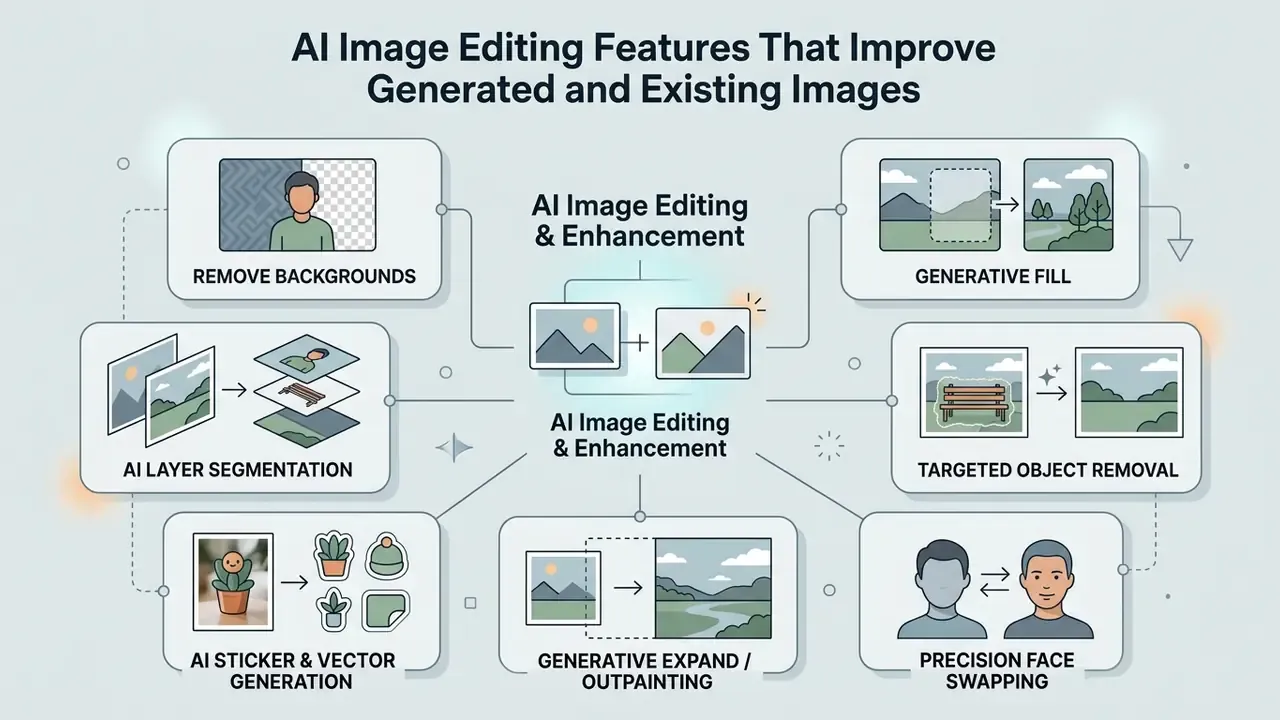
An ai photo editor does more than generate static pictures from scratch. It provides targeted tools to adjust and repair visual assets. Readers new to the category can review a full feature breakdown of online photo editors before committing to a platform. Modern applications let users modify both newly generated images and uploaded photos inside one workflow. Vendor documentation from Adobe, Google, and OpenAI all describes prompt-driven ai editing that accepts either an upload or a prior AI generation as input.
"The first comprehensive evaluation of text-guided editing models across four criteria (Alignment, Preservation, Perception, and Acceptability) found Imagic and Forgedit consistently leading."
Those four criteria make a useful procurement rubric on their own. An image editor that scores well on alignment (did it do what was asked) but poorly on preservation (did it damage everything else) will generate rework, not savings.
Remove Backgrounds, Replace Objects, and Use Generative Fill
Key editing features use neural masking to isolate and modify specific parts of an image:
- Remove background the application identifies foreground subjects and separates them from the background, producing a transparent cutout for marketing materials.
- Generative fill users select an area with a brush mask and type a short prompt to add, swap, or extend visual elements. The model blends new content into the scene by matching surrounding lighting, shadows, and perspective. Vendor guidance notes that expanding the selection slightly before generating usually improves blending quality.
- Targeted object removal content-aware algorithms delete unwanted elements (power lines, background crowds, clutter) and fill the missing pixels using context from the rest of the image. Classical content-aware fill replaces the region with surrounding pixels; generative fill synthesizes new content under text guidance.
- AI layer segmentation generative algorithms split individual subjects, foreground elements, and background planes into editable multi-layer assets such as PSD or layered SVG files, with no manual pen-tool masking.
- Precision face swapping identity-preserving networks transfer facial structure from a source image onto a target generation while keeping the target's lighting and angle consistent. This feature carries the highest compliance exposure in the entire editing stack. Under Article 50 of the EU AI Act, deepfake output requires explicit disclosure, and right-of-publicity law applies to recognizable individuals.
- AI sticker and vector generation creates isolated design graphics with automatic vector pathing and transparent PNG alpha channels straight from prompt inputs.
- Generative expand / outpainting extends the canvas in any direction with coherent continuation of the existing scene, which solves aspect-ratio mismatches without a re-shoot or a full re-generation.
"A simplified, training-free self-attention editing method outperforms prior approaches in stability and composition preservation across multiple datasets."
Academic inpainting literature describes the same pipeline that vendor tools hide behind a brush: build a mask of the missing area, propagate structure inward from the boundary, then synthesize color and texture to fill the hole. For projects that need to extend an image beyond its original canvas, team members can use an image extender ai tool to generate matching backgrounds while preserving the central composition.
Upscale, Sharpen, Restore, and Enhance Images
Turning draft graphics into publication-ready visual assets requires precise enhancement tools:
- Resolution upscaling AI upscalers increase pixel dimensions, moving assets from 1024x1024 up to 4K, by predicting fine surface detail rather than stretching pixels.
- Luminance sharpening advanced processing applies sharpening specifically to light-and-dark detail channels. Edges get crisper without color distortion. U.S. federal digitization guidelines (FADGI Technical Guidelines, 2023) specify that for color files, unsharp mask should be applied to luminosity only.
- Color space adjustments color balance and tone curves are calibrated inside wide-gamut color spaces such as Adobe RGB or Display P3, keeping profiles consistent across screens and print runs. The same digitization guidelines require conversion to a common wide-gamut working space and custom ICC profiles for tone and saturation accuracy.
Photo restoration and unblurring
- Unblur and sharpening
- algorithms estimate camera shake and motion vectors to restore focus on blurry subjects without over-processing fine detail.
- Noise reduction (de-noise)
- neural filters remove ISO grain and compression artifacts from low-light photography while preserving underlying surface texture.
- Scratch and artifact restoration
- inpainting architectures detect creases, tears, dust, and compression blemishes on legacy or damaged photos and rebuild the lost pixel data automatically.
- Colorization of archival images
- restoration pipelines add plausible color to faded or monochrome source material, useful for heritage and brand-history campaigns, provided the output is labeled as a reconstruction rather than an original record.
- One-click auto-enhance
- combined exposure, contrast, white balance, and clarity correction for high-volume batches where per-image manual grading is uneconomical.
Practical Uses for AI Image Generator Apps
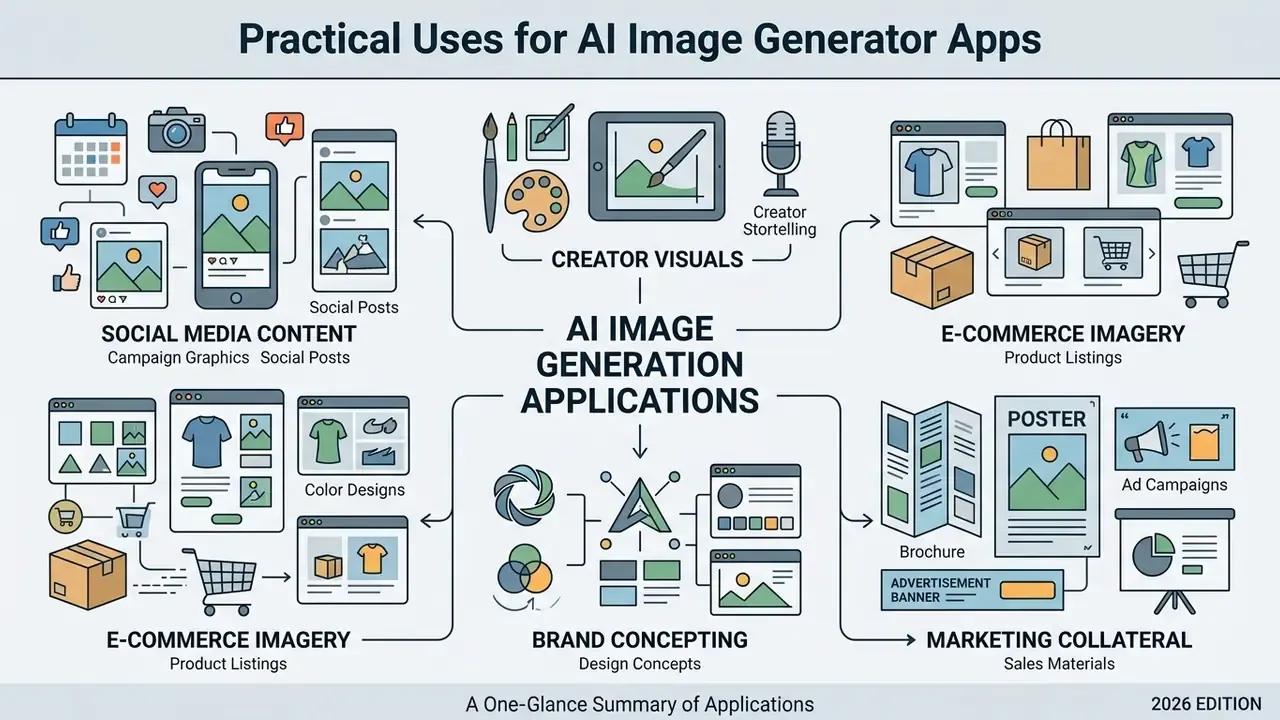
Organizations use an ai app to generate images across marketing, product design, content production, and corporate design. These tools speed up initial visual drafting and streamline graphic production. Documented 2024 to 2026 use patterns cluster around rapid ad-creative production, social-media visuals, product-photo editing for small and mid-size enterprises, brand-consistent campaign assets, and fast concept prototyping.
Product Images, Marketing Assets, and Graphic Design
In commercial graphic design and product marketing, teams use an ai app to create pictures to compress production cycles:
To see how generative tools fit into broader media creation, designers can compare options across asset editing workflows, including YouTube video editing workflows and video compression for delivery optimization.
Automated AI Image Workflows and API Integration
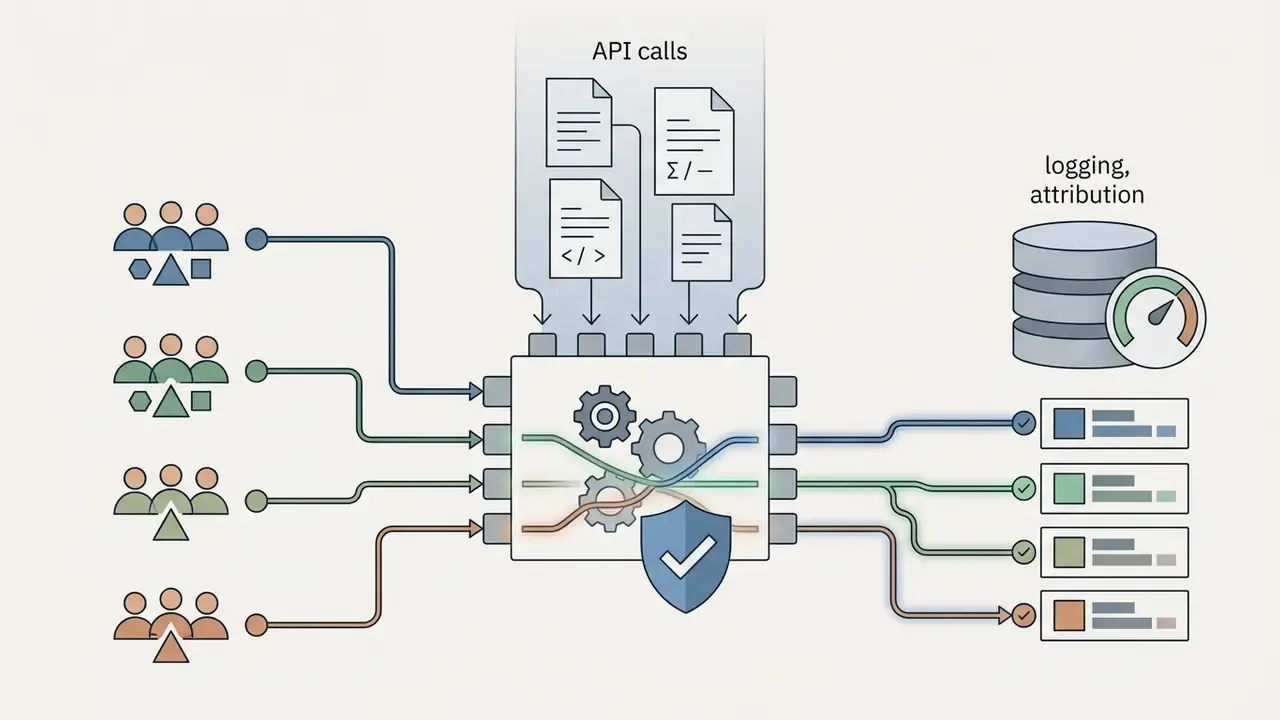
Modern enterprise asset creation connects image generator APIs straight into operational software. Instead of typing prompts into a browser, organizations deploy automated pipelines:
- CRM and e-commerce triggersautomatically generate personalized product mockups when a new SKU lands in Shopify, or produce a tailored visual when a lead completes a HubSpot form or a Google Form response arrives.
- Social media publishingconnect generative webhooks to schedulers such as Buffer or Hootsuite to convert blog RSS feeds into custom social cards instantly.
- Batch asset localizationpass localized strings from a translation management system into an image API to output multilingual ad banners at scale.
- Ticket and support enrichmentgenerate diagram-style explanatory visuals from structured support macros, so help-center articles ship with consistent imagery.
- Design-system compliance gateinsert an automated check between generation and publication that validates aspect ratio, color profile, watermark presence, and required provenance metadata before the asset reaches a CDN.
Reference automation pattern:
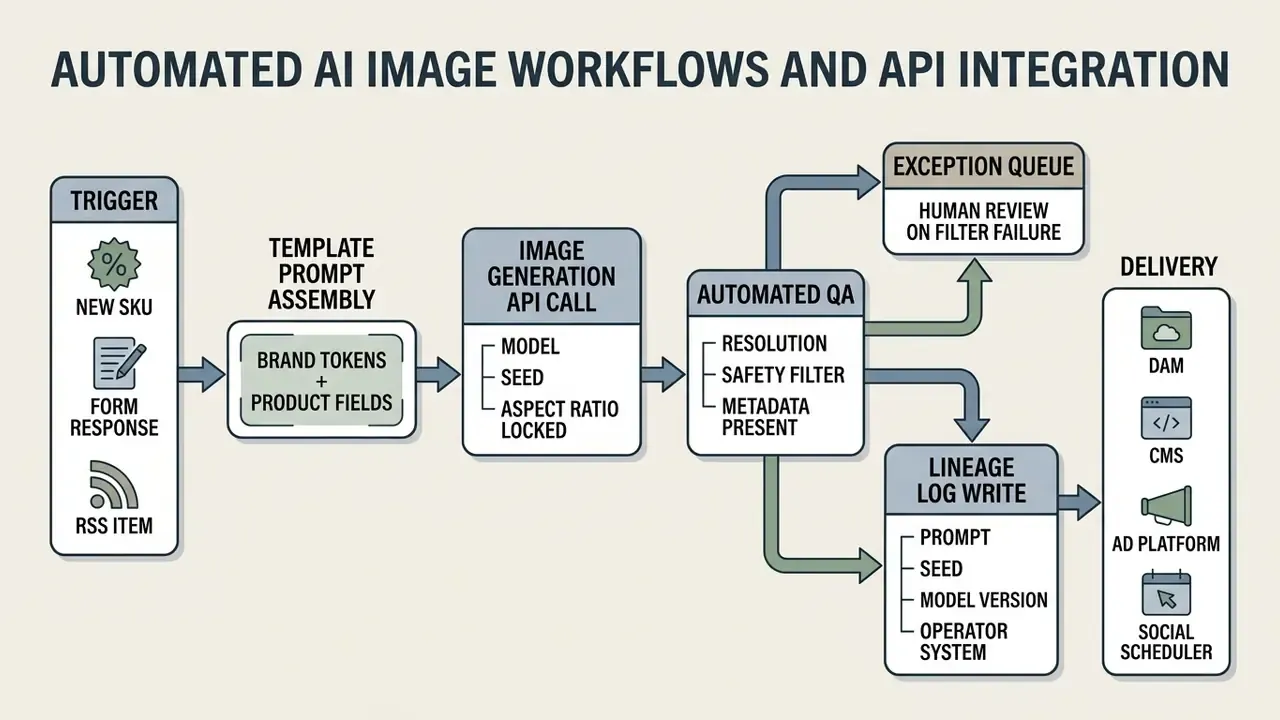
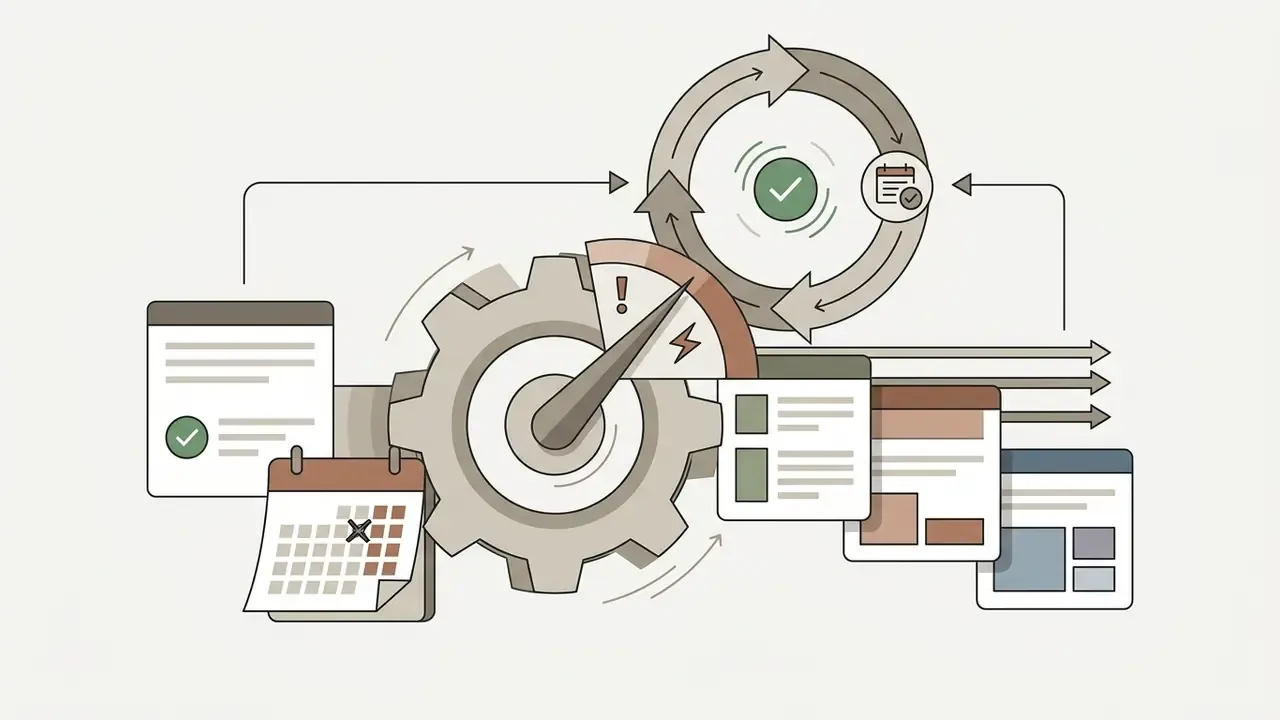
Two governance notes apply to any pipeline like this. First, automation multiplies volume, so one unreviewed prompt template can publish thousands of non-compliant assets before anyone notices. Template changes deserve the same review discipline as code changes. Second, automated pipelines must write lineage records synchronously. If logging is best-effort, the audit trail will be incomplete exactly where volume is highest, which is exactly where examiners look first.
FAQ: Frequently Asked Questions About AI Image Generator Apps
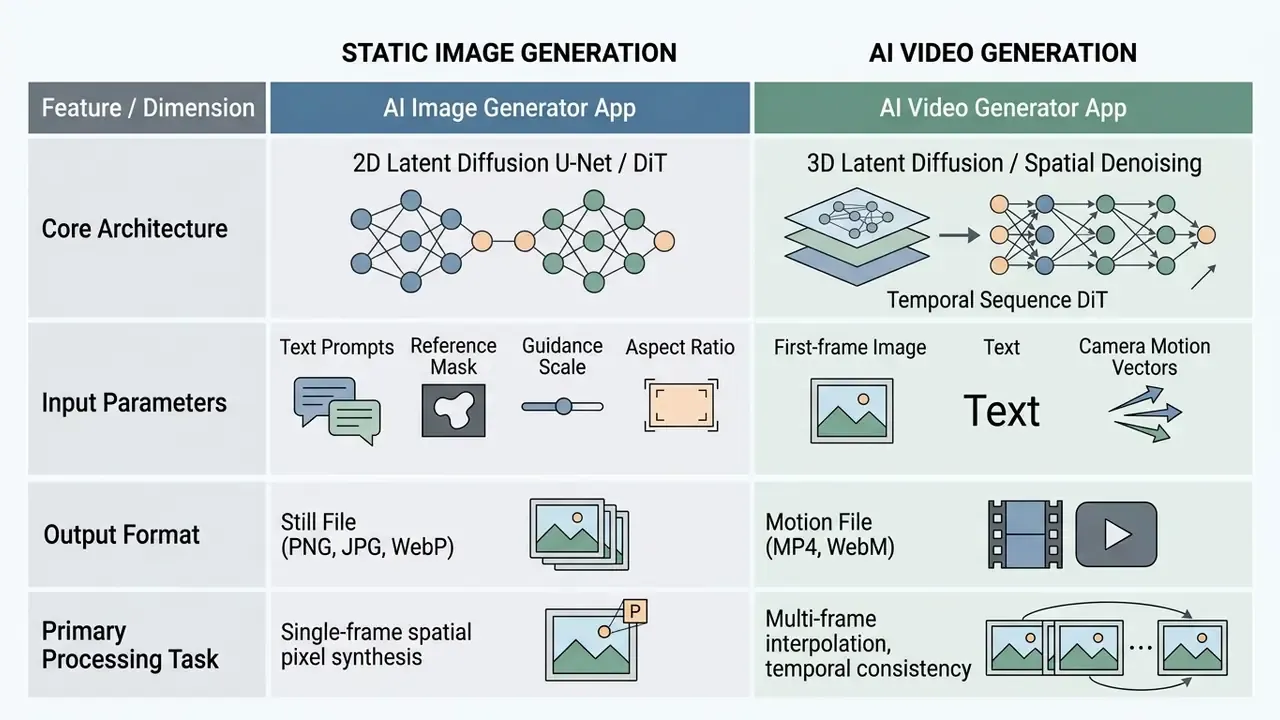
Can an AI Image Generator App Also Create AI Video?
Static image generation platforms and AI video generators rely on different, specialized architectures. An ai image generator app focuses on 2D spatial arrangement. A video generator must manage frame-by-frame motion, temporal continuity, and camera movement over time.
"Sora employs a DiT architecture with roughly 30 billion parameters and a 3D VAE to produce 1920×1080 video of 5 to 20 seconds, an order of magnitude beyond image generators in scale." - Wang et al., Survey of Video Diffusion Models: Foundations, Implementations, and Applications, arXiv preprint cs.CV (2025) Many platforms now connect the two workflows through an "image to video" pipeline. Users generate a high-resolution still to fix subject, composition, and lighting, then pass it into a video model (Google Veo, Kling AI, LTX Video, Vidu, Seedance, PixVerse, Adobe Firefly Video) as the starting frame. Vendor documentation describes the uploaded image as the first frame, anchoring composition, subject matter, lighting, and style; adding an optional end frame makes the system interpolate between the two. The video engine then animates the image from text motion prompts, adding movement while preserving the visual style of the original graphic. Teams evaluating this path can review Google Veo implementation details and API costs and compare free AI video generators by duration limits, credits, and watermarks. For specialized image analysis rather than video creation, dedicated image reader ai tools cover extraction and description tasks.
What Is the Difference Between an AI Image Generator and an AI Photo Editor?
An AI image generator synthesizes an entirely new image from a text prompt or reference input. An AI photo editor modifies an image that already exists: removing a background, filling a region, unblurring a subject, reducing noise, upscaling resolution. Most 2026 platforms ship both. The distinction still matters for three reasons. Editing an uploaded file transfers your data to the provider (a security question). Editing a licensed stock photo does not transfer that photo's license to you (a rights question). Editing a customer-supplied photograph may carry consent obligations (a privacy question).
Can AI Unblur or Restore a Damaged Picture?
Yes. Unblurring estimates motion and shake vectors to restore edge definition, while restoration pipelines detect scratches, tears, dust, and compression artifacts, then inpaint the missing pixel data. Results are strongest on moderate blur and localized damage, and weakest where the original file holds no recoverable signal. In those cases the model invents plausible detail instead of recovering true detail, which is precisely why forensic guidance treats enhanced output as non-authoritative.
Can I Regenerate Images If the First Result Is Wrong?
Yes. Standard practice is to generate three to four variations, fix the seed on the best composition, then adjust one element at a time. Free tiers meter regeneration through credits; paid plans add relaxed or unlimited generation modes. Since each regeneration consumes both cost and review time, the iteration count per accepted asset is the most influential variable in the TCO formula above.
Do AI Image Generator Apps Work on Mobile Devices?
Most major platforms are fully usable in mobile and tablet browsers, and several ship native apps. The functional gaps on mobile are precision masking, layered export, and high-resolution upscaling, which remain desktop-strength features. In governed environments, mobile access should still route through managed identity and an approved-tool allowlist rather than personal app-store installs.
Which AI App Can Generate Images With Text Inside Them?
Legible embedded text is the classic failure mode of diffusion models. As of 2026, autoregressive and hybrid systems (gpt-image-2 class), Flux Pro, and Recraft V4 render short headlines most reliably, and Recraft's vector output lets you replace generated glyphs with real type. For any regulated disclosure, disclaimer, rate, or fee, do not trust generated text at all. Generate the artwork, then set the copy in a design tool where legal can review the exact characters. For teams comparing visual tooling, an image fx ai system guide clarifies specific prompt features, while an image to ai tool guide explains reference-guided generation in more depth. Teams tracking legal exposure can browse the hub for developments in generative media litigation.
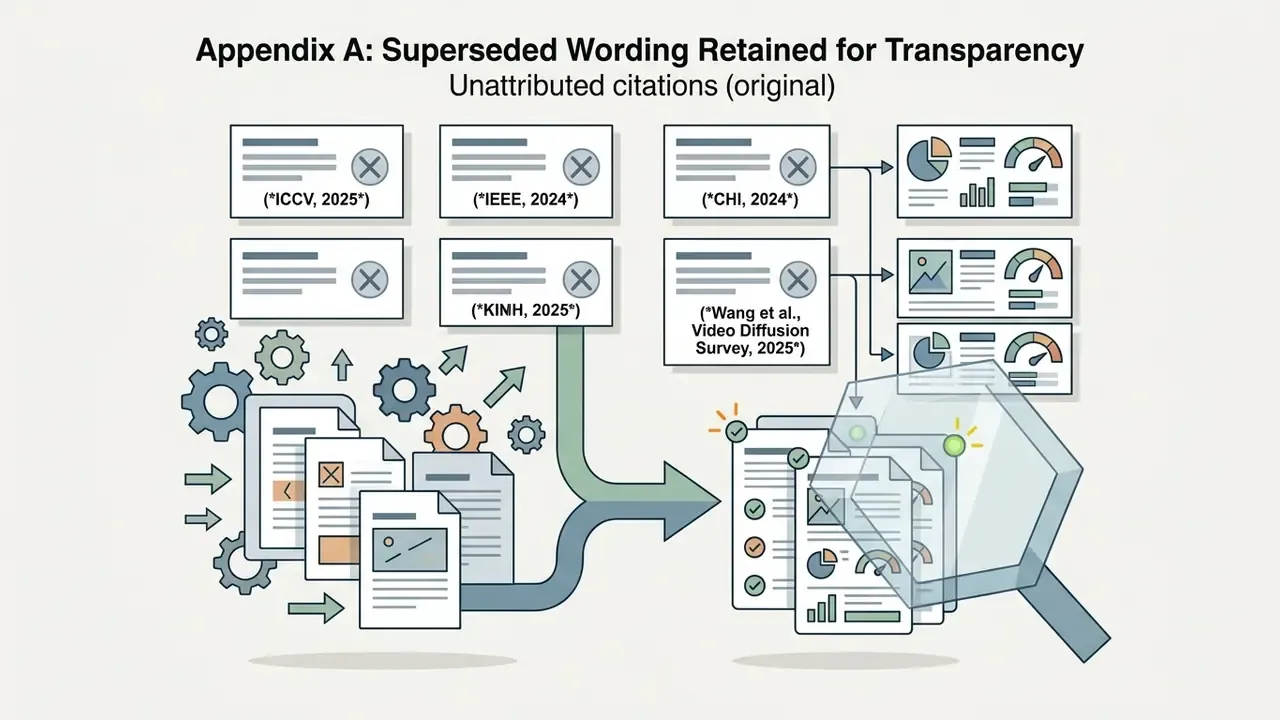
Appendix A: Superseded Wording Retained for Transparency
These earlier formulations were revised in the main text for precision. They are preserved so readers can see exactly what changed and why.
A safe next step, if you need one: inventory the image generation tools already in use across marketing and design, then map each to a plan tier, a retention clause, and an owner. You can open the hub for platform-specific licensing guides while you build that list.
Social Media Content, AI Art, and Creator Visuals
Content creators use an ai app that creates images to produce channel-specific assets quickly:
1:1for feed posts,9:16for mobile stories) to hold a consistent theme across channels. A documented workflow generates several prompt variants, selects one, upscales it, then adds quote text in a manual editing pass.Adjacent production tooling matters here too, since campaigns rarely ship as a single still: animation makers and AI voice generators cover the multi-format side of the same brief.