Generative artificial intelligence has crossed a line that matters commercially: synthetic images now sit comfortably next to camera photography. Modern diffusion and transformer architectures build high-resolution visual assets from a few lines of text. For enterprise decision-makers and content teams, evaluating a realistic ai image generator means looking at four things at once: model capability, risk controls, optical mechanics, and commercial licensing terms.
And yes, those four rarely arrive in the same vendor datasheet.
Executive Summary for Risk, Compliance, and Content Leaders
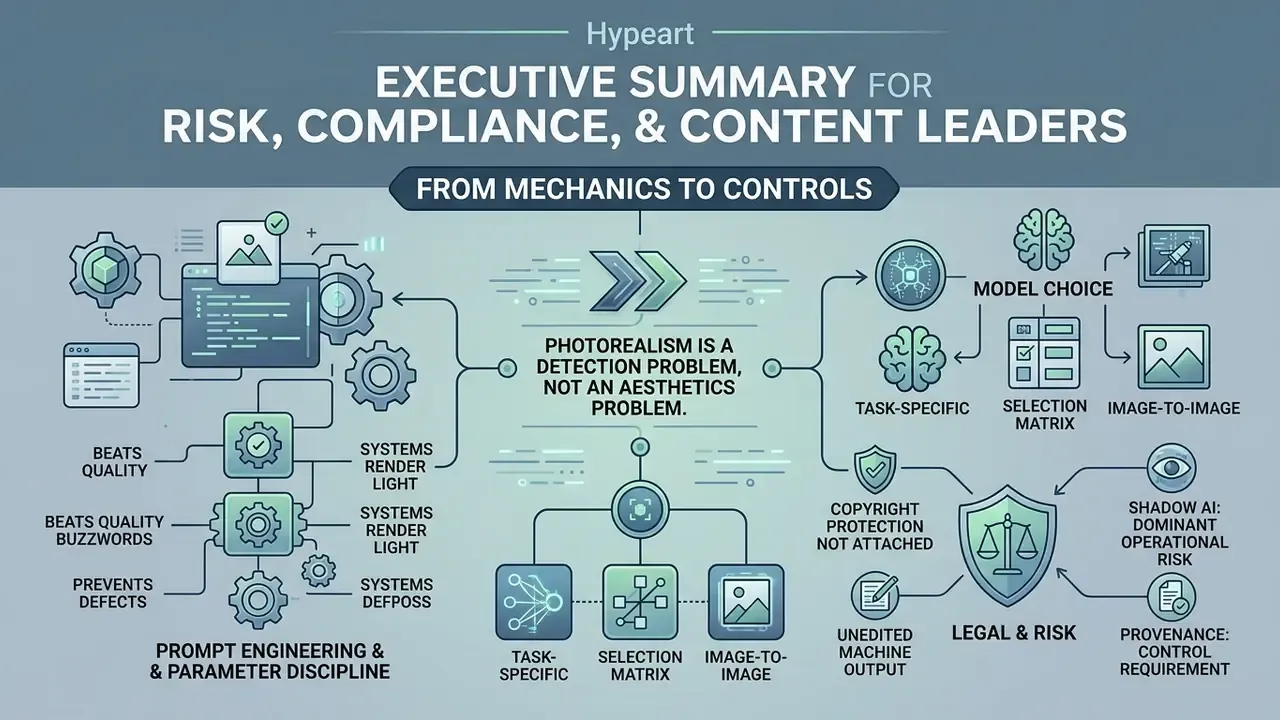
- Photorealism is now a detection problem, not an aesthetics problem. Large-scale human evaluation studies place average detection accuracy for advanced diffusion output between 62% and 75%. In ordinary viewing conditions, synthetic imagery routinely reads as photography.
- Prompt engineering beats quality buzzwords. Specifying lens focal length, aperture, lighting direction, color temperature, and material texture produces measurably more believable output than words such as "hyperrealistic," "masterpiece," or "8K."
- Parameter discipline prevents defects. Classifier-free guidance between 5.0 and 7.5, roughly 50 sampling steps, native aspect ratios, and denoising strength of 0.30 to 0.55 for image-to-image work remove most warping, clipping, and plastic-skin artifacts.
- Model choice is task-specific. Text rendering, skin microtexture, reflective materials, and rapid ideation are each best served by different generative backbones (see the Enterprise Model Selection Matrix below).
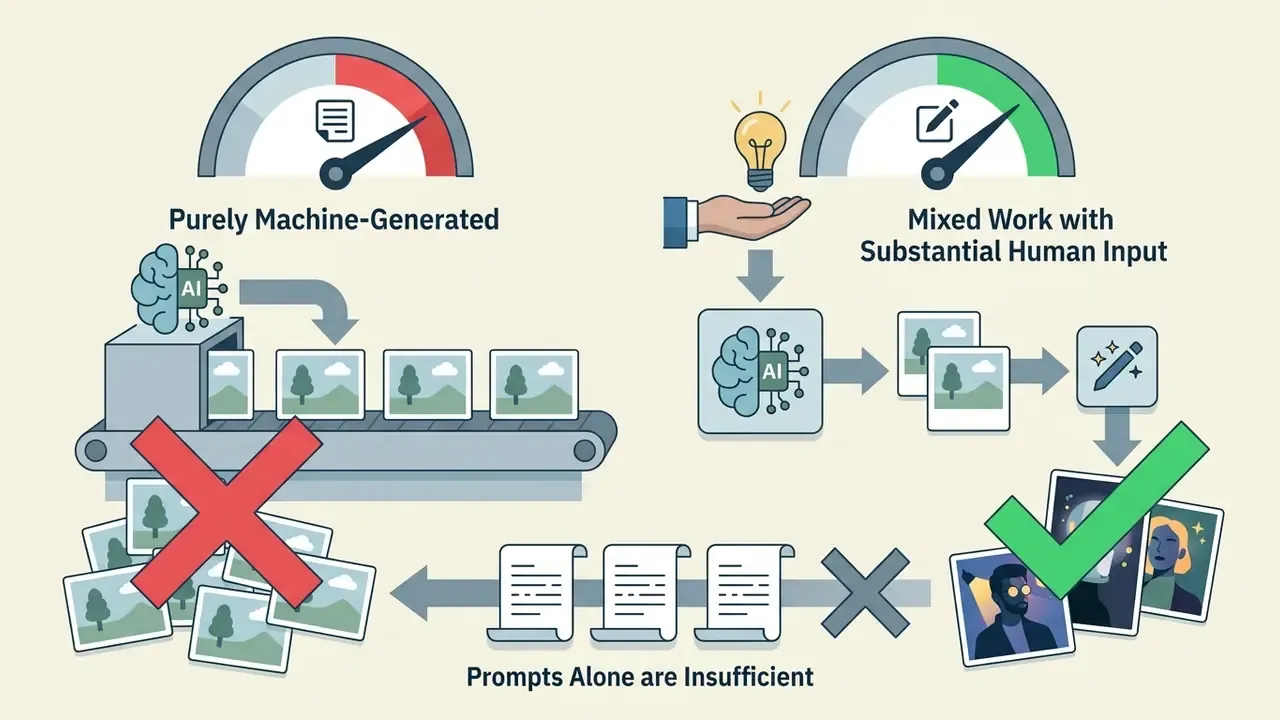
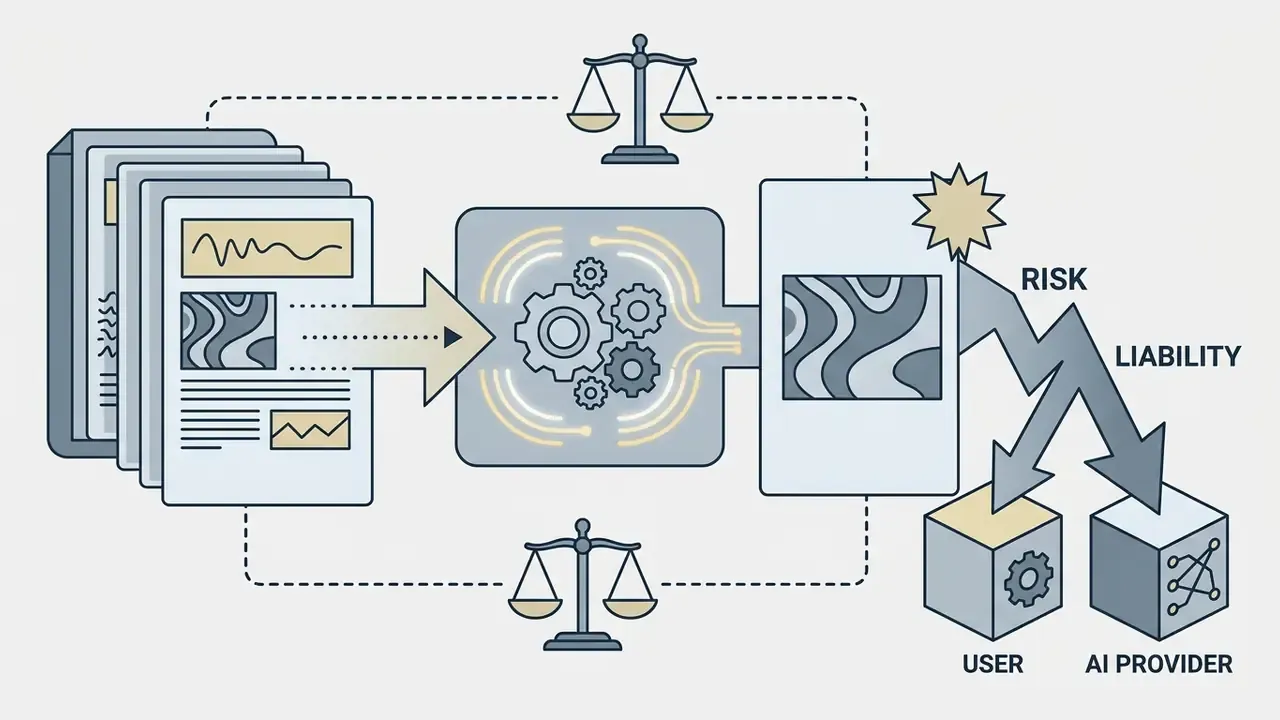
- Copyright protection does not attach to unedited machine output. The U.S. Copyright Office maintains that purely machine-generated visuals without substantial human creative input cannot be registered, while infringement, right-of-publicity, and advertising-truthfulness liability still apply.
- Provenance is now a control requirement. C2PA Content Credentials, SynthID-class watermarking, prompt logging, human-in-the-loop sign-off, and model-inventory registration are the baseline governance artifacts for regulated organizations through 2026.
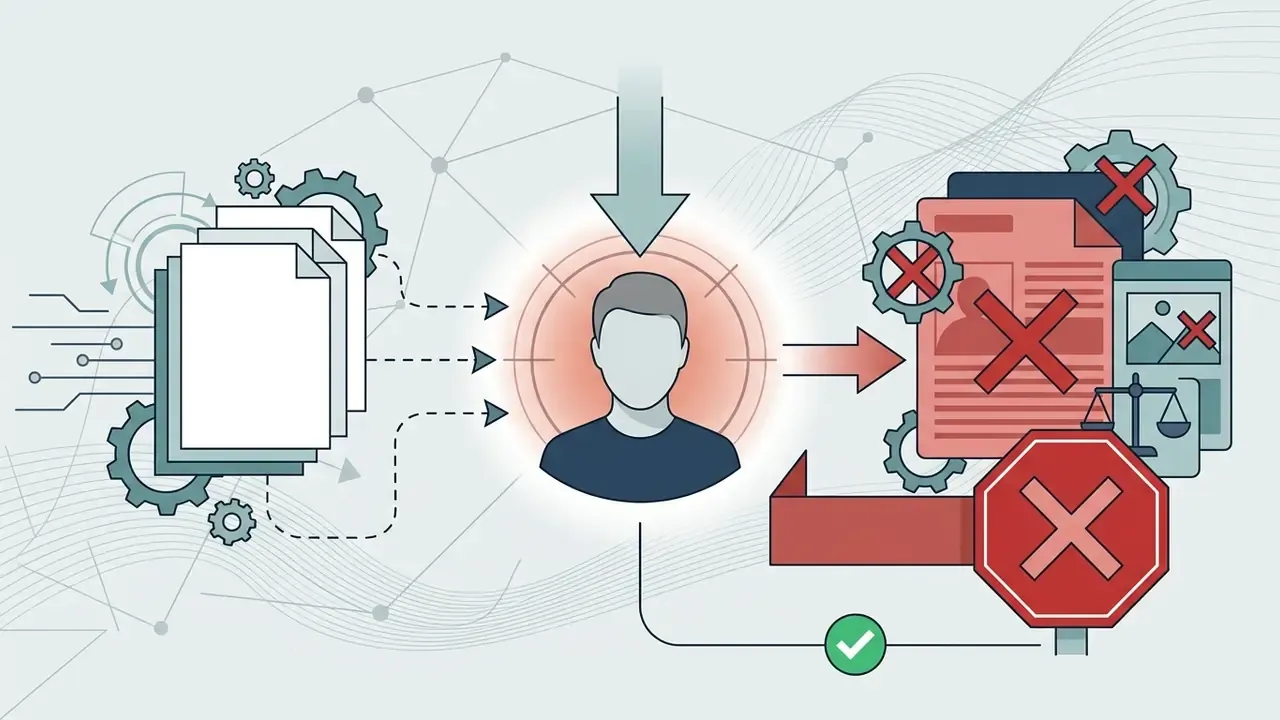
- Shadow AI is the dominant operational risk. Public consumer generators frequently log inputs for training, so regulated teams need sanctioned, no-training-on-input tenancy with documented data-handling terms.
This guide moves from mechanics to controls in that order: how these systems actually render light, what settings govern realism, how to repair defects, how to pick a backbone, and what a bank or insurer has to document before a single generated asset ships to a customer.
What Is a Realistic AI Image Generator?
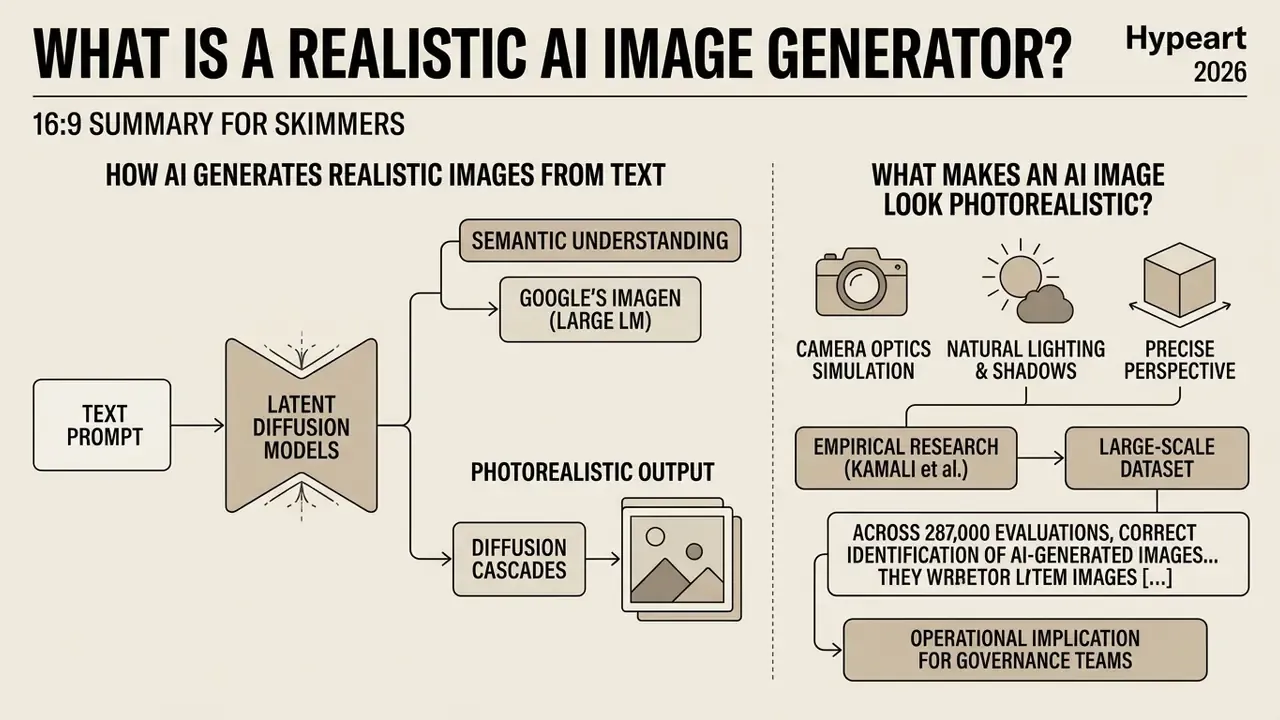
A realistic ai image generator is an artificial intelligence system engineered to synthesize digital images that replicate camera optics, natural lighting, precise perspective, and physical scene geometry. Unlike a conventional ai art generator realistic enough only for stylized graphics or obvious digital art, a photorealistic engine minimizes visual artifacts to make human discrimination as hard as possible.
According to empirical research by Kamali et al. (2025), photorealism in synthetic media is measured by human discrimination performance rather than by subjective beauty scores. Their study of more than 700,000 evaluations showed that human detection accuracy for advanced diffusion images averages around 75%, while complex natural scenes frequently drop closer to chance.
«In a study of 749,828 evaluations, average accuracy in identifying AI-generated images was roughly 75%, and complex scenes approached chance-level guessing.»
A second large-scale dataset reinforces the same conclusion under casual, non-laboratory viewing, which is much closer to how customers actually consume marketing imagery:
For governance teams the operational implication is blunt. You cannot rely on audience skepticism as a control. If ai generated photos realistic enough to fool three viewers in eight slip past people who are actively hunting for artifacts, then disclosure and provenance metadata become your only dependable transparency mechanisms.
How AI Generates Realistic Images From Text
Modern text-to-image systems convert a text prompt into photorealistic output using latent diffusion models and multimodal transformer architectures. A frozen text encoder maps the text into semantic embeddings, and those embeddings steer the iterative denoising of Gaussian noise inside a compressed latent space.
Systems such as Google's Imagen pair large language models with diffusion cascades so that semantic comprehension happens before fine detail is rendered. The Imagen pipeline uses a frozen text encoder to produce embeddings, generates a 64×64 base image through conditional diffusion, then applies two text-conditional super-resolution stages to reach 256×256 and 1024×1024.
«Scaling the frozen T5 text encoder improved FID and text-image alignment more than scaling the diffusion backbone itself.»
That finding deserves emphasis, because it inverts the usual instinct. Language-model capacity, not raw pixel-model size, is the primary lever on prompt adherence. Architecturally, 2026 systems have also shifted from U-Net latent diffusion toward Diffusion Transformer (DiT) blocks, which use transformer attention for scalability and global scene context. VAE, GAN, normalizing-flow, and autoregressive lineages are still documented in current surveys, and a few remain useful for narrow tasks.
By separating text interpretation from pixel synthesis, an ai generator image realistic pipeline turns awkward natural-language instructions into coherent visual scenes. Readers who want a category-level overview of tooling can compare specific AI image generators before committing to a stack. Teams that prefer conversational generation often test a chat ai image workflow first, mostly to gauge how quickly a model understands a messy brief.
What Makes an AI Image Look Photorealistic
Photorealism demands physically plausible light behavior, natural skin microtexture, accurate depth of field, and believable geometry. When shadow falloff, lens distortion, and dynamic range match real camera mechanics, observers struggle to separate synthetic frames from authentic photography.
Research from the Visual Verity framework points somewhere unexpected: AI models frequently win on raw aesthetic sharpness and saturation, while camera photographs still score higher on perceived photorealism. So much for "more vivid equals more real."
«Camera-captured photographs consistently received higher photorealism ratings than AI images, despite scoring lower on saturation and brightness metrics.»
The practical takeaway is counter-intuitive but reliable. Over-saturated tones, uniform smoothing, and flawless symmetry are the strongest tells of synthetic origin. Achieving genuinely photorealistic images therefore requires deliberately re-introducing imperfection: pore structure, wrinkles, stray hair, fabric creases, surface wear, minor asymmetry, and lens-consistent focus roll-off.
The physical baseline behind these cues is well documented in classical imaging science. Depth of field is a geometric lens property set by f-number, magnification, and circle of confusion. Dynamic range is bounded by sensor behavior, which is why real photographs hold detail across bright and dark regions without clipping (National Institute of Standards and Technology, Digital Image Quality and computational photography materials). A synthetic frame that violates those relationships reads as a render even when every individual texture looks convincing.
Four evaluation criteria recur across the literature when people separate photography from generated art: process of creation, visual texture, iconography, and intended use. For photorealism specifically, texture fidelity, capture-like appearance, and credible content carry the most weight. Image quality scores alone will mislead you.
What Controls the Quality of Realistic AI Images?
Troubleshooting Common AI Photorealism Artifacts
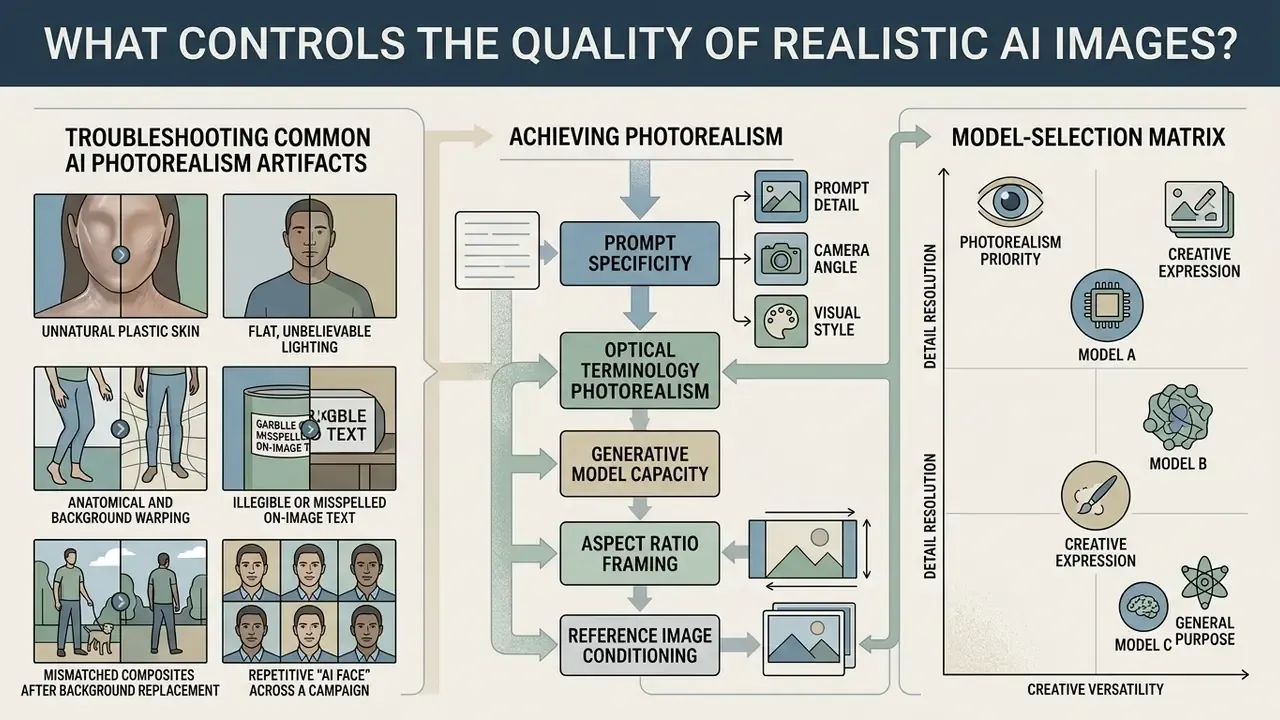
When output looks synthetic or plainly uncanny, specific input errors are usually to blame rather than model incapacity. Use this diagnostic matrix to fix defects without throwing away a strong composition.
- Unnatural plastic skin
- Cause: Over-reliance on generic quality buzzwords such as "hyperrealistic," "ultra-detailed," "masterpiece," or "4K HD," which drag the model toward retouched stock and illustration training data.
- Fix: Delete the buzzwords. Prompt explicitly for micro-detail:
"natural skin pores, subtle freckles, fine wrinkles near the eyes, unpolished surface texture, 85mm portrait lens at f/2.0."
- Flat, unbelievable lighting
- Cause: Omitting the light source, so the diffusion model defaults to ambient fill and flattens shadow structure.
- Fix: Define direction, quality, and color temperature:
"hard afternoon sunlight from a 45-degree angle, sharp directional shadows, 5500K daylight, 3:1 key-to-fill ratio."
- Anatomical and background warping
- Cause: Classifier-free guidance set too high (above 9.0), extreme aspect ratios beyond 3:1, or too few sampling steps for the chosen sampler.
- Fix: Lower guidance to 5.0 to 7.5, generate at native 1:1, 4:5, or 16:9, raise sampling steps toward 50, then isolate residual flaws with masked inpainting instead of full regeneration.
- Illegible or misspelled on-image text
- Cause: A backbone weak at typography, or text described rather than quoted.
- Fix: Put the exact string in double quotes, name the font class (serif, geometric sans, bold condensed), and switch to a text-competent model such as GPT Image 2 or a Nano Banana class engine.
- Mismatched composites after background replacement
- Cause: New background lighting direction conflicts with the retained subject's original shadows.
- Fix: Describe the light direction of the new scene so it matches the subject, then apply diffusion relighting across the seam rather than swapping only the backdrop.
- Repetitive "AI face" across a campaign
- Cause: Prompt-only generation without reference conditioning, plus default seeds.
- Fix: Introduce an identity reference through IP-Adapter, vary seeds deliberately, and describe age, build, and grooming details explicitly.
Change one variable per iteration. Adjust wording, guidance scale, and aspect ratio at the same time and you will never know which edit helped, and you will not reproduce the result next quarter.
Prompt Detail, Camera Angle, and Visual Style
Detailed prompts that name camera angle, lens focal length, lighting setup, and environmental context yield noticeably higher realism. Precise photographic language pushes the diffusion model toward camera-captured training data instead of artistic illustration.
Swap "ultra-detailed photo" for "35mm lens, f/2.8 aperture, soft key lighting, 3:1 fill ratio, natural skin microtexture" and the ai generator photo realistic result becomes far more grounded. Same model. Different vocabulary.
«In paired evaluations of 1,000 images, GLIDE with classifier-free guidance was chosen as more photorealistic in 87% of comparisons against DALL-E.»
A working vocabulary of photographic operators, drawn from standard photography instruction, belongs in a shared prompt library:
- Camera angle high angle, low angle, straight-on, eye-level, three-quarter, overhead flat lay.
- Focal length wide-angle below 35mm (environmental context, mild distortion), normal 35 to 50mm (documentary neutrality), telephoto 75 to 250mm and above (compressed space, isolated subject).
- Aperture f/1.4 to f/2.0 for shallow portrait separation, f/4 to f/5.6 for product clarity, f/8 to f/11 for architectural depth.
- Lighting front lighting, side lighting, rim light, key light, fill light, softbox, overcast diffusion, golden hour, volumetric haze, with 3:1 as the standard color-photography key-to-fill ratio.
- Material language brushed aluminium, distressed leather, translucent silk, condensation on glass, woven linen, matte ceramic.
Teams evaluating dedicated tools can examine copilot ai image generator features to compare how enterprise suites handle long, parameter-heavy prompts.
AI Models, Style Presets, and Aspect Ratio
Generative architectures, style presets, and target aspect ratios set the structural framing and the ceiling on rendering fidelity. Choosing an ai generator realistic enough for optical work means choosing a model tuned for photography rather than for art styles, so the system respects natural perspective constraints.
OpenAI documentation lists standard output configurations such as 1024×1024, 1536×1024, and 1024×1536, and notes that ratios beyond 3:1 on either edge are unsupported for reliable output (OpenAI GPT Image Generation Models Prompting Guide, 2026). Setting the right ratio before inference prevents unwanted cropping and subject distortion. Style presets are not cosmetic filters either: they bias composition, color grading, and material rendering, which is why a "filmic" preset and a "product" preset interpret the same prompt very differently.
Vendor constraints differ by platform. Luma's agent documentation exposes ratio presets from 3:1 through 1:3 and infers a ratio from the prompt when none is given, while Midjourney sets frame shape through the --ar parameter and applies a trained aesthetic bias toward artistic color and form. Treat the aspect ratio as a composition control chosen before generation, never as an export-time crop. That single habit removes a surprising share of "the model cut off my product" tickets.
Using Reference Images for Consistent Results
Reference images supply structural, facial, or brand guidance through adapter modules such as ControlNet and IP-Adapter, without full model retraining. IP-Adapter encodes the reference with an image encoder, projects it into the diffusion latent space, and injects it through decoupled cross-attention, so the system holds subject identity while text still governs the scene. ControlNet contributes spatial conditioning (pose, depth, edges, segmentation), and the two are often combined for identity plus structure.
Passing visual references into cross-attention layers keeps subject identity stable across dozens of marketing assets. Platform limits matter here. Luma accepts up to nine reference images per generation, and research shows that naively averaging many reference embeddings can reduce consistency instead of improving it.
«Story-Adapter improved semantic consistency by 3.4% on aCCS and by 8.14 points on aFID versus prior methods across long sequences.»
Campaign-scale work is judged on drift across a set, not on a single hero frame, which is why quantified consistency results matter more than a nice demo. Organizations building tailored pipelines can explore a custom ai image strategy for brand-aligned output, and teams producing people-based assets should review AI headshot generator workflows for identity-consistency controls, especially where an ai portrait will appear in external communications.
How to Generate Realistic AI Images Step by Step
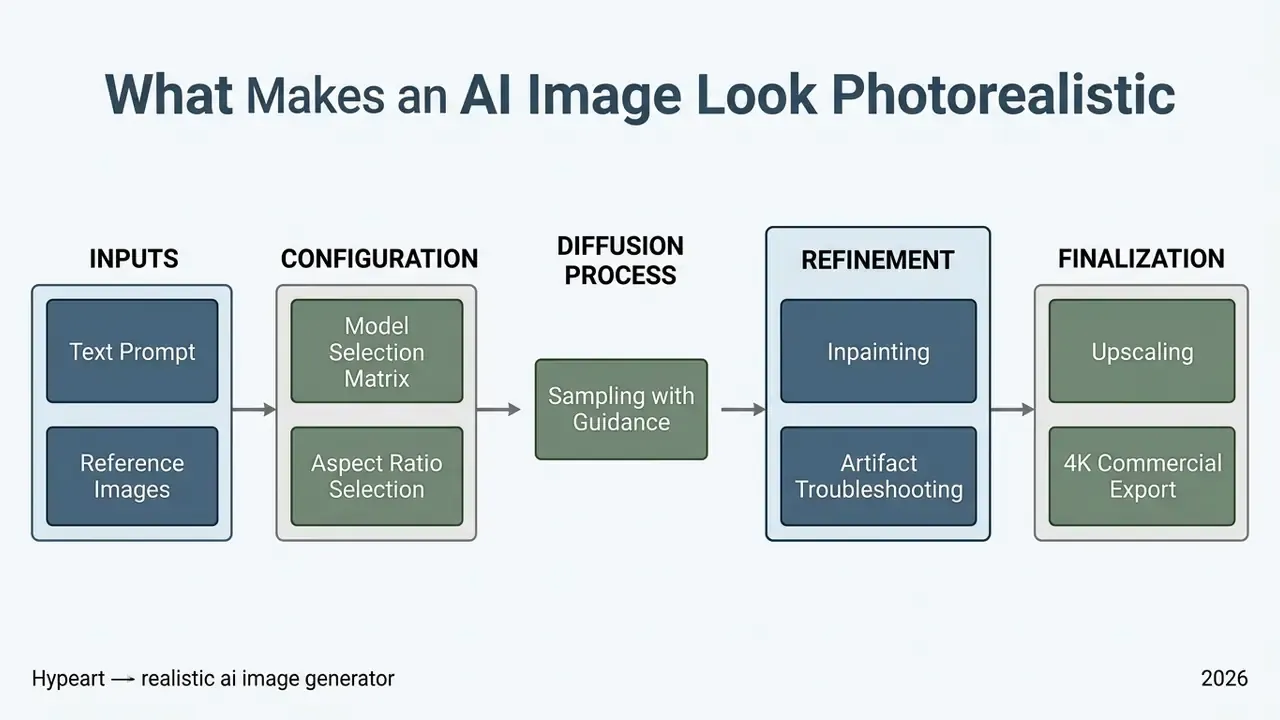
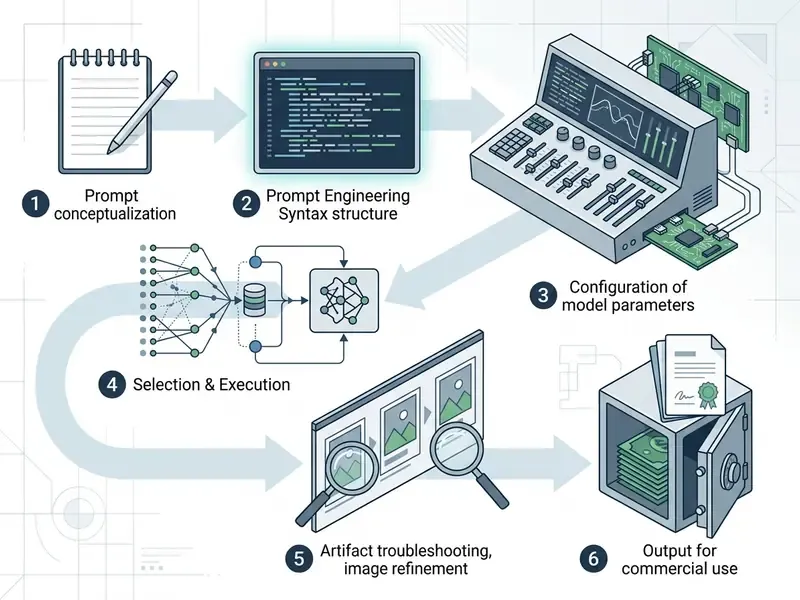
To ai generate image realistic enough for paid placement, follow a structured six-step workflow: define the scene, configure generation parameters, attach references, run diffusion sampling, refine localized flaws, then upscale. A standardized procedure is what makes visual quality reproducible across campaigns rather than lucky.
- Formulate a structured text prompt.Describe the primary subject, camera position, lens characteristics, lighting setup, and physical context in photographic terms. Order the elements deliberately: background and scene, subject, key details, then constraints.
- Configure model parameters and aspect ratio.Select an ai image generator realistic backbone, set guidance between 5.0 and 7.5, choose roughly 50 sampling steps, and fix canvas dimensions before inference.
- Attach reference conditioning.Upload references for pose, structural layout, or visual style through ControlNet or IP-Adapter where available. Label each reference by index and purpose ("image 1: lighting reference; image 2: product geometry").
- Execute initial batch generation.Produce three to five variations so you can compare composition, lighting behavior, and anatomy before investing editing time.
- Refine local imperfections via inpainting.Mask minor flaws such as stray hair, warped hardware, or background artifacts, then regenerate only those pixel regions. Re-mask smaller areas for point correction when the first pass is imprecise.
- Upscale and export the final asset.Apply a diffusion-based or agentic upscaler to the chosen finalist only, expand to 4K without sanding off surface microtexture, then correct exposure, contrast, and white balance.
Write a Detailed Prompt for a Realistic Photo
An effective prompt orders visual elements logically: primary subject and pose, camera optics and angle, lighting setup, environment, then subtle realism cues. Structuring the ai image prompt sequentially prevents semantic overlap in the text encoder, which is a common cause of muddled scenes.
A proven template runs [Subject and Pose] + [Camera and Lens] + [Lighting Setup] + [Environment] + [Texture and Imperfections]. For example: "A portrait of a male executive in a neutral office setting, shot on 85mm lens, f/1.8 aperture, natural window daylight, subtle skin pores and authentic fabric textures."
Ready-to-Use Photorealistic Prompt Blueprints
To create stunning results on the first or second attempt, apply these field-tested structures for specific commercial cases. Each blueprint names the subject, the light, and the capture method instead of stacking adjectives.
E-commerce product shot:
"A matte green glass skincare bottle on a smooth wet slate surface, single water droplet rolling down the glass, directional softbox lighting from camera right, sharp focus, shot on 100mm macro lens, f/4 aperture, realistic material reflections and accurate specular highlights."Architectural and interior design:
"A modern minimalist living room with raw concrete walls, warm hidden LED floor lighting mixing with cold early morning sunlight through floor-to-ceiling windows, shot on 24mm wide-angle lens, f/8 aperture, architectural photography framing, natural material textures, slight dust visible in the light shaft."Commercial lifestyle visual:
"A software engineer working at a wooden standing desk in a sunlit loft office, candid moment mid-gesture, natural window daylight from camera left, shot on 50mm prime lens, f/2.0 shallow depth of field, subtle background motion blur, visible fabric weave on clothing."Corporate and regulated-sector environment (no identifiable faces):
"An empty modern boardroom with a long walnut table and city skyline beyond the glass, overcast diffused daylight, no people in frame, shot on 35mm lens, f/5.6, neutral white balance, faint reflections on the table surface, documentary framing."Editorial portrait:
"A woman in her early forties with natural makeup seated beside a north-facing window, soft overcast daylight from camera left, 85mm at f/2.0, shallow focus, visible skin texture and a few flyaway hairs, calm editorial mood."Food and hospitality:
"A ceramic bowl of ramen on a worn oak counter, steam rising, warm tungsten pendant light above and cool window light behind, shot on 50mm at f/2.8, top-down three-quarter angle, oil sheen on the broth, chipped glaze on the rim."
Do not append ultra-detailed, masterpiece, 8K, or hyperrealistic to any of these. Those tokens pull the model toward retouched illustration aesthetics and quietly undo the optical specificity you just supplied. Creators testing lightweight options often evaluate craiyon ai art to compare open-access prompting against commercial engines, while stylized needs are covered in guides such as Ghibli-style AI image generators.
Choose Models and Image Settings Before Generation
Model choice and pre-generation settings decide the balance between prompt adherence and believable image noise. Push classifier-free guidance too high and you get harsh contrast plus color clipping. Set it too low and the model shrugs off key prompt details. A guidance value near 1 behaves like ordinary conditional sampling with no meaningful steering at all.
Academic benchmarks indicate that Stable Diffusion family architectures reach stable photorealism at roughly 50 DDIM sampling steps with guidance around 7.0 to 7.5, while GLIDE's original photorealism results used far deeper base-model denoising (150 to 250 steps) plus a 27-step upsampler.
«Imagen achieved a zero-shot FID-30K of 7.27 on COCO, outperforming GLIDE at 12.24 and DALL-E 2 at 10.39 without training on that dataset.»
Generate Variations and Refine the Best Image
Producing several candidates lets operators judge structure before spending time on detail. Reviewing three to five drafts side by side surfaces subtle geometry errors, glare misalignment, or anatomical faults early, and it kills the most common waste pattern in this work: upscaling every draft.
Once the base candidate is chosen, masked inpainting enables pinpoint repair. Official diffusion documentation confirms that inpainting redraws only masked pixels while keeping unmasked boundaries intact, and that variation modes generate alternatives from a source image with no mask at all (Hugging Face Diffusers inpainting documentation, 2026, https://huggingface.co/docs/diffusers). When the first inpainting pass misses, re-mask a smaller region instead of regenerating the frame. The iterative-editing literature calls this multi-granular editing; in practice it is just patience. Post-generation polish is often faster in a dedicated AI photo editor than through more prompt cycles.
Upscale and Export High-Quality Images
Commercial distribution at high resolution needs a real image upscaler that reconstructs missing microtexture, not bilinear interpolation wearing a new name. Advanced multi-stage upscalers use degradation-aware diffusion to lift native renders to 4K, and specialized AI image upscalers differ substantially in how they treat skin and fabric.
Research on 4K super-resolution shows that agentic, multi-stage upscaling preserves skin texture and fine weaves far better than traditional GAN filters.
«Multi-stage agentic upscaling preserves natural skin texture and fabric detail significantly better than traditional GAN filters when expanding to 4K.»
Pipelines that split degradation analysis, denoising, deblurring, and super-resolution into discrete agent stages give the most control over texture. Diffusion-based methods can reach 2K, 4K, and 8K without additional training when combined with tiled generation and local degradation-aware prompts.
Export format guidance. Export lossless PNG when transparency or crisp edges matter, and lossless or near-lossless WEBP for web delivery where weight matters, since WEBP typically saves 25% to 35% versus PNG at visually identical quality. Reserve JPEG for final placement only, never for intermediate steps, because repeated JPEG re-encoding destroys exactly the microtexture the upscaler just rebuilt. Keep an unflattened master at native generation resolution plus the provenance metadata sidecar for audit purposes. One caution on vendor claims: several web generators advertise "native 4K" or "16K" output, yet in most cases those numbers come from built-in upscaling of a 1024×1024 or 2K render rather than native high-resolution sampling. Verify the pipeline before promising print-grade deliverables.
Create or Refine Realistic Images From an Existing Image
Convert an Image Into a Realistic AI Image
Turning a concept sketch or low-resolution snapshot into a photorealistic frame relies on image-to-image latent conditioning paired with text guidance. The source supplies structural constraints; the prompt dictates lighting, surface behavior, and camera characteristics.
Denoising strength governs how tightly the output follows the original. A value between 0.35 and 0.55 preserves composition while replacing flat shading with physical materials. Below 0.30 the model barely touches the input. Above 0.65 it starts inventing geometry you did not ask for.
Practical Image-to-Image Conversion Workflows
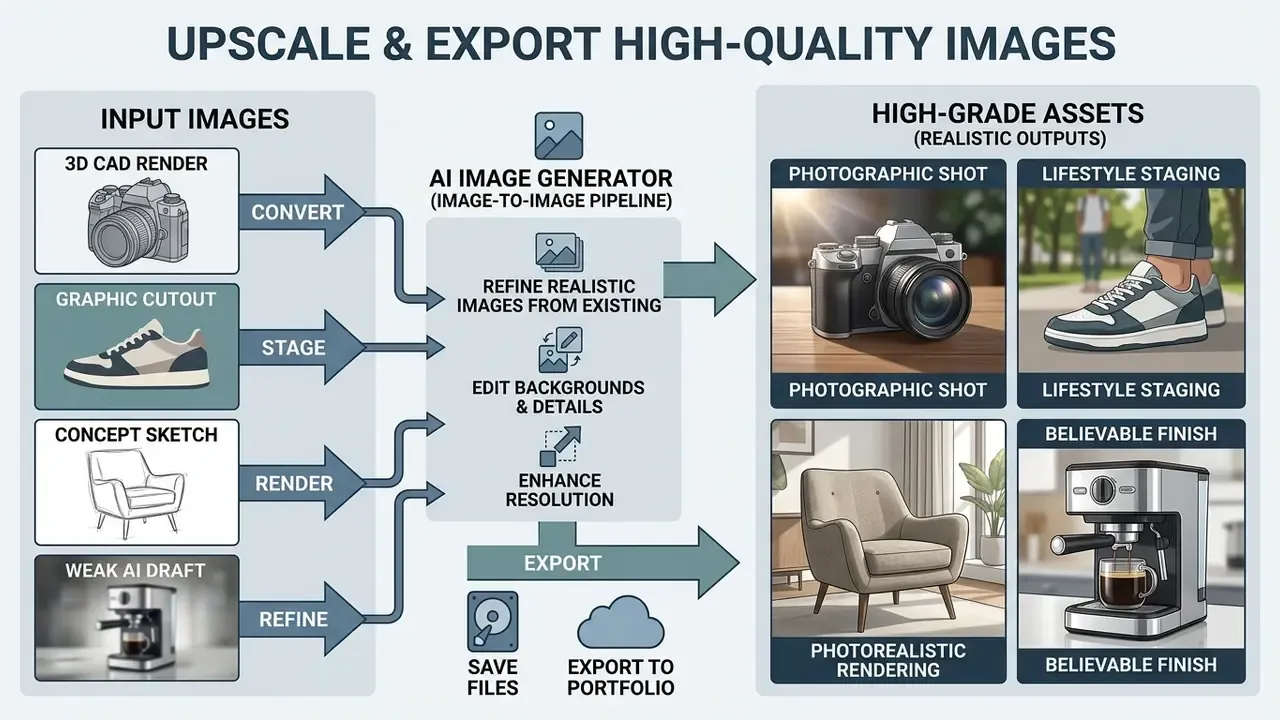
Commercial teams can turn draft assets into publication-ready photography across four core pipelines:
- 3D CAD render to photographic shot. Upload the raw architectural or product render, apply low denoising strength (0.30 to 0.40) to protect geometry, and prompt for material behavior (
"brushed aluminium," "creased leather," "anodized matte finish") together with natural ray-traced shadows and a named lens. - Graphic cutout to lifestyle staging. Import an isolated product cutout, lock geometry with depth-guided ControlNet, then build an environment whose lighting angle and color temperature match the original highlights.
- Concept sketch to photorealistic rendering. Convert hand-drawn industrial designs into apparent physical prototypes by pairing line-art conditioning with optical lens prompts. Research on sketch-to-photo synthesis confirms that methods using photo-only decoders and sketch-photo paired supervision (DiSS, WACV 2023; Picture That Sketch, CVPR 2023) retain photorealism even from abstract strokes.
- Weak AI draft to believable finish. Take a generated image with good composition but dead light, apply moderate denoising (0.40 to 0.50), and re-prompt only lighting, materials, and depth-of-field terms while leaving the subject description untouched.
Edit Backgrounds, Products, and Image Details
Product isolation and background replacement depend on automated segmentation plus localized diffusion relighting. Being able to remove background elements lets teams stage product shots in many virtual environments without re-photographing the physical item, and post-swap cleanup usually runs through AI image enhancers for exposure and sharpness parity.
Vendor documentation confirms the maturity of this category: generative object removal via brush-and-replace, automatic background remover and replace functions for marketplace-consistent catalogs, transparent PNG and WEBP export, and prompt-driven background generation with relighting to blend the product into a new scene. Commercial tools compress all of that into one-click segmentation, and browser suites such as the Canva editor now bundle the same operations for non-technical staff. Operators isolating subjects before diffusion relighting can use a specialized color remover from tool to refine transparency masks, and teams checking that a composited asset has not already been published elsewhere can run an AI reverse image search before release.
How to Choose the Best AI Image Generator for Realistic Photos
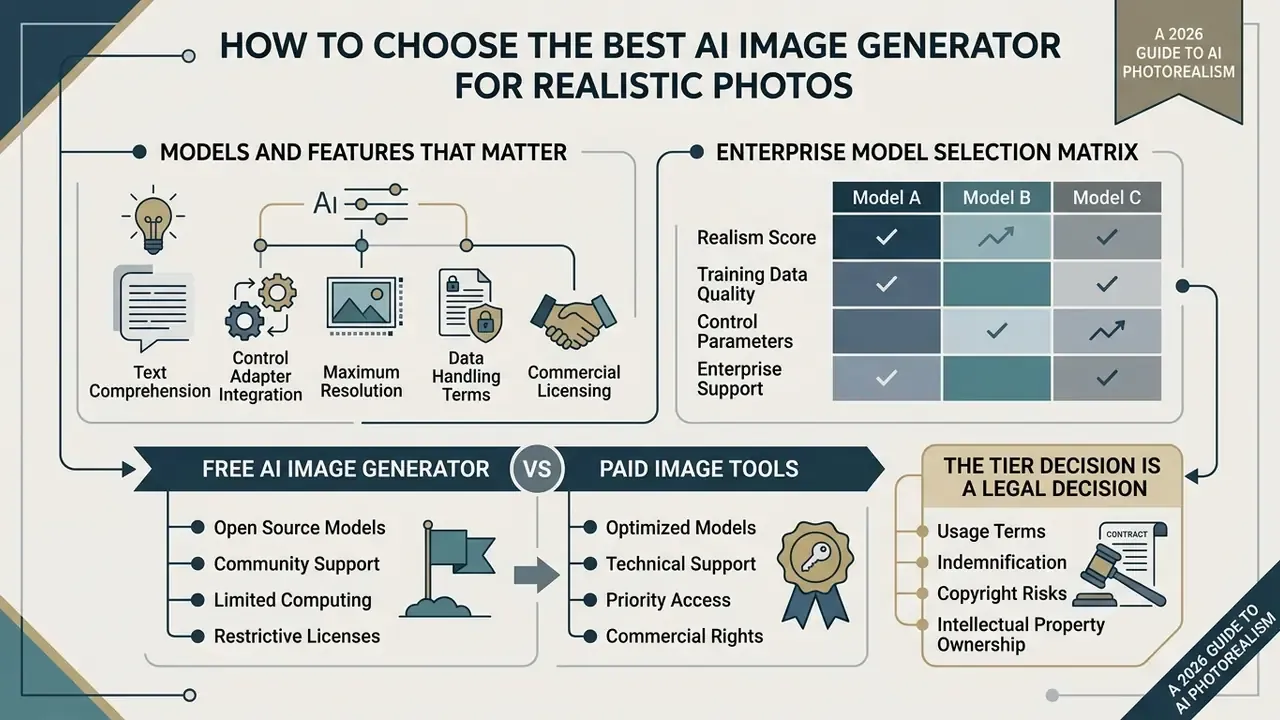
Selecting the best ai image generation platform means weighing text comprehension, control adapter integration, maximum resolution, data-handling terms, and commercial licensing. Enterprise governance teams have to balance creative flexibility against model security and regulatory exposure, and those two rarely move in the same direction.
«Automated genetic optimization of diffusion workflows raised median ImageReward by roughly 50%, and optimized images were preferred in about 90% of comparisons.»
That result reframes tool selection. A large share of perceived "model quality" is really workflow configuration quality. A platform exposing samplers, guidance, control adapters, and reproducible seeds will beat a closed one-click generator in skilled hands, even on the same backbone.
| Feature / Criterion | Enterprise Diffusion Models | Open-Weight Control Models | Web-Based Generator Free Tools |
|---|---|---|---|
| Photorealism and optics | High (advanced text encoders, camera-optics tuning) | High (requires custom LoRA and parameter tuning) | Moderate (often over-saturated or smoothed) |
| Reference control | High (IP-Adapter, multimodal inputs, up to 9 references on some platforms) | Very high (full ControlNet, depth/pose/segmentation, layer control) | Low to moderate (prompt-only or a single reference) |
| Resolution and upscaling | Native 2K to 4K via cloud diffusion | Native 1024×1024, scalable to 8K locally | Typically capped at 1024×1024 on free tiers |
| Commercial usage rights | Granted on paid enterprise plans; some offer indemnification | Granted under permissive open licenses (verify non-commercial variants) | Restricted or ambiguous on free tiers |
| Data privacy and security | SOC 2 options, contractual no-training-on-input, private generation modes | Local execution, full data residency and enhanced privacy protection | Inputs frequently logged and may be used for training |
| Provenance and watermarking | C2PA Content Credentials and/or invisible watermarking available | Manual; provenance must be added in post-processing | Often absent or non-durable |
| Auditability and logging | Prompt, seed, model-version logging via API | Full local logs under your own control | Minimal, usually no exportable audit trail |
| Daily limits | Contracted compute or credit pools | Hardware-bound only | Commonly 10 to 150 credits per day, or 10 to 40 images |
Models and Features That Matter for Photorealism
Professional photorealism rests on advanced language understanding, structural control adapters, localized inpainting, and high-fidelity upscaling. Stacks built on FLUX, Midjourney v6, GPT Image 2, and Nano Banana class engines deliver better text adherence and more convincing skin texturing than legacy engines.
«FaceQ collected 491,130 human ratings across four dimensions, quality, authenticity, identity, and correspondence, for 12,255 AI-generated face images.»
Those four dimensions make a useful procurement template. A model can score well on aesthetic quality while failing on authenticity or identity fidelity, and those two are exactly what decide whether a face-bearing asset is publishable at all.
Enterprise Model Selection Matrix for Photorealism
Different engines specialize in different visual behaviors. Matching the backbone to the goal saves hours of prompt wrangling later.
| Generation Goal | Recommended AI Model Class | Key Optical / Rendering Advantage |
|---|---|---|
| Photorealistic typography and product labels | GPT Image 2 / Nano Banana 2 | Legible, correctly spelled text inside a realistic scene, on packaging and signage. |
| Human skin microtexture and hair | Midjourney v6 / FLUX.2 [max] | Removes synthetic plastic-skin smoothing; renders pores, wrinkles, and flyaway hair. |
| Complex lighting, glass, and reflections | FLUX.2 Pro / Seedream 5.0 Pro | Accurate light transport across glass, metal, and wet surfaces; believable specular behavior. |
| Interiors and architectural space | Nano Banana 2 / GPT Image 2 / FLUX.2 [max] / Seedream 5.0 Pro | Correct spatial proportion, mixed color-temperature lighting, material realism. |
| Lifestyle people in real settings | Nano Banana 2 / GPT Image 2 / FLUX.2 [max] | Candid posture, natural environmental interaction, believable clothing behavior. |
| Rapid creative ideation and drafts | Seedream 5.0 Lite / Nano Banana 2 Lite / Grok Imagine / FLUX.2 [klein] | High-speed inference for testing many compositions before picking a finalist. |
| Structure-locked editing and compositing | Open-weight Stable Diffusion family with ControlNet and IP-Adapter | Full masking, depth and pose conditioning, local execution for sensitive assets. |
Comparative rankings published in 2026 assess frontier systems across photorealism, text fidelity, world grounding, subject consistency, edit control, iteration speed, and provenance signals. They confirm what practitioners already suspect: quality and control flexibility are separate axes, not one score. Benchmarks such as IMAGINE-E land in the same place when they test realism, physical consistency, and hard scenarios side by side.
To compare cross-category tool performance, decision-makers can consult the commercial use ai tools matrix, review the best AI art generators for style breadth, or read head-to-head evaluations such as Midjourney versus competing generators.
Free AI Image Generator vs Paid Image Tools
Free tiers are a fine place to test prompts, and they nearly always come with tight daily quotas, resolution caps, and public showcase requirements. An ai generator realistic free plan often limits output to a 1024×1024 canvas, with published allowances ranging from roughly 10 credits per day on some services to 150 on others. Anyone hunting an ai image generator no limits realistic enough for production will be disappointed; unlimited and enterprise-grade rarely appear together. Teams surveying entry-level options can compare free AI image generators alongside free AI art generators before setting a budget.
Paid commercial plans grant priority compute, native 2K to 4K upscalers, private generation modes, and in some cases explicit commercial indemnification. Enterprise workflows need paid subscriptions for continuity and for copyright protections. Users trialing non-paid tools can still evaluate an ai image generator free photorealistic tier, including no-sign-up AI image generators for quick experiments, but license terms should be read before anything publishes.
Why the tier decision is also a legal decision. Choosing between a consumer free plan and a contracted enterprise tenancy is not mainly about resolution. It determines who owns the output license, whether prompts and uploaded references are retained for training, whether provenance metadata is attached, and whether you get indemnification when an output is challenged. Platform selection therefore sits upstream of every compliance question in the next section.
Can You Use Realistic AI Images for Commercial Projects?
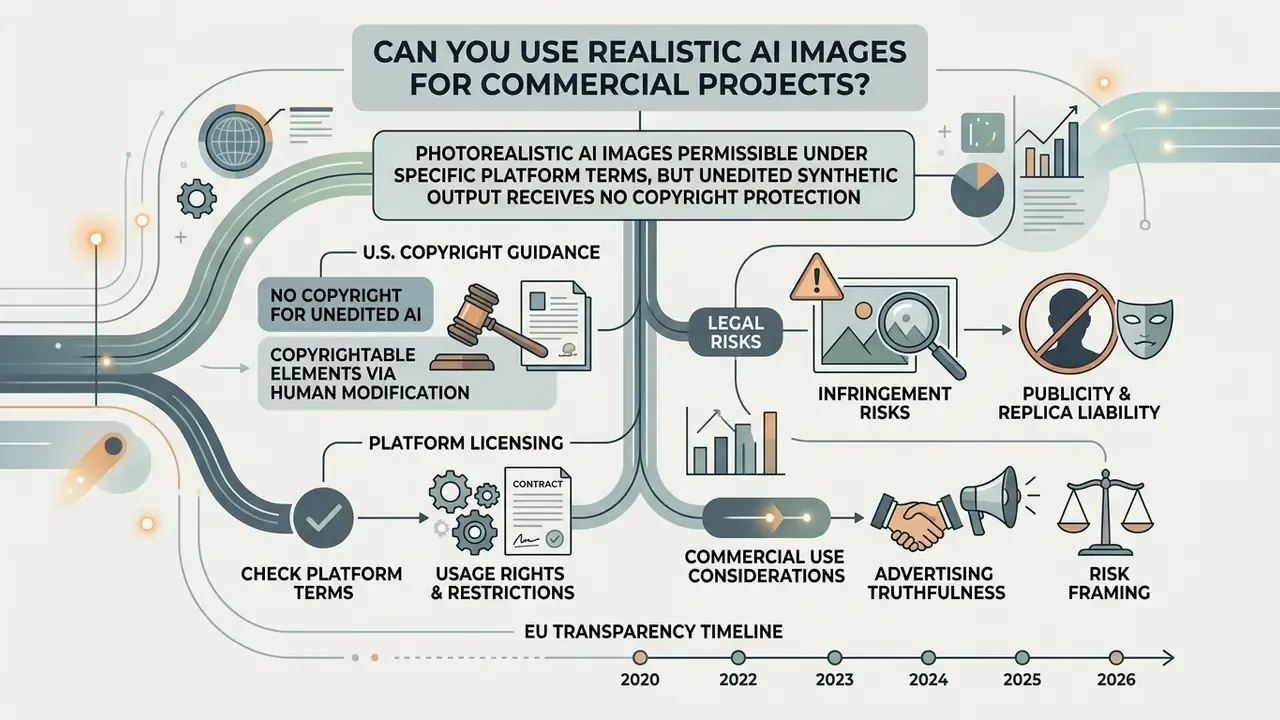
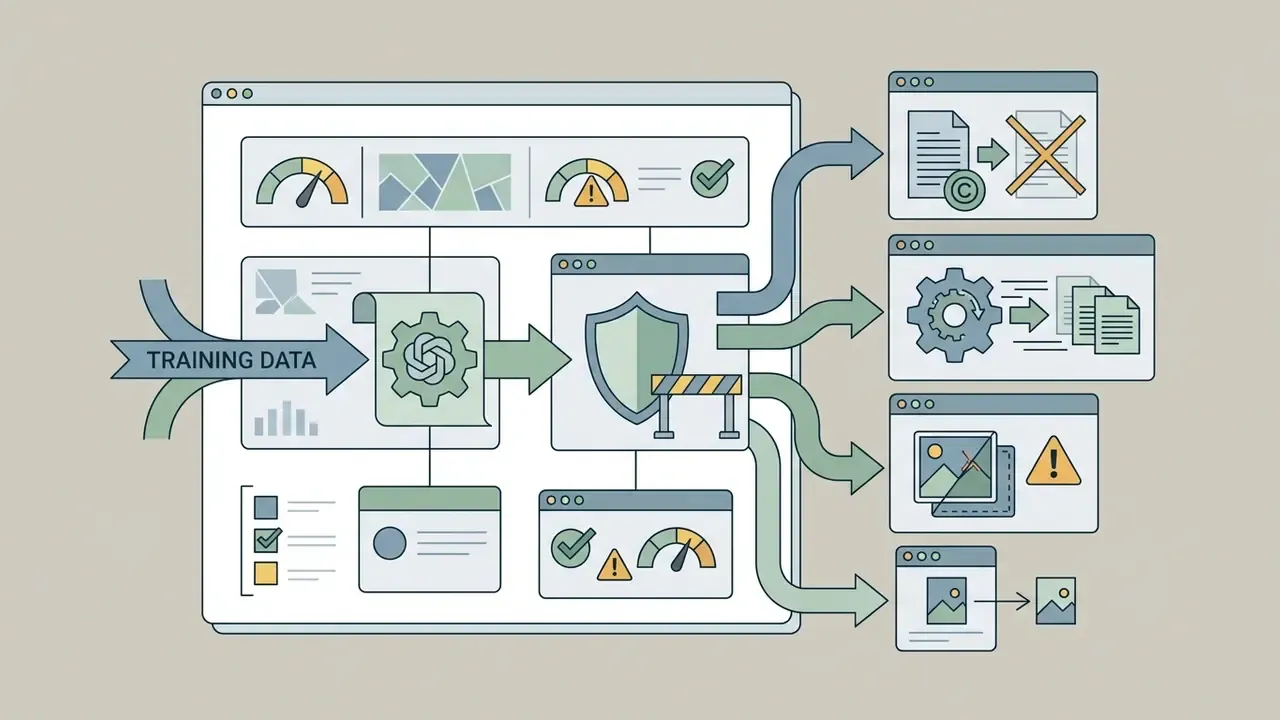
Using photorealistic AI images in commercial projects is legally permissible under specific platform terms, yet unedited synthetic output receives no copyright protection under current United States law. Risk mitigation means verifying vendor agreements, respecting publicity rights, and documenting human authorship.
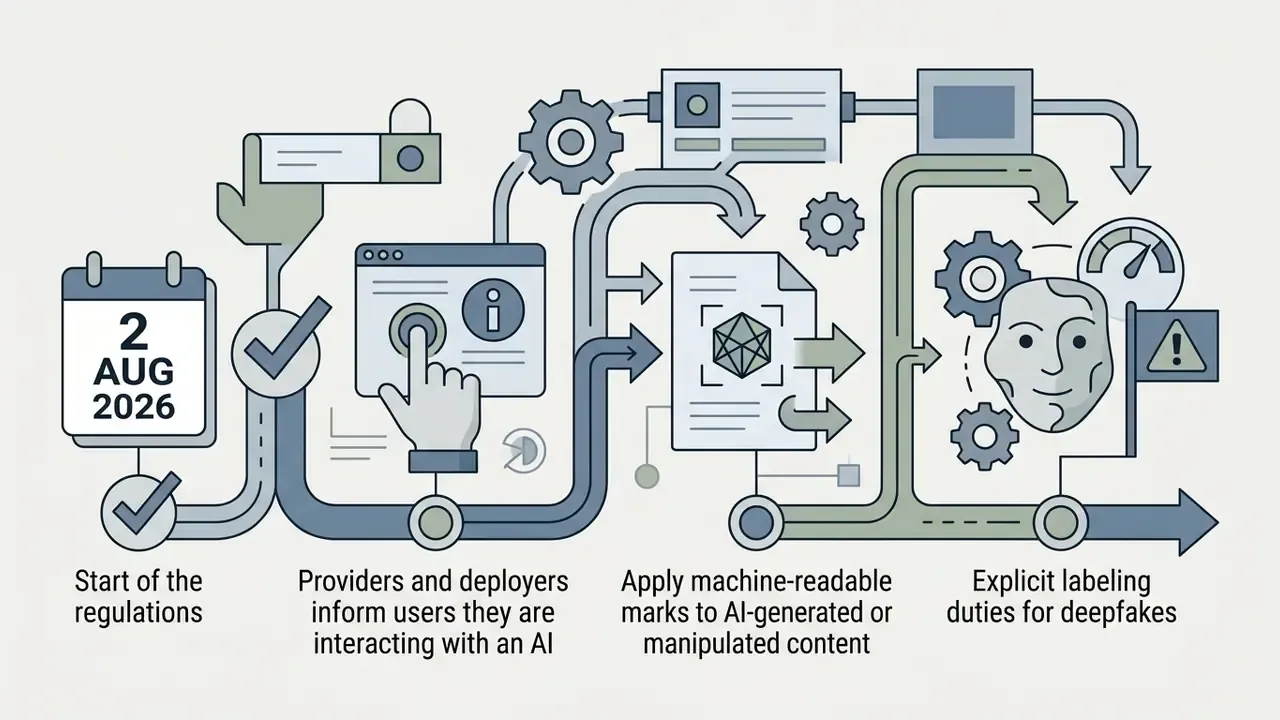
Legal and compliance verification (2025 to 2026):
Teams analyzing legal precedent around generative IP can compare options regarding copyright litigation risks before a campaign goes live.

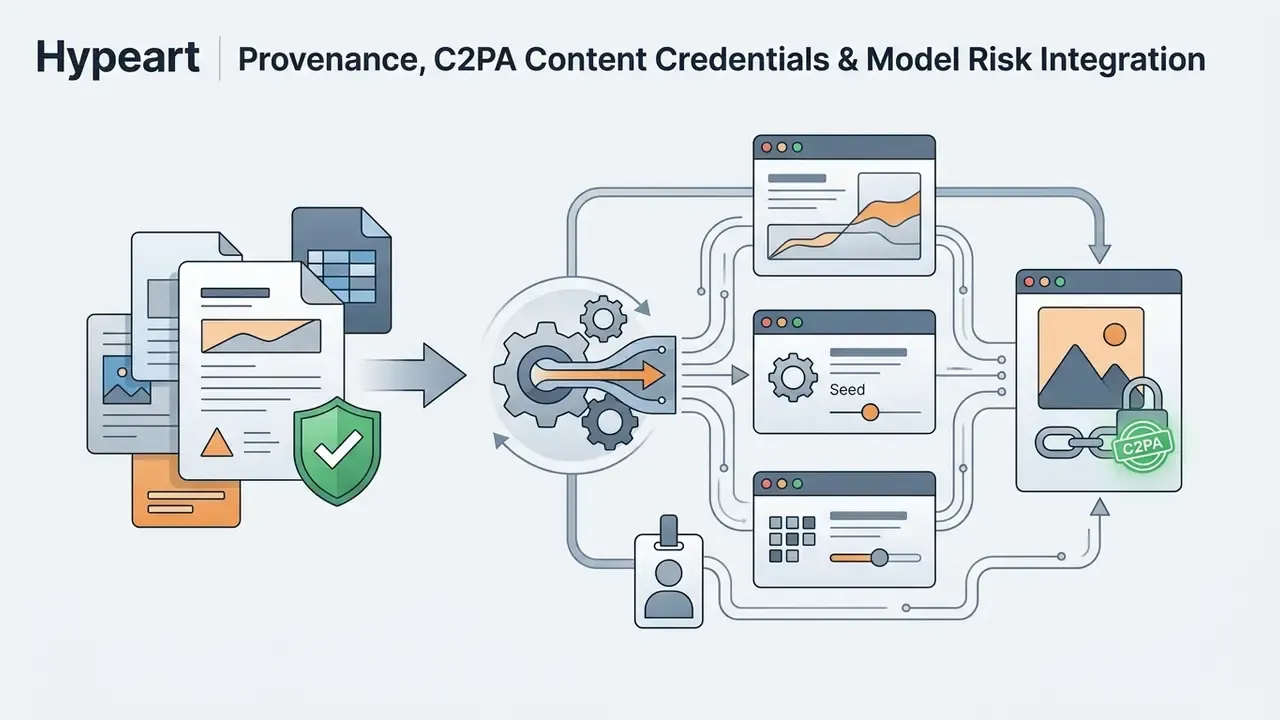
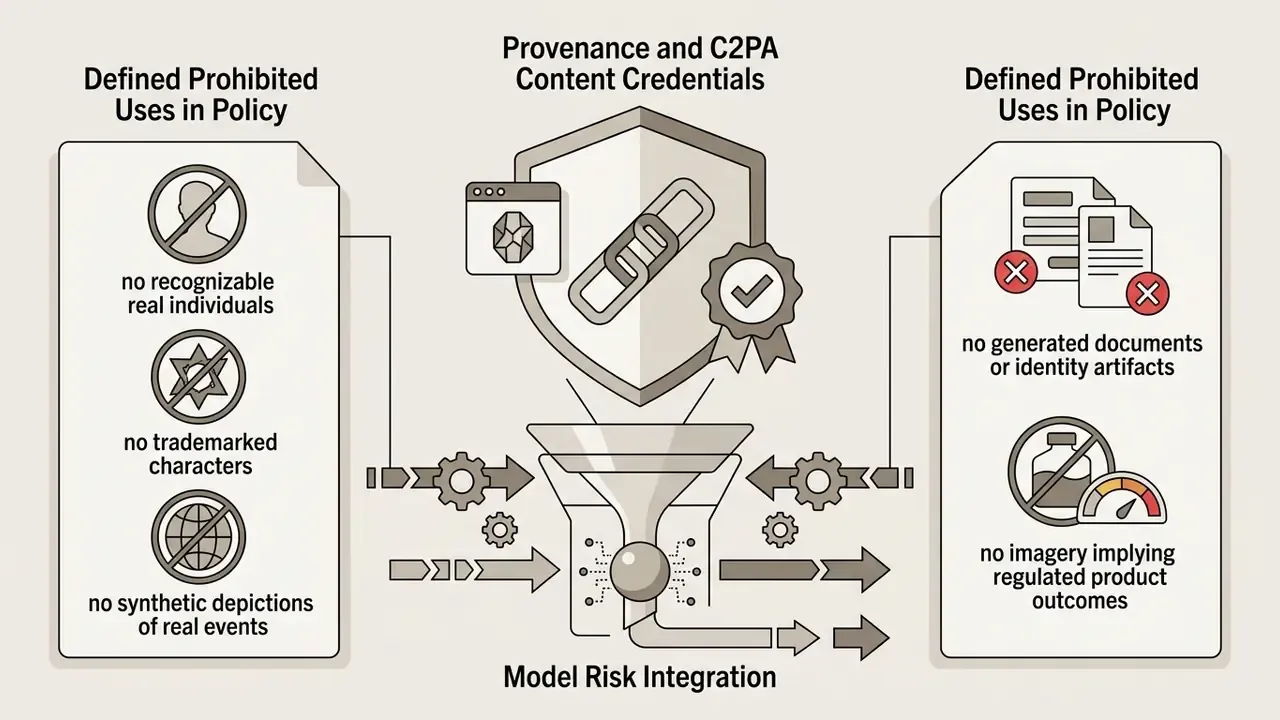
Provenance, C2PA Content Credentials, and Model Risk Integration
For regulated organizations the governing question is not "does the image look real." It is "can we prove where it came from." Three control layers answer that.
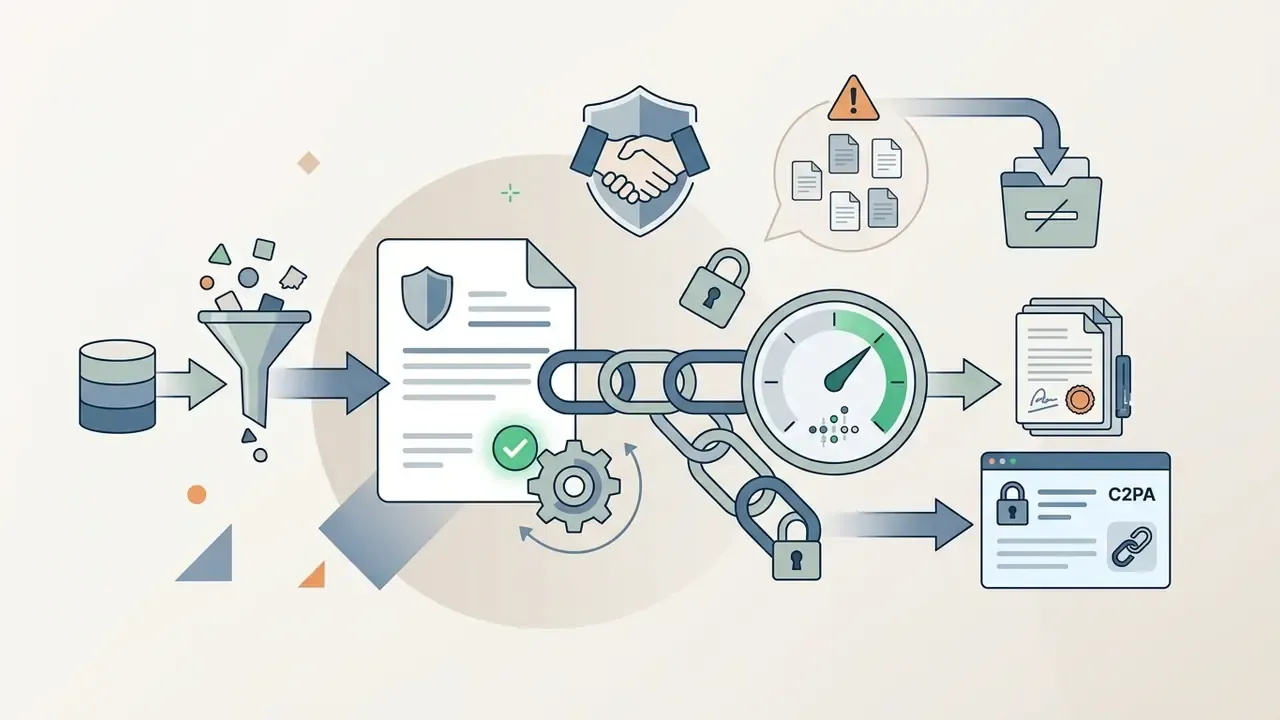
1. Cryptographic content provenance (C2PA Content Credentials). The Coalition for Content Provenance and Authenticity defines a signed manifest attached to the asset, recording the generating tool, model, edit history, and issuing organization. Enable Content Credentials at generation time, preserve them through editing, and re-sign on export, because most compression and format-conversion steps strip the manifest. Since metadata can be removed, treat provenance as evidence of origin for your own audit trail, not as tamper-proof public labeling.
2. Invisible watermarking (SynthID class). Statistical watermarks embedded in pixel data survive moderate resizing, cropping, and re-compression better than metadata alone. Policy should state which generation endpoints apply watermarking, whether detection tooling is available internally, and how watermark-stripped assets are handled. Independent origin checks can also be supported operationally by AI image detectors and reverse-image lookups, with the caveat that detector accuracy degrades badly on heavily edited or upscaled output.
3. Model risk management and GRC integration. Treat every generative image endpoint as an inventoried model, not a design tool:
- Register the model, version, and vendor in the model inventory with a named owner, an intended-use statement, and a documented limitation list.
- Require human-in-the-loop sign-off for any externally published asset, with the reviewer recorded. This is also what supports the human-authorship argument in copyright terms.
- Establish periodic revalidation. Re-test the endpoint whenever the vendor ships a new model version, because output behavior, safety filters, and watermarking can change silently.
Shadow AI containment. The most common control failure is not a bad image. It is an employee generating brand assets on a personal consumer account whose terms permit training on inputs. Mitigation is a sanctioned-tool list, SSO-gated access, network-level monitoring of unapproved generator domains, and an intake path fast enough that nobody feels the need to route around it.
Product Photos and Ecommerce Visuals
Applying generation to ecommerce product photos removes physical set staging costs and lets teams swap seasonal backdrops in an afternoon. Brands can drop real product assets into varied virtual scenes with depth-guided inpainting, then generate square, vertical, and wide variants so one concept covers product pages, paid ads, and social placements.
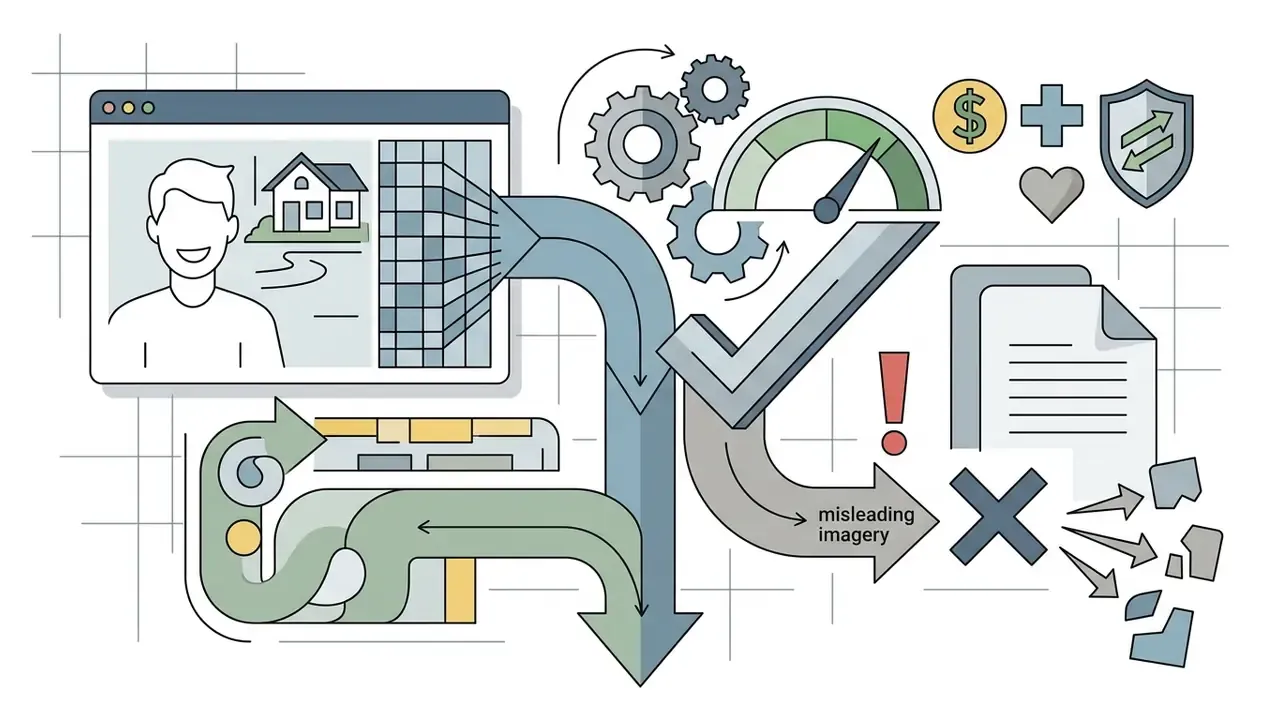
There is a hard limit, though. Generated images must not misrepresent physical dimensions, colors, or materials. Misleading renders invite consumer-protection scrutiny and push up return rates. Three safeguards work well: keep at least one true photograph of the physical item in every gallery, validate generated colorways against measured swatches, and prohibit synthetic modification of anything the customer will physically receive.
Realistic AI Image Generator FAQ
Organizational adoption raises practical questions about content uniqueness, data confidentiality, and mobile access. Clear operational guidance is what keeps unauthorized shadow AI deployments from spreading and keeps sensitive corporate data out of public models.
Does an AI Image Generator Create Unique Images?
Generative models synthesize novel pixel combinations for every prompt through stochastic noise reduction, but the output is not guaranteed to be legally unique. If a prompt closely mimics existing copyrighted works or trademarked characters, the result may share substantial similarity with protected content.
Research on diffusion memorization shows that models can occasionally reproduce near-exact training samples when prompted with highly specific memorized text sequences, and the Copyright Office has noted that generative systems can output near-replicas of still images and copyrighted characters. Quantitatively, congressional research cites one study finding significant copying in fewer than 2% of Stable Diffusion images. A low rate, yes, and still material at campaign volume (Congressional Research Service, 2025, https://crsreports.congress.gov/). European Parliament analysis reaches a complementary conclusion: fully machine-generated output should remain unprotected in the EU, yet it can still infringe where it incorporates protected elements of pre-existing works. Reverse image checks plus a pass through AI image detectors reduce exposure before publication.
Is a Realistic AI Image Generator Available on Mobile?
Most major platforms offer responsive web interfaces, native iOS and Android applications, or cloud API integrations. Adobe Firefly documents availability on desktop and mobile browsers plus dedicated iOS and Android apps. Canva's AI image generator is web-based and reachable from smartphone browsers and its mobile app. Microsoft Designer follows a similar web-plus-app model. Most other leading realism engines remain web-first services accessed through a mobile browser rather than mobile-native apps.
Mobile access lets field teams create ai images or run quick edits on location, which is genuinely useful for event and branch coverage. For regulated organizations it is also a governance surface: require SSO, disable personal-account sign-in on managed devices, and make sure mobile generations write to the same audit log as desktop sessions. To explore broader navigation across specialized creative tools, creators can explore the hub for technical guides, or explore the hub from the top level before they start using a new engine.
How Do We Protect Confidential Data and Get Enhanced Privacy Protection?
Two mechanisms matter more than marketing language. First, contractual terms: look for explicit no-training-on-input commitments, defined retention windows, regional data residency, and deletion on request. Second, architecture: private generation modes, tenant isolation, and, for the most sensitive material, open-weight models executed locally so nothing leaves your network. Enhanced privacy protection on a consumer free tier is usually a marketing phrase rather than a contractual one, so read the terms before uploading a reference photograph of anything proprietary. For KYC, AML, credit, or customer-service material, assume the safe answer is a local pipeline plus documented access controls.
How Do We Prevent Shadow AI When Teams Use Public Generators?
Shadow AI appears when employees generate brand assets on unapproved consumer tools whose terms may permit input retention and training. Four measures contain it. Publish a short sanctioned-tool list with the approved plan tier for each. Route access through SSO and block unapproved generator domains at the network layer. Provide a same-day intake channel so requesters are not rewarded for going around policy. Then run periodic asset audits that check published imagery for missing Content Credentials, which is a reliable signal an asset came from outside the sanctioned pipeline. Pair the technical controls with training that explains why free tiers are restricted, namely license ambiguity and input logging, rather than issuing a bare prohibition. Bare prohibitions get ignored.
What Can Today's Models Still Not Do Reliably?
Setting expectations prevents wasted cycles and compliance incidents. As of 2026, known limitations include:
- Hands, fingers, and fine articulation remain the most frequent anatomical failure point in people shots.
- Small text, serial numbers, legal disclaimers, and fine print on packaging or documents are unreliable even on text-strong models. Never let a model generate regulated disclosure copy inside an image.
- Identity documents, payment cards, and official forms should be treated as prohibited generation targets, for fraud-risk and policy reasons alike.
- Accessories and jewellery geometry (glasses hinges, watch bezels, clasps) distort often and need inpainting.
- Background crowds produce duplicated faces and impossible architecture. Keep depth of field shallow or specify empty environments.
- Exact brand color matching is not guaranteed. Validate against measured values instead of trusting the render.
- Counting and spatial relations ("three items, second one rotated") degrade as instructions get more numeric or relational.
- Charts, dashboards, and data visuals come out as decorative approximations, not accurate data. Build real charts in charting tools.
Key Takeaways for Enterprise AI Image Deployment
- Prompt like a photographer. Replace artistic buzzwords with precise lens, aperture, lighting direction, and color-temperature terms.
- Lock your parameters. Guidance 5.0 to 7.5, roughly 50 sampling steps, native aspect ratios, denoising strength 0.30 to 0.55 for image-to-image work.
- Match the model to the task. Text-strong engines for packaging and signage, texture-strong engines for skin and hair, light-transport-strong engines for glass and metal, lightweight engines for ideation.
- Use reference guidance deliberately. ControlNet and IP-Adapter maintain character and product consistency across campaigns; avoid naively averaging many references.
- Diagnose, do not regenerate. Fix one variable at a time and repair local defects with masked inpainting instead of discarding good compositions.
- Audit commercial licensing. Verify Terms of Service for commercial rights, revenue-tier requirements, indemnification, and non-commercial open-weight variants.
- Attach provenance at generation. Enable C2PA Content Credentials, prefer endpoints with invisible watermarking, and re-sign manifests on export.
- Build the governance workflow first. Register endpoints in the model inventory, log prompts, seeds, and model versions, require human sign-off, restrict sensitive inputs, and contain shadow AI with sanctioned tooling.
To evaluate additional software categories, teams can browse the hub for side-by-side tool evaluations, or open the hub to review end-to-end production workflows.
Appendix A: Editorial Revision Log and Vendor Verification Notes
About This Analysis
This guide was produced by the AI Media Commercial-Use research desk. Methodology: hands-on generation testing across diffusion and transformer backbones; review of primary vendor documentation and terms of service (OpenAI, Midjourney, Adobe, Luma, Hugging Face Diffusers); review of peer-reviewed and preprint literature on photorealism evaluation and diffusion control; and review of regulatory and standards material from the U.S. Copyright Office, NIST, the Congressional Research Service, the European Commission, and the IAB. Figures reported from single commercial deployments are labeled as self-reported. Commentary attributed to Marcus Hale, author. Corrections and source challenges are logged in Appendix A.
Footer navigation and authority flow:
Explore the full resource index for enterprise creative operations at AI Media Commercial-Use.