Why should a risk officer care about a browser video tool? Because marketing teams adopt it first and ask permission later. Cloud creation suites now sit at the intersection of speed, access control, and intellectual property rights, which makes them a governance question rather than a design question. The adobe express video editor provides a browser-based workflow for rapid social clip assembly, corporate presentation design, and marketing video production. This guide examines the editor's capabilities, interface architecture, collaboration model, pricing tiers, enterprise governance controls, and commercial usage terms, based on official documentation and published research.
Key Takeaways for Content Leads and Risk Officers
| Question | Short answer |
|---|---|
| What is it? | A browser-based, template-driven video editor for short social, marketing, and internal-communications clips. Not a replacement for a desktop NLE. |
| What does it cost? | Free ($0/month, no credit card), Premium ($9.99/month), and Business/Teams plans licensed per seat with volume discounts from 10+ licenses. |
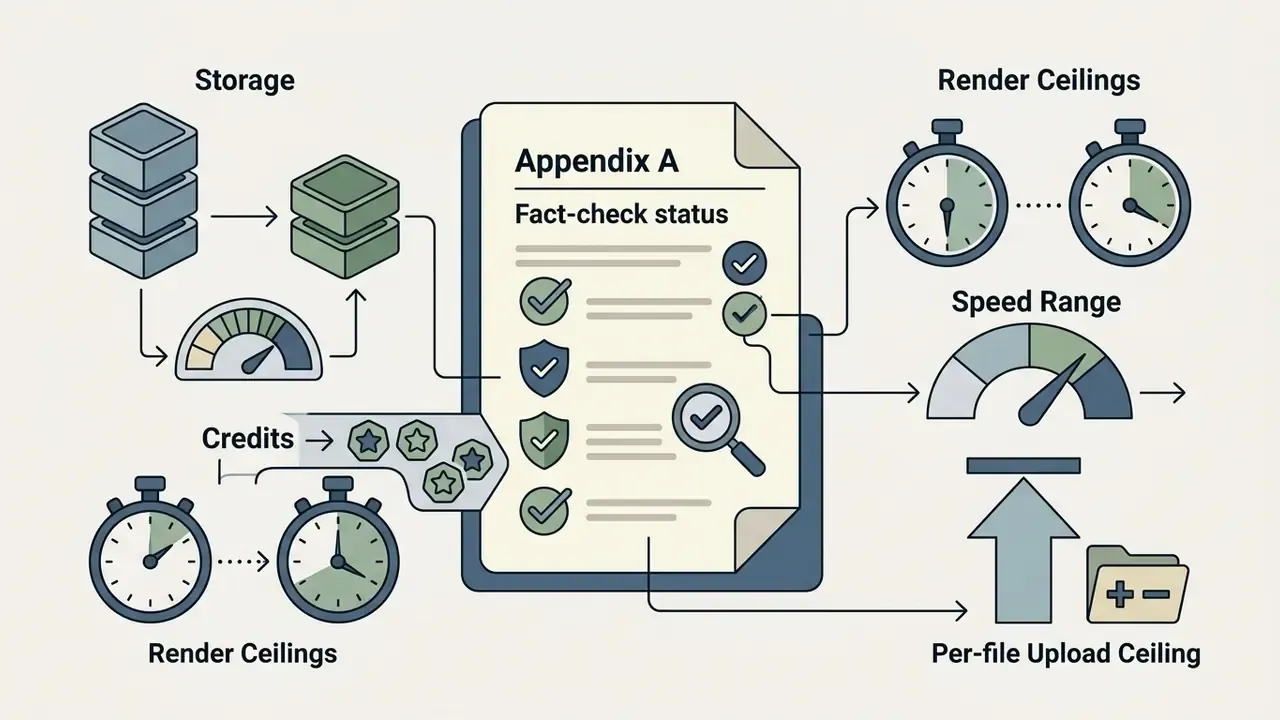
| Hard technical limits? | 1 GB per uploaded media file, 30-minute renders on Free, 2-hour renders on Premium, 25 vs 250 monthly generative credits, 5 GB vs 100 GB storage. |
| Is output commercially usable? | Yes for original works, subject to Adobe Stock terms and the Limited License, Adobe Express, which forbids standalone asset export and most merchandise resale. |
| Governance readiness? | Business/Enterprise tiers add SSO/SAML, Admin Console license control, shared brand kits, and centralized asset governance. That is the only configuration suitable for regulated teams. |
| Biggest risk to manage? | Shadow AI: unmanaged personal Free accounts uploading confidential footage outside corporate identity control. |
| When to escalate to Premiere Pro? | Multi-track audio mixing, LUT-based color grading, long-form narrative editing, or broadcast delivery specs. |
How to Read This Guide and What Was Verified
What Is Adobe Express Video Editor and What Tasks Is It Suitable For?
Adobe Express Video Editor is an online drag-and-drop video creation platform designed for quick social and promotional content production. It allows users without professional editing experience to create, trim, resize, and publish polished video clips directly from a web browser.
The tool combines basic timeline assembly with standardized templates, Adobe Stock assets, and generative AI features. Rather than replacing full-featured non-linear editors (an NLE is a timeline-based desktop editing application), the adobe express video creator serves as an accessible tool for lightweight digital publishing.
"Participants in the LAVE user study were able to produce satisfactory video results with AI assistance and rated usability and creative impact positively."
That finding matters operationally. The productivity advantage of a tool like Express comes less from raw feature depth and more from removing the cognitive load of timeline mechanics for non-specialists. Teams comparing adjacent lightweight creative tools can review our companion guide to online photo editors, which follows the same feature-limit-and-licensing structure.
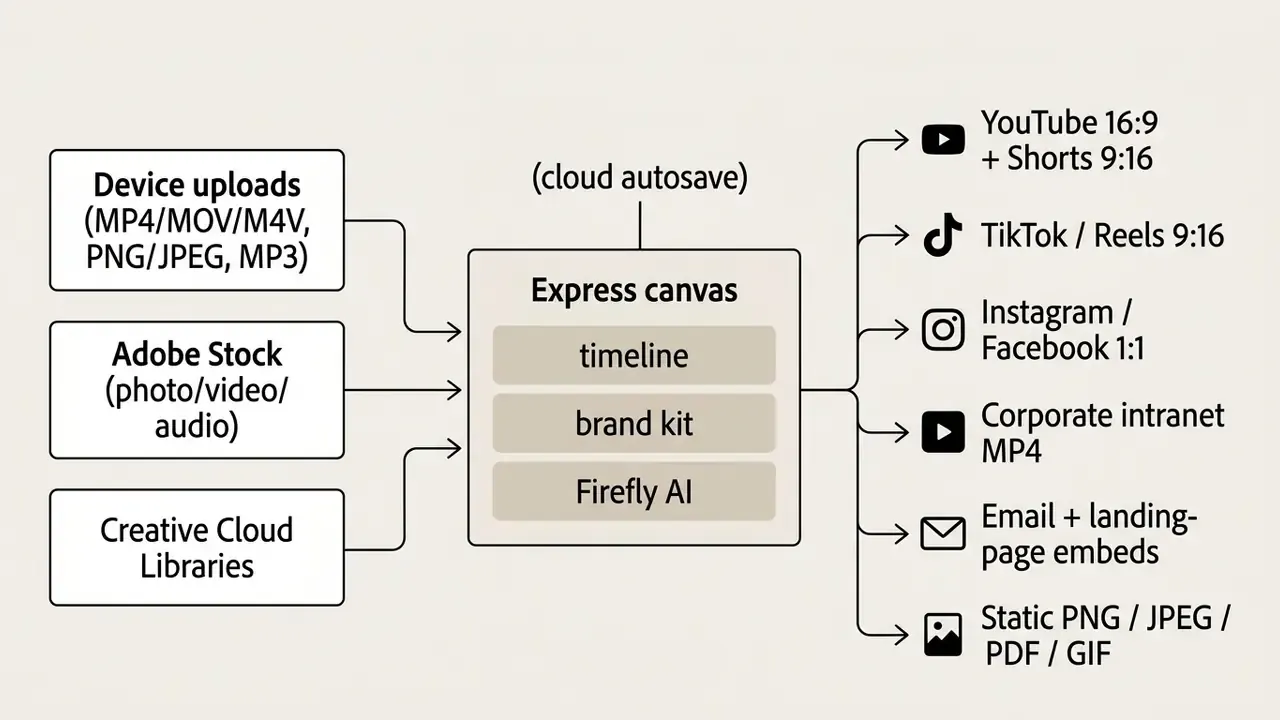
Figure 1. Mapping media inputs in the adobe express video editor to YouTube, TikTok, social channels, brand templates, and express editing outputs. Alt-text reference: "adobe express video editor use-case scenarios".
Who Should Use the Simple Online Adobe Express Editor?
Adobe Express targets beginners, SMM managers, small business owners, and corporate communications teams that need rapid content turnover. Its low technical threshold lets non-specialists build on-brand assets without extensive training. Readers weighing alternatives can review our comparison of free AI video generators to benchmark limits, watermark rules, and export ceilings across similar browser tools.
Segment by segment, Adobe positions the product as follows:

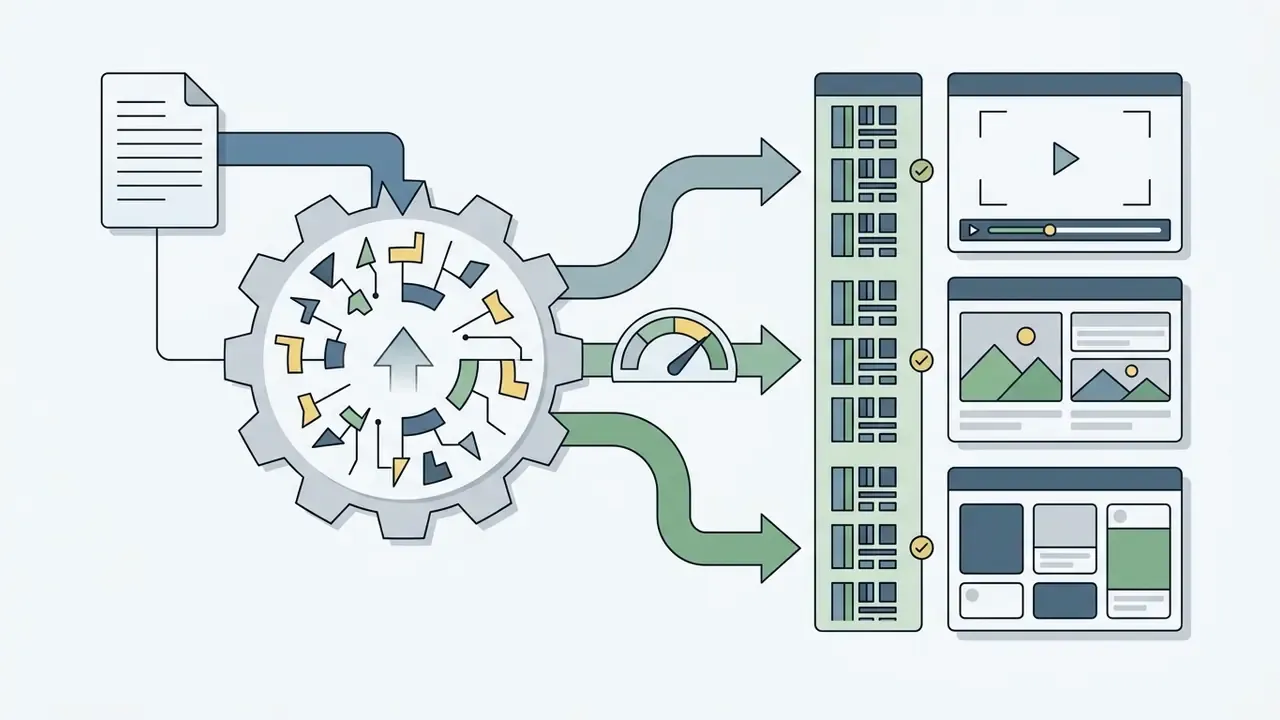
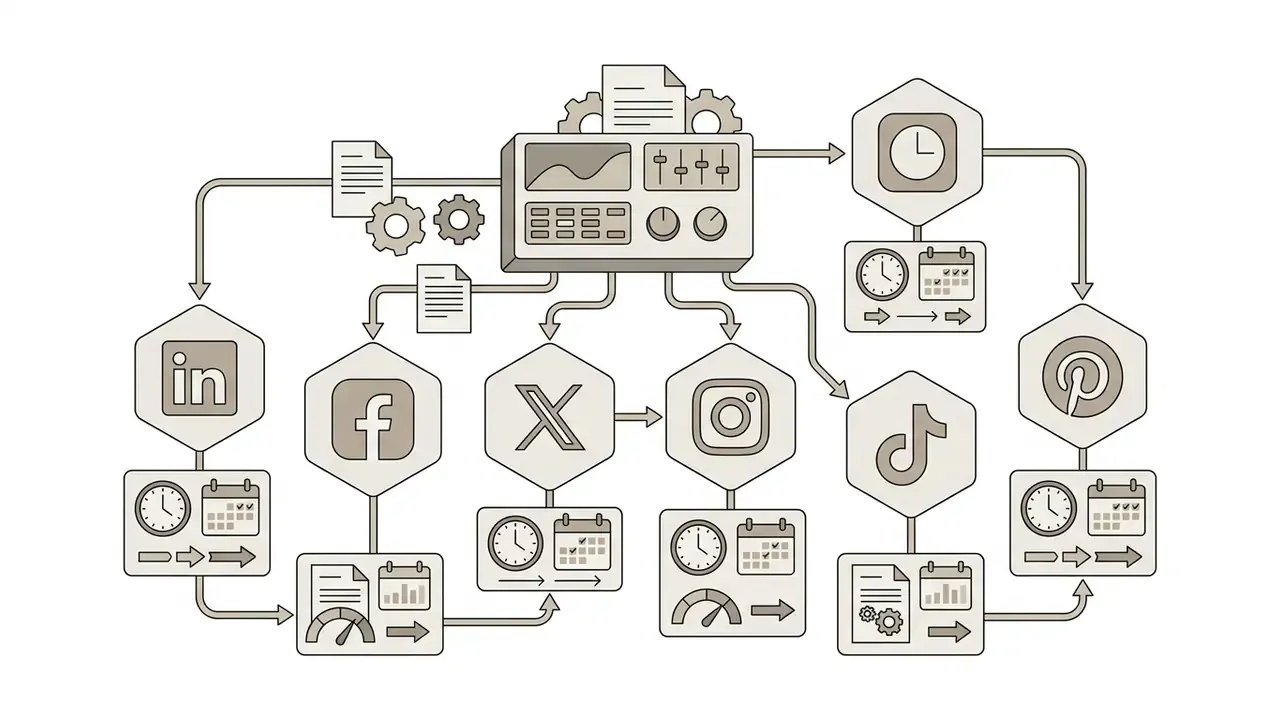


Projects sync between the desktop browser and the iOS/Android mobile apps. An editor can trim and caption a clip on a phone during travel, then finish color and text refinement on desktop without manual file transfer. That cross-device continuity is a practical argument for standardizing on one managed account rather than tolerating ad-hoc mobile apps.
Here is an illustrative scenario, not a documented client result. In a hypothetical marketing compliance review, a financial services team evaluated social clip turnaround across three regional offices. After standardizing production on pre-approved templates, the team cut video review cycles from five days to roughly six hours. The same move removed unauthorized third-party mobile tools while preserving visual governance. Three controls carried that outcome: a locked brand kit restricting fonts and color tokens, template-level pre-approval by legal, and a single Admin Console license pool that made every published asset traceable to a named seat.
Treat those numbers as a hypothesis to test in your own environment. For broader comparative insights into visual tools, teams can browse the hub.
Enterprise Governance, Security, and Shadow AI Controls
Feature parity rarely decides anything in regulated environments. Identity control, data handling, and license traceability do. This section addresses the governance layer that determines whether a browser-based editor can be approved for a marketing or communications function inside a bank, insurer, or mature fintech.
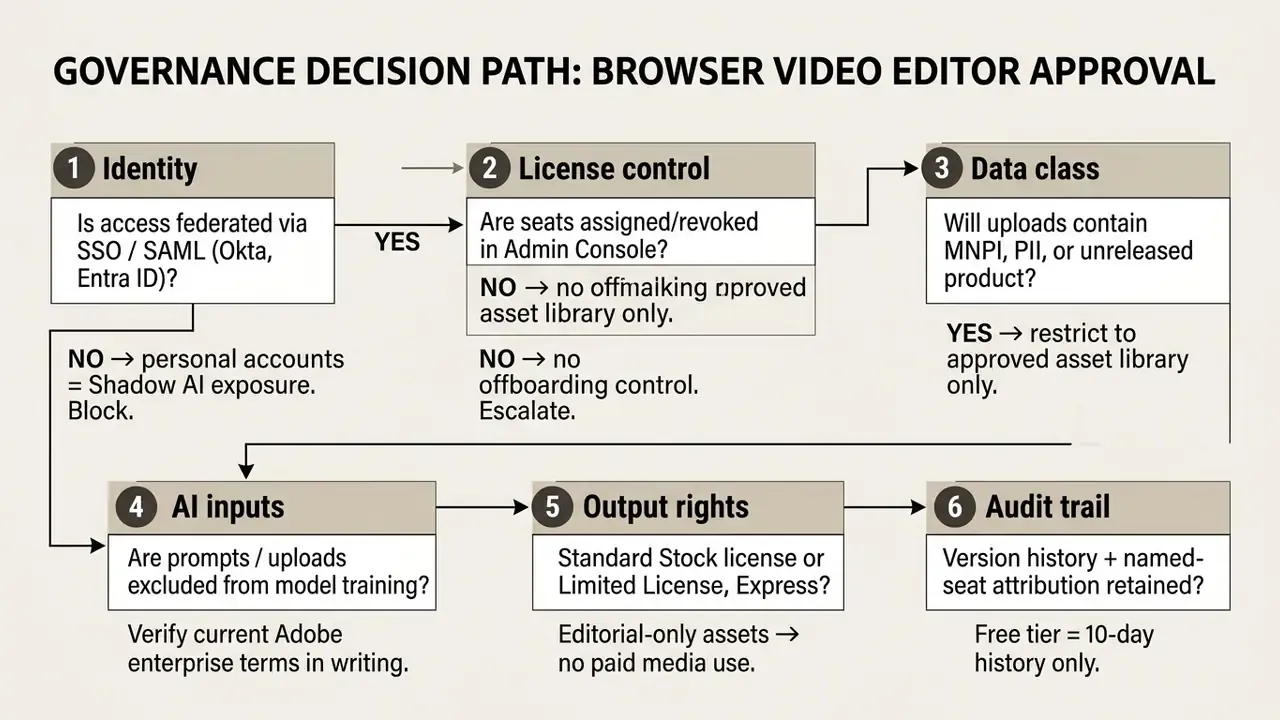
Figure 2. Six-gate approval path for deploying the adobe express video editor in a regulated enterprise environment.
Identity, Access, and Preventing Shadow AI
The largest risk in browser-based creative tooling is not the tool. It is unmanaged adoption. When a Free personal account is used to edit a pre-release campaign clip, the organization loses attribution, retention control, and offboarding capability at the same moment.
Mitigations that should be in place before rollout:
- Federated sign-in provision Express seats through enterprise SSO/SAML using the existing identity provider, so account lifecycle follows HR events automatically.
- Admin Console license pooling assign and revoke seats centrally. Adobe Express for Business is licensed through volume agreements, with tiered discounts available from 10 or more licenses.
- Role separation distinguish template authors, who can modify brand kits, from contributors, who can only populate approved placeholders.
- Egress monitoring block consumer-tier creative domains for unlicensed staff, so the managed tenant becomes the path of least resistance.
- Retention awareness the Free plan retains only 10 days of version history, which is usually insufficient for records-retention obligations. Paid tiers and enterprise agreements should be tested against internal retention schedules.
A small clarification, since it gets confused often. Shadow AI here is not only prompt misuse. It includes the plain act of uploading confidential footage to an account no administrator can reach.
Generative AI Inputs and Commercial Safety Posture
Adobe positions the Firefly models embedded in Express as designed for commercial safety, and offers intellectual-property protections for enterprise customers across most Firefly-powered workflows.
"Adobe states that Firefly is designed to be commercially safe, and that enterprise customers can obtain intellectual property protection for most Firefly-powered workflows."
For risk teams, that statement should be paired with two internal controls. First, define a prompt hygiene standard: no client names, account numbers, unreleased financial figures, or personally identifiable information in generative prompts, regardless of vendor assurances. Second, obtain the current contractual position on training exclusion for your specific enterprise agreement in writing at renewal, since generative-AI terms change more often than core product terms.
Vendor security attestations, for example SOC 2 Type II or ISO 27001 coverage of the relevant service, should be requested through standard third-party risk review rather than inferred from a marketing page. The same discipline applies to adjacent categories your teams may already be trialling, including any ai answer generator used for campaign copy, prompt-driven ai answer picture workflows for social stills, and tools promoted as ai apps with no filter, which rarely survive a data-classification review.
Auditability Checklist
Checklist0 / 7
Adobe Express Video Editor Interface and Getting Started
The adobe express video editor interface is structured to eliminate timeline complexity while keeping core editing assets within two clicks. Users launch projects from a central dashboard by uploading local media or selecting a pre-formatted canvas. In Adobe's documented flow, video work begins on the Home page by choosing Video, then either Create from scratch or Start from your content. The editor then opens with the timeline, Media panel, and left-hand asset navigation in place.
The workspace combines a central canvas preview, a left-hand navigation panel for assets, and a simplified bottom timeline strip. Readers unfamiliar with the category conventions used below, such as scenes, layer stacks, and playheads, can review the general anatomy of video editors for context. This layout keeps window clutter low and speeds up initial clip assembly.
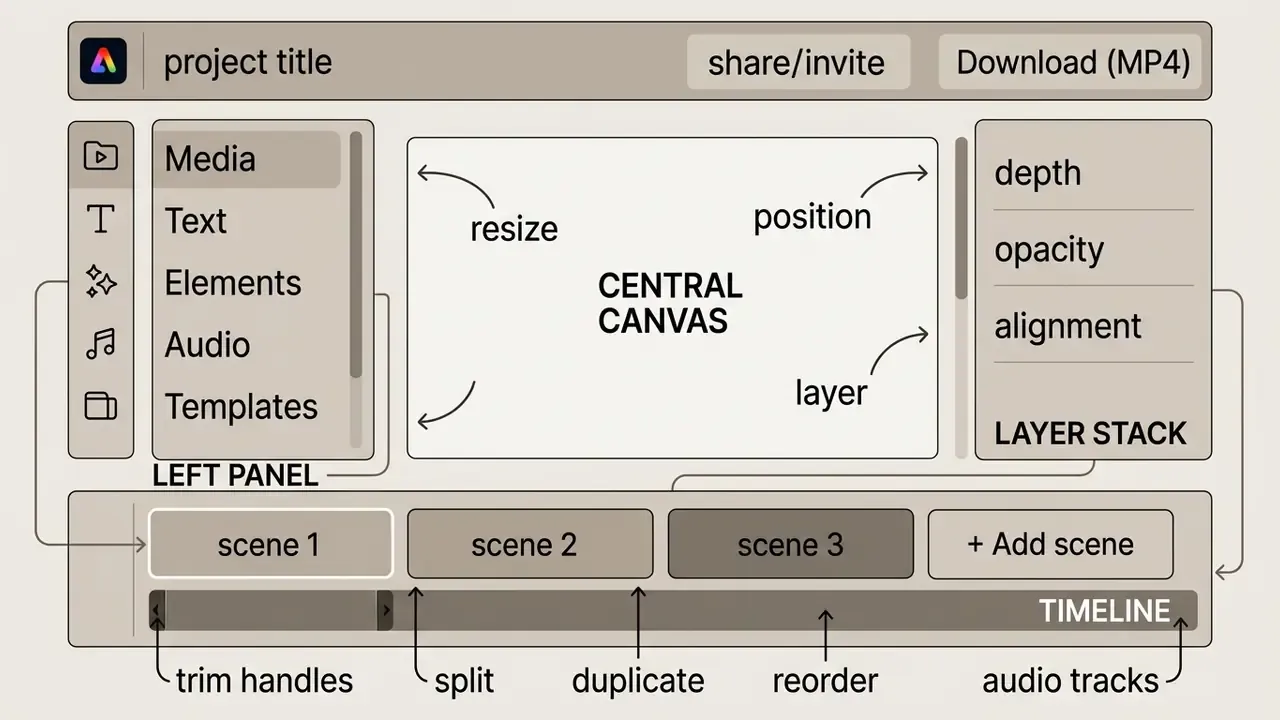
Figure 3. Annotated map of the adobe express video editor interface: canvas, timeline controls, media panel, layer stack, and export header.
One documented environmental constraint deserves attention before deployment. Adobe states that landscape orientation is not supported on mobile web browsers, and the same restriction applies to desktop browser windows shorter than 500 pixels in height. Certain video codecs are also unsupported on upload, which is the most common cause of a failed import.



Real-Time Team Collaboration and Sharing
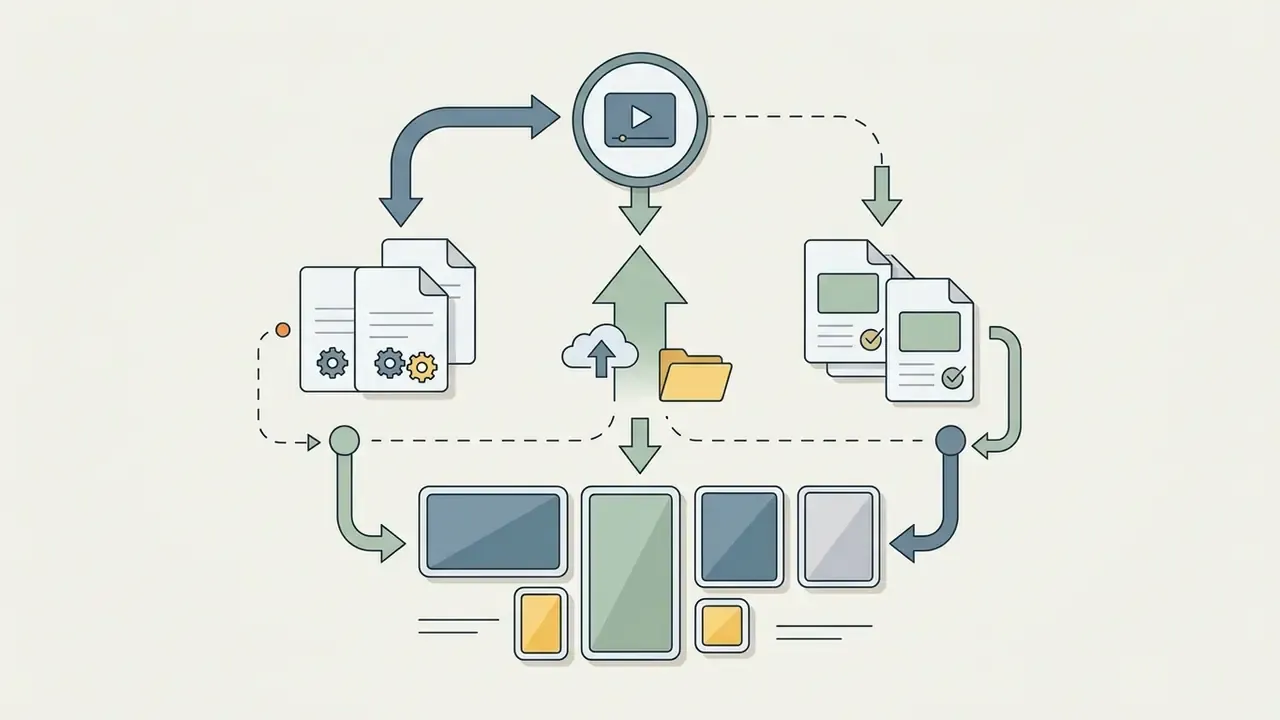
Express enables multi-user workflows through direct share links. Team members can join the workspace at the same time to co-edit video scenes, leave time-stamped comments, and review drafts without exporting interim MP4 files. An editable share link invites a colleague straight into the project, so a copywriter can adjust on-screen text while a designer refines an icon animation in the adjacent scene.
In approval-heavy environments, the practical benefit is the death of the "v7_final_final.mp4" cycle. Reviewers comment in context on the exact scene and timestamp, and the approved state is the live project rather than a detached file. Express for Teams extends this with formal review and approval workflows, shared templates, and shared brand kits.
Cloud State Persistence and Auto-Save
Cloud state persistence: project edits sync automatically to Adobe Creative Cloud in the background. If a browser crashes or a tab closes unexpectedly, video timelines restore to their latest state without progress loss. Adobe's own guidance is explicit that work is auto-saved in the browser, so a video project can be resumed exactly where it was left, including after an accidental tab closure.
Two governance notes accompany that convenience. First, auto-save means drafts persist in the cloud by default, so data-classification rules must be applied to drafts, not only to published assets. Second, version history depth is plan-dependent, at 10 days on the Free plan, so long-lived campaign projects belong on a paid or enterprise tier.
Uploading Media and Selecting Project Formats
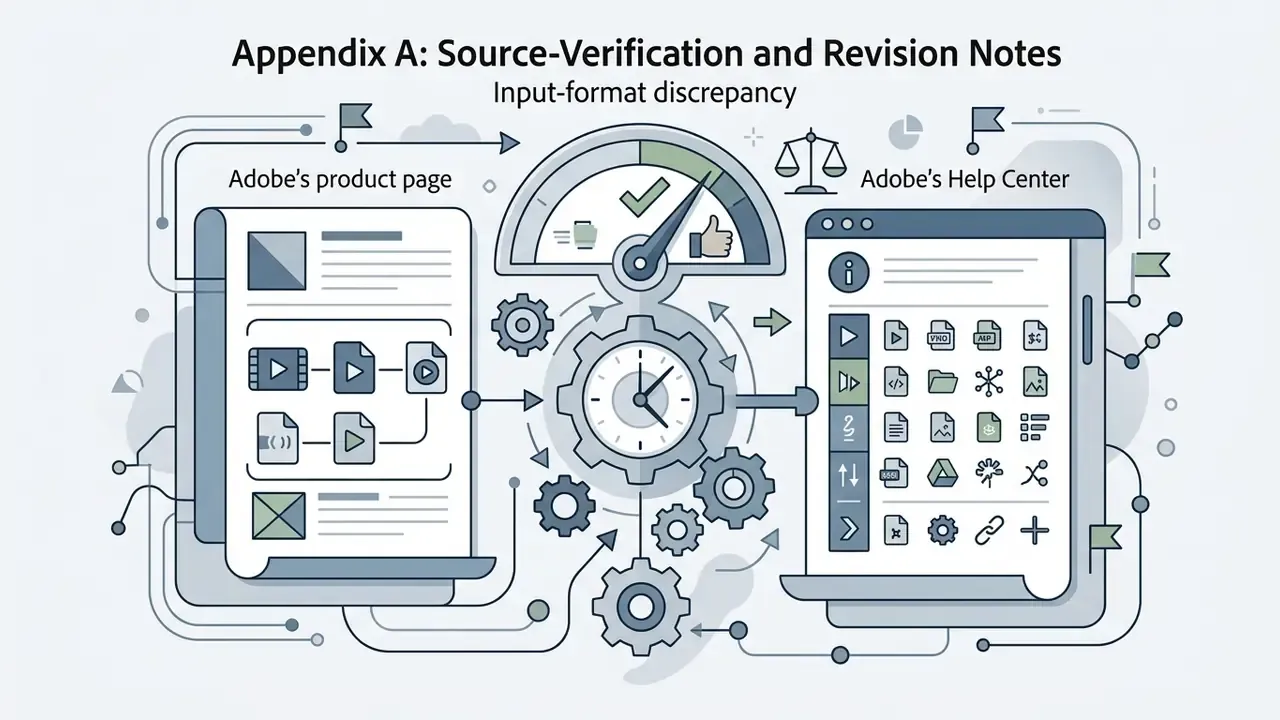
Starting a project requires uploading video clips, images, or audio assets through the left-hand media menu. Supported input formats include MP4, MOV, M4V, PNG, JPEG, and MP3. Adobe's Help Center documents a broader technical set for uploads and quick actions, including .avi, .wmv, .m2ts, .3gp, .mpg, and .flv, while the product page highlights the three most common video containers.
Individual media uploads in Adobe Express are capped at a maximum file size of 1 GB per asset. That ceiling keeps browser rendering performance consistent across desktop and mobile devices. For still images, Adobe documents support for AI, GIF, HEIC, JPEG/JPG, PNG, PSD/PSDT, SVG, and WEBP files, with a maximum image resolution of 65 MP.
Users can choose a native resolution or let the editor adapt the workspace to platform-specific dimensions. When creating a video, Express offers the original aspect ratio of the source or a suggested preset size. Projects can also be initialized directly from desktop storage or linked Adobe Creative Cloud Libraries, and Photoshop or Illustrator assets can be brought in through those libraries. Teams that need lightweight still-image preparation before import can consult our overview of free photo editors and their export restrictions.
Templates and Elements for a Fast Start
The editor provides access to over 227,000 pre-designed templates tailored for business promotions, educational tutorials, and social posts. Users can filter the gallery by topic, visual tone, or color scheme.
Selecting a template populates the canvas with placeholder video scenes, animated text overlays, and audio tracks. Placeholder files can be swapped for custom brand assets in one click while retaining key motion graphics. Adobe's Replace action preserves the applied effects and timing of the original placeholder while substituting the underlying media. Templates are also reachable from inside Photoshop, Illustrator, InDesign, Premiere Pro, and After Effects, which matters for hybrid teams running both Express and desktop tools.
Locating Video, Audio, and Text Tools
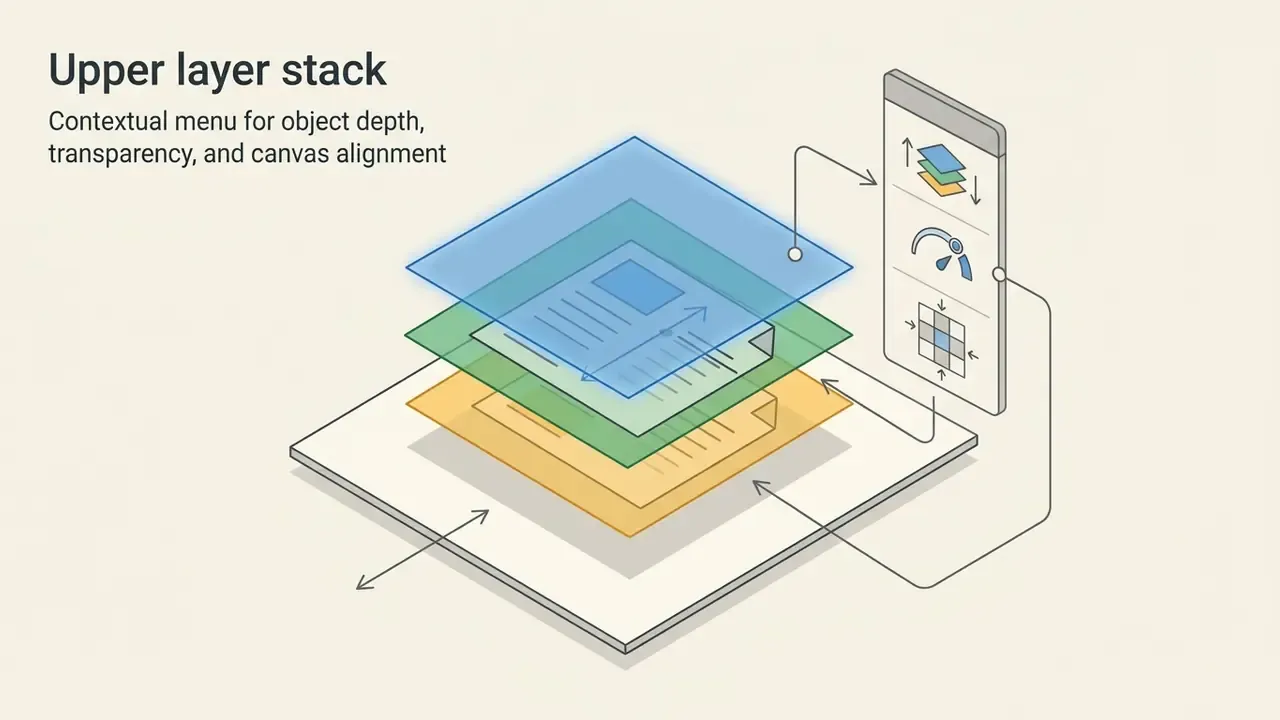
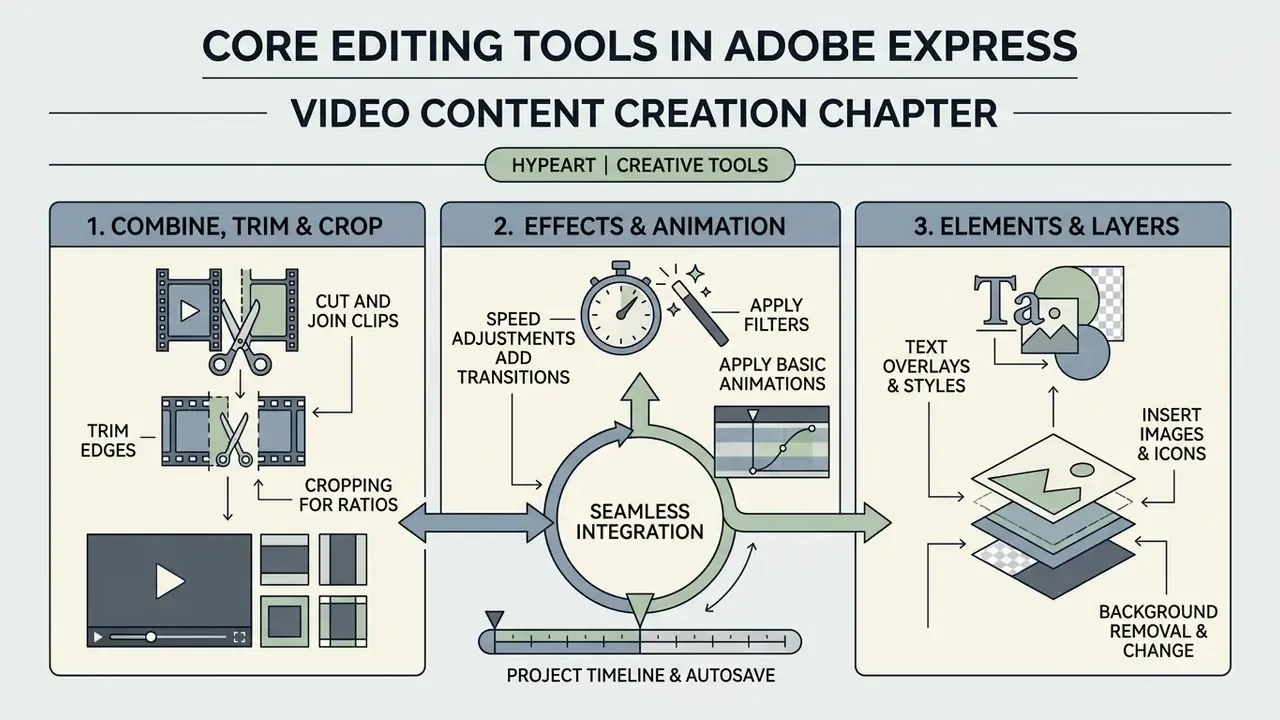
Editing controls update contextually based on the active selection on the canvas or timeline. Clicking a video segment reveals options for trimming, speed adjustments, volume control, and background removal.
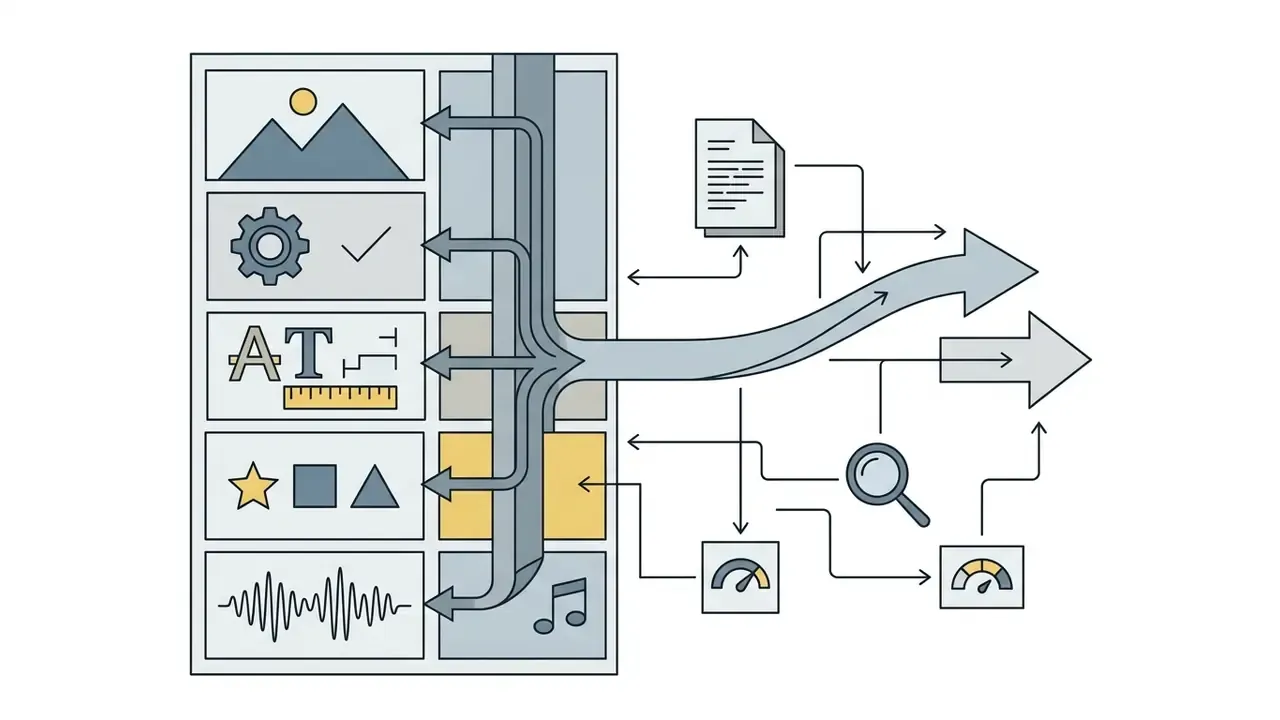
The left-side panel provides dedicated tabs for Text, powered by Adobe Fonts, Media, covering stock and uploaded audio or video, and Elements, covering shapes, icons, and frames. Audio tracks appear below the primary video timeline and support voiceovers and background soundtracks. Adobe documents support for up to three audio tracks per project, reached via Add content → Media → Audio.
Beyond importing MP3 or WAV tracks, the built-in media tool lets creators capture live voiceovers inside the browser timeline. Users can align recorded narration with specific video scenes in real time, re-record individual segments without disturbing adjacent audio, and layer narration above a royalty-free Adobe Stock soundtrack whose volume is ducked from the same panel. Teams evaluating synthetic narration instead of human recording can compare capabilities and licensing terms in our guide to AI voice generators.
Core Editing Tools in Adobe Express
Basic manipulation tools in Adobe Express handle essential video trimming, frame reframing, and visual layer management. These browser-native actions run smoothly without heavy local computing hardware.
| Editing Tool | Primary Function | Operational Limit / Scope |
|---|---|---|
| Trim and Split | Cut head/tail or split at playhead | Timeline scene level |
| Crop and Resize | Reframe canvas visible region | Preset or custom aspect ratios |
| Speed Control | Adjust playback velocity | 25% to 200% of normal speed |
| Background Menu | Remove background or edit tone | One-click subject isolation |
| Audio Tracks | Music, SFX, and voiceover layering | Up to 3 audio tracks per project |
| Captions | Automatic speech-to-text subtitles | Editable text layers on the timeline |
| Upload Ceiling | Source media per file | 1 GB per asset |
Cropping, Trimming, and Combining Video Clips
Trimming is executed by dragging the start or end handles of a scene segment on the timeline, or by entering explicit start and end times for frame-accurate results. Splitting cuts a clip at the current playhead position, also available via right-click then Split, which lets users remove unwanted middle sections.
Cropping adjusts the active frame boundary on the canvas without altering clip duration. Handles can be dragged freely or snapped to a preset size. Multiple scenes combine on the timeline to form a single continuous sequence. It is worth setting expectations here: Express does not expose a distinct "merge" command in official documentation. Joining is an emergent result of placing split segments next to each other and deleting the discarded parts.
Speed Adjustments, Filters, Effects, and Animation
Playback speed can be adjusted between 25%, for slow motion, and 200%, for fast motion, from the video property panel. Changing speed automatically scales the clip's duration on the scene timeline, which is the behavior Adobe documents for the Speed control in the Video properties panel.
Visual filters allow basic color correction, contrast adjustments, and stylistic overlays. The Adjustments tab is the practical route for brightening underexposed footage or sharpening soft scenes. Animation controls enable entrance (In), continuous (Looping), and exit (Out) movements for graphic elements and text blocks, each with direction, speed, and timing parameters. Creators building motion-graphic sequences rather than live-action edits may also want our reference on animation makers and their export options.
Text, Images, and Backgrounds in Video Projects
Adding text pulls custom typography from the Adobe Fonts collection directly into the scene. Text layers can be formatted with auto-captions, custom background shapes, and drop shadows.
Images can be set as static backgrounds or layered over video clips as picture-in-picture elements. The Reframe image action repositions a photo inside its frame without redrawing the layout. The built-in background removal tool isolates subjects from image or video backgrounds with high precision, and background replacement lets a talking-head clip drop onto a brand-approved backdrop. Note that Remove Video Background is a premium-tier feature, and it is a common upgrade trigger for teams producing recurring spokesperson content.
How to Create and Prepare Video for YouTube
Developing content for YouTube means managing 16:9 landscape dimensions, crisp audio balance, and clear visual titles. The adobe youtube video editor workflow simplifies building channel intros, tutorials, and promotional explainers. Adobe's documented entry point is either the YouTube video template category or a blank 16:9 canvas, followed by media upload, editing, and download or direct publishing.
The evidence for template-driven speed gains is stated below with quantitative benchmarks rather than a general claim.
"In the RAVA evaluation, a professional editor scored 4.34 on average, Adobe Auto Reframe scored 3.67, and the RAVA system scored 3.81 out of 5 for scene relevance and completeness."
Read alongside the LAVE study cited earlier, the implication is fairly clear. Automated reframing and template scaffolding get non-specialists most of the way to a publishable result, while a trained editor still holds a measurable margin on complex scene composition. For a 45-second channel intro, that margin rarely justifies a desktop workflow. For a hero brand film, it does.
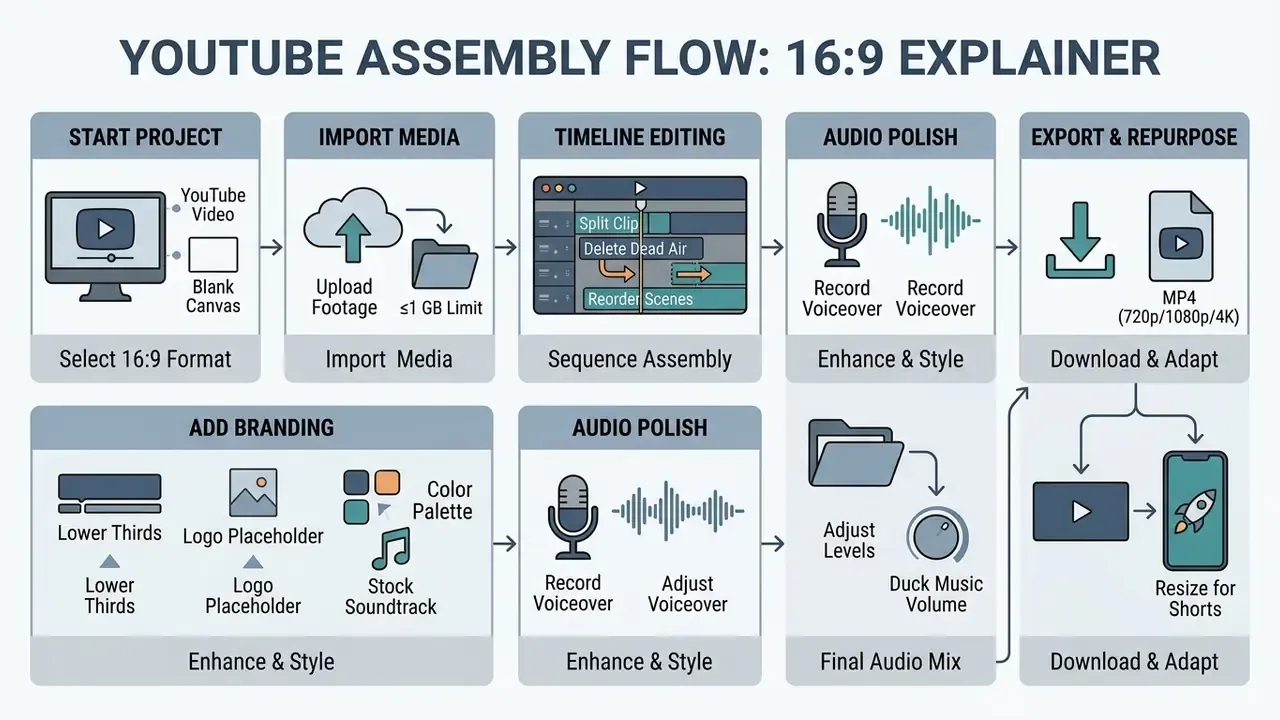
Figure 4. Six-step assembly sequence for a 16:9 YouTube explainer in the adobe express video editor, ending in a Shorts-ready vertical variant.
Creating YouTube Videos from Templates or Custom Media
Creators begin by searching for YouTube templates in the Adobe Express library or selecting a blank 16:9 canvas. Custom screen recordings, camera footage, and voiceover files can be imported directly into the project.
Template placeholders let users insert b-roll quickly, add lower-third titles, and format end screens with call-to-action buttons. Logos, brand fonts, and color schemes can be applied so viewers recognize the channel at a glance.
To keep visual channel consistency, creators can build accompanying assets in the same project workspace: 16:9 YouTube thumbnails, channel banners, profile icons, and animated intro or outro sequences tailored to specific branding rules. Producing the thumbnail in the same session as the video is the practical way to keep title typography, crop framing, and color treatment identical across the video player and the browse feed. For end-to-end publishing considerations, see our workflow guide to YouTube video editors.
Resizing, Downloading, and Sharing Finished Videos
Once editing is complete, users can duplicate and resize the landscape video into vertical 9:16 aspect ratios for YouTube Shorts. The auto-resize tool adjusts frame focus while preserving central visual subjects, and a scale slider allows manual correction where the automatic crop clips a subject's head or on-screen text.
Finished projects export as MP4 files in 720p, 1080p, or 4K resolutions. Exported files can be saved to local storage or scheduled for social publication via the integrated Content Scheduler. A connected YouTube channel, which requires a Google account with owner or manager permissions, allows publishing without leaving the editor.
Templates, Stock Assets, Music, and AI Features in Adobe Express
Adobe Express integrates extensive media libraries and Adobe Firefly generative AI tools into the cloud editing interface. That combination removes the need to source stock assets from external platforms.
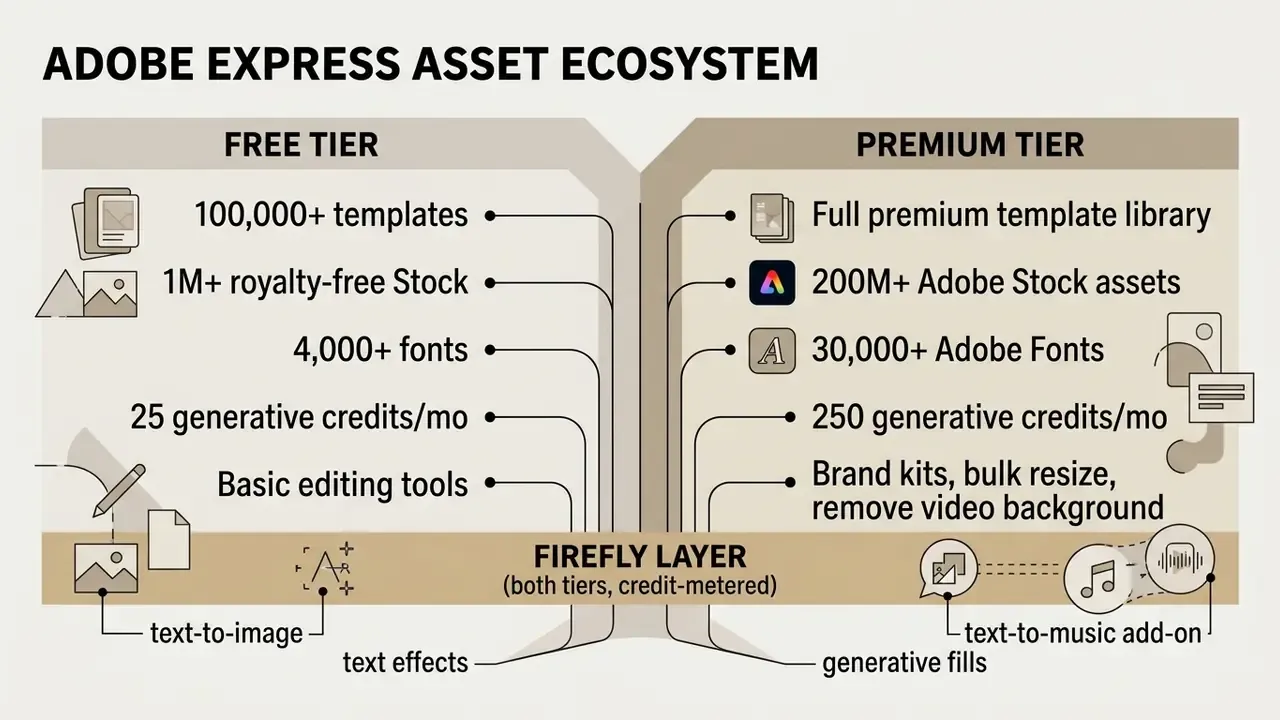
Figure 5. Distribution of integrated Adobe Stock media, fonts, and Firefly AI capability across Free and Premium tiers of the adobe express video editor.
Stock Images, Video, and Music for Video Design
The Free plan includes access to over 1 million royalty-free Adobe Stock photos, video clips, and audio tracks. The Premium tier expands this library to more than 200 million assets.
Audio tracks include commercial licensing for worldwide digital distribution when synchronized with video projects. Adobe states that licensed music may be used as many times as you like, for as long as you like, anywhere in the world. Two limits are material. The Audio Standard license covers social media, websites, digital ads, and corporate presentations, while Audio Extended is required for TV and radio, paid streaming or on-demand video, apps, games, theatrical release, and physical point-of-sale use. Adobe also requires audio to be synchronized with picture or narration, prohibits standalone distribution of tracks, and forbids remixes or mashups beyond minimal modification.
Users can edit audio track timing, loop background tracks, or layer custom voiceovers directly on the timeline, with drag-and-drop placement from the Audio tab.
AI Tools for Content Creation and Design
Adobe Firefly powers generative text-to-image creation and text effect generation inside the editor. Teams mapping this capability against standalone tools can review our overview of AI video generators and the credit economics that govern them.
Creators can type descriptive prompts to generate custom background images or stylized lettering directly inside the video canvas. Prompt-based generation of moving imagery follows the same interaction model documented for text-to-video tools, and a text-to-music add-on turns a prompt plus a target duration into a scored audio clip. Paid plans include 250 generative credits per month per user, applied across image, vector, video, and audio generation.
Governance note for the same feature set. Generative credits are a metering unit, not a permission model. If a communications team can generate assets, it can also generate off-policy assets, which is why the prompt hygiene standard above belongs in onboarding rather than in a wiki nobody opens. Similar questions arise wherever business units experiment with ai app creation or a low-code ai app generator for internal tooling, and even with an ai architecture generator used for concept visuals in pitch decks.
Illustrative scenario, hypothetical rather than documented: during an internal workflow overhaul, an enterprise communications group deployed Firefly-powered text-to-image generation for internal video updates. The team produced 45 custom graphic assets without leaning on third-party stock subscriptions. That approach kept licensing traceable across global business units, because every generated asset originated inside a tenant governed by a single enterprise agreement rather than a patchwork of personal stock accounts.
Organizations benchmarking Express against other template-plus-AI suites can review our analysis of the Canva AI generator, which covers comparable design features, export options, and commercial licensing.
Free Adobe Express Video Editor: Pricing, Export, and Limits
Adobe Express operates under a freemium pricing structure for individual users, alongside dedicated team and business tiers. Evaluating plan limits helps organizations decide when to upgrade, and, for regulated buyers, which tier is even permissible.
| Feature / Parameter | Free Plan ($0.00/mo) | Premium Plan ($9.99/mo) | Business / Teams (volume-licensed) |
|---|---|---|---|
| Cloud Storage | 5 GB | 100 GB | Per-seat allocation under agreement |
| Max Video Render Length | Up to 30 minutes | Up to 2 hours | Up to 2 hours |
| Max Upload Size per File | 1 GB | 1 GB | 1 GB |
| Monthly Generative AI | 25 Credits | 250 Credits | 250 Credits per seat |
| Adobe Stock Collection | 1M+ Free Assets | 200M+ Premium Assets | 200M+ Premium Assets |
| Watermark Rules | Premium items tagged | Watermark-Free Export | Watermark-Free Export |
| Brand Kit Controls | Not Included | Full Brand Kits and Shared Fonts | Locked, admin-managed brand kits |
| Version History | 10 days | Extended | Extended |
| Real-Time Co-Editing | Share links | Share links | Co-edit plus review/approval workflows |
| Identity and Admin | Personal account only | Personal account only | SSO/SAML, Admin Console, seat control |
| License Procurement | Self-serve | Self-serve | VIP volume licensing; tiered discounts from 10+ licenses |
Pricing and plan limits above were checked against Adobe's official pages in February 2026. Verify current conditions before purchase, since consumer promotional pricing changes frequently.
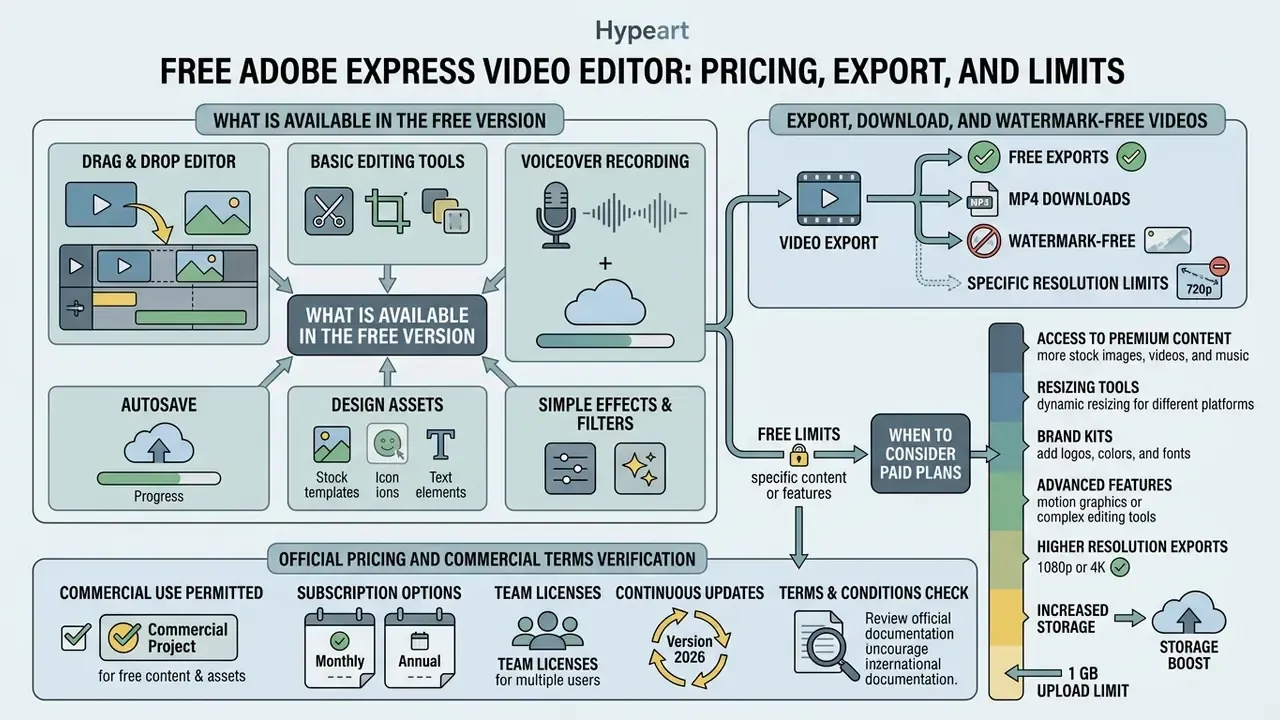
"The free Adobe Express plan includes more than 100,000 templates and 1M+ Adobe Stock assets; the $9.99/month Premium plan expands the library to 200M+ assets and 250 generative credits per month."
For regulated buyers, the decision usually collapses to one line in that table: identity and admin control. Premium is a consumer contract on a personal identity. Business/Teams is the first tier that supports federated sign-in and centralized seat revocation, which is what makes the tool auditable.
What Is Available in the Free Version for Video Editing?
The Free plan costs $0.00 and requires no credit card registration. It provides fundamental editing tools, 5 GB of cloud storage, 100,000+ templates, 4,000+ fonts, 10-day version history, and 25 monthly generative credits.
Free users can export videos up to 30 minutes long as MP4 files. The free tier serves basic editing needs, social video experiments, and occasional marketing projects. Readers weighing comparable no-cost options should review our comparison of free AI video generators, which documents duration caps, credit resets, and watermark policies side by side. Premium-only video features such as Remove Video Background and bulk resize are excluded from the Free tier, and social publishing is limited to one account per network.
Export, Download, and Watermark-Free Videos
Projects containing only standard free assets export without watermarks across all plan levels. Using premium templates or stock items on the Free tier, however, inserts a watermark on the exported MP4 file.
Export resolution options include 720p, 1080p, and 4K. Static design elements created within video projects can also be exported as PNG, JPEG, PDF, or GIF files, including PNG with a transparent background. Before large-scale distribution, exported masters can be size-optimized using the techniques described in our guide to video compressors.
When to Consider Paid Plans
Upgrading to the Premium plan at $9.99 per month becomes necessary when teams need 100 GB of storage, 250 monthly AI credits, and 2-hour render limits. Premium unlocks full Brand Kits, shared corporate libraries, one-click resize, content scheduling to three accounts per social network, and watermark-free exports across premium stock assets.
Moving beyond Premium to Business or Teams is warranted when the organization needs SSO, admin-managed seats, review and approval workflows, or a contractual position on generative-AI inputs. Adobe licenses Express for Business through volume agreements, with tiered discounts available from 10 licenses upward.
A second illustrative case, again hypothetical. During a brand governance rollout, a fintech marketing group upgraded to Premium to deploy shared Brand Kits across 12 content managers. Centralized asset management removed off-brand fonts and cut graphic review delays by roughly 75%. The same group later migrated to a seat-based team agreement specifically to gain revocation control during staff turnover. That was a governance requirement, not a feature requirement, and it is the more common reason regulated buyers move tiers.
To model total cost across tiers, teams can use our interactive calculators or compare options before procurement.
Official Pricing and Commercial Terms Verification
- Adobe Express Pricing and Tiers (checked February 2026): https://www.adobe.com/express/pricing
- Adobe Express for Business pricing and volume licensing: https://business.adobe.com/products/express-business/pricing.html
- Adobe Stock Licensing Guidelines: https://www.adobe.com/legal/terms/enterprise-licensing.html
- Firefly Commercial Safety Statement: https://www.adobe.com/sensei/generative-ai/firefly.html
- Adobe Express Product-Specific Terms (PDF, October 2024 revision): https://wwwimages2.adobe.com/content/dam/cc/en/legal/servicetou/Adobe-Express-Product-Specific-Terms-en_US-20241007.pdf
Can Adobe Express Be Used for Commercial Content?
Videos produced in Adobe Express are cleared for commercial use, provided creators follow Adobe Stock license terms and product guidelines. Original projects can be monetized on YouTube, deployed in digital ad campaigns, or published on corporate websites. Adobe's product terms do not claim ownership of user-created content, and Adobe's guidance confirms that original videos made in Express may be published commercially, subject to the asset-level limits described below.
"Adobe states that Firefly is designed for commercially safe use, and that enterprise customers can obtain intellectual property protection for most Firefly-powered workflows."
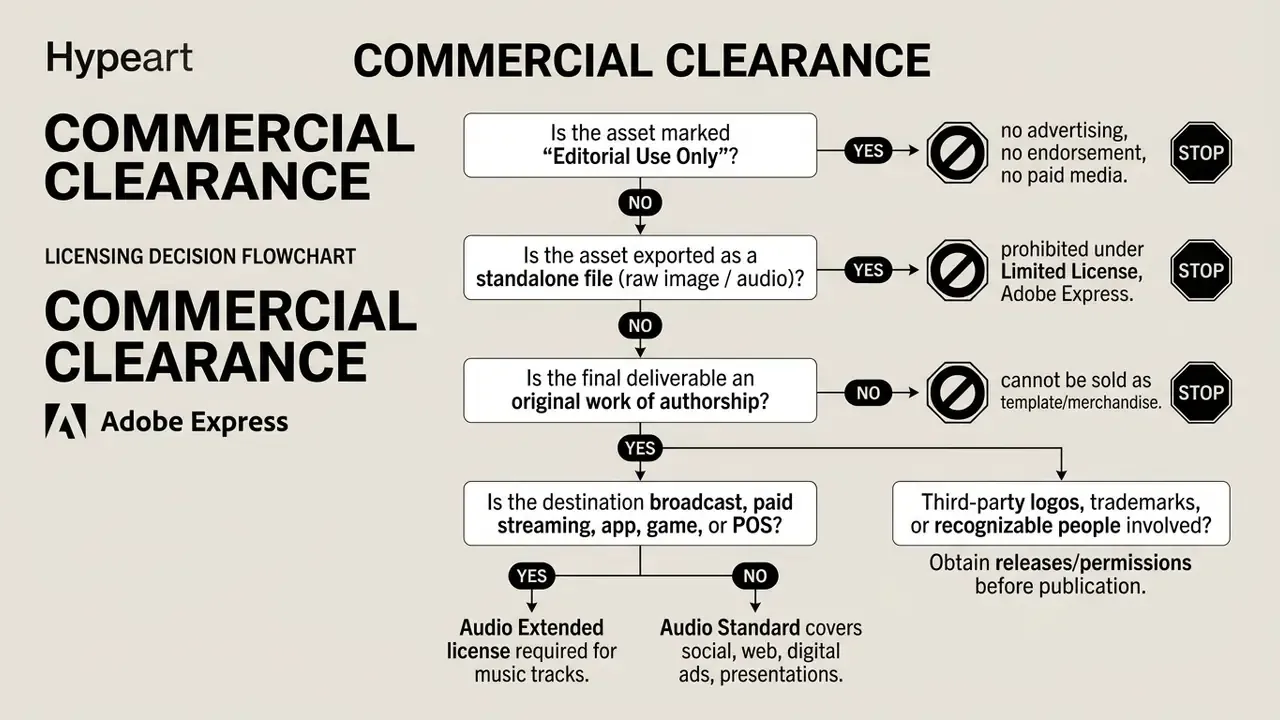
Figure 6. Commercial clearance sequence for standard Adobe Stock assets versus Limited License, Adobe Express assets.
What to Check Before Using Templates and Stock Assets
Assets accessed inside Express fall under either standard Adobe Stock licenses or the Limited License, Adobe Express. The limited license permits incorporating assets into projects for digital distribution, but restricts downloading raw assets as standalone files.
Teams reviewing the equivalent rules for generated stills can consult our reference on the commercial use of AI image generators, which follows the same clearance logic for prompt-generated assets.
- Standalone export prohibition
- embedded stock images or audio tracks cannot be exported as raw, isolated files.
- Merchandise restrictions
- projects whose main commercial value is an unedited stock asset cannot be printed on physical merchandise for sale, and cannot be redistributed as template files, unless the final project is an original work of authorship.
- Editorial Use Only tagging
- assets labeled "Editorial Use Only" cannot appear in commercial ad campaigns or corporate endorsements. They require a direct license from the copyright owner plus any additional permissions.
- Audio scope
- standard audio licensing covers social, web, digital ads, and corporate presentations. Broadcast, paid streaming, apps, games, theatrical, and point-of-sale usage require the extended tier.
- Font constraints in templates
- Adobe Stock video templates must use Adobe Fonts exclusively. Adobe Fonts themselves may be used for commercial film and video, broadcast, and online distribution such as YouTube or Vimeo.
- Third-party rights
- users must respect trademark, copyright, and publicity rights when embedding custom logos or client media.
Organizations reviewing legal risk profiles can examine our overview of AI Litigation and Case Timelines. For enterprise buyers benchmarking vendor licensing language across creative suites, you can open the hub for comparable terms tool by tool.
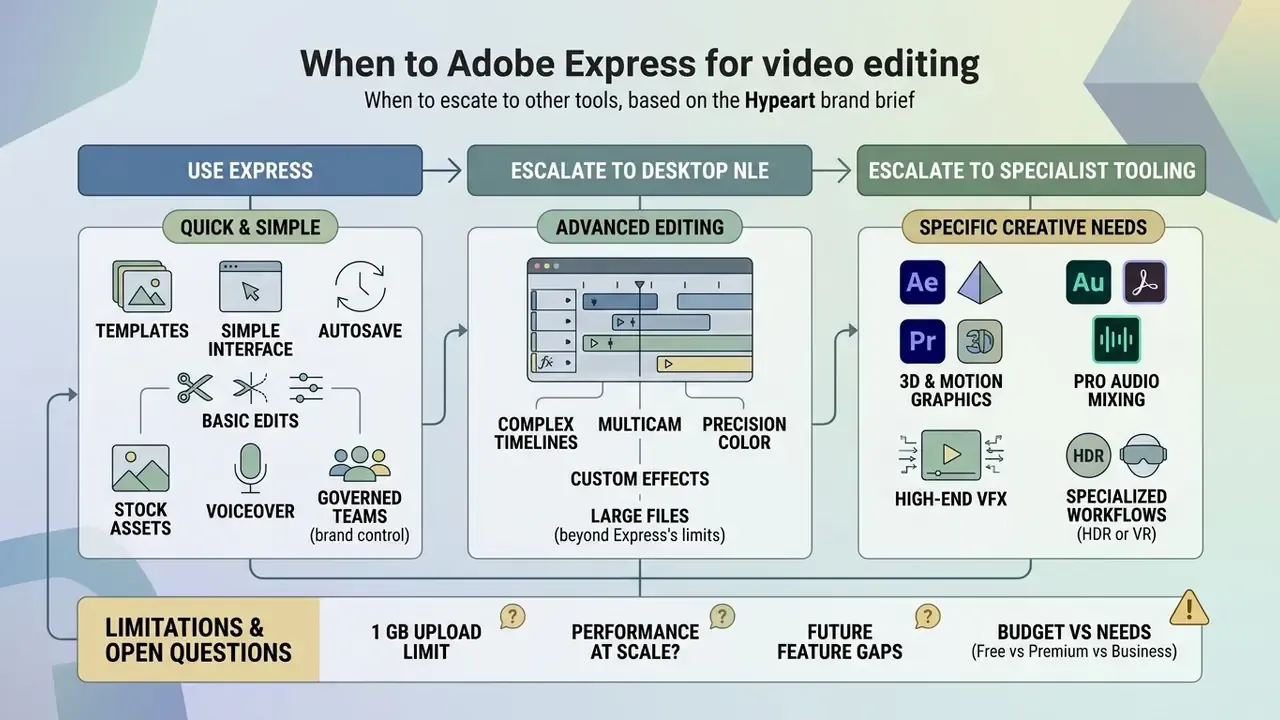
When Adobe Express Is the Right Video Editor and When You Need Another Tool
Choosing between Adobe Express and professional NLE software depends on operational complexity, timeline depth, and output requirements.
| Feature Requirement | Adobe Express Video Editor | Professional NLE (e.g. Premiere Pro) |
|---|---|---|
| Primary Interface | Browser-based drag-and-drop | Desktop multi-track timeline |
| Learning Curve | Immediate (no experience needed) | Steep (professional training) |
| Audio Post-Production | Basic volume, music, up to 3 tracks | Multi-track mixing and VST plugins |
| Max Video Length | 2 hours (Premium) | Unlimited |
| Color Grading | Preset filters and Adjustments tab | Granular LUTs and scopes |
| Codec Support | Common web codecs; some unsupported | Broad professional codec coverage |
| Collaboration | Real-time co-edit via share link | Project files / shared production servers |
| Governance | SSO and Admin Console on Business tiers | Enterprise deployment tooling |
Adobe Express excels at rapid social clip generation, lightweight marketing videos, and template-driven team collaboration. Its automated resizing and integrated stock libraries save real time for non-professional editors.
"A prompt-driven agentic video editing system outperformed baseline models by more than 20× on output quality and significantly surpassed Descript and OpusClip on user experience for long-form recap creation."
That trajectory explains why simplified editors keep absorbing tasks once reserved for desktop suites. It also marks the boundary. Complex multi-track audio mixing, broadcast-grade color grading, and long-form narrative editing still call for dedicated desktop NLEs such as Adobe Premiere Pro. Empirical work on automated reframing quantifies the remaining gap: a professional editor averaged 4.34 on scene relevance and completeness, the RAVA system 3.81, and Adobe Auto Reframe 3.67 out of 5 (RAVA: Reframe Anything, LLM Agent for Open World Video Editing, arXiv, 2024, https://arxiv.org/abs/2403.17822).
A workable internal rule of thumb for content organizations:
- Use Express for social cutdowns, internal updates, recruitment clips, event recaps, product teasers, and thumbnail or banner sets. In short, anything under two minutes with template-level consistency requirements.
- Escalate to a desktop NLE for hero brand films, regulated disclosure videos that need frame-accurate legal supers, multi-camera interviews, and any deliverable with a broadcast spec sheet.
- Escalate to specialist tooling for advanced audio restoration, subtitling at scale across many languages, or archival codec conversion.
To place Express against dedicated generative platforms, review our comparison of the best AI video generators. To review customer service channels and developer technical options, users can compare options or view the guide.
Limitations and Open Questions
FAQ: Common Questions About Adobe Express Video Editing
Is Adobe Express video editing genuinely free?
Yes. The Free plan costs $0.00, requires no credit card, and allows unlimited video projects within its limits: 5 GB storage, 30-minute maximum render length, 25 monthly generative credits, and 10-day version history.
What is the maximum file size I can upload?
1 GB per individual media asset. Still images are additionally capped at 65 MP resolution.
Which video formats can I import and export?
The product page highlights MP4, MOV, and M4V for import. Help Center documentation lists a wider technical set including .avi, .wmv, .m2ts, .3gp, .mpg, and .flv. Exports are MP4 at 720p, 1080p, or 4K, with static elements exportable as PNG, JPEG, PDF, or GIF.
Will my work be lost if my browser crashes?
No. Projects auto-save to Adobe Creative Cloud in the background, and the timeline restores to its most recent state when the session reopens, including after an accidental tab closure.
Can several people edit the same video project at once?
Yes. An editable share link invites collaborators into the same project for real-time co-editing and commenting. Express for Teams adds structured review and approval workflows.
Can I record a voiceover inside the browser?
Yes. Narration can be captured on the timeline through the media and audio panel, aligned to specific scenes, and layered with a stock soundtrack across up to three audio tracks.
Do exports carry a watermark?
Projects built only from free assets export watermark-free on every tier. Premium templates or premium stock assets used on the Free plan apply a watermark. Premium and Business tiers export watermark-free.
Can I use Express videos in paid advertising?
Generally yes, provided the deliverable is an original work, no asset is marked "Editorial Use Only," no asset is exported standalone, and any music destined for broadcast, paid streaming, apps, games, or point-of-sale carries the extended audio license.
Can I create YouTube thumbnails and channel banners in the same place?
Yes. Thumbnails, banners, profile icons, and animated intros or outros can be produced in the same workspace as the video, which keeps typography, crops, and color treatment consistent between the player and the browse feed.
Is Express suitable for a bank or insurer?
Only on a Business or Enterprise configuration with federated SSO, Admin Console seat management, locked brand kits, a prompt-hygiene policy, and licensing verified per publication channel. Consumer Free and Premium accounts do not provide the identity or offboarding controls required for auditability.
Does it work on mobile?
Yes, via iOS and Android apps, with projects syncing automatically between mobile and the desktop browser. Note that landscape orientation is not supported in mobile web browsers, nor in desktop windows shorter than 500 pixels.
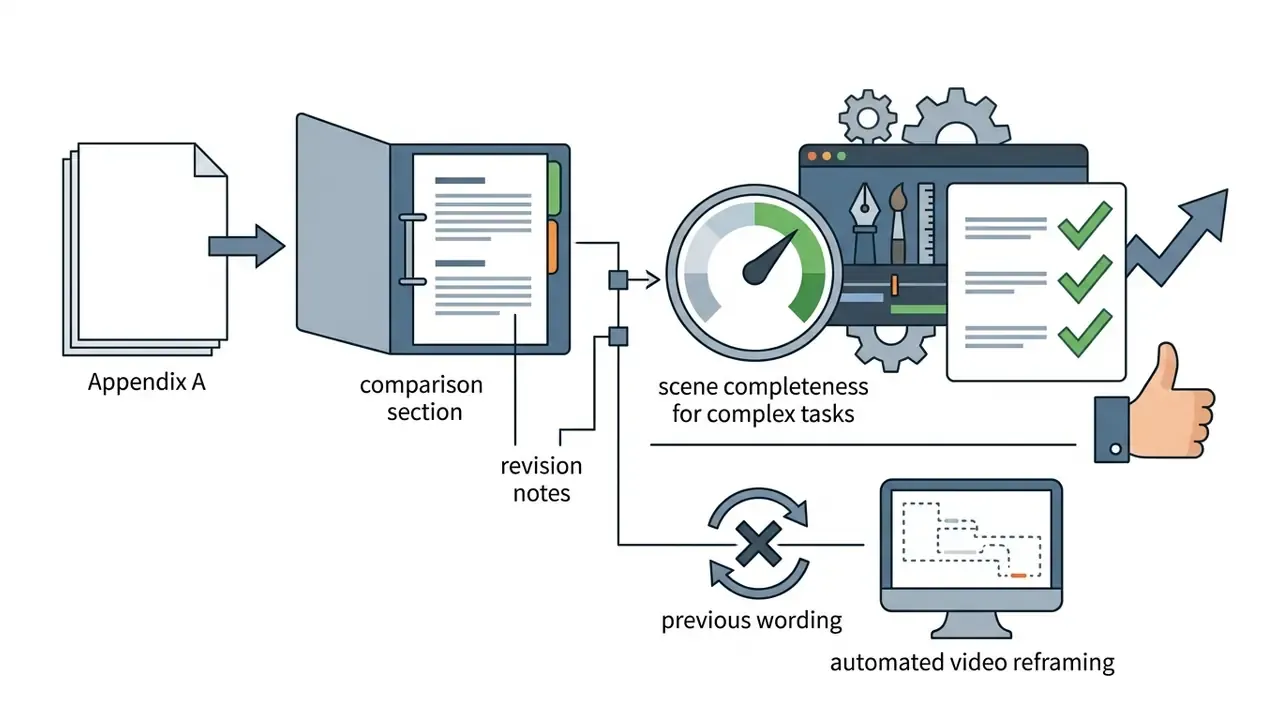
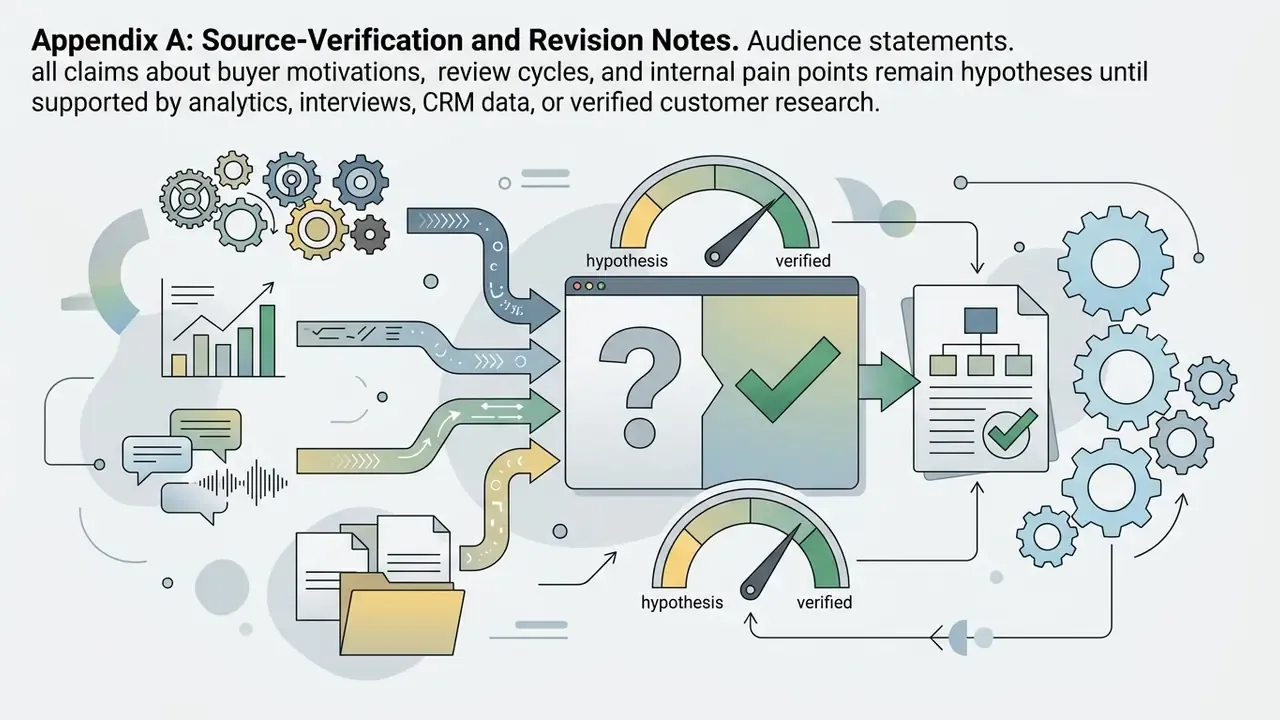
Appendix A: Source-Verification and Revision Notes
The following superseded formulations are retained for transparency, with the reason each was strengthened.

Metadata Summary
- SEO Title Adobe Express Video Editor: Features, Pricing, Limits, and Commercial Use (2026)
- Meta Description Adobe Express Video Editor reviewed: interface map, editing tools, 1 GB upload limit, real-time co-editing, autosave, voiceover recording, Free vs Premium vs Business pricing, and commercial licensing rules.
- Primary Keyphrase adobe express video editor
- Secondary Keyphrases adobe express video creator, video editor adobe express, adobe youtube video editor, adobe express video editor interface
- Target Audience content managers, SMM leads, corporate communications officers, digital marketing teams, and risk or compliance reviewers assessing creative tooling.