H HypeartAI media decision support
Start for Free
Esc
↑↓ navigate↵ openEsc close
On this page

AI Banner Generator: Create Custom, Brand-Safe Banners Online

Definition

An ai banner generator lets marketing teams, digital agencies, and enterprise design groups automate graphic production by turning text descriptions into structured ad creatives, social headers, and web visuals. Modern generative design platforms go well past basic image generation. They deliver editable typography, multi-size canvas adaptation, and brand kit governance that survives an audit.

Term type
Glossary / Entity
Last checked
Source status
Manual check

That last point is the one most teams underestimate.

Last updated: August 2026. Reviewed against advertising-platform specifications, licensing terms, and copyright guidance current as of the update date.

Executive summary for marketing, risk and compliance leaders

  • What it is an AI banner generator converts a campaign brief into a layered creative, not a single flat image. Background raster, editable text layers, logo slots. Agentic architectures such as BannerAgency (EMNLP 2025) render output as editable SVG or Figma components.
  • Does it perform? Yes, conditionally. A randomized field experiment recorded a 21.5% higher CTR for the best AI-generated banner versus a professional stock photo, but a 65.5% CTR spread between generative models. Model selection is a performance variable, not a footnote.
  • What breaks campaigns mismatched pixel specs (aspect ratio treated as resolution), unreadable typography at 320x50, missing legal disclaimers, and files above the 150 KB display cap.
  • What breaks compliance purely machine-generated visuals cannot be registered for copyright without human authorship, and free tiers on several platforms grant no commercial licence at all.
  • What to govern brand-kit locks, disclaimer-layer locks, co-editing approval trails, vendor data non-training guarantees, and a written policy against Shadow AI tools inside marketing departments.
  • Where to start pick four to six target placements, build one brand-locked master template per aspect ratio, generate 10 to 15 variants, then run structured A/B tests with human review before any media spend.

What is an AI banner generator and what can it create?
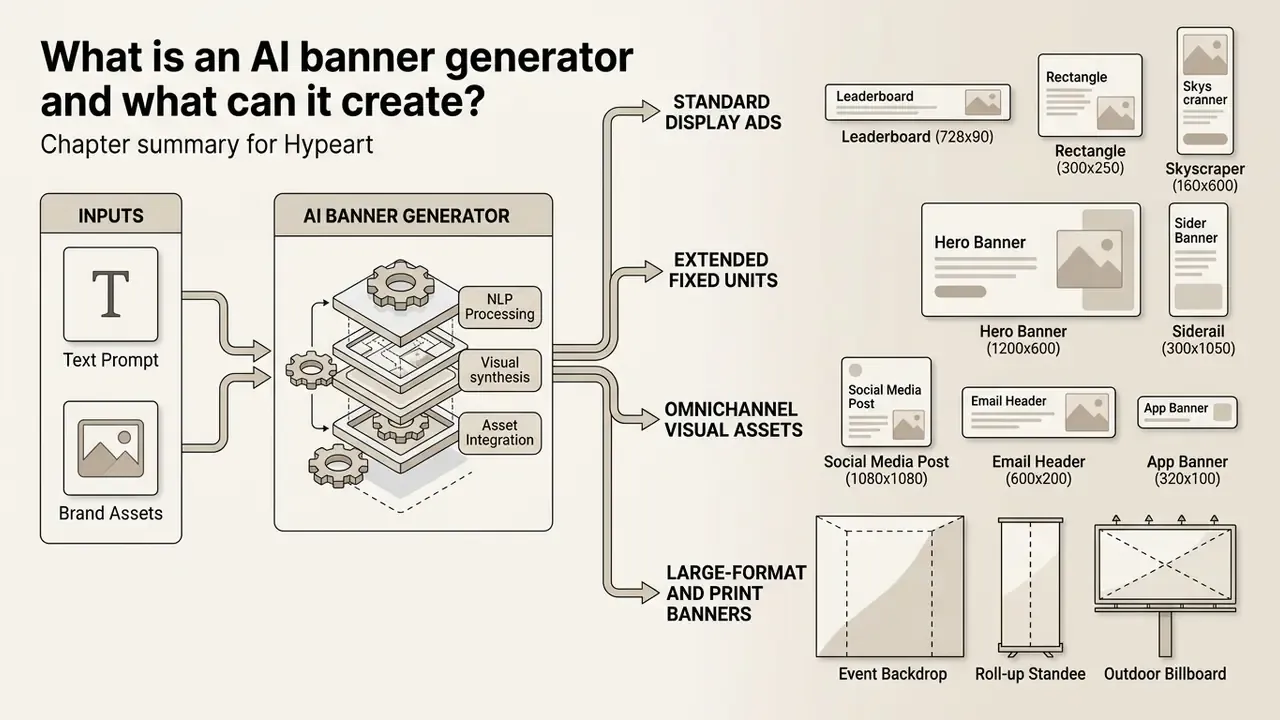
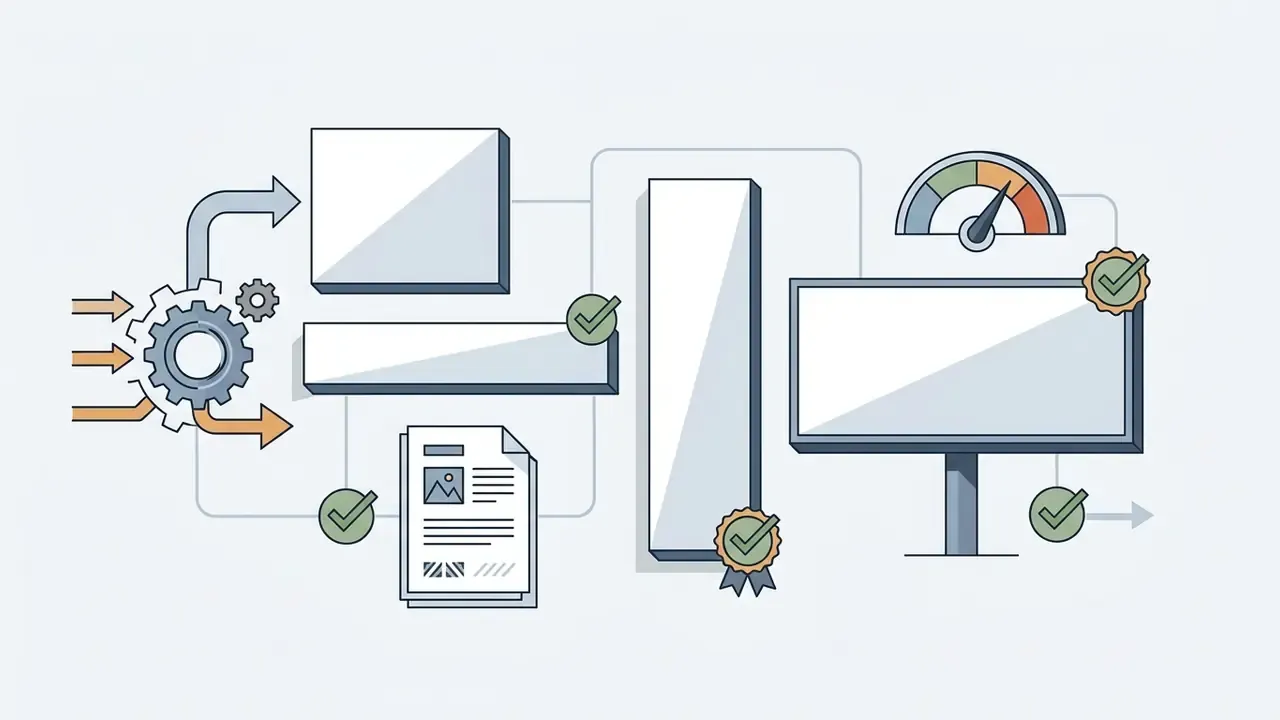
Flowchart showing how an AI banner generator converts text and brand assets into various digital formats

An ai banner generator is an automated software system that transforms natural language prompts and visual brand assets into structured, multi-layered graphic banners. Unlike basic text-to-image models that output one raster file and stop there, an ai banner creator treats visual assets as composable designs with editable text boxes, vector shapes, and distinct background layers.

The practical difference shows up on day three of a campaign, when legal asks for a wording change and you either edit a text layer or regenerate everything.

From text prompt to banner image

An ai banner image generator converts a structured text prompt into a complete banner image through a multi-stage multimodal process. Specialized design architectures first interpret the semantic campaign brief, generate a text-free background visual, then overlay composable typographic elements on top.

Recent engineering frameworks separate background visual synthesis from foreground layout planning. The BannerAgency architecture accepted at EMNLP 2025 shows how multimodal LLMs act as specialized agents: a strategy agent interprets campaign goals, a visual agent generates background graphics, and a developer agent compiles output into editable SVG or Figma layers (BannerAgency, EMNLP 2025, https://arxiv.org/abs/2410.16477).

«MIMO combines a hierarchical multimodal agent system with a coordination loop that detects defects, such as misaligned text or missing logos, and iteratively repairs them.»

MIMO: Mirror in the Model, arXiv preprint (2025). arxiv.org

This reflective refinement loop matters operationally. Instead of returning one best guess, the system audits its own output against the brief, flags layout defects, and regenerates only the failing region. Platforms built on layout-first pipelines, Ideogram and Sivi AI among them, isolate text elements into selectable layers. Marketers can then banner generate creatives where copy is edited without disturbing background visual coherence.

Think of it as a production line with inspection points rather than a slot machine.

How to create a banner with an AI banner maker
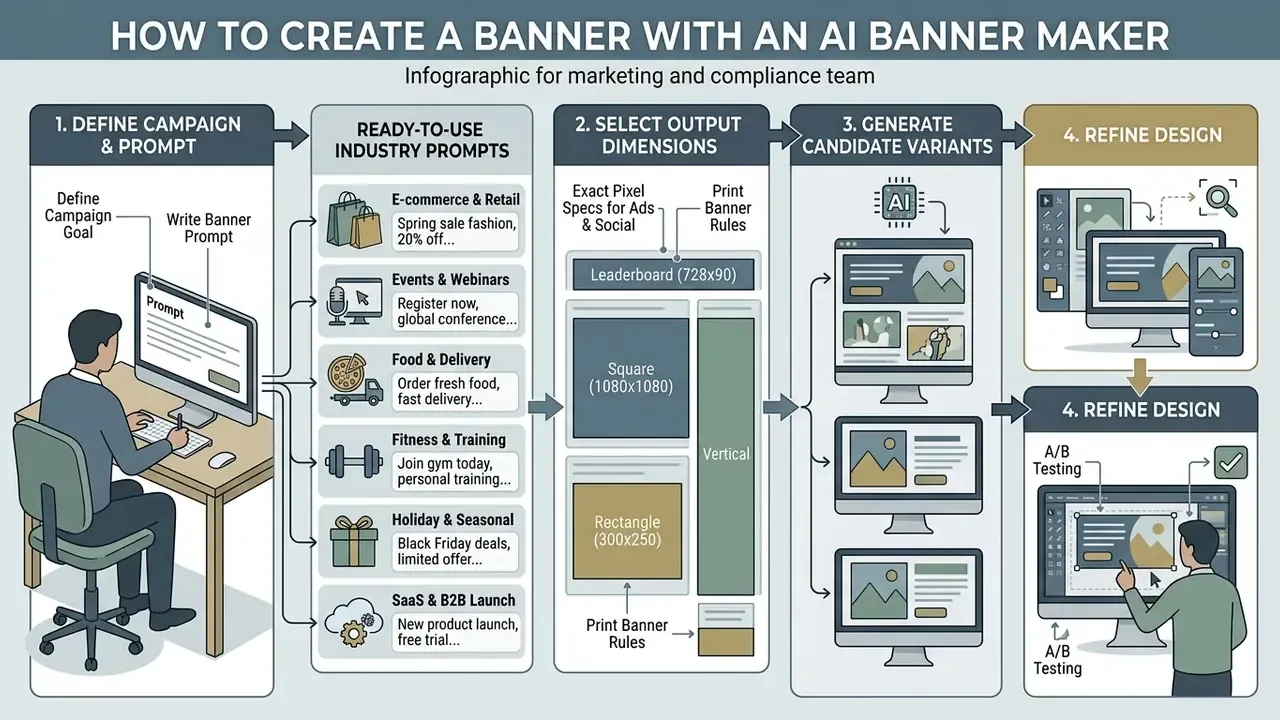
Four-step infographic detailing the process of defining prompts, selecting sizes, and refining designs

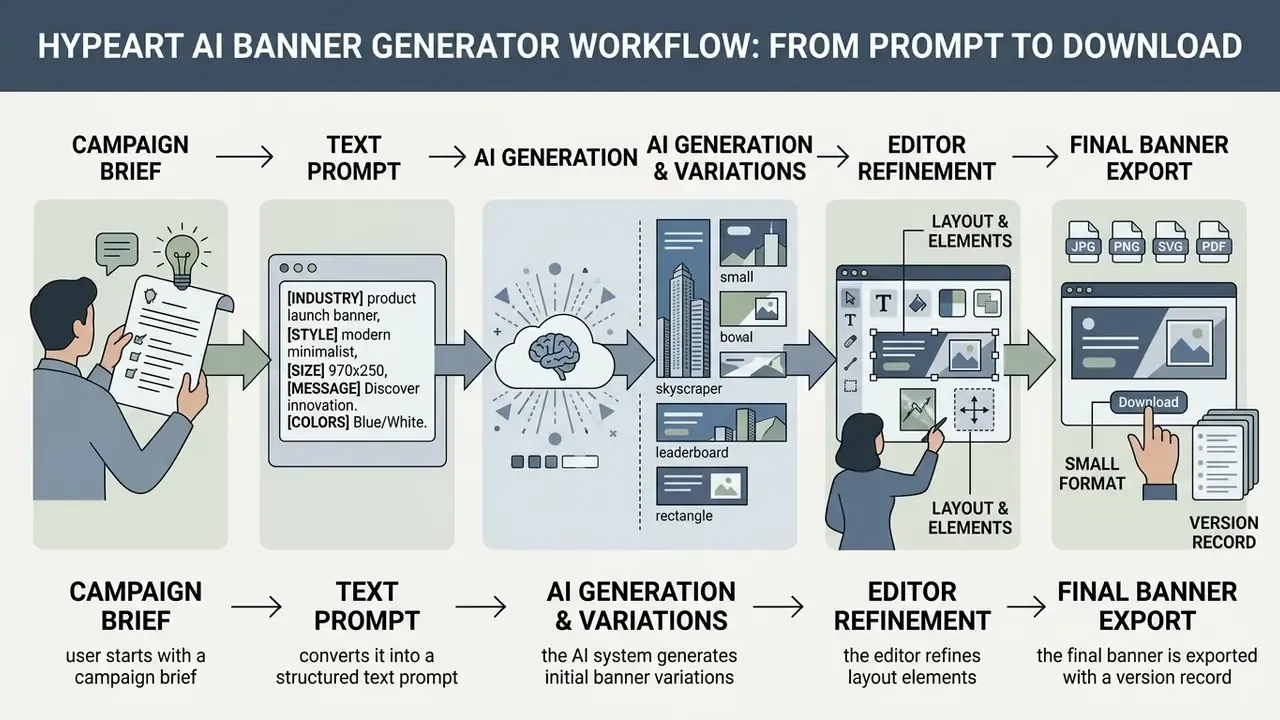
Creating a customized asset with an ai banner maker follows a four-step workflow: define campaign copy, select output dimensions, generate candidate variants, refine design layers before export. Using a structured ai banner generator tool keeps visual consistency and platform compliance stable across high-volume campaigns.

Define the campaign goal and write a banner prompt

An effective banner prompt details campaign context, product focus, colour scheme, overall aesthetic style, and a short call-to-action (text). Prompts should describe background composition while reserving explicit visual space for copy overlay.

Research on advertising banner design with multimodal LLM agents explains why background prompts should describe visual style, colour scheme, composition, and focal points while omitting typography instructions at the raster stage. The agent pipeline generates a text-free background first, then plans the foreground layout as editable components (BannerAgency, EMNLP 2025, https://arxiv.org/abs/2410.16477). Vague phrases such as "for a banner" or "space reserved for a CTA button" degrade output because the background model has no layout semantics. Explicit spatial description wins: "clean matte surface occupying the left third".

Industry technical specifications, such as the CVS Media Exchange ad standards, mandate a strict reading hierarchy: primary visual asset, headline, sub-headline, disclaimer, and a concise CTA limited to 15 characters or four words (CVS Media Exchange Ad Specs, 2023). Prompt engineering guidance from image-model vendors adds two practical constraints. Keep literal rendered text at or below roughly 25 characters for reliable glyph accuracy, and state the intended use ("display ad", "UI mock") inside the prompt itself.

Security-checked

Prompt Pattern: [Product/Subject] + [Background Scene & Lighting] + [Brand Color Palette] + [Layout Composition & Copy Space]

Example: "Premium wireless headphones on a minimal matte slate pedestal, soft studio rim lighting, dark indigo and copper accents, subject centered right with clean negative space on the left for text overlay."

Ready-to-use AI banner prompts by industry

The prompts below are production-tested patterns. Each combines subject, lighting, palette, and an explicit negative-space instruction so headline copy and CTA buttons can be layered on afterwards without covering the focal point. Copy them verbatim and swap the bracketed brand variables.

One caveat worth stating plainly: a good prompt raises your hit rate, it does not guarantee a compliant asset. Compliance lives in the template, not the prompt.
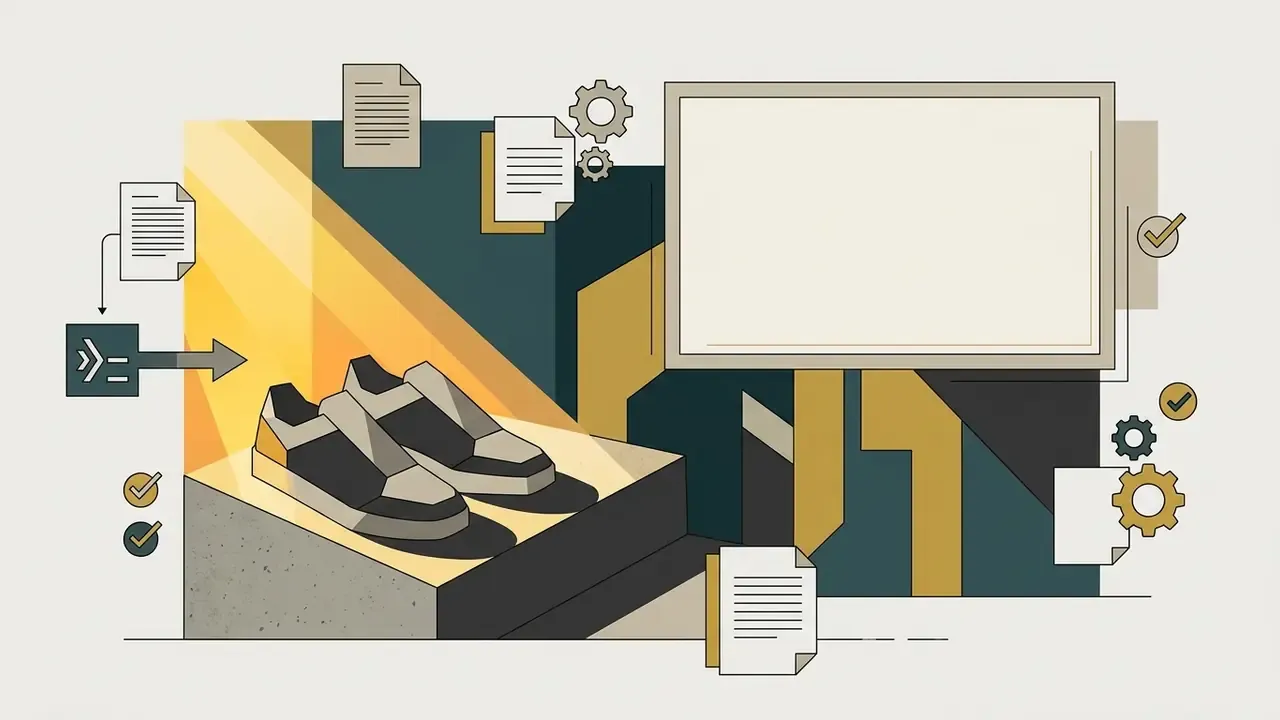
Leather sneakers on a concrete step surrounded by document icons, gears, and a blank display frame
E-commerce and retail sales"High-end leather sneakers placed on an architectural concrete step, warm directional sunlight, sharp defined shadows, minimalist background with dark teal and gold tones, clear empty canvas space in the top-right third for promotional discount copy."
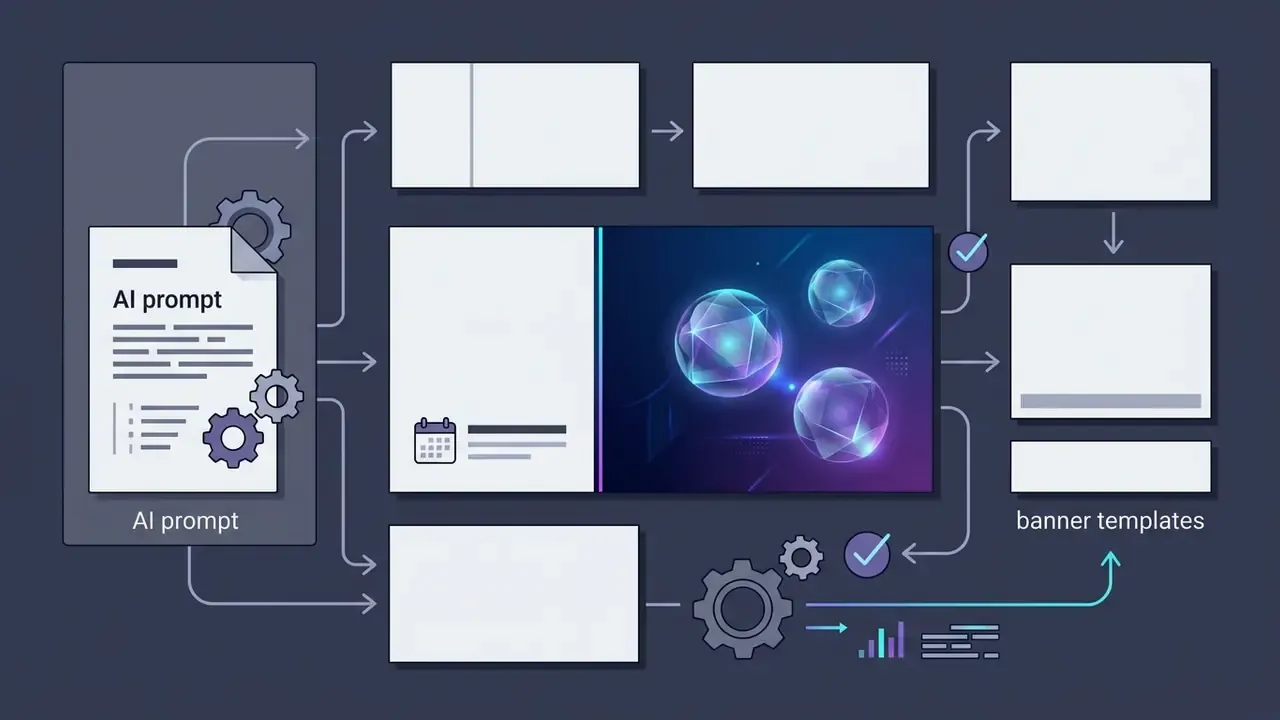
Document with gears feeding into a central design frame and branching out to various banner templates
Events, webinars and conferences"Abstract futuristic glass spheres floating in a neon blue and violet gradient background, dark moody lighting, corporate tech aesthetic, clean left-side framing with high-contrast negative space for event title and date."
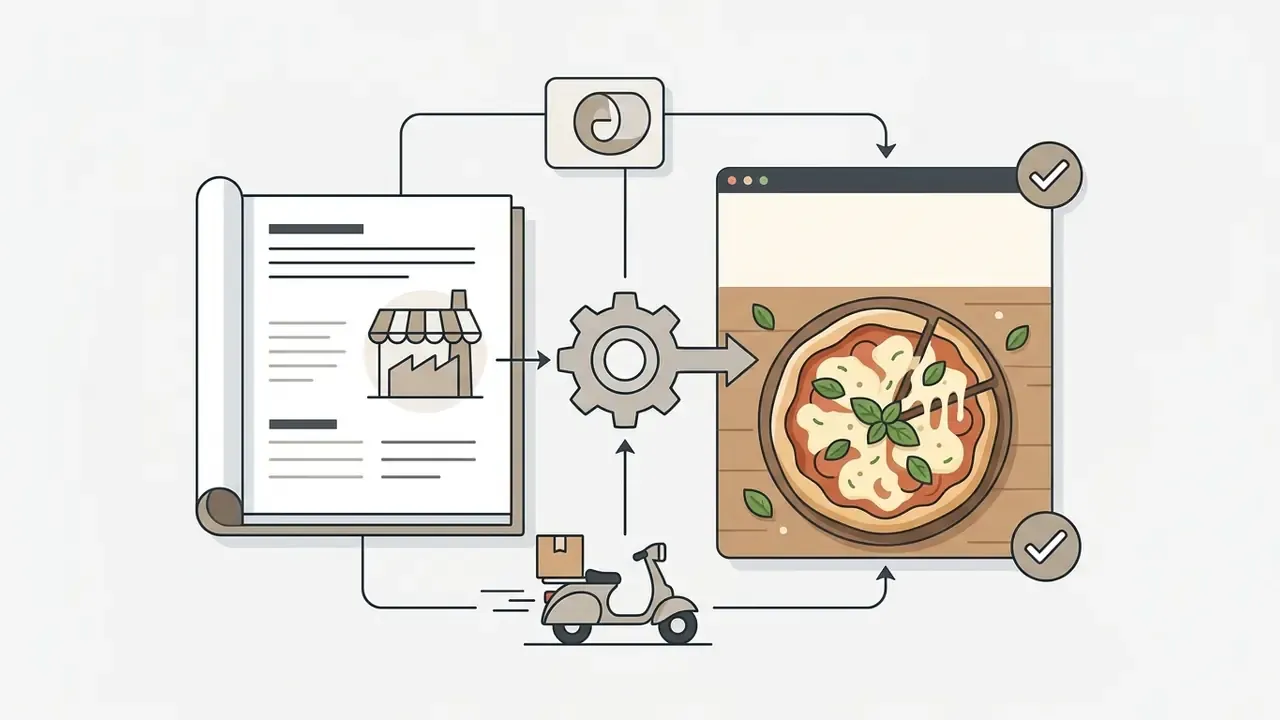
Document and delivery scooter icons feeding into a gear that generates a pizza ad design
Food, restaurants and delivery"Top-down view of an artisanal wood-fired pizza with melting cheese and fresh basil, rustic wooden table background, warm cozy lighting, shallow depth of field, top 30% of the frame kept clear and evenly lit for headline text."
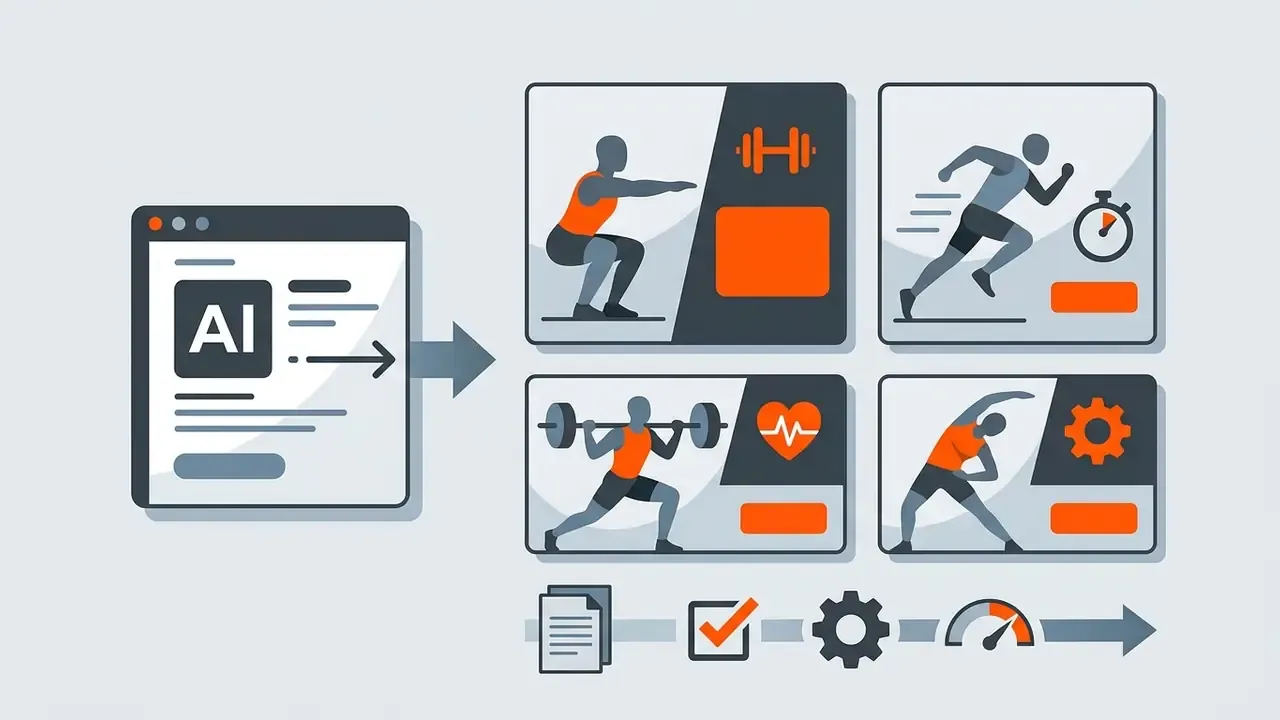
Software window generating multiple fitness themed marketing graphics with icons and progress steps
Fitness and personal training"Action shot of an athlete tying running shoes, dramatic rim lighting, dark moody gym backdrop, high-contrast orange and charcoal palette, empty vertical space on the right for a call-to-action button."
Process icons with gears and gauges connecting a document to a sequence of steps on a festive background
Holiday and seasonal sale"Festive seasonal sale scene with soft bokeh string lights, deep green and warm gold palette, subtle pine and ribbon details in the lower corners, wide flat central area left empty for a bold discount headline."
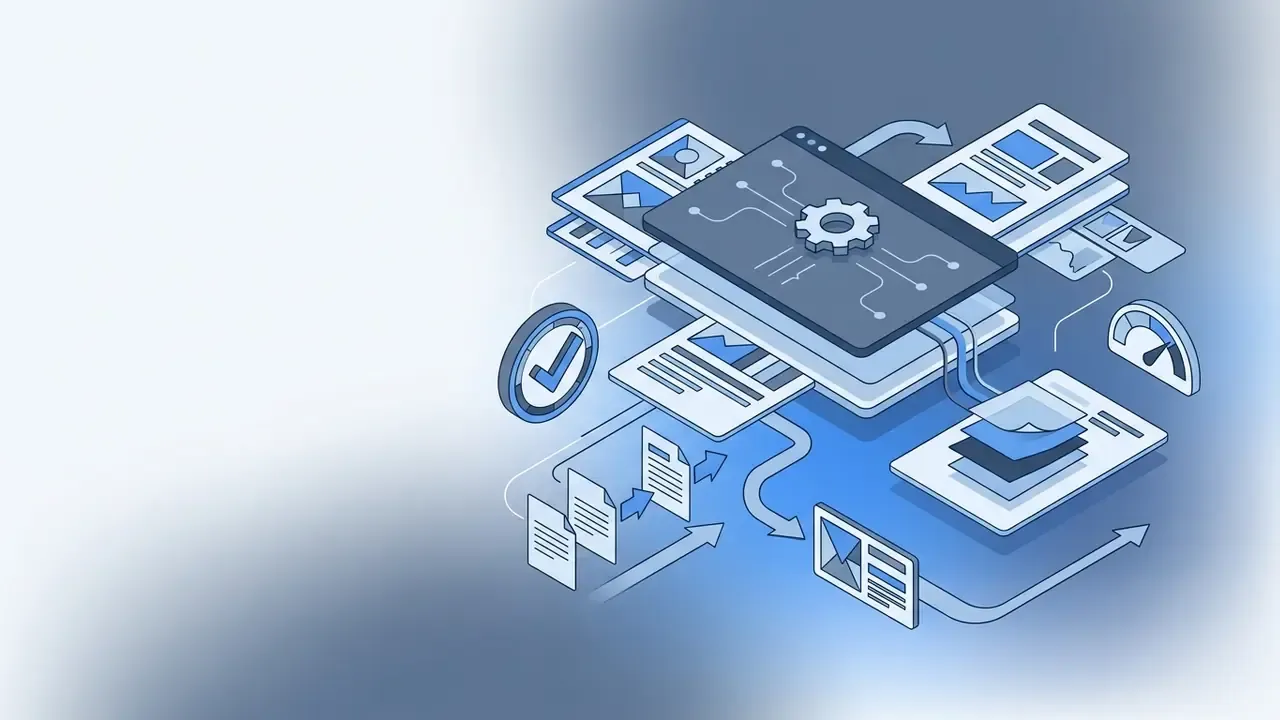
Isometric digital interface with a central gear icon processing data into various marketing layout templates
SaaS and B2B product launch"Clean isometric abstraction of layered dashboard panels floating over a soft gradient background, cool slate and electric blue palette, generous whitespace on the left half for headline, sub-headline and CTA."
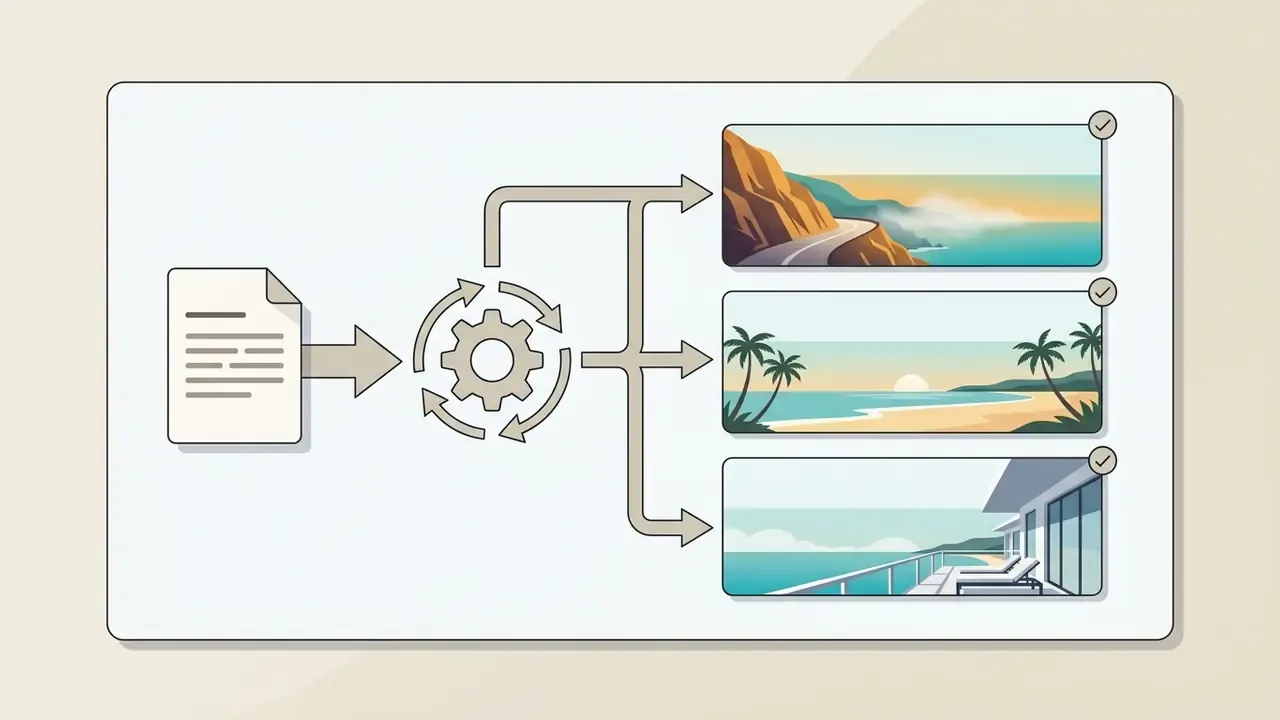
Text document feeding into a central gear that branches out to three distinct travel landscape images
Travel and hospitality"Wide cinematic view of a coastal cliff road at golden hour, warm amber and turquoise palette, atmospheric haze, horizon positioned low so the upper third stays clean for destination copy and pricing."
Notebook, tablet, and potted plant surrounded by gears and circular arrows on a beige background
Education and online courses"Minimal desk flat-lay with notebook, tablet and a single plant, natural diffused daylight, muted beige and navy palette, right third of the frame intentionally empty for course title and enrollment CTA."
Navy banner with gold geometric arcs surrounded by document icons, gears, and a gauge
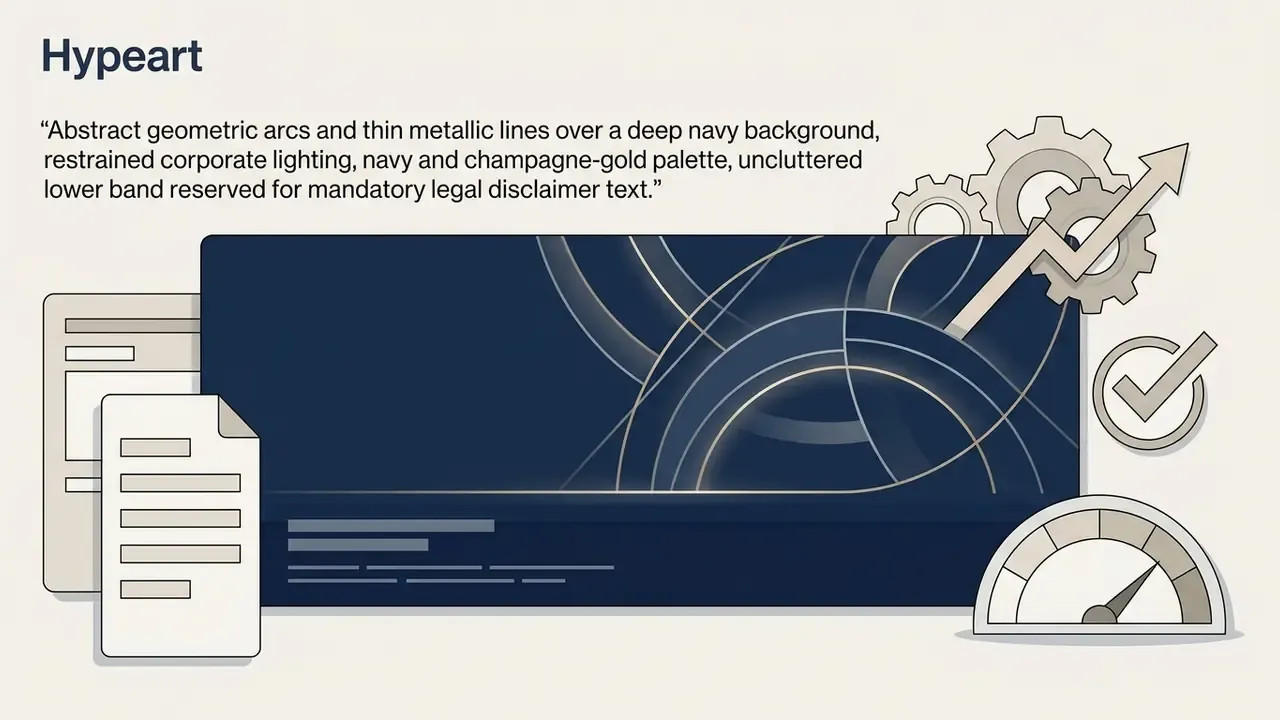
Financial services and fintech"Abstract geometric arcs and thin metallic lines over a deep navy background, restrained corporate lighting, navy and champagne-gold palette, uncluttered lower band reserved for mandatory legal disclaimer text."
Open book with a camera lens gear icon transforming fashion studio assets into digital banner layouts
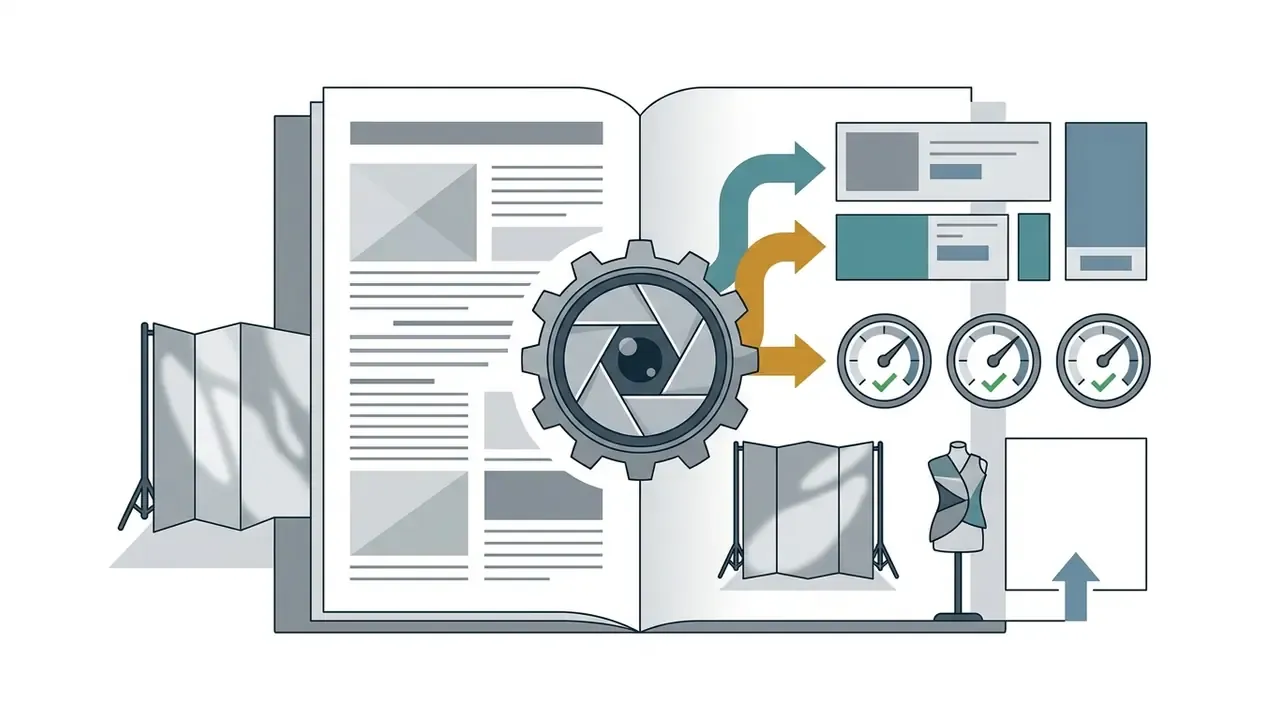
Fashion and apparel collections"Editorial studio portrait framing of a seasonal outfit against a seamless paper backdrop, soft butterfly lighting, monochrome palette with one saturated accent, wide margin on the left for collection name and shop-now CTA."

Aspect ratio versus exact pixel resolution

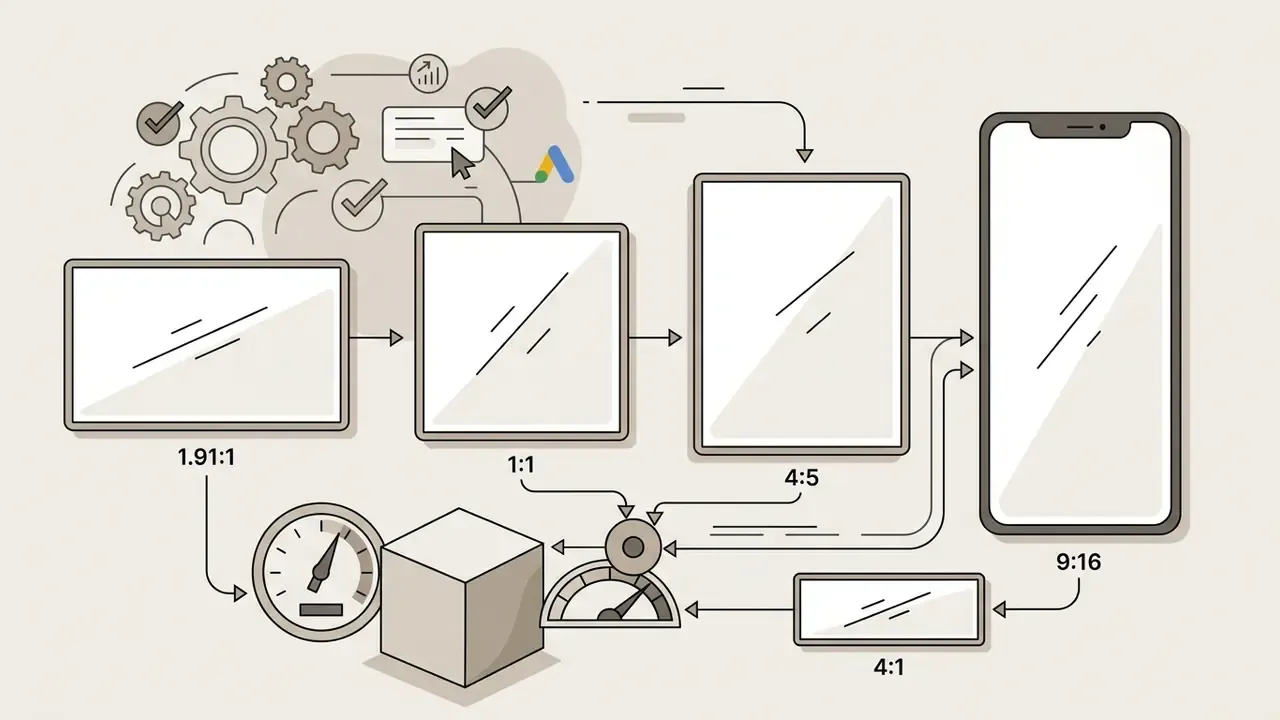
A common pitfall in automated banner creation is confusing geometric aspect ratios (16:9, 4:5, 3:1, 1:1) with explicit pixel dimensions. An aspect ratio defines only the proportional shape of the canvas. It says nothing about sharpness. Both 1080x1350 px and 4000x5000 px share the same 4:5 vertical ratio, yet delivering a 1080-pixel asset into a high-density 4K viewport or a retina display produces visible softness and blurred type edges.

Enterprise display campaigns therefore demand exact pixel locking: precisely 2560x1440 px for a YouTube channel header, precisely 1500x500 px for an X header. Ad-network rendering pipelines validate the delivered file against the declared slot, not against its proportions. Practical rule: choose the ratio to design, lock the exact pixel output, export at 2x for retina placements, and keep the compressed file under the network's weight ceiling.

Choose the banner size and platform

Selecting canvas dimensions means matching layout to the delivery platform, whether that is an ad network, corporate social media, an enterprise website, or a customer email newsletter.

  • Video and stream platforms YouTube channel banners require a 2560x1440 pixel canvas with a central 1546x423 safe area for text and logos, a 2048x1152 minimum upload, and a 6 MB file ceiling (Google/YouTube Help, 2026). Twitch profile headers use 1920x480 or 1200x480 pixel formats with a 10 MB limit.
  • Social networks Twitter (X) header photos demand a 1500x500 pixel viewport (3:1 aspect ratio), while LinkedIn company page banners require standard horizontal covers, commonly cited at 1584x396 px (4:1). Facebook covers are typically produced at 851x315 px.
  • Web and email placements web header banners scale responsively across desktop container widths, whereas email header graphics target a fixed display width between 600 and 680 pixels with file weights under 200 KB to protect inbox render speed.
  • Print and signage event and retail banners are ordered in inches (72in x 36in, 96in x 48in), designed at 300 DPI, and exported as PDF or TIFF rather than PNG.

Generate, refine and download banner designs

Once the initial generate command runs, the ai banner maker tool returns several design candidates. Designers inspect the drafts, edit typography, swap background elements, apply corporate fonts and colors, then finalize the asset for download.

Modern iterative AI design editors, Adobe Express and Magic Patterns among them, let users highlight target canvas regions with masking brushes to insert, replace, or erase individual visual elements without regenerating the whole layout. Teams that need pixel-level retouching between generations often pair the generator with dedicated AI photo editors or a general-purpose online photo editor workflow for final colour and blemish control. After verifying copy legibility and alignment, the asset is exported as PNG, JPG, WebP, SVG, PDF, TIFF, or interactive HTML5.

Checklist0 / 6

Six checks. None of them optional if the creative touches a regulated product.

AI banner generator for ads, social media and websites
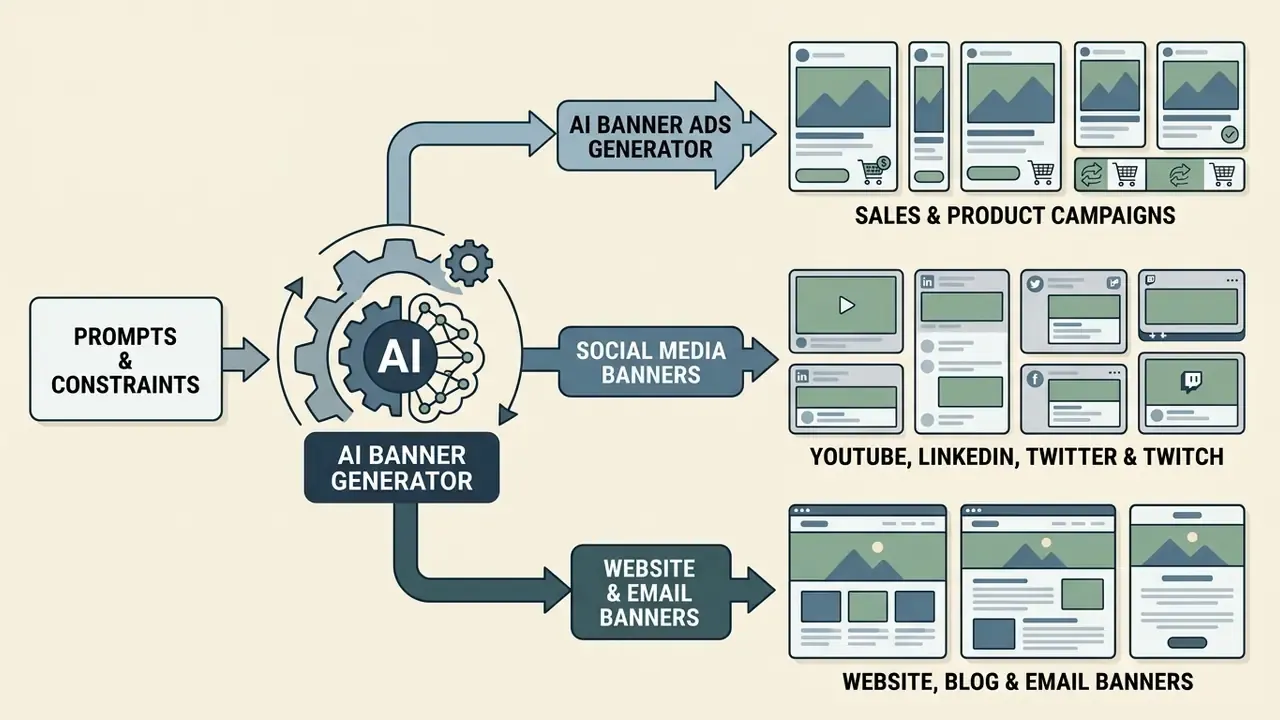
Diagram showing input prompts feeding into a central engine that outputs various marketing assets

Each deployment channel imposes its own design constraints. An ai ad banner generator prioritizes conversion hierarchy and a clear value proposition. Social media covers carry brand positioning. Website graphics need responsive layout scaling that does not break the reading path.

AI banner ad generator for sales and product campaigns

An ai banner ad generator builds performance-focused creatives engineered for promotional campaigns, product launches, and direct-response sale events. These banners lean on clean product isolation, high contrast, and uncluttered messaging.

Empirical field research supports the commercial case. In a randomized display ad field experiment covering 86,809 impressions and 702 clicks, the top-performing AI-generated banner achieved a 21.5% higher click-through rate than a professional stock photo (Hartmann et al., 2024).

«In a randomized experiment across 86,809 impressions, the best AI-generated banner exceeded the CTR of a professional stock photo by 21.5%; the spread between models reached 65.5%.»

Hartmann et al., Journal of Marketing Research (2024). https://doi.org/10.1177/00222437241276986

Model selection therefore drives outcomes, with a 65.5% CTR variance between the highest and lowest performing generative models. A large-scale empirical analysis covering more than 16 billion ad impressions adds a second condition: AI-generated ads outperform human-made visuals mainly when they avoid hyper-synthetic artifacts such as over-saturated colour or unnatural facial rendering (AI in Disguise Study, 2025).

«AI advertising beats human-made creative on CTR only when it does not look like AI: heavy colour saturation signals synthetic origin and depresses performance.»

AI in Disguise study of 16+ billion impressions, arXiv (2025).

The typography implication is concrete. U.S. federal design guidance sets 16 px as a floor for comfortable body text, and accessibility guidance recommends 40 to 50% white space to separate unrelated information blocks. Both rules keep product and headline visually dominant at 320x50 and 300x250, where most impressions actually land.

Social media banners for YouTube, LinkedIn, Twitter and Twitch

Channel headers for YouTube, LinkedIn, Twitter, and Twitch carry brand identity across social media. An ai banner creator online free tier or an enterprise generator must both accommodate viewport cropping across desktop, tablet, and mobile displays.

Because social platforms place profile avatars and navigation controls directly over channel graphics, header designs must keep logos and core messaging inside designated safe zones. I have watched a perfectly good LinkedIn cover lose half its tagline to a logo overlay on mobile. Designers can explore broader synthetic asset pipelines in our AI Media Glossary, or review channel-level production practice in the YouTube video editor guide.

Website, blog and email banner images

Web graphics, blog headers, and email marketing banners demand precise technical optimization. Hero visuals must balance decorative imagery against text overlay readability, so background detail never blocks the reading path.

Email header graphics need fast delivery across clients. Technical guidance points to file sizes between 100 and 200 KB, responsive container rules (width: 100%; max-width: 600px;), 2x export for retina rendering, and descriptive alt text for accessibility. Typical email banner geometry is 600 to 680 px wide by 100 to 300 px tall. For workflows that require static graphical transformation, teams often convert raw photography through photo to sketch pipelines before overlaying graphic text.

Table: technical specifications for digital banner formats across marketing channels

Format scenarioPrimary campaign goalTarget platformStandard pixel dimensionsDesign and file weight constraints
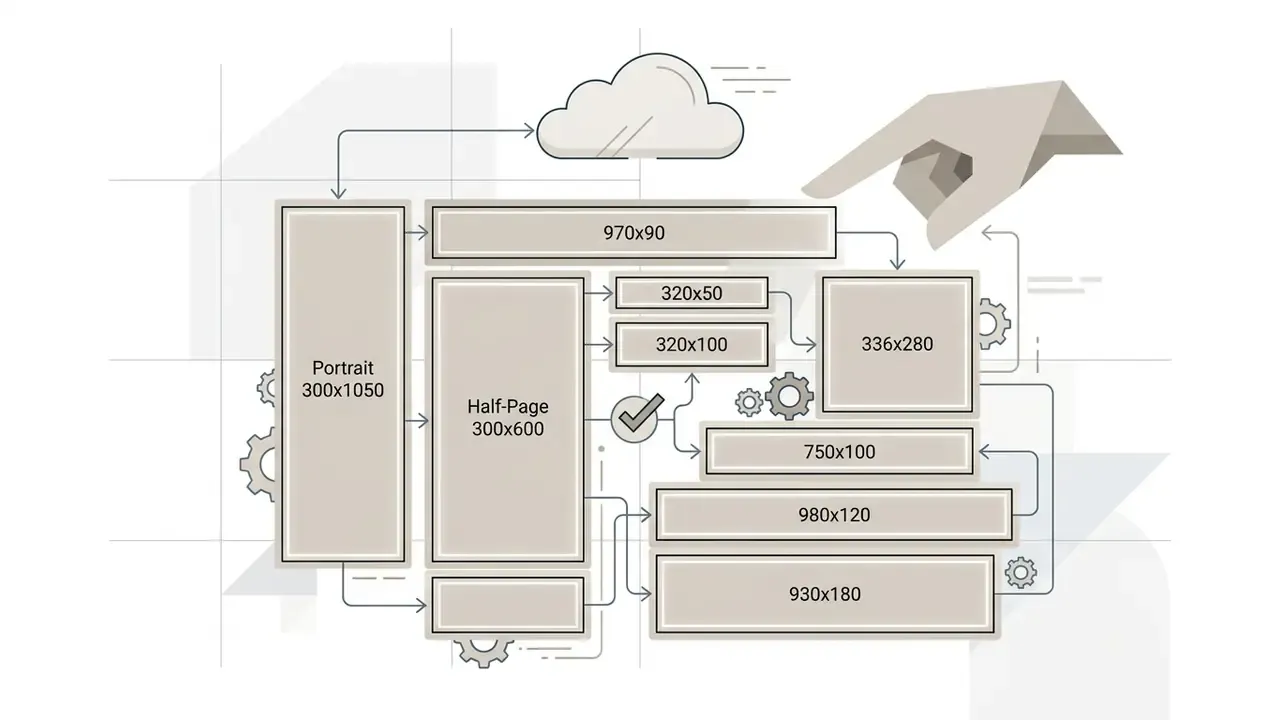
Display advertising adDrive direct response and sales clicksGoogle Ads, DV360, ad networks300x250, 728x90, 160x600, 300x600Max file size 150 KB; high-contrast CTA; 20 px edge safe margins
Mobile in-app bannerReach app inventory at scaleAmazon DSP, AdMob, DV360320x50, 320x100, 300x250, 414x1252x creative for high-density screens; minimum 16 pt font at 2x; advertiser logo or name required
YouTube channel bannerEstablish video channel identityYouTube desktop and mobile2560x1440 (canvas)1546x423 safe area for text and logo; max 6 MB
Social media headerCorporate brand representationTwitter (X), LinkedIn, Twitch1500x500 (X), 1584x396 (LinkedIn), 1920x480 or 1200x480 (Twitch)3:1 and 4:1 ratios; keep focal elements clear of avatar overlays; up to 10 MB on Twitch
Website hero bannerIntroduce key page value propositionCorporate website / CMS1920x1080, 1440x600 (responsive)Full-width responsive scaling; contrast ratio 4.5:1 or better
Email header graphicHighlight newsletter campaign offerEmail service providers600x200 to 680x300 (export 2x)Target file size 100-200 KB; width capped at 600-680 px; alt text mandatory
Print and event signagePhysical brand presence at events and retailPrint vendors, trade shows, storefronts72in x 36in, 96in x 48in (design at 300 DPI)Export PDF or TIFF; CMYK-safe palette; keep copy 3-5 inches inside trim for hems and grommets

The pattern in that table is simple enough to state in one line: every channel validates something different, so the template, not the designer's memory, should hold the spec.

How to make AI banners look professional and on-brand
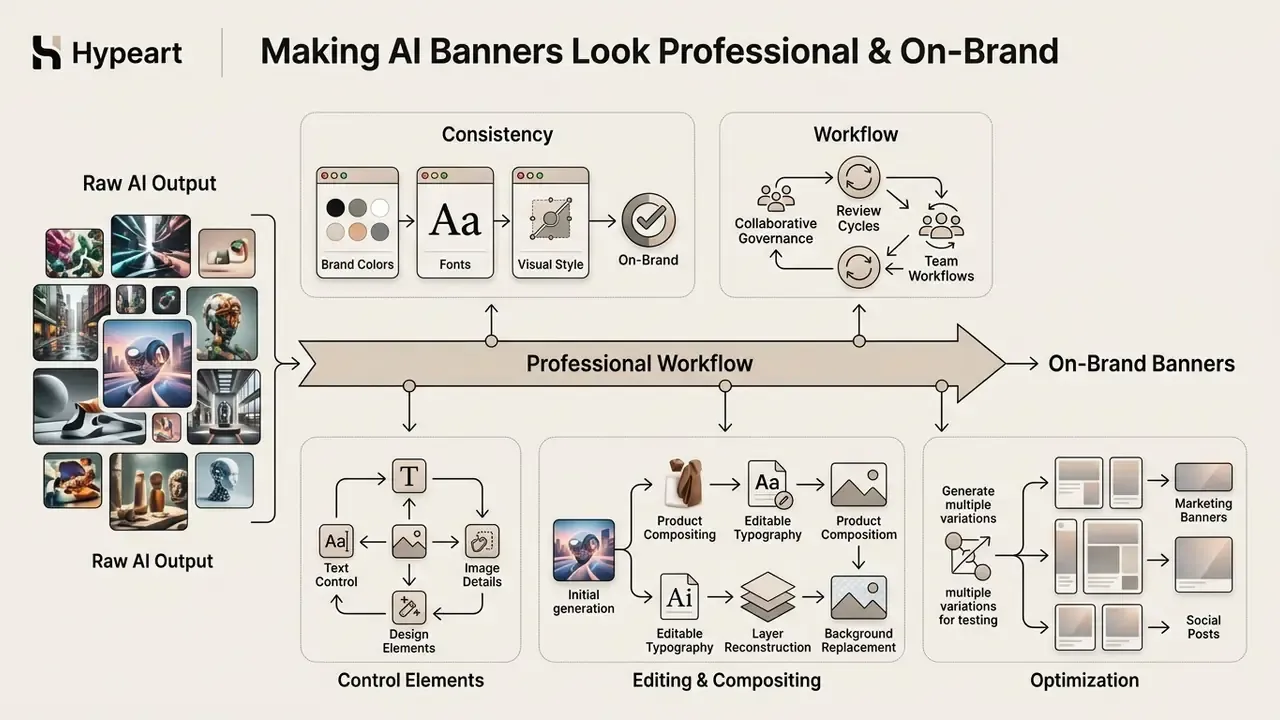
Infographic detailing the stages of refining raw generative assets into polished marketing materials

Getting professional, brand-aligned assets means moving past random generative output. Visual governance is the mechanism: strict colour palettes, enforced typographic hierarchy, locked logos, and multi-variant testing with a human sign-off.

Use brand colors, fonts and visual style consistently

Brand consistency requires locking exact hex codes, configuring official corporate typography, and holding a unified graphic style across every generated asset.

Enterprise design systems encode brand rules before generation, not after. Official guidelines such as the WAI accessibility standards mandate a minimum colour contrast ratio of 4.5:1 for standard body text and readable display banners (WAI Guidelines, 2025). Brand systems lock primary corporate colours while restricting accent swatches, which keeps an ai banner aligned with existing identity standards. Published corporate styleguides go further still: many define a substitute font (Arial, usually) for Office and presentation environments and cap accent colours to limited use, so generated variants cannot drift into an unapproved palette.

«Consumers consistently prefer human-created work: reduced empathy toward an AI generator weakens identification with the creator and lowers acceptance of AI content.»

Journal of Consumer Behaviour (2026). doi.org/10.1002/cb

That preference is exactly why brand control matters more for synthetic creative than for human-made creative. Disciplined, recognisable brand cues shift attention from "who made this" to "whose brand is this".

Collaborative governance and team workflows: enterprise deployment needs multi-user controls. Modern AI banner platforms support team workspaces where senior brand managers lock the core guidelines (logos, typography, colour palettes, mandatory footers) while junior copywriters or regional marketers generate localized copy variants inside those constraints. Integrated co-editing lets reviewers leave inline visual feedback, comment on a candidate banner, approve or reject variants, and keep version history before assets reach media buying. Shared template libraries make an approved layout reusable across campaigns and seasons, and permission keys prevent locked templates from being altered during copy updates.

A practical governance pattern, and one worth writing into the marketing SOP: brand managers own templates, marketers own copy slots, compliance owns the disclaimer layer, and nobody exports without an approval record.

Control text, images and design elements after generation

Professional workflows depend on platforms that isolate visual elements after synthesis. Generative architectures with layer separation let designers replace background scenes, move text layers, or update product photos independently of each other.

  • Product compositing Adobe Firefly API Composites and Claid AI accept clear product photography and generate synthetic background scenes around the item while preserving product geometry and logo sharpness. Teams that still need to produce or refresh the mark itself can review AI logo generators before locking it into a brand kit.
  • Editable typography engines such as Ideogram Layerize split synthetic text lines into individual selectable vector layers, permitting copy updates, font swaps, and point-size adjustments without regenerating the background.
  • Layer reconstruction tools such as Codia Magic Layers decompose flattened graphics back into editable object layers for backgrounds, product shots, and graphic badges.
  • Background replacement Vertex AI Imagen editing samples demonstrate product-image editing where only the background changes, which is the standard mechanism behind seasonal re-skinning of a single product hero.

Generate multiple creative variations for testing

Campaigns benefit from variant matrices that modify background scenes, copy messaging, and CTA placement across targeted segments.

Automated variation workflows populate standardized templates with variable headline and background combinations. Teams integrated with programmatic platforms, such as the X Ads API or Contentstack, deploy several creative variations at once for structured A/B split testing, for example two variants at 50/50 distribution with explicit variant-to-content mapping.

«Higher transparency about the role of AI in ad creation increases perceived process authenticity and improves ad attitude, especially when regulatory-compliance cues are present.»

"How Role Disclosure Transparency in AI-Generated Ads...", Journal of Retailing and Consumer Services (2025). doi.org/10.1016/j.jretconser.2025

In other words, treat the disclosure label as a testable design element, not a compliance afterthought.

Illustrative workflow scenario (composite, not a verified client case): a financial-services marketing team using an agentic layout engine can generate roughly 15 distinct ad-banner variants for a credit-card campaign by separating background synthesis from typography layers. Because the disclaimer band and the contrast ratio (4.5:1 or better) are locked at template level, compliant creatives can be assembled in a couple of hours, and the multi-variant deployment then identifies the strongest visual combination through the network's own split-test reporting. Any uplift figure produced this way should be validated inside your own measurement stack before it becomes a planning assumption. Published field-experiment ranges (see Hartmann et al., 2024) are the safer external benchmark.

Automated financial disclaimer and disclosure governance

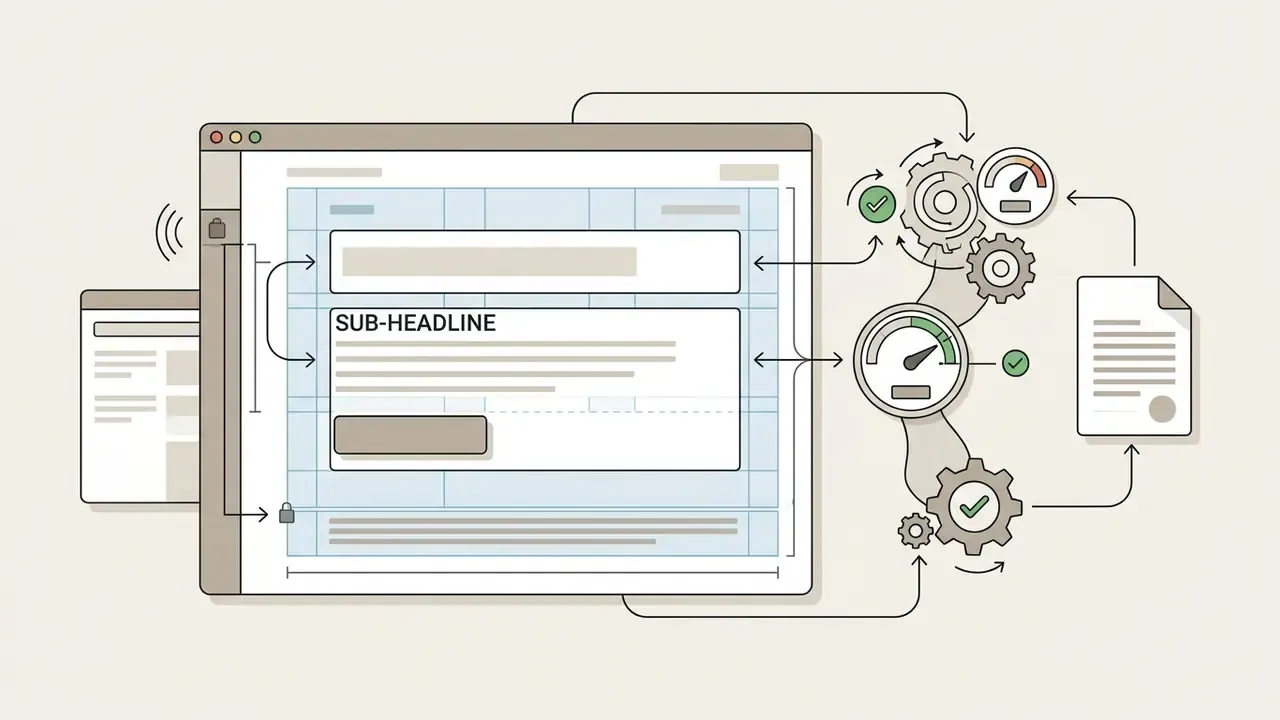
Regulated advertisers cannot let a generative model reflow legal text. Ever. A defensible pipeline splits the canvas into three zones and gives each a different permission level:

Controls that make this hold up in review: minimum font size enforced per placement; a 4.5:1 contrast minimum applied to disclaimer text, not only to headlines; a rule that a variant fails export if the legal layer is missing, cropped, or overlapped; automated checks that the disclaimer sits outside platform safe zones and away from avatar overlays; and an audit record binding each exported file to a disclaimer version ID.

Where a synthetic visual could plausibly be read as depicting a real customer outcome, add the AI-disclosure label inside the creative. Google's updated advertising policy permits text or visual AI labels embedded directly in image and video ad creatives (Google Policy Update, July 2026), and IAB recommends conspicuous disclosure for fully synthetic commercial assets (IAB AI Transparency Paper, 2024).

To compare pricing structures across generative asset engines, teams can review our AI Media Pricing overview.
Abstract patterns flowing through gears to verify documents and update a dashboard with pie charts
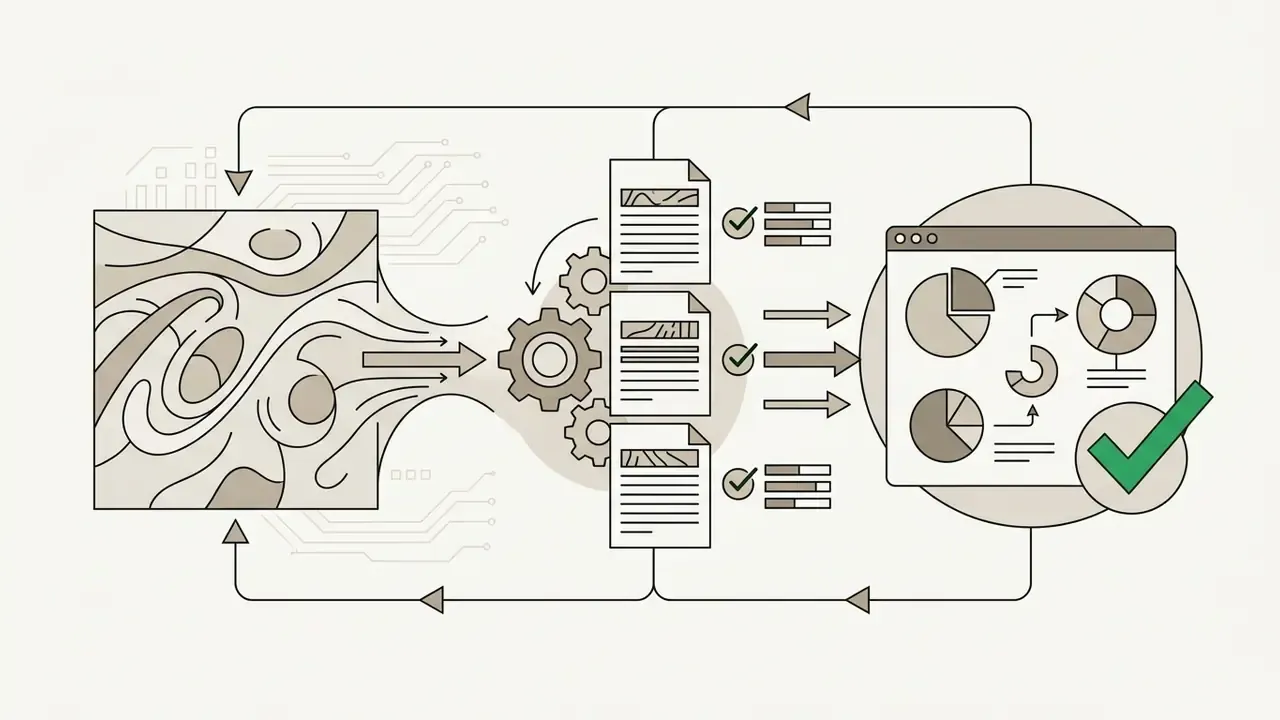
Creative zone(background, product, mood): fully generative, regenerated freely.
Software interface with locked text fields connected to gears and gauges that verify a legal document
Message zone(headline, sub-headline, CTA): editable by marketers within a locked type scale, character limits, and contrast rules.
Central database feeding legal disclosure documents into a locked layer within a marketing banner frame
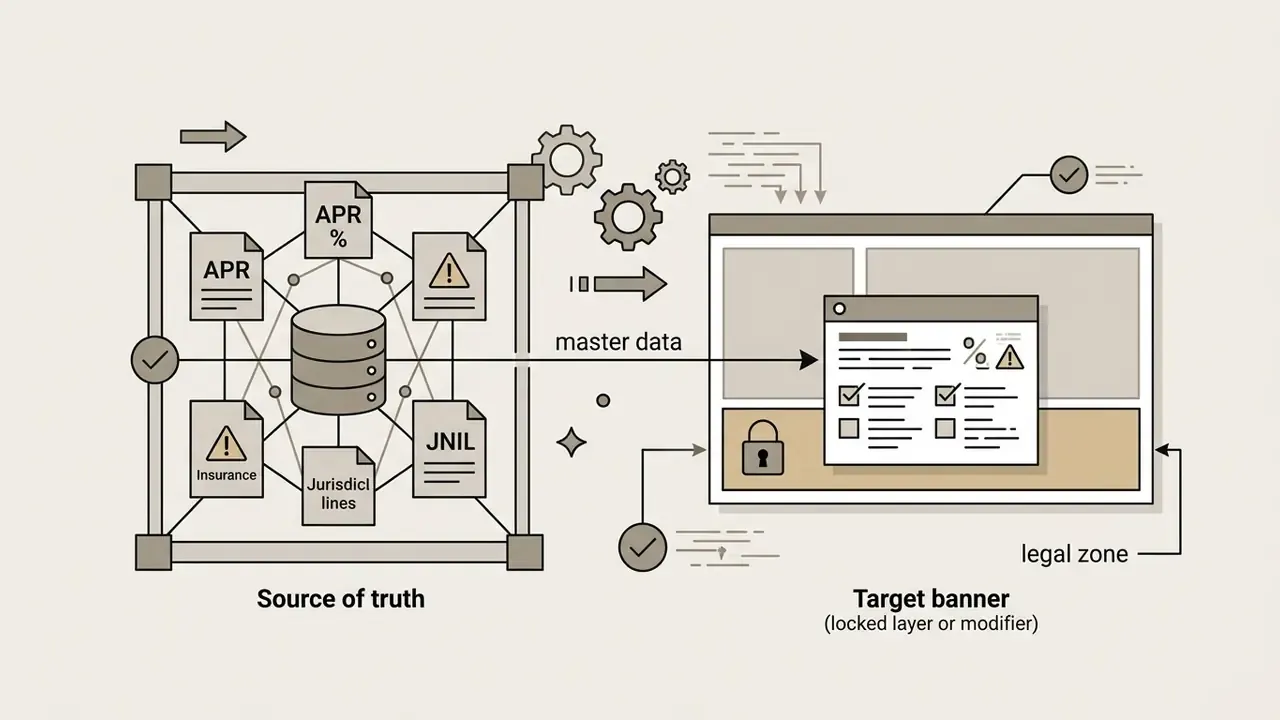
Legal zone(APR footnotes, risk warnings, insurance-status statements, jurisdiction lines): a locked layer injected from a single source of truth, never generated, never re-rendered as raster text, never auto-translated without legal sign-off.

Enterprise security, data privacy and Shadow AI control
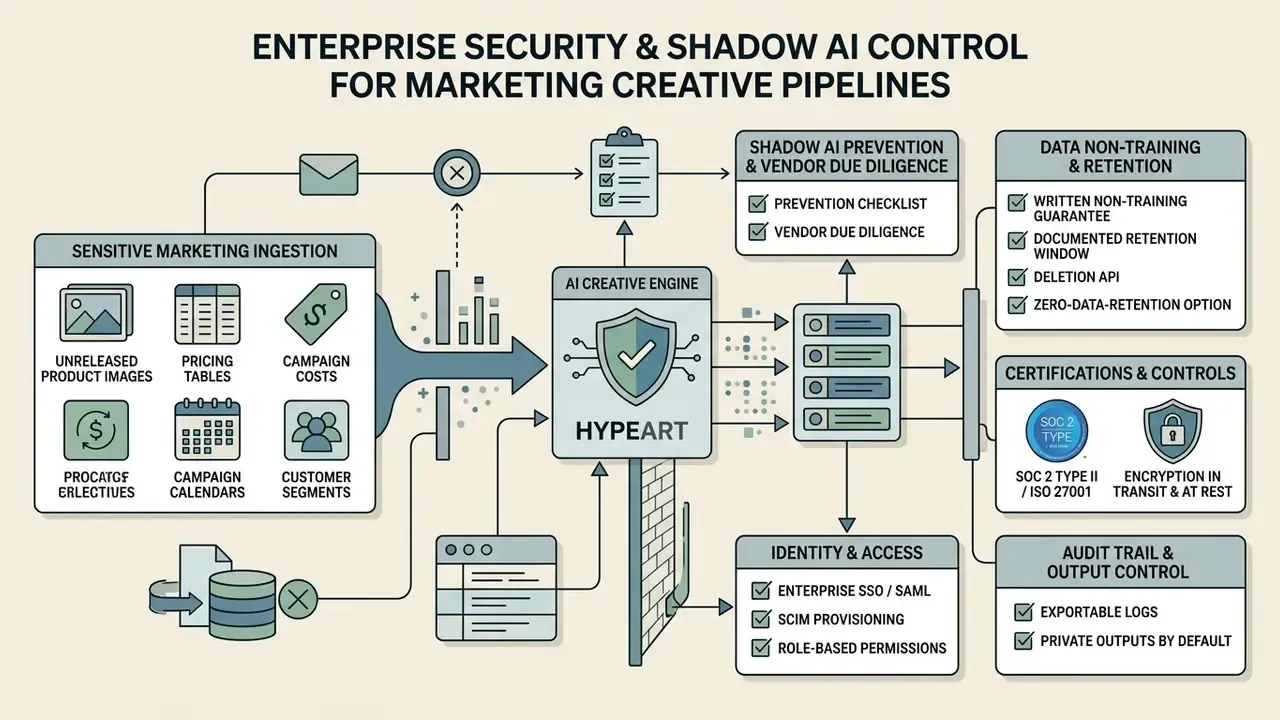
Diagram showing how sensitive marketing data flows through a protected engine with security controls

Marketing creative pipelines now ingest unreleased product photography, pricing tables, campaign calendars, and sometimes customer segment descriptions. Vendor selection is therefore a data-governance decision as much as a design one.

Vendor due-diligence checklist

  1. Data non-training guarantee: written confirmation that prompts, uploaded assets, and generated outputs are excluded from model training on the purchased tier.
  2. Retention posture: documented retention window, deletion API, and for sensitive briefs a zero-data-retention or private-tenant option.
  3. Certifications and controls: SOC 2 Type II or ISO 27001 attestation, encryption in transit and at rest, published sub-processor list.
  4. Identity and access: enterprise SSO/SAML, SCIM provisioning, role-based permissions separating template owners, editors, and approvers.
  5. Audit trail and reproducibility: exportable logs of prompt, model version, seed or parameters, editor, approver, and export time, so a live creative can be reconstructed months later.
  6. Output visibility: whether generations are public by default (several consumer tiers are) or private to the workspace.
  7. Licensing and indemnity: explicit commercial licence, ownership language, and any IP indemnification clause.
  8. Regional processing: ability to constrain processing to a required jurisdiction.

Table: enterprise security and compliance evaluation matrix for AI banner platforms

Evaluation criterionWhat to verify in writingWhy it matters for banner workflowsTypical free-tier reality
Prompt and asset non-trainingContractual exclusion of inputs and outputs from trainingUnreleased products and pricing appear in briefsOften not guaranteed
Output visibilityPrivate workspace by defaultPublic galleries leak campaign timingFrequently public
Enterprise SSO and RBACSAML, SCIM, role separationSeparates brand owners from copy editorsAbsent
Audit logs and reproducibilityPrompt, model version, approver, export recordRequired for regulated-ad defensibilityAbsent
Retention and deletionRetention window plus deletion mechanismLimits exposure of uploaded source filesUnspecified
Commercial licence and indemnityOwnership clause, indemnification scopeDetermines whether the asset can run at allRestricted or non-commercial

Shadow AI prevention checklist for marketing departments

  • Publish an approved-tool list with a short, honest rationale. Bans without alternatives create workarounds.
  • Block or monitor unsanctioned generation domains at the network layer for corporate devices.
  • Require any externally produced creative arriving from an agency or freelancer to declare the generation tool and licence tier.
  • Prohibit uploading unreleased product imagery, customer data, or pricing to consumer free tiers, and state this in the marketing SOP, not only in the security policy.
  • Route "I need this in an hour" requests to a fast-path approved template rather than to somebody's personal account.
  • Run a quarterly reconciliation between live creatives in ad accounts and the approved asset register. Unregistered files are the strongest Shadow AI signal you will get for free.
  • Record licence evidence (screenshot or export of plan terms at creation time) alongside every commercially deployed asset.

Free AI banner generator: features, limits and tool selection
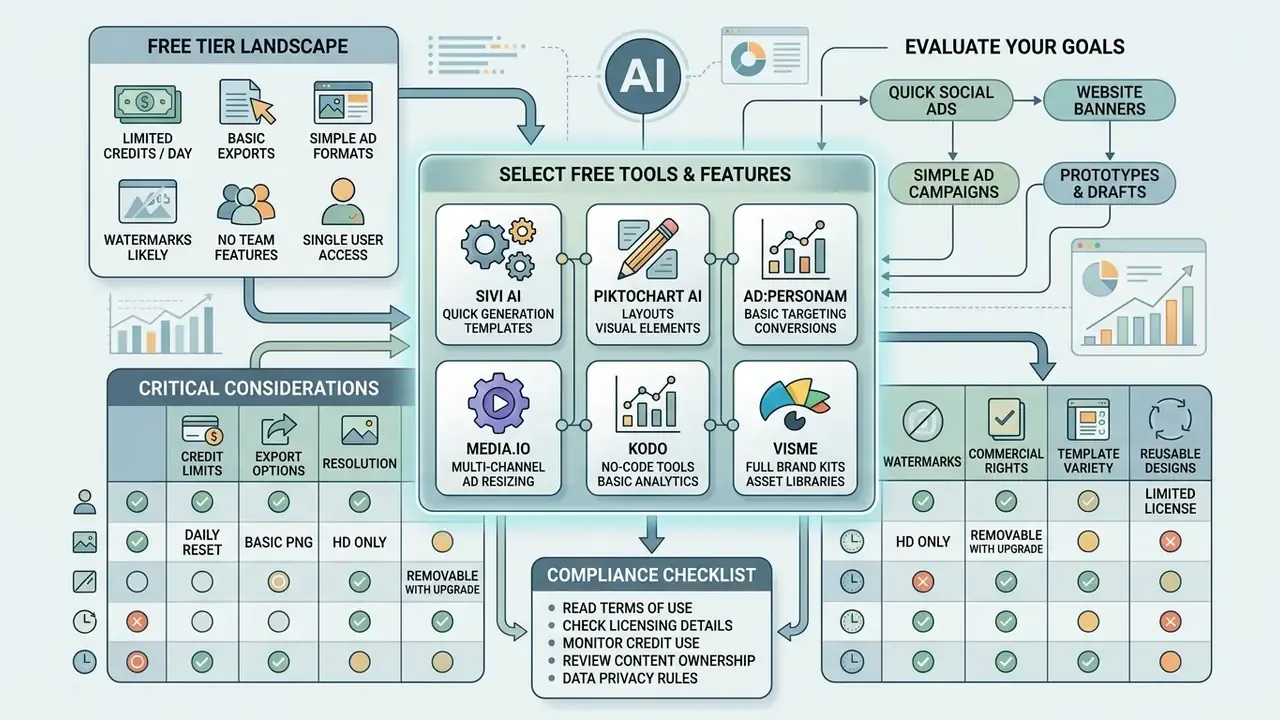
Infographic comparing free tool features, credit limits, and compliance checklists for digital marketing

Navigating the market for an ai banner generator free option or an ai banner maker free online service means reading credit allocations, export limits, watermark rules, and commercial usage rights before anything else.

What "free" includes in an AI banner generator online

An ai banner generator free online tool typically offers basic layout controls, access to public template libraries, and a limited credit quota. Advanced options, high-resolution vector export, bulk generation, brand kit saving, usually sit behind a paid tier.

  • Sivi AI free plan provides up to 12 AI-generated banners per month with export as JPG, PNG, PDF or HTML.
  • Piktochart AI 60 monthly credits for free accounts with standard templates; premium templates and team features are paid.
  • ad:personam 500 initial trial credits (roughly 50 generation runs at 10 credits each) supporting five standard IAB ad dimensions.
  • Media.io 3 daily generation credits, with free plan outputs carrying visual watermarks.
  • Kodo 40 one-time free credits with PNG, PDF, JPG and PPTX export, while manual design tools stay unlimited.
  • Visme free access generates text and layout, but cannot reproduce copy verbatim, cannot output video or GIF, and caps project length.

«Canva free users may only use designs commercially with free content; commercial use of premium assets and Magic Media AI images requires a Pro subscription.»

Canva Commercial Use Guide (2026). https://www.canva.com/learn/commercial-use/

That distinction, free plan versus free content, is the single most misread licensing clause in banner production. Our Canva AI Generator breakdown covers plan-by-plan detail, and the free photo editor guide documents the same pattern across adjacent tools.

Watermarks, exports and reusable banner designs

Free plans marketed as an ai banner generator free without watermark often restrict downloads to standard-definition JPEG or flat PNG. Removing watermarks, downloading layered SVG source files, or exporting animated HTML5 packages generally requires a premium subscription.

Saving reusable templates inside a platform lets design teams keep layout structures for future campaigns. Enterprise content servers manage template access through permission keys, so locked brand templates stay unaltered during iterative copy updates. Documented content-management implementations also bind a template to a fixed content ID and protect viewing, downloading, printing, and copying with separate user and owner passwords. Watermarking itself can be applied in batch at document level, as text or image, with configurable opacity, rotation, and scale. That is how agencies distribute watermarked review copies while holding clean masters back until sign-off.

How to choose between AI banner generator tools

Choosing an ai banner maker tool for enterprise production means testing capability against seven criteria, not six, once reproducibility enters the picture:

  1. Rendering quality and style control: consistent art style across custom aspect ratios.
  2. Typographic precision: accurate multi-line headlines without spelling errors or character distortion.
  3. Layer separation and editability: editable text layers plus post-generation element manipulation.
  4. Brand asset integration: upload of custom SVG logos, product shots, and proprietary font files.
  5. Licensing and commercial ownership: clear terms granting commercial rights over generated outputs.
  6. Data security and privacy: protection of uploaded corporate assets and non-use of private prompts for model retraining.
  7. Reproducibility: retention of prompt, seed, and model-version metadata so an approved creative can be regenerated identically.

Output quality is ultimately bounded by the underlying model, so benchmark the engine as well as the interface. Our comparison of the best AI image generators and the best AI art generators covers rendering fidelity and text handling in detail. Marketers weighing video alternatives can consult the pictory ai text and pictory ai video breakdown guides. To benchmark competing creative apps, explore the AI Media Comparison Matrices hub or review developer endpoints via see the overview.

Table: feature and restriction comparison of popular AI banner generator tools

AI banner toolFree access modelWatermark policyText layer editingCustom asset uploadExport formatsData privacy / non-training posture
Sivi AI12 free banners per monthWatermark-free on quotaYes, editable text layersYes, logos and brand kitJPG, PNG, PDF, HTMLBrand-kit workspace; verify tier terms before uploading unreleased assets
BannerAiFlash10 initial creditsWatermarked on free tierLimitedYesPNG, JPG (HD on paid)Not documented on free tier; treat as public
MyAIArt BannerFree tier availableWatermark-free optionsYes, layout and coloursYes, product photosPNG, JPGNot documented; avoid confidential briefs
Pippit AITrial credit allocationWatermark-free downloadYes, inpaint and eraseYesPNG, JPG, WebPCheck retention and visibility settings per plan
BannerBooFreemium basic tierWatermarked on free planYes, canvas editorYesJPG, PNG, HTML5, AMP, MP4, GIF, ZIPAd-network packaging focus; confirm workspace privacy on paid tier
RecraftFree tier with public outputsNo watermark, but public hostingYes, vector-native editingYesSVG, PNG, JPG, PDF, TIFF, LottiePaid plans make assets private and user-owned
Adobe Firefly / ExpressLimited free generationsProvenance and content credentials appliedYes, full editor with co-editingYes, brand kit, PSD and AI importPNG, JPG, PDF, SVG, MP4, HTMLEnterprise plans document commercial rights and IP indemnification

Values change with every pricing update, so verify each row against the vendor's current terms page on the day you buy.

Commercial use, licensing and pricing confidence
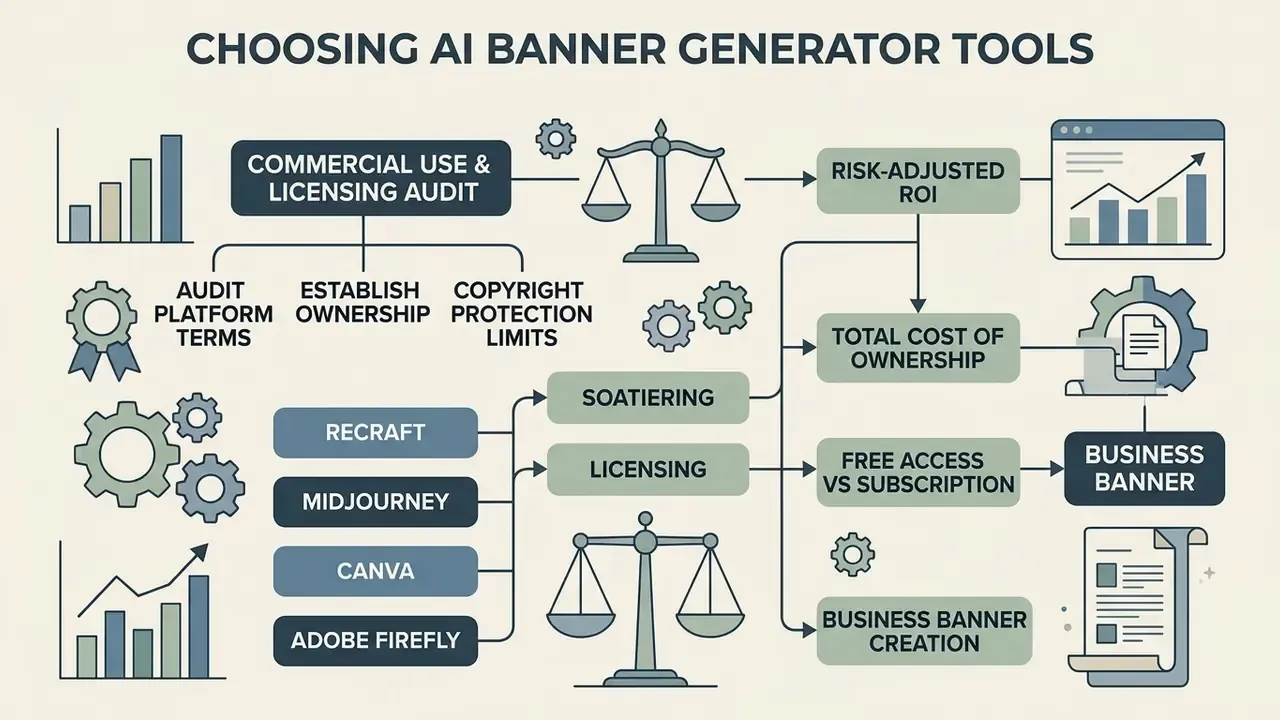
Flowchart connecting licensing audits and platform terms to business banner creation and cost analysis

What to check before using AI-generated banners commercially

Before running paid advertising with synthetic graphics, legal and risk teams need to evaluate copyright ownership, third-party IP exposure, and platform disclosure duties.

  • Human authorship and copyright: U.S. Copyright Office registration guidance states plainly that purely machine-generated visual elements lacking human authorship cannot be registered (U.S. Copyright Office, 2026).

«Works whose traditional elements of authorship were produced by a machine without human input cannot be registered; applicants must disclose AI content and describe the human contribution.» U.S. Copyright Office Registration Guidance (2024). https://www.copyright.gov/ai/

To claim protection over a final banner, human designers must contribute meaningful creative direction: original arrangement, manual layer editing, custom composite integration. European Parliament analysis reaches a parallel conclusion for the EU, where outputs generated without substantial human intervention are not protected and may effectively fall into the public domain.

  • Third-party IP and trademark risk: generative models can synthesize visual elements that closely resemble protected trademarks or proprietary product designs. Run reverse image searches or manual clearance reviews before distribution. The NIST AI Risk Management Framework similarly advises reviewing outputs for copyrighted, trademarked, patented, licensed, and trade-secret material, and flagging matches before release. Practical tooling for this step appears in our AI reverse image search comparison.
  • Regulatory and ad disclosure rules: updated Google advertising policies allow platform-level or embedded visual labels for synthetic ad images (Google Policy Update, July 2026). IAB recommends conspicuous disclosure when a commercial visual asset is entirely synthetic (IAB AI Transparency Paper, 2024). Sector-specific regimes go further, with proposed FCC rules requiring clear disclosure for political advertising containing AI-generated content, so regulated advertisers should map disclosure obligations channel by channel before launch.

Teams looking to convert static visuals into motion assets can explore our photo to video and photo to video ai app guides, or review dedicated motion apps in the photo video maker section.

Free access versus subscription for business banner creation

A paid tier is usually what secures full commercial rights, private asset processing, and unwatermarked high-resolution export. Our overview of commercial use of AI image generators tracks how these tiers differ across the wider generative-imaging market.

  • Recraft images generated on the free plan are hosted publicly, owned by Recraft, and prohibited for commercial use. Paid subscriptions grant asset ownership, privacy, and commercial licensing (Recraft Terms of Service, 2025).
  • Midjourney free or non-paid accounts receive a non-commercial licence; paid members hold commercial exploitation rights over created assets.
  • Canva allows commercial use of designs on both free and Pro plans, provided users do not resell raw templates as-is and comply with third-party asset licensing. Canva's product terms state it makes no copyright ownership claim over user Input or Output, while premium assets and Magic Media AI images require Pro for commercial deployment (Canva AI Product Terms, 2026).
  • Adobe Firefly grants commercial rights for generative outputs across paid Creative Cloud plans, backed by enterprise IP indemnification clauses, and applies provenance markers to generative results (Adobe GenAI Guidelines, 2025).
Security-checked
Legal Verification Checklist:
[1] Confirm paid subscription active (if required by platform ToS for commercial rights).
[2] Verify visual elements do not infringe existing registered trademarks.
[3] Document human creative edits (layout, typography, composition) for copyright defensibility.
[4] Ensure uploaded product assets have explicit usage clearance.
[5] Confirm AI-disclosure requirements for each channel and jurisdiction.
[6] Archive licence evidence and the prompt/version record with the exported file.

Risk-adjusted ROI and total cost of ownership

Executive approval rarely fails on subscription price. It fails on unmodelled review cost. A workable planning formula:

Security-checked
Risk-adjusted ROI = (Incremental campaign value - Total cost of ownership) / Total cost of ownership
Total cost of ownership =
    Platform subscriptions and credits
  + Human-in-the-loop time (design QA + copy check) x loaded hourly rate
  + Compliance / legal review time x loaded hourly rate
  + Rework cost (rejected variants x average rework time)
  + Governance overhead (tool vetting, audit logging, training)
  + Expected risk cost (probability of takedown, rejection, or IP dispute x estimated exposure)

Two calibrations matter here. First, count review time per approved asset, not per generation. A 15-variant batch that yields three approved creatives still carries the QA cost of fifteen. Second, use external benchmarks rather than vendor claims on the value side. The published field-experiment range, roughly a 21.5% CTR advantage for the best-performing AI creative with a 65.5% spread across models, is a defensible planning band. It also argues for spending part of the saved production budget on model benchmarking instead of raw volume.

For detailed legal frameworks on synthetic media licensing, legal teams can browse the hub or evaluate broader business terms in our commercial use section.

AI banner generator FAQ

Can an AI banner generator create animated banners?

An ai animated banner generator can produce dynamic ad creatives exported as HTML5, animated GIF, MP4, WebM, or APNG. Specialized animation tools use keyframe timeline generation or automated motion effects to animate text layers, button pulses, and background graphics, and documented export pipelines also produce ready-to-traffic ZIP packages for Google Ads and Display & Video 360. When shipping animated banners to ad networks, respect platform technical limits. Widely documented display constraints include a maximum animation duration of 30 seconds and an initial file payload around 150 KB for standard display ads, while HTML5 bundle ceilings are documented at approximately 1 MB for Google Ad Manager and up to 5 MB total creative download size for Display & Video 360 (platform creative specifications and vendor animation documentation, 2026). Always re-verify the ceiling in the destination platform's current creative spec before trafficking, because caps differ by inventory type and region. One practical constraint worth planning around: some tools export MP4 only in Chrome or a desktop app, which complicates handover between remote team members.

What is the difference between aspect ratio and exact banner size?

Aspect ratio (16:9, 4:5, 3:1, 1:1) describes shape only, the proportion of width to height. Exact size (1080x1350 px) fixes real pixel width and height. Two files can share a 4:5 ratio while one is 1080x1350 px and the other 4000x5000 px, and only the second survives a retina or 4K viewport without softening. Social platforms, print vendors, and programmatic slots validate exact dimensions, so design to the ratio and export to the locked pixel spec, at 2x where high-density rendering is expected.

Can an AI banner generator produce print banners?

Yes, with two conditions. Design at physical dimensions (72in x 36in, 96in x 48in) at 300 DPI, and export uncompressed PDF or TIFF rather than a web PNG. Because most raster generators cap output resolution, print workflows usually need either a vector-capable engine with SVG or PDF export, or a dedicated upscaling pass. Keep essential copy several inches inside the trim edge so hems, grommets, and stand frames do not clip it, and confirm the palette converts acceptably to CMYK before you order.

Do I need to attribute the AI generator platform when using banners commercially?

Attribution rules depend on the tier. Paid subscriptions across enterprise tools (Adobe Firefly, paid Midjourney, Canva Pro) generally grant royalty-free commercial licences with no required backlink. Free tiers and open-source image architectures deployed on public hubs often require explicit visual attribution or an HTML backlink to the source platform as a condition of the free licence. Read the plan terms in force on the creation date, archive them, and remember that attribution duties sit separately from copyright and AI-disclosure requirements. They do not substitute for each other.

Can free AI banner generators be used for paid advertising?

Only where the licence says so. Some free tiers permit commercial use but host outputs publicly. Others prohibit commercial use entirely, or restrict it to free content only. For paid media, prefer a tier that provides a written commercial licence, private processing, unwatermarked export, and for regulated categories an audit trail. Assume that "free to download" and "free to advertise with" are two different questions.

How many variants should be generated per campaign?

Production practice points to 5 to 10 variants per creative idea, changing one dimension at a time (background, subject framing, headline, CTA placement) so results stay attributable. Larger matrices of 12 to 15 variants make sense when a single template feeds multiple placements and locales, provided review capacity is budgeted to match.

Do AI banner generators support team collaboration?

Enterprise-grade platforms do. Expect shared workspaces, reusable template libraries, locked brand kits, inline comments on candidate banners, approval states, and version history. These features are what turn an individual generation tool into a governed production line: brand owners control the template, marketers control the copy slot, compliance controls the disclaimer layer, and every export carries an approver name.

Internal hub navigation

To explore interactive media tools and pricing calculators, open the hub or reach the team via support. Adjacent production topics include animation makers for motion banner assets and video compressors for weight-capped MP4 creatives.

Appendix A: editorial revision log

Editorial note: Hypeart.ai verification status

Hypeart

Welcome to Hypeart

Sign up and generate for free

OR

Already have an account?