Short-form video now carries most of the paid social attention that brands compete for. That is exactly why an ai commercial generator free tier looks so attractive: it lets a marketing team test synthetic media production without a purchase order, a vendor review, or a procurement cycle. Useful. Also risky. Before any generated creative touches a live media buy, you need clarity on four things: operational limits, licensing scope, data handling, and output quality you can actually defend.
Executive Summary
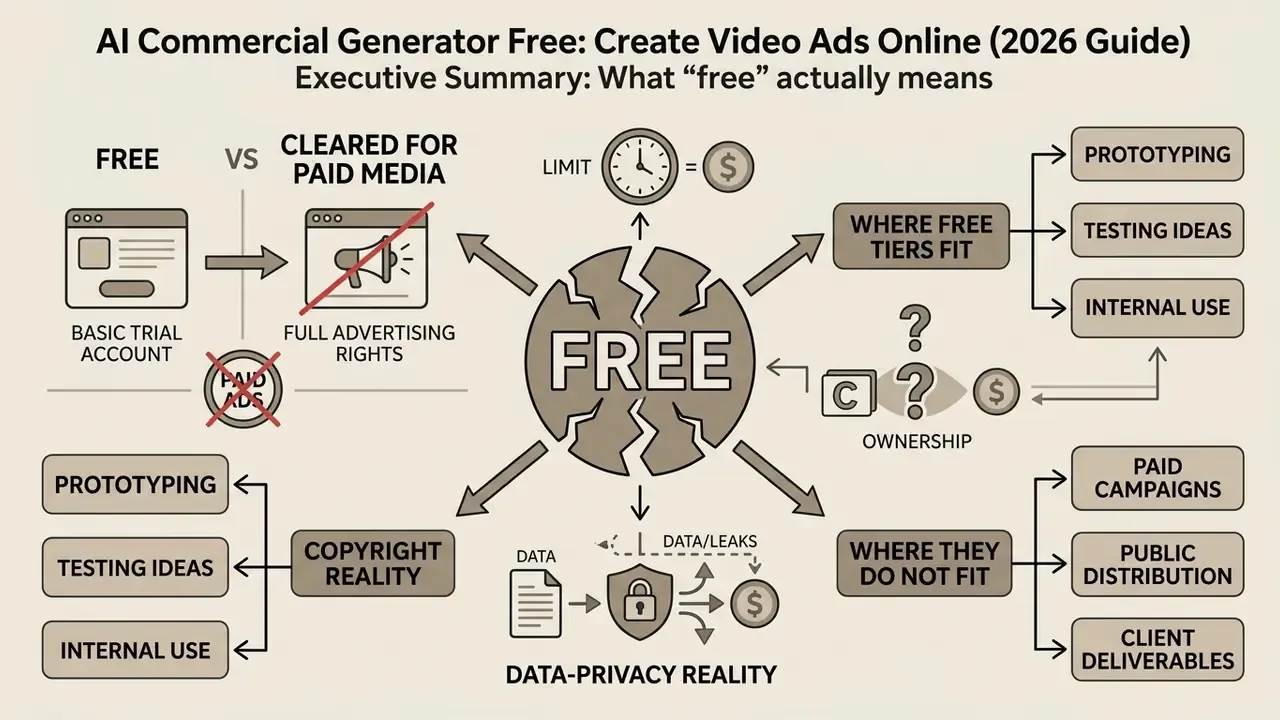
- What "free" actually means. A free plan is a capped production pipeline: monthly generation credits, partial template access, automated captions and text-to-speech, plus an export path that is either watermark-free with a resolution ceiling or watermarked outright. "Free" is not one category. For some vendors it means clean export, for others preview-only access.
- Free is not the same as cleared for paid media. Download rights and commercial advertising rights are separate legal scopes. ElevenLabs and Luma AI restrict free-plan outputs to personal, non-commercial use. Renderforest locks commercial output rights behind paid tiers. Pixlr expressly permits commercial and ad projects on free exports.
- Copyright reality. Purely AI-generated visual material lacking human authorship is not protectable by copyright under U.S. Copyright Office guidance (2025). Free tiers also carry no IP indemnification, so the advertiser holds the residual risk.
- Data-privacy reality. Most consumer free tiers reserve broad rights to process uploaded assets and prompts, sometimes including model improvement. Treat a free tool as an unmanaged shadow-AI channel and keep it away from unreleased products, customer data, and confidential pricing.
- Where free tiers fit. Concept exploration, storyboard drafts, internal MVP tests, hook variation testing, non-paid organic posting.
- Where they do not fit. Direct paid media buys (Meta, Google, TikTok Ads), regulated-industry creative, and any asset touching confidential corporate material, at least until commercial rights, disclosure labeling and retention terms are confirmed in writing.
Who This Guide Is For and What Decision It Supports
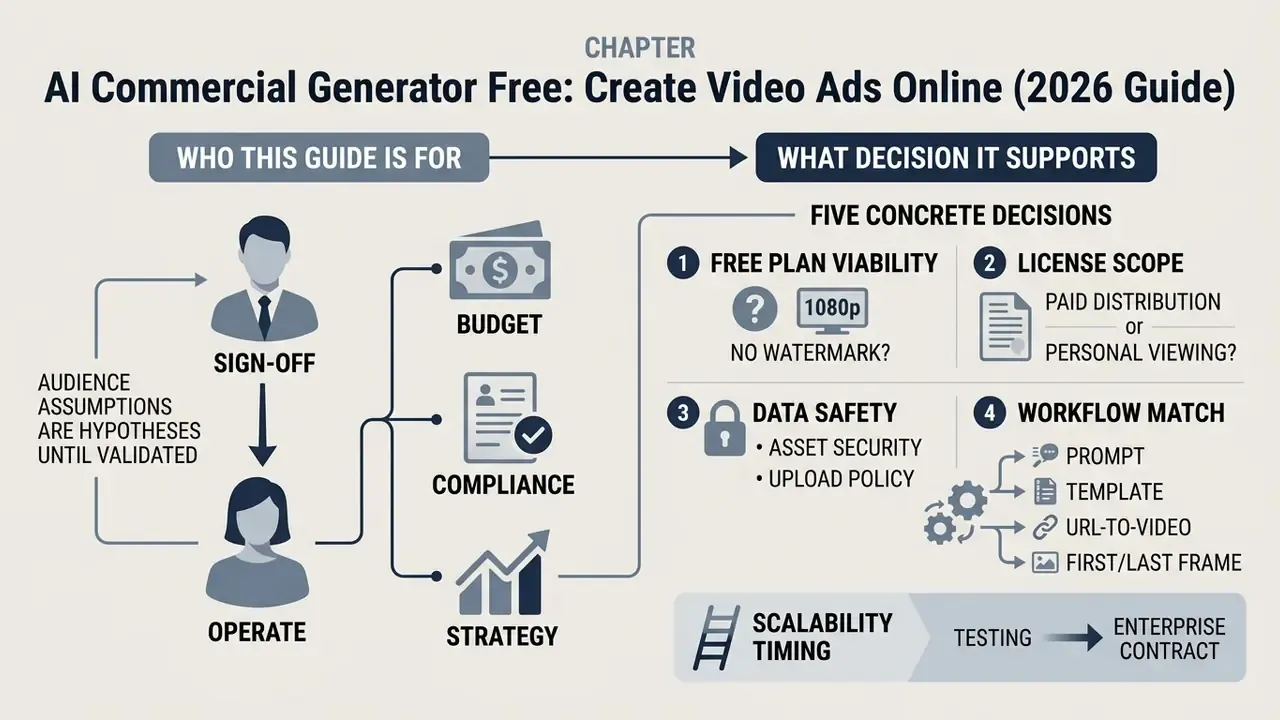
This guide is written for the person who has to sign off, not only the person who presses "generate". In practice that is a marketing lead building a variant pipeline, and a compliance, brand or model-risk reviewer asked to approve the output.
It supports five concrete decisions:
- Whether a free plan can produce a best video ad maker style output at 1080p without a watermark.
- Whether the licence covers paid distribution, or only personal viewing.
- Whether the tool is safe to feed with your assets, and if not, what may be uploaded.
- Which workflow (prompt, template, URL-to-video, first/last frame) matches your product category.
- When to stop testing on a free tier and escalate to a paid or enterprise contract.
One caveat before we go further: audience assumptions in this guide remain hypotheses until validated against your own campaign analytics, interviews and CRM data. Test, then trust.
What an AI Commercial Generator Free Tier Includes
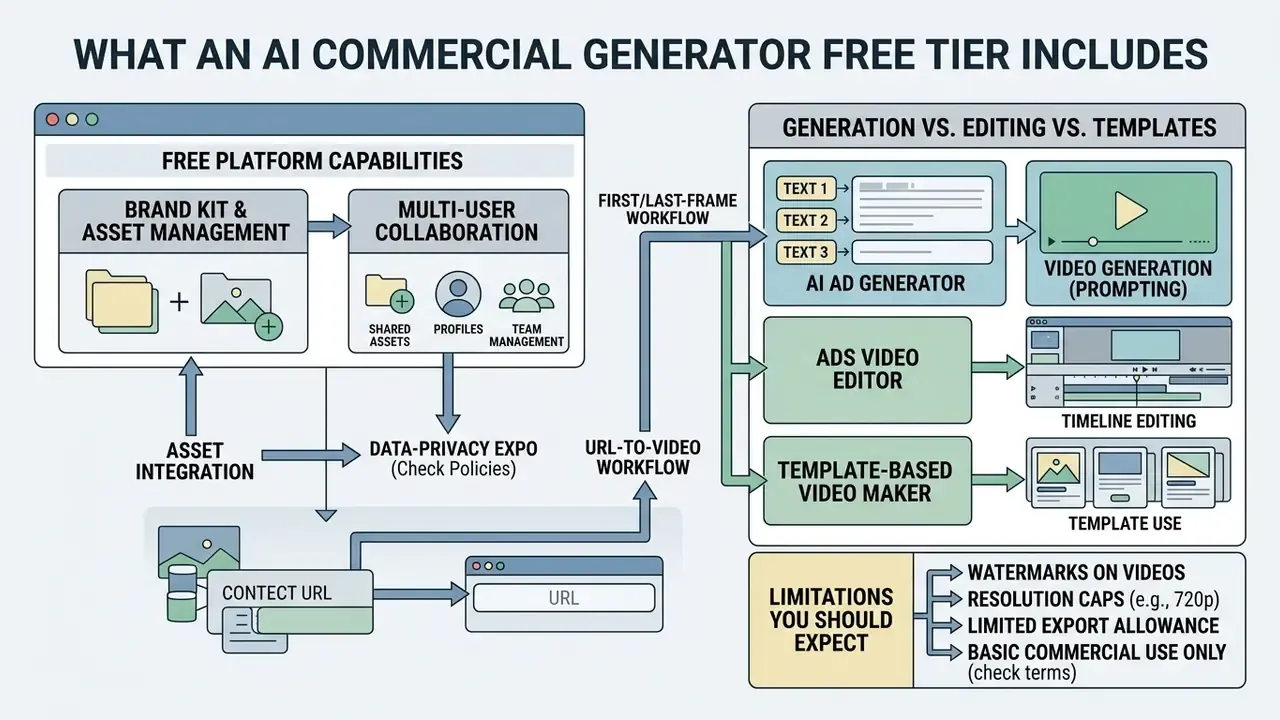
An ai commercial generator free platform is a browser-based video production system that uses AI models to synthesize or assemble short advertising videos from prompts, scripts, product images, or product links. The free access tier exists to let you experience basic generation, template libraries and timeline editing online, then feel the ceiling.
The baseline stack in a free tier usually includes capped monthly generation credits, basic video templates, automated text-to-speech voiceovers, and standard timeline editing tools (Canva, 2026; Adobe Express, 2026). If you want to see how credits, render queues and duration caps differ between vendors, study the mechanics of free AI video generators before committing a whole campaign calendar to one tool.
Free access is rarely unlimited, though. Providers routinely enforce watermarks, cap exports at 720p, or withhold commercial licensing on non-paid tiers (HeyGen, 2026; CapCut, 2026). Template.net documents explicit free-plan caps on credits, exports, available models and storage. Canva Free limits AI generation to a fixed lifetime quota (up to 50 queries for its AI business-plan generator) against 500 monthly uses on paid tiers.
Beyond raw generation, two capabilities separate hobby tools from production tools for teams:
- Brand Kit and asset management. Storing brand presets, vector logo files, HEX palettes, licensed custom fonts, intro and outro stingers, then applying them automatically across every free template. That is what keeps a batch of forty ad variants visually consistent. VEED and Adobe Express both expose this as a core workflow layer, and Adobe Express additionally resizes a finished ad into each social placement in one click.
- Multi-user collaboration. Shareable draft links, timestamped comments, simultaneous editing, structured review before export. This is the line between a single-operator toy and an agency-grade approval chain. It is also the control point where legal and compliance sign-off should live.
Below is a comparison of common free-tier capabilities across major online video ad creation platforms, including the data-handling dimension that risk and governance teams should screen first:
| Platform Category | Free Tier Access Model | Watermark Policy | Max Free Export Resolution | Asset Library Access | Commercial Use Clearance | Data Privacy & Training Policy |
|---|---|---|---|---|---|---|
| CapCut / Dreamina | Monthly credit quota (e.g., 10 credits; up to 2 video ads) | Watermark-free on standard workflows; Pro templates add watermark | 1080p (2K/4K restricted for free accounts) | Standard stock & music included | Allowed for original content without Pro assets | Consumer terms permit broad processing of uploads; assume prompts and assets may feed service improvement unless enterprise terms are signed |
| InVideo AI | Restricted credits / preview access | Watermarked on free export tiers | 720p / 1080p preview | Standard stock media library (iStock allowance advertised) | Non-commercial restrictions on certain AI models | Vendor pages conflict on free-tier commercial and retention terms; request written clarification before uploading brand assets |
| HeyGen | About 3 videos per month credit allowance | Watermarked on all free exports | 720p maximum | Standard AI avatars & templates | Personal use only; paid plan required for ad campaigns | Avatar and voice workflows involve biometric-adjacent data; consent records required for any real person's likeness |
| Pixlr Video | Free account generation allowance | Watermark-free on standard exports | 1080p HD | Basic graphic elements & templates | Expressly permitted for ad & commercial projects | Standard consumer privacy terms; no enterprise data-residency guarantee on free tier |
| Renderforest | Free basic tier with unlimited previews | Watermarked on free exports | 360p / 720p preview | Limited basic asset catalog | Commercial rights locked behind subscription tiers | Standard consumer terms; export and audit logging not exposed on free plan |
Notes: (1) Free-tier terms change often. HeyGen's free credit allowance in particular varies by region, trial type and vendor promotion, so treat the figure above as indicative and verify at signup. (2) None of the free tiers surveyed provides IP indemnification or contractual audit logging. For deeper platform comparisons, explore the hub or work through the full comparison of leading AI video generators before standardising on a vendor.
AI Ad Generator vs Ads Video Editor vs Template-Based Video Maker
Choosing the right tool starts with understanding three different production models: synthetic generation, timeline editing, and template assembly.
- AI ad generator (synthetic prompting). Converts text prompts or product URLs directly into synthetic video scenes using diffusion or transformer models (Huang et al., 2024, T2V-CompBench). High conceptual novelty, weaker control over fine motion and on-screen text.
"T2V-CompBench tested 23 models on 1,400 prompts and found persistent failures in attribute binding, spatial relationships and numeracy."
T2V-CompBench (2024). https://arxiv.org/abs/2407.01094
- Ads video editor (timeline editing).Manual or AI-assisted trimming, multi-track layering, caption styling, audio syncing (Microsoft Clipchamp, 2025). Maximum precision over brand assets and timing. Teams comparing timeline capability can review the feature baseline for video editing tools and match it against their approval workflow.
- Template-based video maker.Pre-designed visual containers and motion graphics where you swap text, product images and audio tracks (Canva, 2026). Consistent ad formats, fast execution, limited structural originality.
In practice the strongest free workflows combine all three layers: prompt-based generation for the hero shot, a template for the offer and CTA frames, and a timeline pass for captions, audio balance and brand overlays. Purists dislike this. It ships faster.
Limitations You Should Expect from a Free Ad Video Maker
Free video ad tools enforce structural constraints to balance compute cost against monetization. The recurring restrictions:
- Watermarks and resolution caps. HeyGen limits free exports to 720p with an embedded watermark (HeyGen, 2026). FlexClip caps free output at 720p and restricts projects to a single stock media asset (ToolJunction, 2026).
- Generation credit quotas. Free plans run on strict monthly caps. Canva Free limits AI generation queries across its business tools, while paid tiers grant expanded monthly allowances (Canva, 2026).
"T2VTextBench found every tested model scored below 0.43 on on-screen text accuracy, a critical weakness for advertising overlays."
T2VTextBench (2025). https://arxiv.org/abs/2407.01094
Data Privacy, Shadow AI and Enterprise Exposure
Can You Use a Free AI Commercial Maker for Commercial Advertising?
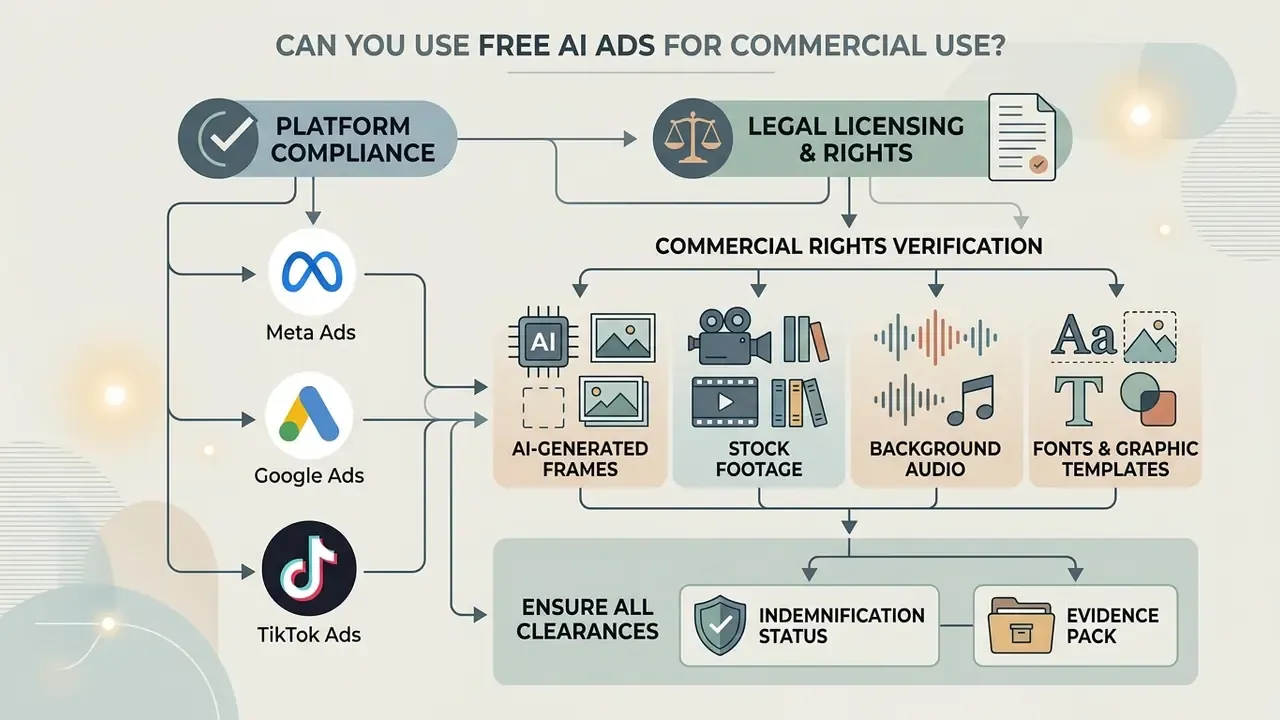
Running paid campaigns on Meta Ads, Google Ads or TikTok Ads from a commercial video maker free plan raises two separate questions: legal licensing and platform compliance. Sequence matters. Verify legal permissibility before you pick a tool, not after the creative is built and the flight date is booked.
E-E-A-T fact check: commercial rights verification
"Under U.S. Copyright Office guidance (2025), purely AI-generated visual content without human contribution cannot be protected by copyright."
U.S. Copyright Office Guidance (2025). https://papers.ssrn.com/sol3/papers.cfm?abstract_id=4977558
Disclaimer: this material is general information, not legal advice. Verify vendor terms and jurisdictional requirements with qualified counsel before launching paid campaigns.
"When AI determines the expressive elements, the output is not human-authored for copyright purposes, requiring clear disclosure of human contribution." — U.S. Copyright Office Guidance
There is a counter-claim circulating on vendor landing pages: that AI-generated ad output is automatically "copyright-free" and fully owned by the user. That framing collapses two distinct questions. Whether the vendor grants you a licence to use the output is one. Whether the output is protectable as your intellectual property is another. A vendor can grant the first while the second remains legally unavailable, and no marketing page overrides statutory authorship requirements.
What to Check Across Templates, Stock, Music and AI-Generated Video
Before publishing any commercial maker ai asset, work through this rights-clearance checklist:
- AI-generated frames. Confirm the free terms permit commercial promotion, modification and paid distribution, and whether that permission survives a plan downgrade or cancellation.
- Stock footage. Ensure clips carry model and property releases covering paid advertising channels, and confirm territory, term, channel and impression caps (Adobe Stock Guidelines, 2026).
- Background audio. Confirm synchronization rights for commercial ad distribution. Standard royalty-free music licences frequently exclude paid digital campaigns.
- Fonts and graphic templates. Audit embedded templates so third-party assets do not require standalone commercial licences. Adobe Stock's 2026 video-template rules reject submissions relying solely on CC0 or public-domain permissions.
- Indemnification status. Record whether the vendor offers IP indemnification. On free tiers it is almost universally absent, which means any third-party claim lands on the advertiser.
- Evidence pack. Archive the licence snapshot, prompt log, human-edit record and export timestamp for each creative, so the campaign survives a takedown request, a platform strike or a regulatory query.
For questions about legal disputes or platform copyright claims, view the guide.
Platform Disclosure Rules for AI-Generated Ad Creative
Licensing is only half of compliance. Ad platforms now impose their own transparency duties:
- Meta ads created or significantly edited with generative AI surface an "AI info" label. Political and social-issue ads require explicit disclosure of AI-created or AI-edited image, video or audio.
- Google Ads the 2026 help update allows, and in sensitive verticals expects, text or visual labels placed directly inside AI-generated or AI-modified image and video creative. 1080p Full HD remains the recommended delivery spec.
- TikTok realistic AI-generated images, video or audio must carry a visible synthetic-media label, ads included.
- YouTube creators must declare realistic AI-generated or meaningfully altered content through the AI-use attribute at upload.
- EU AI Act transparency rules AI-generated or manipulated video that could be mistaken for authentic content falls within labeling obligations.
- State-level rules Utah Code §20A-11-1104 requires an explicit "This video content generated by AI" statement plus tamper-evident provenance for certain synthetic visual content.
So disclosure is not purely a compliance tax. Executed well, transparency can lift ad attitude rather than suppress it. That finding still needs replication across verticals, and I would not build a media plan on it alone.
Why Free Access Does Not Equal Free Commercial Use
There is a fundamental divide between personal reproduction and commercial exploitation rights (US Copyright Act; Russian Civil Code, Art. 1273, as a comparative example):
- Free to download (personal use licence). Lets an individual download and view content for private, non-commercial purposes. Article 1273 of the Russian Civil Code frames free reproduction strictly around personal need, a scope that plainly excludes brand promotion. For the parallel logic on still assets, compare the rules governing commercial use of AI image generators, including AI image generator commercial licensing, where the same personal-versus-commercial split applies.
- Commercial use rights. Grant an explicit licence to use the asset in revenue-generating promotion: paid digital ads, packaging, broadcast. Usually with residual restrictions on resale, sublicensing, political and adult contexts.
To review pricing structures and commercial plan upgrades, open the hub.
How to Choose the Best Free AI Video Ad Maker
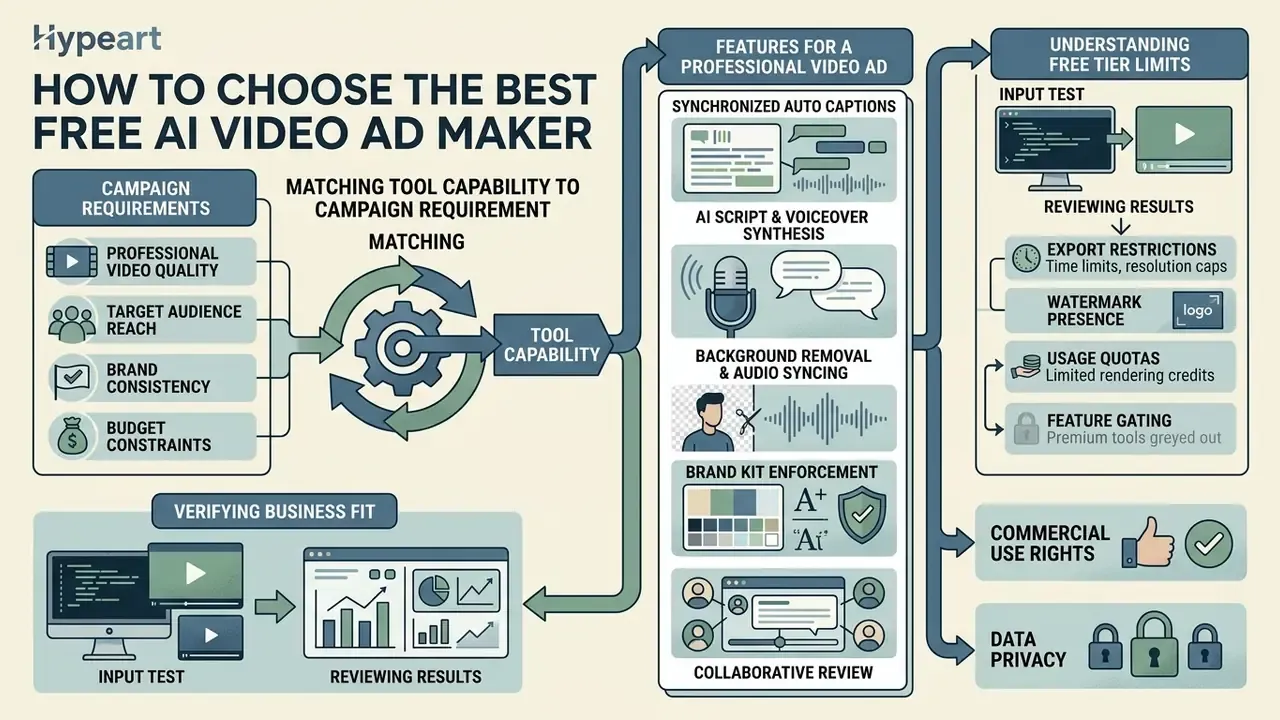
Choosing the best ai video ad generator free tier means matching tool capability to campaign requirement, not chasing feature lists. Screen candidates across four technical dimensions: visual frame quality, text-to-video alignment, motion smoothness, and temporal consistency (EvalCrafter CVPR Benchmark, 2024; VBench, 2024).
"VBench++ validates 16 video quality dimensions, from subject consistency to motion smoothness, with verified correlation to human judgement."
VBench / VBench++ (2024). https://papers.ssrn.com/sol3/papers.cfm?abstract_id=4597899
EvalCrafter (CVPR 2024) formalises the four-block structure: video quality, text-video alignment, motion quality, temporal consistency. VBench expands it into 16 measurable dimensions including subject and background consistency, aesthetic quality, multiple-object handling, spatial relationships and scene dynamics. RAVEN-Eval (2026) adds a practical constraint worth borrowing: use three to six concise, independently observable criteria weighted to your actual task, instead of chasing generic photorealism.
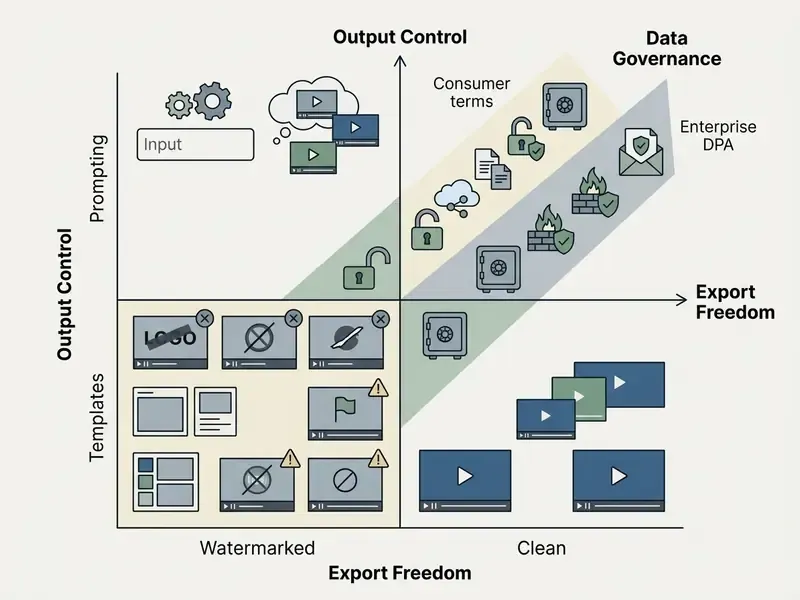
Features Required to Produce a Professional Video Ad
A serious advertising video maker needs a core suite of automated editing utilities before it can produce market-ready creative:
- Synchronized automatic captions. Subtitles must align precisely with narration. Accessibility guidance requires captions to remain on screen long enough to read, in no more than two lines with up to 30 characters per line (Section 508 Guidelines, 2026; MSU Denver, 2021). Label sound events and music cues in brackets only when they carry meaning.
- AI script and voiceover synthesis. Converts product descriptions into structured marketing scripts paired with natural text-to-speech narration (Hong Kong Metropolitan University, 2026). To compare model quality, language coverage and licensing before standardising, review text-to-video AI tools alongside available AI voice generators, and confirm which voices actually carry commercial rights on a free tier.
- Background removal and audio syncing. Isolates product shots automatically and cuts video to the rhythm of the music bed.
- Brand Kit enforcement. Applies logo, palette and typography across every generated variant, so scaled output does not drift off-brand by variant twelve.
- Collaborative review. Time-coded commenting and shared drafts, letting legal, brand and compliance sign off before export rather than after publication.
To estimate rendering times and credit consumption for a planned batch, use the specialized AI Media Calculators.
How to Verify Whether an Online Ad Maker Fits Your Business
Run a structured 10 to 15 minute usability audit based on NIST Common Industry Format (CIF) testing principles, which measure effectiveness, efficiency and satisfaction through task completion, error frequency and post-task questionnaires (NIST CIF Standards, 2025):
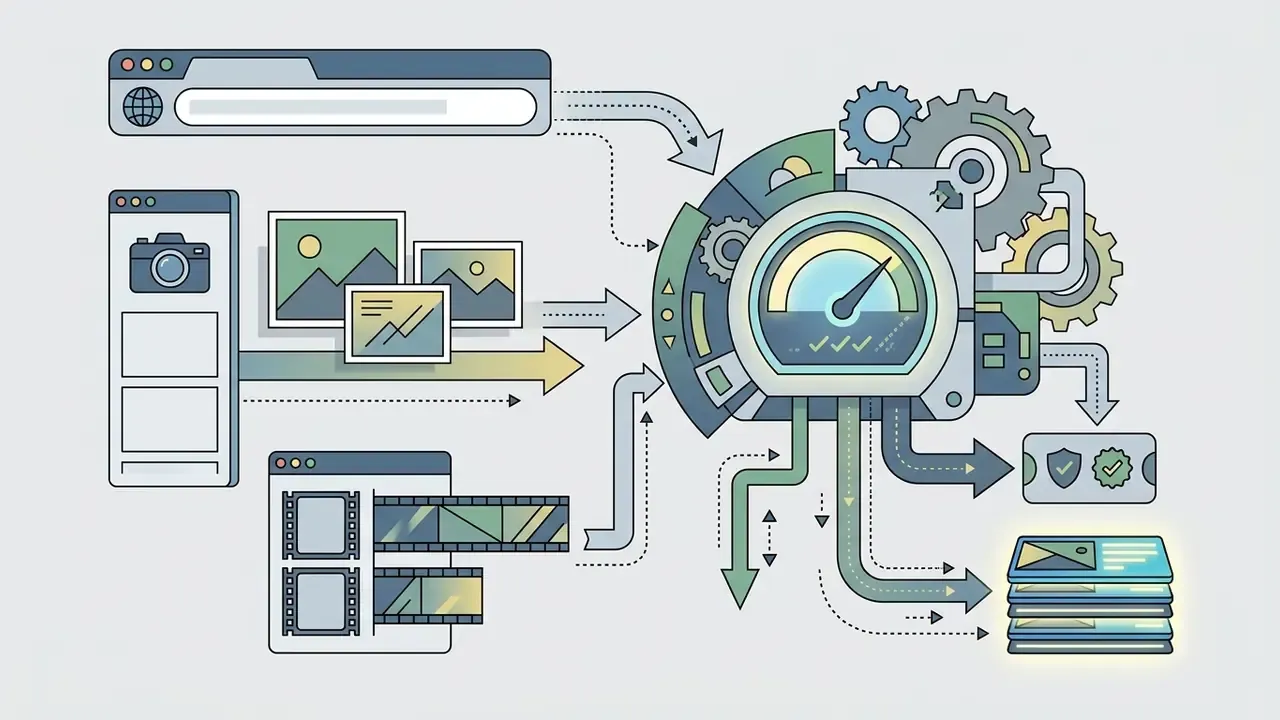
- Input test.Paste a raw product URL, or upload three product photos with a short text prompt.
- Rendering speed test.Time how long a 15-second draft takes, then repeat on a throttled connection. W3C sustainability guidance recommends testing under weak or restricted network conditions, and field marketers work on hotel Wi-Fi more often than they admit.
- Editing usability.Adjust text overlays, swap background music, re-order scene clips. Count the clicks.
- Export inspection.Download the file and check watermark placement, audio clarity and 1080p legibility.
- Rights and privacy inspection.Locate the commercial-use clause, the training-data clause and the deletion mechanism. If any of the three takes more than three minutes to find, treat the tool as unapproved for brand assets.
Illustrative evaluation pattern (composite scenario, not a measured case study): when a small retail marketing team runs this audit across a synthetic prompt engine, a template editor and an avatar tool, the split tends to be predictable. Prompt engines win on concept novelty and lose on on-screen text accuracy and export cleanliness. Template editors with automated captioning deliver finished, watermark-free 1080p assets fastest. That is a structural trade-off implied by the benchmark evidence above (EvalCrafter and VBench on motion and alignment, T2VTextBench on text rendering). Re-test it against your own SKUs rather than assuming it holds.
How to Create an AI Commercial Free: Step-by-Step Process
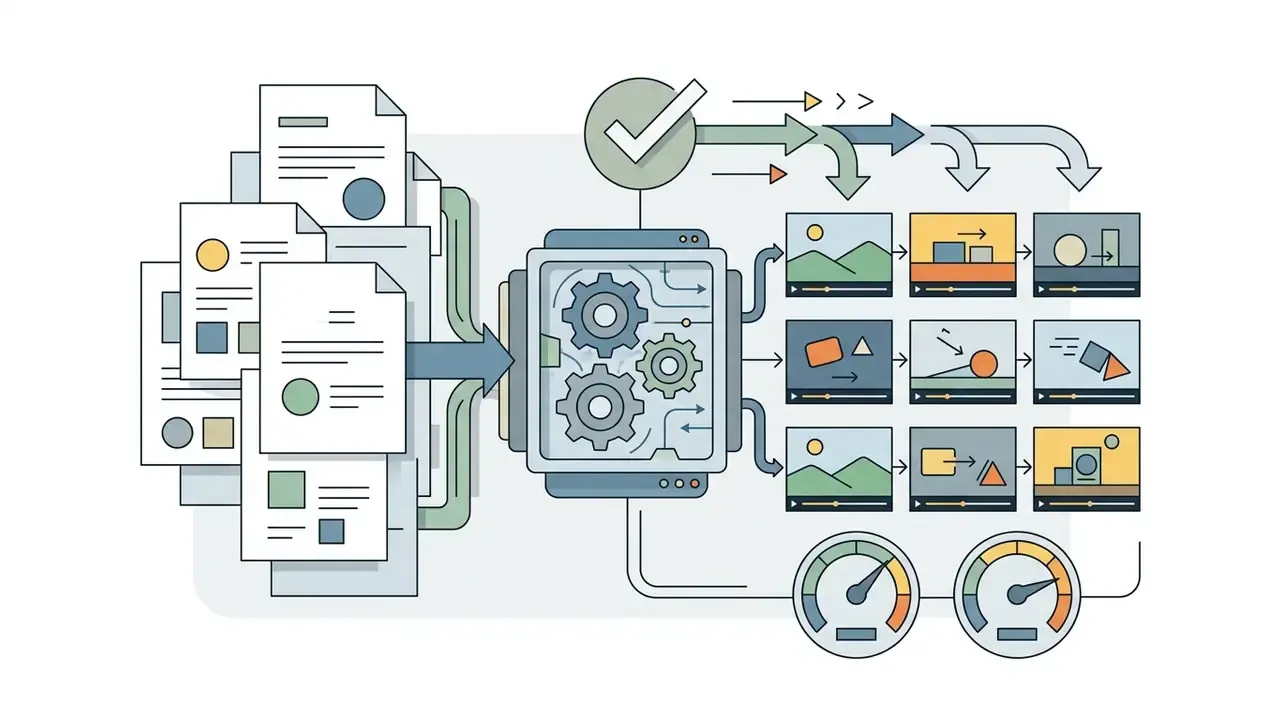
Creating an ad in an ad video maker online follows a fairly stable multi-step workflow from raw input to final export (Kapwing, 2026; VEED, 2026; HeyGen, 2026).
"The NIST GenAI Evaluation Plan (2025) recommends structured input preparation as a key driver of AI output quality."
NIST GenAI Evaluation Plan (2025). https://papers.ssrn.com/sol3/papers.cfm?abstract_id=4986205
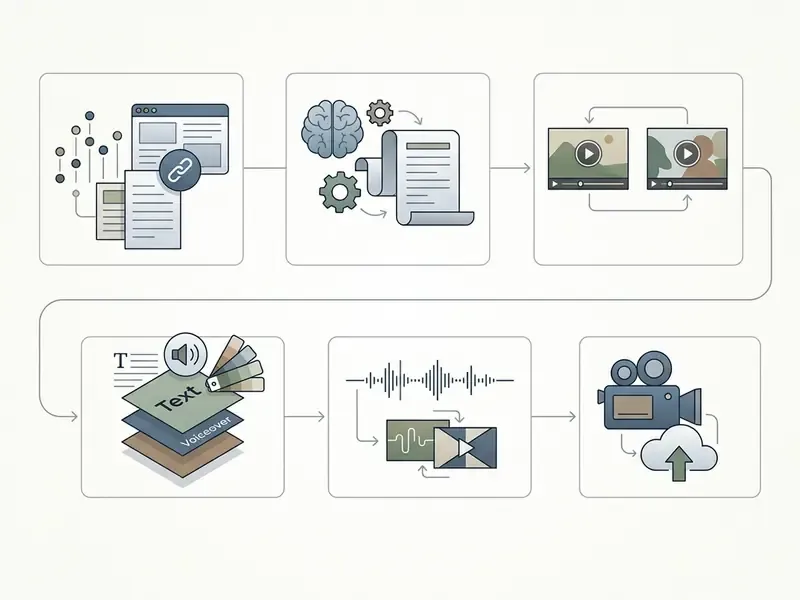
That is how you create advertisement video online free without turning the process into guesswork. Five steps, one review gate at the end.
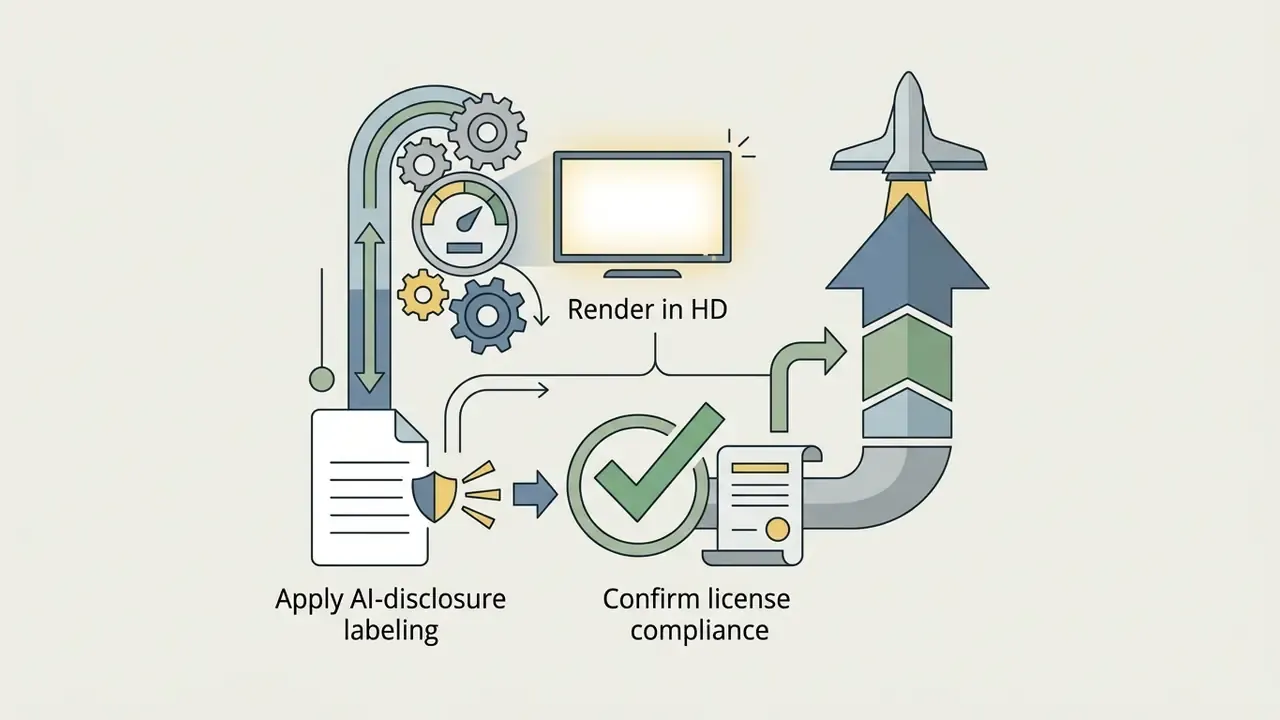
Generating Video from a Product URL (URL-to-Video Workflow)
Leading free generators, including Promo, InVideo, HeyGen and Pippit, support URL-to-video input. Instead of assembling assets by hand, you paste a link to an Amazon listing, a Shopify PDP or a landing page, and the pipeline builds a first draft:
- Content parsing.The system extracts high-resolution product imagery, the title, price, bullet features and review snippets from the page markup.
- Brand analysis.The algorithm reads the site's logo, typography and dominant palette to keep generated frames aligned with existing brand identity, effectively auto-populating a Brand Kit.
- Script assembly.An LLM module drafts three to five ad-script variants from the product copy and converts them into a storyboard with scene-level timings.
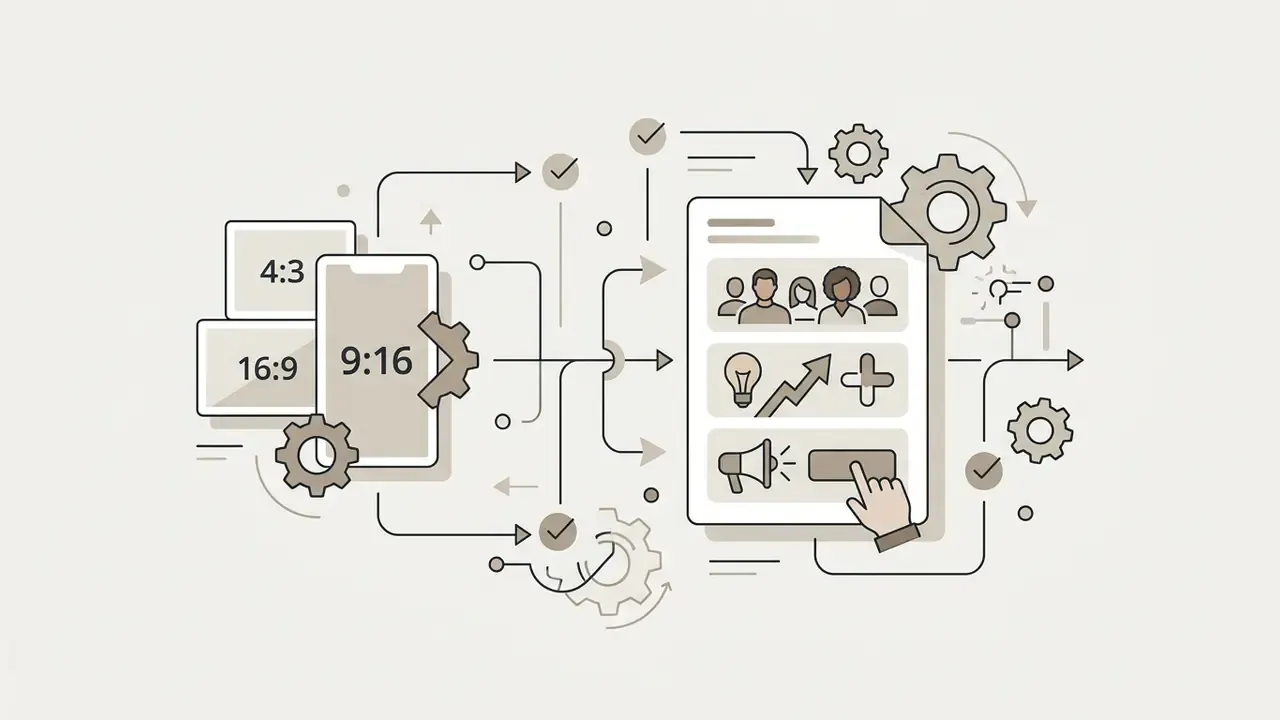
- Placement optimisation.The draft is resized into platform-native ratios (9:16, 1:1, 16:9) and, on some platforms, scheduled straight to connected social accounts.
Governance caveat. URL parsing pulls whatever the page holds, including third-party stock imagery, influencer photography and claims copy you may not own or be able to substantiate. Re-verify licensing on parsed visuals and factual accuracy on parsed claims before the asset enters paid distribution. Regulated industries should assume the parsed claim needs review, not the exception.
Start With a Product Image, Video or Ready-Made Template
Output quality tracks input preparation more closely than model choice (NIST GenAI Evaluation Plan, 2025). When prompting text-to-video engines or selecting templates, structure input along established industry guidelines (Adobe Help Center, 2026):
Video prompt = shot type + subject or character + action + location + aesthetic style
For example: "Close-up shot of a sleek stainless-steel water bottle, rotating slowly on a dark reflective surface, cinematic lighting, 4k product commercial style."
A few preparation rules that reliably raise fidelity: one primary action per shot, shorter clip durations, explicit camera movement, and a clean, well-lit source image as the visual anchor in image-driven workflows. Teams animating existing product photography should review the capabilities and limits of image-to-video AI tools before deciding whether to generate or simply to shoot.
Story Control Through Key Frames (First and Last Frame Control)
To stop chaotic, drifting generations, direct the model with two anchor points instead of piling on adjectives:
- First frame. Upload the opening image: a closed package, the customer's problem state, an unopened box, an abstract establishing object.
- Last frame. Lock the closing shot: the product in use, the finished result, or a centred logo with the CTA lockup.
- Prompt the motion only. Describe the vector between the two frames rather than the frames themselves, for example "smooth cinematic morphing transition from closed box to unveiled premium watch, slow push-in, 4k commercial render."
This is how product reveals, before-and-after transformations and unboxing sequences become repeatable instead of accidental. The two frames guarantee brand-accurate start and end states, and the model only handles interpolation. Pair it with reference images or reference video for style, and fix aspect ratio and sound settings before generation, so production decisions stay visible instead of surfacing at export.
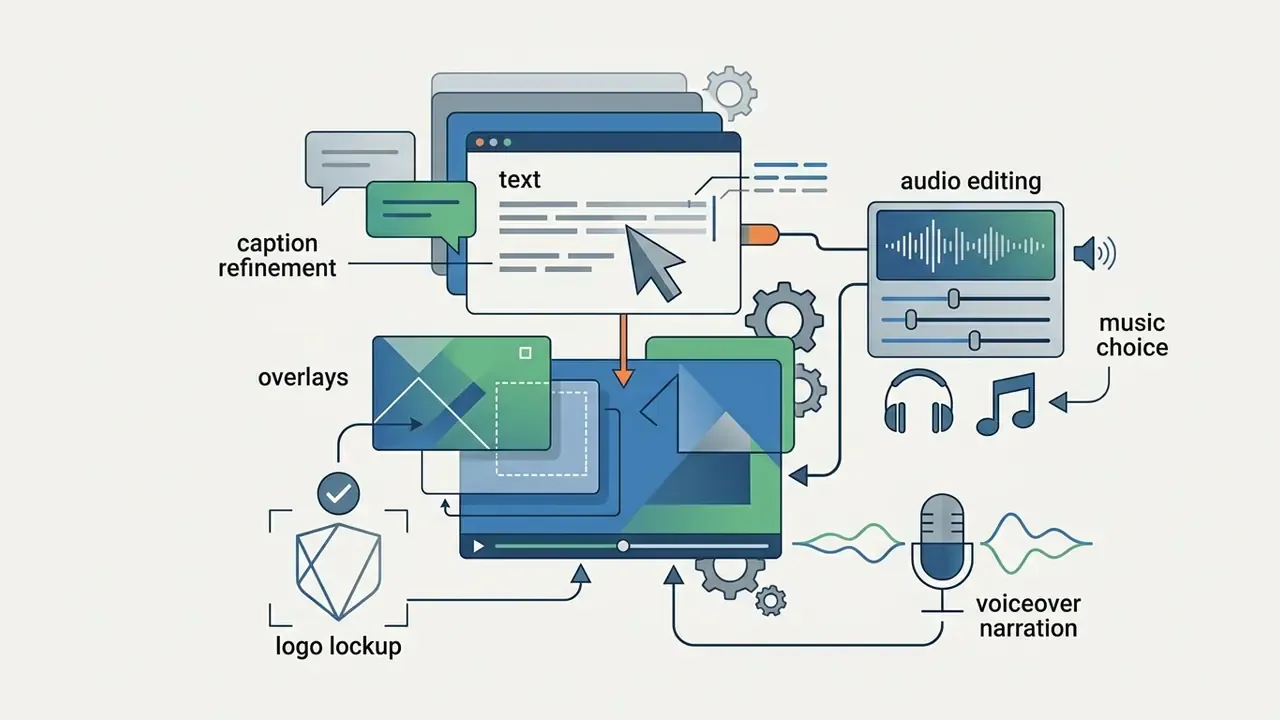
Add Text, Music and Edit the Video Advertisement
Final post-production happens in the browser timeline (Microsoft Clipchamp, 2025):
- Text overlays. Place selling points in bold, high-contrast layers above the video track, never inside the generated frame.
- Audio layering. Keep background music at roughly 15 to 20% while voiceover sits at full clarity. Give the voiceover its own track so it can be re-recorded independently.
- Dynamic transitions. Subtle cuts, fades or crossfades between scenes. Flashy transitions pull attention away from the product.
- Brand lockup. Apply logo, palette and font from the Brand Kit as the last layer, so every variant in a batch exports consistently.
To turn short segments into animated clips for web banners, see our guides on using a gif animation maker or a gif maker from existing footage.
How to Adapt Video Ads for Instagram, TikTok, YouTube and Other Platforms
Creative has to match each platform's specifications, or the placement quietly degrades it (Meta Business Guide, 2026; LinkedIn Ad Specs, 2026).
| Platform / Placement | Primary Aspect Ratio | Recommended Resolution | Video Duration Range | Key Creative Requirement |
|---|---|---|---|---|
| TikTok Ads | 9:16 Vertical | 1080 × 1920 px | 5 to 60 seconds | Immediate visual hook in first 3s; center-safe text |
| Instagram Reels / Stories | 9:16 Vertical | 1080 × 1920 px | 1 to 60 seconds | High visual aesthetic; clear UI safe zones |
| YouTube Shorts | 9:16 Vertical | 1080 × 1920 px | Up to 60 seconds | Punchy audio; clear product demonstration |
| YouTube In-Stream | 16:9 Landscape | 1920 × 1080 px | 15 to 30 seconds | High-definition horizontal narrative |
| Facebook / Meta In-Stream | 16:9 or 1:1 | 1920 × 1080 / 1080 × 1080 | 1 second to 60 minutes (max 4 GB) | Min width 500 px; 1% aspect-ratio tolerance |
| LinkedIn Video Ads | 1:1 Square / 16:9 (9:16 accepted) | 360 × 360 to 1920 × 1920; 640 × 360 to 1920 × 1080 | 3s to 30 minutes (75 KB to 500 MB) | Professional B2B messaging; synchronized captions |
For a closer look at how generation models handle each framing, review the model landscape for AI video generators for advertising, then test one SKU across all three ratios before scaling a batch.
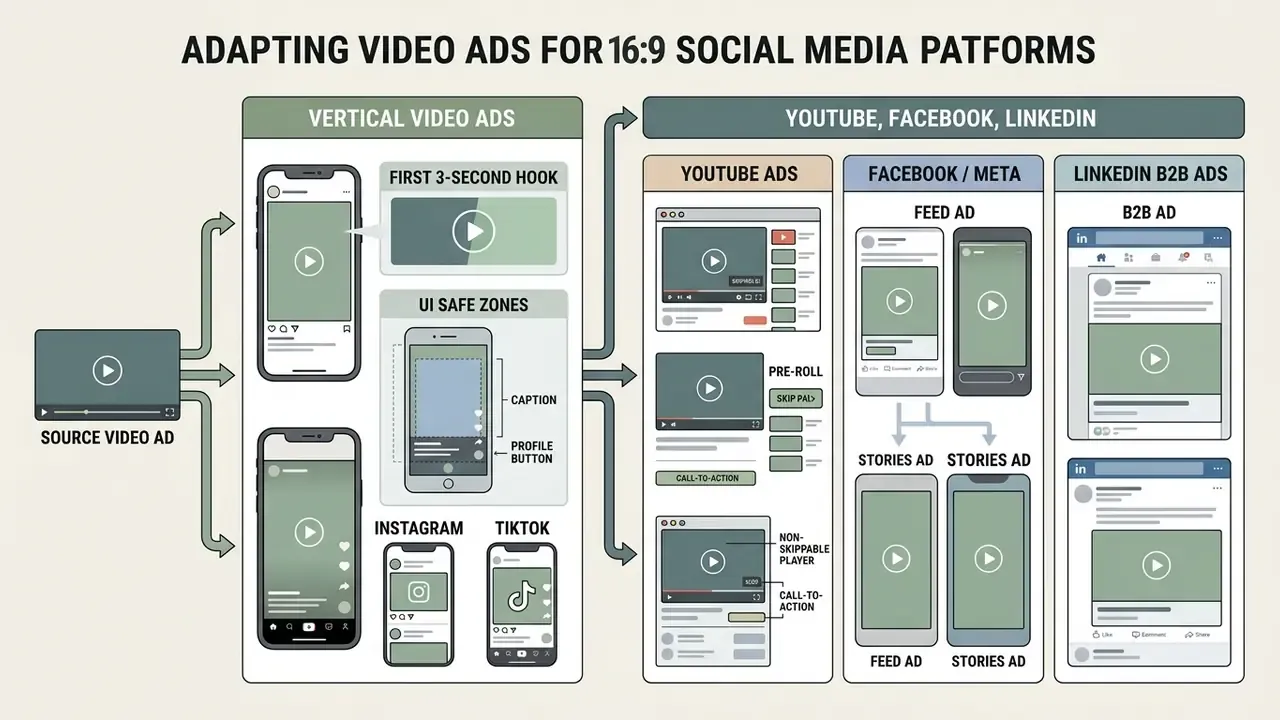
Vertical Video Ads for Instagram and TikTok
Vertical 9:16 dominates short-form mobile feeds. Two technical rules carry most of the weight:
- The first 3-second hook. Show the core product, the immediate action, or the primary benefit inside the first three seconds (TikTok Ad Guidance, 2026).
"Analysis of text-to-video benchmarks confirms that early-frame dynamics and motion smoothness are the most critical dimensions for short-video attention retention."
DEVIL Benchmark, arXiv:2407.01094 (2024). https://arxiv.org/abs/2407.01094
- UI safe zones. Keep critical text callouts, logos and CTAs inside the central safe area. Avoid the top header bar, the right-side action rail and the bottom caption and CTA stack.
Native visual patterns that perform in short-form placements: fast cuts, always-on captions, direct-to-camera framing, creator-style footage that matches the feed instead of resembling a TV spot.
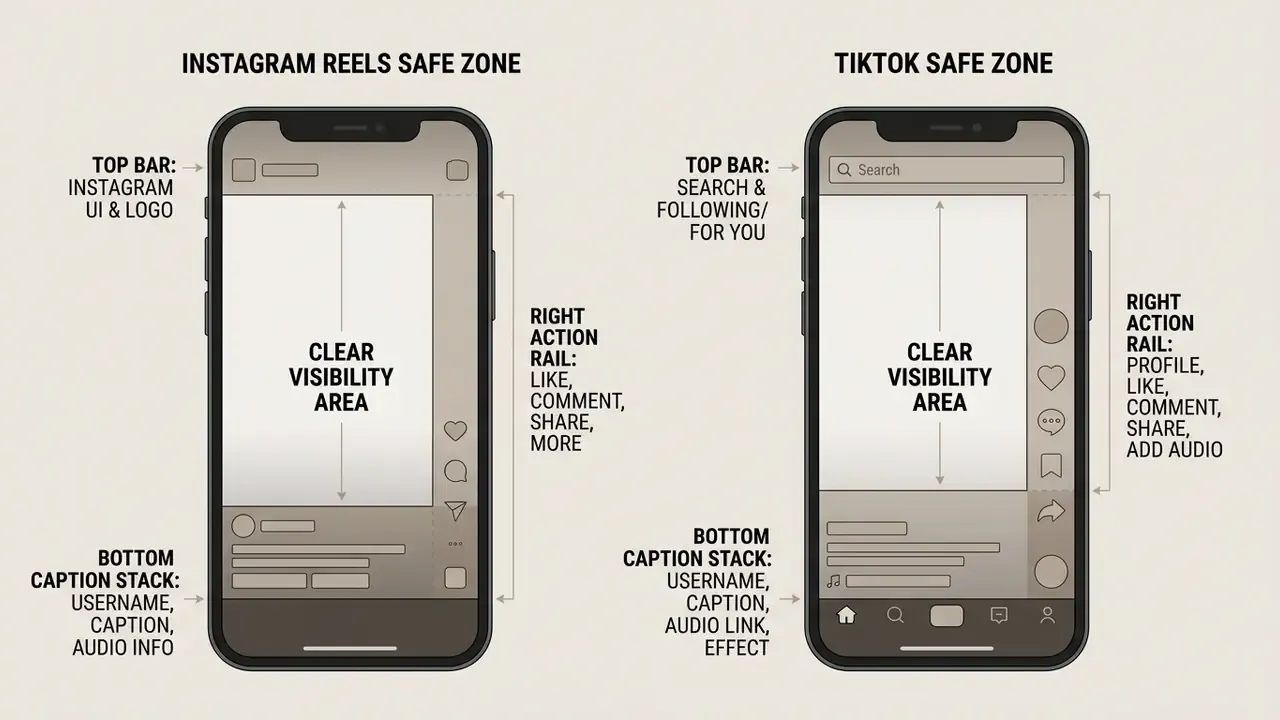
For a structured view of how brand-safety constraints and creative iteration interact when scaling variants, compare shortlisted tools among free AI video generators and note which ones expose safe-zone guides natively. Surprisingly few do.
Ads for YouTube, Facebook and LinkedIn
Horizontal 16:9 and square 1:1 remain essential for desktop and feed placements (Google Ads Help, 2026):
- YouTube Ads. Full HD 1080p horizontal assets are recommended, and Google explicitly discourages SD delivery. Standard non-skip in-stream ads perform best with structured 15 or 30-second story arcs, matching Display & Video 360 creative baselines.
- Facebook / Meta. In-stream placements accept 16:9 and 1:1. Duration runs from 1 second to 60 minutes, file size up to 4 GB, minimum width 500 px.
- LinkedIn B2B ads. Accept 16:9 landscape (640 × 360 up to 1920 × 1080) and 1:1 square (360 × 360 up to 1920 × 1920). B2B audiences respond to clear value propositions, customer case studies and informational product walkthroughs, with burned-in or auto-generated captions, since a large share of the feed is watched muted.
Publishers repurposing one master asset across YouTube placements can standardise the export chain with our YouTube video editor workflow guide.
AI Video Template Ideas for Retail Store and E-commerce Advertising
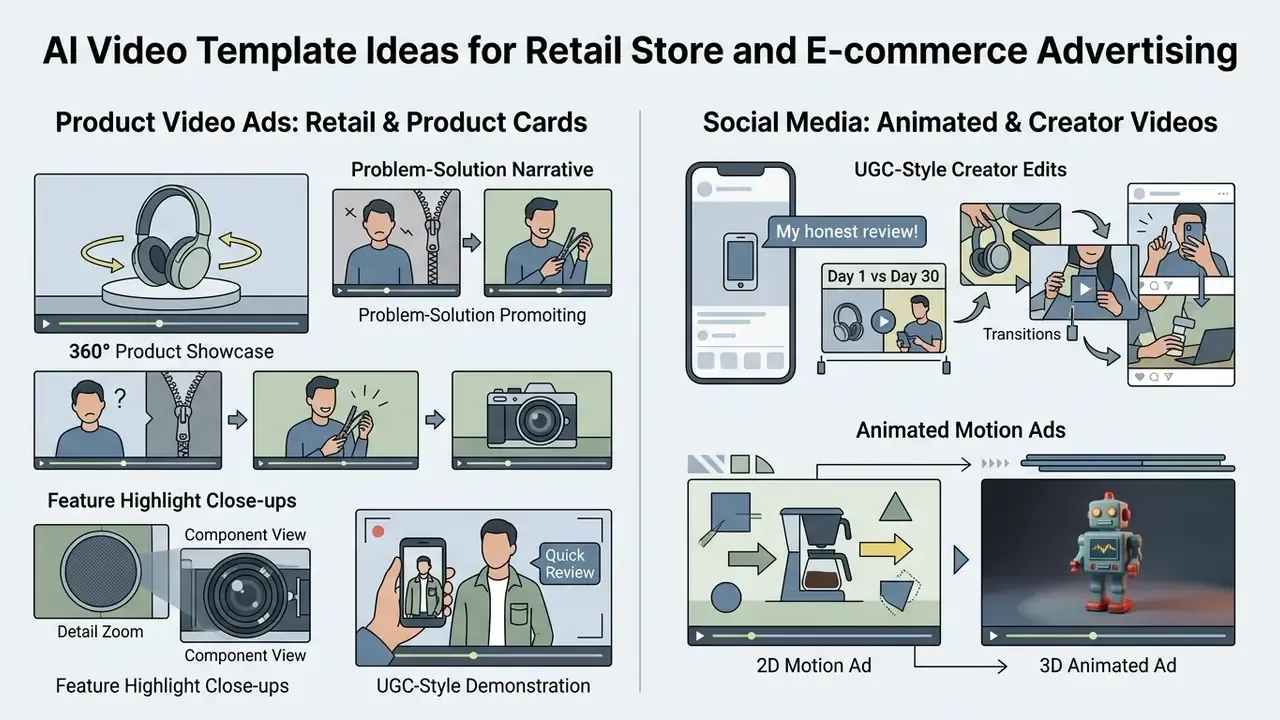
Retailers lean on structured ai video templates for retail store advertising to accelerate product marketing (Bitkom E-Commerce Whitepaper, 2026; Eko Product Truth Guide, 2026). Teams evaluating specific engines for animated product motion can start with the capability profile of PixVerse AI and compare it against template-driven alternatives.
Bitkom's 2026 whitepaper documents the three-step image-to-video pipeline that now underpins most retail output: product image input, AI generation with pans, zooms and subtle motion, then automated post-production with brand overlays. IQPC/Vimeo's 2025 retail report adds two multipliers: shoppable hotspots layered onto the video, and AI-powered translation for fast-changing catalogue content.
Product Video Ads for Product Cards and Retail Stores
Product detail pages benefit from four primary video structures:
- 360-degree product showcase. Uses image-to-video panning to reveal angles, textures and build quality (Bitkom, 2026). IAB Tech Lab's New Ad Portfolio recognises 360° media as a standardised ad experience.
- Problem-solution narrative. Names a consumer friction point in the opening frame and shows the product as the immediate answer.
- Feature highlight close-ups. Focuses on technical attributes, material quality or sizing. Amazon's Sponsored Products guidance notes each video may demonstrate one or more unique features and should show a human interacting with the product where possible (Amazon Sponsored Products Guidelines, 2025).
- UGC-style demonstration. Creator-framed, handheld footage with on-screen captions, the format closest to organic feed behaviour.
Retail media placements bring their own grammar. IAB Europe's native-format guidance for retail media networks prioritises title and subtitle, brand name, logo, CTA and product assets, with a viewability standard of 50% or more pixels in view for over two continuous seconds. Build the offer and CTA into the safe zone accordingly.
For workflow context on preparing brand assets before assembly, see our overview of Canva AI generator commercial licensing.
How to Improve AI-Generated Advertising Video Results
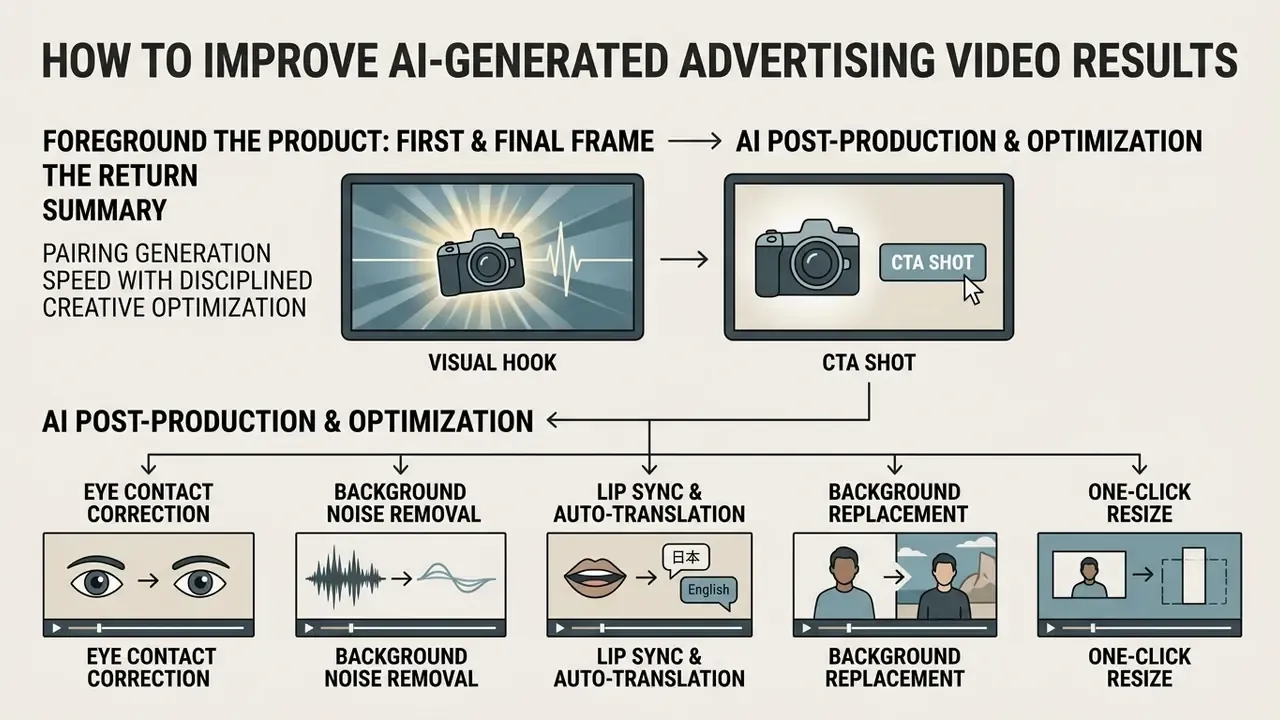
Getting real return from AI-generated creative means pairing generation speed with disciplined creative optimization (Generative Marketing Multi-Method Study, SSRN 2024). Once you have identified the winning pattern, scale it deliberately across the tools compared in our review of free AI video generators.
In a randomized field experiment on WhatsApp, personalized video ads created with generative AI increased engagement by 6 to 9 percentage points over static image and generic video baselines (Generative AI and Personalized Video Advertisements, SSRN 2024).
How to Foreground the Product in the First and Final Frame
- The first-frame visual hook. Put a high-contrast product visual, an intriguing question or a bold value claim inside the first 0 to 3 seconds (T2V Benchmark Analysis, 2025). Openings documented in pitch and short-video practice include a surprising statistic, a teaser, or a direct question, with the product or solution visible by second 5 to 8.
"A field experiment with over 173,000 impressions found AI-generated banners achieved 50% higher click-through than professional stock photography."
The Power of Generative Marketing, SSRN / International Journal of Research in Marketing (2024). https://papers.ssrn.com/sol3/papers.cfm?abstract_id=4597899
- The final CTA shot. Close on a static, centred product layout with a clear call to action ("Shop Now", "Get 20% Off"). Keep the subject centred, the label short and specific, and contrast high enough to read at thumbnail scale. Then check it on a phone, not a monitor.
AI Post-Production: Eye Contact, Noise Removal and Lip Sync
For UGC-style or avatar-led creative, the enhancement layer often matters more than the generation model itself:
- AI eye-contact correction. The algorithm redirects the speaker's gaze into the lens even when the script was read from a teleprompter or a side monitor, restoring the direct-to-camera framing short-form feeds reward. Growth teams running UGC ads flag this as one of the highest-leverage toggles available: "if you're making UGC ads and not using Eye Contact Correction and Noise Reduction, you're missing out on ROI" (Sebastian Schurgers, Head of Growth Marketing, Gronda, in VEED customer testimonials). Treat retention uplift claims as directional and A/B test on your own audience rather than assuming a fixed gain.
- AI background noise removal. Neural filters separate voice from room echo, wind, HVAC hum and street noise, which makes phone-shot footage usable without a studio. On several platforms this sits behind the paid tier, so verify before planning a shoot around it.
- AI lip sync and auto-translation. Automated dubbing into dozens of languages with mouth movement re-timed to the new audio, so one master asset can serve several markets. Combine with translated burned-in captions for muted playback.
- Background replacement and one-click resize. Swap environments for seasonal campaigns and re-frame the same master into 9:16, 1:1 and 16:9 without re-editing from scratch.
Governance note: eye-contact correction, voice cloning and lip-sync dubbing all modify a real person's likeness or voice. Document consent, and apply platform AI-disclosure labels wherever the alteration is realistic enough to pass as unedited footage.
How to Use Text, Music and Editing Without Overloading the Ad
Prevent cognitive overload by following established media design principles (W3C WAI Guidelines, 2024):
"W3C WAI guidance (2024) sets no more than two lines of on-screen text and 30 characters per line as the accessibility standard for video content."
W3C WAI Guidelines (2024). https://papers.ssrn.com/sol3/papers.cfm?abstract_id=4986205
Developers integrating programmatic video generation into custom applications can review our AI Media API Guides, including implementation notes for Google Veo video generation. For general platform help, view the guide.
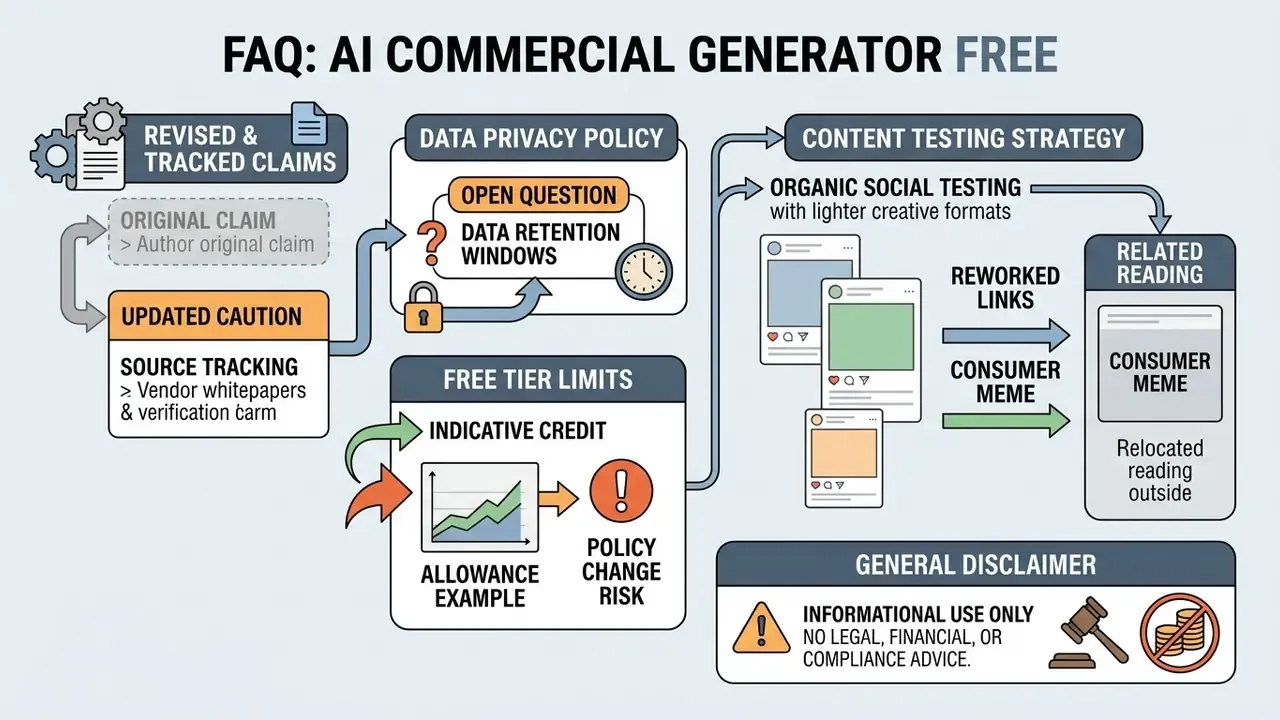
FAQ: AI Commercial Generator Free
Do I need editing skills to use an AI commercial maker?
No specialist video editing skill is required. Modern no-code generators offer drag-and-drop web interfaces, automated template setup and prompt-based scene creation aimed at non-technical users (Novoads, 2024; Domer AI, 2026). You input product text or images, pick a visual style, and review the output. Editorial judgement is not eliminated, though. Captions, audio balance, end cards and legal accuracy still need a human pass, and that pass is where most avoidable mistakes get caught.
"A study of 450 consumers found AI-created content produced greater emotional arousal than human-made content, yet was perceived as requiring less company effort." Exploring Consumer Responses to AI-Generated Visual Marketing Content, International Journal of Consumer Studies (2025). https://papers.ssrn.com/sol3/papers.cfm?abstract_id=4597899
Can an AI ad generator create localized content?
Yes. Free and open-source tools support automated localization workflows (pyVideoTrans, 2026; SubEasy, 2026). These pipelines extract in-frame text via video OCR, translate captions into target languages, and synthesize multilingual voiceover dubbing in one chain. Open-source projects such as pyVideoTrans and KrillinAI document one-click speech recognition, subtitle translation, AI dubbing and recomposition. Still, have a native speaker review wording, tone and cultural context before a localized ad enters paid distribution. Machine translation of a discount claim can change its legal meaning.
Is my corporate data safe on a free AI video generator?
Assume it is not, unless the vendor commits otherwise in writing. Free tiers are consumer products and rarely offer data-processing agreements, retention limits, deletion SLAs, audit logs or an opt-out from model improvement. Unmanaged free-tier usage is a textbook shadow-AI exposure. Restrict inputs to already-public assets, ban uploads of unreleased products, customer data, internal pricing and employee likenesses, register every tool in the AI inventory, and escalate to a paid or enterprise plan before any confidential asset is involved.
Do free plans include IP indemnification?
Across the free tiers surveyed, no. Indemnification, meaning the vendor covers your costs if the output triggers a third-party infringement claim, is typically an enterprise-tier commitment. On a free plan the advertiser carries residual risk. One more reason to keep a documented evidence pack (prompt log, licence snapshot, human-edit record) for every published creative.
Can I run free-tier output directly in Meta, Google or TikTok Ads?
Only when three conditions hold at once: the vendor's terms grant commercial rights on the free tier, every embedded asset (stock, music, fonts, templates) is cleared for paid advertising, and the required AI-disclosure label is applied for that placement. Platform policy does not override a restrictive generator licence, and a permissive generator licence does not exempt you from platform labeling rules.
How do I remove a watermark legally?
By upgrading, switching tools, or using workflows the vendor already exports watermark-free. Circumventing an applied watermark generally breaches the terms of service and may void whatever usage rights you had. Where watermark-free 1080p export is non-negotiable, pick a vendor that grants it on the free tier, for instance Pixlr's documented watermark-free exports, rather than editing one out.
Can I turn a single product photo into a commercial?
Yes. Upload the product image as the visual anchor, describe the scene and campaign direction, then use image-to-video generation to build motion around it. For a controlled reveal, set a first frame and a last frame and describe only the transition between them. The opening and closing states stay brand-accurate while the model handles the movement in between.
What is the fastest way to test whether a free tool suits my team?
Run the 15-minute audit above on one real SKU, not a demo asset. If the tool clears input handling, render speed, editing usability, clean export and rights transparency, it earns a place in a controlled pilot. If it fails the rights and privacy check, no output quality compensates.
Appendix A: Superseded Claims and Source Corrections
Kept for transparency and version tracking. The main text carries the corrected versions.
- Superseded (removed from main text)
- "Field campaign data indicates that UGC-style ad formats can increase conversion rates by up to 21% while lowering cost-per-acquisition (CPA) by 17% compared to traditional polished brand videos (UGC Campaign Performance Study, 2025)."