A cartoon character maker is an online application that converts text prompts, uploaded photographs, or modular graphic elements into custom digital characters. Modern platforms let you generate static portrait avatars, full-body vector illustrations, animation-ready 3D models, and voice-driven animated clips inside a web browser, with no specialized design software installed. That sounds trivial. In a regulated organization, it usually is not.
«Evaluating synthetic visual assets requires balancing rapid creative execution with explicit legal and operational boundaries. Digital character generation delivers measurable workflow efficiency only when identity preservation, licensing terms, data-handling rules, and platform access limits are systematically controlled from the outset.»
— Marcus Hale, author.
Quick answer for readers in a hurry. If you need a mascot or a corporate avatar with zero data exposure, use an element-assembly cartoon character creator that requires no photo upload. If you need a recognizable likeness, use photo-to-cartoon conversion under an approved vendor agreement and a signed release. If you need concept art or scenes, use a text-to-image engine and lock consistency with reference conditioning. Everything else in this guide is detail on those three paths, plus the licensing and privacy checks that decide whether the output can actually ship.
What Is a Cartoon Character Maker and What Can You Create?
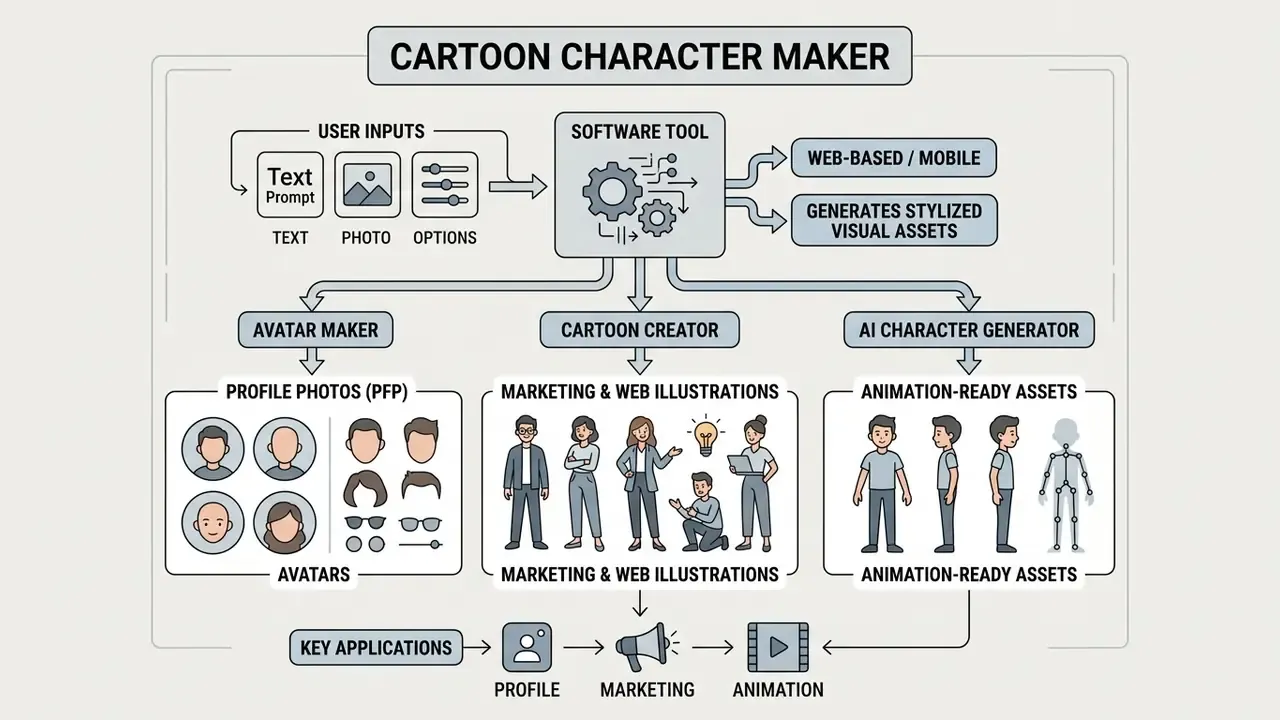
A cartoon character maker is a web-based or mobile software tool that generates stylized digital visual assets from user-defined inputs. Operating through browser interfaces, a cartoon character maker allows individuals and organizations to build custom visual personas for social media profiles, brand marketing, educational content, merchandise printing, and digital media production.
The category name is loose. In practice, a character cartoon maker, a cartoon people maker, and an avatar builder can mean three technically different products, and confusing them is how teams end up with assets they cannot reuse.
Avatar Maker, Cartoon Creator and AI Character Generator
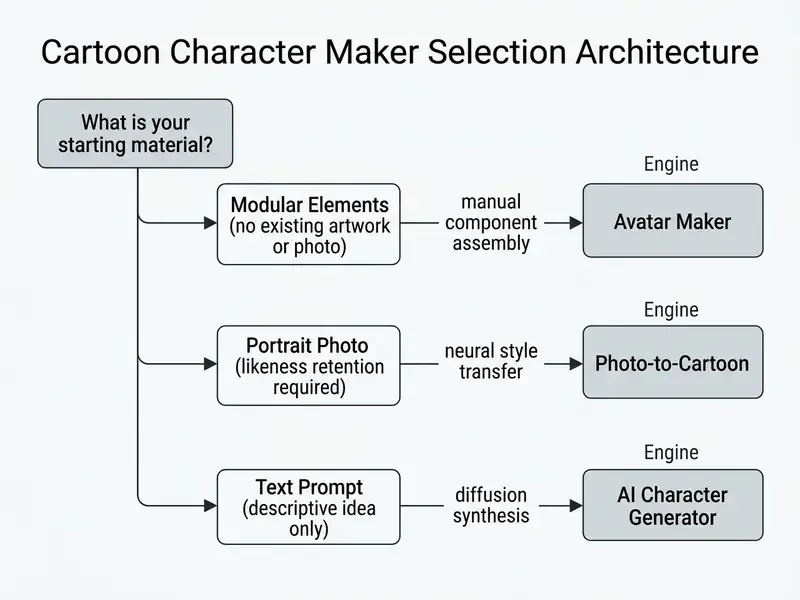
Online character generation tools divide into three distinct functional categories: element-based avatar creators, vector style-transformation editors, and prompt-driven generative neural networks. Understanding these technical distinctions ensures you select the right tool architecture for a specific production requirement.
- Avatar Maker Operates on modular asset libraries where users combine predetermined facial features, hairstyles, clothing, and background elements. (Updated) Public product documentation from element-driven platforms such as Cartoonify describes libraries of 300+ pre-rendered SVG or PNG components. That architecture guarantees deterministic, repeatable visual consistency across every exported asset, because no probabilistic model sits between input and output.
- Cartoon Creator Focuses on manual stylization and vector editing, transforming existing artwork or vector shapes into custom illustrations. Tools like Icons8 Mega Creator and Canva provide structured design environments for precise layout control, layer ordering, opacity adjustment, and multi-format export (PNG, SVG, PDF).
- AI Character Generator Employs generative diffusion models or adversarial networks to synthesize original images from natural language text prompts or reference photographs. Research by Mahdavi Goloujeh et al. (CHI 2024) shows that AI generators provide open-ended stylistic flexibility, though they require iterative prompt refinement to reach consistent structural outputs.
«Users begin with short, vague prompts and progressively add detail, learning through trial and error.»
This iterative behaviour is the practical reason element-based makers remain relevant in regulated environments. A component library is reproducible by design, while prompt-based synthesis drifts between sessions unless reference conditioning is applied. Reproducibility, not beauty, is what an auditor asks about.
Organizations evaluating multi-tool workflows can consult our AI Media Comparison Matrices to evaluate engine performance, rendering speed, and export flexibility, or narrow the shortlist through our AI image generators comparison.
Cartoon Characters for Profiles, Images and Animation
Digital characters serve distinct functional roles depending on output format, rendering fidelity, and structural complexity. Choosing the output format first aligns asset generation with the downstream distribution channel.
- Profile Photos and Avatars (PFP): Head-and-shoulder portraits optimized for digital identification across platforms like Discord, Twitch, Steam, TikTok, Instagram, LinkedIn, and internal enterprise directories. Research on synthetic persona perception by Salminen et al. (2024) indicates that stylized profile images significantly influence user perceptions of authenticity and engagement.
«Images significantly shape perceptions of persona realism, empathy, and credibility.»
- Marketing and Web Illustrations Full-body or scene-based custom cartoon graphics designed for websites, presentations, and social media campaigns. These visual assets establish a distinct brand personality while avoiding the licensing overhead of traditional stock photography. Teams scaling brand libraries can review how AI image generators for brand visuals handle licensing terms and volume limits.
- Animation-Ready Assets Multi-angle character sheets, rigged 2D vector files, or textured 3D models built for dynamic video production. Technical benchmarks in AgileAvatar (ACM 2024) highlight how domain-bridging frameworks produce 3D characters structured specifically for real-time skeletal rigging and motion capture.
Commercial and Personal Deployment Scenarios
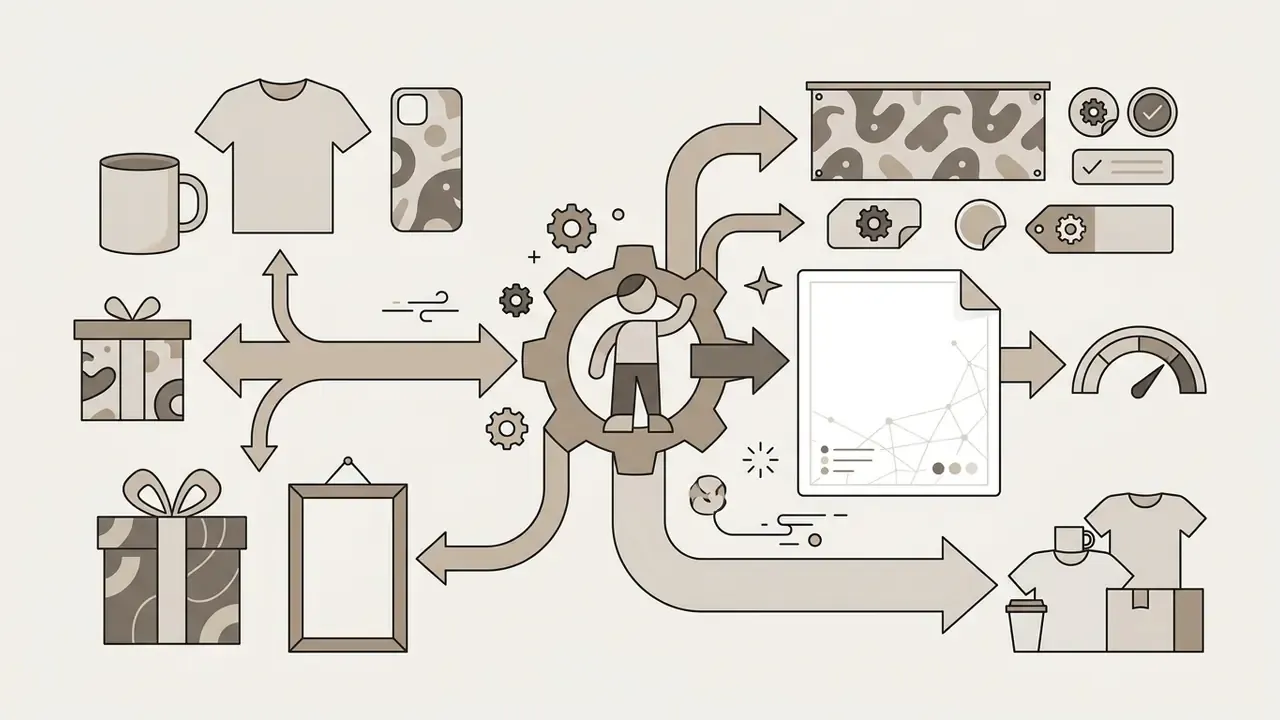
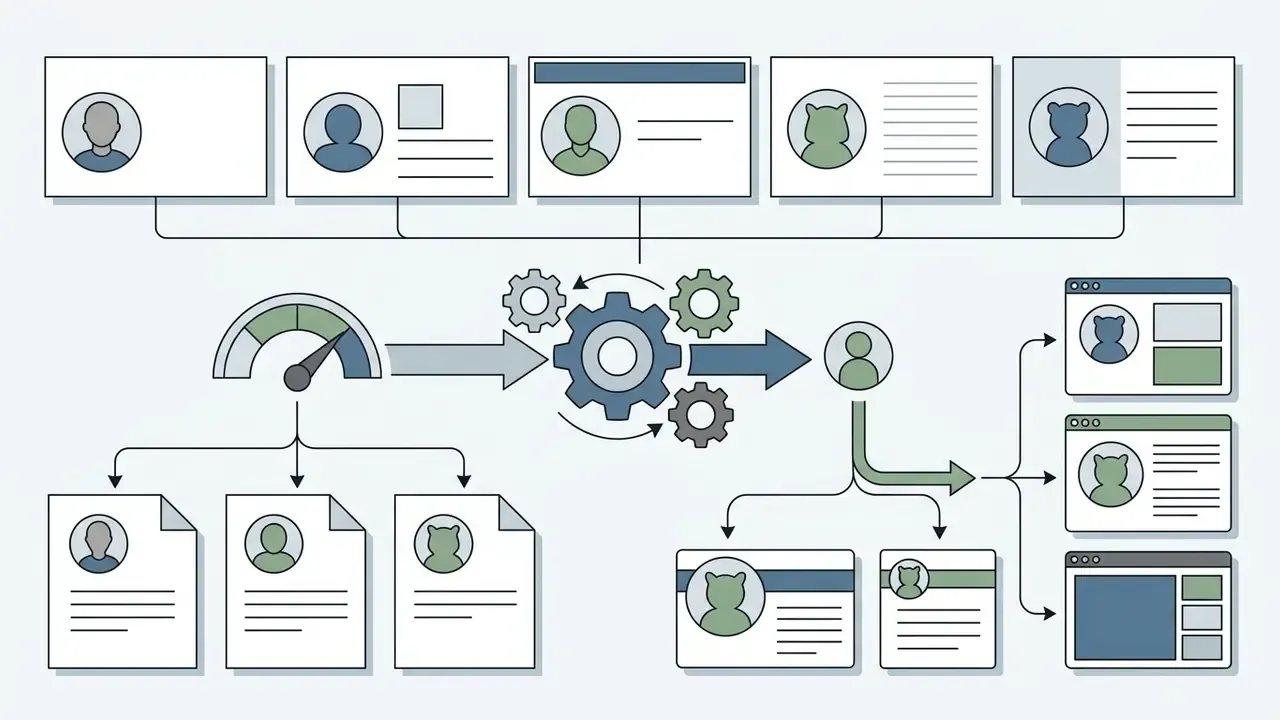
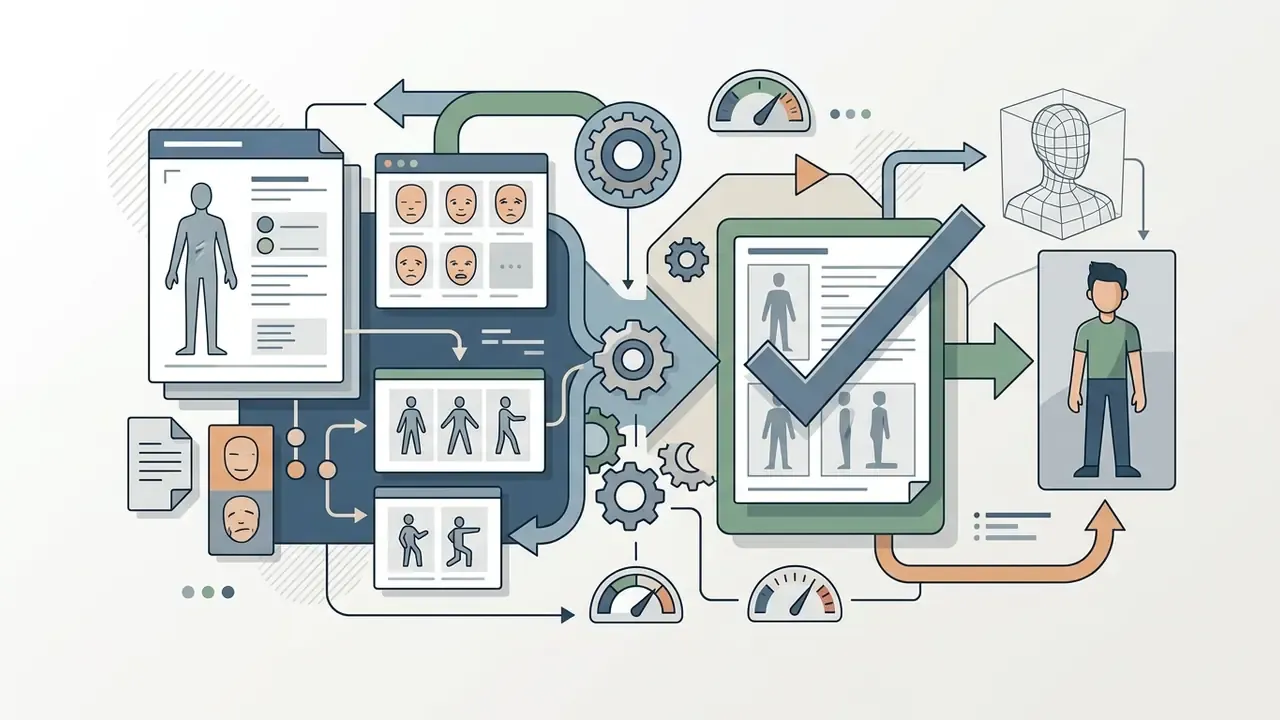
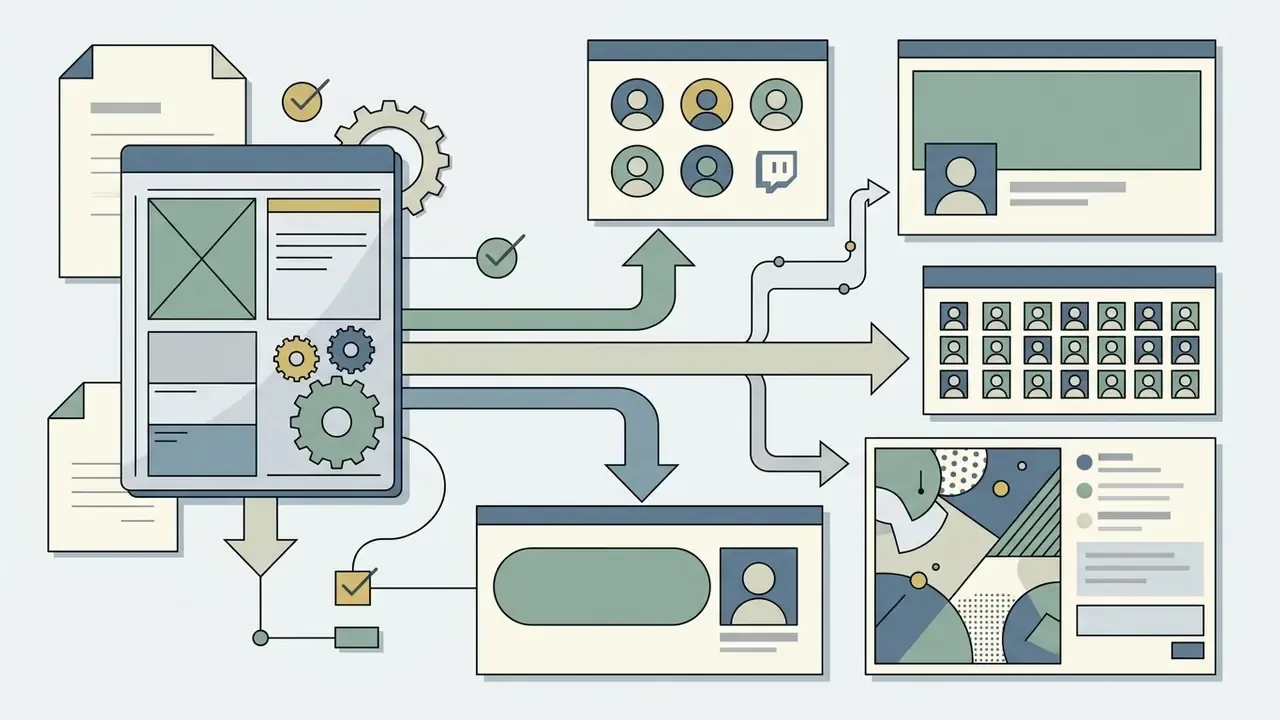
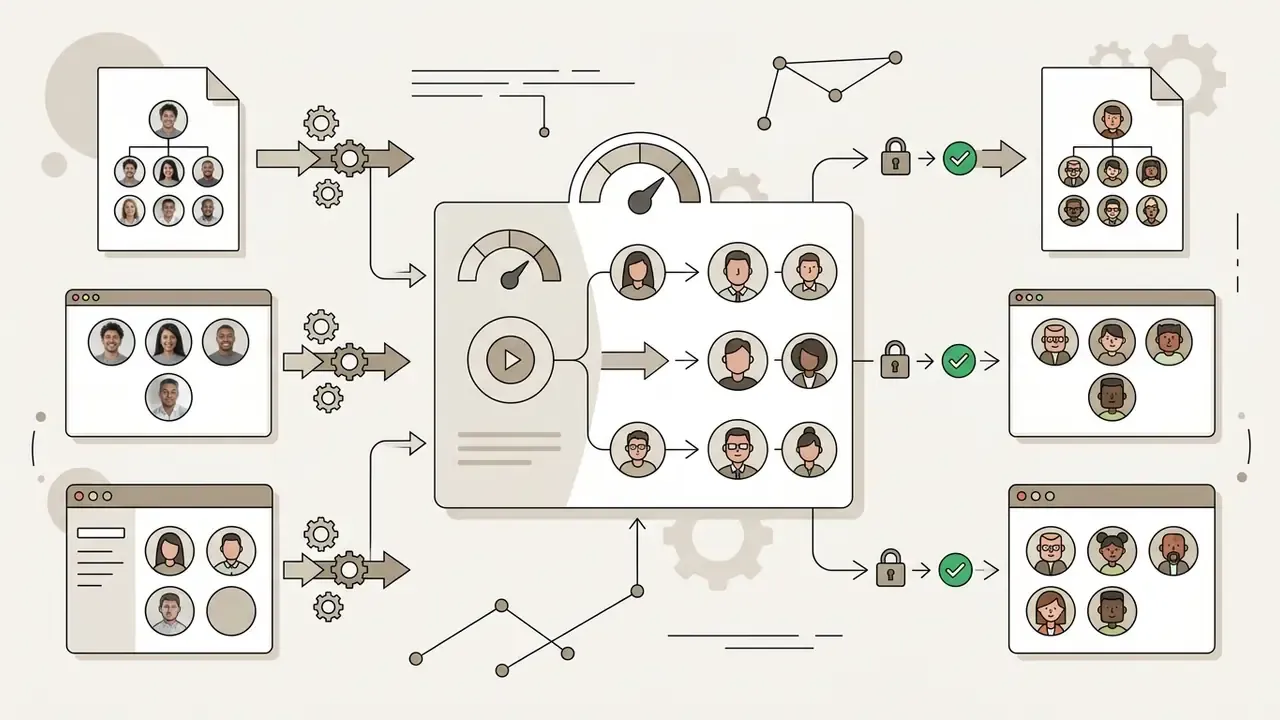
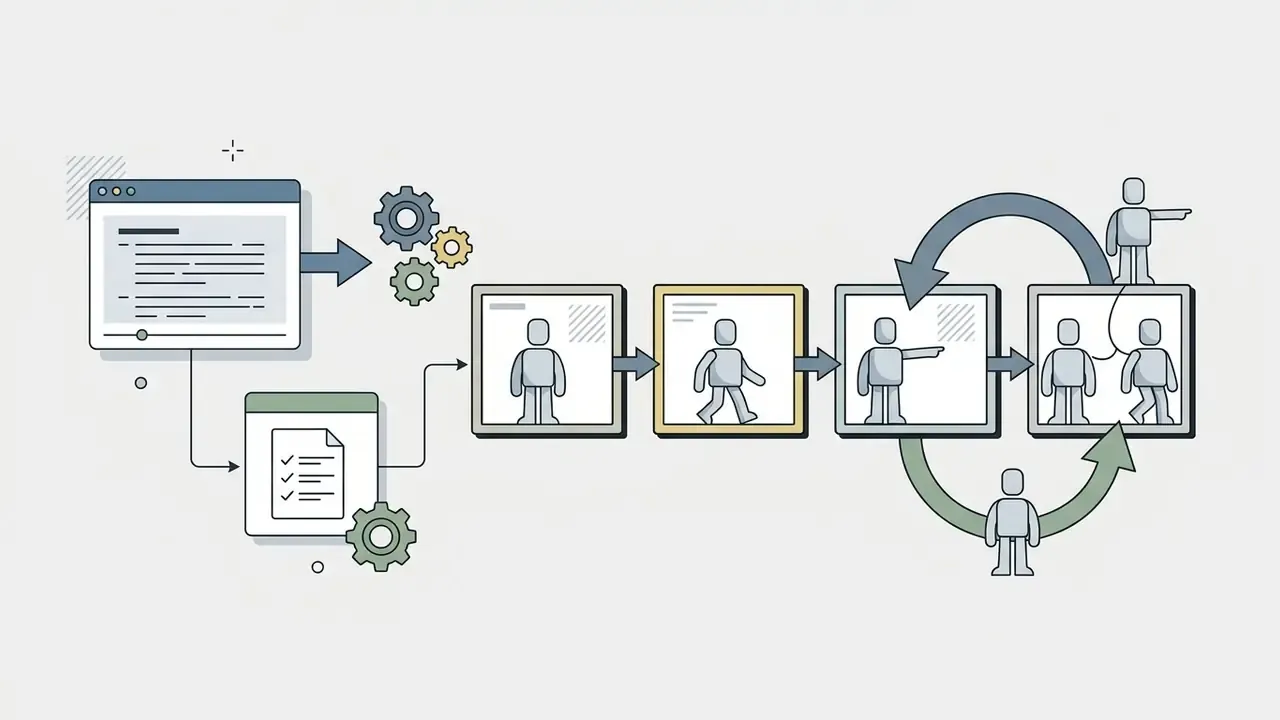
Abstract categories become actionable only when mapped to concrete jobs. The scenarios below reflect the most common real-world deployments reported by users of browser-based character tools. Treat them as observed patterns rather than validated market research.
Teams building video assets can review our guide on animation makers to see how static character files integrate into video editing software, and compare image-to-video AI tools for character animation when a still character must be set in motion.
Choose the Right Way to Create a Cartoon Character
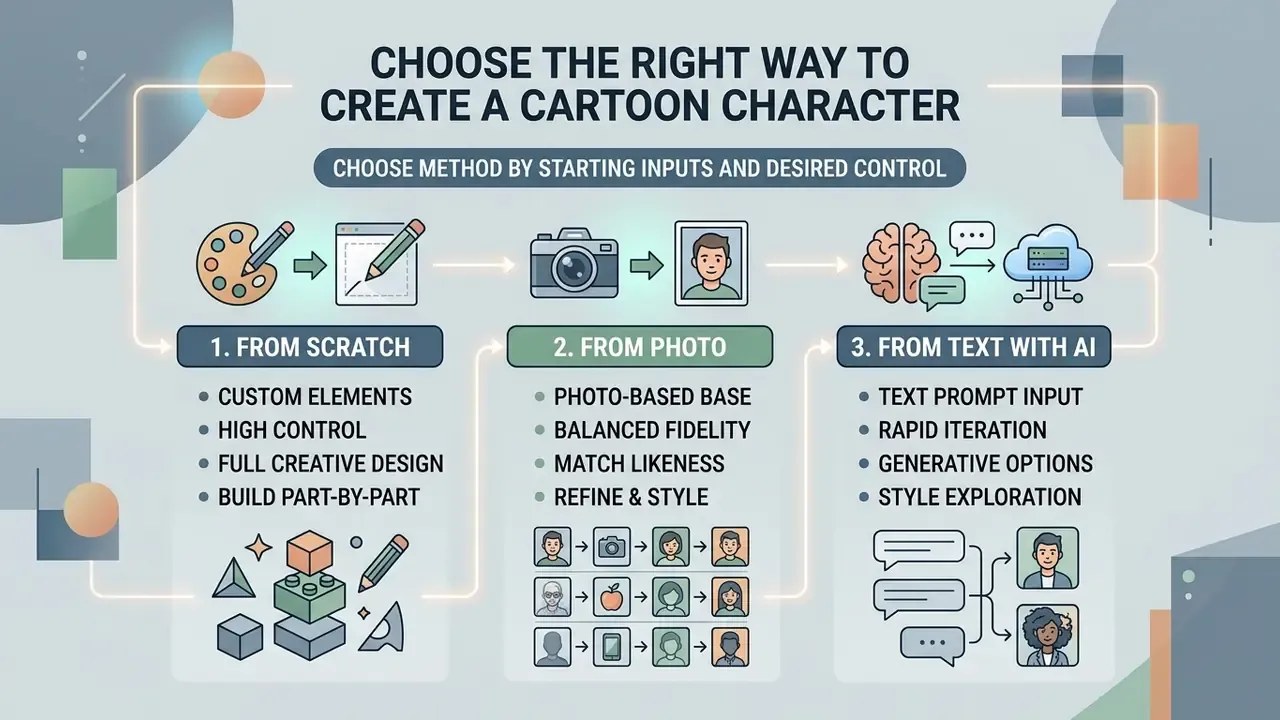
Choosing a character generation method depends on your starting inputs, required visual fidelity, and desired level of manual control. You can assemble characters from component libraries, convert existing photographs with neural style transfer, or synthesize original concept art from natural language prompts.
Stylization does not automatically cost credibility. Controlled experiments comparing realistic and stylized avatars in sensitive scenarios found no statistically significant difference in overall trust. A cartoon representative is therefore a legitimate option even in high-stakes communication contexts, which surprises most brand teams the first time they see the data.
«No statistically significant differences in overall trust were found between realistic and stylized avatars in medical scenarios.»
| Selection Criterion | Element Assembly | Photo-to-Cartoon | Text-to-Image AI |
|---|---|---|---|
| Reproducibility of output | Deterministic, identical on repeat | Moderate (model version dependent) | Low without reference conditioning |
| Likeness retention | Manual approximation only | Highest | Low unless reference image supplied |
| Speed to first usable asset | 3 to 10 minutes | Under 60 seconds | Under 60 seconds |
| Data exposure | None if no upload required | Face image leaves the device | Prompt text only, or reference image |
| Editability after export | Full, per component | Limited to raster retouching | Regeneration required |
| Best fit | Brand mascots, corporate avatars | Personal PFP, team headshots | Concept art, marketing scenes |
Read that table by column, then by the row that matters most to you. For most institutional buyers, the deciding rows are data exposure and reproducibility, not speed.
Create a Cartoon Character from Scratch with Custom Elements
Building a character from scratch through component libraries gives you maximum deterministic control over every visual element. This approach relies on parametric selection tools that let you manipulate facial geometry, hair styles, apparel, color palettes, and environmental backgrounds without AI randomness.
In standard character design workflows, creators build figures using structured geometric principles. Classic animation construction moves through a rough idea sketch, a line of action, rounded masses, perspective lines, limbs, eyes, and cleanup. Establishing volumes and proportions before detailing keeps anatomy balanced. Modern element-based engines digitize that sequence by offering categorized asset menus for face shape and skin tone, eyes and brows, hair style and color, clothing, accessories, and background.
Many users also choose not to replicate their exact appearance, which argues for libraries wide enough to support idealized or non-literal self-representation:
«Forty-four participants expressed a desire for avatars that differ from their real appearance, a tension between visual likeness and embodied self-identity.»
When configuring brand mascots or social avatars, keep line weights consistent and match color swatches across assets. A practical shortcut, learned the slow way: change hair and eyes before adding decoration. Those two components do more for recognizability than any accessory pile.
Standard canvas editor shortcuts
| Action | Universal Keyboard Command |
|---|---|
| Layer depth shift (bring forward / send back) | [CTRL] + [Up/Down Arrow] |
| Bring to front / send to back | [CTRL] + [SHIFT] + [Up/Down Arrow] |
| Multi-element grouping | [SHIFT] + click elements |
| Copy / paste selected object or group | [CTRL] + C / [CTRL] + V |
| Delete object or group | Delete |
| Cancel current selection | Esc |
| Canvas zoom and pan | [SHIFT] + mouse scroll |
| Precise element rotate | [ALT] + drag selection handles |
| Center object horizontally / vertically | H / V |
| Download or export canvas | [CTRL] + S |
Creators who want structured evaluation criteria for asset quality can use an ai rubric generator to set standardized visual guidelines, and shortlist zero-cost engines through our review of the best free AI art generators.
Turn a Photo into a Cartoon Character
Photo-to-cartoon systems apply neural style-transfer algorithms that convert uploaded raster portraits into stylized vector or raster illustrations while retaining facial identity. This path suits professionals who need a recognizable digital avatar for corporate or public-facing channels.
The central technical challenge is preserving facial identity without introducing visual distortion. Research on MS-CartoonGAN (IEEE 2021) shows that combining edge-promoting adversarial loss with hierarchical content loss lets algorithms separate semantic identity from artistic texture. Advanced architectures such as ADS-GAN (IEEE 2023) further prevent structural deformation during style conversion.
Identity retention also degrades measurably when the face occupies too small a share of the frame. Framing matters as much as model choice, sometimes more.
Photo requirements matrix
| Parameter | Optimal Technical Specification |
|---|---|
| Framing | Tight head-and-shoulders portrait (PFP), face filling a large share of the frame |
| Lighting | Uniform, diffuse lighting without harsh shadows |
| Resolution | Minimum 1024×1024 pixels |
| Occlusions | Unobstructed facial features (no heavy sunglasses, masks, or hands) |
| Angle | Front-facing or slight three-quarter; avoid extreme camera-to-face distance |
| File hygiene | Strip EXIF/GPS metadata before upload to third-party services |
To evaluate specialized portrait platforms, consult our guide to AI headshot generators for comparisons of output resolution and identity retention, or review AI photo editors for portrait enhancement when the source image needs cleanup before conversion.
Generate Cartoon Characters from Text with AI
Generative text-to-image models synthesize complete cartoon character illustrations directly from descriptive prompts. The appeal is speed of iteration: you can realize a complex character concept without drawing skills or a predefined graphic library.
Effective character generation depends on structured prompt engineering. Industry frameworks such as the DALL-E 3 Prompting Guide (2024) recommend splitting prompts into sequential components: [Subject Description] + [Action/Pose] + [Clothing/Accessories] + [Art Style] + [Lighting/Background]. A worked example: "a cheerful fox mage, mid-spell casting pose, embroidered teal robe and brass amulet, 2D anime cel-shaded style, warm rim lighting on a dark forest background."
For character consistency across generations, advanced diffusion platforms use reference image conditioning. (Updated) Midjourney documentation notes that applying the character reference parameter (--cref, introduced with v6) at the end of a prompt, ideally with a single-character source image generated on the same platform, locks facial geometry and color palettes while allowing pose and context variation.
Structured guidance during prompting is not only a quality lever. It is a trust lever:
When refining prompts, an ai rewrite generator helps optimize descriptive modifiers and strip conflicting style tokens. You can also test outputs on free AI image generators without sign-up before committing to a paid tier. Teams generating characters at volume, for example one avatar per new customer account, should read our AI Media API Guides instead, since batch generation belongs in a controlled pipeline rather than a browser tab.
Legal, Licensing and Data-Privacy Controls Before You Publish
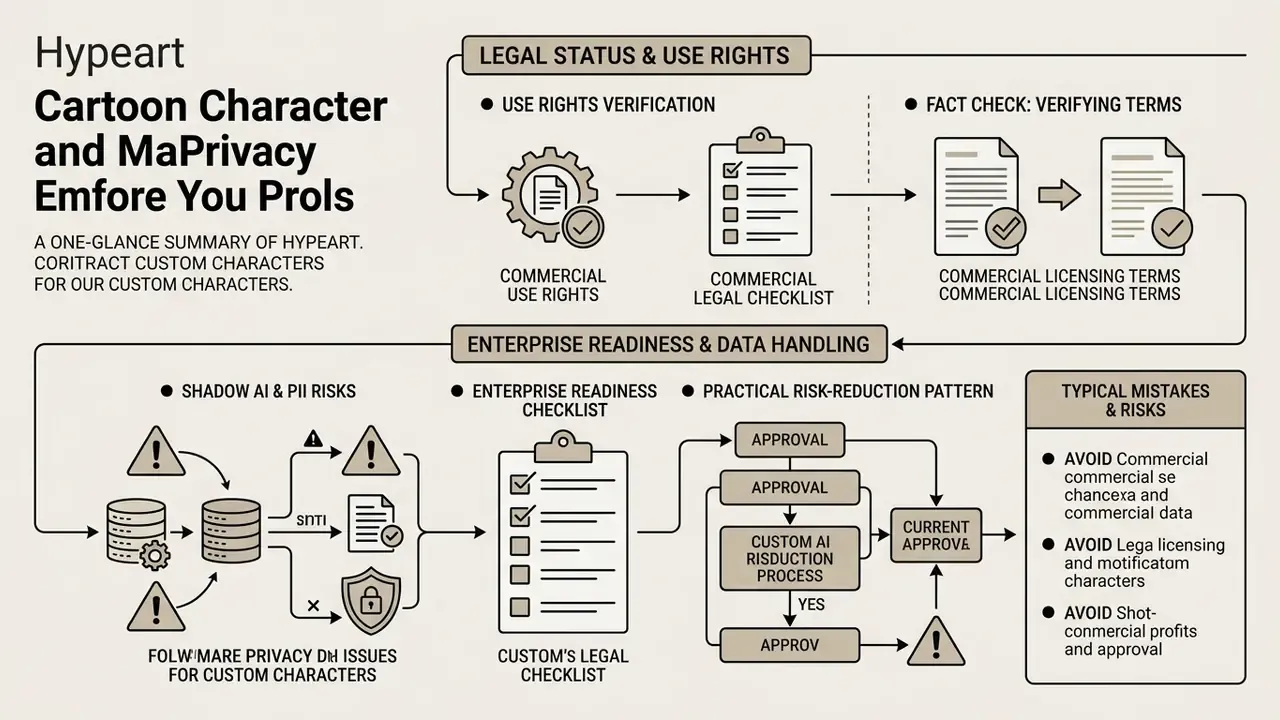
For institutional users, legal status and data handling are the first filter, not a closing footnote. That is why this section precedes the step-by-step production workflow.
Check Use Rights Before Using a Character Commercially
Determining whether a generated cartoon character is legally usable in commerce means examining copyright standards, platform terms of service, publicity rights in the source imagery, and indemnification coverage.
Commercial legal checklist
| Verification Item | Legal and Operational Requirement |
|---|---|
| Human authorship | (Updated) Under U.S. Copyright Office guidance (2023) and its 2025 report on copyright and AI, purely AI-determined expressive output is not protectable. Only sufficiently creative human selection, arrangement, or modification can be registered, and AI-generated portions must be disclaimed. |
| Terms of Service (ToS) | Verify the platform grants explicit commercial exploitation rights for free-tier generations. Some consumer avatar products license output for personal, non-commercial use only. |
| Publicity rights | Photo-to-cartoon transformations of real individuals, employees included, require signed releases. Copyright does not cover a person's identity, so likeness claims sit outside it. |
| Trademark protection | Ensure generated characters do not reproduce protected corporate mascots, franchise designs, or media IP. Famous cartoon characters are not free to reuse absent a narrow exception such as parody. |
| IP indemnification | Confirm whether the vendor offers indemnity for third-party IP claims arising from generated output, and what caps, exclusions, and tier restrictions apply. |
| Output ownership clause | Confirm the ToS assigns output ownership, or a perpetual sublicensable license, to the customer rather than the platform. |
| Provenance record | Retain prompts, source files, model and version identifiers, and human-edit history as audit evidence of the human contribution you claim. |
Synthetic faces are not met with default scepticism by viewers, which raises the reputational stakes of deploying them in commercial identity contexts:
«Of 1,210 analyzed LinkedIn accounts, 968 profiles were flagged by a model with >90% probability of GAN-generated photos; synthetic faces were perceived as credible by users.»
When assessing legal compliance for corporate branding assets, review the framework documentation in the AI Media Commercial-Use Hub, and use AI image detectors for content verification to check the provenance of assets received from agencies or freelancers.
Fact Check: Verifying Commercial Licensing Terms
For specialized questions on corporate intellectual property, risk managers can consult documentation on visual asset litigation exposure.
Shadow AI, PII and Enterprise Readiness of Character Tools
Uploading employee, customer, or minor-related photographs into a free browser tool is a data-transfer event, not merely a design task. Facial images are frequently classified as biometric or sensitive personal data. An unapproved consumer tool used by a marketing or HR team is a textbook shadow-AI pattern: no inventory entry, no data processing agreement, no retention limit, no audit trail.
Enterprise readiness checklist before approval
| Control Domain | What to Verify Before Upload |
|---|---|
| Data retention | Documented deletion window for uploaded images and generated outputs; ability to delete on request |
| Training on inputs | Explicit contractual statement that customer uploads and prompts are not used to train models |
| Data residency and sub-processors | Hosting regions, named sub-processors, cross-border transfer mechanism |
| Security attestations | SOC 2 Type II or ISO/IEC 27001 scope covering the specific product, not just the corporate parent |
| Privacy obligations | Consent basis for employee likeness, applicable GDPR/CCPA and state biometric statutes, DPIA where required |
| Access management | SSO/SAML, role-based access control, admin visibility into workspace generations |
| Egress controls | Whether outputs carry watermarks, and whether free tiers publish generations to a public community feed |
| Inventory and ownership | Registered entry in the AI or vendor inventory with a named business owner and escalation path |
How to Use a Cartoon Character Maker Online
Creating a custom digital persona through an online platform follows a short, repeatable workflow. A standardized process keeps configuration efficient, visual balance intact, and file formatting correct for publication.
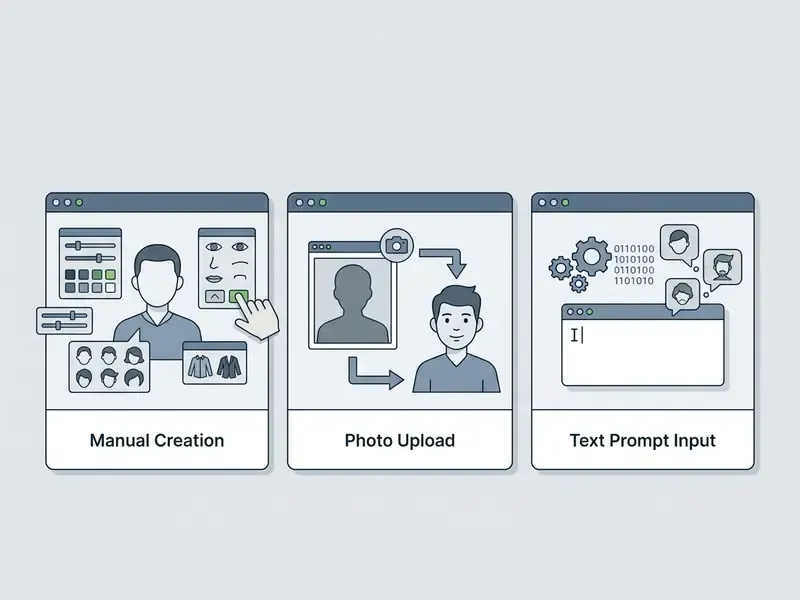
- Select the generation workflow. Launch the online application and choose your creation method: assemble from component libraries, upload a source photo, or enter a text prompt. Confirm at this point whether the chosen path involves uploading personal data.
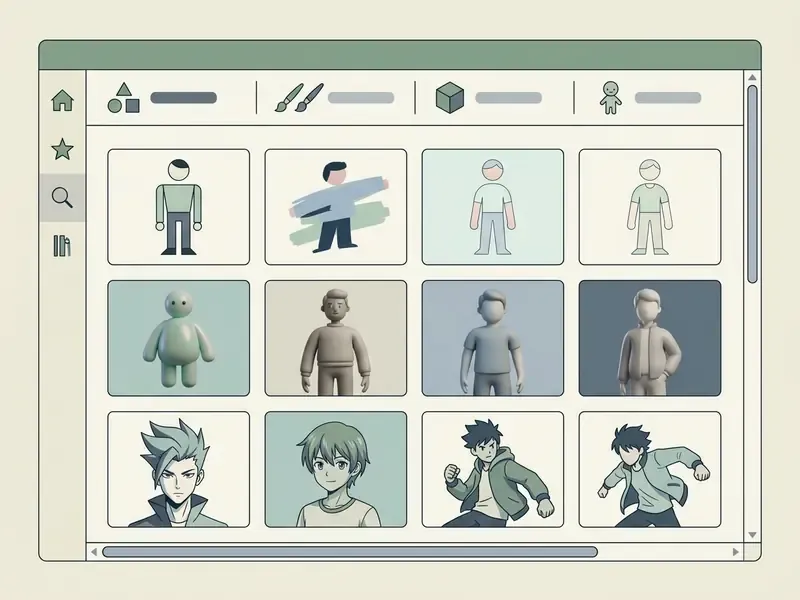
- Choose a visual style. Select your target aesthetic from the available presets, such as 2D flat vector, anime, 3D render, or comic book illustration.
- Customize features and background. Adjust facial features, hairstyle, outfit colors, and background scenery using parametric sliders or refined prompt modifiers. Use the shortcut table above to reorder layers and align elements quickly.
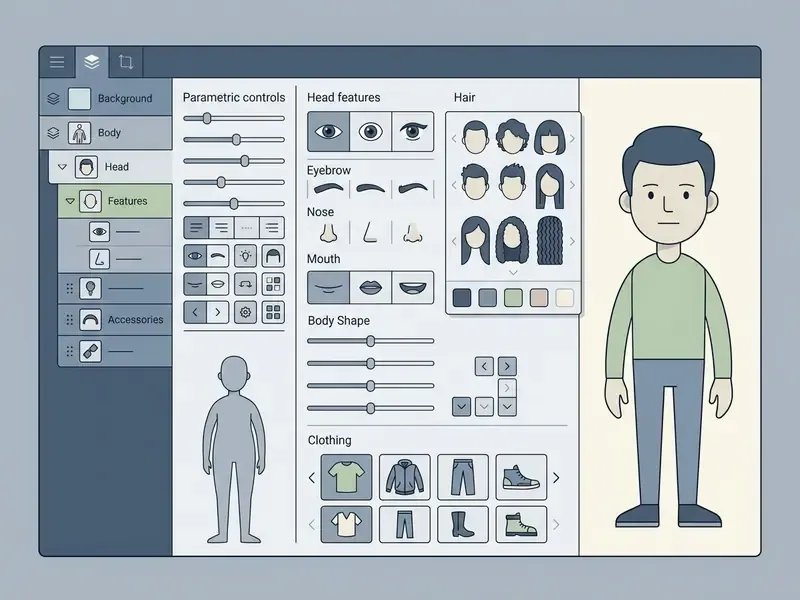
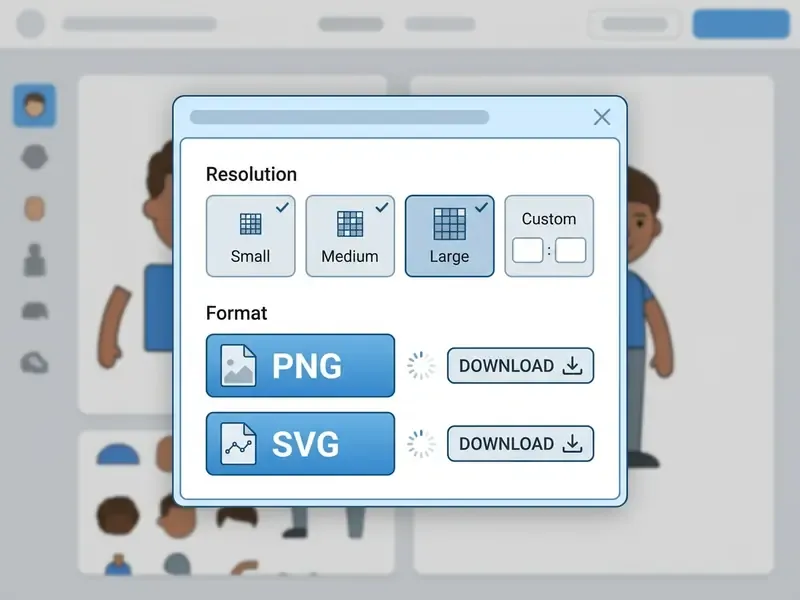
- Preview and export the file. Review the rendered character image, select resolution and format (PNG, SVG, or JPG), and save. Export both a raster and a vector copy if the character will be reused at multiple sizes.
Choose a Style, Avatar Elements and Background
Visual harmony between character, art style, and background is what separates a professional asset from a collage. Mismatched visual density or conflicting lighting angles between character lines and background textures produce disconnected imagery, and viewers notice it even when they cannot name the problem.
For element-based avatars, pick background colors that complement the character's primary apparel hue while keeping silhouette contrast strong. (Updated: practical recommendation, not an academic finding.) Matching lighting direction, shadow placement, line weight, and detail density between subject and background prevents figures from looking pasted onto scenes. The same rule is standard practice in 2D animation background design, where composition, perspective, and color harmony follow the character's art style.
Cultural fit is a measurable variable too, not a matter of taste:
«Culturally appropriate avatar design significantly affects user comfort and perceived interface professionalism.»
For avatars that render at 64×64 px in chat lists, keep the background flat and the silhouette unbroken. Complex scenery only reads at banner and illustration sizes. Test the shrink before you commit.
Creators developing narrative content or conversational bots can use an ai response generator to draft backstories and dialogue that match the visual personality built in the editor.
Customize, Save and Download the Character Image
Finalizing a digital character means choosing export formats, file resolutions, and transparent background settings based on the intended deployment channel.
File export specifications
| Format | Transparency | Scalability | Recommended Deployment |
|---|---|---|---|
| PNG | Supported (alpha channel) | Fixed raster | Web profiles, social media, video overlays, Discord/Twitch avatars |
| SVG | Supported (vector shapes) | Infinite vector | Graphic design, merchandise print, scalable web assets, later resizing |
| JPG | Not supported (solid fill) | Fixed raster | High-compression web previews, email attachments |
| Supported (vector container) | Vector | Print-ready handoff, brand guideline documents |
(Updated) The PNG specification maintained by the W3C defines transparency through an alpha channel, where the minimum value is fully transparent and the maximum fully opaque. That mechanism is what lets a character graphic sit cleanly over website layouts, video tracks, and marketing collateral without a rectangular background border. Publication guidance commonly pairs 72 dpi with fixed pixel dimensions for digital assets and 300 dpi for print, which is the practical reason merchandise workflows should retain the SVG rather than upscaling a small PNG.
For help with file compression or export errors during rendering, visit our AI Media Support and Troubleshooting page.
Cartoon Styles: From Anime and 2D to 3D Animation and Lip-Sync
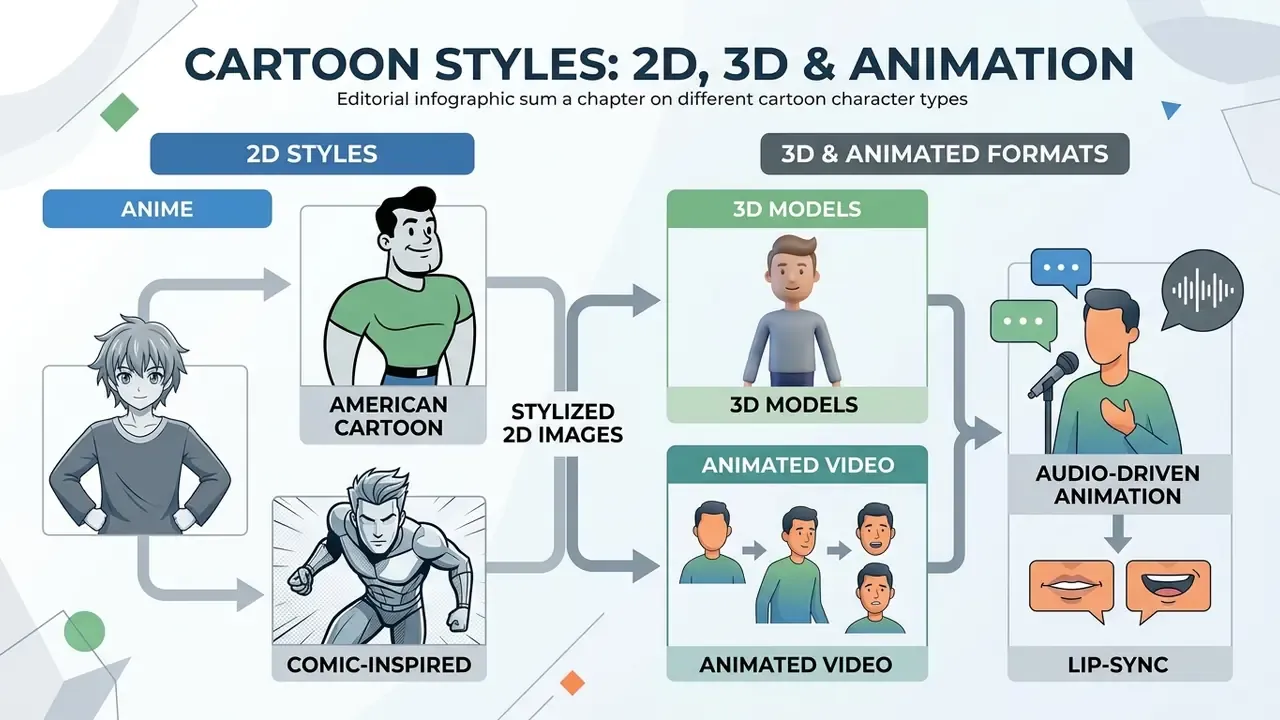
Visual character styles carry distinct cultural associations, aesthetic conventions, and technical affordances. Comparing cartoon styles side by side keeps asset aesthetics aligned with audience expectations and production constraints.
Anime, American Cartoon and Comic-Inspired Styles
Character design styles differ significantly in line density, anatomical proportion, and facial expression mechanics across artistic traditions.
- Anime Style: Large expressive eyes, simplified nasal structures, exaggerated hair shapes, clean line art. (Updated) Graphic-style analysis of anime and manga describes the style as governed by color and shading, visual density, iconic abstraction, spatial projection, and line quality, parameters that let the form communicate intense emotional states with minimal detail (University of Cambridge, Graphic Style in Anime and Manga). https://resolve.cambridge.org/core/services/aop-cambridge-core/content/view/54FAE8C2DCECAF165AC52EDF5B294E2B/9781316518793c5_59-69.pdf/graphic-style-in-anime-and-manga.pdf
- Classic American Cartoon: Flexible geometry, exaggerated body proportions, squash-and-stretch, dynamic silhouettes. Traditional model sheets fix proportions and turnaround clarity so movement stays readable.
- Comic-Book Style: Defined muscle shading, cross-hatching, bold contour lines, dramatic perspective angles. Western graphic novel styles balance realism with stylized expression and panel-friendly facial readability for high visual impact.
Expression design has quantified limits once the character starts speaking:
«Voice intensity affected emotion-recognition accuracy more strongly than facial-expression intensity; more expressive faces increased perceived avatar realism.»
| Cartoon Style | Visual Characteristics | Complexity | Primary Use Cases |
|---|---|---|---|
| 2D Vector / Flat | Bold outlines, solid color fills, simplified geometry, no gradients | Low | Website illustrations, app onboarding, social PFP |
| Anime / Manga | Large expressive eyes, detailed hair, dramatic cel shading | Medium | Social avatars, story illustration, visual novels |
| Comic Book | Heavy line weights, cross-hatching, dynamic poses, halftones | High | Marketing campaigns, merchandise, digital comics |
| Stylized 3D | Volumetric geometry, surface textures, material lighting | High | Game development, 3D video, interactive VR |
In plain terms: flat vector is the safest default for interfaces and small avatars, anime wins on emotional range per pixel, comic style earns attention in campaigns but costs cleanup time, and stylized 3D only pays off when the character has to move or be viewed from several angles.
To evaluate tools built around specific aesthetics, explore our review of Ghibli-style AI image generators for style-accuracy benchmarks.
2D, 3D and Animated Character Formats
The technical format of a generated character determines its capability for motion, editing, and software integration across production pipelines.
- Static 2D ImagesFlattened raster (PNG/JPG) or vector (SVG) graphics showing one pose and camera angle. Ideal for profile pictures, static web graphics, and print. Inside video projects they serve as inserts, backgrounds, or source drawings rather than moving scenes.
- Stylized 3D ModelsVolumetric assets with polygon meshes, surface materials, and skeletal rigs (FBX/OBJ/GLTF/USD). Technical studies in AgileAvatar (ACM 2024) demonstrate that cascaded domain bridging can generate rigged 3D avatars directly from single 2D images.
- Animated Video Formats: Time-based clips (MP4/MOV via H.264), animated graphic files (GIF/APNG), or PNG sequences with a separate WAV track. These formats work as elements in video ads, explainer videos, and presentation slides. Baked-animation 3D exports (FBX/GLB/USD) are the alternative when the character must keep moving inside a game engine rather than a player.
Creators generating moving character sequences can review our evaluation of free AI video generators to compare rendering speed and export options, or read our overview of AI video generators for animated characters.
Audio-Driven Character Animation and Lip-Sync
Modern animated cartoon creators let you drive character movement directly from a voice recording or an imported audio file. Neural phoneme-mapping models synchronize lip mechanics, eye blinks, and small head and arm gestures automatically, which removes keyframing from the workflow entirely: pick a character, record or upload a voice track, preview, trim, export.
| Animation Feature | Technical Limitation | Recommended Audio Format | Key Output Use Case |
|---|---|---|---|
| Automated lip-sync | Requires a clear vocal track without heavy background noise or a music bed | WAV / MP3 (16-bit, 44.1 kHz) | Explainer videos, social reels |
| Skeletal gesture tracking | Limited to head and upper-body movement in browser tools | Native browser mic input, commonly capped near 2 minutes per recording | Virtual avatars, presentation slides |
| Imported voice-over sync | MP4 accepted as audio-only on some platforms; AIF support may be browser-specific | MP3, WAV, MP4 (audio-only) | Branded mascot narration, course modules |
| Background and scene swap | Character and background are separate layers, so lighting must be matched manually | N/A | Multi-scene explainer sequences |
Constraints worth planning around: keep each recording under the platform ceiling and split longer scripts into scenes; record in a quiet or treated room, because phoneme detection degrades sharply with reverb; preview before export, since trim handles change clip length but cannot re-time generated mouth shapes. And because voice intensity drives perceived emotion more strongly than facial motion (SIGGRAPH Asia 2023, cited above), a better vocal take beats extra facial detail almost every time.
Template-based cartoon video makers extend the same logic to full narratives: scenes, animated characters, transitions, background music, and synchronized voice-over assembled into an explainer, mascot story, whiteboard animation, or lesson sequence, then rendered to a downloadable video.
Free Cartoon Character Creator: Sign-Up, Downloads and Use Options
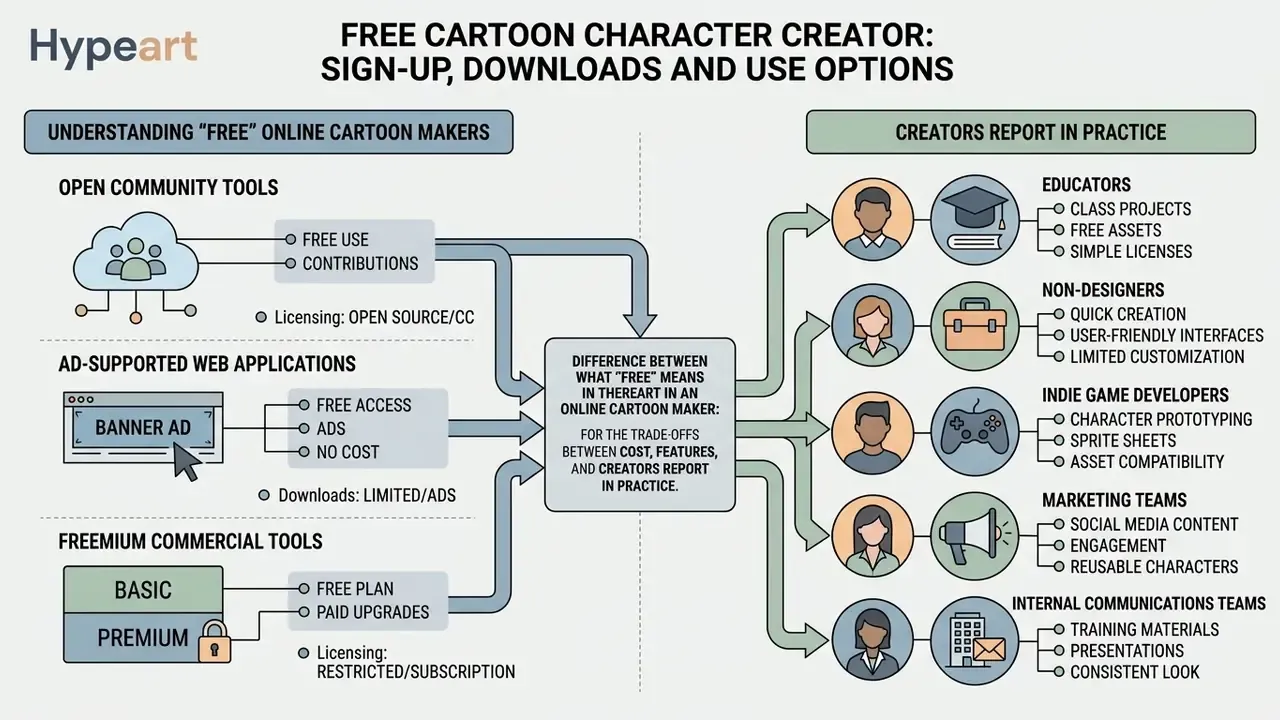
Evaluating a "free" online cartoon maker means understanding the practical difference between open community tools, ad-supported web applications, and freemium commercial platforms. Free rarely means unlimited. It usually means limited in one specific dimension you discover at export time.
Adoption data shows how differently professionals and hobbyists judge these tools:
«69% of surveyed users used Midjourney, 30% DALL·E 2, 25% Stable Diffusion; professionals demanded reproducible style control while hobbyists prioritized speed.»
What "Free" Means in an Online Cartoon Maker
To compare zero-cost platforms, see our benchmark review of the best free AI art generators and our roundup of free AI image generators without watermarks. If you are modelling the switch from free tier to paid seats across a team, our AI Media Calculators help estimate monthly generation volume against per-seat and credit pricing before procurement gets involved.
What Creators Report in Practice
FAQ About Cartoon Character Makers
Can I Use a Cartoon Character Maker on Mobile?
Yes. Modern online cartoon character makers work across mobile web browsers and dedicated iOS or Android applications. Web-first platforms use responsive HTML5 frameworks, which enables touch-screen customization and direct image saving on phones and tablets. Several major suites advertise identical toolsets on mobile and web, and a free cartoon character maker app for avatar and cartoon creation is distributed through both the App Store and Google Play. Mobile is convenient for generating a personal avatar on the go. Desktop still wins for detailed vector editing, layer management, and complex prompt adjustment, simply because of canvas space. Creators finishing assets on a phone can pair the character editor with a free photo editor for cropping and color correction before upload.
Is a Cartoon Person Maker Different from an Avatar Maker?
Yes. A cartoon person maker, sometimes labelled a cartoon person creator or cartoon people maker, generates full-body character illustrations including custom poses, complete outfits, footwear, and full environmental scenes. An avatar maker specializes in head-and-shoulders portrait imagery built for profile pictures. Full-body engines expose spatial parameters: body posture, skeletal pose angles, body type, camera angle, outfit composition. That makes them suitable for storyboards, game design, and marketing visuals. Avatar creators prioritize facial feature customization, skin tone selection, and portrait framing to maximize recognition inside a circular web frame rendered at very small sizes. Different jobs, different tools.
Can I Create Your Own Cartoon Character Free with No Sign Up?
Often, yes. Element-assembly cartoon characters creator tools frequently run without registration: you open the page, combine components, and download a PNG or SVG. Two caveats. First, without an account there is usually no saved project, so keep the exported source file yourself. Second, "free to download" is not the same as "free to use commercially", so check the licence terms before a no-sign-up character reaches a paid campaign.
When Should You Choose an Anime Character Creator?
Choose a specialized anime character creator when the project needs Japanese animation aesthetics, consistent design across comic panels or episodes, or specific tropes such as chibi, shonen, or mecha. Specialized anime generators use diffusion models fine-tuned on manga character sheets. (Updated) Product documentation from dedicated anime platforms describes workflows built around continuity, locking a visual identity so eye shapes, hair geometry, and color swatches persist across scenes, storyboard frames, and camera angles, plus reference sheets with front, three-quarter, and side views. General-purpose creators optimize breadth of customization instead, which is exactly why they drift more between generations. Readers weighing a specialist against a general engine can compare Midjourney versus alternative image generators.
Can I Create Multi-Panel Comic Strips with a Cartoon Maker?
Yes. Standard avatar creators render individual portraits, while advanced cartoon generators let you place created characters into multi-frame comic strip templates. You can choose or upload a background, add editable speech bubbles and captions, duplicate frames for sequential action, and combine frames into one strip or an animated sequence, then download, print, email, or share the result. Keyboard shortcuts for grouping, layer ordering, and centering matter most in this workflow, because panel assembly involves far more object manipulation than a single avatar.
Is It Safe to Upload Employee or Family Photos to a Free Cartoon Maker?
Treat every upload as a data transfer. Free consumer tools rarely publish retention windows, sub-processor lists, or commitments against training on user inputs, and facial images may qualify as sensitive or biometric data under applicable law. For organizational use, run the enterprise readiness checklist in the legal and privacy section above, obtain written likeness releases, strip metadata, and prefer element-assembly makers that need no photo at all when exact likeness is not required. Professionals comparing plan costs across major creative platforms can review our AI Media Pricing Guides.
Executive Summary and Strategic Recommendations
Selecting and deploying an online cartoon character maker means balancing creative freedom against licensing clarity, data-protection obligations, and operational efficiency. Match your starting materials to the correct engine, verify commercial usage rights and indemnity terms before production, screen the vendor against a security and privacy checklist, and pick export formats per distribution channel. Do that and a recognizable visual identity is a week of work, not a quarter.
Recommended sequence for institutional adoption:
- Define the output scope: profile picture, full-body illustration, or animated clip.
- Choose the architecture with the lowest acceptable data exposure that still meets fidelity needs.
- Clear licensing, indemnity, and likeness releases before the first asset ships.
- Register the tool in the AI or vendor inventory with a named owner and a review date.
- Standardize export presets, and retain prompt and edit provenance as audit evidence.
Open questions worth acknowledging. Copyright treatment of hybrid human-AI illustration is still developing, vendor indemnity language varies widely between tiers, and evidence on how stylized brand avatars affect long-term customer trust in financial contexts remains thin. Where the evidence is incomplete, choose the reversible option: deterministic tools, retained source files, no biometric uploads.
For further terminology, platform comparisons, and workflow guides across digital media production, explore our comprehensive AI Media Glossary.
Appendix A: Source Attribution and Corrections Log
For transparency, the attributions below appeared in earlier revisions of this page and were reviewed and revised. Original wording is preserved alongside the corrected version now used in the body text.
| Earlier wording | Issue identified | Corrected treatment in body text |
|---|---|---|
| "According to documentation from Cartoonify (2026), element-driven engines utilize pre-rendered SVG or PNG components…" | Commercial product documentation cited with an unverifiable year. | Reframed as public product documentation describing 300+ vector components, without a phantom date. |
"Documentation from Midjourney (2026) notes that applying character reference parameters (--cref)…" | The --cref parameter shipped with Midjourney v6 (2024); the 2026 marker was anachronistic. | Cited as "Midjourney documentation," with the v6 origin noted. |
| "Under U.S. Copyright Office Guidance (2025), pure AI output lacks copyright protection…" | Core guidance was issued in 2023, with a subsequent report on copyright and AI in 2025. | Cited as U.S. Copyright Office guidance (2023) plus the 2025 report on copyright and AI. |
| "Research by CLIP STUDIO PAINT (2026) emphasizes that matching lighting direction and line weights…" | Commercial documentation presented as peer-reviewed research. | Retained as a practical craft recommendation without academic attribution; peer-reviewed support added on cultural appropriateness of avatar design (Computers in Human Behavior, 2025). |
| "According to University of Cambridge graphic style analysis (2025), anime aesthetic systems rely on iconic abstraction…" | Attribution lacked a resolvable citation. | Linked directly to the Cambridge chapter on graphic style in anime and manga, with SIGGRAPH Asia 2023 evidence added on expression and voice intensity. |
| "As specified in W3C PNG Technical Guidelines, alpha-channel transparency…" | Document title imprecise. | Reformulated as the PNG specification maintained by the W3C, which defines alpha-channel transparency values. |
| "Documentation from platforms like MkAnime (2026) notes that dedicated anime engines excel at maintaining visual character continuity…" | Vendor claim cited with an unverifiable year. | Reframed as product documentation from dedicated anime platforms describing continuity locking and reference sheets. |
| Anchors to entertainment-oriented text generators in the mobile FAQ. | Tone inconsistent with the technical and legal scope of the page. | Replaced with a relevant photo-editing resource for mobile finishing workflows; entertainment tools referenced only in the creator-branding context, where they belong. |
Reader note: ASCII specification blocks used in earlier revisions were converted to responsive tables for mobile readability, and all parameters and values were retained in full. Audience statements in this guide, including the deployment scenarios and reported creator experiences, remain working hypotheses until supported by analytics, interviews, or verified customer research.