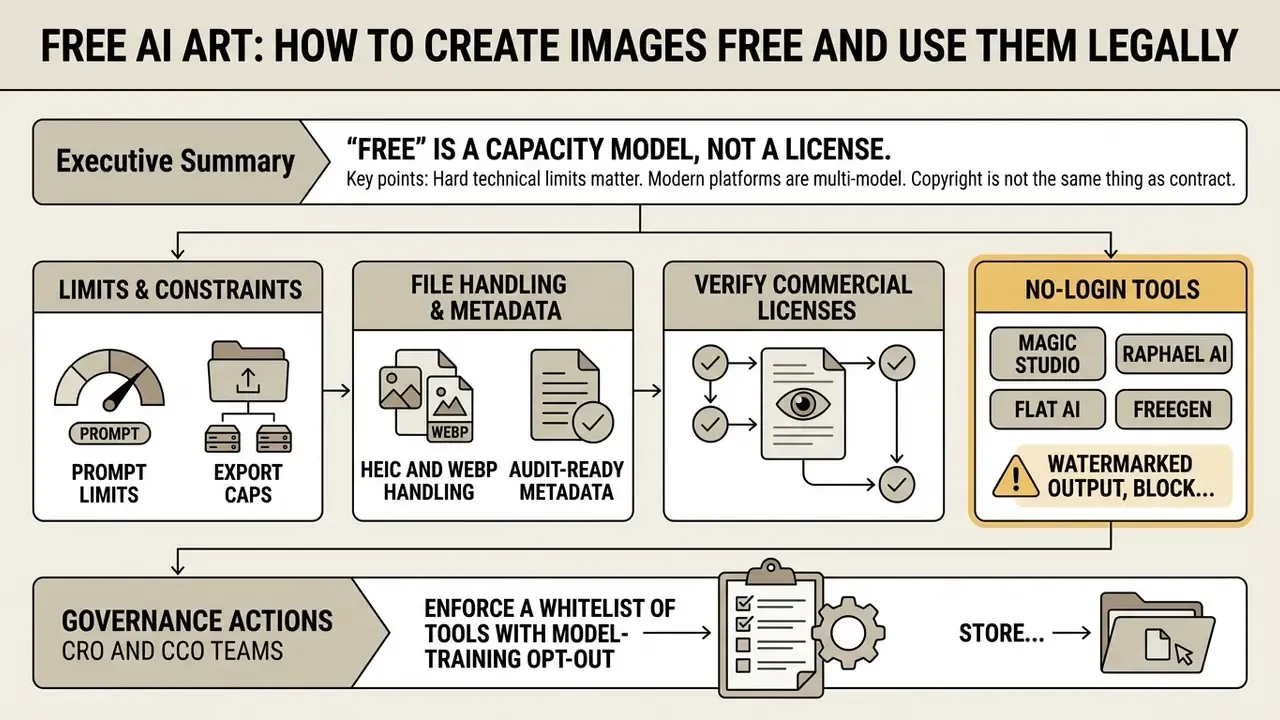
If you run risk, compliance, or brand operations inside a US bank or a mature fintech, "free AI art" is not a design question. It is a control question. Someone in marketing already generated a banner last week, on a tool nobody approved, using a reference photo nobody classified. That is the real starting point.
Executive Summary
Who This Guide Is Written For
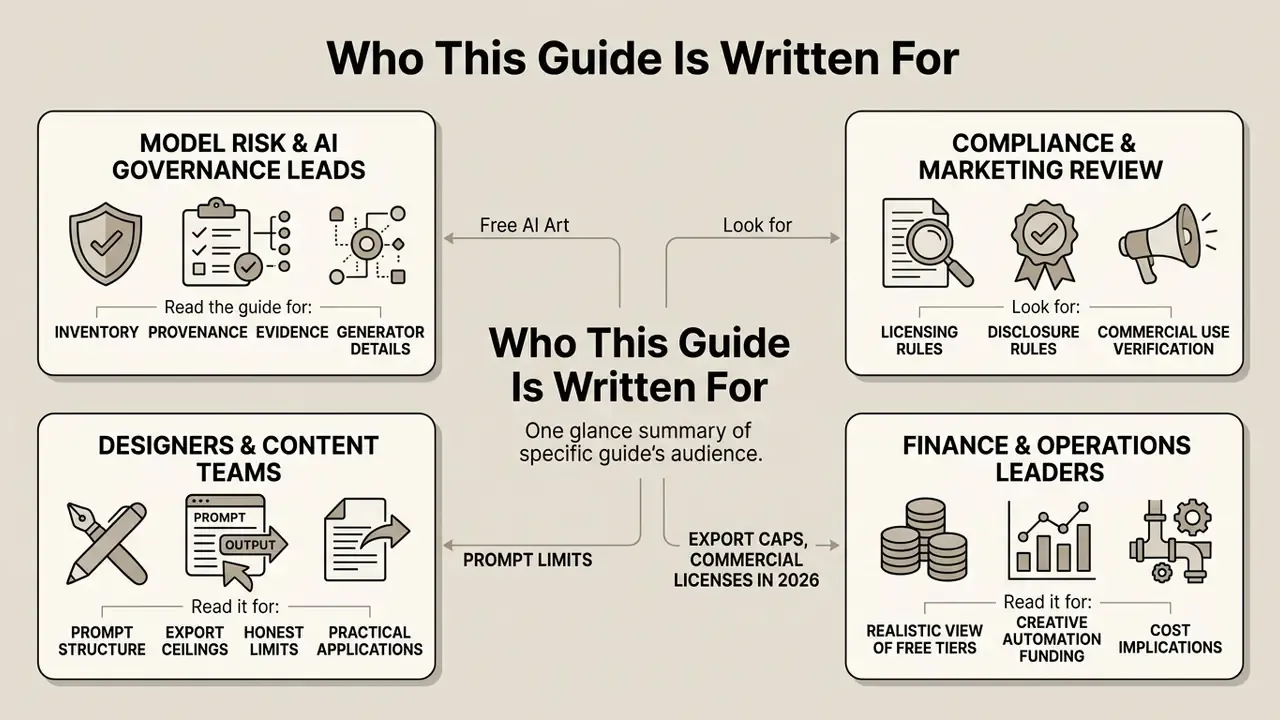
This is a working document for four roles, and each of them reads it differently.
- Model risk and AI governance leads need the inventory, provenance and evidence sections: which generator, which model version, which seed, which license tier.
- Compliance and marketing review need the licensing and disclosure rules before an image reaches a regulated-product communication.
- Designers and content teams need the prompt structure, the export ceilings, and the honest limits of iteration.
- Finance and operations leaders funding creative automation need a realistic view of what free tiers actually cover, and where the control cost sits.
Read it in that order if you like. Or jump to the licensing rules, which is where most incidents are actually born.
Free AI art tools let users generate digital images from natural language text prompts or uploaded reference images without upfront software costs. Modern generative architectures turn textual parameters into high-resolution visuals. Using those outputs safely is a different skill: it requires understanding daily token limits, platform licenses, and federal copyright standards.
About the reviewer: Marcus Hale is the author. He advises, in this illustrative capacity, on generative-media controls, model provenance, and audit evidence. His comments here are editorial commentary, not legal advice. They are supported below by primary documents from the U.S. Copyright Office (2023-2025), the European Parliament generative-AI copyright study (2025), and the C2PA Content Credentials specification implemented by Adobe.
What Is Free AI Art and How Free Generators Work
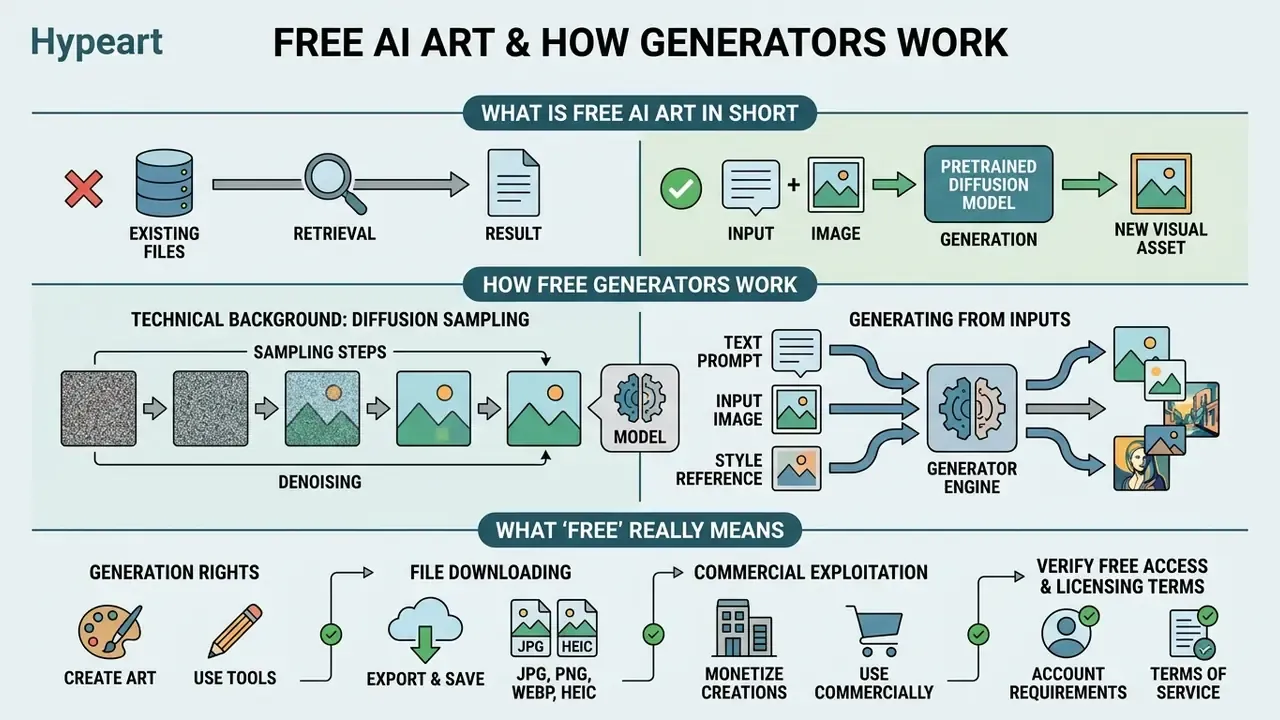
In short: an actually free AI art generator converts text or images into new visual assets using a pretrained diffusion model rather than retrieving existing files. Knowing the difference between model training and inference is what separates a controlled workflow from unmanaged Shadow AI.
An actually free AI art generator uses deep learning models to convert natural language text or visual input into novel digital images. Unlike a search engine that retrieves existing files, an AI art generator synthesizes new visual assets by sampling probability distributions learned during pretraining. The process relies on mathematical sampling across billions of learned parameters rather than copying stored artworks.
This distinction is poorly understood in practice, which is exactly why unmanaged adoption creates compliance exposure:
«60% of participants did not distinguish between model training and image generation; only four differentiated the two stages.»
Manual digital painting requires stroke-by-stroke human execution across layers, color choices, and shading decisions. Neural image generation samples from a pretrained model's parameter distribution based on conditional prompts. Digital painting establishes a direct chain of human artistic execution. Generative models rely on probabilistic sampling. That structural difference changes creative control, output reproducibility, and legal authorship claims under current standards. It is not a cosmetic distinction.
Technical Background: How Diffusion Sampling Actually Works
Optional reading for risk and compliance readers. Skip to the licensing criteria if you only need governance rules.
Modern diffusion models work by progressively removing Gaussian noise from a digital canvas under text or image conditioning. During inference, the AI image generator translates input text into a high-dimensional vector embedding. That embedding guides an iterative denoising pipeline, turning random noise into a structured AI image. Image-to-image pipelines start from an existing picture instead of pure noise, add controlled noise, then re-diffuse under a new instruction.
Because the starting noise is seeded, recording the seed value is the only reliable way to reproduce an output later. Which is precisely why seed capture belongs in your audit schema, not in a designer's private notes folder.
Generating AI Art from Text, Images, and References
«Structured prompt-writing coaching increased prompt specificity and improved users' calibrated trust in the system.»
What "Free" Really Means in an AI Art Generator
"Free"
Three layers get confused constantly, so separate them:
- Generation rights. Free token allocations grant temporary access to compute for sampling images. A capacity model.
- File downloading. A delivery model. You receive a copy of the file.
- Commercial exploitation. A separate license model, granted only by contract.
Many platform terms limit free-tier outputs to personal, non-commercial experimentation unless an explicit commercial license grant appears in the service agreement. Some tools sit outside account control entirely. See our breakdown of no-sign-up AI image generators for anonymous-access scenarios and their practical limits.
E-E-A-T Fact Check: verifying free access and licensing terms
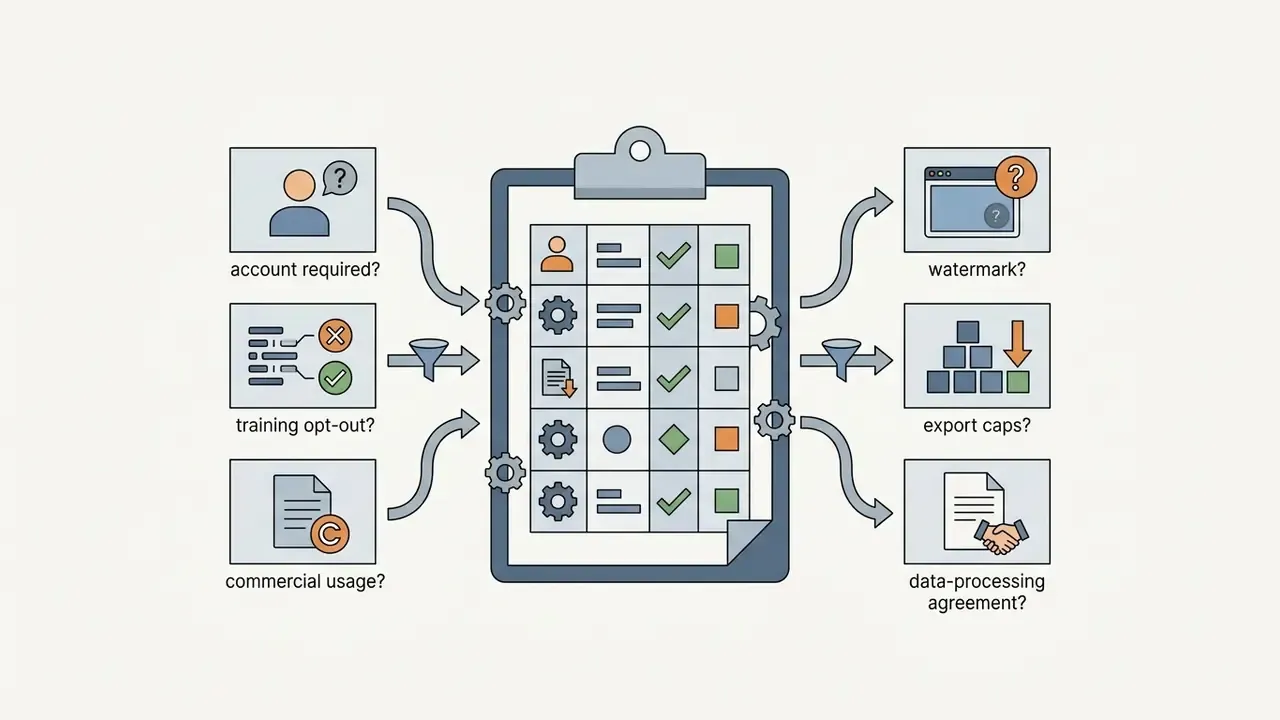
Free access tier terms change fast across vendors. Before deploying outputs into commercial media, audit the platform's official documentation on four criteria:
- Account requirements. Does the vendor require an authenticated account, and do user submissions train public models?
- Generation quotas. Are daily credits refreshed, capped per month, or restricted to standard-definition rendering?
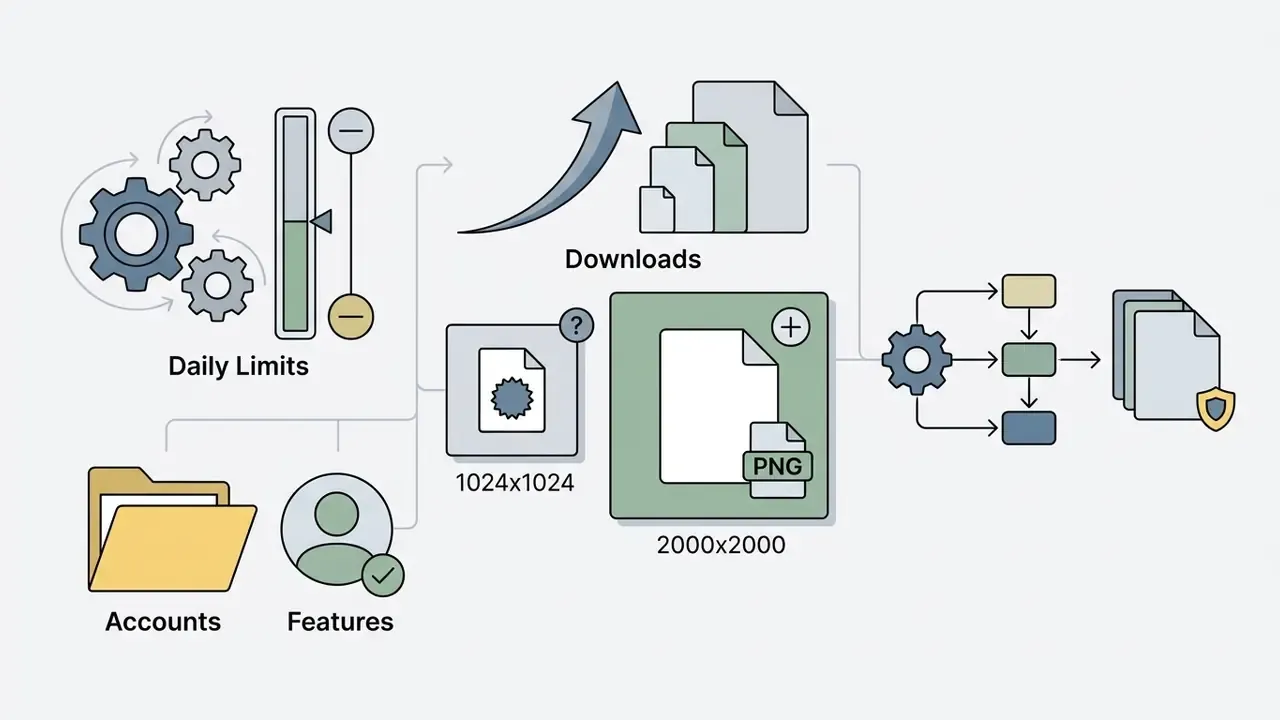
- Input and output ceilings. What is the maximum prompt length (Firefly rejects prompts above 750 characters), which upload formats are accepted, and what is the maximum export resolution (2000×2000 px on Firefly downloads)?
- Commercial license rights. Do the terms of service explicitly grant commercial exploitation rights for free-tier generations, or are outputs restricted to personal and preview use?
Reference: U.S. Copyright Office, Copyright and Artificial Intelligence, Part 2 (2025); European Parliament Generative AI and Copyright Study (2025); Adobe Firefly supported-formats documentation (2026).
How to Select an Actually Free AI Art Generator for Your Task
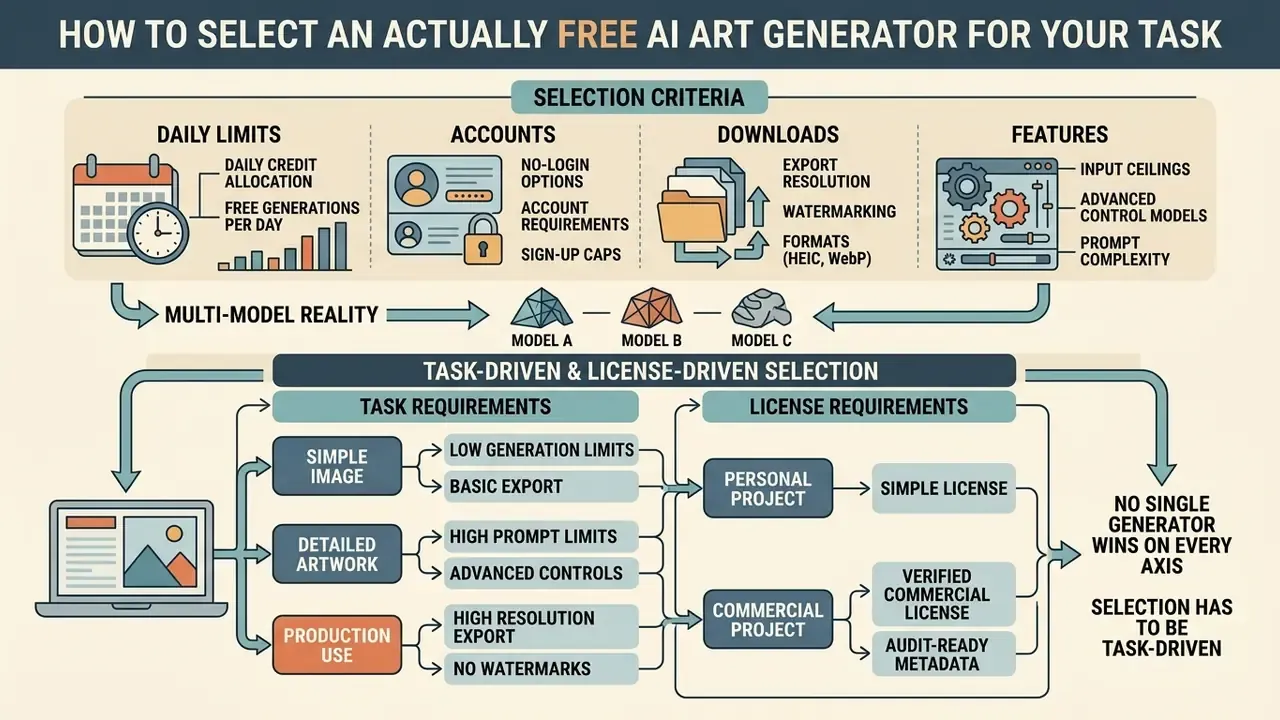
Quick read: no single generator wins on every axis, so selection has to be task-driven and license-driven at the same time. Match daily quotas, control depth, and export ceilings against the commercial and privacy posture your project requires.
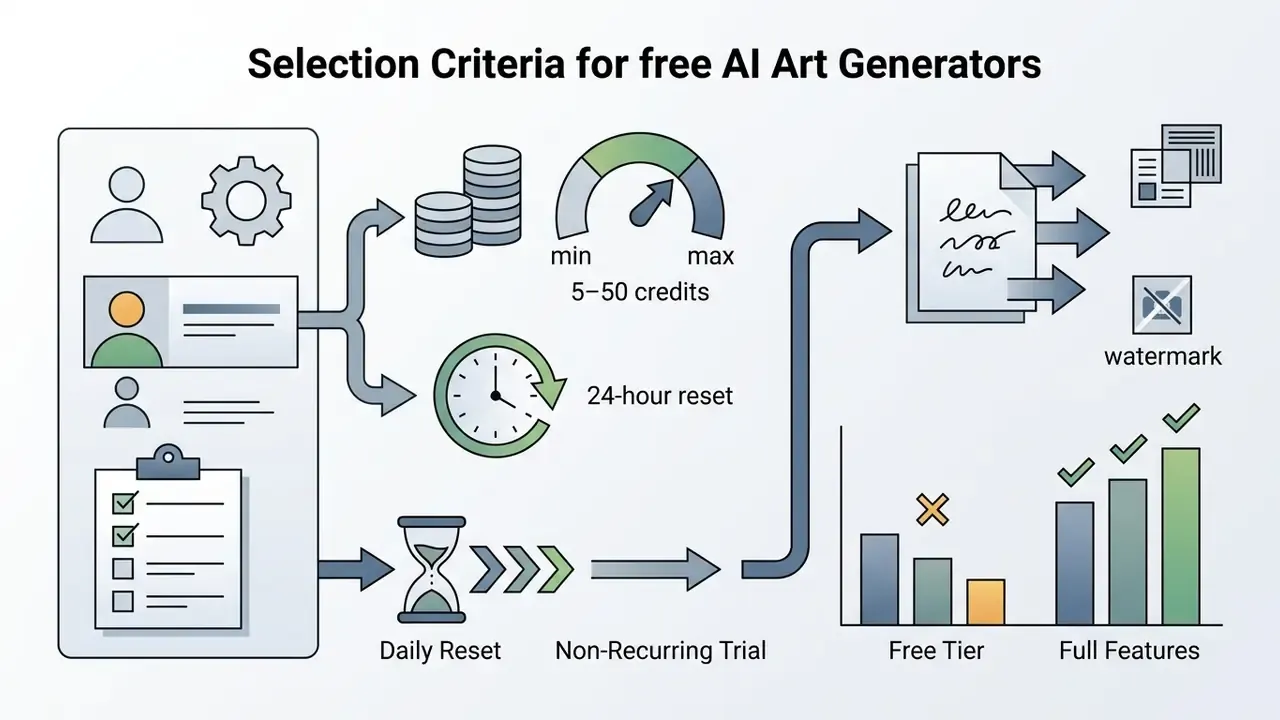
Selecting an actually free AI art generator means matching technical capability to an operational objective. Key criteria: daily credit quotas, prompt control depth, reference image conditioning, inpainting availability, and output resolution limits.
Benchmark evidence confirms that "best overall" is not a meaningful category here:
«No single model among 26 evaluated dominated across all 12 aspects of quality, safety, and fairness simultaneously.»
For general design and conceptual sketching, browser-based AI art free software gives you rapid prototyping without local hardware installation. Local open-source models such as Stable Diffusion allow unlimited free desktop generation, but they demand technical setup and dedicated GPU hardware. Where commercial legal safety is required, platforms with explicit enterprise indemnification and transparent training data sources, Adobe Firefly among them, are the safer choice.
To evaluate pricing structures, see our AI Media Pricing Guides and the platform breakdowns in our AI Media Comparison Matrices.
Table 1. Comparative assessment of free AI art generators: technical ceilings, privacy posture, and platform terms (2026 data)
| Platform | Free tier access | Account required | Text-to-image | Reference image | In-platform editing | Download / resolution limits | Training opt-out for user data | Enterprise tier with IP indemnification | Commercial use granted |
|---|---|---|---|---|---|---|---|---|---|
| Adobe Firefly | Free daily generative credits | Yes (Adobe account) | Yes (prompt capped at 750 characters) | Yes (Structure and Style match; JPG, PNG, WebP, HEIC in Safari desktop) | Yes (Generative Fill and Remove) | JPG or PNG up to 2000×2000 px; watermark and C2PA Content Credentials on free tier | Yes. Adobe states it does not train Firefly on customer content | Yes (enterprise IP indemnification) | Yes (Adobe Firefly Image models; excludes beta features and partner models) |
| Canva AI | Free monthly credits (Dream Lab) | Yes | Yes | Yes | Yes (Magic Edit, Generative Fill) | Standard image export | Partial. Governed by AI Product Terms; review workspace settings | Yes (Teams and Enterprise plans) | Yes, subject to platform terms; users own input and output |
| NightCafe | Daily recurring credits | Yes | Yes | Yes | Yes (inpainting, style transfer) | Standard resolution | Limited. Public-by-default community feed on free tier | No | Yes, if input assets are owned or permitted |
| OpenArt | Daily trial credits, no credit card | Yes | Yes | Yes (ControlNet, pose) | Yes | Standard export | Partial. Private generation typically gated to paid tiers | No | Yes. Full user output ownership: ads, client work, merch |
| Raphael AI | Unlimited free generation | No (no login, no card) | Yes | No | Basic | Watermarked on free plan | No documented opt-out control | No | No. Watermarked trial for preview only |
| Pixlr AI | 20 initial image credits | Yes | Yes | No | Yes (full web photo editor) | Standard resolution | Partial. See terms and guidelines | No | Yes, per terms and guidelines |
| Renderforest | 10 free standard credits, no bank card | Yes | Yes | No | Basic | Standard resolution, watermarked; HD and 4K require a paid plan | Not documented | No | No. Paid plan required for commercial license |
| Manus AI | Daily free credit quota | Yes | Yes | Yes | Yes (text-command element edits) | Up to 8K clean download, no watermark | Not documented. Verify before uploading client assets | No | Yes |
| Magic Studio AI Art | Instant free generation | No (no login needed) | Yes | No | Adjacent utilities (eraser, upscaler, HEIC to JPG, WebP to PNG) | Preview-grade download; upscaling handled by a separate tool | No documented opt-out control | No | Verify per tool terms before any commercial use |
For a quality-and-limits breakdown across a wider set of tools, see our comparison of free AI image generators.
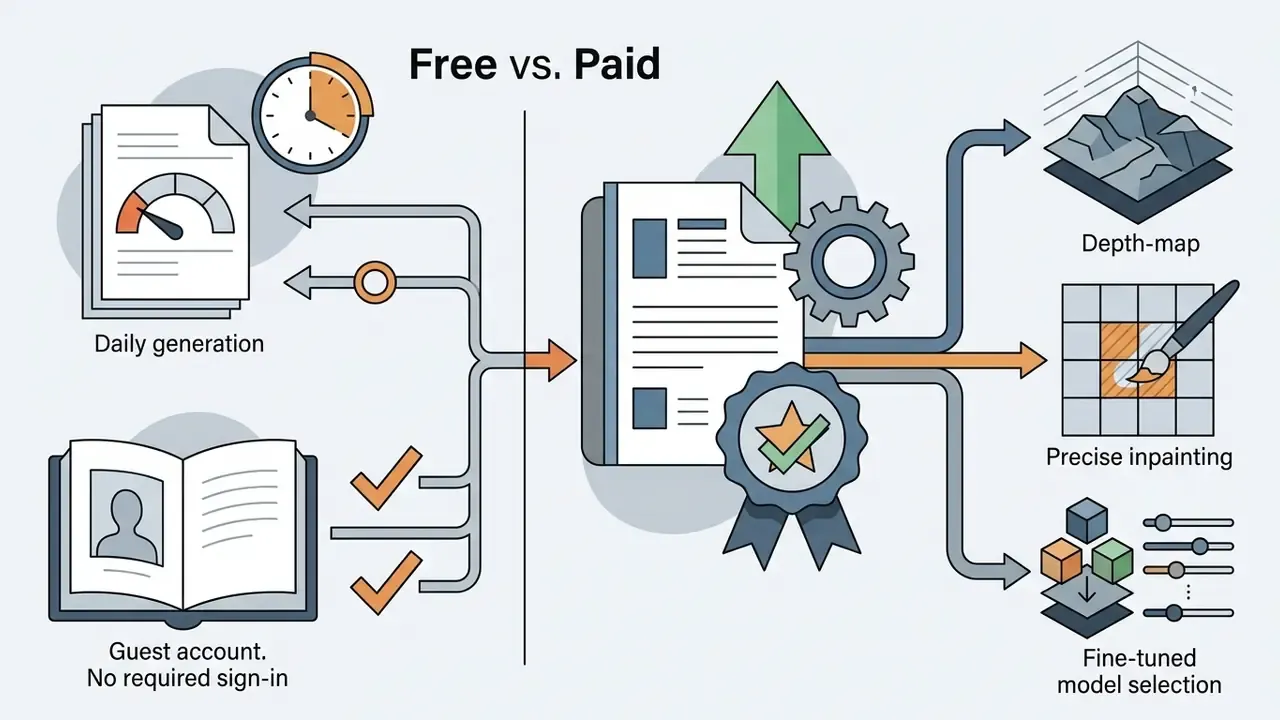
Selection Criteria: Daily Limits, Accounts, Downloads, and Features
When evaluating an AI art creation apps platform, read the daily operational caps and export terms before anything else:
A small practical note: quotas and ceilings are the two fields people forget to re-check after a vendor pricing update. Diary them quarterly.
When to Choose Adobe Firefly for Commercially Safe Images
How to Create AI Art: Step-by-Step from Idea to Final Output
Bottom line: high-quality output is a seven-stage pipeline, not one button press. Structured prompting plus small, single-variable iterations beats retyping prompts from scratch.
Generating usable AI art requires a structured, multi-step workflow. Typing loose keywords tends to produce inconsistent composition and visual artifacts. The CHI 2024 prompt-coaching experiment cited above found that structured guidance measurably increased prompt specificity compared with unstructured entry.
Figure 1. AI art generation workflow, seven stages
- Conceptualization.Define the primary subject, scene environment, lighting, and the intended commercial or artistic purpose.
- Structured prompting.Build the text prompt in this order: scene context, subject, key visual details, composition and lighting, constraints. Keep it under the platform ceiling (750 characters in Firefly).
- Parameter and style configuration.Select aspect ratios, rendering styles (vector, oil painting, photo), effects presets, and sampling steps in the art generator.
- Optional reference conditioning.Upload a reference image (JPG, PNG, WebP; HEIC in Safari desktop for Firefly) to lock in character features, pose, or layout structure, then tune the strength slider.
- Initial generation and batch selection.Run generate AI sampling to produce four candidate outputs.
- Iterative refinement and editing.Apply localized inpainting or background swaps to fix visual errors. Change one variable per iteration.
- Final export, metadata capture, and upscaling.Export the clean file, write the prompt, seed and model sidecar, then upscale for web design or print.
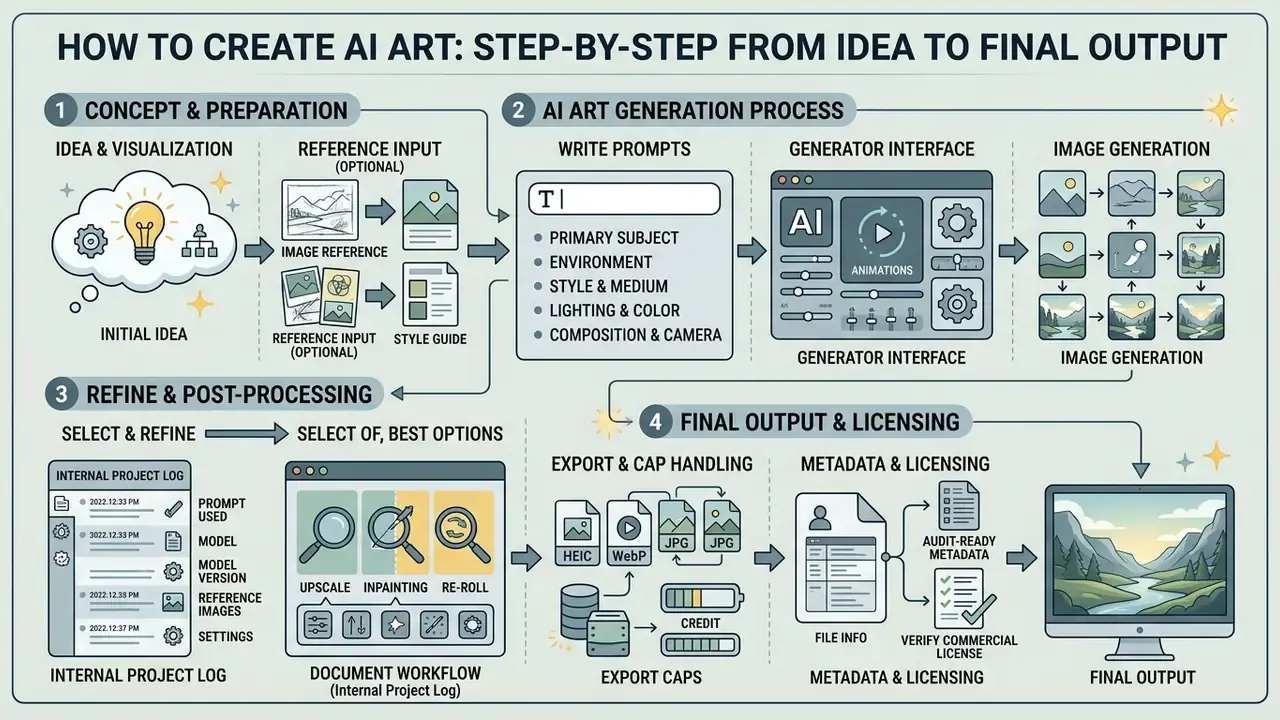
How to Write Prompts for AI Art Generation
Effective prompts use precise syntax to guide the model's latent sampling path. Updated (this replaces the earlier unsourced reference to "official prompting guides"): empirical research on real generation sessions documents five recurring prompt structures, and current vendor documentation converges on much the same five semantic components.
«Users apply five prompt structures: descriptive sentences, templates, overview-plus-detail, blocks, and word sequences.»
Vendor documentation lines up with that. OpenAI's GPT image prompting guide (2026) orders prompts as background and scene, then subject, then key details, then constraints, and recommends stating the intended use. Google's Nano Banana prompting guide (2026) tells users to be specific about subject, lighting, and composition, to use positive framing, and to steer the camera with terms like "low angle" or "aerial view". Leonardo AI's prompt-engineering guide uses subject, image type, style, camera viewpoint, rendering details.
The practical five-component architecture:
- Primary subject. Define the main object or character clearly, for example "an enterprise risk analyst sitting at a clean glass desk".
- Environment and context. Describe background, setting, and atmosphere: "a modern brightly lit office overlooking a city skyline at dusk".
- Style and medium. Specify the artistic technique or camera specification: "clean vector illustration, flat colors, minimal shading", or "35mm architectural photograph, crisp focus".
- Lighting and color palette. Name light sources and color tones: "diffuse ambient daylight, cool blue and slate tones".
- Composition and camera angle. Define framing and perspective: "eye-level medium shot, centered composition, shallow depth of field".
Avoid negative phrases like "no trees" in standard prompt fields. Language encoders often drop negations and then cheerfully render the excluded object. Use dedicated negative prompt fields instead. And watch your character budget: because Firefly hard-stops prompts at 750 characters, put style and composition constraints early rather than appending them after a long scene description.
How to Use Reference Images and Refine Results
«No tested model exceeded 50% accuracy in generating a specified number of objects; at 15 objects accuracy falls to roughly 10%.»
So if the brief says "twelve identical product boxes", plan on compositing rather than prompting. For structural and stylistic conditioning options, see our overview of image-to-image AI generation.
Documented workflow example (internal project log, not a published study): in one commercial design engagement, a financial services communications team used an AI art drawer pipeline to build custom website banners. By uploading a structured layout reference and applying an overview-plus-detail prompt, the team produced consistent editorial graphics in three iterations. Recorded time on task fell from roughly 14 hours of manual illustration to about 45 minutes of prompt-and-review work, while staying inside corporate brand guidelines. These figures come from that team's own time-tracking records. Treat them as an illustrative benchmark rather than an industry average, and measure your own baseline before quoting savings to a steering committee.
AI Art Drawing: Sketches, Concepts, and Editing Techniques
Short version: diffusion models can imitate manual media by conditioning on medium and stroke descriptors. Post-generation masking tools then repair, replace, or restyle specific regions without regenerating the full frame.
Generative neural networks are strong at stylized artwork, digital sketches, and vector illustration. An AI art drawing generator can simulate manual mediums by conditioning diffusion pathways on specific style descriptors.
Diffusion models interpret style commands by matching prompt keywords with visual patterns learned during training. Keywords such as "loose pencil sketch", "ink line-art", or "textured watercolor" push the model toward particular brushwork and line quality. This lets teams produce concept art, storyboards, and editorial graphics without traditional illustration skill. Note the disclosure implication: some institutional brand guidelines require that an AI-created illustration be clearly abstracted and non-photographic, so it cannot be mistaken for a real-world photograph of real customers or premises.
Editing AI Art: Background Swaps, Inpainting, and Image Variations
An initial AI output is rarely perfect. Professional workflows lean on post-generation editing to refine images, swap backgrounds, and correct fine details.
Figure 2. Inpainting and background replacement workflow
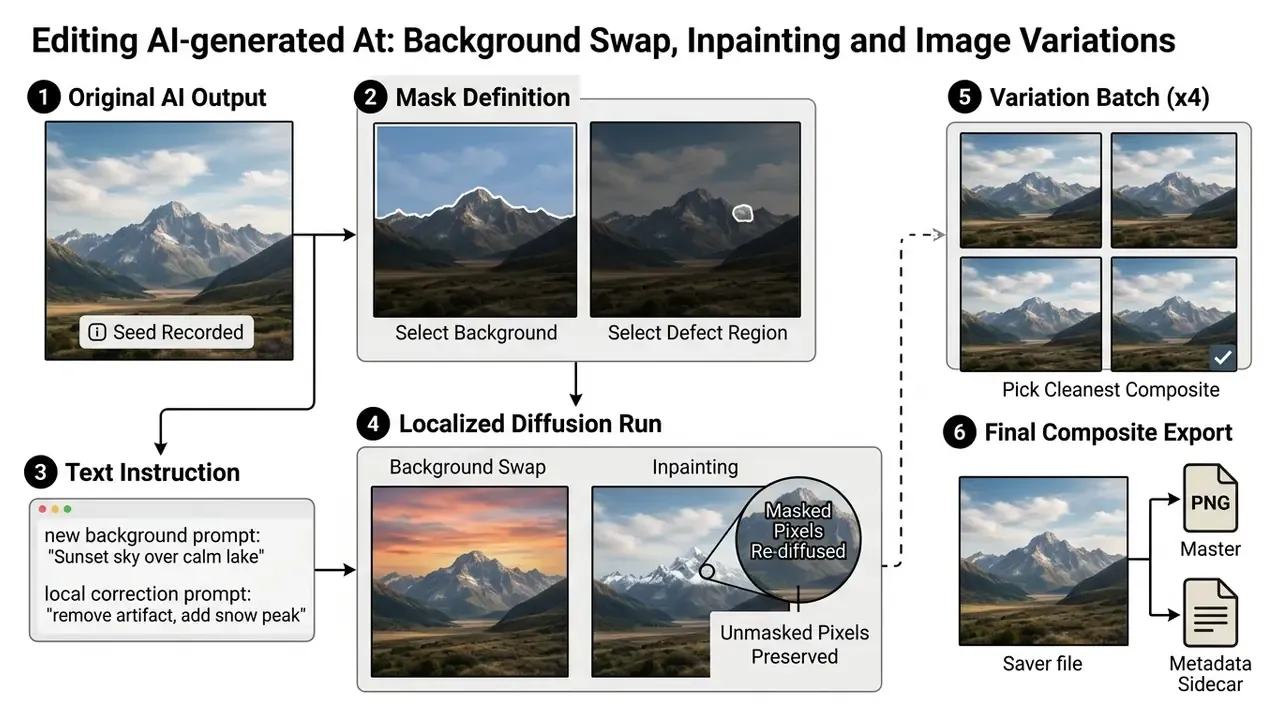
To swap a background without touching the subject, mask the background area, enter a new background prompt, and run a localized diffusion pass. The masked pixels are replaced, the unmasked subject stays intact. Inpainting works the same way for defects: adjust a character's hand gesture, fix background text, re-diffuse only that region. Depth-aware pipelines described in the research literature follow the identical sequence, depth estimation, mask creation, then background generation and replacement, in order to preserve the foreground.
Be deliberate about how hard you push the edit:
«Aggressive re-diffusion improves instruction following but degrades preservation of untouched regions and stability across repeated edits.»
In practice: a low-strength masked pass for cosmetic repairs, a higher-strength pass only when the region must change semantically. And never chain more than a few destructive edits on the same master file, or you will lose the very thing you were protecting.
For deeper technical detail on editing tools, review our Guide to Online Photo Editors and the specialized options in our Guide to Free Photo Editors.
Free AI Art Apps and Software for Android, Web, and Desktop
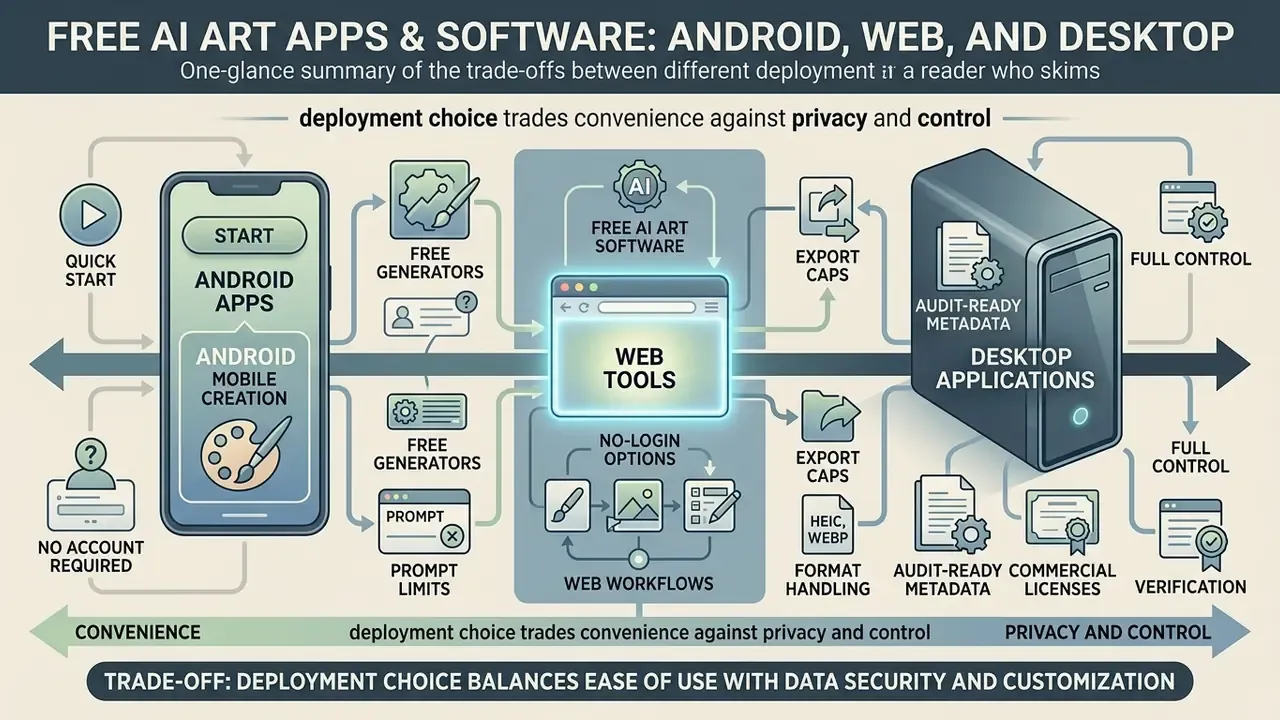
Trade-off in one line: deployment choice trades convenience against privacy and control. Mobile and no-login web tools are fastest. Local open-source stacks are the only real option for confidential assets.
Choosing a deployment platform depends on whether you value mobile accessibility, browser convenience, or complete offline privacy control.
Figure 3. Deployment matrix: mobile, browser, local desktop
| Criterion | Android and iOS apps | Browser platforms | Local desktop (open source) |
|---|---|---|---|
| GPU requirement | None (cloud) | None (cloud) | Dedicated GPU required |
| Privacy level | Low. Cloud uploads, ad SDKs | Medium. Depends on opt-out | High. Can run air-gapped |
| Credit caps | Daily credits or ad-gated | Daily or monthly credits | None |
| Export quality | Often watermarked, low resolution | Up to platform ceiling, e.g. 2000×2000 | Unrestricted, upscaler-dependent |
| Parameter control | Minimal | Presets plus sliders | Full (samplers, seeds, ControlNet) |
AI Art Generator Android Apps and Mobile Creation
Mobile users can reach AI art apps free tiers on Android and iOS. Applications such as starryai, Leonardo.Ai, ARTA, and Draw Things provide simple interfaces for text-to-image generation straight from a phone.
That convenience has a price. Mobile AI art creator app platforms usually run on ad-supported models or daily credit allocations. Store listings show starryai and Leonardo.Ai as free with in-app purchases, token top-ups and weekly or monthly plans, while ARTA allows three free images and then continues via ads or subscription. Free mobile exports are often restricted to lower resolutions and may carry visible watermarks. Review app permissions carefully too, since some mobile tools require cloud uploads that can expose personal photos to third-party training datasets.
Quick start without creating an account
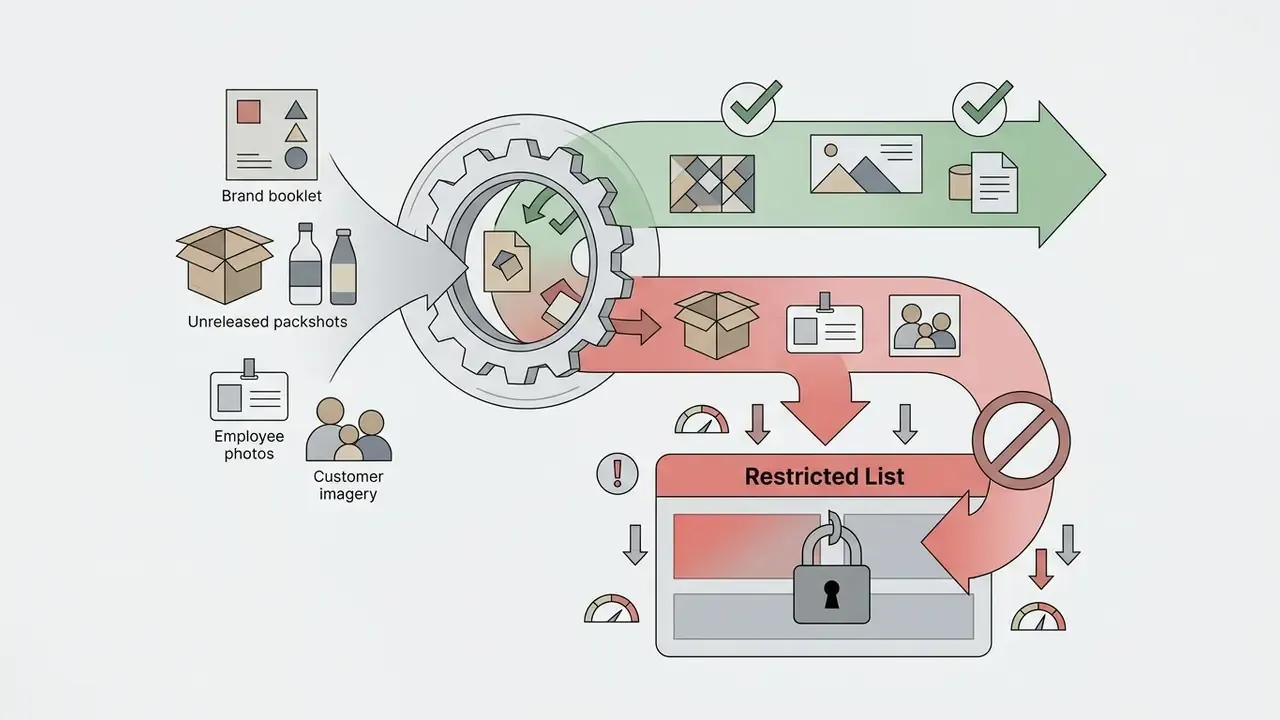
For one-off images with no email entry, Magic Studio ("no login needed"), Raphael AI ("no login required, unlimited free generations"), Flat AI, and FreeGen will generate and let you download a preview without credentials. Expect the trade-offs: visible watermarks, no upscaling, no private-generation mode, no documented training opt-out, and no commercial license on watermarked previews. Treat anonymous generators as sandbox tools only. Never paste client briefs, unreleased product names, or internal reference photos into a tool that has no account, no audit log, and no data-processing agreement. That single habit prevents most Shadow AI incidents involving imagery.
Web Tools and Free AI Art Software for PC Workflows
Browser platforms such as Microsoft Designer, Canva, OpenArt, and Adobe Firefly run generation workloads on remote cloud servers. They offer accessible interfaces, built-in editing, and easy export without local graphics hardware. Google AI Studio similarly runs prompts in the browser against the Gemini API.
For maximum control and privacy, desktop users can run open-source software locally. Interfaces such as Easy Diffusion (a one-click open-source Stable Diffusion distribution), AUTOMATIC1111, Forge, Fooocus, and the node-based ComfyUI run Stable Diffusion models on your own PC GPU. Local execution removes daily credit caps, eliminates subscription fees, prevents third-party data tracking, and hands you full control over generation parameters. One caveat: community documentation reports development on AUTOMATIC1111 and Forge as slowed, so verify project activity before standardizing an internal UI on either.
Developers building custom web applications can review integration endpoints in our AI Media API Guides.
How to Download Free AI Art and Build a Personal Gallery
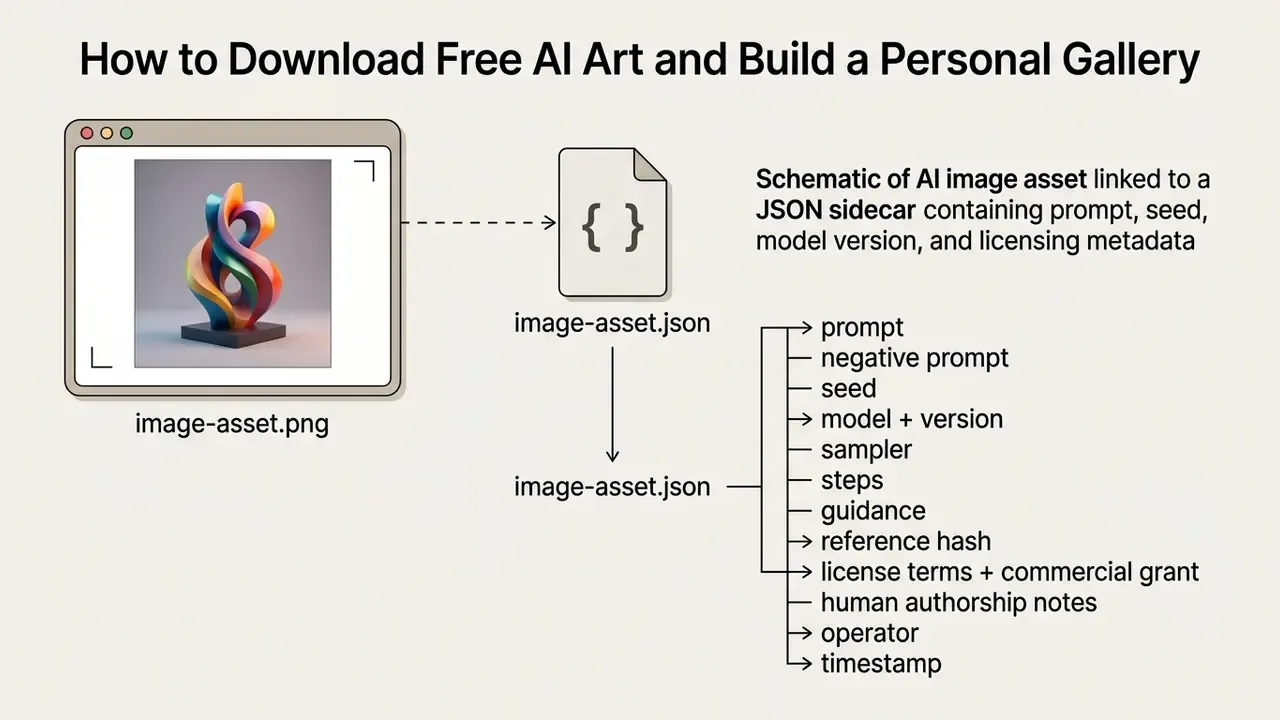
Why this section matters: export decisions determine whether an asset is reproducible and auditable later. Capture prompt, seed, model version, and license terms in a sidecar file at the moment of download, not next quarter.
Once you generate an image, saving, organizing, and cataloging it properly becomes the difference between an asset and a liability. Cataloging practice from the Library of Congress PCC FAQ (2025) treats a named AI or generative program as a related work rather than as an author, which is a useful convention when you register assets in a DAM.
Figure 4. Digital asset management metadata schema
Downloading, Saving, and Preparing AI-Generated Artwork
When exporting files, follow a few technical habits:
- Format selection. Save master files as lossless PNG to preserve sharp detail. Use WebP or optimized JPEG for web publishing to cut page weight. Firefly accepts JPG, PNG, and WebP for uploads, with HEIC additionally supported for Generate Image in Safari on desktop or laptop, and exports JPG or PNG at a maximum of 2000×2000 pixels.
- Metadata preservation. Store generation parameters, the full text prompt, the random seed, the diffusion model version, and sampler settings, in an XML or JSON sidecar. This is what lets you reproduce or iterate later, and it is the artifact auditors will request when testing reproducibility.
- Free upscaling methods. Free-tier generators typically export at 1024×1024. To prepare images for high-resolution web design or print, use open-source AI upscalers such as Upscayl to enlarge dimensions 4x without losing sharpness or adding compression artifacts. Upscayl's 2025 changelog added a "Copy Metadata" option, so provenance can survive enlargement. Compare tooling in our guide to AI image upscalers.
Sample JSON sidecar, audit-ready:
{
  "asset_id": "banner-q3-risk-001",
  "file": "banner-q3-risk-001.png",
  "prompt": "modern brightly lit office overlooking a city skyline at dusk, enterprise risk analyst at a glass desk, clean vector illustration, flat colors, eye-level medium shot",
  "negative_prompt": "text, logos, watermark, extra fingers",
  "seed": 483920117,
  "model": "Adobe Firefly Image 4",
  "partner_model_used": false,
  "sampler": "default",
  "steps": 30,
  "aspect_ratio": "16:9",
  "reference_image_hash": "sha256:0f2b...c19",
  "export": { "format": "PNG", "resolution": "2000x2000", "watermark": false, "content_credentials": true },
  "license": { "tier": "enterprise", "commercial_grant": true, "indemnified": true },
  "human_authorship_notes": "Manual inpainting of desk area; layout arrangement and copy overlay by designer.",
  "operator": "[email protected]",
  "generated_at": "2026-03-04T11:22:08Z"
}
Handling HEIC and WebP formats, mini checklist
For video editing workflows and media optimization, see our Guide to Video Compressors and the publishing strategies in our Guide to YouTube Video Editors.
Free AI Art Galleries: Examples, Ideas, and Visual References
Browsing public galleries is still the fastest way to pick up prompting technique, visual styles, and creative ideas. Lexica.art, Civitai, and PromptHero maintain searchable databases with millions of community-generated images alongside their exact prompts and generation parameters. PromptHero describes itself as a search platform holding millions of prompts across Midjourney, Stable Diffusion, and other models.
Studying high-performing prompts teaches you how specific terms shift style, camera angle, and lighting. Copy the prompt structure, swap the core subject terms, and use it as a starting point for your own AI art examples free library. Once you know which style you need, shortlist tools with our comparison of the best AI art generators. One caution for regulated teams: gallery prompts sometimes name living artists or trademarked properties, and copying those strings imports the risk along with the aesthetic.
If you are expanding static graphics into short video assets, see our Guide to Free AI Video Generators and our analysis of luma dream machine video generation 2024 2025.
Can You Use Free AI Art in Commercial Projects?
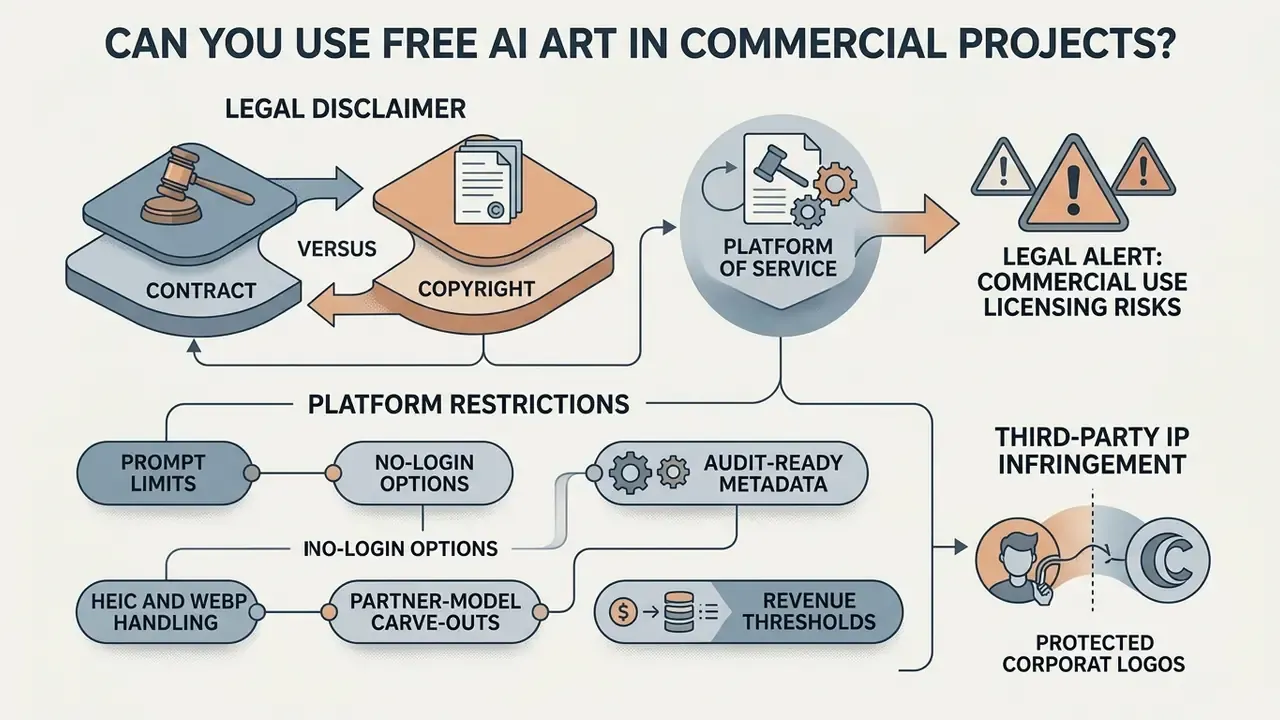
Two layers, always: commercial deployment depends on the platform contract and on copyright law, independently. A free tier may grant contractual use rights over an image that is nonetheless unprotectable.
Deciding whether AI art free to use claims permit commercial deployment means reading both platform terms of service and federal copyright law. Skipping either one is where teams get hurt.
Academic work now frames protection as a spectrum, not a binary:
«Copyright protection of AI images is determined across three tiers, strong, weak, and none, depending on the density of human contribution.»
Legal alert: commercial use licensing risks
A "free to generate" access tier does NOT automatically grant commercial exploitation rights. Under U.S. copyright law and platform contract terms:
- Contract versus copyright. A generator's terms of service may grant you a contractual commercial license. But if the image was generated entirely by AI with no human creative input, it cannot be registered for U.S. copyright protection.
- Platform restrictions. Free tiers on platforms such as Renderforest or Raphael AI limit watermarked free outputs to personal preview use. Putting those images into commercial ads or client work breaches platform terms.
- Partner-model carve-outs. Where a workspace routes generations to third-party partner models, the platform's own commercial-safety and indemnification promises may not extend to those outputs.
- Revenue thresholds. Some vendors tie ownership to plan tier. Midjourney requires Pro or Mega for companies above USD 1,000,000 in annual revenue to own assets and use them commercially.
- Third-party IP infringement. Even where a tool grants commercial rights, generating identifiable trademarks, corporate logos, or protected character designs creates trademark and copyright liability.
- Regulated communications. For investment-product marketing, insurance disclosures, or lending collateral, restrict imagery to indemnified pipelines with retained prompt and seed evidence, since supervisory review may require you to demonstrate provenance of every published asset.
Always verify explicit commercial grant clauses in vendor terms, and retain human authorship records, before deploying AI media commercially.
Licensing, Output Ownership, and Commercial Use Terms
According to guidance from the U.S. Copyright Office (2023-2026), images generated solely by an AI model in response to a simple text prompt lack human authorship and are not eligible for copyright protection. Registration covers only the original elements a human author contributed: custom text narratives, manual digital edits, complex visual arrangements. Registration guidance requires applicants to disclose AI-generated material and to describe the human author's contribution in the "Author Created" field.
The leading U.S. precedent shows exactly where the line falls:
«In Zarya of the Dawn the U.S. Copyright Office protected only the human selection and arrangement of elements, not the individual Midjourney-generated images.»
Figure 5. Jurisdictional copyright matrix for AI images
| Jurisdiction | Authorship standard | Effect on AI-only output | Practical action |
|---|---|---|---|
| United States (Copyright Office, 2023-2025) | Human authorship required; AI material must be disclaimed | Not protectable | Register only human-authored selection, arrangement, and edits |
| European Union (Parliament study, 2025) | "Own intellectual creation" by a natural person | Generally outside copyright without substantial human input | Document free creative choices at conception, execution, finalization |
| China (Beijing Internet Court, 2023-2024) | Originality plus intellectual investment by the user | Can be protected | Retain prompt iterations as evidence of investment |
Contractual commercial use rights differ from copyright ownership. A platform can grant you permission to use outputs in commercial advertising, client projects, or web design even when the raw image itself remains unprotected. Adobe states it makes no claim of copyright or ownership over Firefly outputs, while noting that whether the customer owns copyright depends on local jurisdiction. Canva's AI Product Terms state that users own their input and output, subject to platform terms. Read the vendor's legal agreements and confirm that free-tier outputs carry an explicit commercial license grant. Not an implied one.
International practice is not uniform, and the divergence can favor rights holders in some markets:
«The Beijing Internet Court recognized an image produced through Stable Diffusion from simple text prompts as an original, protectable work.»
For deeper analysis of commercial licensing rules across major platforms, visit our AI Media Commercial-Use Hub, review the practical rules for commercial use of AI image generators, and track precedents in our AI Litigation and Case Timelines.
Privacy Protection and Shadow AI Controls Before Uploading Reference Photos
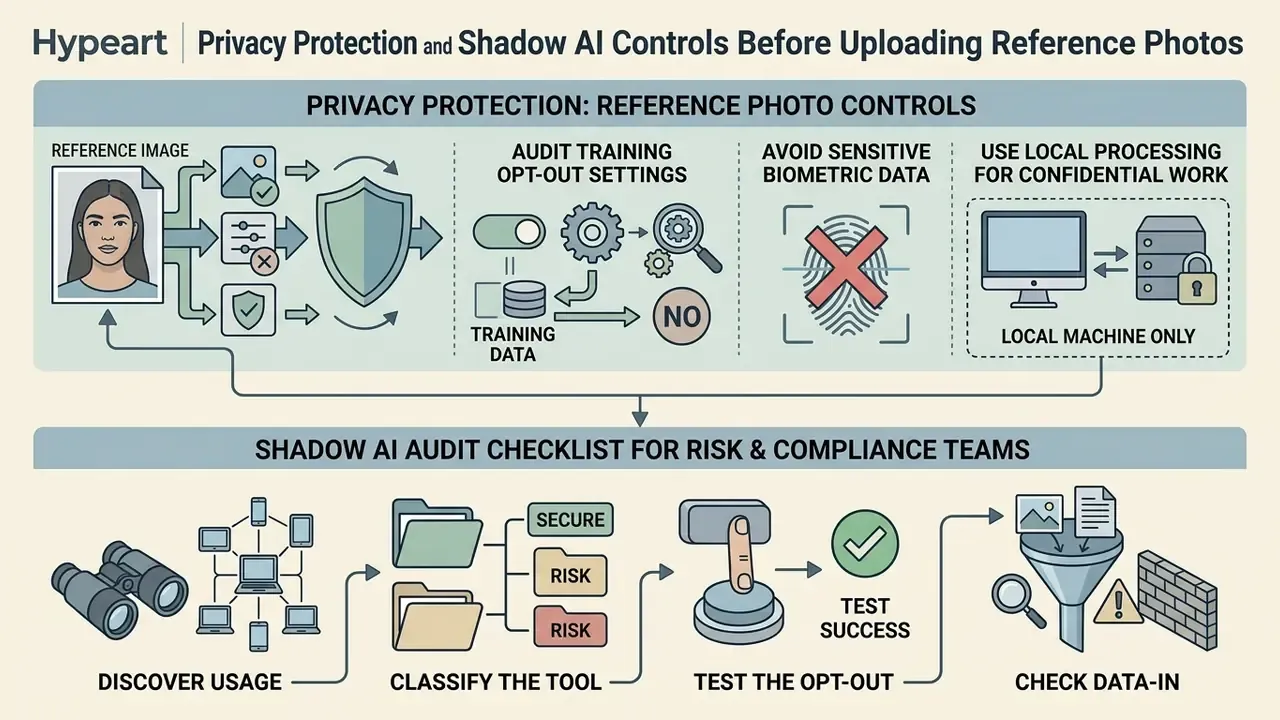
The uncomfortable default: uploaded references may become training data unless you opt out. Memorization research shows training data can resurface in outputs, so the strongest control is simply not uploading the sensitive asset at all.
Sending personal photographs or corporate design files to cloud AI tools introduces data privacy risk. Platform privacy policies often state that uploaded user content may be used to train future generative models unless you actively opt out. OpenAI's privacy policy states that uploaded files, images, audio, and video may be used to improve services, including training the models behind ChatGPT, subject to user controls. Google's Gemini help documentation says a sample of chats and uploaded images may be used to improve services and train models, retained by default for up to 18 months, unless the relevant setting excludes them.
The downstream risk is not hypothetical:
«GPT-2 reproduced names, addresses and emails from training data; Imagen generated photographs of real individuals under certain prompts.»
Three safeguards before you upload any reference image:
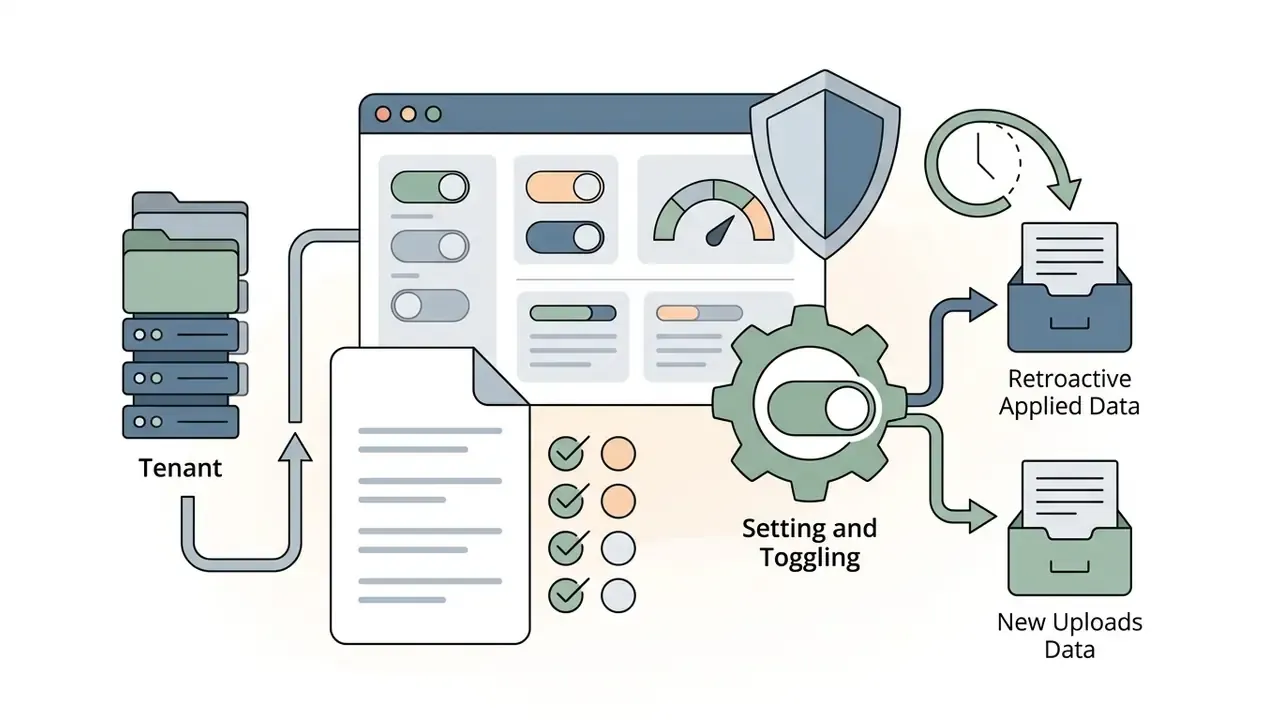
- Audit training opt-out settings. Verify that the platform provides an explicit toggle excluding your uploaded photos and text prompts from training datasets, and confirm it exists in the tenant you actually use.
- Avoid sensitive biometric data. Do not upload high-resolution photos with identifiable faces, government IDs, or confidential corporate documents to unverified public web generators. For portrait-specific risk, see our AI headshot generators guide.
- Use local processing for confidential work. For sensitive client assets, run open-source diffusion models locally on an air-gapped machine so nothing leaves the perimeter.
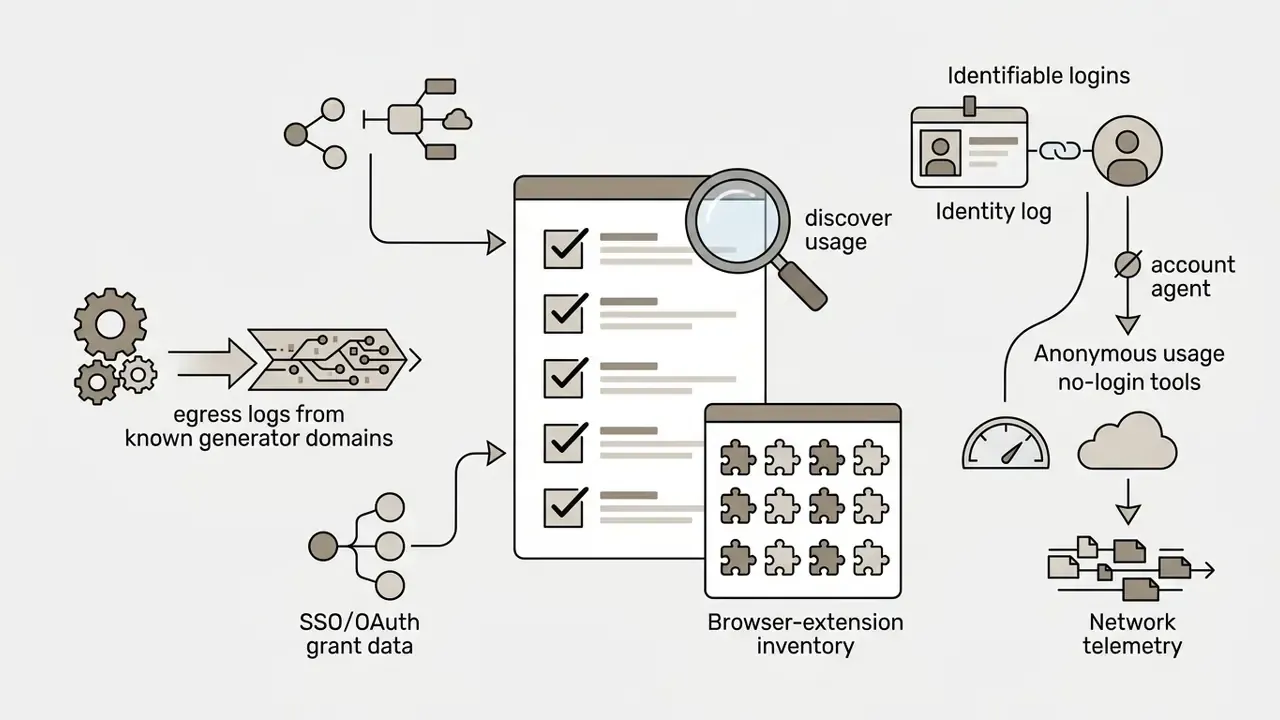
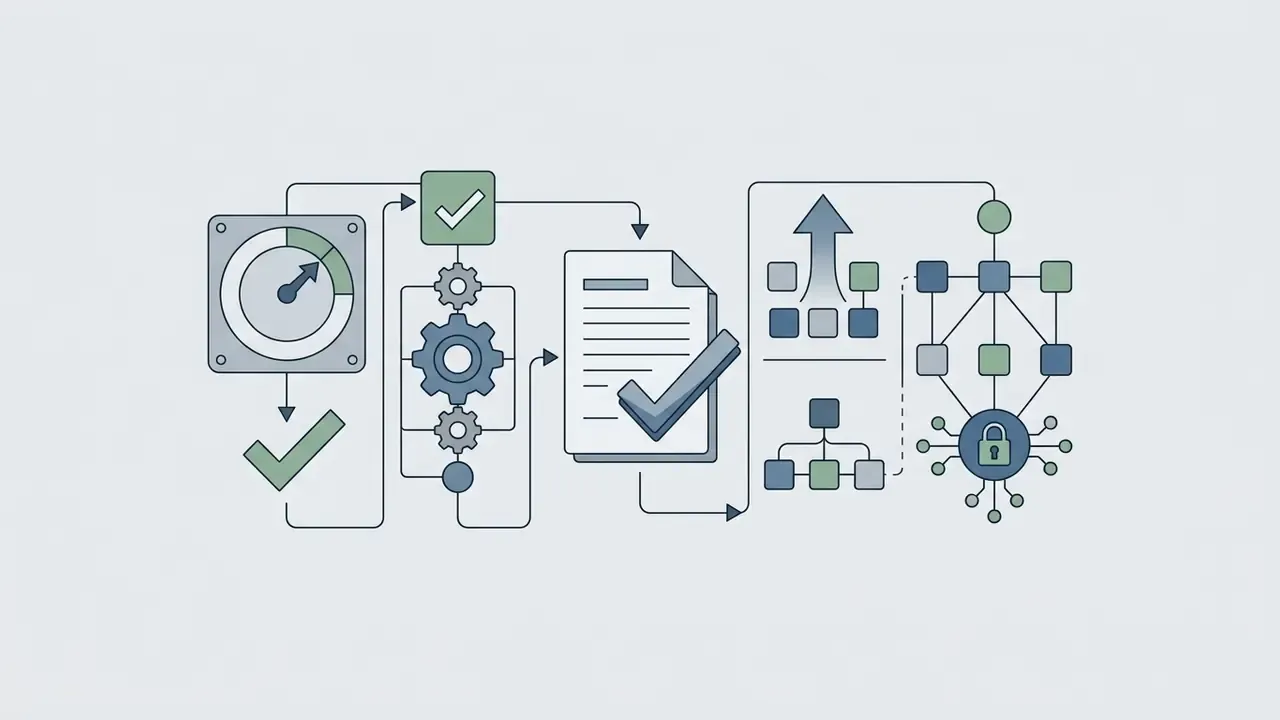
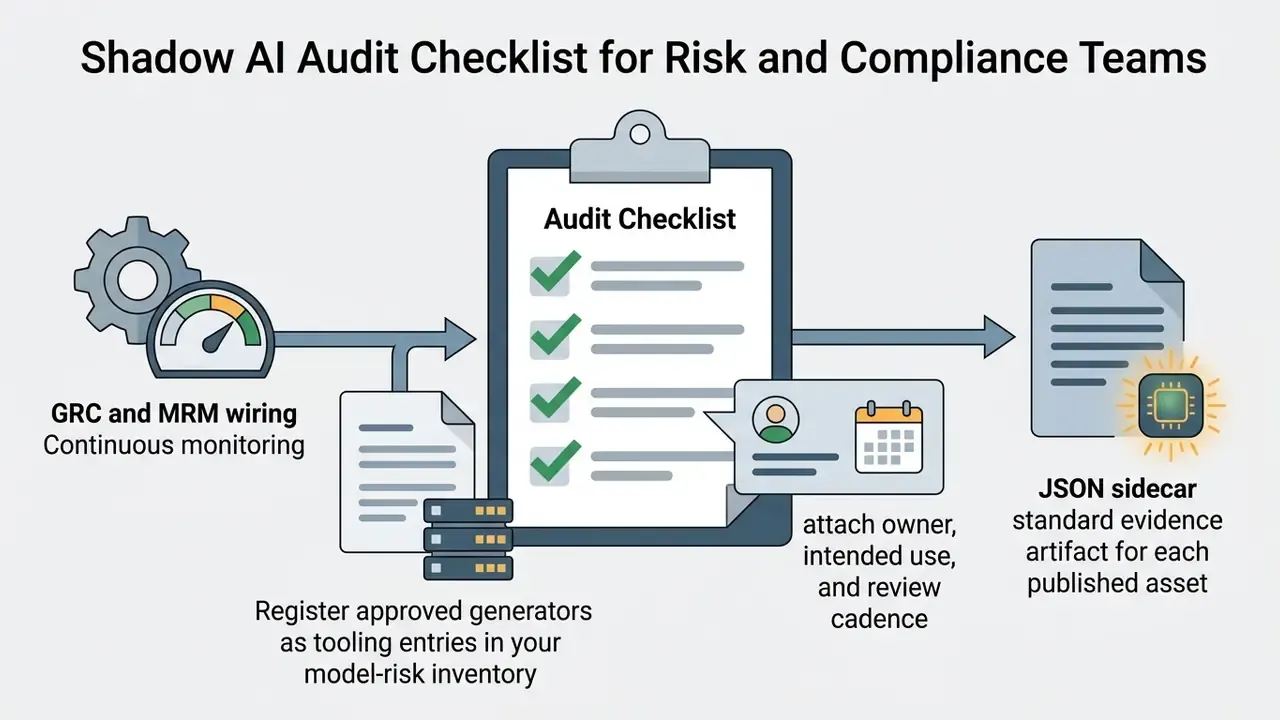
Shadow AI Audit Checklist for Risk and Compliance Teams
Where does accountability sit? With a named human owner for each approved tool, with a defined escalation path when an unapproved generator shows up in telemetry. No evidence, no autonomy.
Style Reference Library for AI Drawing Generators
Practical note: naming the medium, the stroke behavior, and the surface texture buys you more control than adjectives about mood. Use these templates as prompt starters and change only the subject.
An AI art drawing workflow can produce a wide range of distinct mediums. Broad categories first:
- Watercolor illustration
"botanical watercolor, soft diffuse washes, visible paper texture, wet-on-wet technique, white paper background"- Pencil and charcoal sketch
"graphite pencil sketch, loose hand-drawn linework, cross-hatching, monochromatic paper grain"- Comic and cel-shaded art
"comic book panel, bold black ink outlines, flat cel shading, dynamic action framing, speech bubbles"- Clean vector graphics
"clean vector art, flat graphic colors, sharp crisp edges, minimal corporate aesthetic, white background"- 3D render and concept art
"3D concept art of a hard-surface vehicle, cinematic studio lighting, detailed silhouette, concept sheet layout"
Then the precise graphic techniques that separate a generic "sketch" preset from a deliberate illustration style. Firefly exposes several of these as one-click effects alongside Line Drawing, Ink, and Sketch:
Reinforce any of these by uploading a style reference image and tuning its intensity, and by adding stroke descriptors such as "heavy stroke" or "loose hand-drawn sketch" directly in the prompt. Keep the whole string under the platform's character ceiling, or the final descriptor never reaches the model.
- Stippling and dotwork
"stippling art style, intricate dotwork shading, vintage ink illustration, highly detailed continuous dots"- Doodle drawing
"minimalist doodle drawing, continuous line art, casual notebook sketch style, raw pen lines"- Geometric pen
"geometric pen illustration, sharp vector lines, sacred geometry motifs, precise architectural line-art"- Line drawing
"single-weight line drawing, no shading, clean contour outlines, generous negative space"- Ink wash
"ink wash illustration, heavy stroke brushwork, bleeding edges, high-contrast monochrome"- Manga line art
"manga-style line art, screentone hatching, expressive speed lines, crisp inked contours"
FAQ on Free AI Art Generators
Do You Need Drawing Skills to Create AI Art?
No. Manual drawing skill is not required to create usable AI art. Modern text-to-image generators respond to descriptive prompts rather than physical brushstrokes. Start with our comparison of free AI art generators if you have no existing toolchain. What the work does require is conceptual, descriptive, and spatial communication. Users who can specify scene composition, lighting, camera framing, and artistic style get far more consistent results. University prompting guidance structures image prompts around content, style, mood, composition, material, lighting, and framing, which is exactly the vocabulary a non-illustrator needs to borrow. Treat the model as a digital assistant: you direct, evaluate, and refine. That iterative direction is also what legal analysis looks for when assessing authorship:
«Under EU law only a natural person exercising free creative choices at the preparation, execution and finalization stages can be an author.» "Understanding authorship in AI-assisted works", Journal of Intellectual Property Law and Practice, Oxford (2025). https://doi.org/10.1093/jiplp/jpad089
Is an Account Required for Free Generation?
Platforms such as Raphael AI, Flat AI, FreeGen, and Magic Studio allow anonymous generation with no account. Most dependable free AI art tools still require an authenticated user. Accounts let vendors enforce daily credit limits, manage compute load, and police abuse. Anonymous access usually costs you watermark removal, upscaling, private generation, generation history, and any contractual commercial grant. It also removes the attributable audit trail an enterprise needs.
What Evidence Should You Retain for Reproducibility Audits?
Per published asset, retain: the full prompt and negative prompt, the seed, the exact model and version (including whether a partner model such as Gemini 2.5 Flash Image or GPT Image was used), sampler, steps and guidance, the hash of any reference image, export format and resolution, the license tier and whether indemnification applied, plus a plain-language note describing human edits, selection, and arrangement. Store it as a JSON or XML sidecar with the same basename as the asset, as in Figure 4, so an auditor can regenerate a comparable output without interviewing the designer who has since left.
How Do Content Credentials (C2PA) Help Governance?
Content Credentials attach tamper-evident metadata recording the issuer, the date, the application or device, the AI tool used, and the actions taken. For a compliance function that converts a claim, "this banner was AI-generated with an approved tool", into verifiable evidence bound to the file itself. Because many converters and social platforms strip metadata, keep the C2PA-bearing master in your DAM and treat downstream copies as derivatives.
How Do You Integrate Free AI Art Tools into MRM or GRC Systems?
Register each approved generator in the model or tooling inventory with an owner, a documented intended use, a data-classification limit (for example "no customer imagery, no unreleased product assets"), training opt-out status, and a review cadence. Route access through SSO so usage is attributable. Require the sidecar artifact as the standard evidence object, and add a control test that samples published assets and verifies the sidecar matches the file. Flag free tiers as ineligible for regulated-product communications unless the output came from an indemnified pipeline.
Can You Turn Free AI Art into Video?
Standard AI art tools generate static images, but multimodal platforms can animate them. Magic Hour (free, no sign-up, three generations per day), Luma Dream Machine, Runway, and Adobe Firefly's image-to-video feature (which requires an Adobe account) turn static AI art into short clips. Free video tiers apply their own ceilings: published free plans commonly limit exports to 720p with a non-removable watermark. Review the tooling in our overview of image-to-video AI tools. For additional video workflows, read our guide on long video to short video ai free, learn how to build seamless animations with loop video online, and review compression options in our low quality video maker guide. To explore advanced video models, consult our technical guides on luma ai video and the luma dream machine generator. For broader media tools and interactive estimators, visit our AI Media Calculators, and browse troubleshooting resources in our AI Media Support and Troubleshooting hub.
Deployment Checklist: Safe Free AI Art in Production
Checklist0 / 12
Limitations and Open Questions
Three things remain genuinely unsettled, and it would be dishonest to pretend otherwise.
First, partner-model routing inside major workspaces is moving faster than vendor documentation, so indemnification boundaries can shift between quarterly reviews. Second, there is no agreed threshold for how much human editing converts an unprotectable output into a registrable work; the tiered model above is analysis, not doctrine. Third, provenance metadata is only as strong as the weakest tool in your publishing chain, and most CMS pipelines still strip it silently.
A safe next step, if you are starting from zero: pick three generators your teams already use, complete the classification step of the Shadow AI checklist for those three, and require the sidecar on the next ten published assets. Small scope, real evidence.
Appendix A: Superseded Statements and Corrections
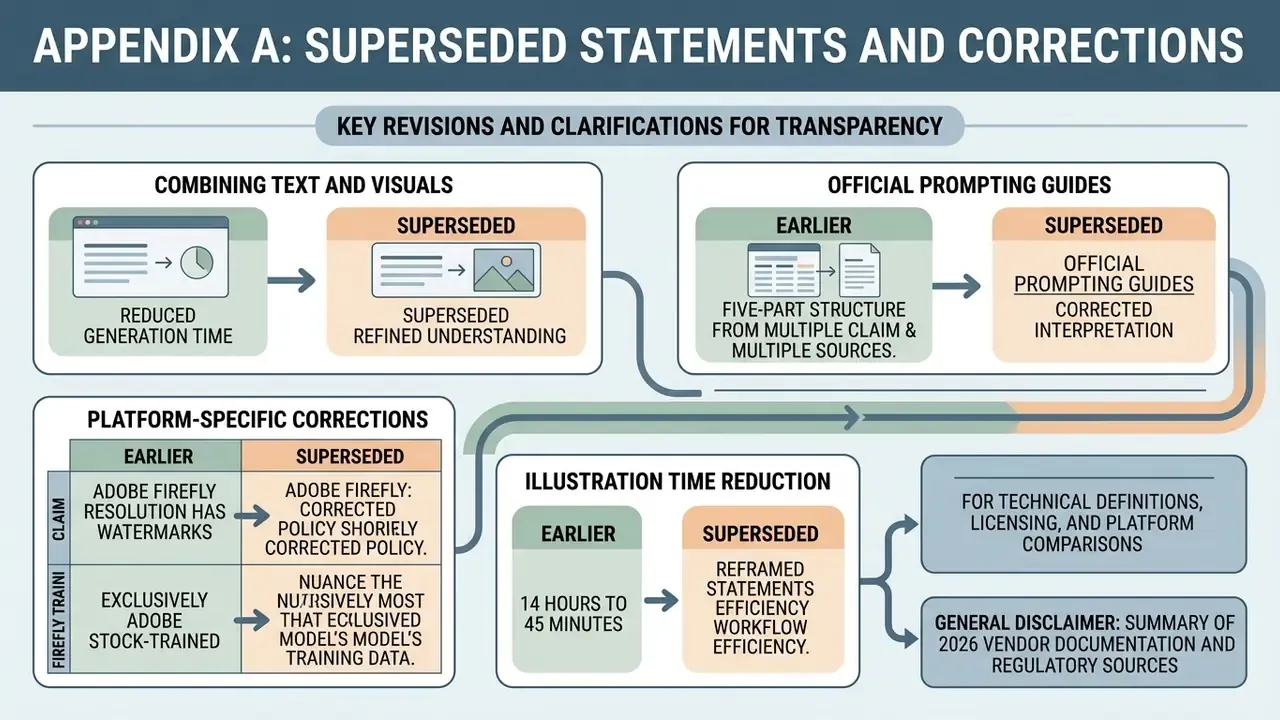
For transparency, these earlier formulations were revised in this edition. They are retained with their corrections.
- Earlier: "Research shows that combining detailed text descriptions with visual references reduces generation variance and improves alignment with user intent." Superseded: no source supported the variance claim. Replaced with the CHI 2024 prompt-coaching experiment (N=132), which measured increased prompt specificity and better-calibrated user trust.
- Earlier: "Official prompting guides from OpenAI, Google, and Leonardo AI recommend a structured, five-part prompt architecture." Superseded: the phrasing implied a joint standard. Replaced with the CHI 2024 finding on five observed prompt structures, plus individually attributed vendor guidance (OpenAI 2026 ordering, Google Nano Banana 2026 positive framing, Leonardo AI prompt-engineering structure).
- Earlier, comparison table, Adobe Firefly: "Standard resolution (watermarked on free tier)." Superseded: replaced with the precise specification, JPG or PNG up to 2000×2000 pixels, with watermark and C2PA Content Credentials on the free tier.
- Earlier: Firefly described as generating exclusively through Adobe's own Adobe Stock-trained models. Superseded: Firefly also exposes partner models including Gemini 2.5 Flash Image and GPT Image, which are not developed by Adobe and carry a different allocation of responsibility.
- Earlier: "This approach reduced manual illustration time from 14 hours to 45 minutes." Superseded: reframed as figures from a single internal project time log rather than published research, with a recommendation to measure your own baseline first.