Key takeaways before you generate anything
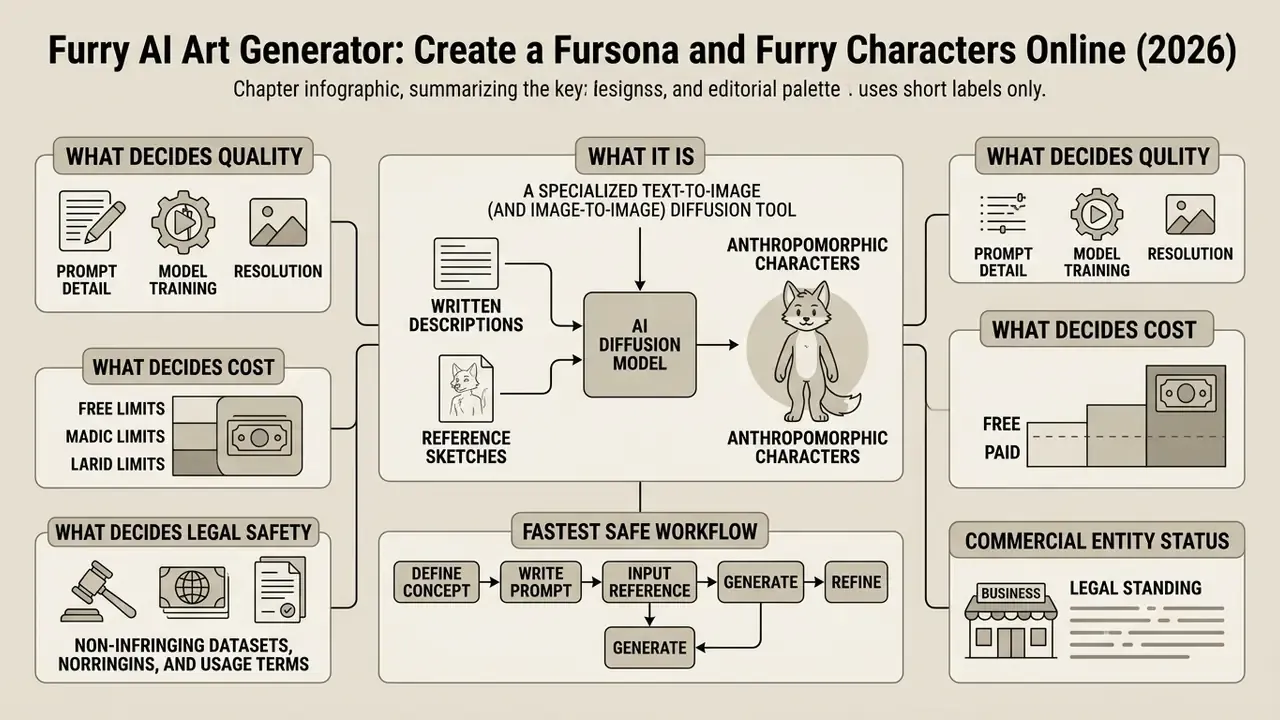
What a furry AI art generator is and what it can create
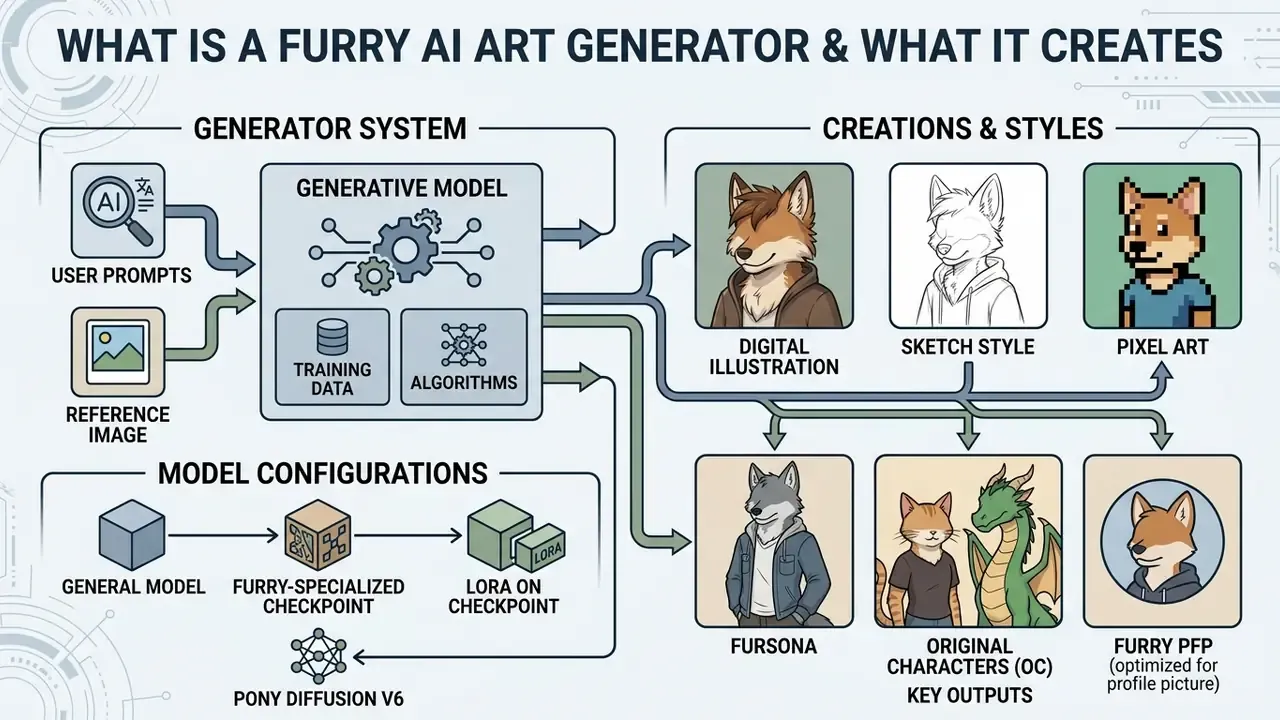
A furry art generator is an automated generative system built to produce anthropomorphic character illustrations from user prompts or uploaded base images. These platforms read parameters such as species, fur markings, outfit choices, poses and artistic styles, then synthesize digital character assets on demand.
Modern text-to-image diffusion models use cross-attention mechanisms inside latent spaces to align textual tokens with visual features (OpenAI GPT Image Generation Models Prompting Guide, 2026).
«Diffusion models iteratively denoise a latent representation conditioned on text through cross-attention mechanisms, providing semantic alignment between description and pixels.»
In creative and semi-professional workflows, an ai animal generator behaves like an automated rendering assistant. It lets creators test character variations quickly, produce social avatars, and sketch out artwork concepts without a single manual draft. Building a shortlist of platforms gets far easier after reviewing the best AI image generators by output quality and licensing model, not by gallery hype.
Furry art, fursonas and original characters
Which styles AI furry art supports
Generative neural networks support a broad range of aesthetics, from flat two-dimensional cel shading to complex three-dimensional renders and photorealistic textures. Popular options include anime, 3D digital render, semi-realistic, pixel art, watercolor, chibi and character reference sheets (Media.io, 2026; Visiva AI, 2026).
Style selection is governed by model tags and prompt modifiers that steer the diffusion denoising pipeline (NovelAI Diffusion Anime, 2026).
Anime aesthetics emphasize clean linework, cel shading and expressive faces. 3D rendering parameters pull in physically based rendering (PBR), subsurface scattering for skin and scales, ambient occlusion and octane-style global illumination (Visiva AI, 2026). Realism sits at the opposite end of the same axis: instead of lineart and flat shading it needs photographic texture language, natural lighting, and material-accurate fur or scale detail. NovelAI's documentation also exposes traditional-media tags such as traditional media, impressionism, art nouveau, nihonga and ukiyo-e, which map cleanly onto painterly and watercolor furry art. Testing these presets inside an ai art generator furry comparison lets you pick visual defaults tuned for avatars, concept art or animation assets. Adjacent tooling follows the same tag logic: an ai album cover prompt behaves almost identically once you separate subject from medium.
Specialized checkpoints and models: Pony Diffusion V6
When you generate anthropomorphic content, the checkpoint does most of the heavy lifting. The de facto community standard is Pony Diffusion V6, a Stable Diffusion / SDXL-based checkpoint fine-tuned on furry anatomy, a wide species taxonomy (reptiles, hybrids, exotics) and rare stylistic tags. Platforms such as PicLumen expose it directly as their primary furry model. The reason is simple: a specialized checkpoint sidesteps the classic failure modes of general-purpose models, namely malformed paws, broken tail joints, mangled ear cartilage, and muzzle geometry that quietly collapses into a human face.
Three selection rules fall out of this:
- General-purpose model (SDXL base, Firefly, Imagen-class): safest for corporate-friendly, moderated, semi-realistic mascots.
- Furry-specialized checkpoint (Pony Diffusion V6 and derivatives): highest anatomical accuracy for anthro bodies, digitigrade legs, muzzles and species-specific markings.
- LoRA on top of a checkpoint: locks one character identity across a full series, which is covered in the consistency section below.
Optimizing for a furry PFP
For Discord, Telegram, Twitch and general social avatars, work in a 1:1 aspect ratio and aim the prompt at the portrait zone with tokens such as headshot, bust portrait, close-up or chest-up framing. Ask for bright, expressive eyes (glowing eye detail, high-contrast iris) and a simple contrasting background so the character stays legible at 64×64 px. Skip full-body poses, dense backgrounds and small accessories. At icon scale they degrade into noise, every time. So a furry PFP maker workflow is genuinely different from a reference-sheet workflow: one optimizes silhouette readability, the other documentation completeness.
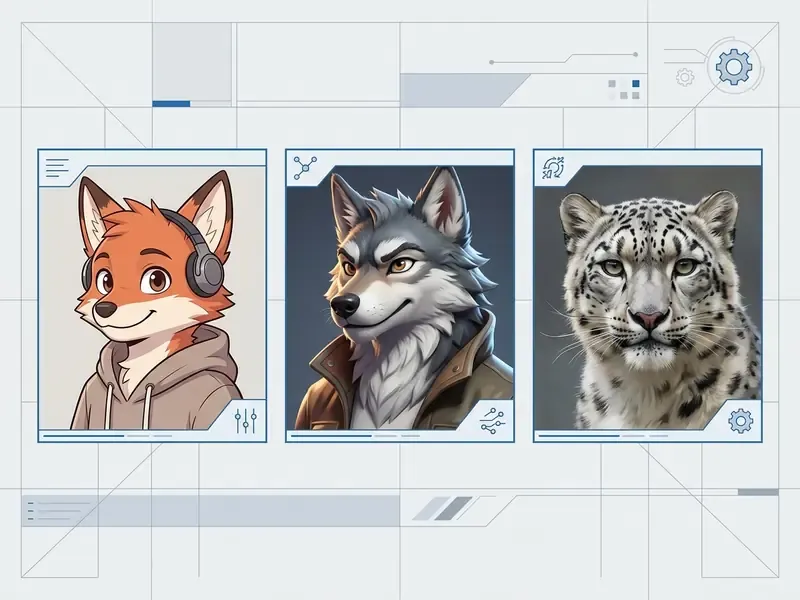
Once style and framing are fixed, the next decision is procedural: how a character travels from a written concept to an exported file. The next section formalizes that pipeline.
How to create furry art and a fursona with AI
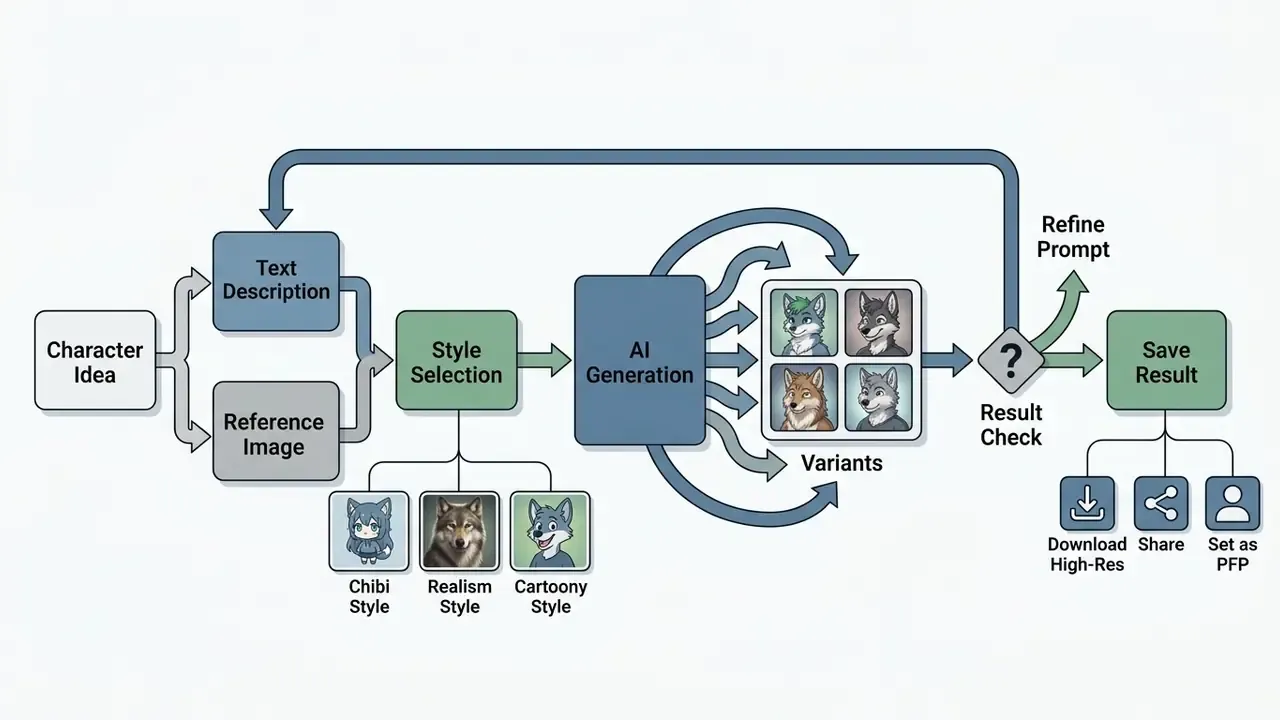
Creating anthropomorphic character art through AI comes down to three steps: define character parameters, generate variants through a diffusion pipeline, export the finished asset. You feed the model either text prompts or reference images to steer the visual outcome.
Operational stability in generative workflows depends on parameter isolation. Fix concrete character attributes before you hit generate and you cut model drift plus the number of wasted render passes. Reviewing options across a free AI art generator comparison helps refine the concept while it is still cheap to change, well before high-resolution export.
Describe the character in text or upload an image
You can either submit a detailed text prompt (Text-to-Image) or upload an existing base image (Image-to-Image or sketch-guided diffusion). Text prompting builds the character from natural language. Image uploads preserve structural composition, pose and silhouette (Adobe Firefly Documentation, 2026).
In a Text-to-Image workflow, an ai image generator furry pipeline converts descriptive tokens into latent embeddings. Image-to-Image workflows instead apply spatial control maps that enforce structural fidelity against the uploaded reference (CVPR Sketch-Guided Diffusion Study, 2024). Adobe Firefly, for example, returns up to four options from a written description and also accepts a reference photo or sketch for tighter style and layout control. The choice between text-only input and image conditioning is really a choice of priority: text-only mode favors semantic exploration, sketch-guided mode favors structural fidelity across pose, silhouette and framing.
Pick a style, generate variants and save the result
After the character parameters are set, choose an aesthetic preset, run the pipeline to sample several variants, then upscale the winner for export. Samplers and schedulers control denoising steps and clean up image clarity before you save anything (tyFlow Documentation, 2026).
During generation, sampling algorithms produce candidate images from the latent space. You evaluate those candidates, pick the best one, and apply a 2x or 4x AI upscale to sharpen fur texture and edge definition (Stability AI Documentation, 2026). A quick look at dedicated AI image upscalers helps match the upscale mode, conservative versus creative 4K, to the artwork you actually made. The final ai generated furry art asset exports as a high-resolution PNG or JPG, ready for profile media or digital publishing.
#### Workflow for AI Fursona Generation
1. **Parameter Definition**: Write a structured text prompt specifying species, fur colors, outfit, pose and background, or upload a reference image.
2. **Style Selection**: Choose an aesthetic preset (Anime, 3D Render, Semi-Realistic) and configure aspect ratio and sampling steps.
3. **Execution & Sampling**: Run the generation model to yield 2-4 character candidate variants.
4. **Variant Evaluation**: Review candidates for anatomical accuracy, texture fidelity and prompt adherence.
5. **Upscaling & Export**: Apply latent upscaling (2x/4x) to raise resolution and download the final PNG.
6. **License Verification**: Confirm that the active plan grants the rights required for the intended personal or commercial use.
How to write prompts for furry AI art with predictable results
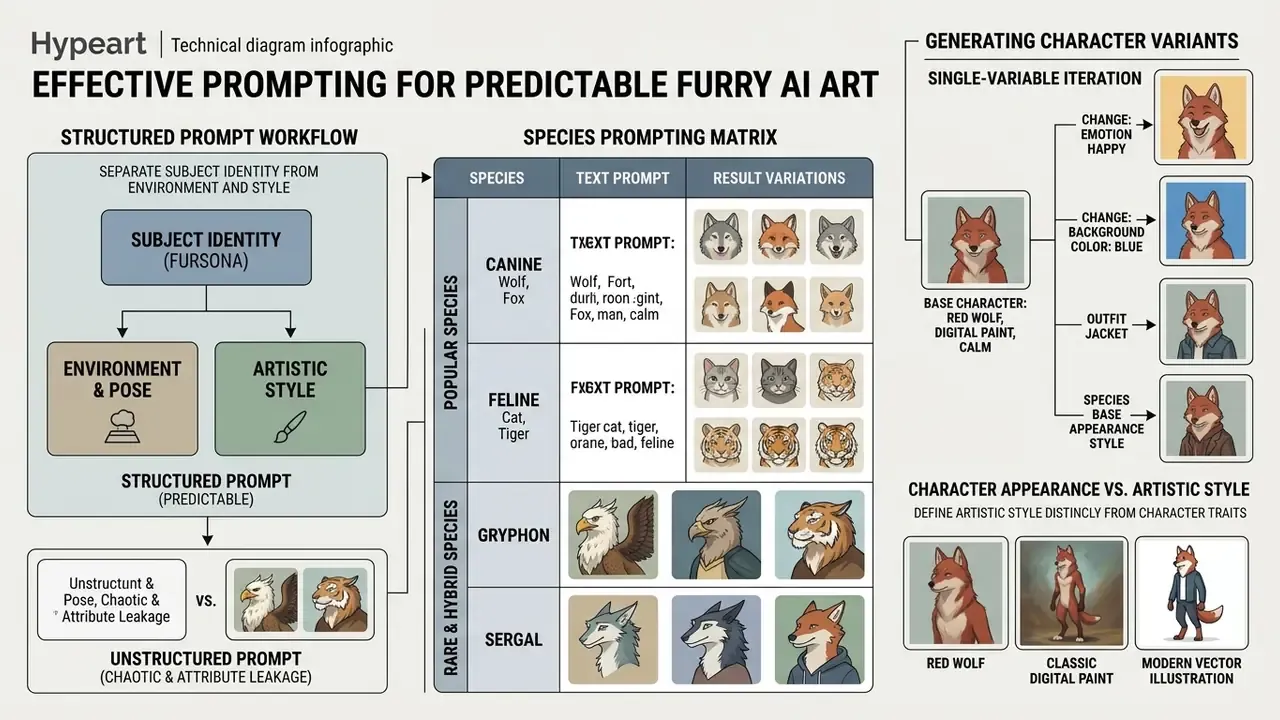
Predictable generation needs a prompt structure that separates subject identity from environment and style. Ordering tokens from primary subject traits toward secondary constraints measurably improves cross-attention alignment in diffusion models (OpenAI GPT Image Generation Models Prompting Guide, 2026). Vendor guidance recommends a consistent block order (background or scene, subject, key details, constraints) plus explicit exclusions such as no watermark, no extra text, and repeated "preserve" lists to hold drift down.
Random, unstructured text inputs tend to produce attribute blending, missing markings and odd anatomy. Treat the prompt as a standardized data schema instead and character rendering stays consistent across batches. An ai furry creator interface with structured prompt fields reduces the error rate further, mostly because it stops you from improvising.
What to include in a fursona description
A complete fursona description carries mandatory identifier tokens: species (or hybrid blend), fur or scale color distribution, specific body markings, eye color, clothing style, pose and expression. Concrete nouns beat abstract adjectives. Consistently.
«Prompts with explicit subject and style keywords yield more coherent outputs; the experiments covered 5,493 generations across 51 subjects and 51 styles.»
When you build a prompt for an anthro ai art generator, put the core species and anatomical traits first.
«Crowd participants' strategies reduce to two principles: keep the emotion and key concepts concise, and make descriptive elements concrete.»
Swap "cool dragon" for "anthropomorphic black dragon, crimson scale accents, golden eyes, wearing a leather jacket" and you hand the model actual visual boundaries, which shrinks latent-space variance.
A matrix of popular and rare species (species prompting)
The model needs an explicit species token. Generators cope with mainstream and niche categories alike, and each group demands its own anatomical vocabulary:
| Species group | Species tokens | Prompt details that matter |
|---|---|---|
| Canines & felines | Wolf, Fox, Cat, Hyena | Ear shape, muzzle structure, fluffy tail length, cheek fur tufts |
| Ungulates & bovids | Deer, Goat, Cow, Sheep | Horn curvature, hoof shape, antler branching, wool or short-coat texture |
| Rodents & mustelids | Otter, Rat, Ferret, Raccoon | Elongated body, flexible spine, facial mask, paw dexterity |
| Insects & exotics | Moth, Dragon, Shark | Silken wings, antennae, scale patterning, cartilaginous fins |
| Aquatic & large mammals | Bear, Rabbit/Bunny, Panda, Alpaca | Body mass distribution, ear length, patch contrast, coat density |
Search demand and community references keep favoring wolves, foxes, dragons, cats, rabbits, deer, hyenas, bears, raccoons, sharks, goats, otters, rats, ferrets, moths, cows and sheep. Widening the species search space is one of the fastest routes to a design that feels personal instead of generic.
How to separate character appearance from artistic style
To stop the model confusing character traits with rendering technique, keep the identity block syntactically separate from the style block. Character attributes come first, then lighting, medium and aesthetic modifiers (Luma AI Prompting Framework, 2026).
«Structured prompts that separate subject from style are consistently associated with better outputs; unstructured input leads to systematic model failures.»
In practice a structured prompt uses comma-separated segments: [Subject Identity] + [Outfit & Pose] + [Environment] + [Artistic Style & Medium]. Inside an ai fursona maker interface, pushing tokens such as "cel-shaded anime style" or "3D octane render" to the tail of the prompt keeps style keywords from rewriting species-specific fur patterns or skin tones. Reference-driven alternatives, for instance image-to-image generators for style control, move style control from tokens to a visual exemplar when wording alone stays unstable.
Example Prompt Schema:

"Anthropomorphic snow leopard fursona, white fur with charcoal rosettes, icy blue eyes, standing pose, wearing a dark hoodie, urban alley background, soft evening lighting, anime digital illustration, clean lineart, vibrant colors."
Counter-example: chaotic prompt versus structured prompt
❌ Unstructured prompt (expect attribute leakage):
cool cyberpunk fox girl wolf hybrid neon watercolor but also 3d realistic,

red and blue and gold, awesome vibes, epic pose, best quality masterpiece
Typical failure modes: the model fuses fox and wolf into an unreadable muzzle; three competing style tokens (watercolor, 3d, realistic) collapse into muddy shading; the unassigned color list bleeds across fur, clothing and background at random; abstract boosters ("awesome vibes", "epic") eat attention weight and add no visual constraint at all.
✅ Structured prompt (same concept, controlled):
Anthropomorphic red fox fursona, rust-orange fur, white chest and muzzle,
black ear tips, amber eyes, // outfit: navy techwear jacket with gold trim,
// pose: three-quarter standing, confident expression,
// environment: neon-lit rain-slick alley, shallow depth of field,
// style: cel-shaded anime illustration, clean lineart, cool color grading
Negative: extra limbs, malformed paws, human face, watermark, text
What changed: one species token, one style family, colors bound to named surfaces, pose and environment isolated in their own segments, and a negative prompt that suppresses the two most common anthro artifacts, paw deformation and human facial collapse.
How to generate multiple variants of one character
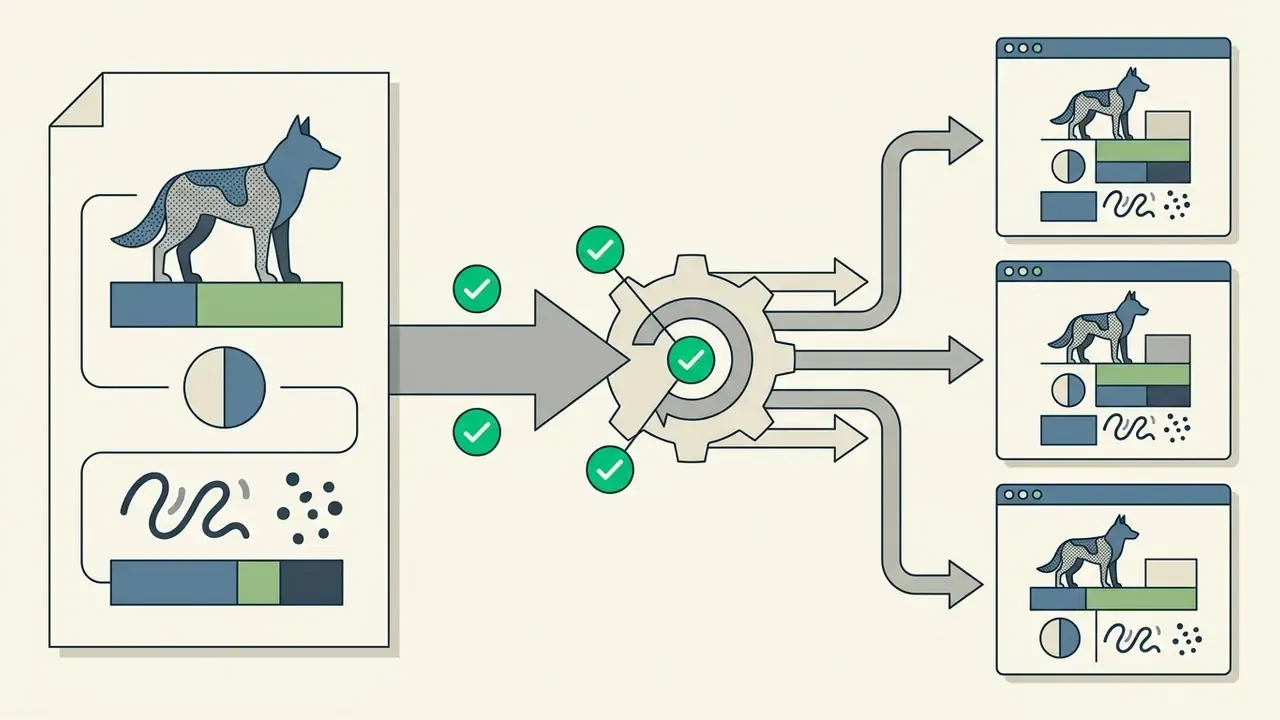
Character consistency across images requires locking the subject description block and changing only secondary parameters: pose, expression, background, outfit. Saved style presets or reference frames anchor visual identity further (Recraft Consistency Guidelines, 2026).
When you expand a character into a multi-image series with an ai animation generator or a still-image ai furry maker pipeline, the core identity tokens stay byte-identical across every prompt iteration. More advanced setups use Prompt Expansion models to diversify scenes while keeping baseline subject embeddings intact.
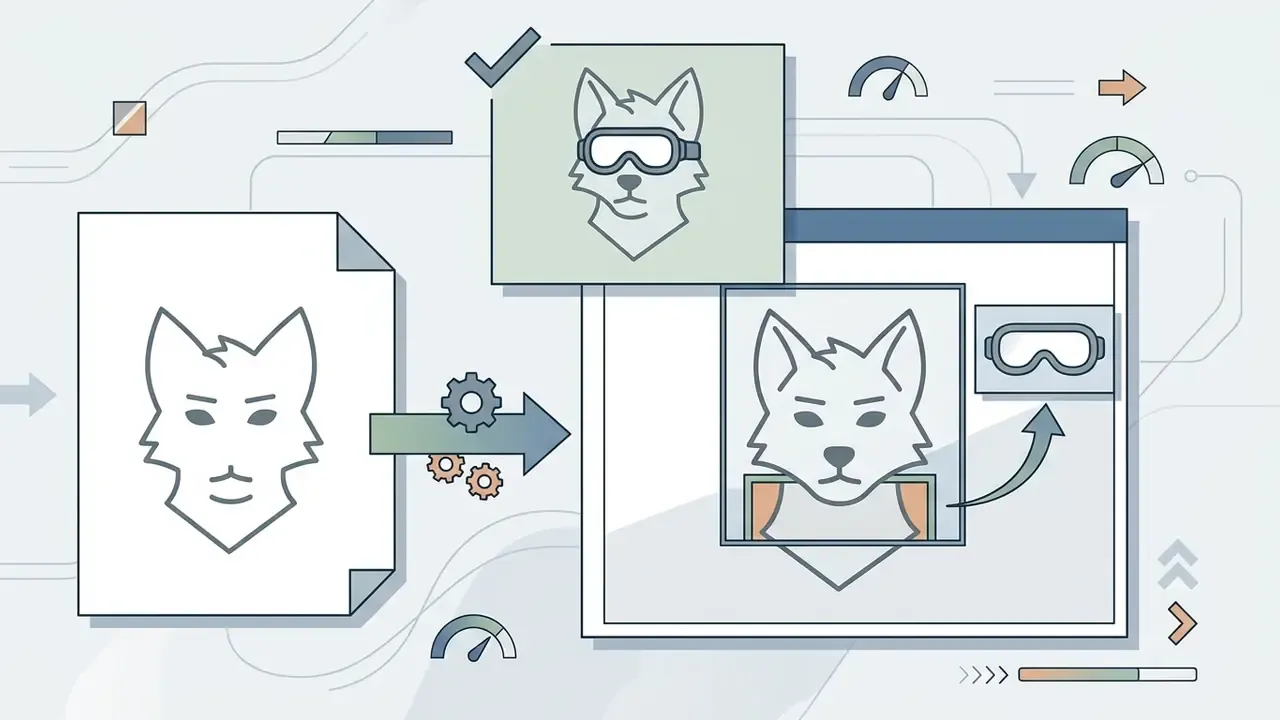
Local editing through inpainting lets you change accessories without touching facial structure. Recraft documents the same principle at product level: frames let creators swap clothes, expressions or poses without regenerating the whole image. Research-grade approaches such as Consistent Characters in Text-to-Image Diffusion Models (2023) and CharaConsist (2025) push further, automating identity extraction and fine-grained consistency across continuous shots and different scenes. Adjacent transformation tools, including an ai aging filter, rely on the same identity-preservation logic when they age a face forward or backward.
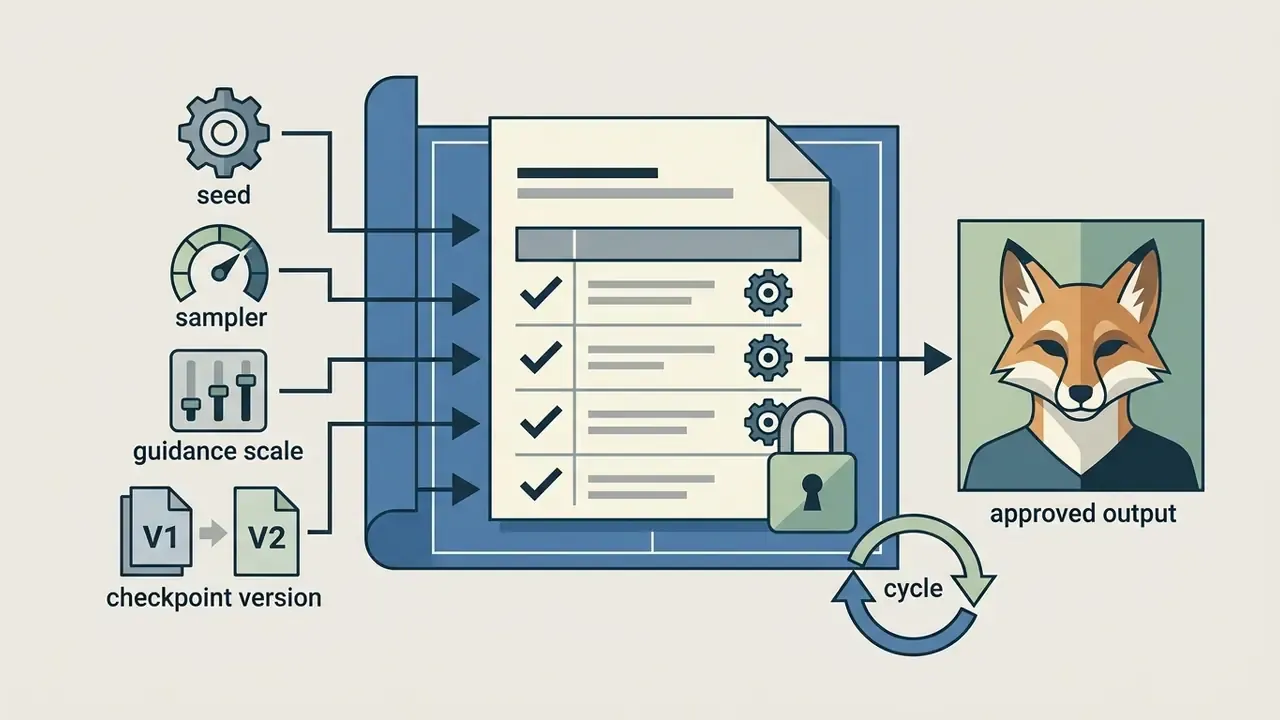
That last point looks bureaucratic until a checkpoint updates overnight and your mascot's markings shift by 20%.

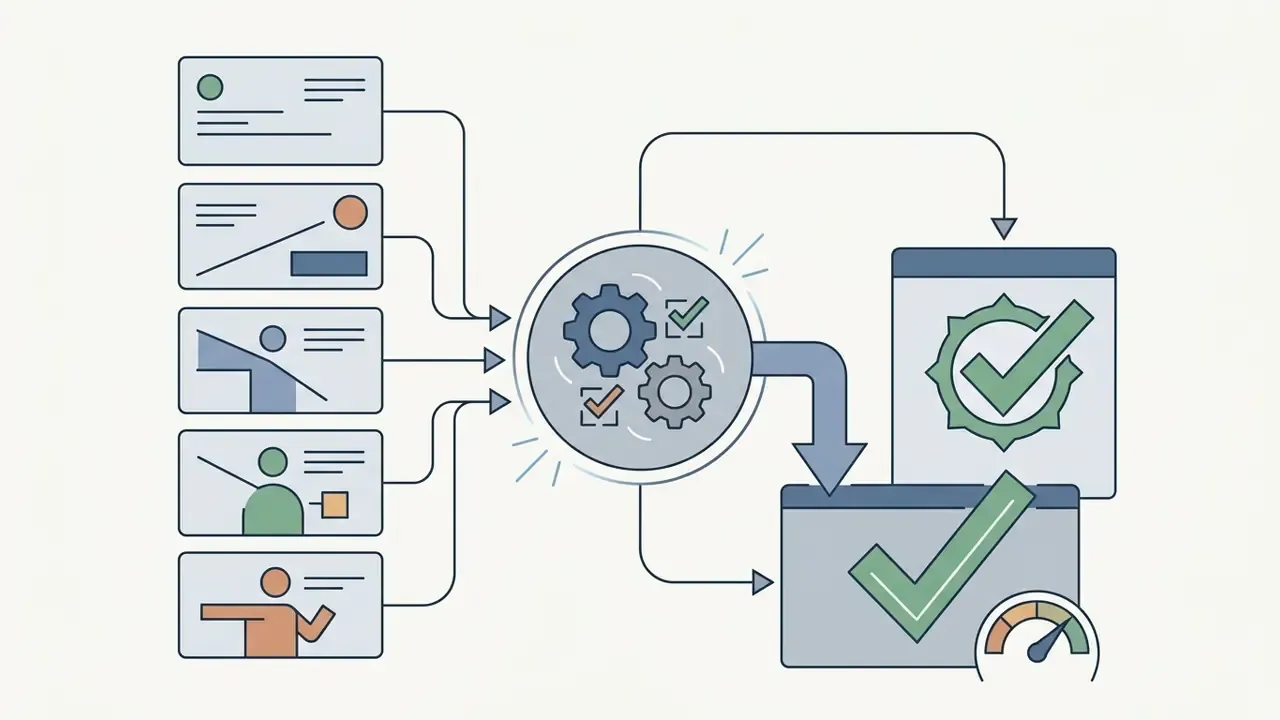
How to choose an AI furry art generator: free features, quality and convenience
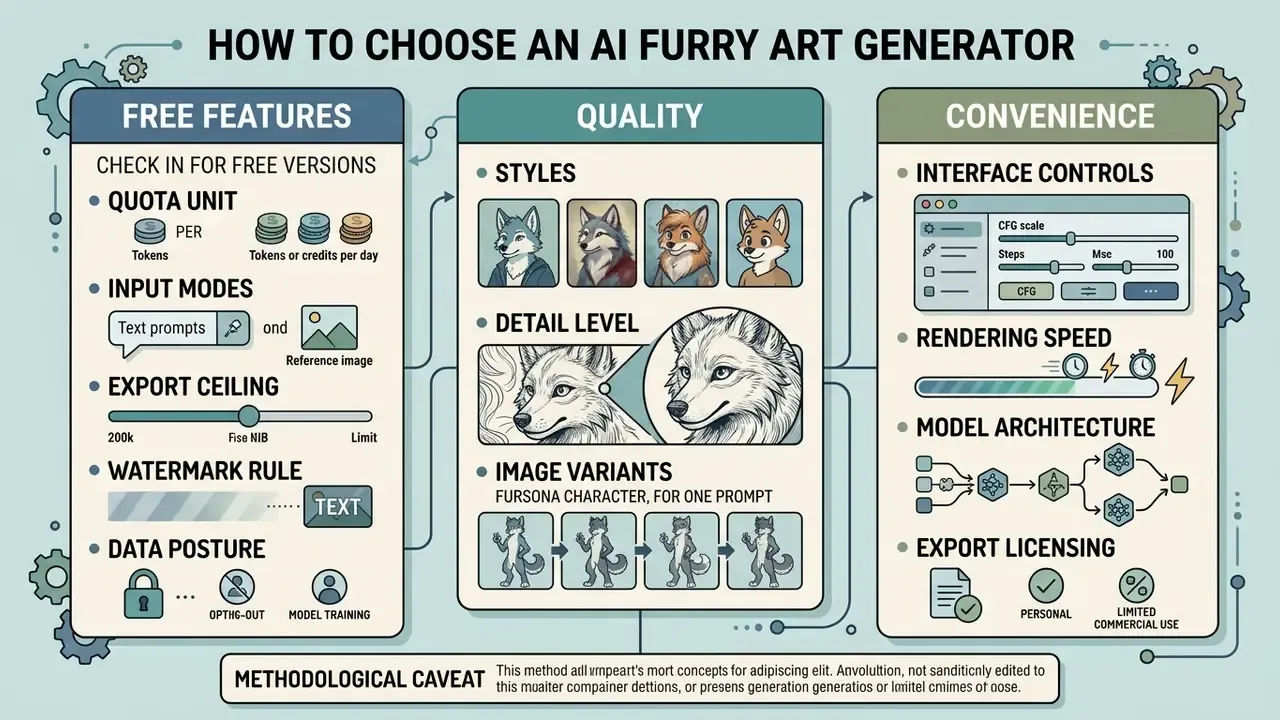
Choosing a platform means evaluating free compute allocation, interface controls, rendering speed, model architecture and export licensing. Platforms differ sharply in image conditioning support, resolution thresholds and batch sampling.
Entry-level users care about easy access and daily free credits. Professional creators want fine control over sampling steps, guidance scale and negative prompts. Comparing specifications through the AI Media Comparison Matrices and a structured comparison of the best AI art generators helps balance running cost against output requirements.
What to check in a free furry art generator
When you test a free ai furry generator, review daily credit refill limits, maximum export resolution, watermarking policy and queue priority. Those are the same criteria used to rank free AI image generators. Free tiers often cap generation parameters or push outputs into public galleries by default.
Terms vary widely across freemium offerings (SeaArt AI, 2026; Venice AI, 2026). Some tools hand out daily credit allocations that refresh every 24 hours; others enforce hard usage caps or lock high-resolution downloads behind paid tiers. Checking these details on the vendor's AI Media Pricing Guides equivalent page prevents unpleasant workflow interruptions mid-project.
Five questions worth answering before you invest hours in a platform:
- Quota unit
- daily credits, one-time generation packs, or per-image tokens?
- Input modes
- text-only, or text plus reference and sketch conditioning?
- Export ceiling
- 1024×1024 standard, HD, or true 4K upscaling?
- Watermark rule
- visible logo, invisible provenance watermark (SynthID-class), or clean export?
- Data posture
- are outputs private by default, published to a community gallery, or eligible for model training?
Quality criteria: styles, detail level and image variants
Quality in generated furry art comes down to three observable factors: fur and feather surface detail, anatomical plausibility of paws and muzzles, and the absence of rendering artifacts. Strong models hold fine-grain texture fidelity without distorting proportions (Visual Artifact Error Classification, 2025).
«An analysis of 14 million Stable Diffusion images identified specific hyperparameter values and prompt styles that systematically lead to model errors and incoherent compositions.»
Evaluating output from an ai furry art gen means inspecting the awkward structures first: paw digit counts, joint alignment, eye symmetry. Better models render subsurface scattering on skin or snout surfaces and align multi-colored fur patterns without color bleeding. Image-quality literature treats anatomical implausibility and local texture defects as separate error classes, which is exactly why paw and muzzle checks should be scored independently from fur texture checks, instead of collapsing both into a vague "looks good".
| Platform / Criteria | Free Access Limits | Text-to-Image / Image-to-Image | Supported Styles | High-Res Export Options | Download & Watermark Terms | Privacy & Data Ownership |
|---|---|---|---|---|---|---|
| SeaArt AI | Daily free credits (~150 on registration) | Text2Img + Img2Img reference | Anime, 3D, Realistic, Comic | Standard & HD upscale | PNG export; public gallery on free tier | Free-tier outputs surfaced publicly; commercial rights stated as permitted but tier-dependent |
| Venice AI | 5 generations per day (no account) | Text-to-Image primary | Anime, 3D, Semi-realistic | Standard resolution | Fast download; privacy-focused | No account required; privacy-first positioning |
| AI Furry Generator | Paid starter ($3.99 / 15 gens) | Text2Img + reference upload (Standard+) | Anime, Chibi, Realistic, 3D | Up to 4K resolution | PNG/JPG export; no watermark on paid | Private generation on paid tiers; reference uploads user-controlled |
| Media.io | Free daily access | Text2Img + base image upload | Anime, Semi-realistic, 3D, Pixel, Watercolor | HD export available | Watermark-free export documented | Auto-deletion of uploads and outputs within hours; no account required |
| ElevenLabs | Tiered credit allocation | Text2Img + reference support | Stylized, Digital Art, Anime | High-resolution PNG | PNG export; usage subject to tier | Rights and retention governed by account tier |
| PicLumen (Pony Diffusion V6) | Free tier with daily image allowance | Text2Img + content-reference image mode | Realistic, Oil painting, Anime, 3D, Furry-tuned | HD output with upscale, inpaint and outpaint | Registration required; free access to core features | Community gallery participation; check tier for private mode |
Updated methodological caveat: vendor pages describe features, not verified image quality. Because no shared benchmark exists across SeaArt, Venice, Media.io, PicLumen and ElevenLabs, the table above compares documented capabilities and terms. Quality claims lifted from marketing copy are not directly comparable and should be validated on your own prompt set, ideally the same ten prompts run on each platform.
Pricing, watermarks and generation limits for furry art
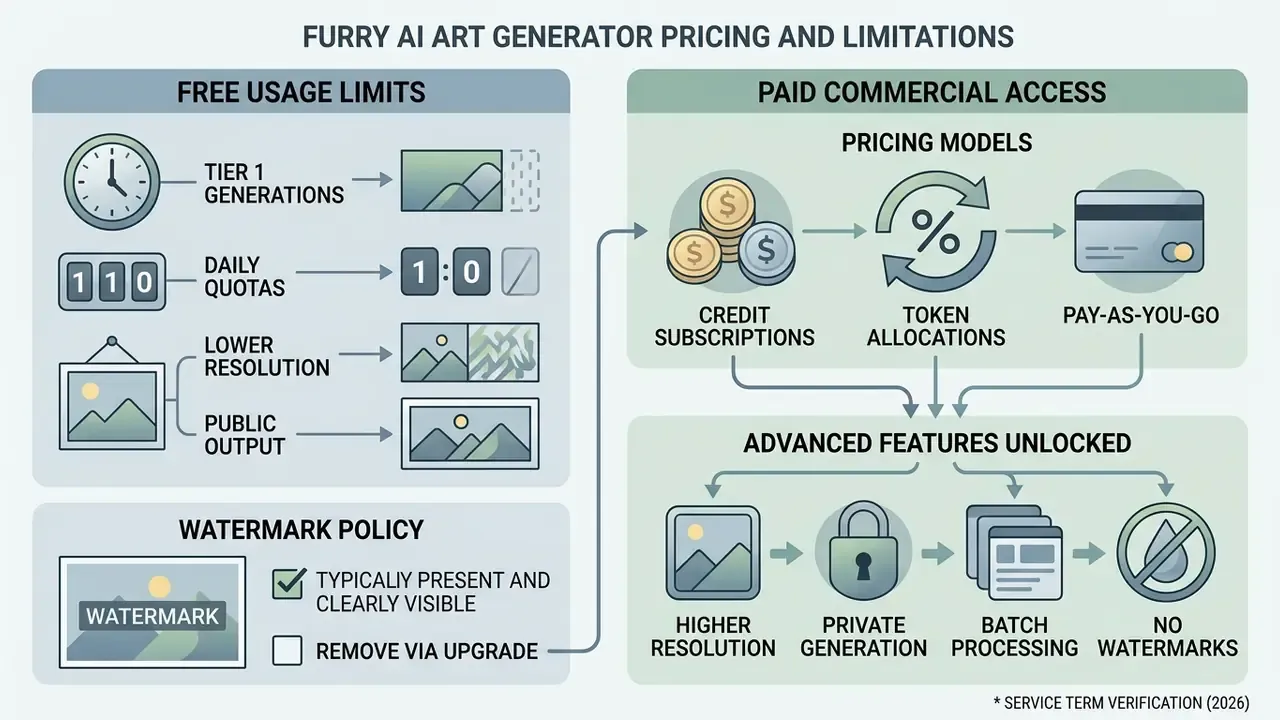
Commercial pricing usually runs on credit-based subscriptions, token allocations or pay-as-you-go microtransactions. Free tiers routinely impose functional limits: resolution caps, generation queues, mandatory visible watermarks.
Understanding tier structure lets you project cost from expected generation volume. Running the numbers through the AI Media Calculators helps optimize credit purchases against a project budget. Credit economics also loop back into prompt discipline: every render pass burns quota, so isolating parameters before generation is the cheapest optimization available to anyone. Token pricing is resolution- and quality-dependent. OpenAI's image documentation, for instance, prices a 1024×1024 render at 272, 1056 or 4160 tokens for low, medium and high quality, and a 1024×1536 render at 408, 1584 or 6240 tokens.
Free generation: what may be limited
Free tiers carry operational constraints designed to protect server compute. Common restrictions include lower output resolution (typically 1024×1024), slower queue priority, visible platform watermarks and public publishing of generated assets (Google Gemini API Documentation, 2026).
Many free configurations append digital watermarks or brand logos to exported files (Google Nano Banana Pro Terms, 2026). Google's Gemini documentation adds that all generated images carry a SynthID provenance watermark, invisible but persistent. Free-tier outputs are also frequently indexed in public community galleries, which makes them unsuitable for private concept work or unannounced project assets. Some preview models expose a free-tier image quota of zero outright and simply return quota-exceeded errors instead of images. Slightly rude, but at least it is honest.
When advanced generator features are needed
Paid tiers start earning their keep when a project needs advanced editing, high-resolution rendering, private generation channels or custom model training. Inpainting, outpainting and custom LoRA training all consume dedicated compute (Scenario Pricing & Features, 2026).
Upgrading an ai fursona creator plan usually relaxes generation queues, removes visible watermarks and unlocks upscale targets up to 4K. Commercial subscriptions often add access to fine-tuned LoRA models that hold strict character consistency across multi-image campaigns (JustModels.ai Terms, 2026).
«StyleDrop learns a new style by tuning less than 1% of model parameters through adapter tuning, reproducing color schemes, shading and design patterns from a few examples.»
Cost anchors worth memorizing: Civitai's on-site LoRA trainer is open to all users, with training starting around 500 Buzz for SD 1.5 and SDXL; JustModels.ai bundles custom LoRA training, higher limits and priority processing from $9.99 per month; Scenario's paid structure explicitly combines priority queue, unlimited relaxed generations, custom model training and all editing models in a single tier.
Can AI-generated furry art be used commercially and safely
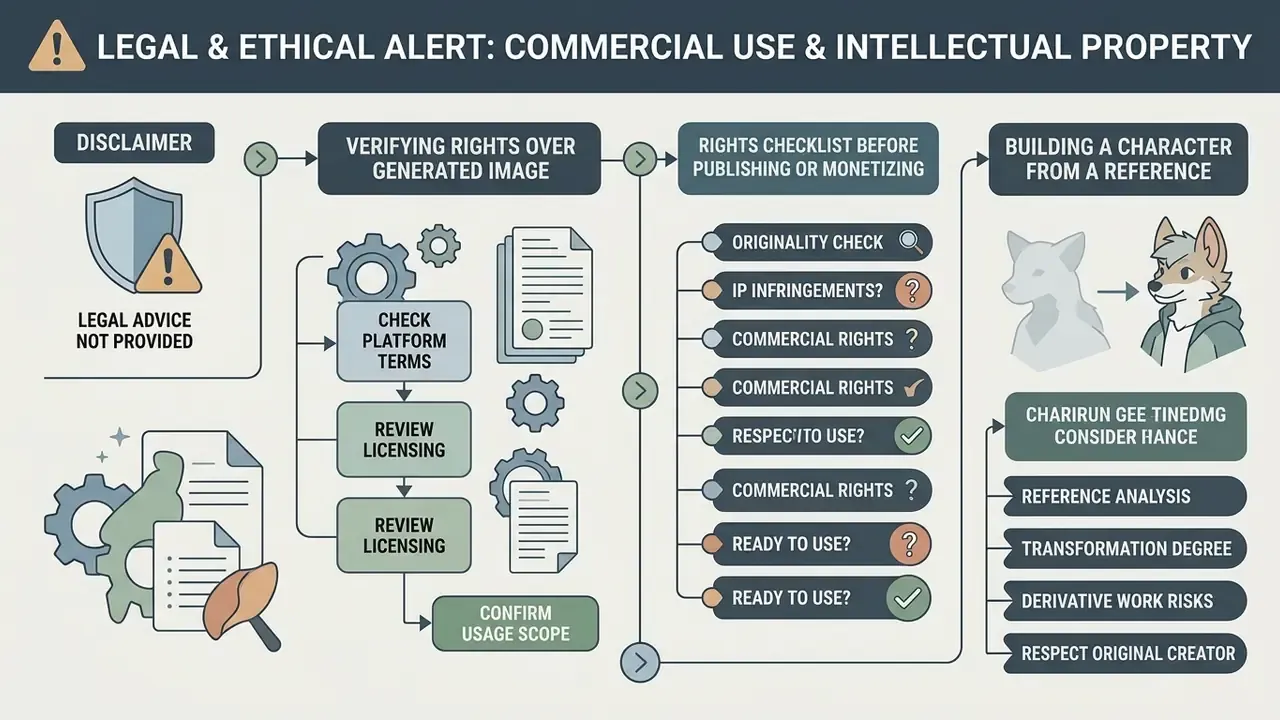
Commercial use of AI-generated furry art depends on platform Terms of Service, jurisdiction-specific copyright law, and how much human creative authorship went into the process. Purely machine-generated images lack copyright protection by default in several major jurisdictions (U.S. Copyright Office AI Policy Guidance, 2025/2026).
How to verify rights over a generated image
To establish commercial rights over generated character assets, audit four specific sections of the Terms of Service: output ownership clauses, explicit commercial license grants, rights waivers, and plan-specific restrictions (OpenAI ToS, 2026; Midjourney ToS, 2026).
OpenAI states that users own the output generated from their prompts, and Canva states that users own both Input and Output. Other services keep broader platform licenses or restrict commercial monetization to paid subscription tiers (Canva ToS, 2026; Getty Images AI Terms, 2026). Midjourney grants a copyright license to use Content and Assets, but that grant must be read together with plan-specific restrictions and platform-side rights. Under U.S. copyright law, pure AI output without substantial human modification cannot be registered, which means competitors may legally copy an unedited AI image (U.S. Congressional Research Service Report, 2025).
Reviewing the rules collected under commercial use before launch is cheaper than a takedown notice after it.
Rights checklist before publishing or monetizing
Checklist0 / 7
What to consider when building a character from a reference
Generating character art from third-party reference images, existing copyrighted characters or a specific artist's style introduces real intellectual property risk. Diffusion models can replicate distinctive character features or artistic styles from training data, which opens the door to infringement claims (Zhang et al., On Copyright Risks of Diffusion Models, 2024).
Using another artist's fursona or character design as an Image-to-Image reference without consent violates derivative work rights (WIPO Character Merchandising Framework, 2026). WIPO notes that character merchandising engages reproduction, adaptation and communication rights, which is precisely the bundle triggered when an existing character is reworked into a "new" fursona. Under international copyright standards, recognizable character traits such as unique marking patterns, color combinations and iconic outfits are protected intellectual property. Some national guidance goes further and requires written consent through a licence agreement for recognizable characters (Copyright.ru Character Protection Analysis, 2024). Keep generated characters original, and use AI image detectors plus reverse-image checks as a practical pre-publication originality screen.
⚠️ LEGAL & ETHICAL ALERT: COMMERCIAL USE & INTELLECTUAL PROPERTY
- Audit Terms of Service: Confirm that your subscription tier grants explicit commercial monetization rights before selling prints, adoptables or merchandise. Broad "you may use it commercially" marketing claims are frequently narrowed by plan-specific clauses.
- No copyright for pure AI output: Unmodified AI-generated images generally cannot obtain copyright protection under U.S. and European frameworks; registration covers only human-authored contributions, which must be identified and disclaimed (U.S. Copyright Office, 2025).
- Avoid character impersonation: Do not upload third-party fursonas or copyrighted art as reference images without explicit written consent from the rights holder (WIPO, 2026).
- Style copying risks: Generating art that deliberately matches a living artist's signature style carries legal and community risk; legislative proposals increasingly target intentional commercial impersonation (CREATOR Act Proposals, 2026).
- Digital replicas: Unauthorized duplication of a real person's likeness or voice is not resolved by authorship rules and is treated as a separate protection issue (U.S. Copyright Office digital-replica report, 2026).
- Training-data transparency (EU): The EU AI Act does not create authorship rules, but Article 53(1)(d) requires general-purpose AI providers to publish a sufficiently detailed summary of training content and to respect rights reservations.
FAQ about furry AI art generators
Do you need drawing skills to create furry art
No. Traditional or digital drawing skill is not required to generate high-quality furry art with AI tools. You describe visual concepts in natural language or select style presets inside the interface (Framia AI Furry Art Generator, 2026), and platform documentation states plainly that drawing ability is not needed at any stage. Manual illustration skill is unnecessary, but prompt engineering literacy is not optional. You still have to specify anatomical traits, fur colors, lighting conditions and style modifiers clearly.
«Crowd workers can assess prompt quality and write descriptive queries, but generally lack the stylistic vocabulary needed for effective prompting.» - Oppenlaender et al., Prompt Engineering as a Creative Skill, CHI (2023). https://dl.acm.org/doi/10.1145/3544549.3585678 Technical support and prompt troubleshooting notes live in the AI Media Support and Troubleshooting section.
Do generators support NSFW content, and how is privacy protected
- NSFW and moderation. Major public cloud platforms (SeaArt, Media.io, PicLumen) run strict content moderation and NSFW filters and position themselves around safe, compliant output; Media.io advertises its moderation mechanism explicitly. Adult or explicit furry art is therefore usually produced on niche services that permit mature content under their own guidelines, or on local Stable Diffusion and Pony Diffusion builds without cloud-side censorship. Read the content policy of the specific generator. Policies differ per platform and per plan, and a violation can terminate an account together with its stored library.
- Data privacy. Privacy-focused services document auto-deletion of uploaded references and generated outputs within hours, no account requirement, and no persistent tracking. Gallery-driven platforms do the opposite on free tiers: outputs get published where other users can view and download them. That distinction matters a lot if the fursona is a personal identity asset or an unannounced client concept.
- Failed-generation credit policy. Generation fails when prompts are too broad, internally contradictory, or blocked by a filter. Most services do not deduct credits for failed generations. AIReel states plainly that credits are only consumed by successful outputs. Still, confirm this in the billing FAQ before buying a large credit pack.
Can you generate several furry characters in one image
Yes. Modern multi-subject diffusion models can place multiple anthropomorphic characters in a single frame, though open-domain scenes sometimes suffer attribute leakage or identity blending (AutoStudio Multi-Subject Generation, 2024). AutoStudio reports roughly +13.65% average FID improvement and +2.83% character-to-character similarity gains on CMIGBench, while IR-Diffusion (2024) targets open-domain consistency through isolation and reposition attention. Evidence that the capability is improving, not that it is solved. To prevent identity mixing, where fur colors swap between characters, segment the prompt with explicit positional markers: "a red fox on the left, and a blue wolf on the right". More advanced frameworks use identity decoupling to keep characters separate in dense compositions.
«Existing methods often fail when generating multiple subjects simultaneously, mixing attributes between characters; MuDI addresses this through decoupled identity representations.» - Jang et al., MuDI, arXiv (2024). https://arxiv.org/abs/2404.03627
Can furry art be turned into video or a 3D image
Yes. Two-dimensional furry art can be converted into short video clips or three-dimensional mesh models through specialized diffusion pipelines. Single-image depth estimation turns 2D renders into 3D character avatars with auto-rigging (Spline Image-to-3D, 2026; En3D Avatar Pipeline, 2024). Score Distillation Sampling, introduced in 2022 and widely adopted since, optimizes a random 3D representation against denoised 2D views produced by a diffusion model, which is why abundant 2D imagery remains the main supervision signal for 3D generation (Advances in 3D Generation survey, 2024). Technical limits of 2D to 3D: generated meshes usually arrive with irregular topology unsuited to production rigging. Auto-rigging performs best on humanoid or semi-humanoid silhouettes and degrades on quadrupedal bodies, long tails, wings and multi-jointed digits. Texture generation is view-dependent, so the back of a character invented from a single front-facing render is a plausible hallucination rather than a design decision. En3D does support auto-rigging with FBX animation export, but budget for manual retopology and weight painting on any ai fursuit generator reference, VRChat avatar or game-ready asset. To animate 2D character renders into video, creators use image-to-video diffusion models or generative motion controls. A survey of image-to-video AI tools shows which models accept a still frame plus a motion prompt. Practical fursona animation workflow (image-to-video):
- Generate a clean, high-resolution 2D render without a blurred or noisy background.
- Upload the PNG into a video module, for example Wan 3.0, Runway Gen-2, or a comparable image-to-video model.
- Write an explicit motion prompt:
fursona blinking, ears twitching, wind blowing through fur, subtle idle breathing. - Keep clips short, 3 to 10 seconds, and avoid combining camera moves with character motion in one pass. Doing both multiplies identity drift.
- Export as MP4 or GIF for an animated avatar, Discord banner or social clip. Developers who need API integration for automated video generation can consult the AI Media API Guides for implementation standards.
How long does fursona generation take
Latency on mainstream platforms is measured in seconds, not minutes, at standard resolutions. SeaArt and PicLumen both document furry character output "within seconds". Latency climbs with resolution, sampling steps, batch size and queue priority. Free tiers are explicitly deprioritized on several services, so the same prompt might resolve in 5 seconds on a paid queue and 60 seconds or more on a free one.
Are generated fursonas unique
Every output is conditioned on your prompt, seed and model, so even identical prompts diverge between runs. That statistical uniqueness is not a legal guarantee of originality, though. Diffusion models can still reproduce protected content under indirect prompts (Zhang et al., 2023/2024), which is why an originality screen and a firm policy against third-party character references stay necessary before any commercial release.
Appendix A: replaced and clarified fragments
Former wording (removed from the main text as unverifiable): "During an evaluation of character design tools, an editorial team tested prompt consistency across 150 generation cycles. By isolating species tokens and standardizing style tags, the team reduced anatomical error rates from 34% to under 6%, enabling predictable batch export for digital character sheets."
Reason for replacement: no published methodology, model version, dataset or rater protocol accompanies those figures, so the claim cannot be verified independently. It has been superseded in the main text by the practical consistency checklist and by peer-reviewed sources on prompt structure (Liu & Chilton, CHI 2022), prompt expansion (Lin et al., 2023) and character consistency (CharaConsist, 2025).
How to run your own benchmark instead. Fix one prompt set of ten fursona descriptions covering canine, felid, reptile and insectoid species. Log checkpoint version, seed, sampler, guidance scale and resolution for every run. Score outputs with a written rubric that keeps anatomical errors (digit count, joint alignment, muzzle geometry) separate from texture artifacts (color bleeding, fur banding, edge halos), in line with the error-class separation used in image-quality literature. Two raters, blind to platform, are enough to expose most vendor marketing claims. Record the date, since checkpoints change without notice.
Foundational terms used throughout this guide are catalogued in the AI Media Glossary.