An AI album cover generator is an automated visual synthesis tool that turns a text prompt or a base photograph into square, high-resolution artwork for a music release. Independent musicians, record labels, and visual designers use these generators to speed up concept work, cut production overhead, and export master files that pass streaming platform validation.
In short, what this guide covers
What an AI Album Cover Generator Can Create
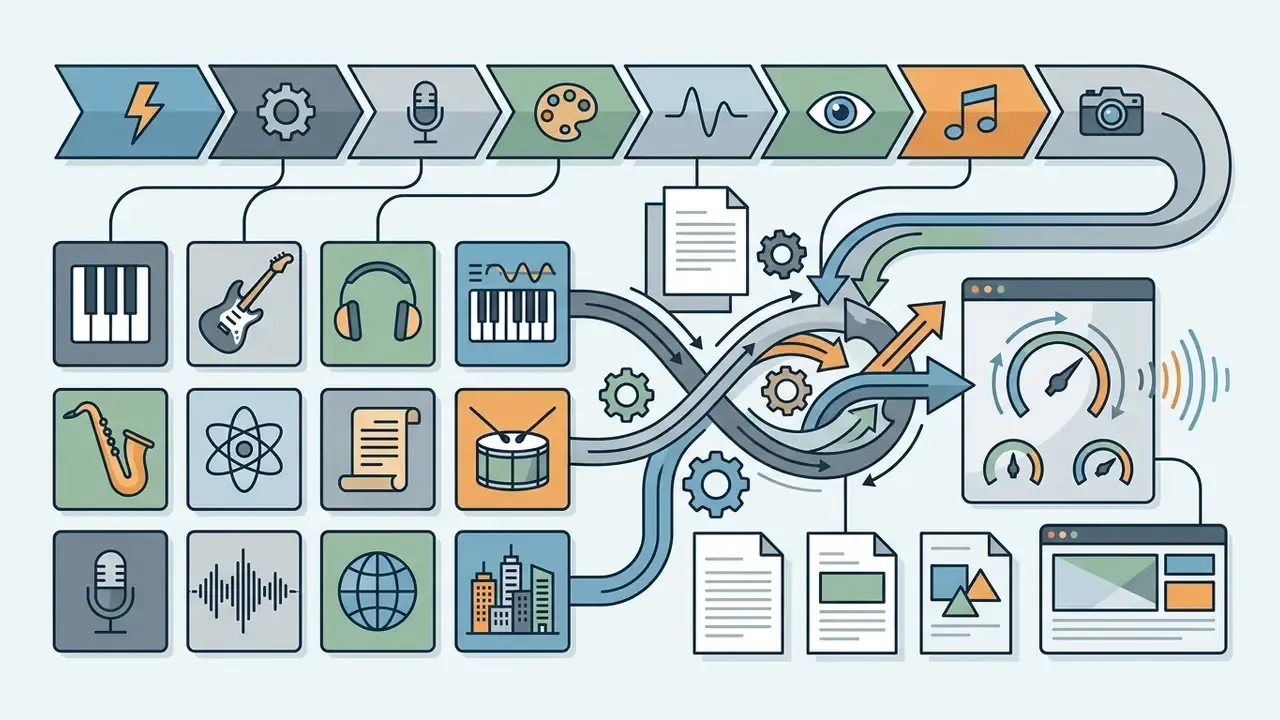
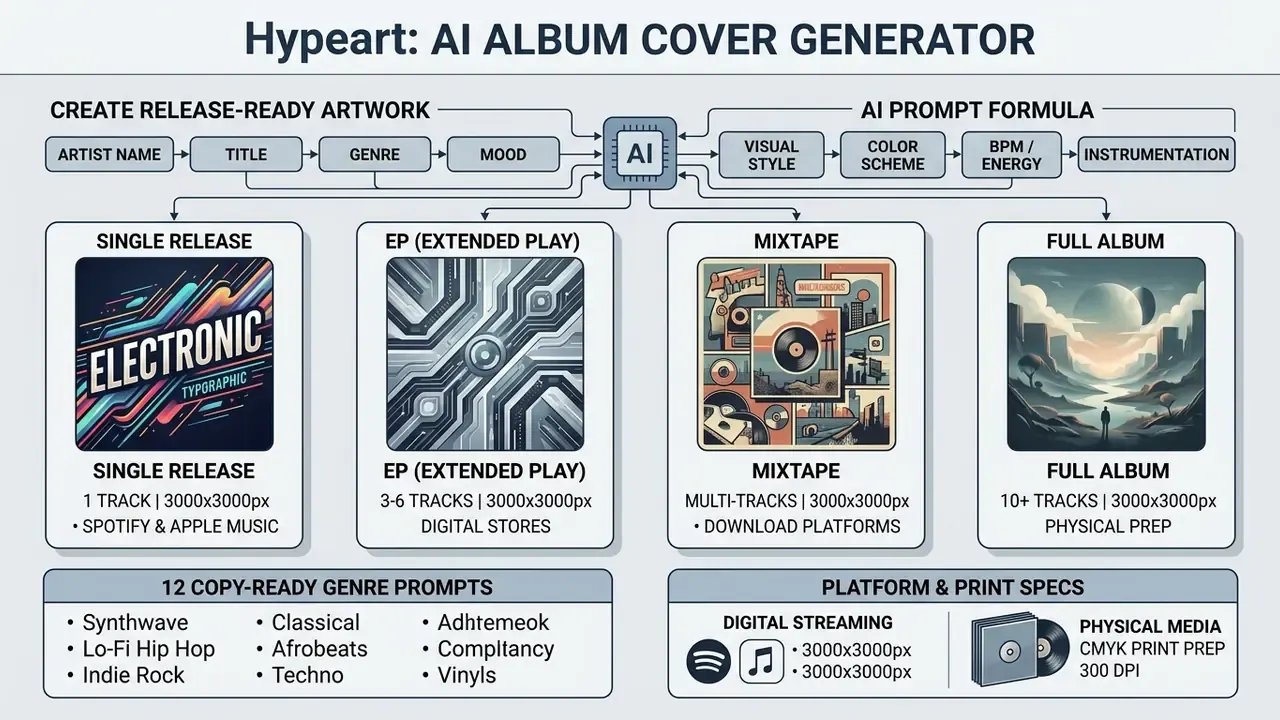
An AI album cover generator produces 1:1 square master visual assets built for music releases across digital streaming platforms and physical distribution formats. Modern systems rely on deep learning models, primarily latent diffusion and autoregressive architectures, to synthesize compositions from plain natural language descriptions. These engines cover complete artwork packages for single tracks, extended plays (EPs), mixtapes, and full studio albums, generating distinct visual identities tuned to specific musical genres.
Worth saying early: the tool is the cheap part. The expensive part is deciding what ships.
AI album cover generator, maker and creator: what is the difference?
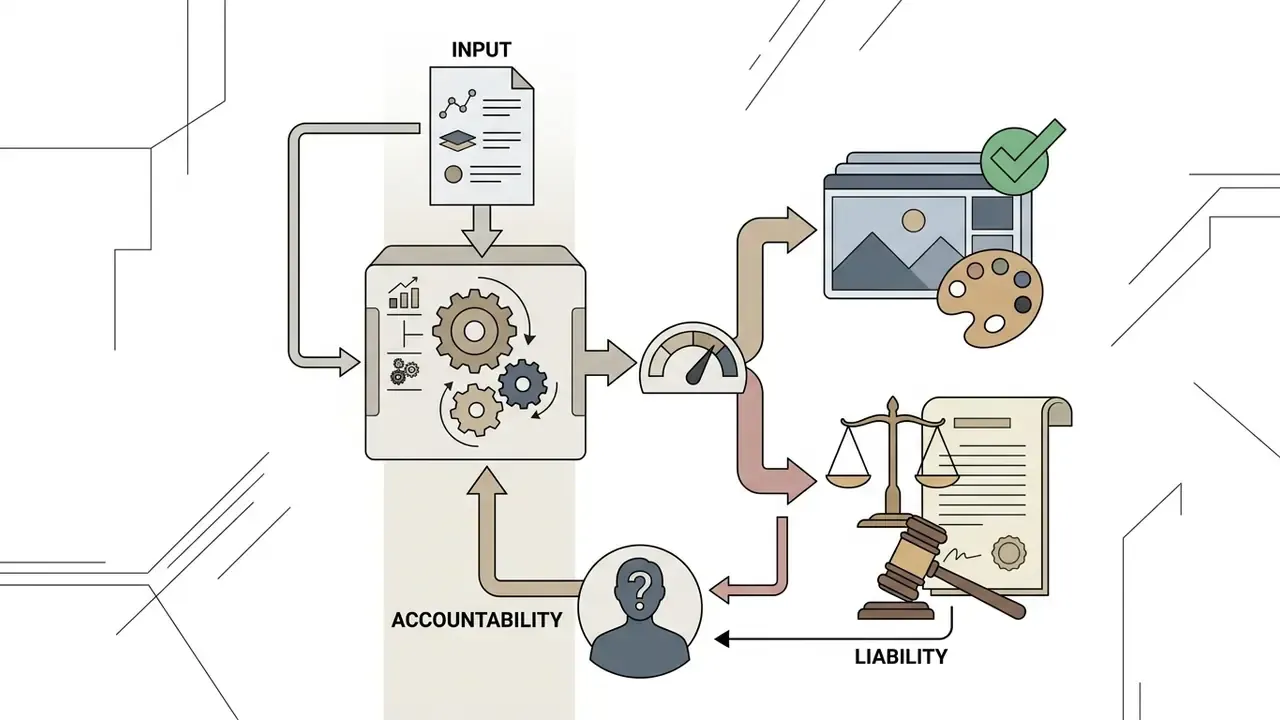
In vendor marketing, "generator," "maker," and "creator" get used as synonyms for the same prompt-to-image workflow. Functionally it is more useful to separate them by decision ownership, meaning the question of who answers for the released asset. An AI album cover generator is the model engine. An AI album cover maker is the editing interface. An AI album creator is the human who approves the file and carries legal and commercial responsibility for it.
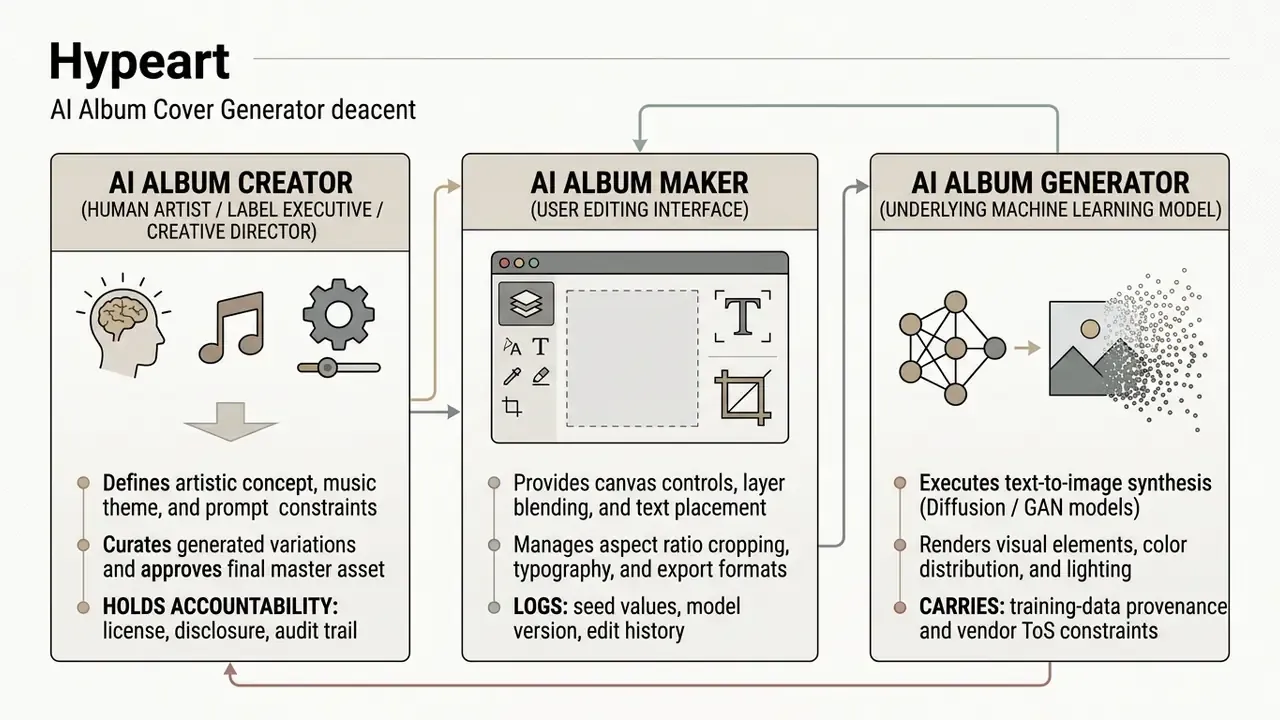
Understanding these functional distinctions helps creators tighten the visual design pipeline:
Peer-reviewed evidence supports this reallocation of roles rather than the wholesale replacement of designers:
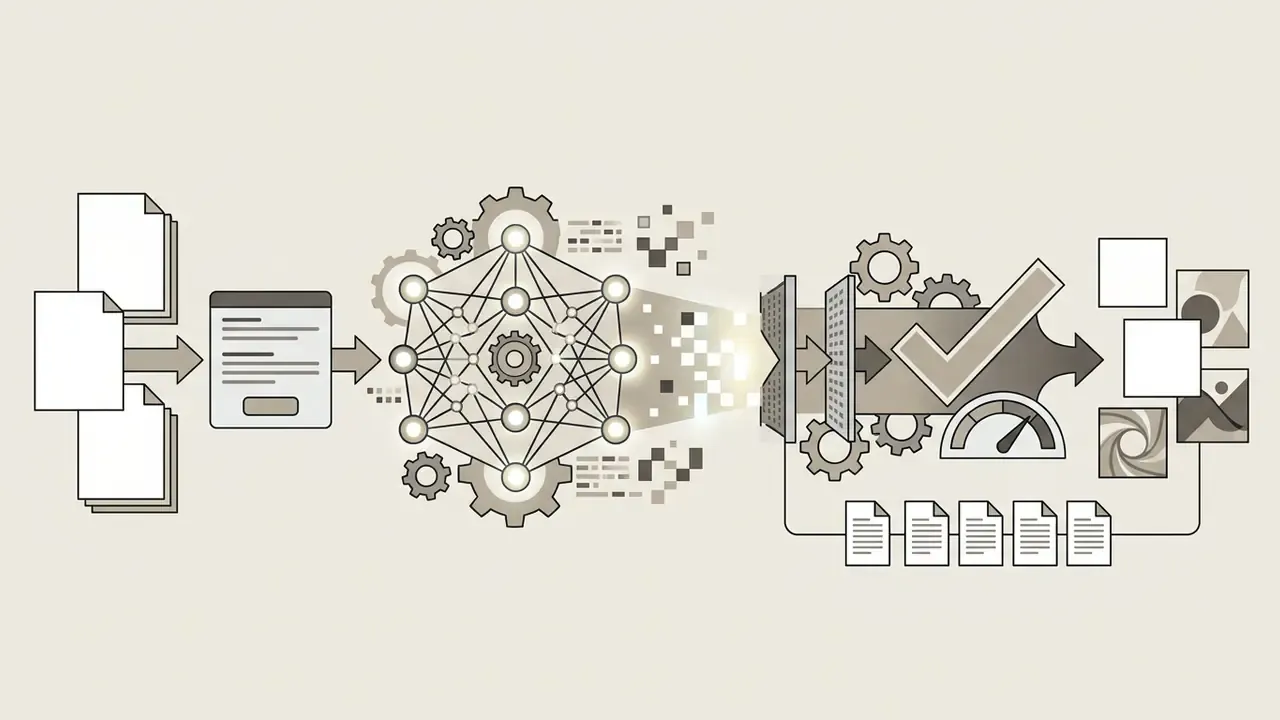
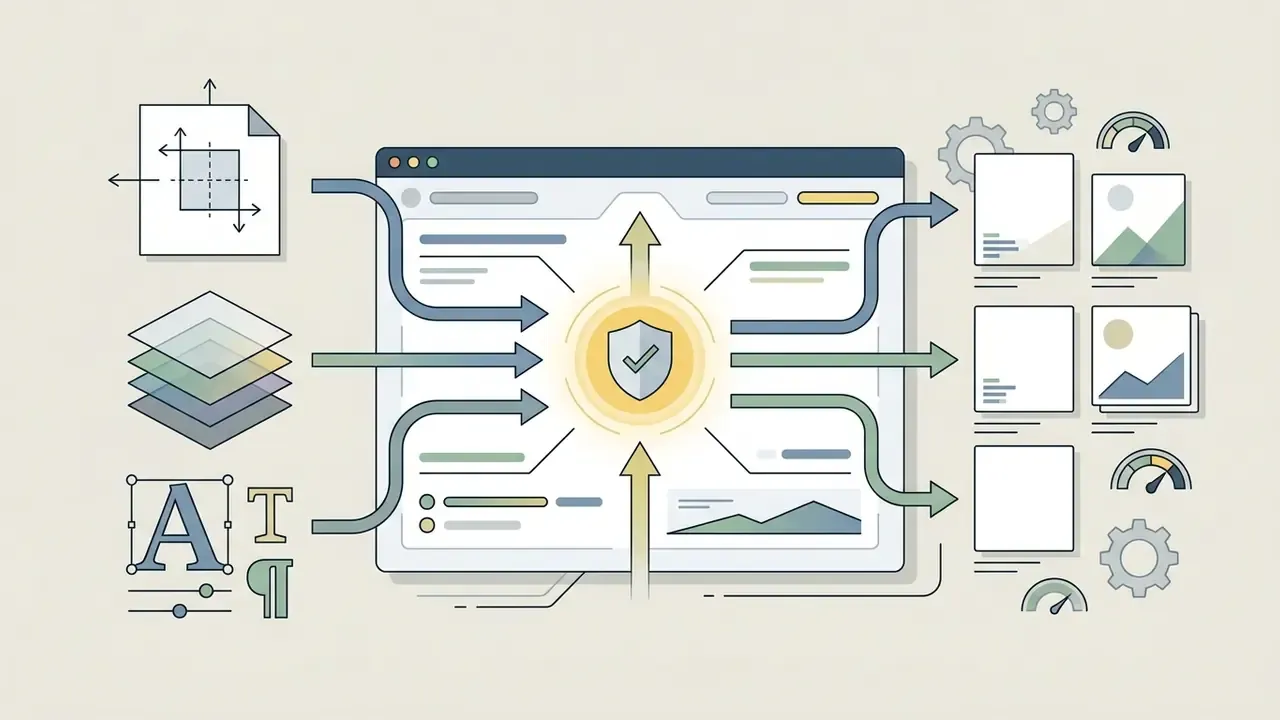
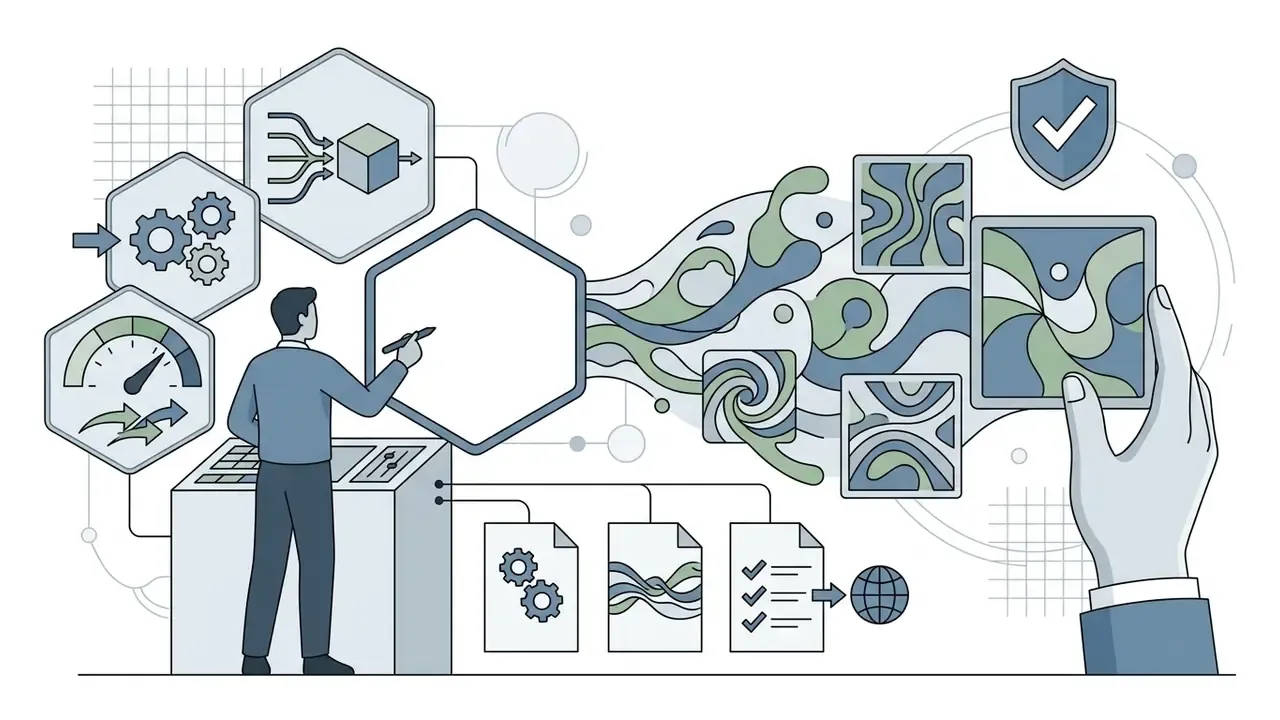
«AI accelerates the conceptual phase of design, shifting the human role toward constraint formulation and curation of results.»
That conclusion rests on a structured systematic review of 64 peer-reviewed articles published between 2015 and 2024, combining thematic and quantitative synthesis rather than a single-tool case study. The practical implication for music teams: the bottleneck moves from rendering skill to prompt specification and selection discipline.
Further reading: AI art generators · best AI art generator comparison · pictures of ai
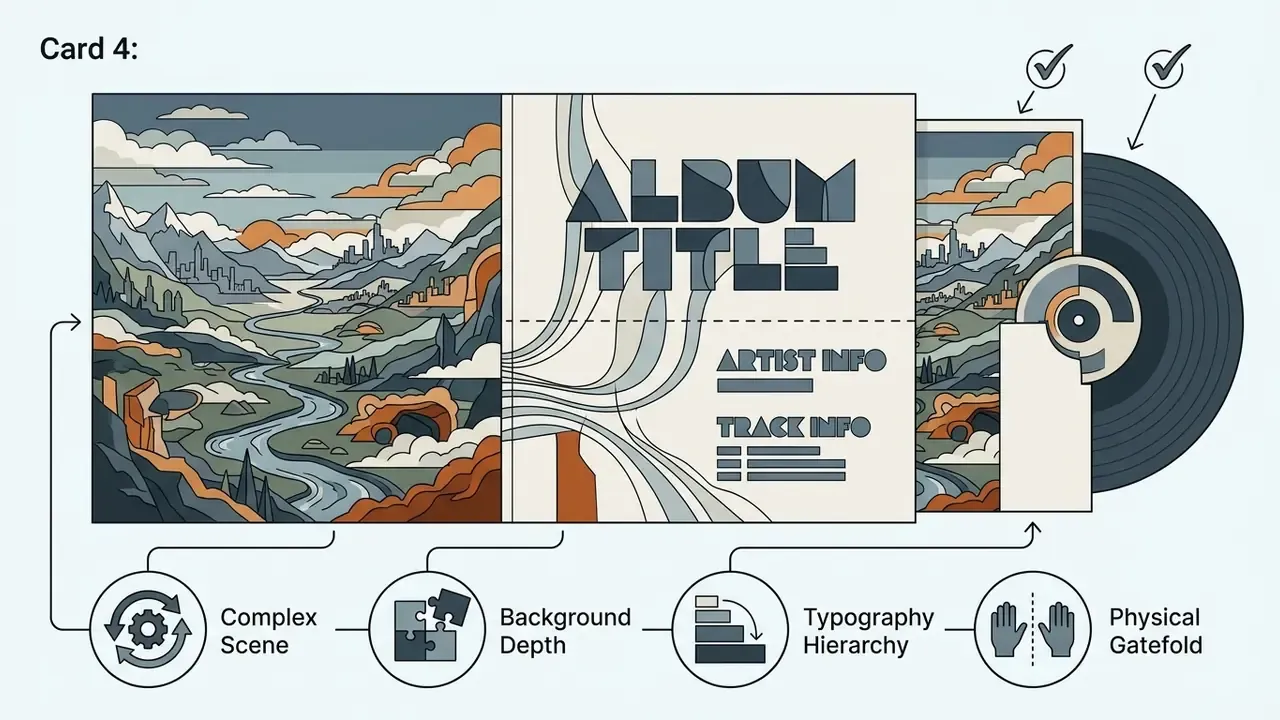
Album cover art for singles, EPs, mixtapes and full albums
AI album cover art adapts to different release formats through visual hierarchy, metadata alignment, and thematic consistency. Digital distributors enforce identical technical specifications for every release format, a square 1:1 aspect ratio, yet the visual strategy shifts a lot depending on release scope.
Distributors like DistroKid and Apple Music require artwork titles to match the release metadata exactly. DistroKid additionally requires a single image file per release, with no multi-page layouts, and guidance from the Soundrop Distribution Help Center confirms that cover art cannot feature the acronym "EP" unless the audio submission officially meets platform EP track-length standards (Soundrop Distribution, 2025). OFFstep's release FAQ applies the same rule set across album, single, and EP artwork: 3000×3000 pixels, RGB, and no platform logos, release dates, contact information, or "New Release" text.
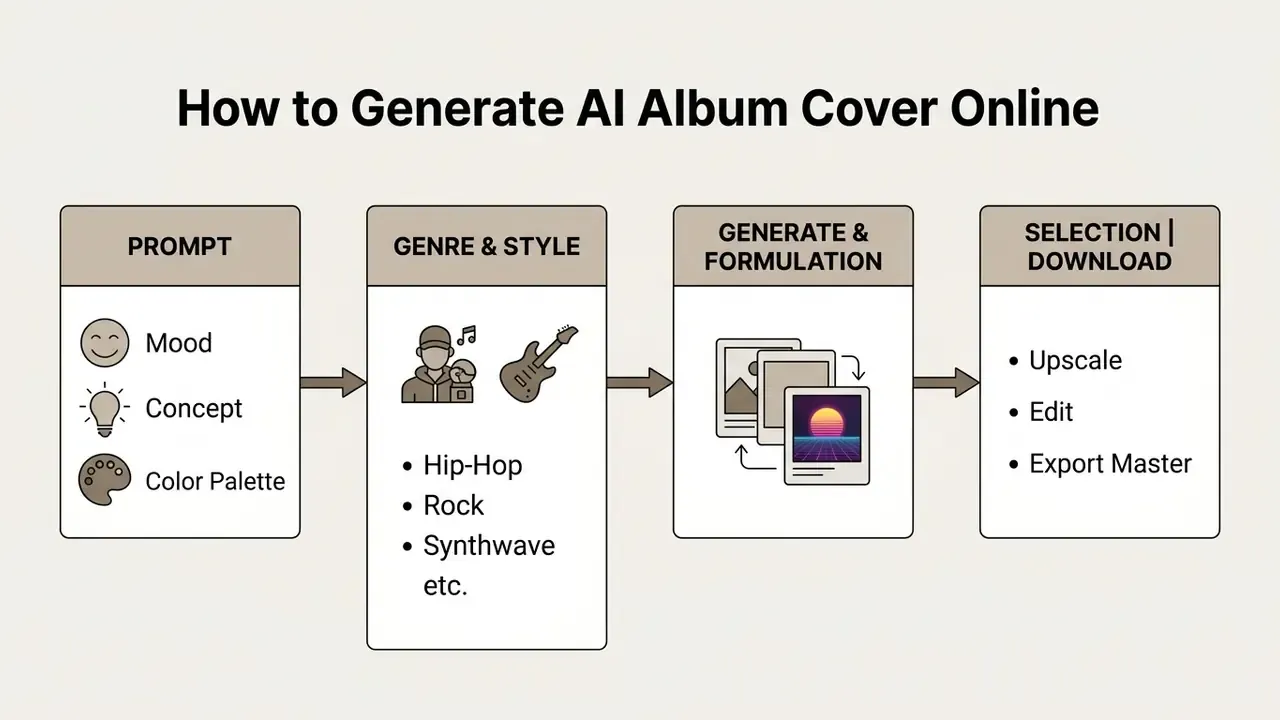
How to Generate an AI Album Cover Online
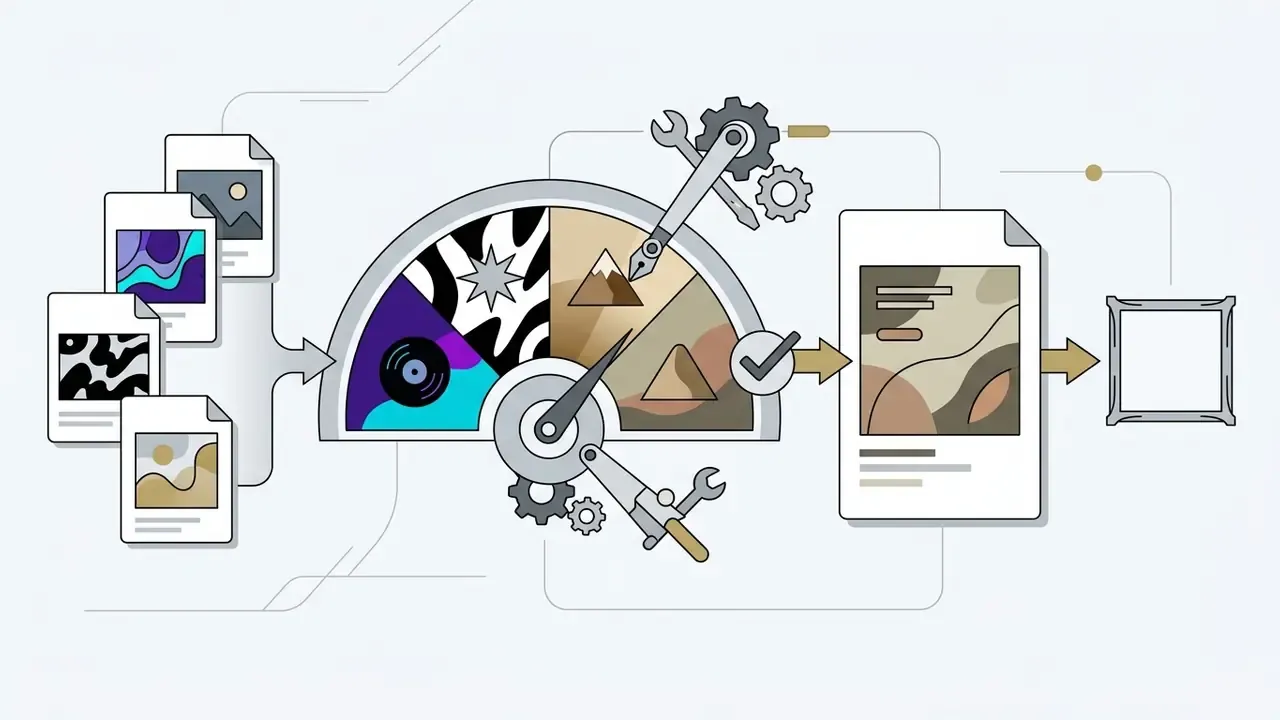
Generating an AI album cover online means converting a musical concept into a text prompt, choosing a visual aesthetic, running the image generation model, then applying post-processing edits before the master export. Most ai album cover generator online free tiers complete that loop in seconds, which lets an artist test four or five creative directions before lunch.
Describe your music, mood and visual idea in a prompt
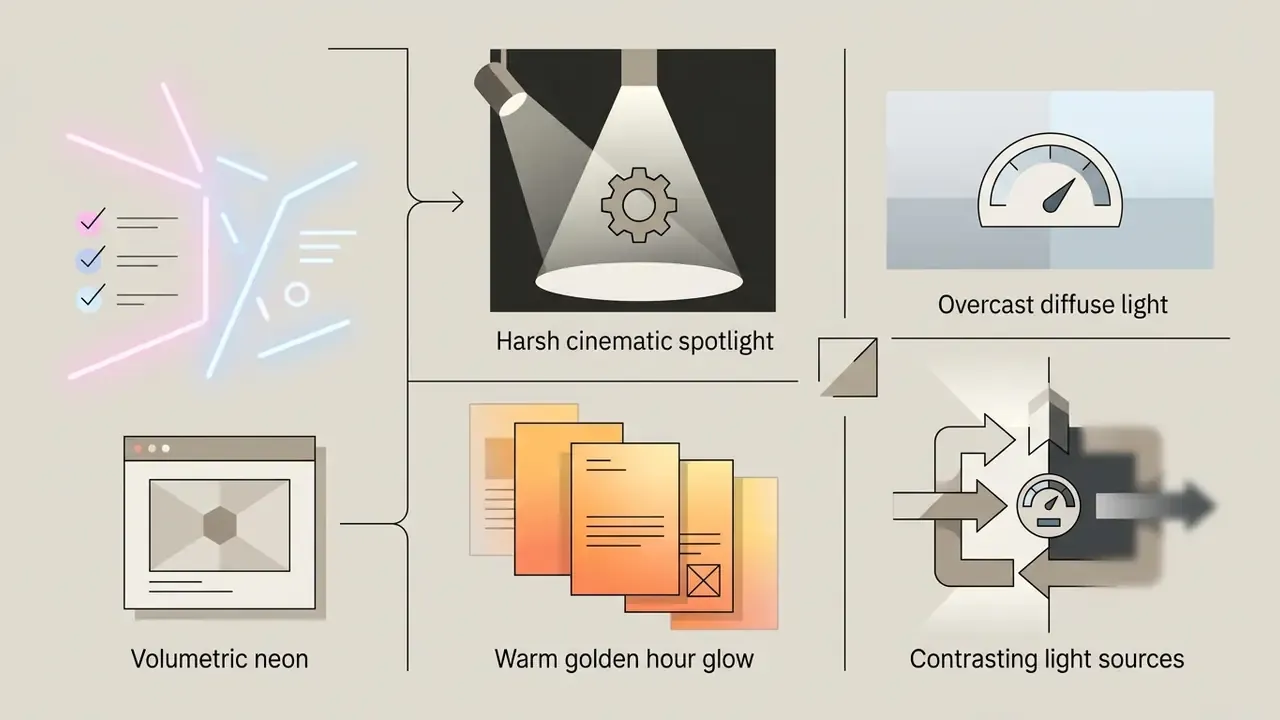
A strong ai album cover prompt translates auditory themes into concrete visual parameters: subject matter, atmospheric lighting, color palette, composition. Effective prompts skip vague emotional jargon such as "epic," "amazing," or "make it high quality," and lean on descriptive elements, named materials (chrome, watercolor, 35mm film grain), and explicit lighting conditions (neon, dusk, backlit smoke).
Interface design also shapes prompt quality, which surprised me the first time I saw the data. An observational analysis of 1.5 million prompts from 10,177 Stable Diffusion users, compared against 77,929 prompts from the Pick-a-Pic dataset, examined how two interfaces (Discord-style pure prompting versus variation-button interfaces) changed user behavior:
«Interfaces with variation buttons reduce prompt complexity and slow thematic exploration compared with pure prompting.»
The takeaway is practical. Clicking "generate variations" gives you faster iteration but a narrower creative range. Writing a new, more specific prompt explores the concept space far more widely than re-rolling the same one.
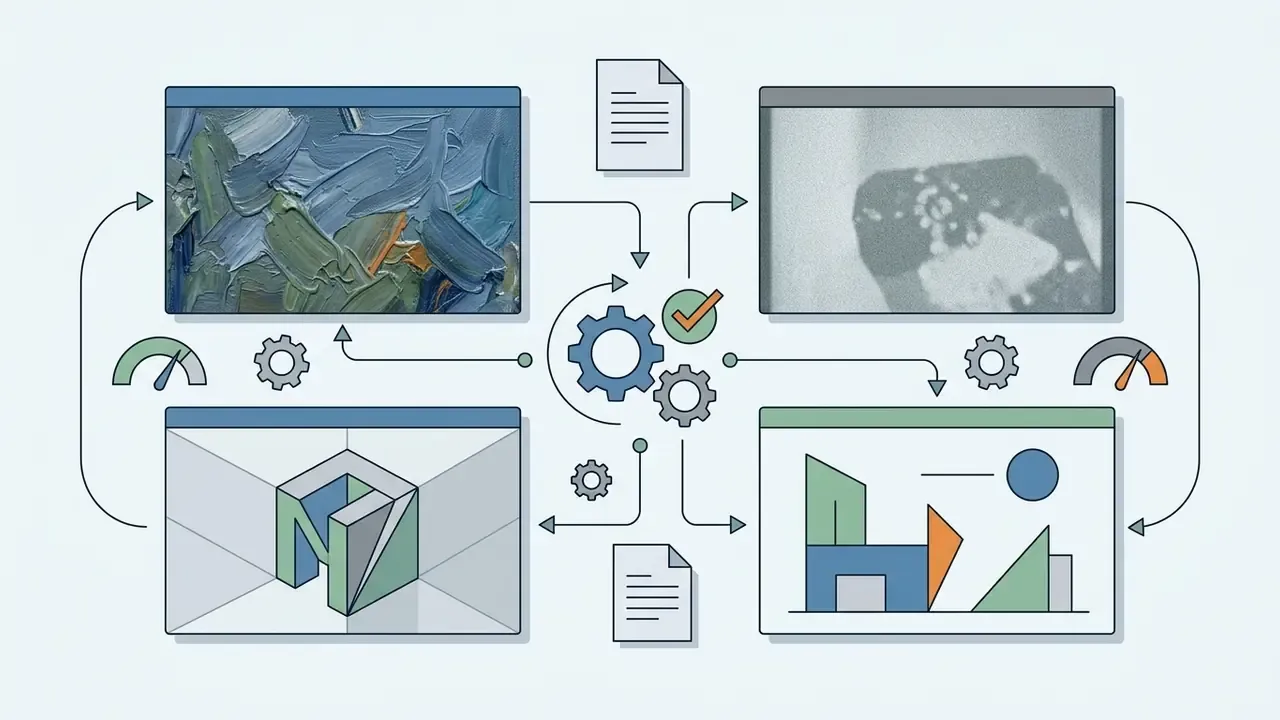
When formulating your visual idea, define four core components:
Using AI prompt enhancers and automatic expansion
Most current generators ship a prompt enhancer, an LLM-backed wrapper that rewrites a short input into a full technical brief before it reaches the diffusion model. Typing "cyberpunk city" and pressing enhance usually returns something closer to: "neon-lit cyberpunk megacity at night, volumetric rain, 35mm lens, shallow depth of field, magenta and teal color grading, wide negative space in upper third."
How to use enhancers without losing control:
- Treat them as a drafting aid, not a final answer. Read the expanded string and delete any style directive that fights your genre identity.
- Preserve your hard constraints. Enhancers frequently drop layout instructions, so re-add "clean negative space at top third for typography" after expansion.
- Save the expanded string, not the short one. Reproducibility depends on the final text actually sent to the model. Record it alongside seed and model version.
- Watch for style homogenization. Enhancers pull toward the same popular descriptors, which is exactly why two unrelated releases can end up looking like siblings. Add one deliberately unusual material or lighting term to break the default.
Further reading: free AI image generators · no-sign-up AI image generators
Choose a genre and album cover style
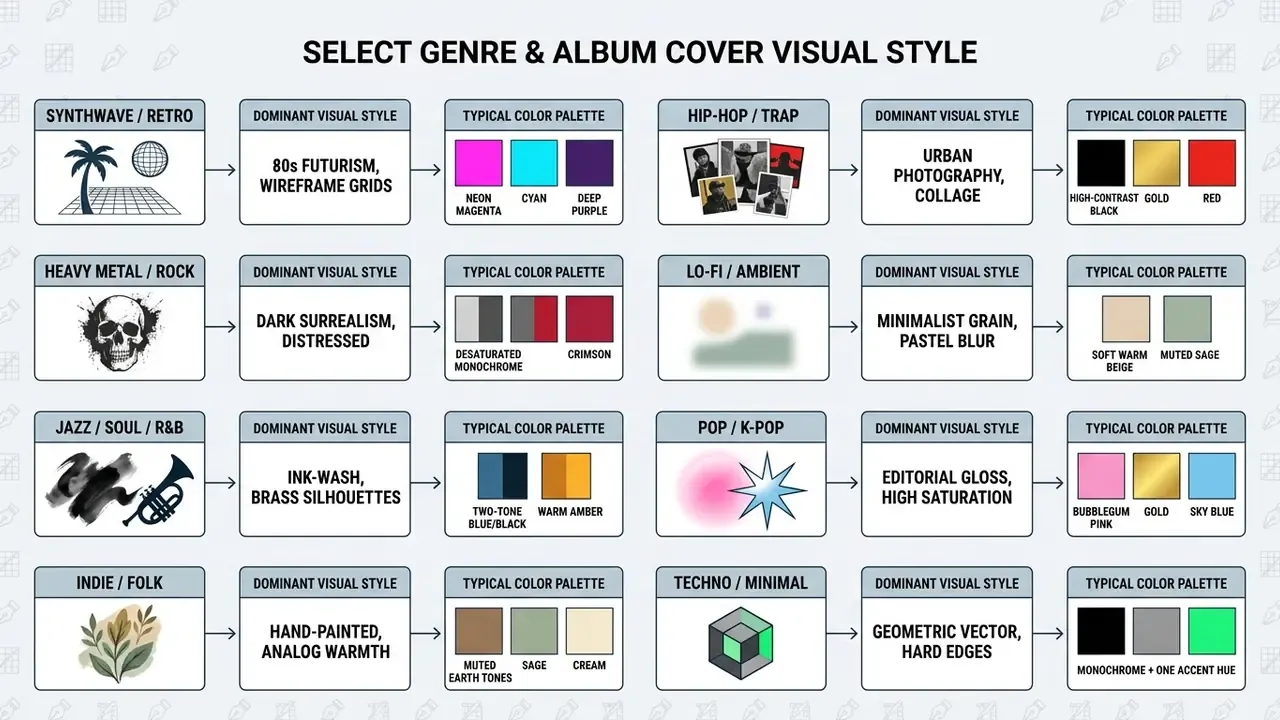
Aligning cover style with music genre buys instant recognition in a crowded streaming feed. Genres carry visual conventions that listeners decode without thinking.
Generate, refine and download the final artwork
Producing final artwork means selecting candidates, running iterative prompt adjustments, upscaling the chosen render, then downloading a master file.
Three steps get you to a release-ready result:
- Initial batch generation: render 4 to 8 concept variations from your baseline prompt.
- Iterative selection: pick the strongest layout and adjust parameters such as seed values or prompt weights to refine lighting and detail.
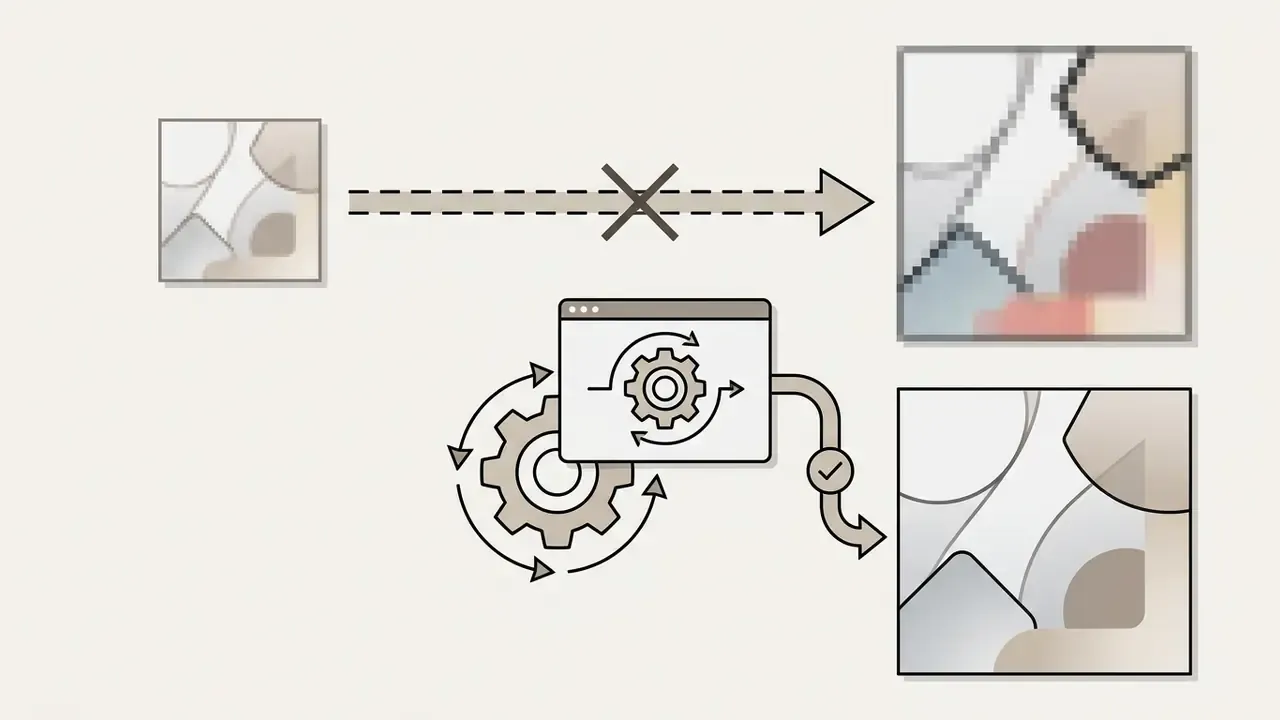
- Upscaling and master export: push the chosen render through a high-fidelity upscale pipeline to a minimum of 3000×3000 pixels at 24-bit RGB before download. Most upscalers offer 2x, 4x, or 8x factors. For vinyl-scale print, prefer higher factors run on the master, never on a compressed re-download.
How to Write a Good AI Album Cover Prompt
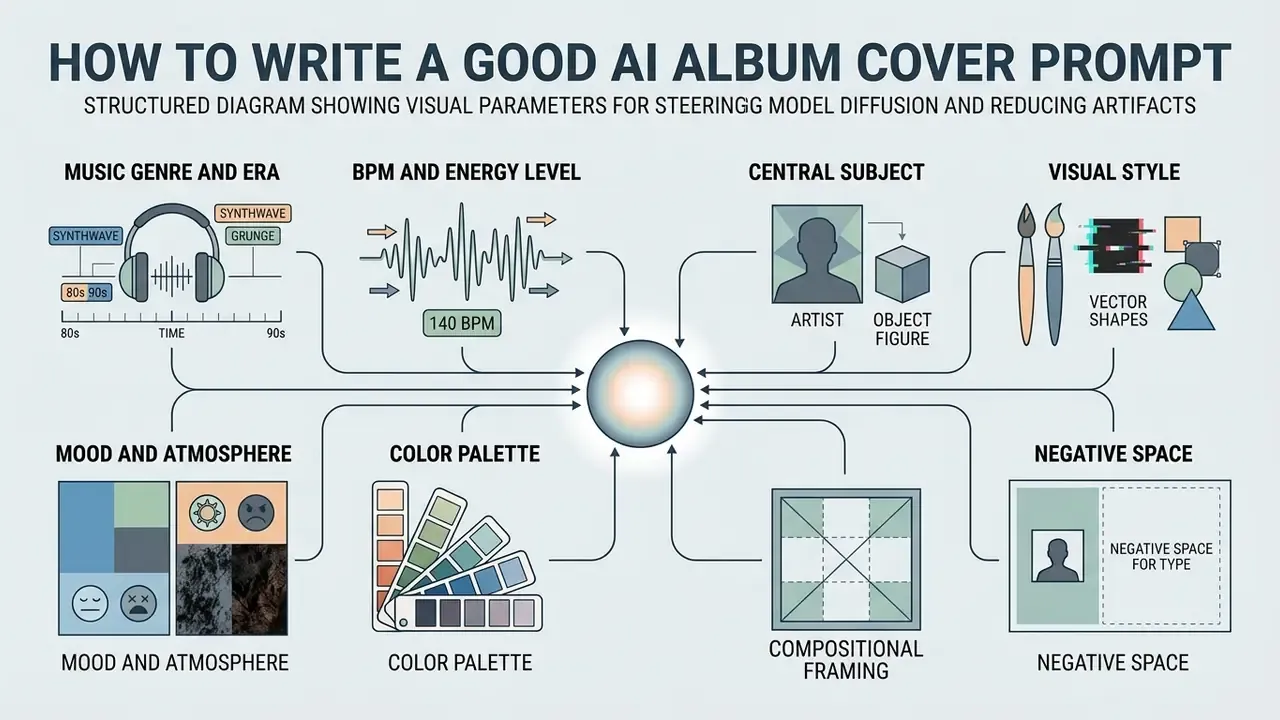
Writing an effective AI album cover prompt means structuring visual parameters logically to reduce unwanted artifacting and steer model diffusion. Prompt engineering for covers balances descriptive detail against explicit layout constraints, and it always reserves negative space for artist typography.
Elements of an effective album cover prompt
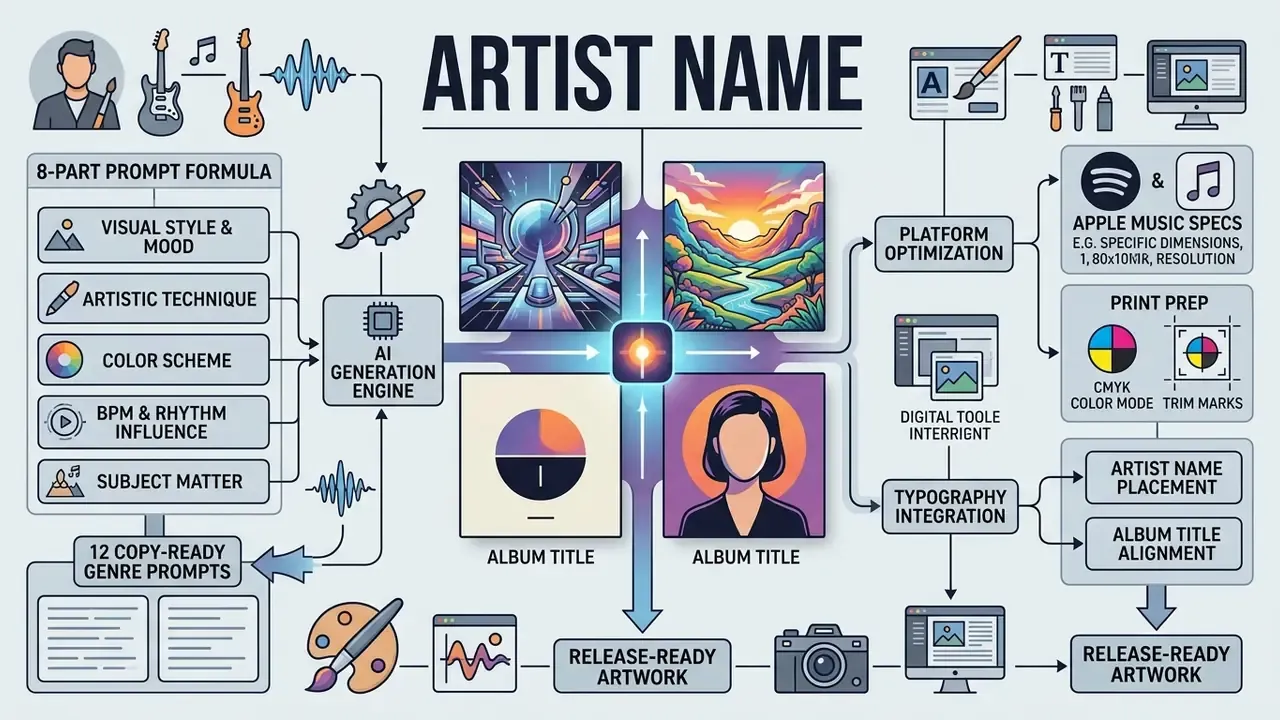
An effective prompt for an ai art album cover combines eight structural elements. The addition most guides omit is the audio dimension: tempo and energy.
[Genre & Era] + [BPM / Energy Level] + [Central Subject] + [Visual Style]
+ [Mood & Lighting] + [Color Palette] + [Composition & Negative Space]
+ [Technical Parameters]
- Music genre and eraestablishes historical and stylistic context, for example "1990s West Coast hip-hop".
- BPM and energy leveltranslates tempo into visual motion. For high-BPM tracks (140+ BPM, so drum & bass, thrash metal, hardstyle), specify aggressive movement: "motion blur, explosive vector angles, shattered debris trajectory, hard strobe lighting." For mid-tempo tracks (90 to 130 BPM, house, pop, boom-bap), specify controlled rhythm: "repeating geometric cadence, steady directional light." For low-BPM tracks (under 80 BPM, lo-fi, ambient, downtempo, ballads), specify stillness: "soft haze, still water reflection, static composition, long-exposure calm."
- Central subjectthe primary focal point, for example "a vintage analog synthesizer".
- Visual stylethe rendering technique, for example "impressionist oil brushstrokes".
- Mood and atmosphereemotional tone, for example "melancholic, foggy, distant".
- Color paletteexact relationships, for example "monochromatic charcoal with accents of amber".
- Compositional framing and negative spacecamera angle, spacing, and clear room for text overlays, for example "symmetrical centered framing, clean empty background in the top third for title placement".
- Technical parametersaspect ratio, output detail level, grain or lens directives, for example "1:1 square, 35mm lens, fine film grain".
Evidence note (updated for 2026). Rather than lean on an unverified percentage for distortion reduction, the strongest available evidence for structured, iteratively refined prompting comes from controlled experimental work on automated prompt optimization:
«The APPO system reached satisfactory results in fewer than 4 iterations, versus more than 6 for manual prompt editing.»
Complementary academic work reaches the same place from different angles. Design Guidelines for Prompt Engineering Text-to-Image Generative Models established the subject-plus-style keyword pattern as a reliable baseline. Optimizing Prompts for Text-to-Image Generation (NeurIPS, 2023) formalized automatic adaptation of raw user input into model-preferred phrasing. PRISM (Automated Black-box Prompt Engineering for Personalized Text-to-Image Generation, 2024) reported stronger accuracy and cross-model transferability across Stable Diffusion, DALL·E, and Midjourney. In practice, explicit compositional framing plus a reserved negative-space directive is what stops a subject from colliding with your typography.
Prompt Ideas for Popular Music Styles
Copy any prompt below, swap the subject for something specific to your release, and keep the negative-space instruction intact.
Hip-Hop / Rap
"Gold chain floating in zero gravity above a smoke-filled studio, cinematic side lighting, ultra-detailed metallic reflection, black and gold palette, 95 BPM steady cadence, wide clean room for text overlay at top."
Trap / Drill
"Low-angle night shot of a chrome-plated muscle car under a single sodium streetlight, wet asphalt reflections, high-contrast black and amber, 140 BPM motion blur on the background, empty upper third for typography."
Metal / Hardcore
"Obsidian raven with molten silver wings over a burning cathedral, high-contrast chiaroscuro, distressed album texture, crimson and charcoal palette, 170 BPM explosive angular composition, clear dark band at the bottom for title."
Hard Rock
"A lightning-struck desert highway at midnight, grainy analog film photo, torn-poster collage edges, desaturated blue-grey with one crimson accent, centered vanishing point, negative space in the sky for artist name."
Synthwave / Retro-Futurism
"An 80s retro-futuristic highway heading toward a neon grid sunset, wireframe mountains, vibrant magenta and cyan volumetric light, symmetrical one-point perspective, 118 BPM steady rhythm, clean top third for typography, 8k render."
Electronic / EDM
"Liquid chrome waveform rippling through violet fog, festival-scale volumetric beams, glitch-displacement texture, magenta-to-indigo gradient, 128 BPM pulsing symmetry, generous empty margin at the base for track title."
Techno / Minimal
"A single matte black monolith on an infinite pale concrete plane, hard directional shadow, monochrome with one acid-green accent, brutalist geometry, 132 BPM repeating grid, extreme negative space, square 1:1 composition."
Lo-Fi / Chillhop
"A quiet anime-style bedroom interior on a rainy evening, warm ambient lamp light, cozy pastel colors, soft watercolor texture, 70 BPM static stillness, condensation on the window, wide negative space on the left for text."
Ambient / Downtempo
"Still water reflecting a pale gradient sky at dawn, soft diffuse haze, single distant island silhouette, muted sage and cream palette, 60 BPM motionless composition, minimalist framing with the entire upper half left empty."
Indie / Folk
"A minimalist film photo of a misty pine forest in early morning, soft diffused sunlight, muted earth tones, vintage 35mm grain, hand-painted wildflower detail in the foreground, minimalist composition with empty space for text."
Pop / K-Pop
"Glossy bubblegum-pink clouds around a golden spiral staircase rising into the sky, editorial studio gloss, high saturation, sky blue and gold accents, 120 BPM buoyant diagonal motion, centered subject with clean sky above for the title."
Jazz / Soul / R&B
"Smoky blue jazz club, saxophone silhouette backlit by a single warm spot, vintage ink-wash texture, two-tone deep blue and black with amber highlights, 80 BPM slow drifting smoke, generous dark negative space for typography."
Psychedelic / Vaporwave
"Marble bust dissolving into a checkerboard horizon, pastel gradient sky, VHS scanline artifacts, teal and salmon palette, 85 BPM slow drift, symmetrical layout with a clear central band for text."
To evaluate alternative generation setups, creators can explore the hub for tools that ship specialized prompt expansion models.
- Output: a formatted text string ready to paste into any ai album artwork generator.
- Field 1 (genre)select [Synthwave | Hip-Hop | Rock | Metal | Ambient | Indie | Pop | Jazz | Techno]
- Field 2 (BPM and energy)select [under 80, static and diffuse | 90 to 130, steady cadence | 140+, motion blur and angular]
- Field 3 (subject)enter the primary object or character
- Field 4 (color scheme)select [Monochrome | Neon | Pastel | Warm Earth | Two-Tone Contrast]
- Field 5 (layout)select [Centered Subject | Off-Center Rule of Thirds | Abstract Symmetry | Extreme Negative Space]
Customize AI Album Artwork From Text or a Photo
Customizing AI album artwork lets artists fold in their own photography, apply precise typography, and adjust composition after the initial render. Combining generative output with manual post-processing keeps the final cover aligned with brand identity while meeting professional graphic standards. And, as the legal section below explains, that human contribution is exactly what creates a registrable composite work.
Create an AI album cover from a photo
Creating an AI album cover from a photo uses image-to-image (Img2Img) diffusion pipelines to convert raw artist portraiture or location shots into stylized artwork while holding facial identity stable.
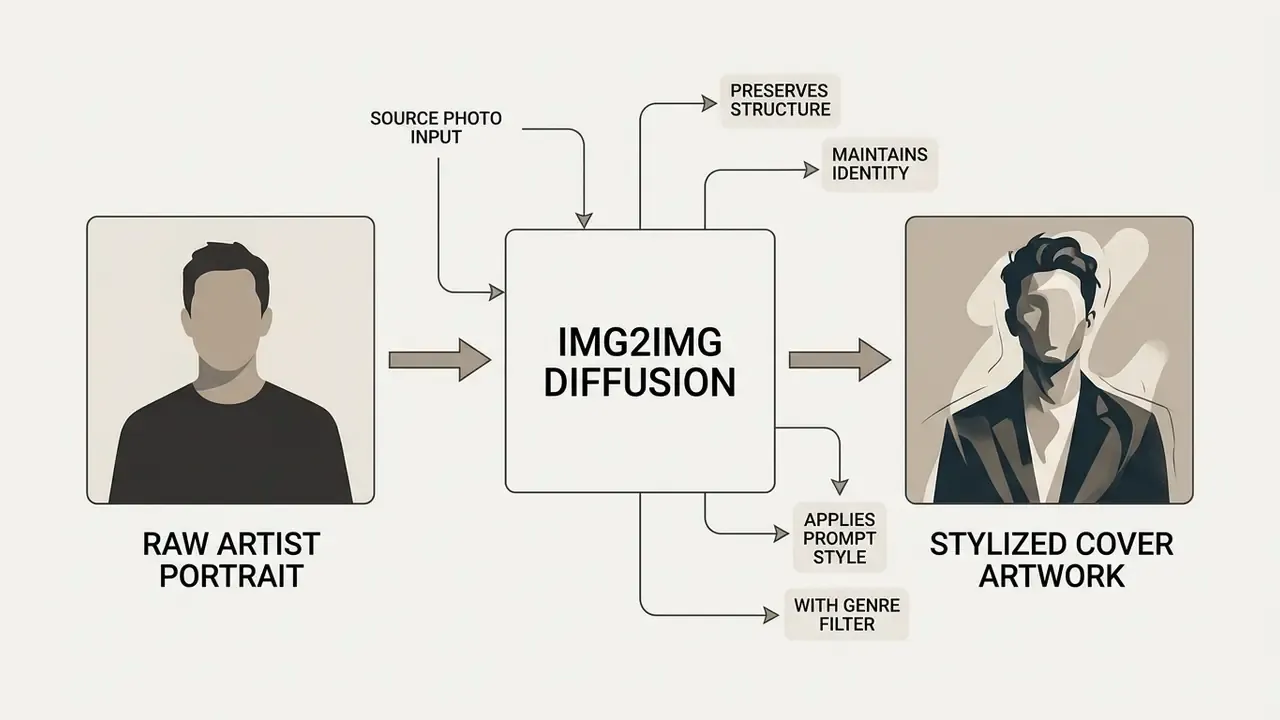
Benchmark evaluation of text-guided editing methods supports the identity-preservation claim quantitatively:
«LEdits++ achieves lower reconstruction error and faster execution than previous image-editing methods.»
Inversion-based Img2Img methods hold source facial geometry while re-skinning environmental lighting, style, and texture. Research on identity retention in stylized portraits converges from three directions: two-stage frameworks with region-guiding masks and a modified cycle loss, StyleIdentityGAN's dedicated feature-loss term protecting significant input-face features, and StyleIPSB's identity-preserving semantic bases that keep pose, expression, and illumination stable. Note that NIST guidance on generative AI for facial images is explicit: downstream face-recognition decisions must rely on the original unedited image, never the generated one. A stylized cover portrait is artwork, not an identity document.
To convert a photo into custom cover art:
Further reading: image-to-image generators · AI headshot generators
- Upload the source image
- feed a clear, well-lit portrait into an ai album cover generator from photo free platform.
- Set image strength or the denoising parameter
- adjust influence between 0.35 and 0.55. Lower values keep strict photo realism; higher values let the model push harder stylistically.
- Apply the style prompt
- describe the target aesthetic, for example "oil painting portrait, cyberpunk neon highlights, dark atmospheric background".
- Render and select
- generate variations until you hit the balance between recognizable artist features and stylized background integration.
Add artist name, album title and visual details
Adding typography to an AI-generated cover means establishing hierarchy and holding high contrast against busy background imagery. Some advanced models render basic text directly, but dedicated layout software still yields cleaner, distribution-ready results.
Typography requirements table
| Requirement | Specification | Failure mode if ignored |
|---|---|---|
| Font families | Maximum 2 per cover: one bold display for the artist name, one neutral for the title | Visual noise; amateur appearance at thumbnail size |
| Contrast ratio | Minimum 4.5:1 for normal text, 3:1 for large text, per WCAG 2.0 AA (W3C) | Title becomes unreadable over busy generated backgrounds |
| Minimum print size | 5 pt for positive printing, 7 pt for negative (white-out) printing | Fine text fills in or breaks up on press |
| Thumbnail test | Legible when scaled to 75×75 px | Listeners cannot identify the release while scrolling |
| Backing treatment | Soft gradient, solid bar, or knockout panel behind text over busy art | Text competes with detail and disappears |
| Weight and spacing | Avoid hairline weights, tight tracking, tight leading | These fail first at small sizes |
| Spine text (physical) | Reads left-to-right when the cover lies face-up | Unreadable on shelf |
| Metadata match | Cover text must match release metadata exactly; no extra promotional text | Distributor rejection |
| Hierarchy | Title above artist name, or artist name in the upper third, one clear dominant element | Ambiguous branding across a catalogue |
Further reading: online photo editors · compare options across design suites
Edit background, colors and composition after generation
Post-generation editing refines composite layers, harmonizes palettes, and corrects spatial flaws. Modern editors let creators separate AI-generated subjects from their backgrounds, which opens precise control over contrast, grading, and framing.
According to Adobe Systems Design Documentation, layer harmonization tools automatically match colour temperature, shadow density, and light perspective between an isolated subject layer and a new background fill (Adobe Photoshop Guides, 2026). Adobe's compositing workflow also supports adding, rotating, and scaling objects to change the scene layout entirely after generation.
Primary post-processing steps:
Further reading: AI photo editors · AI outpainting tools · photo editor guide
Prepare Album Cover Art for Music Platforms, Social Media and Print
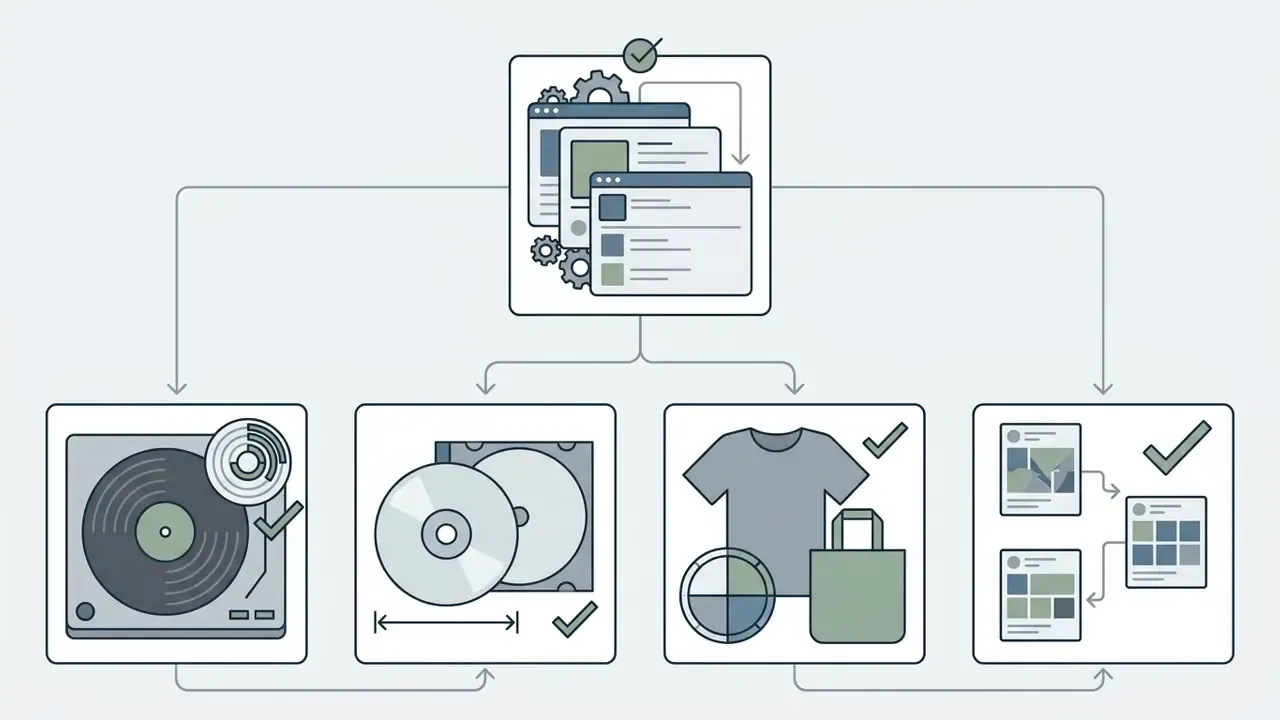
Preparing album cover art means exporting several files tailored to specific distributors, social channels, and physical print formats. Meeting the technical specs prevents rejection by aggregators and protects visual fidelity across merchandise.
Covers for Spotify, Apple Music and SoundCloud
Digital platforms validate images strictly at submission. A non-compliant file gets bounced by DistroKid, TuneCore, or CD Baby before a human ever sees it.
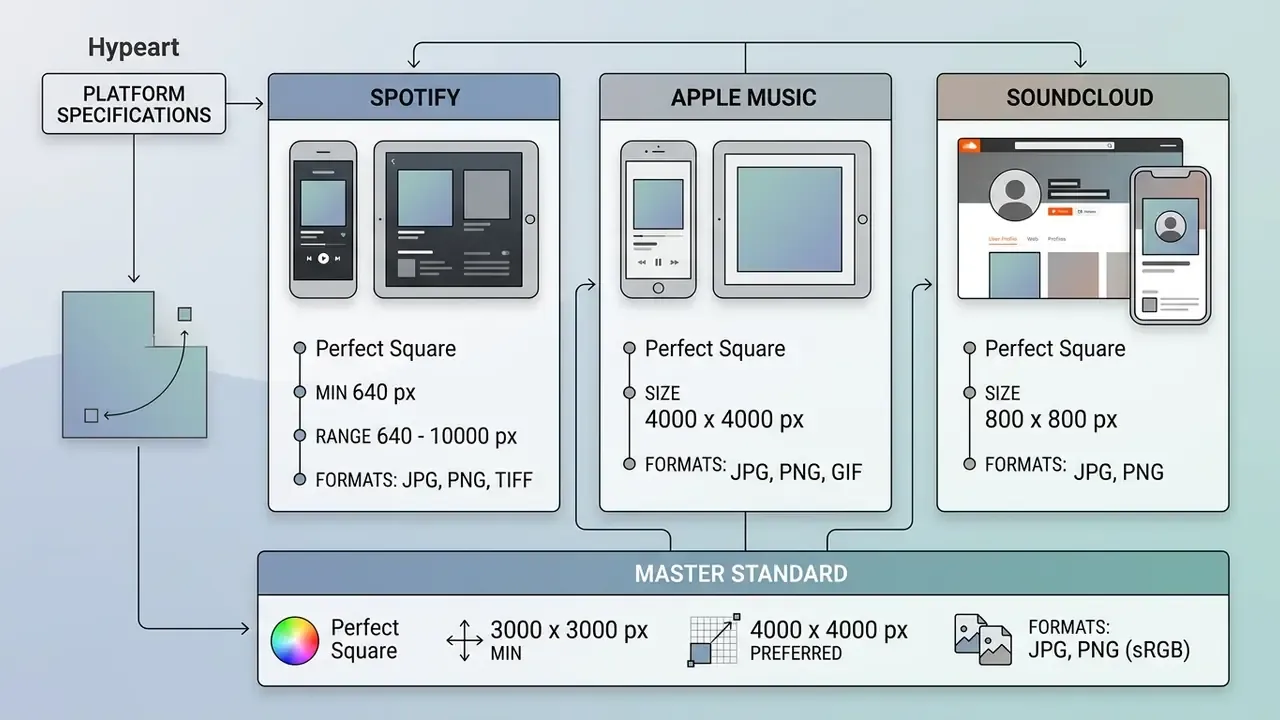
Critical distinction: 640×640 px is Spotify's rejection floor, not a working target. Produce and archive one master at 3000×3000 px minimum, 4000×4000 px preferred, then downscale for any platform that needs less. Never work upward from a small file.
Official specifications from Apple Music Artist Support require perfect square artwork at a minimum of 4000×4000 pixels in sRGB. Apple explicitly prohibits social handles, website URLs, barcodes, pricing, logos, release dates, and packaging references on cover submissions (Apple Music Support, 2026). There is a documented source-level discrepancy worth knowing: Apple's provider-facing specification pages cite a 1400×1400 px minimum with 3000×3000 px recommended, while the artist-facing page states 4000×4000 px. Build to the higher figure and both are satisfied.
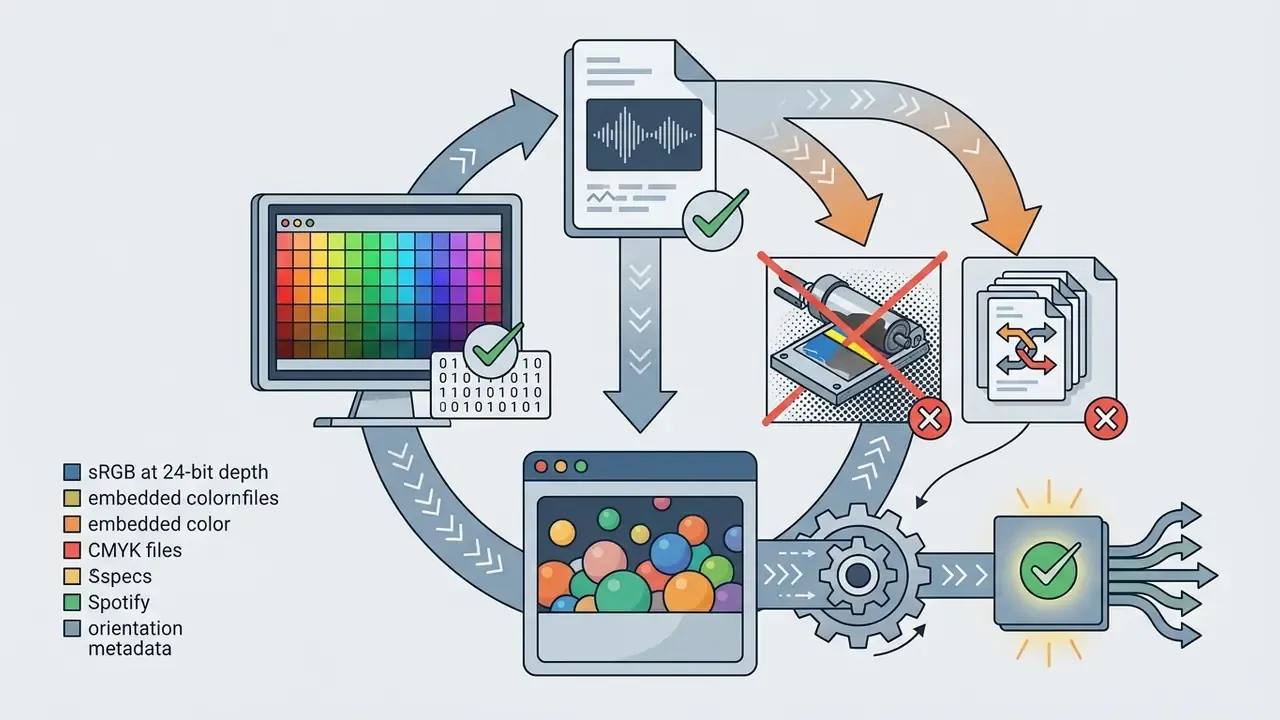
Spotify's own support documentation specifies TIFF, PNG, or JPG at 1:1, between 640 and 10,000 px, sRGB, 24 bits per pixel, with no embedded colour profiles and no upscaling.
Key digital export rules:
Audience response to AI labelling is measurable, and it is not neutral:
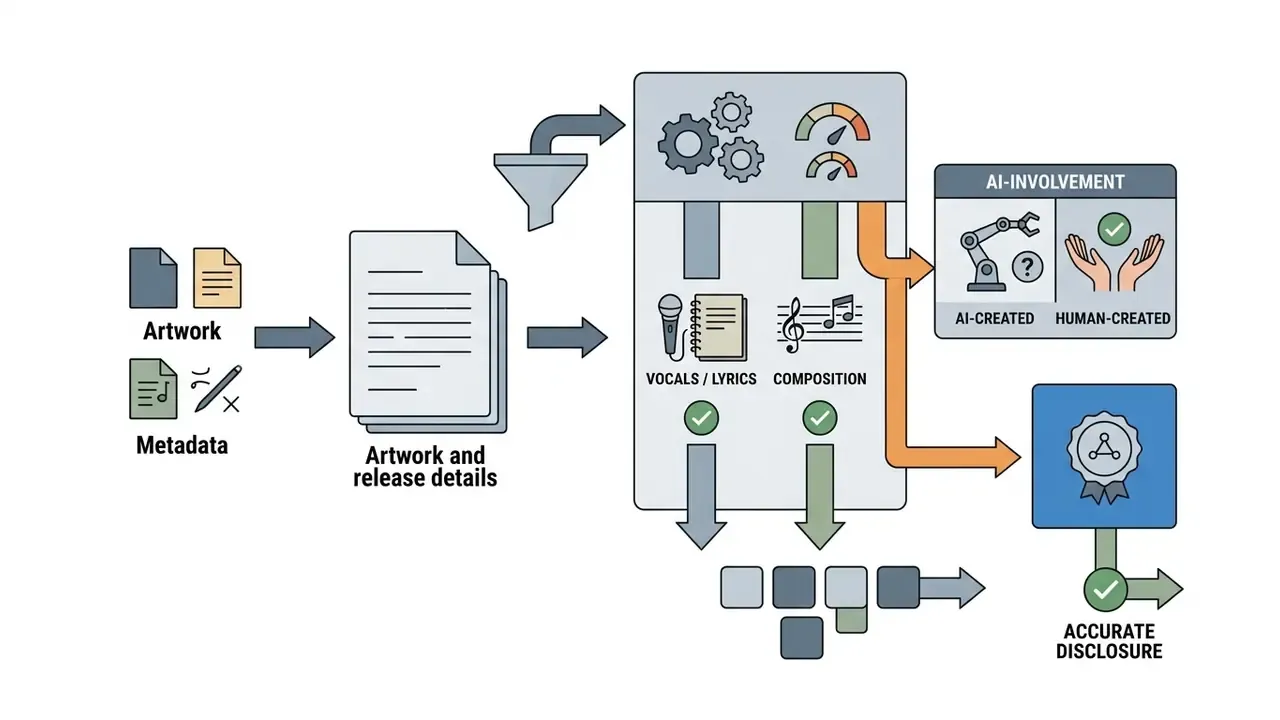
«Labeling content as AI-generated reduces behavioral engagement by 14.22 percentage points compared with human-created content.»
For release planning, that argues for two things at once: substantive human authorship in the final asset, which is also the copyright-relevant contribution, and honest, well-framed disclosure rather than a bare machine tag.
Further reading: AI image upscalers · video compressors for release assets
Is a Free AI Album Cover Generator Enough for Commercial Use?
A free AI album cover generator is genuinely useful for concept testing. Commercial deployment across streaming platforms and merchandise is a different question, because it requires verified commercial usage rights and alignment with copyright registration frameworks.
Free access, credits, sign-up and watermark conditions
Free tiers operate under functional restrictions designed to nudge you toward a paid plan. Knowing them in advance stops a bottleneck on release week.
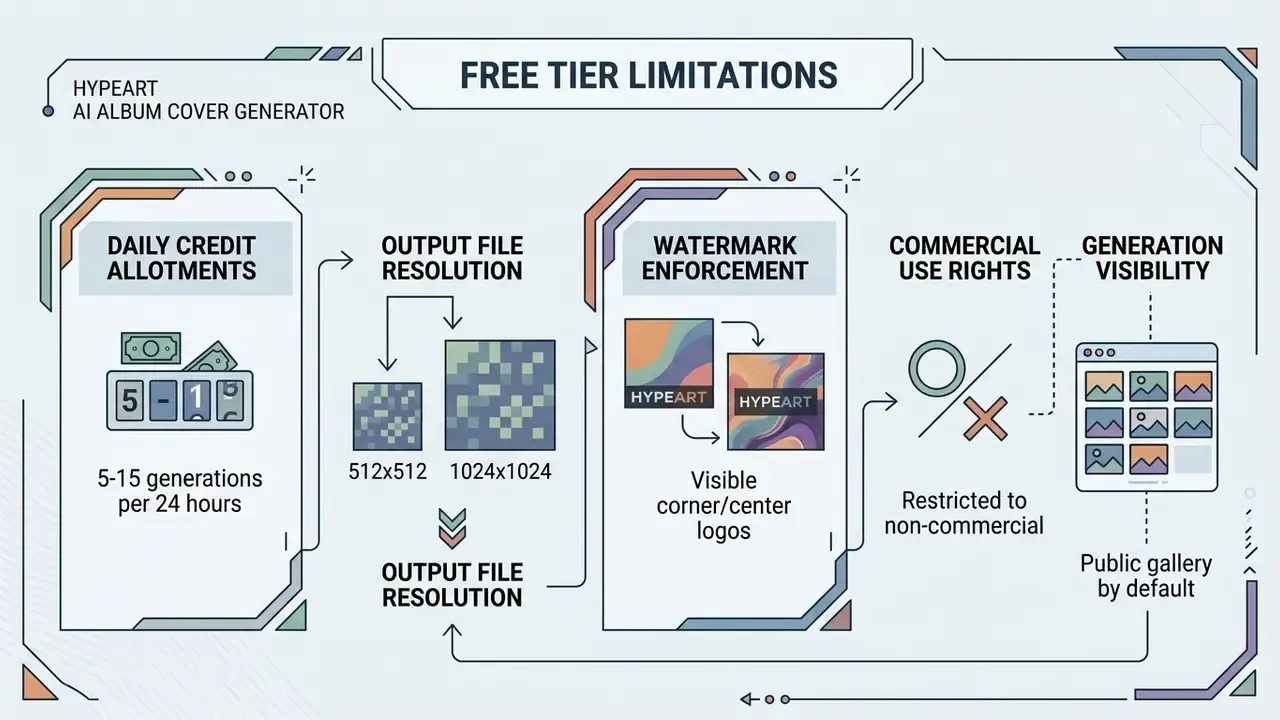
Common constraints on a free ai album art generator free tier or an ai album cover creator free plan:
Vendor terms differ sharply on all four points, so verify the specific plan rather than the category. That is the whole lesson.
- Credit caps
- a small daily allocation of tokens, commonly 5 to 15 generations or a fixed pool of standard-resolution credits, which limits how many prompt variations you can actually explore.
- Watermarks
- free downloads often carry embedded service logos, making the image unusable for official distribution. Some ai album cover maker free tools drop the watermark but cap resolution instead. Others do the reverse.
- Registration requirements
- a few services run as an ai album cover generator free no sign up; others gate the first render, and the saved library, behind a free account.
- Public gallery exposure
- images created on free tiers are frequently added to public galleries by default, exposing both your artwork and your prompt before release day.
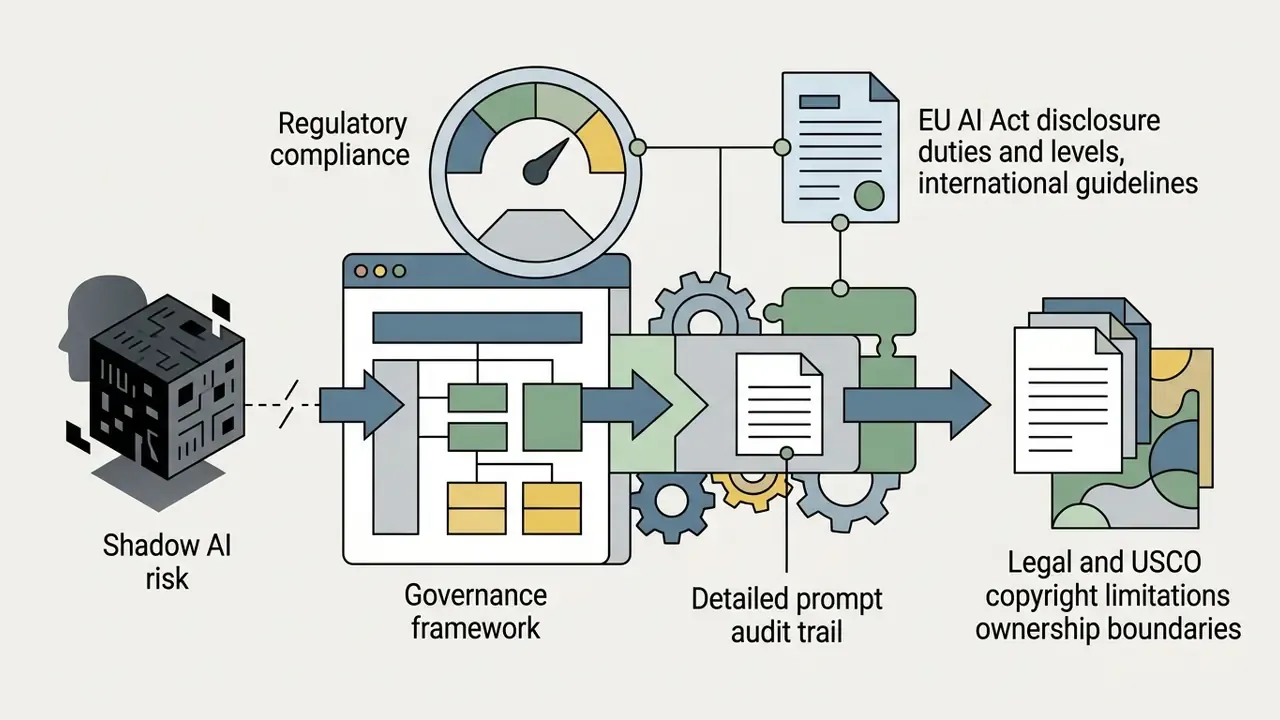
Enterprise data security and Shadow AI risks
For labels, agencies, and any organization operating under a formal risk framework, the free-tier question is not really about watermarks. It is about uncontrolled tool adoption.
Checklist0 / 7
When a subscription may be needed
A paid tier becomes necessary when you are preparing a commercial release that needs high-resolution masters, private generations, and clear commercial rights.
Four production benefits typically arrive with the first paid plan:
- Commercial rights licensing written terms granting exploitation across streaming services, digital sales, and physical merchandise. Several vendors gate commercial use entirely behind that first tier.
- High-resolution master downloads uncompressed 3000×3000 px or 4000×4000 px exports without watermarks, which are the only outputs that satisfy Apple Music and print specifications.
- Advanced model architecture newer diffusion models with cleaner lighting, finer detail, more accurate text rendering, plus unlimited or priority generation.
- Private processing queues faster renders and private prompt history, keeping unreleased visuals confidential before launch.
To assess subscription structures across leading design suites, artists can view the guide on enterprise visual platforms, or check feature limits in our free photo editor breakdown before committing budget.
Commercial use, ownership and rights to generated covers
The legal status of AI-generated cover art depends on human authorship input, applicable platform contracts, and regional intellectual property law.
E-E-A-T BLOCK: GENERAL INFORMATION NOTICE
This section is general information and does not replace advice from a qualified intellectual-property attorney. Rules differ by jurisdiction and by vendor contract. Obtain counsel before releasing or monetizing at scale.
LEGAL DISCLAIMER AND COMMERCIAL COMPLIANCE NOTICE
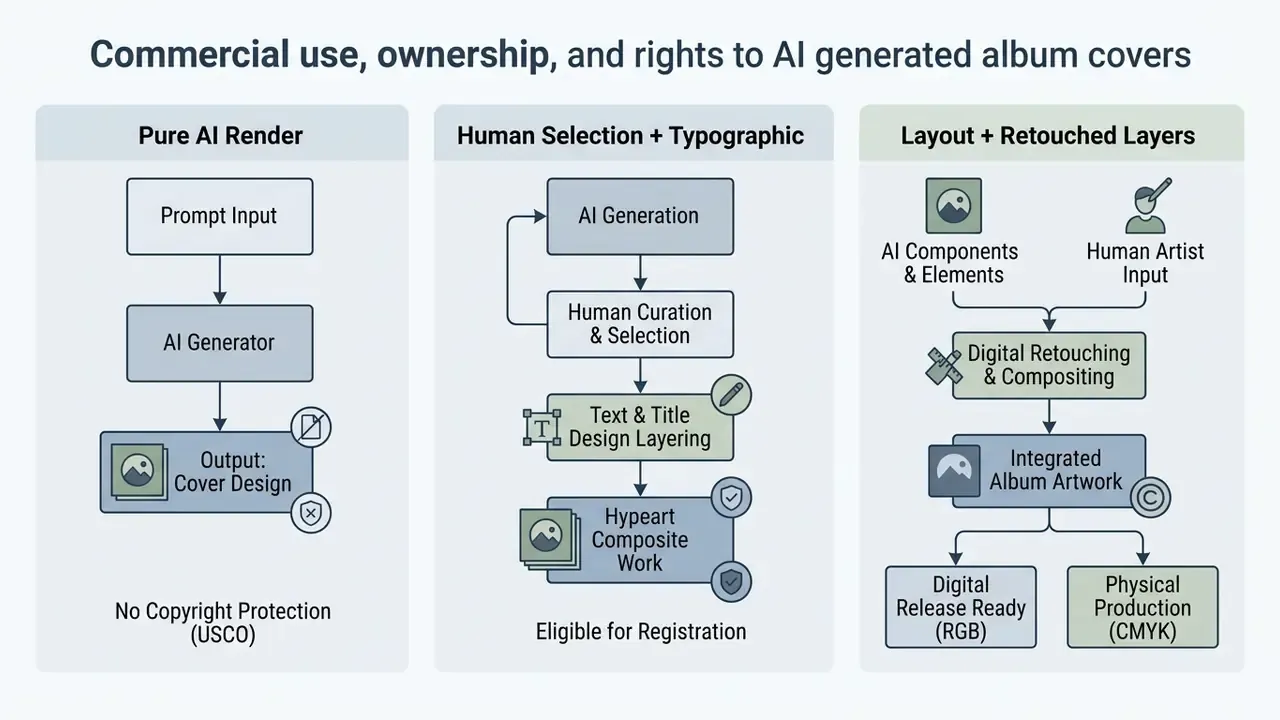
Guidance published by the U.S. Copyright Office (USCO) specifies that purely AI-generated visual outputs created without human authorship are not eligible for federal copyright registration (USCO Policy Guidance, 2025). USCO guidance also requires applicants to disclose more-than-de-minimis AI-generated material when registering a work.
Human-authored elements do change the picture. Custom prompt arrangements combined with substantive selection, extensive manual retouching, added layers, original typography layouts, and composition changes can receive protection as a composite work.
The practical conclusion: a pure AI render is effectively unprotectable, while AI base art + original typography + manual retouching and compositing forms a protectable composite work. The human contribution is what you actually own and license.
Perception of AI authorship also shifts how disputes are judged:
«Participants were more likely to find copyright infringement when works were attributed to AI rather than to a human designer.»
Cross-border releases add another layer, because one global distribution touches many legal systems at once:
«Territoriality (lex loci protectionis) determines the applicable law when AI-generated images are reproduced and distributed across different countries.»
European Union rules under Article 50 of the EU AI Act mandate transparency labelling for AI-generated synthetic media, requiring creators to declare AI involvement where applicable (EU AI Act Article 50, 2026). Article 50 is a transparency duty, not a grant of ownership. It obliges disclosure without conferring copyright.
Standards bodies are converging on the same operational answer. NIST AI 100-4 (2026) frames synthetic-content controls around disclosure in user interfaces, provenance and authentication, watermarking, detection, and testing. The Partnership on AI's Responsible Practices for Synthetic Media notes disclosure can be direct to viewers or indirect through embedded provenance such as C2PA metadata. IAB Canada's 2026 transparency framework states that AI-generated images in commercial contexts require disclosure even after human refinement.
Reproducibility in front of a regulator, a distributor, or opposing counsel depends on records captured at generation time, not reconstructed months later. For every released asset, retain:
Checklist0 / 17
Actionable recommendation: before monetizing covers on merchandise or streaming services, read your generator's Terms of Service to confirm commercial licensing rights, retain records of prompt inputs and manual edits, and check platform disclosure rules. Ten minutes of documentation, not a legal saga.
Commercial terms vary across major platforms:
Note that vendor "you own it" language is a contractual allocation between you and the vendor. It does not create copyright where copyright law recognizes none, which is precisely why the human-authored layer matters.
Further reading: commercial licensing for AI image generators · AI Litigation and Case Timelines · open the hub for enterprise licensing summaries · Canva AI Generator licensing · Google AI Image Generator usage rights · Microsoft AI Image Generator terms · AI reverse image search for clearance checks
AI Album Cover Generator FAQ
Which AI model generates album covers?
AI album covers come out of deep learning architectures, primarily latent diffusion models, autoregressive transformer networks, and hybrid synthesis engines.
Production engines in practical use (reviewed for 2026):
| Engine | Practical strength | Best applied to |
|---|---|---|
| Midjourney v6 / v7 | Complex stylization, art illustration, organic textures, painterly light | Metal, indie folk, psychedelic, jazz ink-wash covers |
| Flux.1 | Strong prompt adherence, photorealism, reliable spatial layout | Photographic hip-hop covers, precise negative-space layouts |
| Stable Diffusion XL | Open-weight control: LoRAs, ControlNet, Img2Img, seed reproducibility | Series consistency across singles; artist-portrait workflows |
| DALL·E 3 | Fast concept mock-ups, simple vector-like objects, clear instruction following | Rapid mood-boarding, minimal and techno geometry, playlist art |
Architecture-level differences matter when you standardize a pipeline:
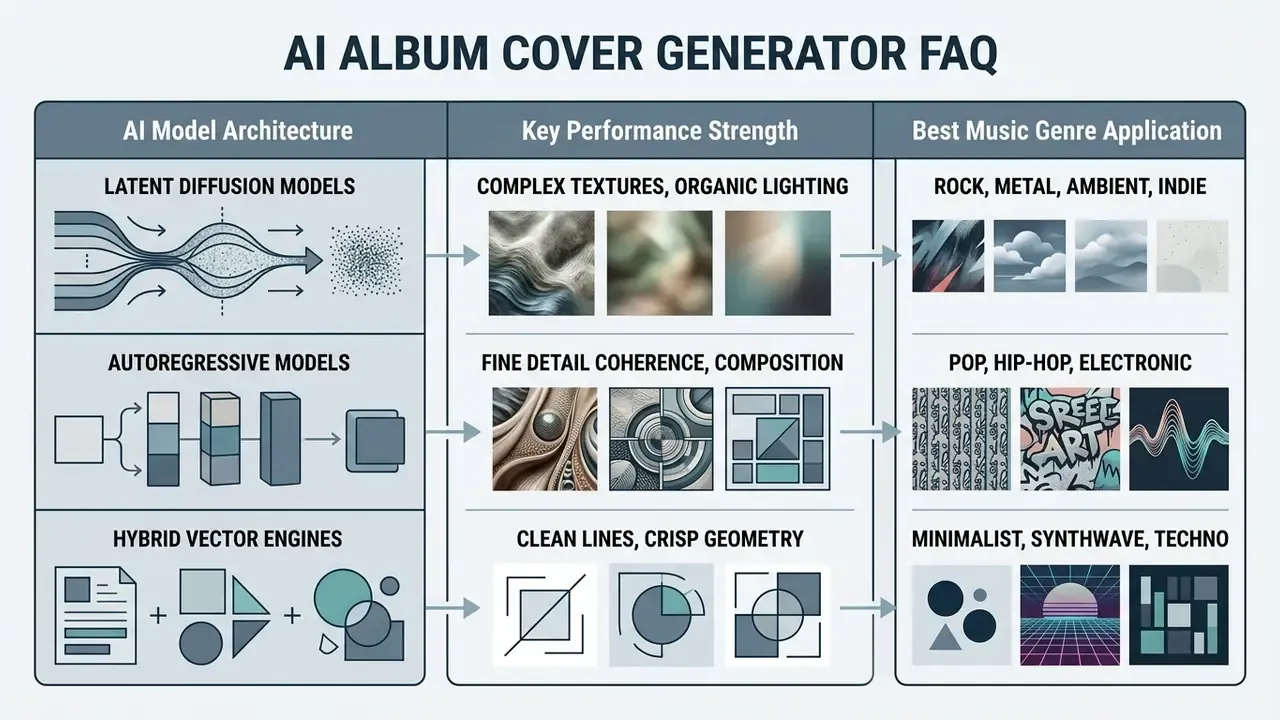
«Latent diffusion models compress images into a lower-dimensional space, enabling efficient high-quality generation under text guidance.»
That compression explains why latent diffusion handles complex texture and photorealistic lighting so well, which suits dark surrealist rock covers or ambient landscape work. Autoregressive models, by contrast, hold prompt adherence and spatial coherence, so they fit high-concept pop graphics where an instruction like "logo top-right, subject centered, negative space left" must be honoured literally.
Vendor positioning shifts quickly, and model families get deprecated on published schedules. Confirm the current list in the provider's own documentation before you standardize a release pipeline on any single ai album generator or ai album maker.
Further reading: best AI art generator · free AI art generators · ChatGPT picture generator evaluation
Can I create a music video that matches my AI album cover?
Yes. Feed your final 1:1 cover into an image-to-video (I2V) tool and use the static image as the initial reference frame, which keeps style continuity between the cover and the clip.
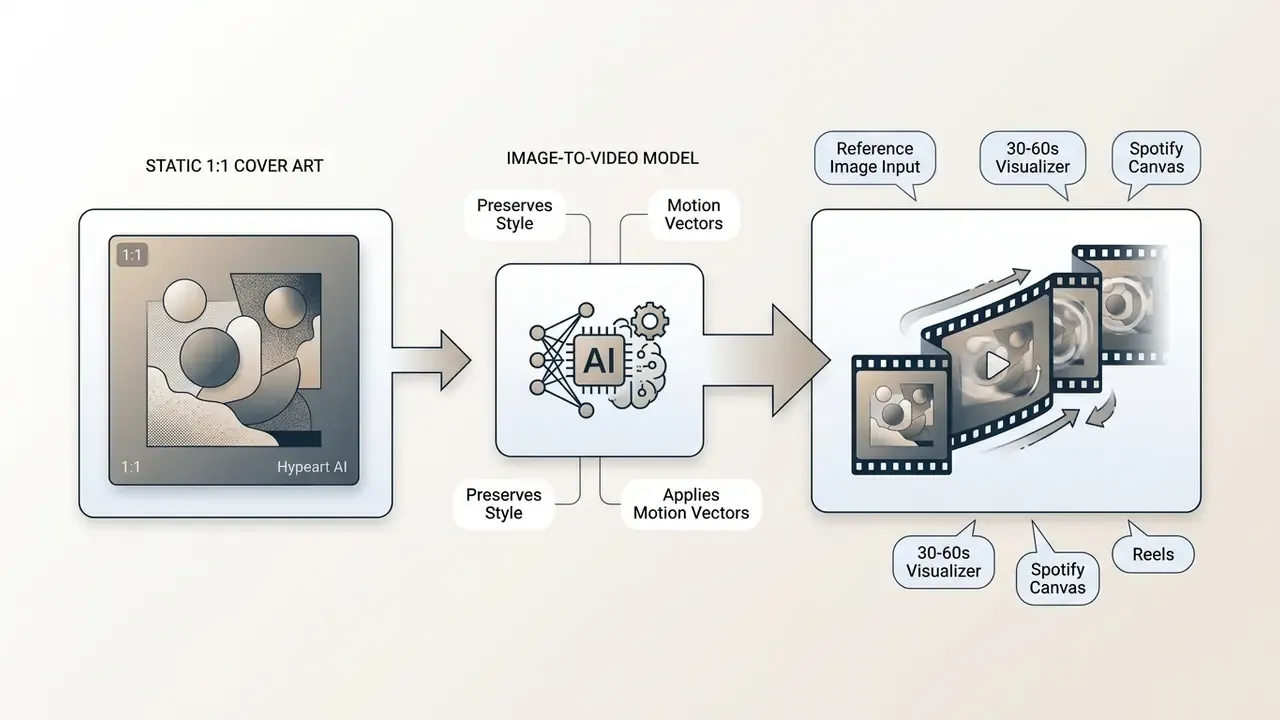
«Spatial-temporal attention mechanisms preserve the primary subject, colour palette, and lighting of the source image while introducing motion vectors.»
Related work reinforces the same mechanism set. ConsistI2V improves visual consistency using spatiotemporal attention over the first frame plus low-frequency noise initialization derived from it. StoryDiffusion extends consistency across longer sequences through shared features and semantic-space temporal motion prediction. The 2026 VGBE challenge now measures that style continuity quantitatively with CLIP-based temporal alignment.
To hold visual identity between cover and video assets:
Motion prompt template for a Spotify Canvas loop. Static covers become loops through motion-specific instructions, not scene-specific ones:
"Slow camera zoom-in, subtle pulsing neon light, organic ambient smoke drifting left to right, no subject deformation, seamless 8-second loop."
Match motion to tempo exactly as you matched the still image. For a 60 to 80 BPM ambient track use "almost imperceptible parallax drift, slow haze movement, 8-second seamless loop". For a 150+ BPM track use "rapid strobe flicker synced to a hard 4/4 pulse, aggressive push-in, hard cut back to frame one for a clean loop." Crop the 1:1 master to 9:16 by outpainting the background first, never by cropping into the subject.
Further reading: image-to-video AI tools · best free AI video generators · pictory ai text to video · pictory ai video · pika ai video generation · Google Veo implementation guide · YouTube video editors
If you hit technical issues on export or need help with platform settings, browse the hub for additional creative automation resources. Teams integrating automated video workflows can also compare options across API services.
Appendix A: Evidence Notes and Source Confidence
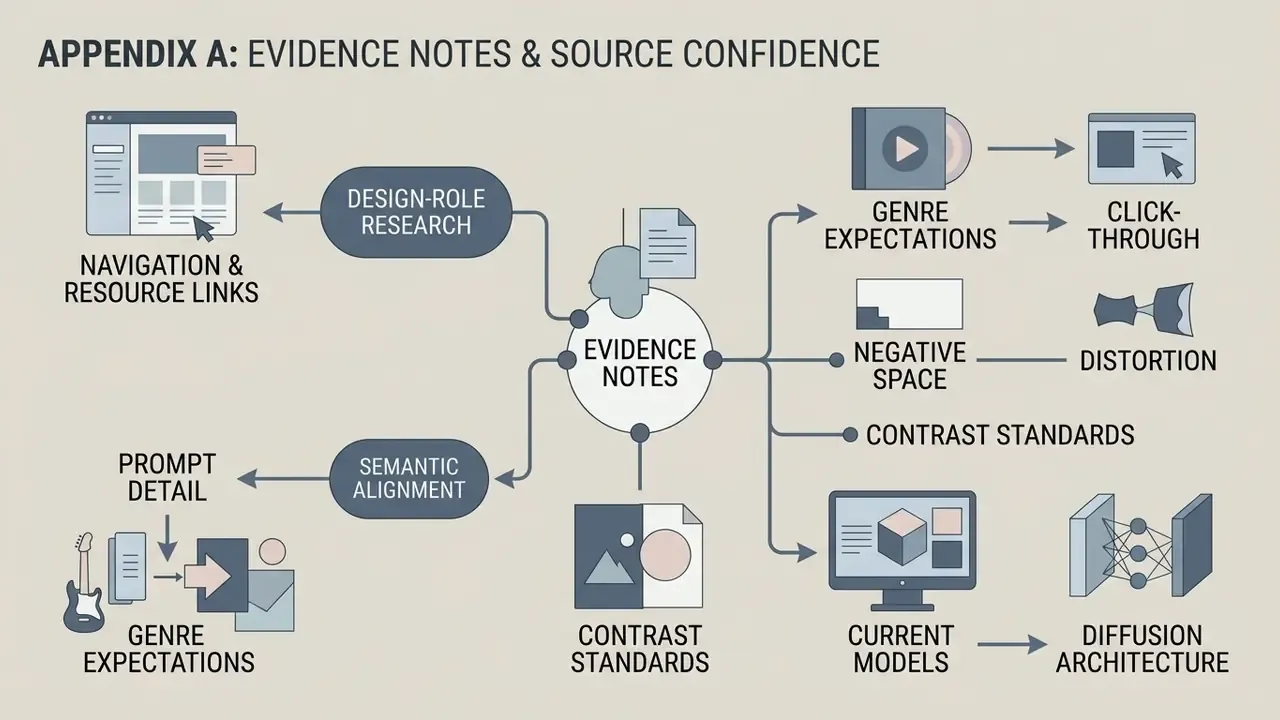
Kept for transparency. Each entry records a claim that circulated in earlier drafts of this guide, why it was downgraded, and what replaced it. If you build internal documentation from this page, copy the confidence level along with the claim.
- Design-role research. Earlier wording attributed the finding to Management Review Quarterly (2026), citing 64 studies on generative visual systems. Replaced with the Universal Access in the Information Society (2026) citation and its stated systematic-review methodology. Confidence: high, methodology published.
- Prompt detail and semantic alignment. Earlier wording claimed that detailed multi-attribute prompts produce significantly higher semantic alignment, attributed to a Pick-a-Pic dataset study (2023). Replaced, because the underlying study measured prompting behaviour across two interfaces rather than semantic alignment. Confidence: medium, behavioural finding only.
- Genre expectations and click-through. Earlier wording claimed that unexpected cover styles reduce initial click-through rates on playlist feeds, attributed to Psychology of Music (2024). Reformulated as a design heuristic, because no verifiable URL or methodology supported the CTR claim. Confidence: low, treat as practitioner heuristic.
- Negative space and distortion. Earlier wording claimed a 34% reduction in subject distortion from explicit negative-space directives, attributed to NeurIPS 2023. The figure could not be verified. Replaced with the APPO iteration-count finding plus related NeurIPS and PRISM work. Confidence: medium, direction of effect supported, magnitude unverified.
- Contrast standards. Earlier wording attributed the 4.5:1 ratio to Topcon Brand Guidelines (2026). Attribution moved to W3C's WCAG 2.0 AA as the primary standard. Confidence: high, published normative standard.
- Current models. Earlier wording listed GPT Image 2, MAI-Image-2.5, and Gemini 3.1 Flash Image as the leading production models. Supplemented with the practically deployed engine set (Flux.1, Midjourney v6 and v7, Stable Diffusion XL, DALL·E 3) and a note that vendor line-ups change on published deprecation schedules. Confidence: medium, time-sensitive, re-verify quarterly.
- Diffusion architecture. Earlier wording cited an unnamed 2025 technical survey for the texture and lighting claim. Replaced with the verified 2024 survey on diffusion models in generative AI. Confidence: high.
One practical governance note. Every claim above that carries a number was either verified against a primary source or downgraded to a heuristic. That is the same discipline a model-risk function applies to a validation report, and it is the reason this page distinguishes measured effects from design convention rather than blending them.