Modern generative models turn a sentence or a single reference photo into a detailed animal image. Photorealistic wildlife, complex fantasy hybrids, techno-mechanical creatures, printable coloring pages, lip-synced talking pets. The range is wide, and that is exactly what makes selection harder. Choosing an ai animal generator means judging four things at once: neural architecture performance, prompt precision, animation capability, and commercial licensing terms.
Executive Summary: What Matters Before You Generate
- What it is An ai animal generator is a diffusion- or hybrid-transformer-based system that synthesizes animal images from text prompts or reference photographs. Four use cases dominate: pet portraits, realistic wildlife, stylized or cartoon animals, and fantasy or techno-mechanical hybrids.
- What drives quality Structured prompts (subject, then pose, then scene, then lighting, then optics, then style), correct model selection, and controlled parameters: CFG scale, step count, seed, and
denoising strength(0.25-0.35 to preserve likeness, 0.50-0.70 for artistic transformation). - What most guides miss Animation. A static animal image becomes a talking or singing character through lip-sync pipelines, and consistent characters across comic panels require seed locking plus ControlNet or reference-only conditioning.
- Legal position Purely AI-generated output without meaningful human authorship is not protected by US copyright. Commercial exploitation rights are governed by each platform's Terms of Service, not by copyright law.
- Governance essentials Log prompts, seeds, model versions and generation dates. Verify data-retention terms before uploading proprietary or client-owned reference photographs.
Quick orientation, five decisions before your first render. One: is the output realistic, stylized, or hybrid? Two: text-only or photo-conditioned? Three: still image or animated clip? Four: free tier for testing, or a paid tier that grants commercial rights? Five: who keeps the generation log, and where? Answer those five and most tool comparisons collapse into a short list. Skip them and you will re-render the same asset four times.
What an AI Animal Generator Is and What Images It Creates
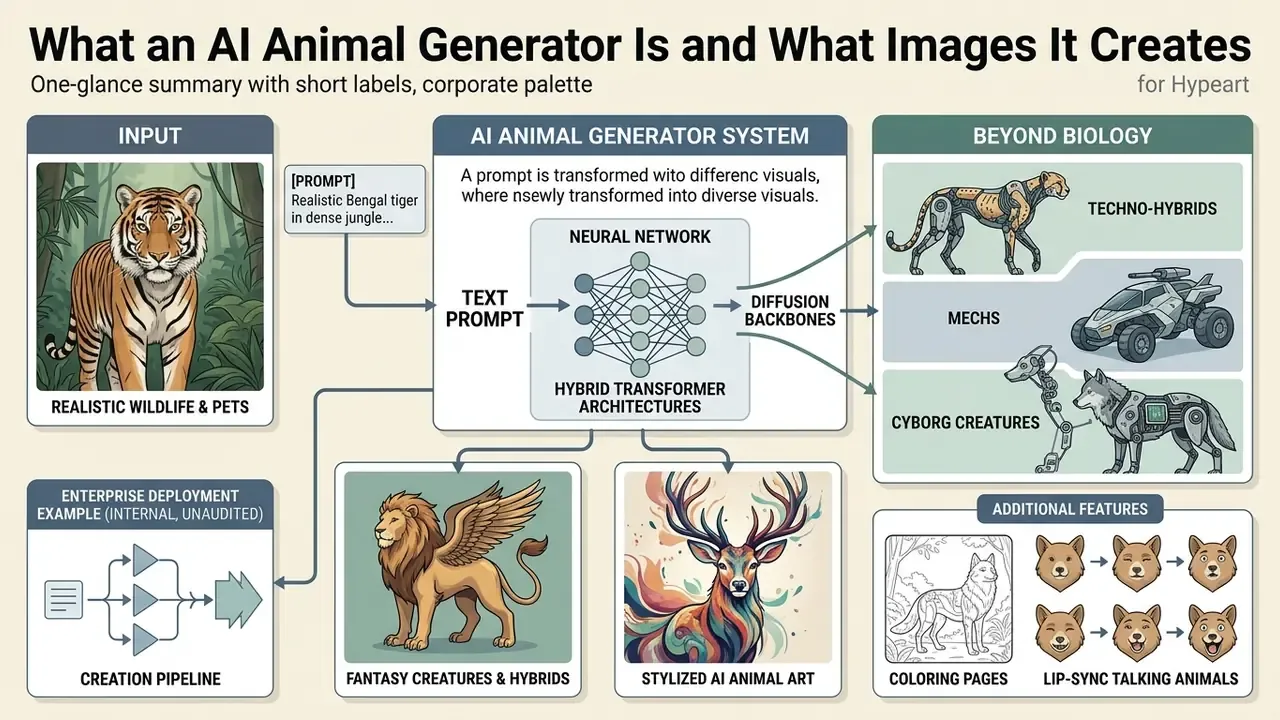
An ai animal generator is a software system powered by diffusion backbones or hybrid transformer architectures, designed to synthesize animal images from natural language prompts or uploaded photos. These tools produce photorealistic wildlife portraits, personalized pet art, stylized illustrations, printable line art, and complex fantasy creatures by interpreting visual and textual tokens in a unified sequence.
The underlying technology relies on advanced neural networks trained on very large visual repositories.
Research on heterogeneous diffusion backbones shows how far architectural efficiency has moved in the current generation of image models.
«Chimera reaches a GenEval score of 0.82 and DPG-Bench 85.12, generating 2K and 4K images without additional high-resolution training.»
Realistic Animals, Wildlife and Pets
Generative systems synthesize realistic animal visuals by applying fine-grained texture mapping and physically based light scattering to render fur, feathers and scales. A realistic animal ai generator captures camera depth of field, anatomical limb ratios and natural behaviour across varied habitats, from dense rainforest to alpine snowfield.
When you build a portrait with an ai generator animal tool, the system balances focal length, pupil response and background blur to imitate professional wildlife photography.
«WildIng integrates species appearance descriptions with visual features, improving model generalization under geographical domain shift.»
Domain-invariant textual conditioning of this type keeps species accuracy even when animals are placed in unfamiliar surroundings: a snow leopard in a desert canyon, a macaw against arctic light. Odd combinations are where weaker models fall apart first.
Fantasy Creatures, Hybrids and Stylized AI Animal Art
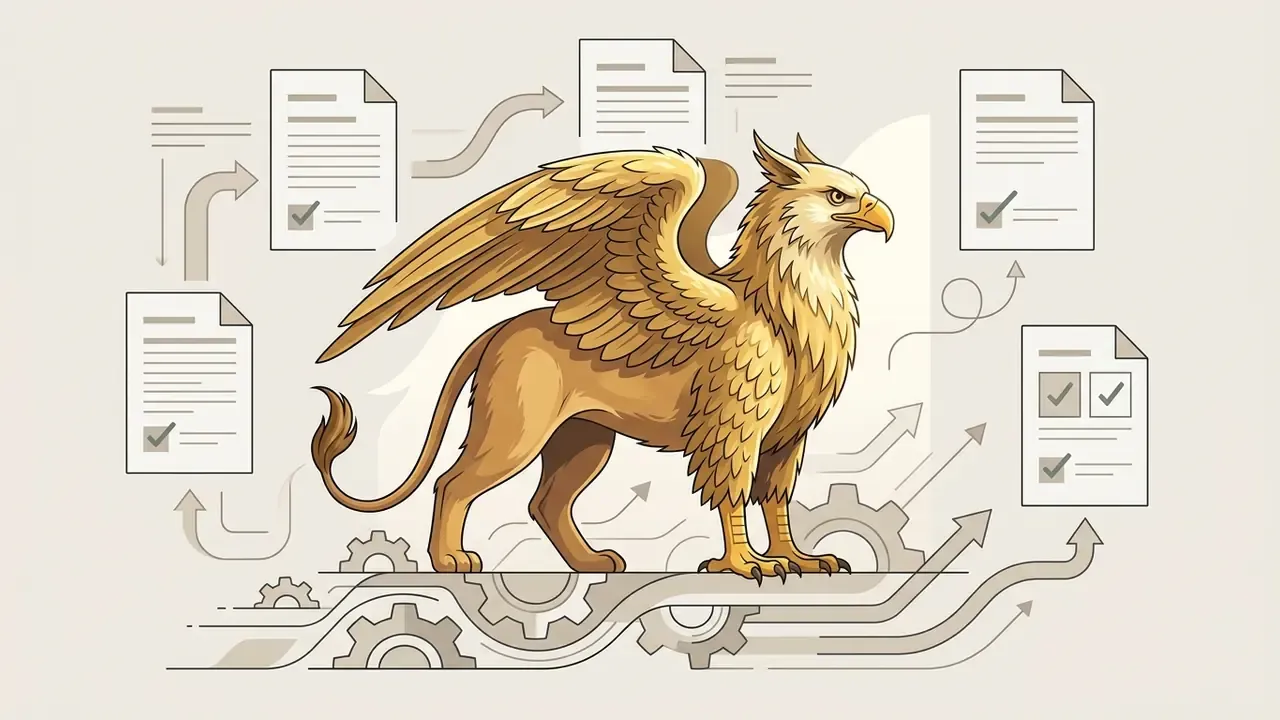
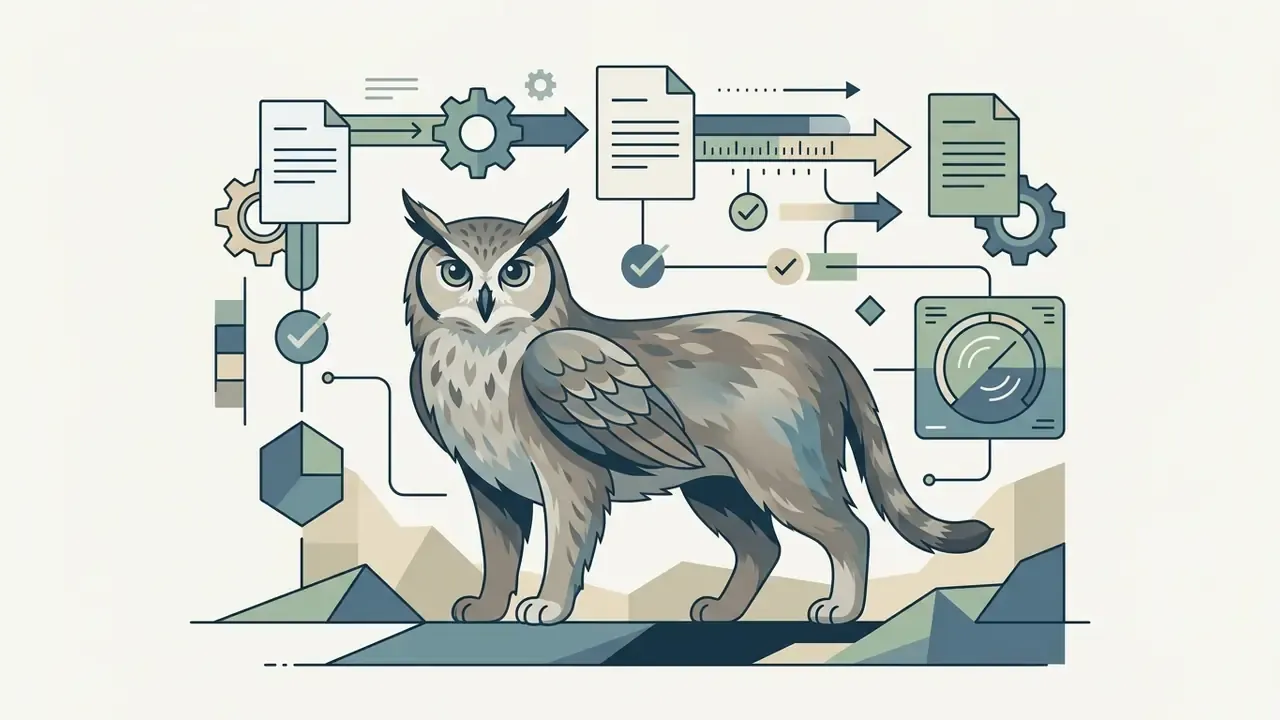
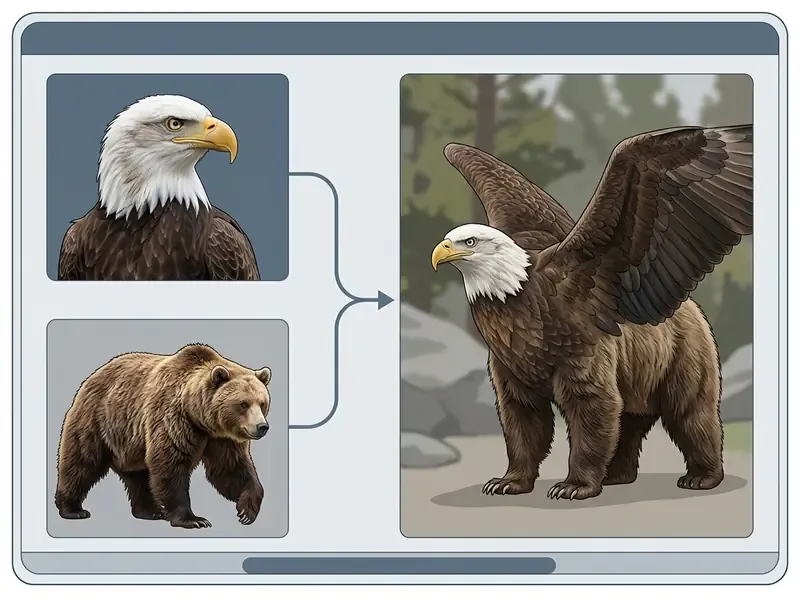
Stylized and fantastical generation combines traits from multiple species into unified hybrid animals or mythical creatures. Modern ai animal art tools use large language models to decompose complex prompt requests, so merged anatomical features, say eagle wings on a feline torso, keep logical joint placement and muscle structure.
«RFNet, a training-free integration of diffusion models and LLMs, outperforms existing methods on both realistic and fantastical scenes in human and GPT evaluations.»
«CSG achieves the lowest BG-LPIPS among baseline methods, preserving the background when translating a dog image into a cat.» - Conditional Score Guidance for Text-Driven Image-to-Image Translation, NeurIPS 2023. https://arxiv.org/abs/2305.18007
Through conditional score guidance, an ai art animal tool can translate structural geometry between species while keeping the background intact. That is what lets creators produce surreal ai animals generator outputs, digital paintings and stylized character graphics that still hold together visually.
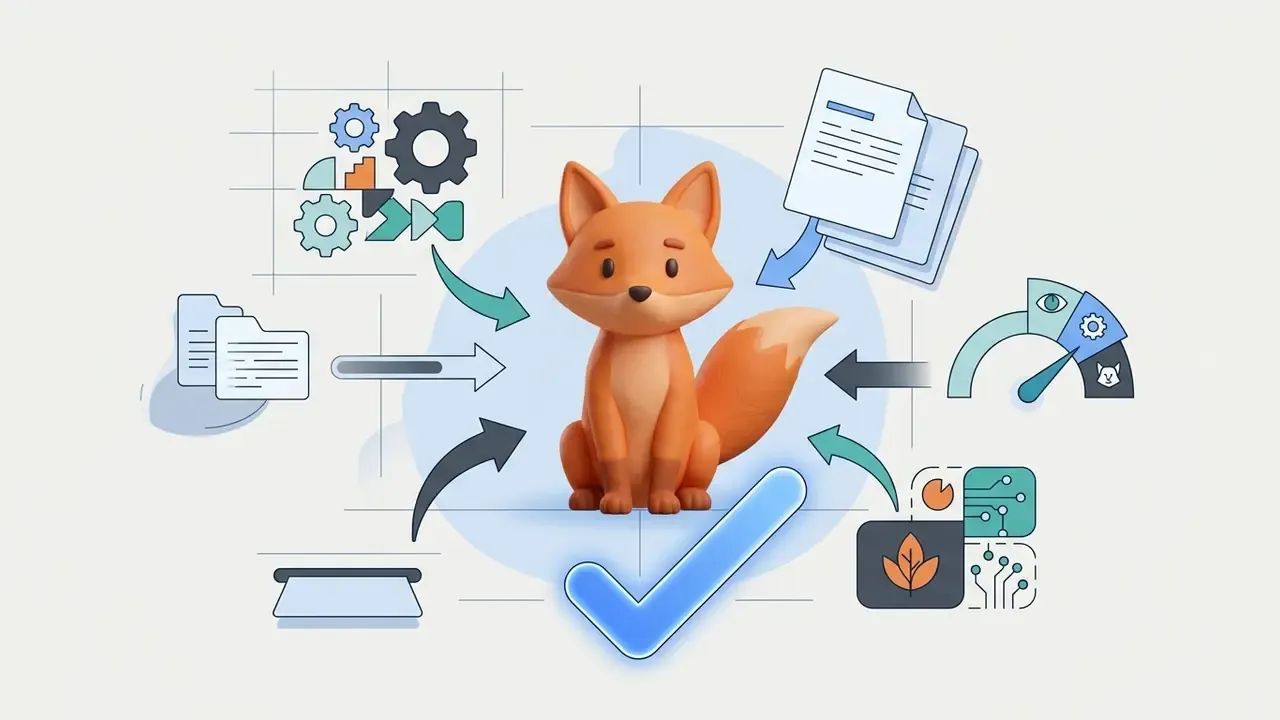
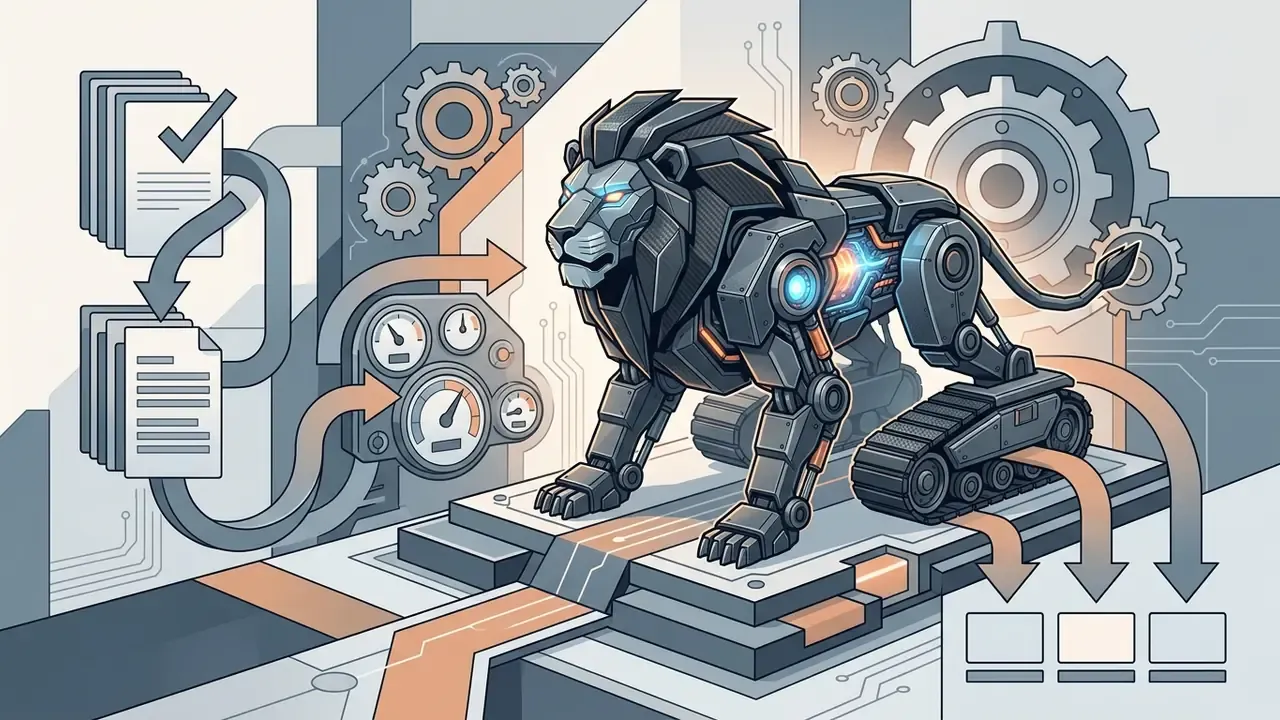
Beyond biology: techno-hybrids, mechs and cyborg creatures. Hybridization is not limited to two organic species. Concept artists, game studios and brand teams routinely fuse animals with machinery: a fox merged with a tracked vehicle, a lion wearing heavy exoskeleton plating, a penguin rebuilt as a service robot. Anatomy-aware fusion still applies. Creature-design research recommends starting from the vertebrate skeleton and transposing the original anatomy before shaping the final form, and it distinguishes "simple" hybrids, where the seam between parts stays visible, from "complex" hybrids, where the transition is fully blended. The same rule governs mech hybrids: place hard-surface armour along real skeletal landmarks (shoulder spine, elbow, pelvis, knee, heel) so hydraulics and joints read as functional rather than decorative. Ready-to-use techno-hybrid prompt structures appear in the prompt section below.
How to Create an Animal Image with an AI Generator
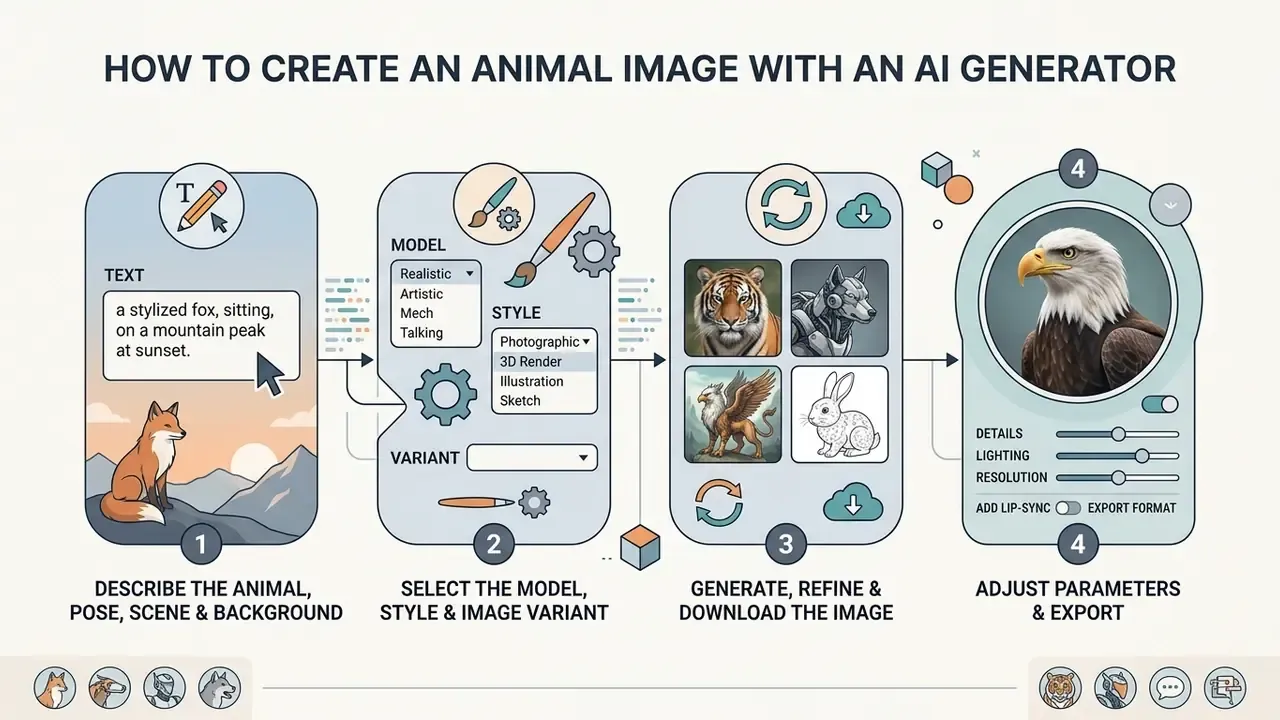
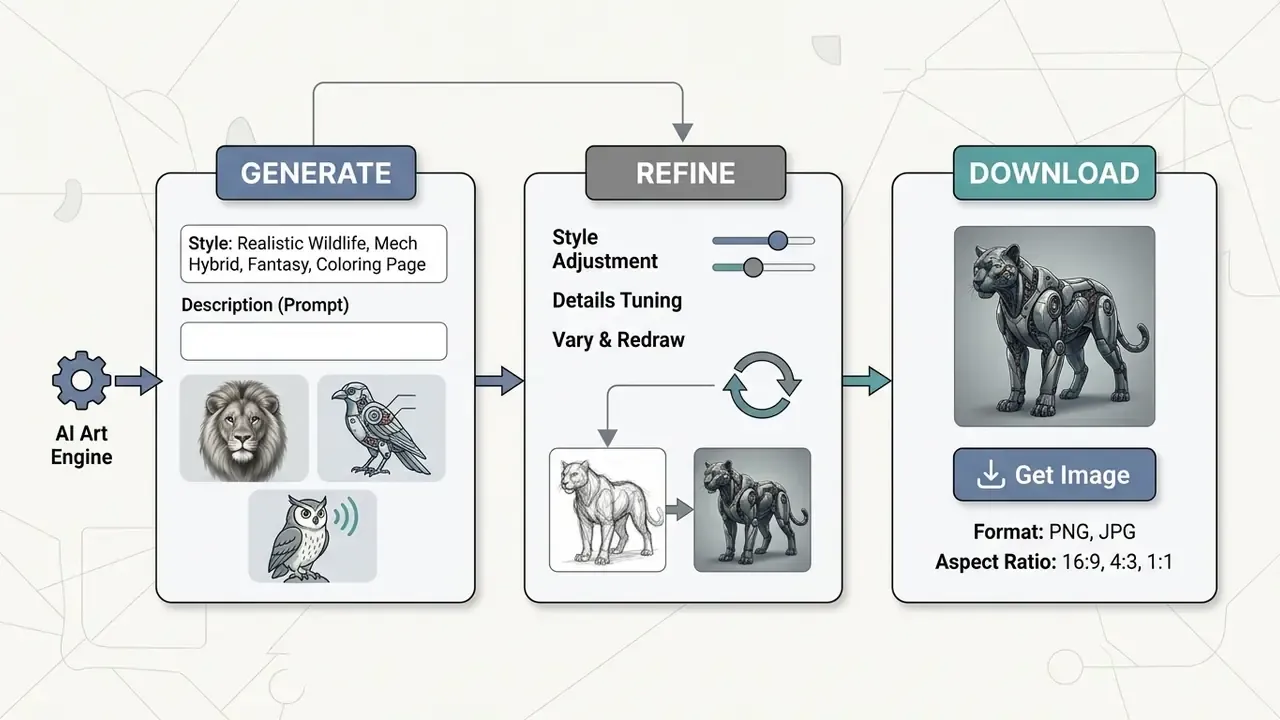
To generate an animal image, you enter a descriptive prompt, select a neural model and visual style, set output parameters, and start synthesis. Once generated, the raw asset can be refined through inpainting or upscaled for final export.
The workflow is iterative in practice. You begin with a base description in an ai animal picture generator, look at the draft, then adjust lighting, camera angle or pose. Rarely does the first render survive.
Structured parameter selection, in particular classifier-free guidance (CFG) scale and step count, has a direct effect on visual fidelity and prompt alignment.
Generation Workflow (mobile-friendly)
| Stage | Action | Key controls |
|---|---|---|
| 1. Prompt entry | Describe species, pose, scene, optics | Subject, action, habitat, lens |
| 2. Model & style | Select architecture and preset | SDXL, FLUX, Nano Banana, photoreal / illustrated |
| 3. Variant synthesis | Generate 4 candidates | Seed, CFG scale, steps, sampler |
| 4. Inpainting refinement | Mask and regenerate defects | Mask feather, denoise per region |
| 5. High-res export | Upscale and download | 2K/4K, PNG or JPEG |
For audit reproducibility, record seed, CFG scale, step count, model version and generation date at stage 3. That is the minimum trail required to demonstrate human creative control later.
Describe the Animal, Pose, Scene and Background
Constructing a prompt for an ai image generator animal system means defining the core subject, its physical state, and the surrounding environment. Exact species terms, coat pattern, eye direction and lighting reduce model ambiguity and produce more predictable results.
Effective descriptions avoid vague statements and supply structured attributes instead. Detail the stance ("alert standing pose"), the environment ("misty pine forest at sunrise") and the camera parameters ("shallow depth of field, 105mm macro lens") to guide the model's latent attention. Where a species has breed variants, add breed, life stage and animal count. Those tokens materially reduce averaging toward dataset means, which is the usual reason a "dog" comes back looking like nobody's dog.
Select the Model, Style and Image Variant
Base model and visual preset decide whether your animal generator ai output reads as a studio photograph, a watercolour, or a 3D asset. Different models offer different levels of prompt adherence and artistic flexibility.
For hyperrealistic wildlife, pick models tuned for photorealism with camera preset controls. Stability AI positions SDXL as its strongest open model for photorealism across virtually any art style. For illustrative or concept work, choose presets that emphasise bold lines, painterly brushwork or vector layouts. Labels such as Photographic, Cinematic, Anime and Digital Art shift output from neutral rendering toward a defined aesthetic, and comparisons such as Midjourney versus competing image generators show how strongly style bias varies between vendors.
Generate, Refine and Download the Image
Click generate to run the prompt through the pipeline, then review the candidate variations. If minor artifacts appear, an extra digit, an irregular fur patch, apply a targeted inpainting mask and regenerate only that region. In mask-based inpainting, white pixels mark the area to be filled and black pixels are preserved, so tight masks with soft feathering repair anatomy without disturbing surrounding fur.
Once the image meets your standard, run it through an AI image upscaler to reach 2K or 4K. Export as PNG or JPEG depending on whether you need transparency or compressed storage. For very large formats, two passes beat one jump: upscale, then inpaint again at the higher resolution so fine fur and feather detail is reconstructed with more context.
How to Write a Prompt for an AI Animal Generator
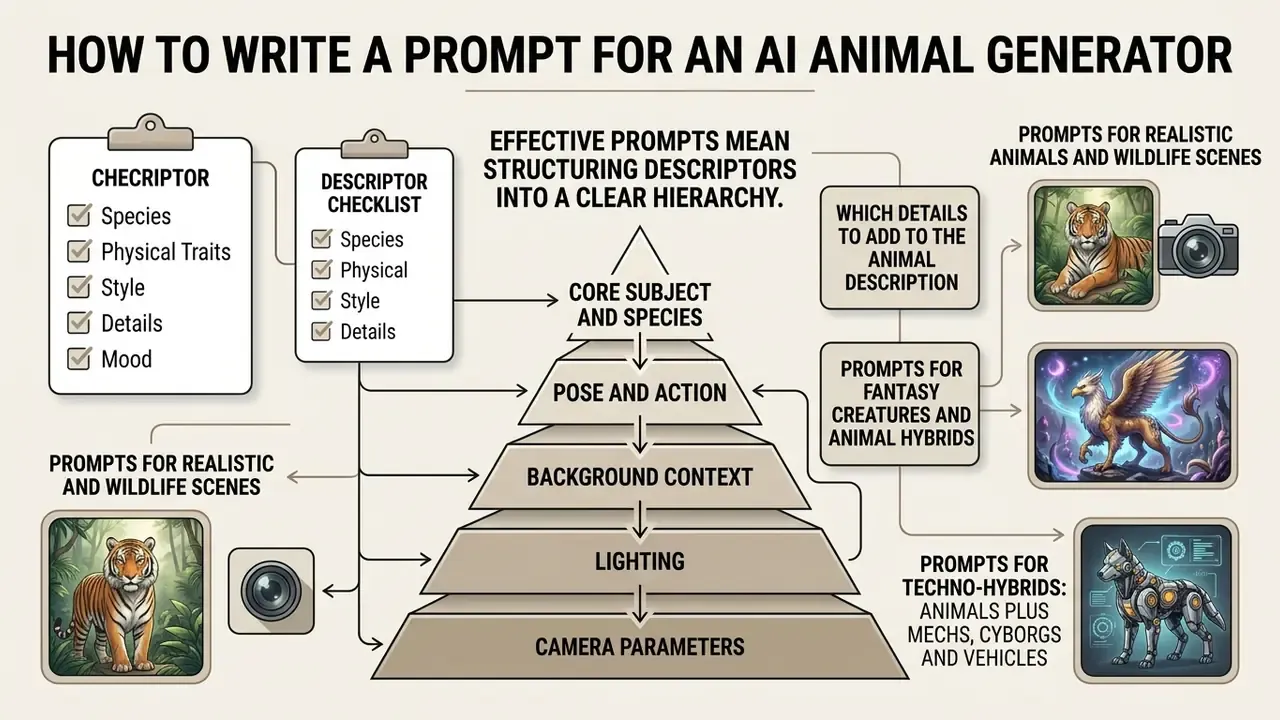
Writing an effective prompt means structuring descriptors into a clear hierarchy: core subject and species, pose and action, background context, lighting, camera parameters, artistic style. That sequence gives the diffusion process spatial and stylistic anchors it can actually use.
Structured prompts clearly outperform unstructured keyword strings in visual evaluation benchmarks. Explicit descriptors stop the model from defaulting to generic dataset averages and keep anatomical proportions consistent across outputs. Vendor prompt guides converge on the same ordering logic: background and scene, then subject, then key details, then explicit constraints such as no watermark or no extra text.
Which Details to Add to the Animal Description
In an animal generator prompt, include physical descriptors: coat colour, fur texture, markings, eye colour, ear posture, facial expression. Then push detail into claws, whiskers, beak texture or scale pattern to drive high-frequency visual information.
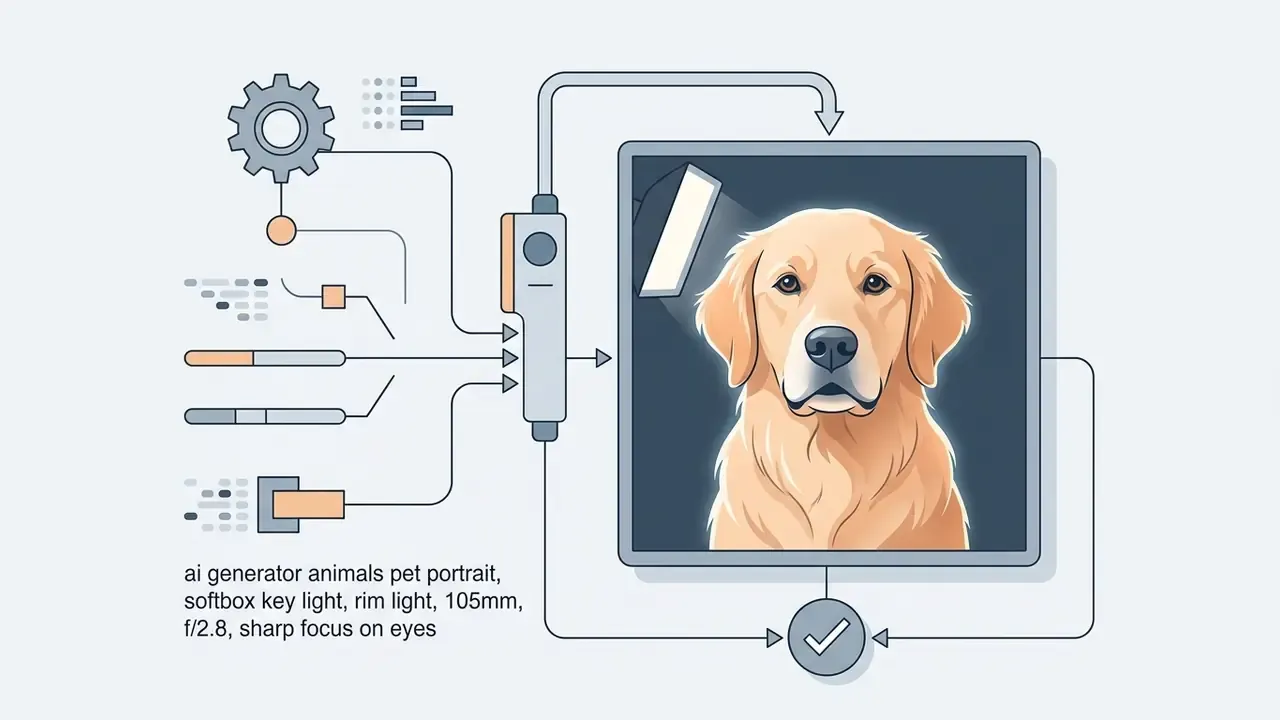
Specify lighting ("soft window light", "cinematic rim lighting", "softbox", "golden hour sun") and optics ("85mm lens", "70-200mm f/2.8", "bokeh background") to control contrast, shadow and subject isolation. Emotional descriptors matter more than people expect: alert, curious, playful, calm govern eye, ear and mouth position, and they separate a taxonomic illustration from a portrait with presence.
Descriptor checklist: species and breed, then coat colour and markings, then distinctive anatomy, then pose and motion, then expression, then habitat and background, then lighting, then lens and aperture, then style, then negative constraints.
Prompts for Realistic Animals and Wildlife Scenes
For realistic wildlife with an animal ai image generator, combine a natural habitat with camera positioning borrowed from professional nature photography.
Subject: Full-body Alaskan grizzly bear, wet matted fur, standing in a rushing river
Scene: Salmon jumping in background, spray and water droplets in mid-air
Lighting & Optics: Bright overcast daylight, fast shutter speed (1/2000s), 300mm telephoto lens, crisp focus on eyes
Style: Photorealistic nature documentary photograph, unedited natural color grading
Subject: Adult red fox in winter coat, alert stance, direct eye contact with camera
Scene: Snow-covered birch forest, low drifting mist, tracks visible in fresh snow
Lighting & Optics: Golden hour backlight, 200mm f/2.8, shallow depth of field, rim light on guard hairs
Style: Photorealistic wildlife photography, natural colour, visible individual fur strands
Prompts for Fantasy Creatures and Animal Hybrids
Creating fantastical beings with an ai generator animals platform requires explicit guidance on how anatomical features should merge into one form.
Subject: Mythical creature hybrid combining a snow leopard torso and silver eagle wings
Anatomy: Quadrupedal stance, digitigrade hind legs, feathered wing joints seamlessly blending into fur
Scene: Perched on a jagged obsidian cliff overlooking a glowing aurora borealis
Style: High-fantasy concept art, dramatic side lighting, intricate scale and fur texture
«The imagine-then-verbalize method uses an LLM to progressively specify unconventional descriptions, improving numerical consistency and plausibility in hybrid imagery.»
Two structural rules keep hybrids believable. Choose one dominant locomotion template (quadruped, biped, avian). Then map every added trait to a real anatomical function instead of swapping parts at random. Pose-conditioned research reinforces this: YOUDREAM (NeurIPS 2024) trained a TetraPose ControlNet on tetrapods and generated controllable mammals, reptiles, birds and amphibians directly from 2D pose conditions.
Prompts for Techno-Hybrids: Animals Plus Mechs, Cyborgs and Vehicles
Fusing an animal with machinery is the highest-value hybrid category for game studios, brand mascots and concept art. The prompt must state which structures are organic, which are mechanical, and where the transition happens.
Subject: Cybernetic lion hybrid fused with heavy mechanical tank armor
Anatomy: Visible hydraulic limbs, carbon-fiber joints at shoulder and knee,
         exposed glowing plasma core in chest, natural mane mixed with cable bundles
Scene: Dust-covered industrial hangar, sparks, shallow atmospheric haze
Style: Sci-fi concept art, Octane render, volumetric lighting, hard-surface mechanical detailing
Negative: soft plastic toy look, melted geometry, duplicated limbs
Subject: Arctic fox rebuilt as a lightweight reconnaissance mech
Anatomy: Ceramic plating over shoulders and hips, servo-driven digitigrade legs,
         organic head and tail retained, sensor array replacing left eye
Scene: Snowfield at blue hour, thin exhaust vapour, footprints behind the subject
Style: Industrial design concept sheet, three-quarter view, neutral studio backdrop, hard rim light
Subject: T-Rex fused with a monster truck chassis
Anatomy: Tyres integrated at hip and shoulder, roll cage forming the ribcage,
         chrome exhaust stacks along the spine, scaled hide over the frame
Scene: Desert flats, dust plume, low camera angle
Style: Stylized cartoon 3D render, bold outlines, saturated colour, kid-friendly
For broader generative workflows and automation training, creators can review free generative AI course materials to expand prompt design capability across modalities.
Styles and Scenarios Available in an AI Animal Creator
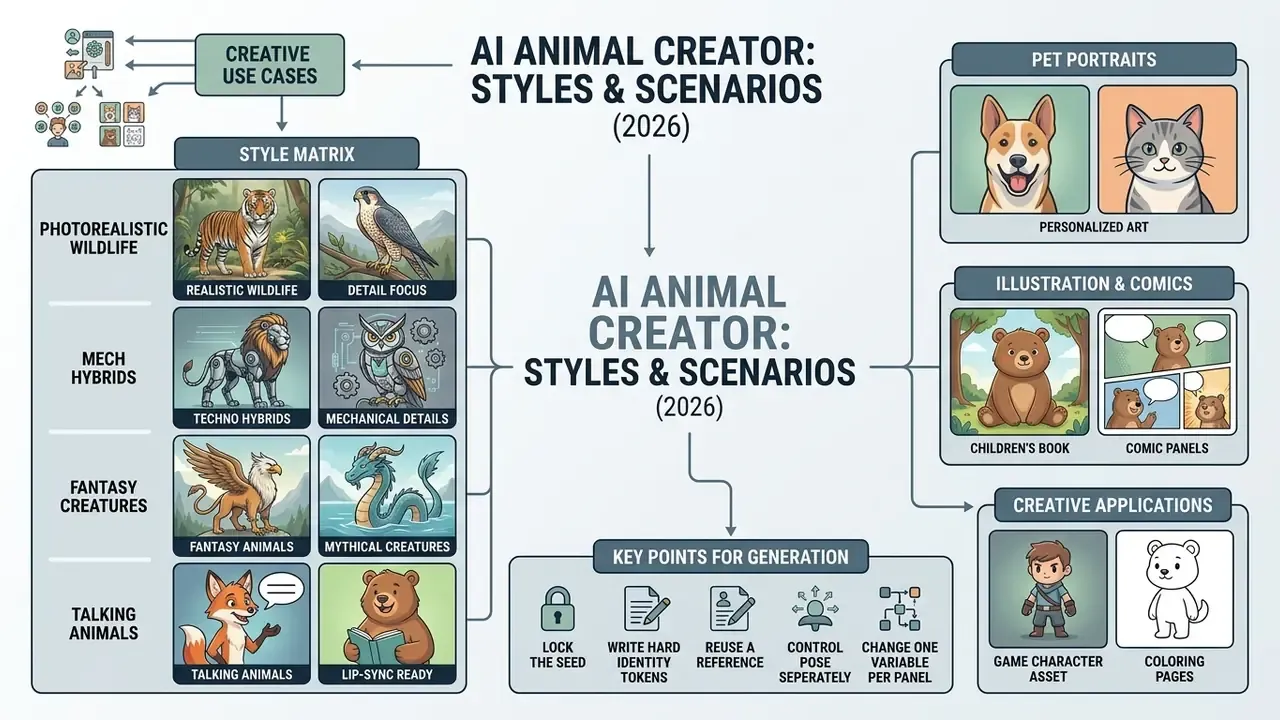
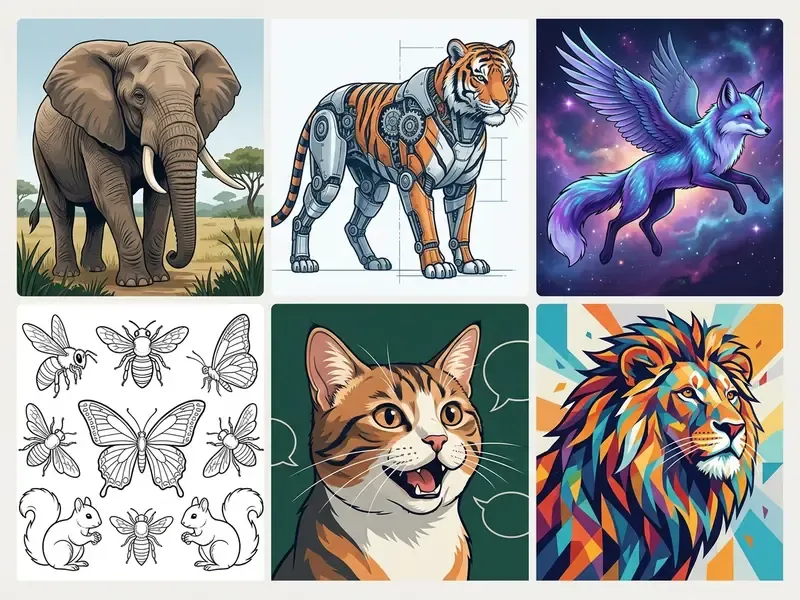
An ai animal creator supports photorealistic portraits, vector graphics, children's book illustration, printable coloring pages, game character assets, comic panels and social media visuals. Adjusting the pipeline lets you carry one subject across several commercial workflows.
The versatility of an animal maker ai enables cross-industry use, and side-by-side reviews of the best AI art generators show how much style range differs between platforms. Game developers generate concept art, mob designs, mounts and texture maps. Publishers draft coloring pages and storybook spreads. Educators build lesson materials. Marketers produce social visuals aligned with brand aesthetics.
Creative Use Cases and Style Matrix
| Category | Output style | Key technical feature |
|---|---|---|
| Pet portraits | Oil, watercolour, photoreal | Identity preservation |
| Game & character art | 3D render, pixel, concept sheet | Pose and skeleton locking |
| Kids & publishing | Line art, vector, cartoon | Clean contour extraction |
| Comics & storyboards | Panel sequences, inked art | Character consistency across frames |
| Education & classroom | Flashcards, habitat plates | Simple prompts, printable output |
| Marketing & social | High-impact studio shot | Aspect-ratio adaptation |
| Brand mascots | Stylized hero character | Reusable identity across campaigns |
Pet Portraits and Personalized Animal Art
Personalized pet art with an ai animal art generator depends on holding the individual identity of one animal, unique fur pattern, facial asymmetry, ear shape, while the artistic environment changes completely.
«AnimalBooth applies DCT filtering in latent space together with an Animal Net module to preserve pet identity, outperforming baselines on fidelity and perceptual quality.»
Frequency-controlled feature integration and dedicated identity encoders retain likeness across styles without full model retraining. In production, an animal ai art generator pipeline usually stacks three components: ControlNet to anchor pose and structure, an identity adapter (IP-Adapter or equivalent) to preserve breed proportions, coat pattern, eye colour and ear shape, and masked inpainting to restyle background and clothing without touching the face. Consumer style tools follow the same reference-conditioning logic, which is why a free hairstyle app and a pet-portrait pipeline share more architecture than their marketing suggests. Final colour, exposure and sharpness corrections are handled with an AI photo editor or a conventional online photo editor before print.
Characters, Illustrations, Comics and Coloring Pages
Publishers and content creators use an animal ai generator to design consistent storybook characters, printable activity pages and multi-panel comics.
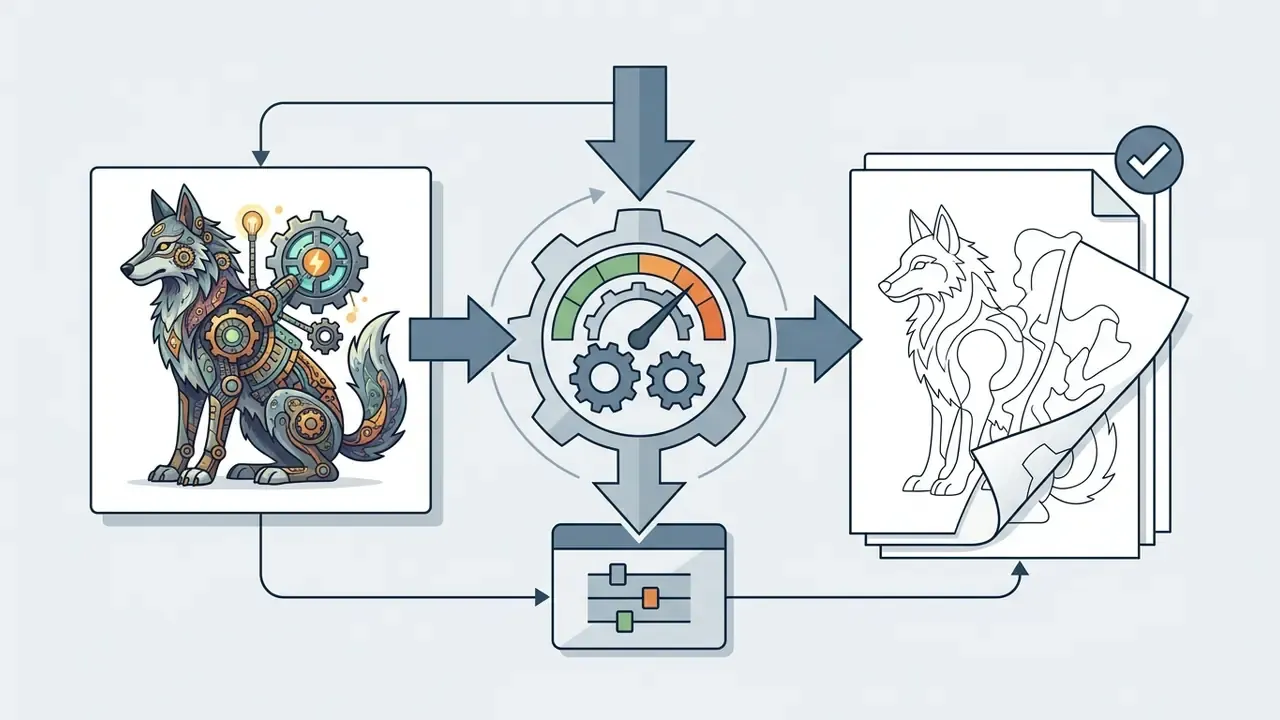
Step by step: generating a printable coloring page
Adobe Firefly's coloring-page workflow (2026) confirms the same logic at product level: prompt-based line-art generation with Line Drawing, Ink and Sketch effects to produce clean printable outlines. Research on structure-preserving line generation supports it too. LineArt (2024) transfers appearance for design drawing with diffusion while preserving structural accuracy.
Step by step: keeping the same character across comic panels
- Generate or select the base animal image at the pose and framing you want.
- Apply a line-art style prompt:
clean black and white line art, vector outline, uniform stroke weight, zero shading, flat white background, coloring book style for kids. - Add explicit negative constraints:
--no shadows, grayscale fills, gradients, texture, halftone, watermark, text. - Set the aspect ratio to a print format (A4 or US Letter, portrait) and generate four candidates.
- Inpaint any broken contour so every region is fully enclosed. Unclosed outlines make a page unusable for colouring, and children notice immediately.
- Upscale to at least 300 DPI at final print size and export as PNG.
- Lock the seed.Reuse the identical seed value for every panel so the latent starting point stays stable.
- Write hard identity tokens.Add two or three non-negotiable markers to every prompt, for example
unique scar over left eye,red scarf,notched right ear,three white toes on front left paw. - Reuse a reference.Feed the approved first panel back through reference-only or IP-Adapter conditioning so facial geometry carries forward.
- Control pose separately.Use ControlNet OpenPose or a depth and edge map per panel, so posing changes without redrawing identity.
- Change one variable per panel.Vary camera angle, or environment, or action. Not all three at once.
- Audit as a contact sheet.Lay all panels side by side and re-inpaint any drifted face before inking or lettering.
«ORACLE generates a character image set from a text prompt, clusters outputs, removes outliers, and personalizes a model to keep identity stable across new contexts.»
That iterative gallery-and-clustering approach is what makes multi-panel storytelling viable without training a bespoke model. No custom LoRA, no week of fine-tuning.
For Teachers, Schools and Kids: Educational Scenarios
Teachers, early-years educators and homeschool parents use ai animal generator tools as interactive teaching aids. In a biology or language lesson, students describe an invented creature aloud, watch it render in seconds, then explain which real adaptations they borrowed: beak shape for diet, limb structure for locomotion, coat colour for camouflage. Several concrete classroom outputs follow from that:
Because classroom material is reproduced and displayed, verify the platform's Terms of Service for educational distribution, and keep prompts age-appropriate under a supervised account.
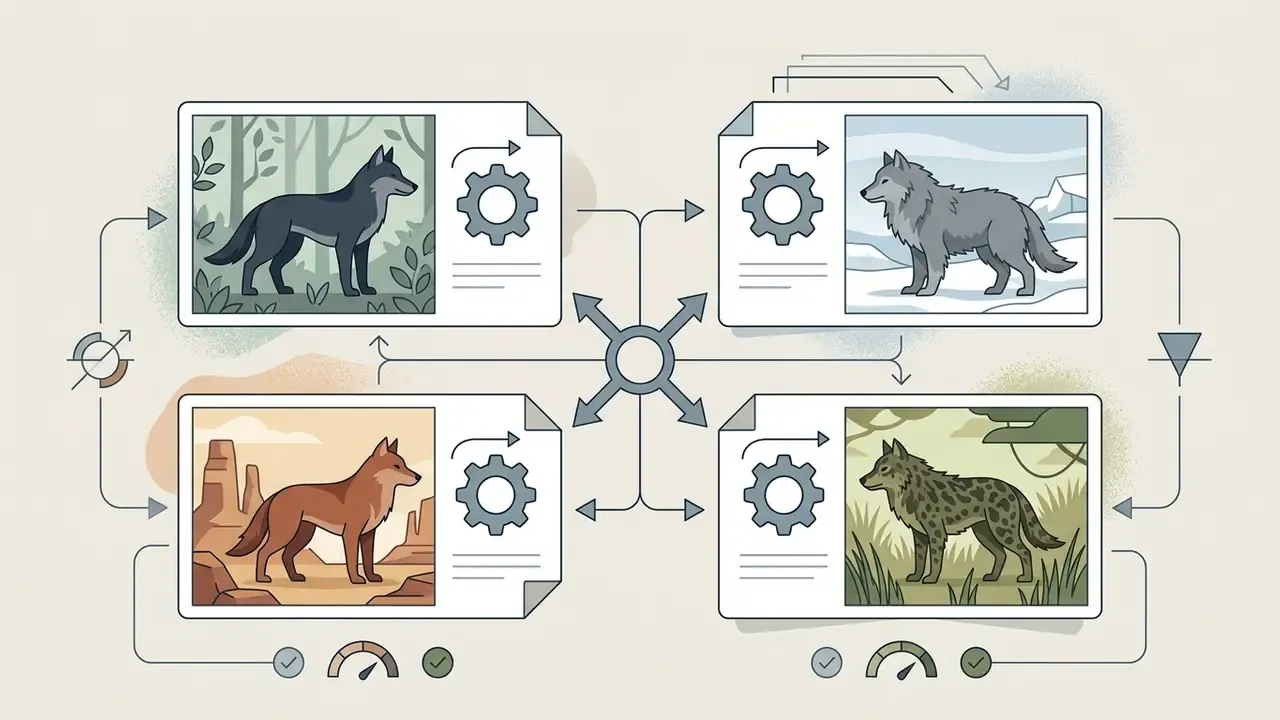
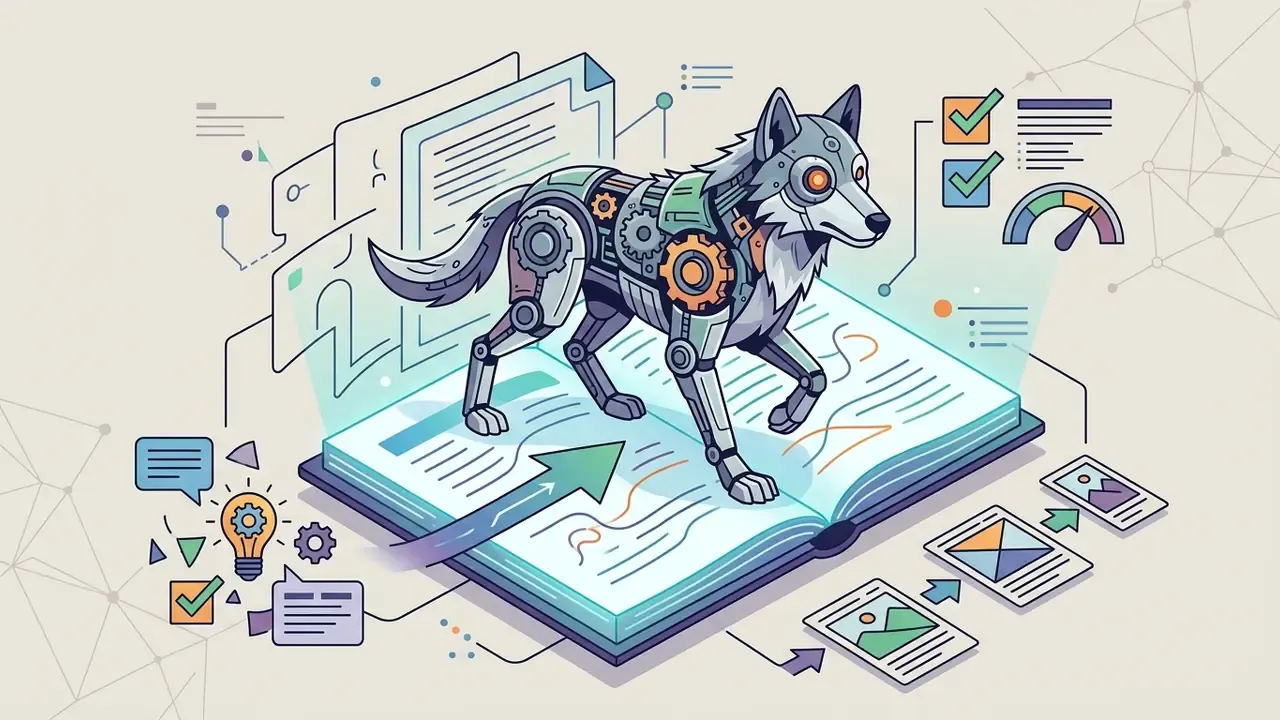
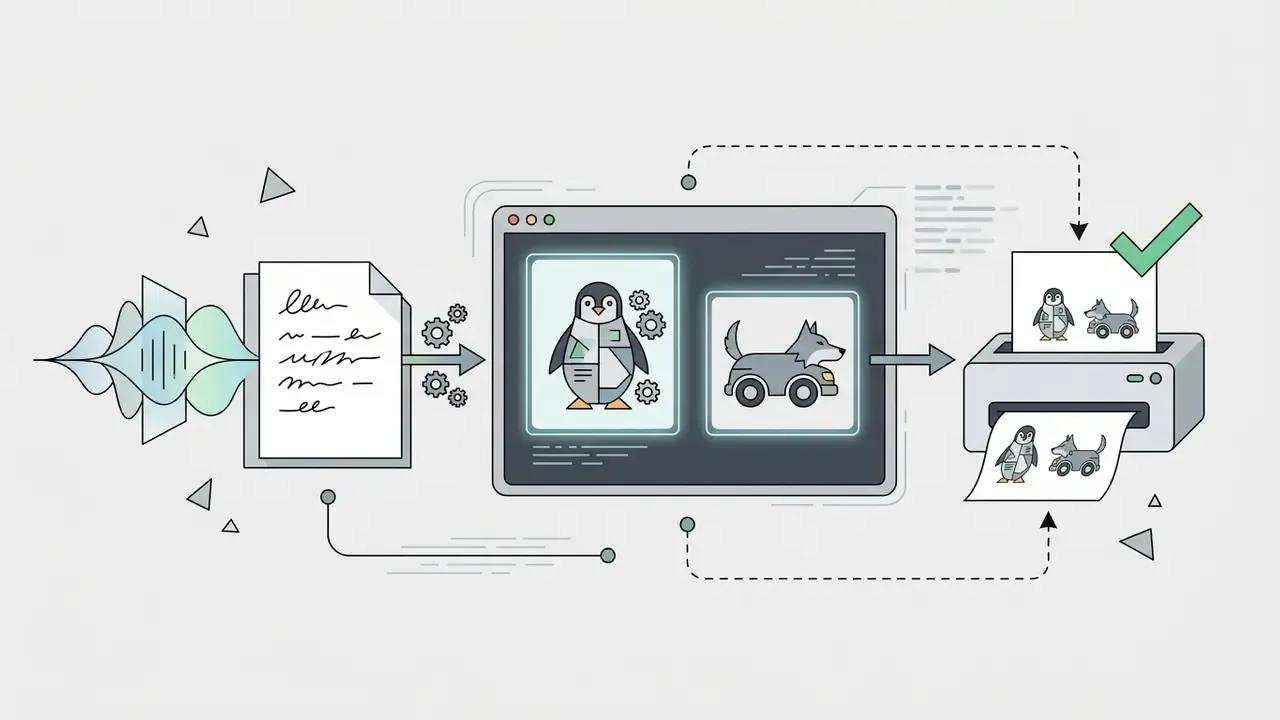
Animation and Lip-Sync: How to Make a Talking or Singing Animal
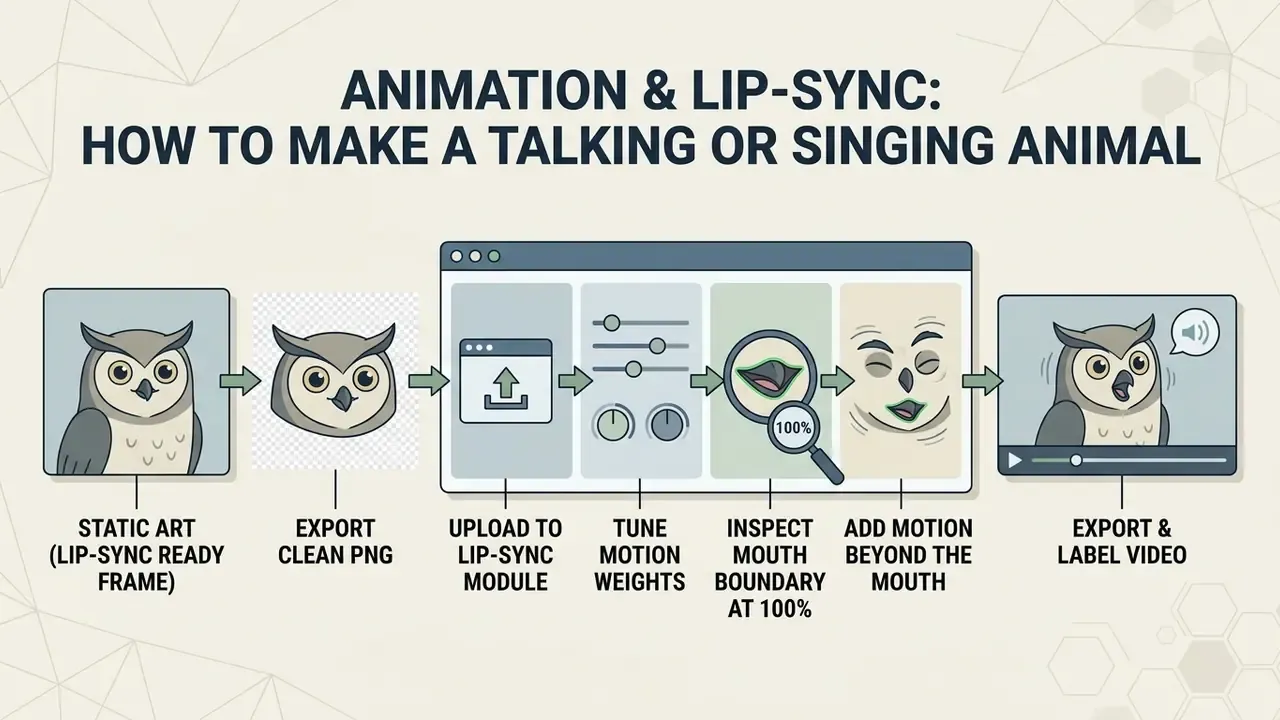
A static animal image is only the first asset. The highest-engagement formats, short-form video, narrated explainers, singing pets, mascot announcements, need that image converted into a lip-synced or motion-animated clip. Here is the pipeline from still frame to talking video.
Pipeline: Turning Static Art Into a Talking Video
- Generate a lip-sync-ready frame. The source image must show the face in a near-frontal projection with the mouth clearly defined and unobstructed. Avoid extreme profiles, heavy shadow across the muzzle, foliage crossing the jaw, and open-mouth poses with visible tongue geometry that the animation will have to fight.
- Export a clean PNG. Keep the subject centred, leave headroom, and avoid aggressive sharpening around the mouth. Over-sharpened fur edges tear when the jaw deforms.
- Upload to a lip-sync module. Provide either an audio file (MP3 or WAV) or text for speech synthesis. Multilingual TTS voices let the same animal narrate in dozens of languages from one still image. Voice quality, language coverage and licensing are compared in the guide to AI voice generators.
- Tune motion weights. Set jaw movement and eye or brow expressiveness in the mid range, emotion weight roughly 0.5 to 0.8. Above that the muzzle over-articulates and fur smears at the corners of the mouth. Below it you get a rubber-mask effect where audio and mouth shape drift apart.
- Inspect the mouth boundary at 100%. The most common failure is a blur halo where generated fur meets the animated mouth region. Fix it by inpainting the mouth area on the source frame with tighter fur detail, then re-run the sync.
- Add motion beyond the mouth. Feed the still into a video model for breathing, blink, tail or camera motion, then composite the lip-synced mouth region on top. That layered approach still looks the most natural.
- Export and label. Render MP4 up to 4K, then apply your disclosure label and metadata per the advertising guidance above.
Prompt Template for a Lip-Sync-Ready Frame
Subject: Head-and-shoulders portrait of a ginger tabby cat, frontal view, facing camera directly
Expression: Neutral relaxed mouth, lips closed, eyes open and symmetrical, ears forward
Framing: Centered, eye-level, 105mm lens, f/4 for even facial sharpness, generous headroom
Lighting: Soft even frontal softbox, minimal shadow under the muzzle, subtle rim light
Background: Simple uncluttered backdrop, shallow but clean separation
Negative: profile view, open mouth, visible tongue, hair across the jaw, motion blur, heavy contrast shadows
The same template works for dogs, for birds (substitute "beak closed, symmetrical") and for hybrid creatures. The constraint that actually matters is a clean, evenly lit, frontal mouth region.
Which Models Handle Animal Motion
Generating Animal Images from Photos and Building Hybrids
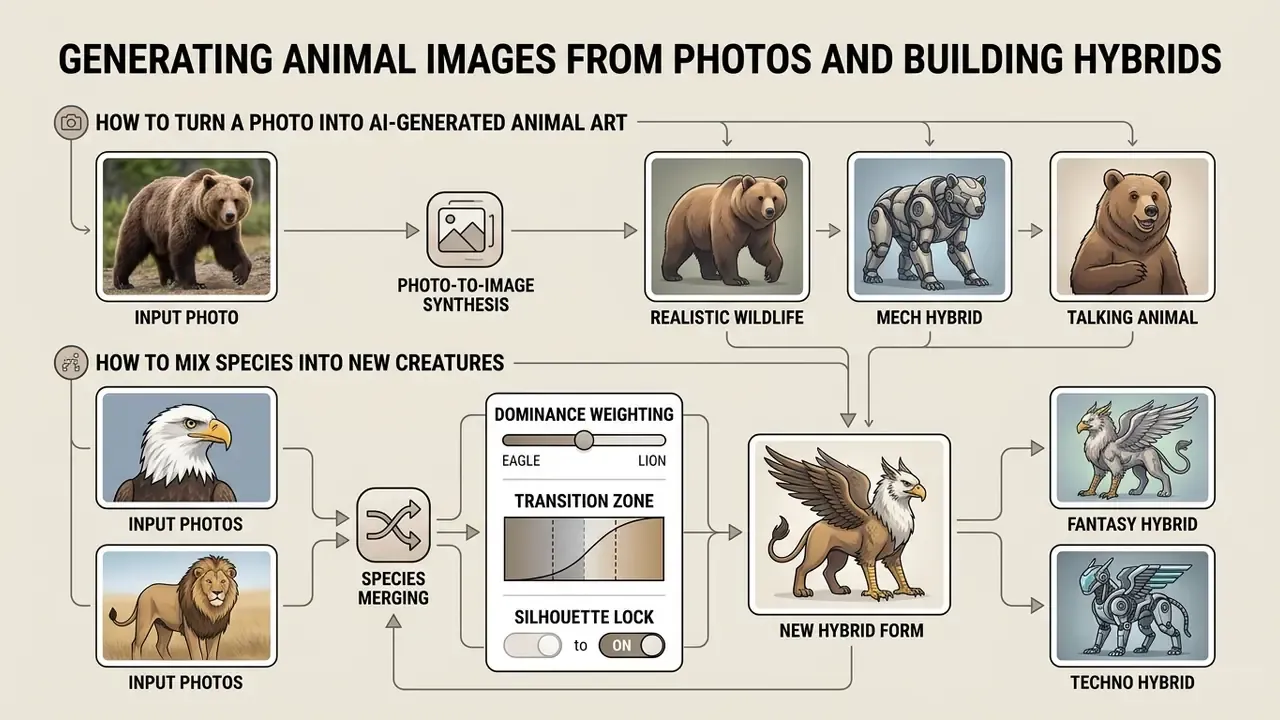
Photo-to-image synthesis converts uploaded animal photographs into new artistic styles, or merges distinct biological species into unified hybrid forms. With an ai animal generator from photo, you can keep source pose and anatomy while replacing style and environment entirely.
Using ControlNet and img2img diffusion pipelines, the class of tools covered in the guide to image-to-image generators, input reference images guide structural geometry while target prompts supply new surface texture and lighting.
How to Turn a Photo Into AI-Generated Animal Art
To convert a photograph into stylized art with an animal ai photo generator, upload the reference image, set the denoising strength, then supply a style prompt such as "Renaissance oil painting" or "3D animated character".
Denoising strength controls how far the model departs from the original photo:
| Denoising strength | Effect | Best for |
|---|---|---|
| 0.20-0.35 | Strict photo likeness, subtle lighting shifts | Pet portraits where identity must survive |
| 0.45-0.50 | Recognisable restyling, pose intact | Watercolour, oil, painterly finishes |
| 0.50-0.70 | Noticeable artistic transformation, core pose and composition retained | Stylised illustration, poster art |
| 0.70+ | Major redraw, composition may drift | 3D-cartoon reinterpretation, concept exploration |
Values between 0.25 and 0.35 keep strict photo likeness with subtle lighting shifts. Values between 0.50 and 0.70 deliver visible artistic transformation while retaining core pose and composition. At strength 1.0 the input noise is maximal and the pipeline denoises for the full step count, so the source image contributes almost nothing beyond initial composition.
How to Mix Species Into New Creatures
Cross-species hybrids require either reference photos of two animals, or dual-species characteristics specified inside a single prompt pipeline.
The model uses anatomy-aware fusion to reconcile conflicting skeletal structures, for instance a feline torso with reptilian scaling. Feature weighting decides how much each parent species contributes. Three practical controls determine whether the result reads as a creature or as a collage:
- Dominance weighting. Give one parent species the skeleton and locomotion, the other the surface traits. A 50/50 blend usually produces the visible-seam "simple hybrid" look.
- Transition zone. Name the seam explicitly, "feathers transitioning into short fur along the shoulder line", so the model does not butt-join two textures.
- Silhouette lock. Silhouette-guided pipelines using ControlNet plus IP-Adapter preserve outline structure while transferring colour, texture and style. A 2026 study applied this across 28,586 silhouettes from 72 species.
Worth noting: biological hybridisation does not behave like averaging. A 2024 bone-shape study reports transgressive shape effects in F1 offspring, meaning real hybrids can fall outside the midpoint of both parents. Designers can exploit that. Deliberate exaggeration of one trait often reads as more believable than a mathematical blend.
How to Evaluate AI Animal Generator Quality: Models, Detail and Editing
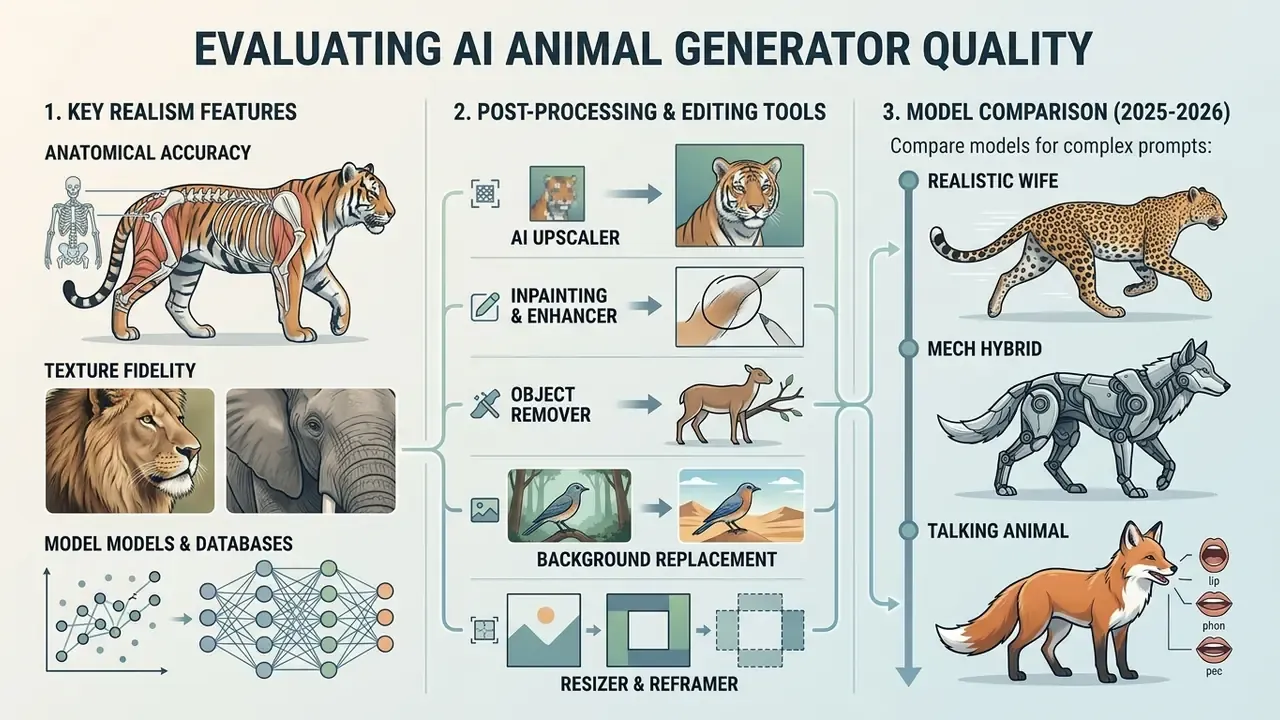
Evaluating an ai image generator animals platform means assessing anatomical accuracy, texture fidelity, built-in editing features and upscaling capability. Strong tools produce clean limb boundaries, natural eye alignment and coherent fur rendering without artifacts.
Technical benchmarks prioritise structural correctness over superficial sharpness.
Human evaluation methods adapted from anatomical image assessment score generative models across five body regions, head, neck, torso, limbs and tail, then aggregate error proportions per region. Recent anatomy-evaluation studies use three defect categories that transfer cleanly to animals: absent parts (missing paw, missing ear), extra parts (extra digit, duplicated limb) and disjointed configuration (distorted joint, limb fused into background). Score a batch of 50 outputs against those categories per region and you get a reproducible error rate instead of a subjective impression.
Which Features Affect the Realism of Animal Images
Realism in an ai generator animal output depends on surface texture density, light behaviour on eyes and coat, and structural shadow placement. Physically based fur models describe the fibre as a cortex with cuticle scales and an inner medulla, and fit reflectance lobes from measured samples. That is why credible fur requires self-shadowing, soft shadows and volumetric scattering inside the fibre mass, not a flat texture map. Research systems such as ARTEMIS report photo-realistic rendering of furry animals using a dedicated shading network for appearance and opacity under novel poses.
Anatomical realism additionally requires correct body proportions, consistent fur direction and clean silhouettes. Artifacts appear when layered shell approximations, opacity maps or strand directions fail to match the underlying mesh. High-fidelity models therefore avoid blurred paws, floating limbs and asymmetrical facial features, and provide credible sub-surface scattering for skin, nose leather and thin ear tissue.
Tools for Enhancing and Adapting the Finished Image
Professional workflows depend on post-processing built into the ai animal maker interface.
- AI upscaler raises resolution up to 4K or 8x while preserving edge sharpness and fur detail. Vendor documentation treats upscaling as a distinct endpoint from generation and editing. Comparison of AI image enhancers covers quality differences between engines.
- Inpainting and enhancer localized masking to fix minor anatomical errors, replace masked regions, or swap facial expressions.
- Object remover clears background distractions, leashes, logos, watermarks.
- Background replacement isolates the animal subject and inserts custom environments.
- Resizer and reframer adapts a single asset to print, post, thumbnail and banner ratios without regenerating.
Extended Model Comparison (2025-2026)
| Model / Tool | Text-to-Animal | Img2Img / Photo input | Hybrid fusion | Inpainting & edit | Upscale | Video / motion | Commercial plan |
|---|---|---|---|---|---|---|---|
| OpenAI GPT-Image-2 | Full support | Edit & variation | Prompt-guided | Mask-based inpaint | Up to 8K output | No | Paid / tiered |
| GPT-Image-1.5 | Full support | Edit & variation | Prompt-guided | Mask-based inpaint | Via pipeline | No | Paid / tiered |
| Stable Diffusion XL | Full support | Full img2img | ControlNet mesh | Mask-based inpaint | External / plugin | No | Open / paid |
| FLUX.1 Kontext Pro | Full support | Strong reference edit | Prompt + reference | Region edit | External | No | Paid |
| FLUX.2 Pro | Full support | Strong reference edit | Prompt + reference | Region edit | Native HD | No | Paid |
| Midjourney v6 | Full support | Vary (region) | Blend / remix | Pan & vary region | Native upscale | No | Subscription |
| Adobe Firefly | Full support | Style reference | Prompt-guided | Generative fill | Native vector/HD | Limited | Commercial |
| Nano Banana Pro | Full support | High consistency edit | Prompt-guided | In-image edit | Native | No | Paid / credits |
| Seedream 4.0 | Full support | Unified edit | Prompt-guided | Unified edit | Native | No | Paid / credits |
| Qwen Image | Full support | Reference input | Prompt-guided | Region edit | Native | No | Paid / credits |
| Higgsfield Soul | Full support | Reference lock | Consistent creature ID | Yes | Up to 4K | Via platform | Subscription |
| Sora 2 | Frame + video | Reference input | Prompt-guided | Limited | Native | Physics, fur, water | Paid |
| Kling 3.0 | Frame + video | Reference input | Consistent characters | Limited | Native | Multi-shot consistency | Paid / credits |
| Veo 3.1 | Frame + video | Reference-driven control | Prompt-guided | Limited | Native | High realism motion | Paid / API |
| WAN 2.7 | Frame + video | Reference input | Prompt-guided | Limited | Native | Wide-angle framing | Paid / credits |
| Seedance 2.0 | Frame + video | Reference input | Prompt-guided | Limited | Native | Portrait-grade motion | Paid / credits |
| Minimax | Full support | Reference input | Prompt-guided | Limited | Native | Fast iteration video | Paid / credits |
Rate limits and pricing differ sharply by vendor. OpenAI publishes tier-based TPM and IPM caps, from Tier 1 at 100,000 TPM and 5 IPM up to Tier 5 at 8,000,000 TPM and 250 IPM, while hosted Stable Diffusion endpoints are commonly metered per diffusion step. For a broader feature-by-feature breakdown, see the comparison of leading AI image generators. Style-specific engines such as Ghibli-style generators and AI headshot generators follow the same evaluation logic applied to narrower output classes.
For creators weighing options across wider asset generation tooling, you can explore the hub for feature breakdowns.
Free AI Animal Generator, Pricing and Commercial Use
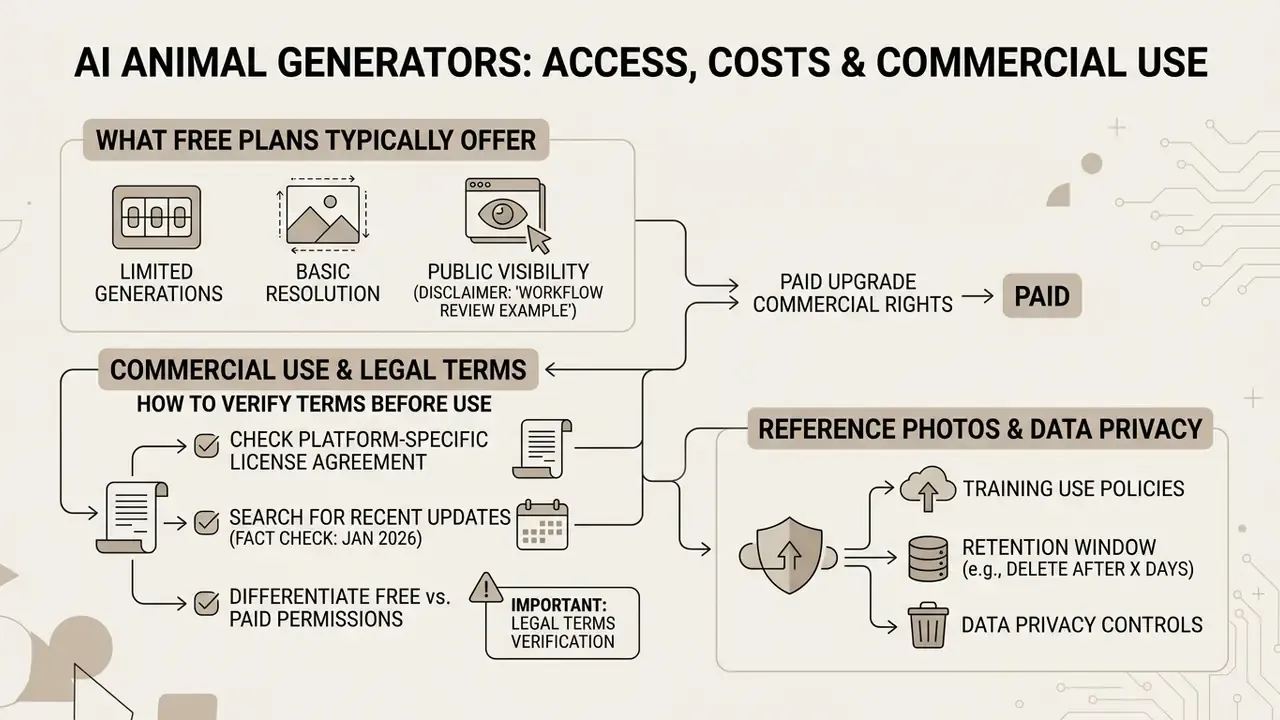
Evaluating a free ai animal generator means reviewing generation credit caps, resolution limits, watermark policy and the underlying legal terms for commercial purposes. Free tiers are fine for testing. Commercial use usually requires a paid subscription or specific platform licensing, the dimension examined in detail in the guide to commercial use of AI image generators.
Purely AI-generated outputs without human authorship therefore cannot be protected by copyright. Platform Terms of Service still govern commercial exploitation rights, so confirm whether your tier permits merchandising, advertising or resale. The two questions are separate. Who owns it is copyright law. What you may do with it is contract law.
Vendor terms diverge on exactly that point. Midjourney states that users own the assets they create to the fullest extent possible under applicable law, but company users above USD 1,000,000 annual revenue need Pro or Mega plans for that ownership, and free or trial access is non-commercial. Runway states that users retain ownership of content they upload and generate across Free, Standard, Pro and Unlimited plans. Leonardo AI vests IP rights in paid subscribers upon creation and assigns those rights where they do not vest automatically. OpenAI permits commercial use of outputs across tiers under its service terms. The practical rule: restrictions concentrate at the free tier.
Workflow review example. In an internal workflow review, a digital agency verified commercial licensing terms before deploying AI-generated visuals for a national ad campaign. By confirming that their paid tier granted full commercial exploitation rights, retaining prompt logs with seeds and model versions, and applying an "AI-generated" disclosure label per advertising guidance, the agency satisfied client legal requirements and avoided potential copyright exposure. Illustrative example, not an audited case study.
What a Free AI Animal Generator Typically Includes
Platforms offering an ai animal generator free option usually provide daily generation credits, standard-definition output and basic editing. Some run an ai animal generator free no sign up model, so you can generate instantly without an account, a category compared in the review of free AI image generators without sign-up.
Published free tiers vary widely in practice. Some allow only 3 to 15 generations per day behind an account, others advertise unlimited no-signup generation, and watermark policy is inconsistent: Adobe Firefly, Raphael AI and DreamAI free pages do not advertise output watermarks, while many smaller tools do. Resolution caps are frequently omitted from landing pages entirely, so test an export before you plan print work. Free access also often restricts commercial usage, applies subtle watermarks, limits high-resolution downloads, or queues processing at peak hours. Side-by-side limits are catalogued in the comparison of free AI image generators. Anyone who needs narration alongside visuals can check the free ai voice generator directory.
How to Verify Terms Before Commercial Use of AI-Generated Images
Before using assets from an animal ai generator free service in advertising, merchandise or client deliverables, read the platform's Terms of Service on commercial license grants.
Confirm that your active tier explicitly grants commercial rights. Keep documentation of prompt structures, source image edits, seeds, model versions and generation dates to satisfy compliance audits and to establish human creative control over the final derivative work.
The practical consequence: if protectability matters to your project, the human contribution has to be visible in the record. Selection, arrangement, substantive editing, compositing and inpainting decisions, documented alongside the prompt log.
Data Privacy and Retention When Uploading Reference Photos
Photo-to-animal workflows carry a risk that text-only workflows do not: you are uploading source material. Before sending client photographs, unreleased product imagery or employee-owned pet photos into a generator, verify four points in the vendor's terms:
Treat reference photographs of identifiable people, branded products or licensed characters as restricted inputs, whatever the convenience of the tool, and prefer API endpoints with documented retention terms for anything client-owned.
Fact check and legal terms verification (as of January 2026):
- Training use.
- Does the provider use uploaded images or prompts to train future models, and can that be switched off? Consumer tiers frequently default to training-on. Enterprise and API tiers frequently do not.
- Retention window.
- Is there a zero-data-retention option, and does it cover inputs as well as generated outputs? Check whether retention is measured in hours, days, or indefinitely.
- Sub-processors and region.
- Where is processing performed, and which sub-processors receive the data? This determines whether cross-border transfer rules apply.
- Shadow AI exposure.
- Unmanaged consumer accounts are the main leakage channel. Route animal-asset generation through approved accounts with logging, so uploads, prompts and outputs stay auditable.
FAQ
What is an AI animal generator?
An AI animal generator is a software tool that uses neural diffusion models to create realistic, stylized or hybrid animal images from text descriptions or reference photographs. Most platforms also support editing, upscaling and export in multiple aspect ratios.
Can I use an AI animal generator for free without signing up?
Yes. Several web-based platforms offer free generation credits without account registration, though those tiers may restrict download resolution, apply watermarks, or exclude commercial usage rights.
Can I generate animal images from an existing photo of my pet?
Yes. Photo-to-image (img2img) capabilities let you upload a pet photo, set a style prompt, and transform the image while preserving core facial features and pose. Keep denoising strength between 0.25 and 0.35 if likeness must survive the transformation.
How do I make an AI animal talk or sing?
Generate a frontal portrait with a clearly defined, evenly lit mouth and a neutral closed-mouth expression, export it as a clean PNG, then upload it to a lip-sync module with either an audio file or synthesized speech. Keep motion and emotion weights around 0.5 to 0.8 to avoid smearing fur texture at the corners of the mouth.
Can I mix an animal with a machine or vehicle?
Yes. Specify which structures stay organic, which become mechanical, and where the transition occurs, for example "natural mane mixed with cable bundles, hydraulic limbs, carbon-fiber joints at shoulder and knee". Aligning mechanical parts with real skeletal landmarks is what makes a mech hybrid read as functional.
How do I create printable coloring pages?
Use a line-art style prompt (clean black and white line art, vector outline, zero shading, flat white background) with negative constraints against shading, gradients and grayscale fills, then verify every contour is fully closed before upscaling to 300 DPI at print size.
How do I keep the same animal character across multiple comic panels?
Lock the seed value, repeat two or three hard identity tokens in every prompt (a scar, a scarf, a notched ear), feed the approved first panel back as a reference image, and control posing separately through ControlNet OpenPose or a depth map so identity does not drift.
Are AI-generated animal images covered by copyright?
Under U.S. Copyright Office guidance, purely AI-generated images created solely from text prompts are not protected by copyright. Creative human modification, compositing or arrangement may qualify for partial protection. General information, not legal advice.
How do I create anatomically realistic animals with AI?
Use structured prompts detailing exact species names, stance, fur texture, lighting and camera settings, or apply ControlNet pose guidance to hold accurate proportions. Audit outputs by region, head, neck, torso, limbs, tail, for absent parts, extra parts and disjointed joints.
Can teachers use these tools in the classroom?
Yes. Common classroom applications include habitat cards, illustrated vocabulary decks, creative-writing prompts and printable coloring sheets. Use a supervised account and confirm the platform's terms for educational reproduction and display.
Is it safe to upload client or proprietary photos?
Only after verifying training use, retention window, processing region and sub-processors in the vendor's terms. Prefer endpoints with documented zero-data-retention options for client-owned or brand-sensitive inputs.
Navigation and Resource Hub
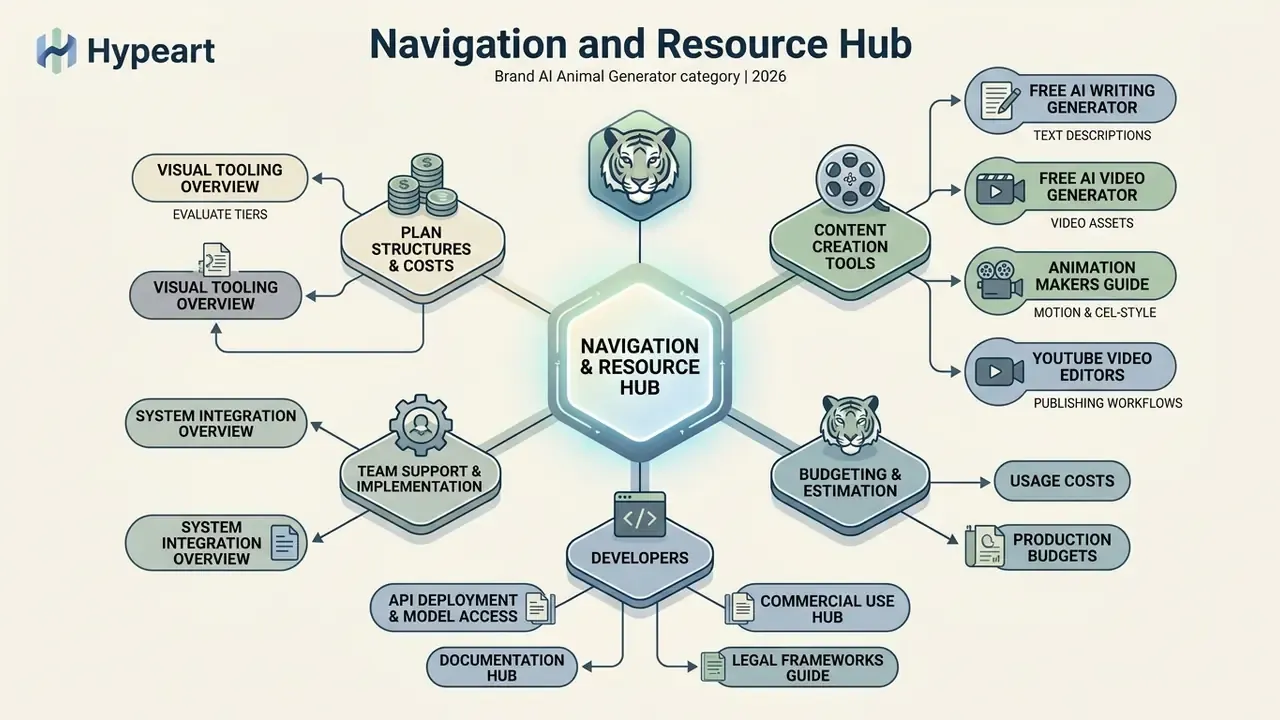
- To evaluate plan structures and cost tiers across visual tooling, see the overview.
- For team support and implementation queries, see the overview on system integration.
- For API deployment and model access, developers can browse the hub for documentation.
- To review commercial licensing and legal frameworks, visit the AI Media Commercial-Use Hub or view the guide on emerging legal developments.
- To generate accompanying text descriptions without registration, explore the free ai writing generator no sign up tool.
- For video asset generation and editing workflows, visit the free ai video generator resource page.
- For frame-by-frame and cel-style motion, see the guide to animation makers.
- For publishing workflows and platform-specific editing, see the guide to YouTube video editors.
- To estimate usage costs and production budgets, browse the hub.
- To review glossary terms and compare options, explore our main hub.