«Copyright protects only material that is the product of human creativity… material generated wholly by artificial intelligence is not protected by copyright.»
Sounds harmless. And for a personal card, it usually is. Yet the moment an employee uploads a colleague's face to an unvetted consumer site, a seasonal creative task quietly becomes a biometric data question, a licensing question and an audit question at the same time.
Executive summary for decision-makers
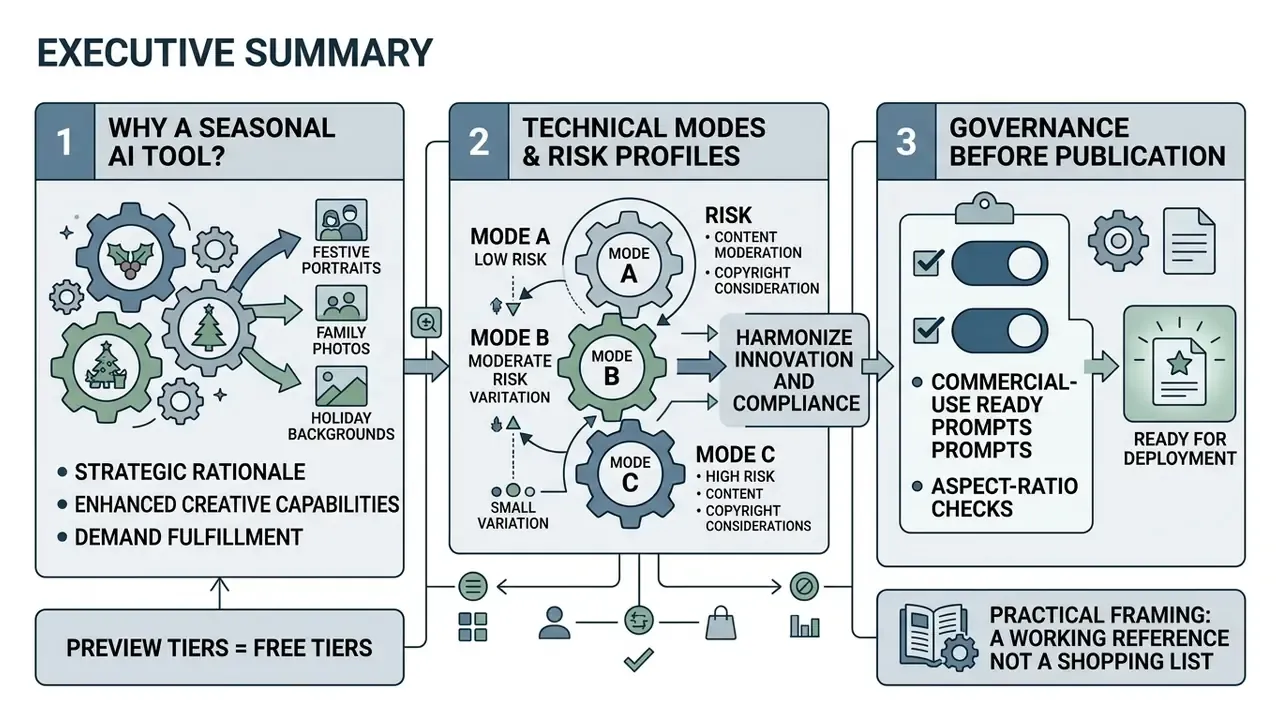
- Three technical modes, three different risk profiles. Text-to-image creates fully synthetic scenes. Image-to-image and identity-preserving adapters (InstantID, ControlNet) restyle uploaded faces. Masked inpainting swaps only backgrounds. Biometric exposure exists only in the second and third modes.
- Free tiers are preview tiers. Expect 2 to 10 credits per day, 1024×1024 px exports, visible watermarks and personal-use-only licensing. Commercial deployment requires paid clearance, watermark-free 2K to 4K exports and written rights language.
- Two hard governance controls before publication. Verify data-retention windows (reliable vendors delete uploads within 24 hours to 7 days) and verify that purely AI-generated assets are labeled as synthetic, since they cannot be registered for copyright in the United States.
Why a seasonal image tool belongs in your AI inventory
A holiday card generator rarely appears in a model inventory. That is precisely the problem. Any tool that accepts employee, client or family faces and returns brand-facing assets touches three control domains at once: personal data handling, third-party risk and content provenance.
For a regulated institution, the practical framing is simple. Who owns the decision to publish? Which vendor was approved, and by whom? Where is the evidence that consent existed and that uploads were deleted? Treat a christmas ai generator the same way you would treat any lightweight SaaS with data ingress: named owner, approved role, access limits, retention proof, audit trail.
Consider this article a working reference rather than a shopping list. It covers what these tools produce, how to pick one, how to prompt it, and what to verify before anything reaches a brand channel.
What an AI Christmas Photo Generator is and what images it creates
An AI Christmas photo generator maps textual inputs or uploaded reference images into latent diffusion spaces to synthesize seasonal imagery. These systems produce three primary categories of visual media: fully synthetic holiday scenes generated from text, stylized portraits derived from uploaded photos, and targeted seasonal background swaps.
«Diffusion models have become the leading approach for text-to-image generation, with reported FID scores ranging from 6.75 to 12.63 on standard benchmarks.»
ERNIE-ViLG 2.0 and Imagen sit at the realism end of that range. That is why photorealistic "cozy fireplace" and "snowy forest" prompts now succeed on the first or second attempt instead of demanding dozens of retries.
AI Christmas photos from selfies, portraits and source images
Generating AI Christmas photos from uploaded selfies relies on subject-driven diffusion and facial feature embeddings. Architectures such as InstantID extract facial identity vectors through a pretrained recognition network. The latent diffusion process is then conditioned on those vectors, which preserves facial structure while clothing, lighting and ambient elements shift into a festive Christmas style.
«InstantID achieves zero-shot identity-preserving generation in seconds from a single image, outperforming Textual Inversion and DreamBooth on face fidelity and text editability.»
Complementary research separates identity from scene semantics instead of fine-tuning a model per person:
«Infinite-ID decouples identity and text semantics through a dedicated cross-attention module, achieving superior identity fidelity and semantic consistency from a single reference photo.»
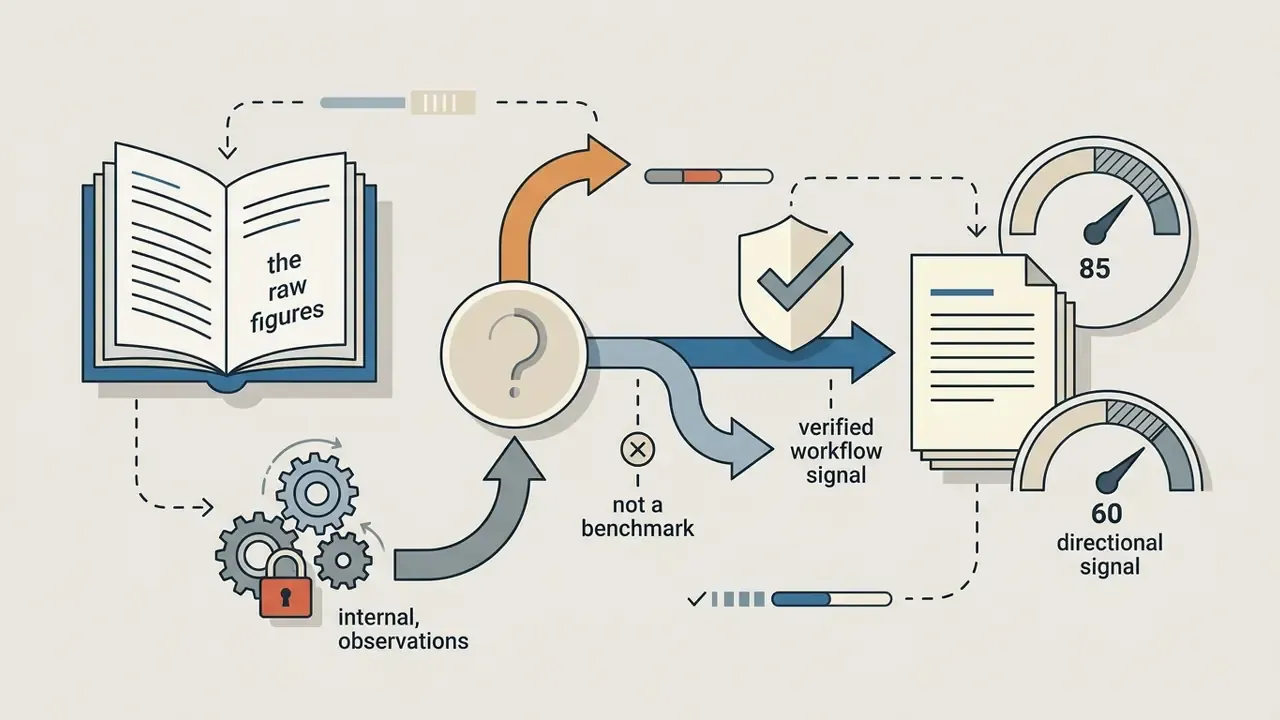
Practical example (workflow observation, not a verified customer metric). During a seasonal campaign review covering roughly 150 team headshots, a governance team standardised on zero-shot facial-embedding models instead of manual retouching. Because identity vectors were enforced at generation time, most outputs passed first-pass review without manual face correction, and reviewers reported a noticeable drop in retouch tickets. The exact reduction figure was internal and is not independently verified. Read it as directional evidence that identity-preserving adapters shift effort from retouching toward prompt QA. That shift matters for staffing, not just for aesthetics.
Users can turn personal headshots into formal holiday portraits without distorting key facial features by using specialized AI headshot generators and image adapters, or extend static results with an ai video generator.
Generating Christmas AI images from a text description
«GPT-4o scores 0.84 overall on GenEval (spatial position 0.75; attribute binding 0.61), whereas SDv1.5 reaches only 0.04 on object positioning.»
Unassisted base diffusion models therefore struggle with complex multi-object spatial relationships. That is exactly the situation in a Christmas scene holding a tree, a fireplace, gifts and three people. Layout grounding closes much of the gap:
«LLM-grounded Diffusion (LMD) outperforms base SDv1 and SDv2 on all four T2I-CompBench tasks: negation, counting, attribute binding, spatial reasoning, without additional training.»
Precise prompts, the kind that name lighting temperature, camera lens parameters and concrete holiday elements, let an ai image generator christmas tool synthesize photorealistic scenes with glowing fairy lights, heavy winter snow and traditional decor. Readers comparing engines head-to-head can review our roundup of the best AI image generators and the dedicated best AI art generator comparison.
Christmas photo effect vs background swap vs a brand-new AI image
Choosing the right generation mode depends on whether the underlying asset needs partial modification, full synthesis or simple filtering.
- Christmas photo effects: digital overlay layers, color grading filters and lighting adjustments applied directly to an existing photo, with underlying geometry untouched (Adobe filter reference, 2025).
- AI Christmas background generator: masked inpainting isolates the subject while a novel holiday environment is synthesized behind them (Runware inpainting documentation, 2025). Runware's guidance is blunt about the mask: cover background areas only, leave foreground elements alone.
- Full image generation: a completely original image built from a text prompt, with brand-new subjects and settings (OpenAI API documentation, 2025, where "Generations" is documented as a separate endpoint from "Edits").
«Dual-Level Feature Decoupling (IEDM) combines implicit feature-level separation with explicit inpainting, improving generation quality and identity preservation on CLIP-T, CLIP-I, and DINO metrics.»
Understanding these distinctions keeps teams from accidentally overwriting core visual assets while they use an ai photo generator christmas tool. For background swaps and stylization specifically, see our overview of image-to-image AI generators.
How to choose the best AI Christmas photo generator: free features, quality and pricing
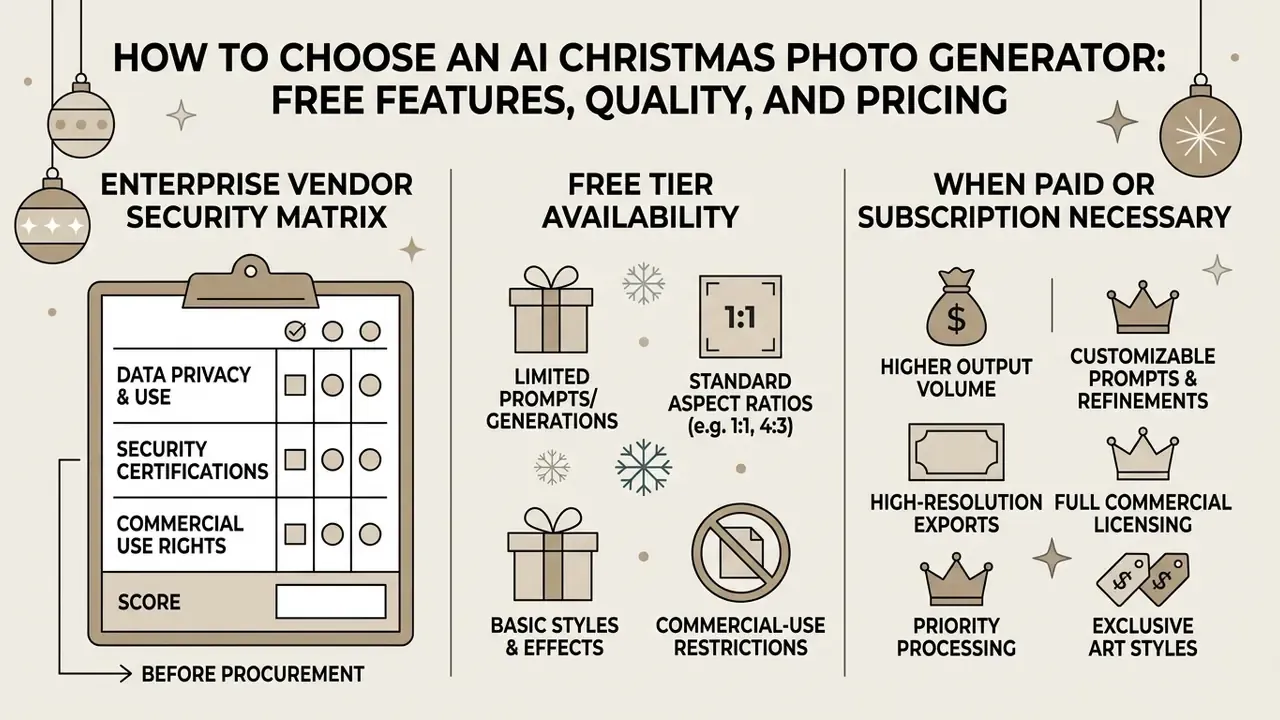
Selecting the best ai christmas photo generator means weighing four trade-offs: free trial allocations, export resolution caps, watermark policy and commercial licensing terms. Nothing exotic. Just read the plan page carefully before you spend credits.
| Service tier feature | Free tier standard | Paid / commercial tier | Documented benchmark |
|---|---|---|---|
| Generative credits | 2 to 10 credits per day, or roughly 10 fast credits/day plus a slow queue (Raphael AI); 66 credits/day on Kling's free tier | Unlimited or high-volume credit packs; batch runs of 4 to 16 images | Raphael AI & Kling plan pages, 2025 |
| Export resolution | 1024×1024 px standard; Adobe Firefly caps free JPG/PNG downloads at 2000 × 2000 px; Kling free video output 360 to 540p | HD to 4K (up to 4096 px) | Adobe Firefly & PicFixer docs, 2025 |
| Watermark enforcement | Visible overlay watermark (Raphael AI, Kling); invisible C2PA plus pixel marking on some GPT-image tiers | Watermark removed on licensing | Visualizee & Perplexity image plans, 2025 |
| Identity & group support | Single portrait focus, basic prompts | Multi-subject compositing, multi-photo merge, batching | Media.io & Aragon.ai product pages, 2025 |
| Commercial usage rights | Restricted to personal or non-commercial use (Midjourney free tier = CC BY-NC 4.0) | Full commercial clearance; Midjourney requires Pro/Mega above $1M annual revenue | Midjourney Terms of Service, 2025 |
| Data retention | Rarely disclosed on free tiers | Documented deletion windows (Media.io deletes uploads and outputs within 7 days) | Media.io FAQ, 2025 |
Text rendering is one of the sharpest divides between free and paid engines, because holiday cards almost always need a greeting baked into the frame:
«GPT-4o and Gemini-2.0 substantially outperform open-source diffusion models on the correctness and legibility of text rendered inside images.»
Enterprise vendor security matrix (what to score before procurement)
| Evaluation criterion | Why it matters | Evidence to request |
|---|---|---|
| Retention window | Limits biometric exposure if the vendor is breached | Written policy stating deletion in 24 h to 7 days |
| Model-training opt-out | Prevents employee faces entering a foundation-model corpus | Account setting screenshot plus contractual clause |
| Commercial rights and indemnification | Determines who absorbs an infringement claim | Plan-tier licence text and indemnity language |
| SSO / access control | Prevents shadow AI (staff uploading faces to uncertified free sites) | SSO support, seat management, audit log export |
| Output labeling | Required by many institutional disclosure standards | C2PA metadata or a visible "Created using AI" label |
| Resolution ceiling | Print cards need 300 DPI; 1024 px will not print | Documented max export (2000 px vs 4096 px) |
One caveat worth stating plainly: vendor documentation changes mid-season. Screenshot the plan page and the retention policy on the day you buy. Auditors ask for the version you relied on, not the version live in March.
What is usually available in an AI Christmas photo generator free tier
An ai christmas photo generator free option typically grants limited daily credits so you can judge output quality. These trial workflows allow basic image generation, but they enforce structural limits. If registration itself is the blocker, see our list of free AI generators with no sign-up.
Free output files usually carry visible brand watermarks, cap resolution near 1024×1024 pixels and sit in lower-priority processing queues. Anyone hunting for an ai christmas photo free download should confirm whether the platform permits external sharing or restricts files to personal preview testing only. Deciding which best ai christmas photo free route fits a small campaign takes about ten minutes with our comparison of free AI image generators and the parallel free AI art generator comparison.
To compare alternative pricing tiers and credit systems across generative platforms, see the overview of standard market models.
When paid credits or a subscription become necessary
Paid credit packages or enterprise subscriptions become necessary once outputs are headed for corporate marketing, high-resolution printing or commercial distribution. Paid tiers strip visible watermarks, grant explicit commercial rights and unlock exports up to 4K (PicFixer pricing & plans, 2025).
Enterprise plans also open access to advanced subject-driven preservation modules, higher batch capacity (up to 16 images per run on top tiers) and API access. Teams can run the numbers with our calculators to estimate generative credit spend across a large seasonal asset campaign. A small warning from experience: credit burn during style exploration is usually two to three times higher than the final asset count suggests.
How to create an AI Christmas photo: upload, style, prompt and download
A structured workflow raises visual fidelity and cuts iteration waste when you use a christmas photo ai generator. Four steps, in order.
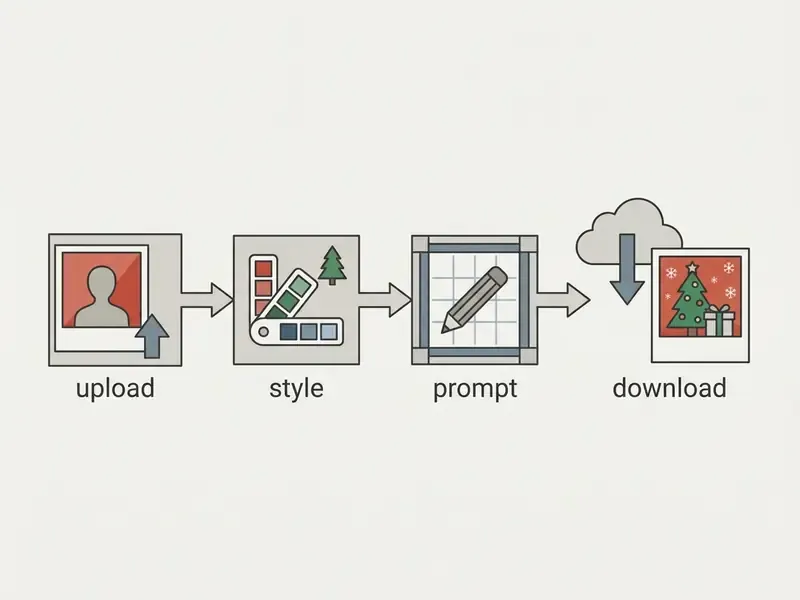
- Upload the source image
- pick a clear, high-resolution photo with even lighting and visible facial features.
- Choose a Christmas style
- a preset theme such as cozy fireplace, winter landscape or studio holiday decor.
- Draft the text prompt
- state lighting, background and detail parameters to steer the diffusion process.
- Generate and download
- process the image, inspect identity consistency, then download the watermark-free high-resolution asset. Final polishing is easiest in a dedicated AI photo editor or a free photo editor.
Which photos to upload for a festive portrait
Input quality governs the output fidelity of an ai christmas pic more than any style preset does. Subject-driven diffusion frameworks need clear, unobscured facial geometry to build accurate identity embeddings.
«Infinite-ID uses a landmark-aligned ID image to extract identity; low quality or facial occlusion degrades identity-preservation accuracy.»
Skip low-resolution, heavily filtered or occluded selfies. They are the usual source of facial distortion during the image-to-image step.
- Pose and framing
- full frontal or a slight three-quarter view, with both eyes and facial contours visible. Avoid tilted or turned heads, the same requirement used in biometric photo standards.
- Lighting
- uniform ambient illumination, no extreme shadows, harsh flash glare or backlighting.
- Sharpness
- the face must be in focus from crown to chin and ear to ear.
- Subject count
- single-subject headshots retain identity best for individual festive portraits. Crowded frames dilute the identity embedding.
- File formats
- most platforms accept JPG, PNG, WebP and HEIC (HEIC often only in Safari on desktop), typically up to 20 MB per file.
How to choose Christmas style, scene and effect intensity
Generative platforms group holiday themes into visual presets. The right aesthetic depends on where the christmas ai picture will be published.
- Cozy interior fireplace settings, warm ambient light, glowing trees, indoor holiday decor.
- Outdoor winter scene falling snow, pine trees, natural daylight, winter apparel.
- Iconic and playful Santa Claus apparel, elf costumes, ugly Christmas sweaters, snow-globe framing, festive props.
Style intensity sliders control how aggressively the model rewrites original clothing and background while the core facial identity stays fixed.
«DisenBooth separates identity from irrelevant attributes such as background and pose through disentangled embeddings, enabling flexible background control without retraining per scene.»
Warm versus cool balance is the strongest single lever on mood. Warm white balance reads as cozy. Cool tones push the frame toward a distant, icy winter register. Small change, large emotional swing.
How to write a simple prompt for AI Christmas photos
Effective prompts for ai generated christmas pictures follow a structured formula: [Subject] + [Style/Medium] + [Lighting] + [Environment/Background]. Google Cloud's prompting guidance extends this to [Subject] + [Action] + [Location/context] + [Composition] + [Style]. Adobe Firefly adds one rule that materially changes output quality: phrase prompts in positive terms, describing what should be present rather than what should be absent.
- Sample prompt 1 "A professional holiday portrait of a smiling woman in a dark red wool sweater, studio lighting, warm background with blurred Christmas tree lights, 8k resolution, photorealistic."
- Sample prompt 2 "A cozy family portrait by a rustic stone fireplace, soft golden lighting, falling snow visible through large windows, highly detailed textures."
Explicit environmental and lighting keywords prevent generic output and improve spatial alignment.
«Prompts that explicitly state objects, attributes, and spatial relations improve text–image alignment; LMD automatically converts them into a bounding-box layout.»
Ready-made prompts for an AI Christmas photo generator (copy and use)
1. 3D cartoon / Pixar style, for children and family cards
Convert this photo into a 3D Pixar-style Christmas family illustration. Keep facial features recognizable but stylized, big expressive eyes, smooth skin tone. Scene: magical living room with Santa hats, glowing fairy lights, soft snow outside window, vibrant warm colors, 8k resolution.
2. Classic studio portrait, corporate and professional
Transform this photo into a studio-style Christmas portrait. Preserve exact facial identity and structure. Background: elegant dark red curtain, subtle golden bokeh lights, soft professional studio lighting, wearing a luxury festive sweater, Canon EOS R5 quality, photorealistic.
3. Retro / vintage 1950s, nostalgic postcard
1950s vintage Christmas postcard style, kodachrome film grain, warm muted nostalgic tones, subject smiling near a retro decorated Christmas tree, cozy aesthetic, highly detailed texture.
4. Outdoor winter wonderland, snow scene
Transform photo into an outdoor winter snow scene. Keep real facial details, add cozy winter outfit (thick knitted scarf, winter coat). Background: snowy pine forest, gentle sunlight, falling snowflakes, soft blue shadows, cinematic winter mood.
5. Cinematic festive night at home, vertical social formats
Use the uploaded photo to create a cinematic family Christmas scene. Keep real faces and body proportions untouched. Scene: dimly lit room with twinkling lights, glowing Christmas tree, golden bokeh and reflections. Warm orange and red tones, subtle film grain, shallow depth of field, vertical 9:16 format, 8K detail.
6. Christmas card portrait with copy space
Convert this normal family photo into a Christmas card portrait. Preserve facial features and poses. Add matching Christmas sweaters, a glowing tree with ornaments, gift boxes on the floor, warm golden lighting. Leave clean negative space in the upper third for a greeting message. High resolution, natural look.
7. Pet portrait
Photorealistic portrait of the uploaded dog wearing a cozy Santa hat, sitting beside wrapped gifts in front of a decorated Christmas tree, warm string lights, happy expression, soft warm glow, shallow depth of field.
8. Ugly sweater / playful party
Turn this portrait into a playful ugly-Christmas-sweater party photo. Preserve exact face and hairstyle. Oversized knitted sweater with reindeer pattern and pom-poms, confetti, glowing garlands, candid flash-photography look, warm indoor tones.
Christmas styles and scenes for AI Christmas pictures
Visual aesthetics set the emotional tone of ai christmas pictures. Preset choice is really a brand decision: it decides whether the frame reads as institutional, nostalgic or playful.
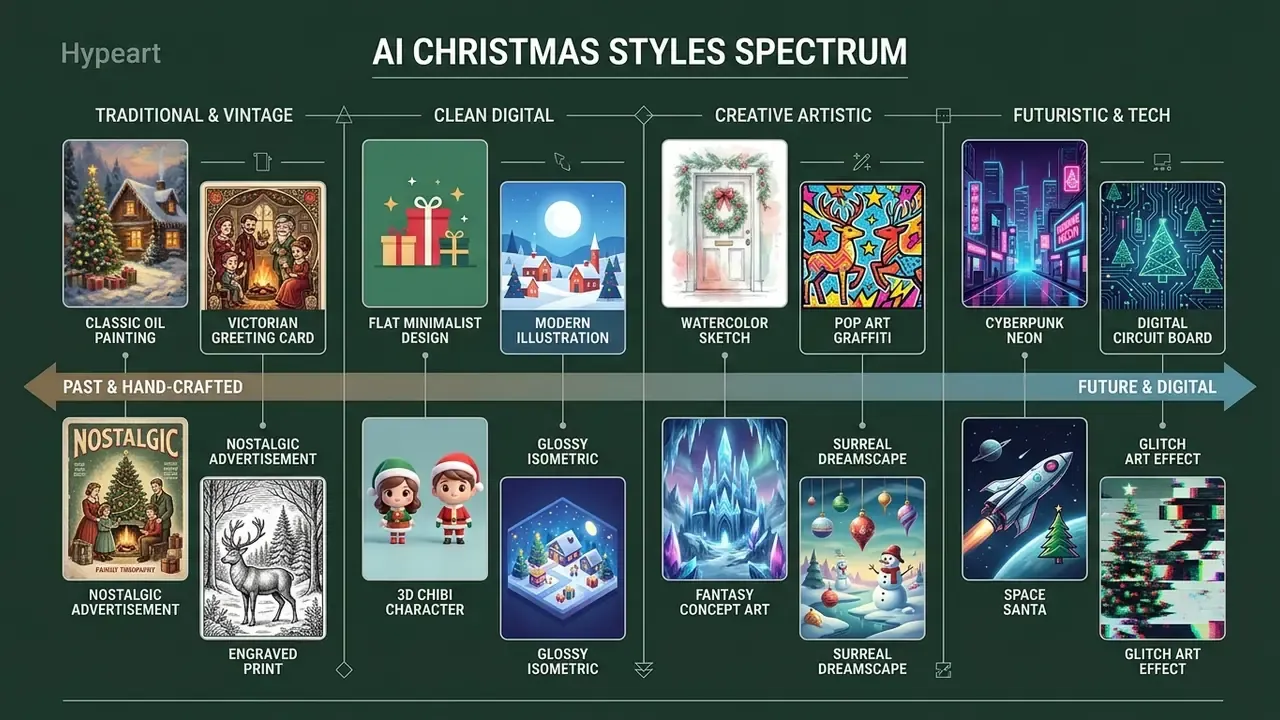
Fireplace portraits, snow, lights and Santa
Traditional festive compositions lean on warm directional lighting and iconic holiday imagery. Portraits near fireplaces benefit from soft, low-kelvin illumination that builds cozy contrast and natural skin tones. Front-only lighting tends to look flat and synthetic, which is the fastest way to make a christmas ai picture feel fake.
Falling snow asks the diffusion engine to balance atmospheric depth against background light beams. Volumetric effects read as real only when shadow direction matches the stated light source. With Santa elements, material realism across velvet fabrics and metallic accents keeps textures from turning plastic, and keeping small natural imperfections stops skin from looking waxy.
Vintage Christmas, professional and other AI styles
Alternative styles open different creative directions for an ai christmas picture generator. Each one is essentially a constraint set on texture, lighting and realism.
- Vintage Christmas 1950s film grain, muted palettes, aged paper texture, classic print artifacts. Vendor sub-variants include "Victorian Holiday" and "1950s Christmas". Explore tooling in our guide to AI art generators for stylization and the Ghibli-style AI image generator comparison.
- Professional studio clean three-point lighting, neutral backdrops with subtle holiday accents, tailored for corporate headshots. Controlled lighting and clean composition matter far more than props here.
- 3D animation rendered depth, model-like surfaces, exaggerated eye size, high saturation. The "Pixar" register that performs best for children's cards.
- Fantasy winter high-contrast magical landscapes with glowing ice sculptures, aurora effects and non-realistic costumes.
«PreciseControl uses the StyleGAN W+ latent space for fine-grained control of facial attributes such as smile, hair color and age, while retaining text-based control over style.»
For anyone turning static stylized assets into motion, an ai video generator or an animation maker adds animation capability without a second design pass.
AI Christmas background generator for home, street and festive scenes
An ai christmas background generator rewrites the environment while the primary subject stays untouched. Inpainting models use segmentation masks to isolate foreground elements and generate new backdrops from a prompt (Segmind Background Replace API documentation, 2024, where SDXL inpainting with ControlNet and IP-Adapter preserves subject composition while the surrounding area changes).
For distributed teams the appeal is obvious: standard corporate headshots become festive seasonal assets without booking a physical shoot. Anyone needing wider borders or different aspect ratios can review AI outpainting tools and our broader AI Media Comparison section.
AI family Christmas photo generator for family, kids and pets
Group portraits made with an ai family christmas photo generator raise a harder technical problem, especially when separate individual photographs must merge into one coherent scene.
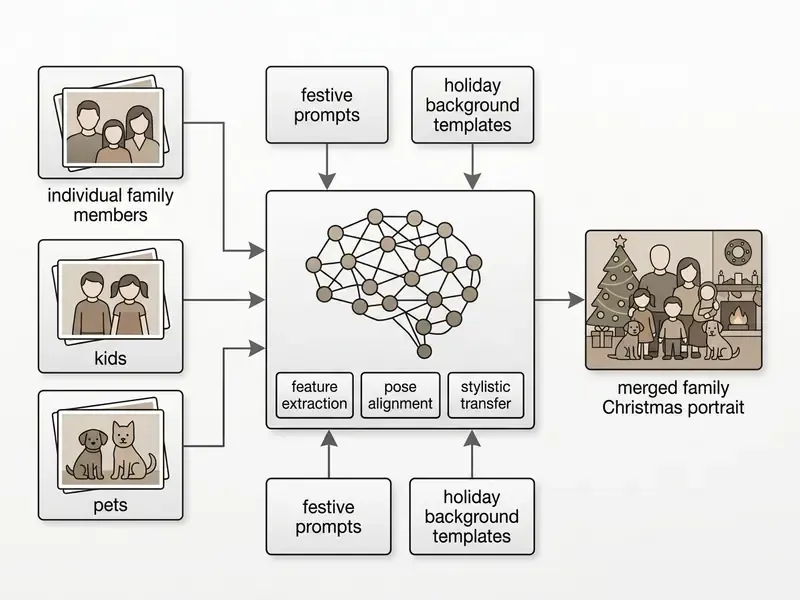
How to merge individual photos into one family Christmas portrait
Synthesizing unified ai generated family christmas photos from separate headshots involves four operations, documented in the Interactive Digital Photomontage literature, which uses graph-cut seam selection and Poisson gradient-domain fusion:
- Foreground extraction: segment each family member from the original background.
- Pose and scale alignment: adjust height ratios and spatial perspective so seating or standing positions look natural.
- Relighting harmonization: apply unified light sources to kill inconsistent directional shadows across subjects.
- Style blending: run a light latent diffusion pass over the composite to harmonize color temperature and fabric texture.
«Relightful Harmonization uses a lighting-aware diffusion model to harmonize a portrait foreground with a chosen background.»
«Dual-Level Feature Decoupling separates foreground and background via IEDM and fuses features through a Mixture-of-Experts FFM, maintaining multi-subject identity consistency in a single scene.» — Dual-Level Feature Decoupling (2025). https://arxiv.org/abs/2503.09631
Practical recipe: merging several separate selfies into one family portrait
AI Christmas photo ideas for kids, couples and pet portraits
Seasonal portraits for families, couples and pets reward specific prompt structuring and deliberate theme selection:
For media with movement or a script, an ai video maker turns static images into animated greetings without a full production cycle.
Christmas cards, social media and seasonal promotion assets
Sourced christmas ai images cover personal greetings and institutional marketing campaigns alike during the winter holiday season. The format specs below matter more than most teams expect, because a beautiful 1024 px file simply will not print.
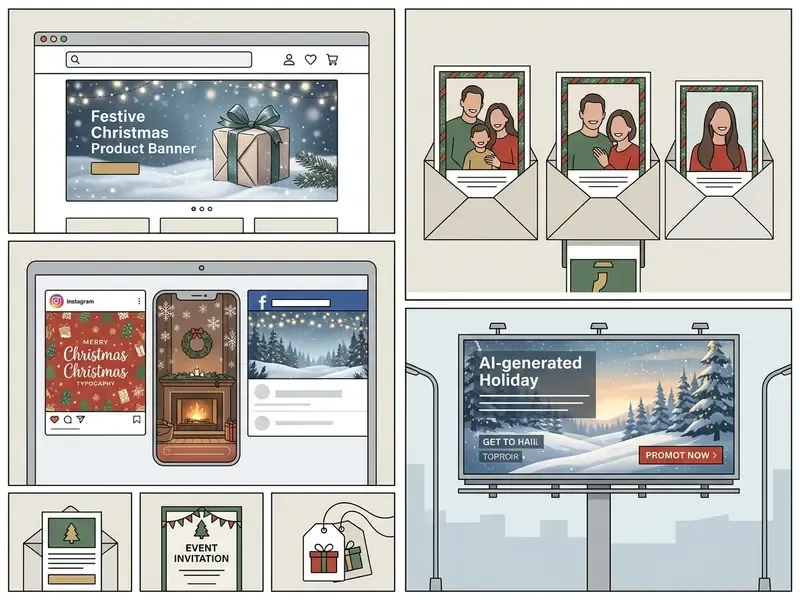
Format and aspect-ratio specifications by destination
| Destination / platform | Optimal aspect ratio | Recommended resolution | Prompt / framing type |
|---|---|---|---|
| Instagram Stories / TikTok / Reels | 9:16 | 1080 × 1920 px | Vertical close-up portrait, cinematic bokeh |
| Social avatar / profile picture | 1:1 | 1024 × 1024 px | Face centered, bright contrasting background |
| Printed Christmas cards | 3:2 or 5:7 | 3000 × 2000 px (300 DPI) | Group composition with negative space for a greeting |
| E-commerce banners / email headers | 16:9 | 1920 × 1080 px | Wide angle, subject offset (rule of thirds) |
| Feed post (square or portrait) | 4:5 | 1080 × 1350 px | Waist-up framing, decor visible at the edges |
Watch the hard ceiling on some free tiers. Adobe Firefly exports at a maximum of 2000 × 2000 px, which is enough for a standard card print but not for a large-format poster. Low-resolution output can be pushed upward with an AI image upscaler, though upscaling rescues sharpness, not composition.
How to turn an AI Christmas photo into a card or invitation
Converting ai generated christmas pictures into digital or printable Christmas cards means combining the image with typographic elements.
- Import the generated asset into layout software such as Canva or Adobe Photoshop. Our Canva AI Generator overview covers templates, exports and licensing in detail.
- Select a text overlay template built for holiday greetings, for example "Warmest Wishes for the Holiday Season".
- Use high-contrast typography so the greeting stays legible on printed card stock and in email invitations.
- Choose an output path: print at home, save to disk, email, or order a professional print run. Adobe Photoshop Elements documents all four actions in its greeting-card workflow.
Diffusion models with inline text rendering can write short holiday strings directly into pixels, but the limits are real:
«Most open-source diffusion models produce illegible or misspelled text as string length increases; GPT-4o and Gemini-2.0 are substantially more reliable.»
Practical rule: keep AI-rendered in-image text under roughly three words. Longer greetings belong on a typographic layer in your layout tool, where a typo takes five seconds to fix.
Festive profile pictures, social posts and seasonal promotions
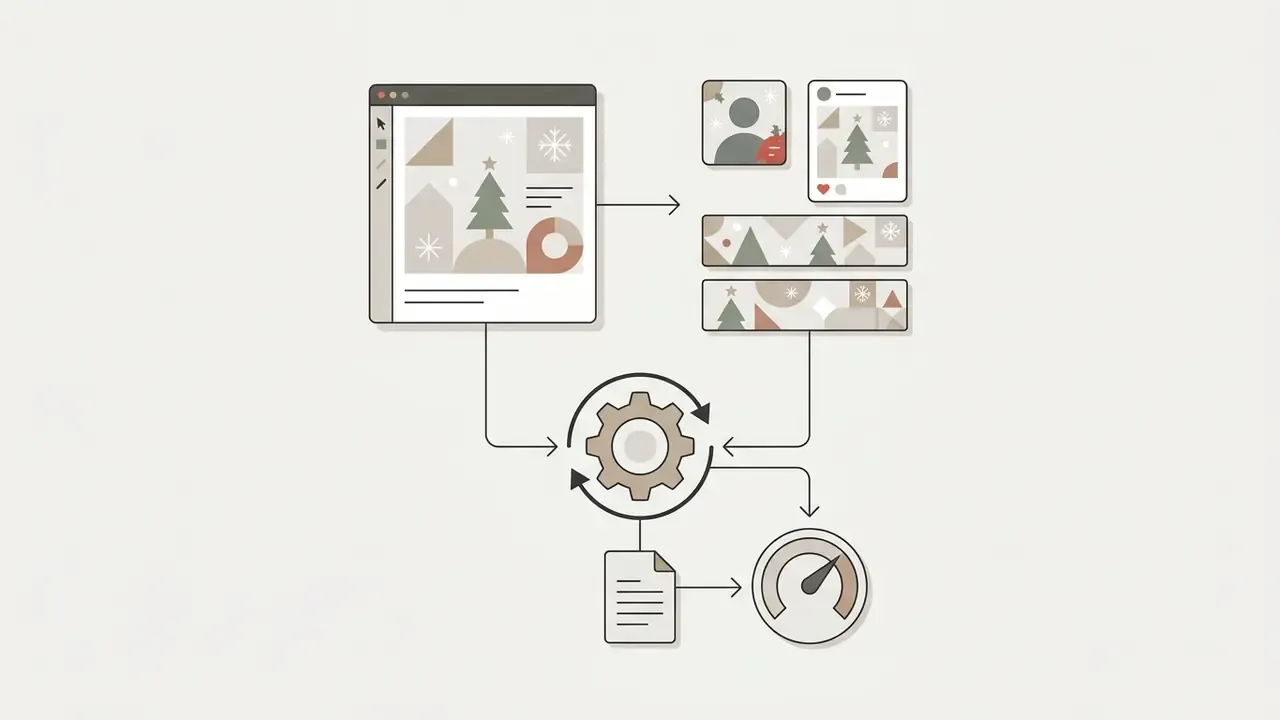
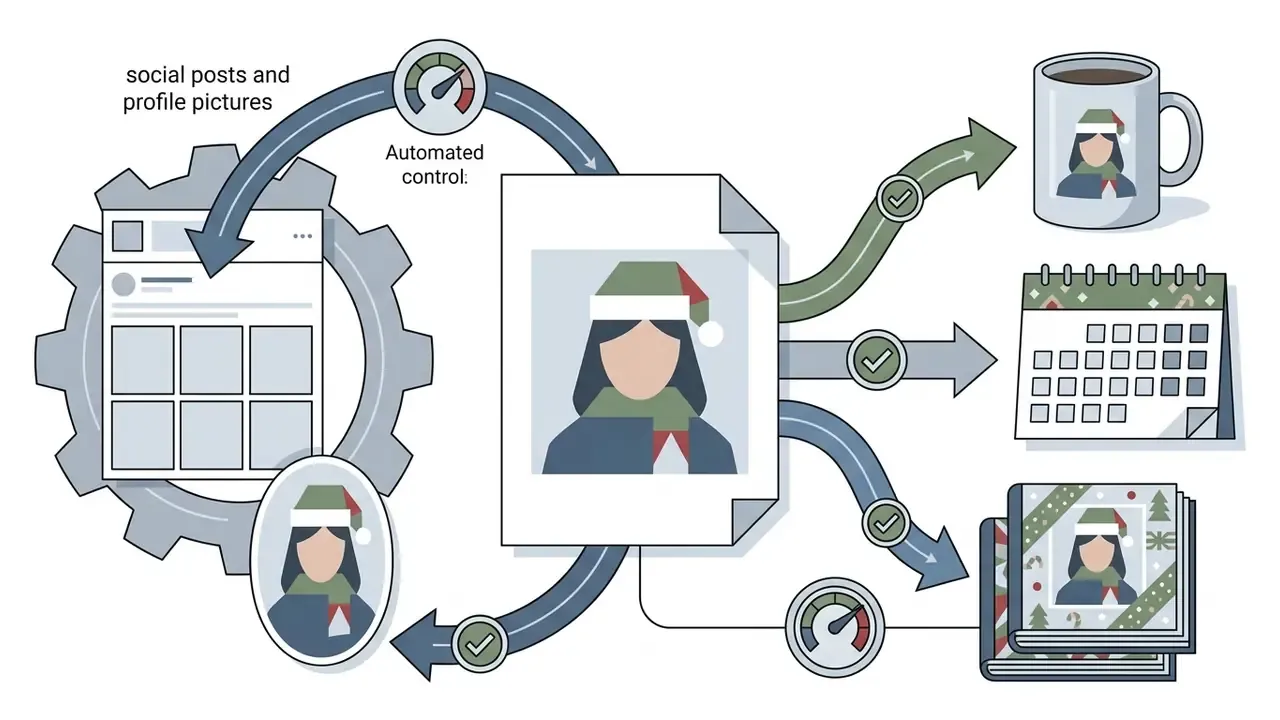
Businesses push christmas images ai output across digital touchpoints to hold seasonal attention:
Teams running corporate video campaigns can consult our guide on ai videos that look real to pair static graphics with synthetic video, or plan publishing workflows with our YouTube video editor guide.
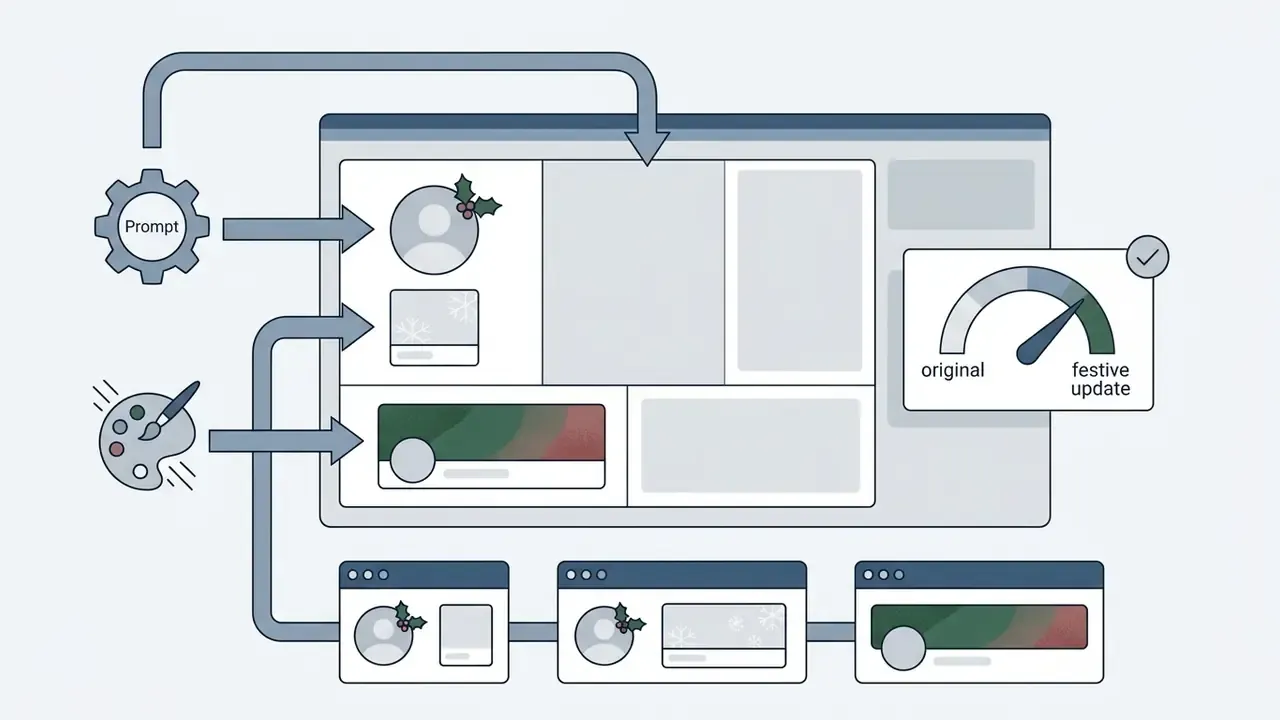

Realism, photo privacy and commercial use of AI Christmas images
This section is general information and does not replace advice from a qualified lawyer on copyright, personal-data protection, biometric privacy or commercial licensing of AI content.
Deploying generative holiday imagery calls for disciplined risk assessment across three axes: model accuracy, data privacy and intellectual property.
E-E-A-T fact check: legal and privacy
- Type: legal and privacy verification
- Scope: copyright law, vendor terms, privacy implications of AI-generated images
- Key findings:
- Purely AI-generated images lack human authorship and cannot be registered for copyright under U.S. law. Applicants must disclose AI-generated material and describe the human contribution (U.S. Copyright Office, Copyright and Artificial Intelligence, 2025).
- A large share of consumer face-swap applications lack technical safeguards protecting uploaded user photos (Empirical Analysis of Consumer Face-Swap Apps, 2025).
- Commercial platforms generally require a paid tier for commercial usage rights. Midjourney's free tier grants only a non-commercial CC BY-NC 4.0 licence (Midjourney Terms of Service, 2025).
- Institutional disclosure standards increasingly require visible AI labeling in both the image and the caption (Harvard AI marketing guidance, 2025; Arizona State University AI guidelines, 2025).
«The CPDM dataset (21,000 images) demonstrates that Stable Diffusion can reproduce content close enough to copyrighted originals to trigger infringement disputes.»
For the licensing side of the equation, review our reference on commercial use of AI image generators.
How to evaluate AI portrait quality and identity preservation
Evaluating ai generated merry christmas images takes systematic visual inspection before anything ships.
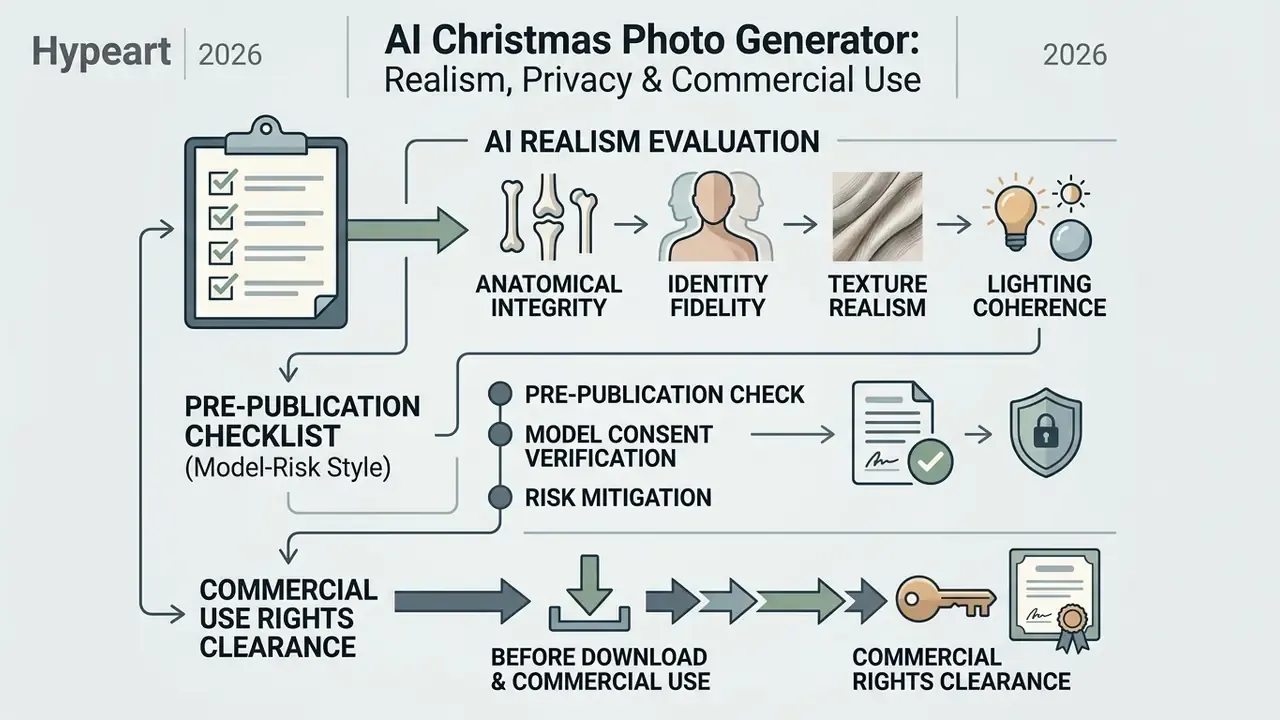
- Anatomical integrity confirm hands, fingers and eyes show natural geometry, with no extra digits, impossible bends or odd asymmetries.
- Identity fidelity compare output facial structure against the original headshot. Research pipelines quantify this with FaceNet or ArcFace-style similarity scores.
- Texture realism skin should keep natural pore texture rather than the smooth, plastic-like diffusion artifact. Research evaluations pair visual checks with SSIM, LPIPS and FID.
- Lighting coherence verify one consistent light direction and matching shadow angles across all subjects.
Artifact-repair tip. If the model mangles fingers or eyes, do not regenerate the whole frame. Brush a local inpainting or generative fill over the defective area only, with a short prompt such as clean realistic hands, natural fingers or sharp natural eyes, symmetric gaze. Dedicated AI image enhancers handle the same job for softness and noise.
Pre-publication validation checklist (model-risk style)
Checklist0 / 10
Rejecting flawed generations is cheaper than explaining a six-fingered executive on a brand channel.
What to check before download and commercial use
Before generated media enters a commercial environment, verify five operational criteria:
- Commercial rights clearance: the platform's terms must explicitly grant commercial use for your specific plan tier, revenue thresholds included (Midjourney Terms, 2025).
- Watermark removal: confirm the high-resolution export carries no visible preview watermark. Stock-industry practice is that a watermarked preview becomes clean only after licensing, and "free" assets stay bound by licence terms (Adobe Stock usage & licensing FAQ, 2025).
- Data privacy policy: uploaded headshots should be deleted automatically from server storage and excluded from foundation-model training.
- Disclosure and labeling: meet institutional standards that require visible disclosure of synthetic content, and verify labeling with AI image detectors before release.
- Biometric consent: never upload employee, client or children's faces without documented consent, particularly where biometric-privacy statutes apply.
«70% of face-swap apps lack technical safeguards against generating nude imagery; 80% of iOS apps permit it without restriction.»
«Participants were more likely to recommend litigation and to find infringement when a work was described as AI-generated rather than human-made.» — AI Artists on the Stand, SSRN (2024). https://ssrn.com/abstract=4955683
«Anonymization Prompt Learning (APL) provides plug-and-play face anonymization in text-to-image models: identity is concealed without degrading non-personalized generation quality.» — Anonymization Prompt Learning (2024). https://arxiv.org/abs/2405.11590
Safety checklist: what to verify before uploading a selfie to an AI service
For documentation on operational requirements, teams can view the guide on API integration, and compare implementation economics in our Google Veo API implementation guide.
FAQ: frequently asked questions about AI Christmas photo generators
Can I use an AI Christmas photo generator for free?
Yes. Many platforms grant basic access through daily free credits or trial allocations, commonly 2 to 10 generations per day. Free tiers usually export standard-definition files (around 1024 × 1024 px, with Adobe Firefly capping free downloads at 2000 × 2000 px), apply visible watermarks, queue jobs slower and restrict commercial rights. Need print-ready output from a free export? Run it through an AI image upscaler before sending it to a printer.
Is it safe to upload personal photos and images of children to AI services?
Uploading personal photographs carries data-privacy risk when the platform keeps assets for foundation-model training. Choose reputable services that enforce automatic deletion within 24 hours to 7 days and offer a training opt-out.
«70% of consumer face-swap apps lack technical safeguards against misuse of uploaded photos, based on an App Store and Google Play analysis.» — Empirical Analysis of Consumer Face-Swap Apps (2025). https://arxiv.org/abs/2502.09512 For children's images, treat parental consent and a documented deletion window as non-negotiable.
Can I use generated holiday photos commercially?
Commercial use depends on the licensing agreement. Paid tiers generally grant commercial rights. Free tiers typically limit output to personal use, and Midjourney's non-paid licence is explicitly non-commercial (CC BY-NC 4.0), with Pro or Mega required above $1M annual revenue. One distinction gets missed often: a licence to use an image is not the same as owning copyright in it. Purely AI-generated expression is unprotected under current U.S. guidance.
How do I preserve the original face when transferring it to a Christmas avatar?
Pick tools with identity-preserving modules such as InstantID or ControlNet-based face branches. They pull identity embeddings from a pretrained recognition network and constrain facial geometry while outfits, backgrounds and lighting change around it (InstantID, 2024). Upload a sharp, evenly lit, frontal single-subject photo. Landmark-aligned inputs measurably improve identity retention (Infinite-ID, 2024).
Why does AI sometimes distort fingers and fine details in holiday images?
Base diffusion models struggle with fine-grained spatial reasoning and complex anatomy. GenEval-style evaluations show wide gaps in object positioning and attribute binding between multimodal models and older diffusion checkpoints. Advanced multimodal models, or a targeted inpainting pass over the affected region only, fix most structural artifacts. Specialized AI image enhancers help with texture and softness.
How do I merge separate individual photos into one family portrait?
Upload 2 to 5 clear frontal photos, choose a model with multi-subject support, and use an explicit merge prompt naming identity preservation, arrangement, scene and lighting consistency (the copy-ready template above works). Then verify shadow direction and subject scale. Mismatched shadows are the most common tell of a composite.
What does an organization need to control shadow AI during the holiday season?
Three controls cover most of the exposure. An approved-vendor list with SSO and audit logging. A written prohibition on uploading colleagues', clients' or minors' faces to unapproved consumer tools. And a documented review step, the validation checklist above, before any generated asset reaches a brand channel.
Do vendors indemnify us if a generated Christmas asset triggers an infringement claim?
Some enterprise tiers do, within stated limits. Request the indemnification clause in writing, confirm which plan tier it attaches to, and check whether it survives user-supplied reference images. Experimental research also suggests a reputational asymmetry: participants were more likely to recommend litigation when a work was labeled AI-generated (AI Artists on the Stand, SSRN, 2024). Legal, privacy and licensing answers above are general information only and are not a substitute for professional advice specific to your jurisdiction and contracts.
Appendix A: corrections and revision log
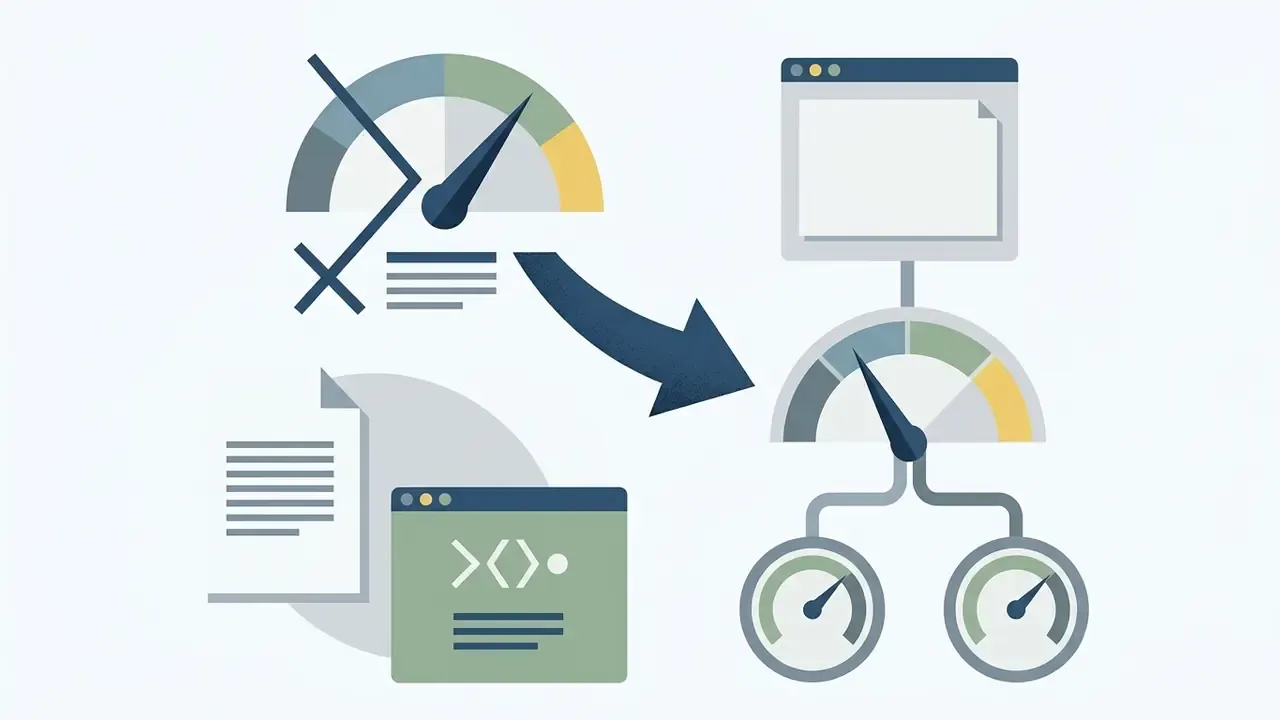
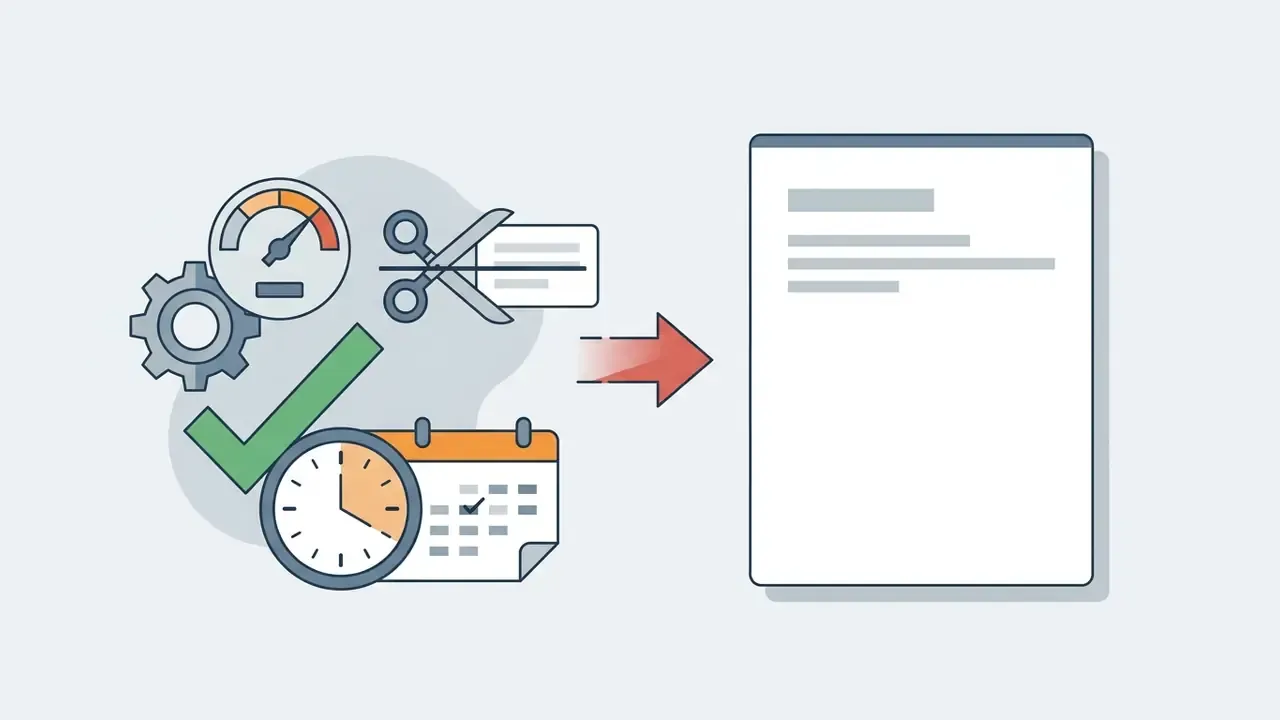
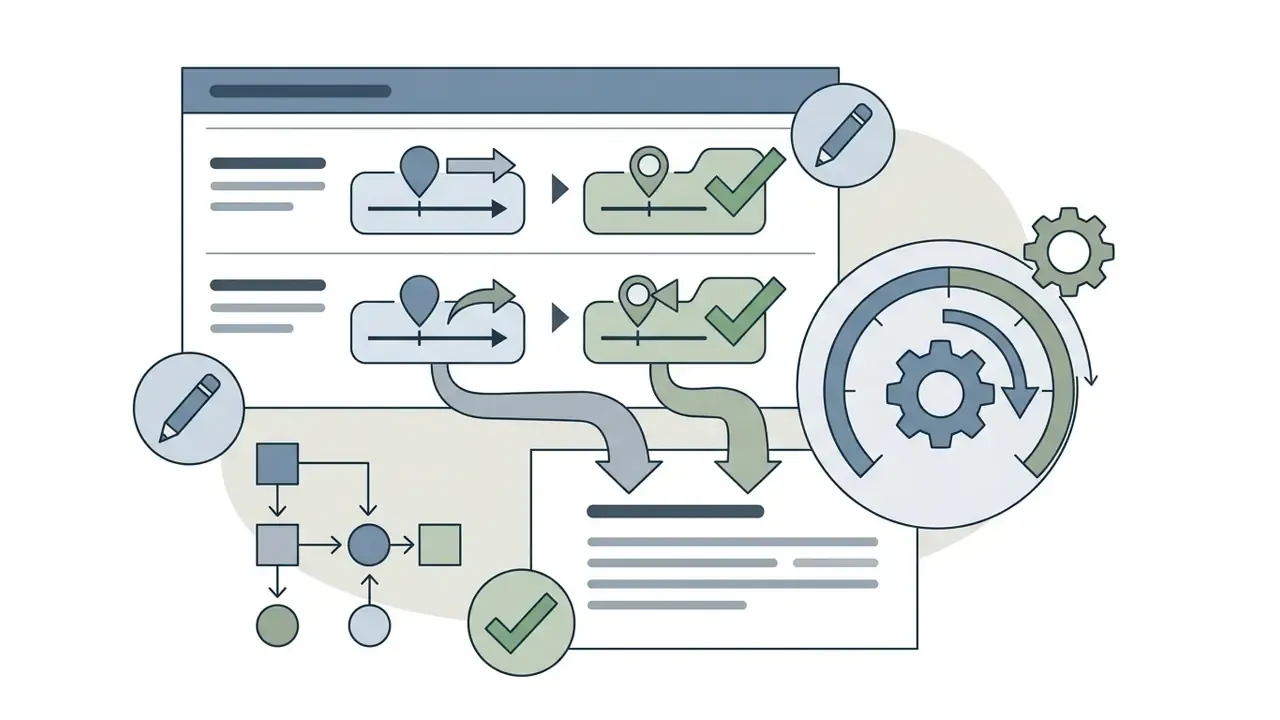
For transparency, the following passages from earlier versions of this article were revised. Original wording is preserved here. Corrected versions appear in the main text above.
A safe next step
Start narrow. Approve one vendor, one use case (internal holiday cards, say), one named owner and one retention window you can prove in writing. Publish nothing without the validation checklist. If that cycle holds through a single December, you have a repeatable control pattern for far larger generative deployments, and evidence an auditor can actually read.
Resources and technical support
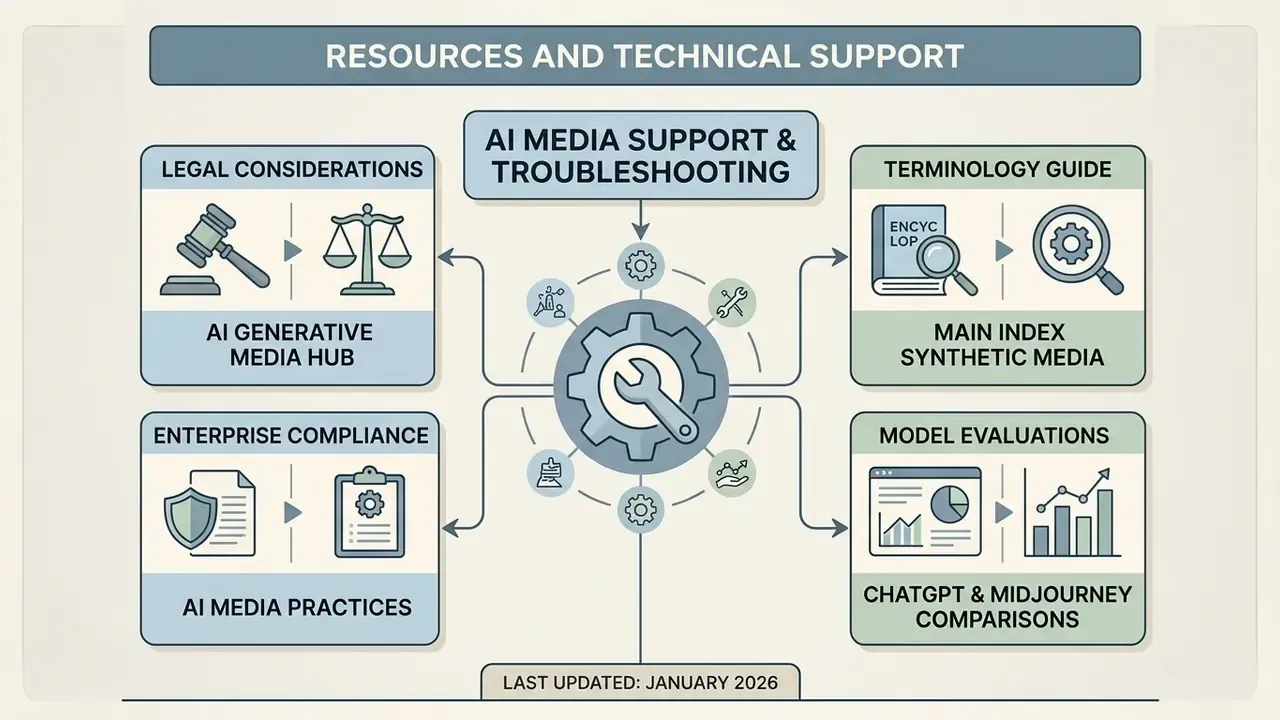
- For operational assistance, user guidance and technical resolution strategies, visit our AI Media Support and Troubleshooting portal.
- To review legal considerations surrounding generative media deployment, explore the hub dedicated to AI litigation standards.
- For enterprise compliance oversight of generative output, review practices outlined in AI Media Commercial-Use frameworks.
- For foundational terms and terminology across synthetic media technologies, view the guide in our main index.
- For head-to-head model evaluations, see ChatGPT picture generator vs alternatives and Midjourney vs competing image generators.
Last updated: January 2026.