Last updated: April 2026 · Reviewed for: licensing, export limits, data-handling risk
Executive Summary
Why should a risk or finance leader care about a free consumer editing tool? Because it is already inside the building. Marketing uses it, no installer is required, and nobody filed a ticket.
- What it is the capcut online video editor is ByteDance's browser-based editing environment: multi-track timeline, cloud storage, templates and AI automation, with no local installation required.
- Hard technical ceiling browser projects are practically limited to 15 minutes of timeline length; longer edits belong in the desktop build.
- AI coverage auto-captions (speech-to-text) and text-to-speech voice generation support roughly 93 languages, alongside
Smart CutandAuto-Adjustautomation. - Free tier reality watermark-free export up to 4K is advertised, but 4K stability depends on hardware acceleration and at least 8 GB of RAM; free cloud quota ranges from 0 GB in new Spaces to 1 GB promotional storage.
- Commercial risk only assets explicitly badged "Commercial Use" are licensed for brands. A single non-commercial asset contaminates the whole export. CapCut Pro does not buy commercial rights.
- Governance gap CapCut Web offers no SSO/SAML and publishes no SOC 2 or ISO 27001 attestation specific to the web editor; corporate media, faces and voices uploaded for AI processing are handled server-side. Treat it as a Shadow AI vector, not an enterprise-sanctioned NLE.
- Verdict excellent for short-form social production and rapid marketing cutdowns; it needs written policy controls for regulated, confidential or long-form enterprise workloads.
Browser-based media creation tools have shifted from simple cropping utilities into complete post-production environments. The capcut online video editor represents that evolution, letting creators, SMM managers and enterprise teams assemble high-definition media directly inside a web browser with no local software installation. Understanding its architecture, its functional capabilities, its data-handling posture and its licensing boundaries is what separates a controlled workflow from an incident report in 2026.
On this page: what CapCut Online is, then browser limits and system requirements, the toolset and AI features, CapCut Web versus alternatives, templates, the step-by-step workflow, Shadow AI and privacy risks, risk-adjusted ROI, the commercial-use checklist and licensing, and finally the FAQ.
What Is the CapCut Online Video Editor and Which Tasks It Fits
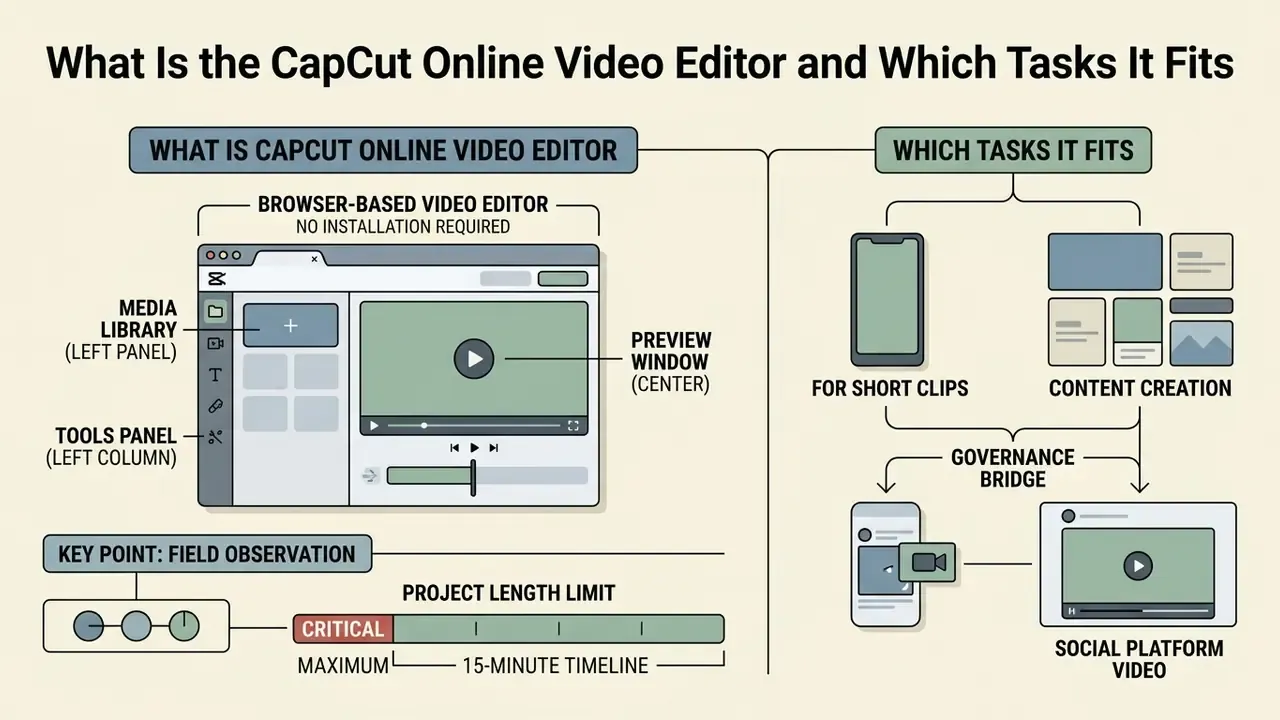
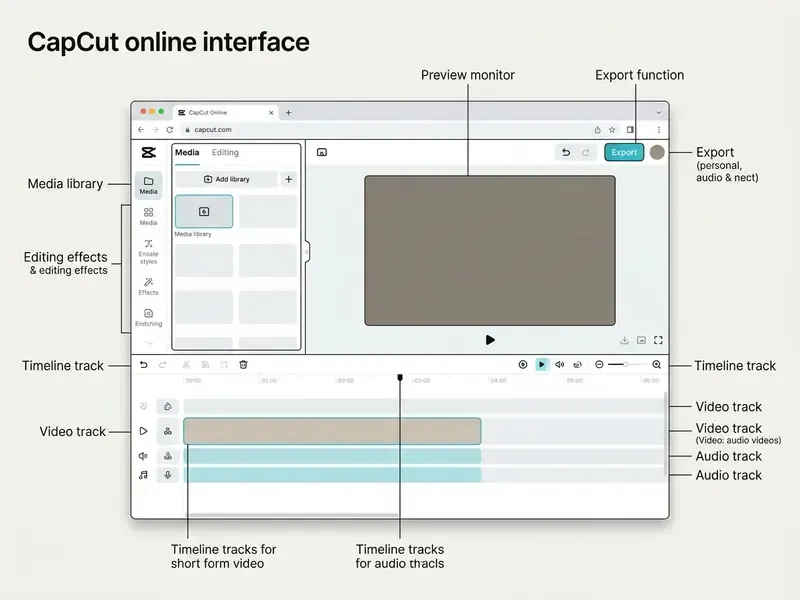
The capcut online video editor is a browser-based video editing platform developed by ByteDance. Users import, assemble, edit and export video projects directly inside a web browser. Designed as a web video editor, it removes the need to install traditional editing software and gives immediate access to multi-track timelines, cloud storage integration and automated AI editing tools.
The platform serves content creators, SMM teams, educators and commercial marketers who need fast turnaround on video production. The scale is not marginal: according to app-analytics data, CapCut reached roughly 323 million monthly active users and 38.42 million downloads in July 2024, which explains why it appears inside corporate networks long before procurement approves anything.
«CapCut counted about 323 million monthly active users and 38.42 million monthly downloads in July 2024.»
Editing in the Browser: CapCut Web Video Editor Without Installation
Working inside a web browser lets teams run online video editing without high-end local hardware or manual software updates. The web interface operates in modern Chromium-based browsers (Google Chrome, Microsoft Edge) as well as Apple Safari, connecting directly to cloud account storage. Legacy browsers such as Internet Explorer or the old Edge engine are explicitly unsupported.
System requirements for standard 1080p and 4K browser editing recommend Windows 10/11 (64-bit) or macOS 11 and later, with at least 8 GB of RAM and hardware acceleration switched on. To compare hardware demands across platforms, creators often consult platform-specific reviews such as our guide to video editors for different platforms and the windows video editor overview.
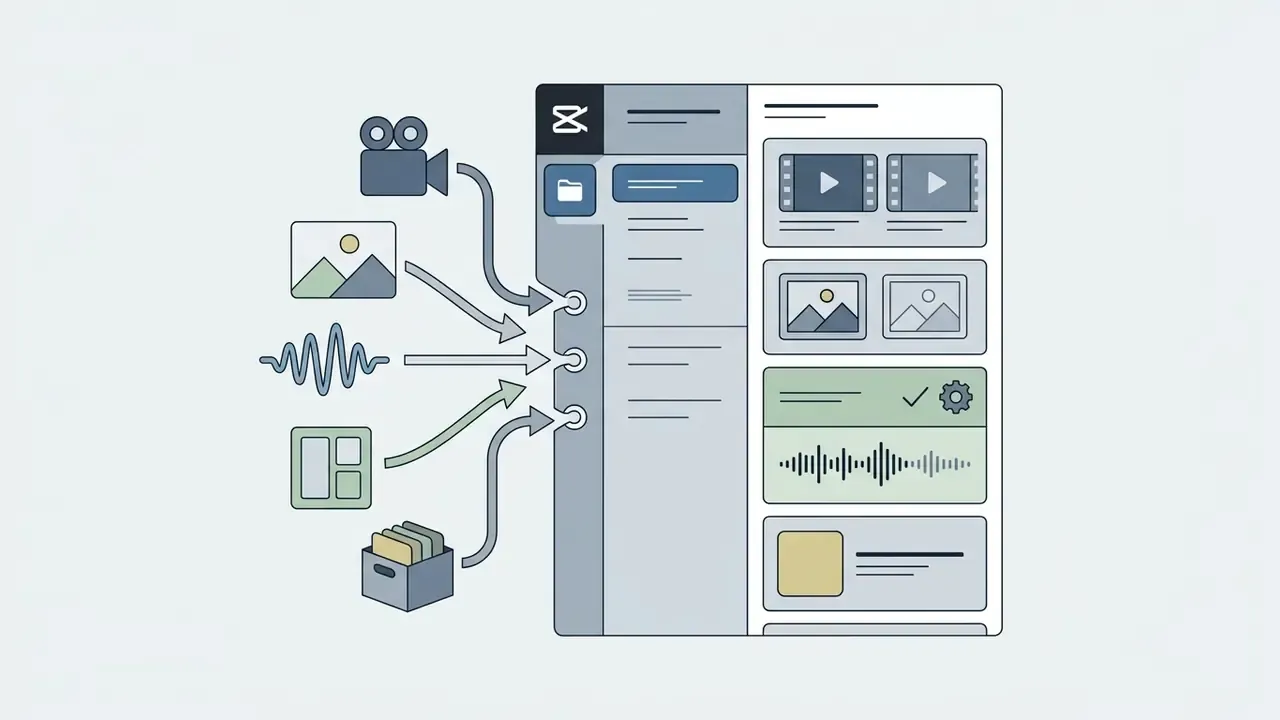
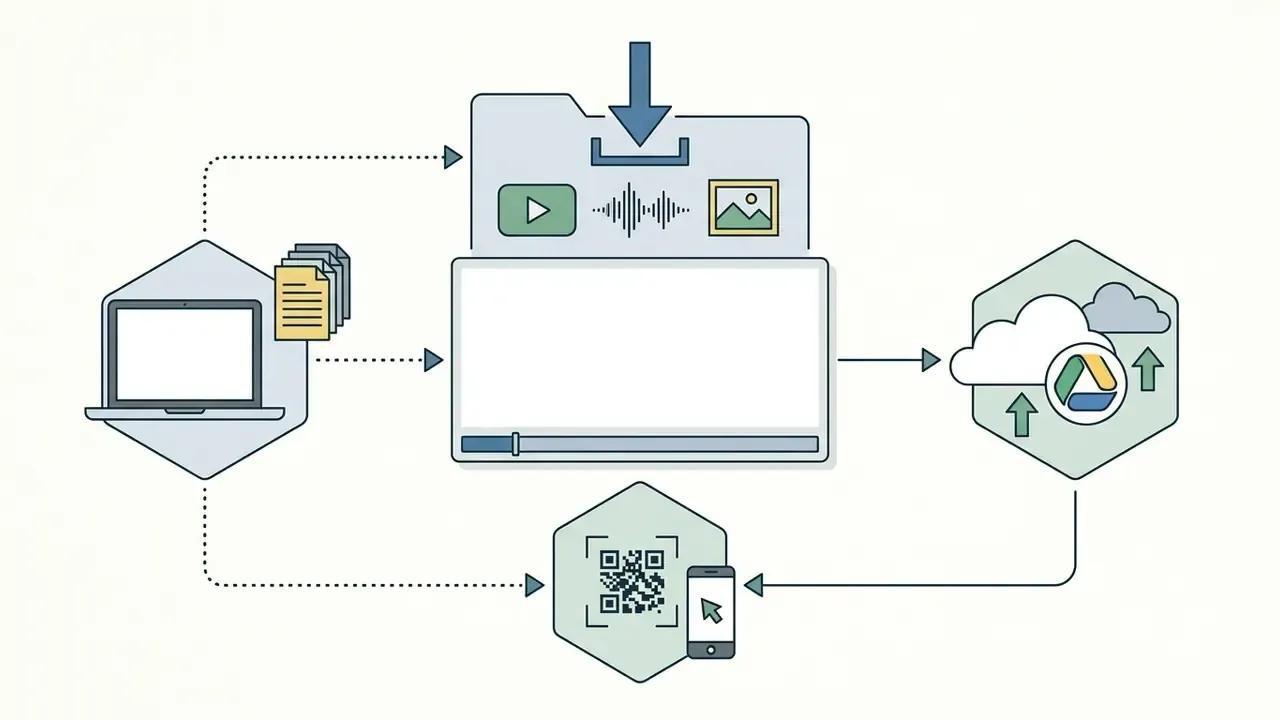
Projects sync directly to the user's account space. Media uploads arrive from local storage, Google Drive, Dropbox, or mobile sync via QR code. Because every asset and every AI request travels to cloud services, a stable broadband connection is a functional requirement, not a nicety.
Project length limit (critical). CapCut Web is engineered for short- and mid-form content. Independent software catalogues list a hard editing ceiling for the web build: "keep your video within 15 minutes, as it can't be edited beyond that." Softonic review of CapCut (2026). Long-form documentaries, recorded webinars and full-length interviews therefore belong in the desktop application or a conventional NLE.
| Parameter | CapCut Web (free) | CapCut Pro | CapCut Teams |
|---|---|---|---|
| Practical timeline length | up to ~15 minutes | up to ~15 minutes (web build) | up to ~15 minutes (web build) |
| Cloud storage | 0 GB in new Spaces / up to 1 GB promotional | 100 GB | 1,000 GB |
| Export resolution | 720p / 1080p / 4K (hardware-dependent) | 4K + HDR | 4K + HDR |
| Watermark | none by default (check the ending clip) | none | none |
| Collaboration | link sharing | link sharing, review links | team spaces, shared brand assets |
| SSO / SAML | not available | not available | not documented publicly |
Table: browser-version limits that decide whether a project can realistically be finished in CapCut Web.
CapCut for Short Clips, Content and Social-Platform Video
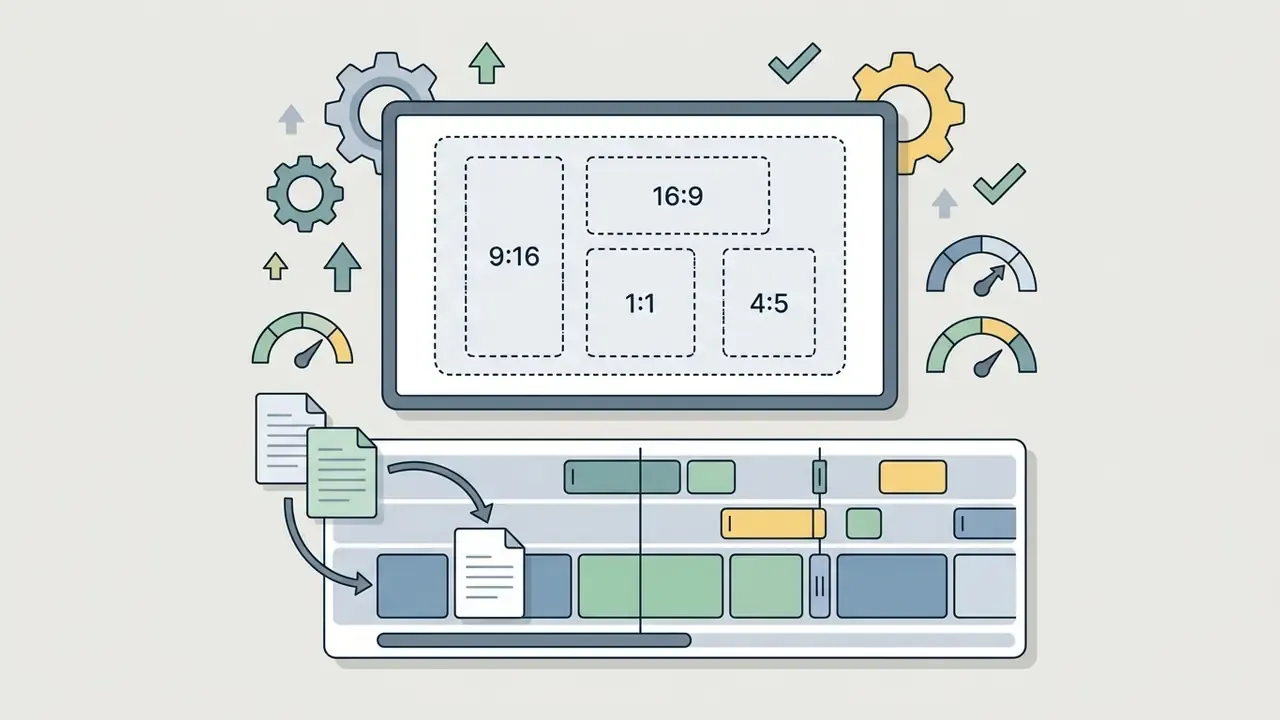
CapCut Online is engineered for short-form video clips published to TikTok, Instagram Reels and YouTube Shorts. The platform ships pre-set canvas aspect ratios, including 9:16 (vertical mobile), 1:1 (square feed), 4:5 (portrait feed), 3:4, 2:1 and 16:9 (horizontal widescreen), so footage matches destination channel requirements at ingest.
«CapCut's rollout of its web application on progressive web technologies drove an 83% increase in organic search traffic.»
Automated closed captions, trending audio tracks and keyframe animations together let small teams produce competitive social content at volume. Teams that are simultaneously evaluating generative pipelines can weigh those results against our ranking of the best AI video generators.
Governance bridge. One caution before the tactical part. Publishing corporate footage through a consumer social pipeline means brand assets, unreleased product shots and identifiable employees leave the managed perimeter. The presets below solve formatting. They do not solve clearance. Section [11] and the Shadow AI register handle that side.

CapCut Tools for Online Video Editing
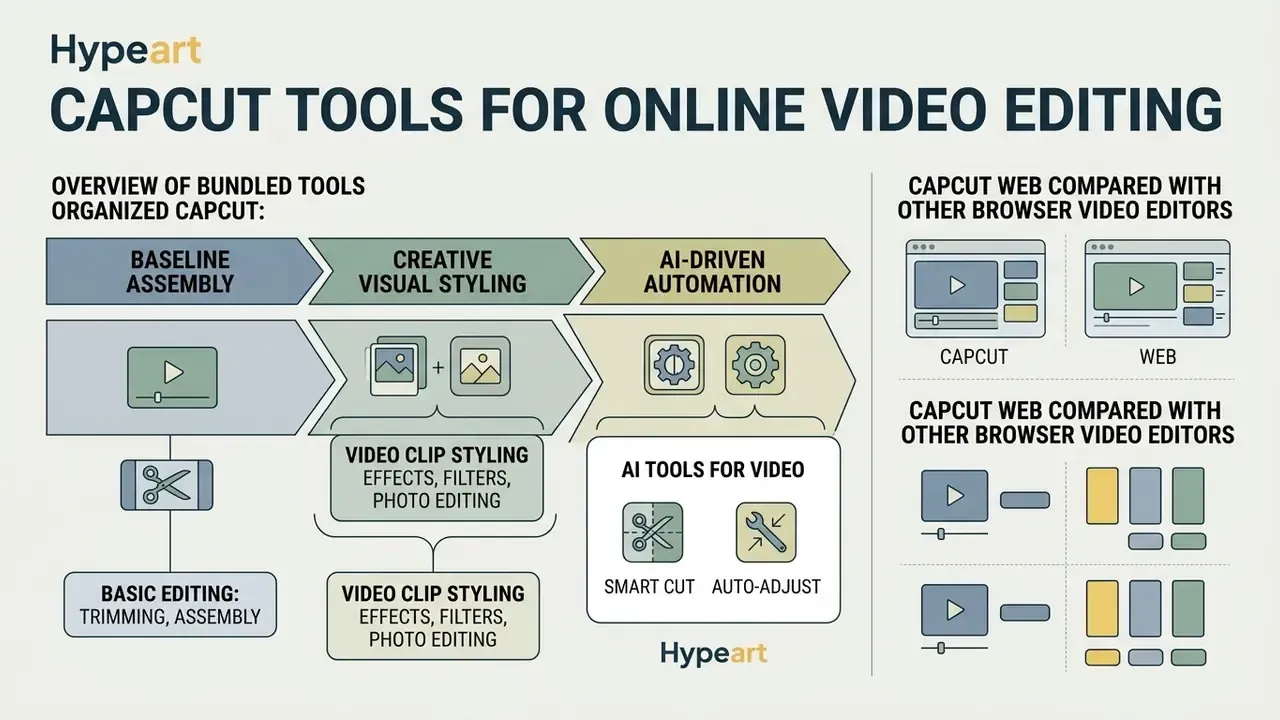
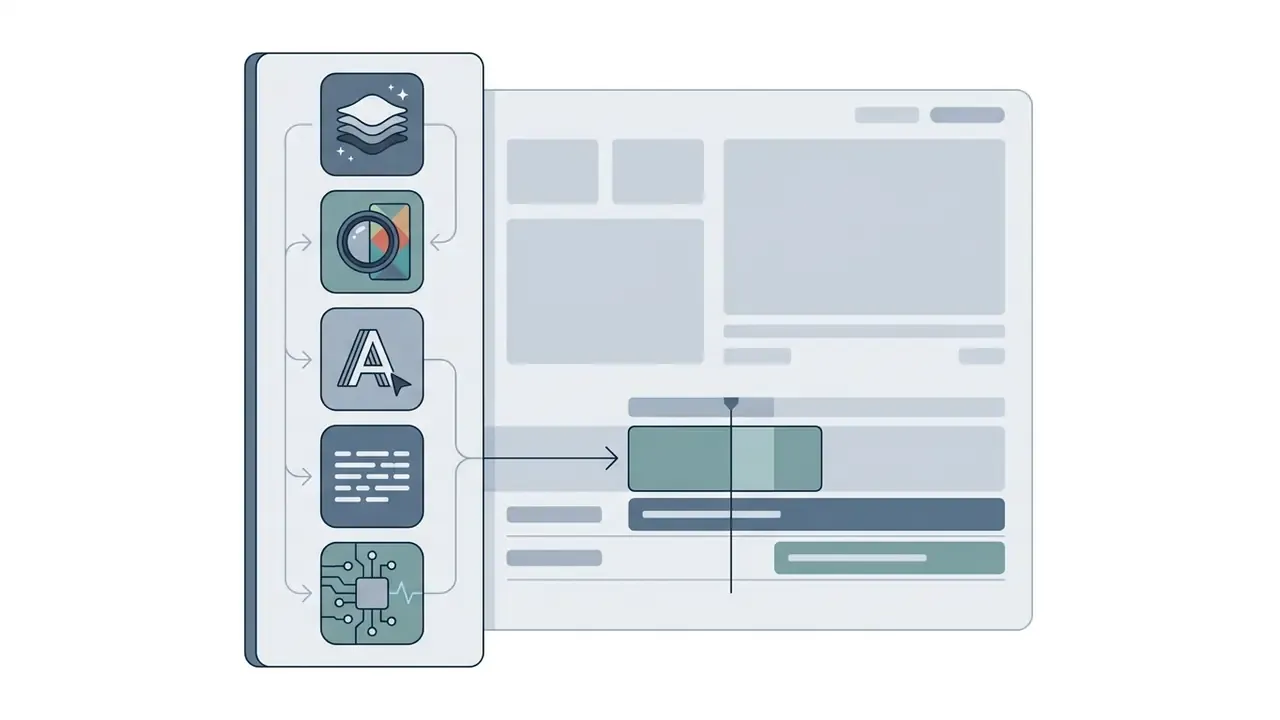
The capcut online video editor bundles a broad suite of editing tools across three layers: baseline assembly, creative visual styling and AI-driven automation. That tiering lets one operator move from a rough cut to color grading and speech synthesis inside a single session. A fourth layer covers collaboration, cloud backup and template reuse, which is where most team friction actually lives.
Basic Editing: Trimming, Assembly and Video Clip Styling
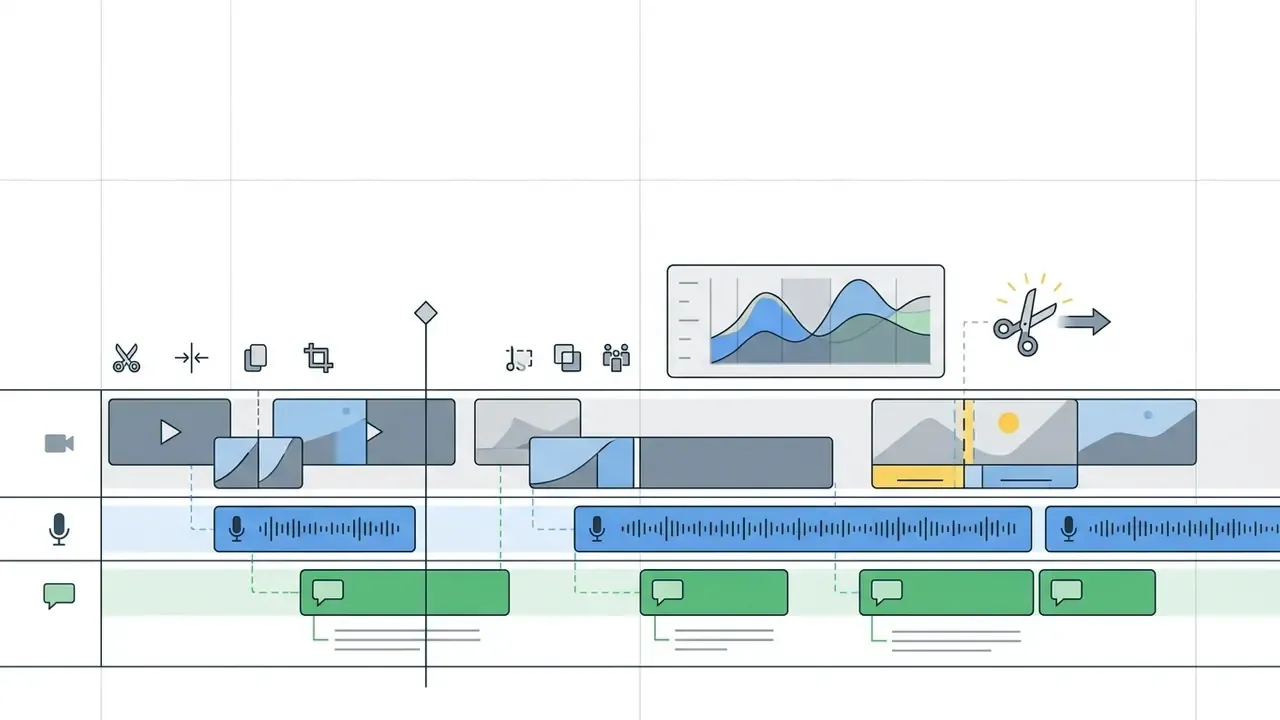
Baseline video editing in CapCut Online centers on timeline manipulation. Users split long video clips, trim unwanted frames by dragging edge handles, crop canvas boundaries, merge sequences and adjust playback speed through standard or curve speed ramping (Speed → Curve).
Multi-track capability lets content managers stack video layers, build picture-in-picture overlays and drop transitions between adjacent clips. Text alignment tools cover lower thirds, titles and callouts, while the audio panel handles volume, fades and noise reduction. When comparing production software as a whole, teams often reference AI Media Comparison Matrices to weigh browser feature sets against installed applications, or check delivery weight with a video compressor before upload.
Nothing exotic here. That is the point: the editing online experience is deliberately close to a mobile app, which is why adoption outruns policy.
Effects, Filters, Photo Editing and AI Tools for Video
Beyond core trimming, the platform provides visual styling: color correction filter presets, graphic overlays and animated visual effects. Still photo elements sit alongside video, with keyframe parameters simulating camera pans and zooms, smart cropping and masking. For decorative typography built outside the editor, our reference on the word art generator covers the same job.
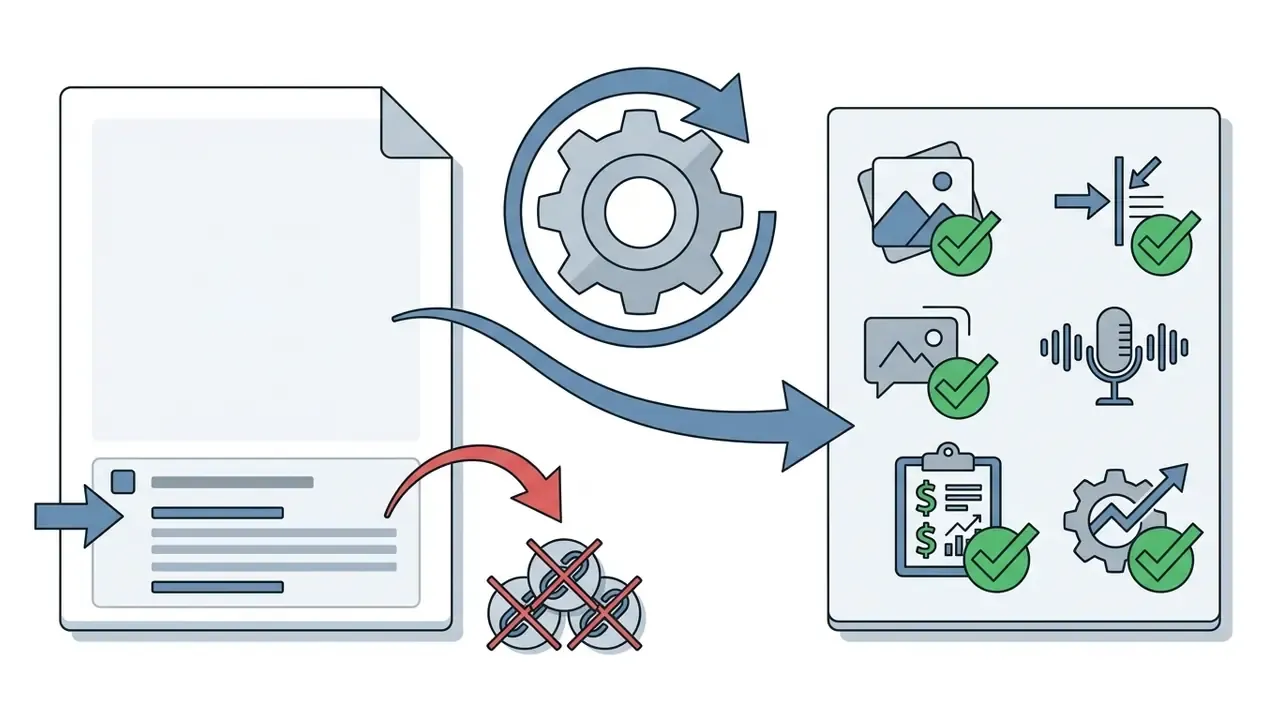
AI capability is the core pillar of CapCut Web. The editor offers automated speech-to-text for multi-language subtitles, one-click background removal, text-to-speech voice generation, script generation, video translation and automated noise reduction. Two branded automations matter most in practice:
- Smart Cut identifies and removes weak takes, dead air and unwanted clips before manual polishing.
- Auto-Adjust applies automatic color and lighting correction to pull mismatched footage into one look.
Language coverage is unusually wide for a free browser tool: "It provides about 93 languages that you can also use when applying auto-captions in your videos", and the same catalogue lists support for 93 languages for text-to-speech (Softonic review of CapCut, 2026). Synthetic narration quality can be cross-checked against our reference on AI voice generators.
«In-depth interviews with content creators show that CapCut's cutting, clip-arrangement and visual-effect tools improve both the quality and the efficiency of video production.»
| Tool category | Available functions in CapCut Web | Typical application |
|---|---|---|
| Basic editing | Split, trim, merge, rotate/mirror, speed curve | Rough assembly, removing bad takes, reformatting for platforms |
| Effects & filters | Visual library (glitch, blur, neon), color presets, transitions | Visual styling, color correction, brand-book consistency |
| Templates | Ready-made projects with pre-marked transitions, text and audio; Free and Hot tiers | Fast production of trend-driven social content |
| Photo work | Static image import, keyframe animation, masking, smart cropping | Slideshows, collages, mixed photo and video sequences |
| AI tools | Auto-captions and text-to-speech in ~93 languages, Smart Cut, Auto-Adjust, background removal, upscaling, video translation | Automating routine tasks, improving accessibility, localization |
| Collaboration | Cloud storage, review links, presentation sharing, team spaces | Distributed approval cycles, asset reuse across campaigns |
Table 1: CapCut Web video editor capabilities organized by category and use case. In short, the free online video editor covers rough cutting, styling, templates, photo animation, AI automation and review sharing in one browser tab.
Readers evaluating generative rather than editing workloads can continue with our reference material on AI tools for video generation and the shortlist of free AI video generators. Teams that also need documented rules for restricted or adult-adjacent prompts should read the policy notes in our entry on the xxx ai generator category before granting access to any generative media tool.
CapCut Web Compared With Other Browser Video Editors
Browser NLEs converge on the same core (upload, timeline, captions, export) and differentiate on trend assets, brand controls and licensing clarity.
| Editor | Primary focus | Auto-captions | Free high-res export | AI generators | Main constraint |
|---|---|---|---|---|---|
| CapCut Web | Trend content, TikTok / Reels / Shorts | Yes (~93 languages) | Yes, watermark-free (hardware-dependent 4K) | Yes (background removal, TTS, translation) | ~15-minute timeline limit; asset-level commercial licensing |
| Pippit AI | AI polish, cloud projects, brand kits | Yes | 1080p / 4K download | Yes (AI color, caption styling) | Newer ecosystem, smaller trend library |
| Canva Video | Design-heavy workflows, presentations | Limited | Pro required for full quality | Basic | Design-first timeline, weaker fine cutting |
| Clipchamp | Basic editing in the Microsoft and Windows ecosystem | Yes | Yes (1080p) | Minimal | Feature depth below CapCut for effects |
| VEED.io | Subtitles and corporate recordings | Yes (paid limits) | Watermark on free tier | Yes | Free-tier watermark and export caps |
Table 2: how the capcut web video editor positions against mainstream browser alternatives in 2026.
Templates in CapCut: How to Produce Video Faster
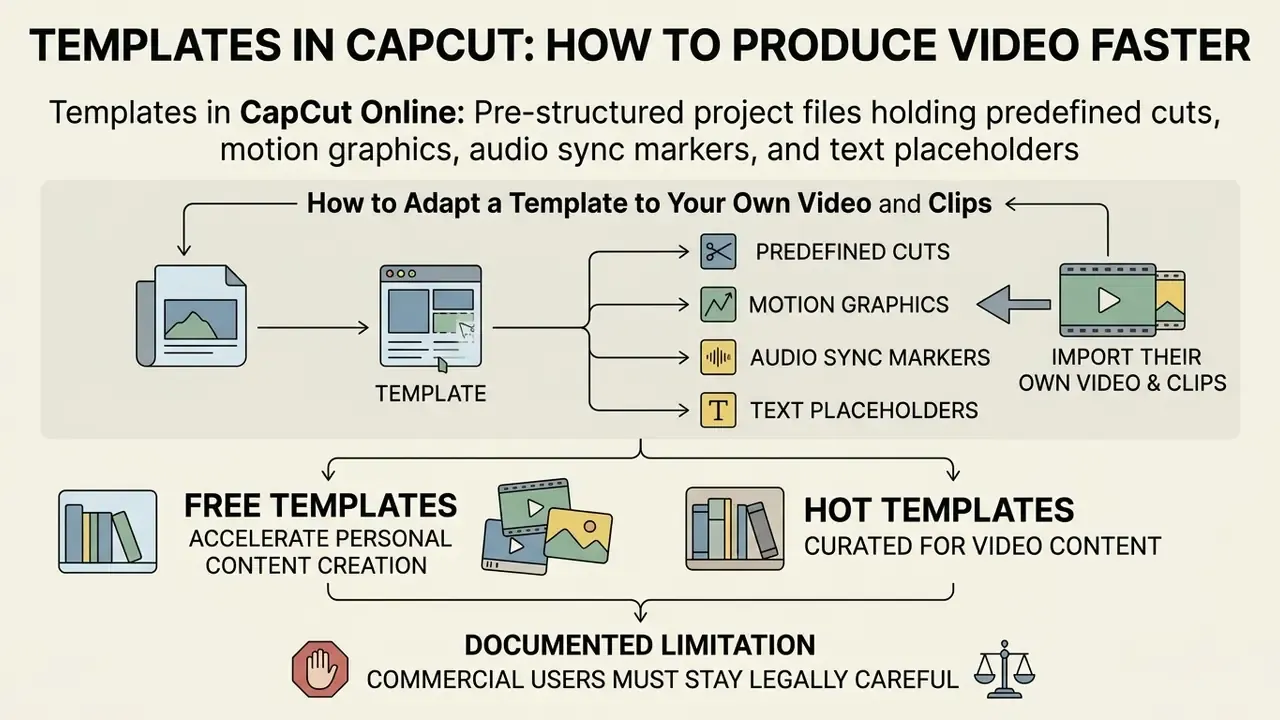
Templates in CapCut Online are pre-structured project files holding predefined cuts, motion graphics, audio sync markers and text placeholders. With templates video presets, creators assemble polished content in seconds instead of designing compositions from scratch. In the web editor the flow is short: open the Templates section, click Use Template, replace media, export.
One documented limitation deserves a flag. CapCut Web does not support TikTok templates or the full mobile template gallery, and in some regions only a limited built-in set is exposed. Teams planning template-driven campaigns should confirm availability in their own region before promising a delivery calendar to a client. Check first, promise second.
Free Templates and Hot Templates for Video Content
CapCut splits its asset library into broad free templates and curated Hot Templates. "Free" describes access and cost. "Hot" or "Trending" describes curation and recency: editor-picked presets reflecting current viral dynamics on TikTok and Instagram Reels, refreshed continuously with trending audio and visual patterns. Users hunting for more templates video options in the web build will find the browser gallery narrower than the mobile one.
While free templates accelerate personal content creation, commercial users must stay legally careful. According to the CapCut Trust Center, only materials explicitly tagged with a "Commercial Use" badge are licensed for brand promotions, advertisements or monetized business content. Unlabeled assets are not covered by that permission, and the absence of a badge is not an invitation.
How to Adapt a Template to Your Own Video and Clips
Customizing a template inside the browser follows a defined sequence:
- Open the selected template through Use Template and review placeholder video clips and photos.
- Click individual media slots (or use Replace) to swap default assets for original footage or static images.
- Edit text containers, replacing template titles with your own copy and adjusting font and placement to the brand kit.
- Adjust master audio volume, disable noise reduction if it damages the source, or apply built-in mixing tools to fit campaign goals.
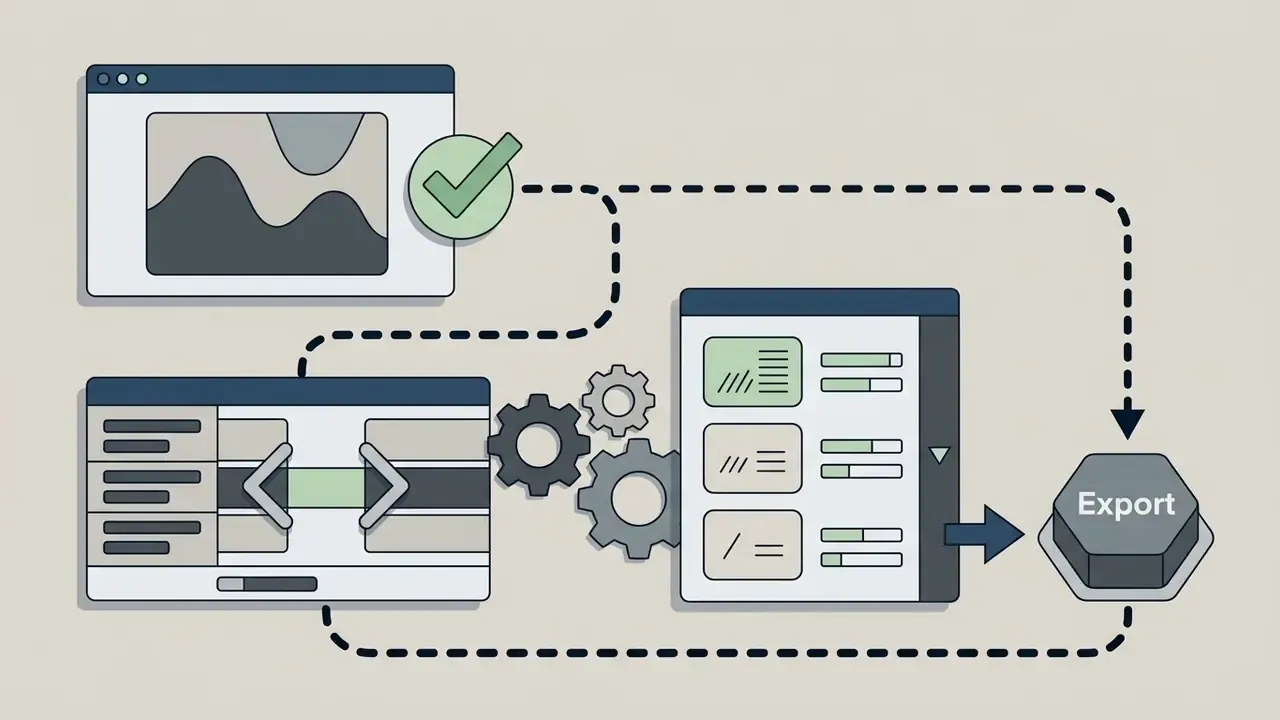
- Swap filters and effects from the toolbar, then verify that every replaced asset is commercially licensed before export.
For animated intros and motion-graphic openers built outside a template, see our reference on animation makers.
How to Edit Video in CapCut Online: The Working Sequence
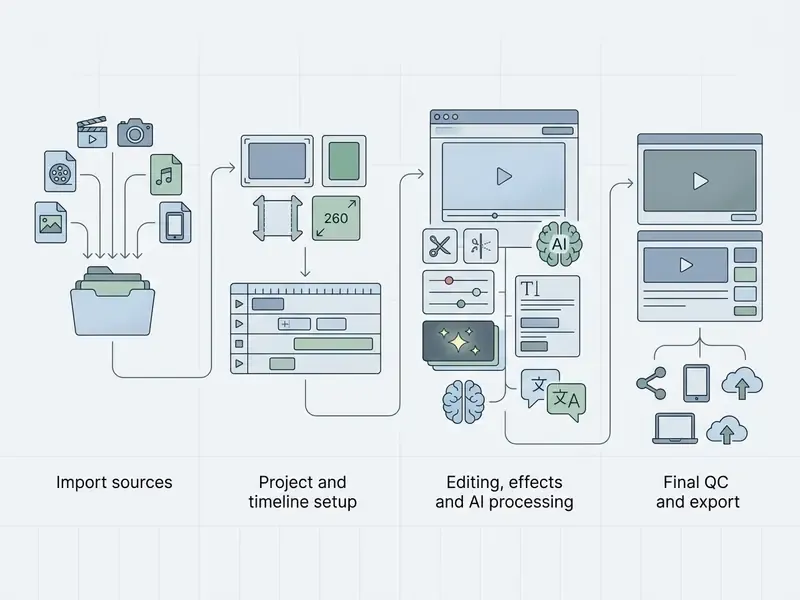
Publishing to long-form channels usually needs a different pipeline; continue with our guide to video editing for YouTube for chapter markers, thumbnails and metadata handling.

Shadow AI and Data Privacy: What to Check Before Corporate Media Enters the Browser
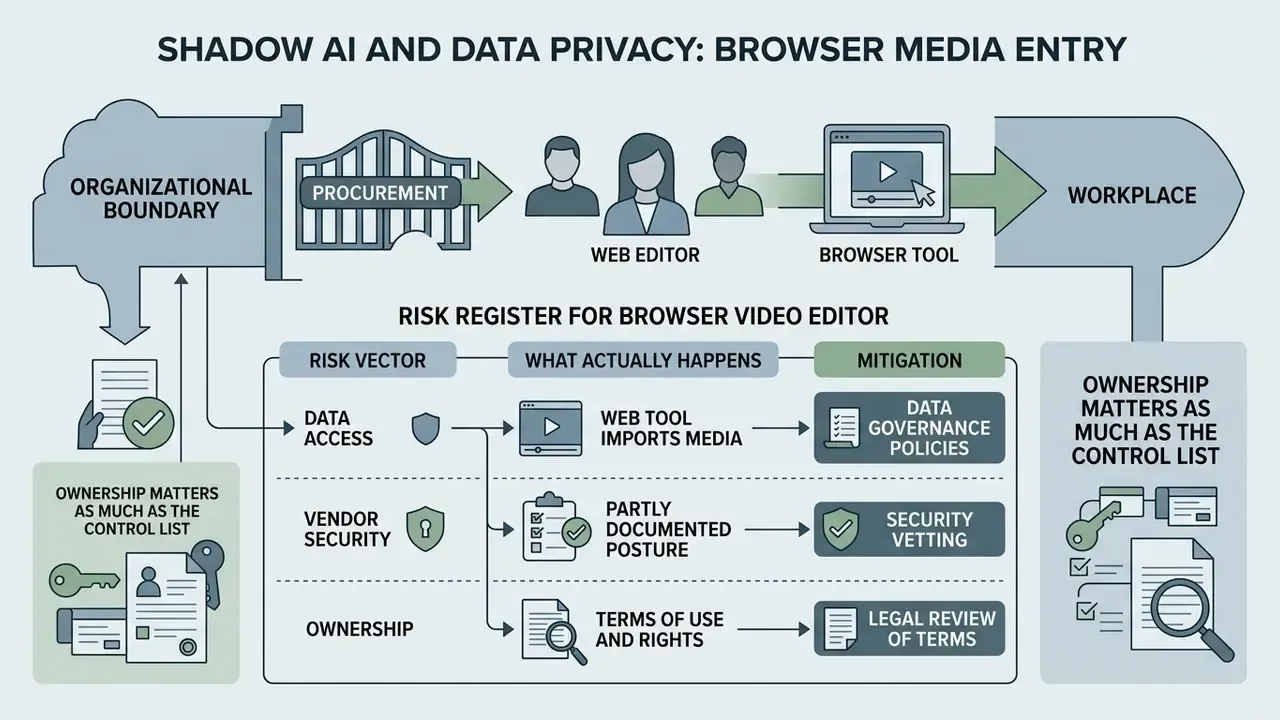
Because CapCut Web needs no installer, it usually enters an organization through employees rather than procurement. That is the classic Shadow AI pattern, and it is why the tool belongs in your AI inventory even if nobody bought it.
The vendor's security posture is partly documented. Independent reviews note that CapCut "secures data transmission through SSL and HTTPS encryption" and stores uploaded files in cloud space protected with AES-128 encryption, with authentication required for file access (Softonic, 2026). What is not publicly documented for the web editor is the enterprise attestation set: no SOC 2 Type II or ISO 27001 report specific to CapCut Web was located, and the web tier offers no SSO or SAML. Verify this directly with the vendor before any regulated workload is approved. No evidence, no autonomy.
| Risk vector | What actually happens | Mitigation |
|---|---|---|
| Unmanaged access | Any browser session can upload corporate footage; no SSO, no central audit trail | Restrict via browser policy or CASB; publish a sanctioned-tools list; require corporate accounts on paid tiers |
| Server-side AI processing | Captions, translation, background removal and TTS run cloud-side, not in local browser rendering | Prohibit uploading confidential, pre-release or personal-data footage; strip metadata before upload |
| Biometric exposure | Faces and voices in source clips are processed for captioning, avatars and voice features | Obtain written model and employee releases; avoid voice cloning of identifiable staff |
| Data retention and model training | Retention windows and any use of user content for model improvement must be read from current ByteDance policies | Verify retention terms in writing; delete cloud projects after delivery; export and archive locally |
| Asset contamination | Non-commercial stock inside an export voids commercial rights for the whole file | Enforce the pre-publication checklist in section [11] |
| Jurisdictional concern | Processing location and cross-border transfer are not disclosed per region | Route regulated content to on-premise or contracted NLEs; document the decision in the AI register |
Table 3: a practical Shadow AI risk register for the capcut web video editor.
Ownership matters as much as the control list. Each row above should carry a named owner, an escalation path and a review date, exactly as a bank would treat any other unmanaged data flow. For a broader view of licensing exposure across generative media, see our analysis of commercial use of AI image generators.
Risk-Adjusted ROI: Browser Editor vs Desktop NLE
Finance owners rarely ask "is CapCut good?". They ask what total cost of ownership looks like once compliance work is priced in.
| Cost component | Desktop enterprise NLE | CapCut Web Free | CapCut Pro / Teams |
|---|---|---|---|
| Licence cost | Recurring per-seat subscription | $0 | Pro from about $19.99/month or $179.99/year; Teams from about $24.99/month (official 2026 pricing) |
| Hardware requirement | Workstation-class GPU/CPU | Any machine with 8 GB RAM plus hardware acceleration | Same |
| IT deployment | Installer, updates, admin rights | None | None |
| Storage | Local or NAS | 0 to 1 GB cloud | 100 GB (Pro) / 1,000 GB (Teams) |
| Compliance overhead | Low (managed asset library) | High: per-asset licence checks, no SSO, unclear retention | Medium: paid assets, but licensing stays asset-level |
| Long-form capability | Unlimited | ~15-minute ceiling | ~15-minute ceiling (web) |
| Risk-adjusted verdict | Best for regulated, long-form, archival work | Best for non-confidential short-form at zero cost | Best for high-volume social teams needing storage and speed |
Formula to apply internally: risk-adjusted ROI = (hours saved × blended rate) minus (licence + review hours + expected licensing-incident cost). Where the compliance review load exceeds the production time saved, a managed NLE stays cheaper. Cost modelling for cloud media stacks can be run through our AI Media Calculators, and current tier comparisons live on the pricing page.
One caveat worth stating plainly: the expected-incident term is the weakest input in this model. Public data on takedown and licensing-dispute frequency for browser editors is thin, so most institutions will have to substitute their own legal estimate and label it as an assumption.
CapCut Online Video Editor Free: What to Verify Before Commercial Use
CapCut markets itself as a free video editor capable of high-definition export with no default watermark. Fair enough. Commercial users still need to read the terms of service and licensing rules carefully before a public campaign goes live.
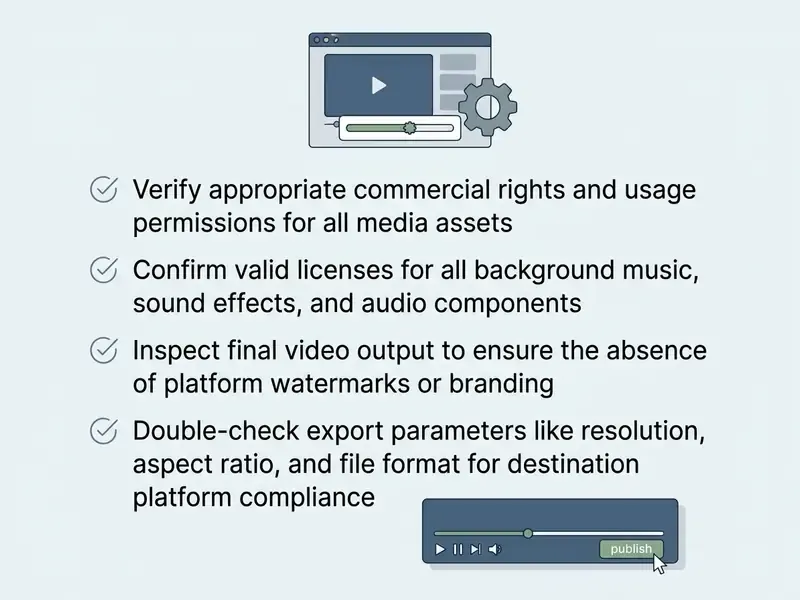
«Under the CapCut Materials License Agreement, a single non-commercial asset in the export moves the whole piece of content into "personal use only" status.» CapCut Materials License Agreement (2026); licence analysis, 2026. https://www.capcut.com/policy/materials-license-agreement
Legal verification and terms of use (fact check).
CapCut's materials policy runs on two layers: the Terms of Service (edition referenced as of 15 April 2026, cited as a normative reference point and subject to independent confirmation on the vendor's site) and the Materials License Agreement. Three rules carry most of the risk:
- Asset labeling: stock materials, music and templates are split into Non-commercial Use Materials and Dual Use Materials (permitted for commercial work). The Terms of Service defer the commercial question to the Materials License Agreement.
- Pro subscription limits: paying for CapCut Pro unlocks premium tools but does not grant automatic commercial rights to materials intended for personal use only.
«Analysis of the 2026 agreement confirms: a Pro subscription removes the paywall but does not re-license non-commercial materials, and commercial rights follow each asset's own label.» CapCut Materials License Agreement analysis (2026). https://www.capcut.com/policy/materials-license-agreement
- Audio rights allocation: Commercial Sounds are licensed for distribution strictly inside the CapCut, TikTok and TikTok for Business platforms. Publishing clips containing those tracks on third-party channels (YouTube, external TV or OTT) requires separate permission and rights clearance.
Checklist0 / 7
For a deeper analysis of legal exposure in AI-generated media, see AI Litigation and Case Timelines and our breakdown of Canva AI Generator commercial licensing as a comparison point.
FAQ About the CapCut Video Editor Online
Is the CapCut Online Video Editor Suitable for Beginners?
Yes. The entry barrier is unusually low. Drag-and-drop controls, ready-made template libraries and AI automation let someone with no editing experience produce a usable clip in minutes. The official beginner path is a three-step flow (open the web editor, upload media, edit and export), supported by in-product tutorials and troubleshooting articles.
«CapCut enables the creation of quality content without deep technical skills, and its functions are intelligible to a broad range of users.» Isnawan & Alsulami, conference paper on CapCut accessibility (2023 to 2024). Source URL not published in the available conference materials. «Videos created by students in CapCut significantly improved vocabulary retention among Palestinian school students learning English.» An-Najah National University thesis, EFL vocabulary retention study (2023 to 2024). https://repository.najah.edu/ For more on how generative tooling reshapes media skill requirements, see whether will ai create a wider range of jobs in the media sector.
Can the CapCut Web Video Editor Handle Full Online Video Work?
Yes, the web version supplies a complete pipeline for processing video in the browser. These constraints apply:
- Cloud storage limit: free accounts receive limited disk space (from 0 GB in newly created Spaces to a 1 GB promotional allowance; CapCut's own pages differ here, so check the quota shown in your account). Pro and Teams expand the limit to 100 GB and 1,000 GB, with a documented platform maximum of 3,000 GB.
- Rendering performance: stable operation and 4K export depend on browser hardware acceleration (Chrome, Edge or Safari recommended) and at least 8 GB of RAM. 2K and 4K availability also depends on source resolution and plan, and free accounts may hit watermark or bitrate limits at 4K.
- Project length: the practical editing ceiling sits around 15 minutes per timeline.
- Network requirements: since all files and AI tools call cloud services, stable broadband is mandatory for comfortable editing.
- Format support: CapCut advertises support for multiple media formats but publishes no exhaustive import and export list, so verify unusual codecs with a test upload. When budgeting for cloud media tooling, compare the numbers against our roundup of free AI video generators and run scenarios in the AI Media Calculators.
Can I Publish a Video With CapCut Music on YouTube?
Not safely. Tracks in the Commercial Sounds category are licensed strictly inside the ByteDance ecosystem: CapCut, TikTok and TikTok for Business. Exporting a clip that contains those tracks to YouTube, OTT or broadcast, then claiming commercial rights, invites Content ID claims and takedowns. For off-platform distribution, replace the audio with a track licensed for your channel or with production music you own.
Does CapCut Web Add a Watermark?
By default the export is watermark-free, but two sources can reintroduce a logo: the automatic ending clip and branded elements baked into certain templates. Remove both manually. Note that some export routes still prompt for a Pro subscription to deliver a watermark-free file.
Are My Projects Private?
Projects are private by default unless shared publicly, but CapCut Web has no private-account setting and account settings contain no profile-visibility control. Personal data can be downloaded in JSON or TXT format through the privacy centre. For confidential corporate media, the missing account-level privacy switch and the absence of SSO are the operative limitations.
CapCut Web or CapCut Desktop?
Use the web editor for short-form, template-driven and collaborative work where installation rights are unavailable. Move to the desktop build for projects longer than 15 minutes, heavy multi-track grading, offline work, or whenever policy forbids cloud upload of source footage. A Safe Next Step for Governance Teams If the tool is already in use, banning it retroactively rarely works. A calmer sequence usually holds:
- Add CapCut Web to the AI and SaaS inventory with a named business owner.
- Classify permitted content: public marketing footage yes, customer data, KYC materials and unreleased product assets no.
- Require the pre-publication licensing checklist as evidence attached to each published campaign asset.
- Set a review date and record open questions (retention, processing location, attestations) as unresolved rather than closed. That is four lines in a register, not a program. It is also the difference between a documented decision and an unexplained data flow during the next audit walkthrough.
Additional Resources and Documentation
For deeper study of online media processing and AI integration in production workflows:
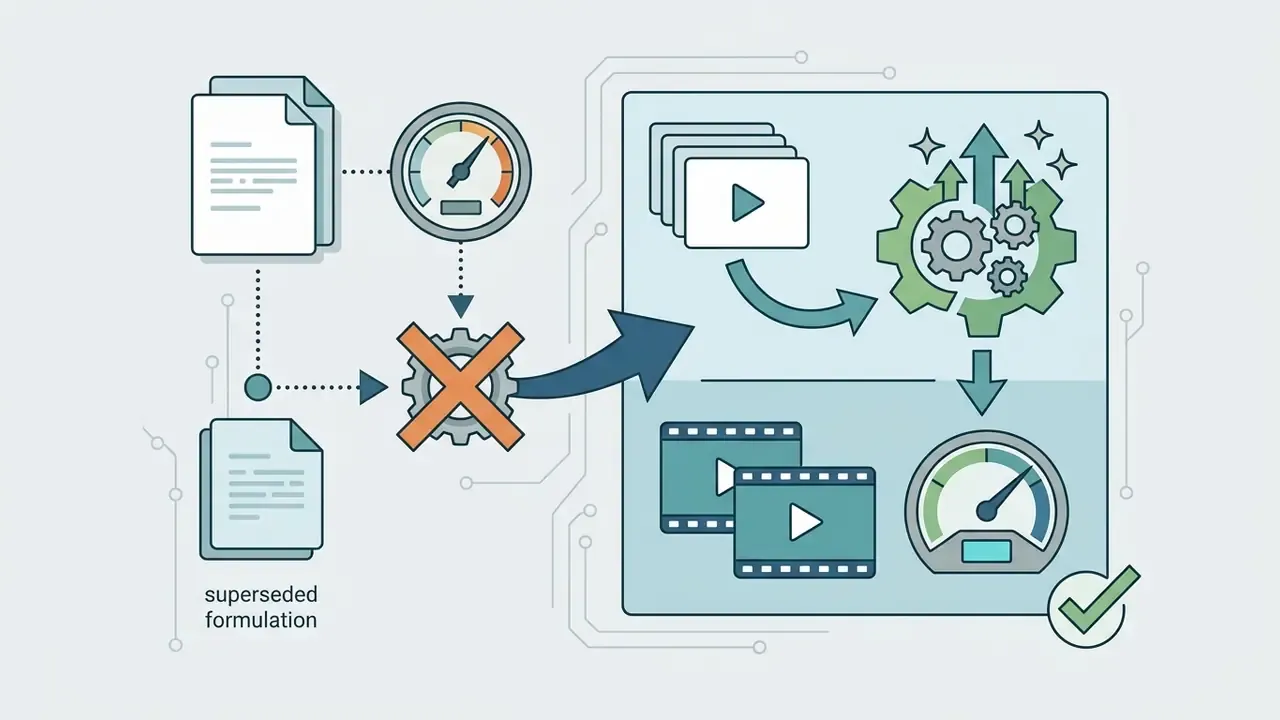
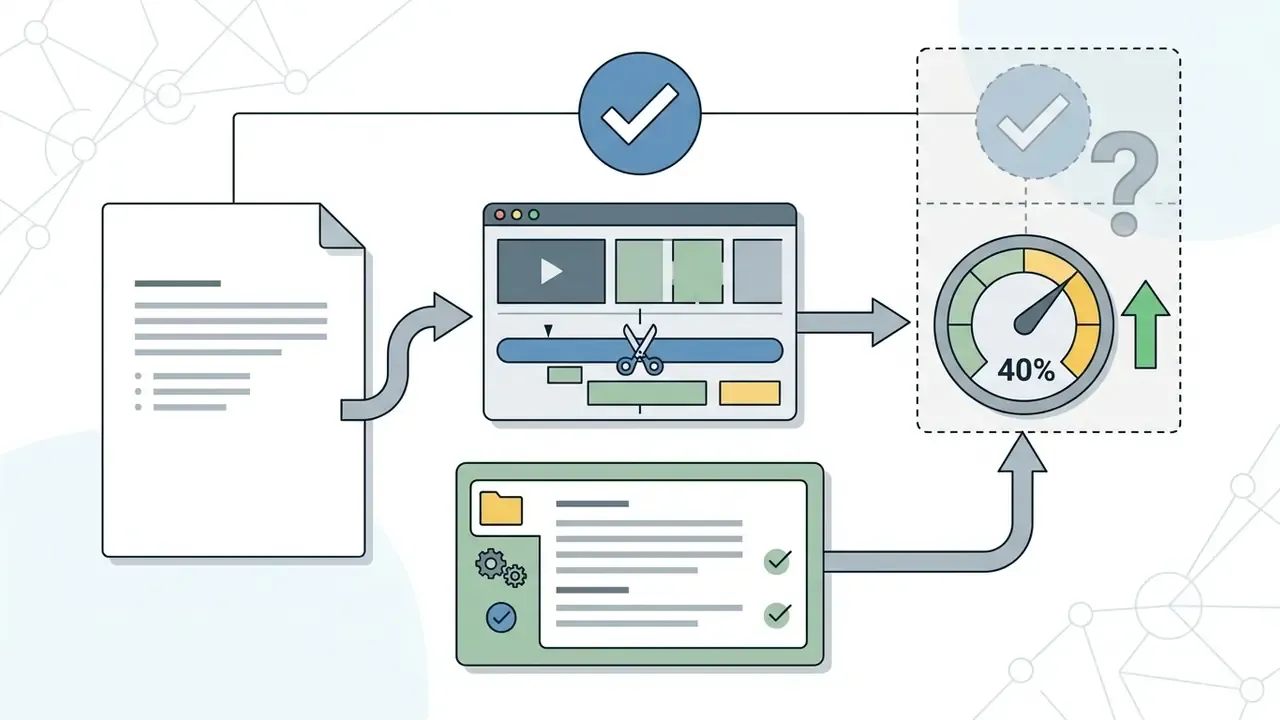
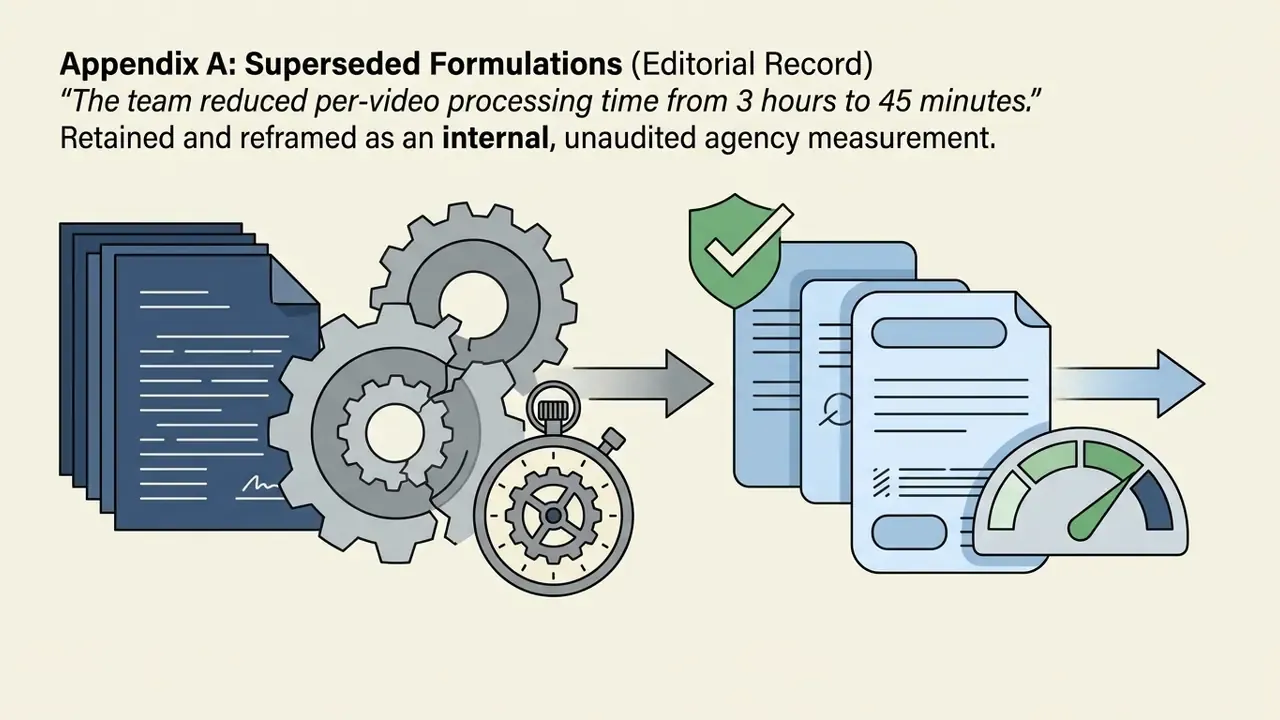
Appendix A: Superseded Formulations (Editorial Record)
Kept for transparency; the main text above carries the corrected versions.

About Hypeart
Company query: hypeart.ai
No verified information available at the time of publication. No company USP is claimed here, since none has been independently confirmed.