Last updated: February 2026.
Text to animation AI converts written prompts, scripts, and visual references into fully rendered animated video clips through generative diffusion models and transformer architectures. In 2026, enterprise teams and digital creators use these automated workflows to replace manual frame-by-frame rendering with probabilistic scene generation, enabling rapid asset production for marketing, corporate training, and social media.
Why should a risk or compliance leader care about cartoon rendering? Because the tooling is already inside the building. Marketing, L&D, and investor-relations teams adopt an ai animation generator from text long before procurement writes a policy, and every prompt they paste is a data-egress event. For adjacent terminology and model families, see our reference on text-to-video AI tools.
Key Takeaways (Executive Summary)
- Technology Modern text-to-animation systems run on diffusion transformers (DiTs) and latent video diffusion, not on traditional keyframe rigs. Outputs are probabilistic, so every clip must be treated as a generated asset that requires review.
- Practical limits Most models generate 2 to 10 second clips per request; most browser-based text-to-speech engines cap narration at roughly 5,000 characters per request (about 3 to 4 minutes of speech). Longer videos are assembled from chunked scenes.
- Cost model Free tiers typically deliver 60 to 125 credits, 480p to 720p output, watermarks, and personal-use-only licenses. Paid tiers ($10 to $50/month entry level) unlock 1080p/4K, watermark-free exports, priority queues, and commercial rights.
- Compliance In the United States, purely machine-generated expressive elements are not registrable with the U.S. Copyright Office; protection attaches only to substantial human-authored contributions. Enterprise buyers must additionally verify zero-data-retention terms, SOC 2 / ISO 27001 posture, and audit logging before exposing internal scripts to public generators.
- Biggest enterprise risk Shadow AI. Employees pasting confidential scripts, customer data, or PII into consumer video generators outside procurement control.
Who This Guide Is For and Which Decisions It Supports
This is a buyer-and-control guide, not a tool review. It assumes you need to say yes or no to a request, and to document why.
- Risk and model-risk owners decide whether a generative video pipeline belongs in the AI inventory, and at what tier of validation. Most institutions classify it as a low-consequence creative system with high data-leakage exposure, which is an unusual combination.
- Compliance and marketing-review functions decide disclosure, likeness consent, and label requirements before an ai animated video reaches a public channel.
- Finance and operations leaders decide whether the cost per finished minute actually beats agency or studio work once retries and review hours are counted.
- Security and IT decide which endpoints are sanctioned, what retention terms are acceptable, and how shadow usage gets detected.
- Creative and L&D teams decide style, pacing, and localization inside the approved perimeter.
One caveat before we go further. Vendor specifications in this space change monthly, so treat every number here as a checkpoint to verify, not a constant.
What Is Text to Animation AI and What Videos Can It Create?
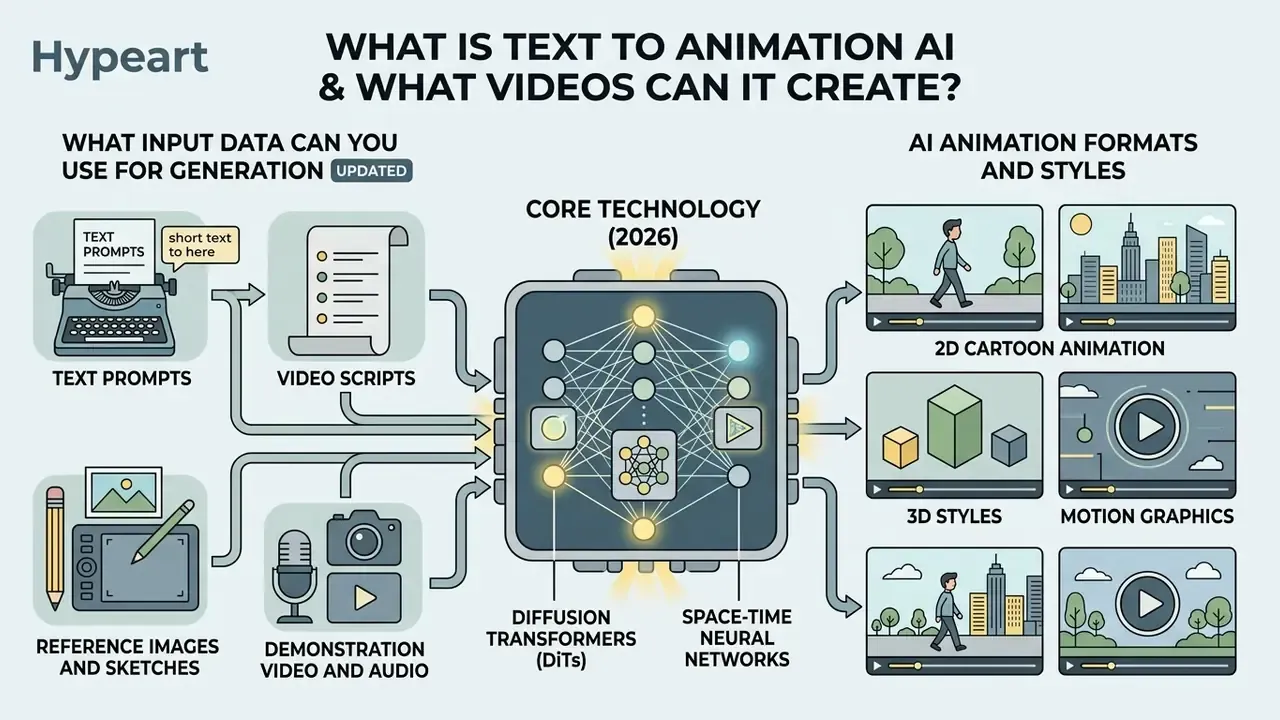
Text to animation AI refers to generative artificial intelligence frameworks, primarily diffusion transformers (DiTs) and space-time neural networks, that convert natural language descriptions into temporal video sequences. According to recent surveys on video diffusion architectures (Springer, 2025), these systems evolved from generative adversarial networks (GANs) and variational autoencoders (VAEs) into multimodal latent diffusion models capable of synthesizing complex spatial dynamics across consecutive frames.
«Diffusion models, especially when combined with transformers, deliver significantly higher fidelity and temporal consistency compared with earlier generation methods.»
In modern enterprise workflows, an AI animation generator processes a simple text query or a structured video script to output short-form video content, stylized 2D/3D motion clips, and synthetic human avatar demonstrations. Rather than manipulating traditional keyframes, generative AI predicts frame-to-frame pixel transitions in a compressed latent space before decoding them into final high-definition MP4 files.
Animation-specific fine-tuning is now a distinct research track rather than a by-product of photoreal video models. Prompt-to-Text-Animation work published in late 2025 fine-tuned HunyuanVideo on a paired animation-text dataset and reported higher visual quality than general-purpose baselines for animation-style synthesis (arXiv, 2025), while Meta's TransText adapted image-to-video models for layer-aware, transparency-aware glyph animation (Meta AI Research, 2026).
What Input Data Can You Use for Generation
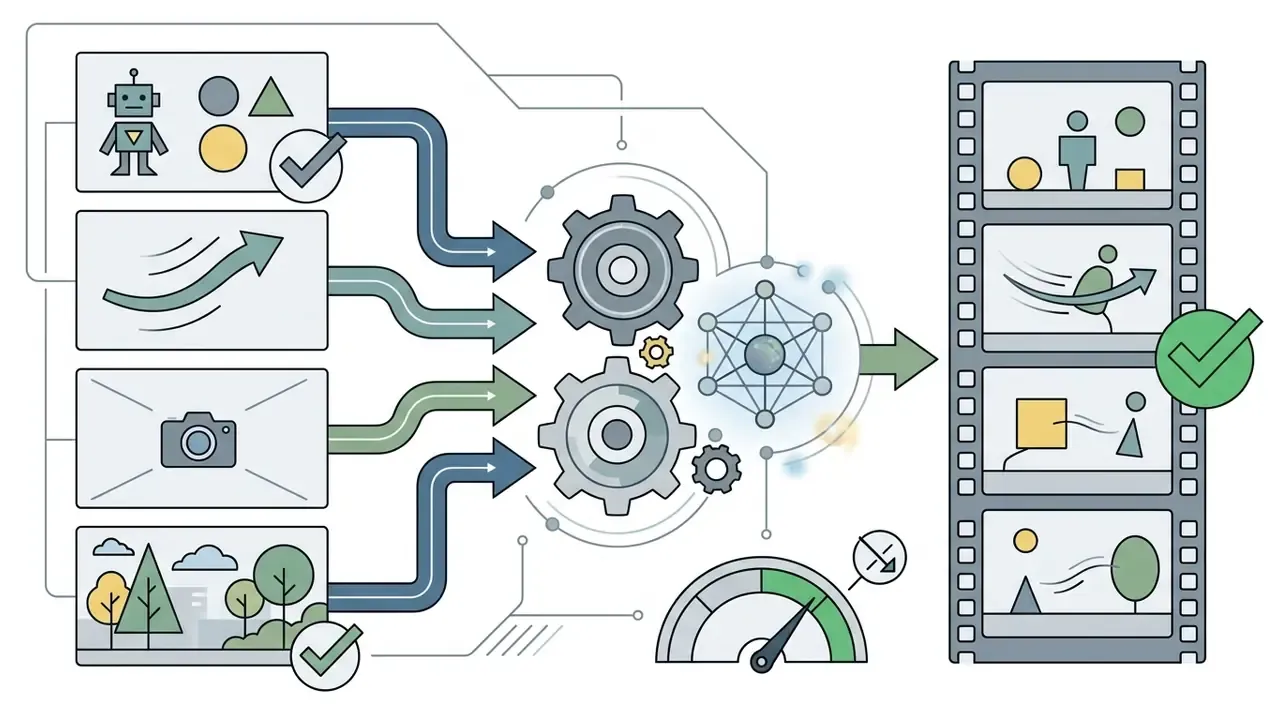
Generative video pipelines accept four primary categories of input data, ranging from basic text prompts to complex multimodal reference bundles:
Updated. Separating high-level semantic context (what the scene is about) from low-level subject references (who exactly appears in it) measurably reduces temporal distortion, and the scale of real-world prompt behaviour is now documented in public datasets:
- Text Prompts
- Concise or extended text descriptions defining subjects, environmental lighting, action sequences, and camera angles.
- Video Scripts
- Structured multi-scene text documents outlining voiceover timing, dialogue, and sequential visual triggers. Research pipelines such as VideoStudio (ECCV 2024) explicitly convert a single input prompt into a multi-scene script, then extract entity reference images before rendering scenes.
- Reference Images and Sketches
- Visual anchors such as character sheets, corporate logos, or storyboard sketches, used to enforce identity and style continuity via conditioning layers like ControlNet or IP-Adapter.
- Demonstration Video and Audio
- Motion capture sequences or spoken audio files used to guide character kinematics, gesture retargeting, and lip-sync alignment.
«VidProM contains 1.67 million unique user prompts and 6.69 million videos generated by four state-of-the-art diffusion models.»
Production APIs mirror this split: OpenRouter-style video endpoints separate input_references (subject, identity, style) from frame_images (exact frame control), and Adobe Firefly accepts a text prompt plus an image, sketch, or character design as a visual anchor. A governance note that matters here: reference images are data. A character sheet is harmless, an unreleased product render is not.
AI Animation Formats and Styles
Generative animation models natively support a wide spectrum of visual aesthetics and spatial dimensions:
- 2D Cartoon Animation Stylized cell-shaded graphics, anime-inspired character rendering, and vector motion graphics suited for storytelling and explainer videos. Production pipelines documented in 2024 combined ControlNet, AnimateDiff, and Adobe Character Animator for pose animation and audio-driven lip-sync. This is the lane most ai cartoon video generator from text products optimize for.
- 3D Photorealistic and Stylized Rendering Volumetric character models, ray-traced lighting, and simulated physical environments rendered via spatial-temporal transformers, often paired with motion diffusion or physics-based controllers.
- Talking Avatars and Presenters Synthetic human figures generated from photo inputs or parametric meshes, synchronized with text-to-speech audio tracks.
- Motion Graphics and Typography Dynamic text animations, kinetic title sequences, and graphic layer transformations used in digital advertising. Brand marks produced with an ai logo generator are frequently dropped into these sequences as a vector layer rather than regenerated per clip. Teams comparing rendering engines and output specs can start from our overview of the AI video generator category.
How to Create AI Animation from Text: From Prompt to Export
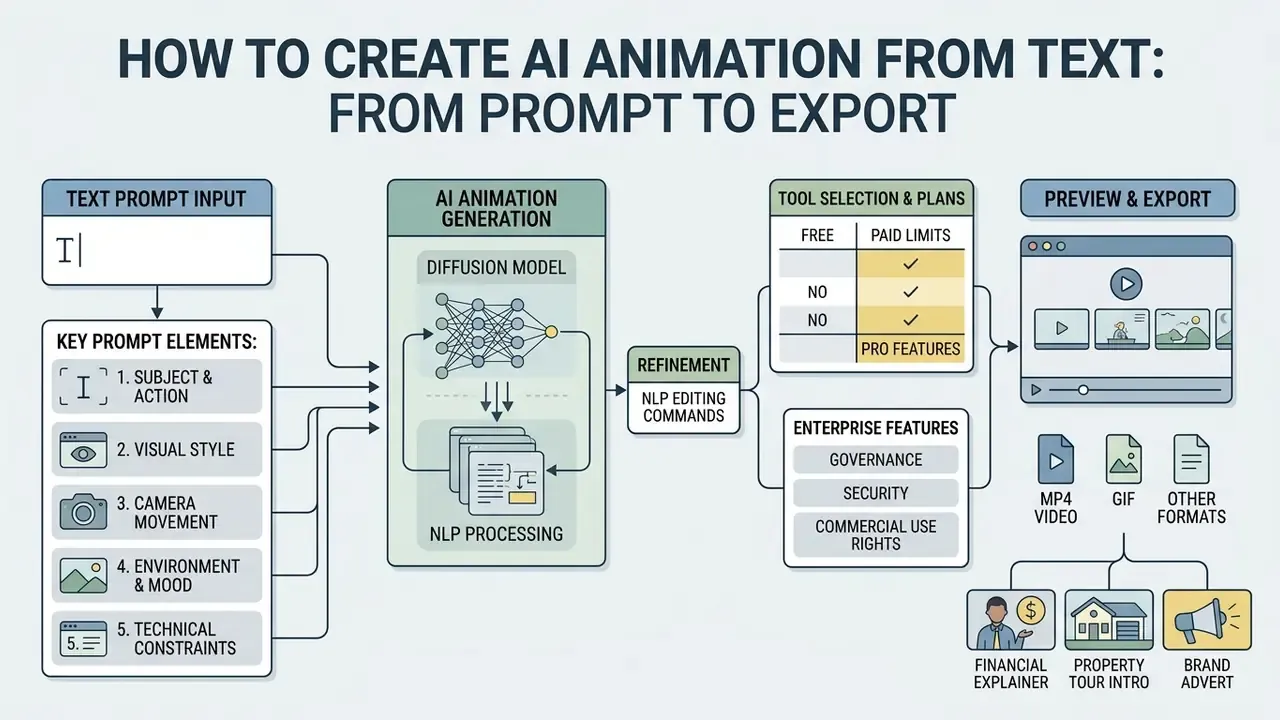
Creating an animated video from natural language requires an end-to-end processing pipeline that translates high-level creative ideas into rendered visual assets. The standardized production sequence spans six operational stages: initial script composition, text prompt structuring, aesthetic style selection, asynchronous model execution, iterative scene editing, and final encoding export.
Step-by-step AI video production pipeline (text form):
Pipeline in one line: idea or script, then text prompt, then style and aspect ratio selection, then AI generation, then editing, then MP4 export and publishing.
The technical ceiling of a single generation request is set by the backbone model:
- Scripting.Prompt and multimodal inputs: script text, reference images, brand kit.
- Style and ratio.2D or 3D style selection plus aspect ratio (16:9, 9:16, 1:1).
- AI render.DiT latent diffusion job submitted asynchronously and polled until complete.
- Magic edit.Natural-language editing commands, captions, and text-to-speech narration.
- MP4 export.Clean render at 1080p or 4K, watermark-free on paid tiers.
«CogVideoX generates continuous 10-second videos at 16 frames per second with 768×1360 pixel resolution, using a 3D VAE and a diffusion transformer.»
Vendor documentation follows the same asynchronous pattern: OpenAI's Sora API accepts a prompt defining subjects, camera, lighting, and motion, then returns a job object that is polled before the finished MP4 is retrieved; Google's Veo tooling adds parameters for aspect ratio, result count, and clip length; HeyGen exposes a one-shot flow where a single prompt triggers scripting, avatar selection, scene composition, rendering, and retrieval by session ID. Developers budgeting API calls can review our Google Veo implementation guide for per-second cost mechanics, or browse the broader AI Media API reference set.
How to Write a Text Prompt for Animation
An effective text prompt for video generation explicitly defines four structural parameters: subject characteristics, cinematic environment, camera movement, and technical aspect ratio. Vague prompts lead to probabilistic hallucination and temporal drift across frames.
«Explicitly specifying attributes, location, camera angle, style, and motion, increases generation diversity and controllability, but raises prompt complexity for the user.»
To achieve consistent results, structure your prompt using the following framework:

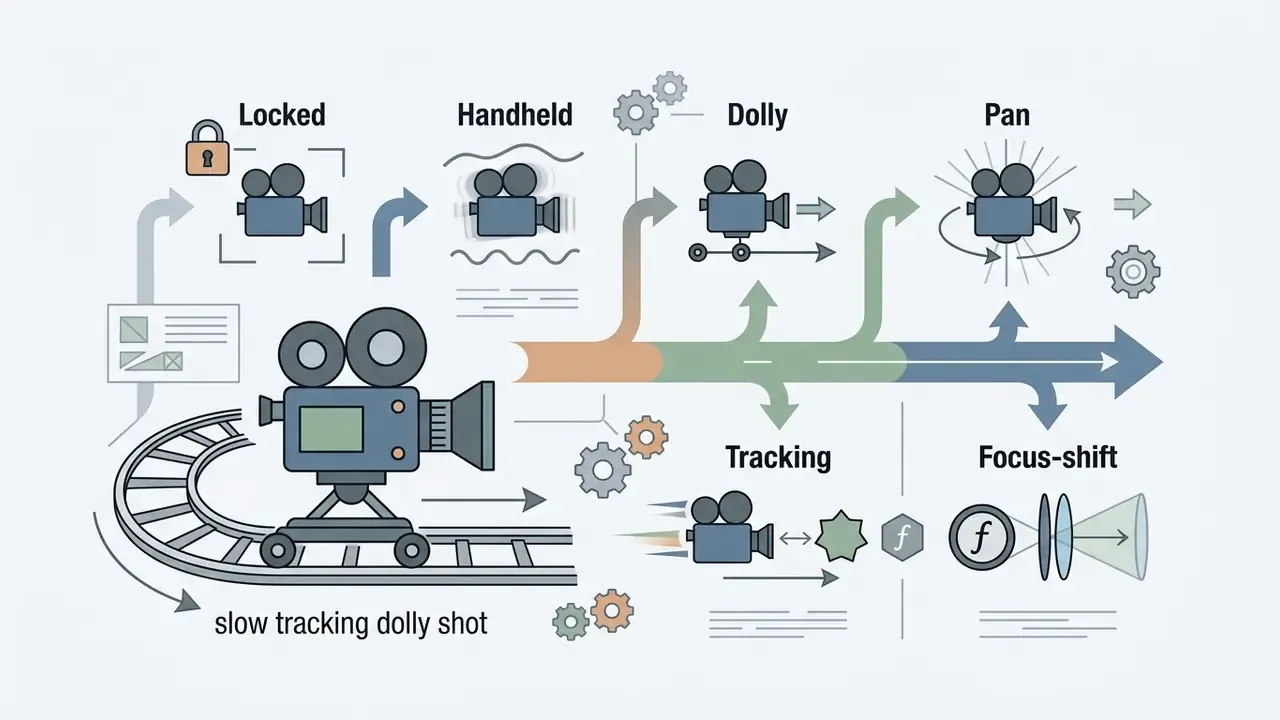
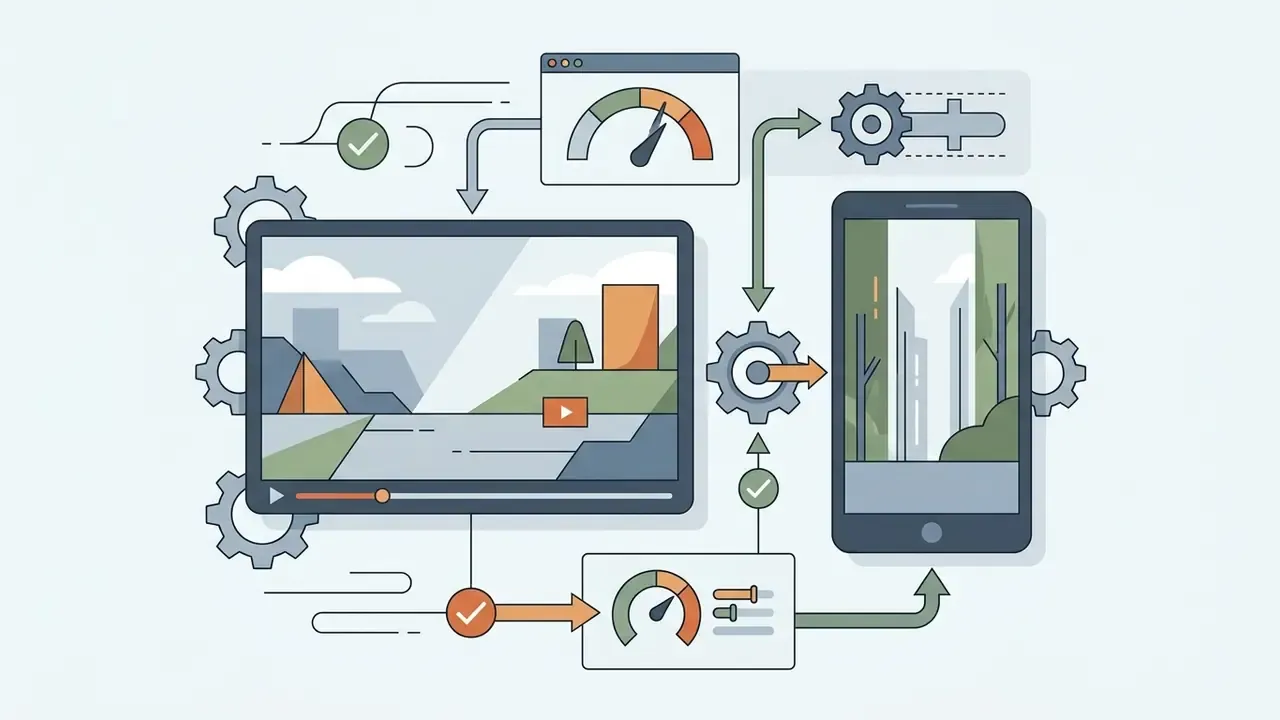
One practical rule for cartoon and motion-graphics output: if you omit style words, diffusion backbones default to live-action footage. Including tokens such as "animated," "cartoon-style," "2D vector," or "graphics" is what pushes the render toward animation rather than photoreal video. Simple, but it is the single most common reason an ai animation creator from text returns a stock-looking clip.
Production-Ready Prompt Templates by Use Case
Weak vs. Structured Prompts: Do's and Don'ts
| Weak prompt (causes frame deformation) | Structured prompt (preserves style and proportions) | Why the second one works |
|---|---|---|
"explain how to save money" | "Animated 2D vector scene: coins dropping into a piggy bank on a desk, flat illustration style, static camera, soft shadows --ar 16:9" | Names medium, subject, motion, camera, and ratio, so the model does not fall back to stock live-action footage. |
"a person talking about our product" | "Stylized 3D presenter in a navy blazer, waist-up framing, eye-level locked camera, soft studio key light, neutral grey backdrop, subtle hand gestures --ar 16:9" | Fixes framing and lighting, which reduces facial warping and background drift between frames. |
"cool intro for my channel" | "3-second kinetic typography intro, bold sans-serif logotype assembling from particles, dark background, single fast zoom-in, 60fps motion --ar 9:16" | Constrains duration, motion type, and frame rate, preventing jitter and unintended scene changes. |
"our office, nice and modern" | "Slow dolly-forward through an open-plan office, 3D architectural render, morning light, plants in foreground, no on-screen text, consistent floor geometry --ar 16:9" | Anchors geometry and one camera move, which limits environment warping during spatial shifts. |
Scene Generation and Preview
Once submitted, the text prompt is processed asynchronously by the generative video framework. Updated. Contemporary platforms expose storyboard-style intermediate review rather than a single blind render: Adobe Firefly's storyboard workflow lets users preview scenes and export individual frames or full sequences before final rendering, and Invideo's Boards workflow generates a 3×3 storyboard from prompts and references, then extracts a preferred shot into a working scene (Adobe Firefly product documentation, 2026). These behaviours are documented in vendor product materials rather than peer-reviewed studies, so treat preview latency and fidelity claims as marketing specifications pending independent benchmarking.
During preview evaluation, creators inspect scene breakdown panels to verify framing, composition, and preliminary motion vectors. If a generated scene displays background warping or subject inconsistency, the user can adjust camera angles, prompt weighting, or frame pacing prior to final video rendering. HeyGen's document-to-video flow follows the same order: key-point extraction, scene-by-scene script drafting, then visual and pacing customization before export.
For a control function, the storyboard stage is the cheapest place to insert review. Catching a non-compliant claim in a 3×3 preview grid costs nothing; catching it after a 4K render costs credits, time, and goodwill.
Editing, Export, and Publishing
After preliminary scene generation, creators refine the animation within an AI Video Editor timeline. Teams building repeatable publishing routines can also review our practical guide to YouTube video editors. Post-generation editing capabilities include:
Natural Language Video Editing (Magic Box Commands)
Modern AI video editors allow users to modify pre-rendered scenes via conversational text prompts instead of manual timeline trimming. Common NLP editing commands include:
- Scene Modification
"Remove the background audience and replace with a sleek studio setup." - Scene Deletion and Insertion
"Delete scene 3 and add a short animated intro before the product shot." - Audio and Voice Retargeting
"Change the narrator voice accent to British English and lower the background music volume by 30%." - Pacing and Timing Adjustments
"Delete the first 3 seconds of the intro scene and add a fast zoom-in effect on the main character." - Caption and Localization Commands
"Add burned-in subtitles in Spanish and keep the original voice track."
How to Choose the Best AI Animation Generator for Your Needs
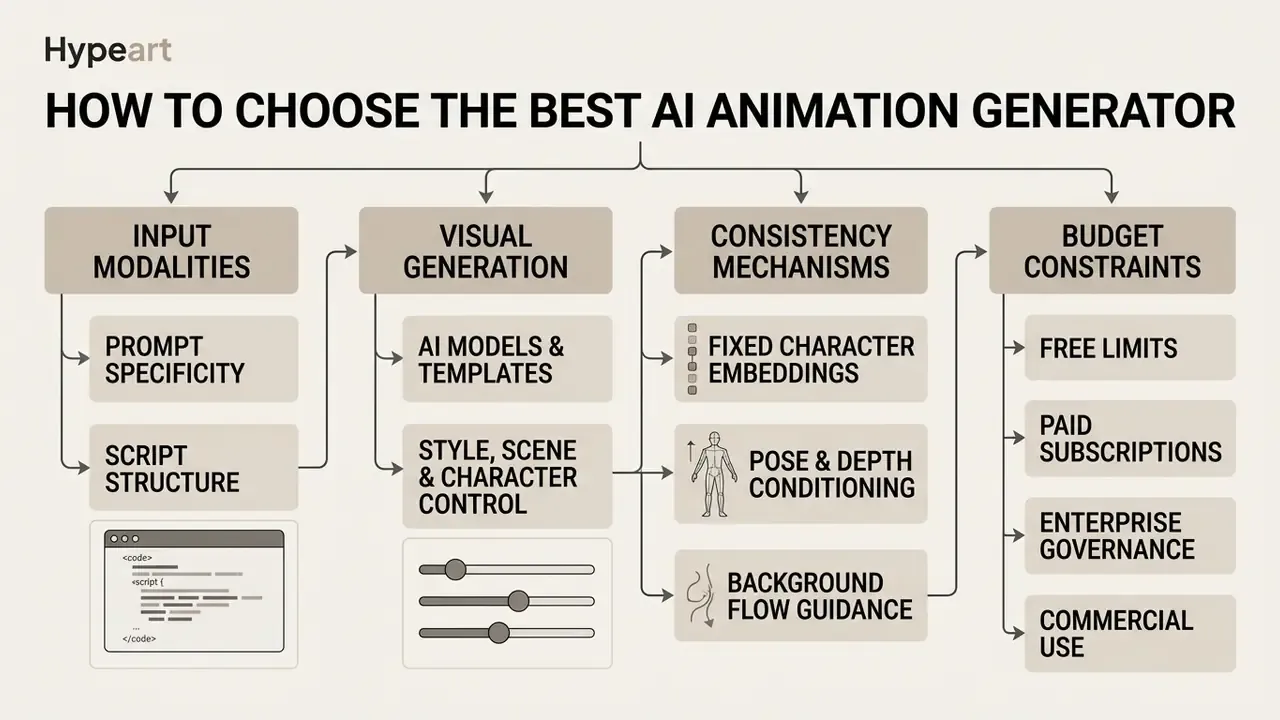
Selecting the optimal AI video generator depends on required input modalities, desired visual fidelity, character consistency mechanisms, and budget constraints. Different tool classes optimize for specific workflows, such as cinematic text-to-video diffusion, automated corporate presentations, or rapid cartoon animation. Before committing budget, it is worth screening the free AI video generators that cover low-volume needs.
| Tool class | Input data | Supported styles | Editing capabilities | Speech synthesis / voiceovers | Export options | Free plan terms |
|---|---|---|---|---|---|---|
| Text-to-Video Generator (e.g., Runway, Luma, Kling) | Text prompt, reference image, raw video clip | Photorealistic, 3D render, cinematic, anime | Prompt-based inpainting, camera controls, frame extension | Integration with third-party audio / native speech | MP4 (720p to 4K), 16:9, 9:16, 1:1 | Limited credits (100 to 125 one-time), watermarked, non-commercial |
| Cartoon Video Generator (e.g., Animaker, Renderforest) | Script text, pre-built templates, vector assets | 2D vector cartoon, whiteboard, animated infographics | Timeline asset drag-and-drop, character posing, color swap | Native text-to-speech with multi-language voices | MP4, WebM, animated GIF | Watermarked exports, standard asset library only |
| AI Avatar Tool (e.g., Synthesia, HeyGen) | Text script, PDF/PPTX deck, voice recording | Studio presenter, realistic human, stylized 3D avatar | Script editor, scene layout, background swap, branding | Integrated TTS in 160+ languages, voice cloning | MP4 (720p to 1080p), slide embeds | 1-minute video credit, watermarked, basic avatars |
| AI Video Editor (e.g., Kapwing, Adobe Firefly) | Existing video clips, text prompts, audio tracks | Multi-style enhancement, text overlays, stylized filters | Timeline editing, auto-subtitles, background removal, NLP commands | Audio track mixing, AI voice generation | MP4, GIF, direct social media publishing | Resolution caps (720p), export length limits, watermark |
| Enterprise Video Platform (e.g., Synthesia Enterprise, Krikey Enterprise) | PDF, PPTX, DOCX, URL, brand kits | Branded presenter scenes, corporate 3D characters | Collaborative workspaces, approval workflows, brand locking | Multilingual TTS, voice cloning with consent controls | MP4, SCORM/LMS packages, embeds | Usually no free tier; pilot licences only |
Read the table twice, once for craft and once for control. Consumer tiers and enterprise tiers differ less in render quality than in governance: SSO/SAML, role-based access control (RBAC), audit logs, retention windows, and contractual guarantees that inputs are not used for model training. Two tools with identical output quality can be a full procurement cycle apart on those controls. Side-by-side quality and licensing comparisons are collected in our matrix of the best AI video generators and across our AI Media Comparison Matrices.
AI Models, Templates, and Visual Generation
Modern AI animation suites rely on leading foundation models such as OpenAI Sora 2, Google Veo, Runway Gen-3 Alpha, and HunyuanVideo (arXiv, 2024).
«HunyuanVideo (13B parameters) outperforms Runway Gen-3 and Luma 1.6 in professional human evaluations, closing the gap between open-source and proprietary systems.»
These advanced systems utilize pre-built template libraries and effect presets to accelerate video generation for non-technical users. Kling exposes a formal "Effect Templates" section in its API, Pika documents structured effect templates with reference support, and Sora 2 supports storyboard-based frame-by-frame control plus reusable character assets across generations.
For example, selecting a pre-configured "3D Character Explainer" template automatically applies optimal prompt modifiers, camera dynamics, and lighting models, reducing setup time while maintaining structural consistency across multiple video scenes. Templates also make outputs easier to reproduce, because the preset ID becomes part of the audit record. Creators seeking comprehensive tool comparisons can consult our analysis of the Best Free AI Video Generators and our broader review of the best AI art generators for still-image style references.
Style, Scene, and Character Control
Maintaining visual identity across consecutive animated scenes remains a core technical challenge in generative AI. Advanced platforms address character consistency through three primary mechanisms:
- Fixed Character Embeddings
- Reusing reference character sheets or multi-angle photos as visual anchors (e.g., using IP-Adapter or dedicated identity tokens). Adobe Firefly and Vidu both document multi-angle reference sets as the practical way to lock likeness across shots.
- Pose and Depth Conditioning
- Utilizing structural motion maps (ControlNet pose, depth maps) to drive character motion without distorting underlying facial features.
- Background Flow Guidance
- Decoupling foreground character movement from background rendering to prevent environment warping during spatial shifts. Updated:
«GVDIFF introduces a spatial-temporal grounding layer that keeps target objects inside specified frame regions throughout the scene.»
Research systems such as CharaConsist extend this further, reporting fine-grained control over both foreground and background consistency across continuous shots within a scene and discrete shots across scenes.
What Affects the Quality of the Final Animation
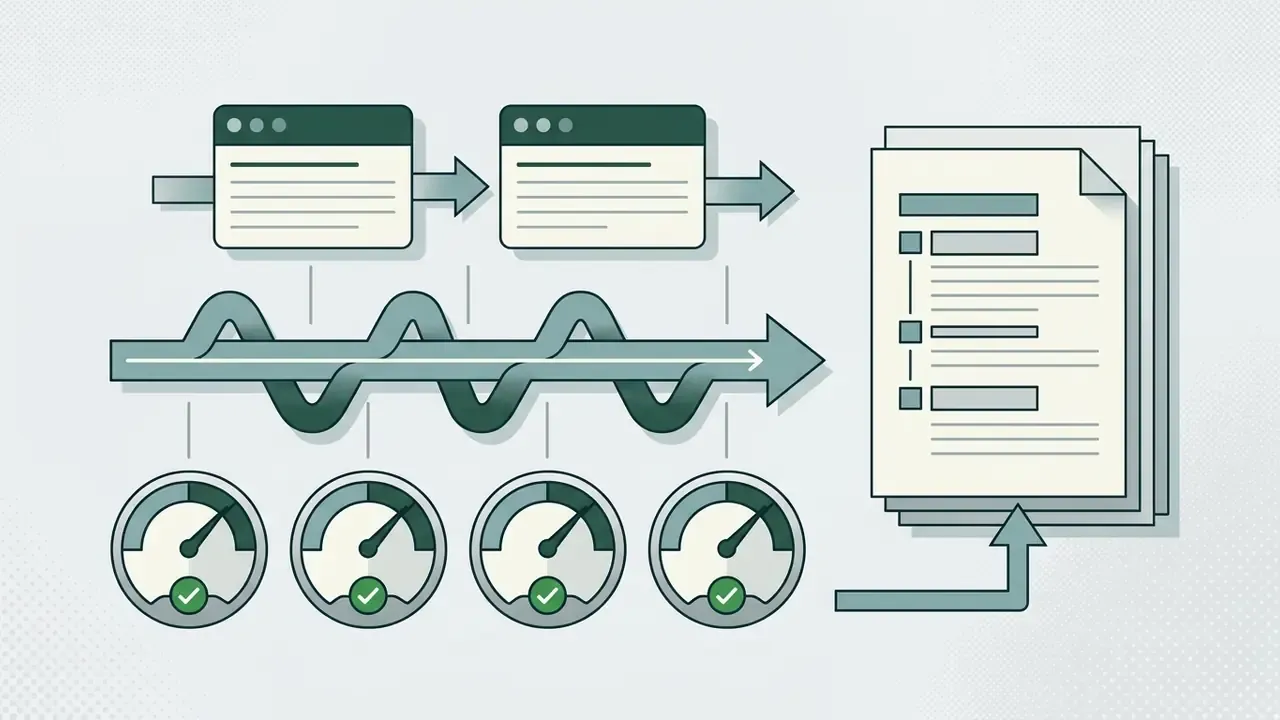
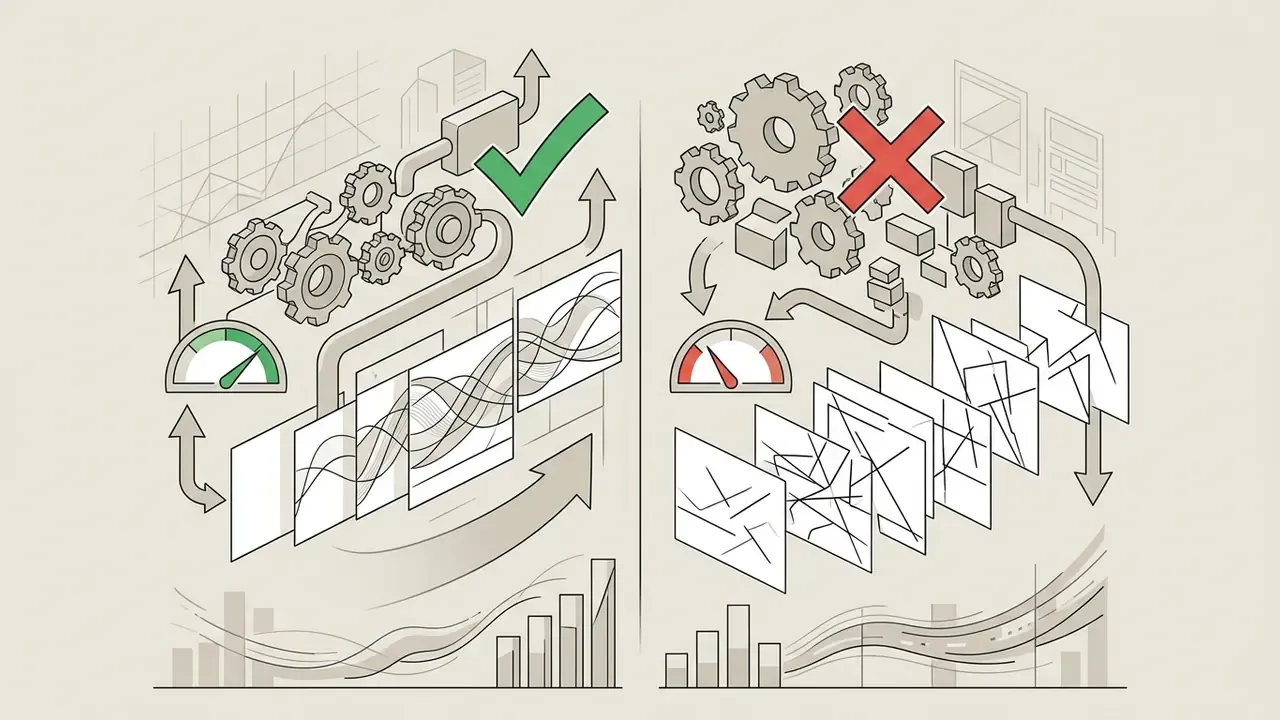
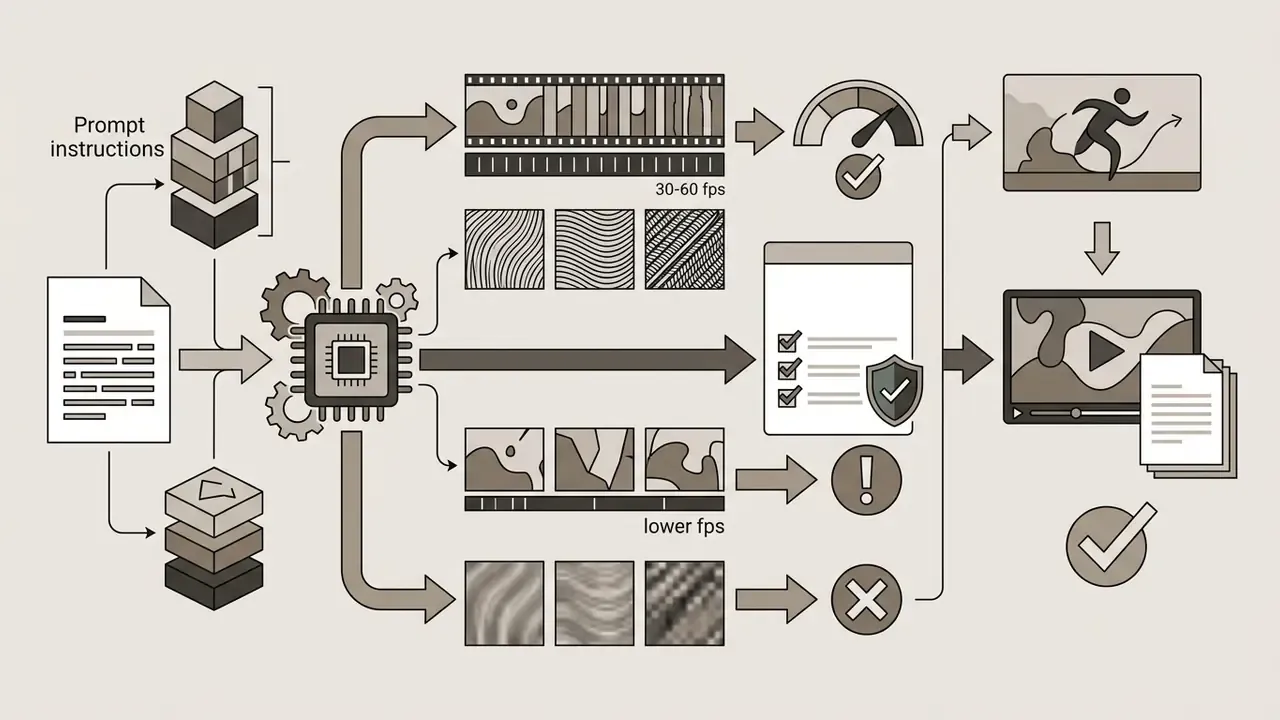
The final quality of AI-generated animation is determined by four key technical factors:
«VBench evaluates video generation across hierarchical dimensions: subject consistency, motion smoothness, flicker, and aesthetic quality, each with its own measurement protocol.»
Enterprise Data Governance and Shadow AI Risks
For regulated organizations, the dominant risk in text-to-animation adoption is not output quality. It is what leaves the perimeter when a marketing or L&D team pastes an internal script into a consumer tool.
One ownership question decides most of this: who is the named accountable owner for the animation pipeline? If the answer is "marketing, probably," you do not have a control, you have a habit.
- Shadow AI exposure
- Unapproved use of public generators means confidential product roadmaps, unreleased financial figures, customer recordings, or PII may be transmitted to third-party infrastructure and, depending on terms, retained or used for model improvement. Maintain an approved-tool register and block unsanctioned endpoints at the network layer.
- No-training and retention guarantees
- Require contractual language stating that enterprise inputs and outputs are excluded from model training, plus a defined retention window (ideally zero-data retention for prompts and rendered assets).
- Security attestations
- Ask for SOC 2 Type II and/or ISO 27001 reports, encryption in transit and at rest, tenant isolation, and documented sub-processor lists. Vendors targeting large teams increasingly advertise SOC 2 posture and collaborative workspaces with IP-protected custom characters.
- Identity and deepfake controls
- Voice cloning and likeness features need consent capture, watermarking of synthetic outputs, and blocks on cloning public figures. Consumer-protection guidance published in 2025 and 2026 recommends exactly these three controls.
- Documentation duty
- NIST's guidance on public-facing AI documentation requires that intended use, inputs, outputs, and limitations of a system be stated explicitly (NIST AI RMF 1.0), a useful template for internal model cards covering video generators.
Reproducibility and Audit Evidence for Model Risk Management
What AI Animated Video Is Used For
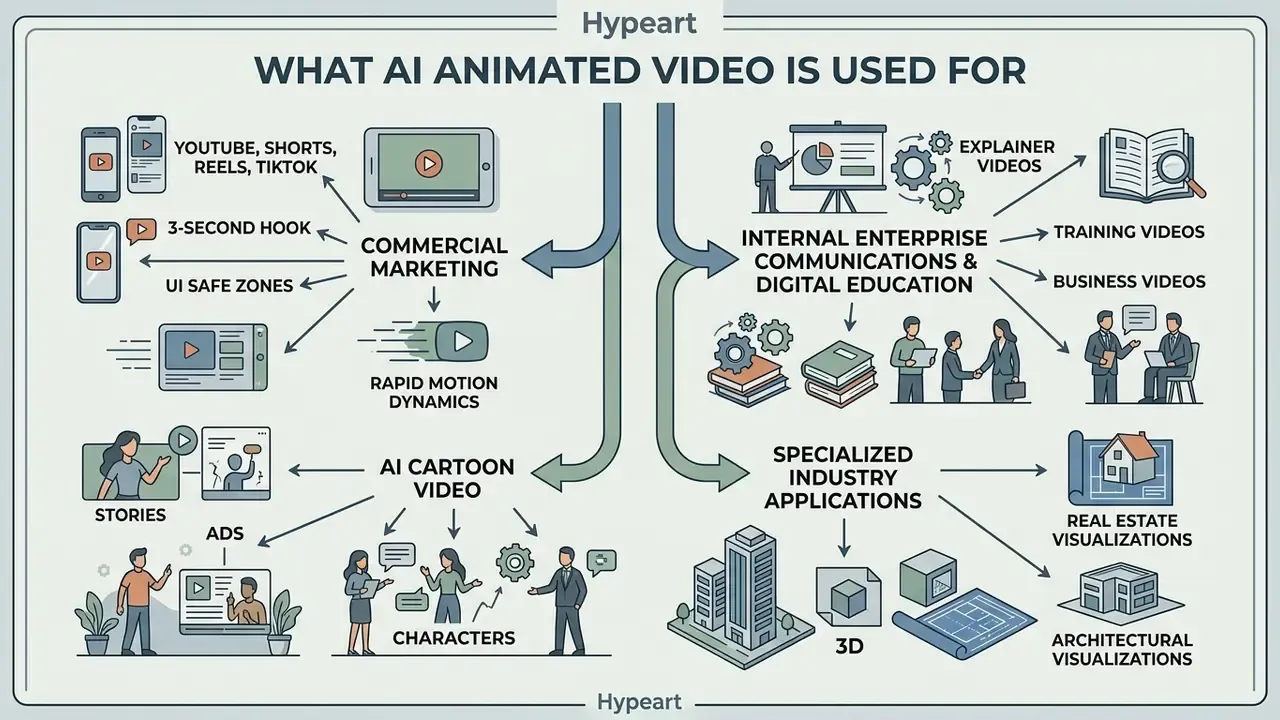
AI-generated animation is deployed across commercial marketing, internal enterprise communications, digital education, and independent content creation. Automating visual synthesis enables organizations to produce customized video assets at a fraction of traditional animation studio costs. Peer-reviewed work on generative AI in marketing lists video creation and editing among the core business tasks, naming tools such as Runway and Pictory (SAGE, 2024), while 2026 marketing-education research frames generative AI as tutor, teammate, and tool (arXiv, 2026).
Animations for YouTube, Shorts, Reels, and TikTok
Short-form vertical video platforms require high visual pacing and immediate viewer engagement. Content creators utilize AI animation generators to produce dynamic 9:16 clips (1080x1920 pixels) optimized for YouTube Shorts, Instagram Reels, and TikTok, which is why the same tool is marketed as a reels maker, a tiktok video generator, and an ai youtube shorts builder.
«Text-to-video technologies can transform marketing and entertainment by producing visually coherent content from textual descriptions across a wide range of platforms.»
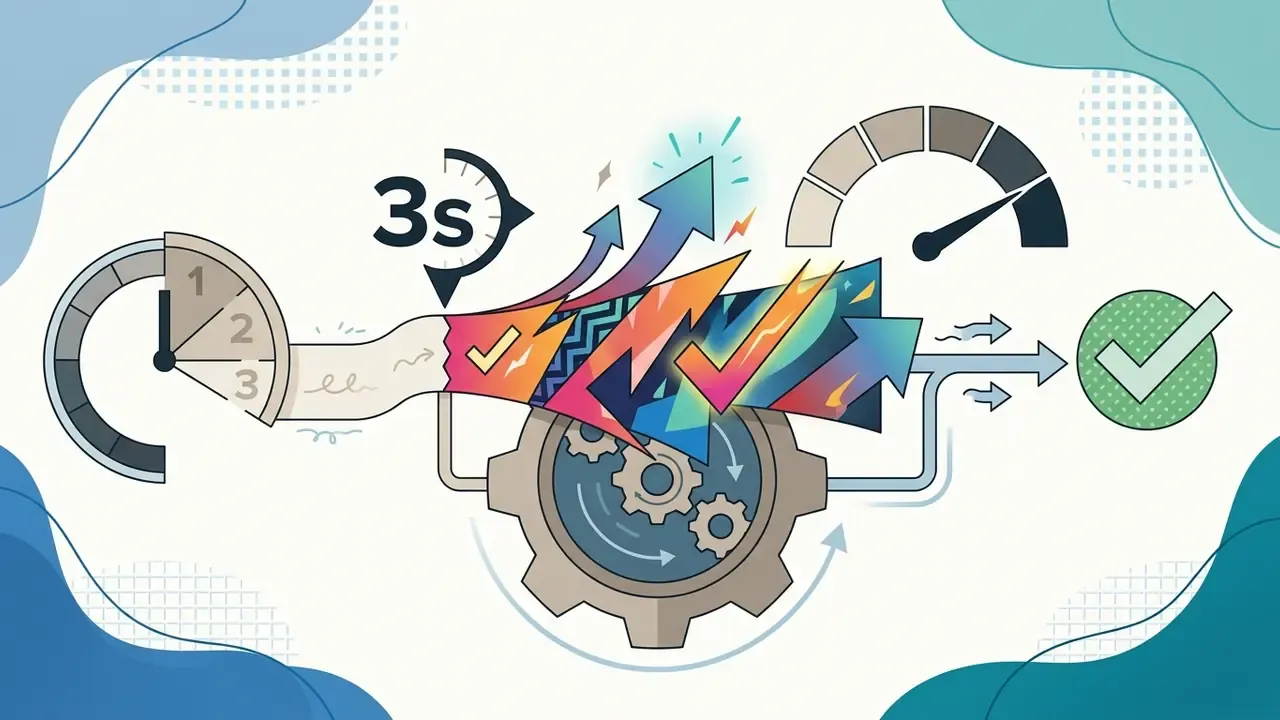
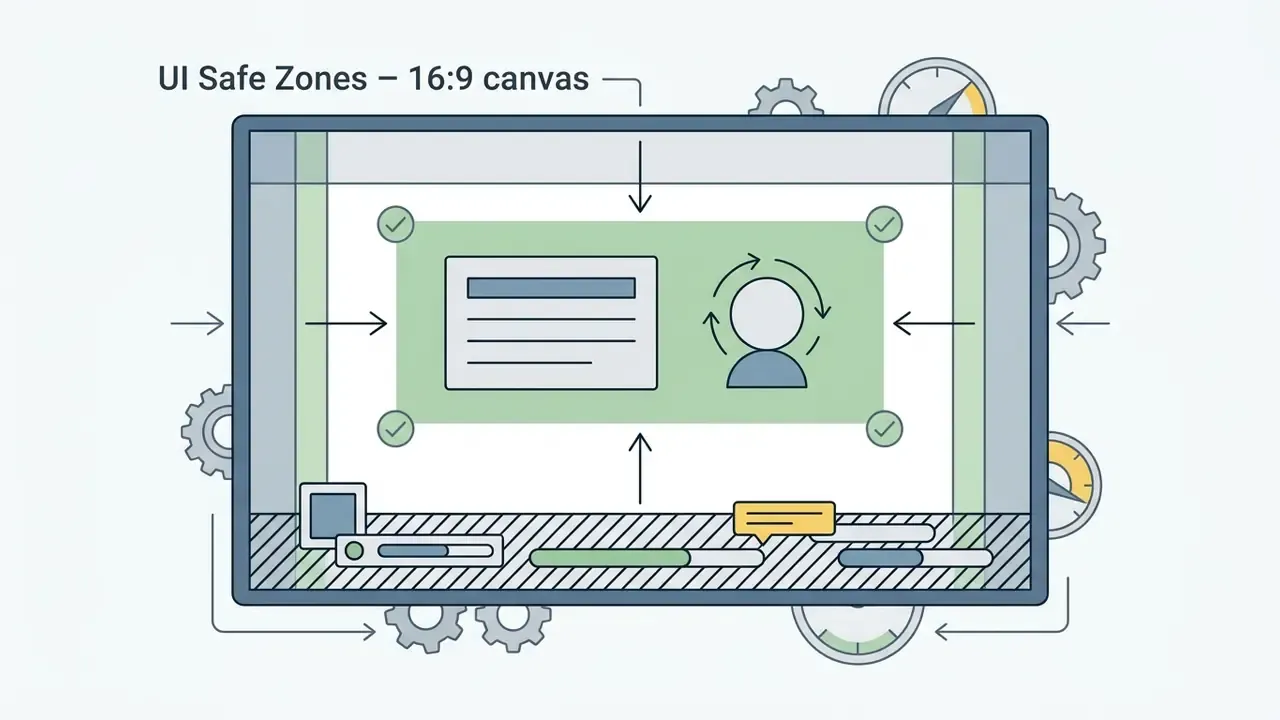
Key production considerations for short vertical video include:
For streamlined creator workflows, explore our dedicated guide to YouTube Video Editors.

Explainer, Training, and Business Videos
Corporate learning and development teams use animated explainers and training videos to transform technical documentation, PDFs, and slide decks into engaging visual courses. AI animation generators automatically convert written training modules into structured scenes accompanied by synthetic narration and synchronized visual captions.
Vendor documentation for 2025 and 2026 describes three distinct output shapes from the same input pipeline: explainer videos built as structured scene outlines from PDFs, PPTX, or scripts; training videos with avatars, subtitles, quizzes, branching logic, and SCORM export for LMS delivery; and business presentations rendered as branded slide-video hybrids with narration.
Educational institutions and corporate course creators leverage these tools to publish localized training content across global offices without re-shooting live-action footage. For a compliance-training refresher in eleven markets, that difference is measured in weeks, not takes.
AI Cartoon Video for Stories, Ads, and Characters
Commercial marketing campaigns frequently deploy 2D and 3D AI Animation Makers to build brand mascots and narrative story commercials. By combining custom character design prompts with automated motion synthesis, businesses produce memorable advertising clips that maintain brand identity across social channels.
A typical cartoon-video workflow is four steps: enter the script or prompt, select the animation style, cast characters from a gallery or upload a reference image, then generate and export MP4. Because the character reference is reusable, a mascot created once can be re-cast across dozens of campaign variants, which is where AI animation beats per-project studio commissioning on unit economics. Worth flagging, though: a reusable mascot is also a reusable liability if the underlying likeness was never cleared.
Specialized Industry Applications
- Real Estate and Architectural Visualizations Real estate agencies generate 3D virtual walkthroughs and animated agent introductions to showcase property layouts before physical construction finishes, explain complex property features visually, and pre-qualify buyers with self-serve animated answers to common questions.
- Healthcare and Patient Education Medical institutions convert complex post-op procedures and surgical guides into friendly 3D animated explainers, improving patient comprehension, reducing anxiety around sensitive topics, and supporting appointment adherence. Any clinical deployment must be reviewed by qualified medical and legal staff before patient-facing release.
- Game Development and Storyboarding Game studios use text-to-animation pipelines to rapidly prototype animatics, iterate on cutscene and character design, and export camera motion vectors or 3D asset clips directly into Unreal Engine and Unity workflows.
- Ecosystem Integrations (e.g., Canva and Social Suites) Direct app and API integrations let users generate 3D avatars inside graphic suites, selecting a character, animation, and voice, writing a script, and embedding the animated result into a presentation without leaving the browser. See our breakdown of the Canva AI generator for licensing specifics inside design suites.
- Education and Classroom Use Teachers build animated lessons with moderated asset libraries, customizable characters for inclusivity, and visual explanations of abstract concepts to raise participation and retention.
Persona-Based Workflows: Who Uses What
| Role / team | Primary output | What matters most in tool selection |
|---|---|---|
| Marketing teams | Ads, product demos, social variants | Creative iteration speed, brand-kit locking, commercial licence on paid tier |
| HR and internal comms | Onboarding, policy explainers, compliance refreshers | Multilingual TTS, LMS/SCORM export, PII handling and retention terms |
| Startups and founders | Pitch videos, explainer for landing pages | Cost per finished minute, no-watermark exports, fast turnaround without designers |
| Design teams | Presentation motion, campaign visuals, concept animatics | Style control, reference-image conditioning, integration with existing design suites |
| Educators and trainers | Lesson animations, tutoring characters | Moderated asset libraries, character customization, classroom-safe content filters |
| Risk and compliance functions | Review of published assets | Audit logs, seed/version capture, disclosure workflow, likeness consent records |
Voices, Avatars, and Localization in AI Animation
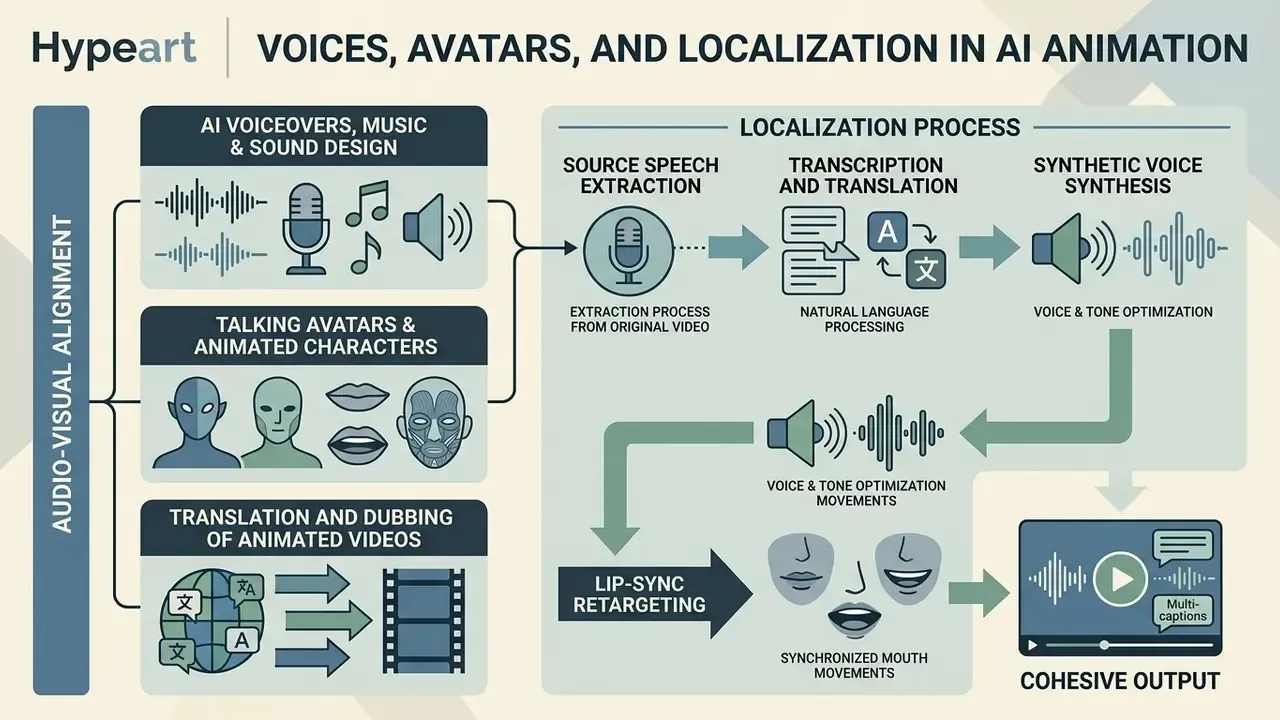
A complete animated video requires cohesive audio-visual alignment, including natural-sounding narration, synchronized mouth movements, and localized language translation. Multimodal AI platforms integrate text-to-speech engines and lip-sync neural networks directly into the video synthesis workflow.
"A visually compelling AI animation fails in production if the voiceover alignment exhibits timing drift exceeding ±15 milliseconds; synthetic speech, lip synchronization, and visual frame pacing must be validated as a single integrated stream."
AI Voiceovers, Music, and Sound Design
Talking Avatars and Animated Characters
Synthetic AI avatars allow organizations to generate presenter-led videos from a simple text script or a single photograph. Updated. Neural avatar pipelines combine 3D facial mesh reconstruction with audio-driven gesture synthesis to produce realistic or stylized digital presenters; SmartAvatar (arXiv, 2025) generates fully rigged, animation-ready 3D avatars from a single photo or text prompt, and CVPR 2026 work extends generation beyond the talking head into synchronized gesture and upper-body kinematics. The scale of real-world image-conditioned usage is documented publicly:
«TIP-I2V contains over 1.70 million unique user text and image prompts for image-to-video generation across five diffusion models.»
Users can create synthetic characters from uploaded headshots or text descriptions, assigning specific vocal tones, facial expressions, and clothing styles to match corporate branding guidelines. On the platform side, Microsoft Azure Speech documents photorealistic text-to-speech avatars in batch and real-time modes at a 1920×1080 default output with custom avatars trainable at 4K, while Synthesia advertises avatars and voiceovers in 160+ languages with one-click translation.
For a bank, the sensitive detail is not the render. It is the consent artefact behind the face and the voice, and whether it survives the departure of the employee who recorded them.
Translation and Dubbing of Animated Videos
Global video distribution requires rapid localization. AI video translation and automated dubbing pipelines perform four sequential operations:
- Source Speech ExtractionIsolating spoken audio tracks from background noise and music.
- Transcription and TranslationConverting source audio into target language text scripts using neural machine translation.
- Synthetic Voice SynthesisGenerating target-language voiceover tracks while preserving the original speaker's vocal timbre via voice cloning.
- Visual Lip-Sync RetargetingModifying character mouth animations to match the phonemes of the newly dubbed audio track.
Production constraints differ by vendor: Adobe Firefly's dubbing flow requires at least five consecutive seconds of single-speaker speech and caps input length at five minutes, whereas localization suites such as Smartcat chain subtitles, dubbing, playback review, timing adjustment, and export as dubbed audio or burned-in-subtitle video. Academic work published at EMNLP 2025 defines automatic dubbing as replacing original speech with translated speech while preserving temporal alignment to the picture, which is precisely why timing drift is the metric that matters.
One more localization risk that gets missed: regulated disclosures rarely translate cleanly. Have local compliance review the dubbed script, not only the source.
Free AI Animation Generator and Paid Plans
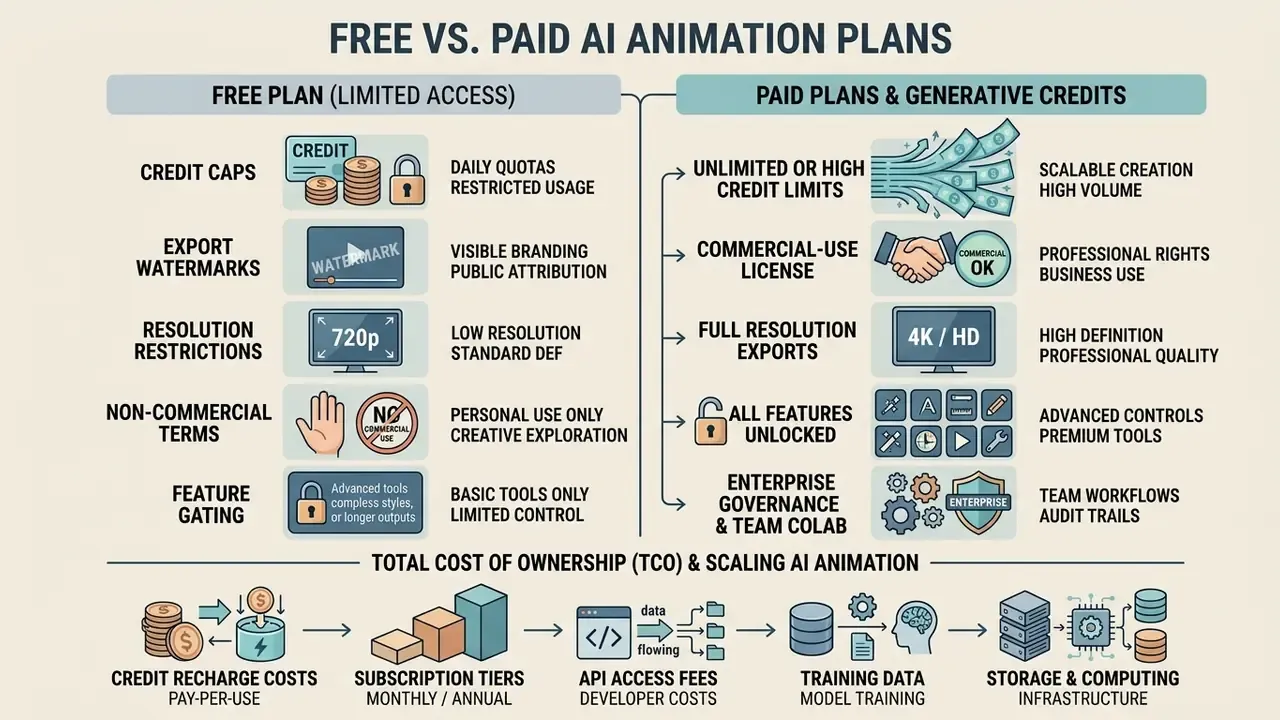
Generative AI platforms operate on freemium business models, balancing basic public access with credit-based pricing for advanced computing resources. Evaluating free plan limitations against commercial tier features ensures creators select a cost-effective platform for their production volume. Note that paid access does not automatically mean better output than open models:
«LanDiff (5B parameters) reaches a score of 85.43 on the VBench T2V benchmark, surpassing HunyuanVideo (13B) and the commercial models Sora and Kling.»
| Comparison parameter | Free Plan | Paid Tiers / Pro Plans |
|---|---|---|
| Access to AI models | Entry-level diffusion models, standard resolution models | Access to advanced models (e.g., Sora 2, Gen-3 Alpha, Veo) |
| Monthly limits | 60 to 125 one-time or monthly credits (about 3 to 10 video clips) | 625 to 5,000+ monthly generative credits |
| Maximum resolution | Standard Definition (480p to 720p) | High Definition to 4K (1080p / 4K render) |
| Watermarks | Mandatory platform watermark on exports | Watermark-free clean video exports |
| Clip duration | Restricted to 2 to 5 seconds per generation | Extended generation up to 10 to 60+ seconds per clip |
| Commercial rights | Personal / educational use only (typically non-commercial) | Full commercial usage rights granted |
| Generation speed | Standard queue (longer wait times during peak hours) | Priority rendering queue and fast processing |
| Entry price point | $0 | Commonly $10 to $50/month at entry tier (e.g., Runway Standard $12/mo, 625 credits) |
Verify each row against the vendor's live pricing page before you sign; these terms were checked in February 2026 and they move.
What's Included in the Free Plan
Free plans allow users to evaluate user interfaces, test text prompt responsiveness, and generate initial sample videos without financial commitment. A structured comparison of the current options is available in our roundup of free AI video generators. However, free tiers systematically enforce functional restrictions:
- Credit Caps Free accounts receive limited credit allocations (e.g., Runway's 125 one-time credits, Pika's roughly 80 monthly credits, Kling's roughly 66 credits, Luma's roughly 30 generations), restricting total video creation.
- Export Watermarks Downloaded MP4 files display permanent platform watermarks.
- Resolution Restrictions Video renders are capped at 480p to 720p resolution, which may be insufficient for professional distribution.
- Non-Commercial Terms Terms of service explicitly prohibit using free-tier outputs in monetized advertising or client projects. Runway's pricing page states the free plan is personal-use only, while paid plans include commercial rights.
- Feature Gating Premium editing, advanced export options, and priority queues are typically excluded.
So yes, an ai animated video generator from text free of charge exists. It is a sandbox, not a production line.
When You Need Paid Features and Generative Credits
Upgrading to a paid subscription or purchasing additional generative credits becomes necessary when moving from personal experimentation to commercial production. Teams also weighing desktop alternatives can review our comparison of free video editing software. Paid tiers unlock full creative control, including priority queue rendering, 1080p/4K resolution exports, watermark removal, advanced model access, and complete commercial licensing rights.
Credits are the metering unit, not the product: Runway's Gen-4.5 consumes roughly 12 credits per second of generated video, and Adobe describes generative credits as the currency for AI feature usage, with premium features consuming more credits per operation. Plan-by-plan breakdowns live in our AI Media Pricing Guides.
Total Cost of Ownership (TCO) for AI Animation
Sticker price rarely matches delivered cost, because generative pipelines require retries and human review. Use this formula per finished minute of published video:
TCO per finished minute =
  (credits per second × seconds generated × retry factor × $ per credit)
+ (human review hours × blended hourly rate)
+ (stock/music/licence fees)
+ (compliance review + disclosure/labelling overhead)
Worked example. A 60-second explainer at 12 credits/second with a 3× retry factor consumes about 2,160 credits. Add two hours of editor time for scene assembly, captions, and QA, plus 30 minutes of legal and brand review for a regulated campaign. In most plans the compute line is the smallest component. The review and licensing lines dominate, which is why governance maturity, not credit price, determines real unit economics. For scenario modelling, use our AI Media Calculators.
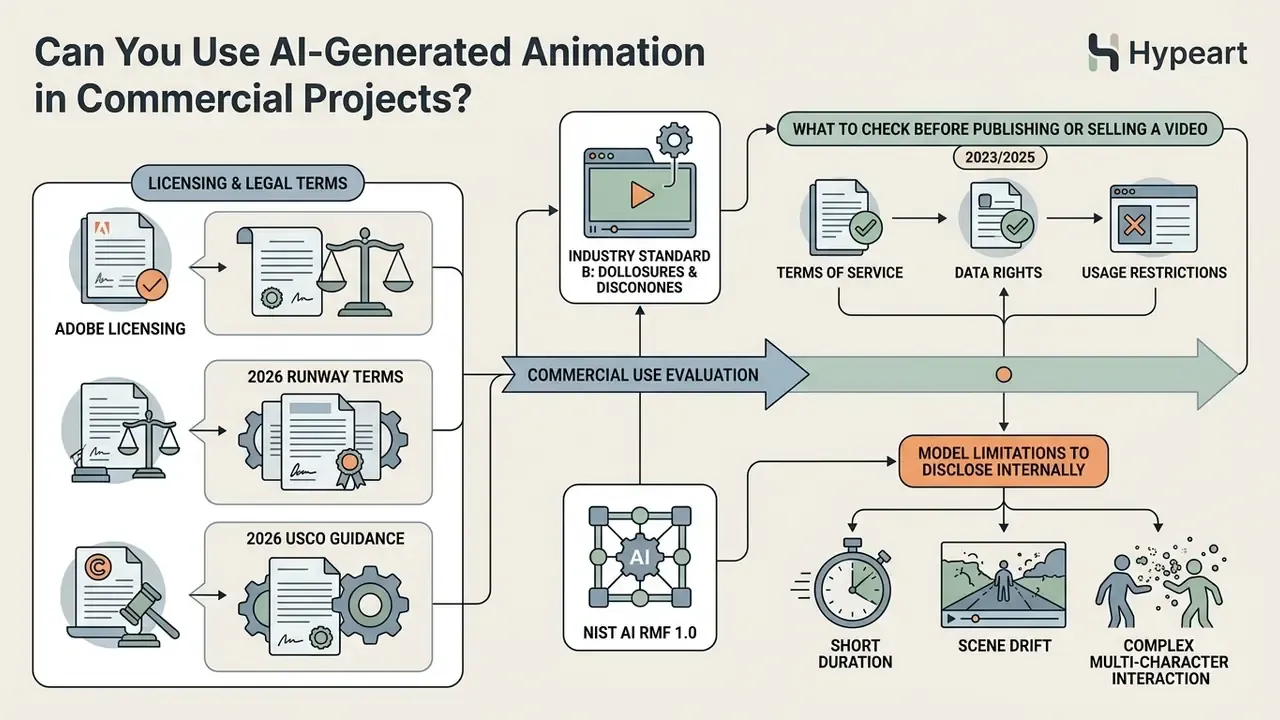
Can You Use AI-Generated Animation in Commercial Projects?
"Deploying generative video models within institutional workflows requires treating every output as a probabilistic asset: without verified prompt constraints, automated identity locking, and reproducible risk controls, creative velocity quickly turns into compliance friction."
- Adobe Firefly Video: Designed to be commercially safe. Adobe explicitly permits commercial usage for outputs generated under paid plans and qualifying Firefly tiers, as models are trained on licensed Adobe Stock and public domain content (Adobe Licensing, 2026). Adobe states that outputs from non-beta Firefly features can be used in commercial projects.
- Runway and Pika: Free plan outputs are strictly restricted to non-commercial personal use. Full commercial usage rights are granted only to outputs generated under active paid subscriptions (Standard, Pro, or Enterprise) (Runway Terms, 2026).
- HeyGen and avatar platforms: Commercial rights are plan-dependent; free tiers commonly ship a single starter credit with 720p watermarked output, with paid tiers starting around $29/month. Verify avatar likeness and voice-clone consent terms separately from the output licence.
- U.S. Copyright Office Policy: Machine-generated visual elements created solely via simple text prompts are not eligible for copyright registration without human-authored creative additions or substantial post-editing (USCO Guidance, 2023/2025). The Office's 2023 policy requires applicants to disclose more-than-de-minimis AI content; its 2025 report reaffirms that mere prompting is insufficient, while creative human editing and arrangement can be.
To explore legal precedents and policy updates surrounding synthetic media, consult our AI Litigation and Case Timelines.
What to Check Before Publishing or Selling a Video
Before deploying an AI-generated animated video in commercial marketing campaigns or selling assets to clients, perform the following verification steps:
- Verify Subscription License: Ensure the video clip was generated under an active paid subscription tier granting commercial usage rights, and record the plan and generation date.
- Audit Stock Assets and Audio: Confirm that all embedded background music, stock photos, and sound effects possess valid commercial licenses covering the campaign's territory and term. Adobe Stock, for example, requires all necessary rights for AI images, vectors, and videos, plus a model release for any identifiable person.
- Verify Voice and Likeness Rights: Updated. Secure explicit written permissions or model releases when using cloned voices or recognizable human likenesses. U.S. Copyright Office digital-replica guidance notes that images and voices may be licensed with guardrails, including duration limits and no outright assignment; for internal documentation standards, map controls to NIST AI RMF 1.0.
- Disclaim AI Content Where Required: Comply with platform-specific disclosure rules (e.g., YouTube's altered or synthetic content label requirement) and applicable advertising standards.
- Preserve Audit Evidence: Attach the seed, model version, prompt text, reference-image provenance, and reviewer sign-off to the asset record, so AI-generated portions can be disclaimed accurately in any copyright filing.
- Check Commercial Hubs: Review industry-specific usage guides in our AI Media Commercial-Use Hub.
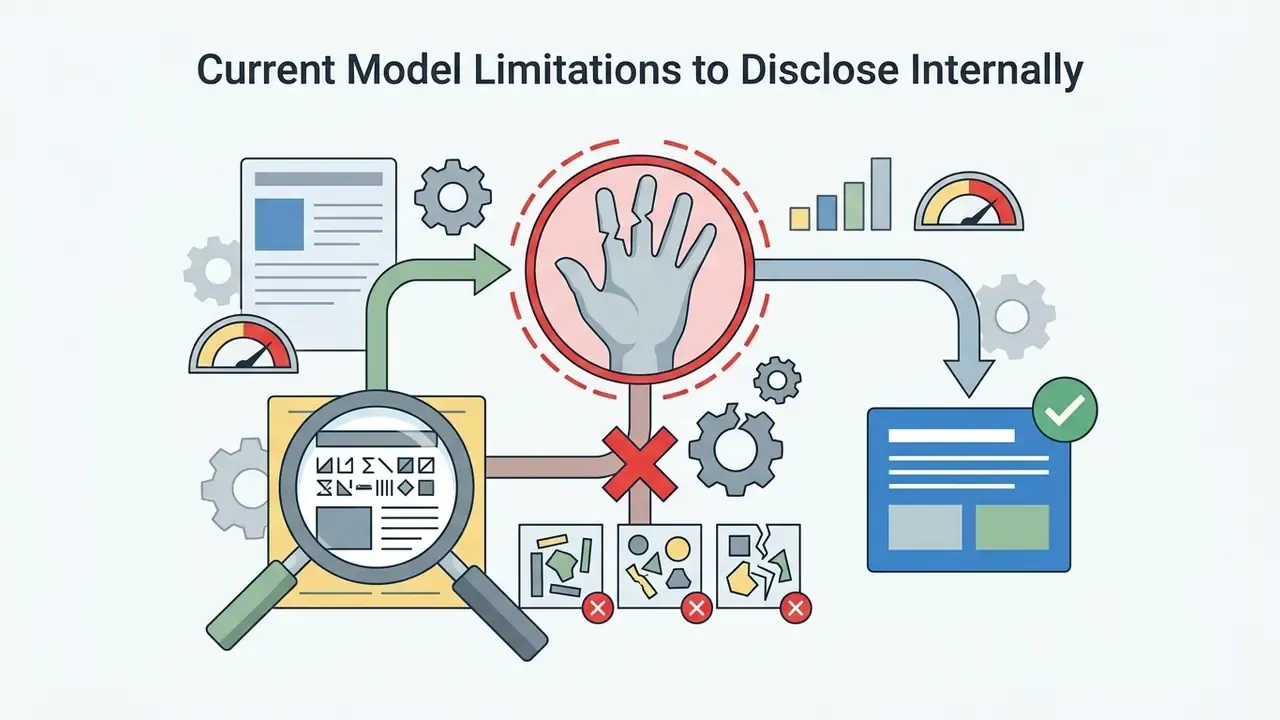
Current Model Limitations to Disclose Internally
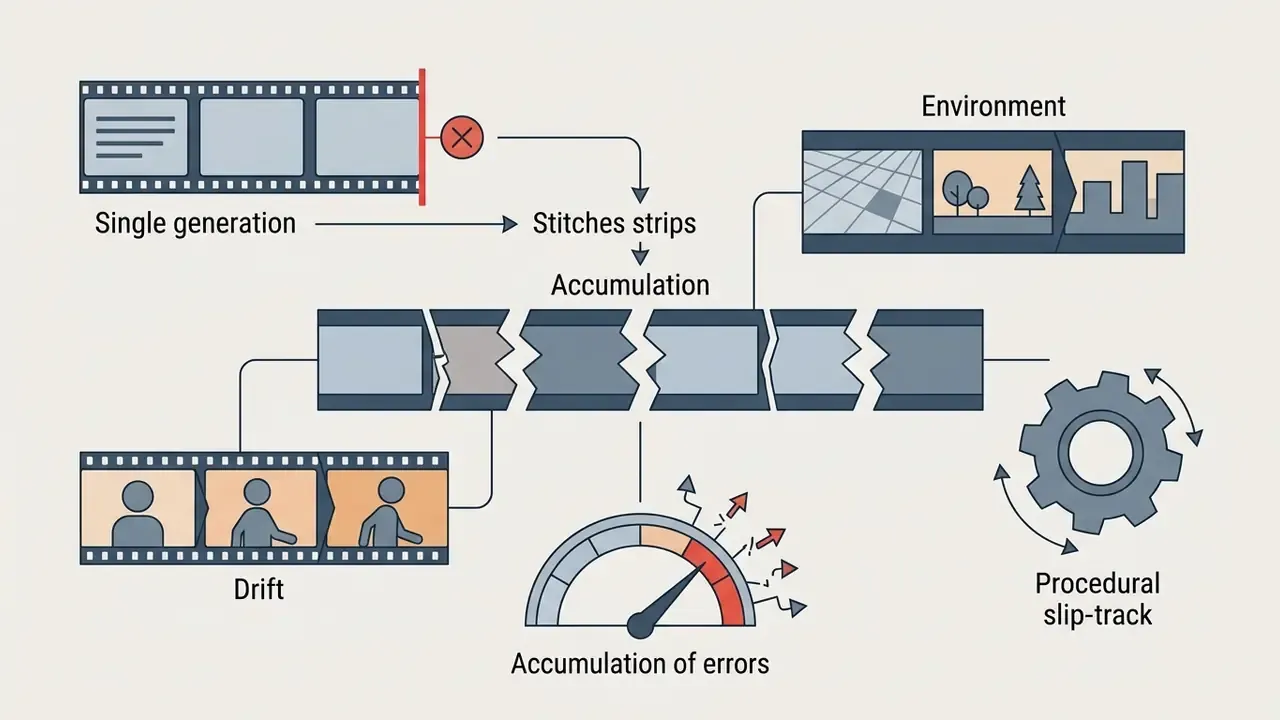
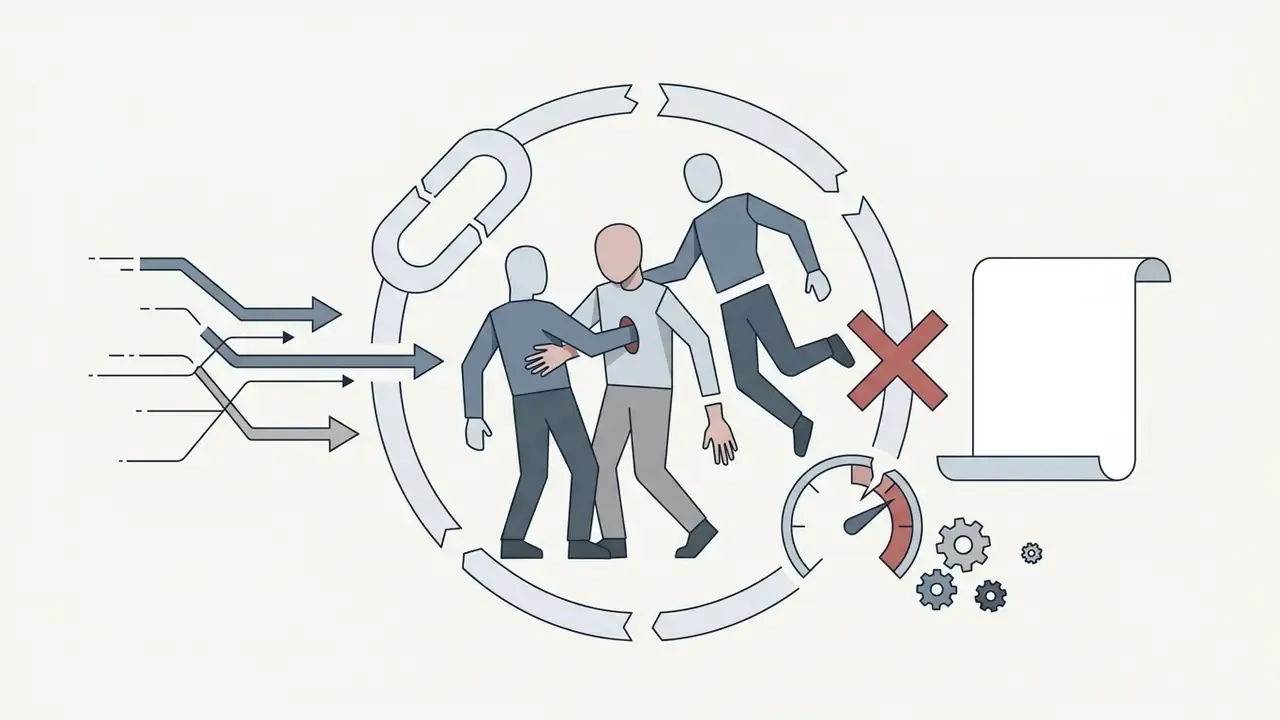
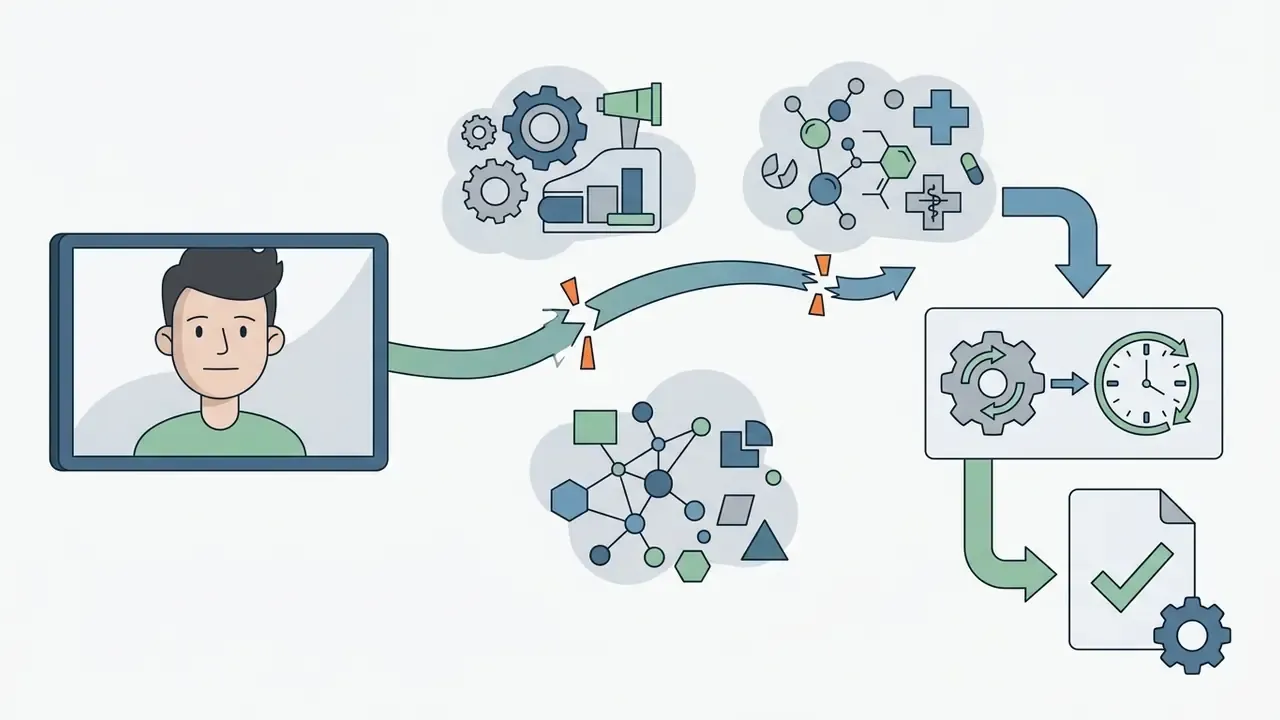
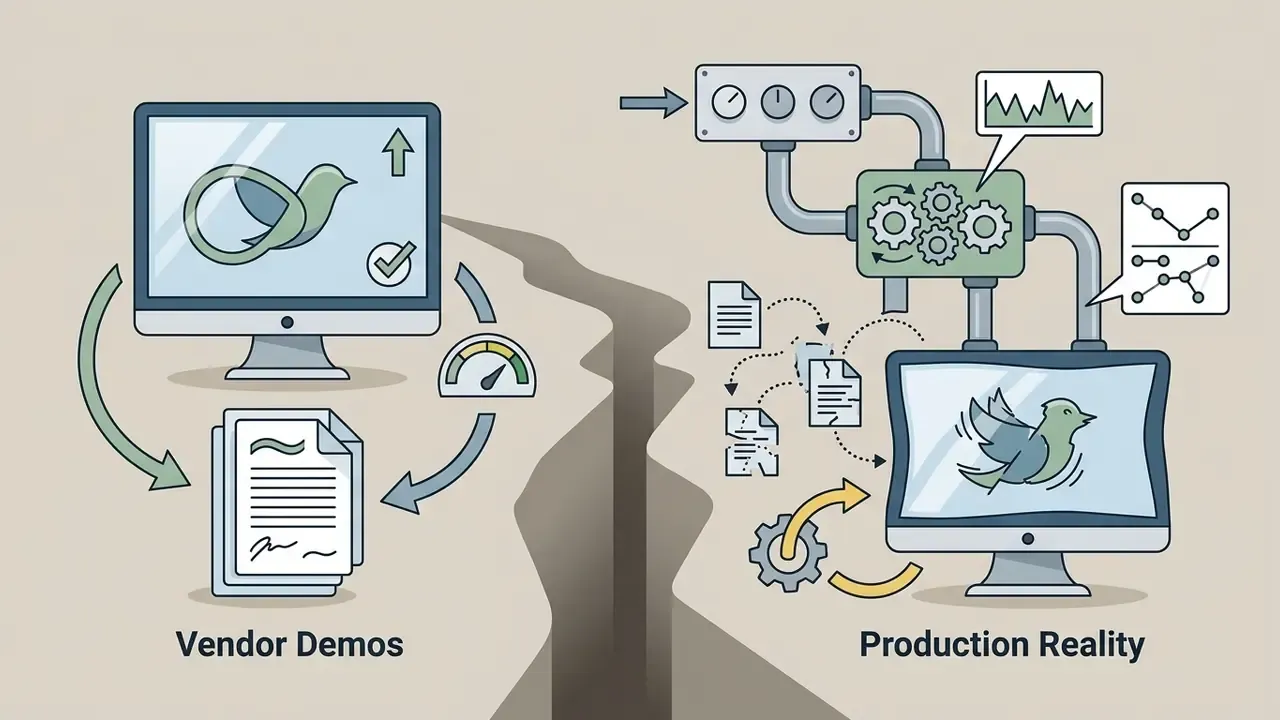
Generative video in 2026 remains constrained in predictable ways, and stating these limits up front prevents failed campaigns:
A Safe Next Step
If you are deciding today, keep the scope deliberately small. Pick one non-sensitive use case, such as an internal onboarding explainer with no customer data. Name a single accountable owner. Approve exactly one vendor and one plan tier with commercial rights and a no-training clause. Log seed, model version, prompt, and reviewer for every asset. Review the evidence pack after ten published videos, then decide whether to widen the perimeter. Slow, boring, defensible.
FAQ: Frequently Asked Questions About AI Animation
Can I create AI animation completely free of charge?
Yes. Many services offer a free plan with a starter credit balance, so ai animation from text free of charge is genuinely possible for testing. However, free versions typically apply watermarks, cap resolution at 480p to 720p, limit clips to a few seconds, and prohibit commercial use of the output.
What is the difference between Text-to-Video and Image-to-Video?
Text-to-Video generates animation purely from a text prompt. Image-to-Video generation uses a source image (a photo, drawing, or logo) as a visual anchor, while the text directs motion and scene change. Image conditioning usually yields stronger identity consistency, which is why brand mascots and product shots are commonly animated this way.
Do I need editing skills to work with an AI animation generator?
No animation skills are required. Modern tools automate generation: write a text prompt, pick a style, and press generate. Additional refinement, such as adding text, music, subtitles, or deleting a scene, is done either on a simple online timeline or through natural-language editing commands like "delete scene 2" or "change the voiceover accent."
What video length is available when generating from text?
Most AI models generate individual clips of 2 to 10 seconds. Longer videos are assembled by joining clips on an editor timeline or by generating sequentially with scene-extension features. Narration is separately limited: browser-based text-to-speech typically accepts up to 5,000 characters per request.
How do I make the AI produce animation instead of live-action footage?
Include explicit style tokens in the prompt: "animated," "cartoon-style," "2D vector," "isometric 3D," "anime." If a clip still returns live-action footage, most editors let you select the shot, choose "replace footage," and swap in an animated asset or regenerate with a stronger style directive.
Is AI-generated animation safe for a regulated enterprise?
Only under controls. Require a no-training contractual clause, defined data retention, SOC 2 Type II or ISO 27001 attestation, SSO and role-based access, and consent records for any cloned voice or likeness. Prohibit pasting confidential scripts or PII into consumer tools, and log seed, model version, and prompt for every published asset.
Can I export AI animation into a game engine or design suite?
Yes, depending on the tool class. Some 3D-focused platforms export character and motion files to Unity and Unreal Engine for animatics and cutscene prototyping, while app integrations let you generate an animated avatar inside a design suite such as Canva and embed it directly into a presentation.
Who owns the copyright to an AI-generated animated video?
In the United States, purely machine-generated expressive elements are not registrable. Protection attaches to human-authored contributions such as creative selection, arrangement, editing, and added original material, and applicants must disclose more-than-de-minimis AI-generated content when filing. Commercial use rights, by contrast, are granted by the platform's licence and usually require a paid tier.
Useful Resources and Tools
For deeper study of media generation technologies, cost modelling, and tool analysis, use the following sections:
Appendix A: Source Corrections and Editorial Notes
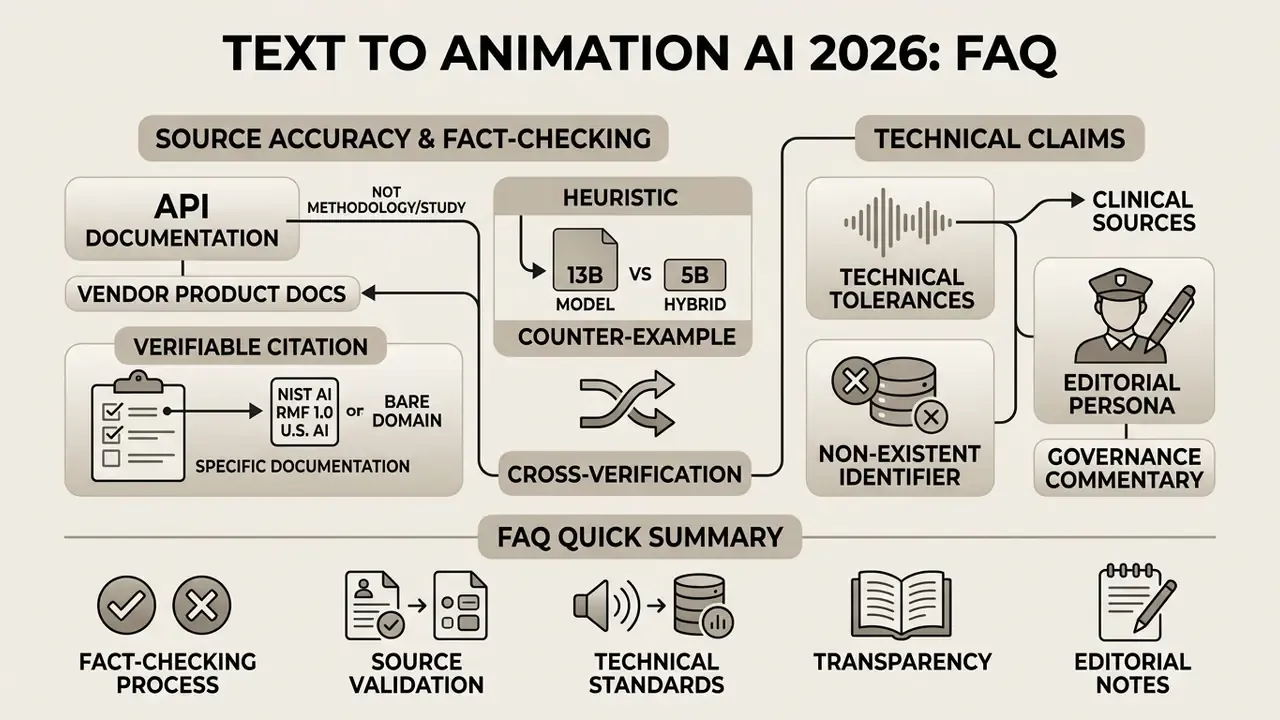
For transparency, the following claims were revised during fact-checking. Original formulations are preserved here alongside the corrections applied in the body text.
Correction: OpenRouter is provider API documentation, not a study with methodology or measurements. The claim is retained as a practical pipeline observation and supported instead by the VidProM prompt dataset (arXiv, 2024).
Correction: A bare OpenReview domain is not a verifiable citation. Replaced with GVDIFF: Grounded Text-to-Video Generation (arXiv, 2024).
Correction: That identifier does not exist. Replaced with TIP-I2V (arXiv:2411.04709), plus SmartAvatar (2025) and CVPR 2026 avatar work referenced in the body.
Correction: An NHS clinical source does not substantiate technical lip-sync tolerances. The ±15 ms figure is now attributed to broadcast and conferencing synchronization guidance and flagged as requiring per-tool measurement.
Correction: Replaced the bare domain with the specific NIST AI RMF 1.0 document and U.S. Copyright Office digital-replica guidance.
Correction: Retained as a heuristic, with the counter-example that a 5B hybrid (LanDiff) outscores a 13B baseline on VBench; parameter count alone is not a reliable quality proxy.
Correction: Reclassified explicitly as vendor product documentation rather than peer-reviewed evidence.
Author note: Marcus Hale writes about AI governance and model risk for this publication.
- Original
- "Research on multimodal input pipelines (OpenRouter, 2026, https://openrouter.ai/docs) demonstrates that separating high-level semantic context from low-level subject references significantly reduces temporal distortion during text-to-video diffusion."
- Original
- "Background Flow Guidance … to prevent environment warping during spatial shifts (OpenReview, 2026, https://openreview.net/)."
- Original
- "According to recent research on multimodal talking-head generation (arXiv, 2025, https://arxiv.org/abs/2501.00000)."
- Original
- "Lip-Sync Alignment: … down to millisecond precision (BCH Guidelines, 2026, https://www.bch.nhs.uk/)."
- Original
- "Ensure explicit written permissions or model releases are secured … (NIST Guidelines, 2026, https://www.nist.gov/)."
- Original
- "High-parameter diffusion models (e.g., 13B+ parameters) provide superior frame coherence compared to lightweight mobile architectures."
- Original
- Storyboard and preview capability attributed to a product page as research.