About the reviewer: Marcus Hale is the author. The focus areas are AI governance and model risk assessment for generative imaging pipelines, including identity-preservation testing, data-retention review, and license verification before commercial deployment. Last updated: February 2026.
TL;DR Executive Summary
- What it doesA free online AI cartoon generator converts uploaded photos or text prompts into 2D illustrations, anime portraits, 3D avatars, comic panels, pixel art, and claymation renders using diffusion models and GAN architectures. No design software required.
- What decides qualityInput photo geometry dominates output fidelity. Frontal pose (within roughly ±5° of rotation), even illumination, unobstructed features, and eye-to-eye distance above ~150 pixels produce the most identity-accurate cartoons.
- What "free" really meansFree tiers are freemium. Expect daily credit quotas (typically 3 to 10 generations), watermarks, 540p-to-2000px caps, and non-commercial licenses. Paid tiers unlock watermark-free 300 dpi output and commercial rights.
- Privacy and Shadow AI riskReputable browser tools purge uploads and outputs from servers within 2 hours and exclude user portraits from model training. Uploading employee headshots to an unvetted free tool is a biometric PII exposure and a classic Shadow AI vector. Verify retention terms first.
- Legal boundariesPurely machine-generated output is not copyrightable in the U.S. without meaningful human creative contribution. The EU AI Act adds transparency and labeling duties for generative content, and cartoonizing a real person for commercial use requires written likeness consent.
Why This Matters Before Anyone Clicks "Upload"
Cartoon avatars look harmless. That is exactly why they slip past review.
A marketing team in a regulated firm can generate 50 stylized employee portraits in an afternoon, using a tool nobody in security has assessed. The image is trivial. The face is not. Facial data is regulated in several U.S. states and under GDPR-style regimes, and the vendor's retention policy quietly becomes your retention policy.
So this guide covers two layers at once. First, the craft: how photo-to-cartoon and text-to-cartoon pipelines actually work, which inputs survive style transfer, and which styles hold up at avatar size. Second, the controls: what "free" costs you in licensing, what deletion windows to demand in writing, and where commercial use crosses a legal line. Practical, then defensible. In that order.
What an AI Cartoon Generator Can Create from a Photo or Text
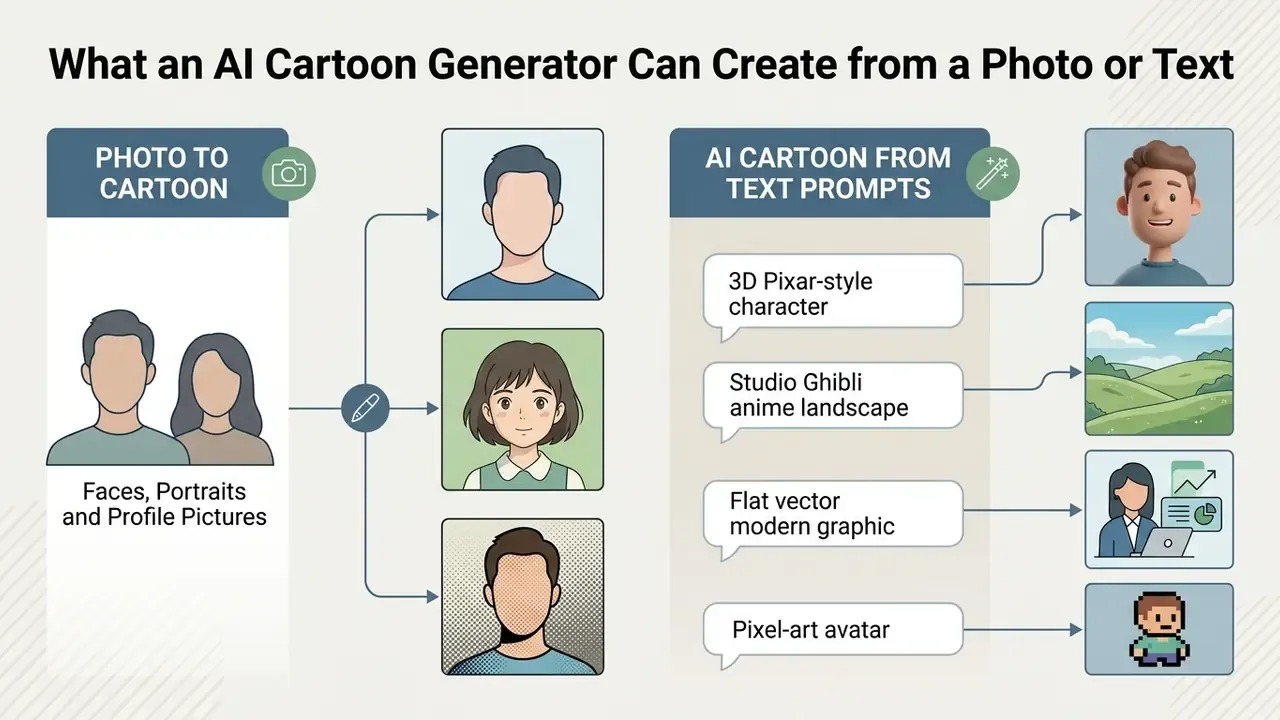
An ai cartoon generator online free creates stylized digital artwork, including 2D illustrations, 3D avatars, anime portraits, and comic characters, from either uploaded photos or text prompts. These systems use neural network architectures to map visual features or text semantics into cartoon aesthetics while keeping subject structure intact. For a broader technical overview of adjacent tooling, see our reference material on AI image generators.
Recent research shows that generative image transformation relies on diffusion architectures and Generative Adversarial Networks (GANs) trained on very large image datasets. According to a 2026 study published in IEEE (GenEAva: Expressive Cartoon Avatar Generation), two-stage diffusion pipelines can synthesize more than 13,000 expressive cartoon avatars across 135 fine-grained facial expressions while preventing memorization of source training identities. The practical upshot: the same engine handles a single profile graphic and a full character sheet.
"GenEAva synthesizes 13,230 expressive cartoon avatars across 135 fine-grained facial expressions without memorizing identities from training data."
Vendor documentation confirms the dual-input model in production tools. Adobe Firefly's cartoon feature accepts an uploaded photo plus a text prompt, and also generates cartoons from text alone, with style presets covering comic book, anime, illustrated, and painted looks (Adobe Firefly, 2026, https://www.adobe.com/products/firefly/features/ai-cartoon-generator.html).
Photo to Cartoon: Faces, Portraits and Profile Pictures
Photo-to-cartoon conversion turns selfies and portrait photographs into stylized faces and digital avatars while preserving original expressions and key identity markers. Specialized generative models analyze facial geometry to render recognizable ai cartoon face generator outputs for digital profiles. Readers optimizing professional imagery may also compare workflows used by AI headshot generators.
When converting a portrait, the system extracts facial keypoints such as eye placement, jawline contours, and mouth shape, then applies style-specific rendering rules. Advanced selfie cartoonization models use attentive loss functions so sensitive regions like the eyes stay sharp while background elements receive broader artistic translation. That is what lets an ai face cartoon generator turn a standard headshot into an avatar for social channels or an internal comms platform without turning the face into mush.
"scGAN applies an attentive cycle loss and variation to emphasize key facial features, eyes and contours, during selfie cartoonization."
Benchmarking has since moved toward diffusion and cascaded domain adaptation. WACV 2026's Snapmoji: Instant Generation of Animatable Dual-Stylized Avatars reports FID scores more than 20 points below GAN-inversion and diffusion baselines, while improving both identity preservation and generation speed.
AI Cartoon Image Generation from Text Prompts
Text-to-cartoon generation synthesizes original ai art cartoon graphics and characters directly from descriptive prompts, with no input image at all. Advanced diffusion models convert written descriptions of characters, lighting, and cartoon style preferences into coherent visual artwork.
Copy-Pasteable AI Cartoon Prompts for Text-to-Image Generation
"ORACLE generates a consistent cartoon character from a single text prompt through generation, outlier filtering, and LoRA module training."
Complementary CVPR 2024 research reinforces the method family. Make-It-Vivid generates UV-space texture maps for animatable biped cartoon characters directly from text, while Prompt Inversion for Text-to-Image Diffusion Models recovers semantically interpretable prompts that reproduce comparable content across generations.
Which Photos Produce the Best Cartoon Results
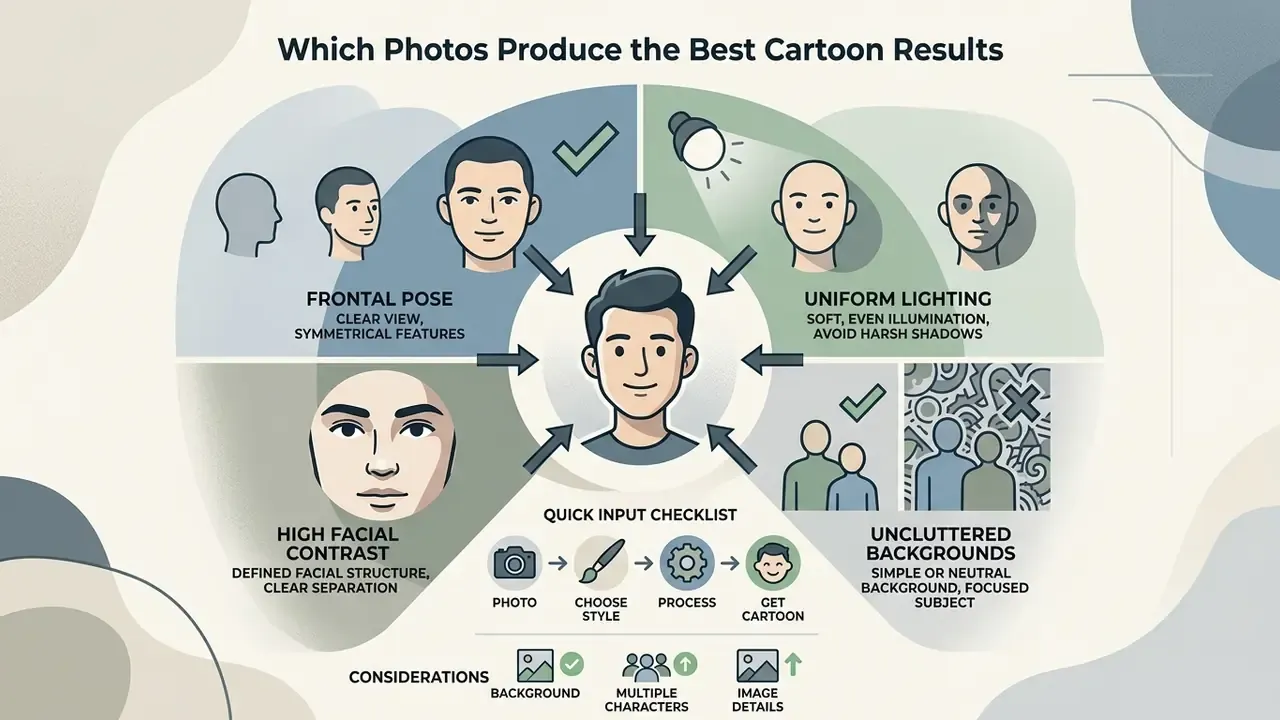
Photos with frontal poses, uniform lighting, high facial contrast, and uncluttered backgrounds yield the highest quality AI cartoon transformations. Generative models preserve subject identity more accurately when source pixels clearly define facial contours and feature boundaries. Reviewing these requirements before uploading saves credits on freemium tiers, where every failed render burns daily quota.
Input photo quality dictates structural accuracy in any ai cartoon from picture transformation. When source images carry heavy shadows, lens distortion, or occlusions, the network can misread facial geometry, and the output shows it: warped jawlines, drifting eyes, invented hair.
Photos That Work Well for AI Cartoon Portraits
High-resolution selfies and headshots with balanced lighting and unobstructed features produce the best cartoon portraits. Updated for this revision: biometric capture standards, not vendor marketing claims, define the pose tolerance. Frontal capture with no more than ±5° variance in roll, pitch, and yaw lets models map expression and identity with minimal distortion.
"Frontal capture shall have no more than ±5 degrees variance in roll, pitch, and yaw, with uniform illumination and minimized hot spots."
| Input factor | Recommended target | Failure symptom in output |
|---|---|---|
| Head rotation | Within ±5° roll / pitch / yaw | Warped jawline, asymmetric eyes |
| Eye-to-eye distance | ≥ ~150 px | Smeared or duplicated eye detail |
| Head capture size | ≥ 480×600 px | Blurred features, lost accessories |
| Lighting | Even, sources ~35° off-axis | Blown highlights, banded skin tones |
| Occlusions | None (hair, hands, masks, glare) | Hallucinated facial geometry |
| Background | Neutral, low-texture | Hair blending into background patterns |
Background, Multiple Characters and Image Details
Clean, neutral backgrounds and well-defined subject boundaries stop models from misreading context during conversion. Multi-character photographs need higher pixel density to preserve individual traits across a group composition.
In complex scenes, background noise interferes with foreground isolation. A plain backdrop prevents the generator from bleeding wall texture into hair or clothing edges. Updated for this revision: for group photographs, aim for the highest practical pixel density per face instead of chasing one universal number. Imaging guidelines for detail-critical work commonly cite 300 ppi as the reference density for preserving contours and small elements (GS1 Austria, Guideline for Product Images, 2023), and yearbook production guidance recommends 200 dpi minimum with 300 dpi preferred for candid and group photos. In practice, each individual face clearing that ~150 px eye-distance threshold matters more than the nominal document ppi.
How to Use an AI Cartoon Generator Online Free
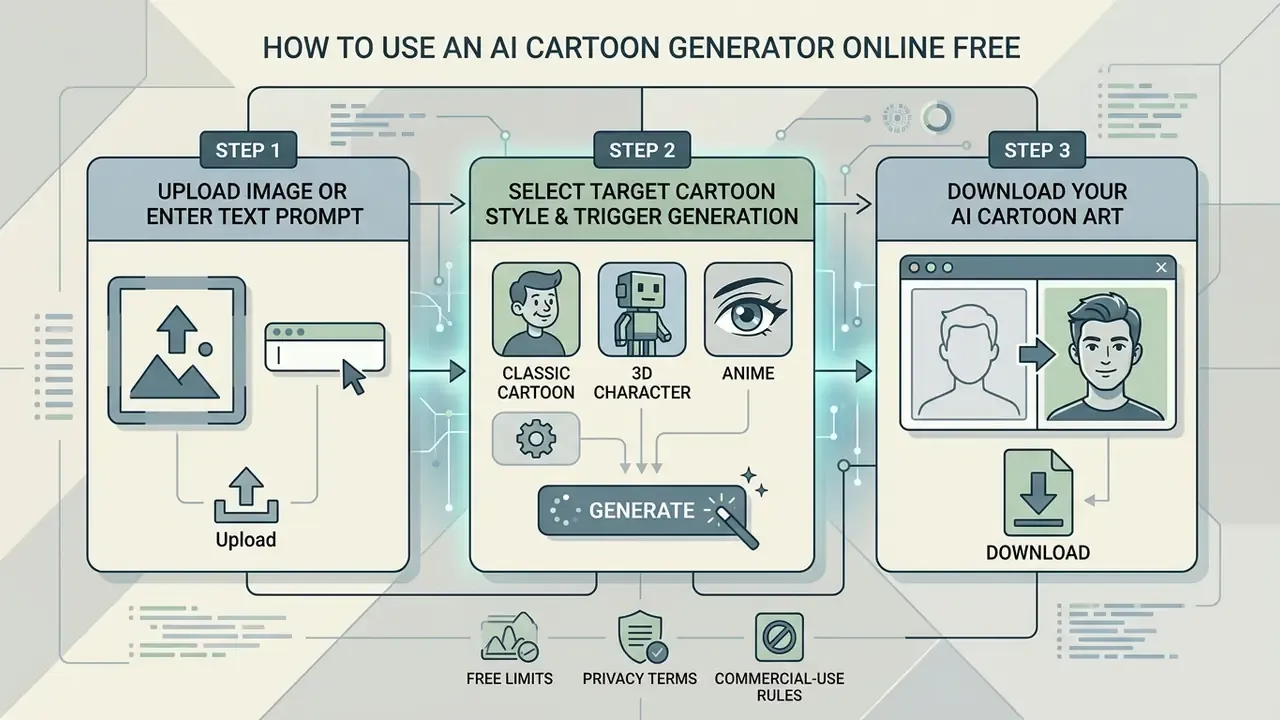
Using an ai cartoon generator free online comes down to three operational steps: upload an image or enter a text prompt, select a target cartoon style, then trigger generation and download the finished cartoon art. No specialized design skills, no local install, everything inside the browser.
Online conversion workflows are built around speed and minimal friction. Modern interfaces pair client-side image validation with server-side diffusion inference, and rendering usually completes in seconds.
Upload an Image for Cartoon Conversion
Upload is the first step, where you choose a clear photograph to serve as the structural baseline for photo-to-cartoon conversion. Platforms accept common digital formats and analyze facial features or subject contours to guide transformation.
To start, use the ai cartoon generator upload photo control to submit JPEG, PNG, or WEBP files. Vendor specifications from tools such as Adobe Firefly indicate that inputs up to 100 MB are typically supported, with optimal dimensions between 480×600 and 10,000×10,000 pixels. Many lightweight cartoonizers cap uploads at 10 MB, so compress oversized camera files before submitting. Proper file preparation helps the model isolate the primary subject from secondary clutter.
Choose a Cartoon Style and Generate the Result
Style selection determines the rendering pipeline: 2D flat vector, 3D animation, comic book linework, or anime shading. Once selected, the model processes the input and synthesizes the styled result in seconds.
You can pick a pre-configured preset or supply custom text descriptors to steer model weights. Advanced workflows may add style intensity, color saturation, or background treatment controls. Documented API-level controls in production systems include model selection, output size, quality, format, compression, background handling, and moderation thresholds. DALL·E 3 additionally exposes a binary style parameter (vivid or natural). Aspect-ratio selectors, commonly 1:1, 2:3, 3:2, 9:16, and 16:9, plus "match input image", set framing before inference begins. Teams automating batch runs can wire the same parameters through our api documentation. Clicking generate sends the processed inputs to the inference engine, which completes the style transfer cycle.
Download Your AI Cartoon Art
Download exports the synthesized cartoon image in standard web or high-resolution formats, suitable for personal, social, or commercial use. Options vary by tool configuration, resolution setting, and access tier.
Standard exports come as PNG or JPG at 96 dpi. Advanced platforms also support print-ready PDF exports or vector SVG for commercial design work. Review the ai generated cartoon images free output before saving, checking that linework and subject alignment survived compression.
Explore AI Cartoon Art Styles for Photos and Characters
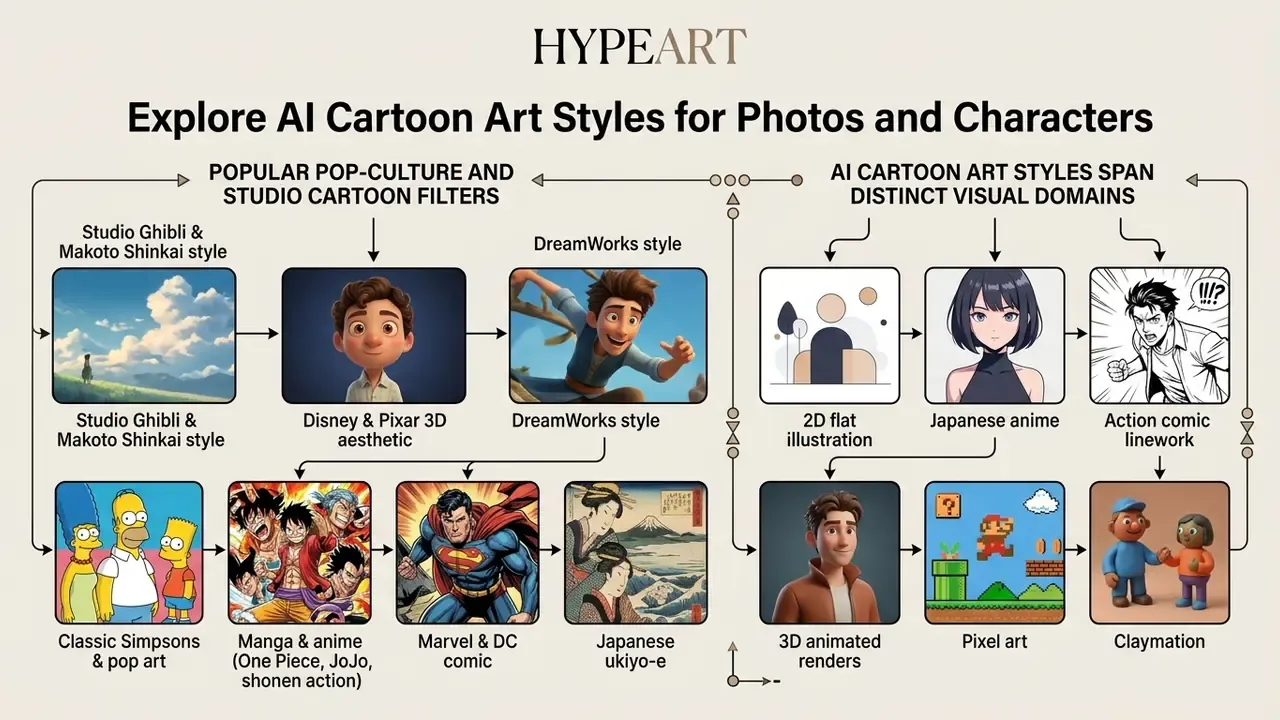
AI cartoon art styles span distinct visual domains: 2D flat illustration, Japanese anime, action comic linework, 3D animated renders, pixel art, and claymation. Each uses specific rendering algorithms and model fine-tuning to push input features toward a target aesthetic.
Choosing an ai cartoon art style depends on where the asset will live, whether that is a personal ai cartoon profile picture, a web graphic, or a storyboard panel.
Popular Pop-Culture and Studio Cartoon Filters
Generic 2D and 3D presets cover the basics. Purpose-trained diffusion checkpoints and LoRA adapters go further, converting photos into instantly recognizable animation-studio aesthetics. Current cartoonizers ship libraries exceeding 80 named styles, and these clusters get requested most:
- Studio Ghibli and Makoto Shinkai style hand-painted backgrounds, lush green palettes, soft nostalgic light, minimal but expressive facial linework. Platform policies differ here. OpenAI's 2025 policy update permitted broader studio styles while continuing to block prompts imitating individual living artists. A deeper breakdown of style accuracy and licensing sits in our comparison of Ghibli-style AI image generators.
- Disney and Pixar 3D aesthetic volumetric characters with sub-surface-scattering skin, oversized expressive eyes, rounded geometry, soft studio bounce light. A look standardized by CG feature animation since 1995.
- DreamWorks style exaggerated proportions, saturated character colors, heightened facial expressiveness against more detailed environments.
- Classic Simpsons and pop art skin tones quantized to that iconic yellow, features simplified into bold vector curves, plus retro halftone texture and high-contrast color blocking.
- Manga and anime (One Piece, JoJo, shonen action) aggressive speed lines, high-contrast ink cross-hatching, cel-shaded hair highlights, dramatic emotional eye structures.
- Marvel and DC comic heavy black ink contours, dramatic rim lighting, print-era halftone shading.
- Japanese ukiyo-e flat color fields and bold woodblock outlines. Models such as Sakana AI's Evo-Ukiyoe (2024) were trained specifically on large-scale ukiyo-e corpora, and a 2026 LoRA study reproduced the style in Stable Diffusion v1.5 from a small annotated dataset.
- Street and urban aesthetics spray-texture lettering and bold outline work overlap heavily with a dedicated graffiti art generator, which usually handles typography better than a general cartoonizer.
- Additional library staples Adventure Time-style geometric whimsy, cel-shaded game art, flat illustration, children's-book gouache, scrapbook or journal anime, doodle art, and claymation.
| Fine-Tuned Style Model | Primary Aesthetic Characteristics | Best Source Photo Type | Recommended Model Weight / Guidance |
|---|---|---|---|
| Studio Ghibli anime | Painterly texture, soft pastel tones, hand-drawn feel | Outdoor portraits, natural light | LoRA weight 0.75 / CFG 7.0 |
| Pixar 3D animation | Rounded geometry, studio lighting, depth of field | Frontal headshots, even light | Depth-ControlNet + SDXL |
| Marvel / DC comic | Heavy ink linework, halftone shading, high contrast | Action poses, dramatic light | Canny edge-detection conditioning |
| Simpsons / pop art | Quantized flat colors, bold vector curves | Simple frontal portraits | Palette-locked LoRA, low denoise |
| Manga / shonen | Speed lines, cel-shaded hair, expressive eyes | Half-body, dynamic poses | Danbooru-tuned weights |
| Retro pixel art | 32×32 / 64×64 grid, 16-color palette | High-contrast icons/avatars | SD-πXL palette mapping |
2D Cartoon, Comic and Flat Illustration Styles
Flat 2D illustration and comic styles lean on bold outlines, simplified color blocks, and high legibility. They work best in digital UI graphics, avatars, and narrative webcomics where clean vector geometry is required.
Classic comic looks bring halftone shading, action lines, and high-contrast ink boundaries. Minimalist vector styles strip out gradient detail and hold flat color fields that scale cleanly from a 48 px avatar to a billboard.
Anime, Manga and Japanese Illustration Styles
Anime and manga styles feature distinct facial proportioning, dramatic eye highlights, cel-shaded coloring, and stylized hair geometry. Fine-tuned diffusion models reproduce these conventions while holding character identity from prompts or reference images.
Models trained on specialized datasets such as Danbooru-style archives apply cel-shading that collapses complex light gradients into hard color boundaries. Studies on LoRA adaptation confirm that anime models can isolate hair and costume styles while adjusting expression from text guidance. Dedicated research such as GANime (arXiv, 2026) treats anime and manga character drawing as a specialized generation task rather than a generic cartoon class, which explains why anime checkpoints usually beat general-purpose models on manga output.
3D Cartoon, Pixel Art and Claymation Effects
3D cartoon styles emulate polished CG feature animation with volumetric lighting. Pixel art and claymation deliver quantized retro grids and handcrafted stop-motion texture instead. Different jobs, different tools.
- 3D Cartoon (Pixar/DreamWorks aesthetic) rounded proportions, soft bounce light, depth of field, smooth surface shading.
- Pixel Art low-resolution spatial grids (32×32 or 64×64 pixels) and constrained palettes recreate 8-bit or 16-bit game graphics through differentiable quantization frameworks like SD-πXL (ETH Zurich, 2024).
"SD-πXL uses score distillation and a differentiable image generator with an H×W×n tensor to produce semantically accurate pixel art."
- Claymation: simulates physical clay stop-motion texture, complete with fingerprints, soft organic edges, and studio lighting, visually derived from photographed physical models rather than drawn frames.
| Cartoon Style | Best Suited For | Visual Characteristics | Key Model Requirement |
|---|---|---|---|
| 2D Flat Illustration | Profile avatars, mobile UI graphics, vector icons | Clean outlines, flat colors, minimal shading | High edge-preservation loss |
| Comic Book | Storyboards, webcomics, marketing banners | Ink linework, halftone dots, high contrast | High-contrast line extraction |
| Anime / Manga | Character avatars, fan art, narrative graphics | Stylized eyes, cel-shading, detailed hair | Specialized LoRA / Danbooru weights |
| 3D Cartoon | Brand mascots, commercial graphics | Volumetric lighting, rounded geometry, depth | Depth-conditioned diffusion |
| Pixel Art | Retro game assets, digital badges | Quantized pixel grid, limited color palette | Score distillation / palette quantization |
| Claymation | Creative banners, stop-motion visuals | Fingerprint textures, organic depth, studio shadows | Texture-conditioned fine-tuning |
Cross-tool style fidelity, control depth, and license terms vary widely. Our roundup of the best AI art generators and the shortlist of free AI art generators map those differences side by side.
Advanced Workflows: Cartoon Video Clips and Background Swapping
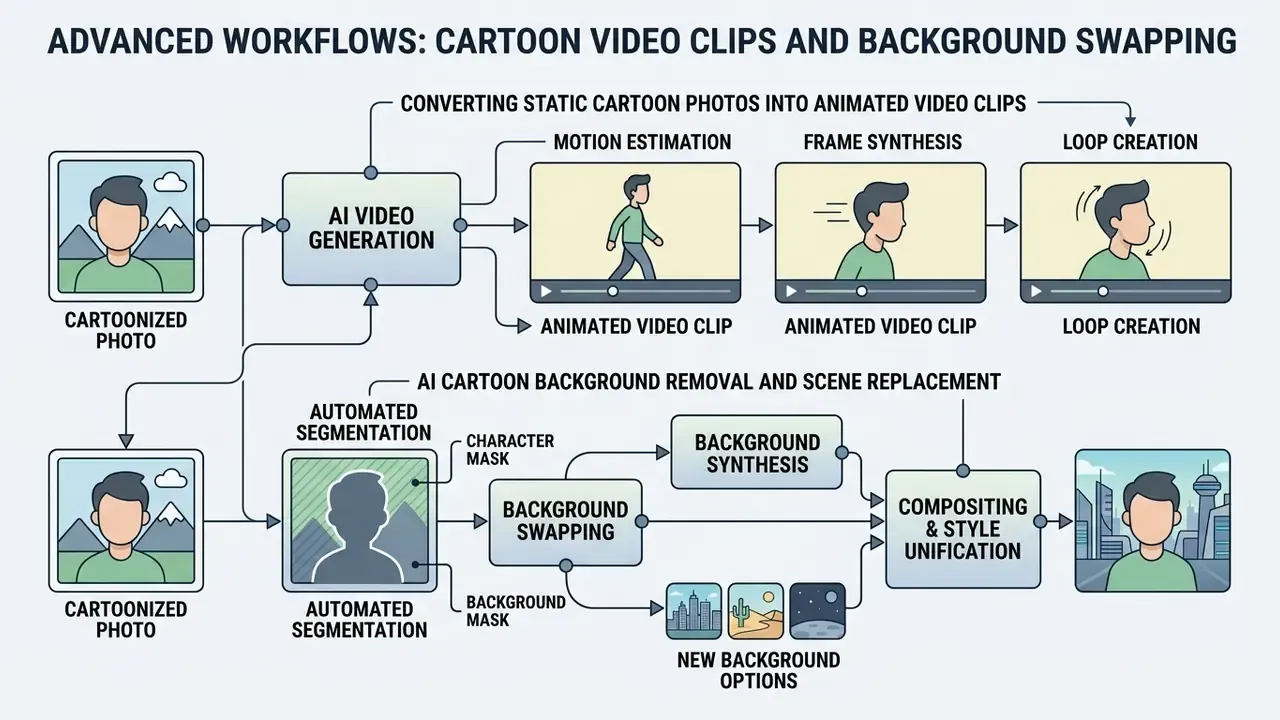
Modern AI cartoon workflows now reach past static conversion into video generation and automated background manipulation. That closes the gap between one avatar and a full campaign asset set.
Converting Static Cartoon Photos into Animated Video Clips
Feed a synthesized cartoon image into an image-to-video diffusion model, such as Runway Gen-2, Luma Dream Machine, Hailuo AI video generator, or a grok video generator, and a static avatar becomes a motion clip without rigging or keyframing.
- Frame-to-frame consistency: temporal optical-flow constraints stop cartoon outlines from flickering during camera pans or facial movement, historically the main artifact class in early image-to-video pipelines.
- Prompt-driven motion: a short motion descriptor ("slow head turn, subtle blink, gentle camera push-in") is usually enough. Heavy motion prompts destabilize stylized linework.
- Social media applications: 3 to 5 second cartoon MP4 clips typically outperform static avatars on TikTok, Instagram Reels, and YouTube Shorts, where motion drives watch-time signals.
- Post-production trimming: captioning, cropping, and cutting are simpler in a lightweight timeline tool. A browser-based google video editor covers social crops, while action footage that needs stabilizing first fits a gopro video editor workflow.
- Duration and credit limits: free video tiers commonly cap output at 480p to 540p with watermarks and a handful of daily renders, so storyboard before you generate. Template-based alternatives appear in our guide to animation makers.
AI Cartoon Background Removal and Scene Replacement
Turning a candid photo into a cohesive cartoon graphic usually means separating the subject from a real-world environment:
- Automated segmentationneural networks isolate the human or pet subject from cluttered surroundings using semantic edge detection, producing an alpha-channel cutout.
- Background synthesisthe original backdrop is replaced with a stylized cartoon environment, whether fantasy landscape, retro synthwave grid, classroom, or clean vector gradient, matched to the subject's style.
- Style unificationre-running a low-strength style pass over the composite harmonizes lighting direction and line weight between subject and new background. Skip it and you get the "sticker on wallpaper" look.
Is a Free AI Cartoon Generator Really Free?
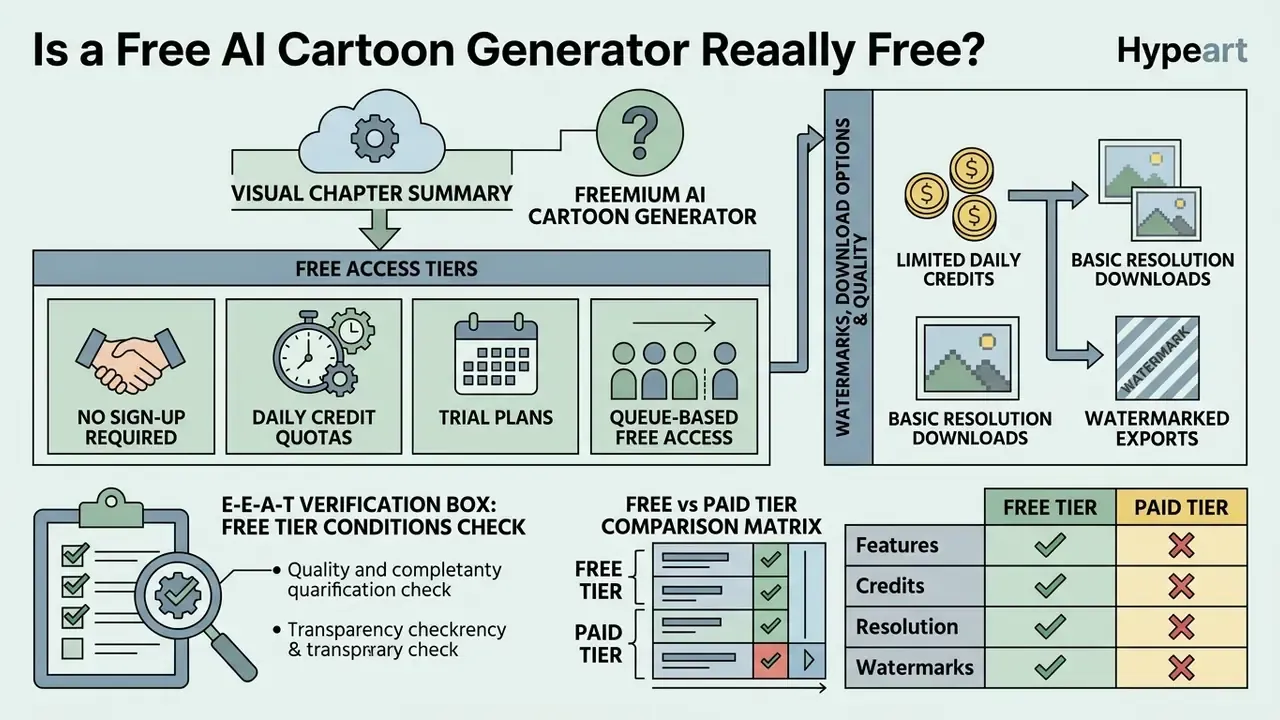
Free AI cartoon generators mostly run on freemium models: limited daily credits, basic resolution downloads, or watermarked exports at no cost. Full feature sets, high-resolution files, and commercial rights normally sit behind a paid tier.
Knowing the difference between trial access, daily quotas, and commercial licensing prevents an awkward bottleneck halfway through a campaign.
Free Generations, Trials and Sign-Up Requirements
Access policies range from no-signup web tiers with daily caps to restricted trials that require registration. Checking credit allocation and queue priority up front tells you whether the tool is actually usable today.
- No sign-up required tiers immediate browser testing with basic resolution and rate-limited daily processing. Comparable options are catalogued among no-sign-up AI image generators.
- Daily credit quotas a fixed allowance, commonly 3 to 10 generations per 24 hours for registered free accounts, usually on a rolling window rather than a calendar day.
- Trial plans temporary access to pro features or a one-time credit block (for example, 10 credits on registration), often without a payment card.
- Queue-based free access some tools grant free rendering only when spare GPU capacity exists, which means unpredictable waits at peak hours.
Watermarks, Download Options and Result Quality
Free exports frequently carry a subtle watermark, lower pixel dimensions (540p, or 96 dpi stills), and standard compression. Paid tiers remove the mark and add high-resolution formats such as 300 dpi print PDF or uncompressed PNG, which is what publication and merchandise work actually needs from an ai cartoon picture generator free upgrade path.
An empirical analysis of 173 generative AI applications published on arXiv in 2025 (User Perceptions of Gen-AI Mobile Apps) found that generative tools earn higher average ratings than traditional utility apps, yet freemium restrictions, specifically export watermarks and resolution limits, remain the leading source of user friction.
"Analysis of 676,066 reviews across 173 Gen-AI apps found Gen-AI features rated ~0.8 stars higher, yet freemium limits remain the top complaint."
E-E-A-T Verification Box: Free Tier Conditions Check
Free vs Paid Tier Comparison Matrix
| Condition | Typical Free Tier | Typical Paid / PRO Tier |
|---|---|---|
| Generation volume | 3 to 10 renders per rolling 24 h, or fixed one-time credits | Hundreds to thousands of monthly credits |
| Watermark | Present on image and video exports | Removed |
| Max resolution | ~540p video, up to ~2000×2000 px images, 96 dpi | 300 dpi print PDF, 4K video, uncompressed PNG |
| File formats | PNG, JPG | PNG, JPG, PDF Print, SVG, EPS, TIFF, PSD |
| Commercial rights | Often excluded (personal use only) | Usually granted by license |
| Queue priority | Shared, capacity-dependent | Priority inference |
| Upload ceiling | 10 MB typical (up to 100 MB on major platforms) | Higher limits, batch processing |
Cross-vendor limits shift constantly. Verify current terms against our tracking of the best free AI image generators and the broader review of free photo editors before you commit a workflow to one vendor.
Data Privacy, Biometrics, and Shadow AI Risks
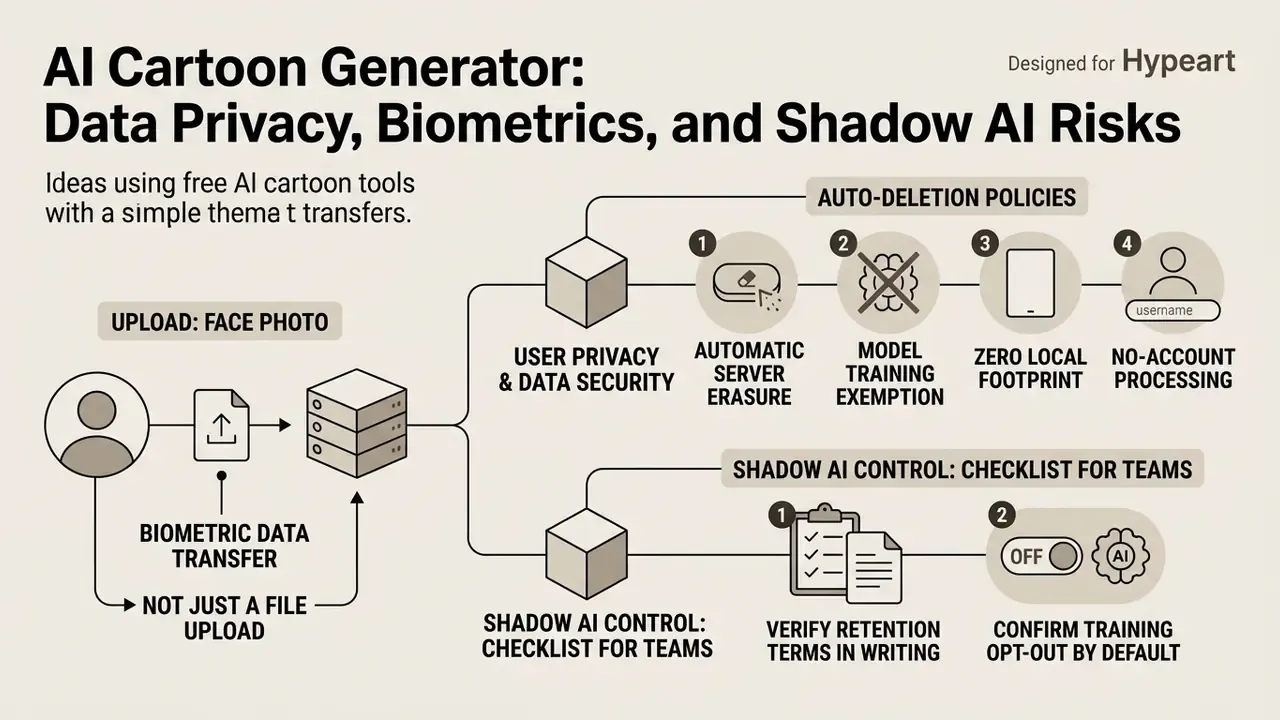
Uploading a face photo to a free web tool is a biometric data transfer, not just a file upload. Facial images qualify as sensitive personal data under GDPR-style regimes and several U.S. state privacy statutes. Which means the vendor's retention and training policy, not the prettiness of the output, decides whether the workflow is acceptable inside an organization.
User Privacy, Data Security, and Auto-Deletion Policies
- Automatic server erasure reputable free platforms process uploads in short-lived storage and permanently purge both source files and generated outputs within 2 hours of generation. Where no retention window is published, assume indefinite retention.
- Model training exemption trustworthy tools state plainly that user-uploaded portraits are never used to fine-tune public computer-vision models or dataset archives without opt-in consent.
- Zero local footprint browser-based processing needs no client install, which prevents cache leaks and residual files on shared or mobile devices.
- No-account processing tools that work without registration, login, or payment details minimize the identifiers stored alongside a face image.
Shadow AI Control Checklist for Teams
- Verify retention terms in writing.A published deletion window (say, 2 hours) beats a vague "we respect your privacy" line.
- Confirm training opt-out by default.Check whether uploads feed model improvement, and whether opt-out even exists on the free tier.
- Restrict subject matter.Prohibit customer photos, minors' images, ID documents, and anything with badge numbers, screens, or whiteboards visible in the background.
- Prefer synthetic or text-to-cartoon pathsfor mascots and campaign art, which removes the biometric upload entirely.
- Approve a short vendor allow-listinstead of banning cartoonizers outright. Blanket bans push employees toward unvetted consumer sites, the classic Shadow AI failure mode.
- Log commercial-use assetswith tool name, date, prompt, and license tier, so downstream rights can be reconstructed during audit.
- Check jurisdiction and sub-processorswherever biometric-consent statutes cover employee imagery.
One honest caveat: none of this is a substitute for a documented owner. A cartoon pipeline without a named accountable person is just an unmonitored data flow with nicer output.
Can You Use AI Cartoon Images for Social Media and Commercial Projects?
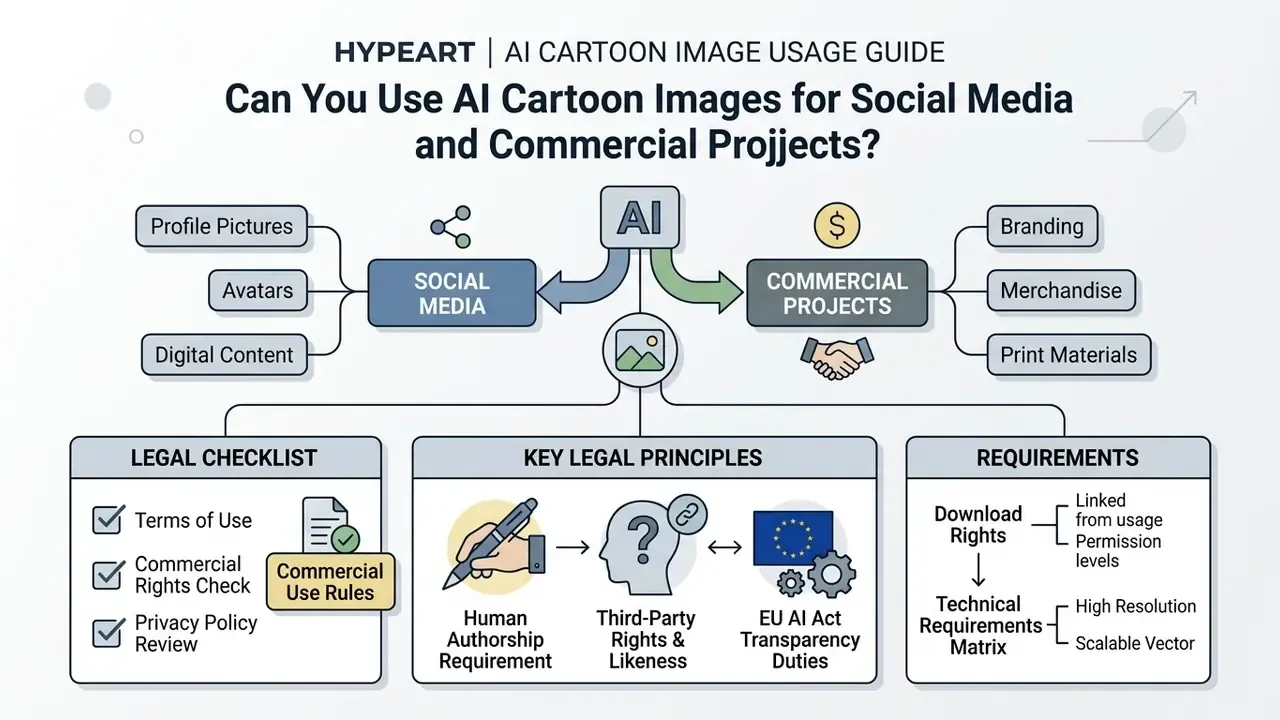
AI-generated cartoon images can be used for social media profile pictures, digital content, and commercial branding, provided the tool's terms permit commercial use and human creative input is established. Copyright ownership, image licensing, and consent all need review before publication.
Deploying an ai cartoon profile picture for personal branding is legally different from putting generated assets on merchandise or in paid advertising. Adjacent brand-asset questions, covering mascots, marks, and identity systems, sit in our overview of AI logo generators.
Commercial Use, Branding and Download Rights
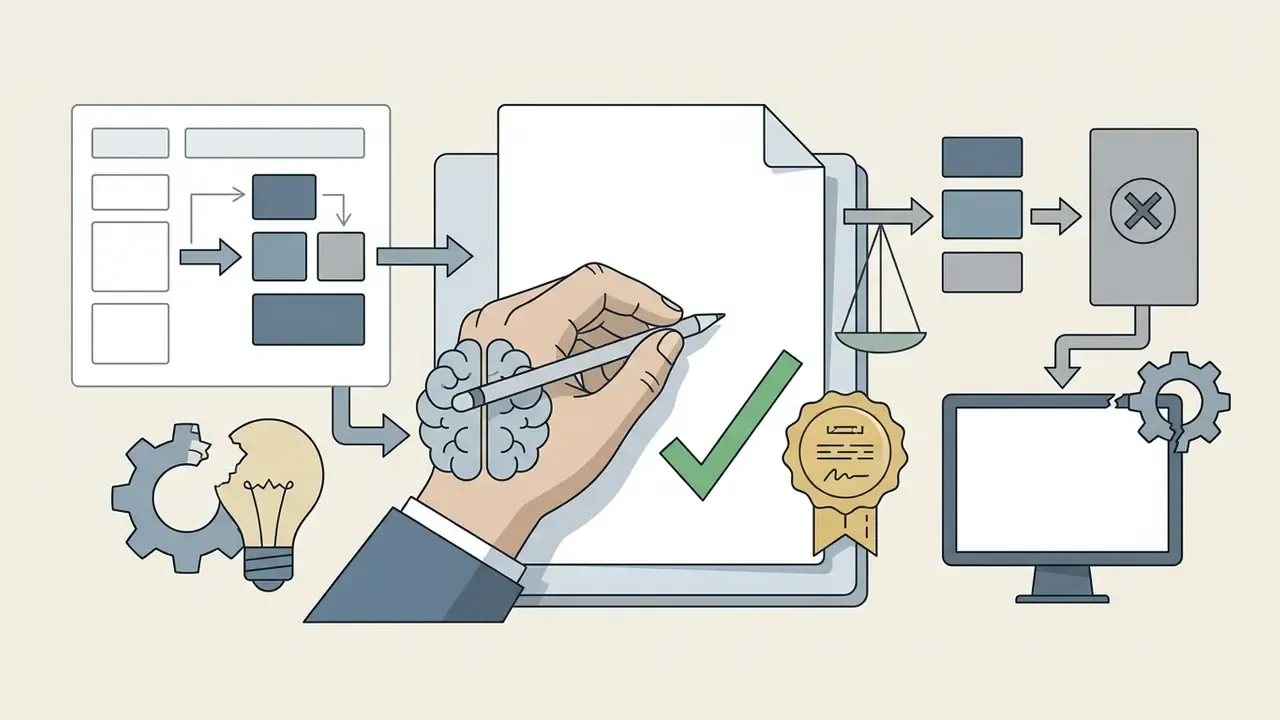
Commercial use of AI cartoon art in advertising, merchandise, or corporate branding depends on vendor license terms and on human creative contribution. Under U.S. Copyright Office guidance, purely machine-generated output lacks independent copyright protection unless modified or arranged with sufficient human creativity.
"Material generated solely by AI, without sufficient human creative contribution, is not eligible for copyright protection."
Key legal considerations:
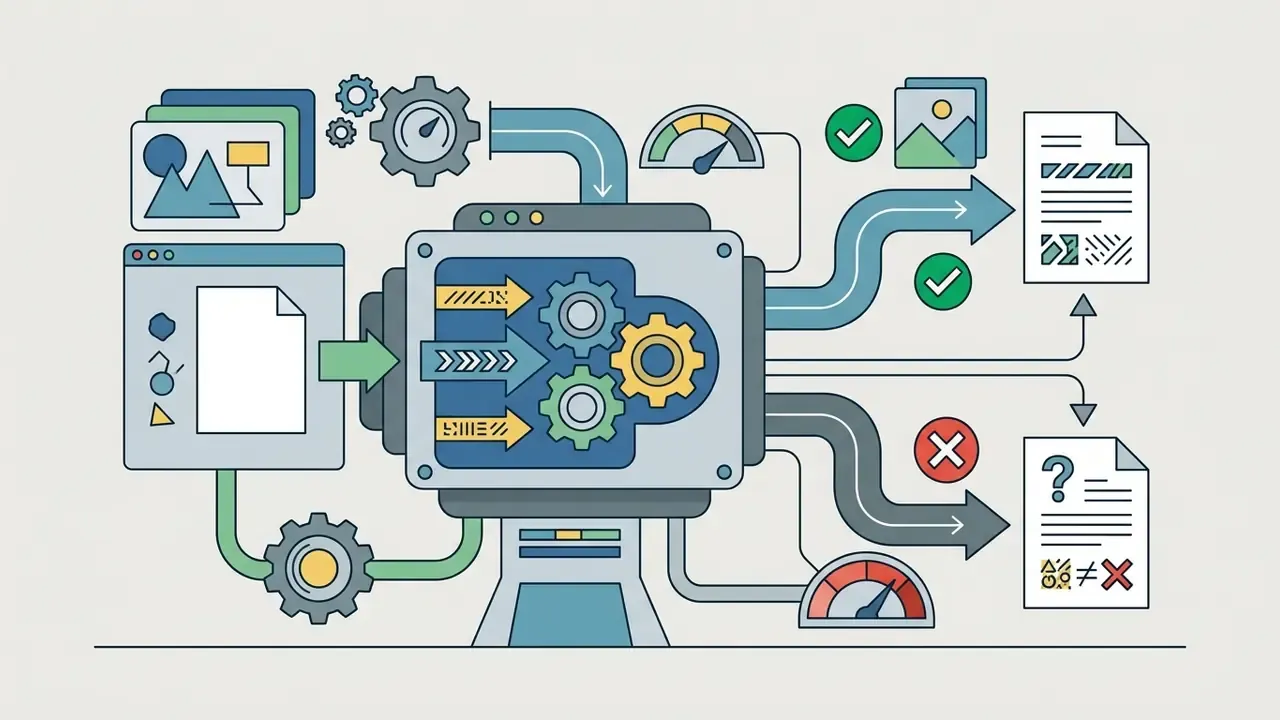
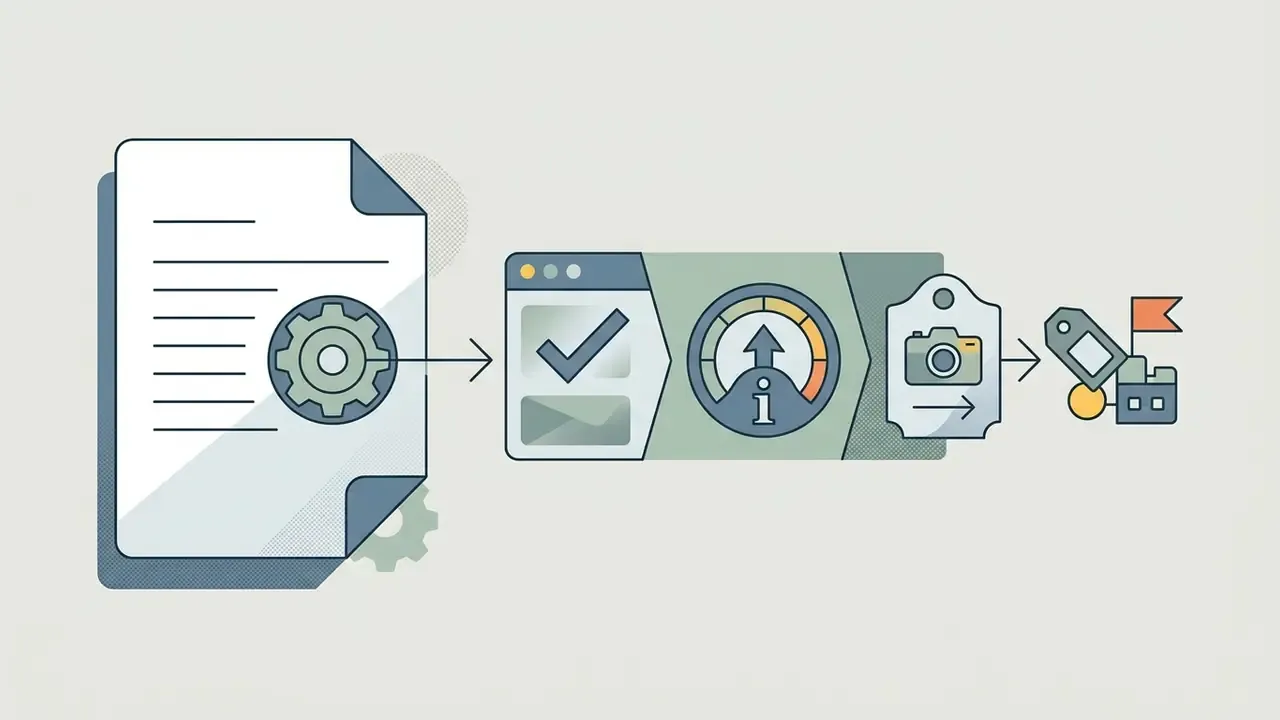
"Providers of generative AI content must ensure outputs are identifiable as AI-generated; generative-AI transparency rules apply from August 2026."
General-purpose model providers behind these tools carry documentation duties under the same framework: technical documentation, a sufficiently detailed training-data summary, and a copyright-compliance policy. That is one reason licensing language varies so much between platforms built on different base models.
Legal Alert: Commercial Rights Check
Deeper contract-level breakdowns are collected in our hub on the commercial use of AI image generators, and case-level context sits in the litigation overview.
Print and Merchandise Technical Requirements Matrix
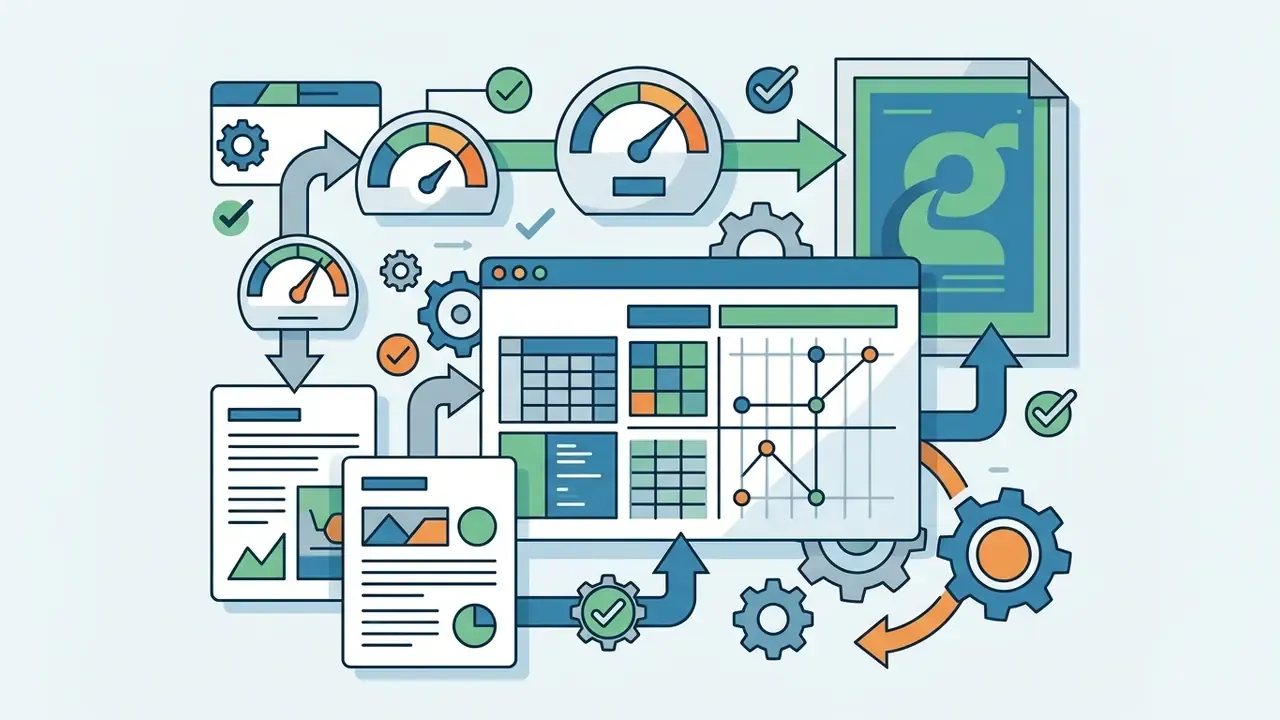
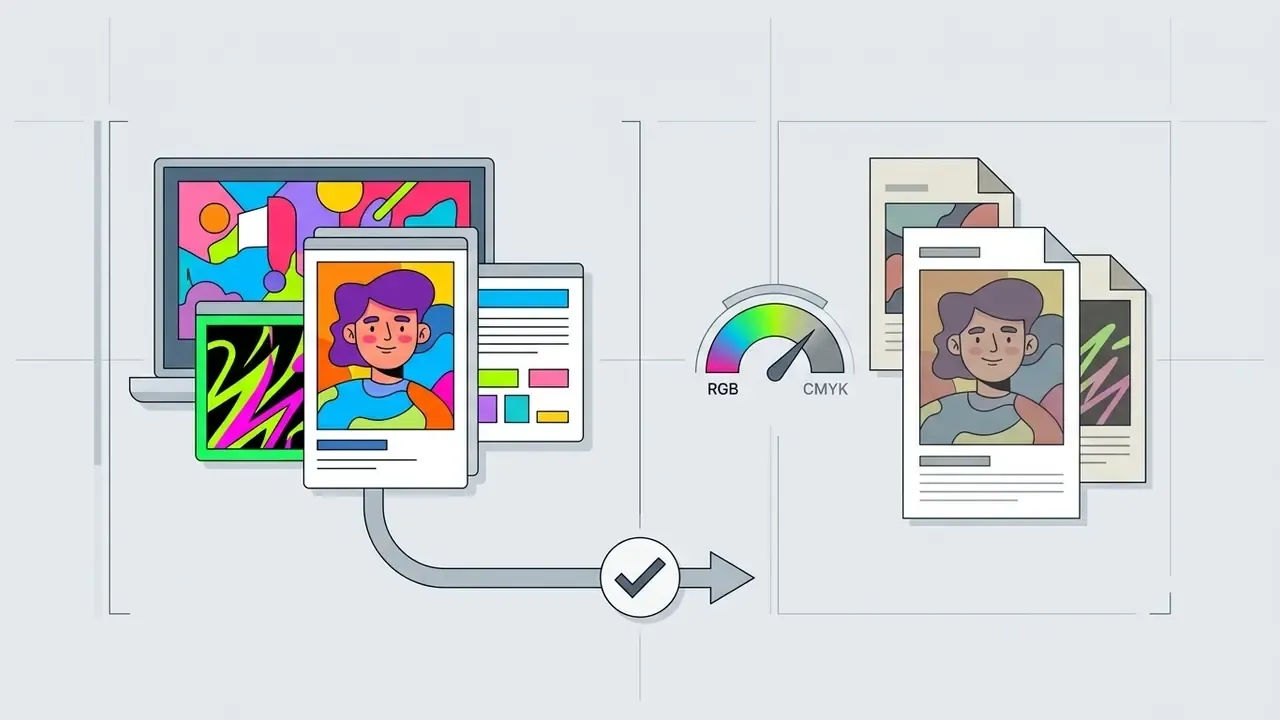
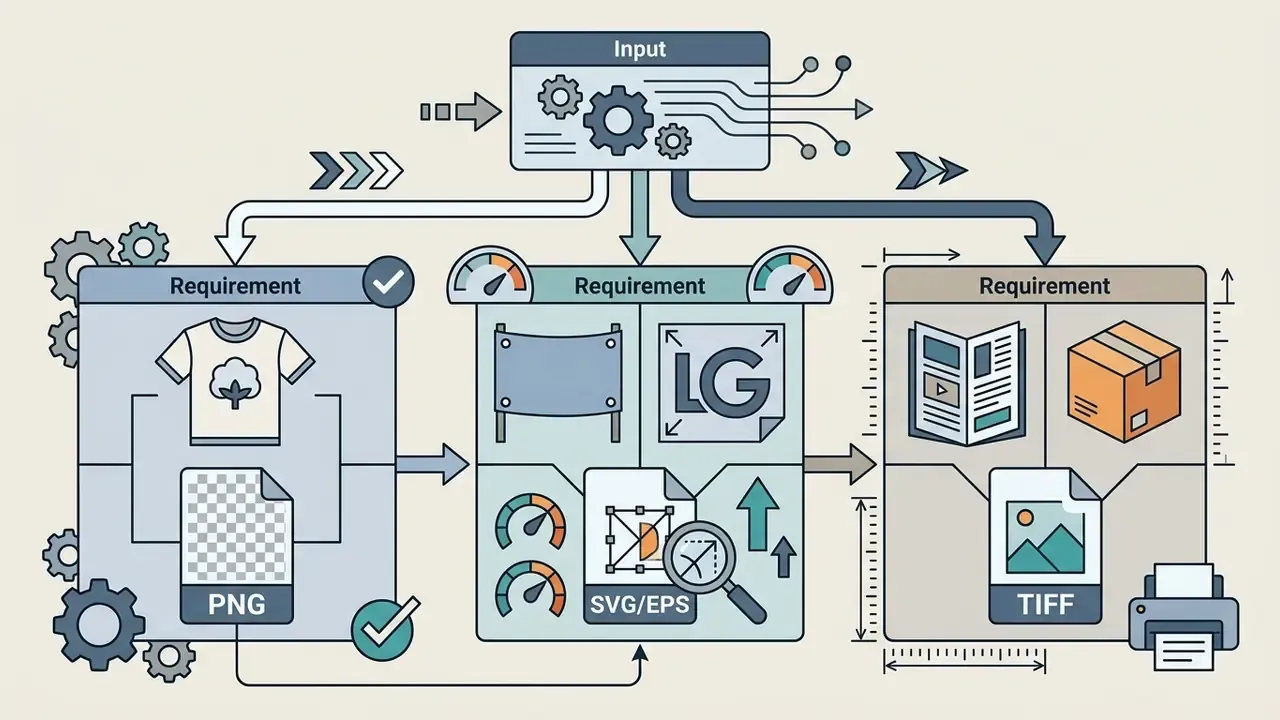
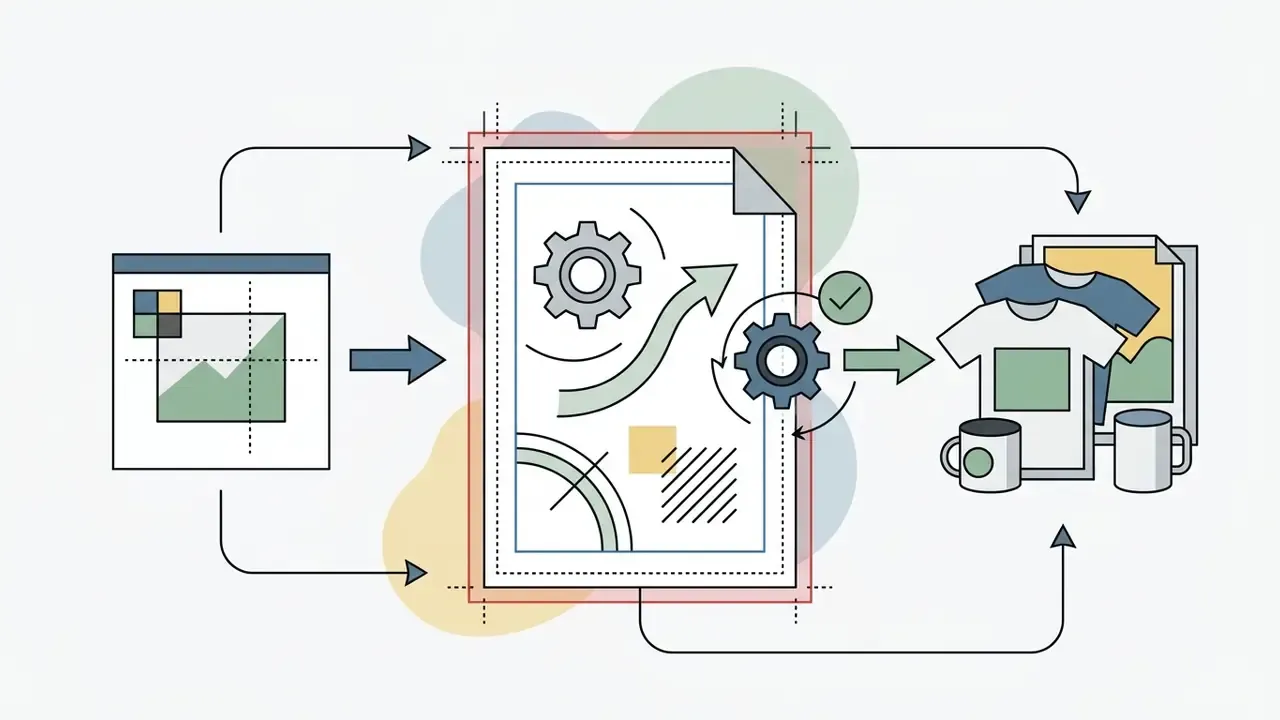
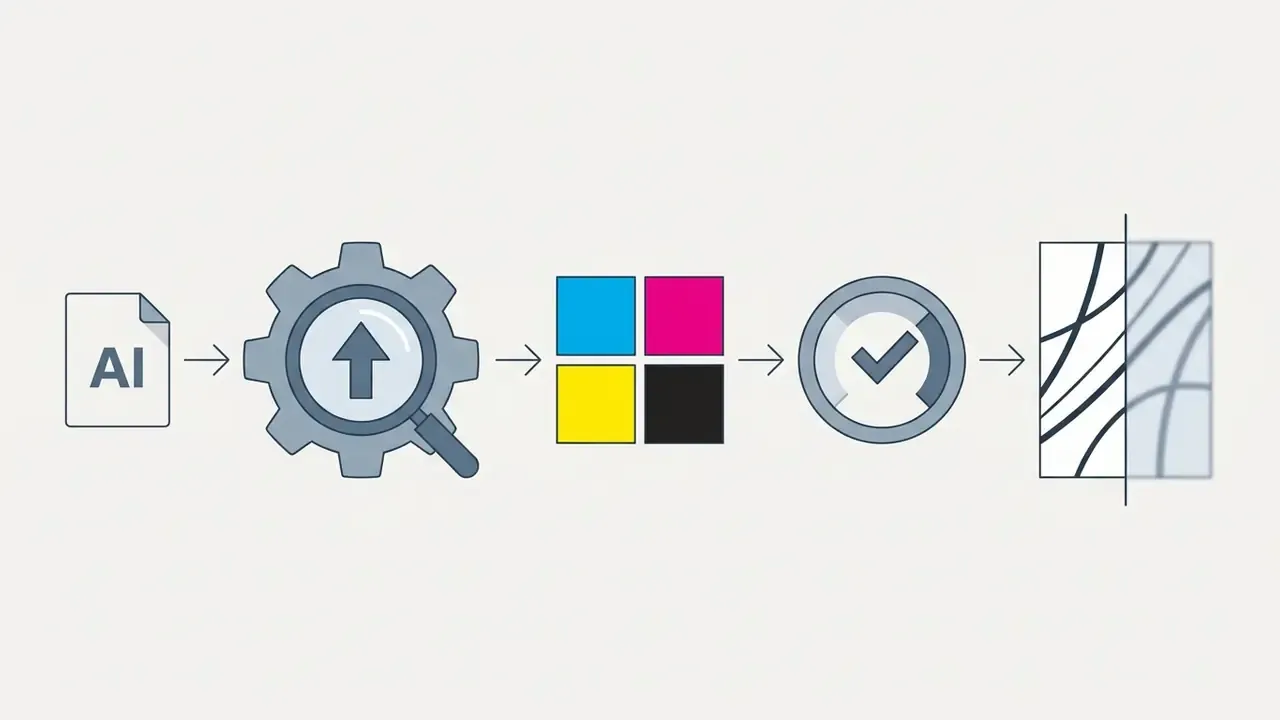
To print AI cartoon graphics on physical goods, whether t-shirts, mugs, posters, or stickers, configure exports to industrial printing standards:
FAQ: Common Questions About AI Cartoon Generation
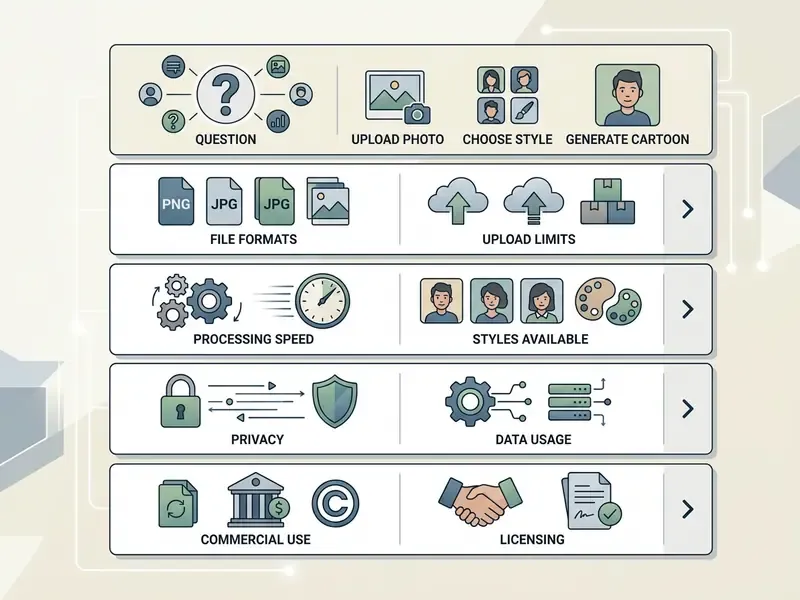
Can I Use an AI Cartoon Generator on Mobile Devices?
Yes. Modern online cartoon generators run well inside browsers on iOS and Android. Compute-heavy diffusion workloads execute on remote servers, so mobile users can upload photos and download cartoon art without local processing power.
Cross-platform web apps remove the need for heavy native software. Capture a selfie, upload it in the browser, pick a style, export straight to your photo library. Vendor documentation confirms it: Adobe states its online generator works on desktop and mobile in Chrome, Edge, Firefox, and Safari, with optional native iOS and Android apps.
Can AI Cartoonize Pets and Group Photos?
Yes, though precision depends on training parameters and subject clarity. Multi-subject pictures need enough resolution to avoid facial feature distortion.
For pets, systems analyze fur texture, eye shape, and snout geometry to render a stylized animal portrait. Adobe Firefly's pet-portrait feature documents support for stylizing one or several pets in a single image. For group photos, each subject must be clearly visible and evenly lit so the model applies consistent transformation across everyone. Multi-face detection is what keeps outlines clean in full-body group shots.
Can I Create Multiple Cartoon Versions of One Image?
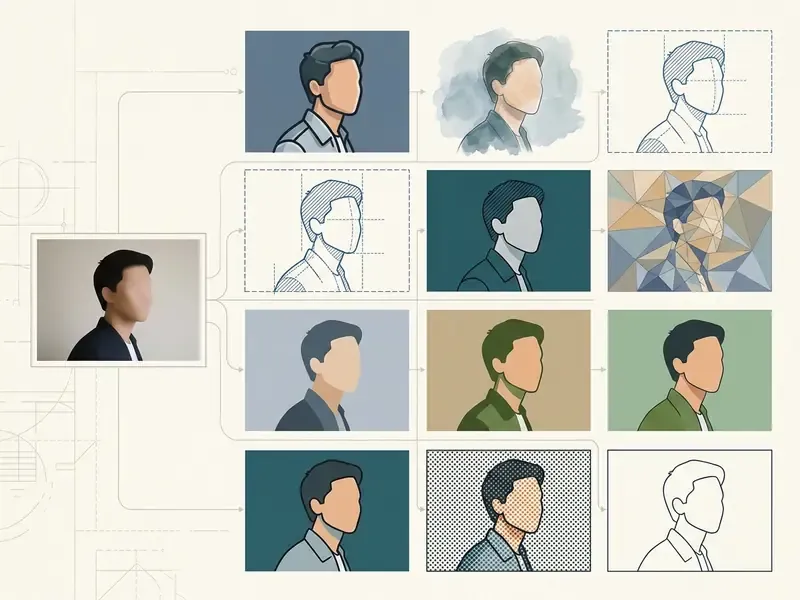
Yes. Generate multiple variations from one source by adjusting prompts, changing style seeds, or tweaking guidance parameters in the interface.
Iterative workflows let you compare 2D vector, anime, and 3D renders from the same baseline photo. Changing seeds produces subtle shifts in linework, expression, and saturation. Technically, variation arrives three ways: weighted blending of multiple style losses, interpolation between style codes in a shared latent space, or diffusion-side changes to prompt, guidance strength, and reference-style set.
How Long Are My Uploaded Photos Stored?
Retention depends entirely on vendor policy. Privacy-forward cartoonizers delete both the uploaded source and the generated result from their servers within two hours, and require no registration, login, or payment details. Tools that publish no retention window should be treated as retaining data indefinitely.
Can I Turn a Cartoon Image into a Video?
Yes. Feeding a generated cartoon frame into an image-to-video diffusion model produces short animated clips, typically 3 to 5 seconds on free tiers at 480p to 540p with watermarks. Temporal consistency controls reduce outline flicker during motion.
Which Style Should I Pick for a Professional Profile Picture?
Flat 2D illustration and cel-shaded styles stay the safest picks. They hold legibility at 48 to 96 px avatar crops, avoid uncanny 3D artifacts, and read as intentional branding rather than a novelty filter.
Appendix A: Superseded Passages and Verification Notes
For transparency, these formulations from earlier revisions were rewritten in the body text above:
- Original case-study wording (superseded)
- "The process reduced rendering time by 80% while preserving individual identity recognition across all social profile channels." Reason for revision: the 80% figure could not be tied to a verifiable measurement, so the updated passage describes directional throughput improvement instead.
- Original pose claim (superseded)
- "Studies indicate that frontal poses within ±5 degrees of camera rotation allow models to map expressions and identity with minimal distortion." Reason for revision: the tolerance is now attributed to FISWG/NIST face-capture guidance rather than unnamed studies.
- Original resolution claim (superseded)
- "Standard facial recognition guidelines (such as NIST and ICAO portrait specifications) highlight that eye distance should ideally exceed 150 pixels for accurate feature extraction." Reason for revision: the ~150 px eye-center threshold is attributed to INTERPOL portrait guidance, with NIST's 480×600 px head-capture minimum cited separately.
- Original group-photo claim (superseded)
- "For group photographs, maintaining a minimum resolution of 300 ppi ensures that fine details, such as eye shape and small accessories, remain defined across all subjects." Reason for revision: 300 ppi is now presented as a detail-preservation reference density from imaging guidelines, with per-face pixel density identified as the operative constraint.
Resource Navigation and Platform Index
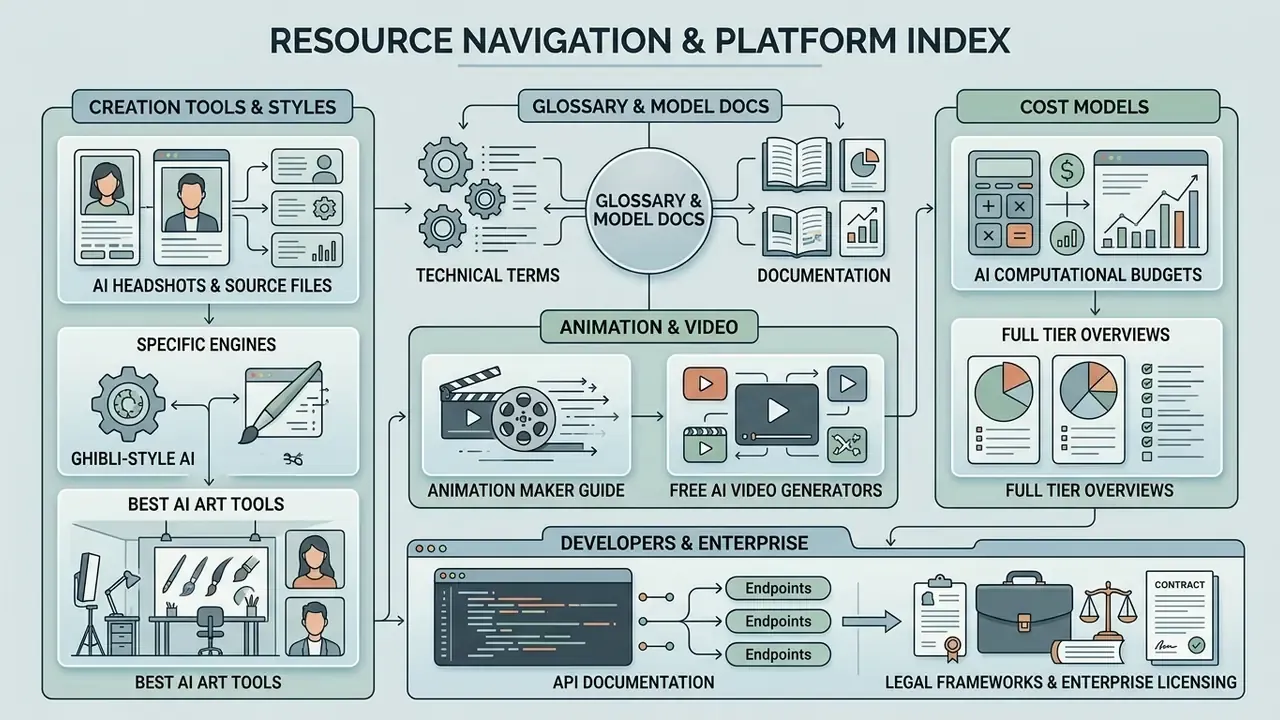
To explore additional creation tools, licensing guides, and cost models, use the curated links below:
- Access technical terms and model documentation through our central glossary.
- Compare portrait-focused tooling in the AI headshot generator guide, or prepare source files with an online photo editor and the free photo editor overview.
- Evaluate style-specific engines through the Ghibli-style AI image generator comparison and the best AI art generator roundup.
- Extend static cartoons into motion with the animation maker guide, or review free AI video generators for clip limits and watermarks.
- To model generation costs, view the guide on AI computational budgets, or browse the hub for full tier pricing breakdowns.
- Need help with workflow integration? You can compare options in our support portal, or view the guide covering model benchmarks.
- Developers seeking direct integration can read the api documentation.
- For enterprise licensing and distribution rules, explore the hub, or see the overview on legal frameworks and copyright standards.
- Company information notice: regarding Hypeart enterprise claims, no verified information is available.
SEO Title: AI Cartoon Generator Online Free: Turn Photos into Cartoon Art (2026)
SEO Description: Free AI cartoon generator guide: photo-to-cartoon and text-to-cartoon workflows, copy-paste prompts, Ghibli/Pixar/anime style matrix, video clips, 2-hour data deletion policies, freemium limits, print specs, and commercial-use rules.