Executive Summary
An ai family photo generator merges separate face photos (or a pure text prompt) into one believable group portrait using diffusion models and identity-preserving encoders. Practical takeaways: upload 1 to 6 clear frontal photos (JPG, PNG, WebP, or iPhone HEIC, 500 KB to 10 MB each), keep faces at 240+ pixels eye-to-chin, add the clause "keep original faces and hairstyles" to your prompt, inspect hands, eyes, and background faces at 100% zoom, and export at 300 PPI before printing. Free tiers usually watermark output and cap resolution at 1080p; paid tiers unlock 4K, clean exports, and commercial rights. Because uploads contain biometric data, verify the provider's deletion window (24 hours is the common standard) and consent policy before submitting photos of children or relatives.
This guide answers the questions people actually type before they upload anything: what the tool does, which family scenarios it handles, how the five-step workflow runs, which prompts hold a face together, how to spot artifacts before printing, what free plans really include, and where consent and licensing draw hard lines. Read it once end to end, then use the checklists as working documents.
An ai family photo generator is a specialized software application that uses diffusion models, facial encoding, and image-to-image synthesis to assemble multiple individual photos or textual descriptions into a cohesive group portrait. These systems solve physical separation, missing archival imagery, and expensive traditional photography by generating synthetic group portraits on demand. Modern generative architectures let users customize visual styles, lighting conditions, and spatial arrangements without booking a studio or spending an evening in Photoshop.
What Is an AI Family Photo Generator and What Problems Does It Solve?
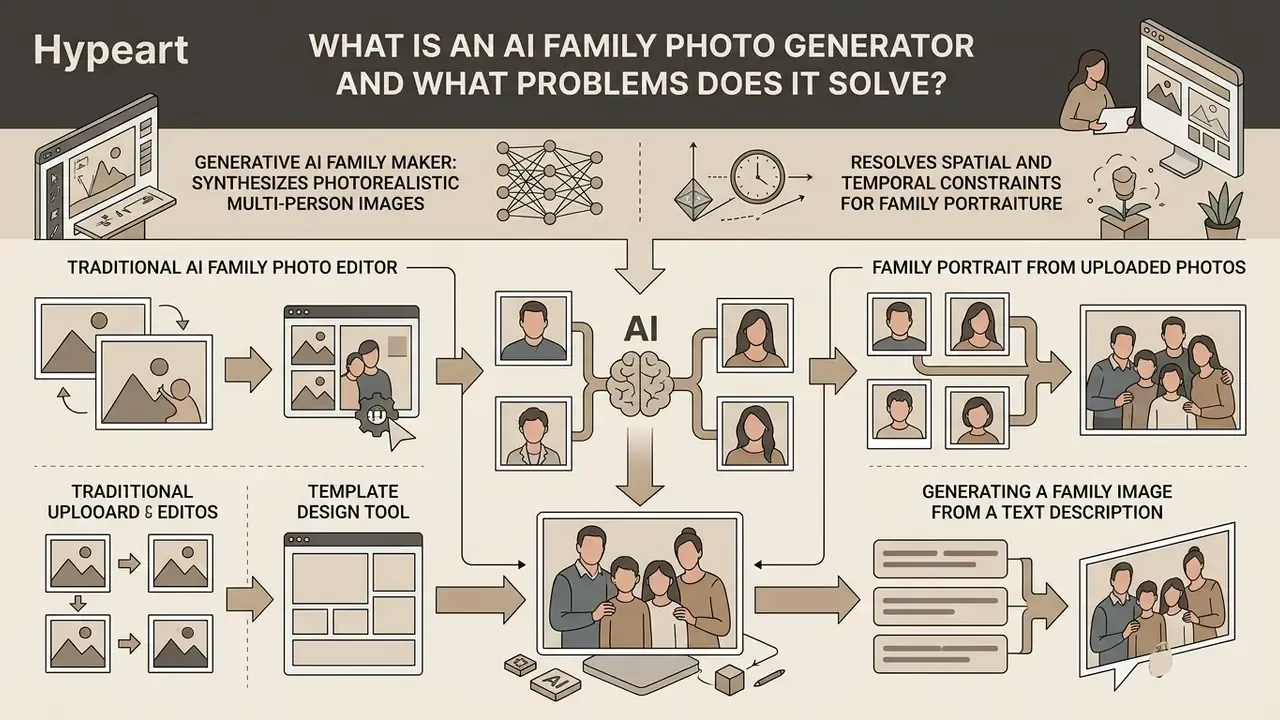
An ai family photo generator synthesizes photorealistic multi-person images using generative neural networks, resolving spatial and temporal constraints for family portraiture. This technology serves families separated across geographic locations, creates commemorative imagery of deceased relatives, and generates holiday artwork without a professional shoot. Key functional distinctions separate an automated ai family generator and ai family image generator from legacy editing tools:
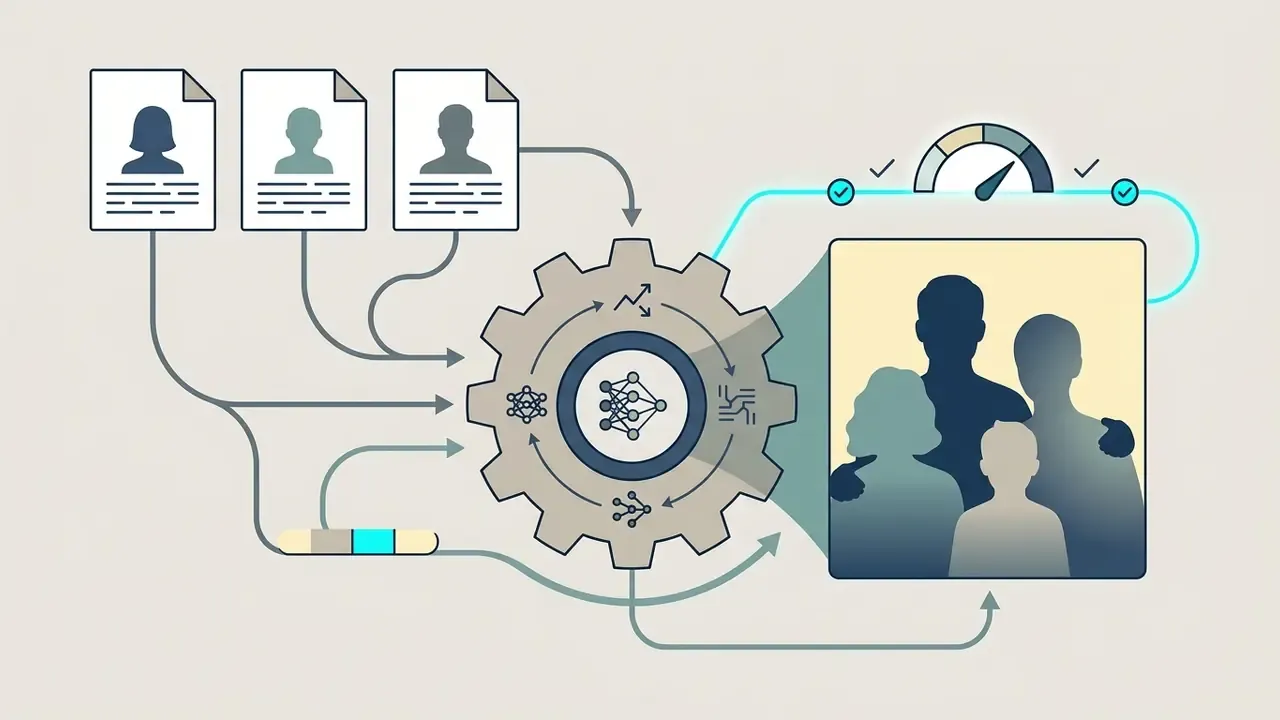
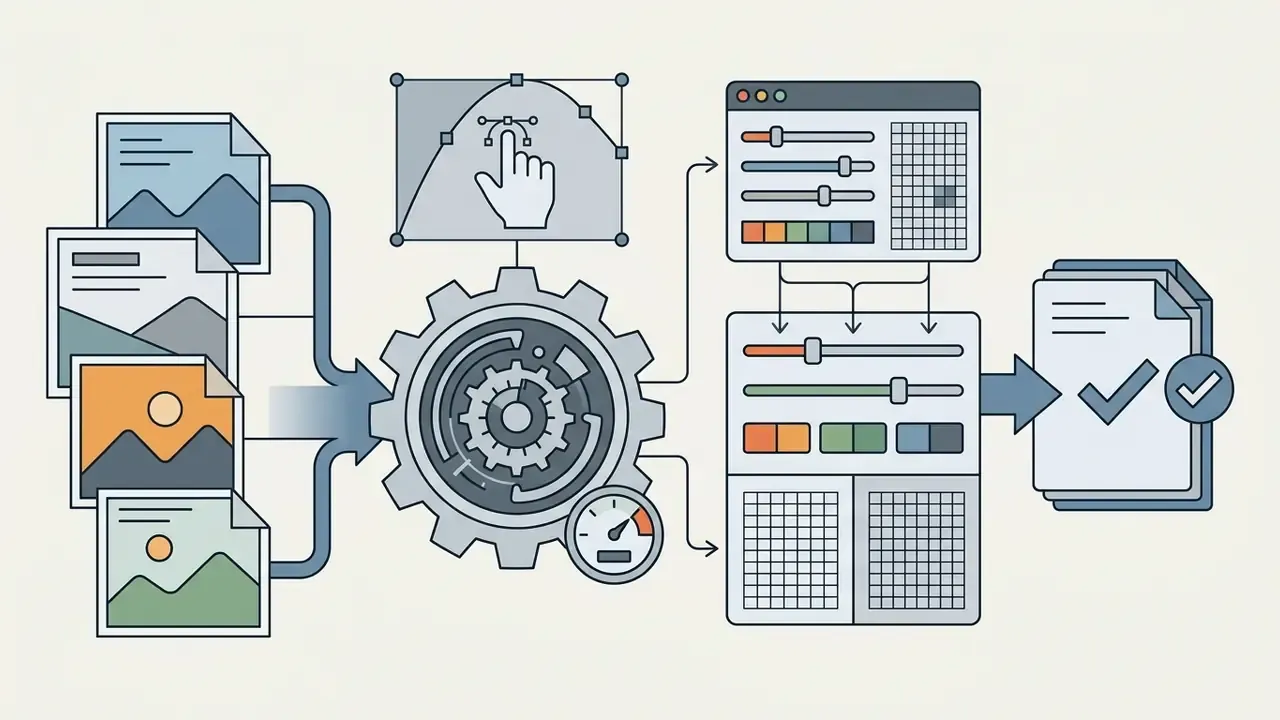
While standard photo editors require manual retouching skill, an ai family photo maker uses generative conditioning to align facial embeddings, lighting direction, and scene perspective automatically. Users who only need basic retouching can compare foundational online photo editors alongside generative tools, or study how identity-focused portrait pipelines work in AI headshot generators.
One honest caveat up front. The technology is good, not infallible. It reproduces a face convincingly and still, now and then, gives someone six fingers.
Family Portrait from Uploaded Photos
Creating a family picture from uploaded reference photos relies on identity-preserving diffusion pipelines that extract facial embeddings from individual photos and render a unified group portrait. Modern frameworks use vision transformers and facial recognition encoders, such as InsightFace embeddings paired with IP-Adapter and ControlNet modules, to freeze distinct identity vectors while synthesizing new poses, clothing, and spatial positions.
This pipeline processes each person's facial feature vector independently, which prevents feature bleeding, the failure mode where family members slowly start to look like siblings of the same clone. Readers evaluating tools by input type can compare image-to-image generators that specialize in portrait conditioning rather than pure text prompting.
Generating a Family Image from a Text Description
Prompt-driven family generation creates fully synthetic family scenes from structured text without uploaded reference photos. This approach lets users define family composition, age distribution, attire, environmental context, and lighting purely through natural language.
Effective prompt engineering follows a structured sequence: Subject + Context/Setting + Style + Lighting + Composition.
For instance, "a 3D animated style family portrait of two parents and a young child sitting on a living room sofa" yields a stylized output, while swapping the style parameters produces a photorealistic capture instead. Developers integrating prompt-based generative image pipelines into enterprise applications can open the hub for API implementation protocols.
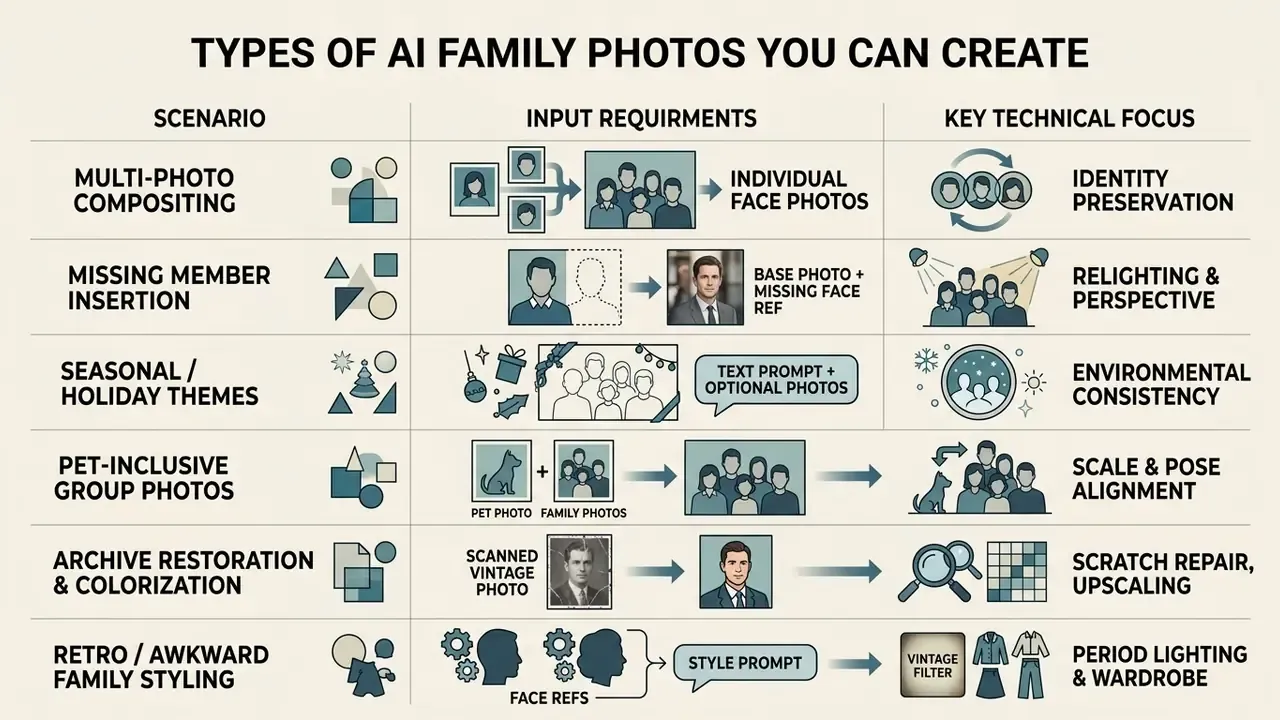
Types of AI Family Photos You Can Create
Generative image tools support diverse family portrait scenarios, from formal studio captures to informal holiday gatherings and commemorative composite images. An ai family pic or ai family picture can simulate formal lighting setups, candid outdoor settings, or thematic holiday environments. Families use ai family pictures to bridge physical distance, print custom holiday cards, and preserve memories across generations.
Static portraits are only one output format. Creators expanding the same source photos into motion assets can review how animation makers handle character consistency across frames, and how short-clip tools such as pixverse ai video generator pixverse or pollo ai video treat a family group when the camera starts moving.
Combining Separate Photos into One Family Portrait
An ai family portrait generator combine photos workflow accepts separate face inputs from individual family members and renders them into a single cohesive frame. Advanced systems run intra-person and inter-person attention reweighting so every family member keeps accurate body proportions and realistic spacing. GroupDiff, for example, conditions generation on skeleton maps and modified attention matrices specifically to preserve individual identities during group-portrait editing (GroupDiff, ECCV 2024, https://arxiv.org/abs/2409.11291).
By analyzing separate photos shot under different camera angles and color temperatures, the neural pipeline standardizes white balance, focal length, and depth of field across the final composited frame. This matters more than people expect: mismatched white balance between source photos is one of the most visible realism killers. Two relatives lit at different color temperatures read as a collage, not a single exposure.
Adding a Missing Family Member to the Frame
Inserting an absent relative, such as a distant family member, a newborn, or a deceased ancestor, is achieved through targeted inpainting and spatial conditioning. The generative pipeline segments the background, estimates scene perspective, adjusts ambient shadow direction, and places the missing relative into the group composition.
«MPIE-Bench, covering 2,500 editing scenarios across 14 interaction categories, scores anatomical consistency and physical plausibility of body contact via 3D reconstruction.»
The practical workflow is sequential and repeatable: upload the base family photo, upload one clear frontal reference of the missing person, mark the target position in the group, then let the model run subject detection, background removal, pose and scale matching, skin-tone and lighting harmonization, and edge blending. Reviewing the result side by side with the original base photo is the fastest way to catch scale errors. An inserted grandparent rendered 10% too large breaks the illusion instantly, and no amount of color grading will fix it. When the group no longer fits the original frame, AI background expansion tools extend the canvas outward instead of shrinking the subjects.
Holiday, Home, and Family Photos with Pets
Generative tools produce themed holiday scenes easily: a cozy indoor Christmas setting with a decorated tree, or a warm outdoor golden-hour session. When a pet joins the family photo, prompts should specify simple props such as festive bandanas, bow ties, or collars rather than restrictive full costumes, which keeps fur texture natural and the animal's facial structure readable.
Home-style portraits rely on natural window light, an uncluttered background, and casual cozy elements such as blankets or soft textures. Holiday portraits work best with a festive but neutral backdrop (tree, fireplace, snowy yard), warm lighting, and coordinated rather than identical clothing colors.
When pairing human portraits with pets, models use multi-subject bounding boxes to maintain scale ratios between adults, children, and animals. Eye-level framing keeps the animal's face visible instead of foreshortened into a snout. For users comparing creative visual AI tools across stylistic domains, the best AI art generators comparison adds useful perspective on prompt-guided subject rendering, and a broader tool-by-tool breakdown is available if you view the guide.
Restore and Convert Historical Family Archives
Generative diffusion backbones can process faded, scratched, or black-and-white historical photographs, running automated scratch removal, colorization, and super-resolution upscaling. By passing vintage family photos through face-restoration pipelines such as CodeFormer or GFPGAN, users can place historical ancestors into modern multi-generational group portraits while keeping grain and tone consistent. Restoration is also the safest entry point for ancestry and memorial projects: the source likeness already exists, so the model repairs data rather than inventing a face. For archival scans, capture at 300 DPI minimum and prefer 600 DPI for small prints, since detail lost at scan time cannot be reliably recovered later.
Stylized, Anime, and Retro "Awkward" Family Photos
Beyond photorealism, AI generators support niche stylistic modes:
- Vintage and Awkward Retro Photos Simulate 1980s and 1990s studio lighting, flash glare, textured laser backdrops, and stiff retro poses for humorous family keepsakes and reunion invitations.
- 3D Animation and Anime Styles Convert uploaded photos into stylized vector assets, anime-style portrait art, or 3D character renders for merchandise, digital avatars, and printed gifts. Prompt logic here overlaps with character-first pipelines such as pokemon ai art and dedicated tooling like a pokemon ai generator, while low-poly and stylized render approaches are catalogued under poly ai pictures.
- Painted Portraits Oil painting, watercolor, and pencil-sketch conversions remain the most print-friendly stylizations, because painterly texture masks minor anatomical artifacts that would be obvious in a photorealistic render.
Step-by-Step Guide: How to Create an AI Family Portrait
Generating a high-quality family portrait through an ai family portrait generator from photo or ai family photo generator online tool follows a standardized five-step sequence. This structured workflow supports clean identity extraction, style alignment, and high-resolution export.
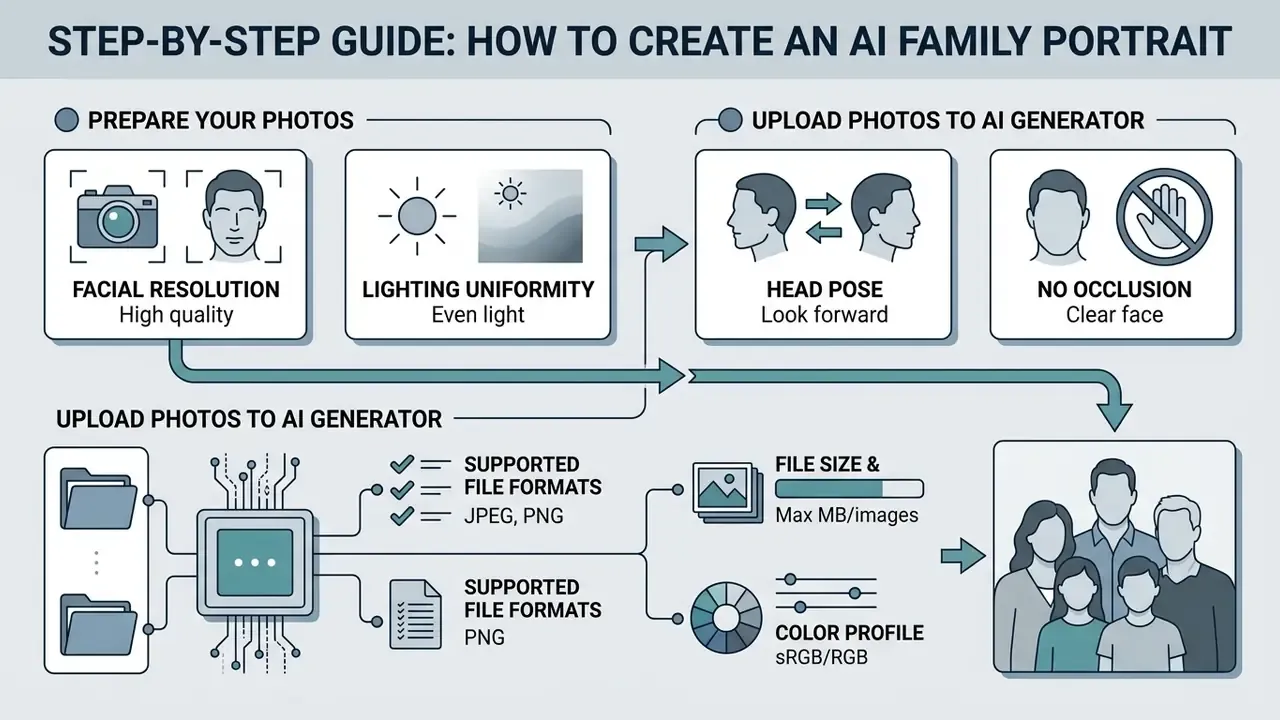
1. Upload Individual Photos -> 2. Select Style and Preset Settings -> 3. Enter Custom Text Prompt -> 4. Execute AI Generation -> 5. Quality Inspection and File Download.
How to Prepare and Upload Source Photos
To maximize visual realism, uploaded reference photos must clear minimum image-quality thresholds. Upload clear, well-lit individual portraits where facial structure is not obscured by heavy shadow, sunglasses, or hands.
- Facial Resolution
- Keep at least 240 pixels across the eye-to-chin boundary (NIST SP 800-76-2).
- Lighting Uniformity
- Avoid harsh point lights; diffuse natural lighting prevents color cast errors.
- Head Pose
- Straight-on or slight three-quarter angles give the model usable 3D face geometry.
- No Occlusion
- The face should be visible from crown to chin and ear to ear, with no hair, masks, scarves, or phones cutting the contour.
Technical Input Specifications for Optimal Identity Extraction
- Supported File Formats
- JPG, PNG, WebP, and native iOS HEIC/HEIF (direct capture from iPhone devices).
- File Size and Count Limits
- Minimum 500 KB, maximum 10 MB per file. Upload between 1 and 6 separate reference photos per generation pass; most consumer tools cap group inputs at 5 to 8 people.
- Color Profile
- sRGB or Display P3, to prevent unintended color shifts during diffusion processing.
- Avoid
- Heavy beauty filters, aggressive JPEG recompression, and screenshots of photos. All three destroy the high-frequency skin detail the encoder needs.
How to Choose Style, Background, and Aspect Ratio
Next you choose visual presets based on the final distribution medium. Standard parameters include visual style (Photorealistic, Classic Studio, Cozy Home, Cartoon, Retro), background environment (neutral studio backdrop, decorated living room, outdoor park, heritage scene), and aspect ratio.
- Social Media Feeds: 1:1 or 4:5.
- Mobile Stories and Reels: 9:16.
- Physical Canvas Print: 2:3, 3:4, or 5:7, aligned with standard frame formats.
Background choice also changes composition logic. A plain backdrop isolates the family group and hides generation errors; a contextual scene adds narrative but multiplies the number of surfaces where lighting can go wrong.
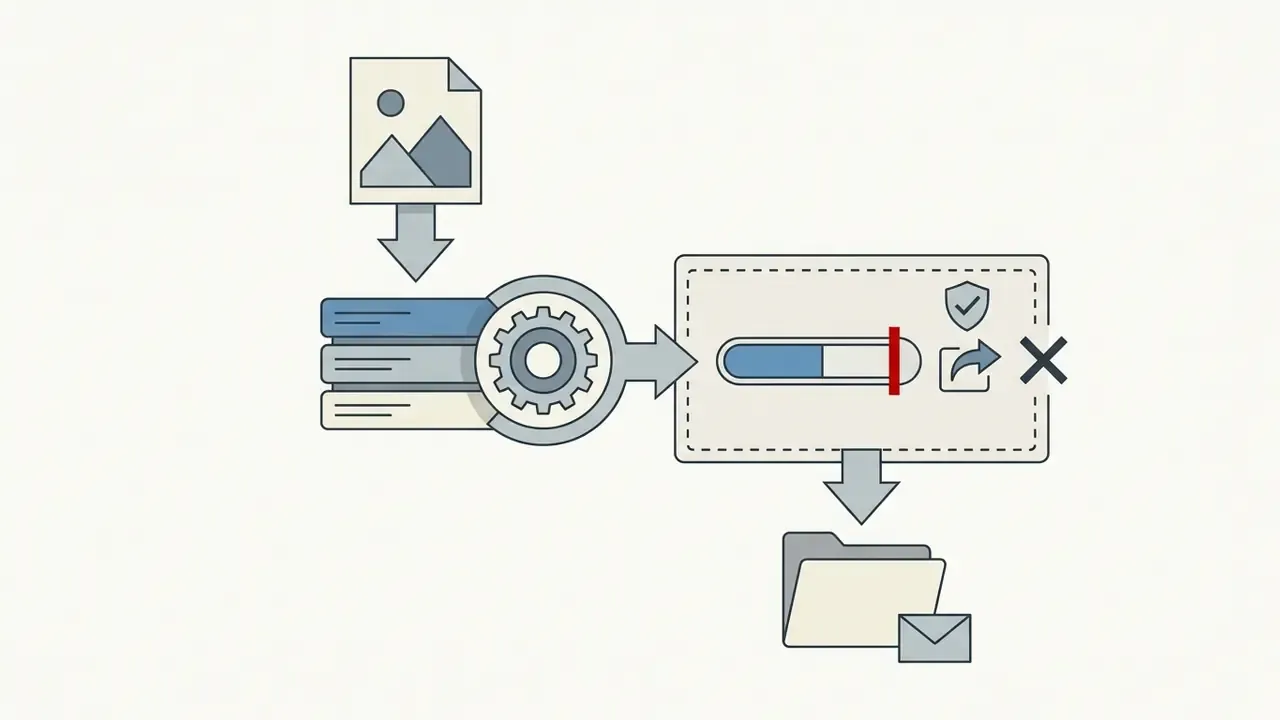
Generation, Quality Review, and File Download
Once settings are configured, trigger the model to generate candidate outputs. Processing typically takes 5 to 45 seconds depending on model parameters and server load.
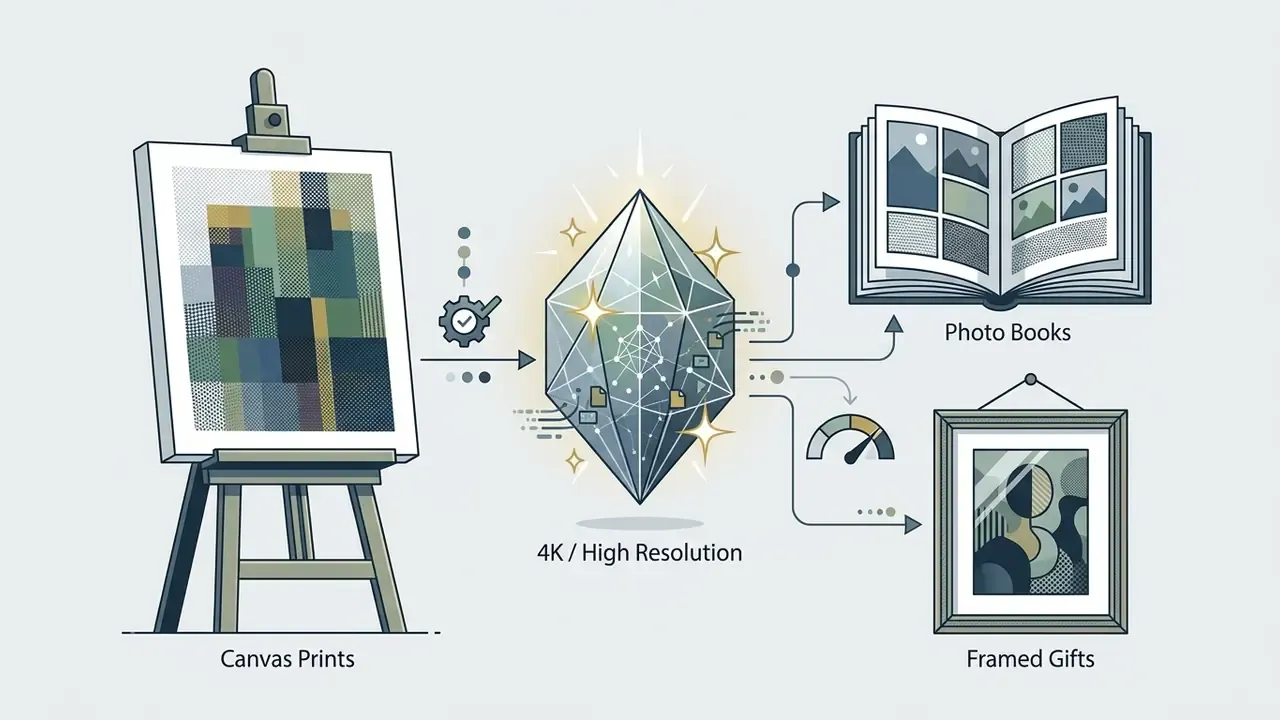
Before the final download, inspect the generated image at 100% zoom to verify facial accuracy, hand structure, and lighting consistency. High-resolution print output should be rendered at 300 PPI/DPI for crisp physical reproduction (NARA/FDA Digitization Guidelines); FDA guidance recommends 600 DPI for photographs where maximum fidelity matters. If native output resolution falls short of the print size, AI image upscalers raise pixel dimensions before export.
Export options differ by platform and directly affect downstream use:
Users comparing flexible pricing models for consumer creative software can compare options across subscription tiers, and teams estimating credit consumption per project can browse the hub for usage math before committing to a plan.

Styles, Prompts, and Editing of AI Family Photos
Precise aesthetic control over an AI family portrait comes from structured prompts and targeted post-generation editing. Whether you use a specialized ai family photo editor or prompt-guided image-to-image mechanisms, you can modify background, clothing, and lighting while keeping faces recognizable.
Prompts for Realistic, Studio, and Seasonal Portraits
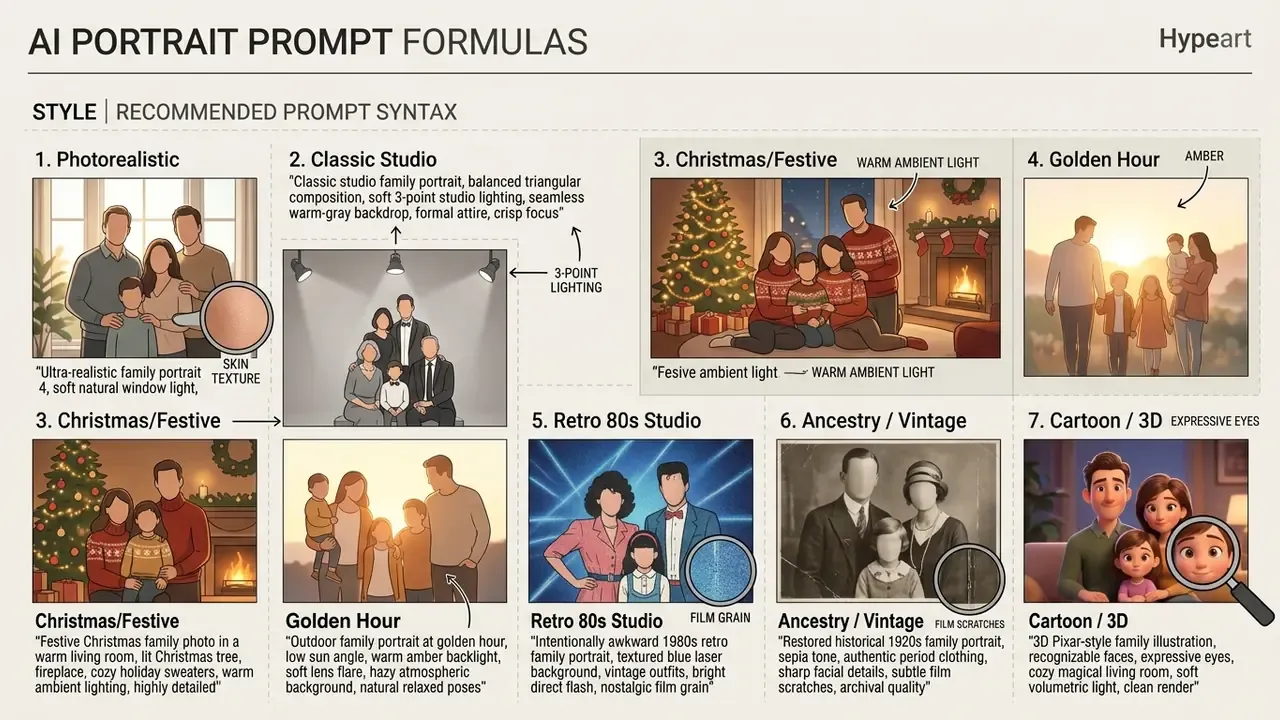
When you write prompts to ai create family portrait assets, technical camera terms ("85mm lens", "shallow depth of field", "diffuse studio lighting") push the model toward photographic realism instead of a synthetic render look.
Research on text-to-image foundation models indicates that high Word Accuracy scores above 86% make specific prompt terms, such as "cozy indoor lighting" or "snowy backdrop", reliably visible in the generated image (Z-Image Foundation Model Report, arXiv, December 2025, https://arxiv.org/abs/2512.09963).
Prompt refinement is iterative by design. Start with subject and setting, generate, then add one modifier at a time (lens, light direction, wardrobe) so each visual change traces back to a specific token. Users interested in specialized character styling can also study prompt techniques used in Ghibli-style AI image generators, where style keywords dominate output more than reference photos do.
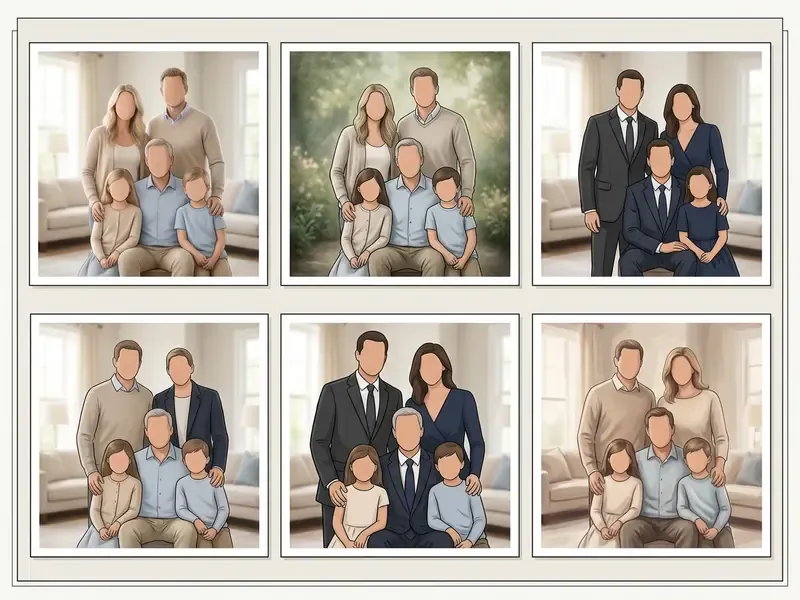
How to Edit Background, Clothing, and Family Composition
Targeted modifications, such as swapping clothing or replacing a background, run through mask-based inpainting and outpainting. Inpainting isolates a region to edit local details (a t-shirt becomes a formal jacket), while outpainting extends canvas boundaries to add space around the family group without distorting existing subjects. Vendor documentation for mask-driven editing notes that the model fills masked areas with contextually appropriate content, continuing shadows, reflections, and textures beyond the original borders.
Practical editing sequence that avoids visible seams:
- Fix identity first (faces, hair), then wardrobe, then background. Never the reverse.
- Feather mask edges by 2 to 5 px so relit skin does not meet a hard cut.
- Run a final shadow-harmonization pass after every background swap.
To see how generative models handle stylized transformation in motion rather than stills, creators can review Google Veo implementation notes or the identity-consistency behaviour documented for pixverse ai.
How to Get a Realistic, High-Quality Family Portrait
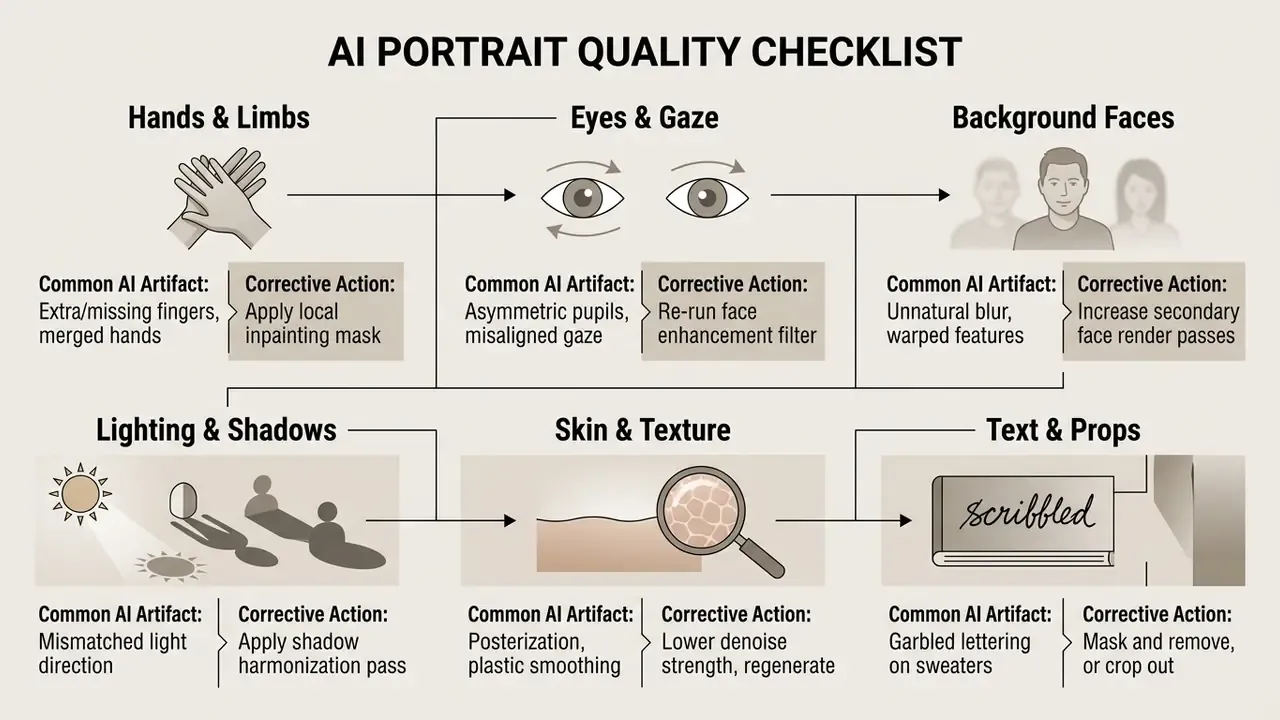
Professional quality from an ai family photo generator realistic pipeline depends on minimizing generative artifacts: anatomical deformities, blurred background faces, mismatched light sources.
For an automated second opinion before publishing, AI image detectors flag statistical artifacts that human reviewers miss at normal zoom.
Requirements for Individual Family Member Photos
Final group quality depends heavily on the input photos the user supplies. Low-resolution, heavily compressed, or shadowy individual photos force the model to guess facial structure, and guessing is where artifacts come from.
- Resolution
- High-definition source files yield sharper identity embeddings; faces below roughly 200x200 px degrade recognition reliability.
- Unobstructed Features
- Hair, hands, or phones must not block facial contours.
- Consistent Angles
- Do not mix extreme high-angle selfies with eye-level portrait shots.
- Comparable Lighting
- Photos shot under mixed color temperatures need white-balance correction before compositing, otherwise skin tones drift between family members.
Checking Faces, Poses, Light, and Background Before Saving
The practical implication is uncomfortable. A portrait that survives a one-second glance may still fail sustained inspection, which is exactly what happens when relatives open a printed photo book and hold it under a lamp. Check whether everyone in the group photo shares consistent light cast, shadow falloff, and color temperature. If background individuals show face blurring or distorted pupils, run local face retouching before final export. For broader output-quality comparisons across platforms, review the best AI image generators benchmark.
Free AI Family Photo Generator, Pricing, and Commercial Use
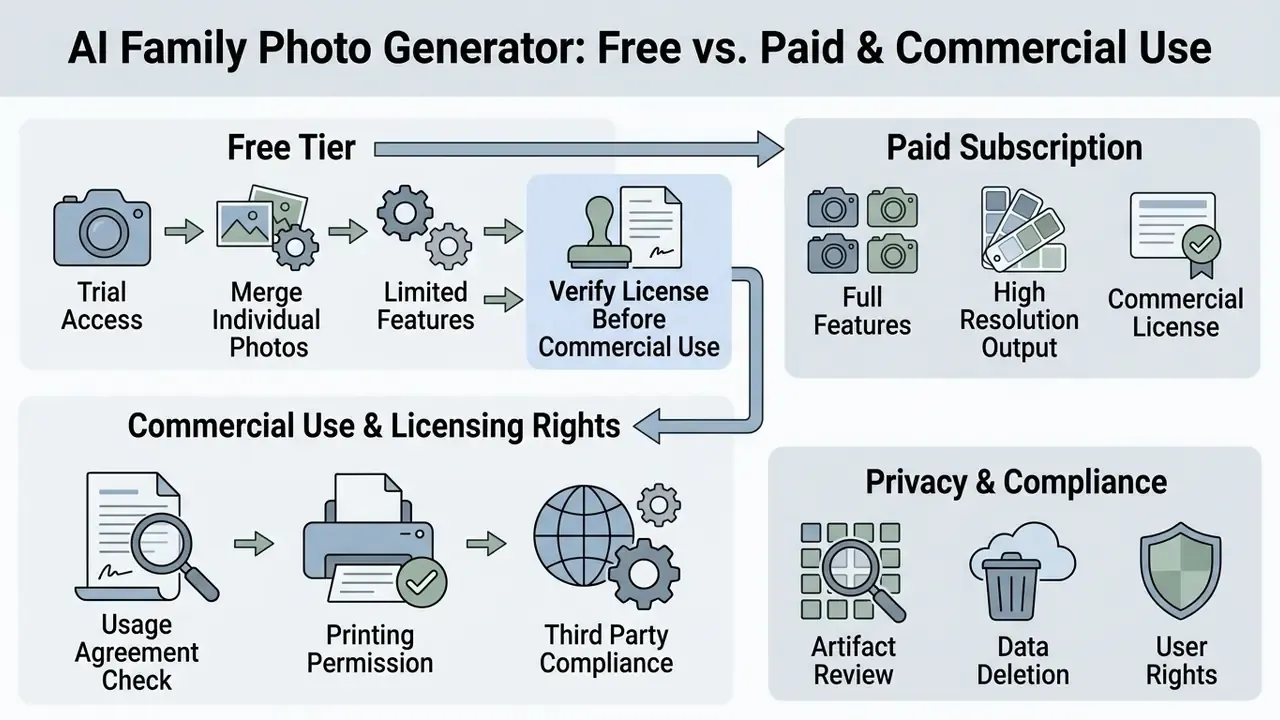
Evaluating an ai family photo generator free platform means understanding where the unpaid trial stops and the subscription begins. An ai family photo generator free online or ai family portrait generator free tool gives basic access, but high-resolution downloads, watermark removal, and commercial licensing normally sit behind a paid plan. Readers weighing rights before scaling usage can review the broader rules of commercial use of AI image generators or compare options across licence models.
| Tariff Plan | Monthly Generation Limits | Output Resolution | Watermark Policy | Commercial Usage Rights |
|---|---|---|---|---|
| Free Tier | 3 to 10 daily credits / trial packs | Standard HD (1080p) | Small watermark applied | Personal use only; attribution required |
| Paid Pro Tier | 1,000 to 12,000 monthly credits | High Resolution / 4K | Watermark removed | Full commercial rights included |
| Enterprise / Team | Custom credit pools, API access | 4K to 8K, SVG export | Removed | Commercial rights plus contractual indemnification |
Observed market patterns confirm the ladder. Consumer tools advertise 3 free credits per day or 100 daily credits, while paid family-portrait products publish monthly ladders from roughly 1,000 up to 12,100 credits with clean, commercially licensed output. Free-tier watermark rules differ materially by vendor, so read the plan page rather than the marketing headline. For side-by-side limits, see the best free AI image generators comparison and the free AI art generator breakdown.
What the Free Online Version Includes
An ai family photo generator online free service typically hands out limited trial credits at signup, enough to test basic generation workflows. Unpaid tiers usually add lower render priority, mandatory watermarks on exports, and restricted access to fine-tuning tools. Users comparing entry points without account creation can review free AI generators with no sign-up.
Anyone testing an ai family portrait generator free online service should note that 300 DPI exports, the ones you actually need for canvas printing, are generally reserved for paid accounts. Feature limits and export restrictions in free photo editors follow the same commercial logic and make a useful benchmark.
How to Verify the License Before Printing or Commercial Use
Before using generated output for commercial marketing, book publishing, or merchandise printing, review the platform's Terms of Service on commercial rights. In the United States, purely AI-generated output lacking substantial human creative input is not protectable under copyright law (U.S. Copyright Office Guidance, 2025). The Office's 2025 report states that output gains protection only when a human author determines sufficient expressive elements, and that prompting alone is not enough.
«The EU AI Act requires providers to mark AI content in machine-readable form; realistic portraits imitating real people need visible deepfake disclosure.»
This information is general and does not replace legal advice on copyright, data protection, or commercial licensing. Documented disputes and enforcement patterns around generative media are collected separately, and you can browse the hub for case-level context.
Privacy, Consent, and Documentation Standards for Synthetic Family Imagery
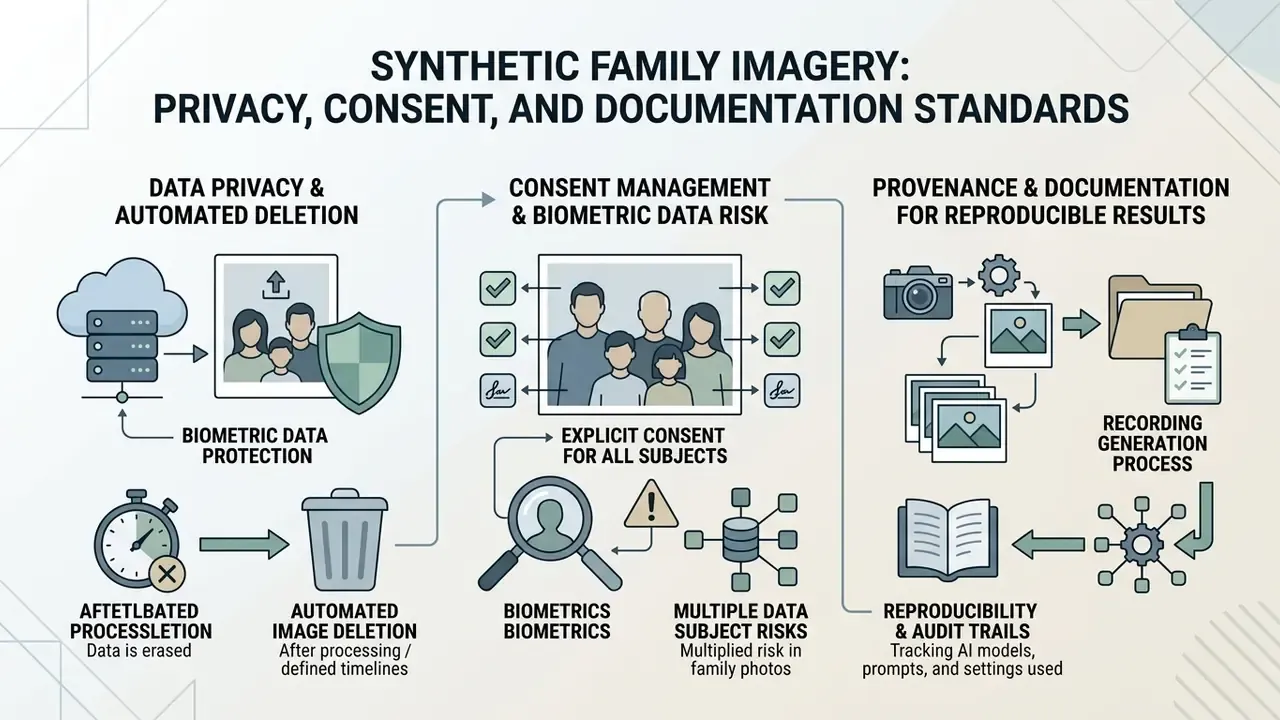
Family photos are among the most sensitive files a person will ever upload, because a face image is biometric data and a group photo multiplies the number of data subjects involved. This section consolidates the governance side of the workflow so consumer readers and organizational reviewers work from the same facts.
Data Privacy and Automated Image Deletion
Reputable AI family portrait generators process uploaded face references inside isolated temporary storage. Uploaded biometric image data and extracted facial embedding vectors are automatically purged from processing servers within 24 hours after generation. Source images should never train public base diffusion models without explicit opt-in. Retention windows do vary in practice, and published vendor policies range from deletion immediately after processing to 14 days for one-time packs and 90 days for professional shoot plans. That retention clause is the single most important line to read before uploading photos of children.
Consent Management and Biometric Data Risk
Privacy regulators treat AI image generation as data processing, not as a neutral rendering step. Australia's OAIC states that using AI to generate or infer personal information, including images, constitutes a collection of personal information subject to privacy obligations, and advises against entering personal information into public generative tools. The EDPS joint statement adds that systems should prevent misuse such as non-consensual imagery, provide clear transparency, and offer fast removal mechanisms, with enhanced safeguards for children.
Practical consent checklist before uploading:
- Obtain explicit permission from every adult depicted, and from a parent or guardian for every minor.
- Never upload photos of colleagues, clients, or third parties to a consumer tool without documented consent.
- Prefer providers that disclose deletion windows, training opt-out, and sub-processor lists.
- Avoid using generated likenesses in any identity-verification, KYC, or liveness context. Synthetic faces in verification files create fraud and audit exposure, not convenience.
Provenance and Documentation for Reproducible Results
Whether you print a single holiday card or approve imagery inside an organization, recording generation parameters makes results reproducible and disputes resolvable. NIST guidance on synthetic content notes that provenance tracking and authenticity metadata help establish the origin and history of digital content.
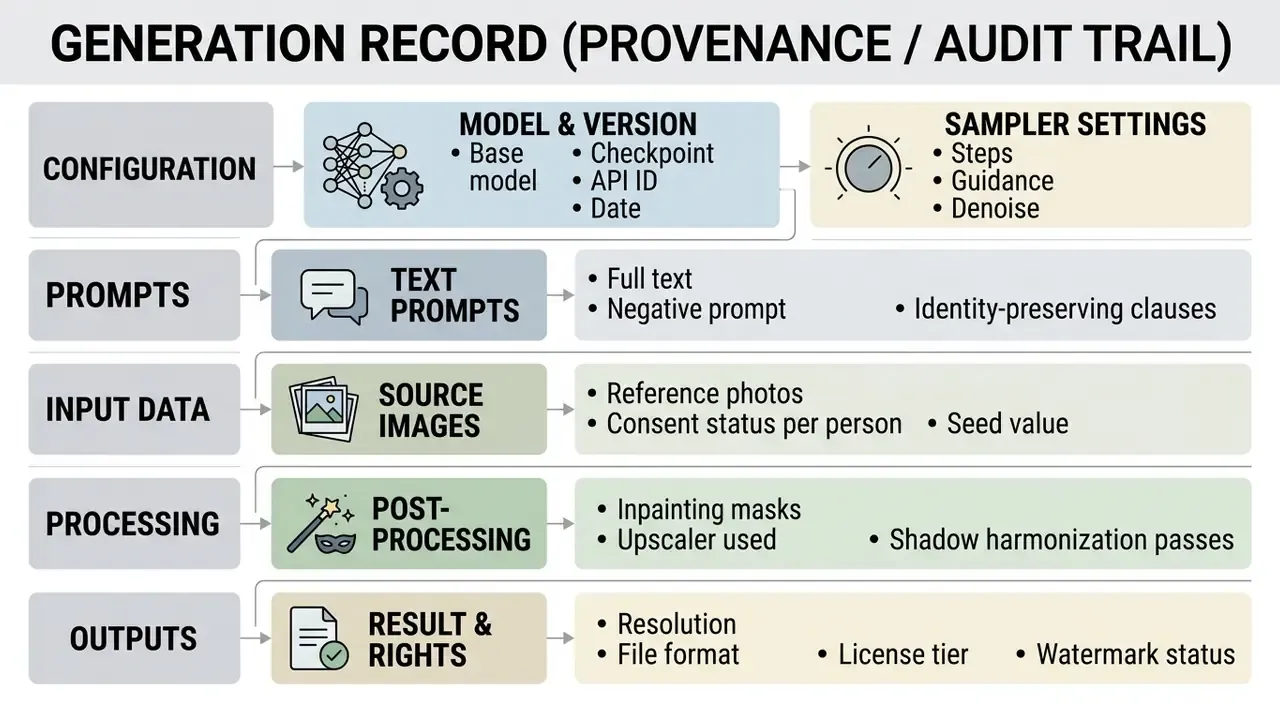
Keeping this record next to the exported file also satisfies the EU AI Act's expectation of machine-readable marking and visible disclosure for realistic synthetic depictions of real people. It costs about two minutes per batch. It saves considerably more when someone asks, six months later, how a particular image was made.
FAQ About AI Family Photo Generators
How many people can be added to one family portrait?
Most commercial AI family photo tools reliably support 4 to 8 people without losing facial detail, and consumer interfaces frequently cap uploads at 5 or 6 reference photos for exactly that reason. Identity consistency degrades sharply as group size grows.
«MultiHuman-Testbench records systematic failures: wrong person count, identity merging, and skipped described actions, even with controlled input poses.» - MultiHuman-Testbench, Qualcomm AI Research, NeurIPS 2025. https://arxiv.org/abs/2411.00986 For a large extended family, generating smaller sub-groups and compositing them in an editor gives higher facial fidelity than forcing 15 people through a single pass.
What file formats and sizes are supported?
Mainstream tools accept JPG, PNG, WebP, and native iPhone HEIC/HEIF files, typically up to 10 MB per image, with 1 to 6 reference photos per generation. Keep files in sRGB or Display P3, skip screenshots and heavily filtered exports, and upload the original camera file rather than a messaging-app copy, which arrives recompressed and soft.
Will the AI change our faces or hairstyles?
Identity-preserving pipelines are built to keep each person's features, but drift happens on low-quality inputs or heavily stylized prompts. Add "keep original faces and hairstyles" to the positive prompt and "deformed faces, morphed features, identity blend" to the negative prompt, then compare output against the source photo at 100% zoom before saving.
Can old, damaged, or black-and-white photos be used?
Yes. Restoration passes handle scratch removal, fading, tears, and colorization, and can upscale scans for print. Scan archival prints at 300 DPI minimum, 600 DPI for small originals, restore first, then use the cleaned file as a reference photo for a multi-generational portrait.
How long does it take to create a family photo?
Generating a standard family portrait usually takes 15 to 60 seconds, and some services advertise around 30 seconds end to end. Speed depends on model architecture, computational load, and resolution settings.
«Z-Image-Turbo, 6 billion parameters and 8 NFE per generation, reaches Elo 1025 and an 87.4% acceptable-result rate.» - Z-Image Foundation Model Report, arXiv (December 2025). https://arxiv.org/abs/2512.09963 Uploading high-resolution reference photos and running face-alignment or restoration filters adds end-to-end time beyond raw model inference, so budget a couple of minutes per finished frame in practice.
Can I use an AI family portrait generator app on my phone?
Yes. Most modern generative photo services offer mobile access through native iOS and Android apps or responsive mobile web. You can upload source photos straight from the smartphone library, configure prompts, and download output on the device. Native mobile apps usually render in the cloud, so device processing power does not limit generation speed or quality. Vendor documentation for major creative suites lists support from roughly iOS 17.4 and Android 9.0 upward, and many mobile apps gate advanced features behind in-app purchases after a free trial.
Is it safe to upload family photos, and are they deleted?
It is reasonably safe with reputable providers that delete uploads after processing and exclude them from model training. Confirm three things in the privacy policy: the retention window (24 hours is common, though some plans keep files 14 to 90 days), whether embeddings are stored separately from images, and whether training opt-out is the default. Do not upload photos of people who have not consented.
Limitations and Open Questions
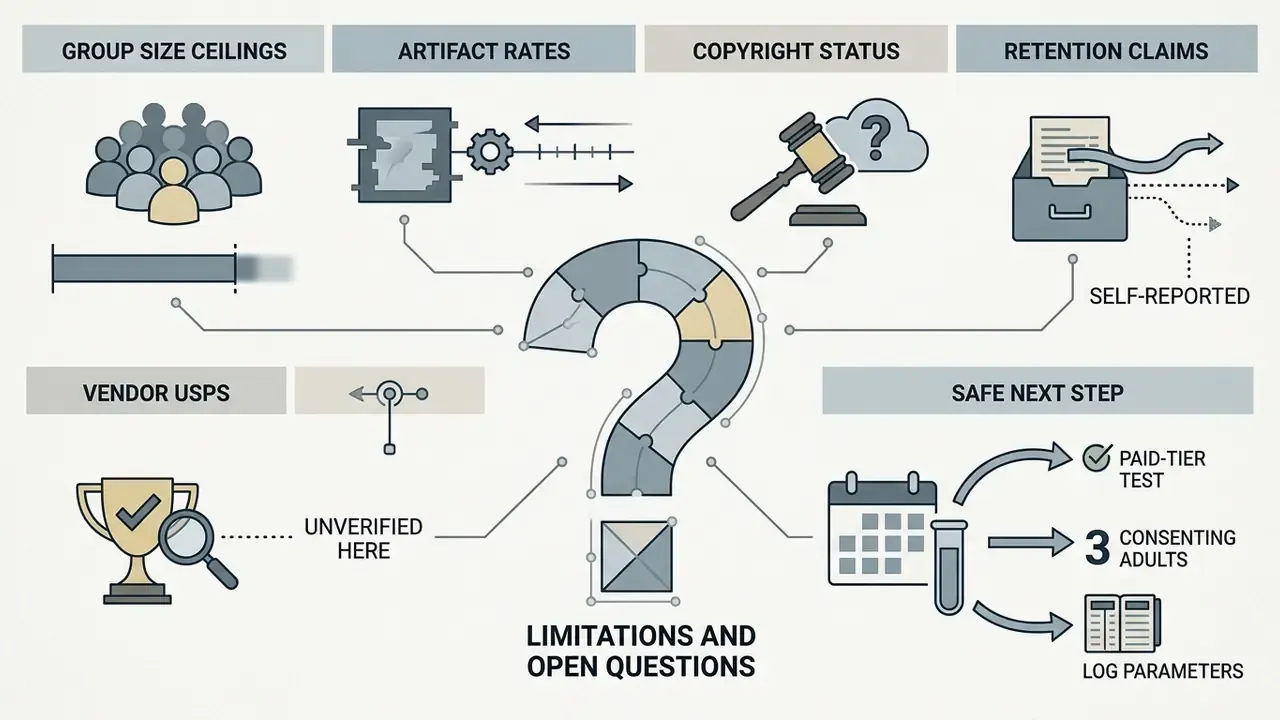
A few things this guide cannot promise, and it is better to say so plainly.
- Group size ceilings are empirical, not documented. Vendors rarely publish the person count at which identity blending starts. Test with your own family before paying for a print run.
- Artifact rates shift with every model release. The Distortion-5K numbers describe 2025-era models. By late 2026 the failure profile will differ, but the review checklist still applies.
- Copyright status remains unsettled. U.S. guidance protects human-authored expressive elements, not raw output. How much prompt work counts as authorship is still being litigated.
- Retention claims are self-reported. Very few consumer providers publish third-party attestations for deletion windows. Treat a policy statement as a commitment, not as verified evidence.
- Vendor USPs are unverified here. No specific platform is endorsed in this guide, because no vendor claim in this category has been independently confirmed for accuracy at the time of writing.
A safe next step: run one paid-tier test generation with three consenting adults, log the parameters in the provenance table above, print a single 8x10, then decide. Small pilot, cheap lesson.