Why does this matter to a risk or compliance function at all? Because these tools rarely arrive through procurement. They arrive through a marketing intern's browser tab.
Executive Summary
For consumers and creators: upload a sharp, front-facing photo with a visible torso, pick a target muscle group or write a precise prompt, keep intensity proportional to your real frame, and export at the highest available resolution. Free tiers deliver 3–5 daily generations at standard resolution with watermarks. Paid tiers unlock HD/4K, priority queues, and image-to-video muscle growth clips.
For risk, legal and governance teams: three exposures dominate.
- Intellectual property.Fully machine-generated imagery without meaningful human creative control cannot be registered for U.S. copyright, and free tiers usually prohibit commercial exploitation entirely.
- Biometric and likeness privacy.Body edits that retain a recognizable face touch biometric identifiers (Illinois BIPA and analogous state statutes) plus right-of-publicity rules. Consent must be documented before publication, not after.
- Shadow AI.Consumer body-editing tools are typically adopted by marketing teams without vendor review, moving employee and customer photos onto unvetted infrastructure. Every such tool belongs in the model/AI inventory with a data-retention and deletion attestation.
Bottom line: AI muscle generation is a pixel-level visual effect. It is cheap, quick, and highly shareable, and it becomes a liability the moment it is published without labeling, consent, or licensing verification.
One more framing point, borrowed from the model risk world: no evidence, no autonomy. A body-editing tool with no documented owner, no retention terms, and no publication gate is an unowned process, not a creative shortcut.
What Is an AI Muscle Generator and What Can It Create?
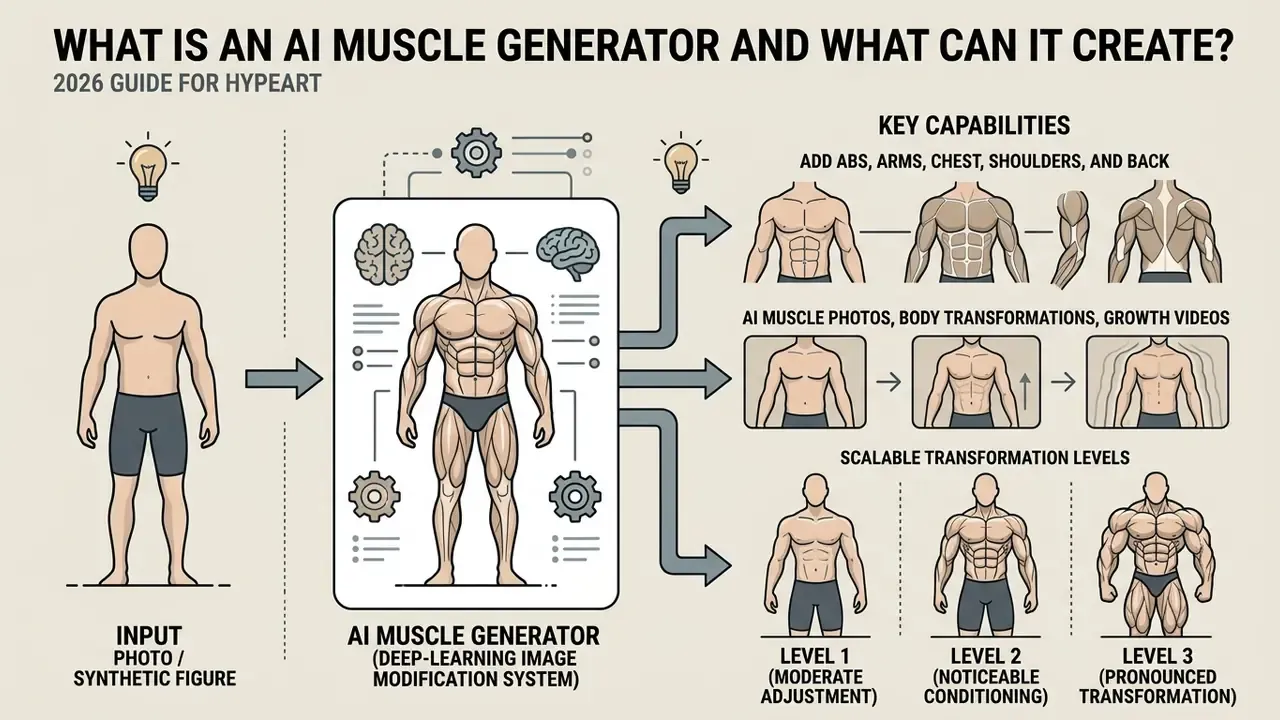
An ai muscle generator is a deep-learning image modification system designed to transform synthetic or real human figures into athletic, muscular, or bodybuilder-style representations. Using an ai body muscle generator, users alter structural proportions on a static image without manual sculpting inside complex photo editing software. An ai muscle generator from image platform evaluates structural keypoints, isolates clothing or skin boundaries, and applies localized diffusion patterns to render enhanced physical features. An ai muscle image generator can produce both subtle fitness adjustments and pronounced physical shifts.
Readers comparing general-purpose editing suites can start with our reference guide to online photo editors, while enterprise teams evaluating adjacent media tooling can review specialized capabilities in our guide to chatgpt video generation.
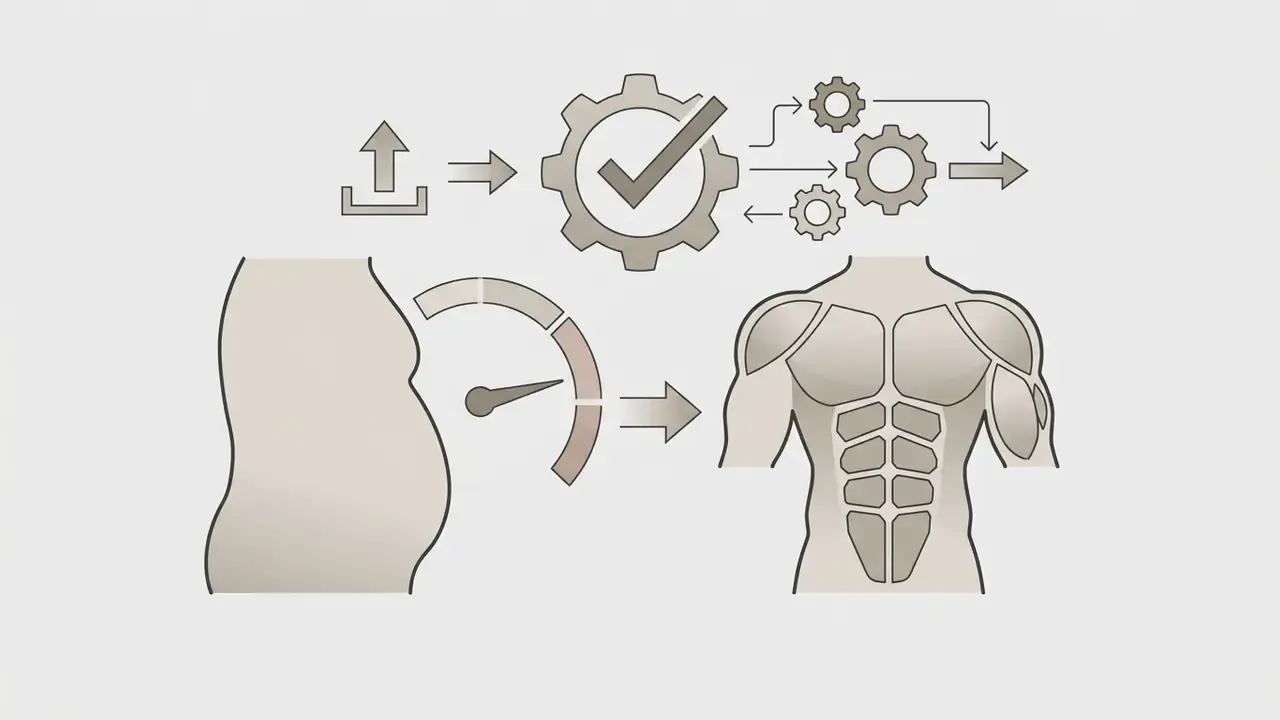
Typical vendor workflows in 2025–2026 follow a consistent pattern: upload the source file, mark or select the body area, enter a prompt or choose a preset, then download the result. Edits concentrate on abs, arms, chest, shoulders, back, and the general "fitness look," with presets ranging from athletic flex to bodybuilder and superhero builds. Outputs arrive either as still image downloads or as short MP4-style transformation videos.
Add Abs, Arms, Chest, Shoulders and Back to a Photo
An ai ab generator isolates the abdominal region of a portrait to render defined six-pack or eight-pack contours, aligned with natural waistlines and skin tones. Users comparing adjacent retouching workflows can review how general-purpose AI photo editors handle region-based edits before committing to a body-specific model. When targeted at upper-body groups, an ab generator ai adjusts bicep thickness, chest breadth, deltoid definition, and upper-back lats while maintaining existing arm angles and torso symmetry.
Advanced localized editing relies on cross-attention regularization methods, the approach popularized by localized image editing research such as LIME, which constrain deep neural updates strictly to selected regions of interest while keeping background elements unchanged.
This localized targeting prevents unintended distortion of surrounding clothing, background geometry, or adjacent limbs. Instruction-based image editing surveys note that pose and viewpoint tasks must be evaluated with pose metrics alongside image-similarity checks, precisely because identity and global structure are the first casualties of unconstrained generation.
AI Muscle Photos, Body Transformations and Growth Videos
An ai body transformation image generator converts standard full-body photos into high-definition athletic portraits, digital avatars, or promotional fitness assets. Beyond still outputs, an ai muscle growth generator uses temporal diffusion pipelines, the class of methods represented by physics-grounded single-image video synthesis research such as PhysGen, to synthesize multi-frame transformation sequences from a single static input photo. This attribution describes a research direction rather than a specific commercial product; independent verification of the cited pipeline is recommended before quoting it in regulated materials.
These systems generate smooth image-to-video transitions that depict progressive muscle expansion across a short clip. Practical implementations expose parameters familiar to anyone using image-to-video AI tools: a reference image field, a frame count (commonly 24–121 frames at 24–30 fps), and an inference-step value that trades render time for temporal stability.
Vendor APIs in production, including Google Veo 3.1's image-to-video mode, NVIDIA Dynamo's input_reference plus num_frames and num_inference_steps parameters, and HeyGen's POST /v3/videos animation endpoint, all confirm that a single PNG or JPEG is sufficient input. Academic work on controllable image-to-video generation demonstrates that diffusion models can preserve appearance while producing smooth inter-frame transitions, which is exactly what a plausible muscle-growth morph requires. Enterprise media workflows built on generative video models can explore performance controls through our analysis of the chatgpt video generator.
How to Add Muscle to a Photo With AI
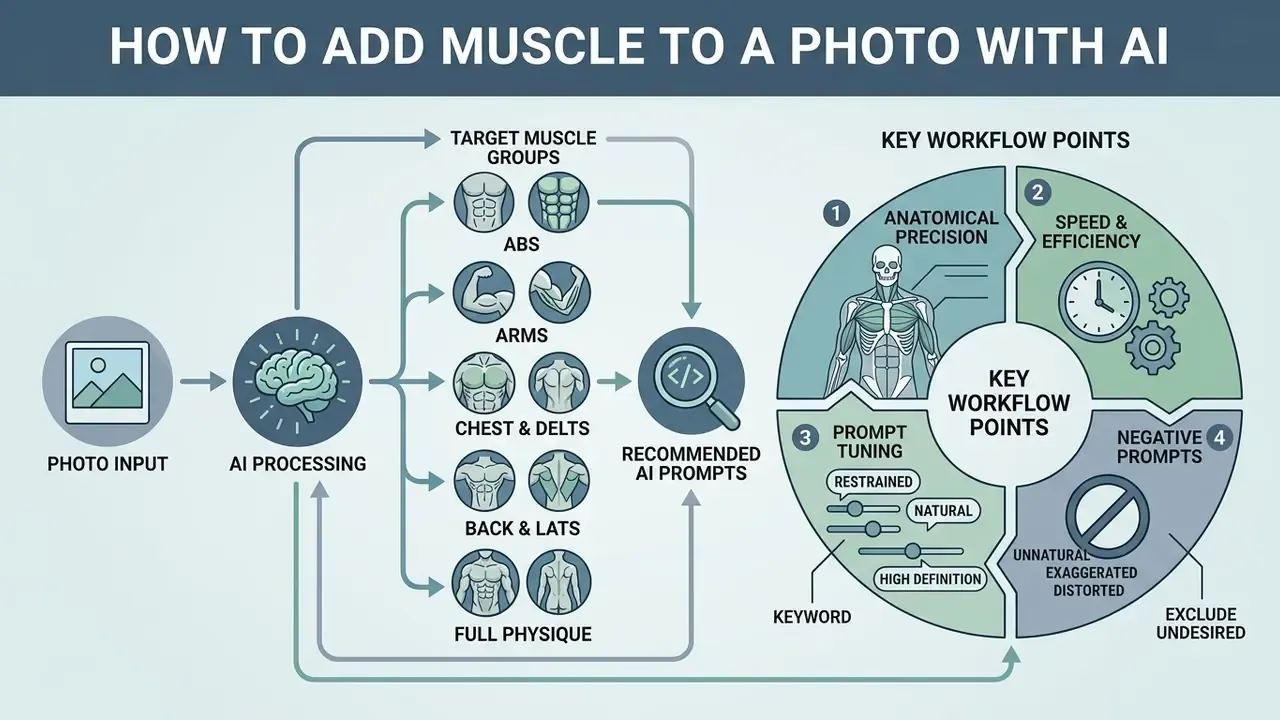
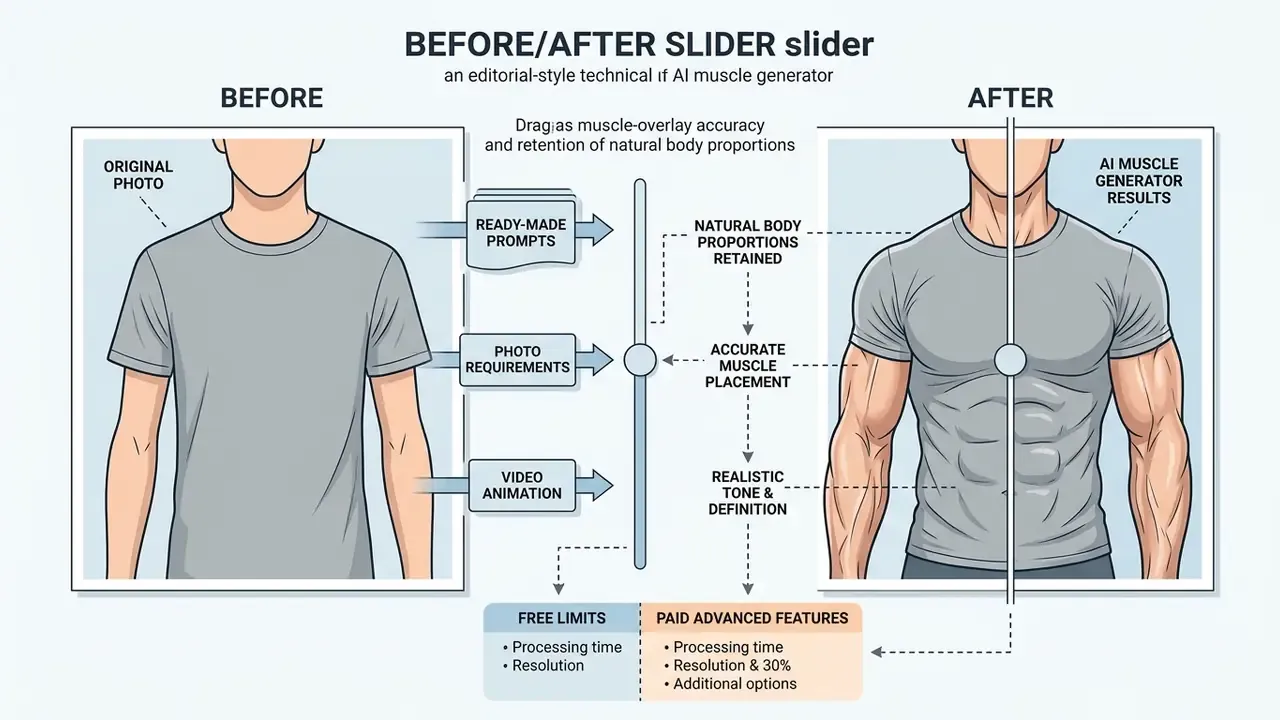
To make add muscle to photo ai workflows effective, users follow a structured pipeline that balances algorithmic speed with anatomical precision. Modern browser tools let operators run ai add muscle to photo edits without manual layer masking or color-matching skills. To add muscles to photo ai models accurately, the source image must contain enough structural data for neural keypoint alignment. Using an ai muscle generator online platform, content creators can process raw uploads into edited assets within seconds. Users interested in general image manipulation standards can view the guide for core editing conventions.
Recommended AI Prompts for Target Muscle Groups
To achieve anatomically correct results with prompt-based AI muscle tools, use targeted positive and negative prompt combinations rather than a single generic instruction such as "make me muscular."
- Six-Pack / Eight-Pack Abs
shredded abs, defined rectus abdominis, symmetrical V-line, natural skin pores, 8k resolution, photorealistic - Biceps & Forearms
bulging biceps peak, vascular forearms, defined brachialis, realistic muscle insertion, natural arm shadows - Chest & Deltoids
chiseled pectoral muscles, broad striated shoulders, upper chest density, seamless collarbone alignment - Back & Lats
wide latissimus spread, defined trapezius, natural spinal shadow line, athletic taper to waist - Full Physique Transformation
lean athletic conditioning, low body fat percentage, balanced muscular hypertrophy, natural bodybuilder proportions - Restrained / Natural Look
softly toned but not muscular, average build, proportional figure, medium frame, natural skin texture and lighting - Negative Prompts (What to Exclude)
deformed limbs, extra fingers, plastic skin texture, unrealistic muscle placement, warped background, blurred joints, duplicated navel, melted clothing seams
Short prompts such as "abs," "lats," "strong arm," or "V-line packs" work on most consumer tools, but they delegate every anatomical decision to the model. Descriptor-rich prompts that name the actual muscle (rectus abdominis, brachialis, latissimus) consistently reduce insertion errors, because they anchor generation to anatomical vocabulary present in the training corpus.
Inpainting & Masking vs Global Sliders: Which Workflow to Choose?
- Slider-Based Parametric Editing best for beginners. The model detects body boundaries automatically and scales muscle intensity globally via percentage sliders (1–100%) or fixed presets labeled Weak / Medium / Strong. Fastest path to a shareable result, least control over which muscle actually changes.
- Region-Based Inpainting (Brush Masking) best for precise control. Users paint over specific regions, only the left bicep, only the upper abdominal wall, and set the Denoising Degree (recommended range 0.35 to 0.65). A higher denoising value lets the model re-render muscle textures completely; a lower value preserves original skin detail, clothing lines, and tattoos. Vendor documentation for masked workflows also warns against duplicating muscle-area descriptions inside the mask prompt: keywords in the mask field define where to redraw, while the main prompt defines what to render. If changes look too weak, the correct fix is to widen the mask or raise the mask parameter, not to stack more adjectives into the prompt.
- Face-Fit / Composite Workflows some platforms let users place an existing face onto a pre-generated athletic body. This produces the strongest muscle definition and the weakest identity fidelity, and it carries the highest likeness-consent risk, because the published body is not the subject's own.
Upload an Image That Works Well for AI Body Editing
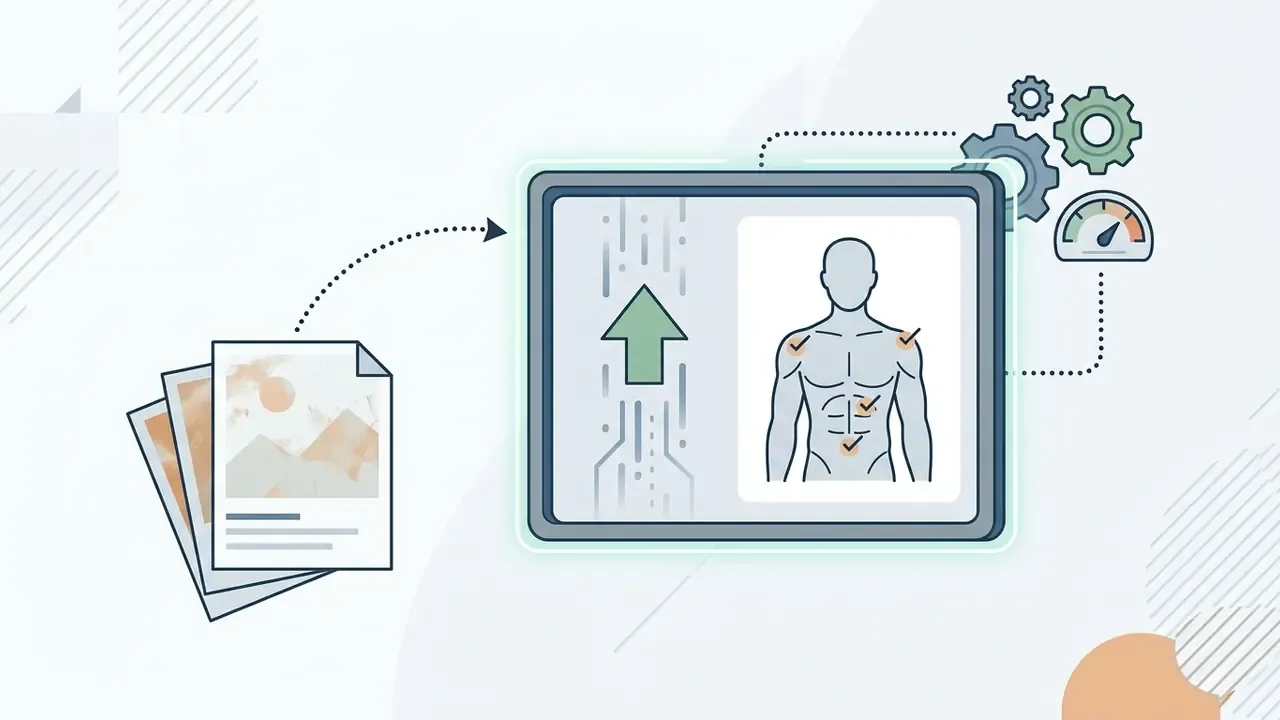
The first stage of any ai muscle generator photo task is selecting an appropriate source file. Generative networks perform best on high-resolution JPG, PNG, or WEBP images with unobstructed torso visibility, front-facing or three-quarter poses, and consistent ambient lighting. Images with extreme blur, heavy compression, or severe shadows obscure body boundaries, which pushes diffusion models toward misplaced muscle groups and smeared skin texture.
Updated source guidance. Rather than relying on generic vendor keypoint marketing claims, the practical constraint is documented in diffusion body-editing research:
«With strong noise, diffusion destroys body structure and identity; with weak noise, it fails to remove artifacts.»
Practical capture standards reinforce the same requirement. Face-image guidance recommends a near-frontal pose (pitch under roughly 30° down or 45° up, yaw under 45° to either side), evenly distributed lighting with no strong directional light from the camera position, and both eyes clearly visible without tight cropping. Detectable faces can be as small as 50×50 pixels, but accuracy improves materially with larger, sharper subjects. A minimum of 600×600 px for the face region is a safe working floor.
Image Selection Criteria: Do's and Don'ts
| Feature | Ideal Input Photo (High Accuracy) | Unsuitable Input Photo (Causes Artifacts) |
|---|---|---|
| Clothing | Form-fitting gym wear, swimwear, or bare torso | Loose hoodies, baggy t-shirts, oversized jackets, thick coats |
| Subject Count | Single individual centered in frame | Group photos, crowded background events, overlapping bodies |
| Camera Angle | Eye-level, front-facing, or 3/4 athletic stance | Extreme low/high tilt, distorted wide-angle or fisheye lenses |
| Body Visibility | Clear view of torso, shoulders, and waistline | Obscured body parts, arms crossed over chest, heavy shadows, cropped hips |
| Lighting | Even, diffuse, front or three-quarter light | Harsh single-source backlight, colored stage lighting, deep contrast shadows |
| Resolution & Compression | High-resolution original, minimal re-compression | Screenshots, heavily compressed social re-uploads, upscaled thumbnails |
| Post-Processing | Unfiltered original file | Heavy beauty filters, aggressive skin smoothing, applied AR effects |
If the source photo violates two or more rows in the right-hand column, no intensity setting will rescue the output. Re-shoot before generating. That single habit saves more review cycles than any prompt tweak.
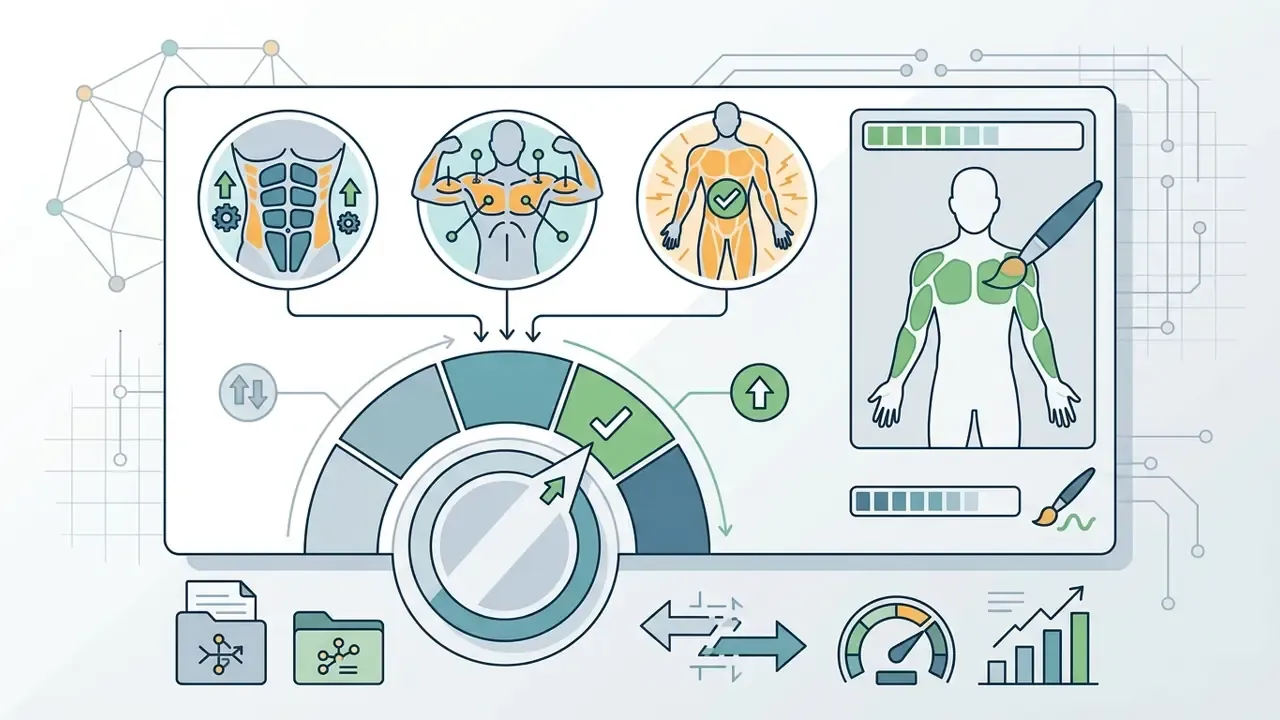
Choose a Muscle Filter, Body Style and Intensity
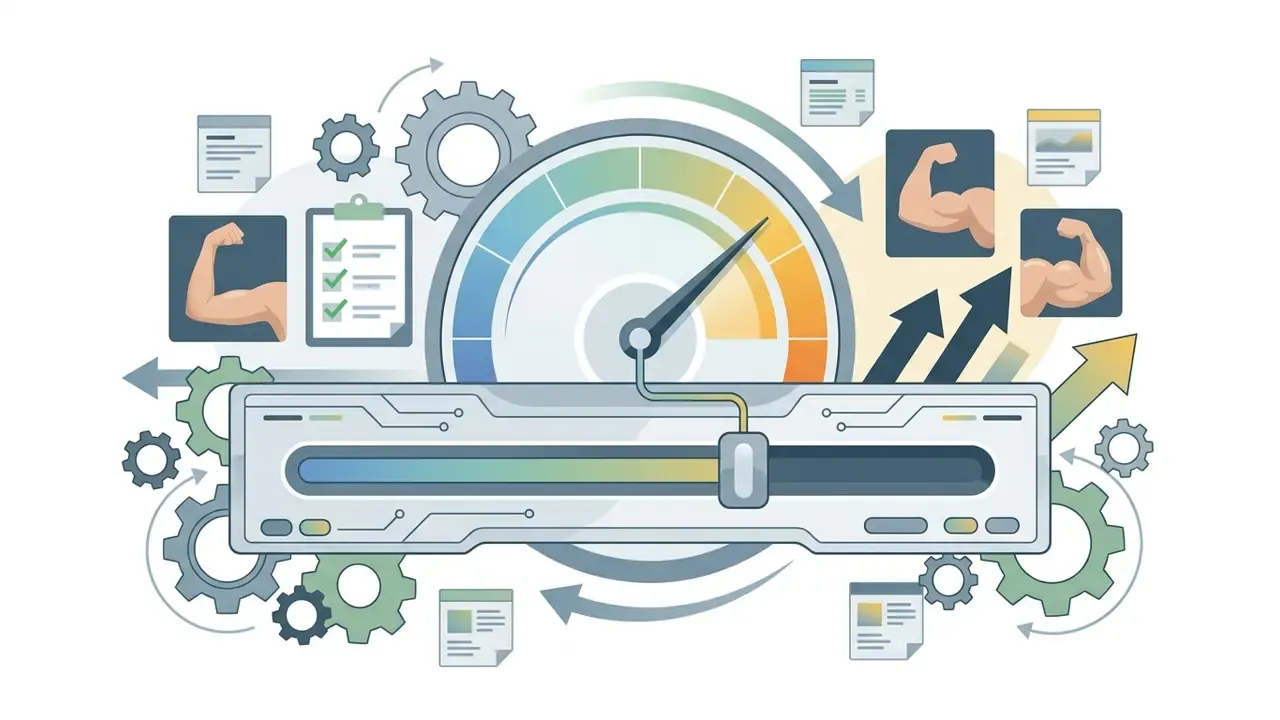
Once the file is uploaded, users select an athletic preset such as lean athletic, powerlifter build, or superhero proportion. Platforms offering an ai muscle filter online feature slider controls that calibrate transformation intensity across mild, medium, and extreme tiers, and vendor interfaces commonly expose three named levels: Weak, Medium, and Strong. Research on controllable body editing frameworks shows that interpolating along continuous latent attribute directions allows models to scale muscle definition while preserving overall subject identity.
That methodology matters for practitioners. Because the training pairs hold clothing and background constant, the model learns shape change in isolation. Tools built on comparable datasets therefore preserve garments and scenes well, then degrade quickly once the input violates those conditions, which is exactly why loose clothing and cluttered group shots fail. Adjusting the intensity slider keeps physical enhancement proportional to the subject's original frame size.
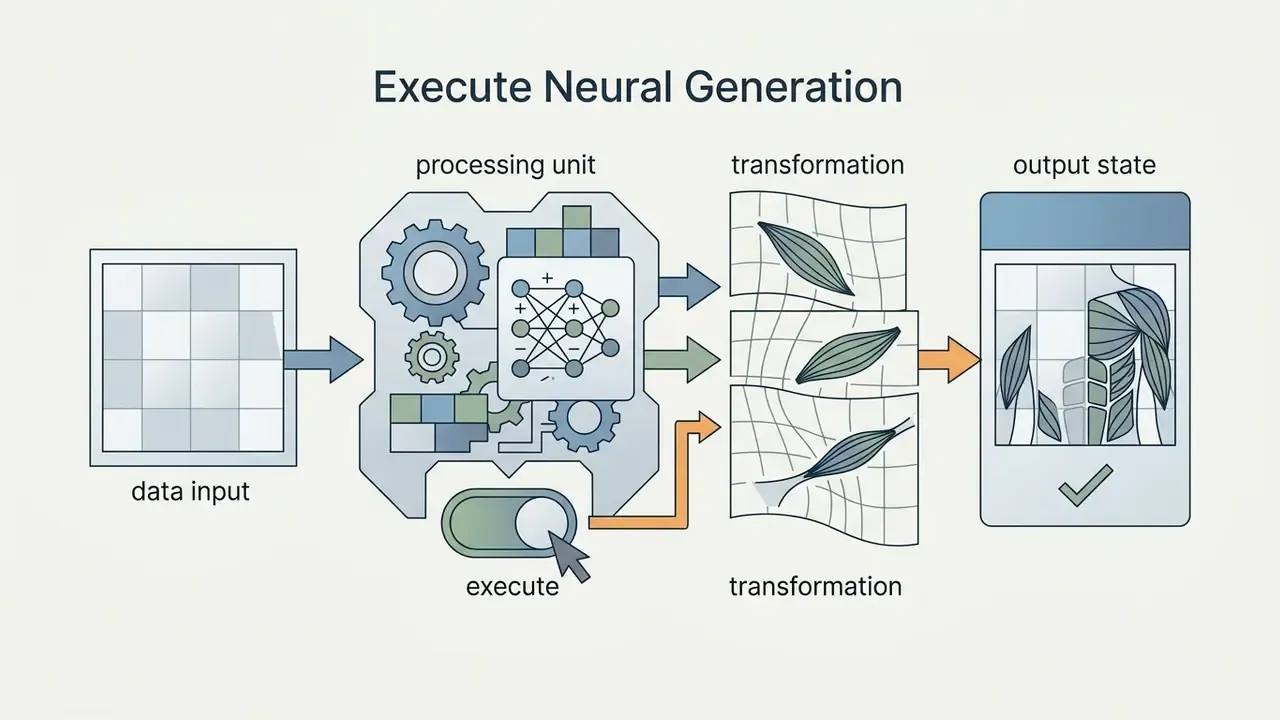
Generate, Review and Download the Edited Image
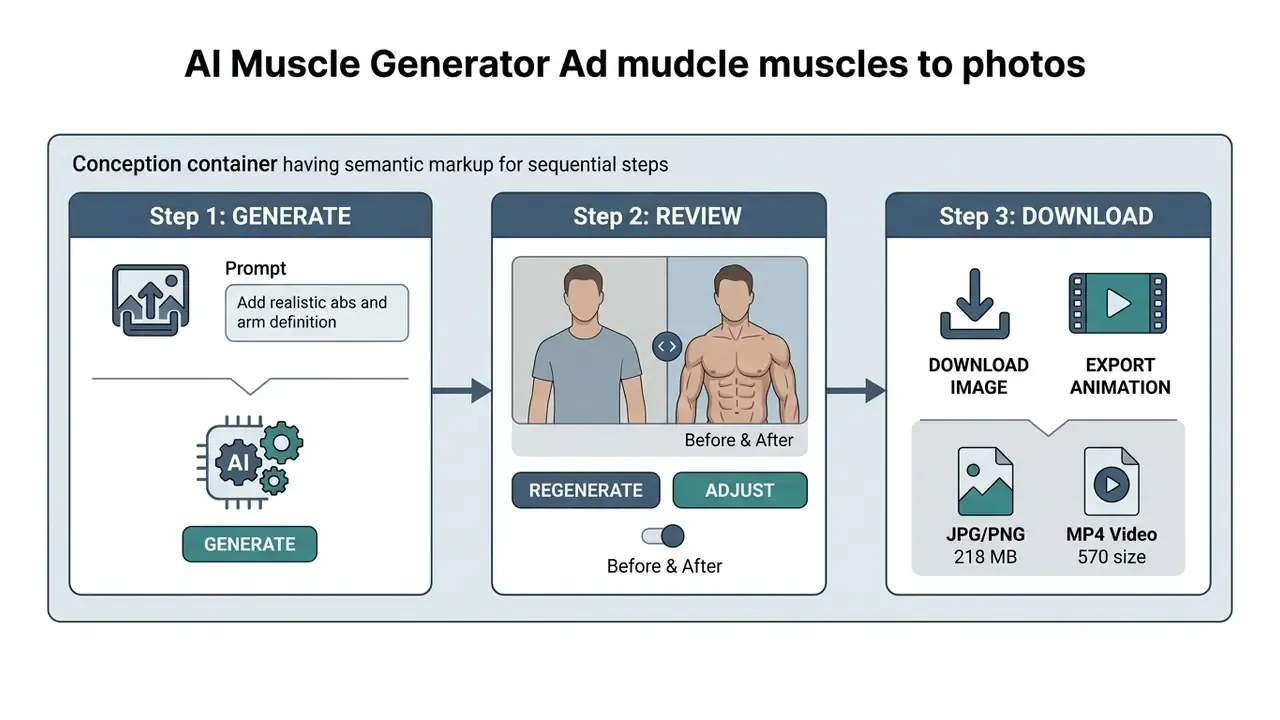
After the transformation parameters are set, the system runs an inversion-based diffusion pass to construct the modified file. Users review side-by-side before-and-after previews to inspect facial consistency, edge blending, and lighting integration before downloading. Export options vary by platform tier, offering standard-definition outputs for basic testing and uncompressed HD/4K files for production deployment.
A recurring quality trap sits at the export step rather than the generation step. Many delivery pipelines silently downsample images (frequently to 300 ppi) when packaging output into documents or PDFs. If the deliverable must retain full pixel fidelity, choose the "original resolution" or "do not downsample" export path, and archive the lossless master separately from any compressed social-ready derivative. Organizations managing broad media pipelines can evaluate editing platforms through our guide to the clipchamp video editor, and teams needing lightweight distribution copies can consult our reference on video compressors.
What Determines Whether AI-Generated Muscles Look Realistic?
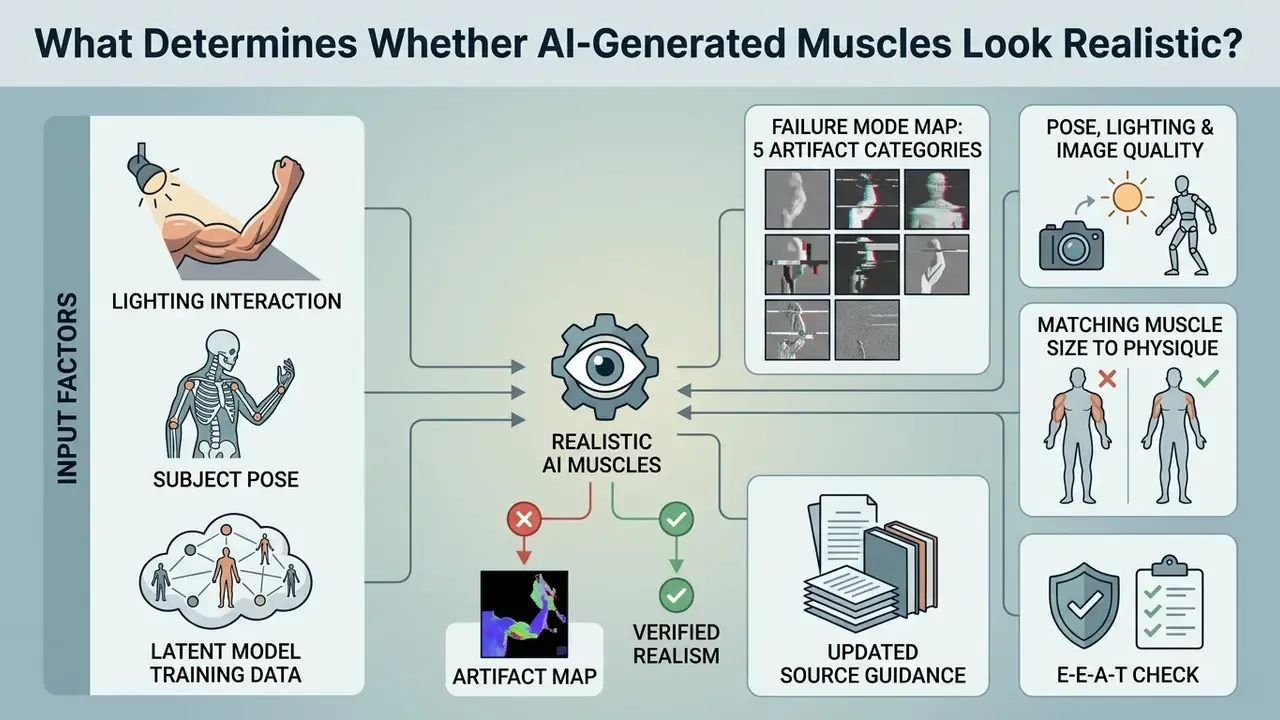
Natural-looking results from an ai fit body generator depend on the interaction between input lighting, subject pose, and latent model training data. Photorealism requires an ai muscle filter free or paid tool to align newly rendered textures with existing scene dynamics. When using an ai body transformation photo generator, unnatural muscle placement usually appears because the underlying model fails to calculate proper skeletal attachment points. Understanding the algorithmic limits is what keeps assets from looking synthetic.
Comparative studies of AI anatomy generation published in 2024–2025 found that no evaluated system achieved full anatomical accuracy, and that muscle attachments and transparency were among the hardest structures to render correctly. Faulty insertions and inconsistent adjacent vessel or nerve courses were common enough to disqualify outputs from educational use. Error taxonomies from the same period classify anatomy failures into five recurring categories, which double as a practical QA checklist.
Failure Mode Map: Five Artifact Categories to Inspect Before Publishing
| Artifact Class | What It Looks Like | Most Common Trigger |
|---|---|---|
| Missing structures | Flattened deltoid, vanished collarbone, absent navel | Heavy occlusion or baggy clothing in source |
| Extra structures | Duplicated abdominal rows, phantom third arm edge, doubled navel | Overly wide mask, denoising above 0.7 |
| Configuration errors | Muscle attached at the wrong insertion point, biceps fused to forearm | Complex or dynamic pose, cropped joints |
| Orientation errors | Fibers running against limb direction, mirrored chest striations | Extreme camera tilt, profile-heavy angle |
| Proportion errors | Superhero torso on a narrow skeletal frame, waist narrower than pelvis | Intensity slider set to maximum |
Check the background and clothing seams too. Unconstrained local diffusion frequently warps straight lines (door frames, tiles, gym equipment) directly adjacent to the edited region, and produces shadows that fall in a different direction than the rest of the scene. Reviewing at 100% zoom along the torso boundary catches most of these before publication.
Pose, Lighting and Image Quality
Lighting consistency dictates whether rendered muscle shadows blend into the original environment. When a source photo carries harsh directional light or very low contrast, neural networks struggle to estimate anatomical depth. The result is usually a flat muscle overlay or a misaligned shadow gradient that breaks plausibility instantly.
Updated source guidance. The pose-and-lighting dependency is best evidenced by pose-conditioned diffusion research rather than by generic conference attributions:
«A progressive conditional diffusion model for pose-guided human synthesis outperforms GAN methods on realism and body-part alignment accuracy.»
Supporting work in the same literature is consistent. Masked and soft-shadow losses improve sensitivity to subtle lighting changes and high-frequency shading, recurrent pose alignment supplies pose-aligned texture features that reduce distorted detail, and a dedicated refinement stage restores fine texture consistency after coarse synthesis. Earlier portrait shadow-manipulation work showed that neural models can remove foreign shadows and add synthetic fill light to poorly lit portraits. The practical implication: correct lighting before muscle generation, not after.
Matching Muscle Size to the Existing Physique
Realistic body editing means matching generated muscle volume to the subject's natural height, bone structure, and joint proportions. Applying excessive bicep volume or hyper-sculpted abdominal packs to a narrow skeletal frame creates a stark visual mismatch that viewers detect even when they cannot name why.
Updated source guidance. Instead of citing military or survey body-composition standards as if they governed image generation, the accurate technical constraint comes from identity-preserving body-editing research:
Anthropometric practice supplies the measurement vocabulary that makes such constraints auditable. Standardized protocols capture stature, sitting height, breadths, arm and abdominal and buttock circumferences, and skinfolds, and applied frameworks commonly evaluate a waist-to-height ratio threshold near 0.55 before moving to composition estimates. Advanced body generators use structural constraint layers to cap muscle expansion relative to base anthropometric landmarks.
Practically: if rendered shoulder width exceeds roughly three head-widths, or the waist reads narrower than the pelvis, the intensity setting is too high, no matter how clean the texture looks.
E-E-A-T Verification & Fact Check:
AI Muscle Generator Free vs Paid Plans: What to Check Before Downloading
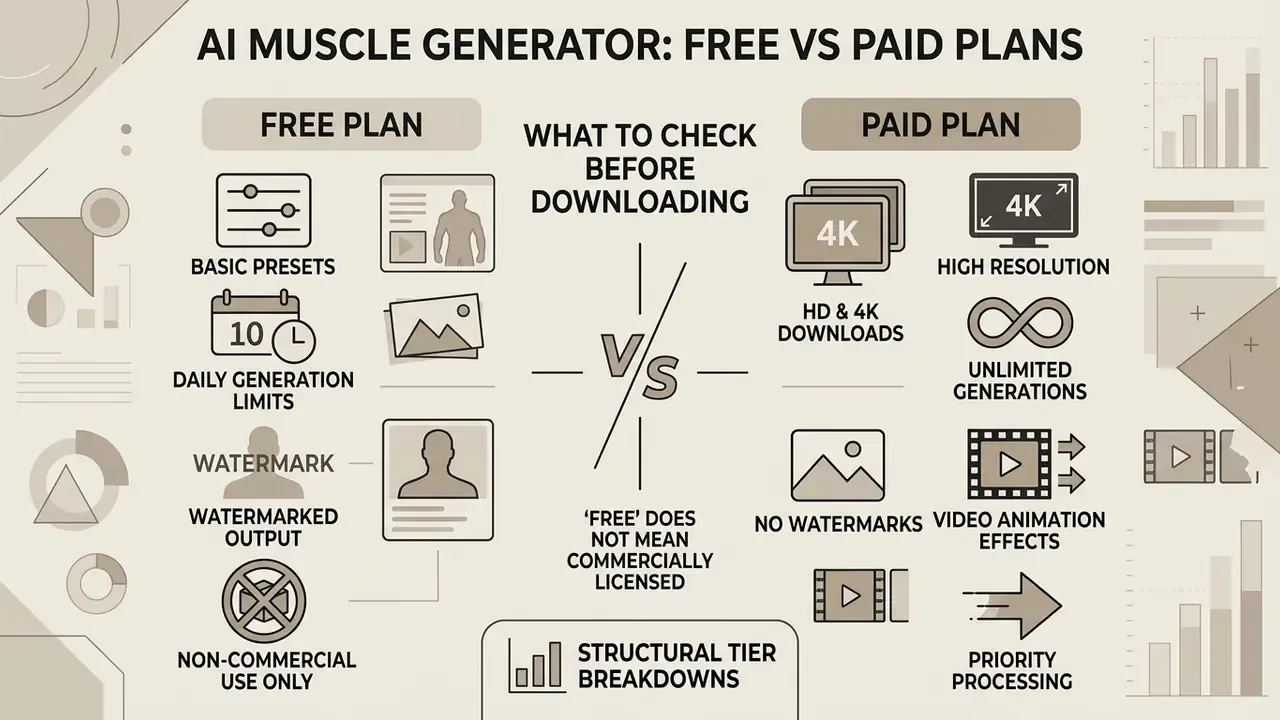
Choosing between an ai muscle generator free option and a commercial plan requires evaluating processing caps, output resolution, and intellectual property rights. Users testing an ai muscle generator online free service usually encounter strict operational boundaries compared with enterprise subscriptions, and the same tier logic applies across AI image generators generally. Evaluating tier structures up front prevents workflow bottlenecks mid-campaign.
What a Free AI Muscle Generator Usually Includes
Free-tier services typically provide basic ai muscle filter free presets with daily generation quotas. Reported free allowances across comparable tools cluster around 3 images per day, 8 images per day, or credit pools refreshed daily (one vendor advertises 150 daily credits, another grants a fixed welcome bundle plus daily task-based top-ups). Standard exports on an ai body transformation generator free plan are generally capped at square or standard resolutions (commonly 1024×1024 pixels) and may include a visible brand watermark. Free tiers serve individual testing and rapid visual drafting rather than commercial campaign deployment.
Note that "free" almost never means "commercially licensed." Several vendors state explicitly that the free plan is personal-use only and that a commercial license requires a paid subscription; our explainer on the commercial license covers what a valid rights grant should actually contain. Readers benchmarking no-cost options more broadly can consult our comparison of free AI art generators and our guide to free photo editors.
Paid Features: HD Images, More Generations and Video Effects
Upgrading unlocks uncompressed HD and 4K downloads, removes platform watermarks, and adds priority queue processing. Premium subscriptions often grant access to an ai muscle generator app interface plus specialized features such as image-to-video muscle growth animation and bulk API access. Published pricing across the category ranges widely, from roughly $4.99–$6.99 per week and $12.99 per month to $44.99–$79.99 per year, plus one-off credit bundles. Model per-asset cost against expected monthly volume rather than the headline price; teams building that math can see the overview of our cost modeling tools.
| Feature / Capability | Free Tier Plan | Paid Premium Plan |
|---|---|---|
| Daily Generation Limit | 3–5 images / day (or a daily credit pool) | Unlimited or high credit pool |
| Export Resolution | Standard (typically 1024×1024 px) | High Definition (HD / 4K) |
| Watermark Policy | Visible platform watermark | Watermark-free exports |
| Generation Queue | Standard public queue | Priority fast-track rendering |
| Animation Capabilities | Still images only | Image-to-video growth clips |
| Commercial Usage Rights | Personal use only | Full commercial license included |
| Data Retention Policy | Often unspecified; uploads may persist for model or product improvement | Contractual retention window, deletion-on-request, SOC 2 / ISO attestations on business tiers |
| Biometric Data Handling | Rarely disclosed; face data may be processed outside a documented biometric policy | Documented biometric notice, opt-out of training use, DPA available |
| Audit & Access Controls | None (single consumer login) | SSO, role-based access, activity logs, API credentials |
That definition is the practical dividing line between a cosmetic overlay and a verifiable provenance signal. A visible logo on a free-tier export is trivially croppable. A cryptographic, key-bound mark is what allows downstream verification that an image was machine-generated. Organizations publishing at scale should treat removable watermarks as a labeling gap, not a solved control. Vendor documentation is also frequently inconsistent here: the same provider may state that visible watermarks are applied by default in an announcement while advertising watermark-free downloads on the product page.
Teams planning media technology budgets can review structural tier breakdowns across AI Media Pricing, and anyone verifying whether third-party assets were synthetically produced can evaluate AI image detectors as a companion control.
Can You Use AI Muscle Images Commercially?
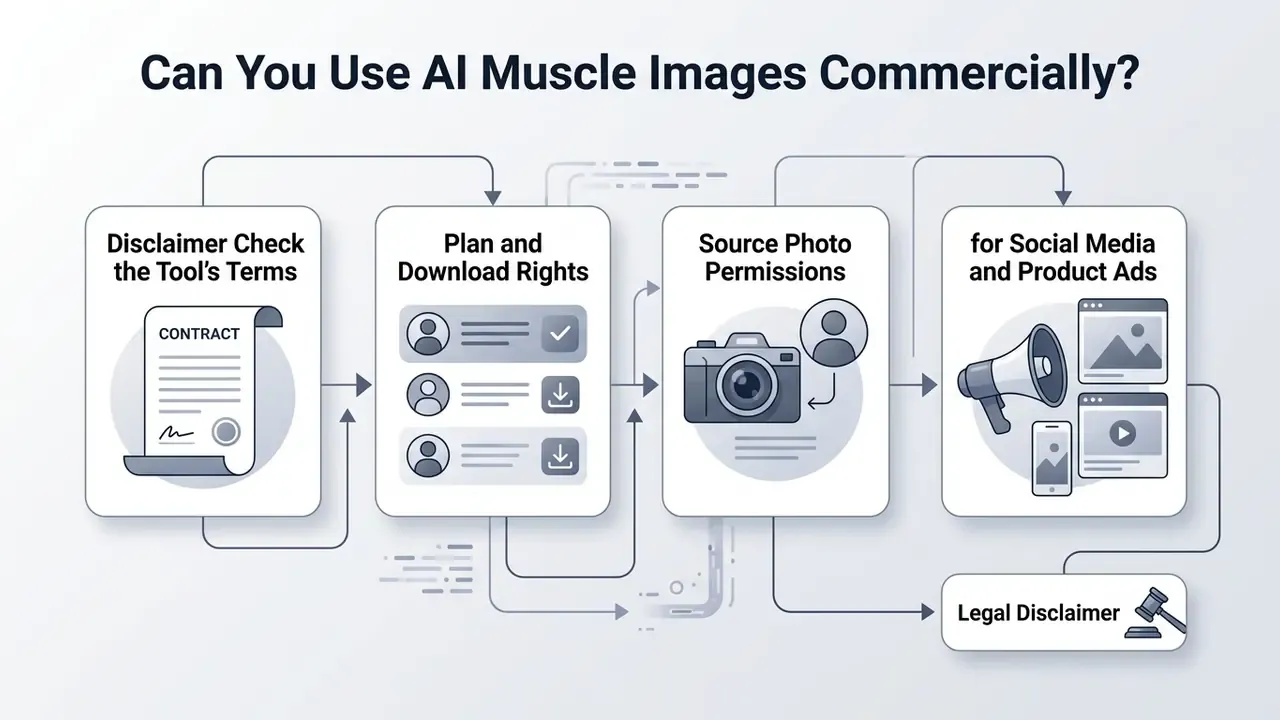
Determining whether assets from an ai body transformation generator can appear in commercial advertising requires analysis of copyright frameworks, platform terms of service, and right-of-publicity law. Operating an ai bodybuilding generator for commercial benefit carries responsibilities that casual personal use does not. Enterprise compliance leads should consult our overview on Commercial Use for digital assets.
Check the Tool's Terms, Plan and Download Rights
Commercial rights to AI-generated images depend heavily on subscription level and licensing agreement. Most vendor Terms of Service prohibit commercial exploitation on free tiers, reserving distribution rights for paid subscribers. One major generative vendor states plainly that Free and Lite plans are personal-use only, while Plus, Unlimited, and Enterprise plans include commercial usage rights. Other providers assign output ownership to the user broadly, then restrict use by product status: beta-designated or "not for resale" features may not be used commercially at all.
Under U.S. Copyright Office rulings (2023–2025), fully machine-generated imagery lacking significant human creative control cannot obtain federal copyright protection. Applicants must disclose and disclaim non-de-minimis AI-generated material, and prompts alone do not establish authorship. Marketers must therefore document human creative intervention when registering commercial assets. Mask decisions, compositing steps, retouch passes, and art direction all count, and all should be logged at the time they happen, not reconstructed later. Teams choosing between platforms on rights and licensing grounds can compare leading AI image generators and review category-specific licensing notes in our overview of Canva AI Generator terms.
That finding is the commercial-risk core. An audience cannot self-protect against a synthetic physique claim, which is precisely why advertising regulators treat undisclosed synthetic imagery as deceptive rather than merely stylized. To analyze broader intellectual property considerations, teams can review litigation trends in AI content generation.
AI Muscle Generator Use Cases: Fitness, Social Media and Entertainment
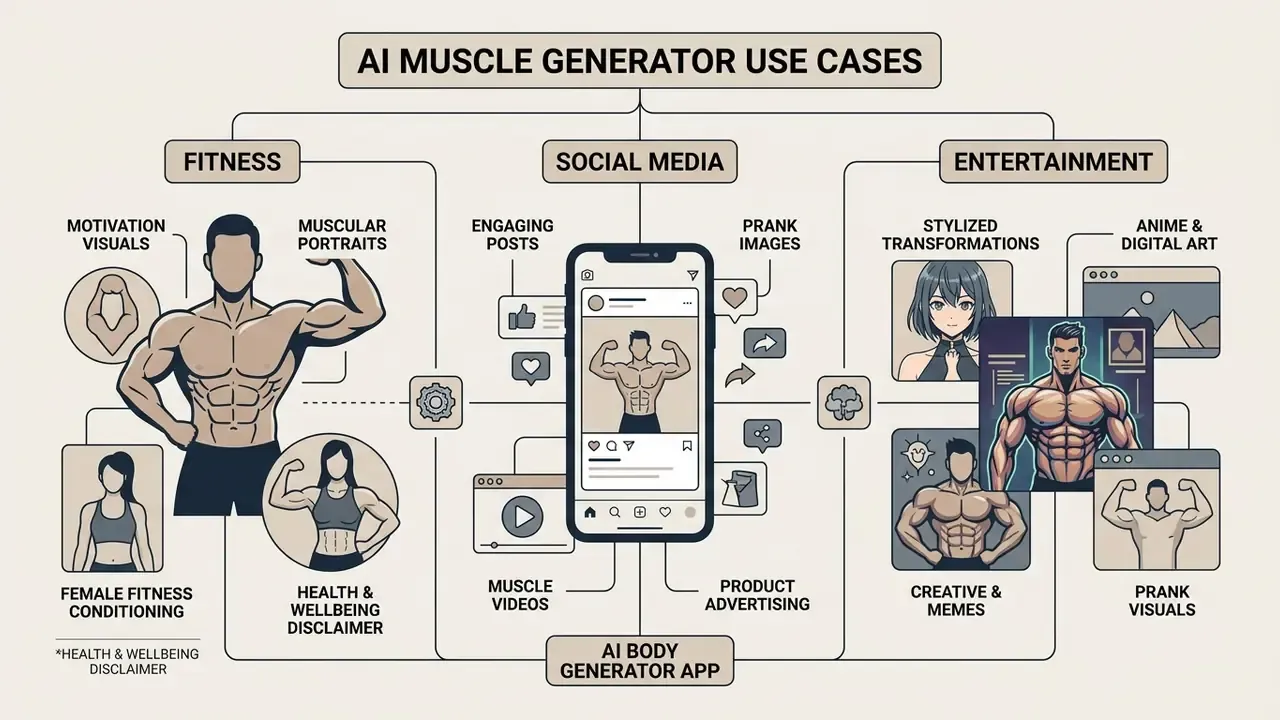
Deployment of an ai body generator app spans several commercial and creative sectors: fitness visual motivation, social marketing, product advertising, and digital entertainment. Choosing the right implementation model depends on project goals, audience expectations, and the disclosure obligations attached to each channel.
Fitness Motivation Visuals and Muscular Portraits
Fitness platforms and personal trainers use an ai fit body generator to build aspirational goal visualizers for coaching clients. Rendering realistic "dream physique" previews from current user photos can lift motivation during workout programs. Documented commercial uses include gym campaign visuals, athlete-style portraits, action shots, event posters, and profile images, essentially the pipeline behind AI headshot generators applied to full-body athletic framing.
The psychological evidence base, however, is not neutral. Product teams should read it before shipping:
«Photo-editing behaviour on social media is negatively associated with self-esteem, mediated by self-objectification and appearance comparison.»
«Exposure to AI-generated influencer images reduced body satisfaction (p < 0.001) regardless of whether viewers knew AI was involved.» Filtering Trust, experimental study on AI influencer imagery and body image.
The second finding is the operationally important one: disclosure alone does not neutralize the body-image effect. Labeling remains a legal and ethical requirement, but it is not a psychological safeguard. Consumer-facing products should therefore constrain intensity by default, avoid hyper-defined presets in coaching contexts, and pair every visualization with a realistic timeframe for actual physical change.
Health & Wellbeing Disclaimer:
Creative, Meme & Stylized Anime Transformations
AI body editing is not limited to realistic human portraits. Specialized generative models handle diverse artistic styles:
- Anime & Digital Art apply stylized muscle volume to 2D illustrations and digital avatars without destroying the line art or cel-shading. Lower denoising values (0.30–0.45) preserve linework; higher values re-render the drawing and typically break the original style.
- Entertainment & Prank Visuals create viral content by rendering exaggerated muscle structures on unexpected subjects, from humorous pet memes to caricature avatars and "muscle baby" style jokes, using high denoising strength where realism is not the goal. Content featuring identifiable children or other people's pets still requires consent from the image owner and, where applicable, from a parent or guardian.
- Female Fitness Conditioning modern models adjust muscle definition specifically for female anatomical frames, highlighting core tone, gluteal conditioning, and shoulder symmetry without introducing bulky masculine proportions. Prompt discipline matters here: descriptors such as softly toned but not muscular and proportional figure produce far more usable results than a generic "muscular" instruction.
- Product & Commerce Visuals fitness equipment and supplement brands generate before/after or demonstration visuals without hiring models or renting studios. This is the highest-risk use case, because it sits directly inside advertising-substantiation rules and requires explicit synthetic-content labeling.
Traditional Photo Retouching vs Automated AI Muscle Generation
| Evaluation Metric | Manual Photoshop Editing | AI Muscle Generator |
|---|---|---|
| Processing Time | 1 to 3 hours per image | 3 to 10 seconds |
| Required Skill Level | Advanced (layer masking, frequency separation, dodge & burn) | Zero editing skills required |
| Lighting Alignment | Manual dodging and burning required | Automated neural re-lighting |
| Consistency Across a Batch | Depends entirely on operator skill; drift between images | Deterministic presets reproduce the same look at scale |
| Anatomical Control | Full; the artist decides every insertion point | Constrained by training data; insertion errors possible |
| Software Requirement | Desktop install and licence | Browser-based, no installation |
| Privacy Surface | Local file, stays on device | Upload to third-party servers; retention policy must be checked |
| Cost Efficiency | High (professional designer fees) | Free daily credits / low subscription |
The honest reading of this table is not "AI wins." Manual retouching still produces the most defensible commercial asset, because a human author controls every expressive element, which is exactly the condition copyright registration requires. AI generation wins on speed, batch consistency, and cost, and loses on anatomical control and privacy surface. High-stakes campaigns commonly combine both: AI for the first pass, a human retoucher for insertion correction, shadow matching, and final grade.
Shadow AI & Data Privacy Compliance Checklist
Consumer body-editing tools enter organizations through marketing, HR, and social teams rather than procurement. Before a single employee or customer photo is uploaded, run this ten-point assessment and record the result in the AI inventory.
- Inventory entry created.Tool name, owner, business purpose, and data categories logged in the model/AI register.
- Data classification confirmed.Are the uploads employee photos, customer photos, or licensed stock? Personal photos of identifiable individuals raise the tier.
- Biometric assessment completed.Does the pipeline process facial identifiers? If yes, confirm notice-and-consent obligations under applicable biometric statutes (e.g., Illinois BIPA and analogous laws) before first use.
- Retention and deletion documented.How long does the vendor keep uploads and outputs? Is deletion-on-request available and verifiable? Get it in writing, not from a marketing page.
- Training-use opt-out secured.Confirm whether uploaded images improve models, then disable that setting or obtain contractual exclusion.
- Sub-processor and hosting review.Where is processing performed, and which sub-processors receive the images? Check against cross-border transfer requirements.
- Security attestations checked.SOC 2 Type II, ISO 27001, or equivalent for business tiers; absence of attestation caps the tool at non-personal, non-confidential inputs.
- Licensing tier verified against intended use.Free tiers are usually personal-use only; commercial publication requires the paid licence and its documented rights grant.
- Consent artifacts collected.Signed releases covering generative modification specifically, for every identifiable subject, archived alongside the asset.
- Labeling and human-review gate defined.Every externally published asset carries a synthetic-content label, passes the five-category artifact review, and records the human creative contributions supporting any authorship claim.
Treat any tool that fails items 3, 4, or 8 as blocked for organizational use. Then route employees to an approved alternative rather than relying on prohibition alone. Unmet demand is what creates shadow AI in the first place.
Ownership and escalation. One clarification worth writing down: who signs off? A workable split assigns tool ownership to the marketing or communications lead, control design to the AI governance function, biometric and release review to legal, and publication approval to a named editor. Escalation triggers are simple to define in advance: any identifiable employee or customer, any paid media placement, any health or performance claim. Each of those goes up a level before it goes out the door.
FAQ About AI Muscle Generators
Does an AI Muscle Generator Work on Mobile?
Yes. Most modern platforms run through responsive web browsers on iOS and Android without any installation. Many vendors also ship a dedicated ai muscle generator app via the Apple App Store or Google Play, with typical platform floors around iOS 16+ and Android 8.0+. These mobile interfaces let users take a selfie or upload existing photos from device storage, select muscle customization presets, and export edited files straight to the camera roll. The dual model, browser access plus native app, is now standard across the category. One caution specific to mobile: live camera filters differ psychologically from retroactive editing.
«AR beauty filters may exert a stronger influence on self-perception than retroactive photo editing.» Czub et al., research on AR beauty filters, Extended Mind Theory and enactivism. If a product offers a real-time muscle filter in-camera, treat it as a higher-sensitivity feature than a post-hoc edit, especially for younger audiences.
Which Photo Formats and Images Are Supported?
Standard web tools support JPG/JPEG, PNG, and WEBP, with upload limits typically capped around 10 MB to 20 MB per image. For optimal results the input photo should show a single subject with a clear, unobscured torso, direct or three-quarter lighting, and minimal background clutter. High-resolution inputs let the network infer fine skin texture and muscle contour more accurately; readers exploring adjacent transformation workflows can review how image-to-image generators handle reference fidelity. Note that stricter official face-image standards used in identity contexts may exclude WEBP entirely and impose tighter capture rules than consumer vendor guidelines.
Can AI Generate a Muscle Growth Video From a Photo?
Yes. Advanced platforms incorporate image-to-video diffusion architectures, including Google Veo's image-to-video mode, HeyGen's animation API, and specialized muscle-growth effects, to animate a single static photo into a short clip. The system calculates progressive vector shifts between the original physique and the target muscular model, generating intermediate frames that read as continuous growth. Practical controls include frame count (which sets clip length at 24–30 fps), inference steps (temporal stability versus render time), and an optional motion or camera prompt. Clip length on consumer plans commonly lands in the 5–20 second range. Developers integrating automated video generation into custom applications can inspect our guide to the AI Media API and the implementation notes in our Google Veo guide.
Can I Change Muscles on an Anime Character or Drawing?
Yes. Stylized 2D illustrations, anime characters, digital avatars, and even game-art renders can be processed, and several consumer platforms market this explicitly alongside male, female, and group portraits. The technique differs from photorealistic editing: use masked inpainting rather than global sliders, keep the denoising degree low (roughly 0.30–0.45) so line art and cel shading survive, and include style-preserving terms in the prompt (anime line art, cel shading, flat colors) plus negative terms against photorealism (photorealistic skin, 3d render, plastic texture). Expect weaker results on highly abstract or heavily textured art styles, since training data skews toward photographic and mainstream illustration domains.
Can I Control Muscle Size and Keep the Result Subtle?
Yes. Most tools expose either three named levels (Weak / Medium / Strong) or a percentage slider, and prompt-driven tools accept restraint descriptors such as softly toned but not muscular, average build, or proportional figure. For credible fitness or corporate use, stay at the lowest level that still reads as a visible change, Level 1 or 2 in the scale described above. Maximum-intensity output is the single largest source of proportion errors and audience distrust.
Is the Free Version Genuinely Free?
Functionally yes, commercially usually no. Free access typically means a daily generation cap or credit pool, standard-resolution output, a visible watermark, and personal-use-only licensing. Removing watermarks, exporting HD/4K, unlocking video animation, and obtaining commercial rights generally require a paid plan. Read the licence clause rather than the pricing headline: some vendors grant output ownership broadly while still barring commercial use of beta or non-commercial feature tiers.
How Fast Is Generation, and Why Do Results Vary Between Runs?
Vendor FAQs commonly quote seconds rather than minutes for still images, and under a minute to a few minutes for short videos. Variance between runs is inherent to diffusion sampling: identical inputs with different random seeds produce different muscle placement. If a tool exposes a seed field, fix it to reproduce a result. Otherwise generate three to five candidates and select against the five-category artifact checklist above.
What Evidence Should We Retain for Audit?
Keep five artifacts per published asset: the original source file, the consent or release covering generative modification, the prompt and mask parameters used, the reviewer sign-off with the artifact-check result, and the licence tier screenshot or contract clause authorizing the intended use. Reproducibility is the point. If a regulator, a platform, or the depicted person asks how the image was made, the answer should take minutes to assemble, not weeks.
Editorial Governance & Risk Summary
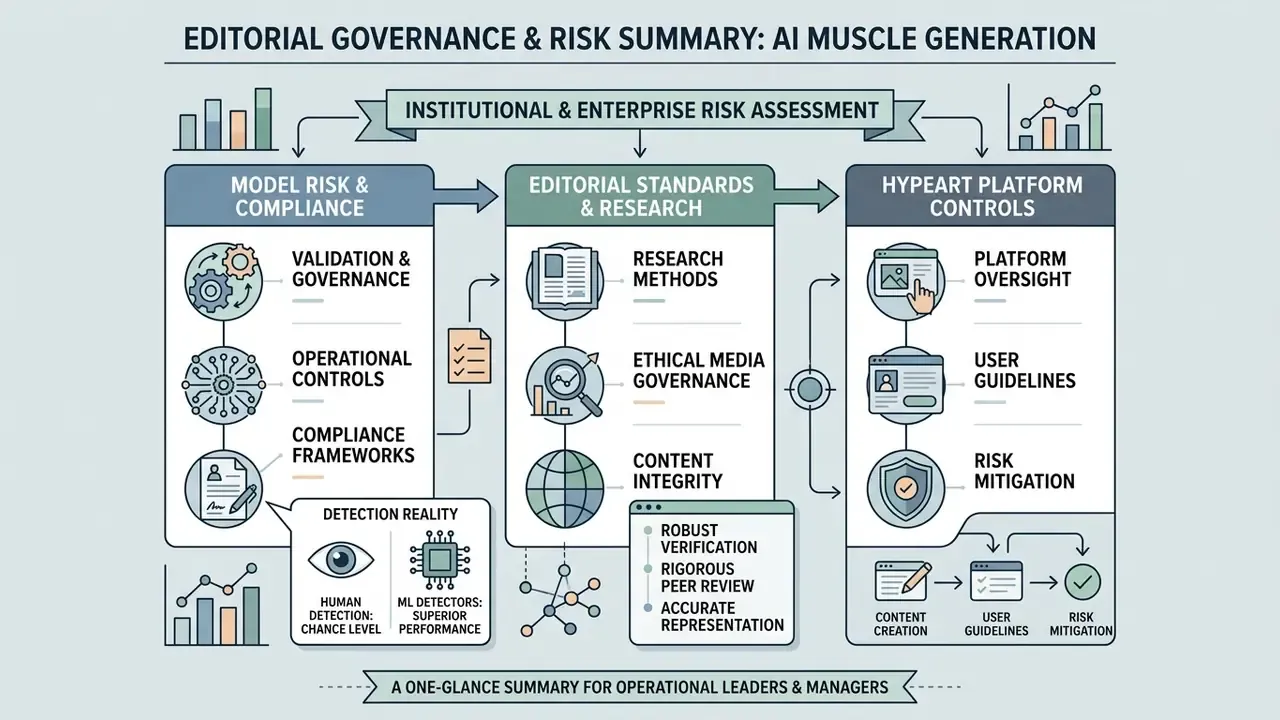
When evaluating AI-driven body modification tools inside institutional or enterprise environments, model risk managers and compliance officers need explicit operational controls. Generative image filters should be inventoried under existing model risk management frameworks to monitor data security, subject consent, biometric-notice obligations, and brand safety.
The governance implication is direct. Manual review cannot be the primary control for synthetic-image risk. Automated provenance signals, meaning key-bound watermarks, content credentials, and detector-based screening at the publication gate, must sit alongside human sign-off, because human reviewers are not reliably better than chance at identifying synthetic imagery. Uncertainty remains, and it should be stated plainly: detector accuracy degrades on compressed social re-uploads, and no current control fully resolves the labeling gap once an image leaves an owned channel.
For a comprehensive overview of our editorial standards, research methods, and media governance frameworks, please compare options across our enterprise analysis guides, or open the hub for side-by-side platform reviews.
About this analysis. Prepared by the AI Governance & Model Risk Editorial Series under the direction of Marcus Hale, author. Methodology: vendor documentation review across leading consumer muscle-generation platforms, peer-reviewed literature on diffusion-based body and pose editing, published copyright and advertising-disclosure guidance, and empirical studies on body image and deepfake perception. Claims that could not be traced to a verifiable source are flagged in the text as requiring independent verification.
Appendix A: Source Attribution Corrections
For transparency, the following citations appeared in earlier drafts of this analysis and have been superseded in the main text. They are retained here so readers can trace the correction rather than silently inherit it.
| Superseded attribution | Issue identified | Replacement used in main text |
|---|---|---|
| AWS Rekognition Guidelines, 2026, cited for keypoint isolation accuracy | Forward-dated vendor citation; claim not traceable to a dated primary document | DiffBody (2024) noise-strength finding, supported by general face-capture pose and lighting guidance |
| ECCV 2022; CVPR 2024, cited generically for neural re-lighting and pose-guided synthesis | Venue-level citation without an identifiable paper | Shen (2023), progressive conditional diffusion for pose-guided synthesis, plus named shadow-loss and pose-alignment findings |
| CDC NHANES; U.S. DoD Body Composition Standards, 2026, cited as constraints on generated muscle volume | Standards govern human body measurement, not image generation; year forward-dated | Odo identity-conditioned constraint modeling, with anthropometric protocols cited only as measurement vocabulary |
| Odo (2026) / U.S. DoD Standards (2026) dating | Forward-dated relative to publication | Reframed as CVPR/ECCV-class research standards with methodology figures |
| "User engagement increased by 28%" | Unsourced quantitative claim | Replaced with a directional, explicitly unverified internal outcome statement |
Reference Hub
For definitions of the terms used above, from denoising degree to digital replica licensing, open the hub.
Social Media Posts, Prank Images and Muscle Videos
Content creators use an ai muscle growth generator to produce viral short-form clips, humorous transformation memes, and engaging social posts. Converting static photos into dynamic muscle growth animation creates shareable assets optimized for TikTok, Instagram Reels, and YouTube Shorts; comparable pipelines are available through free AI video generators and reviewed in our roundup of the best AI video generators. Documented social formats cluster into three types: viral meme clips built on recognizable scenes, prank-style altered videos, and before/after transformation reels.
All three carry the same governance requirement. Synthetic-media practice frameworks call for direct disclosure through labels, context notes, watermarking, or on-screen disclaimers, plus consent that is transparent to viewers rather than buried in terms. Several national deepfake guidelines require creators to disclose manipulation in descriptions, credits, or accompanying materials, and peer-reviewed commentary in aesthetic medicine specifically asks that AI transformation videos carry conspicuous disclaimers plus explicit subject consent. Creators integrating multi-source media into short formats can learn more about collage video production techniques, and publishers building repeatable pipelines can review our YouTube video editor workflow guide.