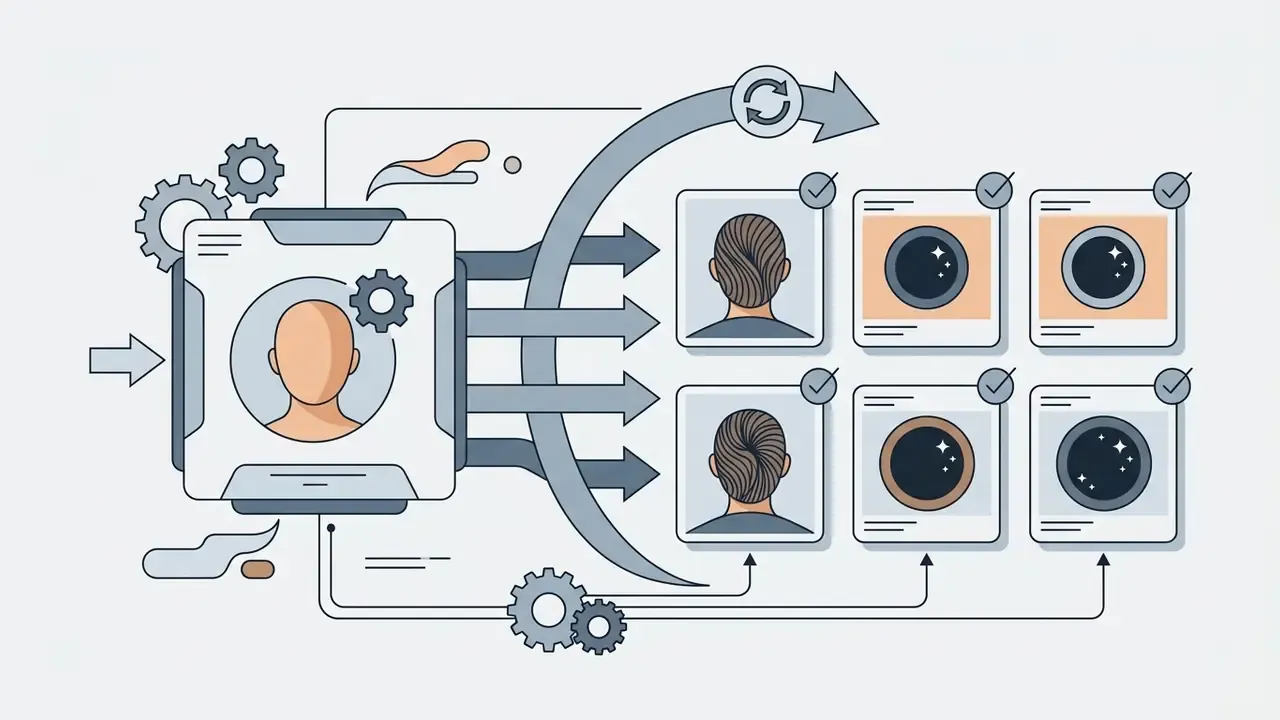
To create AI images of yourself, you either supply a reference image or fine-tune an AI model so the system learns your unique facial features. A modern AI image generator then combines that face structure with simple text prompts or style presets and produces new portraits across wardrobes, backgrounds, and lighting setups.
Short version: your selfie decides the likeness, your prompt decides everything else.
Executive Summary
- The mechanism A reference selfie is converted into an identity embedding (through a face-recognition encoder such as IP-Adapter-FaceID, InstantID, or InstantBooth), and a text prompt controls wardrobe, background, lighting, and camera optics.
- Two operating tracks Zero-shot generation from one selfie (seconds, no training) and fine-tuned generation from 10 to 20 selfies (DreamBooth or LoRA, minutes to hours, deeper texture fidelity).
- Input quality decides likeness Frontal pose within ±5° of center, evenly distributed light, no sunglasses or hats, source files of at least 1200×1600 px.
- Prompting formula Subject identity, then wardrobe and pose, then environment, lighting, camera and composition, quality constraints. Keep identity tokens isolated from style tokens.
- Fix, do not re-roll Inpainting, AI upscaling, and background swapping repair localized artifacts (pupils, fingers, skin texture) without burning generation credits.
- Compliance first, tool second Facial geometry vectors are biometric data under FTC and GDPR logic. Verify deletion SLAs, training-data provenance, and isolated-deployment options before uploading employee or executive selfies.
- Hard limit AI generated portraits are not valid for passports, national ID cards, or driver's licenses.
- Beyond static images One identity-consistent AI portrait can be animated into video or a lip-synced talking avatar through image-to-video engines.
How to Use This Guide (and What It Will Cost You)
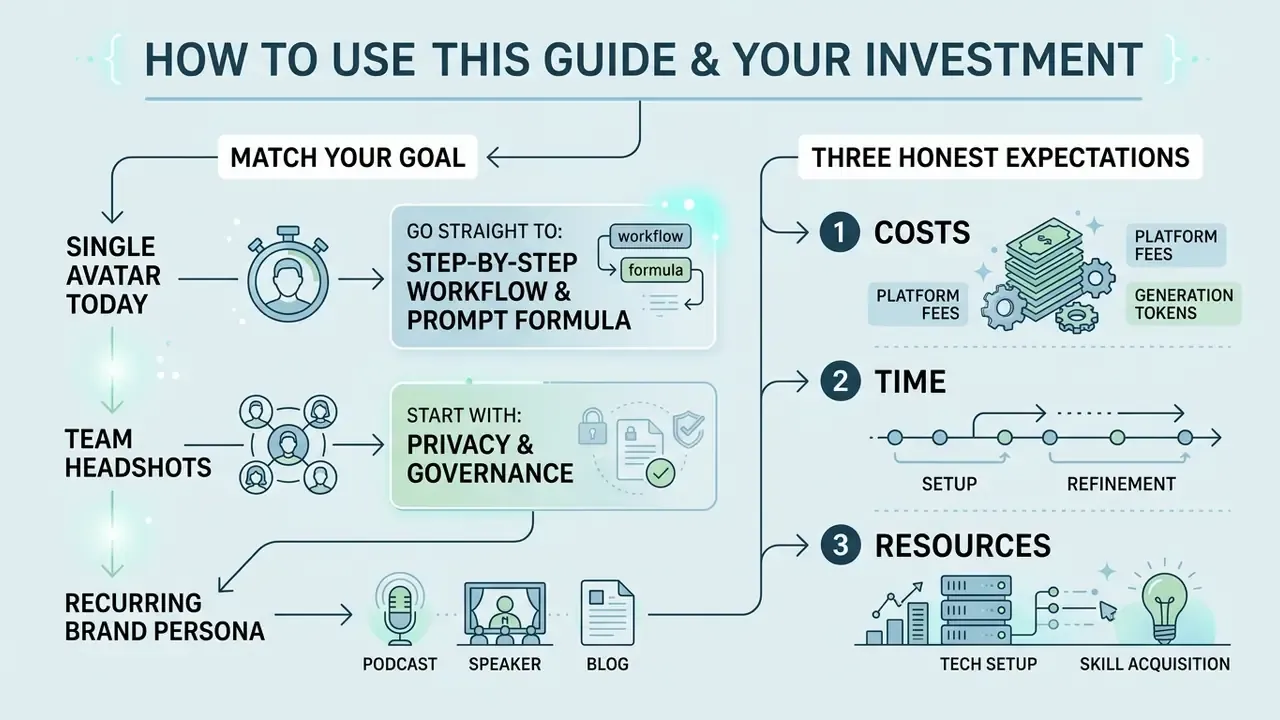
Read it in the order that matches your job, not front to back.
If you need one avatar this afternoon, go straight to the step-by-step workflow and the prompt formula. Total time: roughly ten minutes, cost usually a handful of credits or nothing at all on a free tier.
If you are producing a set of AI headshots for a team, start with the privacy and governance sections. Tool selection comes after data handling, never before. Budget half a day for vendor review, a few hours for consent collection, and plan for two or three generation rounds per person.
And if you are building a recurring brand persona, for example a podcast cover, a speaker page, a blog post header set, and a thumbnail library, the fine-tuned track amortizes better. You will pay a training fee once and reuse the checkpoint for months.
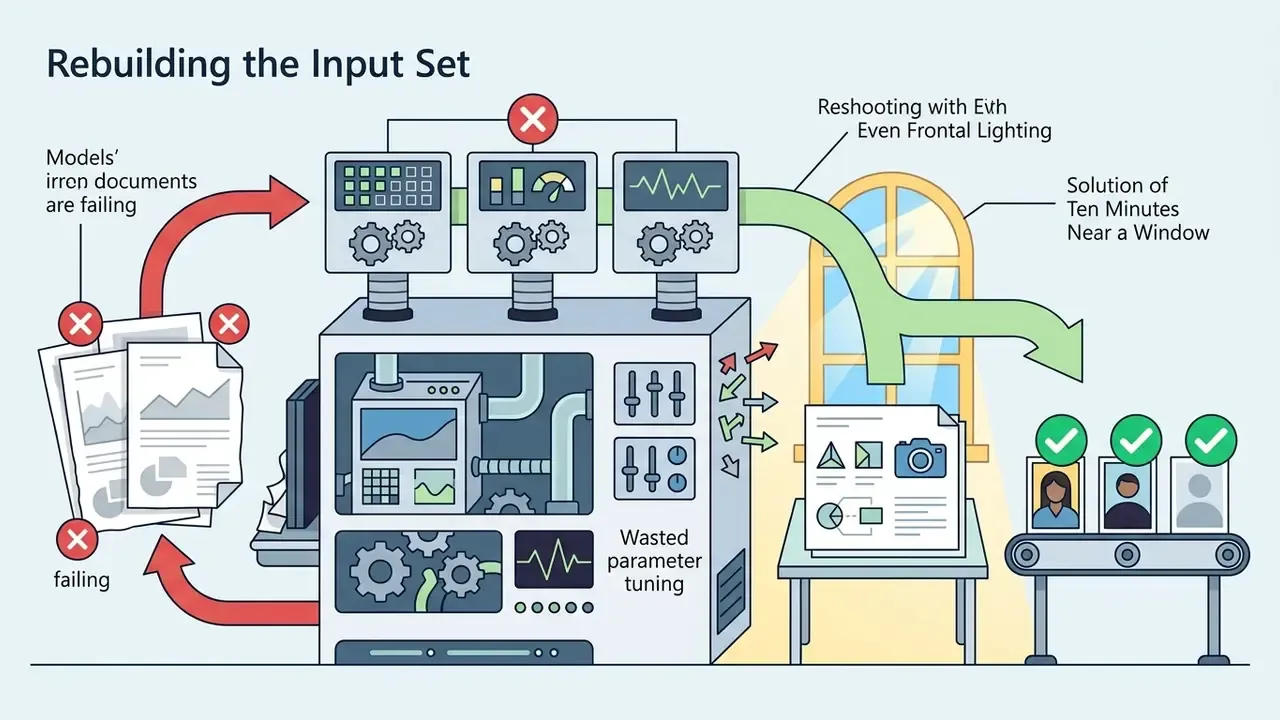
Three honest expectations to set now. First, no tool gives a perfect likeness on the first render. Second, free tiers cap resolution, so plan an upscaling pass. Third, if the source selfie is poor, no parameter tuning rescues it.
What It Means to Create AI Images of Yourself
Creating an AI image of yourself means using a machine learning model to generate a custom visual where your recognizable facial features appear in a new setting, style, or pose. The underlying process relies on diffusion models or Generative Adversarial Networks (GANs) that analyze input selfies and extract identity embeddings.
«Personalized text-to-image generation learns to reproduce a subject from reference photos while allowing style variation through text prompts.»
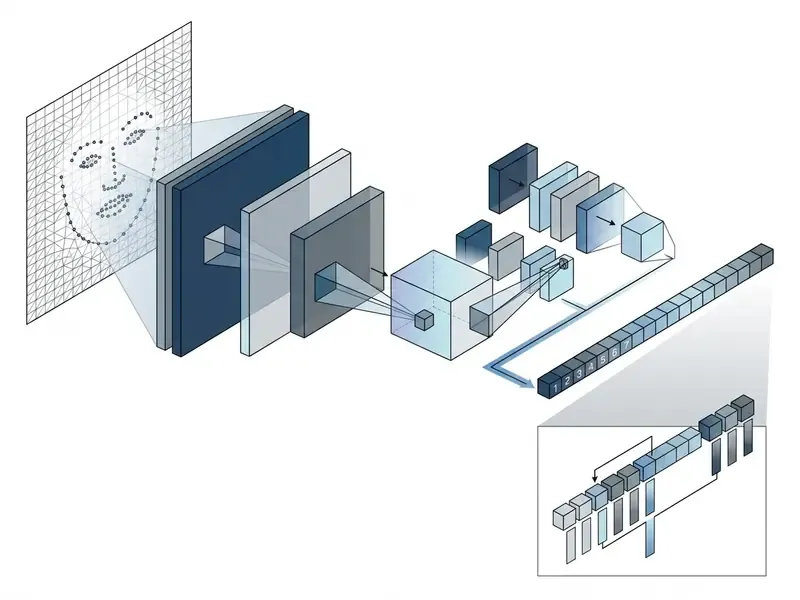
When you ask how to create AI images of yourself, the system combines two distinct inputs. The first is your reference photo, which locks in facial geometry, eye shape, skin tone, and bone structure. The second is a text prompt or style preset, which dictates lighting, clothing, background, and visual medium.
Technically, the identity path and the style path travel through different parts of the network. IP-Adapter-FaceID extracts a face-ID vector from a dedicated face-recognition model rather than a generic CLIP image embedding, then fuses that vector into the frozen diffusion backbone, often alongside a small LoRA module that stabilizes identity consistency during sampling.
«IP-Adapter conditions a frozen diffusion model on image features through decoupled cross-attention, preserving controllability of the original text encoder.»
By decoupling identity from background context, systems like Subject-Diffusion let creators place themselves in fictional environments without losing physical likeness. The resulting outputs range from a realistic AI photo for professional use to an artistic AI portrait or stylized AI art.
«Subject-Diffusion shows that a single segmented reference image can deliver stronger identity fidelity than methods requiring multiple concept images.»
AI Portraits From Uploaded Photos vs Text Prompts
Generating an AI portrait from uploaded photos extracts precise spatial face identity data. Generating from text prompts alone relies entirely on descriptive keywords. Reference photos give an image generator explicit visual embeddings, which is why they are essential for recognizable self-portraits.
- Uploaded reference photos: Models like InstantBooth use specialized encoders that map facial landmarks directly into latent space. Likeness survives a scene change without model retraining.
«InstantBooth matches DreamBooth-level identity preservation while running roughly 100× faster, with no per-user fine-tuning.»
- Simple text prompts
- Text-only generation describes visual attributes with words. Prompts control lighting, medium, and setting well, but they cannot reconstruct a specific real person's face without reference conditioning. No amount of adjectives will do it.
- Hybrid workflows
- Combining uploaded selfies with precise text prompts yields the highest identity preservation alongside full control over background and wardrobe. This is what most paid tools do under the hood.
- Few-shot fine-tuning
- DreamBooth-style training binds a unique identifier token to your face across several photos, enabling synthesis "of the subject in diverse scenes, poses, views, and lighting conditions that do not appear in the reference images" (DreamBooth, arXiv, 2022, https://arxiv.org/abs/2208.12242).
One practical note from publishing work. When creators build a consistent visual identity across public channels, a podcast cover, a speaker page, a press kit, a YouTube thumbnail set, facial consistency depends entirely on image-conditioned reference pipelines rather than text alone. Teams standardizing that output at scale should first review our guide to AI headshot generators for batch-processing and privacy considerations.
Why the AI Image May Not Look Exactly Like You
An AI generated portrait may not look exactly like you because diffusion models balance text prompt alignment against facial reference retention during denoising. If the prompt contradicts the structural features of your reference selfie, identity drift occurs.
«Simple reconstruction objectives in diffusion models do not enforce facial structural consistency; the model minimizes loss by shifting feature proportions.»
Technical factors behind a likeness mismatch:
- Low-quality input photosUneven lighting, shadows, or harsh angles on uploaded photos obscure facial geometry.
- Prompt overfittingStrong style keywords such as "cinematic 3D render" can override soft facial embeddings.
- Diffusion sampling artifactsStandard reconstruction losses treat all pixels equally, so eye proportions or cheek contours drift to satisfy overall image contrast.
- Extreme pose deviationNIST's 2026 reference document on generative AI for facial image processing reports twisted facial detail when input degradation is severe, and unnatural output when pose deviation from frontal is very large.
- Overfitted LoRA weightsAn ICLR 2024 workshop analysis found that overtrained LoRA adapters produce outputs inconsistent with the prompt and degraded in sharpness.
Research on MagiCapture highlights that integrating subject identity with extreme style concepts is weakly supervised. Without targeted attention control, diffusion algorithms often sacrifice micro-textures in the face to satisfy the visual style objective.
«Any artifact in a human face is immediately noticeable to viewers; integrating identity and style remains weakly controlled without dedicated losses.»
Choose the Best AI Image Generator for Your Goal
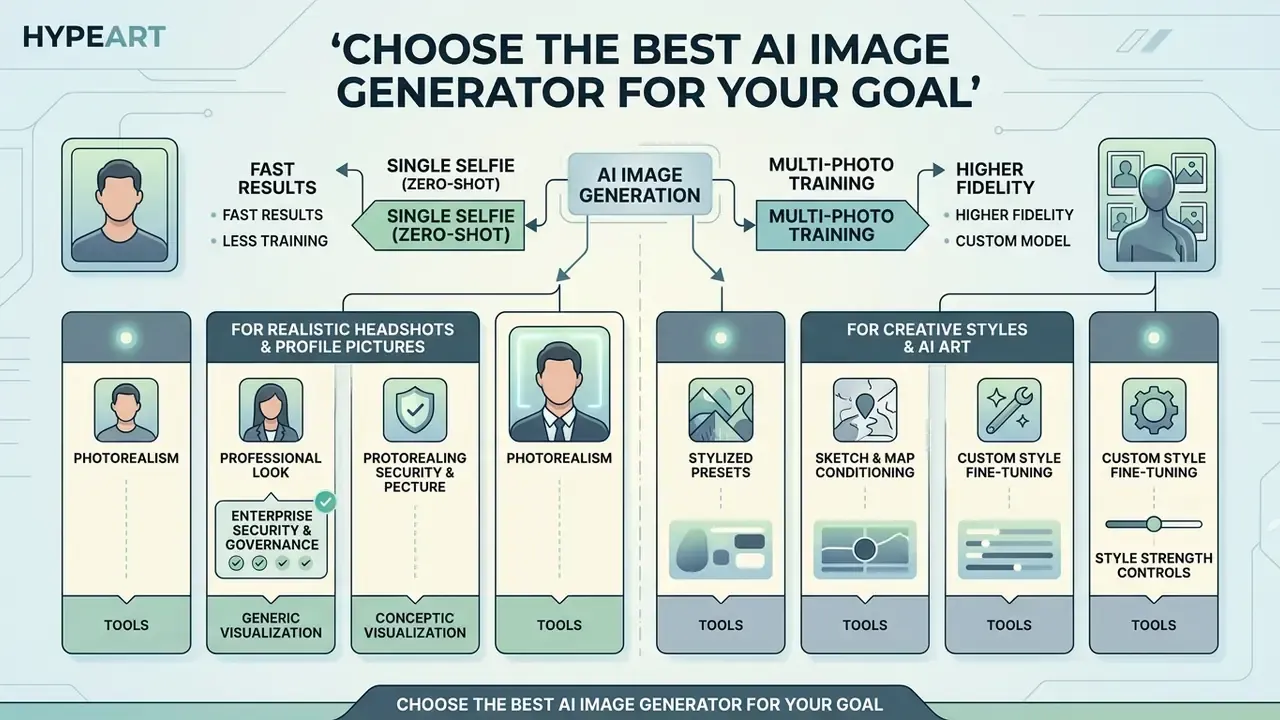
Selecting the best AI image generator depends on whether you need photorealistic business headshots, creative stylized avatars, or high resolution downloads for commercial projects. Platforms differ in baseline diffusion architecture, credit systems, privacy policies, and licensing rights. Before committing credits, compare candidates in our overview of the best AI image generators.
| AI image generator category | Primary target | Identity method | Output resolution limits | Free tier availability | Commercial rights |
|---|---|---|---|---|---|
| Realistic AI headshots | Professional LinkedIn and CV photos | Few-shot fine-tuning or FaceID | 2048×2048 px up to 4K | Restricted or paid-only credits | Included in paid tiers |
| Artistic and fantasy generators | Anime, 3D art, stylized avatars | Reference image plus prompt | Up to 2000×2000 px | Daily generation credits | Varies by platform terms |
| Open-source base models | Custom LoRA workflows, developers | IP-Adapter or ControlNet | Native 1024×1024, upscalable | Free when self-hosted | Free under revenue caps |
| Text-to-image engines | General visual creation and concepts | Text-conditioned embeddings | Standard HD | Limited trial credits | Subscription dependent |
Measured output quality differs between architectures, which matters when photorealism is non-negotiable:
«DALL·E and Imagen scored FID values of 9.00% and 10.43% respectively versus 15.95% for Stable Diffusion, and were rated more realistic by human evaluators.»
Documented plan-level facts worth re-checking against current vendor pages: Adobe Firefly's free tier provides 25 generative credits per month with watermarking and reduced resolution, and caps downloads at 2000×2000 pixels (Adobe Firefly AI Portrait Generator documentation, 2026, https://www.adobe.com/products/firefly/features/ai-portrait-generator.html). Midjourney has no free tier, starts at roughly $10 per month, and its commercial-use documentation ties business use above $1M annual gross revenue to Pro or Mega plans. Stability AI's Community License keeps Stable Diffusion 3.5 free for commercial use below $1M annual revenue, with Medium output in the 0.25 to 2 megapixel range. Newer conversational editors, including Google's Gemini image stack known informally as nano banana, add iterative "keep the face, change the jacket" editing, which is convenient but still bound by the same licensing questions.
Choosing the right tool upfront prevents wasted credits and keeps your final images inside resolution and licensing limits. To compare platform metrics across technical capabilities, consult our AI Media Comparison Matrices.
Single Selfie (Zero-Shot) vs Multi-Photo Training: Which Track to Use
| Feature | Zero-shot, single selfie (InstantID, IP-Adapter-FaceID, instant web tools) | Fine-tuned, multi-photo (DreamBooth, LoRA) |
|---|---|---|
| Input required | 1 front-facing selfie | 10 to 20 varied photos |
| Processing time | Instant, 5 to 15 seconds | 20 minutes to 2 hours |
| Likeness precision | High structural alignment of facial geometry | Deep 3D texture, expression, and micro-detail mapping |
| Cost profile | Per-generation credits only | Training fee plus per-generation credits |
| Reproducibility | Seed, model version, reference image | Seed, model version, adapter checkpoint |
| Data footprint | One image, easiest to delete and audit | Larger biometric set, stricter retention controls needed |
| Best for | Fast avatars, video inputs, concept exploration | High-end corporate branding, print, recurring campaigns |
Zero-shot pipelines exist precisely to remove test-time training. InstantID generates identity-preserving portraits from a single facial image with no per-person optimization, whereas custom-trained portrait workflows still describe 10 to 20 varied selfies as the working training set. For a one-off AI picture, the zero-shot track wins on cost. For dozens of consistent assets over months, fine-tuning pays for itself.
Enterprise Security and Governance Comparison Criteria
Feature parity is not the deciding factor for regulated teams. Data handling is. Score every shortlisted vendor across these columns before procurement:
| Governance criterion | What to verify | Red flag |
|---|---|---|
| Biometric vector storage | Whether face embeddings are persisted or discarded post-render | "Indefinite retention for service improvement" |
| Source selfie deletion SLA | Explicit deletion window in hours, stated in the DPA | No stated window, or "as long as necessary" |
| Training-data reuse | Whether uploads train future models, and opt-out availability | Opt-out only on enterprise tier |
| Isolated deployment | VPC, single-tenant, or on-premise inference option | Shared multi-tenant endpoint only |
| Training-corpus provenance | Licensed or public-domain datasets vs scraped web images | Undisclosed dataset composition |
| Certifications | SOC 2 Type II, ISO 27001, GDPR representative, sub-processor list | No security documentation on request |
| Output licensing | Written commercial-use grant and indemnification scope | Ownership silent or reserved by vendor |
| Consent workflow | Support for documented subject consent per uploaded face | Anyone can upload any face |
No matching rows Clear one or more filters to restore the matrix.
«Systems using personal data need technical, process, and/or legal controls for data protection.»
Tools for Realistic AI Headshots and Profile Pictures
Realistic AI headshot tools specialize in preserving facial geometry while standardizing studio lighting, business attire, and background blur. These applications target professional profile pictures suitable for corporate websites, team pages, and executive resumes.
Tools in this category use face-recognition embeddings such as IP-Adapter-FaceID rather than generic image tokens. That choice keeps skin detail high, eye alignment correct, and facial proportions natural without graphic distortion. Published portrait-specific methods explain why the category performs well: PortraitBooth (CVPR 2024) trains with a pretrained face recognizer and pairwise identity similarity, while ConsistentID (2024) adds a multimodal facial prompt generator to sharpen fine-grained identity retention from a single reference image.
For enterprise teams evaluating commercial image editing platforms, our detailed guide to AI headshot generators covers batch processing and organizational privacy standards.
Tools for Creative Styles and AI Art
Creative AI portrait generators transform user selfies into stylized artwork: anime characters, fantasy warriors, 3D digital avatars, oil paintings. These engines prioritize artistic transformation while holding onto core facial recognition markers. For a ranked feature breakdown, see our comparison of the best AI art generators.
When publishing stylized visuals on owned channels, creators often need to expand or reframe a square AI portrait for wide banners. Our comparison of AI outpainting tools for expanding images covers background generation and usage rights for that step.
Privacy, Ownership, and Commercial Use of AI Photos
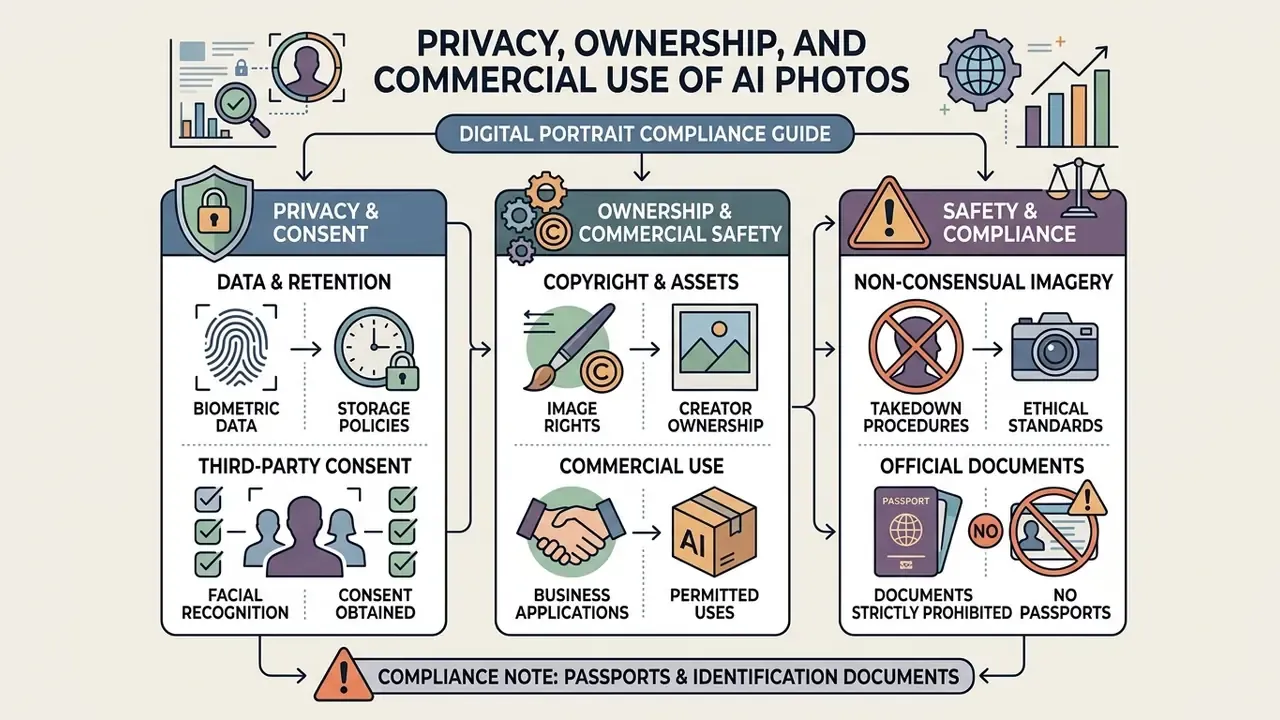
Using your personal photos with AI generators means transmitting biometric facial data to remote servers. That triggers specific legal rights around data retention, copyright ownership, and commercial exploitation. Selecting platforms with clear privacy terms protects your identity assets, which is why this evaluation belongs before tool selection, not after generation.
Key legal and compliance standards:
- Biometric data retention: Regulatory frameworks such as US FTC policy guidelines and European GDPR standards classify facial geometry vectors as sensitive biometric data. Trusted platforms delete source selfies within 24 hours of generation. The FTC's biometric policy statement treats facial features and related images or recordings as biometric information, with retention ending once the original purpose is met. Australia's OAIC guidance (2024) frames generating or inferring personal information, images included, as a collection of personal information subject to privacy principles. Verification note: the 24-hour figure is a common vendor commitment, not a legal default. Confirm that your platform guarantees a deletion window in writing.
- Copyright and asset ownership: Under current US Copyright Office guidance, pure AI generated outputs lacking human authorship cannot be copyrighted. Platforms may still grant commercial usage rights by contract. OpenAI's Terms of Use, for instance, state that the user owns the Output and that OpenAI assigns its rights in the Output to the user.
«Training on copyright-protected images may qualify as infringement; liability allocation between developers, users, and intermediaries remains unsettled.»
How to Create an AI Image of Yourself Step by Step
To create an AI image of yourself: upload a clear front-facing selfie, select an AI model or visual style, enter a descriptive text prompt, generate multiple variations, and export your preferred high resolution result. A structured workflow reduces facial distortion and lifts output quality.
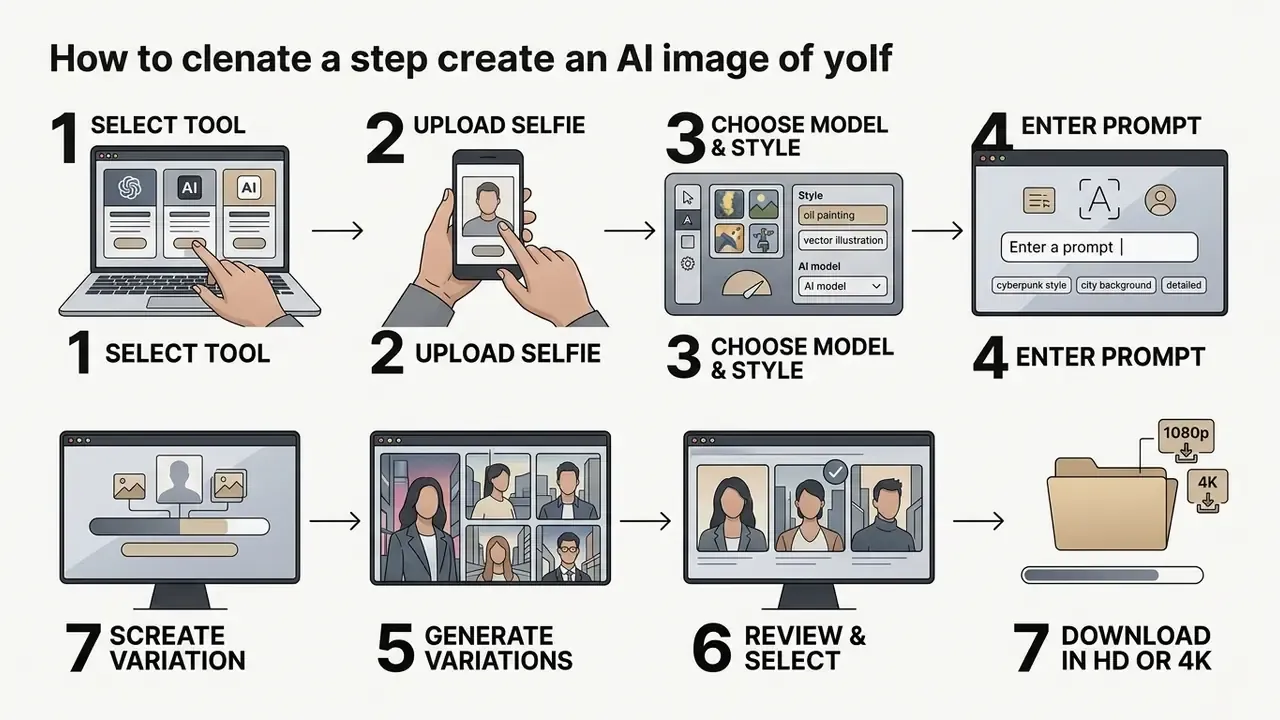
Follow these technical steps to complete your generation pipeline.
Upload Reference Photos That Show Your Face Clearly
Clear reference photos give the machine learning model the facial data it needs to preserve identity. High quality input selfies determine likeness and sharpness in the generated portraits more than any other setting.
According to facial image quality guidelines from NIST, lighting uniformity and clear eye-to-ear visibility are critical parameters for identity verification and automated feature extraction.
- Facial pose
- Use a full frontal pose with head rotation under ±5 degrees in roll, pitch, and yaw. Both eyes open and clearly visible.
- Lighting distribution
- Choose photos with soft, evenly distributed light. Avoid heavy cheek shadows, direct flash glare, and strong backlighting.
- Expression and accessories
- Keep a neutral or soft expression. Remove sunglasses, hats, and large frames that hide facial landmarks.
- Resolution standards
- Upload uncompressed images of at least 1200×1600 pixels so micro-textures such as iris detail and skin contour survive.
- Background hygiene
- No other faces, partial faces, toys, or clutter in frame. Extra faces can capture the adapter's attention and blend features, which is a surprisingly common cause of "who is that?" results.
«Full-face frontal pose; head rotation less than ±5° in roll, pitch and yaw; shoulders square to camera.»
«Lighting must be equally distributed on the face; no significant directional light, no shadows on face or background.» - ANSI/NIST facial image standard summary (2007). https://www.nist.gov/system/files/documents/2021/02/25/ansi-nist_2007_griffin-face-std-m1.pdf
«Expression should be neutral, non-smiling, with both eyes open normally and mouth closed.» - NIST (2022). https://tsapps.nist.gov/publication/get_pdf.cfm?pub_id=890071
How many photos do you actually need? It depends on your chosen track.
«MagiCapture uses a few randomly captured selfies as subject references; roughly 3 to 10 well-lit photos suffice for high-quality portrait personalization.»
Reproducibility tip for audit-ready input: log the file hash of every reference selfie you upload, plus the date and the platform. If a generated portrait later appears under your brand, that log is what proves which source image produced it. For any internal validation file, this is the cheapest control you will ever implement.
Select a Model, Style, or Theme
After uploading reference photos, select the AI model version and aesthetic style preset that match your goal. Model selection controls how strictly the generator follows photo references versus text prompts.
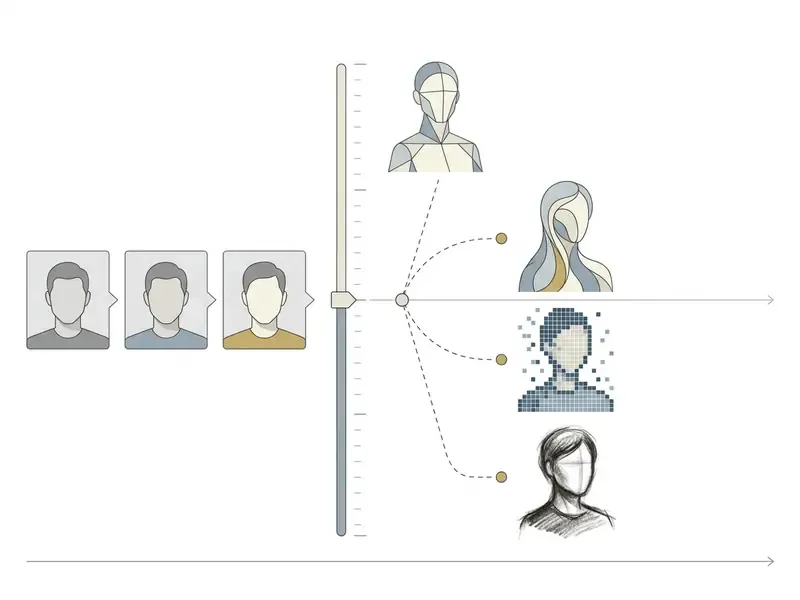
Pick a model that fits your scenario, and compare candidates side by side in our AI image generator comparison:
Record three values before you hit generate: model name and version, adapter or LoRA identifier, and seed. Those three fields make any output reproducible and are the minimum viable audit trail for model-risk documentation.
For automation teams integrating portrait engines into custom software, see our technical documentation in the AI Media API Guides.
- Photorealistic models
- Best for corporate headshots, resume pictures, and formal press materials.
- Illustrative and concept models
- Preferred for creative avatars, graphic novel assets, and social media branding.
- Custom parameter controls
- Adjust the Reference Strength or Image Weight slider. Higher values force strict adherence to your photo, lower values allow wider creative prompt variation.
- Feature-gated capabilities
- Model choice constrains what you can do at all. Google's Vertex AI documentation notes that style customization and instruct customization are supported only on specific Imagen capability models.
Generate, Review, and Download the Best Result
Run the generator to produce multiple variations, evaluate identity likeness across the batch, and export the best rendering in an uncompressed high resolution format. Generating several images accounts for stochastic variance in diffusion sampling.
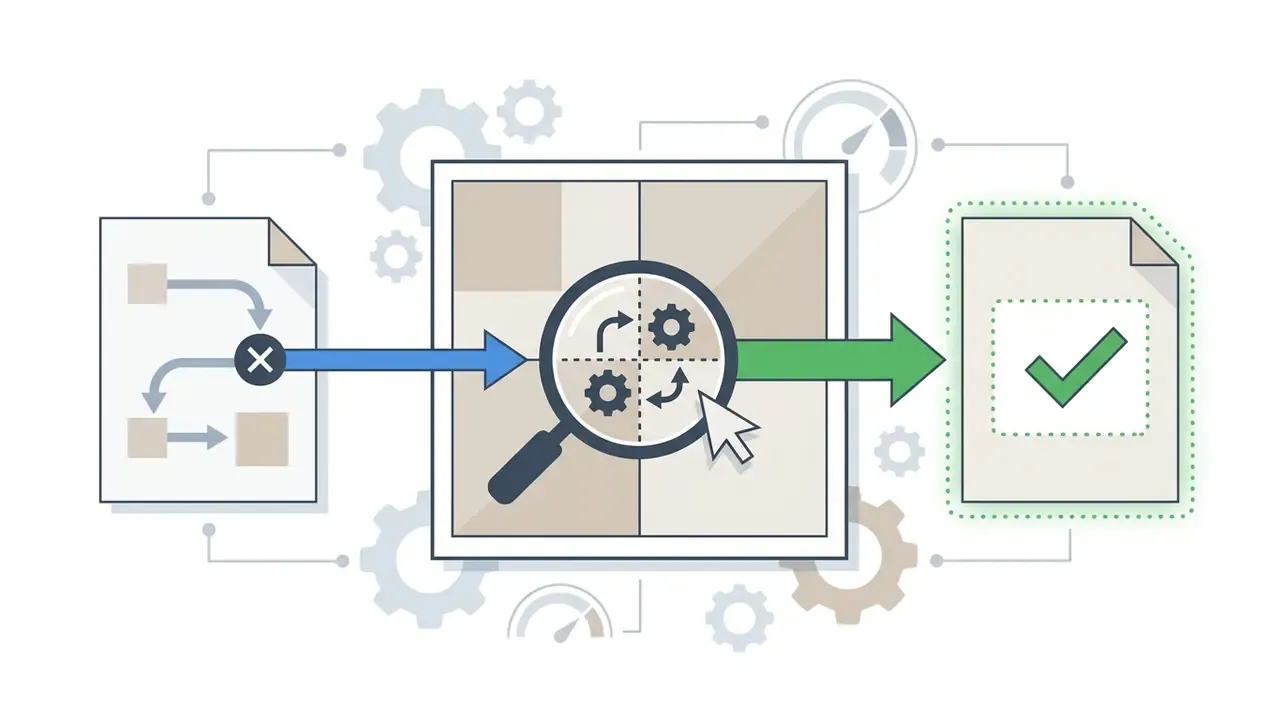
- Review likeness: Check eye spacing, jawline contour, and nose structure against your source photo. Reject images with distorted fingers, misaligned pupils, or unnatural skin smoothing.
- Refine output: If the composition is right but small defects remain, use localized inpainting, or re-roll the seed with identical prompt parameters.
- Export settings: Choose 4K PNG or WebP. Avoid low-bitrate JPEG exports, which soften the detail you paid credits for. If your export ceiling is 1024 px, run the file through dedicated AI image upscalers rather than interpolating in a generic editor.
- Respect model size limits: OpenAI's image prompting guide specifies that accepted output sizes must keep the maximum edge under 3840 px, both edges as multiples of 16, an aspect ratio of 3:1 or lower, and total pixels between 655,360 and 8,294,400 (OpenAI, Image prompting guide, 2026, https://developers.openai.com/api/docs/guides/image-prompting).
- Batch variations deliberately: The same guide notes that parallel variations are controlled by an explicit
nparameter. Set it to 4 to 8 for portrait selection instead of re-submitting prompts by hand.
Write Text Prompts That Create a Recognizable AI Version of You
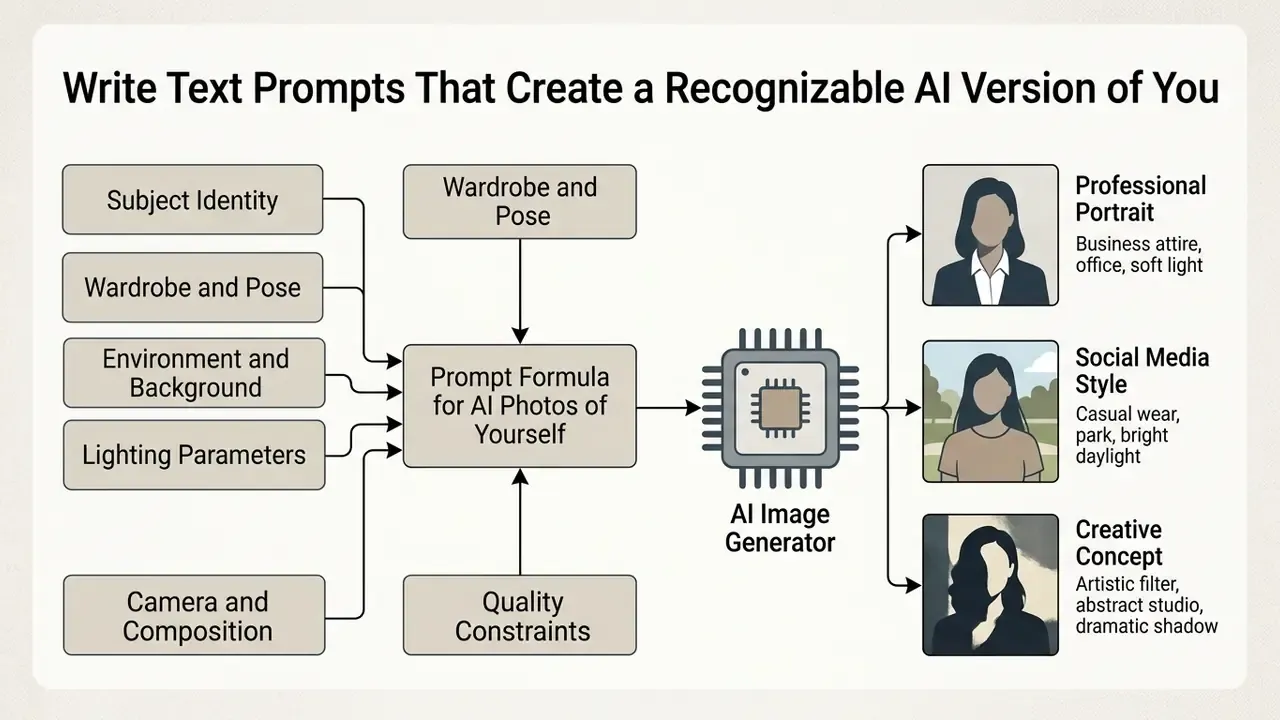
Effective text prompts are structured descriptive phrases that specify subject identity, environment, lighting, camera angle, and visual quality constraints. Clear prompt syntax guides the AI generator without fighting your uploaded reference photo.
«SelfEval shows latent diffusion models follow text prompts more accurately than pixel-space models, confirmed by both automated metrics and human raters.»
Separating subject description from style modifiers stops the model from reshaping core facial structure while it customizes wardrobe and backdrops. Recent work formalizes that separation. The 2026 arXiv study Beyond Facial Consistency recommends omitting direct verbal descriptions of the person entirely, so no conflicting appearance cues compete with the reference embedding. WACV 2026's "Reverse Personalization" treats facial attributes as a conditioning problem distinct from the rest of the scene.
Prompt Formula for AI Photos of Yourself
Use a standardized formula to hold identity consistent across generations. Assemble explicit descriptive layers in this order:
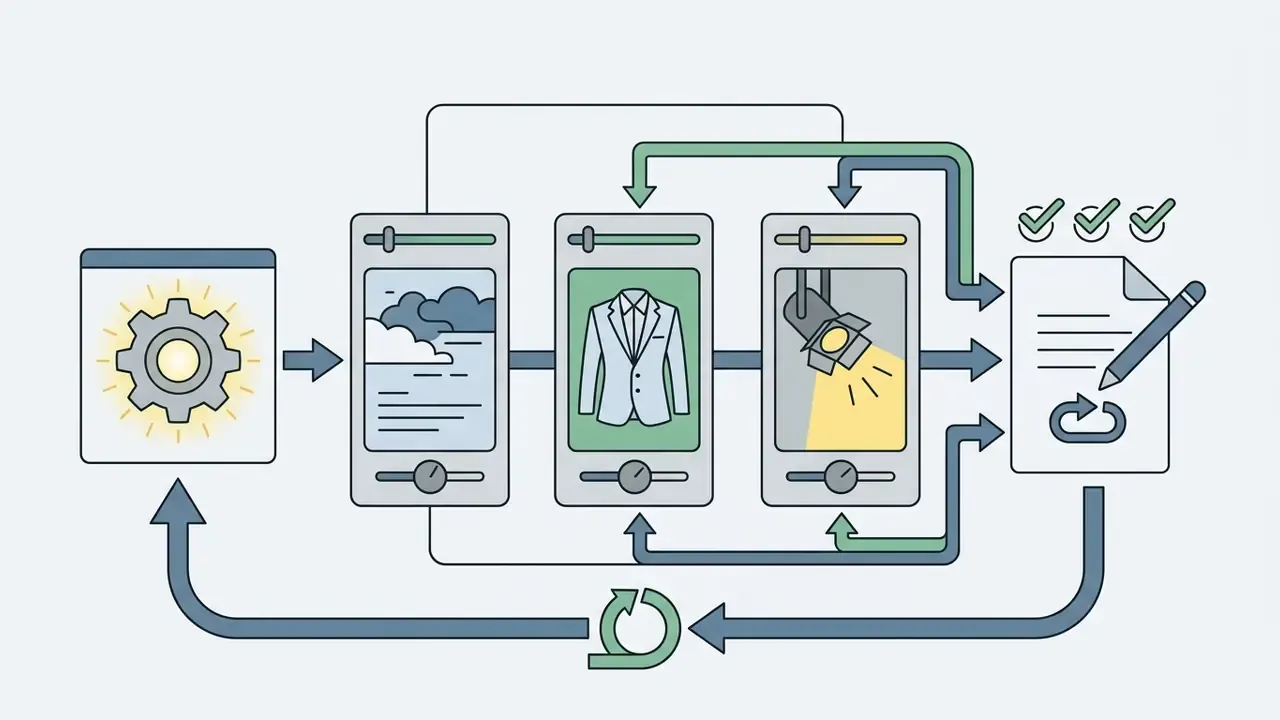
Prompt = [Subject identity] + [Wardrobe and pose] + [Environment] + [Lighting] + [Camera and composition] + [Quality modifiers]
«PRISM automatically generates human-readable prompts from reference images and transfers them across Stable Diffusion, DALL·E and Midjourney without manual tuning.»
- Subject identity
- "A professional portrait of a person matching the reference image, neutral expression, natural skin texture."
- Wardrobe and pose
- "Wearing a navy blue tailored blazer, sitting straight, shoulders square to camera."
- Environment and background
- "Modern executive office background, soft out-of-focus window view."
- Lighting parameters
- "Diffused studio lighting, gentle rim light, natural color balance."
- Camera and composition
- "85mm lens, f/1.8 aperture, shallow depth of field, eye-level framing."
- Quality constraints
- "Sharp focus, hyperrealistic details, 8K resolution, unedited look."
Skip vague buzzwords like "hyper-quality" or "super-detailed". Modern latent diffusion engines respond far better to concrete material and photographic description. Adobe's own template mirrors this order, "[Style] image of [subject], [composition/angle], [lighting], [colour palette], [mood/atmosphere], [additional details]" (Adobe, AI image prompt examples, 2026, https://www.adobe.com/in/products/firefly/ai-generated-examples/image-prompts.html). OpenAI's guidance adds one useful habit: state invariants explicitly, for example "preserve identity and geometry, change only the jacket, keep everything else the same," when editing an existing portrait.
Improve Quality and Keep Your Face Consistent
Improving AI portrait quality comes down to three things: pristine input photos, correct identity weighting, and systematic filtering of diffusion artifacts. Consistent facial features across many generations depend on controlled conditioning inputs, not on randomized re-prompting.
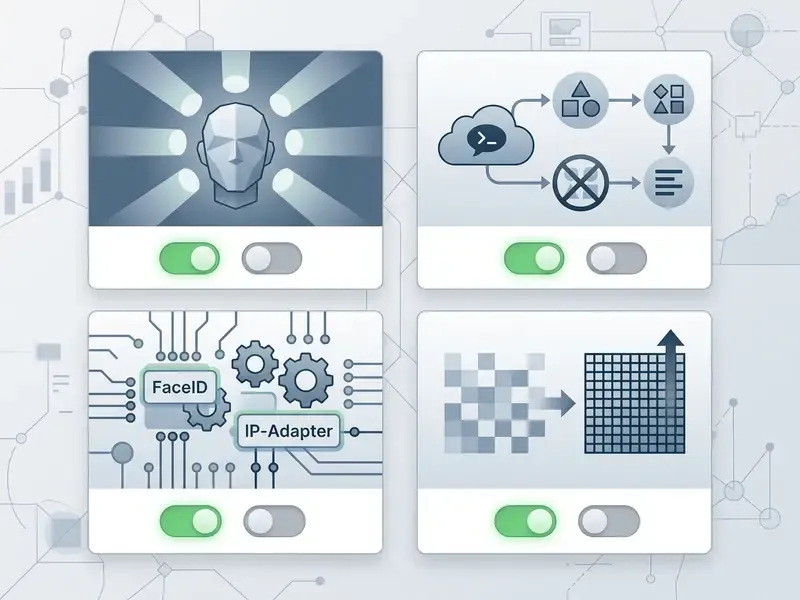
Run this pre-generation checklist before spending credits:
Checklist0 / 7
Acceptance criteria for validation-minded teams. A qualitative "looks like me" review is not auditable. Define pass and fail thresholds before generation, then document them.
| Criterion | Pass threshold | How to check |
|---|---|---|
| Interocular distance ratio | Within 3% of the source photo ratio | Measure pupil-to-pupil against face width in both images |
| Jawline and chin contour | No visible reshaping at 100% zoom | Overlay comparison at matched scale |
| Pupil alignment and iris shape | Both pupils circular, aligned on one axis | Crop to 400% on the eye region |
| Skin micro-texture | Pores visible, no uniform "plastic" gradient | Inspect cheek and forehead at 200% |
| Hands and accessories | Five fingers, no fused digits, legible logos | Inspect extremities and any text |
| Prompt adherence | Wardrobe, background, and lighting match the brief | Line-by-line prompt checklist |
If a batch fails two or more criteria repeatedly, the problem is the pipeline, not the batch. For final polish, dedicated AI image enhancers can recover detail that the diffusion pass flattened.
Common Reasons for Unnatural Facial Features
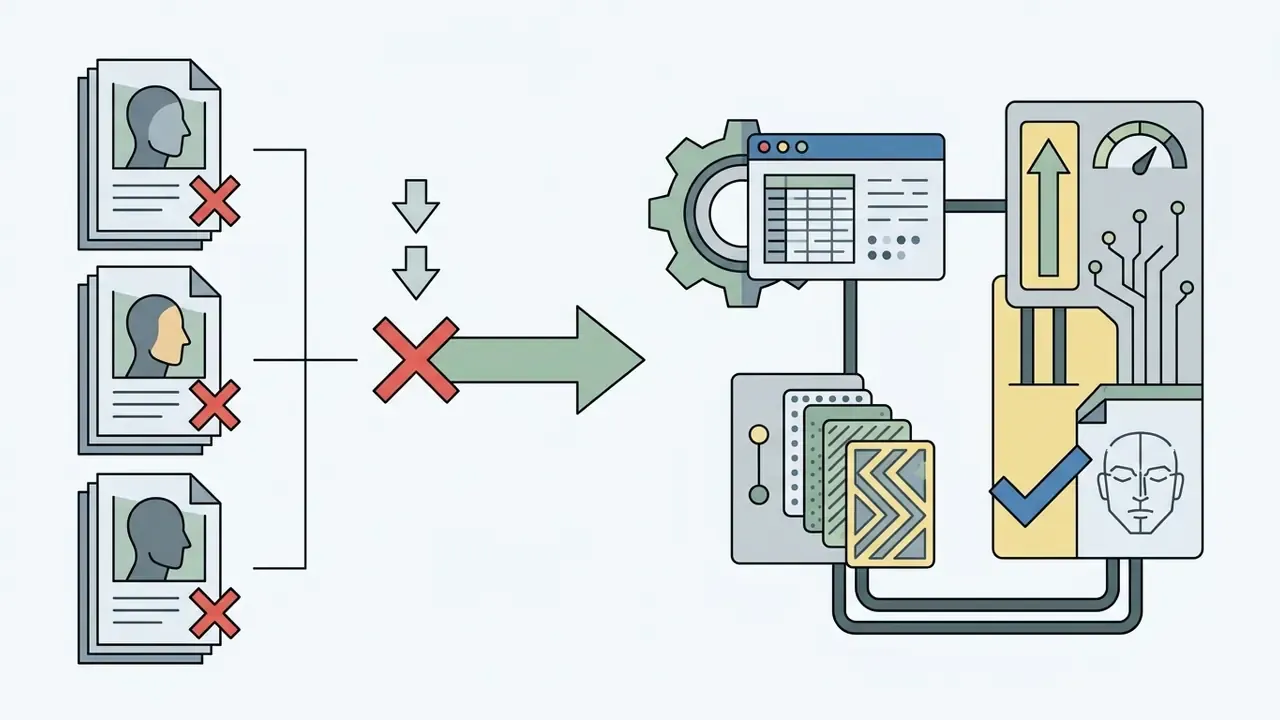
Unnatural facial features, asymmetrical pupils, blurry ears, extra fingers, waxy skin, stem from conflicting conditioning vectors during denoising. When the model cannot reconcile prompt instructions with photo reference data, structure gives way.
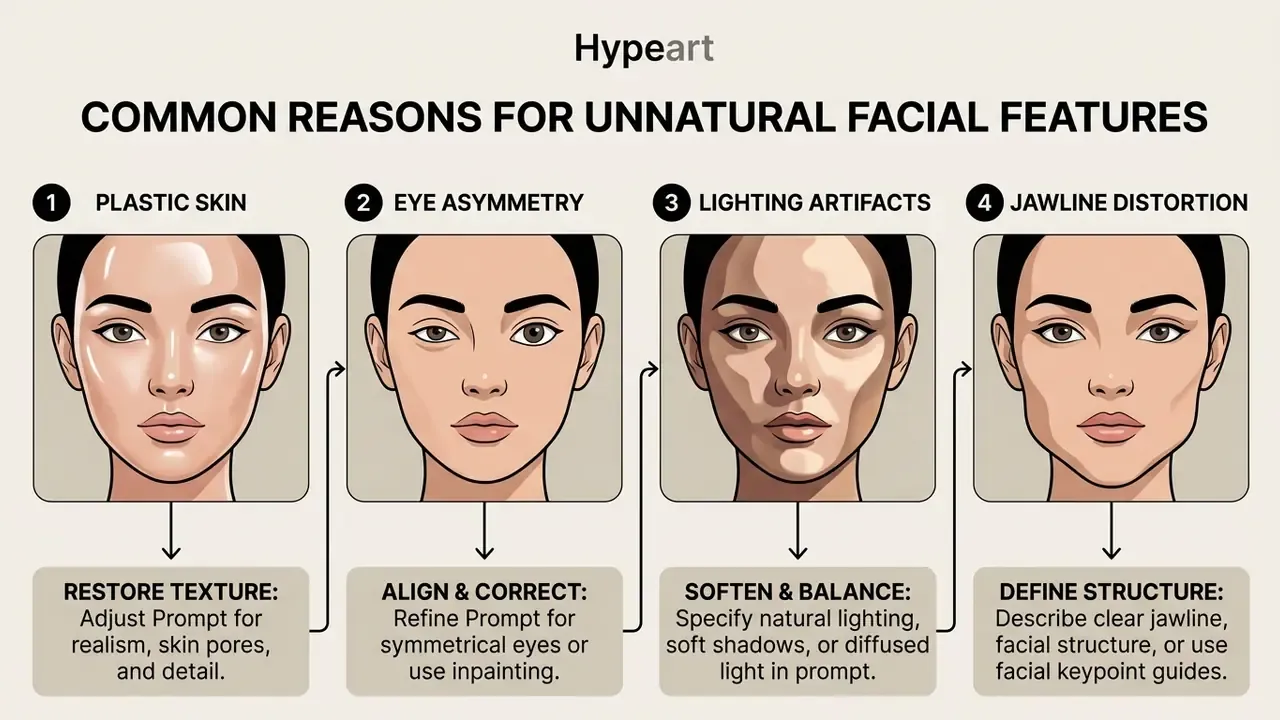
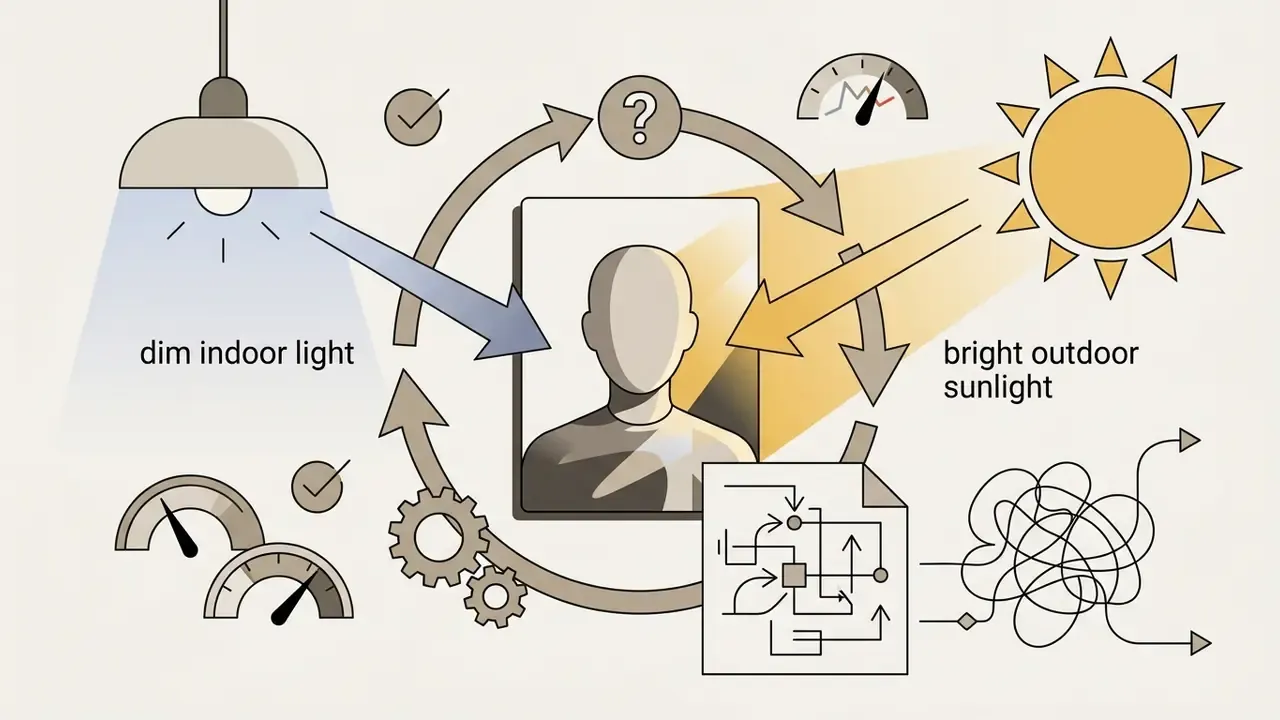
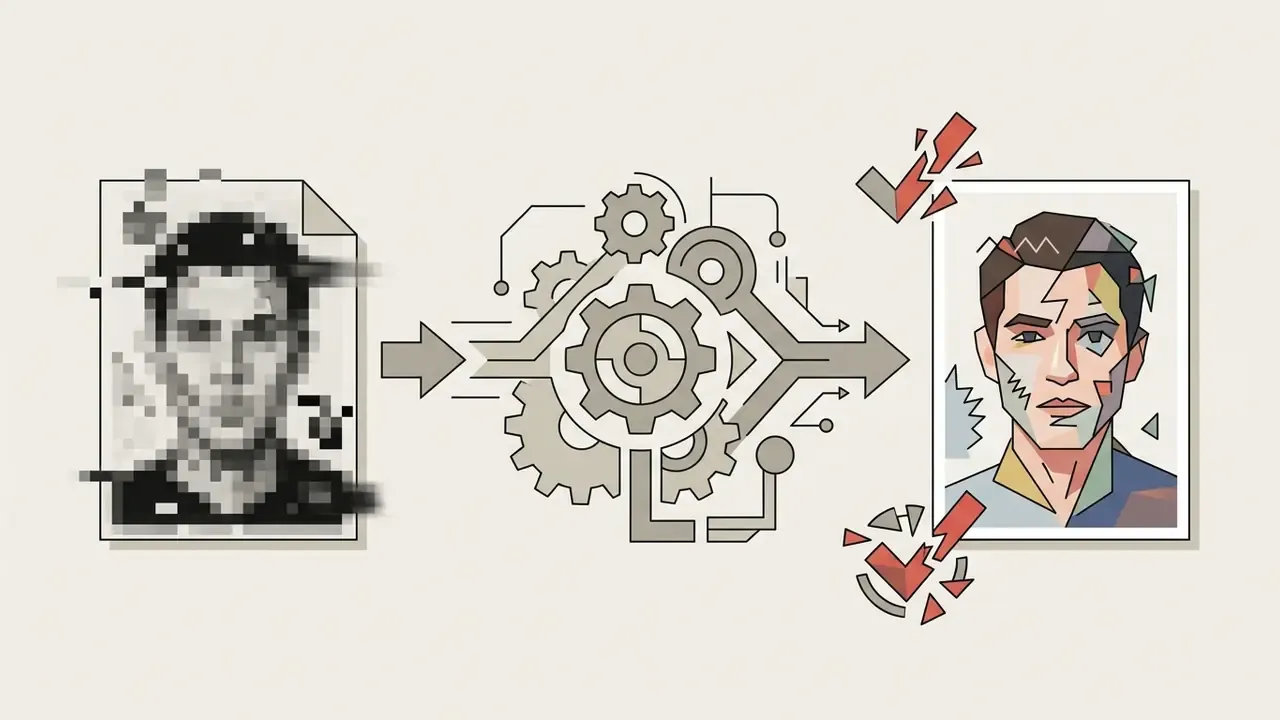
«Any artifact in a human face is immediately noticeable to the viewer; integrating subject identity with style remains weakly supervised without dedicated attention losses.»
Diffusion-artifact taxonomy research adds a practical inspection list: misaligned eyes, implausible fingers, and other anatomical inconsistencies are the recurring artifact classes in diffusion outputs (Characterizing Photorealism and Artifacts in Diffusion Model Images, 2026). Lighting-aware approaches such as IC-Portrait (2025) reformulate portrait generation as lighting-aware stitching with view-consistent adaptation, which targets the lighting-conflict failure mode directly.
Post-Processing: Fixing AI Artifacts Without Re-Generating
If an AI portrait nails facial geometry but carries localized flaws, distorted pupils, a fused finger, background noise, a stray watermark, do not burn credits on full re-rolls. Repair locally.
- Inpainting with canvas maskingMask only the damaged region and submit a targeted prompt such as "perfect eye iris, sharp focus, natural catchlight" or "five separate relaxed fingers." The rest of the latent stays frozen, so identity is preserved by construction.
- AI upscalingPass renders through dedicated upscalers (Real-ESRGAN, SUPIR, or the tools in our AI image upscaler comparison) to reintroduce skin micro-texture and lift native 1024 px output toward 4K print resolution.
- Background swapping and watermark clean-upUse layer-based AI editors to isolate the subject, replace a noisy background with a clean studio gradient, or remove platform watermarks you are licensed to remove. Our roundup of free photo editors lists which tools keep export resolution intact on free tiers.
- Selective retouch, not global smoothingApply frequency-separation retouching to blemishes only. Global skin smoothing is the fastest route to the plastic look reviewers instantly flag as AI generated.
- Re-check against acceptance criteriaAny inpainted region must be re-scored on the table above. Local edits can shift interocular ratios if the mask overlaps a landmark.
When to Generate Multiple Variations or Use a Different Model
Generate multiple variations when composition and likeness are close but small flaws remain. Switch AI models when repeated generations produce systemic facial distortion or poor prompt alignment.
«Optimizing concept embeddings within a textual subspace improves robustness to prompt variation; some personalization methods are inherently more robust than others.»
Practical decision rules, consistent with published prompting guidance:
To benchmark generation speed and compute performance across popular architectures, check our live performance tracking hub on benchmarks.
Enterprise Governance: Biometric Audit Trails and Shadow AI Controls
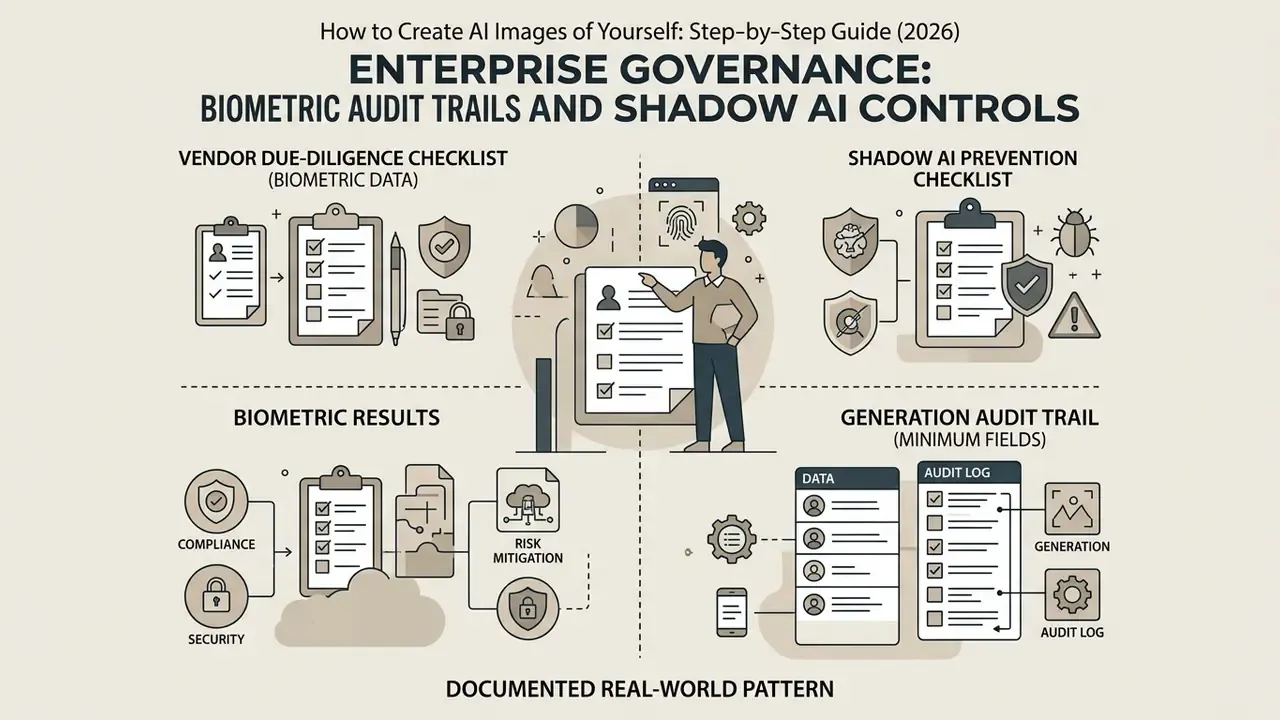
When AI portraits move from a personal experiment to a corporate rollout, executive headshots, team pages, sales collateral, the artifact stops being a picture. It becomes a processing activity involving employees' biometric data. Three control domains matter.
1. Vendor Due-Diligence Checklist (Biometric Data)
Checklist0 / 10
2. Shadow AI Prevention Checklist
Checklist0 / 8
3. Generation Audit Trail (Minimum Fields)
| Field | Example value | Why auditors ask for it |
|---|---|---|
| Source image hash | sha256:9f2c… | Proves which reference produced the asset |
| Consent record ID | CNS-2026-0417 | Evidences lawful basis for biometric processing |
| Platform and version | Vendor X, engine v4.2 | Ties output to a known model configuration |
| Adapter or LoRA ID | faceid-plus-v2 | Explains identity-conditioning behavior |
| Seed | 772341 | Makes the generation reproducible |
| Prompt and negative prompt | Full text, verbatim | Demonstrates no prohibited attribute steering |
| Post-processing log | Inpaint (eyes), upscale ×2 | Separates model output from human edits |
| Retention and deletion date | 2026-08-01 | Enforces the retention policy |
| Approver | Brand or comms lead | Establishes human accountability |
Governance frameworks converge here. The NIST AI Risk Management Framework Generative AI Profile calls for periodic monitoring of AI generated content for privacy risk, and the EU AI Act's transparency provisions require that synthetic image content be identifiable as such. Accessibility is the quiet third requirement: W3C guidance (2026) notes that image-generating platforms typically do not provide automated alternative text, so every published AI portrait still needs human-written alt copy.
Documented real-world pattern. Regulated organizations that succeed with AI headshots treat the rollout as a processing activity, not a design project. They pick one vendor with a contractual deletion window, collect written consent per employee, generate through a single controlled account with logged seeds, and retain the audit fields above for the life of the published asset. Teams that skip consent and logging usually discover the gap during an internal privacy review, which is to say after the images are already live.
Ways to Use AI Pictures of Yourself
Personal AI images serve functional, creative, and professional purposes across digital channels.
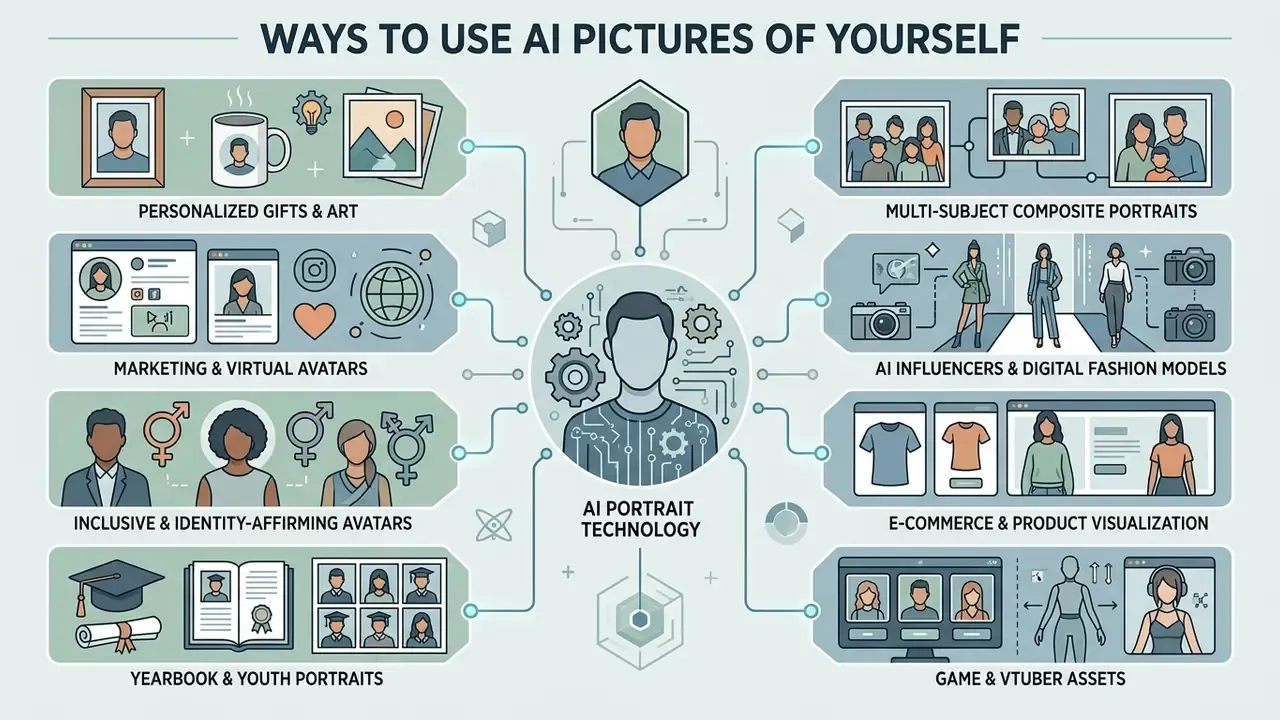
- Executive profile picturesUpgrade LinkedIn profiles, corporate team pages, speaker bios, and conference rosters with clean studio-grade AI headshots.
- Social media personal brandingKeep visual consistency across Instagram, YouTube, X, and a personal blog using tailored avatars and a matching blog post header set.
«Only 61% of 260 participants could distinguish AI-generated faces from real photographs, far below the expected 85% threshold.»
«The share of consumers confident they can spot AI images rose from 31% to 42%, yet accuracy fell; only 10% correctly identified 70% or more of images.» - Conjointly consumer research (October 2024)
«PAMELA, 70,000 ratings across 5,000 images, shows personalized models predict individual preference more accurately than averaged quality metrics.»
- Inclusive and identity-affirming avatars
- Custom reference conditioning lets users create unique non-binary or gender-fluid representations that reflect personal expression while preserving core facial features. Useful for profile pictures, community platforms, and Pride campaigns where standard male or female presets fall short.
- Yearbook and youth portraits
- Specialized presets apply school-appropriate attire, soft studio backdrops, and age-tailored natural lighting to turn everyday photos of children into formal academic portraits. Parental consent is mandatory, and platforms handling minors' facial data deserve extra scrutiny.
- Multi-subject composite portraits
- Multi-adapter workflows combine separate reference photos into stylized couple or family portraits with unified lighting and one artistic treatment. Good for anniversary prints, holiday cards, and reunion keepsakes.
- AI influencers and digital fashion models
- Full-body pipelines support recurring virtual personas: portrait selfies, street-style shots, lookbook frames, all generated from one consistent identity. For commercial deployment, keep the licensing chain documented and disclose the synthetic nature of the persona where platform rules require it.
- E-commerce and product visualization
- Generate royalty-free model imagery for catalog listings and virtual try-on visuals without booking a shoot, provided the depicted identity is your own or fully consented.
- Game and VTuber assets
- Stylized portraits work as NPC concept references or as a virtual presenter identity for YouTube, Twitch, and TikTok channels. Creators building a monetization plan around that persona can pair this with our guide on how to monetize Instagram.
Converting Static AI Portraits into Video and Talking Avatars
Modern AI technology lets you convert a single identity-consistent portrait into dynamic video. Your portrait is raw material, not the finished product. Pair a high resolution PNG export with image-to-video diffusion engines such as Runway Gen-2, Luma Dream Machine, or Kling, or with lip-sync tools, and you can:
- Animate facial expressions: Generate subtle natural movement, a blink, a slight smile, a head tilt, for social stories, profile loops, and website hero sections.
- Create scripted virtual presenters: Feed the portrait into a lip-sync engine alongside a text-to-speech track to produce onboarding clips or localized product explainers without facing a camera. Vendor documentation for photo-avatar platforms describes exactly this flow: upload one photo, create the avatar, attach a script, render a lip-synced video.
- Extend into editing timelines: Drop the animated clip into a standard editor for captions, transitions, music, and end cards. Our guide to YouTube video editors covers publishing-side requirements, and our Google Veo implementation guide details API-level costs and limits for programmatic video generation.
- Plan for compute cost: Video generation consumes far more credits per second than image generation, so estimate the spend first with our calculators.
Two cautions carry over from the legal section. Talking-avatar output is a digital replica, so consent documentation must cover animation and voice as well as the still image. And any synthetic presenter used in advertising should be disclosed wherever platform or jurisdictional rules demand it.
If your online presence includes managing public visual assets or removing unwanted synthetic listings, read our guide on how to remove AI images from Google search.
FAQ: Frequently Asked Questions About AI Images of Yourself
Can You Create AI Images of Yourself for Free?
Yes. You can create AI images of yourself for free using trial credits or open-source platforms, although free tiers usually impose resolution caps, watermarks, or queue delays.
Free web tiers typically limit downloads to standard HD, for example 1024×1024 pixels, and restrict commercial reuse. Adobe Firefly's documented ceiling is 2000×2000 pixels for JPEG or PNG download. Market summaries for 2026 report daily caps ranging from two or three images to roughly 100, with watermark behavior varying from none to visible marks or invisible provenance metadata. Open-source models like Stable Diffusion allow unlimited local generations but need a computer with a dedicated GPU. Start with our list of free AI image generators without sign-up, then compare capability limits in our roundup of the best free AI art generators.
Can You Generate AI Images of Another Person?
Only with their explicit consent. Unauthorized generation violates right-of-publicity laws and platform terms of service.
US digital replica regulations and European GDPR rules prohibit generating non-consensual deepfakes or commercial likenesses of third parties. Reputable platforms run automated face-matching and safety filters to block non-consensual uploads, and you can verify circulating imagery with AI image detectors.
«Analysis of 15 million Twitter accounts found 0.052% used AI-generated faces; most such accounts spread political propaganda and disinformation.» - Ricker et al., large-scale case study of AI-generated profile pictures (2024)
Can One Selfie Be Enough for an AI Portrait?
Yes. Zero-shot face-conditioning architectures such as InstantID generate an identity-consistent portrait from a single high quality selfie with no test-time training.
Single-photo models are fast, but uploading 5 to 10 varied reference photos across different angles and lighting lets few-shot methods like DreamBooth capture 3D face structure and expression more accurately. Tools that transform an existing picture rather than starting from text are compared in our overview of image-to-image AI generators.
Can AI Portraits Be Used for a Passport or National ID Card?
No. AI generated or AI retouched portraits are not acceptable for passports, national identity cards, visas, or driver's licenses. Issuing authorities require an unaltered photograph that satisfies ANSI/NIST and ICAO specifications, and automated biometric verification will flag synthetic smoothing or structural changes to facial landmarks. Use AI portraits for résumés, websites, marketing, and social profiles, and a compliant camera photo for anything government-issued.
Are AI-Generated Portraits Acceptable for Professional Use?
Yes for résumés, LinkedIn, company team pages, speaker bios, and marketing collateral, provided the depicted person consented, the platform licence permits commercial use, and the likeness does not mislead about credentials, uniform, or affiliation. Avoid implying a workplace, uniform, or certification you do not hold.
How Do I Keep My Face Consistent Across Dozens of Images?
Lock four variables: the same reference image or trained checkpoint, the same model version, the same adapter and reference-strength setting, and a fixed identity block in the prompt. Vary only environment, wardrobe, and lighting. Record the seed for every accepted output so the look can be reproduced months later.
Will the Platform Keep My Selfie?
That depends on the vendor, not the technology. Some services commit to deleting uploads within 24 hours and discarding biometric landmarks immediately after rendering, keeping only finished portraits until the user deletes them. Others reserve the right to reuse uploads for model training. Read the privacy policy and the data-processing agreement before uploading, because regulators including the EDPS have flagged exactly this reuse risk.
Can I Generate Full-Body Photos, Not Just Headshots?
Yes. Full-body generation uses the same identity pipeline, but the face occupies far fewer pixels, so likeness degrades more easily. Raise reference strength, generate at maximum permitted resolution, describe framing explicitly ("full body, head to toe, realistic proportions"), then run a face-region inpainting plus upscaling pass.
Additional Editing and Media Workflow Resources
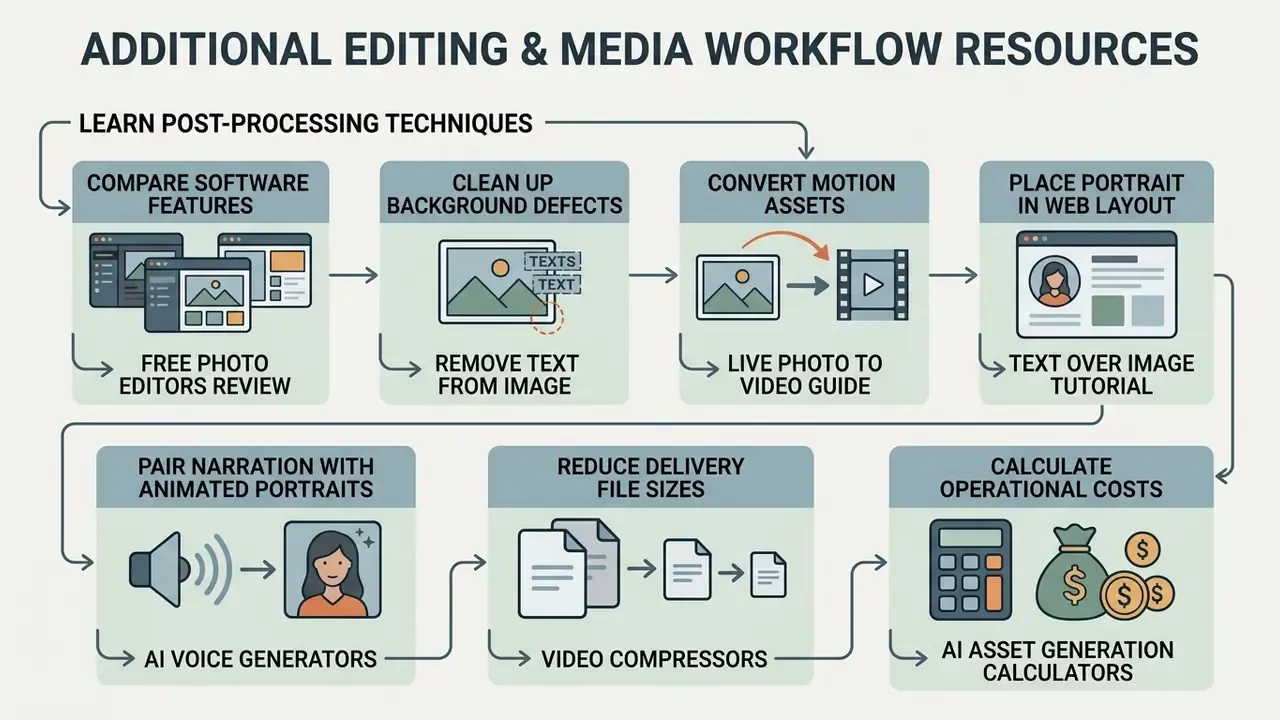
- Learn post-processing techniques in our comprehensive guide to online photo editors.
- Compare software features in our review of free photo editors.
- Clean up background defects using our tutorial on how to remove text from image online.
- Convert motion assets into video format with our guide on how to save a Live Photo as a video.
- Place your finished portrait inside a web layout with our tutorials on how to put text over an image html and how to put an image next to text.
- Pair narration with animated portraits using our guide to AI voice generators.
- Reduce delivery file sizes with our guide to video compressors.
- Calculate operational costs for AI asset generation with our interactive calculators.
Appendix A: Editorial Revision Notes (Superseded Statements)
For transparency, the following statements appeared in earlier revisions of this guide and were replaced above with verifiable, attributable sources. They are preserved here rather than quietly deleted.
Explore more automated content production strategies in our hub for AI Media Workflows.
- Superseded quote (identity drift)"Identity shift occurs when weak conditioning losses allow style prompts to override reference facial geometry during diffusion sampling," attributed only to "diffusion personalization research, 2024." Replaced by: Wei et al. (2024) on reconstruction objectives failing to enforce facial structural consistency.
- Superseded quote (prompt syntax)"Prompt isolation ensures that environmental and lighting descriptors do not introduce conflicting cues into the identity-locked facial features," attributed only to "controllable generation research, 2024." Replaced by: SelfEval, Transactions on Machine Learning Research (2024), plus Beyond Facial Consistency (2026) and WACV 2026 "Reverse Personalization."
- Superseded reference (plastic skin)"According to an ICLR study on controllable diffusion, over-conditioned adapter models degrade micro-texture details, yielding synthetic-looking plastic skin tones," with no authors, title, or URL. Replaced by: MagiCapture (2024) on artifact visibility and weakly supervised identity and style integration, plus the ICLR 2024 workshop finding on LoRA overfitting.
- Superseded quote (when to switch models)"If identity drift persists across three controlled retries with identical prompts, the limitation lies in the base model's embedding capacity rather than user parameter settings," attributed to "Quest Studio Research, 2026," unverified. Replaced by: Du et al. (2024) on textual-subspace embedding robustness, with the three-retry rule retained as an operational heuristic rather than a research finding.
- Repointed internal linksthe earlier social-monetization and HTML-layout asides were moved out of the technical body. They now sit where they are actually useful: the monetization guide beside the creator-persona use case, and the two layout tutorials in the resources list.
- Verification note (retention)the "uploaded photo deleted within 24 hours" figure reflects individual vendor commitments observed in 2026 privacy policies. It is not a statutory default, so confirm the window in your own contract.